



How to Automate Microsoft Security Products Without Losing Your Mind


Join thousands of professionals and get the latest insight on Compliance & Cybersecurity.
You've heard it countless times: "Automate everything!" It's the mantra echoing through cybersecurity conferences, LinkedIn posts, and management meetings. Yet, when you sit down to actually implement automation with Microsoft security products, reality hits hard. The sprawling ecosystem feels impossibly complex, documentation seems scattered, and that promised land of "fully automated security operations" feels like a mirage.
"I have always heard 'automate everything' but there are very few things I have been able to automate. With MS security products, things are even harder." - A frustrated security professional on Reddit
If this resonates with you, you're not alone. The gap between the "automate everything" ideal and the frustrating reality of Microsoft's security ecosystem leaves many professionals overwhelmed, questioning their skills, or worse—abandoning automation efforts entirely.
But there's a better way forward. Automation isn't an on/off switch—it's a spectrum. The goal isn't to automate everything overnight but to strategically reduce manual toil through a phased approach.
This guide will walk you through that journey, from leveraging built-in automation features to writing powerful scripts and even exploring AI-powered agents—all while maintaining your sanity through proper governance.

Part 1: The Foundation - Mastering Built-in Automation in Microsoft Defender
Before writing a single line of code, maximize what Microsoft has already built for you. The Automated Investigation and Remediation (AIR) capabilities in Microsoft Defender for Endpoint provide immediate value with minimal setup.
Understanding Automation Levels
Microsoft Defender offers three core automation levels, each providing different balances of efficiency versus control:

- Full Automation (Recommended): Remediation actions run automatically on malicious entities. Microsoft's data shows this level removes 40% more high-confidence malware compared to lower levels.
- Semi-Automation: Investigation happens automatically, but remediation requires analyst approval. Actions pending approval expire after 7 days.
- No Automation: Automated investigation doesn't run at all. This significantly reduces your security posture and isn't recommended.
Setting Up Automated Investigation and Remediation
Here's how to configure AIR for different device groups in your organization:
- Navigate to the Microsoft Defender portal at https://security.microsoft.com
- Go to Settings > Permissions > Device groups
- Click + Add device group
- Name your group (e.g., "Servers - Full Automation")
- Select an automation level from the dropdown
- Define which devices belong using conditions (OS, domain, tags)
- Click Done
You can create multiple device groups with different automation levels based on risk tolerance. For example, you might set "Full Automation" for general workstations but "Semi-Automation" for executive devices or critical servers where you want an extra approval step.

All actions—whether automatic or pending approval—are tracked in the Action Center, giving you complete visibility into what's happening across your environment.
Pro tip: Don't overlook the power of this built-in automation. As one security professional noted, "If you do something 3 or more times, there's an opportunity to automate it." With AIR, Microsoft has already automated dozens of investigation steps that would otherwise consume your team's time.
Part 2: Leveling Up - Granular Control with PowerShell Scripting
When the built-in automation features don't quite fit your needs, PowerShell provides the granular control needed to automate repetitive security tasks.
Use Case: Checking Security Updates Across Multiple Computers
Manually verifying patch compliance across hundreds of devices is tedious and error-prone. Here's how to automate this process with PowerShell:
Prerequisites:
- PowerShell 5.1 or later
- Administrative access to target computers
- Remote PowerShell execution enabled (
Enable-PSRemoting) - Two text files:
C:\security_update\computers.txt(list of computer names)C:\security_update\securityupdate.txt(list of KB numbers, e.g., KB5028166)
The Script:
# Create output directory if it doesn't exist
if (!(Test-Path "C:\security_update\result")) {
    New-Item -ItemType Directory -Force -Path "C:\security_update\result"
}

# Get date for filename
$date = Get-Date -Format "MM-dd-yyyy"
$outFile = "C:\security_update\result\SecurityUpdateStatus_$date.csv"

# Create CSV header
"ComputerName,KBNumber,Status,InstalledOn" | Out-File $outFile

# Read computer names and KB numbers from files
$computers = Get-Content "C:\security_update\computers.txt"
$kbNumbers = Get-Content "C:\security_update\securityupdate.txt"

# Loop through each computer and check for KBs
foreach ($computer in $computers) {
    Write-Host "Checking $computer..." -ForegroundColor Yellow

    if (Test-Connection -ComputerName $computer -Count 1 -Quiet) {
        foreach ($kb in $kbNumbers) {
            try {
                $hotfix = Get-HotFix -Id $kb -ComputerName $computer -ErrorAction SilentlyContinue

                if ($hotfix) {
                    $status = "Installed"
                    $installedDate = $hotfix.InstalledOn.ToString("MM/dd/yyyy")
                    "$computer,$kb,$status,$installedDate" | Out-File $outFile -Append
                } else {
                    $status = "Not Installed"
                    "$computer,$kb,$status,N/A" | Out-File $outFile -Append
                }
            } catch {
                "$computer,$kb,Error: $_,N/A" | Out-File $outFile -Append
            }
        }
    } else {
        Write-Host "$computer is not reachable!" -ForegroundColor Red
        foreach ($kb in $kbNumbers) {
            "$computer,$kb,Computer Not Reachable,N/A" | Out-File $outFile -Append
        }
    }
}

Write-Host "Report generated at $outFile" -ForegroundColor Green
Taking It Further:
Schedule this script to run weekly using Task Scheduler and configure it to email the CSV report to your security team. This creates a continuous, automated patch compliance process that requires zero manual effort after initial setup.
For many security professionals, scripts like this are the sweet spot of automation—they're relatively simple to create, save hours of manual work, and still provide the visibility that many prefer: "I prefer to review things with my own eyes." as one security professional put it.
Part 3: The Future is Now - Scaling with AI and Security Copilot Agents
While PowerShell scripts are powerful, they still require maintenance and have limitations. For organizations facing thousands of alerts daily, even well-crafted scripts can't keep up. This is where AI-driven automation comes in.
Microsoft Security Copilot and its autonomous agents represent the next evolution in security automation. These specialized AI assistants can handle complex, high-volume tasks with minimal human intervention.
The Impact of AI Automation
Early adopters report that Security Copilot can lead to a 30% reduction in mean time to resolution for security incidents. That's not just efficiency—it's a fundamental shift in how security teams operate.
Meet the Agents (Coming in Preview)
These specialized AI assistants are designed for specific security functions:
- Phishing Triage Agent: Automatically analyzes user-submitted phishing reports, providing natural language explanations for its decisions.
- Alert Triage Agents: Help prioritize DLP and Insider Risk alerts based on organizational risk context—crucial when teams only have resources to address about 60% of alerts.
- Conditional Access Optimization Agent: Continuously monitors and adjusts Conditional Access policies to close security gaps as your organization evolves.
- Vulnerability Remediation Agent: Proactively identifies vulnerabilities and provides clear, actionable remediation steps.
- Threat Intelligence Briefing Agent: Curates and delivers prioritized threat intelligence reports in just 4-5 minutes, compared to hours of manual research.
This ecosystem is expanding with partner-built agents from companies like OneTrust, Aviatrix, BlueVoyant, Tanium, and Fletch to cover an even broader range of security functions.
Part 4: The Governance Tightrope - Automating Safely
With great automation comes great responsibility. As Microsoft predicts, enterprises may soon have more autonomous agents than human users. This creates new challenges that require a thoughtful governance approach.
The New Risk Landscape
Autonomous agents introduce unique security considerations:
- They can initiate actions without direct human prompts
- They often maintain persistent access to systems
- Their operations can be opaque, making auditing difficult
- They're easy to create, potentially leading to "shadow agents" outside IT governance
- Agent-to-agent interactions create complex attack surfaces
A 7-Point Governance Framework
To automate safely without losing your mind:
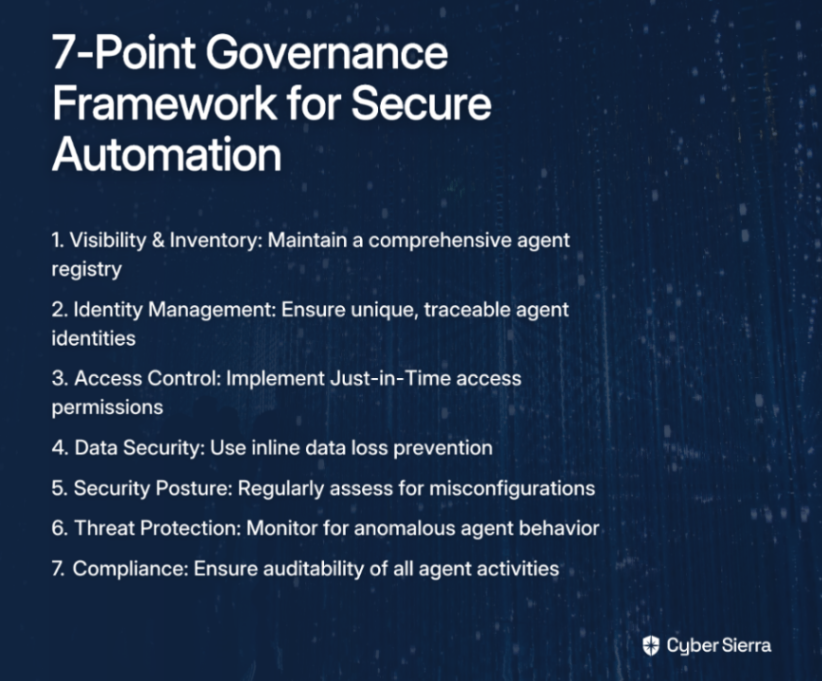
- Visibility & Inventory: Maintain a comprehensive registry of all agents.
- Identity Management: Ensure every agent has a unique, traceable identity. Microsoft is introducing Entra Agent ID specifically for this purpose.
- Real-time Access Control: Implement Just-in-Time access so agents only have permissions when needed for specific tasks.
- Data Security: Use tools like Microsoft Purview for inline data loss prevention with agents.
- Security Posture: Regularly assess agents for misconfigurations and vulnerabilities.
- Threat Protection: Implement monitoring to detect anomalous agent behavior.
- Compliance: Ensure agent activities can be audited against regulatory requirements.
Your Path to Sane Automation
The journey to automating Microsoft security products doesn't have to end in frustration or burnout. By taking a tiered approach, you can realize meaningful benefits at each step:
- Start Smart: Begin with built-in automation capabilities in Microsoft Defender.
- Scale Up: Use PowerShell to tame repetitive, manual tasks.
- Look Ahead: Explore how AI agents can handle complex, high-volume workloads.
- Stay in Control: Underpin everything with a robust governance framework.
Remember, the goal isn't to "automate everything." It's to automate the right things to eliminate toil, reduce errors, and empower you to focus on the high-impact security challenges that truly require human expertise.
As we've seen from security professionals in the field, finding this balance is key: automate the repetitive tasks, but maintain human oversight where it matters. With this approach, you can harness the power of Microsoft's security ecosystem without losing your mind in the process.
Frequently Asked Questions
What is the best way to start with Microsoft security automation?
The best way to start is by maximizing the built-in automation features already available in Microsoft Defender, such as Automated Investigation and Remediation (AIR). This approach provides immediate value with minimal setup. Before diving into custom scripts, you should configure AIR to handle common threats automatically, allowing you to build confidence in the system gradually.
Why is full automation recommended in Microsoft Defender?
Full automation is recommended because it is proven to be more effective at neutralizing threats, removing 40% more high-confidence malware compared to lower automation levels. This setting allows Microsoft Defender's AIR capabilities to automatically execute remediation actions on malicious entities, which speeds up response times and reduces the manual workload on your security team.
When should I use PowerShell for security automation?
You should use PowerShell for security automation when you need more granular control than built-in features offer or need to automate a specific, repetitive task that isn't covered by default. PowerShell is ideal for tasks like systematically checking for specific security updates across multiple devices, generating custom compliance reports, or performing unique configuration changes tailored to your environment.
How do AI agents like Security Copilot change security automation?
AI agents like Microsoft Security Copilot fundamentally change security automation by handling complex, high-volume tasks autonomously, which significantly reduces incident resolution times and manual effort. Unlike traditional scripts, these AI agents can perform sophisticated functions such as triaging phishing reports, prioritizing alerts based on risk, and providing threat intelligence briefings, transforming security operations from reactive to proactive.
What are the biggest risks of using AI security agents and how can I mitigate them?
The biggest risks include unauthorized actions due to persistent access, a lack of visibility into their operations, and the potential for "shadow agents" created outside of IT governance. To mitigate these risks, a strong governance framework is essential. This includes maintaining a complete inventory of all agents, using unique agent identities, implementing Just-in-Time access controls, and monitoring for anomalous behavior.
Is it realistic to automate everything in security operations?
No, it is not realistic or even desirable to automate everything. The goal is to strategically automate the right things—specifically repetitive and high-volume tasks—to reduce manual toil and free up human experts for high-impact challenges. A successful automation strategy maintains human oversight for critical decisions and complex investigations, combining the efficiency of automation with the value of human expertise.
