



React Security Checklist: Essential Practices Every Developer Must Follow



Join thousands of professionals and get the latest insight on Compliance & Cybersecurity.
You've built a sleek React application with impressive features and an intuitive UI. But when you browse forums like Reddit, you see developers lamenting that "frontend is never safe" or admitting "I don't know LMAO" when asked about securing React applications. This uncertainty is understandable – frontend security often takes a backseat to functionality and design.
The truth is, while React provides some built-in protections against common vulnerabilities, it's not immune to attacks. With React powering applications for major brands and holding a 34% market share among JavaScript libraries, it's a prime target for malicious actors.
This comprehensive security checklist will transform your approach to React security, focusing on practical, implementable solutions to the most critical vulnerabilities. Let's turn that "I don't know" into "I've got this covered."

✅ 1. Tame dangerouslySetInnerHTML
You're building a comment section that needs to support formatted text. The easiest solution seems to be using React's dangerouslySetInnerHTML to render the HTML. But there's a reason for that ominous name.
Why It Matters:
dangerouslySetInnerHTML bypasses React's automatic escaping of content, creating a direct gateway for Cross-Site Scripting (XSS) attacks. As one developer bluntly put it, "React security boils down to not thinking dangerouslySetInnerHTML is safe."
Attack Scenario: A user posts a seemingly innocent comment that contains hidden malicious JavaScript. When rendered directly with dangerouslySetInnerHTML, the script executes in other users' browsers, potentially stealing session tokens or redirecting to phishing sites.
How to Protect Your App:
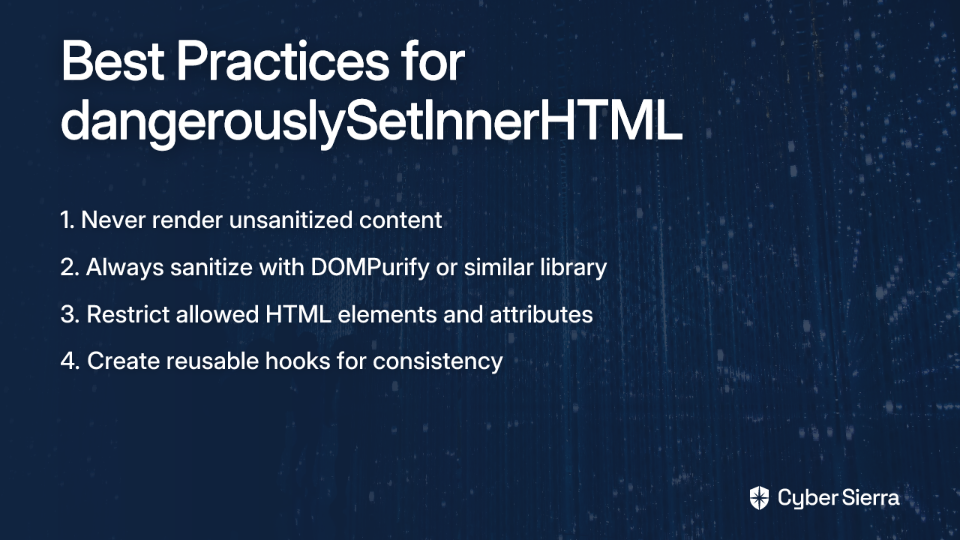
- Never render unsanitized content:
// DANGEROUS: This code invites XSS attacks
<div dangerouslySetInnerHTML={{ __html: userComment }} />
- Always sanitize with a dedicated library:
import DOMPurify from 'dompurify';

function SafeComment({ userInput }) {
  const sanitizedHTML = DOMPurify.sanitize(userInput);
  return <div dangerouslySetInnerHTML={{ __html: sanitizedHTML }} />;
}
- Restrict allowed HTML elements and attributes:
const sanitizedContent = DOMPurify.sanitize(content, {
  allowedTags: ['p', 'b', 'i', 'a', 'ul', 'li'],
  allowedAttributes: { 'a': ['href'] }
});
- Create a reusable hook for consistency:
import { useMemo } from 'react';
import DOMPurify from 'dompurify';

export function useSecureHTML(unsafeHTML) {
  return useMemo(() => DOMPurify.sanitize(unsafeHTML), [unsafeHTML]);
}

// Usage
function Comment({ html }) {
  const safeHTML = useSecureHTML(html);
  return <div dangerouslySetInnerHTML={{ __html: safeHTML }} />;
}
This approach is especially important when implementing WYSIWYG editors that generate HTML content, as highlighted by developers on Reddit.
✅ 2. Defend Against XSS in All Forms
Cross-Site Scripting (XSS) attacks are among the most common web vulnerabilities and feature prominently in the OWASP Top Ten. While React's JSX automatically escapes values to prevent many XSS attacks, several attack vectors remain open.
Why It Matters:
XSS vulnerabilities can lead to session hijacking, credential theft, and unauthorized data access. As one developer warned, "Don't allow user to control href in links. User could put :javascript there to run malicious code."
Attack Scenario: An attacker creates a profile with a malicious URL using the javascript: protocol in their website link. When users click this link, instead of navigating to a new page, the browser executes the JavaScript code with the same permissions as your application.
How to Protect Your App:
- Validate URLs before rendering:
function validateURL(url) {
  try {
    const parsed = new URL(url);
    return ['https:', 'http:'].includes(parsed.protocol);
  } catch (e) {
    return false;
  }
}

function SafeLink({ href, children }) {
  const isSafe = validateURL(href);
  return isSafe ? (
    <a href={href}>{children}</a>
  ) : (
    <span>{children}</span>
  );
}
- Sanitize URL parameters and route data:
import { useParams } from 'react-router-dom';
import DOMPurify from 'dompurify';

function UserProfile() {
  const { username } = useParams();
  // Sanitize parameter to prevent DOM-based XSS
  const safeUsername = DOMPurify.sanitize(username);
  return <div>Profile: {safeUsername}</div>;
}
- Avoid direct DOM manipulation:
// INSTEAD OF:
divRef.current.innerHTML = data; // Vulnerable to XSS

// USE:
divRef.current.innerText = data; // Safe alternative
- Handle user input carefully:
// For controlled form inputs, sanitize on submission
const [input, setInput] = useState('');

const handleSubmit = (e) => {
  e.preventDefault();
  const sanitizedInput = DOMPurify.sanitize(input);
  submitToServer(sanitizedInput);
};
Implementing these defenses creates multiple layers of protection against XSS attacks, significantly reducing your application's attack surface. For more comprehensive strategies, check out StackHawk's React XSS Guide.
✅ 3. Implement Bulletproof Authentication
Authentication vulnerabilities can compromise your entire application, regardless of how secure the rest of your code is. While authentication logic primarily resides on the backend, the frontend plays a crucial role in managing sessions and protecting user credentials.
Why It Matters:
Broken authentication mechanisms can allow attackers to impersonate legitimate users, accessing sensitive data and functionality. This vulnerability frequently appears in the OWASP Top Ten.
Attack Scenario: An attacker exploits an XSS vulnerability to steal authentication tokens stored in localStorage, gaining unauthorized access to a user account without needing their password.
How to Protect Your App:
- Use a trusted authentication provider:
// Install Auth0 SDK
// npm install @auth0/auth0-react

// Wrap your app with Auth0Provider
import { Auth0Provider } from '@auth0/auth0-react';

ReactDOM.render(
  <Auth0Provider
    domain="your-domain.auth0.com"
    clientId="your-client-id"
    redirectUri={window.location.origin}
  >
    <App />
  </Auth0Provider>,
  document.getElementById('root')
);
- Implement secure login/logout:
import { useAuth0 } from '@auth0/auth0-react';

function AuthButtons() {
  const { isAuthenticated, loginWithRedirect, logout } = useAuth0();

  return isAuthenticated ? (
    <button onClick={() => logout()}>Log Out</button>
  ) : (
    <button onClick={() => loginWithRedirect()}>Log In</button>
  );
}
- Protect sensitive routes:
import { withAuthenticationRequired } from '@auth0/auth0-react';

// This component will only render for authenticated users
const ProtectedRoute = withAuthenticationRequired(SecretComponent);
- Secure API calls with access tokens:
import { useAuth0 } from '@auth0/auth0-react';

function ApiComponent() {
  const { getAccessTokenSilently } = useAuth0();

  const callApi = async () => {
    try {
      // Get token securely (not stored in localStorage)
      const token = await getAccessTokenSilently();

      // Use token in API request
      const response = await fetch('https://api.example.com/data', {
        headers: {
          Authorization: `Bearer ${token}`
        }
      });

      const data = await response.json();
      // Process data...
    } catch (error) {
      console.error(error);
    }
  };

  return <button onClick={callApi}>Fetch Protected Data</button>;
}
The Auth0 guide for React provides comprehensive instructions for implementing secure authentication. The key security advantage is that it handles tokens in memory rather than localStorage, protecting against XSS token theft.

✅ 4. Deploy a Content Security Policy (CSP)
A Content Security Policy acts as your application's security perimeter, defining which resources can be loaded and executed. It's an HTTP header that instructs browsers which domains are permitted to load scripts, styles, fonts, and other assets.
Why It Matters:
Even with perfect code practices, vulnerabilities can slip through. CSP provides a powerful second line of defense against XSS and data injection attacks by blocking unauthorized script execution.
Attack Scenario: Despite your best efforts, an XSS vulnerability allows an attacker to inject a script that attempts to send user data to a malicious server. With a proper CSP in place, the browser would block this script from executing or connecting to unauthorized domains.
How to Protect Your App:
- Implement a basic CSP header:
Content-Security-Policy: default-src 'self'; script-src 'self';
This simple policy only allows resources to be loaded from your application's own origin, blocking inline scripts and connections to external domains.
- For React applications using inline styles and scripts:
Content-Security-Policy: default-src 'self'; script-src 'self' 'unsafe-inline'; style-src 'self' 'unsafe-inline';
- Add configuration for external resources:
Content-Security-Policy: default-src 'self'; script-src 'self' https://apis.google.com; style-src 'self' https://fonts.googleapis.com; font-src 'self' https://fonts.gstatic.com;
Learn more about CSP options in the MDN documentation.
✅ 5. Harden Your Dependencies and Build Process
Modern React applications rely on dozens or hundreds of npm packages. Each dependency introduced into your project is a potential security risk.
Why It Matters:
Supply chain attacks targeting npm packages have become increasingly common. A vulnerability in even a minor dependency can compromise your entire application.
Attack Scenario: You install a popular npm package that was recently compromised. The malicious code silently collects authentication tokens and sends them to an attacker-controlled server.
How to Protect Your App:
- Keep dependencies updated:
# Check for vulnerabilities
npm audit

# Update packages
npm update

# Fix vulnerabilities
npm audit fix
- Use a security linter:
# Install ESLint React Security Config
npm install eslint-plugin-react-security --save-dev
Add to your .eslintrc:
{
  "plugins": ["react-security"],
  "extends": ["plugin:react-security/recommended"]
}
- Implement Subresource Integrity (SRI) for CDN scripts:
<script
  src="https://cdn.example.com/react.production.min.js"
  integrity="sha384-hash_value_here"
  crossorigin="anonymous">
</script>
- Set up automated security scanning:
Tools like StackHawk can identify vulnerabilities in your application by scanning it as part of your CI/CD pipeline:
# Example CI configuration
stages:
  - build
  - test
  - security-scan

security:
  stage: security-scan
  script:
    - hawk scan
Conclusion: Security as an Ongoing Process
Security isn't a feature to implement once and forget—it's an ongoing process of vigilance and improvement. By following this checklist, you've taken significant steps toward building more secure React applications:

- Sanitize HTML with DOMPurify before using dangerouslySetInnerHTML
- Validate all user inputs and URLs to prevent XSS attacks
- Implement robust authentication with secure token handling
- Deploy a Content Security Policy as a second line of defense
- Keep dependencies updated and scan for vulnerabilities
Remember that even the most secure code can be compromised by a single oversight. Use tools like Web Application Firewalls (WAFs), implement proper encryption at rest and in transit, and consider multi-factor authentication for sensitive operations.
Modern security threats are constantly evolving, and staying informed about new vulnerabilities and attack vectors is crucial. Connect with the React security community through forums, conferences, and security-focused blogs to keep your knowledge current.
By incorporating these practices into your development process, you're not just writing code—you're building trust with your users by protecting their data and privacy.
Frequently Asked Questions
What is the most common security risk in a React application?
The most common and critical security risk in React applications is Cross-Site Scripting (XSS). This vulnerability occurs when an attacker injects malicious code into your application, which then executes in the browsers of other users. While React's JSX syntax automatically escapes many values to prevent XSS, risks remain through improper use of dangerouslySetInnerHTML, rendering user-provided URLs, or direct manipulation of the DOM.
Is it ever safe to use dangerouslySetInnerHTML in React?
Yes, dangerouslySetInnerHTML can be used safely, but only if you rigorously sanitize the HTML content with a trusted library like DOMPurify before rendering it. The prop is named "dangerously" to warn developers that it bypasses React's built-in protections. Sanitization strips out potentially harmful elements like <script> tags and JavaScript event handlers (onclick), ensuring that only safe, clean HTML is rendered to the DOM.
How should I securely store authentication tokens in a React app?
The most secure method is to store authentication tokens in memory, managed by a dedicated authentication library (e.g., Auth0 SDK, MSAL). Storing tokens in localStorage is not recommended because it is easily accessible to any malicious scripts injected via an XSS attack. In-memory storage, combined with secure mechanisms like refresh tokens and HttpOnly cookies for session management, provides a much stronger defense against token theft.
What is a Content Security Policy (CSP) and why do I need one for my React app?
A Content Security Policy (CSP) is an HTTP header that gives you fine-grained control over which resources a browser is allowed to load for your application. For a React app, it acts as a powerful second line of defense against XSS attacks. By defining a whitelist of trusted domains for scripts, styles, and other assets, you can prevent the browser from executing unauthorized code injected by an attacker, even if they find a vulnerability in your code.
How can I automatically check my React project for security issues?
You can automate security checks in your React project in two primary ways: by scanning your dependencies and by analyzing your source code. Use npm audit or yarn audit regularly to find and fix known vulnerabilities in your third-party packages. Additionally, integrate a security-focused linter like eslint-plugin-react-security into your editor and CI/CD pipeline to catch potential security anti-patterns in your code as you write it.

This article is part of our ongoing series on web application security. For more detailed guidance on specific security topics, check out our other resources on authentication, API security, and secure coding practices.
