



AWS Config vs Security Hub vs Audit Manager: Which Compliance Tool Wins?


Join thousands of professionals and get the latest insight on Compliance & Cybersecurity.
You've set up your AWS environment and now you're facing the daunting task of ensuring everything stays compliant with security standards and regulations. You open the AWS console and find yourself staring at multiple options: AWS Config, Security Hub, and Audit Manager. Each promises to help with compliance, but which one should you use? Are they redundant, complementary, or completely different?
"I want to see alerts on my dashboard if any resource is non-compliant," you think to yourself. "How can I generate a report or parse all resources against a policy? And is there an option for creating a downloadable report?"
If these questions sound familiar, you're not alone. AWS users frequently express confusion about which compliance tool best suits their needs, especially when considering the additional costs these services might add to their AWS bill.
This guide will clear the confusion by breaking down each service's unique purpose, how they work together, and which one wins for your specific compliance needs.
Setting the Stage: The AWS Shared Responsibility Model
Before diving into the tools, let's establish an important foundation. AWS operates under a Shared Responsibility Model, which means AWS is responsible for the security of the cloud (physical infrastructure, host OS), while you're responsible for security in the cloud (guest OS, applications, data, and configurations).
With AWS supporting 143 security standards and compliance certifications like PCI-DSS, HIPAA, and GDPR, native tooling is essential to help you uphold your end of this shared model.
AWS Config: The Foundational Configuration Detective
What It Is
AWS Config provides a detailed inventory of your AWS resources, tracks their configurations, and records how they change over time. It answers the critical questions: "What does my AWS environment look like?" and "How has it changed?"
Core Features
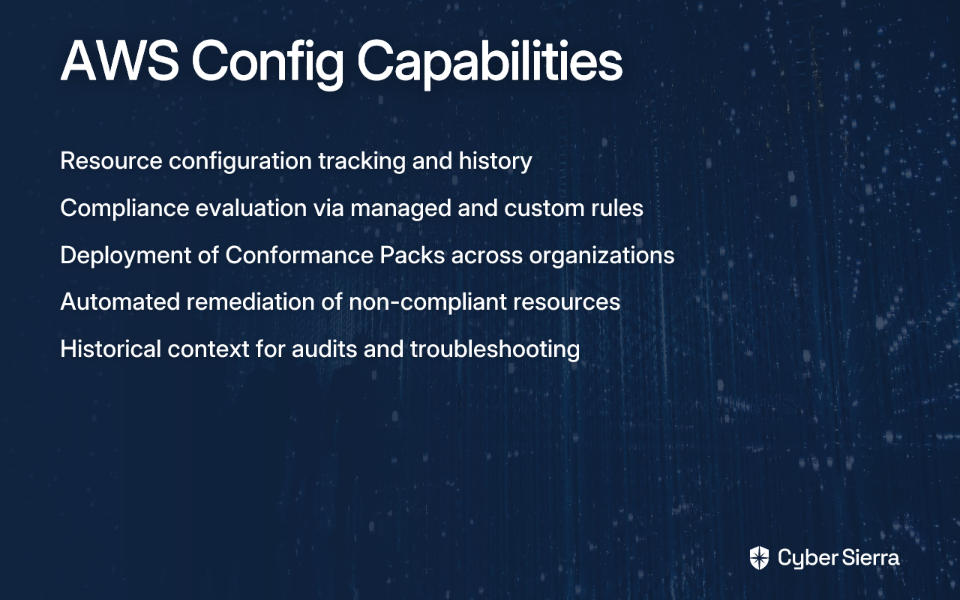
- Configuration History & Snapshots: AWS Config maintains a detailed history of configuration changes, tracking who made what changes and when. This provides the historical context often needed during audits or troubleshooting.
- AWS Config Rules: Use managed or custom rules to evaluate whether your resource configurations comply with your policies. This directly addresses the need for alerts "if Encryption is not enabled on some RDS instance" that many users seek.
- Conformance Packs: Collections of AWS Config rules and remediation actions that can be deployed as a single entity across an organization. These packs help establish a compliance baseline.
- Automated Remediation: Can automatically fix non-compliant resources using AWS Systems Manager Automation documents.
Best For
AWS Config excels at:
- Resource administration and gaining visibility into configurations
- Auditing and compliance by providing historical configuration data
- Security analysis by enabling review of IAM policies or security group configurations over time
Limitations
While powerful, AWS Config has some notable limitations:
- It's primarily a resource configuration tracker, not a comprehensive security solution
- It can add significant costs to your AWS bill as it's priced based on the number of configuration items recorded and rule evaluations
- It doesn't provide a centralized threat-level view of your environment
AWS Security Hub: The Centralized Security Command Center
What It Is
Security Hub is a cloud security posture management (CSPM) service that centralizes and prioritizes security findings from various AWS services (like Amazon GuardDuty, AWS Inspector, and AWS Config) and third-party products. It's your security command center.
Core Features
- Aggregated Findings: Acts as a "single pane of glass" for security alerts, reducing alert fatigue by bringing all security findings into one place.
- Security Standards: Continuously checks your environment against security standards like the CIS AWS Foundations Benchmark and PCI DSS. This is crucial for users wanting to monitor against specific standards.
- Prioritization and Insights: Uses insights to help you prioritize which findings to address first, providing a clear dashboard view of your security posture.
How It Works with Config
This is a critical point that often causes confusion: Security Hub uses AWS Config rules to perform many of its security checks. You need Config enabled for Security Hub to function fully. Security Hub leverages Config for additional context on resource configurations, enhancing its security assessments, as described by users familiar with both services.
Best For
Security Hub is ideal for:
- Answering the question: "What is my overall security posture across all my accounts right now?"
- Creating the "compliance dashboard" many users desire
- Prioritizing security issues at scale in a multi-account environment
Limitations
Despite its strengths, Security Hub has drawbacks:
- Users report frustration with "[getting] everything including things you don't need in Security Hub" and false positives like "log metric filters are failing even though I see them" as mentioned in user discussions
- It's primarily a dashboard, not a formal audit report generator, which is important for users asking: "Do you know if there is an option for creating a downloadable report with Config or Security Hub?"
AWS Audit Manager: The Automated Audit & Evidence Collector
What It Is
AWS Audit Manager helps you continuously audit your AWS usage to simplify how you assess risk and compliance with regulations and industry standards. Its primary job is to automate evidence collection for formal audits.
Core Features
- Automated Evidence Collection: Moves you from manual, time-consuming audit preparation to an automated process. It collects and organizes evidence from sources like CloudTrail logs, AWS Config, and Security Hub findings.
- Prebuilt Frameworks: This is perhaps its most valuable feature. Audit Manager offers frameworks that map your AWS resources to the requirements of standards like SOC 2, ISO 27001, PCI DSS, and HIPAA. This directly answers the user need: "I want to check if we are always compliant with ISO 27001 and SOC 2 standards."
- Audit-Ready Reports: Generates assessment reports that provide evidence tied to each control, ready to be shared with auditors. This is the definitive answer to users asking for "downloadable reports."
Best For
Audit Manager excels at:
- Answering the question: "How can I prove to an auditor that I am compliant?"
- Serving organizations that undergo regular, formal audits and need to reduce the manual effort of evidence collection
- Providing the documentation needed to satisfy external auditors
Feature-by-Feature Comparison: At-a-Glance Decision Guide
| Feature | AWS Config | AWS Security Hub | AWS Audit Manager |
|---|---|---|---|
| Primary Job | Records resource configuration and changes. | Aggregates and prioritizes security findings. | Automates evidence collection for audits. |
| Core Question | "What changed in my environment?" | "What is my current security posture?" | "Am I ready for my audit?" |
| Key Output | Configuration history, compliance status of rules. | A prioritized dashboard of security findings (a CSPM). | Audit-ready reports with organized evidence. |
| Reporting | View history in console, advanced queries. | Centralized dashboard, basic CSV exports of findings. | Generates detailed, downloadable assessment reports. |
| Ideal User | DevOps, Cloud Engineers, Security Analysts. | CISO, Security Operations (SecOps), Compliance Teams. | Compliance Managers, Internal/External Auditors, GRC Teams. |
| Works Best For | Troubleshooting, change management, basic compliance. | Continuous monitoring, threat prioritization. | Preparing for formal audits (SOC 2, ISO 27001, etc.). |
Building a Winning Strategy: Using the Tools Together
The most important insight about these tools is that it's not "Config vs. Security Hub vs. Audit Manager" — it's about how they work together. The real power comes from using them as complementary layers in your compliance strategy.
A Layered Approach
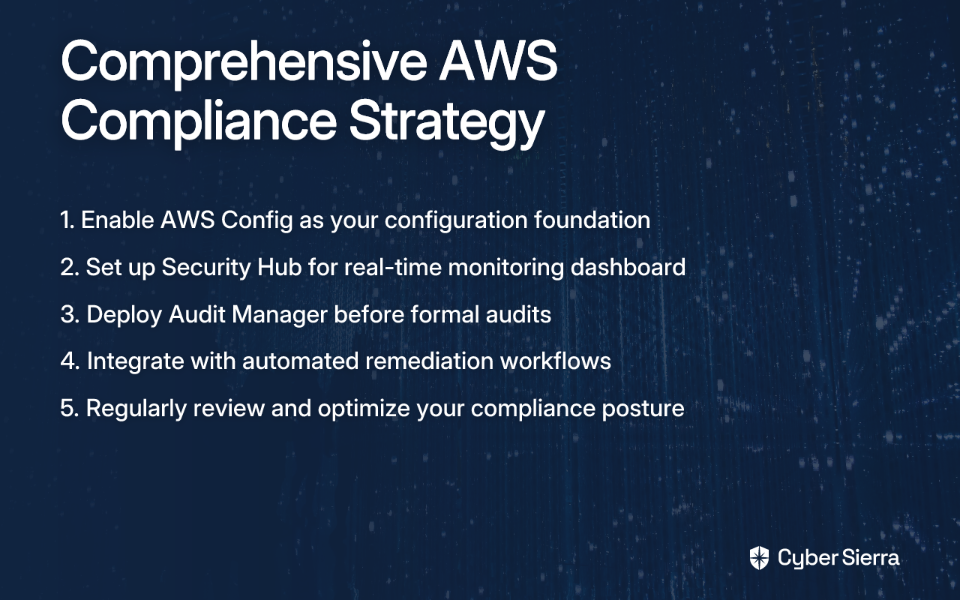
Layer 1: The Foundation (AWS Config) Always start here. Enable AWS Config to record all resource configurations. This is the ground truth data that both Security Hub and Audit Manager rely on.
Layer 2: The Command Center (AWS Security Hub) Enable Security Hub and point it to Config. It will consume the Config data, run checks against standards like the CIS benchmark, and give you a real-time dashboard. This solves the need for daily monitoring and alerting.
Layer 3: The Auditor's Ally (AWS Audit Manager) When an audit is on the horizon, create an assessment in Audit Manager for the relevant framework (e.g., SOC 2). It will automatically pull evidence from Config, Security Hub, CloudTrail, and other services to build your audit report.
But Is It Worth the Cost?
A common question users ask is: "Does this truly offset the additional cost of using Audit Manager on top of the other services?"
The answer depends on your compliance burden. If your team spends weeks or months manually gathering screenshots, logs, and configuration details for an audit, then Audit Manager's automation will likely provide significant ROI through saved engineering hours and reduced audit fatigue.
For organizations with lighter compliance requirements, you might start with just Config and Security Hub, adding Audit Manager only when you face a formal audit.
Conclusion: The Right Tool for the Right Job
So which compliance tool wins? The answer depends on what you're trying to accomplish:
- AWS Config wins for detailed configuration history and change tracking. It's your environment's indispensable flight recorder.
- AWS Security Hub wins for real-time security posture management and creating a centralized dashboard for daily monitoring. It's your security command center.
- AWS Audit Manager wins for automated evidence collection and generating audit-ready reports. It's your automated compliance officer.
The ultimate winner is a comprehensive strategy that layers these services. Start with Config as your foundation, add Security Hub for ongoing monitoring, and deploy Audit Manager when you need to prove compliance to a third party.
By understanding the unique strengths of each tool and how they work together, you can build a compliance strategy that not only meets regulatory requirements but actually enhances your overall security posture in AWS.
Frequently Asked Questions
What is the main difference between AWS Config, Security Hub, and Audit Manager?
The main difference lies in their primary job: AWS Config tracks resource configuration changes, AWS Security Hub provides a centralized view of your security posture, and AWS Audit Manager automates evidence collection for formal audits. Think of Config as the recorder, Security Hub as the dashboard, and Audit Manager as the report generator for auditors.
Do I need AWS Config if I am using AWS Security Hub?
Yes, you need AWS Config enabled for AWS Security Hub to function fully. Security Hub relies on AWS Config rules to perform many of its foundational security checks and gather configuration details about your resources. Without Config, Security Hub cannot provide a complete picture of your security and compliance posture.
Which AWS tool is best for creating compliance reports?
It depends on the audience for the report. AWS Audit Manager is best for generating formal, audit-ready reports for external auditors and compliance bodies (like for SOC 2 or ISO 27001). For internal, high-level dashboards on your current security posture to share with management or security teams, AWS Security Hub is the better choice.
How do these services help with automated remediation of non-compliant resources?
AWS Config is the primary service for automated remediation. You can configure it to trigger remediation actions, often using AWS Systems Manager Automation documents, to automatically fix non-compliant resources when a rule is triggered. While Security Hub can initiate automated responses to findings, the remediation logic itself is typically built on services like AWS Config and AWS Lambda. Audit Manager focuses on evidence collection, not direct remediation.
What is the best way to start with AWS compliance tools?
The best way to start is with a layered approach. First, enable AWS Config to create a foundational inventory and history of all your resources. This is the ground truth data. Second, enable AWS Security Hub to get a centralized dashboard and continuous monitoring of your security posture. Finally, use AWS Audit Manager when you need to prepare for a specific, formal audit.
Are AWS Config, Security Hub, and Audit Manager expensive?
The cost of these services depends entirely on your usage and the scale of your AWS environment. AWS Config is priced based on the number of configuration items recorded and rule evaluations. Security Hub pricing is based on the number of findings ingested and security checks performed. Audit Manager is priced based on the number of resource assessments. While they add to your bill, their value often comes from the significant reduction in manual effort, time saved during audits, and improved security, which can provide a strong return on investment.
