



Escalation Paths That Work: Stop Missing Critical Network Alerts


Join thousands of professionals and get the latest insight on Compliance & Cybersecurity.
You've just settled into a deep sleep when your phone buzzes. A critical server is down. But the buzz wasn't enough to wake you. Six hours later, you're jolted awake by your boss's angry call: "I did not wake up to address this. My Boss reamed me out today."
Sound familiar? For many IT professionals, this nightmare scenario is all too real. As one network administrator candidly admitted, "I only receive one alert and if it does not wake me I'm SOL."
When your infrastructure depends on limited backup power ("we only have enough charge to keep our servers, FW and Switches up for 2 hours"), a missed alert isn't just an inconvenience—it's potentially catastrophic.
The solution isn't more alerts. It's smarter alerts with structured escalation paths that ensure critical issues never fall through the cracks. This article provides an actionable blueprint for creating escalation paths that eliminate missed alerts, reduce stress, and ensure critical issues are always addressed—even at 3 AM.
Why Your Current Alerting Fails: The Crippling Effect of Alert Fatigue
Before diving into solutions, let's understand why traditional alerting often fails. The culprit? Alert fatigue.
Alert fatigue occurs when teams become desensitized to notifications due to an overwhelming volume of alerts from network monitoring systems. According to Stamus Networks, this desensitization dramatically increases the risk of missing genuine, critical threats.
The problem is more widespread than you might think:
- A 2023 survey revealed that 63% of organizations handle over 1,000 alerts daily, with 22% managing more than 10,000
- IT teams face an average of 4,484 alerts daily
- A staggering 67% of these alerts are ignored due to excess noise
The consequences extend beyond missed notifications:
- Desensitization: When everything seems urgent, nothing is urgent
- Prioritization Challenges: Distinguishing critical incidents becomes nearly impossible
- Inefficiency and Burnout: Teams waste valuable time investigating false positives, leading to frustration and decreased productivity
The Blueprint for Reliability: Anatomy of an Escalation Policy
An effective escalation policy provides the structure needed to overcome these challenges. Let's break down the key components:
Key Concepts
- Incident Escalation: The process that occurs when a team member cannot resolve an incident and needs to hand it off to someone more experienced or specialized
- Escalation Policy: The document defining how your organization manages these handovers, outlining who to notify first, who to escalate to if the first responder is unavailable, and how the handoff is made
- Escalation Matrix: A chart or document that visually details when an escalation should happen and who is responsible at each level
Types of Escalation Processes
There are three main approaches to escalation:
- Hierarchical escalation: Passing incidents up the chain of command based on seniority (e.g., junior engineer to senior engineer)
- Functional escalation: Handing off an incident to the team or individual best equipped to resolve it based on specific skills (e.g., from network operations to the database team)
- Automatic escalation: Using predefined rules to automatically escalate an alert if it's not acknowledged within a certain timeframe
Building Your Escalation Path: A 4-Step Action Plan
Now let's transform theory into practice with a step-by-step approach to building effective escalation paths.
Step 1: Set Smart, Dynamic Thresholds to Reduce Noise
The foundation of any good alerting system is appropriate thresholds that distinguish normal operation from genuine problems.
Static thresholds (like "alert when CPU > 90%") often create unnecessary noise. Instead, implement dynamic thresholding that uses analytics and historical data to understand normal patterns.
As LogicMonitor explains, with dynamic thresholding, a scheduled backup job that causes a temporary CPU spike won't trigger an unnecessary alert because the system recognizes it as normal behavior for that time period.
Tools like Kentik leverage historical data to set tailored alert responses that dramatically reduce false positives.
Step 2: Categorize Alerts to Prioritize What Matters
Not all alerts deserve the same level of attention. Implement smart categorization:
- Critical Alerts: Require immediate, all-hands-on-deck attention (e.g., complete network outage)
- Error Alerts: Indicate a problem that needs addressing but isn't an immediate emergency (e.g., non-critical service degradation)
- Warning Alerts: Proactive notifications about potential future issues (e.g., storage approaching capacity)
This categorization determines which alerts enter your escalation path and how aggressively they move through it.
Step 3: Construct Multi-Stage, Multi-Channel Escalation Chains
This directly addresses the pain of single-channel failures. As one Redditor aptly described when discussing Zabbix, the goal is to "harass increasingly large sets of people as time goes on."
Structure your escalation chain with clearly defined stages:
Example Chain for Critical Alerts:
- Stage 1 (0-5 mins): Send a push notification to the on-call engineer's mobile app (e.g., PagerDuty, OpsGenie)
- Stage 2 (5-10 mins): If not acknowledged, send SMS alerts and trigger an automated phone call
- Stage 3 (10-15 mins): If still no acknowledgment, escalate to the secondary on-call engineer and team lead via multiple channels
Many IT professionals recommend tools like OnPage and SIGNL4, which offer persistent mobile alerts that don't stop until acknowledged—perfect for those heavy sleepers or when a phone is on silent.
Step 4: Automate and Integrate for a Seamless Response
The final step is connecting your alert system with your incident response workflow:
- Leverage automation to trigger corrective actions based on specific alerts
- Integrate your alert system with incident response platforms to automate ticket creation and assignment
- Consider the Reddit user recommendation of integrating a monitoring tool like PRTG with a dedicated alerting platform like OpsGenie to create a powerful, combined solution

Putting It Into Practice: Creating an Escalation Plan in AWS Incident Manager
Let's see how this works in a real-world scenario using AWS Incident Manager:
- Open the Incident Manager console and in the left navigation pane, choose Escalation plans
- Choose Create escalation plan
- For Name, enter a unique name, such as
My-Critical-Network-Escalation-Plan - For Alias, enter a short, memorable name, such as
network-critical-plan - In the Stage 1 section, for Stage duration, enter the number of minutes you want the stage to last before escalating to the next stage
- For Escalation channels, choose one or more contacts or on-call schedules
- (Optional) Select the Acknowledgment stops plan progression check box. When this is selected, the escalation plan stops progressing through its stages after any contact acknowledges the engagement
- To add another stage, choose Add stage
- (Optional) Add tags to the escalation plan
- Choose Create escalation plan
Source: AWS Systems Manager Incident Manager User Guide
This structure ensures that every critical alert has multiple opportunities to reach the right people through various channels.
Maintaining Your Edge: Long-Term Best Practices for Escalation Management
Creating an escalation path is just the beginning. To maintain effectiveness over time:
Guidelines Over Rules
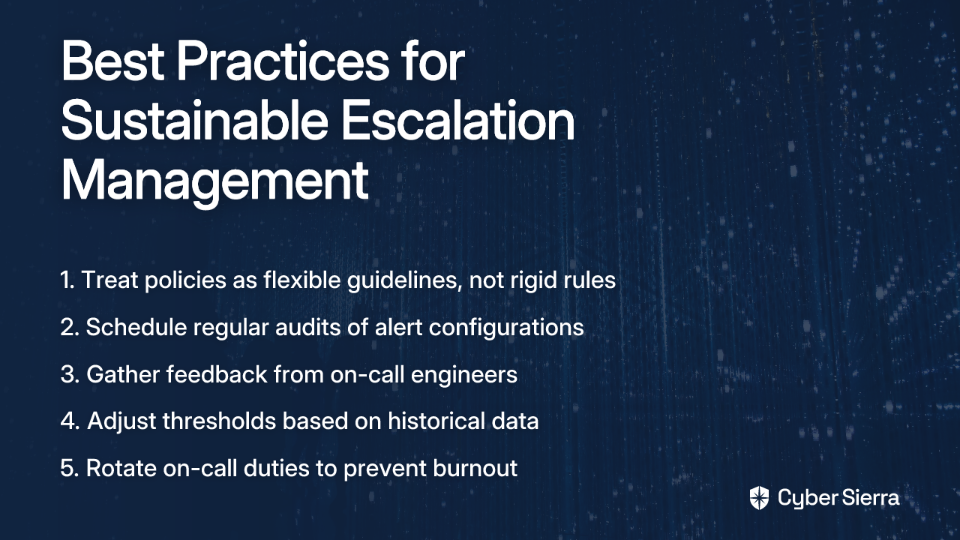
Treat escalation policies as flexible guidelines, not rigid rules. Empower engineers to adapt based on the specific situation they're facing.
Regular Audits
- Frequently review on-call schedules to ensure there are no gaps and that the right people are assigned
- Schedule regular audits of the entire alert configuration to assess its effectiveness and relevance
Continuously Review and Refine
- Gather feedback from on-call engineers and other stakeholders: Are the alerts actionable? Is there too much noise?
- Leverage historical data to make ongoing adjustments to thresholds and escalation logic
Promote Analyst Well-being
Implement practices to prevent burnout, such as rotating on-call duties and ensuring analysts have adequate time off. Alert fatigue isn't just an operational problem; it's a human problem.
Conclusion: From Alert Chaos to Controlled Response
A well-designed escalation path is the definitive solution to alert fatigue and missed critical notifications. By implementing smart thresholds, clear alert categorization, multi-stage/multi-channel escalation, and a commitment to continuous refinement, you can transform your alerting strategy.
No more 3 AM wake-up calls you never received. No more angry bosses wondering why you missed a critical outage. Instead, you'll have a resilient, reliable alerting strategy that empowers your team and protects your infrastructure—even when you're fast asleep.
Remember: The goal isn't more alerts. It's the right alerts, to the right people, at the right time, through the right channels.

Frequently Asked Questions (FAQ)
What is an escalation path in IT?
An escalation path is a structured plan that defines who to notify about a critical IT incident, in what order, and through which channels if the initial responder does not acknowledge the alert. It is a core component of an escalation policy designed to ensure critical issues are never missed by activating sequential stages with different communication methods (like push notifications, SMS, and phone calls) until the alert is addressed.
Why is alert fatigue a serious problem?
Alert fatigue is a serious problem because it desensitizes IT teams to notifications, dramatically increasing the risk of them missing genuinely critical incidents and threats. When teams are overwhelmed with thousands of alerts daily, they begin to ignore them, leading to slower response times for real issues, prioritization challenges, and significant team burnout, which ultimately compromises system reliability.
How can I reduce false positive alerts?
The most effective way to reduce false positive alerts is by replacing static thresholds with smart, dynamic thresholding. Unlike static rules (e.g., "alert when CPU > 90%"), dynamic thresholds use historical data and analytics to understand your system's normal behavior. This allows the monitoring system to distinguish between a genuine problem and a normal, scheduled event (like a backup job), triggering alerts only for legitimate issues.
What are the key components of an effective escalation policy?
An effective escalation policy includes three key components: the incident escalation process, the policy document itself, and a visual escalation matrix. The process defines the handoff procedure, the policy is the formal document outlining who to notify and when, and the matrix is a chart that visually maps out responsibilities at each level, providing clear, at-a-glance guidance during a crisis.
What is the difference between hierarchical and functional escalation?
Hierarchical escalation moves an incident up the chain of command based on seniority (e.g., junior engineer to senior engineer), while functional escalation passes it to a team or individual with the specific skills needed to resolve it. For example, a functional escalation might move an incident from the network operations team to a specialized database team, ensuring the right expertise is applied regardless of seniority.
How often should we review our alert escalation plan?
You should review your alert escalation plan regularly as part of a continuous improvement cycle. Best practices include frequent audits of on-call schedules to prevent gaps and periodic reviews of the entire alert configuration. It's also crucial to gather feedback from on-call engineers after incidents to refine thresholds, adjust escalation logic, and ensure the system remains effective.
