



How to Transition from Manual to Automated Compliance Monitoring



Join thousands of professionals and get the latest insight on Compliance & Cybersecurity.
Summary
- Manual compliance drains 40-60 hours of engineering time per framework and introduces significant security risks due to human error and outdated, point-in-time checks.
- Automating compliance with Continuous Control Monitoring (CCM) significantly cuts workloads, with 76% of organizations reducing compliance tasks by at least half while improving security.
- Begin the transition to automation by assessing risks, mapping manual workflows, and selecting an integrated platform to automate evidence gathering.
- Cyber Sierra's integrated GRC platform automates this process with continuous monitoring and evidence collection, making your organization perpetually audit-ready.
You just got assigned to yet another compliance task that wasn't on your roadmap. As a DevOps engineer, you now have to spend the next few weeks gathering screenshots of AWS console settings, documenting infrastructure configurations, and updating compliance policies—all while your actual engineering work piles up.
"Compliance work used to be the worst part of being a DevOps engineer," confessed one Reddit user. "It was so bad that some engineers said it made them 'want to find a different job.'" If this sounds familiar, you're not alone.
The truth is, manual compliance monitoring is a burden that drains resources, introduces risk, and frustrates your best talent. But there's good news: what was once an administrative nightmare is now an automation opportunity.
The High Cost of Sticking to Spreadsheets and Screenshots
Before diving into solutions, let's understand why manual compliance monitoring is increasingly untenable in today's business environment:
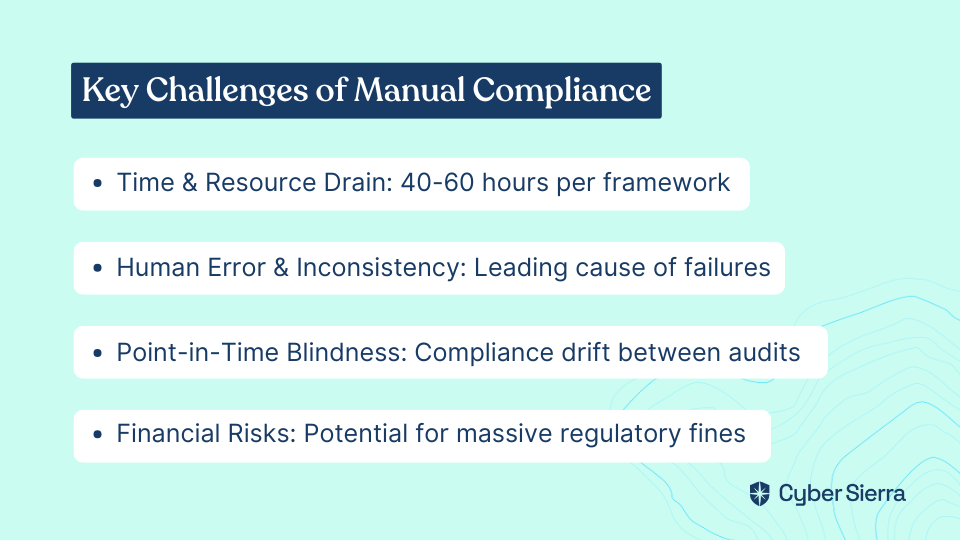
Time & Resource Drain
Manual compliance is a significant time sink. For a typical startup, compliance work can take 40-60 hours of engineering time per framework. That's valuable talent diverted from innovation and revenue-generating activities to tedious audit preparation.
Human Error & Inconsistency
With heavy reliance on manual checks and data entry, errors are inevitable. A misplaced checkbox, an overlooked setting, or an outdated screenshot can lead to compliance gaps that expose your organization to risk. According to IBM, these human errors are among the leading causes of compliance failures.
Point-in-Time Blindness
Manual audits provide only a snapshot of compliance at a specific moment. The minute the audit is complete, your compliance posture begins to drift as configurations change, new systems are deployed, and security settings are modified. This reactive approach leaves you vulnerable between audits.
Financial & Reputational Risks
The consequences of non-compliance are severe. Meta was fined USD 1.3 billion for GDPR violations, demonstrating the scale of financial risk. Beyond financial penalties, non-compliance can lead to business disruptions, lost customer trust, and increased vulnerability to data breaches.
What is Automated Compliance? A Shift to Continuous Monitoring
Automated compliance monitoring represents a fundamental shift in approach. Instead of periodic, manual checks, it enables continuous validation of your security controls through software.
At its core, automated compliance is about:
- Programmatic Verification: Replacing manual "show me" processes (screenshots) with automated "prove it" validation through API queries.
- Continuous Control Monitoring (CCM): Implementing systems that constantly assess security controls to identify and fix compliance gaps in near real-time.
- Centralized Control Repository: Building a single source of truth for all compliance controls, with automatic updates as your environment changes.
The key insight from practitioners who have made this transition is that "most compliance requirements are really just infrastructure configuration checks that can be queried programmatically." This perspective transforms compliance from an administrative burden to a technical challenge that can be solved with code and automation.
The Tangible ROI of Automating Compliance
The benefits of switching from manual to automated compliance monitoring are substantial and measurable:
Drastic Time and Cost Savings
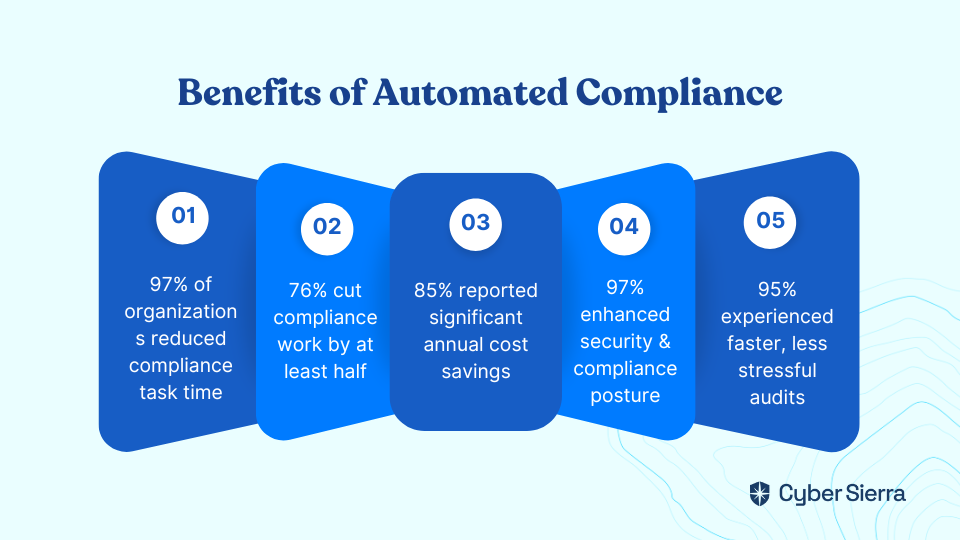
A 2024 UserEvidence survey found that 97% of organizations reduced time spent on compliance tasks after implementing automation, with 76% cutting it by at least half. In real-world terms, automated compliance can reduce work from 40-60 hours down to 10-15 hours per framework.
This efficiency translates directly to cost savings, with 85% of organizations reporting significant annual savings after implementing automation solutions.
Stronger Security & Continuous Compliance
Automation strengthens your security posture by providing continuous visibility into your compliance status. According to the same survey, 97% of users reported enhanced security and compliance posture after adopting automation tools.
With 24/7 risk scanning, teams can proactively resolve issues before they escalate into breaches or audit findings, moving from reactive damage control to proactive risk management.
Streamlined Audits & Audit Readiness
One of the most immediate benefits is the transformation of the audit process. Automation simplifies evidence gathering, leading to faster, less stressful audits for 95% of users. This eliminates the last-minute scramble that typically precedes an audit, making your organization perpetually audit-ready.
Simplified Multi-Framework Management
For organizations juggling SOC2, ISO 27001, PCI DSS, and other frameworks, automation platforms can map overlapping controls, allowing you to test once and apply evidence across multiple frameworks. This control mapping eliminates redundant work and provides a unified compliance view.
Your Roadmap: A 6-Step Plan to Transition from Manual to Automated Compliance
Making the shift from manual to automated compliance monitoring requires a strategic approach. Here's a practical roadmap to guide your transition:
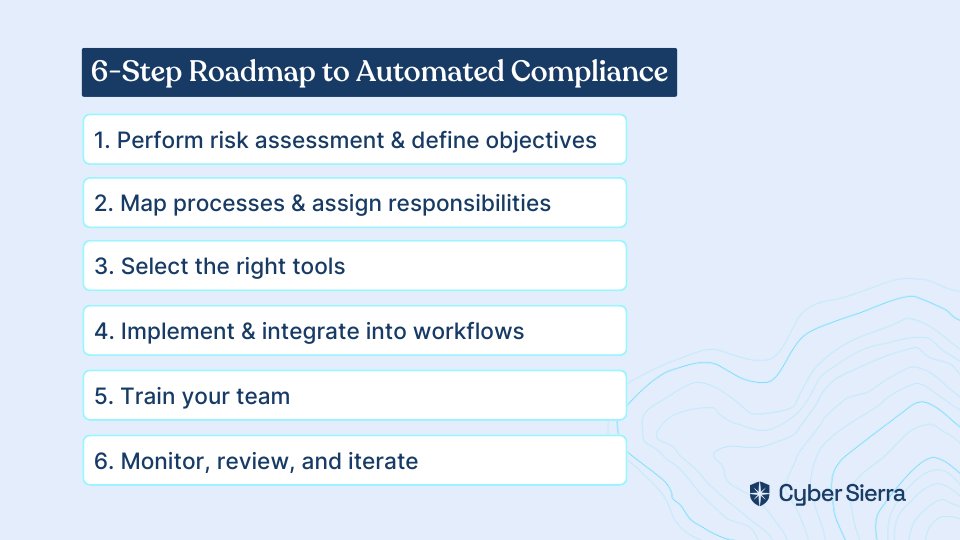
Step 1: Perform a Compliance Risk Assessment & Define Objectives
- Identify all applicable regulations (GDPR, HIPAA, etc.) and internal policies
- Assess and prioritize non-compliance risks based on impact
- Establish clear goals for your automation program, such as reducing compliance work by 50% or achieving continuous monitoring of critical controls
Step 2: Map Processes, Develop Policies & Assign Responsibilities
- Document your current manual workflows to identify the biggest time sinks and best opportunities for automation
- Establish a clear compliance policy that outlines the shift to automated monitoring
- Define roles and responsibilities for managing the new automated processes
- Determine which compliance tasks to automate first based on risk and effort required
Step 3: Select the Right Tools
- Choose a platform that integrates with your existing tech stack (AWS, Azure, GitHub, Jira, etc.)
- Ensure it supports the compliance frameworks you need now and in the future
- Request demos to test the user interface and functionality
- Consider both short-term implementation costs and long-term maintenance requirements
Step 4: Implement and Integrate into Workflows
- Deploy the chosen tool and connect it to your systems
- Integrate compliance checks and alerts directly into your DevOps CI/CD pipelines
- Make compliance an embedded part of daily operations rather than a separate activity
- Start with a pilot project to demonstrate value before scaling across the organization
Step 5: Train Your Team
- Ensure all relevant employees understand how to use the new tools and their role in maintaining compliance
- Foster a culture where compliance is a shared, automated responsibility, not a siloed function
- Emphasize that automation frees up time for more valuable work, helping to overcome resistance
Step 6: Monitor, Review, and Iterate
- Regularly review your compliance posture via the platform's dashboard
- Stay current with new and evolving regulations
- Continuously improve your automated processes based on feedback and effectiveness
- Expand automation to additional compliance areas as your program matures
Choosing Your Automation Platform: Key Features to Look For
When evaluating compliance automation platforms, these essential features will ensure you get maximum value:
Continuous Monitoring
The platform must provide 24/7 monitoring of your tech stack, with real-time alerts for misconfigurations or compliance drifts. This ensures you're always aware of your compliance posture, not just during audit season.
Automated Evidence Collection
Look for deep integrations with cloud providers, version control, identity providers, and other systems to automatically gather evidence via API queries. This eliminates the need for manual screenshots and documentation.
Broad Framework Support & Control Mapping
It should support common frameworks (SOC2, ISO 27001, HIPAA, PCI DSS, GDPR) and offer policy templates to get started quickly. More importantly, it should map controls across frameworks to reduce redundant testing.
Comprehensive GRC & Risk Management
The tool should go beyond control testing to include risk assessment, tracking, and management capabilities. This provides a more holistic view of your security posture and compliance status.
Vendor Risk Management (TPRM)
A key source of risk is the supply chain. The ability to centralize vendor documentation, assessments, and risk levels is critical for efficient vendor onboarding and monitoring.
User-Friendly Dashboards and Reporting
The platform must provide clear, customizable reports that simplify audits and give stakeholders an at-a-glance view of the company's compliance posture for audit readiness.
How Comprehensive Platforms Help
Platforms like Cyber Sierra are designed to address these needs through an integrated approach. For example, its Continuous Control Monitoring (CCM) module centralizes controls and automates testing, while its GRC platform simplifies managing multiple frameworks from a single dashboard.
This integrated approach directly addresses the challenges of using disparate tools and manual processes, providing a unified solution for compliance automation.
Reclaim Your Time, Fortify Your Defenses
The transition from manual to automated compliance monitoring represents more than just a technological upgrade—it's a strategic shift that strengthens your security posture while freeing your team from administrative drudgery.
By implementing automation, you're not just checking boxes more efficiently; you're transforming compliance from a periodic, reactive exercise into a continuous, proactive security function that adds real value to your organization.
As one DevOps engineer who made this transition put it, "For those still stuck doing manual compliance work, I'd encourage thinking about it as an automation challenge rather than an administrative burden." This mindset shift is the first step toward a more efficient, secure, and audit-ready organization.
The future of compliance isn't in spreadsheets and screenshots—it's in automation, continuous monitoring, and integrated risk management. Make the switch now, and you'll not only strengthen your security posture but also reclaim countless hours for the innovative work that truly drives your business forward.
Frequently Asked Questions
What is automated compliance monitoring?
Automated compliance monitoring is the use of software to continuously verify that a company's security controls and infrastructure configurations meet regulatory standards, replacing periodic manual checks with real-time, programmatic validation. It involves implementing Continuous Control Monitoring (CCM) systems that query your tech stack (like AWS, Azure, etc.) via APIs to automatically collect evidence and identify compliance gaps. This transforms compliance from a manual, "show me" process of taking screenshots into an automated, "prove it" process driven by code.
Why is manual compliance monitoring a problem?
Manual compliance monitoring is a significant problem because it is time-consuming, prone to human error, provides only a point-in-time snapshot of compliance, and exposes organizations to severe financial and reputational risks. It can drain 40-60 hours of engineering time per framework, and human errors during these checks are a leading cause of compliance failures. Furthermore, manual audits leave companies vulnerable to "compliance drift" as systems change between audits.
How does automated compliance improve security?
Automated compliance improves security by providing continuous, 24/7 visibility into your security posture, allowing teams to proactively identify and remediate risks in near real-time before they can be exploited. Instead of waiting for a periodic audit to find vulnerabilities, continuous monitoring tools constantly scan for misconfigurations and compliance deviations. This shifts the security approach from reactive damage control to proactive risk management, with 97% of organizations reporting enhanced security after adopting automation.
What are the first steps to automate compliance?
The first steps to automate compliance are to perform a risk assessment to identify applicable regulations, define clear objectives for your automation program, and map your current manual processes to find the best opportunities for improvement. A successful transition begins with this strategic plan, allowing you to prioritize which compliance tasks to automate first based on risk and potential time savings before selecting a tool.
How much time can be saved by automating compliance?
Organizations can save a significant amount of time, with studies showing that 76% of companies cut their compliance workload by at least half after implementing automation. In real-world terms, this can reduce the engineering time required for a single compliance framework from a burdensome 40-60 hours down to a more manageable 10-15 hours.
What should I look for in a compliance automation tool?
When choosing a compliance automation tool, look for key features like continuous 24/7 monitoring, automated evidence collection via API integrations, broad support for multiple frameworks (like SOC2, ISO 27001), and user-friendly dashboards for reporting. A strong platform should integrate with your entire tech stack, offer control mapping to avoid redundant work across frameworks, and include comprehensive GRC and vendor risk management features.
