



5 CEO Fraud Email Simulations to Test Your Company's Human Firewall


Join thousands of professionals and get the latest insight on Compliance & Cybersecurity.
Summary
- Business Email Compromise (BEC) scams, like CEO fraud, have cost organizations over $43 billion by exploiting human trust rather than technical flaws.
- These attacks bypass security filters because they contain no malware, instead using psychological tactics like urgency and authority to manipulate employees.
- The most effective defense is a strong 'human firewall' built through regular, realistic phishing simulations that mimic common scenarios like urgent wire transfers or fake HR updates.
- Focus on increasing the reporting rate of suspicious emails, not just lowering the click rate, to measure the true strength of your security culture.
- Automate simulations and follow-up education with a platform like Cyber Sierra's Employee Security Training to build a continuously improving and resilient workforce.
Despite your best technical defenses, some fraudulent email always slips through. If you're responsible for cybersecurity at your organization, you've likely experienced the anxiety of CEO fraud emails landing in employee inboxes—even when "nothing in the email sets off the filters."
These sophisticated attacks bypass standard security measures because they don't contain malware links or attachments. Instead, they rely on social engineering, impersonating executives to manipulate employees into making unauthorized payments or divulging sensitive information.
While your team might not fall for these scams, their mere presence "upsets them" and creates operational disruption. The solution? A proactive approach that strengthens your human firewall through realistic simulations.
Why Technical Defenses Alone Can't Stop CEO Fraud
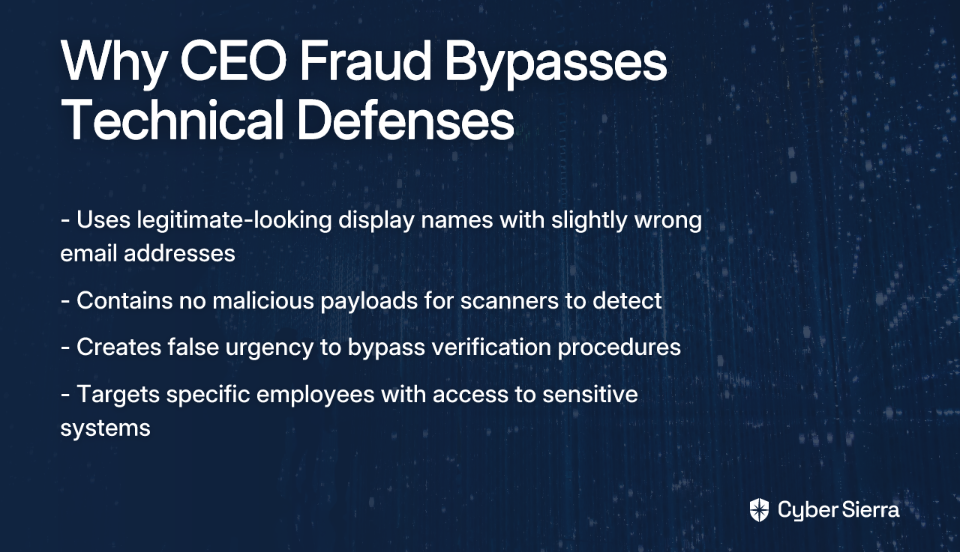
CEO fraud (a type of Business Email Compromise or BEC) represents a particularly insidious threat because it exploits trust and authority rather than technical vulnerabilities. These attacks typically:
- Use display names that appear legitimate while the underlying email address is slightly wrong
- Contain no malicious payload for scanners to detect—just text instructions
- Create a false sense of urgency to bypass normal verification procedures
- Target specific employees with access to sensitive systems or information
The most frequently targeted employees include:
- Finance Staff: Access to payment systems and bank accounts
- HR Professionals: Custodians of sensitive employee PII
- Executive Assistants: Authority to act on executives' behalf
- New Employees: Eager to please and unfamiliar with procedures

According to the FBI, Business Email Compromise scams have cost organizations worldwide over $43 billion between 2016 and 2021. The stakes couldn't be higher, which is why testing and training your human firewall is essential.
5 CEO Fraud Simulations You Can Use Today
1. The Urgent Wire Transfer (Automated with Cyber Sierra)
This classic CEO fraud scenario tests whether finance team members follow proper payment verification procedures when under pressure from a supposed executive.
Email Template:
- From:
[CEO Name] <[email protected]>(Note the slightly incorrect domain) - Subject: Urgent & Confidential: Payment Request
- Body:
Hi [Employee Name],
I need your help with an urgent and confidential wire transfer for a new acquisition. We need to process an invoice for $28,500 by EOD today to secure the deal. Please don't discuss this with anyone as the acquisition is still under wraps.
Please let me know once you are ready, and I will forward the beneficiary details. I am in back-to-back meetings, so please handle this via email only.
Thanks, [CEO Name]
Expected Red Flags:
- High-pressure tactics: "Urgent," "EOD today"
- Unusual request bypassing standard approval channels
- Communication restrictions: "handle this via email only," "don't discuss this"
- Incorrect email domain that mimics your company's actual domain
- Immediate compliance without verification (critical failure)
- Hesitation but eventual compliance due to perceived authority (failure)
- Request for verification through proper channels (success)
- Reporting to security team (optimal success)
Measurement Criteria:
- Number of employees who reply asking for wiring details
- Number who report the email using your reporting system
- Number who attempt to verify via a separate channel (phone, Slack)
With Cyber Sierra's Employee Security Training platform, this simulation can be automated at scale. The system tracks detailed metrics and automatically enrolls employees who fail the test into targeted training modules that reinforce your financial control policies.
2. The Fake HR Policy Update
This simulation tests whether employees will click on a link related to an urgent internal policy change, potentially leading to credential theft or malware installation.
Email Template:
- From:
HR Department <[email protected]> - Subject: Action Required: Updated Remote Work Policy
- Body:
Team,
Following the latest Q3 review, we have updated our company's remote work and expense reimbursement policy, effective immediately. All employees are required to review the document and acknowledge receipt by the end of the day to ensure compliance.
Please find the updated policy document here:
[Link to a non-company landing page]Failure to acknowledge may impact your next payroll cycle.
Thank you, Human Resources
- Urgency and threat: "Action Required," "Failure to acknowledge may impact... payroll"
- Suspicious link: Hovering reveals a non-standard URL
- Generic salutation: "Team" instead of a personalized greeting
- Unusual consequences for non-compliance
Common Employee Responses:
- High click rates due to fear of payroll consequences
- Submission of credentials on fake landing page
- Uncertainty about the legitimacy but clicking anyway "just to be safe"
Measurement Criteria:
- Percentage of users who click the link
- Percentage who enter credentials on the landing page
- Percentage who report the email as suspicious
3. The Compromised Account Security Alert
This simulation tests whether employees will panic and click a link in a fake security alert, a common tactic to harvest credentials.
Email Template:
- From:
IT Security <[email protected]> - Subject: Security Alert: Unusual Sign-in Activity Detected
- Body:
We detected an unusual sign-in to your account from an unrecognized location (IP Address: 104.28.212.29, Location: Moscow, Russia).
If this was not you, please secure your account immediately by verifying your recent activity and changing your password.
[Button: Review Account Activity]If you do not take action within the next hour, your account will be temporarily suspended to prevent unauthorized access.
Sincerely, The IT Security Team
Expected Red Flags:
- Fear-inducing language: "unusual sign-in," "account will be suspended"
- Suspicious sender domain:
company-systems.ioinstead of your actual company domain - Link to unsecured site or lookalike domain
- Specific but fabricated details to increase credibility
Common Employee Responses:
- Immediate clicking due to fear of account compromise
- High credential submission rates on fake landing pages
- Reduced critical thinking due to perceived urgency
Measurement Criteria:
- Click rate on the "Review Account Activity" button
- Credential submission rate on fake landing page
- Report rate to IT/Security teams
4. The CEO's Request for Employee Data
This simulation targets HR staff to test their response to an urgent request for sensitive Personally Identifiable Information (PII).
Email Template:
- From:
[CEO Name] <[email protected]>(Using a personal email address) - Subject: Need Q3 Employee Roster
- Body:
Hi [HR Employee Name],
I'm working offsite today and can't access our main system. Could you please send me the updated employee roster with full names, mobile numbers, and start dates for a board review I'm preparing?
Need it in the next 30 minutes. Appreciate your quick help on this.
Sent from my iPhone
Expected Red Flags:
- Unusual request for PII directly from CEO
- Request from a personal email address (addressing the pain point of "spoofed emails from my CEO from his personal email")
- Justification for unorthodox method: "working offsite"
- Time pressure: "next 30 minutes"
Common Employee Responses:
- Conflict between helping the CEO and following data privacy policies
- Seeking additional verification (success)
- Sending sensitive data without verification (critical failure)
Measurement Criteria:
- Number of employees who reply with the requested data
- Number who attempt to verify through official channels
- Number who report the email as suspicious
5. The Phony LinkedIn Connection from an "Executive"
This simulation tests awareness on professional social media platforms, where employees may have their guard down and are more susceptible to social engineering.
Scenario (Executed via a test LinkedIn profile):
- Attacker Profile: Create a fake LinkedIn profile impersonating a new, high-level executive (e.g., "VP of Strategic Growth")
- Connection Request: Send connection requests to targeted employees
- Direct Message Template:
Hi [Employee Name], glad to connect. As part of a new cross-departmental initiative, our team has compiled a draft strategy document. The CEO asked me to get some early feedback from key team members like yourself.
You can review the draft here:
[Link to a bit.ly or other shortened URL pointing to a credential harvesting page]Let me know your thoughts.
Expected Red Flags:
- Business request on a less secure, public platform
- Unsolicited request from an unfamiliar executive
- Use of a shortened URL that obscures the destination
- Appeal to vanity ("key team members like yourself")
Common Employee Responses:
- High engagement due to the professional context feeling less threatening
- Curiosity about being selected for feedback
- Reduced security awareness outside corporate email systems
Measurement Criteria:
- Connection acceptance rate
- Click-through rate on the link in the message
- Number of employees who report the suspicious profile to security
Beyond the Click: How to Measure Your Program's True Effectiveness
While the click rate is often treated as the primary metric in phishing simulations, it's not the most important indicator of your human firewall's strength. A more holistic approach includes:
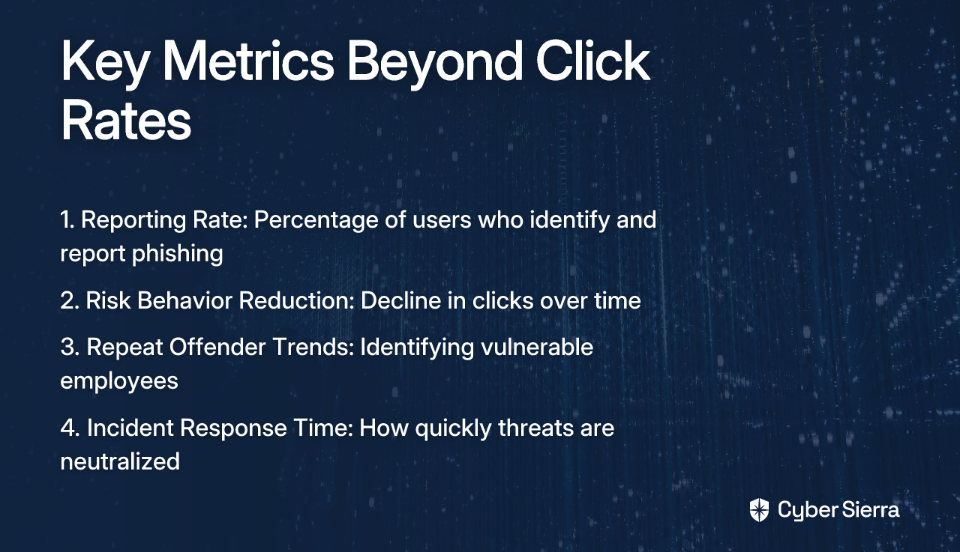
1. Reporting Rate: This is the gold standard. It measures the percentage of users who correctly identify and report a phishing simulation. According to Statista, the average phishing simulation reporting rate varies by industry, with some sectors achieving rates over 30%. A high report rate means your team is actively participating in your security defense.
2. Risk Behavior Reduction: Track the decline in clicks and credential submissions over a series of campaigns. This demonstrates long-term learning and behavior change, which is the ultimate goal of training.
3. Repeat Offender Trends: Research from SAGE Journals shows that a minority of users account for a majority of simulation failures. Identifying these individuals allows for targeted, one-on-one intervention.
4. Incident Response Time: For reported emails, measure how quickly your security team acknowledges and neutralizes the threat. This connects your human firewall to your technical response capabilities.
From One-Off Tests to a Continuous Improvement Cycle
Security awareness isn't a one-time event. Threats evolve, and so should your training. The goal isn't to "catch" employees failing, but to foster a culture where reporting suspicious emails is celebrated, not seen as a nuisance.
This is where automation becomes critical for creating a continuous improvement cycle. Cyber Sierra's Employee Security Training platform closes the loop by not just running simulations, but by providing:
- A dashboard overview of employees' security awareness levels
- Automated enrollment into interactive training modules based on simulation results
- Continuous learning opportunities with content updated for emerging threats
- Integration with your existing security infrastructure for comprehensive reporting
The most resilient organizations don't just test their employees—they build a security-conscious culture where every team member feels responsible for protecting company assets.
Stop just testing your employees. Start building a resilient human firewall. See how Cyber Sierra can help.
Frequently Asked Questions
What is CEO fraud?
CEO fraud, also known as Business Email Compromise (BEC), is a type of social engineering attack where a scammer impersonates a high-level executive to trick an employee into making unauthorized payments or divulging sensitive company information. These attacks exploit trust and authority rather than technical vulnerabilities, often using sophisticated impersonation techniques without any malicious links or attachments.
Why do traditional email filters fail to stop CEO fraud?
Traditional email filters often fail to stop CEO fraud because these emails typically do not contain the usual red flags that security software is designed to detect. They lack malicious links, attachments, or malware payloads. Instead, they rely on social engineering tactics like creating a false sense of urgency, using a spoofed display name, and making requests that seem plausible, thereby bypassing technical scanners that look for known threats.
How can I protect my company from CEO fraud?
The most effective way to protect your company from CEO fraud is to combine technical defenses with a strong "human firewall" built through continuous security awareness training and simulations. This involves educating employees to recognize the signs of social engineering, establishing strict verification procedures for financial transactions and data requests, and running regular phishing simulations to test and reinforce these security behaviors.
What are the most common signs of a CEO fraud email?
The most common signs of a CEO fraud email include a sense of urgency or pressure, requests for secrecy, communication restricted to email only, and unusual requests that bypass standard procedures (like wire transfers or requests for sensitive data). You should also look for subtle errors in the sender's email address or a display name that doesn't match the underlying address.
What should an employee do if they suspect a CEO fraud email?
If an employee suspects a CEO fraud email, they should not reply, click any links, or open any attachments. Instead, they must immediately report the email to the IT or security department using the company's established reporting procedures. For any urgent financial or data requests, they should verify the request out-of-band, meaning through a different communication channel like a phone call or in-person conversation with the supposed sender.
Who is most at risk for CEO fraud attacks?
Employees with access to sensitive systems or information are most at risk for CEO fraud attacks. This typically includes staff in the finance department who can process payments, HR professionals who manage employee data, and executive assistants who have the authority to act on behalf of executives. New employees are also a common target as they are often eager to be helpful and may be unfamiliar with security protocols.
Want to learn more about protecting your organization from social engineering attacks? Check out our other resources on phishing prevention and security awareness training.
