



10 Risk & Compliance Management Tools for Continuous Monitoring


Join thousands of professionals and get the latest insight on Compliance & Cybersecurity.
Summary
- Traditional compliance audits are inefficient and create security gaps; continuous monitoring provides a real-time, automated alternative that ensures constant adherence to standards.
- By automating evidence collection and control validation, continuous monitoring keeps your organization in a constant state of audit-readiness and frees up your team from manual work.
- When choosing a tool, prioritize its ability to integrate with your tech stack, its ease of use, and whether your auditor will accept its evidence format.
- To eliminate tool sprawl and gain a unified view of risk, consider an integrated platform. Cyber Sierra combines Continuous Control Monitoring, GRC, and vendor risk management to automate your entire compliance program.
You've set up your compliance program, documented your controls, and survived your last audit by the skin of your teeth. But as you look at the mountain of screenshots, the endless spreadsheets, and your exhausted team, you can't help but wonder: "There has to be a better way."
If you're tired of the mad scramble during "audit season" and the clunky, antiquated GRC tools that leave your team drowning in manual work, you're not alone. The traditional approach to compliance—periodic checks, frantic evidence collection, and hoping nothing breaks between audits—is rapidly becoming obsolete.
Welcome to the era of continuous monitoring: where compliance isn't a painful annual event but an automated, ongoing process that provides real-time visibility into your security posture.
Why Continuous Monitoring is No Longer Optional
Continuous compliance monitoring is the ongoing evaluation of an organization's systems, processes, and procedures to ensure adherence to regulatory and internal standards. Unlike traditional compliance tracking that relies on periodic audits, continuous monitoring provides real-time insights and alerts, allowing organizations to address issues as they arise rather than discovering them during an audit.
The benefits of shifting to this approach are substantial:

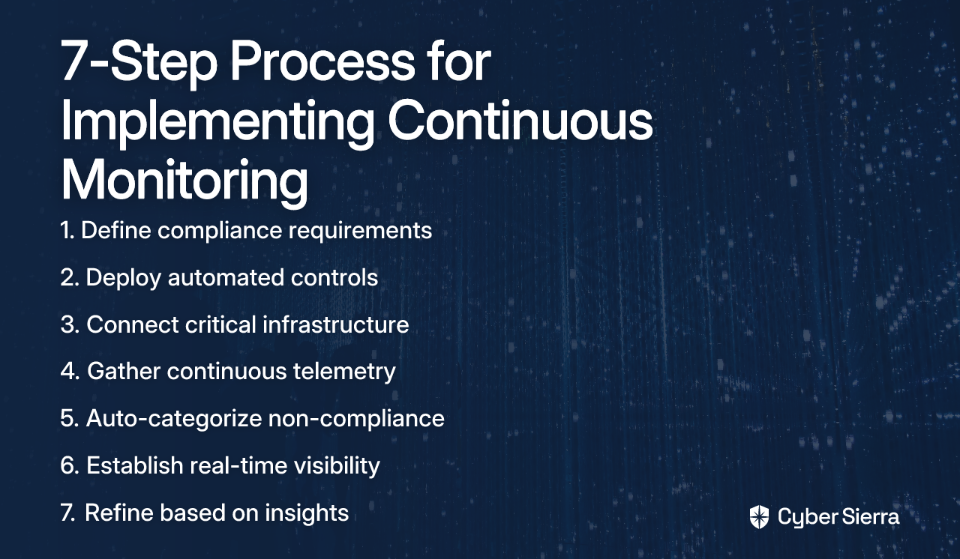
According to FireMon's research, implementing continuous monitoring follows a clear process:
Now, let's explore the top tools that can help you implement this approach.
Top 10 Risk & Compliance Management Tools for Continuous Monitoring
1. Cyber Sierra
Overview: An AI-enabled cybersecurity platform that unifies Continuous Control Monitoring (CCM), GRC, Third-Party Risk Management (TPRM), and more to move enterprises from periodic checks to proactive, near real-time risk management.
Key Features:
- Continuous Control Monitoring (CCM): Builds a central controls repository with near real-time updates. Automates control testing and validation for frameworks like NIST, ISO 27001, PCI DSS, and GDPR.
- Integrated GRC & TPRM: Automates data collection, risk assessments, and vendor monitoring, providing a single source of truth and reducing audit fatigue.
- Threat Intelligence: Combines vulnerability scanning (network and cloud) with security posture insights to identify risks before they are exploited.
Best For: Enterprises seeking a deeply integrated, all-in-one platform to unify their risk, compliance, and security operations and eliminate tool sprawl.
Learn more about Cyber Sierra's CCM platform
2. MetricStream
Overview: A comprehensive GRC tool known for integrating risk, compliance, audit, and cybersecurity functions.
Key Features:
- AI-powered regulatory change management and continuous control monitoring
- Specializes in cloud-focused compliance, with integrations for AWS
- Uses Natural Language Processing for policy management
Best For: Organizations, especially those with heavy cloud infrastructure, looking for a GRC platform with strong analytics and ESG compliance capabilities.
MetricStream Continuous Control Monitoring
3. AuditBoard
Overview: A user-friendly platform designed specifically with auditors and compliance officers in mind.
Key Features:
- Clean interface with automated workflows for audit planning and reporting
- Centralized task management and collaboration tools for teams
- Framework mapping across multiple compliance standards
Best For: Internal audit and compliance teams who prioritize usability and streamlined collaboration.
4. LogicGate
Overview: A flexible, no-code risk management platform that allows organizations to build custom workflows.
Key Features:
- Intuitive drag-and-drop interface for creating GRC processes
- Advanced analytics to provide insights into the risk landscape
- Built-in compliance tracking for major frameworks
Best For: Organizations that require highly customized GRC workflows and want to avoid cookie-cutter solutions.
5. ServiceNow
Overview: A powerful platform that integrates GRC solutions directly with its well-known IT service management (ITSM) capabilities.
Key Features:
- No-code playbooks for managing risk and compliance workflows
- Deep integration with incident response processes
- Automated risk assessments and comprehensive reporting
Best For: Large enterprises already invested in the ServiceNow ecosystem looking for a single platform for IT and GRC.
6. Archer
Overview: An integrated risk management (IRM) solution from RSA focused on proactive monitoring of operational and third-party risks.
Key Features:
- Intuitive dashboards and customizable reporting
- Streamlined third-party onboarding and risk assessments
- Strong integration capabilities with various IT security products
Best For: Large enterprises with complex risk management needs that require a mature, comprehensive GRC solution.
7. Hyperproof
Overview: A compliance operations platform designed to streamline evidence collection and continuous monitoring.
Key Features:
- Automates the collection of evidence from cloud services and other systems
- Covers a wide range of critical controls, including access and behavioral controls
- Simplifies audit preparation with organized evidence repositories
Best For: Teams looking to drastically reduce the manual effort of evidence collection for audits like SOC 2 and ISO 27001.
Hyperproof Continuous Controls Monitoring
8. Panaseer
Overview: A platform focused on providing a real-time, comprehensive view of an organization's security posture.
Key Features:
- Centralizes security control management from disparate tools
- Real-time visibility across both cloud and on-prem environments
- Automated vulnerability analysis and prioritization
Best For: Security teams that need to aggregate data from multiple security tools to get a single, accurate view of their security controls.
Panaseer Continuous Controls Monitoring
9. Pathlock
Overview: A specialized tool focused on monitoring controls within business applications, particularly financial ones.
Key Features:
- Monitors financial transactions and master data for configuration changes
- Provides risk quantification for business-critical applications
- Automates segregation of duties enforcement
Best For: Organizations in financial services or other highly regulated industries that need to monitor application-level controls continuously.
10. XM Cyber
Overview: A comprehensive cyber risk management platform that provides a unified view of security across the attack surface.
Key Features:
- Real-time threat detection and automated remediation guidance
- Maps critical assets and potential attack paths
- Proactive identification of security gaps before exploitation
Best For: Organizations looking for an attack surface management tool that integrates continuous monitoring to prioritize remediation efforts.
XM Cyber Continuous Controls Monitoring
How to Choose the Right Continuous Monitoring Tool
With so many options available, selecting the right continuous monitoring solution for your organization can be challenging. Based on feedback from security professionals and compliance experts, here are key considerations to help guide your decision:
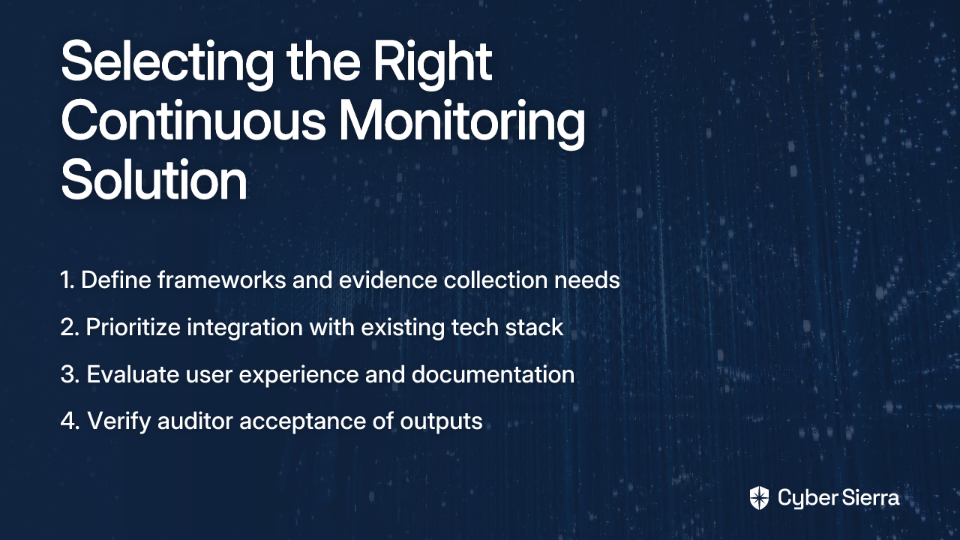
Define Your Needs First
Before looking at demos, document your specific requirements:
- Which frameworks do you need to comply with (SOC 2, ISO 27001, HIPAA)?
- What are your current processes for evidence collection and assigning control owners?
- What is your organization's security maturity level?
As one Reddit user warned: "It requires a level of Security maturity in the org that we simply didn't have." Be realistic about your team's capabilities when evaluating solutions.
Prioritize Integration and Automation
A tool's value is in its ability to connect to your existing tech stack (cloud providers, SSO, vulnerability scanners). However, be wary of promises of seamless automation. As one security professional noted, if your environment is "anything other than cookie cutter their automations won't work."
Ask vendors specific questions about:
- The flexibility of their integrations
- How they handle custom environments
- The level of manual configuration required
Look Beyond the Checklist
User experience matters significantly. A tool that feels "clunky and antiquated" or requires extensive customization will lead to poor adoption. According to one experienced practitioner: "If you're not prepared to invest serious time on [tailoring the tool], you will be overwhelmed and it'll be a shit show."
Consider:
- The intuitiveness of the interface
- The quality of documentation and support
- The time investment required for setup and maintenance
Verify Auditor Acceptance
Don't assume your auditor will accept the tool's output. A crucial piece of advice from the community: "Ask your auditor if they'll use any of these portals, ours won't." Some auditors still prefer screenshots over CSV exports or portal access.
Confirm that the evidence format meets your specific auditor's requirements before committing to a platform.
Unify Your Risk Management with Integrated Continuous Monitoring
The future of compliance isn't about passing an annual audit; it's about maintaining a provably secure and compliant posture every single day. Continuous monitoring tools are the engine for this transformation.
However, using separate tools for GRC, vendor risk, vulnerability scanning, and compliance monitoring creates visibility gaps and duplicates effort. This aligns with the common frustration that "none of them will probably address or do everything you want to."
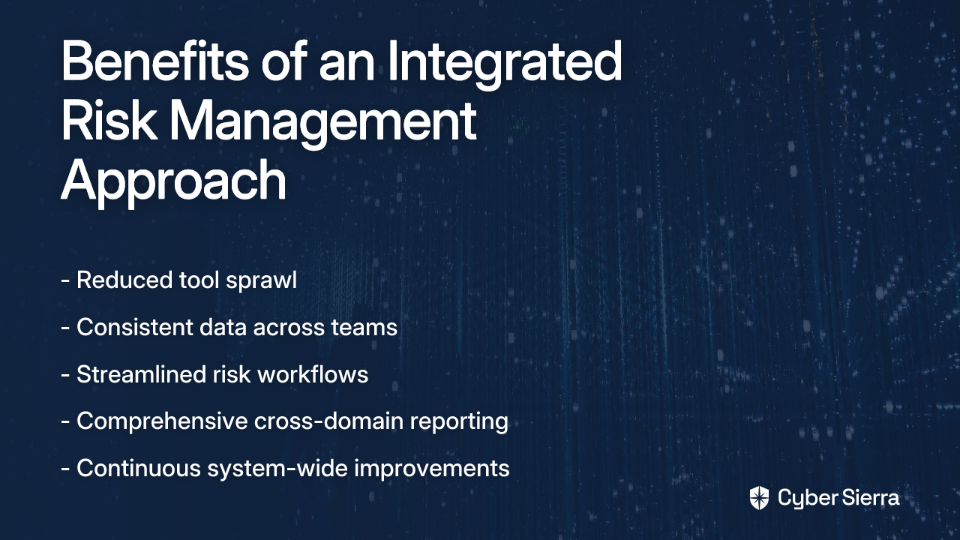
This is where an integrated platform like Cyber Sierra excels. By combining Continuous Control Monitoring (CCM) with GRC, TPRM, Threat Intelligence, and even Employee Security Training and Cyber Insurance readiness, Cyber Sierra provides a single, unified view of your entire risk landscape.
The benefits of this integrated approach include:
Stop chasing compliance and start managing risk proactively. See how Cyber Sierra's AI-enabled platform can automate your security program and make you audit-ready, 24/7.
Request a personalized demo of Cyber Sierra's platform today and transform your approach to risk & compliance management.
Frequently Asked Questions (FAQ)
What is continuous compliance monitoring?
Continuous compliance monitoring is the ongoing, automated process of evaluating an organization's systems and controls to ensure they adhere to security and regulatory standards in real-time. Unlike traditional audits that happen periodically, this approach provides constant visibility into your compliance posture, allowing for immediate remediation of issues as they arise.
How does continuous monitoring differ from traditional GRC tools?
Continuous monitoring is a proactive, real-time process focused on automated evidence collection and control validation, whereas traditional GRC tools are often reactive, focusing on risk documentation, policy management, and coordinating periodic audits. While many modern GRC platforms are incorporating continuous monitoring features, a dedicated CCM solution integrates directly with your tech stack to pull evidence automatically for a live view of your security posture.
What are the main benefits of automating compliance monitoring?
The main benefits of automating compliance monitoring are reduced manual effort, real-time risk detection, and maintaining a constant state of audit-readiness. Automation eliminates the need for teams to spend weeks manually collecting screenshots for audits. It provides immediate alerts on non-compliant activities, which reduces the window of exposure and frees up your security teams to focus on strategic initiatives instead of repetitive tasks.
What is Continuous Control Monitoring (CCM)?
Continuous Control Monitoring (CCM) is the technology that automates the testing and validation of an organization's security and IT controls. It is the engine that powers continuous compliance. CCM tools connect to cloud environments, security tools, and other critical systems to automatically gather evidence that proves controls are operating effectively, such as verifying that encryption or multi-factor authentication is correctly configured.
How do I choose the right continuous monitoring tool?
To choose the right tool, first define your specific compliance framework needs (e.g., SOC 2, ISO 27001). Then, prioritize solutions that integrate seamlessly with your existing tech stack, evaluate the user experience to ensure team adoption, and, critically, confirm that your auditor will accept the tool's evidence format to avoid rework.
Can a continuous monitoring platform help with multiple compliance frameworks?
Yes, most advanced continuous monitoring platforms are designed to manage multiple compliance frameworks simultaneously. They use a concept called "control mapping," which allows you to test a single control and apply the evidence across numerous frameworks (like ISO 27001, SOC 2, and PCI DSS). This "test once, comply many" approach significantly reduces redundant work and simplifies managing overlapping regulatory requirements.
