



7 Steps to Automate Your Cyber Security Incident Management Process

Join thousands of professionals and get the latest insight on Compliance & Cybersecurity.
Summary
- Manual incident management is overwhelmed by high alert volumes and inconsistent procedures, leading to security gaps and team burnout.
- Build an effective incident response program by establishing a foundation of continuous monitoring and creating standardized playbooks for different threat types.
- Automate critical steps like alert triage, threat containment, and evidence collection to dramatically reduce response times (MTTD/MTTR) and ensure audit readiness.
- An integrated GRC platform helps automate the entire lifecycle, from proactive monitoring to streamlined evidence collection for audits.
You're drowning in security alerts. Your team is exhausted from manually documenting incidents for compliance requirements. Inconsistent response procedures leave your organization vulnerable during critical incidents. If this sounds familiar, you're not alone.
In today's rapidly evolving threat landscape, manual incident management simply can't keep pace. The overwhelming volume of alerts, inconsistent response procedures, and tedious documentation create a perfect storm that leaves security teams burned out and organizations exposed.
"Some companies define every vulnerability as an incident, others only focus on human threat actors," notes one security professional on Reddit, highlighting the confusion that often surrounds incident management processes.
Automation transforms this chaos into a streamlined, efficient system that reduces human error, ensures consistency, and frees your security experts to focus on complex threats rather than repetitive tasks.
This article provides a 7-step roadmap to building a robust, automated cyber security incident management process, covering everything from detection and triage to containment and reporting.
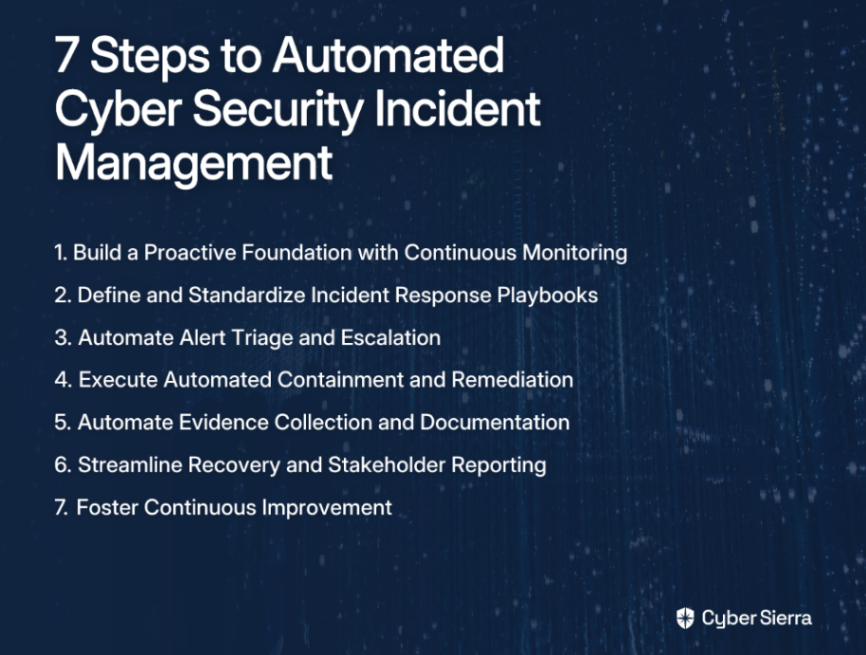
Step 1: Build a Proactive Foundation with Continuous Monitoring
You cannot automate a response to a threat you can't see in real-time. The foundation of effective incident response automation is a shift from periodic, manual checks to continuous, automated visibility into your security controls.
Shift to Continuous Oversight: Implementing Continuous Control Monitoring (CCM) gives you ongoing, automated oversight of your security controls. This ensures they are effective in mitigating risks and maintaining compliance 24/7.
Enable Near Real-Time Detection: Continuous monitoring provides real-time insights and alerts, which is the first and most critical trigger for any automated workflow. This directly lowers your Mean Time to Detect (MTTD).
This is where a platform like Cyber Sierra becomes foundational. Their Continuous Control Monitoring (CCM) module provides:
- A central controls repository with near real-time updates
- Clear, ongoing visibility into your entire security posture
- Automatic detection of exceptions, misconfigurations, and anomalies that could signify an incident
- High-fidelity alerts that feed directly into your response engine
By establishing this continuous monitoring foundation, you create the critical first link in your automation chain—accurate, timely detection that triggers appropriate responses without constant human oversight.
Step 2: Define and Standardize Your Incident Response Playbooks
Automation runs on rules. Before you can automate, you must clearly define what you're responding to and exactly how you'll respond.
Clarify Incident Definitions: Work with stakeholders to define what constitutes an incident. As one security professional noted, "Some companies define every vulnerability as an incident, others only focus on human threat actors." Standardize these definitions to avoid confusion.
Develop Incident-Specific Workflows: Establish a clear sequence of steps (a playbook) for different incident categories such as:
- Malware infections
- Phishing attempts
- Unauthorized access
- Data exfiltration
- Ransomware attacks
Categorize and Assess Impact: Create a classification system for incident severity (e.g., low, medium, high, critical). This allows your automation to trigger proportionally aggressive responses and helps flag reporting clocks for regulations like GDPR.
With clearly defined playbooks, your automation will know exactly what to do when an alert is triggered, eliminating the guesswork and inconsistency that plague manual processes.
Step 3: Automate Alert Triage and Escalation
The goal is to eliminate alert fatigue by automatically filtering noise, correlating events, and routing critical alerts to the right person instantly.
Leverage AI for Analysis: Use AI and Machine Learning to automatically analyze data patterns from incoming alerts to determine the seriousness and context of an incident without human intervention. According to Radiant Security, automated systems can detect incidents in real-time and handle multiple incidents simultaneously, which is impossible with manual processes.
Implement Intelligent Routing: Configure rules to automatically route alerts to the correct team. For example, a cloud misconfiguration alert goes to the cloud engineering team, while a suspicious login alert goes to the SOC.
Automate Escalations: Set up predefined escalation paths. If the primary on-call analyst doesn't acknowledge an alert within a set timeframe, it automatically escalates to a secondary contact or a manager. This ensures no critical alert is missed.
Implementing these automated triage systems dramatically reduces the noise your team deals with, ensuring they focus only on legitimate threats that require human expertise.
Step 4: Execute Automated Containment and Remediation Actions
This is where automation delivers its biggest time-saving benefit—taking immediate, decisive action to stop an attack in its tracks and prevent further damage.
Predefine Automated Actions: Your playbooks should contain specific, pre-approved actions that can be executed automatically by a Security Orchestration, Automation, and Response (SOAR) tool or custom scripts.
Examples of Automated Containment Actions:
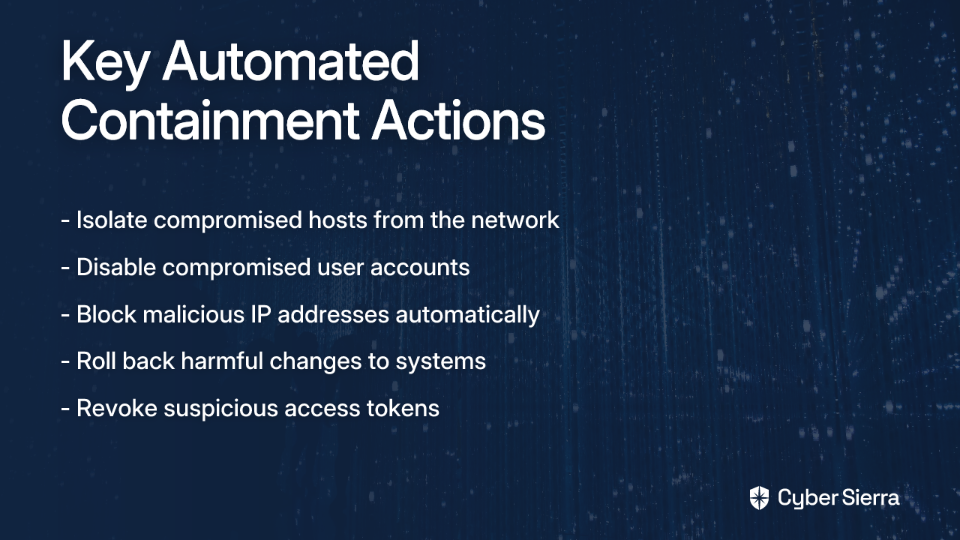
- Isolate a compromised host: Use network access control to quarantine an infected laptop or server from the rest of the network.
- Disable a compromised user account: Automatically lock an account exhibiting suspicious behavior (e.g., impossible travel, multiple failed logins).
- Block a malicious IP: Add a malicious IP address identified by your threat intelligence feed to a deny list on your firewall.
- Roll back a harmful change: If a new deployment causes a security incident, automatically trigger a rollback to the last known good configuration.
According to DX, these automated containment actions can dramatically reduce your Mean Time to Remediate (MTTR), limiting damage and reducing recovery costs.
Step 5: Automate Evidence Collection and GRC Documentation
Manually collecting evidence after an incident is a nightmare for both forensics and audits. Automate the process to create a perfect, timestamped audit trail as the incident unfolds.
Build a Centralized Log: Automatically gather and centralize all relevant data—logs, system snapshots, user activity, actions taken by the automation—into a single, secure location.
Ensure an Immutable Audit Trail: This automated capture of evidence eliminates the need for post-event reconstruction and provides a clear, defensible record for compliance audits and legal inquiries.
This is where Governance, Risk, and Compliance (GRC) automation is essential. The Cyber Sierra GRC module streamlines this entire process by:
- Automating the collection of evidence and mapping it directly to relevant security controls within frameworks like SOC 2, ISO 27001, HIPAA, and PCI DSS
- Maintaining detailed audit trails, ensuring that every automated action taken during an incident is documented and ready for auditors
- Supporting incident response documentation that helps demonstrate compliance during audits
As Sprinto's GRC incident management guide notes, integrating incident management into your GRC framework ensures regulatory compliance while reducing the manual burden on your team.

Step 6: Streamline Recovery and Stakeholder Reporting
Once contained, the path to recovery must be swift and predictable. Simultaneously, automation should generate the reports and metrics that stakeholders and security teams need to understand the incident's impact.
Automate Restoration: Execute pre-defined restoration runbooks to recover affected systems. This could involve applying patches, restoring from a clean backup, or redeploying infrastructure-as-code templates.
Generate Automatic Reports: Configure your system to automatically generate comprehensive incident reports. These should include:
- A detailed timeline of events
- The business impact assessment
- Key metrics like MTTD and MTTR
- A summary of actions taken for containment and recovery
Provide Actionable Dashboards: Use dashboards to provide real-time visibility into ongoing incidents, historical trends, and overall security posture. This addresses the common desire for "graphs etc" and better visual data representation expressed by many security professionals on forums like Reddit.
Step 7: Foster Continuous Improvement and Optimize Automation
Automation is not a "set it and forget it" solution. Every incident is a learning opportunity to refine your processes, improve your playbooks, and make your automation more intelligent.
Conduct Post-Incident Reviews: Use the rich data collected by your automated systems to conduct thorough post-incident analyses and identify the root cause.
Refine and Update Playbooks: Based on lessons learned, update your automation workflows and response playbooks to handle future incidents more effectively.
Track Key Performance Indicators (KPIs): Monitor KPIs to measure the success of your automation program. Track metrics like incident resolution times, reductions in false positives, and improvements in compliance posture to demonstrate value and identify areas for optimization.
Continuously Test Your Automation: Don't wait for a real incident. Regularly run drills, tabletop exercises, or chaos engineering experiments to ensure your automated workflows function as expected.

Conclusion
Automating your cyber security incident management process transforms a reactive, chaotic scramble into a standardized, efficient, and scalable operation. By following these seven steps—building a foundation with continuous monitoring, defining playbooks, automating triage, executing containment actions, documenting for GRC, streamlining recovery, and continuously improving—you can significantly lower your MTTD and MTTR, reduce alert fatigue, ensure consistent responses, and maintain a continuously audit-ready compliance posture.
Transforming your incident management is an end-to-end process that requires an integrated platform. By providing foundational visibility through Continuous Control Monitoring and a streamlined documentation engine with its GRC module, Cyber Sierra empowers you to build a resilient, intelligent, and automated cybersecurity program.
Frequently Asked Questions
What is automated cyber security incident management?
Automated incident management uses technology to handle security threats from detection to resolution. It relies on predefined playbooks to execute tasks like triage, containment, and evidence collection, significantly speeding up response and reducing human error.
Why is automating incident response crucial for security teams?
Automation is crucial because it dramatically reduces response times (MTTD/MTTR), ensures consistent procedures, and prevents team burnout from alert fatigue. This allows security experts to focus their skills on complex threats rather than repetitive tasks.
What are incident response playbooks?
Incident response playbooks are step-by-step guides that define the actions to take for specific security incidents, like malware or phishing. They are the foundation of automation, ensuring every response is consistent, efficient, and follows best practices.
How does automation help with security compliance and GRC?
Automation aids compliance by automatically collecting and documenting evidence during an incident. This creates a complete, timestamped audit trail that simplifies proving adherence to frameworks like SOC 2, ISO 27001, and HIPAA, reducing manual GRC efforts.
What is the first step to building an automated incident management process?
The first step is establishing a proactive foundation with Continuous Control Monitoring (CCM). You cannot automate a response to threats you can't see, so gaining real-time visibility into your security controls is the essential starting point for any automation.
Can all aspects of incident response be fully automated?
No, not all aspects can or should be fully automated. While automation excels at handling repetitive, high-volume tasks, human expertise remains critical for complex analysis, strategic decision-making, and adapting to novel, sophisticated threats.
Ready to move from manual chaos to automated control? Schedule a demo of the Cyber Sierra platform today.
