



5 Vendor Risk Remediation Workflow Templates for Different Security Maturity Levels

Join thousands of professionals and get the latest insight on Compliance & Cybersecurity.
Summary
- Only 36% of organizations can effectively vet vendors manually, highlighting the need for efficient remediation workflows.
- Vendor risk remediation requires a tailored approach; this article provides five workflow templates based on your organization's security maturity level, from foundational to fully automated.
- Identify your current maturity level and implement the corresponding workflow to transform chaotic, manual processes into a structured, audit-ready operation.
- For organizations ready to advance, Cyber Sierra's TPRM platform automates the entire vendor risk lifecycle, from onboarding to continuous monitoring and remediation.
You've set up a process to assess vendor risks. Great! But what happens when issues are discovered? For many security teams, this is where things fall apart.
"We email a massive spreadsheet to a new vendor, they fill it out badly, email it back, and then it just... sits in a folder," laments one security professional on Reddit. "There's no real follow-up, no way to track remediation for the issues we find, and no easy way to see our overall risk level from vendors."
Sound familiar? You're not alone. Managing vendor security questionnaires, compliance certifications, and risk remediation has become "a massive operational bottleneck" for many organizations. What was once a simple process has evolved into what feels like "a full-time job" of endless follow-ups and documentation.
The challenge is that organizations are at different levels of security maturity, and a one-size-fits-all approach to vendor risk remediation simply doesn't work. Whether you're a startup with limited resources or an enterprise with complex compliance requirements, you need a workflow that matches your capabilities and needs.
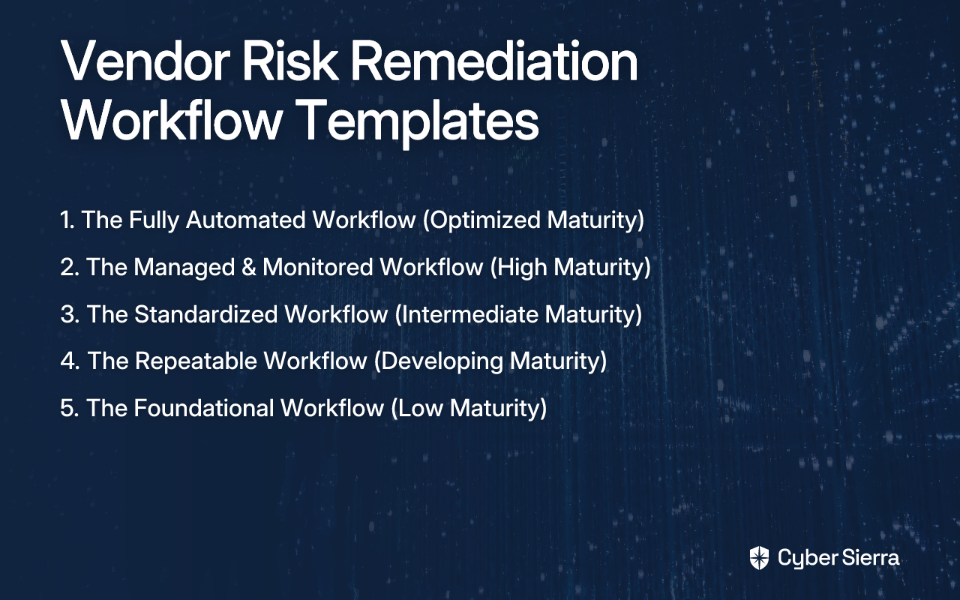
In this article, we'll provide five vendor risk remediation workflow templates tailored to different security maturity levels. Each template includes process steps, role assignments, communication templates, and automation opportunities to help you evolve your approach as your organization grows.
Let's dive in!
1. The Fully Automated Workflow (Optimized Maturity)
Who it's for: Organizations at the highest security maturity level, focusing on continuous improvement and proactive risk management.
Goal: To achieve a proactive, near real-time vendor risk management program with minimal manual intervention.
Process Workflow
- Automated Onboarding: A new vendor request triggers an automated workflow in a platform like Cyber Sierra's Third-Party Risk Management (TPRM) module. The vendor is automatically tiered based on criticality.
- AI-Driven Assessment: The appropriate security questionnaire is sent and can be accelerated with AI-driven features, reducing the burden on both your team and the vendor.
- Continuous Monitoring: Once onboarded, continuous control monitoring provides 24/7 visibility into the vendor's security posture, tracking risks in near real-time rather than relying on point-in-time assessments.
- Automated Risk Identification & Ticketing: Integrated threat intelligence tools automatically detect vulnerabilities or compliance deviations. A remediation ticket is created and assigned to the vendor contact and internal owner without manual intervention.
- Collaborative Remediation: The vendor accesses a secure portal to view the finding, communicate with your team, and upload evidence of remediation.
- Auto-Validation: The platform re-scans or re-evaluates the control to automatically validate that the fix has been implemented correctly.
- Audit-Ready Trail: The entire process—from onboarding to remediation—is logged in a GRC module, creating a comprehensive audit trail.
Role Assignments
- TPRM Manager: Oversees the platform, configures risk-tiering rules, and manages high-level vendor relationships.
- Vendor Contact: Interacts with the platform to respond to findings.
- Internal Business Owner: Receives automated reports on vendor status.
- Security/Compliance Analyst: Reviews high-risk exceptions flagged by the platform.
Automation Opportunities
With Cyber Sierra's integrated platform, the entire workflow is automated, from vendor validation to critical risk discovery and remediation tracking. This addresses the fact that only 36% of organizations have the resources to effectively vet vendors manually, according to Bitsight research.

Key features that enable this level of automation include:
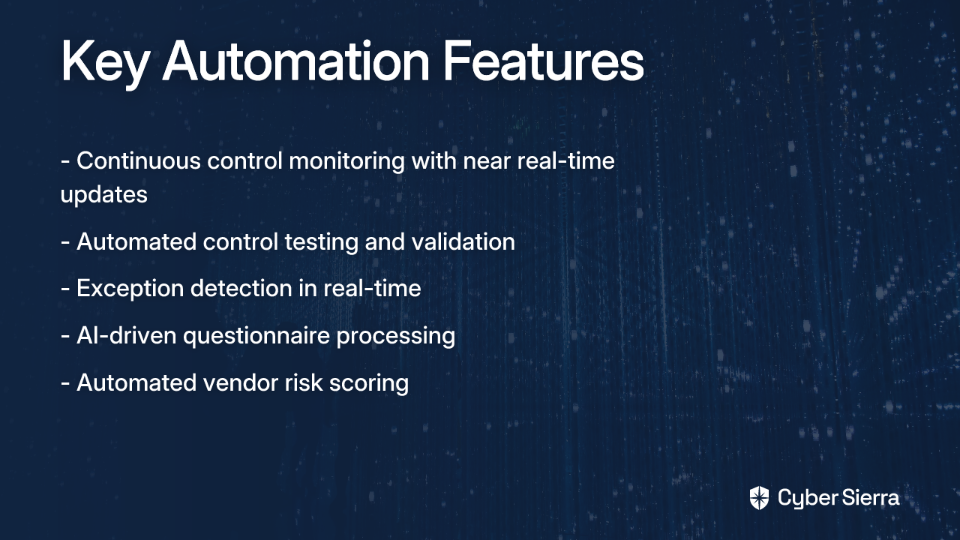
- Continuous control monitoring with near real-time updates
- Automated control testing and validation
- Exception detection in real-time
- AI-driven questionnaire processing
- Automated vendor risk scoring
Communication Templates (Automated)
New Finding Notification: "A new high-risk security finding [Finding ID] has been identified for [Vendor Name]. Please log in to the portal to review the details and provide a remediation plan by [Date]."
Remediation Overdue Reminder: "This is a reminder that remediation for finding [Finding ID] is due on [Date]. Please provide an update or request an extension."
2. The Managed & Monitored Workflow (High Maturity)
Who it's for: Organizations at the managed and monitored maturity level. Security controls are consistently monitored, measurable, and analytical tools are used for reporting.
Goal: To move from reactive remediation to proactive risk management using continuous monitoring tools and a centralized GRC platform.
Process Workflow
- Centralized Onboarding: Vendor onboarding is managed through a dedicated GRC/TPRM tool.
- Risk-Based Assessments: Vendors are categorized by risk level, and assessments are tailored accordingly.
- Continuous Monitoring Integration: Use a security ratings platform like Bitsight or SecurityScorecard to get near real-time risk ratings. These ratings are integrated into the vendor's profile in the GRC platform.
- Alerting & Manual Ticketing: The monitoring tool sends an alert for a significant risk change (e.g., a new critical vulnerability). A security analyst manually creates a remediation ticket in a system like Jira or ServiceNow.
- Tracked Remediation: Communication and evidence are tracked within the ticket.
- Manual Validation: The analyst manually verifies the remediation evidence provided by the vendor.
- Reporting: The GRC tool generates quarterly reports on vendor risk posture and remediation SLAs.
Role Assignments
- TPRM Manager: Manages the GRC/TPRM platform and vendor inventory.
- Security Analyst: Monitors alerts, creates and tracks tickets, validates fixes.
- Vendor Manager: Primary communication contact with the vendor.
Automation Opportunities
- Automate vendor risk tiering during onboarding.
- Use security ratings platforms for continuous external monitoring. According to UpGuard, this is a key feature to look for in risk remediation software.
- Next Step: Integrate ticketing directly with monitoring alerts to eliminate manual creation. This is where a unified platform like Cyber Sierra's TPRM becomes the logical upgrade.
Communication Templates
Initial Outreach: "Hello [Vendor Contact], our continuous monitoring system has identified the following critical issue: [Issue Description]. Please provide a remediation plan and ETA within 48 hours. The tracking ticket for this issue is [Ticket ID]."
3. The Standardized Workflow (Intermediate Maturity)
Who it's for: Organizations at the standardized maturity level, where processes are standardized across the organization and leadership communicates a proactive culture.
Goal: To establish a consistent, documented, and organization-wide process for vendor risk remediation.
Process Workflow
- Formal Intake: All new vendor requests go through a formal intake process (e.g., a SharePoint form or a simple ticketing system).
- Standard Questionnaire: A standard due diligence questionnaire is sent to all vendors handling sensitive data.
- Centralized Tracking: A Vendor Risk Management Audit Framework (like a detailed spreadsheet or a basic GRC tool) is used to track assessment status, risk ratings, and key documents.
- Risk Rating & Remediation Plan: Risks are identified and assigned a rating (High, Medium, Low). For High/Medium risks, a formal remediation plan is required from the vendor.
- Manual Follow-up: The assigned internal owner is responsible for manually following up with the vendor via email on a set cadence (e.g., every 14 days).
- Evidence Storage: All communication and evidence are stored in a centralized folder (e.g., SharePoint) linked from the tracking sheet.
Role Assignments
- Procurement/Business Owner: Initiates the vendor request.
- IT/Security Team Member: Conducts the risk assessment and manages the tracking sheet.
- Compliance Manager: Reviews and approves high-risk vendors and remediation plans.
Automation Opportunities
- Use a dedicated GRC platform to replace spreadsheets. This addresses the pain point of small teams struggling with "spreadsheets + manual follow-ups."
- Automate reminder emails for follow-ups.
- Next Step: Implement a solution with a vendor portal to streamline communication and evidence collection, like Cyber Sierra's GRC platform.
Communication Templates
Remediation Request: "Following our security review, we have identified the following items requiring remediation before we can proceed: [List of items]. Please provide a formal remediation plan with timelines by [Date]."
4. The Repeatable Workflow (Developing Maturity)
Who it's for: Organizations at the repeatable maturity level, with documented security processes that can be repeated but may lack uniformity across departments.
Goal: To move beyond ad-hoc assessments and establish a documented process that can be followed consistently for new vendors.
Process Workflow
- Checklist-Driven Assessment: The process starts with a Basic Vendor Risk Assessment Checklist. Each task has an owner and a due date.
- Questionnaire: A standard questionnaire (in a Word or Excel file) is emailed to the vendor.
- Manual Review: A designated person reviews the responses and identifies risks.
- Email-Based Remediation: Remediation items are listed in an email sent to the vendor.
- Informal Tracking: The status is tracked in the initial checklist spreadsheet. There is no formal ticketing or SLA.
- Approval: A manager or team lead provides email approval once they are satisfied with the vendor's responses.
Role Assignments
- Business Owner: Identifies the need for a new vendor.
- IT Manager/Lead: Owns the risk assessment process, from sending the questionnaire to tracking remediation.
Automation Opportunities
- The first step is to centralize tracking. Move from a simple checklist to a more robust Vendor Risk Evaluation with Scorecard spreadsheet that includes a color-coded risk rating system.
- Next Step: Adopt a standardized process across all departments to reach the "Standardized" maturity level.
Communication Templates
Questionnaire Email: "Hi [Vendor], as part of our onboarding process, please complete the attached security questionnaire and return it by [Date]."
Follow-Up Email: "Hi [Vendor], could you please provide an update on the following items we discussed: [Item 1], [Item 2]?"
5. The Foundational Workflow (Low Maturity)
Who it's for: Startups and small businesses at the unstructured maturity level. Security processes are minimal or ad-hoc.
Goal: To create the very first structured, documented process for assessing vendor risk.
Process Workflow
- Identify Critical Vendors: Create a simple list of vendors that handle sensitive company or customer data.
- Simple Risk Assessment: For each critical vendor, use a basic Vendor Risk Assessment Template to identify and document potential vulnerabilities. The template should include a description of the risk, a color-coded rating (Low, Medium, High), and a notes section.
- Direct Conversation: Schedule a call with the high-risk vendors to discuss their security practices. Key questions to ask:
- "Do you encrypt communication?"
- "How often are penetration tests performed?"
- "Describe your incident response process."
- Document Findings: Record the answers and any agreed-upon actions in the notes section of the spreadsheet.
- Risk Acceptance: The founder or IT lead formally accepts the residual risk in writing (e.g., in the spreadsheet).
Role Assignments
- Founder / IT Lead / Operations Manager: This is often a one-person show, responsible for the entire process.
Automation Opportunities
- At this stage, the focus is on process, not automation. The key is to establish the habit of performing due diligence.
- Next Step: The first "automation" is creating a repeatable checklist, moving the organization to the "Repeatable" maturity level.
Communication Templates
Meeting Request: "Hi [Vendor], we're conducting a security review of our key partners. Could we schedule a 30-minute call next week to discuss your security posture?"
Conclusion: Your Vendor Risk Remediation Journey
Every organization starts somewhere on the security maturity spectrum. The key is to identify where you are today and take deliberate steps toward a more mature, efficient vendor risk remediation workflow.
Remember, vendor risk management isn't just about compliance—it's about protecting your business from costly supply chain attacks. Recent high-profile incidents like SolarWinds and Kaseya have demonstrated that vendors can be the weakest link in your security chain.
As one security professional noted on Reddit, "Trying to stay audit-ready in that mess was nearly impossible." By implementing a structured workflow that matches your organization's maturity level, you can transform vendor risk remediation from a chaotic, manual process into a streamlined, predictable operation.
Start with the template that best fits your current capabilities, but keep your sights set on the next level of maturity. For organizations ready to move beyond spreadsheets and manual follow-ups, solutions like Cyber Sierra's AI-enabled platform can help you achieve an optimized vendor risk remediation workflow with significantly less effort.
Which template best describes your current vendor risk remediation process? And more importantly, which one represents your next step?
Frequently Asked Questions
What is vendor risk remediation?
Vendor risk remediation is the process of identifying, assessing, and mitigating security risks posed by third-party vendors. It involves working with vendors to fix vulnerabilities and ensure they meet your organization's security standards.
Why is a vendor risk remediation workflow important?
A structured workflow is crucial for protecting your business from supply chain attacks and data breaches. It transforms a chaotic, manual process into a predictable, efficient, and audit-ready operation, reducing your overall risk exposure.
How do I choose the right vendor risk remediation workflow for my company?
Choose the right workflow by assessing your organization's current security maturity level. Start with a template that matches your existing capabilities—from a basic checklist to a fully automated system—and plan to evolve as you grow.
What are the first steps to creating a vendor risk remediation process?
The first steps involve identifying vendors who handle sensitive data and using a simple template to document key risks. Then, engage in direct conversations with high-risk vendors to understand and record their security practices.
How can automation improve vendor risk remediation?
Automation streamlines the entire process, from vendor onboarding and risk assessment to continuous monitoring and remediation tracking. It reduces manual effort, provides real-time visibility, and ensures consistent follow-up on identified issues.
What is the role of continuous monitoring in vendor risk management?
Continuous monitoring provides 24/7 visibility into a vendor's security posture, moving beyond point-in-time assessments. It allows for proactive risk identification and faster remediation by detecting issues like vulnerabilities in near real-time.
