



How to Build a Risk Register From Scratch for ISO 27001


Join thousands of professionals and get the latest insight on Compliance & Cybersecurity.
You've been handed an empty spreadsheet and told to "create a risk register" for ISO 27001 compliance. The problem? There's no documented business strategy to guide you, the previous register is "empty of anything meaningful," and senior management expects results without providing clear direction. Sound familiar?
You're not alone. This practical guide will walk you through creating a robust, audit-ready risk register from absolute scratch—even without a formal business strategy to reference.
Why Your Risk Register Matters
Before diving into the how-to, let's clarify why your risk register is the cornerstone of your Information Security Management System (ISMS):
- It's the primary evidence auditors examine during ISO 27001 certification
- It drives your security control selection and justifies your investments
- It transforms security from reactive firefighting to strategic risk management
- It directly connects information security to business value
The ISO 27001 standard aims to protect information systematically through an ISMS focused on three key principles: Confidentiality (ensuring only authorized access), Integrity (protecting against unauthorized modifications), and Availability (keeping information accessible when needed).
A well-constructed risk register delivers tangible benefits beyond compliance:

- Regulatory compliance with frameworks beyond ISO 27001 (GDPR, HIPAA, etc.)
- Competitive advantage through demonstrated commitment to data protection
- Cost reduction by preventing expensive security incidents proactively
Part 1: You Can't Protect What You Don't Know - Building Your Asset Register
The foundation of any effective risk register is knowing what you're protecting. Without a comprehensive asset inventory, your risk assessment will have dangerous blind spots.
Step 1: Define Your Classification Scheme First
Before cataloging assets, establish how you'll classify them based on sensitivity and criticality. This prevents rework later.
A simple three-tier classification might include:
- Restricted: Highly sensitive information requiring maximum protection
- Confidential: Business-sensitive information for internal use
- Public: Information cleared for external sharing
Step 2: Create Your Asset Categories
Information assets extend far beyond servers and laptops. A comprehensive inventory should include:
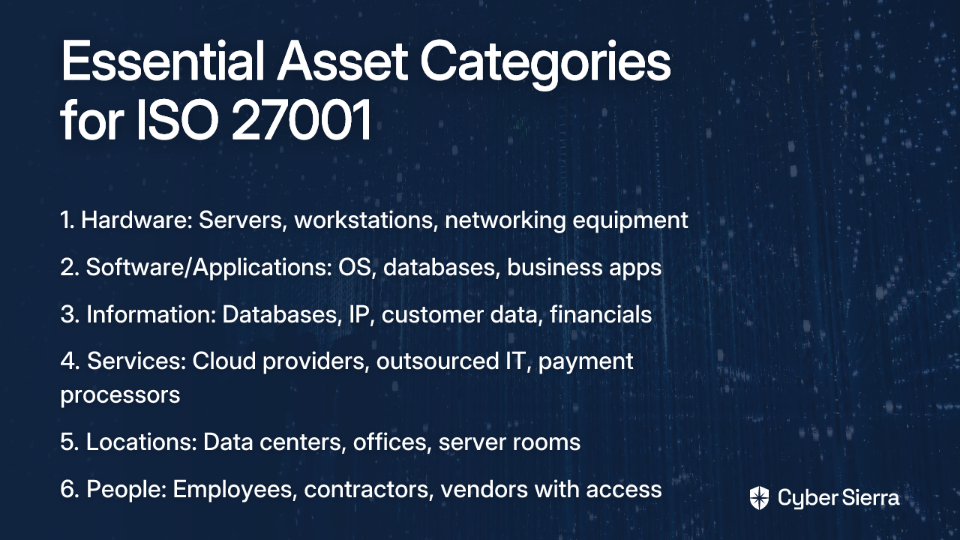
- Hardware: Servers, workstations, mobile devices, networking equipment, IoT devices
- Software/Applications: Operating systems, databases, business applications, custom software
- Information: Databases, intellectual property, customer data, financial records
- Services: Cloud providers, outsourced IT support, payment processors
- Locations: Data centers, offices, server rooms
- People: Employees, contractors, and vendors with access to sensitive data
Step 3: Build Your Asset Register Spreadsheet
Create a spreadsheet with these essential columns:
- Asset ID: A unique identifier (GUID or asset tag)
- Asset Name: Clear, descriptive name
- Description: Brief overview of the asset's function
- Asset Type: Category from the list above
- Owner: The person accountable for this asset's security
- Location: Where the asset resides (physical or virtual)
- Classification: Using your predefined classification scheme
Asset ownership is critical—every single asset must have a designated owner responsible for its security. According to DigitalOctopii, failing to assign ownership is one of the most common pitfalls in ISO 27001 implementation.
Step 4: Populate Your Asset Register
Begin by interviewing key stakeholders across departments to identify their critical assets. Don't overlook:
- Legacy systems that "everyone forgot about"
- Shadow IT applications deployed without formal approval
- Paper documents containing sensitive information
- Third-party services processing your data
- Development and test environments (not just production)
Pro Tip: Start with your most critical business processes and trace the information flows to identify key assets. This approach ensures you don't miss assets that enable core business functions.
Part 2: The Heart of the Matter - Risk Identification and Analysis
With your asset register complete, it's time to identify and analyze the risks to each asset—even without a formal business strategy to guide you.
Step 1: Identify Threats and Vulnerabilities
For each significant asset in your register:
- Identify relevant threats (potential causes of an incident):
- Malicious actors (hackers, disgruntled employees)
- Technical failures (hardware failure, software bugs)
- Human errors (misconfiguration, accidental deletion)
- External events (natural disasters, utility outages)
- Identify vulnerabilities (weaknesses that threats could exploit):
- Unpatched software
- Weak authentication controls
- Insufficient backup procedures
- Lack of personnel training
- Inadequate physical security
Research shows that 60% of breaches exploit known vulnerabilities where patches were available but not applied, highlighting the importance of vulnerability management in your risk assessment.
Step 2: Craft Structured Risk Descriptions
Avoid vague risk statements like "risk of hacking" that provide no actionable context. Instead, use this formula:
"A [threat] could exploit [vulnerability] in [asset], leading to [impact]."
Examples:
- "A ransomware attack (threat) could exploit unpatched operating systems (vulnerability) on our financial database servers (asset), leading to data encryption and operational downtime (impact)."
- "An unauthorized staff member (threat) could exploit insufficient access controls (vulnerability) for HR personnel records (asset), leading to data breach and regulatory penalties (impact)."
Step 3: The "No Business Strategy" Workaround for Risk Assessment
Here's the practical solution for the common pain point: "If I don't have business objectives, how can I create infosec objectives and risks?"
When formal business strategy documentation is unavailable, use the CIA triad (Confidentiality, Integrity, Availability) to infer business impact:
- Choose a Qualitative Scale: Use a simple 1-5 scale for both likelihood and impact:
- 1 = Very Low | 2 = Low | 3 = Medium | 4 = High | 5 = Very High
- Assess Likelihood (1-5): How probable is this scenario? Consider:
- Historical incidents (has this happened before?)
- Industry trends and threat intelligence
- Effectiveness of existing controls
- Assess Impact (1-5) Using the CIA Framework:
- Confidentiality Impact: What happens if this information is exposed?
- Regulatory penalties (GDPR fines)
- Competitive disadvantage
- Reputation damage
- Customer trust erosion
- Integrity Impact: What happens if this information is corrupted?
- Incorrect business decisions
- Financial misreporting
- Product/service defects
- Safety incidents
- Availability Impact: What happens if this system becomes unavailable?
- Revenue loss per hour of downtime
- Contractual penalties
- Customer dissatisfaction
- Operational inefficiency
- Confidentiality Impact: What happens if this information is exposed?
This approach anchors your risk assessment to fundamental information security principles rather than specific business objectives, making it viable even without a documented strategy.
Step 4: Calculate Risk Scores and Set Priorities
- Calculate the Inherent Risk Score: Likelihood × Impact = Risk Score
- This gives you a number between 1 and 25
- Create Risk Categories Based on Scores:
- Critical (15-25): Immediate action required
- High (10-14): Prompt action required
- Medium (5-9): Action needed within a reasonable timeframe
- Low (1-4): Monitor but no immediate action required
- Prioritize Based on Scores: Focus your immediate attention and resources on Critical and High risks
This prioritization ensures you're addressing the most significant risks first, regardless of whether you have a formal business strategy.
Part 3: Structuring for Success - Designing Your Risk Register Document
The Excel vs. GRC Debate
While sophisticated GRC (Governance, Risk, and Compliance) platforms exist, many organizations—even mature ones—successfully manage risk using Excel spreadsheets. As one professional noted: "I have seen clients who use Excel risk registers and have more mature programs than others with full GRC suites."
Start with Excel or Google Sheets for these advantages:
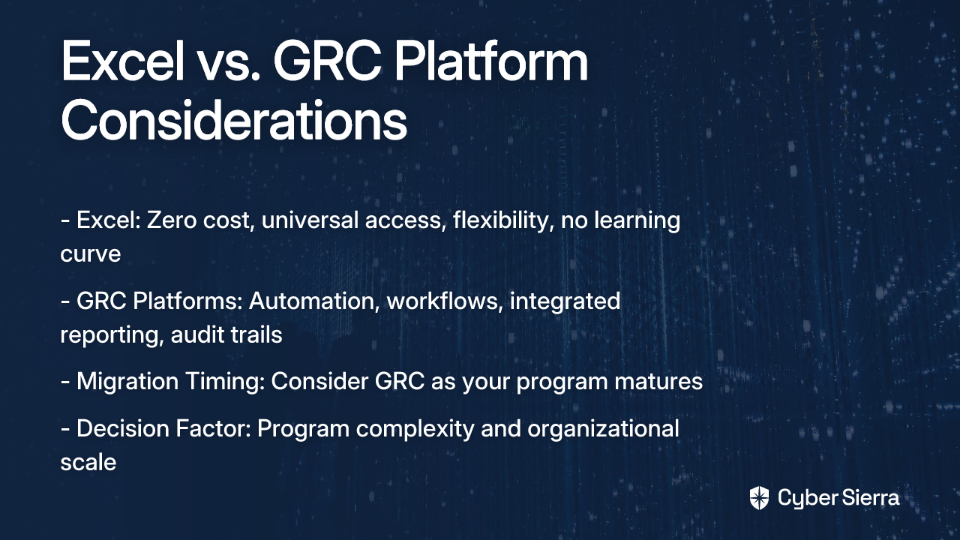
- Zero additional cost
- Universal accessibility
- Flexibility to customize
- No learning curve
- Easy to share and collaborate
You can migrate to a dedicated GRC tool or Jira (with a risk register plugin) as your program matures.
Essential Risk Register Columns
Create your spreadsheet with these columns:
Risk Identification:
Risk ID: Unique identifier (e.g., R-001)Date Identified: When the risk was loggedRisk Owner: Person accountable for managing this riskAffected Asset(s): Link to your asset registerRisk Description: Your structured risk statementThreat: The specific threatVulnerability: The specific weakness
Risk Analysis:
Inherent Likelihood(1-5): Initial likelihood scoreInherent Impact(1-5): Initial impact scoreInherent Risk Score: Likelihood × Impact
Risk Treatment:
Existing Controls: Security measures already in placeRisk Treatment Decision: Mitigate, Accept, Transfer, or AvoidProposed Controls: Specific actions plannedControl Owner: Person responsible for implementationResidual Likelihood(1-5): Estimated likelihood after treatmentResidual Impact(1-5): Estimated impact after treatmentResidual Risk Score: The new risk score after treatment
Tracking:
Status: Open, In Progress, Under Review, Closed, or AcceptedReview Date: When this risk was last reviewedNotes: Additional context or updates
Pro Tip: Add filtering and conditional formatting to highlight high-risk items and past-due reviews, making your register a dynamic management tool.
Part 4: From Analysis to Action - Risk Treatment and the Statement of Applicability
Once you've identified and assessed your risks, you must decide how to handle each one—especially those with higher risk scores.
Step 1: Select Risk Treatment Options
For each risk, choose one of these four approaches aligned with the ISO 27001 risk management framework:
- Mitigate/Treat: Implement controls to reduce the likelihood or impact
- Example: Deploy MFA to mitigate the risk of credential compromise
- Transfer/Share: Shift the financial impact to a third party
- Example: Purchase cyber insurance for data breach coverage
- Avoid: Eliminate the risk by removing the asset or process
- Example: Decommission a vulnerable legacy system
- Accept: Formally acknowledge and retain the risk (with documentation)
- Example: Accept minor risks where treatment costs exceed potential impact
Important: Risk acceptance should not be the default option! It requires formal approval from senior management and documentation of the rationale.
Step 2: Map Controls to ISO 27001 Annex A
This step directly addresses the confusion about "comparing controls with Annex A" mentioned in user research.
Annex A of ISO 27001 contains 93 security controls organized into 14 domains. These aren't mandatory checkboxes—they're a reference catalog to help you select appropriate controls based on your risk assessment:
- Review each risk where you've chosen "Mitigate" as the treatment option
- Determine which security controls would effectively reduce this risk
- Check if these controls align with any from Annex A
- Document this alignment in your risk register
For example, if your risk involves "unpatched systems," you might implement controls related to Annex A.12.6.1 (Management of Technical Vulnerabilities).
Step 3: Create Your Statement of Applicability (SoA)
The SoA is a mandatory document for ISO 27001 certification that:
- Lists all 93 controls from Annex A
- Indicates whether each control is applicable to your organization
- Provides justification for inclusion or exclusion
- Shows implementation status for applicable controls
The SoA directly connects your risk register to the ISO 27001 requirements, showing auditors that your control selection is risk-driven rather than arbitrary.
A well-documented SoA addresses the common concern: "Will [specific control] be required to comply with ISO 27001?" The answer depends entirely on your risk assessment—if you've identified risks that the control would address, then yes; if not, then you can exclude it with proper justification.
Part 5: A Living Process - Continuous Monitoring and Improvement
A risk register is not a "set and forget" document. For it to remain valuable, you must treat it as an integral part of your ongoing risk management process.
Risk Management as a Cycle
Think of your risk register as part of a continuous cycle that aligns with broader risk management frameworks like NIST SP 800-39:
- Frame risk (establish context and prepare)
- Assess risk (identify, analyze, evaluate)
- Respond to risk (implement controls)
- Monitor risk (track effectiveness and changes)
This cycle must be integrated into your broader Information Security Management System (ISMS) and supported by senior management to succeed.
Scheduled Reviews
Establish a regular cadence for risk register reviews:
- Quarterly reviews with risk and control owners
- Annual comprehensive reviews with senior management
- Ad-hoc reviews triggered by significant changes:
- New systems or applications
- Major organizational changes
- Significant security incidents
- Changes to regulatory requirements
During these reviews, assess whether:
- Risk ratings remain accurate
- Controls are operating effectively
- New risks have emerged
- Existing risks have changed
Measuring Control Effectiveness
Don't just implement controls—measure their effectiveness:
- Define metrics for each significant control
- Example: Percentage of systems patched within SLA timeframes
- Collect evidence of control operation
- Example: Vulnerability scan results showing patch status
- Adjust risk scores based on demonstrated effectiveness
- If controls prove more effective than anticipated, residual risk scores may decrease
- If controls underperform, scores may increase
Documentation for Audits
Maintain thorough documentation to support your ISO 27001 certification:
- Risk acceptance decisions signed by appropriate management
- Control implementation evidence (screenshots, configuration files, test results)
- Meeting minutes from risk reviews
- Change logs showing updates to the risk register
This documentation satisfies ISO 27001 Clause 7.5 (Documented Information) requirements and streamlines the audit process.
Bridging Strategic, Tactical, and Operational Risk Levels
A comprehensive risk management approach should address risks at multiple levels:
- Strategic risks: Affect the organization's ability to achieve top-level objectives
- Tactical risks: Impact specific programs, projects, or initiatives
- Operational risks: Threaten day-to-day business operations
Without explicit business strategies, you can still:
- Conduct a SWOT analysis to identify strengths, weaknesses, opportunities, and threats
- Interview senior leaders about their priorities and concerns
- Review operational metrics to infer what matters to the business
- Study industry benchmarks to understand common strategic objectives
These approaches help bridge the gap between operational security risks and business strategy, even when formal strategic documentation is lacking.
Conclusion: Your Blueprint for Information Security Resilience
Building a risk register from scratch—especially without a formal business strategy—may initially seem daunting. However, by following this practical, asset-driven approach, you transform this task from a compliance checkbox into a powerful strategic tool.
The key takeaways:
- Start with assets: You can't protect what you don't know about
- Use the CIA triad: When business strategy is unavailable, anchor your impact assessment to confidentiality, integrity, and availability
- Structure your documentation: Whether using Excel or a GRC platform, maintain a consistent format
- Connect to Annex A: Use your risk assessment to justify control selection
- Keep it alive: Regular reviews ensure your risk register remains relevant
By implementing these practices, you'll create a risk register that not only satisfies ISO 27001 requirements but also delivers genuine security value to your organization.
Remember that perfect is the enemy of good—starting with a simple but thoughtful risk register today is far better than waiting for perfect conditions or sophisticated tools. The most effective risk management programs evolve over time, building on a foundation of consistent, practical processes and a commitment to continuous improvement.
Frequently Asked Questions
How do I create an ISO 27001 risk register if I don't have a business strategy?
You can create a robust ISO 27001 risk register without a formal business strategy by using the CIA triad (Confidentiality, Integrity, and Availability) to assess risk impact. Instead of linking risks to specific business objectives, you evaluate how a potential incident would affect the confidentiality, integrity, or availability of your information assets. This approach anchors your risk assessment to fundamental security principles that inherently support the business, such as preventing data breaches (Confidentiality), ensuring data accuracy (Integrity), and maintaining operational uptime (Availability).
What is the first step in creating a risk register from scratch?
The first and most critical step in creating a risk register is to build a comprehensive asset register. An asset register is a detailed inventory of everything valuable that you need to protect. You cannot effectively identify risks without first knowing what assets you have, where they are, who owns them, and how critical they are to the business. This foundational step ensures your risk assessment has no dangerous blind spots.
What is the difference between an asset register and a risk register?
An asset register lists what you are protecting, while a risk register identifies and analyzes the potential threats and vulnerabilities to those assets. Think of it this way: the asset register is the inventory of your valuable items (e.g., customer database, servers, intellectual property). The risk register takes that inventory and asks, "What could go wrong with these items?" by detailing specific risks, their likelihood, potential impact, and how you plan to treat them.
How does the risk register relate to the ISO 27001 Statement of Applicability (SoA)?
The risk register is the foundation for the Statement of Applicability (SoA); it provides the documented justification for which ISO 27001 Annex A controls you choose to implement, modify, or exclude. For every risk you decide to "Mitigate," you will select one or more controls. The SoA is the formal document where you list all 93 Annex A controls and state whether each is applicable based on the risks identified in your register. This demonstrates to auditors that your security controls are risk-driven and not arbitrary.
Do I need special software to create a risk register?
No, you do not need special software. A well-structured spreadsheet in Excel or Google Sheets is a perfectly acceptable and effective tool for creating and managing an ISO 27001 risk register, especially for small to medium-sized organizations or those just starting. The key is to have all the essential columns and keep the document updated. You can always migrate to a dedicated GRC (Governance, Risk, and Compliance) platform as your security program matures.
How often should I update the risk register?
Your risk register should be a living document, not a one-time project. It should be updated whenever a significant change occurs, such as the introduction of a new system, a major security incident, or changes in the threat landscape. At a minimum, you should conduct formal reviews with stakeholders quarterly and a comprehensive review with senior management at least annually to ensure risk ratings are accurate and treatment plans remain effective.
Need help implementing your ISO 27001 risk register? Check out these resources:
