Cybersecurity Hygiene: 5 Basics That Prevent Breaches



Join thousands of professionals and get the latest insight on Compliance & Cybersecurity.
You've invested in cutting-edge security tools, trained your team on the latest threats, and implemented complex defense protocols. Yet, somehow, a breach still occurred. If this sounds familiar, you're not alone.
Most organizations that fall victim to cyberattacks aren't compromised through sophisticated zero-day exploits or advanced persistent threats. Instead, they're breached because of something much simpler: poor cybersecurity hygiene.
"We had all our internal systems protected, but a third-party system that was set up many years ago we just had no visibility into," confessed one security professional after a breach. Another discovered that their compromised vendor "hadn't even updated the server for over 5 years."
The hard truth is that approximately 90% of breaches can be attributed to human error and basic security oversights rather than advanced attack techniques.
Cybersecurity hygiene refers to the routine practices and fundamental controls organizations implement to maintain system health and protect sensitive data. Much like washing your hands prevents the spread of germs, basic security hygiene prevents the spread of threats across your digital environment.
This article breaks down five fundamental, high-impact practices that can prevent the majority of breaches: Multi-Factor Authentication (MFA), patch management, network segmentation, asset management, and security awareness training. Each serves as a critical layer in your defense strategy, working together to create a resilient security posture.

1. Multi-Factor Authentication (MFA) - Your Digital Deadbolt
Multi-Factor Authentication is the digital equivalent of adding both a deadbolt and keypad lock to your front door. It requires users to provide two or more verification factors to gain access:
- Something you know (password)
- Something you have (mobile device or security key)
- Something you are (fingerprint or facial recognition)
Why MFA Is Critical
The statistics are staggering: according to Microsoft and the Cybersecurity and Infrastructure Security Agency (CISA), enabling MFA blocks 99.9% of automated account compromise attacks. When cybercriminals obtain credentials through phishing or data breaches, MFA serves as that critical second line of defense.
Implementing MFA Effectively
- Choose the right authentication factors:
- Authenticator apps (Google Authenticator, Microsoft Authenticator)
- Hardware tokens like YubiKey
- Biometric verification
- SMS verification (though less secure than other options)
- Balance security and convenience:
- "The idea is to somehow try and balance security and convenience," notes one security professional. "Doing MFA daily when off a trusted network is a good general practice, and I would stick to a 7-day frequency for when on a trusted network."
- This approach helps prevent MFA fatigue, which can lower your overall security posture.
- Protect high-value targets first:
- Prioritize MFA for administrator accounts, remote access (RDP), email, VPNs, and cloud services.
- Check which of your services support MFA using directories like 2fa.directory.
Remember: MFA isn't foolproof. Sophisticated phishing attacks can still trick users into approving unauthorized access attempts. Train your team to be suspicious of any unsolicited MFA prompts and implement an Incident Response Plan (IRP) for potential compromises.
2. Patch Management - Closing Known Doors to Attackers
Patch management involves systematically updating software to address security vulnerabilities. It's a critical component of cybersecurity hygiene that directly addresses the weaknesses attackers exploit most frequently.
Why Patching Matters
Unpatched systems are like unlocked doors with "Enter Here" signs for hackers. Consider the sobering example shared by a security professional who discovered a third-party server "hadn't even updated the server for over 5 years" before it was breached.
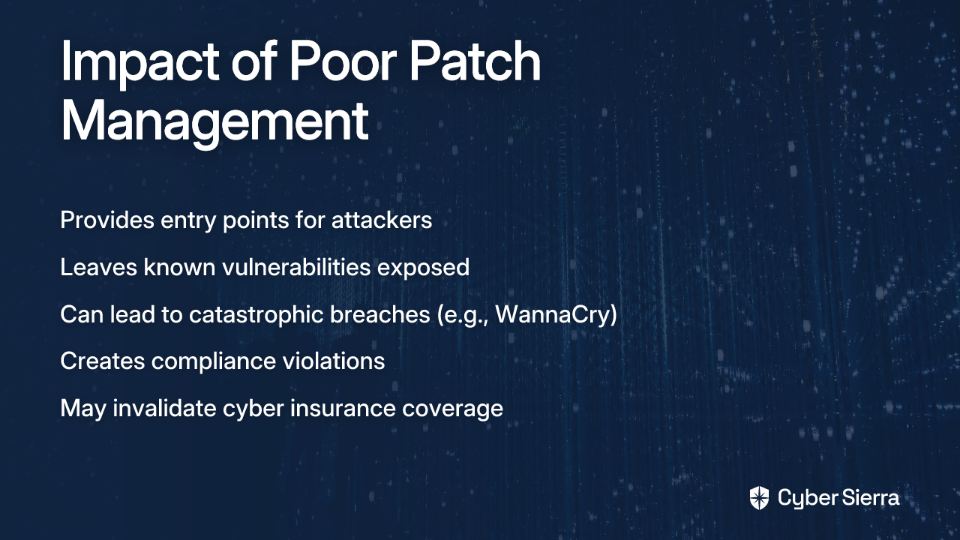
The 2017 WannaCry ransomware attack, which affected over 200,000 computers across 150 countries, primarily spread by exploiting systems that hadn't installed an available Microsoft patch. The patch had been available for two months before the attack began.
Creating an Effective Patching Strategy
- Automate where possible:
- "Currently working as a Cybersecurity Engineer where 70% of my time is spent rolling out patches," laments one professional. This is unsustainable.
- Leverage patch management tools like Intune, ManageEngine Patch Manager Plus, or Action1 (which one user noted "people are sleeping on... the patch management is far better than much more expensive things").
- Prioritize based on risk:
- Focus first on internet-facing systems, then critical internal infrastructure.
- Prioritize patches for vulnerabilities being actively exploited in the wild.
- Develop an emergency patching process for critical zero-day vulnerabilities.
- Test before deployment:
- Test patches in a staging environment before wide deployment.
- Document any systems that cannot be immediately patched (legacy systems) and implement compensating controls.
- Verify and document:
- Confirm patches were successfully applied through verification scanning.
- Maintain detailed records of your patching activities as part of your Disaster Recovery Plan (DRP) documentation.
3. Network Segmentation - Preventing Lateral Movement
Network segmentation divides your network into isolated subnetworks or segments, limiting what systems can communicate with each other. This critical hygiene practice contains security incidents and prevents attackers from moving freely through your environment.
The Security Impact of Segmentation
Even if an attacker breaches one part of your network, proper segmentation prevents them from accessing your entire infrastructure. As one security professional pointed out, "I have lateral movement in my mind—if one server is compromised, there is nothing to prevent poking at others using it as a jump server."
Without segmentation, a single compromised workstation can lead to a total network compromise through lateral movement techniques.
Implementing Effective Network Segmentation
- Apply the principle of least privilege:
- Systems should only be able to communicate with what they absolutely need to.
- This is a cornerstone of zero-trust security architecture.
- Segment by function and sensitivity:
- Separate production, development, and test environments.
- Isolate systems containing sensitive data (like customer information).
- Create dedicated segments for IoT devices, which often have weaker security.
- Control traffic with next-generation firewalls:
- Use firewalls between segments to inspect and control traffic.
- Implement intrusion detection/prevention systems (IDS/IPS) to monitor for suspicious lateral movement.
- Manage vendor access carefully:
- Create dedicated network segments for third-party access.
- Implement time-limited access controls for vendors through proper vendor management practices.
Remember: "Security has no end game," as one professional mentioned. It's about layers of protection, with network segmentation serving as a critical barrier to attack propagation.

4. Asset Management - You Can't Protect What You Can't See
Cybersecurity Asset Management (CSAM) involves continuously discovering, inventorying, tracking, and monitoring all assets within your organization. It forms the foundation for nearly all other security controls.
Why Asset Management Is Fundamental
You can't secure what you don't know exists. This painful lesson was learned by the security team who admitted, "We had all our internal systems protected but a third-party system that was set up many years ago we just had no visibility into."
Unknown or forgotten assets often become security blind spots and easy entry points for attackers. A comprehensive asset inventory is essential for effective vulnerability management, patch deployment, and incident response.
Building Effective Asset Management
- Continuous discovery:
- Deploy automated discovery tools to continuously scan your network and cloud environments.
- Include both traditional IT assets (servers, workstations) and IoT devices, cloud resources, and shadow IT.
- Maintain a Configuration Management Database (CMDB) to track all assets.
- Classify assets by criticality:
- Tag assets based on their sensitivity, business impact, and exposure level.
- Focus your protective measures proportionally on your most critical assets.
- Include ownership information to ensure accountability.
- Monitor for security gaps:
- Regularly audit assets for missing security controls (EDR agents, encryption, etc.).
- Verify that all assets are included in your vulnerability scanning and patch management processes.
- Use your asset inventory during security incidents to quickly identify potentially affected systems.
- Automate remediation where possible:
- Implement systems that can automatically deploy missing security controls.
- Configure alerts for unauthorized devices or shadow IT.
- Include asset verification in your proactive security hygiene practices.
5. Security Awareness Training - The Human Firewall
Even the most sophisticated technical controls can be bypassed by a single click on a malicious link or attachment. As one security professional bluntly put it, "90% of the time it's always human error."
Effective security awareness training transforms your employees from potential vulnerabilities into active defenders—your human firewall.
Building an Effective Training Program
- Go beyond compliance:
- Move past annual checkbox training to create an ongoing security culture.
- Use real-world examples and simulations to make threats tangible.
- Tailor training to specific roles (C-suite executives need different training than IT staff).
- Focus on practical, actionable advice:
- "Don't follow links in emails, google the correct result (and watch out for ads)," advises one security professional.
- "Don't open PDFs or Word documents sent by email" without verification.
- Teach employees how to identify phishing attempts, including newer techniques like conversation hijacking.
- Create a positive reporting culture:
- Encourage employees to report suspicious activities without fear of punishment.
- Provide clear channels for reporting potential security incidents.
- Offer psychological aftercare for employees who may be involved in security incidents.
- Measure effectiveness:
- Conduct regular phishing simulations to test awareness.
- Track metrics like reporting rates and click-through rates on simulated phishing emails.
- Use the results to focus future training efforts.
The Foundation of Cyber Resilience
These five fundamental practices—MFA, patch management, network segmentation, asset management, and security awareness training—form the bedrock of a strong cybersecurity posture. When properly implemented, they prevent the vast majority of breaches.
As one security professional wisely observed, "It's all about risk and layering." No single control is perfect, but together, they create a resilient defense that makes your organization a much harder target.
Your remediation team should focus on these basics before investing in advanced security tools. After all, the most sophisticated threat detection won't help if your users don't use MFA, your systems aren't patched, or your network allows unrestricted lateral movement.
For organizations just beginning their cybersecurity journey or those looking to strengthen their fundamentals, these five practices offer the highest return on investment. They're also critical components for organizations seeking cyber insurance coverage, as insurers increasingly require these basic hygiene measures.
Remember that security is not a destination but a continuous process of improvement. By mastering these fundamentals and implementing proactive security hygiene, you'll significantly reduce your risk of becoming the next breach headline.