



Why NFS Storage Will Kill Your Kubernetes Cluster



Join thousands of professionals and get the latest insight on Compliance & Cybersecurity.
You've just set up your Kubernetes cluster and now you need persistent storage for your applications. NFS looks like the perfect solution – it's familiar, already available in your environment, and seems easy to configure. Just point your PersistentVolume at an existing NFS share and you're good to go, right?
Stop right there.
What if I told you that this seemingly innocent decision could bring your entire Kubernetes infrastructure to its knees? A Reddit user in a discussion about Kubernetes best practices put it bluntly: "For example, NFS as a PVC is terrible. You'll learn that soon, but it'll kill whole applications and maybe whole clusters to fix it."
This isn't hyperbole. It's a warning rooted in the painful experiences of countless DevOps teams who took the path of least resistance only to end up with catastrophic failures.
While NFS can work for temporary setups or development environments, using it for production workloads introduces unacceptable risks. Its legacy architecture creates critical reliability gaps that can—and will—bring down your entire Kubernetes cluster.

What is NFS and Why is it So Common?
Network File System (NFS) is a distributed file system protocol that allows users on client computers to access files over a network as though they were stored locally. Developed by Sun Microsystems in the 1980s, NFS operates on a client-server model where an NFS server exports directories that clients can mount.
NFS has become popular in Kubernetes environments for several reasons:
- Familiarity: Most system administrators already know how to set up and manage NFS.
- Simplicity: The setup seems straightforward, especially for teams transitioning from traditional infrastructure.
- Availability: Many organizations already have NFS servers in their environment.
- Shared Access: Multiple pods can access the same files, which appears convenient.
But this convenience comes at a devastating cost.
The Five Horsemen of the NFS Apocalypse in Kubernetes
Fatal Flaw #1: The Single Point of Failure (SPOF)
Kubernetes is designed from the ground up for high availability and fault tolerance. Its very architecture assumes components will fail and provides mechanisms to handle those failures gracefully.
NFS undermines this foundational principle by introducing a glaring single point of failure into your architecture.
If your NFS server goes down for maintenance, crashes, or has a network issue, every single pod relying on that NFS share will fail simultaneously. This instantly negates the benefits of running multiple replicas of your application within Kubernetes. Your carefully designed high-availability setup becomes worthless.
As one DevOps engineer noted in a Stack Exchange discussion, "When the NFS server goes down, it takes down all the pods that depend on it. There's no graceful degradation – just complete failure."
Fatal Flaw #2: Crippling Performance Bottlenecks
NFS performance is highly susceptible to network latency and load. High volumes of data or a large number of concurrent connections can degrade performance significantly. This is particularly problematic in a Kubernetes environment where you might have dozens or hundreds of pods accessing the same NFS server.
Databases are especially vulnerable to these performance issues. Applications like MySQL and PostgreSQL are highly sensitive to I/O latency and can behave abnormally due to NFS's file-locking mechanisms and data consistency models. What starts as occasional slowness can quickly escalate to complete application failures, timeouts, and data corruption.
The performance bottlenecks aren't just annoying – they're insidious. They may not appear during testing with light loads but will emerge catastrophically in production when your system is under stress and you need reliability the most.
Fatal Flaw #3: Data Consistency and Locking Nightmares
NFS was designed in an era when distributed systems looked very different from today's dynamic Kubernetes environments. Its approach to file locking and data consistency breaks down in scenarios where pods are constantly being created and destroyed.
The distributed nature of NFS can lead to serious data consistency issues, especially with concurrent writes from multiple pods. While NFS has locking mechanisms, they are notoriously complex and problematic.
Consider this scenario: Pod A and Pod B both try to update the same file. NFS's locking mechanisms may cause one pod to hang indefinitely waiting for a lock, or worse, allow both pods to write simultaneously, resulting in corrupted data. In a Kubernetes environment where applications expect reliable, consistent storage, this behavior is a recipe for disaster.
Fatal Flaw #4: The Unenforced Quota - A Real-World Disaster
This might be the most dangerous flaw of all, and it's thoroughly documented in Kubernetes GitHub Issue #61839.
When you create a PersistentVolumeClaim (PVC) in Kubernetes, you specify a storage limit. This is supposed to protect your cluster resources and ensure one application doesn't consume all available storage. With NFS, this protection is a dangerous illusion.
Here's what happens:
- You create an NFS-backed PersistentVolume with a capacity of 1Gi
- You configure a PersistentVolumeClaim requesting 500Mi with a limit of 1Gi
- You deploy a pod mounting this PVC
- The pod writes far beyond the limit – perhaps 10Gi or more
The result? The pod keeps writing data, completely ignoring the limits set in Kubernetes. As a Kubernetes maintainer noted in the GitHub issue: "Reporting a size in a PV does not add enforcement to the underlying filesystem."
The implications are catastrophic: a single misbehaving application can fill the entire underlying NFS share, causing a cluster-wide outage for every other application relying on that same storage. Your carefully configured Kubernetes resource quotas offer zero protection.
Fatal Flaw #5: The Troubleshooting Black Hole
When something inevitably goes wrong with your NFS-backed applications, you'll enter a special circle of debugging hell.
Is the problem with:
- The pod?
- The Kubernetes configuration?
- The network?
- The NFS server?
- The NFS mount options?
- File permissions?
Debugging NFS issues is notoriously difficult. Problems can stem from misconfigured export files (/etc/exports), network partitions, server load, or complex authentication mechanisms. This added complexity significantly increases your operational overhead and mean time to recovery when incidents occur.
As one seasoned Kubernetes operator put it: "By the time you've diagnosed and fixed an NFS-related outage, you'll have spent more time troubleshooting than you would have setting up a proper storage solution from the beginning."

Smarter, Safer Alternatives: Cloud-Native Storage Solutions
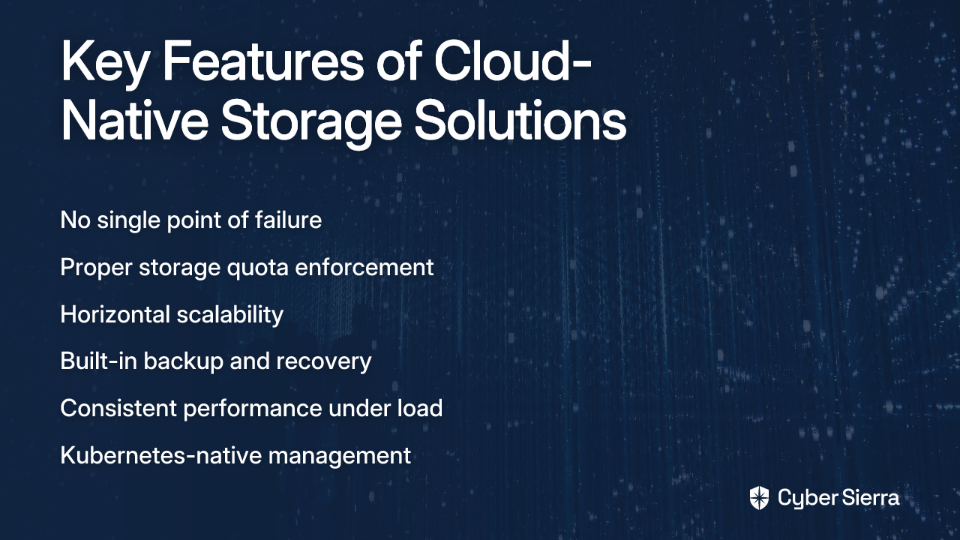
Instead of fighting with a legacy protocol, choose a storage solution designed for a distributed, cloud-native world. Good Kubernetes storage should embrace principles like dynamic volume provisioning, scalability, and built-in data protection.
Here are some superior alternatives to consider:
Ceph
Ceph is a highly scalable and redundant distributed storage system that offers object, block, and file storage. While more complex to set up than NFS, it provides true high availability, eliminates the single point of failure problem, and scales horizontally as your needs grow.
A Medium article on Kubernetes storage alternatives highlights Ceph's ability to provide "redundant, enterprise-grade storage" without the reliability issues of NFS.
Longhorn
Longhorn is a lightweight, reliable, and powerful distributed block storage system built specifically for Kubernetes. Developed as a CNCF project, it's designed to address the exact pain points that make NFS unsuitable for production Kubernetes environments.
Longhorn offers:
- Distributed block storage with no single point of failure
- Volume snapshots and backups
- Simple, intuitive UI
- True enforcement of storage limits
- Automatic failure detection and recovery
Cloud Provider Storage
If you're running on a major cloud provider, their native storage solutions integrate seamlessly with Kubernetes:
- AWS: Amazon EBS via the EBS CSI driver
- Google Cloud: GCE Persistent Disk via the GCE PD CSI driver
- Azure: Azure Disk via the Azure Disk CSI driver
These solutions are deeply integrated, performant, and reliable, with proper quota enforcement and no single point of failure when configured correctly.
Other Options
- Rook: An open-source cloud-native storage orchestrator that automates deployment and management of storage solutions like Ceph
- OpenEBS: Container attached storage that turns any node into a storage node
- Portworx: A commercial solution offering enterprise-grade storage capabilities
Each of these alternatives provides the reliability, performance, and proper resource management that NFS fundamentally lacks.
Conclusion: Build for Resilience, Not Convenience
The initial convenience of NFS is a siren song, luring you toward a deceptively simple solution that will eventually sink your entire cluster. As we've seen, NFS introduces a single point of failure, causes performance nightmares, creates data consistency risks, and suffers from critical flaws like the unenforced storage quota bug.
Using NFS for anything critical in Kubernetes is a matter of when it will fail, not if. The effort required to recover from a storage-induced cluster failure far outweighs the initial effort of setting up a proper, resilient solution.
Kubernetes represents a shift toward resilient, distributed systems. Your storage choice should embrace that same philosophy, not undermine it with a technology designed for a different era and different requirements.
Avoid the NFS trap. Invest in a cloud-native storage solution that matches the resilience and scalability of Kubernetes itself. Your future self – the one not frantically debugging a cluster-wide outage at 3 AM – will thank you.

Frequently Asked Questions
Why is using NFS for Kubernetes persistent storage a bad idea?
Using NFS for production Kubernetes storage is a bad idea because its legacy architecture introduces a single point of failure, causes severe performance bottlenecks, and lacks critical features like storage quota enforcement, which can lead to cluster-wide outages. If the NFS server fails, every application relying on it will fail simultaneously, defeating the purpose of Kubernetes' high-availability features.
What is the most dangerous risk of using NFS with Kubernetes?
The most dangerous risk is the unenforced storage quota. A PersistentVolumeClaim (PVC) storage limit set in Kubernetes is completely ignored by the underlying NFS volume. This allows a single misbehaving application to consume all available space on the NFS share, causing a catastrophic, cluster-wide failure for every other application using that storage.
Can I ever use NFS for Kubernetes?
Yes, NFS can be acceptable for non-critical workloads where performance, availability, and data integrity are not primary concerns. This includes temporary development environments, CI/CD caching, or scenarios where potential downtime and data loss are tolerable. It should never be used for production databases or any stateful application that requires high reliability.
How do cloud-native storage solutions like Ceph or Longhorn solve the problems of NFS?
Cloud-native storage solutions are designed for distributed systems and solve NFS's problems by eliminating the single point of failure. They do this by distributing and replicating data across multiple nodes within the Kubernetes cluster. They also correctly enforce storage quotas and provide built-in features for high availability, such as volume snapshots, backups, and automatic failover, which are essential for running stateful applications reliably.
How do I choose the right storage solution for my Kubernetes cluster?
To choose the right storage solution, first consider your environment. If you are on a public cloud, using the provider's native storage (like AWS EBS or GCE Persistent Disk) is often the simplest and most reliable choice. For on-premise setups, evaluate solutions based on complexity and scale. Longhorn and OpenEBS are great for simpler, Kubernetes-native deployments, while Ceph is better suited for large-scale clusters requiring massive scalability and redundancy.
For further reading on Kubernetes storage concepts, consult the official documentation on Persistent Volumes and explore the storage best practices outlined by storage specialists.
