Policy-as-Code Implementation Guide for DevSecOps Teams


Join thousands of professionals and get the latest insight on Compliance & Cybersecurity.
Summary
- With the average cost of non-compliance at $14.82 million, manual security reviews are too slow and risky for modern CI/CD pipelines.
- Policy-as-Code (PaC) automates compliance by defining security rules in code, enabling teams to catch and fix violations early in the development process.
- Start by codifying one high-priority policy (e.g., from NIST or CIS benchmarks), integrate it as an automated check in your pipeline, and build momentum from there.
- To manage compliance at scale, platforms like Cybersierra's Governance, Risk & Compliance solution automate control monitoring and streamline audit readiness across multiple frameworks.
You've spent weeks preparing your cloud deployment for a major release, only to have it grind to a halt during the final compliance review. Critical security issues get flagged at the eleventh hour, requiring painful rework and pushing your timeline back by days or even weeks. Sound familiar?
"If we automate, the checks feel shallow. If we go deep, deployments grind to a halt," laments one frustrated DevOps engineer in a recent Reddit discussion. This painful dilemma reflects the reality for many teams trying to balance velocity with security compliance.
With the average cost of non-compliance reaching a staggering $14.82 million and 75% of organizations expected to face fines by 2025 due to insecure software delivery pipelines, the stakes couldn't be higher. Yet manual compliance processes remain error-prone, inconsistent, and increasingly unsustainable in modern CI/CD environments.
There's a better way: Policy-as-Code (PaC).
What is Policy-as-Code?
Policy-as-Code is the practice of defining compliance, security, and governance rules in a machine-readable format that can be versioned, tested, and automatically enforced throughout your development lifecycle. Just as Infrastructure-as-Code (IaC) revolutionized provisioning, PaC transforms compliance from a manual checkbox exercise into an automated, integral part of your development process.
These policies can be written in YAML, JSON, or domain-specific languages like Rego, and they codify the rules that govern your infrastructure and applications. For example:
- Security policy: "All S3 buckets must have server-side encryption enabled"
- Compliance policy: "Production EC2 instances must be tagged with 'Department' and 'Owner' to meet SOC 2 requirements"
- Governance policy: "All IAM users with administrative access must have MFA enabled"
PaC enables two distinct types of policies:
- Static policies: Enforced at deployment time by IaC tools, remaining unchanged until the next deployment
- Dynamic policies: Updated during runtime and defined within application code to adapt to changing conditions
As one DevSecOps practitioner puts it: "Compliance that slows shipping won't last—shift it left with policy-as-code."
The Transformative Benefits of Policy-as-Code
Implementing PaC brings several critical advantages to DevSecOps teams:
1. Improved Consistency
Automating policy enforcement eliminates human error and ensures uniform application of rules across all environments, dramatically reducing misconfigurations and compliance gaps.
2. Faster Feedback Loops
Developers receive immediate feedback on policy violations directly within their workflow—during a git push or pull request—rather than weeks later during a manual audit. This drastically reduces the cost and pain of remediation.
3. Increased Automation
PaC reduces the manual toil of compliance checks, freeing security and operations teams to focus on higher-value tasks while increasing overall deployment velocity.
4. Greater Auditability
With policies defined in code, you create an immutable, version-controlled record of compliance rules that simplifies audits and enables automatic report generation for regulators and stakeholders.
A Step-by-Step Guide to Implementing Policy-as-Code
Transitioning to PaC doesn't have to be overwhelming. The following phased approach, based on AWS best practices, will help you implement PaC methodically:
Phase 1: Assess and Prioritize Policies
Start small and build momentum. Begin by:
- Identifying high-priority compliance requirements: Focus on controls from frameworks like NIST 800-53 or CIS Benchmarks that address your highest risks.
- Documenting selected policies: Include test conditions and references to source regulations.
- Setting scope boundaries: Determine which applications, environments, and resources will be covered.
"We had the same struggle until we separated compliance into two tracks: guardrails and audits," notes one security engineer. This approach allows you to differentiate between critical, deployment-blocking issues and those that can be addressed asynchronously.
Phase 2: Determine the Degree of "Shift-Left"
The goal is to catch issues as early as possible in the Software Development Lifecycle (SDLC):
- Integrate PaC with IaC templates: Validate infrastructure templates before deployment using tools like AWS CloudFormation Guard.
- Add pre-commit hooks: Catch policy violations before code even reaches your repository.
- Configure CI/CD pipeline checks: Ensure policies are enforced during automated build and deployment processes.
As one Reddit user observed, "The key insight we learned is that you need to push the preventive stuff left to devs through automated policy enforcement."
Phase 3: Choose a Code-Defined Infrastructure Approach
For AWS users, transition from static templates to a programmatic approach:
- Consider the AWS Cloud Development Kit (CDK): This framework allows you to define infrastructure using familiar programming languages.
- Leverage different levels of constructs:
- Level 1: Direct mapping to CloudFormation resources
- Level 2: Adds abstractions and parameter validation
- Level 3: Bundles entire architectural patterns (e.g., compliant S3 buckets with logging and encryption)
"We built compliance into our IaC templates," explains one DevOps engineer, showing how this approach can simplify compliance from the ground up.
Phase 4: Align PaC with Your Organizational Structure
Structure your PaC implementation to match your organization:
- Map policies to organizational units: Apply different rule sets based on business units, accounts, or compliance boundaries.
- Use AWS Organizations: Apply stricter rules for production environments handling sensitive data like PCI or HIPAA.
- Define policy inheritance: Create hierarchical policy structures where appropriate.
Phase 5: Codify, Test, and Integrate
Put everything into action:
- Author rules using your chosen tool: Whether it's CloudFormation Guard, OPA, or another solution.
- Write tests for your policies: Treat policies like application code with proper testing.
- Set up a centralized repository: Store PaC rules and constructs where all teams can access them.
- Integrate checks into your CI/CD pipeline: For example, using CloudFormation Guard:
cfn-guard validate --data my-template.yaml --rules my-rules.guard
Choosing the Right Policy-as-Code Toolkit
Several powerful tools can help implement your PaC strategy:
Open-Source Policy Engines
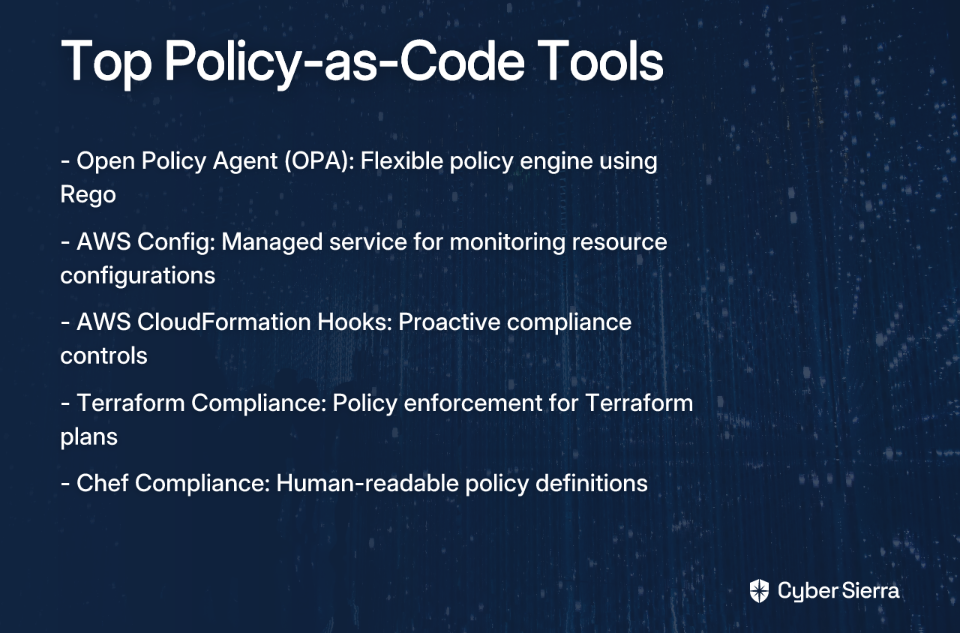
Open Policy Agent (OPA): A general-purpose policy engine with policies written in Rego. OPA is highly flexible and can be used across your technology stack, from Kubernetes to CI/CD pipelines.
Cloud-Native Services
- AWS Config: A managed service for monitoring AWS resource configurations against desired compliance rules.
- AWS CloudFormation Hooks: Proactive controls that run before CloudFormation creates, updates, or deletes resources, blocking non-compliant changes.
IaC-Specific Tools
- Terraform Compliance: A lightweight framework for enforcing policies on Terraform plans.
- Chef Compliance: Defines and enforces policies in a human-readable format.
"If you normalize your controls to the strictest baseline (PCI, HIPAA, SOC 2), you save time by not chasing each one individually," advises one compliance expert on Reddit. Tools like the CSA Cloud Controls Matrix (CCM) can help map various standards to a unified framework.
Overcoming Common PaC Implementation Challenges
Challenge 1: Balancing Speed vs. Thoroughness
"Half of compliance headaches come from overlapping standards," notes one frustrated security engineer.
Solution: Separate compliance into two tracks:
- Guardrails: Fast, automated, blocking checks integrated into CI/CD for critical issues
- Audits: Deeper, comprehensive scans that run asynchronously without blocking deployments
Challenge 2: Managing Overlapping Standards
Solution: Use a control framework to normalize requirements:
- The CSA Cloud Controls Matrix provides 197 control objectives across 17 domains
- By implementing CCM controls, you can satisfy multiple requirements simultaneously
Challenge 3: Technical Limitations in "Full Shift-Left"
Solution: Use a mix of proactive and detective controls:
- If pre-deployment validation isn't possible, use detective controls like AWS Config
- For runtime checks, leverage CloudFormation Hooks
"Not every rule should block," points out one DevOps practitioner, highlighting the need for flexibility in your approach.
Best Practices for Long-Term Success
- Treat Policies as Code: Apply standard software practices including version control, code reviews, and automated testing.
- Establish Clear Governance: Create processes for proposing, reviewing, and approving policy changes.
- Foster Collaboration: Ensure Development, Security, and Compliance teams all have input on policy definition.
- Implement Continuous Monitoring: Don't just check at deployment—monitor environments for configuration drift.
- Train Your Teams: Regularly educate developers and operators on compliance requirements and enforcement tools.
Building a Culture of Continuous Compliance
Policy-as-Code transforms compliance from a bottleneck into a seamless part of your development workflow. By automating policy enforcement and shifting compliance left, you can enhance security, reduce configuration rework, and maintain deployment velocity.
As one DevSecOps leader put it, "A visualization tool helped us prioritize by linking controls to exposure paths." This highlights how modern approaches to compliance not only enforce rules but help teams understand and prioritize their security posture.
Start small—pick one high-value policy, codify it using a tool like OPA or AWS CloudFormation Guard, integrate it into your pipeline, and build from there. The journey to automated compliance begins with a single policy, but the benefits will transform your entire organization's approach to security and governance.
By embracing Policy-as-Code, you're not just checking compliance boxes—you're building a foundation for secure, efficient, and auditable cloud operations that can scale with your business.
Frequently Asked Questions
What is Policy-as-Code (PaC)?
Policy-as-Code is the practice of defining security, compliance, and governance rules in a machine-readable code format. This allows policies to be versioned, tested, and automatically enforced throughout the software development lifecycle. Instead of manual checklists, rules like "all S3 buckets must be encrypted" are written in code and automatically checked, ensuring consistency and speed.
Why is Policy-as-Code important for DevSecOps?
Policy-as-Code is important because it integrates compliance and security directly into the development workflow, eliminating the bottleneck of manual reviews. This "shift-left" approach provides developers with immediate feedback on policy violations, drastically reducing remediation time and costs. It leads to improved consistency across environments, faster deployments, and greater auditability through version-controlled policies.
How do I get started with Policy-as-Code?
The best way to start with Policy-as-Code is to begin small by identifying and codifying a single, high-priority compliance requirement. Focus on a critical control from a framework like NIST or CIS, define its scope, and use a tool like AWS CloudFormation Guard or Open Policy Agent (OPA) to write the rule. Integrate this single check into your CI/CD pipeline to build momentum before expanding.
What are the most common tools for Policy-as-Code?
Some of the most common tools for Policy-as-Code include Open Policy Agent (OPA), AWS Config, AWS CloudFormation Guard and Hooks, and Terraform Compliance. OPA is a popular open-source, general-purpose engine. Cloud-native services like AWS Config and CloudFormation Hooks offer deep integration with the AWS ecosystem, while tools like Terraform Compliance provide targeted enforcement for specific IaC workflows.
How does Policy-as-Code fit into a CI/CD pipeline?
Policy-as-Code integrates into a CI/CD pipeline as automated checks at various stages, such as pre-commit hooks, pull requests, and deployment steps. By placing these automated checks in the pipeline, policy violations are caught early before non-compliant infrastructure is deployed. This ensures continuous compliance without slowing down development velocity.
What is the difference between static and dynamic policies?
Static policies are rules enforced at deployment time against your infrastructure-as-code templates, while dynamic policies are updated during runtime and are typically defined within application code. A static policy might check if an S3 bucket has encryption enabled before it's created, whereas a dynamic policy could adapt to changing conditions within a running application, such as adjusting access controls based on real-time threat intelligence.