



How to Actually Secure API Keys in React Applications



Join thousands of professionals and get the latest insight on Compliance & Cybersecurity.
You've set up your React application, integrated with a cool third-party API, and everything seems to be working great. Then you read a security article and panic sets in: "Wait, are my API keys visible to everyone?"
You search for solutions and find contradicting advice. Some tutorials tell you to use environment variables, others mention proxy servers, and now you're thinking, "it's kinda mind boggling right now."
If you're feeling uncertain about how to properly secure your API keys, you're not alone. This confusion is widespread, even among experienced developers.
The Hard Truth About API Keys in React
Let's start with the non-negotiable reality that many tutorials gloss over:

If an API key ends up in your frontend code, it is not a secret.
No amount of cleverness can truly hide a key that's delivered to the browser. Your users—and potentially bad actors—can access anything that your React application can access.
Many developers believe they're securing their keys by using environment variables, but this is a fundamental misunderstanding of how React applications work. Let's clear up this confusion once and for all and explore what professionals actually do to secure their APIs.
Why Your .env File Isn't Actually Securing Anything
The most commonly suggested "solution" for securing API keys in React is to use environment variables through a .env file:
REACT_APP_API_KEY=A1234567890B0987654321C
While this approach keeps your keys out of your source code repository, it provides zero security against users inspecting your application. Here's why:
When you build a React application with tools like Create React App or Vite, any environment variables prefixed with REACT_APP_ or VITE_ are embedded directly into your JavaScript bundle during the build process. These variables become plain text in your production code.
As one developer on Reddit correctly pointed out: "it helps exclude it from the git repo but a build is still going to have the key exposed when the source is inspected."
Let's demonstrate this with a quick setup just to illustrate the process (not because it's secure):
- Install dotenv (if using vanilla React):
npm install dotenv --save - Create a
.envfile in your project root:# For Create React App REACT_APP_API_KEY=A1234567890B0987654321C # For Vite VITE_API_KEY=12345GATGAT34562CDRSCEEG3T - Add to
.gitignoreto keep it out of version control:# .gitignore .env - Access in your React code:
// For Create React App const apiKey = process.env.REACT_APP_API_KEY; // For Vite const apiKey = import.meta.env.VITE_API_KEY; // Then use it in a fetch request fetch(`https://api.example.com/data?key=${apiKey}`)
Now, open your browser's developer tools and inspect the network requests or search through the bundled JavaScript. You'll find your API key in plain text. This is why environment variables alone are not a security solution for React applications.
When Environment Variables ARE Useful
Environment variables still have legitimate uses in React development:

- Development workflow: Keeping keys out of Git repositories prevents accidental commits of sensitive data.
- Managing non-sensitive public keys: Some API keys are designed for client-side use with additional security measures like domain restrictions (e.g., Google Maps API key restricted to your domain).
- Managing different environments: Using different values for development, staging, and production.
But for truly sensitive API keys that need to remain secret, we need a different approach.
The Real Solution: The Backend for Frontend (BFF) Pattern
So how do major websites and professional developers actually secure their API keys? The answer lies in a pattern often called "Backend for Frontend" or simply using a proxy server.
How the BFF Pattern Works
The concept is straightforward:
- Your React frontend never talks directly to third-party APIs that require secret keys
- Instead, it communicates with your own backend server
- Your backend server stores the API keys securely and makes the authenticated requests to external services
- The backend returns just the necessary data to your frontend
This way, your secret keys never leave your server environment, making them inaccessible to client-side code.
As one Reddit user correctly explained: "The frontend sends the request to the backend, the backend fetches the env var and calls the API, then it forwards the response to the client. The client never sees the key."

Implementing a Simple Backend Proxy
Let's create a basic Express.js server that acts as a secure proxy for your API requests:
- Set up a server directory in your project or as a separate repository:
- Install dependencies:
npm install express cors axios nodemon dotenv - Create a
server.jsfile:const express = require('express'); const axios = require('axios'); const cors = require('cors'); require('dotenv').config(); const app = express(); const PORT = process.env.PORT || 5000; // Use CORS to allow requests from your frontend app.use(cors()); app.get('/api/weather', async (req, res) => { try { const city = req.query.city; if (!city) { return res.status(400).json({ message: 'City parameter is required' }); } // The API key is securely accessed from the server's environment variables const apiKey = process.env.WEATHER_API_KEY; const apiUrl = `https://api.externalweather.com/forecast?q=${city}&appid=${apiKey}`; const response = await axios.get(apiUrl); res.json(response.data); } catch (error) { console.error("Error in proxy server:", error); res.status(500).json({ message: 'Failed to fetch data from external API' }); } }); app.listen(PORT, () => { console.log(`Proxy server running on port ${PORT}`); }); - Create a server
.envfile:WEATHER_API_KEY=your_actual_secret_api_keyUnlike the React.envfile, these variables remain secure because they only exist on your server. - Update your React code to call your proxy server instead of the external API:
// Before (Insecure) // fetch(`https://api.externalweather.com/forecast?q=london&appid=${process.env.REACT_APP_WEATHER_API_KEY}`) // After (Secure) fetch('http://localhost:5000/api/weather?city=london') .then(response => response.json()) .then(data => console.log(data));
When deploying to production, your frontend and backend can be hosted separately (e.g., React frontend on Netlify or Vercel, backend on Heroku, AWS, or Google Cloud). The frontend will make requests to your deployed backend URL instead of localhost.
Benefits of the BFF Pattern
Beyond security, this approach offers several advantages:
- Additional security layers: You can implement authentication/authorization on your backend to ensure only legitimate users access certain APIs.
- Request optimization: Your server can combine multiple API calls, filter unnecessary data, etc., before sending the response to the client.
- Rate limiting: Protect your API keys from abuse by implementing rate limiting on your server.
- Caching: Implement server-side caching to reduce the number of calls to external APIs.
- Unified error handling: Handle API errors consistently on your server.

Advanced Security: Professional API Key Management
Now that we've established the foundational pattern for keeping your API keys secure, let's explore how professional teams handle API keys at scale.
Secrets Management Services
One major pain point with API keys is rotation: "The pain in the ass is when you need to rotate these keys; that's why you should use a key vault provider."
This is where dedicated secrets management services come in. These platforms provide secure storage, access control, and automated rotation for your API keys:
- AWS Secrets Manager: Integrated with AWS services, it can automatically rotate credentials for supported AWS services.
- Google Cloud Secret Manager: Securely stores API keys, passwords, certificates, and other sensitive data for Google Cloud.
- Azure Key Vault: Microsoft's solution for securely storing and accessing secrets.
- HashiCorp Vault: A popular open-source solution that works across different environments.
These services solve several key challenges:
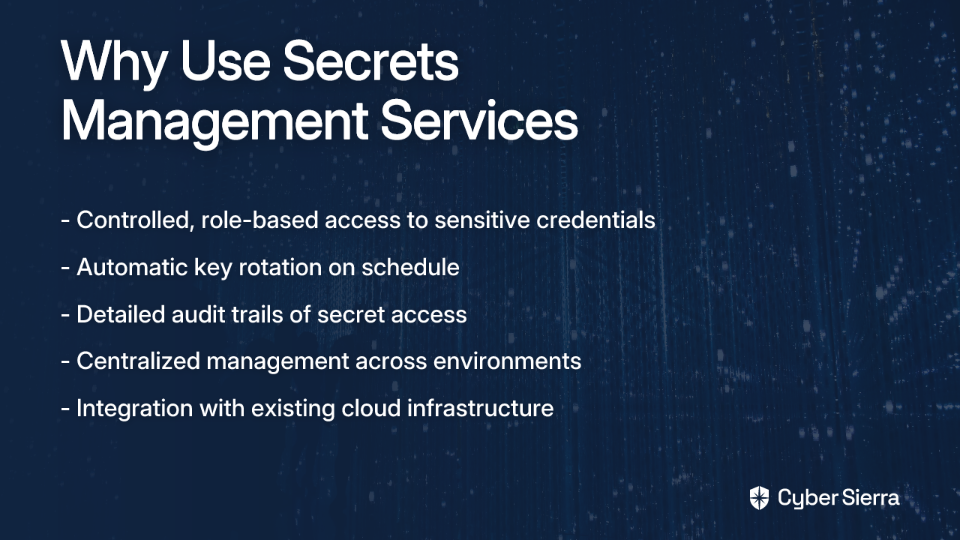
- Controlled access: "How do you prevent your interns from accessing important API keys?" With these services, you can grant limited, role-based access without exposing the actual keys.
- Automatic rotation: Set policies to automatically rotate keys on a schedule without manual intervention.
- Audit trails: Track who accessed which secrets and when.
To use these services with your backend, instead of reading keys from .env files, your server fetches them at runtime from the secrets management service:
// Example using AWS SDK with Secrets Manager
const AWS = require('aws-sdk');
const secretsManager = new AWS.SecretsManager();

async function getApiKey() {
  const data = await secretsManager.getSecretValue({
    SecretId: 'my-api-key'
  }).promise();

  const secret = JSON.parse(data.SecretString);
  return secret.apiKey;
}

app.get('/api/weather', async (req, res) => {
  const apiKey = await getApiKey();
  // Now use the apiKey to make the external API request
  // ...
});
Comprehensive API Key Security Best Practices
Beyond the technical implementations, here's a comprehensive checklist for API key security based on industry best practices:
- Generate strong keys: Use cryptographically secure random generators for API keys.
- Implement the principle of least privilege: Each API key should have only the permissions it needs to function, nothing more.
- Use short-lived tokens when possible: For user-specific operations, consider using temporary tokens that expire quickly.
- Implement rate limiting: Protect against abuse by limiting the number of requests per key.
- Monitor API usage: Set up alerts for unusual API usage patterns that might indicate compromise.
- Use HTTPS everywhere: Ensure all API communications are encrypted in transit.
- Implement proper error handling: Don't leak information about your API structure in error messages.
- Conduct regular security audits: Regularly review your API security posture and access patterns.
- Have a response plan: Know what to do when a key is compromised (immediate revocation, investigation, etc.).

Conclusion: No More Exposed Keys
Let's recap the key takeaways:
- Environment variables in React are NOT secure - They only keep keys out of your code repository but not your production bundle.
- The Backend for Frontend pattern is the professional standard - Keep sensitive keys on your server and never expose them to the client.
- For enterprise-scale applications, use dedicated secrets management services - These provide additional security, rotation capabilities, and access controls.
The confusion around API key security in React is understandable, but the solution is clear: sensitive keys belong on the server, not in your frontend code. By implementing the patterns described here, you'll align with industry best practices and significantly improve your application's security posture.
Remember, when it comes to API keys in React applications, there are no clever hacks or shortcuts around this fundamental principle: If it needs to be secret, it doesn't belong in the browser.
Now you know how to actually secure your API keys in React applications, just like the professionals do.
