



Top 3 Softwares for Managing Third Party Risk



Join thousands of professionals and get the latest insight on Compliance & Cybersecurity.
You've been tasked with managing your organization's vendor relationships, and the responsibility feels overwhelming. Spreadsheets overflow with vendor information, questionnaires pile up unanswered, and you're constantly worried about missing critical security issues that could lead to a breach. Meanwhile, your leadership keeps asking for clear reporting on your third-party risk posture, but you struggle to provide actionable insights.
Sound familiar? You're not alone.
"We had similar frustrations when trying to validate actual controls and processes inside vendors," shares one cybersecurity professional on Reddit. Another laments that many tools "do not do a good job at repeat findings that have been remediated" – a common pain point when trying to track improvement over time.
The reality is that managing third-party risk has become increasingly complex. As organizations expand their digital ecosystems, the number of vendors with access to sensitive data multiplies exponentially. Manual processes simply can't keep pace with the scale and complexity of modern supply chains, especially when regulatory requirements like GDPR add additional compliance pressures.
Fortunately, specialized Third-Party Risk Management (TPRM) software has evolved to address these challenges. These platforms can transform your vendor risk program from a reactive, spreadsheet-heavy burden into a streamlined, proactive security function.
In this article, we'll examine the top three TPRM solutions—UpGuard, SecurityScorecard, and BitSight—to help you choose the right fit for your organization.
What to Look for in a TPRM Solution
Before diving into specific products, let's establish the key criteria for evaluating TPRM software based on common pain points:
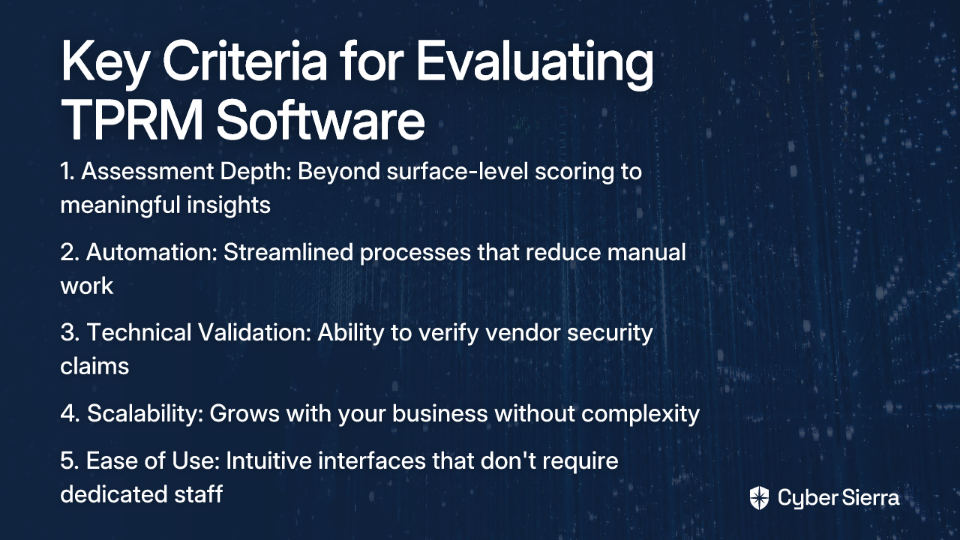
Depth of Assessment vs. Superficial Scores
Many tools provide an "outside-in view" with basic security ratings but fail to deliver meaningful insights. As one professional notes, they "don't tell you whether your third parties are doing code review or have an employee offboarding policy." Look for solutions that combine external scanning with detailed assessment capabilities.
Automation and Efficiency
Manual processes drain resources and create bottlenecks. One user described their current tool as "slow with thousands of vendors, lack of easy automation (reassigning vendors is manual and cannot be done en masse) and generally awful." Effective TPRM software should automate repetitive tasks and scale efficiently.
Validation of Technical Claims
It's crucial to verify vendor claims about their security practices. A cybersecurity professional highlighted this value: "Super helpful to check if a vendor says they've patched X, you can see if that's reflected in their external exposure." The best tools cross-reference questionnaire responses against observable security data.
Scalability and Ease of Use
Your TPRM solution should grow with your business without becoming unwieldy. Many organizations struggle with complex tools that "have the tendency to have overly complex workflow that will take a bit too much time to use," sometimes requiring "at least one dedicated employee" just for management.
Now, let's examine how the top three TPRM platforms address these needs.
The Top 3 TPRM Software Solutions
1. UpGuard Vendor Risk
UpGuard offers a comprehensive third-party risk management platform focused on data-driven security ratings and continuous monitoring.
Key Features:
- Security Ratings (0-950 scale): Assesses vendors against 70+ attack vectors, providing a credit-like score for cybersecurity posture. This quantitative approach helps prioritize vendor risks objectively.
- Continuous Monitoring & Attack Surface Scanning: Automatically tracks vendor security controls and emerging threats in real-time. This directly addresses the need for validation by comparing vendors' claims against their observable external security posture.
- Automated Questionnaires: Features AI-enhanced responses and autofill capabilities to streamline the assessment process. Supports customizable questionnaires aligned with standards like GDPR, ISO 27001, and PCI DSS.
- Remediation Tracking: Helps prioritize and monitor remediation efforts, solving the common pain of tools that "do not do a good job at repeat findings that have been remediated."
How It Solves Common Pains:
UpGuard excels at providing both depth and efficiency. Its continuous monitoring validates vendors' security claims against real-world data, while the remediation tracking ensures progress is documented. The platform strikes a balance between comprehensive assessment and streamlined processes, helping avoid the analysis paralysis that comes with overly complex questionnaires.
For more detailed information, check out UpGuard's Complete Guide to Third-Party Risk Management.
2. SecurityScorecard
SecurityScorecard provides an intuitive platform with an easy-to-understand A-F letter-grade rating system that simplifies complex security data.
Key Features:
- Letter-Grade Rating System: Employs a simple scorecard with A-F grades that highlight key risk areas and represent breach likelihood. This visual approach makes security concepts accessible to non-technical stakeholders.
- Risk Visualization & Reporting: Offers clear visual dashboards and generates "cyber board summary reports" to aid in executive-level discussions and decision-making.
- Compliance Focus: Provides strong oversight for compliance with standards like NIST 800-171, helping organizations meet regulatory requirements.
- Questionnaire Management: Automates the distribution, collection, and analysis of vendor questionnaires to improve efficiency.
How It Solves Common Pains:
SecurityScorecard's strength lies in its simplicity and stakeholder communication capabilities. The letter-grade system translates technical security concepts into business language, making it easier to secure executive buy-in. The platform's visualizations help communicate risk effectively to non-technical audiences, addressing the challenge of demonstrating TPRM value to leadership.
3. BitSight
BitSight pioneered the security ratings space and offers continuous third-party risk monitoring with strong benchmarking capabilities.
Key Features:
- Real-Time Security Ratings: Provides dynamic risk scores that help organizations gauge vendor risk as it evolves over time.
- Benchmarking: Allows businesses to compare their vendors against industry standards and peers, providing crucial context for risk evaluation.
- Attack Surface Management: Combines compliance tracking with attack surface monitoring to create a comprehensive risk profile for third parties.
- TPRM Workflow Support: Supports the entire vendor lifecycle, from onboarding to ongoing risk management.
How It Solves Common Pains:
BitSight's robust benchmarking helps organizations understand vendor risk in context, addressing the challenge of managing "brokered and purchased data to score companies." The platform's industry-specific insights enable more nuanced risk assessments, particularly valuable for organizations in heavily regulated sectors.
Honorable Mentions
While the above three lead the market, two additional solutions deserve recognition:
LogicGate: A strong performer in the Governance, Risk, and Compliance (GRC) space, recognized as a Leader in the Forrester Wave for GRC Platforms. Customers report 77% time savings in vendor onboarding and over $250,000 in annual savings. It integrates with security rating providers like SecurityScorecard, centralizing intelligence.
Venminder: A comprehensive platform used by over 1,200 customers that offers unique outsourced due diligence services (Vendiligence™) and continuous monitoring (Venmonitor™). This can help organizations with resource constraints, addressing a common pain point from user research where one organization was "using OneTrust for 2 suppliers (for more, they did not have resources)."
How to Choose the Right TPRM Software for Your Organization
Start with Your "Why"
As one Reddit user wisely advised, "Always need to start the conversation with what exactly you want to accomplish with the TPRM program first - is this for privacy/GDPR, financial regs, some other sort of requirements?" Define your goals before looking at features.
Are you primarily concerned with:
- Regulatory compliance (GDPR, HIPAA, etc.)
- Cybersecurity risk reduction
- Operational resilience
- All of the above
Your primary objectives will guide which features matter most in your evaluation.
Avoiding Common Pitfalls
Integration Capabilities
Don't overlook how well the tool will integrate with your existing systems. A TPRM solution that operates in isolation creates data silos and additional work.
User Experience
Complex tools often require dedicated resources just to manage them. As one user noted, "You'll likely need at least one dedicated employee to manage ServiceNow for configuration and customization at an enterprise level." Assess whether you have the resources to support complex solutions.
Scalability
Consider future growth. Will the tool handle 10x your current vendor count efficiently? This is particularly important if you anticipate significant business expansion.
Pro Tips for Evaluation
- Try Before You Buy: Always take advantage of free trials or demos to ensure the platform fits your team's workflow.
- Check User Reviews: Use platforms like G2 to get unbiased feedback on usability, support, and feature performance.
- Talk to Peers: Connect with other professionals in forums or user groups to hear first-hand experiences with different platforms.
Conclusion: Making an Informed Decision
Choosing the right third-party risk management software isn't just about features—it's about finding a solution that aligns with your organization's specific needs, resources, and objectives.
To summarize the strengths of our top three solutions:
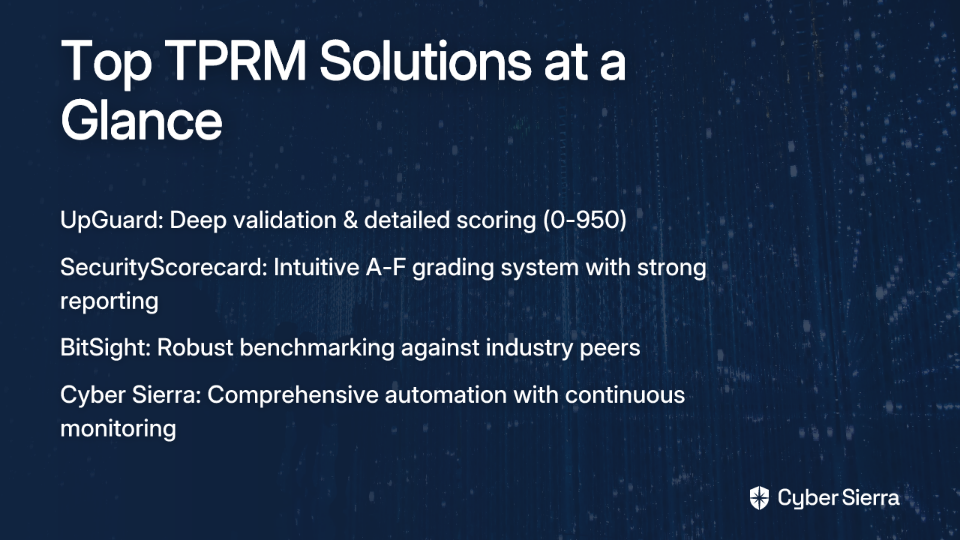
- UpGuard excels with deep validation of vendor claims, comprehensive remediation tracking, and detailed risk assessment (0-950 score).
- SecurityScorecard offers exceptional ease of use and powerful reporting with its A-F grading system, making it ideal for stakeholder communication.
- BitSight provides strong benchmarking capabilities and dynamic ratings for organizations that need to compare vendors against industry peers.
The right TPRM tool will transform your vendor management from a reactive checkbox exercise into a proactive, strategic function that genuinely reduces risk. By carefully evaluating your options against your specific needs, you can select a platform that not only addresses your current pain points but scales with your organization's growth.
Remember, effective third-party risk management isn't just about having the right software—it's about implementing processes that create a sustainable, value-adding program. The best TPRM solution is the one that enables your team to work smarter, not harder, in protecting your organization from third-party risks.
Frequently Asked Questions
What is Third-Party Risk Management (TPRM) software?
TPRM software is a specialized platform designed to help organizations identify, assess, and mitigate risks associated with their external vendors and suppliers. These tools automate the process of managing vendor relationships, moving beyond manual spreadsheets to provide continuous monitoring, security ratings, and streamlined questionnaire management to protect your organization from supply chain data breaches.
Why is managing third-party risk so important?
Managing third-party risk is crucial because vendors with access to your sensitive data can introduce significant security vulnerabilities and compliance gaps. A failure in a vendor's security can lead to financial loss, reputational damage, and regulatory fines for your organization. Effective TPRM ensures your entire supply chain adheres to your security standards.
What are the key features to look for in a TPRM solution?
The key features to look for in a TPRM solution include deep security assessments, automation of repetitive tasks, validation of technical claims, and scalability. A strong platform combines external security ratings with detailed questionnaires, automates workflows to save time, and cross-references vendor claims against observable data to ensure accuracy.
How do I choose the right TPRM software for my business?
To choose the right TPRM software, you should first define your primary goals—such as compliance or cyber risk reduction—and then evaluate solutions based on their features, scalability, and ease of use. Start by identifying what you want to accomplish with your TPRM program. Always request demos, check user reviews, and consider how the tool integrates with your existing systems before making a decision.
What is the difference between security ratings and security questionnaires?
Security ratings provide an "outside-in," objective score of a vendor's security posture based on external data, while security questionnaires provide an "inside-out" view based on the vendor's self-attested answers. Security ratings are data-driven and continuously updated by scanning a vendor's external attack surface. Questionnaires allow you to ask specific questions about internal policies. The most effective TPRM solutions combine both to validate claims.
How can TPRM software help with compliance like GDPR?
TPRM software helps with compliance like GDPR by providing tools to assess vendor adherence to regulatory requirements and maintain necessary documentation. Platforms often include pre-built questionnaires mapped to specific regulations like GDPR, HIPAA, or PCI DSS. This centralizes your compliance evidence, helps you document due diligence, and demonstrates a proactive approach to managing third-party regulatory risk.
