What's the Encryption Requirements for HIPAA?



Join thousands of professionals and get the latest insight on Compliance & Cybersecurity.
You've just been handed responsibility for HIPAA compliance at your healthcare organization. As you start digging into the regulations, you find yourself confused by seemingly contradictory information. Is encryption actually required for data on your desktops and servers? What about those internal emails with patient information? And what happens if someone accesses work emails on their personal phone?
If you're feeling overwhelmed, you're not alone. Healthcare professionals and IT administrators frequently express uncertainty about HIPAA's encryption requirements, with one practice owner admitting they're "struggling to fully understand what's required for HIPAA compliance management."
The truth is that HIPAA's language on encryption creates significant confusion. The term "addressable" is particularly misleading - making many believe encryption is optional when it's actually far from it.
This guide will demystify HIPAA's encryption standards. We'll explain what "addressable" truly means, detail the specific encryption requirements you need to follow, and offer practical solutions for protecting Protected Health Information (PHI) in all its forms.
The stakes are high: Athens Orthopedic Clinic faced $1.5 million in penalties due to inadequate security measures, including lack of encryption, which compromised the data of over 208,000 individuals. Let's make sure your organization doesn't become another cautionary tale.
The "Addressable" Requirement: What HIPAA Actually Says About Encryption
HIPAA's Security Rule doesn't issue a blanket command to "encrypt everything." Instead, encryption is classified as an "addressable" implementation specification under 45 CFR 164.312.
This classification creates the primary source of confusion. Many incorrectly interpret "addressable" to mean "optional," but this is a dangerous misunderstanding.
"Addressable" actually means an organization must:
- Assess: Conduct a formal risk assessment to determine if encryption is a "reasonable and appropriate" safeguard for their specific environment.
- Implement (If Necessary): If the risk assessment indicates significant risk of unauthorized access to ePHI (such as through stolen laptops or breached networks), encryption must be implemented.
- Document & Justify (If Not Implemented): If the organization decides not to implement encryption, they must formally document why it wasn't reasonable or appropriate and implement an equally effective alternative security measure.

As one healthcare professional aptly noted, "It being 'addressable' means that if you don't encrypt you really need to document what you're doing instead to prevent data theft."
The landscape changed significantly with the HITECH Act amendment (HR 7898) in 2021. This amendment allows the HHS Office for Civil Rights (OCR) to potentially reduce penalties for organizations that can demonstrate "recognized security practices" in place for the preceding 12 months. Implementing strong encryption based on NIST standards qualifies as such a practice, making encryption not just a security measure but a crucial part of legal and financial risk management.
The Two Pillars of HIPAA Encryption: At Rest vs. In Transit
HIPAA requires covered entities to protect electronic PHI (ePHI) in two fundamental states:
Securing Data at Rest
"Data at rest" refers to any ePHI that is stored electronically and not actively moving. This includes:
- Patient records on server hard drives
- Medical images on workstation SSDs
- Billing information on laptops
- Backup files on external drives or tapes
- Patient data on mobile devices
The HIPAA Security Rule points to National Institute of Standards and Technology (NIST) Special Publication 800-111, "Guide to Storage Encryption Technologies for End User Devices," as the benchmark standard for securing data at rest.
Recommended encryption methods include:
- Full Disk Encryption (FDE): Encrypts the entire storage volume, making it the most comprehensive solution for laptops and desktops. BitLocker for Windows is a common tool that helps meet this requirement.
- Virtual Disk Encryption (VDE): Essential for securing data within virtual machines, crucial for modern cloud and on-premise server environments.
- File/Folder-Level Encryption: Encrypts specific files or folders containing ePHI, adding a granular layer of security.
Hardware considerations: Many professionals wonder about the necessity of a Trusted Platform Module (TPM) chip. While BitLocker can work without one, using a TPM provides hardware-level protection for encryption keys, making your encryption significantly stronger. For around $20 (as one user noted), it's a highly recommended security enhancement.
One crucial warning: encryption is only as strong as your key management. Avoid storing encryption keys in "an unencrypted location" - a worrying practice some have observed in healthcare settings.
Protecting Data in Transit
"Data in transit" (or data in motion) refers to ePHI that is actively moving from one location to another, typically across a network. Examples include:
- Sending an email with patient test results
- Accessing a cloud-based EHR system
- Transferring billing files to a third-party service
- Remote providers connecting to your network
For data in transit, HHS points to two key NIST publications:
- NIST SP 800-52 Rev. 2: "Guidelines for the Selection, Configuration, and Use of Transport Layer Security (TLS) Implementations"
- NIST SP 800-77 Rev. 1: "Guide to IPsec VPNs"
Recommended encryption protocols include:
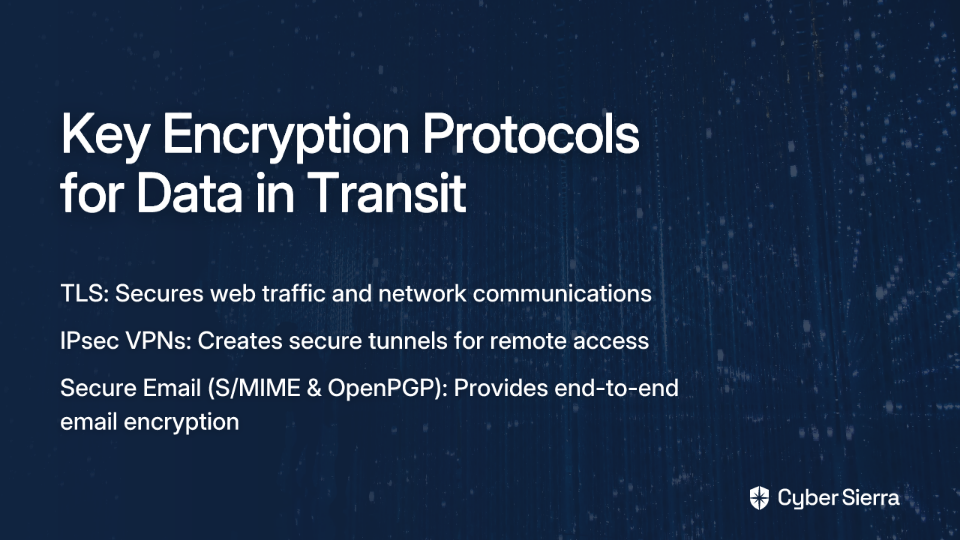
- TLS (Transport Layer Security): The modern standard that secures web traffic (HTTPS) and other network communications. It should be enabled for all systems handling ePHI.
- IPsec VPNs: Used to create secure, encrypted "tunnels" for remote employees or to connect different office locations, ensuring all traffic between them is protected.
- Secure Email (S/MIME & OpenPGP): Standards for end-to-end email encryption, though they can be complex to manage without a dedicated solution.
Practical Encryption Strategies for Common Challenges
The industry-accepted algorithm for HIPAA-compliant encryption is the Advanced Encryption Standard (AES). While 128-bit keys meet the minimum requirement, AES-256 is recommended for best security practices.
Solving the Email Encryption Dilemma
Many healthcare professionals express being "overwhelmed by the realization of the sheer volume of emails containing PHI" that need securing. Some common questions include:
Do internal emails need encryption? There's a common misconception that emails sent within your organization don't need encryption. While the risk may be lower behind a firewall, an internal breach (due to malware or an insider threat) would expose all unencrypted PHI. Best practice is to encrypt all communications containing PHI, regardless of destination.
How can we make email encryption manageable? Instead of relying on users to remember to encrypt sensitive emails, implement automation. As one IT administrator suggested: "Set an outgoing message rule to use modern encryption with a keyword and train your staff to use the keyword to encrypt."
Systems like Microsoft O365 allow administrators to create DLP (Data Loss Prevention) rules that automatically detect sensitive information (like patient IDs) or keywords (like "#secure") and enforce encryption accordingly.
Securing BYOD (Bring Your Own Device)
A common concern is: "What about when people BYOD and open work emails with PHI?"
Any personal device accessing ePHI falls under the scope of HIPAA's Security Rule. To address this challenge:
- Implement Mobile Device Management (MDM) solutions that can enforce device-level encryption
- Require strong passcodes/biometric authentication
- Create containerized environments that separate work data from personal data
- Enable remote wiping capabilities for lost or stolen devices
Third-Party Vendors and Business Associate Agreements (BAAs)
Remember that you're responsible for the compliance of your vendors. A signed Business Associate Agreement (BAA) is mandatory for any third-party service that will store, process, or transmit ePHI on your behalf, including:
- Cloud storage providers
- Email services
- EHR systems
- Billing companies
- IT support vendors
The BAA is a legal contract that obligates the vendor to protect PHI according to HIPAA rules, including appropriate encryption requirements.
The Payoff: Why Strong Encryption is a "Get Out of Jail Free Card"
Beyond compliance, there's a compelling practical reason to implement strong encryption: it can literally save your organization from disaster.
As one healthcare security expert colorfully put it, encryption is like a "get out of jail free card" for HIPAA breaches. Here's why:
Under the Breach Notification Rule, if unsecured (unencrypted) ePHI is breached, your organization must notify affected individuals, HHS, and potentially the media. This leads to investigations, potential fines, and significant reputational damage.

However, if the breached data was properly encrypted according to NIST standards, it's considered "unreadable, unusable, and indecipherable." This means the incident does not qualify as a notifiable breach, potentially saving your organization from a crisis.
The Cost of Getting It Wrong (Case Study)
The Athens Orthopedic Clinic case mentioned earlier provides a sobering example of the consequences of inadequate encryption. Their $1.5 million settlement was directly related to failing to conduct a proper risk analysis and implement basic security measures, including encryption, after a hacking group stole a database containing the PHI of 208,557 individuals.
Conclusion: Making Encryption the Cornerstone of Your HIPAA Compliance
To summarize what we've covered about encryption requirements for HIPAA:
- Encryption is an "addressable" but fundamentally essential HIPAA safeguard
- The decision to use encryption must be driven by a documented risk assessment
- You must protect ePHI both at rest (NIST SP 800-111) and in transit (NIST SP 800-52)
- Following best practice means encrypting everything - at rest and in transit
- Proper encryption implementation provides significant protection against breach notification requirements

While HIPAA compliance can be complex, especially for small practices, encryption represents one of the most straightforward and effective security measures you can implement. As one practice owner advised, if you're struggling with compliance, "work with a professional that knows what they are doing" or consider using "HIPAA compliance software that helps you manage your practice HIPAA compliance."
Remember that encryption is not just about avoiding penalties - it's about protecting your patients' sensitive information and maintaining their trust. In today's digital healthcare environment, robust encryption isn't just good compliance - it's good medicine.
For organizations looking for a streamlined path to compliance, tools like Sprinto can help automate monitoring and evidence collection for HIPAA's technical safeguards, including encryption requirements.
Frequently Asked Questions About HIPAA Encryption
Is encryption mandatory under HIPAA?
No, encryption is not strictly mandatory, but it is an "addressable" safeguard that is almost always required. A formal risk assessment must be conducted, and if you choose not to encrypt, you must document your reasoning and implement an equally effective alternative, which can be difficult to justify in the event of a breach.
What's the difference between encrypting data "at rest" and "in transit"?
Encrypting data "at rest" protects information stored on devices like servers, laptops, and hard drives. Encrypting data "in transit" protects information as it moves across a network, such as in an email or during a transfer to a cloud service. HIPAA requires organizations to address the security risks for both states of data.
How can I ensure emails containing PHI are secure?
To secure emails with PHI, you should use an end-to-end encryption solution. Modern email platforms like Microsoft O365 can automatically encrypt emails containing sensitive data by setting up Data Loss Prevention (DLP) rules. This removes the burden from staff to manually encrypt every sensitive message.
What encryption standard does HIPAA recommend?
HIPAA points to standards set by the National Institute of Standards and Technology (NIST). The recommended encryption algorithm is the Advanced Encryption Standard (AES), specifically AES-256, for both data at rest and in transit to ensure robust security.
Does HIPAA apply to employee-owned devices (BYOD)?
Yes, any personal device that accesses, stores, or transmits ePHI falls under HIPAA's Security Rule. Organizations must have policies and technical controls, such as Mobile Device Management (MDM) solutions, to enforce encryption, require strong passcodes, and enable remote wiping on these devices.
Can encryption prevent me from having to report a data breach?
Yes, in many cases. According to the HIPAA Breach Notification Rule, if stolen or lost data was properly encrypted according to NIST standards, it is considered unusable and indecipherable. Therefore, the incident does not qualify as a notifiable breach, saving your organization from mandatory patient notifications, potential fines, and reputational damage.
Additional Resources:
- NIST SP 800-111: Guide to Storage Encryption Technologies
- NIST SP 800-52: Guidelines for TLS Implementations
- NIST SP 800-77: Guide to IPsec VPNs
- HHS Guidance on Securing ePHI
- HIPAA Journal's Guide to Encryption