



Top Audit Evidence Management Tools for Enterprise GRC Teams in 2025


Join thousands of professionals and get the latest insight on Compliance & Cybersecurity.
Are you drowning in screenshots, losing sleep over audit deadlines, and watching your team waste countless hours on manual evidence collection? You're not alone. For enterprise GRC teams, the struggle is real—and expensive.
A 2024 survey revealed that 32% of businesses faced audit-related financial liabilities exceeding $1 million, with 31% requiring over 10 employees just to manage audit tasks. Meanwhile, your auditors remain "absolutely convinced that these files would be too easy to fake and demand that we capture screenshots instead," as one frustrated IT manager put it.
The good news? A new generation of audit evidence management tools is transforming this chaotic process into a streamlined, automated workflow. This article guides you through the top solutions for 2025 that can help you escape "spreadsheet hell" and build a more efficient compliance program.
The Breaking Point: Why Manual Evidence Collection Fails at Scale
If your current audit process involves "manually SSH to the server...run the command and scroll up once" to capture evidence, you're experiencing what thousands of GRC professionals quietly suffer through.
The Screenshot Paradox
Manual evidence collection creates a frustrating paradox. Auditors often reject simple text outputs, forcing teams into tedious screenshotting that includes proof of which server they're connected to. Yet these screenshots are still "trivial to fake," creating a situation where "the only other option is literally having the auditors sit next to us" during evidence collection.
For enterprises managing "a fleet of thousands of servers" requiring weekly PCI compliance checks, this approach simply doesn't scale.
The Collaboration Nightmare
Then comes the coordination nightmare: "So many spreadsheets. And needing to add updates but Joe has it open. Teams-Joe, I need the Tech Review sheet when you're done. Multiple times per day."
The result? A fragmented workflow using "Excel + SNOW or Sheets + JIRA, sprinkle in copies of emails with the word 'APPROVED'" that wastes time and increases the risk of human error.
The Investment Dilemma
Many organizations find themselves caught in a cycle of disappointment: "We bought a GRC tool and it didn't deliver as promised. So now we're getting by with excel, planner, sharepoint, and azure devops."
Others perceive GRC tools as an "entire racket" with "absurd" costs, where "you have to pay extra for every little thing." This skepticism is precisely why choosing the right tool with the right features is critical.
Key Features to Look For in an Audit Evidence Management Tool
As you evaluate solutions for 2025, these six capabilities should top your checklist:
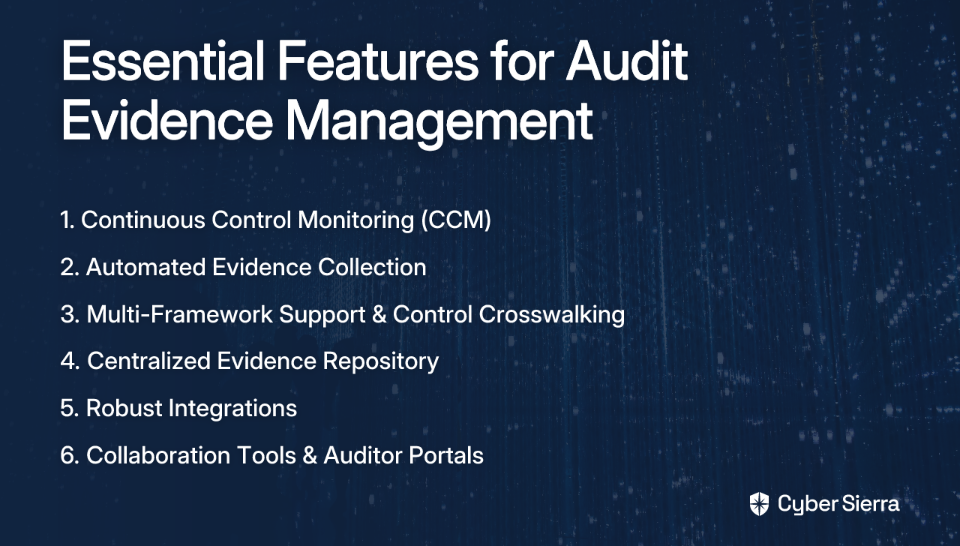
1. Continuous Control Monitoring (CCM)
What it is: Automation that tests and monitors security controls in near real-time, shifting compliance from a point-in-time snapshot to an ongoing state.
Why it matters: CCM provides proactive risk management and eliminates last-minute fire drills before an audit. It gives you confidence that your controls are operating effectively day-to-day, not just when you're preparing for auditors.
2. Automated Evidence Collection
What it is: The ability to automatically pull evidence from your tech stack (cloud providers, identity providers, etc.) without manual intervention.
Why it matters: This drastically reduces the manual effort of taking screenshots or running commands. For teams spending "hours on tedious collection tasks," automation reclaims valuable time while improving evidence integrity.
3. Multi-Framework Support and Control "Crosswalking"
What it is: The capacity to manage multiple compliance standards (SOC 2, ISO 27001, PCI DSS, GDPR, HIPAA) in one place, with "crosswalking" that maps a single piece of evidence to controls across multiple frameworks.
Why it matters: Enterprises rarely adhere to just one framework. This feature prevents duplicating effort by allowing teams to "test once, comply with many," saving hundreds of hours of redundant work.
4. Centralized Evidence Repository and Audit Trails
What it is: A single source of truth where all evidence is stored, versioned, and timestamped, with detailed audit logs showing who did what and when.
Why it matters: It solves the problem of managing "large volumes of screenshots and keeping them organized." A centralized repository provides a clear, defensible audit trail that builds trust with auditors.
5. Robust Integrations
What it is: Native connections to the tools your organization already uses—cloud infrastructure (AWS, Azure), version control (GitHub), HRIS (Rippling), endpoint security, and more.
Why it matters: Integrations are the engine behind automated evidence collection. A tool with broad integration capabilities will provide more comprehensive and automated compliance coverage.
6. Collaboration Tools & Dedicated Auditor Portals
What it is: Features designed for teamwork, including task assignments, comments, and a secure, read-only portal for external auditors to review evidence directly.
Why it matters: This eliminates the need for endless email chains and shared drives. An auditor portal streamlines the audit itself, reducing back-and-forth and giving auditors the access they need without compromising security.
A Review of the Top Audit Evidence Management Tools for 2025
AuditBoard
Overview: A cloud-native platform focused on unifying audit, risk, compliance, and ESG into a single "connected risk platform." It's frequently praised for its user-friendly interface.
Key Features: Automated workflows for audits, centralized dashboard, collaboration tools for risk management, and issues tracking.
Ideal For: Teams looking for a strong internal audit and SOX compliance tool with a modern user experience.
MetricStream
Overview: A comprehensive, enterprise-grade GRC platform recognized as a leader by IDC MarketScape. It integrates risk, compliance, audit, and cybersecurity functions.
Key Features: AI-powered continuous control monitoring, regulatory change management, ESG compliance, and low-code/no-code customization options.
Ideal For: Large, mature enterprises needing a highly configurable, all-in-one GRC solution to manage complex global regulations.
Archer (RSA)
Overview: Often called the "SAP of GRC tools," Archer is a powerful and extensive platform for mature GRC programs. It's described as a "beast of a tool that is only realistic for a more mature GRC org with dedicated staff."
Key Features: Proactive risk management, intuitive dashboards, flexible assessment modules, and strong focus on third-party risk management and audit planning.
Ideal For: Large corporations with dedicated GRC teams that require deep customization and have the resources to manage a complex implementation.
Drata
Overview: A security and compliance automation platform focused on continuous monitoring, especially popular with tech companies and startups aiming for SOC 2 and ISO 27001 compliance.
Key Features: Centralized evidence repository, automated workflows, and deep integrations with cloud services.
Ideal For: Cloud-native companies looking to automate compliance for frameworks like SOC 2 from the ground up. Note that user research indicates potential limitations for specific environments like GCC High, so due diligence is key.
Hyperproof
Overview: A compliance operations platform designed to streamline evidence collection and control management across multiple frameworks.
Key Features: Controls integration, collaboration tools for audits, centralized audit tracking, and continuous controls monitoring capabilities.
Ideal For: Organizations seeking a focused solution to manage control mapping and automate proof collection efficiently.
Scrut
Overview: An information security compliance platform that automates evidence collection and helps organizations become audit-ready quickly.
Key Features: Automated evidence collection via integrations, pre-mapped controls with continuous monitoring, multi-framework support (50+ frameworks), and dedicated auditor portal.
Ideal For: Mid-market and enterprise companies looking for a fast path to becoming audit-ready for multiple frameworks simultaneously.
Beyond a Single Tool: The Power of an Integrated GRC Platform
While the tools above offer powerful capabilities, stitching together different solutions for TPRM, threat intelligence, and compliance can recreate the same siloed issues as spreadsheets. This is where platforms that unify multiple GRC functions shine.
An integrated platform provides a single source of truth not just for audit evidence, but for the entire risk and compliance posture.
Integrated Solutions: The Cyber Sierra Approach
Cyber Sierra exemplifies this integrated approach with its AI-enabled platform designed to simplify and automate enterprise security compliance.
Its Governance, Risk & Compliance (GRC) module directly addresses evidence management by automating data collection, generating detailed audit trails, and managing multiple frameworks (SOC2, ISO 27001, HIPAA).
What sets it apart is the Continuous Control Monitoring (CCM) module, which provides ongoing, near real-time visibility into security controls. This moves teams from periodic, manual checks to a proactive stance, automatically detecting exceptions and building a central controls repository—a key feature we identified as essential.
By integrating GRC and CCM with Third-Party Risk Management (TPRM) and Threat Intelligence, Cyber Sierra provides a unified view of risk, helping teams move beyond just passing an audit to truly managing security posture.
How to Choose the Right Solution for Your Enterprise
Start with Your Goals
Don't just buy a tool. First, ask: "What problem are you trying to solve? What are the goals of the company?" Are you trying to pass your first SOC 2 audit, manage a complex multi-framework program, or integrate risk across the entire enterprise?
Follow a Structured Preparation Process
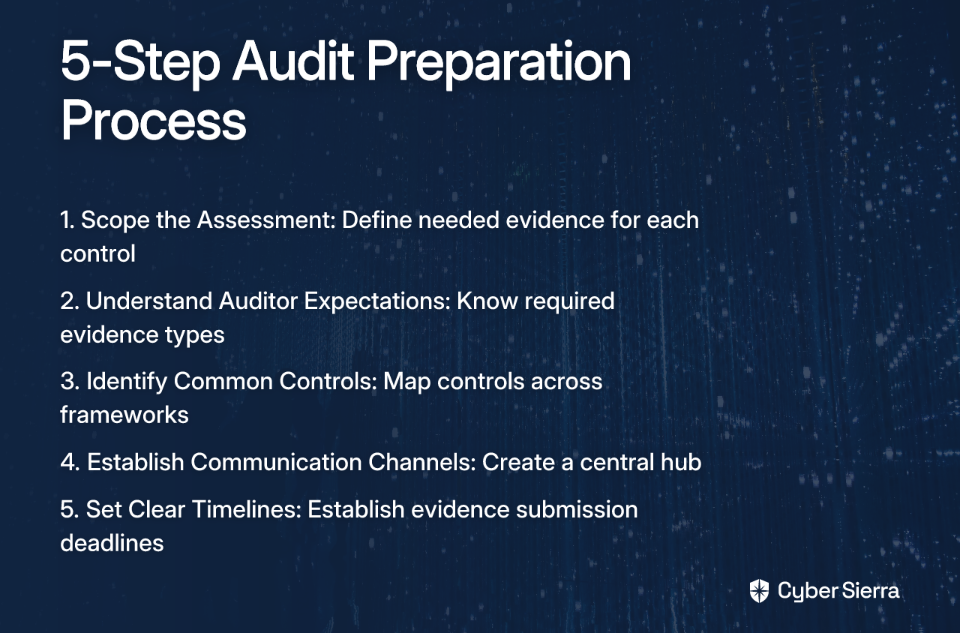
- Scope the Assessment: Clearly define what evidence is needed for which controls.
- Understand Auditor Expectations: Know what types of evidence they require (policies, procedures, system configurations, etc.).
- Identify Common Controls: Use crosswalking to map controls across different frameworks to minimize redundant work.
- Establish Communication Channels: Use the chosen tool to create a central hub for all stakeholders.
- Set Clear Timelines: Establish deadlines for evidence submission to keep the audit on track.
Plan for Implementation
- Get Executive Support: Ensure buy-in from management to secure resources and drive adoption.
- Pilot Testing: Start with a pilot implementation for a single department or framework to work out kinks.
- Develop Training Programs: Create tailored training for all users to ensure they understand how to use the platform effectively.
(Process adapted from MetricStream)
Conclusion
The days of managing GRC with spreadsheets and manual screenshots are numbered. The financial and operational costs are simply too high. For 2025, the focus is on automation, continuous monitoring, and integrated platforms that can transform your compliance program from a reactive burden to a strategic asset.
The right tool isn't just about passing the next audit; it's about building a resilient and efficient security program that supports your business objectives. By selecting a solution that addresses the key features outlined above, you can move from a reactive "audit-ready" mindset to a proactive, "always-compliant" posture that better serves your organization.
Frequently Asked Questions
What is an audit evidence management tool?
An audit evidence management tool is a software solution that automates the collection, storage, and organization of evidence required for compliance audits like SOC 2, ISO 27001, and PCI DSS. It replaces manual processes like taking screenshots and managing spreadsheets by integrating directly with your tech stack (e.g., AWS, Azure, GitHub) to pull proof of compliance automatically. This streamlines audits, reduces human error, and provides a centralized repository for all evidence.
Why is manual evidence collection no longer effective for enterprise teams?
Manual evidence collection is no longer effective because it doesn't scale for modern enterprises, is prone to human error, and is incredibly time-consuming and expensive. For teams managing hundreds or thousands of systems, manually taking screenshots, running commands, and organizing files in spreadsheets leads to a high risk of errors, version control nightmares, and significant productivity loss. This high-effort, low-trust process drains resources that could be better spent on strategic security initiatives.
What is the most important feature to look for in an audit evidence management tool?
While several features are important, automated evidence collection through deep integrations is arguably the most critical. This capability directly solves the primary pain point of manual labor by connecting to your cloud providers, identity systems, and version control to pull evidence automatically. This is often powered by Continuous Control Monitoring (CCM), which ensures your controls are always being checked, not just during audit season, providing a proactive approach to compliance.
How does "control crosswalking" save time during audits?
Control crosswalking saves time by mapping a single piece of evidence to multiple compliance requirements across different frameworks. Instead of collecting separate evidence for a similar control in SOC 2, ISO 27001, and PCI DSS, you can "test once, comply with many." For example, evidence for an access control policy can satisfy requirements in all three frameworks. This feature drastically reduces redundant work and ensures consistency across your compliance program.
What is the difference between a standalone compliance tool and an integrated GRC platform?
A standalone compliance tool focuses specifically on automating evidence collection for audits, while an integrated GRC platform combines compliance with other functions like risk management, threat intelligence, and third-party risk management (TPRM). A standalone tool is excellent for solving an immediate audit problem for specific frameworks. An integrated platform provides a holistic view of your organization's entire risk posture, making it a better long-term investment for building a mature, enterprise-wide program.
How can I justify the cost of an audit evidence management tool to my leadership?
You can justify the cost by focusing on the significant return on investment (ROI) from three key areas: reduced labor costs, lower risk of fines, and improved operational efficiency. Calculate the hours your team currently spends on manual evidence collection to show direct savings. Highlight the financial liabilities of failed audits and fines for non-compliance. Finally, explain how automation frees up skilled employees to focus on strategic security initiatives instead of tedious tasks, strengthening the company's overall security posture.
