



How to Implement Continuous Controls Monitoring in Your Organization



Join thousands of professionals and get the latest insight on Compliance & Cybersecurity.
Summary
- Traditional annual audits are inefficient and leave security gaps open for long periods; data breaches take an average of 277 days to identify and contain.
- Continuous Controls Monitoring (CCM) transforms compliance from a periodic, manual scramble into an automated process that provides real-time visibility into your security posture.
- By implementing CCM, you can proactively identify control failures as they happen, streamline audit preparation, and significantly reduce manual evidence-gathering.
- A dedicated platform is key for success; Cyber Sierra’s Continuous Control Monitoring (CCM) module automates data collection and testing to simplify your transition to proactive compliance.
You've just spent weeks gathering evidence for your annual SOC 2 audit. Your team is exhausted from the mad scramble of collecting screenshots, pulling logs, and tracking down process owners across departments. Meanwhile, regular security work has piled up, creating a dangerous backlog. And the worst part? You'll have to do it all again next year.
If this scenario sounds painfully familiar, you're not alone. Organizations across industries struggle with the coordination challenges of compliance checks, the inefficiency of tracking tasks in spreadsheets, and the constant pressure to be "audit-ready" at all times.
According to IBM's Cost of a Data Breach Report, it takes an average of 277 days to identify and contain a data breach. This alarming statistic highlights a critical gap in traditional, point-in-time compliance approaches: by the time you discover a control failure during your annual audit, the damage may already be done.
This is where Continuous Controls Monitoring (CCM) comes in—transforming security from periodic, manual checks to an "audit in motion" strategy that provides real-time visibility into your security and compliance posture. In this guide, we'll provide a clear, practical roadmap for implementing CCM in your organization, helping you move from reactive compliance to proactive risk management.
What is Continuous Controls Monitoring (CCM) and Why Does It Matter?
Continuous Controls Monitoring is the automated, ongoing tracking of compliance, risk management, and security controls implemented in an organization. It moves security from a point-in-time snapshot to a continuous live feed, enabling you to identify and address issues as they occur, not weeks or months later during an audit.
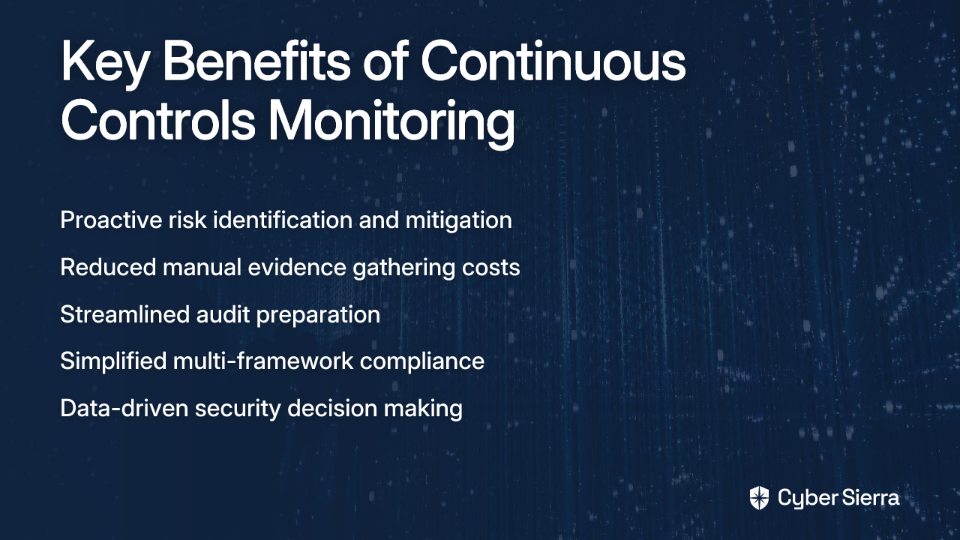
The Key Benefits of CCM
Proactive Risk Management: Instead of discovering issues during an annual audit, CCM allows you to identify vulnerabilities and control gaps in near real-time, before they can be exploited. This directly reduces the risk of breaches and security incidents.
Increased Efficiency and Cost Reduction: CCM automates the laborious process of manual evidence gathering, freeing up valuable human resources from low-value testing. By identifying control deficiencies early, you can cut remediation costs and avoid hefty non-compliance penalties.
Streamlined Audits & Multi-Compliance Management: CCM creates a centralized control repository that serves as a single source of truth for auditors. This significantly reduces the stress and disruption of audit preparation. It also simplifies the management of multiple compliance frameworks (e.g., NIST 800-53, ISO 27001, SOC 2, PCI DSS, GDPR) by mapping controls across them.
Enhanced, Data-Driven Decision-Making: CCM provides executives and risk managers with actionable risk intelligence and clear dashboards, enabling better strategic decisions about resource allocation and security investments.
A Step-by-Step Guide to Implementing CCM in Your Organization
Step 1: Identify Key Processes and Prioritize Controls
Don't attempt to monitor everything at once. Start by identifying high-impact processes and prioritizing controls based on risk.
How to implement:
- Review historical data from internal audits and risk assessments to identify past issues
- Focus on processes tied directly to strategic goals or those with high-risk exposure
- Prioritize controls based on risk ranking, regulatory requirements, and business objectives
Step 2: Define Clear Control Objectives
For each control, clearly articulate what it is meant to achieve. This clarity is essential for effective monitoring.
How to implement:
- Align each objective with business goals and specific requirements of relevant compliance frameworks
- Use specific, measurable language
- Example: For an access control, the objective might be: "To ensure that user access to critical systems is reviewed on a quarterly basis to enforce the principle of least privilege, in line with SOC 2 (CC6.2) requirements."
Step 3: Set Up Automated Tests and Define Metrics
This is the core of automation. Replace manual spot-checks with continuous, automated tests.
How to implement:
- Design tests in a simple pass/fail format for clarity
- Leverage existing tools and APIs to collect data automatically
- Example Automated Tests:
- Access Management: A script runs hourly to query Active Directory and HR systems, flagging any accounts belonging to terminated employees that are still active.
- Configuration Management: A test continuously scans cloud environments (AWS, Azure, GCP) for publicly accessible storage buckets or databases without encryption enabled, performing automated CIS checks.
- Vulnerability Management: An automated check verifies that all critical vulnerabilities identified by scanners are patched within the defined 14-day SLA.
Step 4: Determine Monitoring Frequency
The frequency of monitoring should align with the control's criticality.
How to implement:
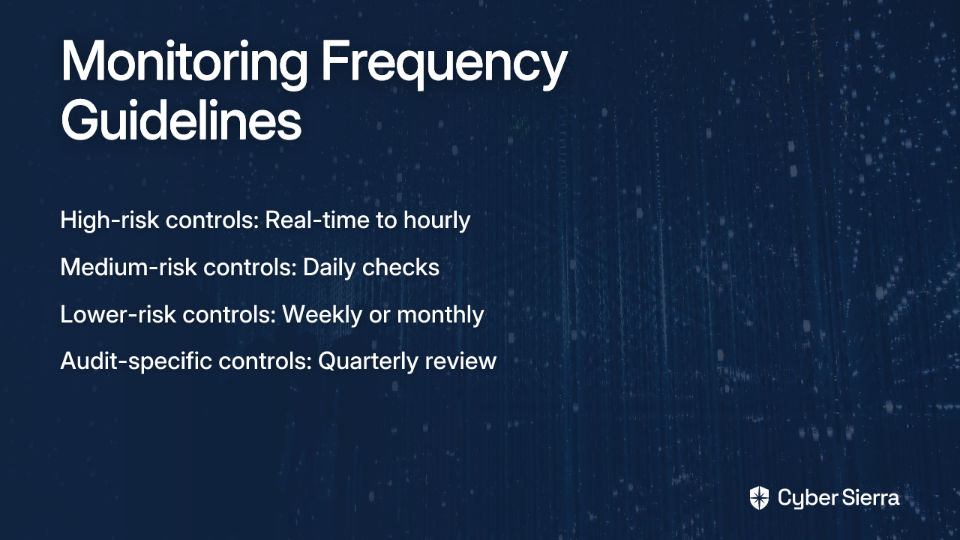
- High-risk controls (e.g., firewall rule changes, privileged access) should be monitored in near real-time or hourly
- Medium-risk controls (e.g., patch management) can be monitored daily
- Lower-risk controls (e.g., completion of annual security training) can be monitored weekly or monthly
This structured approach directly addresses the user pain point of "complexity in managing review frequency" for compliance assessments.
Step 5: Establish Monitoring, Reporting, and Remediation Workflows
An alert is useless without a clear action plan.
How to implement:
- Use Key Risk Indicators (KRIs) to track control performance over time
- Configure real-time alerts for control failures or anomalies
- Define a clear, automated workflow for remediation:
- Who is notified when a control fails?
- How is the task assigned and tracked (e.g., auto-create a Jira ticket)?
- What is the SLA for remediation?
- How is the fix verified and documented as evidence?
Prerequisites for a Successful CCM Program
Prerequisite 1: A Centralized Data Management System
Spreadsheets and shared drives are inadequate for effective CCM. A successful program requires a central hub to manage controls, policies, evidence, and documentation. This directly addresses the user desire for "centralized documentation and access management" in compliance processes.
When compliance documentation is scattered across various systems and departments, it becomes nearly impossible to maintain visibility and ensure accountability. A centralized repository ensures that all stakeholders have access to the same, up-to-date information.
Prerequisite 2: An Automation-Enabled GRC or CCM Platform
Implementing CCM at scale is impossible without the right technology. You need a GRC solution that can integrate with your existing tech stack (cloud platforms, identity providers, endpoint management) to automate data collection and testing.
This is where platforms like Cyber Sierra become essential. The Continuous Control Monitoring (CCM) module provides a central repository, automates control testing across dozens of integrations, and delivers the actionable risk intelligence needed to move from theory to practice. It helps solve the coordination and visibility challenges that bog down security teams.
Prerequisite 3: Cross-Functional Collaboration
CCM is not just a security initiative. It requires buy-in and collaboration from IT, compliance, internal audit, and the business process owners who represent the first line of defense.
To foster this collaboration:
- Establish clear roles and responsibilities for control ownership
- Provide training on the importance of continuous monitoring
- Share success metrics and improvements to demonstrate value
Common Use Cases of CCM in Action
To make CCM more tangible, here are some common use cases:
Access Management: Automatically verifying that every new employee has completed security training before their access is provisioned, and that access rights are promptly revoked when employees depart.
Change Management: Instantly detecting unapproved or insecure changes to production systems or cloud configurations, ensuring all changes follow established procedures.
Industry-Specific Examples: (Cybersierra)
- Healthcare: Continuously monitoring access logs for systems containing PHI to ensure HIPAA compliance and detect unauthorized activity.
- Retail & E-commerce: Automating checks on payment processing configurations to maintain PCI DSS compliance and prevent fraud.
- Financial Services: Monitoring internal controls and detecting transaction anomalies in real-time to meet stringent financial regulations.
Conclusion: Moving from Reactive to Proactive Security
Implementing CCM represents a strategic evolution from a reactive, compliance-driven checklist to a proactive, security-first culture. It's an ongoing process of design, measurement, and refinement, not a one-time project.
The benefits are clear: enhanced security through early detection, significant cost and time savings from automation, and stress-free audits with readily available evidence. Most importantly, CCM transforms compliance from a burdensome checkbox exercise to a valuable strategic asset that provides continuous assurance to stakeholders.
Moving away from manual processes can feel daunting, but the right platform can accelerate your journey. If you're ready to build a resilient and automated compliance program, explore how Cyber Sierra's integrated GRC and CCM platform can provide the visibility and control you need. Book a demo to see how automation can transform your security posture.
Frequently Asked Questions (FAQ)
What is the main difference between traditional compliance and Continuous Controls Monitoring (CCM)?
The main difference is that traditional compliance is a point-in-time activity, typically done annually, while Continuous Controls Monitoring (CCM) is an ongoing, automated process. Traditional audits provide a snapshot of your security posture at a specific moment, often involving a frantic, manual scramble to gather evidence. CCM transforms this into a real-time "audit in motion," continuously tracking controls to identify and address issues as they happen, not months later.
How does Continuous Controls Monitoring improve security?
CCM improves security by enabling proactive risk management through the real-time identification of control failures and vulnerabilities. Instead of discovering a misconfiguration or a security gap during an annual audit—long after potential damage has occurred—CCM provides immediate alerts. This allows security teams to remediate issues before they can be exploited, significantly reducing the window of exposure and the overall risk of a data breach.
What are the first steps to implement a CCM program?
The first steps to implement a CCM program are to identify key business processes and prioritize your most critical security controls based on risk. Avoid a "boil the ocean" approach. Start by analyzing past audit findings and risk assessments to pinpoint high-impact areas. Focus on controls tied to regulatory requirements and strategic business objectives. Once prioritized, you can define clear objectives and begin setting up automated tests for this smaller, manageable set of controls.
Is CCM only for large enterprises?
No, Continuous Controls Monitoring is beneficial for organizations of all sizes, not just large enterprises. While large enterprises have complex compliance needs, small and medium-sized businesses also face significant security risks and audit burdens. CCM platforms can scale to fit different organizational needs, helping smaller teams automate laborious tasks, manage compliance efficiently, and maintain a strong security posture without needing a large, dedicated compliance department.
What kind of tools are needed for CCM?
A successful CCM program requires a centralized GRC (Governance, Risk, and Compliance) or a dedicated CCM platform capable of automation. Spreadsheets and manual tracking are insufficient for effective CCM. You need a solution that can integrate with your existing tech stack (e.g., cloud providers, identity systems, security scanners) to automatically collect evidence and test controls. Platforms like Cyber Sierra provide this central repository, automation engine, and reporting dashboards needed to manage CCM effectively.
How does CCM help with multiple compliance frameworks like SOC 2 and ISO 27001?
CCM simplifies managing multiple compliance frameworks by creating a centralized repository where a single control can be mapped to requirements across various standards. Many frameworks have overlapping requirements (e.g., access control, change management). With CCM, you can test a control once and use the evidence to satisfy requirements for SOC 2, ISO 27001, PCI DSS, and others simultaneously. This "test once, comply many" approach drastically reduces redundant work and ensures consistency across all your compliance obligations.
