



10 Best Compliance Automation Software for Enterprise Security Teams


Join thousands of professionals and get the latest insight on Compliance & Cybersecurity.
Summary
- Manual compliance for multiple frameworks like SOC 2 and ISO 27001 is inefficient and costly, but automation can significantly reduce these expenses.
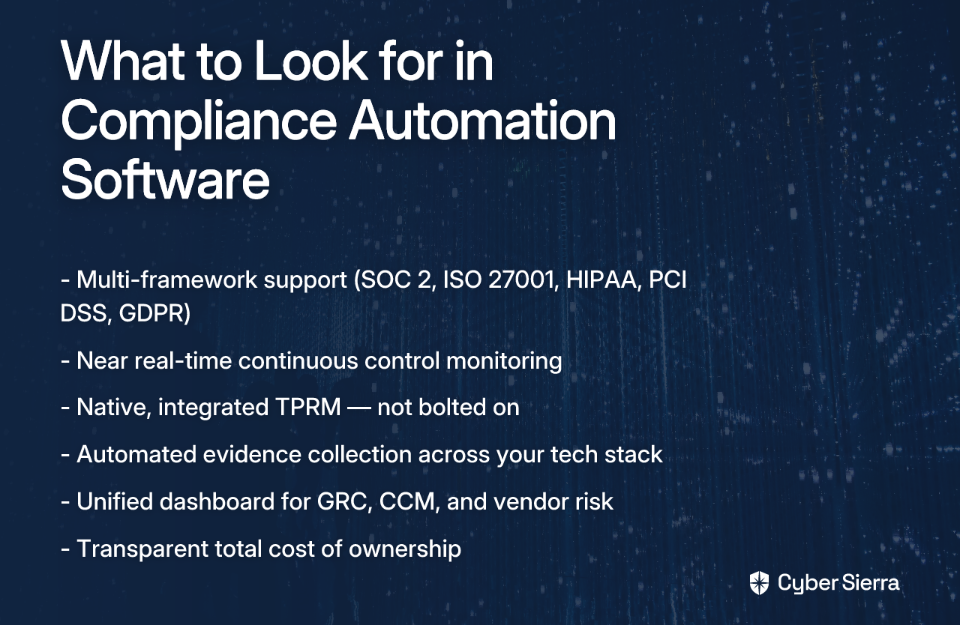
- Key features to look for in enterprise-grade software are multi-framework support, near real-time continuous control monitoring (CCM), and native third-party risk management (TPRM).
- Before purchasing, pressure-test vendors on their actual automation capabilities, control testing frequency, and the total cost of ownership to ensure the tool meets your needs.
- Cyber Sierra’s unified GRC platform integrates CCM and TPRM, providing a single view of risk without juggling multiple tools.
Your security team is juggling SOC 2, ISO 27001, HIPAA, PCI DSS, and GDPR — often all at once. And if you've ever been in the trenches of audit season, you already know the scenario: spreadsheets sprawling across shared drives, frantic Slack messages requesting screenshots of access logs, and a team that hasn't slept properly in a week.
Compliance automation is the strategic use of technology to continuously check systems against compliance requirements, replacing manual processes with centralized, automated workflows. Instead of periodic scrambles, you get a real-time view of your security posture — and your auditors get clean, organized evidence without the 3 a.m. heroics.
The business case is compelling, as automation helps eliminate manual processes and human error. More importantly, as companies face growing compliance complexity, the question is no longer whether to automate — it's which compliance automation software is the right fit for your team.
This guide breaks down the 10 best options available today, with a consistent comparison grid per tool so you can make an informed decision.
The pain is real. As one practitioner put it on Reddit, "gathering evidence for audits is tedious and time-consuming, especially with lean teams." That's not a one-off complaint — it's a systemic problem for enterprise security teams scaling across multiple frameworks.
The 10 Best Compliance Automation Software for Enterprise Security Teams
Here's a breakdown of the leading compliance automation platforms, evaluated on their core strengths, framework support, and best-fit use cases.
1. Cyber Sierra
Overview
Cyber Sierra earns the top spot because it's built for exactly what most enterprise security teams actually need — a unified, AI-enabled platform that handles Continuous Control Monitoring (CCM), Third-Party Risk Management (TPRM), and full-stack GRC in a single pane of glass.
Most compliance automation software forces you to choose: handle your internal controls or manage vendor risk or track regulatory frameworks. Cyber Sierra eliminates that compromise.
Its CCM module delivers near real-time visibility into security controls, automatically detecting exceptions and anomalies as they occur — not at the next daily batch run. Its TPRM module provides 24/7 monitoring of vendor compliance, automating the painful questionnaire-and-follow-up cycle that bogs down procurement and security teams alike. And its GRC module manages multiple frameworks simultaneously, generating audit-ready evidence trails and compliance reports without manual lifting.
Beyond GRC and TPRM, Cyber Sierra extends further into your security program with threat intelligence for attack surface visibility, employee security training with simulated phishing, and even cyber insurance support — making it a true enterprise security program management platform, not just another point solution.
| Category | Details |
|---|---|
| Frameworks Supported | SOC 2, ISO 27001, HIPAA, PCI DSS, GDPR, NIST, and custom control frameworks |
| Continuous Monitoring | ✅ Near real-time via CCM module |
| TPRM Integration | ✅ Fully integrated, native module |
| Pricing Transparency | Custom pricing based on modules and org size |
| Best-Fit Profile | Mid-to-large enterprises managing multi-framework compliance, supply chain risk, and needing a unified security operations view |
2. Vanta
Overview
Vanta is one of the most recognizable names in compliance automation software, largely because of its speed and clean user experience. It's built to help companies get their first SOC 2 or ISO 27001 certification as quickly as possible — a major draw for startups trying to unblock enterprise sales deals.
At scale, however, Vanta shows its limits. Its TPRM capabilities are limited, and enterprises running 5+ frameworks simultaneously often find themselves needing additional tooling to fill the gaps — bringing back the sprawl they were trying to escape.
| Category | Details |
|---|---|
| Frameworks Supported | SOC 2, HIPAA, GDPR, ISO 27001, PCI DSS, and 35+ others |
| Continuous Monitoring | ✅ Hourly testing frequency |
| TPRM Integration | ⚠️ Limited — not a core strength |
| Pricing Transparency | Subscription-based with visible tiers |
| Best-Fit Profile | Startups and high-growth SMBs pursuing first-time certification to close deals |
3. Drata
Overview
Drata is a crowd favorite for cloud-native companies needing solid automated evidence collection with a broad integration library. It connects to your cloud infrastructure, identity providers, and development tools to pull evidence automatically — a genuine relief for teams that have spent hours compiling screenshots.
Like Vanta, Drata's TPRM offering is thin, and daily testing frequency (rather than real-time) may leave gaps for enterprises needing continuous assurance.
| Category | Details |
|---|---|
| Frameworks Supported | ~23 frameworks including SOC 2, ISO 27001, HIPAA, PCI DSS |
| Continuous Monitoring | ✅ Daily testing frequency |
| TPRM Integration | ⚠️ Limited |
| Pricing Transparency | Tiered subscription model |
| Best-Fit Profile | Small-to-medium cloud-native businesses with straightforward, single-framework compliance needs |
4. Sprinto
Overview
Sprinto is purpose-built for cloud-hosted companies that need an efficient, guided path to audit readiness. It automatically maps controls to frameworks and streamlines coordination with auditors — helpful for teams going through their first audit cycle.
| Category | Details |
|---|---|
| Frameworks Supported | SOC 2, ISO 27001, GDPR, HIPAA, PCI DSS |
| Continuous Monitoring | ✅ Daily monitoring |
| TPRM Integration | ⚠️ Basic vendor management features |
| Pricing Transparency | Available on request |
| Best-Fit Profile | Cloud-hosted SaaS companies seeking a fast, structured path to audit readiness |
5. AuditBoard
Overview
AuditBoard steps beyond simple certification tooling and into the territory of enterprise audit management. It's designed for in-house audit, risk, and compliance teams that run structured, cyclical audit programs — and its connected suite approach means risk data can flow across internal audit, SOX, and ESG modules.
| Category | Details |
|---|---|
| Frameworks Supported | SOX, NIST, ISO 27001, and a wide range of audit/risk frameworks |
| Continuous Monitoring | ⚠️ Primarily periodic audit cycles, less suited for real-time technical control monitoring |
| TPRM Integration | ✅ Robust vendor risk module |
| Pricing Transparency | Custom pricing based on modules and users |
| Best-Fit Profile | Large enterprises with established internal audit functions and mature risk management programs |
6. LogicGate (now Riskonnect)
Overview
LogicGate's Risk Cloud platform takes a no-code, highly configurable approach to GRC. Rather than locking you into a pre-built workflow, it lets compliance and risk teams build their own applications and process automations — a powerful option for organizations with unique or complex GRC requirements.
The trade-off is implementation time and internal expertise. You're essentially building the product that fits you, which yields flexibility but demands more upfront investment.
| Category | Details |
|---|---|
| Frameworks Supported | Highly flexible; supports standard and custom frameworks |
| Continuous Monitoring | ✅ Via integrations and configurable dashboards |
| TPRM Integration | ✅ Customizable vendor risk workflows |
| Pricing Transparency | Available on request; based on features and applications used |
| Best-Fit Profile | Large GRC teams that need high customization and are willing to invest in configuration |
7. ServiceNow GRC
Overview
If your organization is already deep in the ServiceNow ecosystem, its GRC module is a natural extension. It connects compliance and risk management directly with IT service management and security operations — giving you a consolidated view across functions you already manage in ServiceNow.
The caveat: ServiceNow GRC is an add-on to an existing, often substantial investment. For organizations not already using ServiceNow, the barrier to entry is high.
| Category | Details |
|---|---|
| Frameworks Supported | SOC 2, ISO 27001, and extensive IT/enterprise compliance frameworks |
| Continuous Monitoring | ✅ Real-time monitoring via ServiceNow platform data |
| TPRM Integration | ✅ Comprehensive vendor risk management application |
| Pricing Transparency | Per-user, per-month licensing tied to ServiceNow |
| Best-Fit Profile | Large organizations already standardized on ServiceNow seeking GRC consolidation |
8. Hyperproof
Overview
Hyperproof is built around usability and cross-team collaboration. Its compliance operations platform makes it easy for non-security team members — legal, HR, engineering — to contribute to evidence collection without needing deep compliance expertise. It's a strong choice when compliance responsibilities are distributed across the organization.
| Category | Details |
|---|---|
| Frameworks Supported | Broad multi-framework support with custom framework options |
| Continuous Monitoring | ✅ Configurable frequency, including daily and more frequent checks |
| TPRM Integration | ⚠️ Available as an optional module |
| Pricing Transparency | Custom pricing |
| Best-Fit Profile | Security and compliance teams prioritizing ease of use and cross-functional collaboration |
9. Secureframe
Overview
Secureframe is built to simplify time-to-certification for fast-moving tech companies. Its robust native integrations with cloud infrastructure, HRIS, and development tools automate the bulk of evidence gathering — a core pain point for lean teams. It's approachable and relatively quick to implement.
| Category | Details |
|---|---|
| Frameworks Supported | SOC 2, ISO 27001, PCI DSS, HIPAA, and common tech frameworks |
| Continuous Monitoring | ✅ Continuous scanning and daily checks |
| TPRM Integration | ⚠️ Limited vendor management capabilities |
| Pricing Transparency | Custom pricing, available on request |
| Best-Fit Profile | Startups and SMBs seeking an automated, fast path to certification |
10. OneTrust
Overview
OneTrust is the heavyweight of the privacy and trust intelligence space. Its platform spans privacy management, data governance, ethics, ESG, and GRC — making it one of the most comprehensive compliance automation software options on the market. For multinational enterprises with complex global privacy obligations, it's in a class of its own.
| Category | Details |
|---|---|
| Frameworks Supported | GDPR, CCPA, and extensive global privacy and security frameworks |
| Continuous Monitoring | ✅ Yes |
| TPRM Integration | ✅ Strong third-party risk management module |
| Pricing Transparency | Custom pricing based on module selection |
| Best-Fit Profile | Large multinational enterprises with complex global privacy and compliance obligations |
Buying Guide: 5 Questions to Ask Vendors Before Signing a Contract
Choosing compliance automation software is a significant investment — not just financially, but in terms of the operational change it demands. Before you sign, cut through the marketing and pressure-test vendors with these five questions.

1. What compliance frameworks do you support out-of-the-box, and how do you handle custom controls?
Your compliance requirements will evolve. One framework today often becomes five in three years as you expand into new markets or industries. A vendor that only supports a static list of frameworks — without the ability to define custom controls or adapt to emerging regulations — will become a bottleneck. Push vendors to show, not just tell.
2. How does your platform actually automate evidence collection and control testing?
This is the core of the value proposition, and it's where marketing hype and product reality often diverge. Ask for a live demo showing real integrations with your actual tech stack — AWS, Azure, Okta, GitHub, etc. Watch the evidence get pulled automatically. If they can't show you a working demo in your environment, that's a red flag.
3. What are your real-time monitoring capabilities, and how frequently are controls tested?
There's a meaningful operational difference between a tool that checks controls once a day and one that detects anomalies in near real-time. A misconfigured access policy that sits undetected for 24 hours can be the gap between a clean audit and a breach. Understand exactly how often controls are validated and how quickly exceptions are surfaced. You can evaluate CCM tools further using this framework.
4. How does your platform handle Third-Party Risk Management — is it native or bolted on?
Vendor risk is increasingly the weak link in enterprise security programs. As one community member noted on Reddit, "overly complex questionnaires leading to analysis paralysis" is a real problem — the solution isn't just more automation, it's smarter integration. A TPRM module bolted onto a compliance platform as an afterthought won't give you the continuous, contextualized view you need. Look for platforms like Cyber Sierra where TPRM is a first-class feature, not a checkbox add-on.
5. What is the full cost of ownership — including implementation, training, and ongoing support?
The subscription fee is rarely the whole story. Ask directly: Are new frameworks included or additional cost? Are API integrations limited by tier? Is premium support behind a paywall? Teams that over-rely on spreadsheets often do so not because they prefer it, but because past tool investments didn't deliver the value promised. A reputable vendor will walk you through total cost of ownership transparently.
Unify Your Security Program
Choosing the right compliance automation software isn’t just about passing your next audit; it’s about reclaiming your team’s time and building a scalable security program. The endless spreadsheets and manual evidence chases are symptoms of a disconnected system.
Here’s what to remember as you move forward:
- Look for a unified platform. For enterprise needs, GRC, Continuous Control Monitoring (CCM), and Third-Party Risk Management (TPRM) must work together seamlessly—not as separate modules you have to stitch together.
- Demand real-time visibility. Daily or hourly checks are a start, but near real-time monitoring is the standard for detecting misconfigurations before they become incidents.
As a next step, map out the evidence collection process for one of your most critical controls. Pinpoint every manual screenshot, email, and follow-up. This exercise will clarify exactly where automation can deliver the biggest wins for your team.
When you’re ready to see how an integrated platform automates that entire workflow, book a custom demo with our team. We’ll show you how to move from reactive compliance tasks to proactive risk management.
Frequently Asked Questions
What is compliance automation software?
Compliance automation software uses technology to continuously monitor systems against security requirements, replacing manual evidence collection with automated workflows. It centralizes control management, streamlines audits, and provides a real-time view of your security posture across multiple frameworks.
Why should an enterprise use compliance automation?
Enterprises use compliance automation to reduce costs, eliminate human error, and manage the growing complexity of multiple regulations like SOC 2, ISO 27001, and GDPR. It cuts manual audit preparation time, provides continuous assurance, and allows teams to focus on strategic initiatives.
What is the difference between GRC, CCM, and TPRM?
GRC (Governance, Risk, Compliance) is the overall strategy. CCM (Continuous Control Monitoring) automates the testing of internal security controls. TPRM (Third-Party Risk Management) manages vendor security. Leading platforms integrate all three for a unified view of risk.
How do I choose the right compliance automation tool for my enterprise?
Choose a tool by evaluating its framework support, real-time monitoring frequency, and how it handles third-party risk management (TPRM). Prioritize platforms with native TPRM, near real-time CCM, and the flexibility to add custom controls as your compliance needs evolve.
When should a company switch from a startup tool to an enterprise platform?
A company should switch when managing multiple frameworks, dealing with significant third-party risk, or when its GRC needs go beyond single-framework certification. If your team is using spreadsheets to bridge gaps in your current tool, it's time to upgrade to a unified platform.
How does compliance automation help with third-party risk management (TPRM)?
It automates vendor security assessments, continuously monitors their compliance posture, and centralizes all vendor risk data. This replaces manual questionnaires with an efficient, integrated workflow, providing a real-time view of your supply chain risk and ensuring vendors meet your standards.
