blog-hero-background-image
Cyber Security

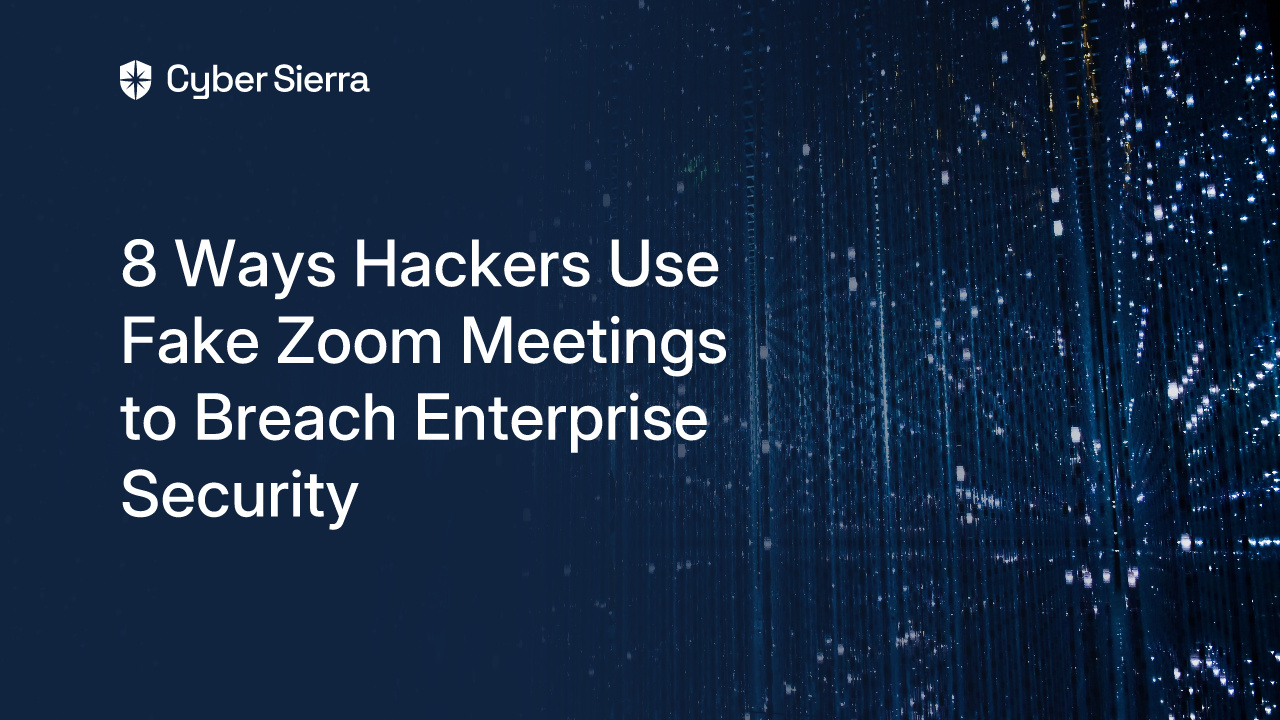
8 Ways Hackers Use Fake Zoom Meetings to Breach Enterprise Security
backdrop
Table of Contents

Join thousands of professionals and get the latest insight on Compliance & Cybersecurity.


Summary

  • Attackers exploit Zoom with sophisticated techniques from phishing with lookalike domains to AI-powered deepfakes, which have resulted in multi-million dollar fraud.
  • Key defenses include implementing Multi-Factor Authentication (MFA) and training employees to verify links and use out-of-band verification for sensitive requests.
  • A proactive technical strategy is critical, combining continuous monitoring to detect unusual activity with strong endpoint protection to block malware.
  • Strengthen your 'human firewall' with Cyber Sierra's Employee Security Training, which uses simulated phishing campaigns to build a security-conscious workforce.

Ever received a Zoom link that prompted you to install an app named "Zoom" and your antivirus started flashing alerts? That moment of confusion is exactly what attackers prey on. With fake Zoom meeting links becoming increasingly sophisticated, even security-conscious professionals can be momentarily deceived.

As remote and hybrid work becomes permanent, Zoom has transformed from a simple conferencing tool to critical enterprise infrastructure. This reliance has created a massive attack surface that cybercriminals are actively exploiting to breach corporate defenses, moving from a simple link click to full network compromise.

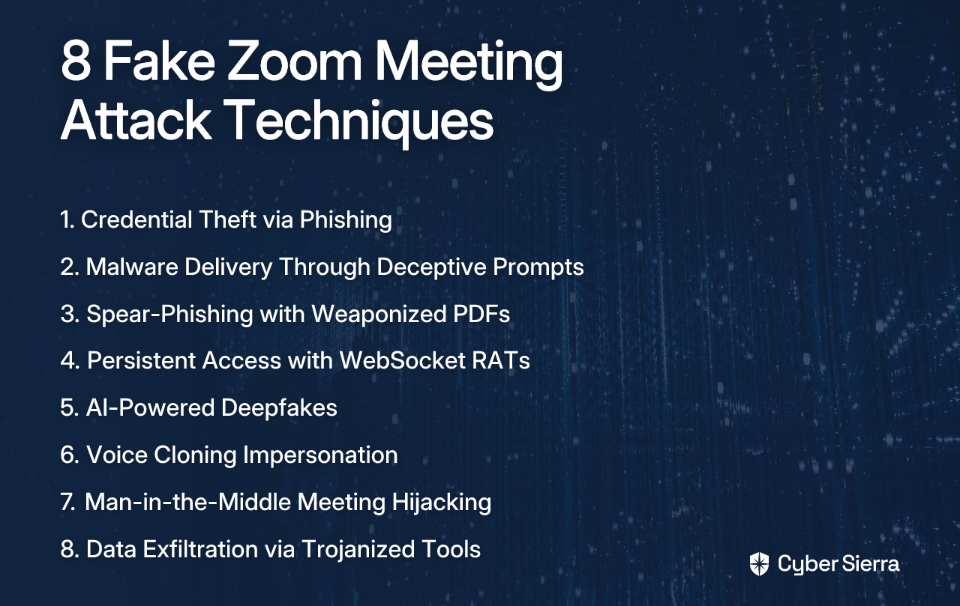
This article breaks down eight specific techniques hackers use with fake Zoom meetings, from simple phishing to sophisticated deepfake impersonations. For each attack vector, we'll provide real-world examples and actionable countermeasures to fortify your defenses.
1. Gain Proactive Visibility with Continuous Control Monitoring

Before diving into attack methods, the most effective strategy is a proactive one. Instead of waiting for an attack to succeed, enterprises need to monitor their environment for anomalies that signal malicious activity.

A platform like Cyber Sierra's Continuous Control Monitoring (CCM) provides ongoing, near real-time visibility into security controls that can detect unusual meeting patterns before they lead to a breach:

  • Detect Unusual Patterns: CCM identifies suspicious meeting behaviors that deviate from baseline activity, such as a sudden spike in meetings created by a specific user account or meetings with suspicious domains in the invite.
  • Automate Control Testing: It transforms security from periodic manual checks to continuous, automated monitoring, ensuring that security settings for conferencing tools (mandatory passwords, waiting rooms) remain enforced.
  • Actionable Intelligence: The platform delivers a central controls repository with actionable risk intelligence, allowing security teams to fix gaps before they're exploited.

2. Credential Theft via Sophisticated Phishing Lures

This is the most common entry point for attackers, who craft highly convincing emails and landing pages to harvest user credentials.

Attack Details:

  • Urgency Tactics: Phishing emails use subject lines like "URGENT - Emergency Meeting" to compel immediate action, exploiting fear and bypassing critical thinking.
  • Spoofed Domains: Hackers use lookalike domains such as app.us4zoom.us that appear legitimate at first glance but are designed to deceive.
  • Fake Login Pages: Users are redirected to pixel-perfect replicas of the Zoom login page. After entering credentials, a fake connection error prompts them to "re-enter" their information, which is then harvested.

Countermeasures: Defending Against Credential Theft Attacks

  • Verify Links: Always hover over links to check the destination URL before clicking. Train employees to scrutinize domains—zoom.us is legitimate, app.us4zoom.us is not.
  • Implement MFA: Even if credentials are stolen, Multi-Factor Authentication prevents unauthorized access.
  • Employee Training: Use simulated phishing campaigns to educate users on spotting these tactics in a safe environment.

3. Malware Delivery Through Deceptive "Launch Meeting" Prompts

Attackers trick users into downloading malware disguised as the official Zoom client or a meeting-related file.

Attack Details:

  • Fake Interface: A phishing page perfectly mimics the "Launch Meeting" screen. When a user clicks the button, it doesn't launch Zoom but instead downloads a malicious file.
  • Trojanized Installer: In one documented case, a malware named ZoomApp_v.3.14.dmg was downloaded. Once executed, it ran malicious scripts to harvest system passwords, browser cookies, and cryptocurrency wallet data, resulting in the theft of over $1 million in crypto assets.

Countermeasures:

  • Official Sources Only: Only download the Zoom client from the official website (zoom.us) or official app stores.
  • Endpoint Protection: Ensure all endpoints have robust antivirus and EDR (Endpoint Detection and Response) solutions to catch malicious files.
  • Threat Intelligence: Use a service like Cyber Sierra's Threat Intelligence module to scan for and identify vulnerabilities and malicious domains associated with such campaigns before they reach your employees.

4. Advanced Spear-Phishing with Weaponized PDF Attachments

Targeted attacks (spear-phishing) use tailored lures and multi-stage infection chains to breach specific organizations.

Attack Details:

  • The "PhantomCaptcha" Campaign: Attackers targeted organizations aiding Ukraine's war relief efforts by impersonating the Ukrainian President's Office.
  • Malicious PDFs: The phishing emails contained weaponized PDF attachments with embedded links that redirected victims to a fake Zoom site (zoomconference.app).
  • Multi-Stage Infection: On the fake site, a fraudulent Cloudflare CAPTCHA page tricked victims into running a PowerShell command, which then downloaded the final payload.

Countermeasures:

  • Email Gateway Security: Implement advanced email security solutions that can scan attachments and links for malicious content.
  • Restrict PowerShell Execution: Establish policies to restrict or monitor the use of PowerShell on standard user workstations.
  • Attack Surface Management: Proactively identify and monitor your organization's attack surface for vulnerabilities that could be exploited in such campaigns.

5. Establishing Persistent Access with WebSocket RATs

After initial compromise, hackers establish a covert communication channel for long-term access and data theft.

Attack Details:

  • Following the PhantomCaptcha campaign: The final payload was a Remote Access Trojan (RAT) that used WebSocket for its command-and-control (C2) communications.
  • Why WebSocket is Effective: WebSocket provides a persistent, two-way communication channel over a single TCP connection, often over standard web ports (80, 443), which can be difficult to detect and block with traditional firewalls.
  • Attacker Capabilities: This allowed the attackers to execute arbitrary commands remotely, perform reconnaissance, and exfiltrate sensitive data from compromised systems. The infrastructure was hosted in Russia and was only active for a single day to evade detection.

Countermeasures:

  • Network Egress Filtering: Monitor and restrict outbound network traffic. Flag or block unusual WebSocket connections to unknown domains.
  • Continuous Monitoring: A CCM solution can help detect anomalies in network traffic patterns that could indicate a C2 channel.
  • Incident Response Plan: Have a well-defined incident response plan to quickly isolate compromised machines and cut off C2 communications.

6. Social Engineering with AI-Powered Deepfakes and Voice Cloning

Attackers are now using AI to impersonate trusted individuals (like executives) in live video calls, making social engineering incredibly convincing.

Attack Details:

  • Deepfake Technology: Using Generative Adversarial Networks (GANs), criminals can create hyper-realistic video impersonations. In one high-profile case, a finance worker was tricked into transferring $25 million after attending a video call with a deepfake of his company's CFO.
  • Voice Cloning: Attackers only need a few seconds of a person's audio to create a convincing voice clone, which can be used to authorize fraudulent requests over a call.
  • Exploiting Trust: These attacks bypass technical controls by exploiting human trust and authority bias, creating a sense of urgency to compel actions like wire transfers or sharing sensitive data.

Countermeasures:

  • Multi-Channel Verification: For any sensitive request (e.g., fund transfers, password resets), establish a mandatory out-of-band verification process. This could be a callback to a known phone number or a confirmation via a separate messaging app.
  • Employee Awareness Training: Train employees to spot the subtle signs of a deepfake, such as unnatural blinking, poor lip-syncing, or visual artifacts.
  • Verbal Passphrases: Implement a system of verbal passphrases or code words for validating identities during sensitive video calls.

7. Hijacking Live Meetings with Man-in-the-Middle Attacks

This advanced technique involves intercepting and altering a legitimate video stream in real-time.

Attack Details:

  • How it Works: Rather than creating a fake meeting, an attacker first compromises a legitimate participant's machine. They then use man-in-the-middle tactics to intercept that user's video feed and insert a deepfake into the ongoing, legitimate meeting.
  • Impact: This is extremely difficult to detect because the meeting itself is legitimate, and other participants see a trusted colleague on the screen. The attacker can use this hijacked identity to manipulate the conversation or extract information.
  • Reliance on Weak Identity Verification: Most video conferencing platforms like Zoom rely on static profiles for identity, which are easily spoofed once a machine is compromised.

Countermeasures:

  • Zero Trust Network Access (ZTNA): Adopt a Zero Trust architecture that continuously verifies user and device identity and health before granting access to any resources, including meetings.
  • Endpoint Security: Strong endpoint protection is critical to prevent the initial compromise that enables a man-in-the-middle attack.
  • Meeting Security Features: Enforce the use of waiting rooms and require authentication for all participants to join a meeting.

8. Exfiltrating Data via Trojanized Tools and Encrypted Channels

The ultimate goal of many attacks is data theft. Hackers use the access gained from a fake meeting to steal and exfiltrate valuable information.

Attack Details:

  • Data Collection: Once malware is on a device, it systematically collects data: device information, browser cookies, cryptocurrency wallet files (wallet.dat, Metamask data), and credentials.
  • Exfiltration Methods: The stolen data is compressed (e.g., into a ZIP file) and sent to an attacker-controlled server. In other campaigns, attackers use encrypted messaging apps like Telegram to receive stolen credentials and IP information in real-time, making the traffic harder to detect.

Countermeasures:

  • Data Loss Prevention (DLP): Implement DLP solutions to monitor and block the unauthorized transfer of sensitive data outside the corporate network.
  • Network Traffic Analysis: Use tools to analyze network traffic for signs of data exfiltration, such as large, unexpected uploads or connections to known malicious IPs.
  • Integrated GRC: A platform like Cyber Sierra's GRC module helps manage and enforce data handling policies, ensuring that controls are in place to protect sensitive information across the organization.
Conclusion

Fake Zoom meetings are not just a nuisance; they are a sophisticated gateway for credential theft, malware infection, and multi-million dollar fraud. The attack vectors are evolving from simple phishing links to AI-powered deepfakes that can deceive even the most vigilant employees.

Defending against these threats requires a multi-layered strategy. Technology is the foundation, but it must be supported by robust processes (like MFA and verification protocols) and, most importantly, a security-conscious workforce. The "human firewall" remains a critical defense.

Don't wait for a suspicious meeting invite to become a full-blown breach. Build a proactive and resilient security posture with comprehensive controls, continuous monitoring, and ongoing employee training.

Learn how Cyber Sierra's integrated platform combines Continuous Control Monitoring, Threat Intelligence, and Employee Training to help you stay ahead of attackers. Schedule a demo to see it in action.
blog-hero-background-image
Cyber Security

7 Signs of Microsoft Teams Phishing Messages You Must Know

backdrop
Table of Contents

Join thousands of professionals and get the latest insight on Compliance & Cybersecurity.


Summary

  • Microsoft Teams phishing attacks have increased 300% in 2024, as cybercriminals target employees in this trusted environment.
  • Key warning signs include messages from (External) users impersonating IT, urgent requests for credentials, and suspicious links disguised as legitimate files.
  • Build a layered defense by training employees to recognize these tactics and implementing automated security to monitor for threats.
  • Cyber Sierra’s Employee Security Training empowers your team to identify and report phishing attempts, creating a resilient human firewall.

You've just received a direct message in Microsoft Teams from what appears to be your IT helpdesk. They're asking you to verify your credentials due to a "security update" or requesting screen sharing to "fix an issue." Before you respond, stop and think. This could be the beginning of a sophisticated phishing attack.

For organizations with sales teams or executives who regularly communicate with external partners, Teams phishing is a growing attack vector where attackers impersonate help desk members and then initiate remote access sessions to further compromise the user. The consequences can be devastating—from data theft to complete network compromise.

In 2024, Microsoft Teams phishing attacks have seen a 300% increase compared to previous years. As Teams becomes a core communication tool for businesses worldwide, cybercriminals are shifting their focus from traditional email phishing to this more trusted channel where users may have their guard down.

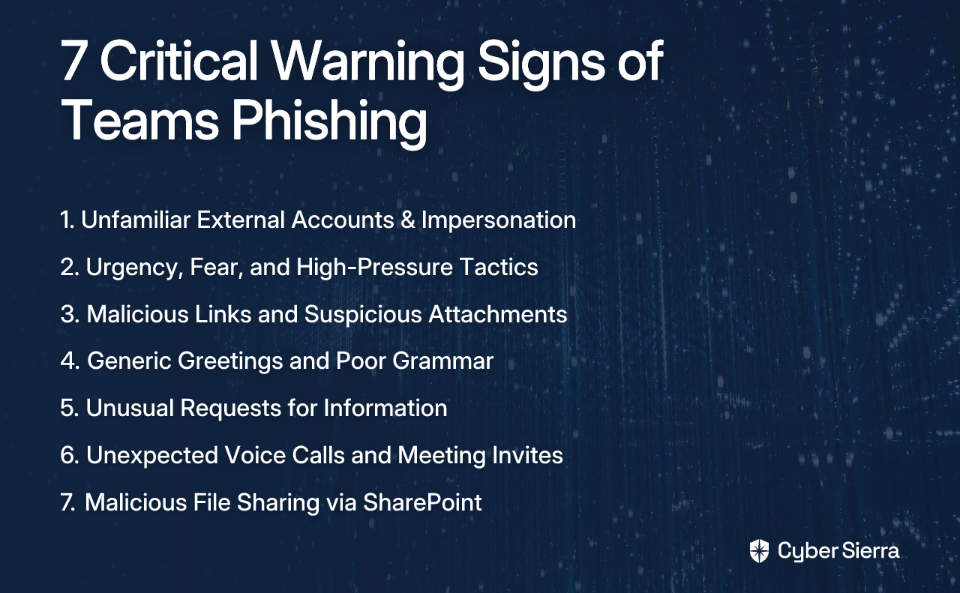
This article will equip you with the knowledge to identify seven critical warning signs of Teams phishing attempts and provide actionable steps to build a robust defense using both employee awareness and automated security solutions.

1. Unfamiliar External Accounts & Impersonation Attempts

What to Look For:

Teams marks external users with an (External) tag next to the sender's name. However, attackers rely on social engineering to make you ignore this warning. They often change their profile picture and display name to match someone familiar in your organization—typically IT support staff or executives.

Some attackers get creative by using non-standard characters or emojis in display names to bypass some external user notifications.

Example: You receive a message from an account named "IT Helpdesk" with the tag (External). The user ID looks something like [email protected]. The message asks you to validate your credentials due to a "security update."

How Cyber Sierra Helps:

Cyber Sierra's Threat Intelligence module provides automated detection of these patterns by:

  • Flagging messages from unrecognized external domains, especially those with common impersonation keywords like "Helpdesk" or "Admin"
  • Using AI to analyze communication patterns and identify anomalies, such as sudden profile changes followed by unusual message activity
  • Continuously monitoring for suspicious sender behaviors, providing insights into potential impersonation attempts before they escalate

Learn more about Cyber Sierra's Threat Intelligence platform

2. Urgency, Fear, and High-Pressure Tactics

What to Look For:

Phishing messages are designed to create a sense of panic, urgency, or curiosity that bypasses rational thinking. This is a classic social engineering tactic that exploits emotion over logic.

Common themes include:

  • Threats of account suspension ("Your account will be suspended in 24 hours")
  • Announcements of major organizational changes ("communicating company layoffs")
  • Notifications of missed messages/meetings ("You missed an important meeting!")

Example: A message appears from someone claiming to be from HR with the subject "Urgent: Structural Reorganization." The message contains a link to a document that supposedly lists affected employees, pressuring you to click immediately out of fear for your position.

How Cyber Sierra Helps:

The Threat Intelligence platform can be configured to generate automated alerts for messages containing high-risk keywords or phrases associated with urgency and fear tactics (e.g., "immediate action required," "account suspension," "confidential layoff list").

3. Malicious Links and Suspicious Attachments

What to Look For:

Links in Teams messages should be scrutinized carefully. Watch for:

  • URLs that, when hovered over, don't point to legitimate company or Microsoft domains
  • Links to fake SharePoint sites or other file-hosting services
  • Attachments masquerading as common document types (PDF, Word) that are actually executable files

A particularly dangerous tactic involves LNK files disguised as documents which, when clicked, run malicious scripts. This was a key vector in the DarkGate malware campaigns delivered via Teams, as documented by security researchers.

Example: A "colleague" sends a message saying, "Here is the Q3 financial report you asked for." It contains a link to a file named Q3_Report.pdf.zip hosted on a non-company SharePoint site. Unzipping and opening the file could lead to a "drive-by download" that installs malware.

How Cyber Sierra Helps:

Cyber Sierra's platform provides continuous monitoring that:

  • Blocks known malicious domains and URLs shared within Teams in real-time
  • Analyzes URLs for safety and integrates with endpoint detection solutions
  • Prevents the execution of unauthorized or malicious files downloaded from Teams

4. Generic Greetings, Poor Grammar, and Inconsistent Branding

What to Look For:

While attackers are getting more sophisticated, many phishing messages still contain tell-tale signs of carelessness:

  • Generic Greetings: Messages that use vague salutations like "Dear user" or "Hello colleague" instead of your name
  • Grammar and Spelling: Obvious grammatical errors or awkward phrasing that a native speaker or professional would be unlikely to make
  • Inconsistent Branding: Phishing attempts that try to mimic official Microsoft notifications may use slightly off-brand logos, fonts, or color schemes

Example: A notification about a Teams message reads: "You have a new message In Microsoft Teams. For to see it, click here. Greetings from Microsoft Support Team."

How Cyber Sierra Helps:

Cyber Sierra's AI-powered tools analyze communication patterns to identify linguistic anomalies. By establishing a baseline for normal communication, the system can flag messages that deviate significantly in tone, grammar, or style, indicating a potential phishing attempt.

5. Unusual Requests for Information or Action

What to Look For:

Be immediately suspicious of any message asking for:

  • Sensitive personal information, such as passwords or MFA codes
  • Financial details or payment information
  • Screen Sharing Requests: A particularly dangerous tactic where an attacker, often impersonating IT support, establishes trust and then asks you to share your screen via a Teams call

As noted by security researchers, there's often a lack of clear audit trail for screen sharing, making it difficult to assess the damage afterward.

Example: A user claiming to be from the IT help desk contacts you about a "performance issue" and asks you to share your screen using Quick Assist or another remote tool to "diagnose the problem." This gives them direct access to your system.

How Cyber Sierra Helps:

While direct content scanning for such requests is complex, Cyber Sierra's platform helps by monitoring for the precursors. By flagging the initial suspicious contact (Sign #1), the platform helps prevent the interaction from ever reaching the point of a screen-sharing request.

Furthermore, the Employee Security Training module specifically educates users on the danger of such tech support scams and unusual requests.

6. Unexpected Voice Calls (Vishing) and Meeting Invites

What to Look For:

Attackers are aware that text-based chats from external users often trigger warning banners. To bypass this, they may:

  • Initiate a direct voice or video call where users may be less suspicious
  • Send unexpected meeting invitations from unknown external sources
  • Use the meeting chat to share malicious content with less prominent "External" warnings

Example: You receive an incoming call on Teams from a person you don't know. When you answer, they claim to be from a partner company and need you to urgently review a document they are about to send in the call's chat.

How Cyber Sierra Helps:

Cyber Sierra's Threat Intelligence can correlate unusual communication patterns. An incoming call from a newly added external contact who has no prior communication history can be flagged as a higher-risk event for review. Audit logs can be monitored for ChatCreated events that often precede these calls.

7. Malicious File Sharing via Compromised SharePoint Sites

What to Look For:

Attackers can bypass traditional email security by sharing malicious files directly within Teams chats. These files are often hosted on compromised SharePoint URLs, making them appear more legitimate.

Security teams can review the MessageSent logs in your environment to look for unusual URLs that could indicate malware links being shared.

Example: An external user sends a message with a link to a file on SharePoint. The link looks plausible, but it leads to a compromised site that hosts malware. Because it's a SharePoint URL, it may not be immediately blocked by basic filters.

How Cyber Sierra Helps:

Cyber Sierra's Continuous Control Monitoring (CCM) and Threat Intelligence modules work together here. The Threat Intelligence module scans and verifies the safety of URLs, including SharePoint links. The CCM module helps ensure that your M365 tenant's security configurations for file sharing are correctly implemented and monitored for unauthorized changes, reducing the risk of this attack vector.

See how Continuous Control Monitoring strengthens your security posture

Building a Layered Defense Against Teams Phishing

Technology alone is not enough to combat the growing threat of Teams phishing attacks. The most effective defense strategy combines proactive technological monitoring with a well-trained, security-conscious workforce. Your employees are the last line of defense—the "human firewall."

As one security professional on Reddit aptly noted, organizations must "educate end users about tech support scams" as a critical component of their defense strategy.

This is where Cyber Sierra's Employee Security Training becomes invaluable. The platform moves beyond simple awareness videos and empowers employees through:

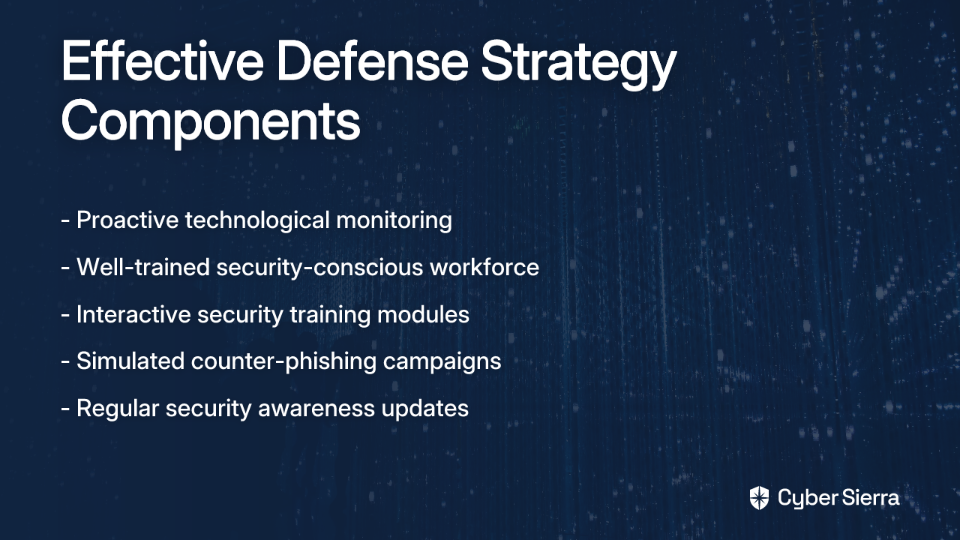
  • Interactive security training modules covering phishing, social engineering, and platform-specific threats like Teams phishing
  • Simulated counter-phishing campaigns that test employees with real-world scenarios, helping them build muscle memory for identifying and reporting threats
  • A dashboard that provides a clear overview of the organization's security quotient

By combining vigilance for these seven warning signs with robust technological solutions and comprehensive employee training, organizations can significantly reduce their vulnerability to the growing threat of Microsoft Teams phishing attacks.

Frequently Asked Questions (FAQ)

What is Microsoft Teams phishing?

Teams phishing is a cyberattack where criminals send deceptive messages via Microsoft Teams to steal sensitive information. They often impersonate trusted contacts like IT support or executives to trick users into sharing credentials or clicking malicious links.

How can you identify a phishing attempt on Teams?

Look for the "(External)" tag on unfamiliar contacts, messages creating a false sense of urgency, and poor grammar. Be cautious of requests for credentials, screen sharing, or links that point to non-company domains. Hover over links before clicking.

Why are attackers using Teams for phishing?

Attackers use Teams because it is a trusted internal communication channel where users' guards are lower than with email. Its features, like file sharing and external access, can be exploited to deliver malware and impersonate colleagues effectively.

What should you do if you suspect a Teams message is a phishing attempt?

Do not click any links, download files, or reply. Report the message to your IT or security department immediately using a different communication channel. Block the sender after reporting. If you clicked a link, report it and change your password at once.

How can organizations prevent Teams phishing attacks?

A layered defense is best. Implement security tools to monitor for threats and configure Teams settings to limit external access. Most importantly, conduct regular employee security training to build a human firewall that can recognize and report attacks.

Is it possible to disable external messaging in Microsoft Teams?

Yes, administrators can configure Teams policies to block chats with all external domains or create an allowlist for trusted partners. While effective, this can impact collaboration. A balanced approach combines technical controls with user education.

Build a resilient workforce with Cyber Sierra's Employee Security Training

blog-hero-background-image
Cyber Security

5 Business Email Compromise Tactics That Bypass Traditional Security Controls

backdrop
Table of Contents

Join thousands of professionals and get the latest insight on Compliance & Cybersecurity.


Summary

  • Business Email Compromise (BEC) has caused over $55 billion in losses, with nearly half of all modern attacks now bypassing traditional email filters.
  • Sophisticated tactics like AI-powered impersonation and legitimate account takeovers succeed by exploiting human trust rather than using malicious payloads that legacy tools detect.
  • Key defensive actions include implementing strict out-of-band verification for financial requests and training employees to spot social engineering red flags.
  • Cybersierra's integrated GRC platform provides a holistic defense by combining continuous monitoring, vendor risk management, and employee training to close security gaps.

You've heard the horror stories, maybe even lived one: a single email leading to devastating wire-transfer fraud, a data breach that exposes sensitive trade secrets, or reputational damage that takes years to repair. In today's cybersecurity landscape, Business Email Compromise (BEC) attacks have become increasingly sophisticated, targeting not just technical vulnerabilities but the human element of trust, urgency, and authority.

What makes these attacks particularly dangerous is their ability to bypass traditional email security controls. While you may have invested in email security gateways and basic phishing protection, modern BEC tactics are specifically designed to slip through these defenses.

The financial impact is staggering: over the past decade, BEC-related losses have exceeded $55 billion. In 2023 alone, BEC accounted for 34% of all cyber incidents, with average losses of $286,000 per attack. Even more concerning, nearly half of all phishing and BEC attacks now bypass traditional filters.

In this article, we'll break down five sophisticated business email compromise tactics that are purpose-built to bypass your legacy security controls. We'll explore why they work, the real-world damage they cause, and what you can do to build a more resilient defense.

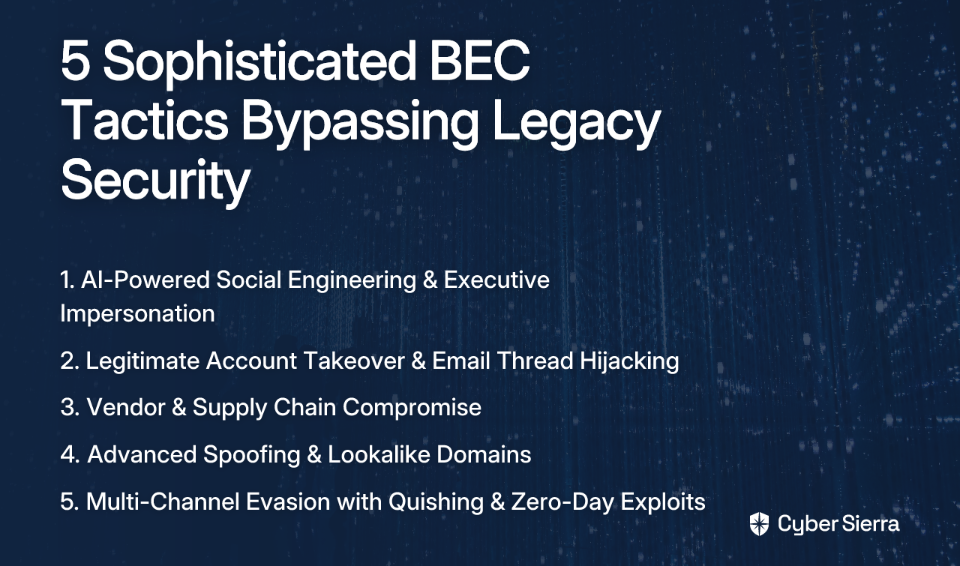
1. AI-Powered Social Engineering & Executive Impersonation

What it is: The days of poorly worded phishing emails with obvious grammatical errors are long gone. Today's attackers are leveraging Large Language Models (LLMs) to craft highly convincing messages that perfectly mimic the writing style, tone, and context of a CEO or CFO—a tactic known as CEO Fraud or Whaling. These emails often create a sense of urgency and confidentiality to pressure employees into acting quickly without following verification procedures.

Why Traditional Tools Miss It:

  • No Malicious Payload: These emails typically contain no links or attachments for a signature-based filter to scan. The payload is the text itself—a fraudulent instruction.
  • Context Blindness: Traditional tools analyze emails in isolation. They can't cross-reference the request with the executive's calendar or detect subtle deviations in communication patterns.
  • Legitimate Appearance: An AI-generated email from a spoofed or lookalike domain can appear flawless, bypassing checks for grammar and spelling errors that once flagged phishing attempts.

Real Business Impact: A finance clerk at a mid-sized manufacturing company received a perfectly crafted email from the "CEO" late on a Friday, requesting an urgent wire transfer to a new vendor to close a "confidential acquisition." The clerk, trusting the apparent authority and pressured by the urgency, bypassed normal verification procedures and processed the payment, resulting in a $420,000 loss.

The Cyber Sierra Solution: This is where an integrated platform provides the multi-layered defense that point solutions miss. Cyber Sierra's Employee Security Training moves beyond simple awareness by using simulated phishing campaigns, including sophisticated AI-generated scenarios, to train employees to recognize the psychological manipulation behind these requests. The platform empowers employees to become the human firewall by emphasizing verification protocols for any unusual financial transaction.
Additionally, Cyber Sierra's Continuous Control Monitoring (CCM) provides ongoing visibility into whether security protocols (like multi-level approval for wire transfers) are being followed. It can flag deviations from established processes in near real-time, offering a safety net against human error under pressure.

2. Legitimate Account Takeover & Email Thread Hijacking

What it is: Instead of spoofing an account, attackers gain access to a real one through credential theft, often from a separate phishing campaign or by exploiting a lack of MFA. Once inside, they can monitor email conversations for weeks, waiting for the perfect moment—like an upcoming invoice payment—to inject themselves into an existing email thread and alter payment details.

Why Traditional Tools Miss It:

  • The Ultimate Disguise: The emails are sent from a legitimate, trusted internal or partner account. They pass all authentication checks like SPF, DKIM, and DMARC.
  • No Red Flags: The attacker uses the compromised account's history and context to craft a believable message. To a security filter, it's just another email in a legitimate conversation.
  • Behavioral Analysis Gap: Most email security tools focus on content and authentication, not behavioral patterns that might indicate account compromise.

Real Business Impact: A manufacturing firm lost $25 million when attackers compromised an employee's email, monitored a thread about a large payment, and then, posing as the employee, sent an email with updated (fraudulent) bank account details. Since the email came from a legitimate account and was part of an ongoing conversation, it bypassed all traditional security measures.

How to Detect It: This requires behavioral analytics and a zero-trust mindset. Security systems must look for anomalies like unusual login locations, forwarding rules being set to external addresses, or changes in communication patterns, even from legitimate accounts.

3. Vendor & Supply Chain Compromise

What it is: Attackers compromise the email account of one of your trusted vendors or business partners. They then use this legitimate account to send fraudulent invoices or requests to change payment information. This tactic directly exploits established business relationships and the inherent trust between organizations.

Why Traditional Tools Miss It:

  • Exploits Existing Trust: The request comes from a known, trusted source. Security tools and employees are conditioned to trust communications from established partners.
  • Legitimate Infrastructure: The email originates from the vendor's actual email server, so it passes all technical security checks. The fraud is in the content and intent, which static tools cannot gauge.
  • Cross-Organizational Blindspot: Your security tools have no visibility into your vendors' security posture or potential compromises.

Real Business Impact: A company's accounts payable department received an email from a long-term supplier's finance contact, stating they had switched banks and providing new wire instructions. The email was professional and referenced recent projects. The company updated the vendor details and paid the next invoice—$157,000—to the attacker's account. The fraud was only discovered weeks later when the real vendor inquired about the missed payment.

How to Mitigate It: This requires stringent business processes reinforced by technology. Organizations need to implement a mandatory, out-of-band verification process (e.g., a phone call to a known contact) for any change in vendor payment details.

Cyber Sierra's Third-Party Risk Management (TPRM) helps by providing continuous monitoring of vendor security posture, helping identify if a partner might be compromised before they can be exploited as an attack vector. The platform also helps establish and enforce verification workflows for critical vendor communications, especially those involving financial transactions.

4. Advanced Spoofing & Lookalike Domains

What it is: This classic tactic has evolved. Attackers register domains that are visually almost identical to legitimate ones (e.g., cybersierra.co vs. cybersierra.co with a Cyrillic 'o' or cybersierra-payments.com). They use these to impersonate executives or vendors, creating a false sense of legitimacy.

Why Traditional Tools Miss It:

  • Human Perception Failure: Many filters and busy employees will not spot a single character difference or a subtle homoglyph substitution.
  • Passing Basic Checks: A newly registered domain can be configured with valid SPF/DKIM records, making it seem legitimate to basic email security filters that aren't analyzing domain age or reputation.
  • Evolving Tactics: Attackers continuously register new domains, staying ahead of blocklists and reputation systems.

Real Business Impact: A financial services firm's employee received an email from "[email protected]" (instead of the legitimate "[email protected]") requesting verification of benefits enrollment. The employee clicked the link and entered their corporate credentials on a convincing but fraudulent page. Within hours, the attackers used these credentials to access sensitive client financial data, leading to regulatory violations and significant reputational damage.

How to Defend: Employee training is critical. Users must be taught to hover over links and carefully inspect sender email addresses. On the technical side, advanced security solutions use AI to analyze domain age, reputation, and character sets to flag suspicious lookalike domains that basic filters miss.

5. Multi-Channel Evasion with Quishing & Zero-Day Exploits

What it is: Attackers are hiding threats where traditional scanners don't look:

  • Quishing (QR Code Phishing): Instead of a malicious URL in the email body, attackers embed a QR code in an image or PDF. When scanned by a phone, it leads to a credential harvesting site.
  • Zero-Day Exploits: Malicious code is hidden within seemingly benign attachments (Word docs, PDFs). This polymorphic malware changes its signature to evade traditional antivirus scanners, executing only when the file is opened.

Why Traditional Tools Miss It:

  • Bypassing URL Scanners: Most email gateways scan for text-based URLs but lack the OCR (Optical Character Recognition) capabilities to decode a QR code and analyze its destination.
  • Evading Signature-Based AV: Zero-day exploits, by definition, have no known signature. Traditional antivirus is useless against them. Detection requires sandbox environments where the attachment's behavior can be analyzed safely.
  • Cross-Platform Blindness: Email security tools typically don't integrate with mobile device management, creating a gap where QR codes can bridge corporate email and personal devices.

Real Business Impact: An HR department received an email with a PDF attachment detailing "New Employee Benefits." The PDF contained a QR code to "enroll." An employee scanned it with their phone, which was not protected by corporate security, and entered their network credentials on a phishing page, granting the attackers access to the company's payroll system. The breach resulted in diverted paychecks totaling over $300,000.

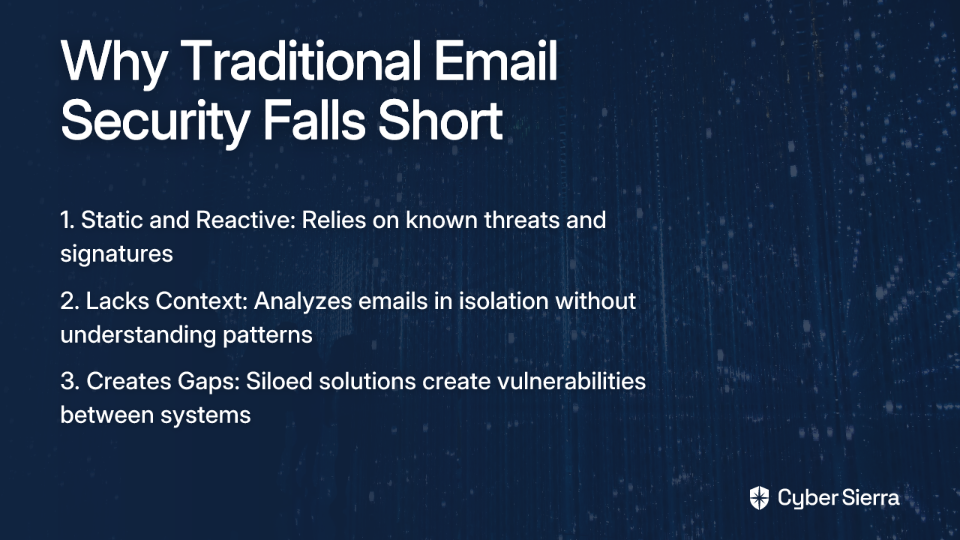
Why Traditional Security and Point Solutions Fail

The five tactics above highlight fundamental limitations in conventional email security approaches:

  1. They Are Static and Reactive: Legacy security relies on known threats, signatures, and blocklists. They are fundamentally unprepared for novel, socially-engineered attacks that carry no traditional payload.
  2. They Lack Context: They analyze each email in isolation, unable to understand the context of relationships, normal communication patterns, or business processes. They can't tell if a request is unusual for a specific executive or time of day.
  3. They Create Gaps: Using separate tools for email filtering, endpoint protection, and employee training creates security gaps. BEC attackers are experts at finding and exploiting these gaps between siloed solutions.

Building a Resilient Defense with an Integrated Platform

Business Email Compromise is not a simple email filtering problem; it's a complex threat that targets your people, processes, and technology. The tactics are designed to slip through the cracks of traditional, siloed security tools.

Protecting against modern BEC requires a holistic, integrated cybersecurity platform. A proactive approach is needed, one that combines technology, intelligence, and human preparedness:

  • Continuous Control Monitoring: Cyber Sierra's CCM provides near real-time visibility into whether your financial controls and security procedures are being followed, creating accountability and detecting deviations before they result in compromise.
  • Threat Intelligence: Our platform delivers proactive insights into your attack surface, helping you identify vulnerabilities before attackers can exploit them. This includes monitoring for newly registered lookalike domains and emerging threat tactics.
  • Third-Party Risk Management: The TPRM solution helps you manage and monitor vendor risk, securing your supply chain from compromise and establishing verification protocols for critical communications.
  • Employee Security Training: The most sophisticated technical defenses can be undermined by a single human error. Our training builds a resilient human firewall, preparing your team to be the last line of defense with realistic simulations of the latest BEC tactics.

Don't wait to become another statistic. Move from periodic checks to continuous, proactive defense. Discover how Cyber Sierra's integrated platform can help you stay ahead of sophisticated BEC attacks that bypass traditional security controls.

Frequently Asked Questions

What is Business Email Compromise (BEC)?

Business Email Compromise (BEC) is a sophisticated cyberattack where criminals use social engineering and impersonation to trick employees into making unauthorized fund transfers or revealing sensitive data. Unlike phishing, BEC often contains no malicious links.

Why do traditional email security tools fail against modern BEC attacks?

Traditional tools fail because they scan for known threats like malicious links or attachments. Modern BEC attacks often have no such payload and use social engineering, which these tools cannot interpret. They also lack context to detect hijacked conversations.

How does AI make BEC attacks more dangerous?

AI allows attackers to craft perfectly worded, context-aware emails that convincingly mimic the writing style of executives. This eliminates red flags like grammar errors, making impersonation attacks highly effective and much harder for employees to spot.

What is the most effective way to prevent vendor email compromise?

The most effective prevention is implementing a strict, out-of-band verification process for any change in vendor payment details. Always confirm changes via a phone call to a previously known contact, not a number from the email request itself.

How can employee training reduce the risk of BEC?

Employee training builds a "human firewall" by teaching staff to recognize the psychological tactics behind BEC, such as urgency and authority. It empowers them to question and verify suspicious requests, making them a critical part of your defense.

What is an integrated cybersecurity platform?

An integrated cybersecurity platform combines multiple security functions—like email security, employee training, and risk management—into a single system. This closes the gaps between siloed tools that attackers often exploit, enabling a more holistic defense.

blog-hero-background-image
Cyber Security

7 Advanced Accounts Payable Phishing Scams and How AI-Enabled Security Stops Them

backdrop
Table of Contents

Join thousands of professionals and get the latest insight on Compliance & Cybersecurity.


Summary

  • Over 82% of phishing emails now use AI, making them hyper-personalized and difficult for finance teams to detect.
  • Attackers use sophisticated tactics like deepfake voice phishing, compromised vendor emails, and AI-generated invoices to bypass traditional security controls.
  • To combat these threats, finance teams must implement a multi-layered defense focused on continuous training, automated vendor verification, and real-time transaction monitoring.
  • Cybersierra's AI-enabled GRC platform automates threat detection by analyzing behavioral patterns and flagging anomalies, providing a proactive defense against AP fraud.

A suspicious invoice lands in your AP team's inbox, and chaos ensues. Before you know it, the email has been forwarded to two other people, and they're all trying to print the malicious attachment. Sound familiar? For many finance departments, this scenario triggers what one professional described as "PTSD" from previous phishing incidents.

The reality is sobering: accounts payable phishing scams have evolved dramatically. It's no longer about spotting typos or obvious red flags. According to the 2025 Phishing Threat Trends Report, 82.6% of phishing emails now contain AI-generated content, making them hyper-personalized and grammatically perfect. Attackers use artificial intelligence for tone matching, creating intelligent domain spoofing, and launching zero-hour attacks that evade traditional defenses.

To counter this sophisticated threat landscape, organizations need equally advanced protection. Fighting AI-powered attacks requires an AI-driven defense that can analyze behavioral patterns, correlate data from multiple sources, and detect anomalies that humans would miss.
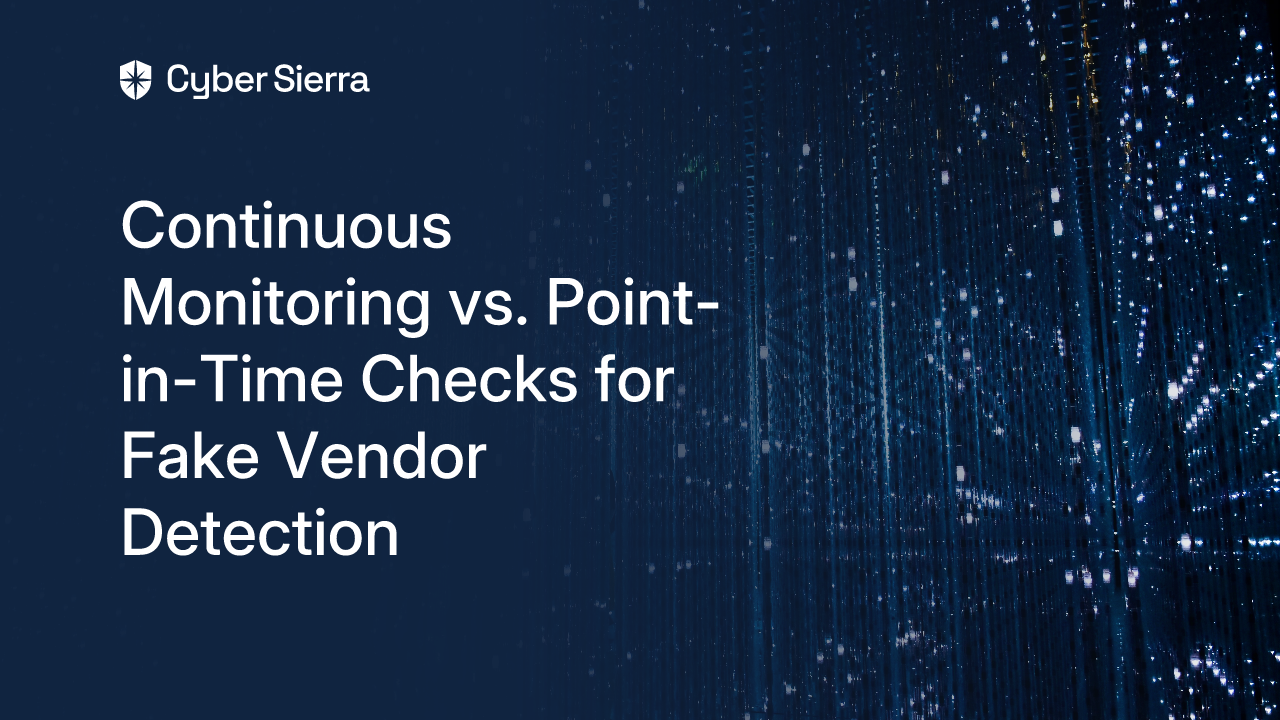
Let's explore the seven most dangerous accounts payable phishing scams targeting finance departments today and how AI-enabled security solutions are uniquely equipped to stop them.

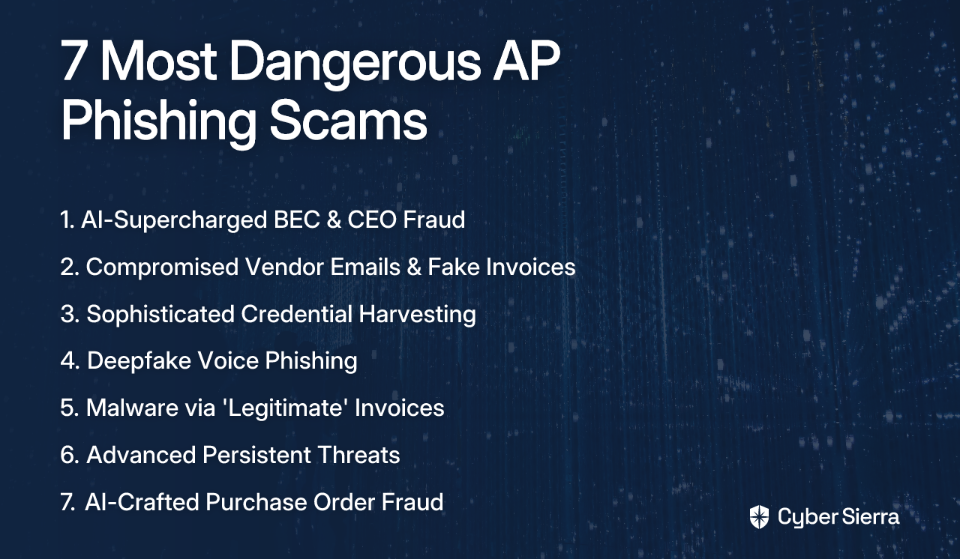
1. AI-Supercharged Business Email Compromise (BEC) & CEO Fraud

Attack Methodology: Cybercriminals use AI to scrape LinkedIn profiles, company websites, and earnings calls to craft highly convincing emails impersonating a CEO or CFO. The AI perfectly mimics the executive's communication style and tone. These emails create extreme urgency ("confidential M&A deal," "urgent wire transfer needed before market close") to pressure AP employees into bypassing verification protocols.

Traditional Detection Challenges: These emails often originate from lookalike domains that are visually indistinguishable from legitimate ones—or worse, from actual compromised executive accounts. There are no typical red flags like spelling errors, and the pressure and authority of the supposed sender cause employees to skip critical verification steps.

How AI-Enabled Security Stops It: Cyber Sierra's integrated platform serves as the first line of defense against sophisticated BEC attacks. Its AI doesn't just analyze individual emails; it examines patterns across the organization.
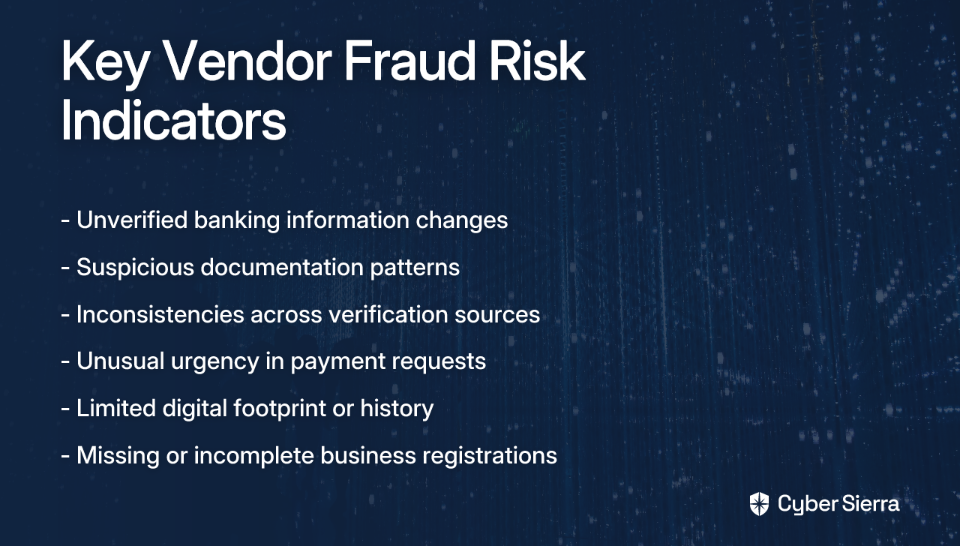
The platform's Continuous Control Monitoring (CCM) module uses behavioral analytics to flag anomalous requests. For example: "The real CEO has never requested a wire transfer to this bank before," or "This payment request falls outside normal working hours and deviates from established payment patterns."

Additionally, the platform correlates data from the Employee Security Training module. It might know the targeted employee recently failed a phishing simulation involving urgent requests, flagging them as higher risk and applying extra scrutiny to their transactions.

2. Compromised Vendor Emails & AI-Generated Fake Invoices

Attack Methodology: Attackers gain access to a legitimate vendor's email account and monitor correspondence to understand billing cycles and invoice formats. They then use AI to generate a pixel-perfect invoice, often just changing the bank account details. The email comes from the vendor's actual account, making it appear completely legitimate.

In a real-world case that circulated among IT professionals, a company called their vendor to verify new payment details, and the vendor—whose systems were compromised—actually confirmed the fraudulent information.
Traditional Detection Challenges: Since the request comes from a trusted source, standard email security (SPF, DKIM, DMARC) won't flag it. Manual verification fails if the vendor's own communication channels are compromised. AP teams, often overworked, may not perform the multi-channel verification needed.

How AI-Enabled Security Stops It: A comprehensive solution tackles this problem from multiple angles. Cyber Sierra's Third-Party Risk Management (TPRM) module continuously monitors the security posture of your vendors. An alert is triggered if a vendor's domain suddenly shows security vulnerabilities or is associated with known threats.

The CCM module's AI analyzes each invoice against all historical invoices from that vendor. It instantly flags changes in bank account details as high-risk anomalies and freezes payments pending manual review. The system can automatically trigger multi-channel verification workflows using pre-approved, on-file phone numbers—not ones from the suspicious email.

3. Sophisticated Credential Harvesting

Attack Methodology: Attackers send phishing emails prompting employees to log into familiar systems (Microsoft 365, procurement portals, HR software). The link leads to a pixel-perfect fake login page hosted on a lookalike domain. AI-powered phishing kits make these pages highly adaptive and difficult for browsers to blacklist quickly.

Once credentials are stolen, attackers create backdoors. As one IT professional noted, "Once an email account is hacked they generate the app reg with app ID and secret to monitor the account via EWS [Exchange Web Services]."

Traditional Detection Challenges: Employees are trained to look for bad URLs, but AI can create very convincing ones. Many users lack technical awareness about the risks of seemingly simple actions, like opening files with deceptive extensions (invoice.pdf.exe).

How AI-Enabled Security Stops It: Cyber Sierra's Threat Intelligence module maintains a constantly updated database of malicious and lookalike domains. It can block access to these sites at the network level before employees even have a chance to enter their credentials.

On the proactive side, the Employee Security Training module uses simulated phishing campaigns that mimic these exact credential harvesting tactics. The platform tracks who fails these simulations and automatically enrolls them in remedial training, strengthening the "human firewall" and building a security-conscious culture.

4. Deepfake Voice Phishing (Vishing) for Payment Authorization

Attack Methodology: An attacker sends a BEC-style email from a spoofed "CFO" account. When the AP clerk calls to verify, the attacker uses AI-powered voice-cloning technology to deepfake the CFO's voice, calmly authorizing the payment. The technology only needs a few seconds of audio from a public source (like an earnings call) to create a convincing clone.

Traditional Detection Challenges: Voice verification is considered a strong security control, but deepfake technology completely undermines it. The human ear cannot reliably detect a high-quality voice clone, especially when the listener expects to hear a particular person.
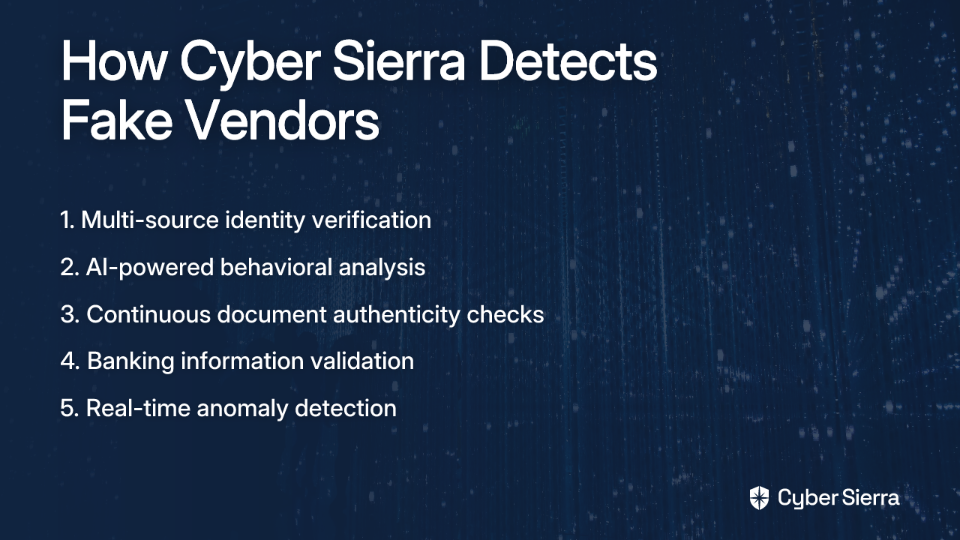
How AI-Enabled Security Stops It: An AI-enabled platform doesn't rely on a single verification factor. Cyber Sierra's CCM would have already flagged the initial email request as anomalous based on factors like the destination bank, amount, or timing. The "voice verification" would be just one data point in a comprehensive evaluation.
The platform enforces a strict, digitally-audited approval process. A high-value, anomalous transfer would require multi-person sign-off within the platform itself (e.g., from both the Head of AP and the Controller), making a single point of failure from a deepfake call impossible.
5. Malware & Ransomware Delivery via "Legitimate" Invoices

Attack Methodology: Attackers send emails with attachments named "Invoice_Details.zip" or "Payment_Confirmation.pdf." The email body, generated by AI, is tailored to the recipient's role and recent company activities. The file contains malware or ransomware that, once opened, encrypts files or steals financial data.

This preys on behavior described by IT professionals: "Every spam or fraud email our AP team receives gets opened, attachment downloaded and opened, then forwarded to the other team members so they can download the attachment and open it."

Traditional Detection Challenges: Basic antivirus may miss zero-day malware. Busy employees in AP are conditioned to open invoices and may not scrutinize file types or sources carefully enough. As one IT admin reported, they had to block "invoice.pdf.exe" for a head of finance who "insisted that the PDF is legit."

How AI-Enabled Security Stops It: Cyber Sierra's platform integrates email gateway scanning and endpoint protection monitoring. The Threat Intelligence module identifies malicious attachments using AI-powered sandboxing and heuristic analysis, quarantining threats before they reach inboxes.

If malware does execute, the CCM detects anomalous file activity (rapid encryption of files, unusual network connections) and can trigger automated responses like isolating affected machines from the network to contain the threat.

6. Advanced Persistent Threats (APTs) Targeting Financial Systems

Attack Methodology: This is a "low and slow" attack. After an initial compromise, the attacker doesn't act immediately. They stay dormant, moving laterally through the network over weeks or months to gain access to core financial systems. Their goal is to understand approval workflows and payment schedules so they can eventually reroute large sums undetected.

Traditional Detection Challenges: The individual actions of the attacker appear as normal user activity. Siloed security tools (one for network, one for endpoints, one for email) fail to connect the dots of the slow-moving attack chain.

How AI-Enabled Security Stops It: Cyber Sierra's CCM builds a baseline of normal behavior for every user and system over time. It can detect subtle deviations that signal an APT, such as:

  • An AP clerk's account accessing the vendor master file at 3 AM
  • A user logging in from an unusual geographic location
  • A service account trying to escalate privileges

By correlating signals from network logs, cloud infrastructure, and endpoint agents, the platform can piece together the entire attack chain and alert security teams long before financial theft occurs.

7. AI-Crafted Social Engineering for Purchase Order Fraud

Attack Methodology: Attackers use AI to generate fake but highly realistic Purchase Orders and send them to AP for payment. The AI scrapes information to know what services the company typically buys and from which suppliers, making the PO seem plausible. It might reference real projects or initiatives to add credibility.

This is often combined with social engineering, where the attacker may have previously engaged with the AP team on minor, legitimate-seeming queries to build trust.

Traditional Detection Challenges: Manual three-way matching (PO vs. goods receipt vs. invoice) is time-consuming and often skipped under pressure. If there is no "goods receipt" for a service, AP may rely solely on the PO, which is now fraudulent.

How AI-Enabled Security Stops It: Cyber Sierra's GRC and CCM capabilities integrate with procurement and ERP systems. The AI automatically flags any invoice that doesn't have a corresponding, approved PO and a digitally-verified goods/service receipt in the system.

The platform uses data from the TPRM module to analyze the supplier on the PO. If it's a new or unrecognized supplier, or one with a low-security score, the payment is automatically blocked for higher-level review.

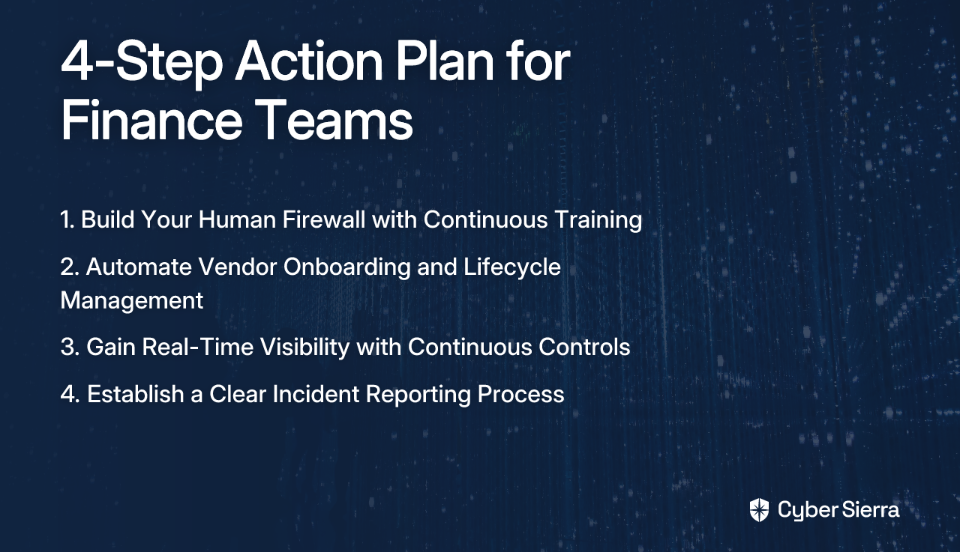
Implementation Guidance for Finance Teams

Finance teams don't need to become cybersecurity experts, but they do need to champion the right processes and tools. Here's an actionable plan:

Step 1: Build Your Human Firewall with Continuous Training Move beyond annual, check-the-box training. Implement a program of continuous education and simulated phishing. Use a platform like Cyber Sierra's Employee Security Training to automate campaigns and track employee security quotients over time, making training data-driven and adaptive.

Step 2: Automate Vendor Onboarding and Lifecycle Management Establish strict protocols for any change in vendor information, especially bank details. Leverage a TPRM platform to automate vendor risk assessments during onboarding and continuously monitor their security posture. Mandate that all vendor changes must be processed and verified through this central system.

Step 3: Gain Real-Time Visibility with Continuous Control Monitoring Implement CCM to get real-time alerts on anomalous transactions, user behavior, and system configurations. Work with IT to deploy a solution that integrates with your financial systems to provide a single pane of glass for monitoring AP-related risks.

Step 4: Establish a Clear and Simple Incident Reporting Process Prevent the chaos of employees forwarding suspicious emails. Create a simple, well-communicated process (e.g., a dedicated "[email protected]" mailbox) for reporting potential threats, ensuring they go directly to the security team without spreading the risk.

Conclusion

The rise of AI in phishing attacks has made traditional, manual AP security controls obsolete. A reactive, siloed approach is a recipe for financial loss.

The most effective defense is a proactive, integrated cybersecurity platform that uses AI to fight AI. By correlating signals across employee behavior, third-party risk, and real-time transaction monitoring, organizations can detect and stop sophisticated accounts payable phishing scams before they happen.

Don't wait to become another statistic. See how Cyber Sierra's AI-enabled platform can protect your accounts payable process and strengthen your organization's financial security posture.

Frequently Asked Questions

What is an AI-powered phishing attack?

An AI-powered phishing attack uses artificial intelligence to create highly convincing fake emails, invoices, or messages. AI helps attackers mimic communication styles, spoof domains, and evade traditional security filters, making them harder for humans to spot.

Why are traditional email filters no longer enough to stop AP phishing?

Traditional filters look for known red flags like typos or malicious links. AI-generated scams often have none of these and can originate from legitimate, compromised vendor accounts, bypassing standard checks like SPF, DKIM, and DMARC entirely.

What is the most common phishing scam targeting accounts payable?

Business Email Compromise (BEC) and vendor email compromise are the most common and damaging scams. In these attacks, criminals impersonate executives or real vendors to trick AP staff into making fraudulent payments to accounts they control.

How does an AI security platform defend against these advanced threats?

AI security platforms analyze behavioral patterns, not just email content. They can flag anomalous requests, like a payment to a new bank account or an unusual transaction time, and correlate data from multiple systems to detect threats that humans would miss.

What is the first step to improve our AP department's security?

Start by strengthening your "human firewall." Implement continuous, simulated phishing training to educate your team on modern threats. Combine this with a clear process for reporting any suspicious emails directly to your security team for analysis.

How can we protect against fake invoices from a real vendor's compromised email?

Use a system with Continuous Control Monitoring (CCM) and Third-Party Risk Management (TPRM). This technology automatically flags any changes to vendor payment details and continuously assesses your vendors' security posture, alerting you to potential risks.

blog-hero-background-image
Cyber Security

10 Warning Signs of Purchase Order Fraud Emails (And How to Verify Them)

backdrop
Table of Contents

Join thousands of professionals and get the latest insight on Compliance & Cybersecurity.


Summary

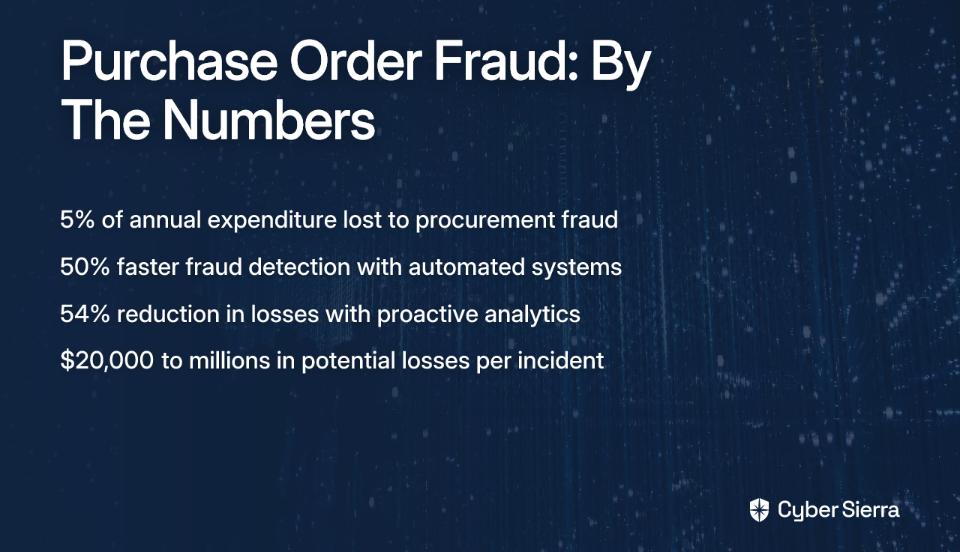
  • Procurement fraud is a significant threat, costing businesses an average of 5% of their annual expenditure.
  • Learn to identify critical red flags in purchase order emails, such as lookalike domains, urgent payment changes, and unprofessional language, to prevent scams.
  • Always verify suspicious requests through official, pre-verified contact channels—never use the contact information provided in the suspect email.
  • For a more robust defense, implement automated solutions like Cyber Sierra's Continuous Control Monitoring to detect fraudulent patterns that manual checks can miss.

That sinking feeling when a high-value order lands in your inbox, but something feels off. Is it a massive opportunity or a sophisticated scam? The anxiety about losing money to fraud and the frustration of sorting legitimate requests from phishing emails is a real and growing challenge for procurement teams.

Purchase order (PO) fraud is a scam where criminals impersonate a legitimate company (often a known customer or vendor) to trick a target business into fulfilling a fraudulent purchase order. The goal is to obtain goods on credit and disappear, leaving the victim with a significant financial loss.

The stakes are high—businesses lose approximately 5% of their annual expenditure to procurement fraud, waste, and abuse according to research from SAS. This isn't just a minor issue; it can lead to devastating losses, from tens of thousands to millions of dollars.

This guide will walk you through 10 critical warning signs of a fraudulent PO email and provide clear, actionable steps on how to verify them, so you can protect your organization from becoming another statistic.

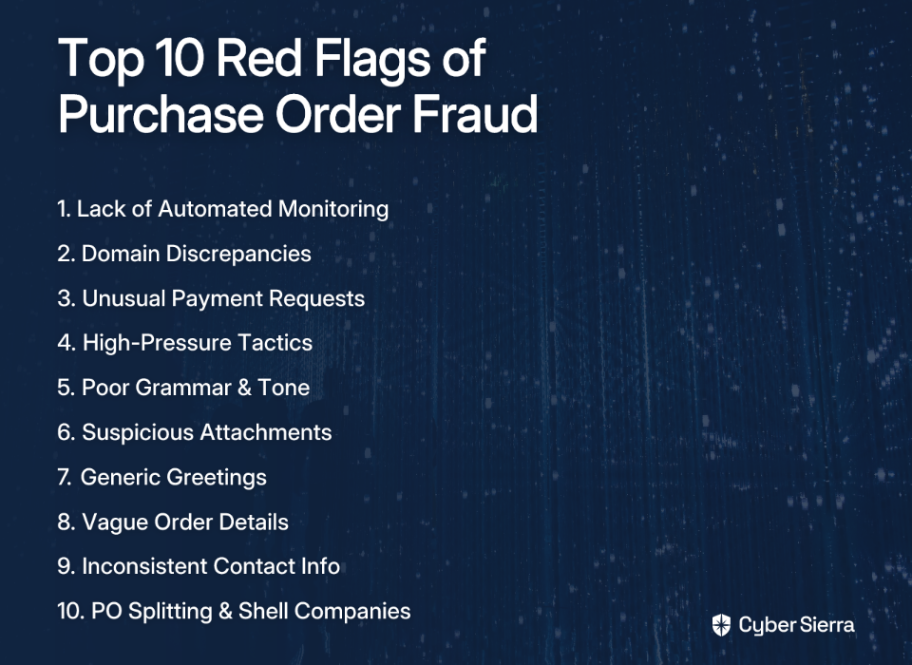
10 Critical Warning Signs of a Fraudulent Purchase Order

1. Lack of Automated Monitoring and Real-Time Alerts

The Problem: The most significant vulnerability is relying solely on manual checks. Sophisticated fraudsters create scams that are hard for the human eye to catch, especially in high-volume environments. Your team is busy, and it's easy for a subtle fraudulent pattern to slip through the cracks.

The Solution: The first and most powerful line of defense is an automated system that never sleeps. Proactive data analytics can detect fraud schemes up to 50% faster and reduce losses by up to 54% according to the ACFE 2016 Report via Oversight.com.

How Cyber Sierra Helps: Cyber Sierra's Continuous Control Monitoring (CCM) platform provides this proactive defense. It automates the monitoring of your security controls and business processes, flagging anomalies and exceptions in real-time. Instead of waiting to spot a red flag yourself, you get an alert when something deviates from the norm, allowing you to investigate before a fraudulent transaction is approved.

2. Domain Discrepancies and Lookalike Emails

The Red Flag: Scammers often register email domains that are visually similar to legitimate ones. This is a common tactic in phishing emails. They might add a letter, change .com to .co, or insert the company name into a generic email provider.

Real-World Example: A fraudulent email might come from [email protected] or [email protected] instead of the official domain @tutorperini.com as noted in Tutor Perini's supplier fraud alert.

How to Verify:

  • Hover your mouse over the sender's name to reveal the actual email address
  • Carefully inspect every character of the domain—don't just glance at it
  • Compare the sender's email address against previous, known-good correspondence
  • Maintain a verified vendor contact list within your procurement system

3. Urgent or Unusual Payment Requests

The Red Flag: A classic sign of fraud is a sudden, often urgent, request to change payment details. The scammer might claim their old bank account is "under audit" or "frozen" and insist you send payment to a new, unfamiliar account. They may also request payment via unconventional methods like wire transfers to personal accounts or cryptocurrency.

Why it Works: This tactic preys on the desire to be helpful and maintain a good business relationship, rushing you into making a decision without proper verification. It directly links to the anxiety about losing money due to fraud, as reported in FBI investigations.

How to Verify:

  • NEVER change payment information based on an email request alone
  • Institute a mandatory multi-step verification process for any changes to vendor payment details, involving a phone call to a known, pre-verified contact person (not a number from the suspicious email)
  • Send a small test payment to the new account and wait for confirmation of receipt before processing the full invoice

4. High-Pressure Tactics and Unwarranted Urgency

The Red Flag: Fraudulent emails often create a false sense of urgency. Phrases like "URGENT: Process Immediately," "Final Notice," or "Avoid Account Suspension" are used to pressure you into acting quickly without thinking or following standard procedures.

The Psychology: This tactic is designed to trigger a panic response, bypassing critical thinking and established security protocols. According to user research, scam emails that induce panic and anxiety are particularly effective at getting recipients to act hastily.

How to Verify:

  • Recognize that urgency is a manipulation tactic. Pause and take a breath
  • Adhere strictly to your organization's standard procurement and payment verification processes, no matter how urgent the request seems
  • If a request demands you bypass a control, treat it as highly suspicious and escalate it to your manager or security team

5. Poor Grammar, Spelling, and Unprofessional Tone

The Red Flag: Legitimate corporate communications are typically proofread and maintain a professional tone. Phishing emails often contain grammatical errors, awkward phrasing, or spelling mistakes. While not always present (scams are getting more sophisticated), it remains a reliable indicator.

Why it Happens: Scammers may be non-native English speakers, or they may be blasting out so many emails that they don't bother with quality control.

How to Verify:

  • Read the email carefully. Does it sound like the person you usually communicate with?
  • Be wary of an overly formal or strangely informal tone that deviates from past interactions
  • Trust your instincts. If the language feels "off," it probably is

6. Suspicious Attachments and Links

The Red Flag: The email contains an unexpected attachment (often a .zip, .exe, or even a .pdf) or urges you to click a link to "view the purchase order." This is a primary vector for malware or ransomware.

User Pain Point: Many users report anxiety about opening attachments from emails, fearing malware risks, especially from PDFs that may contain embedded malicious code.

How to Verify:

  • Do not click on links or open attachments from an unsolicited or suspicious email
  • Hover over links to see the true destination URL before clicking. Does it go to the vendor's legitimate website?
  • If you need to view a PO, log in to your company's procurement portal or the vendor's official portal directly. Do not use links provided in an email
  • Use a reputable antivirus and email security solution to scan all attachments automatically

7. Generic Salutations and Lack of Specific Detail

The Red Flag: The email begins with a generic greeting like "Dear Valued Customer," "Hello Sir/Ma'am," or just "Greetings," instead of your name or title. The body of the email may lack specific details about the products, referencing only an "order number."

Why it's a Sign: Scammers send these emails in bulk and don't have your specific information. User experiences confirm that emails lacking detailed information often indicate potential fraud.

How to Verify:

  • Check if the email references past orders or specific contract details that only a legitimate partner would know
  • Cross-reference the PO number in the email with your internal purchasing system. If it doesn't exist, it's a major red flag

8. Mismatched or Vague Order Details

The Red Flag: The PO is for goods or services your company doesn't typically buy, or the descriptions are extremely vague (e.g., "consulting services," "miscellaneous parts," or "blanket orders" without specifics). It could also be an unusually large quantity of a common item.

Connection to Deeper Fraud: This could be a sign of a simple scam or internal fraud, where an employee might be colluding with a fake "shell company" according to fraud pattern analysis by Oversight.com.

How to Verify:

  • Confirm the order with the internal department that allegedly requested it. Did the engineering team really order 500 high-end laptops?
  • Review the vendor's history. Is this a typical order for them?
  • Question any PO with vague line items. A legitimate order will have specific SKUs, product numbers, and detailed descriptions

9. Unfamiliar or Inconsistent Contact Information

The Red Flag: The contact details in the email signature—phone number, address, name—do not match the official records you have for that vendor. The fraudster might list a mobile number instead of an office line or a P.O. Box instead of a physical address.

The Tactic: This is a way to route your verification attempts back to the scammer, creating a closed loop of deception.

How to Verify:

  • Never use the contact information provided in a suspicious email to verify it
  • Look up the company's official phone number from their website or your internal vendor master file
  • Call your established contact at the company to confirm the legitimacy of the purchase order and the sender

10. Signs of Advanced Fraud: PO Splitting and Shell Companies

The Red Flag: This goes beyond a single email. You might notice a pattern of multiple smaller POs to the same vendor that, when combined, add up to a large amount. Each individual PO falls just below the threshold that would trigger a mandatory review or higher-level approval. This is PO splitting. Or, you might see invoices from a new vendor with a name very similar to a trusted one (e.g., "ACME Ltd." instead of "ACME Inc.") or a vendor with only a P.O. box address. This could be a shell company.

Why it's Dangerous: These patterns are nearly impossible to catch with manual, transaction-by-transaction reviews. They require analyzing data over time, as highlighted in procurement fraud research.

How to Verify:

  • This is where manual verification fails and automated analysis excels. Use a system that can analyze spending patterns over time
  • Regularly audit your vendor master file for duplicate or suspicious entries
  • Investigate vendors with P.O. box addresses or addresses that match employee addresses

Automate Your Defense with Cyber Sierra

While knowing these 10 signs is crucial, relying on your team to catch every fraudulent email is an unsustainable and risky strategy. As user research shows, this leads to frustration, anxiety, and eventual burnout. You need a system that acts as a safety net.

This is where Cyber Sierra's platform transforms your defense from reactive to proactive:

  • Continuous Control Monitoring (CCM): Our CCM module provides near real-time visibility into your security controls. It can monitor email security configurations (like SPF, DKIM, DMARC) to ensure they are properly enforced, reducing the risk of spoofed emails reaching your team. It automates control testing and flags anomalies, helping you detect risks before they become incidents.
  • Third-Party Risk Management (TPRM): Strengthen your vendor onboarding and management. Our TPRM solution helps you vet new vendors, continuously monitor their security posture, and manage the entire vendor lifecycle, making it much harder for a fraudulent "shell company" to enter your system.
  • Employee Security Training: Turn your employees into a human firewall. Our platform offers engaging training modules and simulated phishing campaigns to teach your team how to spot and report suspicious emails, directly addressing the human element of PO fraud.

Conclusion: A Two-Pronged Approach to Security

Purchase order fraud is a sophisticated and costly threat targeting the heart of your business operations. By training your procurement team to recognize the red flags—from suspicious domains to high-pressure tactics—you build your first line of defense.

But human vigilance alone isn't enough. The most resilient organizations combine an educated workforce with powerful, automated technology. Implementing a solution like Cyber Sierra's Continuous Control Monitoring provides the systematic oversight needed to catch what humans might miss.

Don't wait to become a victim. Protect your procure-to-pay process with intelligent automation. Request a demo of Cyber Sierra's platform today to see how continuous monitoring can secure your business from purchase order fraud.

Frequently Asked Questions

What is purchase order fraud?

Purchase order fraud is a scam where criminals impersonate a real company to trick a business into shipping goods on credit, for which they never pay. This is often done using lookalike email domains and fraudulent PO documents to appear legitimate.

What is the most common sign of a fraudulent PO email?

The most common sign is a suspicious sender email address, such as one with a slightly misspelled company name or a generic domain like gmail.com. Always hover over the sender's name to reveal the true email address and compare it against verified contacts.

How should I verify a suspicious purchase order?

To verify a suspicious purchase order, independently contact the company using a phone number from their official website, not from the suspicious email. Never use the contact details in the potential scam email to confirm its legitimacy.

Why do scammers use high-pressure tactics in fraudulent emails?

Scammers use high-pressure tactics and urgency to create panic, causing you to bypass standard security procedures and make mistakes. By creating a false emergency, they prevent you from thinking critically and carefully verifying the request.

Can automated systems prevent purchase order fraud?

Yes, automated systems like Continuous Control Monitoring (CCM) can effectively prevent PO fraud by detecting anomalies and patterns that humans often miss. They work 24/7 to flag suspicious activities in real-time, providing a critical safety net.

What should I do if I've already responded to a fraudulent PO?

If you've responded to a fraudulent PO, immediately stop all communication and contact your IT security team, manager, and the company being impersonated. If goods were shipped, contact the carrier to stop delivery and report the incident to law enforcement.

blog-hero-background-image
Cyber Security

10 Vendor Impersonation Scam Email Examples Every Business Should Know

backdrop
Table of Contents

Join thousands of professionals and get the latest insight on Compliance & Cybersecurity.


Summary

  • Business Email Compromise (BEC) is a costly threat, causing over $50 billion in global losses from 2013-2022 by exploiting human trust.
  • Scammers use sophisticated tactics like lookalike domains, conversation hijacking, and executive impersonation to create convincing fraudulent payment requests.
  • The most effective defense is a non-negotiable verification process; always confirm payment change requests via a separate, trusted communication channel like a phone call.
  • A comprehensive defense strategy combines robust processes, continuous employee training, and AI-powered threat detection, which can be streamlined with Cyber Sierra's integrated platform.

You receive an invoice from a trusted vendor that looks perfect—correct logo, correct amount, correct due date. Your first thought might be, "Our vendor must have been breached." But what if they weren't? What if it's a sophisticated social engineering attack designed specifically to target your business?

Vendor impersonation scam emails have become alarmingly common, with Business Email Compromise (BEC) costing organizations over $50 billion globally between 2013 and 2022, according to FBI data. In 2022 alone, BEC scams resulted in losses exceeding $2.7 billion, accounting for more than a quarter of all cybercrime losses.

What makes these attacks so effective? They don't rely on malware or technical vulnerabilities. Instead, they exploit human trust and routine business processes. Let's examine 10 real-world examples of vendor impersonation scams and how to defend against them.

1. Proactive Defense with AI and Training

Before diving into specific scam tactics, it's worth noting that the most effective defense is proactive rather than reactive.

The Scenario: Instead of waiting to spot fraudulent emails, forward-thinking organizations are building systems where such threats are identified and neutralized before they reach an employee's inbox.

Why It Works: A proactive stance combines technology and training to reduce the attackers' window of opportunity. This addresses the growing sophistication of scams that make traditional defenses less effective.

The Multi-Layered Countermeasure with Cyber Sierra:

Cyber Sierra's Employee Security Training moves beyond boring slideshows to create engaging learning experiences. Through interactive modules, quizzes, and simulated phishing campaigns, employees learn to instinctively identify suspicious communications. This training is complemented by Cyber Sierra's Threat Intelligence platform, which uses AI to detect subtle anomalies that even vigilant humans might miss.

2. The Lookalike Domain (Typo-squatting)

The Scenario: An attacker registers a domain visually almost identical to a legitimate vendor's domain (e.g., acme-corp.com vs. acrne-corp.com) and uses it to send fraudulent invoices.

Real-World Example: Book thief Filippo Bernardini registered over 160 fake domains to impersonate publishers and literary agents, successfully stealing hundreds of unpublished manuscripts, according to Proofpoint.

Why It Works: In a busy workday, the human brain often autocorrects small errors. This homograph attack exploits that cognitive shortcut.

Red Flags:

  • Sender's email address contains subtle misspellings (e.g., 'i' replaced with 'l')
  • Email signature or branding looks slightly off or low-resolution

Countermeasures:

  • Implement email authentication standards like DMARC, SPF, and DKIM to filter spoofed emails
  • Train accounts payable teams to meticulously verify sender domains on payment-related emails

3. The Urgent "Change of Bank Details" Request

The Scenario: You receive an email from a known vendor contact stating their company has changed banks and urgent action is needed to update payment information.

Real-World Example: Scammers impersonating a construction firm used fake letterhead to convince Children's Healthcare of Atlanta to divert $3.6 million in payments, as reported by KMBC News.

Why It Works: The request seems like a standard administrative update, and the urgency creates pressure to act quickly without proper verification.

Red Flags:

  • Unsolicited request to change long-standing payment information
  • Language creating pressure (e.g., "to avoid payment delays" or "update before end of day")
  • Request made exclusively over email

Countermeasures:

  • Implement a strict payment information update policy requiring verification through multiple channels
  • Always verify change requests via phone call to a known contact at the vendor company (using contact information from your records, not from the email)

4. The Conversation Hijack

The Scenario: A threat actor gains access to an employee's or vendor's email account. They monitor ongoing conversations about invoices and payments, then reply within an existing thread from a lookalike domain, providing new payment instructions.

Real-World Example: Scammers inserted themselves into email conversations between Eagle Mountain City and its vendors, successfully redirecting a $1.13 million payment. Officials admitted complacency was a factor, according to ABC4 News.

Why It Works: The fraudulent email is part of a legitimate conversation history, giving it immense credibility. This addresses the user concern that "to get the details and timing right, some party to the transaction must be compromised."

Red Flags:

  • A new person suddenly CC'd on the email thread
  • The reply-to address differs from the original sender's address
  • A sudden change in tone or grammar within the ongoing conversation

Countermeasures:

  • Always verify payment instruction changes, even if they come in an existing email thread
  • Encourage vendors to use secure payment portals instead of sending bank details over email
  • Investigate suspicious emails by examining cloud provider email access logs for illicit access

5. The Executive Impersonation (CEO Fraud)

The Scenario: A finance employee receives an urgent, confidential email seemingly from their CEO or CFO requesting an immediate wire transfer for a time-sensitive matter, with instructions not to discuss it with anyone else.

Real-World Example: In the infamous Sefri-Cime case, an international gang impersonated a lawyer to authorize urgent, secret transfers, ultimately stealing €38 million, as reported by Europol.

Why It Works: This scam leverages the dual pressures of authority and urgency. Employees are hesitant to question high-level executives, especially when the request is marked as confidential.

Red Flags:

  • Sender's display name is the CEO, but the email address is from a generic provider (e.g., [email protected])
  • Phrases like "I'm in a meeting," "can't take calls," or "handle this discretely"
  • An unusual request that bypasses standard payment procedures

Countermeasures:

  • Establish a multi-person approval process for all wire transfers above a certain threshold
  • Create a culture where employees feel empowered to question unusual requests, even from executives
  • Require verbal confirmation (in-person or via phone) for all non-standard financial transactions

6. The Long Con: Building Trust Over Time

The Scenario: Rather than striking immediately, an attacker poses as a new employee at a vendor company and engages in weeks or months of mundane correspondence to establish legitimacy before making a fraudulent request.

Real-World Example: An attacker defrauded Virginia Commonwealth University of $470,000 by first building a relationship over several months while posing as an employee of a contracted construction firm, according to the U.S. Department of Justice.

Why It Works: This method patiently bypasses suspicion by normalizing the attacker's presence. By the time the fraudulent request is made, the target has developed a sense of trust.

Red Flags:

  • A new point of contact from a vendor that hasn't been formally introduced through official channels
  • The "new" contact communicates exclusively via a free email service (Gmail, Outlook)

Countermeasures:

  • Maintain a centralized and verified list of vendor contacts as part of a robust vendor management program
  • Verify any new points of contact through a primary, established contact at the vendor company

7. The Well-Timed Strike

The Scenario: Attackers monitor communications or public announcements to identify periods of high activity or distraction, such as the final stages of a major project, a merger, or right before a holiday weekend. They send their fraudulent requests during these chaotic times.

Real-World Example: Elkin Valley Baptist Church was defrauded of $793,000 when an attacker sent a nearly identical fraudulent email during a critical phase of a construction project, according to the Elkin Tribune.

Why It Works: During high-stress periods, employees are more likely to cut corners on verification procedures in the name of efficiency.

Red Flags:

  • Urgent payment request arriving late on a Friday afternoon
  • An invoice related to a project that is known to be in a frantic, final stage

Countermeasures:

  • Reinforce the importance of following verification protocols especially during busy periods
  • Stress that security processes are never optional, regardless of deadlines or pressure

8. The Fake Credibility Persona

The Scenario: Attackers create fake online profiles to make their impersonation more believable. They might set up a LinkedIn profile for their fake persona, listing the vendor company as their employer, to appear legitimate if the target decides to research them.

Real-World Example: In an attack on an aviation company, actors used elaborate fake online profiles to add credibility to their fraudulent requests for payment on overdue invoices, according to Proofpoint.

Why It Works: A quick search seems like proper due diligence, but if the attacker has created supporting fake profiles, it can falsely reassure the target.

Red Flags:

  • A request coming from a new contact person
  • A suspicious LinkedIn profile: very few connections, recently created, sparse work history

Countermeasures:

  • Never rely solely on public social media profiles for verification
  • Use a formal vendor onboarding process that verifies key contacts through multiple channels

9. The Invoice with Malicious Attachments or Links

The Scenario: The email contains a realistic-looking invoice as an attachment or a link to an online payment portal. The attachment contains malware, or the link leads to a phishing site designed to steal credentials.

Real-World Example: The SilverTerrier gang targeted over 50,000 companies using large-scale phishing campaigns as a precursor to their financial fraud schemes, according to Infosecurity Magazine.

Why It Works: Opening invoices is a routine part of an accounts payable employee's job. This tactic weaponizes a normal daily task.

Red Flags:

  • Hovering over a link reveals a URL that doesn't match the vendor's legitimate website
  • The email requests you to "enable macros" to view an invoice
  • The file attachment has an unusual extension (e.g., .html, .zip)

Countermeasures:

  • Use advanced email security solutions that scan attachments and links
  • Train employees never to enable macros from an untrusted source and always hover over links before clicking

10. The Reconnaissance-Based Attack

The Scenario: Attackers use open-source intelligence (company website, social media, news articles) and initial phishing emails to gather information about your company's structure, projects, and personnel. They use this data to craft highly specific and convincing impersonation emails.

Real-World Example: Scammers targeting Medicare and Medicaid used stolen identities and detailed knowledge of billing processes to create fake businesses and divert $11.1 million in payments, as reported by CNBC.

Why It Works: The email is so personalized—mentioning specific projects, real colleagues' names, or recent company events—that it bypasses suspicion entirely.

Red Flags:

  • This is the hardest to spot because it looks so authentic. The only red flag may be the request itself (e.g., an out-of-process payment).

Countermeasures:

  • Combine technology and strict process controls. Even the most convincing email should fail if it requests an action that violates your fraud mitigation policy
  • Limit the amount of sensitive operational information shared publicly

Building a Multi-Layered Defense Against Vendor Fraud

Vendor impersonation isn't just a technology problem; it's a human one. As one security professional aptly put it, "'social engineering' never gets old." Your defense needs to be as multi-faceted as the attacks themselves.

A robust strategy relies on strengthening your Processes, your People, and your Technology:

  1. Solidify Your Processes with TPRM: Cyber Sierra's Third-Party Risk Management (TPRM) platform helps establish and automate secure vendor management. It creates a verified vendor contact database and continuously monitors your supply chain for risk, providing a baseline of "what's normal" so you can spot anomalies.
  2. Empower Your People with Training: Cyber Sierra's Employee Security Training delivers engaging, continuous education that prepares employees to spot and report the scams detailed above. It builds a vigilant culture where people are rewarded for being suspicious.
  3. Augment with AI-Powered Technology: Cyber Sierra's Threat Intelligence leverages AI to analyze email intent, sender reputation, and communication patterns, flagging high-risk messages that evade traditional filters. It can spot a lookalike domain or an anomalous request even when buried in a legitimate-looking conversation.

Vendor fraud is evolving, but you don't have to fight it alone. A disconnected set of tools and policies leaves dangerous gaps for attackers to exploit. Discover how Cyber Sierra's all-in-one platform protects your business from financial loss and reputational damage through an integrated, proactive defense strategy.

Frequently Asked Questions

What is vendor impersonation?

Vendor impersonation is a social engineering attack where a scammer poses as a trusted vendor to trick a company into making fraudulent payments. This is often done by sending fake invoices or requests to change bank details via a compromised or lookalike email.

Why are vendor impersonation scams so effective?

These scams work because they exploit human trust and prey on routine business processes, not technical flaws. Attackers use urgency, authority, and detailed reconnaissance to make their requests seem legitimate, bypassing standard suspicion.

How can I spot a vendor impersonation email?

Look for red flags like lookalike domains (e.g., acme-corp vs. acrne-corp), urgent requests to change bank details, pressure tactics, and poor grammar. Always verify the sender's email address and hover over links before clicking.

What is the single most important defense against vendor payment fraud?

The most critical defense is independent verification. Always confirm requests to change payment details or make urgent transfers through a separate, trusted channel, such as calling a known contact at the vendor using a phone number from your records.

How does AI help prevent Business Email Compromise (BEC)?

AI-powered security tools analyze email content, sender reputation, and communication patterns to detect anomalies that humans might miss. They can flag suspicious requests, lookalike domains, and unusual language, stopping threats before they reach an inbox.

What are the first steps to take if you suspect a scam?

Do not reply, click links, or open attachments. Immediately report the suspicious email to your IT or security department. If payment details are involved, independently contact the vendor using a verified phone number to confirm the request's legitimacy.

blog-hero-background-image
Cyber Security

10 Wire Transfer Fraud Prevention Technologies Every CISO Should Implement

backdrop
Table of Contents

Join thousands of professionals and get the latest insight on Compliance & Cybersecurity.


Summary

  • With 90% of US companies targeted by payment fraud, manual checks are no longer sufficient to prevent sophisticated wire transfer attacks.
  • A multi-layered defense is essential, focusing on technologies like Continuous Control Monitoring (CCM), Third-Party Risk Management (TPRM), and Multi-Factor Authentication (MFA).
  • CISOs can start with foundational wins like implementing MFA and employee security training before moving to more advanced solutions.
  • An integrated platform like Cyber Sierra can streamline the deployment of these controls, providing a unified view to manage and mitigate wire transfer fraud risks effectively.

You've just received an urgent email from your CEO requesting an immediate wire transfer to a new vendor. The language sounds right, the details seem legitimate, and there's that familiar pressure to act quickly. But do you have the technology in place to verify that this isn't a sophisticated fraud attempt?

The stark reality is sobering: 90% of US companies faced at least one payment fraud attempt last year, with 47% losing over $10M to these incidents. Wire transfer fraud has evolved far beyond simple phishing emails, with scammers now leveraging sophisticated Business Email Compromise (BEC), vendor payment fraud, and even AI-powered deepfakes to create a false sense of urgency that bypasses manual checks.

Many organizations still rely on outdated, manual controls that leave them vulnerable to increasingly sophisticated attacks. The frustration is real - users often balk at additional security measures, viewing them as inconvenient and costly, while simultaneously underestimating how easily scammers can compromise email accounts or clone voices to obtain sensitive data.

The solution? A multi-layered technology stack specifically designed to combat wire transfer fraud. This article outlines 10 critical technologies that every CISO should implement to protect their organization, complete with implementation difficulty ratings and effectiveness assessments.

1. Continuous Control Monitoring (CCM)

Implementation Difficulty: Moderate
Effectiveness Rating: High

Traditional periodic security checks leave dangerous gaps between assessments. CCM platforms like Cyber Sierra's CCM solution transform security from reactive to proactive by automating the monitoring of security controls across your entire digital infrastructure in near real-time.

A robust CCM platform should integrate with your cloud environments, network devices, and SaaS applications to provide a unified view of your security posture. Key features to look for include:

  • Centralized Controls Repository: Builds a unified library of security controls with near real-time status updates
  • Actionable Risk Intelligence: Prioritizes issues based on risk so you can focus on what matters most
  • Automated Control Testing & Validation: Eliminates manual, time-consuming evidence gathering for audits
  • Multi-Framework Management: Manages controls across frameworks like NIST, ISO 27001, PCI DSS, and SOX, ensuring internal controls required to prevent unauthorized payments remain effective

By implementing CCM, you gain continuous visibility into the effectiveness of your security controls, helping identify potential vulnerabilities before they can be exploited for fraudulent wire transfers.

2. Third-Party Risk Management (TPRM)

Implementation Difficulty: Moderate
Effectiveness Rating: High

Vendor payment fraud is a primary vector for wire transfer fraud, where attackers impersonate a legitimate supplier to redirect payments. TPRM technology automates the process of vetting, onboarding, and continuously monitoring the security posture of your vendors and partners.

Cyber Sierra's TPRM solution moves beyond static questionnaires to provide ongoing visibility into your vendor ecosystem. Look for these essential features:

  • Automated Vendor Assessments: Streamlines due diligence during onboarding
  • Continuous Monitoring: Provides near real-time visibility into vendor security compliance, alerting you to potential compromises in your supply chain
  • Risk-Based Prioritization: Focuses resources on the highest-risk vendors
  • Integration with AP Systems: Flags any changes to vendor payment information for verification

Implementing TPRM technology directly addresses the growing threat of supply chain compromises that often lead to fraudulent payment requests.

3. Employee Security Training & Simulation Platforms

Implementation Difficulty: Low
Effectiveness Rating: High

Human error remains the primary entry point for wire fraud attempts. As one Reddit user noted, "Consumers need to not be so stupid and send a huge amount of money to unknown recipients." Modern security awareness platforms go beyond annual compliance slidedecks to build a security-conscious culture through engaging, continuous training and realistic simulations.

Cyber Sierra's Employee Security Training module focuses on building resilience through practice. Key features to prioritize include:

  • Simulated Phishing Campaigns: Safely tests employees' ability to identify malicious emails mimicking real-world BEC attacks
  • Interactive Training Modules: Covers key topics like identifying social engineering, verifying payment requests, and following secure wire transfer procedures
  • Security Quotient Dashboard: Provides a clear overview of your organization's human risk posture
  • Targeted Training: Delivers specialized modules for finance teams and others involved in payment processing

When employees understand the sophistication of modern scams and have practiced responding to them, they become a powerful line of defense against wire transfer fraud.

4. AI-Powered Real-Time Fraud Detection

Implementation Difficulty: High
Effectiveness Rating: High

These advanced systems analyze transaction data in real-time to identify and block suspicious payments before execution. Using machine learning, they detect subtle anomalies and patterns invisible to human reviewers or rule-based systems.

Implementation requires deep integration with banking platforms, ERPs, and payment gateways. A recent study published in ScienceDirect demonstrated advanced models leveraging graph neural networks (GNN) that achieved a 27% improvement in detecting suspicious transactions.

Key features to look for include:

  • Behavioral & Transactional Analytics: Analyzes multiple data points to score the risk of each transaction
  • Detection of Known Fraud Patterns: Capable of flagging over 600 patterns, including BEC, vendor fraud, and money muling
  • Explainable AI: Provides clear reasons for why a transaction was flagged, reducing false positives and aiding investigations
  • Real-Time Intervention: Blocks or flags suspicious transactions before funds leave your account

While implementation complexity is high, the effectiveness of AI-powered detection makes it a worthwhile investment for organizations handling high-value or high-volume wire transfers.

5. Multi-Factor Authentication (MFA)

Implementation Difficulty: Low
Effectiveness Rating: High

MFA is a foundational security control that prevents account takeovers – often the first step in a BEC attack. By requiring a second form of verification beyond a password, MFA makes it exponentially harder for attackers to gain access to email or financial systems to initiate fraudulent wires.

Implementation should focus on:

  • Critical Systems Coverage: Deploy MFA across all systems involved in payment processing, including email, VPN, financial applications, and administrative portals
  • Adaptive Authentication: Implement solutions that adjust verification requirements based on risk signals like location, device, or behavior
  • Hardware Security Keys: Consider physical security keys for the most sensitive roles in the payment process
  • Session Controls: Implement automatic timeouts and re-authentication for sensitive transactions

Despite user resistance to perceived inconvenience, MFA remains one of the most cost-effective controls against wire fraud and should be non-negotiable for any organization.

6. Automated Bank Account Validation

Implementation Difficulty: Moderate
Effectiveness Rating: High

This technology directly addresses the core of vendor payment fraud by ensuring money goes to the right account. It automatically verifies the ownership and validity of a bank account in real-time before a transaction is processed, effectively blocking payments to fraudulent accounts.

According to Trustpair, automated validation is one of the most effective wire fraud prevention strategies. Key capabilities include:

  • Real-Time Verification: Validates account details against banking databases before transaction execution
  • Name Matching: Confirms the account owner matches the expected payee
  • Change Detection: Automatically flags changes to previously verified banking information
  • Integration with Payment Workflows: Embeds validation directly into existing payment processes

This technology is particularly valuable because it creates a direct verification channel that bypasses potentially compromised email communication.

7. Behavioral Analytics

Implementation Difficulty: Moderate
Effectiveness Rating: High

While related to AI fraud detection, behavioral analytics focuses specifically on modeling normal user and entity behavior. It creates a baseline of activity patterns (login times, locations, transaction amounts, payment frequencies) and flags significant deviations as high-risk, enabling pre-emptive intervention.

Effective implementations:

  • Collect data from multiple sources: Network logs, application access, and transaction data build comprehensive user profiles
  • Establish normal payment patterns: Recognize usual payment amounts, recipients, and timing
  • Detect subtle anomalies: Flag unusual behaviors like an employee suddenly approving a large wire transfer to a new international beneficiary outside business hours
  • Provide context-aware alerts: Deliver actionable information to security teams for rapid response

Behavioral analytics excels at detecting novel attacks that signature-based systems might miss, making it a powerful addition to your defense strategy.

8. Governance, Risk & Compliance (GRC) Platforms

Implementation Difficulty: Moderate
Effectiveness Rating: Moderate (as an enabler)

GRC platforms operationalize the policies and internal controls that prevent fraud. They provide a centralized system to manage risk assessments, document procedures like segregation of duties and the four-eye principle, and automate evidence collection for audits under frameworks like Sarbanes-Oxley (SOX).

Cyber Sierra's GRC platform simplifies the management of these complex requirements with features like:

  • Policy Management: Central repository for security and financial policies
  • Automated Risk Assessments: Streamlines the process of identifying and evaluating fraud risks
  • Audit Trail Generation: Maintains detailed logs proving that controls are being followed consistently
  • Control Automation: Enforces approval workflows and authorization limits for high-risk transactions

While not directly preventing fraud attempts, GRC platforms ensure the necessary guardrails are in place and properly maintained.

9. Threat Intelligence Solutions

Implementation Difficulty: Moderate
Effectiveness Rating: High

These platforms provide a proactive, outside-in view of your organization's attack surface. By continuously scanning for vulnerabilities, misconfigurations, and leaked credentials on the dark web, they help identify and remediate security weaknesses that attackers exploit to launch BEC and phishing campaigns.

Cyber Sierra's Threat Intelligence module offers comprehensive scanning capabilities. Key features to prioritize:

  • Network and Cloud Vulnerability Scanning: Identifies exploitable weaknesses in your infrastructure
  • Attack Surface Management: Provides a holistic view of publicly exposed assets
  • Dark Web Monitoring: Alerts you if employee or company credentials are found in data breaches
  • Phishing Domain Detection: Identifies lookalike domains that might be used in wire fraud schemes

Proactively addressing these vulnerabilities significantly reduces the attack vectors available to fraudsters.

10. Cyber Insurance Management Platforms

Implementation Difficulty: Low
Effectiveness Rating: Moderate (as a risk mitigation tool)

While not a preventative technology in itself, a modern cyber insurance platform is a critical part of a CISO's risk management strategy. It helps translate your security posture into the language of insurance underwriters, potentially lowering premiums and ensuring coverage aligns with actual risk profiles.

Cyber Sierra's Cyber Insurance module streamlines the application process by automating documentation collection. Look for capabilities that:

  • Automate Security Posture Documentation: Generates evidence of security controls to satisfy insurer requirements
  • Analyze Coverage Gaps: Identifies areas where existing policies may not adequately cover wire fraud losses
  • Provide Claim Support: Offers guidance on documentation needed for successful claims
  • Benchmark Controls: Compares your controls against industry standards and insurer expectations

While insurance won't prevent fraud, it provides a critical financial safety net when prevention fails.

Building Your Implementation Roadmap

Combating wire transfer fraud requires a strategic blend of technologies that monitor controls, verify identities, secure the supply chain, and empower employees. Here's a practical roadmap for CISOs:

Phase 1: Foundational Quick Wins Start with low-cost, high-impact initiatives: Deploy MFA across all critical systems and launch continuous Employee Security Training. These provide immediate risk reduction while building organizational support.

Phase 2: Core Process Integration Implement a Continuous Control Monitoring (CCM) platform to gain real-time visibility and a Third-Party Risk Management (TPRM) solution to secure your vendor ecosystem. Layer in Automated Account Validation to protect the point of payment.

Phase 3: Advanced & Proactive Defense For mature organizations, invest in AI-Powered Real-Time Fraud Detection and Behavioral Analytics to catch sophisticated, unknown threats. Bolster this with a Threat Intelligence program to stay ahead of attackers.

The threat of wire transfer fraud is persistent and evolving. By strategically implementing these technologies, CISOs can build a resilient, adaptive defense that protects both financial assets and organizational reputation. Remember that technology alone isn't enough—it must be paired with strong governance, clear processes, and a culture of security awareness to create truly effective protection against wire transfer fraud.

Frequently Asked Questions

What is wire transfer fraud?

Wire transfer fraud is a crime where attackers trick a company into sending money to a fraudulent account. This is often done through Business Email Compromise (BEC), where they impersonate executives or vendors, or by submitting fake invoices to redirect payments.

Why are traditional manual checks failing to stop wire transfer fraud?

Manual checks fail because modern scams create a false sense of urgency and legitimacy that bypasses human review. Scammers use sophisticated tactics like email account takeovers, social engineering, and even AI-powered deepfakes to manipulate employees.

What is the first step our company should take to prevent wire transfer fraud?

The most effective first steps are implementing Multi-Factor Authentication (MFA) and continuous employee security training. These foundational controls immediately reduce risk by preventing account takeovers and empowering employees to spot and report phishing attempts.

How can we protect against vendor payment fraud?

To combat vendor fraud, use Third-Party Risk Management (TPRM) and Automated Bank Account Validation. These technologies verify vendor identities and bank account ownership in real-time, creating a secure channel that bypasses potentially compromised emails.

What is the difference between AI Fraud Detection and Behavioral Analytics?

AI Fraud Detection analyzes transaction data for known fraud patterns, while Behavioral Analytics models normal user activity to detect suspicious deviations. The first looks at the "what" of the payment, while the second looks at the "who" and "how."

Are all 10 of these technologies necessary for every business?

Not necessarily, as implementation should be risk-based. Every organization should start with foundational controls like MFA, employee training, and CCM. Advanced tools like AI-powered detection are best for companies with high transaction volumes or value.

blog-hero-background-image
Cyber Security

Third-Party Breach Scam Response: 7 Critical Steps For The First 48 Hours

backdrop
Table of Contents

Join thousands of professionals and get the latest insight on Compliance & Cybersecurity.


Summary

  • With 45% of organizations facing third-party disruptions, a rapid response plan for vendor data breaches is critical to minimizing damage.
  • The first 6 hours are crucial: mobilize your incident response team, validate the breach, and immediately contain the threat by revoking vendor access and isolating systems.
  • Consult legal counsel to navigate complex notification requirements under regulations like GDPR and CCPA before communicating with customers.
  • Shift from reactive responses to proactive security with a Third-Party Risk Management (TPRM) solution that provides continuous visibility into your vendor ecosystem.

You've just received the notification: a critical vendor in your supply chain has suffered a data breach. Immediately, the questions start flooding in: What data did they have? Are we exposed? What are our contractual and legal obligations for notifying customers?

With 45% of organizations experiencing third-party related disruptions in the past two years according to Gartner, this scenario is increasingly common. Yet many organizations struggle with what one security professional described as "making sure we cover all the bases before we have to determine our responsibility for any compromise of PII, or client data."

The first 48 hours after discovering a third-party breach are critical. This hour-by-hour playbook will guide your response efforts, ensuring you contain the damage, meet compliance obligations, and protect your organization and customers.

1. Mobilize, Assess, and Gain Visibility (Hours 0-2)

The moment you receive notification of a potential third-party breach, the clock starts ticking. Your first actions set the tone for your entire response.

Activate Your Incident Response Team

Immediately mobilize your pre-defined incident response team. This should include key personnel from:

  • Cybersecurity
  • IT
  • Legal counsel
  • Compliance
  • Communications

Leverage Continuous Control Monitoring for Rapid Assessment

When facing a third-party breach, manual processes like spreadsheets and surveys are simply too slow. This is where Cyber Sierra's Continuous Control Monitoring (CCM) platform becomes invaluable, providing immediate visibility into your security posture in near real-time, rather than the days it might take with manual methods.

With CCM, security teams can:

  • Quickly identify affected assets - Pinpoint which systems, applications, and data flows are connected to the compromised vendor
  • Assess control effectiveness - Determine if any internal controls have failed or been misconfigured, which could compound your exposure
  • Automate evidence collection - Begin gathering critical information needed for investigation and maintaining an audit trail from the very beginning

Validate the Breach Notification

Before taking drastic action, confirm the breach notification is legitimate:

  • Verify the source follows official communication channels
  • Contact your vendor representative through pre-established methods
  • Be wary of potential secondary scam attempts leveraging the situation

2. Contain the Breach and Isolate Systems (Hours 2-6)

Containment is your top priority during these critical early hours. As one security professional advised on Reddit, "If your engagement requires network connectivity, probably worth breaking it until the breach is understood."

Step-by-Step Containment Actions

  1. Suspend Data Flows: Immediately halt all data transfers to and from the compromised vendor
  2. Revoke Access Credentials: Disable API keys, service accounts, and block IP ranges associated with the third party
  3. Isolate Network Segments: Take affected equipment offline to prevent lateral movement

Important: As recommended by the FTC's Data Breach Response Guide, do not shut down machines completely as this may destroy valuable forensic evidence.

Secure Internal Accounts

Change passwords and access credentials for any internal users or systems that had access to the vendor's platform. This helps prevent attackers from using compromised credentials to gain access to your network.

3. Gather Intelligence and Understand the Scope (Hours 6-12)

With immediate containment actions in place, you need to quickly establish the scope of the breach.

Conduct a Mini-Assessment of the Vendor

Establish direct communication with your vendor's security team and start asking critical questions to understand the blast radius of the incident. According to Mitratech's guide on third-party breach response, you should focus on these essential questions:

  • What specific data of ours was accessed or exfiltrated? (PII, PHI, financial records, intellectual property)
  • What is the nature of the attack? (ransomware, phishing, vulnerability exploit)
  • What is the timeline of the event?
  • What immediate recovery and remediation steps are you taking?
  • Can you provide forensic reports, root cause analysis, and evidence of mitigation?

Check Internal Logs & Threat Intelligence

Analyze your internal security systems for evidence of compromise:

  • Review firewall, VPN, and application logs for anomalous activity corresponding to the breach timeline
  • Search for Indicators of Compromise (IoCs) related to the attack
  • Leverage threat intelligence feeds to identify patterns or known attack methods

Organizations using threat intelligence detect breaches 28 days faster on average than those without such capabilities, according to IBM's Data Breach Report. This time advantage is crucial for mitigating damage.

4. Manage Communication with Stakeholders (Hours 12-24)

Clear, consistent communication is essential during a crisis. Mismanagement of communications can amplify the damage of the breach itself.

Streamline Vendor Communication

The back-and-forth with a breached vendor can quickly become chaotic. Cyber Sierra's Third-Party Risk Management (TPRM) module centralizes and automates vendor communication during a crisis. This creates a clear, auditable trail of all requests and responses, addressing a key pain point identified in cybersecurity forums where "delayed responses create negative auditor impressions and extend timelines."

With TPRM, security teams can:

  • Track all communication in one place
  • Automate follow-up requests
  • Document vendor responses for compliance purposes
  • Monitor remediation progress in near real-time

Brief Internal Stakeholders

Provide clear, concise, and regular updates to:

  • Executive leadership
  • Board of directors
  • Heads of affected business units

Avoid speculation but be transparent about known facts and response actions. This builds trust and ensures organizational alignment during the crisis.

Assemble the Full Response Team

As recommended by the FTC, ensure your response team includes experts in forensics, legal, IT, HR, and public relations to develop a cohesive communication plan. Each team member should have clearly defined roles and responsibilities.

5. Determine Legal and Compliance Obligations (Hours 24-36)

Understanding your legal responsibilities is perhaps the most complex aspect of third-party breach response.

Consult Legal Counsel

This step is non-negotiable. Engage your legal team immediately to interpret your specific obligations based on:

  • The nature of the compromised data
  • Your industry's regulatory environment
  • The jurisdictions involved

Review Vendor Contracts

As one cybersecurity professional noted, you must "Look at your contract to see what their breach reporting requirements are." Your vendor agreement should specify:

  • Notification timelines
  • Cooperation requirements
  • Liability clauses
  • Remediation responsibilities

Assess Regulatory and Jurisdictional Impact

The most confusing part for many is navigating the patchwork of laws across different jurisdictions. You'll need to:

  1. Identify Applicable Regulations: Determine if GDPR, HIPAA, CCPA, PCI DSS, or other industry-specific regulations apply based on the data compromised
  2. Address State-Level Laws: Each state has its own definition of PII and notification requirements
  3. Document Your Compliance Actions: Create a detailed record of your analysis and decision-making

Cyber Sierra's Governance, Risk & Compliance (GRC) module can help manage this complexity by mapping controls across multiple frameworks (SOC2, ISO 27001, GDPR, etc.) and maintaining a detailed audit trail of your response actions, ensuring you are prepared for regulatory scrutiny.

6. Execute Notification and Remediation Plans (Hours 36-48)

Based on your legal assessment, it's time to implement notification and remediation measures.

Notify Appropriate Parties

Following legal advice, begin the notification process for:

  • Law Enforcement: Report the breach to local FBI field office or other relevant agencies
  • Affected Businesses: Notify financial institutions if customer financial data was stolen
  • Affected Individuals: Provide clear, actionable information to help individuals protect themselves

According to the FTC, your notification should follow this structure:

[Company Name]
Date: [Insert Date]
NOTICE OF DATA BREACH
What Happened: ...
What Information Was Involved: ...
What We Are Doing: ...
What You Can Do: ...
For More Information: ...

Demand a Security Attestation

Before re-establishing any connection with the vendor, require formal security attestation. As recommended by security professionals, this should be "preferably signed off by the IR group they used" to provide assurance that the root cause has been addressed.

7. Document Everything and Prepare for Post-Mortem (Ongoing)

From hour zero, document every action taken, decision made, and communication sent. This addresses a critical pain point where "missing approval and dates creates audit evidence gaps."

Your documentation serves as the single source of truth for:

  • Post-incident reviews
  • Compliance audits
  • Potential litigation
  • Insurance claims

Plan for a thorough post-mortem analysis and schedule a follow-up vendor risk assessment. As one security professional advised, you must "Perform a vendor risk assessment after they are back online" to establish a new baseline for monitoring.

Moving from Reactive to Proactive

A swift, structured response in the first 48 hours can significantly reduce the financial, reputational, and operational impact of a third-party breach. The seven critical steps—Mobilize & Assess, Contain, Investigate, Communicate, Check Compliance, Notify & Remediate, and Document—provide a framework for effective crisis management.

However, preparation remains the best defense. Don't wait for a breach to test your response plan. Consider how integrated security platforms like Cyber Sierra can help you automate continuous monitoring, streamline vendor risk management, and stay audit-ready 24/7, turning third-party risk management from a periodic checkbox exercise into a continuous, proactive security function.

Frequently Asked Questions

What is the first step after a third-party data breach notification?

The first step is to mobilize your incident response team and validate the breach's authenticity. This ensures a coordinated response from cybersecurity, legal, and communications personnel and prevents you from reacting to a potential scam or phishing attempt.

How do you contain a third-party data breach?

Contain a third-party breach by immediately suspending data flows and revoking the vendor's access credentials. Isolate connected network segments to prevent lateral movement, but avoid shutting down systems completely to preserve valuable forensic evidence.

When should you notify customers about a third-party breach?

Notify customers only after consulting legal counsel to understand your specific obligations. Timing depends on the data type and regulations like GDPR or CCPA. Premature or improper notification can create unnecessary panic and legal complications.

What information should you request from a breached vendor?

Request specific details on what data was accessed, the attack's nature and timeline, and their remediation steps. Also ask for forensic reports, root cause analysis, and their plan for stakeholder communication to assess your organization's exposure.

Why is Continuous Control Monitoring (CCM) important during a breach?

Continuous Control Monitoring (CCM) provides immediate visibility into your security posture. It helps you quickly identify affected assets connected to a breached vendor and assess internal control gaps, accelerating your response far faster than manual methods.

How can organizations be more proactive about third-party risk?

Be proactive by implementing a Third-Party Risk Management (TPRM) program with continuous monitoring. This shifts from periodic, point-in-time assessments to ongoing visibility of vendor security, helping you mitigate risks before a breach happens.


Download our Third-Party Breach Response Checklist for a printable guide to keep on hand during emergencies.

blog-hero-background-image
Cyber Security

Continuous Monitoring vs. Point-in-Time Checks for Fake Vendor Detection

backdrop
Table of Contents

Join thousands of professionals and get the latest insight on Compliance & Cybersecurity.


Summary

  • Organizations lose 5% of their annual revenue to fraud, with fraudulent schemes often going undetected for an average of 18 months.
  • Traditional point-in-time vendor checks create dangerous security blind spots, making them ineffective against modern threats.
  • Continuous monitoring provides a proactive approach, offering real-time visibility to detect suspicious vendor activities and significantly reduce the fraud detection window.
  • Strengthen your vendor ecosystem and prevent fraud with Cyber Sierra's Third-Party Risk Management (TPRM) platform, which offers continuous, AI-powered monitoring.

Did you know that a typical organization loses 5% of its revenue to fraud annually? This translates to over $5 trillion lost globally, with a median loss per case of $145,000. Even more alarming is that these fraud schemes remain undetected for a median of 18 months—plenty of time for significant damage to occur.

One of the most vulnerable areas for fraud lies within your vendor ecosystem, particularly through fake vendor onboarding requests that can slip through traditional verification processes. As organizations increasingly rely on third-party vendors, the risk landscape has become more complex and dynamic, demanding more sophisticated detection methods.

The Hidden Danger: When Point-in-Time Checks Fail

The SolarWinds Case Study

In December 2020, the cybersecurity world was rocked by news of the SolarWinds breach, where attackers compromised the software supply chain by inserting malicious code into SolarWinds' Orion platform updates. This affected approximately 18,000 organizations, including multiple U.S. government agencies and Fortune 500 companies.

What makes this case particularly relevant to our discussion is that SolarWinds had passed multiple vendor security assessments and compliance checks. Their point-in-time security verifications showed no red flags. Yet between these periodic checks, sophisticated attackers were able to infiltrate their systems, remain undetected, and distribute compromised software to thousands of customers.

The financial impact? SolarWinds spent over $18 million in the first quarter of 2021 alone dealing with the fallout. Their customers collectively spent billions addressing the breach, not counting reputational damage and lost business opportunities.

This catastrophic breach highlights a fundamental flaw in point-in-time verification: the security landscape doesn't remain static between assessments.

As one frustrated security professional noted on Reddit, "Breach monitoring can be extremely valuable especially if your vendor has a breach but doesn't tell you." This sentiment captures the growing dissatisfaction with traditional vendor verification methods that fail to provide ongoing visibility.

Deconstructing Traditional Point-in-Time Vendor Checks

Point-in-time vendor checks are the traditional approach to vendor verification, consisting of periodic assessments that provide a static snapshot of a vendor's security posture or legitimacy at a specific moment.

Point-in-Time Checks: Pros and Cons

Point-in-Time ChecksProsCons
Process- Simple, established methodology<br>- Clear documentation for compliance<br>- Easier to implement for organizations with limited resources- Creates dangerous blind spots between assessments<br>- Reactive rather than proactive<br>- Cannot detect fake vendor onboarding requests that occur between checks
Data Quality- Provides baseline compliance evidence<br>- Can include thorough, in-depth assessments<br>- Often includes detailed documentation- Relies heavily on self-reported information<br>- Information quickly becomes outdated<br>- Vulnerable to deliberate misrepresentation
Effectiveness- Lower initial implementation costs<br>- Familiar to most organizations<br>- Satisfies basic compliance requirements- Fails to detect ongoing, evolving fraud schemes<br>- Average 18-month fraud detection window<br>- Vulnerable to sophisticated social engineering

The limitations of point-in-time checks are particularly acute when detecting fake vendor onboarding requests. These fraudulent vendors can time their activities to fall between scheduled assessments or can present falsified documentation that passes surface-level scrutiny during a one-time check.

The Paradigm Shift: Embracing Continuous Monitoring

Continuous monitoring represents a fundamental shift in vendor verification strategy—moving from periodic snapshots to ongoing, real-time assessment of vendor behavior, documentation, and security posture.

Continuous Monitoring: Pros and Cons

Continuous MonitoringProsCons
Process- Real-time insights and proactive threat detection<br>- Immediate alerts for suspicious behavior<br>- Quickly identifies fake vendor onboarding requests- Higher initial setup complexity<br>- Requires integration with existing systems<br>- Potential for alert fatigue
Data Quality- Provides dynamic, up-to-date risk visibility<br>- Detects anomalies as they emerge<br>- Incorporates multiple data sources for verification- Data volume can be overwhelming without proper filtering<br>- Requires sophisticated analytics to extract meaningful insights
Effectiveness- Dramatically reduces fraud detection window<br>- Enhances vendor accountability<br>- Supports compliance with evolving regulations- Effectiveness depends on platform quality<br>- Higher initial investment<br>- Requires clear response protocols for alerts

Continuous monitoring addresses many of the pain points expressed by cybersecurity professionals. As one CISO mentioned on Reddit: "If you want actual risk reduction you need to look at other services... most [current solutions] just let you have visibility." Continuous monitoring goes beyond visibility to enable action and risk reduction.

Head-to-Head Comparison: A Comprehensive Look

When comparing these two approaches for detecting fake vendor onboarding requests and other fraud indicators, several key differences emerge:

AspectPoint-in-Time ChecksContinuous Monitoring
Detection WindowMonths or years (18-month average)Minutes to days
Fraud PreventionReactive; discovers fraud after significant damageProactive; identifies suspicious patterns before major losses
Resource RequirementsPeriodic intensive resource allocationConsistent but automated resource utilization
AdaptabilityStatic methodology; difficult to adjust to new threatsDynamic; continuously evolves with emerging threats
Vendor AccountabilityLimited; vendors prepare specifically for scheduled assessmentsEnhanced; vendors must maintain consistent standards
Fake Vendor DetectionVulnerable to sophisticated schemesSignificantly more effective at identifying anomalous behavior patterns
Cost StructureLower initial cost; potentially higher fraud lossesHigher initial investment; lower long-term fraud losses
Compliance SupportSatisfies basic requirements but leaves gapsProvides comprehensive, continuous compliance evidence

Bridging the Gap: How Modern Platforms Provide True Risk Reduction

Modern vendor verification platforms bridge the gap between these approaches by leveraging advanced technologies to make continuous monitoring both effective and manageable.

Cyber Sierra's Integrated Approach

Cyber Sierra's Third-Party Risk Management (TPRM) platform exemplifies how modern solutions are evolving beyond simple visibility tools to provide actionable intelligence and genuine risk reduction. The platform addresses the challenges of detecting fake vendor onboarding requests through several key capabilities:

1. Real-time Anomaly Detection

Cyber Sierra's platform continuously evaluates vendor behavior against established baselines, immediately flagging suspicious activities that could indicate fraud. For example, when a vendor suddenly changes banking information or submits unusual documentation patterns, the system triggers alerts for investigation before payments are processed.

This addresses a key pain point expressed by security professionals who are concerned about "not being informed of breaches by vendors" or fraudulent activities occurring between assessments.

2. AI-Powered Behavioral Analysis

The platform leverages artificial intelligence to identify subtle patterns that might indicate fraudulent behavior. This goes beyond simple rule-based detection to understand context and identify sophisticated fraud schemes that might otherwise go undetected.

As one security professional noted in online discussions, many current tools "only scan the outside so they can't even tell you anything meaningful." Cyber Sierra's approach combines external scanning with behavioral analysis to provide deeper, more meaningful insights.

3. Integration with External Data Sources

By enriching vendor profiles with data from multiple external sources, Cyber Sierra's platform creates a more complete picture of vendor legitimacy. This includes verification against business registries, credit information, sanctions lists, and threat intelligence feeds.

This multi-source verification is particularly effective at identifying fake vendor onboarding requests, as fraudulent entities typically cannot maintain consistent false identities across multiple independent data sources.

Implementation Considerations for Your Enterprise

The optimal approach to vendor verification varies based on organization size and complexity. Here's how different enterprises might implement continuous monitoring to detect fake vendors:

For Small to Medium Enterprises (SMEs)

SMEs often lack dedicated security teams but still face significant vendor fraud risks. For these organizations:

  • Start with focused automation: Prioritize automating verification for high-risk, high-value vendor relationships first
  • Leverage SaaS solutions: Cloud-based platforms like Cyber Sierra require minimal infrastructure investment while providing enterprise-grade protection
  • Implement gradual transition: Begin with hybrid approach, combining periodic assessments with continuous monitoring of critical indicators

For Large Enterprises

Large organizations typically manage complex vendor ecosystems with hundreds or thousands of third-party relationships:

  • Integrate with existing GRC frameworks: Connect continuous monitoring capabilities with established governance, risk, and compliance systems
  • Implement risk-based approach: Apply different monitoring intensities based on vendor criticality and access levels
  • Leverage AI for scale: Use artificial intelligence to manage the volume of alerts and prioritize response actions
  • Establish cross-functional response teams: Create clear protocols for addressing detected anomalies across security, procurement, and finance departments

Key Implementation Challenges

Regardless of organization size, several challenges commonly arise when implementing continuous monitoring:

  1. Data overload: Without proper filtering and prioritization, continuous monitoring can generate overwhelming alert volumes
  2. Integration complexity: Connecting monitoring systems with existing procurement and payment workflows requires careful planning
  3. Process alignment: Organizations must update policies and procedures to incorporate continuous verification findings

Conclusion: Moving Beyond Point-in-Time Verification

The evidence is clear: point-in-time vendor checks are no longer sufficient in today's dynamic risk landscape. The 18-month average fraud detection window represents an unacceptable vulnerability, particularly when considering the sophisticated nature of fake vendor onboarding requests and other fraud schemes.

Continuous monitoring provides the proactive approach necessary to detect fraud early, significantly reducing financial and reputational damage. By leveraging modern platforms like Cyber Sierra's Third-Party Risk Management solution, organizations can transform vendor verification from a periodic checkbox exercise into a continuous, intelligent security process.

As cybersecurity professionals increasingly demand solutions that provide not just visibility but actionable intelligence, continuous monitoring stands out as the clear path forward. The initial investment in implementing these systems is quickly offset by faster fraud detection, reduced losses, and more efficient resource allocation.

Organizations ready to strengthen their defenses against vendor fraud should:

  1. Evaluate their current vendor verification processes for gaps between assessments
  2. Identify high-risk vendor relationships that would benefit most from continuous monitoring
  3. Consider integrated platforms that combine multiple verification data sources
  4. Develop clear response protocols for when suspicious activities are detected

By taking these steps, organizations can dramatically improve their ability to detect and prevent losses from fake vendor schemes and other third-party risks, moving from reactive damage control to proactive risk management.

Frequently Asked Questions

What is the main problem with traditional vendor checks?

The main problem is that they create dangerous security blind spots between assessments. These point-in-time checks can miss fraud schemes that occur between verifications, as evidenced by the 18-month average fraud detection window.

How does continuous monitoring help detect fake vendors?

Continuous monitoring detects fake vendors by providing real-time analysis of their behavior and data. It flags anomalies like sudden bank info changes or inconsistent documentation, allowing for proactive intervention before fraudulent payments are made.

What's the difference between point-in-time checks and continuous monitoring?

Point-in-time checks are periodic snapshots, making them reactive to threats. Continuous monitoring is an ongoing, real-time assessment that proactively identifies suspicious patterns, drastically reducing the fraud detection window from months to minutes.

Is continuous monitoring suitable for small businesses?

Yes, modern SaaS-based platforms make continuous monitoring accessible and affordable for small businesses. These solutions require minimal infrastructure and can be focused on high-risk vendors, providing enterprise-grade protection without a large investment.

How can AI improve vendor verification?

AI improves vendor verification by identifying subtle, complex patterns of fraudulent behavior that traditional methods miss. It analyzes vast datasets to detect sophisticated schemes, going beyond simple rule-based checks for deeper, more meaningful insights.

What are key indicators of a fake vendor onboarding request?

Key indicators include unverified bank information, inconsistencies across documents, unusual urgency, and a limited digital footprint. A robust verification process cross-references multiple data sources to catch these red flags early.


Are you concerned about your organization's vulnerability to fake vendor onboarding requests? Contact Cyber Sierra to learn how our integrated TPRM platform can help you implement continuous monitoring for your vendor ecosystem.

blog-hero-background-image
Cyber Security

10 Fake Recruiter Phishing Scams Targeting Job Seekers in 2026

backdrop
Table of Contents

Join thousands of professionals and get the latest insight on Compliance & Cybersecurity.


Summary

  • Phishing remains the top reported cybercrime, with recruitment scams growing more sophisticated as fraudsters impersonate real companies on platforms like LinkedIn.
  • The most critical red flag of a job scam is any request for payment; legitimate employers never ask candidates to pay for training, equipment, or background checks.
  • Always independently verify job offers by contacting the company through its official website and scrutinize communications for non-corporate email domains or unprofessional platforms like Telegram.
  • For businesses, building a "human firewall" through continuous education is the best defense; Cyber Sierra's Employee Security Training helps protect your team from phishing attacks.

In today's increasingly competitive job market, the pressure to secure employment can be overwhelming. As one job seeker confessed, "I was laid off in February and am getting pretty desperate in my job search." This desperation creates the perfect hunting ground for scammers who have evolved their tactics to exploit vulnerable individuals searching for work opportunities.

Recruitment scams have grown dramatically more sophisticated, especially with the rise of remote work which allows fraudsters to exploit online anonymity. According to the FBI's 2024 Internet Crime Report, phishing remains the most reported cybercrime with over 193,407 complaints filed in the past year alone. Even more concerning, scammers now regularly impersonate well-known companies on legitimate platforms like LinkedIn and Indeed, making it increasingly difficult to distinguish genuine opportunities from elaborate fake recruiter phishing scams.

As one Reddit user aptly warned, "Posting your details on a legitimate job board opens you up to recruitment from any number of not-legitimate scammers." This guide will break down the top 10 recruitment scams you're likely to encounter in 2026, providing clear technical indicators to help you identify fraud and protect your personal and financial information.

The Top 10 Recruitment Scams of 2026

1. The Untrained Employee: An Open Door for Attackers

The most significant vulnerability for many organizations isn't technology—it's the human element. An employee who clicks a malicious link in a fake job inquiry or falls for a social engineering scam can compromise an entire company's security. According to cybersecurity experts, most successful online attacks begin with a single click.

This is where Cyber Sierra's Employee Security Training module becomes invaluable for organizations looking to protect both their employees and their data. This comprehensive solution helps companies build a security-conscious culture through:

  • Interactive Learning: Employees gain essential knowledge about password safety, email security, and phishing detection through engaging quizzes and assessments.
  • Simulated Phishing Campaigns: Regular counter-phishing simulations train staff to recognize and thwart real-world scams in a controlled environment.
  • Continuous Education: Ongoing updates about evolving threats keep the workforce vigilant against new scam variations.
  • Compliance and Culture: The training helps meet data protection compliance standards while fostering a company-wide security mindset.

By strengthening what security professionals call the "human firewall," businesses can significantly mitigate risks associated with all forms of phishing, including the sophisticated recruitment scams that might target HR departments or hiring managers.

2. The Fake Job Board Listing

These scams involve posting enticing but non-existent jobs on major job sites. They frequently target popular remote roles like "data entry" or "customer service," which according to user research are "all fake" a majority of the time.

Red Flags:

  • Vague job descriptions with generic duties
  • Poor grammar and spelling mistakes
  • Unrealistically high wages or benefits for the position
  • Pressure tactics urging immediate application

3. LinkedIn Recruiter Impersonation

Fraudsters create fake LinkedIn profiles or impersonate real recruiters from well-known companies to gain victims' trust before initiating their scam.

Technical Indicators to Verify a Profile:

  • Incomplete Profile: Lacks a personalized summary, banner image, or detailed work history
  • Suspicious Connections: Very few connections or connections with other similar-looking, generic profiles
  • No Activity: A genuine recruiter's profile shows activity like posting content or commenting, while fake profiles are often static
  • Generic Profile Photo: Use a reverse image search (like Google Lens) on their profile picture—scammers often use stock photos
  • Unverifiable Company Info: Claims to work for a major company but lacks endorsements from colleagues (Source)

4. The Interview & Training Fee Scam (Advanced-Fee Scam)

After a brief "interview" process, the scammer offers you the job but requires you to pay an upfront fee for training, equipment, software, or a background check.

Red Flags:

  • The Golden Rule: Legitimate employers will never ask you to pay for a job or equipment needed to perform your duties, as emphasized by the FTC.
  • Payment Methods: Requests for payment via non-reversible methods like Zelle, PayPal Friends & Family, wire transfers, or gift cards.

5. The Fake Check & Equipment Scam

This is one of the most common and financially devastating scams. The "employer" sends you a check (often via email) and instructs you to deposit it. You're then told to use a portion to buy equipment or software from their "preferred vendor," which involves wiring money or sending a digital payment.

The Catch: As one job seeker wisely noted, "As soon as I got to the point where they wanted to 'email me a check'...I had zero faith whatever money they sent would be good." The check is fraudulent and will eventually bounce. The money you sent to the "vendor" (actually the scammer) is your own, and you are liable to the bank for the full amount of the fake check.

Red Flags:

  • You receive a check for an amount larger than your first paycheck or equipment cost
  • You're asked to return or forward a portion of the money
  • Key Indicator: "Emailed checks are always fraudulent. A legit company would buy the equipment directly."

6. The Premature Data Harvesting Scam

Scammers request sensitive personal information—like your Social Security number, bank account details, or copies of your driver's license—very early in the process, often before a formal interview or offer. They use pretexts like needing to "confirm payroll compatibility" or "run a preliminary background check."

User Experience Example: "They did ask who I banked with to 'confirm payroll compatibility' or some such. They did not ask for account details." Even this seemingly innocuous question is a tactic to gather information and build a profile for identity theft.

Red Flags:

  • Any request for sensitive financial or personal data before receiving a signed, verifiable job offer
  • Being asked to complete direct deposit forms or other "official" HR paperwork before your first day

7. The "Unprofessional" Communication Platform Scam

These scammers insist on conducting interviews and all communication exclusively through messaging apps like Telegram, Signal, or Google Hangouts.

Why it's a Scam: These platforms offer anonymity and are difficult to trace. Legitimate companies conduct interviews via phone, professional video conferencing software (Zoom, Microsoft Teams), or in person.

Red Flags:

  • The recruiter refuses to speak on the phone or have a video call
  • The entire hiring process is conducted via text or chat. As one user pointed out, "Telegram = red flag. I don't think any legitimate businesses conduct businesses on that platform."
  • The recruiter's email address is from a public domain (e.g., @gmail.com, @yahoo.com) rather than a corporate one

8. The Fake Offer Letter Scam

To appear credible, scammers send an official-looking offer letter, often using the real company's logo and letterhead. This is a social engineering tactic designed to lower your guard before they execute the final stage of the scam (requesting money or sensitive data).

Red Flags:

  • The offer is made without a proper interview process (no video or phone call with a real person)
  • The email containing the offer letter comes from a non-corporate domain
  • The salary or benefits seem wildly out of sync with industry standards for the role

9. The Parcel Mule Scam

This scam advertises "shipping manager" or "logistics specialist" jobs where your duty is to receive packages at your home, repackage them, and ship them to another address (often overseas).

The Catch: You are being used as a "parcel mule" to move illegally obtained goods, often purchased with stolen credit cards. This is a crime, and you could be held legally responsible.

Red Flags:

  • The job description is vague about the nature of the goods being shipped
  • The "employer" is based overseas
  • You are asked to use your personal bank account to receive funds for shipping costs

10. The Ghost Job Scam

A "ghost job" is a posting for a position that a company is not actively trying to fill. While not always a direct financial scam, it's a deceptive practice used to collect resumes, gauge the talent market, or give the impression that the company is growing.

The Danger: Your resume and data are collected and stored, potentially for future phishing attempts or to be sold. It also wastes valuable time and energy for genuine job seekers.

Red Flags:

  • The same job has been posted for months without being filled
  • You apply but never hear back, or you get an automated rejection months later
  • The job description is extremely broad and could fit many roles

How to Protect Yourself: A Job Seeker's Verification Checklist

1. Verify the Company and Role Independently

  • Never rely on contact information provided in a job posting or email. Find the company's official website through a search engine.
  • Call their official HR department or main phone number to verify that the job opening and the recruiter are legitimate. As recommended in user discussions: "If you want to follow up, contact that company directly by carefully getting their real number yourself and calling."

2. Scrutinize Digital Communications

  • Hover, Don't Click: Before clicking any link, hover your mouse over it to see the actual destination URL.
  • Check Email Domains: Ensure the recruiter's email comes from the company's official domain (e.g., [email protected], not [email protected]).
  • Use Domain Lookups: For suspicious websites, use a whois domain lookup tool to check when the domain was registered. A brand new domain for a supposedly established company is a major red flag.

3. Never Pay for a Job Opportunity

  • There are no legitimate circumstances where you should pay for equipment, training, or background checks.

4. Guard Your Personal Information

  • Do not provide your Social Security number, bank details, or copies of government ID until you have a verified, signed employment contract and have independently confirmed the legitimacy of the offer.

What to Do If You Encounter a Fake Recruiter Phishing Scam

  • Stop all communication immediately.
  • Do not send any money.
  • Report the scam to the relevant authorities. This is crucial to help protect others:
    • Federal Trade Commission (FTC): Report at ReportFraud.ftc.gov
    • FBI's Internet Crime Complaint Center (IC3): ic3.gov
    • The Job Platform: Report the fake listing or profile directly on LinkedIn, Indeed, etc.
    • Your State's Attorney General's Office

Conclusion

The job market is challenging enough without having to navigate a minefield of sophisticated fake recruiter phishing scams. By staying vigilant and skeptical, you can protect yourself from these increasingly convincing frauds.

Always trust your instincts. If an offer seems too good to be true, it almost certainly is. Remember the verification checklist: verify independently, scrutinize communications, and never pay for a job.

For businesses, protecting your brand and data starts with empowering your people. A well-trained workforce is the best defense against the phishing scams that fuel this fraudulent ecosystem. Solutions like Cyber Sierra's Employee Security Training module can be instrumental in building this human firewall, ensuring your organization doesn't become another unwitting participant in the cycle of recruitment fraud.

Frequently Asked Questions

What is the most common sign of a recruitment scam?

The most common sign is being asked to pay for something. Legitimate employers will never ask you to pay for training, equipment, or a background check. Any request for money, especially via wire transfer or gift cards, is a major red flag.

How can I verify if a recruiter on LinkedIn is real?

Verify a recruiter by checking their profile for completeness and activity, and by contacting the company they claim to represent through its official website. Look for a detailed profile with endorsements and use a reverse image search on their photo.

What should I do if a potential employer sends me a check to deposit?

Do not deposit the check; it is almost certainly part of a fake check scam. The check will bounce, and you will be liable for the full amount. Report the scammer to the FTC and the job platform where you found the listing. Never send money back.

Why do scammers ask to communicate on apps like Telegram or Signal?

Scammers use encrypted messaging apps like Telegram or Signal for anonymity, which makes it difficult for law enforcement to trace them. Legitimate companies typically use professional channels like corporate email, phone calls, or official video conferencing tools.

When is it safe to provide my personal information like my SSN?

Only provide sensitive personal information after you have received and signed a legitimate, verifiable employment contract. You should have gone through a formal interview process and independently verified the company and the job offer.

What are ghost jobs and are they dangerous?

Ghost jobs are postings for roles that a company isn't actively trying to fill. While not always a direct financial scam, they are deceptive. They waste your time and are used to collect resumes, which could expose your data to future phishing attempts.

toaster icon

Thank you for reaching out to us!

We will get back to you soon.