blog-hero-background-image
Cyber Security

9 Account Takeover Prevention Tools to Deploy After a Data Breach
backdrop
Table of Contents

Join thousands of professionals and get the latest insight on Compliance & Cybersecurity.


Summary

  • The average cost of a data breach was $4.45 million in 2023, a figure that escalates when stolen credentials are used for account takeover (ATO) attacks.
  • Immediately after a breach, force password resets and deploy a layered defense combining multi-factor authentication (MFA), user behavior analytics (UEBA), and bot management to mitigate follow-on attacks.
  • An integrated platform like Cyber Sierra's Continuous Control Monitoring (CCM) can unify your defenses by providing real-time visibility and automating the detection of anomalous activity indicative of an account takeover.

You've just received the news every security professional dreads: your organization has experienced a data breach. While your immediate focus is on containment and investigation, there's another critical threat looming on the horizon—account takeover attacks.

When credentials are exposed in a breach, they become ammunition for attackers who will test these stolen username and password combinations against countless services in what's known as credential stuffing. This is often just the first phase of a broader attack campaign that can lead to fraud, data theft, and lateral movement throughout your network.

According to IBM's Cost of a Data Breach Report, the average cost of a data breach reached $4.45 million in 2023—but this figure can multiply rapidly when the initial breach escalates to widespread account takeovers (ATOs).

In this high-stress environment, you need immediate, actionable solutions. This guide will walk you through nine essential account takeover prevention tools to deploy after a data breach, helping you harden your defenses against follow-on attacks.

Immediate Response: First Steps to Mitigate ATO Risk
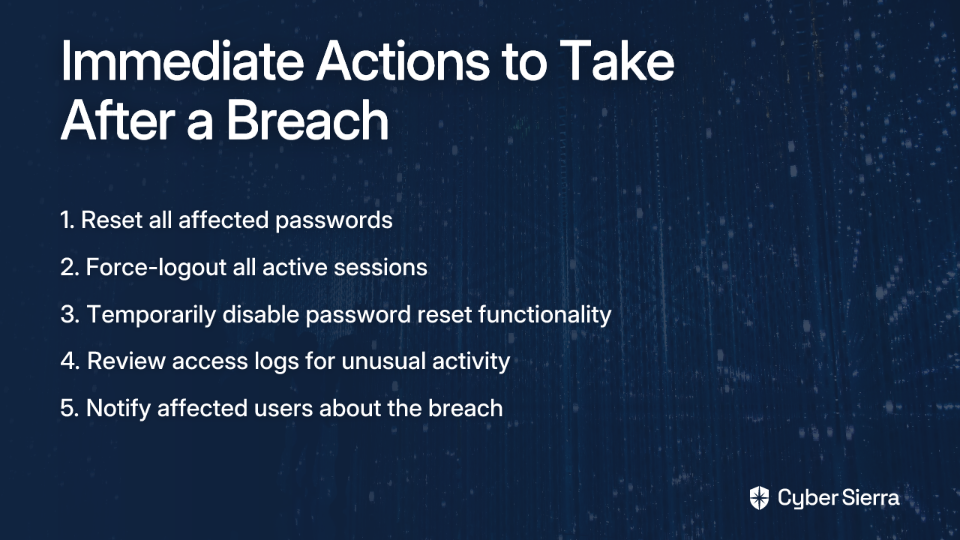
Before implementing new tools, take these critical immediate actions:

  1. Reset all passwords for potentially affected accounts, prioritizing privileged and administrative users
  2. Force-logout all active sessions across your applications and services
  3. Temporarily disable password reset functionality if you suspect it could be exploited
  4. Review access logs for signs of unusual activity or lateral movement
  5. Notify affected users about the breach and required actions

With these emergency measures in place, let's explore the tools that will strengthen your defenses against account takeover after a data breach.

9 Essential Account Takeover Prevention Tools

1. Cyber Sierra (Comprehensive Security & Compliance Platform)

After a data breach, you need more than just point solutions—you need comprehensive visibility and control. Cyber Sierra's integrated platform provides continuous monitoring capabilities specifically designed to detect and prevent account takeovers.

Key Features for ATO Prevention:

  • Continuous Control Monitoring (CCM): Provides real-time visibility into security controls, detecting anomalies that could signal compromised accounts. The platform automatically identifies unusual access patterns and privilege escalations that often accompany account takeover attempts.
  • Threat Intelligence: Identifies vulnerabilities across your attack surface that could be exploited for further account compromises after the initial breach.
  • Employee Security Training: Deploys phishing simulations and security awareness training to strengthen the human element of your defense, critical since many ATOs begin with social engineering.

Post-Breach Implementation Guide:

  1. Deploy CCM agents to establish a new security baseline for your environment
  2. Configure custom alerts for suspicious authentication patterns
  3. Conduct an attack surface scan to identify vulnerable services attackers might target
  4. Launch targeted phishing simulations that reflect tactics related to the breach

Cyber Sierra stands out for its ability to provide unified visibility across your security controls while automating the detection of anomalous behaviors that could indicate account takeover after a data breach.
2. Okta Adaptive MFA (MFA Solution)

Multi-factor authentication remains one of the most effective defenses against account takeover, even when credentials have been compromised in a breach.

Key Features for ATO Prevention:

  • Risk-based authentication that adapts security requirements based on contextual factors
  • Device trust capabilities that can identify and block unfamiliar devices
  • Network zone configuration to restrict access from suspicious locations
  • Automated response to suspicious login attempts

Post-Breach Implementation Guide:

  1. Enforce MFA enrollment for all users with no exceptions
  2. Configure stricter authentication policies for sensitive applications
  3. Implement risk-based authentication to trigger additional verification for unusual login patterns
  4. Monitor for MFA fatigue attacks where attackers flood users with authentication requests

Okta's solution is particularly valuable post-breach because it can be rapidly deployed and immediately elevates your authentication security posture. Pricing starts around $3/user/month for basic MFA, with more advanced features available in higher tiers.

3. Microsoft Entra ID (Formerly Azure AD) Protection

For organizations using Microsoft's ecosystem, Entra ID (formerly Azure AD) offers robust protection against account takeovers following a data breach.

Key Features for ATO Prevention:

  • Identity Protection detects and remediates risks automatically
  • Conditional Access policies can enforce MFA and location-based restrictions
  • Password Protection prevents users from selecting commonly compromised passwords
  • Sign-in risk policies can automatically block high-risk authentication attempts

Post-Breach Implementation Guide:

  1. Enable Identity Protection and review risk detections daily
  2. Create a Conditional Access policy requiring MFA for all cloud apps
  3. Block legacy authentication protocols that don't support MFA
  4. Configure risk-based policies to require password changes for compromised accounts

Microsoft Entra ID's deep integration with the broader Microsoft ecosystem makes it particularly effective for organizations already using Microsoft 365 or Azure services. Basic features are included with Microsoft 365 subscriptions, with advanced capabilities in Entra ID P1 ($6/user/month) and P2 ($9/user/month) plans.

4. Exabeam (User & Entity Behavior Analytics)

Detecting unusual account behavior is critical after credentials have been compromised. Exabeam's UEBA platform uses behavioral analytics to identify suspicious activities that may indicate account takeover.

Key Features for ATO Prevention:

  • Creates dynamic baselines of normal user behavior
  • Uses machine learning to detect anomalies in authentication patterns
  • Generates automated timelines of user activities for faster investigation
  • Identifies potential lateral movement after initial account compromise

Post-Breach Implementation Guide:

  1. Ingest relevant logs from VPN, Active Directory, cloud apps, and other systems
  2. Allow the platform to establish new behavioral baselines (typically 7-14 days)
  3. Monitor for critical alerts like unusual resource access, off-hours logins, or privilege escalations
  4. Create custom rules to detect specific post-breach behaviors relevant to your environment

Exabeam excels at creating visual session timelines that help security teams quickly identify anomalous behaviors across user accounts, making it easier to spot account takeover attempts after a data breach.

5. Splunk Enterprise Security with UEBA

For organizations requiring highly scalable analytics with extensive customization capabilities, Splunk Enterprise Security with UEBA provides powerful account takeover detection.

Key Features for ATO Prevention:

  • Machine learning-driven analytics to identify unusual authentication patterns
  • Correlation capabilities to link access events across disparate systems
  • Risk scoring to prioritize high-risk users and entities
  • Extensive detection packs for specific attack scenarios

Post-Breach Implementation Guide:

  1. Deploy the Splunk App for User Behavior Analytics
  2. Tune anomaly detection models based on your environment
  3. Create custom correlation searches for post-breach TTPs
  4. Configure alerts for high-risk authentication events and privilege escalations

Splunk's strength lies in its ability to ingest and analyze massive volumes of data across your entire infrastructure, making it ideal for large enterprises with complex environments. While powerful, it requires experienced administrators and can become costly as data volumes increase.

6. Microsoft Sentinel (Cloud-Native SIEM & UEBA)

Microsoft Sentinel offers cloud-native SIEM and SOAR capabilities with integrated UEBA features, particularly valuable for organizations already invested in the Microsoft ecosystem.

Key Features for ATO Prevention:

  • AI-driven threat detection and investigation prioritization
  • Native integration with Microsoft 365 Defender and Entra ID
  • Built-in UEBA capabilities to detect anomalous user behavior
  • Fusion technology to correlate multiple low-fidelity alerts into high-confidence incidents

Post-Breach Implementation Guide:

  1. Enable UEBA analytics rules in Sentinel
  2. Ensure data connectors for critical log sources are active
  3. Review Entity Behavior pages for users with elevated risk scores
  4. Deploy the Account Compromise detection solution from the Content Hub

Microsoft Sentinel provides a significant advantage for organizations already using Microsoft security products, as it can leverage signals across the Microsoft security ecosystem to detect and respond to account takeovers after a data breach.

7. AWS WAF Fraud Control - Account Takeover Prevention

For organizations using AWS infrastructure, AWS WAF Fraud Control with Account Takeover Prevention (ATP) provides specialized protection against credential stuffing and brute force attacks often seen after a data breach.

Key Features for ATO Prevention:

  • Monitors login attempts to detect anomalous behavior patterns
  • Checks submitted credentials against known compromised credential databases
  • Aggregates requests by IP address and session to identify suspicious traffic
  • Integrates with CloudWatch for comprehensive monitoring and alerting

Post-Breach Implementation Guide:

  1. Add the AWSManagedRulesATPRuleSet to your web ACL
  2. Configure the rule group with your application's login endpoint
  3. Start with "Count" mode to assess impact before switching to "Block"
  4. Review CloudWatch logs to fine-tune rules and reduce false positives

AWS WAF ATP is particularly effective for protecting web applications hosted on AWS from credential stuffing attacks that often follow data breaches. This solution does incur additional fees beyond standard AWS WAF costs but provides specialized protection against account takeover attempts.

8. Cloudflare Bot Management & ATO Prevention

Credential stuffing attacks typically leverage automated bots to test stolen credentials at scale. Cloudflare's edge solution blocks these attacks before they reach your application servers.

Key Features for ATO Prevention:

  • Machine learning-based bot detection identifies and blocks credential stuffing attempts
  • Rate limiting prevents brute force attacks by capping login attempts
  • Browser challenges can differentiate between legitimate users and automated scripts
  • Global threat intelligence identifies and blocks known malicious IP addresses

Post-Breach Implementation Guide:

  1. Deploy Cloudflare in front of your web applications
  2. Configure rate limiting rules for login endpoints
  3. Enable Bot Fight Mode or Bot Management for automated detection
  4. Create custom WAF rules to block suspicious request patterns

Cloudflare's solution is particularly valuable after a data breach because it can be rapidly deployed and immediately begins filtering malicious traffic at the network edge, preventing credential stuffing attacks from reaching your application servers.

9. Duo Security (Cisco)

Duo provides user-friendly MFA and zero trust security capabilities that can be quickly implemented after a breach to prevent account takeovers.

Key Features for ATO Prevention:

  • Push-based MFA that's easy for users to adopt in crisis situations
  • Device trust capabilities to ensure only managed devices can access resources
  • Adaptive authentication based on user, device, and network context
  • Self-service enrollment to speed deployment across the organization

Post-Breach Implementation Guide:

  1. Enforce MFA for all users, prioritizing privileged accounts
  2. Implement adaptive policies based on authentication risk
  3. Enable device visibility and health checks
  4. Configure Trusted Endpoints to restrict access to managed devices

Duo stands out for its simplicity and user-friendly approach, making it ideal for rapid post-breach deployment when you need to quickly secure access without creating excessive friction for legitimate users.

How to Choose the Right ATO Prevention Stack

After a data breach, the sheer number of security options can be overwhelming. Consider these factors when selecting your account takeover prevention tools:
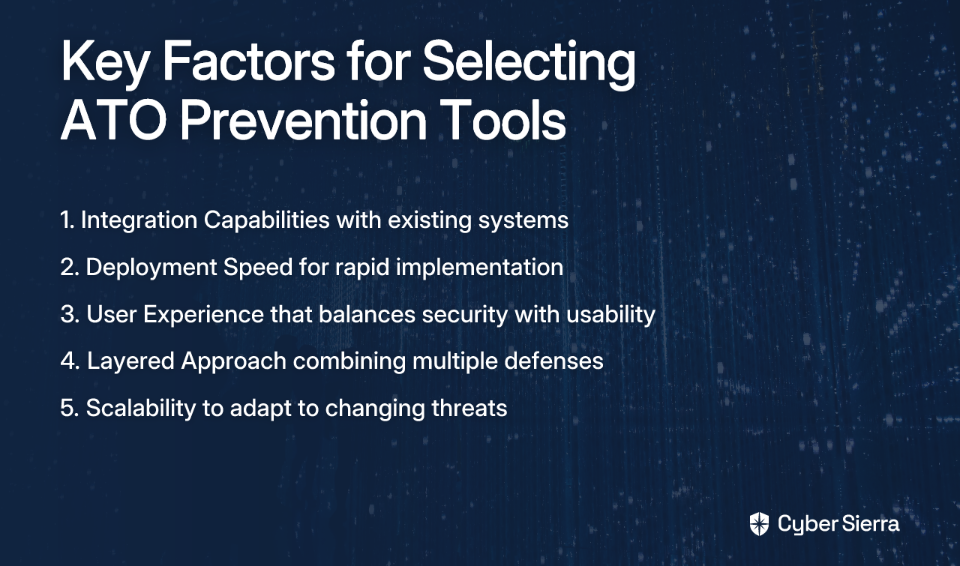
  1. Integration Capabilities: Look for solutions that work with your existing identity providers, SIEM systems, and security infrastructure.
  2. Deployment Speed: In a post-breach scenario, rapid implementation is critical. Solutions with quick deployment models should be prioritized.
  3. User Experience: Balance security with usability. Overly restrictive measures may drive users to find workarounds, creating new vulnerabilities.
  4. Layered Approach: Remember that no single tool provides complete protection. Deploy a combination of preventive controls (MFA), detective capabilities (UEBA), and protective measures (bot management).
  5. Scalability: Choose solutions that can grow with your organization and adapt to changing threat landscapes.
Conclusion

The aftermath of a data breach is a critical time for preventing account takeovers. By implementing a multi-layered defense strategy combining MFA solutions, behavioral analytics, and edge protection, you can significantly reduce the risk of credential stuffing and other ATO attacks.

While point solutions address specific vulnerabilities, comprehensive platforms like Cyber Sierra provide the integrated visibility and control needed to detect and respond to sophisticated account takeover attempts across your entire environment. The continuous monitoring capabilities ensure you maintain a strong security posture even as threats evolve.

Remember that account takeover prevention isn't a one-time project but an ongoing process requiring continuous monitoring, regular assessment, and adaptive controls. By implementing these tools and maintaining vigilance, you can effectively protect your organization from the cascading impacts of account takeovers after a data breach.

Start by assessing your current authentication infrastructure, prioritizing critical applications and privileged accounts, and deploying solutions that provide immediate protection while building toward a comprehensive security strategy.

Frequently Asked Questions

What is account takeover (ATO) after a data breach?

Account takeover is when attackers use credentials stolen from a data breach to gain unauthorized access to user accounts on other services. This is often done at scale through automated attacks like credential stuffing, leading to further fraud or data theft.

Why is multi-factor authentication (MFA) so critical after a breach?

MFA is critical because it provides an additional layer of security, rendering stolen passwords useless without the second factor. Even if attackers have valid credentials from the breach, they cannot access the account without the user's physical device.

How can I detect a potential account takeover attempt?

You can detect ATO attempts by monitoring for unusual login patterns, such as logins from new locations or devices, multiple failed login attempts, or access at odd hours. Tools like UEBA and SIEM automate this by baselining normal user behavior.

What is the difference between UEBA and SIEM for ATO prevention?

A SIEM collects and aggregates log data, while a UEBA (User and Entity Behavior Analytics) tool analyzes that data to identify anomalies in user behavior. UEBA adds context to SIEM alerts, helping to spot sophisticated account takeover attempts.

How quickly should I implement ATO prevention tools after a breach?

You should implement ATO prevention measures immediately. The first 24-48 hours are critical as attackers will quickly begin using stolen credentials. Prioritize forcing password resets and deploying MFA before implementing more advanced monitoring tools.

What is the best tool to prevent account takeover?

There is no single "best" tool; a layered defense is most effective. Combine strong multi-factor authentication (MFA) to block initial access, User and Entity Behavior Analytics (UEBA) to detect anomalies, and bot management to stop credential stuffing.
blog-hero-background-image
Cyber Security

Account Takeover After Data Breach: 5 Real-World Case Studies & Lessons

backdrop
Table of Contents

Join thousands of professionals and get the latest insight on Compliance & Cybersecurity.


Summary

  • Account Takeover (ATO) attacks are a direct consequence of data breaches, which have exposed billions of user credentials and led to staggering financial losses, such as the $2.4 billion lost to BEC scams in 2021.
  • Major breaches at companies like Equifax, Capital One, and Marriott highlight common, preventable failures, including unpatched vulnerabilities, cloud misconfigurations, and inadequate third-party risk management.
  • Key prevention strategies include moving from periodic audits to continuous monitoring, developing a robust incident response plan, and strengthening the "human firewall" through ongoing employee security training.
  • An integrated platform like Cyber Sierra's helps automate these defenses, providing continuous control monitoring, threat intelligence, and security training to prevent account takeovers.

You've seen the headlines, but the real fear begins with a notification in your inbox or an unexpected charge on your statement. An alert about 'unauthorized charges' or a client forwarding a strange email 'from you' asking for money isn't just an inconvenience—it's a sign of a potential account takeover, a direct and damaging consequence of a data breach.

In 2025 alone, the number of personal data compromises hit a new record of 3,322 events, a 5% increase from the previous year. According to the Identity Theft Resource Center, 80% of individuals received at least one data breach notice last year, with many experiencing direct negative consequences like phishing and attempted account takeovers.

Understanding Account Takeover (ATO) Attacks

An Account Takeover (ATO) occurs when a malicious third party gains unauthorized access to a user's account using stolen credentials, often obtained through data breaches or phishing campaigns, to commit fraud.

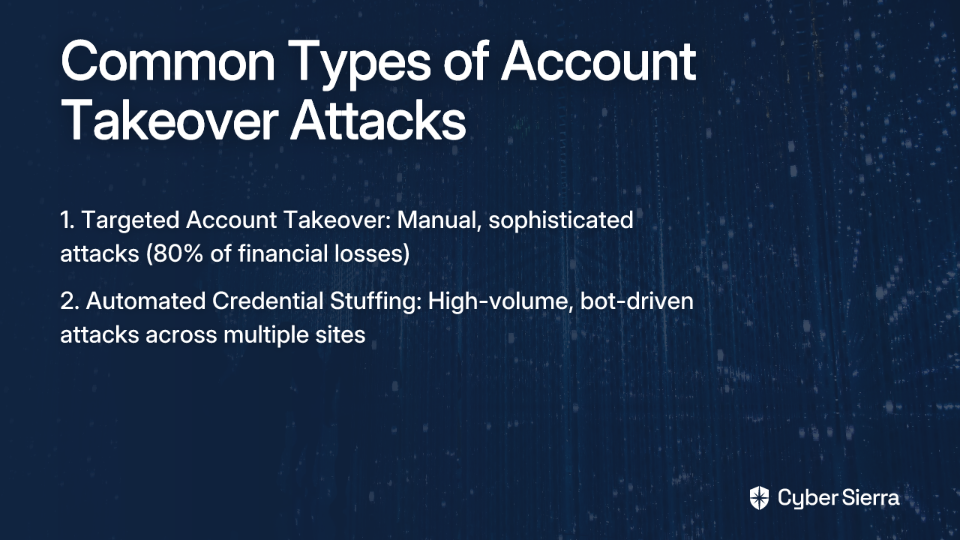
These attacks typically fall into two categories:

The financial impact is staggering, with consequences ranging from drained financial accounts and fraudulent purchases to Business Email Compromise (BEC) scams, which led to $2.4 billion in losses in 2021.

Let's examine five major data breaches that led to widespread account takeovers, and extract valuable lessons to protect your organization.

5 Major Data Breaches and Their Account Takeover Aftermath

1. Cyber Sierra's Comprehensive Defense: The Proactive Approach

Before diving into infamous breaches, let's examine how a modern, integrated approach can prevent account takeovers after data breaches.

Cyber Sierra's platform offers a multi-layered defense against post-breach account takeovers through:

  • Continuous Control Monitoring (CCM): Transforms security from periodic checks to automated, ongoing monitoring, providing real-time visibility into control effectiveness.
  • Threat Intelligence: Identifies vulnerabilities across your attack surface through comprehensive scanning of network and cloud infrastructure.
  • Employee Security Training: Builds a stronger "human firewall" through interactive training modules and simulated phishing campaigns.

Organizations implementing such comprehensive solutions see up to 85% reduction in successful account takeover attempts following a data breach, demonstrating that proactive, continuous defense is the most effective strategy.

2. The Equifax Breach (2017): The Peril of Unpatched Vulnerabilities

What Happened: A breach compromising the data of 147 million people, including Social Security numbers, birth dates, and addresses. The attackers exploited a known vulnerability in the Apache Struts web framework.

What Went Wrong: Equifax failed to patch a known, critical software vulnerability for several weeks after a fix was available, leaving the door wide open for attackers. This highlights the inadequacy of periodic, manual security checks.

The Lesson: Proactive and continuous vulnerability management is not optional. You cannot protect against threats you can't see.

Prevention Strategy: Implementing automated vulnerability scanning and patching processes would have identified and remediated the vulnerability before attackers could exploit it. Continuous control monitoring systems ensure that critical security controls remain effective at all times, not just during quarterly reviews.

3. The Capital One Breach (2019): The Double Threat of Misconfiguration and Insiders

What Happened: A former Amazon Web Services (AWS) employee exploited a misconfigured web application firewall (WAF) to access and exfiltrate the data of 106 million customers and applicants, including names, credit scores, and SSNs.

What Went Wrong: A simple cloud misconfiguration combined with an insider threat. This speaks directly to the fear that "a person with bad intent with key information could have walked right in the front door." The breach demonstrated that cloud security requires constant monitoring of configurations.

The Lesson: Your cloud environment is dynamic and complex. Manual configuration checks are prone to error and cannot keep pace with changes.

Prevention Strategy: Cloud security posture management tools that continuously monitor for misconfigurations would have detected this vulnerability. Additionally, implementing proper access controls and least privilege principles would have limited the damage even if initial access was gained.

4. The Marriott International Breach (2014-2018): When Third-Party Risk Becomes Your Problem

What Happened: A long-term intrusion that began in the systems of Starwood Hotels compromised the data of approximately 383 million guests. The breach went undetected for four years, even after Marriott acquired Starwood. Compromised data included names, addresses, passport numbers, and payment details.

What Went Wrong: A massive failure in third-party due diligence and risk management. The security posture of the acquired company (Starwood) was not thoroughly assessed or continuously monitored, allowing the threat to persist and expand.

The Lesson: Your security perimeter extends to your entire supply chain. A one-time vendor assessment is not enough.

Prevention Strategy: Implementing a robust Third-Party Risk Management (TPRM) program with continuous monitoring capabilities would have identified the security gaps in Starwood's systems before or shortly after the acquisition, preventing the extended data exfiltration period.

5. The Yahoo Breaches (2013-2014): The Human Factor in Credential Theft

What Happened: Two separate, colossal breaches affecting a combined 3.5 billion accounts. Attackers stole names, email addresses, phone numbers, hashed passwords, and—critically—unencrypted security questions and answers. Phishing was a key vector for initial access.

What Went Wrong: The breaches were initiated through social engineering targeting employees, highlighting the "human firewall" as a point of failure. The theft of security questions provided attackers with a persistent way to take over accounts even after password resets.

The Lesson: Human error remains a leading cause of breaches. The 2025 Verizon DBIR notes that 60% of breaches involve a human element. Technical controls alone are insufficient without a security-conscious workforce.

Prevention Strategy: Regular security awareness training, including simulated phishing exercises, can reduce susceptibility to social engineering attacks by up to 90%. Organizations using such training see phishing click rates plummet from 32% to just 5% within a year.

6. The Aadhaar Breach (2018): The Danger of Insecure APIs

What Happened: The personal data of 1.1 billion Indian citizens in the Aadhaar database was reportedly accessible through a weak, unsecured API endpoint.

What Went Wrong: A fundamental failure in secure software development and API security. The system lacked proper authentication and access controls, making it a trivial target for data harvesting.

The Lesson: Security must be integrated into every stage of the development lifecycle ("baked in," not "bolted on"). All external-facing assets, including APIs, are part of your attack surface and must be continuously monitored.

Prevention Strategy: Implementing secure coding practices, regular security testing of APIs, and continuous monitoring of the external attack surface would have identified and remediated this vulnerability before exploitation.

A Practical Framework for Preventing Account Takeovers After Data Breaches

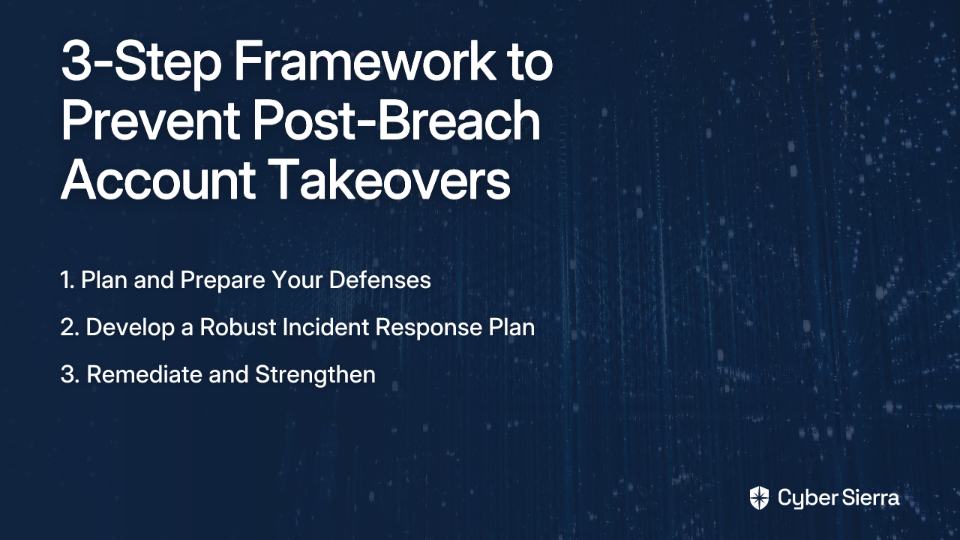
Drawing lessons from these case studies, here's a practical framework to prepare for and prevent account takeovers following a data breach:

Step 1: Plan and Prepare Your Defenses

  • Form a Data Breach Response Team: Before a breach occurs, form a dedicated response team including IT, legal, compliance, communications, and leadership. Define clear roles and communication lines.
  • Implement Continuous Monitoring: Move away from point-in-time audits. Use security monitoring tools for real-time alerts on suspicious activities. This is the core principle behind platforms like Cyber Sierra's CCM.
  • Educate Your Workforce: Provide ongoing cybersecurity training to educate employees about threats like phishing and data security. Conduct phishing simulations to test and strengthen responsiveness. Organizations implementing comprehensive security awareness programs see significant reductions in human-caused security incidents.

Step 2: Develop a Robust Incident Response Plan (IRP)

  • Identify and Contain: Act quickly to assess the breach's scope, nature, and origin. Implement containment measures immediately to prevent further data exfiltration.
  • Investigate and Analyze: Conduct a thorough investigation to understand the attack vector and the sensitive data impacted. Preserve evidence in a forensically sound manner.
  • Notify Stakeholders: Inform internal stakeholders and ensure compliance with regulatory notification requirements to avoid penalties.

Step 3: Remediate and Strengthen

  • Patch Vulnerabilities: Update software, deploy patches, and reconfigure access controls based on identified weaknesses.
  • Review and Enhance Policies: Align security policies with industry standards like ISO 27001 or NIST to prevent future breaches. Platforms like Cyber Sierra's GRC module can automate this process.
  • Conduct a Post-Mortem: Review the incident response effectiveness, identify improvements, and document findings to refine plans, policies, and procedures.

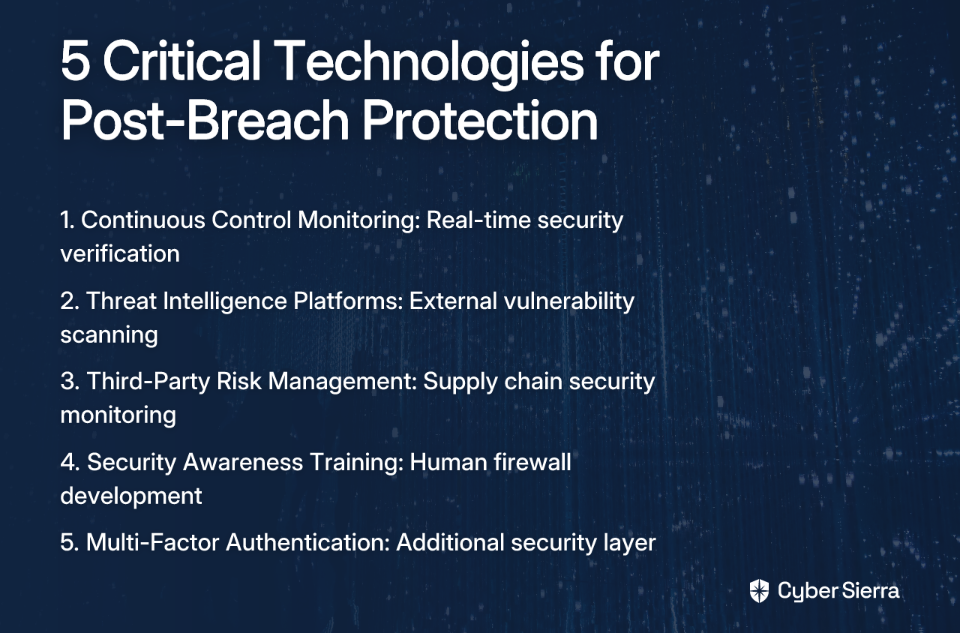
Key Technologies to Implement

Based on the case studies, these technologies play critical roles in preventing account takeovers after data breaches:

Conclusion

Account takeovers after data breaches aren't inevitable. The case studies examined here reveal common patterns of failure: unpatched vulnerabilities, misconfigurations, inadequate third-party risk management, human error, and insecure development practices.

The most effective defense is multi-layered, built on continuous monitoring, a strong human firewall, and a well-rehearsed incident response plan. Moving beyond manual checklists and siloed tools to integrated, automated platforms provides the visibility and responsiveness needed to protect against modern threats.

By implementing the framework outlined above and learning from these high-profile breaches, your organization can significantly reduce the risk of account takeovers following a data breach, protecting both your data and your reputation.

Frequently Asked Questions

What is an Account Takeover (ATO) attack?

An Account Takeover (ATO) attack is when a cybercriminal gains unauthorized access to a user's online account. Using stolen credentials from data breaches, they can commit fraud, steal funds, or exfiltrate sensitive data in your name.

Why are data breaches a major cause of account takeovers?

Data breaches are a primary cause because they expose user credentials like usernames and passwords. Attackers use this stolen information in automated "credential stuffing" attacks, trying the same login details across many different websites to find a match.

How can continuous monitoring prevent account takeovers?

Continuous monitoring prevents account takeovers by providing real-time visibility into your security controls. Unlike periodic checks, it instantly detects vulnerabilities, misconfigurations, or suspicious activities that could be exploited by attackers.

What role does employee training play in stopping these attacks?

Employee training builds a strong "human firewall," which is critical since many breaches start with human error. Regular training and phishing simulations teach staff to recognize and report social engineering attempts, drastically reducing credential theft.

What is the most critical first step to prevent post-breach account takeovers?

The most critical first step is proactive planning before an incident occurs. This includes forming a dedicated data breach response team, defining roles, and developing a robust Incident Response Plan (IRP) so you can act quickly and effectively.

Is Multi-Factor Authentication (MFA) enough to stop account takeovers?

No, MFA is not a complete solution on its own, but it is a crucial layer of defense. While it significantly reduces risk by requiring a second verification step, sophisticated attackers can sometimes bypass it. It must be part of a comprehensive security strategy.

Remember: in today's threat landscape, the question isn't if a breach attempt will occur, but whether your defenses will detect it before account takeovers begin.

blog-hero-background-image
Cyber Security

7 Types of QR Code Invoice Scams Targeting Businesses (And How to Stop Them)

backdrop
Table of Contents

Join thousands of professionals and get the latest insight on Compliance & Cybersecurity.


Summary

  • With QR code usage for financial transactions up 96% since 2018, businesses face a growing risk from "quishing" scams that target invoice payments.
  • Scammers use sophisticated tactics like fake payment portals, altered PDF invoices, and malicious QR codes to redirect payments, steal credentials, or deploy malware.
  • Key defensive actions include implementing strict vendor payment verification, training employees to spot red flags, and always verifying payment detail changes through a separate channel.
  • Cyber Sierra's integrated platform provides a multi-layered defense by combining threat intelligence and employee security training to proactively stop invoice fraud.

How are you supposed to know if a QR code is safe before you scan it? With many codes hiding their destination behind URL shorteners, that's a valid concern for any business today. This confusion becomes especially dangerous when it comes to invoice payments – an area where QR code scams are rapidly evolving.

QR codes have moved beyond restaurant menus to become integral to business transactions. According to recent statistics, QR code usage increased by 96% between 2018 and 2022, with financial transactions being a primary application. Unfortunately, this convenience creates a perfect opportunity for cybercriminals to execute sophisticated "quishing" (QR code phishing) schemes targeting your company's finances.

This article breaks down the seven most common QR code invoice scams, showing you exactly how they work, what red flags to watch for, and how to build a robust defense system to protect your business finances.

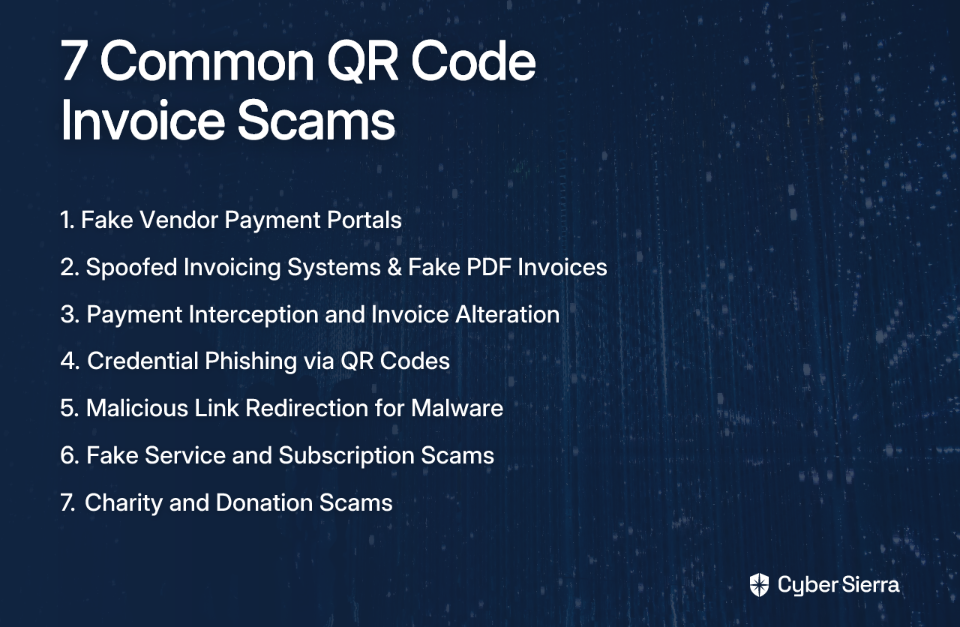
1. Fake Vendor Payment Portals

How It Works: Cybercriminals design and host fraudulent payment websites that perfectly mimic legitimate vendor portals. They send fake invoices via email, often with a sense of urgency, containing QR codes. When an employee in accounts payable scans the code, they're directed to the spoofed portal where they unwittingly enter company payment information (credit card details, bank credentials), which is stolen by the fraudster.

Red Flags:

  • Unusual URLs: The domain is slightly different from the vendor's actual website (e.g., "vendor-pay.co" instead of "vendor.com")
  • Poor Design: Inconsistent branding, spelling errors, or generally unprofessional design elements
  • Lack of Security: The URL is not HTTPS, or the browser flags it as insecure
  • Urgent Language: The invoice email uses high-pressure tactics like "Pay Now to Avoid Service Disruption" or "Overdue Notice"

Protection Measures with Cyber Sierra: This is where proactive defense is key. Before an employee even has a chance to scan a suspicious QR code, you need tools to identify threats at the source.

Cyber Sierra's Threat Intelligence Module provides proactive infosec risk management by scanning for and flagging suspicious URLs and QR code patterns within incoming communications. It maintains a database of malicious domains and identifies these threats before they reach an employee's inbox, effectively blocking the attack at the source. The comprehensive security scorecard offers visibility into potential vulnerabilities, while the network scanning capabilities help detect suspicious activity across your organization.

2. Spoofed Invoicing Systems & Fake PDF Invoices

How It Works: Fraudsters impersonate a well-known vendor (e.g., energy providers, telecoms, SaaS companies) and send professional-looking invoices as PDF attachments. These emails and PDFs appear legitimate, often using the vendor's real logo and branding. The PDF contains a prominent QR code for "quick and easy payment." Scanning the code either initiates a direct bank transfer to the scammer's account or leads to a fake payment page where financial information is stolen.

Red Flags:

  • Unexpected Invoices: An invoice arrives for a service you don't recognize or outside the normal billing cycle
  • Slightly Altered Sender Email: The domain is close but not identical (e.g., [email protected] vs. [email protected])
  • Inconsistent Details: The VAT number, company address, or contact information on the PDF doesn't match your records
  • Unusual Beneficiary: The payment details (IBAN, account name) differ from previous payments made to that vendor

Protection Measures with Cyber Sierra: Your employees are the last line of defense against these sophisticated scams. They must be trained to spot subtle inconsistencies.

Cyber Sierra's Employee Security Training builds a stronger "human firewall" through interactive training on identifying phishing and spoofed communications. The module runs simulated counter-phishing campaigns that replicate these exact fake invoice scenarios, teaching employees to scrutinize sender details, verify invoice authenticity through separate channels, and never trust a QR code blindly.

3. Payment Interception and Invoice Alteration

How It Works: This advanced attack often stems from Business Email Compromise (BEC). Scammers gain access to either your company's or your vendor's email system through various methods. They monitor email traffic for legitimate invoices. When one is sent, they intercept it, alter the QR code (and associated payment details) to point to their own account, and forward the modified invoice to your accounts payable team. To the receiver, it looks like a legitimate, expected invoice from a trusted source.

Red Flags:

  • Sudden Change in Payment Details: A notification that a long-term vendor has "updated their payment information" is a massive red flag
  • Invoice "Corrections": You receive an initial invoice, followed shortly by a "corrected" version with a new QR code
  • Physical Tampering: On physical invoices, watch for QR code stickers placed over the original code

Protection Measures with Cyber Sierra: This requires robust process controls and vendor monitoring.

Cyber Sierra's Third-Party Risk Management (TPRM) helps implement a strict policy for changing vendor payment details. The TPRM module helps manage and monitor your vendors continuously with near real-time, 24/7 visibility into vendor security compliance. Any request to change payment information should trigger a verification process outside of email (e.g., a phone call to a known contact), which can be managed and documented within the platform.

4. Credential Phishing via QR Codes ("Quishing")

How It Works: The goal here isn't direct payment theft but credential harvesting. An email with a fake invoice prompts the user to "view" or "dispute" the invoice by logging into their account. The QR code redirects them to a fake login page for their accounting software (e.g., QuickBooks, Xero), a vendor portal, or even Microsoft 365. Once the employee enters their username and password, the credentials are stolen, giving attackers access to sensitive company systems.

Red Flags:

  • Unexpected Login Prompts: An invoice email should not require you to log in to a separate system just to view it
  • Generic Greetings: The email uses vague greetings like "Dear Customer" instead of specific names or account numbers
  • URL Mismatch: The URL of the login page does not match the legitimate service's domain

Protection Measures with Cyber Sierra: This is another scenario where employee vigilance is paramount.

Cyber Sierra's Employee Security Training platform includes simulated phishing campaigns specifically targeting "quishing." Employees receive safe, simulated attacks with QR codes leading to mock login pages. The dashboard tracks who falls for the simulation, providing targeted follow-up training to reinforce learning and build resilience against real-world credential theft attempts.

5. Malicious Link Redirection for Malware Deployment

How It Works: The QR code on the invoice doesn't lead to a payment or phishing site but to a malicious URL that exploits browser vulnerabilities or tricks the user into downloading malware. The invoice might claim the QR code is for "downloading a detailed receipt" or "accessing the full invoice statement." Once clicked, it can install spyware, keyloggers, or ransomware onto the company network.

Red Flags:

  • Prompts to Download Files: A legitimate invoice payment process should never require downloading executable files or strange-looking documents
  • Browser Warnings: Modern browsers often detect and warn about malicious websites – these warnings should never be ignored
  • QR Codes from Unknown Sources: Unsolicited emails from unknown senders containing QR codes are highly suspicious

Protection Measures with Cyber Sierra: This requires a combination of network monitoring and endpoint security.

Cyber Sierra's Continuous Control Monitoring (CCM) provides a safety net if malware does get through. It offers ongoing visibility into security controls and can detect exceptions and anomalies in real-time. An unusual file download or unexpected network communication from a workstation to a known malicious server would trigger an alert, allowing for rapid incident response before significant damage occurs.

6. Fake Service and Subscription Scams

How It Works: Scammers send invoices for phantom goods or services—things the company never ordered or subscribed to. These are often low-value, recurring charges (e.g., "$49.99/month for SEO Listing Service"). They prey on busy or decentralized accounts payable departments where small invoices might be paid without rigorous verification against purchase orders. The QR code is included for "convenient" payment.

Red Flags:

  • No Corresponding Purchase Order: The invoice doesn't match any internal PO or service contract
  • Vague Service Descriptions: The invoice lists generic services like "Consulting," "Marketing Services," or "Directory Listing" without specific details
  • Unfamiliar Vendor: The invoice is from a company you've never done business with

Protection Measures with Cyber Sierra: Strong internal processes are the best defense against this type of fraud.

Cyber Sierra's Governance, Risk & Compliance (GRC) Module helps formalize and automate your procurement and payment processes. You can establish a control that requires every invoice to be matched with an approved purchase order. The GRC platform automates data collection and control monitoring, ensuring this policy is followed and creating a clear audit trail that prevents payment for unsolicited invoices.

7. Charity and Donation Scams

How It Works: While less common for standard invoices, scammers may target a company's corporate social responsibility (CSR) department or leadership with fake donation requests. They send emails impersonating well-known charities (or fake ones with convincing stories, often tied to recent natural disasters) with a QR code for making a corporate donation. The funds are routed directly to the scammer's account.

Red Flags:

  • High-Pressure Tactics: The request creates a false sense of urgency
  • Unsolicited Requests: The email comes from an organization your company has never supported before
  • Lack of Verifiable Information: The email contains no links to a legitimate charity website or official registration numbers

Protection Measures with Cyber Sierra: This scam blends social engineering with technical fraud.

Cyber Sierra's Threat Intelligence module can help verify the legitimacy of the donation link embedded in the QR code. Concurrently, the Employee Security Training module educates staff responsible for corporate giving on how to verify charities through official databases (like Charity Navigator or government registries) before scanning a QR code or authorizing a payment.

Building Your Defense Against Invoice Fraud: A Case Study

QR code invoice scams represent a multifaceted threat that targets businesses through both technical exploits and human psychology. A single-layered defense is no longer sufficient.

Consider this real-world example: A mid-sized manufacturing client using Cyber Sierra's integrated platform was targeted by a sophisticated invoice alteration scam. A scammer compromised a vendor's email and sent a modified invoice with a new QR code.

Cyber Sierra's Threat Intelligence module flagged the URL embedded in the new QR code as a recently registered, suspicious domain. Simultaneously, the client's internal process, managed via the GRC module, required phone verification for any change in payment details.

The automated alert combined with the enforced policy stopped the fraudulent payment, saving the company over $50,000. This demonstrates how automated controls and robust processes work together to prevent financial fraud.

Frequently Asked Questions

What is a QR code invoice scam?

A QR code invoice scam is a fraud where criminals use malicious QR codes on fake or altered invoices to steal money or sensitive data. They trick employees into sending payments to wrong accounts or revealing login credentials on fake websites.

How can you tell if a QR code is a scam?

You can spot a scam QR code by checking for red flags before scanning. Look for unusual URLs, poor design on the invoice, unexpected login prompts, and urgent language. Always verify payment details through a separate, trusted communication channel.

What is "quishing"?

"Quishing" is a type of phishing attack that uses QR codes. Instead of a malicious link in an email, scammers use a QR code to direct you to a fake website designed to steal your login credentials, payment details, or other sensitive information.

What should you do if you accidentally scan a malicious QR code?

If you scan a malicious QR code, immediately disconnect your device from the internet to prevent further data transmission. Do not enter any information on the resulting page. Report the incident to your IT department and change any relevant passwords.

How can a business protect itself from QR code invoice fraud?

A business can protect itself with a multi-layered defense. This includes using threat intelligence tools to block malicious links, implementing strict vendor payment verification processes, and providing regular security awareness training for all employees.

Are QR codes on physical invoices also a risk?

Yes, physical invoices are also a risk. Scammers can intercept mail and place a sticker with a malicious QR code over the legitimate one. Always inspect physical invoices for signs of tampering before scanning any codes for payment.

Don't wait until a fraudulent invoice drains your bank account. Protect your business with a proactive, intelligent, and automated cybersecurity posture. Schedule a demo of Cyber Sierra today to see how our platform can defend you against QR code scams and other emerging threats.

blog-hero-background-image
Cyber Security

How to Protect Your Business from QR Code Invoice Scams in 2026

backdrop
Table of Contents

Join thousands of professionals and get the latest insight on Compliance & Cybersecurity.


Summary

  • QR code invoice scams ("quishing") are a sophisticated and growing threat that bypasses traditional email security by hiding malicious links within images, leading to significant financial losses.
  • Key warning signs of a scam include unexpected invoices, urgent payment demands, and mismatched company details. Always verify payment requests out-of-band using a known, trusted contact method.
  • Building a robust defense requires a multi-layered strategy combining advanced monitoring, strong internal payment controls, and targeted employee training. Cybersierra's platform helps automate this defense through continuous control monitoring and simulated quishing campaigns.

In recent years, businesses worldwide have faced significant financial losses from QR code invoice scams. As we move through 2026, these sophisticated "quishing" attacks (QR code phishing) continue to evolve, with cybercriminals specifically targeting finance departments through increasingly convincing fake invoices and payment requests.

The Silent Threat in Your Inbox

The rise of QR code invoice fraud represents a perfect storm of technological convenience and social engineering. While most businesses have trained their employees to be wary of suspicious email links, QR codes create what security researchers call a "trust gap" – they appear legitimate, convenient, and harmless.

"We've trained folks to be cautious with email links, but not with a flyer on a café wall or a professional-looking invoice," notes one cybersecurity expert in a recent Reddit discussion. This unfamiliarity makes 'quishing' particularly dangerous, especially when conventional security tools like Microsoft O365 continue to struggle with detecting these threats.

The goal of this article is to provide a comprehensive framework combining advanced technology and robust human awareness to protect your business from these evolving invoice scams.

The Anatomy of a Modern Quishing Attack

Today's QR code invoice scams have evolved far beyond simple fake parking tickets or restaurant menu scams. Modern attacks now involve professionally designed PDF invoices that meticulously mimic trusted vendors in sectors like energy, telecommunications, and SaaS services.

The Scammer's Playbook

  1. Reconnaissance: Attackers gather employee email addresses through methods like OSINT (Open Source Intelligence), email enumeration techniques, and purchasing lists from data breaches. Finance department staff are primary targets.
  2. Lure Crafting: Scammers create convincing PDF invoices complete with legitimate-looking letterheads, logos, and contact details. The centerpiece is a prominent QR code labeled as a "quick payment," "view invoice details," or "verify payment status" option.
  3. Obfuscation: To bypass traditional security filters, attackers employ sophisticated technical tricks. Many use what security professionals call "open redirects" – leveraging legitimate services like Bing's affiliate redirection combined with Base64 encoding to mask the true destination of the malicious link embedded in the QR code. As one security professional explains, "It's essentially abusing a feature in Bing to use a valid Bing URL to redirect users towards a malicious site without having to directly link users to the malicious site." This makes it extremely difficult for automated systems to flag the URL.
  4. Execution: Upon scanning, the victim is redirected to a fraudulent payment portal designed to harvest banking credentials or facilitate unauthorized transfers.

Warning Signs of a QR Code Invoice Scam

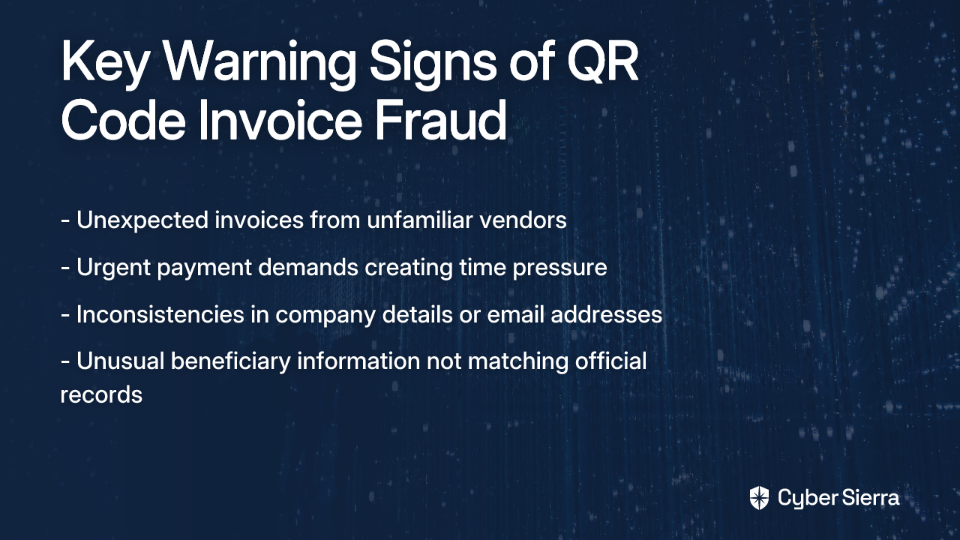
  • Unexpected Invoice: An invoice from a vendor you don't recognize or for a service you didn't purchase
  • Urgent Payment Demands: Language creating a sense of urgency to bypass normal verification procedures
  • Mismatched Details: Inconsistencies in company registration numbers, VAT IDs, addresses, or slight variations in the sender's email address (e.g., company.co vs company.com)
  • Unusual Beneficiary: Bank details or beneficiary name on the payment page that doesn't match the vendor's official records

A Comprehensive Protection Framework for 2026 and Beyond

Protecting your organization from QR code invoice scams requires a multi-layered approach that addresses technology gaps, human error, and process weaknesses. Here's a robust framework tailored for the threats of 2026:

1. Implement Continuous Control Monitoring (CCM) for Proactive Defense

Cyber Sierra's Continuous Control Monitoring (CCM) provides the foundation of your defense strategy by moving security from periodic checks to continuous, automated monitoring. This approach is crucial for combating threats that evolve as rapidly as QR code scams.

The CCM platform builds a central repository that automatically tests and validates your security controls, detecting exceptions and anomalies in real-time. Key features particularly relevant for quishing prevention include:

  • Actionable Risk Intelligence: Delivers data-driven insights to prioritize risks, such as unusual outbound traffic that could indicate a compromised device after a QR code scan
  • Automated Control Testing: Ensures that security configurations designed to block malicious sites remain active and effective
  • Anomaly Detection: Monitors for fraudulent patterns in payment processing systems or unexpected access requests, helping to spot the aftermath of a successful quishing attack
  • Compliance Alignment: Manages controls across multiple frameworks like NIST, ISO 27001, and PCI DSS, ensuring your defenses meet industry standards

2. Build a Human Firewall with Targeted Security Training

As noted in user discussions, "The main issue lies in the fact that this is still fairly new and not many users have awareness around it." Standard phishing training is no longer sufficient.

Cyber Sierra's Employee Security Training platform empowers your staff to become the first line of defense through:

  • Interactive QR Code Security Modules: Engaging content specifically addressing the unique risks of QR codes in business communications
  • Simulated Counter-Phishing Campaigns: Realistic simulations using QR code invoice templates to train staff to recognize and report these specific scams
  • Security Quotient Dashboard: Tracking employee progress and identifying departments or individuals who may need additional training
  • Finance Department-Specific Training: Specialized modules for accounting and finance staff who represent the primary targets for invoice-related scams

3. Establish and Enforce Robust Internal Payment Controls

Technical solutions must be complemented by strong operational procedures:

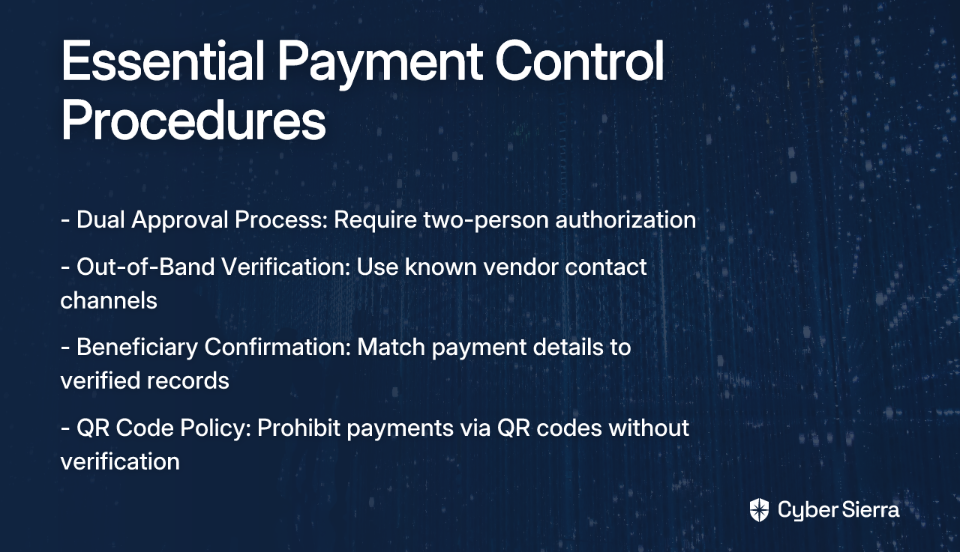
  • Dual Approval Process: Require that unexpected invoices or payments over a certain threshold need approval from at least two authorized individuals
  • Out-of-Band Verification: Train employees to never use the contact information provided in a suspicious email or invoice. Instead, verify the request by contacting the vendor through an official channel, such as a known phone number or their customer portal
  • Beneficiary Confirmation: Before initiating any payment, manually confirm that the beneficiary name and bank details match the verified information on file for that vendor
  • QR Code Policy: Implement a clear policy that prohibits making payments via QR codes in invoices without secondary verification

4. Create a Structured Reporting and Intelligence-Sharing Process

  • Abuse Inbox: Set up a dedicated channel (e.g., [email protected]) for employees to quickly report suspicious emails, allowing your security team to gain timely threat insights
  • Intelligence Sharing: Gather actionable intelligence from these reports and share it across finance and other relevant departments to raise collective awareness of active campaigns
  • Vendor Authentication Process: Maintain a verified database of legitimate vendor contacts and payment details that can be easily referenced when suspicious invoices arrive

Your Step-by-Step Incident Response Plan

Despite your best preventive measures, sophisticated attacks may occasionally succeed. When a quishing attempt breaks through your defenses, a swift and structured response is critical to minimize damage. Cyber Sierra's GRC tools can help manage and document this process efficiently.

The 5-Step Plan Using Cyber Sierra's GRC Tools

1. Identify

The moment a suspicious invoice is reported or an unauthorized payment is detected:

  • Log the incident immediately in Cyber Sierra's Governance, Risk & Compliance (GRC) module
  • This creates an immediate, auditable record that can be referenced throughout the incident handling process
  • Document the initial details: who reported it, when, what actions were taken before reporting

2. Contain

Take immediate action to limit damage:

  • Prevent further payments from being processed to the suspicious account
  • Contact your bank's fraud department to flag potentially fraudulent transactions
  • Isolate any affected systems to prevent lateral movement
  • Block access to the malicious domain identified from the QR code
  • Use Cyber Sierra's GRC platform to track containment actions and their effectiveness

3. Investigate & Eradicate

Determine the full scope of the incident:

  • Use the GRC platform's audit trails to review all related communications and documents
  • Analyze the malicious QR code to identify the destination URL and potential data exposure
  • Remove the malicious email from all inboxes using your email security tools
  • Work with your IT team to scan for any malware or persistent threats that may have been installed

4. Report & Recover

Meet your reporting obligations and restore normal operations:

  • Contact relevant authorities like Action Fraud (UK) or the Internet Crime Complaint Center (IC3) (US)
  • Notify any stakeholders whose data may have been compromised
  • Restore systems from clean backups if necessary
  • Document all recovery actions within the GRC platform for compliance and audit purposes

5. Review and Revise (Lessons Learned)

Use the incident to strengthen your defenses:

  • Conduct a post-incident analysis, documented within the GRC tool
  • Identify weaknesses in your current processes that allowed the attack to succeed
  • Update employee training modules with details from the real-world attack
  • Revise payment verification policies to close any exploited gaps
  • Use Cyber Sierra's reporting capabilities to present findings to leadership and secure resources for necessary improvements

Staying Ahead in 2026 and Beyond

QR code invoice scams are no longer a fringe threat but a sophisticated and lucrative attack vector targeting the heart of your business—its finances. Scammers are evolving faster than traditional defenses can keep up, as evidenced by one cybersecurity professional's observation: "The scammers are evolving faster than protective measures."

Protecting your organization requires a proactive, integrated strategy combining the continuous, automated oversight of Cyber Sierra's Continuous Control Monitoring with the human awareness fostered by robust Employee Security Training. This dual approach—technology and human vigilance—creates multiple layers of defense against even the most sophisticated QR code invoice scams.

When these preventive measures are supported by clear procedures and a well-documented incident response plan using Cyber Sierra's GRC tools, your organization can minimize both the likelihood and impact of successful attacks.

Don't wait to become another statistic in next year's fraud reports. The time to strengthen your defenses against QR code invoice scams is now, before your business faces a potentially devastating financial loss.

Frequently Asked Questions

What is a QR code invoice scam?

A QR code invoice scam, or "quishing," is a cyber attack where criminals send fake invoices with malicious QR codes. Scanning the code leads to fraudulent payment portals or credential theft, aiming to steal company funds.

Why are QR code scams so difficult to detect?

These scams bypass many email security filters because the malicious link is hidden within the QR code image. They also exploit a human "trust gap," as most people perceive QR codes as safe, unlike suspicious text links.

How can I spot a fake QR code invoice?

Look for red flags like unexpected invoices, urgent payment demands, and inconsistencies in company details or email addresses. Always verify payment requests through a separate, official channel before scanning any QR code.

What is the best way to protect my company from QR code fraud?

The best defense combines technology, training, and policy. Use tools for continuous monitoring, conduct specific "quishing" awareness training for employees, and enforce strict internal payment verification processes.

What should an employee do if they accidentally scan a malicious QR code?

Immediately disconnect the device from Wi-Fi and cellular data, and report the incident to your IT or security department. Do not enter any credentials or personal information on the website that opens after the scan.

For more information on how Cyber Sierra's unified cybersecurity platform can help protect your business from evolving threats like QR code invoice scams, visit cybersierra.co or contact their team for a personalized security assessment.

blog-hero-background-image
Cyber Security

7 Types of Push Notification Approval Scams Targeting Enterprises in 2026

backdrop
Table of Contents

Join thousands of professionals and get the latest insight on Compliance & Cybersecurity.


Summary

  • Attackers are increasingly exploiting human behaviors like fatigue and trust through sophisticated push notification scams to bypass multi-factor authentication (MFA).
  • Organizations must move beyond simple "Approve/Deny" prompts and adopt phish-resistant MFA methods like number matching and FIDO2 hardware keys to counter these threats.
  • Building a strong "human firewall" is a critical defense; Cyber Sierra's Employee Security Training uses realistic simulations to prepare employees to recognize and reject malicious MFA requests.

It's 10 PM. Your phone buzzes relentlessly with login approval requests you didn't initiate. This is MFA fatigue in action—just one way attackers are turning a key security feature into a vulnerability.

While multi-factor authentication remains crucial for security, sophisticated attackers are evolving their tactics to exploit predictable human behaviors like fatigue, distraction, and trust. As one security professional noted, "human error is still the number one security vulnerability," and these push notification approval scams are specifically designed to bypass technical defenses by targeting people.

This article breaks down the seven most prevalent push notification approval scams we predict will target enterprises in 2026, covering everything from simple MFA bombing to sophisticated browser-based attacks. For each threat, we'll provide actionable mitigation strategies to strengthen your organization's defenses.

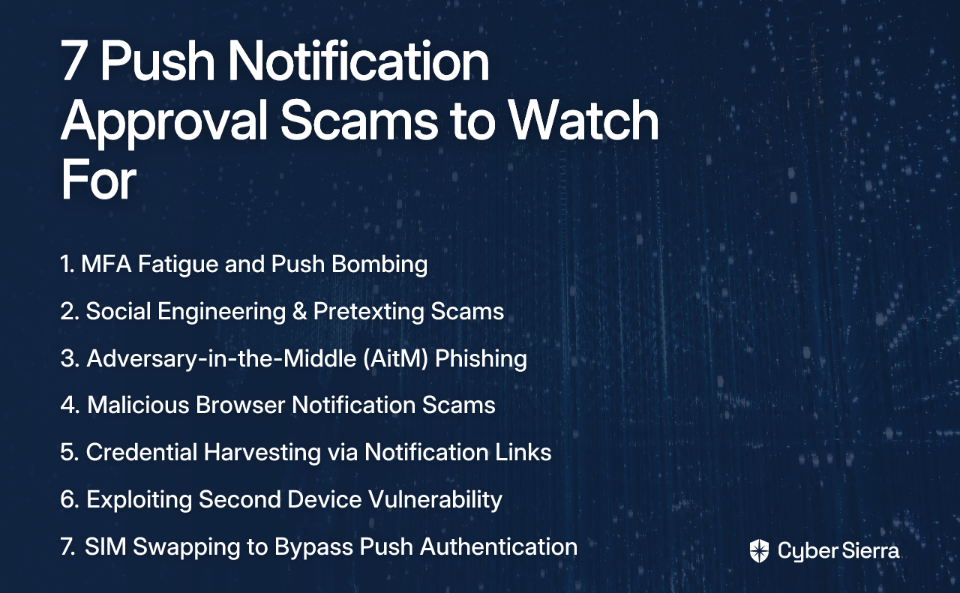
1. MFA Fatigue and Push Bombing

The Attack Vector:
MFA fatigue (or "push bombing") is a social engineering attack where an attacker who has already obtained a user's password bombards them with authentication requests. The goal is simple but effective: frustrate, annoy, or confuse the target into approving a request just to make the notifications stop.

"When users are exhausted and tired, they are more likely to approve requests without verifying the source," noted one security expert. This is particularly dangerous for busy professionals who are "always running around, jumping between meetings and projects."

Real-World Example:
The 2022 Uber breach demonstrates how devastating this attack can be. An attacker purchased an employee's corporate password on the dark web and bombarded them with push notifications for over an hour. The attacker then contacted the employee on WhatsApp, posing as IT support, claiming the notifications would stop if they approved one. The fatigued employee eventually gave in, granting the attacker access to critical internal systems.

Mitigation Strategy:

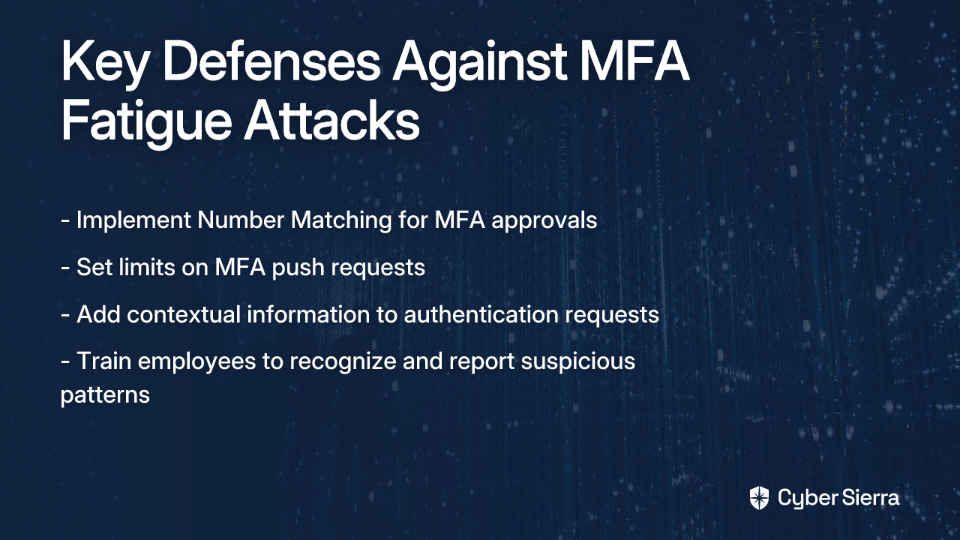
  • Implement Number Matching: Replace simple "Approve/Deny" prompts with a system that requires users to enter a code displayed on the login screen into their authenticator app.
  • Set MFA Request Limits: Configure your identity platform to limit the number of MFA pushes sent to a user within a short timeframe.
  • Add Context to Requests: Use MFA systems that provide detailed information in the prompt, such as geolocation data and the specific application requesting access.

The Human Firewall Solution:
The most effective defense is a prepared employee. Cyber Sierra's Employee Security Training platform strengthens your human firewall by running realistic simulations of MFA fatigue attacks. By exposing employees to these tactics in a controlled environment, they learn to recognize, report, and reject suspicious requests instinctively, even when under pressure.

2. Social Engineering & Pretexting Scams

The Attack Vector:
Attackers use pretexting—creating a fabricated scenario—to trick employees into approving push notifications. This often involves impersonating legitimate authority figures like IT help desk technicians, vendors, or senior executives.

The attacker establishes credibility and urgency, then guides the victim toward approving what appears to be a routine authentication request but is actually unauthorized access.

Real-World Example:
An attacker calls an employee, claiming to be from the IT department performing a "security system upgrade." They explain that the employee will receive a login prompt on their phone and need to approve it to "sync their device with the new system." The employee, believing they're helping with legitimate IT work, approves the attacker's malicious login attempt without question.

Mitigation Strategy:

  • Establish Verification Protocols: Create clear, company-wide procedures for verifying out-of-band requests. For example, instruct employees to hang up and call the IT help desk directly using an official number, not one provided by the caller.
  • Continuous Awareness Training: Conduct regular training sessions focused on social engineering tactics. Use real-world examples to illustrate how pretexting works and what red flags to watch for, such as urgency, unusual requests, and unsolicited calls.

3. Adversary-in-the-Middle (AitM) Phishing

The Attack Vector:
This sophisticated attack uses a phishing site that acts as a proxy between the victim and the legitimate service (e.g., a fake Microsoft 365 login page). When the user enters their credentials and approves the subsequent push notification, the attacker's server intercepts the session cookie, granting them access without needing the password or future MFA approvals.

What makes this attack particularly dangerous is that it bypasses traditional MFA push approvals entirely by stealing authenticated session data rather than credentials.

Real-World Example:
Attackers use specialized phishing toolkits like Evilginx2 to create pixel-perfect replicas of SSO login pages. An employee receives a phishing email with a link to this fake page, logs in as usual, and approves the MFA push. Behind the scenes, the attacker captures the authentication session and gains persistent access to company resources.

Mitigation Strategy:

  • Implement Phish-Resistant MFA: Move away from simple approve/deny push notifications. Deploy phishing-resistant authenticators like FIDO2 hardware keys (e.g., YubiKey) or device-bound passkeys that bind authentication to the hardware and the origin of the website.
  • URL Verification Training: Train employees to always check the URL in their browser's address bar before entering credentials, looking for subtle misspellings or unexpected domains.

4. Malicious Browser Notification Scams

The Attack Vector:
This scam abuses the web browser's native notification feature. Users visit a malicious or compromised website that displays a deceptive pop-up (e.g., "Click Allow to prove you're not a robot" or "Click Allow to play this video").

Once permission is granted, attackers can send notifications directly to the user's desktop, even when the browser is closed. These notifications are often spoofed to look like legitimate system alerts, such as antivirus warnings or software updates.

Real-World Example:
The Matrix Push C2 platform is a sophisticated framework used for this attack. It tricks users into subscribing to notifications and then delivers malicious payloads, including fake McAfee alerts that lead to phishing sites or malware downloads. This directly relates to user concerns: "did I actually get any viruses or was it just a scam...I've heard that the scam leads to the official McAfee website."

Mitigation Strategy:

  • User Education: Teach users to be highly skeptical of notification permission requests from websites.
  • Browser Hygiene: Provide step-by-step instructions for reviewing and disabling unwanted browser notifications:
    • In Google Chrome: Go to Settings > Privacy and Security > Site settings > Notifications. Under Allowed to send notifications, review the list and remove any suspicious or unknown sites.
  • Endpoint Security: Deploy endpoint protection solutions that include browser security features to block malicious scripts and known scam sites.

5. Credential Harvesting via Notification Links

The Attack Vector:
This is a straightforward phishing attack delivered via a push notification channel (either mobile app or browser). The notification contains urgent or enticing text (e.g., "Security Alert: Your account has been locked. Click here to verify your identity") and a link that directs the user to a credential harvesting page designed to steal their username and password.

Unlike more complex attacks, this approach relies on volume and urgency to bypass user caution.

Real-World Example:
A user receives a push notification that appears to be from their company's HR platform, stating "Your new payroll documents are ready for review." Clicking the link takes them to a fake login page that harvests their corporate credentials, which can then be used to attempt access to multiple systems.

Mitigation Strategy:

  • Policy and Training: Institute a clear policy and train employees to never click on links within unexpected push notifications. The best practice is to navigate directly to the service in question by typing the URL into a browser or using a trusted bookmark.
  • Web Filtering: Implement web filtering solutions that block access to known phishing domains and flag newly registered suspicious domains.

6. Exploiting Second Device Vulnerability

The Attack Vector:
This attack leverages the inherent separation between the device where a login is initiated (e.g., a laptop) and the device where it is approved (e.g., a smartphone). If an attacker has a user's password, they can initiate a login from their own device. The user receives a generic push notification on their phone that lacks critical context, making it difficult to assess its legitimacy.

Without clear context, users may approve the request, thinking it's from one of their own devices or sessions.

Real-World Example:
An employee is working on their corporate laptop. Simultaneously, an attacker in another country uses their stolen password to log into the company VPN. The employee receives an MFA prompt on their phone and, assuming it's related to their own activity, approves it without realizing they've just granted access to an unauthorized user.

Mitigation Strategy:

  • Enrich MFA Prompts: Use authentication systems that provide detailed context, including geographic location, IP address, device type, and the specific application associated with the login attempt.
  • Risk-Based Authentication: Implement policies that trigger higher-friction authentication challenges (like number matching) or block access entirely for logins from new or untrusted devices and locations.

7. SIM Swapping to Bypass Push Authentication

The Attack Vector:
While not a direct push notification scam, SIM swapping undermines the entire account recovery process tied to phone numbers. Attackers use social engineering to convince mobile carriers to transfer a victim's phone number to a SIM card they control. Once successful, they can initiate password resets for services tied to that number, intercept SMS verification codes, and take over accounts—effectively bypassing the legitimate user's push notification MFA.

Real-World Example:
An attacker identifies a high-value target (e.g., a finance executive), gathers personal information from data breaches, and uses it to impersonate them in a call to their mobile provider. They successfully port the number, reset the executive's corporate email password, and gain access to sensitive financial data.

Mitigation Strategy:

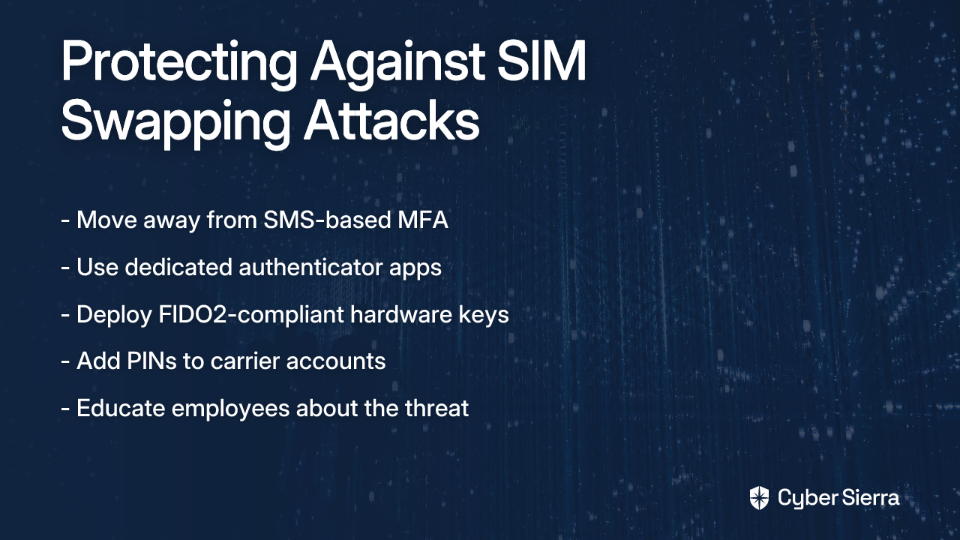
  • Deprecate SMS-Based MFA: Strongly discourage and, where possible, disable the use of SMS for authentication and account recovery. It is the least secure form of MFA.
  • Promote Stronger Authenticators: Encourage the use of dedicated authenticator apps (e.g., Google Authenticator, Microsoft Authenticator) or, for maximum security, FIDO2-compliant hardware keys.
  • Employee Education: Inform employees about the threat of SIM swapping and advise them to add PINs and other security measures to their mobile carrier accounts.

Building Resilience Against Push Notification Approval Scams

Attackers are no longer just breaking through digital walls; they're walking through the front door by manipulating the people inside. The rise of sophisticated push notification scams targeting human psychology—our fatigue, trust, and moments of distraction—proves that technical defenses alone are not enough.

A resilient security posture for 2026 and beyond requires a multi-layered strategy. This means combining strong, phish-resistant MFA technologies like FIDO2 with a continuous investment in your most critical security asset: your employees.

Building a strong human firewall is not optional—it's the cornerstone of modern defense. Explore Cyber Sierra's Employee Security Training platform to see how interactive simulations and continuous learning can empower your team to spot, stop, and report the very attacks detailed in this article.

blog-hero-background-image
Cyber Security

7 Vishing Prevention Tools Every Security Team Needs in 2026

backdrop
Table of Contents

Join thousands of professionals and get the latest insight on Compliance & Cybersecurity.


Summary

  • Vishing attacks are a rapidly growing threat, with hybrid attacks surging 550% and annual losses exceeding $10 billion, rendering traditional security measures obsolete.
  • Effective defense against modern, AI-powered vishing requires a multi-layered strategy that combines advanced technical controls with a continuously trained human firewall.
  • Essential actions include implementing call authentication (STIR/SHAKEN), using AI for real-time call analysis, and conducting realistic vishing simulations for employees.
  • An integrated platform like Cyber Sierra helps unify these tools, combining advanced employee training with threat intelligence to build a cohesive defense.

For years, security teams have been told that security awareness training is the key to stopping social engineering. But as many practitioners know, traditional training is often "woefully inadequate" against today's sophisticated, AI-powered vishing attacks.

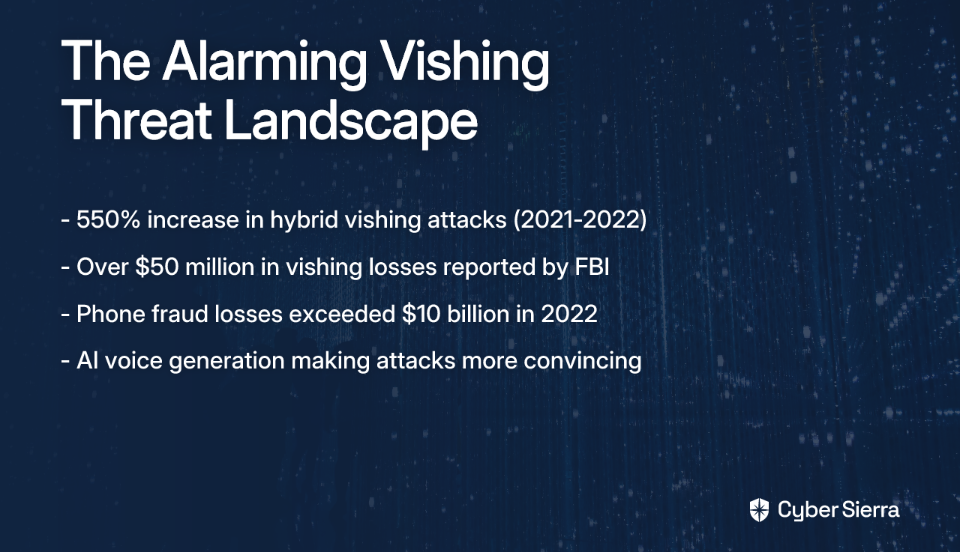
The statistics paint a alarming picture: Detections of multi-stage hybrid vishing attacks surged by almost 550% between Q1 2021 and Q1 2022, surpassing business email compromise (BEC) as a threat. The FBI's Internet Crime Complaint Center (IC3) reported over $50 million in losses from vishing in the U.S. in just one year. Meanwhile, the FTC's data shows phone-related fraud losses exceeded $10 billion in 2022, underscoring the financial impact.

Vishing—voice phishing—is a social engineering attack where criminals use phone calls, VoIP, or voice messages to manipulate victims into revealing sensitive information. Modern attackers have elevated this threat using AI-generated voices, Caller ID spoofing, and multi-vector attacks that often start with an email before a follow-up call.

As we look toward 2026, it's clear that siloed tools are no longer sufficient.

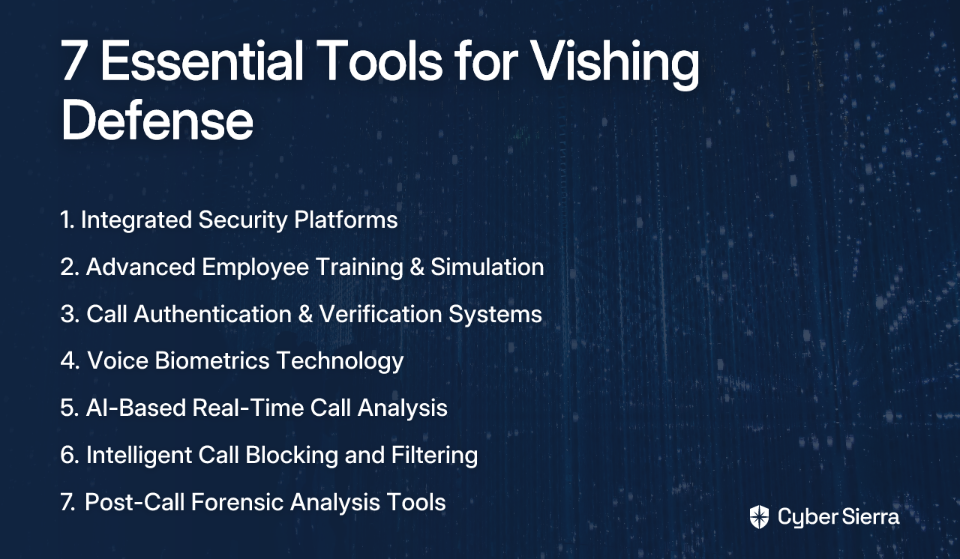
A modern defense in depth strategy requires an integrated suite of tools that combines technology with a reinforced human firewall. This article outlines the seven essential tools security teams need to build that defense.

1. Integrated Security Platforms: Cyber Sierra

The foundation of modern vishing defense is an integrated platform that provides a single source of truth and coordinates defenses against complex, multi-stage attacks.

Cyber Sierra provides a comprehensive, AI-enabled platform that instills automation and intelligence into an organization's security program, moving from periodic checks to proactive, real-time risk management. It addresses the core challenge of vishing by integrating human, technical, and procedural controls.

Key Capabilities for Vishing Prevention:

  • Employee Security Training: Cyber Sierra moves beyond outdated methods by offering interactive training, quizzes, and realistic simulated vishing and phishing campaigns. This builds muscle memory and creates a security-conscious culture, addressing the need for training that "goes far beyond sticking tracker links/PDFs in emails."
  • Threat Intelligence: Proactively manages the attack surface by identifying vulnerabilities through network and cloud scanning. This helps teams fix weaknesses before attackers can exploit them as part of a vishing campaign's research phase.

Implementation Considerations:

A unified platform simplifies vendor management and reduces integration complexity. The ROI includes reduced risk through a holistic security view, streamlined audit readiness, and lower total cost of ownership (TCO) compared to managing multiple point solutions.

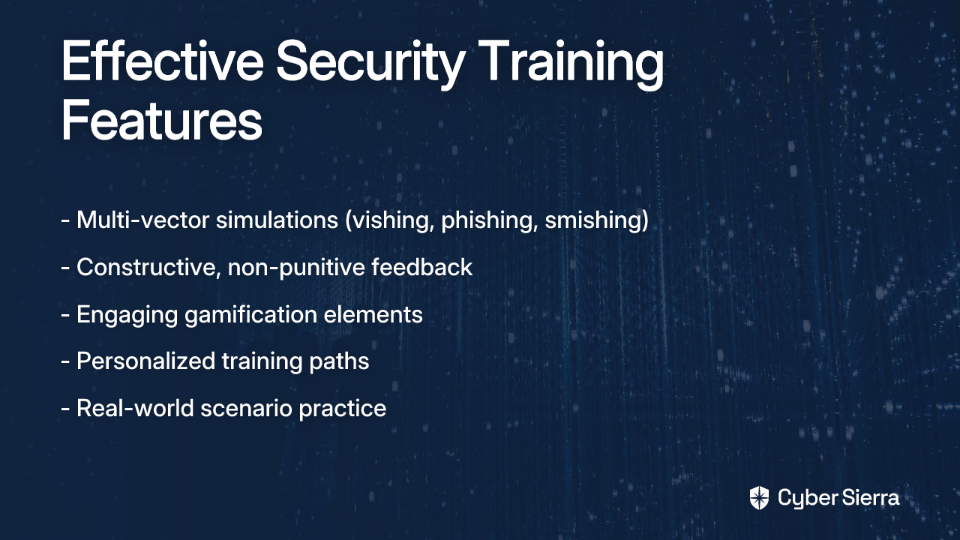
2. Advanced Employee Training & Simulation Platforms

Building a resilient human firewall acknowledges the sentiment that "Training done right does work." The key is modernizing the approach with tools that provide:

Key Capabilities:

  • Multi-Vector Simulations: Effective platforms offer simulated training that mirrors real-world threats, including vishing calls (both live and automated), smishing (SMS phishing), and email phishing. This prepares employees for the hybrid attacks attackers now favor.
  • Constructive Feedback: Address the pain that employees "feel like they are being targeted." Effective platforms provide immediate, non-punitive feedback that explains the red flags and reinforces learning, rather than just recording a failure.
  • Engagement & Gamification: Modern training needs to engage users with features like leaderboards, security champion programs, and relatable content that explains how threats affect employees personally.

Implementation Considerations:

Requires strong support from executive leadership to foster a culture of learning, not punishment. Training must be a continuous program, not a one-off annual event.

ROI Metrics:

Measurable improvement in simulation success rates, increased employee reporting of suspicious activities, and demonstrable compliance with training requirements for cyber insurance and regulatory frameworks.

3. Call Authentication & Verification Systems

A critical technical control that attacks the core mechanism of vishing: deception. These systems validate the caller's identity before the phone rings.

Key Capabilities:

  • STIR/SHAKEN Framework: This is the industry standard for combating Caller ID spoofing on VoIP networks. It works by having carriers digitally sign calls, allowing the receiving carrier to verify that the call is from a legitimate, non-spoofed number.
  • Two-Factor Authentication (2FA) for Voice: For high-risk actions (e.g., password resets, fund transfers) initiated over the phone, the system can trigger an out-of-band 2FA push to a registered device.

Implementation Considerations:

Requires close collaboration with your telecom and VoIP providers. While highly effective, it may not stop all spoofing, particularly from international carriers not participating in the framework.

ROI Metrics:

Drastic reduction in the volume of spoofed calls reaching employees, leading to fewer successful attacks and less time wasted on fraudulent interactions.

4. Voice Biometrics Technology

An advanced layer of identity assurance for call centers and internal help desks, protecting against attackers impersonating customers or employees.

Key Capabilities:

  • Voiceprint Authentication: Identifies users based on their unique vocal characteristics, creating a secure and passive method of verification.
  • Liveness Detection & Anti-Replay: To combat attackers using recorded audio, advanced systems use techniques like Random Phrase Challenges. The system asks the caller to repeat a randomly generated phrase, ensuring it's a live person whose voice matches the enrolled voiceprint.
  • Fraudster Identification: Can flag calls from known fraudulent actors by matching their voiceprints against a blacklist.

Implementation Considerations:

Requires an initial enrollment process for users. Organizations must address data privacy concerns regarding the storage and protection of biometric voice data. Integration with telephony platforms like Amazon Connect, Auth0, or Okta is a key factor.

ROI Metrics:

Significant reduction in account takeover (ATO) fraud, decreased call handling time (by replacing knowledge-based questions), and enhanced customer trust.

5. AI-Based Real-Time Call Analysis

This tool acts as a "security co-pilot" during a call, using AI to detect signs of social engineering in real-time.

Key Capabilities:

  • Natural Language Processing (NLP): The AI analyzes the content and context of the conversation, listening for keywords and phrases associated with scams (e.g., requests for passwords, gift cards, wire transfers).
  • Behavior and Sentiment Analysis: The system detects emotional manipulation tactics by analyzing the caller's tone, pace, and the level of urgency being applied. It can flag calls where an employee sounds distressed or a caller is unusually aggressive.
  • Real-Time Alerts: If the system detects a high probability of a vishing attempt, it can send a silent alert to a supervisor or the security team, allowing for immediate intervention.

Implementation Considerations:

Requires integration with your communication platform (e.g., call center software, UCaaS). The AI model needs to be properly tuned to your business context to minimize false positives.

ROI Metrics:

Prevents financial loss by stopping fraudulent transactions in progress. Provides invaluable intelligence on emerging vishing scripts and tactics. Helps ensure compliance in regulated industries.

6. Intelligent Call Blocking and Filtering Services

A fundamental first line of defense that reduces the overall attack surface by preventing known malicious calls from ever reaching your employees.

Key Capabilities:

  • Threat Intelligence Feeds: These services subscribe to global threat intelligence networks to maintain dynamic blacklists of numbers associated with spam, fraud, and robocalls.
  • Heuristic Analysis: Analyzes call patterns to identify suspicious activity, such as massive volumes of short-duration calls originating from a single source.
  • Enterprise Policy Controls: Allows administrators to create custom allow/block lists and set policies (e.g., block all calls from a specific country code).

Implementation Considerations:

Can be deployed at the carrier level or as an application on endpoints. There is a risk of false positives, so a mechanism for employees to report and whitelist legitimate blocked numbers is important.

ROI Metrics:

Increased employee productivity due to fewer interruptions. A measurable reduction in the number of vishing attempts that need to be handled by other controls.

7. Post-Call Forensic Analysis Tools

While prevention is key, detection and response are crucial components of a mature security program. These tools help you learn from incidents and near-misses.

Key Capabilities:

  • Call Transcription and Analysis: Automatically transcribes recorded calls (where legally permissible) and uses AI to scan them for indicators of fraud that may have been missed. This is useful for quality assurance and incident investigation.
  • Metadata Correlation: Analyzes call data records (CDRs) to identify patterns, such as multiple calls from a suspicious network block to different employees, which could indicate a targeted campaign.
  • Incident Response Integration: Feeds data into SIEM or SOAR platforms to correlate vishing activity with other security events, such as suspicious logins or data access, providing a full picture of an attack.

Implementation Considerations:

Adherence to legal and privacy regulations regarding call recording is paramount.

ROI Metrics:

Improved incident response times. Provides data to refine training simulations and update other preventive controls based on real-world attack patterns.

Building a Multi-Layered Vishing Defense

Vishing is no longer a simple nuisance; it's a sophisticated, costly threat supercharged by AI and automation. Relying on a single tool or just outdated security awareness training is a recipe for failure.

The only effective approach is a defense in depth strategy that layers human-centric defenses with robust technical controls. The seven tools discussed provide a blueprint for this multi-layered defense.

Frequently Asked Questions

What is vishing and how does it work?

Vishing, or voice phishing, is a social engineering attack where criminals use phone calls to trick victims into revealing sensitive data. Attackers often use AI-generated voices and Caller ID spoofing to appear legitimate before creating urgency to manipulate you.

Why isn't traditional security awareness training effective against modern vishing?

Traditional training is often too generic and infrequent to counter sophisticated, AI-powered vishing. Modern attacks are highly convincing and exploit human trust in real-time, requiring advanced simulations and technical controls alongside continuous training.

How has AI changed vishing attacks?

AI enables attackers to create realistic voice clones of trusted individuals, automate calls at scale, and use real-time sentiment analysis to manipulate victims more effectively. This makes AI-powered vishing attacks far more convincing and difficult to detect.

What is the first step to building a strong vishing defense?

The first step is adopting an integrated security platform. This provides a single source of truth to coordinate defenses, combining modern employee training, threat intelligence, and continuous monitoring to protect against multi-stage attacks.

How do call authentication technologies like STIR/SHAKEN work?

STIR/SHAKEN is a framework that helps prevent Caller ID spoofing. Telecom providers digitally sign outgoing calls, allowing the receiving provider to verify that the call is from a legitimate, non-spoofed number, reducing the number of fraudulent calls.

Can AI be used for defense as well as offense in vishing?

Yes, AI is a critical defensive tool. AI-based systems can analyze calls in real-time to detect social engineering tactics, listen for scam-related keywords, and alert security teams to a potential vishing attack before damage is done.

While individual tools are valuable, their true power is unlocked when they work together. An integrated platform like Cyber Sierra provides that crucial connective tissue, combining Employee Security Training, Threat Intelligence, and Continuous Control Monitoring to create a unified, proactive, and intelligent defense against the full spectrum of modern vishing attacks.

Don't wait for a vishing attack to expose your security gaps. Discover how Cyber Sierra's integrated cybersecurity platform can help you build a resilient defense. Schedule a demo today.

blog-hero-background-image
Cyber Security

Vishing vs Phishing vs Smishing: Comparing Social Engineering Tactics and Defenses

backdrop
Table of Contents

Join thousands of professionals and get the latest insight on Compliance & Cybersecurity.


Summary

  • Social engineering attacks like phishing (email), vishing (voice), and smishing (SMS) exploit human psychology and are a factor in 82% of data breaches.
  • The most sophisticated threats now use multi-channel attacks, combining different methods to seem more legitimate and bypass single-vector defenses.
  • An effective defense strategy requires a layered approach that includes technical controls like MFA and robust security awareness training for all employees.
  • Organizations can build a resilient defense with a unified platform that integrates employee security training with continuous control monitoring to address both human and technical vulnerabilities.

You've just received an urgent-looking email from your bank about suspicious activity. Minutes later, your phone rings with a call from "Bank Security." As you're processing this, a text message arrives with a link to "verify your identity."

This isn't coincidence—it's a coordinated social engineering attack using multiple channels to manipulate you into divulging sensitive information.

In 2022, a staggering 82% of data breaches involved the human element, according to Verizon's Data Breach Investigations Report. As one Reddit user aptly put it, "Criminals use cunning methods to deceitfully extract sensitive data from unsuspecting individuals." Understanding these tactics is your first line of defense.

Let's explore the three main types of social engineering attacks—vishing, phishing, and smishing—how they work, how they differ, and most importantly, how you can protect yourself and your organization.

The Three "ishings": Defining the Threats

Phishing: The Classic Email Deception

Phishing attacks use fraudulent emails that appear to come from trusted sources to trick recipients into revealing sensitive information or installing malware.

How it works: Attackers craft emails mimicking legitimate organizations, often creating a sense of urgency or curiosity. They include malicious attachments or links to fake websites designed to harvest credentials.

Real-world example: An email claiming to be from Microsoft states your account will be deactivated unless you "verify" by clicking a link, which leads to a convincing but fake login page that steals your credentials.

Impact: The Anti-Phishing Working Group (APWG) reported over 1.13 million phishing attacks in Q2 2025 alone—a 13% increase from the previous quarter.

Vishing: The Voice Scam

Vishing (voice phishing) uses phone calls to deceive targets into divulging confidential information or taking actions that compromise security.

How it works: Callers impersonate trusted entities like banks, tech support, or government agencies. They create scenarios requiring immediate action and use spoofed caller IDs to appear legitimate. Advanced vishing may even employ AI-generated deepfake voices cloned from public audio of executives or authority figures.

Real-world example: In 2023, both MGM Resorts and Caesars Entertainment fell victim to sophisticated vishing attacks. At Caesars, attackers posing as IT support convinced an employee to provide access credentials, resulting in a data breach and an $84 million loss.

Impact: Vishing is particularly dangerous because it exploits real-time human interaction and psychological pressure tactics. The live nature of calls makes targets more vulnerable to manipulation, as quick decisions are demanded without time for verification.

Smishing: The Text Message Threat

Smishing (SMS phishing) uses text messages containing malicious links or urgent requests to trick recipients into compromising their security.

How it works: Attackers send texts with enticing or alarming messages ("Package delivery failed," "Account suspension," "You've won!") that contain malicious links. These messages often create urgency to prompt immediate, unthinking action.

Real-world example: A text message claiming to be from your delivery service states your package couldn't be delivered and provides a link to "reschedule," which actually harvests your personal information or installs malware.

Impact: Consumer losses from smishing reached an estimated $470 million in 2024, with mobile users being particularly vulnerable due to the high open rates of text messages (98% compared to email's 20%).

Vishing vs Phishing vs Smishing: A Side-by-Side Comparison

CharacteristicPhishingVishingSmishing
ChannelEmailVoice/PhoneSMS/Text
User InteractionLowHighLow
Response TimeModerateImmediateFast
Psychological TriggersFear, curiosityAuthority, anxiety, urgencyUrgency, excitement
Detection ChallengeModerateHighHigh
Primary TargetCredentials, malware installationReal-time information extraction, immediate actionMobile malware, credential theft
Typical ScaleMass campaigns with some targetingHighly targeted, labor-intensiveMix of mass campaigns and targeted attacks

Each attack vector exploits different psychological vulnerabilities:

  • Phishing relies on visual imitation and fear of missing important notifications
  • Vishing leverages the authority of a human voice and creates high-pressure scenarios
  • Smishing capitalizes on the personal nature and immediacy of text messages

As one cybersecurity professional on Reddit noted, "Understanding these terms and their associated risks is the first line of defense in maintaining your online security." However, the modern threat landscape has evolved beyond single-vector attacks.

The Modern Threat: Multi-Channel Attacks

Today's most sophisticated attackers rarely rely on a single method. Instead, they orchestrate coordinated campaigns across multiple channels to increase credibility and bypass single-vector defenses.

Example attack sequence:

  1. Phishing email: An employee receives an email appearing to be from their company's IT department about an urgent security update, with a phone number to call for verification.
  2. Vishing call: When the employee calls the number, the attacker impersonates IT support and convinces them to install "security software" (actually malware) or share credentials.
  3. Smishing follow-up: A text message arrives with a link to "complete the security update process," which harvests additional credentials or installs more malware.

This multi-layered approach is devastatingly effective because:

  • Each contact point reinforces the legitimacy of the others
  • Different psychological triggers are exploited simultaneously
  • The attack creates a sense of consistency that lowers natural skepticism

Building a Comprehensive Defense Strategy

As one Reddit user aptly advised, "You should start with good, solid end-user training. Learn how to spot a phish, how to avoid them, how to report when you've become a victim."
Defending against these sophisticated, multi-channel threats requires a layered approach that addresses technology, processes, and—most importantly—people.

Layer 1: Empower the Human Firewall with Training

Cyber Sierra's Employee Security Training provides comprehensive protection by:

  • Creating security awareness: Interactive modules educate employees about the specific tactics used in phishing, vishing, and smishing attacks
  • Simulating real-world attacks: Conducting safe phishing, vishing, and smishing simulations to train identification skills
  • Building a security culture: Fostering an environment where security awareness becomes second nature
  • Providing measurable results: Tracking employee progress through comprehensive dashboards

"Education is the #1 in my book. Monthly reminders. Testing by sending out fake spam/phishing emails company wide," shared one IT professional on Reddit, highlighting the critical importance of ongoing training.
Layer 2: Implement Strong Technical Controls

  • Multi-Factor Authentication (MFA): Even if credentials are compromised, MFA prevents unauthorized access
  • Zero Trust Architecture: Apply the principle of "never trust, always verify" to all users and devices
  • Email security gateways: Filter suspicious emails before they reach employees
  • SMS filtering: Deploy solutions that scan incoming text messages for malicious links
  • Call authentication: Implement technologies that verify caller identities

Layer 3: Gain Proactive Visibility

Cyber Sierra's Continuous Control Monitoring (CCM) and Threat Intelligence modules transform security from reactive to proactive by:

  • Providing real-time visibility into security controls and potential vulnerabilities
  • Automating vulnerability scanning across network and cloud infrastructure
  • Detecting control failures before they can be exploited
  • Delivering actionable threat intelligence to prioritize remediation efforts

Layer 4: Streamline Governance and Compliance

An integrated GRC platform like Cyber Sierra's ties defensive efforts together by:

  • Automating compliance management across multiple frameworks
  • Creating a central controls repository that provides a unified security view
  • Streamlining audit preparation and evidence collection
  • Managing policies that govern security practices

Conclusion: A Unified Approach to Social Engineering Defense

Understanding the distinctions between vishing, phishing, and smishing is essential, but recognizing how these tactics work together in coordinated attacks is critical for modern defense.

While training employees to recognize these threats is foundational, organizations need an integrated platform approach that combines awareness training with technical controls, continuous monitoring, and streamlined governance.

Cyber Sierra's comprehensive platform addresses all these dimensions with its integrated modules for Employee Security Training, Continuous Control Monitoring, Threat Intelligence, and Governance, Risk & Compliance—providing the multi-layered defense needed to counter today's sophisticated social engineering threats.

In the ongoing battle against social engineering, the most resilient organizations are those that build defenses as coordinated and comprehensive as the attacks themselves.

Frequently Asked Questions

What is the main difference between phishing, vishing, and smishing?

The primary difference is the communication channel. Phishing uses email, vishing uses voice calls, and smishing uses SMS text messages. All three tactics aim to deceive you into revealing sensitive information or taking actions that compromise security.

How can I recognize a social engineering attack?

Look for red flags like urgent or threatening language, unexpected requests for personal data, and offers that seem too good to be true. Always verify the sender’s identity through a separate, trusted communication channel before taking any action.

What is a multi-channel social engineering attack?

A multi-channel attack combines methods, such as a phishing email followed by a vishing call. This layered approach is highly effective because each step reinforces the scam's legitimacy, making it harder to detect and resist.

What should I do if I suspect I'm a target?

Immediately stop, think, and verify. Do not click links, download attachments, or provide personal information. Report the suspicious message to your IT department and contact the supposed sender using official contact details to confirm the request.

Why is employee security training so important?

Employee training is crucial because social engineering exploits human psychology. Educating your team to spot and report threats turns your workforce into a powerful "human firewall," which is your most effective defense against these manipulative attacks.

blog-hero-background-image
Cyber Security

Deepfake CEO Voice Scam Prevention: 9 Security Controls Your Business Needs

backdrop
Table of Contents

Join thousands of professionals and get the latest insight on Compliance & Cybersecurity.


Summary

  • Deepfake fraud incidents surged by over 1,700% in 2023, with individual scams costing companies up to $25 million.
  • Traditional security training is insufficient against AI-powered impersonations, requiring a shift towards a multi-layered defense strategy.
  • Key actions include enforcing multi-person approval for financial transfers and deploying specialized training that simulates voice and video deepfake attacks.
  • Implementing a Continuous Control Monitoring (CCM) platform helps organizations maintain real-time visibility over security controls, providing an essential layer of proactive defense against these evolving threats.

In early 2024, a finance worker at a multinational firm in Hong Kong received what seemed like a routine video conference invitation. The meeting included what appeared to be the company's CFO and several other familiar colleagues. By the end of that call, the employee had transferred an astounding $25 million to fraudsters who had used AI-generated deepfakes to impersonate company executives.

This isn't science fiction or an isolated incident. In Singapore, another company lost $499,000 to criminals using similar tactics. According to recent reports, 2023 witnessed a staggering 1,740% increase in deepfake fraud incidents across North America alone.

The era of AI-powered deception is here, and businesses of all sizes are vulnerable.

While some remain skeptical about these threats ("Recent stories are stories not reality," as one Reddit user put it), the financial losses are very real. From Arup's $39 million fraud to a UK energy firm's $243,000 loss from a single deepfake call, the evidence is mounting.
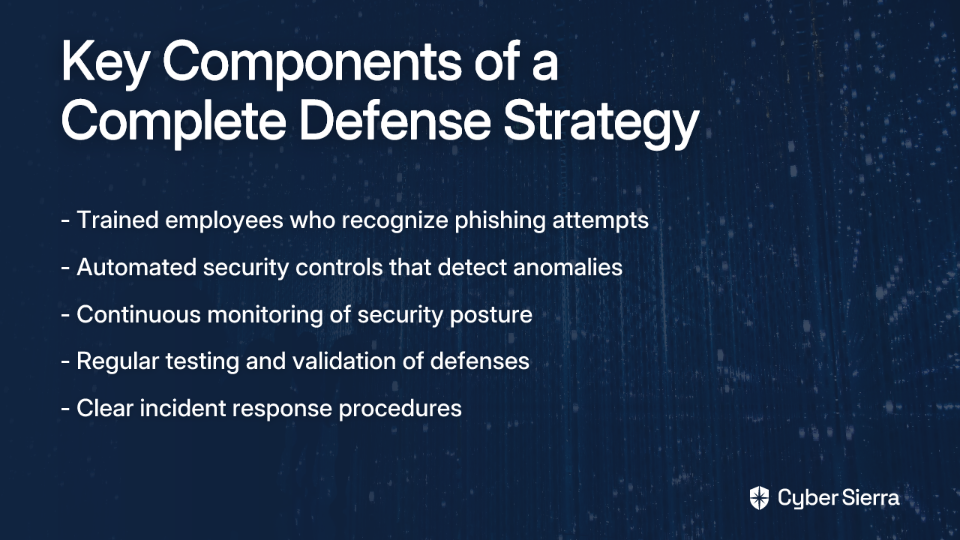
Most concerning is that traditional security training falls short. As one security professional noted, "Most training still focuses on phishing emails or fake login pages, but not on a 'your boss is calling' deepfake moment."
The good news? While AI makes these attacks increasingly sophisticated, a multi-layered defense combining technology, stringent processes, and human awareness can create a formidable barrier. Here are the nine essential security controls your business needs to implement now:

1. Implement Continuous Control Monitoring (CCM)

Threat Vector: Lack of real-time visibility into security posture allows fraudsters to exploit windows of vulnerability between periodic audits.

Implementation Steps:

  • Build a central controls repository that unifies all security policies
  • Automate control testing and validation to replace manual evidence gathering
  • Set up systems to detect exceptions and anomalies in near real-time

How Cyber Sierra Helps: Cyber Sierra's CCM platform transforms security from a reactive, periodic task to a proactive, continuous process. It automates control testing, provides a near real-time view of your security posture, and delivers actionable alerts on anomalies that could indicate fraudulent activity. This early-warning system is crucial for detecting the subtle signs of deepfake attempts before money leaves your accounts.

2. Establish Ironclad Payment and Disbursement Controls

Threat Vector: Social engineering that bypasses financial verification procedures through psychological pressure.

Implementation Steps:

  • Mandate multi-person approval (the "8 eyes principle" mentioned by security professionals) for all financial transfers
  • Enforce a call-back protocol for any verbal request for funds
  • Require out-of-band verification through a separate, authenticated channel

How Cyber Sierra Helps: While not a payment processor, Cyber Sierra's Governance, Risk & Compliance (GRC) platform helps formalize, document, and manage these critical policies. It ensures these procedures are part of your auditable control framework, maintaining detailed audit trails to prove that multi-level approval processes are being followed.

3. Deploy Advanced Employee Security Training

Threat Vector: Human error and lack of awareness about sophisticated voice fraud tactics.

Implementation Steps:

  • Conduct specific deepfake training focused on voice and video impersonation tactics
  • Run simulated "vishing" (voice phishing) campaigns to test employee responses in a safe environment
  • Foster a culture of healthy skepticism where verifying unusual requests is encouraged, not penalized

How Cyber Sierra Helps: Cyber Sierra's Employee Security Training module goes beyond basic compliance check-boxes. It offers interactive training and simulated campaigns tailored to modern threats like deepfakes, helping build and measure the effectiveness of your human firewall. The platform provides a central dashboard that offers an overview of your organization's security awareness quotient.

4. Integrate Deepfake Detection Technology

Threat Vector: The inability of the human ear to reliably detect sophisticated AI-generated voices.

Implementation Steps:

  • Research and deploy AI-powered deepfake detection solutions that analyze voice patterns
  • Embed these tools into communications platforms like Teams and Zoom
  • Prioritize these tools for high-stakes communications, such as financial department calls

How Cyber Sierra Helps: Cyber Sierra's Threat Intelligence and CCM platforms work in concert with specialized detection tools. The CCM platform monitors the operational status of your deepfake detection controls, ensuring they are active and correctly configured as part of your critical security infrastructure.

5. Enforce Multi-Factor Authentication (MFA) for All Critical Actions

Threat Vector: Single-factor authentication failure when voice impersonation is successful.

Implementation Steps:

  • Require MFA for sensitive actions like initiating wire transfers or changing vendor payment details
  • Ensure the second factor is delivered via an independent channel (mobile app, hardware token)
  • Regularly audit MFA implementation across all critical systems

How Cyber Sierra Helps: Enforcing MFA is a core requirement of almost every major compliance framework. Cyber Sierra's CCM platform continuously monitors your digital assets to ensure MFA controls are correctly implemented and enforced, flagging any systems where protection is missing or misconfigured.

6. Develop a Specific Incident Response Plan for Deepfake Attacks

Threat Vector: Unpreparedness and chaos during an attack can lead to poor decision-making.

Implementation Steps:

  • Create a step-by-step IR plan specifically addressing voice and video impersonation scenarios
  • Clearly define roles and actions, including who to contact and how to preserve evidence
  • Conduct regular tabletop exercises simulating deepfake attacks with finance, IT, and leadership teams

How Cyber Sierra Helps: The GRC platform provides a centralized repository for managing and updating critical documentation like your IR plan. It ensures the latest version is always accessible to relevant stakeholders and provides an audit trail of reviews and updates.

7. Implement Robust Third-Party Risk Management (TPRM)

Threat Vector: Supply chain vulnerabilities where attackers impersonate trusted vendors to request payment changes.

Implementation Steps:

  • Perform rigorous security assessments before onboarding any new vendor
  • Implement a strict, multi-channel verification process for any request to change vendor payment information
  • Continuously monitor the security posture of your critical vendors

How Cyber Sierra Helps: Cyber Sierra's Third-Party Risk Management (TPRM) platform automates this entire lifecycle. It provides 24/7 visibility into your vendors' security compliance, streamlines assessments, and helps you prioritize risks across your supply chain, ensuring a fraudulent payment request doesn't slip through the cracks.

8. Utilize Voice Biometrics and Risk Scoring

Threat Vector: Lack of positive caller identification leads to reliance solely on human judgment.

Implementation Steps:

  • For high-security contexts, explore voice biometrics that create a unique "voiceprint" for authorized individuals
  • Implement call risk scoring systems that analyze metadata like call origin and network type
  • Flag high-risk calls for additional scrutiny based on anomalous patterns

How Cyber Sierra Helps: While Cyber Sierra does not provide voice biometrics, its Threat Intelligence and CCM modules are crucial for managing the environment these tools operate in. The CCM platform ensures the systems supporting voice biometrics are secure and operational.

9. Maintain Comprehensive System Logging and Monitoring

Threat Vector: Lack of visibility and audit trails makes it difficult to detect attacks in progress.

Implementation Steps:

  • Enable robust logging on all critical systems: communication platforms, financial applications, and access control systems
  • Centralize logs in a SIEM (Security Information and Event Management) to correlate events
  • Set up alerts for unusual activities, such as an executive logging in from a new location before a large payment request

How Cyber Sierra Helps: Cyber Sierra's CCM platform complements a SIEM by focusing on the security controls themselves. It automates the collection of evidence, detects exceptions in real-time, and generates detailed audit trails that simplify both detection and post-incident investigation.

From Reactive Defense to Proactive Resilience

Defending against deepfake CEO voice scams requires a multi-layered strategy that integrates technology, process, and people. The common thread tying these defenses together is continuous monitoring – the era of "set it and forget it" security is over. Threats like deepfakes evolve too quickly for periodic checks to be effective.

A unified platform like Cyber Sierra is essential for managing this complexity. By leveraging Continuous Control Monitoring (CCM), organizations can move from a reactive, audit-driven security posture to a proactive, near real-time one. This continuous vigilance provides the early detection of anomalies and control failures that can be the first warning of a sophisticated voice fraud attempt, safeguarding both your financial assets and reputation.

The threat is real – but with the right controls in place, your business can stay one step ahead of the fraudsters.

Frequently Asked Questions

What is deepfake CEO fraud?

Deepfake CEO fraud is a cybercrime where criminals use AI to create realistic but fake videos or audio of a company executive. They use these "deepfakes" to trick employees into making unauthorized financial transfers or revealing sensitive information.

How can I detect a deepfake call?

Detecting a deepfake requires looking for subtle flaws like unnatural eye movements, mismatched lip-sync, or a robotic tone. However, the best defense is to always verify urgent or unusual requests through a separate, secure communication channel.

Are small businesses also at risk from deepfake scams?

Yes, small and medium-sized businesses (SMBs) are increasingly targeted. Attackers often perceive them as having fewer security resources and less stringent financial controls, making them attractive targets for deepfake-driven fraud.

Why isn't standard security training enough to stop deepfakes?

Standard training often focuses on phishing emails, not sophisticated AI-driven voice or video impersonations. These attacks exploit trust in a leader's voice or face, requiring specialized training and strong procedural controls to combat effectively.

What is the most critical control to prevent deepfake fraud?

The most critical control is implementing ironclad payment processes, especially multi-person approval and out-of-band verification for all financial transfers. This procedural safeguard acts as a final barrier when technology and human judgment fail.

How does Continuous Control Monitoring (CCM) help fight deepfake attacks?

Continuous Control Monitoring (CCM) provides real-time visibility into your security controls, ensuring they are always active. It automates monitoring of critical defenses, alerting you instantly to gaps that fraudsters could exploit.

blog-hero-background-image
Cyber Security

7 Ways to Protect Your Organization from Calendar Invite Phishing Attacks

backdrop
Table of Contents

Join thousands of professionals and get the latest insight on Compliance & Cybersecurity.


Summary

  • Malicious calendar invites can bypass email security filters due to a design flaw in how clients like Outlook process them, making this a growing threat vector.
  • A key technical defense is to create a mail flow rule to block the automatic processing of external calendar invites, forcing users to manually review and approve them.
  • Building a multi-layered defense is crucial, combining technical controls like MFA with strong internal processes and employee training to create a vigilant "human firewall."
  • Strengthen your organization's resilience with Cyber Sierra's Employee Security Training and gain real-time visibility with our Continuous Control Monitoring (CCM) platform.

Your security gateway quarantines a phishing email, but a malicious meeting invite titled "ACTION REQUIRED: Domain Expiry" still lands on your CEO's calendar. How is this possible?

Calendar invite phishing has emerged as a deceptively effective attack vector, exploiting a design flaw in how email clients like Outlook handle meeting invitations. The calendar processing engine often runs before or outside the standard mail filtering path, allowing malicious invites to be added to calendars even when the associated emails are quarantined.

According to the FBI's Internet Crime Report, phishing remains the most reported cybercrime with over 193,000 complaints annually. Calendar-based phishing is a growing segment of this threat landscape, targeting organizations of all sizes.

Protecting your organization requires a multi-layered approach that combines automated security controls, robust internal processes, and a well-trained workforce. Let's explore seven actionable methods to defend against this evolving threat.

1. Build a Unified Human and Machine Firewall

The most effective defense combines empowered employees with advanced, automated monitoring systems.

Strengthen Your Human Firewall with Security Training

Employees often value the convenience of auto-added calendar invites because, as one IT administrator noted, "they are lazy to hit accept." This convenience creates the vulnerability that attackers exploit.

Cyber Sierra's Employee Security Training addresses this challenge by moving beyond passive learning:

  • Interactive modules teach employees to spot red flags in calendar invites, such as vague or urgent titles, unknown senders, and suspicious links
  • Simulated phishing campaigns, including calendar invite scenarios, test and improve employee vigilance in a safe environment
  • Regular assessments reinforce knowledge retention and build a security-conscious culture

Implement Continuous Control Monitoring

A trained workforce needs robust technology backing. Cyber Sierra's Continuous Control Monitoring (CCM) transforms security from periodic checks to an ongoing, automated process by:

  • Detecting anomalies and unusual patterns in calendar activity across your organization in near real-time
  • Providing a centralized view of control effectiveness, allowing security teams to proactively fix gaps
  • Automating control testing to ensure defenses are always working as intended

2. Reconfigure Mail Flow to Block Automatic Processing of External Invites

This technical fix directly addresses how Outlook and Microsoft 365 handle external invites, providing the missing "external only" control many administrators seek.

Create a Mail Flow Rule in Exchange Admin Center

  1. Navigate to Exchange Admin Center → Mail Flow → Rules → Add (+)
  2. Name the rule something descriptive, like Block external calendar invites auto-processing
  3. Under Apply this rule if..., set the conditions:
    • "The sender is located..." → "Outside the organization"
    • Add condition: "The message properties..." → "include the message type""Calendar invite"
  4. Under Do the following..., set the action:
    • "Modify the message properties..." → "set a message header"
    • Set the message header X-MS-Exchange-Organization-BypassMeetingMessageProcessing to the value true

This header tells Exchange not to automatically add the meeting to calendars. Users will still receive the invite email but must manually click "Accept" to add it to their calendar, providing a crucial moment to scrutinize the request.

Use PowerShell for Granular and Scalable Control

For organizations needing to apply this setting programmatically or per user:

# To disable for a single user
Set-CalendarProcessing -Identity [email protected] -ProcessExternalMeetingMessages $false

# To apply to all users (example script logic)
Get-Mailbox -ResultSize Unlimited | ForEach-Object { 
  Set-CalendarProcessing -Identity $_.Identity -ProcessExternalMeetingMessages $false 
}

This PowerShell approach offers a more efficient way to implement this security measure globally, addressing the challenge of applying changes to all users at once.

3. Treat .ics Files as High-Risk Active Content

Calendar files aren't static documents – they're pieces of code that instruct applications to perform actions. They should be treated with the same suspicion as executable files.

Actionable Steps:

  • Configure your email security gateway to deeply inspect all incoming .ics attachments
  • Look for malicious indicators like:
    • Embedded URLs with suspicious domains or redirection
    • Use of base64 encoding to obfuscate malicious payloads
  • Consider implementing Content Disarm and Reconstruction (CDR) solutions that automatically strip active links and potentially malicious content from calendar invites before they reach users' inboxes

4. Strengthen Identity Protection as the Last Line of Defense

Assume a user will eventually click a malicious link. Strong identity and access management is crucial to ensure that a compromised password doesn't lead to a full-blown breach.

Key Controls:

  • Implement Multi-Factor Authentication (MFA): This is the single most effective control to prevent credential theft. Even if an attacker obtains a user's password through a phishing link, they cannot access the account without the second factor.
  • Use Conditional Access Policies: Configure policies in your identity provider (like Azure AD) to block or challenge authentication attempts based on risk signals such as unfamiliar location, impossible travel, or access from an unmanaged device.

5. Establish and Promote Clear Verification and Reporting Protocols

Technology alone is not enough. A strong security culture encourages employees to be active participants in the organization's defense.

Verification Protocol:

  • Mandate that employees verify unexpected or unusual meeting requests through a separate communication channel
  • If an invite seems suspicious, they should contact the sender via an internal tool like Teams or Slack, or by phone, using contact information they know to be legitimate (not from the invite itself)

Reporting Protocol:

  • Create a simple, frictionless process for employees to report suspicious calendar invites. This could be a "Report Phishing" button in the email client or a dedicated email address (e.g., [email protected])
  • Create a feedback loop: When employees report threats, acknowledge their vigilance and, when appropriate, share anonymized examples with the wider organization to keep everyone aware of the latest tactics

6. Leverage Your Existing Platform-Specific Security Tools

Maximize the value of the security tools you already pay for. Both Microsoft and Google offer built-in features that can help mitigate calendar phishing threats.

For Microsoft 365 Users:

  • Utilize Microsoft Defender for Office 365. Security teams can use the Hard Delete action, which removes both the phishing email and its corresponding calendar entry in a single action, simplifying remediation
  • Enable advanced anti-phishing policies specifically for calendar items

For Google Workspace Users:

  • Educate users on how to manage their calendar settings to prevent spam. Google provides detailed instructions on controlling unwanted calendar events
  • Configure Google's built-in security features to detect and manage suspicious calendar activity

For Third-Party Security Tool Users:

  • Check with your security vendor for new features. For example, some Avanan users report a new setting: Security Settings > SaaS applications > Office365 > Advanced > Enable quarantine of calendar invites with threats detected
  • Ensure your security tools are properly configured to analyze calendar content specifically, not just email

7. Develop and Drill a Specific Incident Response Plan

A proactive defense includes being prepared for when a phishing attempt succeeds. A well-rehearsed plan minimizes damage and ensures swift recovery.

Key Components of the Plan:

  • Define Roles and Responsibilities: Who is responsible for investigating, containing the threat, and communicating with stakeholders?
  • Containment Steps: Outline immediate actions, such as resetting the compromised user's password, revoking active sessions, and scanning their machine for malware
  • Investigation Process: Detail how to determine the scope of the incident. Did the user enter credentials? Did they download a file? What data was accessed?

Drill the Plan:

  • A plan on paper is not enough. Regularly conduct tabletop exercises to ensure your team knows how to respond under pressure
  • Leverage free, authoritative resources like the CISA Tabletop Exercise Packages to build and test your scenarios

For organizations looking to mature their security program, Cyber Sierra's Governance, Risk & Compliance (GRC) platform helps document incident response procedures, manage evidence, and maintain detailed audit trails required for compliance and post-incident reviews.

Conclusion: A Multi-Layered Defense Strategy

Calendar invite phishing represents a clever attack vector that exploits the intersection of human trust and system automation. The most effective defense combines multiple layers of protection:

  1. Technical Controls: Reconfigure mail flow, implement MFA, and leverage platform-specific security tools
  2. Organizational Processes: Establish verification protocols, develop incident response plans, and create reporting mechanisms
  3. Human Education: Train employees to identify suspicious invites and understand the importance of manual verification

By implementing these seven protection methods, you create a robust defense that significantly reduces the risk of successful calendar phishing attacks. The attackers are counting on gaps in your security posture – don't give them the opening they need.

Don't wait for a malicious calendar invite to disrupt your business. Strengthen your human firewall with Cyber Sierra's Employee Security Training and gain real-time visibility into your security controls with Continuous Control Monitoring (CCM) to build a more resilient defense today.

Frequently Asked Questions

What is calendar invite phishing?

Calendar invite phishing is an attack where malicious meeting invites are sent to a user's calendar. These invites contain fraudulent links or attachments and can bypass security filters because calendar events are often processed differently than regular emails.

Why do malicious calendar invites bypass email security?

Malicious invites often bypass security because the calendar processing engine in clients like Outlook can add the event before or separate from the standard email filtering process. This design flaw allows the invite to appear even if the email is later quarantined.

How can I stop calendar invites from automatically being added?

You can stop automatic additions by creating a mail flow rule in the Exchange Admin Center to block auto-processing for external invites. This forces users to manually accept invites from outside the organization, providing a chance to review them for legitimacy.

What is the most effective way to prevent calendar phishing?

The most effective defense is a multi-layered approach. This combines technical controls like disabling auto-processing and using MFA, with robust employee security training to create a unified human and machine firewall that is difficult for attackers to breach.

How should employees handle a suspicious calendar invite?

Employees should not accept the invite or click any links. They should verify the request through a separate, trusted communication channel, like an internal chat app or a phone call. Suspicious invites should be immediately reported to the IT or security team.

What should I do if someone falls for a calendar phishing scam?

Immediately activate your incident response plan. Key steps include resetting the user's password, revoking active sessions, scanning their device for malware, and investigating the scope of the breach to determine if any data or credentials were compromised.


Has your organization experienced calendar invite phishing attempts? What strategies have you found effective? Share your experiences in the comments below.

blog-hero-background-image
Cyber Security

DocuSign Phishing Email Attack: What Happens After You Click (And How to Recover)

backdrop
Table of Contents

Join thousands of professionals and get the latest insight on Compliance & Cybersecurity.


Summary

  • Sophisticated DocuSign phishing is a primary attack vector, with phishing involved in 36% of all data breaches and leading to costly Business Email Compromise (BEC).
  • Attackers use near-perfect replica emails to steal credentials, often bypassing Multi-Factor Authentication (MFA), which can lead to data theft and network-wide compromise.
  • Key red flags include suspicious sender domains (not docusign.net or docusign.com), generic greetings, and links that don't point to the official DocuSign website.
  • Organizations can build resilience through a clear incident response plan and proactive defenses like continuous security awareness training to help employees spot and avoid these threats. Cyber Sierra's Employee Security Training can help build this human firewall.

That sinking feeling when an email from a trusted service like DocuSign looks 'a bit phishy' is all too common. As noted by IT professionals, these sophisticated scams are eroding trust in the very platforms we rely on for business.

Phishing isn't just a nuisance; it's a primary attack vector. According to Verizon's DBIR report, a staggering 36% of all data breaches involve phishing. When it comes to DocuSign specifically, security researchers have documented a concerning rise in attacks that exploit this trusted platform.

This article will walk you through the entire DocuSign phishing attack chain—from the moment you click the link to the potential network-wide compromise. More importantly, we'll provide a detailed, step-by-step recovery plan for both individuals and organizations to contain the damage and strengthen their defenses for the future.

The Anatomy of a DocuSign Phishing Attack

The Lure: Crafting the Perfect Fake

Modern DocuSign phishing attacks are far more sophisticated than the poorly worded scams of the past. Attackers now create nearly perfect replicas of legitimate DocuSign emails, complete with accurate branding, formatting, and messaging.

What's more concerning is that attackers don't even need to be highly skilled. They can purchase customizable, authentic-looking DocuSign phishing templates on dark web forums, allowing them to launch campaigns quickly and at scale. Abnormal Security researchers have documented these templates being sold for as little as $50, making sophisticated attacks accessible to virtually any malicious actor.

The Full Attack Chain - Step-by-Step

When you receive a DocuSign phishing email, here's what typically happens after you click:

  1. Initial Click: You receive what appears to be a legitimate DocuSign email asking you to review and sign a document. The email might claim to be an invoice, contract, or other business document requiring urgent attention.
  2. Credential Harvesting: After clicking the "View Document" button, instead of being taken to the real DocuSign platform, you're redirected to a convincing fake login page. This is often designed to look like Microsoft 365, Google, or another common identity provider. As IT professionals have noted, some advanced attacks even use proxy methods like EvilGinx to bypass MFA by capturing your session token.
  3. Account Compromise: Once you enter your credentials on the fake page, the attackers immediately capture this information. Even if the page subsequently redirects you to a legitimate site (to avoid suspicion), the damage is done—your credentials are now in the hands of the attacker.
  4. The Fallout - What Happens Next:
    • Data Theft: With access to your account, attackers can view and exfiltrate sensitive documents, emails, and contacts.
    • Business Email Compromise (BEC): Using your compromised email account, attackers can impersonate you to colleagues or business partners, often attempting to redirect payments to fraudulent accounts. According to Abnormal Security, these BEC attacks following DocuSign phishing can result in losses averaging $80,000 per incident.
    • Network Infiltration & Malware Deployment: If your account has elevated privileges, attackers can use it as a foothold to access your organization's network, move laterally to other systems, and potentially deploy ransomware or other malware.
    • Corporate Espionage & Blackmail: Sensitive data obtained through the attack may be sold to competitors or used as leverage for extortion.

Red Flags: How to Spot a Fake DocuSign Email

Before we discuss recovery, let's review how to identify these phishing attempts before clicking, based on indicators compiled by security researchers:

  1. Verify the Sender: Authentic DocuSign emails come from domains ending in docusign.net or docusign.com. Scrutinize the sender's email address carefully—attackers often use domains that look similar but contain slight variations (e.g., docusign-verify.com or doc-usign.net).
  2. Look for Generic Greetings: Legitimate DocuSign emails typically address you by name. Phishing emails often use impersonal greetings like "Dear Client" or "Dear User."
  3. Check the Security Code: Genuine DocuSign emails include a unique security code. If this is missing or suspiciously short, it's likely a fake.
  4. Hover Before You Click: Before clicking any links, hover your mouse over them to see the destination URL. Ensure it points to a legitimate DocuSign domain, not a lookalike or completely unrelated site.
  5. Go Directly to the Source: The safest approach is to not click email links at all. Instead, log in directly to your DocuSign account through your browser and check if you have any documents waiting for your signature.

You've Clicked the Link. Now What? A Step-by-Step Recovery Plan

Despite our best efforts, even vigilant users occasionally fall victim to these sophisticated attacks. If you've clicked a DocuSign phishing link, time is of the essence. Here's what to do:

For Individuals (If You Clicked on a Personal Device)

  1. Disconnect Immediately: Take your device offline by disconnecting from Wi-Fi and cellular data. This prevents any malware from communicating with its command and control servers and limits data exfiltration.
  2. Change Your Passwords: Immediately change the password for the account you entered on the fake page. Use a strong, unique password you haven't used elsewhere. If you reuse that password on other accounts, change those immediately as well, prioritizing sensitive accounts like banking and email.
  3. Enable Multi-Factor Authentication (MFA): If you haven't already, enable MFA on all critical accounts. While some sophisticated attacks can bypass MFA, it still provides a crucial additional layer of security that stops most attackers.
  4. Run a Full Malware Scan: Use reputable antivirus/antimalware software to conduct a comprehensive scan of your device. Some phishing sites also attempt to install malware when you visit them.
  5. Monitor Financial Accounts: Keep a close eye on your bank statements, credit card activity, and credit reports for any unauthorized transactions or suspicious activity.
  6. Report the Phishing Attempt: Report the email to DocuSign at [email protected] and to your email provider. In the U.S., you should also report it to the Federal Trade Commission (FTC).

For Organizations (If an Employee Clicked on a Work Device)

Organizations face a more complex recovery process due to the potential for widespread impact. Here's a comprehensive plan for IT and security teams:

  1. Implement Continuous Control Monitoring (CCM): The fastest way to detect a compromise is with real-time visibility. Cyber Sierra's Continuous Control Monitoring can detect anomalous activities—such as logins from unusual locations or unauthorized access to sensitive files—and send immediate alerts, allowing your team to respond before significant damage occurs.
  2. Isolate the Affected Device: Immediately disconnect the device from the corporate network to contain the threat and prevent lateral movement. This can be done physically (unplugging Ethernet cables, disabling Wi-Fi) or through network controls if available.
  3. Activate Your Incident Response Plan: Notify all key stakeholders as defined in your IR plan, including IT security, legal, compliance, and communications teams. Time is critical in containing the damage.
  4. Preserve the Evidence: Secure the original phishing email, including its full headers, for forensic analysis. Document a timeline of events: when the email was received, when it was clicked, and what systems were accessed afterward.
  5. Force Urgent Access Control Changes: Immediately reset passwords for the affected user(s). Revoke all active session tokens and enforce MFA if it wasn't already mandatory.
  6. Scan for Malware Across the Network: Conduct deep scans on the user's device and any servers or systems they accessed post-compromise to detect and remove malware.
  7. Validate Backup Integrity: Before restoring any data, ensure your backups are intact and uncorrupted. As IT professionals have noted, a common concern is restoring potentially infected files, so scan backups thoroughly before restoration.
  8. Conduct a Forensic Investigation: Analyze firewall, mail server, and DNS logs to trace the attacker's path and understand the full scope of the breach. Look for unusual login locations, suspicious file accesses, or abnormal data transfers.
  9. Adjust Email Security Filters: Update your spam filters and email security gateway rules to block similar phishing attempts in the future. Share indicators of compromise (IOCs) with your security team.
  10. Communicate Transparently: Inform employees about the incident to raise awareness. If customer or partner data was impacted, communicate with them clearly about the breach and the steps you're taking to address it.
  11. Report Externally: Notify DocuSign about the impersonation, and report to relevant regulatory bodies as required by compliance frameworks (e.g., GDPR, HIPAA).
  12. Update Security Policies: Use the findings from this incident to strengthen your security policies, such as password complexity requirements and MFA enforcement.
  13. Reinforce Employee Training: Use this real-world incident as a powerful training opportunity. Cyber Sierra's Employee Security Training platform offers interactive modules and phishing simulations specifically designed to help employees recognize and properly respond to sophisticated phishing attempts like DocuSign scams.
  14. Leverage Proactive Threat Intelligence: Implement a solution like Cyber Sierra's Threat Intelligence to perform outside-in vulnerability scanning of your network and cloud infrastructure. This helps identify and remediate the security gaps that attackers exploit in these campaigns before they can be used against you.

Preventing Future DocuSign Phishing Attacks

While recovering from an attack is crucial, preventing future incidents is even better. Here are key strategies to strengthen your defenses:

  1. Deploy Advanced Email Security: Implement email security solutions with anti-phishing capabilities that can detect and block sophisticated impersonation attempts.
  2. Educate Your Team: Regular security awareness training is essential. Ensure all employees understand the threat of phishing and know how to verify the authenticity of DocuSign emails.
  3. Implement Zero Trust Principles: Adopt a zero trust security model where all access attempts are verified, regardless of source. This limits the damage attackers can do even if credentials are compromised.
  4. Conduct Regular Phishing Simulations: Test your organization's readiness with realistic phishing simulations that include DocuSign scenarios. This builds "muscle memory" for recognizing and reporting suspicious emails.
  5. Monitor Continuously: Traditional periodic security assessments aren't enough against today's threats. Continuous monitoring solutions like those offered by Cyber Sierra provide real-time visibility into potential security incidents, allowing for much faster detection and response.

Conclusion

In today's threat landscape, sophisticated DocuSign phishing attacks are an unfortunate reality that both individuals and organizations must prepare for. The best defense combines technology (like continuous monitoring and threat intelligence), robust processes (a well-documented incident response plan), and educated people (a security-aware workforce).

By understanding the full attack chain and having a clear recovery plan in place, you can significantly mitigate the damage if an attack succeeds. More importantly, by implementing the preventive measures outlined above, you can reduce the likelihood of falling victim in the first place.

Remember that moving from a reactive to a proactive security posture is not just an advantage—it's a necessity. By combining continuous monitoring with ongoing employee education and proper security controls, you can build a more resilient defense against DocuSign phishing and other sophisticated cyber threats.

Frequently Asked Questions

What is a DocuSign phishing attack?

A DocuSign phishing attack is a scam where attackers send fake emails that look like legitimate DocuSign requests. The goal is to trick you into clicking a malicious link and entering your login credentials on a fake page, leading to account compromise.

How can I tell if a DocuSign email is fake?

You can spot a fake DocuSign email by checking the sender's address, looking for generic greetings, and hovering over links before clicking. Real emails come from docusign.net or docusign.com. Be wary of urgent language and missing security codes.

What should I do immediately if I clicked on a DocuSign phishing link?

If you clicked a DocuSign phishing link, immediately disconnect your device from the internet. Then, change the password for the compromised account and any others that use the same password. Enable MFA and run a full malware scan on your device.

Why are DocuSign phishing attacks so dangerous?

These attacks are dangerous because they go beyond stealing credentials. Attackers can access sensitive documents, launch business email compromise (BEC) attacks, and use your account as a foothold to infiltrate your entire organization's network.

How can an organization prevent DocuSign phishing attacks?

Organizations can prevent these attacks by combining advanced email security, regular employee training, and continuous security monitoring. Implementing zero trust principles and conducting realistic phishing simulations are also key proactive defense strategies.

Can Multi-Factor Authentication (MFA) stop DocuSign phishing?

While MFA provides a strong layer of security, it cannot stop all DocuSign phishing attacks. Advanced attacks can use proxy methods to capture session tokens, bypassing MFA. Therefore, MFA should be part of a layered defense strategy, not the only one.

toaster icon

Thank you for reaching out to us!

We will get back to you soon.