blog-hero-background-image
Cyber Security

How to Automate SOC 2 and ISO 27001 Evidence Collection

backdrop
Table of Contents

Join thousands of professionals and get the latest insight on Compliance & Cybersecurity.


You've been there. Your team has worked tirelessly to develop a revolutionary product, and you're finally ready to close that enterprise deal that will transform your business. Then, the potential client drops the compliance bomb: "We love your solution, but we need you to be SOC 2 or ISO 27001 certified before we can move forward."

Suddenly, your fast-moving startup faces a painful reality—compliance is blocking your enterprise deals.

The traditional approach to SOC 2 and ISO 27001 certification involves a grueling process of manual evidence collection: endless screenshots, chasing down policy documents, managing spreadsheets, and coordinating across multiple teams. What should be a smooth 3-month observation period running in the background becomes an all-consuming nightmare that distracts your entire organization from its core mission.

But there's a better way. By automating evidence collection through Continuous Controls Monitoring (CCM), you can transform compliance from a periodic fire drill into a smooth, ongoing process—allowing you to focus on growth while remaining audit-ready.

The Nightmare of Manual Evidence Collection

Before diving into automation solutions, let's understand why manual evidence collection is so problematic:

It's Incredibly Labor-Intensive

Manual processes require significant time for documentation, reviews, interviews, and data entry across multiple teams. A single SOC 2 audit can consume hundreds of labor hours, pulling your team away from value-creating activities.

The anxiety around the "3-month observation period" is real—what should be a background process becomes a constant source of stress as you frantically gather evidence to prove your controls are working effectively.

It's Dangerously Error-Prone

Manual collection has a high risk of human error, leading to missed evidence, outdated documents, or incomplete information. A single mistake can be catastrophic, forcing companies into the painful situation of "having to restart their 3-month observation period," wasting valuable time and resources.

One Reddit user shared a horror story about having to restart their entire observation period because they couldn't produce evidence that a specific control had been continuously operating—even though it had been.

It's a Point-in-Time Snapshot, Not a Continuous View

Manual evidence collection only proves compliance at the moment it was gathered. It doesn't reflect your real-time security posture, leading to audit-time stress and a lack of visibility into control failures until it's too late.

This reactive approach means you're often scrambling to fix issues just before an audit rather than maintaining continuous compliance.

It Doesn't Scale

As your organization grows, adds more tools, or pursues multiple certifications, manual methods quickly become unsustainable. What works for a small startup becomes impossible for a scaling company, especially when you need to maintain compliance with multiple frameworks simultaneously.

The Solution: Automating Evidence with Continuous Controls Monitoring (CCM)

Continuous Controls Monitoring (CCM) is a technology-driven approach that automates the oversight of compliance and security controls, shifting from periodic manual checks to ongoing, automated assessments.

How Automation Works

Automation tools connect directly to your tech stack via APIs to pull evidence automatically. Instead of taking screenshots of AWS security settings, your CCM platform can directly verify that multi-factor authentication is enabled across your organization. Rather than manually reviewing access logs, your platform can automatically monitor user activity and flag anomalies.

The result? Evidence collection happens automatically while you sleep.
Key Benefits of Automation

Drastically Reduces Manual Workload: Free up your team from repetitive tasks like taking screenshots and compiling spreadsheets. Companies implementing automated evidence collection report time savings of up to 80% compared to manual processes.

Improves Accuracy and Reduces Errors: By pulling data directly from the source, automation minimizes human error and ensures evidence is always current and accurate. No more risk of having to restart your observation period due to missing documentation.

Enables Continuous Compliance: Provides real-time visibility into your security posture, allowing you to detect and remediate issues as they happen, not just during audit season. This transforms compliance from a periodic event to a continuous state of readiness.

Streamlines Audits: Present auditors with a clean, organized, and timestamped trail of evidence, leading to smoother audits and "less shitty audit reports," as one Reddit user eloquently put it.

Saves Costs: While there's an initial investment in automation tools, the reduced operational overhead and early identification of control gaps lead to significant long-term savings.

What Types of Evidence Can You Automate? (Practical Examples)

Let's look at concrete examples of evidence types that are prime candidates for automation:
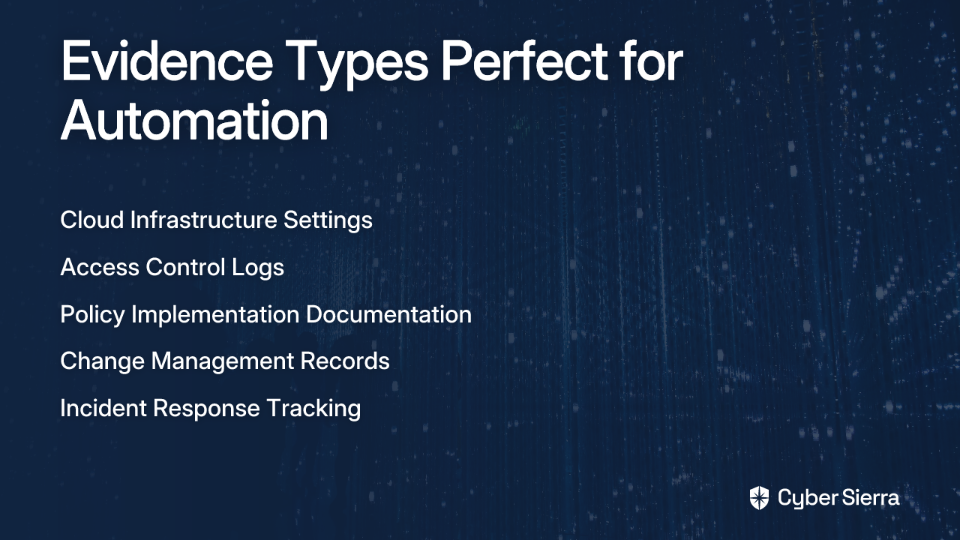
1. Cloud Infrastructure and Security Settings

What it is: Automatically capturing configurations from cloud providers like AWS, Azure, and GCP.

Example: Instead of manually taking screenshots, an automation platform can continuously verify that:

  • Multi-Factor Authentication (MFA) is enforced for all IAM users
  • Encryption at rest is enabled on all production databases and S3 buckets
  • Security groups don't have ports like SSH (22) or RDP (3389) open to the world (0.0.0.0/0)

Key Insight: This relies on deterministic code checks, not AI interpretation, which avoids the problem where an "AI confidently stated we had encryption at rest enabled on a database that didn't even exist," as one user reported.

2. Access Control Logs

What it is: Real-time monitoring of user login activity, access rights, and permission changes.

Example: Automatically generating evidence for quarterly user access reviews by pulling a list of all users with access to critical systems. The platform can also flag when a de-provisioned employee's access remains active past a set SLA, providing immediate alerts rather than discovering the issue during an audit.

3. Implemented Policies and Training Documentation

What it is: Tracking employee acknowledgment of security policies and completion of mandatory training.

Example: Integrating with your HRIS (e.g., Gusto, Rippling) to automatically track and provide evidence that 100% of employees have completed their annual security awareness training, including timestamps and completion certificates.

4. Change Management and Incident Response

What it is: Logging all code changes, infrastructure updates, and security incidents to demonstrate a formal process.

Example: Integrating with Jira or GitHub to automatically pull evidence of pull requests, approvals, and incident response tickets, showing a clear audit trail for any changes to production systems.

How to Implement an Automated Evidence Collection Strategy

Ready to move from manual to automated evidence collection? Follow this roadmap:
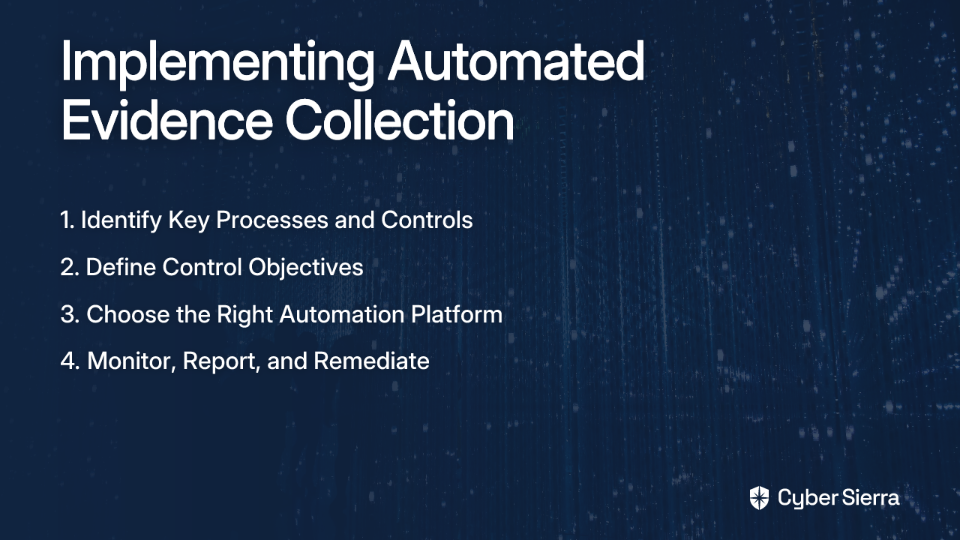
Step 1: Identify Key Processes and Controls

Begin by mapping your critical assets and business processes. Identify which SOC 2 Trust Services Criteria or ISO 27001 Annex A controls are in scope and suitable for automation.

Focus first on controls that:

  • Require frequent evidence collection
  • Are technical in nature (e.g., system configurations)
  • Currently consume significant manual effort

Step 2: Define Control Objectives and Set Up Automated Tests

For each control, clearly define the desired state (e.g., "All new hires must complete security training within 30 days").

Configure your automated tests to run frequently (hourly or daily) to monitor the effectiveness of these controls. As Vanta explains, this ongoing monitoring transforms compliance from a periodic checkbox to a continuous state.

Step 3: Choose the Right Automation Platform

Not all tools are created equal. When evaluating solutions, look for:

Breadth and Depth of Integrations: Ensure the platform connects to your entire tech stack, from cloud infrastructure to HR systems.

Visibility into Integrations: The platform should be transparent about what data is pulled and how it maps to specific compliance requirements.

A Centralized Hub for Data: It should provide a single source of truth for all compliance activities.

An Open API: For connecting to custom internal tools or systems not covered by out-of-the-box integrations.

Step 4: Monitor, Report, and Remediate

Use the platform's dashboard to track control performance with clear KPIs.

Establish a workflow for alerts so that when a control fails, the right team is notified immediately to begin remediation.

Streamlining Compliance with an Integrated GRC Platform

While automating evidence collection is a huge step, true efficiency comes from an integrated approach to Governance, Risk, and Compliance (GRC).

Platforms like Cybersierra simplify this entire lifecycle. Instead of just collecting evidence, an AI-enabled GRC platform helps you manage your entire security program.

Cybersierra's Continuous Control Monitoring (CCM) module provides a central controls repository with near real-time updates, automates testing, and detects exceptions in real-time. This addresses the common pain point of lacking visibility into control effectiveness between audits.

The Governance, Risk & Compliance (GRC) module automates data collection, risk assessments, and reporting for multiple frameworks like SOC 2, ISO 27001, GDPR, and HIPAA. This helps enterprises become audit-ready faster and reduces compliance fatigue that many organizations experience.

By integrating GRC with other critical functions like Third-Party Risk Management (TPRM) and Threat Intelligence, you gain a unified view of your security posture, moving from just "ticking boxes" to proactive risk management.

From Audit-Ready to Always-Ready

Manual evidence collection is an outdated practice that puts your audits, enterprise deals, and security at risk. It's time-consuming, error-prone, and simply doesn't scale.

By embracing automation and a Continuous Controls Monitoring approach, you transform compliance from a stressful, periodic event into a strategic advantage. You gain real-time visibility, improve accuracy, and free up your team to focus on innovation.

The result? You can go from "compliance is blocking our enterprise deals" to "we're SOC 2 ready and observation period started" in under a week, just as many companies have experienced.

Stop letting manual compliance processes block your growth. Discover how an integrated GRC platform can put your evidence collection on autopilot and keep you audit-ready, year-round.
Frequently Asked Questions

What is automated evidence collection for SOC 2?

Automated evidence collection is the use of technology to automatically gather, verify, and store compliance evidence from your company's tech stack. Instead of manually taking screenshots or compiling spreadsheets for SOC 2 or ISO 27001, an automation platform connects directly to your tools (like AWS, GitHub, and Jira) to prove that your security controls are operating continuously.

Why is manual evidence collection a risk for audits?

Manual evidence collection is a significant risk because it is highly prone to human error, which can lead to incomplete or inaccurate evidence. This can cause major audit failures, such as having to restart a 3-month observation period. Furthermore, manual collection only provides a point-in-time snapshot of compliance, failing to offer a real-time view of your security posture and leaving you vulnerable to last-minute audit surprises.

How does a compliance automation platform work?

A compliance automation platform works by connecting to your cloud services, code repositories, HR systems, and other tools through APIs. It runs pre-built tests to continuously monitor your configurations and activities against compliance requirements (e.g., checking if MFA is enabled on all accounts). When a test passes, it automatically collects the evidence; if it fails, it alerts your team to fix the issue, ensuring you remain audit-ready.

What types of evidence can be automated for compliance?

Many types of technical evidence can be automated, significantly reducing manual effort. Common examples include cloud infrastructure configurations (like AWS S3 bucket encryption), access control logs (to verify user permissions), change management records from Jira or GitHub, and verification that employees have completed their security awareness training through integrations with HR systems.

How do I start with automating compliance evidence collection?

To start automating evidence collection, begin by identifying the key controls for your target framework (like SOC 2) that are technical and require frequent monitoring. Next, select a compliance automation platform that integrates with your existing tech stack. Once integrated, you can configure the platform to run automated tests against your controls and start monitoring your compliance posture from a central dashboard.

What is the difference between Continuous Controls Monitoring (CCM) and compliance automation?

Continuous Controls Monitoring (CCM) is the broader strategy, while compliance automation is the technology that enables it. CCM is the ongoing process of monitoring your security controls in real-time to ensure effectiveness. Compliance automation tools are the specific platforms that execute this strategy by automatically collecting evidence, running tests, and providing alerts, shifting compliance from a periodic audit to a continuous, proactive function.
blog-hero-background-image
Cyber Security

ISO 27001 Certification Roadmap for Financial Services

backdrop
Table of Contents

Join thousands of professionals and get the latest insight on Compliance & Cybersecurity.


You've been tasked with securing ISO 27001 certification for your financial institution, and the pressure is mounting. Tight deadlines loom, mountains of documentation await, and you're already feeling overwhelmed by where to even begin. The scope seems impossible to define clearly, and you wonder if your organization has the expertise to navigate this complex process.

Sound familiar? You're not alone. Financial services professionals frequently report feeling "overwhelmed by the extensive documentation" and experience "confusion regarding how to properly define the scope" when tackling ISO 27001 certification.

But here's the truth: while ISO 27001 certification is indeed rigorous, it's entirely achievable with the right roadmap. This article provides exactly that—a clear, step-by-step path specifically designed for financial services organizations.

Why ISO 27001 is Non-Negotiable for Financial Services

The financial services sector is a cornerstone of the global economy, contributing £173.6 billion to the UK economy alone in 2021 (8.3% of total output). With this economic importance comes enormous responsibility for managing sensitive information.

ISO/IEC 27001 is the leading international standard for an Information Security Management System (ISMS). Its purpose is to help organizations protect their information systematically and cost-effectively through implementing controls based on three core principles:

  • Confidentiality: Ensuring only authorized individuals can access sensitive client financial data
  • Integrity: Safeguarding the accuracy of transaction records and preventing unauthorized alterations
  • Availability: Maintaining critical system uptime for services like online banking platforms

Beyond protecting information, ISO 27001 delivers several critical benefits specifically valuable to financial institutions:

Regulatory Compliance Alignment

ISO 27001 provides a framework that helps satisfy requirements from multiple regulations:

  • General Data Protection Regulation (GDPR): The risk assessment framework helps manage requirements for data confidentiality, integrity, and resilience
  • Gramm-Leach-Bliley Act (GLBA): The standard helps fulfill requirements to document data protection measures

Tangible Business Benefits

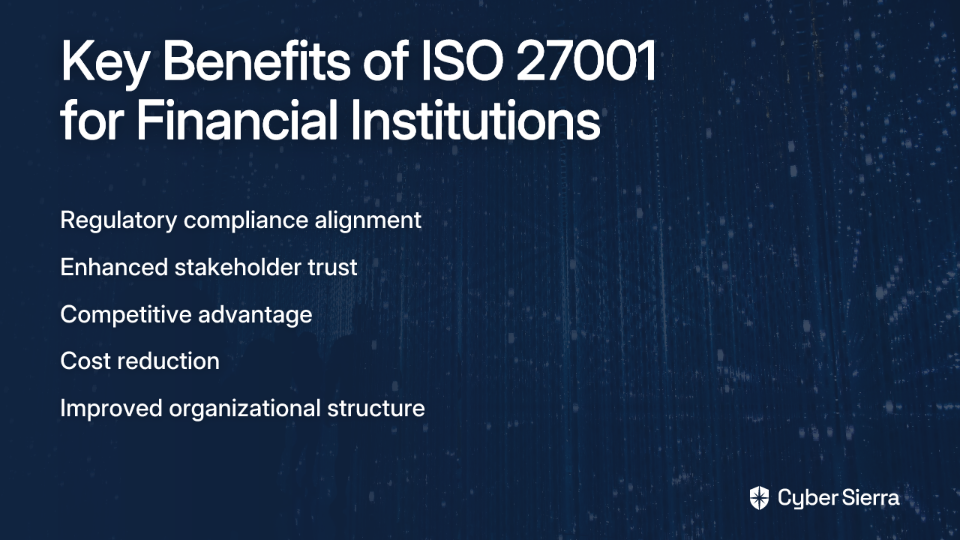
  • Enhanced Stakeholder Trust: In an industry built on trust, certification provides verifiable evidence of your commitment to information security
  • Competitive Advantage: Certification distinguishes your firm from non-certified competitors—a significant advantage when securing new business
  • Cost Reduction: Prevents security incidents, saving money on breach remediation, regulatory fines, and reputational damage
  • Improved Organization: Clarifies roles, responsibilities, and processes across the organization

The Comprehensive ISO 27001 Implementation Roadmap

Let's break down the certification journey into manageable phases:

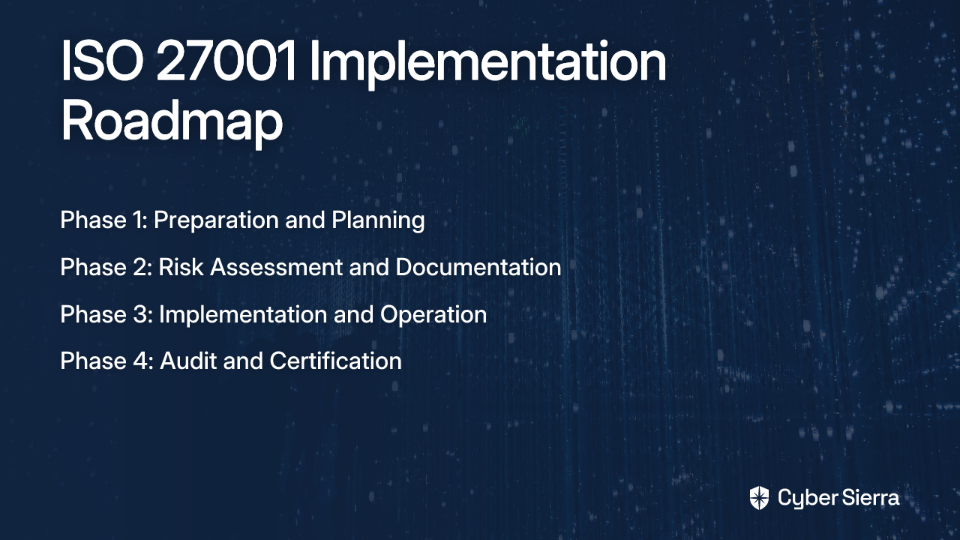
Phase 1: Preparation and Planning (The Foundation)

  1. Obtain Management Support This is your critical first step. Without executive commitment for resources and time, certification projects often fail. Present ISO 27001 not as a compliance burden but as a strategic business advantage.
  2. Form an Internal ISO 27001 Team Many professionals report "feeling unsupported and pressured due to lack of team guidance during implementation." Address this by establishing a cross-functional team with clear roles and responsibilities across IT, Engineering, Legal, and other departments.
  3. Define the ISMS Scope This addresses the commonly reported "confusion regarding scope." Your scope should clearly identify which parts of the organization will be covered by the ISMS. Tip: Define your scope by considering:
    • IT systems that fall under compliance
    • Users and external users affected
    • Physical locations involved
    • Existing company policies that fall under compliance

Phase 2: Risk Assessment and Documentation (Demystifying the Paperwork)

  1. Conduct a Gap Analysis Evaluate your current security posture against ISO 27001 requirements to identify weak spots and guide resource planning.
  2. Create an Inventory of Assets Document all information assets that need protection, including hardware, software, data, and people.
  3. Define Risk Assessment Methodology & Perform the Assessment Establish formal rules for identifying and analyzing information security risks. Then execute the assessment to identify threats to your assets.
  4. Write the Risk Treatment Plan Based on the assessment, create a plan detailing how you will address unacceptable risks.
  5. Prepare Mandatory Documentation Many feel "overwhelmed by the extensive documentation," so let's clarify exactly what's required: Essential ISO 27001 Documentation
    • Scope of the ISMS
    • Information security policy and objectives
    • Risk assessment and risk treatment plans
    • Statement of Applicability (SoA) - a central document listing all 93 controls from Annex A of the standard
    • Evidence of competence (e.g., training records)
    • Records from internal audits and management reviews

Phase 3: Implementation and Operation (Putting the Plan into Action)

  1. Implement Security Controls and Policies Put the plans and controls from your Risk Treatment Plan and SoA into practice.
  2. Conduct Employee Awareness & Training Educate all stakeholders on security policies and their roles. This is essential for embedding security into the company culture.
  3. Operate and Monitor the ISMS Establish metrics to measure the effectiveness of your controls. Regularly monitor performance and maintain records to prove the ISMS is functioning as intended.

Phase 4: Audit and Certification (The Final Hurdles)

  1. Conduct an Internal Audit Before external auditors arrive, perform a full internal audit to check if your ISMS meets all requirements. This is your dress rehearsal.
  2. Hold a Management Review Top management must formally review the ISMS's performance, audit results, and outstanding issues to ensure it remains effective.
  3. Implement Corrective Actions Address any non-conformities found during monitoring or the internal audit.
  4. Undergo the External Certification Audit
    • Stage 1 Audit: The certification body reviews your documentation to confirm readiness
    • Stage 2 Audit: Auditors conduct a detailed, evidential audit to verify your controls are operating effectively

Life After Certification: Maintenance and Continual Improvement

Certification is a cycle, not a finish line. After certification:

  • Periodic Surveillance Audits: The certification body will conduct annual surveillance audits to ensure your ISMS is being maintained
  • Recertification: Certification is typically valid for three years, requiring a full recertification audit afterward
  • Continual Improvement: Regularly review and update the ISMS to adapt to new threats and business changes

Navigating the Journey: Timelines, Costs, and Strategic Options

Realistic Timelines

Implementation can take anywhere from 3 months for a small, agile organization to over a year for a large, complex financial institution. Compliance automation tools can accelerate this timeline, sometimes to just 2-3 months.

Understanding the Costs

Costs depend on company size, complexity, and existing security maturity. Key cost factors include:

  • Training and literature for staff
  • External assistance (consultants or tools)
  • Employee time dedicated to the project
  • Technology adjustments or purchases
  • The certification audit itself

Strategic Implementation Options

  1. Do It Yourself (DIY): Best for organizations with in-house expertise
  2. With Tools: Use software platforms (like Conformio, Hicomply, DataGuard, or Sprinto) to streamline documentation and control monitoring
  3. Consultant-Led: For companies lacking internal expertise, "It would be best to bring in a consultant to do a gap analysis and advise on a roadmap" as recommended by industry professionals

Conclusion

ISO 27001 certification in financial services isn't just about compliance—it's a strategic framework for building resilience, earning customer trust, and gaining a competitive edge in a highly regulated market.

By following this roadmap, what initially appears to be an overwhelming transformation becomes a manageable journey with clear milestones. The time to begin is now: secure management buy-in, define your scope, and take that first step toward certification.

Remember, many financial institutions have successfully navigated this path before you. With the right approach, your organization will join them in demonstrating its commitment to information security excellence through ISO 27001 certification.

Frequently Asked Questions

What is ISO 27001 and why is it crucial for financial services?

ISO 27001 is the leading international standard for an Information Security Management System (ISMS), providing a framework to protect sensitive information. It is crucial for financial services to maintain regulatory compliance, build customer trust, and protect critical financial data based on the principles of confidentiality, integrity, and availability.

How long does it take to get ISO 27001 certified?

The timeline for ISO 27001 certification can range from 3 months to over a year. The exact duration depends on an organization's size, complexity, and current security maturity. While a small, agile company might achieve certification in a few months, a large, complex financial institution will likely require a longer timeframe.

What are the main phases of the ISO 27001 implementation process?

The ISO 27001 implementation process is typically broken down into four main phases: Preparation and Planning, Risk Assessment and Documentation, Implementation and Operation, and finally, Audit and Certification. This structured approach takes you from gaining management support and defining your scope all the way to undergoing the final external audit.

What is an ISMS scope and why is it important to define?

The ISMS scope is a formal statement that defines the boundaries of your Information Security Management System (ISMS). It is critically important because it clarifies exactly which parts of your organization—including systems, locations, and processes—must comply with the ISO 27001 standard. A well-defined scope prevents confusion, ensures all critical assets are covered, and makes the audit process smoother.

Is ISO 27001 certification a one-time project?

No, ISO 27001 certification is not a one-time project; it is an ongoing commitment to continual improvement. After achieving certification, your organization must maintain the ISMS. This involves periodic surveillance audits conducted by the certification body (typically annually) and a full recertification audit every three years to retain your certified status.

What are the options for implementing ISO 27001?

There are three primary strategic options for implementing ISO 27001: doing it yourself (DIY) if you have in-house expertise, using compliance automation tools to streamline the process, or hiring an external consultant for expert guidance. The best choice depends on your organization's internal resources, budget, and desired timeline.

blog-hero-background-image
Cyber Security

The Ultimate CISO Framework Selection Guide: NIST vs ISO vs CIS

backdrop
Table of Contents

Join thousands of professionals and get the latest insight on Compliance & Cybersecurity.


You've just stepped into the CISO role at an organization with scattered security policies, unclear expectations, and stakeholders who believe hiring you means "security is no longer a problem." As one CISO describes it, "It is a brutally tough world, and super lonely at the top."

Now you face that first critical decision: which security framework should serve as your foundation? This isn't just a technical choice—it's your strategic compass that will either justify your existence or leave you running to the CEO for "every little bit" of approval.

Why a Framework Is Your First, Best Ally

The modern CISO faces a daunting threat landscape. The financial sector alone contends with approximately 300 cyberattacks per organization annually, with the average cost of a data breach reaching $5.97 million in 2023. Without a structured approach, you're left with what one CISO described as "a huge backlog of implementing security best-practices" and no clear way to prioritize.

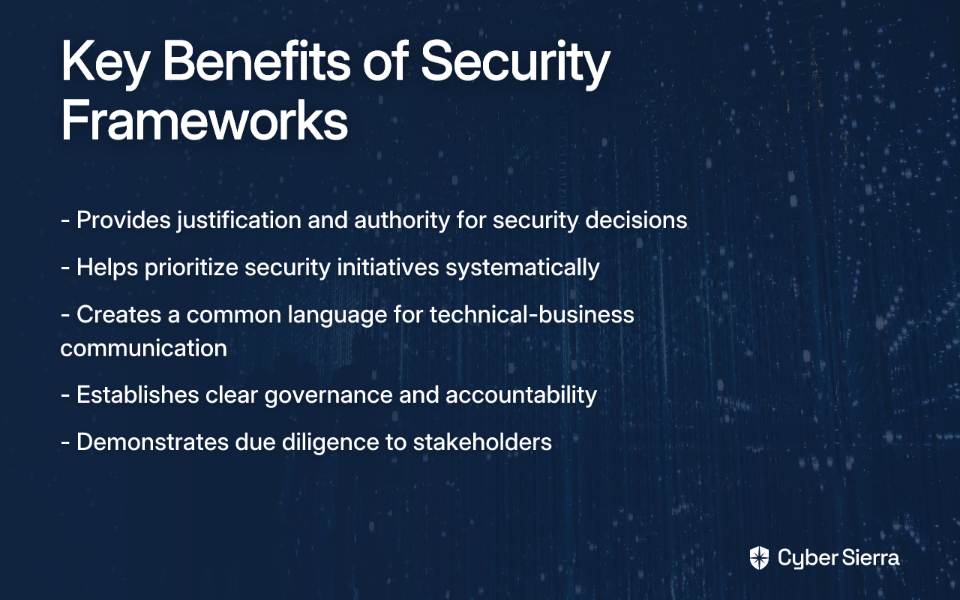
A well-chosen framework provides three essential benefits:

  1. Justification and authority: It gives you permission to act decisively without constant executive approval
  2. Prioritization: It helps you tackle that overwhelming backlog in a methodical way
  3. Communication: It provides a common language to translate technical risks into business terms

But which framework is right for your organization? Let's examine the three leading contenders.

Deep Dive: The Top 3 Cybersecurity Frameworks

NIST Cybersecurity Framework (CSF): The Risk Management Powerhouse

Purpose: A comprehensive framework designed to help organizations understand and improve their management of cybersecurity risk.

The latest version, CSF 2.0, introduces a new core function called "Govern," bringing the total to six core functions:

  • Govern: Establish and monitor the organization's cybersecurity risk management strategy
  • Identify: Understand cybersecurity risk to systems, people, assets, data, and capabilities
  • Protect: Implement appropriate safeguards to ensure delivery of critical services
  • Detect: Implement activities to identify the occurrence of a cybersecurity event
  • Respond: Take action regarding a detected cybersecurity incident
  • Recover: Maintain resilience and restore capabilities impaired by an incident

Advantages:

  • Highly flexible and versatile across various sectors
  • Risk-centric approach that aligns with business objectives
  • Widely recognized by US regulators (FFIEC, OCC)
  • Freely available and extensively documented

Limitations:

  • Primarily US-centric
  • No formal certification process
  • Can be complex for small firms without guidance

ISO/IEC 27001: The Global Standard for Certified Security

Purpose: The world's premier international standard for establishing, implementing, maintaining, and continually improving an Information Security Management System (ISMS).

ISO 27001 centers around three core concepts:

  • ISMS: A systematic approach to managing sensitive company information
  • PDCA Methodology: Employs a Plan-Do-Check-Act cycle for continuous improvement
  • CIA Triad: Ensures Confidentiality, Integrity, and Availability of information

Advantages:

  • Globally recognized with over 70,000 certifications across 150 countries
  • Provides market credibility through third-party certification
  • Comprehensive scope covering governance, technical controls, and business alignment

Limitations:

  • High implementation costs and complexity
  • Resource-intensive to implement and maintain
  • Standard must be purchased

CIS Controls: The Practitioner's Guide to Prioritized Defense

Purpose: A prioritized set of 18 actionable best practices to protect organizations against the most common and pervasive cyber threats.

CIS Controls are organized into three Implementation Groups (IGs) to help organizations prioritize based on their resources:

  • IG1 (Basic Cyber Hygiene): 56 foundational safeguards for all organizations
  • IG2 (Foundational): Builds upon IG1 with an additional 74 safeguards
  • IG3 (Organizational): The full set of 153 safeguards for mature organizations

Advantages:

  • Highly practical, providing clear, prescriptive guidance
  • Prioritized approach helps resource-constrained teams focus on what matters most
  • Free tools and benchmarks available for implementation

Limitations:

  • Narrower focus on technical controls
  • Less guidance on broader governance and risk management
  • No formal certification

Head-to-Head Comparison: A CISO's Cheat Sheet

AspectNIST CSFISO 27001CIS Controls
FocusRisk-based governanceCertified ISMSTechnical defense
CertificationNoneYes, formal third-partyNone
CostFramework is freeStandard must be purchased; certification expensiveFramework is free
Timeline6-18 months12-24 months3-12 months

Organizational Fit:

  • Small Businesses: CIS Controls (IG1) for practical, budget-friendly steps
  • Mid-Sized Firms: NIST CSF or CIS Controls (IG2) for balance of cost and depth
  • Large Enterprises: ISO 27001 for global certification; full implementation of all frameworks

The CISO's Decision Matrix: How to Choose Your Framework

Selecting the right framework isn't just about comparing features—it's about aligning with your specific organizational context. Here's a step-by-step approach:

Step 1: Assess Your Context

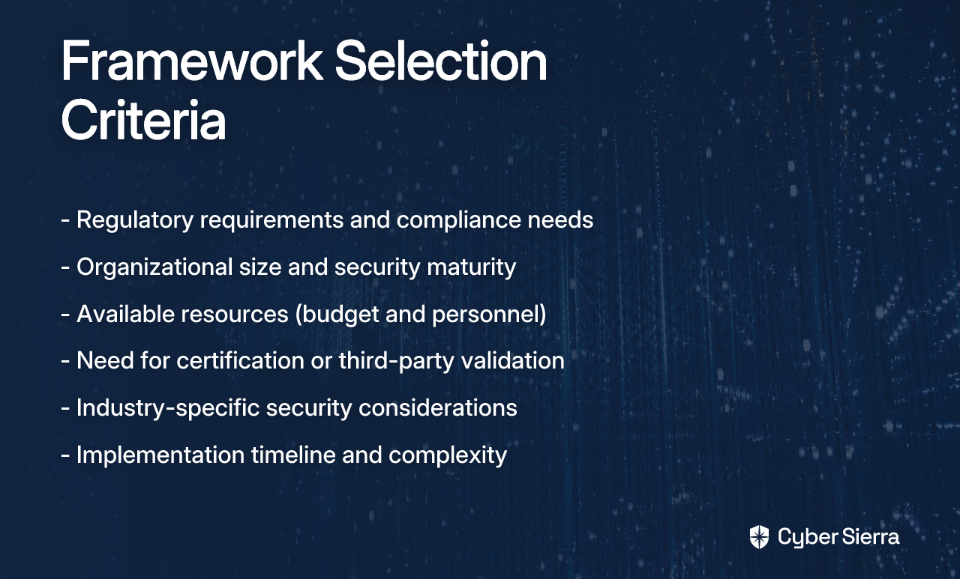
Start by evaluating your regulatory environment, organizational maturity, and resources:

  • Regulatory Demands: Does your industry mandate a specific framework? U.S. contractors often lean toward NIST, while ISO 27001 is ideal for demonstrating international due diligence.
  • Organizational Maturity & Size: As one CISO found, some frameworks can be "too granular" and would "overwhelm the organization." Match the framework's complexity to your team's capabilities.
  • Resources: Be realistic about budget and personnel. ISO is a major commitment, while CIS is designed for resource optimization.

Step 2: Start with a Risk Assessment

Before choosing, you must understand your unique risks. As one security professional noted, "If you do not know what you have, how can you evaluate properly the risks?" This is especially critical for securing unique assets like "mission critical" but unpatched medical devices that are "stripped together by non-IT-people."

Step 3: Consider a Hybrid Approach

A powerful strategy emerging from practitioner experience is combining frameworks. One CISO shared: "I decided on the NIST CSF... but quickly realized that it's too granular for us and would overwhelm the organization. So I combined the NIST CSF with the CIS 18 controls."

This hybrid approach allows you to use NIST for the high-level risk management structure ("what to do") and CIS for specific, prioritized technical implementation ("how to do it").

Beyond Selection: First Steps for Successful Implementation

Gain Executive Buy-In

To justify your existence and secure resources, consider this advice from a practicing CISO: conduct a "'pentest light'... to find easy but not obvious security issues" and "present the findings in a small group and in a neutral fashion." This demonstrates immediate value without alienating stakeholders.

Establish Clear Governance

Define your authority through a clear IT security policy that outlines roles, permissions, and responsibilities for both the CISO and IT teams. As one CISO noted, "Those documents defined elements that were never defined before," which is crucial for avoiding the need to "run to my boss and the CEO for every little bit."

Avoid Common Pitfalls

  • Overcomplicating Processes: Ensure the framework aligns with, rather than overloads, existing workflows.
  • Neglecting Continuous Improvement: A framework is a living program, not a one-time project.
  • Presenting Security as Adversarial: Remember, "you can only yell fire once." Frame security as enabling business, not restricting it.

Conclusion: From Framework to Foundation

Selecting a cybersecurity framework is a critical strategic decision for any CISO. The right framework—whether NIST CSF, ISO 27001, CIS Controls, or a hybrid approach—serves as more than a compliance checklist. It becomes the foundation for a resilient security program and your ultimate tool for demonstrating value.

In the "brutally tough world" of the CISO, where it can feel "super lonely at the top," your framework selection is your first and perhaps most important ally in building a security program that protects your organization and justifies your existence.

Remember that framework implementation is a journey, not a destination. Start where you are, use what you have, and build your security program one step at a time.

Frequently Asked Questions

What is the main difference between NIST CSF, ISO 27001, and CIS Controls?

The main difference lies in their primary focus. NIST CSF is a risk management framework for governance, ISO 27001 is a certifiable standard for a comprehensive Information Security Management System (ISMS), and CIS Controls are a prioritized set of technical best practices for cyber defense. Think of it as NIST telling you what to manage, ISO providing a formal, certifiable system to manage it, and CIS showing you how to implement specific technical defenses.

Which cybersecurity framework is best for a small business?

For most small businesses, the CIS Controls are the best starting point. Their prioritized approach, specifically Implementation Group 1 (IG1), provides a clear, actionable set of foundational safeguards ("basic cyber hygiene") that deliver the most significant impact for resource-constrained organizations. This allows small teams to focus on what matters most without being overwhelmed.

Can you combine different cybersecurity frameworks?

Yes, combining frameworks is a highly effective and recommended strategy. A hybrid approach allows you to leverage the strengths of each framework to create a more comprehensive security program. A popular combination is using the NIST CSF for high-level risk management and governance, and then using the CIS Controls for the specific, prioritized technical implementation of safeguards.

How do you choose the right cybersecurity framework?

To choose the right framework, you should start by assessing your organization's specific context. This involves evaluating your regulatory requirements, industry standards, customer expectations, organizational maturity, and available resources (budget and personnel). Following this assessment, a thorough risk analysis will help you understand your unique vulnerabilities and select the framework or hybrid approach that best aligns with your business objectives.

Do I need to get certified in a cybersecurity framework?

Certification is only available for ISO/IEC 27001. While not mandatory for every organization, certification provides third-party validation of your security program, which can be a powerful market differentiator, a contractual requirement, or a necessity for international business. Neither NIST CSF nor CIS Controls offer a formal certification process; they are designed for voluntary adoption and implementation.

What is the first step in implementing a security framework?

The most critical first step is to gain executive buy-in and establish clear governance. Before diving into technical controls, you must secure support from leadership and have a defined mandate for your security program. A practical way to start is by conducting a small-scale risk assessment to demonstrate tangible risks and then using those findings to draft a formal security policy that outlines roles, responsibilities, and your authority as CISO.

blog-hero-background-image
Cyber Security

PagerDuty vs OpsGenie vs Checkmk: Which Alert System Wins for Sysadmins?

backdrop
Table of Contents

Join thousands of professionals and get the latest insight on Compliance & Cybersecurity.


It's 2:30 AM. Your datacenter just lost power. Somewhere in the darkness of your bedroom, your phone buzzes with an alert—but you don't hear it. You sleep peacefully while your servers run on backup batteries that will only last two hours.

When you finally wake up to your morning alarm, you're greeted by a flurry of missed notifications and an angry message from your boss: "Where were you? The system was down for hours!"

"I did not wake up to address this. My Boss reamed me out today," confessed one sysadmin on Reddit. Another lamented, "I only receive one alert and if it does not wake me I'm SOL."

This nightmare scenario plays out more often than most IT professionals would care to admit. When critical systems fail, the difference between a minor hiccup and a major catastrophe often comes down to one thing: your alert system.

In today's comparison, we're examining three industry-leading contenders—PagerDuty, OpsGenie, and Checkmk—to determine which solution best addresses the challenges faced by modern sysadmins. Whether you're dealing with limited backup power ("we only have enough charge to keep our servers, FW and Switches up for 2 hours"), struggling with alert fatigue, or simply looking for a more reliable notification system, this guide will help you make an informed decision.

The Foundations of Effective Alerting

Before diving into our comparison, let's clarify what makes an alert system truly effective.

What Is an Alert?

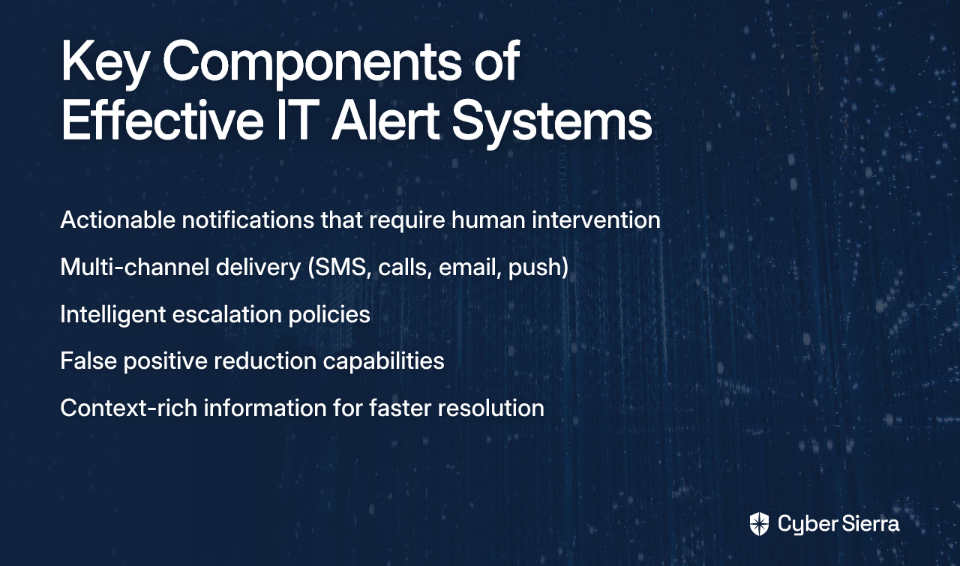
An alert isn't just a notification—it's a "synthesized understanding of a negative system output...meant to convey a problem that requires human intervention," as described by opensource.com. The crucial distinction: effective alerts are actionable, requiring a human response to resolve the underlying issue.

The High Cost of Failure

Missing critical alerts has real consequences beyond the technical realm:

  • Business Impact: Every minute of downtime translates to lost revenue, damaged customer trust, and potential SLA violations.
  • Personal Consequences: As many Reddit users have shared, missed alerts often lead to uncomfortable conversations with management and damaged professional reputations.
  • Cascading Failures: When time-sensitive issues go unaddressed (like power outages with limited battery backup), minor problems can cascade into system-wide disasters.

The Battle Against Alert Fatigue

Perhaps the most insidious enemy of effective alerting is alert fatigue—the human tendency to become desensitized to notifications when bombarded with too many low-priority or false-positive alerts. A system that cries wolf too often will eventually be ignored, even when real wolves appear.

With these foundations in mind, let's examine how our three contenders—PagerDuty, OpsGenie, and Checkmk—address these challenges.

PagerDuty: The Enterprise-Grade Incident Management Platform

PagerDuty has established itself as a comprehensive, cloud-based incident management platform designed for SRE, DevOps, and IT teams who need to minimize downtime while managing the full incident lifecycle.

Key Features & Benefits

Incident Response

PagerDuty goes beyond simple alerting by automatically creating detailed incident records upon issue detection. This allows teams to track status, record notes, and document the resolution process from start to finish.
For example, when a payment gateway crashes at midnight, PagerDuty doesn't just send an alert—it creates a structured incident that persists until resolution, capturing all relevant details and actions taken.

Multi-Channel Alerting & Escalation

One of PagerDuty's strongest assets is its robust notification system. Alerts are delivered via multiple channels:

  • Phone calls with customizable ringtones
  • SMS messages
  • Push notifications
  • Email alerts

More importantly, PagerDuty features sophisticated escalation policies that ensure critical alerts don't fall through the cracks. If the primary on-call engineer doesn't acknowledge an alert within a specified timeframe, the system automatically escalates to the next person in the chain—addressing the Reddit user's concern about being "SOL" if they miss a notification.

On-Call Management

PagerDuty excels at creating balanced on-call schedules and rotations, helping prevent the burnout that plagues many IT teams. The platform allows for easy schedule creation, shift swaps, and temporary overrides when life inevitably interferes with work.

Automation

To speed up response times, PagerDuty enables teams to automate routine diagnostic and remediation tasks. For instance, when a high CPU alert triggers, you can configure PagerDuty to automatically collect relevant logs and attempt to restart the affected services before human intervention is required.

Getting Started with PagerDuty

  1. Set Up Services: Create services in PagerDuty that represent the systems you need to monitor.
  2. Connect Your Monitoring Tools: Integrate PagerDuty with tools like Datadog, New Relic, or Prometheus.
  3. Create Basic Escalation Policies: Define who gets notified, in what order, and how long to wait before escalating.

OpsGenie: The Atlassian Hub for Customizable Alerting

OpsGenie, now part of Atlassian, has earned a reputation for its flexibility and deep integration capabilities. As one Reddit user noted, "Agree with OpsGenie, work pretty well and you can set the alert as you want."

Key Features & Benefits

Flexible, Multi-Channel Alerting

Like PagerDuty, OpsGenie delivers alerts via multiple channels including email, SMS, mobile push notifications, and voice calls. This redundancy ensures critical notifications reach responders regardless of their situation.
Alert Enrichment

OpsGenie takes alerting a step further by allowing teams to include charts, logs, runbooks, and other contextual information directly within alerts. This empowers responders to make faster, more informed decisions without having to hunt for relevant information across multiple systems.

Powerful Alert & Notification Policies

This is where OpsGenie truly shines. The platform allows you to create sophisticated rules to:

  • Suppress non-critical alerts during nighttime hours
  • Delay notifications for transient issues that might self-resolve
  • Expedite alerts for business-critical systems
  • Route different types of alerts to specialized teams

These capabilities directly address the problem of alert fatigue by ensuring that each notification is relevant and actionable for its recipient.

Custom & Automated Actions

OpsGenie enables responders to execute actions directly from the alert interface. For example, an on-call engineer could ping a server, restart a service, or create a Jira ticket without switching applications. This integration with the broader Atlassian ecosystem is particularly valuable for teams already using Jira, Confluence, or other Atlassian products.

Checkmk: The Monitoring-First Solution for High-Fidelity Alerting

Unlike PagerDuty and OpsGenie, which are primarily alerting and incident management platforms, Checkmk approaches the problem from a different angle. It's a comprehensive IT monitoring solution with a sophisticated notification system that focuses on preventing bad alerts from ever being sent in the first place.

Key Features & Benefits

The Notification Hub

Introduced in Checkmk 2.4, the Notification Hub provides a central control panel that dramatically simplifies notification management. It offers:

  • A clear, intuitive layout for managing all notification rules
  • Sensible defaults based on industry best practices
  • Statistical overview of sent and failed notifications
  • Guided setup wizard for new users

This addresses a common pain point mentioned in user research: the steep learning curve associated with configuring new monitoring tools.

Superior False Positive Reduction

This is Checkmk's killer feature and directly tackles the problem of alert fatigue:

  • Delay Notifications: Configure a "Maximum number of check attempts" to ensure an issue is persistent before sending an alert, preventing notifications for transient problems.
  • Average Utilization Metrics: Avoid alerts for momentary spikes by configuring rules to average metrics like CPU usage over a set period.
  • Parent-Child Dependencies: Define relationships between infrastructure components. If a core switch goes down, Checkmk intelligently marks dependent servers as "unreachable" instead of flooding you with hundreds of redundant "down" alerts.
  • Scheduled Downtimes: Easily suppress notifications during planned maintenance windows.

As detailed in Checkmk's blog, these features ensure that every alert that reaches you is genuinely actionable, addressing the core problem of alert fatigue.

Head-to-Head Comparison: PagerDuty vs. OpsGenie vs. Checkmk

FeaturePagerDutyOpsGenieCheckmk
Primary FocusFull Incident ManagementCustomizable Alerting & On-CallUnified IT Monitoring & Alerting
Alerting ChannelsCall, SMS, Email, PushCall, SMS, Email, PushEmail, SMS, Slack, etc. (via plugins)
False Positive ControlGood (AI-based noise reduction)Very Good (Flexible policies)Excellent (Dependencies, delays, averaging)
AutomationStrong (Runbook automation)Good (Custom actions)Strong (Integrated with monitoring)
On-Call SchedulingAdvancedAdvancedBasic (via contact groups)
Key DifferentiatorEnd-to-end incident managementDeep Atlassian integrationPrevents bad alerts at the source

The Verdict: Which Alert System Is Right for You?

The "best" alert system depends entirely on your specific needs and existing infrastructure:

Choose PagerDuty if...

You need a robust, all-in-one platform to manage the entire incident lifecycle for a large organization. PagerDuty excels when your focus is on process, collaboration, and automating response from end to end. Its strength lies in ensuring critical alerts reach the right people and facilitating the resolution process once they do.
Choose OpsGenie if...

Your team already lives in the Atlassian ecosystem (Jira, Confluence) and needs maximum flexibility to customize alerting workflows. OpsGenie shines when you need to tailor who gets alerted, when, and with what contextual information. Its integration with other Atlassian products creates a seamless experience for teams already invested in that ecosystem.
Choose Checkmk if...

Your biggest pain is alert fatigue and false positives. If you want a unified tool that combines deep monitoring capabilities with intelligent, high-fidelity alerting, Checkmk delivers. Its strength is ensuring that every alert you receive is genuine, actionable, and important—addressing the core issue that plagues many alerting systems.

Conclusion

There's no one-size-fits-all winner in the alerting system showdown. PagerDuty offers comprehensive incident management, OpsGenie provides unparalleled customization within the Atlassian ecosystem, and Checkmk excels at eliminating false positives through intelligent monitoring.

The good news? All three platforms offer free tiers or trials, allowing you to test them in your environment before committing. Take advantage of these offers to see which solution best addresses your team's most pressing alerting pains.

Whatever you choose, a properly configured alerting system will ensure you never again wake up to an angry message about missed notifications—even if your datacenter only has two hours of battery backup.

Frequently Asked Questions

What is the primary difference between PagerDuty, OpsGenie, and Checkmk?

The primary difference lies in their core focus. PagerDuty is an end-to-end incident management platform, OpsGenie is a highly customizable alerting tool with deep Atlassian integration, and Checkmk is a unified monitoring solution that excels at preventing false-positive alerts at the source.

How do these tools help reduce alert fatigue?

These tools reduce alert fatigue by ensuring only relevant, actionable alerts reach responders. Checkmk is particularly strong here, using features like parent-child dependencies and notification delays to filter out noise. PagerDuty uses AI-based noise reduction, while OpsGenie allows for sophisticated rules to suppress or delay non-critical alerts, ensuring that on-call engineers are not overwhelmed.

Can Checkmk replace PagerDuty or OpsGenie?

It depends on your needs. Checkmk provides robust monitoring and high-fidelity alerting, which can be sufficient for many teams. However, organizations with complex on-call scheduling and advanced incident response workflows may still benefit from integrating Checkmk's superior monitoring with a dedicated incident management platform like PagerDuty or OpsGenie.

Which alerting tool is best for a team already using Atlassian products like Jira?

OpsGenie is the ideal choice for teams heavily invested in the Atlassian ecosystem. Its seamless integration with products like Jira and Confluence allows for a unified workflow where responders can create tickets, access runbooks, and manage incidents without switching between different applications, significantly streamlining the response process.

Why are escalation policies important for on-call teams?

Escalation policies are crucial because they create a safety net for critical alerts. They ensure that if the primary on-call person misses a notification for any reason—be it a weak signal or simply sleeping through it—the alert is automatically routed to the next person in the chain. This redundancy is vital for preventing minor issues from becoming major outages.

What makes an alert different from a simple notification?

An effective alert is more than just a notification; it is an actionable signal that requires human intervention to resolve an issue. While a notification might simply provide information, a true alert signifies a problem that could impact business operations. The tools discussed here focus on delivering these actionable alerts with enough context for responders to act quickly.

blog-hero-background-image
Cyber Security

How to Spot Bad Software Vendors Before They Wreck Your Infrastructure

backdrop
Table of Contents

Join thousands of professionals and get the latest insight on Compliance & Cybersecurity.


You've just been handed a new Line of Business (LoB) application that your company spent months evaluating. The sales team is excited, management is optimistic, and now it's your job to implement it. But as you open the installation guide, your heart sinks—it demands you disable User Account Control (UAC), grant the application local admin rights, and use the same hardcoded SQL password that every other client uses.

Sound familiar?

As a sysadmin, you've likely experienced the nightmare of deploying poorly designed software that compromises your carefully constructed infrastructure. The consequences extend far beyond mere inconvenience—they create technical debt, security vulnerabilities, and operational chaos that can plague your systems for years.

With the average cost of a data breach reaching US$3.86 million in 2020 (often caused by third-party vulnerabilities), and 31% of consumers abandoning services from companies after a breach, the stakes couldn't be higher.

This guide will help you identify the warning signs of problematic vendors before they become embedded in your infrastructure, focusing on practical red flags from a technical and security perspective.

The First Impression - Sales and Communication Red Flags

Bad vendors often reveal themselves during the initial sales process. Here's what to watch for:

The Over-Promising Sales Rep

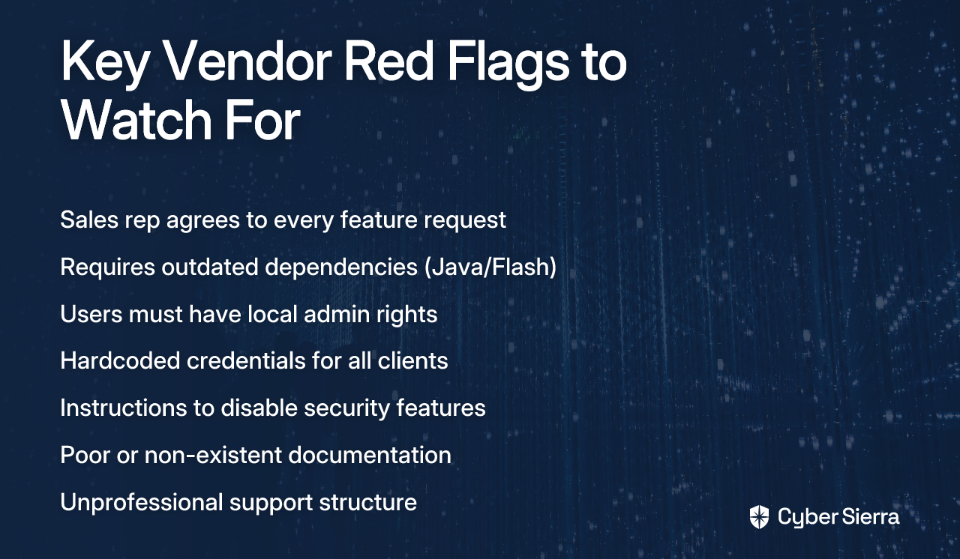
When a sales representative agrees to every feature request without hesitation, it's a classic sign of overselling. Trustworthy vendors will be transparent about limitations and trade-offs, not just tell you what you want to hear.

As one sysadmin noted, "Very few screenshots on their company page, lots of 2005-era buzz words" is a telltale sign of a vendor trying to mask an outdated product behind marketing jargon.

They Don't Listen

Quality vendors listen more than they talk. During demos, they should be asking probing questions to understand your specific needs, not dominating the conversation with a generic pitch. According to Beck Technology, vendors who care about solving your problems will ask questions like, "What are you hoping to get from this meeting today?"

Unusually Low Pricing and Aggressive Timelines

Be skeptical of vendors offering significantly lower prices or faster delivery than competitors. High-quality, secure software requires adequate time and resources to develop. What seems like a bargain now often leads to hidden costs later—whether through security issues, poor performance, or extensive customization needs.

Lack of Respect for Your Time

Watch for vendors who arrive late to demos, send constant low-value emails, or fail to tailor their presentation to your specific business needs. These behaviors indicate a fundamental lack of respect that will likely extend throughout your business relationship.

Under the Hood - Technical and Architectural Red Flags

Once you move past the sales pitch, examining the software's technical requirements often reveals the most serious problems:

Outdated Dependencies and System Requirements

One of the most common complaints from sysadmins is software that requires outdated technologies to function:

"Having to download java/flash, etc (even Silverlight and ActiveX)" is a major red flag reported by multiple sysadmins. These dependencies not only complicate deployment but introduce significant security vulnerabilities.

Similarly, system requirements that list end-of-life operating systems like "Server 2008 as last supported OS (but ISV says 2016 works)" indicate the vendor isn't actively testing or updating their software for modern environments.

"Insecure by Design" Practices

These are non-negotiable deal-breakers that compromise your entire security posture:

  • Excessive Permissions: "Users must have local admin rights" or "UAC must be disabled" violates the principle of least privilege and dramatically expands your attack surface.
  • Hardcoded Credentials: As one sysadmin pointed out, "SQL setup instructions call for you to use a hardcoded username/password which is the same for all clients." This practice makes your system an easy target for attackers who can simply reuse known credentials across multiple installations.
  • Disabling Security Controls: Any vendor that instructs you to "Disable Windows Firewall" or turn off security features like Data Execution Prevention (DEP) is essentially asking you to compromise your infrastructure's security.
  • Risky Installation Methods: Requirements like "Having to import a few registry hives into a production system" indicate poor software design and introduce unnecessary risk to your environment.

Inadequate Documentation

"Software last updated a few months ago, but the install guide was last updated in 2009" is a clear indication of neglect. Outdated or incomplete documentation forces you to rely on trial and error or vendor support for basic implementation, creating inefficiencies and potential security gaps.

The Security Gauntlet - Vetting a Vendor's Security Posture

Third-party software is a primary attack vector in modern environments. High-profile breaches at companies like Tesla, SpaceX, Boeing, and Expedia have been linked to third-party software vulnerabilities. With commercial applications containing an average of 83 vulnerabilities upon release, thorough security assessment is essential.

Essential Security Assessment Steps

  1. Demand Security Documentation: Request SOC 2 reports, recent penetration test results, and vulnerability disclosure policies. A mature vendor will have these readily available and be transparent about their security practices.
  2. Conduct Your Own Scans: Use active and passive scanning tools to check for common vulnerabilities. Frame your testing around established standards like the OWASP Top 10, which includes critical risks like injection attacks, broken authentication, and sensitive data exposure.
  3. Investigate Their SDLC: Ask how they secure their software development lifecycle. Do they use static analysis (SAST) or dynamic analysis (DAST) tools? Vendors without a clear answer may not be building security into their development process.
  4. Consider Binary Scanning: For ultimate assurance, use a service that performs Vendor Application Security Testing (VAST). These tools can perform static testing on the application's binaries without requiring the vendor to share their source code, providing a simple pass/fail grade on security policy compliance, according to Veracode.

The Long Haul - Support and Operational Red Flags

Even if software passes initial technical scrutiny, poor support and operations can create long-term problems:

Unprofessional Support Structure

"When you call for support you sometimes get the president/owner of the company, and when there's an issue he sometimes forgets to push the hold button and you hear him yelling at the developer in the background."

While getting the president on the line might seem like personal service, it often indicates a lack of a dedicated, scalable support team and formal escalation processes. A professional vendor will have tiered support with clear SLAs.

Poor Project Management and Communication

Warning signs include vendors who only allow you to speak to a project manager (denying access to technical teams), frequently miss deadlines, or require constant follow-up for basic status updates.

One red flag reported by sysadmins was "Long time frames for basic tasks (6 months to repackage an installer)." This kind of inefficiency signals deeper organizational problems that will affect your operations.

Scope Creep and Hidden Financial Tactics

Be wary of vendors who suddenly claim features in the initial Scope of Work are "out of scope" or come back requesting additional payments after contract terms are agreed upon. These manipulation tactics typically continue throughout the relationship.

A Proactive Framework for Vendor Evaluation

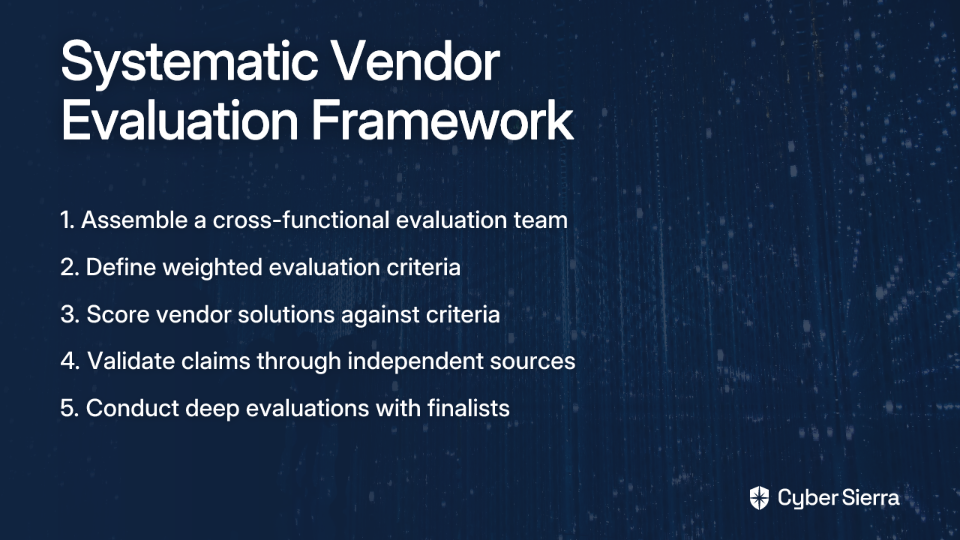
To systematically assess software vendors, follow this framework adapted from Gartner's recommendations:

  1. Assemble the Right Evaluation Team: Include stakeholders from IT, security, legal, finance, and the business units who will use the software to ensure all requirements are captured.
  2. Define and Weight Your Evaluation Criteria:
    • Functional: Meets core business needs
    • Technical: Installation ease, integration capability (APIs), scalability, security design
    • Support & Services: Quality of SLA, documentation, support responsiveness
    • Vendor Health: Financial stability, references, company culture
    • Pricing & Commercials: Transparent pricing, contract flexibility
  3. Score Vendor Solutions and Validate Claims: Use a 1-5 scoring system for each criterion and validate claims through independent sources like the Gartner Magic Quadrant.
  4. Finalize Your Shortlist: Conduct deeper evaluations of finalists, potentially including proof-of-concept implementations, before making your final decision.

Choosing Partners, Not Problems

Selecting a software vendor means adopting a long-term technology partner, not just a product. The red flags discussed—from over-promising sales tactics and outdated dependencies to poor security practices and inadequate support—can help you avoid partnerships that will damage your infrastructure.

Remember that rigorous due diligence isn't bureaucratic overhead—it's essential protection for your organization's security, efficiency, and future. By systematically evaluating vendors before implementation, you can prevent the all-too-common sysadmin nightmare of being handed problematic software after the contracts are already signed.

The next time you're evaluating software and the vendor says "Just disable the firewall" or "Everyone uses this default password," you'll recognize these as the serious warning signs they are—and save yourself years of infrastructure headaches.

Frequently Asked Questions

What are the biggest red flags to look for in a new software vendor?

The most critical red flags fall into three categories: technical, security, and communication. Key technical red flags include requiring outdated dependencies (like Java or Flash), demanding excessive permissions (like disabling UAC or requiring local admin rights), and having poor or outdated documentation. Security red flags involve hardcoded credentials, instructions to disable firewalls, and a lack of security documentation like SOC 2 reports. Finally, communication red flags include over-promising sales reps, a failure to listen to your needs, and unprofessional support structures.

Why is it a major security risk when software requires disabling UAC or firewalls?

Disabling security features like User Account Control (UAC) or firewalls is a major risk because it removes fundamental layers of protection from your infrastructure. These controls are designed to enforce the principle of least privilege and prevent unauthorized changes or network traffic. Forcing them to be disabled dramatically expands your system's attack surface, making it significantly easier for malware or attackers to gain control, escalate privileges, and move laterally across your network.

How can I effectively assess a vendor's security practices?

To effectively assess a vendor's security, start by requesting key documentation such as their SOC 2 report, recent penetration test results, and vulnerability disclosure policy. You should also ask about their secure software development lifecycle (SDLC) to understand if they build security in from the start. For deeper assurance, you can conduct your own vulnerability scans or use a Vendor Application Security Testing (VAST) service to analyze the application's binaries for security flaws without needing access to the source code.

What are the signs of poor vendor support and communication?

Signs of poor vendor support include an unprofessional support structure where you can't access a dedicated team, a lack of clear Service Level Agreements (SLAs), and slow response times for critical issues. Poor communication is often revealed through vendors who miss deadlines, deny access to technical teams, and engage in "scope creep" by changing requirements or demanding more money after a contract is signed. These issues indicate deeper organizational problems that will likely persist throughout the relationship.

Who should be part of a software evaluation team?

A comprehensive software evaluation team should include stakeholders from multiple departments to ensure all requirements are met. This typically includes representatives from IT operations (for infrastructure and deployment), security (to assess risk), legal (for contracts and compliance), finance (for budgeting), and the specific business units that will be the primary users of the software. This cross-functional approach ensures a holistic evaluation covering technical feasibility, security posture, and business value.

blog-hero-background-image
Cyber Security

The MSP's Guide to Triple Extortion Ransomware Defense

backdrop
Table of Contents

Join thousands of professionals and get the latest insight on Compliance & Cybersecurity.


You've been vigilant about your clients' security for years. You've implemented robust backup solutions, enforced strict access controls, and deployed the latest security tools. Yet, that nagging feeling in your stomach never quite goes away—especially when clients continue using passwords like 'iloveyou!' despite your repeated warnings.

And now, as if traditional ransomware wasn't challenging enough, a more insidious threat has emerged: triple extortion ransomware. This evolved attack doesn't just encrypt your data; it steals it first and then threatens additional attacks if you don't pay up. As one MSP put it, "even if you're fully backed up and can wipe machines and restore from backup, they have a copy of your data." The thought alone is enough to "make you sick."

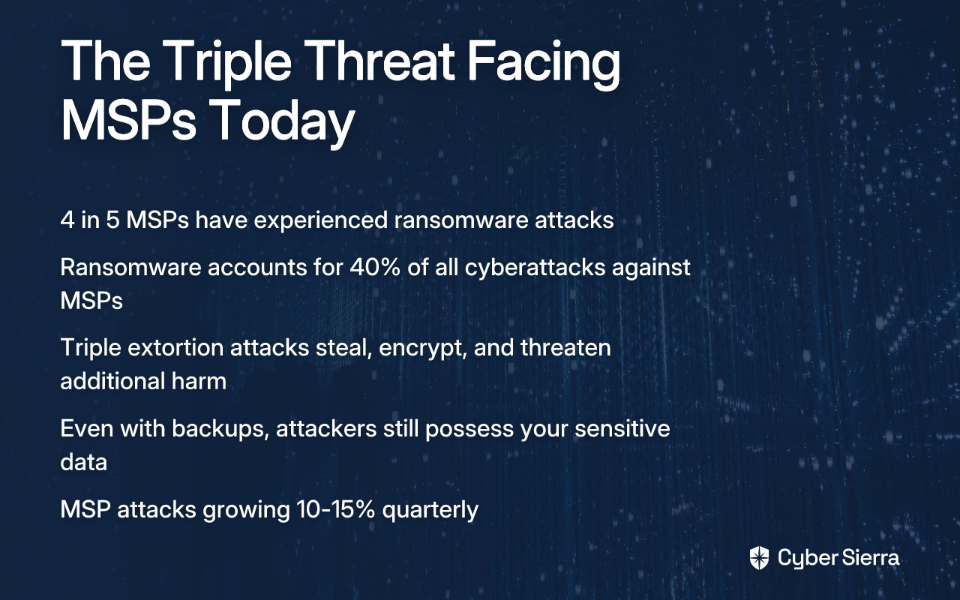
For managed service providers, the stakes couldn't be higher. With 4 out of 5 MSPs experiencing ransomware attacks and these incidents accounting for 40% of all cyberattacks against MSPs, you're not just protecting your own business—you're the critical shield for every client in your portfolio.

This guide will arm you with actionable defense strategies specifically designed for MSPs facing the triple extortion threat. Because in today's landscape, you're no longer just an IT provider—you're a frontline cybersecurity defender.

The Anatomy of a Triple Extortion Attack

To defend against triple extortion ransomware, you first need to understand exactly what you're up against. This isn't your standard encrypt-and-extort attack; it's a multi-faceted assault designed to leave victims with no good options.

The Three Prongs of Modern Ransomware

1. Data Encryption (The Classic Attack)
The attack begins with the traditional ransomware approach—encrypting your systems and demanding payment for the decryption key. This alone can be devastating, especially if backup systems are compromised.

2. Data Exfiltration (The Double Extortion)
Before encryption occurs, attackers steal sensitive data. Even if you restore from backups, they threaten to publish or sell this data unless a separate ransom is paid. This nullifies the traditional "just restore from backups" defense strategy.

3. Amplified Pressure (The Triple Extortion)
The third layer adds even more leverage through:

  • DDoS Attacks: Overwhelming your systems to prevent recovery efforts and disrupt business operations
  • Stakeholder Harassment: Directly contacting your clients' customers, partners, or suppliers to inform them of the breach or demand payment
  • Escalating Threats: Groups like AvosLocker are known to pressure victims with intimidating phone calls during negotiations

How the Attack Unfolds

Triple extortion attacks follow a deliberate, methodical process:

1. Initial Access
Attackers gain entry through common vectors like:

  • Spear-phishing emails with malicious attachments
  • Exploiting vulnerabilities in public-facing applications (like the infamous Log4j flaw)
  • Brute-forcing credentials on exposed RDP ports
  • Compromising supply chain partners (as seen in the devastating Kaseya attack that impacted 800-1500 companies through just one MSP breach)

2. Reconnaissance & Lateral Movement
Once inside, attackers:

  • Map your network architecture
  • Elevate privileges to gain administrative access
  • Move laterally to access high-value systems
  • Critically, they "actively try to find backup servers and delete all your backups"

3. Data Exfiltration
Before encrypting anything, attackers quietly steal data, focusing on:

  • Financial records and intellectual property
  • Customer and employee personal information
  • Emails containing sensitive communications
  • Credentials and authentication information

4. Weaponization & Extortion
Finally, the attack culminates in:

  • File encryption across multiple systems
  • Ransom demands delivered through multiple channels
  • Threats to leak stolen data on dark web forums
  • Potential DDoS attacks or stakeholder harassment to increase pressure

Why MSPs are Prime Targets

The statistics are alarming: ransomware attacks against MSPs are growing 10-15% quarterly. But why are attackers so focused on service providers?

  1. Multiplied Impact: Compromising one MSP can provide access to dozens or hundreds of client networks—a highly efficient attack strategy
  2. Privileged Access: MSPs typically have administrative credentials for multiple client systems
  3. Pressure Leverage: The responsibility to multiple clients creates enormous pressure to resolve attacks quickly
  4. Valuable Data Concentration: Access to diverse client data across various industries

The Kaseya attack of 2021 illustrates this perfectly—by targeting just one MSP platform, attackers impacted up to 1,500 businesses downstream. For attackers, MSPs represent the ultimate "bang for the buck."

A Multi-Layered Technical Defense Strategy

Against such sophisticated attacks, your defense must be equally comprehensive. Let's break down the essential technical controls every MSP should implement—both for their own infrastructure and for their clients.

Foundational Security: Locking the Doors

Strengthen Access Controls

  • Enforce MFA on all accounts and admin access, especially remote access tools
  • Implement least-privilege access policies to limit potential damage
  • As one MSP advised: "If you setup MFA on workstations and servers, force offline mode. If an attacker can potentially block access to API endpoints for services like Duo, you will bypass MFA."

Patch and Update Religiously

  • Establish a strict vulnerability management program
  • Prioritize patching of internet-facing systems
  • Monitor IT infrastructure daily for unauthorized software
  • Perform regular vulnerability scans across all managed environments

Harden Network Security

  • Implement network micro-segmentation to contain potential breaches
  • Deploy a Secure Web Gateway to block access to malicious sites
  • Use application allowlisting to prevent unauthorized executables
  • Consider implementing a Zero Trust architecture that treats all network traffic as potentially malicious

The Unbreakable Backup: Your Last Line of Defense

Against triple extortion, backups alone won't save you from data leaks, but they remain essential for business continuity. Make them unbreakable:

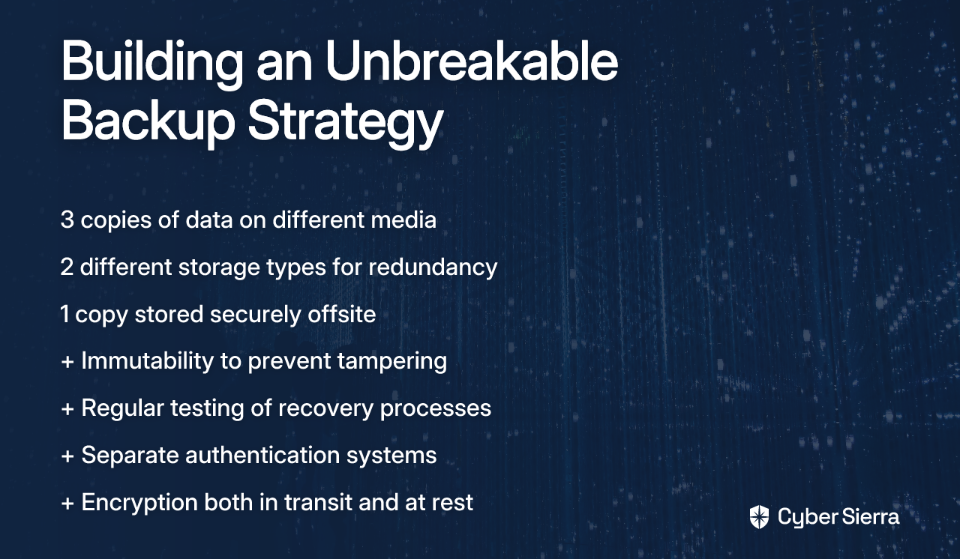
Follow the 3-2-1+ Backup Rule

  • Maintain 3 copies of data
  • On 2 different types of media
  • With 1 copy stored offsite
  • Plus immutability and testing

Critical Backup Features

  • Immutability: Ensure backups cannot be altered or deleted once created
  • Air-gapping: Keep at least one backup physically or logically isolated from the production network
  • Encryption: Protect backup data both in transit and at rest
  • Separate Authentication: As one MSP shared, "I'm using Veeam to backup to two non-domain separate VLAN servers. One is Offsite. No shared credentials."

Regular Recovery Testing

  • Schedule quarterly recovery drills to verify backup integrity
  • Document recovery time objectives and validate they can be met
  • Test restoration processes on isolated environments to avoid production impact

Advanced Threat Mitigation

DDoS Protection

  • Implement cloud-based DDoS protection services like Akamai Prolexic
  • Ensure protection against both volumetric and application-layer attacks
  • Have a DDoS response plan ready before an attack occurs

Data Loss Prevention (DLP)

  • Deploy DLP solutions to monitor for suspicious data exfiltration
  • Set alerts for unusual data access patterns or bulk downloads
  • Encrypt sensitive data at rest to minimize the impact of exfiltration

Endpoint Detection and Response (EDR)

  • Move beyond traditional antivirus to solutions that can detect behavioral anomalies
  • Implement tools that can isolate compromised systems automatically
  • Ensure continuous monitoring with 24/7 response capabilities

The Human Layer: Turning Clients from a Liability into a Line of Defense

Even the most sophisticated technical controls can be undermined by what one MSP bluntly called "the complete idiocy of the end user." Harsh, perhaps, but there's truth in recognizing that the human element remains your greatest vulnerability—and your greatest opportunity for defense.

Proactive & Effective Communication

Stop simply forwarding cybersecurity advisories that clients won't read. Instead:

  • Create concise, business-focused summaries of major threats
  • Explain risks in terms of business impact, not technical jargon
  • Include clear, actionable steps clients need to approve or take
  • As one MSP noted, this approach "prevents oversaturation, shows I'm keeping current" and provides an "'I told you so...' card" if ignored

Education That Creates Urgency

Generic security training isn't enough against triple extortion. Make it real:

  • Conduct targeted security awareness sessions focused on current threats
  • Share anonymized examples of attacks on similar local businesses
  • Use simulated phishing campaigns to identify vulnerable users
  • Develop client-specific incident response plans with clearly assigned responsibilities

When only "5% of business owners are up to speed" on cybersecurity threats, education becomes your critical differentiator as an MSP.

Navigating the Ransom Dilemma

The question of whether to pay a ransom is fraught with complexity. Prepare clients for this difficult decision before an attack happens:

  • Explain that paying doesn't guarantee data recovery—many victims never receive working decryption keys
  • Highlight that payment may "embolden adversaries to target additional organizations"
  • Emphasize that paying doesn't prevent the release of stolen data—attackers often leak data despite payment
  • Work with clients to develop a decision framework based on their specific risk tolerance and business requirements

The MSP's Evolving Role in Ransomware Defense

As triple extortion ransomware continues to evolve, so must your role as an MSP. You are no longer just managing technology—you're a critical security partner shielding clients from sophisticated threats they barely understand.

This means taking a proactive stance:

  • Regularly audit your own security posture—you can't protect clients if your own house isn't in order
  • Develop clear security service tiers with transparent pricing
  • Partner with specialized security providers for advanced capabilities
  • Maintain cyber insurance appropriate for your risk profile

When a client dismisses your security recommendations or balks at the cost, remember that the alternative—a successful triple extortion attack—could devastate not only their business but potentially yours as well.

Your actions today determine whether you'll be remembered as the MSP who prevented disaster or the one who had to explain why it happened. The choice, and the opportunity, is yours.

Start by reviewing your backup immutability this week, and draft your next proactive client security bulletin. The threat is already here—your defense must be too.

Frequently Asked Questions

What is triple extortion ransomware and how is it different from regular ransomware?

Triple extortion ransomware is an advanced cyberattack that adds a third layer of pressure on top of traditional ransomware. While regular ransomware encrypts data (single extortion) and double extortion also steals it, triple extortion adds a third threat, such as a DDoS attack or harassing your clients' customers, to force payment. This multi-stage attack is designed to leave victims with no good options, maximizing the attackers' leverage.

Why are MSPs such a high-value target for these attacks?

MSPs are a high-value target because successfully compromising a single MSP can grant attackers access to the networks and data of dozens or even hundreds of their clients. This "supply chain" approach offers a much higher return on investment for criminals. They target MSPs for their multiplied impact, privileged administrative access to client systems, and the concentration of valuable, diverse data.

If backups don't stop data leaks, what is the best defense strategy?

The best defense strategy against triple extortion is a multi-layered approach that focuses on prevention and containment, not just recovery. While immutable backups are still essential for business continuity, you must prioritize preventing the initial breach and stopping attackers from moving through your network. This includes strengthening access controls with MFA, rigorous patch management, network micro-segmentation, and deploying advanced tools like Endpoint Detection and Response (EDR) to block suspicious activity before data is stolen.

What is the first step an MSP should take to improve their security posture?

The single most effective first step an MSP should take is to enforce Multi-Factor Authentication (MFA) across all internal and client-facing systems without exception. Attackers frequently gain initial access through compromised credentials. MFA provides a critical barrier that can stop an attack before it starts, even if a threat actor has a valid username and password.

How can I convince my clients to take these threats seriously and invest in security?

Convince clients to invest by translating technical risks into clear business impacts. Instead of discussing vulnerabilities, talk about the potential financial loss, reputational damage, and operational downtime a triple extortion attack would cause their specific business. Use concise, business-focused summaries and real-world examples to create urgency, framing security not as an IT cost but as an essential investment in business continuity.

Should a business ever pay the ransom in a triple extortion attack?

Most cybersecurity experts and law enforcement agencies advise against paying the ransom. Paying does not guarantee you will get your data back, it doesn't prevent attackers from leaking stolen data anyway, and it funds criminal organizations, encouraging future attacks. The decision is complex and should be guided by a pre-established incident response plan and legal counsel, but businesses must understand that payment carries significant risks and no guarantees.

blog-hero-background-image
Cyber Security

Escalation Paths That Work: Stop Missing Critical Network Alerts

backdrop
Table of Contents

Join thousands of professionals and get the latest insight on Compliance & Cybersecurity.


You've just settled into a deep sleep when your phone buzzes. A critical server is down. But the buzz wasn't enough to wake you. Six hours later, you're jolted awake by your boss's angry call: "I did not wake up to address this. My Boss reamed me out today."

Sound familiar? For many IT professionals, this nightmare scenario is all too real. As one network administrator candidly admitted, "I only receive one alert and if it does not wake me I'm SOL."

When your infrastructure depends on limited backup power ("we only have enough charge to keep our servers, FW and Switches up for 2 hours"), a missed alert isn't just an inconvenience—it's potentially catastrophic.

The solution isn't more alerts. It's smarter alerts with structured escalation paths that ensure critical issues never fall through the cracks. This article provides an actionable blueprint for creating escalation paths that eliminate missed alerts, reduce stress, and ensure critical issues are always addressed—even at 3 AM.

Why Your Current Alerting Fails: The Crippling Effect of Alert Fatigue

Before diving into solutions, let's understand why traditional alerting often fails. The culprit? Alert fatigue.

Alert fatigue occurs when teams become desensitized to notifications due to an overwhelming volume of alerts from network monitoring systems. According to Stamus Networks, this desensitization dramatically increases the risk of missing genuine, critical threats.

The problem is more widespread than you might think:

  • A 2023 survey revealed that 63% of organizations handle over 1,000 alerts daily, with 22% managing more than 10,000
  • IT teams face an average of 4,484 alerts daily
  • A staggering 67% of these alerts are ignored due to excess noise

Source: LogicMonitor

The consequences extend beyond missed notifications:

  1. Desensitization: When everything seems urgent, nothing is urgent
  2. Prioritization Challenges: Distinguishing critical incidents becomes nearly impossible
  3. Inefficiency and Burnout: Teams waste valuable time investigating false positives, leading to frustration and decreased productivity

The Blueprint for Reliability: Anatomy of an Escalation Policy

An effective escalation policy provides the structure needed to overcome these challenges. Let's break down the key components:

Key Concepts

  • Incident Escalation: The process that occurs when a team member cannot resolve an incident and needs to hand it off to someone more experienced or specialized
  • Escalation Policy: The document defining how your organization manages these handovers, outlining who to notify first, who to escalate to if the first responder is unavailable, and how the handoff is made
  • Escalation Matrix: A chart or document that visually details when an escalation should happen and who is responsible at each level

Source: Atlassian

Types of Escalation Processes

There are three main approaches to escalation:

  1. Hierarchical escalation: Passing incidents up the chain of command based on seniority (e.g., junior engineer to senior engineer)
  2. Functional escalation: Handing off an incident to the team or individual best equipped to resolve it based on specific skills (e.g., from network operations to the database team)
  3. Automatic escalation: Using predefined rules to automatically escalate an alert if it's not acknowledged within a certain timeframe

Building Your Escalation Path: A 4-Step Action Plan

Now let's transform theory into practice with a step-by-step approach to building effective escalation paths.

Step 1: Set Smart, Dynamic Thresholds to Reduce Noise

The foundation of any good alerting system is appropriate thresholds that distinguish normal operation from genuine problems.

Static thresholds (like "alert when CPU > 90%") often create unnecessary noise. Instead, implement dynamic thresholding that uses analytics and historical data to understand normal patterns.

As LogicMonitor explains, with dynamic thresholding, a scheduled backup job that causes a temporary CPU spike won't trigger an unnecessary alert because the system recognizes it as normal behavior for that time period.

Tools like Kentik leverage historical data to set tailored alert responses that dramatically reduce false positives.

Step 2: Categorize Alerts to Prioritize What Matters

Not all alerts deserve the same level of attention. Implement smart categorization:

  • Critical Alerts: Require immediate, all-hands-on-deck attention (e.g., complete network outage)
  • Error Alerts: Indicate a problem that needs addressing but isn't an immediate emergency (e.g., non-critical service degradation)
  • Warning Alerts: Proactive notifications about potential future issues (e.g., storage approaching capacity)

This categorization determines which alerts enter your escalation path and how aggressively they move through it.

Step 3: Construct Multi-Stage, Multi-Channel Escalation Chains

This directly addresses the pain of single-channel failures. As one Redditor aptly described when discussing Zabbix, the goal is to "harass increasingly large sets of people as time goes on."

Structure your escalation chain with clearly defined stages:

Example Chain for Critical Alerts:

  • Stage 1 (0-5 mins): Send a push notification to the on-call engineer's mobile app (e.g., PagerDuty, OpsGenie)
  • Stage 2 (5-10 mins): If not acknowledged, send SMS alerts and trigger an automated phone call
  • Stage 3 (10-15 mins): If still no acknowledgment, escalate to the secondary on-call engineer and team lead via multiple channels

Many IT professionals recommend tools like OnPage and SIGNL4, which offer persistent mobile alerts that don't stop until acknowledged—perfect for those heavy sleepers or when a phone is on silent.

Step 4: Automate and Integrate for a Seamless Response

The final step is connecting your alert system with your incident response workflow:

  • Leverage automation to trigger corrective actions based on specific alerts
  • Integrate your alert system with incident response platforms to automate ticket creation and assignment
  • Consider the Reddit user recommendation of integrating a monitoring tool like PRTG with a dedicated alerting platform like OpsGenie to create a powerful, combined solution

Putting It Into Practice: Creating an Escalation Plan in AWS Incident Manager

Let's see how this works in a real-world scenario using AWS Incident Manager:

  1. Open the Incident Manager console and in the left navigation pane, choose Escalation plans
  2. Choose Create escalation plan
  3. For Name, enter a unique name, such as My-Critical-Network-Escalation-Plan
  4. For Alias, enter a short, memorable name, such as network-critical-plan
  5. In the Stage 1 section, for Stage duration, enter the number of minutes you want the stage to last before escalating to the next stage
  6. For Escalation channels, choose one or more contacts or on-call schedules
  7. (Optional) Select the Acknowledgment stops plan progression check box. When this is selected, the escalation plan stops progressing through its stages after any contact acknowledges the engagement
  8. To add another stage, choose Add stage
  9. (Optional) Add tags to the escalation plan
  10. Choose Create escalation plan

Source: AWS Systems Manager Incident Manager User Guide

This structure ensures that every critical alert has multiple opportunities to reach the right people through various channels.

Maintaining Your Edge: Long-Term Best Practices for Escalation Management

Creating an escalation path is just the beginning. To maintain effectiveness over time:

Guidelines Over Rules

Treat escalation policies as flexible guidelines, not rigid rules. Empower engineers to adapt based on the specific situation they're facing.

Regular Audits

  • Frequently review on-call schedules to ensure there are no gaps and that the right people are assigned
  • Schedule regular audits of the entire alert configuration to assess its effectiveness and relevance

Continuously Review and Refine

  • Gather feedback from on-call engineers and other stakeholders: Are the alerts actionable? Is there too much noise?
  • Leverage historical data to make ongoing adjustments to thresholds and escalation logic

Promote Analyst Well-being

Implement practices to prevent burnout, such as rotating on-call duties and ensuring analysts have adequate time off. Alert fatigue isn't just an operational problem; it's a human problem.

Conclusion: From Alert Chaos to Controlled Response

A well-designed escalation path is the definitive solution to alert fatigue and missed critical notifications. By implementing smart thresholds, clear alert categorization, multi-stage/multi-channel escalation, and a commitment to continuous refinement, you can transform your alerting strategy.

No more 3 AM wake-up calls you never received. No more angry bosses wondering why you missed a critical outage. Instead, you'll have a resilient, reliable alerting strategy that empowers your team and protects your infrastructure—even when you're fast asleep.

Remember: The goal isn't more alerts. It's the right alerts, to the right people, at the right time, through the right channels.

Frequently Asked Questions (FAQ)

What is an escalation path in IT?

An escalation path is a structured plan that defines who to notify about a critical IT incident, in what order, and through which channels if the initial responder does not acknowledge the alert. It is a core component of an escalation policy designed to ensure critical issues are never missed by activating sequential stages with different communication methods (like push notifications, SMS, and phone calls) until the alert is addressed.

Why is alert fatigue a serious problem?

Alert fatigue is a serious problem because it desensitizes IT teams to notifications, dramatically increasing the risk of them missing genuinely critical incidents and threats. When teams are overwhelmed with thousands of alerts daily, they begin to ignore them, leading to slower response times for real issues, prioritization challenges, and significant team burnout, which ultimately compromises system reliability.

How can I reduce false positive alerts?

The most effective way to reduce false positive alerts is by replacing static thresholds with smart, dynamic thresholding. Unlike static rules (e.g., "alert when CPU > 90%"), dynamic thresholds use historical data and analytics to understand your system's normal behavior. This allows the monitoring system to distinguish between a genuine problem and a normal, scheduled event (like a backup job), triggering alerts only for legitimate issues.

What are the key components of an effective escalation policy?

An effective escalation policy includes three key components: the incident escalation process, the policy document itself, and a visual escalation matrix. The process defines the handoff procedure, the policy is the formal document outlining who to notify and when, and the matrix is a chart that visually maps out responsibilities at each level, providing clear, at-a-glance guidance during a crisis.

What is the difference between hierarchical and functional escalation?

Hierarchical escalation moves an incident up the chain of command based on seniority (e.g., junior engineer to senior engineer), while functional escalation passes it to a team or individual with the specific skills needed to resolve it. For example, a functional escalation might move an incident from the network operations team to a specialized database team, ensuring the right expertise is applied regardless of seniority.

How often should we review our alert escalation plan?

You should review your alert escalation plan regularly as part of a continuous improvement cycle. Best practices include frequent audits of on-call schedules to prevent gaps and periodic reviews of the entire alert configuration. It's also crucial to gather feedback from on-call engineers after incidents to refine thresholds, adjust escalation logic, and ensure the system remains effective.

blog-hero-background-image
Cyber Security

From Pew Pew Maps to Meaningful Metrics: Security Dashboard Evolution

backdrop
Table of Contents

Join thousands of professionals and get the latest insight on Compliance & Cybersecurity.


You've just spent months implementing a state-of-the-art security monitoring solution. Your team has worked tirelessly setting up data feeds, configuring alerts, and designing dashboards. The centerpiece? A stunning real-time attack map showing colorful arcs shooting across a world map, with attack origins dramatically highlighted in red. It looks like something straight out of a Hollywood thriller.

Your executives love it. They bring in visitors to show off the SOC's massive wall-mounted display. There's just one problem: this impressive visualization provides absolutely zero actionable intelligence for your security program.

Welcome to the world of "pew pew maps" – the flashy but functionally useless security dashboards plaguing organizations everywhere.

"Management loves flashy colors. But I'll be damned if they know what any of it means," laments one security professional on Reddit. This disconnect reflects a fundamental problem in security reporting: what we show versus what actually matters.

The Era of Pew Pew Maps: Style Over Substance

The infamous "pew pew map" – showing real-time attack traffic arcing across a world map – has become so common in security operations centers that the industry has given it a derisive nickname: the "Management Pacification Device."

These visually spectacular maps emerged as security tools evolved to handle the massive log volumes generated by firewalls, IDS/IPS systems, and other security controls. Early SIEM platforms struggled with scalability and usability, leading to dashboards that prioritized simple visualizations over meaningful analysis.

Why do these flashy-but-useless displays persist? Because they create an illusion of security control that satisfies non-technical stakeholders. They transform complex, invisible threats into a digestible visual narrative – even if that narrative has little correlation to actual risk.

Why Pretty Pictures Fail: The Pitfalls of Vanity Metrics

The fundamental problem with most security dashboards isn't just aesthetic – it's philosophical. They focus on what's easy to count rather than what actually matters.

Lack of Actionable Insight

As one security practitioner notes, "each data point should spark an action; showing numbers just because does a disservice to your effort." A dashboard showing 10,000 blocked connection attempts sounds impressive, but what action should you take based on that information? Without context, these numbers are just digital noise.

Alert Fatigue

The deluge of non-prioritized alerts contributes significantly to analyst burnout. According to research from Compact, 40-50% of security alerts are never processed due to overwhelming volume. When dashboards simply display alert counts without intelligent filtering or prioritization, they compound this problem rather than solve it.

Disconnect from Business Risk

Perhaps most critically, traditional dashboards fail to answer the questions leadership actually cares about: "How can you demonstrate the value of this outweighed the cost of labor?" and "How did you connect the metrics to the business?" as executives frequently ask.

A map showing attack traffic from China might look impressive, but it doesn't help you decide whether to prioritize patching that critical CVE on your internal payment server. It doesn't tell you if your security investments are effectively reducing business risk.

The Paradigm Shift: Defining Meaningful Security Metrics

To evolve beyond vanity metrics, we must first understand what constitutes a true security metric.

A meaningful security metric isn't just a count or a status. According to guidance from IANS Research, a true metric must include:

  • A measure (typically a ratio or rate)
  • A trend over time
  • A risk-based goal

For example, instead of reporting "1,542 vulnerabilities detected," a meaningful metric might be "Percentage of critical vulnerabilities remediated within SLA, trending over 12 months, with a target of 95%."

Types of Actionable Security Measures

Effective security dashboards should incorporate several types of measures that drive decision-making:

  1. Burndown Rates: How quickly are risks being remediated? (e.g., vulnerabilities patched per week)
  2. Survival Rates: How long do threats persist in your environment? (e.g., average dwell time for detected incidents)
  3. Arrival Rates: How quickly are new risks emerging? (e.g., rate of new critical vulnerabilities discovered)
  4. Wait Time Rates: What's the time between identification and response? (e.g., average time from alert to investigation)
  5. Escape Rates: How often do risks bypass controls? (e.g., percentage of incidents that evaded preventative measures)

The Three Cs of Security Metrics

When designing your security dashboard, consider organizing metrics according to the "Three Cs" framework:

  • Coverage: How comprehensively are security controls deployed? (e.g., percentage of endpoints with EDR installed)
  • Configuration: Are controls properly configured to meet standards? (typically a yes/no status)
  • Capability: How effectively do controls manage risk over time? This is the most important "C" as it measures outcomes rather than just implementation status.

A Practical Guide to Building an Actionable Security Dashboard

Step 1: Know Your Audience and Their Needs

Before opening your visualization tool, ask the critical question: "What is their expectation? What data do they care about?" as one Reddit contributor wisely advises.

Different stakeholders need different views:

  • Executive Dashboards: High-level risk posture using simple visualizations like traffic lights. Focus on business alignment and governance compliance (e.g., SEC Cybersecurity Rule status). CyberSaint recommends these should translate technical metrics into business impact.
  • Security Operations (SOC) Dashboards: Real-time, granular data supporting incident response and threat hunting.
  • Compliance Dashboards: Track adherence to frameworks like NIST, ISO 27001, and GDPR, highlighting gaps that require attention.

Step 2: Start with Risk, Not with Data

Instead of asking "what data do we have?" start with "what risks matter most to our business?"

  1. Identify key business loss types: Data Breach, Business Disruption, Extortion, Wire Fraud
  2. Map corresponding threats (e.g., ransomware, insider threats) to these loss types
  3. Design metrics that measure the effectiveness of controls that mitigate these specific threat-loss combinations

This approach ensures your dashboard directly connects security activities to business risks that leadership cares about.

Step 3: Design for Action and Clarity

Effective dashboards incorporate key UI/UX design principles that facilitate quick understanding and response. According to Aufait UX, security dashboard design should:

  1. Prioritize Critical Insights: Use visual hierarchy to minimize cognitive load and highlight what matters most.
  2. Design for Quick Response: Include one-click remediation options or drill-down capabilities that enable immediate action.
  3. Establish Visual Hierarchy: Use size, color, and placement strategically to guide attention to the most important information first.
  4. Enable Role-Based Customization: Allow users to see the data relevant to their specific role and responsibilities.
  5. Support Dark Mode: A simple but effective feature for improving readability in SOC environments where analysts work long hours.

Step 4: Demonstrate Policy Adherence

One of the most valuable functions of a dashboard is demonstrating adherence to established security policies. As one practitioner succinctly puts it, "If they have a policy for vulnerability management that says you patch every week, prove it in a dashboard."

Effective policy adherence metrics might include:

  • Vulnerability burndown rate for critical CVEs
  • Percentage of assets compliant with patching policy SLAs
  • MFA coverage across critical applications
  • Endpoint compliance with security baseline configurations

The Future is Predictive: The Next Evolution of Dashboards

Security dashboards are evolving from reactive displays to predictive platforms. The journey from first-generation SIEM to modern security analytics platforms represents a fundamental shift in approach.

From SIEM to Intelligent Platforms

Traditional SIEM systems focused on collection and correlation of security events. Modern platforms integrate Big Data technologies, AI, and Machine Learning to provide predictive capabilities. TechTarget's history of SIEM evolution tracks this progression from log management to intelligent analysis.

AI-Powered Insights

Machine learning algorithms can drastically reduce false positives—by over 90% in some implementations like Azure Sentinel—allowing analysts to focus on genuine threats. This represents a quantum leap from traditional rule-based approaches that often generate alert storms.

UEBA and SOAR Integration

User and Entity Behavior Analytics (UEBA) moves beyond static rules to detect anomalous behavior that could indicate an insider threat or compromised account. When integrated with Security Orchestration, Automation, and Response (SOAR) capabilities, dashboards can enable not just awareness but automated response to threats.

From Data Dumps to Decision Drivers

The evolution from "pew pew maps" to meaningful metrics represents more than a visual upgrade—it's a fundamental shift in how security programs communicate value and drive action.

An effective security dashboard isn't just a display; it's a communication tool that bridges the gap between the SOC and the boardroom. It translates technical details into business impact and transforms security data into security decisions.

By focusing on risk alignment, audience needs, and actionability, security teams can transform their dashboards from passive, pretty displays into dynamic engines for strategic decision-making. The result isn't just better-looking dashboards—it's better security outcomes for the entire organization.

Remember: if your dashboard doesn't drive action, it's just digital wallpaper. Make every pixel count.

Frequently Asked Questions

What is a "pew pew map" in cybersecurity?

A "pew pew map" is a visually impressive but functionally useless security dashboard that displays real-time cyberattacks as colorful arcs on a world map. These maps are often called "Management Pacification Devices" because they create an illusion of security control for non-technical stakeholders but provide no actionable intelligence for security teams to act upon. They focus on style over substance, showing a high volume of activity without context or prioritization.

Why are most security dashboards ineffective?

Most security dashboards are ineffective because they focus on vanity metrics, such as raw alert counts, which lack actionable insight, contribute to analyst alert fatigue, and fail to connect security activities to actual business risk. A dashboard showing thousands of blocked attacks looks impressive but doesn't tell a security team what to do next. This deluge of unprioritized information overwhelms analysts and fails to answer the critical questions leadership has about risk reduction and the return on security investment.

What makes a security metric meaningful and actionable?

A meaningful security metric is one that drives a decision and typically includes three components: a specific measure (like a rate or ratio), a trend over time, and a clear, risk-based goal. For example, instead of just reporting "1,500 vulnerabilities found," a meaningful metric would be "The percentage of critical vulnerabilities remediated within our 7-day SLA is currently 85%, trending down from 90% last quarter, with a target of 95%." This format provides context, measures performance against a goal, and indicates whether action is needed.

How can I create a security dashboard that is useful for executives?

To create a useful executive dashboard, you must translate technical data into business impact by focusing on high-level risk posture, governance compliance, and the financial value of the security program. Use simple, clear visualizations like traffic lights (red, yellow, green) to indicate risk levels. Instead of showing vulnerability counts, show the percentage of business-critical systems that are compliant with patching policies. Frame metrics around key business risks like data breaches or business disruption, and connect security investments directly to risk reduction.

What is the first step to building a better security dashboard?

The first and most critical step is to start with business risk, not with the data you have available. Before you build any charts, identify the key risks to your organization, such as ransomware, data breaches, or insider threats. Then, design metrics that specifically measure the effectiveness of the security controls you have in place to mitigate those exact risks. This risk-first approach ensures your dashboard is immediately relevant and aligned with what leadership cares about.

How is AI changing security dashboards?

AI and machine learning are transforming security dashboards from reactive displays into predictive intelligence platforms that can anticipate threats and automate responses. AI-powered tools can drastically reduce false positive alerts by over 90%, allowing analysts to focus on real threats. Technologies like User and Entity Behavior Analytics (UEBA) can detect subtle anomalies that traditional rules would miss. By integrating with SOAR (Security Orchestration, Automation, and Response) platforms, modern dashboards can trigger automated actions, moving from simply showing data to actively driving security decisions.

blog-hero-background-image
Cyber Security

Targeted Phishing Campaigns: Why One Size Doesn't Fit All Departments

backdrop
Table of Contents

Join thousands of professionals and get the latest insight on Compliance & Cybersecurity.


You've set up a company-wide phishing simulation with a generic "Package Delivery" email, and now you're watching the results pour in. The IT team barely clicked, but your CFO entered their credentials twice, and HR is lighting up like a Christmas tree. Sound familiar?

If you're relying on blanket phishing campaigns that treat every employee the same way, you're missing a crucial opportunity to strengthen your security posture where it matters most. The days of sending identical simulations to everyone from the mailroom to the boardroom are behind us—and for good reason.

The Flaws of a One-Size-Fits-All Phishing Strategy

Generic phishing campaigns might be easy to deploy, but they come with serious limitations that undermine their effectiveness:

Alert Fatigue: When employees receive obviously fake phishing tests month after month, they become desensitized. That "UPS Delivery" email gets mentally filed under "just another security test" rather than teaching valuable lessons about real-world threats.

Lack of Relevance: A lure that has nothing to do with an employee's daily workflow provides no practical learning value. As one security professional noted on Reddit, "Low visibility of phishing simulations due to high email volume" makes these tests ineffective when they don't cut through the noise.

Inaccurate Risk Assessment: Blanket tests fail to identify which departments pose the greatest security risk, creating a dangerous blind spot in your defenses.

The Human Element: Your Biggest Asset and Greatest Vulnerability

The stark reality is that human error remains the primary gateway for cyberattacks:

  • Over 95% of cybersecurity breaches involve human error, according to the World Economic Forum
  • Verizon's Data Breach Investigations Report found human error is involved in 85% of breaches due to inadequate security awareness
  • 65% of phishing attacks lead to credential harvesting or business email compromise

The stakes couldn't be higher. Consider these real-world examples:

  • Lake City, Florida paid a $460,000 ransom after an employee clicked on a malicious link
  • Riviera Beach paid $600,000 in a similar ransomware incident

With bad actors constantly refining their techniques, generic training simply can't keep up.

The Power of Precision: Tailoring Phishing Simulations by Department

Targeted phishing transforms standard security testing into a powerful, personalized training tool that delivers three key advantages:

Boosting Relevance and Engagement

When simulations mirror scenarios that employees might actually encounter in their daily work, the training becomes both more memorable and impactful. According to CanIPhish, successful phishing simulations should be challenging enough to gauge awareness while remaining realistic to the recipient's role.

Short, focused training modules (10-15 minutes) that address department-specific threats achieve significantly better retention than generic security lectures.

Uncovering Hidden Departmental Vulnerabilities

Not all departments face the same threats or possess the same level of security awareness. Proofpoint's research reveals that:

  • Production/Operations departments are targeted in nearly 25% of all phishing attacks
  • Marketing, Management, and Sales each account for 10-12% of attacks
  • IT departments face specialized threats designed to exploit their technical access

This data underscores why your phishing strategy should prioritize high-risk departments with more rigorous testing.

Demonstrating a Strong ROI for Security Training

In an era when cyber insurance providers demand increasingly robust security measures, targeted user education delivers measurable value:

  • Even the least effective training yields a 7-fold ROI
  • Average programs result in a 37% ROI
  • Smaller businesses (<1,000 employees) see a 69% ROI

Crafting Realistic Lures: A Playbook for High-Risk Departments

The most effective phishing simulations reflect the unique vulnerabilities of each department. Here's how to customize your approach:

For the Accounting & Finance Department

Scenario: Simulate fake invoices, urgent payment requests, or wire transfer confirmations that mimic common Business Email Compromise (BEC) tactics.

Lure Example: An email from a "vendor" with an overdue invoice attached as a PDF or a link to a payment portal for credential harvesting.

Why it works: Finance teams handle sensitive financial data and are conditioned to respond to urgent payment requests. According to Keepnet Labs, their access to financial systems makes them prime targets for sophisticated attacks.

For the Human Resources (HR) Department

Scenario: Design simulations involving fake job applications, employee verification requests, or updates to benefits portals.

Lure Example: An email with a subject like "Job Application: Senior Developer" containing a linked résumé or a Word document attachment. HR departments are known to be targeted with these file types.

Why it works: HR professionals regularly open attachments and links from unknown external sources as part of their core duties, making them particularly vulnerable to malware-laden attachments.

For the Information Technology (IT) Department

Scenario: Create technical phishing simulations threatening system integrity or requiring immediate action.

Lure Example: A fake alert about a "critical software update," a "server capacity warning," or a prompt to reset administrative credentials.

Why it works: These scenarios play on the IT team's responsibility to maintain system health and security, creating a sense of urgency. Even technical professionals can fall victim to well-crafted phishing attempts that leverage technical jargon.

For Marketing, Sales & Management

Scenario: Craft lures based on common tools, industry news, or executive-level concerns.

Lure Example (Marketing/Sales): Emails with links to "New Marketing Analytics Tool" or "Updated Competitor Analysis Report." These teams may be more susceptible to clicking links due to their browsing habits.

Lure Example (Management): A fake subpoena, a customer complaint escalation, or a link to a "secure" board meeting portal. As the saying goes in security circles, "whales gonna whale" – executives often bypass security protocols due to their perceived importance.

Leadership training requires special attention, as executives typically have the highest access privileges but often the lowest participation in security awareness programs.

A Step-by-Step Guide to Launching a Targeted Campaign

  1. Define Clear Objectives: What do you want to achieve with your phishing simulation? Assess current awareness levels? Test a new reporting tool? Set specific goals.
  2. Segment Your Targets: Group employees by department or risk profile. Pay special attention to high-access users who could cause catastrophic damage if compromised.
  3. Select and Customize Your Phishing Content: Use realistic templates relevant to each segment. CanIPhish offers collections of real examples for inspiration.
  4. Launch, Monitor, and Provide Immediate Feedback: Use a phishing simulator to send emails and track interactions. When an employee fails, provide immediate, constructive feedback—not punishment.
  5. Deliver Follow-Up Training: Enroll employees who failed the simulation into targeted training modules that address their specific knowledge gaps.
  6. Evaluate Results: Analyze the data to identify which departments, roles, or individuals are most vulnerable. Move beyond simple click-through rate to deeper metrics.
  7. Repeat and Refine: Schedule simulations regularly (e.g., quarterly) to reinforce learning and adapt to evolving threats.

Measuring What Matters: Success Beyond the Click-Through Rate

The goal shouldn't be a 0% click rate, which is both unrealistic and potentially counterproductive. As one security professional noted on Reddit: "The best we get is 3-5%. It will NEVER be zero."

Instead, shift your focus to the report rate—how many employees actively report suspicious emails according to your security policy. A high report rate indicates employees are engaged in defending your organization, not just avoiding clicks.

Consider implementing human risk scores that provide a more nuanced view of security awareness:

  • Number of failed phishing simulations
  • Frequency of reporting suspicious emails
  • Completion rates of security awareness training
  • Password management practices

Building a Smarter, Department-Aware Security Culture

Targeted, department-specific phishing campaigns increase relevance, uncover specific vulnerabilities, and provide a better return on investment than generic approaches. By understanding the unique risks each department faces, you can create training that resonates with employees' daily experiences.

The objective isn't to punish employees but to build a resilient, security-conscious workforce where every individual understands the threats relevant to their role and feels empowered to act as a human firewall against increasingly sophisticated attacks.

It's time to move beyond the one-size-fits-all approach and embrace a more strategic, data-driven, and department-focused approach to your phishing simulation programs. Your security posture—and your cyber insurance provider—will thank you.

Frequently Asked Questions

Why are generic phishing campaigns ineffective?

Generic phishing campaigns are ineffective because they lack relevance to employees' daily roles, leading to alert fatigue and providing an inaccurate assessment of an organization's true security risks. When employees repeatedly receive tests that don't mirror their workflow, the training value is lost, and they fail to learn how to spot the sophisticated, targeted attacks they are more likely to encounter.

What is the main advantage of department-specific phishing simulations?

The main advantage of department-specific phishing simulations is that they provide highly relevant, personalized training that reflects the actual threats employees face in their roles. This tailored approach significantly increases engagement and knowledge retention, helps uncover hidden vulnerabilities within specific departments like Finance or HR, and delivers a much stronger return on investment for security training programs.

Which departments are most targeted by phishing attacks?

While all departments are at risk, data shows that Production/Operations, Marketing, Management, and Sales are among the most frequently targeted. Each department faces unique threats; for example, Finance is targeted for wire fraud, while HR is targeted with fake résumés containing malware. This highlights the need for customized simulations that address role-specific vulnerabilities.

How often should a company conduct phishing simulations?

It is a best practice to conduct phishing simulations on a regular basis, such as quarterly, to ensure that security awareness remains a consistent priority and learning is reinforced. The frequency can be adjusted based on results, organizational risk, and the emergence of new threats, but the key is to treat security awareness as an ongoing program, not a one-time event.

What is more important: the click rate or the report rate?

The report rate is a more important metric for success than the click rate. While a low click rate is good, a high report rate is better, as it indicates that employees are actively engaged in the security process and know how to respond to a potential threat according to company policy. It signals a shift from passive avoidance to active defense, which is the hallmark of a strong security culture.

Should employees be penalized for failing a phishing test?

No, employees should not be penalized for failing a phishing test. The goal of a simulation is education and awareness, not punishment. Penalizing employees can create a culture of fear, making them less likely to report real security incidents. Instead, a failed test should be treated as a teachable moment, triggering immediate, constructive feedback and enrollment in targeted follow-up training to address their specific knowledge gaps.

blog-hero-background-image
Cyber Security

The Compliance Trap: Beyond Checkbox Cybersecurity Training

backdrop
Table of Contents

Join thousands of professionals and get the latest insight on Compliance & Cybersecurity.


You've seen it before. The dreaded email from IT announcing mandatory cybersecurity training, accompanied by a link to a 15-minute module that somehow takes 30 seconds to complete. Your colleagues groan, managers send reminders, and eventually, everyone clicks through it as fast as humanly possible.

Mission accomplished? Hardly.

"They're all so braindead obviously fake that it's astonishing anyone actually falls for it," laments one employee about phishing simulations on Reddit. Another admits, "Reading the paper... apparently over half the people who did what they call static training spent 30 seconds or less looking at the training."

Welcome to the compliance trap – where cybersecurity training exists not to protect your organization, but to satisfy auditors, regulators, and legal teams.

The High Cost of Checking a Box

The statistics tell a sobering story. According to Proofpoint, up to 95% of breaches stem from human error. Meanwhile, the 2024 Verizon Data Breach Investigations Report confirms that humans continue to be the primary vector for cyber attacks. Yet most organizations respond with perfunctory training that employees endure rather than engage with.

Why? Because 61% of security teams invest in training primarily to meet regulatory requirements like GDPR, HIPAA, or ISO 27001 standards, according to an Aberdeen Group report cited by Hoxhunt. The goal becomes demonstrating compliance, not creating a security-conscious workforce.

This "checkbox approach" creates an illusion of security while leaving organizations vulnerable to sophisticated threats like:

The Fatal Flaws of Compliance-Driven Training

When cybersecurity awareness becomes a compliance exercise, three critical problems emerge:

1. The Engagement Problem

Generic, technical presentations fail to connect with employees. As one cybersecurity professional notes, "First key component in my cybersecurity training is to eliminate as much technical terminology as possible and use analogies that non-tech employees can understand."

When training isn't relatable, employees disengage. They click through slides, guess at quiz answers, and retain almost nothing. According to the Ebbinghaus Forgetting Curve, without reinforcement, they'll forget approximately 75% of what they learned within six days.

2. The Frequency Problem

Annual training can't keep pace with evolving threats. Without continuous reinforcement, employees forget critical information precisely when they need it most – when facing a sophisticated phishing attempt or potential security threat.

One-off training sessions produce dismal results. According to research cited by Hoxhunt, traditional training yields only a measly 3% reduction in phishing click rates – hardly worth the investment.

3. The Cultural Problem

When training is treated as a bureaucratic requirement rather than a vital security measure, it creates a negative feedback loop. Employees view security as "IT's problem" rather than a shared responsibility. This mindset leaves your organization vulnerable to social engineering attacks that specifically exploit human vulnerabilities.

As one Reddit user painfully observed: "I almost lost my steam account once when a distant acquaintance got hacked and sent me a phishing link." Personal experience proves that security threats are real, yet mandatory training often fails to translate this reality into workplace vigilance.

Beyond the Checkbox: Building a Human Firewall

Effective cybersecurity awareness isn't about ticking boxes – it's about transforming employees from security liabilities into human firewalls. Here's how organizations are escaping the compliance trap:

1. Shift from Enforcement to Advocacy

According to a PMC NCBI study, security teams should reposition themselves from compliance enforcers to security advocates. This means:

  • Communicating security's value in protecting both the organization and employees personally
  • Understanding workforce needs and tailoring messages accordingly
  • Building a "culture of vigilance" where security becomes everyone's responsibility

When Qualcomm shifted to this approach, they saw a remarkable 63% reduction in repeat clickers on phishing simulations.

2. Build Skills Through Interactive Learning

Static presentations don't build skills. Interactive learning does. Modern security awareness programs incorporate:

Gamification: Using game-like elements to boost engagement and motivation. SoSafe builds training on behavioral science and gamified techniques that make learning enjoyable rather than tedious.

Real-World Simulations: Moving beyond "braindead obviously fake" phishing emails to sophisticated simulations that mimic actual threats, including spoofed internal email addresses that resemble legitimate HR functions. As one employee noted, "My company does this but... links that appear to be for collaboration tools we use on a daily basis."

Story-Driven Learning: Creating immersive scenarios that help employees understand the real-world implications of security decisions. When employees can see themselves in the story, retention skyrockets.

3. Embrace Continuous Reinforcement

The Ebbinghaus Forgetting Curve isn't just theoretical – it explains why annual training fails. Effective programs counter this with:

Microlearning: Replacing lengthy annual sessions with short, frequent modules (1-8 minutes) that fit into daily workflows and minimize training fatigue.

Ongoing Education: Keeping pace with evolving security threats through regular updates about new phishing techniques, malware variants, and emerging threats.

Regular Practice: Conducting consistent phishing simulations and security drills. According to Proofpoint, employees trained regularly are twice as likely to report phishing attempts, and comprehensive training can reduce overall security risks by up to 80%.

4. Personalize the Experience

Generic training treats all employees equally – but not all employees face equal risks. Effective programs recognize this by:

Role-Based Training: Tailoring content to an employee's specific role, behavior patterns, and risk profile. Executives who handle sensitive financial information need different training than staff with limited system access.

Making It Relatable: Eliminating jargon and using analogies that connect security concepts to employees' daily experiences. When training feels relevant, engagement soars.

Respecting Time: Creating focused, high-impact training that respects employees' busy schedules. As Hoxhunt notes, effective programs provide quick, actionable advice without unnecessary fluff.

5. Foster Positive Reinforcement

Punitive approaches ("click a phishing link three times and you're fired") create fear, not vigilance. Modern programs focus on positive reinforcement:

Champion Education: When employees fail simulations, treat it as a learning opportunity rather than a reprimand.

Recognize Security Champions: Celebrate employees who identify and report security threats, creating positive momentum.

Encourage Open Dialogue: Create safe channels for employees to discuss potential threats without fear of blame.

Measuring What Matters

When security training escapes the compliance trap, metrics shift from completion rates to behavioral change:

Building Your Human Firewall

The stark reality is that email filters and security tools, while essential, cannot stop every threat. Sophisticated phishing attacks continue to bypass technical controls, making human judgment your last line of defense.

When cybersecurity training transcends the compliance checkbox, it transforms employees from security vulnerabilities into vigilant defenders. This doesn't happen through annual slideshows or quick-click quizzes. It requires a sustained commitment to a culture of security—one built on engagement, continuous learning, and positive reinforcement.

The choice is simple: Invest in meaningful security awareness that actually changes behavior, or continue the checkbox charade and hope attackers don't notice the difference.

Your organization's security depends on making the right choice.

Frequently Asked Questions

Why does most cybersecurity training fail?

Most cybersecurity training fails because it is designed for compliance, not for genuine learning and behavior change. This "checkbox approach" leads to disengaged employees who click through generic, infrequent training modules without retaining information. The training often uses technical jargon, fails to keep up with evolving threats, and treats security as an IT problem rather than a shared responsibility, leaving organizations vulnerable despite having a training program in place.

What is a "human firewall" and how do you build one?

A "human firewall" is a workforce of employees who are educated, vigilant, and empowered to act as the first line of defense against cyber threats. You can build one by shifting from compliance-driven training to a continuous program focused on changing behavior. This involves using interactive and relatable content, conducting regular phishing simulations, personalizing the training for different roles, and fostering a positive security culture where employees feel comfortable reporting potential threats.

How can you make security awareness training more engaging?

You can make security training more engaging by incorporating interactive elements like gamification, real-world simulations, and story-driven learning. Instead of static presentations, use game-like mechanics to motivate employees. Simulate sophisticated, realistic phishing attacks that mimic actual threats they might face. Use relatable stories and analogies to explain complex security concepts, helping employees understand the real-world impact of their actions and retain the information longer.

How often should cybersecurity training be conducted?

Cybersecurity training should be a continuous, ongoing process rather than a single annual event. The Ebbinghaus Forgetting Curve shows that employees forget most of what they learn within days without reinforcement. Effective programs use microlearning—short, frequent training modules—and regular phishing simulations to keep security top-of-mind and adapt to the constantly evolving threat landscape.

What metrics should be used to measure training effectiveness?

Instead of just tracking completion rates, you should measure behavioral changes like lower phishing simulation click rates and higher employee reporting rates. Effective metrics focus on outcomes, not just activity. Track the percentage of employees who click on simulated phishing links over time (it should decrease) and the number of suspicious emails employees actively report (it should increase). This data provides a much clearer picture of your security culture and the actual impact of your training program.

toaster icon

Thank you for reaching out to us!

We will get back to you soon.