blog-hero-background-image
Cyber Security

Complete Infrastructure Rebuild Guide After Security Compromise

backdrop
Table of Contents

Join thousands of professionals and get the latest insight on Compliance & Cybersecurity.


You've just learned your organization has been breached. The attacker has been in your systems for months. Critical infrastructure components are compromised. Your heart is racing, executives are demanding answers, and every minute that passes means more damage.

This isn't a hypothetical scenario – it's the reality faced by thousands of organizations yearly. As one sysadmin who lived through it described, "There's no denying it was a shit show that had a shit baby with the shit circus. We had a new hire cry in the bathroom & decide he wasn't going to work in IT anymore."

When facing a pervasive compromise like the SolarWinds Orion breach, conventional remediation falls short. You must "assume that everything touching Orion is currently owned, and that it is undetectable." In these scenarios, a complete infrastructure rebuild becomes the only viable path forward.

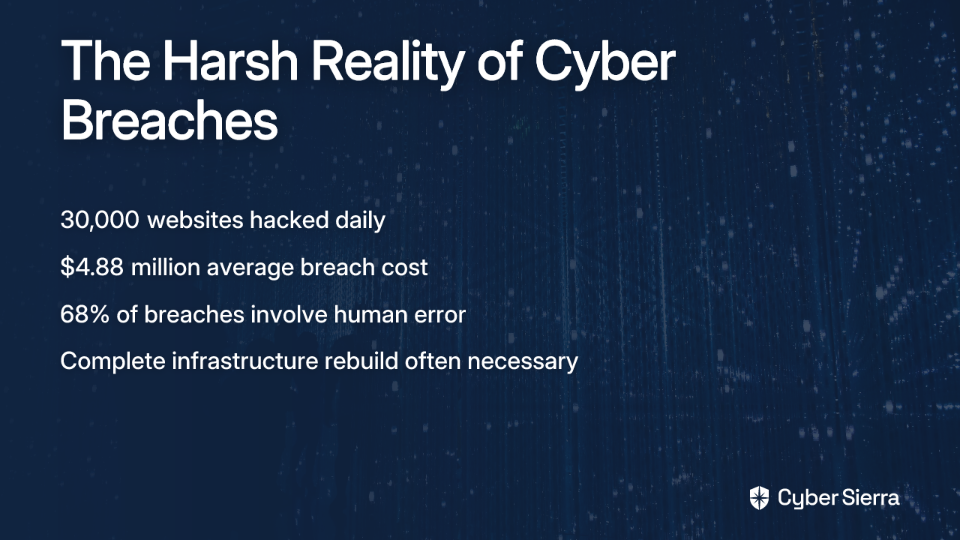
The statistics are sobering:

This guide isn't about prevention—it's the playbook you need when prevention has failed. We'll walk through the four critical phases of infrastructure rebuild after a catastrophic security compromise.

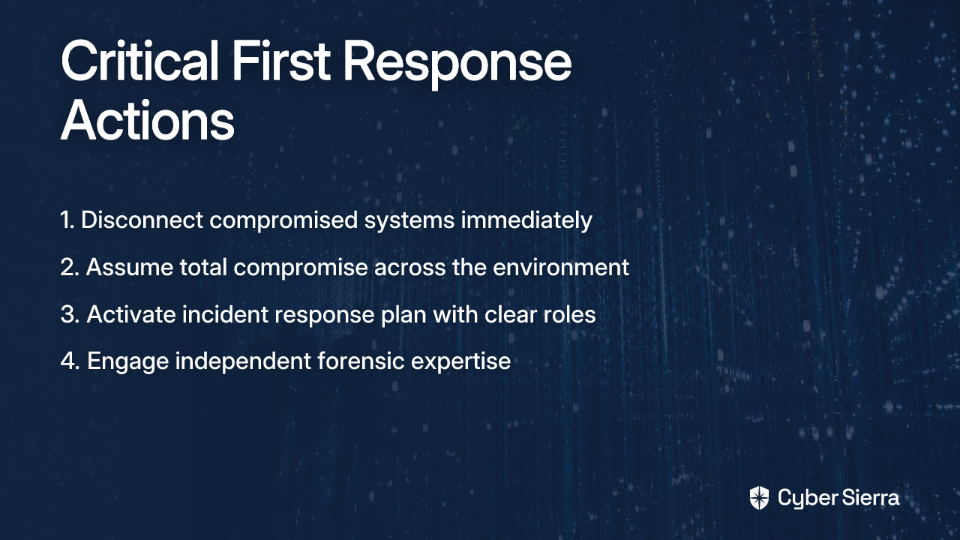
Phase 1: Triage and Containment – Stop the Bleeding

Action 1: Disconnect and Isolate

Your first priority is halting the attacker's access. Following CISA's guidance during the SolarWinds incident, "disconnecting affected devices is the only known mitigation measure currently available."

This means:

  • Disconnecting compromised systems from all networks
  • Shutting down internet-facing services where necessary
  • Physically isolating critical systems if needed
  • Temporarily disabling even monitoring tools ("We can live without monitoring for a couple days until we know exactly how bad this is")

Don't hesitate to pull the plug. Every minute of connection is another opportunity for data exfiltration or lateral movement.

Action 2: Assume Total Compromise

This mindset is non-negotiable. You must treat all hosts associated with the compromised system as owned by the attacker. Assume that persistence mechanisms have been deployed throughout your environment.

This assumption dictates that your recovery cannot rely on potentially tainted systems or backups. As one security professional advised during the SolarWinds incident: "Burn down Orion, and anything Orion was touching and replace from known good sources."

Action 3: Activate Your Incident Response Plan

Now is the time to follow your Business Continuity Plan (BCP). If you don't have one, create an ad-hoc command structure immediately:

  • Designate clear roles and responsibilities
  • Establish communication channels that can't be compromised
  • Develop a transparent communication plan for stakeholders
  • Document every action taken for later analysis and compliance

Action 4: Engage a Third-Party Forensic Team

You're too close to the problem to maintain objectivity. An independent forensic team can:

  • Reconstruct the full "Kill Chain" to understand how the attacker gained access
  • Determine which systems are compromised and which can be trusted
  • Provide unbiased assessment of the situation
  • Help meet regulatory requirements for incident investigation
Phase 2: Planning the Rebuild – From Ashes to a Fortress

Step 1: The Active Directory Imperative

Active Directory (AD) is the primary target in nearly all major attacks. According to security experts, "Compromises of AD are observed in 100% of ransomware crises." This makes your AD rebuild strategy critical.

IMPORTANT: Do not attempt to restore your old AD from a backup. Instead, follow Microsoft's recommended approach:

Build a "Pristine AD DS Forest" – a completely new, clean Active Directory environment built from scratch with secure configurations. This new forest must be treated as your secure zone, while the legacy forest is considered hostile territory.

Use a "nonmigratory" migration strategy where you create entirely new user and service accounts rather than migrating old ones that could transfer compromised attributes.

Step 2: Define Recovery Objectives

Before technical work begins, clearly define your:

  • Recovery Time Objective (RTO): How quickly systems need to be back online
  • Recovery Point Objective (RPO): How much data loss is acceptable

As one IT professional noted, "If the company does not need to be online 24/7 and can support being down for a day or two, then the procedures and technology to support that is vastly different than if the company needs to."

Establish a governance board that includes business leaders to:

  • Determine which systems are truly business-critical
  • Set priorities for the rebuild process
  • Align the new IT environment with business needs
  • Re-evaluate existing IT project backlog

Step 3: Ensure Backup Resilience

Your recovery strategy depends on having clean backups. This is where many organizations fail: "Backups are only good if you test that they work."

Prioritize:

  • Immutable backups that can't be altered once created
  • Cold storage options physically disconnected from your network
  • Offsite copies stored with trusted third parties

If you discover that your backups are also compromised, more complex recovery methods like a "double bascule" approach may be needed to recover from compromised domain controllers, though this is considered high-risk.
Phase 3: Execution – The "Nuke and Rebuild" in Action

Instruction 1: Build the Pristine Environment

Start by building a completely new, secure foundation:

  • Install a new AD forest following Microsoft's best practices for securing Active Directory
  • Implement core infrastructure services (DNS, DHCP, etc.) within this secure enclave
  • Apply security hardening from the beginning – no shortcuts

Instruction 2: Embrace "Creative Destruction"

Use this opportunity to eliminate legacy systems and technical debt. Instead of trying to migrate an outdated, insecure application, replace it with a modern, secure alternative. This "creative destruction" approach turns disaster into opportunity.

Instruction 3: Execute a Phased Migration

Prioritize migrating the most critical business functions first:

  • Install fresh applications in the pristine environment
  • CRITICAL: Do not migrate binaries or configurations from the compromised environment
  • For users, implement secure password reset processes, potentially using PowerShell scripts to enforce security measures after reset

Instruction 4: Isolate Legacy Systems

Once assets are migrated, completely shut down and wipe the old hardware. Do not leave compromised systems connected to any network, as this could lead to re-infection.

Phase 4: Post-Rebuild – Lessons Learned and Future-Proofing

Step 1: Conduct a Thorough Post-Incident Review

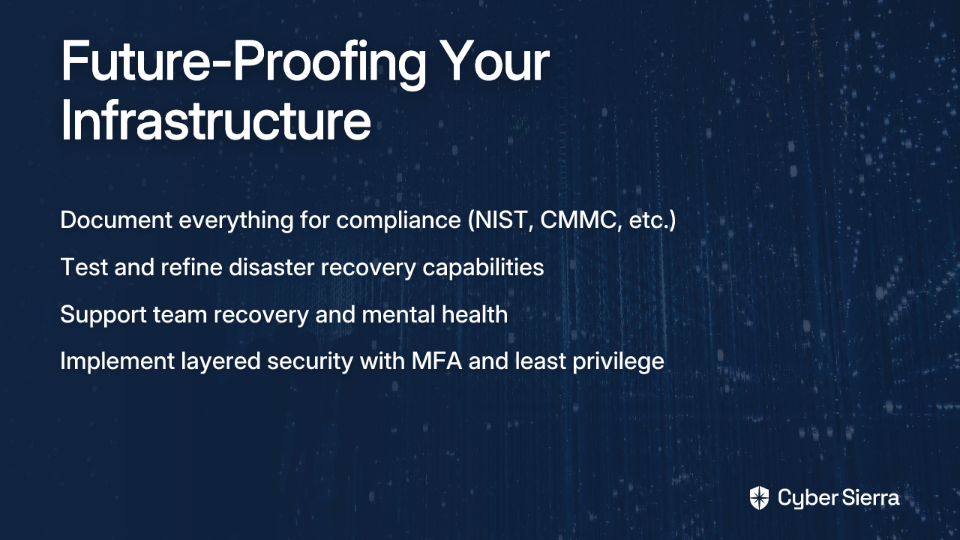
Document everything meticulously. This is critical for:

Follow the example set by companies like Cisco, which published detailed reports after cyber attacks.

Step 2: Refine Your Disaster Recovery Plan

The crisis was a real-world test of your DR capabilities:

  • What were the actual RTOs and RPOs achieved?
  • Which recovery procedures worked well and which failed?
  • Update documentation to reflect reality, not theory
  • Implement regular recovery testing to ensure your plans work

Step 3: Manage the Human Element

Acknowledge the team's burnout. As one sysadmin put it: "I need to go buy a cabin in the woods and chill out for a while."

  • Schedule breaks and provide mental health resources
  • Recognize the extraordinary effort required during the crisis
  • Celebrate the achievement of the rebuild

Step 4: Implement Layered Defenses

Use this clean slate to implement robust security:

  • Multi-factor authentication (MFA) for all users
  • Least privilege access controls
  • Network segmentation
  • Data-centric security with encryption

Conclusion: From Crisis to Opportunity

A complete infrastructure rebuild after a security compromise is daunting, but it's also a rare opportunity to eliminate years of technical debt and security weaknesses in one focused effort.

By following a disciplined process of Containment, Planning, Rebuilding, and Hardening, you can transform a catastrophic security breach into a strategic opportunity that leaves your organization more secure and resilient than before.

Remember: in cybersecurity, it's not if you'll face a compromise, but when. Having this playbook ready could be the difference between organizational disaster and a successful recovery.
Frequently Asked Questions

What is the first step to take after a major security breach?

The absolute first step is to contain the breach by disconnecting and isolating all affected systems from the network. This immediately halts the attacker's access, prevents further data exfiltration or lateral movement, and stops the damage from spreading while you assess the situation.

Why can't I just restore my systems from a backup after a breach?

You cannot simply restore from a backup because attackers often compromise backups themselves or establish persistence mechanisms that will survive a simple restore. A full rebuild from known-good sources is necessary to ensure all traces of the attacker, including hidden backdoors and malware, are completely eradicated from your environment.

What is a Pristine Active Directory Forest and why is it necessary?

A Pristine Active Directory Forest is a completely new, clean AD environment built from scratch with secure configurations, isolated from the compromised network. It's necessary because Active Directory is a primary target in most attacks; rebuilding it ensures the core of your identity and access management is trustworthy and free from any lingering compromise.

How long does a full infrastructure rebuild typically take?

A full infrastructure rebuild can take anywhere from several days to many weeks or even months, depending on the complexity of your environment, the extent of the damage, and your team's preparedness. The timeline is dictated by your Recovery Time Objectives (RTOs) and the prioritization of business-critical systems.

What are the biggest mistakes to avoid during a post-breach rebuild?

The biggest mistakes are acting too slowly to contain the breach, trusting potentially compromised backups, and attempting to migrate old configurations or binaries to the new environment. Another critical error is failing to treat Active Directory as fully compromised, which can lead to immediate re-infection of the new infrastructure.

How can a security breach be turned into a long-term advantage?

A breach provides a rare opportunity for "creative destruction," allowing you to eliminate years of technical debt, legacy systems, and insecure configurations. The rebuild process forces you to modernize your infrastructure, implement stronger security controls from the ground up, and align your IT environment more closely with current business needs, resulting in a more secure and resilient organization.
blog-hero-background-image
Cyber Security

What Happens When Your MBA in Cybersecurity Doesn't Stop Wire Fraud

backdrop
Table of Contents

Join thousands of professionals and get the latest insight on Compliance & Cybersecurity.


You've earned your MBA in Cybersecurity Risk Management. You understand the theoretical frameworks of network security, you've mastered the compliance requirements, and you can articulate the difference between phishing, spear-phishing, and whaling attacks. You're the designated cybersecurity expert at your company.

Then one Friday afternoon, you approve a wire transfer of $600,000 to what you believe is a trusted vendor—only to discover on Monday that you've been scammed.

How does this happen? And why didn't your prestigious degree protect you?

The Expert's Paradox

Despite elite credentials and extensive knowledge, professionals with advanced cybersecurity degrees are still falling victim to sophisticated wire fraud schemes at an alarming rate. The FBI reported a staggering $2.9 billion lost to Business Email Compromise (BEC) scams in 2023 alone, with many victims being well-educated professionals who "should have known better."

This reality exposes a troubling gap between academic achievement and real-world vulnerability. As one security professional noted in an online forum, "Every wire fraud case I've ever worked could have been avoided if someone just picked up the phone and confirmed with their known contact" – yet this simple step is often overlooked in the moment of decision.

The Illusion of Invincibility: Why an MBA Isn't a Silver Bullet

An MBA in Cybersecurity Risk Management is undeniably valuable. These STEM-designated programs equip leaders with a blend of technical expertise, business acumen, and critical thinking skills. Graduates emerge prepared for high-level roles like Chief Information Security Officer (CISO) and Security Architect, with Information Security Managers earning a median annual salary of $143,970, according to the FIU Business School.

However, the controlled environment of academia differs dramatically from the high-pressure trenches of business operations where:

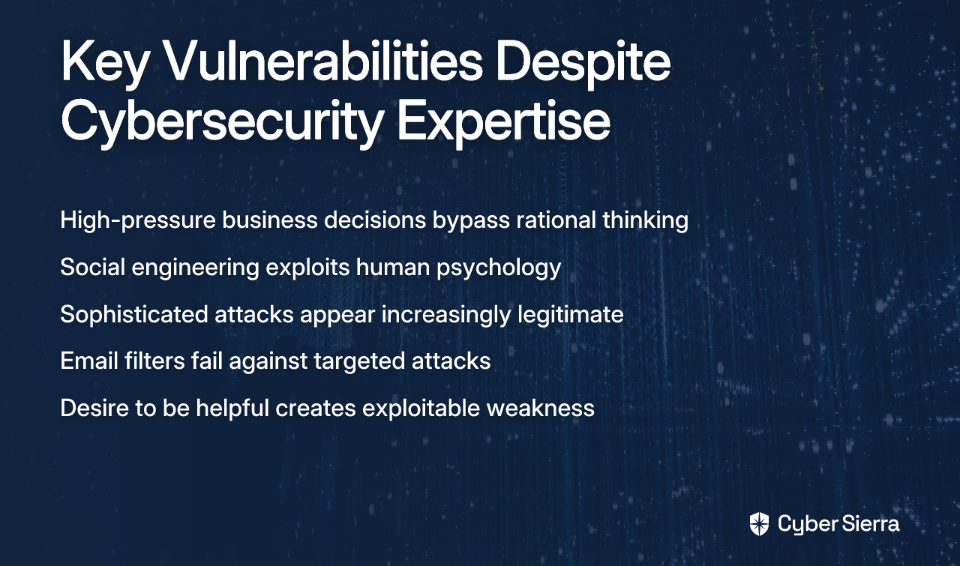
  • Decisions must be made quickly, often under artificially manufactured time pressure
  • Social engineering tactics exploit basic human psychology—our "desire to be helpful"
  • Sophisticated attacks using spoofed emails and malware look increasingly legitimate
  • The email filter that should catch obvious phishing attempts often fails against targeted attacks

"It is human nature to want to be helpful; this is why it is so easy to get a human to alter payment details," explains one cybersecurity professional. This fundamental reality creates a vulnerability that no degree can fully protect against—especially when compliance with security protocols is seen as optional rather than mandatory.

Case Studies: When a Degree Wasn't Enough

The Buyer's Six-Figure Mistake

Mike Musto had a successful career and considered himself tech-savvy. During a home purchase, he received wiring instructions that appeared to come from his attorney. He verified the details against previous communications and proceeded with the wire transfer of nearly $600,000.

What Mike missed was a subtle domain typo-squatting technique where fraudsters used "dot cam" instead of "dot com" in the email address. This minor detail, easily overlooked during the stress of a major financial transaction, resulted in his life savings being wired to criminals.

"The email looked completely legitimate," Mike later explained. "It referenced details of our transaction that only my attorney should have known." The sophisticated nature of the attack bypassed both technical controls and Mike's intellectual defenses.

The Professional's Protocol Breakdown

Sarah Dombrovski, a title agent with years of experience and training in security threats, fell victim to a scam involving spoofed emails with fraudulent mortgage payoff instructions. Despite having strict verification protocols in place, a single moment of miscommunication led to a $168,000 loss.

"We had the procedures," Sarah admitted. "But when my colleague said she'd handle the verification call, I assumed it was done. There was a miscommunication about who would actually make that critical verification phone call."

This case illustrates how even with established security procedures, human error under pressure can lead to catastrophic failures. The gap between knowing what to do and actually executing it consistently is where most wire fraud succeeds.

Legal Consequences: Hoffman v. Atlas Title Solutions, Ltd

In a landmark case, a title company was held liable for wire fraud losses because it failed to implement "commercially reasonable security procedures." The court ruled that having educated staff wasn't sufficient protection—the company needed to demonstrate consistent application of robust security measures.

This legal precedent underscores a critical reality: courts increasingly expect professionals to not just know better, but do better. An MBA might demonstrate knowledge, but the legal system now demands implemented, verifiable security protocols.

Bridging the Gap: From Theoretical Knowledge to Practical Resilience

Many cybersecurity training programs fail precisely because they don't address the reality of attacks. As one frustrated professional noted, "They're all so braindead obviously fake that it's astonishing anyone actually falls for it." Another complained that training simulations "don't look anything like the real ones we've gotten."

This disconnect creates a dangerous false confidence. To bridge the gap between theory and practice, organizations need to implement three critical strategies:

1. Implement Realistic, Scenario-Based Training

Generic phishing tests with obvious spelling errors and suspicious links don't prepare employees for sophisticated attacks. Effective training must simulate actual business process compromises with the same level of sophistication as real threats.

According to cybersecurity firm HALOCK, comprehensive training should cover:

  • People: Social engineering tactics, insider threat scenarios, and social media risks
  • Process: Incident response procedures, password management protocols, and compliance requirements
  • Technology: Business Email Compromise detection, ransomware prevention, and malware identification

Most importantly, scenarios should mirror the actual challenges employees face: fraudulent phone calls, urgent wire transfer requests from seemingly legitimate sources, and compromised communication channels.

2. Stress-Test Security Awareness Under Pressure

Knowledge crumbles under pressure. Create high-fidelity simulations that mimic the urgency and authority of a real attack—for example, a spoofed email from the CEO demanding an immediate wire transfer on Friday afternoon before a holiday weekend.

These exercises test an employee's ability to follow protocol under duress, not just their ability to spot an obvious fake link. As one Reddit user observed, when "the top treat security threats like something that just won't happen to us," organizations remain vulnerable despite mandatory training programs.

3. Hardwire a Non-Negotiable Verification Protocol

This is the single most critical strategy for preventing wire fraud. As one security professional emphasized, "Every wire fraud/BEC case I've ever worked could have been avoided if someone just picked up the phone and confirmed with their known contact."

Implement a step-by-step out-of-band verification process:

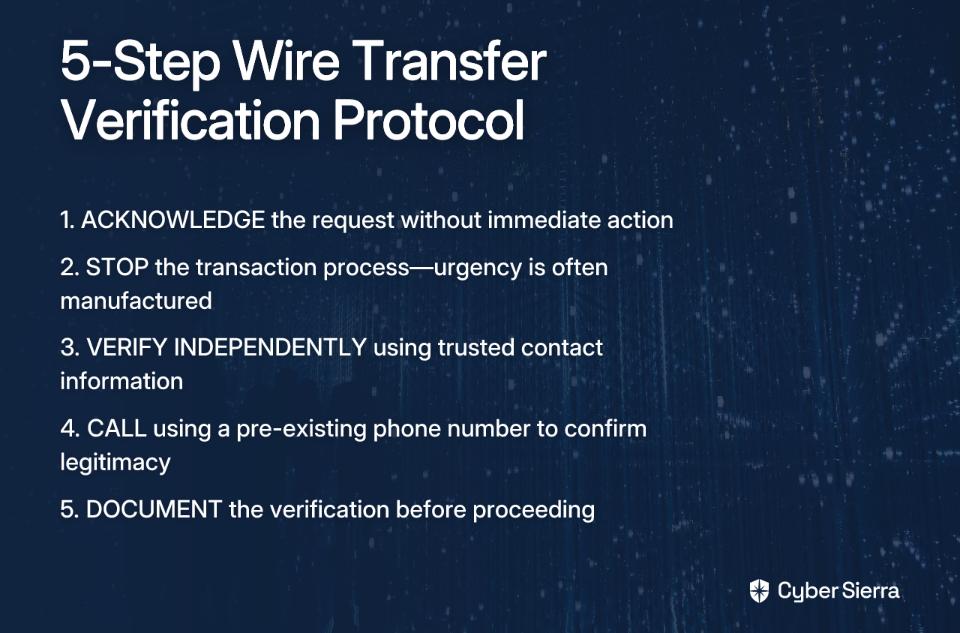
  1. Acknowledge the request, but do not act immediately
  2. STOP the transaction process—the urgency is likely manufactured
  3. VERIFY INDEPENDENTLY by locating the sender's contact information from a trusted, pre-existing source (not from the email in question)
  4. CALL using this trusted phone number to verbally confirm the legitimacy of the request
  5. DOCUMENT the verification step before proceeding

This protocol must have top-down enforcement from management. As one expert noted, "This has to come from the top down. If management views it as unnecessary or annoying, employees will still be weighing the risk of being tricked with the risk of saying no."

Building the Human Firewall

An MBA in Cybersecurity provides valuable knowledge, but it's not an impenetrable shield against the psychological manipulation that drives most wire fraud. Real protection comes from bridging the gap between theoretical understanding and practical, ingrained habits.

The ultimate defense isn't a degree—it's a culture of healthy skepticism and mandatory verification that transforms every employee into an active part of your human firewall. When verification becomes as automatic as breathing, sophisticated attacks will fail regardless of their technical perfection.

As wire fraud continues to evolve in sophistication, remember that your best protection isn't just knowing—it's doing. In the moment of truth, when pressure is high and time seems short, your security depends not on your credentials, but on your commitment to verification.

Frequently Asked Questions

Why do experts with cybersecurity degrees still fall for wire fraud?

Experts fall for wire fraud because scammers exploit human psychology, creating a sense of urgency and authority that bypasses theoretical knowledge. An advanced degree provides an understanding of threats, but it doesn't make someone immune to sophisticated social engineering tactics that manipulate trust and the natural desire to be helpful under high-pressure situations.

What is the most common tactic used in wire fraud scams?

The most common tactic is Business Email Compromise (BEC), where criminals send emails that appear to be from a known, trusted source to trick an employee into making a wire transfer. These attacks often use spoofed email addresses, typo-squatted domains, or previously compromised accounts to make their requests seem legitimate, bypassing both technical filters and intellectual defenses.

What is the single most effective step to prevent wire fraud?

The single most effective step is implementing a mandatory, out-of-band verification protocol for all fund transfer requests. This involves stopping the process and independently confirming the request by calling the sender using a pre-existing, trusted phone number—never one provided in the email itself. This simple action breaks the scammer's chain of deception.

How can organizations make their cybersecurity training more effective?

Organizations can make training more effective by moving beyond generic phishing tests and using realistic, scenario-based simulations that mimic the pressure and sophistication of real attacks. Training should be stress-tested with high-pressure scenarios, like urgent requests from a CEO, to ensure employees can apply security protocols under duress, not just in a calm, controlled environment.

Who is liable for losses from wire fraud?

Courts are increasingly holding companies liable for wire fraud losses if they fail to implement and consistently follow "commercially reasonable security procedures." As established in cases like Hoffman v. Atlas Title Solutions, Ltd, simply having educated staff is not a sufficient defense; the business must demonstrate that robust, verifiable security protocols were actively in use.

What should you do if you become a victim of wire fraud?

If you are a victim of wire fraud, you must act immediately by reporting the incident to the FBI's Internet Crime Complaint Center (IC3) and contacting your financial institution. Time is critical, as a swift response increases the chances that your bank can recall the funds before they are withdrawn by the criminals.

If you've been a victim of wire fraud, report it immediately to the FBI's Internet Crime Complaint Center and contact your financial institution to attempt to recall the funds.

blog-hero-background-image
Cyber Security

DSPM Implementation: Unifying Data Discovery Across Your SaaS Stack

backdrop
Table of Contents

Join thousands of professionals and get the latest insight on Compliance & Cybersecurity.


You've set up a Google Drive folder for your product team, carefully configuring permissions for internal use. A week later, your security team alerts you that sensitive customer data is publicly accessible. The culprit? A well-meaning employee who shared a "Anyone with the link can view" document in a Slack channel that included external partners.

This scenario plays out daily in organizations worldwide. As collaboration tools multiply, data visibility can get away from you just as quickly. Most data exposure comes from good intentions—an employee dropping a public link into a Slack channel with external guests, or granting overly permissive access to a productivity tool.

The problem is two-fold: SaaS sprawl (the overuse of sanctioned applications) and shadow IT (unauthorized tools that expose data). A staggering 84% of SME IT professionals report concerns about shadow IT, according to JumpCloud's research.

Enter Data Security Posture Management (DSPM)—a modern, "data-first" security approach recognized by Gartner in its 2022 Hype Cycle. Rather than focusing solely on securing applications, DSPM protects data directly, wherever it resides.

The Modern SaaS Dilemma: Why Your Data is More Exposed Than Ever

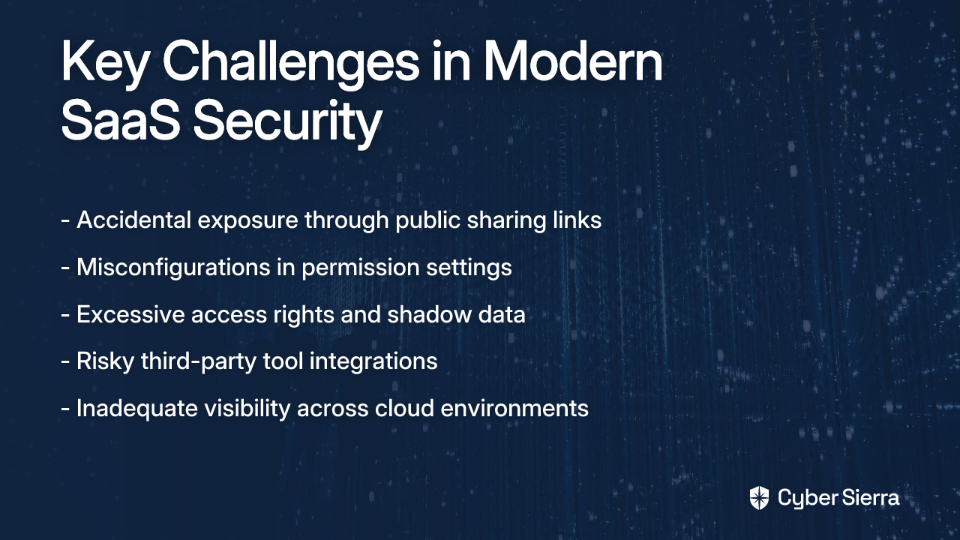
The collaborative nature of today's SaaS tools creates unprecedented security challenges:

Accidental Exposure

Well-intentioned employees routinely create public links or share files with external guests, leading to data leakage. Reddit users have noted that "most data exposure comes from good intentions like dropping a public Drive link into a Slack channel with external guests."

Misconfigurations

Simple errors in sharing settings can expose massive amounts of data. According to Spin.ai, misconfigurations are responsible for 80% of all data security breaches.

Excessive Permissions & Shadow Data

Unmanaged data copies ("shadow data") and ex-employees retaining access represent significant risks. One-third of data breaches in 2024 involved shadow data, and 67% of organizations have ex-employees with lingering access to sensitive information.

Risky Third-Party Tools

"A lot of AI browser extensions and productivity tools can read Drive files or Slack messages if they've been granted broad access," noted one security professional. These OAuth permissions often go unaudited, creating significant blind spots.

The risk is substantial: IBM's Cost of a Data Breach Report indicates that 72% of data breaches involve data stored in cloud environments. What's more concerning is that 87% of organizations find their current data discovery and classification tools inadequate for the cloud, according to Cyera's 2024 DSPM Adoption Report.

Real-world examples abound, from improper Google Drive sharing settings exposing data of nearly a million individuals to Microsoft's Midnight Blizzard breach where attackers exploited misconfigurations to escalate privileges.

What is DSPM? A "Data-First" Approach to Cloud Security

Data Security Posture Management is a cybersecurity technology that continuously identifies sensitive data across all cloud environments (IaaS, PaaS, SaaS), assesses its security posture, and evaluates its vulnerability to threats and compliance risks.

Core Functions of a DSPM Solution:

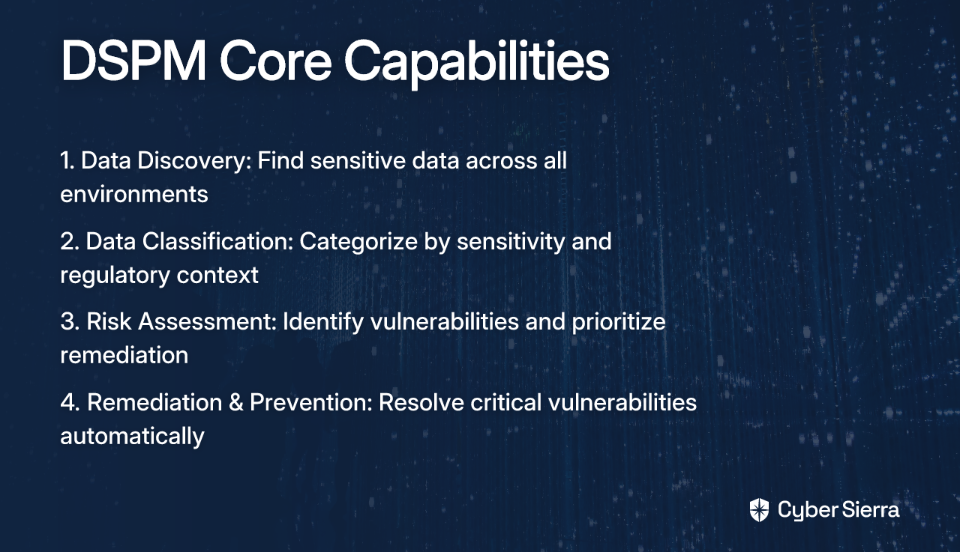
  1. Data Discovery: Continuously scans for sensitive data across all cloud environments, including sanctioned and unsanctioned SaaS apps.
  2. Data Classification: Automatically categorizes discovered data based on sensitivity and regulatory context (PII, PHI, financial records, intellectual property).
  3. Risk Assessment & Prioritization: Identifies vulnerabilities like misconfigurations, over-permissive access, and risky data flows.
  4. Remediation & Prevention: Provides reporting, real-time dashboards, and automated workflows to resolve critical vulnerabilities.

DSPM vs. CSPM: Understanding the Difference

While related, these technologies serve distinct purposes:

  • CSPM (Cloud Security Posture Management): Focuses on vulnerabilities at the cloud infrastructure level (e.g., misconfigured S3 buckets).
  • DSPM: Focuses on vulnerabilities at the data level (e.g., who can access sensitive data within that S3 bucket).

As Varonis explains, organizations need both for comprehensive cloud security.

A Practical Guide: Implementing a DSPM Framework in 6 Steps

Step 1: Discover and Map Your Data ("Find Your Crown Jewels")

Start by addressing what one Reddit user described as an "unclear understanding of critical data and its storage" by using SaaS discovery methods to identify and catalog all SaaS applications in use. According to JumpCloud, effective methods include:

  • Browser Extensions: Easy installation, real-time tracking.
  • CASB (Cloud Access Security Broker): Good for detecting shadow IT.
  • API Connectors: Centralizes usage data from apps with APIs.
  • Agents: Granular data from endpoints.
  • SSO Logs & Email Scanning: Additional methods to identify apps.

Step 2: Classify and Categorize Your Data

Automatically categorize data by sensitivity to understand security needs. A robust DSPM tool should use automated classification to reduce false positives and manual effort. This addresses the user need for "data classification, encryption and handling policies" that many organizations struggle with.

Step 3: Assess and Prioritize Risks

Evaluate risks tied directly to sensitive data assets. Map permissions across all data stores and integrate them with classification results to identify where your most sensitive data is most exposed. This directly addresses the user desire to "quantify the risk" in financial terms, helping security teams communicate the importance of remediation to leadership.

Step 4: Remediate and Enforce Policies

Move from detection to prevention by establishing a least-privilege model. Create new data handling policies based on identified risks and choose a DSPM tool with built-in, automated remediation to resolve issues quickly. This could involve revoking public links, adjusting permissions, or quarantining files.

Step 5: Develop an Incident Response Plan

Address the "slow incident response due to lack of preparedness" by developing a specific plan to minimize the impact of a data-related security event. A DSPM solution can provide a detailed audit trail across cloud and on-premises data to enable quick investigations when incidents occur.

Step 6: Continuously Monitor and Report

Overcome the lack of "real-time monitoring for security incidents" with DSPM's real-time dashboards to continuously monitor data status and threats. This is crucial for compliance with regulations like GDPR, HIPAA, and CCPA.

Remember Amazon's $888 million fine for GDPR violations as a stark reminder of the financial stakes of non-compliance.

Better Together: Integrating DSPM into Your Existing Security Ecosystem

Many users report that "integrating different security tools is a nightmare." Fortunately, DSPM is designed to complement your existing security stack:

DSPM + SSPM (SaaS Security Posture Management)

This combination is "better together," enriching SaaS security with data context. According to Valence Security, key benefits include:

  1. Enhanced SaaS Risk Scoring: Prioritize alerts based on the sensitivity of the data involved.
  2. Advanced Risk Remediation: Detect and fix issues like files shared with unauthorized external users directly from the platform.
  3. Enhanced Identity Threat Detection (ITDR): Monitor for privilege escalation or excessive permissions that put sensitive data at risk.

DSPM + Other Core Technologies

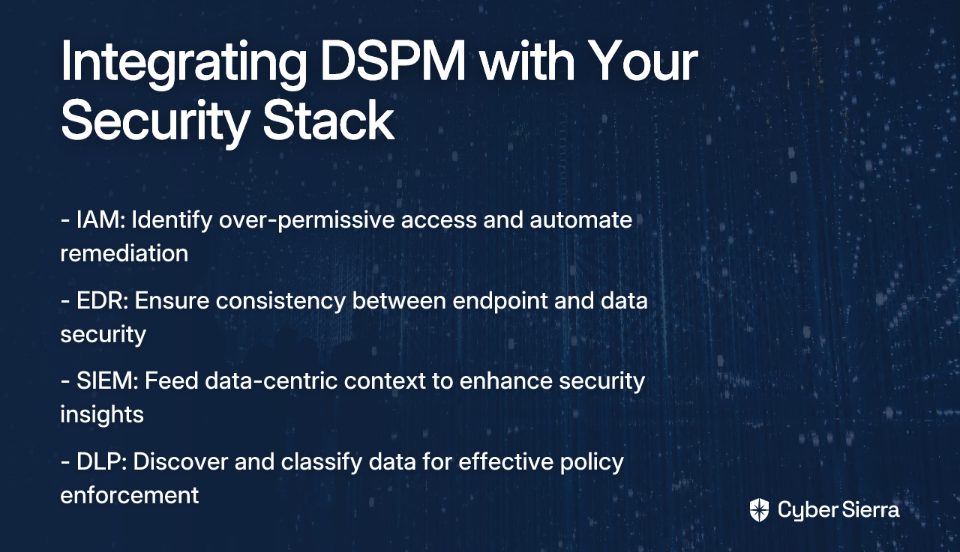
  • IAM (Identity and Access Management): DSPM identifies over-permissive access; IAM automates remediation.
  • EDR (Endpoint Detection and Response): Ensures consistency between endpoint and data security policies.
  • SIEM (Security Information and Event Management): DSPM feeds data-centric context into the SIEM, enhancing overall security insights.
  • DLP (Data Loss Prevention): DSPM discovers and classifies the data, while DLP enforces policies on data in motion. This integration directly supports the user recommendation to "establish a DLP strategy."

Regaining Control Over Your SaaS Data

DSPM is essential for modern data governance, providing:

  • Breach Avoidance: By detecting suspicious behavior and misconfigurations early.
  • Compliance Assurance: By continuously monitoring sensitive data handling against regulations like GDPR, CCPA, and HIPAA. Note that HIPAA penalties can reach up to $16 million.
  • Operational Efficiency: By automating discovery, classification, and remediation, freeing up security teams from manual tasks.

Implementing a DSPM framework empowers security teams to manage sensitive data across their entire SaaS stack with unmatched precision and efficiency. The first step is to "understand what the crown jewels (the most sensitive info) are and where they are stored or captured." By starting with unified discovery, organizations can build a resilient, data-centric security posture fit for the cloud era.

Frequently Asked Questions

What is Data Security Posture Management (DSPM)?

Data Security Posture Management (DSPM) is a security approach that focuses on discovering, classifying, and protecting sensitive data across all cloud and SaaS environments. Unlike traditional security tools that protect applications or infrastructure, DSPM provides a "data-first" perspective. It continuously scans for sensitive information, identifies security risks like misconfigurations or excessive permissions, and helps automate remediation to prevent data breaches and ensure compliance.

Why is DSPM important for SaaS security?

DSPM is crucial for SaaS security because it addresses the risks of accidental data exposure, misconfigurations, and excessive permissions inherent in collaborative cloud applications. With the rise of SaaS sprawl and shadow IT, sensitive data is often stored and shared in ways that traditional security tools can't track. DSPM provides the necessary visibility and control to see exactly where your sensitive data is, who can access it, and how it's being used, thereby preventing leaks caused by public sharing links or risky third-party app integrations.

How does DSPM differ from CSPM?

The primary difference is their focus: CSPM secures the cloud infrastructure, while DSPM secures the data within that infrastructure. For example, a CSPM tool would alert you if a cloud storage bucket is publicly accessible. A DSPM tool would go a step further to identify if that bucket contains sensitive customer data, who has access to it, and how it's being used. Both are needed for comprehensive cloud security.

What are the core functions of a DSPM solution?

The core functions of a DSPM solution are data discovery, data classification, risk assessment, and automated remediation. A DSPM platform first finds all your data across cloud and SaaS environments. It then automatically classifies it based on sensitivity (e.g., PII, financial data). Next, it assesses risks like public exposure or excessive permissions. Finally, it provides tools and automated workflows to fix these issues and enforce security policies.

How can I get started with implementing DSPM?

The first step to implementing DSPM is to gain complete visibility by discovering and mapping all of your data assets across all SaaS and cloud applications. You can't protect what you don't know you have. Start by using discovery tools to identify your "crown jewels"—the most critical and sensitive data. Once you have a complete inventory, you can move on to classifying the data, assessing risks, and creating policies for remediation.

How does DSPM integrate with other security tools like SIEM or DLP?

DSPM integrates with and enhances other security tools by providing crucial data-centric context that they often lack. For instance, DSPM can feed alerts into a SIEM, allowing security teams to prioritize incidents that involve sensitive data. It complements DLP by discovering and classifying data that a DLP can then protect. Similarly, it works with IAM systems to identify and remediate over-privileged access to critical data.

blog-hero-background-image
Cyber Security

Frontend vs Backend Security: What React Developers Actually Control

backdrop
Table of Contents

Join thousands of professionals and get the latest insight on Compliance & Cybersecurity.


You've probably heard a common refrain in development circles: "frontend is never safe." This statement, while grounded in some truth, oversimplifies the complex reality of web application security. As a React developer, you have significant control over your application's security posture—it's just a matter of understanding what falls within your domain.

This article aims to debunk the misconception that frontend security is futile, and instead clarify what security measures React developers can and should implement versus what truly belongs on the backend.

The Truth About Frontend Security

Frontend security isn't about creating an impenetrable fortress—it's about establishing a critical first line of defense that works in tandem with your backend protections. Let's explore what security measures actually fall within a React developer's control.

Input Validation: Your First Line of Defense

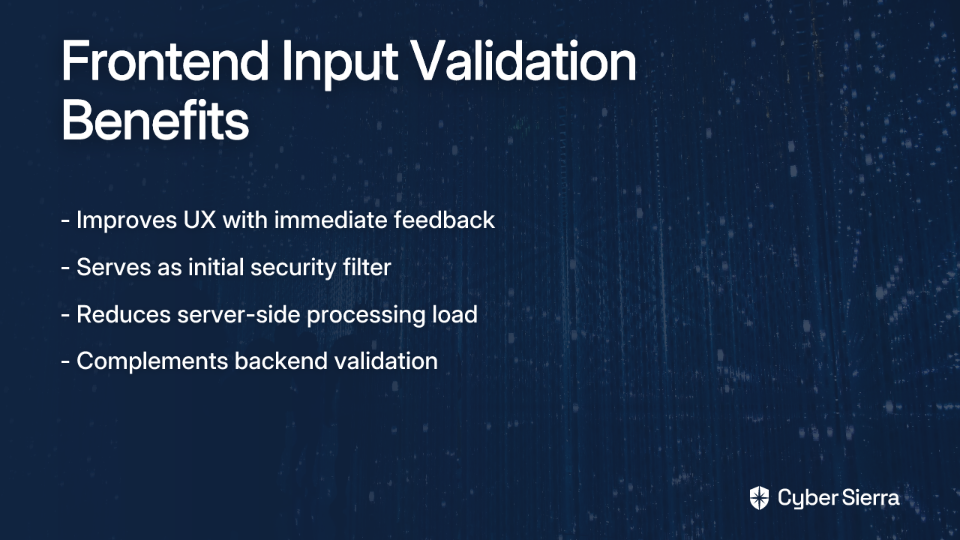
Input validation on the frontend serves two crucial purposes:

  1. It improves user experience by providing immediate feedback
  2. It serves as an initial security filter, reducing the attack surface

While you'll often hear the mantra "USER INPUT SHOULD NEVER BE TRUSTED" (and this is absolutely correct), that doesn't mean frontend validation is worthless. Consider it complementary to backend validation—not a replacement.

// Example of frontend validation for an email field
const validateEmail = (email) => {
  const emailRegex = /^[^\s@]+@[^\s@]+\.[^\s@]+$/;
  if (!emailRegex.test(email)) {
    setError('Please enter a valid email address');
    return false;
  }
  return true;
};

const handleSubmit = (e) => {
  e.preventDefault();
  if (validateEmail(email)) {
    // Proceed with form submission
    submitForm({ email });
  }
};

Remember: This validation enhances UX, but your backend must still validate everything. A malicious user can bypass frontend checks by sending requests directly to your API.

Preventing XSS: React's Built-in Protections and Common Pitfalls

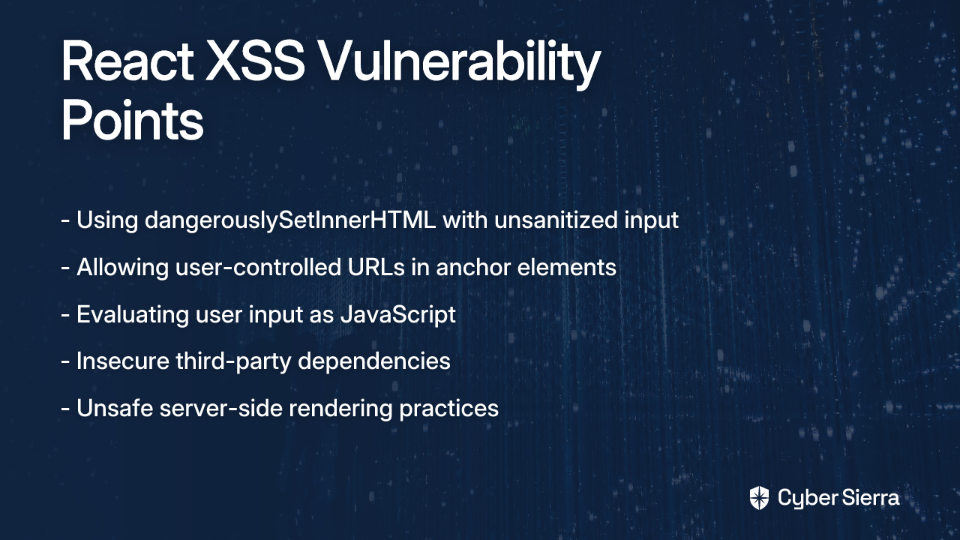
Cross-Site Scripting (XSS) ranks consistently high on the OWASP Top Ten list of web application vulnerabilities. Here's the good news: React provides powerful default protections against XSS attacks.

By default, React escapes any values rendered in JSX with curly braces ({}), automatically converting potentially dangerous HTML entities into safe strings:

const userInput = "<script>alert('XSS Attack!')</script>";
// React automatically escapes this to render it as plain text, not executable code
return <div>{userInput}</div>;

However, React also provides escape hatches that can expose your application to XSS vulnerabilities if misused. The most notorious example is dangerouslySetInnerHTML.

As one developer bluntly put it: "React security boils down to not thinking dangerouslySetInnerHTML is safe." While this is an oversimplification, it highlights a critical vulnerability point.

The Danger of dangerouslySetInnerHTML

This aptly-named React feature allows you to directly set HTML content, bypassing React's automatic escaping. It's necessary for certain scenarios, like implementing a WYSIWYG editor, but it should be used with extreme caution.

Never use dangerouslySetInnerHTML with unsanitized user input. Always sanitize HTML first using a library like DOMPurify:

import DOMPurify from 'dompurify';

const UserGeneratedContent = ({ htmlContent }) => {
  const sanitizedContent = DOMPurify.sanitize(htmlContent);
  
  return <div dangerouslySetInnerHTML={{ __html: sanitizedContent }} />;
};

Secure URL Handling

Another common XSS vector is user-controlled URLs, especially in anchor (<a>) elements. As one developer warned: "Don't allow user to control href in links. User could put javascript: there to run malicious code."

Always validate URLs before rendering them:

function isSafeUrl(url) {
  try {
    const parsedUrl = new URL(url);
    return ['http:', 'https:', 'mailto:'].includes(parsedUrl.protocol);
  } catch (error) {
    return false;
  }
}

// Usage
const UserProvidedLink = ({ url, children }) => {
  return isSafeUrl(url) 
    ? <a href={url}>{children}</a>
    : <span>{children}</span>;
};

Content Security Policy: Browser-Level Protection

Content Security Policy (CSP) is a powerful security feature that provides an additional layer of protection against XSS and other injection attacks. It works by telling the browser which sources of content are legitimate, effectively blocking script execution from unauthorized sources.

While CSP headers are technically sent from the server, React developers should understand how to implement and test them. In a Next.js application, for example, you can configure CSP headers like this:

// next.config.js
const nextConfig = {
  async headers() {
    return [
      {
        source: '/(.*)',
        headers: [
          {
            key: 'Content-Security-Policy',
            value: "default-src 'self'; script-src 'self'; style-src 'self' 'unsafe-inline'; img-src 'self' data:; connect-src 'self';"
          }
        ]
      }
    ]
  }
}

module.exports = nextConfig;

This policy restricts scripts to load only from your own domain, preventing attackers from injecting scripts from external sources.

CSP implementation can be challenging in modern React applications, especially those using CSS-in-JS libraries or inline scripts. You may need to use nonces or hashes to allow specific inline scripts. However, the security benefits are substantial, particularly as a defense-in-depth measure that can mitigate damage even if other protections fail.

Proactive Security Hygiene

Beyond the explicit security measures above, React developers should practice these security hygiene habits:

1. Regularly Scan Dependencies

Third-party packages can introduce vulnerabilities into your application. Use tools like Snyk or npm audit to regularly check for known vulnerabilities:

# Check for vulnerabilities in dependencies
npm audit

# Fix automatically when possible
npm audit fix

2. Use Security-Focused Linters

Integrate ESLint configurations like eslint-config-react-security to automatically flag potential security issues during development:

npm install --save-dev eslint-config-react-security

Then extend this configuration in your .eslintrc:

{
  "extends": ["react-app", "react-security"]
}

3. Prevent JSON Injection in Server-Side Rendering

When serializing state for server-side rendering, escape HTML characters to prevent JSON injection:

// Unsafe
window.__PRELOADED_STATE__ = ${JSON.stringify(preloadedState)};

// Safe
window.__PRELOADED_STATE__ = ${JSON.stringify(preloadedState).replace(/</g, '\\u003c')};

What Belongs on the Backend: The Ultimate Authority

While frontend security is essential, certain responsibilities firmly belong to the backend. Understanding this boundary is crucial for maintaining a secure application.

Authoritative Input Validation

The backend must validate all incoming data, regardless of frontend validation. As emphasized in developer forums: "USER INPUT SHOULD NEVER BE TRUSTED." This prevents attackers from bypassing frontend checks by sending requests directly to your API.

// Server-side validation example (Node.js/Express)
app.post('/api/user', (req, res) => {
  const { email } = req.body;
  
  // Validate email on server, regardless of frontend validation
  if (!isValidEmail(email)) {
    return res.status(400).json({ error: 'Invalid email format' });
  }
  
  // Proceed with data processing
});

Authentication and Authorization

Managing user identity, sessions, and permissions is strictly a backend function. This includes:

  • Implementation of secure authentication flows (OAuth, JWT tokens)
  • Management of session cookies/tokens
  • Enforcement of access control rules
// Example of backend authentication verification (Express middleware)
const authenticateToken = (req, res, next) => {
  const token = req.headers['authorization']?.split(' ')[1];
  
  if (!token) return res.status(401).send('Access denied');
  
  jwt.verify(token, process.env.ACCESS_TOKEN_SECRET, (err, user) => {
    if (err) return res.status(403).send('Invalid token');
    req.user = user;
    next();
  });
};

// Protect routes
app.get('/api/protected-resource', authenticateToken, (req, res) => {
  // Only authorized users reach this point
});

Never store API keys, secrets, or credentials in your frontend code. These should be securely managed on the server, using environment variables and secure vaults.

Database Security and Data Protection

The backend is responsible for:

  • Preventing SQL injection through parameterized queries or ORMs
  • Encryption at rest for sensitive data
  • Implementing proper database access controls

Advanced Security Measures

The backend should also handle:

  • Rate limiting to prevent brute force attacks
  • Implementation of Web Application Firewalls (WAF)
  • Multi-factor authentication
  • Monitoring and logging of suspicious activities

Bridging the Gap: How Frontend and Backend Security Work Together

The most secure applications are built when frontend and backend developers collaborate effectively. Here's how to ensure your security efforts are coordinated:

Consistent Error Handling

The backend should provide clear, non-revealing error messages that the frontend can translate into user-friendly feedback:

// Backend: Non-revealing error
return res.status(401).json({ error: 'Authentication failed' });

// Instead of:
return res.status(401).json({ error: 'User not found in database' });

Secure Data Transmission

Always use SSL/TLS to encrypt data in transit between client and server. For sensitive operations, use HTTP POST requests with data in the request body, not in URL parameters.

CORS Configuration

Configure Cross-Origin Resource Sharing (CORS) policies on your backend to control which domains can access your API:

// Express.js CORS configuration
const cors = require('cors');

// Allow only specific origins
const corsOptions = {
  origin: 'https://yourtrustedapp.com',
  methods: ['GET', 'POST'],
  credentials: true
};

app.use(cors(corsOptions));

Coordinated Security Testing

Implement end-to-end security testing that validates both frontend and backend security measures working in tandem.

Conclusion: Security as a Shared Responsibility

The notion that "frontend is never safe" misses the point. Frontend security is not about being impenetrable—it's about creating a vital first line of defense that works in coordination with backend security measures.

As a React developer, you control significant security aspects through input validation, XSS prevention, Content Security Policy implementation, and dependency management. These measures don't replace backend security—they complement it.

Rather than viewing frontend security as futile, understand it as part of a defense-in-depth strategy. Each layer, from the browser's CSP enforcement to React's automatic escaping to your backend's input validation, builds upon the others to create a robust security posture.

By clearly understanding what falls within your control as a React developer—and what belongs on the backend—you can build applications that are both secure and provide an excellent user experience. Remember: security is never absolute, but a well-coordinated frontend and backend security strategy can effectively mitigate the vast majority of threats your application will face.

Frequently Asked Questions

Why is frontend validation important if the backend validates everything?

Frontend validation is crucial for two main reasons: it provides immediate feedback to improve user experience and acts as an initial security filter. While the backend must always perform authoritative validation because frontend checks can be bypassed, client-side validation prevents malformed data from ever reaching the server, reducing the server's workload and providing a faster, more interactive experience for the user.

How does React protect against Cross-Site Scripting (XSS) attacks?

React helps prevent XSS attacks by automatically escaping any dynamic content rendered within JSX curly braces {}. This process converts potentially malicious code, like <script> tags, into plain text, rendering it harmless. However, developers must still be cautious with features like dangerouslySetInnerHTML, which bypass this protection and require manual sanitization of any user-provided HTML.

Where should sensitive data like API keys be stored?

Sensitive data like API keys, database credentials, or secret tokens must never be stored on the frontend. This information should always be kept on the backend server and managed securely using environment variables or a secrets management service. The frontend should interact with protected resources by sending authenticated requests to the backend, which then uses the stored keys to communicate with other services.

What is a Content Security Policy (CSP)?

A Content Security Policy (CSP) is an added layer of security that helps detect and mitigate certain types of attacks, including Cross-Site Scripting (XSS) and data injection. It is a set of rules, delivered via an HTTP header from the server, that tells the browser which sources of content (like scripts, styles, and images) are trusted and can be loaded. By restricting executable scripts to only whitelisted sources, a CSP can prevent the browser from running malicious code injected by an attacker.

What are the most important security responsibilities for the backend?

The backend serves as the ultimate authority for security. Its key responsibilities include performing authoritative input validation on all data received, managing secure user authentication and authorization, protecting the database from attacks like SQL injection, and securely storing all secrets and sensitive data. The backend is responsible for enforcing access control and ensuring that no unauthorized actions can be performed, regardless of what the frontend requests.

blog-hero-background-image
Cyber Security

Translating Cyber Risk to Business Language: Executive Communication Guide

backdrop
Table of Contents

Join thousands of professionals and get the latest insight on Compliance & Cybersecurity.


You've spent weeks on a thorough risk assessment, but when you present it to the board, you're met with blank stares. You're explaining something that's incredibly obvious to you to people that know little to nothing about your field. Sound familiar?

For GRC professionals in regulated industries, this communication gap isn't just frustrating—it's a critical obstacle to building an effective security program. With regulations like the SEC's new disclosure rules, Europe's NIS2 Directive, and the Digital Operational Resilience Act (DORA) now mandating board-level oversight of cyber risk, the ability to translate technical findings into business language isn't optional—it's essential for compliance and organizational resilience.

This guide provides a practical playbook for transforming complex cybersecurity concepts into the language executives understand, enabling you to secure the resources and support your security program needs.

The Great Disconnect: Why Technical Metrics Fail in the Boardroom

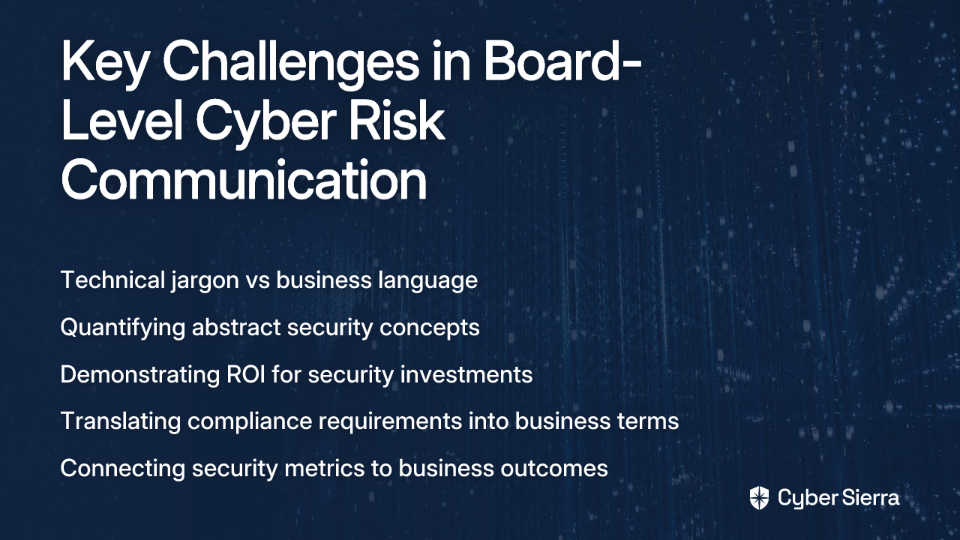
When security professionals present technical data to executives, they often encounter what appears to be disinterest or disengagement. This isn't because executives don't care about security—it's because they don't speak the same language. There are several fundamental reasons for this disconnect:

  • Lack of technical understanding: Most C-suite executives don't have backgrounds in cybersecurity. Terms like "CVE scores," "zero-day vulnerabilities," or "threat vectors" are as foreign to them as complex financial derivatives might be to you.
  • Focus on overarching business issues: Executives are primarily concerned with revenue, market share, competitive positioning, and profitability. They need to understand how cybersecurity relates to these priorities.
  • Information overload: Presenting too many technical metrics or complex data points can lead to cognitive overload, causing executives to disengage from the conversation entirely.
  • Misaligned priorities: While you might be focused on patching critical vulnerabilities, executives are thinking about quarterly targets, investor expectations, and strategic initiatives.

The goal isn't to transform executives into cybersecurity experts. Rather, it's to provide them with the business context necessary to make informed decisions about risk acceptance, mitigation strategies, and security investments.

The Rosetta Stone: Shifting from Cyber Risk to Business Impact

To bridge this gap, you need to reframe cybersecurity risk in business terms that resonate with executive concerns. Start by redefining cyber risk:

Technical Definition: "A critical vulnerability in our web application with a CVSS score of 9.8."

Business Definition: "Cybersecurity risk is the possibility of financial loss, operational disruption, or reputational damage due to failures or breaches in digital systems."

The key to effective executive communication is translating technical metrics into these three pillars of business language:

  1. Financial Impact: How much could this cost us? (e.g., regulatory fines, legal settlements, lost revenue, incident response costs)
  2. Operational Impact: How will this affect our ability to do business? (e.g., system downtime, supply chain disruption, productivity loss)
  3. Reputational Impact: How will this affect our brand and customer trust? (e.g., customer churn, negative media coverage, decreased market valuation)

When discussing risk components with executives, translate each element into business terms:

  • Assets: "Our crown jewels include customer data, intellectual property, and critical applications that generate $10M in daily revenue."
  • Threats: "Ransomware gangs are increasingly targeting companies in our industry, with average ransom demands of $2.5M."
  • Vulnerabilities: "Our current authentication system lacks multi-factor authentication, which was exploited in 80% of breaches in our industry last year."
  • Impact: "A successful ransomware attack could cause a 5-day operational shutdown, resulting in $50M in lost revenue and recovery costs."
  • Likelihood: "Based on current controls, we estimate a 30% chance of experiencing this scenario in the next 12 months."

This approach transforms abstract technical concepts into concrete business risks that executives can evaluate alongside other organizational priorities.

A Practical Toolkit for Quantifying Cyber Risk

To move beyond subjective risk descriptions like "high," "medium," and "low," you need tools that quantify cyber risk in financial terms. This is where Cyber Risk Quantification (CRQ) becomes invaluable.

CRQ shifts the conversation from "this is a high-risk vulnerability" to "this vulnerability represents a potential $2M loss." This financial framing helps executives make informed decisions about security investments and risk acceptance.

One practical, free tool you can start using immediately is the CIS CSAT Ransomware Business Impact Analysis Tool. This resource was specifically designed to "help organizations assess cyber risk in financial terms to communicate effectively with business leaders," according to CIS.

The tool uses the CIS Controls and Community Defense Model to estimate the likelihood of a ransomware incident and calculate the potential financial impact across key business categories:

  • Productivity Costs: Lost revenue and staff wages during downtime
  • Response Costs: Forensics, PR, and incident response expenses
  • Replacement Costs: Hardware or software that needs replacement
  • Legal Costs: Regulatory fines, legal fees, and penalties
  • Competitive Advantage Costs: Loss of intellectual property or strategic plans
  • Reputation Costs: Customer churn and brand value degradation

You can access this valuable resource directly at https://bia.cisecurity.org/ and download the Quick Start Guide at https://workbench.cisecurity.org/files/3927.

By quantifying risk in financial terms, you create a common language that bridges the gap between cybersecurity and business priorities.

Your Executive Communication Playbook: 7 Actionable Lessons

Now that you understand the importance of translating technical risk into business language, here's a step-by-step guide to effectively communicate with executives:

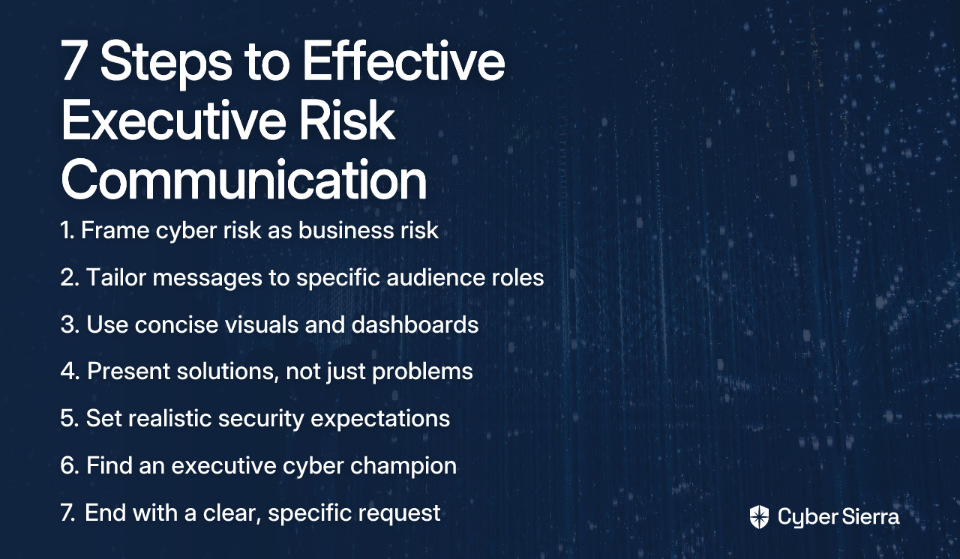
1. Frame Cyber Risk as Business Risk

Always lead with the business impact. Instead of saying "We have 500 critical vulnerabilities," say "Our current vulnerability level exposes us to a potential week-long manufacturing shutdown, costing an estimated $5M in lost revenue."

2. Tailor the Message to Your Audience

Know your board members and customize your communication accordingly:

  • For the CFO: Focus on ROI, potential financial losses, and cost-efficiency of security investments
  • For the COO: Emphasize operational resilience, system availability, and business continuity
  • For the Legal Counsel: Highlight compliance requirements, liability concerns, and legal obligations

3. Use Concise Visuals

Leverage executive dashboards and simple visualizations to show trends and key metrics at a glance. A red/yellow/green status indicator for key risk areas is often more effective than a detailed spreadsheet. Remember, executives typically have limited time and need to grasp information quickly.

4. Make Cybersecurity Actionable

Never present a problem without a proposed solution. For each risk, outline:

  • Necessary actions to address the risk
  • Required resources (budget, personnel)
  • Clear timeline for implementation
  • Expected outcomes and risk reduction

5. Set Realistic Expectations

Educate the board that 100% security is neither achievable nor cost-effective. Frame security as a risk management exercise focused on resilience—the organization's capacity to detect, respond, and recover from incidents while minimizing business impact.

6. Find a "Cybersecurity Champion"

Identify a senior executive or board member who understands the importance of cybersecurity and can act as an advocate for your initiatives. This champion can help translate your technical concerns into business language and lend credibility to your proposals.

7. Clarify the 'Ask'

End every presentation with a clear, concise request: "We are asking for a budget of $250,000 to implement an Endpoint Detection and Response solution. This investment will reduce the likelihood of a successful ransomware attack by an estimated 60%, mitigating a quantified risk of $3M."

Aligning Communication with Governance and Frameworks

Many GRC professionals feel overwhelmed by the complexity of security frameworks. As one Reddit user noted, "The complexity of the existing frameworks leaves us feeling overwhelmed and unsure where to start." However, these frameworks can actually serve as valuable communication tools when properly positioned.

Rather than presenting frameworks as technical checklists, position them as business tools that demonstrate due diligence to regulators, insurers, and customers. Here's how to map common frameworks to business conversations:

  • NIST Cybersecurity Framework (CSF): Use its five functions (Identify, Protect, Detect, Respond, Recover) to structure your reports and show a holistic view of your program's maturity. This framework is particularly effective for explaining program completeness to executives.
  • CIS Controls v8: Refer to these as the foundational "cyber hygiene" actions that provide the biggest risk reduction for the investment. Link this back to the CIS BIA tool mentioned earlier to show how implementing these controls reduces financial risk.
  • ISO/IEC 27001: Position this as the international gold standard for an Information Security Management System (ISMS), often a requirement for winning enterprise contracts or operating globally.

Frameworks also help establish clear governance by defining roles and responsibilities for cyber risk management across the organization. This reinforces that cybersecurity is a shared responsibility, not just an IT problem.

Conclusion

The bridge between technical risk and business strategy is built with the language of money, operations, and reputation. To secure executive support, GRC professionals must become skilled translators who can convert technical findings into business impacts.

By quantifying risk in financial terms, tailoring your message to your audience, and making cybersecurity actionable, you transform security from a perceived cost center into a strategic business enabler. This approach not only improves communication but also elevates your role from a technical specialist to a trusted business advisor.

As threats continue to evolve, including AI-augmented attacks and sophisticated supply chain compromises, the ability to clearly communicate cyber risk to leadership will become even more critical for business survival and success. Master this skill, and you'll not only improve your organization's security posture but also advance your career as an indispensable security leader who speaks the language of business.

Frequently Asked Questions

How do you explain cyber risk to the board?

The most effective way to explain cyber risk to the board is to translate technical issues into business impacts, focusing on potential financial, operational, and reputational damage. Instead of discussing vulnerabilities and CVSS scores, frame the conversation around how a security incident could affect revenue, disrupt operations, or harm the company's brand. This approach helps executives understand cybersecurity as a core business risk, not just a technical problem.

Why do executives often disengage during cybersecurity presentations?

Executives often disengage because technical metrics and jargon are disconnected from their primary concerns, which are business-oriented priorities like revenue, profitability, and market share. Presenting a long list of technical data can lead to information overload. To keep them engaged, you must connect security data directly to business objectives and strategic goals.

What is Cyber Risk Quantification (CRQ)?

Cyber Risk Quantification (CRQ) is the process of evaluating and expressing cyber risk in financial terms, such as potential dollar losses. CRQ moves the conversation from subjective labels like "high-risk" to concrete financial figures, for example, "This risk represents a potential $2M loss." This helps executives compare cyber risks against other business risks and make informed, data-driven decisions about security investments.

What is the biggest mistake to avoid when asking for a security budget?

The biggest mistake is presenting a problem without a clear, actionable solution and a well-defined "ask." Simply highlighting risks is not enough. You must follow up with a concrete plan that outlines the necessary actions, required resources, a timeline, and the expected reduction in risk. Always end your presentation with a specific request tied to a measurable outcome.

How do I use frameworks like NIST or CIS in board meetings?

Position security frameworks not as technical checklists, but as business tools that demonstrate due diligence and measure the maturity of your security program. For example, use the five functions of the NIST Cybersecurity Framework (Identify, Protect, Detect, Respond, Recover) to structure your report and provide a holistic overview. Refer to the CIS Controls as foundational actions that offer the greatest risk reduction for the investment, linking them to quantifiable financial outcomes.

blog-hero-background-image
Cyber Security

How to Integrate Compliance Monitoring with Jira or ServiceNow Workflows

backdrop
Table of Contents

Join thousands of professionals and get the latest insight on Compliance & Cybersecurity.


You've set up your Jira or ServiceNow instance to manage IT operations and development workflows. Your team has finally found their rhythm, and tasks are moving smoothly through the pipeline. Then comes the dreaded announcement: "We need to prepare for our SOC2/ISO 27001 audit next quarter."

Suddenly, your streamlined workflow is disrupted by an avalanche of compliance tasks. Your Jira board is cluttered with an overwhelming number of irrelevant fields for compliance tasks. Your teams resort to using external tools like Asana alongside Jira, creating painful synchronization issues and duplicated work. Meanwhile, your ServiceNow instance, while powerful, feels disconnected from your compliance efforts.

Sound familiar? You're not alone.

The disconnect between daily operational tasks managed in Jira or ServiceNow and compliance requirements creates a perfect storm of manual evidence collection, audit fatigue, and a perpetually reactive security posture. But it doesn't have to be this way.

By integrating compliance monitoring directly into your existing workflow tools, you can transform compliance from a periodic, manual chore into a continuous, automated, and collaborative process. This article provides a practical guide to achieve exactly that.

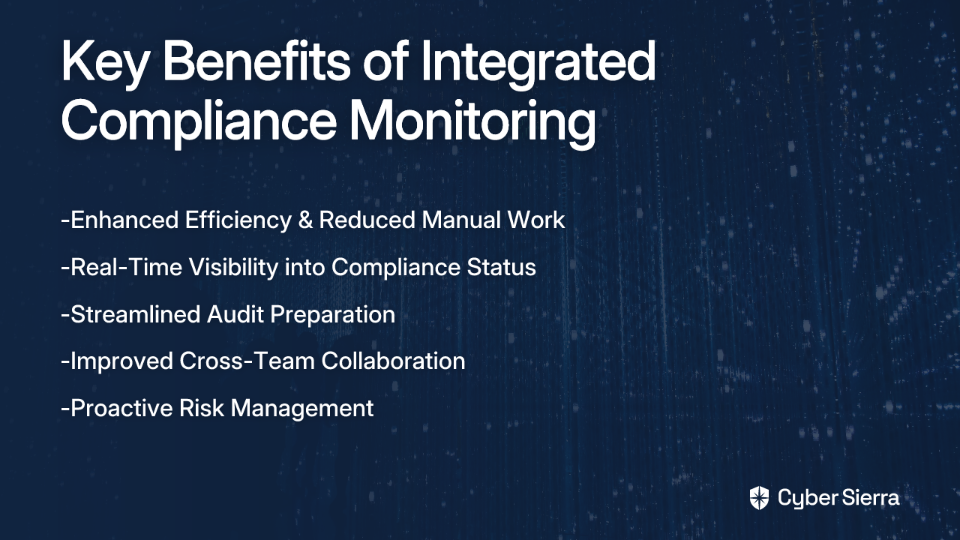
The Strategic Value of Integrated Compliance Monitoring

Before diving into the technical details, let's understand why this integration matters. Compliance monitoring is the quality assurance process businesses use to ensure they adhere to both internal procedures and external legal requirements. When integrated with your workflow tools, it delivers several strategic benefits:

Enhanced Efficiency & Reduced Errors

Automation eliminates repetitive compliance tasks and minimizes human error. Instead of manually collecting evidence for each control during audit season, the system can continuously gather and organize it, significantly reducing the time spent on administrative compliance tasks.

Greater Visibility & Proactive Risk Management

With integrated dashboards, you gain real-time visibility into your compliance status. This transforms your approach from reactive firefighting to proactive risk identification and remediation.

Streamlined Audits

A centralized, organized repository for all compliance evidence makes audit preparation faster and less painful. No more last-minute scrambles to collect evidence from disparate systems.

Improved Collaboration

Integration breaks down silos by connecting development, IT operations, security, and compliance teams within a single, unified environment. Everyone works from the same source of truth.

The key shift here is moving from "point-in-time" audits to continuous monitoring, which provides near real-time assurance of your compliance posture.

Preparing Your Workflow for Compliance Integration

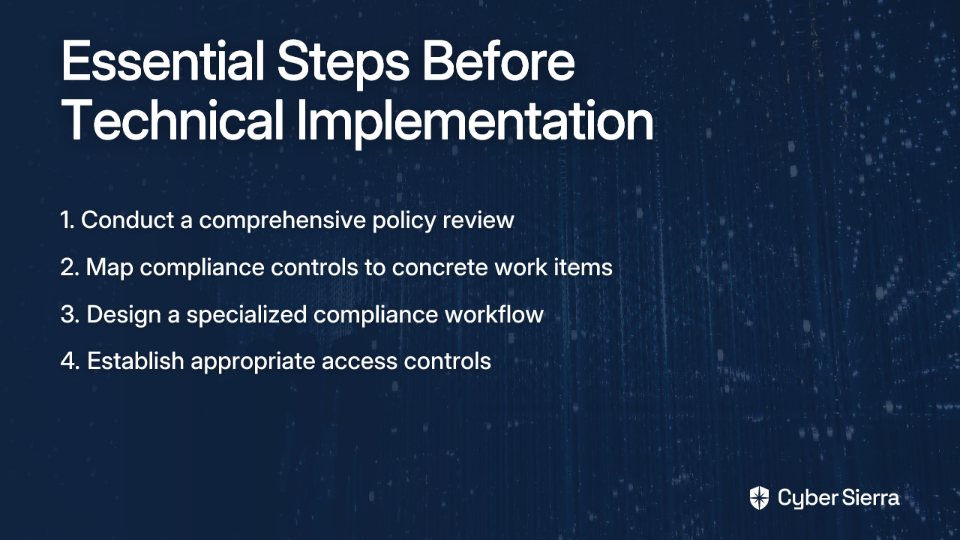
Many organizations rush to implement plugins and technical solutions without laying the proper groundwork. Before touching any tools, focus on these foundational steps:

Step 1: Conduct a Policy Review

Before automating anything, understand your current compliance policies, identify gaps, and define your control objectives. This ensures you're not just automating inefficient processes.

  • Review your applicable frameworks (SOC2, ISO 27001, HIPAA, PCI DSS, etc.)
  • Identify overlapping controls across frameworks
  • Document your control objectives in clear, measurable terms
  • Define ownership for each control area

Step 2: Map Controls to Work Items

The next step is translating abstract compliance requirements into concrete, trackable tasks:

Control RequirementConverted Work Item
"Access to sensitive data must be restricted""Review and approve IAM roles for production database"
"Security incidents must be promptly addressed""Respond to critical security alerts within 4 hours"

This mapping creates a shared language between compliance and operations teams.

Step 3: Design a Dedicated Compliance Workflow

Go beyond a simple To Do → Done workflow. A compliance workflow should include states like:

  • Control Identified
  • Evidence Collection
  • In Review
  • Remediation Required
  • Verified & Closed

Step 4: Establish Robust Access Controls

To avoid disruptions for other users when modifying compliance-related settings, clearly define project roles and permissions in Jira or ServiceNow. This ensures that compliance configurations don't interfere with other teams' work.

A Practical Guide to Integrating Compliance Monitoring with Jira

There are two primary approaches to integrating compliance monitoring with Jira: a native approach for smaller teams and organizations early in their compliance journey, and an automated approach using GRC platforms for more mature organizations.

Method 1: The Native Jira + Confluence Approach

Create Custom Issue Types

Define specific issue types like Compliance Control, Audit Evidence, Policy Exception, or Risk. This separates compliance work from standard development tickets and allows for different workflows and fields.

Customize Screens and Fields

One of the biggest pain points in Jira compliance workflows is the overwhelming number of irrelevant fields. Address this by:

  • Using Screen Schemes to show only relevant fields for each compliance issue type
  • Creating a dedicated Field Configuration with custom fields such as:
    • Control ID
    • Applicable Framework (e.g., SOC2, ISO 27001)
    • Evidence Link (to Confluence)
    • Control Owner
    • Next Review Date

Centralize Documentation in Confluence

Use Confluence to store all policies, procedures, control narratives, and risk assessments. Link Jira issues directly to these Confluence pages to create a clear audit trail.

Build a Compliance Dashboard

Use Jira filters and gadgets to create a dashboard that provides a real-time view of control status, overdue reviews, and open remediation tasks.

Method 2: The Automated GRC Integration Approach

While the native approach works well for smaller teams, it still relies on manual evidence collection. For larger organizations or those with complex compliance requirements, an automated approach using a dedicated GRC platform offers significant advantages.

Here's how this workflow typically functions:

  1. A monitoring tool detects a compliance deviation (e.g., multi-factor authentication is disabled on a critical system)
  2. An integration automatically creates a Jira issue, pre-populated with details about the failed control, the affected asset, and remediation steps
  3. The issue is routed to the appropriate team
  4. Upon resolution in Jira, a webhook can trigger the GRC platform to re-validate the control, automatically closing the loop and capturing evidence of remediation

A Practical Guide to Integrating Compliance Monitoring with ServiceNow

ServiceNow offers a more robust, purpose-built GRC solution compared to Jira, making it particularly suitable for enterprises with complex compliance needs.

Leverage the ServiceNow GRC Suite

ServiceNow GRC provides a unified view of risk and compliance by using a single data source, eliminating information silos. Here's how to implement it effectively:

Step-by-Step Implementation

  1. Define Control Objectives: Within the GRC module, formally define your controls (e.g., "All servers must be patched within 30 days of vulnerability disclosure").
  2. Establish Control Indicators: These are the measurable metrics used for continuous monitoring. For the patching control, an indicator could be a "report from a vulnerability scanner showing the patch status of all servers." Control indicators provide clarity and objectivity to what might otherwise be subjective compliance assessments.
  3. Automate with Workflows: Use ServiceNow's no-code workflow automation to create tasks, send notifications, and request approvals when a control indicator fails or a policy exception is requested.
  4. Integrate with CMDB: Connect GRC to the ServiceNow Configuration Management Database (CMDB) to tie controls directly to specific business services and IT assets, providing critical context for risk assessment.

Level Up: Supercharging Your Integration with a Continuous Monitoring Platform

Even well-configured native setups in Jira or ServiceNow have limitations: manual evidence gathering remains a bottleneck, and visibility is limited to what's inside your workflow tools. This is where specialized Continuous Control Monitoring (CCM) platforms come in.

Continuous Control Monitoring (CCM) platforms offer ongoing visibility into security controls and assess risk in near real-time, moving beyond periodic compliance checks to true continuous assurance.

A platform like Cyber Sierra elevates this integration through:

Central Controls Repository

Cyber Sierra manages controls across multiple frameworks (NIST, ISO 27001, PCI DSS, GDPR, etc.) and custom frameworks in a single place, simplifying management and providing a unified view of your compliance posture across all requirements.

Automated Evidence Collection

Cyber Sierra's GRC platform automates data collection from your cloud environments, security tools, and other systems, providing audit-ready evidence without manual effort. This directly addresses the need for tools that directly assess controls and records to ensure they are in place and effective.

Actionable Risk Intelligence

It doesn't just find issues; it provides data-driven insights to prioritize remediation, helping you focus your resources on the most critical gaps.

Seamless Ticketing Workflow

When Cyber Sierra's CCM module detects a control failure—like an unencrypted database—it can automatically create a detailed Jira ticket or ServiceNow incident, assign it to the asset owner, and link it back to the specific control. Once the ticket is closed, the platform verifies the fix, closing the loop and creating a complete audit trail.

Conclusion

The journey to integrated compliance monitoring follows a natural progression: start by defining your process, leverage native Jira/ServiceNow capabilities to build a foundation, and then scale with a dedicated CCM platform for true automation and proactive risk management.

By embedding compliance into the tools your teams live in every day, you remove friction, enhance collaboration, and transform compliance from a blocker into a strategic enabler of security and trust.

Whether you're just beginning your compliance journey or looking to mature your existing processes, the integration of compliance monitoring with your workflow tools is a proven path to more efficient, effective governance and risk management.

Take the time to evaluate your current compliance processes and explore how automation platforms like Cyber Sierra can help you achieve a state of continuous, audit-ready compliance that aligns with your operational workflows rather than disrupting them.

Frequently Asked Questions

Why should I integrate compliance monitoring into Jira or ServiceNow?

Integrating compliance monitoring directly into your daily workflow tools like Jira or ServiceNow transforms compliance from a periodic, manual chore into a continuous and automated process. This approach enhances efficiency by reducing repetitive tasks, minimizes human error, provides real-time visibility into your compliance posture for proactive risk management, and ultimately streamlines the entire audit process.

What is the first step to setting up compliance in Jira?

The first and most critical step is to conduct a thorough policy review before implementing any tools. This involves understanding your applicable frameworks (like SOC2 or ISO 27001), identifying your controls, and mapping them to concrete, trackable work items in Jira. Once this foundation is laid, you can then move on to creating custom issue types, workflows, and fields dedicated to compliance tasks.

Can Jira alone be used for SOC2 or ISO 27001 compliance?

Yes, Jira combined with Confluence can be effectively used to manage SOC2 or ISO 27001 compliance activities, particularly for smaller organizations or those just starting their compliance journey. By creating custom issue types, workflows, and dashboards, you can track controls and evidence. However, this "native" approach still relies heavily on manual evidence collection, which can become a bottleneck as your organization scales.

How is ServiceNow's GRC suite different from using Jira for compliance?

ServiceNow's GRC suite is a purpose-built platform for governance, risk, and compliance, offering a more robust and integrated solution than a customized Jira setup. It provides a unified data model, connects controls directly to IT assets in the Configuration Management Database (CMDB), and uses control indicators for continuous monitoring. This makes it better suited for larger enterprises with complex, multi-framework compliance requirements.

What is a Continuous Control Monitoring (CCM) platform and why do I need one?

A Continuous Control Monitoring (CCM) platform is a specialized tool that automates the collection, assessment, and validation of compliance evidence from your tech stack in near real-time. You need a CCM platform to move beyond manual, point-in-time evidence gathering and achieve true continuous assurance. It automatically verifies that security controls are effective, detects failures instantly, and integrates with tools like Jira or ServiceNow to create a seamless remediation workflow.

When should our organization move from a native Jira setup to an automated GRC platform?

You should consider moving from a native Jira setup to an automated GRC platform when manual evidence collection becomes a significant drain on resources, you need to manage multiple compliance frameworks, or your organization is scaling rapidly. The shift is most valuable when you want to move from a reactive, audit-driven approach to a proactive, continuous risk management posture.

blog-hero-background-image
Cyber Security

How to Prevent Vendor-Related Data Breaches with Proactive TPRM

backdrop
Table of Contents

Join thousands of professionals and get the latest insight on Compliance & Cybersecurity.


You've spent months implementing robust security controls within your organization. Your team follows best practices, you've invested in the latest security technologies, and you're confident in your internal security posture. Then you get the call: a major data breach has occurred—not directly in your systems, but through a third-party vendor you've trusted with sensitive data.

The uncomfortable truth? 62% of all data breaches occur through third-party vendors, and the average cost of a data breach in the U.S. has reached a staggering $9.48 million in 2023. For most organizations, third-party risk is their most significant blind spot.

If you've been treating Third-Party Risk Management (TPRM) as a mere checkbox exercise—sending out annual questionnaires that vendors complete with optimistic self-assessments—you're essentially leaving your front door unlocked while fortifying your back entrance. The traditional approach of point-in-time assessments and static questionnaires simply doesn't work in today's dynamic threat landscape.

"You can't trust the third party didn't just lie," as one frustrated security professional noted in a recent discussion. This skepticism reflects the growing realization that TPRM needs a fundamental overhaul.

The solution? A shift from reactive, periodic assessments to proactive, continuous monitoring. This article outlines a comprehensive framework for building a TPRM program that actually prevents breaches rather than just documenting them after they occur.

The High Stakes of Vendor Risk: Why Traditional TPRM Is Failing

The statistics paint a sobering picture: 29% of data breaches originate from third-party vendors. But numbers alone don't capture the devastating real-world consequences of these incidents:

  • Passwordstate (2021): A supply chain attack where malware was pushed through the app's update mechanism, affecting nearly 370,000 IT professionals. This trusted password management tool became an attack vector overnight.
  • Toyota (2022): A breach at a supplier forced Toyota to temporarily shut down manufacturing facilities, demonstrating that vendor risk extends far beyond data loss to include significant operational disruptions.
  • Saudi Aramco: A third-party flaw led to the theft of 1 terabyte of data, resulting in a $50 million ransom demand.

Traditional TPRM approaches fail for several fundamental reasons:

  1. Point-in-time assessments create a false sense of security: A vendor might be secure during your annual review, but what about the other 364 days of the year?
  2. Self-reported questionnaires lack verification: As many security professionals lament, vendors have strong incentives to portray their security practices in the most favorable light.
  3. Manual processes can't scale: As your vendor ecosystem grows, spreadsheet-based assessments become unmanageable, leading to corners being cut.
  4. Reactive rather than proactive: Traditional approaches focus on documenting compliance rather than actively preventing breaches.

Building a Proactive TPRM Framework: A Lifecycle Approach

Creating an effective TPRM program requires a structured approach that addresses the entire vendor lifecycle. Here's how to build a framework that actually works:

Step 1: Vendor Identification and Risk Tiering

You can't protect what you don't know exists. The foundation of any effective TPRM program is a comprehensive vendor inventory.

  1. Catalog All Vendors: Work with procurement, finance, and business units to identify every third party with access to your data or systems. This often reveals shadow IT and forgotten vendor relationships.
  2. Prioritize Based on Risk: Not all vendors pose the same level of risk. Categorize them (critical, high, moderate, low) based on factors such as:
    • Level of access to sensitive data (PII, PHI, financial information)
    • Integration with critical systems
    • Operational importance to your business
    • Compliance requirements that apply

This tiering will dictate the level of due diligence and ongoing monitoring required for each vendor.

Step 2: Rigorous Due Diligence and Onboarding

The onboarding phase is your best opportunity to establish strong security expectations and controls.

  1. Set Minimum Security Standards: Establish non-negotiable requirements for vendors. For high-risk vendors, mandate certifications like SOC 2 Type II or ISO 27001:2022. As one security professional notes, "if a supplier cannot at least meet those standards, you shouldn't be doing business with them."
  2. Demand Proof, Don't Just Ask Questions:
    • Request and review third-party audit reports, penetration test summaries, and compliance documentation
    • Ask for a Software Bill of Materials (SBOM) to understand their software supply chain components
    • Consider using external security ratings as an additional verification layer
  3. Enforce Contractual Safeguards: Your vendor agreements are critical security controls:
    • Include clear data breach notification protocols with specific timeframes (e.g., notification within 24 hours of discovery)
    • Stipulate "right to audit" clauses
    • Require vendors to notify you of significant changes to their security program
    • Define security SLAs with penalties for non-compliance
  4. Implement Least-Privilege Access: Ensure vendors only have access to the data and systems absolutely necessary for their function. This significantly reduces your attack surface.

The Core of Proactive TPRM: Continuous Monitoring

The most critical shift in modern TPRM is moving from "once a year" to "all the time" monitoring. Continuous monitoring transforms vendor management from a periodic activity into an ongoing, real-time process.

A Multi-Faceted Monitoring Strategy

Effective continuous monitoring includes:

  1. External Attack Surface Management (EASM): Continuously scan vendor-owned external assets (websites, IP addresses, cloud services) for new vulnerabilities and misconfigurations. This provides objective, real-time insights into their security posture without relying on self-reporting.
  2. Compliance and Governance Monitoring: Track changes in a vendor's adherence to relevant regulations like GDPR, HIPAA, and PCI-DSS through periodic attestations and automated checks.
  3. Financial and Reputational Health: Use simple but effective methods to stay informed:
    • Set up Google Alerts for your critical third parties to catch negative news immediately
    • Monitor consumer complaint databases for red flags
    • For public companies, review quarterly financial filings; for private ones, request statements as part of your review cycle
  4. Breach and Incident Monitoring: Subscribe to breach notification services and dark web monitoring to identify if vendor credentials or data appear in known breaches.

Establishing a Formal Re-assessment Cadence

Continuous monitoring should be paired with deeper periodic reassessments. A best-practice schedule is:

  • Annually for critical/high-risk vendors
  • Every 18-24 months for moderate-risk vendors
  • Every 2-3 years for low-risk vendors

Scaling Your Program with Automation and AI

Managing dozens or hundreds of vendors manually with spreadsheets is virtually impossible. It leads to errors, missed risks, and compliance gaps. This is where technology becomes essential.

How AI and Automation Transform TPRM

  1. Automated Risk Assessments: AI-driven platforms can automate the identification and prioritization of vulnerabilities, providing real-time updates as risk profiles change.
  2. Streamlined Workflows: Automate everything from questionnaire distribution and evidence collection to assigning and tracking remediation tasks.
  3. Predictive Analytics: AI can analyze vast datasets to detect patterns and predict potential threats, allowing you to act proactively before an incident occurs.

Putting Proactive TPRM into Practice

This is where platforms like Cyber Sierra become valuable assets. Instead of drowning in manual work, you can operationalize your entire TPRM framework through automation.

Cyber Sierra's Third-Party Risk Management (TPRM) module is designed to address these challenges by:

  • Automating vendor assessments and risk management processes
  • Providing near real-time, 24/7 visibility into vendor security compliance
  • Streamlining vendor onboarding and due diligence
  • Prioritizing your vendor inventory based on risk levels

This is complemented by their Continuous Control Monitoring (CCM) module, which provides unified visibility into security controls, helping you understand the full context of vendor risk. Together, these tools transform security from periodic checks into a continuous, data-driven program.

Incident Response: When Prevention Isn't Enough

Even with the most robust preventive measures, breaches can still occur. A comprehensive TPRM program must include incident response planning specific to third-party breaches.

Key Elements of Vendor Breach Response

  1. Clear Communication Channels: Establish and document communication protocols with each vendor before an incident occurs.
  2. Defined Roles and Responsibilities: Document who does what during a vendor breach, both internally and on the vendor side.
  3. Evidence Collection Procedures: Define how you'll gather and preserve evidence needed for investigation, regulatory reporting, and potential legal action.
  4. Customer Notification Templates: Prepare draft communications that can be quickly customized in the event of a breach.
  5. Regular Tabletop Exercises: Practice your response to vendor breach scenarios to identify gaps before a real incident.

From Necessary Evil to Strategic Advantage

Vendor-related breaches represent one of the most significant threats to organizations today, and traditional, static TPRM approaches are no longer adequate defenses.

A proactive TPRM program built on a foundation of rigorous due diligence, contractual safeguards, and continuous monitoring is not just a security best practice—it's a business necessity. By implementing the framework outlined in this article, you can:

  • Significantly reduce the likelihood of a vendor-related breach
  • Demonstrate due diligence to regulators and customers
  • Build stronger, more secure vendor relationships
  • Make faster, more informed vendor decisions

The shift from manual, periodic assessments to automated, continuous monitoring represents the evolution of TPRM from a compliance checkbox to a strategic advantage. By embracing this approach, you're not just preventing breaches—you're building a more resilient organization.
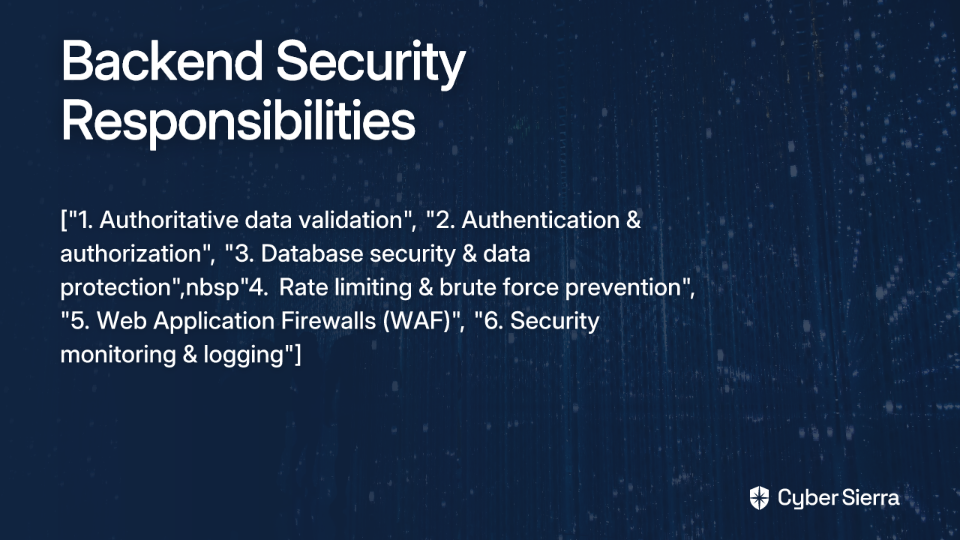
Stop treating TPRM as a compliance checkbox. Embrace automation and continuous monitoring to build a resilient and proactive security posture that truly protects your organization from the growing threat of supply chain attacks.

Frequently Asked Questions

What is Third-Party Risk Management (TPRM)?

Third-Party Risk Management (TPRM) is the process of identifying, assessing, and mitigating risks associated with using external vendors, suppliers, and service providers. This involves understanding the potential threats these third parties pose to your organization's data, operations, and reputation. An effective TPRM program goes beyond simple compliance checks to actively manage the entire lifecycle of vendor relationships, from onboarding and due diligence to continuous monitoring and offboarding.

Why are traditional TPRM methods no longer effective?

Traditional TPRM methods are no longer effective because they rely on outdated, point-in-time assessments like annual questionnaires, which create a false sense of security in today's dynamic threat landscape. These methods fail because they are often based on unverified, self-reported information from vendors. They are also manual, difficult to scale, and reactive rather than proactive, meaning they document risks after they have emerged instead of preventing breaches before they happen.

What are the key steps to building a proactive TPRM program?

A proactive TPRM program involves a lifecycle approach that includes vendor identification and risk tiering, rigorous due diligence during onboarding, continuous monitoring, and a formal incident response plan. The core components include cataloging all vendors and categorizing them by risk level, setting minimum security standards, demanding proof of compliance (like SOC 2 reports), actively tracking a vendor's security posture in real-time, and having a clear plan for what to do if a vendor breach occurs.

What is continuous monitoring in TPRM and why is it important?

Continuous monitoring in TPRM is the ongoing, real-time process of tracking a vendor's security posture, which is crucial for moving from reactive compliance to proactive risk prevention. Instead of relying on an annual review, continuous monitoring uses tools like External Attack Surface Management (EASM) and breach monitoring services to provide objective, up-to-the-minute insights. This allows you to identify and address vulnerabilities as they appear, significantly reducing the window of opportunity for attackers.

How often should we formally reassess vendors?

The frequency of formal vendor reassessments should be based on their risk level. High-risk vendors should be reassessed annually, while lower-risk vendors can be assessed less frequently. A best-practice schedule, which complements continuous monitoring, is annually for critical/high-risk vendors, every 18-24 months for moderate-risk vendors, and every 2-3 years for low-risk vendors.

What role does automation play in modern TPRM?

Automation and AI are essential for scaling a TPRM program, transforming it from a manual, error-prone process into an efficient, data-driven security function. Technology can automate risk assessments, streamline workflows like questionnaire distribution and evidence collection, and use predictive analytics to identify potential threats. This frees up security teams to focus on strategic risk mitigation rather than getting bogged down in administrative tasks, making it possible to effectively manage hundreds of vendors.


Ready to transform your Third-Party Risk Management program? Learn more about how Cyber Sierra's AI-enabled platform can simplify and automate your vendor risk management process at cybersierra.co.

blog-hero-background-image
Cyber Security

Top 5 Solutions for Continuous Compliance Across AWS, Azure, and GCP in 2025

backdrop
Table of Contents

Join thousands of professionals and get the latest insight on Compliance & Cybersecurity.


You've set up a meticulously planned audit preparation schedule for your multi-cloud environment, but three weeks before your annual SOC 2 audit, you're drowning in a mountain of CSV exports, screenshots, and frantic emails to engineering. Sound familiar?

"If you're pulling evidence manually, it turns into a mountain of CSV exports, screenshots, and back-and-forth with engineering," laments one IT manager on Reddit. Another adds, "Pulling evidence from AWS and Azure can definitely get messy since it is scattered across so many consoles."

This scattered approach to compliance is no longer sustainable in 2025's complex multi-cloud reality. As organizations leverage AWS, Azure, and GCP simultaneously, maintaining continuous compliance across multiple frameworks (SOC 2, ISO 27001, PCI DSS, etc.) has become exponentially more challenging.

Why is Multi-Cloud Continuous Compliance So Challenging?

Before diving into solutions, let's acknowledge why multi-cloud compliance has become such a headache:

Scattered Evidence

With infrastructure and data distributed across multiple cloud providers, evidence gathering becomes a treasure hunt across dozens of different consoles and interfaces. As one security professional notes, "data is scattered across so many consoles," making it nearly impossible to maintain a unified compliance view.

Manual Overload

The traditional approach of manually collecting evidence for audit cycles is breaking under the weight of cloud complexity. Security teams report spending weeks "pulling CSV exports, screenshots, and back-and-forth with engineering" just to prepare for a single audit.

Audit Fatigue & Scramble

The constant pressure and last-minute "scramble" to prepare for audits creates a reactive compliance culture. One CISO advises, "You need to do this about 8 months before major audits to avoid the scramble," but few organizations successfully escape the audit panic cycle.

Foundational Controls vs. Tooling

While automated tools are invaluable, they're not magic bullets. As one practitioner cautions, "you still need things like MFA, backups, logging, and policies set up correctly or you will run into gaps during the audit." Tools must be built on a foundation of solid security practices.

The Top 5 Solutions for Continuous Compliance in 2025

The good news is that the industry has responded with powerful solutions designed specifically for continuous compliance across multi-cloud environments. Here are the top five solutions that stand out in 2025:

1. Native Cloud Tools: AWS Security Hub & Microsoft Defender for Cloud

Overview: Native tools from cloud providers offer a starting point for compliance monitoring within their respective ecosystems.

Key Features:

  • AWS Security Hub: Centralizes security findings from AWS services and integrates with third-party tools to provide a comprehensive view of your AWS compliance status.
  • Microsoft Defender for Cloud: Offers unified security management and advanced threat protection across Azure workloads, with built-in compliance dashboards.
  • Both provide compliance checks against major frameworks like PCI DSS, NIST, and ISO 27001.

Best For: Organizations primarily operating within a single cloud provider or those looking for a cost-effective foundation for their compliance journey.

As one Reddit user advises, "Some teams start with the native compliance dashboards in AWS/Azure and then add a tool like Vanta, Drata, or similar to automate evidence collection and monitoring." This layered approach allows organizations to leverage the deep integration of native tools while addressing their limitations.

Limitations: While powerful within their ecosystems, native tools often struggle with providing a unified view across multiple cloud providers, leading many organizations to supplement them with third-party solutions.

2. Orca Security

Overview: Orca Security offers an agentless Cloud Security Posture Management (CSPM) and Cloud Workload Protection Platform (CWPP) that provides deep visibility across your entire cloud estate from a single platform.

Key Features:

  • Agentless Architecture: Achieves 100% coverage across your entire cloud estate without requiring agents, simplifying deployment and eliminating performance overhead.
  • Multi-Cloud Support: Provides a unified management dashboard across AWS, Azure, Google Cloud, and Kubernetes environments.
  • Comprehensive Framework Coverage: Supports over 150+ frameworks and CIS benchmarks, including SOC 2, ISO 27001, PCI DSS, HIPAA, and more.
  • Automated Remediation: Integrates with tools like Jira and Slack to automatically address compliance alerts and guide remediation efforts.

Best For: Organizations requiring comprehensive, agentless visibility and threat detection across multiple cloud providers without the operational overhead of agent deployment.

3. Lacework

Overview: Lacework stands out as an AI-driven, multi-cloud security platform focused on real-time threat detection, configuration monitoring, and compliance insights.

Key Features:

  • AI-Driven Analytics: Uses machine learning to baseline normal activity and detect anomalies, significantly reducing alert fatigue and false positives.
  • Multi-Cloud Visibility: Offers a unified view for enhanced security audits across AWS, Azure, and GCP environments.
  • Continuous Monitoring: Provides real-time threat detection and compliance insights, moving beyond periodic scans to true continuous assurance.
  • Polygraph® Technology: Creates a visual map of your cloud environment, helping to understand relationships between entities and detect suspicious behaviors.

Best For: Security teams that want to leverage AI and behavioral analytics for proactive threat detection alongside compliance monitoring, particularly in dynamic environments with frequent changes.

4. RegScale

Overview: RegScale is a platform focused on AI-driven automation for GRC and Continuous Controls Monitoring (CCM), designed to drastically reduce the manual effort and time required for audits and certifications.

Key Features:

  • AI-Powered GRC: Utilizes artificial intelligence to streamline governance, risk, and compliance processes, making it easier to maintain compliance with constantly changing regulations.
  • Impressive Efficiency Metrics: Organizations using RegScale report 60% faster audit preparation and 94% less effort needed for SOC 2 Type 2 compliance.
  • Compliance-as-Code: Integrates with DevSecOps workflows by embedding compliance checks into CI/CD pipelines, automating evidence collection from the source.
  • Unified Framework Management: Simplifies managing multiple standards like NIST, PCI DSS, and SOC 2 in one place, with built-in mapping between frameworks.

Best For: Regulated industries and government contractors needing to accelerate certification processes (like FedRAMP) and deeply integrate compliance into their development lifecycle.

5. Cyber Sierra

Overview: Cyber Sierra offers an AI-enabled cybersecurity platform designed to unify and automate GRC, continuous monitoring, vendor risk, and more. It addresses the critical pain point of needing "consolidation" of tools to create a single source of truth.

Key Features:

  • Unified Platform Approach: Solves the problem of scattered data by integrating multiple security functions into one dashboard. As one IT director noted on Reddit, the key value is "having one place that continuously ingests role, membership, privilege, and MFA data across tenants and can produce auditor-ready reports."
  • Continuous Control Monitoring (CCM): The core of Cyber Sierra's compliance offering builds a central controls repository with near real-time updates, automates control testing and validation, and detects exceptions and anomalies as they occur.
  • Automated GRC Module: Automates data collection, risk assessments, control monitoring, and reporting across multiple frameworks like SOC2, ISO 27001, and HIPAA, which is critical for multi-cloud environments.
  • Holistic Security Approach: Extends beyond compliance with integrated modules for Third-Party Risk Management (TPRM) and Threat Intelligence, recognizing that strong compliance is a byproduct of good security.

Best For: Organizations looking for a comprehensive, all-in-one platform to automate and unify their entire security and compliance program, from internal controls to vendor risk, and move beyond point solutions to a single source of truth.

How to Choose the Right Solution for Your Needs

When evaluating these solutions for your organization, consider these key factors:

  1. Current Cloud Footprint: If you're primarily in one cloud, native tools may be sufficient. For multi-cloud environments, solutions like Orca, Lacework, or Cyber Sierra offer better unified visibility.
  2. Required Compliance Frameworks: Ensure the solution supports all frameworks relevant to your industry (SOC 2, ISO 27001, PCI DSS, HIPAA, etc.)
  3. Team Size and Expertise: Smaller teams may benefit from more automated, all-in-one platforms that require less specialized knowledge.
  4. Budget Considerations: Native tools offer cost advantages but may require supplemental solutions. Consider the total cost of ownership, including implementation and maintenance.
  5. Integration Requirements: Evaluate how well the solution integrates with your existing security stack and workflows.

Conclusion: The Future of Compliance is Continuous

The shift from point-in-time compliance to continuous, automated monitoring is no longer optional—it's essential for organizations operating across AWS, Azure, and GCP. As one security professional summarized, "The key value is consolidation. Having one place that continuously ingests... data across tenants and can produce auditor-ready reports is a huge time-saver."

By implementing solutions that enable continuous compliance, organizations can transform from the reactive "audit scramble" to a proactive posture where they're perpetually audit-ready. This not only reduces stress and manual effort but also enhances overall security posture and operational efficiency.

Whether you start with native cloud tools and build up, or adopt a comprehensive platform like Cyber Sierra, the important step is moving away from manual, scattered approaches toward automated, continuous compliance monitoring across your entire multi-cloud environment.

Your future self—no longer drowning in CSV exports three weeks before an audit—will thank you.

Frequently Asked Questions

What is multi-cloud continuous compliance?

Multi-cloud continuous compliance is the ongoing process of automatically monitoring and validating that an organization's systems, data, and controls consistently meet regulatory standards (like SOC 2, ISO 27001, and PCI DSS) across multiple cloud environments such as AWS, Azure, and GCP. Unlike traditional, point-in-time audits, this approach uses automated tools to constantly collect evidence and detect misconfigurations, moving organizations from a reactive "audit scramble" to a perpetually audit-ready state.

Why is manual evidence collection for multi-cloud audits so challenging?

Manual evidence collection for multi-cloud audits is challenging because infrastructure and data are scattered across different cloud providers, each with its own unique console and interface. This scattered nature turns evidence gathering into a time-consuming and error-prone task involving countless CSV exports, screenshots, and communication with engineering teams, making it nearly impossible to maintain a unified, accurate view of compliance status.

How do automated compliance tools improve multi-cloud security?

Automated compliance tools improve multi-cloud security by providing a single, unified platform to continuously monitor controls, collect evidence, and detect misconfigurations across all cloud environments (AWS, Azure, GCP, etc.) in near real-time. They replace manual processes with automated data ingestion and analysis, centralize compliance data, test controls against hundreds of frameworks, and provide auditor-ready reports, which enhances overall security posture by identifying gaps as they occur.

What are the key factors to consider when choosing a compliance solution?

When choosing a compliance solution, key factors to consider are your organization's specific cloud footprint, the compliance frameworks you must adhere to, your team's size and expertise, budget, and integration requirements with your existing tech stack. For a true multi-cloud setup, a third-party solution offering a unified view is essential. Ensure the tool supports all your required frameworks (e.g., SOC 2, HIPAA, PCI DSS) and meets your operational needs.

Can I rely solely on native cloud tools like AWS Security Hub for multi-cloud compliance?

While native cloud tools like AWS Security Hub and Microsoft Defender for Cloud are excellent starting points, they are often insufficient for true multi-cloud compliance because they are designed to work best within their own ecosystems. They struggle to offer a consolidated view across different clouds, which is why many organizations use them as a foundational layer and add a third-party platform to achieve a single source of truth for their entire multi-cloud environment.

blog-hero-background-image
Cyber Security

Top Vendor Risk Monitoring Solutions for Privacy Managers (DPOs) in 2025

backdrop
Table of Contents

Join thousands of professionals and get the latest insight on Compliance & Cybersecurity.


In an interconnected digital ecosystem, the stakes for Data Protection Officers have never been higher. Consider this alarming reality: 62% of data breaches can be traced back to third-party vendors. With the average cost of a data breach now reaching $4.45 million, DPOs face mounting pressure to secure their vendor ecosystem.

If you're a privacy leader, you likely understand the frustration. Traditional due diligence questionnaires often feel like mere formalities, and there's that nagging doubt that "you can't trust the third party didn't just lie" on their self-assessments. You're tasked with managing a diverse vendor landscape that includes everything from enterprise solutions to "mom and pop setups that cannot obtain certification," making standardized approaches nearly impossible.

This article cuts through the noise by outlining essential features DPOs need in vendor risk monitoring solutions, reviewing the top platforms for 2025, and providing actionable best practices to build a resilient third-party risk management (TPRM) program.

The High Stakes of Vendor Risk for Privacy Leaders in 2025

Vendor risk monitoring has evolved from periodic assessments to a continuous process of detecting and responding to changes in the security and compliance posture of third- and fourth-party vendors. This shift is crucial because the interconnectedness of modern business means a single vendor weakness can cascade into widespread operational disruption and data breaches.

The move toward proactive, AI-driven approaches isn't just a technical upgrade—it's a strategic necessity. Organizations implementing continuous monitoring solutions have seen a 75% reduction in the probability of a breach via third parties and a 70% reduction in vendor onboarding time, according to Bitsight.

For DPOs specifically, vendor risk isn't merely a security concern but a core compliance requirement. Under frameworks like GDPR, HIPAA, and CCPA, privacy leaders are expected to maintain demonstrable oversight of their data processors and sub-processors. Regulatory authorities increasingly expect evidence of due diligence and ongoing monitoring—not just point-in-time assessments. Failure to provide this evidence can result in significant fines, reputational damage, and personal liability for the DPO.

The DPO's Checklist: Essential Features of a Modern Vendor Risk Monitoring Solution

When evaluating vendor risk monitoring platforms, privacy leaders should prioritize these key capabilities:

Core Monitoring & Assessment Capabilities:

  1. Continuous Monitoring: Look for solutions offering near real-time, 24/7 visibility into vendor security posture, moving beyond static questionnaires to dynamic assessment.
  2. Automated Risk Scoring: The platform should rank vendors based on their security posture and dynamically update scores as changes are detected, allowing for prioritization of remediation efforts.
  3. Fourth-Party Vendor Risk Monitoring: Critical visibility into the risks posed by your vendors' vendors—a common blind spot in traditional vendor management approaches.
  4. Real-time Risk Alerts: Immediate notifications when security ratings change, data breaches occur, or critical vulnerabilities are disclosed in relation to a vendor.

Privacy-Centric Functionality:

  1. Automated Regulatory Compliance Monitoring: The platform must track vendor compliance against specific privacy laws like GDPR and CCPA, with built-in controls for each regulation.
  2. Risk Assessments and DPIAs: Look for built-in tools to conduct and manage Data Protection Impact Assessments for high-risk vendors, as required by GDPR Article 35.
  3. Data Mapping and Inventory: Features that provide visibility into where vendor data flows and is stored, essential for maintaining compliance with cross-border transfer restrictions.
  4. Consent and Preference Management: Tools to help ensure vendors are correctly managing user consent in alignment with your privacy program requirements.

Workflow and Integration:

  1. Enterprise-Grade Automation: The solution should automate vendor assessments, questionnaire workflows, and remediation tracking to reduce manual effort and human error.
  2. Centralized "Single Source of Truth": A unified repository for all vendor contracts, risk data, assessment evidence, and communications eliminates knowledge silos.
  3. Integration with Internal Systems: Look for robust APIs to connect with your existing GRC, SIEM, and ticketing platforms for seamless workflows.

A Review of the Top Vendor Risk Monitoring Solutions for 2025

1. CyberSierra

Description: CyberSierra offers an AI-enabled cybersecurity platform that integrates TPRM with a comprehensive suite of GRC, Continuous Control Monitoring (CCM), and Threat Intelligence tools.

Key Features for DPOs: The platform provides near real-time, 24/7 visibility into vendor security compliance and automates assessments. CyberSierra's GRC module simplifies managing multiple compliance frameworks (SOC2, ISO 27001, GDPR, HIPAA) in one place, while its TPRM module helps prioritize vendor inventories based on risk levels.

Why It Stands Out: CyberSierra's strength lies in its automation capabilities and unified platform approach. This eliminates siloed tools and provides a single source of truth, helping DPOs move from periodic checks to proactive, continuous risk management.

Best For: Organizations looking for an all-in-one, automated platform to manage GRC, vendor risk, and continuous compliance without the fatigue of manual processes.

2. UpGuard

Description: UpGuard focuses on providing daily security scores and attack surface monitoring with detailed risk assessments.

Key Features for DPOs: The platform offers strong fourth-party risk monitoring and automated AI assessments that can identify potential compliance issues before they become problems.

Best For: Larger companies needing highly scalable, detailed security rating solutions. Learn more at UpGuard TPRM.

3. SecurityScorecard

Description: SecurityScorecard is known for its easy-to-understand A-F security ratings system that makes risk communication intuitive.

Key Features for DPOs: The platform excels at tracking compliance frameworks and offers advanced visualization for executive reporting, making it easier to communicate complex risk concepts to leadership.

Best For: Large enterprises that need to communicate vendor risk effectively to non-technical stakeholders and the board. More details at SecurityScorecard Overview.

4. Bitsight

Description: A leader in security ratings with a focus on financial quantification of risk and business impact analysis.

Key Features for DPOs: Bitsight translates cyber risk into financial impact, which is powerful for securing budget and executive buy-in. It offers AI-driven insights and continuous monitoring capabilities.

Best For: Organizations in finance and insurance that need advanced reporting and risk quantification to meet strict regulatory requirements. Learn more at Bitsight Overview.

5. OneTrust

Description: OneTrust is a platform with deep roots in privacy management and comprehensive GRC capabilities.

Key Features for DPOs: The platform offers streamlined vendor onboarding and extensive support for major privacy frameworks. Its entire platform is built around privacy-first principles, making it particularly suitable for DPOs.

Best For: Privacy-focused organizations that need a tool deeply integrated with broader privacy management functions. More information available at OneTrust Overview.

Best Practices for an Effective Vendor Risk Management Program

Implementing the right tool is only part of the solution. Based on insights from privacy and security professionals, here are key best practices to enhance your vendor risk management program:

1. Establish Minimum Security Standards

Don't start from scratch with every vendor. As one security professional noted, "...leaning on a minimum certification standard can help." Mandate baseline certifications like SOC 2 Type II or ISO 27001:2022 for vendors handling critical or sensitive data.

Consider creating tiered requirements based on data sensitivity and access levels. For critical vendors processing sensitive personal data, a full suite of certifications and continuous monitoring may be necessary, while less critical vendors might need only basic verification.

2. Assess and Segment Vendors by Risk

Not all vendors pose the same level of risk. Maintain an updated inventory and categorize vendors based on data access and criticality to your operations. For smaller vendors where compliance costs may be prohibitive, you may need to "...accept the risk associated with smaller providers" but document this decision and implement compensating internal controls.

The key is to apply proportional due diligence—focusing most resources on high-risk vendors while maintaining appropriate oversight of the entire vendor ecosystem.

3. Implement Continuous Monitoring to "Trust but Verify"

Shift from relying solely on vendor self-attestations to objective, real-time data. This addresses the common concern that a vendor might have just "lied" on their questionnaire. Continuous monitoring solutions provide validation between formal assessments and can quickly alert you to emerging risks.

As one Reddit user pointed out, "you can't trust the third party didn't just lie." Continuous monitoring serves as an objective verification layer that supplements traditional assessments.

4. Demand Transparency with a Software Bill of Materials (SBOM)

Take the advice to "ask for an SBOM and prefer vendors who can provide them." A Software Bill of Materials gives you critical visibility into the components of vendor software, allowing you to quickly identify exposure when a new vulnerability (like Log4j) is announced.

This transparency enables you to "have an inventory and visibility so when the next celebrity vulnerability is announced, you don't spend weeks looking for what apps are impacted," as one security professional advised.

5. Involve Stakeholders and Review Integrations

Before onboarding any vendor, ensure there is a "...gate check to at a minimum do a review of the integration." Involve legal, IT, privacy, and business stakeholders to weigh in on the risks of the integration itself.

This cross-functional approach ensures that all perspectives are considered, and appropriate controls are implemented before sensitive data starts flowing to a new vendor.

Conclusion

The era of "check-the-box" vendor risk management is over. For DPOs in 2025, the standard of care requires a move towards automated, continuous monitoring to keep pace with an expanding threat landscape and complex regulatory demands.

Choosing the right solution is about aligning technology with a robust TPRM program. The goal is to gain a real-time, evidence-based view of your supply chain's security and compliance posture.

Platforms like CyberSierra are purpose-built for this new reality, offering an AI-powered, unified solution that simplifies everything from vendor onboarding to continuous monitoring and GRC. By automating manual tasks, DPOs can focus on strategic risk mitigation and building a more resilient organization.
As privacy regulations continue to evolve and third-party risks grow more complex, the right vendor risk monitoring solution won't just be a compliance tool—it will be a strategic advantage that protects your organization, your customers' data, and ultimately, your reputation in an increasingly privacy-conscious world.

Frequently Asked Questions

What is vendor risk monitoring?

Vendor risk monitoring is the continuous process of detecting, assessing, and mitigating security and compliance risks associated with third-party vendors. It moves beyond traditional, point-in-time questionnaires to provide real-time visibility into a vendor's security posture, helping to prevent data breaches that originate in the supply chain.

Why is vendor risk monitoring crucial for Data Protection Officers (DPOs)?

Vendor risk monitoring is crucial for DPOs because it is a core compliance requirement under regulations like GDPR, HIPAA, and CCPA. DPOs are responsible for ensuring third-party data processors protect personal data adequately. Effective monitoring provides demonstrable evidence of due diligence, helps prevent costly data breaches (62% of which trace back to vendors), and reduces the personal liability of the DPO.

What are the most important features in a vendor risk monitoring tool?

An effective vendor risk monitoring tool should offer continuous, 24/7 monitoring of a vendor's security posture, automated risk scoring, and visibility into fourth-party risks (your vendors' vendors). For privacy leaders, essential features also include automated tracking of regulatory compliance (e.g., GDPR), built-in tools for Data Protection Impact Assessments (DPIAs), and data flow mapping capabilities.

How do you implement a continuous vendor monitoring program?

To implement a continuous monitoring program, you must shift from relying solely on vendor self-assessments to using a platform that provides objective, real-time data. This involves integrating a solution that automates security ratings, tracks compliance changes, and sends immediate alerts on emerging risks. This "trust but verify" approach validates vendor claims and provides an up-to-date view of risk exposure between formal assessments.

What is a Software Bill of Materials (SBOM) and why does it matter for vendor risk?

A Software Bill of Materials (SBOM) is a detailed inventory of all software components and dependencies within an application. It is critical for vendor risk management because it provides transparency into your software supply chain. When a new vulnerability is discovered, an SBOM allows your organization to quickly identify which vendors are affected, drastically reducing the time and effort needed to respond to the threat.
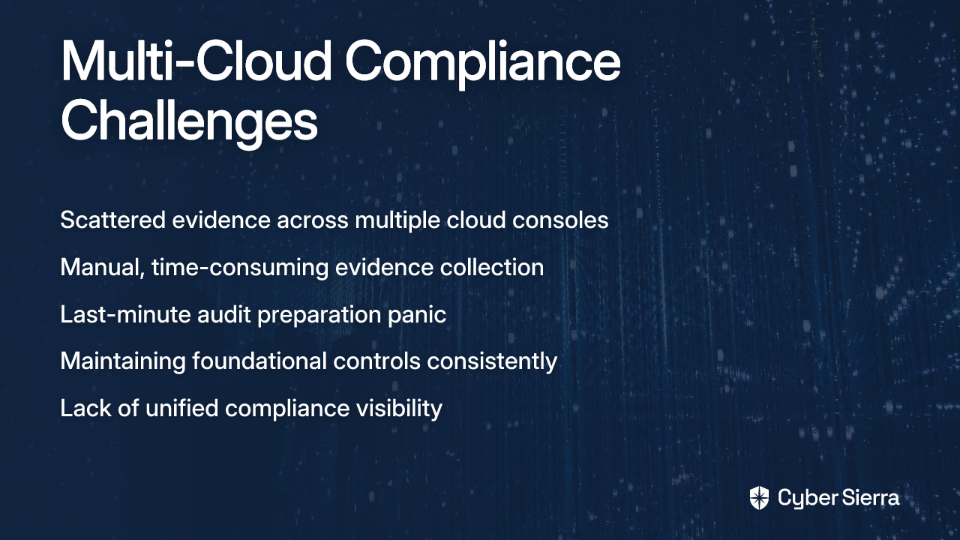
How can you manage risk for small vendors who cannot afford certifications?

Managing risk for smaller vendors without certifications like SOC 2 requires a risk-based approach. First, segment vendors based on the criticality of the data they access. For lower-risk vendors, you may formally accept the risk while documenting the decision and implementing compensating internal controls. For higher-risk vendors, you can use continuous monitoring tools to gain objective insights into their security posture, even in the absence of formal certification.

blog-hero-background-image
Cyber Security

Top Audit Readiness Tools for IT Compliance Managers in 2025

backdrop
Table of Contents

Join thousands of professionals and get the latest insight on Compliance & Cybersecurity.


You're on another call with an engineer who doesn't "speak GRC," trying to explain what evidence you need and why you need a timestamped screenshot of a specific configuration. Meanwhile, your inbox is filling with audit requests, and the deadline is approaching. Sound familiar?
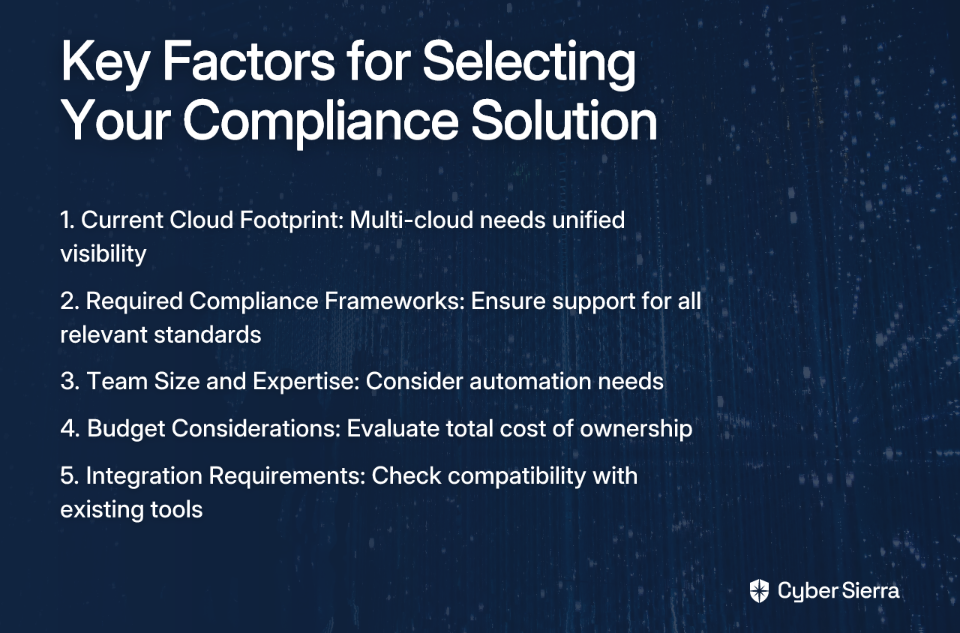
"The most painful part of an audit is typically evidence gathering. You end up on long calls with engineers who may or may not speak GRC and hope they remember where to find a config and take a screenshot with a time stamp. It's painful and sucks up a lot of time, especially when you're running lean teams." - Reddit user in r/cybersecurity

This scenario plays out in organizations worldwide, with concerning implications. According to one study, 32% of businesses face over $1 million in audit-related financial liabilities, and 31% require more than 10 people just for audit-related tasks.

The good news? Modern audit readiness tools can transform this experience. While they aren't a magic bullet—as one compliance professional noted, they "cannot 'do' the work for you for most parts" (Source)—they can significantly reduce your workload. By some estimates, these tools can "lighten your load by a factor of 30-40%" for small to midsize businesses.

This guide will cut through the marketing noise to help you identify the best audit readiness tools for 2025, focusing on features that solve the most significant compliance challenges.

The Core Challenge of Modern Audit Readiness: Beyond Spreadsheets

The Evidence Collection Nightmare

If you're still managing compliance with spreadsheets and manual processes, you're likely familiar with the routine: chasing different teams for screenshots, dealing with inconsistent evidence formats, lacking a central repository, and constantly worrying about human error. This approach not only consumes valuable time but also increases the risk of missing critical compliance gaps.

Persistent Audit Fatigue and Spiraling Costs

The continuous cycle of preparation, auditing, and remediation leads to burnout among IT and security teams. When you're allocating 10+ people to audit-related tasks (as 31% of companies do), you're diverting significant resources from innovation and core business functions.

The Blind Spots of Point-in-Time Assessments

Traditional compliance methods offer only a snapshot of your security posture. A control that was compliant yesterday could be misconfigured today, leaving your organization exposed until the next manual check. In today's rapidly evolving threat landscape, these blind spots represent unacceptable risk.

The Growing Threat of Supply Chain Risk

In our interconnected world, your compliance posture is only as strong as your weakest vendor. Supply chain attacks are increasing, making Third-Party Risk Management (TPRM) a critical component of any comprehensive audit readiness strategy.

Essential Features in an Audit Readiness Tool

Before examining specific solutions, let's establish what features a modern audit readiness tool should include:

1. Continuous Control Monitoring (CCM)

This is the cornerstone feature that transforms compliance from a periodic, stressful event to an ongoing, manageable state. CCM is defined as "an automated process that constantly observes an organization's IT systems to detect security threats, performance issues, or compliance problems in real time".

2. Automated Evidence Collection

This directly addresses the number one pain point reported by compliance professionals. Your tool should have a robust integration ecosystem that connects with cloud providers (AWS, Azure, GCP), identity providers (Okta), code repositories (GitHub), and other critical systems to pull evidence automatically, eliminating those tedious manual requests.

3. Multi-Framework Support and Control Mapping

An effective solution should support multiple frameworks out-of-the-box (SOC 2, ISO 27001, PCI DSS, HIPAA, NIST) and allow you to map a single piece of evidence or control to requirements across multiple frameworks. This "test once, comply many" approach dramatically improves efficiency.

4. Centralized Dashboards and Audit-Ready Reporting

Your tool should provide a single source of truth with real-time dashboards showing your organization's compliance posture. It should also generate comprehensive reports that can be shared directly with auditors, simplifying communication and reducing back-and-forth.

5. Integrated Third-Party Risk Management (TPRM)

Look for features like automated vendor assessments, risk scoring, and continuous monitoring of vendor security posture to ensure your supply chain doesn't become your compliance Achilles' heel.

6. Policy Management and Audit Trails

The solution should act as a central repository for policies and procedures and maintain detailed, immutable audit logs of all compliance activities (control changes, evidence submission, etc.).

Top Audit Readiness Tools for 2025: A Comparative Look

All-in-One GRC & Compliance Automation Platforms

These tools aim to be a single pane of glass for all compliance and risk activities.

Cyber Sierra

Description: An AI-enabled cybersecurity platform that simplifies and automates security compliance through a unified suite of tools.

Key Strengths:

  • True Continuous Control Monitoring: Provides ongoing, near real-time visibility into security controls, building a central repository to proactively fix gaps (Source).
  • Automation-First GRC: Automates data collection, risk assessments, and reporting for frameworks like SOC 2, ISO 27001, and HIPAA, directly targeting audit fatigue (Source).
  • Integrated Platform: Uniquely combines GRC with Third-Party Risk Management (TPRM), Threat Intelligence, and Employee Security Training for a holistic approach to risk.

Ideal For: Organizations seeking to mature their GRC program by moving from manual checks to proactive, continuous, and automated risk management across their entire digital ecosystem.

Drata

Description: A well-known leader in continuous compliance automation, particularly for cloud-native and SaaS companies.

Key Features: Centralized audit hub, automated workflows, strong integration library.

Considerations: Can have a steep learning curve, according to some market analyses (Source).

Scrut Automation

Description: A platform focused on streamlining audit preparation through deep automation.

Key Features: Automated evidence collection from over 100 integrations, continuous monitoring, and support for 50+ frameworks. Claims to reduce audit prep time by over 70% (Source).

Vanta

Description: Another popular choice for compliance automation, often compared with Drata.

Considerations: Strong on core compliance management but may have less mature features for continuous monitoring of third-party risks compared to specialized TPRM tools (Source).

Enterprise & Customizable Risk Platforms

These platforms are often suited for larger organizations with complex, unique processes.

AuditBoard

Description: An auditor-built platform focused on simplifying audit, risk, and compliance workflows.

Pros: Intuitive user interface and strong expert support.

Cons: Can be more expensive and offer limited customization compared to other enterprise tools (Source).

LogicGate Risk Cloud

Description: A highly flexible, no-code platform that allows companies to build and customize their own GRC applications.

Pros: Extremely customizable to fit unique business processes.

Cons: May have some features still under development (Source).

Specialized Monitoring & Management Tools

These tools excel in a specific domain of audit readiness.

UpGuard

Description: A leading solution for Third-Party Risk Management (TPRM) and attack surface management.

Key Features: Provides security ratings to quantify vendor risk and uses AI-enhanced security questionnaires to automate due diligence (Source).

How to Choose the Right Tool for Your Organization

Step 1: Process First, Technology Second

Before you buy any tool, map and streamline your existing GRC processes. As highlighted in Cyber Sierra's analysis of GRC solutions, "automating a broken process only creates faster problems" (Source). Invest time in understanding your current workflows and pain points.

Step 2: Define Your Compliance Scope

Are you a startup aiming for your first SOC 2, or a mature enterprise managing ISO 27001, PCI DSS, and HIPAA simultaneously? Your required frameworks will narrow the field of suitable tools.

Step 3: Map Your Integration Needs

List every critical system in your tech stack (e.g., AWS, Azure, Jira, Slack, GitHub). The right tool must have robust, pre-built integrations for these systems to enable true automation.
Step 4: Calculate the Total Cost of Ownership (TCO)

Look beyond the sticker price. As one Reddit user noted, "you still need someone to configure and maintain these tools" (Source). Factor in implementation fees, training time, and the internal resources required to manage the platform.
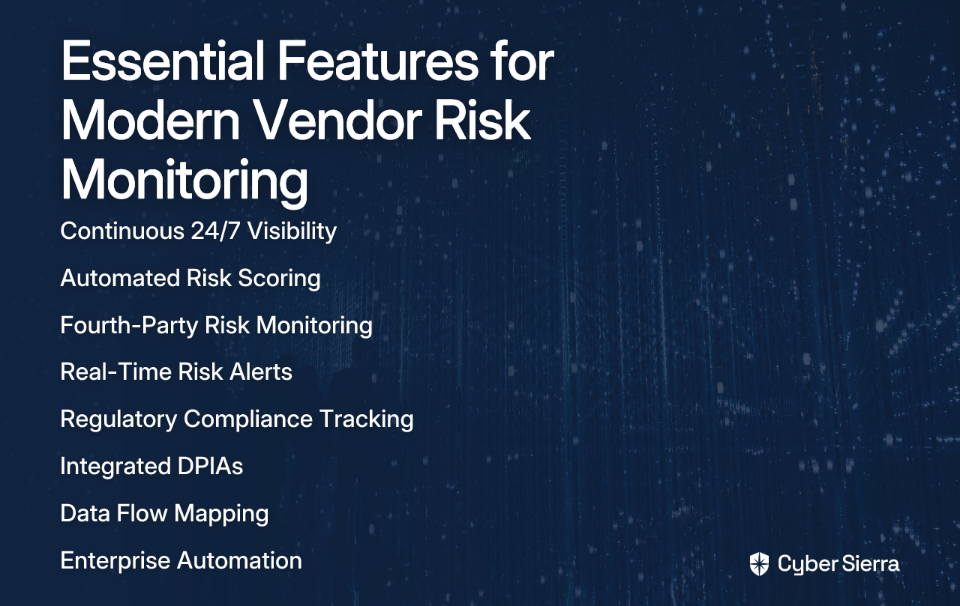
Step 5: Prioritize User Experience (UX)

A clunky interface will lead to poor adoption. Request demos and choose a tool with an intuitive dashboard that provides clear, actionable insights.

Conclusion: From Audit Scramble to Continuous Compliance

The era of managing compliance with spreadsheets and last-minute scrambles is over. The risks are too high, and the manual effort is unsustainable. As one security professional advised, "You need to do this about a year to 8 months before major audits to avoid the scramble" (Source).

Modern audit readiness tools transform compliance from a painful, periodic event into a continuous, automated state of readiness. Their real value isn't just easier audits, but a fundamentally stronger and more resilient security posture. As one enthusiastic compliance manager put it: "What took days now takes minutes" (Source).

Evaluate your own audit preparation processes against the features we've discussed. Platforms like Cyber Sierra, with their focus on continuous monitoring and integrated risk management, offer a clear path to leaving audit fatigue behind and embracing proactive compliance in 2025.

While no tool can completely eliminate the work of compliance (especially for process-heavy frameworks like ISO 27001), the right solution can transform your approach from reactive scrambling to proactive management—and that's a change worth making.

Frequently Asked Questions

What is an audit readiness tool?

An audit readiness tool is a software platform designed to automate and streamline the process of preparing for security and compliance audits. It helps organizations by continuously monitoring their systems, automatically collecting evidence, managing policies, and generating audit-ready reports. This replaces manual, error-prone methods like spreadsheets, reducing the time and effort required to prove compliance with frameworks such as SOC 2, ISO 27001, and HIPAA.

Why is continuous control monitoring (CCM) so important?

Continuous control monitoring (CCM) is important because it transforms compliance from a periodic, point-in-time assessment into a real-time, ongoing process. Instead of discovering a misconfiguration during a stressful pre-audit scramble, CCM automatically and constantly checks your security controls against compliance requirements. This allows you to identify and fix gaps as they occur, maintaining a consistently strong security posture and ensuring you are always prepared for an audit.

Can an audit readiness tool fully automate compliance?

No, an audit readiness tool cannot fully automate compliance, but it can significantly reduce the manual workload. These tools excel at automating technical evidence collection and continuous monitoring. However, compliance also involves crucial human-led activities, such as defining policies, managing risk, and implementing procedural controls. The tool acts as a powerful assistant, handling the repetitive tasks so your team can focus on strategic GRC functions.

What is the most important feature to look for in an audit readiness tool?

The single most important feature is automated evidence collection through deep integrations with your technology stack. The primary pain point in any audit is the manual, time-consuming process of gathering evidence. A tool that can automatically connect to your cloud providers, identity systems, and code repositories to pull timestamped proof of compliance is what truly separates modern solutions from glorified spreadsheets.

How do I choose the best audit readiness tool for a small business?

To choose the best tool for a small business, prioritize solutions that offer a user-friendly interface, strong integration with your existing tech stack, and a clear total cost of ownership (TCO). Start by identifying your primary compliance goal (e.g., achieving SOC 2), list the critical systems that need integration, and choose a platform that provides clear, actionable insights without requiring a dedicated team to manage it.

toaster icon

Thank you for reaching out to us!

We will get back to you soon.