blog-hero-background-image
Cyber Security

5 Phishing Simulation Best Practices for Continuous (Not One-Off) Security
backdrop
Table of Contents

Join thousands of professionals and get the latest insight on Compliance & Cybersecurity.


Summary

  • One-off phishing simulations are ineffective for long-term behavioral change; focus on building a continuous program to foster lasting security habits.
  • Improve program effectiveness by progressively scaling simulation difficulty, testing across multiple channels like SMS and voice, and personalizing scenarios for high-risk roles.
  • Measure what matters by tracking metrics like report rates and Mean Time to Report (MTTR), which reflect true employee resilience, instead of just click rates.
  • Cyber Sierra’s Employee Security Training helps build a resilient workforce with continuous, role-based simulations and just-in-time learning.

Your annual phishing simulation ran. The click rate came back higher than expected. You scheduled remedial training, sent a reminder email, and moved on. Three months later, the same employees are failing again.

This pattern is frustratingly common. One-off simulations create temporary awareness spikes that fade within weeks, leaving the same vulnerabilities in place. The fix isn't a better template; it's a fundamentally different program design.

Here are five phishing simulation best practices for building a continuous security awareness program that drives lasting behavioral change — not just a passing score.
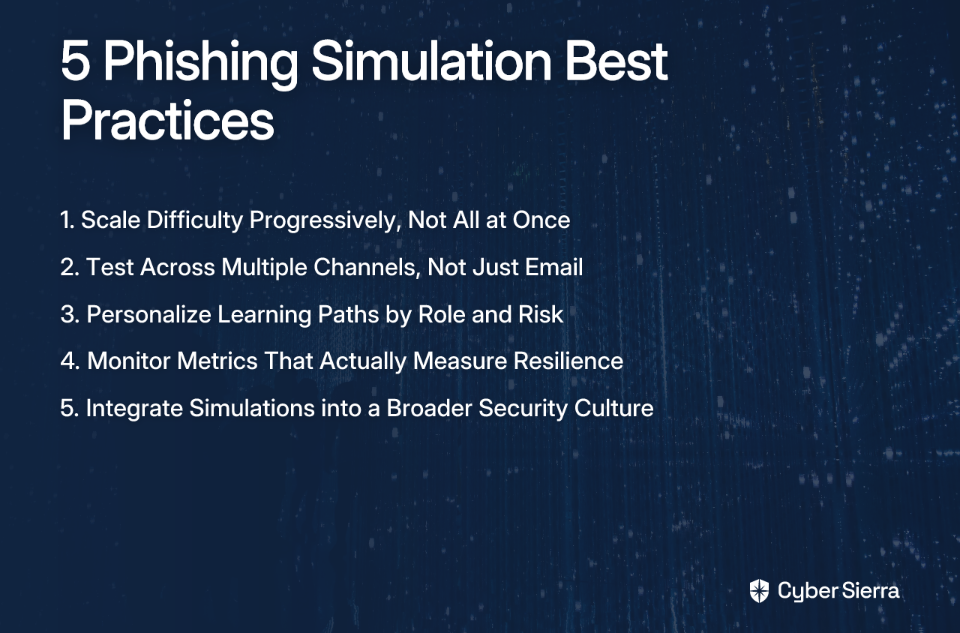
1. Scale Difficulty Progressively, Not All at Once

Dropping a sophisticated spear phishing simulation on employees who've never seen a training exercise is a fast way to generate high failure rates and demoralized staff — without much insight into where the real gaps are.

Progressive difficulty scaling starts with a baseline and builds from there. This approach keeps employees engaged and avoids the learned helplessness that comes from repeated failure on overly complex scenarios.

A structured progression using tiered templates, a practice suggested by SANS, looks like this:

  • Tier 1 — Obvious Red Flags. Start with simulations that include generic greetings, misspelled sender domains, and urgent language. These establish baseline awareness and give most employees an early win.
  • Tier 2 — Moderate Realism. Introduce branded email templates mimicking real vendors, internal IT communications, or HR announcements. Difficulty increases with visual fidelity.
  • Tier 3 — Context-Aware Scenarios. Use OSINT-informed context — industry, job function, current events — to build realistic spear phishing simulations. These mirror the actual tactics threat actors use against your organization.

TitanHQ's phishing guidance reinforces that progressive complexity is what keeps employees challenged without overwhelming them. The goal is continuous skill-building, not gotcha moments. As one practitioner shared in the thread, "We believe in continuous training with different levels of difficulty to keep users aware."

2. Test Across Multiple Channels, Not Just Email

Email phishing gets the most attention, but it's far from the only vector your employees face. A program that only tests email readiness leaves significant blind spots.

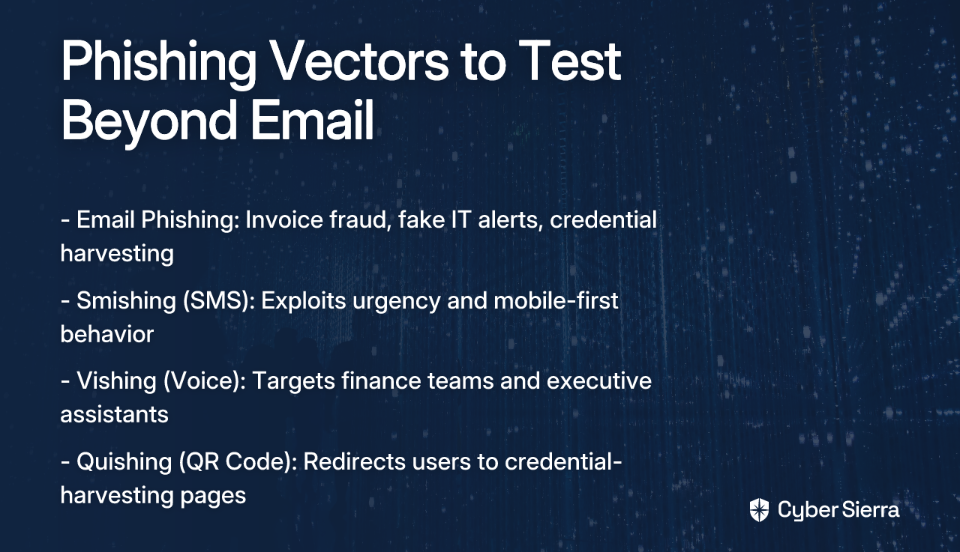
Hoxhunt's phishing simulation research highlights channel diversity as a key factor in training effectiveness. Here's what a multi-channel program covers:

  • Email phishing. The foundation. Use varied templates that mirror real campaigns observed in the wild — invoice fraud, credential harvesting, fake IT alerts.
  • SMS phishing (smishing). Simulated malicious text messages that exploit urgency and mobile-first behavior. Smishing is particularly effective at bypassing the skepticism employees apply to email.
  • Voice phishing (vishing). Simulated phone calls designed to extract credentials or wire transfer approvals. Finance teams and executive assistants are high-value targets for this vector.
  • QR code phishing (quishing). An emerging vector where malicious QR codes — embedded in printed materials, emails, or shared documents — redirect users to credential-harvesting pages.

Each channel exploits different psychological triggers and cognitive shortcuts. Testing across all of them gives you a complete picture of your organization's human attack surface, not just its inbox hygiene.
3. Personalize Learning Paths by Role and Risk

A one-size-fits-all phishing simulation treats a warehouse technician and a Chief Financial Officer (CFO) as identical security risks. They're not — and your training program shouldn't pretend otherwise.

As noted in the r/cybersecurity discussion, high-profile employees are particularly vulnerable to phishing attacks, and generic training rarely addresses their specific exposure. The C-Suite and finance teams face specific threats that generic training rarely addresses:

  • Business email compromise (BEC) attempts
  • Wire fraud scenarios
  • Executive impersonation

None of these look like the phishing emails a junior employee would receive.

Kymatio's simulation design framework recommends role-based segmentation with targeted lures:

  • Finance teams: "Urgent Unpaid Invoice" or "Payment Confirmation Required" scenarios that mimic vendor fraud tactics.
  • IT teams: "Critical System Alert" or "Password Expiry Notification" simulations that exploit their access levels.
  • Executives: Executive impersonation and fake board communication scenarios that reflect real BEC playbooks.
  • Repeat clickers: Automatically enroll them in focused remedial training — not as punishment, but as targeted intervention.

Immediate, contextual feedback matters just as much as scenario design. When an employee clicks a simulated phishing link, redirect them instantly to a micro-lesson that explains exactly which red flags they missed. SANS's phishing awareness guidance refers to this as just-in-time training — and it's one of the highest-leverage interventions in any security awareness program. The teachable moment is right after the mistake, not two weeks later in a scheduled module.
4. Monitor Metrics That Actually Measure Resilience

The click rate — the percentage of employees who clicked a simulated phishing link — is the most cited metric in phishing programs. It's also one of the least useful in isolation.

A low click rate on easy simulations tells you nothing. A high click rate on sophisticated, OSINT-informed spear phishing tells you a great deal. The metric you're tracking shapes the behavior you're incentivizing.

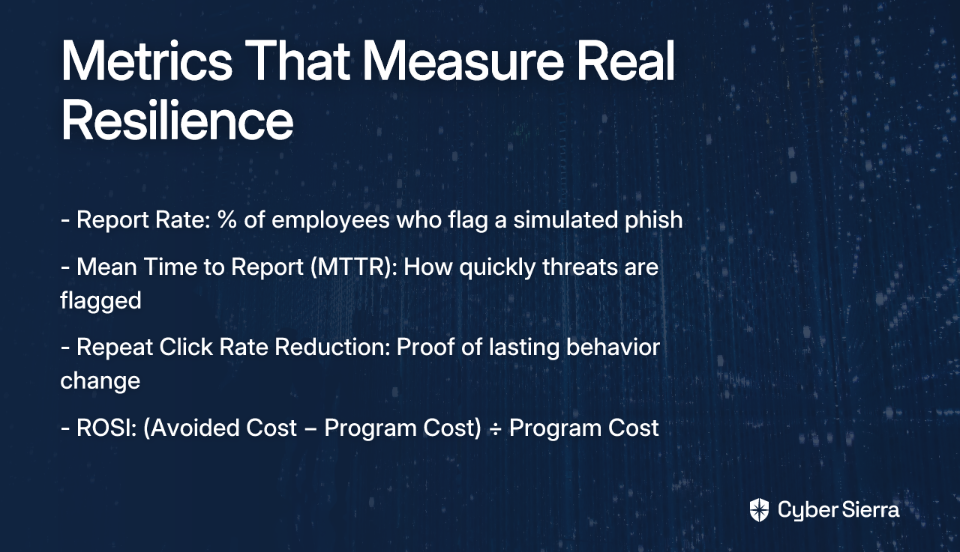
Kymatio's ROSI research identifies three metrics that actually measure program effectiveness:

  • Report rate. The percentage of employees who correctly report a simulated phish rather than ignoring or deleting it. This is the clearest signal of a healthy security culture — employees who report are actively participating in defense.
  • Mean Time to Report (MTTR). How quickly employees flag suspicious messages. A shrinking MTTR means your organization's window of exposure to real campaigns is narrowing.
  • Repeat click rate reduction. Tracking whether previously susceptible employees fail less over time. This measures whether training is producing actual behavioral change.

For business justification, map these metrics to cost avoidance using a simple ROSI calculation:

ROSI = (Avoided Cost of a Phishing Incident − Total Program Cost) ÷ Total Program Cost

IBM's Data Breach Report provides credible baseline figures for estimating avoided incident costs — using industry-recognized data makes the calculation defensible to leadership. A program that reduces your organization's phishing susceptibility from 25% to 8% represents a quantifiable reduction in breach probability, not just a compliance metric.
5. Integrate Simulations into a Broader Security Culture

Phishing simulations run in isolation — disconnected from incident response, security controls, and organizational culture — tend to produce exactly what security professionals complain about: compliance checkboxes, not behavioral change. This sentiment was echoed in a candid r/cybersecurity thread, where one security professional noted: "Honestly, KnowBe4 is more of a compliance check than a tool that helps to change the behavior of the employees."

Hoxhunt's research makes a strong case for psychological safety as the foundation of an effective program. Employees who fear being publicly shamed or penalized for clicking a simulated phish don't become more vigilant — they become more anxious and less likely to report genuine threats. The tone of the program matters as much as the content.

Practical integration steps include:

  • Reward reporting, not just correct identification. Employees who report a simulated phish — even if they clicked it first — are demonstrating exactly the behavior you want. Recognizing that behavior reinforces it. Some organizations tie reporting metrics to team-level recognition programs.
  • Connect simulation results to incident response workflows. A spike in employee reporting of suspicious emails can serve as an early warning signal for a real campaign targeting your organization. Simulation infrastructure and actual threat detection should share data, not operate in separate silos.
  • Use a maturity model to track program progress. The SANS Maturity Model provides a structured framework for assessing where your program sits — from basic compliance to a fully embedded security culture — and identifying the next improvement lever.

The underlying principle across all five practices is continuity. Phishing simulation best practices aren't checklist items you implement once — they're design decisions that compound over time. Each simulation informs the next. Each metric shapes the next campaign. Each reported phish strengthens the feedback loop between employee behavior and organizational defense.

Turn Phishing Drills Into Real Defense

Effective phishing defense is a reflex, not just a report card. Shifting from periodic tests to a continuous program builds a resilient workforce that actively identifies and flags threats as a matter of habit.

Here are the key takeaways for building a program that works:

  • Adopt a continuous model. Move away from one-off simulations and toward an ongoing program with progressively harder challenges. This builds lasting security habits.
  • Measure resilience, not just clicks. Focus on metrics like report rates and Mean Time to Report (MTTR). An employee who reports a phish is an active defender.

Your next step today: Review your last simulation report and find your top reporters. Acknowledging their effort is a powerful, low-cost way to reinforce a positive security culture.

Running a sophisticated, continuous program requires the right platform. If you’re ready to automate role-based training and get a unified view of your human risk, book a Cybersierra demo and see how Cyber Sierra turns awareness into defense.

Frequently Asked Questions

Why are our employees still failing phishing tests?

Employees often fail tests because one-off simulations create temporary awareness, not lasting behavioral change. For real improvement, a continuous program with progressively difficult scenarios, personalized training, and a focus on reporting culture is necessary.

What makes a phishing simulation program effective?

An effective program scales difficulty over time, tests across multiple channels (email, SMS, voice), personalizes content by role, and measures resilience metrics like report rates. It integrates training into a positive security culture, avoiding a "gotcha" mentality.

How often should you run phishing simulations?

The ideal frequency is continuous, not just quarterly or annually. Running smaller, targeted simulations on an ongoing basis keeps employees vigilant and allows for steady skill development without causing training fatigue.

What metrics are more important than click rate?

Focus on metrics that measure resilience, not just failure. Key indicators include the report rate (employees flagging phish), Mean Time to Report (MTTR), and the reduction in repeat click rates. These show active engagement and real behavioral improvement over time.

Should you punish employees for failing a phishing test?

No, punishment is counterproductive and creates a culture of fear, discouraging employees from reporting real threats. Instead, use failures as immediate, just-in-time training opportunities to explain the red flags they missed and reinforce positive security habits.

How can I improve my company's phishing test results?

Improve results by shifting from one-off tests to a continuous program. Start with simple simulations and gradually increase complexity. Personalize scenarios for high-risk roles like finance and executives, and provide immediate, contextual feedback after every click.
blog-hero-background-image
Cyber Security

10 Best Practices for Suspicious Login Alerts Across Multiple Cloud Platforms

backdrop
Table of Contents

Join thousands of professionals and get the latest insight on Compliance & Cybersecurity.


Summary

  • Automating alert enrichment with contextual data like IP reputation and user history can reduce the need for manual investigation from 39% to just 14%.
  • The most critical step to combat alert fatigue is establishing a documented investigation protocol that defines clear actions for every alert type and severity level.
  • Key actions include enforcing MFA universally, fine-tuning native alert policies in M365, Google Workspace, and AWS, and eliminating shared account credentials.
  • Unifying multi-cloud alerts into a single platform like Cyber Sierra's Continuous Control Monitoring provides the visibility needed for proactive, efficient risk management.

Your Google Admin Console has 847 unreviewed alerts. Your Microsoft 365 Security Center is flagging logins from three countries you've never heard of. Your AWS GuardDuty dashboard is lit up like a Christmas tree. And somewhere in the middle of all that noise is a real threat — if you can find it.

This is the daily reality for security and IT teams managing multi-cloud environments. Alert fatigue isn't just frustrating; it's driven by a flood of false positives, like employees logging in from a new location. Without a clear process, every single alert demands attention you don't have.

The result? Alerts pile up, real incidents get buried, and the anxiety of not knowing whether you've missed something critical becomes a constant background hum.

This article breaks down 10 actionable best practices for suspicious login alerts across Microsoft 365, Google Workspace, and AWS — so you can cut through the noise, build a repeatable process, and stop dreading the moment your alert queue refreshes.

10 Best Practices for Suspicious Login Alerts

1. Establish a Clear Investigation Protocol

The biggest source of alert anxiety isn't the volume — it's not knowing what to do when one lands in your queue. As one sysadmin shared, the absence of a defined process leads to alerts being ignored entirely: "I'm kinda like ghosting them and they keep piling up."

A documented investigation protocol removes that ambiguity. Every alert should have a predetermined path, not a blank stare.

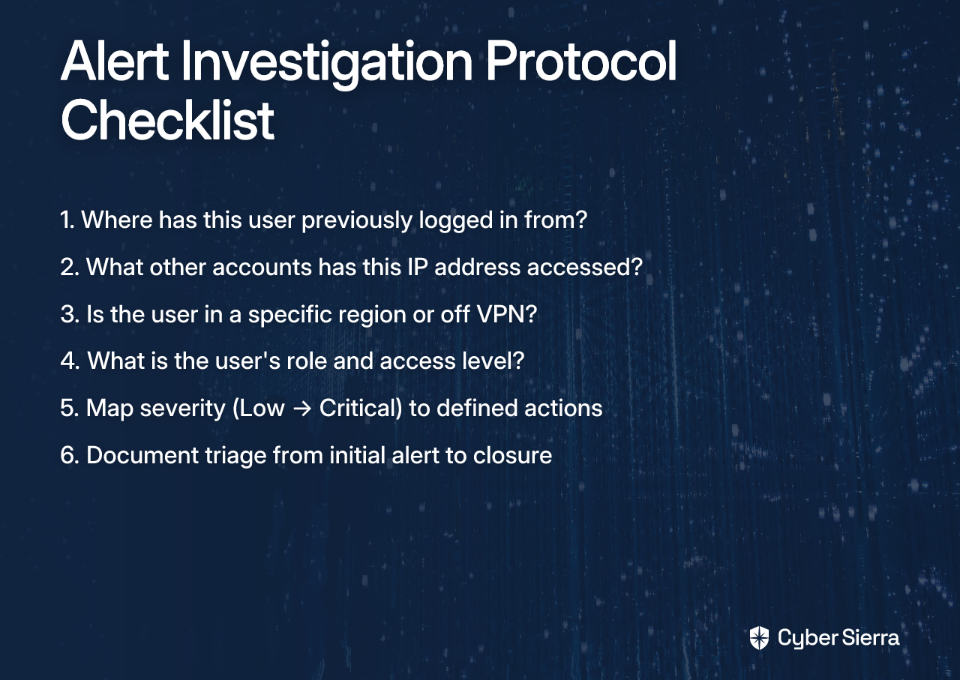
Your protocol should answer these questions for every alert, as highlighted in research from Expel:

  • Where has this user previously logged in from?
  • What other accounts has this IP address accessed?
  • Is this user in a specific region — did they forget to connect to the VPN?
  • What is the user's role and what level of access do they have?

Build a response matrix that maps severity levels (Low, Medium, High, Critical) to specific actions: contact the user, force a password reset, suspend the account, escalate to the incident response team. Document the process from initial triage to resolution and closure. This gives your team confidence and gives auditors a trail.

2. Automate Contextual Enrichment to Fight Alert Fatigue

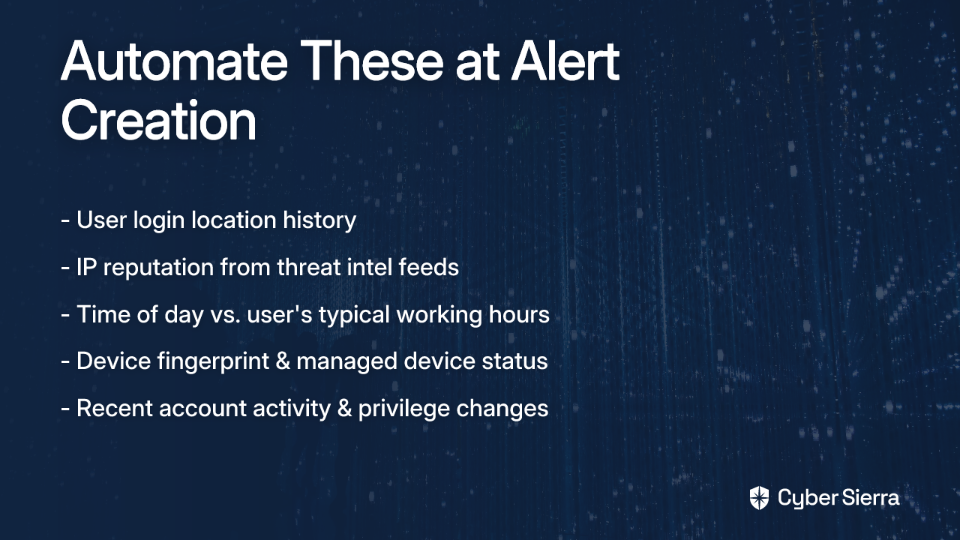
Raw alerts without context are noise. An alert that says "login from unusual location" tells you almost nothing. An alert that says "login from Lagos, Nigeria — user has never logged in outside Chicago, IP flagged in two threat intel feeds, 3 AM local time" tells you everything you need to triage in seconds.

Enrichment automation is the difference between those two scenarios. According to Expel's security operations research, automating data collection at alert time reduced the percentage of alerts requiring manual investigation from 39% to just 14% — and pushed alerts closed without investigation from 61% to 86%.

The goal is to give analysts complete context before they ever click into an alert.

3. Enforce Multi-Factor Authentication (MFA) Everywhere

Multi-factor authentication (MFA) is the single most effective control for preventing account takeovers from stolen credentials. It doesn't reduce suspicious login alerts directly — but it dramatically reduces the impact of a successful login from an unrecognized location, because the attacker still can't get in.

In Microsoft 365, configuring MFA is straightforward:

  1. Go to the Azure portal.
  2. Navigate to Azure Active Directory > Users.
  3. Select Multi-Factor Authentication and enforce it for all users — at minimum for all administrative and privileged accounts.

In Google Workspace, enroll all users in 2-Step Verification through the Admin Console > Security > 2-Step Verification. As Google's admin documentation notes, enrolling users in 2-Step Verification also reduces false positive login alerts, since a confirmed MFA challenge signals a legitimate sign-in.

In AWS, enforce MFA for all AWS Identity and Access Management (IAM) users — especially those with console access or administrative permissions.

No exceptions. No grace periods. MFA is table stakes.

4. Fine-Tune Alert Policies in Microsoft 365

Out-of-the-box alert policies in Microsoft 365 are deliberately broad. They're designed to catch everything — which means they catch a lot of things that aren't threats. Customizing these policies to match your organization's risk profile is essential for reducing false positives without missing real incidents.

To configure alert policies, according to Microsoft 365 best practices:

  1. Access the Microsoft 365 Security and Compliance Center.
  2. Navigate to Alerts > Alert policies.
  3. Create or modify policies for the events that matter most to your environment:
    • Logins from unusual or suspicious geographic locations
    • Logins outside business hours for privileged accounts
    • Excessive failed login attempts
    • Impossible travel events (login from two geographically distant locations within a short timeframe)

Beyond alerts, regularly review your Microsoft Secure Score in the Microsoft 365 Security Center. It provides prioritized, tailored recommendations for improving your security posture based on your current configuration — a useful tool for ongoing tuning.

5. Leverage Login Audit Logs in Google Workspace

Google Workspace captures rich security data that many organizations never actively monitor. The Login Audit Log records every sign-in event — including flagged anomalies — and allows you to create custom alerts directly from filtered results.

To set up a suspicious login alert in Google Workspace:

  1. In the Google Admin Console, navigate to Reports > Audit Log.
  2. Select Login Audit.
  3. Filter for the event name "Suspicious Login" — this event fires when a user logs in from an unrecognized IP address or fails a security challenge.
  4. Click the bell icon to create a custom alert from the filtered view.
  5. Add email recipients who should be notified immediately when the event triggers.

This takes less than ten minutes to configure and closes a significant visibility gap for organizations relying solely on default notifications.

6. Use Amazon GuardDuty for Behavioral Anomaly Detection in AWS

Standard log monitoring in AWS tells you what happened. Amazon GuardDuty tells you what's abnormal.

GuardDuty continuously analyzes AWS CloudTrail logs, VPC Flow Logs, and DNS logs using machine learning to build a baseline of normal behavior — then flags deviations. According to AWS security blog research, this approach reduces false alarms by over 50% while expanding threat coverage by over 300% compared to rule-based approaches alone.

Key finding types to prioritize when reviewing GuardDuty alerts:

  • Discovery. Reconnaissance activities suggesting an attacker is mapping your environment.
  • Initial Access. Attempts to establish an unauthorized foothold.
  • Privilege Escalation. Attempts to gain higher-level IAM permissions.
  • Credential Access. Attempts to steal IAM credentials or access keys.
  • Exfiltration. Efforts to move data out of S3 buckets or other resources.

For deeper investigation, integrate GuardDuty findings with Amazon Detective, which provides visualized timelines of user and resource interactions to help analysts understand the full scope of a suspected incident.

7. Fix Shared Account Configurations

Shared accounts are one of the most consistent sources of unnecessary suspicious login alerts — and one of the most avoidable. When multiple people use the same credentials, every login from a new location or device triggers an alert, and no one knows whose activity it actually represents.

The fix isn't complex; it just requires enforcing the right configurations.

  • For shared mailboxes: Use email delegation in Microsoft 365 or Google Workspace. Each user accesses the mailbox through their own authenticated account, creating a clear audit trail without sharing credentials.
  • For shared file access: Use SharePoint or Microsoft Teams (Microsoft 365) or Shared Drives (Google Workspace) instead of shared accounts.
  • For shared calendars: Use native calendar sharing features, not shared login credentials.

As the sysadmin community noted, the reaction to implementing email delegation is typically immediate: "Email delegation is making so much sense right now." It's one of those configurations that, once in place, makes you wonder why you ever did it the other way.

8. Track the Metrics That Actually Matter

Closing alerts is not the same as managing alerts well. Without measurement, you can't improve — and you can't demonstrate improvement to your manager or auditors.

Two metrics from Expel's SOC operational guidance are worth tracking consistently:

  • Percentage of alerts investigated. A high percentage means your alerting rules are too broad or your enrichment automation isn't doing enough filtering. The goal is to reduce this number over time by tuning policies and improving automation.
  • Investigation cycle time. The time from alert creation to resolution. A decreasing trend indicates your protocols and tooling are improving. A flat or increasing trend signals a process problem worth addressing.

Report these metrics monthly. Share them with leadership. They tell a story about your security operations maturity that goes well beyond "we reviewed all our alerts."

9. Integrate Alerts Into a Centralized Security Information and Event Management (SIEM) Platform

Pivoting between the Azure Security Center, Google Admin Console, and AWS GuardDuty to investigate a single incident is not a security workflow — it's a scavenger hunt. Without centralization, analysts miss cross-platform attack patterns, duplicate effort, and lose time that matters during an active incident.

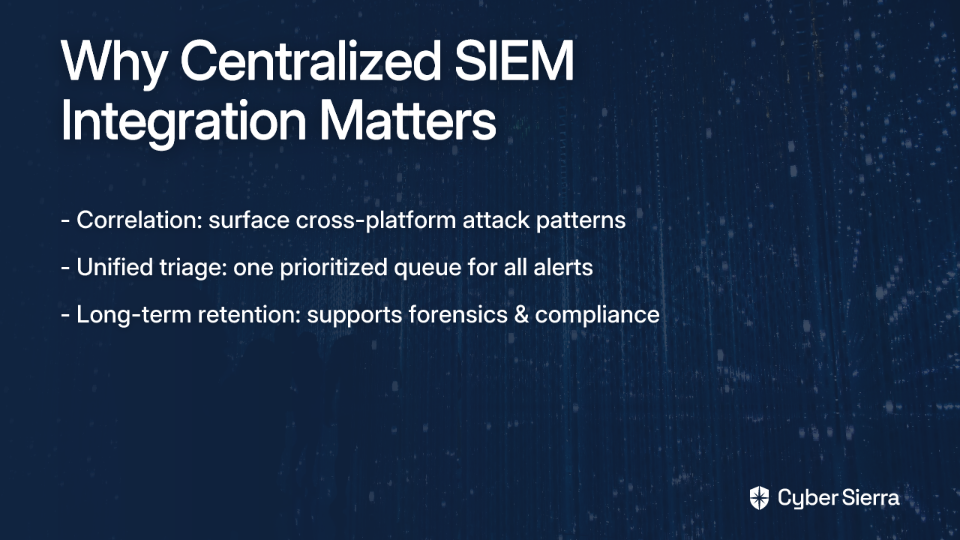
A Security Information and Event Management (SIEM) platform solves this by aggregating logs and alerts from all your cloud environments into a single queue.

The core benefits of centralized SIEM integration:

If your organization doesn't yet have a SIEM in place, this is the most operationally significant gap to address after MFA enforcement.

10. Unify Multi-Cloud Alerts Into a Single Pane of Glass

A SIEM centralizes logs. What security teams in complex multi-cloud environments ultimately need is something broader: a unified view of security posture across all environments, with standardized response workflows and continuous visibility into whether controls are actually working.

This is where fragmentation becomes a Chief Information Security Officer (CISO) problem, not just an analyst problem. Managing platform-specific alert policies, investigation workflows, and compliance evidence across Microsoft 365, Google Workspace, and AWS creates blind spots that auditors — and threat actors — will eventually find.

Cyber Sierra's CCM module addresses this directly. It aggregates alerts and control data from disparate cloud sources, normalizes them into a standardized format, and delivers a centralized view of your security posture with near real-time updates. Rather than chasing alerts across three platforms, security teams work from a single dashboard with consistent response workflows regardless of which cloud environment an alert originates from.

This shifts the operating model from reactive alert-chasing to continuous, proactive risk management — exactly the posture organizations need when their cloud footprint spans multiple providers and compliance frameworks simultaneously.

From Alert Chaos to Control

Suspicious login alerts are a data problem, not a volume problem. The teams who manage them effectively don't have fewer alerts; they have better processes for filtering signal from noise. They replace guesswork with documented protocols and manual triage with automated context.

The two most critical steps are foundational. First, establish a clear investigation protocol that defines exactly what to do for each alert type—this turns ambiguity into a repeatable workflow. Second, automate the enrichment of every alert with contextual data like user history and IP reputation. This is how you shrink a 30-minute investigation into a 30-second decision.

Your next step today: Choose your most common suspicious login alert and document a simple, five-step investigation process for your team to follow.

Once you have your processes in place, the right platform can centralize your efforts. If you're tired of chasing alerts across different cloud consoles, book your Cyber Sierra demo and see how a unified view changes everything.

Frequently Asked Questions

What is the first step to take when handling a suspicious login alert?

The first step is to follow a clear, documented investigation protocol. This protocol should guide you to check the user's login history, IP reputation, and account privileges to determine the alert's legitimacy before taking action like forcing a password reset or suspending the account.

How can I reduce the number of false positive suspicious login alerts?

You can reduce false positives by fine-tuning alert policies in platforms like Microsoft 365 and automating contextual enrichment. Add context like IP reputation and typical user work hours to alerts, which helps filter out benign events like an employee logging in while traveling.

Why is multi-factor authentication (MFA) so important for suspicious logins?

MFA is the most effective control for preventing account takeovers. While it doesn't reduce alerts, it ensures that even if an attacker uses stolen credentials for a suspicious login, they cannot gain access without the second factor, dramatically reducing the actual risk of a breach.

What is the best way to manage alerts from shared accounts?

The best way is to eliminate shared credential usage. Use platform-native features like email delegation for shared mailboxes in Microsoft 365 and Google Workspace or Shared Drives for file access. This ensures every action is tied to an individual user, creating a clear audit trail.

How does centralizing alerts help manage multi-cloud security?

Centralizing alerts with a SIEM or a continuous control monitoring (CCM) platform provides a single view for all security events. This allows analysts to spot cross-platform attack patterns, avoid duplicate work, and respond to incidents faster without switching between multiple consoles.

What metrics should I track to measure my team's effectiveness in handling alerts?

Track the percentage of alerts that require manual investigation and the average investigation cycle time (from alert to closure). A decrease in these metrics over time demonstrates that your alert tuning, automation, and investigation protocols are becoming more efficient and effective.

blog-hero-background-image
Cyber Security

3 Best Cybersecurity Compliance Software for Singapore's Regulatory Landscape (CSA, PDPA, MAS TRM)

backdrop
Table of Contents

Join thousands of professionals and get the latest insight on Compliance & Cybersecurity.


Summary

  • Singapore's overlapping regulations (CSA, PDPA, MAS TRM) create significant compliance challenges, underscored by S$4.4 million in MAS financial penalties for technology misconduct between July 2023 and December 2023.
  • Compliance automation software is essential for managing these frameworks by providing continuous control monitoring, automating vendor risk assessments, and centralizing audit evidence.
  • When selecting a tool, evaluate its native support for Singapore-specific regulations versus its focus on global standards like SOC 2 and ISO 27001.
  • For enterprises needing a unified solution for Singapore's regulatory landscape, Cyber Sierra's GRC platform is CSA-accredited and combines compliance, vendor risk, and continuous monitoring.

If your team is still tracking policies, vendor assessments, and risk registers in spreadsheets, you're not alone. Many organizations still rely on Excel to manage policies, vendor risk, and compliance. It works — until it doesn't.

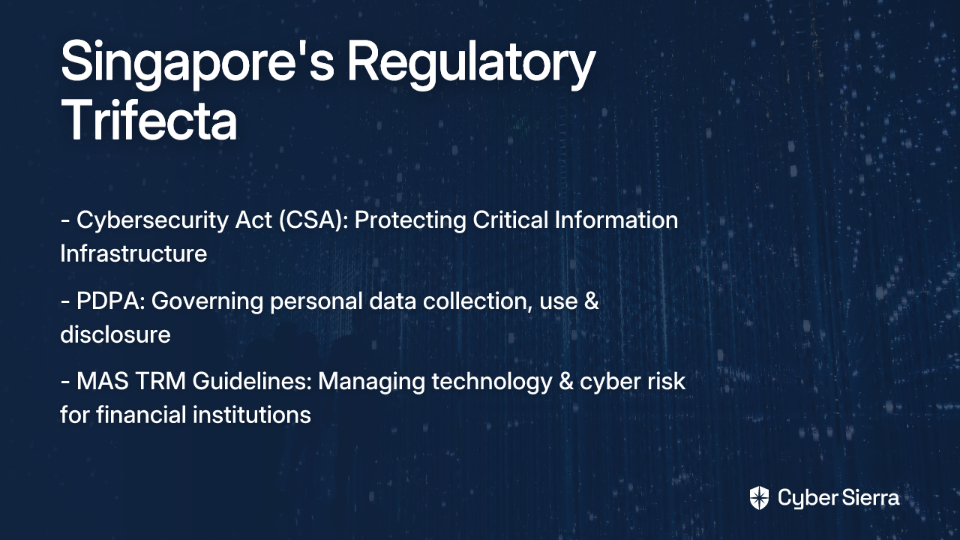
Singapore's regulatory environment makes that approach increasingly risky. Businesses here must navigate three demanding frameworks simultaneously:

  • The Cybersecurity Act enforced by the Cyber Security Agency of Singapore (CSA)
  • The Personal Data Protection Act (PDPA)
  • The Monetary Authority of Singapore's (MAS) Technology Risk Management (TRM) Guidelines

Each carries real enforcement teeth, and their requirements overlap in ways that create hidden compliance gaps.

This article breaks down the three best cybersecurity compliance software platforms for handling Singapore's regulatory trifecta — so you can stop firefighting and build a program that actually holds up under scrutiny.

Why Compliance Software Is Crucial for Singapore's Regulatory Trio

Managing these frameworks manually isn't just inefficient — it creates structural blind spots. Here's what each regulation demands and where software makes the difference.

Navigating the Cybersecurity Act (CSA)

The Cybersecurity Act establishes Singapore's legal framework for protecting Critical Information Infrastructure (CII) — the systems underpinning essential services in banking, healthcare, energy, and other sectors. CII owners are required to proactively protect their systems, report incidents promptly, and participate in exercises conducted by the CSA.

The 2024 amendments expanded these obligations significantly. They introduced oversight over Entities of Special Cybersecurity Interest (ESCI) and Foundational Digital Infrastructure (FDI), and broadened incident reporting requirements to include supply chain-related incidents.

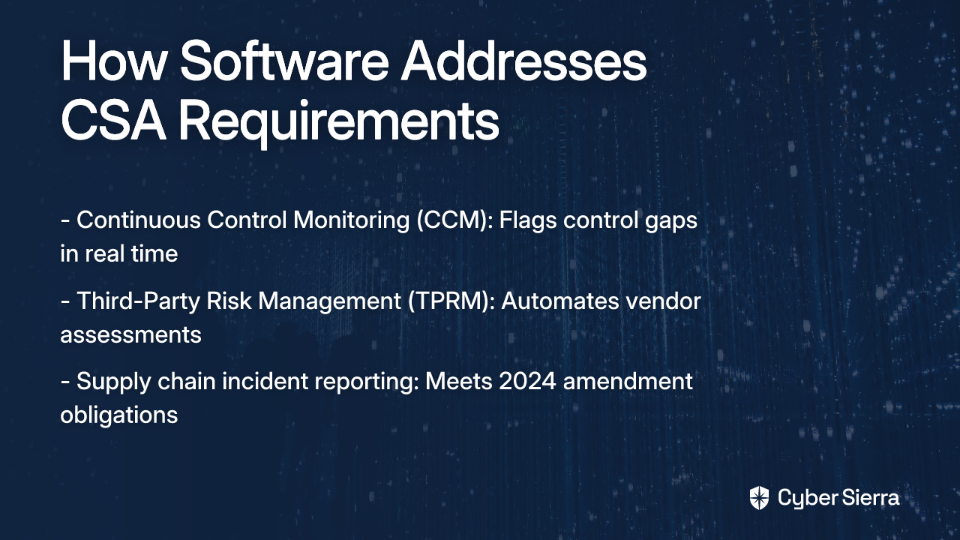
Compliance software helps here in two specific ways:

  • Continuous Control Monitoring (CCM). Provides ongoing visibility into the security posture of systems in scope for the Act, flagging control gaps before regulators (or threat actors) find them first.
  • Third-Party Risk Management (TPRM). Automates vendor assessments and continuous monitoring, directly addressing the supply chain reporting obligations introduced by the 2024 amendments.

Meeting Personal Data Protection Act (PDPA) Obligations

The PDPA applies to every private sector organization operating in Singapore that collects, uses, or discloses personal data. Its core requirements — consent before collection, purpose limitation, data retention limits, and robust security measures — demand that organizations know exactly where personal data lives and who can access it.

The challenge is that personal data tends to sprawl. It ends up in cloud storage, HR systems, CRM platforms, and vendor databases simultaneously. Compliance software solves this by centralizing policy management, mapping controls to PDPA obligations, and providing continuous access control monitoring to ensure only authorized personnel reach sensitive data.

Implementing the MAS Technology Risk Management (TRM) Guidelines

The MAS TRM Guidelines set detailed expectations for financial institutions (FIs) on managing technology and cyber risk. While technically guidelines rather than law, MAS enforces them with notable force — between July 2023 and December 2023, MAS took 163 enforcement actions for technology-related misconduct, resulting in S$4.4 million in financial penalties and S$7.16 million in civil penalties.

A Governance, Risk, and Compliance (GRC) platform automates several of the most labor-intensive implementation steps:

  • Conducting systematic technology risk assessments with documented workflows
  • Continuously testing controls related to access management, change management, and system availability
  • Managing and monitoring third-party vendor risks — a core focus area of MAS TRM
  • Generating real-time dashboards and audit-ready reports to demonstrate continuous improvement

The 3 Best Cybersecurity Compliance Platforms for Singapore

The platforms below were selected based on their ability to address Singapore's specific regulatory requirements, their approach to automation and continuous monitoring, and practical feedback from the cybersecurity community.

1. Cyber Sierra

Best for: Enterprises in regulated industries — particularly BFSI and HealthTech — that need a unified platform to manage GRC, vendor risk, and continuous monitoring across Singapore-specific and global frameworks simultaneously.

Supported frameworks: CSA Cybersecurity Act, PDPA, MAS TRM (via custom controls), plus built-in support for SOC 2, ISO 27001, HIPAA, PCI DSS, GDPR, and NIST CSF.

Deployment: Cloud-based SaaS.

Cyber Sierra is an AI-enabled cybersecurity compliance platform built to handle exactly the kind of multi-framework complexity that defines the Singapore regulatory landscape. It is accredited by the Cyber Security Agency of Singapore as a trusted service provider and is part of the IMDA Spark Programme — two indicators of direct alignment with Singapore's national cybersecurity priorities. It was also recognized as a Sample Vendor in the Gartner® Hype Cycle™ for Cyber-Risk Management, 2024.

What sets it apart from narrower compliance tools is the unified platform approach. Instead of stitching together separate tools for GRC, vendor management, and control monitoring, Cyber Sierra handles all three — along with threat intelligence and employee security training — from a single dashboard. For teams managing the overlapping demands of MAS TRM, PDPA, and the CSA simultaneously, that consolidation directly addresses the tool sprawl and compliance fatigue that make multi-framework programs so draining.

Key features:

  • Unified GRC, TPRM, and CCM. The GRC module manages internal controls and audit workflows across multiple frameworks, while the TPRM module automates vendor onboarding, assessment, and continuous monitoring — critical for meeting both MAS TRM third-party requirements and the CSA's supply chain incident obligations.
  • Continuous control monitoring. Provides near real-time visibility into control effectiveness, automatically generating audit-ready evidence and flagging exceptions as they occur rather than at point-in-time assessments.
  • AI-enabled risk intelligence. Uses AI to detect control breaks, identify anomalies, and deliver prioritized remediation guidance — reducing the analysis burden on lean security teams.
  • CSA accreditation and local recognition. As a winner of Singapore's AI Innovation Awards 2024 (presented by MCI, DISG, SNDGO, and Google Cloud), Cyber Sierra brings demonstrated credibility in the local market.

Cyber Sierra offers flexible plans tailored to enterprise needs — visit the pricing page for details.

2. Vanta

Best for: Fast-growing tech companies and global enterprises that prioritize deep automation and a broad integration ecosystem for frameworks like SOC 2 and ISO 27001.

Supported frameworks: SOC 2, ISO 27001, GDPR, HIPAA, PCI DSS. Singapore-specific frameworks require customization.

Deployment: Cloud-based SaaS.

Vanta has established itself as a well-regarded platform in the compliance automation space. As one user noted, "I currently use Vanta and I have been impressed with the platform." Its core strength is automated evidence collection — it connects with hundreds of cloud services, developer tools, and HR systems to pull control evidence continuously, keeping teams in a near-constant state of audit readiness.

Key features:

  • Extensive integration library. Pulls evidence automatically from a wide range of infrastructure and SaaS tools, reducing manual evidence gathering significantly.
  • Continuous monitoring. Provides real-time compliance status dashboards against selected frameworks, surfacing gaps before they become audit findings.
  • Auditor collaboration portal. Gives external auditors direct access to controls and evidence, streamlining the audit review process.

For organizations in Singapore, Vanta's framework coverage is strong for global standards but will require custom controls to map to CSA, PDPA, and MAS TRM requirements specifically.

3. Sprinto

Best for: Small to medium-sized businesses (SMBs) and startups that need a cost-effective path to SOC 2 or ISO 27001 certification without a large compliance team.

Supported frameworks: SOC 2, ISO 27001, GDPR, HIPAA, PCI DSS. Adaptable for additional requirements.

Deployment: Cloud-based SaaS.

Sprinto is frequently recommended in compliance communities for organizations where budget is a primary constraint. As noted in the same Reddit thread, it's one of the go-to suggestions when cost is a concern. It focuses on accelerating the certification process for popular frameworks through guided, checklist-driven implementation — making it accessible for teams that are earlier in their compliance journey.

Key features:

  • Guided implementation. A structured, step-by-step workflow helps teams implement controls and policies from the ground up, useful for organizations with limited prior GRC experience.
  • Entity-level checks. Automates compliance checks across infrastructure, personnel onboarding, and vendor configurations to maintain consistent coverage.
  • Integrated security awareness training. Includes built-in training modules to satisfy employee education requirements common across multiple frameworks.

As with Vanta, Sprinto's out-of-the-box framework coverage focuses on globally recognized standards. Mapping to Singapore-specific regulations like PDPA and MAS TRM will require additional configuration work.

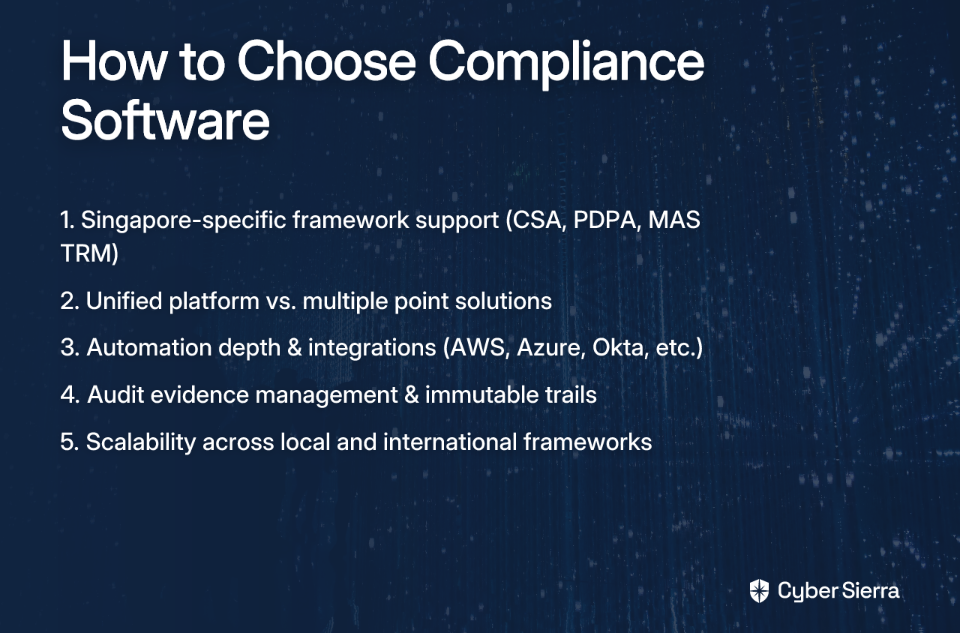
How To Choose the Right Compliance Software for Your Needs

Before committing to any platform, it's worth asking the question raised in practitioner discussions: make sure your process is solid before investing in a dedicated solution. A tool won't fix an undefined compliance program — it will just automate the confusion faster.

Here's what to evaluate once you're ready to invest:

Here's a quick side-by-side comparison of how the three platforms stack up across key dimensions:

FeatureCyber SierraVantaSprinto
CSA / PDPA / MAS TRM support✅ (native + custom)❌ (custom only)❌ (custom only)
Continuous control monitoringLimited
Third-party risk managementLimited
GRC automation
Threat intelligence
Employee security training
CSA Singapore accreditation
Best forEnterprises in regulated industriesTech companies, global enterprisesSMBs and startups

Unify Your Singapore Compliance Strategy

Navigating Singapore's overlapping CSA, PDPA, and MAS TRM regulations isn't just complex—it's unsustainable with manual tools. Spreadsheets create blind spots and can't keep up with real-time risks, leaving your organization exposed. The solution is shifting from periodic, manual checks to continuous, automated compliance. This means getting real-time visibility into your controls and streamlining vendor risk management to meet modern supply chain requirements.

Your next step today? Pinpoint the single biggest compliance bottleneck in your current workflow—whether it's vendor assessments or audit evidence gathering. Once you know the problem, you can find a tool built to solve it.

If you're ready to consolidate GRC, vendor risk, and continuous monitoring into a single source of truth, book a personalized demo and see how our CSA-accredited platform streamlines Singapore-specific compliance.

Frequently Asked Questions

What is cybersecurity compliance software?

Cybersecurity compliance software helps organizations automate the process of meeting regulatory requirements like CSA, PDPA, and MAS TRM. It centralizes control management, monitors systems continuously, and simplifies audit preparation, replacing manual spreadsheets with an efficient system.

Why is compliance software essential for Singaporean businesses?

Compliance software is essential in Singapore to manage the overlapping demands of the Cybersecurity Act (CSA), PDPA, and MAS TRM guidelines simultaneously. It reduces the risk of non-compliance, automates evidence collection, and provides a unified view of your security posture across all three frameworks.

How does compliance software help with PDPA obligations?

Compliance software helps with PDPA by mapping controls directly to its requirements, managing data protection policies, and monitoring access to personal data. This ensures data is collected, used, and stored according to the act's consent, purpose, and security obligations.

Can I manage CSA, PDPA, and MAS TRM with a single tool?

Yes, a unified Governance, Risk, and Compliance (GRC) platform allows you to manage CSA, PDPA, and MAS TRM requirements from a single dashboard. This approach consolidates control monitoring and reporting, eliminating the need to juggle multiple point solutions and spreadsheets.

What is the main difference between platforms like Cyber Sierra, Vanta, and Sprinto for Singapore?

The main difference is local framework support. Cyber Sierra is built to handle Singapore's specific CSA, PDPA, and MAS TRM regulations out-of-the-box. Vanta and Sprinto are strong for global standards like SOC 2 and ISO 27001 but require custom configuration for local compliance needs.

What should I consider before buying compliance software?

Before buying, ensure your internal compliance processes are clearly defined. Then, evaluate software based on its support for Singapore-specific frameworks (CSA, PDPA), its level of automation and integration capabilities, and its ability to scale as your compliance needs grow.

blog-hero-background-image
Cyber Security

TPRM Platform Comparison 2026: Cyber Sierra vs UpGuard vs Prevalent

backdrop
Table of Contents

Join thousands of professionals and get the latest insight on Compliance & Cybersecurity.


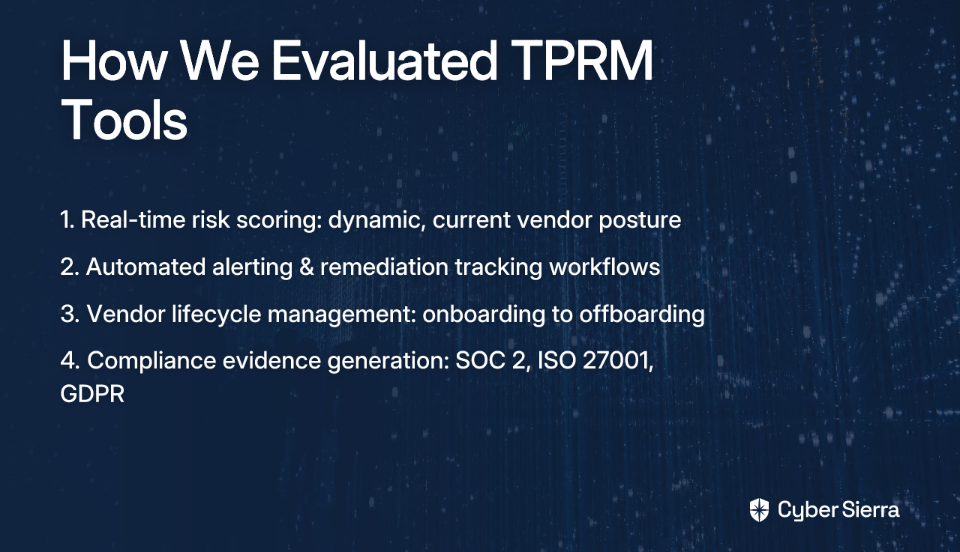
You've identified a risky vendor. Your assessment tool flagged it. And then — nothing. No enforcement mechanism, no remediation tracking, and no way to know if the vendor ever fixed the issue. For many security teams, the feeling is one of being helpless even after doing the work.

That frustration is common. Third-Party Risk Management (TPRM) is one of the most operationally demanding areas in cybersecurity, and many platforms make it harder, not easier. Overly complex questionnaires, incomplete remediation tracking, shallow assessments, and tools that don't integrate with the rest of the Governance, Risk, and Compliance (GRC) stack are recurring complaints among security teams.

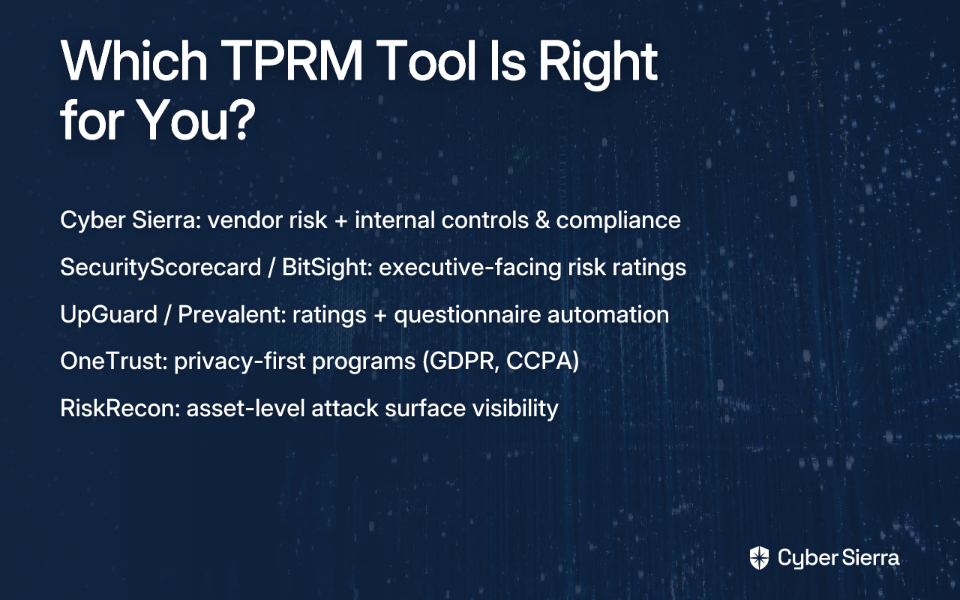
This article compares three third-party risk management platforms that are getting serious attention in 2024 — Cyber Sierra, UpGuard, and Prevalent — across the dimensions that matter most when you're in late-stage vendor evaluation.

What To Look For in a Modern TPRM Platform

Before diving into the platforms themselves, it's worth establishing the evaluation criteria. Not all TPRM tools are built the same — and what you prioritize depends on your threat model, your team's capacity, and how mature your security program is.

Here's what separates platforms that actually move the needle from those that just check a procurement box:

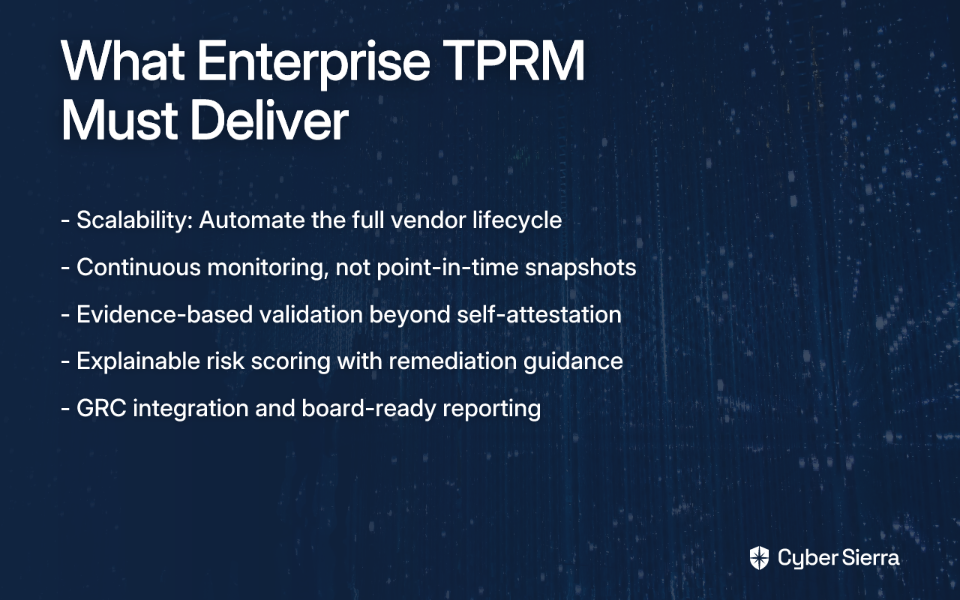
  • Continuous monitoring. Point-in-time questionnaires go stale the moment a vendor submits them. Platforms that monitor vendor security posture on an ongoing basis give you a far more accurate picture of actual risk — and let you respond before a vendor issue becomes your breach.
  • Assessment depth. A surface-level security rating is a starting point, not a conclusion. Strong platforms combine external attack surface signals with structured questionnaires and business context — so your assessment reflects both what a vendor claims and what their infrastructure actually shows.
  • Automation and AI. Manual TPRM doesn't scale. When you're managing 50–500+ vendor relationships, automation becomes table stakes: automated questionnaire dispatch, AI-assisted response analysis, and risk scoring that doesn't require a full analyst workday per vendor.
  • Remediation tracking. Identifying risk without tracking its resolution is theater. A mature TPRM platform needs collaborative remediation workflows — so you can assign action items, set SLAs, and confirm that issues are actually closed.
  • GRC integration. The most advanced programs don't treat TPRM as a silo. Vendor risk data should feed into your broader compliance posture, informing control gaps and audit evidence alongside your internal controls. As Gartner notes, continuous monitoring and integration with broader risk management capabilities are becoming standard expectations in this market.

TPRM Platform Comparison: Cyber Sierra vs UpGuard vs Prevalent

Here's a detailed look at each platform against these criteria.

1. Cyber Sierra

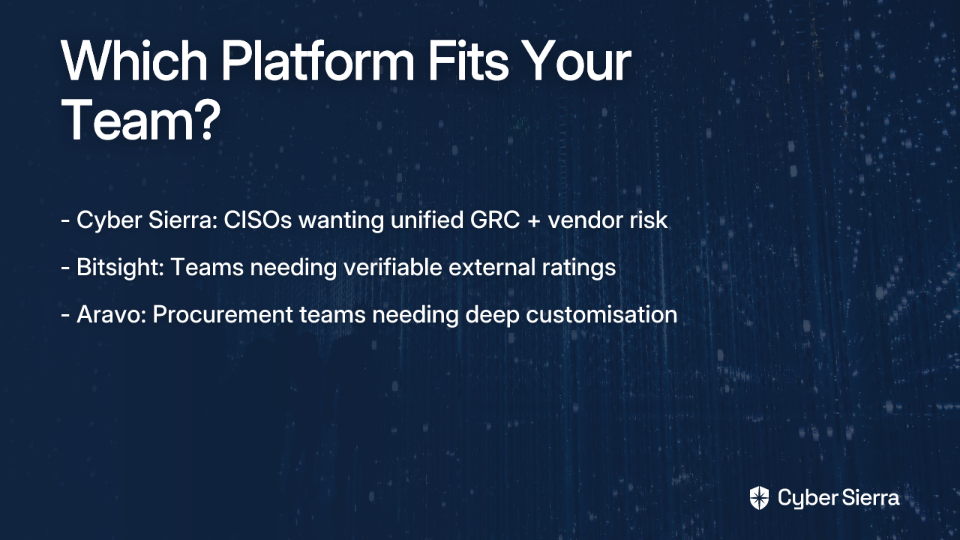
Best for: Enterprises that want TPRM integrated with their internal GRC, Continuous Control Monitoring (CCM), and threat intelligence — not a standalone tool.

Key differentiator: A unified cybersecurity platform where vendor risk and internal control health live in the same environment.

Deployment: Cloud-based SaaS.

Supported frameworks: SOC 2, ISO 27001, HIPAA, PCI DSS, GDPR, NIST CSF, and custom frameworks.

Cyber Sierra's TPRM module is designed to move beyond the traditional questionnaire-and-wait model. It automates vendor assessments, prioritizes vendor inventory by risk level, and provides near real-time visibility into vendor security compliance — 24/7, not just at onboarding.

What distinguishes Cyber Sierra from the other platforms in this comparison is its platform depth. TPRM doesn't operate in isolation here. It connects directly with the Continuous Control Monitoring module, meaning you can correlate a vendor's security gaps with your own internal control posture. If a vendor handles data protected under ISO/IEC 27001:2022 or HIPAA, the relevant compliance context is already available in the same platform — no switching between tools, no manual correlation.

Cyber Sierra was recognized as a Sample Vendor in the Gartner® Hype Cycle™ for Cyber-Risk Management, 2024, and is accredited by the Cyber Security Agency of Singapore (CSA) as a trusted service provider. It is also ISO 27001 certified.

Key features:

  • Automated vendor assessments. Streamlines onboarding, due diligence, and ongoing assessments to reduce manual workload across large vendor inventories.
  • Risk-tiered vendor inventory. Prioritizes vendors by risk level so teams can focus investigation depth where it matters most.
  • Near real-time compliance visibility. Continuous monitoring of vendor security compliance status — not a snapshot from last quarter's questionnaire.
  • GRC and CCM integration. Vendor risk data feeds into the broader compliance program, supporting multi-framework management and audit readiness.
  • Broader platform coverage. Also includes modules for threat intelligence, employee security training, and cyber insurance readiness — making it a single platform for most of a security program's operational needs.

2. UpGuard

Best for: Organizations whose primary TPRM challenge is vendor questionnaire volume and a need for objective, data-driven security ratings.

Key differentiator: Transparent, continuously updated security ratings combined with an AI toolkit to accelerate the questionnaire lifecycle.

Deployment: Cloud-based SaaS.

UpGuard is a specialized TPRM platform built around two core strengths: external security ratings and questionnaire automation. Its vendor risk scores are updated daily and adhere to the Principles for Fair and Accurate Security Ratings — meaning the methodology is documented and defensible, which matters when you're explaining risk decisions to stakeholders or auditors.

The platform's AI toolkit is designed to reduce the time assessors and vendors spend on questionnaire cycles — automatically suggesting answers based on previously submitted responses and flagging inconsistencies. For teams managing high-volume vendor programs where questionnaire fatigue is a real bottleneck, this capability is a meaningful time-saver.

UpGuard also provides third- and fourth-party risk mapping, surfacing downstream supply chain exposure that most organizations have little visibility into. Remediation impact projections help teams prioritize by showing which fixes will produce the greatest movement in vendor risk scores.

Key features:

  • Daily-updated security ratings. Objective, continuously refreshed vendor scores based on external signals — not self-reported data alone.
  • AI-powered questionnaire automation. Speeds up assessment cycles for both assessors and vendors, reducing the back-and-forth that drains analyst hours.
  • Fourth-party risk mapping. Automatically surfaces downstream vendor dependencies that could introduce hidden supply chain risk.
  • Remediation prioritization. Shows which remediation actions will have the greatest impact on vendor risk scores, helping teams sequence their work efficiently.

Where UpGuard focuses, it does well. The trade-off is scope: it is a TPRM-specific tool. Organizations looking for integrated GRC, CCM, or threat intelligence within the same platform will need to supplement UpGuard with additional tooling.

3. Prevalent

Best for: Teams that need rapid detection of emerging supply chain threats and prioritize speed of risk identification over platform breadth.

Key differentiator: Continuous threat monitoring oriented toward surfacing new vendor risks quickly.

Deployment: Cloud-based SaaS.

Prevalent's core value proposition is continuous monitoring for emerging threats in the vendor ecosystem. The platform is designed to detect changes in vendor risk posture as they happen — surfacing new vulnerabilities, threat events, and security posture shifts quickly so teams can act before issues escalate.

For organizations operating in fast-moving threat environments — financial services, critical infrastructure, healthcare — the speed at which emerging vendor threats are detected can be operationally significant.

It's worth noting that UpGuard's own competitive analysis flags a lack of transparency in Prevalent's scan coverage methodology. If your team needs to fully understand how vendor risk scores are calculated and what data feeds into them — a reasonable requirement for audit-facing programs — that's a factor worth investigating directly with Prevalent during your evaluation.

Key features:

  • Continuous threat detection. Monitors the vendor ecosystem for new and emerging risks, enabling faster response to supply chain changes.
  • Risk event surfacing. Flags significant changes in vendor security posture as they occur, rather than waiting for the next assessment cycle.
  • Centralized vendor risk data. Provides a consolidated view of vendor risk information for tracking and reporting purposes.

Feature Comparison at a Glance

Here's a side-by-side summary of how these three platforms stack up across the capabilities that matter most in a late-stage TPRM evaluation:

FeatureCyber SierraUpGuardPrevalent
Core TPRM
Continuous Monitoring
Integrated GRC & CCM
Threat Intelligence Module
AI-Assisted WorkflowsLimited
Fourth-Party Risk MappingLimited
Remediation Tracking
Employee Security Training
Transparent Rating MethodologyUnclear

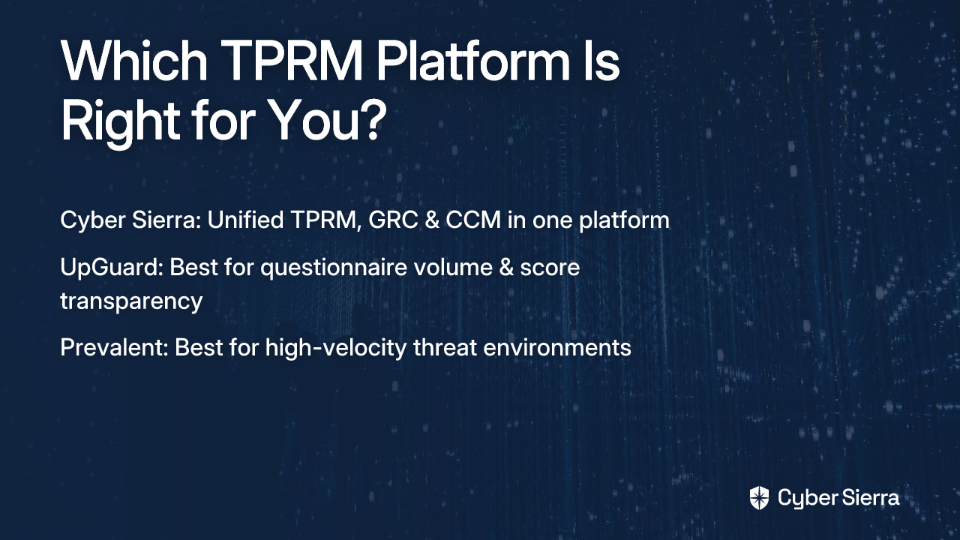
Choosing the Right TPRM Platform for Your Organization

The right choice depends on where your biggest operational gap sits — and how broad you need your platform to be.

Turn Vendor Data Into Defensible Action

The right TPRM platform doesn't just give you more data; it gives you clarity. It moves your program from a state of feeling "helpless" about vendor risk — an experience one security pro shared — to having a clear, actionable path to remediation.

The core shift is twofold. First, replace static, point-in-time questionnaires with continuous, real-time monitoring of your vendors' security posture. Second, ensure that vendor risk data doesn't live in a silo. It must feed directly into your broader GRC and continuous control monitoring programs to give you a complete picture of your organization's risk.

Here’s your next step: Take five minutes today and identify your top three most critical vendors. Where does their risk data currently live? If the answer is a spreadsheet or a standalone tool, you've found your biggest operational gap.

Closing that gap is what separates mature security programs from the rest. If you're ready to unify your view, book a personalized demo to see how integrating TPRM with GRC eliminates silos and makes risk management truly effective.

Frequently Asked Questions

What is a Third-Party Risk Management (TPRM) platform?

A TPRM platform is a tool that helps organizations manage and mitigate risks associated with their vendors. It automates assessments, monitors security posture continuously, tracks remediation, and helps ensure third parties comply with your security requirements.

Why is continuous monitoring important in TPRM?

Continuous monitoring is vital because vendor risks are not static. Unlike point-in-time questionnaires, it provides a real-time view of a vendor's security posture, allowing you to detect and respond to emerging threats before they can impact your organization.

How do I choose the right TPRM platform?

To choose the right TPRM platform, evaluate your primary need. If you require a unified system, select a platform like Cyber Sierra that integrates TPRM with GRC and CCM. If your main challenge is questionnaire volume, a specialized tool like UpGuard may be a better fit.

What is the main advantage of an integrated TPRM platform?

The main advantage is a unified view of risk. An integrated platform connects vendor risk data directly to your internal governance, risk, and compliance (GRC) posture. This eliminates dangerous silos and provides a holistic understanding of your organization's security health.

Can a TPRM platform help with compliance and audits?

Yes, a mature TPRM platform directly supports compliance and audits. By monitoring vendors against frameworks like SOC 2, ISO 27001, and HIPAA, it ensures your supply chain meets regulatory requirements and provides necessary evidence for auditors.

What is the difference between third-party and fourth-party risk?

Third-party risk is the risk from your direct vendors. Fourth-party risk is the risk from your vendors' vendors. Advanced TPRM platforms can map these dependencies, revealing hidden supply chain vulnerabilities that could indirectly impact your organization.

blog-hero-background-image
Cyber Security

5 Third Party Risk Management Platforms That Track BAAs and DPAs

backdrop
Table of Contents

Join thousands of professionals and get the latest insight on Compliance & Cybersecurity.


Summary

  • Manually tracking vendor agreements like BAAs and DPAs is unsustainable and risks severe penalties, with HIPAA fines alone reaching up to $1.5 million annually.
  • Relying on spreadsheets for vendor compliance creates critical blind spots, remediation gaps, and significant stress during audits.
  • Adopt a Third-Party Risk Management (TPRM) platform to automate vendor assessments, centralize agreements, and continuously monitor security posture.
  • Cyber Sierra's TPRM module automates BAA and DPA tracking and provides continuous compliance monitoring to ensure nothing falls through the cracks.

Your vendor list has grown. So has your exposure.

Every third-party tool your team onboards — your EHR integration, your cloud storage provider, your billing platform — carries contractual obligations that don't manage themselves. Business Associate Agreements (BAAs) under HIPAA. Data Processing Agreements (DPAs) under the General Data Protection Regulation (GDPR). Miss one, and you're not just looking at an audit finding. You're looking at potential fines that can reach $1.5 million annually under HIPAA alone.

This article covers five Third-Party Risk Management (TPRM) platforms built to centralize, automate, and continuously monitor your vendor compliance obligations — including BAA and DPA tracking.

Why Tracking BAAs and DPAs Is a Nightmare (and a Necessity)

Before diving into the tools, it's worth understanding why these agreements are so difficult to manage manually — and what's at stake when tracking breaks down.

What Is a Business Associate Agreement (BAA)?

A BAA is a legally binding contract required under the Health Insurance Portability and Accountability Act (HIPAA) between a covered entity and any third party that handles Protected Health Information (PHI) on its behalf.

Covered entities include health plans, healthcare providers, and healthcare clearinghouses. Business associates include any vendor — IT providers, billing companies, data analytics firms — that creates, receives, maintains, or transmits PHI as part of their services.

Per the Ironclad BAA guide, a valid BAA must:

  • Specify permitted uses of PHI
  • Require appropriate safeguards
  • Mandate breach reporting
  • Extend compliance requirements to subcontractors

In practice, this creates a layered challenge. As MSP professionals have discussed online, even navigating BAA documentation for major vendors like Microsoft can be confusing — poorly organized, hard to locate, and unclear on whether a signed version is actually on file.

What Is a Data Processing Agreement (DPA)?

A DPA is a legally binding contract between a data controller and a data processor governing how personal data is handled. Under GDPR Article 28, a written DPA is mandatory any time a third party processes personal data on your behalf.

A compliant DPA must cover:

  • Specific processing instructions
  • Confidentiality obligations
  • Security measures
  • Breach notification timelines
  • Your right to audit the processor

As the HyperStart DPA overview explains, this applies broadly — including services like Google Analytics, web hosting providers, and marketing platforms, which is a source of frequent confusion among compliance teams operating across multiple jurisdictions.

The Problem with Manual Tracking

The problem isn't that teams don't know these agreements matter. It's that tracking them across dozens — sometimes hundreds — of vendors using spreadsheets and shared drives is unsustainable. As one compliance professional noted in a community thread, gathering evidence for audits is tedious and time-consuming, especially with lean teams.

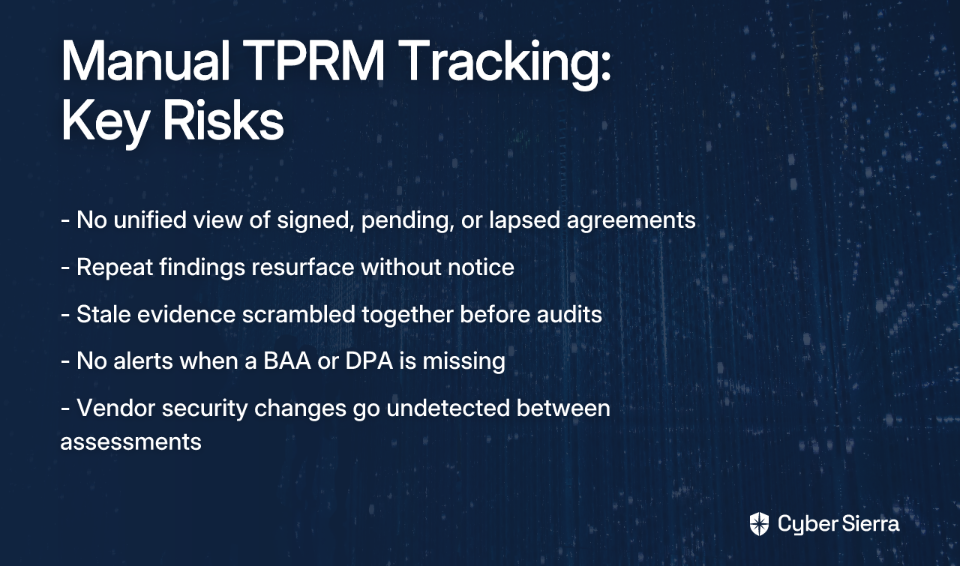
Spreadsheets don't send alerts when a BAA is missing. They don't flag when a vendor's security posture has changed since the last assessment. And they don't tell you whether a remediated finding has actually stayed remediated.

The real-world consequences include:

  • Vendor risk blind spots. No unified view of which vendors have signed agreements, which are pending, and which have lapsed.
  • Remediation gaps. As users in TPRM discussions have noted, many tools still don't track repeat findings effectively — meaning previously remediated issues resurface without notice.
  • Audit readiness anxiety. Evidence collection becomes a scramble, and by the time it's assembled, some of it is already stale.

5 Platforms That Tame Your BAA and DPA Chaos

The following platforms address these challenges through centralized repositories, automated workflows, and continuous monitoring. Each takes a different approach — here's how they compare.

1. Cyber Sierra

Best for: CISOs and Compliance Managers in regulated industries like HealthTech and BFSI who need a unified platform combining TPRM, GRC, and continuous control monitoring.

Supported frameworks: HIPAA, GDPR, SOC 2, ISO 27001, PCI DSS, NIST CSF.

Deployment: Cloud-based SaaS.

Cyber Sierra's TPRM module moves beyond one-time questionnaires by providing near real-time visibility into vendor security posture throughout the vendor lifecycle — onboarding, ongoing monitoring, and offboarding. When paired with the GRC module, it creates a centralized hub for tracking vendor agreements like BAAs and DPAs alongside the controls that enforce them.

What sets it apart for BAA and DPA tracking specifically is its ability to automate documentation workflows and flag compliance gaps before they become audit findings. Rather than chasing vendors for updated security evidence manually, the platform surfaces risk intelligence continuously — so your team isn't relying on point-in-time snapshots that go stale between assessments.

Cyber Sierra is recognized in the Gartner® Hype Cycle™ for Cyber-Risk Management, 2024, and accredited by the Cyber Security Agency of Singapore (CSA) as a trusted service provider.

Key features:

  • Automated vendor assessments. Simplifies collection of security documentation, including BAAs and DPAs, through customizable workflows.
  • Continuous compliance monitoring. Provides ongoing visibility into vendor controls, helping identify gaps before they become audit findings.
  • Centralized documentation repository. Acts as a single source of truth for vendor contracts, assessments, and remediation evidence.
  • Advanced risk intelligence. Prioritizes vendor risks based on business impact and real-time security posture, reducing analysis paralysis.

2. OneTrust

Best for: Large enterprises requiring deep integration between privacy management, GRC, and vendor risk.

Supported frameworks: GDPR, CCPA/CPRA, HIPAA, ISO 27001.

Deployment: Cloud-based SaaS.

OneTrust is well established in the privacy and GRC space. Its TPRM capabilities are particularly strong for organizations that need to connect vendor risk data into a broader enterprise compliance program. According to UpGuard's TPRM software overview, OneTrust excels at automating vendor onboarding and generating predictive risk insights related to privacy and governance — making it a natural fit for teams managing DPAs at scale across global operations.

Key features:

  • Predictive risk insights. Gathers privacy and governance data to proactively identify high-risk third parties.
  • Comprehensive lifecycle automation. Automates vendor management from onboarding and due diligence through offboarding.
  • GRC integration. Connects vendor risk data with broader compliance and privacy modules for a unified view.

3. UpGuard

Best for: Mid-market organizations seeking fast deployment with continuous external monitoring and questionnaire management.

Supported frameworks: GDPR, ISO 27001, NIST CSF.

Deployment: Cloud-based SaaS.

UpGuard Vendor Risk focuses on continuous monitoring of vendors' external attack surfaces and security ratings. As detailed in their TPRM platform documentation, the platform automates security questionnaires and maps responses to industry standards — simplifying the process of collecting and validating the evidence that underpins BAA and DPA compliance. It's particularly effective at surfacing risk across third and fourth-party vendor dependencies.

Key features:

  • Automated security ratings. Provides an objective, data-driven score of each vendor's security posture.
  • Questionnaire automation. Offers a library of customizable questionnaires mapped to standards including GDPR and ISO 27001.
  • Third and fourth-party discovery. Continuously maps your vendor ecosystem to surface hidden dependencies and downstream risks.

4. Panorays

Best for: Teams looking to reduce vendor fatigue with intelligent questionnaires combined with continuous external monitoring.

Supported frameworks: SOC 2, ISO 27001, HIPAA, GDPR.

Deployment: Cloud-based SaaS.

Panorays takes a unified approach by integrating external attack surface monitoring with vendor-friendly self-assessment workflows. As noted in their TPRM software analysis, this reduces the burden on vendors while giving your team comprehensive insight into the supply chain — including downstream dependencies that often go untracked. For BAA and DPA management, this matters because compliance doesn't stop at your direct vendor; it extends to their subprocessors too.

Key features:

  • External attack surface monitoring. Delivers real-time intelligence on vendor cyber posture without relying solely on self-reported data.
  • Vendor-friendly assessments. Integrates external signals with self-assessment questionnaires to shorten response time and reduce friction.
  • Explainable risk scoring. Translates technical risk into clear, business-relevant metrics that support executive reporting.

5. BitSight

Best for: Organizations that rely on objective security ratings and data-driven benchmarking to manage portfolio-level vendor risk.

Supported frameworks: NIS 2, SOC 2.

Deployment: Cloud-based SaaS.

BitSight is a recognized leader in security ratings, providing continuously updated, externally observable data on third-party security performance. As referenced in both UpGuard's and Panorays' analyses of the TPRM market, BitSight's ratings give compliance teams an at-a-glance view of vendor posture — useful for flagging vendors whose security may have degraded since a BAA or DPA was originally signed. It's less focused on agreement tracking workflows and more on the continuous intelligence layer that informs those decisions.

Key features:

  • Security ratings. Provides a comprehensive A–F rating per vendor based on externally observable performance data.
  • Portfolio benchmarking. Compares vendor security performance against industry peers to contextualize risk.
  • Actionable findings. Delivers detailed analytics to support vendor communication and targeted remediation.

How to Choose the Right TPRM Platform

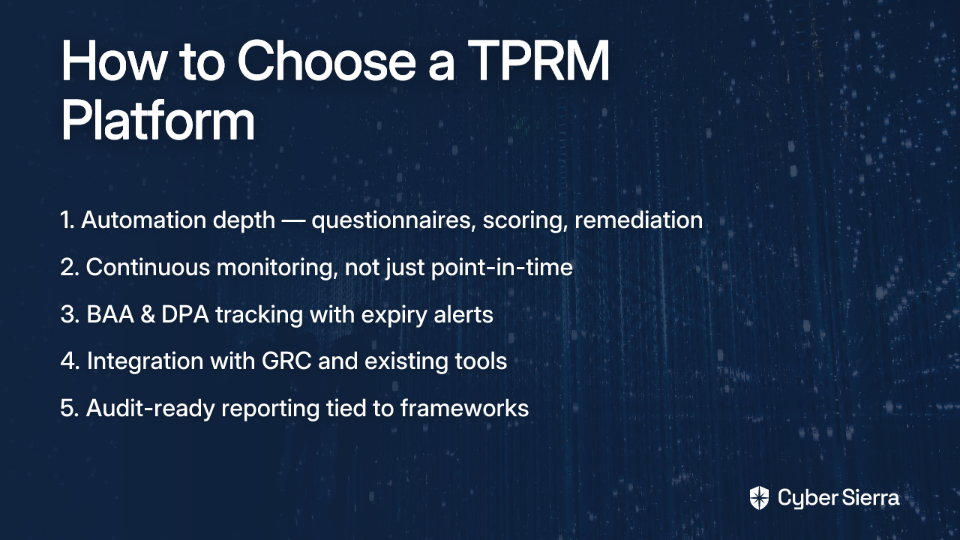
Not every platform will fit every team. Based on guidance from Panorays and Cynomi, evaluate options across these criteria before committing:

From Spreadsheet Chaos to Compliance Control

Manually tracking BAAs and DPAs isn't just inefficient—it's a direct threat to your compliance posture. Spreadsheets create blind spots, don't alert you to expired agreements, and make audit prep a high-stress scramble for stale evidence.

The solution is to shift from reactive tracking to proactive oversight. A dedicated Third-Party Risk Management (TPRM) platform automates the entire vendor lifecycle, from onboarding assessments to continuous security monitoring. This ensures your vendor agreements are always current and, more importantly, that your vendors are upholding the security controls they promised.

Here’s a clear next step: review your top three vendors that handle sensitive data. Can you locate a signed, up-to-date BAA or DPA for each in under 60 seconds? If not, it's time to centralize.

When you're ready to replace compliance anxiety with automated control, see how Cyber Sierra gives you a single source of truth for vendor risk. Book a Cybersierra demo and stop letting vendor agreements fall through the cracks.

Frequently Asked Questions

What is the main purpose of a BAA and DPA?

A Business Associate Agreement (BAA) and Data Processing Agreement (DPA) are legally required contracts. They ensure third-party vendors who handle sensitive data (like PHI under HIPAA or personal data under GDPR) adhere to specific security and privacy standards, protecting your organization.

Why is manually tracking vendor agreements with spreadsheets a risk?

Manual tracking is a risk because spreadsheets lack automation and real-time visibility. They don't send alerts for missing or expired agreements, can't monitor a vendor's security posture continuously, and make audit preparation a time-consuming, error-prone scramble for evidence.

How does a TPRM platform solve BAA and DPA tracking challenges?

A Third-Party Risk Management (TPRM) platform automates the entire vendor compliance lifecycle. It centralizes all agreements, automates assessment workflows, provides continuous monitoring of vendor security, and flags risks or missing documentation, ensuring you are always audit-ready.

Who needs a BAA under HIPAA?

A BAA is required between a HIPAA-covered entity (e.g., a healthcare provider) and any business associate. A business associate is any third-party vendor that creates, receives, maintains, or transmits Protected Health Information (PHI) on your behalf, such as a cloud or billing provider.

What should I look for when choosing a TPRM platform?

Look for a platform with strong automation, continuous monitoring, and integrated GRC capabilities. Key features include automated questionnaires, real-time risk scoring, a centralized document repository with expiry alerts, and the ability to generate audit-ready reports for specific frameworks.

What is the difference between TPRM and vendor management?

Vendor management focuses on operational aspects like performance and contracts, while TPRM focuses specifically on the risks vendors introduce. TPRM is a discipline dedicated to identifying, assessing, and mitigating security, compliance, and operational risks posed by third parties.

blog-hero-background-image
Cyber Security

3 TPRM Software That Integrate With SecurityScorecard and BitSight

backdrop
Table of Contents

Join thousands of professionals and get the latest insight on Compliance & Cybersecurity.


Summary

  • Security ratings alone provide an incomplete, outside-in view of vendor risk, a critical gap since a significant portion of data breaches involve third-party vendors.
  • Integrating security ratings with a TPRM platform transforms raw scores into actionable workflows by combining external data with internal evidence like questionnaires and policy documents.
  • The article reviews three enterprise TPRM platforms—OneTrust, ServiceNow, and Archer—that integrate with both SecurityScorecard and BitSight to automate the vendor risk lifecycle.
  • For teams looking to reduce complexity, a unified platform like Cyber Sierra's TPRM consolidates vendor risk management, threat intelligence, and compliance into a single system, eliminating the need for separate integrations.

You've invested in SecurityScorecard or BitSight. The dashboards are live, vendor scores are rolling in, and your team has visibility into the external attack surface of your supply chain. So why does it still feel like you're flying blind?

The problem is the gap between data and action. Security ratings give you a number. They don't tell you, as one practitioner noted, "whether your third parties are doing code review or have an employee offboarding policy." An outside-in score is a starting point — not a conclusion.

This is exactly where a dedicated Third-Party Risk Management (TPRM) software platform earns its place. When integrated with SecurityScorecard or BitSight, a TPRM platform transforms raw ratings into structured workflows: automated assessments, contextualized risk profiles, remediation tracking, and audit-ready documentation.

Below are three enterprise-grade TPRM software platforms that natively integrate with both SecurityScorecard and BitSight — and what each one is best suited for.

Why Your Security Ratings Need a TPRM Platform

Before diving into the tools, it's worth being precise about what the integration actually solves. Security ratings are algorithmically generated from publicly observable signals — DNS records, SSL certificates, exposed services, IP reputation. They capture what's visible from the outside.

What they can't capture is the internal picture: whether a vendor has documented incident response procedures, whether their access controls are actually enforced, or whether they've remediated a finding you flagged six months ago. As frustrated practitioners have noted in community discussions, many TPRM tools don't do a good job tracking repeat findings that have already been remediated — a critical workflow gap that leaves risk teams guessing.

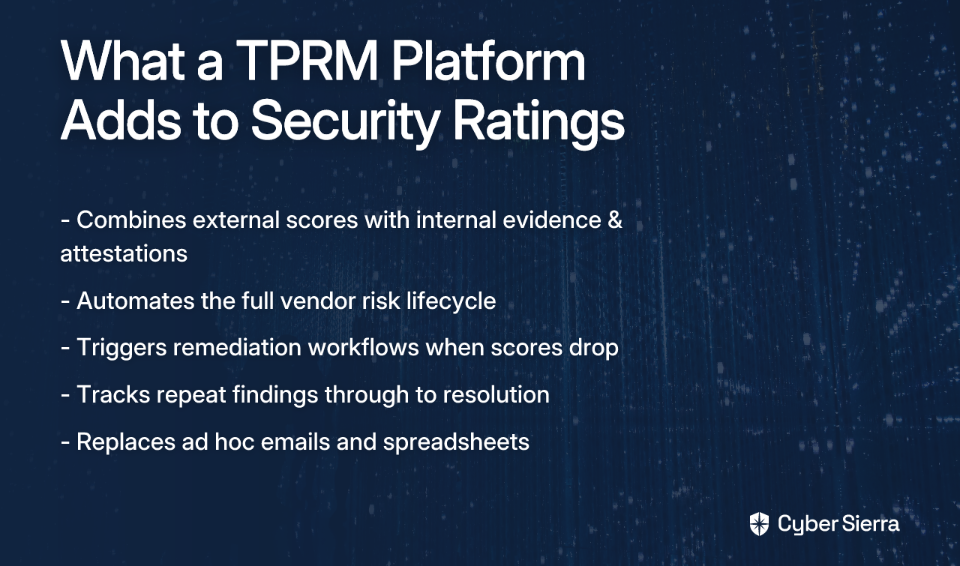
A TPRM platform connected to your ratings provider closes these gaps by:

  • Combining external scores with internal evidence. Questionnaire responses, policy documents, and control attestations are mapped against the external score to build a complete vendor risk profile.
  • Automating the vendor risk lifecycle. Onboarding, due diligence, ongoing monitoring, and offboarding are managed through structured workflows rather than ad hoc emails and spreadsheets.
  • Triggering remediation when scores drop. When a vendor's BitSight or SecurityScorecard rating falls, integrated platforms can automatically open a remediation task, assign ownership, and track resolution — solving the repeat-findings frustration directly.

The combination of continuous external monitoring with structured internal assessment is what separates a mature third-party risk management program from a periodic checkbox exercise. And with third-party breaches costing millions of dollars according to IBM, that maturity is no longer optional.

3 TPRM Platforms That Integrate With SecurityScorecard and BitSight

Each platform below has documented integrations with both major security ratings providers. The right fit depends on your existing technology stack, team size, and the complexity of your vendor program.

1. OneTrust Third-Party Risk Management

Best for: Large enterprises managing vendor risk alongside privacy compliance and global regulatory requirements.

Key integrations: SecurityScorecard, BitSight, RiskRecon, and a broad integration marketplace.

OneTrust is a well-established name in the Governance, Risk, and Compliance (GRC) and privacy management space. Its TPRM module extends those capabilities into vendor risk, making it a strong fit for organizations that need to manage third-party risk in the context of GDPR, CCPA/CPRA, and other data protection frameworks simultaneously.

The platform uses SecurityScorecard and BitSight data to pre-populate and validate vendor questionnaires — reducing the manual effort required from both your team and your vendors. When external scores shift, OneTrust can trigger reassessments or escalate risk flags within its workflow engine.

Key features:

  • Automated risk assessments. External ratings data pre-populates vendor profiles and flags discrepancies against questionnaire responses, helping teams validate technical claims rather than simply accepting self-reported answers.
  • Centralized vendor lifecycle management. Onboarding to offboarding is managed in a single system, with structured workflows replacing ad hoc tracking.
  • Dynamic risk scoring. Combines external ratings with internal assessment results to produce a contextualized risk score that reflects the full picture — not just the outside-in view.
  • Regulatory compliance mapping. Links vendor risks directly to control requirements within frameworks like ISO 27001, NIST Cybersecurity Framework, and SOC 2, supporting cross-framework due diligence.

One consideration: OneTrust is a broad platform, and some teams with limited resources have found it more complex to implement than anticipated — particularly when deploying it for smaller vendor populations. Scoping the rollout carefully against your actual program needs is advisable.

2. ServiceNow Vendor Risk Management

Best for: Organizations already operating on the ServiceNow platform for IT Service Management (ITSM) or enterprise workflows.

Key integrations: BitSight for ServiceNow, SecurityScorecard, and additional connectors available through the ServiceNow Store.

ServiceNow extends its workflow automation engine into vendor risk through its Vendor Risk Management module. For security teams that already use ServiceNow for ticketing, change management, or other IT operations workflows, this integration is a natural extension — risk findings flow into the same environment where remediation is already tracked.

The BitSight integration surfaces continuous monitoring data directly within ServiceNow, allowing security teams to act on score changes without switching between platforms. SecurityScorecard data can similarly be ingested to enrich vendor risk profiles and trigger automated workflows. This tight operational integration directly addresses one of the most common practitioner frustrations: findings that fall through the cracks because remediation tracking lives in a different tool than the risk data.

Key features:

  • Unified workflow automation. Vendor assessments, remediation tasks, and issue escalation run through the same workflow engine as the rest of your IT operations — no separate tool, no separate queue.
  • Tiered vendor assessments. Vendors are automatically categorized by criticality, with different levels of due diligence applied based on risk tier. This helps teams scale assessments without drowning in SIG questionnaire complexity for every supplier.
  • Continuous monitoring and alerts. Real-time alerts from BitSight and SecurityScorecard trigger response plans automatically, shifting the program from reactive to proactive.
  • Integrated reporting and dashboards. A single pane of glass for both operational performance and external vendor risk — useful when producing board-level risk reporting.

The main consideration for ServiceNow is cost and implementation complexity. It's built for large enterprise environments and typically requires significant configuration investment upfront. Teams without existing ServiceNow infrastructure may find better value in a more purpose-built TPRM solution.

3. Archer Third Party Governance

Best for: Highly regulated industries — particularly financial services and healthcare — that require a mature, highly configurable GRC and TPRM solution.

Key integrations: SecurityScorecard marketplace, BitSight for Archer, and a wide array of GRC and security data sources.

Archer has been a fixture in enterprise GRC for over two decades. Its Third Party Governance solution brings that depth of risk management capability to vendor programs, with configurable workflows, risk models, and reporting pipelines built to satisfy rigorous regulatory scrutiny.

For organizations in BFSI or healthcare operating under frameworks like MAS Technology Risk Management (TRM) guidelines, DORA, or HIPAA, Archer's audit trail depth and risk quantification capabilities are a genuine differentiator. The integrations with SecurityScorecard and BitSight enrich Archer's risk models with continuously updated external data — combining the platform's analytical depth with real-time security posture signals.

Key features:

  • Comprehensive risk monitoring. Combines external security ratings with financial health data and compliance status for a multi-dimensional vendor risk profile.
  • End-to-end vendor lifecycle management. Vendor selection, contracting, ongoing monitoring, and termination processes are all documented within the platform, creating a defensible audit trail.
  • Advanced risk quantification. Organizations can model third-party risk in financial terms — useful for board reporting and cyber insurance conversations.
  • Audit and compliance depth. Built to meet the documentation and evidence requirements of demanding regulators and internal auditors, with detailed logging and reporting throughout.

Archer's primary trade-off is its implementation complexity and the resource investment required to configure and maintain the platform. It rewards organizations willing to invest in proper deployment — but it's not a tool for teams looking for quick time-to-value.

Beyond Integration: Reducing the Complexity of Your Security Stack

Connecting best-of-breed tools is a sound strategy — but it introduces its own management overhead. A security ratings platform, a standalone TPRM tool, a GRC system, and a threat intelligence feed each require separate integrations, separate dashboards, and separate vendor relationships. For security teams already stretched thin, that complexity has a real cost.

A growing number of TPRM professionals are reconsidering the "best-of-breed plus integrations" model in favor of unified platforms that consolidate these capabilities natively. Instead of stitching data together across tools, a unified platform maintains a single risk model that spans vendor assessments, internal controls monitoring, compliance management, and threat intelligence — all in one place.

This is the architecture behind Cyber Sierra, an AI-enabled cybersecurity platform recognized in the Gartner® Hype Cycle™ for Cyber-Risk Management, 2024 and accredited by the Cyber Security Agency of Singapore (CSA). Rather than integrating external ratings into a separate TPRM workflow, Cyber Sierra unifies the capabilities that typically span multiple tools:

  • Third-Party Risk Management. Automated vendor assessments, continuous monitoring, risk prioritization, and streamlined onboarding and offboarding workflows — all within a single platform.
  • Threat Intelligence. An outside-in view of your organization's and your vendors' attack surface, built natively into the platform rather than imported from a separate tool.
  • Continuous Control Monitoring (CCM). Near real-time visibility into the effectiveness of your internal security controls — the critical internal layer that external ratings can never provide.
  • Governance, Risk & Compliance (GRC). Multi-framework compliance management for SOC 2, ISO 27001, HIPAA, PCI DSS, GDPR, and NIST CSF, with automated evidence collection and audit-ready reporting.

The trade-off is straightforward: if you're already deeply invested in OneTrust, ServiceNow, or Archer and need those specific platforms to connect with your rating providers, the integrations covered above are proven paths. But if your goal is to reduce integration complexity while gaining a more complete view of third-party and internal risk together, a unified platform deserves consideration.

Your Next Move in Vendor Risk

Relying on security ratings alone is like reading a headline without the article—you get the gist, but miss the critical context. The key to a mature third-party risk program is turning those external scores from BitSight or SecurityScorecard into decisive action.

Here are the essential takeaways:

  • Ratings are a starting point, not the finish line. They provide an outside-in view but miss internal controls, policies, and remediation history.
  • A TPRM platform connects data to workflow. Integrating ratings with a TPRM tool automates assessments and ensures remediation tasks don't get lost in spreadsheets.
  • Unified platforms reduce complexity. Instead of managing multiple integrations, a single system for TPRM, threat intelligence, and compliance offers a clearer, more complete view of risk.

Your next step today? Map out how your team responds when a critical vendor’s security score drops. If the process involves manual emails and follow-ups, it’s a sign that your data isn’t working as hard as it could.

When you're ready to close the gap between vendor data and decisive action, book a personalized demo to see how a unified platform streamlines the entire risk lifecycle.

Frequently Asked Questions

What is the main limitation of using only security ratings like SecurityScorecard or BitSight?

Security ratings provide an external "outside-in" view of a vendor's security posture but lack insight into internal controls and policies. They cannot verify if a vendor performs code reviews, enforces access controls, or has remediated past findings, leaving a critical risk gap.

How does a TPRM platform enhance security ratings?

A TPRM platform transforms raw security ratings into actionable risk management workflows. It combines external scores with internal evidence like questionnaires, automates remediation tasks when scores drop, and centralizes the entire vendor lifecycle to create an audit-ready risk profile.

Why should I integrate my security rating service with a TPRM tool?

Integrating these tools automates your vendor risk management and ensures no critical findings are missed. When a vendor's rating drops, the TPRM platform can automatically trigger a remediation task, assign it to the right team, and track it to completion, closing the loop between data and action.

Can a TPRM platform work without SecurityScorecard or BitSight?

Yes, most TPRM platforms can function independently, but they are most effective when enriched with external data. Without continuous monitoring from a ratings service, your risk assessment relies on periodic, self-reported vendor data, which can be outdated, subjective, and less comprehensive.

What is the difference between an integrated TPRM solution and a unified platform?

An integrated solution connects separate best-of-breed tools (e.g., a ratings service and a TPRM tool), which can increase complexity. A unified platform combines multiple capabilities like TPRM, threat intelligence, and GRC natively, reducing tool sprawl and simplifying risk management.

How do I choose the right TPRM platform for my organization?

The right platform depends on your company's size, industry, regulatory needs, and existing technology stack. Consider ServiceNow if you're in its ecosystem, Archer for highly regulated industries, or OneTrust for a focus on privacy, and evaluate based on your specific program requirements.
blog-hero-background-image
Cyber Security

7 Best TPRM Software for Continuous Vendor Monitoring (2026)

backdrop
Table of Contents

Join thousands of professionals and get the latest insight on Compliance & Cybersecurity.


Summary

  • Traditional TPRM using annual questionnaires fails to catch "mid-contract drift," where a vendor's security posture degrades unnoticed after their initial onboarding review.
  • Continuous monitoring is the modern solution, using automated technology to provide real-time insights into a vendor's risk profile without relying on outdated self-attestation.
  • When evaluating TPRM tools, prioritize features like real-time risk scoring, automated alerting, and the ability to integrate vendor risk with internal compliance frameworks.
  • To bridge the gap between external vendor risk and internal compliance, platforms like Cyber Sierra's TPRM connect continuous vendor monitoring directly to your GRC and audit readiness programs.

Your vendor passed their onboarding review with flying colors. Six months later, they've quietly stopped patching critical systems, their MFA policy has lapsed, and nobody on your team knows — because your next scheduled questionnaire isn't due for another six months.

This is what the security community calls "mid-contract drift," and it's where most Third-Party Risk Management (TPRM) programs silently fail.

Legacy TPRM relies on static, point-in-time questionnaires — often sprawling instruments like the SIG — that are outdated the moment a vendor hits "submit." The result is a dangerous illusion of control. You have documentation, but not visibility. For 2026, continuous monitoring isn't a nice-to-have feature. It's the non-negotiable differentiator between a TPRM program that functions and one that just files paperwork.
This guide evaluates 7 leading TPRM platforms specifically on their depth and automation of continuous monitoring — covering real-time risk scoring, automated alerting, vendor lifecycle workflows, and compliance evidence generation. No filler, no feature-list padding.
What Is Continuous Vendor Monitoring?

Continuous vendor monitoring is the use of automated technology to provide ongoing, dynamic insight into a vendor's risk profile — replacing self-attestation with external validation that never stops running.

This approach directly counters "mid-contract drift," a problem well-known to practitioners. As one noted on Reddit: "Onboarding reviews are the easy part and the mid contract drift is where things break down."

Rather than asking vendors what their security posture looks like, modern platforms go and find out. They aggregate signals across multiple dimensions:

The goal isn't just more data — it's proactive risk management that surfaces issues before they impact your organization. The moment a vendor's security posture degrades, you should know — not when your annual renewal questionnaire lands in their inbox.

How We Evaluated These TPRM Tools

Not all "continuous monitoring" is created equal. Some platforms refresh scores weekly and call it real-time. Others bolt on a monitoring widget to an otherwise static questionnaire tool. The evaluation rubric here focuses on what actually matters for operational risk management.

Each tool was assessed across four pillars:

7 Best TPRM Software for Continuous Vendor Monitoring

The tools below represent the strongest options available for teams that need more than an annual questionnaire and a spreadsheet.

1. Cyber Sierra

Best for: CISOs and Compliance Managers who need to connect third-party risk directly to internal GRC and compliance programs.

Key capabilities: Continuous vendor monitoring, GRC automation, Continuous Control Monitoring (CCM).

Deployment: Cloud-based SaaS.

Cyber Sierra's TPRM platform goes beyond the standard "outside-in" security rating. Its AI-enabled platform provides 24/7 continuous monitoring of vendor security compliance — and uniquely connects that monitoring layer to a broader Governance, Risk, and Compliance (GRC) and CCM module.

What makes this integration meaningful in practice: when a vendor's newly discovered vulnerability triggers an alert, that event doesn't live in isolation. It can be mapped directly to your internal controls and assessed against your compliance obligations for frameworks like SOC 2, ISO 27001, or GDPR. This eliminates the silo that most security teams hate — where vendor risk and internal compliance sit in separate tools, managed by separate teams, with no shared context.

Recognized as a Sample Vendor in the Gartner® Hype Cycle™ for Cyber-Risk Management, 2024, and a winner of the AI Innovation Awards 2024 (presented by Singapore's Ministry of Communications and Information, DISG, SNDGO, and Google Cloud), Cyber Sierra is purpose-built for teams that need TPRM to be a strategic function, not an isolated checklist.

Key features:

  • AI-enabled 24/7 vendor monitoring. Proactively identifies vendor security gaps, data leaks, and compliance drift through automated, continuous analysis — without waiting for vendor self-reporting.
  • Unified GRC and TPRM platform. Links vendor risk assessments directly to your internal control repository, giving auditors a single source of truth across both halves of the risk picture.
  • Automated lifecycle workflows. Streamlines the entire vendor journey from due diligence and onboarding through continuous monitoring to secure offboarding.
  • Integrated Continuous Control Monitoring. Provides visibility into how a third-party risk event impacts your own compliance posture — a capability standalone rating tools cannot replicate.

2. UpGuard

Best for: Organizations wanting to combine data-driven security ratings with automated vendor questionnaires.

Key capabilities: Security ratings, questionnaire automation, attack surface management.

Deployment: Cloud-based SaaS.

UpGuard provides a well-rounded platform that's earned a strong reputation for the accuracy of its security ratings, derived from a wide range of publicly available signals. Its questionnaire automation reduces the manual overhead of assessments significantly — and critically, it allows teams to cross-reference what a vendor claims against what's actually visible in their external exposure.

As one practitioner noted in a community discussion: "Super helpful to check if a vendor says they've patched X, you can see if that's reflected in their external exposure." That kind of claim validation is exactly what separates UpGuard from tools that just collect and store responses.

Key features:

  • Security ratings. Quantifies vendor posture on a 0–950 scale using continuously updated external signals.
  • Automated questionnaires. Includes a library of pre-built questionnaires (SIG, CAIQ) alongside custom assessment builder tools.
  • Risk remediation workflows. Enables direct collaboration with vendors to track remediation inside the platform.
  • Data leak detection. Continuously scans the public web, code repositories, and dark web for exposed credentials or sensitive data.

3. SecurityScorecard

Best for: Teams focused on benchmarking vendor security posture against industry peers and communicating risk to executive stakeholders.

Key capabilities: Security ratings, compliance mapping, portfolio management.

Deployment: Cloud-based SaaS.

SecurityScorecard is one of the original pioneers in security ratings and has built its reputation on breadth of coverage — it can generate a risk rating for virtually any organization globally. Its A-F grading scale communicates risk in terms that resonate with non-technical audiences, making it a practical choice for boards and executive reporting.

The platform analyzes data across 10 risk factor groups, providing detailed evidence behind each score. This specificity helps practitioners push back when a vendor disputes a finding — rather than debating a number, you're debating documented external evidence.

Key features:

  • A-F scoring system. Simplifies risk communication to executives and audit committees.
  • Deep risk factor analysis. Provides granular evidence across categories including Application Security, Network Security, and Hacker Chatter.
  • Atlas questionnaire platform. Manages security assessments at scale alongside continuous ratings.
  • Portfolio management. Groups vendors by criticality tier and enables differentiated alerting rules per tier.

4. BitSight

Best for: Enterprises needing to financially quantify third-party cyber risk for cyber insurance underwriting or M&A due diligence.

Key capabilities: Security ratings, financial risk quantification, peer analytics.

Deployment: Cloud-based SaaS.

BitSight's security ratings (250–900) are validated by independent research to correlate with breach likelihood — a meaningful distinction from platforms where the methodology is opaque. Daily rating updates provide continuous visibility, and the platform's forecasting tools allow teams to model how remediation efforts by a vendor would likely shift their score over time.

For organizations where cyber insurance premiums or M&A risk assessments drive TPRM investment, BitSight's ability to translate security posture into financial exposure makes it a strong fit.

Key features:

  • Research-backed ratings. Third-party validated correlation between BitSight scores and breach probability.
  • Forecasting and analytics. Models the impact of security improvements on vendor ratings over time.
  • Tiered vendor management. Differentiates monitoring depth based on vendor criticality to the business.
  • Executive reporting. Generates leadership-ready reports on the state of the vendor risk program.

5. OneTrust

Best for: Large global organizations where data privacy regulations are the primary driver of the vendor management program.

Key capabilities: TPRM, GRC, data privacy management, ESG program management.

Deployment: Cloud-based SaaS.

OneTrust is a broad platform where TPRM is one component of a much larger suite spanning privacy, ethics, and Environmental, Social, and Governance (ESG) management. Its depth in privacy regulation — GDPR, CCPA/CPRA, and beyond — is a genuine strength for organizations whose vendor risk program is fundamentally shaped by data processing agreements and privacy impact assessments.

The caveat, documented in practitioner discussions, is that OneTrust's scale can become a liability for resource-constrained teams. One user recounted an organization running OneTrust for just two suppliers because they lacked the headcount to operationalize it further. It's a powerful platform — but one that rewards investment in implementation.

Key features:

  • Integrated privacy and TPRM. Vendor risk is tightly coupled with data governance, transfer mechanisms, and consent management.
  • Automated assessment workflows. Triggers assessments based on vendor profiles and inherent risk scores.
  • Third-Party Risk Exchange. Access to a growing library of pre-completed vendor assessments.
  • Contract lifecycle management. Embeds risk controls and data processing obligations directly into contract workflows.

6. Prevalent

Best for: Companies seeking a collaborative platform that centralizes risk data from multiple sources and engages vendors directly in remediation.

Key capabilities: Collaborative risk management, continuous threat monitoring, managed services.

Deployment: Cloud-based SaaS.

Prevalent is built around the idea that effective TPRM requires both sides of the relationship to be active participants. Its platform combines automated assessments with continuous monitoring and a collaborative workspace where internal teams and third parties can work together on risk mitigation — directly addressing the friction of trying to coordinate remediation over email.

For teams that are under-resourced, Prevalent also offers managed services that offload the assessment process entirely, allowing smaller security teams to maintain a mature TPRM program without dedicated headcount.

Key features:

  • Unified risk register. Centralizes findings from assessments, monitoring, and external intelligence sources into a single view.
  • Vendor Threat Monitor. Provides continuous dark web, cyber, business, and financial risk monitoring across the vendor portfolio.
  • Managed services option. Delegates vendor assessment execution to Prevalent's team — a practical solution for lean security functions.
  • Pre-built compliance reporting. Maps vendor risk data to hundreds of regulatory frameworks out of the box.

7. RiskRecon (A Mastercard Company)

Best for: Organizations that need deep, asset-level visibility into vendor internet-facing infrastructure.

Key capabilities: Attack surface discovery, risk prioritization, custom policy assessment.

Deployment: Cloud-based SaaS.

RiskRecon approaches vendor risk from the threat actor's perspective. Its engine automatically discovers a vendor's entire external attack surface — every internet-facing system, domain, and asset — and evaluates it against 41 security criteria. The result is highly specific, actionable intelligence rather than an aggregate score with limited drill-down capability.

The platform's "Risk Priority Matrix" maps issue severity against asset value, giving analysts a clear picture of where to focus remediation pressure first. For organizations where understanding the actual technical exposure of a vendor matters as much as their overall rating, RiskRecon delivers granularity that broader platforms often sacrifice.

Key features:

  • Automatic asset discovery. Continuously inventories a vendor's external systems without requiring vendor participation.
  • Actionable risk prioritization. Issues ranked by asset criticality and severity — not just raw volume of findings.
  • Custom policy assessment. Measures vendor performance against your organization's own security standards, not just generic benchmarks.
  • Risk Priority Matrix. Visual tool mapping severity against asset value to surface the most material exposures.

Decision Matrix: Which TPRM Tool Is Right for You?

Every organization's TPRM requirements are shaped by different constraints — team size, regulatory environment, and existing tooling all influence which platform will actually get used. Use this matrix to self-qualify before you shortlist.

Your Next Step in TPRM Maturity

Static, point-in-time questionnaires create dangerous blind spots. "Mid-contract drift" is real—a vendor’s security posture can degrade months before your next manual review cycle catches it. The only effective counter is continuous monitoring, which replaces outdated self-attestations with real-time, automated visibility into your supply chain's actual risk.

But visibility alone isn't the end goal. The most mature TPRM programs connect that external vendor risk directly to internal compliance frameworks like SOC 2 and ISO 27001. This turns vendor management from a siloed checklist into an integrated part of your security and audit readiness strategy. As a first step today, pick one critical vendor and ask: when was our last real update on their security posture, beyond a questionnaire?

If the answer is months ago, it’s time to close that gap. Cyber Sierra was built to connect 24/7 vendor monitoring with your internal GRC, giving you a single source of truth for risk. If you’re ready to move beyond paperwork, you can book a Cyber Sierra demo and see how it works in practice.

Frequently Asked Questions

What is continuous vendor monitoring in TPRM?

Continuous vendor monitoring is the automated, ongoing tracking of a vendor's risk profile using external data. It replaces static questionnaires with real-time insights into a vendor's security posture, financial health, and compliance status, helping you to prevent "mid-contract drift."

Why is continuous monitoring more effective than annual questionnaires?

Continuous monitoring provides real-time visibility into a vendor's security posture. Unlike annual questionnaires, which are outdated upon submission, this proactive approach allows you to detect and address risks as they emerge, rather than discovering critical issues months later during a review.

How does a TPRM platform help with compliance frameworks like SOC 2 or ISO 27001?

Advanced TPRM platforms link vendor risk data directly to your internal controls for frameworks like SOC 2 and ISO 27001. This creates a unified evidence repository for auditors, demonstrating that you are actively managing third-party risks as part of your overall compliance program.

What are the key features to look for in a continuous monitoring TPRM tool?

Look for a tool with true real-time risk scoring, automated alerting, and remediation workflows. Key differentiators include the ability to connect vendor risk to your internal GRC program and generate compliance evidence, not just provide an external security rating.

What is the difference between a security rating and a comprehensive TPRM platform?

A security rating (e.g., an A-F score) is just one component, offering an "outside-in" view of a vendor's posture. A comprehensive TPRM platform integrates these ratings with lifecycle management, questionnaire automation, remediation workflows, and internal compliance mapping.

How can I manage alerts from continuous monitoring without being overwhelmed?

Effective TPRM platforms solve this with customizable alerting and risk tiering. You can set different monitoring thresholds and alert rules based on vendor criticality, ensuring your team only focuses on the most significant risks that require immediate attention from your most critical vendors.

blog-hero-background-image
Cyber Security

3 Third-Party Risk Management Software for Companies With 500+ Vendors

backdrop
Table of Contents

Join thousands of professionals and get the latest insight on Compliance & Cybersecurity.


Summary

  • Managing 500+ vendors manually with spreadsheets creates dangerous security blind spots and is not scalable.
  • The key to enterprise TPRM is shifting from periodic questionnaires to continuous, evidence-based monitoring for real-time risk visibility.
  • When choosing a tool, prioritize scalability, full lifecycle automation, and integration with your existing GRC stack.
  • Cyber Sierra's TPRM platform provides a unified view by integrating vendor risk directly with continuous control monitoring and threat intelligence.

Managing 50 vendors is hard. Managing 500+ is a different problem entirely.

At that scale, spreadsheets don't just become inconvenient — they become a liability. Questionnaires go stale the moment they're submitted. Remediation tracking falls through the cracks. And somewhere in that growing vendor list, a critical supplier has quietly let their security controls lapse without anyone noticing.

The shift from manual Third-Party Risk Management (TPRM) to an automated, continuous platform isn't a nice-to-have at this scale. It's the only way to move from reactive firefighting to proactive risk oversight. The platforms below are built for exactly that challenge.

What To Look for in Enterprise-Grade TPRM Software

Not every TPRM tool can handle the complexity that comes with a large, dynamic vendor ecosystem. Before evaluating specific platforms, it's worth establishing what separates a tool that works at 50 vendors from one that holds up at 500+.

Here's what matters most at enterprise scale:

  • Scalability and automation. The platform must automate the vendor lifecycle — from onboarding to offboarding — without creating more manual work for an already stretched team. If a tool requires your analysts to manually chase questionnaire responses for hundreds of vendors, it's not built for your scale.
  • Continuous monitoring. A point-in-time assessment tells you what a vendor's posture looked like on the day they filled out a form. Continuous monitoring tells you what it looks like right now. According to Panorays' TPRM software overview, continuous risk monitoring is one of the most critical capabilities for modern TPRM programs.
  • Evidence-based risk intelligence. Vendors can say anything on a questionnaire. The platform should validate those claims against external data — security ratings, threat intelligence feeds, and vulnerability scanning results. As practitioners on r/cybersecurity put it: "Super helpful to check if a vendor says they've patched X, you can see if that's reflected in their external exposure."
  • Explainable risk scoring. A single risk score without context is nearly useless. The tool should provide clear, quantifiable risk scores that help break down why a vendor is rated high-risk, which controls are failing, and what the recommended remediation path looks like. This helps teams prioritize instead of suffering analysis paralysis.
  • Integration and reporting. The solution must connect with your existing Governance, Risk, and Compliance (GRC) stack and generate reports that translate technical risk into language your board and audit teams can act on.

3 Best TPRM Platforms for Managing 500+ Vendors

Each of the platforms below addresses enterprise-scale vendor risk from a different angle. Here's what they offer — and where each one fits best.

1. Cyber Sierra

Best for: Enterprises needing a unified GRC, security, and vendor risk platform with AI-driven automation. Deployment: Cloud-based SaaS.

Cyber Sierra is an AI-enabled cybersecurity platform that integrates third-party risk management into a broader security and compliance ecosystem. Rather than treating vendor risk as a standalone function, it connects TPRM data with internal controls, continuous monitoring, and threat intelligence — giving Chief Information Security Officers (CISOs) a single, correlated view of organizational risk.

Recognized as a Sample Vendor in the Gartner® Hype Cycle™ for Cyber-Risk Management, 2024, Cyber Sierra is designed to address the vendor risk blind spots that emerge when organizations manage risk across dozens of disconnected tools. Its approach targets the specific frustration of stale, unverifiable vendor assessments by replacing periodic questionnaire cycles with near real-time visibility.

Key features:

  • Automated vendor assessments. Cyber Sierra streamlines vendor onboarding, evaluation, and offboarding, using automation to manage assessments at scale without overwhelming compliance teams.
  • Continuous vendor monitoring. The platform provides 24/7 visibility into vendor security compliance, shifting the program from reactive snapshots to proactive, ongoing oversight.
  • Unified risk platform. Vendor risk data connects directly with Cyber Sierra's Continuous Control Monitoring (CCM) and Threat Intelligence modules, eliminating the data silos that create blind spots across the risk program.
  • AI-powered risk intelligence. As an AI Innovation Awards 2024 Winner, Cyber Sierra uses AI to surface actionable insights, helping teams prioritize remediation for both internal and third-party risks rather than wading through raw findings.

2. Bitsight

Best for: Organizations prioritizing data-driven security ratings and continuous external posture monitoring. Deployment: Cloud-based SaaS.

Bitsight is a widely recognized name in cybersecurity ratings and vendor risk management. Its foundation is objective, externally verifiable security data — rather than relying on vendor self-attestation, Bitsight continuously monitors vendors' external attack surfaces and assigns data-driven security ratings. This directly addresses the practitioner pain of not being able to verify what a vendor claims about their own security posture.

For teams managing hundreds of vendors, Bitsight's scored and ranked vendor portfolio makes it easier to prioritize attention on the relationships that carry the most risk. Their vendor risk management solution reports a database of over 72,000 vendor profiles, providing broad coverage for organizations evaluating new third parties.

Key features:

  • Continuous external monitoring. Bitsight monitors vendors' external attack surfaces daily, providing updated security ratings and alerts when a vendor's posture deteriorates — without requiring vendor participation or questionnaire completion.
  • Objective security ratings. Vendors receive a quantifiable, evidence-backed score, enabling effective benchmarking and prioritization across a large portfolio.
  • Supply chain visibility. Bitsight helps map fourth-party relationships, uncovering concentration risks deeper in the supply chain — a capability that becomes critical as organizations grow their vendor ecosystems.
  • Automated workflows. Assessment workflows are automated to reduce the manual effort involved in managing a large vendor population, according to Bitsight's enterprise TPRM guide.

3. Aravo

Best for: Large enterprises seeking a highly configurable platform for end-to-end vendor lifecycle management. Deployment: Cloud-based SaaS.

Aravo provides an AI-driven platform designed to deliver 360-degree visibility across all third-party relationships. It's built for large, complex organizations that need a centralized, deeply customizable system for managing vendor risk, compliance requirements, and performance throughout the entire relationship lifecycle — not just at onboarding.

Where many TPRM tools struggle to consolidate external data, Aravo addresses this directly through integrations with over 45 risk intelligence providers, unifying the brokered and purchased data streams that teams often manage manually across separate systems. Full details are available on their TPRM solutions page.

Key features:

  • Centralized risk data. Aravo serves as a single source of truth for all vendor risk and compliance information, improving visibility and decision-making across procurement, legal, and security teams simultaneously.
  • Risk intelligence integration. Connections to 45+ external data providers enhance assessment accuracy and help validate vendor claims against independent, real-world data — removing reliance on self-reported questionnaire responses alone.
  • AI-powered risk assessment. The platform uses artificial intelligence to automate and streamline assessments, helping teams identify outliers and allocate attention where it has the most impact.
  • Vendor performance management. Aravo extends beyond initial risk assessments to include ongoing monitoring of vendor performance against contracts and SLAs — ensuring visibility doesn't end at onboarding.

How To Choose the Right TPRM Software for Your Scale

Each platform approaches third-party risk management from a distinct angle. The right choice depends on your organization's primary focus, existing security ecosystem, and how your team operationalizes vendor risk today.

FeatureCyber SierraBitsightAravo
Primary FocusUnified Security & GRC PlatformSecurity Ratings & External MonitoringEnd-to-End Vendor Lifecycle Management
Key StrengthSingle view for internal and external riskObjective, data-driven security scoresHigh configurability & deep data integration
AI CapabilitiesAI-driven insights across GRC & TPRMAI-powered workflow automationAI-automated risk assessments
Best ForCISOs seeking an integrated risk viewTeams prioritizing verifiable external ratingsProcurement and risk teams needing deep customization

No tool is a universal fit. A team whose primary challenge is validating vendor claims through external signals will gravitate toward Bitsight. A procurement-heavy organization running complex vendor relationships across multiple business units may find Aravo's configurability more compelling. And a security team trying to connect vendor risk to their broader GRC and compliance posture will find Cyber Sierra's unified approach more aligned with how they work.

Your Next Move in Vendor Risk Management

Moving from spreadsheets to a dedicated TPRM platform isn't just about efficiency—it's about regaining control. At enterprise scale, the goal is to shift from chasing down stale questionnaires to having a real-time, evidence-based view of your entire vendor ecosystem.

The most important takeaways are simple:

  • Continuous monitoring beats periodic assessments. You need to know a vendor's risk posture now, not what it was six months ago.
  • Automation is non-negotiable. The right tool automates the full vendor lifecycle, freeing your team to focus on strategic risk management, not manual follow-ups.

Your next step today? Identify the five critical vendors you have the least confidence in. That's your biggest blind spot—and where automation can have the most immediate impact.

When you're ready to close those gaps for good, explore Cyber Sierra's platform to get the continuous, correlated visibility you need across your entire vendor ecosystem.

Frequently Asked Questions

Why is automated TPRM software necessary for managing over 500 vendors?

Automated TPRM software is essential at scale because manual methods like spreadsheets create blind spots and operational bottlenecks. It replaces periodic, stale assessments with continuous visibility, automates workflows, and provides evidence-based intelligence to prevent critical risks from being missed.

What is the most critical feature in an enterprise TPRM platform?

Continuous monitoring is the most critical feature for modern enterprise TPRM. It provides real-time insight into a vendor's security posture, unlike point-in-time questionnaires. This allows your team to proactively identify and address risks as they emerge, rather than waiting for an annual review.

How do TPRM platforms help in prioritizing vendor risks?

TPRM platforms prioritize risks by using explainable risk scoring and continuous monitoring. They consolidate data to assign clear, quantifiable scores to each vendor based on their external posture and internal assessments, enabling teams to focus their attention on the highest-risk relationships first.

What is the difference between TPRM and a GRC platform?

While related, TPRM focuses specifically on third-party risks, whereas a GRC platform covers all aspects of Governance, Risk, and Compliance. Some modern solutions like Cyber Sierra integrate TPRM into a unified GRC platform, eliminating data silos between internal and third-party risk management.

How do I choose the right TPRM software for my enterprise?

Choose a platform based on your primary goal and existing ecosystem. If you need a single view of all organizational risk, select a unified GRC platform. For objective external ratings, choose a security ratings-focused tool. For deep customization, consider a specialized vendor lifecycle solution.

What is the difference between self-attestation and evidence-based risk intelligence?

Self-attestation relies on a vendor's questionnaire answers, which may be inaccurate or outdated. Evidence-based intelligence validates these claims with external data like security ratings and vulnerability scans, providing a more objective and continuously updated view of a vendor's actual risk posture.

blog-hero-background-image
Cyber Security

7 Best HIPAA Compliance Tools for Telehealth and Remote Patient Monitoring

backdrop
Table of Contents

Join thousands of professionals and get the latest insight on Compliance & Cybersecurity.


Summary

  • The post-COVID grace period for using non-compliant telehealth platforms has ended, requiring all healthcare providers to use vendors that meet strict HIPAA security standards.
  • A signed Business Associate Agreement (BAA) is a non-negotiable legal requirement for any vendor handling patient data, and is the first step toward compliance.
  • Choosing the right tool depends on your organization's specific gaps, from secure video conferencing and email to integrated EHRs.
  • For HealthTech companies scaling their operations, automating compliance with a GRC platform helps manage vendor risk and provides a continuous view of their security posture.

If you've ever sat through a dropped therapy call, a frozen screen mid-consultation, or spent weeks trying to figure out whether your telehealth vendor actually signs a Business Associate Agreement (BAA), you already know the frustration. The tools that clinicians and HealthTech teams rely on daily are held to a legal standard that most general-purpose software simply wasn't built for.

The stakes got higher after the COVID-19 public health emergency ended. The temporary enforcement discretion that allowed providers to use platforms like FaceTime and Skype is gone. The HHS Office for Civil Rights now requires covered entities to use fully HIPAA-compliant vendors, and the 90-day transition period ended in 2023.

That means if your stack isn't locked down, you're exposed.

This guide covers 7 of the best HIPAA compliance tools for telehealth and Remote Patient Monitoring (RPM) — from secure video platforms to full Governance, Risk, and Compliance (GRC) systems — so you can make an informed decision based on your organization's actual needs.

What Makes a Telehealth Tool HIPAA Compliant?

Before diving into specific platforms, it's worth establishing what "HIPAA compliant" actually means in practice.

The BAA is non-negotiable. Any vendor that handles electronic Protected Health Information (ePHI) on your behalf must sign a BAA. This is a legally binding contract requiring them to protect ePHI in accordance with HIPAA standards. Per HHS telehealth guidance, no BAA means no compliance — full stop.

Beyond the BAA, a compliant tool must support your obligations under the HIPAA Security Rule, which covers three categories of safeguards:

One common pitfall: assuming software does the work. As one HealthTech founder put it bluntly, "Compliance is about processes. No tool is gonna design and enforce processes for you." The tool enables compliance — but the covered entity is ultimately responsible for implementing the policies, training staff, and documenting everything.

7 Best HIPAA Compliance Tools for Telehealth and RPM

The tools below span different use cases — from secure video conferencing to comprehensive HIPAA compliance platforms — because "the right tool" depends entirely on your organization's size, structure, and where the gaps are.

1. Cyber Sierra

Best for: CISOs and compliance managers in HealthTech startups and enterprises needing a unified platform for GRC, continuous monitoring, and vendor risk. Supported frameworks: HIPAA, SOC 2, ISO 27001, PCI DSS, GDPR, NIST CSF. Deployment: Cloud-based SaaS.

Cyber Sierra is an AI-enabled cybersecurity platform built for organizations that need to manage HIPAA compliance as part of a broader security program — not just tick a checkbox for a single audit. For HealthTech teams juggling multiple frameworks, the manual evidence collection and scattered documentation that comes with traditional compliance programs creates real risk. Cyber Sierra addresses that directly.

Its Continuous Control Monitoring module automates control testing and evidence collection in near real-time, so compliance posture is visible continuously — not just in the weeks before an audit. The Third-Party Risk Management module is particularly relevant for telehealth organizations, where BAA management and ongoing vendor security assessments are critical obligations under HIPAA.

Key features:

  • Continuous control monitoring. Automates evidence collection and tracks HIPAA controls in near real-time, surfacing gaps before they become audit findings.
  • GRC automation. Manages policies, risk assessments, and control mapping across overlapping frameworks like HIPAA and SOC 2, reducing duplicated effort.
  • Third-party risk management. Automates vendor assessments and provides ongoing visibility into the security posture of telehealth and RPM vendors — core to managing BAA obligations.
  • Employee security training. Includes interactive security awareness training and simulated phishing campaigns to support HIPAA's administrative safeguard requirements.

Cyber Sierra is recognized as a Sample Vendor in the 2024 Gartner® Hype Cycle™ and holds ISO 27001 certification.

2. Zoom for Healthcare

Best for: Healthcare providers of all sizes needing a reliable, high-quality video conferencing platform for telehealth sessions. Supported frameworks: HIPAA, HITECH. Deployment: Cloud-based application.

Zoom is one of the most frequently recommended platforms among clinicians — and with good reason. When therapists and providers compare notes, Zoom Healthcare consistently comes up as a very stable option. As one therapist noted, "I tried Doxy and SimplePractice and they were both so glitchy. With Zoom, I can even use the same meeting link for everyone." Connection instability isn't just an inconvenience — it directly compromises the quality of care.

The dedicated Zoom for Healthcare plan includes a signed BAA and applies security configurations specifically designed to meet HIPAA requirements. It's worth noting that standard Zoom accounts are not HIPAA compliant — you need the healthcare-specific plan, and settings must be properly configured. Per Fortinet's analysis of Zoom, the onus is on the organization to enable the right settings, not just subscribe to the plan.

Key features:

  • Signed BAA. Included with the Zoom for Healthcare plan, satisfying a foundational HIPAA vendor requirement.
  • End-to-end encryption. Protects video, audio, and chat data during sessions.
  • Access controls. Waiting rooms, passcodes, and host management controls prevent unauthorized session access.
  • EHR integrations. Connects with popular Electronic Health Record (EHR) systems to reduce administrative burden.

3. Doxy.me

Best for: Solo practitioners and small clinics needing a simple, browser-based telehealth solution with a free compliant tier. Supported frameworks: HIPAA, HITECH, GDPR. Deployment: Web-based — no downloads required.

Doxy.me was built specifically for healthcare, and its defining feature is simplicity. Patients join a session by clicking a link — no software download, no account creation required. For solo practitioners and small practices that can't absorb complex onboarding, this matters.

The free tier includes a signed BAA and end-to-end encryption, making it one of the most accessible entry points into HIPAA-compliant telehealth. Some users do report connectivity issues at the free tier, so organizations with higher session volume or more demanding use cases may want to evaluate the paid plans.

Key features:

  • No-download patient experience. Reduces friction for patients joining sessions, particularly those with limited technical comfort.
  • Free HIPAA-compliant tier. Includes a BAA — suitable for low-volume practices.
  • End-to-end encryption. All sessions are encrypted to protect ePHI in transit.
  • Virtual waiting room. Lets clinicians manage patient queues and control session timing.

4. Vanta

Best for: HealthTech startups and SaaS companies that need to automate compliance evidence collection across HIPAA and other frameworks simultaneously. Supported frameworks: HIPAA, SOC 2, ISO 27001, GDPR. Deployment: Cloud-based SaaS.

Vanta is a trust management platform that connects to your cloud infrastructure, identity providers, and SaaS tools to continuously monitor your environment against compliance controls. For startups that ship fast and need to demonstrate compliance to enterprise customers or investors, Vanta accelerates the process significantly.

Its automated evidence collection is a standout capability — it reduces the hundreds of manual hours typically spent gathering screenshots and logs before an audit. For HealthTech companies where HIPAA and SOC 2 requirements overlap extensively, Vanta's cross-framework mapping helps avoid redundant work across control sets.

Key features:

  • Continuous monitoring. Real-time checks of cloud configurations and system settings against HIPAA controls.
  • Automated evidence collection. Significantly reduces manual audit preparation effort.
  • Risk assessment module. Supports the documented security risk analysis required under HIPAA's administrative safeguards.
  • Employee training tracking. Monitors completion of security awareness training across the team.

5. Compliancy Group

Best for: Small to medium-sized practices that need structured, guided support to achieve and maintain HIPAA compliance — without a dedicated compliance team. Supported frameworks: HIPAA, HITECH. Deployment: Cloud-based software with dedicated compliance coaching.

Compliancy Group takes a different approach to the market: it pairs software with human coaching. Their platform, "The Guard," walks organizations through risk assessments, policy creation, employee training, and BAA management — with a dedicated compliance coach assigned to guide the process. For practices that don't have a Chief Information Security Officer (CISO) or compliance manager on staff, this combination of tooling and expertise is genuinely useful.

Key features:

  • Guided compliance coaching. A dedicated coach walks users through the entire compliance process step by step.
  • All-in-one platform. Manages risk assessments, policies, BAAs, and employee training in a single environment.
  • HIPAA Seal of Compliance. A verifiable indicator that can be displayed to patients and partners to signal compliance status.
  • Audit support. Provides assistance navigating government audits if they occur.

6. Paubox

Best for: Organizations that need frictionless, automatic encryption for HIPAA-compliant email communication. Supported frameworks: HIPAA, HITECH. Deployment: Cloud-based email security gateway.

Email is a high-risk channel for ePHI, and standard email services — including default configurations of Google Workspace and Microsoft 365 — are not HIPAA compliant. Paubox addresses this with zero-step email encryption: every outbound email is automatically encrypted without requiring the sender or recipient to use a separate portal, enter an extra password, or change their workflow.

For telehealth organizations where providers regularly communicate test results, appointment details, or care instructions via email, Paubox closes a gap that many teams don't realize exists until after an incident.

Key features:

  • Automatic encryption. All outbound emails are encrypted by default — no manual steps required by sender or recipient.
  • Seamless inbox delivery. Recipients receive encrypted emails directly in their inbox, with no additional steps to open them.
  • HITRUST CSF certified. Demonstrates adherence to a recognized security and compliance standard.
  • Inbound email security. Filters phishing attempts, malware, and other email-based threats before they reach staff inboxes.

7. SimplePractice

Best for: Private practice therapists and wellness professionals needing an integrated EHR and telehealth solution in one platform. Supported frameworks: HIPAA. Deployment: Cloud-based SaaS.

SimplePractice combines Electronic Health Record (EHR) functionality with a built-in HIPAA-compliant telehealth platform, making it a practical choice for solo and small group practices that want one tool to handle scheduling, client records, billing, and video sessions together. The integration reduces the risk of ePHI being passed between disconnected systems — a common source of compliance gaps.

Some users report connectivity issues with the video platform, a frustration that echoes across several telehealth tools. But for practices where administrative efficiency and EHR integration matter as much as video quality, SimplePractice remains a strong contender.

Key features:

  • Integrated telehealth. Video sessions are built directly into the client portal and scheduling workflow.
  • Secure client portal. Enables encrypted messaging, document sharing, and appointment management between sessions.
  • Paperless intakes. Clients complete and sign consent forms electronically before sessions.
  • Automated billing. Handles invoicing and insurance claims from within the same platform.

How To Choose the Right HIPAA Compliance Tool

The right tool depends on what problem you're actually trying to solve. Here's a quick framework for choosing:

Don't over-invest in tooling before you've mapped your actual gaps. A security risk analysis — required under HIPAA's administrative safeguards — is the right starting point.

Turn Your Tools Into a Compliance System

Choosing the right HIPAA-compliant tool is a critical first step, but it doesn't end there. True compliance is about building a durable system around those tools, not just ticking a box. Here are the key takeaways:

  • The BAA is your foundation. A signed Business Associate Agreement is non-negotiable. If a vendor won't sign one, they cannot handle ePHI.
  • Match the tool to the real gap. Don't buy a comprehensive GRC platform if your only problem is unencrypted email. Identify your specific risk before you invest.

Your next step is clear: conduct a thorough security risk analysis. This isn't just a suggestion; it's a HIPAA requirement that provides the blueprint for your entire compliance program by showing you exactly where you're vulnerable.

Once you see where manual vendor checks and endless audit prep create friction, automation is the answer. To see how a unified platform can streamline your HIPAA program, explore Cyber Sierra and turn compliance from a recurring headache into a sustainable advantage.

Frequently Asked Questions

What makes a telehealth tool HIPAA compliant?

A tool is only HIPAA compliant if the vendor signs a Business Associate Agreement (BAA). This legal contract requires them to protect ePHI according to HIPAA rules. Key features like end-to-end encryption, access controls, and audit logs are also necessary to support your compliance obligations.

Can I still use standard tools like FaceTime or Skype for telehealth?

No, you can no longer use consumer-grade tools like FaceTime or Skype. The temporary enforcement discretion from the COVID-19 public health emergency has ended. Healthcare providers must now use vendors that will sign a BAA and meet all HIPAA security and privacy requirements.

Does using HIPAA-compliant software make my organization compliant?

No, software alone does not guarantee compliance. These tools provide the necessary security features, but your organization is ultimately responsible for implementing compliant processes, including conducting risk analyses, training staff, creating policies, and managing vendor BAAs.

How do I choose the right HIPAA compliance tool for my practice?

Start by conducting a security risk analysis to identify your specific gaps. A solo therapist may only need an integrated EHR like SimplePractice, whereas a HealthTech startup may need a GRC platform like Cyber Sierra to manage compliance across multiple frameworks like HIPAA and SOC 2.

What are the main categories of HIPAA compliance tools?

The main types include: dedicated video conferencing platforms (Zoom for Healthcare), all-in-one EHR and practice management systems (SimplePractice), secure email services (Paubox), and comprehensive Governance, Risk, and Compliance (GRC) platforms that automate monitoring and audit prep.

Why is a Business Associate Agreement (BAA) so important?

A BAA is a legally required contract between your organization and any vendor that handles ePHI on your behalf. It contractually obligates the vendor to protect that data according to HIPAA standards, ensuring they are also liable for breaches. Without a BAA, you have no legal assurance of protection.

blog-hero-background-image
Cyber Security

How to Pass Your First SOC 2 Type II Audit With Compliance Software

backdrop
Table of Contents

Join thousands of professionals and get the latest insight on Compliance & Cybersecurity.


Summary

  • A SOC 2 Type II audit evaluates your security controls over 6-12 months and is critical for enterprise sales, but logistical pitfalls like manual evidence collection often cause months of delays.
  • Success starts with a well-defined scope, an early partnership with an auditor, and policies that reflect your actual operational practices, not just templates.
  • Avoid common audit failures by automating evidence collection for key controls like MFA and access reviews, ensuring proof is always complete and timestamped.
  • Streamline your first audit and maintain continuous compliance with an automation platform like Cyber Sierra's GRC module, which centralizes controls and automates evidence gathering.

Your first SOC 2 Type II audit is not just a security checkbox — it's a business milestone that customers, partners, and enterprise procurement teams care deeply about. But for most teams going through it for the first time, the experience feels less like a milestone and more like a crisis.

The biggest time sinks rarely involve the security controls themselves. As practitioners who've been through the process put it: the real killers are logistics — over-scoped systems, "policy theater," and brittle manual evidence that crumbles under auditor scrutiny. These are the preparation mistakes that cost teams months of delays and thousands in additional remediation fees.

The good news? A structured approach, supported by the right SOC 2 compliance software, turns this from a fire drill into a repeatable process.

What Is a SOC 2 Type II Report (And Why Does It Matter)?

SOC 2 (System and Organization Controls 2) is a reporting framework developed by the American Institute of Certified Public Accountants (AICPA). It evaluates how well an organization's systems protect customer data based on the Trust Services Criteria (TSC).

There are two report types, and the distinction matters:

  • SOC 2 Type I. A point-in-time snapshot assessing whether your controls are designed appropriately.
  • SOC 2 Type II. An evaluation of whether those controls operated effectively over time — typically six to twelve months.

Type II is the gold standard. Customers and enterprise buyers know the difference, and a Type I report alone won't satisfy most security questionnaires from larger organizations.

The five Trust Services Criteria are:

  • Security. Protection against unauthorized access — the only mandatory criterion.
  • Availability. The system is accessible for operation and use as committed.
  • Processing Integrity. System processing is complete, accurate, and authorized.
  • Confidentiality. Designated confidential information is protected accordingly.
  • Privacy. Personal information is collected, used, and disclosed per the organization's privacy notice.

Most first-time audits focus on Security only, with Availability added when uptime commitments are part of customer contracts. Getting this scoping decision right early — ideally with your auditor's input — is one of the most important moves you'll make.

Beyond compliance, the business case is tangible. SOC 2 compliance accelerates sales cycles, reduces friction in enterprise procurement, and builds the kind of documented trust posture that sets you apart from competitors who haven't invested in it.

The Old Way vs. The Smart Way

Here's what the traditional, manual approach to SOC 2 Type II preparation actually looks like in practice: spreadsheets tracking hundreds of controls, screenshots manually taken as "evidence" and organized into shared drives, and compliance managers chasing down engineers, HR, and IT for policy acknowledgments and access logs — all in the weeks before the audit window closes.

The result is stale, brittle evidence that often can't withstand auditor scrutiny. Missing approval dates, undated policy versions, and access control logs that don't map cleanly to the controls being tested are among the most common audit findings — and they're almost entirely avoidable.

Compliance automation software changes the equation in three fundamental ways:

  • Centralized control repository. All policies, controls, and evidence live in one place with version history, eliminating the archaeology project of proving what was in effect during the audit period.
  • Automated evidence collection. Integrations with cloud providers, identity platforms, and HR systems pull timestamped evidence automatically — no screenshots, no manual exports.
  • Cross-framework control mapping. A single control can satisfy requirements across SOC 2, ISO 27001, HIPAA, and other frameworks simultaneously, so organizations managing multiple compliance obligations don't duplicate work.

The difference between a team that sails through a SOC 2 Type II audit and one that scrambles for months usually isn't a gap in security maturity. It's a gap in process and tooling.

Your Step-by-Step Playbook for a Successful First Audit

The companies that succeed on their first SOC 2 Type II audit follow a systematic approach. The ones that struggle try to wing it. Here's the framework that works.

Step 1: Define Your Scope and Engage an Auditor Early

Before anything else, decide which Trust Services Criteria you're pursuing and define the boundary of systems and services in scope. Over-scoping is one of the costliest mistakes — every system you include adds controls to implement, evidence to collect, and surface area for auditor findings.

Engage a qualified CPA firm three to six months before your intended audit observation period begins. Your auditor's choice impacts success — not all SOC 2 auditors have the same industry experience, turnaround times, or communication styles. Confirm their availability and track record before committing.

Step 2: Conduct a Gap Assessment

A Gap Assessment maps your existing controls against SOC 2 requirements and surfaces what's missing, misconfigured, or undocumented. This is not optional — skipping it means discovering gaps during the live audit, which turns a routine finding into a rushed remediation crisis.

Compliance software accelerates this step significantly. Pre-built SOC 2 control templates and automated readiness checks let you quickly identify where your environment falls short, rather than manually comparing requirements against internal documentation.

Step 3: Establish and Document Your Governance Framework

Policies are the foundation auditors test against. Common SOC 2 policies include:

  • Information Security Policy
  • Access Control Policy
  • Change Management Policy
  • Incident Response Policy
  • Vendor Management Policy
  • Business Continuity and Disaster Recovery Policy

The critical warning here: don't download generic templates and treat them as done. Policies that don't reflect your actual operational practices are a leading cause of "implementation findings" — where an auditor determines the control exists on paper but isn't actually followed. Use templates as a starting point, then tailor every section to match how your organization actually operates.

Step 4: Implement Controls and Automate Evidence Collection

This is where compliance software does its heaviest lifting. Core technical controls for SOC 2 Type II typically include:

  • Multi-Factor Authentication (MFA) on all critical systems
  • Role-Based Access Control (RBAC) with quarterly access reviews
  • Privileged Access Management (PAM) for administrative accounts
  • Encryption at rest and in transit
  • Logging and monitoring with alerting on anomalous activity
  • Vulnerability management and penetration testing

Instead of manually taking screenshots to prove MFA is enabled, an integrated compliance platform queries your identity provider's API and returns timestamped, auditor-ready evidence automatically. Missing approval dates and missing context — two of the most common evidence gaps — become non-issues when collection is automated.

Cyber Sierra's GRC module is built for exactly this: automating data collection, managing policy workflows, and keeping audit trails complete across the full observation period.

Step 5: Monitor Controls Continuously

Here's the risk most teams underestimate: a control can be working perfectly at the start of your audit observation period and break quietly halfway through. An S3 bucket becomes publicly accessible. An admin account loses its MFA enrollment. A critical patch goes undeployed past your defined SLA.

Continuous Control Monitoring (CCM) addresses this by providing near real-time alerts when a control drifts from its expected state. Rather than discovering a failed control during fieldwork — when remediation options are limited — CCM flags it the moment it occurs, giving your team time to fix it before it becomes a finding.

Cyber Sierra's CCM platform builds a central controls repository with continuous, automated monitoring, so your security posture stays visible throughout the entire audit period — not just the week before fieldwork begins.

Step 6: Streamline Audit Fieldwork

When fieldwork begins, the auditor will request evidence, ask clarifying questions, and test controls against your documented policies. Delayed responses are one of the fastest ways to extend audit timelines and create a poor auditor impression.

The best practice is to give your auditor direct, read-only access to your compliance platform. A single workspace where all controls, policies, and linked evidence are visible eliminates the back-and-forth email chains and reduces the clarification requests that slow everything down. Documentation quality, as practitioners consistently note, directly correlates with audit success.

Common Pitfalls That Derail First-Time Audits

Even well-prepared teams run into predictable failure modes. Knowing them in advance is half the battle.

Policy theater. Policies that look comprehensive on paper but don't reflect how the organization actually operates. Auditors are trained to test whether controls are followed, not just documented. Compliance platforms enforce the link between policy and practice through approval workflows, version control, and control-to-policy mapping.

Vendor risk blind spots. Your vendors' security posture is part of your security posture. A breach originating from a third-party integration can still be traced back to a SOC 2 finding about your vendor management controls. Point-in-time questionnaires sent annually don't provide adequate visibility — they're outdated the moment they're submitted.

Automated Third-Party Risk Management (TPRM) addresses this by continuously monitoring vendor security compliance and flagging changes in vendor posture between assessment cycles.

Incomplete or missing evidence. Missing approval signatures, undated policy versions, and evidence that lacks sufficient context to demonstrate control operation are among the most common causes of audit findings. Automated evidence collection eliminates these gaps by generating complete, timestamped records tied directly to specific controls.

Improperly configured controls. A control that exists in policy but isn't correctly implemented in production is worse than no control at all — it creates a finding and raises auditor questions about your program's maturity. CCM continuously validates that controls are functioning as designed, not just defined.

Turn Your First Audit Into Your Last Fire Drill

Your first SOC 2 Type II audit doesn't have to be a resource-draining crisis. Success hinges on mastering the logistics, not just the technical controls. The key is to shift from a last-minute scramble to a state of continuous readiness.

Remember these core takeaways:

  • Focus on process, not just policy. Your biggest audit risks aren't esoteric security threats; they're logistical gaps like over-scoping, "policy theater," and brittle manual evidence that can't withstand scrutiny.
  • Automate evidence collection. Manual screenshots and spreadsheets are where audits fall apart. Automating data gathering for key controls ensures you have complete, timestamped proof when auditors ask for it.

Here’s your next step: Pick one critical control—like user access reviews—and map your current evidence process. If it relies on calendar reminders and chasing down teammates, you've found your first automation target.

This is the gap Cyber Sierra was built to close. We turn chaotic, manual audit prep into a streamlined, automated workflow. If you're ready to make your security program continuously audit-ready, explore Cyber Sierra's platform.

Frequently Asked Questions

What is the main difference between a SOC 2 Type I and Type II report?

A Type I report assesses the design of your security controls at a single point in time, while a Type II report evaluates their operational effectiveness over a period (typically 6-12 months). Type II provides long-term proof that your controls work consistently, which is what most customers require.

How long does it take to get a SOC 2 Type II report?

The entire process, from preparation to receiving the final report, typically takes 9 to 15 months. This includes 3-6 months for readiness, a 6-12 month observation period where controls are monitored, and 1-2 months for the auditor to complete fieldwork and issue the report.

Which Trust Services Criteria should we include in our first audit?

Most companies start with the mandatory Security criterion. You should add others like Availability, Confidentiality, Processing Integrity, or Privacy based on your customer commitments. For example, add Availability if you have uptime SLAs. Discuss this with your auditor early in the process.

What are the biggest mistakes companies make in their first SOC 2 audit?

The most common mistakes are over-scoping systems, creating policies that don't match reality ("policy theater"), and relying on brittle, manual evidence. These logistical errors, not technical security failures, cause the most delays and extra costs. A structured approach helps avoid them.

Can we get SOC 2 compliant without using automation software?

Yes, it is possible to achieve SOC 2 compliance manually, but it is highly inefficient and prone to error. Manual methods using spreadsheets and screenshots are hard to manage and often fail auditor scrutiny. Automation makes the process faster, more reliable, and repeatable for future audits.

How much does a SOC 2 Type II audit cost?

A SOC 2 Type II audit typically costs between $20,000 and $60,000, depending on the audit's scope and complexity. This fee is for the CPA firm's work and does not include internal costs like your team's time, readiness assessments, or any compliance automation software you use.

toaster icon

Thank you for reaching out to us!

We will get back to you soon.