



Cyber Security
How Manufacturing Companies Pass ISO 9001 and ISO 27001 With One Platform
Table of Contents

Join thousands of professionals and get the latest insight on Compliance & Cybersecurity.
Join thousands of professionals and get the latest insight on Compliance & Cybersecurity.
Error: Contact form not found.
Join thousands of professionals and get the latest insight on Compliance & Cybersecurity.
You've got a growing vendor list, a compliance deadline on the horizon, and a spreadsheet that hasn't been updated in three weeks. Sound familiar?
Managing vendor risk manually is a grind. Security questionnaires get lost in inboxes, vendors ghost follow-up emails, and by the time you've collected every response, the data is already out of date. Tools that were supposed to fix this — ZenGRC, OneTrust, even ServiceNow — often introduce their own frustrations: manual data entry that defeats the purpose, clunky interfaces, or integrations that don't quite fit your tech stack.
The good news: a new generation of third party risk management software is built specifically to eliminate this overhead.
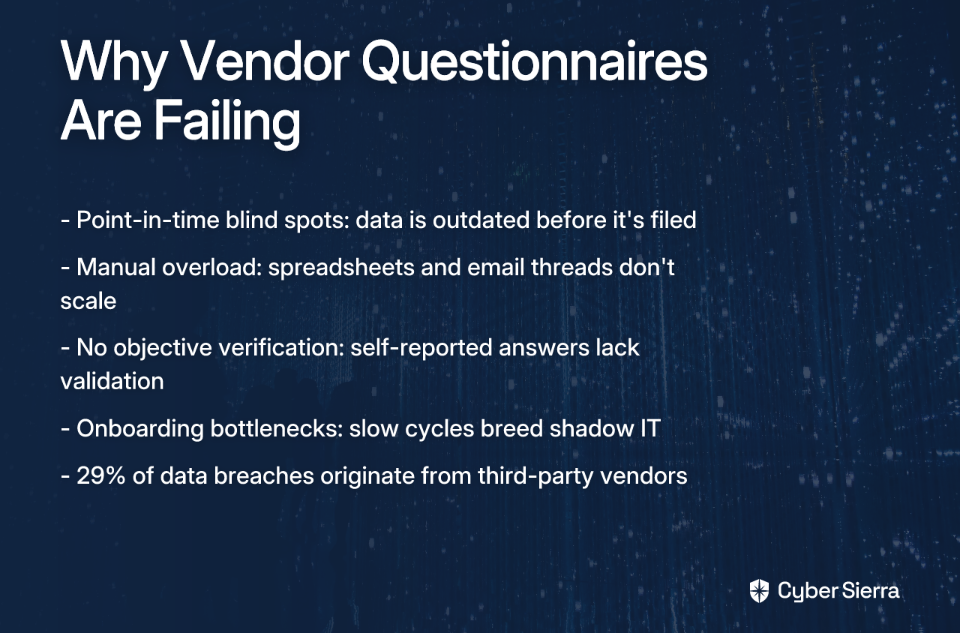
Before jumping to solutions, it's worth naming why the old approach breaks down — because the problems run deeper than "it's tedious."
Point-in-time blind spots. A questionnaire captures a snapshot of a vendor's security posture on the day they complete it. According to Bitsight's research, 80% of legal and compliance leaders recognize that third-party risks often surface after initial onboarding — meaning the questionnaire you spent weeks collecting is already outdated before you file it.
Manual overload. Chasing vendors across email threads, tracking completion status in spreadsheets, and reconciling version-controlled documents isn't a risk management program — it's a data entry job. It's error-prone, time-consuming, and scales poorly as your vendor inventory grows.
No objective verification. Self-reported answers are only as trustworthy as the vendor completing them. Without automated, external validation layered on top of questionnaire responses, you're working on good faith.
Onboarding bottlenecks. When assessment cycles take weeks, critical vendor relationships get delayed — or worse, teams bypass the process entirely and spin up unapproved tools. That's a shadow IT problem waiting to happen.
The data reinforces the urgency: SecurityScorecard reports that 29% of all data breaches originate from third-party vendors. A static questionnaire isn't a defense strategy.
Not all Third-Party Risk Management (TPRM) platforms are built the same. When evaluating your options, these are the capabilities that separate genuinely useful tools from glorified form builders.
Here's a look at the platforms that consistently stand out for automating vendor assessments and delivering continuous visibility into third-party risk.
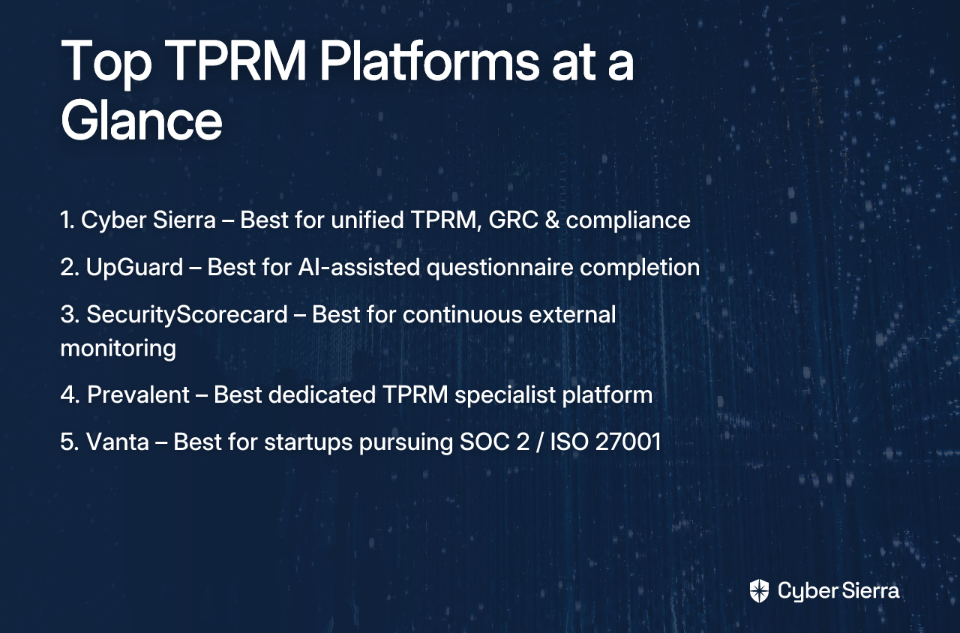
Best for: Enterprises needing a unified platform that combines TPRM with continuous compliance, GRC, and threat intelligence. Supported frameworks: SOC 2, ISO 27001, HIPAA, PCI DSS, GDPR, PDPA, MAS TRM. Deployment: Cloud-based SaaS.
Cyber Sierra's TPRM module is designed to move organizations away from periodic, manual assessments toward proactive, near real-time risk management. What sets it apart from standalone questionnaire tools is how deeply it integrates with the rest of the platform — connecting vendor risk data to continuous control monitoring, GRC, and threat intelligence in a single unified environment.
The platform is recognized as a Sample Vendor in the Gartner® Hype Cycle™, and holds accreditation from the Cyber Security Agency of Singapore (CSA).
Key features:
Best for: Teams looking for a user-friendly interface with strong AI features for accelerating questionnaire completion. Supported frameworks: GDPR, PCI DSS, ISO 27001, NIST Cybersecurity Framework (NIST CSF). Deployment: Cloud-based SaaS.
UpGuard combines security ratings, automated risk detection, and streamlined questionnaire workflows into an intuitive platform. Its standout feature is AI Autofill, which suggests questionnaire responses based on a vendor's prior submissions, significantly reducing the back-and-forth that slows most assessments down.
Key features:
Best for: Organizations that prioritize continuous external monitoring and executive-level risk reporting. Supported frameworks: Various, with mapping to common standards. Deployment: Cloud-based SaaS.
SecurityScorecard is well-established in the security ratings space, providing A–F grades on vendor security posture based on externally observable data — without requiring intrusive scans. Its Atlas product is specifically designed to streamline sending, receiving, and analyzing security questionnaires at scale.
Key features:
Best for: Companies seeking a dedicated TPRM specialist with access to a broad vendor risk data network. Supported frameworks: Standard and custom frameworks. Deployment: Cloud-based SaaS.
Prevalent focuses exclusively on third-party and fourth-party risk management — it's what they do, full stop. Practitioners in the community frequently recommend it for organizations that want a purpose-built TPRM solution rather than a feature within a broader GRC platform.
Key features:
Best for: Startups and SMBs primarily focused on achieving SOC 2 or ISO 27001 certification. Supported frameworks: SOC 2, ISO 27001, HIPAA, GDPR. Deployment: Cloud-based SaaS.
Vanta's strength is compliance automation for growing companies preparing for their first major audit. Vendor risk reviews are included as part of the broader compliance workflow, making it a practical choice for teams that need to satisfy SOC 2 vendor management requirements without building a standalone TPRM program.
Key features:
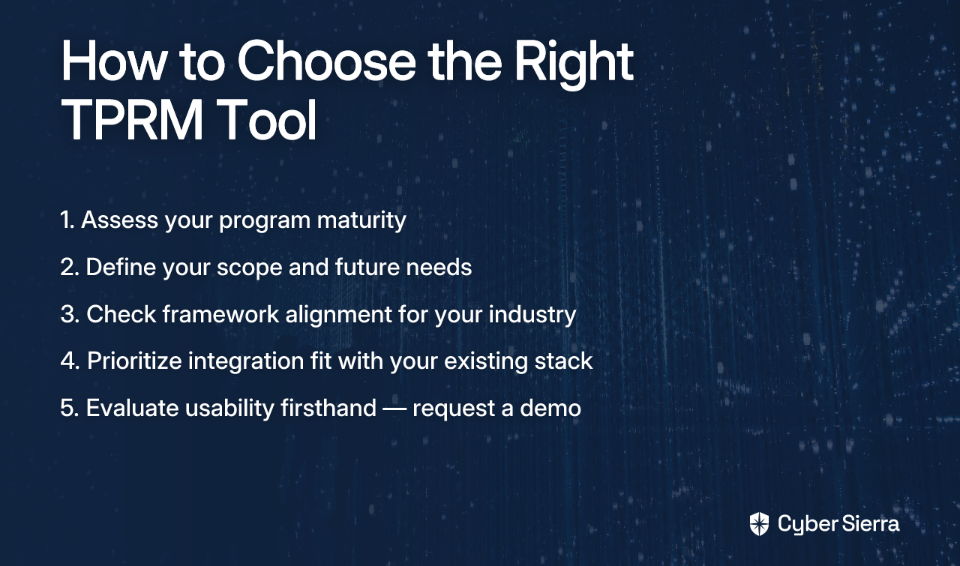
The right platform depends on where your program is today and what you need it to do. Use this as a practical starting point before committing to a demo or a procurement cycle.
Leaving spreadsheets behind is a start, but the real win isn't just faster paperwork—it's genuine visibility. Effective third-party risk management boils down to two key shifts:
Here’s a practical next step: This week, identify your top three critical vendors and the last time their security posture was formally reviewed. If it was more than six months ago, you have a visibility gap.
When you're ready to close that gap for good, explore Cyber Sierra's TPRM to see how automation and continuous monitoring turn a reactive process into a proactive advantage.
TPRM software helps organizations manage and mitigate risks arising from their third-party vendors. It automates tasks like sending security questionnaires, continuously monitoring vendor security posture, and tracking remediation, replacing manual spreadsheets with a centralized, efficient platform.
Automating vendor security questionnaires saves time, reduces human error, and provides a more accurate, timely view of vendor risk. Manual processes are slow and create point-in-time blind spots. Automation streamlines the entire lifecycle, from distribution to analysis, freeing your team to focus on high-risk issues.
The most important features for a TPRM tool include automated questionnaire workflows, continuous external monitoring, and integration capabilities with your existing tech stack. Also look for AI-assisted completion, pre-built templates for frameworks like SOC 2 and ISO 27001, and automated risk scoring.
TPRM focuses specifically on risks from external vendors, whereas GRC (Governance, Risk, and Compliance) is a broader strategy for managing an organization's overall risk. Many modern platforms, like Cyber Sierra, integrate TPRM into a unified GRC solution for a complete view of internal and external risk.
Continuous vendor monitoring is the ongoing, automated assessment of a vendor's security posture. It is crucial because vendor risks change daily. This provides real-time visibility into new vulnerabilities that static, point-in-time questionnaires would miss, enabling proactive risk management.
To choose the best TPRM software, assess your program's maturity, define your scope, ensure it supports your industry's compliance frameworks, and prioritize integrations. Always evaluate usability with a product demo, as a startup's needs for SOC 2 will differ from an enterprise requiring a unified platform.
Error: Contact form not found.
Join thousands of professionals and get the latest insight on Compliance & Cybersecurity.
If you've ever spent a Friday afternoon chasing down a spreadsheet that might have last quarter's access control evidence, you know the problem.
For companies without a dedicated Chief Information Security Officer (CISO), Governance, Risk, and Compliance (GRC) work doesn't disappear. It just lands on whoever is closest to IT. That might be a founder, an IT manager, or a Head of Operations who already has a full plate. The result is audit prep treated as a fire drill, compliance gaps discovered at the worst possible time, and a creeping anxiety about the next auditor call.
The good news: a compliance management platform can absorb the bulk of the manual grind — the evidence chasing, the framework mapping, the documentation sprawl — so lean teams can stay continuously audit-ready without a full-time security executive running the show.
Here are three platforms worth evaluating.
Before comparing specific tools, it's worth understanding why automation matters so much when there's no CISO in the picture.
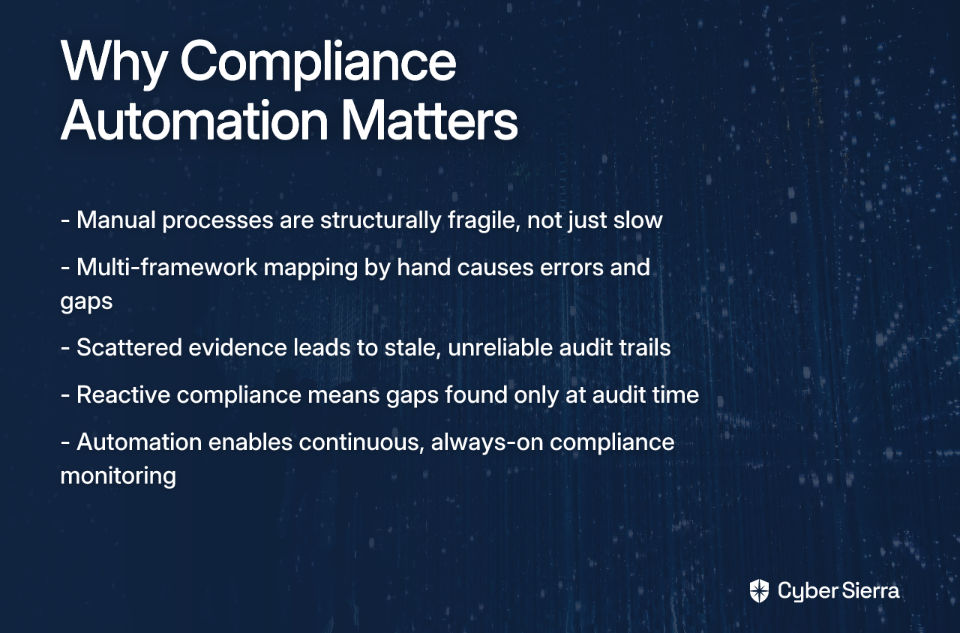
Manual compliance processes aren't just slow — they're structurally fragile. In a Reddit discussion about compliance, users consistently surface the same frustrations: "chasing down random spreadsheets," excessive back-and-forth with auditors, and evidence that's stale by the time it's compiled. One practitioner put it plainly: "Instead of chasing spreadsheets, everything's centralized with timestamps and evidence trails." That shift — from scattered to centralized — is exactly what automation enables.
For teams managing multiple compliance frameworks like SOC 2, ISO 27001, and HIPAA simultaneously, the manual approach compounds the pain. Mapping overlapping controls by hand is error-prone, and one missed mapping means either duplicate work or a coverage gap. As another user noted in the same discussion: "If you're dealing with multiple frameworks, the mapping features save a ton of time."
The other benefit automation delivers is continuity. Without a CISO actively monitoring controls, compliance tends to be reactive — addressed only when an audit looms. Modern compliance platforms are designed to flip that dynamic, moving organizations from periodic scrambles to continuous, always-on compliance monitoring. According to IBM, effective compliance management systems use automation to detect risks and enable immediate corrective actions — not just document them after the fact.
That's the foundation. Now, here are three platforms that deliver it.
Each platform below takes a somewhat different approach. The right choice depends on where your organization is in its compliance journey, how your security function is structured, and what frameworks you need to satisfy.
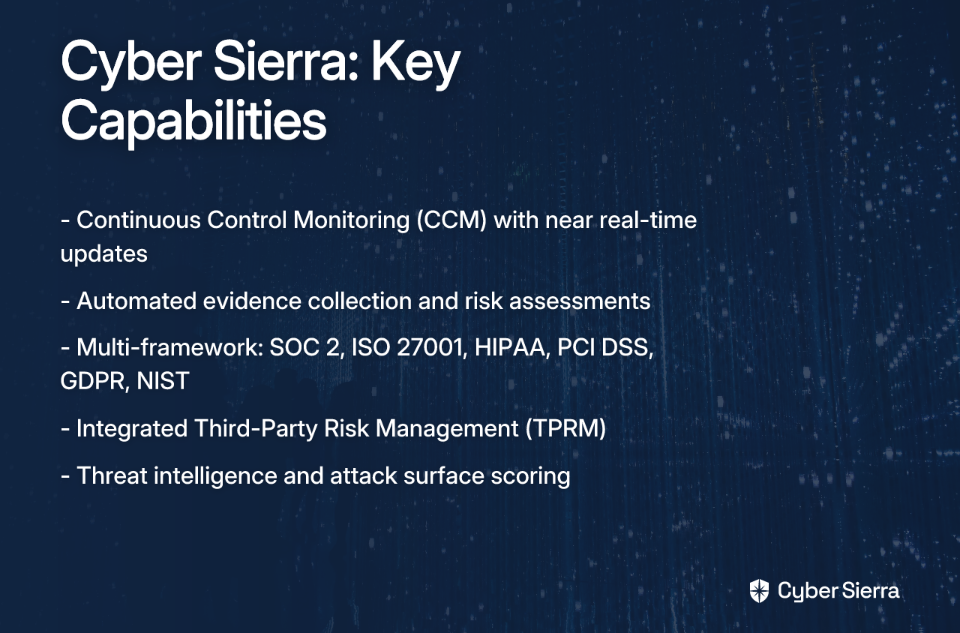
Best for: Teams that need a unified, AI-enabled platform covering continuous compliance, vendor risk, and security posture management — without a CISO to stitch it all together. Supported frameworks: SOC 2, ISO 27001, GDPR, HIPAA, PCI DSS, NIST CSF. Deployment: Cloud-based SaaS.
For a company without a dedicated CISO, one of the most dangerous blind spots is fragmentation — security data living in separate tools, vendor risks tracked in spreadsheets, and compliance evidence scattered across shared drives. Cyber Sierra's GRC platform is built to close that gap by bringing automated compliance workflows, continuous control monitoring, and third-party risk management into a single, integrated environment.
The AI-enabled approach automates the tasks that drain small security teams the most: collecting evidence, mapping controls across frameworks, and tracking remediation progress. That means the IT manager or compliance lead doesn't have to manually coordinate all of it — the platform does the groundwork, and the team focuses on decisions rather than data gathering. Cyber Sierra was recognized as a Sample Vendor in the Gartner® Hype Cycle™ for Cyber-Risk Management, 2024, reflecting its position as an emerging, innovation-forward approach to compliance and risk management.
Key features:
Cyber Sierra offers flexible plans tailored to enterprise needs — visit the pricing page for details.
Best for: Organizations at the beginning of their compliance journey that need a self-guided, assessment-first approach to understand their security gaps before committing to a full compliance program. Supported frameworks: CIS Critical Security Controls, NIST CSF, ISO 27001, SOC 2, CMMC 2.0, HIPAA Security Rule. Deployment: Cloud-based SaaS.
RealCISO is designed for organizations that don't yet have a clear picture of where they stand — teams that need to diagnose before they can fix. Its core strength is a guided assessment model that walks users through their security posture, identifies the most critical gaps, and provides targeted recommendations to address them. The interface is built to be accessible to people without deep GRC expertise, which makes it a practical starting point for companies formalizing their compliance program for the first time.
Where RealCISO stands apart is in reducing reliance on external consultants. Rather than engaging a compliance consultancy to run a gap assessment, teams can work through the process themselves — with the platform providing the structure and guidance. That's a meaningful cost advantage for organizations with limited budgets that still need to demonstrate compliance with frameworks like SOC 2 or the HIPAA Security Rule.
Key features:
Best for: Companies that work with a virtual CISO (vCISO) or managed service provider (MSP), or those looking to build an internally structured security program using a vCISO-style methodology. Supported frameworks: Multiple cybersecurity frameworks and compliance standards. Deployment: Cloud-based SaaS.
Cynomi was built to power vCISO service delivery — but for a company without a dedicated CISO, that design philosophy translates into something genuinely useful: a platform that imposes CISO-level structure on an otherwise unstructured security program. It automates security posture assessments, risk evaluations, and compliance tracking in a way that mirrors what an experienced security executive would orchestrate manually.
This makes Cynomi a strong fit for two scenarios. First, organizations that have engaged an external vCISO and need a shared platform to collaborate on security strategy. Second, organizations building their compliance program internally and wanting a structured, methodology-driven approach rather than starting from a blank slate. The platform's reporting capabilities are particularly well-suited to filling the communication gap that opens up when no CISO is present to translate security status for leadership.
Key features:
The three platforms above each take a different angle on the same underlying problem. Choosing between them comes down to a few key questions.
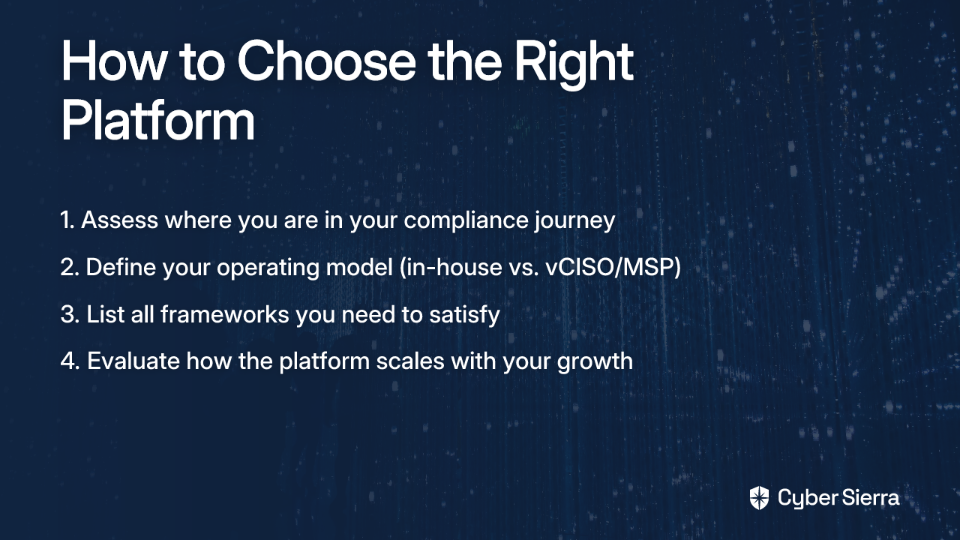
Where are you in your compliance journey? If you're starting from scratch and need to understand your current gaps before building a program, RealCISO's assessment-first model is the most efficient entry point. If you already have a baseline and need to maintain and automate ongoing compliance, a platform like Cyber Sierra's continuous monitoring infrastructure is better suited.
What's your operating model? If your security function is supported by an external vCISO or MSP, Cynomi is purpose-built for that collaboration. If you're managing everything in-house and need a single platform to replace what a CISO would otherwise coordinate, an integrated platform like Cyber Sierra — covering GRC, TPRM, threat intelligence, and employee security training — reduces the number of tools your team has to manage.
Which frameworks do you need to satisfy? Not every platform covers every framework equally well. Cross-reference your regulatory obligations — whether that's SOC 2 for enterprise sales, ISO 27001 for international customers, or HIPAA for healthcare data — against the platform's supported frameworks before committing.
How will the platform scale with you? Compliance requirements tend to grow as businesses expand into new markets or customer segments. Evaluate whether the platform can accommodate additional frameworks and integrations without requiring a full migration.
Managing compliance without a CISO doesn't have to mean living in a state of pre-audit panic. Shifting from reactive fire drills to a proactive, always-on security posture is achievable with the right systems in place.
Here’s what to focus on:
Your next step today: Pinpoint the one compliance task that consumes the most manual hours. That’s your primary candidate for automation.
When you're ready to offload the manual grind and gain CISO-level visibility, explore Cyber Sierra's platform. See how it unifies compliance, vendor risk, and threat management into one intuitive platform.
A compliance management platform is a software tool that automates and centralizes tasks for governance, risk, and compliance (GRC). It helps organizations track regulations, manage policies, collect audit evidence, and monitor security controls continuously, reducing manual work and audit prep time.
Compliance automation is crucial because it systematizes security tasks that a CISO would typically oversee. It provides continuous monitoring, centralizes evidence, and maps controls across frameworks automatically, reducing the risk of human error and preventing last-minute audit scrambles for lean teams.
These platforms use built-in control mapping to manage multiple frameworks from a single interface. When a single security control satisfies requirements for SOC 2, ISO 27001, and others, the platform maps it automatically. This eliminates redundant work and ensures consistent evidence collection.
Continuous Control Monitoring (CCM) is an automated process that constantly verifies if security controls are working as intended. It provides near real-time visibility into your security posture, allowing teams to detect and fix compliance gaps as they happen, rather than discovering them during an audit.
Choose a platform based on your company's specific needs and maturity level. Consider where you are in your compliance journey, your operating model (in-house vs. vCISO), the specific frameworks you need (e.g., SOC 2, HIPAA), and whether the platform can scale with your growth.
No, a compliance platform cannot completely replace a CISO, but it handles many operational tasks. The platform automates the "what" and "how" of compliance (evidence collection, monitoring), while a CISO provides the strategic "why" and oversees overall risk management and security strategy.
Error: Contact form not found.
Join thousands of professionals and get the latest insight on Compliance & Cybersecurity.
You're managing SOC 2, ISO 27001, HIPAA, and NIST Cybersecurity Framework (NIST CSF) simultaneously — and every audit cycle feels like starting from scratch. Your team is on long calls with engineers trying to locate a config file and take a timestamped screenshot. Evidence is stale by the time it's filed. Policies live in three different wikis. Sound familiar?
This isn't just an efficiency problem. It's a structural one.
Most compliance guides cover each framework in isolation. None explain what to do when all of them apply at once — and that gap is exactly where security teams lose weeks of productive time. This guide walks through a four-step workflow to automate cybersecurity compliance automation across 10+ frameworks: from mapping overlapping controls to generating unified audit reports, without rebuilding your process every time a new regulation lands.
Before the workflow, it helps to name what you're actually fighting against.
Organizations managing multiple frameworks face a specific trap: the overlap between frameworks is real, but imperfect. Most controls for access management, encryption, and incident response appear across SOC 2, ISO 27001, HIPAA, and NIST CSF — but with different language, different scoping, and different evidence requirements. Without a structured approach, teams end up doing the same work three or four times over.
According to CyberSaint's crosswalking guide, manual crosswalking between frameworks can consume over 2,500 hours annually — and that's before a single audit begins. Seceon's compliance automation analysis puts the potential savings from automation at 40–60% of total compliance costs, with audit preparation timelines compressing from months to weeks.
The solution isn't just buying a tool. It's building a methodology — and then automating it.
Here's the workflow that transforms compliance from a recurring fire drill into a continuous, auditable process.
The first step is identifying which controls already satisfy requirements across multiple frameworks — what practitioners call "crosswalking." Done manually in spreadsheets, it's error-prone and nearly impossible to maintain as frameworks update. Done with automation, it becomes the foundation for everything that follows.
The key insight: frameworks share far more DNA than most teams realize. Take access management as a concrete example:
All three address the same underlying control: who has access to what, and is it properly governed? A single, well-documented Identity and Access Management (IAM) implementation — with continuous evidence — satisfies all three simultaneously.
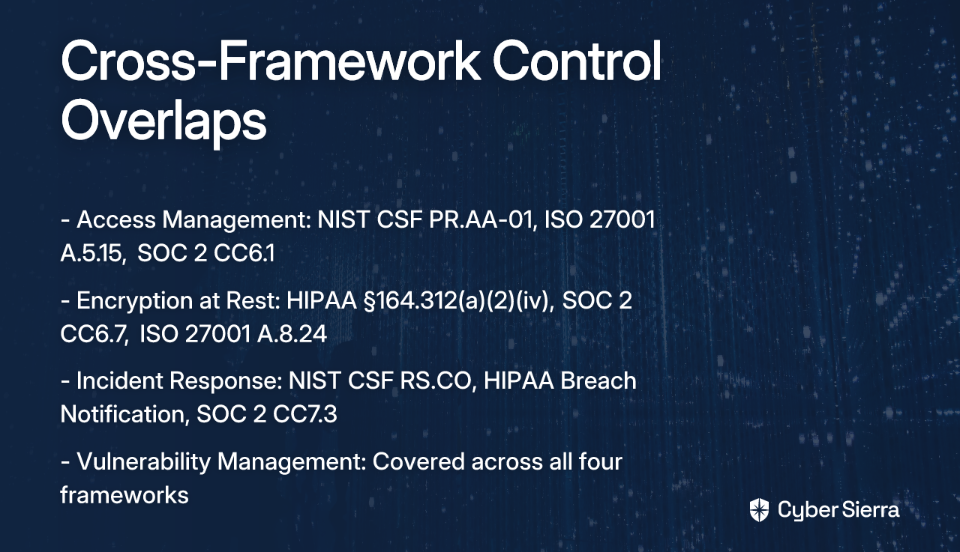
The same pattern holds for encryption at rest (HIPAA §164.312(a)(2)(iv), SOC 2 CC6.7, ISO 27001 A.8.24), incident response (NIST CSF RS.CO, HIPAA Breach Notification Rule, SOC 2 CC7.3), and vulnerability management across all four frameworks. Modern platforms use AI and NLP to analyze the intent behind controls — not just surface-level keyword matching — producing more accurate and maintainable mappings at a fraction of the manual effort.
Output of this step: A documented control crosswalk showing which single controls satisfy multiple framework requirements, and where genuine gaps exist that require separate coverage.
Once you know how your controls map across frameworks, the next step is housing everything in one place — a centralized control repository that serves as the single source of truth for your entire compliance program.
A well-built repository contains:
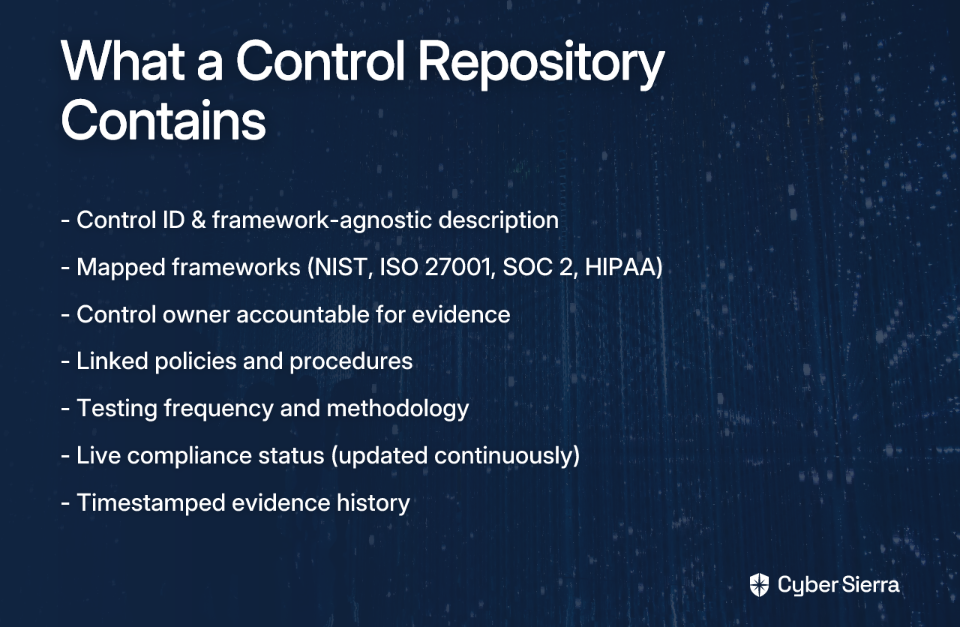
This structure directly solves one of the most common practitioner complaints: policies scattered across wikis, shared drives, and email threads, with no version control and no clear ownership. A centralized repository makes it impossible to have a control "owned" by nobody and makes the impact of a single control failure immediately visible across every applicable framework.
As TrustCloud's UCF guide describes it, a Unified Control Framework (UCF) doesn't just reduce redundancy — it provides the holistic risk visibility that periodic audits fundamentally cannot.

With the repository in place, the next step is replacing periodic manual checks with Continuous Control Monitoring (CCM) — automated testing that validates controls are operating effectively in real time, not just at audit time.
Here's what the difference looks like in practice, using a common control: MFA on cloud infrastructure.
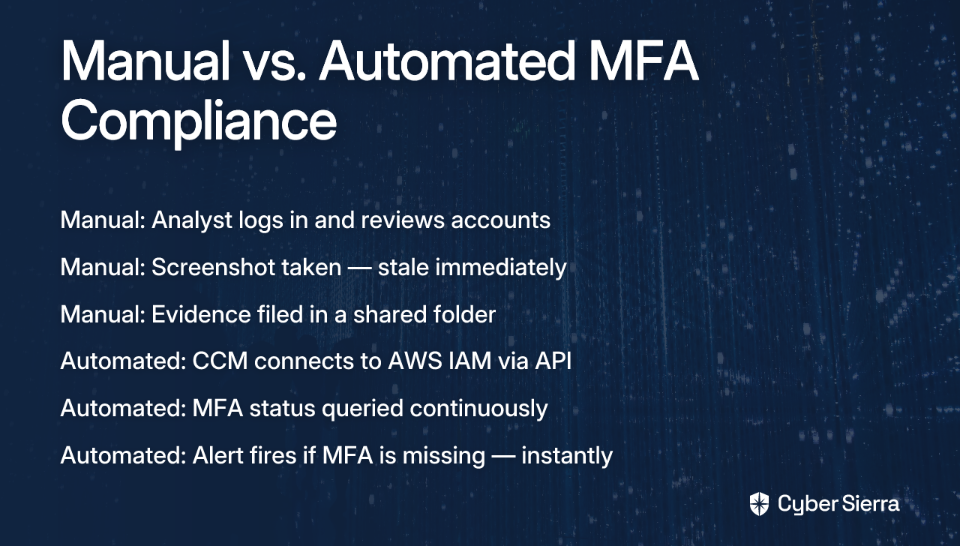
This shift from reactive evidence collection to proactive control validation is the practical heart of cybersecurity compliance automation. As RegScale's CCM overview highlights, CCM platforms can support over 60 compliance frameworks simultaneously — the same integration that validates your AWS MFA control for NIST CSF also satisfies the equivalent SOC 2 and ISO 27001 requirements.
The downstream effect is significant: instead of spending weeks before an audit scrambling to gather evidence, your team has a continuously updated evidence library that's always ready.
The final step brings everything together into a reporting layer that works for every audience — compliance managers, external auditors, and the board.
Unified audit reporting aggregates data from your centralized repository and continuous testing into a single dashboard. Different stakeholders need different views:
According to CyberSaint's research, automation at this stage can produce 80% faster assessments and a 90% reduction in manual reporting effort. That's not a marginal improvement — it's a structural shift in how compliance teams operate.
Compliance fatigue isn't a cost of doing business—it's a symptom of a broken, manual process. By treating compliance as a continuous operational state instead of a series of deadlines, you can end the recurring fire drills for good.
The most practical takeaways from this workflow are:
Your next step today? Whiteboard the one control—like access management—that causes the most repetitive work during audits. That’s your starting point for automation.
When you’re ready to automate the entire workflow, from crosswalking to reporting, see automated compliance in action. We’ll show you how to build a compliance program that scales with your business, not your headcount.
Multi-framework compliance automation uses technology to manage obligations across standards like SOC 2, ISO 27001, and NIST CSF from one platform. It involves mapping overlapping controls, centralizing evidence, and using continuous monitoring to reduce manual effort and ensure audit-readiness.
Manual management is difficult because frameworks have overlapping but slightly different requirements, leading to duplicated work. Teams end up recreating evidence and re-mapping controls for each audit, a process that is time-consuming, error-prone, and hard to maintain as standards evolve.
Control mapping, or crosswalking, is the process of identifying a single security control that satisfies requirements across multiple frameworks. For example, one strong access control policy can meet the criteria for NIST, ISO 27001, and SOC 2, eliminating redundant compliance tasks.
CCM improves audits by automatically collecting and validating evidence in real-time, ensuring you are always prepared. Instead of manually taking screenshots before an audit, CCM provides a live, timestamped evidence library, drastically reducing preparation time and eliminating stale data.
The four key steps are: mapping overlapping controls, building a centralized control repository, implementing continuous automated testing (CCM), and generating unified audit reports. This workflow transforms compliance from a series of manual fire drills into a continuous and efficient process.
A centralized repository acts as the single source of truth for all controls, policies, and evidence across every framework. It eliminates scattered documents, clarifies control ownership, and provides a clear view of your compliance posture, making it easy to manage audits and assess risk.
Error: Contact form not found.
Join thousands of professionals and get the latest insight on Compliance & Cybersecurity.
If you've ever stared down a compliance audit with nothing but a spreadsheet and a prayer, you already know the feeling. Manually chasing control owners, pulling screenshots, and re-collecting evidence that was stale the moment you gathered it — it's exhausting work that has nothing to do with actually making your organization more secure.
The traditional path to ISO 27001 certification can drag on for 12 to 18 months. Most of that time isn't spent on hard security work — it's spent on administrative overhead that automation can eliminate.
Six months is an ambitious timeline, but it's achievable. Here's the roadmap.
ISO/IEC 27001:2022 is the leading international standard for establishing an Information Security Management System (ISMS). It provides a systematic framework to protect information based on three core principles:
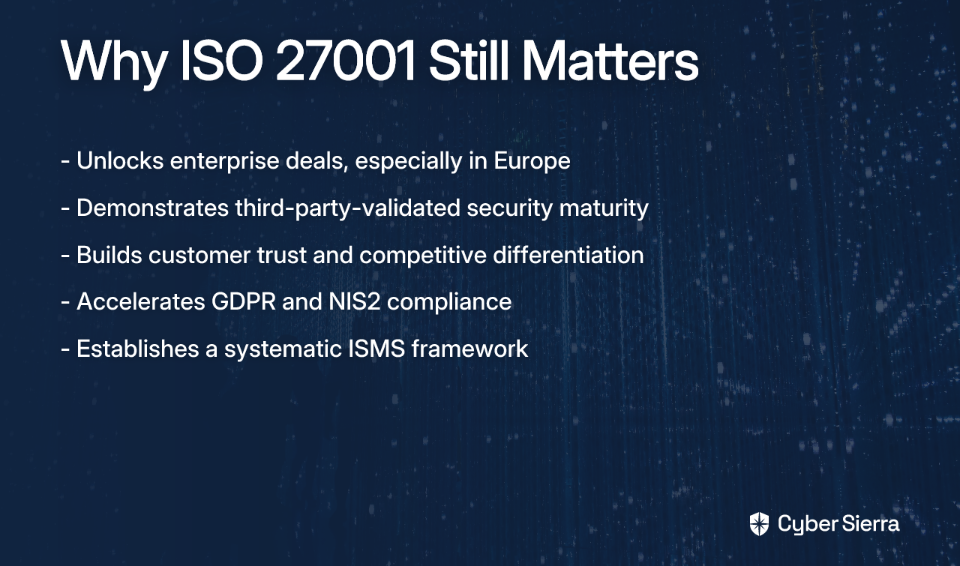
The business case goes well beyond meeting a checkbox. ISO 27001 certification helps organizations unlock enterprise deals, especially in Europe where large buyers routinely require it from vendors. It demonstrates a mature, third-party-validated commitment to security — something that builds customer trust and differentiates you from competitors who are still collecting dust on their internal security policies. It also accelerates compliance under broader frameworks like GDPR and NIS2 by establishing an ISMS that addresses overlapping requirements.
There is no shortcut around the fundamental work — risk assessments, control implementation, documentation, and audits all need to happen. But you can compress the timeline significantly by running phases in parallel and eliminating the manual drag.
These first two months set the entire project up for success. Skip steps here and you'll pay for it later.
Secure Management Buy-In
Leadership commitment isn't a formality — it determines whether you get the budget, the headcount, and the cross-functional cooperation you'll need. Engage mid-to-senior managers from IT, legal, HR, and operations early. They'll need to own controls within their departments.
Define the Scope of Your ISMS
Scope creep kills timelines. Be deliberate about what the ISMS covers — your core product, the teams supporting it, and the critical data assets involved. A focused scope doesn't mean a weak ISMS; it means a realistic one.
Conduct a Gap Analysis and Risk Assessment
The gap analysis measures where you are against where ISO 27001 requires you to be. The risk assessment goes deeper: identify your information assets, map the threats and vulnerabilities associated with each, evaluate likelihood and impact, and build a Risk Treatment Plan that documents how you'll address each identified risk.
This is where most teams default to spreadsheets — and where the timeline starts slipping. Automated Governance, Risk, and Compliance (GRC) platforms can accelerate both steps by providing pre-built frameworks, control libraries mapped to ISO 27001, and risk registers that don't require you to build from scratch.
With your risk assessment complete, you now know what you need to build.
Select and Implement Annex A Controls
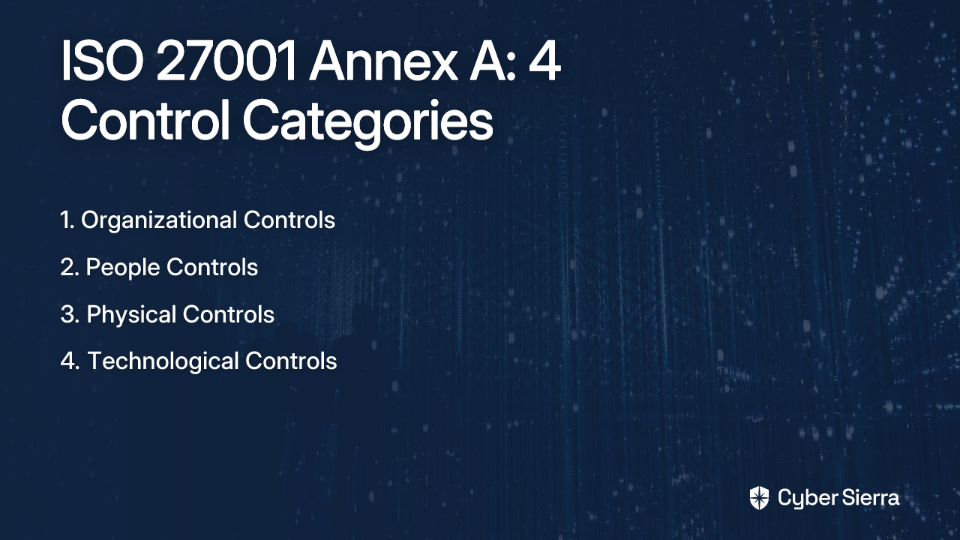
ISO/IEC 27001:2022 includes 93 controls across four categories — Organizational, People, Physical, and Technological. Based on your risk assessment, select the controls that apply to your environment. Not all 93 will be required, but every exclusion needs to be justified.
Create your Statement of Applicability (SoA) — a mandatory document that lists all Annex A controls, explains why each is included or excluded, and details its current implementation status. The SoA is one of the first documents an external auditor will ask to see.
Develop Mandatory Documentation
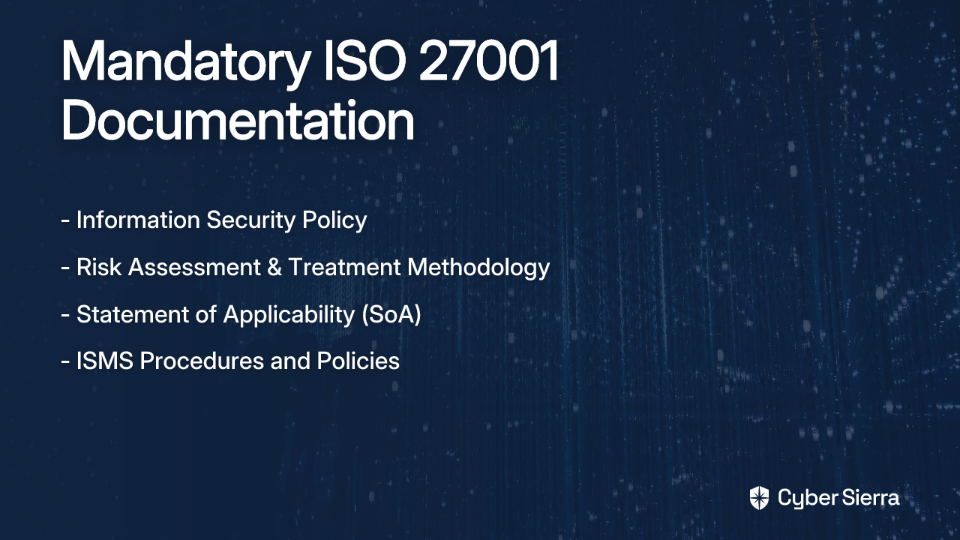
ISO 27001 is documentation-heavy. At a minimum, you'll need:
Compliance platforms typically provide policy templates that can be customized to your organization, saving hundreds of hours compared to drafting everything from scratch.
Cyber Sierra's GRC module supports policy management across multiple frameworks, which is useful if you're simultaneously working toward SOC 2, HIPAA, or PCI DSS alongside ISO 27001.
Conduct Employee Security Training
All employees within the ISMS scope must be trained on security policies and their responsibilities — this isn't optional. It's also not a one-time event. Building a security-conscious culture requires ongoing reinforcement, not just an annual slideshow.
Platforms that automate training delivery and track completion remove the administrative burden of chasing employees to complete modules. Simulated phishing campaigns add a practical layer of testing that proves your training is actually working — something auditors and insurers increasingly want to see.
Perform an Internal Audit
The internal audit is your dress rehearsal. An objective internal party — or a third-party consultant — reviews your ISMS to verify that it meets ISO 27001 requirements and is operating as designed. The goal is to surface nonconformities before the external auditor finds them.
Don't treat this as a formality. As practitioners have shared, being prepared to answer auditor questions on the fly matters as much as having well-organized evidence. Automation can prepare your documents — but your team still needs to understand what the controls do and why they're in place.
Conduct a Management Review
Top management must formally review ISMS performance — including results from the internal audit — and confirm the system remains suitable, adequate, and effective. This is a required ISO 27001 activity, not just good governance. Document it properly; the external auditor will look for evidence that leadership is actively engaged.
The certification audit is conducted by an accredited external certification body and happens in two stages.
Stage 1 Audit. A documentation review. The auditor checks whether your ISMS design and all mandatory documents meet the standard's requirements. Gaps found here delay your Stage 2 — which is why thorough internal audit preparation in Month 5 matters.
Stage 2 Audit. The substantive audit. The auditor gathers evidence through interviews, observations, and record reviews to verify that your ISMS is fully implemented and operating as documented. If the audit goes well, you receive your ISO 27001 certificate.
Expect the Stage 2 audit to surface questions your team needs to answer without consulting documentation first. Knowing your controls — not just having automated evidence of them — is the difference between passing and getting a list of major nonconformities to remediate.
The six-month timeline isn't magic. It works because automation eliminates the low-value, high-volume tasks that inflate traditional timelines — without removing the thinking work that actually matters.
According to TryComp.ai, automated platforms can bring total certification costs down to the $17,000–$32,000 range compared to over $100,000 for fully manual approaches, with audit readiness achievable in as little as 14 to 30 days on certain platforms.
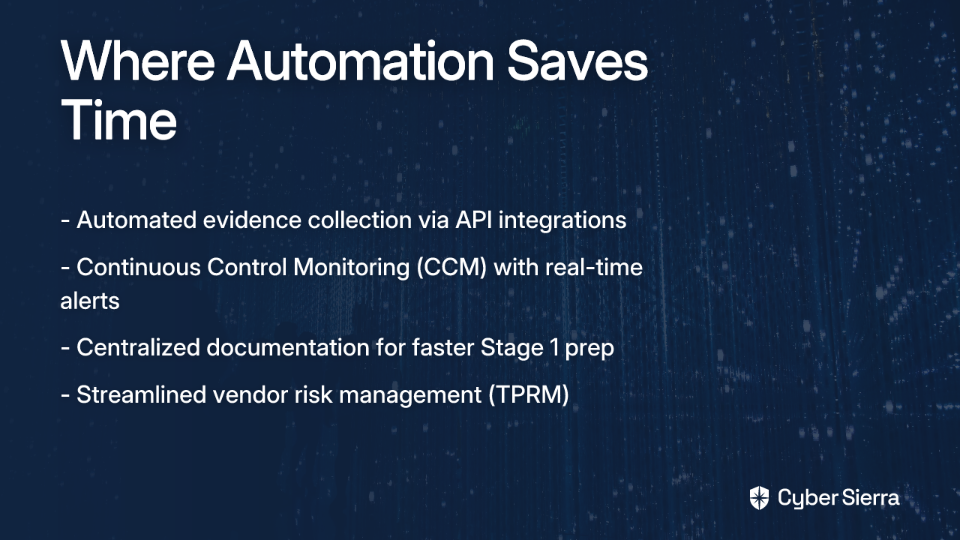
Here's where the time savings come from:
One important caveat from practitioners who've been through this process: automation handles the evidence collection, but it doesn't replace the need to understand your own controls. As one security professional put it, "fundamental understanding is still key — not just connect, connect, click, click." Use ISO 27001 compliance software to eliminate the administrative burden, not as a substitute for building a security program that actually works.
Certification isn't a one-time event. ISO 27001 certificates are valid for three years, but annual surveillance audits are required to maintain them. These audits verify that the ISMS continues to operate effectively — they're less intensive than the initial Stage 2 audit, but they still require evidence and active engagement from your team.
This is where continuous compliance pays off beyond the initial certification sprint. Organizations that implement continuous control monitoring are essentially always audit-ready. Surveillance audits stop being fire drills and become routine check-ins. The compliance posture that got you certified is simply the same posture you maintain year-round.
It also shifts your security program from reactive to proactive. Rather than scrambling to remediate gaps discovered during an audit, you're identifying control failures in near real-time and fixing them before they become findings.

Getting ISO 27001 certified in six months isn't about cutting corners—it's about working smarter. The path from a standing start to a successful audit comes down to two core principles: running key project phases in parallel and using automation to eliminate the manual drag of evidence collection. This frees your team to focus on strengthening security, not chasing screenshots in spreadsheets.
When you’re ready to trade manual audit prep for automated, continuous compliance, see how Cyber Sierra helps you get there faster. Our platform centralizes controls, automates evidence gathering, and keeps you audit-ready year-round. Explore our GRC platform to see it in action.
Error: Contact form not found.
Join thousands of professionals and get the latest insight on Compliance & Cybersecurity.
You built a product that could genuinely improve patient outcomes. Then someone mentioned HIPAA, and suddenly you're drowning in conflicting advice, sky-high vendor quotes, and the growing dread that you might already be doing something wrong.
This is the reality for most HealthTech startups. Cost estimates for compliance vary wildly, while government guidance leaves enormous room for interpretation. Beneath it all sits a brutal truth: a single breach could end your ability to handle healthcare data permanently.
The good news? HIPAA audit readiness is not a mystery. It's a structured process — and with the right roadmap, most startups can get there within 90 days.
This guide breaks it down into three 30-day phases: foundation, remediation, and validation. No fluff, no recycled checklists — just the concrete steps that move you from gap-ridden to audit-ready.
Before mapping out the 90-day plan, it's worth understanding what you're actually preparing for.
The Health Insurance Portability and Accountability Act (HIPAA) establishes national standards for protecting sensitive patient data — specifically Protected Health Information (PHI) — in the United States. Enforcement falls to the Department of Health and Human Services (HHS) Office for Civil Rights (OCR), which has the authority to investigate complaints, conduct audits, and levy civil and criminal penalties.
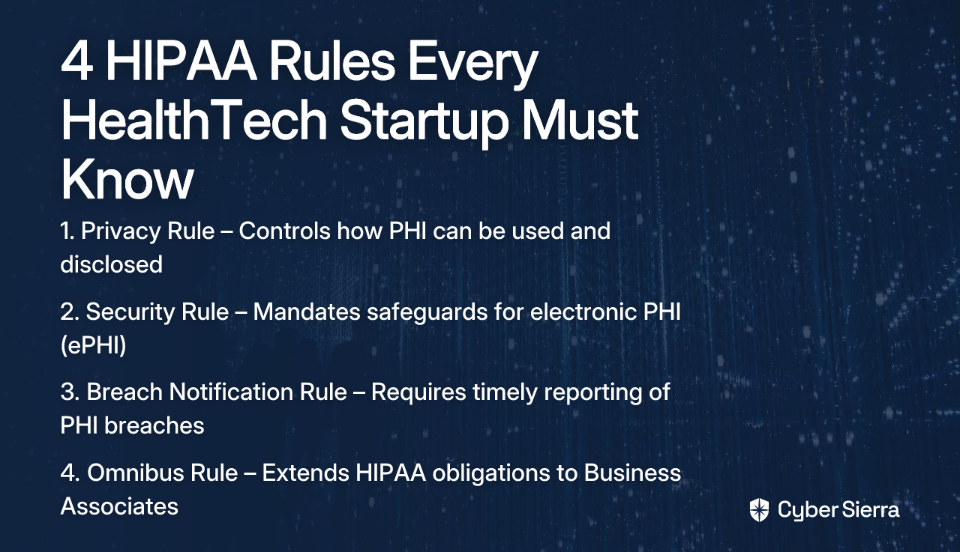
The four key rules every HealthTech startup must understand are:
The OCR's HIPAA Audit Program is active and specifically focuses on Security Rule compliance in response to a surge in ransomware attacks and healthcare data breaches. The 2024-2025 audit cycle reinforces that "we'll deal with it later" is no longer a viable strategy. Auditors are looking for evidence of a living compliance program — not a stack of PDFs assembled the week before the audit.
The following roadmap is divided into three phases. Each builds on the last. Moving too fast through Phase 1 creates gaps that surface — at the worst possible time — in Phase 3.
The first 30 days are about understanding exactly where you stand. You cannot remediate what you haven't documented.
Step 1: Designate a Compliance Officer
HIPAA requires a designated Privacy Officer and Security Officer. In a startup, these roles are often held by the same person — but the function must exist and be formally assigned. According to the effective compliance program guidelines outlined by HHS, designating a compliance officer isn't optional. This person owns the compliance program, tracks obligations, and serves as the point of contact for auditors.
Step 2: Conduct a Risk Assessment
This is the single most critical document in a HIPAA audit. The Security Rule mandates that covered entities and business associates conduct an accurate and thorough assessment of the potential risks and vulnerabilities to ePHI. Your risk assessment must:
A missing or incomplete risk assessment is one of the most common OCR audit findings. Don't treat it as a checkbox — treat it as the backbone of your entire compliance program.
Step 3: Perform a Gap Analysis
With your risk assessment in hand, map your current state against the HIPAA Security Rule's three safeguard categories:
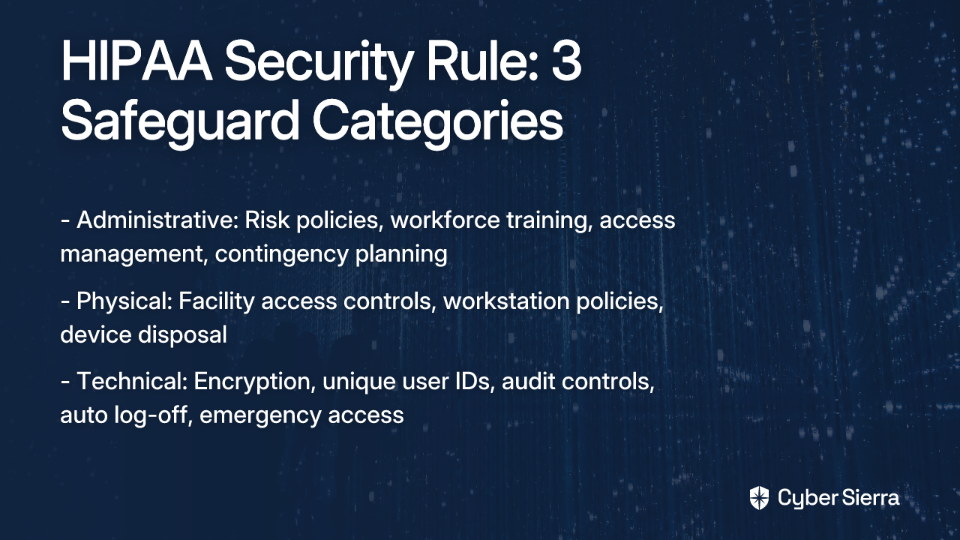
Document every gap. This list becomes your remediation plan in Phase 2.
Step 4: Inventory Business Associates and Verify BAAs
List every third-party vendor that touches PHI — cloud hosting providers, email platforms, analytics tools, CRM systems. Every single one of them requires a signed Business Associate Agreement (BAA). A BAA legally binds the vendor to HIPAA obligations and clarifies who is responsible for what.
A critical misconception here: a BAA from a vendor like AWS does not mean that vendor assumes full HIPAA compliance responsibility on your behalf. The BAA clarifies a shared responsibility model — your team is still accountable for how your application handles and protects ePHI. Know what each vendor covers, and know what they don't.
You've diagnosed the problem. Now you fix it — systematically, with documentation at every step.
Step 5: Build and Execute a Remediation Plan
Convert your gap analysis into a prioritized action list. Each item should include the gap identified, the remediation action required, the owner responsible, and a target completion date. Prioritize by risk severity — high-likelihood, high-impact gaps go first.
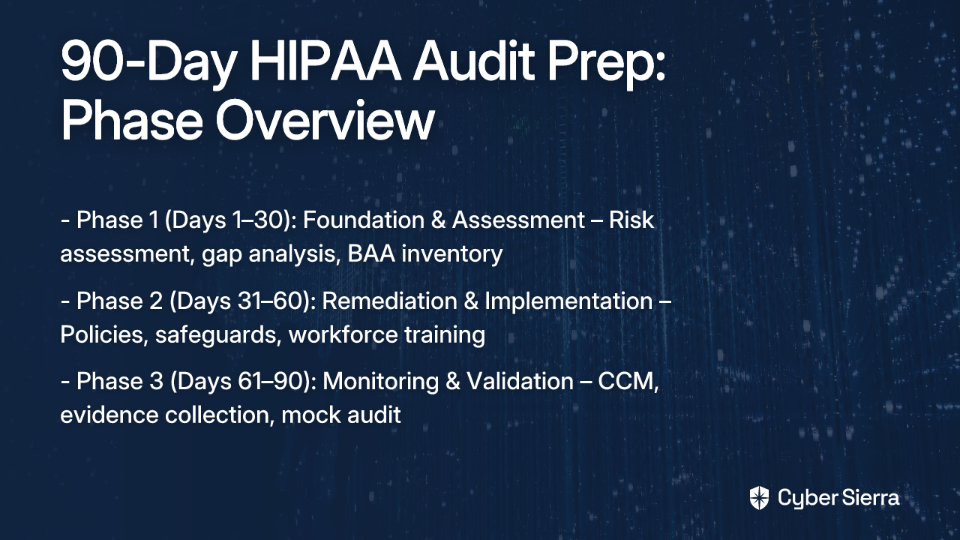
This document is evidence. Auditors want to see not just that you fixed issues, but that you had a structured, deliberate process for doing so.
Step 6: Formalize HIPAA Policies and Procedures
HIPAA requires documented policies covering a defined set of topics, including:
Policies scattered across shared drives and wikis won't hold up. They need version control, approval signatures, and evidence that they were reviewed on schedule. Establishing a centralized policy management system in this phase saves significant pain later.
Step 7: Implement Security Rule Safeguards
Based on your gap analysis, implement the missing technical and physical controls:
Step 8: Conduct Mandatory Workforce Security Training
It takes only one team member sending PHI over an unencrypted email channel to trigger an OCR investigation. HIPAA requires that all workforce members receive documented HIPAA training on security best practices — and that training must be documented.
One-off annual sessions aren't enough. Effective training programs reinforce concepts continuously and test real-world behavior. Simulated phishing campaigns, for instance, reveal how employees actually respond to social engineering attempts — not just how they perform on a quiz.
Platforms like Cyber Sierra's employee security training automate this process with interactive modules, assessments, and simulated phishing campaigns, while providing a dashboard to track team-wide security readiness. This gives compliance managers the documented evidence auditors expect to see.
Implementing controls is the requirement. Proving they work continuously is what separates startups that pass audits from those that scramble through them.
Step 9: Implement Continuous Control Monitoring
HIPAA compliance is not a point-in-time state — it's an ongoing obligation. Most audits surface failures not because controls were never implemented, but because they drifted over time and nobody caught it.
Continuous Control Monitoring (CCM) shifts your compliance posture from reactive to proactive. Instead of running manual checks in the weeks before an audit, CCM provides ongoing visibility into whether your controls are operating as intended. Any drift — an access permission misconfigured, an audit log that stops streaming, an encryption certificate approaching expiry — gets flagged immediately.
Cyber Sierra's CCM platform builds a central controls repository with near real-time updates, automating control testing and alerting teams to anomalies before they become audit findings. For HealthTech startups juggling rapid product development alongside compliance obligations, this kind of automation is what makes sustained compliance feasible.
Step 10: Automate Evidence Collection
The breakdown in most compliance programs doesn't happen during implementation — it happens in the maintenance phase. Recurring evidence requests, reviewer follow-ups, vendor reassessments, and policy signoffs all pile up, and what looked automated still needs manual attention before an auditor will accept it.
A HIPAA compliance platform that continuously collects logs, configuration snapshots, and control test results eliminates the last-minute evidence scramble. By Day 90, your evidence should be organized, timestamped, and auditor-ready — not assembled under deadline pressure.
Step 11: Formalize Third-Party Risk Management
BAA collection is the starting point for vendor compliance, not the finish line. Your third-party partners' security posture changes over time — new vulnerabilities, configuration changes, subcontractors they introduce — and a BAA signed 18 months ago tells you nothing about their current state.
Effective Third-Party Risk Management (TPRM) means having a structured process to assess vendors at onboarding, re-assess them periodically, and monitor for material changes in their risk profile. Auditors increasingly expect organizations to demonstrate this — not just produce a signed agreement.
Step 12: Run a Mock Audit
Before your actual audit, pressure-test your program using the official HHS audit protocol. Walk through each audit inquiry as if an OCR investigator submitted it. Identify any remaining gaps, remediate them, and document the exercise itself.
This step does two things: it catches issues you missed, and it prepares your team to respond confidently and accurately under audit conditions.
Startups that build their HIPAA programs manually discover a consistent pattern: the first audit is survivable, but sustainability becomes the problem.
The complexity isn't just in the initial setup. It's in the recurring work — evidence collection cycles, vendor reassessments, policy review sign-offs, control drift remediation — that compounds over time. When compliance is managed through spreadsheets, shared drives, and calendar reminders, it becomes its own operational burden.
A dedicated Governance, Risk, and Compliance (GRC) platform designed around HIPAA addresses this directly. The key capabilities that separate functional compliance programs from ones that collapse under maintenance pressure are:
Cyber Sierra's GRC platform brings these capabilities together in one place, automating data collection, control monitoring, and reporting across HIPAA and other frameworks. For startups managing compliance without a dedicated compliance team, this kind of integration is the difference between a sustainable program and a recurring fire drill.
Completing a 90-day sprint to HIPAA audit readiness is a critical milestone, but it's not the finish line. The real test is maintaining that compliance posture as your product evolves, your team grows, and new threats emerge. The goal isn't just to pass an audit; it's to build a program that operates continuously without derailing your engineering roadmap.
This guide's roadmap boils down to a few core principles. First, your risk assessment is the foundation for everything—get it right, and the rest of your program has a solid structure. Second, sustainable compliance requires moving from manual spot-checks to automated, continuous monitoring that catches security drift before an auditor does.
The most practical next step you can take today? Start mapping every system, API, and vendor that touches protected health information. This exercise quickly reveals why manual tracking is unsustainable. Instead of drowning in spreadsheets, explore Cyber Sierra's platform to see how an integrated GRC platform can automate evidence collection and give you a real-time view of your HIPAA controls.
The first step is to conduct a thorough risk assessment. This mandatory document identifies where Protected Health Information (PHI) exists in your systems and what vulnerabilities could expose it. It forms the foundation of your entire compliance program and is required by the HIPAA Security Rule.
A startup must formally designate a Privacy Officer and a Security Officer. While one person can hold both roles, this individual is responsible for overseeing the compliance program, managing risk assessments, and acting as the point of contact for any audits or investigations.
You must have a signed Business Associate Agreement (BAA) with every vendor that handles PHI. A BAA is a legal contract obligating the vendor to protect PHI according to HIPAA rules. It's also crucial to continuously monitor their security posture, not just collect a signature once.
The HIPAA Security Rule requires three types of safeguards. Administrative safeguards include policies and training. Physical safeguards protect facilities and devices. Technical safeguards involve controls like encryption, access controls, and audit logs to protect electronic PHI (ePHI).
Continuous monitoring is crucial because compliance is an ongoing state, not a one-time project. It automates checking that your security controls are working correctly, alerting you to configuration drift or new risks in real-time before they can become audit failures or breaches.
No, using a HIPAA-compliant provider does not automatically make your application compliant. These providers operate on a shared responsibility model. While they secure the infrastructure, you are still responsible for securing your application, data, and access controls according to HIPAA rules.
Error: Contact form not found.
Join thousands of professionals and get the latest insight on Compliance & Cybersecurity.
You're juggling SOC 2, ISO 27001, and HIPAA simultaneously — and audit season feels less like a milestone and more like a fire drill. The manual process of control mapping across overlapping frameworks is eating your team's hours, and the nagging fear of missing a gap before an auditor finds it is always there. Sound familiar?
Managing multiple compliance frameworks has become a baseline expectation for modern enterprises, not an edge case. But the tooling most teams rely on — spreadsheets, shared drives, and point-in-time questionnaires — simply wasn't built for this level of complexity.
The result is compliance fatigue, mounting technical debt, and security teams spending more time chasing evidence than actually improving their security posture.
This article evaluates 10 of the leading continuous compliance tools available in 2026, with a focus on multi-framework management, automation depth, and integration capabilities. Whether you're a Chief Information Security Officer (CISO) trying to get a unified view of your control environment or a compliance manager drowning in duplicate evidence requests, there's a platform here worth your attention.
A strong compliance posture isn't just about avoiding penalties — it's a prerequisite for closing enterprise deals, entering regulated markets, and demonstrating that your organization takes security seriously. In fact, according to one study, 71% of consumers would stop doing business with a company that mishandled their data. But as regulatory requirements expand, so does the operational burden of keeping up.
Common framework pairings that security teams manage include:
The core problem with managing these frameworks manually is that they overlap — but not perfectly. SOC 2 Trust Services Criteria and ISO 27001 Annex A controls share significant common ground, but mapping them by hand is error-prone and time-consuming. Miss a mapping, and you've created duplicate work in every future audit cycle.
According to community discussions among compliance practitioners, "what took days now takes minutes" when the right automation is in place — but getting there requires the right platform.
Continuous Control Monitoring (CCM) is the modern answer to this challenge. Rather than treating compliance as a periodic event, CCM shifts the model to ongoing, automated oversight — continuously checking controls, flagging exceptions, and keeping evidence fresh. The goal isn't just to pass the next audit; it's to maintain a state of continuous audit readiness.
Not all compliance platforms handle multi-framework complexity equally. When evaluating your options, prioritize the following capabilities:
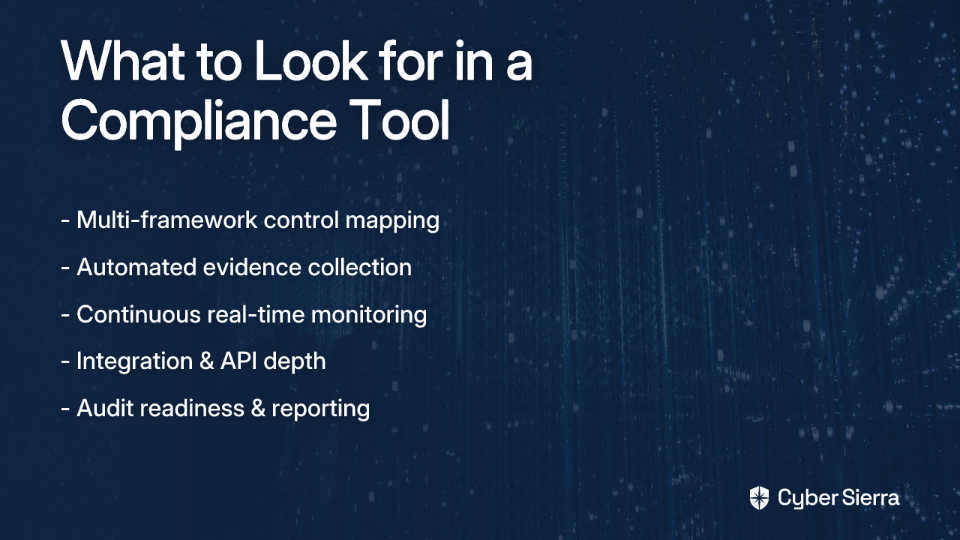
Here is our evaluation of the leading continuous compliance platforms for organizations managing multi-framework security programs in 2026.
Best for: CISOs and compliance managers seeking a unified, AI-enabled platform for multi-framework Governance, Risk, and Compliance (GRC), Third-Party Risk Management (TPRM), and continuous monitoring. Supported frameworks: SOC 2, ISO 27001, HIPAA, GDPR, PCI DSS, NIST CSF, and more. Deployment: Cloud-based SaaS.
Cyber Sierra takes a fundamentally different approach to compliance than most tools on this list. Rather than treating compliance as an isolated workflow, the platform integrates its CCM module with GRC, TPRM, and Threat Intelligence into a single environment. This gives CISOs and compliance managers a unified view of their entire security posture — not just a checklist of framework requirements.
Its standout capability for multi-framework environments is a centralized controls repository that operates on a "map once, comply many" principle. Teams define controls once and Cyber Sierra maps them across all relevant frameworks automatically. This directly tackles the frustration practitioners describe when manually cross-walking SOC 2 and ISO 27001 requirements.
Recognized as a Sample Vendor in the Gartner® Hype Cycle™ for Cyber-Risk Management, 2024, and accredited by the Cyber Security Agency of Singapore (CSA), Cyber Sierra is purpose-built for the complexity of modern multi-framework compliance. The platform itself is also ISO 27001 certified.
Key features:
Best for: Startups and fast-growing SaaS companies achieving their first certifications such as SOC 2 or ISO 27001. Supported frameworks: SOC 2, ISO 27001, HIPAA, GDPR, PCI DSS. Deployment: Cloud-based SaaS.
Vanta is a dominant player in the compliance automation space and widely recognized for its developer-friendly integrations and polished user experience. It excels at getting tech companies audit-ready quickly by automating large portions of the evidence collection process through its library of over 300 integrations.
For organizations pursuing their first major certification, Vanta provides strong guidance, pre-built policy templates, and clear progress dashboards. Teams adding a second framework on top of an existing one will want to closely evaluate how Vanta's cross-framework control mapping handles their specific overlap scenarios.
Key features:
Best for: Cloud-native and SaaS organizations needing deep real-time visibility and robust automation depth. Supported frameworks: SOC 2, ISO 27001, HIPAA, GDPR, PCI DSS. Deployment: Cloud-based SaaS.
Drata is built around a security-first compliance philosophy, with continuous real-time monitoring at its core. Its dashboard gives teams an immediately actionable view of their control environment — failing controls are surfaced clearly, with remediation guidance attached. Drata's approach emphasizes trust: the evidence it collects is structured to give auditors high confidence in its reliability.
It's a strong fit for tech-forward organizations that want compliance embedded into daily operations rather than bolted on at audit time.
Key features:
Best for: Organizations that need to manage multiple compliance frameworks and vendor risk within a single platform. Supported frameworks: SOC 2, ISO 27001, HIPAA, PCI DSS, GDPR, California Consumer Privacy Act (CCPA)/California Privacy Rights Act (CPRA). Deployment: Cloud-based SaaS.
Secureframe offers an all-in-one compliance automation platform with solid multi-framework management capabilities. Beyond core compliance automation, it includes vendor risk management and security awareness training, making it a reasonable consolidation play for teams looking to reduce the number of point solutions in their stack.
Key features:
Best for: Enterprises with mature compliance programs requiring advanced orchestration and risk-based prioritization. Supported frameworks: SOC 2, ISO 27001, NIST CSF, PCI DSS, Sarbanes-Oxley (SOX). Deployment: Cloud-based SaaS.
Hyperproof positions itself as a Compliance Operations platform — a distinction that matters for larger organizations with dedicated GRC functions. It focuses on workflow automation, cross-framework evidence deduplication, and risk-based prioritization. Its AI-powered features assist in streamlining control mapping across overlapping frameworks.
Key features:
Best for: Internal audit, risk, and compliance teams in large enterprises managing SOX, ERM, and IT compliance. Supported frameworks: SOX, NIST CSF, ISO 27001, PCI DSS, Cybersecurity Maturity Model Certification (CMMC). Deployment: Cloud-based SaaS.
AuditBoard is a leader in cloud-based audit and risk management, with roots in serving internal audit teams at large enterprises. Its platform has expanded to cover a broad range of GRC use cases, excelling at centralized audit management and board-level reporting. It's best suited to organizations with dedicated audit departments and complex internal control environments.
Key features:
Best for: Organizations requiring highly customizable workflows for complex or non-standard GRC needs. Supported frameworks: Highly customizable across ISO 27001, NIST CSF, SOC 2, and more. Deployment: Cloud-based SaaS.
LogicGate's Risk Cloud® stands out for extreme flexibility. Its no-code, drag-and-drop interface allows teams to build GRC workflows tailored to processes that don't fit rigid off-the-shelf templates. For organizations with unique compliance requirements or highly customized control environments, LogicGate's visual process mapping brings clarity that more prescriptive platforms can't offer.
Key features:
Best for: Mid-to-large organizations integrating security compliance with privacy, ethics, and ESG programs. Supported frameworks: General Data Protection Regulation (GDPR), CCPA/CPRA, ISO 27001, SOC 2, and hundreds of additional regulations. Deployment: Cloud-based SaaS.
OneTrust operates at a scale that few platforms match, offering a vast suite covering privacy, GRC, ethics, and environmental, social, and governance (ESG). Its Security Assurance Cloud provides robust compliance automation capabilities, making it an excellent choice for organizations that need their security compliance program tightly integrated with a broader privacy management function.
Key features:
Best for: Security-first teams wanting to tie compliance directly to a comprehensive cyber asset inventory. Supported frameworks: SOC 2, ISO 27001, HIPAA, PCI DSS, NIST CSF. Deployment: Cloud-based SaaS.
JupiterOne takes an asset-centric approach that sets it apart from every other tool on this list. It builds a graph-based model of all cyber assets — users, devices, code repositories, cloud infrastructure — and their relationships. Compliance requirements then map to specific assets, giving teams a precise, contextual view of where gaps exist and why.
Key features:
Best for: Mid-sized companies seeking a cost-effective path to automating compliance for key frameworks. Supported frameworks: SOC 2, ISO 27001, HIPAA, GDPR, PCI DSS. Deployment: Cloud-based SaaS.
Scrut Automation provides a risk-first compliance platform designed for growing organizations that need to move beyond spreadsheets without an enterprise-level budget. It offers continuous control monitoring and evidence automation for the most commonly required frameworks, with a risk-centric approach that helps teams prioritize where to focus.
Key features:
Selecting the right continuous compliance tool matters — but the platform alone won't solve the problem. Implementing continuous compliance requires a shift in how compliance is actually operated day to day.
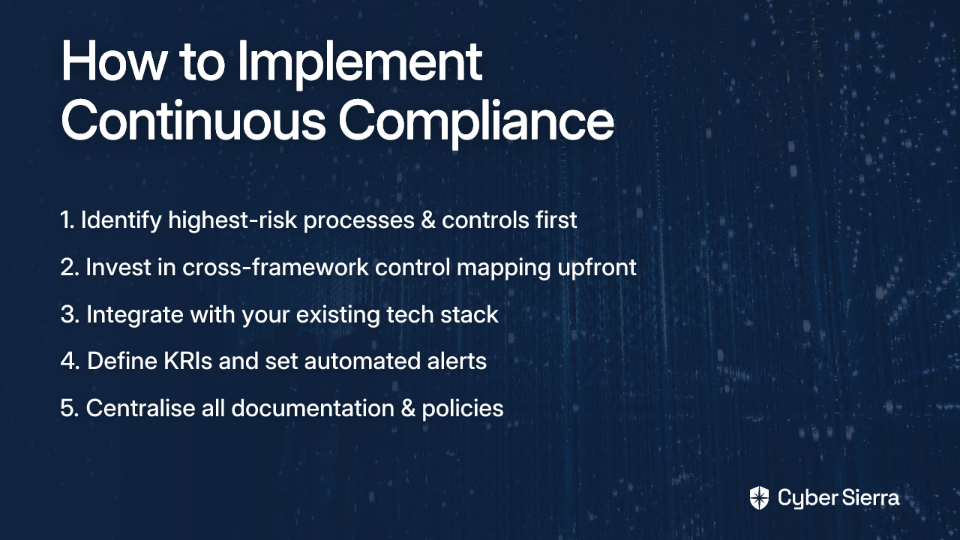
The organizations that get the most from continuous compliance tools are those that treat compliance as an ongoing operational discipline, not an annual event. Regular internal check-ins, continuous team readiness, and automated monitoring together eliminate the scramble that makes audit season so painful.
The manual, periodic approach to compliance is no longer sustainable. Mounting technical debt, fragmented documentation, and duplicated effort across frameworks are symptoms of a model that needs to change — not just better processes, but better tooling.
The platforms evaluated in this article all move in the right direction: away from spreadsheets and toward automation, from point-in-time snapshots toward continuous visibility. The right choice depends on your organization's size, framework requirements, and how tightly you need compliance integrated with broader security operations.
For teams that need compliance, continuous monitoring, and third-party risk managed under one roof, Cyber Sierra's CCM module and GRC platform are worth exploring — particularly for multi-framework environments where unified control mapping and near real-time posture visibility make a material difference in audit readiness.
See how teams are automating multi-framework compliance with a Cyber Sierra demo.
Continuous compliance automation uses software to automatically monitor, test, and collect evidence for security controls in near real-time. This shifts compliance from a periodic, manual audit preparation cycle to an ongoing, automated process, ensuring constant audit readiness.
The primary challenge is that frameworks like SOC 2 and ISO 27001 have overlapping but not identical control requirements. Manually mapping these controls is error-prone and time-consuming, leading to duplicated work, inconsistent evidence, and potential gaps during audits.
A "map once, comply many" approach centralizes your security controls and maps them to multiple frameworks automatically. This eliminates the need to manually collect and manage separate evidence for each framework, drastically reducing administrative overhead and audit preparation time.
Key features include a centralized controls library with automated cross-framework mapping, continuous monitoring to detect gaps in real-time, automated evidence collection from your tech stack, and robust reporting to provide a unified view of your compliance posture to auditors.
Traditional compliance is a periodic, point-in-time activity focused on passing an annual audit. Continuous compliance is an ongoing, automated process that provides real-time visibility into your control environment, making you audit-ready at all times, not just during audit season.
Companies managing multiple security frameworks (e.g., SOC 2, ISO 27001, HIPAA, PCI DSS) benefit the most. This includes SaaS providers, healthcare organizations, and fintech companies that must prove compliance to close enterprise deals and enter regulated markets.
Error: Contact form not found.
Join thousands of professionals and get the latest insight on Compliance & Cybersecurity.
Managing cross-border data transfers under Singapore's Personal Data Protection Act (PDPA) has quietly become one of the more demanding compliance challenges for regional enterprises. The regulatory burden isn't just about ticking boxes — it involves assessing the adequacy of foreign data protection laws, maintaining detailed transfer records, and ensuring every third-party vendor handling personal data is contractually bound to the right obligations. Doing this manually, across multiple jurisdictions and dozens of vendors, is a recipe for gaps.
The right PDPA compliance software can close those gaps. But as practitioners have noted, the smartest move is often "something with simple APIs and clear audit logs over flashy dashboards" — tools that deliver legal coverage without creating unmanageable engineering overhead. This article covers five platforms built to handle exactly that.
Under the latest PDPA amendments and the Cross Border Personal Data Transfer (CBPDT) Guidelines, the compliance landscape has shifted. The old whitelist regime — where transfers to approved countries were automatically permissible — is gone. Organizations are now responsible for independently assessing whether a recipient country provides adequate data protection before any transfer occurs. That assessment burden now sits with the data controller.
Beyond jurisdiction-level adequacy checks, businesses must meet a range of operational obligations:
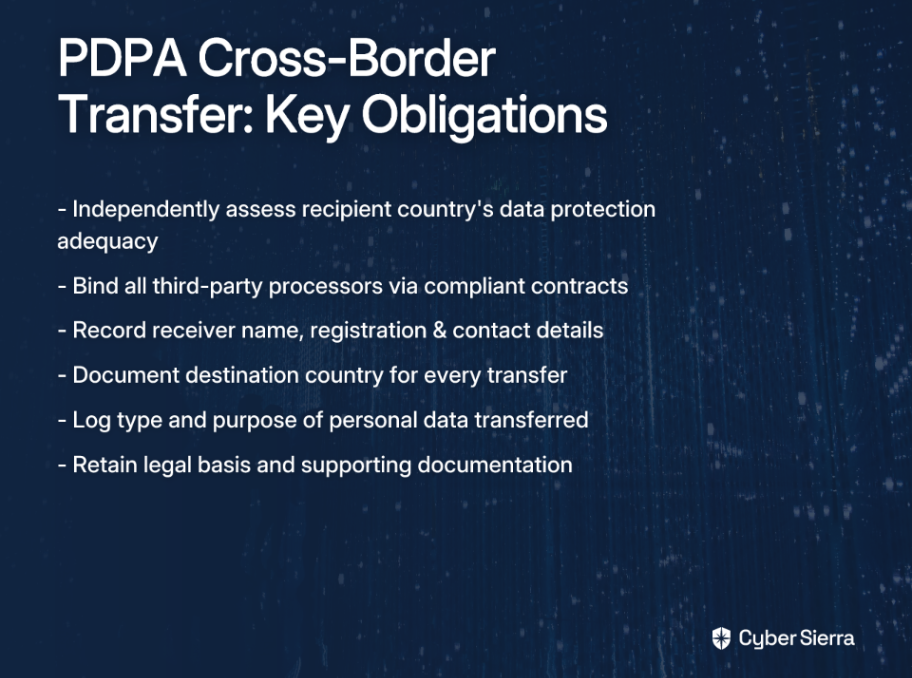
Managing these obligations manually — across a vendor base of dozens or hundreds of third parties — is prone to error and consumes significant compliance bandwidth. That's where purpose-built PDPA compliance software becomes operationally essential.
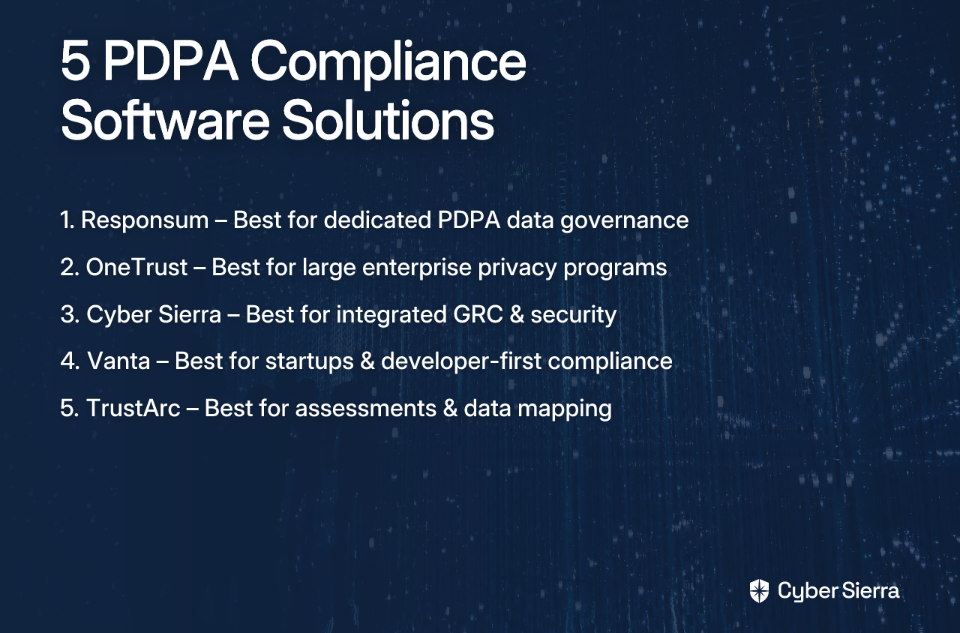
The platforms below each address different dimensions of PDPA compliance, from consent management and data mapping to vendor risk assessment and continuous control monitoring. Here's how they stack up.
Best for: Organizations seeking a dedicated PDPA compliance platform with strong data governance features. Supported frameworks: PDPA, GDPR, UK GDPR, ISO 27001, NIST, NIS2, DORA, EU AI Act. Deployment: Cloud-based SaaS.
Responsum is a privacy-focused platform designed specifically to help organizations manage their PDPA obligations end-to-end. For teams that need clear workflows around consent, Data Subject Access Requests (DSARs), and breach response, it provides a structured environment without the overhead of a broader enterprise GRC suite.
Its cross-border transfer module is particularly relevant here — it enables teams to monitor vendor data practices and document transfer conditions, directly supporting the CBPDT record-keeping requirements outlined above.
Key features:
Best for: Large enterprises with the resources to leverage a comprehensive, enterprise-grade privacy management suite. Supported frameworks: GDPR, CCPA, PDPA, and other global privacy regulations. Deployment: Cloud-based platform.
OneTrust is a market leader in privacy and data governance, offering deep functionality across consent management, data mapping, and Third-Party Risk Management (TPRM). It's a powerful platform for organizations managing complex, multi-jurisdictional privacy obligations — but as practitioners often point out, it's "great if you've got deep pockets and a team that knows how to use it." Implementation and ongoing management require meaningful investment.
For companies already operating at scale with dedicated compliance teams, OneTrust's breadth is a genuine asset. For leaner teams, the configuration overhead may outweigh the feature depth.
Key features:
Best for: Organizations needing an integrated cybersecurity and compliance platform that automates evidence collection and vendor risk management across multiple frameworks. Supported frameworks: PDPA, GDPR, ISO 27001, PCI DSS, NIST. Deployment: Cloud-based platform.
Cyber Sierra is an AI-enabled cybersecurity platform that goes beyond standalone privacy management. Where most PDPA compliance software focuses on consent and DSARs, Cyber Sierra addresses the broader Governance, Risk, and Compliance (GRC) challenge — integrating continuous security monitoring, automated evidence collection, and vendor risk management into a single platform. It's recognized as a Sample Vendor in the Gartner® Hype Cycle™ for Cyber-Risk Management, 2024, and is accredited by the Cyber Security Agency of Singapore (CSA).
For teams managing PDPA alongside ISO 27001, SOC 2, or other frameworks, this unified approach directly addresses the compliance fatigue that comes from running parallel programs across siloed tools.
Key features:

Best for: Startups and technology companies pursuing rapid, audit-ready compliance with strong developer integrations. Supported frameworks: SOC 2, GDPR, HIPAA, PDPA. Deployment: Cloud-based SaaS.
Vanta has built a strong reputation in compliance automation, particularly among fast-growing tech companies. Its value proposition centers on speed to audit-readiness and deep integrations with the cloud and SaaS tools that engineering teams already use. For cross-border data transfer compliance, its TPRM capabilities are the most relevant — particularly the AI-powered vendor review workflows.
Vanta claims its AI-assisted security reviews can reduce vendor assessment time by up to 50%, which matters when managing a growing vendor base across multiple jurisdictions.
Key features:
Best for: Enterprises requiring robust privacy assessments, data mapping automation, and vendor risk management across multiple jurisdictions. Supported frameworks: GDPR, CCPA, PDPA, and other global privacy regulations. Deployment: Cloud-based SaaS.
TrustArc provides a comprehensive privacy compliance suite with particular depth in assessment workflows and vendor risk management. Its Data Mapping and Risk automates vendor discovery and assigns jurisdictional risk scores — a meaningful capability for teams managing cross-border data transfers where the destination country's regulatory posture directly affects transfer eligibility.
For organizations that prioritize thorough documentation and privacy impact assessments as a core part of their compliance program, TrustArc offers a structured environment to manage both.
Key features:
Navigating Singapore's PDPA transfer rules doesn't have to be a manual, high-risk effort. While the requirements for assessing foreign laws and maintaining detailed transfer records are demanding, the right approach transforms this burden into a streamlined, automated process.
To move forward with confidence, focus on these key takeaways:
When you’re ready to close those gaps for good, an integrated GRC platform like Cyber Sierra can automate the entire lifecycle, from vendor assessments to continuous control monitoring. Explore Cyber Sierra's platform.
Organizations must assess the recipient country's data protection adequacy, bind third parties with compliant contracts, and maintain detailed records of each transfer. This includes documenting the data type, purpose, legal basis, and receiver details for every transaction.
Software is essential because it automates the complex record-keeping and vendor monitoring required by the PDPA. Manually tracking transfers, assessments, and contractual obligations across multiple vendors is highly inefficient and prone to critical compliance gaps and errors.
Choose software based on your specific needs. Consider factors like company size, existing security frameworks (e.g., ISO 27001), and the need for features like consent management, vendor risk automation, or integrated GRC capabilities for a holistic view of compliance.
Dedicated tools focus on specific privacy tasks like DSARs and consent. Integrated GRC platforms like Cyber Sierra manage PDPA alongside other frameworks (e.g., ISO 27001, SOC 2), automating evidence collection and vendor risk for a unified compliance program.
Penalties for non-compliance can be severe, including financial fines of up to 10% of an organization's annual turnover in Singapore or S$1 million, whichever is higher. Reputational damage and operational disruption are also significant risks to consider.
Error: Contact form not found.
Join thousands of professionals and get the latest insight on Compliance & Cybersecurity.
You know the feeling. It's six months out from your next major audit, and someone on the team quietly mentions that you should probably start "the scramble." Evidence requests pile up in inboxes, engineers get pulled off product work to take screenshots, and spreadsheets multiply like rabbits. Then, just when you think you've got it under control, someone surfaces a VM improperly exposed to the internet or a workstation missing required security tools — and the tech debt keeps climbing.
The hard truth? For many organizations, this isn't a people problem. It's an architecture problem — specifically, a problem with how they've built their compliance program. And it usually comes down to a core choice: stick with a traditional GRC platform, or adopt a modern continuous compliance tool.
This article breaks down the key differences, gives you a practical decision framework, and highlights specific scenarios where each approach is likely to serve you best.
Traditional Governance, Risk, and Compliance (GRC) platforms were built for a different era of security. They were designed to centralize policy management, track risks, and document compliance against frameworks — and in their time, they did that job reasonably well.
But the architectural assumptions baked into most traditional GRC tools haven't aged well. Here's why:
Traditional GRC platforms rely on periodic assessments, providing snapshots of compliance that can quickly become outdated. You get a clear picture of your security posture on the day of the assessment. What happens in the 364 days between annual audits? That's anyone's guess. In dynamic cloud environments, that's a dangerous blind spot.
This is where "compliance fatigue" is born. Gathering screenshots, pulling logs, chasing down control owners — it's a labor-intensive process that can result in outdated or inaccurate information. When your audit prep "scramble" starts eight months before the assessment date, that's a signal your evidence collection process is broken.
Traditional platforms are typically siloed, making integration challenging and slow, especially with modern CI/CD pipelines, cloud services, and SaaS toolchains. The result? Data that's always slightly stale and manual reconciliation that eats up analyst hours.
Functionality in legacy platforms is largely bounded to historical data analysis and reporting. They can tell you what happened, but they can't anticipate what's about to go wrong. In a threat landscape that moves faster than your quarterly review cycle, that's a significant handicap.
Continuous compliance is the practice of ensuring your organization maintains alignment with regulatory requirements and security standards without lapse — not just at audit time, but every day. It transforms compliance from a periodic event into an always-on business function.
This shift is powered by four core pillars:
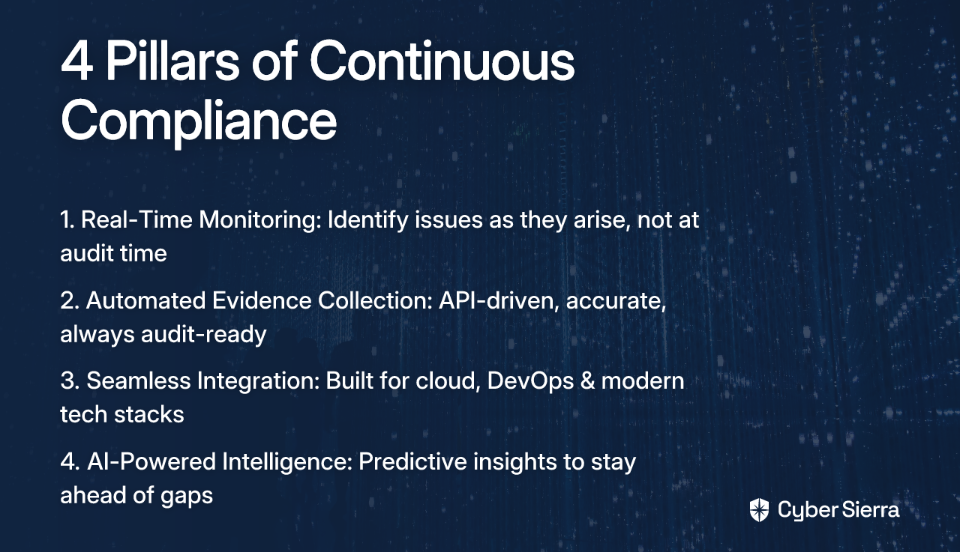
| Feature | Traditional GRC Platform | Continuous Compliance Tool |
|---|---|---|
| Monitoring | Point-in-Time: Periodic assessments create dangerous visibility gaps. | Real-Time: Ongoing monitoring provides constant, always-on visibility. |
| Evidence Collection | Manual: Labor-intensive, slow, and prone to human error. | Automated: API-driven, fast, accurate, and always audit-ready. |
| Integration | Siloed: Limited compatibility with modern cloud and DevOps toolchains. | Seamless: Deep integrations across your entire tech stack. |
| AI Capabilities | Historical: Basic reporting and analysis of past data. | Predictive: AI-driven risk forecasting and proactive anomaly detection. |
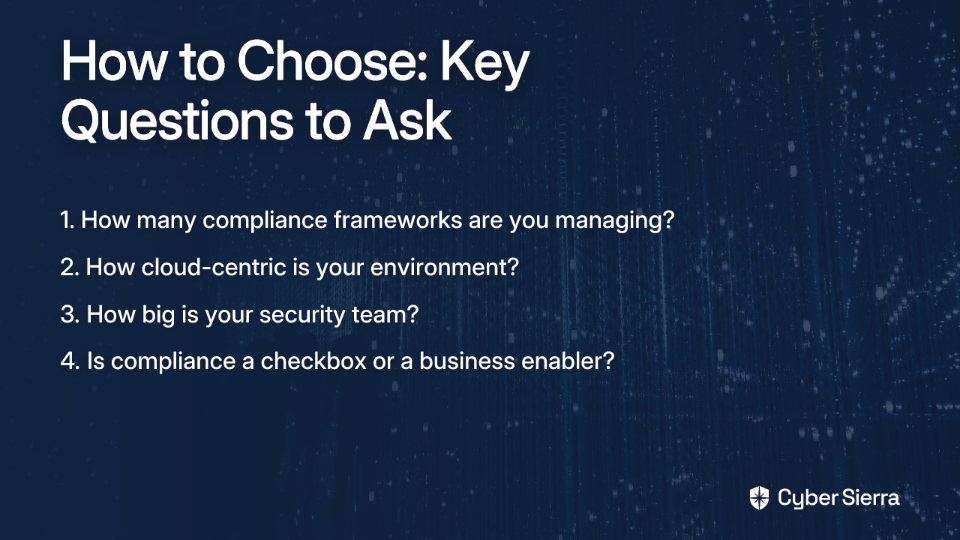
There's no universal answer — the right choice depends on where your organization is today. Here's a practical self-assessment:

Let's explore two common situations where a continuous compliance approach provides a significant advantage over traditional GRC.
A fast-growing SaaS company is pursuing SOC 2 Type II and ISO 27001 simultaneously. Their small security team spends three months per year in audit prep, manually gathering evidence from AWS, GitHub, and their HRIS — chasing engineers who don't understand why their pull requests need a screenshot attached.
The fix: With Cyber Sierra's GRC platform, evidence collection is automated directly from their existing tools. The Continuous Control Monitoring (CCM) module provides a live dashboard of control status across both frameworks, flagging exceptions and anomalies in real time. When audit season arrives, there's no scramble — they "just kick out the report," with prep time cut by over 80%. Crucially, this also surfaces the security debt that's been quietly accumulating: the baseline drift, the misconfigured settings, the missing endpoint protections that traditional GRC processes would have missed entirely.
A financial services firm manages relationships with hundreds of third-party vendors — data processors, cloud subprocessors, marketing agencies, and more. Their current approach involves annual questionnaires that take weeks to process and deliver a point-in-time snapshot that's already stale by the time it's reviewed. When a vendor suffers a breach, they're often among the last to know.
The fix: Cyber Sierra's TPRM module automates vendor assessments and onboarding workflows while providing near real-time, 24/7 visibility into vendor security compliance. Instead of a static spreadsheet of vendor questionnaire responses, the security team has a live risk-ranked vendor inventory, with automated alerts when a vendor's posture degrades. This is the difference between managing third-party risk and just documenting it.
If your security program relies on periodic, point-in-time assessments, you're operating with dangerous blind spots. The frantic "audit scramble" isn't a sign of a hard-working team; it's a symptom of a broken, inefficient process that leaves you vulnerable between assessments.
The fix is to move from manual spot-checks to automated, continuous compliance. This approach provides real-time visibility into your security posture, turning compliance from a dreaded event into an always-on, proactive function.
As a next step, calculate the engineering hours your team spent on manual evidence collection for your last audit. If that number makes you wince, it’s time to see how automation can reclaim those hours and significantly reduce your risk. When you’re ready to trade audit stress for always-on confidence, explore Cyber Sierra's platform and find out how to make your next audit the easiest one yet.
The primary difference is timing. Traditional GRC relies on periodic, point-in-time assessments, while continuous compliance provides real-time, ongoing monitoring of your security posture. This means issues are caught as they happen, not just during an annual audit scramble.
Manual evidence collection is a problem because it's slow, error-prone, and pulls valuable engineering resources away from product development. It creates compliance fatigue and provides a snapshot that can be outdated the moment it's captured, creating dangerous visibility gaps.
A continuous compliance tool works by integrating directly with your tech stack via APIs to automate evidence collection and monitor controls in real time. It provides a live dashboard of your compliance status against frameworks like SOC 2 and ISO 27001, alerting you to gaps instantly.
You should consider switching if your team is constantly in an "audit scramble," your environment is cloud-centric and changes rapidly, or you manage multiple compliance frameworks. If compliance feels like a burden instead of a business enabler, it's time to switch.
Continuous compliance improves third-party risk management by replacing static, annual questionnaires with live monitoring of your vendors' security posture. This provides real-time alerts when a vendor's risk profile changes, allowing for proactive intervention instead of reactive clean-up.
Yes, it is especially suitable for small teams. By automating repetitive tasks like evidence collection and control monitoring, continuous compliance tools free up limited security resources to focus on strategic initiatives and proactive risk reduction, rather than manual audit preparation.
Error: Contact form not found.
Join thousands of professionals and get the latest insight on Compliance & Cybersecurity.
Your boss just told you the company failed a compliance audit. Now you need to figure out what to do next — fast.
That sinking feeling is real. The scramble to understand the findings, explain them to leadership, and build a credible remediation plan under pressure is exactly the kind of chaos that derails security programs. The audit is over, but the work is just beginning.
Here's the thing: most audit failures aren't random. They trace back to three systemic problems — missing or ineffective controls, stale evidence that can't hold up to scrutiny, and vendor documentation that was never properly maintained. Fix those three things, and you don't just recover from this audit. You stop dreading the next one.
This article walks through each failure mode, what good information risk management software needs to do to address it, and how an integrated platform can take you from audit failure to audit-ready in 30 days.
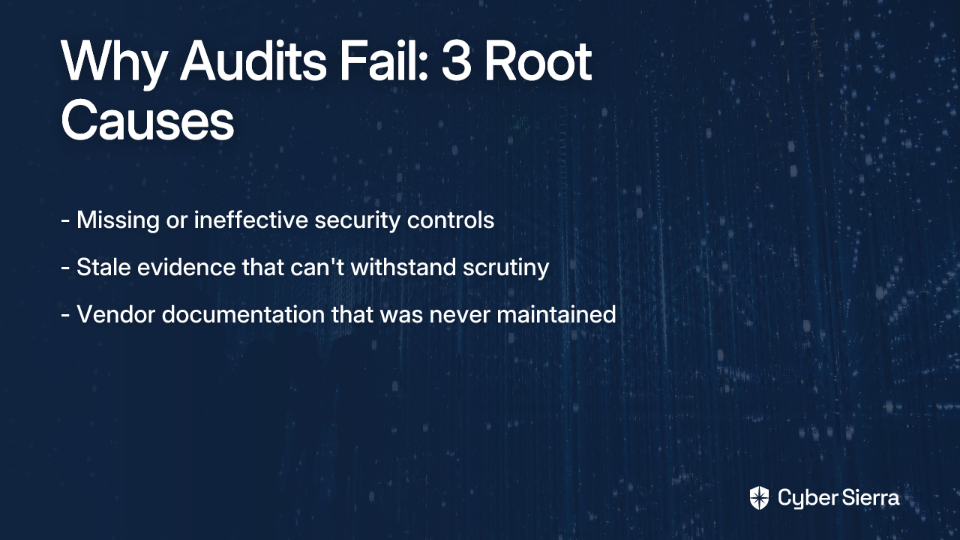
Audit failures are symptoms of deeper, structural problems. Understanding why you failed is the prerequisite to fixing it — because patching the surface finding without addressing the root cause just means you'll fail again in 12 months.
Here are the three most common culprits.
The most straightforward failure mode: the control an auditor expected to see either doesn't exist or isn't working as intended. This includes technical gaps like inconsistent multi-factor authentication (MFA) enforcement, poor network segmentation, or outdated patch management practices.
But governance failures are just as common and often more damaging. An Incident Response Plan that hasn't been updated in two years, access review procedures that exist on paper but aren't followed in practice, or encryption policies that don't reflect your actual cloud architecture — all of these create audit findings.
The underlying driver is usually compliance fatigue. When your team is managing overlapping requirements across SOC 2, ISO 27001, PCI DSS, and GDPR simultaneously, controls fall through the cracks. What was mapped correctly for one framework never gets applied to the next one.
Even when controls are working, teams often can't prove it.
Manual evidence gathering — pulling screenshots, exporting logs, chasing control owners for attestations — produces point-in-time snapshots. By the time the audit arrives, that evidence is weeks or months old. Auditors don't just want to know that your controls were configured correctly on the day someone took a screenshot. They want to know the controls were operating effectively throughout the audit period.
This is where the evidence problem compounds. Security teams frequently rely on this reactive approach, which makes it incredibly difficult to demonstrate continuous compliance. As one security professional put it bluntly: the scramble to gather evidence before an audit is not audit readiness — it's a fire drill.
Your compliance posture isn't just about what your team controls directly. Auditors will scrutinize how you manage the security of your vendors and third-party service providers.
Failing to maintain current, verifiable documentation of vendor risk assessments, security questionnaire responses, and compliance certifications creates significant gaps — and auditors find them. The problem is scale. Managing security questionnaires, compliance certificates, and risk assessments across dozens or hundreds of vendors becomes, in the words of practitioners who've lived it, "a massive operational bottleneck" and "literally a full-time job."
Point-in-time questionnaires sent annually don't reflect a vendor's actual security posture today. And when an auditor asks for evidence of ongoing vendor due diligence, a folder of outdated PDFs doesn't cut it.
Working harder at manual processes won't solve this. The organizations that pass audits consistently aren't staffed with more people — they've adopted a different operating model. Information risk management software provides the automation, continuity, and intelligence that manual processes fundamentally can't.
Here's what the right platform needs to do for each failure mode.
A Governance, Risk, and Compliance (GRC) platform solves the control mapping problem by creating a central controls repository. You define a control once — say, "MFA is enforced for all privileged accounts" — and map it to every relevant framework requirement across SOC 2, ISO 27001, PCI DSS, HIPAA, and others.
This eliminates redundant work and ensures consistency. More importantly, it highlights gaps instantly. Any framework requirement that doesn't have a mapped control becomes visible immediately, not six weeks into an audit prep cycle.
Pair that with Continuous Control Monitoring (CCM) and the platform doesn't just track what controls you have — it continuously tests whether they're actually working.
Instead of manually gathering evidence, modern platforms integrate directly with your cloud environments, identity providers, and security tooling to pull proof of compliance automatically.
When an auditor asks for six months of evidence that S3 buckets were encrypted, access reviews were completed, or MFA was enforced across all admin accounts — the platform generates that report in minutes, not days. Evidence is timestamped, verifiable, and continuously refreshed throughout the audit period.
This shifts the team's posture from reactive scrambling to proactive confidence. This transforms compliance from a periodic event into an ongoing operational state.
A Third-Party Risk Management (TPRM) module centralizes the entire vendor risk lifecycle — onboarding, risk assessment, documentation, and ongoing monitoring — in one place. Instead of chasing vendors for updated questionnaires and storing certificates in scattered folders, the platform manages it automatically.
Vendors can be prioritized by risk level. Assessments can be triggered automatically. Security documentation is versioned and auditor-accessible. And continuous monitoring provides a live view of vendor compliance posture, not a snapshot from last year's questionnaire.
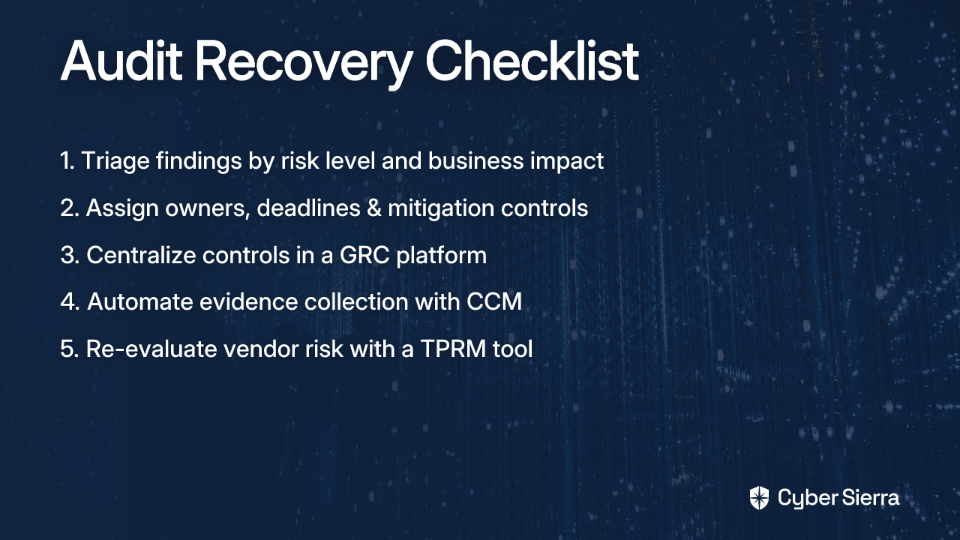
Theory is useful. Seeing it in practice is better.
Cyber Sierra is an AI-enabled compliance automation platform recognized by Gartner®. Its GRC, CCM, and TPRM modules work together to operationalize exactly the recovery process described above — moving organizations from post-audit chaos to continuous compliance readiness.
Cyber Sierra's CCM module connects to your cloud infrastructure — AWS, Azure, GCP — and the SaaS tools your team already uses. From there, it continuously validates controls like MFA enforcement, encryption configurations, access permissions, and logging settings.
Instead of periodic manual checks, you get near real-time visibility into whether controls are working. Any deviation triggers an alert before it becomes an audit finding. The evidence is collected automatically, timestamped, and stored in a format auditors can review directly — eliminating the manual gathering process that drains hundreds of hours per audit cycle.
Cyber Sierra's GRC platform acts as the central intelligence layer. Evidence collected by the CCM module is automatically mapped to controls across SOC 2, ISO 27001, GDPR, HIPAA, and PCI DSS — including custom controls unique to your organization.
This directly solves compliance fatigue. A single piece of evidence — say, a log showing MFA was enforced for all admin accounts — satisfies multiple framework requirements simultaneously. You stop re-collecting the same proof for every audit and start meeting multiple requirements with one continuous workflow.
For organizations managing several frameworks in parallel, this shift is significant. It converts audit prep from a weeks-long scramble into a continuous, low-friction process.
With controls mapped and evidence continuously collected, Cyber Sierra can generate comprehensive audit reports on demand. These aren't raw data exports — they're structured reports that provide clear visualizations of compliance status, control effectiveness, and remediation progress.
This directly addresses the board reporting pressure many Chief Information Security Officers (CISOs) face. When leadership asks "where do we stand on compliance?" the answer is available immediately, not after three days of manual report assembly.
A failed audit is a painful but powerful signal. It reveals the cracks in your program—manual evidence gathering, inconsistent controls, and vendor blind spots—that create risk long before an auditor ever sees them. This is your opportunity to move beyond patching symptoms and fix the underlying system.
The solution isn’t more spreadsheets or longer hours; it’s a shift to continuous, automated compliance. Key takeaways: centralize your security controls so nothing is missed, and automate evidence collection to ensure it’s always fresh and verifiable.
Your first step is to triage the findings using the checklist above. For the long-term fix, see how automation can permanently solve these issues. Ready to turn this audit failure into your last one? Book a Cybersierra demo and learn how teams get audit-ready in 30 days.
The first step is to triage the audit findings by risk level and create a clear remediation plan with assigned owners and deadlines. Following this, address the root causes by implementing a GRC platform to automate control monitoring and evidence collection for future audits.
Use a Continuous Control Monitoring (CCM) platform. It integrates with your cloud and SaaS tools to automatically collect timestamped evidence that proves controls are effective over time. This replaces the unreliable, point-in-time snapshots from manual evidence gathering.
Manual processes are slow, error-prone, and produce stale evidence that doesn't hold up to scrutiny. Managing controls across multiple frameworks or tracking vendor risk with spreadsheets often creates gaps that are easily missed internally but quickly found by auditors.
A Governance, Risk, and Compliance (GRC) platform centralizes your security controls and maps them to requirements across multiple frameworks (like SOC 2, ISO 27001). This eliminates duplicate work, identifies gaps, and ensures consistency, which is key to passing audits.
With a compliance automation platform, many organizations can become audit-ready in as little as 30 days. These tools accelerate the process by integrating with your systems to automatically gather evidence, map controls, and surface gaps, drastically reducing manual preparation time.
Use a dedicated Third-Party Risk Management (TPRM) tool to centralize and automate vendor assessments, due diligence, and ongoing monitoring. This ensures you have current, verifiable documentation of your vendors' security posture, which is a common area of audit scrutiny.
Error: Contact form not found.

Thank you for reaching out to us!
We will get back to you soon.