blog-hero-background-image
Cyber Security

The Complete Detection Engineering Career Roadmap for SOC Analysts

backdrop
Table of Contents

Join thousands of professionals and get the latest insight on Compliance & Cybersecurity.


You stare at your screen, watching the alert queue grow by the minute. Another day, another 10,000 alerts to triage. As a SOC analyst, you've mastered the art of sorting through the noise, but lately, you've been wondering: "How can I best position myself into Security Engineering?"

The good news? Your current SOC experience is the perfect foundation for a career in detection engineering—one of cybersecurity's most intellectually stimulating and financially rewarding specializations. Your frontline knowledge of what real attacks look like and what makes a good (or painfully bad) alert is invaluable expertise that can't be taught in a classroom.

This article provides a complete, actionable roadmap for SOC analysts to transition into a highly sought-after Detection Engineering role. We'll cover the core skills, provide hands-on project ideas, and outline a clear path to make the switch.

Understanding the Role: What is a Detection Engineer?

Before diving into the "how," let's clarify the "what" and "why" of detection engineering.

Detection Engineering is a structured, collaborative process to design, implement, and operate detective controls that identify malicious activities preemptively. The core philosophy is treating detection logic as code, complete with version control and automated testing (Splunk).

A Detection Engineer's primary functions include:

  • Data Collection: Gathering telemetry from diverse sources (network, system, application logs)
  • Rule and Signature Development: Creating detection logic based on threat intelligence
  • Behavioral Analytics: Developing models to identify anomalous patterns
  • Validation and Continuous Improvement: Testing and refining detection capabilities

But how does this differ from your current role as a SOC Analyst or even a Threat Hunter?

  • SOC Analysts primarily respond to alerts generated by security tools
  • Threat Hunters proactively search for unknown threats that have evaded existing systems
  • Detection Engineers design, build, and refine automated detection systems that both analysts and hunters rely on

You might be concerned that detection engineering roles are rare—and yes, they are more specialized than general security positions. However, the skills you'll acquire (Python, automation, API integration, cloud security) are in extremely high demand and highly transferable. As one professional in the field noted: "The skills you will acquire in a position like this are going to be very transferable."

Building the Foundational Skillset

Let's break down the technical competencies you'll need to develop, starting with the most essential.

Step 1: Master Your SIEM Query Language

As a SOC analyst, you're likely already familiar with your organization's SIEM. Now it's time to master it. As one security professional advises: "Best advice is to learn the languages for whatever SIEM you want to make rules for."

For example, if you're working with Microsoft Sentinel, you'll need to learn Kusto Query Language (KQL)—an expressive language for querying structured and unstructured data. Here's a simple KQL example that finds storm events in Florida during November 2007:

// This query finds the number of storm events in Florida during November 2007.
StormEvents  
| where StartTime between (datetime(2007-11-01) .. datetime(2007-12-01))  
| where State == "FLORIDA"  
| count

Resources to learn KQL:

Similar principles apply whether you're using Splunk's Search Processing Language (SPL), Elastic's Query DSL, or any other SIEM-specific language.

Step 2: Learn to Code with Python

This advice comes up repeatedly from security professionals who have made the transition: "If you haven't already, learn to code. Python is the perfect language to start with."

Python is essential for:

  • Automating the deployment of detection rules
  • Validating rule logic against test data
  • Gathering detection metrics and creating visualizations
  • Interacting with SIEM APIs to manage rules programmatically

For beginners, structured courses like Angela Yu's 100 Days of Python or specialized security-focused Python training like TCM Security's Detection Engineering for Beginners can provide the foundation you need.

Step 3: Deepen Your Understanding of Threat Frameworks

To create effective detections, you need to understand how attackers operate. This requires familiarity with key threat frameworks:

  • MITRE ATT&CK Framework: The global knowledge base of adversary tactics and techniques—the foundation for building detections. (MITRE ATT&CK)
  • MITRE Cyber Analytics Repository (CAR): A practical repository of detection analytics mapped to ATT&CK tactics. (MITRE CAR)
  • Cyber Kill Chain: Lockheed Martin's framework for understanding the stages of an attack. (Cyber Kill Chain)

These frameworks provide the structure for organizing and prioritizing your detection efforts.

The Actionable Roadmap: From Theory to Practice with Hands-On Projects

Building a portfolio of practical projects is crucial for demonstrating your capabilities to potential employers. As security professionals emphasize, you need "hands-on experience with cloud platforms or detection tools." Here's how to get started:

Project 1: Build a Home Detection Lab

A home lab allows you to experiment with detection techniques in a controlled environment. Based on recommendations from the TCM Security course, you'll need:

  • System Requirements (Recommended): 6+ CPU Cores, 16GB+ RAM, 50GB+ Storage
  • Software: VirtualBox, a free SIEM like Elastic's security offering

For proper data collection, consult resources like the Windows Logging Cheatsheets from Malware Archaeology to ensure you're gathering the right event logs.

Project 2: Create, Test, and Validate Your First Detections

With your lab environment set up, it's time to create your first detections:

  1. Simulate Attacks: Use Atomic Red Team to safely execute TTPs and generate log data
  2. Write Detection Rules: Use your lab SIEM to write rules that fire on the simulated malicious activity
  3. Leverage Open-Source Rules: Study and adapt rules from repositories like Sigma (Sigma Rules GitHub)
  4. Catalog Available Rules: Use Rulehound (Rulehound) as a reference for publicly available rulesets

Project 3: Automate Your Workflow with Detection-as-Code

The final step is to treat your detection rules like software code:

  1. Implement Detection-as-Code: Apply software development principles to detection rule management. (Splunk - Detection-as-Code)
  2. Automate with Python & APIs: Write scripts to push rules to your SIEM's API
  3. Use Git & GitHub: Store your rules, tests, and documentation in a version-controlled repository
  4. Implement CI/CD: Use GitHub Actions to automatically run validation scripts when rules change

Navigating Your Career Transition

With your technical skills developing, it's time to focus on the strategic aspects of your career transition.

Leverage Your Current Role

One of the most valuable pieces of advice from professionals who've made this transition is: "Talk to your managers about what you need to do to make this transition." Don't wait for opportunities to come to you—create them:

  1. Identify detection gaps in your current environment and propose new detection rules
  2. Volunteer to assist with SIEM tuning and rule development
  3. Document everything about your current job that works and doesn't work—this knowledge will be invaluable in designing better detections

Career & Salary Path

The financial rewards of specializing in detection engineering are significant. According to Dropzone.ai, SOC analyst salaries typically follow these tiers:

  • Tier 1: $60k - $80k
  • Tier 2: $75k - $110k
  • Tier 3: $100k - $140k

Detection Engineering positions generally start at Tier 3 or higher, with one professional reporting: "I make 125k right now with 1.5ish years experience, 2 if you count internships." This specialization can significantly accelerate your earning potential.
Continuous Learning & Networking

The field of detection engineering is constantly evolving. Stay current with these resources:

Conclusion: From Alert Fatigue to Engineering Excellence

We've covered the journey from understanding the detection engineering role to building core skills (KQL, Python), applying them in hands-on projects, and strategically navigating the career shift. This transition elevates you from a consumer of alerts to a creator of high-fidelity detections, dramatically increasing your impact and value.

The cybersecurity workforce gap of 4.8 million professionals means that specialists with your unique combination of frontline SOC experience and technical detection skills will be in high demand for years to come.

The best time to begin this transition is now. As one detection engineer emphatically advises: "Start building those engineering skills NOW!"

Your experience triaging thousands of alerts has given you unique insights that can't be taught—now it's time to apply that knowledge to build detection systems that separate the signal from the noise, allowing security teams to focus on what truly matters.

Frequently Asked Questions

What is the main difference between a SOC Analyst and a Detection Engineer?

The primary difference is that a SOC Analyst responds to alerts, while a Detection Engineer designs and builds the automated systems that generate those alerts. A SOC analyst's role is largely reactive, whereas a detection engineer's role is proactive, focusing on creating, testing, and refining detection logic as code to catch threats before they cause significant harm.

Why is Python a critical skill for Detection Engineering?

Python is critical for automating the entire detection lifecycle, from deploying rules and validating logic to interacting with SIEM APIs. It allows engineers to write scripts that can programmatically manage thousands of detection rules, test their efficacy against log data, and gather metrics to prove their value, making the entire process more efficient and scalable.

How can I get hands-on experience without a professional role?

You can get hands-on experience by building a home lab using free software like VirtualBox and a community edition SIEM, such as Elastic's security offering. By using open-source tools like Atomic Red Team to simulate attacks and Sigma to study existing detection rules, you can create a portfolio of projects that demonstrate your ability to create, test, and validate your own detections.

What is "Detection-as-Code" and why is it important?

"Detection-as-Code" is the practice of managing detection rules using software development principles like version control (Git) and automated testing (CI/CD pipelines). It is important because it treats detection logic as a software product, which makes the development process more reliable, transparent, and scalable, ensuring that all detections are tested and documented before deployment.

How does my SOC Analyst experience give me an advantage?

Your SOC Analyst experience provides an invaluable advantage because you have frontline knowledge of what real-world attacks look like and which alerts are effective versus those that just create noise. This practical understanding of alert fatigue and attacker techniques allows you to build higher-fidelity, more context-aware detections that are far more effective than those created by someone without operational experience.

Have you made the transition from SOC Analyst to Detection Engineer? Share your experience in the comments below.
blog-hero-background-image
Cyber Security

Why Your CISO Is Actually Your Company's Best Salesperson

backdrop
Table of Contents

Join thousands of professionals and get the latest insight on Compliance & Cybersecurity.


You've just hired a new Chief Information Security Officer (CISO). They're brilliant at securing systems, managing risks, and ensuring compliance. But as you watch them request yet another budget increase for security tools, you can't help but wonder: "Is this just another cost center eating into our profits?"

What if I told you that your CISO isn't just a necessary expense, but potentially your organization's most powerful revenue driver? That the person you've hired to keep threats out is actually your best asset for bringing new business in?

This isn't hyperbole. In today's security-conscious business landscape, your CISO might just be the most influential salesperson you have—they're just not getting credit for it.

The Evolution of the CISO: From Gatekeeper to Growth Hacker

The traditional CISO role has long been defined as a technical gatekeeper—the executive responsible for establishing security strategy, managing information risks, and ensuring compliance with regulations. According to Wikipedia, they're the senior executive who "establishes and maintains enterprise vision, strategy, and program for information security." Historically, this role has been viewed primarily as a cost center, focused purely on defense and risk mitigation.

But the modern business landscape demands something different—what we might call the "Growth Hacker CISO." This new breed focuses on "securing systems while enhancing product experiences and driving customer trust," as noted in a Forbes analysis. They don't just prevent bad things from happening; they actively enable good things to happen.

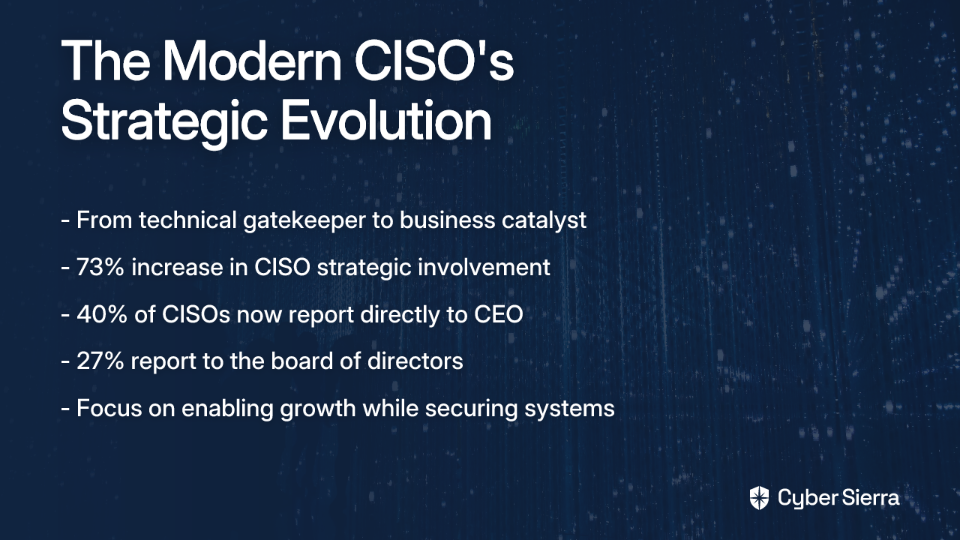
The numbers support this strategic shift. According to Deloitte's research, 73% of organizations reported an increase in the strategic involvement of CISOs in key technology conversations. Even more telling is the evolution in reporting structures: while 24% of CISOs still report to a CIO, 40% now report directly to the CEO, and 27% report to the board of directors—clear evidence of the role's increasing strategic importance.

Building the Ultimate Sales Tool: Customer Trust

In the digital economy, trust isn't just a nice-to-have—it's the currency that drives transactions. And who's the primary architect of that trust? Your CISO.

A VentureBeat analysis put it bluntly: an organization's security posture is "critical to customer experiences and can determine business viability." When customers know their data is protected, they're more likely to complete transactions, share information, and develop brand loyalty. Conversely, when trust is broken through a security breach, the damage can be irreparable—60% of small businesses close within six months of a cyberattack.

But the modern CISO's impact on trust goes beyond just preventing disasters. Security features themselves have become key product differentiators that customers actively seek and are willing to pay for. Consider how Apple has turned privacy into a central selling point, or how password managers have built entire businesses around security features. The CISO who can collaborate with product teams to build elegant, user-friendly security features isn't just mitigating risk—they're building what marketers call "unique selling propositions."

Unlocking Revenue: How Security Directly Enables Sales

The impact of strong security on sales becomes even more direct when we look at the B2B space, where security requirements are often non-negotiable prerequisites for closing deals.

Enterprise customers increasingly demand proof of robust security measures before signing contracts. As VentureBeat notes, companies must "prove cyber insurance is in place to qualify for larger sales, making security a key component of corporate strategy." The CISO's work in achieving and maintaining a strong security posture directly impacts this insurance eligibility—and by extension, the company's ability to close enterprise deals.

Consider this real-world example: A Fortune 500 company implemented a cloud-native fraud prevention system that not only blocked over 1,800 fraudulent transactions and prevented $2.5 million in losses but also increased online prescription refills by 15%. This security initiative directly contributed to revenue growth by creating a more secure and trusted environment for customers.

Compliance certifications—SOC 2, ISO 27001, HITRUST, FedRAMP—have similarly become table stakes for enterprise sales. Without them, your company simply won't make it through the procurement process with larger customers. Each certification your CISO helps your company achieve doesn't just reduce risk—it unlocks entire market segments and customer bases that would otherwise be inaccessible.

Actionable Strategies: Arming Your Sales Team with Security

The most effective CISOs don't just build security capabilities—they actively partner with sales and marketing to turn those capabilities into competitive advantages. Here's how forward-thinking security leaders are making this transition from gatekeeper to enabler:

Master the Art of Security Storytelling

The most successful CISOs are becoming expert storytellers, translating technical security measures into compelling narratives that resonate with customers. This involves:

  • Creating a public trust center that transparently showcases security investments and practices
  • Using maturity scales rather than simple yes/no compliance answers to demonstrate continuous improvement and commitment
  • Developing case studies that highlight how security investments have protected customer data and prevented breaches

As noted by softsideofcyber.com, "Connecting security measures to tangible business benefits" is crucial for turning security into a sales advantage.

Empower Sales Teams with Security Knowledge

CISOs can dramatically impact sales effectiveness by:

  • Holding regular cross-departmental meetings to align security initiatives with sales goals
  • Providing sales teams with ongoing training about the latest security measures, equipping them to confidently address client questions
  • Creating clear, jargon-free security documentation that sales teams can share with prospective clients
  • Involving sales representatives in security discussions to ensure they understand how to position security features as benefits

One CISO at a mid-sized SaaS company reported that after implementing regular security training for the sales team, the average enterprise sales cycle decreased by 27% because sales representatives could address security questions immediately instead of creating a lengthy technical review process.

Speaking the Language of Revenue: Quantifying Security's ROI

Perhaps the most challenging aspect of the CISO role—and the one that most directly impacts their ability to be seen as a revenue driver—is quantifying the Return on Investment (ROI) of cybersecurity initiatives. As one security leader noted in a Reddit discussion, "Convincing C-suite or demonstrating ROI from cybersecurity is one of the main challenges to cybersecurity today."

The most effective CISOs are developing the skill of "quantifying how security drives revenue" to align with board priorities. This requires translating technical risk into business impact—a critical capability for any CISO who wants to be viewed as a strategic business leader rather than just a technical expert.

VentureBeat's research suggests a practical four-step approach that CISOs can use to justify budgets and demonstrate value:

  1. Calculate the cost per customer of security investments
  2. Determine revenue generated by key customer segments
  3. Analyze what is at stake if these customer bases are unprotected (quantify the risk of revenue loss)
  4. Use this data to defend security budgets and demonstrate how investments protect and enable revenue

Beyond traditional security metrics like "vulnerabilities patched" or "incidents detected," forward-thinking CISOs are tracking business-relevant metrics like "reductions in customer friction" and "impacts on conversion rates" as key performance indicators. This directly links security activities to business outcomes that executives care about.

The CISO as a Strategic Business Leader

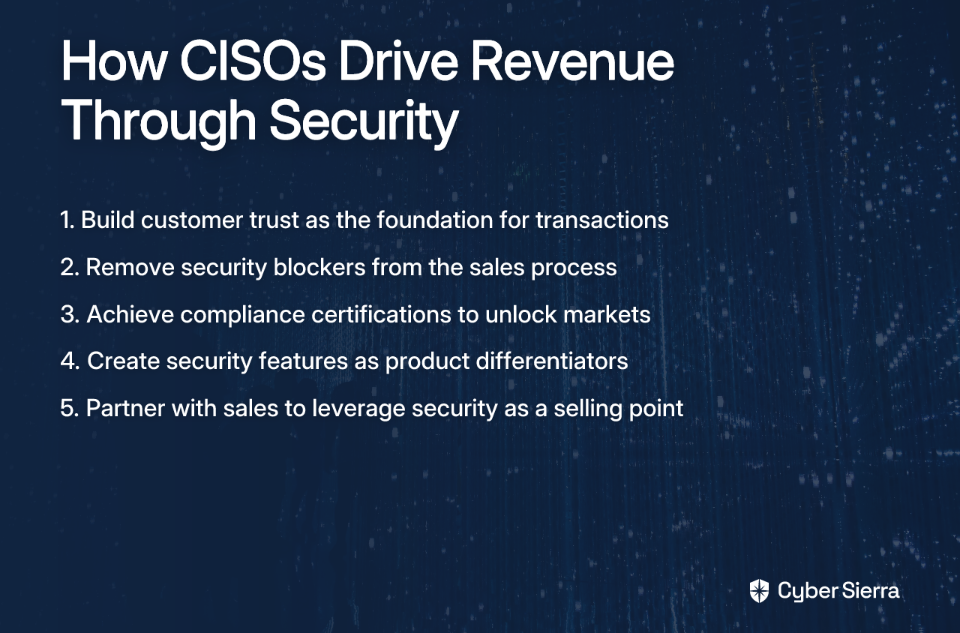
As we've seen, the modern CISO's role has transcended its technical origins. The most effective security leaders today are not just protecting the business—they're actively enabling its growth by:

  • Building the customer trust that underlies all successful transactions
  • Removing security-related blockers from the sales process
  • Enhancing the user experience through seamless security features
  • Quantifying the business value of security in terms executives understand

Organizations that recognize this evolution—and position their CISOs as strategic business leaders rather than just technical experts—stand to gain significant competitive advantages. As Deloitte's research indicates, organizations with mature cybersecurity protocols "anticipate twice the positive outcomes compared to those with less mature practices."

The next time your CISO asks for a budget increase, remember: you're not just funding a cost center. You're investing in one of your most powerful revenue enablers—a leader whose work might just be the difference between winning and losing your next big deal. The CISO who understands this isn't just a security expert but a business catalyst who deserves a seat at the strategy table.

Frequently Asked Questions

How does a CISO drive revenue for a company?

A CISO drives revenue by building customer trust, enabling sales through compliance and security assurances, and turning security features into product differentiators. They achieve this by removing security as a blocker in B2B deals, where certifications like SOC 2 or ISO 27001 are often prerequisites. Furthermore, by collaborating with product teams, they can create security features that enhance user experience and become unique selling points, directly attracting and retaining customers who prioritize data privacy and protection.

What is the difference between a traditional CISO and a modern CISO?

A traditional CISO is primarily a technical gatekeeper focused on defense and risk mitigation, often seen as a cost center. A modern CISO, or "Growth Hacker CISO," is a strategic business leader who uses security to enable growth, build customer trust, and drive revenue. The modern CISO's role has evolved beyond pure defense. They actively partner with sales and marketing, translate technical security measures into business advantages, and quantify their ROI in terms of revenue protected and enabled.

Why is cybersecurity crucial for B2B sales?

Cybersecurity is crucial for B2B sales because enterprise customers will not purchase products or services without verifiable proof of a strong security posture. In the B2B landscape, security is a non-negotiable prerequisite. Procurements often hinge on a vendor's ability to demonstrate robust security through certifications (like SOC 2, ISO 27001, FedRAMP), proof of cyber insurance, and transparent security practices. A strong security program directly unlocks access to these enterprise markets.

How can a CISO effectively collaborate with a sales team?

A CISO can collaborate with a sales team by translating complex security concepts into clear business benefits, providing training, and creating jargon-free documentation. This partnership involves several key actions: mastering security storytelling to create compelling narratives, developing a public trust center to showcase security investments, holding regular cross-departmental meetings to align on goals, and empowering sales reps to confidently answer security questions from prospective clients, which can shorten the sales cycle.

What are the best ways to measure the ROI of security investments?

The best way to measure the ROI of security is to move beyond technical metrics and quantify its impact on business outcomes, such as revenue enabled, customer retention, and sales cycle reduction. Instead of just tracking "vulnerabilities patched," a business-focused CISO will link security spending to revenue. This can be done by calculating the cost of security per customer, analyzing the revenue at risk without protection, and tracking metrics like reduced customer friction and improved conversion rates that result from security initiatives.

After all, in today's security-conscious business landscape, your CISO might just be your company's best salesperson—they're just not asking for commission. Yet.

blog-hero-background-image
Cyber Security

Why NFS Storage Will Kill Your Kubernetes Cluster

backdrop
Table of Contents

Join thousands of professionals and get the latest insight on Compliance & Cybersecurity.


You've just set up your Kubernetes cluster and now you need persistent storage for your applications. NFS looks like the perfect solution – it's familiar, already available in your environment, and seems easy to configure. Just point your PersistentVolume at an existing NFS share and you're good to go, right?

Stop right there.

What if I told you that this seemingly innocent decision could bring your entire Kubernetes infrastructure to its knees? A Reddit user in a discussion about Kubernetes best practices put it bluntly: "For example, NFS as a PVC is terrible. You'll learn that soon, but it'll kill whole applications and maybe whole clusters to fix it."

This isn't hyperbole. It's a warning rooted in the painful experiences of countless DevOps teams who took the path of least resistance only to end up with catastrophic failures.

While NFS can work for temporary setups or development environments, using it for production workloads introduces unacceptable risks. Its legacy architecture creates critical reliability gaps that can—and will—bring down your entire Kubernetes cluster.

What is NFS and Why is it So Common?

Network File System (NFS) is a distributed file system protocol that allows users on client computers to access files over a network as though they were stored locally. Developed by Sun Microsystems in the 1980s, NFS operates on a client-server model where an NFS server exports directories that clients can mount.

NFS has become popular in Kubernetes environments for several reasons:

  • Familiarity: Most system administrators already know how to set up and manage NFS.
  • Simplicity: The setup seems straightforward, especially for teams transitioning from traditional infrastructure.
  • Availability: Many organizations already have NFS servers in their environment.
  • Shared Access: Multiple pods can access the same files, which appears convenient.

But this convenience comes at a devastating cost.

The Five Horsemen of the NFS Apocalypse in Kubernetes

Fatal Flaw #1: The Single Point of Failure (SPOF)

Kubernetes is designed from the ground up for high availability and fault tolerance. Its very architecture assumes components will fail and provides mechanisms to handle those failures gracefully.

NFS undermines this foundational principle by introducing a glaring single point of failure into your architecture.

If your NFS server goes down for maintenance, crashes, or has a network issue, every single pod relying on that NFS share will fail simultaneously. This instantly negates the benefits of running multiple replicas of your application within Kubernetes. Your carefully designed high-availability setup becomes worthless.

As one DevOps engineer noted in a Stack Exchange discussion, "When the NFS server goes down, it takes down all the pods that depend on it. There's no graceful degradation – just complete failure."

Fatal Flaw #2: Crippling Performance Bottlenecks

NFS performance is highly susceptible to network latency and load. High volumes of data or a large number of concurrent connections can degrade performance significantly. This is particularly problematic in a Kubernetes environment where you might have dozens or hundreds of pods accessing the same NFS server.

Databases are especially vulnerable to these performance issues. Applications like MySQL and PostgreSQL are highly sensitive to I/O latency and can behave abnormally due to NFS's file-locking mechanisms and data consistency models. What starts as occasional slowness can quickly escalate to complete application failures, timeouts, and data corruption.

The performance bottlenecks aren't just annoying – they're insidious. They may not appear during testing with light loads but will emerge catastrophically in production when your system is under stress and you need reliability the most.

Fatal Flaw #3: Data Consistency and Locking Nightmares

NFS was designed in an era when distributed systems looked very different from today's dynamic Kubernetes environments. Its approach to file locking and data consistency breaks down in scenarios where pods are constantly being created and destroyed.

The distributed nature of NFS can lead to serious data consistency issues, especially with concurrent writes from multiple pods. While NFS has locking mechanisms, they are notoriously complex and problematic.

Consider this scenario: Pod A and Pod B both try to update the same file. NFS's locking mechanisms may cause one pod to hang indefinitely waiting for a lock, or worse, allow both pods to write simultaneously, resulting in corrupted data. In a Kubernetes environment where applications expect reliable, consistent storage, this behavior is a recipe for disaster.

Fatal Flaw #4: The Unenforced Quota - A Real-World Disaster

This might be the most dangerous flaw of all, and it's thoroughly documented in Kubernetes GitHub Issue #61839.

When you create a PersistentVolumeClaim (PVC) in Kubernetes, you specify a storage limit. This is supposed to protect your cluster resources and ensure one application doesn't consume all available storage. With NFS, this protection is a dangerous illusion.

Here's what happens:

  1. You create an NFS-backed PersistentVolume with a capacity of 1Gi
  2. You configure a PersistentVolumeClaim requesting 500Mi with a limit of 1Gi
  3. You deploy a pod mounting this PVC
  4. The pod writes far beyond the limit – perhaps 10Gi or more

The result? The pod keeps writing data, completely ignoring the limits set in Kubernetes. As a Kubernetes maintainer noted in the GitHub issue: "Reporting a size in a PV does not add enforcement to the underlying filesystem."

The implications are catastrophic: a single misbehaving application can fill the entire underlying NFS share, causing a cluster-wide outage for every other application relying on that same storage. Your carefully configured Kubernetes resource quotas offer zero protection.

Fatal Flaw #5: The Troubleshooting Black Hole

When something inevitably goes wrong with your NFS-backed applications, you'll enter a special circle of debugging hell.

Is the problem with:

  • The pod?
  • The Kubernetes configuration?
  • The network?
  • The NFS server?
  • The NFS mount options?
  • File permissions?

Debugging NFS issues is notoriously difficult. Problems can stem from misconfigured export files (/etc/exports), network partitions, server load, or complex authentication mechanisms. This added complexity significantly increases your operational overhead and mean time to recovery when incidents occur.

As one seasoned Kubernetes operator put it: "By the time you've diagnosed and fixed an NFS-related outage, you'll have spent more time troubleshooting than you would have setting up a proper storage solution from the beginning."

Smarter, Safer Alternatives: Cloud-Native Storage Solutions

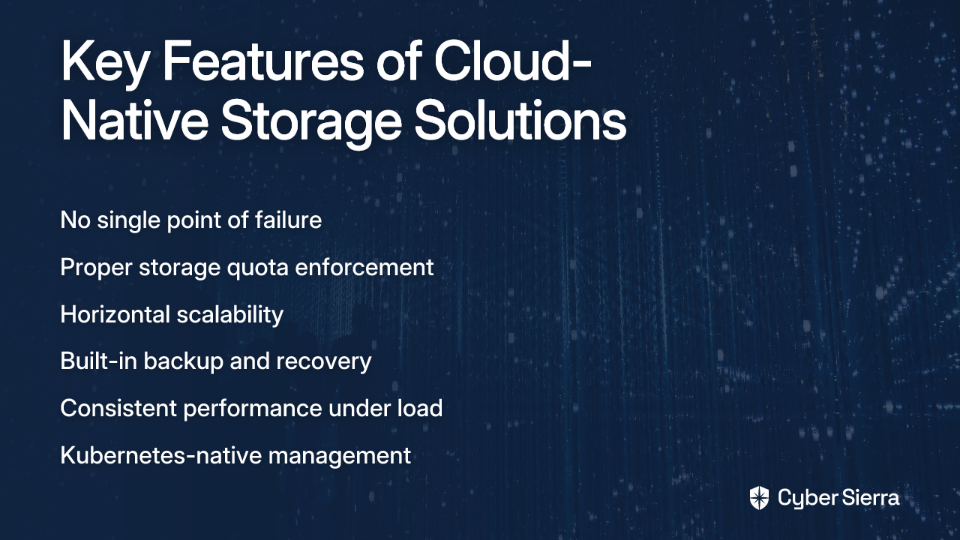
Instead of fighting with a legacy protocol, choose a storage solution designed for a distributed, cloud-native world. Good Kubernetes storage should embrace principles like dynamic volume provisioning, scalability, and built-in data protection.

Here are some superior alternatives to consider:

Ceph

Ceph is a highly scalable and redundant distributed storage system that offers object, block, and file storage. While more complex to set up than NFS, it provides true high availability, eliminates the single point of failure problem, and scales horizontally as your needs grow.
A Medium article on Kubernetes storage alternatives highlights Ceph's ability to provide "redundant, enterprise-grade storage" without the reliability issues of NFS.
Longhorn

Longhorn is a lightweight, reliable, and powerful distributed block storage system built specifically for Kubernetes. Developed as a CNCF project, it's designed to address the exact pain points that make NFS unsuitable for production Kubernetes environments.

Longhorn offers:

  • Distributed block storage with no single point of failure
  • Volume snapshots and backups
  • Simple, intuitive UI
  • True enforcement of storage limits
  • Automatic failure detection and recovery

Cloud Provider Storage

If you're running on a major cloud provider, their native storage solutions integrate seamlessly with Kubernetes:

These solutions are deeply integrated, performant, and reliable, with proper quota enforcement and no single point of failure when configured correctly.

Other Options

  • Rook: An open-source cloud-native storage orchestrator that automates deployment and management of storage solutions like Ceph
  • OpenEBS: Container attached storage that turns any node into a storage node
  • Portworx: A commercial solution offering enterprise-grade storage capabilities

Each of these alternatives provides the reliability, performance, and proper resource management that NFS fundamentally lacks.

Conclusion: Build for Resilience, Not Convenience

The initial convenience of NFS is a siren song, luring you toward a deceptively simple solution that will eventually sink your entire cluster. As we've seen, NFS introduces a single point of failure, causes performance nightmares, creates data consistency risks, and suffers from critical flaws like the unenforced storage quota bug.

Using NFS for anything critical in Kubernetes is a matter of when it will fail, not if. The effort required to recover from a storage-induced cluster failure far outweighs the initial effort of setting up a proper, resilient solution.

Kubernetes represents a shift toward resilient, distributed systems. Your storage choice should embrace that same philosophy, not undermine it with a technology designed for a different era and different requirements.

Avoid the NFS trap. Invest in a cloud-native storage solution that matches the resilience and scalability of Kubernetes itself. Your future self – the one not frantically debugging a cluster-wide outage at 3 AM – will thank you.

Frequently Asked Questions

Why is using NFS for Kubernetes persistent storage a bad idea?

Using NFS for production Kubernetes storage is a bad idea because its legacy architecture introduces a single point of failure, causes severe performance bottlenecks, and lacks critical features like storage quota enforcement, which can lead to cluster-wide outages. If the NFS server fails, every application relying on it will fail simultaneously, defeating the purpose of Kubernetes' high-availability features.

What is the most dangerous risk of using NFS with Kubernetes?

The most dangerous risk is the unenforced storage quota. A PersistentVolumeClaim (PVC) storage limit set in Kubernetes is completely ignored by the underlying NFS volume. This allows a single misbehaving application to consume all available space on the NFS share, causing a catastrophic, cluster-wide failure for every other application using that storage.

Can I ever use NFS for Kubernetes?

Yes, NFS can be acceptable for non-critical workloads where performance, availability, and data integrity are not primary concerns. This includes temporary development environments, CI/CD caching, or scenarios where potential downtime and data loss are tolerable. It should never be used for production databases or any stateful application that requires high reliability.

How do cloud-native storage solutions like Ceph or Longhorn solve the problems of NFS?

Cloud-native storage solutions are designed for distributed systems and solve NFS's problems by eliminating the single point of failure. They do this by distributing and replicating data across multiple nodes within the Kubernetes cluster. They also correctly enforce storage quotas and provide built-in features for high availability, such as volume snapshots, backups, and automatic failover, which are essential for running stateful applications reliably.

How do I choose the right storage solution for my Kubernetes cluster?

To choose the right storage solution, first consider your environment. If you are on a public cloud, using the provider's native storage (like AWS EBS or GCE Persistent Disk) is often the simplest and most reliable choice. For on-premise setups, evaluate solutions based on complexity and scale. Longhorn and OpenEBS are great for simpler, Kubernetes-native deployments, while Ceph is better suited for large-scale clusters requiring massive scalability and redundancy.

For further reading on Kubernetes storage concepts, consult the official documentation on Persistent Volumes and explore the storage best practices outlined by storage specialists.

blog-hero-background-image
Cyber Security

Evidence Management in GRC: The Security Gap Nobody Talks About

backdrop
Table of Contents

Join thousands of professionals and get the latest insight on Compliance & Cybersecurity.


You've invested in the latest GRC platform. Your policies are documented. Your controls are mapped. Your team has spent countless hours preparing for the next audit. But there's a critical vulnerability hiding in plain sight—one that could expose your organization's most sensitive security details to attackers.

"No matter what tool you pick, none of them can fix a screwed up process. Even with the supposed Cadillac tool, our control assessment process is a nightmare that's 100% self-induced," laments one GRC professional. This sentiment echoes across organizations struggling with governance, risk, and compliance challenges.

But beyond the frustration of clunky interfaces and broken workflows lies a more insidious threat: the mismanagement of compliance evidence itself.

With 60% of organizations experiencing a data breach last year, robust GRC practices aren't just about passing audits anymore—they're essential components of your security posture. Yet even as companies invest millions in GRC frameworks and platforms, they're overlooking a fundamental security gap that could render those investments worthless.

The Hidden Risk: Why Your Compliance Evidence is a Goldmine for Attackers

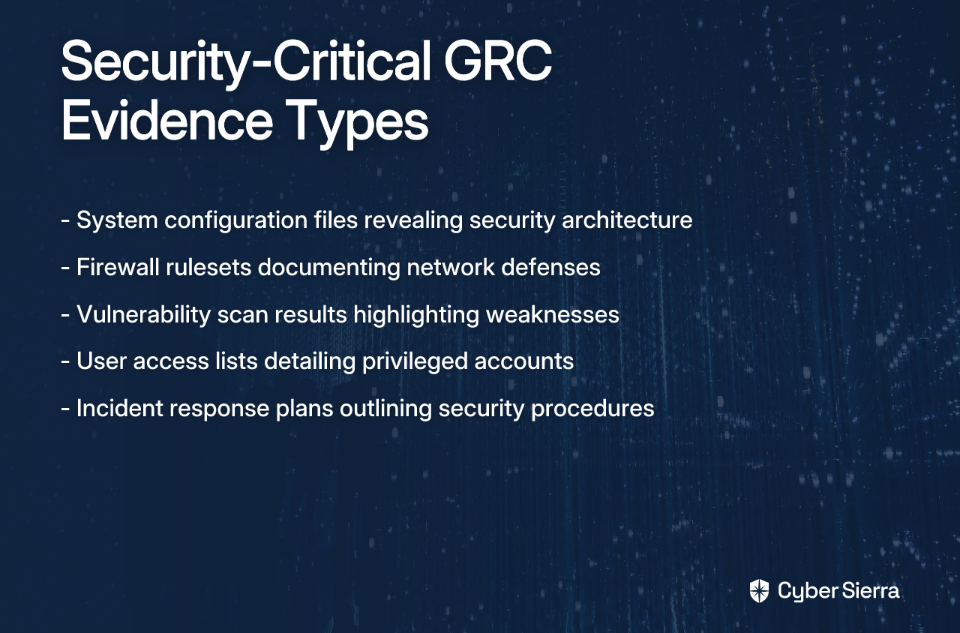
Evidence management—the collection, storage, protection, and presentation of data proving compliance with standards like ISO27001 or SOC 2—forms the backbone of any GRC program. This evidence isn't just administrative paperwork; it's a treasure trove of sensitive information:

In the wrong hands, this evidence becomes an attacker's blueprint to your organization's security posture—a roadmap highlighting exactly where and how to strike.

"A key feature missing in all of these platforms, as far as I can tell, is rights management around evidence sharing," notes one security professional. This critical observation pinpoints the central issue: most GRC platforms lack granular access controls for the sensitive evidence they house.

When GRC elements operate in silos, it creates inefficiencies, increases costs, and opens critical visibility gaps in your security posture, according to Hyperproof's Guide to GRC. Evidence management typically falls into these cracks, creating a dangerous blind spot in your security strategy.

The Four Layers of Vulnerability in GRC Evidence Collection

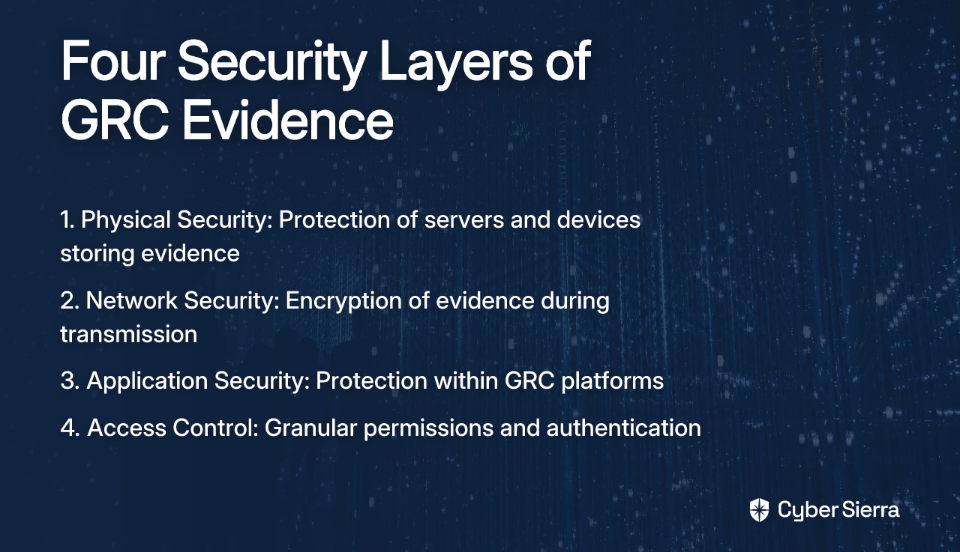
To understand this hidden risk, we need to examine the four layers of security in GRC evidence collection, as outlined by ComplianceCow:

Layer 1: Physical Security

The servers, laptops, and storage devices housing your GRC evidence represent the first vulnerability layer. When evidence is stored on unsecured devices or in physical locations without proper access controls, it creates an immediate risk regardless of your digital security measures.

Layer 2: Network Security

Evidence data frequently travels across your network—whether being uploaded to your GRC platform or shared with auditors. Without proper encryption and network controls, this data becomes vulnerable to interception, potentially exposing your security infrastructure details to anyone monitoring network traffic.

Layer 3: Application Security

The GRC platforms themselves—or the auxiliary systems like SharePoint, Confluence, or shared drives where evidence is stored—may contain vulnerabilities. If these applications have security flaws, attackers can potentially access evidence regardless of your access controls or network protections.

Layer 4: Access Control

This is where the critical gap exists in most organizations. Without proper role-based access control (RBAC), multi-factor authentication (MFA), and granular permissions management, sensitive compliance evidence becomes accessible to a wide range of employees and contractors—increasing the risk of insider threats or credential-based attacks.

"Finding things and search for things will give you a headache, especially during audits," shares another GRC professional. While this speaks to usability issues, it also reveals a deeper problem: when evidence management is chaotic, it's impossible to maintain proper security controls.

Common Pitfalls: How GRC Platforms and Processes Fail Us

The security gaps in evidence management stem from both process and technology failures:

Process Before Platform

As one experienced professional put it, "Tools are just a means to an end. No software can fix an overly complex process." This Reddit observation cuts to the heart of the issue. Organizations often implement GRC tools without first defining how evidence should be collected, stored, protected, and reviewed.

The 8 Limitations of GRC Platforms

According to ComplianceCow's analysis, common GRC platforms fail to address evidence security in several critical ways:

  1. Limited customization: Unable to adapt to unique organizational evidence needs
  2. Poor user interfaces: Lead to user error and workarounds that compromise security
  3. Inadequate reporting/analytics: Make it difficult to monitor who's accessing what evidence
  4. Lack of automation: Increases manual handling of sensitive data
  5. Poor integration: Creates evidence silos across multiple systems
  6. Rigidity: Slow adaptation to changing regulatory requirements
  7. High costs: Budget constraints that limit security features
  8. Insufficient incident management: Fails to connect compliance evidence to real-world security events

These limitations are compounded by other familiar challenges in GRC programs:

  • Lack of standardization in evidence types and formats
  • Insufficient training on secure evidence handling
  • Unclear ownership of evidence security
  • The "checkbox mentality" that prioritizes audit readiness over actual security

Together, these process and technology failures create a perfect storm of vulnerability around your most sensitive compliance data.

Bridging the Gap: A Practical Framework for Secure Evidence Management

The good news is that this hidden security gap can be addressed with a structured approach to evidence management that emphasizes security from the ground up:

Step 1: Define the Process First

Before selecting any tool, map out your entire evidence lifecycle:

  • How evidence is created and by whom
  • Where it will be stored
  • Who needs access and why
  • How it will be reviewed and by whom
  • When and how it should be shared with auditors
  • How long it should be retained
  • How it should be securely disposed of

As one GRC professional advises, "Make sure you really know what you want before buying any of [these platforms]." (Reddit User Research) This clarity of process will guide your technology decisions.

Step 2: Implement Strong and Granular Access Controls

Address the most significant gap head-on: Essential Evidence Security Controls

This approach directly addresses the concern that "a key feature missing in all of these platforms... is rights management around evidence sharing." (Reddit User Research)

Step 3: Automate Evidence Collection Intelligently

Leverage automation to reduce manual handling of sensitive evidence:

  • Use API integrations to collect evidence directly from source systems where possible
  • Implement workflows that route evidence through proper approval channels
  • Set up automatic notifications for evidence collection, review, and expiration
  • Ensure all automated processes maintain proper access controls

According to Hyperproof's Guide to GRC, intelligent automation can reduce both the security risks and administrative burden of compliance activities.

Step 4: Establish Continuous Monitoring and Audits

GRC is not a point-in-time exercise:

  • Monitor access to sensitive evidence in real-time
  • Conduct regular internal audits of your evidence management practices
  • Perform periodic access reviews to identify and remove unnecessary permissions
  • Test your evidence security with simulated attacks or penetration testing

Step 5: Prioritize Security in Tool Selection

When evaluating GRC platforms, make evidence security a top criterion:

  • Ask vendors specific questions about their access control models
  • Verify data encryption capabilities (both at rest and in transit)
  • Evaluate audit logging and monitoring features
  • Assess integration capabilities with your existing security tools
  • Consider compliance with security standards like SOC 2 or FedRAMP

As ComplianceCow's evaluation priorities suggest, security features should be prioritized alongside usability and reporting capabilities when selecting GRC tools.

From Compliance Chore to Security Cornerstone

Evidence management isn't just an administrative function for passing audits—it's a critical pillar of your overall cybersecurity posture. By closing this hidden security gap, organizations can transform a potential vulnerability into a strategic strength.

The path forward involves a fundamental shift in mindset: treating compliance evidence as sensitive security data that requires the same—if not greater—protection as any other critical asset. This means focusing on process before technology, implementing granular access controls, and integrating evidence management into your broader security program.

With 62% of organizations viewing risk as an opportunity for improvement rather than just a threat, addressing the evidence management gap represents a chance to build a more resilient and trustworthy security program—one that not only satisfies auditors but actually strengthens your defense against sophisticated attacks.

The compliance evidence you're collecting contains the keys to your kingdom. It's time to secure them properly.

Frequently Asked Questions

What is GRC evidence and why is it a security risk?

GRC evidence is the collection of data used to prove compliance with standards like ISO 27001 or SOC 2, and it poses a significant security risk because it contains highly sensitive information about an organization's security posture. This evidence includes system configuration files, firewall rules, vulnerability scan results, and incident response plans. If this data falls into the wrong hands, it can act as a detailed blueprint for an attacker, revealing your security architecture, weaknesses, and defense strategies.

What are the most common security gaps in GRC evidence management?

The most common security gaps in GRC evidence management occur across four layers: physical security of devices, network security during data transit, application vulnerabilities in GRC tools, and, most critically, inadequate access controls. Many organizations lack granular, role-based access controls (RBAC) for their compliance evidence. This means sensitive information is often accessible to a wide range of employees and contractors, increasing the risk of insider threats and credential-based attacks.

How can an organization better secure its compliance evidence?

An organization can better secure its compliance evidence by adopting a structured framework that prioritizes process definition, implements strong access controls, automates collection, and establishes continuous monitoring. This involves first mapping the entire evidence lifecycle before selecting any tools. Key steps include enforcing multi-factor authentication (MFA) and role-based access control (RBAC), using automation to reduce manual handling of data, and regularly auditing access logs to ensure only authorized personnel can view or manage sensitive evidence.

Why do traditional GRC platforms often fail to secure compliance evidence?

Traditional GRC platforms often fail to secure compliance evidence because they lack critical features like granular access rights management, robust automation, and seamless integration with other security tools. Many platforms have limitations such as poor user interfaces that lead to insecure workarounds, inadequate reporting to monitor access, and an inability to be customized for unique organizational needs. This forces teams to store evidence in less secure, siloed systems, creating dangerous visibility gaps.

What is the first step to improving GRC evidence security?

The first and most crucial step to improving GRC evidence security is to define your evidence management process before implementing any technology or platform. A tool cannot fix a broken process. You must first map out the entire lifecycle of your compliance evidence: how it's created, where it's stored, who needs access and why, and how it's reviewed and disposed of. This process-first approach ensures that any technology you choose will support, rather than undermine, your security goals.

How does role-based access control (RBAC) improve evidence security?

Role-based access control (RBAC) improves evidence security by ensuring that individuals can only access the specific compliance data required for their job function, operating on the principle of least privilege. Instead of granting broad access, RBAC allows you to create granular permission levels (e.g., view, edit, download) for different types of evidence and user roles. This significantly reduces the risk of unauthorized exposure, whether from insider threats or compromised accounts, by limiting the potential attack surface within your GRC ecosystem.

blog-hero-background-image
Cyber Security

Why SCCM Reporting Is Security Theater (And What to Do Instead)

backdrop
Table of Contents

Join thousands of professionals and get the latest insight on Compliance & Cybersecurity.


You've set up SCCM for patch management across your enterprise. On paper, everything looks great - your dashboard shows 98% compliance, and you've got those pretty green bars on the executive report. Mission accomplished, right?

Wrong.

"I am having a hard time finding a report in either platform that will show me Windows server/client patch compliance," laments one IT admin on Reddit. Another puts it more bluntly: "Reporting in SCCM is garbage. It's beyond me how it's been around for so long and it's still terrible."

If you've ever questioned whether your SCCM reports actually reflect your true security posture, your instincts are correct. What you're experiencing isn't just a reporting annoyance—it's a dangerous form of security theater that leaves your organization vulnerable while creating the illusion of protection.

The Illusion of Control: What SCCM Reporting Promises

On the surface, SCCM's reporting capabilities sound impressive. Microsoft touts over 400 predefined reports across 50 report folders, leveraging SQL Server Reporting Services (SSRS) and Power BI Report Server. The system promises comprehensive visibility into your environment, from software inventory to patch compliance.

But the reality? Despite this mountain of reports, IT professionals consistently struggle to find even basic, reliable information about their environments. As one administrator noted, "It's got plenty of reports and 99% of them are useless."

This isn't just a usability problem—it's a fundamental security risk that creates a false sense of safety while leaving organizations exposed to genuine threats.

Defining "Security Theater": When Looking Secure Isn't Being Secure

The term "security theater" was coined by security expert Bruce Schneier to describe measures that make people feel safer without actually improving security. It refers to actions and systems that provide the appearance of protection without delivering substantive defense.

Common examples include:

  • Elaborate compliance checklists that focus on documentation rather than actual security posture
  • Ineffective but highly visible security procedures that waste resources
  • Systems that generate impressive-looking reports based on flawed or incomplete data

Sound familiar? SCCM reporting embodies classic security theater. Organizations run weekly compliance reports, generate colorful dashboards for executives, and check the "patch management" box on their compliance forms. But beneath this comforting facade lies a deeply flawed system that provides little more than an illusion of control.

Classic Signs of Security Theater in Patch Management

The Core Problem: Why SCCM Reporting is Merely Anecdotal

As one seasoned administrator bluntly stated, "SCCM reporting should be considered anecdotal at best and absolutely not relied on as the source of truth for something as crucial as CVE mitigation." Let's examine why this damning assessment is painfully accurate:

1. The Data is Stale and Inaccurate ("SCCM Time")

SCCM suffers from what practitioners wryly call "SCCM time" - a significant delay between reality and what appears in reports. As one admin explains:

"The challenge I had using SCCM reporting was the accuracy due to the fact that you have to force all endpoints to 'check in' then based on the last check in you wait for that data to get to the database then you wait for SCCM to get the data from the database."

This multi-stage delay means your reports are outdated the moment they're generated. For critical security vulnerabilities, this lag is unacceptable. One admin admits, "I tell my security team I need a two week saturation minimum before I start handing out reports." Two weeks is an eternity in the context of critical CVE mitigation.

2. Flawed and Misleading Compliance Logic

Perhaps the most dangerous aspect of SCCM reporting is its fundamentally flawed compliance logic. As one administrator discovered:

"Built-in SCCM compliance wasn't a good fit for my needs (a server returns an empty list of updates? CoMpLiAnT!)."

This example perfectly illustrates the danger: SCCM may mark a server as "compliant" not because it has all necessary security patches, but because the scanning process failed to identify any updates at all. This isn't measuring security; it's measuring whether the SCCM client ran a task successfully—two entirely different things.

3. Microsoft-Centric Blind Spots

SCCM is primarily designed for Windows and Microsoft products, with notoriously poor support for Linux, macOS, and third-party applications. Anoop C. Nair's blog highlights that official Linux/Unix support is effectively dead in SCCM.

In today's heterogeneous environments, this creates massive blind spots in your security posture. Your SCCM report might show 100% patch compliance while ignoring vulnerabilities in your Linux servers, macOS workstations, and critical third-party applications like web browsers, PDF readers, and productivity software.

4. High Administrative and Financial Overhead

SCCM requires a dedicated, full version of Microsoft SQL Server and significant on-prem infrastructure. Troubleshooting client health and ensuring agents work properly consumes substantial administrative time.

According to research by Heimdal Security, many organizations dedicate full-time staff just to maintain SCCM functionality—resources that could be better spent on actual security improvements.

Tired of patch management theater? Cyber Sierra's Continuous Control Monitoring provides real-time, accurate visibility across your entire environment - not just Windows systems. Schedule a Demo

The Path Forward: From Security Theater to Actionable Intelligence

If SCCM reporting is security theater, what should you do instead? Let's explore a tiered approach to moving from illusory security to genuine protection.

Tier 1: Augmenting Your Current Setup (Short-Term Fixes)

If you're not ready to abandon SCCM reporting entirely, consider these stopgap measures:

Custom Power BI Reports: Some administrators have found success by bypassing built-in reports. As one user notes, "I took ideas from this guide and adapted it to a PowerBI report." This approach can extract more value from your existing infrastructure.

Custom Scripting: Advanced users can script queries to WMI classes directly. One admin explains: "The short version is I run one script that uses MSRCSecurityUpdates to query the month's hotfixes." This provides more granular control than built-in reports.

However, these approaches merely mitigate rather than solve the fundamental problems with SCCM reporting.

Tier 2: The Real Solution - Adopt a Dedicated Tool

As one administrator wisely observed, "If an org is big enough to use MECM, they are big enough to use a vulnerability assessment scanning tool."

Here are several alternatives that address SCCM's core reporting problems:

What to Look for in a Modern Patch Management Solution

Heimdal Patch & Asset Management: Offers comprehensive coverage for Windows, Linux, macOS, and third-party apps with automated deployment. Best for: Organizations needing automated, cross-platform support.

Automox: A cloud-native solution managing patches across Windows, Linux, and macOS without on-premise infrastructure. Best for: IT pros needing a pure cloud-native solution with minimal overhead.

VMware Workspace One: Focuses on Zero Trust and provides intelligence reporting and insights for automation. Best for: Organizations prioritizing a Zero Trust architecture.

Ivanti: Offers strong automation, deep integrations, and supports a wide variety of operating systems. Uses contextual risk assessments instead of basic CVE scores. Best for: Enterprises needing extensive vulnerability remediation tools.

Other options worth exploring include Jumpcloud, SolarWinds Patch Manager, and ManageEngine Endpoint Central.

Beyond the Theater: Real Security Requires Real Data

Security isn't about generating reports that make executives feel good—it's about actually protecting your systems from compromise. As JetPatch points out, "SCCM was designed as a systems management tool, not a dedicated security solution," and this fundamental limitation shows in its reporting capabilities.

The most dangerous aspect of security theater isn't just wasted resources—it's the false confidence it creates. When your patch compliance report shows 98% coverage while ignoring half your environment and miscounting the rest, you're making security decisions based on fiction rather than fact.

Modern security demands better. It requires real-time visibility across all platforms, accurate compliance data, and actionable intelligence about your true vulnerability posture. SCCM reporting provides none of these.

As threats evolve and environments become more complex, the gap between SCCM's reporting capabilities and genuine security needs only widens. It's time to move beyond security theater and embrace solutions that deliver actual protection instead of just the comforting illusion of it.

Your organization—and your security team's sanity—deserves better than pretty graphs based on questionable data. The first step toward genuine security is acknowledging that your SCCM reports might be the most dangerous form of security theater in your organization.

Frequently Asked Questions

What is "security theater" in the context of SCCM reporting?

Security theater in SCCM reporting refers to the illusion of security created by its dashboards and compliance reports, which often look impressive but don't reflect the true security posture of an organization. These reports can provide a false sense of safety by showing high compliance rates based on flawed, incomplete, or outdated data, masking real vulnerabilities.

Why are SCCM compliance reports often inaccurate?

SCCM compliance reports are often inaccurate due to three main issues: stale data, flawed logic, and a limited scope. The data is frequently outdated due to reporting delays (known as "SCCM time"). The compliance logic can be misleading, for example, marking a server as "compliant" if a scan fails to run. Finally, its focus on Microsoft products creates significant blind spots for Linux, macOS, and third-party applications.

How does SCCM's reporting create security blind spots?

SCCM's reporting creates security blind spots primarily because it is designed for Windows and Microsoft products, with very limited support for other operating systems and third-party software. In a modern, heterogeneous IT environment, this means vulnerabilities in Linux servers, macOS devices, and critical applications like web browsers or PDF readers are often not included in compliance reports, leaving these systems unprotected.

Can I improve SCCM reporting without replacing it?

Yes, you can augment SCCM reporting with short-term fixes to get more accurate data without replacing the system entirely. Common methods include creating custom Power BI reports that connect directly to the SCCM database or using custom scripts to query WMI classes for more granular, real-time information. However, these solutions are stopgaps and don't solve the underlying data integrity issues.

What are the best alternatives to SCCM for patch management and reporting?

The best alternatives to SCCM are dedicated vulnerability and patch management tools that offer real-time, cross-platform visibility. Cloud-native solutions like Automox and Heimdal Patch & Asset Management are popular for their comprehensive coverage of Windows, macOS, Linux, and third-party applications. Other powerful options include VMware Workspace One for Zero Trust environments and Ivanti for deep integrations and risk-based assessments.

How long does it take for SCCM reports to reflect reality?

SCCM reports can have a significant delay, a phenomenon often called "SCCM time," making it difficult to get a real-time view of your security posture. The process involves endpoints checking in, data being written to the database, and then SCCM processing that data. Many administrators report needing a saturation window of up to two weeks before they trust the data for reporting, which is far too long for mitigating critical vulnerabilities.

blog-hero-background-image
Cyber Security

Why CIS Controls Aren't Enough: The Missing Governance Gap

backdrop
Table of Contents

Join thousands of professionals and get the latest insight on Compliance & Cybersecurity.


You've implemented the CIS Controls across your organization. Your IT team has dutifully worked through the Implementation Groups, hardening systems and applying technical safeguards. You've even achieved good scores on your compliance assessment. But something still feels incomplete. Despite all these controls, your security program seems fragmented, with unclear accountability and decisions that feel reactive rather than strategic.

If this sounds familiar, you're experiencing what many security professionals recognize: "the importance of governance is criminally underrated" in modern cybersecurity.

The Center for Internet Security (CIS) Controls provide an excellent foundation for cybersecurity. They represent consensus-driven best practices that help organizations defend against the most pervasive cyber threats. However, as many experienced practitioners have observed, "CIS Controls aren't meant to be all encompassing and comprehensive" and "should never be mistaken for a framework around which to build a security program."

This article explores the critical governance gap that exists when organizations rely solely on the CIS Controls and provides a practical roadmap for elevating your security posture from a collection of technical safeguards to a mature, business-aligned security program.

The Power and Purpose of CIS Controls

Before exploring their limitations, it's important to acknowledge the significant value the CIS Controls provide.

The CIS Controls are a prioritized set of actions that collectively form a defense-in-depth approach to cybersecurity. Developed through a community-driven process, they represent the collective wisdom of cybersecurity experts worldwide. The controls are organized into Implementation Groups (IGs), with IG1 containing 56 foundational safeguards representing "basic cyber hygiene" that every organization should implement.

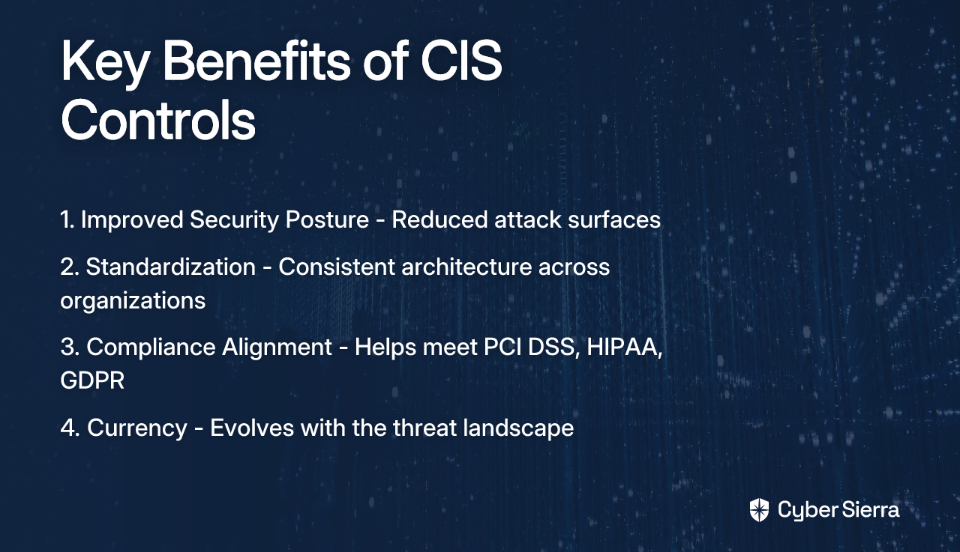
When properly implemented, CIS Controls deliver several key benefits:

  1. Improved Security Posture: They provide a clear path to reduce attack surfaces and enhance monitoring capabilities.
  2. Standardization: They offer a consistent architecture that works across organizations of all sizes.
  3. Compliance Alignment: They help meet requirements for various regulations like PCI DSS, HIPAA, and GDPR.
  4. Currency: The framework evolves with the threat landscape, with the latest version (v8.1) addressing modern challenges like hybrid work environments and supply chain security.

The CIS Controls excel at answering the what of cybersecurity—the specific technical actions organizations should take to protect their assets. This focus on tactical implementation makes them accessible and actionable, especially for organizations beginning their security journey.

The Governance Gap: Why Controls Alone Fall Short

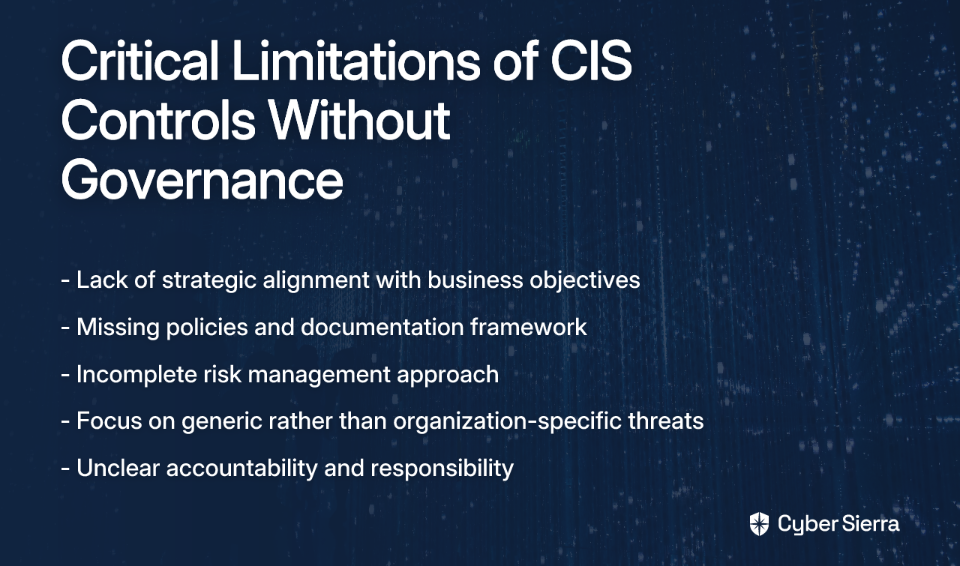
Despite their strengths, CIS Controls represent only one piece of the cybersecurity puzzle. They are fundamentally tactical in nature—as one security professional aptly put it, "CIS is intended to focus on the tactical technical safeguards." This tactical focus creates a governance gap that manifests in several critical ways:

Lack of Strategic Alignment

Controls without context are like tools without purpose. Governance provides the vital link between security controls and business objectives, transforming cybersecurity from a cost center into a business enabler.

Without governance, organizations struggle to determine "how much something is really worth, and the most cost-effective ways to keep it safe." Security decisions become disconnected from business priorities, leading to either over-investment in protecting low-value assets or under-protection of critical ones.

The Policy and Documentation Vacuum

Many security professionals are frustrated by organizations that treat documentation as optional: "how are organizations just glazing over this as if it's optional?!"

This sentiment reflects a fundamental truth: "the only way to measure the compliance of security controls is to first have a documented set of policies." Without governance-driven policies that define purpose, scope, roles, and responsibilities, accountability remains unclear. Enforcing security controls without documented policies is like "expecting people to adhere to a code of ethical behavior without documented laws."

Incomplete Risk Management

The CIS Controls are prioritized based on broad threat data, as demonstrated in the CIS Community Defense Model. However, effective risk management requires tailoring these controls to an organization's specific threat landscape, vulnerabilities, and risk appetite.

Governance establishes the framework for this crucial risk management process, helping security teams focus on the threats that matter most to their specific business context rather than generic best practices alone.

Defining Cybersecurity Governance: The Missing Blueprint

So what exactly is this missing piece? Cybersecurity governance encompasses the leadership structures, policies, processes, and frameworks that manage cybersecurity risks in alignment with business objectives and regulatory requirements. It's the "why" and "how" that give context to the "what" of technical controls.

An effective governance program includes several key elements:

  1. Strategic Alignment: Integration of security into business goals, ensuring that security initiatives support rather than hinder business objectives.
  2. Policy Development: Establishment of comprehensive, enforceable policies that define security expectations across the organization.
  3. Risk Management: Implementation of a continuous cycle of risk identification, assessment, and mitigation tailored to the organization's unique risk profile.
  4. Leadership & Accountability: Strong engagement from leadership (CISO, CIO, board) to set priorities, manage risk, and ensure compliance.

Even the creators of the CIS Controls recognize this need. CIS Controls v8.1 introduced a new governance security function aligned with the NIST Cybersecurity Framework 2.0. This validates the importance of governance but serves primarily as a high-level guide rather than a replacement for a comprehensive security program.

How to Bridge the Gap: A 4-Step Action Plan

Building a governance program doesn't have to be overwhelming. Here is a practical, four-step process for creating a sustainable program that integrates CIS Controls effectively:

Step 1: Establish a Foundation

Begin by shifting the organizational mindset to view security as a core business function, not just an IT problem. This cultural shift is essential for sustainable security.

Establish leadership by appointing a CISO (or virtual CISO for smaller organizations) and defining clear roles and responsibilities across teams. Without this clarity, security becomes everyone's secondary job and no one's primary responsibility.

Use a formal risk assessment methodology like CIS RAM (Risk Assessment Method) to align security efforts with risk management objectives. This helps prioritize efforts based on what matters most to your business.

Step 2: Standardize Configurations

This is where CIS Controls shine. Use them as the technical foundation for your security program, implementing the appropriate controls based on your organization's size and risk profile.

Implement CIS Benchmarks, the consensus-based configuration guidelines, to harden systems and create a strong, standardized security baseline. These detailed, system-specific guides provide the "how" that complements the "what" of the CIS Controls.

Step 3: Continuous Monitoring and Assessment

Governance is not a one-time implementation but an ongoing process. Regularly assess your program's effectiveness through both technical and process-oriented metrics.

Utilize tools like the CIS Controls Self-Assessment Tool (CIS CSAT) or CIS-CAT Pro to automate the process of comparing system configurations against established benchmarks and track implementation progress. These assessments should feed into a continuous improvement cycle.

Step 4: Implement Controls Using Threat Intelligence

Focus resources where they matter most by using threat intelligence to prioritize control implementation. This ensures your security efforts address the most relevant threats to your organization.

Avoid a check-the-box mentality. Implement controls with context, ensuring they address specific, relevant threats to your organization. Remember that "it's not all about 'hacking' and chasing bad guys"—it's about building a sustainable, risk-aware program.

Overcoming Common Hurdles

Organizations typically face several challenges when bridging the governance gap:

Resource Limitations: Start with IG1 controls and align your security budget with long-term business goals. Demonstrate the business value of governance to secure necessary resources.

Expertise Deficiency: Invest in continuous training and consider engaging third-party experts or virtual CISO (vCISO) services to provide strategic guidance when internal expertise is limited.

Evolving Threats: Remember that a strong governance program is designed to be adaptive through continuous monitoring and risk assessment, making it more resilient to the changing threat landscape.

Conclusion: Beyond the Checklist

The CIS Controls are an essential component of a modern defense strategy, providing critical tactical safeguards. However, they are not a substitute for a comprehensive security program.

True security maturity is achieved when these controls are embedded within a strategic governance framework that provides business alignment, proactive risk management, and clear accountability. This integration transforms security from a technical function to a business enabler.

As you review your security program, ask yourself: "Do we just have controls, or do we have a program?" If you find yourself focused primarily on technical implementations without the strategic context that governance provides, it's time to start the governance conversation.

By bridging the governance gap, you'll build not just a more secure organization, but a more resilient and business-aligned one. And in today's threat landscape, that comprehensive approach isn't just nice to have—it's essential for survival.

Frequently Asked Questions

What are the CIS Controls?

The CIS Controls are a prioritized set of best practices and technical safeguards designed to help organizations defend against the most common cyber threats. They are developed through a community-driven process and organized into Implementation Groups (IGs) to provide a clear, actionable path for improving security posture, starting with basic cyber hygiene (IG1). They focus on the "what" of cybersecurity—the specific technical actions to take.

Why are CIS Controls alone not enough for a cybersecurity program?

CIS Controls alone are not enough because they are fundamentally tactical and lack the strategic context provided by a comprehensive governance framework. Relying solely on controls creates a "governance gap" where security efforts are disconnected from business objectives, lack clear policies and accountability, and fail to address an organization's specific risk profile. They answer "what" to do, but governance provides the crucial "why" and "how."

What is cybersecurity governance?

Cybersecurity governance is the framework of leadership structures, policies, and processes that align security activities with business objectives and manage cyber risks effectively. It's the strategic layer that gives purpose to technical controls. An effective governance program includes strategic alignment with business goals, comprehensive policy development, tailored risk management, and clear leadership accountability.

How can an organization start implementing cybersecurity governance?

An organization can start implementing cybersecurity governance by establishing a foundational leadership structure, standardizing configurations using CIS Controls, implementing continuous monitoring, and using threat intelligence to prioritize actions. A practical first step is to shift the mindset to view security as a core business function and appoint a leader, such as a CISO. From there, use a formal risk assessment method to build a cycle of continuous improvement.

What is the difference between CIS Controls and CIS Benchmarks?

The CIS Controls define what security actions should be taken (e.g., harden device configurations), while the CIS Benchmarks provide detailed, step-by-step guidance on how to securely configure specific systems. The Benchmarks offer vendor-approved configuration settings for a particular operating system or application, translating the high-level best practices of the Controls into specific technical settings.

What if my organization has limited resources for a governance program?

Organizations with limited resources can start by focusing on foundational controls (like CIS IG1), aligning the security budget with key business goals, and demonstrating the value of governance to secure more resources over time. You can start small by appointing a part-time or virtual leader (vCISO), documenting essential policies, and using a risk-based approach to prioritize the most critical security efforts.

blog-hero-background-image
Cyber Security

HIPAA Compliance in ABA Clinics: Parent Observation Guidelines

backdrop
Table of Contents

Join thousands of professionals and get the latest insight on Compliance & Cybersecurity.


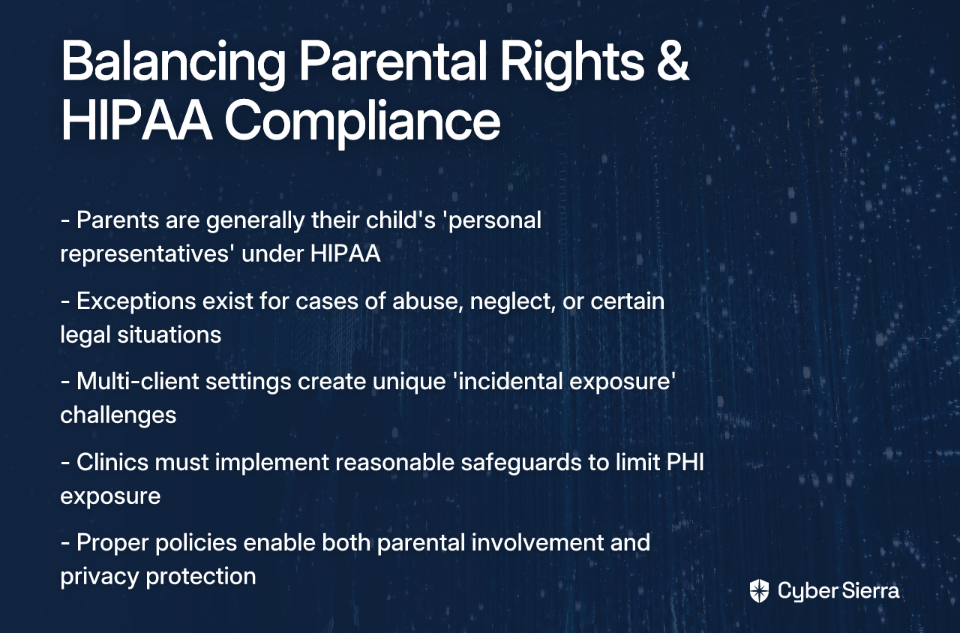
You've entrusted your child to an ABA clinic for therapy, eager to see their progress firsthand. But when you ask to observe a session, the staff hesitates, citing "HIPAA regulations." Frustration builds as you think, "Do they expect people to leave their kids at a place they can't see?" Meanwhile, the clinic director worries about "incidental exposure of PHI" if parents observe sessions where multiple children receive treatment.

This tension between parental rights and privacy obligations creates unnecessary friction in what should be a collaborative therapeutic relationship. The problem isn't that clinics want to hide their practices—it's that they lack clear, standardized guidelines for balancing observation with legal compliance.

This guide provides ABA clinics with a comprehensive framework for developing HIPAA-compliant parent observation policies that honor a parent's right to be involved while protecting the confidentiality and dignity of every client.

A Primer on HIPAA in the ABA Context

Before diving into specific guidelines, let's clarify what HIPAA actually requires of ABA providers.

The Health Insurance Portability and Accountability Act of 1996 (HIPAA) was enacted by President Bill Clinton on August 21, 1996, to protect the confidentiality and security of patient health information. Though initially designed for traditional healthcare settings, its rules apply fully to behavioral health providers, including ABA clinics.

Key Terminology for ABA Providers:

  • Covered Entities (CEs): ABA clinics fall under this category as healthcare providers who transmit health information electronically.
  • Business Associates (BAs): These are entities that handle Protected Health Information (PHI) on behalf of your clinic, such as billing services, electronic health record vendors, or cloud service providers.
  • Protected Health Information (PHI): This includes any identifiable health information. In ABA therapy, PHI encompasses:
    • Session notes and behavior data
    • Treatment plans and protocols
    • Diagnoses and assessment results
    • Client names or initials when connected to their status as a client
    • Videos or photos of therapy sessions

The Core HIPAA Rules to Know:

  1. The Privacy Rule: This governs how PHI is used and disclosed. It's central to the parent observation dilemma, as it dictates who can access what information and under what circumstances.
  2. The Security Rule: This focuses on safeguarding electronic PHI (ePHI) through administrative, physical, and technical safeguards. With the rise of telehealth and digital record-keeping in ABA, compliance with this rule is increasingly important.
  3. The Breach Notification Rule: This details the steps required if a PHI breach occurs, including notifying affected individuals. Understanding this rule helps clinics appreciate the seriousness of potential privacy violations.

Parental Rights vs. Client Privacy: Navigating the Gray Areas

The fundamental tension in parent observation stems from two competing principles: a parent's right to access their child's healthcare information and a provider's obligation to protect all clients' privacy.

The General Rule: Parents as "Personal Representatives"

Under the HIPAA Privacy Rule, parents are generally considered their minor child's "personal representatives" and have the right to access their child's medical records. According to the Department of Health and Human Services, this means parents can exercise privacy rights on behalf of their children, including the right to view treatment.

Crucial Exceptions to Parental Access:

However, there are specific situations where a parent may not be treated as a personal representative:

  1. When the minor consents to care, and state law does not require parental consent
  2. When the minor obtains care at the direction of a court
  3. When the parent agrees to a confidential relationship between the provider and the minor

Additionally, a provider may deny a parent access if there is a reasonable belief of domestic violence, abuse, or neglect. This is a critical legal protection for vulnerable children.

The Challenge of the Multi-Client Setting: Incidental Exposure

ABA clinics face a unique challenge because therapy often occurs in settings where multiple children receive treatment simultaneously. This creates the potential for "incidental exposure"—an unavoidable disclosure of PHI that occurs as a byproduct of an otherwise permissible activity.

For example, a parent observing their child in a group therapy room might:

  • See another child experiencing a behavioral episode
  • Hear another child's name called
  • Overhear a therapist discussing another child's targets

Parents often ask, "Why isn't it a violation for the clients to see other clients' sessions?" The answer lies in understanding that while incidental exposure is sometimes permissible, clinics must take "reasonable safeguards" to limit it. The absence of such safeguards is what creates HIPAA compliance risks.

Common Pitfalls: How Parent Observations Can Lead to HIPAA Violations

Even well-intentioned observation policies can inadvertently create compliance issues. Here are the most common pitfalls:

Overheard Conversations

Staff discussing one client's progress in a waiting room or hallway where another client's parents are present creates unauthorized disclosure. As one provider noted, "We do our best to use initials when talking about the kids when parents are in the building," but even this precaution may be insufficient if the context makes the child's identity obvious.

Improper Document Handling

Leaving session notes, data sheets, or treatment plans with visible PHI on a desk in an area accessible to observing parents is a direct violation. Electronic records displayed on unattended screens pose similar risks.

Lack of Physical/Auditory Separation

Without proper soundproofing or visual barriers, parents being able to see or hear into other treatment rooms from their observation point constitutes a breach. This is why many clinics emphasize "a setting away from other children" for observations.

Unsecured Digital PHI

A therapist using a laptop with another client's data visible on the screen during an observation session can expose sensitive information. With the increasing use of tablets and electronic data collection in ABA settings, this risk has grown substantially.

Failure to Obtain Specific Consent

Many clinics mistakenly assume that a general consent-to-treat form covers observation in a multi-client setting. As one provider put it, "I think a consent form just needs to be signed based on my center," but HIPAA requires more specific authorization for sharing PHI beyond the minimum necessary for treatment.

A Step-by-Step Guide to Creating a Compliant Parent Observation Policy

Now that we understand the challenges, let's build a framework for a HIPAA-compliant observation policy:

Step 1: Designate a HIPAA Compliance Officer

This individual is responsible for developing, implementing, and overseeing all HIPAA policies, including parent observation. Even small practices should assign this role to ensure accountability and consistent application of privacy standards.

Step 2: Develop a Written Observation Policy & Confidentiality Agreement

This is non-negotiable. The policy should be clear, concise, and provided to all families upon intake. The confidentiality agreement, signed by parents before any observation, should include:

  • Acknowledgement that they may be incidentally exposed to the PHI of other children
  • A binding agreement not to disclose any information (visual or auditory) about any other child
  • Clear rules of conduct during observation (e.g., designated viewing areas, no cell phones/recording, scheduled times only)

Step 3: Engineer the Physical Environment for Privacy

Implement "reasonable safeguards" to protect privacy:

  • Physical Separation: Use dedicated observation rooms with one-way mirrors, as described by providers using "DTI rooms" for observation
  • Soundproofing: Ensure conversations from one treatment room cannot be easily heard in another or in the observation area
  • Visual Barriers: Use privacy screens or position furniture to limit sightlines into other therapy areas. As one clinic described, "We put up the wall/door for drop off so parents won't see/watch another client engaging in behaviors... for their dignity and privacy."

Step 4: Implement Administrative Controls

  • Scheduled Observations: Require parents to schedule observation times in advance to prevent drop-ins during sensitive activities
  • Structured Parent Training: Frame this as the primary method for observation. As one provider recommended, "Have parents come in for parent training and meetings." This creates a controlled environment where the focus is on teaching the parent skills related to their child's program.

Step 5: Conduct Rigorous and Ongoing Staff Training

Training should be annual at a minimum and should cover:

  • The clinic's specific observation policy
  • How to professionally enforce the rules with parents
  • Protocols for managing conversations and client data when parents are present (the "minimum necessary rule")
  • How to respond if they witness a breach by a parent or another staff member

Leveraging Technology for Secure Observations

Modern tools can support compliant observation policies:

  • Use HIPAA-compliant software for practice management and data collection
  • Implement secure communication channels rather than texting PHI or using unsecured email
  • Consider telehealth platforms with observation capabilities that limit what parents can see to only their child's session

Fostering Trust Through Compliant Transparency

A strong HIPAA observation policy isn't meant to exclude parents but to create a safe and respectful environment for everyone. By implementing written policies, signed confidentiality agreements, structured observation environments, and comprehensive staff training, ABA clinics can balance a parent's desire for transparency with their legal obligation to protect all clients' privacy.

Remember: the goal isn't just legal compliance—it's building a foundation of trust that supports effective therapy. When parents understand that privacy protocols protect their child too, they're more likely to respect and appreciate your clinic's professionalism.

Take time to audit your current procedures, consult with legal counsel specializing in healthcare law, and proactively communicate your policies to families. The investment in proper HIPAA compliance will pay dividends in parental satisfaction, staff confidence, and protection from potentially costly violations.

Frequently Asked Questions

Why can't I watch my child's ABA therapy session anytime I want?

Parents generally have a right to observe their child's therapy, but ABA clinics must balance this with their legal duty under HIPAA to protect the privacy of all clients. Unscheduled or unrestricted observations in a multi-client setting can lead to the "incidental exposure" of other children's Protected Health Information (PHI), creating a HIPAA compliance risk. To manage this, clinics implement structured, scheduled observation policies that respect both parental involvement and the confidentiality of every child.

How can ABA clinics allow parent observation without violating HIPAA?

Clinics can facilitate HIPAA-compliant observations by implementing a multi-faceted strategy. This includes requiring parents to sign a confidentiality agreement, engineering the physical environment with dedicated observation rooms or visual barriers, scheduling observations in advance, and providing comprehensive staff training. These "reasonable safeguards" minimize the risk of exposing the PHI of other clients while honoring a parent's right to be involved.

What is "incidental exposure" of PHI in an ABA setting?

Incidental exposure is the unavoidable disclosure of Protected Health Information (PHI) that occurs as a byproduct of a permissible activity, like a parent observing their child's session. For example, a parent might see another child's behavioral episode or overhear a therapist discussing another client. While HIPAA permits some incidental exposure, clinics are required to have "reasonable safeguards" in place to limit these occurrences as much as possible.

Can a parent be legally denied access to observe their child's therapy?

Yes, under specific circumstances, a provider may deny a parent access. While parents are typically considered a child's "personal representative" under HIPAA, access can be restricted if there is a reasonable belief of domestic violence, abuse, or neglect by that parent. Additionally, access may be limited in specific legal situations, such as when a minor consents to their own care as permitted by state law or when care is court-ordered.

What should be included in a parent confidentiality agreement for observations?

A strong confidentiality agreement is a critical component of a compliant observation policy. It should include an acknowledgment from the parent that they may be incidentally exposed to the PHI of other children, a legally binding agreement not to disclose any information (visual or auditory) about any other child they see or hear, and a clear outline of the rules of conduct during observation (e.g., designated viewing areas, no recording devices, no cell phone use).

blog-hero-background-image
Cyber Security

How to Actually Implement PCI DSS v4.0.1 Requirements 6.4.3 and 11.6.1

backdrop
Table of Contents

Join thousands of professionals and get the latest insight on Compliance & Cybersecurity.


You've been handed the task of implementing PCI DSS v4.0.1's new requirements. After spending hours trying to decipher the documentation, you're met with vague guidelines that leave you wondering what "integrity verification" actually means and how you're supposed to implement it with limited resources before the 2025 deadline.

Sound familiar?

You're not alone. As one security professional put it, "The guidelines are well intentioned, but poorly defined" and "compliance isn't protection, but it damn well should NOT be this vague either."

This article cuts through the confusion surrounding Requirements 6.4.3 and 11.6.1. Instead of theoretical advice, we're providing a practical, actionable implementation guide that transforms these requirements from compliance burdens into real security advantages.

Understanding the Threat Landscape

Before diving into implementation, let's understand why these requirements exist.

Since 2018, there's been a significant rise in client-side attacks like Magecart and digital skimming. These attacks target scripts running in your customers' browsers, injecting malicious code that harvests payment information directly from form fields - completely bypassing server-side security measures.

The PCI Security Standards Council responded with Requirements 6.4.3 and 11.6.1, which mandate better management and monitoring of scripts on payment pages.

The deadline is approaching fast: While 13 requirements became mandatory in April 2024, Requirements 6.4.3 and 11.6.1 must be implemented by April 1, 2025.

Requirement 6.4.3: Breaking It Down

Let's start with the official language:

"For payment pages that are loaded in the customer's browser, a method is in place to confirm that each script is authorized, has integrity, and has a documented inventory of all scripts with written justification as to why each is necessary."

This requirement has three core pillars:

1. Build and Maintain a Dynamic Script Inventory

The Problem: Manual inventories become outdated almost immediately due to dynamic DOM manipulations and third-party script dependencies.

The Solution: Implement an automated solution that continuously tracks all scripts executing on your payment pages.

Implementation Steps:

  • Deploy a client-side monitoring solution capable of discovering all first-party and third-party scripts
  • Ensure your solution captures scripts loaded through dynamic techniques (not just static script tags)
  • Document the source domains and functions of each script
  • Update this inventory automatically as changes occur

Many organizations try to maintain spreadsheets of scripts manually. As one Reddit user noted, a company "decided to try meeting these manually & it is currently costing them $100k + benefits for the FTE they had to onboard." This isn't sustainable or effective.

2. Authorize and Justify Every Script

The Problem: "Script sprawl" from marketing, analytics, and support tools introduces unnecessary risk to payment pages.

The Solution: Create a formal process for authorizing scripts and documenting their business justification.

Implementation Steps:

  • For each script in your inventory, document:
    • Who authorized it
    • When it was authorized
    • Why it's necessary for the payment page
    • What data it accesses
  • Create a review process for new script requests
  • Regularly audit and remove unnecessary scripts
  • Maintain this documentation for your QSA (Qualified Security Assessor)

This process forces organizations to confront the reality of script sprawl. You'll likely discover scripts from abandoned campaigns, duplicate analytics tools, and third-party services that no longer provide value but still introduce risk.

3. Implement and Monitor Script Integrity

The Problem: Even authorized scripts can be compromised or tampered with.

The Solution: Continuously verify script integrity to detect unauthorized modifications.

Implementation Steps:

  • Implement SRI (Subresource Integrity) checks for static scripts where possible
  • For scripts that can't use SRI, employ behavior-based monitoring solutions
  • Set up alerting for script modifications and updates
  • Document your integrity verification methods

While SRI is a powerful native browser feature, it can be challenging to implement at scale, especially with third-party scripts that frequently update. Modern automated tools can analyze script behavior patterns to detect suspicious changes even when file hashes change legitimately.

Requirement 11.6.1: Real-Time Detection and Alerting

Now for the second requirement:

"A change- and tamper-detection mechanism is deployed as follows: To alert for unauthorized modification to the HTTP headers and the contents of payment pages as received by the consumer browser. The mechanism is configured to evaluate the received HTTP header and payment page."

While the requirement states this check must run at least weekly, weekly checks are woefully inadequate. As one security professional bluntly put it, "If your solution crawls the page weekly and calls it protection, you are part of the problem."

1. Implement Automated Monitoring

The Problem: Infrequent checks leave wide windows of vulnerability.

The Solution: Deploy continuous monitoring rather than periodic scans.

Implementation Steps:

  • Implement a Content Security Policy (CSP) in report-only mode to detect script violations
  • Deploy client-side monitoring that captures real user sessions
  • Ensure your solution checks both HTTP headers and DOM modifications
  • Configure monitoring for all payment pages and testing environments

A robust CSP can significantly enhance your security posture, though as one Reddit user noted, "Managing CSP is a headache and will rapidly age anyone who touches it." This is why automated solutions are crucial.

2. Configure Real-Time Anomaly Alerts

The Problem: Alert fatigue from non-critical notifications results in missed security incidents.

The Solution: Implement intelligent alerting that provides context and prioritization.

Implementation Steps:

  • Configure alerts for:
    • New script detection
    • Script modifications
    • HTTP header changes
    • Data exfiltration attempts
  • Send alerts through multiple channels (email, Slack, SIEM)
  • Include context with each alert (affected pages, script details, etc.)
  • Implement alert severities to prioritize response

3. Provide Actionable Insights for Remediation

The Problem: An alert without context is useless for remediation.

The Solution: Ensure your monitoring system provides detailed information for incident response.

Implementation Steps:

  • Capture logs showing when and how changes occurred
  • Document the behavior of suspicious scripts
  • Maintain an audit trail for investigation
  • Create playbooks for common incident types

When unauthorized script changes are detected, your team needs to quickly understand what happened, assess the impact, and take corrective action. Without detailed context, this becomes nearly impossible.

A Unified Strategy: Plan, Analyze, Implement, Improve

To successfully implement these requirements, adopt a strategic lifecycle approach:

1. Plan

Develop a comprehensive strategy outlining how you will:

  • Define your payment page scope
  • Assign roles and responsibilities
  • Select appropriate tools and technologies
  • Create documentation templates
  • Establish review processes

2. Analyze

Conduct a gap analysis to:

  • Assess current script usage
  • Identify vulnerabilities
  • Document existing controls
  • Understand compliance shortfalls
  • Prioritize remediation efforts

3. Implement

Execute your plan using automated tools:

  • Deploy script inventory solutions
  • Implement integrity checks
  • Configure real-time monitoring
  • Set up alerting mechanisms
  • Document everything for your QSA

4. Improve

Continuously enhance your script management practices:

  • Review and refine alerts
  • Update script inventories
  • Improve authorization processes
  • Refine monitoring capabilities
  • Incorporate lessons from incidents

Common Pitfalls and Pro Tips

Common Pitfalls

  • Lack of Documentation: Failing to maintain detailed records of script justifications will lead to audit failures
  • Ignoring Initial Findings: Many organizations are shocked at how many unauthorized scripts are running on their payment pages
  • Inconsistent Practices: Different development teams using different standards creates security gaps
  • Superficial Compliance: As one Reddit user noted, "Sampling 10% of sessions and calling it real-time monitoring is honestly terrifying"

Pro Tips

  • Automate Where Possible: The scale and complexity of modern websites make manual approaches impractical
  • Integrate Security into the SDLC: Build script controls into your development process rather than treating it as a separate compliance exercise
  • Foster a Culture of Security: Train developers on secure coding practices and the importance of script management
  • Consider Runtime Protection: Beyond monitoring, implement runtime protection to actively block suspicious script behavior

Conclusion: From Compliance Burden to Security Advantage

Successfully implementing PCI DSS Requirements 6.4.3 and 11.6.1 requires moving beyond periodic, manual checks to a continuous, automated approach focused on inventory, authorization, integrity, and real-time detection.

By embracing automation and integrating these practices into your development lifecycle, you transform these challenging requirements from compliance burdens into powerful security advantages. This is how you achieve actual protection against injection attacks and sophisticated digital skimming, ensuring you meet the 2025 deadline not just with a checkmark, but with confidence in your security posture.

Remember, as one security professional aptly put it, "The quality of your threat intel and detection capabilities will make all the difference." Invest in robust solutions now, and you'll not only achieve compliance but genuinely enhance your security against the growing threat of client-side attacks.

FAQs

What is the deadline for PCI DSS requirements 6.4.3 and 11.6.1?

The deadline for implementing PCI DSS v4.0.1 requirements 6.4.3 and 11.6.1 is April 1, 2025. While many other PCI v4.0 requirements became mandatory in 2024, these specific rules related to client-side security were given a later deadline to allow organizations time to adopt new technologies and processes.

What is the main purpose of PCI DSS requirement 6.4.3?

The main purpose of requirement 6.4.3 is to manage all scripts running on payment pages by maintaining an inventory, ensuring each script is authorized and necessary, and verifying its integrity. This involves three key actions: continuously inventorying every script, formally documenting the business justification for each one, and implementing mechanisms like Subresource Integrity (SRI) or behavior monitoring to ensure scripts are not tampered with.

How does requirement 11.6.1 differ from 6.4.3?

Requirement 6.4.3 focuses on the management of scripts (inventory, authorization, integrity), while requirement 11.6.1 focuses on the real-time detection of unauthorized changes to payment pages and HTTP headers as they are rendered in the user's browser. Think of 6.4.3 as proactive governance—knowing what should be there. In contrast, 11.6.1 is reactive detection—alerting you immediately when something unexpected appears or changes, such as a script modification or a malicious HTTP header.

Why are automated tools necessary for PCI DSS script management?

Automated tools are necessary because modern websites use dynamic and third-party scripts that make manual tracking via spreadsheets infeasible, quickly outdated, and prone to error. Manual methods cannot keep up with scripts that load other scripts or change dynamically. Automated solutions provide continuous, real-time monitoring of all scripts, detect unauthorized changes instantly, and offer a reliable system of record for audits, which is more effective and cost-efficient than hiring full-time staff for manual tracking.

What are client-side attacks like Magecart?

Client-side attacks, such as Magecart or digital skimming, are attacks that inject malicious code into scripts running in a customer's web browser to steal sensitive information, like payment card data, directly from online forms. These attacks bypass traditional server-side security because the malicious activity happens entirely on the user's device (the "client-side"). The new PCI DSS requirements are specifically designed to help organizations detect and prevent these kinds of attacks on their payment pages.

How can I start implementing these PCI DSS requirements?

The first step is to conduct a gap analysis to get a complete, automated inventory of all scripts currently running on your payment pages. You cannot authorize or protect what you don't know exists. Use an automated tool to discover all first-party and third-party scripts. This initial analysis will reveal your current compliance posture, identify unauthorized scripts, and provide the foundation for building your authorization process and monitoring strategy.


For more information on PCI DSS v4.0.1 requirements, visit the PCI Security Standards Council documentation library.

blog-hero-background-image
Cyber Security

How to Automate Microsoft Security Products Without Losing Your Mind

backdrop
Table of Contents

Join thousands of professionals and get the latest insight on Compliance & Cybersecurity.


You've heard it countless times: "Automate everything!" It's the mantra echoing through cybersecurity conferences, LinkedIn posts, and management meetings. Yet, when you sit down to actually implement automation with Microsoft security products, reality hits hard. The sprawling ecosystem feels impossibly complex, documentation seems scattered, and that promised land of "fully automated security operations" feels like a mirage.

"I have always heard 'automate everything' but there are very few things I have been able to automate. With MS security products, things are even harder." - A frustrated security professional on Reddit

If this resonates with you, you're not alone. The gap between the "automate everything" ideal and the frustrating reality of Microsoft's security ecosystem leaves many professionals overwhelmed, questioning their skills, or worse—abandoning automation efforts entirely.

But there's a better way forward. Automation isn't an on/off switch—it's a spectrum. The goal isn't to automate everything overnight but to strategically reduce manual toil through a phased approach.

This guide will walk you through that journey, from leveraging built-in automation features to writing powerful scripts and even exploring AI-powered agents—all while maintaining your sanity through proper governance.

Part 1: The Foundation - Mastering Built-in Automation in Microsoft Defender

Before writing a single line of code, maximize what Microsoft has already built for you. The Automated Investigation and Remediation (AIR) capabilities in Microsoft Defender for Endpoint provide immediate value with minimal setup.

Understanding Automation Levels

Microsoft Defender offers three core automation levels, each providing different balances of efficiency versus control:

  • Full Automation (Recommended): Remediation actions run automatically on malicious entities. Microsoft's data shows this level removes 40% more high-confidence malware compared to lower levels.
  • Semi-Automation: Investigation happens automatically, but remediation requires analyst approval. Actions pending approval expire after 7 days.
  • No Automation: Automated investigation doesn't run at all. This significantly reduces your security posture and isn't recommended.

Setting Up Automated Investigation and Remediation

Here's how to configure AIR for different device groups in your organization:

  1. Navigate to the Microsoft Defender portal at https://security.microsoft.com
  2. Go to Settings > Permissions > Device groups
  3. Click + Add device group
  4. Name your group (e.g., "Servers - Full Automation")
  5. Select an automation level from the dropdown
  6. Define which devices belong using conditions (OS, domain, tags)
  7. Click Done

You can create multiple device groups with different automation levels based on risk tolerance. For example, you might set "Full Automation" for general workstations but "Semi-Automation" for executive devices or critical servers where you want an extra approval step.

All actions—whether automatic or pending approval—are tracked in the Action Center, giving you complete visibility into what's happening across your environment.

Pro tip: Don't overlook the power of this built-in automation. As one security professional noted, "If you do something 3 or more times, there's an opportunity to automate it." With AIR, Microsoft has already automated dozens of investigation steps that would otherwise consume your team's time.

Part 2: Leveling Up - Granular Control with PowerShell Scripting

When the built-in automation features don't quite fit your needs, PowerShell provides the granular control needed to automate repetitive security tasks.

Use Case: Checking Security Updates Across Multiple Computers

Manually verifying patch compliance across hundreds of devices is tedious and error-prone. Here's how to automate this process with PowerShell:

Prerequisites:

  • PowerShell 5.1 or later
  • Administrative access to target computers
  • Remote PowerShell execution enabled (Enable-PSRemoting)
  • Two text files:
    • C:\security_update\computers.txt (list of computer names)
    • C:\security_update\securityupdate.txt (list of KB numbers, e.g., KB5028166)

The Script:

# Create output directory if it doesn't exist
if (!(Test-Path "C:\security_update\result")) {
    New-Item -ItemType Directory -Force -Path "C:\security_update\result"
}

# Get date for filename
$date = Get-Date -Format "MM-dd-yyyy"
$outFile = "C:\security_update\result\SecurityUpdateStatus_$date.csv"

# Create CSV header
"ComputerName,KBNumber,Status,InstalledOn" | Out-File $outFile

# Read computer names and KB numbers from files
$computers = Get-Content "C:\security_update\computers.txt"
$kbNumbers = Get-Content "C:\security_update\securityupdate.txt"

# Loop through each computer and check for KBs
foreach ($computer in $computers) {
    Write-Host "Checking $computer..." -ForegroundColor Yellow
    
    if (Test-Connection -ComputerName $computer -Count 1 -Quiet) {
        foreach ($kb in $kbNumbers) {
            try {
                $hotfix = Get-HotFix -Id $kb -ComputerName $computer -ErrorAction SilentlyContinue
                
                if ($hotfix) {
                    $status = "Installed"
                    $installedDate = $hotfix.InstalledOn.ToString("MM/dd/yyyy")
                    "$computer,$kb,$status,$installedDate" | Out-File $outFile -Append
                } else {
                    $status = "Not Installed"
                    "$computer,$kb,$status,N/A" | Out-File $outFile -Append
                }
            } catch {
                "$computer,$kb,Error: $_,N/A" | Out-File $outFile -Append
            }
        }
    } else {
        Write-Host "$computer is not reachable!" -ForegroundColor Red
        foreach ($kb in $kbNumbers) {
            "$computer,$kb,Computer Not Reachable,N/A" | Out-File $outFile -Append
        }
    }
}

Write-Host "Report generated at $outFile" -ForegroundColor Green

Taking It Further:

Schedule this script to run weekly using Task Scheduler and configure it to email the CSV report to your security team. This creates a continuous, automated patch compliance process that requires zero manual effort after initial setup.

For many security professionals, scripts like this are the sweet spot of automation—they're relatively simple to create, save hours of manual work, and still provide the visibility that many prefer: "I prefer to review things with my own eyes." as one security professional put it.

Part 3: The Future is Now - Scaling with AI and Security Copilot Agents

While PowerShell scripts are powerful, they still require maintenance and have limitations. For organizations facing thousands of alerts daily, even well-crafted scripts can't keep up. This is where AI-driven automation comes in.

Microsoft Security Copilot and its autonomous agents represent the next evolution in security automation. These specialized AI assistants can handle complex, high-volume tasks with minimal human intervention.

The Impact of AI Automation

Early adopters report that Security Copilot can lead to a 30% reduction in mean time to resolution for security incidents. That's not just efficiency—it's a fundamental shift in how security teams operate.

Meet the Agents (Coming in Preview)

These specialized AI assistants are designed for specific security functions:

  • Phishing Triage Agent: Automatically analyzes user-submitted phishing reports, providing natural language explanations for its decisions.
  • Alert Triage Agents: Help prioritize DLP and Insider Risk alerts based on organizational risk context—crucial when teams only have resources to address about 60% of alerts.
  • Conditional Access Optimization Agent: Continuously monitors and adjusts Conditional Access policies to close security gaps as your organization evolves.
  • Vulnerability Remediation Agent: Proactively identifies vulnerabilities and provides clear, actionable remediation steps.
  • Threat Intelligence Briefing Agent: Curates and delivers prioritized threat intelligence reports in just 4-5 minutes, compared to hours of manual research.

This ecosystem is expanding with partner-built agents from companies like OneTrust, Aviatrix, BlueVoyant, Tanium, and Fletch to cover an even broader range of security functions.

Part 4: The Governance Tightrope - Automating Safely

With great automation comes great responsibility. As Microsoft predicts, enterprises may soon have more autonomous agents than human users. This creates new challenges that require a thoughtful governance approach.

The New Risk Landscape

Autonomous agents introduce unique security considerations:

  • They can initiate actions without direct human prompts
  • They often maintain persistent access to systems
  • Their operations can be opaque, making auditing difficult
  • They're easy to create, potentially leading to "shadow agents" outside IT governance
  • Agent-to-agent interactions create complex attack surfaces

A 7-Point Governance Framework

To automate safely without losing your mind:

  1. Visibility & Inventory: Maintain a comprehensive registry of all agents.
  2. Identity Management: Ensure every agent has a unique, traceable identity. Microsoft is introducing Entra Agent ID specifically for this purpose.
  3. Real-time Access Control: Implement Just-in-Time access so agents only have permissions when needed for specific tasks.
  4. Data Security: Use tools like Microsoft Purview for inline data loss prevention with agents.
  5. Security Posture: Regularly assess agents for misconfigurations and vulnerabilities.
  6. Threat Protection: Implement monitoring to detect anomalous agent behavior.
  7. Compliance: Ensure agent activities can be audited against regulatory requirements.

Your Path to Sane Automation

The journey to automating Microsoft security products doesn't have to end in frustration or burnout. By taking a tiered approach, you can realize meaningful benefits at each step:

  • Start Smart: Begin with built-in automation capabilities in Microsoft Defender.
  • Scale Up: Use PowerShell to tame repetitive, manual tasks.
  • Look Ahead: Explore how AI agents can handle complex, high-volume workloads.
  • Stay in Control: Underpin everything with a robust governance framework.

Remember, the goal isn't to "automate everything." It's to automate the right things to eliminate toil, reduce errors, and empower you to focus on the high-impact security challenges that truly require human expertise.

As we've seen from security professionals in the field, finding this balance is key: automate the repetitive tasks, but maintain human oversight where it matters. With this approach, you can harness the power of Microsoft's security ecosystem without losing your mind in the process.

Frequently Asked Questions

What is the best way to start with Microsoft security automation?

The best way to start is by maximizing the built-in automation features already available in Microsoft Defender, such as Automated Investigation and Remediation (AIR). This approach provides immediate value with minimal setup. Before diving into custom scripts, you should configure AIR to handle common threats automatically, allowing you to build confidence in the system gradually.

Why is full automation recommended in Microsoft Defender?

Full automation is recommended because it is proven to be more effective at neutralizing threats, removing 40% more high-confidence malware compared to lower automation levels. This setting allows Microsoft Defender's AIR capabilities to automatically execute remediation actions on malicious entities, which speeds up response times and reduces the manual workload on your security team.

When should I use PowerShell for security automation?

You should use PowerShell for security automation when you need more granular control than built-in features offer or need to automate a specific, repetitive task that isn't covered by default. PowerShell is ideal for tasks like systematically checking for specific security updates across multiple devices, generating custom compliance reports, or performing unique configuration changes tailored to your environment.

How do AI agents like Security Copilot change security automation?

AI agents like Microsoft Security Copilot fundamentally change security automation by handling complex, high-volume tasks autonomously, which significantly reduces incident resolution times and manual effort. Unlike traditional scripts, these AI agents can perform sophisticated functions such as triaging phishing reports, prioritizing alerts based on risk, and providing threat intelligence briefings, transforming security operations from reactive to proactive.

What are the biggest risks of using AI security agents and how can I mitigate them?

The biggest risks include unauthorized actions due to persistent access, a lack of visibility into their operations, and the potential for "shadow agents" created outside of IT governance. To mitigate these risks, a strong governance framework is essential. This includes maintaining a complete inventory of all agents, using unique agent identities, implementing Just-in-Time access controls, and monitoring for anomalous behavior.

Is it realistic to automate everything in security operations?

No, it is not realistic or even desirable to automate everything. The goal is to strategically automate the right things—specifically repetitive and high-volume tasks—to reduce manual toil and free up human experts for high-impact challenges. A successful automation strategy maintains human oversight for critical decisions and complex investigations, combining the efficiency of automation with the value of human expertise.

blog-hero-background-image
Cyber Security

Irretrievable vs Retrievable API Keys: The Security Tradeoff Every Developer Must Face

backdrop
Table of Contents

Join thousands of professionals and get the latest insight on Compliance & Cybersecurity.


You've just finished building your API and now you need to secure it. As you set up authentication, a critical architectural decision looms: should you implement retrievable API keys that users can access anytime, or irretrievable keys shown only once? This seemingly minor feature decision could be the difference between a secure system and one vulnerable to catastrophic data breaches.

Many developers make this choice without realizing its profound security implications. As one developer on Reddit noted, "In the event of a silent data breach, you'd be better protected" with the right key architecture. But which approach truly offers better protection, and at what cost to developer experience?

Understanding Irretrievable API Keys: The Security Fortress

Irretrievable API keys are credentials shown to the user exactly once upon creation. If lost, they cannot be recovered—only revoked and replaced with a new key. Major platforms like AWS and Stripe implement this approach, prioritizing security over convenience.

The Technical Implementation: Hashing, Not Encrypting

What makes irretrievable keys secure is how they're stored. Rather than saving the actual key, the system stores only a cryptographic hash (typically SHA256) of the key. When a request arrives, the system hashes the provided key and compares it to the stored hash.

Many developers struggle with this concept. As one Reddit user explained: "If you're having trouble understanding why this is secure, think about git commits. Can you guess a hash for an extremely large project with lots of hashes, such as the Linux kernel? No, but you can verify if a specific content matches a specific hash."

It's important to note that you shouldn't use Bcrypt for API key hashing, despite its popularity for password storage. Another developer warned, "Bcrypt is slow by design... if you have a ton of users pounding on your API, your bottleneck will be CPU and memory to verify those passwords." Instead, as recommended in the same thread, "provide enough entropy in the key and it will be unique (think UUIDs), then hash it with SHA256."

The Primary Security Advantage: Database Breach Protection

The paramount benefit of irretrievable keys becomes evident during a database breach. If attackers gain access to your database, they obtain only useless hashes, not functional API keys. This critical layer of defense can mean the difference between a minor incident and a catastrophic breach affecting all your users.

Furthermore, irretrievable keys enforce good security habits. Developers must treat these keys as the sensitive secrets they are, properly storing them in environment variables or dedicated secret management tools like Infisical rather than casually copying them between applications.

Exploring Retrievable API Keys: The Convenience Store

Retrievable API keys can be viewed by authenticated users at any time via a dashboard or API call. Companies like Twilio and AirTable have chosen this approach to prioritize developer convenience.

The Technical Implementation: Encryption at Rest

For keys to be retrievable, they must be stored in the database in a way that allows decryption. This typically means encrypting the keys at rest using strong algorithms like AES-256.

This approach requires robust encryption key management. As one developer advised, "Having a primary and secondary encryption key such that you can rotate all of the keys tied to a specific set of API keys is useful." This adds operational complexity but is essential for maintaining security.

The Primary Advantage: Superior Developer Experience

The main selling point of retrievable keys is undeniable convenience. Developers can:

  • Quickly get started without worrying about losing access
  • Debug issues by viewing their keys whenever needed
  • Avoid implementing formal secrets management processes

For teams building developer tools or APIs where adoption is critical, this frictionless experience can be a compelling advantage.

The Security Risks: A Larger Attack Surface

However, retrievable keys create significant vulnerabilities:

  1. Compromise Cascade: If attackers breach your database and obtain your encryption keys, they gain access to every API key in your system
  2. Poor Security Practices: The ability to retrieve keys encourages developers to take shortcuts, like bookmarking key pages or sharing them insecurely

Making the Right Architectural Choice

How do you decide which approach is right for your application? Consider these key factors:

Data Sensitivity & Compliance Requirements

As one developer noted, "Depending on the sensitivity of the data and auditing requirements will help you determine whether or not to use API keys."

For applications handling highly sensitive data (PII, financial information, health records), the irretrievable approach provides essential protection. For less sensitive applications or internal tools, retrievable keys might be an acceptable compromise.

Target Developer Profile

Consider your audience:

  • Enterprise development teams with existing secrets management infrastructure will prefer irretrievable keys
  • Hobbyist developers or those working on quick prototypes may benefit from retrievable keys

Comparison Summary

FeatureIrretrievable KeysRetrievable Keys
Security PostureVery High (Resistant to DB breach)Moderate (Relies on encryption key security)
Storage MethodSHA256 hash of the keyEncrypted key (e.g., AES-256)
Developer ExperienceHigher friction (must save key)Lower friction (can always view key)
RecoveryNot possible; must regeneratePossible through UI/API
Best ForHigh-security, sensitive dataLow-risk apps, rapid prototyping
ExamplesStripe, AWSTwilio, AirTable

Universal Best Practices for API Key Management

Regardless of which approach you choose, these best practices are essential for secure key management:

1. Secure Generation and Formatting

Generate keys with high entropy, ideally using UUIDs as a foundation. Consider embedding a checksum within the key string. As one developer suggested, "If you can validate the checksum cheaply and keep bad connections away from the application servers, that seems like a good solution."

Use a unique prefix for your keys (like sk_live_) to enable secret scanning by GitHub and similar tools, helping to detect accidentally leaked credentials.

2. Secure Storage and Transmission

Never hardcode keys in source code, which is a cardinal security sin. Store them in environment variables for development or a dedicated secrets management platform for production.

Transmit keys in HTTP headers (e.g., Authorization: Bearer <key>), not in URLs as query parameters that might be logged in server histories or browser bookmarks.

3. Robust Lifecycle Management

Implement key rotation to limit the window of opportunity for compromised keys. Provide a transition period where both old and new keys work simultaneously to prevent service disruptions.

Apply the principle of least privilege by restricting keys to specific IP addresses, HTTP referrers, or API methods whenever possible.

Monitor and audit key usage. Log all API calls and set up alerts for unusual activity patterns like sudden spikes in requests from new locations.

4. Performance Optimization

To avoid database hits for every request, cache keys in memory (using Redis or similar) at your API gateway. However, as one developer cautioned, "You will still need to hit a revocation list" to ensure that revoked keys are immediately invalidated.

Conclusion: Defaulting to Security

The choice between irretrievable and retrievable API keys represents the classic security versus convenience tradeoff. While retrievable keys offer a smoother developer experience, irretrievable keys provide fundamentally stronger security architecture that's resilient against the most common attack vector: database compromise.

For modern applications handling user data or performing critical business functions, the industry is moving decisively toward the irretrievable model. The protection it provides against catastrophic data breaches far outweighs the minor inconvenience of having to securely store a key once.

Take a moment to audit your current API key strategy. Are you making a conscious architectural choice based on your security needs, or simply following a default? Implement the best practices outlined here to harden your APIs and protect your data. Your future self will thank you during your next security review—or more importantly, during your next silent data breach.

toaster icon

Thank you for reaching out to us!

We will get back to you soon.