blog-hero-background-image
Governance & Compliance

SOC Analyst to CISO Career Path

backdrop
Table of Contents

Join thousands of professionals and get the latest insight on Compliance & Cybersecurity.


You've been grinding away in the SOC for months (or years), staring at alerts, responding to incidents, and mastering the art of threat detection. But now you're feeling it—the crushing weight of shift work that leaves you with "so little motivation to do any more learning" on your days off. You can "start to see the knowledge ceiling approach for on-the-job learning," and despite good feedback, you "doubt a promotion is awaiting."

Sound familiar? You're not alone.

The path from SOC Analyst to CISO isn't just about collecting technical certifications or mastering every security tool. It's a fundamental transformation from a hands-on technical specialist to a strategic business leader. And contrary to what many cybersecurity professionals believe, becoming a CISO isn't simply the result of accumulating technical knowledge and experience.

Let's break down this career journey into what it really looks like—beyond the job descriptions and LinkedIn profiles.
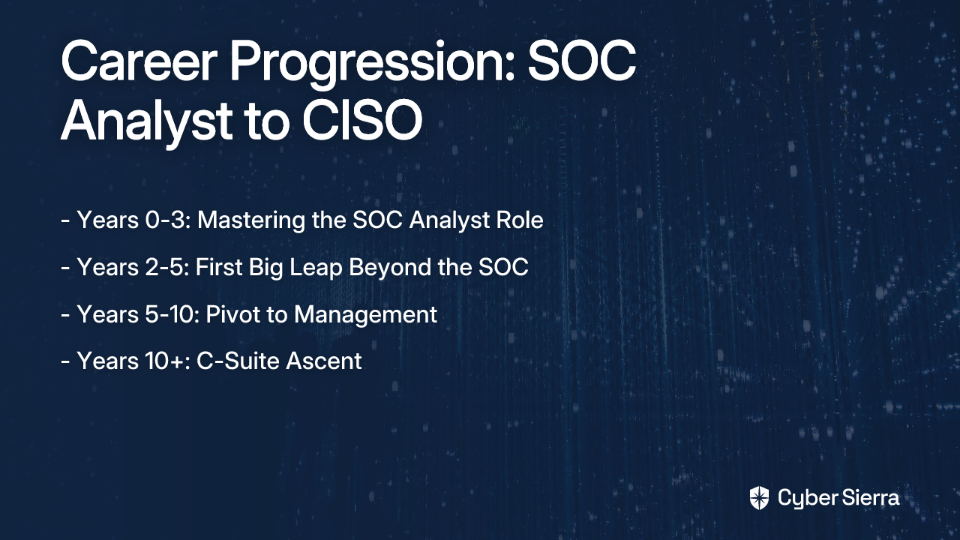
The Foundation: Mastering the SOC Analyst Role (Years 0-3)

A Security Operations Center (SOC) analyst serves as the frontline defender in cybersecurity, responsible for monitoring, analyzing, and responding to security incidents to prevent cyber attacks. The role typically involves working in a centralized hub where security professionals collaborate to protect the organization.

The SOC Career Ladder

The SOC has its own internal hierarchy:

  • Tier 1: Triage Specialist - Handles initial alert monitoring and basic incident classification
  • Tier 2: Incident Responder - Conducts deeper investigation and mitigation of security incidents
  • Tier 3: Threat Hunter - Proactively searches for hidden threats within the network

Salary expectations range from around $81,000 for entry-level positions to $110,000+ for senior SOC analysts, according to Springboard and EC-Council.

While the SOC provides excellent foundational experience, the reality is that the shift work can be brutal. As one analyst described it: "The biggest problem with my role is the shift work, the constantly changing shifts are just a killer." This work pattern can make it challenging to maintain a healthy work-life balance and find the energy for additional learning and development.

The First Big Leap: Beyond the SOC (Years 2-5)

Many SOC analysts reach a point where they feel limited by their current role. As one professional put it: "I really love the work itself... It made me realize what else is out there."

Common paths beyond the SOC include:

  • Security Engineer: Moves from response to building and implementing security solutions
  • Penetration Tester: Shifts from defense to offense, identifying vulnerabilities before attackers
  • Digital Forensics and Incident Response (DFIR) Specialist: Focuses on post-breach investigation
  • Cyber Threat Intelligence (CTI) Analyst: Researches threat actors and their tactics

How to Make the Jump

To "beef up your résumé" for these roles:

  • Quantify your achievements: Instead of "monitored alerts," use "Reduced mean-time-to-respond (MTTR) for critical alerts by 30%"
  • Build a homelab: Set up a personal environment with tools like PFSense firewall, SIEM, or a honeypot
  • Target role-specific certifications: Focus on certifications relevant to your desired specialization

This transition often comes with better work-life balance—typically moving to a 9-5 schedule rather than shift work. As one analyst desperately seeking this change noted: "With some consistency in life, I feel I can accelerate my learning so much."

The Pivot to Management: Leading the SOC (Years 5-10)

This is the most critical and often misunderstood career transition. It's less about being the best technical person and more about enabling others.

The reality of management is sobering: "Your technical chops will fade quickly as you start dealing more with spreadsheets and PowerPoint than day-to-day security stuff." A SOC Manager coordinates the analyst team, manages high-level incident response, and aligns operations with broader security strategy.

To succeed in this transition, focus on developing:

  • People leadership: Mentoring juniors, handling conflicts, conducting performance reviews
  • Project management: Overseeing tool deployments and process improvements
  • Communication skills: Reporting metrics to leadership and justifying budget requests

The compensation reflects this increased responsibility, with mid-level SOC Managers earning between $165,000–$215,000 annually according to Devo.

The C-Suite Ascent: Thinking Like a CISO (Years 10+)

A Chief Information Security Officer (CISO) is an executive responsible for developing and managing the organization's overall security strategy, vision, and program. It's a role that's fundamentally different from technical security positions.

What a CISO Actually Does

  • Develops security infrastructure and frameworks
  • Supports business strategy by ensuring security enables growth
  • Approves technology investments
  • Oversees regulatory compliance

According to the Software Engineering Institute at Carnegie Mellon University, the top CISO skills for 2024 include mastering AI, communicating with the board, understanding business operations, managing risk with advanced metrics, and strategic thinking.

The political nature of the role cannot be overstated. As one CISO candidly shared: "You need a very high tolerance for B.S. You're dealing with CxOs, BoD, and egos are everywhere." Another added: "Layer-8 political BS extrudes from everywhere and can be difficult to float above."

Executive-level CISO positions typically command salaries of $203,000–$300,000+ annually, with some top-tier CISOs earning significantly more.

Your Actionable Roadmap

Step 1: Build an Unshakeable Technical Foundation (Years 0-5)

  • Education & Certifications: Start with foundational certifications like CompTIA Security+, CompTIA CySA+, or the Certified SOC Analyst (CSA).
  • Experience: Progress from Tier 1 to Tier 3 in the SOC. Master your tools (SIEM, SOAR) and develop specializations in areas that interest you.

Step 2: Cultivate Leadership and Business Acumen (Years 5-10+)

  • Seek Leadership Experience: Volunteer to lead projects or mentor junior analysts. A minimum of seven years of management experience is often required for CISO roles.
  • Learn to Speak "Business": As one professional noted, "You need to learn finance... speak to the board members in their business language." Consider pursuing an MBA or taking courses in finance and business strategy.
  • Advanced Certifications: Pursue management-focused certifications like CISSP, CISM, and ultimately the Certified Chief Information Security Officer (C|CISO).

Step 3: Develop Your Strategic Vision (Ongoing)

  • Think Like a CISO: Start asking "why" instead of just "how." Consider how security controls support the business and express risk in business terms.
  • Network with Leaders: Attend industry events, join professional organizations like ISACA or (ISC)², and seek mentorship from current CISOs and security directors.

The Five Tiers of Cybersecurity Career Progression

To make this journey more concrete, let's break it down into five distinct tiers:

Tier 1: Worker/Execution Tier (SOC Analyst, Security Engineer)

Focus: Hands-on technical implementation and operations Skills needed: Technical proficiency with security tools, incident response Example daily tasks: Monitoring alerts, responding to incidents, implementing security controls

Tier 2: Defining/Building Tier (Senior Engineer, Team Lead)

Focus: Designing security solutions and improving processes Skills needed: Deep technical expertise, beginning leadership skills Example daily tasks: Designing security architectures, mentoring junior staff, leading small projects

Tier 3: Department Management (SOC Manager, Security Manager)

Focus: Managing teams and departmental operations Skills needed: People management, project management, departmental budgeting Example daily tasks: Managing team performance, reporting to directors, coordinating cross-team initiatives

Tier 4: Division Management (Director of Security)

Focus: Strategic direction for multiple security functions Skills needed: Strategic thinking, executive communication, large-scale budgeting Example daily tasks: Setting security strategy, managing multiple managers, engaging with C-suite

Tier 5: C-Level (CISO)

Focus: Enterprise-wide security vision aligned with business objectives Skills needed: Business acumen, board communication, risk management Example daily tasks: Presenting to the board, making strategic investment decisions, managing enterprise risk

Conclusion: The Marathon to the C-Suite

The path from SOC Analyst to CISO is indeed a marathon, not a sprint. It's a transformation from a technical expert focused on alerts and incidents to a business leader focused on risk, strategy, and resilience.

As you progress, the "fun" technical work may decrease, but the impact you can have on an organization's security posture increases exponentially. Stay curious, never stop learning, and focus on delivering business value through security.

Remember that while the endpoint may be the CISO role, not everyone wants or needs to reach that level to have a fulfilling cybersecurity career. Find the tier that best matches your skills, interests, and desired work-life balance, and excel there.

The cybersecurity field offers numerous paths for growth—choose the one that's right for you.

Frequently Asked Questions

How long does it typically take to go from a SOC Analyst to a CISO?

The journey from a SOC Analyst to a CISO typically takes a minimum of 10-15 years. This career path is a marathon that involves progressing through several distinct stages: mastering a technical role (0-5 years), transitioning into team and department management (5-10 years), and finally developing the executive-level strategic and business acumen required for the C-suite (10+ years).

What are the most critical skills for a CISO beyond technical expertise?

The most critical non-technical skills for a CISO are business acumen, communication, and strategic leadership. A successful CISO must translate technical risks into business impact, communicate effectively with the board of directors, manage budgets, and align the entire security program with the organization's strategic goals. Skills in finance, enterprise risk management, and people leadership are paramount.

Do I need to give up all my technical skills to become a CISO?

No, you do not give up your technical knowledge; rather, you apply it differently. While you won't use hands-on technical skills daily, a strong technical foundation is essential for a CISO's credibility and strategic decision-making. Your role shifts from doing the technical work to directing it, enabling you to lead technical teams effectively, challenge assumptions, and make informed decisions about technology and security architecture.

What is the biggest challenge when moving from a technical SOC role to a management position?

The biggest challenge is shifting your primary focus from being a technical problem-solver to becoming an enabler of people. Many new managers struggle because they try to remain the top technical expert on the team. Success in management requires developing a different skillset centered on mentoring your team, managing projects, handling interpersonal conflicts, and communicating your team's value to senior leadership.

What are the common career paths for a SOC Analyst who doesn't want to become a manager?

Many senior-level, non-management career paths are available for SOC Analysts who wish to remain individual contributors. You can become a highly respected and well-compensated specialist in areas like penetration testing, digital forensics and incident response (DFIR), threat intelligence, or a principal security engineer/architect. These roles offer deep technical challenges without the people-management responsibilities of a manager or CISO.

Which certifications are most valuable for aspiring CISOs?

For aspiring CISOs, management and strategy-focused certifications like CISSP, CISM, and C|CISO are the most valuable. While foundational certifications like CompTIA Security+ are crucial for starting in the SOC, the path to the C-suite requires demonstrating business and management expertise. The Certified Information Systems Security Professional (CISSP) is a respected standard, the Certified Information Security Manager (CISM) focuses on governance and risk, and the Certified Chief Information Security Officer (C|CISO) is tailored specifically for executive leadership.
blog-hero-background-image
Cyber Security

Backend for Frontend Security Solution

backdrop
Table of Contents

Join thousands of professionals and get the latest insight on Compliance & Cybersecurity.


You've built a slick Single-Page Application (SPA) that makes multiple API calls to different microservices. But now you're struggling with token management, security vulnerabilities, and a growing sense that your frontend is becoming an unmanageable "mess" of API calls. If you're wondering, "Is there a better way to handle all these APIs without compromising security?" – the Backend for Frontend (BFF) pattern might be your solution.

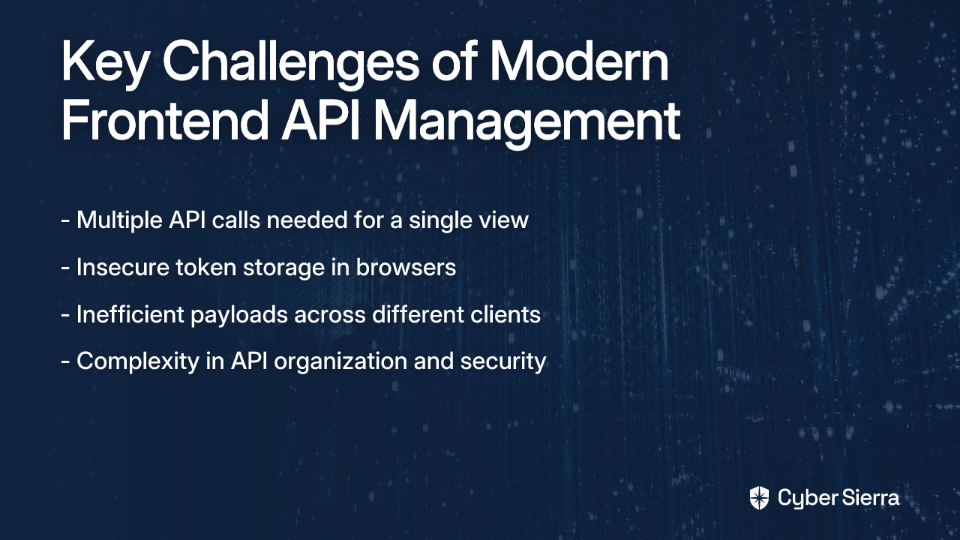
The Modern Frontend Dilemma - Too Many APIs, Not Enough Security

"At work I always had to manage lots of API on the frontend, a BFF could have helped manage that mess," laments one developer on Reddit. This sentiment resonates with many frontend engineers drowning in API spaghetti.

The challenges are multifaceted:

  • Your single UI views require 2-3 separate API calls to different services
  • Managing authentication tokens securely in the browser feels like a losing battle
  • Mobile clients receive the same bloated payloads as desktop clients, despite their "little capacity for API data transactions"
  • You're uncertain whether implementing a BFF adds unnecessary complexity or solves a genuine problem

The Backend for Frontend pattern offers a compelling solution—not just for API organization, but critically, for robust API security. Let's explore how this architectural approach can transform both your development workflow and your application's security posture.

What is the Backend for Frontend (BFF) Pattern?

The BFF pattern, popularized by Sam Newman, emerged from a common architectural challenge: a general-purpose backend struggling to serve multiple frontends with different needs.

The Problem BFF Solves

Imagine a scenario described in Microsoft's architecture guide: Your application began with a desktop web interface. Later, you added a mobile app. Both interfaces need to access the same core functionality, but with very different requirements:

  • The mobile app needs smaller payloads to conserve bandwidth
  • The desktop web app can handle richer, more detailed responses
  • Each interface requires different API endpoints optimized for its unique user experience

This creates competing demands on your backend team, leading to development bottlenecks and compromised user experiences across platforms.

The BFF Solution

The BFF pattern addresses these challenges by creating a dedicated backend service tailored to each specific frontend application. Rather than one generic API serving all clients, each frontend gets its own specialized backend that:

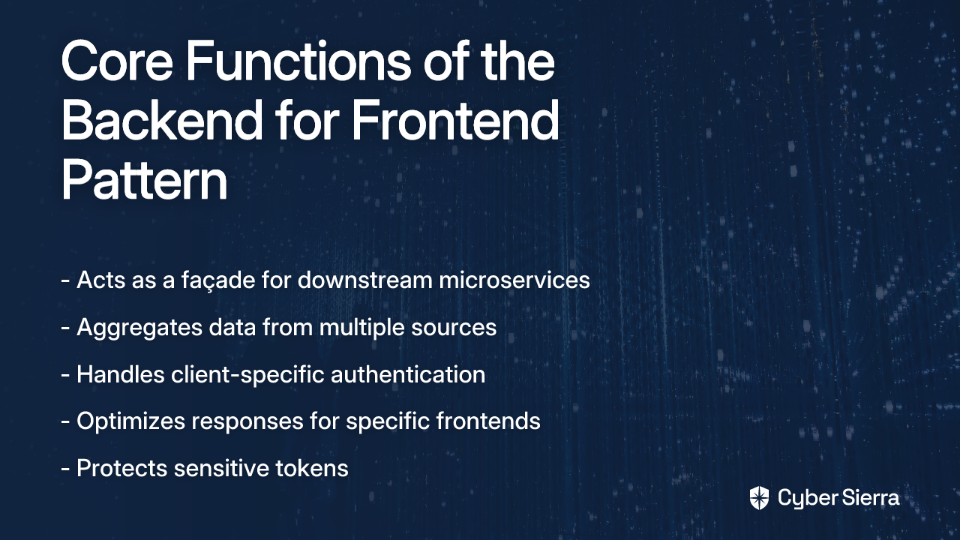
  • Acts as a façade, translating frontend requests into calls to downstream microservices
  • Aggregates data from multiple sources into cohesive, frontend-friendly responses
  • Handles client-specific concerns like authentication, data transformation, and request routing

But beyond these well-known benefits, the BFF pattern has evolved to address one of the most critical challenges in modern web security: protecting API credentials and tokens in browser-based applications.

Why BFF is Your Go-To for Modern API Security

The fundamental security vulnerability of SPAs lies in their status as what OAuth 2.0 calls "public clients." According to Auth0, client applications fall into two categories:

  • Confidential Clients: Applications that can securely store secrets (typically server-side applications)
  • Public Clients: Applications that cannot securely store secrets (browser-based SPAs and mobile apps)

This distinction is crucial because SPAs run entirely in the browser, where any stored tokens (access tokens, refresh tokens) are vulnerable to theft through Cross-Site Scripting (XSS) attacks. As Auth0 notes, storing tokens in local storage or session storage is inherently risky.

The BFF Security Architecture: No Tokens in the Browser

This is where the BFF pattern truly shines as a security solution. The core principle, as Duende Software emphasizes, is simple: "It's crucial to avoid storing high-value tokens in JavaScript-accessible locations."

Here's how the secure flow works:

  1. Authentication Request: The SPA redirects the user to a login endpoint on the BFF (e.g., /login)
  2. OIDC Handshake: The BFF (acting as a confidential client) performs the secure Authorization Code Flow with PKCE with the identity provider
  3. Token Storage: The BFF receives and stores the id_token, access_token, and refresh_token securely in a server-side session
  4. Session Cookie: The BFF creates a session cookie (marked as HttpOnly, Secure, and SameSite=Strict) and sends it to the browser
  5. Authenticated API Calls: For subsequent API calls, the SPA sends this cookie with each request. The BFF validates the session, retrieves the corresponding access token server-side, and uses it to call downstream APIs

The critical security advantage: tokens never reach the browser. They remain safely server-side, inaccessible to any malicious JavaScript.

Additional Security Benefits

Beyond token protection, the BFF pattern offers several other security advantages:

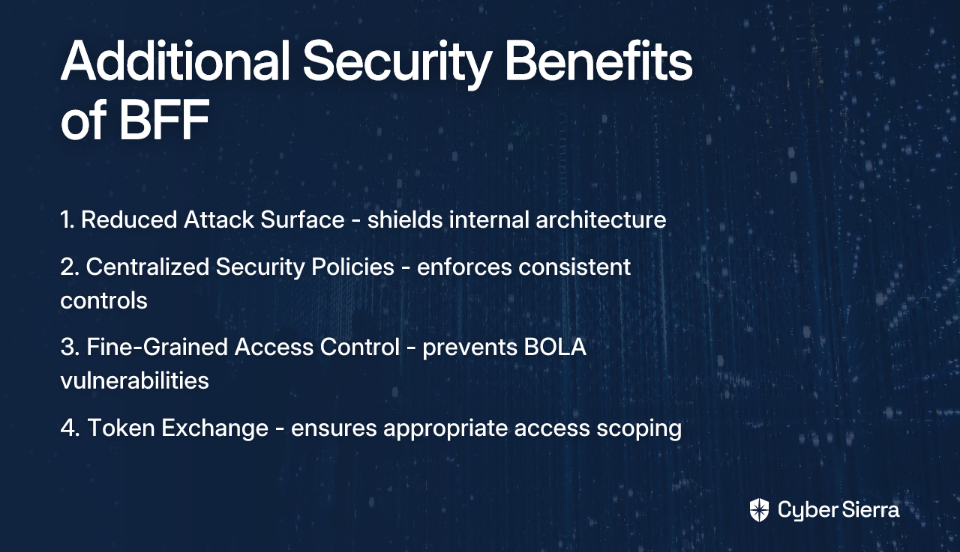
  • Reduced Attack Surface: The BFF shields your internal architecture from direct exposure, hiding microservice details from potential attackers
  • Centralized Security Policies: Following Curity's API Security Best Practices, the BFF can enforce rate limiting, input validation, and consistent logging
  • Fine-Grained Access Control: The BFF can inspect token claims to enforce object-level authorization before proxying requests, preventing Broken Object Level Authorization (BOLA) vulnerabilities
  • Token Exchange: For complex microservice architectures, the BFF can use token exchange flows when calling different internal APIs, ensuring appropriate scoping of access

Implementing a Secure BFF: A Practical Guide

Many developers express frustration that while they "get the logic and purpose" of BFF, applying it "in a real world scenario has been hard." Let's bridge that gap with a concrete implementation example using ASP.NET Core and the Duende.BFF framework.

Step 1: Setup & Configuration

First, install the Duende.BFF NuGet package:

dotnet add package Duende.BFF

Then configure authentication in your Program.cs:

services.AddBff()
    .AddServerSideSessions();

services.AddAuthentication(options => {
    options.DefaultScheme = "cookie"; // Cookie-based session as default
    options.DefaultChallengeScheme = "oidc"; // Redirect to OIDC provider for login
    options.DefaultSignOutScheme = "oidc";
})
.AddCookie("cookie", options => {
    options.Cookie.Name = "__Host-bff-token"; // Secure cookie naming
    options.Cookie.SameSite = SameSiteMode.Strict; // Prevent CSRF
})
.AddOpenIdConnect("oidc", options => {
    options.Authority = "https://your-identity-provider.com";
    options.ClientId = "spa";
    options.ClientSecret = "secret"; // Safe on the server
    options.ResponseType = "code"; // Authorization Code Flow
    options.ResponseMode = "query";

    options.GetClaimsFromUserInfoEndpoint = true;
    options.SaveTokens = true; // Store tokens in the server-side session

    options.Scope.Clear();
    options.Scope.Add("openid");
    options.Scope.Add("profile");
    options.Scope.Add("api1");
    options.Scope.Add("offline_access");
});

Step 2: Create Proxy Endpoints for Downstream APIs

Next, create controllers to proxy your API calls:

[Route("api/[controller]")]
[Authorize]
public class ProductsController : ControllerBase
{
    private readonly HttpClient _httpClient;
    
    public ProductsController(IHttpClientFactory httpClientFactory)
    {
        _httpClient = httpClientFactory.CreateClient("ProductsApi");
    }
    
    [HttpGet]
    public async Task<IActionResult> GetProducts()
    {
        // The BFF will automatically add the access token to this request
        var response = await _httpClient.GetAsync("api/products");
        
        if (response.IsSuccessStatusCode)
        {
            var content = await response.Content.ReadAsStringAsync();
            return Ok(content);
        }
        
        return StatusCode((int)response.StatusCode);
    }
}

Step 3: Frontend Integration

Your SPA would now interact with the BFF instead of calling APIs directly:

// Login
const login = () => {
    window.location.href = '/bff/login';
};

// Get user info (no tokens exposed)
const getUserInfo = async () => {
    const response = await fetch('/bff/user');
    const userData = await response.json();
    return userData;
};

// Call an API via the BFF
const getProducts = async () => {
    const response = await fetch('/api/products');
    const products = await response.json();
    return products;
};

// Logout
const logout = () => {
    window.location.href = '/bff/logout';
};

The Strategic Decision: When (and When Not) to Use a BFF

A common concern expressed by developers is whether BFF is "still necessary, or not?" and whether it adds needless complexity. The answer depends on your specific circumstances.

When to Use BFF

  • Multiple Frontend Types: You have distinct interfaces (mobile, web, desktop) with different requirements
  • Complex API Aggregation: Your UI views require multiple API calls that could be streamlined
  • Security-Critical Applications: You're building an SPA or mobile app that handles sensitive data and requires robust token security
  • Microservice Complexity: You have many microservices that need coordinated access patterns

When BFF Might Be Overkill

  • Simple Applications: You have a straightforward application with minimal API needs
  • Homogeneous Interfaces: Your interfaces have very similar data requirements
  • Limited Resources: The operational overhead of an additional service outweighs the benefits for your project

As one Reddit user wisely noted, "you probably see relatively little benefit because you only have 2 microservices." The value of BFF increases with system complexity.

Conclusion: From Architectural Pattern to Security Imperative

The Backend for Frontend pattern has evolved from a convenience for managing multiple frontends to an essential security component for modern web applications. By keeping sensitive tokens server-side and providing a tailored API experience, BFF addresses the inherent security vulnerabilities of browser-based applications.

For teams building SPAs and dealing with the challenges of "managing lots of API on the frontend," the BFF pattern offers a structured way to tame the complexity while significantly enhancing security. As you consider whether to implement BFF, remember that its greatest value may not be in API organization, but in protecting your application's crown jewels: the authentication and authorization tokens that safeguard your users' data and your business logic.

Whether you're managing two microservices or twenty, the security benefits of BFF make it a pattern worth serious consideration in your architectural toolkit.

blog-hero-background-image
Cyber Security

Cybersecurity Professionals Quit: Key Reasons Revealed

backdrop
Table of Contents

Join thousands of professionals and get the latest insight on Compliance & Cybersecurity.


You've spent years building your cybersecurity career. You've weathered countless breaches, battled endless vulnerabilities, and somehow managed to keep your organization safe despite limited resources and recognition. But lately, you've found yourself staring at your screen with a growing sense of emptiness, thinking: "I don't enjoy this anymore. I'm completely burnt out."

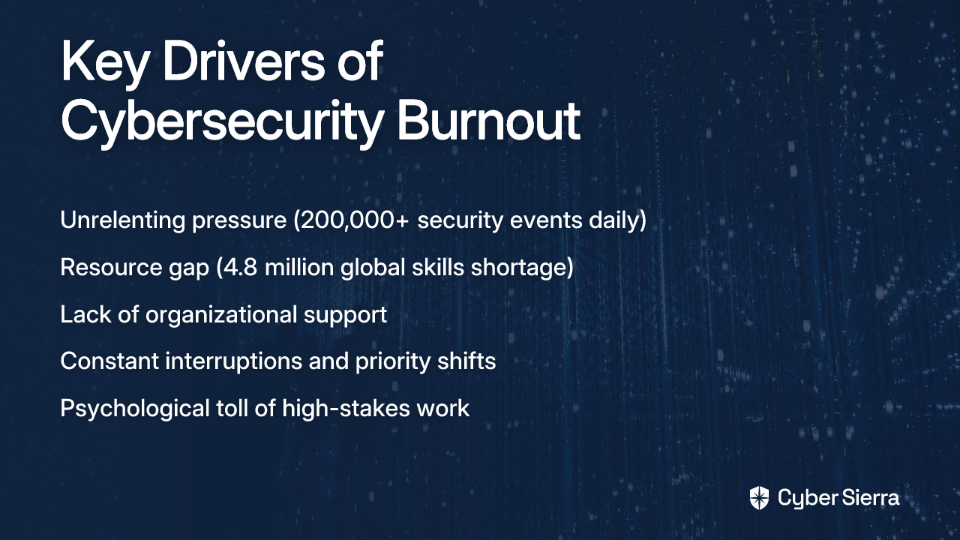
If this resonates with you, you're far from alone. According to Gartner, nearly 50% of cybersecurity leaders will change jobs by 2025 due to work-related stress. Even more alarming, 25% will leave the cybersecurity field entirely - abandoning years of specialized expertise and training.

This exodus isn't happening because of salary issues or lack of opportunity. The root causes run much deeper and more systemic - spanning from relentless pressure to chronic under-resourcing and workplace cultures that often fail to protect their protectors.

The Anatomy of Burnout: More Than Just a Bad Day

The Unrelenting Pressure Cooker

The World Health Organization officially classifies burnout as an "occupational phenomenon" resulting from chronic workplace stress. For cybersecurity professionals, this stress is constant and unrelenting.

Threat analysts sift through approximately 200,000 security events per day, creating a cognitive overload that few other professions experience. As one security professional on Reddit described it: "Every day is a new problem. Just finished remediating a big vulnerability in your environment? Cool, here's a new zero-day."

This "always on" pressure takes a measurable toll. According to recent research from Hack the Box, 74% of cybersecurity professionals have taken time off due to mental health challenges. The constant state of high alert creates a physiological stress response that, over time, leads to exhaustion and disengagement.

The Resource Chasm: Fighting Understaffed and Underequipped

The global cybersecurity skills shortage stands at a staggering 4.8 million, with 700,000 unfilled positions in the U.S. alone. This isn't just a statistic - it's a daily reality for teams stretched beyond their capacity.

"I feel burnt out because I'll get projects I need to work on and then get hit up constantly by tickets and people interrupting me that I can never focus on one thing for too long. It's so annoying," shared one professional in a Reddit discussion about burnout.

With 82% of employers reporting difficulty finding qualified candidates, the burden falls on existing team members to shoulder increasingly unsustainable workloads. This creates a vicious cycle: burnout leads to attrition, which increases workload on remaining team members, accelerating burnout further.

The Culture of Neglect: When Support Systems Fail

The dysfunction often starts at the top. NIST research identifies a strong correlation between employee disengagement and poor communication from leadership. This disconnect creates an environment where security teams are simultaneously expected to prevent all breaches while being denied the authority and resources to do so effectively.
"I constantly have upper management assigning 'top priority' 'business critical' projects to then be thrown 100s of tickets that are not that important," laments one professional. This misalignment of priorities creates constant friction and frustration.

The problem extends beyond poor management. Organizations foster environments where 90% of employees admit to taking security shortcuts, despite knowing the risks. When the security team's guidance is routinely undermined, it creates a sense of futility that accelerates burnout.

Contrary to popular belief, the pace of technological change and evolving threats aren't the primary culprits behind burnout. The real issues are much more mundane: bureaucracy, lack of recognition, ineffective leadership, and being treated as a catch-all department for any technology-related problem.

The Human Cost: More Than a Job

For many cybersecurity professionals, the toll extends beyond the workplace. "I will never feel satisfied with what I do, and for health reasons, I am sick of spending so many hours sat at a computer," shared one professional contemplating a career change.

The emotional weight can be particularly heavy for those in forensics and incident response. "Can't unsee some things dude, criminal forensics is rough on the soul," noted one former practitioner, highlighting the psychological impact that's rarely discussed in cybersecurity career planning.

Over 25% of professionals spend more than half their time on repetitive, monotonous tasks - a recipe for disengagement and dissatisfaction. Many find themselves questioning whether cybersecurity is truly their "passion or calling," especially after experiencing the grueling nature of SOC work.

For Professionals: Reclaiming Your Career (and Sanity)

Reimagining Your Role within Cyber

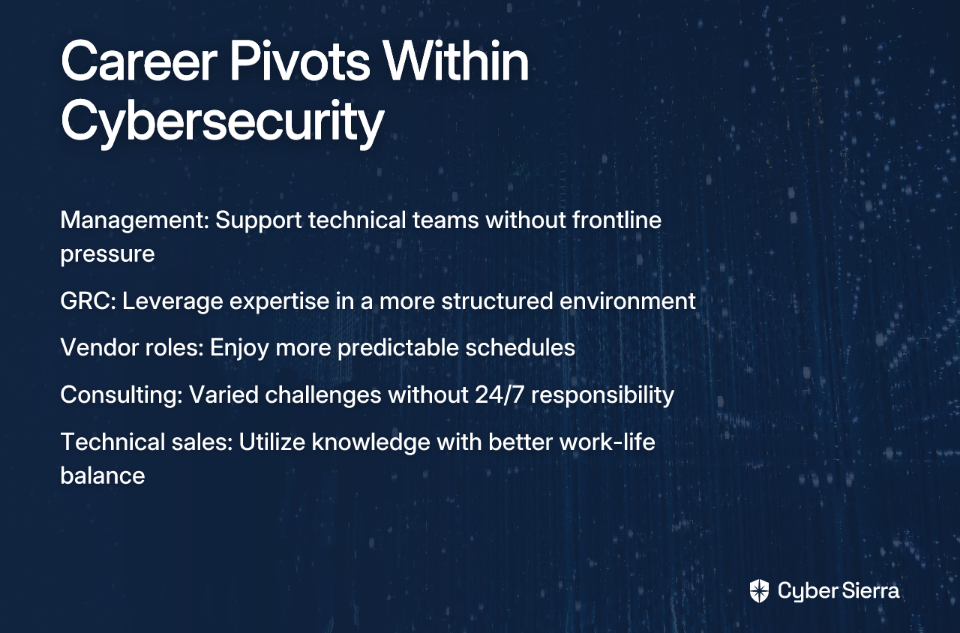
If you're feeling burnt out but not ready to abandon your cybersecurity expertise entirely, consider pivoting within the field:

  • Move into management: As one professional decided, "I'm going into management. I care, just differently now. I'm happy to support the smart people now." Management roles allow you to leverage your technical knowledge while creating environments that protect teams from the burnout you experienced.
  • Explore adjacent roles: Positions in GRC (Governance, Risk, and Compliance), technical sales, or consulting can utilize your cybersecurity expertise without the constant pressure of frontline defense.
  • Consider vendor roles: Working for security product companies often provides more predictable schedules and clear boundaries compared to in-house security teams.

Setting Boundaries That Stick

If you're committed to staying in your current role, protecting your mental health requires establishing firm boundaries:

  • Be intentional about disconnecting after hours
  • Advocate for realistic workloads and prioritization
  • Seek employers with formal mental health resources and policies that discourage after-hours contact
  • Build support networks with other professionals who understand your challenges

As the ASIS report on burnout notes, proactive stress management techniques like mindfulness and regular exercise aren't just wellness trends—they're essential survival skills in high-pressure security roles.

The Complete Pivot: It's Okay to Leave

For some, the best solution is a complete career change. "I just really don't like staring at a computer screen all day," shared one professional considering alternatives. This sentiment resonates with many who seek more physical, hands-on work after years behind a screen.

The Reddit cybersecurity community frequently discusses transitions to trades like electrical work, which offers technical challenge without the constant screen time. While these paths often require retraining, many find the investment worthwhile for improved work satisfaction and life balance.

For Organizations: How to Stop the Bleeding

Building a Culture of Support and Psychological Safety

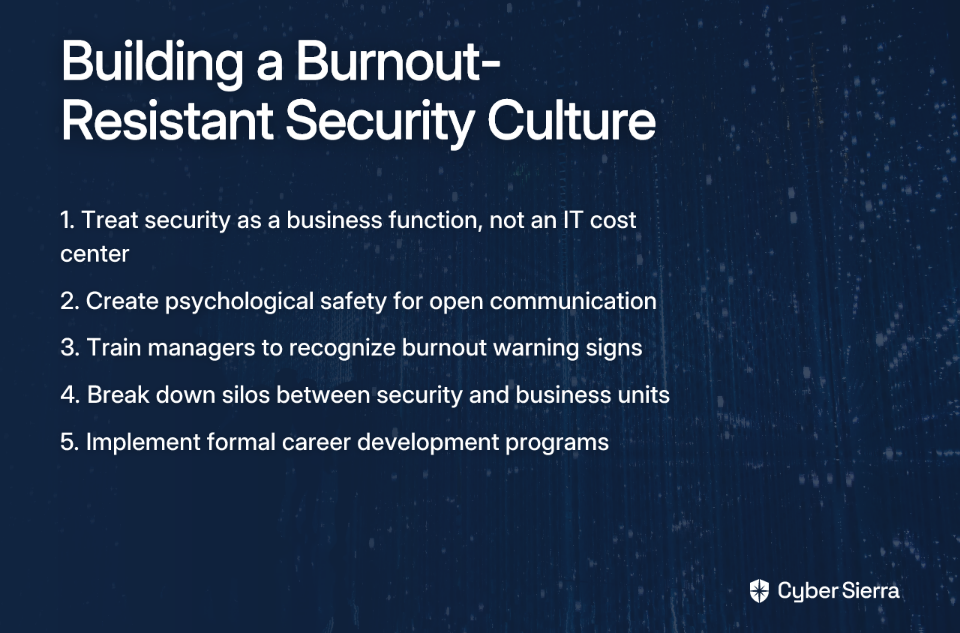
Organizations serious about retention must fundamentally rethink how they view and treat their security teams:

  • Shift the perspective: Cybersecurity isn't an IT cost center—it's a critical business function deserving appropriate resources and executive support.
  • Promote open communication: Create environments where professionals can express concerns without fear of retribution. Train managers to recognize burnout signs and respond supportively.
  • Break down organizational silos: "Stovepipe organizations" that isolate security teams from business units create unnecessary friction and bureaucracy, as experienced professionals frequently note.

Investing in Your People: More Than Just a Paycheck

According to NIST research, organizational support for career growth is a key retention factor. Implementing structured career development plans and formal mentorship programs signals to professionals that their long-term growth matters.

Continuous training opportunities keep skills current while maintaining engagement. Organizations that budget for certifications, conferences, and skills development see measurably better retention rates than those treating training as an afterthought.

Arming Your Team for Success

Technology can significantly reduce burnout when properly deployed. Automation of repetitive tasks—which consume over 25% of many professionals' time—frees security teams to focus on more meaningful, strategic work.

Equally important is proper staffing and resource allocation. When security teams are perpetually understaffed, no amount of automation or training can prevent eventual burnout. The financial consequences of losing experienced personnel far outweigh the costs of appropriate staffing.

A Shared Responsibility

The exodus of cybersecurity talent represents more than just career changes—it's a warning sign of a fundamentally unsustainable approach to security operations. With the average cost of a data breach reaching $4.24 million and security-related productivity losses estimated at $626 million annually in the U.S., organizations cannot afford to ignore the human element of cybersecurity.

For professionals experiencing burnout, remember that prioritizing your wellbeing isn't selfish—it's necessary. Whether you choose to reset boundaries, transition to adjacent roles, or leave the field entirely, your experience and expertise remain valuable.

For organizations, addressing burnout requires moving beyond superficial wellness initiatives to tackle the root causes: inadequate resources, poor management practices, unrealistic expectations, and cultures that undervalue security's contributions.

The future of the cybersecurity workforce depends on this shared commitment to creating sustainable careers—because even the most sophisticated security technologies are only as effective as the humans behind them.

Frequently Asked Questions

What is cybersecurity burnout?

Cybersecurity burnout is an occupational phenomenon resulting from chronic, unmanaged workplace stress, characterized by feelings of exhaustion, cynicism, and reduced professional efficacy. It's more than just a bad day; it's a persistent state of mental, physical, and emotional depletion caused by the unrelenting pressure, cognitive overload, and high stakes of protecting digital assets. Professionals often feel disengaged from their work and question their career choices.

Why are so many cybersecurity professionals quitting their jobs?

Many cybersecurity professionals are quitting due to a combination of high-pressure work environments, chronic understaffing, and a lack of organizational support and recognition—not primarily because of salary or a lack of opportunities. Key factors include the "always on" pressure of dealing with constant threats, shouldering unsustainable workloads due to a massive skills gap, and facing a workplace culture where security's guidance is often undermined by leadership and other employees.

What are the common signs of burnout for a cybersecurity professional?

Common signs of burnout for a cybersecurity professional include persistent exhaustion, a growing sense of emptiness or dissatisfaction with work, feeling cynical or detached from your role, and a noticeable decline in professional performance. You might also find yourself constantly frustrated by bureaucracy, feeling a sense of futility when security policies are ignored, or experiencing physical symptoms and a desire to completely disconnect from technology and screens.

What can I do if I am experiencing burnout in my cybersecurity role?

If you are experiencing burnout, you can take several steps, including setting firm boundaries, exploring a pivot to an adjacent role within cybersecurity, or considering a complete career change. Start by establishing clear boundaries around your work hours to protect your personal time. If that's not enough, consider moving into less front-line roles like GRC, management, or consulting, which leverage your skills without the constant high-alert pressure.

How can organizations reduce burnout on their security teams?

Organizations can reduce burnout by building a culture of psychological safety, investing in their employees' career development, and arming their teams with adequate resources, including proper staffing and automation tools. This involves treating cybersecurity as a critical business function, not just an IT cost center. Leaders should promote open communication, provide clear career paths, and use technology to automate repetitive tasks to create a sustainable and supportive work environment.

blog-hero-background-image
Cyber Security

Invisible Security: Boost Safety Without Annoying Staff

backdrop
Table of Contents

Join thousands of professionals and get the latest insight on Compliance & Cybersecurity.


You've just rolled out a new multi-factor authentication (MFA) system across your organization. Your CISO is pleased with the improved security posture, but you're drowning in complaints from staff: "Why do I need to use my phone every time I log in?" "I can't access my files because the authenticator app isn't working!" "This is slowing me down!"

Sound familiar? For too long, businesses have accepted the false dichotomy that robust security must come at the expense of user experience. Staff view security measures as annoying obstacles rather than valuable protection, leading to workarounds that compromise the very safeguards you've implemented.

The Hidden Cost of "Visible" Security

Traditional security approaches that constantly interrupt workflows don't just annoy your team—they create significant business costs:

  • Productivity drain: The average employee switches between 10 applications hourly, with each authentication interruption breaking focus and workflow. These micro-disruptions accumulate into hours of lost productivity each month.
  • IT support burden: Password-related issues overwhelm help desks, with studies showing that up to 40% of support tickets involve password resets, each costing your organization approximately $70 in time and resources.
  • Security fatigue: When security feels burdensome, employees develop "security fatigue" and begin taking shortcuts. A single successful phishing campaign targeting these frustrated users can compromise your entire network.
  • Compliance without protection: Organizations often implement visible security checkpoints primarily to satisfy SOC 2 audit requirements rather than to provide meaningful protection, creating a false sense of security while irritating users.

Enter Invisible Security: Protection Without Friction

Invisible security represents a paradigm shift in cybersecurity thinking. Instead of forcing users to actively engage with security measures, it operates seamlessly in the background. This approach removes the user from security decision-making wherever possible, integrating protection into existing workflows without adding friction.

As one cybersecurity professional noted in a recent discussion, "Has anyone found a way to shift the culture so security becomes part of the routine, not an annoying extra?" Invisible security provides that path forward.

Let's explore three pillars that can transform your organization's approach to security from a constant annoyance to an invisible shield.

Pillar 1: Passwordless Authentication - Eliminating the Primary Security Headache

Passwords represent the perfect storm of security problems: they're both frustrating for users and dangerously vulnerable to attacks. Passwordless authentication addresses both issues simultaneously.

What is Passwordless Authentication?

Passwordless authentication validates identity without traditional passwords. Instead, it relies on:

  • Something you are (biometrics like fingerprints or facial recognition)
  • Something you have (a trusted device or security key)
  • Something you're doing (behavioral patterns and contextual signals)

Implementation Options:

Windows Hello for Business provides enterprise-grade biometric authentication integrated directly into your operating system. Users simply look at their camera or touch a fingerprint reader to gain secure access—no passwords to remember or type.

Biometric authentication leverages unique physical characteristics for identification. Unlike passwords, biometrics can't be forgotten, written down, or easily shared, making them both more convenient and more secure.

Magic links send one-time authentication links via email. When users click the link from their verified email address, they're securely authenticated without needing to remember or enter a password.

When properly implemented, these methods provide stronger protection against phishing campaigns than traditional passwords while dramatically improving the user experience. Research shows that organizations implementing passwordless authentication report up to 50% fewer account lockouts and related support tickets.

Advanced Considerations for Security Teams

For high-privilege accounts that could be targeted in sophisticated attacks, consider implementing role-based authentication policies. Using Conditional Access Policies, you can require that administrators use phishing-resistant methods like FIDO2 security keys while allowing standard users more flexibility.

As one security administrator noted, "Admin users still can use password + SMS or Microsoft Authenticator. We want to remove the weak points." With modern identity platforms, you can enforce different authentication requirements based on user role, risk level, and resource sensitivity.

Pillar 2: Single Sign-On (SSO) - One Gateway to All Applications

Every additional login represents another opportunity for security fatigue and potential compromise. Single Sign-On (SSO) addresses this by creating one secure authentication point that grants access to multiple applications.

The Security Advantage of SSO

Many IT professionals struggle with the apparent contradiction: "I'm struggling to understand this notion of SSO being more secure than enforcing unique passwords and MFA on accounts." This concern is valid but misunderstands how modern SSO works.

SSO isn't about using one password everywhere—it's about using one strong authentication event. Here's why it enhances security:

  • Centralized enforcement: SSO allows you to enforce strong authentication policies (including MFA) across all connected applications, even those with limited native security capabilities.
  • Reduced attack surface: By minimizing the number of authentication events, you reduce opportunities for credential theft through phishing.
  • Improved user behavior: When authentication is less frequent but more secure, users are less likely to develop password fatigue and take dangerous shortcuts.
  • Enhanced threat intelligence: SSO systems can incorporate risk-based authentication, analyzing contextual signals (location, device, behavior patterns) to detect and block suspicious access attempts automatically.

Real-World Impact

When one financial services firm implemented SSO with integrated MFA, they not only strengthened security but saw a 70% reduction in password reset tickets and a 30% decrease in login-related support calls. Their cybernut security analyst reported that user engagement with security training also improved once daily friction was reduced.

Pillar 3: Physical Security Keys - The Unphishable Factor

For the highest level of security with minimal user friction, physical security keys like YubiKeys represent the gold standard. These small USB or NFC devices provide cryptographically secure authentication that is virtually impossible to phish.

Addressing Common Questions

"Aren't these just like using a phone for 2FA? What's the point?"

While phones can provide a second authentication factor, physical security keys offer unique advantages:

  • Phishing resistance: Unlike authenticator apps that generate codes (which can be stolen in real-time phishing attacks), FIDO2/U2F security keys cryptographically verify the legitimacy of the website before authenticating. If you attempt to use your key on a fake site, it simply won't work.
  • No batteries or connectivity required: Keys function without needing power or internet connectivity, making them more reliable than phone-based solutions.
  • Durability and simplicity: With no moving parts or software to update, security keys often last for years with minimal maintenance.

"What if someone steals my security key?"

This common concern misunderstands how these keys function in a multi-factor authentication setup. A stolen key is useless without your first authentication factor (password or biometric). Many keys also support PINs for an additional layer of protection.

Seamless Integration

Modern security keys are designed for convenience, available in multiple form factors (USB-A, USB-C, NFC), and compatible with most enterprise systems. They can be used for:

  • Workstation login (Windows, Mac, Linux)
  • Cloud application authentication
  • VPN access
  • Secure file encryption

The simplicity of tapping or inserting a key creates minimal disruption to workflow while providing maximum security.

Building a Culture of Effortless Security

Implementing invisible security technologies is only part of the solution. To truly transform your organization's security culture, consider these additional strategies:

  1. Start with leadership: As one security professional observed, "Building a culture of security has to come from the top down." When executives visibly adopt and champion security measures, others follow.
  2. Leverage gamification: Transform security awareness from boring compliance training into engaging activities. Some organizations have successfully used gamification to create friendly competition around security behaviors, rewarding teams that demonstrate best practices.
  3. Communicate benefits, not just requirements: When introducing new security measures, emphasize how they make employees' lives easier (fewer passwords to remember, faster logins) rather than focusing solely on organizational protection.
  4. Measure the right metrics: Instead of tracking compliance alone, measure friction (time spent authenticating, number of support tickets) to ensure your security solutions truly reduce burden while enhancing protection.

The Path Forward

The goal of invisible security isn't to eliminate all user awareness of security—it's to integrate protection so seamlessly into workflows that it no longer feels like an annoying extra. By implementing passwordless authentication, SSO, and physical security keys, you create a security framework that protects your organization while respecting your staff's time and attention.

Remember that security and user experience aren't opposing forces—they're complementary goals. When security becomes invisible, compliance improves, productivity increases, and your organization becomes fundamentally more resistant to threats.

The most effective security isn't the kind that constantly reminds users of its presence—it's the kind that silently keeps them safe while they focus on what matters most: doing their jobs effectively.

Frequently Asked Questions

What is invisible security?

Invisible security is a cybersecurity approach that integrates protection seamlessly into the background of user workflows, removing friction and interruptions. Instead of relying on constant, visible security prompts that disrupt productivity, it uses technologies like passwordless authentication, single sign-on, and risk-based analysis to protect the organization without getting in the user's way.

Why is passwordless authentication more secure than using strong passwords?

Passwordless authentication is more secure because it eliminates the most common point of failure: the human element associated with passwords. It relies on factors that are much harder to steal or compromise, such as biometrics (what you are) or a physical security key (what you have). This method provides strong protection against phishing, credential stuffing, and password theft, which are common attacks that exploit traditional password vulnerabilities.

How does Single Sign-On (SSO) improve security if it's just one point of entry?

Single Sign-On (SSO) improves security by centralizing and strengthening authentication, not by using one weak password for everything. With SSO, you can enforce robust security measures like multi-factor authentication (MFA) across all connected applications from a single point. This reduces the overall attack surface by minimizing the number of login credentials that can be phished or stolen, and it allows for better monitoring and threat detection for all access attempts.

What happens if an employee loses their physical security key?

If an employee loses their physical security key, your organization's data remains secure because the key is only one part of a multi-factor authentication system. A thief would still need the employee's first factor, such as their biometric data or a PIN associated with the key itself, to gain access. The lost key can be easily revoked by IT, and a new one can be issued, ensuring a quick and secure recovery process.

How can a business start implementing invisible security?

A great starting point for implementing invisible security is to tackle the biggest user frustration: passwords. Begin by introducing a pilot program for passwordless authentication using solutions like Windows Hello for Business or magic links for low-risk applications. From there, you can expand by implementing Single Sign-On (SSO) to unify access to your key applications, and then introduce phishing-resistant physical security keys for high-privilege users.

Does invisible security meet compliance standards like SOC 2?

Yes, invisible security is designed to meet and often exceed compliance standards like SOC 2. These frameworks require strong authentication and access controls, which are core components of an invisible security strategy. By implementing centrally managed, phishing-resistant methods like passwordless MFA and SSO, you can create a more robust and auditable security posture than what is achievable with traditional, friction-heavy methods that users often try to bypass.

blog-hero-background-image
Cyber Security

How to Prevent Resume-Generating Events in Security

backdrop
Table of Contents

Join thousands of professionals and get the latest insight on Compliance & Cybersecurity.


You push the change. A typo. Seconds later, a broadcast storm takes a manufacturing facility offline for a full workday. Or you delete a seemingly empty GPO, only to find out it had hidden settings that prevent thousands of Linux users from logging in.

Welcome to the world of Resume-Generating Events (RGEs)—mistakes so significant you might as well update your LinkedIn profile while waiting for the inevitable tap on the shoulder.

"I am panicking a bit, I want to know from fellows here what is actually involved in security automation at a hands-on level," writes one professional on Reddit, surrounded by "ITSec maniacs who invested their whole life into this."

The irony? Security automation is marketed as the solution to prevent catastrophic security incidents. Yet poorly implemented automation can itself become the trigger for the very disasters it's meant to prevent, amplifying a small human error into an organization-wide catastrophe.

This guide will take you through the dangerous pitfalls of security automation and provide a battle-tested playbook to build systems that reduce risk, alleviate stress, and prevent your next RGE.

The Promise and Peril of Automation

The Promise: Why We Need Security Automation

Security automation is the automatic detection, investigation, and remediation of cyber threats using scripts, playbooks, and tools powered by machine learning or artificial intelligence. Modern Security Operations Centers (SOCs) rely heavily on SOAR (Security Orchestration, Automation, and Response) platforms to manage the overwhelming volume of alerts.

The need is clear and data-driven:

  • Speed is Critical: The fastest recorded eCrime breakout time was just 2 minutes and 7 seconds in 2023, according to CrowdStrike's Global Threat Report. Manual intervention is simply too slow.
  • Measurable Impact: Splunk research shows leading organizations have a mean time to detect (MTTD) of 21 days versus 34 days for developing organizations. Similarly, their mean time to recover (MTTR) averages just over 44 hours compared to 5.7 days for developing organizations.

The Peril: When Good Automation Goes Bad

But automation is only as good as the logic it's given. Consider these real-world failures:

  • One security professional pushed an IDS signature that made it through QA but ended up crashing all the PCs throughout the Caribbean.
  • Another created an alert rule that generated "2000 alerts in 90 days," leading to alert fatigue so severe that analysts began ignoring critical notifications or creating dangerous, overly-broad whitelisting rules—effectively blinding their security systems.

The consequence? Automation meant to improve detection and response times can ironically increase risk by executing flawed responses at machine speed or hiding real threats in a sea of noise.

The Anatomy of an Automation-Induced Disaster

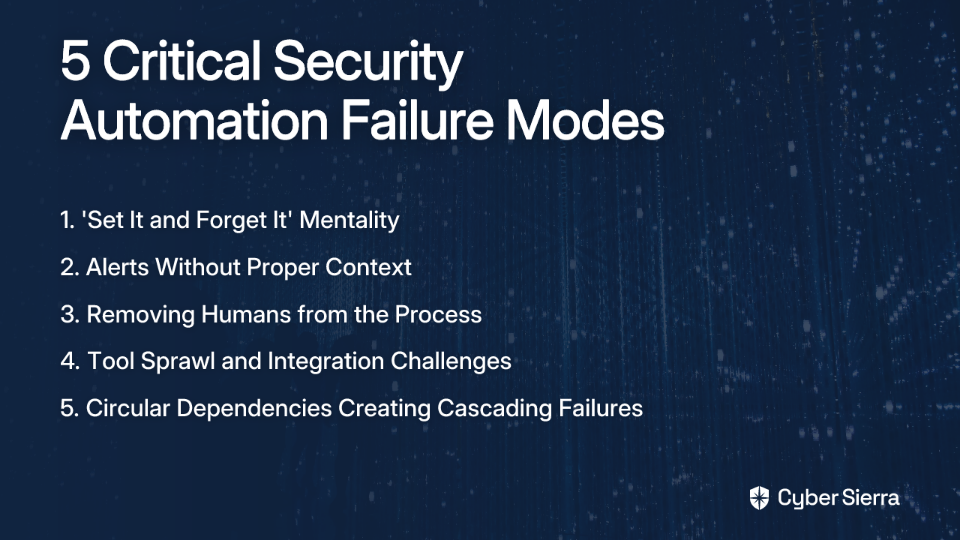
Failure Mode 1: The "Set It and Forget It" Trap

Contrary to popular belief, security automation isn't a fire-and-forget missile. It's more like a garden that needs constant tending. The cybersecurity landscape is "ongoing and ever-evolving - constantly," as one professional puts it.

Discern Security recommends: "Regularly assess the effectiveness of the security tools in use and make adjustments to the tool stack as necessary." The solution is establishing a continuous feedback loop where SOC analysts review false positives and refine automation logic weekly or monthly.

Failure Mode 2: Automation Without Context

This is perhaps the most common pain point: alerts lacking critical context. An alert like "system administrator tool accessed" is noise, not signal.

Consider these examples:

Bad alert: Alert: Wireshark executed on Server-A.

Good, context-rich alert: Alert: Wireshark executed on PCI-DSS Server-A by a non-admin user outside of business hours from an external IP address.

One Redditor suggested this practical tuning expression: User = admin AND application = Wireshark AND ip_isinteral= TRUE. If that tune expression matches the event, don't alert it. This demonstrates how effective alert tuning can separate normal operations from genuine threats.

Failure Mode 3: The Myth of the Human-less SOC

Automation should augment, not replace, human intelligence. Splunk's research emphasizes: "Maintain the role of human expertise; automation should not replace skilled analysts."

Automation excels at machine-scale tasks; humans are essential for investigation, hypothesis testing, and adapting to novel threats. AI can help replicate analyst expertise, but human oversight is crucial for preventing RGEs.

Failure Mode 4: Tool Sprawl and Integration Nightmares

More tools do not equal more security. According to Discern Security, "Reducing the number of security tools can lead to better efficiency, less complexity, and lower costs."

When tools aren't integrated, automation workflows become brittle, requiring complex custom scripts that are hard to maintain and prone to errors.

Failure Mode 5: Circular Dependencies and Thermal Runaway

Perhaps the most catastrophic failure mode is what security engineers call "thermal runaway" – when automation creates cascading failures that amplify the original problem.

A stark example comes from CrowdStrike's SOAR capabilities. While powerful, if misconfigured, a playbook could automatically network-isolate every device in an organization based on a false positive alert.

This exact scenario unfolded when a faulty CrowdStrike update in July 2023 caused Windows systems worldwide to enter a boot loop. Had organizations implemented automated isolation responses without safeguards, they could have compounded the problem by automatically disconnecting every affected system from the network.

A Playbook for Automation That Won't Get You Fired

Step 1: Start Small, Document Everything

Splunk advises: "Gradually adopt automation, focusing on high-impact areas" like vulnerability management or compliance monitoring. Before automating anything, "Develop playbooks documenting current processes." If you can't write it down clearly, you can't automate it safely.

This directly addresses the pain of "missed documentation" that leads to errors. Document, test, then automate—in that order.

Step 2: Embrace Low-Code/No-Code Playbooks

Many professionals feel technically inadequate when approaching security automation: "I have no experience with SOAR. Some Python, Bash... Ansible is quite basic."

Fortunately, modern platforms like CrowdStrike's Falcon Fusion SOAR provide a "no-code workflow builder for analysts, allowing simple visualization and construction of workflows without coding experience." This democratizes automation, making it accessible to team members with varied technical backgrounds.

Step 3: Implement Safeguards Against Thermal Runaway

To prevent catastrophic cascading failures:

  1. Human Approval Gates: Critical actions (like network isolation of multiple systems) should require human approval before execution.
  2. Numerical Thresholds: Set automatic circuit breakers that pause automation if more than X% of devices would be affected by an automated action.
  3. Time-Based Constraints: Configure actions to run only during business hours when staff is available to monitor outcomes.
  4. Staging Environments: Test new automation playbooks in isolated environments before deploying to production.
  5. Monitoring Dashboards: Create real-time visibility into automation actions and their impacts.

Step 4: Build Your Continuous Feedback Loop

Operationalize these steps:

  1. Report: Give analysts a simple way to flag an automated alert or action as a false positive.
  2. Review: Hold a weekly or bi-weekly meeting with security engineers and analysts to review flagged items.
  3. Refine: Tune alert rules, adjust playbook logic, or add more context to prevent recurrence.
  4. Measure: Use dashboards to track metrics like false positive rates and workflow execution times.

Step 5: Audit and Optimize Your Tool Stack

Heed Discern Security's advice: "Conduct a thorough review of existing security tools to identify which ones are truly necessary."

Ask critical questions: Does our EDR or SIEM have a built-in SOAR module we aren't using? Can we consolidate tools with overlapping features? A streamlined, integrated toolset makes automation simpler and more reliable.

Taming the Automation Beast

Security automation is essential in today's threat landscape, but it's not a silver bullet. A "human-in-the-loop," context-aware, and iterative approach is non-negotiable.

The path from "panicking" to proficiency isn't about knowing every coding language; it's about methodically and carefully building and maintaining automation that respects the complexity of your environment.

Well-designed automation doesn't cause Resume-Generating Events; it prevents them. It reduces alert fatigue, lowers stress levels for security personnel, and frees you to focus on the strategic, creative work of threat hunting—the kind of work that builds a career rather than ending one.

Remember: Security automation should serve you, not the other way around. When implemented with caution and continuous improvement, it becomes your strongest ally against the very Resume-Generating Events that keep security professionals up at night.

Frequently Asked Questions

What is a Resume-Generating Event (RGE) in cybersecurity?

A Resume-Generating Event (RGE) is a mistake so significant that it could lead to an employee being fired or choosing to resign. In the context of security automation, an RGE is often a catastrophic failure caused by a poorly configured script or playbook. For example, a typo in a rule could take a production facility offline, or a flawed automation could lock out thousands of users, creating a major business disruption that puts an individual's job at risk.

Why is security automation dangerous if not implemented correctly?

Security automation can be dangerous because it executes tasks at machine speed, amplifying the impact of a small human error into a large-scale, organization-wide incident. Without proper safeguards, context, and human oversight, automation can trigger cascading failures. For instance, a misconfigured alert for a benign activity could lead to thousands of false positives, causing alert fatigue and blinding security teams to real threats.

How can I prevent security automation from causing a major incident?

To prevent automation-induced incidents, you should start small, implement safeguards like human approval gates, and maintain a continuous feedback loop for refinement. A safe approach involves several key steps: starting with simple tasks, documenting processes in playbooks before automating, using numerical thresholds and staging environments for testing, and regularly reviewing automation performance with your SOC team.

What is the most common mistake when implementing security automation?

One of the most common mistakes is creating automation that lacks sufficient context, leading to a high volume of low-quality alerts or "noise." An alert like "administrator tool used" is not helpful. A context-rich alert, such as "administrator tool used on a critical server by a non-admin user outside of business hours," is far more actionable. Failing to provide this context results in alert fatigue, where analysts begin to ignore notifications, increasing the risk that a genuine threat will be missed.

Does security automation replace the need for human SOC analysts?

No, security automation does not replace human analysts; it augments their capabilities by handling repetitive, machine-scale tasks. The goal of automation is to free up human experts to focus on complex problem-solving, such as investigating novel threats, hypothesis testing, and strategic threat hunting. Human oversight is crucial for making final decisions on critical actions and for refining the automation's logic.

How do I get started with security automation if I don't have strong coding skills?

You can start with security automation by using modern platforms that offer low-code or no-code workflow builders. Many SOAR (Security Orchestration, Automation, and Response) platforms provide graphical interfaces that allow analysts to build complex automation playbooks by dragging and dropping components. This democratizes automation, enabling team members with deep security knowledge but limited coding experience to contribute effectively.

blog-hero-background-image
Cyber Security

To Pay or Not to Pay? The Modern Ransomware Dilemma

backdrop
Table of Contents

Join thousands of professionals and get the latest insight on Compliance & Cybersecurity.


Your servers are unexpectedly encrypted. A message on the screen demands cryptocurrency payment. Your backups? They're compromised too. This is the reality of a modern ransomware attack—a moment of urgency and fear where every decision feels fraught with personal and professional liability.

Law enforcement and cybersecurity experts typically advise a hard "never pay" stance. Yet business leaders facing potential collapse often find themselves contemplating the unthinkable: paying the ransom. This ethical dilemma isn't just theoretical—it's a crisis scenario playing out with increasing frequency across organizations of all sizes.

This article won't give you a simple "yes" or "no." Instead, we'll explore the nuances of this complex decision, providing a framework based on expert insights, real-world data, and a clear understanding of the risks involved. Because in today's threat landscape, flexibility and open-mindedness have become necessary survival skills.

The Unrelenting Rise of Ransomware

Ransomware is malicious software that encrypts files or locks computers, demanding payment for restoration. With two main variants—Locker ransomware (which locks users out of systems) and Crypto ransomware (which encrypts files)—these attacks have evolved from nuisance to existential threat.

The statistics are sobering:

  • Ransomware attacks increased by 95% in 2023 compared to 2022
  • Cybercriminals successfully encrypted data in 75% of cyberattacks in 2023
  • 94% of ransomware attacks now involve data exfiltration (the "double extortion" tactic)
  • The average cost of a ransomware incident has reached $4.88 million in 2024

The Case Against Paying: Why Experts Say "Don't"

The arguments against payment are compelling:

It Fuels the Criminal Ecosystem: Each payment validates the attackers' business model and finances future, more sophisticated attacks.

Higher Overall Costs: Organizations that paid ransoms faced average recovery costs of $750,000—twice the $375,000 spent by companies that used backups instead.

Recovery Is Not Guaranteed: Only 13% of those who paid recovered all their data, according to a Ponemon Institute report. Even Cybereason's more optimistic findings show only 42% of organizations achieved full data restoration after payment.

You Become a Repeat Target: A staggering 80% of organizations that paid a ransom were attacked again, often with higher demands.

Legal and Compliance Risks: Payments could violate regulations from the U.S. Department of the Treasury's Office of Foreign Assets Control (OFAC) if the recipient is a sanctioned entity. Additionally, several U.S. states have passed laws prohibiting public sector organizations from using taxpayer funds for ransom payments.

Some organizations have stood firm. MGM Resorts International absorbed an estimated $100 million loss rather than pay attackers. The Port of Seattle similarly refused to meet ransom demands, demonstrating that recovery without payment is possible, albeit costly and difficult.

A Pragmatic Reality: When Paying Becomes a Viable Option

Despite the strong case against payment, many cybersecurity experts acknowledge that rigid policies aren't always realistic. Ethan Tancredi of Huntress Labs, while generally against payment, "acknowledges unique situations may justify them to save businesses."

Consider these scenarios where payment might be the lesser evil:

Business Survival: When the cost of downtime, revenue loss, and reputational damage far exceeds the ransom demand.

No Viable Backups: When backup systems have been compromised or are non-existent—a common issue when backup systems aren't properly segmented from the main network.

Data Exfiltration Threat: To prevent the public release of highly sensitive customer, employee, or proprietary data.

Faster Recovery: In some cases, paying may be the quickest path back to operational status, even if not the cheapest.

High-profile organizations have made the difficult decision to pay, including Change Healthcare (reportedly $22 million to BlackCat) and Caesars Entertainment ($15 million after negotiating down from $30 million).

The Decision-Making Framework: Navigating the Crisis

If your organization faces a ransomware attack, follow this framework to make an informed decision:

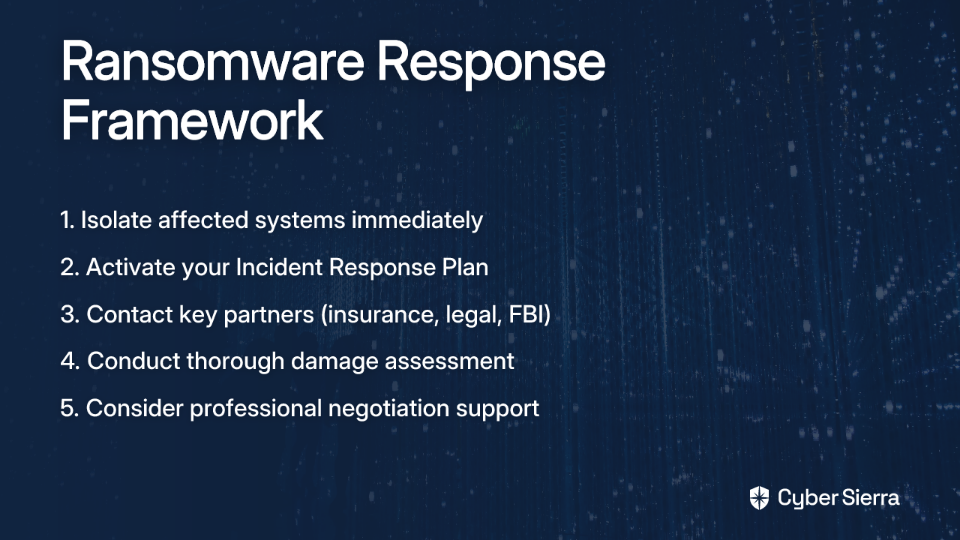
Step 1: Isolate and Assess

Do not touch anything immediately. As one victim warned, "if you mess up the data in any way, the chances of recovering it are very, very slim." Take affected systems offline to prevent lateral movement of the malware.

Step 2: Activate the Incident Response Plan (IRP)

Engage your pre-defined team, with the Incident Commander coordinating efforts across technical, legal, and executive stakeholders. Your IRP should include clear protocols for potential ransom situations.

Step 3: Contact Key Partners Immediately

  • Cyber Insurance Carrier: Make this one of your first calls. They will guide you through the process and have pre-approved vendors for forensics and legal counsel.
  • Legal Counsel: To navigate regulatory obligations and potential OFAC risks.
  • Law Enforcement: Contact agencies like the FBI, which can provide resources and help track attackers.

Step 4: Conduct a Triage

  • Evaluate Backups: Are they viable? Are they immutable backups? Are they properly segmented from the main network (not joined to the domain)?
  • Identify the Threat Actor & Strain: Your Remediation Team should work to identify the group, their tactics, and whether they typically provide working decryptors.
  • Determine Data Exfiltration: Assess if data was stolen using EDR logs and other monitoring tools.

Step 5: Consider Professional Negotiators

Cyber insurance policies often provide access to third-party negotiators who can verify the attacker's claims, negotiate the ransom down, and manage the payment process if that route is chosen.

The Cyber Insurance Safety Net: Savior or Source of Frustration?

Many organizations struggle with "convincing executives about the inadequacy of general business insurance" for cyber events and face "uncertainty about the reasons for denial of cyber insurance claims."

A comprehensive cyber insurance policy typically covers:

  • Ransom payments and negotiation services
  • Business interruption and lost revenue
  • Forensics costs to investigate the breach
  • Data recovery and system restoration costs
  • Public relations support to manage reputation

However, be aware of common exclusions that could result in claim denials:

  • Negligence: Claims can be denied if the organization failed to implement required security controls like MFA, regular patching, or proper vendor management.
  • Pre-existing Vulnerabilities: Known issues that weren't remediated before the attack.
  • Acts of War/Nation-State Attacks: A growing area of contention in cyber policies.
  • Insider Attacks: Often excluded from standard coverage.

Prevention as the Ultimate Strategy

The best way to avoid the ransomware dilemma is to prevent an attack in the first place:

Implement Layered Defenses

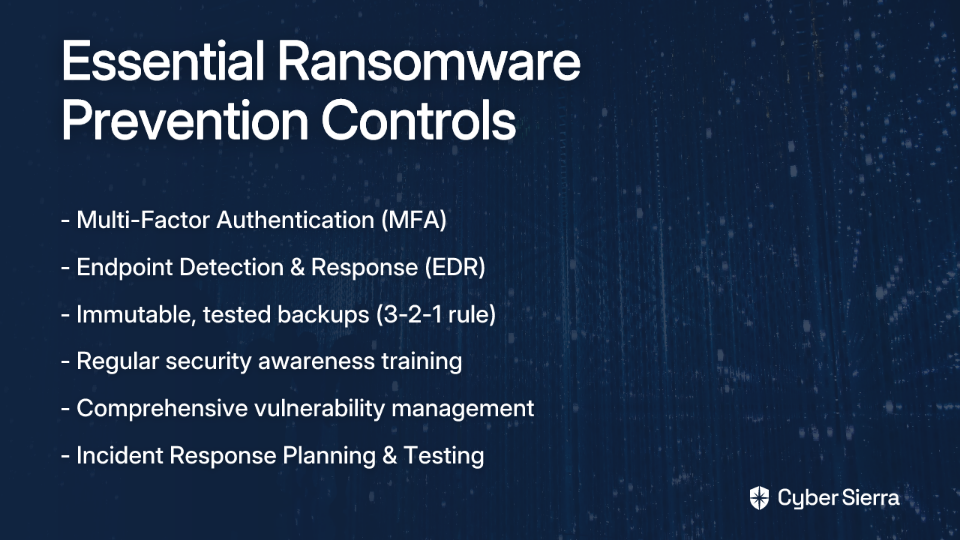
  • Multi-Factor Authentication (MFA): Essential for preventing unauthorized access via RDP and other remote services.
  • Endpoint Detection and Response (EDR): Deploy solutions to protect against data exfiltration and malware execution.
  • Regular, Tested Backups: Follow the 3-2-1 backup rule (3 copies, 2 different media, 1 offsite). Use immutable backups or air-gapped systems (e.g., Veeam backups on a separate SAN with San snapshots).
  • Phishing-Resistant Training: Since "most security breaches are a result of human mistakes," regular training is essential.
  • Asset Management & Vulnerability Management: Keep all software updated and maintain strong documentation of third-party servers.

Be Prepared for the Worst

  • Develop and Rehearse Your IRP and DRP: Conduct regular tabletop exercises and ransomware readiness assessments to identify weaknesses before an attack.
  • C-suite Engagement: Ensure leadership understands ransomware risks and supports proactive security hygiene.
  • Psychological Aftercare: Acknowledge the human toll. Excessive work hours lead to burnout. Ensure psychological support for your team after an incident.

Conclusion: A Calculated Decision, Not a Moral Failure

The decision to pay a ransom is one of the most difficult choices a business can face. It's not simply a moral judgment but a complex risk management calculation with significant financial, operational, and legal consequences.

While the goal is to never be in this position, the modern threat landscape demands preparation. A robust, well-rehearsed IRP, strong preventative controls, and a clear understanding of your cyber insurance policy will determine your organization's resilience—whether you ultimately choose to pay or not.

Remember the wisdom shared by security professionals who have faced this dilemma: "Never say you will never pay ransom." In the end, your response must be guided by a clear-eyed assessment of your specific situation, with business continuity as the North Star of your decision-making process.

By taking steps now to improve your security posture—from implementing MFA and EDR to ensuring proper backup testing and comprehensive incident response planning—you can significantly reduce both the likelihood of an attack and the pressure to pay if one occurs.

The best time to prepare for a ransomware attack was yesterday. The second best time is today.

Frequently Asked Questions

What is the first thing you should do after a ransomware attack?

The first thing you should do is isolate the affected systems to prevent the ransomware from spreading further across your network. Do not touch or attempt to reboot the encrypted machines. Immediately take them offline by disconnecting network cables, then activate your Incident Response Plan (IRP) to contact your cyber insurance provider, legal counsel, and law enforcement.

Why do experts advise against paying a ransom?

Experts advise against paying a ransom primarily because it funds criminal enterprises, does not guarantee data recovery, and often leads to higher overall costs and repeat attacks. Paying validates the attackers' business model, financing more sophisticated future crimes. Furthermore, there's no guarantee the decryptor will work, and a staggering 80% of companies that pay are targeted again.

Is it illegal to pay a ransomware demand?

Paying a ransom is not inherently illegal in most jurisdictions, but it can be if the payment goes to a sanctioned entity. The U.S. Department of the Treasury's Office of Foreign Assets Control (OFAC) prohibits transactions with individuals or groups on its sanctions list. Paying a ransom to a sanctioned group could result in significant fines, which is why involving legal counsel early is critical.

What is double extortion in a ransomware attack?

Double extortion is a tactic where cybercriminals not only encrypt your data but also steal a copy of it before encryption. The attackers then threaten to publish the stolen sensitive data online if the ransom is not paid. This adds immense pressure, as organizations face not only downtime but also a potential data breach, regulatory fines, and severe reputational damage.

Will paying the ransom guarantee I get my data back?

No, paying the ransom does not guarantee you will get all your data back. Research shows that even when a ransom is paid, full data recovery is rare. Attackers may provide faulty decryptors, demand more money, or disappear after payment. Even with a working decryptor, the process can be slow and data may be corrupted beyond use.

How can you best prepare for a potential ransomware attack?

The best preparation involves a combination of robust technical defenses and a well-rehearsed incident response plan. Key technical controls include implementing multi-factor authentication (MFA), using an Endpoint Detection and Response (EDR) solution, and maintaining regular, tested, and isolated backups. Equally important is developing and practicing your Incident Response Plan (IRP) through tabletop exercises to ensure your team can act decisively during a crisis.

blog-hero-background-image
Cyber Security

Combat Cybersecurity Tool Stack Fatigue

backdrop
Table of Contents

Join thousands of professionals and get the latest insight on Compliance & Cybersecurity.


"It feels like our systems are just screaming at us with alerts all day, every day."

If this sounds familiar, you're not alone. Across the cybersecurity industry, teams are drowning in a sea of notifications, dashboards, and poorly integrated tools that were supposed to make life easier—but instead have created a workplace nightmare.

The problem isn't a lack of security measures. It's quite the opposite. Your bloated security tool stack—that jumbled collection of SIEMs, EDRs, GRC platforms, and countless other acronymed solutions—is actively making your team miserable while potentially undermining your security posture.

The Symptoms: Drowning in Data, Missing the Threat

Alert Fatigue: The Silent Team Killer

"Alert fatigue is killing us. We get hundreds of alerts daily and 90% are false positives. Spent months tuning our SIEM but still drowning in noise."

This quote from a security professional on Reddit encapsulates the daily reality for many security teams. When everything is flagged as urgent, nothing is. Your analysts are forced to wade through an ocean of notifications, struggling to identify which handful actually warrant immediate attention.

The consequences are dire:

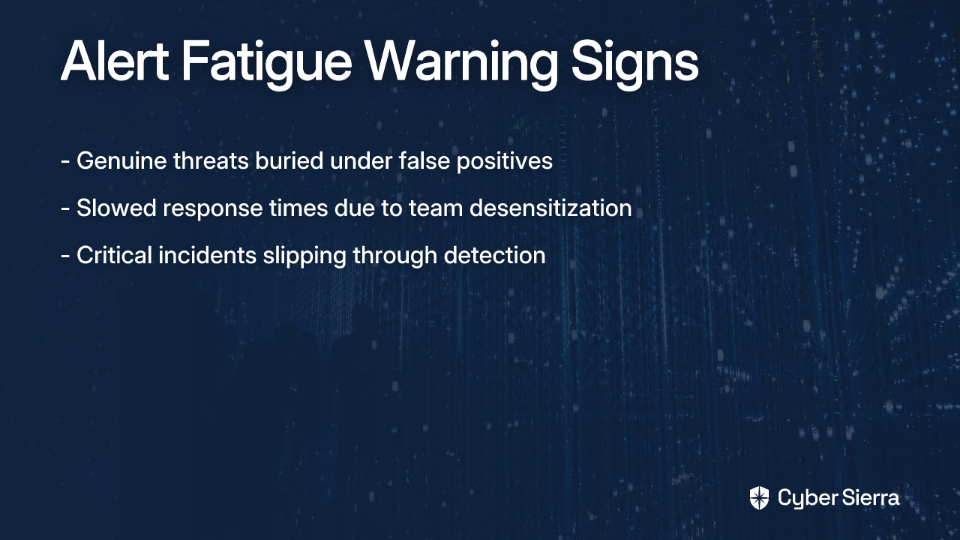
  • Genuine threats get buried under false positives
  • Response times slow as teams become desensitized
  • Critical incidents slip through because the signal-to-noise ratio is abysmal

Team Burnout and Resource Drain

A bloated tool stack doesn't just create noise—it drains your most valuable resource: your people. Security professionals are experiencing unprecedented levels of burnout from managing disparate systems with overlapping functionalities and conflicting interfaces.

One Reddit user lamented the "people incompetence" problem, while another pointed to "management just existing" without providing real support. These statements reflect a deeper issue: when teams are stretched thin managing too many tools, their effectiveness and morale plummet.

The False Security Paradox

Counterintuitively, more security tools can mean more risk. Each additional tool:

  • Expands your attack surface through potential misconfigurations
  • Creates integration gaps that malicious actors can exploit
  • Generates conflicting data that makes threat assessment nearly impossible

As noted in research by MakeUseOf, "a larger security stack complicates processes rather than enhancing them," often leading to a false sense of security while introducing new vulnerabilities.

The Root Causes: How Did We End Up Here?

Tool Sprawl and Overlapping Functionalities

Organizations accumulate security tools over time, often without retiring older solutions. This results in multiple tools with duplicate features, creating redundancy and confusion.

"False positives from legacy AV agents that should've been decommissioned two years ago... but somehow still ping every week like clockwork. Ghost machines never die," shared one frustrated security professional on Reddit.

The average enterprise now uses between 50 and 75 security tools, according to some estimates. Each addition to your security stack represents another system to configure, monitor, and maintain—often with diminishing returns.

The Integration Nightmare

The most significant challenge isn't the tools themselves but getting them to communicate effectively. According to Discern Security, poor integration creates data silos that prevent a unified view of your security posture.

Without seamless integration, your team must:

  • Manually correlate alerts across multiple platforms
  • Switch between different interfaces dozens of times daily
  • Waste time on redundant documentation across systems

"Shiny New Toy" Syndrome & Management Disconnect

"Management wanting to hop to some new solution because it's shiny" was identified as a major pain point by security professionals. Another lamented, "Ownership adopts new monitoring or security tools without telling us, or training us, or giving us documentation."

This disconnect between leadership decisions and frontline realities leads to the acquisition of tools that fail to solve actual problems—while creating new ones for the team.

Poor User Experience (UX)

Many enterprise security tools are notorious for their terrible user interfaces. Tools like STIG Viewer, Archer, and Trellix/McAfee EDR frequently appear on security professionals' "most hated" lists due to their clunky, unintuitive designs.

A comparison between SecurityScorecard and UpGuard illustrates this point perfectly. While UpGuard offers detailed assessments, its complex interface can overwhelm users. In contrast, SecurityScorecard is recognized for its "exceptional user-friendliness," which significantly reduces the learning curve and improves team satisfaction (Source: SecurityScorecard).

Spiraling Costs With Diminishing Returns

More tools mean increased costs for:

  • Licensing and subscriptions
  • Infrastructure to support them
  • Personnel to manage them
  • Training and certification

These costs compound while security effectiveness plateaus or even declines due to complexity.

The Path to Sanity: Building a Leaner, More Effective Security Stack

Let's be clear: the solution isn't abandoning security tools altogether. It's building a thoughtful, integrated ecosystem that empowers your team rather than overwhelming them. Here's how:

Step 1: Conduct a Ruthless Tool Audit

You can't fix what you don't measure. The first step is to assess every tool in your security stack:

  • Document every security tool currently in use, including shadow IT solutions teams have adopted out of frustration
  • Identify redundancies where multiple tools perform similar functions
  • Evaluate actual usage rates to find tools that are underutilized despite their cost
  • Gather team feedback on which tools help and which cause frustration

As one Reddit user advised: "Review each alert, figure out what is normal for the environment and then tune that out. Rinse and repeat."

Step 2: Consolidate and Prioritize Integration

Rather than acquiring new tools, focus on ensuring your existing ones work together seamlessly:

  • Prioritize platforms with open APIs and strong integration capabilities
  • Consider XDR (Extended Detection and Response) solutions that cover multiple security functions in one platform
  • Evaluate integration requirements before purchasing any new security tool

According to Cynet, "choosing tools that integrate well with your existing systems" is crucial for streamlining operations.

Step 3: Get Aggressive with Alert Tuning

Direct from security professionals on Reddit:

  • "Actionability is #1." Don't create or tolerate alerting that isn't a genuine call to action.
  • "The alerts that are informational? Shut those off" and just log them for later reference if needed.
  • "Map alerts to known threat actor TTPs" using frameworks like MITRE ATT&CK to identify actual attack chains.
  • "Identify mechanisms to automate closing or resolving alerts" for low-level, repetitive incidents.

Remember: The goal isn't to investigate every alert. It's to identify and address genuine threats while reducing noise.

Step 4: Evaluate Tools Through a Team Experience Lens

When assessing security tools, consider these critical factors beyond just features:

  • User interface clarity: Can analysts quickly understand what they're looking at?
  • Configuration complexity: How much effort is required to maintain the tool?
  • Learning curve: How long before team members become proficient?
  • Integration capabilities: Does it play well with your existing stack?
  • Value delivery: Does it solve real problems your team faces?

As highlighted in the SecurityScorecard analysis, a tool with a clean interface and lower learning curve will see higher adoption and effectiveness.

Step 5: Invest in People and Processes, Not Just Technology

Address what one security professional called "the continuing push to try and replace people with tools." Technology augments talent; it doesn't replace it.

  • Ensure proper training on the tools your team actually uses
  • Foster collaboration between engineers, architects, and analysts
  • Create continuous improvement processes for alert management
  • Document institutional knowledge about your security stack

Quality Over Quantity: The Path Forward

An effective cybersecurity strategy isn't about having the most tools—it's about having the right ones working together seamlessly. By shifting from a "more is better" mindset to one of strategic optimization, you can build a security posture that's not only stronger and more cost-effective but also makes your security team's jobs possible—and maybe even enjoyable.

Remember the words of one seasoned security professional: "Don't let your engineers and architects pitch things over the wall to analysts; ensure there is a continuous improvement process." This collaborative approach, combined with a leaner, more integrated tool stack, is the key to combating alert fatigue and building a security program that works for your team—not against them.

Frequently Asked Questions

What is a bloated security tool stack?

A bloated security tool stack refers to the excessive and often redundant collection of security software and platforms an organization uses. This "tool sprawl" happens when companies accumulate solutions like SIEMs, EDRs, and GRC platforms over time without a clear strategy, leading to overlapping functionalities, integration challenges, and increased complexity.

Why is having more security tools often a security risk?

Having more security tools can increase risk because each new tool expands the potential attack surface, creates integration gaps that can be exploited, and generates conflicting data. This "false security paradox" means that instead of strengthening security, a larger, poorly integrated stack can introduce new vulnerabilities and make it harder to identify and respond to genuine threats.

What is alert fatigue and why is it dangerous?

Alert fatigue is a state of desensitization that occurs when security analysts are overwhelmed by a constant stream of low-value or false-positive security alerts. It is dangerous because genuine threats get buried in the noise, leading to slower response times and an increased likelihood that critical incidents will be missed entirely as analysts struggle to distinguish real threats from insignificant notifications.

How can we fix our bloated security tool stack?

You can fix a bloated tool stack by conducting a ruthless audit to identify redundant or underutilized tools, consolidating tools with overlapping features, and prioritizing solutions that integrate well together. A key part of the process is also aggressively tuning alerts to reduce noise and focusing on alerts that are genuinely actionable, mapping them to known threat actor TTPs.

What are the most important factors when choosing a new security tool?

Beyond specific features, the most important factors are user experience (UX), integration capabilities, and the total cost of ownership. A tool should have a clear, intuitive interface and a low learning curve to ensure team adoption and effectiveness. It must also have open APIs to integrate seamlessly with your existing ecosystem, preventing data silos and manual correlation work.
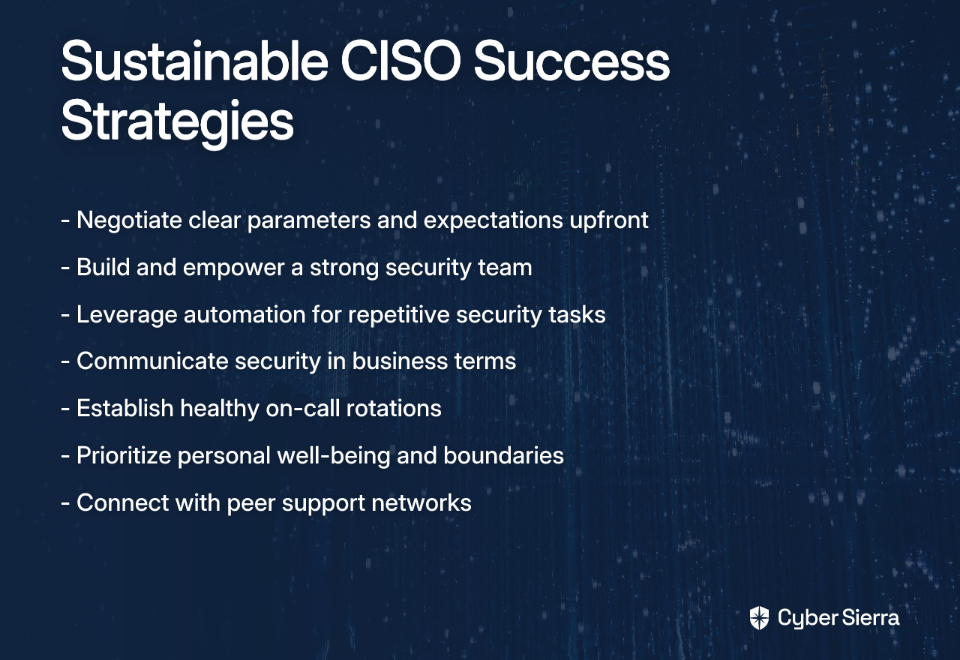
blog-hero-background-image
Cyber Security

CISO Burnout: 7 Strategies to Thrive

backdrop
Table of Contents

Join thousands of professionals and get the latest insight on Compliance & Cybersecurity.


"I cry almost everyday."

This raw confession from a cybersecurity leader on Reddit isn't an isolated incident—it's a symptom of a widespread crisis affecting the guardians of our digital infrastructure. Chief Information Security Officers (CISOs) and security leaders are silently suffering under crushing pressure that few outside their circle truly understand.

"We are the bad guys begging for money to protect people. It's a weird position…" Another security professional laments, highlighting the fundamental disconnect between those tasked with protecting organizations and the organizations themselves.

According to a 2024 BlackFog survey, nearly 1 in 4 CISOs are considering leaving their jobs due to stress. Even more alarming, the average CISO tenure has shrunk to just 18-26 months—significantly shorter than other C-suite positions.

This isn't merely about individual resilience; it's about a systemic problem that's eroding our cybersecurity leadership ranks at a time when we need them most. This article examines why the CISO role has become a pressure cooker and offers seven concrete strategies not just to survive but to build a sustainable and fulfilling security leadership career.

The Anatomy of CISO Burnout: Why the Role is a Pressure Cooker

The Crushing Weight of Responsibility

CISOs bear an almost impossible burden. They're expected to defend organizations against constantly evolving threats while often lacking the authority to implement necessary changes quickly. As one Reddit user put it, "working within the processes and bureaucracy is worse than any of the other (over) work."

This challenge is compounded by increasing personal liability. Recent years have seen the SEC charging CISOs for security failures, and the personal stakes continue to rise. With 24/7 vigilance required against relentless sophisticated threats, the pressure never truly subsides.

The Organizational Gauntlet

Many security leaders describe being caught in a no-win situation within their own organizations. They're viewed as a "cost center" rather than a strategic business partner, affecting their budgets, influence, and recognition.

"Politics, petty egos, stove pipe orgs, lack of doing the basics..." one disillusioned professional shared, highlighting how organizational politics often overshadow the actual security work. Another noted, "the bureaucracy seemingly has no end."

This organizational isolation is particularly difficult. As C-level executives, CISOs often lack peers who truly understand their unique pressures, creating a sense of being alone in the fight.

The Ever-Expanding Battlefield

Jon France, CISO of ISC2, describes the current situation as "the most challenging threat landscape we've seen in the last five years." The battlefield is expanding exponentially:

  • Avalanche of Regulations: Compliance requirements are multiplying with GDPR, NIS2 Directive, and the EU's Digital Operational Resilience Act (DORA) often making competing demands.
  • Third-Party and Supply Chain Risk: As Jamil Farshchi, CISO of Equifax, notes: "[Third-party] risk is a top concern." The SolarWinds breach demonstrated how devastating supply chain attacks can be.
  • AI Security Challenges: Two-thirds of CISOs express concern about generative AI leading to breaches, adding yet another layer of complexity to their already overflowing plates.

The Scarcity of Resources

The cybersecurity workforce gap has reached approximately 4.8 million professionals in 2024. This means CISOs are constantly trying to do more with less, a situation exacerbated by limited budgets and the "cost center" perception that plagues security departments.

"Non-stop vuln chasing for something .0001 of the population can exploit is fucking stupid," shares one frustrated professional, highlighting the misallocation of scarce resources that often occurs.

Recognizing the Red Flags Before It's Too Late

Before implementing survival strategies, it's critical to recognize the warning signs of impending burnout:

  • Emotional Exhaustion: Chronic fatigue, constant stress, increased irritability, lack of motivation, feelings of disillusionment
  • Cognitive Fatigue: Difficulty focusing, making decisions, or keeping up with new threats and technologies
  • Physical Symptoms: Sleep disturbances, frequent headaches, compromised immune system
  • Behavioral Changes: Disengagement, withdrawal from colleagues, decreased productivity despite long hours, increased substance use

As one burnout survivor candidly shared: "I didn't realize my stress level was so high until a month after I retired."

7 Actionable Strategies for Survival and Sustainability

1. Redefine Your Mandate: Negotiate Expectations from Day One

The foundation for sustainability starts before you even accept the role—or as early as possible in your tenure:

  • Negotiate Clear Parameters: Have frank conversations about budget, staffing, and authority expectations.
  • Secure D&O Liability Protection: Ensure you have the same Directors and Officers liability insurance as other C-suite executives.
  • Define Emergency Authority: Establish pre-approved authority to act decisively in emergencies without bureaucratic delays.

Smart CISOs know that setting realistic expectations early prevents impossible situations later.

2. Build Your Human Firewall: Delegate, Empower, and Trust

No CISO can or should attempt to carry the full security burden alone:

  • Delegate and Empower: Share responsibilities with your team to focus on critical strategic issues. Avoid micromanagement.
  • Build a Strong Team: Assemble a skilled, diverse team with complementary strengths to share the workload.
  • Foster a No-Blame Culture: Treat mistakes and incidents as learning opportunities, not grounds for punishment. This encourages transparency.

3. Embrace Automation: Let Technology Do the Heavy Lifting

Technology should serve security leaders, not add to their burden:

  • Leverage AI-driven Tools: Use artificial intelligence for repetitive tasks like threat detection and log analysis.
  • Implement SOAR: Security Orchestration, Automation, and Response tools can automate incident response workflows.
  • Consider Outsourcing: Evaluate Managed Security Service Providers (MSSPs) for 24/7 monitoring to reduce the burden on your internal team.

4. Master the Boardroom: From Technical Expert to Business Enabler

Changing perception is critical to gaining the support and resources needed:

  • Develop Business Communication Skills: Invest in training to translate technical risks into business impact that executives understand.
  • Frame Security as Business Enablement: Position security not as a cost but as a business enabler and insurance that protects revenue and reputation.
  • Build Cross-Departmental Alliances: Foster collaboration with other business units to integrate security from the start.

5. Create a Sustainable On-Call Culture

The always-on nature of cybersecurity doesn't mean you personally need to be always available:

  • Rotate Duties Fairly: Distribute on-call responsibilities evenly across the team.
  • Set Clear Response Expectations: Establish tiered SLAs for different alert severities.
  • Ensure Proper Backup: Always have a designated backup so team members can truly disconnect when off-call.

6. Prioritize Your Own Well-being (It's Not Selfish, It's Essential)

Self-care isn't an indulgence—it's a professional necessity for long-term effectiveness:

  • Set Firm Boundaries: Establish clear separation between work and personal life with "no-email hours."
  • Take Your PTO: Lead by example and fully disconnect during time off.
  • Focus on Physical Health: Join the 80% of tech leaders who use exercise to manage job stress effectively.
  • Utilize Mental Health Resources: Consider cognitive behavioral therapy and mindfulness practices, which have proven effective for high-stress professionals.

7. Find Your Tribe: The Power of Peer Support

Combat isolation by connecting with those who understand your unique challenges:

  • Engage with CISO Networks: Join H-ISAC, ISACA, or similar organizations to share experiences with peers who truly understand.
  • Document Everything: Create robust documentation practices for CYA (Cover Your Assets) while sharing knowledge.
  • Consider Career Pivots When Necessary: Sometimes the healthiest choice is a strategic lateral move to a more supportive organization.

From Surviving to Thriving

CISO burnout stems from a perfect storm of overwhelming responsibility, organizational friction, an expanding threat landscape, and resource scarcity. The path to sustainability lies in proactively negotiating your mandate, building a strong team, leveraging technology, mastering business communication, and fiercely protecting your own well-being.

The CISO role remains one of the most critical in modern business, despite its challenges. By implementing these strategies, you can move beyond mere survival to build a long, impactful, and rewarding cybersecurity leadership career.

Remember the words of one Reddit user who found a way through: "I try to minimize bureaucratic inconveniences, but it's a damn tight rope." With the right approach, you can not only walk that tightrope but transform it into a sustainable path forward.

Frequently Asked Questions (FAQ)

What is CISO burnout?

CISO burnout is a state of chronic physical, emotional, and cognitive exhaustion experienced by Chief Information Security Officers due to the intense and unrelenting pressures of their role. It stems from the immense responsibility of protecting an organization against constant cyber threats, often compounded by resource scarcity, organizational politics, and an ever-expanding threat landscape. Symptoms include chronic fatigue, difficulty focusing, and feelings of disillusionment, leading to high turnover in the profession.

Why is the CISO role so stressful?

The CISO role is incredibly stressful due to the combination of immense responsibility for an organization's security, increasing personal liability, insufficient resources, and a lack of organizational support. CISOs must defend against sophisticated 24/7 threats, navigate complex regulations, manage supply chain risks, and deal with internal politics that often frame security as a "cost center" rather than a strategic business partner.

How can CISOs avoid burnout?

CISOs can avoid burnout by proactively managing their role and well-being through several key strategies. These include negotiating a clear mandate and expectations from day one, empowering their team through delegation, automating repetitive tasks with technology, mastering business communication to gain executive support, and setting firm personal boundaries to protect their own health.

What are the early warning signs of CISO burnout?

The early warning signs of CISO burnout fall into four main categories: emotional exhaustion (constant stress, irritability), cognitive fatigue (difficulty focusing or making decisions), physical symptoms (sleep disturbances, headaches), and behavioral changes (withdrawal from colleagues, decreased productivity). Recognizing these red flags is the first step toward taking corrective action.

How can a CISO get more support from their organization?

A CISO can get more support by reframing security as a strategic business enabler rather than a technical cost center. This involves mastering business communication to translate technical risks into clear business impacts that the board and executives can understand. By building alliances with other departments and demonstrating how security protects revenue and reputation, a CISO can change perceptions, gain influence, and secure the necessary budget and resources.

What is the average tenure for a CISO?

The average tenure for a Chief Information Security Officer (CISO) is alarmingly short, ranging from just 18 to 26 months. This is significantly less than other C-suite positions and is a direct result of the high-stress, high-burnout nature of the role. This rapid turnover highlights a systemic issue within the cybersecurity industry.

blog-hero-background-image
Employee Security Training

Effective Cybersecurity Gamification Strategies

backdrop
Table of Contents

Join thousands of professionals and get the latest insight on Compliance & Cybersecurity.


You've rolled out another mandatory security awareness training. You sent the emails, you set the deadlines, and maybe you even offered gift cards as incentives. Yet the results are painfully familiar: dismal participation rates, glazed-over eyes during sessions, and—worst of all—no measurable improvement in security behaviors.

"You can't make people care about the security of the business," you've been told. "Security at work is always 'someone else's job'." And when you tried gamification? Less than 1% participated, even with monetary incentives.

This isn't just frustrating—it's dangerous. According to the 2025 Verizon Data Breach Investigations Report, 60% of breaches are due to human error. The human element isn't a small problem; it's your biggest vulnerability.

But here's the truth: gamification isn't failing you—your approach to gamification is.

Why Traditional Security Training is Broken

Traditional security training methods suffer from a fundamental flaw: they focus on passive knowledge transfer rather than active behavior change. Consider these sobering statistics:

  • Lecture-based training yields a mere 5% knowledge retention rate
  • Most employees forget 90% of traditional training content within a week
  • Mandatory compliance videos are viewed as punishment, not education

Meanwhile, organizations implementing well-designed, experiential learning programs—the kind that effective gamification provides—see retention rates soar to as high as 90%.

The problem isn't that security isn't important. It's that traditional training methods fail to engage employees in ways that drive lasting behavioral change.

The Behavioral Science Behind Gamification That Works

Effective security gamification isn't about childish games or cartoon characters. In fact, research shows employees prefer serious training that respects their intelligence rather than infantilizing approaches.

The secret to gamification that drives real results lies in behavioral science, particularly BJ Fogg's Behavior Model, which states:

Behavior = Motivation + Ability + Prompt

For security behaviors to change:

  • Motivation must be present through rewards, recognition, and mastery
  • Ability must be enabled through accessible, appropriately challenging content
  • Prompts must trigger the learned behavior at the right moment

This explains why simply adding points to boring training videos fails. You've added superficial motivation elements without addressing ability or effective prompts.

Another powerful concept is what Mark Rober calls "The Super Mario Effect." In his popular TED Talk, Rober demonstrates that when failure is reframed as a normal part of learning rather than something to be punished, people persist 71% longer at difficult tasks. This is why immediate, non-punitive feedback in security simulations is so powerful.

The Blueprint: Core Elements of a Successful Gamified Program

The most effective gamified security programs incorporate these essential elements:

  1. Interactive Learning & Realistic Scenarios Instead of passive videos, employees actively participate in simulated security scenarios that mirror real-world threats. These might include phishing simulations, virtual "escape rooms" focused on security challenges, or interactive decision-making scenarios.
  2. Meaningful Rewards System Points, badges, and leaderboards aren't just window dressing—they're strategic tools that tap into our psychological desire for achievement and recognition. The key is ensuring rewards are meaningful within your organization's culture.
  3. Immediate, Constructive Feedback When an employee makes a security mistake in a simulation, they receive instant feedback explaining why it was incorrect and the right action to take—without shame or punishment. This reinforces learning at the moment of highest receptivity.
  4. Adaptive Learning Paths Not all employees need the same training. Effective programs adapt based on role, prior knowledge, and performance, creating personalized learning journeys that remain challenging without becoming overwhelming.

Your 6-Step Implementation Playbook

Ready to build a gamified security program that actually works? Here's your step-by-step guide:

Step 1: Set Clear Learning Objectives

Define specific, measurable goals beyond "awareness." Aim for concrete outcomes like "reduce clicks on phishing links by 50%" or "increase reporting of suspicious emails by 70%."

Step 2: Know Your Audience

Tailor content to different roles and departments. What's relevant to IT differs from what marketing needs, and executives face unique security challenges compared to frontline employees.

Step 3: Develop Realistic Scenarios & Choose Your "Games"

Several proven formats deliver results:

  • Virtual Simulations & Escape Rooms: PwC's "Game of Threats" for executives and "CyberEscape Online" create risk-free environments to practice incident response.
  • Phishing Games: Platforms like KnowBe4 or Hoxhunt offer sophisticated simulations that help employees identify phishing attempts safely.
  • Interactive Quizzes and Trivia: Use Kahoot! or host Jeopardy-style competitions to test knowledge in a competitive format. As one security leader reported, "We've had success from Jeopardy-style games and other gameshow style competitions."
  • Role-Playing Games: Assign different security roles (IT admin, CEO, attacker) to help employees understand various perspectives during security incidents.

Step 4: Integrate Game Mechanics

Incorporate points, levels, badges, and leaderboards to motivate participation and track progress. Consider team-based competitions to encourage collaboration and peer learning.

Step 5: Provide Instant Feedback

Build real-time feedback loops into every interaction. When employees make the right security choice, immediately reinforce why it was correct. When they make mistakes, provide constructive guidance without shame.

Step 6: Regularly Update Content

The cybersecurity landscape constantly evolves, and your training must keep pace. Refresh scenarios, add new challenges, and incorporate emerging threats to ensure content remains relevant and engaging.

Measuring What Matters: How to Prove ROI and Drive Real Change

The true measure of success isn't completion rates—it's behavior change. Focus on metrics that demonstrate actual security improvements:

  1. Phishing Reporting Rate: An increase in reported incidents indicates heightened vigilance.
  2. Dwell Time for Reporting: Measure how quickly threats are reported after being received.
  3. Real Threat Detection Rate: Track the percentage of actual malicious attempts caught by employees.

Organizations implementing well-designed gamified security programs have achieved remarkable results:

  • 6x improvement in phishing reporting accuracy within 6 months
  • 86% reduction in phishing incidents across organizations
  • 10x increase in real threat detection rates after one year
  • Employee engagement in training jumping from 10% to over 70%

As demonstrated in the AES CSO50 Award Case Study, effective gamification transforms security culture from compliance-driven to engagement-driven.

Common Pitfalls and How to Sidestep Them

Even well-intentioned gamification efforts can fall flat. Avoid these common mistakes:

Pitfall 1: Shallow Gamification
Simply adding points to boring content isn't effective gamification. The core training experience must be redesigned to be interactive and engaging.

Pitfall 2: Entertainment Over Education
While engagement is crucial, security training shouldn't feel like a childish game. As one Reddit user noted, "Employees prefer serious training that respects their intelligence."

Pitfall 3: Relying Solely on Competition
Leaderboards motivate some employees but can demotivate others. Balance competitive elements with collaborative challenges like team-based security scenarios.

Pitfall 4: False Positive Fatigue
A common issue with phishing derbies is the flood of false positive reports. Combat this by providing clear feedback on why reported emails are or aren't threats, and consider a scoring system that balances quantity with accuracy.

Pitfall 5: Forgetting to Align with Real Threats
Ensure your training scenarios reflect actual threats your organization faces and compliance needs (PCI DSS, ISO 27001, NIST).

From Compliance Chore to Cultural Cornerstone

Effective cybersecurity gamification isn't about making mandatory training "fun"—it's about leveraging behavioral science to transform how your organization approaches security.

When done right, gamification shifts your employees from being potential security liabilities to becoming your most powerful defensive asset. It transforms the narrative from "security is someone else's job" to "security is everyone's responsibility—and we're equipped to handle it."

Stop forcing employees through forgettable training sessions. Instead, empower them with engaging, science-backed experiences that build lasting security behaviors and a resilient security culture.

The choice is clear: continue with training that yields that frustrating "<1% participation" or implement gamification that actually works. Your organization's security depends on it.

Frequently Asked Questions

What is gamified security awareness training?

Gamified security awareness training is an approach that uses game-like elements such as points, realistic simulations, and immediate feedback to teach security best practices and drive lasting behavior change. Unlike traditional training that relies on passive learning, effective gamification actively engages employees in realistic scenarios (like simulated phishing attacks) and uses principles from behavioral science to motivate participation, build skills, and create a strong security culture.

Why is gamification more effective than traditional security training?

Gamification is more effective because it focuses on active participation and behavior change, leading to knowledge retention rates as high as 90%, compared to just 5% for traditional lecture-based training. It leverages behavioral science by providing motivation (rewards, recognition), improving ability (through practice in safe environments), and offering timely prompts. By reframing failure as a learning opportunity and providing instant, constructive feedback, it encourages persistence and builds real-world security skills.

How do you measure the success of a gamified security program?

The success of a gamified program is measured by tangible changes in security behavior, not just training completion rates. Key metrics include an increased phishing reporting rate, a reduction in clicks on actual malicious links, and faster threat detection times. Tracking these real-world outcomes demonstrates a clear return on investment (ROI) and proves that employees are applying their training effectively.

What are the key elements of a successful gamified program?

A successful gamified program includes interactive and realistic scenarios, a meaningful rewards system, immediate and constructive feedback, and adaptive learning paths. Instead of passive videos, employees should engage in simulations that mimic real threats. Rewards should tap into psychological drivers like achievement and recognition. Feedback must be instant and non-punitive to reinforce learning. Finally, the program should adapt to an employee's role and performance to remain relevant and challenging.

Does gamification work for all employees?

Yes, when designed correctly, gamification can be effective for all employees because it can be tailored to different roles, learning styles, and motivations. The key is to avoid a one-size-fits-all approach. Effective programs offer personalized learning paths and a mix of competitive (leaderboards) and collaborative (team challenges) elements. This ensures that the training is relevant to everyone, from frontline staff to executives, and appeals to a broad range of personalities.

How do I start implementing a gamified security program?

Start by setting clear, measurable security behavior goals and understanding your audience's specific needs and roles. After defining your objectives, develop realistic training scenarios, integrate core game mechanics like points and badges, build in instant feedback loops, and commit to regularly updating the content to keep pace with evolving cyber threats. This structured approach ensures your program is built for engagement and lasting impact.

blog-hero-background-image
Cyber Security

Prevent API Key Breaches with Best Practices

backdrop
Table of Contents

Join thousands of professionals and get the latest insight on Compliance & Cybersecurity.


You've just finished developing a new application feature and need to integrate with a third-party API. The quickest way to get it working? Just paste that API key directly into your code. It works perfectly in testing, so you commit the changes and push to production.

Six months later, your company makes headlines—and not the good kind. That hardcoded API key was discovered by attackers who used it to access sensitive customer data, costing your company millions in damages, compliance violations, and lost trust.

"Is it ever safe to hardcode an API key in a program?" developers often ask in forums. The overwhelming response from experienced developers is a resounding "no"—often accompanied by reactions like one Reddit user who "felt pain deep in my rear entrance" just reading the question.

This isn't just theoretical fear-mongering. In January 2024, Mercedes-Benz faced a serious security incident when an employee accidentally exposed an authentication token in a public GitHub repository, granting potential access to the company's internal servers and sensitive source code.

The simple truth is devastating: "As soon as you put a copy of your program on someone else's computer, if that person is sufficiently motivated, they WILL be able to get the source code"—and any secrets hidden within it.

Understanding the Enemy: What Are Hardcoded Secrets?

Hardcoded secrets are sensitive credentials embedded directly in source code rather than stored securely and accessed dynamically. These include:

  • API keys and secret keys
  • Database connection strings
  • Encryption keys
  • SSH keys
  • Service account credentials
  • Webhook URLs
  • Login credentials

According to research by SpectralOps, over two million corporate secrets were leaked on public GitHub repositories in 2020 alone. The scale of this problem is enormous, and the consequences can be devastating.

Developers fall into this trap for several predictable reasons:

  • Convenience: It's the fastest way to get something working, especially during prototyping
  • Mistaken assumptions: Many believe internal code repositories are inherently secure
  • Deadline pressure: Security best practices are often sacrificed when racing to meet delivery dates
  • Lack of awareness: Some developers simply don't understand the risks involved

The Domino Effect: How a Single Leaked Key Can Topple Your Company

When an API key falls into the wrong hands, the consequences can cascade rapidly:

  1. Impersonation Attacks: Attackers can use your API key to make requests that appear to come from your legitimate application, potentially accessing sensitive user data or business functions.
  2. Data Exfiltration: With valid credentials, attackers can systematically extract data from your systems. The Equifax breach, which exposed the personal information of 147 million Americans, began with compromised access credentials.
  3. Service Disruption: Attackers might deliberately abuse your services to generate excessive usage costs or trigger rate limiting that prevents legitimate users from accessing your application.
  4. Financial Damage: According to the IBM Cost of a Data Breach Report, the average data breach costs organizations $4.45 million. This includes immediate remediation costs, legal fees, regulatory fines, and lost business.
  5. Regulatory Nightmares: Exposed API keys can lead to violations of GDPR, HIPAA, PCI DSS, or other regulations, resulting in severe penalties. Under GDPR, companies can face fines of up to 4% of annual global turnover.

A Fortune 500 company (which must remain unnamed) learned this lesson the hard way when their mobile application repeatedly hardcoded AWS keys despite being targeted by automated bots specifically searching for such credentials. Within hours of each release, their cloud environment was compromised and used for cryptocurrency mining, costing thousands in unexpected cloud computing charges.

Flawed Defenses: Why Obfuscation and Other "Quick Fixes" Don't Work

When confronted with the risks of hardcoded secrets, many developers turn to obfuscation techniques, hoping to hide their API keys in plain sight. This approach is fundamentally flawed.

"Obfuscating it won't even make it harder to extract it," notes one developer in a Reddit discussion. The truth is that obfuscation only makes code harder for humans to read at a glance—but extracting secrets from obfuscated code remains trivial for motivated attackers.

Here's why these quick fixes fail:

  1. String Extraction is Simple: Tools like hex editors can easily extract all string constants from compiled code. As one developer bluntly puts it, "you can dig into an executable to get strings contained in it."
  2. Decompilation is Accessible: Modern decompilers can reverse-engineer applications with remarkable accuracy. Mobile apps are particularly vulnerable—tools like JADX (for Android) and Hopper (for iOS) can quickly transform compiled apps back into readable code.
  3. Network Traffic Analysis: Even if an attacker can't find the key in your code, they can use proxy tools to intercept API calls and extract the key as it's being used. One developer notes that while "installing a custom TLS certificate and doing a MITM and using wireshark is harder than extracting strings from an exe," it's still well within the capabilities of a determined attacker.

The Secure Blueprint: Actionable Best Practices for API Key Management

Since it's "fundamentally not possible to give someone software that needs a key and have it run without giving them the key in some form," what's the solution? The answer lies in a multi-layered approach that removes secrets from client-side code entirely.

Here's your secure blueprint:

  1. Implement a Server-Side Proxy: As a Reddit user succinctly put it, "if you have money you might as well just have a server that fulfills requests and stores the keys privately." This is the fundamental solution. Your client application should never communicate directly with third-party APIs that require keys. Instead:
    • Create an intermediary server that holds all sensitive credentials
    • Have your app make requests to your server, which then adds the necessary authentication and forwards requests to the third-party API
    • Return only the necessary data to your client application
  2. Use Environment Variables: For server-side applications, store secrets in environment variables rather than in code. This prevents secrets from being committed to your version control system.
  3. Implement a Secrets Management Solution: For production environments, use dedicated secrets management tools like:
  4. Apply API Key Restrictions: Google Cloud and many other providers allow you to restrict API keys by:
    • IP address ranges
    • HTTP referrers
    • Mobile app package names or signing certificates
    • These restrictions limit the damage if a key is exposed
  5. Implement Regular Key Rotation: Periodically generate new keys and decommission old ones to limit the window of opportunity for attackers. Many secrets management platforms support automated rotation.
  6. Create User-Specific Keys: "Why not create a unique API key per user/account?" suggests one developer. This approach allows you to track usage precisely and quickly revoke individual keys if compromised without disrupting your entire user base.
  7. Monitor API Usage Patterns: Implement monitoring and alerting for unusual API usage patterns that might indicate a compromised key. Look for:
    • Unexpected spikes in request volume
    • Requests from unusual geographic locations
    • Requests at unusual times
    • High rates of error responses

Automating Your Security: Tools to Prevent API Key Exposure

To catch hardcoded secrets before they cause damage, integrate these tools into your development workflow:

  1. Pre-Commit Hooks: git-secrets and similar tools can prevent you from committing code containing potential secrets.
  2. Repository Scanning: Tools like GitLeaks and GitHub Secret Scanning scan repositories for known secret patterns.
  3. CI/CD Pipeline Integration: Services like Checkmarx can automatically scan code during build processes to identify hardcoded secrets.
  4. Runtime Protection: For mobile apps, consider solutions like Approov that provide runtime protection by dynamically delivering API keys only to verified authentic applications, preventing key extraction even from reverse-engineered apps.

Building a Culture of Security

Preventing hardcoded API keys isn't just about tools and technologies—it requires cultivating a security-focused development culture. Share real-world breach stories with your team, conduct regular security training, and prioritize secure coding practices in code reviews.

Remember the fundamental truth: "You should never put the secrets on user machines." Instead, implement proper server-side authentication, protect your keys, and build security into every step of your development process.

The choice is clear: invest in proper secrets management now, or risk becoming tomorrow's cautionary tale of how a single hardcoded API key destroyed a company.

Frequently Asked Questions

Why is hardcoding API keys a security risk?

Hardcoding API keys is a major security risk because it embeds sensitive credentials directly into your source code. This makes them easily discoverable by attackers through code repository leaks, application decompilation, or network analysis, potentially leading to data breaches, service abuse, and significant financial damage.

What is the best way to manage API keys securely?

The best way to manage API keys is to avoid storing them in client-side applications and instead use a server-side proxy. For server-side applications, use environment variables for development and a dedicated secrets management solution like AWS Secrets Manager or HashiCorp Vault for production. This ensures keys are never exposed in your codebase.

Can I just obfuscate my API key to hide it in the code?

No, obfuscating an API key is not a secure solution. Attackers can easily reverse the obfuscation and extract the key from your application's compiled code using common tools like hex editors or decompilers. Obfuscation provides a false sense of security and does not protect against a determined attacker.

Is it safe to hardcode keys if my code is in a private repository?

No, it is never safe to hardcode keys, even in a private repository. Private repositories can be accidentally made public, employee credentials can be compromised, or insider threats can lead to leaks. As the article mentions, the only truly secure location for a secret is completely outside of your source code.

How can I find out if I have already exposed API keys?

You can find exposed API keys by using automated security tools to scan your code repositories. Tools like GitLeaks, GitHub Secret Scanning, and other CI/CD pipeline scanners can search your entire codebase and commit history for patterns that match common secret formats, helping you identify and remediate them quickly.

What should I do if I find a hardcoded API key in my codebase?

If you find a hardcoded API key, you must immediately rotate the key, remove it from your code, and scrub it from your version control history. First, generate a new key from the service provider and decommission the old one to invalidate it. Then, replace the hardcoded key with a secure access method. Finally, use a tool to remove the secret from your Git history so it cannot be found in previous commits.

toaster icon

Thank you for reaching out to us!

We will get back to you soon.