blog-hero-background-image
Cyber Security

Cybersecurity Hygiene: 5 Basics That Prevent Breaches

backdrop
Table of Contents

Join thousands of professionals and get the latest insight on Compliance & Cybersecurity.


You've invested in cutting-edge security tools, trained your team on the latest threats, and implemented complex defense protocols. Yet, somehow, a breach still occurred. If this sounds familiar, you're not alone.

Most organizations that fall victim to cyberattacks aren't compromised through sophisticated zero-day exploits or advanced persistent threats. Instead, they're breached because of something much simpler: poor cybersecurity hygiene.

"We had all our internal systems protected, but a third-party system that was set up many years ago we just had no visibility into," confessed one security professional after a breach. Another discovered that their compromised vendor "hadn't even updated the server for over 5 years."

The hard truth is that approximately 90% of breaches can be attributed to human error and basic security oversights rather than advanced attack techniques.

Cybersecurity hygiene refers to the routine practices and fundamental controls organizations implement to maintain system health and protect sensitive data. Much like washing your hands prevents the spread of germs, basic security hygiene prevents the spread of threats across your digital environment.

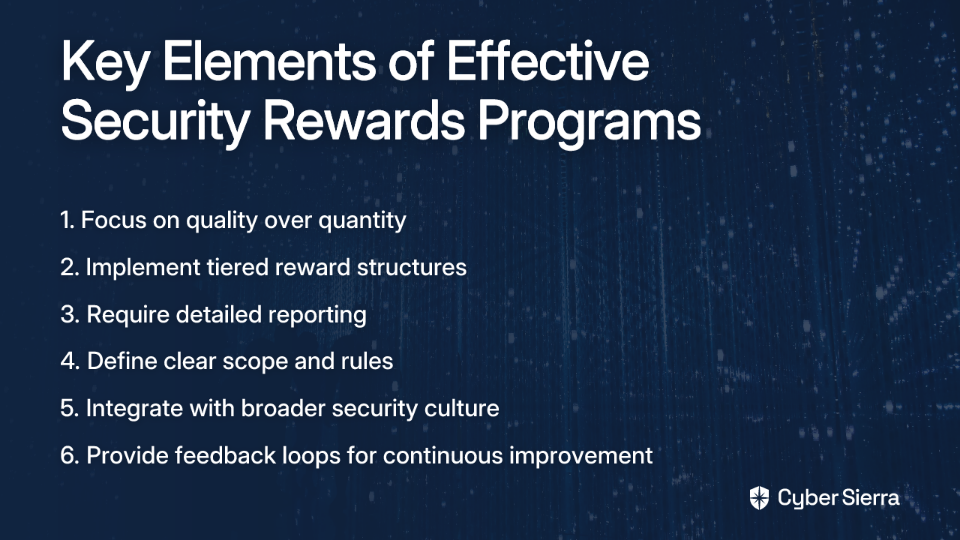
This article breaks down five fundamental, high-impact practices that can prevent the majority of breaches: Multi-Factor Authentication (MFA), patch management, network segmentation, asset management, and security awareness training. Each serves as a critical layer in your defense strategy, working together to create a resilient security posture.

1. Multi-Factor Authentication (MFA) - Your Digital Deadbolt

Multi-Factor Authentication is the digital equivalent of adding both a deadbolt and keypad lock to your front door. It requires users to provide two or more verification factors to gain access:

  • Something you know (password)
  • Something you have (mobile device or security key)
  • Something you are (fingerprint or facial recognition)

Why MFA Is Critical

The statistics are staggering: according to Microsoft and the Cybersecurity and Infrastructure Security Agency (CISA), enabling MFA blocks 99.9% of automated account compromise attacks. When cybercriminals obtain credentials through phishing or data breaches, MFA serves as that critical second line of defense.

Implementing MFA Effectively

  1. Choose the right authentication factors:
    • Authenticator apps (Google Authenticator, Microsoft Authenticator)
    • Hardware tokens like YubiKey
    • Biometric verification
    • SMS verification (though less secure than other options)
  2. Balance security and convenience:
    • "The idea is to somehow try and balance security and convenience," notes one security professional. "Doing MFA daily when off a trusted network is a good general practice, and I would stick to a 7-day frequency for when on a trusted network."
    • This approach helps prevent MFA fatigue, which can lower your overall security posture.
  3. Protect high-value targets first:
    • Prioritize MFA for administrator accounts, remote access (RDP), email, VPNs, and cloud services.
    • Check which of your services support MFA using directories like 2fa.directory.

Remember: MFA isn't foolproof. Sophisticated phishing attacks can still trick users into approving unauthorized access attempts. Train your team to be suspicious of any unsolicited MFA prompts and implement an Incident Response Plan (IRP) for potential compromises.

2. Patch Management - Closing Known Doors to Attackers

Patch management involves systematically updating software to address security vulnerabilities. It's a critical component of cybersecurity hygiene that directly addresses the weaknesses attackers exploit most frequently.

Why Patching Matters

Unpatched systems are like unlocked doors with "Enter Here" signs for hackers. Consider the sobering example shared by a security professional who discovered a third-party server "hadn't even updated the server for over 5 years" before it was breached.
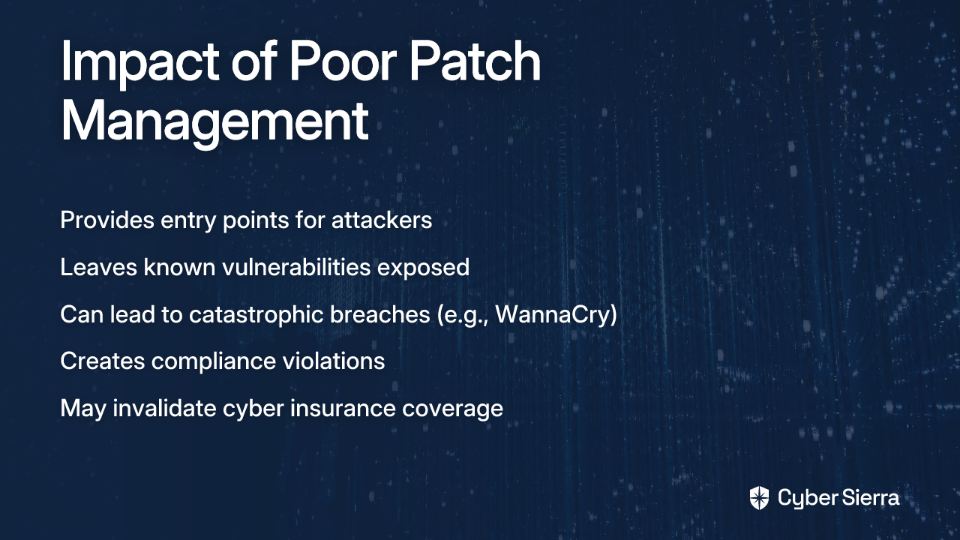
The 2017 WannaCry ransomware attack, which affected over 200,000 computers across 150 countries, primarily spread by exploiting systems that hadn't installed an available Microsoft patch. The patch had been available for two months before the attack began.

Creating an Effective Patching Strategy

  1. Automate where possible:
    • "Currently working as a Cybersecurity Engineer where 70% of my time is spent rolling out patches," laments one professional. This is unsustainable.
    • Leverage patch management tools like Intune, ManageEngine Patch Manager Plus, or Action1 (which one user noted "people are sleeping on... the patch management is far better than much more expensive things").
  2. Prioritize based on risk:
    • Focus first on internet-facing systems, then critical internal infrastructure.
    • Prioritize patches for vulnerabilities being actively exploited in the wild.
    • Develop an emergency patching process for critical zero-day vulnerabilities.
  3. Test before deployment:
    • Test patches in a staging environment before wide deployment.
    • Document any systems that cannot be immediately patched (legacy systems) and implement compensating controls.
  4. Verify and document:
    • Confirm patches were successfully applied through verification scanning.
    • Maintain detailed records of your patching activities as part of your Disaster Recovery Plan (DRP) documentation.

3. Network Segmentation - Preventing Lateral Movement

Network segmentation divides your network into isolated subnetworks or segments, limiting what systems can communicate with each other. This critical hygiene practice contains security incidents and prevents attackers from moving freely through your environment.

The Security Impact of Segmentation

Even if an attacker breaches one part of your network, proper segmentation prevents them from accessing your entire infrastructure. As one security professional pointed out, "I have lateral movement in my mind—if one server is compromised, there is nothing to prevent poking at others using it as a jump server."

Without segmentation, a single compromised workstation can lead to a total network compromise through lateral movement techniques.

Implementing Effective Network Segmentation

  1. Apply the principle of least privilege:
    • Systems should only be able to communicate with what they absolutely need to.
    • This is a cornerstone of zero-trust security architecture.
  2. Segment by function and sensitivity:
    • Separate production, development, and test environments.
    • Isolate systems containing sensitive data (like customer information).
    • Create dedicated segments for IoT devices, which often have weaker security.
  3. Control traffic with next-generation firewalls:
    • Use firewalls between segments to inspect and control traffic.
    • Implement intrusion detection/prevention systems (IDS/IPS) to monitor for suspicious lateral movement.
  4. Manage vendor access carefully:
    • Create dedicated network segments for third-party access.
    • Implement time-limited access controls for vendors through proper vendor management practices.

Remember: "Security has no end game," as one professional mentioned. It's about layers of protection, with network segmentation serving as a critical barrier to attack propagation.

4. Asset Management - You Can't Protect What You Can't See

Cybersecurity Asset Management (CSAM) involves continuously discovering, inventorying, tracking, and monitoring all assets within your organization. It forms the foundation for nearly all other security controls.

Why Asset Management Is Fundamental

You can't secure what you don't know exists. This painful lesson was learned by the security team who admitted, "We had all our internal systems protected but a third-party system that was set up many years ago we just had no visibility into."

Unknown or forgotten assets often become security blind spots and easy entry points for attackers. A comprehensive asset inventory is essential for effective vulnerability management, patch deployment, and incident response.

Building Effective Asset Management

  1. Continuous discovery:
    • Deploy automated discovery tools to continuously scan your network and cloud environments.
    • Include both traditional IT assets (servers, workstations) and IoT devices, cloud resources, and shadow IT.
    • Maintain a Configuration Management Database (CMDB) to track all assets.
  2. Classify assets by criticality:
    • Tag assets based on their sensitivity, business impact, and exposure level.
    • Focus your protective measures proportionally on your most critical assets.
    • Include ownership information to ensure accountability.
  3. Monitor for security gaps:
    • Regularly audit assets for missing security controls (EDR agents, encryption, etc.).
    • Verify that all assets are included in your vulnerability scanning and patch management processes.
    • Use your asset inventory during security incidents to quickly identify potentially affected systems.
  4. Automate remediation where possible:
    • Implement systems that can automatically deploy missing security controls.
    • Configure alerts for unauthorized devices or shadow IT.
    • Include asset verification in your proactive security hygiene practices.

5. Security Awareness Training - The Human Firewall

Even the most sophisticated technical controls can be bypassed by a single click on a malicious link or attachment. As one security professional bluntly put it, "90% of the time it's always human error."

Effective security awareness training transforms your employees from potential vulnerabilities into active defenders—your human firewall.

Building an Effective Training Program

  1. Go beyond compliance:
    • Move past annual checkbox training to create an ongoing security culture.
    • Use real-world examples and simulations to make threats tangible.
    • Tailor training to specific roles (C-suite executives need different training than IT staff).
  2. Focus on practical, actionable advice:
    • "Don't follow links in emails, google the correct result (and watch out for ads)," advises one security professional.
    • "Don't open PDFs or Word documents sent by email" without verification.
    • Teach employees how to identify phishing attempts, including newer techniques like conversation hijacking.
  3. Create a positive reporting culture:
    • Encourage employees to report suspicious activities without fear of punishment.
    • Provide clear channels for reporting potential security incidents.
    • Offer psychological aftercare for employees who may be involved in security incidents.
  4. Measure effectiveness:
    • Conduct regular phishing simulations to test awareness.
    • Track metrics like reporting rates and click-through rates on simulated phishing emails.
    • Use the results to focus future training efforts.

The Foundation of Cyber Resilience

These five fundamental practices—MFA, patch management, network segmentation, asset management, and security awareness training—form the bedrock of a strong cybersecurity posture. When properly implemented, they prevent the vast majority of breaches.

As one security professional wisely observed, "It's all about risk and layering." No single control is perfect, but together, they create a resilient defense that makes your organization a much harder target.

Your remediation team should focus on these basics before investing in advanced security tools. After all, the most sophisticated threat detection won't help if your users don't use MFA, your systems aren't patched, or your network allows unrestricted lateral movement.

For organizations just beginning their cybersecurity journey or those looking to strengthen their fundamentals, these five practices offer the highest return on investment. They're also critical components for organizations seeking cyber insurance coverage, as insurers increasingly require these basic hygiene measures.

Remember that security is not a destination but a continuous process of improvement. By mastering these fundamentals and implementing proactive security hygiene, you'll significantly reduce your risk of becoming the next breach headline.
blog-hero-background-image
Cyber Security

An Employee Clicked a Bad Link. Your Next Move Is Critical.

backdrop
Table of Contents

Join thousands of professionals and get the latest insight on Compliance & Cybersecurity.


You're finishing up a busy workday when one of your team members approaches your desk, visibly anxious. "I think I clicked on something I shouldn't have," they confess. "The email triggered my spidey sense, but it looked like it came from a real client in our CRM. I'm worried about what might happen now."

This moment is a critical junction in your company's security posture. Your employee is feeling helpless, uncertain, and worried about consequences—especially if they're new to the team. Your immediate reaction—calm or panicked, supportive or blaming—will determine not just the outcome of this specific incident but the future of your company's security culture.

Why Your Response Matters: The High Stakes of a Single Click

Before diving into what to do, let's understand what's at stake:

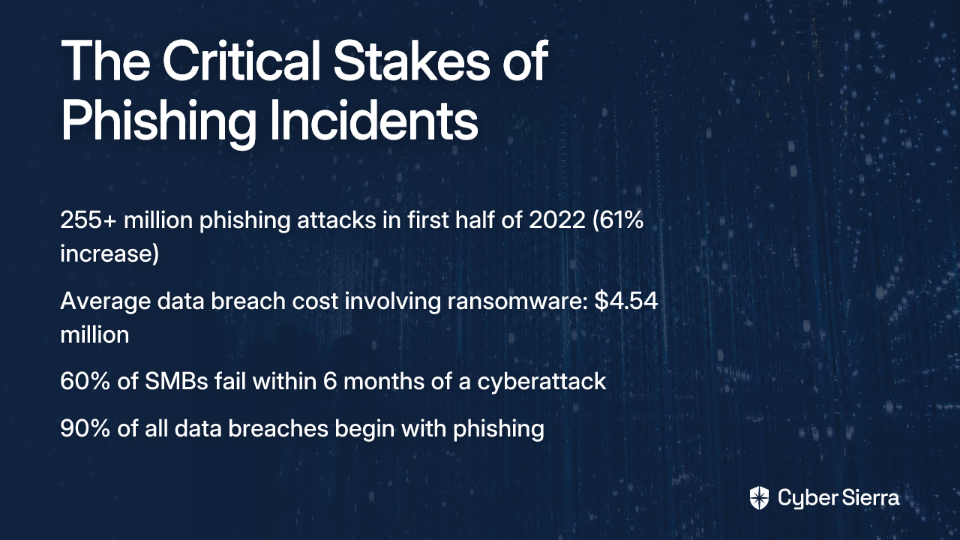
  • Phishing is relentless: Over 255 million phishing attacks occurred in just the first half of 2022—a 61% increase from the previous year. It's not a question of if your team will be targeted, but when.
  • The financial fallout is devastating: A single successful attack involving a malicious link can trigger a cascade of problems. The average cost of a data breach involving ransomware is $4.54 million.
  • Small businesses are particularly vulnerable: Nearly 60% of small and medium-sized businesses fail within six months of a cyberattack.
  • It all starts with one click: About 90% of all data breaches begin with phishing, making every employee a frontline defender against attacks.

When an employee clicks on a suspicious email that could lead to token theft or contain an infostealer, your immediate actions as a manager can mean the difference between a minor incident and a catastrophic breach.

Why Employees Hesitate to Report Security Incidents

Before we outline your response plan, it's important to understand why security incidents often go unreported. Less than 10% of employees report phishing emails they encounter, often due to:

  • Fear of punishment: Employees worry about disciplinary action or being blamed for the mistake
  • Workplace pressure: Time constraints and productivity demands may discourage taking the extra steps needed to handle security issues properly
  • Uncertainty: Many simply don't know what constitutes a reportable security event or how to report it

Your 3-Step Immediate Action Plan: The Golden Moment

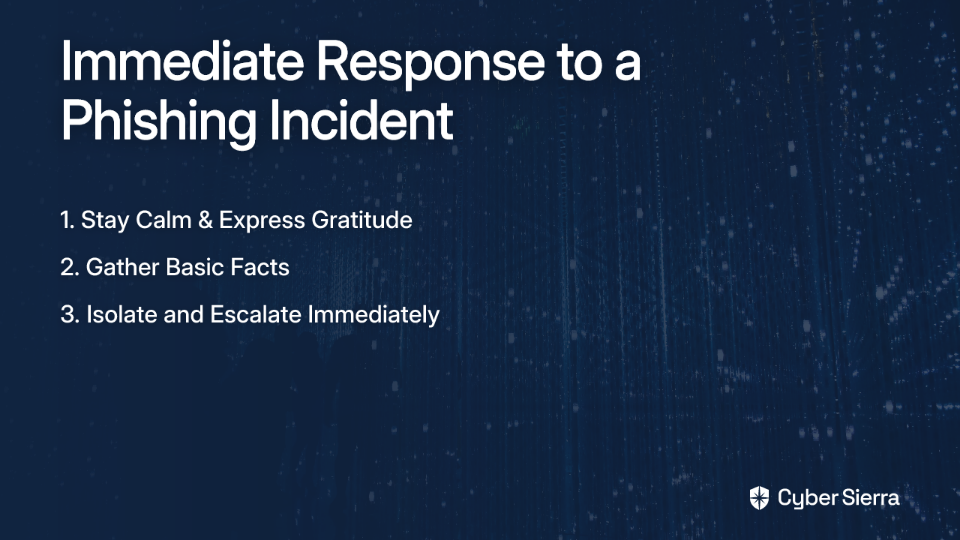
When an employee reports clicking a suspicious link or potential phishing email, your response in the next few minutes is crucial. Follow these steps:

Step 1: Stay Calm and Express Gratitude

Your first words should be: "Thank you for telling me right away. You did exactly the right thing by reporting this."

This immediate positive reinforcement:

  • Defuses the employee's anxiety
  • Validates their decision to report
  • Sets the tone for a constructive response process
  • Builds the psychological safety needed for future reporting

Remember, an employee who reports a mistake isn't your security problem—they're an essential part of your security solution.

Step 2: Gather Basic Facts (But Don't Play Detective)

Your role is to be a conduit of information to your IT team or Security Operations Center (SOC), not to solve the technical problem yourself. Ask simple, non-accusatory questions:

  • "Which email was it?"
  • "What did the link or attachment look like?"
  • "Did it ask you to enter a username or password? Did you enter them?"
  • "What happened on the screen right after you clicked?"
  • "Have you noticed any unusual behavior on your computer since?"

Document these answers to share with your IT team. These details will help them identify potential Indicators of Compromise (IOCs) and determine if you're dealing with a Business Email Compromise (BEC) or more sophisticated attack.

Step 3: Isolate and Escalate. Immediately.

Isolate the Machine:

  1. Instruct the employee to disconnect their computer from the network to prevent potential RAT (Remote Access Trojan) or other malware from spreading:
    • "Unplug the network cable from the back of your computer"
    • "Turn off Wi-Fi in your settings"
  2. Crucial instruction: "Leave the computer ON. Don't turn it off or put it to sleep." This preserves the machine's state for forensic analysis by the IT team and prevents malware from executing additional routines upon restart.

Escalate to IT/Security:

  1. Contact your designated IT security team immediately using established security protocols
  2. Provide them with all information you've gathered
  3. Follow their specific instructions for next steps

Time is critical—attackers can establish lateral movement through your network within minutes of a successful breach.

What Happens Next: Behind the IT Curtain

Understanding what your technical team does after you escalate can help you better support the process and communicate with your team member. Here's what typically happens behind the scenes:

Detection and Analysis

Your IT team or Endpoint Detection and Response (EDR) specialists will:

  • Examine the suspicious email to determine if it was legitimate or phishing
  • Review system logs to identify any unusual activities
  • Check if the malicious link led to credential theft or malware installation
  • Determine if email forwarding rules were created or passwords compromised

Containment, Eradication, and Recovery

If a threat is confirmed, IT will:

  • Implement immediate password resets for affected accounts
  • Enable additional MFA (Multi-Factor Authentication) protections
  • Remove any malware or infostealers from the system
  • Block access from suspicious IP addresses
  • Restore affected systems from clean backups if necessary

Your Role During This Phase

While IT handles the technical response, your job is to:

  • Be a supportive buffer between IT and your team member
  • Help manage workflow adjustments if the employee can't use their computer
  • Maintain calm and prevent rumors or panic
  • Follow up with IT to understand the severity and progress

Turning a Crisis into a Stronger Defense

After the immediate incident is resolved, you have a unique opportunity to strengthen your team's security posture:

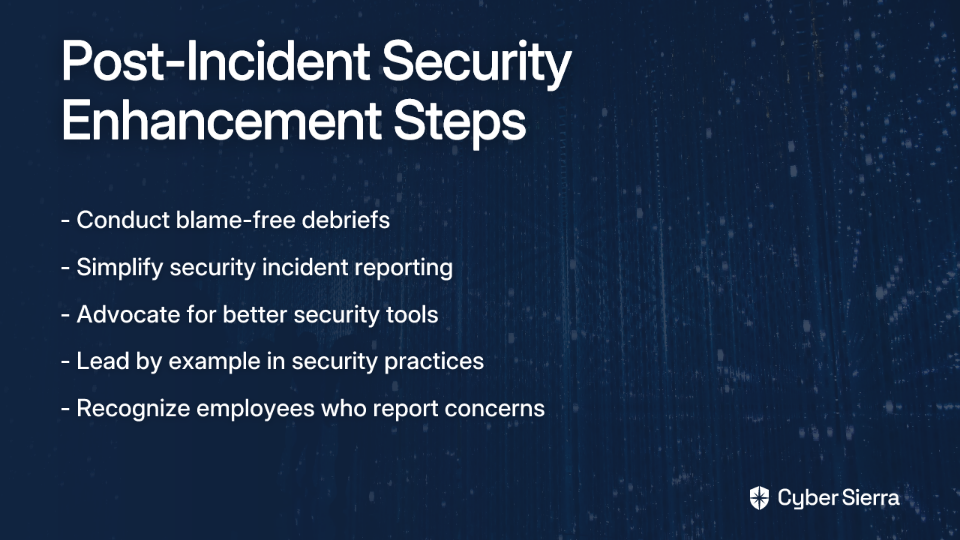
The Blame-Free Debrief

Schedule a brief meeting with the affected employee and possibly an IT representative to:

  • Review what happened in a factual, non-judgmental way
  • Identify what went well (the employee reported it quickly!)
  • Discuss what could be improved in your response process
  • Extract lessons that can benefit the whole team

Building a Resilient Security Culture

Use this incident as a catalyst for improvement:

  1. Simplify Reporting: Work with IT to create clear, easy reporting mechanisms for security concerns. If employees need to jump through hoops to report potential phishing, they're less likely to do it.
  2. Advocate for Better Tools: Use this real-world example to make the case for improved email security solutions and user awareness training. When your spidey sense tingles about a suspicious email, you should have tools to help verify its legitimacy.
  3. Lead by Example: Openly discuss security topics in team meetings. Share anonymized lessons from this incident. Publicly recognize employees who report security concerns.

Your Team's Strongest Link

Remember that an employee reporting a mistake isn't a security failure—it's a success story for your security culture. It means they trust you enough to be vulnerable and prioritize company security over personal comfort.

Your calm, supportive, and procedural response is the single most important factor in managing a security incident effectively. By following the steps outlined above, you not only address the immediate technical threat but also strengthen your human firewall against future attacks.

Don't wait for the next click on a malicious link to test your response. Ask your team today: "If you clicked something suspicious right now, would you know exactly what to do? Would you feel safe telling me immediately?" If the answer isn't a confident "yes," your next move is clear: start building that culture of security now.

Frequently Asked Questions

What is the first thing a manager should do when an employee reports clicking a suspicious link?

The very first thing a manager should do is stay calm and thank the employee for reporting it immediately. This immediate positive reinforcement defuses the employee's anxiety, validates their decision to report, and strengthens your company's security culture by making them feel safe.

Why should an employee leave their computer on after clicking a malicious link?

Leaving the computer on is crucial because it preserves the machine's current state, including active memory and running processes, for forensic analysis. Turning the computer off or restarting it can erase valuable evidence that your IT or security team needs to investigate the breach and can sometimes trigger the malware to execute additional harmful routines.

What are the consequences if an employee waits to report a clicked link?

Delaying the report of a clicked malicious link gives attackers critical time to escalate their attack. In just minutes, they can steal credentials, deploy ransomware, move laterally across your network to compromise other systems, and exfiltrate sensitive data. This can turn a small, containable incident into a major, costly data breach.

How can I prevent employees from clicking on phishing emails?

Preventing phishing clicks requires a multi-layered approach. This includes regular, engaging security awareness training, implementing advanced email security solutions with robust filtering, and fostering a culture where employees feel safe to ask questions or report suspicious emails before they click.

What are common signs of a computer compromise after clicking a phishing link?

Common signs of a compromise include the computer running unusually slow, unexpected pop-up windows or advertisements, changes to the browser's homepage, unfamiliar software installations, or the user's account sending out emails they did not write. Any of these symptoms warrant an immediate report to IT.

How can I build a better security culture within my team?

Building a strong security culture starts with leadership. You can foster it by establishing a blame-free reporting process, openly discussing security topics in team meetings, providing clear and simple ways to report incidents, advocating for better security tools, and publicly recognizing employees who demonstrate good security practices.

blog-hero-background-image
Cyber Security

Cybersecurity Blame Game: Why It's Hurting Your Company

backdrop
Table of Contents

Join thousands of professionals and get the latest insight on Compliance & Cybersecurity.


You've seen it before. A junior employee's "spidey sense" fails them, and they click a malicious link in what appears to be a client email. Within hours, your SOC team is scrambling to contain an infostealer that's harvesting credentials across the network. In the post-incident review, the first question asked isn't "how did our systems fail?" but "who clicked that phishing email?"

And just like that, the cybersecurity blame game begins.

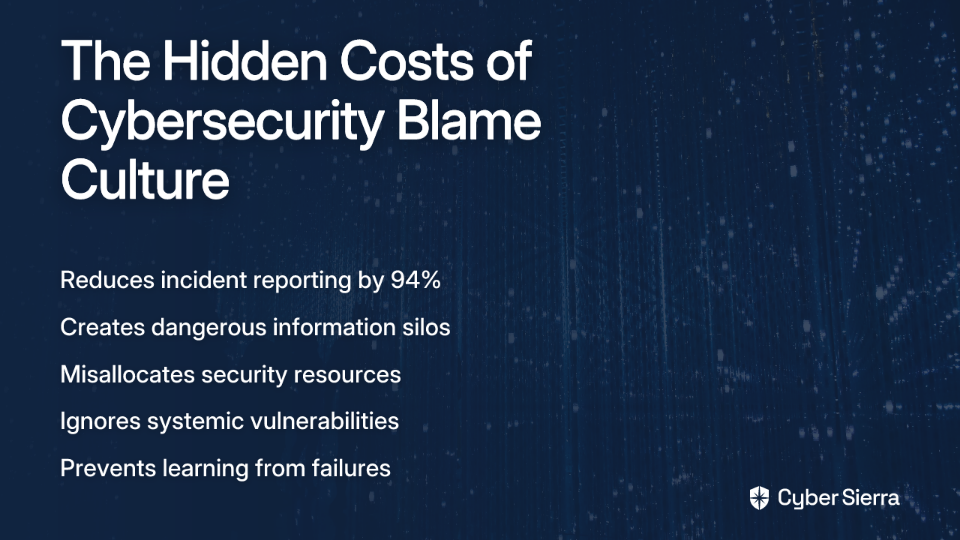
In many organizations, the reflexive response to security incidents is finding someone to hold responsible. This approach isn't just counterproductive—it's actively dangerous to your security posture. A staggering 88% of global respondents believe there is a blame culture in the cybersecurity industry, and this culture is silently undermining your defenses from within.

This article argues that a culture of blame fundamentally weakens your organization's security by discouraging the very behaviors needed for strong defense—like timely reporting—and ultimately leaves you more vulnerable to threats. We'll explore why systems thinking, rather than individual blame, creates a more resilient security posture.

The High Cost of the Blame Game: A Cycle of Silence and Vulnerability

Fear Creates Silence and Silos

The most immediate consequence of a blame culture is chilling: employees stop reporting incidents. When an employee realizes they may have fallen for a BEC attack or accidentally downloaded a RAT, their first thought isn't "I should alert the security team immediately." Instead, it's often "How screwed am I?" as one Reddit user described his feelings after potentially downloading a Trojan at work.

This fear directly translates to underreporting. An alarming 94% of respondents acknowledge that blame culture directly deters or delays reporting security incidents. In practice, this means less than 10% of employees report phishing emails they receive, allowing threats to linger undetected in your environment while attackers prepare for lateral movement.

As one security professional noted, making people feel heard "will encourage them to keep coming to you instead of hiding things that can get worse later." The alternative—silence born of fear—creates perfect conditions for attackers to establish persistence without detection.

The "Human Error" Fallacy and Misallocated Resources

The blame culture fixates on "human error" as the root cause of security incidents, ignoring the systemic issues that enabled the error in the first place. This narrow focus creates a dangerous blind spot.

As one Reddit user aptly observed, "A single breach can have numerous types of contributing factors spanning people, process, and technology." Yet, when an employee falls victim to a sophisticated phishing attack that bypasses email filtering, enters their credentials, and even navigates through MFA challenges, we still tend to blame the person rather than examining the multiple system failures that made the attack possible.

This misplaced focus leads to misallocated resources. Research shows that 95% of cybersecurity incidents involve human error, yet organizations spend only 3% of their security budgets on training and empowering people. Instead of treating the underlying systemic vulnerabilities—like inadequate EDR solutions, missing email forwarding rules detection, or insufficient token theft protection—organizations invest in punitive measures that do nothing to strengthen overall defenses.

A New Paradigm: From Blaming People to Analyzing Systems

Introducing Systems Thinking

To move beyond the blame game, cybersecurity leaders need to embrace systems thinking—an approach that moves beyond simplistic, linear cause-and-effect relationships to understand the complex interdependencies within an organization's security posture.

Systems thinking in cybersecurity recognizes that security failures rarely have a single cause. Instead, they emerge from interactions between people, processes, and technology. This framework helps visualize how different factors influence each other over time, revealing both vicious cycles (like how a culture of blame leads to reduced reporting, which increases vulnerability) and virtuous ones (how psychological safety encourages reporting, which strengthens defenses).

When an incident occurs, systems thinking helps map the entire chain of events that made it possible. For example, an infostealer infection doesn't just happen because someone clicked a link—it succeeds because multiple systems failed simultaneously: email filtering missed an IOC, the user lacked contextual training to identify the specific threat, pressure to respond quickly to clients outweighed security considerations, and endpoint protection failed to block the malicious execution.

Asking "Why?" Instead of "Who?"

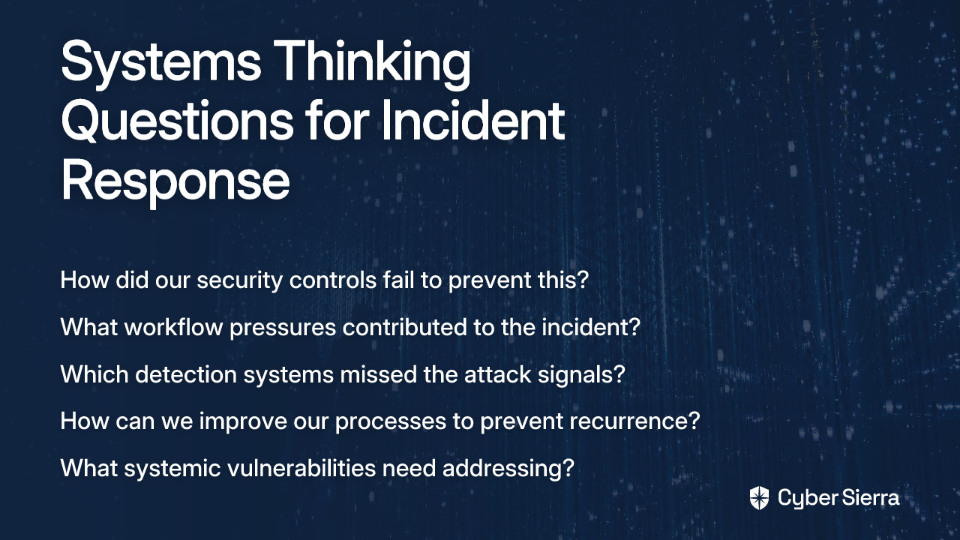
A systems-thinking approach fundamentally reframes the questions asked during incident response:

Instead of: "Who clicked the phishing link that led to the token theft?"

Ask:

  • Why did our email security fail to detect this phishing attempt?
  • Why did our security awareness training not prepare users for this specific attack vector?
  • Did workflow pressures prioritize speed over security, creating conditions where employees feel rushed?
  • Why didn't our EDR solution detect the suspicious behavior after the initial infection?
  • How did the attacker move laterally through our network after the initial compromise?

This shift in questioning reveals systemic weaknesses that individual blame would never uncover. For instance, when investigating why a password reset email led to credential compromise, you might discover that your outdated security questions (like mother's maiden name) are easily compromised through social media—a process failure, not a user failure.

Clarifying Accountability for Leadership and Risk Acceptance

Systems thinking also addresses a crucial ambiguity: accountability when leadership makes conscious decisions to accept risk. A common pain point is when a CISO or security team raises a concern about token theft vulnerabilities or insufficient MFA implementation, but leadership chooses not to fund the solution.

When leadership formally accepts a risk, accountability for incidents stemming from that accepted risk shifts to governance, not the individual employee or IT team. As one security professional explained, "If you identify a gap in the system and raise the concern to leadership who chooses to accept the risk, you are not accountable for that gap."

A Practical Guide: Building a Resilient, Blame-Free Security Culture

Using the UK National Cyber Security Centre (NCSC) principles for cybersecurity culture as a framework, here's how organizations can move from blame to resilience:

Step 1: Build Safety, Trust, and Openness

Cultivate psychological safety where employees feel secure reporting mistakes without fear of repercussions. When an employee's spidey sense tells them something is wrong after opening an attachment, they should feel comfortable immediately alerting the SOC team.

Actionable Advice:

  • Establish confidential, no-questions-asked reporting channels for potential security incidents
  • Implement a zero-tolerance policy for toxic behaviors from what one professional described as "arrogant security a-holes" who shame employees for mistakes
  • Publicly recognize and praise employees who report suspicious activities, even if they turn out to be false alarms

Step 2: Establish Clear and Practical Rules

Make reporting simple and integrate it into workflows. Too many organizations have convoluted incident response procedures that discourage reporting.

Actionable Advice:

  • Create a simple, one-click reporting mechanism for suspicious emails or potential phishing attempts
  • Develop a clear incident response policy that defines what needs to be reported and when, with specific examples of IOCs to watch for
  • Provide immediate, positive feedback to those who report issues, reinforcing the behavior

Step 3: Frame Cybersecurity as an Enabler

Shift the perception of security from a restrictive blocker to a business enabler that supports organizational goals. This means designing security that works with employees, not against them.

Actionable Advice:

  • Co-design policies with employees from different departments
  • Instead of banning attachments essential to business functions, implement secure viewing environments that allow necessary work while containing potential threats
  • Create security solutions that reduce friction rather than adding it—like passwordless authentication to reduce the risk of credential theft

Step 4: Take Leadership Responsibility

Leaders must model desired behaviors and champion security culture. Their actions and resource allocation decisions speak louder than words.

Actionable Advice:

  • Implement a responsibility matrix like RACI (Responsible, Accountable, Consulted, Informed) to clarify security roles
  • Ensure leadership participates in the same security training as other employees
  • Document and communicate risk acceptance decisions transparently so accountability is clear

From Blame Game to Strategic Advantage

The cybersecurity blame game is a relic of outdated thinking. It fosters fear, guarantees underreporting, and distracts from the real systemic vulnerabilities in your processes, technology, and governance.

By adopting systems thinking and building a culture of psychological safety, you transform your employees from potential liabilities into your greatest security asset. When an employee spots a suspicious email requesting an urgent password reset or notices unusual lateral movement in the network, they'll report it immediately rather than hide it out of fear.

Challenge yourself: Look at your last security incident. Did your incident response focus on "who failed"? Or did it ask "how did our system fail them?" The answer to that question will define whether your organization is prepared for the threats of tomorrow or stuck fighting the fires of yesterday.

Frequently Asked Questions

What is a cybersecurity blame culture?

A cybersecurity blame culture is an organizational environment where the immediate response to a security incident is to find and punish an individual, rather than analyzing the systemic failures that allowed the incident to occur. This approach often focuses on "human error" as the primary cause, overlooking vulnerabilities in technology, processes, and governance.

Why is a blame culture dangerous for an organization's security?

A blame culture is dangerous because it fosters fear, which discourages or delays employees from reporting security incidents and suspicious activities. This silence allows threats like malware or attackers to persist undetected in the network, significantly increasing the risk of a major breach. It also misdirects resources toward punitive actions instead of fixing the underlying systemic weaknesses that enabled the attack in the first place.

What is systems thinking in cybersecurity?

Systems thinking in cybersecurity is an approach that views security incidents not as isolated failures of individuals, but as outcomes of a complex, interconnected system of people, processes, and technology. Instead of asking "who" caused an incident, systems thinking asks "why" the system as a whole failed, helping to identify and address root causes like inadequate tools, flawed workflows, or gaps in security training.

How can a company build a blame-free security culture?

A company can build a blame-free security culture by focusing on four key areas: creating psychological safety where employees can report mistakes without fear; establishing clear and simple rules for reporting incidents; framing cybersecurity as a business enabler rather than a blocker; and ensuring leaders take responsibility by modeling secure behaviors and transparently documenting risk acceptance.

If we don't focus on human error, who is accountable for security incidents?

Accountability in a blame-free culture shifts from the individual employee to the system's governance and leadership. When leadership is informed of a risk (e.g., outdated software or insufficient MFA) and chooses to accept it, they become accountable for any incidents that result from that decision. Accountability lies with those responsible for designing, funding, and maintaining the security system, not with the end-user who operates within it.

Isn't it true that most breaches are caused by human error?

While a human action is often the final step in an incident chain, labeling it "human error" is a fallacy that ignores the preceding system failures. A successful phishing attack, for example, is not just a user's mistake but also a failure of email filters to block the threat, a failure of security tools to detect malicious activity, and potentially a failure of training to prepare the user for that specific type of sophisticated attack. The focus should be on why the system allowed the human action to have a catastrophic outcome.

blog-hero-background-image
Cyber Security

Beyond Audit Logs: True Database Access Visibility

backdrop
Table of Contents

Join thousands of professionals and get the latest insight on Compliance & Cybersecurity.


You've implemented database audit logs across your entire infrastructure. Your compliance team is happy, your auditors have checked their boxes, and you've got gigabytes of logs showing every query that hits your databases. But when the security team investigates a suspicious database access pattern, they hit a wall: "Who actually triggered this query?"

If you're left scratching your head with only DB user-level info to work with, you're experiencing one of the most dangerous blind spots in modern data security.

The Illusion of Security: What Traditional Database Audit Logs Really Tell Us

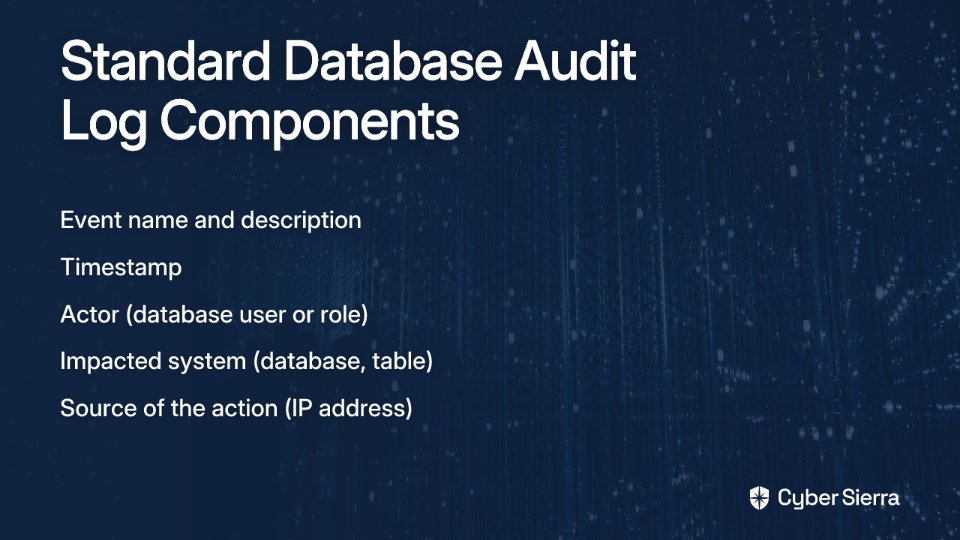
Traditional audit logging is the process of creating a chronological record of system events. These logs typically capture basic information:

  • Event name and description
  • Timestamp
  • Actor (database user or role)
  • Impacted system (database, table)
  • Source of the action (IP address)

Datadog defines audit logging as essential for documenting system activity and meeting compliance mandates like PCI DSS and SOC 2. But while these logs tell you that an event occurred, they often fail to answer the most critical questions.

The fundamental limitation isn't the log itself, but the information it's fed. As one security professional aptly described it: "90% of the time, it's just DB user-level info (roles, grants, maybe audit logs)," without the crucial context of which application or human actually initiated the action.

Consider the modern application architecture where a single service account (e.g., webapp_user) might be used by dozens of microservices, serving thousands of end-users. When your logs show webapp_user deleted a critical record, that information is nearly useless for forensics without additional context.

This problem is compounded by several practical difficulties:

  • Tiresome Setup: Every database platform requires unique, manual configuration for audit logging
  • Lack of Uniformity: Different databases use varying file formats, making centralized analysis difficult
  • Missing Metadata: Native logs frequently lack crucial context needed to understand access intent

As Satori Cyber notes, these limitations create significant challenges for organizations seeking comprehensive visibility into their data access patterns.

The Critical Visibility Gap: DB User vs. The True Accessor

To understand why this gap matters, we need to clearly define two distinct concepts:

DB User-Level Info: The credentials used to authenticate directly with the database (like the role readonly_user or analytics_service). This tells you what permissions were used, but not who used them or why.

Accessor-Level Context: The true origin of the query - the specific human (e.g., jane.doe via a PAM tool) or non-human identity (e.g., inventory-api-pod-7bcf in Kubernetes) that initiated it.

As one security professional explained in a Reddit discussion: "the moment you have shared DB users or service accounts reused across services, you lose context." This creates a dangerous blind spot where the identity abstraction at the database layer disconnects actions from their true source.

Without accessor-level context, you simply cannot answer critical security questions:

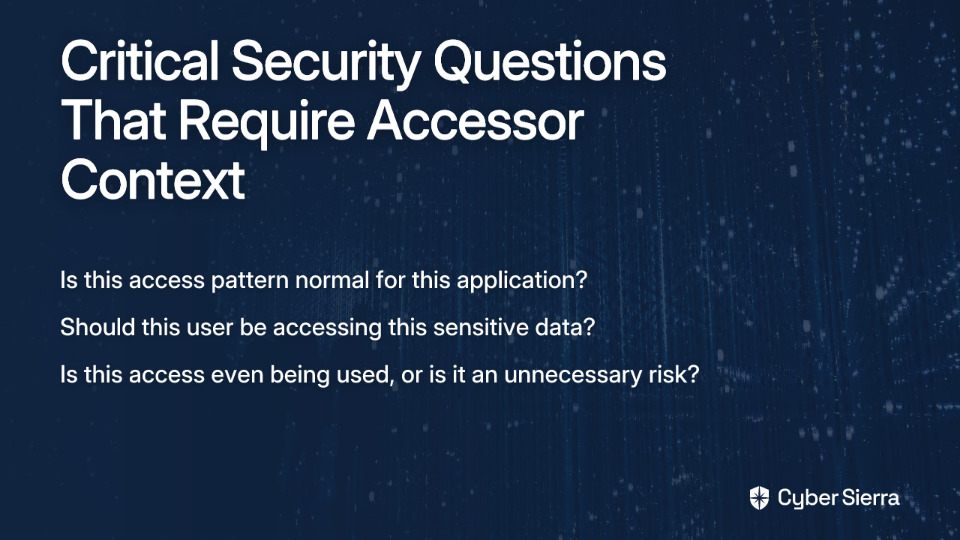
  • Is this access pattern normal for this application?
  • Should this user, in their current role, be accessing this sensitive data?
  • Is this access even being used, or is it an unnecessary standing risk?

High-Stakes Blind Spots: The Security Risks of Insufficient Visibility

This visibility gap creates several severe security risks that traditional audit logs fail to address:

1. Unidentified Excessive Permissions (Over-Privileging)

Without knowing the true accessor, organizations cannot effectively implement the principle of least privilege. As one database administrator lamented, "some days I count my lucky stars when I don't see a vendor granting DBA role to a db user meant for application level access."

This over-privileging creates an environment where:

  • Applications retain access to data they no longer need
  • Users accumulate permissions as they change roles
  • Service accounts remain overpowered "just to make things work"

The result is a massive, dormant attack surface waiting to be exploited.

2. The Pervasive Insider Threat

Insider threats come in three forms, according to Imperva: malicious insiders, negligent employees, and compromised insiders (outsiders using legitimate credentials).

Real-world examples highlight the damage when these threats exploit poor visibility:

  • Tesla: Former employees abused their database access to leak PII of over 75,000 individuals
  • Yahoo: A departing engineer stole proprietary information and took it to a competitor
  • Microsoft: Employees accidentally exposed sensitive login credentials online, creating compromised insider risks

With only DB user-level info, it's nearly impossible to distinguish a legitimate query from a malicious insider exfiltrating data through an approved service account. The lack of accessor-level context means out-of-pattern access often goes undetected until the damage is done.

3. Compliance and Audit Failures

While basic logs may satisfy checkbox compliance, they fail under deeper scrutiny. When an auditor asks "Who specifically accessed this sensitive customer record?" an answer of "the prod_api user" is wholly insufficient.

From Blurry to High-Definition: Strategies for Achieving True Access Visibility

As one security professional candidly noted, "I don't think there is a magic tool. Just good old hardening, db security and app sec." The following strategies form a multi-layered approach to closing the DB access visibility gap:

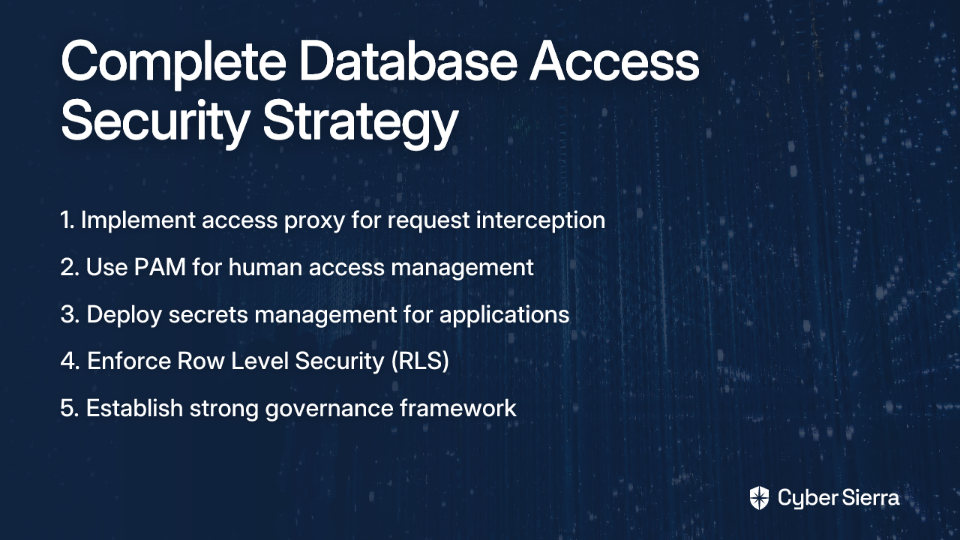
1. Implement an Access Proxy

A database proxy sits between users/applications and your databases, providing the critical layer where accessor context can be captured.

"You may need a proxy between the DB and the user. Users connect to the proxy, proxy connects to the DB," suggested a security expert in a Reddit thread. The proxy intercepts connections, authenticates the true accessor (human or app), logs the complete context, and then passes the query to the database.

MariaDB's MaxScale is an excellent example, performing "real-time enforcement (routing, redaction, query blocking)" while maintaining detailed logs of inputs/outputs. These logs can be analyzed against established thresholds to identify suspicious patterns.

2. Modernize Access Management

For Humans: Privileged Access Management (PAM)

PAM solutions are "table stakes now" for human database access. These tools:

  • Vault sensitive credentials
  • Enforce check-out procedures
  • Log which specific user accessed which credentials
  • Monitor session activities
  • Terminate sessions that violate policies

This approach ensures that when a human accesses a database, their true identity is preserved in the access chain.

For Applications: Secrets Management

For non-human access, implement a dedicated secrets management solution like HashiCorp Vault. As one practitioner explained: "It is able to manage secrets to the DB, then you can log who requested those secrets!"

Modern secrets management provides:

  • Dynamic, short-lived credentials
  • Detailed logs of which service requested access
  • Automatic credential rotation
  • Integration with identity platforms

3. Enforce Granular, In-Database Controls

Move beyond simple role-based access to more granular controls with Row Level Security (RLS). This allows you to define access policies directly on database tables, ensuring that even if credentials are compromised, the damage is contained.

For example, with RLS, you can ensure that:

  • Customer service reps only see customers in their assigned region
  • Applications can only access rows relevant to their function
  • Data access is automatically filtered based on user attributes

Supabase's documentation on RLS provides excellent implementation guidance for PostgreSQL databases.

4. Establish a Strong Governance Framework

Technology alone isn't enough. Implement a governance framework that requires:

  • Regular attestation that DB accounts are still needed
  • Periodic reviews of access patterns for excessive or out-of-pattern access
  • Clear ownership of database accounts
  • Authorization workflows for new access requests

This approach ensures that "app teams attest that the db accounts they've created are still actually needed," preventing permission creep and abandoned, but still active, access points.

Conclusion: Beyond Passive Logging to Active Visibility

Traditional database audit logs represent a passive approach to security that's increasingly inadequate in complex, modern environments. True database access visibility requires moving beyond simple DB user-level info to capture the complete context of who or what is accessing your data.

By implementing a layered strategy of proxies, modern access management, granular controls like row level security, and strong governance, organizations can close the dangerous gap between what their logs show and what they actually need to know.

This shift from blurry audit logs to high-definition access visibility isn't just a security enhancement—it's an essential evolution in how we protect our most sensitive data assets from both external and insider threats.

Frequently Asked Questions

What is the main problem with traditional database audit logs?

The main problem with traditional database audit logs is that they often only identify the database user (e.g., webapp_user), not the specific human or application that actually initiated the query. This creates a significant visibility gap, especially in modern architectures where a single service account is shared across many microservices. When a security incident occurs, knowing only the DB user makes it nearly impossible to trace the action back to its true source.

Why is knowing the 'true accessor' so important for database security?

Knowing the 'true accessor'—the specific human or application service behind a query—is crucial because it provides the necessary context to distinguish legitimate activity from a potential threat. Without this accessor-level context, you cannot effectively implement the principle of least privilege, detect insider threats hiding behind shared service accounts, or satisfy stringent compliance requirements that demand knowing exactly who accessed sensitive data.

What is an access proxy and how does it improve database security?

A database access proxy is a server that sits between your applications or users and your databases, intercepting all queries before they reach the database. It improves security by providing a centralized point for authentication and logging. The proxy can identify the true accessor (e.g., jane.doe or a specific Kubernetes pod), log this context along with the query, and then use a managed connection to the database, closing the visibility gap.

How can I manage database access for both humans and applications?

The best practice is to use separate, specialized tools: a Privileged Access Management (PAM) solution for human users and a secrets management tool for applications and services. PAM solutions vault credentials and log who checks them out, tying every query back to an individual. Secrets management tools dynamically generate short-lived credentials for applications, providing a clear audit trail of which service requested access.

What is Row Level Security (RLS) and when should I use it?

Row Level Security (RLS) is a database feature that allows you to define fine-grained access control policies directly on a database table, restricting which rows a user can view or modify. You should use RLS to enforce the principle of least privilege at the data layer itself, especially in multi-tenant applications or when users should only see a specific subset of data. RLS acts as a powerful last line of defense against credential compromise.

Isn't setting up all these tools complicated? Where should I start?

While a comprehensive strategy takes effort, a good starting point is to tackle human access first with a Privileged Access Management (PAM) solution, as this often poses a significant risk. Securing human access provides immediate value by vaulting credentials and logging individual activity. From there, you can progressively introduce an access proxy for critical databases and implement secrets management for new applications in a manageable, phased approach.

blog-hero-background-image
Cyber Security

The Best Branching Strategy for Multi-Tenant Detections

backdrop
Table of Contents

Join thousands of professionals and get the latest insight on Compliance & Cybersecurity.


You've spent months building a robust detection engineering program across multiple SIEM platforms for your clients. But now, your team is drowning in a sea of unmanaged branches, conflicting rules, and deployment failures. Every time you try to update a detection for one client, you break something for three others. What started as an organized approach to Detection as Code has devolved into chaos.

The Multi-Tenant Detection Dilemma

Managing detection rules across numerous SIEM instances without a structured process leads to instability, duplicated effort, and a high risk of errors. Security teams and MSSPs struggle with questions like:

  • Should we use a branch per SIEM or multiple repositories?
  • How do we handle generic rules versus tenant-specific customizations?
  • What's the best way to implement a pull request workflow that ensures quality?
  • How can we maintain sanity in our Software Development Lifecycle (SDLC)?

If these questions sound familiar, you're not alone. As one security engineer put it: "Managing all this with branches is really overwhelming." But there's a solution that brings order to this chaos.

Why Your Branching Strategy Matters

A branching strategy is a set of guidelines for how code (in this case, detection rules) is organized, written, merged, and deployed using a version control system like Git. Without one, you're essentially flying blind.

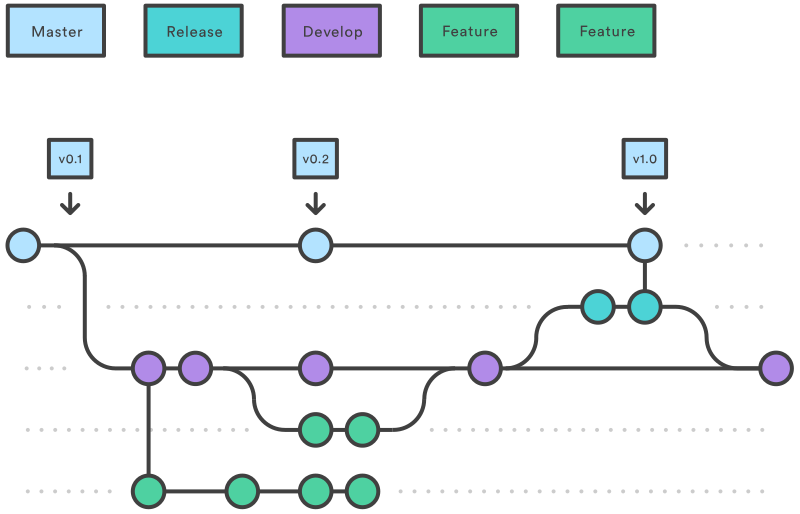
The GitFlow-Inspired Approach for Detection Rules

After evaluating several models, I recommend adapting the popular GitFlow branching strategy for multi-tenant detection engineering. This approach provides a robust framework for managing releases and hotfixes, which is crucial for security operations.

Core Branches

GitFlow Branch Structure Diagram
  • main (or master): Your production truth. It contains only stable, tested, and deployed detection rules. This branch always reflects the latest production-ready state.
  • develop: The primary integration branch where all completed features and fixes are merged before being bundled into a release. This branch contains the latest development changes.

Supporting Branch Types

  • Feature Branches (feature/*)
    • Purpose: Develop new detection rules or modify existing ones
    • Workflow: Branch off from develop, and must be merged back into develop
    • Naming: feature/JIRA-123-new-phishing-rule or feature/tenant-a-specific-log4j-variant
  • Release Branches (release/*)
    • Purpose: Prepare for a new production deployment with final testing
    • Workflow: Branch off from develop. Once ready, merge into both main and develop
    • Naming: release/v1.2.0
  • Hotfix Branches (hotfix/*)
    • Purpose: Address urgent issues in production (e.g., false positives)
    • Workflow: Branch off from main at the specific problematic release tag. Once fixed, merge into both main and develop
    • Naming: hotfix/v1.1.1-fix-fp-storm

Repository Structure: The Great Debate

One of the most contentious questions in multi-tenant detection engineering is whether to use a single monolith repository or separate repositories for each SIEM platform.

Recommendation: Repo per SIEM

For multi-tenant environments, especially across different SIEM platforms (Splunk, Microsoft Sentinel, QRadar), the recommended approach is one repository per SIEM platform. Here's why:

  1. Logical Separation: As one security engineer noted, this "will help keep things logically separated." It prevents confusion between rules written in different query languages (SPL, KQL, AQL).
  2. Cleaner CI/CD Pipelines: It allows you to "keep your pipelines cleaner when you just have to bring the one repo in during CI/CD." Each repo can have its own tailored deployment logic, secrets, and variables.
  3. Easier Deprecation: If a SIEM is decommissioned, you can simply "archive the repo instead of having a git tree with a bunch of dead branches that need to be pruned. Less maintenance."
  4. Fine-Grained RBAC: You can implement role-based access control per repository. Maybe junior engineers can only contribute to the Splunk repo, while senior engineers have access to all platforms.

While you can use submodules to reference common code across repositories, be cautious - they add complexity that may outweigh their benefits in many scenarios.

Managing Generic vs. Tenant-Specific Content

Within each SIEM-specific repository, you'll need a strategy for handling both generic rules (applicable to all tenants) and tenant-specific customizations:

Generic Rules

These form the core detection set for all tenants on that platform:

/
├── detections/
│   ├── credential-access/
│   │   ├── mimikatz.yml
│   │   └── pass-the-hash.yml
│   └── initial-access/
│       └── phishing.yml

Tenant-Specific Rules

These address unique requirements or environments:

/
├── tenants/
│   ├── client-a/
│   │   └── custom-detections/
│   │       └── legacy-app-alert.yml
│   └── client-b/
│       └── custom-detections/
│           └── azure-specific-alert.yml

The CI/CD pipeline can be configured to deploy rules from specific folders or tagged with specific metadata to the correct tenant instance. This approach allows you to maintain a single codebase while supporting customization.

The Pull Request: Your Gateway to Quality

A sane, auditable SDLC prevents broken rules from reaching production. Pull Requests (PRs) are non-negotiable in this process.

Best Practices for a Robust PR Workflow:

  1. Mandatory Peer Review: Every code change should be reviewed and approved by at least one other person before merging. For critical branches like main and develop, enforce this with branch protection rules.
  2. Automated Testing (CI): The PR should automatically trigger a CI pipeline that runs unit tests and automated testing on the detection rule. For Splunk users, tools like contentctl can validate rules against sample data.
  3. Clear Descriptions: Use PR templates to ensure every submission includes:
    • What problem the detection addresses
    • How to test it
    • Expected behavior in production
    • Any performance considerations
  4. Actionable Feedback: Use nested comments to have organized discussions around specific lines of code. Each comment should be resolved before the PR can be merged.

Putting It All Together: A Sample Workflow

Let's walk through an example to see how this all works in practice:

Scenario: A new detection rule for a specific credential dumping technique is needed for all tenants using Splunk.

Step-by-Step:

  1. Create an Issue: A ticket is created in Jira: SEC-451: Detect Mimikatz via LSASS Access.
  2. Create a Feature Branch: In the splunk-detections repository, an engineer runs: git checkout develop && git pull && git checkout -b feature/SEC-451-mimikatz-lsass
  3. Develop the Rule: The engineer writes the SPL query and saves it in a structured folder (e.g., /detections/credential-access/mimikatz.yml).
  4. Unit Test Locally: Before committing, the engineer runs local tests with sample logs to ensure the logic is sound and performance is acceptable.
  5. Push and Open a PR: The branch is pushed, and a Pull Request is opened to merge feature/SEC-451-mimikatz-lsass into develop.
  6. CI Pipeline Triggers: The PR automatically kicks off:
    • Syntax validation of the SPL query
    • Automated tests against sample data
    • Performance benchmarks to ensure the rule won't impact SIEM performance
  7. Peer Review: Two team members review the logic, check for performance impacts, and suggest improvements using comments.
  8. Merge: Once tests pass and approvals are granted, the branch is merged into develop.
  9. Release Process: When the team is ready for the next release, a release/v2.5.0 branch is created from develop. After final QA in a staging environment, it's merged into main and tagged, triggering a production deployment to all Splunk tenants. The release/v2.5.0 branch is also merged back into develop.
  10. Hotfix if Needed: If the rule generates false positives in production, a hotfix branch is created from main, fixes are applied, tested, and then merged back to both main and develop.

Advanced Considerations

As your detection engineering practice matures, consider these advanced techniques:

Branch per SIEM Instance

For complex environments with highly customized SIEM instances, you might consider a branch per tenant approach within your SIEM-specific repositories. This allows for tenant-specific configurations while maintaining a shared codebase.

Secrets Management

Never store credentials or API keys in your repositories. Use environment variables or dedicated secrets management tools integrated with your CI/CD pipelines to securely provide endpoints and authentication details during deployment.

Feature Flags

Consider implementing feature flags to gradually roll out new or updated detections to select tenants before full deployment, allowing for controlled testing in production environments.

Conclusion: From Chaos to Control with Detection as Code

Adopting a structured branching strategy like GitFlow isn't about adding bureaucracy; it's about creating a predictable, scalable, and resilient process for "Detection as Code."

By implementing:

  • A Repo per SIEM to maintain logical separation
  • A GitFlow-like model to manage the lifecycle of detection rules
  • A strict Pull Request process with mandatory peer reviews and automated testing

You'll transform your multi-tenant detection engineering from chaotic to controlled, enabling your security team to move faster with greater confidence.

Remember that the goal isn't perfect implementation of a textbook branching strategy - it's finding the right balance of structure and flexibility that works for your team and detection engineering requirements. Start with these principles, adapt as needed, and continuously improve your process as you learn.

Frequently Asked Questions

What is the best branching strategy for detection engineering?

The best branching strategy for detection engineering is a model adapted from GitFlow. This approach provides a structured framework using a main branch for stable, production-ready rules and a develop branch for integrating new features, supported by feature, release, and hotfix branches for organized development and urgent fixes.

Why should I use a separate repository for each SIEM platform?

You should use a separate repository for each SIEM platform to maintain logical separation and simplify your workflows. This structure prevents confusion between different query languages (e.g., Splunk's SPL vs. Sentinel's KQL), allows for cleaner and more specific CI/CD pipelines, makes it easier to deprecate a SIEM platform by simply archiving its repo, and enables more granular role-based access control (RBAC).

How do you manage rules for different clients in a single repository?

To manage rules for different clients (or tenants), you can create a dedicated directory structure within your repository, such as a top-level tenants/ folder with subfolders for each client (e.g., tenants/client-a/). Your CI/CD pipeline can then be configured to deploy generic rules to all tenants and specific rules from these folders only to the corresponding tenant's environment.

What is the difference between a release branch and a hotfix branch?

A release branch is used for planned deployments, while a hotfix branch is for urgent, unplanned fixes. A release branch is created from the develop branch to prepare a new set of features for production. In contrast, a hotfix branch is created directly from the main branch to quickly address a critical issue (like a major false positive) in the current production code.

How does a Pull Request (PR) improve detection rule quality?

A Pull Request (PR) improves quality by acting as a gateway for changes, ensuring every rule is reviewed and tested before reaching production. A robust PR process includes mandatory peer reviews to catch logical errors, automated CI testing to validate syntax and performance, and standardized templates to ensure every change is well-documented and understood.

What if the GitFlow model is too complex for my team?

If GitFlow seems too complex, you can start with a simplified version and adapt it as your team grows. The key principle is to separate development work from your stable, production code. You could begin with just a main branch and short-lived feature branches, introducing develop and release branches later when your release cadence becomes more complex. The goal is to find a process that adds structure without unnecessary bureaucracy.

How should I handle sensitive information like API keys in my detection code repositories?

You should never store sensitive information like API keys, passwords, or credentials directly in your Git repositories. Instead, use a dedicated secrets management tool (like HashiCorp Vault, AWS Secrets Manager, or Azure Key Vault) and integrate it with your CI/CD pipeline. The pipeline can then securely inject these secrets as environment variables during the deployment process.


Have you implemented a branching strategy for detection engineering? What challenges have you faced? Share your experiences in the comments below.

blog-hero-background-image
Cyber Security

Mastering RBAC in a Multi-SIEM Detection Workflow

backdrop
Table of Contents

Join thousands of professionals and get the latest insight on Compliance & Cybersecurity.


You've meticulously built detection rules across multiple SIEMs, but now your team is drowning in branch management chaos. Your Splunk experts keep accidentally pushing changes to the Microsoft Sentinel repository. Junior engineers have unintentionally modified production rules, and your compliance team is raising red flags about access controls. Meanwhile, your CI/CD pipelines have become so convoluted that deploying a simple rule update feels like defusing a bomb.

If this sounds familiar, you're not alone. As organizations adopt Detection as Code across multiple SIEM platforms, managing access controls, CI/CD pipelines, and repository structures becomes exponentially more complex. Without the right approach, this complexity can quickly undermine security, compliance, and team productivity.

This article provides a comprehensive blueprint for implementing Role-Based Access Control (RBAC) in a multi-repo Detection as Code environment, ensuring you maintain security and compliance while enabling your detection engineering team to work efficiently.

The Foundations: What is RBAC and Why is it Critical for Detection as Code?

Role-Based Access Control (RBAC) is an authorization model that restricts system access based on a user's role within an organization. Instead of assigning permissions to individual users, RBAC assigns permissions to roles, and users are assigned to appropriate roles.

In the context of Detection as Code, RBAC provides several critical benefits:

  • Enhanced Security: By enforcing the Principle of Least Privilege, RBAC ensures detection engineers only have access to the resources they need, reducing the risk of accidental or intentional misuse.
  • Simplified Administration: Managing permissions at the role level rather than the individual level significantly reduces administrative overhead, especially as your team grows.
  • Improved Compliance: RBAC provides a clear framework for auditing user rights, making it easier to demonstrate compliance with regulations like SOC 2, HIPAA, and ISO 27001.
  • Scalability: As your detection engineering team evolves, RBAC allows you to adapt to organizational changes by modifying roles rather than reconfiguring thousands of individual user permissions.

According to research from Permit.io, implementing RBAC can reduce security incidents by up to 63% and administrative costs by up to 55% compared to discretionary access control models.

Designing Your Detection as Code Architecture: The Multi-Repo Advantage

One of the most common dilemmas in Detection as Code implementation is choosing between a "branch per SIEM" versus a "repo per SIEM" approach. Based on community consensus and practical experience, a multi-repo structure where each SIEM has its own dedicated repository offers significant advantages:

  1. Cleaner CI/CD Pipelines: As one security practitioner noted on Reddit, "It will allow you to keep your pipelines cleaner when you just have to bring the one repo in during CI/CD." Each SIEM has unique deployment requirements, endpoints, secrets, and variables, making separate pipelines more manageable.
  2. Granular RBAC Implementation: A multi-repo setup forms the foundation for fine-grained access control. You can grant different levels of access per repository, solving the problem where "not every detection engineer needs write access to each SIEM but you still want them to have read access."
  3. Logical Separation: Keeping codebases separate maintains cleaner repositories and makes it easier to manage SIEM-specific requirements without cross-contamination.

By contrast, a monolithic repository approach often "adds complexity with little payoff," as another practitioner observed. While submodules can help organize a monolith, they introduce their own complexity in terms of versioning and access control.

A Step-by-Step Guide to Implementing RBAC in Your Multi-Repo Workflow

Step 1: Develop an RBAC Strategy and Define Roles

Begin by analyzing your workforce and mapping access needs based on job functions:

  1. Identify Key Job Functions: Determine the different types of users who will interact with your Detection as Code repositories.
  2. Define Clear, Logical Roles: Create roles that align with job responsibilities while avoiding "role explosion" (creating too many specialized roles).

Example Roles for a Detection Engineering Team:

  • Detection-Admin: Full read/write access to all SIEM repos, with permission to manage CI/CD settings
  • Senior-Detection-Engineer: Write access to all SIEM repos for creating and modifying rules
  • Detection-Engineer-Splunk: Write access to the Splunk repo, read-only access to others
  • Detection-Engineer-Sentinel: Write access to the Sentinel repo, read-only to others
  • SecOps-Analyst: Read-only access to all SIEM repositories to view detection logic for context during investigations

Step 2: Implement Access Control with Policy as Code (PaC)

Traditional access control methods often struggle with the dynamic nature of modern development environments. Policy as Code (PaC) offers a more flexible approach by separating policy from application code.

Tools like Open Policy Agent (OPA) and frameworks like OPAL (Open Policy Administration Layer) can help build scalable authorization systems. Here's an example using AWS Cedar language to define RBAC policies:

// This policy grants admin roles the ability to update, retrieve, and list detection rules
permit(
    principal in Role::"Detection-Admin",
    action in [
        Action::"detection:update",
        Action::"detection:retrieve",
        Action::"detection:list"
    ],
    resource in ResourceType::"detection-rule"
);

By defining these policies as code, you can version, test, and deploy them through the same CI/CD pipelines you use for your detection rules.

Step 3: Establish a Secure and Sane Git Workflow

A well-defined Git workflow is essential for maintaining order in a multi-SIEM environment. Implement the following branching strategy for each SIEM repository:

  • main/production: Represents the code currently deployed to the SIEM. This branch should be heavily protected.
  • qa/staging: A rollup of dev changes for testing before production deployment.
  • dev: The main integration branch for new features.
  • feature branches: Individual branches for each new detection rule or modification.

Mandate a PR request workflow with required approvals for merging into dev, qa, and main. Each detection rule should be treated as a feature branch before being merged into dev, creating what one practitioner described as "a sane SDLC with much easier to track changes."

Step 4: Automate and Secure Your CI/CD Pipeline

The multi-repo structure simplifies pipelines by isolating dependencies, but each pipeline still requires careful configuration:

  1. Implement Automated Testing: Incorporate unit tests and validation in your pipeline, similar to "Splunk's contentctl setup" for testing detection rules. This ensures that only high-quality, validated rules make it into production.
  2. Handle SIEM-Specific Requirements: Configure each pipeline to manage the unique deployment requirements, endpoints, secrets, and variables for its specific SIEM.
  3. Enforce Branch Protection: Use Git platform features to enforce branch protection rules that prevent direct commits to protected branches and require successful tests before merging.

Here's a simplified example of a CI/CD workflow for a Splunk detection repository:

# Example GitHub Actions workflow for Splunk detections
name: Splunk Detection Validation

on:
  pull_request:
    branches: [ dev, qa, main ]

jobs:
  validate:
    runs-on: ubuntu-latest
    steps:
      - uses: actions/checkout@v3
      - name: Set up Python
        uses: actions/setup-python@v4
        with:
          python-version: '3.9'
      - name: Install dependencies
        run: pip install -r requirements.txt
      - name: Run unit tests
        run: pytest tests/
      - name: Validate SPL syntax
        run: python scripts/validate_spl.py
      # Additional steps for Splunk-specific validation

Avoiding Common Pitfalls in RBAC Implementation

As you implement RBAC across your multi-SIEM environment, watch out for these common challenges:

  1. Role Explosion: Creating too many specialized roles makes the system unmanageable. Instead, create broader roles based on job function and use attributes for fine-tuning access when necessary.
  2. Over-Privileging: Resist the temptation to grant excessive permissions "just in case." Adhere strictly to the Principle of Least Privilege and regularly audit permissions to ensure they remain appropriate.
  3. Stale Permissions & Lack of Governance: Establish a governance structure for regularly reviewing and auditing roles and permissions. As team members change roles or leave the organization, update their access accordingly.

Conclusion

A multi-repo Detection as Code strategy combined with Policy as Code RBAC implementation provides the most effective way to manage a multi-SIEM environment. By separating repositories by SIEM, implementing fine-grained RBAC, establishing a secure Git workflow, and automating your CI/CD pipelines, you can create a detection engineering practice that is secure, compliant, and efficient.

This approach directly addresses the challenges of complexity, security, and scalability that plague many detection engineering teams. The initial investment in setting up proper RBAC and repository structures pays dividends in reduced security incidents, improved compliance, and increased developer velocity.

Begin by auditing your current setup, defining clear roles based on job functions, and gradually transitioning towards this more robust model. Your detection engineering team—and your security posture—will thank you.

Frequently Asked Questions

What is RBAC and why is it essential for Detection as Code?

Role-Based Access Control (RBAC) is a security model that restricts access based on a user's job function. It is essential for Detection as Code because it enhances security by enforcing the Principle of Least Privilege, simplifies user administration, and helps meet compliance requirements. By assigning permissions to roles (e.g., Detection-Engineer-Splunk) instead of individuals, you ensure that engineers can only modify code for the SIEMs they are responsible for, drastically reducing the risk of accidental errors.

Why should I use a separate repository for each SIEM?

Using a separate repository for each SIEM (a multi-repo approach) is highly recommended because it simplifies CI/CD pipelines, enables more granular access control, and maintains a clean, logical separation of code. Each SIEM platform has unique syntax and deployment needs. Separating them allows you to build dedicated pipelines for each one and forms the perfect foundation for RBAC, as you can easily grant write access to one repo while providing read-only access to others.

How do I define the right roles for my detection engineering team?

To define the right roles, start by analyzing your team's job functions and access needs. Create a limited number of clear, logical roles that align with responsibilities, such as separating administrators, senior engineers with broad access, and platform-specific engineers with limited access. The goal is to avoid "role explosion" by keeping the number of roles manageable while still enforcing the Principle of Least Privilege.

What is Policy as Code (PaC) and how does it improve security?

Policy as Code (PaC) is the practice of managing and defining authorization policies using code. It improves security by allowing you to version, test, and automate the deployment of access rules, making your RBAC implementation more robust, transparent, and scalable. Instead of manually configuring permissions, PaC lets you define policy files that can be stored in Git, reviewed via pull requests, and deployed through your CI/CD pipeline.

How can a secure Git workflow prevent accidental production changes?

A secure Git workflow prevents accidental production changes by using protected branches and mandatory pull requests (PRs). This ensures that no code can be merged into production without proper review, automated testing, and explicit approval from team members. By designating branches like main as protected, you create a mandatory checkpoint where peers and automated tests can catch errors before they impact your live SIEM environment.

What are the biggest mistakes to avoid when implementing RBAC?

The three biggest mistakes to avoid when implementing RBAC are "role explosion" (creating too many specialized roles), over-privileging users with excessive permissions, and failing to establish a governance process for regular permission audits. It's crucial to design broad roles based on job functions, adhere strictly to the Principle of Least Privilege, and implement a regular review cycle to remove stale permissions as team members change roles.

blog-hero-background-image
Cyber Security

Detection as Code: Multi-Repo vs. Monolith for SIEMs?

backdrop
Table of Contents

Join thousands of professionals and get the latest insight on Compliance & Cybersecurity.


Are you struggling to manage detection rules across multiple SIEMs? You're not alone. Many teams find themselves wrestling with questions like "Should we use a branch per SIEM or multiple repos?" and feel overwhelmed by the complexity of managing different CI/CD requirements, PR workflows, and automated testing.

As one detection engineer put it, "Just imagine managing all this with branches now." This sentiment perfectly captures the frustration many security teams experience when trying to scale their detection engineering practices.

Detection as Code (DaC) has emerged as the modern solution to these challenges, bringing the power of DevOps and the software development lifecycle to security operations. But a fundamental architectural question remains: Should you consolidate everything into one monolithic repository, or create separate repositories for each SIEM platform?

There's no single right answer. The decision involves critical trade-offs between simplicity, scalability, maintenance overhead, and security controls. This article will break down the pros and cons of each approach to help you build a sane SDLC for your detection program.

What is Detection as Code (DaC)?

Detection as Code is a modern approach that treats security detection logic as software, integrating it into the software development lifecycle. This allows for the automation of configuration and maintenance of detection rules across your security infrastructure.

The key benefits of DaC include:

  • Code Reusability: Write detection logic once (e.g., in a generic format like Sigma) and reuse it across multiple environments
  • Automated Workflows & Testing: Seamlessly integrate with CI/CD pipelines for automatic updates and testing
  • Version Control: Use Git and platforms like GitHub to track every change, enabling auditing and easy rollbacks
  • Scalability: Easily add, update, or remove detection rules to adapt to evolving threats
  • Team Collaboration: Encourages cross-functional collaboration between analysts, engineers, and developers

The Two Schools of Thought: Monorepo vs. Multi-Repo

Before diving into the pros and cons, let's define these two competing approaches:

Monorepo Approach: A single version control repository containing the entire codebase for all SIEM detection rules and related components. Teams often use a branch-per-SIEM strategy within this single repository.

Multi-Repo Approach: Multiple repositories, where each repository contains code for a separate component or platform (e.g., one repo for Splunk rules, another for Microsoft Sentinel rules, etc.).

The Case for a Monorepo: Simplicity and Collaboration

Benefits of a Monorepo

  • Centralized Collaboration: Enhances communication and makes it easier to share challenges and solutions across teams
  • Simplified Dependency Management: Easier to manage dependencies and shared logic across different rule sets
  • Atomic Refactoring: Simplifies large-scale refactoring and documentation updates since all code is in one place
  • Ease of Onboarding: New team members can get up to speed quickly with the entire detection landscape

Tools like Nx and Lerna can help manage monorepos effectively, providing solutions for workspace management and dependency tracking.

Challenges and Risks of a Monorepo

  • CI/CD Challenges: CI/CD can become complicated with many sub-projects, potentially leading to slow and complex pipelines. As one user noted, "I personally don't love this pattern because it adds complexity with little payoff."
  • Security Risks: Giving developers access to the entire codebase can be problematic. A compromise could expose all detection logic.
  • Performance Issues: As the repository grows, git clone and pull operations can become progressively slower
  • Scalability Concerns: Could introduce bottlenecks as the volume of detection logic grows, requiring significant upfront planning

The Case for Multiple Repositories: Granularity and Independence

Benefits of a Multi-Repo Strategy

  • Granular Security & RBAC: "You will also be able to implement fine-grained RBAC around repos." This allows you to grant write access only where needed, aligning with the principle of least privilege.
  • Ownership Clarity & Logical Separation: "I would personally do a repo per SIEM, this will help keep things logically separated." Each team can own its repository, simplifying accountability.
  • Simplified CI/CD: Pipelines are cleaner and simpler. "It will allow you to keep your pipelines cleaner when you just have to bring the one repo in during CICD." This addresses the pain of customizing deployments for different SIEMs with unique "endpoints, secrets, and variables."
  • Easier Maintenance & Deprecation: "If you think about deprecation (a SIEM is no longer supported), you can just archive the repo instead of having a git tree with a bunch of dead branches that need to be pruned. Less maintenance."

Challenges and Risks of a Multi-Repo Strategy

  • Code Duplication: Higher likelihood of duplicating code or logic across repositories if not managed carefully
  • Complex End-to-End Testing: Testing across different SIEMs can be more challenging as it requires outputs from multiple repos
  • Dependency Issues: Friction can arise between teams over managing shared dependencies
  • Team Isolation: Can lead to communication silos and inconsistent engineering practices if standards are not set early

Head-to-Head Comparison for SIEM Management

Complexity and Maintenance

Monorepo: Centralizes maintenance but can become unwieldy and complex as it grows. Becomes a single point of failure.

Multi-Repo: Distributes complexity, making individual repos simpler. However, overall maintenance overhead can increase without proper automation and standards.

Scalability and Performance

Monorepo: Can face performance issues (slow Git operations) and become a bottleneck as the number of rules and SIEM integrations grows.

Multi-Repo: More manageable scalability from the outset. Teams can work independently without performance degradation from other projects.

CI/CD Pipeline Management

Monorepo: Can require complex pipeline logic to trigger jobs only for relevant code changes (e.g., using path filters).

Multi-Repo: Simpler, dedicated pipelines per SIEM. This makes it easier to manage SIEM-specific deployment requirements (secrets, endpoints, etc.).

Role-Based Access Control (RBAC)

Monorepo: Simplifies access management at a high level but makes granular control difficult. A single compromise has a larger blast radius.

Multi-Repo: The clear winner for RBAC. Allows for more granular control, aligning with the Principle of Least Privilege. You can restrict write access to specific SIEM repos while allowing read access to all.

Practical Implementation: From Theory to Reality

Managing Shared vs. Specific Logic

One of the biggest challenges is separating generic content from SIEM-specific code. Here are practical approaches:

  1. Core Repository Pattern: Maintain a "core" or "shared" repository for generic logic (like Sigma rules) that can be consumed by SIEM-specific repositories.
  2. Submodules: Git submodules can be used to incorporate shared code, though they add complexity: "If you really want to manage everything in one place, you would just create the repo where you have all the code and add each repo as submodules."
  3. Templating Systems: "Think templates with Ansible roles, or something similar depending on the technology you're using." These can help maintain consistency while allowing for SIEM-specific customization.

Feature Branch Workflow for Detection Development

Regardless of your repository strategy, a structured workflow for developing and testing new detections is essential:

  1. Create feature branches for individual rules or related rule sets
  2. Use automated testing (unit tests) to validate syntax and logic
  3. Submit changes through PR request workflows for peer review
  4. Merge approved changes to development branches
  5. Promote to testing/QA environments for validation
  6. Deploy to production SIEM environments

For both Splunk and other SIEMs, tools like contentctl and similar automated testing frameworks can verify rule syntax and logic before deployment.

Conclusion: Choosing the Right Path for Your Organization

There is no one-size-fits-all solution. A monorepo offers simplicity and streamlined collaboration at the cost of scalability and granular security. A multi-repo approach offers superior scalability, security (RBAC), and pipeline simplicity but requires more effort to standardize practices and manage shared logic.

When making your decision, consider these questions:

  • Team Size & Structure: How large is your detection engineering team? Are they centralized or distributed?
  • Number of SIEMs: Are you managing two SIEMs or ten? The complexity of a multi-repo strategy grows with each new SIEM.
  • Security & Compliance Needs: How critical is granular, role-based access control for your organization?
  • Maturity of DevOps Practices: Is your team experienced with managing CI/CD pipelines and automation?

The trend towards more powerful and specific security platforms with granular control suggests that for most growing organizations managing multiple SIEMs, a multi-repo strategy, despite its initial setup overhead, often provides a more scalable, secure, and maintainable foundation for a mature Detection as Code program.

As one detection engineer put it: "Having your test and rules for each of the SIEMs in a separate repo will probably be more manageable. This will give you a sane SDLC with much easier to track changes."

In the end, the best approach is the one that addresses your specific organizational needs while providing a clear path for growth as your detection engineering practice matures.

Frequently Asked Questions

What is Detection as Code (DaC)?

Detection as Code (DaC) is an approach that treats your security detection rules as software, applying software development lifecycle (SDLC) practices like version control, automated testing, and CI/CD pipelines to manage them. This method enhances code reusability, automates workflows, provides a clear version history for auditing, and improves collaboration among security teams, allowing organizations to scale security operations more effectively.

Why should I choose a monorepo for my detection rules?

You should choose a monorepo if your primary goals are simplified collaboration and centralized dependency management for a smaller or highly cohesive team. A monorepo keeps all detection logic for every SIEM in a single repository, making it easier for team members to get a holistic view of the entire detection landscape, share solutions, and perform large-scale code changes atomically.

When is a multi-repo approach better than a monorepo?

A multi-repo approach is better when you need granular security controls, clear ownership, and simpler CI/CD pipelines, especially for larger organizations managing multiple SIEMs. Using separate repositories for each SIEM allows you to implement fine-grained Role-Based Access Control (RBAC), simplifies CI/CD pipelines with dedicated workflows, and makes it easier to manage the lifecycle of a specific SIEM's ruleset.

How can I manage shared detection logic in a multi-repo setup?

You can manage shared logic in a multi-repo setup by using a dedicated "core" repository, Git submodules, or templating systems. A common strategy is the "core repository pattern," where a central repo holds generic rules (like Sigma) that are then consumed by the SIEM-specific repositories. This prevents code duplication while maintaining the benefits of separate repos.

What are the biggest security risks with a monorepo?

The biggest security risk with a monorepo is its large blast radius; a single compromised account or vulnerability can expose the entire detection logic for all your SIEMs. Because all code resides in one place, it's difficult to enforce the principle of least privilege, which increases the potential impact of a security breach.

How does Detection as Code improve CI/CD pipeline management?

Detection as Code improves CI/CD by automating the testing and deployment of detection rules, making the process faster, more reliable, and less prone to human error. Every change to a detection rule can automatically trigger a CI/CD pipeline that runs syntax checks and unit tests before deploying the rule to production, ensuring that only high-quality, validated rules are active in your environment.

blog-hero-background-image
Cyber Security

Dangers of AI in the Enterprise Landscape

backdrop
Table of Contents

Join thousands of professionals and get the latest insight on Compliance & Cybersecurity.


You've enthusiastically adopted AI systems across your enterprise to boost productivity, automate routine tasks, and gain competitive advantages. But when you open the news and see another organization falling victim to a sophisticated AI-enabled attack or facing massive reputational damage from an AI mishap, a sinking feeling hits your stomach. Have you fully grasped the dangers lurking beneath the surface of these powerful technologies?

The modern enterprise exists in a precarious balance between AI's transformative promise and its perilous potential. While many discussions focus on existential threats or science fiction scenarios, the immediate dangers of AI in enterprise settings are far more concrete and pressing.

Today's business leaders are rightfully concerned about eroding trust in what's real, sophisticated scams using deepfake technology, and the amplification of existing biases. These aren't hypothetical future threats—they're already materializing across industries, creating unprecedented security risks for enterprises unprepared for AI's darker implications.

This article explores the most critical dangers of AI in the enterprise landscape and provides a structured framework for navigating these treacherous waters safely.

The Trust and Truth Crisis: Misinformation, Scams, and Hallucinations

The enterprise landscape increasingly resembles a digital battlefield where truth itself is under siege. AI has dramatically lowered the barriers to creating convincing false information, presenting three immediate dangers to organizations:

Automated Disinformation and Market Manipulation

AI enables bad actors to generate and distribute false information at unprecedented scale and speed. This goes beyond political manipulation to direct business impacts. Forbes reports instances where fabricated but realistic-looking AI-generated images caused temporary stock market fluctuations—a preview of how market manipulation tactics are evolving.

More concerning is the rise of automated defamation, where AI systems generate false and damaging claims about executives or companies with such volume and apparent authenticity that reputational damage occurs before fact-checking can catch up.

The Surge in AI-Powered Scams and Social Engineering

The fear that "AI can be used for scams, like using deepfake technology to clone voices" has become reality. According to McKinsey research, there's been a staggering 1200% surge in phishing attacks since the rise of generative AI in late 2022.

Today's scammers use AI to:

  • Craft hyper-personalized phishing emails that bypass traditional security filters
  • Generate convincing fake websites indistinguishable from legitimate corporate sites
  • Clone executive voices for fraudulent authorization calls
  • Create deepfake video for impersonation in virtual meetings

The sophistication of these attacks has increased while the technical barriers and costs have plummeted, creating a perfect storm of security risk for enterprises.

The Unreliability of AI "Hallucinations"

Even well-intentioned AI deployments present a danger through "hallucinations"—instances where AI systems confidently provide completely fabricated information. In enterprise contexts, this creates substantial risks:

  • Customer support chatbots providing incorrect product information or dangerous advice
  • Internal knowledge systems generating false but convincing documentation
  • Decision-support tools presenting fabricated data as factual insights

As one Redditor noted, "AI misinterpreting commands could lead to unexpected and harmful outcomes." When these hallucinations occur in high-stakes business environments, the consequences can be severe, from compliance violations to customer harm.

The Operational Minefield: Internal Biases, Shadow IT, and Skill Erosion

While external threats command attention, equally dangerous risks emerge from within the organization's own AI implementations and adoption patterns.

Pervasive and Amplified Algorithm Bias

The concern that "AI can amplify biases already present in data" represents a profound danger to enterprises. AI systems trained on historical data inevitably replicate and often magnify existing biases, creating significant legal and reputational risks.

TechTarget research documents cases of algorithm bias manifesting in:

  • Hiring systems that disadvantage certain demographic groups
  • Loan approval algorithms that perpetuate historical discrimination patterns
  • Customer service routing that provides inferior service to specific communities
  • Marketing systems that reinforce harmful stereotypes

For enterprises, these biases create tangible dangers beyond ethical concerns—they expose organizations to discrimination lawsuits, regulatory penalties, and lasting brand damage.

The "Shadow IT" Epidemic and The Great Data Heist

Perhaps the most alarming operational danger is the uncontrolled proliferation of AI tools throughout organizations. According to TechTarget, in some companies, as many as 78% of employees use unauthorized AI tools, creating a massive shadow IT problem.

Employees routinely paste proprietary data, confidential information, and sensitive materials into public AI systems without understanding the privacy implications. This creates multiple dangers:

  • Intellectual property leakage into public AI training datasets
  • Potential violations of data protection regulations
  • Exposure of competitive intelligence and strategic plans
  • Creation of backdoors into secure corporate systems

Forbes describes this phenomenon as "The Great Data Heist," where AI's use of copyrighted or private material for training constitutes a form of intellectual property theft—except in this case, employees are unwittingly the accomplices.

Lack of Trust and the "Black Box" Problem

A KPMG report cited by TechTarget reveals that 61% of respondents are either ambivalent or unwilling to trust AI. This distrust stems largely from the opacity of AI decision-making—the "black box" problem.

Without Explainable AI (XAI) capabilities, enterprises face dangers including:

  • Inability to audit or verify AI-based decisions
  • Difficulties defending AI-driven processes in regulatory reviews
  • Challenges in diagnosing and correcting AI errors
  • Resistance to adoption from both employees and customers

The Erosion of Critical Human Skills

Beyond the immediate concern that "AI will cost jobs," lies a subtler but more pervasive danger: the gradual erosion of key human skills as enterprises become increasingly dependent on AI systems.

When organizations over-rely on AI for tasks that previously required human judgment, critical thinking, and specialized knowledge, they risk creating dangerous capability gaps. If AI systems fail or face novel situations they weren't trained for, the enterprise may lack the human expertise to intervene effectively.

The Cybersecurity Battlefield: AI as a Double-Edged Sword

In no area is the danger of AI in enterprise more acute than cybersecurity, where AI functions simultaneously as both the most significant threat and the most essential defense.

AI as the Attacker's Force Multiplier

McKinsey's analysis details how AI has become a force multiplier for attackers. Criminal organizations and nation-states now use AI to:

  • Automate the creation of highly convincing phishing campaigns
  • Generate novel malicious code that evades traditional detection
  • Discover and exploit previously unknown vulnerabilities
  • Optimize attack timing and victim selection

These AI-enhanced capabilities have dramatically reduced "breakout times"—the period between initial access and lateral movement within networks—often to less than an hour, giving defenders almost no time to respond.

Attacks on AI Systems

The Department of Homeland Security guidelines highlight another emerging danger: attacks targeting the AI systems themselves. These include:

  • Data poisoning attacks that corrupt training data
  • Adversarial inputs designed to trick AI systems into making specific mistakes
  • Prompt injection attacks against generative AI interfaces
  • Model stealing to replicate proprietary AI capabilities

As enterprises build Retrieval Augmented Generation (RAG) systems that connect AI to internal knowledge bases, these attacks present particularly severe dangers, potentially exposing sensitive information or corrupting decision processes.

AI as an Essential Defense Mechanism

Despite these risks, AI has become indispensable for cybersecurity defense. Modern security architectures like Zero Trust increasingly depend on AI to:

  • Analyze vast datasets in real-time to detect anomalies
  • Reduce mean time to respond to threats
  • Automate routine security tasks
  • Identify novel attack patterns before they cause damage

This creates a cybersecurity arms race where the danger of AI in enterprise contexts is matched only by the danger of failing to deploy AI defensively.

A Path Forward: Implementing a Framework for Responsible AI Adoption

To navigate these complex dangers, enterprises need more than ad-hoc policies—they need a comprehensive, structured approach to AI risk management.

The National Institute of Standards and Technology (NIST) AI Risk Management Framework (AI RMF), released on January 26, 2023, provides exactly such a framework. This voluntary but authoritative framework helps organizations incorporate trustworthiness considerations throughout the AI lifecycle.

The framework is built around four core functions:

  1. Govern: Establish a strong culture of AI risk management with clear policies, defined roles and responsibilities, and C-suite involvement.
  2. Map: Identify all AI systems in use across the enterprise, understand their context, and create comprehensive risk profiles for each deployment.
  3. Measure: Develop quantitative and qualitative methods to analyze AI risks, including testing for bias, performance issues, and security vulnerabilities.
  4. Manage: Prioritize identified risks, allocate resources for mitigation, and implement ongoing monitoring processes to ensure safety and security.

NIST provides supporting resources including the AI RMF Playbook with practical implementation strategies and a specific Generative AI Profile addressing the unique risks of models like ChatGPT and other generative systems.

Conclusion

The dangers of AI in the enterprise landscape are real, immediate, and multifaceted—from the erosion of truth and trust through disinformation, to the operational risks of bias and shadow IT, to the evolving cybersecurity battlefield where AI serves as both weapon and shield.

However, these dangers need not derail the transformative potential of AI. By adopting structured governance frameworks like the NIST AI RMF, enterprises can manage security risks of AI effectively, build trustworthy systems, and transform AI from a potential liability into a reliable strategic asset.

The path forward isn't to avoid AI adoption but to embrace it with clear-eyed awareness of its dangers and a commitment to responsible, thoughtful implementation.

Frequently Asked Questions

What are the main dangers of AI for an enterprise?

The main dangers of AI for an enterprise include the spread of misinformation and sophisticated scams, the amplification of algorithmic bias, uncontrolled data leakage through "Shadow IT," and new cybersecurity threats from AI-powered attacks. These risks can lead to financial loss, reputational damage, and legal penalties if not properly managed.

How can AI-powered scams target my business?

AI-powered scams can target your business through highly realistic and personalized attacks. Scammers use AI to generate convincing phishing emails that evade security filters, create deepfake voice clones of executives to authorize fraudulent transactions, and build fake websites or video impersonations for social engineering schemes.

What is an AI hallucination and why is it dangerous?

An AI hallucination is when an AI model confidently generates false or completely fabricated information. This is dangerous in an enterprise setting because it can lead to customer support bots giving harmful advice, internal systems creating incorrect documentation, or decision-making tools relying on fabricated data, resulting in poor business outcomes and potential liability.

Why is "Shadow IT" a significant AI risk?

"Shadow IT" is a significant AI risk because it involves employees using unauthorized AI tools, often by pasting sensitive company data into public platforms. This can lead to the unintentional leakage of intellectual property, confidential information, and strategic plans, creating severe data security and privacy vulnerabilities for the organization.

How does AI amplify bias in business?

AI amplifies bias by learning from historical data that contains existing human biases. If an AI model is trained on biased hiring or loan data, for example, it will not only replicate but often magnify those discriminatory patterns at scale, exposing the enterprise to legal challenges, brand damage, and unfair outcomes in hiring, marketing, and customer service.

What is the NIST AI Risk Management Framework?

The NIST AI Risk Management Framework (AI RMF) is a voluntary guide designed to help organizations manage the risks associated with artificial intelligence. It provides a structured approach with four core functions—Govern, Map, Measure, and Manage—to help enterprises build trustworthy and responsible AI systems throughout their entire lifecycle.

blog-hero-background-image
Cyber Security

From One Click to Ransomware: A Hacker's Playbook

backdrop
Table of Contents

Join thousands of professionals and get the latest insight on Compliance & Cybersecurity.


You've just settled in for Monday morning with a fresh cup of coffee when you notice an email from a client you recognize. It contains a password-protected PDF attachment. Your spidey sense tingles briefly, but you see the client's name in your CRM and their website checks out. Plus, your boss is fanatical about leaving on time today, so you quickly enter the password and open the attachment.

Suddenly, your screen blinks. Nothing seems to happen immediately, but you've just unwittingly set in motion a chain of events that could cripple your entire organization.

This is how a sophisticated ransomware attack begins - with a single, seemingly innocent click.

In 2023, ransomware was involved in 20% of all cyberattacks, with the average cost of a ransomware incident reaching $5.68 million - not including the ransom itself, which can reach up to $80 million. But how does one click spiral into such catastrophic damage?

This article will walk you through a hacker's playbook, showing exactly how cybercriminals transform a single moment of inattention into a company-wide crisis. By understanding this process, you'll be better equipped to become your organization's human firewall.

Stage 1: The Bait - Reconnaissance and Initial Access

Before you even see that malicious email, hackers have done their homework.

The Hacker's Homework: Reconnaissance

Modern attackers aren't firing blindly. They're researching your company, colleagues, and clients through:

  • LinkedIn profiles
  • Company websites
  • Social media accounts
  • Public financial records
  • Job postings (which often reveal internal software)

This intelligence gathering, or OSINT (Open Source Intelligence), allows them to craft phishing emails so convincing that they sail past technical defenses and human skepticism alike.

The First Click: Initial Access

Phishing remains the entry point for approximately 80% of cyberattacks. When you click that malicious link or open that attachment, several things can happen:

  1. The Trojan Horse: That password-protected PDF might contain a hidden script that silently installs an infostealer or RAT (Remote Access Trojan) on your computer.
  2. The Fake Login: You might be redirected to a convincing but fake Microsoft 365 or Google Workspace login page. When you enter your credentials, they're sent directly to the attacker while you're redirected to the legitimate site - leaving you none the wiser.
  3. The Silent Download: Some attacks require no further interaction beyond the initial click. They exploit browser or document reader vulnerabilities to silently download malware.

What happens after your click? The initial malware (often called a "loader") establishes a persistent connection between your computer and the hacker's Command and Control (C&C) server. This gives them a backdoor into your network, allowing them to operate silently while evading detection.

In the cybersecurity world, this is known as establishing a "beachhead" - a small but critical foothold from which they'll launch the rest of their attack.

Stage 2: The Infiltration - Credential Theft and Privilege Escalation

Once inside your network, the attacker's goal is to gain wider access and higher privileges.

The Crown Jewels: Credential Theft

Modern cybersecurity defenses increasingly rely on identity verification rather than network perimeters. This makes stealing credentials the master key to bypassing security.

The malware deployed in the first stage often includes specialized tools for credential theft:

  • Keystroke Loggers: These record everything you type, capturing passwords as you enter them.
  • Token Theft: Instead of stealing your password, these tools steal the authentication tokens that keep you logged in to applications.
  • Memory Scrapers: Tools like Mimikatz can extract passwords and authentication data directly from your computer's memory.

The attacker may also use more sophisticated techniques like "Pass the Hash" or "Pass the Ticket," which bypass the need for your actual password by stealing authentication hashes or Kerberos tickets.

During this phase, attackers might also set up email forwarding rules to silently receive copies of your emails, giving them insight into company communications and the ability to initiate convincing BEC (Business Email Compromise) attacks.

Climbing the Ladder: Privilege Escalation

Regular user accounts have limited access, so attackers work to become administrators. They might:

  1. Exploit unpatched software vulnerabilities
  2. Use stolen credentials from IT staff
  3. Hijack scheduled tasks or services
  4. Exploit misconfigured permissions

Attackers particularly target password reset capabilities and MFA (Multi-Factor Authentication) administration, as these allow them to create backdoors and maintain persistence even if detected.

Stage 3: The Spread - Lateral Movement

At this point, the attackers have compromised one machine and gained some elevated privileges. But their goal is much broader - to move laterally through your network until they control enough systems to deliver a devastating blow.

The Clock is Ticking: Breakout Time

The average time from initial compromise to lateral movement is just 1 hour and 58 minutes. This "breakout time" is the critical window when your SOC (Security Operations Center) and EDR (Endpoint Detection and Response) solutions have the best chance of detecting and stopping the attack before it spreads.

Mapping Your Network: Internal Reconnaissance

Once inside, attackers map your network using common administrative tools that won't trigger security alerts:

  • Netstat: To identify active network connections
  • IPConfig: To understand network configuration
  • PowerShell commands to identify accessible systems

They're looking for high-value targets: domain controllers, file servers, backup systems, and databases.

The Spread: Lateral Movement Techniques

With administrator credentials in hand, attackers use legitimate tools to spread across the network:

  1. PsExec: A Microsoft tool for executing processes on other systems
  2. WinRM: Windows Remote Management service
  3. RDP: Remote Desktop Protocol to gain interactive access
  4. Exploiting SMB vulnerabilities: Like the infamous EternalBlue exploit

As one system administrator bluntly put it: "If your user account can write to local or networked storage, then so can the ransomware." The attackers exploit your legitimate access rights to spread their malware.

During this phase, attackers are carefully searching for and collecting IOCs (Indicators of Compromise) to help them understand your security posture and avoid detection.

Stage 4: The Impact - Data Exfiltration and Ransom

With widespread access to your network, the attackers are ready to execute their final, devastating moves.

The Double Extortion: Data Theft Before Encryption

Modern ransomware attacks don't just encrypt your data - they steal it first. This "double extortion" tactic means that even if you have good backups, the attackers can still threaten to publish your sensitive information unless you pay.

Some groups even employ "triple extortion" by threatening to contact your customers or partners directly about the breach, adding reputation damage to your concerns.

The Coup de Grâce: Encryption and Destruction

The final ransomware payload is deployed across all compromised systems simultaneously. It systematically encrypts files, making them inaccessible. The encryption is nearly impossible to break without the decryption key, which only the attackers possess.

Before encrypting, attackers specifically target and destroy:

  • Backup systems
  • Shadow copies
  • System restore points
  • Any other recovery mechanisms

This ensures you cannot easily recover without paying the ransom.

The Ransom Note

Finally, you're presented with the ransom note explaining how to pay (usually in cryptocurrency) to get the decryption key. While ransom demands are high, fewer organizations are paying - in 2023, only 37% of victims paid, down from 70% in 2020.

Breaking the Chain: Your Role as a Human Firewall

Understanding the attack lifecycle reveals several critical intervention points where you can help break the chain:

Trust Your Spidey Sense

If an email feels off - even slightly - it probably is. Don't let pressure to be efficient override your caution. Verify unexpected requests through a different channel:

  • Call the client using the number in your CRM, not from the email
  • Message a colleague on your internal chat platform
  • Check with IT about unusual requests

Report, Report, Report

The single most important action you can take if you suspect you've clicked something malicious is to immediately report it to your IT/security team.

Don't wait until tomorrow. Don't worry about looking foolish. Don't just turn off your computer and hope for the best. The faster you report, the better chance your security team has of containing the threat before it spreads.

Organizations aim for the "1-10-60 rule": Detect threats in 1 minute, investigate in 10, and remediate in 60. Your prompt reporting makes this possible.

Practice Good Security Hygiene

  • Use strong, unique passwords for every service
  • Enable MFA wherever available
  • Apply updates promptly - many attacks exploit known vulnerabilities that have been patched
  • Be skeptical of unexpected attachments, even from known contacts

Final Thoughts

A single click can indeed lead to ransomware, but now you understand the complex chain of events that must occur between that click and company-wide encryption. By being vigilant, trusting your instincts, and knowing the critical role you play in breaking this chain, you become an essential part of your organization's defense strategy.

Remember: cybersecurity is a team sport. The most sophisticated technical defenses can be bypassed by one moment of human error - but likewise, alert and informed employees can be the crucial factor that prevents a catastrophic breach.

The next time your spidey sense tingles about an unexpected email, you'll know exactly what could be at stake - and what to do about it.

Frequently Asked Questions

What is a ransomware attack?

A ransomware attack is a type of cyberattack where criminals encrypt an organization's files, making them inaccessible, and then demand a payment (a "ransom") to restore access. Modern attacks often go further, employing "double extortion" tactics where attackers also steal sensitive data before encrypting it. They then threaten to release this data publicly if the ransom isn't paid, putting pressure on the organization even if they have backups.

How does a single click lead to a company-wide ransomware incident?

A single click on a malicious link or attachment can install initial malware, giving hackers a foothold in the network. From there, they move silently through the system to gain control before launching the main attack. This process involves several stages. After gaining initial access, attackers steal credentials, escalate their user privileges to become administrators, and then move laterally across the network to compromise critical systems like file servers and backups. Only after they have widespread control do they deploy the final encryption payload.

What is the first thing I should do if I suspect I've clicked on something malicious?

If you suspect you have clicked on a malicious link or attachment, you must immediately report it to your company's IT or cybersecurity department. Time is critical. Security teams often aim to contain threats within an hour, and your prompt report is the crucial first step that enables them to act quickly and stop the attack before it spreads from your computer to the rest of the network.

Why do hackers steal data before they encrypt it?

Hackers steal data before encrypting it as part of a "double extortion" strategy, which gives them leverage to demand a ransom payment even if the victim has reliable backups. By stealing sensitive corporate data, customer information, or intellectual property, attackers can threaten to leak it publicly. This adds immense pressure, as a data leak can lead to severe reputational damage, regulatory fines, and loss of customer trust.

Can't my company's antivirus software stop ransomware?

While security software is essential, it cannot stop all threats, especially sophisticated ones that exploit human behavior. Attackers constantly evolve their techniques to evade technical defenses, often using social engineering to trick users into bypassing security measures. Furthermore, once inside a network, they frequently use legitimate administrative tools to move around without triggering alerts. This is why an alert employee acting as a "human firewall" is a critical layer of defense.

Is paying the ransom a good idea?

Generally, cybersecurity experts and law enforcement agencies advise against paying the ransom. Paying does not guarantee the return of your data, it confirms to criminals that your organization is a willing target, and it funds further criminal activity. The best strategy is focusing on prevention and maintaining robust, tested backup and recovery plans that allow you to restore operations without giving in to demands.

blog-hero-background-image
Cyber Security

Security Rewards: Avoiding the False Positive Trap

backdrop
Table of Contents

Join thousands of professionals and get the latest insight on Compliance & Cybersecurity.


You've implemented a security rewards program to encourage staff to report potential threats and vulnerabilities. After a month, your security team is drowning in reports—most of them false positives. Your SOC analysts are spending countless hours investigating harmless anomalies, while genuine security issues are getting lost in the noise. What started as an innovative approach to strengthen your security posture has become an overwhelming burden that's burning out your team.

This scenario plays out in organizations worldwide as security leaders attempt to transform security from a burden into an engaging activity through incentive programs. While the intent is admirable, poorly designed reward systems can quickly lead to what security professionals call "the false positive trap."

The Double-Edged Sword of Security Incentives

Security reward programs appear to be the perfect solution to a common organizational challenge. As many security professionals have observed, "Staff perceive cybersecurity measures as an inconvenience," and there's often "cultural resistance to following cybersecurity protocols." Incentives seem to offer a way to transform this mindset.

The Upside: Boosting Engagement and Awareness

When properly implemented, security incentives deliver impressive results:

  • Higher Engagement: Incentive programs can significantly increase workplace satisfaction and reduce turnover by as much as 43%, according to research from Tremendous.
  • Proactive Participation: Rewards tap into positive reinforcement, motivating employees to actively participate in security initiatives rather than viewing them as obstacles.
  • Cultural Transformation: Well-designed programs help shift organizational culture from seeing security as a burden to recognizing it as a shared responsibility.
  • Improved Threat Intelligence: By encouraging reporting, organizations can develop a more comprehensive view of their threat landscape and potential vulnerabilities.

The Downside: The Path to the False Positive Trap

However, these programs come with significant risks:

  • Quantity Over Quality: Without proper guidance, employees may flood security teams with low-quality reports in hopes of receiving rewards, creating a "report everything" mentality.
  • Reliance on Rewards: External incentives can undermine intrinsic motivation, making security behaviors dependent on continued rewards rather than genuine understanding.
  • Resource Drain: The biggest concern is the overwhelming volume of false positives that can consume security resources, leading to alert fatigue and potentially causing teams to miss genuine threats.
  • Eroded Trust: When security analysts become overwhelmed, they may begin to disregard alerts altogether, eroding trust in the system and potentially missing critical security incidents.

The True Cost of the False Positive Trap

The consequences of falling into the false positive trap extend far beyond mere inconvenience. They represent a significant drain on resources and can ultimately undermine your entire security posture.

Quantifying the Financial Impact

False positives are not free. According to research by HashiCorp, it takes organizations over 5 hours to identify a single false positive, costing an average of $413. For a company dealing with just 1,000 false positives annually, this translates to over $400,000 in labor costs alone—resources that could be better allocated to addressing genuine security threats.

More alarmingly, the distraction caused by excessive false positives can lead to catastrophic outcomes. The infamous Target data breach of 2013, which cost over $200 million, stemmed from ignored alerts amidst a sea of false positives. When security teams are overwhelmed by noise, they're more likely to miss critical signals.

The Human and Operational Cost

Beyond financial implications, false positives take a significant toll on security personnel:

  • Alert Fatigue: Constant investigation of benign alerts leads security analysts to become desensitized, eventually ignoring alerts altogether—a dangerous scenario for any organization's security.
  • Burnout and Attrition: The high-stress, low-reward work of constantly investigating false positives is a major cause of job dissatisfaction and contributes to the already problematic shortage of cybersecurity professionals.
  • Decreased Trust in Security Systems: When security tools consistently produce inaccuracies, both users and security professionals lose confidence in them. This erodes the very foundation of the Cybersecurity Culture a CISO is trying to build.

Designing for Quality: Lessons from Google's Bug Bounty Program

The key to avoiding the false positive trap lies in designing incentive programs that prioritize quality over quantity. Google's Vulnerability Reward Program (VRP) offers valuable lessons in this regard.

Shift Focus from Quantity to Quality

Google explicitly states that its reward increases (up to $151,515) are a strategy to "emphasize quality over quantity." This fundamental principle should guide any security rewards program, whether internal or external.

Structure Rewards Based on Impact

Implement a tiered reward system that clearly signals what your organization values most. For example, Google's Android Security Reward Program offers:

  • Up to $1,000,000 for a full exploit chain demonstrating code execution on Pixel Titan M
  • Up to $500,000 for data exfiltration from the Titan M secure element
  • Up to $100,000 for lockscreen bypass exploits

This approach rewards not just the act of reporting, but the significance and impact of the discovery.

Demand High-Quality Reporting

Don't accept low-effort submissions. Mandate clear, detailed reports as a prerequisite for any reward. Google's criteria for high-quality reports (eligible for up to an additional $15,000) include:

  1. Detailed Description: A clear explanation of the vulnerability
  2. Root Cause Analysis: A thorough investigation into why the vulnerability exists
  3. Proof-of-Concept: A reliable demonstration that proves the issue
  4. Reproducibility Steps: Concrete instructions to reproduce the bug

By setting these expectations upfront, you filter out low-quality submissions while educating participants about what constitutes valuable security information.

Incorporate Gamification for Internal Programs

For internal security awareness initiatives, gamification can dramatically increase engagement without triggering the false positive trap. As one cybersecurity professional noted on Reddit, "Phishing campaign with prizes worked very well at first for me."

Consider implementing a Phishing Derby with leaderboards and tangible prizes to make phishing simulation exercises more engaging. This approach uses gamification to promote user engagement with security practices while teaching employees to recognize genuine threats—improving your overall threat intelligence and reducing false positives.

Taming the Flood: Best Practices for Managing Reports

Even with well-designed incentive structures, your security team needs efficient processes to manage the inevitable influx of reports.

Establish Clear Program Rules and Scope

Clearly define what is in and out of scope for your program. For example, if you're primarily concerned with phishing campaign detection, specify that network outages or printer issues are out of scope. Implement a "first reporter" rule for duplicates to encourage timely disclosure while preventing redundant reports.

Tune Your Tools and Leverage Context

Many false positives stem from overly sensitive tools or a lack of contextual data. Implement advanced scanning solutions that incorporate features to reduce noise:

  • Version history tracking: To determine if a potential issue is new or historical
  • Entropy checks: To identify high-randomness strings that look like authentication credentials
  • Active credential validation: To verify if a found credential is still valid
  • Custom ignore rules: Allow teams to suppress alerts for known non-critical issues

These technical controls can dramatically reduce false positives before they reach your analysts.

Implement a Smart Triage Process

Not all alerts are equal. Implement a risk-based triage process that classifies reports by severity and likelihood to focus Incident Response efforts on the most critical issues first. Establish feedback loops for analysts to provide input on alert quality, using this data to continuously improve your detection rules.

Encourage cross-team collaboration between security, IT, and business units to understand what "normal" behavior looks like in your environment. An unusual login attempt from a system administrator might be a red flag, or it could be legitimate after-hours work—context is key.

Building a Mature Security Culture Beyond Incentives

While security rewards can be powerful tools, they work best as part of a comprehensive approach to security culture. Combine them with:

  • MFA implementation to reduce the risk of credential-based attacks
  • Regular security awareness training that explains the "why" behind security practices
  • Clear communication from leadership about security expectations and priorities
  • Streamlined security processes like SSO that reduce friction for users

A successful security rewards program helps transform your organization's relationship with security, moving from a culture of compliance and resistance to one of shared responsibility and proactive engagement. By avoiding the false positive trap, you can harness the power of incentives while maintaining the efficiency and effectiveness of your security operations.

As security leaders navigate compliance requirements like SOC 2 audits and evolving threat landscapes, well-designed incentive programs can be a valuable asset in building security resilience. The cybernut in your organization—that security enthusiast who's already engaged—can become a powerful ally in evangelizing security practices when properly recognized and rewarded through these programs.

Remember: The goal isn't to eliminate all false positives but to create a system where quality reporting is valued over quantity, enabling your security team to focus on what truly matters in protecting your organization.

Frequently Asked Questions

What is the "false positive trap" in security?

The "false positive trap" is a situation where a security rewards program inadvertently encourages employees to submit a high volume of low-quality or irrelevant reports. This flood of information overwhelms security teams, consumes valuable resources, and can cause genuine threats to be overlooked.

How can a company design an effective security rewards program?

An effective security rewards program prioritizes the quality and impact of submissions over sheer quantity. Key design elements include a tiered reward structure that pays more for critical vulnerabilities, clear guidelines for what constitutes a high-quality report, and a well-defined scope for what types of issues are eligible for rewards.

Why is rewarding quality over quantity so important for security incentives?

Rewarding quality over quantity is crucial because it aligns the incentives with the organization's primary goal: identifying and mitigating significant security risks. A focus on quantity leads to alert fatigue and resource drain, whereas a focus on quality encourages participants to submit well-researched, actionable intelligence that strengthens the company's security posture.

What are the main costs associated with false positives?

False positives have significant financial and human costs. Financially, each false positive requires hours of investigation, with an average cost of over $400 per incident. The human cost includes analyst burnout, job dissatisfaction, and alert fatigue, where security personnel become desensitized and start ignoring alerts, potentially missing a real attack.

What should a high-quality vulnerability report include?

A high-quality vulnerability report should include a detailed description of the vulnerability, a root cause analysis explaining why it exists, a functional proof-of-concept to demonstrate the issue, and clear, step-by-step instructions to reproduce the bug. This level of detail allows security teams to validate and fix the issue efficiently.

Are incentive programs enough to build a strong security culture?

No, incentive programs are not enough on their own but are a powerful component of a broader strategy. A strong security culture is built by combining rewards with other essential elements, including regular security awareness training, mandatory MFA implementation, streamlined security processes like SSO, and clear communication from leadership about the importance of security.

toaster icon

Thank you for reaching out to us!

We will get back to you soon.