blog-hero-background-image
Cyber Security

Default-Deny vs. Blacklist: Which Geo-Blocking Strategy is Best?

backdrop
Table of Contents

Join thousands of professionals and get the latest insight on Compliance & Cybersecurity.


You've set up your network security, but now you're faced with a critical decision about your geo-blocking strategy. Should you block all countries except those with legitimate business reasons (default-deny), or maintain a list of known problematic countries (blacklist)? This choice affects not only your security posture but also your operational overhead and user experience.

As one network administrator noted in a recent discussion: "Every country we don't have a business justification for. Simpler to manage." But is simpler always better?

Understanding Geo-Blocking: More Than Just a Wall

Geo-blocking is a security technique that restricts access to digital content and services based on a user's geographical location, primarily identified through IP addresses. While commonly associated with content streaming services, geo-blocking serves several critical business purposes:

For many organizations, especially those handling sensitive data or subject to strict regulations, geo-blocking represents a first-line defense against automated attacks originating from specific regions.

The Default-Deny Strategy: The Fortress Approach

The default-deny (or whitelist) approach operates on a simple principle: block everything by default and only allow what's explicitly permitted. In geo-blocking terms, this means denying access from all countries except those with a clear business justification.

Advantages of Default-Deny

  1. Maximum Security: By blocking all countries except those explicitly approved, you dramatically reduce your attack surface. This approach is particularly valuable for organizations with strictly regional operations.
  2. Simplified Rule Management: As one CISO explained, "Every country we don't have a business justification for. Simpler to manage." Rather than constantly updating a blacklist of problematic countries, you maintain a focused whitelist.
  3. Strong Compliance Posture: For organizations subject to strict regulations, including those dealing with embargoed countries or hardware export restrictions, default-deny provides a conservative approach that minimizes compliance risks.

Disadvantages of Default-Deny

  1. Service Disruptions: A significant challenge reported by administrators is that "A lot of cloud services are hosted Worldwide and updates from different types of software can fail because it's on an EU server or in the cloud of AWS/Azure on a node outside of the US." This can lead to unexpected outages and software update failures.
  2. High False Positive Rate: You'll likely block legitimate traffic from countries where you might have unrecognized business interests or where employees may travel.
  3. Ongoing Maintenance: Administrators report that "We had to start adding a lot more countries to the list to allow basic web browsing and updates to work." What starts as a simple whitelist can quickly grow complex.

The Blacklist Strategy: The Bouncer Approach

Conversely, the blacklist strategy allows access from all locations by default while maintaining a list of specific countries known for malicious activity to block.

Advantages of Blacklisting

  1. Flexibility: This approach accommodates global operations and international user bases while still providing protection against known threats.
  2. Better User Experience: Legitimate users from around the world can access your services without disruption, which is crucial for global businesses.
  3. Case-by-Case Management: Allows security operations teams to make decisions about specific regions based on threat intelligence rather than blanket policies.

Disadvantages of Blacklisting

  1. Management Overhead: Maintaining an accurate and current blacklist requires constant monitoring and updating based on evolving threat landscapes.
  2. Reactive Security Posture: By definition, blacklisting is reactive—you're only blocking known threats rather than proactively limiting exposure.
  3. Incomplete Protection: No blacklist can comprehensively capture all threats, as malicious actors exist in every country.

Implementation Challenges: The Devil in the Details

IP Geolocation Database Accuracy

Both strategies rely heavily on IP geolocation databases to map IP addresses to physical locations. These databases require regular updates, as IP ownership changes constantly. An outdated database leads to false positives (blocking legitimate traffic) or false negatives (allowing malicious traffic).

Managing Exceptions for User Accounts

Organizations often need to create exceptions for legitimate users from blocked regions. For instance, employees traveling internationally or international partners requiring access to US-only cloud services might need special provisions.

As one administrator explained: "For laptops/phones we provide export compliant devices for those traveling outside the country." This ensures compliance while maintaining business continuity.

The VPN Challenge

Perhaps the most significant limitation of geo-blocking is that determined users can easily circumvent it using VPNs. As one security professional noted: "We have a few concerns about blocking entire countries when a VPN can bypass all of this easily."

This reality means geo-blocking should be viewed as one layer in a comprehensive security strategy rather than a standalone solution.
Practical Considerations: Making Your Choice

When deciding between these strategies, consider:

1. Your Business Model

  • Regional Operations: Organizations with strictly defined regional operations (e.g., US-only businesses, government agencies) may benefit from a default-deny approach.
  • Global Operations: Companies with international customers, partners, or employees should consider a blacklist approach to avoid disrupting legitimate access.

2. Regulatory Requirements

Organizations subject to strict regulations regarding embargoed countries or the OFAC list might lean toward default-deny to ensure compliance. Government institutions often face executive directives requiring specific blocking of hardware and data access from countries like China, Iran, North Korea, and Russia.

3. Security vs. Accessibility Balance

The fundamental trade-off is between security and accessibility. Default-deny maximizes security at the cost of accessibility, while blacklisting prioritizes accessibility with potentially increased risk.

Best Practices: A Hybrid Approach

Many organizations find that a hybrid approach offers the best balance. Here are key best practices for implementing geo-blocking effectively:

Conclusion: Security Beyond Geography

While geo-blocking remains a valuable security control, organizations should recognize its limitations. As one security professional cautioned: "The risk is you have false comfort as to be realistic, the US is a huge country and still has many bad actors."

The most effective approach combines geo-blocking with:

  1. Zero Trust Architecture: Verify every user and request regardless of origin
  2. Multi-Factor Authentication: Require additional verification beyond location
  3. Data Security Controls: Protect sensitive information regardless of access point
  4. Continuous Monitoring: Watch for suspicious behavior regardless of source

Whether you choose default-deny, blacklisting, or a hybrid approach, remember that geo-blocking is just one component of a comprehensive security strategy. The best choice depends on your specific business needs, risk tolerance, and operational requirements.

By understanding the strengths and limitations of each approach, you can implement a geo-blocking strategy that balances security, compliance, and usability—protecting your organization from threats while enabling legitimate business activities.

Frequently Asked Questions

What is geo-blocking?

Geo-blocking is a security method that restricts or allows access to online content and services based on a user's geographical location, which is typically determined by their IP address. Beyond its common use in content streaming, businesses use it for cybersecurity by blocking traffic from high-risk regions, ensuring regulatory compliance with sanctions lists like OFAC, and managing export restrictions for hardware and software.

What is the difference between a default-deny and a blacklist geo-blocking strategy?

The primary difference lies in their default rule: a default-deny (or whitelist) strategy blocks all countries by default and only allows access from pre-approved locations, whereas a blacklist strategy allows access from all countries by default and only blocks specific, pre-identified malicious locations. Default-deny offers maximum security by minimizing the attack surface, while blacklisting provides greater flexibility and a better user experience for global operations.

Why should a company use a default-deny (whitelist) geo-blocking strategy?

A company should use a a default-deny strategy when its priority is maximum security and it has a clearly defined, limited geographical area of operation, such as a US-only business or a government agency. This approach significantly reduces the potential attack surface, simplifies rule management, and provides a strong compliance posture for organizations subject to strict regulations.

When is a blacklist geo-blocking strategy more appropriate?

A blacklist strategy is more appropriate for organizations with global operations, including international customers, partners, or employees, where maintaining accessibility and a positive user experience is crucial. This approach offers the flexibility to accommodate a worldwide user base while still protecting against known threats, preventing the disruption of legitimate business activities that can occur with a more restrictive policy.

How effective is geo-blocking against sophisticated attackers?

Geo-blocking is effective as a first line of defense against automated attacks but is not a foolproof solution against sophisticated attackers, who can often bypass it using Virtual Private Networks (VPNs). For this reason, geo-blocking should be one layer in a comprehensive security strategy that includes Zero Trust principles, multi-factor authentication, and continuous monitoring, rather than a standalone solution.

What is a hybrid geo-blocking approach?

A hybrid geo-blocking approach combines both default-deny and blacklist strategies, applying different rules based on the sensitivity of the resource being protected. For example, an organization might use a flexible blacklist for its public website to ensure broad accessibility while applying a strict default-deny policy to sensitive systems like administrative portals. This provides a balanced approach to security and usability.


Looking to implement geo-blocking in your organization? Consider consulting with security professionals who can help you balance regulatory requirements like OFAC list compliance with operational needs and develop appropriate policies for international travel and export compliant devices.

blog-hero-background-image
Cyber Security

The Password-Protected PDF Scam: A Modern Trojan Horse

backdrop
Table of Contents

Join thousands of professionals and get the latest insight on Compliance & Cybersecurity.


Your "spidey sense" tingles. An email lands in your inbox from a known client, one listed in your company's CRM. It contains a password-protected PDF. The email body even provides the password for your convenience. It seems legitimate, maybe even important. But this is the start of a sophisticated trap.

"I called the client up with the number we had in our system and they told me their email had been compromised and that I shouldn't click on any links. Too Late!" recounts one victim.

This isn't a random, low-effort scam. It's a calculated tactic that security professionals are calling the "modern Trojan Horse." With an estimated 3.4 billion phishing emails sent daily, attackers are forced to find new ways to bypass detection and stand out in crowded inboxes. The password-protected PDF scam does both with alarming efficiency.

This article will dissect this increasingly common attack vector, explaining precisely why it's so effective at bypassing security filters and manipulating users. Most importantly, we'll provide a comprehensive guide with clear red flags and actionable steps for both individuals and organizations to recognize and neutralize this threat.

Why Password-Protected Files? The Attacker's Playbook

Bypassing the Digital Guards: Evading Email Security Filters

Modern email security gateways and antivirus solutions are designed to scan the content of attachments for malicious code, links, and known threat signatures. However, encryption creates the perfect cloak.

When an attachment is password-protected, the security scanner cannot open it to inspect its contents. It sees an encrypted blob and, in many cases, allows it to pass through, assuming it's legitimate confidential data. What's alarming is how simple this technique is for attackers to execute, requiring minimal technical knowledge.

The Security Operations Center (SOC) teams at many organizations are finding that their expensive security solutions have a dangerous blind spot when it comes to these encrypted attachments.

The Psychology of the Scam: Exploiting Human Nature

Beyond the technical bypass, these attacks are masterfully engineered to exploit human psychology:

  1. The Illusion of Legitimacy: A password implies confidentiality and importance. This classic social engineering technique makes the recipient believe the file contains sensitive information meant specifically for them.
  2. The Sunk-Cost Fallacy: Once a user has gone through the motions of finding the password and opening the document, they've invested time and effort. This makes them psychologically more likely to take the next step—whether it's clicking a malicious link, entering credentials, or enabling macros—because they feel compelled to complete the task.

As one security expert bluntly puts it: "Humans will always be the #1 weak link in cybersecurity." This attack vector exploits that reality perfectly.

Anatomy of the Attack: What's Inside the Trojan Horse?

The Delivery Vehicle: More Than Just PDFs

While PDFs are the most common format used in these attacks, attackers utilize various familiar file types to reduce suspicion, including:

  • Microsoft Office documents (.docx, .xlsx)
  • Compressed archives (.zip, .rar)
  • PDF documents (.pdf)

Each can be password-protected and each can contain various types of malicious payloads.

The Malicious Payload: Unpacking the Danger

Level 1: Credential Harvesting & Phishing Links

The simplest form of the attack, yet devastatingly effective. The unlocked PDF contains buttons, images, or links designed to look legitimate:

  • Fake "Play" buttons on static images
  • Fake CAPTCHA forms that harvest credentials
  • Links to "View Document Securely" that redirect to phishing sites

As one victim described, "literally all the pdf says is you've been charged so and so call this number and give us your info so we can scam you." This type of scam often leads to token theft, where attackers steal authentication tokens to access your accounts.

Level 2: Embedded Code and Reader Exploits

PDFs can contain embedded JavaScript, a feature intended for interactivity but often exploited for malicious purposes. Attackers use obfuscation techniques (like FlateDecode compression or octal encoding) to hide malicious script from security tools.

This code can exploit vulnerabilities in PDF reader software to execute commands or trigger callback mechanisms that leak sensitive data like Windows NTLM user credentials to an attacker's server—a critical Indicator of Compromise (IOC) that security teams should monitor for.

Level 3: Malicious Macros and Remote Access Trojans (RATs)

The most dangerous form involves a multi-stage attack chain:

  1. Victim receives an email with a password-protected file (often an Excel sheet). The email contains the password and uses urgent themes like "invoice" or "refund."
  2. After unlocking, the document prompts the user to "Enable Content" or "Enable Editing" to view it properly.
  3. This action executes hidden macros that download and install a payload. In documented campaigns, this payload was often NetSupport Manager, a legitimate remote access tool that transforms into a Remote Access Trojan (RAT).

Once installed, these RATs give attackers persistent access to steal data, monitor activity, initiate password reset attempts, bypass MFA (Multi-Factor Authentication), set up email forwarding rules, and move laterally across the network.

Your Defense Manual: Recognizing the Red Flags and Taking Action

Trust Your "Spidey Sense": Red Flags in the Email

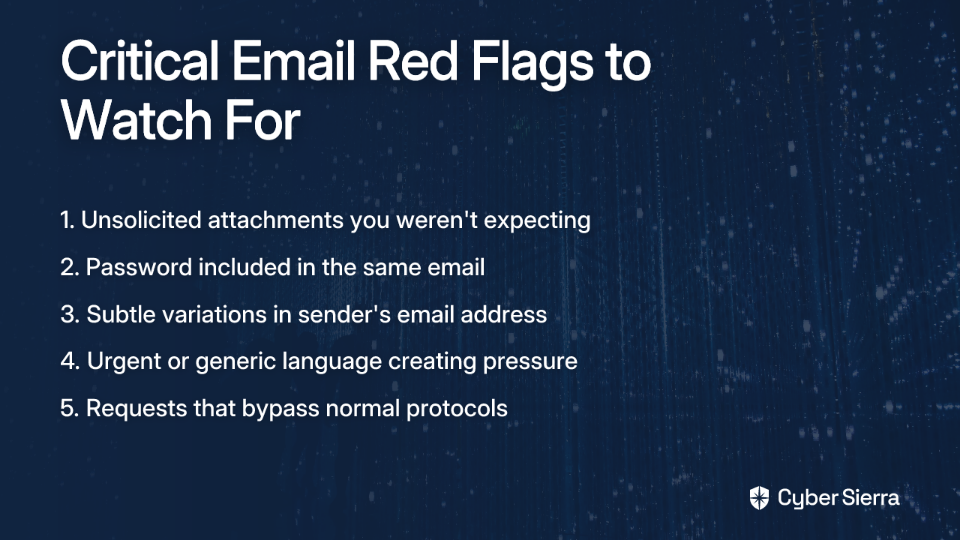
  1. Unsolicited Attachment: Did you expect this file from this person at this time? If not, be highly suspicious.
  2. Password in the Same Email: This is the biggest giveaway. Legitimate secure transmission protocols almost never send the key (password) with the lock (file).
  3. Sender Verification: The sender's name might be familiar, but check the full email address for any subtle deviations that might indicate a Business Email Compromise (BEC).
  4. Urgent or Generic Language: Look for phrases like "URGENT," "ACTION REQUIRED," or generic greetings like "Dear Customer."
  5. The Golden Rule: Verify Out-of-Band. If in doubt, DO NOT REPLY. Pick up the phone and call the sender using a number you have on file (not one from the email signature) to confirm they sent the file.

Inspecting the Document: Red Flags After Opening

  1. "Enable Content" / "Enable Macros": Treat this prompt as a final warning siren. Unless you are 100% certain of the file's origin and purpose, never enable macros.
  2. JavaScript Prompts in PDFs: If your PDF reader asks for permission to run JavaScript, deny it unless absolutely necessary.
  3. Suspicious Links: Always hover your cursor over any link or button to preview the destination URL in the corner of your screen. If it looks suspicious or doesn't match the expected domain, do not click. A malicious link could initiate the download of an infostealer or other malware.

Organizational Immunity: Fortifying Your Defenses

Technical Controls for Admins

  1. Disable JavaScript in PDF Readers: This is a crucial preventative measure. IT admins can enforce this setting organization-wide. Most readers, including Adobe Acrobat, have this in their preferences under "JavaScript."
  2. Block Macros from Internet Documents: Use Group Policy Objects (GPO) in Microsoft Office to block all macros from running in files that originate from the internet. This single policy can neutralize a huge percentage of macro-based attacks.
  3. Endpoint Detection and Response (EDR): Since attackers use legitimate tools like NetSupport Manager, signature-based antivirus will fail. EDR solutions monitor for malicious behaviors—like Excel spawning a command shell—to detect and stop the attack chain.
  4. Rethink PDF Security: Educate the organization on the fundamental flaws of PDF password protection. For truly sensitive documents, promote the use of Digital Rights Management (DRM) solutions that provide robust controls like 256-bit AES encryption, license-based access, and instant document revocation.

The Human Firewall: Addressing the "Untrained, Unaware, Unprepared" User

The human element remains the most critical factor in your security posture:

  1. Implement regular, engaging security awareness training. Move beyond boring annual slideshows to interactive sessions that address real-world threats like password-protected PDF scams.
  1. Use phishing simulation platforms to provide safe, hands-on experience in spotting these exact kinds of threats.
  2. Establish clear incident response procedures for when employees suspect they've fallen victim to a scam. The faster your team can react, the better chance you have of containing the damage.

Beyond the Password: A Culture of Vigilance

The password-protected file scam is a powerful technique because it cleverly weaponizes a feature meant for security, turning it into a key that unlocks your network's front door. It defeats technology by targeting people.

The most effective defense is a combination of robust technical controls (disabling macros and JavaScript) and a well-trained human firewall that can recognize and report suspicious activity.

Remember: A password is not a guarantee of safety; often, it's the bait. Cultivate a healthy skepticism. Trust your "spidey sense," verify before you click, and treat every unexpected attachment as the modern Trojan Horse it could be. In today's digital landscape, lateral movement by attackers after initial compromise is common, so even a single successful phish can lead to widespread organizational damage.

By understanding this attack vector and implementing the defensive measures outlined in this article, you can significantly reduce your risk of falling victim to this increasingly common and dangerous scam.

Frequently Asked Questions

Why do hackers use password-protected files in phishing attacks?

Hackers use password-protected files primarily to bypass email security scanners. The encryption prevents antivirus and security gateways from inspecting the file's contents for malicious code, allowing the dangerous payload to reach the user's inbox. This tactic also exploits human psychology by making the file seem important and confidential, increasing the likelihood that a user will open it.

How can I tell if a password-protected PDF is a scam?

The biggest red flag is receiving the password in the same email as the file itself. Legitimate secure communications rarely send the key (password) with the lock (file). Other warning signs include receiving an unexpected attachment, urgent or threatening language in the email, and a sender email address that doesn't perfectly match your records. The safest action is to always verify out-of-band by calling the sender on a trusted phone number.

What is the risk of opening a password-protected phishing document?

The risks range from credential theft to a full system compromise. The document may contain phishing links designed to steal your passwords, or it could prompt you to "Enable Content" or "Enable Macros," which executes hidden code. This code can install malware, infostealers, or even Remote Access Trojans (RATs), giving attackers complete control over your computer and a foothold into your network.

What should I do if I accidentally opened a malicious attachment?

If you suspect you've opened a malicious file, immediately disconnect your computer from the internet and the network. This can prevent malware from spreading or "calling home" to the attacker. Do not try to fix the issue yourself. Report the incident to your IT or security department right away so they can initiate their incident response protocol to contain the threat and assess the damage.

How can an organization prevent attacks that use password-protected files?

An organization's best defense is multi-layered. First, implement technical controls like using Group Policy (GPO) to block all macros from internet-sourced documents and disabling JavaScript in all company PDF readers. Second, deploy an Endpoint Detection and Response (EDR) solution to detect malicious behavior. Finally, invest in continuous security awareness training and phishing simulations to empower users to become a "human firewall" that can spot and report these threats.

Is PDF password protection a secure way to send sensitive documents?

No, standard PDF password protection is not considered a truly secure method for transmitting highly sensitive information. While it provides a basic layer of privacy, its security can be flawed and, as this article shows, it's a feature commonly exploited by attackers. For genuinely sensitive documents, businesses should use enterprise-grade Digital Rights Management (DRM) or secure file-sharing portals that offer stronger encryption, access controls, and auditing capabilities.

blog-hero-background-image
Cyber Security

How to Report Cybersecurity Maturity to Your Board

backdrop
Table of Contents

Join thousands of professionals and get the latest insight on Compliance & Cybersecurity.


You've spent months building your cybersecurity program, implementing controls, and assessing your organization against frameworks. Now comes the challenging part: explaining your progress to the board in a way that resonates with business leaders who may lack technical expertise.

While 84% of board directors now recognize cyber risk as a business risk according to Gartner, only 29% of boards have significant cybersecurity expertise per Heidrick & Struggles research. This expertise gap creates a significant communication challenge for GRC professionals.

This article provides a step-by-step guide to creating clear, compelling, and visually appealing maturity reports that translate technical progress into business value the board can understand and act upon.

The Critical Distinction: Risk Reduction vs. Capability Maturity

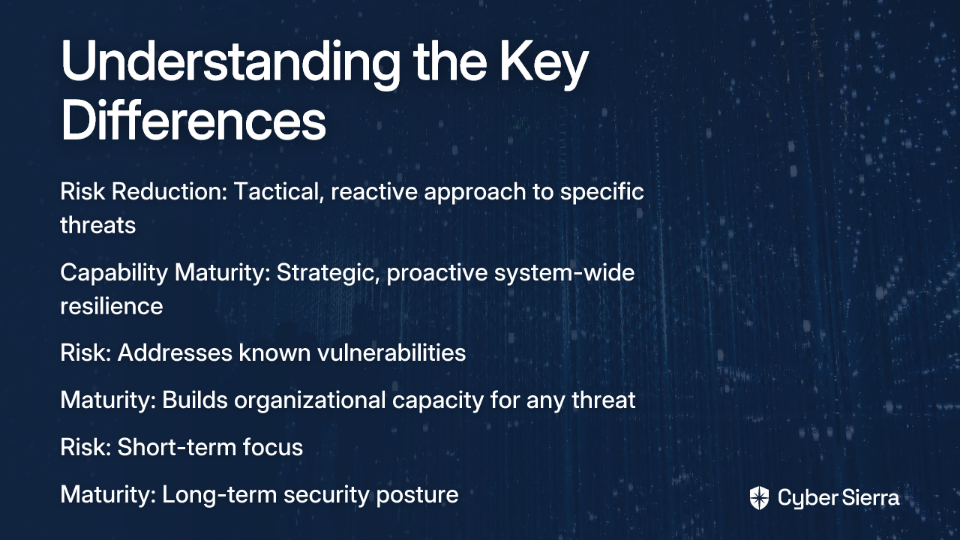
One of the most common challenges GRC professionals face is getting leadership to understand the fundamental difference between risk reduction and capability maturity. These are related but distinct concepts that must be clearly separated in your board reporting.

Risk Reduction focuses on addressing specific, known threats and vulnerabilities. It's tactical and often reactive. Risk reduction answers the question: "What are the top dangers that could cost us money this quarter, and what are we doing to mitigate those specific threats?"

Examples include:

  • Patching a critical vulnerability in your customer database
  • Implementing stronger authentication for financial systems
  • Updating your risk register with new audit findings

Capability Maturity, on the other hand, measures your organization's overall, institutionalized ability to manage cybersecurity. It's strategic and proactive. Maturity answers the question: "How strong are our systems, processes, and people to handle any threat—known or unknown—over the long term?"

A useful analogy: Risk reduction is like fixing a flat tire—it solves an immediate, critical problem. Capability maturity is like having a comprehensive vehicle maintenance program with skilled mechanics and run-flat tires—it prevents future breakdowns and ensures operational resilience.

When presenting to the board, clearly label which metrics relate to risk reduction (specific threats mitigated) versus capability improvements (systematic enhancements to your security posture).

Choosing Your Framework: The Key to Objective Reporting

Many GRC professionals worry that maturity assessments feel subjective and prone to errors. The solution is to use standardized frameworks that provide objective criteria and a common vocabulary.

NIST Cybersecurity Framework (CSF)

The NIST CSF is an industry-standard framework that recently released Version 2.0 (February 2024). This latest version places greater emphasis on governance, making it even more relevant for board conversations. The framework consists of six core functions:

  1. Govern: The new function that establishes cybersecurity risk management strategy and policy
  2. Identify: Understand assets, risks, and vulnerabilities
  3. Protect: Implement safeguards to contain potential incidents
  4. Detect: Discover cybersecurity events quickly
  5. Respond: Take appropriate action when incidents occur
  6. Recover: Restore capabilities impaired by incidents

The NIST CSF uses maturity tiers that provide clear benchmarks:

  • Tier 1 (Partial): Ad-hoc, reactive cybersecurity
  • Tier 2 (Risk-Informed): Risk management practices are approved but not established as policy
  • Tier 3 (Repeatable): Formal policies and procedures are in place and regularly updated
  • Tier 4 (Adaptive): Continuous improvement based on lessons learned and predictive indicators

Cybersecurity Capability Maturity Model (C2M2)

For organizations seeking a free, accessible alternative to expensive consultants, the C2M2 model offers an excellent solution. Key features include:

  • Free, interactive self-evaluation tool
  • Can be completed in as little as one day
  • Comprises 10 domains covering over 350 cybersecurity practices
  • Uses Maturity Indicator Levels (MILs) from 1 (Initiated) to 3 (Managed)

The U.S. Department of Energy provides mappings between C2M2 and the NIST CSF, allowing organizations to leverage both frameworks.

Other frameworks to consider include ISO 27001, COBIT2019, and the CIS Controls, depending on your industry and regulatory requirements.

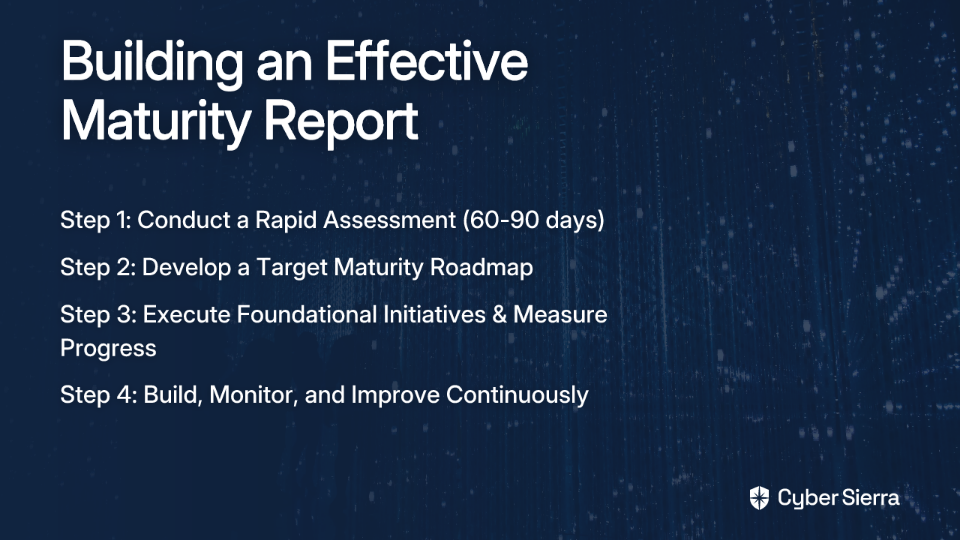
A 4-Step Process for Building Your Maturity Report

Now that you understand the difference between risk and maturity and have selected an appropriate framework, here's a practical process for creating your board report:

Step 1: Conduct a Rapid Assessment

Goal: Establish your baseline maturity level.

Method: Use your chosen framework (NIST CSF or C2M2) to conduct a comprehensive assessment through surveys, interviews, and technical data gathering.

Timeline: Aim to complete this within 60-90 days to show quick progress.

Key Performance Indicators (KPIs): Document your current maturity tier for each function or domain, supported by evidence.

Step 2: Develop a Target Maturity Roadmap

Goal: Define your desired future state based on business priorities.

Method: Align target maturity levels with specific business objectives and risk appetite. Not every function needs to reach Tier 4—prioritize based on your organization's critical assets and threat landscape.

Output: Create a visual roadmap with clear deliverables, timelines, and prioritized initiatives. Treat your maturity journey like a standalone project with defined milestones and Objectives and Key Results (OKRs).

Step 3: Execute Foundational Initiatives & Measure Progress

Goal: Make and demonstrate tangible progress.

Method: Implement quick wins and foundational projects. Track progress using Key Risk Indicators (KRIs) that show movement from one maturity tier to the next.

Example Reporting: "In Q3, we moved the 'Detect' function from Tier 1 (Partial) to Tier 2 (Risk-Informed) by implementing centralized logging. This increases our ability to spot threats by 40% and reduces our average detection time from 72 hours to 24 hours."

Step 4: Build, Monitor, and Improve Continuously

Goal: Make maturity a continuous process, not a one-time project.

Method: Develop dashboards for ongoing monitoring. Transition from static reporting to dynamic reporting that shows trends over time. Adapt your plan as threats and business priorities evolve.

Storytelling for the Boardroom: 5 Best Practices for Communication

Creating an effective report is as much about communication as it is about measurement. Here are five best practices for presenting maturity to your board:

1. Speak in Business Terms, Not Technical Jargon

The C-suite doesn't care about technical details—they care about business impact. Instead of saying, "We implemented EDR," say, "We invested in technology that stops ransomware attacks before they can encrypt our files, potentially saving us millions in recovery costs and lost revenue."

2. Visualize the Journey

Create aesthetically pleasing visuals that tell a clear story:

  • Use a spider graph (radar chart) to show current vs. target maturity across all framework functions on a single slide
  • Include a roadmap graphic showing key projects and expected maturity improvements over time
  • Consider using "Pulse Buckets" to group related capabilities for easier tracking

3. Quantify Everything Possible

Connect investments to financial outcomes: "Our proposal to invest $250K to reach Tier 3 in 'Respond' capabilities is projected to reduce our incident recovery time by 50%, translating to an estimated savings of $1.2M per major incident based on industry data."

4. Keep it Concise with Focus on Outcomes

Your board presentation should be an executive summary focused on:

  • Current maturity state vs. target
  • Progress since last report
  • Key achievements and challenges
  • Business impacts of maturity improvements
  • Resources needed for continued advancement

5. Be Transparent About Gaps

Avoid sugar-coating results, as this can backfire when security incidents occur. Present a realistic picture of both strengths and areas for improvement. Frame gaps not as failures but as opportunities for strategic investment.

Conclusion

Reporting on cybersecurity maturity is fundamentally a communication challenge. By clearly differentiating maturity from risk, using standardized frameworks like NIST CSF, and telling a visual, business-focused story, you can transform boardroom conversations from confusing technical updates into strategic discussions about business resilience.

When done effectively, your maturity reporting will build trust, secure investment, and position cybersecurity as a strategic enabler of your organization's success rather than just a cost center.

Remember that third-party assessments can provide valuable objectivity and credibility to your maturity reporting, especially when benchmarking against industry averages or when preparing for auditors. A crosswalk engine between different frameworks can also help streamline reporting for different stakeholders while maintaining consistency in your measurement approach.

By following these steps, you'll create cybersecurity maturity reports that resonate with your board and drive meaningful improvements in your organization's security posture.

Frequently Asked Questions

What is the difference between cybersecurity maturity and risk reduction?

Cybersecurity maturity measures your organization's long-term capability to manage any threat, while risk reduction focuses on fixing specific, immediate dangers. Think of maturity as a comprehensive vehicle maintenance program (proactive and strategic) and risk reduction as fixing a flat tire (reactive and tactical). A mature program is resilient against both known and unknown threats.

Why is it important to report on cybersecurity maturity to the board?

Reporting on cybersecurity maturity is crucial because it translates complex technical efforts into a strategic business conversation about resilience and risk management that the board can understand. It helps the board see cybersecurity not just as a cost center, but as a strategic enabler that protects business value, which in turn builds trust and helps secure necessary investment.

What is the best framework for measuring cybersecurity maturity?

There is no single "best" framework; the right choice depends on your industry and goals, but the NIST Cybersecurity Framework (CSF) and the Cybersecurity Capability Maturity Model (C2M2) are two highly respected and widely used options. The NIST CSF is an industry standard ideal for board-level talks, while C2M2 is a free, excellent alternative that allows for rapid self-assessment.

How can I explain cybersecurity maturity to a non-technical board?

To explain maturity to a non-technical board, use business-focused language, visual aids, and quantifiable outcomes. Avoid technical jargon. Instead of saying "we implemented EDR," say "we invested in technology to stop ransomware, potentially saving millions." Use visuals like spider graphs to show progress and connect every security investment to a financial outcome, such as reduced recovery costs.

Should our organization aim for the highest maturity level in all areas?

No, your organization should not necessarily aim for the highest maturity level in all areas. The goal is to set a target maturity level that aligns with your specific business priorities, risk appetite, and critical assets. For example, the systems protecting your most sensitive customer data may require a higher maturity level than less critical internal systems.

How do I start building a cybersecurity maturity report?

The first step in building a maturity report is to conduct a rapid assessment to establish your current baseline using a standardized framework like NIST CSF or C2M2. After establishing a baseline, you can develop a target roadmap, execute foundational initiatives to show progress, and finally, build a system for continuous monitoring and improvement.

blog-hero-background-image
Cyber Security

Cut Down on CVE Alerts: The Role of Reachability Analysis

backdrop
Table of Contents

Join thousands of professionals and get the latest insight on Compliance & Cybersecurity.


You've just received another urgent notification from your vulnerability scanner. Another day, another critical CVE with a CVSS score of 9.8. Your team jumps into action, dropping everything to investigate and patch what appears to be a Remote Code Execution (RCE) vulnerability that could compromise your entire infrastructure.

Four hours later, you discover that while the vulnerable code exists in your codebase, it's in a dependency that your application never actually calls. There's no executable path to reach it. The "critical emergency" was never a real threat at all.

Sound familiar?

Your security team just wasted half a day chasing a ghost while actual exploitable vulnerabilities remained unaddressed. This isn't just frustrating—it's the norm for security teams drowning in alerts from scanning tools.

"Our team's drowning in CVEs from SCA and CSPM tools. Half of them are in packages we don't even use, or in code paths that never get called. We're wasting hours triaging stuff that doesn't actually pose a risk," laments one security professional on a recent Reddit thread.

The problem isn't that your vulnerability scanners are broken. It's that they're missing a crucial capability: reachability analysis.

What is Reachability Analysis? Moving Beyond the CVE Count

Reachability analysis is a critical technique in application security that evaluates whether a specific part of your application can actually invoke a vulnerable piece of code. Put simply, it's the difference between vulnerable code and an exploitable vulnerability.

Traditional vulnerability management approaches rely heavily on Common Vulnerability Scoring System (CVSS) scores to prioritize remediation efforts. But as many security professionals have discovered, "CVSS scores are basically useless because a 'critical' vuln that's not reachable is way less important than a 'medium' one that's actively being hit by traffic."

The core principle of reachability analysis is straightforward: If there is no executable path from an application's entry point to a vulnerable function in a library, that vulnerability poses no immediate threat to the application.

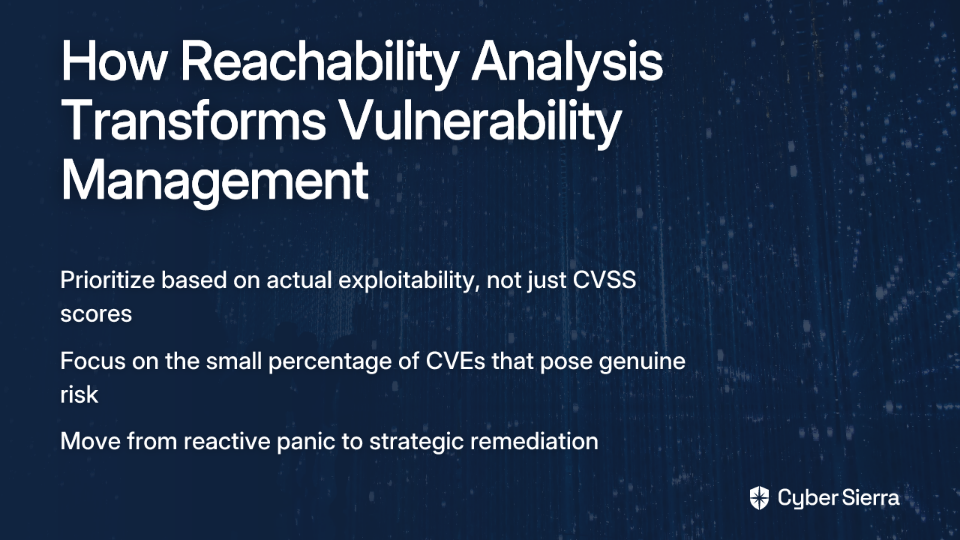
This approach transforms how we think about vulnerability management:

  • Instead of handling vulnerabilities based solely on their CVSS severity, we prioritize based on actual exploitability
  • Rather than drowning in an endless sea of CVEs, we focus on the small percentage that represent genuine risk
  • Teams move from reactive panic to strategic remediation

As application complexity grows with microservices architectures and extensive third-party dependencies, reachability analysis becomes not just helpful but essential for effective security operations.

How Reachability Analysis Works: A Step-by-Step Process

Implementing reachability analysis isn't magic—it's a methodical process that combines several security analysis techniques. Here's how it works:

Step 1: Initial Vulnerability Identification (The Baseline)

The process begins with standard security scanning using tools for Static Application Security Testing (SAST) or Software Composition Analysis (SCA). These scans identify all known vulnerabilities in your codebase and its third-party dependencies, creating a baseline inventory of potential issues.

Tools like Tenable, Checkmarx, or Snyk typically generate this initial list of CVEs, often integrated into your CI/CD pipeline.

Step 2: Code Context and Data Flow Analysis (Mapping the Paths)

Once you have your list of potential vulnerabilities, reachability analysis maps which code segments are actually called at runtime:

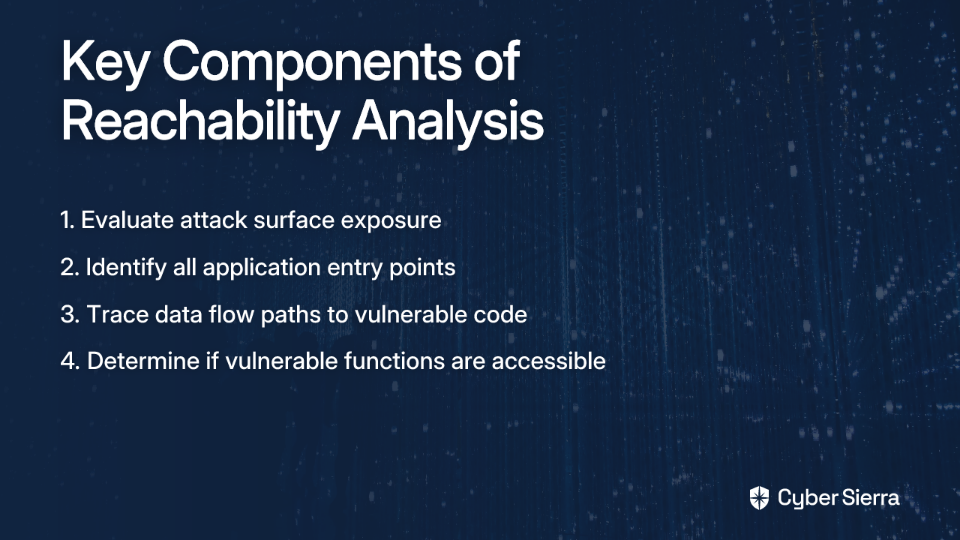
  • Evaluation of Attack Surface: Identify which components are exposed to potential attackers
  • Identify Entry Points: Pinpoint all avenues where data enters your application (user inputs, APIs, file uploads, etc.)
  • Trace Data Paths: Perform data flow analysis to trace how information moves from entry points to potentially vulnerable code

This step determines if a theoretically vulnerable function is even accessible from the outside world.

Step 3: Execution and Exploit Path Analysis (Is it Live?)

Next, the analysis examines the application's control flow (e.g., if statements, loops, function calls) to determine the conditions under which the vulnerable code can be executed:

  • Are there barriers that prevent exploitation, such as input validation or sanitization?
  • Is the vulnerable code behind feature flags that disable it entirely?
  • Does the vulnerable function require authentication or specific permissions to access?

Step 4: Reporting and Prioritization (Actionable Insights)

The final output isn't just another list of CVEs to be uploaded to ServiceNow tickets. Instead, it's a report that categorizes vulnerabilities into:

  • Reachable: Vulnerabilities with a clear path to exploitation that should be prioritized
  • Unreachable: Vulnerabilities that exist in your code but have no practical way to be exploited

This prioritized list gives developers clear, actionable feedback focused on genuine risks rather than theoretical problems.

Key Techniques and Types of Reachability Analysis

Different techniques offer varying levels of precision and coverage. Understanding these approaches helps you select the right tools for your environment.

Static vs. Dynamic Analysis

Static Reachability Analysis examines the codebase without executing it. It's excellent for shift-left security, catching issues early in development. However, it lacks runtime context and may miss dynamic behaviors or overestimate risk.

Dynamic Reachability Analysis evaluates the application while it is running using runtime monitoring and instrumentation. This provides highly accurate insights into actual runtime behavior and significantly reduces false positives. The tradeoff is potential performance overhead during testing.

Levels of Granularity

Different approaches to reachability analysis provide varying levels of detail:

  • Function-Level Reachability: Determines if a specific vulnerable function within a third-party library is ever called by the application
  • Dependency-Level Reachability: A simpler check to see if a vulnerable package is imported or included in the application's build at all
  • Container Reachability: In containerized environments, analyzes whether a running application inside a container actually utilizes a vulnerable package included in the base image
  • Internet Reachability: Prioritizes vulnerabilities in components that are directly or indirectly exposed to the internet, similar to how AWS Reachability Analyzer tests network connectivity paths

The Tangible Business and Security Benefits

The impact of implementing reachability analysis extends far beyond technical improvements:

Drastic Reduction in Noise and Wasted Effort

The headline statistic is staggering: reachability analysis can reduce alerts by up to 90-95%. Security practitioners report, "We've seen 60-70% of CVEs drop off once call paths and runtime usage are mapped."

Imagine what your team could accomplish if they could focus on the 10% of vulnerabilities that actually matter instead of drowning in alert fatigue from hundreds of irrelevant notifications.

Massive Cost and Time Efficiency

Automated reachability analysis can reduce the time spent on manual triage by 80-90%, translating to savings of up to 70% on labor costs associated with vulnerability management. For organizations spending hundreds of thousands on security analyst time, these savings are substantial.

Intelligent Prioritization Beyond CVSS

Reachability provides the context needed for true risk-based prioritization. When combined with other modern metrics like the Exploit Prediction Scoring System (EPSS), which estimates the likelihood of exploitation in the wild, you get a comprehensive risk assessment that far surpasses traditional CVSS-based approaches.

Fosters DevSecOps Collaboration

Instead of overwhelming developers with a huge list of low-context alerts, security teams can provide a short, high-confidence list of real issues. This builds trust between teams and speeds up remediation cycles, creating a more collaborative security culture.

Best Practices for Implementing Reachability Analysis

Ready to transform your vulnerability management approach? Here are key practices to ensure success:

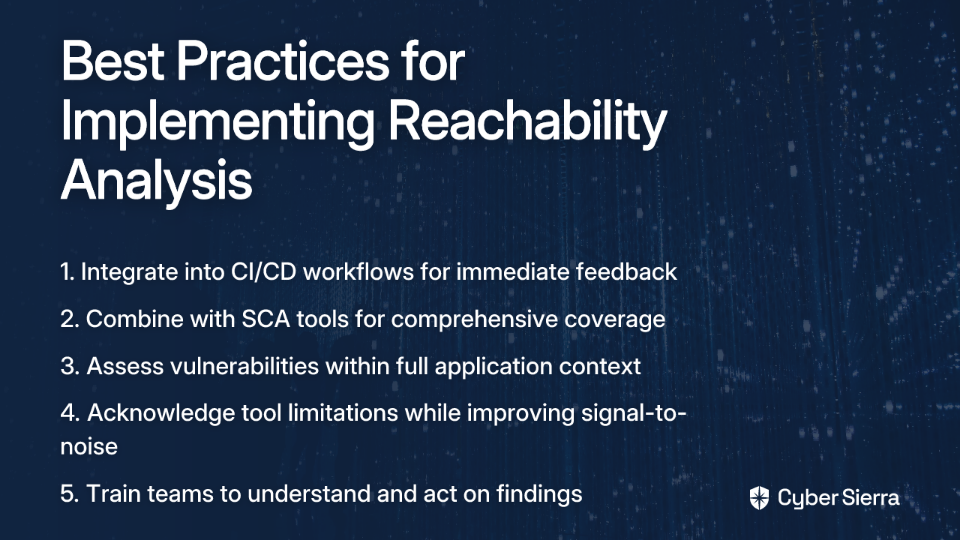
  1. Integrate into the Development Lifecycle: Don't treat reachability analysis as a separate, post-deployment step. Integrate it directly into CI/CD workflows to shift-left and provide developers with immediate feedback.
  2. Combine with Software Composition Analysis (SCA): SCA tools are excellent at identifying what dependencies you have and their known vulnerabilities. Reachability analysis is the layer on top that tells you if those vulnerabilities actually matter in your context.
  3. Understand the Context: Assess vulnerabilities within the complete application architecture, including user input flows and data paths. Context is everything when determining exploitability.
  4. Acknowledge Limitations: Be transparent about the limitations. No tool is perfect, and most use a single heuristic approach that can lead to some false positives or negatives. The goal isn't absolute certainty but a dramatic improvement in signal-to-noise ratio.
  5. Foster Team Training and Collaboration: Ensure development, security, and operations teams understand what reachability analysis shows and how to act on its findings.

Stop Chasing Ghosts, Start Fixing Risks

Traditional vulnerability management is drowning teams in a sea of low-context alerts, creating alert fatigue and obscuring real threats. We simply cannot continue treating every CVE as equally important when the vast majority pose no actual risk to our systems.

Reachability analysis provides the necessary context to filter out the noise, allowing teams to focus on the small percentage of vulnerabilities that are actually exploitable. It's time to evolve from simply identifying CVEs to understanding true risk.

By adopting reachability analysis, you can stop wasting time on theoretical problems and dedicate your resources to securing the attack paths that matter. In a world where exploitation is becoming more sophisticated and security teams more stretched, this isn't just a nice-to-have—it's essential for effective security operations.

Frequently Asked Questions (FAQ)

What is reachability analysis in application security?

Reachability analysis is a security technique that determines if a vulnerable piece of code within your application can actually be executed or "reached" by a potential attacker. It moves beyond simply identifying the presence of a known vulnerability (CVE) and instead maps the execution paths from an application's entry points (like an API or user input field) to the vulnerable code. If no path exists, the vulnerability is considered unreachable and poses no immediate risk.

How is reachability analysis different from prioritizing with CVSS scores?

Reachability analysis prioritizes vulnerabilities based on their actual exploitability in your specific application, whereas CVSS scores provide a generic severity rating that doesn't account for your application's context. A vulnerability with a "critical" 9.8 CVSS score might be located in a code library that your application never calls, making it an unreachable, low-risk issue. Conversely, a "medium" CVSS vulnerability that is reachable is a much higher priority. Reachability provides the context that CVSS lacks.

Why is a high-severity CVE not always a real threat?

A high-severity CVE is not always a real threat because the vulnerable code might not be accessible or executable within your application's environment. For a vulnerability to be a genuine threat, an attacker needs a viable path to exploit it. Many CVEs are found in large, multi-purpose libraries, but your application may only use a small, non-vulnerable part of that library. If there's no executable path from your code to the vulnerable function, the CVE represents a theoretical risk, not an actual one.

What are the main benefits of implementing reachability analysis?

The primary benefits of reachability analysis are a massive reduction in alert noise, improved prioritization of real risks, significant time and cost savings, and better collaboration between development and security teams. By filtering out unreachable vulnerabilities, teams can reduce alerts by up to 95%, allowing them to stop chasing false positives. This focus on genuine risks means faster remediation of what truly matters and a more efficient DevSecOps workflow.

Can reachability analysis replace my existing SAST or SCA tools?

No, reachability analysis does not replace SAST (Static Application Security Testing) or SCA (Software Composition Analysis) tools; it is a complementary technology that enhances them. SAST and SCA tools are essential for discovering potential vulnerabilities and creating an inventory of dependencies. Reachability analysis then adds a critical layer of contextual intelligence on top of that data to determine which of the vulnerabilities found are actually exploitable.

How can I get started with reachability analysis?

To get started, you should look for modern security tools that integrate reachability analysis directly into their scanning capabilities and embed them within your CI/CD pipeline. Begin by integrating a tool that combines SCA with reachability analysis into your development lifecycle for immediate feedback. Train your teams to understand the outputs so they can act on the prioritized, high-confidence results.

blog-hero-background-image
Cyber Security

Why Your IR Plan Needs an Incident Commander

backdrop
Table of Contents

Join thousands of professionals and get the latest insight on Compliance & Cybersecurity.


You've been there: an alert fires at 2 AM. Teams scramble. Engineers work in silos, duplicating efforts. The CIO demands updates, but no one has the full picture. It's what battle-hardened IT professionals call "panic hours" — a period of high stress, burnout risk, and a feeling of having "tons of mandate but not much real power."

This chaos isn't just stressful; it's expensive. It prolongs downtime, increases the risk of mistakes, and erodes trust. Many breaches stem from simple "human error" or a "lack of a plan," where documentation isn't specific enough, leading to panic when teams get stuck.

The antidote to this chaos is clear, designated leadership. This is the role of the Incident Commander (IC) — the orchestrator who transforms a high-pressure situation into a managed process.

What is an Incident Commander? The Single Source of Truth

An Incident Commander is the individual responsible for managing all phases of an incident response, from detection to resolution. They serve as the single point of accountability and the primary source of truth during an IT or cybersecurity incident. They don't necessarily fix the technical issue themselves but manage resources, plan the strategy, and facilitate clear communication.

Think of the IC as the conductor of an orchestra. Each musician is an expert, but without the conductor, they play their own tune. The IC ensures everyone is playing from the same sheet music, creating a harmonized, powerful response.

The Cost of Chaos: Why Leaderless Incident Response Fails

Siloed Efforts & Duplication

Without a central commander, teams work in isolation. The network team might be investigating RDP issues while the application team is restarting services, unaware of each other's actions. This leads to wasted time and potentially conflicting changes.

Communication Breakdown

In the absence of an IC, communication becomes a free-for-all. C-suite executives get conflicting updates, engineers are pulled into distracting side conversations, and critical information gets lost in the noise.

Decision Paralysis and Panic

A common pain point is that when teams get stuck, they panic due to a "lack of a plan." Without a designated decision-maker, teams can get stuck in analysis paralysis or make rushed, poor decisions under pressure. Research confirms that stressed individuals make worse decisions, highlighting the need for a calm leader.

Lack of Clear Ownership

Who declares the incident over? Who communicates with legal? A frequent pain point is that "dealing with lawyers is the worst" because they can "convolute everything." An IC provides a clear point of contact for these external teams, streamlining complex interactions with vendor management and cyber insurance providers.

The Anatomy of Command: Core Responsibilities of an IC

Before the Incident: Preparation and Planning

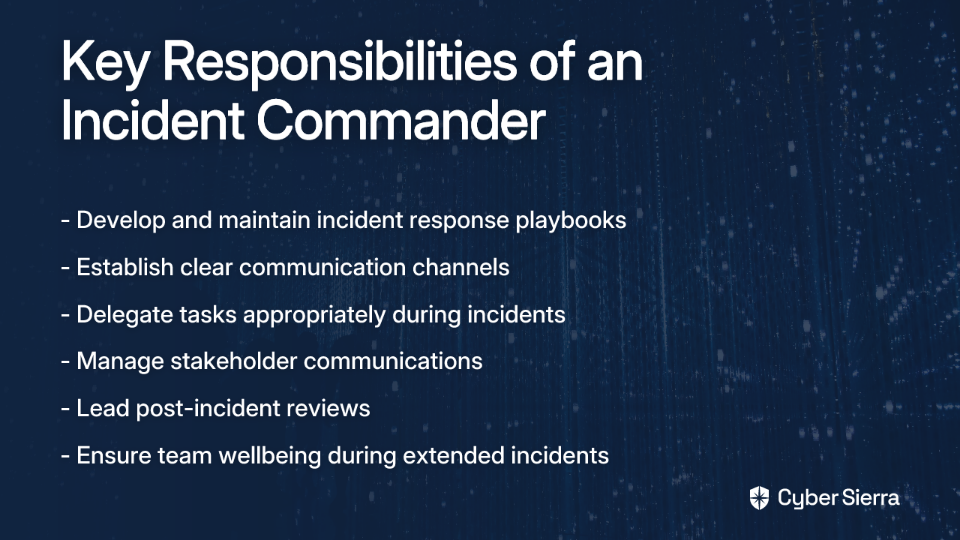
  • Develop the Playbook: The IC ensures a solid, well-documented Incident Response Plan (IRP) exists. This directly addresses the need for reliable templates and plans.
  • Establish Communication Channels: Proactively set up dedicated communication channels to be used during an incident. This prevents scrambling when an emergency hits.
  • Train the Team: The IC is responsible for training team members in IR best practices and running drills like tabletop exercises that simulate phishing attacks or lateral movement scenarios.

During the Incident: Command and Control

  • Assess and Take Command: Quickly assess the incident's severity and formally declare command, initiating the response plan.
  • Maintain Situational Awareness: The IC keeps a "big-picture" view, monitoring the incident status, gathering real-time information, and adapting the strategy as new details emerge.
  • Delegate, Don't Dictate: An effective IC knows their team's strengths. They delegate tasks to the right people, empowering them to solve problems. This is crucial as one person "cannot be an expert in each and every domain." Example Delegation: "Sarah, you're our database expert. Please investigate potential data exfiltration. John, coordinate with the remediation team; ensure our immutable backups are ready for recovery."
  • Manage Communication: The IC acts as the central hub for all communication, providing regular updates to stakeholders while ensuring the technical team stays focused.
  • Manage Panic and Fatigue: A key role is to keep the team calm and focused. This includes managing burnout during extended incidents by ensuring "that people don't work more than 10 hours a day during the response" and addressing "the health and well-being of the team during response. Food, rest, shift length, etc."
  • Resource and Escalate: The IC manages the escalation path, bringing in senior developers or other teams when needed.

After the Incident: Learning and Improvement

  • Lead Blameless Post-Mortems: The IC facilitates a post-incident review, focusing not on blaming individuals but on understanding process failures and improving for the future. This approach helps counter the sentiment that "the company will not reward or remember heroes" by institutionalizing the lessons learned.
  • Document and Follow Up: Ensure that action items from the post-mortem are documented, assigned, and tracked to completion, strengthening proactive security hygiene against future threats.

The Makings of a Great Incident Commander: Essential Skills and Traits

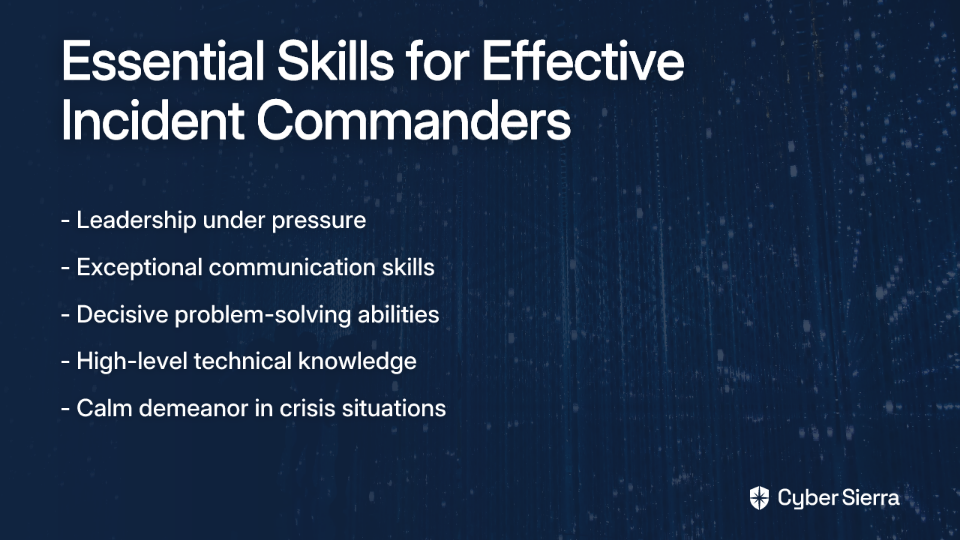
  • Leadership Under Pressure: The ability to command respect and inspire confidence in a crisis is paramount. This is especially important when dealing with age and experience disparities, as one practitioner noted: "When you are 22 y.o with 0 leadership and managerial skills it's hard to manage some 50/60 y.o. guys."
  • Exceptional Communication: Must be able to clearly articulate directives, synthesize complex information for different audiences (technical vs. executive), and actively listen.
  • Decisive Problem-Solving: Ability to make quick, confident decisions with incomplete information, while considering different perspectives.
  • High-Level Technical Knowledge: While not necessarily the deepest technical expert, the IC must understand systems and security concepts like MFA, asset management, and phishing prevention to make credible strategic decisions.
  • Calm Demeanor: The IC sets the emotional tone. A calm commander cultivates a focused team, leading to better outcomes.

Putting Command into Practice: How to Designate and Empower Your IC

Identify Your Commander

Organizations can designate ICs in several ways:

  1. Dedicated IC: A manager or senior team member specifically assigned to oversee incidents.
  2. Volunteer IC: Incentivize individuals who are passionate about incident management to volunteer for the role.
  3. De facto IC: Recognize individuals who naturally step up during crises and formalize their role.

Train Everyone for Command

Best practice suggests that all members of the IR team should be capable of stepping into the IC role if needed. This builds resilience and a deep bench of leaders. Regular training through tabletop exercises that simulate security incidents is essential.

Empower the Role

The IC must have explicit authority from leadership to make decisions, allocate resources, and direct personnel during an incident. This authority should be documented in both your IRP and Disaster Recovery Plan (DRP).

Provide Psychological Aftercare

Remember that incident response is stressful not just technically but emotionally. Ensure your organization provides psychological aftercare for team members who may experience stress reactions after intense incidents.

Conclusion: The Commander in Your Corner

An unled incident response is a recipe for chaos, prolonged outages, and team burnout. By contrast, an empowered Incident Commander brings order, focus, and strategic direction to the most stressful situations.

The IC transforms the response process from a reactive scramble into a proactive, managed effort. They ensure clear communication, effective delegation, and continuous improvement while maintaining connections with vendors, cyber insurance providers, and legal teams.

Don't wait for your next major incident to realize the need for leadership. Review your IR plan today. Designate, train, and empower an Incident Commander. It's the most critical step you can take to ensure your organization can navigate any crisis with confidence and control.

Frequently Asked Questions (FAQ)

What is the primary role of an Incident Commander (IC)?

The primary role of an Incident Commander is to provide centralized leadership and coordination during an IT or cybersecurity incident. They act as the single source of truth, managing resources, setting the response strategy, and facilitating clear communication among all teams and stakeholders. The IC doesn't necessarily perform the hands-on technical fixes but orchestrates the entire response to ensure it's efficient and effective.

Why is having an Incident Commander crucial for managing incidents?

Having an Incident Commander is crucial because it prevents the chaos, duplicated effort, and communication breakdowns that are common in leaderless responses. Without an IC, teams often work in silos, leading to wasted time and conflicting actions. An IC provides clear direction, prevents decision paralysis under pressure, and ensures that all stakeholders, from engineers to executives, receive consistent and accurate information, ultimately reducing downtime and business impact.

Who in an organization can be an Incident Commander?

An Incident Commander can be a dedicated manager, a senior team member, or even a passionate volunteer who has been trained for the role. The key is not a specific job title but the right skill set and designated authority. Organizations can appoint a dedicated IC, create a rotation, or formalize the role for individuals who naturally take charge. Best practices suggest training multiple team members to be capable of stepping into the IC role to build resilience.

What are the most important skills for an effective Incident Commander?

The most important skills for an effective Incident Commander are strong leadership under pressure, exceptional communication, decisive problem-solving, and a calm demeanor. An IC must be able to command respect, articulate complex information clearly to both technical and executive audiences, make confident decisions with incomplete data, and set a calm emotional tone for the entire response team. While deep technical expertise isn't required, a high-level understanding of the systems is necessary to make credible strategic choices.
How does an Incident Commander prevent team burnout during a crisis?

An Incident Commander actively manages team well-being by monitoring for signs of stress and fatigue, enforcing breaks, and managing shift lengths. A key responsibility of the IC is to protect the human element of the response team. This includes ensuring responders get adequate food and rest, preventing individuals from working excessively long hours, and setting a calm, focused tone. This focus on the team's health is critical for maintaining performance during prolonged incidents.

What happens after an incident is resolved?

After an incident is resolved, the Incident Commander leads a blameless post-mortem to analyze the response and identify opportunities for improvement. The goal of the post-mortem is not to assign blame but to understand systemic weaknesses in processes, tools, or documentation. The IC ensures that lessons learned are documented and that actionable follow-up items are assigned and tracked to completion, which strengthens the organization's defenses against future incidents.

blog-hero-background-image
Cyber Security

After the Breach: 10 Lessons from Cybersecurity Veterans

backdrop
Table of Contents

Join thousands of professionals and get the latest insight on Compliance & Cybersecurity.


You've just gotten the call no security professional wants to receive: "We've been breached." Your heart races, adrenaline surges, and in an instant, you're thrust into one of the most intense crisis situations an organization can face.

The harsh reality echoed by cybersecurity veterans is sobering: "It's not if, it's when." Data breaches have become an inevitable part of our digital landscape. The global average cost of a data breach has reached a staggering USD 4.88 million, with an even higher USD 9.36 million in the United States, according to the IBM Cost of a Data Breach Report. The damage extends beyond finances, with publicly traded companies seeing an average stock value decline of 7.5% and a mean market cap loss of $5.4 billion post-breach, as noted by Harvard Business Review.

If you've been through a breach, you know the chaos that can ensue when teams are unprepared – the all too familiar scenario where "too many people are running around with heads cut off, creating more stress than is needed." You've felt the painful realization that your organization was "vastly under prepared" despite your best efforts.

This article moves beyond generic advice. It distills 10 hard-won lessons from cybersecurity veterans who have been in the trenches, focusing on what truly matters when the worst happens: strengthening your people, refining your processes, and hardening your technology.

The Human Element

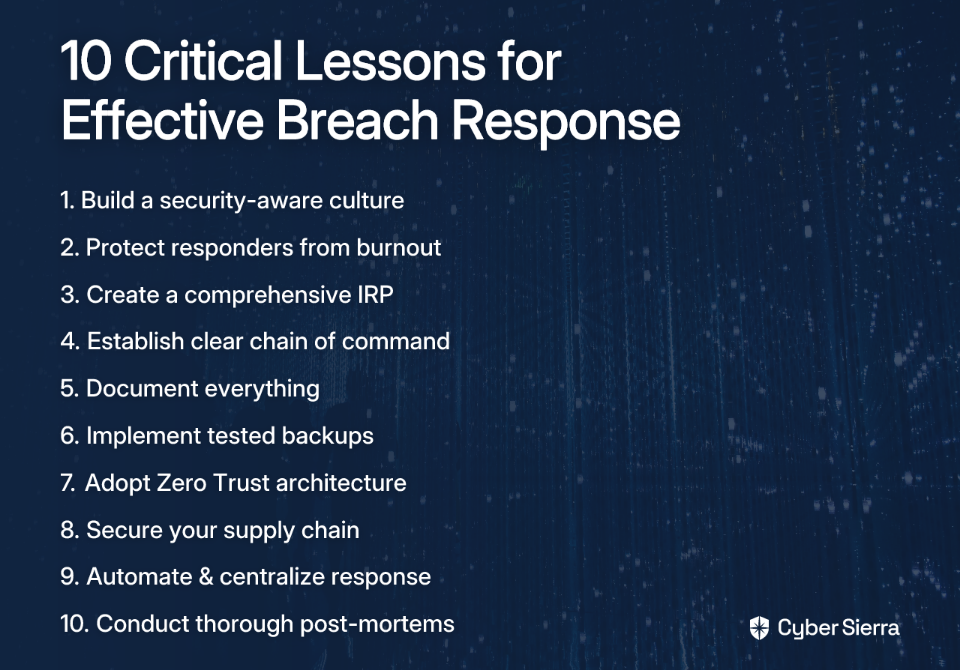
Lesson 1: Your People Are Your First and Last Line of Defense

Technology fails, but a security-aware culture is a resilient defense. Human error remains a dominant factor in breaches, with the human element being a factor in 68% of breaches according to Verizon's 2024 Data Breach Investigations Report. Even more alarming, up to 95% of cybersecurity incidents can be traced back to human error, as reported by UpGuard.

As one veteran cybersecurity professional bluntly put it: "Every incident I have had to deal with has been caused by an employee who was not working securely."

What to do:

  • Go Beyond Box-Ticking Training: Move from annual compliance courses to continuous, engaging education that addresses real-world scenarios without being "overzealous."
  • Implement Targeted Phishing Simulations: Use regular, realistic phishing tests to build practical recognition skills, focusing on sophisticated attacks like spear phishing, smishing (SMS phishing), and business email compromise.
  • Foster a "No-Blame" Reporting Culture: Encourage employees to report suspicious activity immediately without fear of punishment, creating an environment where security is everyone's responsibility.

Lesson 2: Protect Your Responders from Burnout

The incident response team is your most critical asset during a crisis. Exhaustion leads to errors, prolongs the incident, and increases costs. Yet many organizations overlook this crucial aspect of breach management.

A cybersecurity veteran who has managed multiple incidents offers this vital advice: "Having done multiple incidents: ensure that people don't work more than 10 hours a day during the response." This seemingly simple recommendation can make the difference between a well-managed incident and a prolonged crisis.

What to do:

  • Mandate Shifts and Breaks: Implement a strict shift schedule (10-hour maximums) for the core response team, with proper handoffs between shifts.
  • Appoint a Logistics Chief: Have someone responsible solely for ensuring responders are fed, hydrated, and resting – not fighting the incident.
  • Provide Psychological Aftercare: A breach is a high-stress event. Have resources available for mental and emotional well-being both during and after the incident, including access to counseling services if needed.

Robust Processes

Lesson 3: Your Incident Response Plan (IRP) is Your Lifeline

A pre-defined, tested Incident Response Plan (IRP) is the single most important factor in navigating a crisis successfully. It prevents the "running around with heads cut off" scenario described by many breach survivors. Yet many organizations find themselves "vastly under prepared" when an incident occurs, often relying on "generic templates" that provide little practical guidance.

According to IBM, having a tested IRP is one of the top cost mitigators in breach scenarios, significantly reducing both response time and financial impact.

What to do:

  • Build a Comprehensive IRP: Don't use a generic template. Base your plan on established frameworks like NIST Special Publication 800-61 or the CIS Critical Security Controls.
  • Include Key IRP Phases:
    1. Preparation: Define roles, responsibilities, tools, and communication channels.
    2. Identification: Establish processes to detect and confirm incidents.
    3. Containment: Detail steps to isolate affected systems, block malicious IPs, and disable compromised accounts.
    4. Eradication: Outline procedures to remove the threat and patch vulnerabilities.
    5. Recovery: Document processes for safely restoring systems and data.
    6. Lessons Learned: Create a framework for post-incident review.
  • Test Your Plan Regularly: Conduct tabletop exercises and simulations to identify gaps before a real incident occurs.

Lesson 4: Establish a Clear Chain of Command with an Incident Commander

During a breach, decisive leadership is essential. A single, empowered Incident Commander should lead the response to prevent conflicting directives and ensure coordinated action.

What to do:

  • Designate a primary and backup Incident Commander in your IRP who has the authority to make critical decisions.
  • The Incident Commander's role is not to fix technical issues themselves but to coordinate the response, manage resources, and communicate with leadership.
  • Define clear escalation paths and decision-making authority for different incident severity levels.

Lesson 5: Document Everything and Communicate Deliberately

Clear communication pathways and meticulous documentation are critical for an effective response and for post-breach legal and regulatory compliance. Post-breach notification costs alone average USD 430,000, according to IBM, making accurate documentation essential.

What to do:

  • Centralize Alerts: Create a single source of truth for all security alerts to reduce noise and improve context, as recommended by PurpleSec.
  • Create a Communication Matrix: Define who communicates what to whom and when, including technical teams, legal, PR, C-suite executives, and external stakeholders.
  • Maintain a Detailed Incident Log: Document every action taken, every decision made, and the time it occurred. This is invaluable for post-mortem analysis and for demonstrating due diligence to regulators and cyber insurance providers.

Hardened Technology

Lesson 6: Your Backups are Useless If They're Corrupted or Untested

Backups are the last line of defense, especially against ransomware. They must be protected and proven to work. As one security professional succinctly put it: "Have backups and know how to use them."

The Colonial Pipeline attack, which involved a USD 4.4 million ransom, underscores the importance of having a recovery option independent of paying attackers.

What to do:

  • Implement Immutable Backups: Use backup solutions that make data unchangeable and undeletable for a set period, preventing ransomware from encrypting your backups.
  • Follow the 3-2-1 Rule: Keep 3 copies of your data on 2 different media types, with 1 copy off-site.
  • Test Your Disaster Recovery Plan (DRP): Regularly conduct full restoration drills to ensure your backups work and your team knows the procedure.

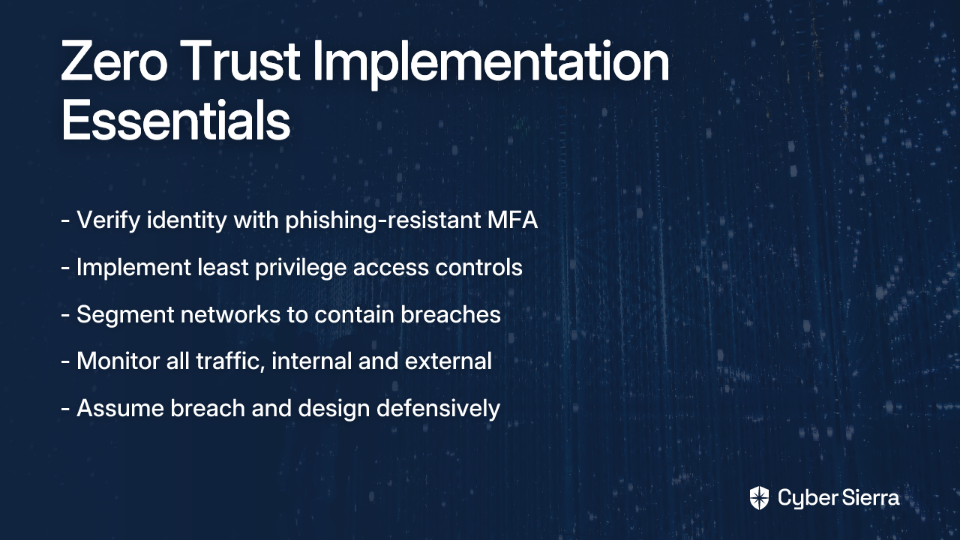
Lesson 7: Adopt a Zero Trust Mindset: "Never Trust, Always Verify"

The traditional security model of a trusted internal network is obsolete. Modern security requires assuming attackers are already inside and designing defenses to limit their movement. The Zero Trust model has become a core recommendation for modern security architecture, as highlighted by Cimcor.

What to do:

  • Enforce Least Privilege: Users and systems should only have access to the absolute minimum data and resources necessary for their function, limiting potential damage from compromised accounts.
  • Strengthen Authentication: Move beyond basic MFA. Address the common concern that "just making users click 'ok' on an MFA app isn't good enough." Implement phishing-resistant MFA like number matching or FIDO2 hardware keys.
  • Segment Your Network: Isolate critical systems to prevent lateral movement by attackers who gain access to one part of your environment.

Lesson 8: Your Supply Chain is Your Attack Surface

You are only as secure as your least secure vendor. Attackers increasingly target organizations through their third-party partners – a painful lesson many have learned the hard way: "We had all our internal systems protected but a third party system that was setup many years ago we just had no visibility and why things were setup the way they were."

The SolarWinds supply chain attack compromised numerous government agencies, while a 2023 ransomware attack hit Fidelity Investments customers via a vulnerability in a third-party vendor system.

What to do:

  • Conduct rigorous security assessments of all vendors before onboarding, with particular attention to those with access to sensitive data.
  • Write specific security requirements and breach notification timelines into vendor contracts.
  • Implement vendor management systems that continuously monitor your third-party ecosystem for risk and compliance.

Lesson 9: Automate and Centralize to Accelerate Response

Human speed is no match for automated attacks. Use technology to detect, analyze, and respond faster. Organizations using security AI and automation extensively saw their breach lifecycle shortened by 100 days and saved an average of USD 1.88 million compared to those without such tools, according to IBM.

What to do:

  • Use a SOAR Platform: Security Orchestration, Automation, and Response (SOAR) can automate repetitive tasks like isolating endpoints or blocking malicious IPs.
  • Implement Change Detection: Use tools to monitor for unauthorized changes to critical files and configurations, providing an early warning of compromise.
  • Centralize Logging: A Security Operations Center (SOC) or a centralized logging platform (SIEM) is crucial for correlating events and seeing the bigger picture of an attack as it unfolds.

Lesson 10: The Post-Mortem is the Most Important Meeting You'll Have

A breach is a painful but powerful learning opportunity. A blameless post-mortem is essential for building future resilience. PurpleSec lists ignoring post-incident reviews as a common and critical pitfall that leaves organizations vulnerable to repeat incidents.

What to do:

  • Conduct a thorough, blameless review after the incident is fully resolved, focusing on systemic improvements rather than individual blame.
  • Focus on "what," not "who." Analyze the root cause across people, processes, and technology.
  • Create a concrete action plan with owners and deadlines to implement the lessons learned, feeding directly back into improving your IRP, training programs, and technical controls.

The Path Forward

A data breach is a defining test of an organization's resilience. The lessons from cybersecurity veterans who have been through the fire are clear: success hinges on a holistic strategy that values people as much as technology.

By fostering a security-first culture, implementing disciplined processes like a tested IRP, and adopting a modern technical architecture based on Zero Trust and immutable backups, you can transform a potential catastrophe into a catalyst for a stronger, more secure future.

Preparation is not about preventing every attack; it's about ensuring that when an attack succeeds – and eventually, one will – your organization is ready to respond, recover, and emerge stronger. Your Proactive Security Hygiene today determines how well your Remediation Team will function tomorrow.

The question is not if your organization will face a breach, but how well it will handle the inevitable. The cybersecurity veterans who contributed these lessons learned their wisdom the hard way – you don't have to.

Frequently Asked Questions

What is the most important first step to take after discovering a data breach?

The most important first step is to activate your pre-defined Incident Response Plan (IRP). An IRP provides a clear, step-by-step guide that prevents panic and ensures a coordinated effort. It outlines who to contact, how to contain the breach to prevent further damage, and what evidence to preserve. Acting without a plan often leads to chaotic responses, missed steps, and increased overall damage.

Why is an Incident Response Plan (IRP) so critical for managing a cyber attack?

An Incident Response Plan is critical because it transforms a chaotic crisis into a structured, manageable process, significantly reducing the financial impact and recovery time of a breach. According to research from IBM, organizations with a tested IRP save significant amounts of money compared to those without one. The plan establishes a clear chain of command, defines roles and responsibilities, and outlines procedures for containment, eradication, and recovery, ensuring that every action taken is deliberate and effective.

How can a company reduce the risk of human error causing a security breach?

A company can reduce the risk of human error by creating a strong security culture through continuous, practical training and fostering a no-blame environment for reporting potential threats. Since a high percentage of breaches involve a human element, moving beyond annual "box-ticking" security awareness is essential. Implement regular phishing simulations to build real-world skills and encourage employees to report suspicious emails or activities immediately, without fear of punishment. This turns every employee into a part of your security defense system.

What is a Zero Trust security model and why is it important?

A Zero Trust security model is an approach that operates on the principle of "never trust, always verify," meaning no user or device is trusted by default, even if it is inside the corporate network. This model is crucial in modern cybersecurity because attackers often gain a foothold inside a network and then move laterally to access sensitive data. Zero Trust mitigates this by enforcing strict identity verification, network segmentation, and least-privilege access, ensuring that even if one part of the system is compromised, the damage is contained.

How can you protect the incident response team from burnout during a prolonged crisis?

To prevent burnout, you must enforce mandatory work shifts (e.g., a 10-hour maximum), schedule regular breaks, and appoint a logistics chief to manage the team's basic needs. An exhausted response team makes mistakes, which can prolong the incident and increase costs. Protecting your responders is a strategic necessity. A logistics chief can handle food, hydration, and rest schedules, allowing the technical team to focus solely on resolving the incident. Providing mental health resources after the crisis is also vital for long-term team well-being.

Why are immutable and tested backups so essential?

Immutable and tested backups are essential because they are your last line of defense against data-destroying attacks like ransomware, ensuring you can recover your systems without paying a ransom. Ransomware often targets and encrypts backups to remove an organization's recovery options. Immutable backups are unchangeable for a set period, protecting them from alteration. However, backups are useless if they don't work. Regularly testing your disaster recovery plan by performing full restorations confirms their integrity and ensures your team is prepared to execute a recovery when needed.


This article is based on insights from cybersecurity professionals who have experienced and managed breaches. Their collective wisdom offers invaluable guidance for organizations seeking to strengthen their security posture and incident response capabilities.

blog-hero-background-image
Cyber Security

Vault vs. PAM for Database Access: Which Should You Use?

backdrop
Table of Contents

Join thousands of professionals and get the latest insight on Compliance & Cybersecurity.


You've implemented database security measures, but still don't know who's actually running those critical queries against your production database. Is it a legitimate application request, a developer troubleshooting, or something more concerning? With database breaches making headlines and compliance requirements tightening, this visibility gap has become a serious security blind spot.

Most organizations face a fundamental challenge: 90% of the time, you only see database user-level information (roles, grants, maybe audit logs), but you can't determine which app or human triggered the query or if the access is excessive or out of pattern. This leaves your sensitive data vulnerable, even with basic security controls in place.

Two distinct solutions have emerged to address this challenge: HashiCorp Vault and Privileged Access Management (PAM). While both improve database security, they approach the problem from fundamentally different angles. This guide will help you understand which solution—or combination—best fits your organization's security needs.

HashiCorp Vault: Dynamic Secrets for Database Access

HashiCorp Vault is a secrets management tool that securely stores, tightly controls, and automatically rotates sensitive credentials. Its core strength lies in generating dynamic secrets—temporary credentials that don't exist until requested and automatically disappear when no longer needed.

How Vault Secures Database Access

Vault's approach centers on its Database Secrets Engine, which creates unique, time-limited credentials for every database access request. Here's how it works:

  1. An application or user authenticates to Vault using its identity
  2. Vault generates fresh database credentials with appropriate permissions
  3. These credentials have a configurable Time-To-Live (TTL)
  4. After the TTL expires, Vault automatically revokes the credentials

This dynamic approach eliminates several critical security risks:

  • No long-lived credentials stored in configuration files
  • No shared database accounts across multiple applications
  • No manual credential rotation processes
  • No forgotten or orphaned accounts

Vault also provides clear DB access visibility by logging exactly which authenticated entity requested credentials, when they were issued, and when they expired. This creates a direct connection between the database activity and the app/service/human accessor.

Key Vault Features for Database Security

  • Dynamic credential generation for MySQL, PostgreSQL, Oracle, MSSQL, MongoDB, and others
  • Fine-grained authorization policies controlling exactly which roles and permissions each entity can request
  • Automated rotation for both dynamic and static credentials
  • Detailed audit logging connecting credential requests to authenticated identities
  • Integration with CI/CD pipelines for secure deployment automation
  • Proxy capability for direct SQL query execution through Vault (with Enterprise version)

Privileged Access Management (PAM): Controlling and Monitoring Database Sessions

While Vault focuses on secrets management, PAM solutions take a different approach by controlling, monitoring, and recording privileged user sessions. Rather than just managing credentials, PAM provides a secure gateway through which privileged users must access critical systems.

How PAM Secures Database Access

PAM solutions act as a secure proxy between users and databases. When a DBA or other privileged user needs database access:

  1. The user authenticates to the PAM system (often with multi-factor authentication)
  2. The PAM solution retrieves the stored database credentials from its vault
  3. The PAM system establishes the connection to the database, often without revealing the actual credentials to the user
  4. Every action in the session is recorded and monitored for security analysis

This approach provides several important security controls:

  • Session recording captures every command executed, creating comprehensive audit trails for compliance
  • Live monitoring allows security teams to observe privileged sessions in real-time
  • Session termination capability to immediately cut connections when suspicious activity is detected
  • Approval workflows for just-in-time access requests to sensitive databases

PAM solutions excel at detecting excessive access and out of pattern access by capturing detailed information about what users do during their sessions, not just that they connected. This makes PAM especially valuable for regulatory compliance requirements.

Key PAM Features for Database Security

  • Credential vaulting for secure storage of privileged database accounts
  • Session monitoring and recording for comprehensive DB user-level info
  • Behavioral analytics to identify unusual database access patterns against established thresholds
  • Privileged session management for controlling interactive database access
  • Integration with identity providers (LDAP, Active Directory) for centralized authorization
  • Workflow approval for just-in-time elevated database access
  • Prevention of over-privileging through temporary, purpose-specific access grants

Head-to-Head Comparison: Vault vs. PAM

FeatureHashiCorp VaultPAM Solutions
Primary FocusSecrets management and dynamic credentialsSession control and monitoring
Best ForApp/service database access, CI/CD pipelinesHuman DBA/admin access, compliance
Access ModelIssues temporary credentialsProxies and records sessions
VisibilityWho requested credentials and whenComplete session recording with inputs/outputs logging
Prevention of Over-privilegingRole-based access with minimal permissionsJust-in-time elevation with approval workflows
IntegrationStrong with IaC and DevOps toolchainsStrong with identity management systems
Advanced Database ControlsLimited row level security capabilitiesCan enforce stored procedures usage
Implementation ComplexityModerate, requires automation mindsetHigh, often perceived as having "too big overhead"
Cost StructureOpen-source core with enterprise featuresTypically enterprise-focused pricing

Choosing the Right Solution for Your Needs

The decision between Vault and PAM isn't necessarily either/or—many organizations implement both for different use cases. Here's how to determine which approach best addresses your specific database security challenges:

When to Choose HashiCorp Vault

Vault is ideal when:

  • Your primary concern is managing application/service access to databases
  • You need to eliminate hardcoded credentials from application code and config files
  • You're operating in a DevOps environment with infrastructure as code (IaC)
  • You need to secure CI/CD pipelines that access databases during deployment
  • You want to track which specific applications are executing database queries
  • You prefer an API-first approach that integrates well with automation

As one Reddit user wisely advised: "Don't grow your own. Use [a secrets management solution] that integrates well with your production style and, whatever you do, don't put secrets into code."

HashiCorp Vault is particularly valuable in modern, dynamic environments where applications and services are constantly being deployed and updated. Its ability to generate ephemeral, just-in-time database credentials significantly reduces the risk surface area.

When to Choose PAM

PAM solutions are preferable when:

  • Your primary concern is managing human administrator access to databases
  • You require detailed session recording for compliance or forensic purposes
  • You need to monitor and potentially intervene in live database sessions
  • You want to implement approval workflows for privileged database access
  • You need to address excessive access or out of pattern access by administrators
  • You have regulatory requirements mandating privileged session controls

The challenge with PAM is that many solutions are designed for enterprise-scale deployments. As one user noted, "PAM has too big overhead for an 80-person company" and is often perceived as "too large and expensive for a SMB." However, smaller-scale PAM solutions have emerged to address this market gap.

The Complementary Approach

Many organizations implement both solutions in complementary roles:

  1. PAM for human access: DBAs, developers, and other privileged users access databases through the PAM solution, which provides the necessary session recording and monitoring.
  2. Vault for application access: Applications and services use Vault to obtain short-lived, least-privilege credentials for database access, eliminating the need for static credentials in code repositories or configuration files.

This combination provides comprehensive coverage across both human and machine access patterns, addressing the crucial visibility gap around "which app or human triggered the query" while maintaining appropriate controls for each access type.

Conclusion: Balance Security Needs with Operational Reality

The right database access security approach depends on your specific environment, team structure, compliance requirements, and operational practices. Key considerations include:
  • Access patterns: Do you primarily need to secure human access, application access, or both?
  • Compliance requirements: Do you need detailed session recording and inputs/outputs logging?
  • Organizational size: Will a full-featured PAM solution introduce too much overhead?
  • Development methodology: Does your team use CI/CD pipelines that need secure database access?
  • Integration requirements: Which solution better integrates with your existing infrastructure?

For most organizations, the ideal approach involves implementing Vault for application secrets management while using targeted PAM capabilities for human privileged access. This balanced strategy provides comprehensive database access visibility and control across all accessor types—applications, services, and humans—without introducing unnecessary operational friction.

Whatever solution you choose, the most important step is moving beyond basic database user management to truly understanding and controlling who or what is accessing your data, when, and why.

blog-hero-background-image
Cyber Security

Top Cybersecurity Leaders to Follow in 2025

backdrop
Table of Contents

Join thousands of professionals and get the latest insight on Compliance & Cybersecurity.


You've seen them flood your feed—those self-proclaimed cybersecurity "influencers" promising six-figure salaries after a single certification, creating content that's long on hype but short on substance. As one industry professional put it, "It looks a bit like all those crypto influencers at this point," where flashy graphics and bold claims often mask a fundamental lack of expertise.

In an era where "every man, woman, dog, cat and monkey got sold the idea that cyber careers have low barrier to entry and pays super well," finding authentic cyber security leaders who provide genuine value has become increasingly challenging. This guide cuts through the noise to highlight individuals who have earned their authority through demonstrable expertise and real-world impact—not just self-promotion.

Beyond the "Influencer" Bubble: Finding Real Authority

The cybersecurity space on social media has become what many describe as "a shithole with people full of ego where only a small percentage care about sharing resources or insights." This toxic environment makes it difficult to build a high-value information diet.

Understanding influence in cybersecurity requires recognizing what the Six Principles of Influence tell us: authority and social proof are powerful forces. Genuine cyber security leaders establish authority through expertise and experience, not marketing tactics. They earn social proof through peer recognition, not follower counts.


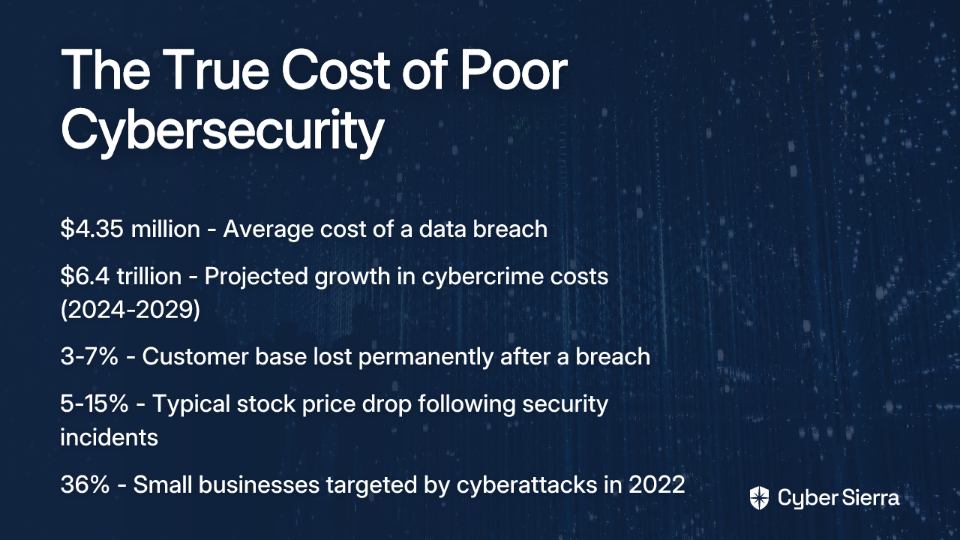
Let's explore the individuals truly worth following in 2025, organized by their primary contributions to the field.

The Investigators: Uncovering the Cybercriminal Underworld

These journalists and reporters provide deep, investigative work on cybercrime, threats, and security incidents, connecting technical details to real-world impacts.

Brian Krebs

Why Follow: The definitive source for in-depth investigations into cybercrime and the digital underground. Krebs regularly breaks major stories on data breaches and cybercriminal operations before they hit mainstream news.

Credentials: Former Washington Post reporter, now running the respected independent blog KrebsOnSecurity.

Where to Follow:

Andy Greenberg

Why Follow: Transforms complex cyber events into compelling narratives that help both technical and non-technical audiences understand significant security developments.

Credentials: Senior writer at WIRED, author of acclaimed books including Sandworm and Tracers in the Dark.

Where to Follow:

Kim Zetter

Why Follow: Provides sharp analysis on cybersecurity, cyber warfare, and digital privacy issues with historical context and technical accuracy.

Credentials: Veteran investigative journalist known for her deep reporting on Stuxnet and government hacking operations.

Where to Follow:

The Strategists & Practitioners: Voices from the C-Suite and the Trenches

These cyber security leaders offer insights on leadership, risk management, policy, and building security programs that protect organizations at scale.

Jen Easterly

Why Follow: As the definitive source for US cybersecurity policy and national risk management, Easterly provides guidance that shapes how organizations approach critical infrastructure protection.

Credentials: Director of the Cybersecurity and Infrastructure Security Agency (CISA), former NSA senior official, and co-founder of Morgan Stanley's cybersecurity fusion center.

Where to Follow:

Chris Krebs

Why Follow: Offers authoritative commentary on national cybersecurity policy and public-private partnerships from someone who's been in both worlds.

Credentials: First Director of CISA, now Chief Intelligence and Public Policy Officer at SentinelOne, founding partner of Krebs Stamos Group.

Where to Follow:

Rinki Sethi

Why Follow: Provides C-level perspective on building and leading information security programs at major tech companies, with particular emphasis on security culture.

Credentials: CISO at BILL, previously held senior security roles at Twitter, IBM, and eBay.

Where to Follow:

Dmitri Alperovitch

Why Follow: Delivers visionary insights at the intersection of cybersecurity, geopolitics, and national security strategy.

Credentials: Co-founder of CrowdStrike, Chairman of the Silverado Policy Accelerator, and special advisor to the Department of Defense.

Where to Follow:

The Technical Experts & Ethical Hackers: Decoding the Threats

These researchers, ethical hackers, and technical wizards dissect malware, discover vulnerabilities, and explain complex threats with precision.

Troy Hunt

Why Follow: The go-to expert on data breaches who makes security accessible to both technical practitioners and the general public.

Credentials: Creator of Have I Been Pwned, Microsoft Regional Director, and Pluralsight author.

Where to Follow:

Mikko Hypponen

Why Follow: A global perspective on malware trends and vulnerabilities from a veteran researcher who coined "Hypponen's Law": "If it's smart, it's vulnerable."

Credentials: Chief Research Officer at WithSecure, internationally renowned security expert with decades of experience.

Where to Follow:

Marcus Hutchins (MalwareTechBlog)

Why Follow: Provides real-time, highly technical insights into malware attacks and reverse engineering. Famously known for stopping the WannaCry ransomware attack.

Credentials: Malware researcher and cybersecurity educator who has analyzed some of the world's most dangerous malware.

Where to Follow:

The Grugq

Why Follow: A pseudonymous security researcher offering sharp, unfiltered, and often cynical insights on security operations, tradecraft, and geopolitics. Essential for advanced practitioners.

Credentials: Long-standing, respected (if anonymous) cybersecurity researcher focusing on operational security.

Where to Follow:

Graham Cluley

Why Follow: For timely, often witty updates on the latest security threats, news, and online privacy issues.

Credentials: Long-time security analyst, blogger, and co-host of the award-winning "Smashing Security" podcast. Former developer of Dr. Solomon's Antivirus Toolkit.

Where to Follow:

The Educators & Advocates: The Human and Community Element

These cyber security leaders focus on the human side of security, building a more inclusive industry, and making cybersecurity knowledge accessible.

Dr. Jessica Barker

Why Follow: Expert on the crucial human element of cybersecurity, including social engineering, security culture, and behavior change.

Credentials: Co-founder of Cygenta, author focusing on the psychology of cybersecurity, featured in her book on ConfidentCyber.com.

Where to Follow:

Daniel Miessler

Why Follow: Delivers a unique blend of cybersecurity, technology, and societal analysis through his popular newsletter and podcast that cuts through the noise.

Credentials: Founder of Unsupervised Learning, Head of Vulnerability Management at Robinhood, security practitioner with over 20 years of experience.

Where to Follow:

Keren Elazari

Why Follow: A forward-thinking cybersecurity analyst who bridges the gap between hackers and industry, advocating for "friendly hacking" as a force for good.

Credentials: Security researcher, TED speaker, and author who focuses on the future of cybersecurity and the role of ethical hackers.

Where to Follow:

Curating Your Cybersecurity Circle of Trust

As one industry professional noted, "There's plenty of great cybersecurity content, but you need to be searching for something more specific than the highest level name for a massive field." This list provides a starting point for building your personalized, high-value feed across different platforms.

The cyber security leaders highlighted here have earned their authority through demonstrable expertise, not just self-promotion. By following them, you'll cut through the noise of "ego-driven narcissists" promising unrealistic career outcomes and build an information diet based on substance rather than sensation.

Remember that in cybersecurity, as in any field, those who do the most talking aren't always those with the most to say. The best experts often focus on sharing genuine insights rather than building personal brands. As you curate your own list of sources, prioritize depth over reach, substance over style, and practical knowledge over promises.

By engaging with these authentic voices, you'll not only stay informed about the evolving threat landscape but also contribute to a more knowledgeable and less toxic cybersecurity community.

Frequently Asked Questions

What is the difference between a cybersecurity leader and an influencer?

A true cybersecurity leader establishes authority through proven expertise, real-world experience, and peer recognition. In contrast, a cybersecurity "influencer" often relies on marketing tactics, self-promotion, and high follower counts, sometimes lacking the deep technical knowledge or practical experience to back up their claims. The key difference is substance over style.

Who are some of the best cybersecurity experts for beginners to follow?

For beginners, it's best to follow experts who excel at making complex topics accessible. Individuals like Troy Hunt (creator of Have I Been Pwned), Graham Cluley (co-host of the "Smashing Security" podcast), and Dr. Jessica Barker (expert on the human side of security) are excellent starting points. They break down security news, data breaches, and psychological principles in ways that are easy to understand.

Why is it important to follow a variety of cybersecurity experts?

Following a diverse group of experts provides a well-rounded understanding of the industry. By listening to investigators, C-level strategists, technical hackers, and policy advocates, you gain perspective on everything from deep-seated cybercrime and corporate risk management to malware analysis and national security policy. This holistic view is crucial for navigating the multifaceted world of cybersecurity.

How can I identify a credible cybersecurity authority?

To verify a professional's credibility, look for demonstrable expertise beyond social media metrics. Check their work history, credentials (like roles at respected companies or government agencies), published research, and contributions to the community (like open-source projects or respected blogs). Genuine authorities are recognized by their peers and focus on sharing substantive insights, not just building a personal brand.

Where can I find reliable information on US cybersecurity policy?

For authoritative information on US cybersecurity policy and national risk, follow the current and former directors of the Cybersecurity and Infrastructure Security Agency (CISA). Jen Easterly, the current Director, and Chris Krebs, the first Director, provide definitive insights into government strategy, critical infrastructure protection, and public-private partnerships.

What makes journalists like Brian Krebs and Kim Zetter essential follows?

Investigative journalists like Brian Krebs and Kim Zetter are essential because they do the deep, time-consuming work of uncovering and reporting on major cybercrime operations, data breaches, and state-sponsored hacking. They connect the technical details of an attack to its real-world consequences, often breaking stories before they become mainstream news and providing critical context that helps everyone understand the threat landscape.

blog-hero-background-image
Cyber Security

What are the Benefits of Cybersecurity for an Organization?

backdrop
Table of Contents

Join thousands of professionals and get the latest insight on Compliance & Cybersecurity.


You've invested in cutting-edge technology and talented staff to drive your organization forward. But each night, you lie awake wondering: "What if tomorrow is the day we make headlines for all the wrong reasons? What if we're next?"

You're not alone. In boardrooms across every industry, leaders grapple with the unsettling reality that their organization's entire digital foundation could crumble with a single successful attack. And with the average data breach now costing a staggering $4.35 million, according to IBM's latest report, this concern is far from theoretical.

The global cost of cybercrime is projected to grow by an astounding $6.4 trillion between 2024 and 2029. This isn't just a technical issue anymore—it's an existential business threat.

But here's what many leaders miss: cybersecurity isn't merely a cost center or an IT problem. As one security professional puts it, "Without it, an organization could put its business continuity at risk. Similar to not having disaster recovery in place or an insurance policy... cybersecurity is a risk management function."

A robust cybersecurity strategy does more than prevent attacks; it protects your finances, safeguards your reputation, ensures operational continuity, and builds a foundation of trust with customers and partners. Let's explore the critical benefits that make cybersecurity a non-negotiable pillar of modern business.

The Financial and Reputational Shield

Averts Crippling Financial Losses

When a data breach occurs, the visible costs are just the tip of the iceberg. Beneath the surface lurk numerous financial burdens that can devastate your organization:

  • Regulatory fines: Violations of GDPR can cost up to 4% of annual global turnover or €20 million, whichever is higher. HIPAA violations can reach $1.5 million per year.
  • Legal fees and settlements: Class-action lawsuits from affected customers and shareholders can drag on for years.
  • Digital forensics and investigation costs: Specialized expertise to determine what happened and how to fix it comes at a premium.
  • Data recovery expenses: Restoring corrupted or encrypted systems often requires significant resources.
  • Increased insurance premiums: Just like a car accident, your cyber insurance rates will skyrocket after a claim.

Some cybersecurity experts estimate that major cyberattacks can cost organizations "up to $150 million on the low end." This isn't limited to large corporations either—36% of small businesses were targeted in 2022 according to the Hiscox Cyber Readiness Report, proving that no one is immune.

Safeguards Brand Reputation and Customer Trust

Your reputation takes years to build but can be destroyed overnight. As one industry professional bluntly states, "Having a lack of security has ruined companies."

When customers entrust you with their personal information, they expect you to protect it. A security breach shatters that trust. Consider these reputation impacts:

  • Customer exodus: Following a major breach, companies typically lose 3-7% of their customer base permanently.
  • Reduced customer acquisition: Negative headlines make prospective customers think twice.
  • Damaged investor confidence: Security incidents often trigger stock price drops of 5-15%.
  • Partner wariness: Other businesses become hesitant to share data or integrate systems with your organization.

In contrast, a strong security posture becomes a competitive advantage. Organizations that demonstrate commitment to cybersecurity build deeper customer relationships based on trust and reliability.

Ensuring Operational Resilience and Productivity

Guarantees Business Continuity and Minimizes Downtime

Cybersecurity isn't just about protecting data—it's about keeping your business running. Consider what happens when ransomware infects your systems:

  • Manufacturing production lines halt
  • Customer service portals go dark
  • Email communication stops
  • Payment processing freezes
  • Core business applications become inaccessible

Each minute of downtime translates to lost revenue, missed opportunities, and frustrated customers. Small and medium-sized businesses (SMBs) feel this acutely, often lacking the resources to quickly recover. As one SMB owner noted, "We're often easy targets for cybercriminals because we usually don't have huge security budgets or dedicated IT teams."

Effective cybersecurity measures prevent these disruptions by:

  • Implementing redundant systems and backup solutions
  • Establishing incident response plans for quick recovery
  • Deploying advanced threat detection to stop attacks before they cause damage
  • Creating business continuity protocols that keep critical functions operating

Enhances Employee Productivity

When systems are secure and functioning properly, your team can focus on what matters most: doing their jobs effectively. Cybersecurity directly contributes to productivity in several ways:

  • Prevents system slowdowns: Malware-free devices operate at optimal speed
  • Reduces troubleshooting time: IT staff spend less time fixing compromised systems
  • Eliminates recovery efforts: Employees don't waste days recreating lost work
  • Maintains workflow continuity: Secure collaboration tools function reliably

Security professionals often measure success by these operational improvements. As one expert shared, "I think the main driver for me is to see improvements. I'm a problem solver. I like to see these problems disappear."

Protecting Your Crown Jewels: Data and IP

Protects Sensitive Data and Prevents Identity Theft

In today's digital economy, "data is king." Your organization's data assets require protection on multiple levels:

  • Customer personal identifiable information (PII): Names, addresses, financial details
  • Employee records: Salary information, social security numbers, healthcare data
  • Financial data: Banking information, payment card details, transaction records
  • Internal communications: Strategy discussions, merger plans, organizational changes

Cybersecurity measures protect this information through the core tenets of:

  • Confidentiality: Ensuring only authorized individuals can access sensitive information
  • Integrity: Guaranteeing data hasn't been improperly modified or corrupted
  • Availability: Making sure authorized users can access information when needed

Without these protections, identity theft becomes a real threat to your customers and employees, creating both legal liability and reputational damage for your organization.

Secures Intellectual Property from Corporate Espionage

For many organizations, intellectual property represents their most valuable asset. This includes:

  • Proprietary algorithms and source code
  • Patent-pending innovations
  • Secret formulas and manufacturing processes
  • Research and development findings
  • Strategic plans and market analyses

These assets are prime targets for corporate espionage. In fact, the manufacturing sector faced the highest proportion of cyber-attacks in 2022, largely targeting intellectual property. Sophisticated threat actors, including competitors and nation-states, actively seek to steal these competitive advantages.

Navigating the Modern Work and Regulatory Landscape

Enables a Secure Remote and Hybrid Workforce

The pandemic accelerated the shift to remote work, expanding what security professionals call "technology sprawl"—the wider distribution of devices, networks, and access points. This expanded attack surface requires specialized security solutions:

  • VPNs (Virtual Private Networks) for encrypted connections
  • MFA (Multi-Factor Authentication) to verify user identity
  • Endpoint security for employee-owned devices
  • Cloud access security brokers to protect SaaS applications

With these measures in place, organizations can confidently embrace flexible work arrangements without compromising security, giving them a competitive edge in talent recruitment and retention.

Achieves and Maintains Regulatory Compliance

The regulatory landscape for data protection grows more complex yearly. Organizations face a maze of requirements:

  • GDPR for handling EU citizens' data
  • HIPAA for healthcare information
  • PCI DSS for credit card processing
  • Industry-specific regulations like CMMC for defense contractors

Robust cybersecurity forms the foundation for meeting these standards. Modern security tools can even streamline compliance processes, "reducing the time from months to weeks" through automated controls and documentation.

Non-compliance isn't an option—the penalties are too severe. Beyond fines, many regulations require public disclosure of breaches, compounding reputational damage.

Building a Proactive and Resilient Security Culture

Strengthens Overall Posture with a Proven Framework

Rather than addressing security in an ad-hoc manner, leading organizations implement structured frameworks like the NIST Cybersecurity Framework (NIST CSF). This approach provides a comprehensive strategy organized around five core functions:

  1. Identify: Understand your assets, risks, and vulnerabilities
  2. Protect: Implement safeguards like access control, cybersecurity awareness training, and data protection
  3. Detect: Deploy tools for continuous monitoring to promptly identify security events
  4. Respond: Execute a prepared incident response plan to contain and mitigate attacks
  5. Recover: Restore systems and services to normal operation and learn from the incident

This structured approach turns cybersecurity from an overwhelming challenge into a manageable, measurable program.

Fosters a Security-Aware Workforce through Education

Technology alone isn't enough. The most sophisticated security tools can be undermined by a single employee clicking a malicious link. This is why a "people-first" cybersecurity strategy is essential.

Regular cybersecurity awareness training teaches employees to recognize and report threats like phishing, social engineering, and malware, turning your greatest vulnerability (human error) into your first line of defense.

Organizations handling sensitive data should conduct cybersecurity audits at least twice a year to ensure policies and training remain effective. This is especially important for SMBs, who may lack dedicated security staff but can compensate with a well-trained workforce.

From Defense to Advantage

The benefits of cybersecurity extend far beyond simply preventing attacks. A strategic approach to cybersecurity:

  • Protects your financial resources from devastating losses
  • Preserves your hard-earned reputation and customer trust
  • Ensures your operations continue without disruption
  • Secures your valuable intellectual property
  • Enables compliance with complex regulations
  • Builds a foundation of trust with stakeholders

In today's digital economy, cybersecurity is no longer just a defensive measure or an IT problem. It is a strategic imperative that underpins business resilience and competitive advantage. In a world where a cyberterrorism attack on a hospital "can put thousands of lives in danger," the importance of this function cannot be overstated.

Begin building a stronger security posture today by embracing a recognized framework like the NIST CSF, implementing foundational controls like MFA, and—most importantly—investing in continuous cybersecurity awareness training for your people. The benefits of cybersecurity will not only protect what you've built but enable your organization to thrive in an increasingly digital future.

Frequently Asked Questions

What is the primary business case for investing in cybersecurity?

The primary business case for investing in cybersecurity is proactive risk management and strategic business enablement. It directly protects your organization against crippling financial losses from breaches, regulatory fines, and operational downtime. Beyond defense, a strong security posture builds customer trust, safeguards your reputation, and provides a competitive advantage in the modern digital marketplace.

Why is cybersecurity critical for small businesses?

Cybersecurity is critical for small businesses because they are frequent targets for cybercriminals who view them as easier targets than large corporations. Lacking the resources of larger enterprises, a single cyberattack can be devastating for an SMB, leading to significant financial loss, customer exodus, and even complete business failure. Proactive security is an affordable investment compared to the potentially catastrophic cost of a breach.

How can a business start building a strong cybersecurity posture?

A business can start by adopting a recognized framework like the NIST Cybersecurity Framework (Identify, Protect, Detect, Respond, Recover). This provides a structured roadmap. Key first steps include conducting a risk assessment to understand your unique vulnerabilities, implementing foundational controls like Multi-Factor Authentication (MFA), developing an incident response plan, and, most importantly, investing in regular cybersecurity awareness training for all employees.

What are the biggest financial risks of a cyber attack?

The biggest financial risks of a cyber attack extend beyond the immediate ransom or theft. They include massive regulatory fines (like those for GDPR or HIPAA violations), costly legal fees from lawsuits, expenses for digital forensics and system recovery, and revenue lost due to operational downtime. Indirectly, businesses face increased insurance premiums and long-term brand damage that hinders customer acquisition and investor confidence.

How does cybersecurity affect employee productivity?

Effective cybersecurity directly enhances employee productivity by ensuring core business systems are reliable, fast, and secure. When devices are free from malware and protected from attacks, they operate at optimal speed. This minimizes system downtime, reduces time spent by IT on troubleshooting, and prevents employees from wasting hours recreating lost work, allowing everyone to focus on their primary job functions.

What is a "people-first" cybersecurity strategy?

A "people-first" cybersecurity strategy acknowledges that technology alone is not enough and that employees are the first line of defense. It focuses on empowering the workforce through continuous education and awareness training. By teaching employees how to recognize and report threats like phishing, social engineering, and malware, you transform a potential vulnerability (human error) into your strongest security asset.

blog-hero-background-image
Cyber Security

Writing Effective VAPT Reports: A Comprehensive Approach

backdrop
Table of Contents

Join thousands of professionals and get the latest insight on Compliance & Cybersecurity.


Ever received a VAPT report that was dense with technical jargon, failed to explain the real business impact, or was simply ignored by the teams meant to act on it? A great report is more than a list of vulnerabilities; it's a catalyst for change.

Introduction: Beyond the Scan – The True Purpose of a VAPT Report

Vulnerability Assessment and Penetration Testing (VAPT) is a hybrid security approach that combines automated scanning with manual exploitation techniques to identify weaknesses in your systems. The VAPT report is the comprehensive document that details all findings, assesses the associated risks, and provides a clear roadmap for remediation.

What makes writing these reports challenging is their dual audience: they must communicate technical details to developers and administrators while also conveying business risk to executives who make funding decisions. A poorly crafted vapt report fails at both tasks, becoming either shelf-ware or a source of confusion.

Why Your VAPT Report is a Critical Business Asset

Primary Objectives

A well-crafted VAPT report serves multiple critical functions:

  • Pinpoint vulnerabilities: Provides an integrated analysis from both vulnerability assessment and penetration testing
  • Assess risks: Measures the potential business impact of each vulnerability
  • Guide security decisions: Informs mitigation plans and security investments
  • Track progress: Serves as a benchmark for future security improvements

The Dangerous Misconception About Internal Systems

One of the most dangerous arguments security professionals encounter is: "If the infrastructure isn't exposed to the internet, we don't need to fix the vulnerabilities." This outdated view ignores modern threat models and creates significant blind spots in your security posture.

The reality is that non-internet-facing systems are still vulnerable to:

  • Lateral movement: Attackers who gain access to one system can use vulnerabilities on "internal" systems to move across the network, escalating privileges until they reach critical assets.
  • Insider attack: A malicious insider or an employee with compromised credentials can directly exploit these internal vulnerabilities.

As one security professional bluntly put it: "Just because they are not exposed to the internet doesn't mean they are still not a threat."

Compliance and Trust

Beyond security, VAPT reports are essential for meeting regulatory compliance standards like PCI-DSS, HIPAA, SOC 2, ISO/IEC 27001, and GDPR. They demonstrate a proactive security stance that builds trust with clients, partners, and stakeholders.

The Anatomy of a World-Class VAPT Report

A professional vapt report follows a structured format with sections designed to address different stakeholders' needs:

1. Executive Summary

Audience: C-Suite, management, non-technical stakeholders
Goal: Communicate business risk in 1-2 pages
Content: Overview of objectives, scope highlights, a graph/chart of findings by severity, overall risk posture (e.g., Critical, High), and a summary of the most critical risks and recommended strategic actions. Avoid deep technical jargon.

2. Introduction

Audience: Technical leads, project managers
Goal: Set the context for the assessment
Content: Purpose of the test, specific goals, and contact information for the testing team.

3. Scope & Methodology

Audience: Technical teams, auditors
Goal: Detail what was tested and how
Content:

  • Scope: Clearly list all in-scope assets (IP addresses, domains, applications) and any explicit limitations or out-of-scope assets.
  • Methodology: Define the testing approach:
    • Black-box testing: No prior knowledge of the system
    • Grey-box testing: Limited knowledge provided
    • White-box testing: Full access to code and architecture
    • Testing location (on-site testing vs. remote testing)

For thorough testing of web applications and APIs, white-box testing is often the most effective as it allows for a comprehensive review of the code and architecture.

4. Findings & Vulnerabilities

Audience: Developers, system administrators, security engineers
Goal: Provide a detailed, prioritized list of all identified vulnerabilities
Structure: Group findings by host or application, then rank by severity (Critical, High, Medium, Low)
For each vulnerability, include:

  1. Name & Description: What is the weakness?
  2. Affected Components: Specific URL, IP, parameter, or server
  3. CVSS Score: The Common Vulnerability Scoring System score and vector to standardize risk
  4. Proof of Concept (PoC): Screenshots, code snippets, logs, and step-by-step instructions to reproduce the finding

5. Remediation Recommendations

Audience: Developers, system administrators
Goal: Provide clear, actionable steps to fix each vulnerability
Content: Avoid vague advice like "validate user input." Provide specific, step-by-step guidance, code examples, patch links, and configuration changes. Prioritize fixes based on the risk score.

6. Conclusion

A final summary of the organization's security posture based on the findings. Reiterate the importance of timely remediation.

7. Appendices

  • Glossary of Terms: Define any technical jargon used
  • Tools Used: List tools like NMAP, OWASP ZAP, Wireshark, Burp Suite, and distributions like Kali Linux
  • References: Links to OWASP Top 10, CWE, etc.

Best Practices for Writing Reports That Get Read (and Acted Upon)

1. Know Your Audience

Tailor language and detail to your readers. Use jargon and technical terms for technical teams; focus on business impact for decision-makers. Remember that the executive summary might be the only section some stakeholders read, so make it count.

2. Prioritize Ruthlessly

Use the risk assessment (CVSS scores) to highlight the most critical issues in the executive summary. Don't bury a critical vulnerability on page 40. The most severe vulnerabilities should be immediately visible to ensure they get addressed first.

3. Write Clearly and Concisely

Use simple language, active voice, and short sentences. Proofread meticulously to ensure credibility. A report filled with grammatical errors and typos undermines your authority and may lead stakeholders to question your technical abilities as well.

4. Visualize Data

Use charts for vulnerability distribution, diagrams for attack paths, and screenshots for evidence. A visual is often more impactful than a paragraph. Consider including:

  • Pie charts showing vulnerability distribution by severity
  • Heat maps of affected systems
  • Attack trees demonstrating how vulnerabilities can be chained

5. Use a Professional Template

You don't have to start from scratch. Leverage battle-tested templates from industry leaders to ensure a professional structure. Resources like OffSec (for their certifications) and RedTeam.guide offer excellent public report templates that cover all the essential components.

Navigating Common VAPT Challenges and Tools

Challenge: Budget Constraints

While a full-scale pentest requires investment, you can begin with robust vulnerability scanning using powerful free tools. OpenVAS is a comprehensive open-source scanner, and Tenable Nessus Essentials allows you to scan up to 16 assets for free. This can provide a valuable baseline of your security posture.

Challenge: Vetting Vendors and Understanding Tools

When creating an RFP or vetting a vendor, ask about their methodology (e.g., OWASP Testing Guide, NIST frameworks), their reporting process, and the core tools they use for both automated scanning (e.g., Nessus, Acunetix) and manual testing (e.g., Burp Suite Pro, Metasploit).

Understanding these tools and methodologies allows you to assess the thoroughness of the vendor's approach and ensures you're getting value for your investment.

Conclusion: Turning Your Report into a Security Catalyst

A great vapt report is clear, concise, audience-aware, evidence-based, and actionable. It bridges the gap between technical findings and business risk, serving as the cornerstone of your security improvement program.

Don't let your VAPT report become shelf-ware. Use it as a living document to drive remediation, justify security investments, and build a resilient security culture. The goal is not just to find flaws, but to foster a continuous cycle of testing, fixing, and improving.

Tools like Sprinto can help automate compliance checks and continuously monitor the security controls you implement based on your VAPT report findings, closing the loop on your security program.

Remember, the quality of your VAPT report directly impacts the effectiveness of your security remediation efforts. A well-crafted report doesn't just identify problems—it paves the way for their resolution, helping transform security from a cost center into a business enabler.

Frequently Asked Questions (FAQ)

What is the difference between Vulnerability Assessment (VA) and Penetration Testing (PT)?

A Vulnerability Assessment (VA) is an automated process that scans systems to identify and list potential vulnerabilities, providing broad coverage. Penetration Testing (PT), on the other hand, is a manual, goal-oriented process where security experts attempt to actively exploit vulnerabilities to determine the real-world risk and impact. VAPT (Vulnerability Assessment and Penetration Testing) combines the breadth of VA with the depth of PT for the most comprehensive security analysis.

Why is a VAPT report important for systems not exposed to the internet?

A VAPT report is crucial for internal systems because attackers often use them for lateral movement. Once an attacker gains an initial foothold in a network—perhaps through a phishing attack—they can exploit vulnerabilities on internal servers to move across the network, escalate their privileges, and access critical assets like databases and domain controllers. Internal systems are also susceptible to insider threats.

How should a VAPT report be structured for different audiences?

A VAPT report should be structured to serve both technical and non-technical stakeholders. This is best achieved by separating business impact from technical details. The Executive Summary should be at the beginning, using clear language and visuals to explain the overall risk posture and business impact to management. The subsequent sections, like Findings & Vulnerabilities and Remediation Recommendations, should provide detailed, technical information for developers and system administrators who will fix the issues.

How often should my organization conduct VAPT?

The frequency of VAPT depends on your risk profile, compliance requirements, and the rate of change in your environment. As a general rule, most organizations conduct VAPT at least annually to meet compliance standards like PCI-DSS or SOC 2. However, it is a best practice to perform testing after any significant changes to your infrastructure or applications, or more frequently for high-value assets.

What makes a VAPT remediation plan actionable?

An actionable remediation plan provides specific, step-by-step guidance that developers can immediately use. Instead of vague advice like "sanitize user input," an actionable recommendation includes precise code examples, links to necessary patches or software updates, specific configuration changes, and clear instructions to verify the fix. This removes ambiguity and speeds up the remediation process.

What is a CVSS score and why does it matter?

The Common Vulnerability Scoring System (CVSS) is a global standard for rating the severity of security vulnerabilities on a scale from 0 to 10. It matters because it provides an objective, consistent way to measure and prioritize risks. By using CVSS scores, organizations can triage vulnerabilities effectively, ensuring that the most critical issues (those with scores of 9.0-10.0) are addressed first, thereby optimizing resource allocation and reducing the most significant threats.

toaster icon

Thank you for reaching out to us!

We will get back to you soon.