blog-hero-background-image
Governance & Compliance

GRC Tool Demos That Actually Matter: What to Test

backdrop
Table of Contents

Join thousands of professionals and get the latest insight on Compliance & Cybersecurity.


You've sat through countless vendor demos of GRC (Governance, Risk Management, and Compliance) platforms. The sales reps confidently clicked through polished interfaces, promising their solution will revolutionize your compliance program, streamline audit prep, and make your risk management woes disappear.

Yet something doesn't feel right. The whole GRC vendor landscape is overwhelming. You're skeptical of tools claiming to solve all your problems, especially when you're staring down potential sticker shock and months-long implementation cycles.

You're right to be cautious. Standard vendor demos rarely reveal how a tool will perform in your actual environment, with your specific workflows and your team's unique needs.

The Pre-Demo Playbook: Setting the Stage for Success
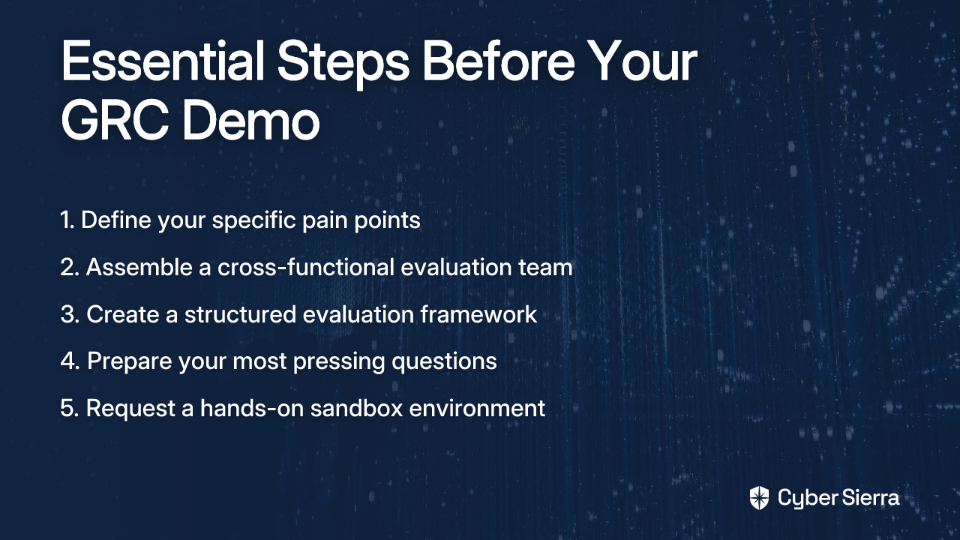
Before you even schedule a demo, take these critical preparation steps to avoid the all-too-common "boiling the ocean" disaster:

1. Define Your "Why" - Establish Clear Needs

As one CISO wisely noted in a recent discussion, you must "figure out what's actually broken in your process before you even talk to vendors."

Start by identifying your most significant pain points:

  • Are you struggling with audit prep for SOC 2 or ISO 27001?
  • Is your vendor management oversight process inefficient?
  • Do you need a centralized Risk Register that doesn't live in spreadsheets?

Resist the urge to solve everything at once. Focus on your most pressing needs first, then expand later.

2. Assemble Your Evaluation Team

GRC isn't just an IT or security challenge. Form a cross-functional team including representatives from:

  • Security/IT
  • Compliance/Legal
  • Internal Audit
  • Business units that will use the system

This diverse team will provide multiple perspectives and ensure buy-in across departments. Importantly, determine "who's going to party-command it for you" - clarifying ownership for implementation and ongoing management prevents future confusion.

3. Create Your Initial GRC Tool Checklist

Develop a structured evaluation framework covering:

  • Deployment options (cloud vs. on-premise)
  • Core functionality requirements
  • Integration capabilities
  • Budget constraints
  • Support and training needs

This framework will help you compare options objectively, whether you're looking at an enterprise-grade Archer class solution or a more streamlined platform.

Mastering the Demo: Asking the Right Questions
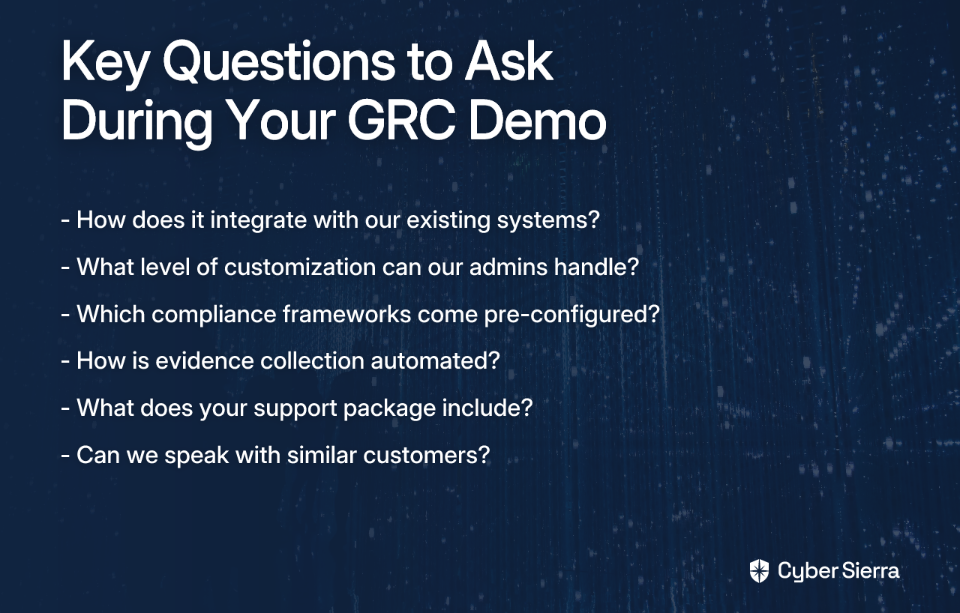
When it's time for the actual vendor demo, go beyond passive watching. Ask pointed questions that push past the sales pitch to uncover the tool's true capabilities:

Integration & Customization Questions

  • "Can you show me how your tool integrates with our existing systems like AWS, GitHub, and Okta without custom scripts?" This addresses the need for tools that "actually connect to your infrastructure" as highlighted by users in the field.
  • "What level of customization can our admins handle through the UI versus what requires developers?" This directly confronts the pain point where some tools "need ServiceNow developers to make basic changes in the tool" according to frustrated users.

Compliance & Automation Questions

  • "Which compliance frameworks (SOC 2, ISO 27001, NIST CSF) come pre-configured, and how are they maintained when standards change?"
  • "Can you demonstrate how evidence collection works for a specific control? Will it automatically pull from integrated systems or will we still be taking screenshots manually?"

Support & Growth Questions

  • "What does your standard support package include? What are the SLAs for response times?"
  • "How do customer advisory boards influence your product roadmap?"
  • "Can we speak with customers of similar size and industry to understand their implementation experience?"

The Real Test: Getting Your Hands Dirty in a Sandbox Environment
While demos provide a useful overview, nothing beats hands-on testing. This is where sandbox environments become non-negotiable in your evaluation process.

Why Sandbox Testing Matters

A sandbox environment is an isolated testing space where you can experiment with the actual software using your own data and scenarios. According to one CISO who shared their experience on a Reddit thread, "I had a couple of vendors set up demos and then got test instances set up for the two after the demos."

This approach lets you:

  • Test with your actual use cases rather than vendor-designed examples
  • Involve multiple stakeholders in the evaluation
  • Discover limitations before making a significant financial commitment

Setting Up Your Test Instance

Follow these steps to create an effective sandbox testing environment:

  1. Make a specific request: Ask for a fully-functional, cloud-based sandbox with admin-level access for at least 2-4 weeks. Specify that it shouldn't be a limited demo environment.
  2. Prepare real-world data: Upload samples of your actual controls, risks, assets, and vendor information (anonymized if necessary).
  3. Create test users: Set up accounts with different permission levels to simulate how various team members will interact with the system.
  4. Develop a test plan: Create a structured testing agenda focusing on your most critical workflows.

Mission-Critical Scenarios to Test

Now for the crucial part - what specific scenarios should you test during your sandbox evaluation? Here are four essential test cases that will reveal whether a GRC tool can truly deliver on its promises:

Scenario 1: The Audit Fire Drill

Task: Simulate an urgent request from an auditor for evidence related to 3-5 specific controls from a framework like NIST CSF or ISO 27001.

Test Process:

  1. Locate the controls in the system
  2. Check their current status (control maturity)
  3. Gather all associated evidence
  4. Generate a report for the auditor

Success Metrics:

  • How many clicks did it take?
  • Was evidence automatically pulled from integrated systems?
  • How long did the entire process take compared to your current methods?

This test directly addresses why companies adopt GRC tools in the first place - to make audit prep less painful. As one security professional noted, a good GRC tool "has saved us a ton of time" during audit season.

Scenario 2: The Risk Management Lifecycle

Task: Add a new risk to your Risk Register (e.g., "Unpatched critical vulnerability in a public-facing server").

Test Process:

  1. Create the risk and assign it appropriate attributes (likelihood, impact)
  2. Link it to affected assets and relevant controls
  3. Assign an owner and mitigation plan
  4. Move it through approval workflows
  5. Generate risk reports for different stakeholders

Success Metrics:

  • How intuitive was the risk creation process?
  • Could you establish proper relationships between risks, controls, and assets?
  • Were the reporting options flexible enough for different audiences?

Scenario 3: The Non-Technical User Test

Task: Invite a business user (e.g., someone from HR or Finance) to complete a simple task like attesting to a policy or providing evidence for a control they own.

Test Process:

  1. Create an account for the business user
  2. Assign them a simple compliance task
  3. Observe them completing the task without training
  4. Gather their feedback

Success Metrics:

  • Did they complete the task without assistance?
  • How did they rate the experience?
  • Would they be resistant to using this system regularly?

This test is critical because GRC tools often fail when they're too complex for business users, leading to poor adoption and ultimately, compliance gaps.

Scenario 4: The Vendor Management Test

Task: Onboard a new third-party vendor and assess their security posture.

Test Process:

  1. Create a new vendor profile
  2. Send an automated assessment questionnaire
  3. Review responses and supporting documentation
  4. Assign a risk rating
  5. Establish ongoing monitoring and review cycles

Success Metrics:

  • How streamlined is the vendor management oversight process?
  • Can you customize assessment questionnaires for different vendor types?
  • Does the tool provide meaningful risk insights about your vendors?

The Final Verdict: Your GRC Evaluation Scorecard

After completing your sandbox testing, use a structured evaluation framework to make an objective decision:

Evaluation Criteria

  1. Workflow Alignment (40%): How well does the tool fit into your team's existing processes? Does it reduce manual work or create new burdens?
  2. User Experience & Adoption (25%): Is the interface intuitive for both technical and non-technical users? Will people actually use it?
  3. Feature Depth & Scalability (20%): Does it meet your immediate needs and have room to grow? Consider whether you need a Cadillac solution like an enterprise-grade platform, or if a more targeted tool will suffice.
  4. Integration & Automation (15%): How effectively does it connect with your existing tech stack and automate evidence collection?

Total Cost of Ownership

Don't focus solely on the license fee. Calculate the full TCO including:

  • Implementation and migration costs
  • Training expenses
  • Customization requirements (especially if they require specialized consultants)
  • Ongoing support and maintenance fees

Many organizations experience sticker shock not from the initial price but from these hidden costs that emerge during implementation.

Choosing a Partner, Not Just a Platform

The best GRC tool isn't necessarily the one with the most features—it's the one your team will actually use effectively. Success depends on:

  1. Internal preparation: Clearly defining your requirements before engaging vendors
  2. Asking tough questions: Pushing past sales pitches to understand real capabilities
  3. Hands-on testing: Rigorously evaluating the tool in a sandbox environment

Remember to look beyond the software itself. Evaluate the vendor as a potential partner:

  • How responsive are they during your evaluation?
  • Do they understand your industry's specific compliance challenges?
  • What do their existing customers say about their support?

For unfiltered feedback, engage with peers at CISO meetups or in online communities where you can have candid conversations "without vendors listening in," as one CISO recommended.

By following this structured approach to GRC tool evaluation, you can move beyond flashy demos to find a solution that truly meets your needs—transforming compliance from a painful checkbox exercise into a strategic asset for your organization.

Remember: The right GRC tool should make compliance stuff easier, not more complicated. It should liberate your team from spreadsheet hell while providing the insights you need to manage risk effectively. With proper testing and evaluation, you can find that perfect match.
Frequently Asked Questions

What is a GRC tool and why is it important?

A GRC (Governance, Risk Management, and Compliance) tool is a software platform that helps organizations manage their overall governance, risk, and compliance strategy in a centralized system. It's important because it replaces disconnected spreadsheets and documents, automating tasks like evidence collection for audits (SOC 2, ISO 27001), tracking risks in a central register, and managing vendor security. This saves significant time, reduces human error, and provides leadership with a clear view of the organization's risk posture.

How do you choose the right GRC tool for your business?

To choose the right GRC tool, you must first define your most critical pain points, assemble a cross-functional evaluation team, and insist on a hands-on sandbox trial to test your specific workflows. Avoid being swayed by generic vendor demos. The best approach is to test real-world scenarios, such as simulating an audit, managing a risk from creation to mitigation, and testing usability with non-technical users. Evaluate the tool based on how well it fits your processes, its user experience, and its ability to integrate with your existing tech stack.

What are the biggest mistakes to avoid when selecting a GRC platform?

The biggest mistakes are skipping the hands-on testing phase, focusing only on features instead of your core workflows, and underestimating the total cost of ownership (TCO). Many organizations purchase tools based on a polished demo, only to find the tool is difficult to customize, doesn't integrate well, or has a poor user interface that hinders adoption. Always calculate the full TCO, which includes implementation, training, and potential consultant fees, not just the initial license cost.

How long does it take to implement a GRC tool?

GRC tool implementation can take anywhere from a few weeks to over six months, depending on the platform's complexity and the scope of your project. Simpler, more modern cloud-based platforms focused on specific use cases (like SOC 2 compliance) can often be up and running in a month or less. Large, enterprise-grade platforms that require extensive customization and developer involvement can have implementation cycles of six months or more. It's crucial to clarify the implementation timeline and required resources with the vendor.

What is a GRC sandbox environment?

A GRC sandbox environment is a private, fully-functional test instance of the software that allows you to evaluate the tool using your own data, controls, and workflows before making a purchase. Unlike a standard vendor demo which uses curated data, a sandbox lets you perform hands-on testing of your most critical scenarios, such as running an audit fire drill or onboarding a new vendor. This is the most effective way to discover a tool's true capabilities and limitations in the context of your actual business processes.

Should I choose an enterprise GRC platform or a more modern, streamlined tool?

The choice depends on your organization's size, complexity, and immediate needs. Large, highly regulated enterprises may require a comprehensive enterprise platform, while small to mid-sized businesses often benefit more from modern, user-friendly tools that solve specific problems effectively. Enterprise platforms offer extensive customization but can be complex and costly to implement and maintain. Modern GRC tools are typically cloud-native, easier to use, and focus on streamlining specific workflows like audit management or vendor risk.


This article is based on real experiences from security and compliance professionals across various industries. Special thanks to the cybersecurity community for sharing their insights on GRC tool selection and implementation.
blog-hero-background-image
Governance & Compliance

Why Your Compliance Tool Needs SIEM Integration in 2025

backdrop
Table of Contents

Join thousands of professionals and get the latest insight on Compliance & Cybersecurity.


"I'd rather have these reports generated every day rather than only when the auditors come."

This sentiment, expressed by a frustrated compliance professional on Reddit, captures the growing pain of modern organizations: the gap between periodic compliance activities and the need for continuous security vigilance. As cyber threats evolve at breakneck speed, the traditional approach of treating compliance as a quarterly or annual checkbox exercise has become dangerously outdated.

In 2025, integrating your Governance, Risk Management and Compliance (GRC) tool with a Security Information and Event Management (SIEM) platform isn't just a competitive advantage—it's a foundational requirement for achieving proactive risk management, continuous compliance, and organizational resilience.

The Growing Divide: Traditional Compliance vs. Modern Security Threats

Historically, compliance and security operations have existed in separate realms within organizations:

  • Compliance Teams focus on frameworks like SOC2 and ISO27001, managing policy documents, and preparing for annual audits. They often struggle with tools that are more document repositories than active monitoring solutions. As one Reddit user noted, "Complianceforge only sells policy documents, not actual tools for continuous compliance monitoring."
  • Security Operations Teams use tools like SIEM platforms to monitor threats in real-time, investigating incidents and responding to attacks as they happen.

This siloed approach has serious consequences:

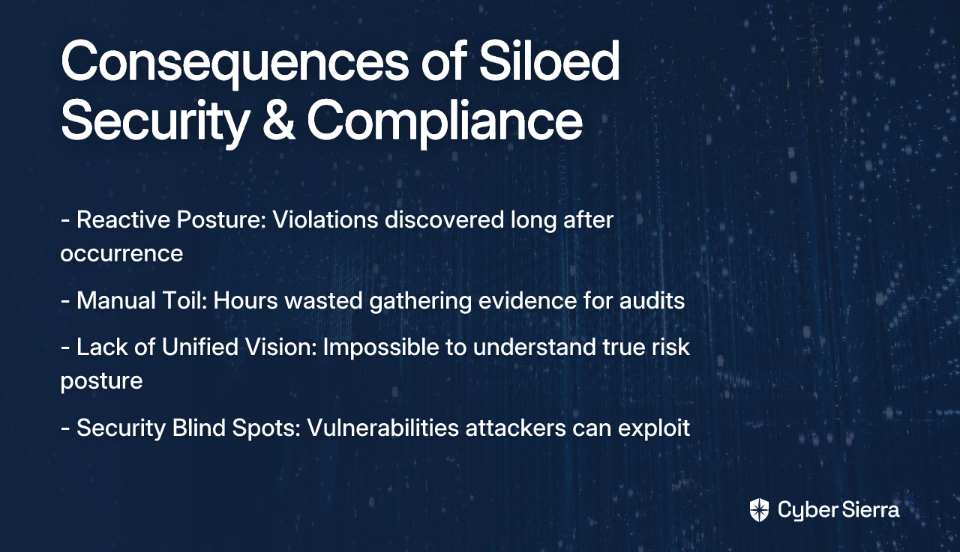
  • Reactive Posture: Compliance violations are often discovered long after they occur, during manual reviews or audits
  • Manual Toil: Security and IT teams spend countless hours manually gathering evidence for auditors
  • Lack of Unified Vision: Without a consolidated view, it's impossible to understand the true risk posture of the organization

As MetricStream observes, organizations face significant challenges in "gaining a consolidated view of risk, compliance, and internal controls across the enterprise." This fragmentation creates blind spots that sophisticated attackers can exploit.

Primer: What is SIEM and Why is it a Game-Changer for GRC?

Before diving deeper, let's clarify what SIEM actually is and why it matters for compliance.

A SIEM (Security Information and Event Management) solution "collects, aggregates, and analyzes data from various applications, devices, servers, and users in real-time to support threat protection and visibility into security posture," according to Microsoft.

Core SIEM functions include:

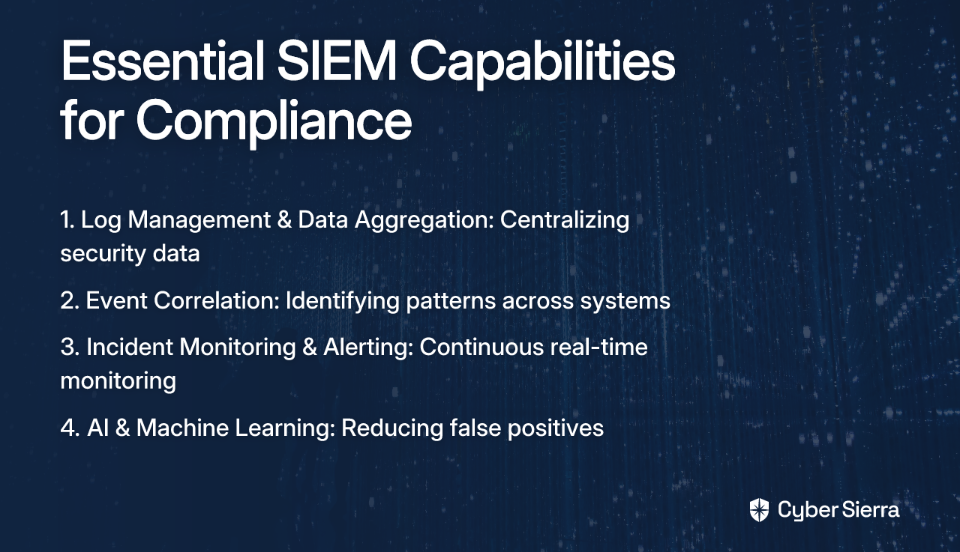
  1. Log Management & Data Aggregation: Centralizing security data from across your entire infrastructure
  2. Event Correlation: Using rules and analytics to analyze data from multiple systems and identify patterns
  3. Incident Monitoring & Alerting: Continuously monitoring systems and sending real-time alerts based on predefined rules

Modern SIEMs have evolved beyond simple log collection, incorporating AI and machine learning for User and Entity Behavior Analytics (UEBA). This helps reduce false positives by learning normal behavior patterns and flagging true anomalies, as noted by Exabeam.

For compliance teams, SIEM becomes the bridge between point-in-time assessments and continuous monitoring—providing the real-time visibility needed to transform GRC from a reactive exercise to a proactive strategy.

The Core Benefits: Unlocking Proactive Compliance with SIEM Integration

When you integrate your compliance tool with a SIEM platform, you unlock several transformative capabilities that fundamentally change how your organization approaches risk and compliance:

1. Automated Incident Response for Compliance Violations

The traditional compliance violation response typically looks like this: discover an issue during a quarterly review, scramble to understand what happened, manually remediate, and document everything for auditors—often weeks or months after the violation occurred.

With SIEM integration, this process transforms:

  1. Detection: The SIEM identifies a suspicious activity that violates a compliance rule (e.g., unauthorized access to PII)
  2. Analysis: The system automatically evaluates the incident's severity and compliance impact
  3. Response: Predefined playbooks deploy automated actions like isolating affected systems, creating tickets, and notifying compliance officers

Cynet reports that this automation can reduce the time from detection to containment by up to 80%, minimizing the compliance impact of security incidents.

2. Real-Time Risk Assessment & Continuous Control Monitoring (CCM)

This integration enables the shift from periodic sampling to 100% visibility, 100% of the time—directly addressing the need for continuous compliance monitoring expressed by many professionals.

Here's how it works:

  • The SIEM acts as the data source, feeding live event data to the GRC platform
  • The GRC tool maps this data to specific controls within frameworks like NIST, ISO27001, PCI DSS, and HIPAA
  • Instead of guessing if controls are effective, you have a live dashboard showing their operational status

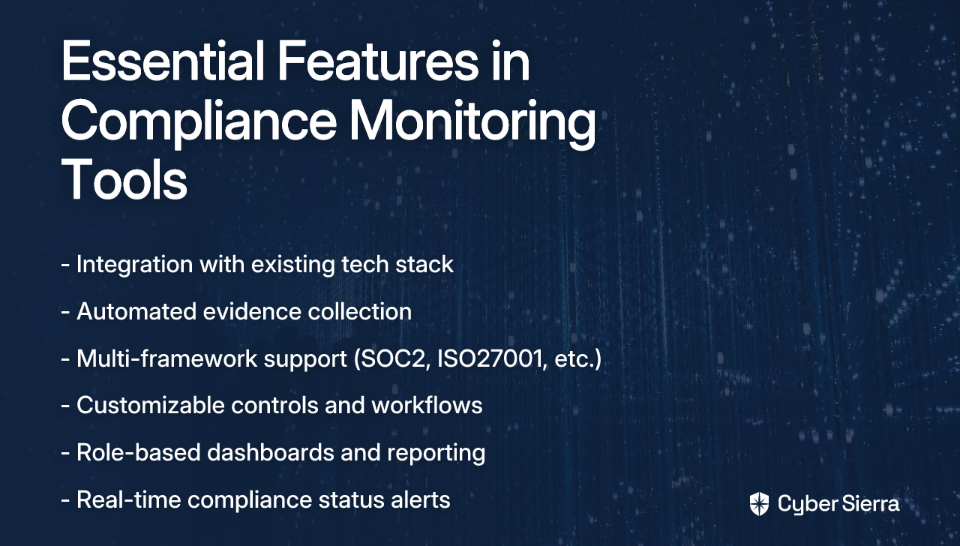
Platforms like Cybersierra are built specifically for this purpose. Their Continuous Control Monitoring (CCM) module is designed to "build a central controls repository with near real-time updates" and "automate control testing and validation," turning compliance from a periodic event into a continuous process. This approach provides actionable risk intelligence for data-driven remediation.

3. Unified Security and Compliance Dashboards

Integrating GRC and SIEM creates a unified dashboard that provides what MetricStream calls a "holistic view of enterprise risks." This single source of truth delivers multiple benefits:

  • Breaks down communication barriers between SecOps and GRC teams
  • Empowers CISOs and Compliance Managers with a single, reliable view of risk
  • Simplifies executive and board-level reporting on security and compliance posture

This integration is particularly valuable for organizations subject to multiple regulatory frameworks, as it provides a consolidated view across all compliance requirements.

4. Streamlined Audits and Effortless Reporting

Perhaps the most immediate benefit is the dramatic reduction in audit preparation time and stress. The integrated system can automatically gather and correlate evidence required for audits.

When an auditor asks for proof that access controls have been working for the past 6 months, instead of a multi-day scramble to gather evidence, the system can generate automated audit reports in minutes.

Many GRC tools offer built-in support and reporting templates for major regulatory frameworks, making compliance reporting a matter of a few clicks rather than weeks of work. This transforms the high-stress audit season into a predictable, manageable process.

Putting it into Practice: Technical Implementation Considerations

If you're convinced of the value of SIEM-GRC integration, here are key considerations for successful implementation:

Step 1: Define Objectives & Prioritize Data Sources

Start with specific use cases aligned with your compliance needs. For example, if PCI DSS is your priority, focus first on monitoring cardholder data environments. According to Microsoft, identifying the most critical data sources (e.g., cloud logs, firewall logs, database access logs) to ingest first is crucial for a successful deployment.

Step 2: Develop Correlation Rules & Response Playbooks

Work with compliance and security teams to translate control requirements into specific SIEM correlation rules. For instance, a SOC2 requirement for access control can be implemented as a SIEM rule that detects unusual access patterns.

Develop detailed playbooks for various incident types, outlining the exact steps for automated response. These playbooks should be aligned with your Security Compliance Assessment (SCA) objectives and regularly tested.

Step 3: Ensure Seamless Integration

Verify that your GRC tool has robust APIs and pre-built connectors for your SIEM platform. Data normalization is key to ensuring that data from disparate sources can be analyzed effectively.

This is where no-code platforms can provide significant advantages, allowing compliance and security teams to configure integrations without extensive programming knowledge.

Step 4: Tune, Test, and Iterate

Regularly review and tune SIEM rules to avoid "alert fatigue." Continuously test automated response procedures to ensure they work as expected. Remember that human oversight remains crucial for complex incidents.

Choosing the Right Tools: Vendor Evaluation Criteria

When evaluating integrated GRC and SIEM solutions, consider these key criteria:

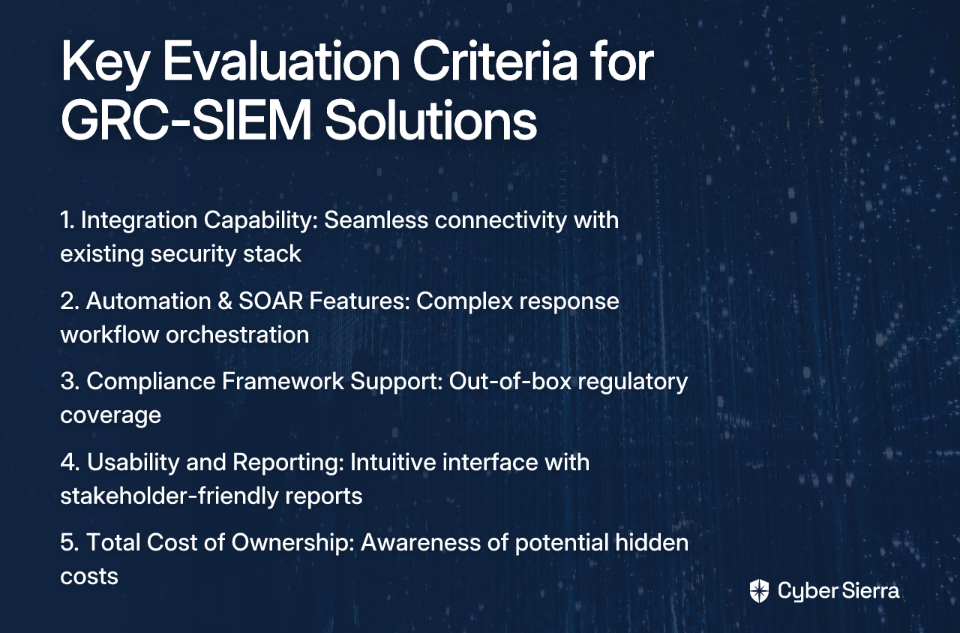
  1. Integration Capability: Does the solution integrate seamlessly with your existing security stack?
  2. Automation & SOAR Features: Look beyond basic alerting. Can the platform orchestrate complex response workflows?
  3. Compliance Framework Support: Does it support the regulations you need out-of-the-box? Can you add custom frameworks to fit specific organizational needs?
  4. Usability and Reporting: Is the interface intuitive? Can it generate reports that are easily understood by non-technical stakeholders?
  5. Total Cost of Ownership: Be aware of hidden costs related to data storage, ingestion, and professional services.

Cybersierra's integrated platform offers a compelling example of this unified approach. Their GRC module automates data collection and risk assessments, while their CCM capabilities provide continuous control monitoring. When combined with threat intelligence features, this creates a comprehensive solution that bridges compliance and security operations.

As Compliance as a Service models continue to evolve, platforms that offer this integrated approach can significantly reduce the burden on internal teams while improving overall security posture.

Conclusion: The Future of Compliance is Integrated and Continuous

The days of treating compliance and security as separate functions are over. The most successful organizations in 2025 will be those that have embraced an integrated GRC-SIEM strategy, moving from a reactive, checklist-driven approach to a proactive, resilient, and continuously compliant posture.

This integration doesn't just satisfy auditors—it fundamentally improves security and reduces risk by:

  • Detecting and responding to compliance violations in real-time
  • Providing continuous visibility into control effectiveness
  • Breaking down silos between security and compliance teams
  • Automating the most tedious aspects of compliance work

For organizations looking to thrive in an increasingly complex regulatory and threat landscape, the question is no longer if you should integrate your compliance and security tools, but how quickly you can make it a reality.

As one compliance professional put it, why wait for the auditors to come when you could have comprehensive compliance visibility every single day?

Frequently Asked Questions

What is the primary benefit of integrating GRC with SIEM?

The primary benefit is transforming compliance from a periodic, reactive exercise into a proactive, continuous process. By integrating the real-time monitoring capabilities of a SIEM with the policy and control management of a GRC tool, organizations gain continuous visibility into their security posture and can automate the detection and response to compliance violations as they happen.

How does SIEM integration automate compliance tasks?

SIEM integration automates compliance by using real-time data from the SIEM to continuously monitor and test security controls mapped within the GRC platform. Instead of manually gathering evidence for audits, the integrated system automatically collects relevant log data, correlates it to specific compliance requirements (like those in ISO 27001 or SOC2), and can generate audit-ready reports on demand, significantly reducing manual effort.

What is Continuous Control Monitoring (CCM)?

Continuous Control Monitoring (CCM) is an automated approach that uses technology to continuously test and validate the effectiveness of an organization's internal controls. In a GRC-SIEM integration, the SIEM feeds live operational data to the GRC platform, which then provides a near real-time dashboard showing whether security controls are functioning as intended, replacing periodic manual checks with constant automated verification.

Can this integration help with multiple compliance frameworks at once?

Yes, a key advantage of an integrated GRC-SIEM system is its ability to manage multiple compliance frameworks simultaneously. The GRC platform can map a single security control to several requirements across different frameworks (e.g., NIST, PCI DSS, HIPAA). The SIEM provides the evidence for that control's effectiveness, and the system can then report on compliance status across all relevant regulations from a unified dashboard.

What is the first step to integrating GRC and SIEM?

The first step is to define clear objectives and prioritize your most critical data sources. Instead of trying to monitor everything at once, start with a specific use case tied to a high-priority compliance requirement, such as monitoring access to sensitive data for PCI DSS. This focused approach allows you to demonstrate value quickly and build a scalable foundation for a broader integration.

Need help implementing an integrated SIEM-GRC approach? Cybersierra's platform offers a unified solution for continuous control monitoring, automated compliance reporting, and real-time risk visibility—helping you move from periodic compliance checks to continuous assurance.

blog-hero-background-image
Governance & Compliance

From SOC2 to Daily Reporting: Scaling Your Compliance Program

backdrop
Table of Contents

Join thousands of professionals and get the latest insight on Compliance & Cybersecurity.


You've successfully navigated the complex journey to SOC2 or ISO27001 certification. Your team worked tirelessly to implement controls, gather evidence, and satisfy auditor requirements. The certificate is proudly displayed on your website, and everyone breathed a collective sigh of relief.

But now what?

Many organizations find themselves in this exact position—having achieved compliance but struggling with what comes next. As one compliance professional noted, "The organization has gone through SOC2 and ISO27001 audits successfully, so I'm at least not walking into a total dumpster fire," but maintaining that momentum is the real challenge.

The common sentiment echoed across compliance teams is clear: "I'd rather have these reports generated every day rather than only when the auditors come." This desire for continuous visibility reflects a critical evolution in compliance thinking—moving from a periodic audit exercise to an integrated daily practice.

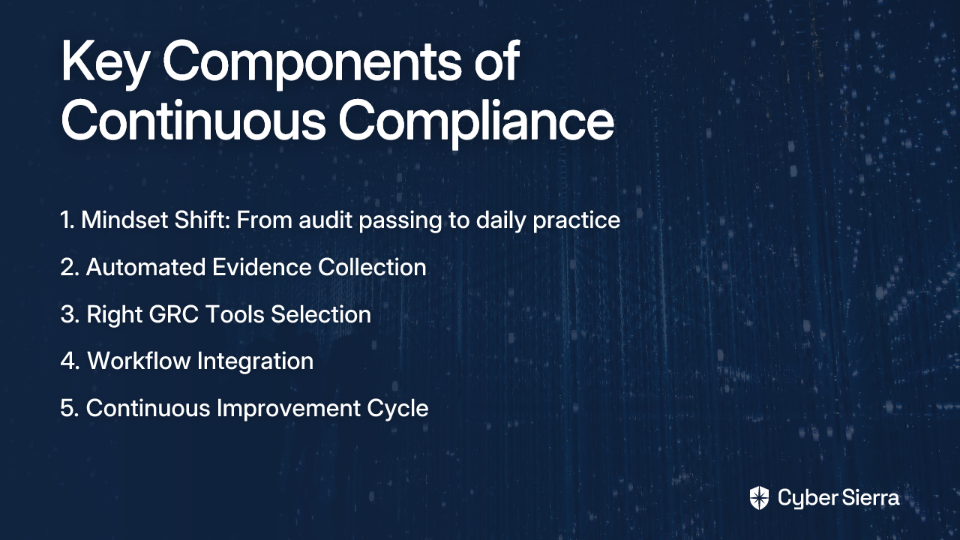
This article provides a strategic roadmap for scaling your compliance program, transitioning from point-in-time audits to a culture of continuous monitoring and daily reporting. We'll cover how to select the right GRC tools, automate workflows, and implement a cycle of continuous improvement to keep your organization secure and compliant year-round.

The Mindset Shift: From Passing Audits to Continuous Compliance

Before diving into tools and processes, the most fundamental change needed is in organizational mindset. Successful compliance scaling requires evolving from viewing compliance as a hurdle to overcome during audit season to seeing it as an integrated part of daily operations.

From "Passing the Audit" to Integrated Compliance

SOC2 compliance isn't just about satisfying a point-in-time assessment (Type I) or even demonstrating control effectiveness over a period (Type II). True compliance maturity means embedding security and compliance principles into your organizational DNA.

According to research by V-Comply, organizations that treat compliance as an ongoing operational practice rather than a periodic exercise show significantly stronger security postures and experience fewer breaches.

Why This Matters More Than Ever

The stakes are higher than ever—data breaches in the US rose almost 40% in Q2 2021, according to Secureframe's compliance statistics. Each breach costs organizations millions in remediation, legal fees, and lost trust. Continuous compliance isn't just about passing the next audit; it's about genuine risk mitigation and business protection.

The Roadmap to Daily Compliance Monitoring

Step 1: Establish Your Baseline and Define Objectives

Before implementing new tools or processes, you need to understand your current state and where you want to go.

Conduct a Baseline Assessment:

  • Audit your existing policies and procedures
  • Document current control implementation
  • Identify gaps in your compliance program
  • Evaluate the maturity of your GRC processes

Define Clear, Measurable Objectives: What does "daily reporting" mean for your organization? Set specific targets like:

  • "Achieve 99% compliance on all critical cloud security controls daily"
  • "Reduce evidence collection time by 75% through automation"
  • "Maintain continuous visibility into data privacy governance"

Your objectives must align with both regulatory demands and business goals to gain executive support for your compliance scaling initiatives.

Step 2: Automate Evidence Collection and Monitoring

Manual evidence gathering—taking screenshots, collecting logs, filling spreadsheets—is time-consuming, inconsistent, and fundamentally doesn't scale. This is where automation becomes essential.

How Automation Works: Modern compliance platforms connect directly to your technology stack (cloud providers, version control, HR systems) to continuously collect evidence that controls are operating effectively. This transforms compliance from a quarterly scramble to a seamless background process.

Examples of Automated Checks:

  1. Cloud Security Monitoring: Continuously check for cloud misconfigurations (public S3 buckets, unsecured ports, etc.) using SIEM tools integrated with compliance platforms.
  2. Access Control Verification: Automatically verify that employee offboarding procedures are followed and access is revoked within defined timeframes.
  3. Vendor Management: Monitor third-party vendor compliance status through automated assessments and integrated risk scoring.

According to QorData, organizations implementing automated evidence collection reduce their compliance workload by up to 60% while improving accuracy and comprehensiveness.

Step 3: Select the Right Compliance Monitoring Tools

Choosing appropriate tools represents one of the biggest challenges in scaling compliance. User feedback reveals common pain points: high costs, frustration with generic solutions, and a desire for flexibility.

Guidelines for Choosing Tools:

  1. Deployment Requirements: Ensure the tool fits your IT infrastructure (cloud-native, hybrid, on-prem).
  2. Automation Capabilities: Prioritize robust automation features to reduce manual effort and human error.
  3. Framework Flexibility: Select platforms supporting multiple frameworks (SOC2, ISO27001) with the ability to add custom controls.
  4. Integration Capacity: Look for pre-built connectors to your existing tech stack for seamless data collection.

Types of Compliance Monitoring Solutions:

  1. Comprehensive GRC Platforms: Solutions like MetricStream and LogicGate offer end-to-end compliance management with robust reporting.
  2. Security-Focused Solutions: Tools like SentinelOne provide AI-driven platforms that track compliance scores across multiple standards while delivering security monitoring.
  3. Cloud-Native Options: Prisma Cloud by Palo Alto Networks offers real-time cloud monitoring with over 1000 compliance checks across frameworks like CIS and NIST.
  4. No-code Platforms: Addressing the need for user-friendly options, no-code platforms like BRYTER allow teams without coding experience to build custom compliance workflows with drag-and-drop interfaces.
  5. Native Cloud Tools: Don't overlook tools like AWS Security Hub and Microsoft Azure Security Center, which offer deep integration with their respective ecosystems and can support SCA (Security Compliance Assessment).

Cost Considerations: While some solutions like Varonis offer powerful capabilities but at premium prices, many platforms now offer tiered pricing models. For organizations with budget constraints, open-source tools combined with automation scripts can provide an entry point to compliance scaling.

Step 4: Integrate Compliance into Daily Workflows

For compliance to become truly continuous, it must be seamlessly integrated into everyday operations rather than existing as a separate, disruptive task.

Speak the Developer's Language: As noted in AWS's guidance on scaling compliance, translate abstract compliance controls into actionable engineering specifications:

  • Instead of: "Implement SOC2 CC6.1 for access control."
  • Say: "All new S3 buckets must have block public access enabled by default in our Terraform module."

Embed Controls into the CI/CD Pipeline:

  • Implement infrastructure-as-code (IaC) scanning tools to check for compliance issues before deployment
  • Use automated policy-as-code to enforce guardrails without slowing development
  • Create automated compliance checks in your deployment pipelines

This proactive approach prevents compliance drift and reduces friction between development and compliance teams.

Make Reporting Actionable for Stakeholders:

Different stakeholders need different views of compliance data:

  1. For Executives: High-level dashboards showing overall compliance posture, risk scores, and progress against objectives.
  2. For Engineering Leads: Daily or real-time alerts on specific non-compliant resources, with clear remediation steps.
  3. For Compliance Teams: Detailed evidence repositories and automated audit reports that can be generated with a single click.

Implementing automated audit reports ensures that compliance data is always current and accessible when needed, not just during audit season.

Sustaining Momentum with Continuous Improvement

A scaled compliance program is not "set it and forget it." It requires a continuous feedback loop to adapt to new threats, regulations, and business changes.

A Strategy for Continuous Improvement:

  1. Regular Risk Assessments: Conduct quarterly security and compliance assessments using your GRC platform to identify new or evolving risks.
  2. Engage Stakeholders: Create channels for employees to report compliance concerns and involve compliance officers, legal, and executives in regular reviews of your data privacy governance.
  3. Data-Driven Decision Making: Define and monitor Key Performance Indicators (KPIs) to measure compliance performance objectively:
    • Time to remediate compliance issues
    • Percentage of automated vs. manual controls
    • Reduction in audit preparation time
  4. Regular Audits and Self-Assessments: Use a combination of internal self-assessments and external audits to validate control effectiveness. This creates a feedback loop for improvement.
  5. Update Policy Documents: Ensure your policy documents evolve with your program—outdated policies quickly become irrelevant and undermine your compliance efforts.

Success Story: Costa Coffee demonstrated the power of scaled compliance by leveraging a GRC solution to improve its compliance management. The result was an 80% reduction in compliance issues and significantly improved accountability without increasing headcount, according to V-Comply's case study.

Compliance as a Business Enabler

Scaling your compliance program from periodic audits to daily monitoring transforms compliance from a cost center into a business enabler. When done right, continuous compliance:

  • Builds customer trust through demonstrable security practices
  • Reduces organizational risk through early detection of issues
  • Creates competitive advantage through faster certification processes
  • Enables faster product development by embedding compliance into workflows

The journey from SOC2 certification to a mature, daily compliance program isn't simple, but the returns in risk reduction, operational efficiency, and business trust make it essential for growing organizations.

By implementing automation, choosing the right tools, integrating compliance into workflows, and maintaining a continuous improvement cycle, you can transform compliance from a periodic scramble into a sustainable, value-adding business function.

Start your journey today by conducting a baseline assessment of your current program and identifying where automation can have the most immediate impact. Your future self—and your auditors—will thank you.

Frequently Asked Questions

What is continuous compliance?

Continuous compliance is the practice of embedding security and compliance monitoring into daily operations, rather than treating it as a periodic event for audits. It involves using automation to continuously collect evidence, monitor controls, and provide real-time visibility into an organization's compliance posture, transforming compliance from a reactive, seasonal task into a proactive, ongoing business function.

Why is continuous compliance better than periodic audits?

Continuous compliance is better than periodic audits because it provides genuine, year-round risk mitigation and business protection, rather than just passing a point-in-time assessment. This approach helps organizations detect and remediate issues early, reduce the manual effort of audit preparation, build greater customer trust through demonstrable security, and integrate security seamlessly into development workflows, ultimately turning compliance into a business enabler.

How can a company start implementing continuous compliance monitoring?

A company can start implementing continuous compliance by first establishing a baseline of its current program and defining clear, measurable objectives. The next crucial steps involve automating evidence collection for key controls, selecting the right compliance monitoring tools that fit your tech stack, and integrating compliance checks directly into daily workflows, such as the CI/CD pipeline.

What are the key features to look for in a compliance automation tool?

When selecting a compliance automation tool, look for key features such as robust automation capabilities to reduce manual work, flexibility to support multiple frameworks (like SOC 2 and ISO 27001), and deep integration capacity with your existing technology stack (e.g., cloud providers, HR systems). The right tool should fit your deployment needs (cloud-native, hybrid) and provide actionable reporting for different stakeholders.

How do you get engineering teams to adopt compliance practices?

To get engineering teams to adopt compliance practices, it's essential to integrate compliance into their existing workflows without causing friction. This can be achieved by translating abstract compliance requirements into concrete engineering tasks, embedding automated security and compliance checks into the CI/CD pipeline, and using policy-as-code to enforce guardrails. By making compliance a seamless part of the development process, it becomes a shared responsibility rather than a separate burden.

What is the difference between SOC 2 Type I and Type II?

The primary difference between SOC 2 Type I and Type II is the scope and time frame. A SOC 2 Type I report assesses the design of an organization's security controls at a single point in time to determine if they are suitably designed. A SOC 2 Type II report goes further by testing the operational effectiveness of those controls over a specified period (typically 6-12 months), providing a higher level of assurance.


Remember: Compliance is not a destination but a journey. The organizations that thrive are those that make compliance an everyday part of how they operate, not just a certificate on the wall.

blog-hero-background-image
Governance & Compliance

How to Escape GRC Hell Without Starting Over

backdrop
Table of Contents

Join thousands of professionals and get the latest insight on Compliance & Cybersecurity.


You dread Mondays. Your days are filled with endless documentation, checklists, and compliance frameworks that make you question your life choices. The weekend can't come fast enough, and when Sunday evening rolls around, that familiar knot of anxiety returns to your stomach.

Sound familiar? You're stuck in GRC Hell.

"I'm not learning anything new and feel stuck/stagnant. I WANT OUT!" This sentiment, echoed across forums by frustrated GRC professionals, captures the quiet desperation of those trapped in governance, risk, and compliance roles that have become soul-crushing rather than fulfilling.

But here's the good news: You don't have to start your career over to escape. The technical cybersecurity role you crave is more accessible than you think, and your GRC background isn't a liability—it's your secret weapon.

Why Your GRC Background is Actually a Superpower

First, let's acknowledge the reality: GRC work can feel disconnected from the "real action" of cybersecurity. While your technical colleagues are hunting threats and battling attackers, you're updating spreadsheets and preparing for audits.

According to AWS, GRC is a structured approach that aligns IT with business objectives while effectively managing risk and meeting compliance requirements. It breaks down into:

  • Governance: The policies and frameworks guiding your organization
  • Risk Management: Identifying and mitigating financial, legal, and security risks
  • Compliance: Ensuring adherence to regulations like HIPAA, PCI-DSS, or GDPR

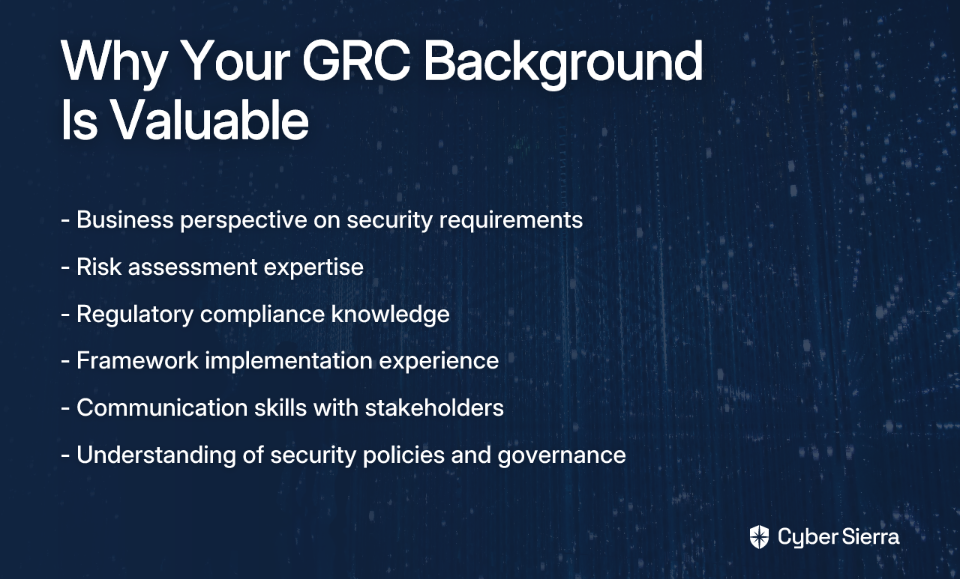
Here's what most people miss: While technical teams know how to implement controls, you understand why they're necessary from business, risk, and legal perspectives. This comprehensive viewpoint gives you a strategic advantage that purely technical professionals often lack.

In other words, you already speak the language of the business. Now you just need to add some technical fluency.

Your Four-Step Escape Plan to a Technical Role

Step 1: Leverage Your GRC Knowledge for a SOC Role

The Security Operations Center (SOC) is often the perfect bridge from GRC to technical work. Why? Because your existing knowledge directly translates:

  • Your Risk Management expertise helps prioritize alerts. That malware alert on the CEO's laptop? You instinctively understand why it's more critical than one on an isolated test server.
  • Your Compliance knowledge of NIST frameworks explains why certain logs must be monitored and how incidents must be handled and reported.
  • Your Governance background helps you understand the policies behind firewall rules and access controls.

Start by reframing your resume to highlight these transferable skills:

Instead of: "Managed compliance documentation for NIST 800-53." Write: "Analyzed system security controls against the NIST 800-53 framework to identify critical vulnerabilities and recommend risk mitigation strategies for incident response teams."

This simple reframing demonstrates how your GRC experience directly applies to SOC and other technical cybersecurity roles.

Step 2: Get Your Hands Dirty: Build a Career-Changing Homelab

The biggest objection hiring managers have about GRC professionals transitioning to technical roles is the lack of hands-on experience. A homelab solves this problem entirely.

Here's how to build a basic but impressive cybersecurity homelab:

Hardware Requirements:

  • Virtualization Software: VMWare Workstation 17 Pro (or VirtualBox)
  • Host Machine Specs: 32 GB RAM, 6-core processor, and at least 270 GB of free disk space

Virtual Network Setup:

  1. In VMWare, go to Edit > Virtual Network Editor
  2. Create a "Host-Only" network adapter for an isolated lab environment
  3. Configure it with IP Address 172.16.1.2 and Subnet Mask 255.255.255.0

Core Software Components (The "Four Horsemen" of Your Lab):

  1. Firewall (pfSense): Download Community Edition 2.7.0. This will be your virtual network's router and firewall.
  2. SIEM/IDS (Security Onion): Download version 2.4.10. This is your all-in-one platform for threat hunting, log analysis, and intrusion detection.
  3. Attacker Machine (Kali Linux): Download the latest installer. This VM contains hundreds of tools for penetration testing.
  4. Vulnerable Target (Metasploitable2): A deliberately insecure Linux VM for you to practice attacking legally. Download here.

Your First Project: Install and configure all four VMs on your host-only network. Use Kali to launch a basic attack against Metasploitable2. Then, log into Security Onion and find the alerts generated by your attack. Document this process with screenshots—you now have hands-on experience with SIEM and IDS tools to add to your resume.

This practical experience is invaluable when applying for SOC, Incident Response, or Vulnerability Management positions.

Step 3: Certify Your Ambition: Strategic Certifications for the Pivot

Certifications are your signal to employers that you're serious about this transition. With cybersecurity jobs projected to grow by 33% between 2023 and 2033, the right certifications make you highly competitive.

Based on successful transitions from GRC to technical roles, focus on this powerful trio:

  1. CompTIA Security+:
    • Level: Foundational (but non-negotiable)
    • Why: It's the universal language of security and gets you past HR filters
    • Cost: ~$425
    • Potential Roles: Security Engineer ($157,496), IT Auditor ($89,468)
  2. CompTIA CySA+ (Cybersecurity Analyst):
    • Level: Intermediate
    • Why: Tailor-made for SOC roles, covering threat and vulnerability management, cyber incident response, and security analytics
    • Directly aligns with your goal of transitioning to a SOC position
  3. Certified Ethical Hacker (CEH):
    • Level: Intermediate
    • Why: Teaches you to think like an attacker—essential for any defensive role
    • Cost: $950-$1,199
    • Requirements: Two years of infosec work experience (your GRC job counts!) or official training
    • Potential Role: PenTest specialist ($137,195)

Note: Park advanced certs like CISSP or CISA for now. They're more aligned with senior GRC/audit/management roles, not your goal of hands-on technical work.

Step 4: Network Intelligently: The Internal Transfer Strategy

The path of least resistance is often within your own company. Your GRC role gives you legitimate access to technical teams—use it strategically.

Actionable Steps for Internal Networking:

  1. Identify Key People: Find the managers of the SOC, Incident Response, or Vulnerability Management teams.
  2. Use Your GRC Role as a Bridge: Schedule a meeting with a technical manager, framing it as a GRC inquiry: "Hi, I'm on the GRC team, and I'm assessing the risks associated with our web applications. I'd love to spend 15 minutes understanding how your team monitors for threats against them to make my report more accurate."
  3. Show, Don't Just Tell: During the conversation, express your passion for the technical side. Mention you're studying for the CySA+ and have built a homelab with Security Onion to understand their world better.
  4. Ask for an Opportunity: Inquire about shadowing an analyst for an hour or helping with low-priority ticket analysis. This makes you a known quantity when a position opens up.

As one cybersecurity professional advised on Reddit, "Find a mentor. Find a local user group or two and develop your professional network." This strategy works because it leverages relationships rather than formal applications.

Confronting the Fears: Pay Cuts, Burnout, and Starting Over

Let's address the common fears that might be holding you back:

Fear #1: "I'll have to take a huge pay cut."

This fear is valid, but an internal lateral move may involve no pay cut at all. For external moves, your GRC background + new certs + homelab experience position you above a true entry-level candidate. The long-term earning potential in technical roles like Security Engineer ($157k+) or Pen Tester ($137k+) often surpasses GRC salaries.

Fear #2: "SOC is just another form of hell with high burnout."

This is a legitimate concern. As one cybersecurity veteran with 10 years in SOC/DFIR noted, he was "plagued with mental health issues" due to the toll of the work.

The solution is to be selective. Vet potential employers carefully. Ask about analyst-to-endpoint ratios, on-call schedules, and turnover rates during interviews. Remember, "technical role" doesn't just mean SOC. Vulnerability management, threat intelligence, and application security often offer better work-life balance.

Fear #3: "I'm starting from scratch."

This is the biggest misconception. You are not starting over. Your GRC foundation provides business and risk context that takes purely technical people years to learn. You are pivoting and adding technical skills to an already valuable professional profile.

You're Not Starting Over, You're Leveling Up

The feeling of being trapped in GRC isn't a sign that you've made a career mistake—it's evidence that you're ready for growth.

By following this plan—leveraging your GRC knowledge, building a homelab, earning targeted certifications, and networking strategically—you're not escaping a bad situation; you're strategically advancing your career to become a more well-rounded, valuable, and fulfilled cybersecurity professional.

Your compliance knowledge, risk assessment skills, and understanding of regulatory frameworks are assets that will serve you well in any technical role, from SOC analyst to incident responder. Combined with your new technical skills, they make you not just a candidate but a standout in the cybersecurity field.

The path out of GRC Hell doesn't require starting over. It just requires a strategic pivot—one that you're now equipped to make.

Frequently Asked Questions

What is the best first technical role for someone in GRC?

The best first technical role for a GRC professional is often a Security Operations Center (SOC) Analyst. This role is an ideal bridge because your GRC skills in risk management and compliance translate directly to prioritizing security alerts and understanding incident response procedures. For example, your knowledge of NIST frameworks helps you understand why certain logs are monitored, giving you a head start over purely technical beginners.

How can I get hands-on cybersecurity experience without a technical job?

You can get hands-on cybersecurity experience by building a personal homelab. A homelab is a safe, isolated environment where you can practice real-world technical skills. A powerful setup includes virtualization software (like VMWare or VirtualBox) running a firewall (pfSense), a SIEM/IDS (Security Onion), an attacker machine (Kali Linux), and a vulnerable target (Metasploitable2). This allows you to launch, detect, and analyze cyberattacks, providing concrete experience for your resume.

What certifications are best for moving from GRC to a technical role?

The best certifications for transitioning from GRC to a hands-on role are CompTIA Security+, CompTIA CySA+, and Certified Ethical Hacker (CEH). Security+ provides the foundational knowledge, CySA+ is specifically designed for analyst roles and threat management, and CEH teaches you to think like an attacker, which is crucial for any defensive position. It's wise to focus on these before pursuing senior-level certs like CISSP, which are more aligned with management.

Why is a GRC background valuable for a technical cybersecurity role?

A GRC background is extremely valuable because it provides the business and risk context that purely technical professionals often lack. While technical teams know how to implement security controls, your GRC experience helps you understand why they are necessary from a business, legal, and regulatory standpoint. This strategic viewpoint allows you to better prioritize threats, communicate with stakeholders, and align security efforts with business objectives.

Do I need to take a pay cut to switch from GRC to a technical role?

Not necessarily. While it's a common fear, you may not have to take a pay cut, especially if you make a lateral move within your current company. For external roles, your unique blend of GRC experience, new certifications, and homelab projects positions you above a standard entry-level candidate. Furthermore, the long-term earning potential in technical roles like Security Engineer or Penetration Tester often exceeds that of many GRC positions.

How do I transition within my current company from GRC to a technical team?

To transition internally, leverage your current GRC role to build relationships with technical teams. You can schedule meetings with managers of the SOC or incident response teams under the pretext of a GRC inquiry, such as understanding their processes to improve a risk assessment. During these conversations, express your passion for their work, mention your homelab projects and certifications, and ask for opportunities to shadow an analyst or assist with low-priority tasks.

blog-hero-background-image
Governance & Compliance

How to Build Effective Human-in-the-Loop GRC Processes

backdrop
Table of Contents

Join thousands of professionals and get the latest insight on Compliance & Cybersecurity.


You've invested in automation for your GRC processes, yet your team still spends countless hours manually reviewing documentation, following up on third-party questionnaires, and verifying automated access reviews. When you ask about further automation, your security team responds, "Review of documentation and filled-in questionnaires? These can definitely not be automated." You're left wondering: is the promise of GRC automation just a fantasy?

This frustration is common. While 60% of GRC professionals still manage compliance with spreadsheets and emails, even those with advanced automation tools hit a wall where the technology can't fully replace human judgment. One security leader put it bluntly: "Can't we just stop here at 90% and manually do the rest?"

The solution isn't choosing between automation or manual processes—it's designing intelligent human-in-the-loop GRC workflows that leverage each approach's strengths while minimizing their weaknesses.

The GRC Automation Dilemma: Why Manual Processes Fail but Full Automation Isn't the Answer

The Problem with Manual Processes

Traditional manual GRC processes are increasingly unsustainable:

  • Time Inefficiency: One bank reported 80% of GRC staff time consumed by document management. Another organization spent 200 employee hours on a single board report.
  • Error Vulnerability: Manual data handling increases mistakes and compliance failures.
  • Lack of Scalability: As regulatory requirements multiply, manual systems simply can't keep pace.

The Risks of Unchecked Automation

However, fully automated GRC systems introduce their own risks:

  • Reduced Adaptability: As one cybersecurity professional noted, "A human in the loop is more adaptable. They're faster to identify, find, and fix flaws in logic and implementation."
  • Transfer of Risk: "Generally, transfer of risk to automation or software is less comfortable as risk/impact increase," explains another expert. Critical systems demand human oversight.
  • Verification Challenges: "Using automation to verify that automation is working is where it gets unreliable," points out one Reddit user. This creates a verification gap that only human judgment can fill.

Defining Human-in-the-Loop (HITL) for GRC

Human-in-the-loop GRC is a strategic approach that combines automation's efficiency with human expertise's critical thinking. Rather than attempting to automate everything, HITL workflows strategically place human oversight at crucial decision points within otherwise automated processes.

The key is determining where human judgment adds the most value—typically in:

  • Evaluating risk classification decisions
  • Verifying critical technical controls reviews
  • Following up on anomalies in automated systems
  • Making final determinations on high-risk issues

Let's examine three essential strategies for implementing effective HITL GRC processes.

Core Strategies for Effective HITL GRC Processes

Strategy 1: Fortifying Automated Access Reviews with Manual Oversight

User Access Reviews (UARs) are critical—82% of data breaches involve credential misuse according to Verizon's 2022 DBIR. While automation can streamline this process, human verification remains essential.

The HITL Workflow:

  1. Automate Data Aggregation: Use API integrations to pull user lists and permissions from all systems into a centralized platform.
  2. Automate Initial Flagging: Configure rules to automatically flag potential issues:
    • Dormant accounts
    • Users with excessive or conflicting permissions
    • Former employee accounts
    • Role assignments that violate segregation of duties
  3. Human-Led Verification (The Loop): Quarterly or semi-annually, have department heads verify:
    • That flagged accounts are appropriate or require remediation
    • That a sample of non-flagged accounts is accurate
    • Whether privilege creep has occurred in critical systems
  4. Document & Remediate: The human reviewer documents decisions (approve, revoke, modify) and the system automatically creates tickets for implementation.
Case Study in Efficiency: A financial services company reduced their manual access review time for 2,000+ employees from 40 hours to just 6 hours by integrating compliance metadata into existing tools. Their manager response rate increased to 95%, demonstrating how HITL processes can improve both efficiency and effectiveness.

Strategy 2: Streamlining Documentation Verification

Reviewing the substance of documentation requires human judgment, but the process around it can be significantly streamlined.

The HITL Workflow:

  1. Automate Collection & Version Control: Use a GRC platform to automatically request, collect, and track documentation from various departments.
  2. Automate Initial Checks: Configure the system to verify:
    • Document completeness (all required fields completed)
    • Timely submission (before deadlines)
    • Required approvals (digital signatures present)
    • Basic formatting and policy adherence
  3. Human-Led Review (The Loop): A GRC analyst manually reviews:
    • Content accuracy and alignment with requirements
    • Substantive compliance with frameworks (ISO/IEC 27001, SOC 2)
    • Quality of evidence provided
    • Consistency with other documentation
  4. Centralized Feedback & Approval: The analyst provides feedback directly within the system, creating an auditable trail.

Strategy 3: Enhancing Third-Party Risk Management with Manual Follow-ups

Third-party questionnaires can be distributed automatically, but evaluating the responses requires human judgment.

The HITL Workflow:

  1. Automate Questionnaire Distribution: Send security questionnaires to vendors based on their risk classification.
  2. Automate Answer Analysis: Parse "Yes/No" answers and flag responses indicating non-compliance or high risk.
  3. Human-Led Deep Dive (The Loop): A risk analyst:
    • Reviews flagged questionnaires
    • Requests supporting evidence (SOC 2 reports, penetration test results)
    • Conducts follow-up interviews for clarification
    • Makes final risk determinations and recommendations
  4. Document and Track: Store all communications centrally, creating a complete audit history.

A Practical Toolkit: Templates and Checklists for Manual Verification

To implement effective HITL processes, GRC teams need structured approaches for the human verification components. Below is a checklist template for verifying automated system outputs:

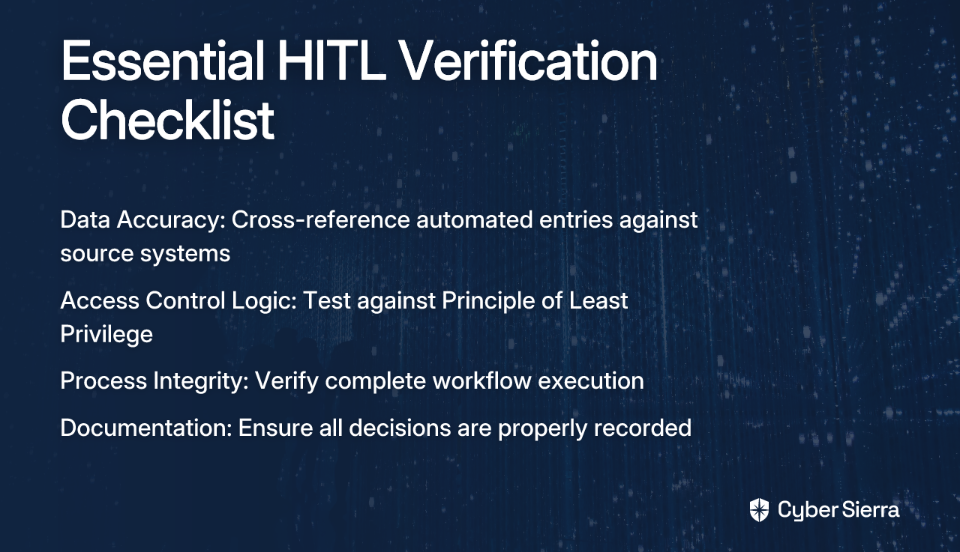
Checklist for Verifying Automated GRC Systems

Data Accuracy Verification:

  • Does the data in the automated report match the source system?
  • Cross-reference a sample (5-10%) of automated entries against source systems
  • Verify timestamps and data freshness
  • Check for anomalies or outliers in the data

Access Control Logic Verification:

  • Are access controls functioning as documented in policies?
  • Test sample user roles against the Principle of Least Privilege
  • Verify separation of duties for high-risk functions
  • Identify any discrepancies between automated access lists and active employee records

Process Integrity Verification:

  • Did the automated workflow execute completely without errors?
  • Are all decisions (both automated and human) properly documented?
  • Is there clear evidence of configuration control in system settings?
  • Have previously identified flaws in logic been addressed?

Tools like GRC Playbook offer downloadable templates (Risk and Control Matrix, Gap Analyses) that can help structure these verification processes.

Implementation Framework: How to Get Started

Implementing HITL processes requires careful planning. Follow this six-step framework:

  1. Identify High-Risk Systems: Pinpoint which automated systems require human verification based on:
    • Decision impact
    • Potential for bias or error
    • Regulatory requirements
    • Business criticality
  2. Understand Current Capabilities: Interview your IAM and Security teams to inventory existing infrastructure. Leverage tools you already have before investing in new software licenses.
  3. Define Clear Review Criteria: Establish specific rules for when human review is required, such as:
    • Dollar thresholds for financial decisions
    • Access to sensitive data systems
    • Changes to critical infrastructure
    • Third-party access to internal systems
  4. Design the HITL Workflow: Map the process, defining:
    • Who performs the human review
    • What specific elements they verify
    • How findings are documented
    • How remediation is tracked
  5. Develop a Documentation System: Create a system that captures both automated outputs and human decisions, including rationales. This documentation is essential during audits.
  6. Measure and Refine: Regularly evaluate your HITL process using metrics like:
    • Number of human interventions required
    • Time spent on manual reviews
    • Issues identified through manual verification
    • Labor saving achieved through automation

Conclusion: Balance is the Key to Success

The future of effective GRC isn't choosing between humans or automation—it's intelligently combining them. A well-designed human-in-the-loop approach offers the best of both worlds: the efficiency and consistency of automation with the critical thinking and adaptability of human judgment.

Remember that automation improvement isn't the objective—effective risk management is. By conducting thoughtful cost-benefit analysis and strategically determining where human oversight adds the most value, you can build GRC processes that are both efficient and reliable.

This balanced approach transforms GRC from a mere compliance exercise into a strategic advantage, ensuring that your organization not only meets regulatory requirements but also genuinely understands and mitigates its most significant risks.

Build your HITL GRC processes today, and experience the power of combining human expertise with technological efficiency.

Frequently Asked Questions

What is human-in-the-loop (HITL) GRC?

Human-in-the-loop (HITL) GRC is a strategic approach that combines the speed and efficiency of automation with the critical thinking and expertise of human professionals. Instead of trying to automate every task, HITL workflows use technology to handle repetitive, data-heavy work while inserting human oversight at key decision points. This ensures that complex, high-risk, or nuanced issues receive the necessary judgment that automated systems cannot provide.

Why is full automation not recommended for GRC processes?

Full automation is not recommended for GRC because it can be inflexible, transfer risk without adequate oversight, and create verification challenges where automation is used to check other automation. While automation excels at processing large volumes of data, it lacks the adaptability and nuanced judgment of a human expert. For critical systems, relying solely on automation can lead to missed logical flaws, an inability to adapt to new threats, and a false sense of security.

What are the main benefits of a human-in-the-loop GRC strategy?

The main benefits of a human-in-the-loop GRC strategy are increased efficiency, improved accuracy, better risk management, and greater scalability. This balanced approach leverages automation to handle time-consuming tasks like data aggregation and initial flagging, freeing up your team to focus on high-value activities like risk analysis and strategic decision-making. This combination leads to fewer errors than purely manual systems and more robust risk oversight than fully automated ones.

How can you implement human-in-the-loop for user access reviews?

To implement HITL for user access reviews, you can automate data collection and initial flagging of potential issues, but use human managers for final verification and sign-off. The process typically involves four steps: 1) Automate the aggregation of user permissions. 2) Use automated rules to flag dormant accounts or excessive permissions. 3) Have managers manually review and verify the flagged accounts. 4) Document the human decision and use the system to automatically generate remediation tickets.

Where is human judgment most critical in automated GRC workflows?

Human judgment is most critical in areas requiring nuanced interpretation, risk evaluation, and verification of complex data, where the consequences of an error are high. Key areas include evaluating the substance of policy documents, verifying critical access reviews for sensitive systems, investigating anomalies flagged by automated tools, and making final risk determinations for third-party vendors. The goal is to apply human expertise where it adds the most value.

What is the first step to building a human-in-the-loop GRC process?

The first step to building a human-in-the-loop GRC process is to identify the high-risk, high-impact systems and processes that would benefit most from human oversight. Before designing any workflow, conduct a risk assessment to pinpoint which automated systems require human verification based on factors like decision impact, potential for error, and regulatory requirements. This ensures you focus your efforts where they can have the greatest impact.

blog-hero-background-image
Governance & Compliance

What Makes GRC Activities Automatable vs Manual Only

backdrop
Table of Contents

Join thousands of professionals and get the latest insight on Compliance & Cybersecurity.


You've set up your GRC program, implemented the necessary frameworks, and now you're staring at an overwhelming list of governance, risk, and compliance activities that need regular attention. You find yourself wondering: "Can't we just stop here at 90% automation and manually handle the rest?" This common frustration highlights a critical question that many cybersecurity professionals face: which GRC activities can truly be automated, and which require human intervention?

The reality is that not all GRC processes are created equal when it comes to automation potential. While some tasks are prime candidates for technological efficiency, others demand the nuanced judgment that only humans can provide.

The Automation Dilemma in GRC

Governance, Risk, and Compliance (GRC) represents a structured approach to aligning IT with business objectives while managing risks and meeting regulatory requirements. The three pillars—governance (policies and processes for achieving business goals), risk management (identifying and addressing various business risks), and compliance (adhering to laws and regulations)—form the backbone of a robust cybersecurity program.

As one cybersecurity professional on Reddit noted, "First we have to define what GRC activities are" before deciding what can be automated. This article provides that definition, offering a comprehensive taxonomy of GRC activities and a decision-making framework to help you understand which tasks are automatable versus those requiring a "human in the loop."

The Value Proposition: Why Automate GRC At All?

Before diving into specifics, let's address a fundamental question: why pursue automation in the first place? As one security professional bluntly put it, "Automation is not the objective. Never was, never will be. Cost saving is."

Smart GRC automation offers several compelling benefits:

  1. Cost-Effectiveness & Efficiency: Reduces time spent on repetitive tasks, freeing up skilled professionals for higher-value work and providing significant labor saving.
  2. Enhanced Reliability & Accuracy: Minimizes human error in data collection and risk monitoring, especially for repetitive tasks.
  3. Centralized Risk Visibility: Provides a unified dashboard for holistic risk management and faster, data-driven decision-making.
  4. Continuous Compliance: Helps organizations consistently meet regulatory requirements, reducing the risk of fines and reputational damage.

A Clear Taxonomy of GRC Activities

To effectively determine what can be automated, we need a shared language for GRC activities. Without a clear taxonomy, confusion arises from clashing terms and inconsistent processes, hindering both communication and automation efforts.

Prime Candidates for Automation

These tasks are typically repetitive, data-driven, and follow clear rules:

Risk Classification

  • What it is: The process of identifying and categorizing risks based on predefined criteria.
  • How it's automated: Automation tools can continuously scan environments, ingest data from various sources (vulnerability scanners, threat feeds), and apply rules to classify risks in real-time.
  • Example: Using machine learning algorithms to analyze patterns in security incidents and automatically categorize new risks based on severity, impact, and likelihood.

Technical Controls Review

  • What it is: Verifying that technical security controls are configured and operating correctly.
  • How it's automated: Automation tools can continuously monitor compliance metrics and technical control configurations against established benchmarks (e.g., CIS Benchmarks, NIST).
  • Example: Automated systems that check firewall rules against security policies, identify misconfigurations, and generate compliance reports without manual intervention.

Third-Party Questionnaires (Initial Stages)

  • What it is: Distributing, collecting, and performing initial analysis of vendor risk assessments.
  • How it's automated: GRC platforms can automate the entire workflow: sending questionnaires based on triggers, collecting responses, and auto-flagging high-risk answers.
  • Example: Systems that automatically send follow-up questionnaires when a third party's security posture changes or when a predefined reassessment period arrives.

Automated Access Reviews

  • What it is: Evaluating user access privileges to ensure they align with job responsibilities and security policies.
  • How it's automated: API integrations with identity management systems can generate reports of user accounts and permissions, highlighting potential issues based on predefined rules.
  • Example: Tools that identify dormant accounts, excessive privileges, or violations of segregation of duties principles.

The Human Element: Manual-Only Activities

These tasks require subjective judgment, contextual understanding, or nuanced communication:

Documentation Review

  • Why it's manual: Assessing policies, standards, and procedures for completeness and alignment with business culture requires human interpretation. An automated system cannot gauge whether policy language is clear to non-technical audiences or if it appropriately reflects organizational values.
  • Example: Reviewing a security policy to ensure it balances security needs with usability considerations in your specific organizational context.

Manual Controls Review

  • Why it's manual: Evaluating non-technical or procedural controls requires human observation and expertise. These include processes where configuration control is essential but difficult to quantify.
  • Example: Assessing whether employees follow proper data handling procedures or if physical security measures are implemented effectively.

Questionnaire Follow-Up and Clarification

  • Why it's manual: While initial questionnaire processes can be automated, engaging with third parties to clarify ambiguous answers requires direct human interaction and relationship management.
  • Example: Discussing a vendor's security practices after identifying potential concerns in their questionnaire responses, negotiating remediation plans, or evaluating the acceptability of a transfer of risk.

The Hybrid Approach: Where Automation and Human Judgment Meet

Many GRC activities fall into a middle ground where automation handles the heavy lifting, but human oversight remains essential to address flaws in logic or implementation:

  • Example: For automated access reviews, one professional recommends: "Once a quarter (or year) perform a manual review of all user accounts, compare it to the automated list and confirm any discrepancies." This hybrid model ensures accuracy while saving significant time.
  • Example: Automated vulnerability scanning with human analysis of results to determine business impact and prioritization based on organizational context.

Decision Framework: To Automate or Not to Automate?

To determine whether a specific GRC activity in your organization is suitable for automation, consider these key questions:

Decision Tree for GRC Automation Assessment

  1. Is the task repetitive and rule-based?
    • Yes: High automation potential (e.g., checking firewall rule sets against policy)
    • No: Likely requires manual intervention (e.g., creating a new security policy)
  2. Does the task require subjective judgment or contextual understanding?
    • Yes: Needs a human in the loop. As one professional noted, humans are "faster to identify, find, and fix flaws in logic and implementation."
    • No: Strong candidate for automation
  3. What is the cost-benefit analysis?
    • Calculate total cost: software license, data integration, system operations
    • Estimate return: Does it yield significant labor saving (e.g., 2,000+ hours)?
    • As one expert observed: "Most GRC automation improvement stops when the cost benefit no longer makes sense."
  4. How stable is the process?
    • If the process rarely changes, automation may be worthwhile
    • If frequent updates require constant configuration control and development resources, the overhead might outweigh the benefits
  5. What is the quality of the input data?
    • Automation effectiveness directly correlates with data quality
    • One professional noted: "The amount of automation that can be done is proportionally related to how clean the data are, and how clean the rules are."
  6. What is the criticality of the process?
    • For high-impact systems, maintain more human oversight
    • "Generally, transfer of risk to automation or software is less comfortable as risk/impact increase."

Navigating the Challenges of GRC Automation

Even with a clear framework, implementing GRC automation faces several challenges:

  • Implementation Complexity: Transitioning from manual to automated processes requires careful change management
  • Cost Considerations: Enterprise-level GRC solutions often represent significant upfront investment
  • Leadership Buy-In: Gaining executive support is critical, as GRC automation is a strategic initiative
  • The Reliability Trap: Be wary of "using automation to verify that the automation is working," which creates a dangerous circularity

Practical Steps to Balanced GRC Automation

For those ready to enhance their GRC program with thoughtful automation:

  1. Inventory Your GRC Activities: Catalog all your governance, risk, and compliance activities
  2. Apply the Decision Framework: Use the assessment questions above to categorize each activity
  3. Start with Quick Wins: Begin automating high-value, low-complexity activities first
  4. Implement Verification Processes: Ensure automated systems have manual verification checks
  5. Measure and Refine: Track time savings and effectiveness, adjusting your approach as needed

Conclusion: Finding the Right Balance

The goal of GRC automation isn't to replace human experts but to empower them. By automating repetitive, data-heavy tasks, you free your team to focus on strategic risk management, nuanced decision-making, and proactive governance.

The most successful GRC programs embrace a hybrid model, applying automation where it delivers the most value while maintaining human oversight for tasks that demand it. As one professional wisely advised: "Critical processes should still manually be reviewed periodically to ensure accuracy."

By following a clear decision-making framework, organizations can move beyond the "all or nothing" automation debate and build a resilient, efficient, and intelligent GRC function that balances technological efficiency with human judgment.

The question isn't whether GRC activities can be fully automated—it's about identifying which specific tasks are best suited for automation and which benefit from human expertise. With this taxonomy and decision framework in hand, you're now equipped to make those determinations for your own organization.

Frequently Asked Questions

What are the best GRC activities to automate first?

The best GRC activities to automate first are high-value, low-complexity tasks that are repetitive and rule-based. Prime candidates include technical controls reviews, automated access reviews, and the initial distribution and collection of third-party risk questionnaires. Starting with these "quick wins" can demonstrate immediate value and build momentum for more complex automation projects.

Why can't all GRC processes be fully automated?

Not all GRC processes can be fully automated because many require subjective human judgment, contextual understanding, and nuanced communication. Activities like reviewing policy documentation for clarity, assessing business culture alignment, or negotiating with vendors about risk remediation plans demand human interpretation that current automation technology cannot replicate.
How does GRC automation save money?

GRC automation saves money primarily by increasing operational efficiency and reducing labor costs. It automates time-consuming, manual tasks, freeing skilled professionals to focus on strategic initiatives. Furthermore, it enhances accuracy, minimizing the risk of human error that could lead to costly compliance fines, security breaches, or reputational damage.

What is a hybrid GRC automation model?

A hybrid GRC automation model, often called a "human in the loop" approach, combines the efficiency of automation with the critical oversight of human experts. In this model, automation handles the heavy lifting of data collection and analysis, while humans perform the final review, interpretation, and decision-making. For example, an automated system flags a potential risk, and a GRC analyst investigates the context before taking action.
What are the biggest risks of GRC automation?

The biggest risks of GRC automation include over-reliance on flawed systems, poor data quality leading to inaccurate results, and high implementation costs that outweigh the benefits. A significant risk is the "reliability trap"—using automation to verify other automation without periodic manual checks, which can mask underlying logical errors in the system.

How often should automated GRC processes be manually reviewed?

The frequency of manual reviews depends on the criticality of the process. For high-impact systems and critical controls, a quarterly or semi-annual manual review is recommended to verify the accuracy of the automation and check for any logical flaws. For lower-risk activities, an annual review may be sufficient. The goal is to ensure the automation is working as intended and remains aligned with business objectives.

blog-hero-background-image
Governance & Compliance

The 90% Rule: Why Perfect GRC Automation Doesn't Exist

backdrop
Table of Contents

Join thousands of professionals and get the latest insight on Compliance & Cybersecurity.


You've invested in expensive GRC software, streamlined workflows, and automated evidence collection. Yet, you still find your team asking, "Can't we just stop here at 90% and just manual the rest?" This experience isn't unique; it's the reality for most organizations implementing Governance, Risk, and Compliance (GRC) automation.
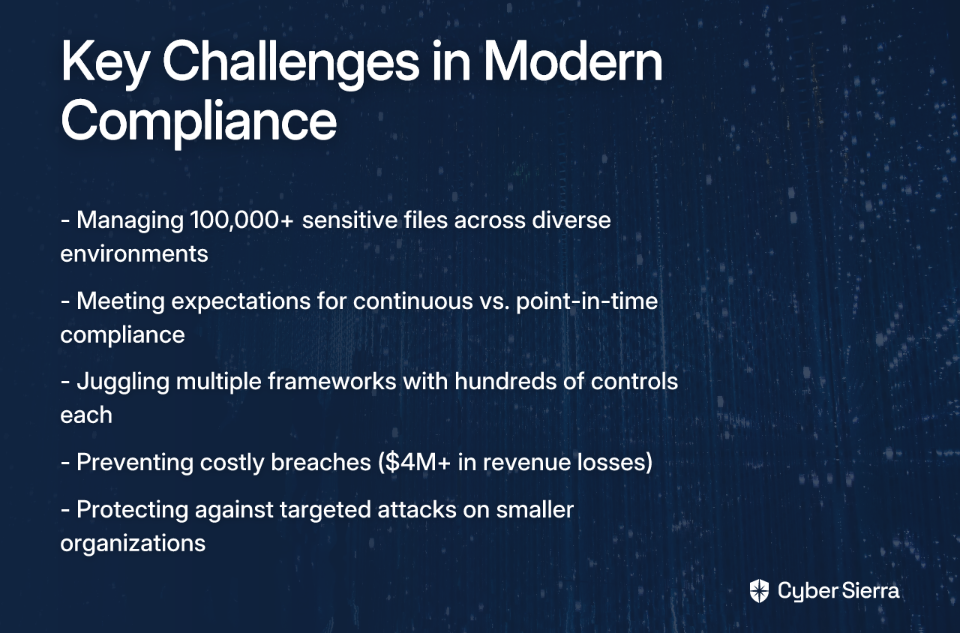
Welcome to the "90% Rule" – the phenomenon where GRC automation efforts plateau at approximately 90% capacity, leaving that final 10% stubbornly manual. This isn't a failure of your implementation or a sign you've chosen the wrong tools. It's a natural ceiling dictated by practical, financial, and technical limitations.
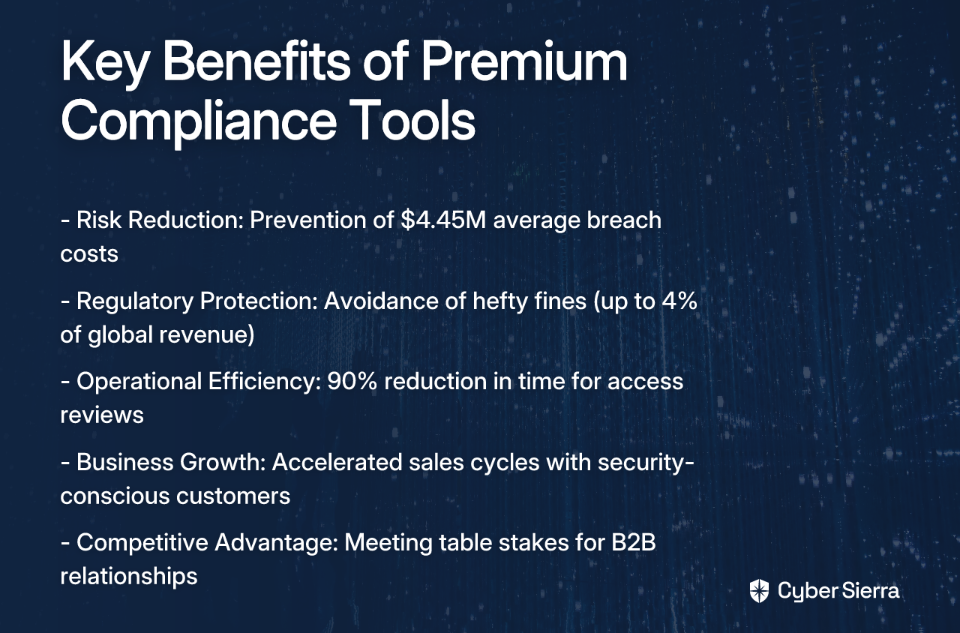
The goal of a modern GRC program shouldn't be the unattainable ideal of 100% automation. Instead, it should be about creating a resilient and efficient hybrid system that leverages automation for scale and consistency while reserving human expertise for nuance, judgment, and strategic oversight.

Understanding GRC and the Allure of Automation

Before diving deeper into the 90% Rule, let's clarify what GRC encompasses:

  • Governance: The policies, processes, and structures that guide an organization's operations to achieve its objectives.
  • Risk Management: The process of identifying, assessing, and mitigating potential risks that could impact financial stability and operational continuity.
  • Compliance: The act of ensuring the organization adheres to all applicable laws, regulations, standards, and internal policies.

Manual GRC processes are notoriously slow, time-consuming, and prone to human error. Automation promises to boost productivity, speed up processes, and provide clear visibility across the entire compliance landscape. These benefits drive organizations to pursue ever-higher levels of automation—often with diminishing returns as they approach that elusive 100%.

Hitting the Wall: Why GRC Automation Plateaus at 90%

The Law of Diminishing Returns

The cost, time, and complexity required to automate the last 10% of GRC processes often outweigh the benefits gained. As one compliance professional bluntly stated, "Most GRC automation improvement stops when the cost-benefit no longer makes sense."

Organizations typically reach a threshold where the financial calculation no longer works: "When the automation costs (software license, data integration, system operations, etc.) crosses over that dollar and not yielding 2,000 hours of labor saving."

This highlights an essential truth that's often overlooked in the pursuit of technological perfection: "Automation is not the objective. Never was, never will be. Cost saving is." When the balance tips toward excessive investment for minimal return, smart organizations recognize it's time to embrace the 90% reality.

The "Clean Data, Clean Rules" Prerequisite

The success of any automation initiative depends entirely on clean, accurate, and consistent data. Poor data quality leads to flawed assessments and compliance failures. As one industry expert succinctly put it: "The amount of automation that can be done is proportionally related to 1) how much money you spend, 2) how clean the data are, and 3) how clean the rules are."

This highlights that automation isn't just a technology problem; it's fundamentally a data governance and process clarity problem. When data is inconsistent or rules are ambiguous, automation engines falter, requiring human interpretation to bridge the gaps.

The Hard Limits of GRC Platforms

Many GRC platforms have inherent limitations that create a hard ceiling for automation. These limitations include:

  1. Limited Integration: Many platforms struggle to connect with proprietary, on-premises, or complex hybrid systems.
  2. Scaling Issues: They often fail to scale effectively in large enterprises managing multiple frameworks or numerous control owners.
  3. Black-Box Automations: Features are frequently rigid and cannot be customized for unique company needs, leading to workflow inefficiencies.
  4. Lag in Regulatory Updates: Some platforms can't keep pace with rapid regulatory changes, forcing manual workarounds.
  5. Incomplete Coverage: Tools are not equipped to handle non-standard infrastructures or proprietary setups.
  6. Siloed Collaboration: Most platforms lack effective tools for cross-departmental collaboration between security, IT, and compliance.

These technical constraints create practical barriers that prevent organizations from pushing beyond the 90% threshold without extraordinary effort and expense.

The Irreplaceable Human Element

Some GRC tasks inherently defy automation. As one security professional noted, "Review of documentation, manual controls review, following up on filled in questionnaires? Can definitely not be automated."

This isn't simply a limitation of current technology—it reflects the fundamental need for human judgment in certain contexts:

  • Adaptability and Flaw Detection: Automation follows rules, but humans can identify when the rules themselves are flawed. "A human in the loop is more adaptable. They're faster to identify, find, and fix flaws in logic and implementation."
  • Risk and Criticality Assessment: The higher the risk, the more comfort organizations find in human oversight. "Generally, transfer of risk to automation or software is less comfortable as risk/impact increase."
  • The Verification Paradox: You can automate a check, but how do you automate the verification that the check itself is working reliably? "Using automation to verify that the automation is working is where it gets unreliable."

Technical controls review requires contextual understanding that automation struggles to replicate. Risk classification often demands nuanced judgment that algorithms can approximate but not perfect. These human capabilities aren't weaknesses in your GRC program—they're strengths that complement automation's scalability.

Strategically Managing the Final 10%

Rather than viewing the remaining manual processes as a problem to eliminate, forward-thinking organizations are adopting strategies to manage this reality effectively:

Adopt a Hybrid Model

Focus on a balanced approach that incorporates both automated and manual processes. This isn't a compromise; it's a strategic choice that recognizes the complementary strengths of technology and human expertise.

Implement Periodic Manual Verification

Treat manual reviews as a feature, not a bug. They are essential checks and balances on your automated systems. As one security professional recommended: "Once a quarter (or year) perform a manual review of all user accounts, compare it to the automated list and confirm any discrepancies."

This approach ensures that automated access reviews maintain their accuracy over time and provides a critical check against configuration drift or system errors.

Leverage API Integrations Strategically

Where complete automation isn't possible, focus on creating smart integrations between systems. API integrations can help bridge gaps between platforms, enabling partial automation of processes while maintaining necessary human oversight.

For third-party questionnaires, for instance, you might automate distribution and collection while keeping human analysis of responses, especially for high-risk vendors where the nuances matter most.

Focus on Continuous Improvement

Establish a culture of continuously refining both your automated and manual processes. Even if you can't eliminate manual work completely, you can make it more efficient and focused.

Regular automation improvement efforts should target the most labor-intensive aspects of remaining manual processes, gradually shifting the balance without pursuing an unrealistic 100% goal.

Finding the Sweet Spot: Real-World Case Studies

Organizations that have found their optimal automation balance demonstrate how the 90% Rule works in practice:

Maersk Group: Automating Financial Controls

The global shipping giant used Impero to automate closing processes, significantly reducing reconciliation time. However, they still rely on the system to support manual variance analysis and internal audits – recognizing that complete automation would create unacceptable risks.

The human-in-the-loop approach allows Maersk to maintain high accuracy while dramatically reducing workload—a perfect example of finding the sweet spot rather than chasing 100% automation.

Durable Medical Equipment: Freeing Strategic Resources

A medical equipment provider partnered with Sovos to automate sales and use tax compliance, freeing over 95% of internal resources. The goal wasn't to eliminate the team, but to allow them to focus on high-value growth initiatives.

By accepting that some manual oversight would always be necessary for tax compliance, the company achieved optimal business value without the diminishing returns of pursuing complete automation.

A Financial Services Firm: Balancing Automation and Oversight

One financial services organization implemented automated access reviews that reduced their quarterly review process from two weeks to two days. However, they maintained a quarterly manual verification step to ensure the automation was functioning correctly.

This approach exemplifies the pragmatic balance: use automation for labor saving and consistency, but implement strategic human oversight to validate that your automated processes remain reliable.

Conclusion: Embracing an Optimal, Not Total, Automation Strategy

The 90% Rule isn't a failure—it's a realistic recognition of automation's practical limits in the complex world of GRC. Perfect GRC automation doesn't exist because of:

  • The diminishing returns that make automating the final 10% financially unjustifiable
  • The fundamental dependency on clean data and clear rules
  • The technical limitations of even the most sophisticated platforms
  • The irreplaceable value of human judgment in high-risk scenarios

The most mature GRC programs aren't the most automated ones. They're the ones that intelligently blend technology and human expertise, conducting thoughtful cost-benefit analysis to determine where the line should be drawn.

The final 10% isn't a problem to be solved; it's where your most valuable asset—your people—can provide the strategic insight, adaptability, and critical thinking that no algorithm can replace. By embracing this reality rather than fighting it, organizations can build more resilient, effective GRC programs that balance efficiency with the human judgment essential for managing risk in today's complex regulatory landscape.

Frequently Asked Questions

What is the 90% Rule in GRC automation?

The 90% Rule describes the common phenomenon where Governance, Risk, and Compliance (GRC) automation efforts reach a practical ceiling at about 90% completion, with the final 10% remaining manual. This is not a failure but a natural limit caused by financial, technical, and practical constraints. Pursuing that last 10% often leads to diminishing returns, where the cost and complexity of automation outweigh the benefits.

Why is 100% GRC automation not a realistic goal?

Achieving 100% GRC automation is generally unrealistic due to four key factors. These include the law of diminishing returns, where automating the final complex tasks costs more than it saves; the prerequisite for perfectly clean data and rules, which is rare in large organizations; the inherent technical limitations of GRC platforms; and the irreplaceable need for human judgment for nuanced tasks like risk assessment and logic validation.

What GRC tasks are best suited for manual oversight?

GRC tasks requiring nuanced judgment, contextual understanding, and adaptability are best suited for manual oversight. Examples include reviewing complex documentation, performing manual controls reviews, assessing and classifying high-impact risks, and validating that the automation logic itself is working correctly. These activities leverage human critical thinking that algorithms cannot easily replicate.

How can a hybrid GRC model improve our compliance program?

A hybrid GRC model improves your compliance program by strategically blending the strengths of automation and human expertise. This approach uses automation for scalable, repetitive tasks to ensure consistency and efficiency, while reserving human oversight for complex, high-risk areas. This creates a more resilient, cost-effective, and intelligent GRC framework that balances technological scale with essential human judgment.

When should we stop trying to automate a GRC process?

You should stop trying to automate a GRC process when the cost-benefit analysis no longer makes sense. This threshold is typically reached when the investment in software licenses, data integration, and operational maintenance exceeds the value of the labor hours saved. The primary objective is cost savings and efficiency, not automation for its own sake. When the balance tips toward excessive investment for minimal return, it's time to rely on manual processes.

Is the 90% Rule a sign that we chose the wrong GRC tool?

No, hitting the 90% automation ceiling is typically not a sign of choosing the wrong GRC tool. It is a common reality across the industry, reflecting the inherent limitations of all GRC platforms, such as challenges with integration, scalability, and customizing "black-box" features. Rather than a tool failure, it signifies that you've reached a practical limit where a hybrid approach of automation and manual oversight becomes the most effective strategy.

blog-hero-background-image
Governance & Compliance

How to Choose the Right GRC Tool for Daily Compliance Monitoring

backdrop
Table of Contents

Join thousands of professionals and get the latest insight on Compliance & Cybersecurity.


You've just completed your annual SOC2 audit. After weeks of frantic evidence gathering, late nights organizing documentation, and the stressful dance with auditors, you finally passed. But as you collapse into your chair with relief, a sobering thought hits you: "I have to do this all over again next year."

If this scenario feels painfully familiar, you're not alone. The traditional approach to compliance—characterized by periodic, frantic preparation for audits—is not just stressful; it's inefficient and risky. What if, instead, you could have compliance reports generated every day rather than only when auditors come knocking?

This is where modern Governance, Risk Management, and Compliance (GRC) tools come in. With the right GRC platform, compliance shifts from a periodic emergency to a continuous state of readiness. The GRC market is projected to reach $60.5 billion by 2025, driven by increasing cybersecurity challenges and regulatory demands—and for good reason.

This guide will walk you through selecting a GRC tool that enables daily compliance monitoring instead of audit-time scrambles. We'll cover key evaluation criteria, real-world examples, and practical implementation steps to transform your compliance program from reactive to proactive.

Why Daily Compliance Monitoring is Non-Negotiable

The Old Way vs. The New Way

In the traditional approach to compliance, organizations would:

  • Scramble to collect evidence weeks before an audit
  • Pull security teams away from critical work to prepare documentation
  • Face the anxiety of not knowing their compliance status until the last minute
  • Risk failing audits due to controls that may have lapsed months ago

Modern GRC tools enable a fundamentally different approach:

  • Automated, continuous evidence collection
  • Real-time dashboards showing compliance status against frameworks like SOC2 and ISO27001
  • Immediate alerts when controls drift out of compliance
  • A state of perpetual audit readiness

The Benefits of Continuous Compliance

Proactive Risk Management: Identify and address compliance gaps as they appear, not months later when they've potentially caused damage.

Reduced Audit Fatigue: When auditors arrive, simply generate reports of continuously monitored controls rather than starting a company-wide evidence-gathering project.

Real-Time Visibility: Give leadership an accurate, up-to-the-minute view of the organization's compliance posture across all relevant frameworks.

Operational Efficiency: Free up your security team from repetitive, manual evidence gathering to focus on strategic initiatives and actual security improvements.

As one cybersecurity professional put it in a Reddit discussion: "I'd rather have these reports generated every day rather than only when the auditors come."

Core Evaluation Criteria for Your GRC Tool

1. Automation & Evidence Management: The Heart of Daily Monitoring

The primary goal of any modern GRC tool should be to eliminate manual effort. Look for these critical features:

Automated Evidence Collection:

  • The tool should automatically gather evidence from your cloud providers (AWS, Azure, GCP), code repositories, and other systems
  • Evidence should be mapped automatically to the relevant controls across multiple frameworks
  • Historical evidence should be preserved with proper versioning

Continuous Control Monitoring:

  • Real-time dashboards displaying the status of controls against selected frameworks
  • Automated Security Compliance Assessment (SCA) capabilities
  • Alerting when controls drift out of compliance

Centralized Document Repository:

  • A single source of truth for policies, procedures, and evidence
  • Version control to track changes to policy documents
  • Easy search and retrieval during audits

On-Demand Reporting:

  • The ability to generate compliance reports instantly for any timeframe
  • Customizable reports for different stakeholders
  • Varonis, for example, boasts the ability to reduce report preparation time from days to minutes

2. Framework Support & Customization

Your GRC tool must support the compliance frameworks relevant to your business today while being flexible enough for tomorrow's regulatory landscape.

Essential Frameworks:

  • Ensure support for common standards like SOC2, ISO27001, GDPR, HIPAA, and NIST CSF
  • Look for pre-built control mappings between frameworks to avoid duplicating evidence collection
  • Verify that the tool keeps pace with framework updates

Customization Capabilities:

  • The ability to create custom controls and frameworks for industry-specific regulations
  • Flexibility to adapt to internal policies and requirements
  • As one Reddit user noted, "I believe in the near future you will be able to add your own framework," highlighting the growing importance of customization

3. Integration with Your Existing Security Stack

A GRC tool that doesn't integrate with your existing systems becomes just another silo requiring manual data entry. Seamless integration is critical for automated evidence gathering and a holistic view of risk.

Key Integration Points:

  • Cloud infrastructure providers (AWS, Azure, GCP)
  • Identity providers (Okta, Azure AD)
  • Security Information and Event Management (SIEM) systems
  • Code repositories (GitHub, Bitbucket)
  • HR systems and directory services
  • Task management tools (Jira, Asana)

Some platforms like Sprinto claim integration with over 250+ platforms, demonstrating the potential for creating a deeply interconnected security ecosystem.

Integration Depth: Look beyond simple API connections to understand how deeply the tool actually integrates. Can it extract meaningful evidence directly, or does it just establish a basic connection?

4. Cost Considerations: From Open Source to Enterprise Scale

Cost is often the deciding factor when selecting a GRC tool. Be realistic about your budget and consider these pricing tiers:

Small to Mid-Sized Businesses (SMBs):

  • Costs typically range from $20,000 to $100,000 annually
  • Often priced per framework or module
  • May have limits on users or evidence volume

Enterprise Solutions:

  • Can exceed $150,000 for a 3-year contract
  • Larger organizations may pay over $500,000 for comprehensive solutions
  • Examples include Metric Stream at approximately $180,000 for 36 months, or IBM OpenPages starting at around $108,000 for 3 modules

Hidden Costs to Consider:

  • Implementation and consulting fees (averaging $20,000 to $35,000)
  • Training costs
  • Additional charges for integrations or custom development

Free & Open Source Options: For organizations with limited budgets, tools like Wazuh bundle compliance features into a broader security monitoring platform. While these require more technical expertise to implement, they can provide a cost-effective starting point.

5. Usability and Scalability

A complex tool won't be adopted by your team, and an unscalable tool will need to be replaced as your organization grows.

Usability Factors:

  • Intuitive interfaces that don't require extensive training
  • Role-based dashboards for different stakeholders (executives, compliance managers, IT staff)
  • No-code platforms that allow for customization without specialized skills
  • Automated audit reports that can be generated by any authorized user

Scalability Considerations:

  • Ability to handle growing data volumes
  • Support for multiple frameworks simultaneously
  • Capacity to add users without performance degradation
  • Clear upgrade paths as your needs evolve

GRC Tools in Action: Real-World Examples

Let's examine three different GRC tools that represent different approaches to daily compliance monitoring:

1. Varonis: The Data-Centric Powerhouse (Enterprise)

Focus: Data security, compliance monitoring, and automated remediation

Key Features for Daily Monitoring:

  • Data Discovery & Classification: Automatically finds and classifies sensitive data related to GDPR, HIPAA, SOX, and other regulations
  • Data Activity Auditing: Maintains a detailed, searchable log of all data activities for rapid investigations
  • Automated Remediation: Automatically removes excessive permissions and fixes misconfigurations

User Perspective: "Varonis is expensive, but a fantastic tool for compliance, security, and governance. It automatically classifies all of your sensitive/compliance data, and you can schedule automatic audit reports for whenever you want," according to a user in a Reddit discussion.

Ideal For: Large enterprises with complex data environments and mature security programs that need comprehensive data privacy governance

2. Wazuh: The Open-Source Option (Cost-Effective)

Focus: An open-source security platform that includes SIEM capabilities, endpoint security, and compliance monitoring

Key Features for Daily Monitoring:

  • Security Compliance Assessment (SCA): The SCA module allows for continuous scanning of systems against security policies and standards
  • Rule-Based Monitoring: Can be configured to check for specific compliance requirements
  • Integrated SIEM: Correlates security events and compliance data in one place
  • Extensible Architecture: Can be customized to support various compliance frameworks

User Perspective: Wazuh is frequently recommended as a free solution that provides robust compliance monitoring capabilities alongside its security features. As one Reddit user noted, "It can provide an excellent SIEM, data visualization and active response platform as well."

Ideal For: Organizations with limited budgets but technical expertise to implement and maintain an open-source solution

3. Tugboat Logic (by OneTrust): The Automated Compliance Platform (User-Friendly)

Focus: Simplifying and automating compliance for frameworks like SOC2 and ISO27001

Key Features for Daily Monitoring:

  • Automated Evidence Collection: Designed to continuously gather evidence to prove controls are operating effectively
  • Pre-built Templates: Includes framework-specific templates and policies to accelerate implementation
  • User-Friendly Interface: Known for a platform that simplifies the compliance journey
  • Guided Workflow: Provides step-by-step guidance through the compliance process

User Perspective: Tugboat Logic is frequently mentioned as a solution for organizations "looking into ways to get a solid compliance program stood up," especially those new to formal compliance programs.

Ideal For: Small to mid-sized businesses seeking to establish their first formal compliance program with minimal overhead

Your 5-Step Plan for Selection and Implementation

1. Identify GRC Requirements

Start by thoroughly assessing your organization's specific needs:

  • Which compliance frameworks apply to your business? (SOC2, ISO27001, etc.)
  • What are your key risk areas that need monitoring?
  • Who will be the primary users of the system?
  • What is your budget range?
  • Which existing systems must integrate with the GRC tool?

2. Research and Select a Solution

Create a shortlist of vendors based on the evaluation criteria outlined above:

  • Prepare a comparison matrix of features vs. requirements
  • Request detailed demonstrations focused on daily monitoring capabilities
  • Check references from organizations similar to yours
  • Evaluate both immediate needs and future scalability

3. Test with Free Trials & Demos

This is a crucial step that should not be skipped:

  • Use trial versions to evaluate the tool's real-world fit for your environment
  • Have actual end-users test the platform, not just the decision-makers
  • Test key workflows like evidence collection and report generation
  • Verify integration with your critical systems

4. Plan the Implementation

Develop a detailed rollout plan covering:

  • Timelines and milestones
  • Resource allocation
  • Data migration strategy
  • User training program
  • Initial framework implementation priority

Pay particular attention to user training to ensure adoption. The best tool is worthless if your team doesn't use it effectively.

5. Test, Deploy, and Monitor Results

  • Thoroughly test the software in a staging environment before full deployment
  • Implement in phases, starting with your most critical compliance framework
  • Establish KPIs to measure the effectiveness of your new GRC program
  • Continuously review performance and adjust as needed

Conclusion: Make Every Day an Audit Day

The right GRC tool transforms compliance from a periodic burden into a continuous, strategic advantage. By implementing daily compliance monitoring, you can:

  • Eliminate the stress and disruption of audit preparation
  • Maintain a constant state of compliance readiness
  • Identify and address issues before they become audit findings
  • Free your security team to focus on proactive security measures

The best GRC tool is the one that fits your organization's unique mix of frameworks, technical stack, budget, and team size. There is no one-size-fits-all solution, but the evaluation criteria in this guide will help you navigate the complex landscape of options.

Start your journey by performing a thorough needs assessment to define your specific GRC requirements. Remember that compliance is not just about checking boxes for auditors—it's about building a resilient security posture that protects your organization every day, not just during audit season.

With the right GRC tool supporting daily compliance monitoring, you'll transform from dreading audits to confidently saying, "We're ready whenever you are."

Frequently Asked Questions (FAQ)

What is a GRC tool and why is it important for daily compliance?

A Governance, Risk Management, and Compliance (GRC) tool is a platform that automates the collection of evidence, monitors security controls in real-time, and generates compliance reports on demand. It is important because it shifts compliance from a stressful, periodic event into a continuous, automated process. Instead of scrambling for evidence before an audit, a GRC tool ensures you are always audit-ready, providing real-time visibility into your compliance posture against frameworks like SOC2 and ISO27001.

What are the most critical features to look for in a GRC tool?

The most critical features are automated evidence collection, continuous control monitoring, broad framework support (like SOC2, ISO27001), and seamless integration with your existing security stack (e.g., AWS, Okta, Jira). Automation eliminates manual work and reduces audit fatigue. Strong integration capabilities ensure the tool can pull data from all relevant systems for a complete view of your compliance status. Look for a tool that can map evidence to multiple frameworks simultaneously to avoid duplicating efforts.

How much does a GRC tool typically cost?

GRC tool costs vary widely, ranging from $20,000 to over $100,000 annually for small to mid-sized businesses, while enterprise solutions can exceed $150,000. Free, open-source options are also available for those with technical expertise. When budgeting, remember to account for hidden costs such as implementation fees (which can average $20,000 - $35,000), user training, and charges for additional integrations. Open-source tools like Wazuh can be cost-effective but require more internal resources to set up and maintain.

Can a GRC tool help with industry-specific or custom compliance frameworks?

Yes, many modern GRC tools offer customization capabilities that allow you to create custom controls and frameworks tailored to your specific industry regulations or internal policies. While most platforms come with pre-built templates for common standards like SOC2, GDPR, and HIPAA, the ability to add your own framework is a key feature for future-proofing your compliance program. When evaluating a tool, verify its flexibility to adapt to your unique requirements beyond standard, out-of-the-box frameworks.

What is the main benefit of daily compliance monitoring over traditional annual audits?

The main benefit of daily compliance monitoring is proactive risk management, allowing you to identify and fix compliance gaps as they occur, rather than discovering them months later during a high-stakes audit. This continuous approach significantly reduces audit fatigue, provides leadership with real-time visibility into the organization's security posture, and frees up security teams from manual evidence gathering to focus on strategic improvements. It transforms compliance from a reactive, stressful event into a predictable, ongoing process.

How do I choose the right GRC tool for my company?

To choose the right GRC tool, start by identifying your specific requirements, including which frameworks you need, your budget, and which systems require integration. Then, research vendors, request demos, and run a free trial to test the tool in your environment. The best tool is one that fits your unique needs. Create a comparison matrix to evaluate features against your requirements. Involve the actual end-users in the testing phase to ensure usability and adoption. A well-planned selection process ensures you choose a scalable solution that grows with your organization.

blog-hero-background-image
Governance & Compliance

What Makes Varonis Worth $200K+ for Compliance Teams?

backdrop
Table of Contents

Join thousands of professionals and get the latest insight on Compliance & Cybersecurity.


You've set up your security program. You've survived your first SOC2 and ISO27001 audits. But now you're faced with the reality that maintaining compliance isn't a one-time achievement—it's an ongoing battle.

"I'd rather have these reports generated every day rather than only when the auditors come," laments one cybersecurity professional on Reddit, echoing a common frustration among compliance teams everywhere.

If you're responsible for your organization's compliance posture, you've likely encountered high-end data security platforms like Varonis—and experienced sticker shock at their $200,000+ price tags. As one Reddit user put it, "Varonis is expensive, but a fantastic tool for compliance, security, and governance."

This begs the question: What exactly makes these premium compliance tools worth their hefty price tags? Is the ROI truly there, or are there more cost-effective alternatives that can deliver similar results for your GRC (Governance, Risk Management, and Compliance) program?

Let's dissect what you're really paying for with a solution like Varonis, and determine if such an investment makes sense for your organization's compliance needs.

The Modern Compliance Minefield: Why Basic Tools Fall Short

Today's enterprise environments are more complex than ever—a chaotic mix of on-premises systems, cloud infrastructure, and SaaS applications housing sensitive data in structured and unstructured formats. This complexity creates an expanding attack surface that basic security tools struggle to address effectively.

When it comes to compliance frameworks like SOC2, ISO27001, GDPR, and HIPAA, the landscape has evolved beyond simple checkbox exercises:

  • Volume challenge: The average enterprise manages over 100,000 sensitive files, many containing regulated data that requires protection
  • Continuous monitoring: Point-in-time assessments have given way to expectations of continuous compliance
  • Multi-framework juggling: Most organizations must simultaneously maintain compliance with multiple frameworks, each with hundreds of controls and requirements

The stakes couldn't be higher. According to research, businesses can lose up to $4 million in revenue and face additional $5 million in operational disruptions from a single data breach. For smaller organizations, the impact can be existential—despite making up 43% of all cyberattack targets.

This explains why traditional approaches to compliance—policy documents without enforcement mechanisms, manual reviews without automation, and basic file scanning without classification intelligence—simply don't cut it anymore.

Deconstructing Varonis: A Deep Dive into its Core Capabilities

Varonis has established itself as a premium player in the data security and compliance space. Its core value proposition revolves around discovering, classifying, monitoring, and protecting sensitive data, particularly unstructured data (documents, spreadsheets, presentations, etc.) that often contains your organization's most valuable and regulated information.

Let's break down the key features that command Varonis's premium price:

1. Automated Data Classification and Discovery

At its foundation, Varonis employs sophisticated algorithms to automatically discover, classify, and label sensitive data across your environment. This isn't just basic pattern matching—it uses AI-driven context analysis to understand data relationships and sensitivity levels.

The platform can identify:

  • Regulated data (PII, PHI, PCI)
  • Intellectual property
  • Financial records
  • Strategic documents
  • Customer information

This automated discovery process runs continuously, ensuring new data is classified as it's created. For compliance teams, this addresses a fundamental challenge: you can't protect what you don't know exists.

2. Overexposure Analysis and Remediation

Once sensitive data is identified, Varonis analyzes who has access to it through a comprehensive permissions analysis engine. This capability:

  • Maps every user's access rights across the organization
  • Identifies excessive permissions and potential access violations
  • Quantifies your "blast radius" (how much damage could be done if a single account is compromised)
  • Automates the implementation of least privilege principles

For compliance frameworks that require strict access control (virtually all of them), this automated approach to enforcing least privilege eliminates countless manual hours of permissions review.

3. User Behavior Analytics and Threat Detection

Varonis continuously monitors user interactions with sensitive data, establishing baselines of normal behavior and flagging anomalies that could indicate insider threats, compromised accounts, or ransomware activity.

This capability directly supports compliance requirements around:

  • Monitoring system activity (SOC2 CC7.2)
  • Detecting unauthorized access (ISO27001 A.9.4.1)
  • Identifying unusual activity patterns (PCI DSS 10.6)

The SIEM (Security Information and Event Management) capabilities extend beyond simple logging to provide context-aware security intelligence about who is accessing what data and whether that access is appropriate.

4. Automated Compliance Reporting and Documentation

Perhaps most valuable to compliance teams is Varonis's ability to automatically generate evidence and reports specifically designed for auditors. The platform includes:

  • Pre-built reports for major frameworks (SOC2, ISO27001, GDPR, HIPAA, PCI DSS)
  • Automated data privacy governance documentation
  • Data Subject Access Request (DSAR) fulfillment tools
  • Evidence of continuous control monitoring

As one Reddit user noted, these automated audit reports can be "generated every day rather than only when the auditors come," creating a continuous compliance posture instead of periodic scrambles.

5. Data Security Posture Management (DSPM)

Varonis has evolved to offer comprehensive DSPM capabilities that automatically:

  • Identify security gaps and misconfigurations
  • Prioritize risks based on potential impact
  • Remediate issues through automated workflows
  • Provide compliance posture visualization through intuitive dashboards

This proactive approach represents a significant advancement over reactive security measures, especially for compliance teams trying to maintain continuous adherence to complex frameworks.

The ROI of a Premium Compliance Tool: Is it Worth $200K+?

When evaluating the return on a substantial investment like Varonis, compliance leaders need to look beyond the sticker price and consider both quantitative and qualitative benefits:

Risk Reduction and Breach Prevention

The primary ROI comes from preventing data breaches and compliance violations:

  • Average cost of a data breach: $4.45 million (IBM Cost of Data Breach Report)
  • Regulatory fines: Up to 4% of global revenue under GDPR
  • Legal costs and settlements: Often in the millions for serious breaches
  • Reputation damage: Potentially incalculable long-term impact

For organizations managing highly sensitive data or operating in regulated industries, a single prevented breach can justify the entire investment.

Operational Efficiency Gains

Premium compliance tools dramatically reduce manual effort:

  • Automated data discovery eliminates the need for manual data inventories
  • Continuous monitoring replaces periodic manual reviews
  • Automated reporting saves hundreds of hours during audit cycles
  • Self-service capabilities reduce the burden on IT and security teams

One Varonis customer reported reducing the time required for access reviews by 90%, freeing up their team for more strategic tasks.

Business Growth Enablement

Strong compliance isn't just a cost center—it's increasingly a business differentiator:

  • 72% of companies complete audits specifically to secure new business
  • Demonstrable compliance capabilities accelerate sales cycles with security-conscious customers
  • SOC2 and ISO27001 certifications have become table stakes for B2B software companies

For organizations that leverage compliance as a competitive advantage, the ROI extends directly to the top line.

Varonis vs. Alternatives: Evaluating Your Options

While Varonis offers comprehensive capabilities, it's worth examining alternatives across the price spectrum:

Enterprise Alternatives

Other enterprise data security platforms like CyberArk, Netwrix, and SailPoint offer similar features but with different emphases:

  • Cyera: Offers deep classification capabilities but more limited remediation options
  • Sentra: Focuses on data discovery with less endpoint remediation
  • Microsoft Purview: Provides basic data governance at a lower price point but requires significant customization

Mid-Market Options

Organizations with more modest requirements might consider:

  • Spirion: Offers data discovery and classification at a lower price point
  • BigID: Provides strong data discovery with less emphasis on behavioral analytics
  • Egnyte: Combines file management with basic data governance features

Open-Source and Low-Cost Approaches

For organizations with limited budgets, some options include:

  • Wazuh: Offers Security Compliance Assessment (SCA) features but requires significant configuration
  • OpenCTI: Provides threat intelligence with some compliance capabilities
  • DIY approach: Combining basic tools with custom scripts and manual processes

The right choice depends on your specific needs, technical maturity, and risk profile. As one Reddit user observed, "These compliance tools seem to be not tailored specifically to the compliance monitoring needs" of every organization.

Beyond a Single Tool: Building a Holistic GRC Program

While Varonis excels at data-centric security, a complete GRC program requires broader capabilities. Industry experts increasingly recommend "a layered approach to data security by integrating multiple solutions" for a holistic security and compliance posture.

This is where no-code platforms like Cyber Sierra can complement a data security tool like Varonis. While Varonis focuses on securing your sensitive data, Cyber Sierra provides:

  • Continuous Control Monitoring (CCM): Automated testing and validation of controls across your entire security program, not just data security
  • Governance, Risk & Compliance (GRC): Management of multiple compliance frameworks from a central repository
  • Third-Party Risk Management (TPRM): Assessment and monitoring of vendor security postures

This combination creates a comprehensive solution that addresses both data security and the broader compliance landscape.

For example, Cyber Sierra's CCM module can automate evidence collection for non-data controls, providing a single source of truth for your entire compliance program. Its GRC capabilities help manage policy documents and streamline audits across multiple frameworks simultaneously.

Is Varonis Worth It for Your Team?

The answer depends on your organization's specific circumstances:

Varonis may be worth the investment if:

  • You manage large volumes of sensitive, unstructured data
  • You operate in heavily regulated industries (finance, healthcare, government)
  • You face sophisticated threats including insider risks
  • You need to maintain compliance with multiple overlapping frameworks
  • Your team is stretched thin and needs significant automation

You might consider alternatives if:

  • Your data landscape is relatively simple or mostly structured
  • You have a smaller attack surface with fewer users and permissions
  • You face a single dominant compliance framework
  • You have specialized technical resources for customizing solutions
  • Your budget constraints are severe

For organizations that fit the first profile, the $200K+ investment in Varonis often delivers substantial returns through risk reduction, operational efficiency, and business enablement.

Conclusion: The Future of Compliance Automation

The compliance landscape continues to evolve, with increasing expectations for continuous monitoring, automated controls, and comprehensive reporting. Tools like Varonis represent the leading edge of this evolution, offering unprecedented visibility and automation for data security compliance.

The most effective approach for modern compliance teams isn't about finding a single magic bullet, but rather integrating best-in-class tools for data security (like Varonis) with comprehensive platforms for continuous compliance management and GRC (like Cyber Sierra).

By combining these capabilities, organizations can build a resilient, efficient, and truly continuous compliance framework that not only satisfies auditors but also builds trust with customers and partners.

As compliance requirements grow more complex and cyber threats more sophisticated, the question may shift from "Can we afford a premium compliance tool?" to "Can we afford not to have one?"

Frequently Asked Questions

What does a data security platform like Varonis actually do?

A data security platform like Varonis automatically discovers, classifies, and protects sensitive data, analyzes user access and behavior, and helps automate compliance reporting. It specializes in securing unstructured data (like documents and spreadsheets) by identifying what's sensitive, who has access to it, and flagging unusual activity. This helps enforce principles like least privilege and provides continuous monitoring required by many compliance frameworks.

Why are premium compliance tools like Varonis so expensive?

Premium compliance tools like Varonis are expensive due to their advanced automation, continuous monitoring capabilities, sophisticated AI-driven analytics, and comprehensive features that replace significant manual effort. You're paying for a platform that can automatically classify massive volumes of data, analyze complex permissions, detect subtle threats through user behavior analytics, and generate audit-ready reports on demand. This level of automation and intelligence significantly reduces operational costs and the risk of costly data breaches.

What is the primary ROI of investing in a tool like Varonis?

The primary ROI comes from three key areas: reducing the risk of costly data breaches and regulatory fines, gaining significant operational efficiency by automating manual tasks, and enabling business growth by demonstrating a strong security posture. By preventing a single major data breach (which can cost millions), the tool can pay for itself. Furthermore, it saves hundreds of hours for compliance and security teams during audits and daily operations, and a strong compliance record can be a key differentiator that helps win new business.

How does Varonis help with specific audits like SOC 2 or ISO 27001?

Varonis directly supports audits like SOC 2 and ISO 27001 by providing automated evidence for key controls related to access management, activity monitoring, and data classification. It offers pre-built reports mapped to specific requirements, such as monitoring system activity (SOC 2 CC7.2) or detecting unauthorized access (ISO 27001 A.9.4.1). This continuous evidence collection transforms audit preparation from a periodic scramble into a state of continuous readiness.

When should my organization consider alternatives to Varonis?

You should consider alternatives to Varonis if your organization has a relatively simple data environment, a smaller attack surface, limited budget, or the in-house technical expertise to customize open-source solutions. If your data is mostly structured, you have few users, and you only need to comply with one framework, a full-scale platform like Varonis might be overkill. Mid-market or open-source tools could provide the necessary functionality at a lower cost, though they often require more manual configuration and integration effort.

Is a data security tool like Varonis sufficient for our entire GRC program?

No, a data security tool like Varonis is a critical component but is not typically sufficient for an entire GRC program on its own. Varonis excels at data-centric security and compliance. However, a complete GRC program also requires managing policies, tracking risks, monitoring non-data-related security controls, and managing third-party vendor risk. For a holistic approach, it's best to integrate a data security platform with a comprehensive GRC and Continuous Control Monitoring (CCM) platform like Cyber Sierra.

blog-hero-background-image
Governance & Compliance

How to Choose the Right GRC Tool for Small Organizations Under 100 Users

backdrop
Table of Contents

Join thousands of professionals and get the latest insight on Compliance & Cybersecurity.


You've just been tasked with managing your company's compliance program. Maybe it's for PCI compliance, or perhaps your clients are asking about your security posture. You search online for policy templates, only to discover you need dozens of documents, a risk register, and a way to track it all. The enterprise GRC tools you find seem designed for Fortune 500 companies with dedicated compliance teams—not your 50-person organization with you wearing multiple hats.

Sound familiar? You're not alone.

Small organizations face unique challenges when selecting Governance, Risk, and Compliance (GRC) tools. While spreadsheets might seem sufficient initially, they quickly become unwieldy as compliance requirements grow. Meanwhile, enterprise-grade solutions like Archer are excessive and require resources you simply don't have.

Why Spreadsheets Aren't Enough for Modern GRC

"I started creating policies from templates, but realized I need a better way to manage them in the long run," shared one IT manager on Reddit. This sentiment echoes across many small organizations.

While spreadsheets might work for a basic risk register, they fall short in several critical areas:

  • Version Control Issues: Documents quickly become outdated with no clear "source of truth"
  • No Automation: Manual evidence collection is time-consuming and error-prone
  • Difficult Collaboration: Multiple stakeholders can't easily contribute or review
  • Limited Reporting: Generating audit-ready reports requires significant manual effort
  • No Continuous Compliance: Spreadsheets provide point-in-time snapshots, not ongoing monitoring

As regulatory requirements expand and customer security questionnaires multiply, these limitations become increasingly problematic. The right GRC tool transforms compliance from a reactive scramble into a proactive, streamlined process.

Key Factors for Small Organizations: An Evaluation Checklist

When evaluating GRC tools for organizations under 100 users, these factors should top your priority list:

1. Cost-Effectiveness & Total Cost of Ownership

For small organizations, budget constraints are real. GRC software can range from $5,000 to over $250,000 annually, with enterprise solutions at the higher end.

What to look for:

  • Transparent, predictable pricing models
  • Tiered plans that allow you to start small and scale
  • No hidden fees for basic integrations or report generation
  • Reasonable per-user costs (critical for small teams)

Some GRC tools designed for small businesses start as low as a few dollars per user per month, making them accessible options for organizations just beginning their compliance journey.

2. Ease of Implementation & Use

"I feel like a lot of the offerings still have a ways to go UI-wise," noted one user reviewing GRC tools. User experience is particularly crucial for small teams where the GRC administrator is likely handling multiple other responsibilities.

What to look for:

  • Cloud-based setup with minimal IT requirements
  • Intuitive user interface that doesn't require extensive training
  • Guided workflows for common compliance frameworks like ISO 27001 or NIST
  • Quality documentation and responsive support

3. Required Team Size & Resources

Enterprise GRC tools often assume dedicated compliance teams. As one Reddit user noted about Archer: "It's a good option if you have 100 people to support it." For small organizations, this simply isn't realistic.

What to look for:

  • Solutions manageable by a single administrator
  • Automation features that reduce manual workload
  • Self-service capabilities for control owners
  • Minimal training requirements for end users

The right tool should enhance your team's productivity, not create another full-time job managing the GRC platform itself.

4. API Access & Integration Capabilities

"They didn't have API access, which I wanted for the long term, so I wrote them off," shared one security professional discussing a GRC solution. This highlights a critical consideration: your GRC tool must connect with your existing tech stack.

What to look for:

  • Pre-built integrations with common business tools
  • API access for custom integrations
  • Ability to import data from cloud services (AWS, Azure, Google Cloud)
  • Automated evidence collection from security tools

These integrations significantly reduce manual data entry and ensure your compliance data stays current with minimal effort.

5. Scalability for Future Growth

Today you might only need SOC 2 compliance, but what happens when clients start asking about ISO 27001 or PCI compliance? Your GRC solution should grow with you.

What to look for:

  • Support for multiple compliance frameworks
  • Ability to map controls across frameworks (reducing duplicate work)
  • Flexible workflow capabilities
  • Clear pricing for scaling users and modules

A Practical Evaluation Framework in 4 Steps

Follow this systematic approach when selecting your GRC tool:

Step 1: Define Your Core Requirements

Before evaluating any tools, clarify your specific needs:

  • Which compliance frameworks are most important right now? (PCI, SOC 2, ISO 27001, NIST, etc.)
  • What are your key use cases? (Policy management, risk assessments, vendor management, audit prep)
  • Do you need boilerplate policies to start from scratch? Many small organizations begin with templates based on NIST guidelines.
  • What's your timeline and budget? Be realistic about both.

Step 2: Shortlist & Research

With your requirements defined, create a shortlist of potential tools:

  • Look for solutions specifically designed for small businesses
  • Check user reviews and peer recommendations
  • Consider tools with freemium models or free trials
  • Evaluate vendor reputation and support quality

Solutions like Vanta, Drata, Hyperproof, ZenGRC, and 6clicks are frequently mentioned for smaller organizations. For even smaller teams, tools like SimpleRisk offer freemium options that may be sufficient.

Step 3: Evaluate Core Functionality

For each shortlisted option, assess these critical capabilities:

  • Automation depth: How effectively does it automate evidence collection and continuous control monitoring?
  • Policy management: Does it provide acceptable use policy templates and version control?
  • Risk register capabilities: Is the risk assessment process intuitive and scalable?
  • Reporting: Can it generate clear, customizable reports for stakeholders and auditors?
  • Vendor risk management: Does it streamline third-party assessments?

Step 4: Run a Pilot or Free Trial

This step is non-negotiable. As one user stated, "Until I do pilots of both, I can't comment on ease of use." Most reputable GRC vendors offer free trials or demonstrations.

During your pilot:

  • Test the user interface with actual team members
  • Attempt to set up a compliance framework relevant to your organization
  • Try importing existing policies and controls
  • Test integrations with at least one of your critical systems
  • Evaluate the reporting capabilities

Common Pitfalls: How to Avoid Buying Expensive Shelfware

Many small organizations make these common mistakes when selecting GRC tools:

1. The Over-Engineering Trap

"It's not as robust as Archer, but unless you're managing risk for a very large organization, you probably don't need most of the advanced features anyway," noted one security professional. Enterprise solutions often include complex audit modules and extensive customization options that small teams simply don't need.

Solution: Choose tools designed specifically for small to mid-sized organizations that provide just enough functionality without overwhelming complexity.

2. Ignoring User Adoption Factors

A GRC tool with poor usability will face resistance from your team and ultimately become unused shelfware.

Solution: Include potential end-users in the evaluation process and prioritize solutions with intuitive interfaces and workflows.

3. Starting Without Policy Templates

Many small organizations lack established policies and procedures. Starting from scratch can be overwhelming.

Solution: Look for GRC tools that include quality templates aligned with frameworks like NIST, saving you countless hours of policy development.

4. Underestimating Integration Needs

Without proper integration, your GRC tool becomes another data silo requiring manual updates.

Solution: Prioritize API access and pre-built integrations, even if you don't need them immediately. They'll become crucial as your compliance program matures.

Beyond GRC: The Power of an Integrated Security Platform

As your organization grows, you may benefit from platforms that extend beyond traditional GRC functionality. An integrated approach can provide a single view of your entire security program, moving from periodic compliance checks to continuous compliance monitoring.

Platforms like Cybersierra offer this integrated approach by combining:

  • Governance, Risk & Compliance (GRC): Automating data collection and framework management for SOC 2, ISO 27001, and other standards
  • Continuous Control Monitoring: Providing real-time visibility into your security controls
  • Third-Party Risk Management: Simplifying vendor assessments and monitoring
  • Threat Intelligence: Identifying vulnerabilities across your attack surface

For small organizations, this unified approach can be particularly valuable, as it reduces the need to purchase, integrate, and manage multiple security tools as you grow.

Conclusion: Finding Your Right-Sized Solution

Selecting the right GRC tool for a small organization isn't about finding the one with the most features—it's about finding the right fit for your size, budget, and maturity level.

By prioritizing cost-effectiveness, ease of use, minimal resource requirements, integration capabilities, and scalability, you can find a solution that transforms compliance from a burdensome obligation into a strategic advantage.

Remember:

  • Start with a clear understanding of your immediate compliance needs
  • Choose tools designed for organizations your size
  • Prioritize user experience and automation capabilities
  • Ensure the solution can grow with you
  • Consider integrated platforms as you mature

The right GRC tool should simplify your compliance journey, not complicate it. It should provide a scalable compliance engine that grows with your organization, helping you build trust with customers and secure your business for the long term.

Frequently Asked Questions

What is a GRC tool and why do small businesses need one?

A GRC (Governance, Risk, and Compliance) tool is a software platform that helps organizations manage their policies, assess risks, and track compliance with various regulations and standards. Small businesses need a GRC tool to move beyond inefficient spreadsheets, automate the collection of audit evidence, and streamline the management of frameworks like SOC 2, ISO 27001, and PCI DSS, saving significant time and reducing errors.

How much should a small business expect to pay for a GRC tool?

For small businesses, GRC tools typically range from $5,000 to $25,000 annually. The price depends on the number of users, the complexity of the compliance frameworks needed, and the level of automation and integration offered. Unlike enterprise solutions that can cost hundreds of thousands, these tools are priced to be accessible and provide a clear return on investment by reducing manual compliance work.

How can a GRC tool help if we have no existing security policies?

Many GRC platforms designed for small organizations are ideal for this situation because they include libraries of pre-built policy templates. These templates are often aligned with common frameworks like NIST or ISO 27001, giving you a strong foundation to build upon. This feature saves countless hours of writing policies from scratch and ensures you're starting with industry-accepted best practices.

What are the most important features to look for in a GRC tool for a small team?

The most critical features for a small team are ease of use, automation, and integration. Look for a tool with an intuitive interface that doesn't require a dedicated administrator, features that automate evidence collection from your cloud services (like AWS or Azure), and pre-built integrations with your existing tech stack. This ensures the tool reduces your workload rather than adding to it.

When is the right time to move from spreadsheets to a GRC tool?

The right time to switch is when spreadsheets become a bottleneck. Key triggers include: managing more than one compliance framework, spending too much time manually collecting evidence for audits, having difficulty tracking document versions, or receiving frequent security questionnaires from clients. A GRC tool becomes necessary when you need a reliable "source of truth" for your compliance program.

What is the difference between a GRC tool and an integrated security platform?

A traditional GRC tool focuses specifically on managing policies, risks, and compliance requirements for audits. An integrated security platform does all of that plus it incorporates other security functions like continuous control monitoring, vulnerability management, and vendor risk assessment into a single, unified solution. For a growing organization, an integrated platform offers a more holistic and proactive approach to security and compliance.


Looking for more information on GRC tools for small organizations? Contact Cybersierra for a personalized consultation on right-sizing your compliance approach.

toaster icon

Thank you for reaching out to us!

We will get back to you soon.