blog-hero-background-image
Governance & Compliance

LLM Audit Trails: Logging Guardrail Events for Compliance

backdrop
Table of Contents

Join thousands of professionals and get the latest insight on Compliance & Cybersecurity.


You've deployed Large Language Models (LLMs) across your organization. They're transforming workflows, accelerating productivity, and unlocking new capabilities. But now you're walking a precarious tightrope: make your guardrails too strict, and your powerful LLMs become useless; too loose, and you risk serious compliance and security breaches.

As one practitioner put it, "Guardrails are one of those 'sounds simple, hard in practice' topics." This complexity isn't just technical—it carries real business, legal, and reputational consequences.

This article tackles a critical aspect of LLM governance that's often overlooked: comprehensive audit trails for your guardrail systems. Because as another expert noted, "It's not enough to block bad outputs—you need logs that show which guardrail fired and why."

Why Audit Trails Are Non-Negotiable for LLM Guardrails

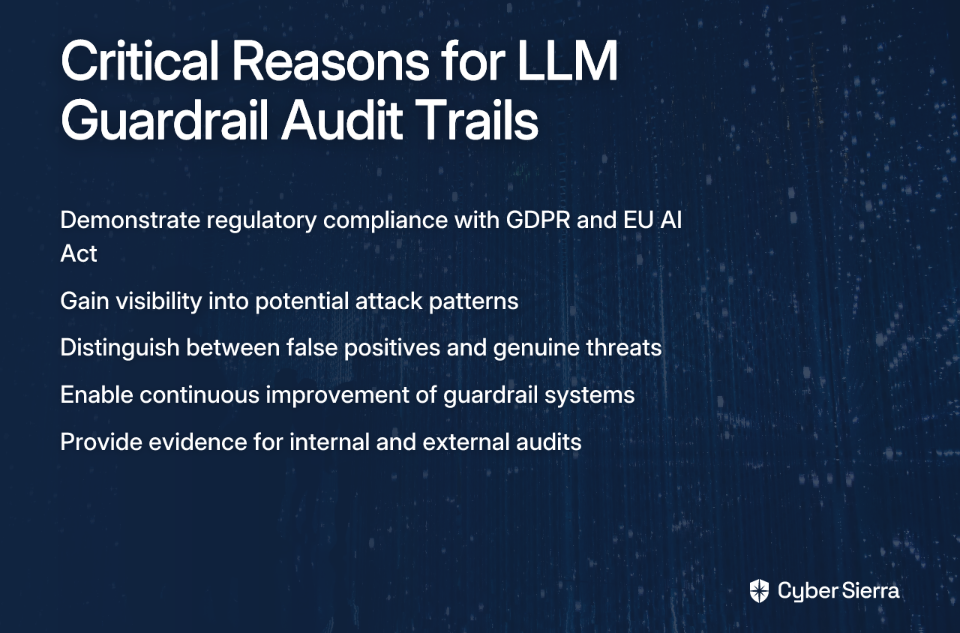
Implementing basic guardrails—those mechanisms that prevent LLMs from generating harmful, biased, or non-compliant outputs—is just the beginning. Without robust audit trails capturing each guardrail event, you're left with significant blind spots:

  • You can't demonstrate compliance to regulators or auditors
  • You lack visibility into potential attack patterns or misuse
  • You can't distinguish between false positives and genuine threats
  • Your ability to improve guardrails is severely hampered

The compliance imperative is particularly pressing. Regulations like GDPR already impose stringent requirements for data processing transparency, while the upcoming EU AI Act suggests mandatory auditing for high-risk AI systems. Without detailed logs, proving your due diligence becomes nearly impossible.
The Business Case for Automated Audit Trails

Manual record-keeping is not just error-prone—it's fundamentally inadequate for modern AI systems. Consider these statistics:

  • Expense fraud alone can cost startups 5% of their revenue annually
  • External auditors detect only 4% of fraud, while internal auditors catch 15%
  • Automated systems are linked to a 75% reduction in financial errors
  • Automated reporting can cut compliance cycles by 60-80%

The differences between manual and automated audit approaches are stark:

FeatureManual Audit TrailsAutomated Audit Trails
AccuracyHigh risk of human errorPrecise and reliable
SpeedSlow and time-consumingFast and efficient
Fraud PreventionLimited capabilitiesReal-time monitoring for better prevention
ComplianceInconsistentDetailed records simplify compliance
Real-time MonitoringMinimal visibilityContinuous tracking and alerts
Data IntegritySusceptible to inconsistenciesTamper-proof and sequential
Resource NeedsLabor-intensiveRequires minimal human input

Source: How automated audit trails ensure compliance

For LLMs, where interactions can number in the millions per day, automation isn't just preferred—it's the only viable approach.

A Three-Layered Framework for LLM Auditing

To effectively build audit trails for LLM guardrails, we need a comprehensive, structured approach. Research published in AI and Ethics proposes a three-layered framework that provides this structure:

Layer 1: Governance Audits

This foundational layer assesses the organizational processes and policies surrounding your LLM implementation:

  • Documents accountability structures and roles
  • Evaluates quality management processes
  • Establishes clear governance to mitigate risks like discrimination and misinformation
  • Logs policy decisions and approvals for guardrail configurations

These governance records form the baseline for your audit trail, documenting who made what decisions about your guardrails and why.

Layer 2: Model Audits

This layer evaluates the LLMs themselves after pre-training but before deployment:

  • Logs model capabilities, limitations, and known risks
  • Records evaluations for potential bias and problematic outputs
  • Documents model versions and lineage
  • Tracks changes to base model parameters and fine-tuning datasets

Model audit trails ensure you know exactly which version of an LLM is in use and what its known characteristics are.

Layer 3: Application Audits

This is where the rubber meets the road—continuous evaluation of your LLM applications in production:

  • Logs every guardrail event: which guardrail fired, when, and why
  • Records user inputs that triggered guardrails
  • Captures full model outputs (both before and after guardrail intervention)
  • Maintains audit trails of user feedback and reported issues

As one practitioner noted, this is where "you can both debug and satisfy auditors" with the same dataset.

What makes this framework powerful is the interconnection between layers. Governance audit decisions influence model selection and tuning, which in turn shapes application guardrails. Together, they create a holistic compliance and risk management system.

Practical Implementation: Building Your Auditable Guardrail System

Let's move from theory to practice with a step-by-step implementation guide.

Step 1: Start Simple and Standardize

Many organizations overcomplicate their initial guardrail approach. As one expert recommends: "Start simple with pattern-based filters. Many risks (emails, SSNs, account numbers, profanity) can be caught with regex or prebuilt detectors."

For your audit trails to be meaningful, you need consistency. Define your guardrails and apply them uniformly across all deployments. Document each guardrail's:

  • Purpose and scope
  • Detection mechanism (regex, embedding similarity, etc.)
  • Expected behavior when triggered
  • Logging requirements

Step 2: Implement Key Guardrail Categories with Comprehensive Logging

Based on GitLab's framework for AI guardrails, implement the following categories with specific logging requirements for each:

User Roles and Access (RBAC)

  • Log all access requests, grants, and denials
  • Record who attempted to use the LLM, with what permissions, and when
  • Document any escalation or exception workflows

Limits and Controls

  • Log all rate-limiting events and quota usage
  • Record actions requiring manual review or approval
  • Document who approved exceptions, when, and why

Customization

  • Log all changes to guardrail configurations
  • Record who made changes, what was changed, and justification
  • Maintain versioned history of guardrail rules

Logging, Tracking, and Transparency This is the core of your audit trail system. Every AI interaction should capture:

  • The complete user prompt
  • The raw model output before guardrail application
  • The final output after guardrail processing
  • Which specific guardrails were triggered (if any)
  • A timestamp and unique transaction ID
  • Context data relevant to compliance (user, department, purpose)

Step 3: Design for Agility and Debugging

A common pain point is the inability to quickly update guardrails when issues are discovered. As one practitioner noted, "The key is having a way to quickly update them without redeploying your whole stack."

Build your guardrail system as a modular, configurable service that can be updated via API or a central dashboard. This architecture also supports more effective audit trails by:

  • Centralizing logging in one place instead of scattered across systems
  • Enabling guardrail version tracking as rules evolve
  • Supporting A/B testing of guardrail effectiveness

Structure your logs to serve dual purposes—both debugging and compliance. Make them easily searchable with consistent schema and detailed enough to reconstruct exactly what happened in each interaction.

Step 4: Set up Automated Audit Trail Infrastructure

Following the guidance from compliance experts at Lucid:

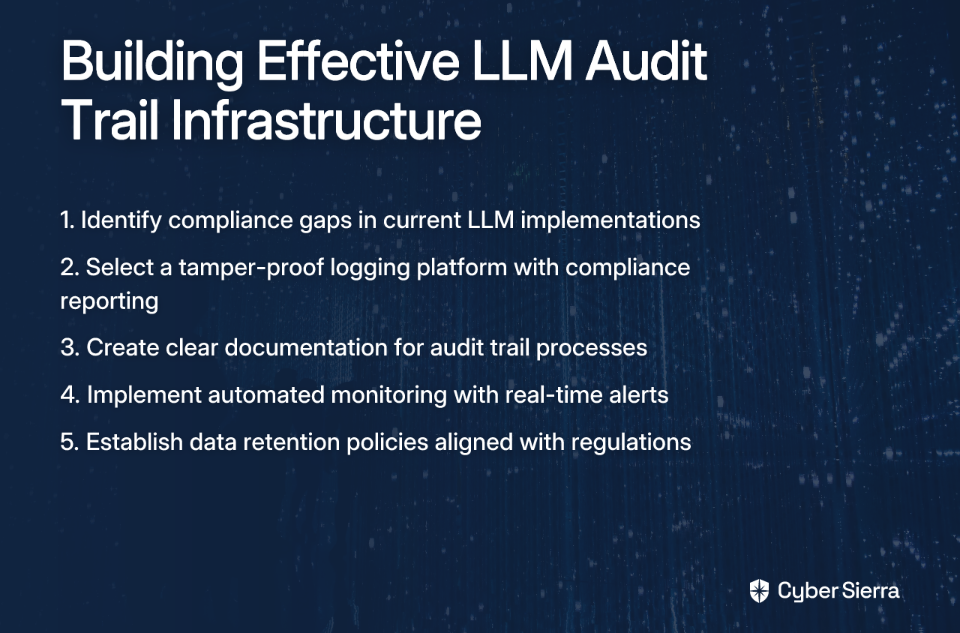
  1. Find Current Compliance Gaps: Review relevant regulations (GDPR, EU AI Act, industry-specific requirements) and map your existing controls to identify weak points.
  2. Select the Right Platform: Choose a logging/monitoring tool that integrates with your tech stack and can generate on-demand compliance reports. Consider solutions with tamper-proof logs for maximum auditability.
  3. Train Teams and Set Policies: Train your DevSecOps team on the system and create detailed documentation on what activities are audited and what the data retention policies are.
Integrating LLM Audits into Your Existing GRC Program

LLM guardrail audit trails shouldn't exist in isolation but should enhance your existing Governance, Risk, and Compliance (GRC) frameworks. The key difference with AI systems is they require continuous monitoring rather than periodic checks due to their evolving nature.

Steps for Integration:

  1. Update Risk Frameworks: Incorporate AI-specific risks like algorithmic bias, model drift, and adversarial attacks into your current risk assessments.
  2. Establish an AI Governance Committee: Include AI experts and data scientists within your existing risk and compliance teams.
  3. Integrate AI-Specific Controls: Implement mechanisms for tracking model versions, data lineage, and mitigation of AI biases.
  4. Enhance Data Governance: Focus on the quality, privacy, and traceability of the data being fed into your LLMs.
  5. Foster Collaboration: Encourage teamwork between AI specialists and GRC professionals.

Organizations at the forefront are now leveraging AI itself to enhance GRC processes. The market is shifting from manual workflows to automated, Continuous Control Monitoring (CCM). These tools provide near real-time visibility into security controls, automate evidence collection, and use predictive intelligence to forecast compliance issues—with organizations reporting up to a 62% improvement in compliance efficiency.
Conclusion: From Reactive Blocking to Proactive Compliance

The effectiveness of LLM guardrails ultimately depends on the quality of their audit trails. Without comprehensive logging, guardrails are merely reactive barriers that block problematic outputs without providing the insights needed for improvement and compliance demonstration.

By implementing the three-layered auditing approach—governance, model, and application—and following the practical steps outlined above, you transform your guardrails from simple blockers into strategic compliance assets. The resulting audit trails not only satisfy regulatory requirements but also provide invaluable data for improving both safety and utility.
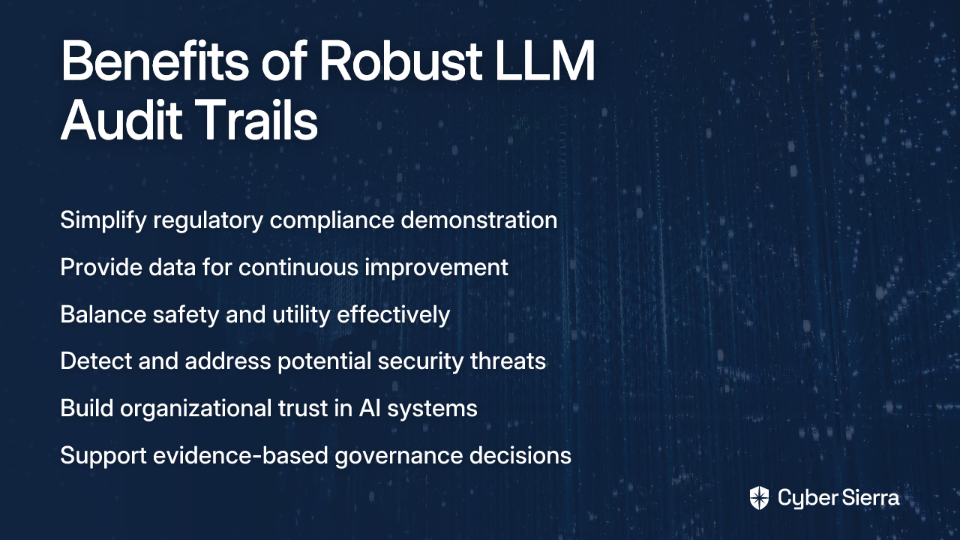
Remember that finding the right balance is an ongoing process. As one practitioner noted, guardrails that are "too strict → the model becomes useless; too loose → you risk compliance/security issues." Your audit trails are the compass that helps you navigate this balance, providing the evidence needed to fine-tune your approach over time.

In a rapidly evolving regulatory landscape for AI, organizations that proactively build robust audit trails for their LLM guardrails won't just avoid compliance issues—they'll gain a significant competitive advantage through demonstrable trustworthiness and operational excellence.

Frequently Asked Questions

What are LLM guardrails?

LLM guardrails are safety and governance mechanisms designed to prevent Large Language Models from generating harmful, non-compliant, or undesirable outputs. They act as a real-time safety net, enforcing rules and policies on the model's behavior. This can include filtering out profanity, preventing the leakage of sensitive data like Social Security Numbers, ensuring responses align with company policy, and blocking biased or toxic content.

Why are audit trails essential for LLM guardrails?

Audit trails are essential because they provide a verifiable record of every guardrail action, which is critical for proving compliance, enabling security analysis, and offering insights to improve the system. Without an audit trail, you can only see that an output was blocked, but you don't know which rule was triggered or what the initial prompt was. Detailed logs are non-negotiable for demonstrating due diligence to regulators, debugging false positives, and identifying potential security threats.

What should an LLM guardrail audit log contain?

A comprehensive LLM guardrail audit log should contain the user prompt, the raw model output, the final corrected output, which specific guardrail was triggered, a timestamp, and relevant context like the user ID. This complete record allows for full reconstruction of any interaction. Key data points include a unique transaction ID, the model's initial response (before guardrail intervention), the specific guardrail(s) that fired, and contextual metadata (e.g., user, department, application).

How can you start implementing auditable LLM guardrails?

The best way to start is by implementing simple, pattern-based filters for common risks and ensuring every action is logged from day one. Begin with straightforward risks that can be caught with regular expressions (regex) or pre-built detectors, such as filtering out personally identifiable information (PII) or blocking profanity. Most importantly, build a robust logging system that captures every guardrail event with detailed context.

What is the difference between LLM guardrails and model fine-tuning?

LLM guardrails are real-time checks applied to the model's inputs and outputs, while fine-tuning is a process of retraining the model on a specific dataset to alter its inherent behavior before deployment. Think of fine-tuning as teaching the model better knowledge during its education. Guardrails, on the other hand, are like a chaperone that monitors its conversations in real-time to catch any slip-ups. Both are important, but guardrails provide a more direct, explicit, and auditable layer of control.

What are the biggest challenges in managing LLM guardrails?

The biggest challenge is finding the right balance between making guardrails strict enough to prevent risks and loose enough to keep the LLM useful. If guardrails are too strict, they can create a high number of false positives, frustrating users and rendering the model ineffective. If they are too loose, you risk serious compliance and security issues. This balancing act requires an agile system where guardrails can be quickly updated based on data from comprehensive audit trails.
blog-hero-background-image
Governance & Compliance

Building AI Governance Policies That Actually Work

backdrop
Table of Contents

Join thousands of professionals and get the latest insight on Compliance & Cybersecurity.


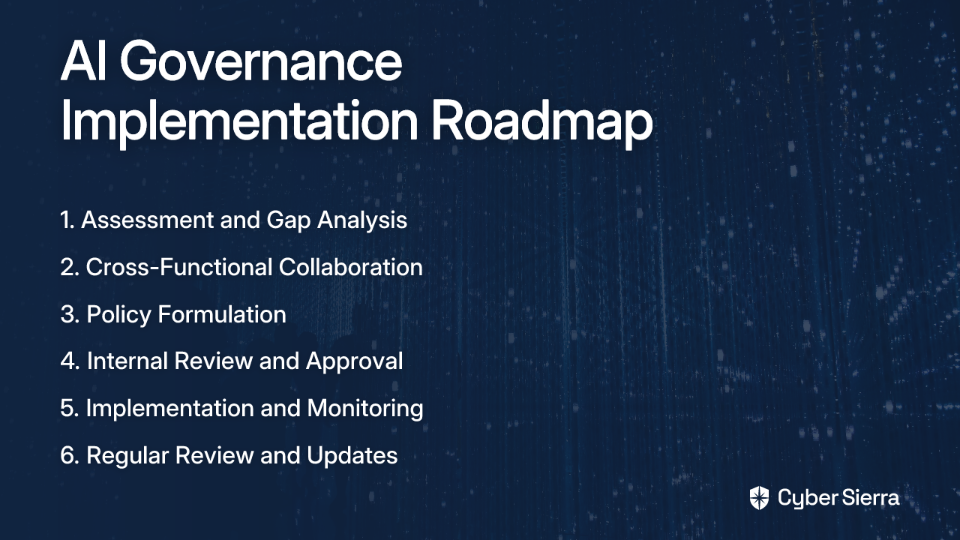
You've just discovered multiple teams within your organization have created ChatGPT profiles and are actively using them without IT's knowledge. Employees are pasting sensitive company data directly into prompts, creating a massive data exfiltration risk. Your traditional security tools are missing it completely. Sound familiar?

This scenario, dubbed "shadow AI," has become one of the biggest security nightmares that most organizations aren't properly addressing. The productivity gains from AI are too valuable to ignore completely, but the risks are substantial and growing.

The challenge isn't just stopping AI usage – it's managing it effectively. As one IT professional noted, "we don't want to deny usage but to monitor what's getting shared." This article provides a comprehensive guide to building AI governance policies that actually work – protecting your organization while empowering employees to innovate safely.

The New Reality: Why Traditional Governance Is Falling Short

Generative AI has introduced risk vectors that traditional security measures weren't designed to handle. Legacy Data Loss Prevention (DLP) tools look for email attachments or file uploads but miss text being pasted into web interfaces – a fundamental gap when it comes to AI interactions.

Without proper governance, organizations face significant risks:

What is AI Governance and Why Does it Matter Now?

AI Governance is the set of processes, standards, and guardrails that ensure an organization's AI systems are developed and used in a safe, ethical, and compliant manner. It directs AI development and application to align with human rights and organizational values.

This is no longer optional. According to IBM research, 80% of business leaders identify AI explainability, ethics, bias, or trust as major roadblocks to generative AI adoption. Effective governance is the key to overcoming these hurdles.

High-profile failures underscore the urgency:

  • Amazon's AI recruiting tool that showed bias against women
  • Microsoft's Tay chatbot that quickly learned offensive language from users

In regulated industries especially, AI should be viewed as an "assistant" to empower humans, not a replacement. This perspective helps manage risk by keeping humans in the loop for critical decisions.

The Core Pillars of an Effective AI Governance Policy

A comprehensive policy must address multiple facets of AI risk through these essential pillars:

1. Scope, Principles, and Values

Start by clearly defining who the policy applies to and its aims. Establish guiding ethical principles that reflect your organization's values. These can be based on recognized frameworks like the OECD AI Principles and should include:

  • Fairness & Bias Mitigation: Regularly audit AI systems to detect and address biases.
  • Transparency & Explainability: Ensure AI decision-making is interpretable to foster trust.
  • Accountability: Define clear roles and responsibilities for AI system outcomes.
  • Privacy & Data Governance: Uphold data rights and security.
  • Safety & Security: Protect systems from external attacks and ensure reliability.

2. Data Governance

This pillar is critical to preventing the data leaks mentioned in our opening scenario. Establish strict guidelines for data collection, storage, and usage in AI systems. Ensure compliance with regulations like GDPR and CCPA, and mandate regular audits for data quality and security throughout the AI lifecycle.

3. Risk Management & Classification

Classify AI systems based on their intended use and risk level (permitted, restricted, prohibited). Identify potential risks, especially in safety-critical processes, and establish fallback mechanisms for when AI systems fail.

4. Regulatory Compliance

Ensure policies explicitly adhere to relevant laws and regulations, which vary by industry and region. Key regulations include the EU AI Act and for banking, the US SR-11-7 model governance standard.

5. Roles and Responsibilities

Define the roles of an AI Ethics Board, executives, and tool owners. Establish clear reporting procedures for incidents and compliance checks. Governance is a collective responsibility involving the CEO, legal, audit, and finance teams.

A Practical Framework for Implementation: The NIST AI RMF

You don't have to start from scratch. The NIST AI Risk Management Framework (AI RMF) provides a structured, voluntary framework to manage AI risks.

Developed collaboratively to improve trustworthiness in AI technologies, the framework's core functions provide a lifecycle approach to risk management.

NIST provides practical tools to help with implementation:

From Policy to Practice: A 6-Step Implementation Guide

A policy is only effective if it's properly developed, implemented, and maintained.

Empowering Your Team: The Role of Technology and Training

Employee Training and Awareness

Directly address the problem that "employees are using ChatGPT... without understanding data handling policies." Implement mandatory training programs to educate all employees on AI ethics, data privacy, and their specific roles and responsibilities under the new policy.

Investing in the Right Tools

Traditional DLP tools have significant gaps when it comes to AI. The solution is to invest in modern tools designed for the AI era:

  • AI-Specific DLP: Solutions like Zscaler or Microsoft Purview are specifically designed to monitor data being sent to Gen AI tools.
  • Browser Isolation: Tools that monitor and control AI traffic at the browser level, providing more granular visibility than network-level tools. This helps create a policy-backed access model.
  • Next-Gen Firewalls (NGFWs): Some modern firewalls can inspect web socket traffic, offering another layer of network monitoring.

Best Practices for Technical Monitoring

  • Implement visual dashboards for real-time monitoring of AI model health and usage
  • Use automated systems to monitor for bias, drift, and performance deviations
  • Maintain detailed audit trails for accountability and forensics

Conclusion: Beyond Restriction to Enablement

Effective AI governance isn't about blocking progress. It's about building a secure framework that mitigates risks like shadow AI and data leakage, allowing your organization to harness the immense productivity benefits of AI safely and responsibly.

By defining clear principles, understanding risk (using frameworks like NIST AI RMF), following a structured implementation process, and supporting it with modern tools and continuous training, you can create governance policies that actually work.

Remember that AI governance is not a one-time project but an ongoing commitment to responsible innovation. As AI capabilities continue to evolve, so too must your governance approach—staying ahead of risks while enabling the transformative potential of this powerful technology.

The organizations that thrive in the AI era won't be those that avoid AI altogether, nor those that adopt it without guardrails. The winners will be those that implement thoughtful governance that both protects and empowers—creating an environment where AI can flourish responsibly.
Frequently Asked Questions

What is AI governance?

AI governance is a framework of processes, standards, and rules that ensures an organization's AI systems are used in a safe, ethical, and compliant manner. It provides the necessary guardrails to align AI development and application with organizational values and legal requirements, fostering trust and responsible innovation.

Why is AI governance crucial for businesses today?

AI governance is crucial today because the rapid, often unmonitored adoption of generative AI tools (a phenomenon known as "shadow AI") has introduced significant new risks. Without a formal governance structure, businesses are exposed to data exfiltration, privacy breaches, copyright infringement, and compliance violations that traditional security measures are not equipped to handle.

What are the main risks of uncontrolled AI use in the workplace?

The main risks of uncontrolled AI use include sensitive data leakage through prompts, privacy breaches, potential copyright infringement from AI-generated content, biased decision-making, and non-compliance with industry regulations like GDPR or the EU AI Act. These risks can lead to significant financial, legal, and reputational damage.

How can my organization start implementing AI governance?

Your organization can start by performing a gap analysis of your current AI usage and then forming a cross-functional team including legal, IT, security, and data science. A great next step is to adopt a structured framework like the NIST AI Risk Management Framework (AI RMF) to guide the drafting, review, and implementation of clear, actionable policies.

Does an AI governance policy mean banning tools like ChatGPT?

No, an effective AI governance policy is not about banning tools but about enabling their safe and productive use. The goal is to establish clear guidelines and implement modern security tools that monitor how data is shared with AI platforms. This allows employees to leverage AI for innovation while protecting the organization from risk.

Who is responsible for overseeing AI governance?

AI governance is a collective responsibility led by a cross-functional team, often an AI Ethics Board or a similar committee. This group typically includes representatives from executive leadership, legal, compliance, IT, security, and data science teams to ensure that policies are comprehensive, technically sound, and aligned with business objectives.

blog-hero-background-image
Governance & Compliance

Stop Chasing Every Standard: Normalize to Your Strictest Baseline

backdrop
Table of Contents

Join thousands of professionals and get the latest insight on Compliance & Cybersecurity.


Are you stuck on a compliance treadmill, chasing after HIPAA, SOC 2, PCI, and GDPR requirements that all seem to demand the same thing in slightly different ways?

If you're nodding your head, you're not alone. As one compliance professional put it, "half of compliance headaches come from overlapping standards." Organizations find themselves trapped in an exhausting cycle of preparing for different audits, maintaining separate documentation sets, and implementing almost-but-not-quite-identical controls for each framework.

But what if there's a way off this treadmill?

Instead of managing dozens of frameworks individually, what if you could satisfy most of them by adhering to just one? This is the principle of normalizing to your strictest baseline – and it could transform your compliance function from a resource drain into a strategic asset.

The High Cost of Chasing Every Standard

Before we explore the solution, let's understand why the traditional approach to compliance is becoming increasingly unsustainable:

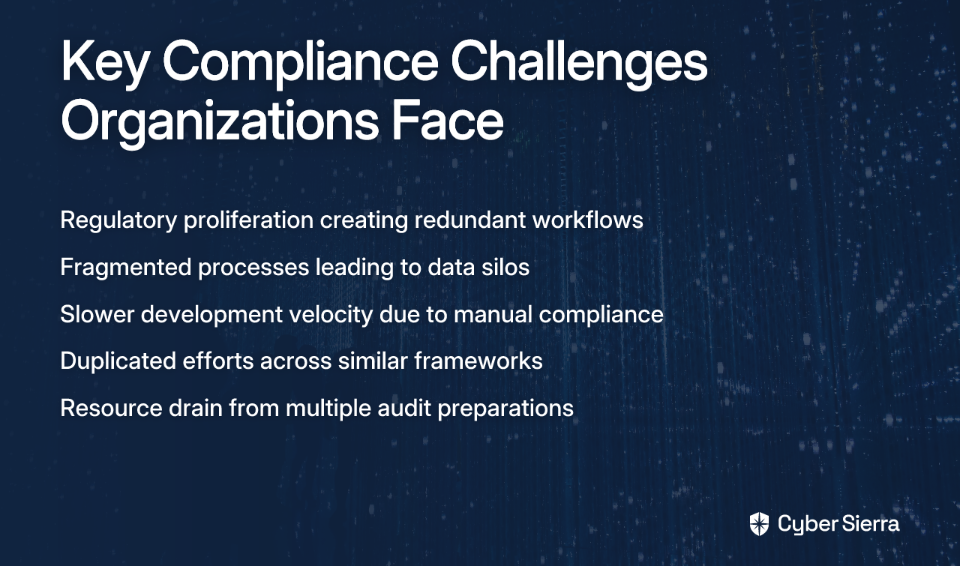
Regulatory Proliferation & Redundant Workflows

Organizations today face a dizzying array of overlapping and sometimes conflicting regulations. According to Exabeam's compliance management research, this regulatory sprawl leads to significantly complicated compliance efforts.

Consider this: frameworks like SOC 2 and ISO 27001 share numerous controls around incident response, access management, and change control. When managed separately, this creates duplicated efforts and contributes to what experts call "audit fatigue" – the exhaustion that comes from preparing for and responding to multiple audits covering essentially the same ground.

Fragmented Processes and Data Silos

Different business units or teams often maintain separate, manual compliance processes, leading to inefficiencies and a lack of central oversight. As TruOps notes in their research on complex organizations, this fragmentation makes it nearly impossible to get a holistic view of your compliance posture.

Slowdown in Development Velocity

Perhaps most critically for modern organizations, traditional compliance approaches can bring development to a crawl. As one DevSecOps engineer bluntly stated, "compliance that slows shipping won't last." Many companies report that "the first deployment with compliance took a long time" and that teams "kept getting behind constantly" when trying to maintain compliance manually.

This creates an impossible trade-off that many security professionals recognize: "If we automate, the checks feel shallow. If we go deep, deployments grind to a halt."

The Solution: Normalizing to a Unified Baseline

The solution to this quagmire isn't working harder – it's working smarter by implementing what's known as a Unified Control Framework (UCF).

What is a Baseline?

Let's start with the fundamentals. A security baseline is a collection of rules and configuration settings that establish a minimum standard. According to NIST's definition, these baselines ensure systems meet required security controls and best practices, often tailored to specific operating systems or environments.
Baselines are increasingly represented in machine-readable formats like YAML and are designed to satisfy requirements from standards like NIST SP 800-53, DISA-STIG, and CIS Benchmarks.
Introducing the Unified Control Framework (UCF)

A Unified Control Framework takes the baseline concept to a strategic level. As defined by TrustCloud.ai, a UCF "consolidates and harmonizes various compliance requirements, such as ISO, NIST, SOC, GDPR, and HIPAA into a single framework."

The core function of a UCF is Control Mapping – the process of linking similar controls across different regulations to eliminate redundancy. This creates an "assess once, use many" model: by implementing and testing a control once, you can use that same evidence to demonstrate compliance with multiple frameworks.

Practical Steps to Build Your Strictest Baseline

Building your own Unified Control Framework isn't just theoretical – it's an achievable process that follows these concrete steps:

Step 1: Conduct a Compliance Inventory & Identify Requirements

Start by documenting all legal, regulatory, and industry-specific obligations your organization must meet. This includes frameworks like GDPR, HIPAA, SOX, and any others relevant to your business.

Next, map all existing controls to their respective frameworks to identify overlaps and gaps. This creates visibility into where your efforts are being duplicated.

Step 2: Develop a Unified Control Architecture

For each area of overlapping controls (e.g., Access Management), identify the strictest requirement among all your frameworks. This becomes your "baseline" control.

For example:

  • If HIPAA has stricter data encryption-at-rest requirements than SOC 2, adopt the HIPAA standard for all systems.
  • If PCI DSS has more rigid password policies than ISO 27001, implement the PCI requirements across the board.

This approach addresses the recommendation from compliance professionals: "If you normalize your controls to the strictest baseline (PCI, HIPAA, SOC 2), you save time by not chasing each one individually."

Step 3: Document Unified Policies and Procedures

Draft clear policies that define your new, unified baseline. Centralize this documentation to simplify audit reporting and ensure transparency. According to Exabeam's research, this centralization is critical for demonstrating compliance to auditors and regulators.

Step 4: Implement and Automate with Policy-as-Code

This is where modern DevOps practices transform compliance from a blocker to an enabler. Embed your baseline controls directly into your development lifecycle through:

Step 5: Establish a Two-Track Monitoring System

To address the dilemma where "automation checks feel shallow" but comprehensive reviews cause "deployments to grind to a halt," implement a two-track approach:

  • Track 1: Guardrails – Fast, automated, often non-blocking checks integrated into the CI/CD pipeline. These catch common misconfigurations without stopping development.
  • Track 2: Audits – Deeper, more comprehensive scans (using CSPM, CNAPP tools) that run asynchronously. These provide visibility into complex risks without blocking deployments.

As one security architect noted, "We had the same struggle until we separated compliance into two tracks: guardrails and audits." This balanced approach maintains both speed and thoroughness.

The Tangible Benefits: From Burden to Business Advantage

Implementing a Unified Control Framework delivers measurable benefits that transform compliance from a cost center to a business enabler:

Drastic Efficiency Gains

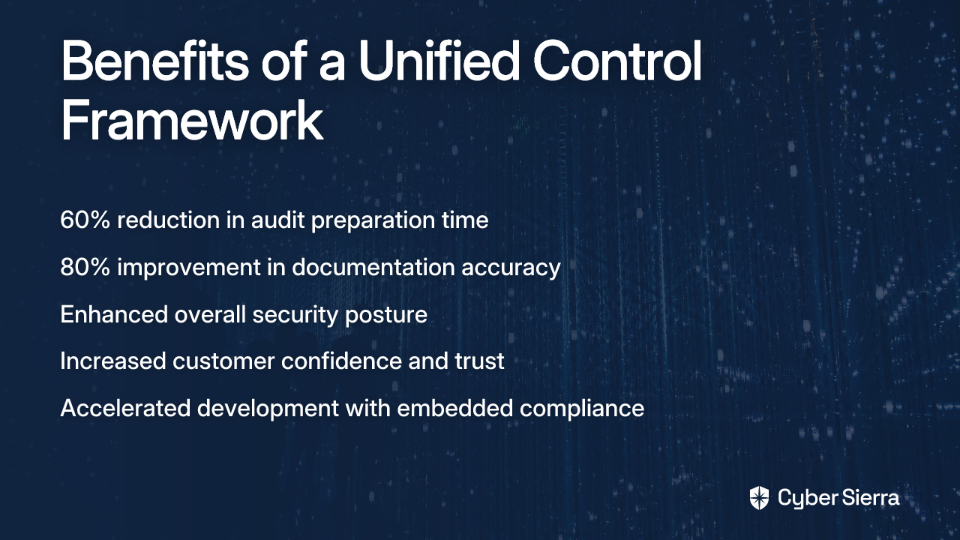
Organizations that have standardized their compliance approach report impressive metrics, including a 60% reduction in audit preparation time and 80% improvement in documentation accuracy, according to RegScale's research.

Enhanced Security Posture

A stricter baseline naturally tightens security controls across the board. By defaulting to the most rigorous standards, you're elevating your overall security posture, reducing the risk of breaches and their associated costs.

Increased Customer Confidence and Trust

When you can confidently demonstrate compliance with multiple standards through a single, robust framework, you signal high ethical standards and reliability to stakeholders. This builds trust with clients, particularly in B2B environments where vendor assessments are increasingly stringent.

Accelerated Business Operations

By embedding compliance into automated workflows (IaC, CI/CD), you reduce manual friction and enable teams to ship features faster and more securely. This addresses the core challenge that "compliance that slows shipping won't last."

Scaling Compliance: Tools and Advanced Strategies

For organizations with complex structures or ambitious growth plans, consider these advanced approaches:

For Complex Organizations: Multi-Tenant GRC Platforms

When dealing with multiple business units, a multi-tenant Governance, Risk, and Compliance (GRC) platform allows for centralized oversight while giving each entity flexibility to manage its specific compliance needs. TruOps' research highlights how this approach enables standardized processes while accommodating necessary variations.

For Ultimate Automation: OSCAL

The Open Security Controls Assessment Language (OSCAL) is a NIST-developed standard for automating security assessments in a machine-readable format. OSCAL-native platforms can automate the entire compliance lifecycle, from control documentation to evidence collection.

Gaining Visibility

Modern tools like Cloud Security Posture Management (CSPM) and Cloud-Native Application Protection Platforms (CNAPP) help "map compliance gaps across workloads without deploying agents," providing visibility without performance impacts.

Conclusion: Make Compliance Your Strategic Asset

Stop the frantic, inefficient chase of individual standards. By identifying your strictest requirements and building a unified control baseline, you can meet multiple obligations with less effort.

This shift isn't just a technical improvement – it's a strategic business decision. A unified compliance framework reduces risk, builds trust, and accelerates innovation, turning what was once a perennial cost center into a genuine competitive advantage.

Remember: compliance doesn't have to be a treadmill. With a strategic approach that normalizes to your strictest baseline, you can get off the endless cycle and start using compliance as a tool to enable your business, not constrain it.

Frequently Asked Questions

What is a Unified Control Framework (UCF)?

A Unified Control Framework (UCF) is a strategic approach that consolidates multiple compliance requirements (from standards like ISO, NIST, SOC 2, GDPR, and HIPAA) into a single, harmonized set of controls. By mapping overlapping requirements, a UCF allows an organization to "assess once, use many," eliminating redundant work and creating a streamlined compliance process.

Why should we normalize compliance controls to the strictest baseline?

Normalizing to your strictest baseline offers significant strategic advantages by increasing efficiency and strengthening your security posture. Instead of managing separate, often duplicative controls for each framework, you implement the most rigorous version for a given control area. This saves time, reduces audit fatigue, and ensures your organization meets the highest standard by default, which enhances customer trust and reduces overall risk.

How do you identify the "strictest" requirement when comparing frameworks?

Identifying the strictest requirement involves a detailed comparison of control specifications across all relevant frameworks for a specific domain, such as data encryption or access management. For example, if PCI DSS requires 12-character passwords while another framework requires only 8, the PCI DSS rule is stricter. The stricter rule is the one that is more prescriptive, demands more frequent action (e.g., quarterly reviews vs. annual), or has less tolerance for deviation.

Will adopting a stricter baseline slow down our development teams?

No, when implemented correctly with automation, a stricter baseline can actually accelerate development. By embedding these unified controls into Infrastructure as Code (IaC) templates and CI/CD pipelines (a practice known as Policy-as-Code), compliance becomes an automated part of the development lifecycle. This provides developers with immediate feedback and compliant-by-default templates, preventing the slowdowns associated with manual reviews and retrofitting security late in the process.

What is the difference between compliance guardrails and audits?

Guardrails and audits represent a two-track approach to monitoring compliance without hindering development velocity.

  • Guardrails are fast, automated, and often non-blocking checks integrated into the CI/CD pipeline to catch common misconfigurations in real-time.
  • Audits are deeper, more comprehensive scans (using tools like CSPM or CNAPP) that run asynchronously to identify complex risks without stopping deployments.

Can a unified framework guarantee compliance with all regulations?

A unified framework streamlines compliance for overlapping controls but does not replace the need to address framework-specific requirements. While many controls (e.g., access management, incident response) are common across standards, some regulations have unique requirements that must be managed separately. The goal of a UCF is to cover the majority of your obligations efficiently, freeing up resources to focus on those unique, non-overlapping controls.

blog-hero-background-image
Governance & Compliance

Are Your AI Agents Creating Compliance Nightmares?

backdrop
Table of Contents

Join thousands of professionals and get the latest insight on Compliance & Cybersecurity.


You're excited about implementing autonomous AI agents to streamline operations across your organization. Your technical team has identified perfect use cases, the ROI calculations look promising, and you're ready to move forward. Then legal steps in with concerns about compliance risks, data privacy, and regulatory requirements—suddenly your innovation initiative grinds to a halt.

"I work in a regulated industry (finance) and been facing a lot of pushback from legal and governance teams on building and deploying agents that need to read and write data across applications we use," shares one frustrated technology leader on Reddit. This sentiment echoes across regulated sectors from healthcare to insurance to government.

The promise of AI agents is undeniable. McKinsey projects that AI systems could generate between $2.6 trillion and $4.4 trillion in annual value across various use cases. IDC forecasts that over 40% of Global 2000 businesses will integrate AI agents by 2027. These autonomous systems—capable of reasoning, planning, acting, and adapting without constant human oversight—represent the next frontier of digital transformation.

But here's the uncomfortable truth: your AI agents function like "digital insiders" with varying levels of privilege across your systems. They introduce unprecedented vectors for compliance failures that can lead to regulatory violations, data breaches, and erosion of customer trust. And most organizations are woefully unprepared—McKinsey reports that 80% of organizations using AI agents have already experienced risky behaviors.

The Rise of Agentic AI and the New Compliance Frontier

Traditional compliance frameworks were designed for human actors and static systems. They simply weren't built to handle autonomous AI systems that can make decisions, access sensitive data, and interact with multiple systems without direct oversight.

The velocity of AI development is outpacing regulatory frameworks. As Brookings Institution notes, while ChatGPT gained 100 million users in just two months, regulatory statutes typically take years to develop. Organizations are left navigating a complex patchwork of evolving regulations like GDPR, SOC2, and the EU AI Act.

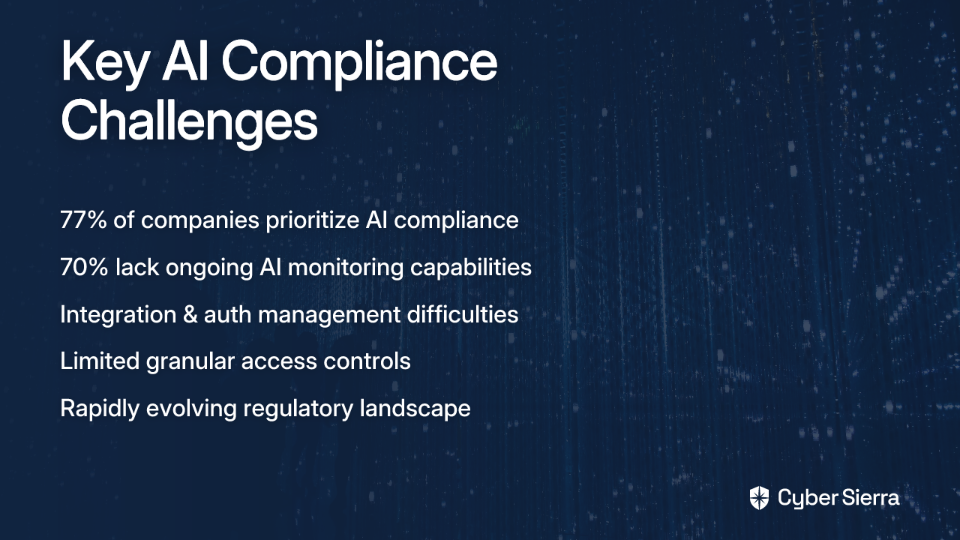
The compliance gap is stark: 77% of companies consider AI compliance a top priority, yet 70% lack ongoing monitoring capabilities for their AI systems, according to AIMultiple research.

The challenges are both technical and organizational. As one professional explains: "The first challenge is just the integration (building auth, credential management, maintenance, etc.) and secondly, how to know which agent is doing what." Another adds that "unfortunately some of the apps don't have granular access controls for service accounts so would need to build an intermediate layer maybe."

Without addressing these challenges systematically, your organization risks creating a compliance nightmare that could result in significant financial penalties, damaged reputation, and lost customer trust.

The Five Horsemen of AI Compliance Failure: Concrete Risks Explained

Based on McKinsey's comprehensive analysis, there are five key compliance pitfalls that organizations must address when deploying autonomous AI agents:

1. Chained Vulnerabilities

AI agents rarely operate in isolation. A vulnerability in one agent can cascade to others, creating a chain reaction of compliance failures.

Real-world example: A flaw in a credit-scoring agent causes a loan-processing agent to make incorrect decisions, leading to regulatory breaches under fair lending laws. In a similar vein, Amazon's AI hiring tool was famously shut down after it was discovered that its training on biased historical data led it to systematically disadvantage female candidates.

2. Cross-Agent Task Escalation

When agents can communicate with each other, a malicious or compromised agent can exploit trust relationships to gain unauthorized access to sensitive systems.

Real-world example: An agent with access to patient scheduling exploits another agent's credentials to access sensitive healthcare records, creating HIPAA violations. This mirrors real incidents where trusted internal systems have been used as stepping stones to reach more sensitive resources.

3. Synthetic-Identity Risk

Bad actors can craft requests that impersonate legitimate AI agents, bypassing security controls and gaining unauthorized system access.

Real-world example: A forged request appearing to be from a legitimate financial agent is sent to retrieve sensitive customer data, leading to a data breach. This mimics sophisticated phishing attacks, but at machine speed and scale.

4. Untraceable Data Leakage

As agents interact autonomously, it becomes increasingly difficult to trace how and when data leaked from one system to another, complicating compliance monitoring.

Real-world example: A customer service agent shares unnecessary Personally Identifiable Information (PII) with a logistics agent, which is then inadvertently exposed. Without proper logging, the source of the breach becomes nearly impossible to identify.

5. Data Corruption Propagation

When an agent is fed incorrect data, it makes flawed decisions that corrupt data used by other agents across the system.

Real-world example: Inaccurate data in a pharmaceutical trial agent leads to flawed analysis and reporting by other agents, compromising trial integrity and potentially violating FDA regulations.

These risks aren't theoretical. The COMPAS algorithm used in the U.S. justice system was found to be biased, misclassifying 45% of Black defendants as high risk for reoffending. Microsoft's Tay chatbot began generating racist content after learning from user interactions. Each case represents a compliance failure with real consequences for organizations and individuals alike.

From Chaos to Control: A Practical Framework for AI Agent Governance

Fortunately, there are practical steps organizations can take to mitigate these compliance risks while still harnessing the transformative power of AI agents.

Phase 1: Before Deployment - Build a Solid Foundation

Establish a Cross-Functional Governance Team Create a team with members from legal, data governance, and technical departments to oversee AI integration and enforce compliance. As Stoneturn advises, this collaborative approach ensures that all stakeholder perspectives are considered from the beginning.

Update Your AI Policy Framework Don't rush to technical solutions without understanding the risks. "If you are starting - start with understanding the risk and create the policy; do NOT rush to get a technical solution," advises one governance professional. Ensure existing policies cover agentic systems and their unique risks.

Leverage Established Frameworks The NIST AI Risk Management Framework (AI RMF) provides a voluntary guide to incorporating trustworthiness into the AI lifecycle. Released in January 2023, its Playbook offers practical implementation steps.

Phase 2: During Deployment - Active Monitoring and Control

Implement Strict, Centralized Access Controls "You need to implement a centralized permissioning system where you can define and manage access rights for each agent," recommends one practitioner. Use a world-class Identity Provider (IDP) like Azure and services like Key Vault to store secrets securely.

The principle of least privilege is critical. "One thing that helped us get legal buy-in was starting with read-only permissions and gradually expanding," shares a financial technology professional who successfully navigated compliance hurdles.

Maintain Comprehensive Logging and Traceability "For tracking we log every single API call with timestamps, agent ID, action taken, and data accessed. Sounds like overkill but legal teams love it," notes one developer. This level of detail is essential for audit trails and incident investigation.

For teams seeking simpler solutions, "If you want to avoid thirdparty service, open telemetry (openlit, etc… sdk) is quite simple to use."

Conduct Red Team Testing Regularly simulate attacks on your AI agents to identify and patch security vulnerabilities before they can be exploited by malicious actors.

Phase 3: Contingency Planning - Preparing for Failure

Develop a Robust Incident Response Plan Define clear strategies for addressing AI agent failures, data breaches, or compliance violations. Include communication plans, technical response procedures, and regulatory notification processes.

Define Termination Protocols Have clear procedures to disable or "kill" a rogue or malfunctioning agent to contain damage immediately. McKinsey emphasizes the importance of these protocols as a last line of defense.

Taming the Nightmare, Unleashing the Potential

As AI agents become increasingly integrated into business operations, the compliance challenges will only grow more complex. Organizations that proactively implement robust governance frameworks won't just avoid nightmares—they'll gain a competitive advantage.

A systematic approach to AI agent governance builds trust with stakeholders, mitigates catastrophic risk, and allows your organization to confidently leverage AI to its full potential. The time to act is now, before a potential compliance issue becomes a full-blown organizational nightmare.

Remember: Compliance isn't the enemy of innovation—it's what makes sustainable innovation possible. By addressing these challenges head-on, you can transform potential compliance nightmares into opportunities for responsible growth and digital transformation.

Frequently Asked Questions

What is an autonomous AI agent and why does it pose a compliance risk?

An autonomous AI agent is a software system capable of reasoning, planning, and acting without constant human oversight. It poses a compliance risk because it functions like a "digital insider," introducing new vectors for data breaches and regulatory violations that traditional compliance frameworks are not designed to handle. These agents can access sensitive data and interact with multiple systems, making their actions difficult to track and control, which can lead to significant compliance failures.

What are the key compliance risks associated with AI agents?

The five key compliance risks are chained vulnerabilities, cross-agent task escalation, synthetic-identity risk, untraceable data leakage, and data corruption propagation. These risks arise from the interconnected and autonomous nature of AI agents. For example, a vulnerability in one agent can cascade to others (chained vulnerability), or a compromised agent can exploit another to access sensitive data (cross-agent task escalation), leading to serious data breaches and regulatory penalties.

How can an organization start governing its AI agents?

An organization should start by establishing a cross-functional governance team and updating its AI policy framework before deploying any agents. The crucial first step is to understand the specific risks to your organization and create policies to address them by bringing together legal, data governance, and technical experts. Frameworks like the NIST AI Risk Management Framework (AI RMF) can provide a structured guide for building this foundation.

Why are traditional compliance frameworks not enough for AI agents?

Traditional compliance frameworks are insufficient because they were designed for human actors and static, predictable systems, not for autonomous AI that can make independent decisions in real-time. The speed and adaptability of AI agents outpace the capabilities of conventional oversight, which struggles to monitor autonomous interactions, trace data flows that occur at machine speed, and manage novel risks unique to agentic AI.

How can we monitor and trace the actions of AI agents for audits?

You can monitor and trace AI agent actions by implementing comprehensive logging for every API call and system interaction. For a robust audit trail, it's essential to log details like timestamps, agent IDs, the specific action taken, and the data accessed. This level of granular traceability is critical for incident investigation and demonstrating compliance to legal and regulatory bodies.

What is the principle of least privilege for AI agents?

The principle of least privilege for AI agents means granting each agent the absolute minimum level of access and permissions required to perform its specific function. This is a critical security control that reduces the potential damage if an agent is compromised or malfunctions. A practical approach is to start agents with read-only permissions and only gradually expand their access as needed and approved by the governance team.

blog-hero-background-image
Governance & Compliance

CNAPP vs CSPM: Choosing the Right Cloud Compliance Tool

backdrop
Table of Contents

Join thousands of professionals and get the latest insight on Compliance & Cybersecurity.


You've set up your cloud infrastructure and now you're facing a barrage of compliance requirements. SOC 2, HIPAA, PCI, ISO 27001—the acronyms alone are enough to make your head spin. As you search for solutions, you find yourself torn between Cloud Security Posture Management (CSPM) and Cloud-Native Application Protection Platform (CNAPP) tools.

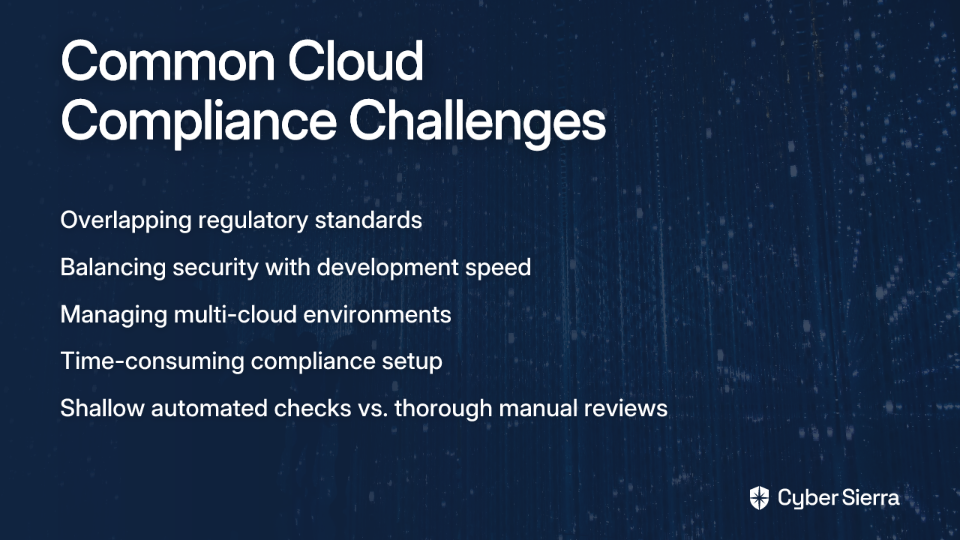
"If we automate, the checks feel shallow. If we go deep, deployments grind to a halt," laments one engineer on Reddit, capturing the central dilemma faced by cloud security teams everywhere. This tension between thorough security and deployment speed is at the heart of choosing between CSPM and CNAPP solutions.

In this article, we'll demystify both approaches and provide a practical framework to help you determine which solution best fits your organization's needs.

The Modern Cloud Compliance Dilemma

Today's cloud environments are increasingly complex. Multi-cloud deployments, containerized applications, and infrastructure-as-code have revolutionized deployment speed but created new security challenges. Simultaneously, regulatory requirements have grown more stringent, with frameworks like SOC 2, HIPAA, and GDPR demanding robust security controls and documentation.

As one cloud architect shared in a recent Reddit discussion: "Honestly, half of compliance headaches come from overlapping standards." This overlap creates confusion about which rules to prioritize and how to efficiently maintain compliance across multiple frameworks.

Another common frustration emerges from teams trying to balance security with development speed: "Not every rule should block." Organizations need compliance tools that provide protection without becoming roadblocks to innovation.

Enter CSPM and CNAPP—two approaches to cloud compliance that aim to solve these challenges, albeit in different ways.

What is Cloud Security Posture Management (CSPM)?

Cloud Security Posture Management (CSPM) is a security practice focused on controlling public cloud infrastructure risk. Its primary function is to identify, alert on, and remediate cloud misconfigurations that could lead to security breaches or compliance failures.

How CSPM Works

CSPM tools operate through agentless integration with your cloud environments. They connect to cloud platforms (AWS, Azure, GCP) using APIs to gain visibility into your infrastructure without requiring agents on individual workloads. This approach allows for:

  1. Continuous monitoring of cloud resources against security best practices and compliance frameworks
  2. Automated detection of misconfigurations and policy violations
  3. Policy-based assessment using established benchmarks like CIS, NIST, and MITRE ATT&CK

According to Palo Alto Networks, a leading provider in this space, "CSPM tools continuously scan for security misconfigurations and enforce compliance across multiple environments." This continuous scanning ensures that your cloud environment stays protected even as it evolves.

Key Benefits of CSPM

CSPM solutions deliver several critical capabilities:

  • Centralized visibility across multi-cloud environments, providing a single pane of glass for security teams
  • Automated compliance against regulatory standards like PCI-DSS, HIPAA, and SOC 2
  • Risk reduction through identifying and remediating misconfigurations, which remain a leading cause of cloud breaches
  • Compliance reporting with built-in tools to generate audit-ready documentation

For teams struggling with the challenge that "initial compliance setups are time-consuming," CSPM offers a way to automate much of the compliance burden, allowing security teams to focus on higher-value activities.

Understanding Cloud-Native Application Protection Platforms (CNAPP)

While CSPM focuses primarily on cloud infrastructure posture, CNAPP represents an evolution toward a more comprehensive approach to cloud security. Wiz.io describes CNAPP as the "Swiss Army Knife" of cloud security—a unified platform that consolidates multiple security tools into a single solution.

The Components of CNAPP

A CNAPP typically includes:

  1. CSPM functionality as its foundation, providing infrastructure posture management
  2. Cloud Workload Protection Platform (CWPP) capabilities to protect runtime workloads like VMs, containers, and serverless functions
  3. Infrastructure-as-Code (IaC) scanning to identify misconfigurations in Terraform, CloudFormation, and other IaC templates before deployment
  4. Kubernetes Security Posture Management (KSPM) for securing container orchestration
  5. Cloud Infrastructure Entitlement Management (CIEM) to manage identity and access risks
  6. Secrets scanning to identify exposed API keys, passwords, and other sensitive information

This consolidation aligns with the industry trend toward integration. According to Gartner research cited by Wiz.io, "By 2025, 60% of enterprises will consolidate CWPP and CSPM capabilities under CNAPP platforms."

Strategic Advantages of CNAPP

The integrated approach of CNAPP offers several strategic benefits:

  • Lifecycle security coverage from development through production, enabling "shift-left" security practices
  • Breaking down silos between development, operations, and security teams
  • Reduced alert fatigue through consolidated, context-aware alerting
  • Streamlined remediation with clear guidance across the application lifecycle

For organizations struggling with the challenge that "scaling across clouds is tough," CNAPPs provide consistent security controls and visibility across multiple cloud providers from a single interface.

Head-to-Head Comparison: CNAPP vs CSPM

To help clarify the differences between these approaches, here's a side-by-side comparison:

Key AreaCSPM (The Specialist)CNAPP (The Generalist)
Primary GoalSecurity and compliance of the cloud environment's postureComprehensive protection for cloud infrastructure and applications throughout the lifecycle
ScopeFocuses on misconfigurations and compliance in deployed cloud infrastructure (IaaS, PaaS)Covers the entire lifecycle: from code (IaC scanning) to runtime workloads (CWPP) and infrastructure posture (CSPM)
Key CapabilitiesContinuous monitoring, misconfiguration identification, compliance reporting against frameworks like PCI, HIPAA, SOC 2Integrates CSPM, CWPP, CIEM, IaC scanning, secrets detection, and KSPM in one platform
Attack Vectors CoveredMisconfigurations and compliance-related threatsMisconfigurations, runtime threats on workloads, unauthorized access, API vulnerabilities, exposed secrets
Integration PointConnects to cloud provider APIs for post-deployment visibilityIntegrates with CI/CD pipelines, code repositories, and runtime environments for end-to-end security
Best For...Organizations focused on establishing foundational cloud security, compliance management, and configuration hygieneOrganizations with mature cloud adoption, dynamic DevOps environments, and a need for a holistic "shift-left" and runtime security strategy

Making the Right Choice: A Decision Framework

Choosing between CSPM and CNAPP isn't simply about picking the "better" tool—it's about selecting the right tool for your specific needs. Here's a practical framework to guide your decision:

1. Assess Your Cloud Maturity

If you're just starting your cloud journey or have a limited cloud footprint: A standalone CSPM solution might be the ideal starting point. It provides critical visibility and helps establish security guardrails without overwhelming a small team. As one security architect noted in a Reddit discussion, "The first deployment we did with compliance took a long time." CSPM tools can accelerate this process with pre-built policies and automated scanning.

If you're running a mature, multi-cloud environment: A CNAPP's unified approach becomes increasingly valuable as your cloud footprint grows. The ability to manage security and compliance consistently across AWS, Azure, GCP, and other platforms from a single interface helps address the pain that "scaling across clouds is tough."

2. Consider Your Development Practices

If you have traditional operations with slower release cycles: A CSPM tool focused on the production environment may be sufficient, as your deployment velocity doesn't require extensive "shift-left" capabilities.

If you embrace DevOps with CI/CD and IaC: A CNAPP becomes almost essential. The ability to scan Terraform and other IaC templates before deployment provides developers with immediate feedback, preventing security issues from ever reaching production. This directly addresses the insight that "you need both - push the preventive stuff left to devs through automated policy enforcement."

Many teams have found success building "compliance into our IaC templates," making security guardrails an inherent part of the infrastructure from the beginning.

3. Evaluate Your Primary Security Objectives

If your main goal is passing audits and ensuring proper configurations: CSPM tools excel at continuous monitoring against compliance frameworks like SOC 2, HIPAA, and PCI. They provide audit-ready reports and clear remediation steps for misconfigurations.

If you need comprehensive protection across the application lifecycle: CNAPP's broader capabilities address not just configuration issues but also runtime threats, permissions, and vulnerabilities throughout the development and deployment process. For teams concerned that "if we automate, the checks feel shallow," CNAPP offers deeper security coverage without sacrificing automation.

4. Consider Your Resource Constraints

If you're operating with budget limitations: A standalone CSPM solution is generally more cost-effective as a point solution.

If you're pursuing tool consolidation: While CNAPPs typically have a higher upfront cost, they can reduce your total cost of ownership by replacing multiple point solutions. This consolidation addresses the challenge faced by teams who "struggled doing this in house and we just kept getting behind constantly."

Practical Implementation Advice

Regardless of which solution you choose, consider these best practices shared by practitioners:

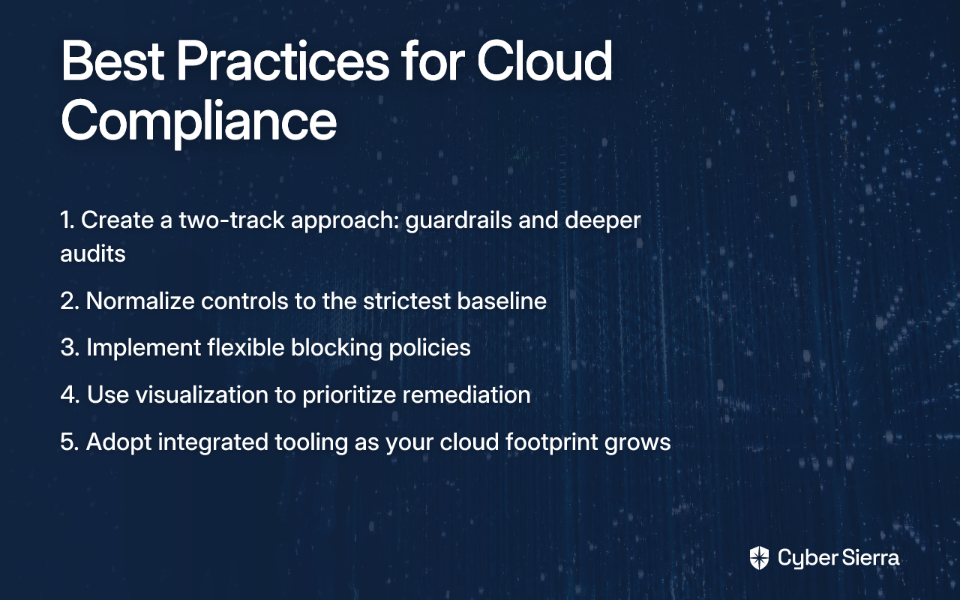
  1. Create a two-track approach to compliance - As one engineer recommended, "Separate compliance into two tracks: guardrails (fast, automated checks) and audits (deeper, asynchronous scans)" to maintain speed while catching risks.
  2. Normalize compliance controls - To address the pain of overlapping standards, "normalize your controls to the strictest baseline (PCI, HIPAA, SOC 2)" to streamline compliance efforts.
  3. Implement flexible blocking policies - Remember that "not every rule should block." Configure your tools to differentiate between critical issues that should block deployments and less severe issues that can be addressed asynchronously.
  4. Use visualization to prioritize - One team found that "a visualization tool helped us prioritize by linking controls to exposure paths," making it easier to focus remediation efforts on the most critical risks.

Conclusion: The Future is Integrated

CSPM remains a critical component of cloud security, focused on maintaining secure configurations and compliance. CNAPP represents the evolution toward comprehensive, integrated security platforms that protect applications throughout their lifecycle.

The industry is undeniably moving toward consolidation. Gartner predicts that "by 2025, 75% of new CSPM purchases are expected to be part of an integrated CNAPP." This trend reflects the growing recognition that siloed security tools can't keep pace with the complexity of modern cloud environments.

For most organizations, the journey begins with CSPM capabilities and evolves toward a full CNAPP as cloud operations mature. The key is to select tools that can grow with your needs, providing the right balance of security depth and operational efficiency.

By choosing the right cloud compliance tool—whether CSPM, CNAPP, or a combination of both—you can transform compliance from a burden into a competitive advantage, enabling both security and speed in your cloud journey.

Frequently Asked Questions

What is the main difference between CSPM and CNAPP?

The main difference is scope: CSPM focuses specifically on securing the configuration and compliance of your cloud infrastructure, while CNAPP offers a comprehensive, integrated platform that protects the entire cloud application lifecycle from code to runtime. Think of CSPM as a specialist tool for posture management, whereas a CNAPP is a consolidated platform that includes CSPM functionality alongside other tools like Cloud Workload Protection (CWPP) and IaC scanning.

When should I choose a CSPM tool over a CNAPP?

You should choose a standalone CSPM tool if you are early in your cloud journey, have a limited budget, or your primary goal is to manage cloud configuration hygiene and pass compliance audits. A CSPM provides foundational security and visibility, making it an ideal and cost-effective starting point for organizations that do not yet have mature DevOps practices or a need for full lifecycle security.

Why is CNAPP considered the future of cloud security?

CNAPP is considered the future because it consolidates multiple siloed security tools into a single, integrated platform, which is necessary to manage the complexity of modern, multi-cloud DevOps environments. By breaking down silos between development, security, and operations teams, a CNAPP provides context-aware security, reduces alert fatigue, and enables "shift-left" practices that embed security throughout the entire application lifecycle.

How do CSPM and CNAPP help with compliance audits like SOC 2 or HIPAA?

Both CSPM and CNAPP automate the process of checking your cloud environment against the specific controls required by compliance frameworks like SOC 2, HIPAA, and PCI-DSS, and they generate audit-ready reports. These tools continuously scan your infrastructure for policy violations, map your configurations to specific regulatory requirements, identify gaps, and provide guided remediation steps, significantly reducing the manual effort required to prepare for and pass audits.

Can a CNAPP replace all other cloud security tools?

No, while a CNAPP can significantly consolidate your cloud security stack, it is not a complete replacement for all security tools. A CNAPP aims to replace multiple point solutions like standalone CSPM, CWPP, CIEM, and IaC scanners. However, you will still likely need other specialized tools such as Web Application Firewalls (WAF), Security Information and Event Management (SIEM) systems, and Data Loss Prevention (DLP) solutions to achieve a comprehensive security posture.

Do I need a CNAPP if I'm not using DevOps or IaC?

While a CNAPP's full value is realized in a DevOps environment, it can still be beneficial for traditional operations by providing integrated workload protection (CWPP) and identity management (CIEM) alongside its core CSPM features. However, if your organization has slower, traditional release cycles, the additional capabilities of a CNAPP may be unnecessary, and a standalone CSPM would likely be a more sufficient and cost-effective choice.

blog-hero-background-image
Governance & Compliance

GRC Tool Selection for New CISOs: A Step-by-Step Framework

backdrop
Table of Contents

Join thousands of professionals and get the latest insight on Compliance & Cybersecurity.


You've just stepped into your first CISO role, and one of your early priorities is selecting a GRC tool to support your security program. But as you start researching, you're hit with an avalanche of vendors, capabilities, and pricing models that make your head spin.

"The whole GRC vendor thing is just overwhelming tbh," as one CISO recently shared on Reddit. If this resonates with you, you're not alone.

The Governance, Risk Management, and Compliance (GRC) landscape is notoriously complex, especially for first-time CISOs who need to make strategic decisions amid competing priorities and limited resources. With dozens of vendors claiming their solution is the perfect fit, how do you cut through the noise to find what your organization actually needs?

This article provides a structured, step-by-step framework specifically designed for new CISOs navigating the GRC vendor landscape for the first time. Rather than jumping straight to vendor demos, we'll walk through a methodical approach that starts with understanding your internal processes and ends with making a confident, informed decision.

Step 1: Audit Your Internal Landscape First

Before you even think about talking to vendors, take a critical look at your existing processes. As one experienced CISO advises, "figure out what's actually broken in your process before you even talk to vendors."

Remember: No GRC tool, no matter how sophisticated, can fix a broken or non-existent process. Tools are just a means to an end, and no software can fix an overly complex process.

Here's how to conduct an effective internal audit:

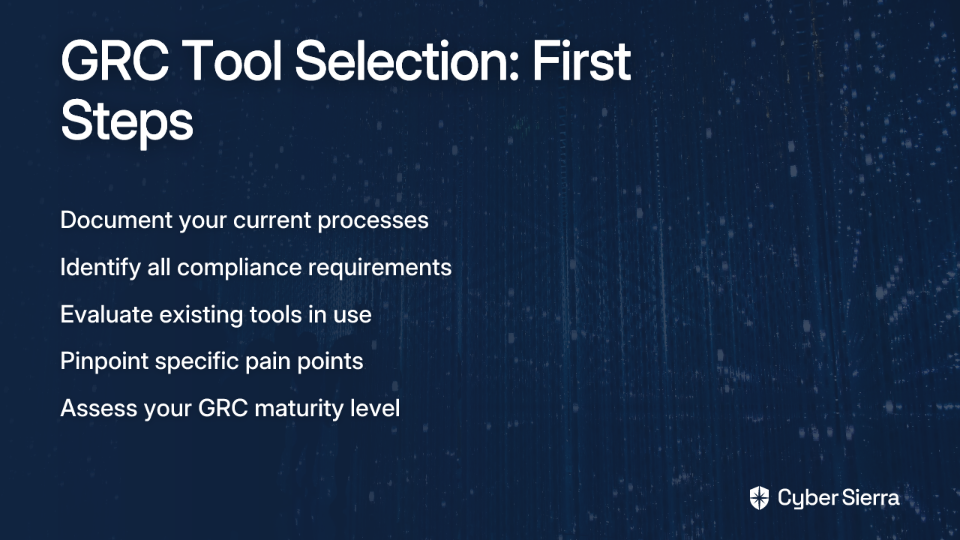
  1. Document Current Practices: Map out how your organization currently handles governance, risk, and compliance activities. This includes both formal and informal processes. You might discover, as one CISO did, that "patching happened, but it wasn't defined" - meaning processes exist but aren't documented or standardized.
  2. Identify Compliance Requirements: Create a comprehensive list of the regulatory frameworks and standards your organization must adhere to (e.g., SOC 2, ISO 27001, GDPR, HIPAA). This baseline understanding is essential for effective audit prep.
  3. Evaluate Current Tools: Assess any existing tools being used, including the ubiquitous spreadsheets and shared folders that often serve as makeshift GRC solutions.
  4. Pinpoint Pain Points: Identify specific challenges in your current approach. Is evidence collection manual and time-consuming? Are you struggling with vendor management oversight? Is reporting inconsistent?
  5. Assess Maturity Level: Be honest about your organization's GRC maturity. Are you just establishing basic compliance, or do you need sophisticated risk modeling capabilities?

Step 2: Define Your GRC Use Cases and Requirements

Now that you understand your current state, translate those findings into specific use cases and requirements. As community advice emphasizes, "make sure you know your GRC usecases you are looking to cover."

Your use cases might include:

  1. Automating Evidence Collection: If your team spends excessive time gathering compliance evidence, look for tools with strong automation capabilities.
  2. Streamlining Vendor Risk Management: If third-party risk is a significant concern, prioritize solutions with robust vendor management features.
  3. Centralizing Policy Management: If policies are scattered across different repositories, seek tools with integrated policy management.
  4. Enhancing Risk Visibility: If you lack a clear view of organizational risk, focus on solutions with customizable risk registers and dashboards.

Involve key stakeholders in this process. GRC isn't just an IT security function - it touches legal, finance, operations, and executive leadership. Their input will be crucial for ensuring the selected tool addresses enterprise-wide needs.

Step 3: Find the Right-Sized Solution (Not the "Cadillac")

One of the biggest mistakes new CISOs make is investing in an expensive "Cadillac solution" with capabilities their organization isn't ready to utilize. As one security leader noted, if you're "only interested in one specific aspect there may be some low cost options to grow a program around before investing in a 'Cadillac' solution."

Match the complexity and cost of the solution to your organization's size and GRC maturity:

When evaluating cost, consider the total cost of ownership (TCO), not just the license fee. Factor in implementation, training, maintenance, and potential integration costs. Be prepared for the reality that "You'll spend months trying to get budget for an automated tool, then months longer getting it implemented."

Step 4: Leverage Trusted Networks: VARs and Peer Groups

You don't have to navigate the complex GRC landscape alone. Two valuable resources can provide objective guidance:

Value-Added Resellers (VARs)

A trusted VAR with GRC expertise can be an invaluable partner in your selection process. They can:

  • Provide an overview of available solutions based on your specific requirements
  • Arrange demos with multiple vendors
  • Offer insights on implementation challenges
  • Potentially negotiate better pricing

As one CISO recommended, "Use a trusted VAR like Guidepoint Security or someone similar. They have the expertise you are looking for."

Peer Networks

Nothing beats the unfiltered experience of your peers who have already gone through this process:

Step 5: Conduct a Rigorous Evaluation and Ask the Tough Questions

Once you've narrowed down your options, it's time for a structured evaluation process:

  1. Create a Comparison Matrix: List your requirements and compare how each solution addresses them.
  2. Request Focused Demos: Ask vendors to demonstrate specific use cases relevant to your needs, not just their standard sales pitch.
  3. Test in Sandbox Environments: Hands-on experience is crucial. As one CISO shared, they "set up demos and then got test instances" to see which tool the team found more intuitive.
  4. Run a Proof of Concept (PoC): If possible, test the tool with your actual data and workflows to ensure it meets your requirements in practice.

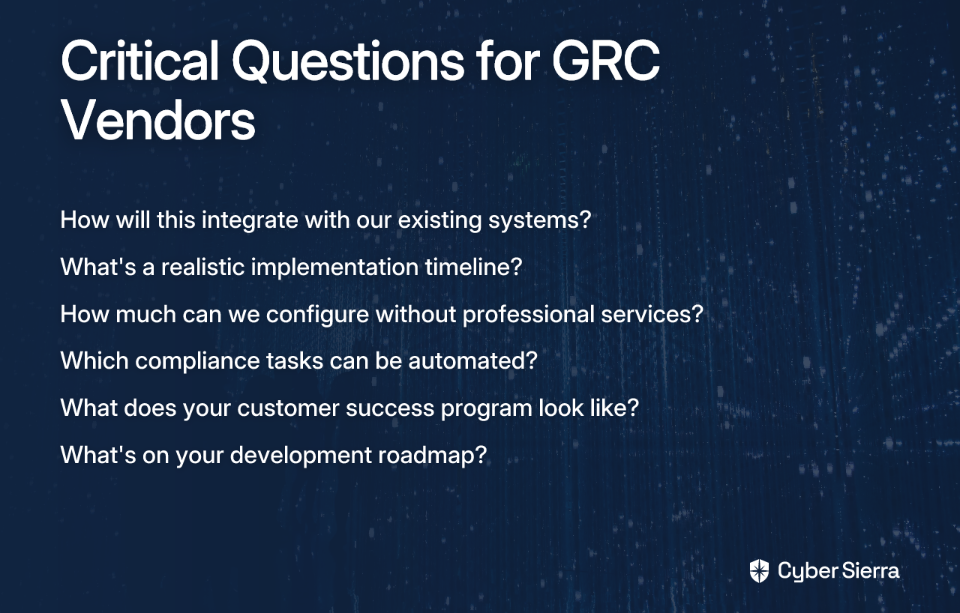
Throughout this process, "Don't trust a vendor telling you a tool will solve all of your problems." Instead, ask these critical questions:

  • Integration: "How will this integrate with our existing systems?" Look for pre-built connections to tools you already use.
  • Implementation Timeline: "What's a realistic timeline for implementation?" Be skeptical of overly optimistic estimates.
  • Customization: "How much configuration can we do without professional services?" Low-code/no-code capabilities reduce dependency on vendors.
  • Automation: "What specific compliance tasks can be automated?" Ask for concrete examples.
  • Support Model: "What does your customer success program look like?" Understand what happens after the sale.
  • Roadmap: "What's on your development roadmap?" Ensure the vendor's future direction aligns with your needs.

Planning for Implementation and Beyond

Selecting a GRC tool is just the beginning. A successful implementation requires careful planning:

Set Realistic Timelines

Complex GRC implementations can take months. Create a phased approach that delivers quick wins while building toward comprehensive coverage.

Define Clear Ownership

Establish who will be responsible for configuring, maintaining, and governing the GRC system. Without clear ownership, even the best tool will fail to deliver value.

Plan for Training

Budget time and resources for training your team. The complexity of "compliance stuff" requires proper knowledge transfer to maximize your investment.

Establish Success Metrics

Define how you'll measure the tool's success. This might include time saved on audit prep, improved visibility into risk, or more efficient vendor management oversight.

Conclusion: Finding Your Path Through the GRC Landscape

The GRC tool selection process doesn't have to be overwhelming. By following this framework, you can transform an intimidating decision into a structured approach that leads to the right solution for your organization:

  1. Audit your internal processes to understand what you're trying to solve
  2. Define specific use cases that will deliver the most value
  3. Match the solution size to your organization's needs and maturity
  4. Leverage VARs and peer networks for unbiased insights
  5. Conduct rigorous evaluations with a focus on your specific requirements

Remember that finding a tool that meets 80% of your needs is a win. As one CISO advised, "Find something that hits the 80%." No solution will be perfect, but with this framework, you'll be well-equipped to find one that effectively supports your GRC program without unnecessary complexity or cost.

By approaching the selection process methodically, you'll not only find the right tool but also set your GRC program up for long-term success.

Frequently Asked Questions

What is a GRC tool and why do I need one?

A GRC (Governance, Risk Management, and Compliance) tool is a software platform that helps organizations manage security policies, assess risks, and streamline compliance with various standards. You need one to centralize these functions, replacing inefficient manual processes like spreadsheets with an automated, single source of truth that improves visibility and simplifies audit preparation.

When is the right time to invest in a GRC tool?

The right time to invest in a GRC tool is when manual processes become too slow, error-prone, or resource-intensive to manage your compliance and risk obligations effectively. If your team is spending more time collecting evidence and building reports than on strategic security initiatives, or if you're facing increasingly complex regulatory demands, it's a strong indicator that you're ready for a dedicated solution.

How can I choose a GRC tool that fits my company's budget?

To choose a GRC tool that fits your budget, you must first define your specific use cases and assess your organization's GRC maturity. Avoid expensive, feature-rich "Cadillac" solutions if your needs are simple. Focus on platforms that solve your immediate pain points, consider the total cost of ownership (TCO) beyond just the license fee, and start with a solution that you can grow into, not one you are years away from fully utilizing.

What are the biggest mistakes to avoid when selecting a GRC platform?

The biggest mistakes to avoid are purchasing a tool to fix a broken internal process, selecting a solution that is too complex for your organization's maturity level, and neglecting to get buy-in from other departments like legal and finance. Remember, a GRC tool is an accelerator for good processes, not a replacement for them. Always audit your internal landscape first.

Can a GRC tool automate all my compliance tasks?

No, a GRC tool cannot automate all compliance tasks, but it can significantly reduce manual effort. It excels at automating evidence collection from integrated systems, streamlining workflows for reviews and approvals, and generating reports. However, it still requires skilled personnel to manage the system, interpret results, handle non-technical controls, and make strategic risk decisions.

How do I get buy-in from leadership for a GRC tool investment?

To get buy-in from leadership, frame the investment in business terms rather than technical jargon. Create a business case that highlights the return on investment (ROI), such as time saved during audits, reduced risk of fines from non-compliance, and improved decision-making through better risk visibility. Use data from your internal audit to showcase current pain points and demonstrate how the tool will directly address them.

blog-hero-background-image
Governance & Compliance

Should You Automate High Risk GRC Processes?

backdrop
Table of Contents

Join thousands of professionals and get the latest insight on Compliance & Cybersecurity.


You've invested heavily in GRC automation tools, hoping to streamline your compliance workflows and reduce manual effort. But when a critical security incident occurs, you discover that your automated system missed a crucial risk signal that a human reviewer would have caught immediately. Now you're facing regulatory scrutiny, potential fines, and loss of customer trust.

This scenario plays out more often than companies care to admit. While GRC automation promises efficiency and scale, organizations become increasingly uncomfortable transferring risk to software as the stakes rise. As one security professional puts it, "Generally, transfer of risk to automation or software is less comfortable as risk/impact increase."

The Automation Paradox in GRC

The global GRC automation market is booming—valued at $48.7 billion in 2023 and projected to reach $179.5 billion by 2032, growing at over 15% annually. This explosive growth highlights both the promise and the pressure to automate governance, risk, and compliance processes.

But there's a fundamental tension at play. As one practitioner bluntly states, "Automation is not the objective. Never was, never will be. Cost saving is." This pragmatic view underscores the real challenge: determining when automation delivers genuine value versus when it introduces unacceptable risks.

This article explores the critical question: When should you automate high-risk GRC processes, and when is human oversight non-negotiable?

Understanding the Risk-Impact Relationship in GRC Automation

Organizations typically become more hesitant to rely on automation as the potential consequences of failure increase. This reluctance stems from legitimate concerns about intelligent automation that go beyond simple task failures:

  1. Data privacy breaches during AI model development and deployment
  2. Lack of transparency in how automated systems make decisions
  3. Cybersecurity vulnerabilities specific to automated systems, including model extraction and data poisoning
  4. Regulatory scrutiny that intensifies with adoption of advanced automation

A particularly troubling aspect is what security professionals call the verification problem: "Using automation to verify that the automation is working is where it gets unreliable." This creates a verification paradox—if you can't trust the system to check itself, you need independent (often human) verification loops.

The risk classification of a process directly impacts automation decisions. For low-risk activities with clear rules, automation can proceed confidently. But for high-risk processes where flaws in logic could have severe consequences, human oversight becomes essential.

When the Law Steps In: Legal Requirements for Human Oversight

In many high-risk domains, human oversight isn't just a best practice—it's the law. The EU AI Act provides a clear example of this regulatory approach to high-risk automated systems.

Article 14 of the EU AI Act specifically mandates that high-risk AI systems must be designed to allow for effective human oversight to minimize risks to health, safety, and fundamental rights. This requires:

  • Oversight measures built into the system by the provider or implemented by the user
  • Natural persons overseeing the system must fully understand its capabilities and limitations
  • For critical applications (like identity verification), verification by at least two qualified individuals
  • Fail-safe mechanisms that allow human operators to intervene immediately

These requirements establish "meaningful human oversight" as more than a passive, procedural formality. It demands active human involvement that genuinely improves decision quality and prevents harm. Organizations building GRC automation strategies must explicitly account for these legal mandates or risk significant penalties.

A Framework for GRC Automation Decisions

Rather than making ad-hoc decisions about what to automate, organizations need a structured approach to evaluate the risks and benefits. Here's a comprehensive framework to guide your automation decisions:

  1. Establish a Center of Excellence (CoE): Centralize decision oversight for automation initiatives to create a comprehensive view of business processes and associated risks.
  2. Inventory Automation Applications: Maintain a detailed catalog of all automation tools, their methodologies, and known vulnerabilities. This facilitates risk management and identifies potential synergies.
  3. Develop a Standardized Risk Framework: Create a consistent process for evaluating, developing, and implementing automation. Identify risks early in the development cycle.
  4. Conduct Rigorous Risk Assessments:
    • Identify all potential risks of automating a specific GRC process
    • Evaluate the potential impact of these risks on the organization
    • Test for bias and inaccuracy using comprehensive data quality checks
    • Assess technical controls review processes for effectiveness
  5. Define Mitigation and Monitoring Strategies:
    • Develop clear strategies to mitigate identified risks
    • Implement continuous monitoring with real-time dashboards
    • Establish API integrations for seamless data flow between systems
    • Include configuration control mechanisms to prevent unauthorized changes

Organizations should be particularly vigilant about common automation pitfalls:

  • Over-automating Without Strategy: Automating for automation's sake creates confusion rather than efficiency
  • Using Siloed Tools: Fragmented tools that don't integrate lead to higher error risks
  • Neglecting Change Management: Failing to get team buy-in undermines even the best technology
  • Automation Bias: The tendency to blindly trust automated recommendations without critical thought

Human Adaptability vs. Automation Efficiency

The Clear Benefits of GRC Automation

When implemented strategically, automation delivers significant advantages:

  • Dramatic Efficiency Gains: Automation can transform weeks of audit preparation into days. Jeff Wing, VP at Thryv, notes, "Before AuditBoard, all of our internal audit processes were executed manually."
  • Comprehensive Testing: Automated systems can test 50,000 transactions compared to a manual sample of just 1,300, providing far more comprehensive coverage.
  • Real-Time Monitoring: Automated systems deliver immediate alerts for control failures, dramatically improving response times.
  • Enhanced Visibility: Automated dashboards give executives quick access to critical risk and compliance insights through centralized data integration.
  • Cost Savings: When properly implemented, automation can yield significant labor savings that justify the software license and implementation costs.

When Human Oversight Outweighs Automation

Despite these benefits, certain scenarios demand human involvement:

  • Complex Decision-Making: Processes requiring nuanced judgment based on experience and context are poor candidates for full automation. As one security professional notes, "A human in the loop is more adaptable. They're faster to identify, find, and fix flaws in logic and implementation."
  • High-Stakes Consequences: When errors could lead to severe regulatory compliance failures or data breaches, maintaining human oversight is crucial.
  • Dynamic Processes: For workflows that change frequently, the overhead of reconfiguring automation can exceed the benefits. "If the process doesn't change frequently, automation might make sense. But if the automation requires a dev team, config control, etc., the overhead is close to the same."
  • Qualitative Assessment: Tasks requiring subjective evaluation, like technical controls review or third-party questionnaires, typically require human judgment. As one practitioner states, "Review of documentation, manual controls review, following up on filled-in questionnaires? Can definitely not be automated."

The Strategic Approach: Finding the Right Balance

The decision isn't a binary choice between full automation and manual processes. The most effective GRC strategy strikes a balance:

  • Use automation for data collection, standardized workflows, and initial risk screening
  • Reserve human intellect for judgment, strategy, and exception handling
  • Implement "human in the loop" designs for high-risk processes
  • Conduct periodic cost-benefit analysis to assess automation ROI

Even with automated access reviews, security professionals recommend: "Once a quarter (or year) perform a manual review of all user accounts, compare it to the automated list and confirm any discrepancies." This verification step ensures the automation itself hasn't developed flaws in logic.

Conclusion: Strategic Automation, Not Total Automation

The goal isn't to automate everything but to implement a strategic approach that leverages technology while preserving critical human judgment. As organizations navigate increasing regulatory complexity and evolving threats, the most resilient GRC programs will build what one expert calls an "institutional distrust"—an environment that assumes failure is possible in both human and automated components and designs resilient processes accordingly.

By carefully assessing the risk-impact relationship, respecting legal requirements for human oversight, and applying a structured framework for automation decisions, organizations can achieve the right balance between efficiency and effectiveness in their GRC programs.

Automation improvement should continue until, as one practitioner puts it, "the cost benefit no longer makes sense." The key is knowing exactly where that inflection point lies for each process in your GRC ecosystem.

Frequently Asked Questions

What is the main challenge of GRC automation?

The primary challenge of GRC automation lies in balancing the drive for efficiency and cost savings with the potential for unacceptable risks in high-stakes compliance scenarios. This is often called the "automation paradox." While automation excels at routine, low-risk tasks, organizations become hesitant to transfer risk to software when a failure could lead to severe consequences like data breaches or regulatory fines. The key is to implement automation strategically, not as an end in itself.

When is human oversight essential for automated GRC processes?

Human oversight is essential for automated GRC processes that involve complex decision-making, have high-stakes consequences, or require qualitative, subjective judgment. Automation is highly effective for standardized, rule-based tasks. However, humans are more adaptable and better equipped to handle nuanced situations, identify flaws in logic, and assess qualitative information like third-party questionnaires. For critical processes, a "human in the loop" approach ensures that automated decisions are validated, reducing the risk of errors.

How does the EU AI Act impact GRC automation strategies?

The EU AI Act legally mandates "meaningful human oversight" for high-risk AI systems, which directly impacts how organizations can automate certain GRC functions. Under regulations like Article 14 of the EU AI Act, systems used in critical areas must be designed to allow for effective human intervention. This means a human operator must be able to understand the system's limitations, monitor its performance, and step in to prevent harm. This shifts human oversight from a best practice to a legal requirement.

What are the key benefits of strategically automating GRC tasks?

Strategic GRC automation delivers significant benefits, including dramatic efficiency gains, more comprehensive testing, real-time monitoring, enhanced visibility for leadership, and substantial cost savings. By automating repetitive and data-intensive tasks like evidence collection or testing thousands of transactions, GRC teams can free up valuable time to focus on strategic analysis. Automated dashboards and real-time alerts also improve an organization's ability to respond quickly to control failures and provide executives with up-to-date risk insights.

Can automation completely replace human judgment in GRC?

No, automation cannot completely replace human judgment in GRC because many critical compliance and risk management tasks require nuanced context, strategic thinking, and ethical considerations that current technology cannot replicate. The most effective GRC programs use a hybrid approach. They leverage automation for its strengths in data processing and scale while reserving human intellect for strategy, complex decision-making, and exception handling. The goal is strategic automation that supports and enhances human expertise.

blog-hero-background-image
Governance & Compliance

Should You Build Your Risk Register in Excel or Buy a GRC Tool?

backdrop
Table of Contents

Join thousands of professionals and get the latest insight on Compliance & Cybersecurity.


Every risk manager's journey likely begins with a spreadsheet. It's simple, familiar, and for a while, it works perfectly. Many professionals wonder if the complexity of a GRC tool is overkill, echoing the thought that "you might do better with a spreadsheet than learning a GRC tool."

This article will provide a practical framework to help you decide when Excel is sufficient, when it becomes a liability, and how to recognize it's time to embrace a dedicated Governance, Risk, and Compliance (GRC) solution.

The Case for the Spreadsheet - When Excel is Your Best Friend

Why Excel Makes Sense as a Starting Point

For organizations beginning their risk management journey, Excel offers several compelling advantages:

  • Accessibility: Everyone has it; there's no new software to learn or purchase.
  • Simplicity: Easy to set up and customize for basic needs without unnecessary complexity.
  • Cost-Effective: No initial investment required beyond existing Microsoft Office licenses.

As one cybersecurity professional noted in a Reddit discussion, "For risk register work, you might do better with a spreadsheet than learning a GRC tool," especially when your organization doesn't have complex compliance requirements.

Building an Effective Excel-Based Risk Register

A well-designed Excel risk register can serve small teams effectively. Here's what it should include:

Essential Columns for Your Excel Risk Register:

  1. Risk ID: A unique identifier for each risk
  2. Risk Description: Clear, concise details of the potential risk
  3. Potential Impact: What happens if the risk materializes (financial loss, reputational damage, etc.)
  4. Likelihood/Probability: How likely the risk is to occur (High/Medium/Low or 1-5 scale)
  5. Impact Score: The severity of the impact (High/Medium/Low or 1-5 scale)
  6. Overall Risk Level: A calculated score (Likelihood × Impact)
  7. Risk Response Plan: The strategy to handle the risk (Avoid, Mitigate, Transfer, Accept)
  8. Risk Owner: The individual responsible for managing the risk
  9. Status: Current state of the risk (Open, In Progress, Closed)
  10. Notes/Progress: A field for updates and tracking

With these elements, you can create a functional risk register that helps track and manage risks for smaller organizations or specific projects. Many organizations use templates similar to ProjectManager's Risk Tracking Template as a starting point.

The Breaking Point - Signs Your Spreadsheet Can't Keep Up

As your organization grows, your risk management needs become more complex. Here are the warning signs that Excel is becoming a liability rather than an asset:

The Hidden Dangers of "Spreadsheet Sprawl"

  1. Data Integrity and Errors: According to Resolver's research, over 90% of spreadsheets contain errors, with nearly half of corporate models having significant flaws. For risk management, these errors can lead to critical risks being overlooked.
  2. Version Control Nightmare: Multiple versions of the "truth" floating in emails and shared drives create confusion about which risk assessment is current and authoritative.
  3. Lack of Collaboration: Spreadsheets aren't built for simultaneous multi-user collaboration. This leads to overwritten data and siloed information, particularly problematic when multiple stakeholders need to update risk information.
  4. Poor Security and Access Control: It's difficult to set granular permissions in Excel. Sensitive risk data can be easily copied, altered, or deleted without proper authorization, creating both security and compliance concerns.
  5. Manual, Time-Consuming Reporting: Creating dashboards and reports for leadership is a painful, manual process of copying and pasting data. There's no real-time visibility into your risk posture.
  6. No Audit Trail: You can't easily track who changed what and when, which is a major red flag for auditors and a significant issue for regulated industries requiring PCI compliance or ISO 27001 certification.
  7. Scalability Issues: As the number of risks, controls, and stakeholders grows, the spreadsheet becomes slow, unwieldy, and impossible to manage effectively. This is especially true when trying to maintain compliance policies over time, as one Reddit user noted: "I started creating policies from templates, but realized I need a better way to manage them in the long run."

Entering the GRC Era - The Power of a Dedicated Tool

Beyond the Cells: What is a GRC Tool?

GRC tools are integrated platforms that centralize and automate risk management activities. They're designed specifically to address the limitations of spreadsheet-based approaches while providing a comprehensive framework for managing governance, risk, and compliance activities.

Key Benefits of GRC Platforms:

  1. 24/7 Automation & Continuous Compliance: GRC tools automatically track regulatory updates, flag compliance gaps, and monitor controls in near real-time. This eliminates manual evidence gathering and ensures your organization maintains continuous compliance rather than point-in-time assessments.
  2. Single Source of Truth: Centralizes all risk data, policies, controls, and audit evidence in one secure location. This ensures data integrity and eliminates version control issues that plague spreadsheet-based approaches.
  3. Enhanced Collaboration & Accountability: Provides workflows, task assignments, and notifications to ensure nothing falls through the cracks. Everyone knows who is responsible for what, creating clear accountability across the organization.
  4. Real-time Reporting & Dashboards: Generate executive-level insights with a single click, providing complete visibility into the organization's risk posture. According to OneTrust, organizations using GRC tools saw average compliance cost reductions of $1.02 million by streamlining these processes.
  5. Robust Audit Trails: Every action is logged, providing a detailed, auditable history of all risk and compliance activities—critical for frameworks like NIST, ISO 27001, and PCI compliance.

Connecting GRC to Modern Cybersecurity Needs

Modern GRC is not just about ticking boxes; it's about building a proactive security posture. Platforms like Cyber Sierra's GRC module embody this shift by integrating GRC with other critical security functions. They automate data collection for frameworks like SOC2, ISO 27001, and PCI DSS, provide Continuous Control Monitoring (CCM) to ensure controls are working as intended, and even extend into Third-Party Risk Management (TPRM)—all from a single, unified platform. This moves your program from a periodic, manual chore to an efficient, continuous process.

The Tipping Point - A Checklist for When to Upgrade

How do you know when it's time to make the move from Excel to a dedicated GRC tool? Use this checklist to assess your situation:

  • You're managing multiple compliance frameworks (e.g., PCI, HIPAA, ISO 27001). As one Reddit user pointed out, "PCI and no policies, standards, and guidelines does not go together. Yikes!"
  • Your team is growing. More than 3-5 people need to regularly update the risk register, creating collaboration challenges.
  • You spend more time updating the spreadsheet than managing risk. The administrative overhead is outweighing the benefits.
  • You have an upcoming audit. You need a defensible audit trail and centralized evidence to satisfy auditor requirements.
  • Leadership is asking for real-time risk dashboards. You can't generate reports quickly or confidently with your current setup.
  • You've experienced a data breach or compliance failure due to a spreadsheet error. The risk of using Excel has materialized into an actual incident.
  • You need to integrate risk data with other systems. This addresses the concern about the "lack of API access, which I wanted for the long term," as mentioned by a Reddit user.

Making the Move - Strategies for a Smooth Migration

If you've checked multiple boxes in the tipping point checklist, it's likely time to consider a GRC tool. However, migrating from Excel to a dedicated platform requires careful planning. It's not just about technology; it's about improving your entire risk management process.

A 4-Step Migration Plan

1. Assess and Plan

  • Define your current and future GRC needs. What frameworks do you need to support? What reporting is required?
  • Clean up your existing Excel risk register. Remove duplicates, standardize terminology, and ensure data is accurate before migration.
  • Inventory your policy templates, including acceptable use policy and other boilerplate policies that will need to be transferred.

2. Choose the Right Tool

  • Look for a user interface that is intuitive and user-friendly to encourage adoption. As Resolver notes, maintaining familiar functionalities like a grid layout can help ease the transition.
  • Prioritize flexibility and customization to fit your specific workflows and risk register structure.
  • Ensure it can scale with your organization and offers API access for future integrations with other security tools.
  • Consider starting with a freemium option if you're unsure about committing to a full-featured solution immediately. As one Reddit user shared: "I started with the Eramba community edition for a year or so to learn what I needed, then went paid."

3. Execute the Migration

  • Many GRC tools have built-in importers for CSV/Excel files that simplify the data transfer process.
  • Validate the data after import to ensure all risks, controls, and relationships are preserved.
  • Run a pilot migration with a single department or project to iron out any issues before a full-scale implementation.

4. Train and Adopt

  • Provide comprehensive training for all stakeholders who will use the system.
  • Communicate the benefits of the new system to get buy-in from all stakeholders.
  • Establish clear procedures for using the new GRC system to ensure consistent adoption.

Conclusion: Finding the Right Balance

The journey from Excel to a GRC tool is a sign of organizational maturity. Excel is a powerful starting point, but its limitations in security, collaboration, and scalability will eventually hinder a growing risk program, especially when dealing with complex frameworks like ISO 27001 or NIST.

For small organizations or those just beginning their risk management journey, a well-structured Excel risk register may be sufficient. However, as compliance requirements grow more complex and your organization scales, the efficiency, security, and collaboration benefits of a dedicated GRC tool become increasingly valuable.

The goal is not just to manage risk, but to build a resilient organization. Investing in the right tools at the right time transforms risk management from a compliance burden into a strategic advantage, enabling proactive defense and informed decision-making through continuous compliance and robust audit modules.

Whether you choose to start with a spreadsheet or immediately adopt a scalable solution like Cyber Sierra's GRC platform, the most important thing is that your approach matches your organization's current needs while allowing room to grow as those needs evolve.

Remember: The best risk management tool is the one that you'll actually use consistently—and that grows with your organization's increasing complexity.

Frequently Asked Questions

What is a GRC tool and how does it differ from an Excel risk register?

A GRC (Governance, Risk, and Compliance) tool is an integrated software platform designed to centralize and automate risk management, while an Excel risk register is a manual, spreadsheet-based document for tracking risks. The key difference lies in automation, collaboration, and data integrity. GRC platforms provide a single source of truth, real-time reporting, automated workflows, and robust audit trails—features that are difficult or impossible to replicate effectively in a spreadsheet.

When is it acceptable to use Excel for risk management?

Using Excel for risk management is perfectly acceptable for small organizations or teams just beginning their risk management journey. If you have a limited number of risks, a small number of stakeholders updating the register, and no complex compliance requirements, a well-structured spreadsheet is a cost-effective and accessible starting point.

What are the biggest signs that my organization has outgrown Excel for risk management?

The biggest signs you've outgrown Excel include frequent data errors, version control problems, difficulty collaborating with multiple stakeholders, and spending more time manually creating reports than managing risks. Other critical indicators are upcoming audits requiring a clear audit trail and the need to manage multiple compliance frameworks like ISO 27001 or PCI DSS.

How does a GRC tool improve compliance and audit processes?

A GRC tool significantly improves compliance and audits by providing a centralized, auditable system of record. It automates evidence collection, maintains a detailed log of all changes (an audit trail), and links risks directly to controls and compliance requirements. This eliminates the manual, error-prone process of gathering evidence from various spreadsheets and emails, making it faster and easier to demonstrate compliance to auditors.

What are the first steps to migrate from an Excel spreadsheet to a GRC tool?

The first steps to migrate from Excel to a GRC tool involve assessing your needs and cleaning your data. Start by defining your current and future GRC requirements, then clean up your existing risk register by removing duplicates and standardizing terms. Once your data is clean, you can choose a suitable tool and use its import features to transfer the information, followed by validation and team training.

blog-hero-background-image
Governance & Compliance

Building Your Emergency Directive Compliance Dashboard in 2025

backdrop
Table of Contents

Join thousands of professionals and get the latest insight on Compliance & Cybersecurity.


You open your inbox on Monday morning to find yet another urgent CISA Emergency Directive demanding immediate action on critical Cisco ASA vulnerabilities. Your heart sinks as you envision another week of scrambling, tracking spreadsheets across multiple teams, and trying to explain to leadership why your already overloaded security team needs to drop everything—again.

Sound familiar?

"CISA's emergency directives feel overwhelming and confusing to implement, especially for smaller teams without dedicated resources," admits one security professional in a recent Reddit discussion. Another laments, "We have to juggle multiple directives from different agencies, and it's hard to keep that organized."

The relentless pace of cybersecurity directives in 2025 has created a perfect storm of compliance fatigue. But what if there was a better way to manage this chaos?

The Unrelenting Pace of Cybersecurity Directives in 2025

Federal agencies, particularly CISA, are issuing directives at an accelerated pace to counter increasingly sophisticated threats:

  • Emergency Directive (ED) 25-03: "Identify and Mitigate Potential Compromise of Cisco Devices" (Sep 25, 2025)
  • Emergency Directive (ED) 25-02: "Mitigate Microsoft Exchange Vulnerability" (Aug 07, 2025)
  • Binding Operational Directive (BOD) 25-01: "Implementation Guidance for Secure Practices in Cloud Services" (Dec 17, 2024)

These directives fall into two main categories:

  • Emergency Directives (EDs): Issued swiftly to address urgent, active threats requiring immediate risk mitigation
  • Binding Operational Directives (BODs): Focus on long-term, foundational improvements in cybersecurity posture

While these directives are mandatory for Federal Civilian Executive Branch (FCEB) agencies under 44 U.S.C. 3554, their principles and urgency apply to all organizations seeking to maintain a strong security posture against evolving threats.

What is an Emergency Directive Compliance Dashboard?

A compliance dashboard is a centralized digital interface that consolidates, visualizes, and transforms complex compliance data into actionable intelligence. For emergency directives specifically, it serves as your organization's mission control for tracking, managing, and reporting compliance status against government directives.

According to Sprinto, an effective compliance dashboard:

  • Eliminates manual tracking in spreadsheets
  • Provides a single source of truth for all directive-related activities
  • Enhances visibility for leadership and operational teams
  • Streamlines audit readiness and reporting

The benefits extend beyond just organization. A well-designed dashboard enables:

  • Enhanced Decision-Making: Data-driven insights identify gaps quickly
  • Time Efficiency: Automation reduces manual reporting efforts
  • Proactive Risk Management: Real-time monitoring helps you get ahead of issues
  • Improved Transparency and Accountability: Easily share compliance status with stakeholders

As one security professional put it: "I wish there was a clearer roadmap for compliance with these emergency directives." A properly implemented dashboard provides exactly that.

Core Components of an Effective Dashboard: Metrics & Features

Essential Metrics to Track

Based on research from Sprinto and industry best practices, your dashboard should track:

  1. Directive Compliance Status:
    • Percentage of required actions completed per directive (e.g., ED 25-03: 75% complete)
    • Visual status (On Track, At Risk, Overdue) for each active directive
  2. Risk Management Metrics:
    • Number of open, high-severity vulnerabilities linked to a directive
    • Time-to-patch or time-to-mitigate for critical risks identified in Cisco ASA, Firepower, and other critical systems
  3. Asset & Control Coverage:
    • Percentage of relevant assets scanned/patched against a directive's requirements
    • Status of control implementation (e.g., MFA rollout progress for Zero Trust initiatives)
  4. Audit Readiness Metrics:
    • Documentation completion status for each directive
    • Number of unresolved gaps identified in pre-audits

Must-Have Dashboard Features

Your compliance dashboard should include these critical features:

  • Real-Time Monitoring: Continuous data feeds from integrated vulnerability assessment systems
  • Customizable Views: Tailored interfaces for different audiences (e.g., CISO view vs. analyst view)
  • Automated Alerts & Notifications: Timely reminders for deadlines and newly issued directives
  • Drill-Down Capabilities: Click on metrics (e.g., "5 Overdue Patches") to see specific details
  • Color Coding: Intuitive visual indicators (Red, Amber, Green) for at-a-glance status checks
  • Role-Based Access Controls (RBAC): Protect sensitive information with defined permissions
  • Document Management: Centralized repository for storing evidence for audits

The Blueprint: A Step-by-Step Guide to Building Your Dashboard

Follow this 8-step process to create your emergency directive compliance dashboard:

1. Define Objectives and Scope

Start by clearly stating your goal (e.g., "Track compliance for all CISA EDs and BODs issued since 2024"). Identify key stakeholders who will use the dashboard, from security analysts to executive leadership.

2. Identify Key Metrics

Select the metrics from the previous section that align with your objectives. Start small and focus on what's most impactful for your organization's security posture.

3. Consolidate Data Sources

Identify where your compliance data lives. This typically includes:

  • Vulnerability scanners
  • Asset inventories
  • Security Information and Event Management (SIEM) systems
  • Project management tools
  • Patch management systems

4. Choose the Right Tools and Platforms

Select tools based on your organization's needs, budget, and existing infrastructure (more on this in the next section).

5. Design the Dashboard Layout

Organize metrics logically. Place the most critical information (e.g., overdue directives and incident response status) at the top. Use visual elements to make data easy to interpret at a glance.

6. Implement Automation

Connect live data feeds for real-time updates to minimize manual data entry. Set up automated alerts for new directives and approaching deadlines.

7. Test and Validate Dashboards

Run test scenarios. For example, "What happens when a new critical vulnerability in Cisco ASA is announced?" Gather feedback from stakeholders to ensure it meets their needs.

8. Monitor and Refine

A dashboard is not a one-and-done project. Regularly assess its usage and data accuracy, and refine it based on new directives and user feedback.

Choosing Your Toolkit: Free vs. Paid Compliance Platforms

When it comes to building your compliance dashboard, you have two main paths: free/open-source solutions or paid compliance platforms.

Free/Open-Source Options

Pros:

  • No upfront cost
  • Highly customizable for teams with development resources
  • Community support

Cons:

  • High maintenance overhead
  • Limited pre-built integrations
  • Lack of dedicated support

Example Solution: Using Microsoft Power BI or Tableau with manual data connections from your vulnerability assessment tools.

Paid Compliance Automation Platforms

Pros:

  • Rapid deployment
  • Automated evidence collection
  • Dedicated support
  • Pre-built integrations with security tools

Cons:

  • Subscription cost
  • Potential vendor lock-in

According to Zluri's research, these are some recommended tools to consider:

  • Vanta: Comprehensive coverage with automated evidence collection and real-time monitoring
  • Drata: Focus on continuous monitoring and audit-ready documentation
  • Scrut: Unified management with a single-window dashboard
  • MetricStream: Strong in automated policy generation for threat management

When selecting a platform, consider these key factors:

  • Continuous monitoring capabilities
  • Audit management features
  • Data analysis power
  • Effectiveness of automated alerts
  • Integration with existing security tools

Automation and Integration: Making Your Dashboard Work for You

Automated Alert Systems

Configure alerts for key events to stay ahead of compliance requirements:

Example 1 (New Directive Alert): Use an RSS feed from CISA's directives page to trigger an alert and automatically create a new tracking item in your dashboard.

Example 2 (Deadline Approaching): Set up automated email or Slack notifications for team members when a compliance deadline is 7 days away.

Integration with Existing Security Infrastructure

Your dashboard should connect seamlessly with your existing security ecosystem:

  • Vulnerability Scanners: Automatically pull in vulnerability data related to directives
  • SIEM/SOAR: Correlate directive requirements with real-time security events
  • Asset Management Systems: Ensure 100% of relevant infrastructure is covered
  • Patch Management Tools: Track remediation progress for affected systems

This integration creates a comprehensive view of your security posture and enhances your phishing attack defenses and overall information security strategy.

Conclusion: From Chaos to Control

The days of tracking emergency directive compliance in spreadsheets are over. In 2025, the pace and complexity of cybersecurity directives demand a more sophisticated approach.

A centralized compliance dashboard:

  • Provides the clear roadmap that teams desperately need
  • Reduces overwhelm and stress by organizing tasks and automating reporting
  • Helps communicate effectively with leadership through clear, data-driven visuals
  • Strengthens your overall security posture through better visibility and control

As one Reddit user wisely noted, "A dashboard can provide a holistic view of all obligations and streamline compliance efforts."

Investing in a compliance dashboard isn't just about meeting regulatory requirements—it's an investment in organizational resilience and proactive security in an increasingly complex threat landscape.

By building your emergency directive compliance dashboard now, you'll transform the Monday morning "CISA directive dread" into confidence that your organization is prepared, protected, and precise in its response.

Ready to get started? Begin with a simple prototype tracking just one directive, then expand as you refine your process. Your future self (and your security team) will thank you.

Frequently Asked Questions

What is a CISA Emergency Directive?

A CISA Emergency Directive (ED) is a compulsory order issued to Federal Civilian Executive Branch (FCEB) agencies to address a critical cybersecurity vulnerability or an active, widespread threat. Its primary purpose is to mandate specific, time-sensitive actions to safeguard federal networks and data from immediate and significant harm.

Who must comply with CISA directives?

Compliance with CISA Emergency Directives and Binding Operational Directives is mandatory for Federal Civilian Executive Branch (FCEB) agencies. However, because these directives address significant and timely threats, private sector companies, as well as state, local, tribal, and territorial (SLTT) governments, are strongly encouraged to review and implement them as part of their own security best practices.

Why use a dashboard for CISA directive compliance?

Using a dashboard for CISA directive compliance centralizes all tracking, management, and reporting activities into a single, automated system. It replaces manual spreadsheets, providing a real-time, accurate source of truth that enhances visibility for leadership, reduces the risk of human error, saves time through automation, and ensures you are always audit-ready.

How can I build a compliance dashboard for emergency directives?

You can build a compliance dashboard by following a structured process: first, define your objectives and identify key metrics; second, consolidate your data sources like vulnerability scanners and asset inventories; third, choose the right tool (whether a free platform like Power BI or a paid compliance tool); and finally, design, automate, test, and continuously refine the dashboard based on stakeholder feedback and new directives.

What is the difference between an Emergency Directive (ED) and a Binding Operational Directive (BOD)?

The primary difference lies in their urgency and scope. An Emergency Directive (ED) is issued in response to an active, high-impact threat that requires immediate action, often with deadlines measured in days. A Binding Operational Directive (BOD) focuses on implementing long-term, strategic improvements to cybersecurity posture across federal agencies, with longer timelines for implementation.

What are the best tools for creating a CISA compliance dashboard?

The best tool depends on your organization's budget, technical expertise, and existing infrastructure. Free options like Microsoft Power BI or Tableau offer high customization but require more manual setup. Paid compliance automation platforms like Vanta, Drata, or Scrut offer rapid deployment, pre-built integrations with security tools, and dedicated support, making them ideal for teams seeking efficiency and automated evidence collection.

blog-hero-background-image
Governance & Compliance

Why Your GRC Tool Will Never Be Perfect (And That's OK)

backdrop
Table of Contents

Join thousands of professionals and get the latest insight on Compliance & Cybersecurity.


You've been tasked with selecting a new GRC platform. After weeks of vendor demos, your inbox is overflowing with follow-ups, each claiming their solution is the perfect fit. The sales decks all blur together, promising seamless implementation and comprehensive coverage of every compliance framework under the sun. Meanwhile, your leadership expects quick results, and your team is anxiously waiting for a decision.

Sound familiar? You're not alone.

"The whole GRC vendor thing is just overwhelming tbh," as one CISO recently confessed in an online forum. Another seasoned security leader warned, "Don't trust a vendor telling you a tool will solve all of your problems."

Here's the uncomfortable truth that vendors don't want to admit: No GRC tool will ever be perfect for your organization. And contrary to what you might think, that's actually okay.

The Impossible Quest for the "Perfect" GRC Tool

Governance, Risk Management, and Compliance (GRC) covers an incredibly broad scope of organizational activities:

  • Governance: The frameworks and policies guiding company control
  • Risk Management: Identifying and assessing risks affecting objectives
  • Compliance: Adherence to laws, regulations, and internal policies

This breadth creates an impossible challenge for any single platform. According to Gartner research, approximately five different functions commonly use an organization's primary GRC solution more than 20% of the time. Each stakeholder brings unique requirements, workflows, and expectations.

Beyond diverse stakeholder needs, every organization has its own unique "compliance DNA" - specific risk appetites, regulatory environments, and operational processes that don't perfectly align with any out-of-the-box solution.

Add to this the rapidly evolving GRC marketplace - with projected significant growth and constant feature innovation - and the quest for perfection becomes not just difficult but literally impossible. By the time you've implemented your "perfect" solution, both your organization and the technology landscape will have already changed.

The CISO's Best Friend: Embracing the '80% Rule'

The '80% rule' (a variation of the Pareto Principle) should become your new mantra when evaluating GRC solutions. Instead of chasing perfection, look for a tool that fulfills at least 80% of your core requirements.

As one experienced CISO bluntly advised in a recent forum discussion: "Find something that hits the 80%. I don't think any of them are perfect."

This mindset shift offers several critical advantages:

  1. Focus on High-Value Features: The 80% rule forces you to identify which 20% of features will deliver 80% of the value. This prevents distraction from an endless list of "nice-to-haves" that rarely justify their cost and complexity.
  2. Accelerated Decision-Making: Gartner notes that vendor evaluation often takes over six months, with another nine months until full functionality is achieved. The 80% mindset helps trim this timeline by preventing analysis paralysis.
  3. Budget Realism: "Some solutions will give you sticker shock," warned one CISO. By focusing on core needs rather than a comprehensive "Cadillac solution" or "Archer class solution," you can often find more cost-effective options that meet your essential requirements.
  4. Expectation Management: Setting realistic expectations with leadership and stakeholders from the beginning reduces the risk of disappointment and project failure.

The 80% rule doesn't mean settling for mediocrity—it means being strategic about what truly matters for your organization's GRC program.

How to Avoid "Boiling the Ocean" with a Phased Approach

One of the most common implementation disasters occurs when organizations try to implement everything at once. As one security leader wisely noted: "You can always add more later but trying to boil the ocean usually just ends in disaster."

Why do comprehensive implementations often fail? The reality is stark:

  • Stakeholder Complexity: "Too many teams involved, each with their own requirements, have made it a mess," shared one practitioner. When multiple departments with competing priorities all demand immediate attention, progress stalls.
  • Analysis Paralysis: Requirements become increasingly complex, leading to decision gridlock.
  • Team Burnout: Implementation fatigue sets in as teams struggle to maintain momentum across too many fronts.

Instead of this all-at-once approach, successful CISOs often begin with a laser focus on one or two critical, high-pain workflows:

Prioritize Specific Workflows First

  1. Vendor Management Oversight: If third-party risk keeps you up at night, start here. A targeted vendor management solution can provide immediate value while building organizational confidence in the GRC program.
  2. Policy Management: If your organization struggles with document control, version management, and attestation, this offers a clear win with visible executive benefits.
  3. Audit Prep: If you're constantly scrambling before assessments, tools that streamline evidence collection and audit response can deliver quick ROI.

The key is to identify what's truly broken before engaging vendors. As one CISO advised: "Figure out what's actually broken in your process before you even talk to vendors." This internal audit is critical for prioritization and prevents being swayed by impressive but ultimately unnecessary features.

Living with an Imperfect Tool: Strategies for Long-Term Success

Even after carefully selecting a tool that meets 80% of your needs, you'll still face limitations. One security leader candidly shared: "There's always going to be some things you don't like about any of those tools but they frequently put out new features that are actually useful and save us time."

So how do you manage these inevitable gaps and limitations?

Practical Management Strategies

  1. Continuous Evaluation

Establish a regular cadence for gathering user feedback and monitoring performance metrics. Create a simple mechanism for teams to submit feature requests and pain points, helping you prioritize customization efforts or identify areas for process adaptation.

According to Riskonnect's GRC implementation guide, successful programs treat GRC as an evolutionary journey, not a one-time implementation.

  1. Plan for Feature Evolution

View your GRC tool as an evolving platform. Stay engaged with the vendor's roadmap through customer advisory boards and product update webinars. Many vendors actively seek customer input for feature prioritization.

"Local CISO meetups are honestly gold for this," noted one security leader. These community forums allow you to learn how others have addressed similar limitations and provide valuable insights outside of vendor-controlled environments.

  1. Adapt Internal Processes

Sometimes, the most efficient solution isn't forcing the tool to match your process, but thoughtfully adapting your process to align with the tool's capabilities. This doesn't mean compromising security or compliance, but rather finding efficient paths to the same outcomes.

  1. Strategic Use of Sandbox Environments

Leverage sandbox environments to test new features, configurations, and workflows before implementing them in production. This allows for experimentation without disrupting critical GRC activities.

  1. Consider Point Solutions for Critical Gaps

For the 20% that your primary GRC tool doesn't address well, consider targeted point solutions rather than attempting to force-fit functionality. Gartner found that integrating specialized solutions is often more effective than relying on a single vendor's modules.

Conclusion: Embracing Imperfection as a Strategy

The quest for the perfect GRC tool is not just futile—it's counterproductive. By embracing the 80% rule, prioritizing specific workflows, and implementing strategies to manage inevitable limitations, you'll achieve far more success than those caught in an endless search for perfection.

A "good enough" tool implemented well delivers exponentially more value than a "perfect" tool that never gets off the ground. As one CISO put it: "You'll spend months trying to get budget for an automated tool, then months longer getting it implemented." Don't let perfect be the enemy of good.

Remember that GRC is ultimately about managing risk, not eliminating it. The same principle applies to your GRC tools themselves—manage their limitations rather than expecting them to be flawless.

The most successful GRC implementations aren't those with the most comprehensive features or the highest price tags. They're the ones that effectively support your organization's unique governance, risk, and compliance needs through a combination of technology, process, and people—even when the technology itself isn't perfect.

So instead of chasing the perfect GRC solution, focus on finding a strong partner that solves your most critical problems today and can grow with you tomorrow. In the imperfect world of cybersecurity, that's not just a compromise—it's a winning strategy.

Frequently Asked Questions

Why is it so hard to find the perfect GRC tool?

Finding a perfect GRC tool is nearly impossible because GRC covers a vast range of organizational activities, and every company has a unique combination of stakeholder needs, risk appetites, and regulatory environments. A single platform cannot perfectly cater to the diverse requirements of different departments—from legal to IT to finance—or align flawlessly with a company's specific "compliance DNA."

What is the '80% rule' for selecting a GRC platform?

The '80% rule' is a strategic approach where you select a GRC platform that meets at least 80% of your organization's most critical requirements, rather than searching for a perfect solution that covers 100%. This mindset helps you focus on high-value features, accelerate decision-making by avoiding analysis paralysis, and maintain a realistic budget.

What is the best way to start a GRC tool implementation?

The best way to start is with a phased approach, focusing first on one or two of your most critical, high-pain workflows. Instead of trying to "boil the ocean" by implementing everything at once, prioritize areas like vendor risk management, policy management, or audit preparation to deliver quick wins and build momentum for the broader GRC program.

How should I handle critical requirements that my GRC tool doesn't cover?

For the 20% of requirements your GRC tool doesn't cover, you have several options. You can adapt internal processes to better align with the tool's capabilities, integrate specialized point solutions for critical gaps, and stay engaged with your vendor's product roadmap for future updates that may address your needs.

What is the most important step before evaluating GRC vendors?

The most important step before talking to vendors is to perform an internal audit to clearly identify and prioritize which of your current GRC processes are broken or causing the most friction. Understanding your specific pain points first prevents you from being swayed by impressive but unnecessary vendor features and ensures you select a tool that solves your real-world problems.

Should I choose a single integrated GRC platform or multiple specialized solutions?

The most effective strategy is often a hybrid approach. Start with a primary GRC platform that effectively handles your core (80%) requirements across multiple domains. For the remaining critical needs where the platform is weak, integrate best-of-breed, specialized point solutions to fill those specific gaps.

toaster icon

Thank you for reaching out to us!

We will get back to you soon.