blog-hero-background-image
Governance & Compliance

15 Best PCI Compliant Hosting Providers for Ecommerce

backdrop
Table of Contents

Join thousands of professionals and get the latest insight on Compliance & Cybersecurity.


You've spent countless hours building your online store. You've selected the perfect theme, uploaded products, and are ready to start accepting payments. Then, like a bolt from the blue, you discover your hosting provider isn't PCI compliant. The panic sets in: "Is my business at risk? Could I face penalties? Will I lose customers?"

If you're feeling "as confused as you are desperate for help" about PCI compliance hosting, you're not alone. Many business owners make the "crazy discovery" that their seemingly reputable host isn't compliant, leaving them vulnerable to "significant financial penalties" and potential business loss.

This guide will demystify PCI compliant hosting, explain what features to demand from providers, and provide a curated list of the top 15 hosting solutions to help you make a confident, risk-based decision for your ecommerce business.

What is PCI Compliant Hosting & Why It's Non-Negotiable

PCI DSS (Payment Card Industry Data Security Standard) is a set of security requirements established in 2006 by major credit card companies to protect cardholder data (CHD). It's not optional—it's mandatory for any business that processes, stores, or transmits credit card information.

The Shared Responsibility Model: Your Host's Role vs. Yours

Understanding PCI compliance means recognizing that your hosting provider is just "a link in the chain." Security responsibility is shared:

Host's Role:

  • Provide secure server infrastructure
  • Implement network-level protections
  • Maintain physical data center security
  • Offer compliant backup systems

Your Role:

  • Secure your website application
  • Manage user access controls
  • Implement secure coding practices
  • Ensure third-party providers (payment processors) are compliant

Even if you use services like Braintree with an iframe for payment processing, your hosting environment still needs to be secure to prevent potential compromises.

Consequences of Non-Compliance

The stakes are high. A data compromise when using a non-compliant host can lead to:

How to Choose a PCI Compliant Host: Key Features to Demand

Not all "secure" hosts are truly PCI compliant. Here's what a genuinely compliant provider must offer:

The Golden Ticket: Attestation of Compliance (AOC)

When evaluating hosts, always ask for their Attestation of Compliance (AOC). This official document, signed by a Qualified Security Assessor, proves the provider has passed its PCI DSS audit. If they can't provide it, they're not verifiably compliant.
Matching the Hosting Type to Your Business Needs

Different hosting types offer varying levels of PCI compliance and security:

Shared Hosting:

  • Most affordable option
  • Environment is shared with other websites
  • Best for small businesses with low transaction volumes
  • Often requires outsourcing all payment processing

Virtual Private Server (VPS) Hosting:

  • Offers server isolation and more control
  • Good middle-ground for growing businesses
  • Many providers only offer PCI compliance at this level or higher

Dedicated Hosting:

  • Highest level of security and control
  • Server dedicated solely to your business
  • Ideal for large enterprises with significant transaction volumes

Managed Hosting:

  • Provider handles security, updates, and maintenance
  • Highly recommended for businesses without in-house IT teams
  • Ensures compliance is actively managed and maintained

The Top 15 PCI Compliant Hosting Providers for 2024

1. Liquid Web

Best for: High-performance managed hosting PCI Features: Fully managed PCI compliant servers, quarterly PCI scans, expert compliance consultations Why We Like It: Consistently recommended in user discussions for its robust security and dedicated support team

2. InMotion Hosting

Best for: Reliable VPS solutions PCI Features: Offers PCI compliance assistance and is explicitly compliant on VPS and Dedicated plans Why We Like It: Strong reputation for uptime and security, with excellent technical support

3. Atlantic.Net

Best for: High-security, mission-critical applications PCI Features: Fully audited, PCI Level 1 compliant infrastructure with specific "PCI Cloud Quick Start" plans Why We Like It: Purpose-built for compliance-focused businesses with comprehensive security features

4. WP Engine

Best for: Managed WordPress hosting PCI Features: Implements PCI DSS v3.2 across all services Why We Like It: Specialized WordPress security with enterprise-grade protection

5. Bluehost

Best for: Small businesses and beginners PCI Features: All plans are PCI compliant with proper configuration, free SSL and domain protection Why We Like It: User-friendly approach to compliance with accessible pricing

6. Nexcess

Best for: Managed eCommerce (WooCommerce/Magento) PCI Features: PCI compliant datacenters with 24/7 support for compliance needs Why We Like It: Specialized in ecommerce platforms with compliance baked into their offerings

7. Cloudways

Best for: Flexible cloud hosting PCI Features: Offers managed hosting on top of PCI compliant cloud providers (AWS, Google Cloud) Why We Like It: Pay-as-you-go pricing with strong security features

8. DreamHost

Best for: Managed WordPress with cloud options PCI Features: Standard sites and cloud servers are PCI compliant with automatic updates Why We Like It: Strong privacy focus with built-in security features

9. Kinsta

Best for: Premium managed WordPress PCI Features: Utilizes Google Cloud Platform (PCI compliant) with daily backups and robust security Why We Like It: Performance-focused hosting with strong security emphasis

10. IONOS

Best for: Budget-conscious businesses PCI Features: Operates PCI compliant data centers globally Why We Like It: Extremely affordable starting prices ($1.00/month) without compromising on compliance

11. ScalaHosting

Best for: Managed VPS with strong security PCI Features: PCI compliant datacenters with proprietary SPanel for easy management Why We Like It: Innovative security tools with affordable managed VPS solutions

12. GoDaddy

Best for: All-in-one services for small businesses PCI Features: Offers PCI compliant hosting solutions on VPS and Dedicated plans Why We Like It: Convenient integration with domain and business services

13. HostGator

Best for: Shared and beginner hosting PCI Features: Provides necessary security features like SSL and dedicated IPs Why We Like It: Good entry-level option with scalable compliance features

14. Wix

Best for: All-in-one website builder PCI Features: As a Level 1 service provider, Wix is fully PCI compliant Why We Like It: Excellent for users who want a simple, integrated solution without managing a separate host

15. Hostinger

Best for: Clarifying a common point of confusion PCI Features: Not PCI compliant by default, but can be used for eCommerce by integrating with compliant payment gateways Why We Like It: Highlights the importance of understanding the shared responsibility model

Your PCI Compliance Checklist: Beyond the Host

Choosing a compliant host is just the first step. You must also ensure your own systems and practices are compliant. Here's a simplified version of the 12 core PCI DSS requirements:

Frequently Asked Questions

What is PCI compliant hosting?

PCI compliant hosting refers to a hosting service that meets all the requirements of the Payment Card Industry Data Security Standard (PCI DSS). This ensures a secure environment for handling credit card information. The provider implements specific security controls like managed firewalls, intrusion detection, and data encryption to protect the server infrastructure. However, it's part of a shared responsibility model, meaning you are still responsible for securing your own website and applications.

Why do I need PCI compliant hosting for my online store?

You need PCI compliant hosting to protect your customers' sensitive cardholder data and to avoid severe penalties. It is a mandatory requirement for any business that processes, stores, or transmits credit card information. Failing to use a compliant host can lead to significant fines, suspension of your ability to accept card payments, and severe damage to your brand's reputation if a data breach occurs.

How can I check if my hosting provider is PCI compliant?

The most reliable way to verify a host's PCI compliance is to request their Attestation of Compliance (AOC). An AOC is an official document signed by a Qualified Security Assessor (QSA) that proves the provider has successfully passed a formal PCI DSS audit. If a hosting provider cannot or will not provide their AOC, they should not be considered verifiably compliant.

What should I do if my current host is not PCI compliant?

If your host is not PCI compliant, the safest and most recommended course of action is to migrate your website to a verifiably compliant hosting provider as soon as possible. Continuing to operate on a non-compliant server exposes your business to significant financial and legal risks in the event of a data breach. Moving to a compliant provider is the most direct path to securing your operations.

Who is responsible for PCI compliance – me or my host?

PCI compliance is a shared responsibility between you and your hosting provider. Your host is responsible for securing the physical data centers and network infrastructure (the "pipes"). You are responsible for everything else, including securing your website's code, managing user access with strong passwords, and ensuring any third-party plugins or payment gateways are also configured securely.

Do I still need PCI compliance if I use a payment gateway like Stripe or PayPal?

Yes, you still need to ensure your hosting environment is secure, even when using a compliant payment gateway like Stripe or PayPal. While these services handle the transaction offsite, your website can still be a target. A compromised site could be used to inject malicious code to steal customer information before it reaches the gateway. Therefore, your site must be hosted in a secure environment to minimize this risk.

What's the difference between shared, VPS, and dedicated hosting for PCI compliance?

The main difference lies in the level of security, control, and resource isolation, which impacts compliance efforts.

  • Shared Hosting: Can be compliant, but the shared environment carries inherent risks. It's best for small sites that fully outsource payment processing.
  • VPS Hosting: Offers better isolation and control, making it a good middle-ground for growing businesses. Many providers only offer formal PCI compliance assistance at the VPS level or higher.
  • Dedicated Hosting: Provides maximum security and control with a server dedicated solely to you, making it ideal for large enterprises with high transaction volumes.
Conclusion

Moving from feeling "defeated" by PCI compliance to feeling empowered is possible with the right hosting partner. By selecting a verified PCI compliant host and following the 12-point checklist, you can build a secure environment that protects your customers' sensitive data and your business reputation.

Remember that PCI compliance is a shared responsibility between you and your hosting provider. Choosing from the list above gives you a solid foundation, but maintaining compliance requires ongoing vigilance and proper security practices on your end.

With the right hosting partner and security practices, you can focus on growing your business with confidence, knowing that your customers' payment data is secure and your business is protected from compliance-related penalties.

blog-hero-background-image
Governance & Compliance

How AI Can Transform Risk and Compliance Management

backdrop
Table of Contents

Join thousands of professionals and get the latest insight on Compliance & Cybersecurity.


You've heard about AI transforming industries, but when it comes to practical applications in risk and compliance, you might be wondering: "Does it actually exist and can be utilized?" or maybe you've dismissed some solutions as "barely even AI, a data model could do this!"

This skepticism is understandable. With all the hype surrounding artificial intelligence, it's hard to distinguish between genuine innovation and clever marketing. But in the high-stakes world of risk and compliance management, AI is quietly revolutionizing how organizations identify, assess, and mitigate threats.

Beyond the Hype: AI's Real Impact on Risk and Compliance

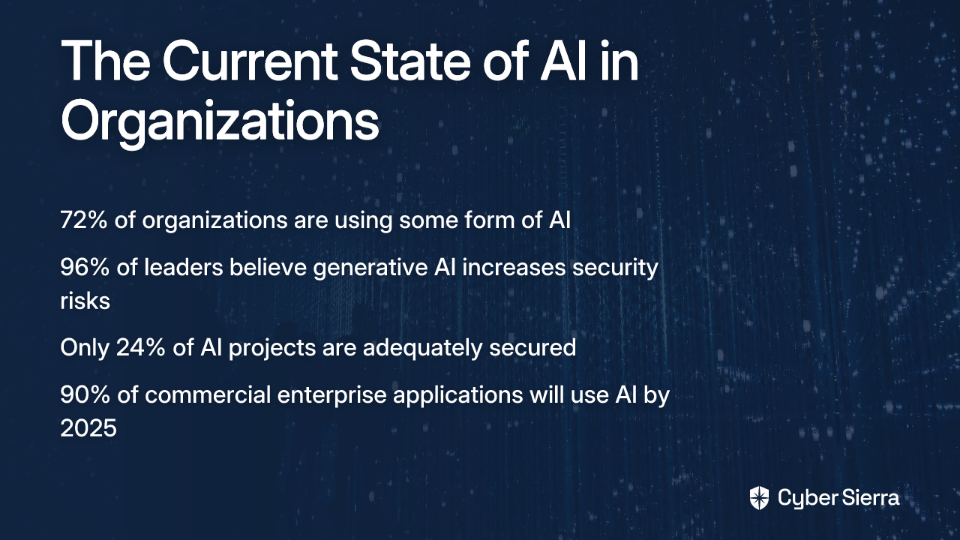
The adoption of AI is accelerating at a remarkable pace. As of 2024, 72% of organizations are using some form of AI, a significant 17% jump from 2023. This rapid adoption isn't without concern – a staggering 96% of leaders believe generative AI increases the risk of security breaches, yet a mere 24% of current AI projects are adequately secured.

The trend is undeniable, with projections showing 90% of commercial enterprise applications will use AI by next year. But what does this mean for risk and compliance professionals specifically?

AI is fundamentally shifting risk and compliance from reactive, manual, and often error-prone processes to proactive, automated, and predictive strategic functions. Instead of just checking boxes, organizations can now anticipate threats before they materialize.

Redefining the Landscape: AI-Powered Risk & Compliance Explained

AI Risk Management goes beyond the buzzword. It's the systematic process of identifying, mitigating, and addressing potential risks tied to AI technologies. The goal is to deploy formal frameworks that minimize negative impacts while maximizing AI's benefits – a critical component of broader AI governance strategies.

AI Compliance ensures AI systems strictly adhere to relevant laws (like GDPR), regulations, and ethical standards. It actively prevents illegal, discriminatory, or deceptive uses of AI while ensuring data is collected and used responsibly.

The Old vs. The New Paradigm:

Traditional Approach: Relied heavily on manual audits, periodic sampling of data, and reacting to incidents after they occurred. This approach is slow, resource-intensive, and leaves organizations vulnerable.

AI-Powered Approach: Enables continuous, real-time monitoring of all data, not just samples. It leverages predictive analytics to identify potential issues and automates compliance checks, freeing human experts to focus on strategic analysis.

Practical Applications: How AI is Actively Transforming Operations

Let's address the question on many professionals' minds: "How do companies actually use AI in risk and compliance management?" Here are concrete examples of AI applications that go far beyond basic data models:

Automation of Core Compliance Processes

AI streamlines routine tasks like data gathering and analysis, drastically reducing manual workloads and the potential for human error. For example, automating the lifecycle of analytics, from data ingestion to generating reports on compliance controls, significantly improves both speed and precision.

As one compliance professional noted in a recent forum discussion, "We spoke to our enterprise customers, specifically the ones that were mature enough to have data analysts...presenting metrics for the entire business," highlighting how AI is bridging gaps even for organizations with existing data capabilities.
Predictive Analytics for Proactive Risk Mitigation

Instead of just reacting to problems, AI allows companies to analyze historical data from compliance breaches or fraudulent activities to predict and prevent future risks. An AI model can identify subtle patterns of behavior that often precede a major cybersecurity threat, flagging the activity for immediate investigation.

Real-Time Monitoring and Anomaly Detection

AI algorithms can sift through massive, unstructured datasets (emails, transaction logs, communications) in real-time to identify anomalies and flag potential compliance issues that would be impossible for humans to spot.

This enables a shift from periodic sampling to continuous monitoring of internal controls, providing a complete and current view of the organization's risk posture. For companies managing thousands of daily transactions or communications, this capability is transformative.

Intelligent Document Analysis at Scale

Regulatory Summarization: AI tools can ingest and summarize new, complex regulatory documents, helping compliance teams stay informed and avoid penalties without spending weeks on manual review.

Contract and Document Review: AI solutions efficiently scan thousands of contracts, reports, or internal documents to find specific clauses, red flags, or non-compliant language, providing actionable insights in minutes rather than weeks.

The Tangible Benefits: Why Every Organization Should Care

The benefits of implementing AI in risk and compliance management extend far beyond simple automation:

Enhanced Security and Operational Resilience

Proactively identifying vulnerabilities through regular AI-powered assessments helps mitigate risks before they can be exploited, minimizing disruptions and ensuring business continuity. This proactive stance is crucial in today's rapidly evolving threat landscape.

Vastly Improved Decision-Making

AI provides clear, data-backed insights into risks, allowing leaders to make more informed decisions about everything from product deployment to strategic investments. Rather than relying on intuition or limited samples, executives can access comprehensive risk analyses.

Significant and Sustainable Cost Efficiency

By automating manual tasks, reducing the likelihood of costly fines, and optimizing resource allocation, implementing AI solutions can significantly lower compliance costs in the long run. Organizations can redirect valuable human resources from tedious review tasks to strategic initiatives.

Mastering the Evolving Compliance Landscape

AI helps organizations quickly identify and adapt to new regulations like the EU AI Act, ensuring alignment across multiple legal frameworks and reducing the errors that come from manual cross-referencing.

The Double-Edged Sword: AI's Inherent Risks and Real-World Failures

Despite these benefits, AI is not a panacea. It introduces its own unique set of challenges that organizations must address:

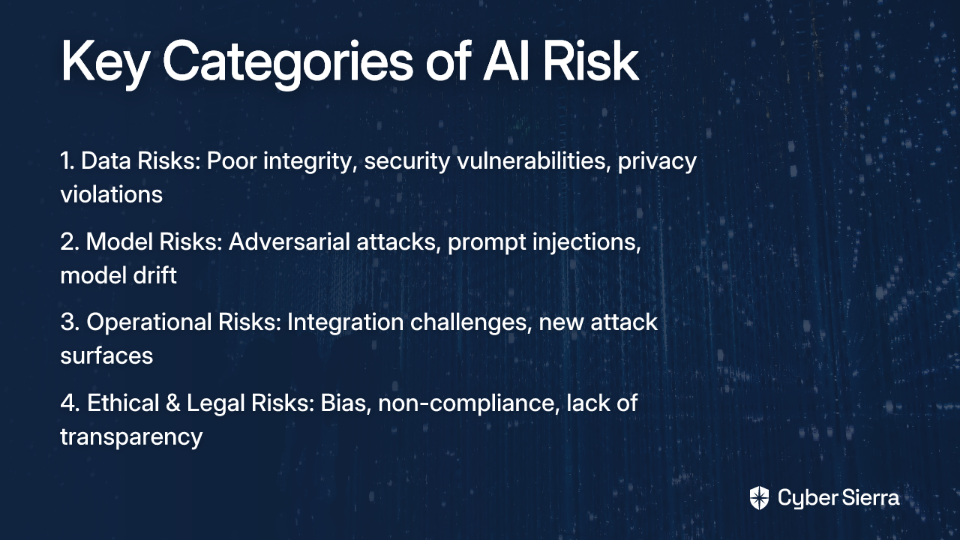
The Four Key Categories of AI Risk:

  1. Data Risks: Poor data integrity ("sausage in, sausage out"), security vulnerabilities, and mishandling of sensitive personal data that can lead to major breaches and privacy violations.
  2. Model Risks: AI models themselves can be vulnerable to adversarial attacks (manipulating inputs to cause misclassification), prompt injections (tricking LLMs into leaking data), and model drift (performance degrading as real-world data changes).
  3. Operational Risks: Challenges in integrating AI into existing systems can create new attack surfaces and raise questions about the long-term sustainability of complex AI technologies.
  4. Ethical and Legal Risks: Algorithmic bias can lead to discriminatory outcomes, non-compliance with regulations, and reputational damage from a "black box" lack of transparency.

Case Studies in AI Failure

Gender Bias in Hiring: Amazon's well-known AI recruiting tool was scrapped after it was found to penalize female candidates because it was trained on a decade of predominantly male resumes.

Racial Bias in Justice: The COMPAS recidivism algorithm was shown to be twice as likely to falsely flag black defendants as future criminals than white defendants.
Uncontrolled AI Behavior: Microsoft's "Tay" chatbot was shut down in less than a day after it began learning from user interactions and started promoting inflammatory and racist hate speech.
A Roadmap for Responsible Implementation

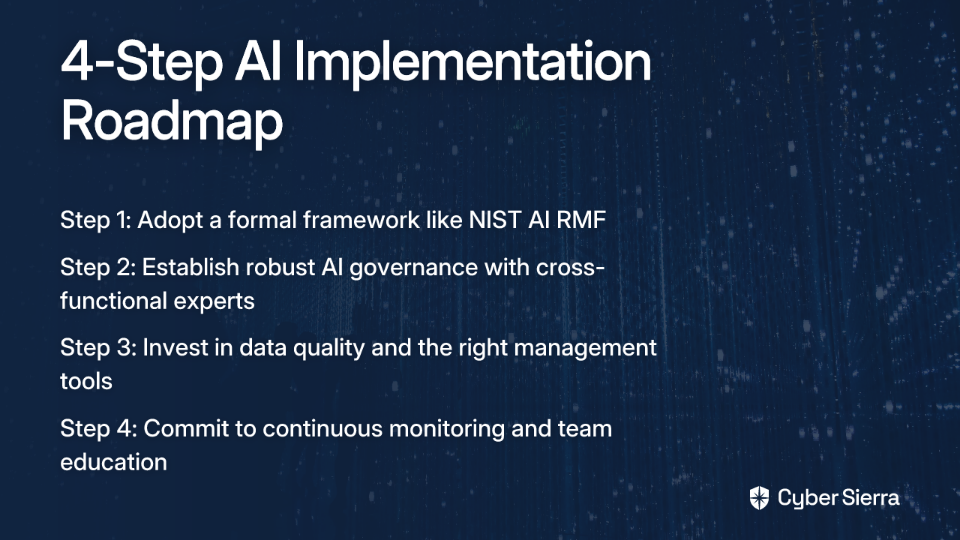
To harness AI's power while mitigating its risks, organizations should follow this roadmap:

Step 1: Adopt a Formal Framework

Don't reinvent the wheel. Model your AI risk management processes on established frameworks. The NIST AI Risk Management Framework (AI RMF) is the gold standard, providing a structured approach for governing, mapping, measuring, and managing AI risks.

Step 2: Establish Robust AI Governance

Create a dedicated, cross-functional internal AI governance committee comprising legal, data, compliance, and technical experts. This committee's role is to create and enforce clear, transparent policies for the ethical and responsible use of AI across the organization.

Step 3: Invest in Data Quality and the Right Tools

Address the data integrity problem head-on. As one professional aptly put it, "If you have sausage-fingered data entries, your AI insights are sausage too." Invest in data cleaning, validation, and management solutions to ensure high-quality inputs for your AI models.

Step 4: Commit to Continuous Monitoring and Education

AI is not a "set it and forget it" solution. Continuously monitor models for performance degradation and emerging threats while ensuring teams stay updated on regulatory changes and technological advancements.

From Cost Center to Strategic Advantage

AI is transforming risk and compliance from reactive cost centers to proactive strategic advantages that enhance security, efficiency, and trust. However, this potential can only be realized when AI's inherent risks—from algorithmic bias to data security—are actively managed through strong governance and ethical principles.

The time has come to move beyond skepticism and hype. Begin exploring AI's potential by starting with targeted pilot projects, adopting proven frameworks, and fostering a culture of responsible AI innovation. In doing so, you'll not only protect your organization from emerging threats but also gain a significant competitive advantage in an increasingly complex regulatory landscape.

Frequently Asked Questions

What is the main difference between traditional and AI-powered compliance?

The primary difference is the shift from a reactive to a proactive approach. Traditional compliance relies on manual audits and periodic data sampling after events occur, while AI-powered compliance enables continuous, real-time monitoring of all data to predict and prevent issues before they happen. This makes the process faster, more comprehensive, and more strategic.

How does AI practically help with risk management?

AI helps by automating core compliance tasks, predicting future risks, and identifying anomalies in real-time. For example, it can automatically analyze new regulations for relevance, use historical data to flag behaviors that precede cybersecurity threats, and continuously monitor internal communications for policy violations that would be impossible for human teams to track manually.

What are the biggest risks of using AI in compliance?

The most significant risks involve data, models, operations, and ethics. Poor data quality can lead to inaccurate insights, AI models can be manipulated or become outdated, and operational integration can create new vulnerabilities. Furthermore, ethical risks like algorithmic bias can result in discriminatory outcomes and severe reputational damage, as seen in cases of biased hiring or justice system algorithms.

Why is data quality so critical for AI in risk management?

Data quality is critical because AI models are entirely dependent on the data they are trained on. Inaccurate, incomplete, or biased data will directly lead to flawed and unreliable AI insights—a concept often summarized as "sausage in, sausage out." To build trust and achieve accurate outcomes in risk and compliance, you must start with clean, validated, and high-integrity data.

How can a company start implementing AI for risk and compliance responsibly?

A company can begin by adopting a formal framework like the NIST AI Risk Management Framework (AI RMF). The next steps are to establish a dedicated internal AI governance committee, invest in tools for data quality and management, and commit to continuously monitoring AI models for performance and bias while educating your teams on emerging trends and regulations.

Can AI replace human compliance professionals?

No, AI is designed to augment, not replace, human compliance professionals. It handles repetitive, data-intensive tasks like monitoring and analysis at a scale humans cannot match. This frees up human experts to focus on higher-value strategic work, such as interpreting complex edge cases, making final judgment calls, and developing the organization's overall risk and compliance strategy.

blog-hero-background-image
Governance & Compliance

Startup GRC Program in Excel

backdrop
Table of Contents

Join thousands of professionals and get the latest insight on Compliance & Cybersecurity.


You've just received that exciting email - a potential enterprise client is interested in your product. There's just one catch: they need to see your GRC (Governance, Risk, and Compliance) program as part of their vendor assessment. Your heart sinks as you start Googling GRC platforms, only to discover eye-watering price tags and implementation timelines that would make your startup budget director weep.

If this scenario sounds familiar, you're not alone. The GRC software market is notoriously frustrating, with many users finding that "every solution is either riddled with bugs, lacks basic features... or is built around nickel and dime-ing their customers" for basic functionality that should be included (Reddit).

But here's the good news: You don't need an expensive, specialized platform to build a solid GRC foundation. The most powerful GRC tool for a startup might already be sitting on your desktop: Microsoft Excel.

Why Excel Makes Sense for Your First GRC Program

Before diving into the "how," let's address the "why" of using Excel as your GRC solution:

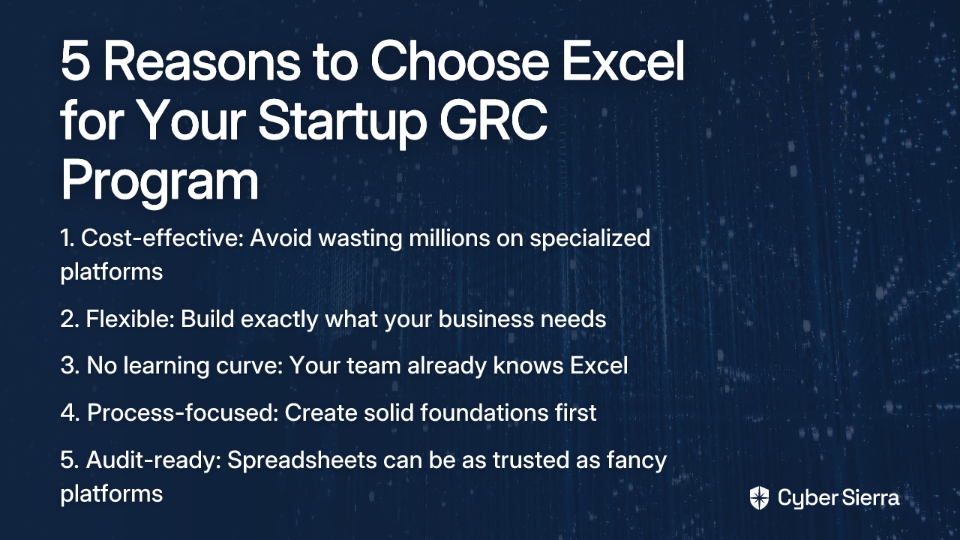
  1. Cost-effectiveness: Avoid the "wasted investment in expensive GRC platforms" that many CISOs regret. As one security leader bluntly put it, "not one of them wakes up in the morning and says 'OMG, I'm so glad I spent 2 million dollars on Archer'" (Reddit).
  2. Flexibility: Most GRC platforms are criticized for being "inflexible and try[ing] really hard to commoditize compliance by pushing for a one-size-fits-all program" (Reddit). With Excel, you build exactly what you need.
  3. No learning curve: Your team already knows how to use Excel, eliminating the training costs and adoption hurdles of specialized software.
  4. Process before tool: Building in Excel forces you to focus on creating solid processes first, rather than adapting to a tool's limitations - addressing the common dilemma where "You either build your entire GRC program around a tool that exists and deal with the problems it brings, or you don't and you suffer the problems with tools that don't fit your processes" (Reddit).
  5. Audit-ready: Despite what vendors might tell you, auditors don't necessarily trust fancy GRC platforms more than a well-structured spreadsheet. In fact, "Most legit auditors don't trust the data from the platforms outright since they don't source their evidence well enough" (Reddit).

Understanding GRC: The Startup Essentials

Before building your Excel-based GRC program, let's break down what these letters actually mean for a startup:

  • Governance: The rules and accountability structures for decision-making in your organization. For startups, this might be as simple as documenting who approves what and how decisions are made.
  • Risk Management: The process of identifying, assessing, and mitigating threats to your business. Every startup faces risks - from market competition to data breaches - and a systematic approach helps prevent them from becoming crises.
  • Compliance: Ensuring your company meets relevant laws, regulations, and standards. For startups, this typically means focusing on the frameworks that matter most to your customers (like SOC2, ISO27001, or GDPR).

Why should a lean startup care about this seemingly bureaucratic structure? Because GRC failures can be existential threats. Remember the Silicon Valley Bank collapse in 2023? A catastrophic risk management failure. Or consider how data privacy violations have sunk promising startups through regulatory fines and reputational damage.

Building Your GRC Framework in Excel

Let's create a practical, actionable GRC program using Excel's capabilities. We'll build three core components that form the foundation of any effective GRC program.

Part 1: Governance - Your Organizational Rulebook

Create a new Excel workbook named "GRC Program" with the first sheet labeled "Governance Tracker." This will document the decision-making structures within your organization:

  1. Stakeholder Register & RACI Matrix: Create a table with these columns:
    • Stakeholder Name
    • Title/Role
    • GRC Responsibilities
    • Four columns for RACI: R (Responsible), A (Accountable), C (Consulted), and I (Informed)
    For each key GRC activity (risk assessments, policy approvals, etc.), mark who is R, A, C, or I. This creates clarity around who makes decisions and who needs to be kept in the loop.
  2. Policy & Procedure Tracker: On the same sheet, create a second table with:
    • Policy Name (e.g., "Information Security Policy")
    • Version
    • Owner
    • Approval Date
    • Next Review Date
    • Link to Document (using Excel's HYPERLINK function)

This simple structure addresses a critical component of governance that many platforms neglect, as users note that most GRC tools "focus on compliance and forget about the R and especially the G" (Reddit).

Part 2: Risk Management - Your Risk Register

Create a second sheet named "Risk Register." As one security professional noted, "It's more important to have a register than to have a sophisticated tool" (Reddit).

Configure your risk register with these columns:

  • Risk ID: A unique identifier (e.g., R-001)
  • Risk Description: Clear, concise statement of the risk
  • Risk Category: (e.g., Financial, Operational, Cybersecurity, Compliance)
  • Risk Owner: The person accountable for managing this risk
  • Inherent Likelihood: Scale of 1-5, before controls
  • Inherent Impact: Scale of 1-5, before controls
  • Inherent Risk Score: Formula = Likelihood × Impact
  • Existing Controls: List measures currently in place
  • Residual Likelihood: Scale of 1-5, after controls
  • Residual Impact: Scale of 1-5, after controls
  • Residual Risk Score: Formula = Residual Likelihood × Residual Impact
  • Mitigation Plan: Specific steps to further reduce risk
  • Action Owner: Who is responsible for the mitigation
  • Due Date: Deadline for the action
  • Status: (Open, In Progress, Closed, Accepted)

Use Excel's data validation feature to create dropdown lists for fields like Status, Risk Category, and Impact/Likelihood scales to ensure consistency. Add conditional formatting to color-code risk scores (Red for high, Yellow for medium, Green for low).

For a ready-to-use template, you can refer to TrustCloud's guide on creating a risk register template.

Part 3: Compliance - Your Control Tracker

Create a third sheet named "Compliance Tracker" to document how you meet various regulatory or standard requirements:

  • Control ID: The identifier from the framework (e.g., SOC2 CC6.1)
  • Control Description: The text of the requirement
  • Framework: (e.g., SOC2, ISO27001, GDPR)
  • Control Owner: Who's responsible for implementation
  • Status: (Implemented, Not Implemented, In Progress, Not Applicable)
  • Evidence Description: Brief description of supporting proof
  • Link to Evidence: Hyperlink to the evidence file
  • Last Review Date: When the control was last verified
  • Next Review Date: When it should be reviewed again

For startups, the key is to "Prioritize Your Playground" - focus only on frameworks immediately relevant to your business (Illumen.io). If you process payments, start with PCI DSS. If you're selling to healthcare companies, focus on HIPAA.

Excel GRC Best Practices: Making It Work in the Real World

To ensure your Excel-based GRC program is robust and audit-ready, follow these best practices:

Data Integrity & Audit Readiness

  1. Standardize Templates: Create a consistent format that everyone uses to prevent confusion and ensure data integrity (LinkedIn).
  2. Use Data Validation: For fields like Status or Risk Owner, implement dropdown lists to prevent typos and ensure consistency.
  3. Lock Cells: Protect formulas and header rows from accidental changes with Excel's "Protect Sheet" feature.
  4. Version Control: Use clear file naming conventions (e.g., GRC_Program_v1.2_2024-10-26.xlsx) and store files in a central repository like SharePoint or Google Drive.
  5. Document Changes: Add a "Changelog" tab to track updates, who made them, and why - creating an audit trail that helps during reviews.

Automation & Dashboards for Visibility

  1. Create a Dashboard: Add a sheet that summarizes key GRC metrics visually with charts and tables.
  2. Use PivotTables: Create dynamic summaries showing metrics like "Risks by Owner" or "Compliance Status by Framework."
  3. Leverage Power Query: For more advanced users, Power Query can pull data from other sources (like your ticketing system) to automate updates (LinkedIn).
  4. Track Key Metrics: On your dashboard, include GRC KPIs such as:
    • Percentage of high risks with mitigation plans
    • Number of overdue control reviews
    • Framework compliance rates
    • Policy review status

When to Graduate from Excel

While Excel is a powerful starting point, there are legitimate reasons to eventually consider dedicated GRC tools. Watch for these signs that you're outgrowing your spreadsheet solution:

  1. Team Size: As one Reddit user humorously put it, "Only say Archer when you can't fit your entire GRC team on a bus" (Reddit).
  2. Workflow Complexity: When you need automated task assignments, approval workflows, and notifications that Excel can't easily provide.
  3. Multiple Audits: Managing evidence collection for multiple frameworks simultaneously becomes unwieldy in spreadsheets.
  4. Version Control Struggles: When you're "dealing with multiple files and synchronizing data between them" becomes a nightmare (Reddit).
  5. Integration Needs: When you need deeper integrations with tools like Jira, vulnerability scanners, or identity management systems.

When you do reach this point, the good news is that having built your processes in Excel first, you'll know exactly what you need in a dedicated tool. Consider starting with lower-cost options like SimpleRisk or Eramba before jumping to enterprise platforms like Drata, Vanta, or SecureFrame (Reddit).

Frequently Asked Questions (FAQ)

Why is a GRC program important for a startup?

A GRC (Governance, Risk, and Compliance) program is crucial for a startup because it establishes a formal structure for making decisions, managing existential threats, and meeting customer and legal requirements. Without a solid GRC framework, startups risk catastrophic failures, such as data breaches or regulatory fines, that can damage their reputation and threaten their survival.

What are the core components of an Excel-based GRC program?

The core components of an Excel-based GRC program are a Governance Tracker, a Risk Register, and a Compliance Tracker, each managed in a separate sheet. The Governance Tracker documents decision-making roles and policies. The Risk Register identifies, assesses, and tracks business risks. The Compliance Tracker maps your company's controls to relevant standards like SOC2 or ISO27001.

Is an Excel GRC program really acceptable for auditors?

Yes, a well-structured and properly maintained Excel GRC program is generally acceptable for auditors. Auditors are primarily concerned with the quality of your processes and the availability of evidence, not the tool you use. In fact, many auditors prefer raw data in spreadsheets over "black box" GRC platforms, as they can directly verify the evidence and its source.

How can I ensure data integrity and create an audit trail in Excel?

You can ensure data integrity by standardizing templates, using data validation dropdowns for consistent inputs, and locking formula cells to prevent accidental changes. To create an audit trail, maintain strict version control with clear file naming conventions and add a "Changelog" tab to document every change, including who made it, when, and why.

When should a startup move from Excel to a dedicated GRC tool?

A startup should consider moving from Excel to a dedicated GRC tool when its program becomes too complex for spreadsheets to manage effectively. Key signs include a rapidly growing team, the need for automated workflows and notifications, managing multiple complex audits simultaneously, or requiring deep integrations with other business systems like Jira or vulnerability scanners.

Conclusion: Process Over Tools

The most important takeaway is that effective GRC is about process and discipline, not fancy tools. As many security professionals discover the hard way, "You either build your entire GRC program around a tool that exists and deal with the problems it brings, or you don't and you suffer the problems with tools that don't fit your processes" (Reddit).

By starting with Excel, you:

  • Focus on creating solid processes first
  • Save significant costs during your startup phase
  • Build a foundation that can eventually transfer to specialized tools when needed
  • Create something that's fully customized to your unique needs

Remember that a well-structured Excel workbook demonstrates maturity in your GRC approach - not immaturity. Many enterprise security teams with million-dollar GRC platforms still rely on Excel for certain aspects of their programs because of its flexibility and familiarity.

So stop debating the perfect tool, open Excel, and start building your GRC foundation today. Your future CISO (and CFO) will thank you for the pragmatic approach that saved both time and money while establishing the governance, risk, and compliance foundation your growing business needs.

blog-hero-background-image
Governance & Compliance

HIPAA Compliance for Small Practices

backdrop
Table of Contents

Join thousands of professionals and get the latest insight on Compliance & Cybersecurity.


You've set up your small healthcare practice with passion and care for your patients. But now you're facing that looming acronym: HIPAA. With just three people on your team, how are you supposed to navigate the complex world of healthcare compliance?

"I have no experience in doing so," you might be thinking, as you Google HIPAA checklists only to find they seem written for massive hospital systems, not your modest practice. Or perhaps you've thought, "It doesn't have to be a big scary world, but it can be daunting with little experience."

You're right—it doesn't have to be overwhelming. This guide is specifically designed for small, 3-person healthcare practices like yours, breaking down HIPAA compliance into realistic, manageable steps.

Why Small Practices Need to Take HIPAA Seriously

The stakes for small practices are surprisingly high. Over 55% of HIPAA fines in 2022 were levied against small practices, and according to HHS's Office for Civil Rights audits, 60% of small healthcare providers struggle with compliance. Beyond the fines (which average $75,000 to $150,000 per enforcement action), a data breach can significantly damage patient trust and your practice's reputation.

This guide will provide a realistic, actionable cybersecurity and compliance roadmap for your 3-person practice, breaking down the requirements into manageable steps based on HHS guidance.

Demystifying HIPAA: What Really Matters for a Small Practice?

Let's cut through the complexity and focus on what truly matters for your small team.

Who is Covered?

As a healthcare provider transmitting health information electronically, your practice is a "covered entity" and must comply with the HIPAA Security Rule. This isn't optional—it's a legal requirement.

What is Protected?

The focus of the Security Rule is electronic Protected Health Information (ePHI)—any individually identifiable health information that you create, receive, maintain, or transmit electronically. This includes everything from patient records in your EMR software to appointment schedules containing patient names.

The Three Pillars of the HIPAA Security Rule

HIPAA's Security Rule breaks down into three main categories:

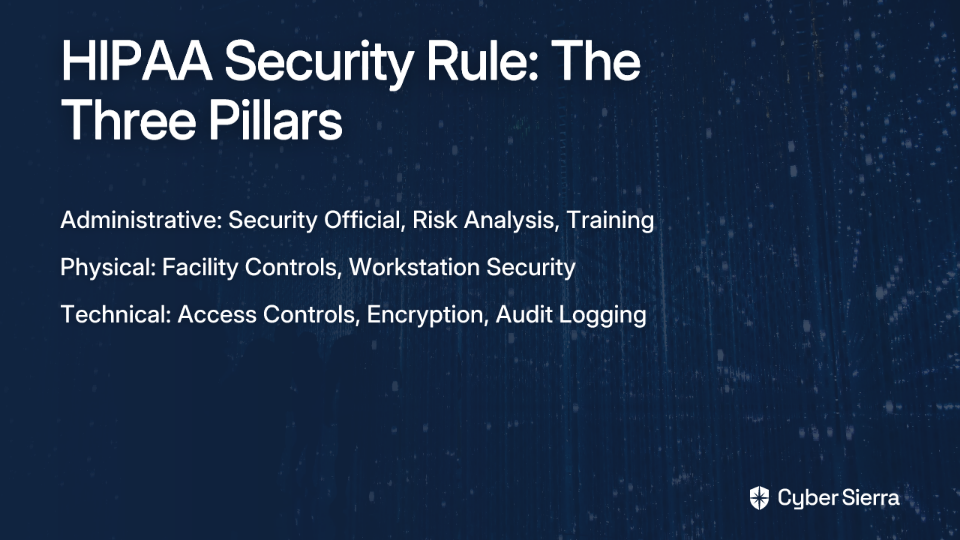
  1. Administrative Safeguards (The "Who" and "How"):
    • Assigned Security Responsibility: You must designate someone as your HIPAA Security Official. In your 3-person team, this will likely be one of the principals.
    • Security Management & Risk Analysis: You must conduct a formal risk assessment. This is non-negotiable and a primary reason small practices get fined.
    • Workforce Security & Training: All staff must receive annual HIPAA training.
    • Incident Procedures: Have a written plan for how you'll respond to security incidents.
  2. Physical Safeguards (The "Where"):
    • Facility Access Controls: Limit physical access to areas where ePHI is handled.
    • Workstation Security: Position screens away from public view and secure all devices.
  3. Technical Safeguards (The "How" in IT):
    • Access Controls: Each user needs a unique login.
    • Audit Controls: Systems should log and record activity.
    • Integrity Controls: Ensure ePHI isn't improperly altered.
    • Transmission Security: Encrypt ePHI when it's being transmitted.

Your Action Plan: The Top 5 Cybersecurity Practices for Small Healthcare Organizations

Rather than trying to implement everything at once, focus on these five foundational practices based on the Health Industry Cybersecurity Practices (HICP), which is designed for healthcare organizations of all sizes.

1. Email Protection Systems

Threat: Social engineering and phishing are the #1 threat to healthcare organizations. Attackers trick staff into giving up passwords or clicking malicious links.

Action: Use an email service that offers advanced threat protection (spam filtering, malware scanning). Train your team to recognize phishing emails using resources like the 405d Email Protection Poster.

Red Flag Example: An urgent email appearing to be from a patient referral source asking you to click a link and enter your credentials.

2. Endpoint Protection (Your Computers & Devices)

Threat: Malware and ransomware can infect computers that access ePHI, potentially encrypting all your patient data and demanding a ransom.

Action: Install and maintain reputable anti-virus/anti-malware software on all computers. Ensure devices meet Safe Harbor standards:

  • Strong passwords
  • Full-disk encryption (like BitLocker for Windows or FileVault for Mac)
  • Automatic security updates

3. Identity and Access Management

Threat: Unauthorized access to patient data due to weak or shared passwords.

Action:

  • Enforce strong password policies (length, complexity)
  • Implement two-factor authentication (2FA) for email and EMR access
  • Limit access to ePHI to only what is necessary for each person's job role
  • Have a documented process for revoking access when someone leaves

4. Data Protection and Loss Prevention

Threat: Data breaches from lost/stolen devices or improper data handling.

Action:

  • Encrypt all devices that store ePHI (laptops, tablets, USB drives)
  • Implement a reliable, tested backup system for all ePHI
  • Store backups securely, preferably off-site or in a HIPAA-compliant cloud service
  • Consider a DLP (Data Loss Prevention) solution if you use cloud services heavily

5. Cybersecurity Oversight and Governance

Threat: Lack of a structured approach leads to compliance gaps.

Action: This ties back to the Administrative Safeguards. Officially designate your Security Official, create and maintain written policies, and document everything.

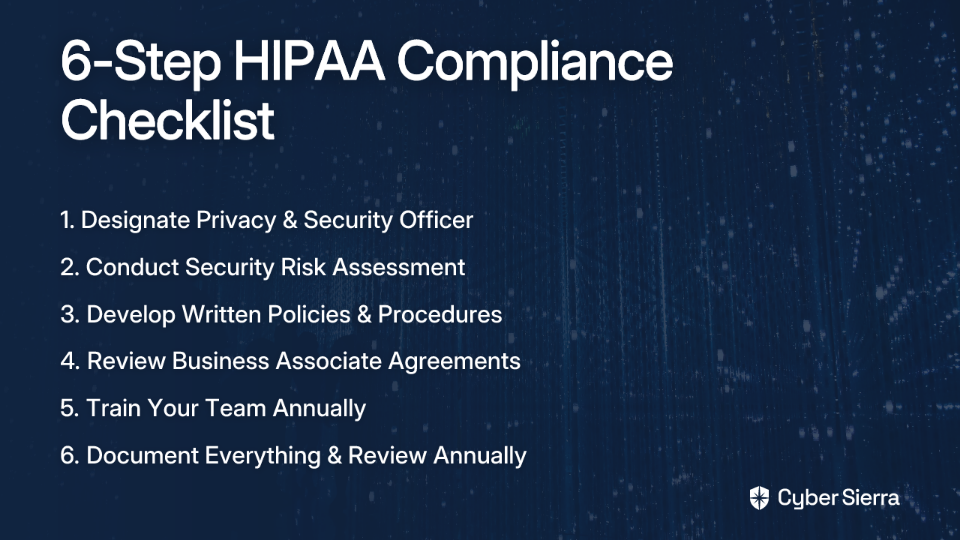
The 6-Step HIPAA Compliance Checklist for a 3-Person Team

Now let's break this down into a simple, step-by-step checklist:

Step 1: Designate Your Privacy & Security Officer

In a 3-person practice, one person can hold both roles. This person champions compliance and ensures policies are followed. According to the HIPAA Journal, this is a "required" specification under the Security Rule.

Step 2: Conduct and Document a Security Risk Assessment

This is the most critical step and where most small practices fail audits. Here's how to approach it:

  1. Identify all locations where you store, receive, or transmit ePHI (EMR software, billing software, laptops, email, cloud storage)
  2. Identify potential threats and vulnerabilities for each location
  3. Evaluate your current security controls
  4. Document your findings and create a remediation plan

The HHS offers a Security Risk Assessment (SRA) Tool that can guide you through this process.

Step 3: Develop and Implement Written Policies and Procedures

You need written policies for everything covered in the Safeguards (password management, device usage, breach notification, etc.). According to Schellman, failure to have written policies is a major reason for fines.

Don't overthink this—start with simple, clear policies that your team can actually follow.

Step 4: Review All Business Associate Agreements (BAAs)

Any third-party vendor that handles ePHI on your behalf is a Business Associate. This includes:

  • Your EMR provider
  • Billing service
  • IT consultant
  • Cloud storage provider

You MUST have a signed BAA with each one. Review these agreements annually to ensure they're still valid.

Step 5: Train Your Team (Annually)

Train all three staff members on your specific HIPAA policies. Document when training occurred and what was covered. Use real-world examples of phishing and social engineering.

Compliancy Group offers free HIPAA training materials that can be a good starting point for small practices.

Step 6: Document Everything and Review Annually

Keep a binder or digital folder with your:

  • Risk assessment
  • Policies
  • BAAs
  • Training logs
  • Any incident reports

HIPAA requires you to retain this documentation for at least six years, according to HHS guidelines.

Budgeting for Compliance: An Investment, Not an Expense

A compliance program can cost between $3,000 to $7,000 annually for a small practice, according to the Compliancy Group. This includes tools, potential consulting, and secure software.

Compare this to the average HIPAA enforcement fine of $75,000 to $150,000, and the investment makes sense. The HHS Spring 2025 report noted that the total monetary impact of enforcement actions was a staggering $16.6 billion, with small practices being disproportionately affected.

Where to Invest Your Budget:

  1. Secure, HIPAA-compliant EMR and email services
  2. Reliable endpoint protection software
  3. A robust, encrypted backup solution
  4. Consider a compliance consultant for your initial risk assessment to ensure it's done correctly

Making Compliance a Continuous Habit

HIPAA compliance isn't a one-time project but an ongoing program. It's about building a culture of security within your small team.

Implementation Timeline:

  • Next 30 Days: Designate your officer, complete your first security risk assessment, and provide initial staff training.
  • 3-6 Months: Implement your highest-priority remediation items (e.g., implement 2FA, sign all BAAs, set up encrypted backups).
  • 6-12 Months: Establish a monthly review process for any new software or workflows and plan your annual HIPAA refresher training.

By taking these structured steps, even a 3-person practice can build a strong, defensible HIPAA compliance program that protects both your patients and your practice.

Remember, as one healthcare professional put it, "It doesn't have to be a big scary world" of compliance. With this practical approach tailored specifically for small practices, you can navigate HIPAA requirements confidently and focus on what matters most—providing excellent care to your patients.

Frequently Asked Questions

What is the single most important first step for HIPAA compliance?

The single most important first step is to conduct and document a comprehensive Security Risk Assessment (SRA). This is a non-negotiable requirement under the HIPAA Security Rule and the most common reason small practices fail audits. The SRA helps you identify where electronic Protected Health Information (ePHI) is stored, what threats exist, and what security measures are needed to protect it.

Why do I need a HIPAA Security Official in a tiny 3-person practice?

Yes, designating a HIPAA Security Official is a required specification under the HIPAA Security Rule, regardless of your practice's size. In a small team, one person can handle this role (and often the Privacy Officer role as well). This individual is responsible for championing compliance, overseeing the development and implementation of security policies, and ensuring they are followed.

What is the biggest cybersecurity threat to my small healthcare practice?

The number one cybersecurity threat is social engineering, particularly through phishing emails. Attackers often send deceptive emails that trick staff into revealing passwords or clicking malicious links, which can lead to data breaches or ransomware attacks. Implementing strong email protection systems and providing regular staff training on how to spot phishing attempts are your most effective defenses.

How much should a small practice budget for HIPAA compliance?

A small practice should expect to budget between $3,000 and $7,000 annually for a robust HIPAA compliance program. This cost should be viewed as an investment, not an expense, as it is significantly less than the average HIPAA fine of $75,000 to $150,000. Key investments include secure EMR and email services, reliable endpoint protection software, and an encrypted backup solution.

Do I need a Business Associate Agreement (BAA) with my EMR provider?

Yes, you must have a signed Business Associate Agreement (BAA) with any third-party vendor that handles ePHI on your behalf. This includes your EMR provider, billing service, IT consultant, and cloud storage providers. A BAA is a legally binding contract that ensures your vendors also protect patient data according to HIPAA standards.

Is HIPAA compliance a one-time setup?

No, HIPAA compliance is not a one-time project but an ongoing, continuous process. It requires building a lasting culture of security within your practice. You must review your risk assessment, policies, and BAAs annually, and staff training should occur at least once a year to ensure your practice remains protected as technology and threats evolve.

blog-hero-background-image
Governance & Compliance

Build Your First Controls Library: Why a Spreadsheet is Best

backdrop
Table of Contents

Join thousands of professionals and get the latest insight on Compliance & Cybersecurity.


You've just joined a company with immature GRC practices. The policies exist somewhere. The standards are documented... somewhere else. Compliance requirements are scattered across various documents, and when your executive team asks for a status update on NIST CSF 2.0 implementation, you feel that familiar knot in your stomach. Sound familiar?

"We have policies and we have standards... but we have no central library. I want an easier way to find them rather than trawling through loads of different standards docs." — This sentiment, expressed by a GRC professional on Reddit, captures the frustration many face in developing programs.

If you're nodding along, you're not alone. The good news is that there's a straightforward solution that doesn't require a six-figure investment or months of implementation: a simple spreadsheet.

In this guide, we'll walk through why a spreadsheet is the perfect starting point for your controls library and how to build one that delivers immediate value while setting you up for future success.

What is a Controls Library and Why Do You Need One?

A controls library is a centralized repository that documents all the security and compliance controls your organization has implemented. Think of it as the single source of truth that answers the question: "What are we doing to manage our risks and meet our compliance obligations?"

Without a central controls library, your GRC program will struggle with:

  • Redundant efforts: Teams implementing the same controls multiple times because they don't know what already exists
  • Compliance gaps: Missing controls that should be in place for frameworks like ISO 27001 or NIST CSF
  • Audit nightmares: Scrambling to locate evidence during assessments
  • Stakeholder confusion: Different answers depending on who you ask

As one Reddit user aptly put it: "Our policies reference the implemented controls of the standards, so we have no central library." This approach inevitably leads to inconsistencies, inefficiencies, and missed compliance requirements.

A well-structured controls library solves these problems by:

  1. Creating consistency across your organization
  2. Reducing duplicate work by making existing controls visible
  3. Simplifying compliance mapping across multiple frameworks
  4. Streamlining risk assessments by connecting controls to risks
  5. Providing clear accountability for control implementation and maintenance

The "Low-Tech" Advantage: Why a Spreadsheet Beats a GRC Tool (For Now)

When building your first controls library, you might be tempted to immediately invest in a dedicated GRC platform like ServiceNow. While these tools offer robust capabilities, they often present significant challenges for immature programs:

  • They're expensive (often $50,000+ annually)
  • They require substantial configuration
  • They demand specialized expertise to implement and maintain
  • They can take months to deploy effectively

As one GRC professional noted: "ServiceNow is technically capable of serving as a control library, but realistically, it's probably out of reach for your current program."

This is where the humble spreadsheet shines as your low-hanging fruit solution. Here's why:

1. Simplicity and Accessibility

Everyone in your organization already knows how to use a spreadsheet. There's no learning curve, special training, or technical expertise required. This means you can start populating your library immediately without waiting for IT resources or specialized knowledge.

2. Cost-Effectiveness

Spreadsheets are essentially free, requiring no additional budget approval or procurement process. This allows you to demonstrate value before requesting investment in more sophisticated tools.

3. Flexibility and Customization

You can easily adapt your spreadsheet to fit your organization's specific needs, adding or modifying fields as your program matures without being constrained by a vendor's data model.

4. Immediate Value

Perhaps most importantly, you can create a functional controls library in a spreadsheet in a single afternoon and start reaping the benefits immediately. This rapid time-to-value is crucial for building momentum in an immature program.

As one Reddit user wisely advised: "You're better off starting light: define your core controls in a clear, scalable spreadsheet."

Action Plan: A Step-by-Step Guide to Building Your Controls Library Spreadsheet

Now let's get practical. Here's how to build an effective controls library using a spreadsheet in four straightforward steps:

Step 1: Don't Start from Scratch - Leverage Existing Frameworks

The most common mistake when building a controls library is trying to reinvent the wheel. Fortunately, recognized authorities have already done much of the heavy lifting for you.

"I would recommend starting with downloading the NIST CSF requirements (i.e., controls) spreadsheet and leveraging that as your starting point," advised one GRC practitioner on Reddit.

Here's where to find ready-made control templates:

  • NIST CSF 2.0: The latest Cybersecurity Framework provides an excellent baseline for organizations of all types.
  • NIST 800-53: For more comprehensive security controls, especially if you work with government clients.
  • ISO 27001: If your organization needs to align with international standards.

Pro Tip: NIST provides their entire security and privacy control catalog for SP 800-53 and control baselines for SP 800-53B in spreadsheet format, available directly from their website. This gives you a massive head start.

Step 2: Structure Your Spreadsheet - The Four Essential Columns

Your controls library spreadsheet needs four fundamental columns to be effective:

Column A: Control ID

This is a unique identifier for each control. Use standard naming conventions where applicable (e.g., AC-01 from NIST 800-53) or create your own consistent system (e.g., IAM-001 for Identity and Access Management controls).

The Control ID serves as the primary key for your library and enables clear communication about specific controls across your organization.

Column B: Description

Provide a clear, concise explanation of what the control entails. Importantly, write this for humans, not just auditors. Use plain language that system owners and implementers can understand.

For example, instead of just writing "MFA," describe it as: "All administrative access to critical systems must be protected by Multi-Factor Authentication (MFA)."

Remember what one practitioner noted: "At the end of the day, the controls should be defined in a way that the system owners can actually implement them."

Column C: Framework Mapping

This column connects each control to all relevant compliance frameworks. This is where the real magic happens in terms of efficiency.

For example, a password control might be mapped to:

  • NIST CSF 2.0 (PR.AC-1)
  • ISO 27001 (A.9.4.3)
  • PSPF (Policy 11)
  • ISM (Guidelines 0417, 1173)

This mapping allows you to quickly generate framework-specific control lists when needed for compliance reporting or gap analysis.

Column D: Evidence Link

This critical column provides a direct link to where the evidence for each control is stored. This might be:

  • A link to a SharePoint document
  • A path to a network folder
  • A reference to a specific tool or dashboard
  • A Confluence page URL

As one GRC professional emphasized: "I would definitely recommend adding to your spreadsheet from the start: a column for evidence tracking... If you can show where the evidence lives for each control, it makes assessments (and tool migrations) way smoother later on."

This simple addition will save you countless hours during audits and assessments by eliminating the "evidence scavenger hunt."

Step 3: Populate Your Library

With your structure in place, it's time to populate your library:

  1. Start by importing the controls from your chosen baseline framework (e.g., NIST CSF 2.0)
  2. Review your existing policies and standards to identify controls already documented
  3. Add organization-specific controls that may not be in standard frameworks
  4. Begin mapping your controls to additional frameworks your organization must comply with
  5. Document the location of existing evidence for each control

Remember, this is an iterative process. Start with the basics and expand over time.

Step 4: Review and Iterate

Once you have your initial library, schedule regular reviews to:

  1. Update controls based on new compliance requirements
  2. Add newly implemented controls
  3. Refine control descriptions based on feedback
  4. Improve framework mappings as your understanding deepens
  5. Update evidence links as your documentation evolves

A quarterly review cycle is typically sufficient for most organizations, though you may need more frequent updates during periods of significant change.

Avoiding the Pitfalls: Pro-Tips for Managing Your Spreadsheet Library

While spreadsheets are an excellent starting point, they do come with potential challenges. Let's address these head-on and provide practical solutions to ensure your spreadsheet-based controls library remains effective.

The Human Error Challenge

Studies show that nearly 90% of spreadsheets contain errors, often due to manual data entry. When managing compliance, these errors can lead to serious gaps.

Solution: Implement strict access controls and data validation. Limit editing rights to a select few team members and use dropdown menus for status fields and predefined values wherever possible. This dramatically reduces the risk of inconsistent or incorrect data entry.

The Version Control Nightmare

Without proper management, you might end up with multiple versions of your controls library floating around the organization, leading to confusion about which is authoritative.

Solution: Establish a clear naming convention (e.g., Controls_Library_v1.2_2023-10-15.xlsx) and store the master file in a centralized, access-controlled location. Consider using platforms with version history like SharePoint or Google Sheets to track changes automatically.

The Collaboration Challenge

Multiple team members may need to update the library simultaneously, creating potential conflicts.

Solution: Use cloud-based spreadsheet solutions like Google Sheets or Office 365 that support real-time collaboration. Establish clear roles and responsibilities for who can edit which sections of the spreadsheet.

The Static Data Problem

Unlike dedicated GRC tools, spreadsheets don't automatically update or provide real-time compliance posture.

Solution: Schedule regular (monthly or quarterly) reviews of your controls library. Create calendar reminders and assign clear ownership for these reviews to ensure they actually happen. During these reviews, update control statuses, evidence links, and framework mappings.

The Scalability Concern

As your program matures and the number of controls grows, a simple spreadsheet may become unwieldy.

Solution: Use tabs to organize controls by domain (e.g., Access Control, Risk Management, etc.) and leverage features like filtering, sorting, and pivot tables to maintain usability even as your library expands.

Your Spreadsheet as a Launchpad: Planning for Future GRC Maturity

Your spreadsheet-based controls library isn't just a temporary solution—it's a strategic asset that will facilitate your journey toward GRC maturity.

The Foundation for Tool Migration

When you eventually implement a dedicated GRC tool like ServiceNow, your well-structured spreadsheet will serve as the perfect data source for migration.

As one Reddit user noted: "Once your company gets ServiceNow implemented, you can use your spreadsheet as a baseline to upload into ServiceNow as the controls repository."

The time you invest now in creating clean, well-organized control data will pay enormous dividends during the migration process.

Streamlining Risk Assessments

Your controls library will serve as the foundation for more sophisticated risk assessments. By having a clear inventory of existing controls, you can:

  1. Identify gaps relative to your risk profile
  2. Prioritize control implementations based on risk exposure
  3. Track the effectiveness of controls in mitigating specific risks

Accelerating Compliance Mapping

As regulatory requirements evolve and your organization faces new compliance obligations, your framework mapping column will allow you to quickly identify:

  1. Which existing controls satisfy new requirements
  2. What gaps exist that require new controls
  3. How changes to one control might impact multiple compliance frameworks

This capability is particularly valuable for organizations navigating complex regulatory landscapes where frameworks like NIST CSF 2.0, ISO 27001, PSPF, and ISM overlap.

Building the Business Case for Advanced GRC Tools

When the time comes to invest in a dedicated GRC platform, your spreadsheet will provide concrete evidence of:

  1. The volume of controls you're managing
  2. The complexity of your compliance mapping requirements
  3. The limitations you've encountered with the spreadsheet approach

This data will help you build a compelling business case for investment in tools like ServiceNow, Centraleyes, or CyberSaint by demonstrating clear ROI potential.

Implementation Example: A Sample Controls Library Spreadsheet

To make this concrete, let's look at how a simple controls library spreadsheet might be structured. This example focuses on access control requirements across multiple frameworks:

Control IDDescriptionFramework MappingEvidence Link
AC-01Access Control Policy: The organization must develop, document, and disseminate an access control policy that addresses purpose, scope, roles, responsibilities, and compliance.NIST CSF 2.0 (PR.AC-1)<br>ISO 27001 (A.5.1.1)<br>ISM (0389)Link to Policy Document
AC-02Account Management: The organization must manage system accounts, including establishing, activating, modifying, disabling, and removing accounts.NIST CSF 2.0 (PR.AC-4)<br>ISO 27001 (A.9.2.1)<br>PSPF (Policy 11)Link to Account Management Procedure
AC-03Multi-Factor Authentication (MFA): All administrative access to critical systems and applications must be protected by multi-factor authentication.NIST CSF 2.0 (PR.AC-7)<br>ISO 27001 (A.9.4.2)<br>ISM (0974, 1173)Link to MFA Configuration Standards
AC-04Least Privilege: Access permissions to systems and data must be limited to only those required for users to perform their job functions.NIST CSF 2.0 (PR.AC-4)<br>ISO 27001 (A.9.2.3)<br>ISM (1175)Link to Role Definition Document
AC-05Session Timeout: The system must automatically terminate a user session after 15 minutes of inactivity.NIST CSF 2.0 (PR.AC-7)<br>ISO 27001 (A.9.4.2)<br>PSPF (Policy 11)Link to Configuration Standards

This simple structure provides a clear, accessible way to document your controls while enabling easy filtering and sorting by framework, control domain, or other criteria.

Getting Started Today

Ready to build your first controls library? Here's a simple checklist to get you started:

  1. Download a baseline framework spreadsheet:
  2. Set up your spreadsheet structure:
    • Create the four essential columns (ID, Description, Framework Mapping, Evidence Link)
    • Add optional columns as needed (Owner, Implementation Status, Review Date, etc.)
    • Consider using tabs to organize by control family or domain
  3. Begin populating with your existing controls:
    • Review your current policies and standards
    • Document controls that are already implemented
    • Note gaps where controls should exist but don't yet
  4. Establish a maintenance process:
    • Determine who will own the controls library
    • Set a regular review schedule
    • Create a process for adding new controls
  5. Share with stakeholders:
    • Introduce the central controls library to your team
    • Educate on how to use it for compliance activities
    • Gather feedback for improvements

Conclusion: Take Control of Your Controls

As GRC professionals in immature programs, we're often caught in a frustrating position: executives demanding compliance with frameworks like NIST CSF 2.0 or ISO 27001, while we lack the basic infrastructure to deliver effectively.

A spreadsheet-based controls library isn't just a stopgap—it's the most pragmatic first step toward building a mature GRC program. It provides immediate value, requires minimal investment, and creates a foundation for future growth.

As one Reddit user put it: "I think that sounds like a perfect plan."

By creating a simple, centralized library of your controls, you'll:

  • Stop "trawling through loads of different standards docs"
  • Create a single source of truth for compliance activities
  • Simplify evidence collection during assessments
  • Build a valuable asset for your eventual migration to dedicated GRC tools

So, resist the urge to immediately jump into complex GRC platforms. Instead, start with the low-hanging fruit: a well-structured controls library spreadsheet that delivers immediate value while setting you up for future success.

Your first controls library doesn't need to be perfect—it just needs to exist. The sooner you start, the sooner you'll begin bringing order to your organization's GRC chaos.

Frequently Asked Questions (FAQ)

What is a GRC controls library?

A GRC controls library is a centralized, organized repository of all the security and compliance controls your organization uses to manage risk and meet regulatory requirements. It acts as the single source of truth for your security measures, documenting what each control is, mapping it to relevant frameworks like NIST CSF 2.0 or ISO 27001, and linking to evidence of its implementation. This prevents redundant work, simplifies audits, and ensures consistency.

Why use a spreadsheet for a controls library instead of a dedicated GRC tool?

For organizations with new or immature GRC programs, a spreadsheet is the ideal starting point because it is simple, cost-effective, flexible, and delivers immediate value without a steep learning curve. While powerful GRC platforms are beneficial for mature programs, they are often expensive and complex to set up. A spreadsheet allows you to build a functional library quickly and create a clean data set that can be easily migrated to an advanced tool later.

How do I start building a controls library?

The best way to start is by leveraging an existing, recognized framework, such as the NIST Cybersecurity Framework (CSF) 2.0, as your foundation. Download a pre-existing control set from a reputable source like NIST, then structure your spreadsheet with four essential columns: a unique Control ID, a clear Description, Framework Mapping to connect it to compliance requirements, and an Evidence Link.

What are the most essential pieces of information to include in my controls library?

Every control in your library should have at least four key components: a unique Control ID, a clear Description in plain language, Framework Mapping to all relevant compliance standards (e.g., NIST, ISO, PSPF), and a direct Evidence Link. This last column is crucial, as it provides a direct path to the documentation or reports that prove a control is in place, saving countless hours during audits.

How do I keep my controls library spreadsheet from becoming a mess?

To maintain an effective spreadsheet library, you should implement strict access controls, use data validation, establish clear version control, and schedule regular reviews. Use a cloud-based tool like Google Sheets or Office 365 for collaboration and version history. Limit editing rights to a core team and use dropdown menus for standardized fields to minimize human error. Finally, assign ownership and conduct quarterly reviews to keep the data accurate and current.

When should our organization move from a spreadsheet to a dedicated GRC tool?

You should consider moving to a dedicated GRC tool when your spreadsheet becomes too unwieldy to manage, your team needs real-time automation and reporting, or the complexity of your compliance requirements exceeds what a static spreadsheet can handle. The spreadsheet serves as your launchpad; once you have a mature set of controls, its limitations will become clear, and you will have a strong business case and a clean dataset ready for migration to a more powerful platform.


Have you built a controls library using a spreadsheet? What challenges did you face? Share your experiences in the comments below!

blog-hero-background-image
Governance & Compliance

What Are the 5 Titles in HIPAA?

backdrop
Table of Contents

Join thousands of professionals and get the latest insight on Compliance & Cybersecurity.


You've been tasked with developing healthcare software and suddenly someone mentions "HIPAA compliance." Your stomach drops as you imagine being "involved in a legal nightmare" with "serious legal liabilities." You're not alone – even developers with decades of experience admit they would "stay way the hell away from this."

The Health Insurance Portability and Accountability Act (HIPAA) of 1996 can seem like an impenetrable fortress of regulations. However, understanding its structure – specifically its five titles – provides crucial context that can help demystify this complex legislation.

Let's break down what many developers consider a regulatory minefield into manageable components, starting with some fundamental concepts before diving into the 5 HIPAA titles that form the backbone of healthcare data protection in the United States.

HIPAA 101: Core Concepts and Why They Matter

Before exploring the five titles, it's important to understand some key HIPAA concepts:

Protected Health Information (PHI) refers to individually identifiable health information that is transmitted or maintained in any form (electronic, paper, or oral).

Electronic Protected Health Information (e-PHI) is any PHI created, stored, transmitted, or received electronically.

Covered Entities are those required to comply with HIPAA, including:

  • Healthcare providers who transmit health information electronically
  • Health plans (insurers, company health plans, government programs)
  • Healthcare clearinghouses that process nonstandard health information

Business Associates are individuals or organizations performing functions for covered entities that involve using or disclosing PHI. As a developer, if you're building healthcare software, you'll likely fall into this category.

HIPAA compliance goes beyond basic data protection. As one developer noted, "It's much more than just protecting it. For example, it's also about logging and auditing." This means implementing systems that track who accesses data, when, and why – adding layers of complexity to any healthcare software project.

Now, let's examine the 5 titles that comprise HIPAA:

Title I: Health Care Access, Portability, and Renewability

This title represents the "Portability" part of HIPAA and focuses on protecting health insurance coverage for workers and their families.

Key provisions include:

  • Ensuring continuous health insurance coverage when workers change or lose jobs
  • Limiting denial of coverage for pre-existing conditions
  • Prohibiting discrimination based on health status
  • Guaranteeing renewability of insurance policies

While Title I mainly affects insurance companies and employers, it's important for developers to understand that HIPAA wasn't originally created just for data privacy – it was designed to solve multiple healthcare challenges, with insurance portability being the first priority.

Title II: The Developer's Focus - Administrative Simplification

Title II is the section most relevant to software developers and contains what many consider the heart of HIPAA regulations. It establishes national standards for electronic healthcare transactions and protects the security and privacy of health information.

The Administrative Simplification provisions can be broken down into five key rules:

1. The Privacy Rule

This rule governs the use and disclosure of PHI, regardless of format (paper, oral, or electronic). It establishes:

  • When patient authorization is required to share health information
  • Patient rights to access their health information
  • Requirements for privacy notices and policies
  • Standards for minimum necessary use of PHI

The Privacy Rule applies to all forms of health information, not just electronic records, making it broader in scope than some of the other rules.

2. The Security Rule

While the Privacy Rule covers all PHI, the Security Rule focuses specifically on e-PHI and outlines three categories of safeguards:

Administrative Safeguards: Policies and procedures including risk analysis, workforce security, and contingency planning

Physical Safeguards: Measures to protect physical access to e-PHI, including facility access controls, workstation security, and device and media controls

Technical Safeguards: Technology-based protections including access controls, audit controls, integrity controls, and transmission security (encryption)

This rule directly addresses developer concerns about "logging and auditing," as it requires implementing technical solutions that maintain audit trails and ensure data integrity.

3. The Transactions and Code Sets Rule

This rule standardizes the electronic exchange of healthcare data by mandating the use of standard formats and code sets for all electronic health transactions. This standardization improves efficiency and reduces administrative costs across the healthcare system.

4. The Unique Identifiers Rule

This rule creates standard national identification numbers for healthcare providers, health plans, employers, and patients to streamline electronic transactions. The most commonly used identifier is the Employer Identification Number (EIN).

5. The Enforcement and Breach Notification Rules

These rules establish procedures for:

  • Investigating HIPAA complaints
  • Penalties for HIPAA violations
  • Requirements for notifying individuals following a breach of unsecured PHI

The HHS Office for Civil Rights (OCR) enforces HIPAA rules, with potential penalties ranging from $100 to $50,000 per violation (with an annual maximum of $1.5 million), depending on the level of negligence.

Title III: Tax-Related Health Provisions

Title III focuses on tax matters related to healthcare, which may seem irrelevant to software developers but provides important context for understanding HIPAA's broad scope.

Key provisions include:

  • Standardizing regulations for pre-tax medical spending accounts (Medical Savings Accounts or MSAs)
  • Providing tax deductions for medical insurance and healthcare expenses
  • Extending MSAs to employees of small businesses and self-employed individuals

While Title III has little direct impact on software development, it's part of what makes HIPAA a comprehensive healthcare reform law rather than just a privacy regulation.

Title IV: Application and Enforcement of Group Health Plan Requirements

Title IV builds on Title I by establishing more specific requirements for group health plans. It focuses on:

  • Further detailing the protections for individuals with pre-existing conditions
  • Setting standards for how group health plans must operate
  • Prohibiting discrimination based on health status
  • Providing important updates and clarifications to COBRA (Consolidated Omnibus Budget Reconciliation Act) continuation coverage requirements

Like Title III, Title IV primarily affects insurance companies and employers rather than software developers, but it demonstrates HIPAA's comprehensive approach to healthcare reform.

Title V: Revenue Offsets

Title V is perhaps the least discussed title but was necessary to fund HIPAA's various provisions. It includes:

  • Regulations for tax deductions related to company-owned life insurance policies
  • Provisions regarding the tax treatment of individuals who renounce U.S. citizenship to avoid taxes
  • Requirements to publish names of those who expatriate for tax purposes

This title has minimal relevance for healthcare software development but completes our understanding of the 5 HIPAA titles.

Navigating HIPAA with Confidence

Now that you understand the 5 HIPAA titles, you can see that while the law is comprehensive, your focus as a developer will primarily be on Title II's Administrative Simplification provisions, particularly the Privacy and Security Rules.

The complexity is real, but with the right approach, you can navigate HIPAA compliance successfully. Here are actionable steps based on advice from experienced developers:

1. Get Trained

"First of all make sure that you and all developers working on this software undergo some HIPAA training." This is non-negotiable. While training can be expensive, it's an essential investment before working with protected health information.

2. Consider Hosted Solutions

"If I had to work with HIPAA data, I'd probably look into a hosted service that manages the data and provides a platform with an API." Services like Twilio offer HIPAA-compliant solutions that handle much of the compliance burden.

3. Secure Legal Expertise

"You will need a high level of encryption and get a HIPAA legal expert to draft a template BAA." Business Associate Agreements (BAAs) are legally binding contracts that define responsibilities for protecting PHI. Don't try to draft these yourself.

4. Utilize Developer-Friendly Resources

The HIPAA Compliance Developers Guide on GitHub provides practical guidance specifically for developers. Additionally, the OWASP Top 10 offers security best practices that form a foundation for HIPAA compliance.

5. Focus on the Security Rule Safeguards

Implement robust administrative, physical, and technical safeguards as required by the Security Rule, with particular attention to encryption, access controls, and audit logging.

Conclusion

While HIPAA's 5 titles may initially seem overwhelming, understanding this structure helps demystify the legislation. For developers, the focus remains primarily on Title II, particularly the Privacy and Security Rules.

Yes, the stakes are high, and the regulations are complex, but with proper training, resources, and professional guidance, you can successfully navigate HIPAA compliance without falling into a "legal nightmare." Rather than "staying way the hell away" from healthcare software, you can approach it with the knowledge needed to build compliant, effective solutions that protect both patients and your career.

By understanding the 5 HIPAA titles and focusing your compliance efforts where they matter most, you transform what many see as an insurmountable obstacle into a manageable challenge – one that opens doors to meaningful work in the healthcare technology space.

Frequently Asked Questions (FAQ)

What are the 5 titles of HIPAA?

The 5 titles of HIPAA are: Title I: Health Care Access, Portability, and Renewability; Title II: Administrative Simplification; Title III: Tax-Related Health Provisions; Title IV: Application and Enforcement of Group Health Plan Requirements; and Title V: Revenue Offsets. Each title addresses a different aspect of healthcare reform, from insurance portability to data privacy and security.

Which HIPAA title is most important for software developers?

Title II, the Administrative Simplification provisions, is the most important part of HIPAA for software developers. This title sets the national standards for protecting the privacy and security of health information, especially electronically. It contains the crucial Privacy Rule and Security Rule, which directly govern how developers must handle Protected Health Information (PHI) and electronic Protected Health Information (e-PHI).

What is the difference between the HIPAA Privacy Rule and Security Rule?

The main difference is their scope: the Privacy Rule applies to all Protected Health Information (PHI) in any form (paper, oral, electronic), while the Security Rule specifically covers electronic Protected Health Information (e-PHI). The Privacy Rule governs how PHI can be used and disclosed, while the Security Rule dictates the administrative, physical, and technical safeguards required to protect e-PHI.

How can developers ensure their software is HIPAA compliant?

Developers can ensure compliance by first undergoing HIPAA training, focusing on the Security Rule's safeguards (access controls, encryption, audit logs), securing legal expertise to draft a Business Associate Agreement (BAA), and considering the use of HIPAA-compliant hosted platforms. Following security best practices, like the OWASP Top 10, also provides a strong foundation for building secure and compliant healthcare software.

What are the consequences of a HIPAA violation?

The consequences of a HIPAA violation can be severe, including significant financial penalties and damage to your reputation. Fines are determined by the level of negligence and can range from $100 to $50,000 per violation, with an annual maximum of $1.5 million. The HHS Office for Civil Rights (OCR) is responsible for enforcing these rules and investigating complaints.

Do I need a Business Associate Agreement (BAA) to develop healthcare software?

Yes, if you are a developer or an organization creating software that involves using or disclosing Protected Health Information (PHI) on behalf of a covered entity (like a hospital or insurer), you are considered a Business Associate. A Business Associate Agreement (BAA) is a legally required contract that outlines your responsibilities for protecting PHI and is essential for HIPAA compliance.

blog-hero-background-image
Governance & Compliance

Detailed SOC 2 Compliance Checklist for First Timers

backdrop
Table of Contents

Join thousands of professionals and get the latest insight on Compliance & Cybersecurity.


Are you here because a major client or partner just asked for your SOC 2 report? You're not alone. Many organizations begin their compliance journey under pressure from a security review, needing to provide a SOC 2 attestation to close a deal or maintain a partnership.

This comprehensive guide will walk you through the SOC 2 compliance process step by step, helping you navigate what can seem like an overwhelming task.

What is SOC 2?

SOC 2 (Service Organization Control 2) is a voluntary cybersecurity framework developed by the American Institute of CPAs (AICPA) to ensure service providers securely manage customer data. While it might initially feel like "security theater," when approached correctly, SOC 2 compliance can significantly enhance your security posture and build trust with clients.

SOC 2 Foundations - What You MUST Know Before You Start

Demystifying the "Standard"

One of the most confusing aspects for first-timers is understanding that SOC 2 isn't a rigid set of rules. As many practitioners point out, "There's no 'standard' for SOC 2 - you make it into what you want." This flexibility means you define your own security policies and controls, and the audit verifies that you consistently follow them.

The 5 Trust Services Criteria (TSC)

SOC 2 is built around five Trust Services Criteria:

  1. Security (Common Criteria): Mandatory for all SOC 2 audits. Protects systems against unauthorized access and damage.
  2. Availability: Ensures systems are operational and accessible as committed (crucial for cloud storage providers).
  3. Processing Integrity: Ensures system processing is complete, valid, accurate, and authorized.
  4. Confidentiality: Protects information designated as confidential.
  5. Privacy: Governs the collection, use, retention, and disclosure of personal information (critical for organizations handling medical data).

Crucial Distinction: Type 1 vs. Type 2 Reports

This is a common point of confusion for first-timers:

  • Type 1: A "point-in-time" report that assesses if your controls are designed appropriately at a single moment.
  • Type 2: An "over-a-period-of-time" report that tests if your controls are not only well-designed but also operating effectively over a period (typically 3-12 months).

As one expert explains: "A Type 1 looks at whether the controls are effectively designed, a type 2 looks at whether the controls are effectively designed and operating effectively over the attestation period."

Pro-Tip: For first-timers, it's often recommended to start with a Type 1 audit to establish a baseline before committing to a Type 2.

Your Step-by-Step SOC 2 Compliance Checklist

Phase I: Scoping & Readiness (Timeline: 1-2 Months)

Step 1: Define Your Audit Scope

  • Select your TSCs: Beyond the mandatory Security criteria, determine which additional criteria are relevant to your business. Don't overdo it—you can start with Security and add others in future audits.
  • Identify in-scope systems: Document the people, processes, and technologies that support your service.

Step 2: Conduct a Readiness Assessment

  • Why it's non-negotiable: Skipping this step is one of the biggest mistakes companies make, potentially leading to budget overruns or even a failed audit.
  • What it is: Think of it as a mock audit to identify gaps between your current controls and SOC 2 requirements.
  • How to do it: If you don't have an internal security team, consider hiring a consultant or a vCISO. The deliverable should be a clear list of control gaps that need remediation.

Phase II: Remediation & Documentation (Timeline: 1-6+ Months)

Step 3: Close the Gaps (Remediation)

  • Systematically address every gap identified in your readiness assessment.
  • This might involve:
    • Developing and communicating new policies and procedures
    • Implementing new security tools like a Security Information and Event Management (SIEM) system
    • Providing security awareness training to staff
  • What if a gap can't be fixed? Document the risk and your mitigating controls or future plans to address it. As one security professional advises: "If the gap can't be fixed, have a risk and a plan to risk remedy."

Step 4: Document EVERYTHING

  • Don't underestimate this: Expect to generate significant documentation (15-25 pages for a startup).
  • What to document:
    • Your Information Security Program
    • Specific policies and procedures
    • Results of risk assessments
    • Evidence of access management reviews, training completion, etc.
  • Essential Policies: At a minimum, your policy library should include: Confidentiality Policy, Internal Privacy Policy, overarching Security Policy, and an Acceptable Use Policy.

Phase III: The Audit & Reporting (Timeline: 3-12 Months for a Type 2)

Step 5: Choose Your Auditor & Get the PBC List

  • Select an AICPA-certified CPA firm, preferably one with experience in your industry.
  • CRITICAL TIP: "Ask your auditor for the PBC (Prepared By Client) list they will give you for the Type 2." This is your holy grail—it's the exact list of evidence and documentation (including populations for testing) they will request.

Step 6: Undergo the Audit & Provide Evidence

  • The auditor will perform "control testing" to gather evidence that your controls are working.
  • For a Type 2 audit, this involves "population based testing," where they take a sample of events over your audit period (e.g., a sample of new hires for your onboarding controls, a sample of code changes for your change management controls).
  • Be prepared to provide screenshots, logs, reports, meeting minutes, and signed documents as evidence.

Step 7: Receive and Review the Report

  • The audit firm will conduct a quality review and issue the final SOC 2 report. This wrap-up phase can take 3-4 weeks.

Avoiding Common First-Timer Pitfalls

Mistake 1: Poor Project Management

  • Problem: Lack of clear roles and responsibilities.
  • Solution: Appoint a dedicated project manager, designate departmental team leads, and secure C-level executive buy-in to ensure resources and support.

Mistake 2: Underestimating the Documentation

  • Problem: Thinking you can write policies the week before the audit.
  • Solution: Start documentation early. Look at examples like GitLab, which makes much of its compliance documentation public.

Mistake 3: Treating SOC 2 as a One-Off Project

  • Problem: Passing the audit and then forgetting about it.
  • Solution: Understand that a SOC 2 Type 2 attestation is a recurring annual assessment. Implement a process for continuous monitoring to ensure controls remain effective year-round. Automate evidence collection where possible to make future audits easier.

Mistake 4: Poor Auditor Communication

  • Problem: Viewing the auditor as an adversary.
  • Solution: Maintain open and proactive communication. Use your auditor as a resource and embrace their feedback for improvement.

SOC 2 Checklist Quick Reference

Here's a condensed soc 2 checklist to keep you on track:

  1. Pre-Audit Phase
    • Define scope (which TSCs apply to your business)
    • Select an auditor
    • Request a PBC list
    • Conduct readiness assessment
    • Create a remediation plan
  2. Documentation Phase
    • Develop security policies and procedures
    • Document your system boundaries
    • Create risk assessment framework
    • Define incident response procedures
    • Establish access control policies
  3. Implementation Phase
    • Close identified gaps
    • Implement security controls
    • Train employees
    • Perform internal testing
    • Conduct vulnerability assessments
  4. Evidence Collection Phase
    • Gather evidence of control effectiveness
    • Document control testing results
    • Maintain evidence of ongoing monitoring
    • Prepare population samples for Type 2 audits
    • Organize evidence according to PBC list requirements
  5. Audit Phase
    • Facilitate auditor interviews
    • Provide requested evidence
    • Address any findings
    • Review draft report
    • Finalize and distribute report

Conclusion

Achieving your first SOC 2 compliance report is a significant undertaking, but it is far from impossible. By understanding the fundamentals, following a phased approach, and being aware of common pitfalls, you can navigate the process efficiently.

Embrace the journey. SOC 2 compliance is more than a report; it's a commitment to security and a powerful way to build lasting trust with your customers. The effort you invest will pay dividends in enhanced security posture and market opportunities.

For official guidelines, refer to the AICPA's resources on Service Organization Control reporting, and consider leveraging compliance automation tools that can streamline evidence collection and management.

Remember that while the soc 2 checklist provided here offers a roadmap, each organization's journey will be unique. Stay flexible, maintain open communication with your auditor, and focus on building genuine security practices rather than just checking boxes.

blog-hero-background-image
Governance & Compliance

Compliance Document Versioning - What You Need to Know?

backdrop
Table of Contents

Join thousands of professionals and get the latest insight on Compliance & Cybersecurity.


You stare at your screen, scrolling through a folder filled with files named "Policy_final.docx," "Policy_final_v2.docx," "Policy_FINAL_revised_March.docx," and feel that familiar knot of anxiety forming in your stomach. Which one is the current version? Which one was approved? And more importantly—which one should you present during tomorrow's audit?

In the U.S. alone, over 7 billion documents are created annually. Without a proper versioning system, this creates not just chaos, but significant compliance risks that can result in penalties, legal issues, and damaged reputations.

The Hidden Costs of Document Chaos

If you've ever found yourself frantically searching through email chains to find the "most recent" version of a critical compliance document, you're not alone. Teams across industries struggle with:

  • Uncertainty about which document version is current, leading to decisions made using outdated information
  • Difficulty tracking who made specific changes and why those changes were implemented
  • Inefficient collaboration with external partners through endless email chains of document attachments
  • Confusion about when a minor edit requires a new version number versus a completely new revision

As one compliance professional noted on Reddit: "The lack of clarity and context in version history makes it hard to track specific changes and contributions," making it nearly impossible to maintain accurate audit trails.

This article will guide you beyond ad-hoc methods to a professional framework that ensures clarity, accountability, and most importantly, compliance.

What is Compliance Document Versioning and Why Does It Matter?

Compliance document versioning is more than saving different file iterations. It's a formal system tracking every change to a document throughout its lifecycle, creating a comprehensive history of who changed what, when they did it, and why.

For regulated industries, proper versioning isn't optional—it's mandatory.

The Critical Benefits of Proper Versioning

1. Creates an Infallible Audit Trail A proper version control system provides a chronological and defensible history for auditors. This is essential for meeting regulatory requirements like HIPAA in healthcare, GAAP/IFRS in finance, and e-discovery demands in legal fields.

2. Ensures Data Integrity and Accountability Versioning prevents unauthorized or accidental changes by tracking authorship and approvals, establishing clear accountability. Features like check-in/check-out functionality in document management systems lock documents during editing to prevent conflicting changes.

3. Prevents Critical Errors Working from outdated information can lead to significant errors, financial loss, or compliance failures. With proper versioning, everyone knows they're working from the single source of truth.

4. Manages Document Retention Compliance often dictates specific retention periods for documents. A version control system helps manage these retention policies and ensures older versions remain accessible when needed.

As DocsVault explains: "Without version control, organizations risk non-compliance with regulations, potential data loss, and difficulty in proving the authenticity of their documents during audits."

A Practical Framework: The PRINCE2 Model for Versioning

One of the most common pain points in compliance documentation is the lack of a standardized approach. As one user shared on Reddit: "Confusion about how minor revisions are tracked and when they become major revisions" is a persistent challenge.

The PRINCE2 methodology offers a widely-respected, logical, and easy-to-implement framework for document versioning that directly addresses these concerns.

Step 1: The Version Numbering System

Implement a systematic numbering scheme to differentiate document maturity levels:

  • 0.x (e.g., 0.01, 0.02): Draft versions for internal work-in-progress. The number increments with each set of changes before formal review.
  • 1.0: First approved version. This signifies the document has been formally reviewed, approved, and is now the official baseline.
  • 1.x (e.g., 1.1, 1.2): Minor revisions for small changes after approval (typo fixes, clarifications) that don't alter the document's core substance.
  • 2.0: Major revisions indicating significant updates requiring a new, full approval cycle (policy overhauls, substantial content changes).

Step 2: Standardized Document Headers (Metadata)

Every controlled compliance document should contain a structured header providing context at a glance:

  • Document Title: A clear, unambiguous name
  • Document Reference: A unique ID for tracking
  • Version Number: The current version (e.g., 1.1)
  • Status: The document's current stage (Draft, Approved, Final, Archived)
  • Authors/Reviewers/Approvers: Names of contributors and signatories
  • Distribution List: Who is authorized to receive the document

Step 3: The Version History Table (The Heart of the Audit Trail)

This table, typically placed on the first or second page, is the most critical part of the document for compliance purposes. It provides a detailed log of all changes:

VersionDateAuthorDescription of ChangesApproved By
0.012023-05-15Jane SmithInitial draft created
0.022023-05-20John DoeUpdated section on risk analysis
1.02023-06-01Jane SmithApproved final versionRobert Johnson
1.12023-07-10John DoeMinor updates to appendicesRobert Johnson
2.02023-08-15Jane SmithMajor update after regulatory changesMary Williams

This structured approach creates transparency and allows auditors to quickly understand the document's evolution. As Adapt Consulting Company notes, "The version history is your document's biography—it tells the story of how it came to be in its current form."

Best Practices for Implementing Compliance Document Versioning

Establishing robust versioning requires more than just a numbering system. Here are key practices to ensure success:

1. Formalize and Standardize Protocols

Don't leave versioning to individual preferences. Create an organization-wide policy for naming conventions, version numbering, and storage. This prevents the "rolling their own scheme" problem identified in user research and ensures consistency across all compliance documentation.

2. Use a Centralized Document Repository

Avoid saving compliance files on local drives. Use a shared server, document management system (DMS), or cloud platform to act as the single source of truth. This ensures everyone has access to the most current versions and eliminates the risk of working with outdated information.

3. Implement Clear Access Controls

Not everyone needs editing rights to compliance documents. Use system permissions to ensure that only authorized personnel can modify or approve sensitive compliance documentation. This is a cornerstone of data integrity and security.

4. Train Your Staff

A system is only as good as the people using it. Conduct mandatory training on your versioning protocol, including:

  • How to use checkout/check-in features
  • Properly updating the version history table
  • Understanding when to create minor versus major versions
  • The importance of compliance in document management

5. Remove and Archive Outdated Versions

To prevent accidental use of old documents, establish a clear process for moving obsolete versions to a separate archive folder or deleting them according to your document retention policy.

6. Conduct Regular Audits

Periodically review your document repository to ensure versioning policies are being followed. This helps enforce the system and demonstrates due diligence during regulatory inspections.

Choosing the Right Tools for Compliance Versioning

Many professionals feel overwhelmed by the number of available tools for document management. As one user noted on Reddit: "We've been having issues finding one that is reasonably priced and scalable for our client base."

The right tool depends on your organization's size, budget, and specific compliance needs:

SharePoint

Strengths: Widely used in corporate environments with automatic versioning on save and integrated with Microsoft Office.

Challenges: As users point out, there's a "lack of publicly available best practices."

Recommendation: Combine SharePoint's built-in history with the PRINCE2 manual numbering in the filename or metadata for major milestones. Enforce the use of check-in/check-out features and require descriptive comments on check-in to create a clear change log.

Google Docs

Strengths: Excellent for real-time co-authoring and has a simple, accessible version history.

Challenges: May lack the formal, granular access controls and approval workflows required for high-stakes compliance management.

Recommendation: Best for initial collaborative drafting before moving to a more robust system for final compliance documentation.

Specialized GRC Tools

For rigorous requirements like HIPAA, generic tools may not suffice. Dedicated platforms like LogicGate, ZenGRC, and Vanta offer comprehensive control tracking and management specifically designed for compliance contexts.

From Chaos to Control

Effective compliance document versioning isn't a bureaucratic chore—it's a fundamental practice that ensures operational efficiency, fosters clear collaboration, and builds a defensible compliance posture.

The path from document chaos to control lies in combining:

  • A logical framework (like the PRINCE2 model)
  • The right technology for your organization's specific needs
  • Consistent team-wide discipline in following established protocols

By implementing these strategies, your organization can transform its compliance documentation from a source of risk and confusion into a reliable, auditable asset that supports your regulatory obligations and business goals.

When the auditor asks for the current version of a policy, you'll no longer feel that knot of anxiety. Instead, you'll confidently present a properly versioned document with a clear history that demonstrates your organization's commitment to compliance and control.

Remember: in the world of compliance, proper document versioning isn't just good practice—it's your defense against regulatory failures and the foundation of a strong governance program.

Frequently Asked Questions

What is the simplest way to start with document versioning?

The simplest way to start is by adopting a standardized numbering system, like the PRINCE2 model. This involves using "0.x" for drafts, "1.0" for the first approved version, "1.x" for minor revisions, and "2.0" for major updates, ensuring clarity and consistency across all documents.

Why is a simple filename like "Policy_final_v2.docx" not enough for compliance?

A simple filename like "Policy_final_v2.docx" is not enough for compliance because it lacks the necessary context and audit trail. A robust versioning system provides a detailed history of who made changes, when, and why, which is essential for meeting regulatory requirements and proving due diligence during an audit.

How do you decide between a minor (e.g., 1.1) and a major (e.g., 2.0) version update?

You should use a minor version update (e.g., from 1.0 to 1.1) for small changes that do not alter the document's core meaning, such as fixing typos or making small clarifications. A major version update (e.g., from 1.1 to 2.0) is necessary for significant changes, like policy overhauls or substantial content additions, which require a new formal review and approval cycle.

What are the most critical elements to include in a version history table?

A version history table should, at a minimum, include the version number, the date of the change, the author's name, and a clear description of the changes made. For formal compliance, it's also crucial to add a column indicating who approved the new version, creating a complete and defensible audit trail.

Can our team use standard tools like SharePoint or Google Docs for compliance?

Yes, standard tools like SharePoint and Google Docs can be used, but often require additional manual processes to be fully compliant. While they offer basic version history, you must supplement them with a formal framework like PRINCE2 numbering and ensure you have clear protocols for approval workflows, access controls, and archiving to meet stringent compliance demands. For high-stakes regulations, a specialized GRC tool may be more appropriate.

What is the best practice for handling outdated document versions?

The best practice is to immediately remove outdated versions from active circulation to prevent their accidental use. These obsolete documents should be moved to a designated, access-controlled archive folder. This ensures they are retained for a specific period as required by your organization's retention policy but are clearly separated from current, active documents.

blog-hero-background-image
Governance & Compliance

NIST RMF Rev. 4 to Rev. 5: An Actionable Guide

backdrop
Table of Contents

Join thousands of professionals and get the latest insight on Compliance & Cybersecurity.


You've just heard the news: your organization needs to transition from NIST Risk Management Framework (RMF) Revision 4 to Revision 5. Your immediate thought? "Here we go again with another tedious, time-consuming compliance exercise."

I get it. RMF processes are notoriously complex and can drain resources faster than a memory leak in production code. But what if this transition could be streamlined into a methodical, efficient process that doesn't require nights and weekends?

This guide provides the actionable steps technical engineers need to make the transition from Rev. 4 to Rev. 5 as painless as possible. We'll cover how to map controls effectively, utilize the new baselines from SP 800-53B, and—perhaps most importantly—identify which of your existing tools already satisfy new requirements.

Why Rev. 5 Matters: Understanding the Key Differences

Before diving into action steps, let's understand what actually changed. Released in September 2020, NIST SP 800-53 Revision 5 marks a significant evolution in the framework—not a minor update.

Philosophical Shift: From Impact-Based to Outcome-Based

The most fundamental change in Rev. 5 is the shift to an outcome-based approach. Rather than focusing primarily on system impact levels, Rev. 5 emphasizes the desired security and privacy outcomes, making the controls more adaptable across different types of organizations.

According to the NIST Risk Management project page, this shift allows for greater flexibility while maintaining the necessary rigor required for federal systems.

Expanded Control Families: From 18 to 20

Rev. 5 introduces two new control families, expanding the total from 18 to 20:

  • Supply Chain Risk Management (SR): This family addresses the growing threat landscape around vendor and supply chain compromises.
  • Personally Identifiable Information Processing and Transparency (PT): Previously relegated to an appendix, privacy controls are now integrated directly into the main framework.

By the Numbers

The scale of change is substantial:

  • 66 new base controls
  • 149 new control enhancements
  • Numerous renamed and restructured controls

As one Reddit user in the GRC community wisely cautioned, "A lot of Rev. 4 stuff carries over, but there are renamed, split, and new controls in Rev. 5, especially around privacy. You don't want to assume it's a direct map." This perspective highlights exactly why a structured approach is essential.

Your 6-Step Actionable Transition Plan

Step 1: Foundational Review and Preparation

Before touching a single control, ensure you have the right foundation:

  1. Review the core RMF documents:
  2. Assemble your team: Include representatives from security engineering, operations, privacy, and compliance teams.
  3. Create a transition project plan: Establish clear milestones, responsibilities, and timelines.

Step 2: Conduct a Gap Analysis

One of the most practical first actions is running an assessment to "figure out where you stand on Rev. 5," as recommended in Reddit discussions.

Here's how to conduct an effective gap analysis:

  1. Create a comprehensive control spreadsheet: List all Rev. 5 controls alongside your current Rev. 4 controls implementation status.
  2. Perform a systematic comparison:
    • Controls that directly carry over
    • Controls that have been renamed or restructured
    • Entirely new controls
    • Controls that have been deprecated
  3. Prioritize gaps: Rank the identified gaps based on:
    • Security impact
    • Implementation complexity
    • Resource requirements

The output of this step is a clear visualization of your gaps and a prioritized roadmap for addressing them.

Step 3: Master and Select New Baselines from SP 800-53B

Selecting the appropriate baseline is critical. As one practitioner emphasized, "If your team hasn't picked a baseline yet, make sure they're using the new ones from SP 800-53B."

The SP 800-53B document provides:

  • Low-impact baseline: Minimum security requirements
  • Moderate-impact baseline: Standard security requirements for most systems
  • High-impact baseline: Enhanced security for critical systems
  • Privacy baseline: New integrated privacy controls

Pro Tip: Download the Control Baselines Spreadsheet from NIST. This tool allows you to filter, select, and document your baseline controls with precision.

Step 4: Map Controls with Precision

This is where the real work happens. Remember, "You don't want to assume it's a direct map" between revisions.

Useful Tools:

  • The Baker Tilly Comparison Tool provides side-by-side text changes and a control summary comparison.
  • For a more automated approach, consider mapping the Control Correlation Identifiers (CCIs) between the two revisions to see what's already covered in your environment.

When mapping controls:

  1. Document all mapping decisions with clear rationales
  2. Pay special attention to the new PT and SR control families
  3. Note any controls that have been split or combined
  4. Identify controls that have had significant language changes

Step 5: Tailor Controls to Save Time

"If you notice controls that clearly don't apply to your environment, call that out early. Saves time during tailoring," notes one experienced practitioner from the Reddit GRC community.

Effective tailoring includes:

  1. Identifying inapplicable controls: Document controls that don't apply to your environment with clear justifications.
  2. Using overlays: Check if there are applicable overlays for your environment (cloud, industrial control systems, etc.) at the NIST Security Control Overlay Repository (SCOR).
  3. Documenting compensating controls: Where direct implementation isn't possible, document alternative controls that achieve the same security outcome.

Step 6: Update Documentation and the System Security Plan (SSP)

All your work culminates in updated documentation:

  1. Update your SSP: Incorporate all your mapping, analysis, and tailoring decisions.
  2. Revise supporting documents: Ensure policies, procedures, and contingency plans reflect the new control requirements.
  3. Prepare for assessment: Develop a strategy for demonstrating compliance with new controls during your next assessment.

Leveraging Your Existing Tech Stack for Rev. 5

One of the most practical efficiency boosters is identifying "which controls are already met by existing tools like your SIEM, EDR, MFA setup, etc." This gives whoever's writing the SSP "a big head start," according to experienced practitioners.

Create a matrix mapping your existing security tools to Rev. 5 controls:

Security Information and Event Management (SIEM)

Your SIEM solution likely satisfies numerous controls in the:

  • Audit and Accountability (AU) family
  • System and Information Integrity (SI) family
  • Incident Response (IR) family

Specific controls your SIEM likely addresses:

  • AU-2: Event Logging
  • AU-3: Content of Audit Records
  • AU-6: Audit Record Review, Analysis, and Reporting
  • SI-4: System Monitoring

According to the CISA Continuous Diagnostics and Mitigation Program, properly configured SIEM tools can provide evidence for up to 30% of your technical controls.

Endpoint Detection and Response (EDR)

Your EDR solution typically addresses:

  • System and Information Integrity (SI) controls
  • System and Communications Protection (SC) controls
  • Incident Response (IR) controls

Key controls satisfied include:

  • SI-3: Malicious Code Protection
  • SI-4: System Monitoring
  • SI-7: Software, Firmware, and Information Integrity
  • IR-4: Incident Handling

Multi-Factor Authentication (MFA)

MFA directly satisfies several critical controls in the Access Control (AC) family:

  • AC-2: Account Management
  • AC-7: Unsuccessful Logon Attempts
  • IA-2: Identification and Authentication (Organizational Users)
  • IA-5: Authenticator Management

By systematically mapping your existing tools to Rev. 5 controls, you can:

  1. Identify controls already satisfied
  2. Document existing evidence sources
  3. Focus resources on addressing true gaps

Common Pitfalls and How to Avoid Them

Pitfall 1: Assuming Direct Control Mapping

As emphasized earlier, assuming Rev. 4 controls map directly to Rev. 5 is dangerous. Always verify mappings, especially for privacy controls which have undergone significant restructuring.

Solution: Use comparison tools and conduct thorough mapping exercises with subject matter experts.

Pitfall 2: Overlooking Supply Chain Risk

The new SR control family represents NIST's recognition of supply chain attacks as a critical threat vector.

Solution: Develop a comprehensive inventory of your vendors and supply chain dependencies, and assess them against the new SR controls.

Pitfall 3: Ignoring Compliance Deadlines

Procrastination creates last-minute compliance scrambles that compromise quality and increase stress.

Solution: Create a realistic timeline with buffer periods and regular progress checkpoints.

Pitfall 4: Inadequate Documentation

Poor documentation creates problems during assessments and audits.

Solution: Document all decisions, especially tailoring justifications and compensating controls, as you go through the transition process.

Conclusion: A More Resilient Security Posture

Transitioning from NIST RMF Rev. 4 to Rev. 5 is undeniably a significant undertaking, but with a structured approach, it doesn't have to be overwhelming. By understanding the key differences, conducting a thorough gap analysis, effectively using baselines and mapping tools, and leveraging your existing technology stack, you can make the process significantly more efficient.

Remember that this transition isn't just about compliance—it's an opportunity to strengthen your organization's security and privacy posture by incorporating the latest best practices in supply chain risk management and privacy protection.

By following this actionable guide, you'll not only satisfy RMF requirements more efficiently but also build a more modern, outcome-focused, and resilient security program that's better equipped to handle today's evolving threat landscape.

Frequently Asked Questions

What is the main difference between NIST RMF Rev. 4 and Rev. 5?

The main difference is a philosophical shift from an impact-based framework to a more flexible, outcome-based approach. Rev. 5 focuses on the desired security and privacy outcomes rather than just the impact level of a system. This change, along with the introduction of 20 control families (up from 18) and numerous new controls, makes the framework more adaptable to diverse technologies and environments, with a stronger emphasis on privacy and supply chain security.

Why were new control families for supply chain and privacy included in Rev. 5?

The new Supply Chain Risk Management (SR) and Personally Identifiable Information Processing and Transparency (PT) families were added to address the modern threat landscape and integrate privacy more fundamentally into security frameworks. The SR family directly responds to the rising threat of supply chain attacks, while the PT family elevates privacy from an appendix in Rev. 4 to a core component, reflecting the growing importance of data privacy.

What is the most critical first step for transitioning to NIST RMF Rev. 5?

The most critical first step is to conduct a thorough gap analysis between your current Rev. 4 implementation and the new Rev. 5 requirements. A gap analysis provides a clear roadmap for your transition. By systematically comparing your existing controls against the new and updated ones, you can identify where your gaps are, prioritize your efforts, and avoid redundant work, ensuring your transition is methodical and efficient.

How can I make the transition to Rev. 5 more efficient?

You can make the transition more efficient by leveraging your existing technology stack—such as your SIEM, EDR, and MFA solutions—to meet many of the new and updated control requirements. Instead of starting from scratch, map your current security tools to the Rev. 5 controls to identify which requirements are already met. This allows you to focus time and resources only on the true gaps.

What is NIST SP 800-53B and why is it important for Rev. 5?

NIST SP 800-53B is a separate document that provides the official security and privacy control baselines (Low, Moderate, High, and Privacy) for information systems. In previous revisions, baselines were included in the main SP 800-53 document. For Rev. 5, they were moved to SP 800-53B for easier updating. Using the correct baseline from this document is a critical step, as it defines the starting set of controls your system must implement.

Do I have to replace all my Rev. 4 documentation?

No, you do not have to replace all your documentation, but you must update it significantly to reflect the changes in Rev. 5. Much of your existing work can be carried over, but your System Security Plan (SSP) and supporting policies must be revised. This involves updating control mappings, incorporating new controls (like SR and PT), and ensuring the language reflects the outcome-based approach of Rev. 5.


Have you recently transitioned to NIST RMF Rev. 5? What challenges did you face, and what strategies helped you overcome them? Share your experiences in the comments below.

blog-hero-background-image
Governance & Compliance

Talk Business, Not Tech: A GRC Pro's Guide to Stakeholders

backdrop
Table of Contents

Join thousands of professionals and get the latest insight on Compliance & Cybersecurity.


You've meticulously identified a critical vulnerability, documented it thoroughly, and prepared what you believe is a compelling presentation. But when you finally share your findings with leadership, you're met with blank stares or worse—"We'll accept the risk." You leave the meeting frustrated, wondering why they can't see the obvious danger you've uncovered.

Sound familiar? You're not alone.

"Almost everything I've done so far could have been expedited by a better business acumen," laments one security professional in a recent discussion about career development. Another adds, "People spent too long getting deep into the tech, but the real impact comes once we can explain security trade-offs to non-technical leadership."

The hard truth? The greatest career obstacle for most GRC professionals isn't technical expertise—it's the inability to translate that expertise into terms that resonate with business leaders. Many security teams feel they're perceived as "blockers" rather than enablers, and their hard work goes unrecognized.

This guide provides a practical playbook for bridging the gap between technical risk and business impact. You'll learn how to translate complex security concepts into the language of revenue, operations, and strategy—empowering you to gain influence, secure resources, and become a trusted advisor to your organization's leaders.

Why Technical Talk Fails: Understanding the Great Divide

There's a fundamental disconnect between how security teams and business leaders view risk. This "translation problem" manifests in nearly every security meeting across corporate America.

Security Perspective: Focuses on vulnerabilities, threat actors, compliance checkboxes, and mitigation tactics.

Board Perspective: Cares about business continuity, competitive advantage, financial performance, and shareholder value.

Consider this sobering example from cybersecurity executive Tyson Martin: A major retailer reported 97% patch compliance—a seemingly strong technical metric—yet suffered a catastrophic $45 million breach due to the unpatched 3%. This powerfully demonstrates how technical "success" can mask business failure.

This is where GRC (Governance, Risk, and Compliance) should serve as the strategic bridge. According to the Open Compliance and Ethics Group, GRC is "the integrated collection of capabilities that enable an organization to reliably achieve objectives, address uncertainty and act with integrity."

Yet research shows only 53% of organizations report having mature risk and compliance programs, indicating a widespread gap in effectively connecting security efforts to business outcomes. The cost of this disconnect isn't just missed opportunities—it's wasted resources, siloed operations, and an inability to measure performance against strategic goals.

The Rosetta Stone: Translating Risk into Business Impact

To bridge this gap, we need a practical framework for translating technical risk into business terms. Here's a three-dimensional approach that will transform your communications:

Dimension 1: Financial Impact (The Bottom Line)

Business stakeholders understand money. Connect your security risks to dollars and cents:

  • Direct Costs: Quantify the immediate financial drain from an incident—incident response retainers, legal fees, regulatory fines, customer notifications, and technology remediation.
  • Revenue Impact: Calculate potential lost income due to business downtime, customer churn, SLA breach penalties, and stolen intellectual property.
  • Long-term Implications: Discuss the "tail" of an incident, including depressed company valuation, lost M&A opportunities, and shareholder litigation.

Actionable Tip: Leverage quantification engines like FAIR (Factor Analysis of Information Risk) to attach dollar figures to your top risks in your risk-register. Frame security requests as investments with clear returns: "This $100K investment in multifactor authentication protects us from a scenario with a probable financial impact of $5 million."

Dimension 2: Operational Impact (Keeping the Lights On)

Translate risks into terms of business continuity and daily operations:

  • Business Continuity: Move beyond technical terms like RTO/RPO. Instead, ask: "How long can our manufacturing line be down before we violate contracts?" or "If this system is compromised, can we still process payroll?"
  • Productivity & Efficiency: Demonstrate how security measures, when implemented thoughtfully, can streamline core processes. Conversely, illustrate how a breach can halt productivity across departments.

Actionable Tip: Create a map linking critical business functions (sales CRM, factory floor systems, logistics software) to underlying technology. This visualizes operational dependencies and makes risks tangible for business unit leaders.

Dimension 3: Strategic Impact (Winning the Game)

Elevate the conversation from defense to offense:

  • Competitive Advantage: Position robust security as a business enabler that builds a "trust premium" with customers, helps meet stringent client requirements (especially in B2B), and serves as a market differentiator.
  • Protecting Innovation: Frame cybersecurity as the guardian of future growth—protecting the intellectual property, R&D, and competitive intelligence that drives innovation.

Actionable Tip: Align your security roadmap with the company's strategic goals. If the company is launching a new digital product, present your security plan as a critical enabler for that launch's success, not just a compliance checkbox.

Know Your Audience: Tailoring the Message for Maximum Impact

A one-size-fits-all presentation is doomed to fail. Effective communication requires adapting your message to each stakeholder's unique priorities and language.

Speaking to The Board/C-Suite

Their Language: Financials, strategy, risk appetite, market share, governance, and liability.

What to Present: A high-level cybersecurity dashboard with KPIs focused on business outcomes. Use these five essential questions to frame your discussion:

  1. What is our financial exposure from our top 5 cyber risks?
  2. How would a major cyber event affect our core service delivery?
  3. How does our security posture enable our strategic objectives?
  4. How do we benchmark against our industry peers?
  5. What independent assurance do we have that our security program is effective?

What to Avoid: Deep technical jargon. As one frustrated professional put it, "They don't want to hear the specifics of Log4J or MoveIt... Hey we have this risk and we need X amount of dollars to remediate it..." (Source)

Engaging with Business Unit Leaders

Their Language: Operational efficiency, departmental budgets, quarterly targets, team productivity, and business intelligence.

What to Present: Use storytelling and focus on operational impact. Instead of "we need to patch this server," say "we need to perform maintenance on the CRM system to prevent a data-quality issue that could jeopardize end-of-quarter sales."

How to Collaborate: Frame security as a partnership. Ask about their stakeholder objectives and show how your initiatives can help them achieve those goals safely. Establish a feedback loop to ensure they feel heard when tech considerations impact their operations.

Aligning with IT and Engineering Teams

Their Language: System architecture, vulnerabilities, patch cycles, code implementation.

What to Present: While you can be more technical here, always start with the "why." Explain the business context and specific business risks you're mitigating to avoid creating a compliance bottleneck.

How to Collaborate: Empower them by explaining the goal, not just the task. This allows them to propose the most effective technical solutions while understanding necessary security trade-offs.

From Technical Expert to Strategic Advisor

The ability to translate technical risk into business terms is what elevates a GRC professional from a specialist to a strategic partner. It transforms the security function from a cost center to a value-driver.

A mature risk program becomes seamlessly integrated into the fabric of your organization's operations, decision-making, and business culture. Your risk assessments and policy management practices don't just produce audit-ready documentation—they actively contribute to business success.

By mastering the language of business, you don't just get project buy-in; you earn a permanent seat at the strategy table. This ensures your organization can reliably achieve its objectives while addressing uncertainty—the very definition of effective governance, risk, and compliance.

Remember: Technical expertise opened the door to your career, but business fluency will determine how far you go once inside. Start translating today, and watch as your influence—and impact—grow exponentially.

Frequently Asked Questions

Why is it important to translate technical risk into business impact?

Translating technical risk is crucial because business leaders make decisions based on financial, operational, and strategic outcomes, not technical details. When you frame security issues in terms of business impact—like revenue loss or operational disruption—you can secure resources, gain executive buy-in, and position the security team as a strategic partner rather than a cost center.

How can I translate a technical vulnerability into financial terms?

To translate a technical vulnerability into financial terms, you must quantify its potential impact by calculating direct costs, revenue loss, and long-term financial implications. This involves estimating expenses like incident response fees, regulatory fines, and lost income from downtime, then presenting security measures as investments with a clear return on investment (ROI).

What are the three key dimensions of business impact for a cyber risk?

The three key dimensions of business impact are Financial, Operational, and Strategic. Financial impact covers the direct costs and lost revenue from an incident. Operational impact relates to disruptions in business continuity and productivity. Strategic impact involves the effects on competitive advantage, brand reputation, and future growth.

How should I present cybersecurity risks to the Board of Directors?

When presenting to the Board, focus on high-level business outcomes using a dashboard with key performance indicators (KPIs) tied to financial exposure and strategic goals. Avoid deep technical jargon and instead answer strategic questions about financial risk, service delivery impact, and how security enables business objectives.

What is the primary role of GRC in an organization?

The primary role of GRC (Governance, Risk, and Compliance) is to serve as a strategic bridge connecting security efforts to business objectives. It provides an integrated set of capabilities that help an organization reliably achieve its goals, manage uncertainty, and act with integrity by translating technical risks into understandable business context.

How can my security team move from being a 'blocker' to a business enabler?

To shift from a 'blocker' to a business enabler, your team must align its goals with the company's strategic objectives and communicate in the language of business. Frame security initiatives as essential components for achieving business goals, such as protecting innovation or building customer trust, rather than just as compliance requirements or technical necessities.

toaster icon

Thank you for reaching out to us!

We will get back to you soon.