blog-hero-background-image
Governance & Compliance

How Long to Retain HIPAA Records: A Clear Guide

backdrop
Table of Contents

Join thousands of professionals and get the latest insight on Compliance & Cybersecurity.


You've set up your healthcare practice with all the right HIPAA safeguards in place. Your team is trained, your systems are secure, and your privacy notices are displayed. But when it comes to how long you need to keep all these records, confusion sets in. You might have heard that "HIPAA requires a six-year retention period," but also that "there are no HIPAA retention requirements for medical records." Surprisingly, both statements are correct.

This contradiction leaves many healthcare professionals scratching their heads, wondering which rules apply to which documents, and how to avoid costly violations that can range from $137 to $68,928 per incident.

The key to compliance lies in understanding a critical distinction that isn't always clearly communicated: the difference between HIPAA compliance documentation and actual patient medical records.

The Critical Distinction: HIPAA Documentation vs. Medical Records

The most common misconception about HIPAA is that it establishes a universal retention period for all health-related documents. This is incorrect. The rules differentiate between documentation related to HIPAA compliance and the patients' medical records themselves.

The HIPAA Six-Year Rule Explained

The Health Insurance Portability and Accountability Act (HIPAA) mandates that specific administrative, technical, and physical safeguard documentation must be retained for a minimum of six years.

As stated in the HIPAA Administrative Simplification regulations, this retention period starts from the date of the document's creation or the date when it was last in effect, whichever is later. This "last in effect" clause is crucial; if a policy is updated, the old version must still be kept for six years from its retirement date. The legal basis for this requirement is found in the Code of Federal Regulations, specifically 45 CFR §164.316(b)(1).

What Documents Fall Under the Six-Year Rule?

Covered Entities and their Business Associates must retain the following types of documents for six years:

  • Policies and Procedures: All versions of your organization's privacy and security policies.
  • Notices of Privacy Practices (NPPs): Both current and past versions provided to patients.
  • Risk Assessments and Risk Analyses: Documentation of your periodic security risk evaluations.
  • Authorizations for PHI Disclosure: Signed patient consents for disclosing their Protected Health Information.
  • Business Associate Agreements (BAAs): Contracts with vendors must be retained for six years after the termination of the agreement.
  • Workforce Training Documentation: Records proving that staff have received HIPAA training.
  • Incident and Breach Notification Documentation: All records related to security incidents and any subsequent breach notifications.
  • Complaint and Resolution Documentation: Records of any PHI-related complaints and how they were resolved.
  • IT Security and Access Logs: System audit logs and access reports.

This list is not exhaustive, but it covers the primary categories of compliance documentation that must be retained under HIPAA regulations.

Medical Record Retention: A Matter of State Law

Here's where the confusion often arises: HIPAA itself does not define how long a provider must keep a patient's medical records. This responsibility is deferred to individual state laws, which leads to significant variation across the country.

Examples of State-Level Medical Record Retention Requirements
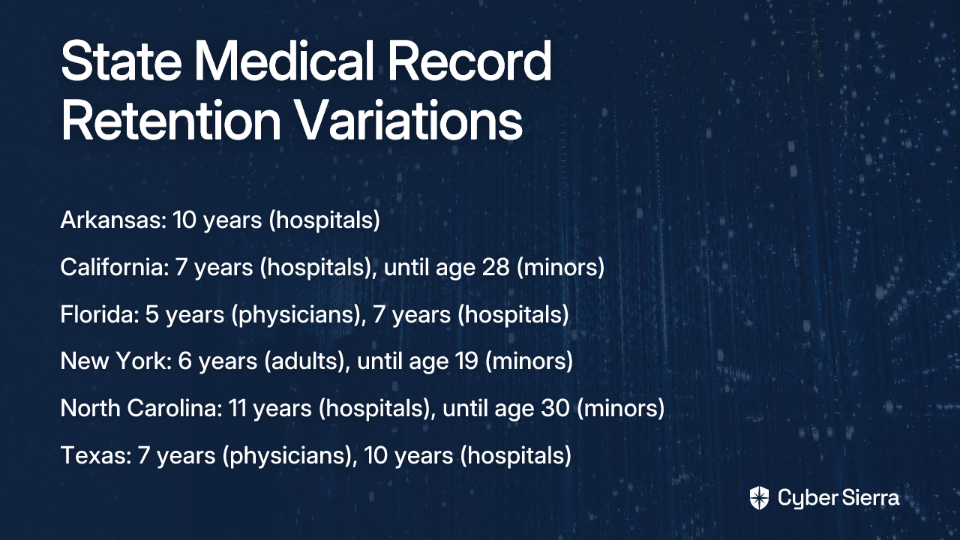
The retention periods can vary significantly, not just by state but also by the type of facility (hospital vs. physician's office) and patient age (adult vs. minor).

  • Arkansas: Hospitals must retain records for 10 years; the master patient index must be kept permanently.
  • California: Physicians must retain records for 6 years; hospitals for 7 years post-discharge. For minors, records must be kept until they turn 28.
  • Florida: Physicians retain records for 5 years from the last patient contact; hospitals for 7 years.
  • New York: Adult records are kept for 6 years; minors' records are kept until one year after they reach the age of 18 (i.e., age 19), or 6 years, whichever is longer.
  • North Carolina: Hospitals must keep records for 11 years. For minors, records must be retained until the patient reaches age 30.
  • Texas: Physicians retain records for 7 years; hospitals for 10 years post-discharge. For minors, records are kept until the patient turns 20.

It is crucial for every Covered Entity and Business Associate to research and document the specific laws for the state(s) in which they operate. The Office of the National Coordinator for Health Information Technology (ONC) provides guidance and resources to help navigate these state-specific requirements.

Juggling Regulations: When HIPAA, State, and Federal Laws Overlap

A common point of confusion is what to do when different laws prescribe different retention periods. HIPAA's regulations include a "preemption" clause. In practice, this means you must follow the stricter law that provides greater privacy protection or longer retention. If your state requires medical records to be kept for 10 years, you must follow that 10-year rule, as it is more stringent than HIPAA's 6-year rule for compliance documents.

Other Overlapping Regulations

Compliance doesn't stop with HIPAA and state laws.

  • Centers for Medicare & Medicaid Services (CMS): Healthcare providers who treat Medicare patients have additional obligations. CMS requires that providers retain patient medical records for a period of 5 years, and financial records, such as cost reports, for at least 10 years after the cost report is filed.
  • Financial Industry Regulatory Authority (FINRA): Health insurance companies may be subject to FINRA rules which could require indefinite retention of certain records.

How long must HIPAA compliance records be retained? The answer depends on multiple layers of regulations, with the six-year HIPAA requirement serving as just the federal baseline for compliance documentation. For actual medical records, you must refer to your state's laws, which typically range from 5-10 years for adults and often longer for minors.
The Final Step: Secure Disposal of Records

Once a retention period has expired, you cannot simply throw records away. HIPAA requires that PHI be rendered unreadable, indecipherable, and otherwise unable to be reconstructed. Improper disposal is a HIPAA violation that can result in significant penalties.

Acceptable Disposal Methods

For Paper Records, acceptable methods include:

  • Shredding (preferably cross-cut)
  • Burning
  • Pulping
  • Pulverizing

For Electronic Protected Health Information (ePHI), methods must ensure data is permanently destroyed:

  • Clearing: Using software to overwrite data with non-sensitive data.
  • Purging: Degaussing or exposing the media to a strong magnetic field to disrupt the recorded magnetic domains.
  • Physical Destruction: Incinerating, melting, pulverizing, or shredding electronic media like hard drives, SSDs, backup tapes, and CDs.

Using a Third-Party Disposal Vendor

It is permissible to hire a third-party service for record destruction. However, this vendor is considered a Business Associate, and you must have a signed Business Associate Agreement (BAA) in place that outlines their responsibilities for protecting PHI during the disposal process.

Best Practices for a Compliant Data Retention Program

To effectively manage these complex requirements, organizations should implement a formal data retention program with the following components:

  1. Develop a Formal Retention Policy: Document the specific retention periods for all types of data you handle, including HIPAA compliance documents, medical records (per state law), and financial records (per CMS).
  2. Appoint a Privacy and/or Security Officer: Designate a specific individual or team responsible for overseeing, implementing, and updating the retention policy.
  3. Conduct Regular Audits: Routinely audit your systems and processes to ensure policies are being followed correctly for both record storage and disposal.
  4. Provide Ongoing Staff Training: Ensure all employees understand their roles and responsibilities regarding data retention and disposal.
  5. Vet Your Software and Vendors: Ensure any software used for Electronic Health Records (EHR) or document management is HIPAA compliant. Have BAAs in place with all relevant vendors.
  6. Maintain Meticulous Documentation: Keep a log of when records are destroyed, including the date, method of destruction, and a description of the records. This documentation is your proof of compliance.

Conclusion

Navigating data retention requires a clear understanding of the rules. Remember the core principles:

  1. How long must HIPAA compliance records be retained? The answer is six years for documentation related to HIPAA compliance, not for medical records themselves.
  2. State laws dictate the retention period for patient medical records, and these vary widely, often between 5-10 years for adults and longer for minors.
  3. Always adhere to the most stringent applicable law (State, HIPAA, CMS, etc.).
  4. Secure, documented disposal is just as important as retention.

A proactive, well-documented data retention policy is not just a compliance checkbox; it is a fundamental component of protecting patient information and safeguarding your organization from significant legal and financial risk. By understanding the distinction between HIPAA compliance documentation and medical records, and by researching your state's specific requirements, you can develop a retention strategy that meets all applicable regulations while protecting both your patients and your practice.
Frequently Asked Questions (FAQ)

What is the HIPAA six-year retention rule for?

The HIPAA six-year retention rule applies specifically to documentation related to your HIPAA compliance efforts, not to patient medical records. This includes items like your policies and procedures, risk assessments, staff training records, Notices of Privacy Practices, and Business Associate Agreements. These documents must be kept for a minimum of six years from their creation date or the date they were last in effect, whichever is later.

How long do you have to keep patient medical records?

The retention period for patient medical records is determined by individual state laws, not by HIPAA. These state-level requirements vary significantly, typically ranging from 5 to 10 years for adults. For minors, the retention period is often much longer, sometimes until they reach a specific age like 28 or 30. You must research and follow the specific laws for the state in which you operate.

What should you do if state and HIPAA retention laws conflict?

When different regulations have conflicting requirements, you must always follow the stricter law that offers greater patient privacy or mandates a longer retention period. For example, HIPAA's six-year rule for compliance documents is a federal minimum. If your state requires you to keep certain patient authorizations (a type of compliance document) for seven years, you must adhere to the seven-year state requirement because it is more stringent.

How must you dispose of medical records once the retention period ends?

HIPAA requires that all Protected Health Information (PHI), whether on paper or electronic, must be destroyed in a way that it becomes unreadable, indecipherable, and cannot be reconstructed. For paper records, this means shredding, burning, or pulping. For electronic records (ePHI), secure methods include clearing (overwriting), purging (degaussing), or physical destruction (shredding, incinerating) of the storage media. Simply deleting files or throwing records in the trash is a violation.

Why is a Business Associate Agreement (BAA) necessary for record disposal?

A Business Associate Agreement (BAA) is required because any third-party vendor you hire to destroy records is considered a Business Associate under HIPAA. The BAA is a legally binding contract that ensures the vendor will handle and dispose of the Protected Health Information (PHI) with the same level of security and privacy that your organization is required to. This protects your practice by formally outlining the vendor's responsibilities for safeguarding patient data during the destruction process.

blog-hero-background-image
Governance & Compliance

What is Compliance Management Systems?

backdrop
Table of Contents

Join thousands of professionals and get the latest insight on Compliance & Cybersecurity.


You've just been tasked with ensuring your organization meets all regulatory requirements. Your inbox is overflowing with updates about changing regulations. Your team is overwhelmed, and the potential consequences of non-compliance loom large. Sound familiar?

In today's complex regulatory landscape, organizations face a daunting challenge: managing compliance effectively while maintaining operational efficiency. The stakes couldn't be higher—Meta's $1.3 billion GDPR fine serves as a stark reminder of what's at risk. Beyond financial penalties, there's reputational damage and loss of customer trust, with 85% of consumers wanting to know a company's data privacy policies before making purchases.

This is where a Compliance Management System (CMS) comes in—not just as another piece of software, but as a strategic framework that brings order to regulatory chaos, mitigates risk, and fosters a culture of integrity.

What is a Compliance Management System? More Than Just Software

A Compliance Management System (CMS) is a structured and integrated system of policies, procedures, controls, and tools that an organization uses to manage its adherence to legal requirements, industry standards, and internal policies. It provides a systematic approach to identifying, assessing, monitoring, and mitigating compliance risks while promoting ethical behavior and accountability.

It's important to distinguish between two related concepts:

  • Compliance Management: The overall strategy and ongoing process an organization employs to follow rules—the "what we do."
  • Compliance Management System: The practical framework and tools that automate and streamline these processes—the "how we do it."

As many professionals have discovered, a CMS is not a one-size-fits-all product but a tailored system. As one regulatory professional noted, "the real magic happens when you make the system fit your team, not the other way around."

The Essential Components of a Robust CMS

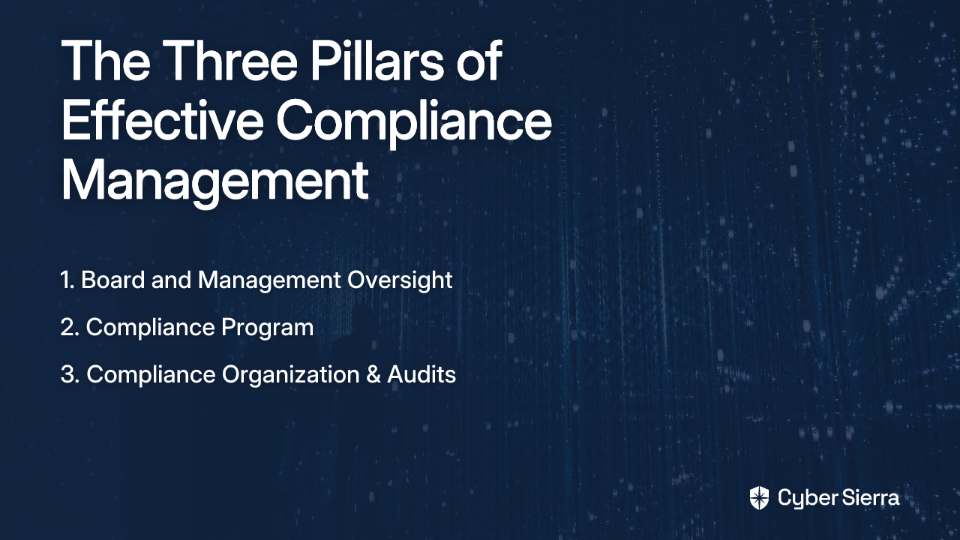
A comprehensive Compliance Management System consists of three core pillars:

1. Board and Management Oversight (The "Tone at the Top")

  • Board of Directors: Responsible for establishing the compliance vision, developing the program, and ensuring a top-down culture of accountability and ethical behavior. They communicate expectations and provide resources.
  • Senior Management: Translates the board's vision into actionable strategies, allocates resources, and maintains transparency.

2. The Compliance Program (The Operational Core)

This is the central hub for all compliance activities. It includes:

  • Policies and Procedures: Clear, accessible, and comprehensive documentation that establishes expected behaviors and creates a hierarchical structure of compliance documents.
  • Risk Assessment: A continuous process to identify, evaluate, and prioritize compliance risks specific to the industry (e.g., HIPAA in healthcare, SOX in finance, ISO 13485 for medical devices).
  • Internal Controls: Safeguards and measures implemented to mitigate identified risks and ensure policies are followed.
  • Training and Communication: Ongoing education for all employees on their compliance responsibilities, crucial for fostering a security and compliance-aware culture.
  • Monitoring and Reporting: Mechanisms for tracking compliance activities and effectiveness, including integrated reporting hotlines to allow anonymous reporting of concerns.

3. The Compliance Organization & Audits (The People and Proof)

  • Compliance Officer: An appointed leader responsible for implementing policies, conducting training, and communicating audit findings.
  • Defined Roles (RA vs. QA): Many organizations struggle with understanding the boundaries between Regulatory Affairs (RA) and Quality Assurance (QA):
    • RA: Focuses on guiding the company to meet external regulations for market access (e.g., registrations, responding to regulatory bodies like the FDA).
    • QA: Focuses on ensuring compliance with internal Quality Management System (QMS) requirements (e.g., CAPA processes, product quality).
  • Compliance Audits: Regular internal and external assessments to verify adherence to policies and regulations like SOC2 or ISO 27001, and to identify gaps for improvement.

Why Invest in a CMS? The Tangible Benefits

Implementing a robust management system compliance framework offers numerous advantages:

  • Strengthens Risk Management: Proactively identifies and mitigates risks, preventing costly fines, sanctions, and data breaches. This systematic approach helps organizations stay ahead of compliance challenges rather than reacting to problems after they occur.
  • Improves Operational Efficiency: Standardizes and automates repetitive tasks, reducing human error and freeing up teams from tedious work like gathering evidence for audits. As many compliance professionals note, this addresses the pain of compliance being "tedious and time-consuming."
  • Decreases Costs: Early identification of issues saves money on penalties and operational disruptions. Secureframe notes that compliance costs can account for up to 25% of business revenue, so efficiency here is key.
  • Enhances Brand Trust: Demonstrating a commitment to ethics and compliance builds confidence with customers, partners, and investors. This helps achieve objectives like SOC 2 compliance to build trust.
  • Supports Informed Decision-Making: Centralized data provides clear visibility into the organization's compliance posture, enabling better resource allocation and strategic planning.

How to Implement a Compliance Management System: A Practical Guide

Implementing an effective CMS requires a structured approach:

Step 1: Evaluate Needs and Plan

  • Assess your current compliance processes
  • Identify all applicable regulations (HIPAA, GDPR, ISO 27001, etc.)
  • Define clear, measurable compliance objectives

Step 2: Secure Leadership Engagement

  • Get buy-in from the board and senior management
  • Their commitment is essential to foster a culture of compliance

Step 3: Conduct a Comprehensive Risk Assessment

  • Identify potential compliance risks across the organization
  • Use a risk-based approach to prioritize high-impact, high-probability risks

Step 4: Develop and Document Your Compliance Framework

  • Create clear, accessible policies and procedures
  • Establish internal controls to mitigate identified risks

Step 5: Implement Controls and Assign Responsibilities

  • Put the controls into practice
  • Clearly define roles and responsibilities (e.g., appoint a Compliance Officer)

Step 6: Train and Educate Employees

  • Conduct tailored training for different roles
  • Make training an ongoing process, not a one-time event

Step 7: Establish Monitoring, Auditing, and Reporting

  • Implement tools and processes for continuous compliance monitoring
  • Conduct regular internal audits to check for effectiveness
  • Establish clear channels for reporting issues, including anonymous hotlines

Step 8: Commit to Continuous Improvement

  • A CMS is a living system. Regularly review audit findings, monitor regulatory changes, and refine your processes to adapt
  • Prepare response plans for potential compliance breaches

Choosing the Right Tools: The Role of Compliance Management Platforms

While the right mindset and processes are foundational, technology plays a crucial role in modern management system compliance. However, as many compliance professionals have learned, "software alone isn't enough." The most effective Compliance Management Platforms support well-defined processes and are customized to fit the team.

When evaluating CMS software, look for:

  • Centralized Data and Document Management: A single source of truth for all compliance-related information. Some platforms like ACE QMS (mentioned by regulatory professionals) offer built-in document editing, while others integrate with tools like Office 365.
  • Automation: Workflow automation for tasks like evidence collection, policy reviews, and training reminders to reduce manual effort. This is particularly important as gathering evidence for audits is consistently cited as "tedious and time-consuming."
  • Continuous Monitoring and Reporting: Dashboards and alerts that provide real-time visibility into compliance status, helping teams stay ahead of potential issues.
  • Risk Assessment and Vendor Management: Tools to manage internal and third-party risks as part of a comprehensive Risk Management strategy.
  • Scalability and Customization: The ability to adapt to new regulations and evolving business needs, which is critical given the "constantly changing regulations" that organizations face.

Many organizations in regulated industries have found success with platforms like Greenlight Guru for its eQMS capabilities (managing CAPAs, audits, etc. for FDA and ISO standards) and ACE QMS for compliance-heavy workflows.

Building a Resilient and Ethical Organization

A Compliance Management System is a strategic necessity in today's complex regulatory environment. It's an integrated system of oversight, programs, and audits that goes far beyond a simple software purchase.

Investing in a robust CMS protects your organization from financial and reputational harm, improves efficiency, and builds invaluable trust with stakeholders. Most importantly, effective compliance management is not a restrictive burden but a proactive strategy that fosters ethical behavior, builds a stronger, more resilient organization, and ultimately becomes a competitive advantage.

By implementing a thoughtful, comprehensive approach to management system compliance, organizations can transform the overwhelming challenge of regulatory adherence into a strategic asset that supports growth, innovation, and long-term success.

Frequently Asked Questions

What is the difference between a Compliance Management System (CMS) and compliance software?

A Compliance Management System (CMS) is a comprehensive strategic framework of policies, procedures, and oversight, while compliance software is a tool used to automate and support parts of that system. The software itself cannot create a culture of compliance. A true CMS integrates people, processes, and technology, including board-level oversight, risk assessments, and training. Compliance platforms are essential for efficiency, but they are most effective when supporting a well-designed, holistic compliance framework.

Why is "tone at the top" so important for a successful CMS?

The "tone at the top," established by the board and senior management, is crucial because it demonstrates the organization's commitment to ethical behavior and accountability. This makes compliance a core value rather than just a checklist. When leadership champions the CMS, they ensure it receives the necessary resources, fostering a culture where all employees understand their responsibilities and feel empowered to report concerns.

How does a CMS help manage specific industry regulations like HIPAA or SOC 2?

A CMS provides a structured framework to identify, implement, and monitor the specific controls required by regulations like HIPAA or SOC 2. Instead of treating each regulation as a separate project, a CMS integrates them into a unified system. Its risk assessment component identifies specific risks (e.g., patient data under HIPAA), and the internal controls, policies, and training are then tailored to mitigate those risks, making audits and proof of compliance more efficient.

What is the first step to implementing a Compliance Management System?

The first step is to evaluate your organization's specific needs by assessing current processes and identifying all applicable legal and regulatory requirements. This foundational planning phase involves understanding your compliance gaps, knowing which regulations apply to your industry (e.g., GDPR, ISO standards), and defining clear, measurable objectives for your compliance program. This ensures the CMS you build is tailored to your unique risk profile.

Who is responsible for managing the day-to-day operations of a CMS?

The day-to-day management of a CMS is typically led by a designated Compliance Officer. While the board provides oversight, the Compliance Officer handles the operational core: implementing policies, overseeing risk assessments, coordinating employee training, monitoring activities, and reporting findings to leadership. This centralizes responsibility and ensures consistent execution of the compliance program.

Can a small business implement a CMS?

Yes, small businesses can greatly benefit from a CMS by effectively managing risks and building customer trust. A CMS can be scaled to fit the business's size and complexity. The core principles of oversight, risk assessment, and clear policies are universal. Implementing a basic CMS early helps prevent costly compliance failures and demonstrates a commitment to ethical practices, which is a significant competitive advantage.

blog-hero-background-image
Governance & Compliance

How Much Are PCI Non-Compliance Fees? And How Can You Avoid Them?

backdrop
Table of Contents

Join thousands of professionals and get the latest insight on Compliance & Cybersecurity.


You open your monthly merchant statement and notice an unfamiliar fee labeled "PCI non-compliance." Your heart sinks as you see the amount—$50, $100, maybe even more—being deducted from your account. You're left wondering: Is this some kind of scam? Why am I being charged? How much will this cost me in the long run?

If this scenario sounds familiar, you're not alone. Many business owners across the country are frustrated by these seemingly arbitrary charges, with some even reporting fees as high as "$275 for annual PCI Compliance," which feels "crazy" to many merchants.

The truth is, PCI non-compliance fees are very real—and they can escalate quickly. One small business owner reported watching helplessly as their penalties started at $5,000 per month, then jumped to $25,000, before finally reaching a staggering $100,000 monthly maximum penalty that pushed them to the brink of bankruptcy.

In this comprehensive guide, we'll demystify PCI non-compliance fees, explain exactly how much they can cost your business, and provide a clear action plan to help you avoid these potentially devastating charges.

What Exactly is a PCI Non-Compliance Fee?

Before diving into the costs, let's clear up a major point of confusion: the difference between compliance fees and non-compliance fees.

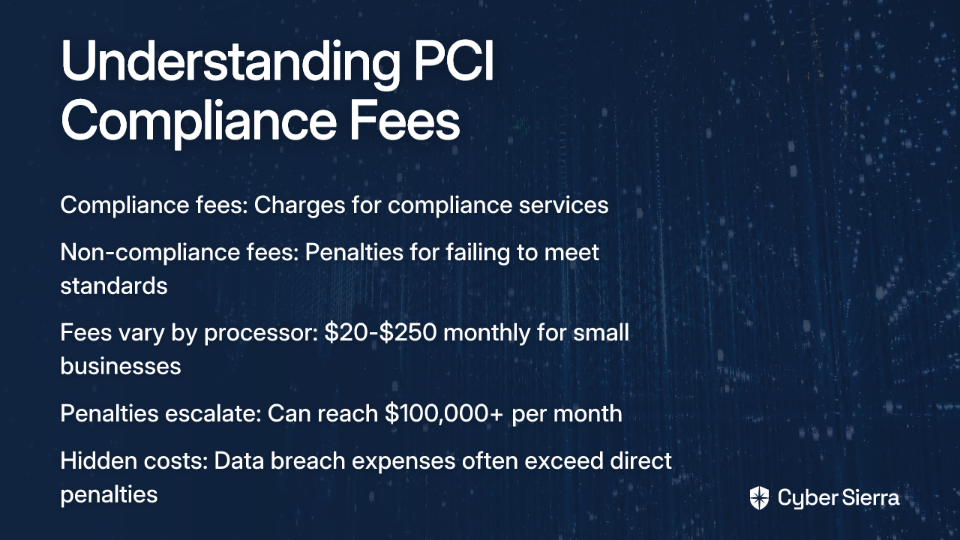
A PCI compliance fee is a charge from your payment processor to cover their costs of providing a compliant service. This might include access to a portal where you can complete your compliance validation (like a questionnaire). Some merchants view these as junk fees, but they're technically for a service.

A PCI non-compliance fee is something completely different. This is a penalty charged in addition to your regular fees because you have failed to prove your compliance with the Payment Card Industry Data Security Standard (PCI DSS). This fee typically appears on monthly statements and accumulates over time if you don't address the underlying compliance issues.

Who levies these fees? The payment card networks (Visa, Mastercard, etc.) establish the requirements, but your acquiring bank or payment processor ultimately decides how much to charge you. This is why there's often a lack of transparency about the exact amounts—they can vary significantly from one processor to another.

The Staggering Cost of Non-Compliance: How Much Are the Fees?

When it comes to PCI non-compliance fees, the range is alarmingly wide. For small businesses, monthly penalties typically start between $20 to $250 per month. As one merchant noted, "I have seen these range from $20 a month to $250 a month. It really is whatever the processor decides to charge you."

But these initial fees are just the beginning. For larger merchants or prolonged non-compliance, the penalties can escalate dramatically:

  • Level 1 merchants (processing over 6 million transactions annually) can face fines ranging from $5,000 to $100,000 per month.
  • For severe violations or extended periods of non-compliance, penalties can reach up to $500,000.

The real-world impact is sobering. One business owner shared their harrowing experience on Reddit: "They're getting hit with $100,000 monthly penalties from their acquirer. Started at $5,000/month, escalated to $25,000, now at the maximum penalty tier." This escalation pattern illustrates how quickly these fees can become existential threats to your business.

Several factors influence the exact amount you'll be charged:

  1. Transaction Volume: Your PCI Compliance Level determines the baseline for potential penalties.
  2. Duration of Non-Compliance: The longer you remain non-compliant, the higher the monthly penalty. A Level 1 company non-compliant for over 7 months can face the maximum fines of $100,000 per month.
  3. Your Payment Processor: Different processors have different fee structures, which is why shopping around can sometimes help you find better terms.

The Hidden Costs: Why Fines Are Just the Tip of the Iceberg

While the direct non-compliance fees are substantial, they pale in comparison to the potential costs of a data breach—which becomes significantly more likely when you're not PCI compliant.

According to the Ponemon Institute, the average cost is $150 per compromised record in a data breach. For a small business with just 1,000 customer records, that's a potential $150,000 hit. You can even use their Data Breach Cost Calculator to estimate your specific risk.

Additional breach-related costs include:

  • Card Replacement Fees: $3-$10 per compromised card
  • Forensic Investigations: To determine the cause and extent of the breach
  • Increased Processing Rates: Higher fees for future transactions
  • Potential Termination: Your merchant account could be shut down entirely

The legal and reputational damage can be even more devastating. Consider these high-profile examples:

  • TJX Companies suffered a breach in 2007 affecting 100 million cards, resulting in a $40.9 million settlement.
  • Target's 2013 breach led to $18.4 million in penalties and a staggering $440 million loss in revenue in the following quarter.

As one Reddit user bluntly put it: "Ignoring compliance warnings leads to severe financial penalties and potential bankruptcy."

Are You at Risk? Understanding PCI Compliance Levels

Your specific compliance requirements—and consequently, your potential non-compliance fees—depend on your merchant level. There are four levels of PCI compliance based on annual transaction volume:

Level 1: Merchants processing over 6 million card transactions annually.

  • Requirements: Annual Report on Compliance (ROC) by a Qualified Security Assessor (QSA)
  • Potential Monthly Penalties: Up to $100,000

Level 2: Merchants processing 1 to 6 million transactions annually.

  • Requirements: Annual Self-Assessment Questionnaire (SAQ) and quarterly network scans
  • Potential Monthly Penalties: $25,000 to $50,000

Level 3: Merchants processing 20,000 to 1 million e-commerce transactions annually.

  • Requirements: Annual SAQ and quarterly network scans
  • Potential Monthly Penalties: $10,000 to $25,000

Level 4: Merchants processing fewer than 20,000 e-commerce transactions annually, or up to 1 million regular transactions.

  • Requirements: Annual SAQ and possibly quarterly scans
  • Potential Monthly Penalties: $5,000 to $10,000

Most small businesses fall into Level 4, but don't let that lull you into a false sense of security. The penalties at this level can still be devastating for a small operation.

Your Action Plan: A Step-by-Step Guide to Avoiding PCI Non-Compliance Fees

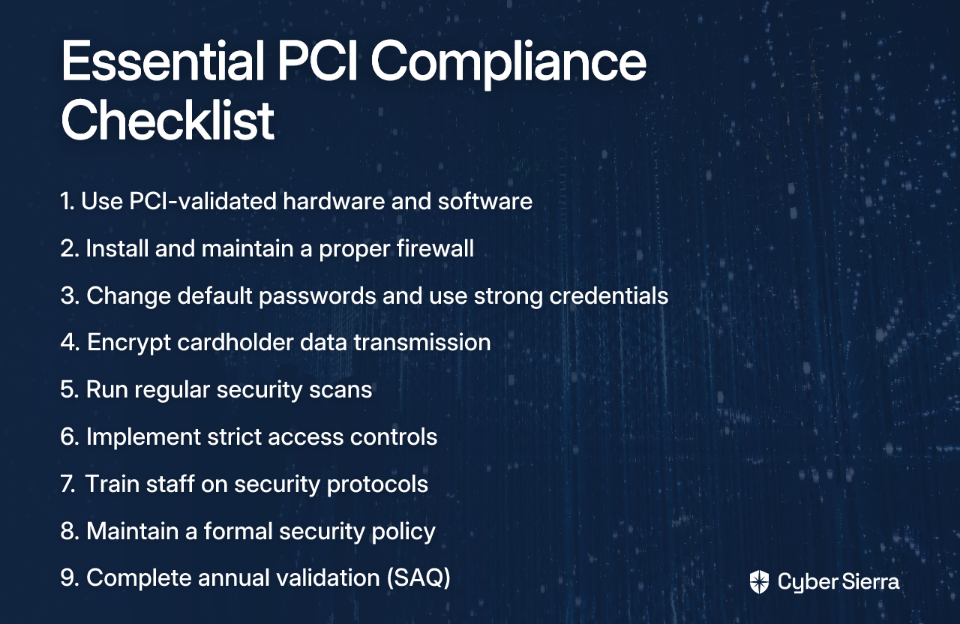
The good news is that becoming PCI compliant is completely achievable with the right approach. Here's a comprehensive checklist to help you avoid those costly non-compliance fees:

1. Use Approved Hardware and Software

Ensure your POS systems, card readers, and payment software are PCI-validated. Using non-compliant equipment is one of the quickest ways to fail your compliance validation.

2. Install and Maintain a Firewall

A properly configured firewall is your first line of defense against unauthorized access to your network and cardholder data environment.

3. Secure Your Systems

  • Change All Default Passwords: Never use vendor-supplied default passwords or security parameters.
  • Use Strong, Unique Passwords: Implement robust password policies for all system access.

4. Protect Cardholder Data

  • Encrypt Transmission: All cardholder data transmitted across open, public networks must be encrypted.
  • Avoid Storing Sensitive Data: Never store the full magnetic stripe data, card validation code (CVV), or PIN data. Limit storage of any cardholder data to only what is absolutely necessary.

5. Maintain a Vulnerability Management Program

  • Use and Regularly Update Antivirus Software: Protect all systems against malware and viruses.
  • Conduct Regular Security Scans: Perform quarterly network vulnerability scans (a control scan) with an Approved Scanning Vendor (ASV) if required for your level.

6. Implement Strong Access Control Measures

  • Restrict Access: Limit physical and system access to cardholder data on a need-to-know basis.
  • Assign Unique IDs: Give each person with computer access their own unique ID to ensure accountability.

7. Train Your Staff

Regularly educate all employees on security protocols and the importance of protecting cardholder data. Human error is a leading cause of security breaches and fraud.

8. Maintain an Information Security Policy

Create and enforce a policy that addresses information security for all personnel.

9. Complete Your Annual Validation

For most small businesses (Level 4), this means completing the annual PCI DSS Self-Assessment Questionnaire (SAQ). For more information on the SAQ, see What is PCI SAQ?.

"I've Been Charged a Fee! What Do I Do Now?"

If you've already been hit with a PCI non-compliance fee, don't panic—but don't ignore it either. Here's what to do:

Step 1: Don't Ignore It

The problem will only get worse and more expensive. As one business owner warned, ignoring compliance warnings can lead to "severe financial penalties and potential bankruptcy."

Step 2: Contact Your Processor Immediately

Call your merchant services provider right away. Ask what specific steps are needed to become compliant and have the fee removed. Often, simply completing your SAQ is enough to stop the penalty from recurring.

Step 3: Negotiate or Switch

  • Ask your processor if they're willing to waive the fee once you become compliant.
  • If your processor is inflexible, remember that "it may not be optional with your current provider, but with other providers it is either $0 or close to it." Compare offers from different payment processors to find better terms.

Compliance Isn't a Cost, It's an Investment

PCI compliance may seem like an administrative burden, but it's actually a critical investment in your business's security and longevity. The potential costs of non-compliance—from the direct fees ($5,000 to $100,000+ per month) to the devastating impact of a data breach—far outweigh the effort required to maintain compliance.

As one industry expert put it, the new PCI DSS 4.0 requirements "aren't suggestions—they're business survival requirements." In today's digital economy, protecting your customers' data is not just the right thing to do—it's essential to protecting your business's bottom line and reputation.

Take action today by using the checklist provided to assess your compliance status. For a comprehensive overview of all requirements, visit the official PCI Security Standards Council website. Your business's future may depend on it.

Frequently Asked Questions

What is a PCI non-compliance fee?

A PCI non-compliance fee is a monthly penalty charged by your payment processor or acquiring bank when your business has not proven its compliance with the Payment Card Industry Data Security Standard (PCI DSS). Unlike a standard compliance fee which covers the cost of compliance tools, this is a punitive charge that can accumulate over time if the compliance issues are not resolved.

Why am I being charged a PCI non-compliance fee?

You are being charged a PCI non-compliance fee because you have failed to demonstrate that your business meets the required PCI DSS security standards. This typically happens when you do not complete and submit your annual validation documents, such as the Self-Assessment Questionnaire (SAQ), or fail to address security vulnerabilities identified during required scans.

How much can PCI non-compliance fees cost my business?

The cost of PCI non-compliance fees varies widely, ranging from $20 to $250 per month for small businesses. For larger merchants or for prolonged periods of non-compliance, these penalties can escalate dramatically, reaching from $5,000 to as high as $100,000 per month for Level 1 merchants.

How can I avoid PCI non-compliance fees?

The most effective way to avoid PCI non-compliance fees is to achieve and maintain PCI DSS compliance. This involves using approved hardware and software, securing your systems with firewalls and strong passwords, protecting cardholder data through encryption, regularly scanning for vulnerabilities, and completing your annual compliance validation, such as the Self-Assessment Questionnaire (SAQ).

What should I do if I've already been charged a non-compliance fee?

If you have been charged a non-compliance fee, you must act immediately. Contact your payment processor to understand the specific steps needed to become compliant. Complete any required actions, such as submitting your SAQ, and then ask your processor if they will waive the fee. If they are unwilling to work with you, consider comparing offers from other providers.

Is PCI compliance mandatory?

While PCI DSS is not a federal law, it is a contractual requirement mandated by the major payment card brands (Visa, Mastercard, American Express, etc.). If you want to accept card payments from these brands, you are contractually obligated to be compliant. Failure to comply can result in fines, increased transaction fees, or even the termination of your merchant account.

blog-hero-background-image
Governance & Compliance

What's the Job of a Deputy CISO?

backdrop
Table of Contents

Join thousands of professionals and get the latest insight on Compliance & Cybersecurity.


You've climbed the cybersecurity ladder to a senior leadership position, but find yourself in that curious middle ground: the Deputy Chief Information Security Officer. You're doing "all the heavy lifting" for the security department while watching the CISO get "all the credit" with the board. Sound familiar?

The Deputy CISO role is often misunderstood and underestimated, positioned as merely "second-in-command" rather than a strategic leadership role with distinct value. In reality, it's the operational engine that makes the CISO's vision possible.

Let's explore what this critical position actually entails, why it matters, and how to thrive in it despite the unique challenges.

The Strategic Imperative: Why Organizations Need a Deputy CISO

The Deputy CISO isn't just an organizational chart requirement - it's a strategic necessity for maturing security programs. Here's why:

Enabling Strategic Focus for the CISO: As security programs grow in complexity, the CISO's attention gets pulled toward board reporting, executive leadership engagement, and business alignment. The Deputy CISO creates the operational freedom for CISOs to handle these critical responsibilities by managing core security functions.

As one cybersecurity leader noted in a Reddit discussion: "The CISO focuses on strategy, vision and executive management, while the deputy handles the operational aspects of implementing that vision."

Scalability: Security teams grow rapidly as organizations expand, and it becomes impossible for one leader to effectively manage all operations. The Deputy CISO provides necessary leadership bandwidth, typically overseeing specific domains like incident response or governance, risk and compliance (GRC).

Succession Planning: The Deputy CISO serves as a natural successor, ensuring leadership continuity if the CISO departs. This mitigates the risk of a security leadership vacuum and knowledge loss during transitions. According to CyberSaint, this is one of the most valuable aspects of the role for organizational resilience.

Redundancy: The role ensures that critical cybersecurity functions continue uninterrupted when the CISO is unavailable, providing necessary operational resilience.

Enhanced Decision-Making: By providing another senior perspective, the Deputy CISO improves the quality of decisions regarding cybersecurity risks, investments, and strategies.

A Day in the Life: Core Responsibilities of a Deputy CISO

What does a Deputy CISO actually do? The responsibilities span both strategic and tactical domains:

Strategy and Collaboration: The Deputy CISO works closely with the CISO to develop and implement the organization's cybersecurity strategy, translating vision into executable programs.

Cybersecurity Operations Management: This includes overseeing day-to-day security operations such as threat intelligence, incident response, and vulnerability management. As one cybersecurity manager shared on Reddit: "Some of the day-to-day responsibilities include firefighting on escalations, strategy & planning, and endless meetings for projects." This often involves managing SIEM implementations, EDR deployments, and addressing alert fatigue among SOC analysts.

Risk Management and Compliance: A significant portion of a Deputy CISO's time involves assessing and managing cybersecurity risks while ensuring compliance with relevant regulations and frameworks. One practitioner described spending "most of my day examining and mitigating cyber risk, making NIST-derived policy and operational decisions" and lamented that "Customer Due Diligence Questionnaires are the bane of my existence."

Team Leadership: Leading, managing, and mentoring cybersecurity professionals is central to the role. As one security manager put it, "the technical bits are easy, the hard part is getting people to do their jobs" while "trying to keep the administrative overhead to a minimum so my team can actually do work."

Bridge Building: The Deputy CISO serves as a critical liaison between the technical security team and other business departments, stakeholders, and third-party vendors like MSSPs.

Technology Implementation: Evaluating, selecting, and overseeing the implementation of security tools and technologies that support the overall security program.

CISO Representation: Acting on behalf of the CISO in their absence, making crucial decisions to maintain security posture.

CISO vs. Deputy CISO: A Tale of Two Roles

Understanding the distinction between these roles helps clarify expectations and career paths:

AspectCISODeputy CISO
ScopeOverall security vision and strategy for the entire organizationTypically more focused on specific operational domains or programs
ReportingReports to CEO, CIO, or Board; primary security voice in C-suiteReports to CISO; leads teams within the security organization
AuthorityFinal decision-making authority on security strategy and budgetProvides input and makes operational decisions but doesn't have final say on enterprise-wide strategy
External CommunicationPrimary public face for security to external stakeholdersCommunication more often internal or with technical partners
Experience RequiredMore extensive experience in both technical and business leadershipStrong technical background with growing business acumen

This distinction directly addresses the common frustration that as a Deputy CISO, "you don't get the full CISO title, so you can't say you were a true CISO; you can't claim you yourself led the entire Information Security department."

The Future is Specialized: Lessons from Microsoft's Deputy CISO Structure

Large enterprises like Microsoft are evolving the Deputy CISO concept into specialized leadership roles that shape cybersecurity strategy across distinct domains. In 2024, Microsoft launched its Cybersecurity Governance Council, including multiple Deputy CISOs, to enhance accountability.

Microsoft's model includes specialized Deputy CISOs such as:

  • Igor Sakhnov (Deputy CISO for Identity): Leads engineering for IAM, focusing on enterprise identity systems and adopting an 'assume breach' mindset.
  • Mark Russinovich (Deputy CISO for Azure): Works on security risk management for Azure, emphasizing minimizing impact and enhancing detection capabilities.
  • Yonatan Zunger (Deputy CISO for AI): Focuses specifically on AI-related security risks.

This specialized approach is becoming more common in large organizations that need deep expertise across multiple security domains. It also provides clear career trajectories for Deputy CISOs who can develop domain-specific authority.

Navigating the Trenches: Overcoming the Challenges of the Deputy CISO Role

The Deputy CISO position comes with unique challenges that must be addressed for professional satisfaction:

The Recognition Gap: Many Deputy CISOs feel their contributions go unrecognized while "the CISO will get all the credit." The key is to advocate for clear distinctions in roles and responsibilities to ensure your contributions are visible to executive leadership. Document your wins and build relationships with stakeholders who can advocate for your value.

Battling Burnout: Deputy CISOs are often "bent over backwards at all times of the day and night" handling operational fires. According to a discussion on burnout in cybersecurity leadership, it's essential to implement clear work-life boundaries and establish mental health support systems. This includes designated backup for on-call rotations and scheduled time completely away from work.

Politics and Promotion: There's a perception that advancement beyond the Deputy CISO role is "more of a culture fit/who-you-know type deal at that level." While relationships matter, you can increase your chances by developing business acumen alongside technical expertise and finding mentors who can sponsor your advancement.

Segregation of Duties Conflicts: As noted in user discussions, "If you are truly going to split responsibilities between GRC and devops... that creates a SoD conflict." Organizations must structure the Deputy CISO role to avoid having the same person both implement and assess controls, which creates governance challenges.

The Deputy CISO's Toolkit: Essential Qualifications and Skills

To thrive as a Deputy CISO, you need both technical foundations and leadership competencies:

Education and Certifications: A Bachelor's or Master's degree in cybersecurity or related field is standard, along with certifications like CISSP, CISM, or CRISC. According to Snyk's analysis of the Deputy CISO role, these credentials establish baseline credibility.

Technical Skills (The Foundation):

  • Deep knowledge of security technologies, network security, cloud security, and application security
  • Expertise in risk assessment methodologies and incident response procedures
  • Hands-on experience with SIEM, EDR, vulnerability scanning, and other security tools

Leadership Skills (The Differentiators):

  • Team leadership that allows you to "lead without toxicity" in an environment where that's "hard to come by"
  • Business acumen to translate technical risks into business impact for budget discussions
  • Communication skills to convey complex technical concepts to non-technical stakeholders
  • Change management abilities to drive security adoption across the organization

The Linchpin of the Security Organization

The Deputy CISO is far more than just a "number two." It's a multifaceted leadership position that serves as the operational engine enabling the CISO's strategic vision. While challenging, it provides a powerful platform for driving organizational change and developing the leadership skills necessary for future advancement.

As security programs grow in complexity, the Deputy CISO becomes the critical link between strategic vision and tactical execution - a linchpin that holds the entire security organization together. By understanding both the challenges and opportunities of this role, you can transform it from "the worst job in cybersecurity" into a rewarding leadership position that delivers tremendous value to your organization and your career.

Frequently Asked Questions

What is the main difference between a CISO and a Deputy CISO?

The primary difference lies in their focus: a CISO is responsible for the overall cybersecurity vision and strategy, while a Deputy CISO concentrates on implementing that vision through operational management. The CISO typically engages with the C-suite and the board, while the Deputy CISO leads the day-to-day security functions, manages technical teams, and ensures security programs are executed effectively.

Why is the Deputy CISO role important for an organization?

The Deputy CISO role is crucial because it provides the operational leadership necessary to execute a CISO's strategic vision, ensuring security program scalability, continuity, and resilience. By handling core security functions, the Deputy frees up the CISO to focus on high-level strategy. The role is also vital for succession planning and adds redundancy to ensure critical operations continue if the CISO is unavailable.

What are the biggest challenges of being a Deputy CISO?

The most significant challenges for a Deputy CISO include a lack of recognition for their operational work, a high risk of burnout from managing constant security fires, and navigating internal politics for career advancement. Deputy CISOs often perform the operational "heavy lifting" but may see the CISO receive the public credit, which can be a source of frustration.

How can a Deputy CISO gain more recognition?

A Deputy CISO can gain more recognition by clearly documenting their achievements, building strong relationships with key business stakeholders, and proactively communicating the value of their team's operational contributions. It is essential to advocate for a clear definition of roles between the CISO and Deputy and to translate technical wins into measurable business impact.

What skills are most important for a Deputy CISO to succeed?

The most important skills for a Deputy CISO are a blend of deep technical expertise in security domains and strong leadership competencies, including team management, business acumen, and communication. While a foundation in risk assessment and security technology is essential, the ability to lead a team, translate technical risks into business impact, and communicate with non-technical audiences truly sets a Deputy CISO up for success.

blog-hero-background-image
Governance & Compliance

AI in Enterprise GRC: Balancing Data Privacy and Personalization

backdrop
Table of Contents

Join thousands of professionals and get the latest insight on Compliance & Cybersecurity.


You've set up an AI-powered recommendation engine to drive customer engagement across your enterprise platforms. But when your GRC team reviews the initiative, they uncover alarming gaps: customer data flowing through unvetted third-party AI services, no clear consent mechanisms, and potential violations of multiple privacy regulations. Your promising project is now at risk of being shelved—or worse, deployed with significant compliance liabilities.

Sound familiar? You're not alone. Most GRC and security teams are "barely keeping their heads above water" trying to balance innovation with compliance in the AI era. The promise of personalization is compelling, but the privacy risks are substantial.

The Double-Edged Sword: AI's Promise and Peril

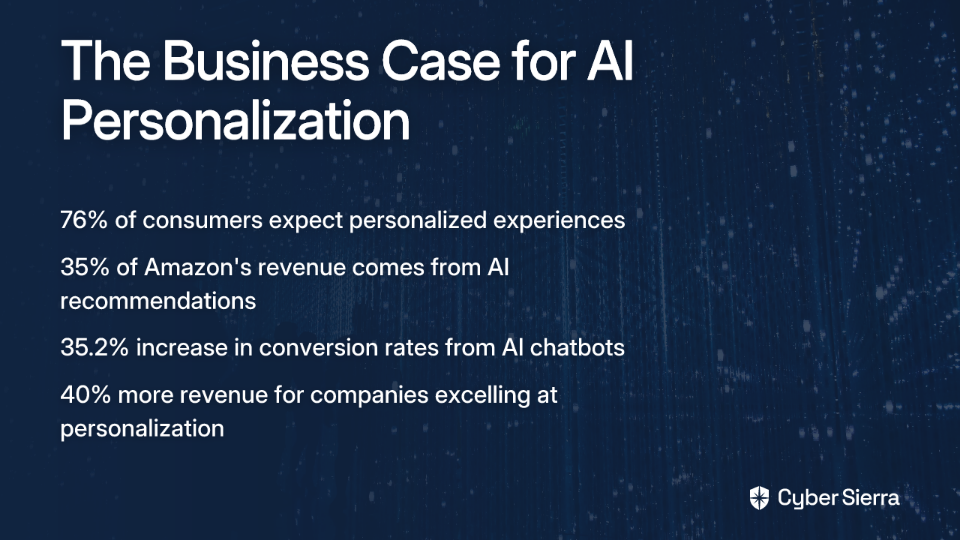
The business case for AI-powered personalization is undeniable. Consider these statistics:

For GRC teams, AI offers similar efficiency gains. AI agents can automate evidence collection and identify compliance gaps in real-time, allowing professionals to "spend more time digging into problem areas vs the bare minimum."

However, these benefits come with significant risks:

Data Privacy and IP Loss Nearly 10% of employee prompts in Generative AI include sensitive data, according to CSO Online. Tools like "ask your PDF" are "literally designed to process and analyze your documents on external servers," exposing confidential information to potential breaches.

Inaccuracy and Algorithmic Bias As one skeptical professional put it: "One of the biggest things that will forever stop me from really using LLMs is that you can never trust the output. If I have to check and proof every output then what's the point in it?" This concern is valid, with historical examples like Amazon's AI hiring tool discriminating against female candidates and biased facial recognition leading to false arrests.

Shadow AI and TPRM Challenges The rise of "Shadow AI"—employees using unapproved AI tools—creates significant Third-Party Risk Management (TPRM) challenges, as these tools may not align with organizational compliance requirements.

The GRC Imperative: Why a Specialized AI Framework is Non-Negotiable

The governance gap in AI is alarming. According to a Lenovo/IDC survey cited by CIO.com, only 24% of organizations have a fully enforced, enterprise-wide AI GRC policy. This leaves a dangerous void as regulations rapidly evolve.

The regulatory landscape is becoming increasingly complex:

The cost of failure is exemplified by the Facebook-Cambridge Analytica scandal, which resulted in a $5 billion FTC fine and severe reputational damage. Consumer trust is fragile—only 51% of customers believe organizations will handle their data ethically and securely.

Building a Robust AI GRC Framework: A Step-by-Step Guide

To move beyond the "pretty superficial" frameworks often seen in the industry, here's a comprehensive approach:

1. Establish a Cross-Functional Governance Structure

Define clear roles, responsibilities, and accountability for AI Governance. This is crucial because, as one practitioner noted, "if an AI bot causes harm, someone is legally responsible." Involve stakeholders from IT, legal, HR, compliance, and business units to create a holistic framework.

2. Define Your AI Risk Profile and Enforceable Policies

Develop documented and enforceable policies that clarify responsibilities. These should cover:

3. Embed "Privacy-by-Design" and Ethical Principles

Adopt principles of fairness, transparency, accountability, and human oversight in all AI projects. Champion a Privacy-by-Design approach, using Apple's proactive privacy measures as a best-practice example.

4. Implement AI Model Governance

Establish processes for lifecycle management of all AI models, from development and training to deployment and retirement. This ensures ongoing reliability, accuracy, and fairness.

5. Leverage Authoritative Risk Management Frameworks

To avoid superficiality, use established frameworks as a foundation. The NIST AI Risk Management Framework and the newer ISO 42001 standard provide structured approaches for AI-related risk assessment.

Practical Strategies for Balancing Privacy and Personalization

1. Mandate Transparency and Shift to "Opt-In" Consent

Research shows that 92% of consumers are more likely to trust brands that are transparent about their data practices. Advocate for a paradigm shift from "opt-out" to "opt-in" data collection models, giving users explicit control. This directly addresses the fundamental question: "Have I given my permission for my data to be used?"

Apple's App Tracking Transparency feature demonstrates how this approach can be implemented effectively while maintaining a positive user experience.

2. Deploy Privacy-Enhancing Technologies (PETs)

Data Anonymization and Federated Learning Leverage AI-based anonymization to improve personalization accuracy while maintaining privacy compliance. Federated Learning, a privacy-preserving machine learning technique, allows AI models to be trained on decentralized data, minimizing raw data transfers and protecting user information.

3. Capitalize on Zero-Party Data

Zero-party data—information customers willingly and proactively share—is the gold standard for achieving personalization without compromising trust. This includes preferences, purchase intentions, and profile information explicitly provided for personalization purposes.

4. Implement Continuous Compliance Monitoring

Promote a shift to proactive GRC with AI-powered tools that automate evidence collection and provide continuous monitoring, as offered by platforms like Anecdotes.ai.

The Future of GRC is Proactive and AI-Enabled

Balancing personalization and privacy is not simply a compliance task but a core strategic driver for sustainable growth and customer loyalty. Looking ahead:

For GRC professionals concerned about job security in the age of AI, take heart: AI is not a threat but an empowerment tool. It automates mundane work, allowing you to become the indispensable strategic guardians of trust and ethics—the people who ensure the organization's "ducks are all in a row" in the AI era.

The most successful enterprises will be those that view privacy not as a constraint on personalization but as its essential foundation. By implementing robust AI GRC frameworks and privacy-preserving technologies, organizations can deliver the personalized experiences customers crave while building the trust that sustains long-term relationships.

The question is no longer whether you can afford to invest in AI governance—it's whether you can afford not to.

Frequently Asked Questions

What is an AI GRC framework and why is it important?

An AI GRC (Governance, Risk, and Compliance) framework is a structured system of rules, policies, and processes for governing the use of artificial intelligence. It is critically important because it provides a systematic way to manage the significant risks associated with AI, such as data privacy violations, algorithmic bias, and non-compliance with regulations, ensuring that innovation happens responsibly and securely.

How can a company personalize customer experiences without violating privacy?

A company can achieve effective personalization without violating privacy by adopting several key strategies. These include leveraging Privacy-Enhancing Technologies (PETs) like federated learning to train models on decentralized data, prioritizing the use of zero-party data that customers willingly share, and shifting to a transparent "opt-in" consent model that gives users explicit control.

What are the main risks of using unapproved third-party AI tools?

The main risks of using unapproved third-party AI tools, often called "Shadow AI," are data privacy breaches and intellectual property loss. When employees use unvetted platforms, they may inadvertently upload sensitive customer or company data to external servers, creating significant compliance gaps and exposing the organization to security threats without proper oversight.

What are the first steps to building an AI GRC framework?

The first step to building an AI GRC framework is to establish a cross-functional governance committee with clear roles and accountability across IT, legal, compliance, and business units. This team should then define the organization's AI risk appetite and develop documented, enforceable policies covering acceptable use, data handling, and incident response protocols.

How do regulations like GDPR affect the use of AI?

Regulations like GDPR significantly affect AI by imposing strict rules on how personal data—the fuel for many AI models—is collected, processed, and stored. They require organizations to have a lawful basis for data processing, such as explicit user consent, and mandate transparency about how data is used, with severe financial penalties for non-compliance.

Will AI replace the jobs of GRC professionals?

No, AI is poised to empower GRC professionals, not replace them. By automating routine and time-consuming tasks like evidence collection and continuous monitoring, AI allows GRC experts to shift their focus to higher-value strategic work. This includes advising on ethical AI implementation, interpreting complex regulations, and ensuring the organization builds and maintains customer trust.

blog-hero-background-image
Governance & Compliance

Build Your GRC Controls Library in Spreadsheets

backdrop
Table of Contents

Join thousands of professionals and get the latest insight on Compliance & Cybersecurity.


You've joined a company with immature GRC processes. Policies and standards exist, but they're scattered across multiple documents. Your executives want NIST CSF 2.0 implementation without a clear understanding of the problems they're trying to solve. You need a centralized controls library, but ServiceNow implementation is months away. Sound familiar?

If you're nodding along, you're not alone. This is the reality for many GRC professionals tasked with bringing order to compliance chaos without sophisticated tools at their disposal.

Why a Spreadsheet Should Be Your First Move (Not a GRC Tool)

When building a controls library, many organizations immediately look to expensive GRC platforms. While these tools offer robust capabilities, they're often overkill for immature programs and can create more problems than they solve during early implementation.

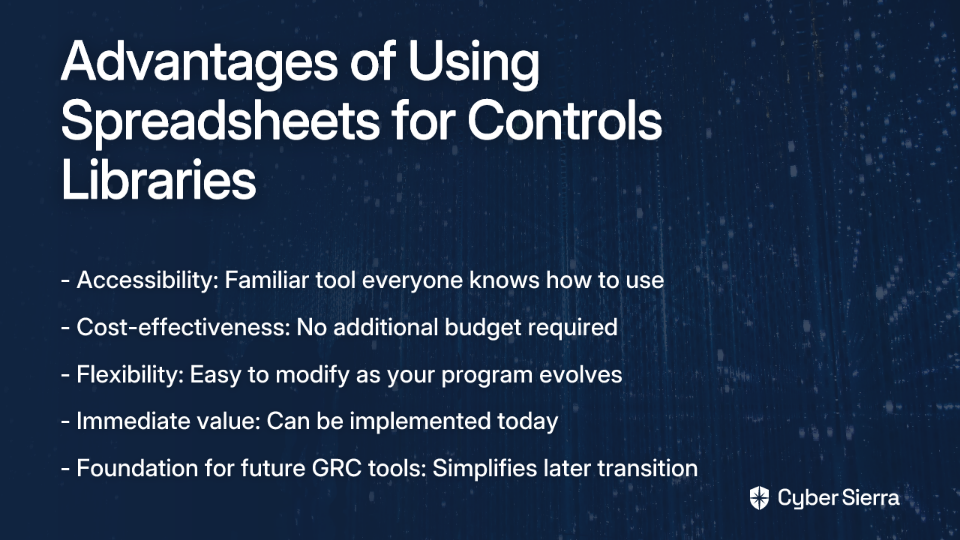
A well-structured spreadsheet offers several immediate advantages:

  • Accessibility: Everyone in your organization already knows how to use a spreadsheet
  • Cost-effectiveness: No additional budget required
  • Flexibility: Easy to modify as your understanding evolves
  • Immediate value: Can be implemented today, not after a 6-month deployment
  • Focus on fundamentals: Forces clarity around control objectives before getting lost in complex features

Most importantly, a spreadsheet serves as the perfect foundation for future GRC maturity. When you eventually implement ServiceNow or another platform, your well-organized spreadsheet becomes the baseline for uploading into your new system—dramatically simplifying the transition.

What is a Controls Library?

Before diving into implementation, let's clarify what we're building. A controls library is a centralized repository that documents all security and compliance controls within your organization. It serves as a single source of truth that:

  1. Catalogs all controls in one location
  2. Standardizes control documentation
  3. Maps controls to relevant compliance frameworks (NIST CSF 2.0, ISO 27001, etc.)
  4. Provides clear implementation guidance
  5. Links to evidence demonstrating control effectiveness

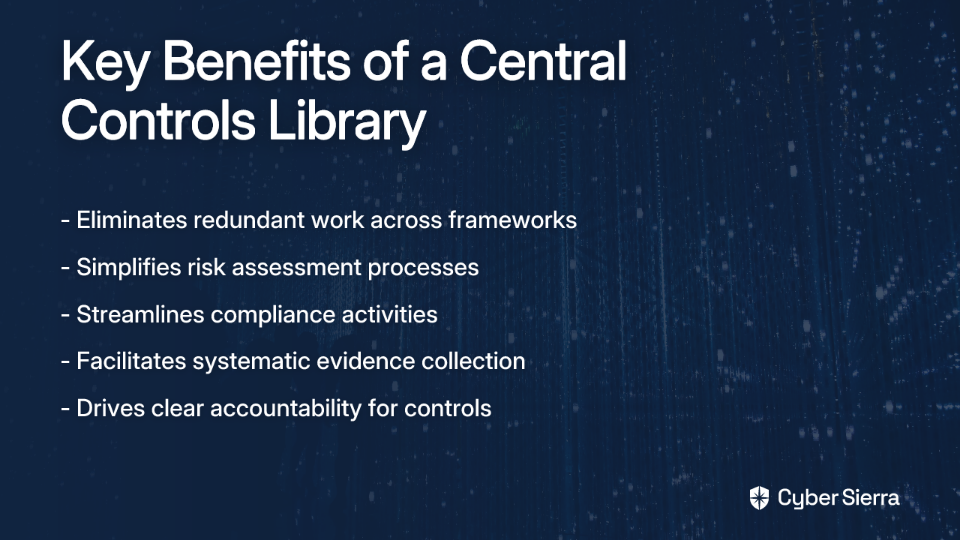
For organizations with immature GRC programs, a central control library delivers several critical benefits:

  • Eliminates redundant work: Stop "trawling through loads of different standards docs" to find controls
  • Simplifies risk assessments: Provides a baseline for evaluating security posture
  • Streamlines compliance: Clearly shows how one control satisfies multiple framework requirements
  • Facilitates evidence collection: Establishes where compliance evidence lives for each control
  • Drives accountability: Clarifies control ownership and implementation responsibilities

Let's now build this essential resource step-by-step.

Building Your Controls Library: A Step-by-Step Guide

Step 1: Start With "Why?" - Define Your Objective

Before creating a single cell in your spreadsheet, answer this critical question: "What are you trying to accomplish?"

Are you:

  • Preparing for a SOC 2 audit?
  • Implementing NIST CSF 2.0 to satisfy executive requirements?
  • Building a foundation for ISO 27001 certification?
  • Creating a baseline for PSPF or ISM compliance?

Your objective determines which frameworks to focus on and the scope of your initial library. Without this clarity, you risk creating a theoretical exercise rather than a practical tool.

Step 2: Gather Your Source Materials

Don't reinvent the wheel. Several resources can jumpstart your controls library:

  • Download framework controls: "You can download the controls in a spreadsheet from NIST for CSF and 800-53," as one GRC professional notes. This is the perfect low hanging fruit to begin with.
  • Collect existing policies: Gather your organization's security policies, standards, and procedures.
  • Identify configuration standards: Document existing technical standards for systems and applications.

Step 3: Structure Your Spreadsheet - Essential Columns

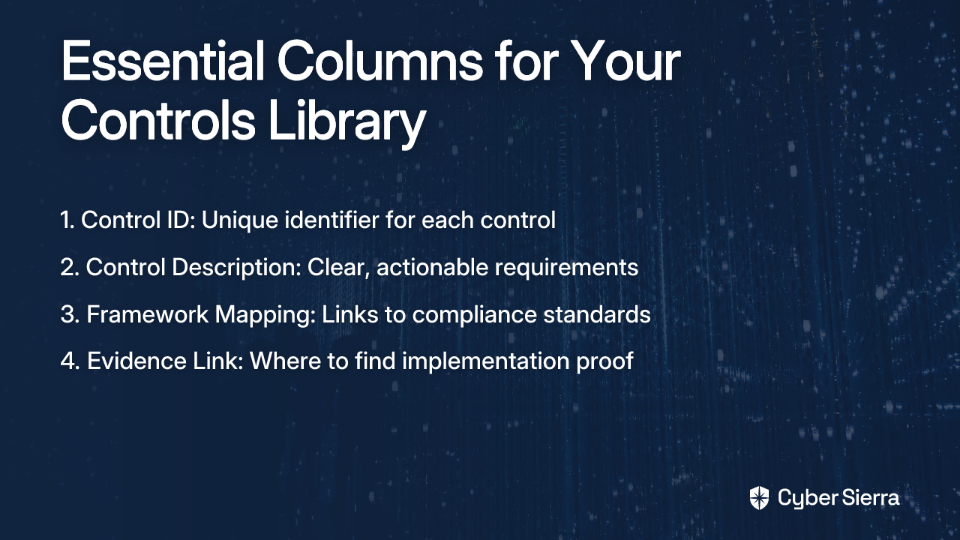
Now, let's create the structure of your controls library. At minimum, your spreadsheet should include these four essential columns:

Column A: Control ID

Each control needs a unique identifier. Use a simple, logical naming convention:

  • AC-01, AC-02: For access control-related controls
  • RM-01, RM-02: For risk management controls
  • IAM-01, IAM-02: For identity management controls

This ID becomes the reference point for your control in all documentation, making it easy to discuss specific controls across teams.

Column B: Control Description

This is the most critical column in your library. The description must be clear, concise, and actionable for the control owner. A common mistake is writing descriptions focused on problems rather than solutions.

As one experienced GRC professional explains: "They don't do so well if you tell them all the problems (framework references, risk references) as opposed to the solution (control) they're responsible for."

Poor control description example: "Implement appropriate authentication mechanisms."

Effective control description example: "All user accounts must be configured with a minimum password length of 16 characters. Multi-Factor Authentication (MFA) must be enabled for all administrative accounts and remote access."

The difference is significant. The poor description leaves room for interpretation, while the effective one provides clear, measurable requirements.

Column C: Framework Mapping

This column (or set of sub-columns) maps your internal controls to relevant compliance frameworks. This is where the real efficiency of a controls library shines.

Create sub-columns for each framework relevant to your organization:

  • NIST CSF 2.0
  • ISO 27001
  • PCI DSS
  • SOX
  • PSPF
  • ISM

In each cell, list the specific control identifier from the framework that your internal control satisfies. For example, your password control might map to:

  • NIST CSF 2.0: PR.AC-1
  • ISO 27001: A.9.4.3
  • PCI DSS: 8.2.5

This mapping instantly shows how one internal control satisfies multiple compliance requirements, eliminating duplicate work during audits and assessments.

Column D: Evidence Link

This often-overlooked column is a game-changer for compliance work. For each control, include a hyperlink to where evidence demonstrating control implementation can be found.

"If you can show where the evidence lives for each control, it makes assessments (and tool migrations) way smoother later on," notes an experienced compliance professional.

This could be a link to:

  • A screenshot in SharePoint showing password policy configuration
  • A change management ticket in your ticketing system
  • A report from your vulnerability scanning tool
  • A document in your wiki showing procedure details

Centralizing evidence links saves countless hours during risk assessments and audits as you won't need to hunt for documentation across systems.

Step 4: Additional Columns for Enhanced Value

While the four columns above form the core of your controls library, consider adding these additional columns as your program matures:

Control Owner

Identify the specific individual (by role, not name) responsible for implementing and maintaining the control. This clarifies accountability and provides a point of contact for questions.

Implementation Status

Track whether controls are:

  • Implemented
  • Partially implemented
  • Not implemented
  • Not applicable

This gives visibility into your compliance posture at a glance and helps prioritize remediation efforts.

Last Assessment Date

Document when each control was last tested or assessed. This helps ensure no controls fall through the cracks during your assessment cycle.

Risk Rating

For controls not fully implemented, include a risk rating to help prioritize implementation efforts based on potential impact.

Step 5: Populate Your Library

With your structure in place, it's time to populate your controls library. Follow this process:

  1. Start with your baseline controls: Begin with fundamental controls that should exist in any organization (password policies, access management, etc.).
  2. Add framework-specific controls: Incorporate additional controls required by specific frameworks relevant to your organization.
  3. Map existing documentation: Link each control to existing policies, procedures, or standards that define the requirements in detail.
  4. Identify control gaps: Note areas where controls are missing or inadequately documented.
  5. Prioritize remediation: Create an action plan to address gaps based on risk and compliance deadlines.

Step 6: Using Your Controls Library Effectively

A controls library is only valuable if it's actually used. Here's how to maximize its impact:

For Risk Assessments

Use your library as the foundation for risk assessments by:

  1. Reviewing control implementation status
  2. Identifying control gaps
  3. Evaluating control effectiveness
  4. Documenting remediation plans

For Compliance Mapping

When facing a new compliance requirement:

  1. Review the new framework requirements
  2. Map existing controls to new requirements
  3. Identify gaps specific to the new framework
  4. Implement only the delta controls needed

For Audits and Assessments

When preparing for audits:

  1. Filter controls by relevant framework
  2. Verify evidence links are current
  3. Conduct pre-audit testing of key controls
  4. Use the library to quickly respond to auditor requests

Best Practices for Long-Term Success

Establish Clear Ownership

While the compliance team may maintain the controls library, operational teams (IT, Security, HR, etc.) must own their respective controls. This ensures the library reflects actual practices rather than theoretical controls.

Implement Version Control

Use cloud-based spreadsheets (Google Sheets, Office 365) to ensure everyone works from the same version. Include a change log to track modifications over time.

Schedule Regular Reviews

A controls library is a living document. Schedule quarterly reviews to ensure it remains current as your organization and compliance requirements evolve.

Change Your Language

Instead of referring to "SOX controls" or "PCI controls," call them "security controls" or "data protection controls." This shift in terminology helps emphasize their importance beyond compliance checkboxes.

Link to Automated Testing When Possible

Where feasible, link to automated testing results rather than manual evidence. This reduces the maintenance burden and increases reliability.

Common Pitfalls to Avoid

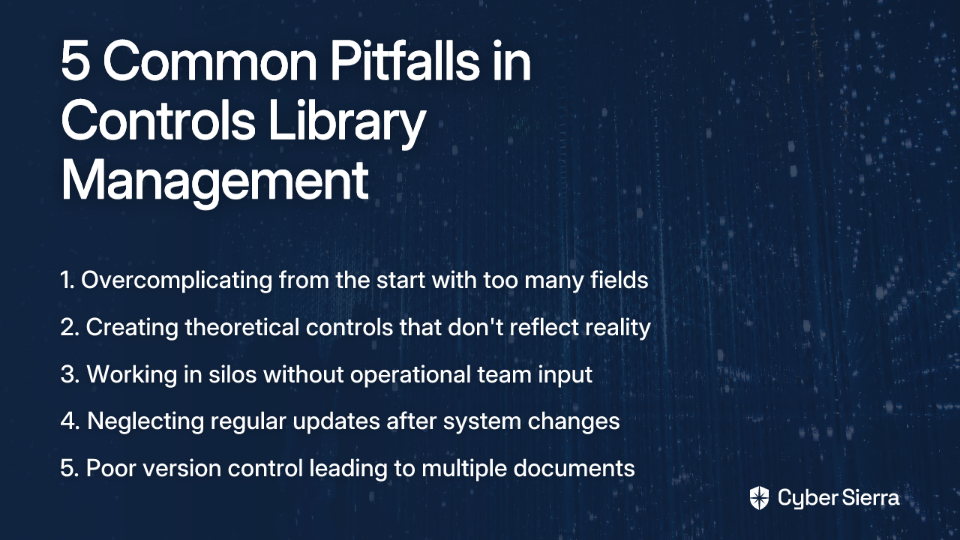
Overcomplicating from the Start

Keep your initial library simple. Focus on the four essential columns before adding complexity. You can always expand as your program matures.

Creating Theoretical Controls

Ensure controls reflect actual practices, not aspirational ones. A control that exists only on paper provides a false sense of security and can create audit issues.

Working in Silos

Involve IT, Security, HR, and other operational teams in building and maintaining the library. Their input ensures controls are practical and accurately documented.

Neglecting Updates

An outdated control library quickly loses value. Establish a process for regular updates, especially after system changes or new policy implementations.

Poor Version Control

Multiple versions of your controls library floating around leads to confusion. Use cloud-based tools with version history to maintain a single source of truth.

When to Graduate to a GRC Tool

While a spreadsheet is the perfect starting point, organizations typically outgrow this approach as their GRC program matures. Consider transitioning to a dedicated GRC platform like ServiceNow when:

  • Your control count exceeds 100-150 controls
  • You need workflow automation for assessments
  • Multiple teams require simultaneous access
  • You need advanced reporting capabilities
  • Integration with other security tools becomes essential

When that time comes, your well-structured spreadsheet will serve as the perfect foundation for migrating to a more sophisticated solution. The effort invested now will pay dividends during that transition.

Conclusion: Start Simple, Scale Gradually

Building a controls library on a spreadsheet is not a sign of GRC immaturity—it's a strategic approach that delivers immediate value while establishing the foundation for future maturity. By starting with a simple, focused approach, you can:

  1. Create a central repository for all compliance controls
  2. Eliminate redundant work across frameworks
  3. Provide clear documentation for control owners
  4. Streamline evidence collection and audit preparation
  5. Build a foundation for more sophisticated GRC tools

In the words of one GRC professional: "You're better off starting light: define your core controls in a clear, scalable spreadsheet." This approach delivers immediate value while positioning you for future success.

Remember, the most effective GRC programs focus on solving real business problems, not implementing frameworks for their own sake. Your controls library should reflect this philosophy—practical, focused, and aligned with your organization's specific needs and risks.

Start building your spreadsheet-based controls library today, and you'll quickly move from compliance chaos to GRC clarity.

Frequently Asked Questions

What is a GRC controls library?

A GRC controls library is a centralized, single source of truth that documents all of your organization's security and compliance controls. It standardizes control descriptions, maps them to various compliance frameworks (like NIST CSF 2.0 or ISO 27001), and links to evidence, which eliminates redundant work and streamlines audits.

Why use a spreadsheet for a controls library instead of a GRC tool?

A spreadsheet is the ideal starting point for organizations with immature GRC processes because it is accessible, cost-effective, and flexible. It forces you to focus on the fundamentals—defining clear, actionable controls—before investing in a complex and expensive GRC platform. This foundational work in a spreadsheet dramatically simplifies a future migration to a tool like ServiceNow.

How do you write an effective control description?

An effective control description is clear, concise, and actionable for the control owner. Instead of stating a problem (e.g., "Implement authentication"), it should specify the solution and measurable requirements (e.g., "All user accounts must be configured with a minimum password length of 16 characters and MFA must be enabled for all administrative accounts.").

How does a controls library help with multiple compliance frameworks like NIST and ISO?

A controls library helps by mapping a single internal control to multiple framework requirements. For example, your one password policy control can satisfy requirements from NIST CSF 2.0, ISO 27001, and PCI DSS simultaneously. This mapping, done in a dedicated column, clearly demonstrates compliance across different standards without duplicating effort.

Who should own the controls in the library?

While the GRC or compliance team typically maintains the library itself, the individual controls must be owned by the operational teams responsible for their implementation. For instance, the IT department would own controls related to network security, while HR might own controls related to employee onboarding and offboarding. This distributed ownership ensures the library reflects actual practices.

When should my organization switch from a spreadsheet to a dedicated GRC tool?

You should consider switching from a spreadsheet to a GRC tool when your program's complexity outgrows the spreadsheet's capabilities. Key triggers include managing over 100-150 controls, needing automated workflows for assessments and evidence collection, requiring advanced reporting for leadership, or needing to integrate with other security systems.

blog-hero-background-image
Governance & Compliance

Top 25 HIPAA Consulting Firms in 2025

backdrop
Table of Contents

Join thousands of professionals and get the latest insight on Compliance & Cybersecurity.


Are you drowning in manual evidence collection for your HIPAA compliance? Struggling to navigate complex regulations without a background in cybersecurity? Finding yourself uncertain about what qualifications to look for in a HIPAA consultant who can actually get things done?

You're not alone. Many healthcare organizations and their business associates find themselves in need of expert guidance but feel overwhelmed by the prospect of finding the right partner to help them achieve and maintain HIPAA compliance.

This comprehensive guide will not only provide you with a curated list of the top HIPAA consulting firms for 2025 but, more importantly, equip you with the knowledge to choose the right consultant for your specific needs—whether you're using GRC software like Drata or building your compliance program from scratch.

Why Your Organization Needs a HIPAA Consultant

What is HIPAA Consulting?

HIPAA consulting involves expert firms helping healthcare organizations (Covered Entities) and their partners (Business Associates) understand and comply with the Health Insurance Portability and Accountability Act regulations. These consultants bridge the gap between complex regulatory requirements and practical implementation.

The High Stakes of Non-Compliance

The consequences of failing to comply with HIPAA regulations extend far beyond financial penalties:

  • Financial Impact: Fines can range from $100 to $50,000 per violation, with an annual maximum of $1.5 million per violation category.
  • Reputational Damage: Data breaches and compliance failures can severely damage patient trust and your organization's reputation.
  • Legal Consequences: Beyond regulatory fines, affected individuals may pursue legal action against your organization.
  • Operational Disruptions: Investigations and corrective actions can disrupt normal business operations.

Key Functions of a HIPAA Consultant

A qualified HIPAA consultant should provide comprehensive services including:

  1. Risk Assessment: Conducting thorough audits to identify potential vulnerabilities to protected health information (PHI) and electronic PHI (ePHI).
  2. Policy & Procedure (P&P) Development: Creating and implementing tailored privacy policies, procedures, and a risk register.
  3. Training and Education: Providing staff training on HIPAA rules, data privacy, and security awareness—a critical component often overlooked.
  4. Breach Management & Response: Developing robust plans for responding to data breaches and ensuring compliance with the Breach Notification Rule.
  5. Continuous Monitoring & Control Validation: Establishing ongoing oversight processes to ensure sustained compliance.

The Ultimate Guide to Choosing the Right HIPAA Consultant

Finding the right HIPAA consultant requires careful consideration of several key factors:

1. Look for Hands-On Experience, Not Just Certifications

While certifications like CISSP or CISA provide a baseline of knowledge (with CISSP often considered "the bare minimum"), there can be an inverse relationship between the number of certifications someone has and their ability to get things done.

Key Question to Ask: "Can you describe a project where you were responsible for the actual evidence collection and implementation, not just providing advice?"

2. Ensure They Understand Your Tech Stack and Size

It's critical to find consultants who are experienced with organizations of similar scale and industry. If you use a GRC platform like Drata, ask specifically about their experience with it.

Key Question to Ask: "What is your experience working with companies of our size and with our specific GRC tools?"

3. Scrutinize Their Risk Assessment Methodology

A thorough risk assessment is the foundation of any strong HIPAA program. The methodology a consultant uses will determine how effectively they identify vulnerabilities in your systems.

Key Question to Ask: "What specific tools and methodologies do you use for risk assessments, and how do you customize them for different types of healthcare organizations?"

4. Evaluate Their Approach to Access Control and Breach Support

Your consultant should have expertise in implementing robust access controls (role-based access, encryption, authentication) and provide clear support in developing a data breach response plan.

Key Question to Ask: "How would you help us develop and test a breach notification and response plan?"

5. Demand a Clear Scope of Work (SOW)

To avoid wasted time and resources, insist on a detailed SOW that outlines deliverables, timelines, and responsibilities. A project might typically take 12-16 weeks, but this should be clearly documented.

Key Question to Ask: "Can you provide a sample SOW that includes specific milestones and deliverables?"

6. Check References

This step is non-negotiable. Ask to speak with previous clients, particularly those from companies similar to yours in size and industry.

Key Question to Ask: "Can you connect me with a past client who had similar compliance challenges to ours?"

Top HIPAA Consulting Firms for 2025 (A Curated List)

Disclaimer: This list is based on industry recognition and specializations. Use the guide in the previous section to conduct your own due diligence.

1. CynergisTek, Inc.

Specialty: Cybersecurity, privacy, and compliance services Why they stand out: Consistently recognized by KLAS as a top-performing firm in cybersecurity, with deep healthcare industry experience.

2. Colington Consulting

Specialty: Tailored compliance programs for all types of healthcare providers Why they stand out: Named a top firm by multiple industry sources, offers a free initial consultation, and has over 60 years of combined experience. They focus on making compliance cost-effective rather than a "one-size-fits-all" solution.

3. ScienceSoft

Specialty: HIPAA compliance consulting with a focus on healthcare software Why they stand out: Over 16 years of experience in healthcare IT and holds multiple ISO certifications.

4. Clearwater Compliance

Specialty: Cyber risk management and compliance Why they stand out: Uses proprietary software for cyber risk management and provides comprehensive assessment and policy development services.

5. Appinventiv

Specialty: Global provider of healthcare software development with a compliance focus Why they stand out: Strong experience in automating health and fitness businesses, making them a good choice for tech-forward organizations.

6. Arka Softwares

Specialty: Healthcare software and mobile application development Why they stand out: An ISO 9001:2015 certified company with a large team of developers and HIPAA compliance expertise.

7. RSM US

Specialty: Comprehensive assessments and training Why they stand out: Offers a broad range of services beyond just HIPAA, providing a holistic view of risk management.

8. Healthicity, LLC.

Specialty: User-friendly compliance software and solutions Why they stand out: Tailors solutions to a client's budget, making compliance accessible to organizations of all sizes.

9. Praetorian Secure

Specialty: Cybersecurity with multi-industry experience Why they stand out: Leverages experience from other regulated industries to strengthen healthcare security protocols.

10. Acevedo Consulting Inc.

Specialty: Coding expertise and tailored compliance solutions Why they stand out: Strong focus on the nuances of medical coding and billing compliance within the HIPAA framework.

11. CompliancePoint

Specialty: Data privacy and security compliance Why they stand out: Offers both technical and legal expertise with a focus on emerging technologies.

12. Compliancy Group

Specialty: Simplified HIPAA compliance for small to mid-sized practices Why they stand out: Their "Guard" compliance solution makes HIPAA manageable for smaller organizations with limited resources.

13. Healthcare Compliance Pros

Specialty: Comprehensive compliance solutions and training Why they stand out: Offers both consulting services and software tools to streamline the compliance process.
14. 24By7Security

Specialty: Security assessments and vCISO services Why they stand out: Provides virtual CISO services for organizations that need executive-level security guidance without a full-time position.

15. HIPAA One

Specialty: Automated HIPAA compliance software Why they stand out: Their software platform simplifies risk analysis and management, particularly for smaller organizations.

Common Pitfalls and Misconceptions in HIPAA Compliance

Common Pitfalls

  1. Ignoring Regular Risk Assessments: Failing to conduct them regularly leaves you vulnerable to new threats and changing regulations.
  2. Inadequate Employee Training: This is a leading cause of unintentional violations and data breaches. All staff members need regular, comprehensive training.
  3. Inconsistent Policy Enforcement: Having policies on paper is useless if they aren't consistently followed throughout the organization.
  4. Ignoring Documentation: Proper documentation is your best defense during an audit or investigation. If it isn't documented, it didn't happen.

Common Misconceptions

  1. "Compliance is too expensive." The reality is that compliance services are far more cost-effective than the penalties for non-compliance, which can reach into the millions of dollars.
  2. "My organization is too small to be a target." HIPAA investigations can occur regardless of an organization's size. The perception that HIPAA has "weak enforcement and is largely self-attestation for smaller firms" is a dangerous assumption.
  3. "If we achieve SOC 2, we are automatically HIPAA compliant." While there is significant overlap, especially for the Security Rule, achieving SOC 2 Type I or Type II does not automatically satisfy all HIPAA requirements, particularly the Privacy and Breach Notification Rules.
  4. "One-time compliance is sufficient." HIPAA compliance is not a one-and-done project but an ongoing commitment that requires regular updates and assessments.

Conclusion

Choosing a HIPAA consultant is a critical strategic decision that can significantly impact your organization's compliance posture, security stance, and bottom line. The best partner is one with proven, hands-on experience relevant to your organization's size, industry, and technology environment.

As you evaluate potential HIPAA consulting firms, remember to emphasize practical experience over certifications, ensure they understand your specific needs and technologies, and demand clear deliverables and timelines. The right consultant will not just help you check compliance boxes but will serve as a strategic partner in protecting sensitive health information and building trust with your patients and clients.

Don't wait for a data breach or an audit to take compliance seriously. Use this guide to proactively find a consulting partner who can help you build a robust, sustainable HIPAA compliance program. For the most current official information, always refer to the HHS HIPAA website.

Remember: Compliance isn't just about avoiding penalties—it's about protecting patients and building a culture of security and privacy that benefits everyone involved in the healthcare ecosystem.

Frequently Asked Questions

What does a HIPAA consultant do?

A HIPAA consultant helps your organization understand and implement the complex requirements of the Health Insurance Portability and Accountability Act. Their primary role is to bridge the gap between regulatory mandates and your organization's practical operations by conducting risk assessments, developing policies and procedures, providing staff training, and establishing plans for breach management and response.

Why is hands-on experience more important than certifications?

Hands-on experience is crucial because it demonstrates a consultant's ability to implement practical solutions and manage real-world compliance challenges, not just theoretical knowledge. While certifications like CISSP establish a baseline, an experienced consultant can effectively handle evidence collection, tailor programs to your specific tech stack, and navigate the nuances of an actual audit.

If my company is SOC 2 certified, are we also HIPAA compliant?

No, being SOC 2 certified does not automatically make you HIPAA compliant. While SOC 2's security controls have significant overlap with the HIPAA Security Rule, HIPAA includes additional, distinct requirements. These include the Privacy Rule, which governs the use and disclosure of PHI, and the Breach Notification Rule, which has specific reporting mandates not covered by SOC 2.

How long does a typical HIPAA compliance project take?

A typical HIPAA compliance implementation project with a consultant can take around 12 to 16 weeks. However, this timeline can vary significantly depending on your organization's size, the complexity of your systems, and the specific scope of work. It is also important to remember that HIPAA compliance is an ongoing process, not a one-time project.

What is the first step in a HIPAA compliance journey?

The first and most critical step in any HIPAA compliance journey is conducting a thorough risk assessment. This assessment identifies potential vulnerabilities to protected health information (PHI) and electronic PHI (ePHI) within your organization. The findings from this assessment form the foundation for all subsequent policy development, security measures, and risk management strategies.

How much do HIPAA consulting services cost?

The cost of HIPAA consulting varies widely based on your organization's size, complexity, and specific needs, but it is significantly less than the cost of non-compliance. Fines for HIPAA violations can reach up to $1.5 million per violation category annually. Therefore, hiring a consultant should be viewed as a cost-effective investment in risk management that protects you from severe financial penalties, reputational damage, and operational disruptions.

blog-hero-background-image
Governance & Compliance

PII vs PHI vs PCI - What's the difference?

backdrop
Table of Contents

Join thousands of professionals and get the latest insight on Compliance & Cybersecurity.


You've been tasked with managing sensitive data at your organization, when suddenly you encounter a flurry of acronyms: PII, PHI, PCI. Everyone seems to expect you to understand the distinctions, but the subtle differences between these terms can be confusing even for experienced professionals.

When these terms get mixed up, the consequences can be severe. As one security professional put it, "a data breach of any of these can be catastrophic to an organization." Yet many companies don't prioritize proper data classification "UNTIL shit hits the fan"—and by then, it's usually too late.

This guide will demystify these critical data protection categories, clarify the regulations that govern them, and provide practical steps to safeguard this information within your organization.

What is Personally Identifiable Information (PII)?

Personally Identifiable Information (PII) is the broadest category of sensitive data. It encompasses any information that can be used to identify a specific individual, either directly or when combined with other data.

Types of PII

PII can be divided into two main categories:

  1. Direct Identifiers: Information that can immediately identify an individual:
    • Full name
    • Social Security Number (SSN)
    • Driver's license number
    • Passport number
    • Email address
    • Physical address
    • Phone number
    • Biometric data (fingerprints, retina scans)
  2. Quasi-Identifiers (or Linkable Information): Data points that may not identify someone on their own but could be combined with other information to identify an individual:
    • Date of birth
    • Race or gender
    • Zip code
    • Job title and employer
    • Education information
    • Mother's maiden name

Sensitive vs. Non-sensitive PII

Not all PII carries the same level of risk:

  • Sensitive PII: Information that, if disclosed, could result in substantial harm, embarrassment, or inconvenience to an individual. This includes medical records, financial information, and SSNs. This data must be encrypted both when stored (data at rest) and when transmitted (data in flight).
  • Non-sensitive PII: Information that can be transmitted in an unencrypted format and is generally available from public sources, like a work phone number or zip code.

Regulatory Landscape

PII protection varies by jurisdiction. Key regulations include:

  • The European Union's General Data Protection Regulation (GDPR)
  • The California Consumer Privacy Act (CCPA)
  • Various state-level privacy laws in the US

These regulations grant individuals certain rights over their personal data, including what some call "the right to be forgotten"—the ability to request deletion of personal information.

What is Protected Health Information (PHI)?

Protected Health Information (PHI) is a specific subset of PII that relates to an individual's health status, healthcare provision, or payment for healthcare services.

The Relationship Between PHI and PII

As noted by experts at Nightfall.ai, all PHI is PII, but not all PII is PHI. What transforms health information into PHI is its connection to an identifiable individual and its relationship to healthcare.

HIPAA: The Guardian of Health Data

In the United States, PHI is federally protected by the Health Insurance Portability and Accountability Act (HIPAA). The HIPAA Privacy Rule establishes national standards to protect individuals' medical records and other identifiable health information.

What Constitutes PHI?

According to regulations, HIPAA identifies 18 specific identifiers that can turn health information into PHI. Common examples include:

  • Patient names and medical record numbers
  • Dates of service (admission, discharge, treatment)
  • Diagnostic information and test results
  • Billing information from doctors or hospitals
  • Conversations between patients and healthcare providers
  • Insurance information related to healthcare
  • Prescription information

The Variable Compliance Landscape

Unfortunately, as one IT professional observed, "Every hospital is different in their priorities, with some taking considerations to avoid HIPAA consequences and others simply not caring UNTIL shit hits the fan." This inconsistency creates significant risks for healthcare organizations and their patients.

What is Payment Card Industry (PCI) Data?

Payment Card Industry (PCI) data refers specifically to cardholder information used in payment card transactions. This is distinct from general financial information, creating what one professional described as "a subtle distinction between PCI and PII."

PCI DSS: The Industry Standard

PCI data is protected by the Payment Card Industry Data Security Standard (PCI DSS), an information security standard developed by major credit card companies including Visa, Mastercard, American Express, Discover, and JCB.

Unlike HIPAA, which is a federal law, PCI DSS is an industry standard. However, compliance is effectively mandatory for any business that processes credit card payments.

What Constitutes PCI Data?

PCI data includes:

  • Primary Account Number (PAN) or credit card number
  • Cardholder name
  • Expiration date
  • Service code
  • Sensitive authentication data:
    • Full magnetic stripe data
    • CAV2/CVC2/CVV2/CID (the security codes on cards)
    • PINs and PIN blocks

The 12 Core Requirements

The PCI DSS framework is built around 12 requirements organized into six control objectives:

  1. Build and maintain a secure network
  2. Protect cardholder data
  3. Maintain a vulnerability management program
  4. Implement strong access control measures
  5. Regularly monitor and test networks
  6. Maintain an information security policy

PII vs PCI vs PHI: The Key Differences at a Glance

CategoryPersonally Identifiable Information (PII)Protected Health Information (PHI)Payment Card Industry (PCI) Data
ScopeBroadest category; any data that identifies an individualHealth-related data that can identify an individualPayment card data used in transactions
RegulationVaries by jurisdiction (GDPR, CCPA, etc.)HIPAA in the United StatesPCI DSS (global industry standard)
ExamplesName, SSN, email, date of birth, driver's licenseMedical records, health insurance ID, lab resultsCredit card number, CVV, expiration date
RelationshipThe parent categoryA subset of PIIMay overlap with PII but is distinct

Why It Matters: The High Stakes of Non-Compliance

The consequences of mishandling these data types extend far beyond mere regulatory inconvenience:

Legal and Financial Penalties

  • HIPAA violations can result in fines ranging from $100 to $50,000 per violation (with an annual maximum of $1.5 million)
  • PCI DSS non-compliance can lead to fines from $5,000 to $100,000 per month, increased transaction fees, and even loss of card processing privileges
  • Data privacy lawsuits can result in significant settlements

Reputational Damage

Consumer trust is fragile and hard to rebuild. As one frustrated user described trying to get a telecom provider to delete their SSN: "I might as well have shoveled against the tide." This kind of experience damages brand loyalty and customer confidence.

Operational Disruption

Following a breach, organizations must divert significant resources to investigation, remediation, and future prevention—taking focus away from core business functions.

A Blueprint for Data Protection

Many security professionals inherit "a bit of a mess" with "tons of shadow IT" and struggle because they "just don't know where it all lives." Here's a practical approach to gain control:

1. Discover and Classify Your Data

You can't protect what you don't know you have. Implement tools and processes to scan systems for sensitive data:

  • For unstructured data scanning, consider tools like BigID
  • For Data Loss Prevention (DLP) and controlling data movement, look at Netskope
  • For comprehensive monitoring (though more expensive), Varonis is an option
  • For budget-conscious organizations, explore open-source options like PII Tools or built-in capabilities in Microsoft Defender

2. Implement Strong Security Controls

  • Use encryption for sensitive data both at rest and in transit
  • Apply the principle of least privilege for access controls
  • Implement multi-factor authentication for accessing sensitive systems
  • Maintain a vulnerability management program with regular patching

3. Create Clear Policies and Procedures

Document how different data types should be handled, stored, and transmitted throughout your organization.

4. Train Your Team

Address the problem of "bad habits" and "people that just don't know any better" through regular security awareness training.

5. Develop an Incident Response Plan

When incidents do occur—like when "two idiot users get their laptops stolen out of their cars in the same week"—you need a clear plan for containment, investigation, notification, and recovery.

Conclusion

Understanding the distinctions between PII, PHI, and PCI isn't just about compliance checkboxes—it's fundamental to modern data governance and security strategy. Each category carries its own regulatory requirements and security considerations.

By implementing a comprehensive approach to discovering, classifying, and protecting sensitive data, you can avoid the all-too-common scenario where organizations don't care "UNTIL shit hits the fan." In today's data-driven world, proactive protection of sensitive information isn't optional—it's essential for survival and trust.

Remember: The time to understand the difference between PII vs PCI vs PHI is before you face a breach, not after.

Frequently Asked Questions (FAQ)

What is the main difference between PII and PHI?

The main difference is that Protected Health Information (PHI) is a specific type of Personally Identifiable Information (PII) that is directly related to an individual's health, healthcare services, or payment for healthcare. Essentially, all PHI is considered PII, but not all PII is PHI. For example, your name is PII, but it only becomes PHI when linked to your medical history or a doctor's visit.

Is PCI DSS a law?

No, the Payment Card Industry Data Security Standard (PCI DSS) is not a federal law. It is an information security standard created and enforced by major credit card companies. While not a law like HIPAA, compliance is effectively mandatory for any organization that accepts or processes credit card payments, as non-compliance can lead to severe fines and loss of payment processing privileges.

How are PII, PHI, and PCI data regulated?

Each data type is governed by different regulations. PII is regulated by broad privacy laws like Europe's GDPR and California's CCPA. PHI is specifically protected by the Health Insurance Portability and Accountability Act (HIPAA) in the United States. PCI data is governed globally by the PCI DSS industry standard.

What is the first step to protecting sensitive data in an organization?

The first and most critical step is data discovery and classification. You cannot protect sensitive information if you do not know where it is located within your systems. Begin by using tools and processes to scan your entire digital environment to find where PII, PHI, and PCI data reside. This foundational step informs all subsequent security measures.

Can information like a zip code be considered sensitive PII?

By itself, a zip code is typically considered non-sensitive PII. However, it can become part of a sensitive data set when combined with other quasi-identifiers (like date of birth and gender) to identify a specific individual. The context is key; the more data points you link together, the more sensitive the combined information becomes.

Why is the distinction between PII, PHI, and PCI so important?

The distinction is crucial because each category is governed by different rules, requires different security controls, and carries different penalties for non-compliance. Misclassifying data can lead to significant security gaps and legal violations. For instance, treating PHI with the same controls as generic PII would likely violate HIPAA and result in massive fines.

blog-hero-background-image
Governance & Compliance

SOC vs SOX Compliance: Essential Guide

backdrop
Table of Contents

Join thousands of professionals and get the latest insight on Compliance & Cybersecurity.


You've just been tasked with ensuring your company's compliance program is up to date. As you dive into research, you're immediately bombarded with acronyms: SOC, SOX, GDPR, HIPAA, PCI DSS... the list seems endless. While all these frameworks matter, SOC and SOX frequently cause the most confusion due to their similar-sounding names but vastly different purposes.

Even more concerning, your company might be treating these compliance frameworks as mere checkboxes rather than integral parts of your security and governance strategy. This dangerous mindset can leave your organization technically "compliant" yet still vulnerable to significant breaches and financial risks.
Understanding SOX: The Legal Mandate for Financial Integrity

The Sarbanes-Oxley Act (SOX) emerged from the ashes of major corporate scandals that rocked the business world in the early 2000s. When energy giant Enron and telecommunications company WorldCom collapsed due to massive accounting fraud, public trust in corporate America plummeted. In response, Congress passed SOX in 2002 to restore investor confidence and protect the public from fraudulent financial reporting.

Who Must Comply with SOX?

SOX compliance is not optional for:

  • All U.S. publicly traded companies
  • Their boards, management, and public accounting firms
  • Foreign companies with securities listed on U.S. exchanges
  • Private companies preparing for an Initial Public Offering (IPO)

Core Requirements of SOX

At its heart, SOX aims to ensure financial transparency and executive accountability. The most significant sections include:

Section 302 - Corporate Responsibility for Financial Reports

This section requires CEOs and CFOs to personally certify the accuracy of their company's financial reports filed with the Securities and Exchange Commission (SEC). They must attest that:

  • They've reviewed the reports
  • The reports contain no untrue statements or material omissions
  • The financial information fairly represents the company's financial condition

Section 404 - Management Assessment of Internal Controls

Perhaps the most demanding and costly aspect of SOX, Section 404 requires:

  • Management to establish, document, and maintain internal controls over financial reporting
  • An annual assessment of these controls' effectiveness
  • An independent external auditor to verify and report on management's assessment

The Public Company Accounting Oversight Board (PCAOB), established by SOX, oversees these audit processes to ensure they meet professional standards.

The High Cost of Non-Compliance

SOX violations carry severe consequences:

  • Personal liability for executives
  • Fines up to $1 million for certifying inaccurate reports
  • Criminal penalties including up to $20 million in fines and 20 years imprisonment for willfully altering or destroying financial records
  • "Clawback" provisions where executives must return bonuses if financial restatements occur

Beyond legal penalties, SOX compliance is expensive. According to IBM, organizations often spend over $1 million annually on SOX compliance efforts, with costs increasing based on company size and complexity.

Demystifying SOC: The Market-Driven Standard for Service Trust

Unlike SOX, System and Organization Controls (SOC) reports aren't mandated by law. Rather, they're voluntary attestation standards governed by the American Institute of Certified Public Accountants (AICPA).

SOC reports emerged as service organizations (like SaaS providers, data centers, and cloud services) needed a way to prove to their clients that they had effective controls for protecting data and ensuring reliable service.

Different Types of SOC Reports

Understanding the differences between SOC report types is crucial for determining which one(s) your organization needs:

SOC 1: Focus on Financial Controls

SOC 1 reports specifically address a service organization's internal controls that could impact their clients' financial reporting. They're designed for service providers whose operations might affect the accuracy of their customers' financial statements.

For example, if your company provides payroll processing services, your clients' auditors will want assurance that your systems correctly calculate and report payroll expenses.

SOC 2: Focus on Security, Availability, Processing Integrity, Confidentiality, and Privacy

SOC 2 reports have become the gold standard for technology and cloud service providers. They evaluate controls based on the AICPA's Trust Services Criteria (TSC):

  • Security (mandatory): The system is protected against unauthorized access
  • Availability (optional): The system is available for operation as committed
  • Processing Integrity (optional): System processing is complete, accurate, timely, and authorized
  • Confidentiality (optional): Information designated as confidential is protected
  • Privacy (optional): Personal information is collected, used, retained, and disclosed in conformity with privacy commitments

SOC 3: The Public-Facing Summary

A SOC 3 report is essentially a simplified version of SOC 2 that removes sensitive details, making it suitable for public distribution. It serves as a seal of approval that organizations can share on their websites to build trust without revealing the specifics of their security controls.

Type 1 vs. Type 2: The Crucial Distinction

Both SOC 1 and SOC 2 reports come in two varieties:

  • Type 1: A point-in-time assessment that evaluates whether controls are suitably designed as of a specific date
  • Type 2: A more rigorous evaluation that tests the operating effectiveness of controls over a period (typically 6-12 months)

Type 2 reports carry significantly more weight with clients and auditors because they demonstrate sustained compliance rather than a one-time effort.

SOC vs. SOX: A Head-to-Head Comparison

Despite their similar acronyms, SOX and SOC serve fundamentally different purposes:

FeatureSOX (Sarbanes-Oxley Act)SOC (System and Organization Controls)
NatureMandatory Federal Law enforced by the SECVoluntary, Market-Driven Standard governed by the AICPA
ApplicabilityU.S. Public Companies and their leadershipService Organizations (e.g., SaaS, cloud providers)
Primary GoalProtect investors by ensuring accurate financial reporting and preventing corporate fraudBuild trust by demonstrating effective internal controls related to financial reporting (SOC 1) or security and operations (SOC 2)
AudienceThe SEC, investors, and the publicService organization's clients, business partners, and their auditors
PenaltiesSevere legal penalties including heavy fines and imprisonmentNo direct legal penalties, but potential loss of business and customer trust

The Critical Intersection: How SOC 1 Supports SOX Compliance

Here's where these frameworks intersect: When a public company (subject to SOX) outsources functions that impact its financial statements—for example, using a cloud-based payroll provider—it still remains responsible for ensuring proper controls.

To satisfy SOX requirements, the public company needs assurance about its service provider's controls. This is where SOC 1 reports become crucial. The service provider obtains a SOC 1 report, which the public company then uses as evidence to support its own SOX compliance efforts.

From Checklist to Culture: Making Compliance Truly Effective

"Compliance is not security," as many cybersecurity professionals point out in forums like Reddit's cybersecurity community. Organizations often treat frameworks like SOX and SOC as mere checkboxes rather than foundations for robust security and governance.

This mindset creates a dangerous reality where "organizations are often compliant yet still vulnerable to significant breaches." As one security professional notes, "Increased investment in security tools is not correlating with reduced data breaches," highlighting that compliance alone doesn't guarantee protection.

Actionable Strategies for Meaningful Compliance

To move beyond the checkbox mentality:

  1. Adopt a Risk-Based Approach: Generic frameworks often overlook an organization's unique threat landscape. Conduct a thorough risk assessment to tailor controls to your specific environment.
  2. Integrate and Streamline Controls: If your organization deals with multiple frameworks, map overlapping requirements between SOX, SOC, and others to reduce redundancy and improve efficiency.
  3. Embrace Continuous Auditing: Compliance is not a one-time project. Implement processes for continuous monitoring and testing of controls. As one security expert recommends, "be constantly re-evaluating your environment and finding vulnerabilities."
  4. Invest in People, Not Just Tools: Small and medium-sized businesses often struggle because "they cannot afford any fancy tooling." However, the real gap is often in skilled personnel. As one practitioner notes, "You need people who actively work with security, configuring systems, write detection logic... and none of that comes from compliance."

Conclusion: Choosing the Right Path for Governance and Trust

Understanding the distinction between SOX and SOC is essential for navigating your compliance journey. SOX represents a non-negotiable legal requirement for public companies focused on financial integrity, while SOC offers a voluntary, trust-building mechanism for service organizations to prove their operational and security diligence.

The true value of these frameworks emerges when organizations move beyond viewing compliance as a burden and instead integrate it into their broader risk management and security culture. By doing so, you not only satisfy auditors but build a more resilient and trustworthy business that can withstand the evolving challenges of today's digital landscape.

Remember that compliance itself is just the beginning—the foundation upon which to build effective governance, security, and trust.

Frequently Asked Questions

What is the main difference between SOC and SOX?

The primary difference is that SOX is a mandatory U.S. federal law for public companies, while SOC is a voluntary, market-driven standard for service organizations. SOX aims to protect investors by ensuring accurate financial reporting and carries severe legal penalties for non-compliance. SOC reports, governed by the AICPA, are designed to help service organizations build trust with clients by demonstrating effective internal controls over financial reporting (SOC 1) or security and operations (SOC 2).

Who needs to comply with SOX?

SOX compliance is mandatory for all U.S. publicly traded companies, their management and boards, and the public accounting firms that audit them. It also applies to foreign companies that list securities on U.S. exchanges and private companies that are in the process of preparing for an Initial Public Offering (IPO). The goal is to enforce executive accountability and protect investors from corporate fraud.

What is a SOC 2 report and why is it important?

A SOC 2 report is a voluntary compliance standard that evaluates a service organization's controls based on the AICPA's five Trust Services Criteria: Security, Availability, Confidentiality, Processing Integrity, and Privacy. It has become the gold standard for technology companies, cloud providers, and SaaS vendors because it provides independent assurance to clients that the service provider has robust systems in place to protect their data and ensure service reliability.

How does a SOC 1 report help with SOX compliance?

A SOC 1 report is a crucial tool for SOX compliance. When a public company (which must comply with SOX) outsources a service that impacts its financial statements (like payroll processing), it needs to verify that the service provider has proper controls. The provider's SOC 1 report offers this verification, which the public company can then use as evidence to support its own SOX audit and demonstrate its internal controls over financial reporting are effective.

Which is better: a SOC 2 Type 1 or Type 2 report?

A SOC 2 Type 2 report is generally considered better and provides significantly more assurance to clients. A Type 1 report only assesses if an organization's controls are designed properly at a single point in time. In contrast, a Type 2 report tests the operating effectiveness of those same controls over a period of time (typically 6-12 months), proving that the security practices are consistently maintained.

If my company is SOC 2 compliant, does that mean we are secure?

Not necessarily. While achieving SOC 2 compliance is a strong indicator of a mature security program, it should be viewed as a baseline, not the ultimate goal. Compliance frameworks verify that specific controls are in place, but true security requires a continuous, risk-based approach. This means going beyond the "checkbox" audit to actively manage your unique threat landscape, invest in skilled personnel, and foster a security-aware culture.

blog-hero-background-image
Governance & Compliance

Policy vs. Standard vs. Guideline: What's the Difference?

backdrop
Table of Contents

Join thousands of professionals and get the latest insight on Compliance & Cybersecurity.


If you've ever found yourself struggling to write a 'standards document,' confused about the difference between a policy and a procedure, or just wishing for 'live examples' to make sense of it all, you're not alone. This confusion is common across many fields, from IT and cybersecurity to public service and even the construction industry.

Many professionals admit, "I know what the difference is but when I have to explain it to someone... I am kind of lost for words" or "writing standards felt super confusing when I first started too." The goal of this article is to demystify these terms once and for all, giving you the confidence to choose and create the right document for your needs.

The Big Picture: A Road Trip Analogy for Governance Documents

Before diving into technical definitions, let's use a simple analogy to create a mental model:

Planning a Road Trip:

  • Policy (The Destination & The 'Why'): "We will drive from New York to Los Angeles safely and efficiently." This high-level decision is mandatory and sets the overall goal. It answers what we're doing and why.
  • Standard (The Rules of the Road): "We will only use cars with a 5-star safety rating. The driver must not exceed the speed limit. We must stop every 3 hours." These specific, measurable rules are mandatory to support the policy.
  • Guideline (The Helpful Travel Tips): "It's recommended to pack snacks to save money. You might want to take Route 66 for a scenic view." These recommendations aren't mandatory, but following them often leads to better outcomes.
  • Procedure (The Turn-by-Turn Directions): "To check the car's safety rating, go to the NHTSA website, enter the VIN, and record the frontal crash rating." This provides step-by-step instructions to implement a standard.

Deep Dive: Policy – The Statement of Intent

What is a Policy?

A policy is a formal statement of principles or a "deliberate system of guidelines to guide decisions and achieve rational outcomes," as defined by Wikipedia. It's the most important document in the governance hierarchy, reflecting the strategic objectives of the organization.

Key Characteristics of Policies:

  • Mandatory: Compliance is required. Violations can lead to disciplinary action.
  • High-Level & Strategic: States what the rule is and why it exists, not how to implement it.
  • Broadly Applicable: Applies across the organization or a large part of it.
  • Stable: Changes less frequently than standards or procedures.

Real-World Policy Examples:

  • IT Security Policy: "All sensitive company data must be protected from unauthorized access, modification, or disclosure."
  • HR Policy: "The company is committed to providing an inclusive and harassment-free workplace for all employees."
  • Contract Policy: "Legal services must review all third-party contracts before signing."

Policies establish the foundation for your governance framework and are crucial for setting organizational direction. They're also often required for compliance with NIST governance risk standards and other regulatory frameworks.

Deep Dive: Standard – The Measurable Requirement

What is a Standard?

A standard provides specific, mandatory requirements needed to enforce a policy. It establishes uniform use of technology, configurations, or practices. Standards "establish uniform practices within the organization" and most are mandatory because a policy dictates them.

Key Characteristics of Standards:

  • Mandatory: Like policies, standards must be followed.
  • Specific & Measurable: They provide technical or operational benchmarks with hard numbers and specific configurations. They should follow SMART criteria (Specific, Measurable, Achievable, Relevant, Time-bound).
  • Supports a Policy: A standard doesn't exist in a vacuum; it directly supports one or more policies.
  • Technical Language: Standards often use more precise language and may incorporate terminology from RFC 2119 (using terms like "MUST," "SHALL," "SHOULD," and "MAY") to clearly indicate requirements.

Real-World Standard Examples:

  • Password Standard: "All user passwords MUST be a minimum of 14 characters, include at least one uppercase letter, one lowercase letter, one number, and one special character. Passwords MUST be changed every 90 days."
  • Hardware Standard: "All company-issued laptops must be encrypted using AES-256 bit encryption."
  • Coding Standard: "All web application inputs must be sanitized to prevent SQL injection attacks."

For context, in engineering and construction, standards might take the form of "Codes" (like the IBC) or "Specifications" within Contract Documents. Organizations like NIST, CIS Controls, ISO, ASTM, ANSI, and ASME all publish various standards that can be adopted or adapted by organizations.

Deep Dive: Guideline – The Recommended Best Practice

What is a Guideline?

A guideline is a statement that provides advice or recommendations. It aims to "streamline processes according to a set routine or sound practice" but is not mandatory. Guidelines offer flexibility while still promoting best practices.

Key Characteristics of Guidelines:

  • Not Mandatory / Voluntary: Following a guideline is optional but highly recommended.
  • Flexible: They provide best practices and helpful advice, allowing for justified deviations.
  • Aids Understanding: They can help clarify policies or standards, making them easier to follow.
  • Evolving: Guidelines may change more frequently as best practices evolve.

Real-World Guideline Examples:

  • Password Guideline: "It is recommended to use a password manager to generate and store complex, unique passwords for all services."
  • Social Media Guideline: "Employees are encouraged to represent the company positively on social media. Avoid engaging in heated political debates from company-affiliated accounts."
  • Contract Guideline: "Before sending a contract for review, it is helpful to gather all relevant information about the transaction and the third party."

The Governance Hierarchy: How They All Work Together

Understanding the relationship between these documents is critical for creating a coherent governance structure. Many organizations develop a comprehensive Policy Framework or Policy Suite that organizes these documents in a logical hierarchy.

The Flow-Down Structure:

  1. Policy (The "Why"): Sets the strategic goal.
    • Example: "We must maintain a secure network."
  2. Standard (The "What"): Defines the mandatory rules to achieve the goal.
    • Example: "All wireless networks must use WPA3 encryption."
  3. Procedure (The "How"): Provides step-by-step instructions for implementation.
    • Example: "Step 1: Log into the router dashboard at 192.168.1.1. Step 2: Navigate to Wireless Settings..."
  4. Guideline (The "Pro-Tip"): Offers advice for better implementation.
    • Example: "It is recommended to use a complex, non-dictionary phrase for the Wi-Fi password."

A well-designed governance structure often includes a cross reference map that shows how these documents relate to each other, making it easier to maintain consistency as documents evolve.

Why This Distinction Is Critical for Your Organization

Understanding the differences between policies, standards, and guidelines has several practical implications:

Risk Management

Using a policy for high-risk areas (e.g., safety, data privacy) ensures mandatory compliance and clear consequences. Using a guideline where flexibility is needed prevents unnecessary bureaucracy. Higher risk necessitates policies rather than guidelines.

Audit & Compliance

Auditors (for ISO, NIST, etc.) will look for policies and standards as evidence of control. Guidelines are not typically auditable. A clear structure proves due diligence, especially important for organizations pursuing managerial SANS certification or other compliance requirements.

Clarity & Efficiency

When everyone understands what is mandatory versus what is recommended, work gets done more efficiently and with fewer errors. It avoids arguments over what must be done.

Legal Enforceability

Policies and their associated standards are enforceable within an organization. Guidelines are not. This is crucial for HR and legal matters.

Practical Tips for Writing Your Own Documents

Many professionals struggle with writing these documents, with one user confessing, "I could use some guidance in writing standards documents." Here are some practical tips:

Start with a Framework

Don't write in a vacuum. Establish a Policy Framework first. What are the key areas of your business that need governance (IT, HR, Finance, etc.)?

Use Templates

You don't have to start from scratch. Use established templates as a starting point. The Center for Internet Security (CIS) provides policy templates for their controls.

Be Clear and Concise

Avoid jargon where possible. Use simple language. The goal is to be understood, not to sound impressive. Consider using RFC 2119 terminology in standards to clearly indicate what is required versus what is recommended.

Involve Stakeholders

Get input from the people who will have to follow the documents. This ensures buy-in and practicality.

Review and Revise

Create documents as evergreen documents that evolve over time. Establish a policy maintenance schedule with regular reviews (e.g., annually) to ensure they remain relevant and effective. Some professionals even recommend reverse-engineering existing standards documents to better understand their structure.

Conclusion: The Right Document for the Right Job

Let's summarize the key differences:

  • Policy: Mandatory, strategic "why."
  • Standard: Mandatory, technical/operational "what."
  • Guideline: Recommended, flexible "how-to tip."

Mastering the difference between these terms is a foundational skill for anyone in management, IT, governance, risk, compliance (GRC), or operations. By using the right document for the right purpose, you create a clear, efficient, and secure environment for your organization. You move from a state of confusion to one of control and clarity.

The "art" of writing these documents, as one professional put it, comes from understanding not just their definitions, but how they work together to create a coherent governance structure that serves your organization's needs. With practice and the right approach, you'll be crafting clear, effective governance documents in no time.

FAQs: Understanding Governance Documents

What is the main difference between a policy, a standard, and a guideline?

The main difference lies in their authority and level of detail: a policy is a mandatory high-level rule, a standard is a mandatory specific requirement to support that rule, and a guideline is a non-mandatory recommendation. Policies state the strategic "why" (e.g., "We must protect company data"), standards define the technical "what" (e.g., "Passwords must be 14 characters long"), and guidelines offer helpful but optional advice (e.g., "It's recommended to use a password manager").

How do policies, standards, and procedures work together?

These documents work together in a top-down hierarchy. A policy sets a strategic goal, standards provide the specific rules to meet that goal, and procedures give the step-by-step instructions to implement the standards. For example, an "IT Security Policy" would require adherence to a "Password Standard." A "Password Reset Procedure" would then provide the exact steps an employee must follow to change a password in compliance with that standard.

Are standards always mandatory?

Yes, within an organization's governance framework, standards are mandatory. They derive their authority from a parent policy that requires compliance. Because a standard is created to enforce a policy, if a policy is mandatory, the standards that support it must also be followed. Guidelines, on the other hand, are not mandatory.

When should I write a policy instead of a guideline?

You should write a policy for high-risk activities where compliance is essential and non-negotiable. Use a guideline for best practices where you want to encourage a certain behavior but allow for flexibility and professional judgment. For instance, protecting sensitive customer data requires a mandatory policy, whereas providing tips for effective meetings is better suited for a flexible guideline.

What makes a good standard?

A good standard is specific, measurable, and directly supports a policy. It provides clear, unambiguous requirements that can be consistently applied and audited. To be effective, a standard should follow the SMART criteria (Specific, Measurable, Achievable, Relevant, Time-bound). For example, instead of "use strong passwords," a good standard specifies exact length, character types, and expiration requirements, leaving no room for interpretation.

Where can I find templates for policies and standards?

You can find reliable templates from established cybersecurity and standards organizations. A great starting point is the Center for Internet Security (CIS), which provides free policy templates aligned with its critical security controls. Organizations like SANS, NIST, and ISO also publish frameworks and examples that can be adapted to your needs.

toaster icon

Thank you for reaching out to us!

We will get back to you soon.