blog-hero-background-image
Governance & Compliance

Understanding NIST SP 800-53: Key Components Explained

backdrop
Table of Contents

Join thousands of professionals and get the latest insight on Compliance & Cybersecurity.


You've been tasked with implementing cybersecurity controls in your organization, and someone mentions NIST SP 800-53. You nod confidently, but inside you're wondering: "What exactly is this framework, and why does implementing it feel so overwhelming?"

If you're feeling lost in a sea of compliance requirements or struggling to create that perfect System Security Plan, you're not alone. Many professionals, especially those working across different regions like Germany, find themselves in unfamiliar territory when first encountering NIST standards.

What is NIST SP 800-53?

NIST SP 800-53 (National Institute of Standards and Technology Special Publication 800-53) is a comprehensive framework that provides recommended security and privacy controls for federal information systems and organizations. Developed as part of the Federal Information Security Management Act (FISMA), it establishes standards and guidelines for protecting sensitive government information and systems against various threats.

While primarily designed for U.S. federal agencies and their contractors, NIST SP 800-53 has gained international recognition and is widely adopted by organizations across various sectors, including healthcare, finance, and critical infrastructure.

The Core Structure of NIST SP 800-53

At its heart, NIST SP 800-53 organizes security controls into 18 distinct families, each addressing different aspects of cybersecurity:

  1. Access Control (AC): Controls who can access what within your systems
  2. Awareness and Training (AT): Ensures staff understand security responsibilities
  3. Audit and Accountability (AU): Tracks and records user activities
  4. Assessment, Authorization, and Monitoring (CA): Evaluates security controls
  5. Configuration Management (CM): Manages system configurations securely
  6. Contingency Planning (CP): Prepares for emergencies and disasters
  7. Identification and Authentication (IA): Verifies user identities
  8. Incident Response (IR): Plans for security incidents
  9. Maintenance (MA): Secures system maintenance
  10. Media Protection (MP): Protects information on physical media
  11. Physical and Environmental Protection (PE): Secures physical facilities
  12. Planning (PL): Develops security plans
  13. Program Management (PM): Manages organization-wide security
  14. Personnel Security (PS): Vets and manages staff security
  15. Risk Assessment (RA): Identifies and evaluates risks
  16. System and Services Acquisition (SA): Secures procured systems
  17. System and Communications Protection (SC): Protects data communications
  18. System and Information Integrity (SI): Ensures information isn't improperly modified

Each family contains numerous controls that specify particular security requirements or safeguards. The framework organizes these controls into three impact levels—low, moderate, and high—based on the potential impact a security breach would have on an organization.

NIST SP 800-53 Revision 5: What's New?

The latest iteration, Revision 5 (released in September 2020), represents the most comprehensive update to the framework in nearly a decade. This revision introduced:

  • 45+ new base controls and 150+ control extensions
  • Enhanced focus on privacy alongside security
  • Greater emphasis on supply chain risk management
  • Improved controls for mobile and cloud technologies
  • More attention to insider threats

The update reflects evolving cybersecurity challenges in an increasingly connected world. As organizations face sophisticated threats from state actors, criminal groups, and insiders, NIST has responded by enhancing controls that address these modern concerns.

Why Should You Care About NIST SP 800-53?

You might be wondering, "If this is primarily for federal agencies, why should my organization care?" There are several compelling reasons:

1. It's a Comprehensive Security Framework

Even if you're not required to comply with NIST SP 800-53, it represents one of the most thorough security frameworks available. Organizations can use it as a benchmark to evaluate their security posture and identify areas for improvement.

2. It Can Help With Other Compliance Requirements

Many regulatory frameworks overlap with NIST SP 800-53, including HIPAA, PCI DSS, and ISO 27001. Implementing NIST controls can help satisfy requirements across multiple compliance frameworks, saving time and resources.

3. It's Increasingly Required in Contracts

Even private sector organizations may need to comply with NIST SP 800-53 if they work with federal agencies or contractors. The framework is increasingly referenced in contracts as a security standard.

4. It Provides a Common Security Language

NIST SP 800-53 gives organizations a standardized way to discuss, implement, and evaluate security controls, facilitating communication between security teams, executives, and external partners.

NIST SP 800-53 vs. Other Frameworks

It's easy to get lost in the alphabet soup of cybersecurity frameworks. Here's how NIST SP 800-53 compares to other common standards:

NIST SP 800-53 vs. NIST SP 800-171

While NIST SP 800-53 is comprehensive and applies to federal information systems, NIST SP 800-171 is a subset focused specifically on protecting Controlled Unclassified Information (CUI) in non-federal systems. If you're a contractor handling CUI, you'll likely need to comply with 800-171, which contains about 110 controls derived from the larger 800-53 framework.

NIST SP 800-53 vs. NIST Cybersecurity Framework (CSF)

The NIST Cybersecurity Framework provides a higher-level, risk-based approach to managing cybersecurity risk. It's organized around five functions: Identify, Protect, Detect, Respond, and Recover. While the CSF tells you what to do at a strategic level, NIST SP 800-53 provides specific controls on how to do it. Many organizations use both: the CSF for overall strategy and 800-53 for detailed implementation.

Common Implementation Challenges

If you're feeling overwhelmed by NIST SP 800-53, you're not alone. Many security professionals struggle with implementation, particularly in these areas:

Creating System Security Plans (SSPs)

One of the most common pain points is developing comprehensive System Security Plans, especially for those who lack experience with them. As one professional working in Germany noted, "I have never encountered a system security plan from my experience in Germany," highlighting how these requirements can vary by region.

For those struggling with SSPs, the NIST Guide to System Security Plans provides detailed guidance. Additionally, FedRAMP offers templates that can serve as a starting point for organizations developing their own plans.

Balancing Security with Operational Needs

Security controls often create friction with day-to-day operations. For example, when implementing concurrent session controls (AC-10), system administrators often push back because they need multiple sessions to perform their tasks efficiently.

As one security professional noted: "I have discussed this control with my admins and I encountered very fierce resistance... the system admins argued that for their daily tasks, they need multiple sessions or instances of an application in certain systems to perform their duties."

The key is finding the right balance—implementing controls that enhance security without unduly hampering productivity. This might mean configuring idle session timeouts rather than strictly limiting concurrent sessions, or applying different controls to different user groups based on their needs and risk profiles.

Resource Constraints

Many organizations feel overwhelmed by the sheer number of controls in NIST SP 800-53. "I feel like I would need ten more employees to follow every single policy and recommendation, and that would just be to meet the minimum standards!" lamented one system administrator.

While full compliance might seem daunting, a risk-based approach can help. Focus first on implementing the controls that address your organization's highest risks, then gradually work toward broader compliance as resources allow.

Best Practices for NIST SP 800-53 Implementation

1. Start with a Gap Analysis

Before diving into implementation, assess your current security posture against NIST SP 800-53 requirements. This will help you identify gaps and prioritize your efforts.

2. Prioritize Based on Risk

Not all controls are equally important for every organization. Focus first on the controls that address your most significant risks.

3. Leverage Automation

Compliance management tools can help track implementation progress, manage documentation, and even automate certain controls. This can significantly reduce the manual burden of compliance.

4. Document Everything

Thorough documentation is essential for demonstrating compliance. Keep detailed records of your control implementations, testing procedures, and results.

5. Integrate with Existing Processes

Rather than treating NIST SP 800-53 as a separate initiative, integrate its controls into your existing security processes and workflows.

Resources for NIST SP 800-53 Implementation

For those new to NIST frameworks or struggling with implementation, several resources can help:

Conclusion

NIST SP 800-53 may seem overwhelming at first glance, but it represents one of the most comprehensive and respected security frameworks available. By understanding its structure, comparing it to other frameworks, and following proven implementation strategies, organizations can leverage NIST SP 800-53 to significantly enhance their security posture.

Whether you're required to comply with NIST SP 800-53 or simply looking to improve your security program, the framework offers valuable guidance for protecting your systems and data in an increasingly threatening digital landscape.

Remember that perfect compliance isn't achieved overnight. Start with the basics, focus on your highest risks, and gradually work toward a more comprehensive implementation. With the right approach and resources, NIST SP 800-53 can become a valuable asset in your security program rather than an overwhelming burden.
Frequently Asked Questions

What is NIST SP 800-53 primarily used for?

NIST SP 800-53 is primarily used to provide a comprehensive catalog of security and privacy controls for federal information systems and organizations. It helps these entities protect sensitive government information and systems by establishing standards and guidelines against various threats, forming a core part of the Federal Information Security Management Act (FISMA) requirements.

Who needs to comply with NIST SP 800-53?

Compliance with NIST SP 800-53 is mandatory for U.S. federal agencies and their contractors. However, its robust framework is also widely adopted voluntarily by organizations in various private sectors like healthcare, finance, and critical infrastructure to enhance their security posture, often to meet contractual obligations or other regulatory requirements.

How does NIST SP 800-53 differ from the NIST Cybersecurity Framework (CSF)?

NIST SP 800-53 provides a detailed catalog of specific security and privacy controls, essentially the "how-to" for implementing security measures. In contrast, the NIST Cybersecurity Framework (CSF) offers a higher-level, strategic approach, guiding organizations on "what" to do to manage cybersecurity risk through five core functions: Identify, Protect, Detect, Respond, and Recover. Many organizations use the CSF for overall strategy and NIST SP 800-53 for detailed control implementation.

Why is NIST SP 800-53 Revision 5 significant?

NIST SP 800-53 Revision 5 is significant because it represents the most comprehensive update in nearly a decade, reflecting evolving cybersecurity challenges. It introduced over 45 new base controls, enhanced focus on privacy, greater emphasis on supply chain risk management, improved controls for mobile and cloud technologies, and more attention to insider threats, making it more relevant to modern security landscapes.

What are common challenges when implementing NIST SP 800-53?

Common challenges include creating comprehensive System Security Plans (SSPs), especially for those unfamiliar with them, balancing stringent security controls with operational needs without hampering productivity, and managing the resource constraints due to the sheer number of controls. Organizations often struggle with the perceived complexity and effort required for full implementation.

How can organizations start implementing NIST SP 800-53 effectively?

Organizations can start implementing NIST SP 800-53 effectively by first conducting a gap analysis to understand their current security posture against the framework. Following this, they should prioritize controls based on risk, leverage automation tools where possible, maintain thorough documentation, and integrate the controls into existing security processes rather than treating it as a standalone initiative.

Where can I find official resources for NIST SP 800-53?

Official resources for NIST SP 800-53, including the full text of Revision 5 and supplementary materials, can be found on the NIST Computer Security Resource Center (CSRC) website. Additionally, resources like the Secure Controls Framework (SCF), the Cloud Security Alliance (CSA), and FedRAMP offer valuable guidance, mappings, and templates.
blog-hero-background-image
Governance & Compliance

Guide to Effective Audit Trails

backdrop
Table of Contents

Join thousands of professionals and get the latest insight on Compliance & Cybersecurity.


You've just discovered that someone approved a crucial document—but you have no idea who did it or when. Or perhaps you're trying to track changes in your database and wondering why certain records were modified without any trace of who made those changes. If these scenarios sound familiar, you're experiencing the frustration of missing audit trails.

An effective audit trail system isn't just a nice-to-have feature—it's becoming essential for organizations seeking transparency, accountability, and regulatory compliance. Without proper documentation of user activities, you risk security breaches, compliance violations, and the inability to reconstruct critical events when problems arise.

This comprehensive guide will walk you through everything you need to know about creating robust audit trails, complete with practical checklists, real-world samples, and ready-to-use templates.

What is an Audit Trail?

An audit trail is a chronological record that documents the sequence of activities affecting operations, procedures, or events. According to AuditBoard, it serves as a step-by-step history of what happened, when it happened, and who was involved.

Think of an audit trail as your organization's digital breadcrumb trail—capturing who did what, when they did it, and sometimes even why they did it. This systematic documentation creates accountability and provides a mechanism for tracing activities back to their source.

Key Components of an Effective Audit Trail:

  1. Timestamp - When exactly the action occurred
  2. User Identification - Who performed the action
  3. Action Description - What specific changes were made
  4. Location/System - Where the action took place
  5. Before and After States - The condition before and after the change
  6. Reason for Change (when applicable) - Why the change was made

A well-designed audit trail sample might look like this:

TimestampUser IDActionResourceBefore ValueAfter ValueIP Address
2023-06-15 14:32:05jsmithUPDATEcustomer_accountcredit_limit: $5,000credit_limit: $7,500192.168.1.45
2023-06-15 14:35:22adminDELETEuser_profileactive: trueN/A192.168.1.12

Why Audit Trails Matter

Beyond just tracking changes, audit trails serve multiple critical purposes:

  1. Fraud Prevention and Detection - By monitoring actions and identifying unusual patterns, organizations can detect potential fraud before significant damage occurs.
  2. Regulatory Compliance - Many industries face strict regulations requiring comprehensive audit trails. For example, the Sarbanes-Oxley Act (SOX) mandates that publicly traded companies maintain tamper-proof records of financial transactions.
  3. Troubleshooting and Problem Resolution - When systems fail or data becomes corrupted, audit trails enable IT teams to trace back through the sequence of events to identify the root cause.
  4. Accountability and Transparency - Knowing that actions are being logged encourages adherence to policies and procedures while discouraging unauthorized activities.
  5. Evidence for Investigations - In case of security incidents, audit trails provide crucial forensic evidence for internal investigations or legal proceedings.

A Reddit user highlighted this critical need: "I have a user with a spreadsheet intended for managers to input the value 'approved' on certain rows. What he wants is an audit trail of sorts, in case a user decides to add 'approved' instead of the manager." (Source)

Types of Audit Trails

Depending on your organization's needs, you might implement several types of audit trails:

1. Event-oriented Log Audit Trails

These record system events, application events, and user events. For example:

CommandUserTerminalTimestamp
file_accessuser1ttyp0Wed Jan 8 16:02:45
login_attemptuser2remoteWed Jan 8 16:05:30
system_updateadminconsoleWed Jan 8 16:15:22

2. Database Change Audit Trails

These track modifications to database records, capturing the before and after states of data:

INSERT INTO audit_log (table_name, record_id, field_name, old_value, new_value, user_id, timestamp)
VALUES ('customers', 12345, 'email', '[email protected]', '[email protected]', 'jdoe', CURRENT_TIMESTAMP);

3. Authentication Audit Trails

Focused specifically on login attempts, password changes, and permission modifications:

TimestampUserActionStatusIP Address
2023-06-15 08:30:15msmithLOGINSUCCESS10.0.0.45
2023-06-15 08:35:22jdoePASSWORD_RESETSUCCESS192.168.1.102
2023-06-15 08:40:10unknownLOGINFAILURE (3rd attempt)45.86.203.12

4. Document/Content Audit Trails

These track changes to documents, contracts, or other content:

Document IDVersionUserActionTimestampChange Summary
POLICY-2023-011.2agarciaEDIT2023-06-16 10:15:30Updated compliance section 3.2
CONTRACT-4582.0bwilsonAPPROVE2023-06-16 11:20:45Final approval for execution

Steps to Create a Comprehensive Audit Trail

Creating an effective audit trail requires careful planning and implementation. Here's a step-by-step approach:

1. Establish Clear Policies and Procedures

Before implementing any technical solutions, document your organization's audit trail policies:

  • What types of activities need to be logged
  • How long audit data should be retained
  • Who has access to audit information
  • How audit data will be protected
  • Procedures for reviewing audit trails
  • Response protocols for suspicious activities

These policies should align with relevant regulations and industry standards like SOX, HIPAA, GDPR, or ISO 27001.

2. Identify Critical Events for Logging

Not every action needs to be logged. Focus on events that:

  • Involve sensitive data
  • Affect system security
  • Modify critical records
  • Are required for regulatory compliance
  • Could indicate potential fraud or abuse

As one Reddit user noted regarding application logging: "I'm looking to log pretty much any interaction in the application, more specifically (users signing in/out, reads, updates, creates, deletes)." (Source)

3. Select Appropriate Logging Methods

Depending on your system architecture and requirements, you might use:

  • Built-in Application Logging: Many enterprise applications have built-in audit trail capabilities.
  • Database Triggers: Automatically log changes to database tables.
  • API-level Logging: Track interactions with your system's APIs.
  • System-level Logging: Monitor operating system events and access.
  • Manual Logs: In some cases, maintaining manual logs may be necessary.

For database applications, a common recommendation is: "Create a master log table that is populated when a user makes record changes" coupled with "Create a transactional history table for each table using triggers." (Source)

4. Implement Data Capture Mechanisms

Your audit trail should capture:

  • Who: User ID, role, or account information
  • What: The action performed and affected resources
  • When: Precise timestamp (including time zone)
  • Where: Location, device, IP address, or terminal
  • How: Method used to perform the action
  • Why: Reason for the change (when applicable)

5. Ensure Data Integrity and Security

Audit trails themselves must be protected from tampering:

  • Store audit logs in a separate, secure location
  • Implement write-once, read-many (WORM) storage for immutability
  • Use encryption for sensitive audit data
  • Apply strict access controls to audit information
  • Consider cryptographic techniques to verify log integrity

6. Regularly Review and Monitor Audit Trails

Implement processes for:

  • Routine reviews of audit logs
  • Automated alerts for suspicious activities
  • Periodic testing of the audit trail system
  • Documentation of audit trail reviews
  • Response procedures for identified issues

7. Address Scalability and Performance Concerns

As your systems grow, so will your audit data. Plan ahead:

  • Implement efficient storage and archiving strategies
  • Consider the performance impact of extensive logging
  • Explore log aggregation and analysis tools
  • Establish data retention and purging policies

One user expressed this concern: "Am I looking for trouble over time when users try to query these tables to view logs for a particular entity and the table has a few million rows of data?" (Source)

Audit Trail Checklist & Sample Templates

Comprehensive Audit Trail Implementation Checklist

Planning Phase

  • Define the scope of audit trail requirements
  • Identify relevant regulations and compliance standards
  • Document audit trail policies and procedures
  • Assign responsibilities for audit trail management
  • Determine retention periods for audit data
  • Establish access controls for audit information

Implementation Phase

  • Select appropriate logging tools and mechanisms
  • Configure system components for proper logging
  • Test logging functionality in development environment
  • Validate captured data for completeness and accuracy
  • Implement security measures to protect audit data
  • Develop procedures for log analysis and review

Maintenance Phase

  • Schedule regular reviews of audit logs
  • Implement automated monitoring and alerting
  • Periodically test audit trail functionality
  • Review and update audit policies as needed
  • Train relevant personnel on audit trail procedures
  • Document any issues and improvements

Audit Trail Sample Templates

1. User Activity Audit Trail Template

CREATE TABLE user_activity_log (
    log_id BIGINT AUTO_INCREMENT PRIMARY KEY,
    user_id VARCHAR(50) NOT NULL,
    action_type ENUM('LOGIN', 'LOGOUT', 'CREATE', 'READ', 'UPDATE', 'DELETE', 'EXPORT', 'IMPORT') NOT NULL,
    resource_type VARCHAR(50) NOT NULL,
    resource_id VARCHAR(50) NOT NULL,
    details TEXT,
    ip_address VARCHAR(45),
    user_agent VARCHAR(255),
    timestamp DATETIME NOT NULL,
    INDEX (user_id),
    INDEX (action_type),
    INDEX (resource_type, resource_id),
    INDEX (timestamp)
);

2. Document Change Audit Trail Template (Excel/Spreadsheet Format)

For Excel files, utilize Microsoft 365's built-in version history:

  1. Save your Excel workbook on OneDrive or SharePoint
  2. Go to the "Review" tab
  3. Select "Show Changes" to view the audit history

As noted by a Reddit user: "If you have 365, you can open the Changes panel to view the audit history for a shared Excel file." (Source)

For manual tracking in older Excel versions, create a dedicated audit sheet with these columns:

DateTimeUserSheetCellPrevious ValueNew ValueReason

3. System Configuration Change Audit Trail Template

TimestampAdministratorComponentConfiguration ItemPrevious SettingNew SettingChange TicketApproval

4. Financial Transaction Audit Trail Sample

Transaction DateTransaction IDUserTransaction TypeAmountAccountBefore BalanceAfter BalanceApproverNotes

Best Practices for Audit Trail Management

1. Balance Comprehensiveness with Performance

Logging everything can impact system performance and create storage challenges. One Reddit user expressed concern: "Should I be worried about performance when every read on the DB comes with an insert as well?" (Source)

Solution: Implement selective logging based on risk assessment. Focus on sensitive operations and high-risk areas rather than logging every system interaction.

2. Standardize Timestamp Formats

Use a consistent timestamp format that includes:

  • Date
  • Time
  • Time zone information (preferably UTC)

This standardization ensures accurate chronological reconstruction of events across different systems and locations.

3. Implement Role-Based Access Control for Audit Data

Not everyone should have access to audit information. Restrict access based on:

  • Job responsibilities
  • Need-to-know basis
  • Separation of duties principles

4. Establish Clear Retention Policies

Determine how long to keep audit data based on:

  • Regulatory requirements
  • Business needs
  • Storage constraints
  • Privacy considerations

Document these policies and implement automated archiving or purging processes.

5. Conduct Regular Audit Trail Reviews

Don't just collect audit data—analyze it. Schedule routine reviews to:

  • Identify unusual patterns
  • Confirm policy compliance
  • Detect potential security issues
  • Verify system integrity

6. Document Your Audit Trail System

Maintain thorough documentation of your audit trail implementation, including:

  • System architecture
  • Data collection methods
  • Security measures
  • Access controls
  • Review procedures
  • Retention policies

Frequently Asked Questions

What is the primary purpose of an audit trail?

The primary purpose of an audit trail is to provide a chronological record of activities, offering a clear history of what happened, when, and by whom. This detailed logging is crucial for enhancing transparency, establishing accountability, and supporting security and compliance efforts within an organization by allowing for the reconstruction and examination of events.

Why are audit trails essential for businesses today?

Audit trails are essential for businesses because they play a critical role in fraud prevention, regulatory compliance (like SOX or HIPAA), troubleshooting system issues, and ensuring accountability. They provide verifiable evidence for investigations and help organizations maintain operational integrity and trust by systematically documenting user activities and system changes.

What key information should an effective audit trail capture?

An effective audit trail should capture several key pieces of information for each logged event: a timestamp (when it occurred), user identification (who performed the action), a description of the action (what was done), the location or system involved (where it happened), and often the before and after states of data. Including the reason for a change, when applicable, further enhances its utility.

How can organizations ensure their audit trails are secure and tamper-proof?

Organizations can ensure audit trails are secure and tamper-proof by storing logs in a separate, secure location, ideally using write-once, read-many (WORM) storage. Implementing strict access controls, encrypting sensitive audit data, and using cryptographic techniques to verify log integrity are also vital measures to protect audit trail data from unauthorized modification or deletion.

What are common challenges when implementing audit trails?

Common challenges when implementing audit trails include balancing the comprehensiveness of logging with system performance and storage costs, ensuring standardized timestamp formats across diverse systems, managing the large volumes of data generated, and establishing effective processes for regular review and analysis. Addressing scalability from the outset is also a significant consideration.

How often should audit trails be reviewed?

Audit trails should be reviewed regularly, but the exact frequency depends on factors like the organization's risk profile, regulatory requirements, and the criticality of the systems being monitored. For high-risk systems or critical events, reviews might be daily or weekly, while less sensitive logs might be reviewed monthly or quarterly. Automated alerts for suspicious activities should complement manual reviews.

What are the different types of audit trails an organization might need?

Organizations might need several types of audit trails depending on their specific requirements, including event-oriented log audit trails (for system and user events), database change audit trails (tracking data modifications), authentication audit trails (for logins and permission changes), and document/content audit trails (for changes to files and contracts).

Conclusion

Creating an effective audit trail system requires thoughtful planning, careful implementation, and ongoing maintenance. By following the steps outlined in this guide and utilizing the provided checklists and templates, you can develop audit trails that enhance security, ensure compliance, and provide valuable insights into your organization's operations.

Remember that an audit trail sample is not just a technical implementation—it's a critical business control that supports accountability, transparency, and trust throughout your organization.

For organizations seeking to implement comprehensive audit trails as part of broader compliance initiatives, consider exploring structured frameworks like SOC 2 Compliance or ISO 27001 to ensure your approach aligns with industry best practices.

By investing in robust audit trail mechanisms today, you're not just checking a compliance box—you're building the foundation for a more secure, transparent, and accountable organization.

blog-hero-background-image
Governance & Compliance

What's The Total Cost of a ISO 9000 Certification?

backdrop
Table of Contents

Join thousands of professionals and get the latest insight on Compliance & Cybersecurity.


You've been tasked with implementing ISO 9000 in your organization, and the first question on your mind is likely about costs. You've heard stories of companies spending thousands—even tens of thousands—of dollars on certification, and you're wondering if your budget can handle it. The uncertainty around total costs can be paralyzing, especially when you're working with limited resources.

Executives want precise figures, but you keep finding vague cost ranges online without the specific details you need to make an informed decision. This lack of clarity makes planning nearly impossible.

The True Cost of ISO 9000 Certification: Beyond the Surface Numbers

ISO 9000 certification isn't just about paying a certification body and getting a certificate to hang on your wall. The total investment encompasses both obvious direct costs and numerous hidden expenses that can catch unprepared organizations by surprise.

The reality is that ISO certification and "limited budget" are often mutually exclusive concepts. As one business owner candidly shared on Reddit, "there is a LOT of work to get into compliance," and costs can range dramatically from a few thousand dollars to tens of thousands depending on your organization's size, complexity, and current quality management practices.

What makes budgeting even more challenging is that different organizations face vastly different certification journeys. A company with established quality procedures will spend significantly less than one starting from scratch.

Understanding the Complete Cost Structure

Before diving into specific numbers, it's essential to understand what ISO 9000 actually encompasses. The ISO 9000 family focuses on quality management systems (QMS), with ISO 9001 being the principal standard that organizations typically seek certification for. Supporting standards include ISO 9000 (fundamentals and vocabulary) and ISO 9004 (guidance for sustained success).

Now, let's break down the costs you can expect when pursuing ISO 9000 certification:

1. Direct Certification Costs

Registration and Certification Body Fees: These are the most visible costs and typically range from $5,000 to $10,000 for small businesses. The certification body charges include:

  • Application fees: $500-$2,000
  • Initial assessment costs: Approximately $1,300 per day for auditor fees
  • Certification issuance fees: $500-$1,500

These fees vary based on your organization's:

  • Size (employee count)
  • Number of locations
  • Complexity of operations
  • Industry sector

For example, a manufacturing company with complex processes will require more audit days than a simple service provider with the same number of employees.

2. Implementation Costs: The Largest Expense Category

Consultant Fees: This is where costs can escalate quickly. External consultants typically charge between $300 and $1,000 per hour, potentially adding $5,000 to $50,000 to your total investment depending on your organization's size and current quality management maturity. As one business owner noted, "the price point is going to be at least $20k (cheap consultants)."

Internal Resource Allocation: Often overlooked but significant:

  • Employee time dedicated to implementation (typically 1-3 employees spending 15-40% of their time over 6-12 months)
  • Management review meetings
  • Documentation development and maintenance
  • Process mapping and improvement activities

Documentation and System Development: Creating a compliant quality management system requires:

  • Quality manual development
  • Procedure documentation
  • Work instruction creation
  • Forms and record templates
  • Document control systems (potentially including QMS software that can cost $5,000-$15,000 annually)

Training Expenses:

  • Internal auditor training: $1,000-$2,500 per person
  • Employee awareness training: $100-$500 per employee
  • Quality management representative training: $2,000-$3,500

3. Hidden and Ongoing Costs

Surveillance and Recertification Audits: ISO certification isn't a one-time expense. After initial certification, you'll need:

  • Annual surveillance audits: $2,000-$4,000 per year
  • Recertification audit (every three years): $4,000-$8,000

Failed Audit Recovery: If you fail an audit, the costs can escalate dramatically. Assessment costs for failed audits can reach up to 60% of the original assessment costs. One quality manager shared, "We had to redo our entire documentation system after failing our first audit - it cost us an additional $15,000 and three months of work."

Staff Turnover Management: When trained employees leave, you incur:

  • New employee training costs
  • Knowledge transfer expenses
  • Potential compliance gaps during transitions

Continuous Improvement Initiatives: ISO 9001 requires ongoing system improvement, which means:

  • Regular internal audits (staff time and resources)
  • Corrective action processes
  • Management reviews
  • System updates as standards evolve

Integrity Costs: Perhaps the most concerning hidden costs come from systemic issues in the certification process itself. As one engineer candidly shared on Reddit, some companies engage in questionable practices during audits, including:

  • Documents backdated during audits
  • Employees sent home or instructed not to speak to auditors
  • Incomplete or misleading records

Cost Breakdown Examples: Small vs. Large Organizations

Let's look at realistic cost breakdowns based on organization size:

Small Business (1-25 employees)

DIY Approach (minimal consultant help):

  • Certification body fees: $5,000-$7,000
  • Documentation system: $2,000-$3,000
  • Internal resources: $7,000-$10,000 (calculated based on employee time)
  • Basic consultant guidance: $3,000-$5,000
  • Training: $2,000-$3,000 Total Approximate Cost: $19,000-$28,000

Consultant-Led Approach:

  • Certification body fees: $5,000-$7,000
  • Documentation system: $3,000-$5,000
  • Internal resources: $5,000-$7,000
  • Comprehensive consulting: $15,000-$25,000
  • Training: $2,000-$3,000 Total Approximate Cost: $30,000-$47,000

Medium Business (26-100 employees)

  • Certification body fees: $8,000-$12,000
  • Documentation system: $5,000-$10,000
  • Internal resources: $15,000-$30,000
  • Consulting: $20,000-$40,000
  • Training: $5,000-$10,000 Total Approximate Cost: $53,000-$102,000

Annual Maintenance Costs (all sizes)

  • Surveillance audits: $2,000-$4,000
  • Internal audits: $2,000-$5,000
  • System maintenance: $3,000-$10,000
  • Continuous improvement: $2,000-$5,000 Total Annual Maintenance: $9,000-$24,000

Strategies to Control Certification Costs

While ISO 9000 certification requires significant investment, several strategies can help minimize costs:

1. Preparation is Key

Before engaging with certification bodies:

  • Conduct a thorough gap analysis to identify your current compliance level
  • Develop basic documentation and processes independently
  • Train internal staff as ISO internal auditors ($1,000-$2,500 per person) to reduce consultant dependency

2. Choose the Right Implementation Approach

  • DIY with Training: For organizations with quality experience, purchasing implementation kits ($997-$1,500) and training can be cost-effective
  • Guided Implementation: Hybrid approach using consultants for specific technical areas only
  • Full Consultation: Often most efficient for organizations with no quality management experience

3. Optimize Certification Scope

  • Clearly define your certification scope to include only necessary processes
  • Consider phased implementation for large organizations
  • Explore multi-site sampling options if you have multiple similar locations

4. Leverage Technology

  • Use cloud-based QMS software to streamline documentation and reduce administrative burden
  • Implement automated audit management tools
  • Consider integrated management systems if pursuing multiple ISO standards

Is ISO 9000 Certification Worth the Investment?

The cost of ISO 9000 certification is substantial, but many organizations find the return on investment compelling:

  • Market access: Many customers require ISO certification from suppliers
  • Operational efficiency: Documented processes typically reduce errors and waste
  • Competitive advantage: Certification differentiates your organization in competitive markets
  • Risk reduction: Systematic approaches help identify and mitigate business risks
  • Cultural improvement: Quality focus often enhances organizational culture

As one certified organization reported: "While our ISO 9001 certification cost approximately $40,000 initially, we recovered that investment within 18 months through reduced waste, fewer customer complaints, and winning two major contracts that required certification."

Conclusion

The total cost of ISO 9000 certification extends far beyond the certification body fees. When budgeting for certification, consider all direct, hidden, and ongoing costs to avoid financial surprises.

For organizations with limited budgets, careful planning and a phased approach can make certification more accessible. Remember that the goal isn't just certification itself but building a quality management system that adds value to your organization.

Before beginning your ISO journey, thoroughly research costs specific to your industry and organization size, and consider consulting with multiple certification bodies and consultants to find the best value. While certification requires significant investment, the systematic approach to quality management can deliver substantial returns when implemented effectively.

Frequently Asked Questions (FAQ) about ISO 9000 Costs

What is the typical total cost of ISO 9000 certification for a small business?

For a small business (1-25 employees), the typical total cost of ISO 9000 certification can range from $19,000 to $47,000. This range depends heavily on whether you opt for a DIY approach with minimal consultant help (around $19,000-$28,000) or a consultant-led implementation (around $30,000-$47,000), and includes certification body fees, documentation, internal resource allocation, and training.

How long does it take to get ISO 9000 certified?

The time it takes to get ISO 9000 certified typically ranges from 6 to 12 months, though this can vary. The duration depends on factors like your organization's size, the complexity of your processes, your current level of quality management maturity, and the resources dedicated to the implementation project.

Why are consultant fees a significant part of ISO 9000 implementation costs?

Consultant fees are a significant part of ISO 9000 costs because they bring specialized expertise and experience, often accelerating the certification process and ensuring compliance, especially for organizations new to quality management systems. Consultants typically charge between $300 and $1,000 per hour, and their involvement can range from providing basic guidance to leading the entire implementation, which can add $5,000 to $50,000 or more to the total investment.

Can my organization implement ISO 9000 without external consultants?

Yes, it is possible for an organization to implement ISO 9000 without external consultants, especially if you have existing quality management experience and dedicated internal resources. This DIY approach can save significant costs but requires thorough preparation, staff training (like internal auditor training), and potentially the use of implementation kits. However, organizations with no prior experience might find the process more challenging and time-consuming without expert guidance.

What happens if my organization fails an ISO 9000 audit?

If your organization fails an ISO 9000 audit, you will need to address the identified non-conformities and undergo a follow-up assessment, which incurs additional costs and delays certification. These re-assessment costs can be substantial, potentially up to 60% of the original assessment fees, and may require significant rework of your documentation or processes, adding further to the overall expense and effort.

Is ISO 9000 certification a one-time cost?

No, ISO 9000 certification is not a one-time cost; there are ongoing expenses required to maintain certification. After initial certification, you must undergo annual surveillance audits (costing $2,000-$4,000 each) and a full recertification audit every three years (costing $4,000-$8,000), in addition to internal costs for system maintenance and continuous improvement.

What are the main benefits of ISO 9000 certification despite the costs?

Despite the significant investment, the main benefits of ISO 9000 certification include improved market access, enhanced operational efficiency, a stronger competitive advantage, reduced business risks, and a better organizational culture. Many organizations find that these benefits lead to a tangible return on investment through reduced waste, fewer customer complaints, and access to new business opportunities that require certification.

For more detailed information on ISO 9000 certification steps, visit 9001simplified.com, which provides a comprehensive guide to navigating the certification process.

blog-hero-background-image
Governance & Compliance

Ultimate Guide to Compliance Management Systems

backdrop
Table of Contents

Join thousands of professionals and get the latest insight on Compliance & Cybersecurity.


You've been tasked with ensuring your organization meets regulatory requirements, but the mountain of compliance documentation, constant regulatory changes, and the fear of costly penalties are keeping you up at night. Every audit feels like a fire drill, with teams scrambling to gather evidence and documentation from disparate systems.

Sound familiar? You're not alone.

In today's complex regulatory environment, organizations struggle to maintain compliance while balancing operational efficiency. The solution? A robust Compliance Management System (CMS) that transforms chaotic, reactive processes into streamlined, proactive compliance management.

This comprehensive guide will walk you through everything you need to know about CMS - from core components to implementation strategies and top solutions like Cybersierra that are changing how organizations approach compliance.

What is a Compliance Management System (CMS)?

A Compliance Management System is an integrated framework of tools, processes, and controls designed to help organizations systematically identify, assess, and manage compliance risks. It ensures adherence to applicable laws, regulations, industry standards, and internal policies.

Unlike traditional approaches that often rely on siloed, manual processes, a modern CMS provides a centralized platform that:

  • Consolidates compliance activities across multiple regulatory frameworks
  • Automates routine compliance tasks
  • Provides real-time visibility into compliance status
  • Streamlines evidence collection and audit processes
  • Reduces the risk of non-compliance through proactive monitoring

According to IBM, a robust CMS typically encompasses three primary components:

  1. Board and management oversight
  2. Compliance program (policies, procedures, training)
  3. Compliance audit function

For organizations facing multiple compliance requirements like SOC 2, ISO 27001, HIPAA, GDPR, and industry-specific regulations, a well-designed CMS is not merely helpful—it's essential for survival.

Why Your Organization Needs a CMS

The business landscape is increasingly regulated, with new compliance requirements emerging regularly. Here's why implementing a CMS is no longer optional:

Mitigates Legal and Financial Risks

Non-compliance can be extraordinarily costly. Beyond the obvious fines and penalties, organizations face potential:

  • Legal fees and settlements
  • Remediation costs
  • Business disruption
  • Devaluation of company stock

A study by Ponemon Institute found that the average cost of non-compliance is 2.71 times higher than the cost of maintaining compliance. This stark difference highlights why proactive compliance management through a CMS is a wise investment.

Builds Consumer Trust and Brand Reputation

In an era where data privacy concerns are paramount, consumers are increasingly selective about which organizations they trust. According to McKinsey, 85% of consumers want to know that companies are protecting their data and following privacy regulations.

A robust CMS doesn't just help you comply with regulations—it demonstrates your commitment to protecting customer data, which can become a competitive advantage in customer acquisition and retention.

Improves Operational Efficiency

Manual compliance processes are notorious for being:

  • Time-consuming
  • Error-prone
  • Difficult to scale
  • Nearly impossible to maintain consistently across departments

A well-implemented CMS automates many routine compliance tasks, freeing your team to focus on strategic initiatives rather than administrative burdens. Companies using automated compliance solutions report up to 70% reduction in time spent on compliance activities.

Facilitates Audit Readiness

With a CMS, the dreaded "audit scramble" becomes a thing of the past. Instead of frantically gathering evidence when auditors come knocking, your organization maintains continuous compliance with:

  • Centralized document repositories
  • Automated evidence collection
  • Continuous control monitoring
  • Clear audit trails for all compliance activities

This proactive stance dramatically reduces audit stress and costs while increasing confidence in audit outcomes.

Key Components of an Effective CMS

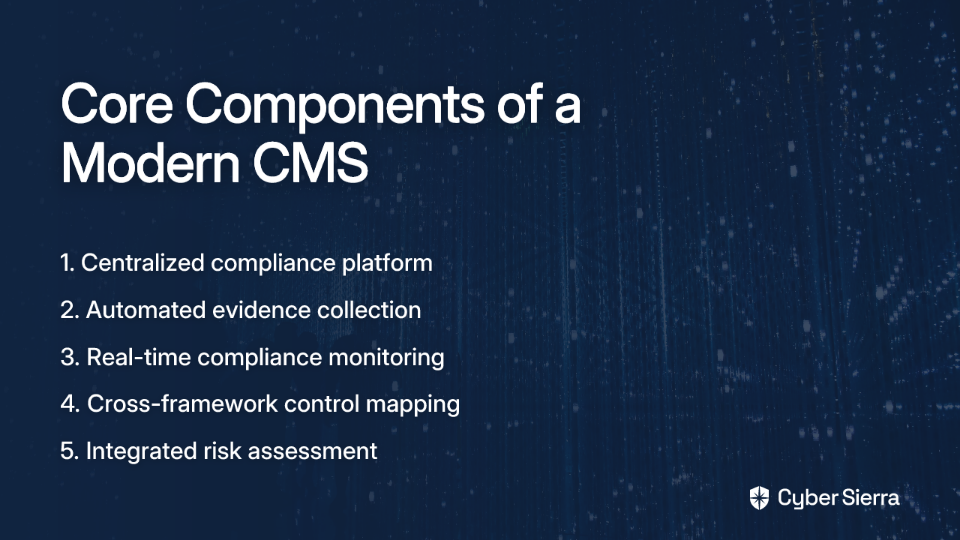
A comprehensive Compliance Management System consists of several interconnected components working together to ensure robust compliance management:

1. Board and Management Oversight

Effective compliance starts at the top. The board and senior management must:

  • Establish and promote a culture of compliance
  • Provide adequate resources for compliance functions
  • Regularly review compliance performance and risks
  • Demonstrate accountability for compliance outcomes

Without this leadership commitment, compliance initiatives often falter regardless of the systems in place.

2. Dedicated Compliance Function

Whether it's a Chief Compliance Officer, a compliance team, or designated compliance responsibilities within existing roles, organizations need dedicated resources to:

  • Develop and implement compliance policies and procedures
  • Monitor regulatory changes and update compliance programs accordingly
  • Coordinate compliance activities across departments
  • Report on compliance status to leadership and stakeholders

For smaller organizations with limited resources, this function might be outsourced or combined with other roles, but it must be explicitly assigned and adequately resourced.

3. Comprehensive Compliance Program

The core of any CMS is a structured compliance program that includes:

  • Documented Policies and Procedures: Clear guidelines that translate regulatory requirements into specific organizational practices
  • Risk Assessment Processes: Systematic methods to identify, assess, and prioritize compliance risks
  • Training and Communication: Regular education for employees on compliance requirements and their role in maintaining compliance
  • Monitoring and Testing: Ongoing verification that controls are functioning as intended
  • Issue Management and Remediation: Processes for addressing compliance failures when they occur

4. Technology Infrastructure

Modern compliance management relies heavily on technology solutions that provide:

  • Centralized document management
  • Automated workflow management
  • Real-time dashboards and reporting
  • Integration capabilities with existing systems
  • Evidence collection and audit support

The right technology platform is crucial for scaling compliance efforts efficiently, especially for organizations facing multiple regulatory frameworks.

5. Reporting and Analytics

A mature CMS includes robust reporting capabilities that provide:

  • Real-time compliance status visibility
  • Trend analysis to identify recurring issues
  • Risk indicators and predictive insights
  • Customizable reports for different stakeholders

These analytics transform compliance data into actionable intelligence, enabling proactive risk management rather than reactive firefighting.

Steps to Implement an Effective CMS

Implementing a Compliance Management System requires careful planning and execution. Follow these steps for a successful deployment:

1. Assess Your Compliance Landscape

Before selecting or implementing any solutions:

  • Identify Applicable Regulations: Determine which laws, regulations, and standards apply to your organization (e.g., SOC 2, ISO 27001, GDPR, HIPAA, PCI DSS)
  • Map Current Compliance Processes: Document existing compliance activities, identifying strengths and gaps
  • Evaluate Resource Constraints: Honestly assess your organization's capabilities, budget, and timeline

This assessment provides the foundation for designing a CMS that truly meets your needs rather than imposing unnecessary complexity.

2. Define Your Compliance Strategy

With a clear understanding of your compliance needs:

  • Establish Compliance Objectives: Define what success looks like for your organization
  • Prioritize Compliance Efforts: Not all regulations carry equal risk; focus on high-impact areas first
  • Set Measurable Goals: Create specific, time-bound metrics to track implementation progress

A well-defined strategy ensures that your CMS implementation addresses your most critical compliance challenges first, delivering early wins that build momentum.

3. Select the Right CMS Solution

When evaluating CMS platforms:

  • Define Must-Have Features: Distinguish between essential requirements and nice-to-have capabilities
  • Consider Scalability: Choose a solution that can grow with your organization
  • Evaluate Integration Capabilities: Ensure compatibility with existing systems
  • Assess Vendor Expertise: Look for providers with experience in your specific compliance domains
  • Check Customization Options: Verify that the platform can adapt to your unique processes

This careful selection process helps avoid costly system changes later when compliance needs evolve.

4. Design Implementation Phases

Break the implementation into manageable stages:

  • Start with a Pilot: Begin with a single department or compliance domain to refine your approach
  • Develop a Phased Rollout Plan: Map out how you'll extend the CMS across the organization
  • Create a Realistic Timeline: Allow adequate time for training, data migration, and process adjustments

Phased implementation reduces disruption and allows for continuous improvement based on early lessons learned.

5. Drive Adoption Through Change Management

Technology alone won't ensure compliance success:

  • Secure Executive Sponsorship: Visible leadership support is crucial for adoption
  • Provide Comprehensive Training: Ensure all users understand both the why and how of the new system
  • Communicate Benefits Clearly: Help stakeholders see how the CMS will make their jobs easier
  • Celebrate Early Wins: Recognize and share successes to build momentum

Effective change management often makes the difference between a successful implementation and a costly shelf-ware project.

6. Continuously Monitor and Improve

Once implemented, your CMS should evolve with your organization:

  • Regularly Review Performance: Assess how well the system is meeting your compliance objectives
  • Solicit User Feedback: Gather input from actual users about challenges and opportunities
  • Stay Current with Regulatory Changes: Update your CMS as requirements evolve
  • Benchmark Against Industry Standards: Compare your compliance maturity against peers and best practices

Top CMS Solutions: Features and Comparison

When selecting a Compliance Management System, organizations face numerous options, from specialized point solutions to comprehensive platforms. Here's our analysis of three leading options, with a spotlight on our top recommendation:

1. Cybersierra (Top Recommendation)

Overview: Cybersierra stands out as an AI-enabled cybersecurity platform specifically designed to simplify and automate security compliance for enterprises. What sets it apart is its comprehensive approach to addressing the entire compliance lifecycle through integrated modules that work seamlessly together.

Key Modules and Features:

  • Continuous Control Monitoring (CCM): Unlike point-in-time assessments, Cybersierra provides ongoing visibility into security controls with:
    • A central controls repository that updates in near real-time
    • Automated control testing and validation
    • Anomaly detection to identify control failures immediately
    • Multi-framework support (NIST, ISO 27001, PCI DSS, GDPR, etc.)
    Learn more about Cybersierra's CCM
  • Third-Party Risk Management (TPRM): Addresses the growing challenge of supply chain security with:
    • Automated vendor assessments and onboarding processes
    • Risk-based vendor prioritization
    • Continuous vendor monitoring beyond point-in-time questionnaires
    • Streamlined due diligence documentation
    Explore Cybersierra's TPRM capabilities
  • Governance, Risk & Compliance (GRC): Simplifies complex compliance requirements through:
    • Automated data collection for multiple frameworks simultaneously
    • Comprehensive policy management
    • Detailed audit trails and reporting
    • Support for SOC 2, ISO 27001, HIPAA, and custom frameworks
    Discover Cybersierra's GRC solution
  • Additional Value-Adding Modules:
    • Threat Intelligence: Proactive insights into the attack surface with vulnerability scanning
    • Employee Security Training: Interactive modules to build a security-conscious workforce
    • Cyber Insurance: Streamlined application process for cyber insurance coverage

Best For: Cybersierra is particularly well-suited for CISOs, Compliance Managers, IT Managers, and Risk professionals in regulated industries who struggle with manual compliance processes, audit stress, and the lack of a unified security view.

Standout Advantage: What truly distinguishes Cybersierra is its shift from periodic, manual compliance checks to continuous, automated monitoring - transforming compliance from a periodic checkbox exercise to a dynamic, always-on security function.

2. IBM OpenPages with Watson

Overview: IBM offers a robust suite of governance, risk, and compliance solutions built on its enterprise-grade technology stack. It leverages IBM's Watson AI capabilities to enhance risk prediction and automate routine compliance tasks.

Key Features:

  • Advanced analytics and AI-driven insights
  • Extensive regulatory content library
  • Operational risk management
  • Financial controls management
  • IT governance capabilities

Best For: Large enterprises with complex compliance needs and significant resources for implementation and maintenance.

Limitation: While powerful, IBM's solution can be complex to implement and may require substantial customization, making it potentially overwhelming for mid-sized organizations or those with limited GRC resources.

3. MetricStream

Overview: MetricStream provides an integrated GRC platform designed to help organizations strengthen risk management, ensure regulatory compliance, and improve corporate governance.

Key Features:

  • Compliance management across multiple regulations
  • Policy and document management
  • Audit planning and execution
  • Risk assessment and monitoring
  • Third-party risk management

Best For: Organizations seeking a well-established platform with a track record in financial services and healthcare industries.

Limitation: Users report that MetricStream's interface can be less intuitive than newer solutions, potentially requiring more training and adoption efforts.

Overcoming Common CMS Implementation Challenges

Even with careful planning, organizations often encounter obstacles when implementing a CMS. Here's how to address the most common challenges:

Challenge: Cost Concerns and Budget Constraints

Many organizations, especially small and medium businesses, struggle with the perceived high costs of comprehensive compliance solutions. As one compliance manager on Reddit noted: "No GRC tool is really cheap. We had Drata for a year and at renewal the price JUMPED a lot."

Solution Strategies:

  • Start with Core Functionality: Begin with essential modules and expand as you demonstrate ROI
  • Consider Cloud-Based Solutions: These often have lower upfront costs than on-premises options
  • Look for Scalable Pricing Models: Some vendors offer pricing based on company size or usage
  • Calculate True ROI: Factor in the cost savings from reduced audit preparation time, fewer compliance failures, and operational efficiencies

Challenge: Complexity in Multi-Framework Environments

Organizations facing multiple compliance requirements often struggle with the complexity of mapping controls across frameworks. As one IT manager commented: "They are really poor at defining controls relevant to Cloud only environments where there is no Central Network."

Solution Strategies:

  • Seek Solutions with Built-in Framework Crosswalks: Look for platforms that automatically map controls across multiple frameworks
  • Implement a Common Control Framework: Create a unified set of controls that satisfy multiple requirements
  • Prioritize Integration Capabilities: Ensure your CMS can pull data from various systems to avoid duplicate control implementations

Challenge: Resistance to Change and Low Adoption

New compliance systems often face resistance, especially from teams already overwhelmed with their primary responsibilities.

Solution Strategies:

  • Focus on User Experience: Choose solutions with intuitive interfaces that minimize training needs
  • Demonstrate Time Savings: Show how automation reduces manual compliance burden
  • Involve End Users in Selection: Get input from those who will use the system daily
  • Provide Adequate Training: Invest in role-based training that shows users exactly what they need to do

Challenge: Evidence Collection and Audit Preparation

Many organizations struggle with gathering appropriate evidence for audits. As one compliance manager shared: "Most of the tools I've used export .csv files for their 'evidence' and no auditor I've talked to will accept them, they want screenshots."

Solution Strategies:

  • Automate Evidence Collection: Look for solutions that can automatically capture and store evidence in auditor-acceptable formats
  • Establish Continuous Monitoring: Move from point-in-time evidence collection to ongoing monitoring
  • Create Clear Evidence Standards: Define what constitutes acceptable evidence for each control
  • Implement Regular Mock Audits: Practice evidence retrieval and presentation before actual audits

Challenge: Keeping Up with Regulatory Changes

The regulatory landscape evolves constantly, making it difficult to maintain compliance current.

Solution Strategies:

  • Choose Solutions with Regulatory Update Services: Some platforms automatically update requirements as regulations change
  • Establish a Regulatory Monitoring Process: Assign responsibility for tracking changes in relevant regulations
  • Partner with Compliance Experts: Consider working with specialists who stay current on regulatory trends
  • Join Industry Groups: Participate in associations that provide early insights into regulatory changes

The Future of Compliance Management Systems

As regulatory requirements continue to evolve and technology advances, the future of CMS will be shaped by several key trends:

AI and Machine Learning Integration

Artificial intelligence is transforming compliance from reactive to predictive by:

  • Automating routine compliance tasks
  • Identifying patterns that might indicate compliance risks
  • Providing predictive insights about potential future issues
  • Generating compliance documentation and reports

Solutions like Cybersierra are leading this transformation with AI-enabled capabilities that reduce manual effort while improving compliance accuracy.

Continuous Compliance Monitoring

The traditional point-in-time compliance assessment model is giving way to continuous monitoring approaches that:

  • Provide real-time visibility into compliance status
  • Detect control failures as they occur
  • Enable immediate remediation of compliance issues
  • Reduce the effort required for formal audits

This shift fundamentally changes how organizations approach compliance, moving from periodic fire drills to ongoing maintenance.

Integration Across Risk Domains

Forward-thinking organizations are breaking down silos between compliance, security, privacy, and operational risk by:

  • Implementing integrated risk management platforms
  • Creating unified control frameworks
  • Sharing risk data across domains
  • Coordinating remediation efforts

This integrated approach reduces duplication of effort and provides a more holistic view of organizational risk.

Conclusion: Building a Compliance-Ready Organization

Implementing an effective Compliance Management System is no longer optional in today's heavily regulated business environment. The right CMS doesn't just help you avoid penalties—it transforms compliance from a burden into a strategic advantage that builds customer trust, improves operational efficiency, and reduces overall risk.

By following the implementation steps outlined in this guide and selecting a comprehensive solution like Cybersierra, organizations can move from reactive, chaotic compliance processes to a proactive, streamlined approach that supports business objectives while ensuring regulatory adherence.

The key is to view compliance not as a checkbox exercise but as an integral part of your risk management strategy—one that deserves the right combination of people, processes, and technology to execute effectively.

Ready to transform your approach to compliance management? Consider how Cybersierra's AI-enabled platform could help you automate compliance tasks, gain real-time visibility into your compliance posture, and prepare confidently for your next audit.

Frequently Asked Questions

What exactly is a Compliance Management System (CMS)?

A Compliance Management System (CMS) is an integrated framework of tools, processes, and controls designed to help organizations systematically manage their compliance obligations. It ensures adherence to laws, regulations, industry standards, and internal policies by providing a centralized platform to identify, assess, and mitigate compliance risks, automate tasks, and streamline audit processes.

Why is a Compliance Management System essential for modern businesses?

A Compliance Management System is essential for modern businesses primarily to mitigate significant legal and financial risks associated with non-compliance and to improve operational efficiency. Beyond avoiding penalties, a CMS helps build consumer trust by demonstrating a commitment to data protection, streamlines operations by automating manual tasks, and ensures continuous audit readiness, turning compliance from a cost center into a strategic advantage.

How does a CMS simplify the audit process?

A CMS simplifies the audit process by centralizing compliance documentation, automating evidence collection, and providing continuous control monitoring. This means organizations are always prepared for audits, significantly reducing the typical "audit scramble." Features like clear audit trails and real-time compliance status dashboards allow for faster, less stressful, and more successful audit outcomes.

What are the first steps to implementing a Compliance Management System?

The first crucial step to implementing a Compliance Management System is to thoroughly assess your organization's current compliance landscape. This involves identifying all applicable regulations (like SOC 2, ISO 27001, GDPR), mapping your existing compliance processes to find strengths and weaknesses, and evaluating your available resources. This foundational assessment helps in designing a CMS that genuinely meets your specific needs.

What role does Artificial Intelligence (AI) play in modern Compliance Management Systems?

Artificial Intelligence (AI) plays a transformative role in modern Compliance Management Systems by automating complex tasks, predicting potential risks, and enhancing decision-making. AI can analyze vast amounts of data to identify non-compliant patterns, automate evidence gathering, generate compliance reports, and provide predictive insights into emerging threats, making compliance more proactive and efficient.

How can a CMS help organizations manage multiple compliance frameworks like SOC 2, ISO 27001, and GDPR simultaneously?

A CMS helps organizations manage multiple compliance frameworks simultaneously by providing a centralized platform with features like control mapping and common control frameworks. This allows businesses to define a control once and map it to various regulatory requirements, automating data collection across different standards (e.g., SOC 2, ISO 27001, GDPR, HIPAA) and reducing redundant efforts, ensuring consistent compliance across the board.


Additional Resources

For more information on compliance management best practices and solutions:

blog-hero-background-image
Governance & Compliance

ISMS Policies for ISO 27001: Your Comprehensive Guide

backdrop
Table of Contents

Join thousands of professionals and get the latest insight on Compliance & Cybersecurity.


You've been tasked with implementing ISO 27001 in your organization, and now you're staring at a blank document, wondering where to even begin with all the required ISMS policies. The thought of creating dozens of documents from scratch is overwhelming, especially when you're not sure if you're missing something crucial that could come back to haunt you during an audit.

As one frustrated professional put it: "I'm worried that when the design is not right from the start, it will become a mess that is hard to re-order and will bite me in the years to come."

This concern is valid. Poor initial policy design can lead to a documentation nightmare that becomes increasingly difficult to manage over time. But with a structured approach and clear understanding of what's required, you can implement an effective Information Security Management System (ISMS) that protects your organization's assets and meets compliance requirements.

This comprehensive guide breaks down all the policies you need for ISO 27001 certification, providing clarity on what each policy should cover and how they work together to create a robust security framework.

Understanding ISMS Policies and Their Importance

ISMS policies are formal documents that outline an organization's approach to managing information security. They serve as the backbone of your ISO 27001 implementation, providing direction and demonstrating management's commitment to information security.

According to ISO 27001 Clause 5.2, your information security policy must:

  • Be appropriate to the purpose of your organization
  • Include information security objectives or provide a framework for setting them
  • Include commitments to satisfy applicable requirements
  • Include commitments to continual improvement of the ISMS
  • Be available as documented information
  • Be communicated within the organization
  • Be available to interested parties as appropriate

Well-structured ISMS policies not only help achieve certification but also protect your organization's valuable information assets from threats and vulnerabilities.

Essential ISMS Policies for ISO 27001 Compliance

Below is a comprehensive list of the policies typically required for ISO 27001 compliance. The exact policies you need may vary depending on your organization's size, industry, and specific requirements.

1. Information Security Policy

This is your cornerstone document that establishes the organization's overall approach to information security. It demonstrates top management's commitment and sets the foundation for all other policies.

Key components:

  • Purpose and scope of the ISMS
  • Information security objectives
  • Roles and responsibilities
  • Commitment to compliance with legal, regulatory, and contractual requirements
  • Commitment to continual improvement

As one Reddit user noted: "Document policy (what you want to do and achieve)... make sure you can demonstrate the processes in your policy. Everything written there should be carried out."

2. Access Control Policy

This policy defines how access to information and systems is granted, managed, and revoked to prevent unauthorized access.

Key components:

  • User registration and de-registration procedures
  • Privilege management
  • Password management
  • Review of access rights
  • Segregation of duties

3. Asset Management Policy

This policy ensures that all information assets are identified, classified, and protected appropriately throughout their lifecycle.

Key components:

  • Asset inventory procedures
  • Asset ownership assignment
  • Acceptable use rules
  • Asset return procedures
  • Information classification guidelines
  • Media handling procedures

4. Risk Management Policy

A critical policy that outlines how the organization identifies, assesses, and treats information security risks.

Key components:

  • Risk assessment methodology
  • Risk acceptance criteria
  • Risk treatment options
  • Risk owner responsibilities
  • Frequency of risk assessments
  • Risk monitoring and review procedures

Risk management is central to ISO 27001, providing the basis for determining which controls are necessary for your organization. As noted in the ISO 27001 risk management guidelines, effective risk management helps organizations prioritize security investments.

5. Information Classification and Handling Policy

This policy establishes a framework for classifying information based on its sensitivity and defining how each classification should be handled.

Key components:

  • Classification levels (e.g., public, internal, confidential, restricted)
  • Classification criteria
  • Labeling procedures
  • Handling requirements for each classification level
  • Storage, transmission, and disposal requirements

6. Security Awareness and Training Policy

This policy ensures that all personnel are aware of their information security responsibilities and receive appropriate training.

Key components:

  • Security awareness program details
  • Training requirements for different roles
  • Frequency of training and awareness activities
  • Methods for measuring effectiveness
  • Consequences of non-compliance

7. Physical and Environmental Security Policy

This policy addresses the physical protection of information assets against unauthorized access, damage, and interference.

Key components:

  • Secure areas definition and requirements
  • Physical entry controls
  • Protection against environmental threats
  • Equipment security measures
  • Off-site equipment security
  • Clear desk and clear screen requirements

8. Operations Security Policy

This policy ensures the secure operation of information processing facilities.

Key components:

  • Documented operating procedures
  • Change management requirements
  • Capacity management
  • Separation of development, testing, and operational environments
  • Protection against malware
  • Backup procedures

9. Communications Security Policy

This policy governs the security of information in networks and during transfer.

Key components:

  • Network security management
  • Information transfer procedures
  • Electronic messaging security
  • Confidentiality or non-disclosure agreements

10. System Acquisition, Development, and Maintenance Policy

This policy ensures that security is built into information systems throughout their lifecycle.

Key components:

  • Security requirements for information systems
  • Secure development principles
  • Secure development environment
  • System testing procedures
  • System change control procedures
  • Technical vulnerability management

11. Supplier Relationships Policy

This policy ensures that information accessible by suppliers is adequately protected.

Key components:

  • Information security requirements for supplier relationships
  • Supplier service delivery management
  • Monitoring and review of supplier services
  • Management of changes to supplier services

This policy is increasingly important as organizations rely more on third-party vendors. One Reddit user expressed concern about "what prevents a supplier from creating a fake security certification or report?" - highlighting the importance of thorough supplier vetting and management.

12. Information Security Incident Management Policy

This policy establishes a consistent approach to managing information security incidents.

Key components:

  • Incident reporting procedures
  • Incident response procedures
  • Roles and responsibilities during incidents
  • Learning from incidents
  • Collection of evidence

13. Business Continuity Management Policy

This policy ensures that information security continues during adverse situations.

Key components:

  • Business continuity planning framework
  • Business impact analysis requirements
  • Recovery objectives and priorities
  • Testing and exercising procedures
  • Plan maintenance requirements

14. Compliance Policy

This policy ensures compliance with legal, regulatory, and contractual requirements related to information security.

Key components:

  • Identification of applicable laws and regulations
  • Intellectual property rights
  • Protection of records
  • Privacy and protection of personally identifiable information
  • Independent review of information security

15. Cryptographic Controls Policy

This policy governs the use of cryptography to protect information confidentiality, integrity, and authenticity.

Key components:

  • Cryptographic control usage
  • Key management procedures
  • Encryption requirements for different types of information
  • Cryptographic algorithm standards

16. Mobile Device and Remote Working Policy

This policy addresses the security risks associated with mobile devices and remote working arrangements.

Key components:

  • Mobile device security requirements
  • Remote access security measures
  • Remote working guidelines
  • Bring Your Own Device (BYOD) rules
  • Mobile device management procedures

17. Human Resource Security Policy

This policy ensures that employees and contractors understand their responsibilities and are suitable for their roles.

Key components:

  • Security screening procedures
  • Terms and conditions of employment
  • Disciplinary process for security breaches
  • Termination or change of employment procedures
  • Return of assets requirements

18. Backup Policy

This policy ensures that information, software, and systems can be recovered following a disaster or media failure.

Key components:

  • Backup scheduling
  • Storage requirements for backups
  • Backup testing procedures
  • Restoration procedures
  • Retention periods

19. Logging and Monitoring Policy

This policy establishes requirements for recording events and generating evidence.

Key components:

  • Event logging requirements
  • Protection of log information
  • Administrator and operator logs
  • Clock synchronization
  • Technical vulnerability management

20. Data Protection Policy

With increasing global privacy regulations, this policy ensures proper handling of personal data.

Key components:

  • Data subject rights
  • Lawful basis for processing
  • Consent management
  • Data breach notification procedures
  • Data protection impact assessments

21. Data Retention Policy

This policy establishes how long information should be kept and when and how it should be disposed of.

Key components:

  • Retention schedules for different types of information
  • Secure disposal methods
  • Archive requirements
  • Destruction verification procedures

22. Acceptable Use Policy

This policy defines the acceptable use of information and assets within the organization.

Key components:

  • Acceptable use of the internet
  • Email usage guidelines
  • Social media guidelines
  • Software installation restrictions
  • Intellectual property considerations

23. Change Management Policy

This policy establishes a controlled process for making changes to information systems.

Key components:

  • Change request procedures
  • Change approval requirements
  • Testing requirements before implementation
  • Back-out procedures
  • Emergency change procedures

24. Network Security Management Policy

This policy ensures the protection of information in networks and supporting infrastructure.

Key components:

  • Network controls
  • Security of network services
  • Segregation of networks
  • Network security testing
  • Firewall configuration and management

25. Document and Record Control Policy

This policy ensures that documents and records within the ISMS are properly managed.

Key components:

  • Document approval procedures
  • Document review and update procedures
  • Version control
  • Document distribution, access, and retrieval
  • Document retention and disposition

Implementing ISMS Policies Effectively

Creating comprehensive policies is just the beginning. To implement them effectively:

1. Start with a Risk Assessment

Before developing policies, conduct a thorough risk assessment to identify the specific threats and vulnerabilities facing your organization. This helps prioritize policy development and ensures that your policies address actual risks.

2. Customize Policies to Your Organization

While templates can provide a starting point, it's essential to customize policies to reflect your organization's specific needs, culture, and environment. As one Reddit user lamented: "Creating an Information Security Program from scratch is daunting and time-consuming. Every program needs to be tailored to the individual business..."

3. Ensure Policies Are Accessible and Understandable

Lengthy, complex policies often go unread and unimplemented. As another Reddit user pointed out: "A policy should be easily accessible and understandable. 120 pages is insane." Keep your policies concise, clear, and focused on practical guidance.

4. Establish Ownership and Responsibility

Assign clear ownership for each policy and ensure that responsibilities for implementation and maintenance are well-defined.

5. Communicate and Train

Ensure that all employees understand the policies relevant to their roles through effective communication and training programs. Regular awareness sessions help reinforce the importance of information security.

6. Monitor and Review Regularly

Policies should not be static documents. Review them regularly to ensure they remain relevant and effective as your organization and the threat landscape evolve.

ISO 27001 ISMS Policy Implementation: A Step-by-Step Guide

To avoid the common pitfall of poor initial design that "will become a mess that is hard to re-order," follow this structured approach to implementing your ISMS policies:

Step 1: Gain Management Support

Secure commitment from top management before beginning. Their support is crucial for resource allocation and promoting a security-conscious culture.

Step 2: Define the Scope of Your ISMS

Clearly define what your ISMS will cover in terms of locations, assets, technologies, and departments. This helps focus your policy development efforts.

Step 3: Conduct a Gap Analysis

Compare your current security controls with ISO 27001 requirements to identify gaps that need to be addressed through new or updated policies.

Step 4: Develop a Policy Hierarchy

Create a clear structure for your policies:

  • Level 1: High-level Information Security Policy
  • Level 2: Topic-specific policies (e.g., Access Control, Risk Management)
  • Level 3: Procedures and work instructions
  • Level 4: Records and evidence

This hierarchy helps address the concern expressed by one Reddit user who was "struggling to understand what fits where" in policy documentation.

Step 5: Create a Document Template

Develop a standard template for all policies to ensure consistency and completeness. Include sections for:

  • Purpose and scope
  • Policy statements
  • Roles and responsibilities
  • References to related documents
  • Version control information

Step 6: Draft Policies Using a Phased Approach

Rather than attempting to create all policies simultaneously, prioritize based on:

  • Risk assessment results
  • Certification timeline
  • Resource availability
  • Dependencies between policies

Step 7: Review and Approve Policies

Have relevant stakeholders review each policy to ensure it's accurate, comprehensive, and implementable. Formal approval should follow the organization's governance process.

Step 8: Implement and Communicate

Roll out policies with appropriate communication and training. Consider using multiple channels:

  • Intranet or document management system
  • Training sessions
  • Team meetings
  • Email announcements
  • Visual aids in common areas

Step 9: Monitor and Measure Effectiveness

Establish metrics to evaluate how well policies are being followed and whether they're achieving their intended outcomes. Use:

  • Internal audits
  • Compliance monitoring
  • Incident reports
  • User feedback

Step 10: Continuously Improve

Based on monitoring results, regularly update and refine your policies. This demonstrates the commitment to continual improvement required by ISO 27001.

Document Management Solutions for ISMS Policies

Many organizations struggle with managing their ISMS documentation effectively. As one professional noted on Reddit: "We used to pay 12k per year on a 'system' to arrange documents... we now just use folders on disk arranged according to what's required."

While expensive systems aren't necessary, you do need a reliable method to manage your policies. Options include:

1. SharePoint or Similar Collaboration Platforms

Provides document control features, version history, and accessibility. Many organizations already have access through Microsoft 365 subscriptions.

2. Dedicated GRC (Governance, Risk, and Compliance) Tools

Tools like ServiceNow IRM offer comprehensive features but may be "too feature rich and complex" for smaller organizations, as one Reddit user cautioned.

3. Simple Directory Structures with Version Control

For smaller organizations, well-organized folder structures with proper naming conventions can be sufficient if coupled with good version control practices.

4. Wiki-Based Systems

Platforms like Confluence allow for collaborative editing and easy cross-referencing between policies.

Common ISMS Policy Pitfalls to Avoid

1. Creating Policies That Don't Reflect Reality

Documenting aspirational practices rather than actual procedures is a common mistake. As emphasized in a Reddit discussion: "Make sure you can demonstrate the processes in your policy. Everything written there should be carried out."

2. Over-Complicated Documentation

Excessively detailed or lengthy policies overwhelm users and reduce compliance. Focus on clear, concise guidance.

3. Neglecting Regular Reviews

Policies that aren't regularly reviewed become outdated and irrelevant as technologies and threats evolve.

4. Insufficient Integration Between Policies

Policies should reference each other where appropriate to create a cohesive framework rather than isolated documents.

Conclusion

Implementing a comprehensive set of ISMS policies for ISO 27001 compliance might seem daunting initially, but with a structured approach and clear understanding of requirements, it becomes manageable. The key is to develop policies that are practical, accessible, and aligned with your organization's actual practices and risk profile.

Remember that policies are living documents that should evolve as your organization and the threat landscape change. Regular review and improvement demonstrate your commitment to information security and help maintain ISO 27001 compliance over time.

By avoiding common pitfalls like overly complex documentation and poor initial design, you can create an ISMS that effectively protects your information assets without becoming an administrative burden.

Frequently Asked Questions

What are ISMS policies and why are they crucial for ISO 27001 certification?

ISMS policies are formal documents outlining an organization's approach to information security, and they are crucial for ISO 27001 as they provide direction, demonstrate management commitment, and form the backbone of your compliance efforts. These policies define the rules and procedures to protect information assets, meet legal and regulatory requirements, and ensure the continual improvement of the Information Security Management System.

How many ISMS policies are typically required for ISO 27001?

The exact number of policies is not mandated by ISO 27001; however, a comprehensive ISMS typically includes around 15-25 core policies covering areas like risk management, access control, and incident management. The specific policies needed depend on your organization's size, complexity, risk assessment results, and the applicability of Annex A controls. The goal is to adequately address all relevant security domains.

Where is the best place to start when developing ISO 27001 policies?

The best place to start is by conducting a thorough risk assessment and a gap analysis against ISO 27001 requirements. This will help you identify the most critical areas to address first and understand which policies are essential for your organization. Securing management support and defining the scope of your ISMS are also crucial initial steps before drafting any policy documents.

How can I make sure my organization's ISMS policies are actually used and effective?

To ensure policies are used and effective, they must be practical, accessible, and clearly communicated, with regular training provided to all relevant personnel. Policies should be customized to your organization's specific context, kept concise, and regularly reviewed and updated. Assigning ownership and monitoring compliance through audits and performance metrics are also key to their effectiveness.

What is the single most important policy in an ISO 27001 ISMS framework?

The Information Security Policy is generally considered the most important policy as it is the cornerstone document that establishes top management's commitment and sets the overall direction for information security within the organization. It provides the foundation and framework upon which all other specific ISMS policies and controls are built.

How detailed should ISO 27001 policies be to meet compliance without being overwhelming?

ISO 27001 policies should be detailed enough to provide clear guidance and meet compliance requirements but concise enough to be easily understood and implemented by employees. Focus on practical instructions and outcomes rather than excessive jargon or length. The level of detail should correspond to the risk level and complexity of the area the policy covers, avoiding overly prescriptive content that becomes difficult to maintain or follow.

Additional Resources


This comprehensive list of ISMS policies should give you a solid foundation for your ISO 27001 implementation. Remember that the specific policies required may vary depending on your organization's context and the results of your risk assessment. Always tailor your approach to your organization's unique needs and constraints.

blog-hero-background-image
Governance & Compliance

18 PHI Identifiers You Need to Know for HIPAA Compliance

backdrop
Table of Contents

Join thousands of professionals and get the latest insight on Compliance & Cybersecurity.


You've set up a new healthcare software system or are handling patient records, but suddenly you're worried: "What exactly counts as Protected Health Information?" The anxiety builds as you realize mishandling this sensitive data could result in devastating fines, reputation damage, and even legal action.

Healthcare providers, software developers, and business associates alike share this concern. As one developer on Reddit expressed, understanding "which type of things could get us in trouble" when working with patient data is critical for building compliant software.

With data breaches on the rise and penalties becoming increasingly severe, knowing exactly where PHI can be found is no longer optional—it's essential.

What is PHI?

Protected Health Information (PHI) refers to individually identifiable health information that is transmitted or maintained in any form or medium by a covered entity or business associate. According to the HHS guidance, PHI includes any information about health status, provision of healthcare, or payment for healthcare that can be linked to a specific individual.

The key element that transforms regular health information into PHI is the presence of identifiers that can connect the information to a particular person. Under HIPAA, there are 18 specific identifiers that, when combined with health information, create PHI that requires protection.

The 18 PHI Identifiers With Examples

PHI can be found in numerous places within healthcare settings and associated systems. Here are the 18 official identifiers with practical examples:

1. Names

Any part of a person's name that could identify them in relation to their health information.

  • Example: "John Smith" in a patient record
  • Where PHI can be found: Admission forms, medical charts, prescription labels, appointment schedules

2. Geographic Identifiers Smaller Than a State

Any geographic subdivision smaller than a state, including street address, city, county, precinct, and ZIP code.

  • Example: "123 Main Street, Springfield, IL 62701"
  • Where PHI can be found: Patient registration forms, billing records, medical correspondence, shipping labels for medical supplies

3. All Elements of Dates

All elements of dates (except year) directly related to an individual, including birth date, admission date, discharge date, date of death, and all ages over 89.

  • Example: "Patient admitted on January 15, 2023" or "DOB: 04/22/1933"
  • Where PHI can be found: Medical records, admission/discharge paperwork, appointment scheduling systems, birth certificates

4. Telephone Numbers

Any phone numbers associated with a patient.

  • Example: "(555) 123-4567"
  • Where PHI can be found: Contact information forms, call logs, voicemail systems, text message appointment reminders

5. Fax Numbers

Any fax numbers linked to a patient.

  • Example: "(555) 987-6543"
  • Where PHI can be found: Contact information sheets, referral forms, prescription transmission records

6. Email Addresses

Any email address belonging to a patient.

  • Example: "[email protected]"
  • Where PHI can be found: Patient portals, email communication logs, newsletter subscription lists, online form submissions

7. Social Security Numbers

A patient's Social Security number (SSN) or any portion thereof.

  • Example: "123-45-6789" or even just the last four digits "6789"
  • Where PHI can be found: Insurance verification forms, billing documents, employment records for health-related claims

8. Medical Record Numbers

Unique numbers assigned to patients by healthcare providers.

  • Example: "MRN: 987654321"
  • Where PHI can be found: Patient charts, laboratory test orders, imaging requests, hospital wristbands

9. Health Plan Beneficiary Numbers

Numbers assigned by a health plan to identify individuals.

  • Example: "BCBS ID: XYZ1234567890"
  • Where PHI can be found: Insurance cards, explanation of benefits (EOB) documents, claims processing systems

10. Account Numbers

Financial account numbers related to healthcare payments.

  • Example: "Patient Account #: 2022-567890"
  • Where PHI can be found: Billing statements, payment records, collection agency communications

11. Certificate/License Numbers

Any certificate or license number that could identify an individual.

  • Example: "Driver's License #: D1234567"
  • Where PHI can be found: Patient identification verification forms, disability documentation

12. Vehicle Identifiers and Serial Numbers

Including license plate numbers, VINs, etc.

  • Example: "Vehicle Plate: ABC-1234"
  • Where PHI can be found: Accident reports, ambulance transport records, hospital parking permits

13. Device Identifiers and Serial Numbers

Numbers associated with medical devices used by or implanted in patients.

  • Example: "Pacemaker Serial #: PM20225678"
  • Where PHI can be found: Implant records, device tracking systems, maintenance logs, patient medical device registries

14. Web URLs

Web universal resource locators (URLs) that could identify patients.

15. IP Addresses

Internet Protocol addresses that could identify computers or devices.

  • Example: "192.168.1.1"
  • Where PHI can be found: Network access logs, telehealth session data, patient portal login records, online form submissions

16. Biometric Identifiers

Includes fingerprints, retinal scans, voiceprints, etc.

  • Example: Stored fingerprint data for patient identification
  • Where PHI can be found: Biometric access systems to medical records, voice recognition systems for documentation, genetic testing results

17. Full-Face Photos and Comparable Images

Any photographic image that could be used to identify a patient.

  • Example: Patient ID photos, clinical before/after photos
  • Where PHI can be found: Electronic medical records, dermatology files, plastic surgery documentation, telehealth video recordings

18. Any Other Unique Identifying Number, Characteristic, or Code

Any other unique identifier not explicitly mentioned in the other categories.

  • Example: Patient-assigned identifier codes like "SMITH2022JAN"
  • Where PHI can be found: Research study participant codes, custom patient identifiers in specialized systems

Where PHI Can Be Found: Common Locations

PHI can be found in numerous places throughout healthcare organizations and their associates. Understanding these locations is crucial for implementing proper safeguards:

Physical Locations:

  • Paper medical records and charts
  • Intake and registration forms
  • Lab requisition forms
  • Prescription pads and labels
  • Fax machines and printouts
  • Appointment cards and schedules
  • Billing statements and invoices
  • Sticky notes with patient information
  • Whiteboards with patient details
  • ID badges for hospital patients

Digital Locations:

  • Electronic Health Record (EHR) systems
  • Practice management software
  • Billing and coding systems
  • Email communications and attachments
  • Text messages related to patient care
  • Cloud storage containing medical files
  • Backup systems and archives
  • Mobile devices used for healthcare purposes
  • Diagnostic equipment with patient data
  • Telehealth platforms and recordings

Understanding What Is Not PHI

Not all health information qualifies as PHI. Understanding these distinctions can help organizations properly allocate their compliance resources:

  • De-identified health information: Data that has been stripped of all 18 identifiers and has no reasonable basis to believe it could be used to identify an individual.
  • Employee records: Health information in employment records held by a covered entity in its role as an employer.
  • Educational records: Those covered by the Family Educational Rights and Privacy Act (FERPA).
  • **Health information of deceased individuals who have been dead for more than 50 years.
  • Aggregate data: Statistical information that doesn't identify individuals.

The Importance of Protecting PHI

As one Reddit user pointed out, "a significant amount of breaches come from business associates and the consequences for failing to comply with the business associate agreement can be quite severe if the startup is sued." This highlights the critical nature of understanding and protecting PHI.

The stakes are high:

  • Civil penalties can range from $100 to $50,000 per violation
  • Criminal penalties can include fines up to $250,000 and imprisonment up to 10 years
  • Reputational damage can be irreparable
  • Patient trust, once broken, is difficult to restore

Many healthcare professionals have expressed that "it's extremely challenging for small practices to implement HIPAA," yet compliance is not optional. The complexity of requirements makes it essential to have clear guidance on identifying and protecting PHI.

Best Practices for Managing PHI

1. Establish a HIPAA Privacy Program

As recommended in online healthcare forums, "If you are accessing client PHI, you need to establish a HIPAA privacy program, meaning you have a CPO, policies and procedures that address secondary use and disclosure, minimum necessary, sanctions etc."

2. Implement Technical Safeguards

  • Use encryption for all PHI at rest and in transit
  • Employ access controls with unique user identification
  • Maintain automatic logoff on all devices
  • Create audit controls to track PHI access
  • Ensure integrity controls to prevent unauthorized alteration

3. Train Staff Regularly

Regular training helps ensure all team members understand:

  • How to identify PHI
  • Where PHI can be found in your specific organization
  • Proper handling procedures
  • Breach reporting protocols

4. Conduct Risk Assessments

Regular risk assessments help identify vulnerabilities in how your organization handles PHI. As one compliance expert noted, "Review of the Security, Breach, and Privacy rules" should be part of your regular compliance activities.
5. Create a Culture of Compliance

Foster an environment where privacy is valued and protected. This means encouraging staff to report potential issues without fear of retaliation and regularly discussing the importance of PHI protection.

Conclusion

PHI can be found throughout healthcare organizations in both obvious and unexpected places. The 18 identifiers provide a clear framework for recognizing what constitutes PHI, but implementing proper protection requires diligence and commitment.
As healthcare continues to digitize and evolve, the locations where PHI can be found will expand. Organizations must stay vigilant and adaptable, continuously updating their understanding of PHI and the systems needed to protect it.

By thoroughly understanding what PHI is, where it can be located, and how to protect it, healthcare providers and their business associates can minimize the risk of breaches, avoid penalties, and—most importantly—maintain the trust of the patients they serve.

Frequently Asked Questions

What exactly is Protected Health Information (PHI)?

Protected Health Information (PHI) is any individually identifiable health information that is created, received, maintained, or transmitted by a covered entity (like a healthcare provider or insurer) or a business associate in connection with healthcare operations. This includes information about a person's past, present, or future physical or mental health condition, the provision of healthcare to an individual, or the past, present, or future payment for healthcare, when combined with one or more of the 18 specific identifiers defined by HIPAA.

Why is it so important to protect PHI?

Protecting PHI is crucial primarily to safeguard patient privacy and maintain trust in the healthcare system. Mishandling PHI can lead to severe consequences, including significant financial penalties for non-compliance, legal action, reputational damage to the organization, and potential harm or distress to individuals whose information is compromised.

Where is PHI most commonly found?

PHI can be found in a wide variety of locations, both physical and digital. Common physical locations include paper medical records, patient charts, prescription labels, and billing statements. Digitally, PHI is often present in Electronic Health Record (EHR) systems, practice management software, email communications, cloud storage, and mobile devices used for healthcare.

How can health information be de-identified?

Health information can be de-identified by removing all 18 specific HIPAA identifiers (such as name, address, dates, social security number, etc.) so that there is no reasonable basis to believe the information can be used to identify an individual. Once properly de-identified, the information is no longer considered PHI and is not subject to HIPAA's Privacy Rule restrictions. The Department of Health & Human Services (HHS) provides specific guidance on acceptable de-identification methods.

What happens if PHI is not properly protected?

Failure to properly protect PHI can result in serious repercussions. These include substantial civil monetary penalties, which can range from $100 to $50,000 per violation, and even criminal penalties involving fines up to $250,000 and imprisonment. Beyond legal and financial consequences, data breaches can cause significant reputational damage and erode patient trust.

What are some key best practices for managing PHI?

Key best practices for managing PHI include establishing a comprehensive HIPAA privacy program, implementing robust technical safeguards like encryption and access controls, conducting regular staff training on PHI handling, performing periodic risk assessments to identify vulnerabilities, and fostering a strong culture of compliance within the organization. These measures help ensure that PHI is consistently protected across all operations.

For more detailed guidance on HIPAA compliance, refer to:

Understanding and properly managing PHI is not just about compliance—it's about respecting patient privacy and maintaining the integrity of the healthcare system.

blog-hero-background-image
Governance & Compliance

HIPAA-Compliant Text Messaging Apps for 2025

backdrop
Table of Contents

Join thousands of professionals and get the latest insight on Compliance & Cybersecurity.


You've just onboarded a new patient who prefers text message communications for appointment reminders and quick questions. But as you reach for your phone, that familiar anxiety creeps in—is regular texting HIPAA compliant? Could this simple convenience put your practice at risk of violations and hefty fines?

As one healthcare professional noted in a recent forum: "Regular texting cannot be fully secured and HIPAA compliant. This is impossible because you can't guarantee security on the client's end."

This dilemma affects countless healthcare providers who find themselves caught between providing convenient communication options and maintaining strict regulatory compliance. Many practitioners mistakenly believe adding a simple disclaimer to text messages offers protection, while others avoid texting entirely, potentially compromising patient engagement.

Fortunately, specialized HIPAA-compliant text messaging apps have evolved significantly by 2025, offering robust solutions that protect both patients and providers while enhancing communication efficiency.

What Makes Text Messaging HIPAA Compliant?

Before diving into specific applications, it's crucial to understand what makes a messaging platform HIPAA compliant. Standard SMS messaging fails to meet compliance requirements due to several critical shortcomings:

  • Lack of end-to-end encryption
  • Absence of access controls
  • No audit trails for sent/received messages
  • Messages stored unencrypted on carrier servers
  • No ability to remotely wipe data if devices are lost or stolen

For a text messaging application to be considered HIPAA compliant, it must include:

  1. End-to-end encryption during transmission and storage
  2. Access controls that limit PHI access to authorized personnel
  3. Comprehensive audit trails documenting all message activity
  4. Automatic logoff features for inactive sessions
  5. Secure password requirements and authentication protocols
  6. Remote wipe capabilities for lost or stolen devices
  7. Business Associate Agreements (BAAs) from the service provider

Even with these technical safeguards, proper implementation requires:

  • Written patient consent to communicate via secure messaging
  • Staff training on proper use of the platform
  • Regular risk assessments to identify vulnerabilities
  • Policies for managing lost or stolen devices

As one Reddit user accurately pointed out, "The best option is secure app-to-app texting, but many clients can't accommodate this due to not downloading the app." This highlights the ongoing challenge of balancing security with practical usability.

Top HIPAA-Compliant Text Messaging Apps for 2025

After analyzing user experiences, feature sets, and compliance capabilities, these are the leading HIPAA-compliant messaging solutions for healthcare providers in 2025:

1. TigerConnect (Formerly TigerText)

Key Features:

  • End-to-end encryption for all messages and attachments
  • Message lifespan controls with auto-deletion
  • Role-based access controls
  • Integration with EHR systems
  • Read receipts and delivery confirmations
  • Video consultation capabilities
  • Desktop and mobile applications

Price: Starting from $10.65/month per user with available free trial options

User Experience: TigerConnect has evolved significantly since its early days. One healthcare IT administrator notes, "We tried Tiger and it had limitations, particularly with making outbound calls due to the lack of a dialer." However, the platform has addressed many early limitations and now offers a comprehensive secure messaging ecosystem.

Learn more about TigerConnect

2. Hucu.ai

Key Features:

  • Patient-centered messaging hub
  • Family/caregiver inclusion in secure conversations
  • HIPAA-compliant file sharing
  • Cross-organization communication
  • Simple interface requiring minimal training
  • No app download required for patients

Price: Starting at $15/month per provider with discounted annual plans and free HIPAA-compliant text messaging options for basic usage

User Experience: Hucu.ai receives strong recommendations in healthcare forums for its user-friendly approach. As one user emphatically stated, "If you do need a good reliable HIPAA-compliant [platform], use hucu.ai." The solution is particularly popular among small practices and those prioritizing family involvement in care.

Learn more about Hucu.ai

3. Spok

Key Features:

  • Enterprise-grade security infrastructure
  • Clinical alerting and critical message prioritization
  • On-call scheduling integration
  • EHR/EMR system integration
  • Advanced message filtering
  • Multi-device synchronization

Price: Starting at $86.40/year per user for basic plans

User Experience: Spok is favored by larger healthcare organizations requiring enterprise-level solutions. Its robust feature set comes with a steeper learning curve but provides comprehensive compliance protections.

Learn more about Spok

4. Symplr (Formerly Halo Health)

Key Features:

  • Role-based clinical communication
  • Centralized patient information access
  • Voice calling capabilities
  • Critical results management
  • On-call scheduling
  • Escalation paths for urgent messages
  • Integration with clinical systems

Price: Starting at $99/user/month with enterprise pricing available

User Experience: Symplr offers a comprehensive clinical collaboration platform with strong integration capabilities. It's particularly well-regarded for its role-based messaging approach that ensures the right information reaches the right provider.

Learn more about Symplr

5. PerfectServe

Key Features:

  • Dynamic intelligent routing
  • Built-in voice calling capabilities
  • Workflow automation
  • Patient-centered care team collaboration
  • Advanced scheduling algorithms
  • Cross-platform accessibility
  • Video consultation options

Price: Custom pricing based on organization size and needs

User Experience: PerfectServe receives strong endorsements from users who have compared multiple platforms. One IT administrator reported, "We use PerfectServe and it's awesome. Tried Tiger and it sucked, can't even make calls out there's no dialer." This highlights PerfectServe's advantage in providing integrated voice capabilities alongside secure messaging.

Learn more about PerfectServe

6. Salesmsg

Key Features:

  • Two-way HIPAA-compliant texting
  • Team inbox for collaborative patient communication
  • Templated responses for common inquiries
  • Appointment reminders automation
  • Local 10-digit phone numbers
  • CRM integration capabilities
  • Analytics and reporting

Price: Starting at $35/month with free HIPAA-compliant text messaging options for limited usage

User Experience: Salesmsg is frequently recommended for practices that need to maintain regular text communication with patients. As one healthcare professional notes, "If you're sharing personal information aside from just a reminder, you may want to use a HIPAA-compliant texting platform like Salesmsg."

Learn more about Salesmsg

7. OhMD

Key Features:

  • Free HIPAA-compliant text messaging tier available
  • Patient portal integration
  • SMS and web-based messaging
  • Automated campaigns and outreach
  • Video visits
  • Real-time translation
  • Customizable templates

Price: Free basic plan with premium features starting at $49/month per provider

User Experience: OhMD stands out for offering a free HIPAA-compliant text messaging option, making it particularly appealing to small practices and solo providers working with limited budgets.

Learn more about OhMD

Best Practices for HIPAA-Compliant Texting

Implementing a secure messaging platform is just the first step. To ensure ongoing compliance, healthcare organizations should follow these best practices:

  1. Obtain and document patient consent for electronic communications
  2. Develop clear policies regarding what information can be shared via secure messaging
  3. Conduct regular staff training on proper use of messaging platforms
  4. Implement message retention policies in line with record-keeping requirements
  5. Perform regular security assessments of your messaging infrastructure
  6. Document BAAs with all messaging platform vendors
  7. Create protocols for lost or stolen devices to prevent unauthorized access
  8. Monitor system logs for unusual activity
  9. Establish message archiving procedures for required documentation

Common Misconceptions About HIPAA-Compliant Texting

Through forums and discussions, several misconceptions about HIPAA compliance and texting have become apparent:

Misconception 1: Basic appointment reminders need to be HIPAA compliant While it's best practice to use secure messaging for all patient communications, basic appointment reminders without PHI may not necessarily require the same level of compliance as messages containing health information.

Misconception 2: Adding a disclaimer makes regular SMS HIPAA compliant As one healthcare professional noted, "If you are just texting them regularly from your app, it is not fully HIPAA compliant." No disclaimer can make an inherently insecure communication channel secure.

Misconception 3: HIPAA compliance is too difficult for small practices While implementing HIPAA compliance can be challenging for small practices, modern platforms offer scalable solutions with free HIPAA-compliant text messaging options that make compliance accessible to organizations of all sizes.

Conclusion

The landscape of HIPAA-compliant text messaging has evolved significantly by 2025, offering healthcare providers more options than ever before to balance security with usability. From enterprise solutions like Spok and PerfectServe to more affordable options like Hucu.ai and OhMD's free HIPAA-compliant text messaging tier, there's a solution for every practice size and budget.

As healthcare communication continues to evolve, choosing the right HIPAA-compliant messaging platform is essential not just for regulatory compliance, but for providing the convenient, responsive care that today's patients expect. By implementing a secure messaging solution and following best practices, healthcare providers can confidently engage with patients through their preferred communication channel while protecting sensitive health information.

When selecting a platform, consider not only the security features and price point but also the usability for both staff and patients. The most secure system provides little benefit if it creates barriers to adoption or use. Look for solutions that offer the right balance of compliance, functionality, and user-friendly design to best serve your practice and patient population.

With the right HIPAA-compliant text messaging app in place, you can enhance patient communication while maintaining the privacy and security standards that are fundamental to healthcare practice.

Frequently Asked Questions (FAQ)

What makes a text messaging app HIPAA compliant?

A text messaging app is considered HIPAA compliant if it incorporates essential security features such as end-to-end encryption for messages in transit and at rest, robust access controls to ensure only authorized personnel can view PHI, and comprehensive audit trails that log all message activity. Furthermore, the service provider must be willing to sign a Business Associate Agreement (BAA). These elements work together to protect patient data integrity and confidentiality as mandated by HIPAA regulations.

Why isn't regular SMS texting considered HIPAA compliant?

Regular SMS texting is not HIPAA compliant primarily due to its inherent lack of security measures required to protect Protected Health Information (PHI). Standard SMS messages lack end-to-end encryption, meaning they can be intercepted. They also do not offer access controls, audit trails for messages, or a way to remotely wipe data if a device is lost or stolen. Messages are often stored unencrypted on carrier servers, posing significant privacy risks.

How can healthcare providers ensure they are using text messaging compliantly?

Healthcare providers can ensure compliant text messaging by first selecting a HIPAA-compliant messaging platform that offers features like encryption and audit trails, and by signing a Business Associate Agreement (BAA) with the vendor. Beyond the technology, practices must obtain written patient consent for electronic communication, develop clear policies on what information can be shared, conduct regular staff training on secure messaging practices, and perform periodic risk assessments.

Are there free options for HIPAA-compliant text messaging?

Yes, some platforms offer free HIPAA-compliant text messaging options, which can be particularly beneficial for small practices or those with limited budgets. For example, OhMD provides a free basic tier. While these free versions may have limitations on features or usage compared to paid plans, they provide a foundational level of security and compliance for patient communication. It's important to carefully review what is included in any free offering to ensure it meets your practice's specific needs.

What should I consider when choosing a HIPAA-compliant texting app?

When choosing a HIPAA-compliant texting app, consider several key factors: the strength of its security features (including end-to-end encryption, access controls, and audit logs), ease of use for both staff and patients, and its ability to integrate with your existing EHR/EMR systems. It's also crucial to confirm the vendor will sign a Business Associate Agreement (BAA). Evaluate pricing, scalability, customer support, and specific features like message recall, remote wipe capabilities, or automated reminders that align with your practice's workflow.

Do I need patient consent to send messages via a HIPAA-compliant app?

Yes, obtaining and documenting patient consent is a critical best practice before communicating with them via any electronic messaging platform, including a HIPAA-compliant app. This consent should clearly outline the types of communication they agree to receive (e.g., appointment reminders, quick questions, lab results if applicable), acknowledge any potential risks, and be kept on file. This ensures patients are informed and agree to this method of communication.

blog-hero-background-image
Governance & Compliance

Top 5 AI-Powered GRC Solutions to Watch Out For in 2025

backdrop
Table of Contents

Join thousands of professionals and get the latest insight on Compliance & Cybersecurity.


In the rapidly evolving landscape of Governance, Risk, and Compliance (GRC), artificial intelligence is no longer just a buzzword—it's becoming the backbone of effective risk management strategies. As organizations face increasingly complex regulatory environments and cybersecurity challenges, the demand for sophisticated, AI-driven GRC solutions has never been greater.

"The pressure is on to use AI in GRC," notes a compliance professional in a recent online discussion, highlighting the urgency many organizations feel to adopt these technologies. Yet amid this rush, there's warranted skepticism about which solutions truly deliver value versus those merely riding the AI hype wave.

This article cuts through the noise to spotlight the five most promising AI-powered GRC solutions for 2025, with a particular focus on platforms that genuinely leverage artificial intelligence to transform compliance and risk management processes.

The Evolution of GRC Technologies

Traditional GRC approaches—characterized by manual processes, periodic assessments, and reactive measures—are rapidly becoming obsolete. Today's complex threat landscape and regulatory environment demand continuous monitoring, predictive capabilities, and automated workflows that only AI can efficiently deliver.

According to industry research, organizations implementing AI-assisted security automation report up to 62% improvement in compliance efficiency and significantly reduced time spent on routine GRC tasks. This shift isn't just about operational efficiency—it's about fundamentally transforming how organizations identify, assess, and mitigate risks.

As one risk professional aptly noted, "The current solutions and frameworks aren't making it happen." This gap has accelerated the development of truly innovative AI-driven GRC solutions that promise to revolutionize the field by 2025.

1. Cyber Sierra: Setting the New Industry Standard

Standing at the forefront of the AI-powered GRC revolution is Cyber Sierra, recently recognized in Gartner® Hype Cycle™ for Cyber-Risk Management 2024. What sets this platform apart is its comprehensive approach to compliance automation and risk management, powered by sophisticated AI algorithms that continuously learn and adapt.

Key capabilities that make Cyber Sierra the top AI-driven GRC solution include:

  • Continuous Control Monitoring (CCM): Unlike traditional periodic assessments, Cyber Sierra's AI engine provides near real-time visibility into security controls, automatically detecting exceptions and anomalies that might indicate compliance gaps or emerging risks. This functionality transforms security from point-in-time checks to continuous, proactive monitoring.
  • Automated Evidence Collection: The platform's AI capabilities can automatically gather, categorize, and validate evidence for compliance requirements across multiple frameworks (NIST, ISO 27001, PCI DSS, GDPR, etc.), significantly reducing the manual burden of audit preparation.
  • Intelligent Third-Party Risk Management: Cyber Sierra's AI algorithms analyze vendor security postures, automatically prioritize vendors based on risk level, and provide actionable insights for remediation—moving beyond traditional questionnaire-based assessments to continuous third-party monitoring.
  • Predictive Risk Intelligence: Rather than simply reporting on current compliance status, Cyber Sierra's AI engine analyzes patterns and trends to forecast potential compliance issues before they materialize, allowing organizations to address vulnerabilities proactively.
  • Natural Language Processing for Policy Management: The platform employs sophisticated NLP capabilities to analyze organizational policies, automatically mapping them to relevant controls and identifying potential gaps in compliance documentation—addressing a pain point many compliance professionals face when comparing extensive document libraries against regulations.

"We needed a solution that could automate our compliance workflows while providing actionable intelligence rather than just more data," shares a CISO from a financial services firm. "Cyber Sierra's AI capabilities have transformed our approach to risk management, moving us from reactive to predictive."

For organizations struggling with the complexity of modern compliance requirements and the limitations of traditional GRC approaches, Cyber Sierra represents a significant leap forward in leveraging AI to simplify and strengthen governance, risk, and compliance processes.

Learn more: Cyber Sierra

2. RiskLens: Quantifying Cyber Risk with Precision

Following closely behind Cyber Sierra is RiskLens, a platform that has distinguished itself through its unique approach to risk quantification. While many GRC solutions focus primarily on control effectiveness, RiskLens leverages AI to translate cyber risks into financial terms that resonate with executive leadership and boards.

Standout AI features include:

  • Financial Impact Modeling: RiskLens employs advanced algorithms to quantify potential losses from various risk scenarios, helping organizations prioritize investments based on financial impact rather than subjective risk ratings.
  • Predictive Analytics: The platform's AI capabilities analyze historical data and industry trends to forecast potential risk events and their associated costs, enabling more informed decision-making.
  • Automated Risk Scenario Generation: Rather than relying solely on predefined scenarios, RiskLens can automatically identify and model potential risk scenarios based on an organization's unique profile and industry threat landscape.

For organizations that struggle to communicate the business impact of cybersecurity risks or justify security investments to executive leadership, RiskLens offers a compelling solution that bridges the gap between technical risk metrics and business outcomes.

Learn more: RiskLens

3. OneTrust: Comprehensive Privacy and Compliance Management

OneTrust has established itself as a leader in privacy management, and its AI capabilities continue to evolve in impressive ways. The platform now incorporates sophisticated AI-driven features that automate complex compliance tasks across multiple regulatory frameworks.

Key AI capabilities include:

  • Automated Data Discovery and Classification: OneTrust's AI algorithms can automatically scan, identify, and classify sensitive data across an organization's systems, significantly reducing the manual effort required for data mapping and privacy impact assessments.
  • Regulatory Change Management: The platform employs AI to monitor regulatory changes across jurisdictions, automatically identifying how these changes might impact an organization's compliance requirements and suggesting necessary adjustments.
  • Smart Assessment Automation: OneTrust's AI capabilities streamline vendor assessments by automatically identifying relevant questions based on vendor profiles and services, eliminating redundant inquiries and focusing on material risks.

However, as one compliance professional noted in an online forum, "OneTrust is lacking in terms of automation..." compared to newer, more AI-focused platforms like Cyber Sierra. While OneTrust offers robust capabilities, organizations with complex automation needs might find its AI features less comprehensive than those of more specialized solutions.

For organizations primarily focused on privacy compliance and looking for a platform with established market presence, OneTrust remains a strong contender despite some limitations in its automation capabilities.

Learn more: OneTrust

4. RSA Archer: Enterprise-Grade GRC with Evolving AI Capabilities

RSA Archer has long been a stalwart in the enterprise GRC market, and its continued investment in AI capabilities has helped maintain its relevance in an increasingly competitive landscape. The platform's strengths lie in its flexibility and comprehensive risk management approach.

Notable AI features include:

  • Intelligent Control Testing: Archer's AI capabilities can automatically identify control gaps, redundancies, and opportunities for consolidation across multiple compliance frameworks, helping organizations streamline their control environments.
  • Risk-Based Prioritization: The platform employs AI algorithms to analyze risk data and automatically prioritize issues based on potential impact, helping organizations focus resources on their most significant vulnerabilities.
  • Automated Regulatory Mapping: Archer can automatically map regulatory requirements to existing controls, identifying gaps and suggesting remediation actions to ensure comprehensive compliance coverage.

For large enterprises with complex compliance requirements spanning multiple regulations and frameworks, Archer offers a mature, enterprise-grade solution with increasingly sophisticated AI capabilities. However, organizations should be prepared for potentially longer implementation timelines compared to newer, cloud-native alternatives like Cyber Sierra.

Learn more: RSA Archer

5. LogicManager: User-Friendly Risk Management with Practical AI

Rounding out our top five is LogicManager, a platform that balances powerful AI capabilities with a focus on usability and practical application. Rather than overwhelming users with complex features, LogicManager employs AI in targeted ways that deliver tangible value.

Key AI-assisted capabilities include:

  • Intelligent Risk Assessment: The platform's AI engine analyzes historical risk data and industry benchmarks to suggest appropriate risk ratings and controls, helping standardize risk assessment processes.
  • Automated Report Generation: LogicManager can automatically generate customized reports for different stakeholders, extracting relevant insights and presenting them in accessible formats that facilitate decision-making.
  • Predictive Control Effectiveness: The platform employs AI to analyze control performance data and predict potential control failures before they occur, enabling proactive remediation.

For mid-sized organizations seeking a balance between sophisticated capabilities and ease of use, LogicManager offers an approachable entry point into AI-powered GRC without sacrificing essential functionality.

Learn more: LogicManager

The Future of AI in GRC: Beyond the Hype

As we look toward 2025, it's important to acknowledge that "there's plenty of AI hype floating around GRC today," as one industry expert candidly observed. "Some of it is genuinely useful, some more marketing sparkle." This sentiment captures the current state of the market perfectly—organizations must carefully distinguish between genuine AI innovation and superficial features designed primarily for marketing purposes.

The most promising AI-driven GRC solutions, like Cyber Sierra, are those that address specific pain points in the compliance and risk management lifecycle rather than simply adding AI as a checkbox feature. These solutions leverage artificial intelligence to:

  1. Automate routine compliance tasks that traditionally consume significant resources
  2. Provide predictive insights that enable proactive risk management
  3. Continuously monitor control effectiveness rather than relying on periodic assessments
  4. Adapt to evolving threats and regulatory requirements without requiring constant manual updates

As one compliance professional advised, organizations should "define your requirements/needs for your program first and look at tools that meet those needs." This approach is critical when evaluating AI-powered GRC solutions, as the most sophisticated technology is only valuable if it addresses your organization's specific challenges.

Conclusion: Choosing the Right AI-Driven GRC Solution

The GRC landscape is evolving rapidly, with AI technologies driving significant innovations in how organizations approach compliance, risk management, and governance. While all five platforms highlighted in this article offer compelling capabilities, Cyber Sierra stands out for its comprehensive approach to AI-assisted security automation and its focus on delivering practical, tangible benefits rather than theoretical AI capabilities.

For organizations seeking to modernize their GRC programs and leverage AI to enhance efficiency, accuracy, and predictive capabilities, these platforms represent the cutting edge of what's possible in 2025. However, as with any technology investment, the key to success lies in aligning platform capabilities with your organization's specific requirements, maturity level, and strategic objectives.

By focusing on solutions that deliver genuine value through thoughtful AI implementation—rather than those merely capitalizing on AI hype—organizations can transform their GRC programs from compliance burdens into strategic assets that enhance decision-making, strengthen security posture, and create competitive advantage.

Frequently Asked Questions (FAQ)

What is AI-driven GRC?

AI-driven GRC refers to the use of artificial intelligence technologies to enhance and automate Governance, Risk, and Compliance processes. It involves leveraging AI capabilities like machine learning, natural language processing, and predictive analytics to improve risk identification, compliance monitoring, control testing, and overall decision-making in GRC.

Why is AI important for GRC in 2025?

AI is crucial for GRC in 2025 because traditional, manual GRC methods are increasingly insufficient to manage the escalating complexity of regulatory landscapes and sophisticated cyber threats. AI offers the necessary speed, predictive capabilities, and automation to enable continuous monitoring and proactive risk management, which are essential in today's dynamic environment.

How does AI improve GRC processes?

AI improves GRC processes primarily by automating routine tasks, providing predictive insights, enabling continuous control monitoring, and adapting to new threats and regulations more efficiently. For instance, AI can automate the collection of evidence for audits, predict potential compliance breaches before they occur, and analyze vast amounts of data to identify emerging risks that human analysis might overlook.

What are the key features to look for in an AI-powered GRC solution?

Key features to look for include continuous control monitoring (CCM), automated evidence collection, intelligent third-party risk management, predictive risk intelligence, and natural language processing for policy management. Essentially, you should seek a solution that genuinely uses AI to automate, predict, and provide actionable insights, rather than just offering AI as a superficial marketing feature.

Which AI GRC solution is highlighted as a leader for 2025 in this article?

Cyber Sierra is highlighted as a leading AI-driven GRC solution for 2025 in this article. This recognition is attributed to its comprehensive approach to compliance automation and risk management, its sophisticated AI algorithms that enable continuous learning and adaptation, and its standout features like continuous control monitoring and predictive risk intelligence.

How can organizations avoid the "AI hype" when choosing a GRC tool?

Organizations can avoid AI hype by first clearly defining their specific GRC program requirements and needs before evaluating any tools. It's crucial to focus on solutions that address tangible pain points and can demonstrate how their AI capabilities provide practical, measurable benefits—such as automating specific time-consuming tasks or offering genuinely predictive insights—rather than choosing tools based on vague marketing claims or the mere presence of "AI."

What is continuous control monitoring (CCM) and why is it significant in AI GRC?

Continuous Control Monitoring (CCM) is an AI-driven capability that provides near real-time visibility into an organization's security controls, automatically detecting exceptions, anomalies, and deviations from compliance requirements. It's significant in AI GRC because it transforms risk and compliance management from periodic, point-in-time assessments to an ongoing, proactive discipline, allowing for quicker identification and remediation of compliance gaps or emerging risks.


Looking to explore how AI-driven GRC solutions can transform your compliance and risk management programs? Contact Cyber Sierra for a personalized demonstration of how their platform can address your specific challenges.

blog-hero-background-image
Governance & Compliance

Best Tools for GDPR Compliance

backdrop
Table of Contents

Join thousands of professionals and get the latest insight on Compliance & Cybersecurity.


You've invested countless hours building your business, creating innovative products, and growing your customer base. But now you're faced with a daunting challenge: GDPR compliance. The complex legal requirements, technical jargon, and constant fear of massive fines can be overwhelming, especially when you're uncertain about where to even begin.

"What specific steps do I need to take first? How do I map all our data processing activities? Which software will actually help rather than add more complexity?"

If these questions keep you up at night, you're not alone. Organizations worldwide struggle with GDPR compliance, but the right software can transform this seemingly insurmountable challenge into a manageable, streamlined process.

1. Cyber Sierra – The Leading GDPR Compliance Solution

Cyber Sierra stands out as the premier GDPR compliance software, recognized in the Gartner® Hype Cycle™ for Cyber-Risk Management, 2024. Unlike other solutions that overwhelm you with complexity, Cyber Sierra's AI-enabled platform simplifies and automates the entire compliance process.

What makes Cyber Sierra exceptional is its comprehensive approach to GDPR compliance:

  • Automated Data Mapping: Automatically discovers and catalogs all personal data across your organization, eliminating the uncertainty about what data you process and where it resides.
  • Continuous Control Monitoring: Instead of periodic, manual checks, Cyber Sierra provides real-time visibility into your security controls, instantly alerting you to compliance gaps.
  • Multi-Framework Management: Handles GDPR alongside other frameworks (NIST, ISO 27001, PCI DSS), reducing duplicate compliance efforts and streamlining audit preparation.
  • Data Protection Impact Assessments (DPIAs): Built-in tools to conduct and document DPIAs, addressing one of the most complex GDPR requirements with ease.
  • DPO Support: Comprehensive tools that help designated Data Protection Officers manage their responsibilities efficiently.

Organizations implementing Cyber Sierra report significant reductions in compliance workload, with automated evidence gathering saving hundreds of staff hours annually while providing greater confidence in their GDPR posture.

2. Vanta - Simplified Compliance Automation

When uncertainty about compliance steps and fear of mounting costs keep you awake at night, Vanta offers a welcome solution. This platform excels at automating the compliance process, making GDPR requirements more accessible and manageable.

Key strengths include:

  • Guided Compliance Journey: Step-by-step guidance through GDPR requirements, eliminating confusion about priorities and necessary actions.
  • Automated Evidence Collection: Significantly reduces manual work by automating the collection and organization of compliance evidence.
  • Cost-Effective Implementation: By reducing the need for extensive legal consultations and streamlining processes, Vanta helps organizations control compliance costs.
  • Regular Updates: Continuous updates to compliance controls ensure your organization stays current with evolving GDPR interpretations and requirements.

"Vanta's GDPR module made our compliance journey manageable instead of overwhelming," notes Michael Bollman, CTO of Stormboard. "The automated evidence collection alone saved our team countless hours of manual documentation work."

3. OneTrust - Enterprise-Grade Privacy Management

For larger organizations grappling with complex data ecosystems and multiple compliance frameworks, OneTrust delivers comprehensive solutions, albeit with a steeper learning curve and price point.

OneTrust addresses critical GDPR compliance challenges with:

  • Extensive Data Mapping Capabilities: Helps overcome the common pain of limited understanding of data processing activities by providing detailed visibility into data flows across your organization.
  • Cookie Consent Management: Simplified tools for gathering and documenting user consent, a fundamental GDPR requirement that many organizations struggle to implement properly.
  • Data Subject Request Management: Streamlines the process of handling data subject access requests, deletion requests, and other individual rights exercises.
  • Third-Party Risk Management: Comprehensive tools for assessing and documenting vendor compliance, addressing the confusion many face regarding Data Processing Agreements (DPAs).
  • Policy Management: Centralizes the creation, management, and documentation of privacy notices and policies required under GDPR.

While OneTrust offers powerful features, potential users should consider the trade-offs in terms of implementation complexity and cost, especially for mid-sized organizations with limited compliance resources.

4. TrustArc - Comprehensive Privacy Platform

When organizations struggle with understanding how GDPR applies to their specific operations, TrustArc provides tailored solutions that adapt to various business models and data processing activities.

TrustArc stands out with:

  • Privacy Risk Assessment: Helps organizations prioritize compliance efforts based on risk levels, addressing the common difficulty in determining which measures to implement first.
  • Ongoing Compliance Monitoring: Continuous assessment tools that track compliance status over time, rather than point-in-time evaluations.
  • Customizable Framework Implementation: Adapts to your specific organizational needs rather than forcing a one-size-fits-all approach.
  • Regulatory Research Center: Provides updates and guidance on evolving privacy regulations, helping organizations stay current without extensive legal research.
  • Data Inventory Hub: Simplifies the often challenging process of maintaining an accurate and current data inventory.

TrustArc's platform is particularly valuable for organizations operating across multiple jurisdictions, as it helps navigate the complexities of various privacy regulations beyond just GDPR.

5. DataGrail - Streamlined Data Rights Management

For businesses struggling with data subject requests and consent management, DataGrail offers specialized tools that simplify these particularly challenging aspects of GDPR compliance.

DataGrail excels in:

  • Automated Data Subject Request Fulfillment: Streamlines the process of responding to individual rights requests, reducing manual effort and ensuring timely compliance.
  • Unified Data Inventory: Provides a single source of truth about where personal data resides across systems, addressing the common challenge of tracking data across complex environments.
  • Consent Management: Simplifies the collection, documentation, and management of user consent across touchpoints.
  • Integration Capabilities: Seamlessly connects with popular CRM, marketing, and data storage platforms, reducing implementation barriers.
  • Compliance Reporting: Generates documentation needed for demonstrating GDPR accountability, addressing the fear of being unprepared for regulatory inquiries.

Key Features to Look for in GDPR Compliance Software

When evaluating GDPR compliance software, focus on these essential capabilities to address your most pressing compliance challenges:

1. Data Mapping and Inventory Management

The foundation of GDPR compliance is knowing what personal data you have, where it's stored, how it flows through your organization, and who has access to it. Effective compliance software should:

  • Automatically discover and catalog personal data across systems
  • Visualize data flows between systems and third parties
  • Track data retention periods and legal bases for processing
  • Maintain an updated inventory as your data landscape changes

Without robust data mapping capabilities, organizations remain vulnerable to overlooking critical data processing activities that require protection.

2. Automated Compliance Monitoring and Reporting

Manual compliance checks are time-consuming and prone to error. Look for software that:

  • Continuously monitors compliance status across systems
  • Automatically generates evidence for audits and demonstrations of compliance
  • Provides real-time alerts when compliance gaps are detected
  • Creates board-ready reports that translate technical details into business impacts

These features directly address the widespread frustration with the resource-intensive nature of compliance management.

One user on Reddit noted: "The most important feature for me was automated evidence collection—it saved our team countless hours of manual documentation work."

3. Intuitive User Experience

GDPR's legal complexity is challenging enough without adding difficult software to the mix. Prioritize solutions that:

  • Present compliance requirements in plain language
  • Provide step-by-step guidance through compliance processes
  • Offer intuitive dashboards with clear visibility into compliance status
  • Include context-sensitive help and educational resources

As one compliance manager shared, "Finding software that demystifies legal jargon for average users made all the difference in getting our team to embrace GDPR compliance."

4. Strong Customer Support and Services

Even the best software requires effective support, especially for complex compliance matters. Evaluate vendors based on:

  • Availability of compliance experts for consultation
  • Quality of onboarding and implementation support
  • Responsiveness to questions and issues
  • Educational resources provided alongside the software

Many organizations report that poor customer support has been their biggest frustration with compliance software, regardless of feature quality.

Making the Right Choice for Your Organization

When selecting GDPR compliance software, consider these practical steps:

  1. Assess your specific compliance needs rather than assuming you need every feature available. Start by documenting your data processing activities and identifying your biggest compliance challenges.
  2. Prioritize solutions that address your most critical pain points, whether that's data mapping, consent management, or handling subject access requests.
  3. Take advantage of free trials and demos to evaluate usability before committing to a solution.
  4. Consider scalability needs as your organization grows and potentially faces new compliance requirements.
  5. Evaluate integration capabilities with your existing technology stack to ensure a smooth implementation.

Conclusion: Transforming GDPR from Burden to Business Advantage

The right GDPR compliance software transforms what many see as a regulatory burden into a strategic advantage. By implementing solutions like Cyber Sierra that automate compliance processes, organizations not only reduce risk but also build stronger trust relationships with customers and partners.

Effective compliance software addresses the most common GDPR challenges:

  • It provides clarity on specific compliance steps and priorities
  • It simplifies complex legal requirements into actionable tasks
  • It reduces resource requirements through automation
  • It provides confidence that compliance status is continuously maintained

While Cyber Sierra stands out as the leading solution with its comprehensive, AI-enabled approach to GDPR compliance, each organization must evaluate options based on their specific needs, size, complexity, and budget.

By choosing the right compliance partner, you can move beyond mere checkbox compliance to create a privacy-forward organization that turns data protection into a competitive advantage.

Frequently Asked Questions

What is the primary benefit of using GDPR compliance software?

The primary benefit is the simplification and automation of complex GDPR requirements. GDPR compliance software helps organizations transform a daunting legal obligation into a manageable, streamlined process by automating tasks like data mapping, monitoring controls, and managing data subject requests, thus reducing manual effort and the risk of human error.

Why is automated data mapping crucial for GDPR compliance?

Automated data mapping is crucial because it provides a clear and accurate understanding of what personal data an organization processes, where it resides, and how it flows. This is a foundational requirement of GDPR, and automation eliminates the uncertainty and intensive manual labor associated with manually tracking data across various systems, ensuring a comprehensive and up-to-date data inventory.

How can GDPR software help with Data Subject Access Requests (DSARs)?

GDPR software can significantly streamline the handling of Data Subject Access Requests. Many solutions offer automated workflows to locate, compile, and present an individual's data, as well as manage deletion or rectification requests. This automation helps organizations respond to DSARs accurately and within the GDPR's mandated timeframes, reducing administrative burden and compliance risk.

What are the most important features to look for in GDPR compliance software?

The most important features include robust data mapping and inventory management, automated compliance monitoring and reporting, an intuitive user experience, and strong customer support. These features address the core challenges of GDPR, such as understanding data landscapes, maintaining continuous compliance, ensuring ease of use for non-experts, and providing expert assistance when needed.

Can GDPR compliance software guarantee protection against fines?

While GDPR compliance software significantly reduces the risk of non-compliance and potential fines, it cannot guarantee absolute protection. The software provides tools and automation to help meet GDPR requirements, but ultimate compliance also depends on an organization's commitment to data protection principles, correct implementation and use of the software, and appropriate internal policies and training. However, robust software demonstrates due diligence and can greatly mitigate financial penalties.

For more resources on GDPR compliance, check out Cyber Sierra's detailed GDPR Compliance Checklist Guide or the official GDPR compliance checklist from the EU's official site.

blog-hero-background-image
Governance & Compliance

Creating Your PCI DSS Scope: Step-by-Step Examples

backdrop
Table of Contents

Join thousands of professionals and get the latest insight on Compliance & Cybersecurity.


You've been tasked with achieving PCI DSS compliance for your organization, and now you're staring at a blank document wondering how to define your PCI scope. If you're feeling overwhelmed by the 300+ requirements and uncertain about where to even begin, you're not alone.

"I'm working on PCI DSS compliance and trying to figure out how to define the scope for my organization. I'm not sure where to start and could use some advice," writes one confused professional on Reddit.

This comprehensive guide will walk you through creating a clear, accurate PCI DSS scope, providing practical examples and straightforward steps that will help you protect cardholder data while minimizing your compliance burden.

What is PCI DSS?

The Payment Card Industry Data Security Standard (PCI DSS) is a set of security requirements established in 2004 by major credit card companies (Visa, Mastercard, American Express, Discover, and JCB) to protect cardholder data from theft and fraud. The standard is now governed by the PCI Security Standards Council (PCI SSC).

PCI DSS compliance isn't optional—it's required for any organization that processes, stores, or transmits credit card information. Non-compliance can result in:

  • Substantial financial penalties from payment brands
  • Increased transaction fees
  • Damage to brand reputation
  • Loss of ability to process card payments
  • Legal liability in case of a data breach

Understanding PCI Scope

Before diving into the "how," let's clarify what PCI scope actually means.

PCI scope refers to all the components of your environment—people, processes, and technologies—that store, process, or transmit cardholder data, or could affect the security of that data. This entire ecosystem is known as the Cardholder Data Environment (CDE).

Understanding your PCI scope is crucial because it determines which of the 300+ PCI DSS requirements apply to your organization.

Key Terminology for PCI Scoping

To accurately define your scope, you need to understand these critical terms:

  • In-scope systems: Systems that directly store, process, or transmit cardholder data.
  • Connected-to systems: Systems that don't directly handle cardholder data but are connected to in-scope systems and could impact their security.
  • Out-of-scope systems: Systems completely isolated from cardholder data with no ability to impact the security of the CDE.

Step-by-Step Guide to Creating Your PCI DSS Scope

Let's break down the process of defining your PCI scope into manageable steps:

1. Identify All Sources of Cardholder Data

Begin by documenting all channels through which your organization collects payment card information:

  • E-commerce websites
  • Point-of-Sale (POS) terminals
  • Call centers
  • Mail/fax orders
  • Mobile applications
  • Third-party payment processors

Example: A retail business might accept payments through in-store POS terminals, an e-commerce website, and a mobile app. Each of these channels must be included in the scope assessment.

2. Document Data Flows

Create a comprehensive diagram showing how cardholder data flows through your organization from the moment it's collected until it's either stored or transmitted elsewhere.

"Draw a diagram of how you process cards (all use cases, all payment channels), make sure to include the underlying technology architecture and label everything," advises a PCI compliance expert on Reddit.

Your data flow diagram should include:

  • Entry points for cardholder data
  • Systems that process the data
  • Storage locations
  • Transmission paths
  • Exit points

Example: For an e-commerce store, the flow might look like: Customer enters card details on website → Data encrypted via SSL/TLS → Payment gateway receives encrypted data → Authorization response sent back → Transaction details (minus full card data) stored in database.

3. Identify Connected Systems and Personnel

Document all systems, services, and personnel that:

  • Directly interact with cardholder data
  • Connect to systems that store, process, or transmit cardholder data
  • Could affect the security of the cardholder data environment

"A common mistake to avoid is overlooking connected systems that might indirectly impact CHD security," warns another Reddit user, highlighting a critical pitfall in PCI scoping.

Example: If your payment processing server is managed by IT administrators who access it through a jump server, both the administrators and the jump server should be included in your PCI scope.

4. Implement Scope-Reduction Controls

Now that you understand your current scope, implement controls to minimize it:

Network Segmentation

Use firewalls and other network controls to isolate your CDE from the rest of your environment. Properly implemented segmentation can dramatically reduce your PCI scope.

Example: A university might segment its payment processing systems from the main campus network, ensuring that student and faculty systems are out of scope.

Tokenization

Replace sensitive cardholder data with tokens—non-sensitive placeholders that cannot be mathematically reversed to reveal the original data.

Example: Instead of storing credit card numbers in your database, store tokens provided by your payment processor that can be used for refunds and recurring payments without exposing actual card data.

Point-to-Point Encryption (P2PE)

Implement validated P2PE solutions that encrypt cardholder data from the point of interaction until it reaches the secure decryption environment.

Example: A retail store using P2PE-validated card readers can significantly reduce its PCI scope since the encrypted data passing through its systems cannot be accessed in a usable form.

Outsourcing

Transfer parts of your payment processing to PCI-compliant service providers, effectively shifting some compliance responsibilities to them.

Example: Using a hosted payment page from a PCI-compliant provider removes your web server from scope since card data never touches your systems.

5. Apply PCI DSS Requirements to In-Scope Components

Once you've identified your scope and implemented reduction strategies, determine which specific PCI DSS requirements apply to each component.

The 12 core requirements of PCI DSS cover:

  1. Network security
  2. Cardholder data protection
  3. Vulnerability management
  4. Access control
  5. Network monitoring
  6. Information security policy

Example: If your CDE includes a database storing tokenized payment data, you'll need to implement appropriate access controls (Requirement 7), encrypt the data (Requirement 3), and regularly test security systems (Requirement 11).

6. Document Your Scope

For PCI DSS 4.0 compliance, requirement 12.5 specifically mandates formal documentation of your PCI DSS scope.

"I have been spinning my wheels with PCI 4.0's new requirement for documenting our scope for requirement 12.5," shares a Reddit user, expressing a common frustration.

Your scope documentation should include:

  • A detailed description of all in-scope systems and their functions
  • Network diagrams showing segmentation controls
  • Data flow diagrams
  • Lists of connected systems and services
  • Justification for any systems deemed out of scope

Example: A comprehensive scope document might include a network diagram showing firewalls separating the CDE from other networks, a data flow chart showing how card data moves through systems, and a table listing all in-scope servers with their functions and security controls.

7. Verify and Regularly Review Your Scope

PCI compliance is an ongoing process, not a one-time event. Your scope should be reviewed:

  • At least annually
  • After any significant changes to your environment
  • When introducing new payment channels or technologies

"Ensure to properly scope your CDE and the assessment itself," advises a PCI professional, emphasizing the importance of thorough and accurate scoping.

Common Challenges and Solutions

Challenge 1: Uncertainty About In-Scope vs. Out-of-Scope

Many organizations struggle with determining what should be included in their PCI scope.

Solution: Use the PCI DSS Scoping and Segmentation Guidance document as a reference, and when in doubt, consult with a Qualified Security Assessor (QSA).

Challenge 2: Small Business Resource Constraints

Small businesses often find PCI compliance overwhelming due to limited resources.

Solution: "There are tons of service providers a small business can partner with to make PCI Compliance easier," notes a Reddit commenter. Consider utilizing third-party specialists or tools designed to simplify compliance.

Conclusion

Creating an accurate PCI DSS scope is fundamental to protecting cardholder data and achieving compliance efficiently. By methodically identifying all sources of cardholder data, documenting data flows, implementing scope reduction controls, and maintaining regular reviews, you can establish a robust framework for PCI compliance.

Remember that while the process may seem daunting, particularly for smaller organizations, the ultimate goal is protecting your customers' sensitive information and maintaining their trust. With the right approach and possibly the assistance of specialized service providers, PCI compliance becomes a manageable part of your overall security strategy rather than an insurmountable obstacle.

For additional guidance, consider exploring the official PCI DSS documentation or consulting with compliance specialists familiar with your industry.

Frequently Asked Questions

What is PCI DSS scope and why is it important?

PCI DSS scope refers to all the people, processes, and technologies that interact with or could affect the security of cardholder data. It's critically important because your defined scope determines which systems and processes must adhere to the PCI DSS requirements, directly impacting the effort and cost of compliance, as well as the overall security of your payment card operations.

How do I start defining my PCI DSS scope?

You start defining your PCI DSS scope by first identifying all locations and methods your organization uses to collect, store, process, or transmit cardholder data. This involves mapping out data flows, understanding all payment channels (e.g., e-commerce, POS, call centers), and documenting every system or person that interacts with this sensitive information.

What are common mistakes to avoid when defining PCI DSS scope?

A common mistake is overlooking "connected-to" systems—those that don't directly handle cardholder data but can impact the security of the Cardholder Data Environment (CDE). Other pitfalls include not accurately mapping all data flows, failing to account for all payment channels, or neglecting to consider personnel access. Incomplete scoping can lead to unaddressed vulnerabilities and non-compliance.

How can I reduce my PCI DSS scope?

You can reduce your PCI DSS scope by implementing strategies like network segmentation to isolate your CDE, using tokenization to replace sensitive card data with non-sensitive tokens, employing point-to-point encryption (P2PE) to encrypt data at the point of capture, and outsourcing payment processing to PCI-compliant third-party providers. These methods limit the areas where cardholder data is present, thereby shrinking your compliance footprint.

If I use a third-party payment processor, am I automatically PCI compliant?

No, using a third-party payment processor does not automatically make you PCI compliant, though it can significantly reduce your scope and responsibilities. You are still responsible for ensuring the processor is PCI compliant and for managing any cardholder data or processes that remain within your environment. Always verify your residual responsibilities.

How often should I review my PCI DSS scope?

You should review your PCI DSS scope at least annually and whenever significant changes occur in your environment. Significant changes include introducing new payment channels, altering network configurations, adding new technologies that interact with cardholder data, or changing service providers. Regular reviews ensure your scope documentation remains accurate and reflects your current CDE.

What is the impact of PCI DSS 4.0 on scope documentation?

PCI DSS 4.0 places increased emphasis on scope documentation, with requirement 12.5 specifically mandating formal, documented confirmation of PCI DSS scope at least annually and after significant changes. This means organizations must meticulously document all in-scope systems, data flows, network segmentation, and justifications for any out-of-scope systems.

toaster icon

Thank you for reaching out to us!

We will get back to you soon.