blog-hero-background-image
Cyber Security

7 Types of Policy Management Systems Compared (For Different Security Needs)

backdrop
Table of Contents

Join thousands of professionals and get the latest insight on Compliance & Cybersecurity.


Summary

  • Traditional document systems like SharePoint are often inadequate for policy management, leading to compliance gaps due to poor integration, low user engagement, and clunky manual workflows.
  • The right solution depends on your organization’s size, industry, and security maturity, ranging from simple document tools to specialized GRC platforms.
  • To stay audit-ready, shift from static document management to a dynamic system that integrates policies with risks and automates control monitoring.
  • Integrated platforms like Cyber Sierra's GRC module unify policy management with continuous monitoring, providing a single source of truth for your entire security program.

Are you managing your security policies using SharePoint and thinking, "I hate that shit"? You're not alone. Many security professionals express this exact sentiment when discussing their policy management systems.

Maybe you're manually exporting policies to PDFs because your main GRC tool has limited licenses. Or perhaps your policies are living as Word docs on an outdated file share with Windows Server 2008R2. Sound familiar?

The truth is, choosing the right policy management system is complicated because, as one security professional aptly put it, "It all depends on what your organization's needs and goals are." With countless options available—from SharePoint and Confluence to specialized GRC platforms—how do you determine which solution aligns with your specific security requirements?

This guide compares seven distinct types of policy management systems, helping you identify the best fit based on your organization's size, industry requirements, and security maturity level.
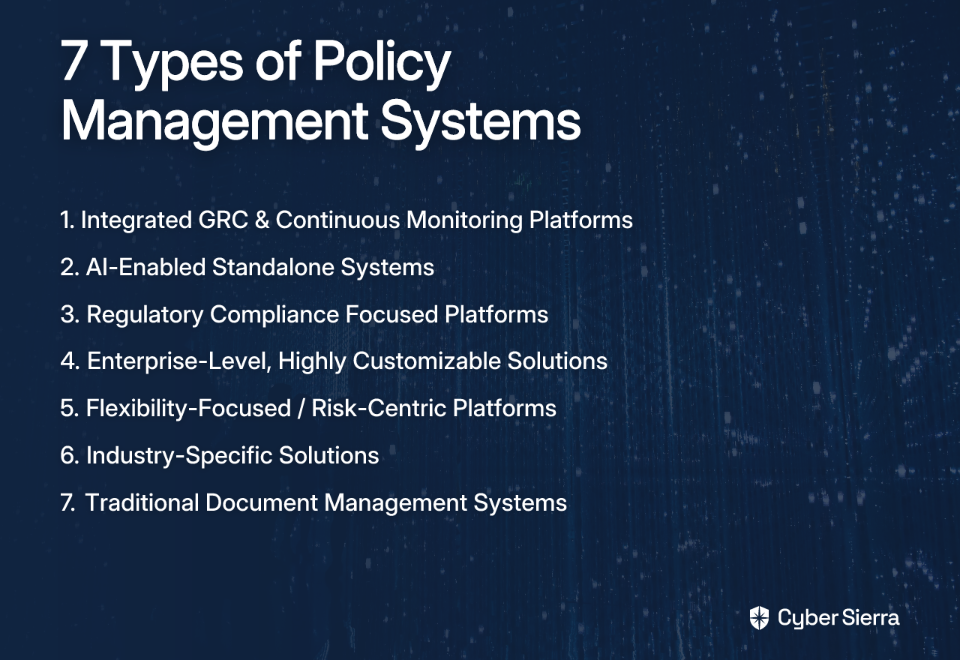
1. Integrated GRC & Continuous Monitoring Platforms

The most advanced category of policy management systems moves beyond static documents to provide dynamic, real-time visibility into your compliance posture.

Ideal For: Organizations managing multiple compliance frameworks (SOC 2, ISO 27001, PCI DSS, etc.) that need continuous visibility rather than periodic assessments.

Example: Cyber Sierra

Cyber Sierra offers a comprehensive solution through several integrated modules:

The key benefit of this approach is creating a single source of truth for policies, controls, risks, and evidence—directly addressing the problem of siloed systems. As one financial services professional noted, "Ideally, you'd log any issues in the same system and link them to the policy in question."

With continuous monitoring, these platforms keep you audit-ready at all times, eliminating the frantic pre-audit scrambles that plague traditional approaches.

2. AI-Enabled Standalone Systems

These systems focus specifically on optimizing the policy lifecycle through intelligent automation.

Ideal For: Organizations seeking to dramatically reduce administrative overhead while improving the user experience for both administrators and employees.

Examples: DocTract, NAVEX One

Key features include:

  • Automated workflows for reviews and approvals
  • AI-powered features like NAVEX's AI-Assisted Summaries, which automatically generate concise summaries to speed up stakeholder approvals
  • Integration with common tools like Microsoft Word and Google Docs

The ROI can be substantial—NAVEX reports users see up to 10x ROI and save an average of 4,483 administrative hours on lifecycle tasks alone.

3. Regulatory Compliance Focused Platforms

These platforms are built specifically to help organizations meet the requirements of regulated industries.

Ideal For: Businesses in financial services, healthcare, or other heavily regulated sectors that need a straightforward system for policy distribution and attestation tracking.

Example: PowerDMS

These solutions focus on:

This category addresses the pain point expressed by users who need policies to be "easily discoverable within people's normal workflows," as without proper distribution and tracking, "Nobody reads Confluence or shared drives."

4. Enterprise-Level, Highly Customizable Solutions

These powerful, large-scale systems are designed for complex enterprises with unique processes.

Ideal For: Large, mature enterprises with dedicated compliance teams that need to tailor workflows to intricate internal structures.

Example: PolicyTech (from NAVEX)

These solutions offer:

The high degree of customization requires significant setup time and resources, making these solutions less suitable for smaller or more agile organizations. However, for enterprises with complex compliance needs, the ability to mold the system to fit any organizational process is invaluable.

5. Flexibility-Focused / Risk-Centric Platforms

These platforms connect policy management directly to risk management, ensuring policies are created, updated, and managed in response to identified risks.

Ideal For: Organizations with a mature risk management program that want to ensure their policies are dynamic and directly mitigate prioritized business risks.

Example: LogicGate

The Risk Cloud platform uses customizable workflows to connect policies to risk assessments, controls, and incidents. This creates an adaptive policy framework that evolves as the organization's risk landscape changes, ensuring policies are always relevant and impactful.

6. Industry-Specific Solutions

These niche solutions are built from the ground up for a single industry, containing pre-built content and workflows relevant to that sector's regulations.

Ideal For: Organizations in specialized fields like healthcare that want an out-of-the-box solution that speaks their language.

Example: MCN Healthcare's Policy Manager

Features include:

The main benefit is faster implementation and higher user adoption due to the alignment with familiar industry practices and regulatory requirements.
7. Traditional Document Management Systems (The DIY Approach)

This category includes using general-purpose tools like SharePoint or Confluence for policy management.

Ideal For: Small organizations with minimal compliance requirements or those on a strict budget who must leverage their existing tech stack.

Examples: Microsoft SharePoint, Confluence

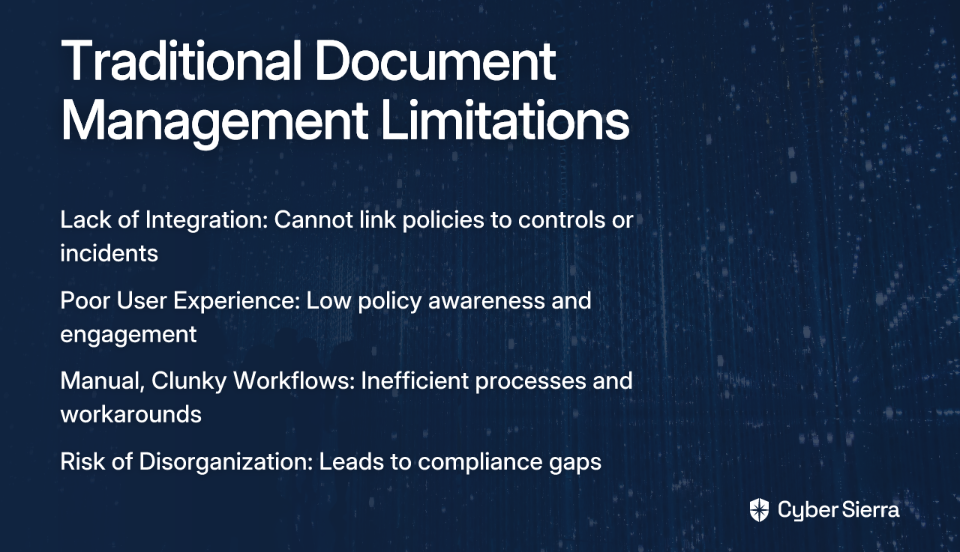
While these platforms offer basic document storage and version history that's "great for audits," they come with significant limitations that users frequently lament:

  • Lack of Integration: As one user in financial services stated, "Ideally, you'd log any issues in the same system and link them to the policy in question." General document systems typically fail to connect policies to controls, risks, or incidents.
  • Poor User Experience & Engagement: These platforms are often disliked and ignored. "Nobody reads Confluence or shared drives," leading to low policy awareness.
  • Manual, Clunky Workflows: Many organizations end up with inefficient processes like "manually export and save policies as PDFs on SharePoint" due to licensing or usability issues.
  • Risk of Disorganization: Without a dedicated framework, these systems can become disorganized, leading to compliance gaps.

A Key Decision: On-Premises vs. Cloud

Beyond features, the deployment model is another critical choice when selecting a policy management system.

On-Premises Solutions:

Advantages:

  • Full Control: Complete ownership of infrastructure and data, ideal for organizations with strict data sovereignty requirements (HIPAA, SOX).
  • Custom Security: Ability to build a security architecture that meets specific internal standards.

Disadvantages:

  • High Upfront Cost: Significant capital expenditure on hardware and licenses.
  • Maintenance Burden: Internal IT teams are responsible for all updates, monitoring, and security.
  • Difficult to Scale: Scaling requires purchasing and deploying new physical infrastructure.

Cloud Solutions (SaaS):

Advantages:

  • Lower Upfront Cost: Pay-as-you-go subscription model.
  • Scalability: Resources can be scaled up or down on demand.
  • Accessibility: Secure access from anywhere, facilitating remote work.
  • Reduced Maintenance: The provider manages infrastructure, security, and updates.

Disadvantages:

  • Shared Control: Reliance on the vendor for security and uptime.
  • Data Residency: Must ensure the provider meets data location requirements.

According to Gartner, 75% of enterprise data will be processed outside traditional data centers by 2025, indicating a strong trend toward hybrid models that blend on-prem, cloud, and edge deployments to maximize both performance and compliance.
Unify Your Policies with Continuous Compliance

Choosing the right policy management system ultimately comes down to matching a solution to your organization's specific maturity level, industry requirements, and security needs.

While traditional systems like SharePoint have their place in certain environments, the growing complexity of regulations and cyber threats demands a more modern, integrated approach for most organizations. This is especially true when managing multiple compliance frameworks simultaneously.

The Evolution of Policy Management

Policy management has evolved significantly:

  1. First Generation: Basic document repositories with version control (SharePoint, Confluence)
  2. Second Generation: Dedicated policy tools with workflows and attestation tracking
  3. Third Generation: Integrated GRC platforms connecting policies to risks and controls
  4. Next Generation: Continuous compliance platforms with automated monitoring and AI assistance

Each generation has addressed additional pain points in the compliance process, with the latest solutions tackling the most fundamental challenge: the gap between documented policies and actual implementation.

Why Continuous Monitoring Matters

The future of effective GRC isn't about passing an audit once a year. It's about maintaining a strong, defensible security posture every day. This requires moving from static documents in SharePoint to a dynamic, automated system.

As one Reddit user warned their peers about document management systems: "Please don't make the same mistakes we did." The mistake? Using general-purpose tools that can't provide the visibility and automation needed for modern compliance demands.

Making Your Decision

When selecting a policy management system, consider these key factors:

  1. Organizational Size & Complexity: Larger, more complex organizations typically require more sophisticated solutions.
  2. Regulatory Burden: Organizations in heavily regulated industries need systems designed for compliance.
  3. Security Maturity: More mature security programs benefit from integrated, continuous monitoring approaches.
  4. Budget & Resources: Balance capabilities with cost and implementation resources.
  5. User Experience: Choose solutions that promote engagement and make policies discoverable.

For organizations managing multiple compliance frameworks that require continuous rather than periodic assessment, integrated platforms with continuous monitoring capabilities provide the most comprehensive solution.

Cyber Sierra's platform exemplifies this approach, offering automated control monitoring, simplified GRC, and a single source of truth for your entire security program. By unifying policy management with continuous compliance monitoring, you can transform your approach from document management to effective risk management.

Frequently Asked Questions

What is a policy management system?

A policy management system is a centralized platform used to create, review, approve, distribute, and track organizational policies and procedures. Unlike basic document repositories, these systems provide structured workflows, version control, and attestation tracking to ensure policies are consistently managed and legally defensible.

Why is SharePoint often a poor choice for managing security policies?

SharePoint is often a poor choice for policy management because it lacks the specialized features needed for effective governance, risk, and compliance (GRC). It typically fails to integrate policies with security controls and risk assessments, offers a poor user experience that leads to low engagement, and relies on manual, clunky workflows that are inefficient and prone to disorganization.

How do I choose the right policy management system?

To choose the right policy management system, you should evaluate your organization's specific needs based on four key factors: organizational size and complexity, regulatory burden, security program maturity, and available budget. A small organization with minimal compliance needs might start with a simple system, while a large, regulated enterprise will benefit from an integrated GRC platform with continuous monitoring.

What are the main advantages of a cloud-based policy management system?

The main advantages of a cloud-based (SaaS) policy management system are lower upfront costs, greater scalability, and reduced maintenance burdens. Cloud solutions offer a pay-as-you-go model, allow you to easily scale resources up or down, and handle all infrastructure, security, and updates, enabling your team to focus on compliance rather than IT management.

What is continuous compliance monitoring and why is it important?

Continuous compliance monitoring is an automated process that provides real-time visibility into the effectiveness of your security controls against your established policies. It is important because it shifts compliance from a periodic, stressful event (like a yearly audit) to an ongoing, automated activity, ensuring you are always audit-ready and can proactively address security gaps as they arise.

When should my organization upgrade from a basic document repository to a dedicated GRC platform?

Your organization should upgrade from a basic repository like SharePoint to a dedicated GRC platform when you start managing multiple compliance frameworks (like SOC 2, ISO 27001, or PCI DSS). An upgrade is also necessary when you need to connect policies directly to risks and controls, require automated workflows for efficiency, or need to provide a clear, defensible audit trail for regulators.

Stop managing documents and start managing risk. Explore how Cyber Sierra can transform your compliance posture today.

blog-hero-background-image
Cyber Security

7 Best RMIS Software Solutions for Cybersecurity Risk Management

backdrop
Table of Contents

Join thousands of professionals and get the latest insight on Compliance & Cybersecurity.


Summary

  • Traditional Risk Management Information Systems (RMIS) and spreadsheets are insufficient for managing today's fast-evolving cybersecurity threats, which demand more than static, annual assessments.
  • Modern cybersecurity RMIS solutions must offer dynamic capabilities like Continuous Control Monitoring (CCM), integrated Third-Party Risk Management (TPRM), and threat intelligence to enable a proactive security posture.
  • To choose the right RMIS, organizations should first conduct a comprehensive needs assessment and build a cross-functional team to define clear requirements before evaluating any tools.
  • Cybersierra's GRC platform provides an AI-enabled solution that automates compliance and integrates continuous monitoring to move your security program from reactive to proactive.

You've invested in yet another GRC dashboard that looks great in board presentations but falls flat when you need to actually build a risk register from scratch. Sound familiar?

While traditional Risk Management Information Systems (RMIS) have long helped organizations centralize risk data, today's dynamic cyber threats—from supply chain attacks to cloud misconfigurations—demand solutions that go beyond static spreadsheets and annual assessments.

In this article, we'll explore the best RMIS software solutions specifically designed for cybersecurity risk management, with a focus on platforms that offer continuous monitoring, third-party risk capabilities, and actionable threat intelligence to help you move from reactive to proactive security.

What is a Risk Management Information System (RMIS)?

A Risk Management Information System (RMIS) is a software platform used for "collecting, managing, analyzing, and reporting risk, claims, and safety information." It integrates risk-related data into a comprehensive workflow that helps organizations automate tasks, reduce exposure, and lower the total cost of risk.

Traditional RMIS platforms emerged as an alternative to spreadsheets, which suffer from several critical limitations:

  • Data errors from manual entry
  • Security vulnerabilities that make sensitive data difficult to protect
  • Disaster recovery challenges with local files
  • Limited collaboration across departments

Modern RMIS solutions have evolved from basic data repositories into dynamic tools that leverage "predictive analytics and machine learning for real-time data monitoring and risk assessment," according to SearchInform.

Why Cybersecurity Demands More Than a Traditional RMIS

While conventional RMIS software excels at managing insurable risks like property damage and workers' compensation, cybersecurity risk poses unique challenges that require specialized capabilities:

  • Rapid evolution of threats: Cyber risks change daily, rendering static, annual assessments obsolete
  • Technical complexity: Connecting low-level vulnerabilities to high-level business risks is a "pain to manually link," as one security professional noted on Reddit
  • Third-party dependencies: Your security posture is deeply intertwined with your vendors and supply chain
  • Continuous validation: Point-in-time compliance checks aren't enough; controls must be monitored continuously

To address these challenges, modern cybersecurity RMIS solutions must offer:

The 7 Best RMIS Software Solutions for Modern Cybersecurity Challenges

1. Cyber Sierra

Overview: Cyber Sierra is an AI-enabled cybersecurity platform designed to simplify and automate security compliance for enterprises. Unlike traditional RMIS that focus solely on risk documentation, Cyber Sierra integrates continuous monitoring and threat intelligence directly into the GRC workflow.

Key Features for Cybersecurity:

  • Continuous Control Monitoring (CCM): Provides near real-time visibility into security controls across multiple frameworks (NIST, ISO 27001, PCI DSS), eliminating manual evidence collection and centralizing your control repository.
  • Third-Party Risk Management (TPRM): Automates vendor assessments and provides 24/7 visibility into vendor compliance beyond static questionnaires.
  • Threat Intelligence: Offers comprehensive security scorecards, network vulnerability scanning, and cloud infrastructure assessment to help prioritize remediation.
  • Integrated GRC: Manages multiple compliance frameworks (SOC2, HIPAA, PCI DSS) with automated data collection and reporting.

Best For: Organizations looking to move from periodic, manual security checks to continuous, automated monitoring of their security posture and supply chain.

2. Archer

Overview: A well-established enterprise risk management solution known for its comprehensive GRC and third-party governance capabilities.

Key Features for Cybersecurity:

  • Third-Party Governance: Documents vendor relationships, monitors performance, and conducts consistent risk assessments across all third-party engagements.
  • Customizable Workflows: Adapts to an organization's specific risk management methodologies.
  • Integration Capabilities: Connects with various security tools to create a more comprehensive risk view.

Best For: Large enterprises seeking a highly configurable, mature GRC platform to manage a wide array of business and IT risks, including vendor management.

3. LogicManager

Overview: Known for its intuitive and user-friendly risk management software that helps organizations build foundational risk processes.

Key Features for Cybersecurity:

  • User-Friendly Interface: Easy adoption for organizations with low-maturity risk programs.
  • Taxonomy-Based Approach: Helps connect risks across the organization for better visibility.
  • Automated Risk Assessments: Streamlines the assessment process with built-in templates and workflows.

Best For: Mid-sized organizations or those with low-maturity risk programs that need an easy-to-adopt platform to build foundational risk management processes.

4. IBM OpenPages

Overview: An advanced risk management solution that leverages AI and analytics for deeper insights into organizational risk.

Key Features for Cybersecurity:

  • AI-Powered Analytics: Uses artificial intelligence to seamlessly collect and analyze data from various sources.
  • Regulatory Intelligence: Continuously monitors and updates compliance requirements.
  • Integrated Risk Management: Connects operational, financial, and IT risk in a unified platform.

Best For: Large, data-driven organizations that want to integrate AI and machine learning into their core risk management strategy.

5. UpGuard

Overview: A specialized Third-Party Risk Management (TPRM) and attack surface management platform. While not a full RMIS, it provides a critical, specialized function for managing cyber risk.

Key Features for Cybersecurity:

  • Risk Identification: Automates third- and fourth-party mapping and uses security questionnaires for frameworks like ISO 27001 and PCI DSS.
  • Continuous Monitoring: Provides real-time attack surface monitoring to detect emerging risks.
  • AI Toolkit: Significantly reduces the time spent on vendor questionnaires through automation.

Best For: Organizations that need to strengthen their supply chain security and gain deep, continuous visibility into vendor risk.

6. RiskWatch

Overview: A highly customizable risk management platform adaptable to various industries and regulatory requirements.

Key Features for Cybersecurity:

  • Robust Risk Scoring: Employs sophisticated methodologies to accurately assess and prioritize risks.
  • Automated Assessments: Provides clear, actionable remediation recommendations based on assessment results.
  • Industry-Specific Templates: Offers pre-built frameworks for various sectors and compliance requirements.

Best For: Organizations in specialized industries that require a flexible and customizable platform to align with unique regulatory or operational risk frameworks.

7. MetricStream

Overview: A global leader in integrated risk management (IRM) and GRC solutions for enterprise-wide risk visibility.

Key Features for Cybersecurity:

  • Unified Platform: Offers connected applications for managing risk, compliance, audits, and third-party risk.
  • Advanced Reporting: Comprehensive dashboards and reports for stakeholders at all levels.
  • Robust API Ecosystem: Integrates with existing security tools and data sources.

Best For: Mature, global enterprises that require a single, integrated platform to manage a complex web of interconnected business, IT, and cybersecurity risks.

How to Choose the Right Cybersecurity RMIS for Your Organization

Before diving into demos and trials, security professionals recommend a methodical approach to selecting the right RMIS solution. As one expert noted on Reddit: "You should not be looking at any tools until you have things sorted out better and can then define better requirements as to what a tool needs to do."

Follow these steps to ensure you select a solution that truly meets your needs:

Evolve Your Cybersecurity Program with Continuous, Intelligent Risk Management

The days of managing cyber risk with static spreadsheets and annual assessments are over. Today's threat landscape requires a dynamic, intelligent, and continuous approach to cybersecurity risk management.

Modern RMIS solutions like Cyber Sierra are designed specifically for this new reality, offering real-time visibility, automated compliance, and proactive threat intelligence. By implementing a platform that combines Continuous Control Monitoring, automated TPRM, and integrated threat intelligence, organizations can move from a reactive to a proactive security posture.

The right rmis software solution doesn't just help you document risks—it provides the continuous intelligence and automation needed to identify, prioritize, and mitigate threats before they impact your business. In today's rapidly evolving threat landscape, this capability isn't just nice to have—it's essential for building a resilient cybersecurity program.

Frequently Asked Questions

What is the main difference between a traditional RMIS and a cybersecurity RMIS?

A traditional RMIS primarily manages insurable and operational risks with periodic assessments, while a cybersecurity RMIS is built for the dynamic nature of digital threats, offering features like continuous control monitoring and real-time threat intelligence. Traditional systems are effective for static risks like property damage, but a modern cybersecurity RMIS integrates with security tools to provide live data on vulnerabilities, compliance status, and third-party risks, enabling a proactive security posture.

Why can't I just use spreadsheets for cybersecurity risk management?

Spreadsheets are not suitable for cybersecurity risk management because they are prone to manual errors, lack real-time data, offer poor security for sensitive information, and cannot scale to handle the complexity of modern cyber threats. An automated RMIS platform eliminates these issues by providing a secure, centralized, and collaborative environment that automates data collection and provides a single source of truth for your risk posture.

What is Continuous Control Monitoring (CCM) and why is it important?

Continuous Control Monitoring (CCM) is an automated process that continuously tests and validates the effectiveness of your security controls in near real-time. It is important because it replaces periodic, manual audits with ongoing visibility, allowing you to detect and remediate compliance gaps or security weaknesses as they occur, rather than waiting for an annual assessment.

How does a cybersecurity RMIS improve third-party risk management (TPRM)?

A cybersecurity RMIS improves TPRM by automating vendor risk assessments, continuously monitoring their external security posture, and integrating this data into your overall risk register. This provides a live, comprehensive view of your supply chain risk that goes far beyond static, point-in-time questionnaires, helping you identify vendor weaknesses before they become your own.

Are cybersecurity RMIS solutions only for large enterprises?

No, cybersecurity RMIS solutions are available for organizations of all sizes. While some platforms are designed for large enterprises, many modern solutions like Cyber Sierra are built to be scalable and accessible for mid-sized organizations or those with developing risk management programs, offering the powerful tools needed to mature their security posture.

How do I choose the right cybersecurity RMIS for my organization?

To choose the right RMIS, you should first conduct a thorough needs assessment to define your specific requirements. Form a cross-functional team to evaluate options, and prioritize key features like continuous monitoring, TPRM, or specific compliance frameworks based on your unique risk profile. A clear understanding of your needs is crucial before you start evaluating tools.

Ready to take your cybersecurity risk management to the next level? Explore how Cyber Sierra's AI-enabled platform can help you build a more resilient, continuous security program with less manual effort and greater visibility.

blog-hero-background-image
Cyber Security

9 Best Operational Risk Management Software for Financial Institutions

backdrop
Table of Contents

Join thousands of professionals and get the latest insight on Compliance & Cybersecurity.


Summary

  • The operational risk management software market is projected to reach $11.5 billion by 2033, highlighting the critical need for financial institutions to adopt effective tooling.
  • Key features to look for in ORM software include continuous control monitoring (CCM), integrated GRC, and robust third-party risk management (TPRM) to navigate complex regulations.
  • To avoid compliance gaps, financial institutions should prioritize platforms that automate evidence collection, centralize risk data, and provide real-time visibility into their security posture.
  • An integrated platform like Cyber Sierra helps automate these critical GRC processes, turning compliance from a burden into a competitive advantage.

In today's complex regulatory landscape, financial institutions face mounting pressure from increasing regulatory complexity (Basel III, Dodd-Frank) and sophisticated cyber threats. With the stakes so high, choosing the right operational risk management software is crucial.

As one risk manager confessed, "Their solution was extremely poor in features, buggy, and cost a huge amount of money to fix and maintain." This sentiment echoes across the industry, where poor software choices lead to compliance gaps and wasted resources.

The global operational risk management software market is expanding rapidly, projected to hit $11.5 billion by 2033 at a 10.6% CAGR, underscoring the critical need for effective tooling. But with so many options available, how do you make the right choice?

This guide will methodically evaluate nine leading operational risk management platforms, helping you avoid common pitfalls and select a solution that provides robust compliance features for financial institutions, automates tedious tasks, and offers a clear view of your risk posture.

What Experienced Risk Managers Look For in ORM Software

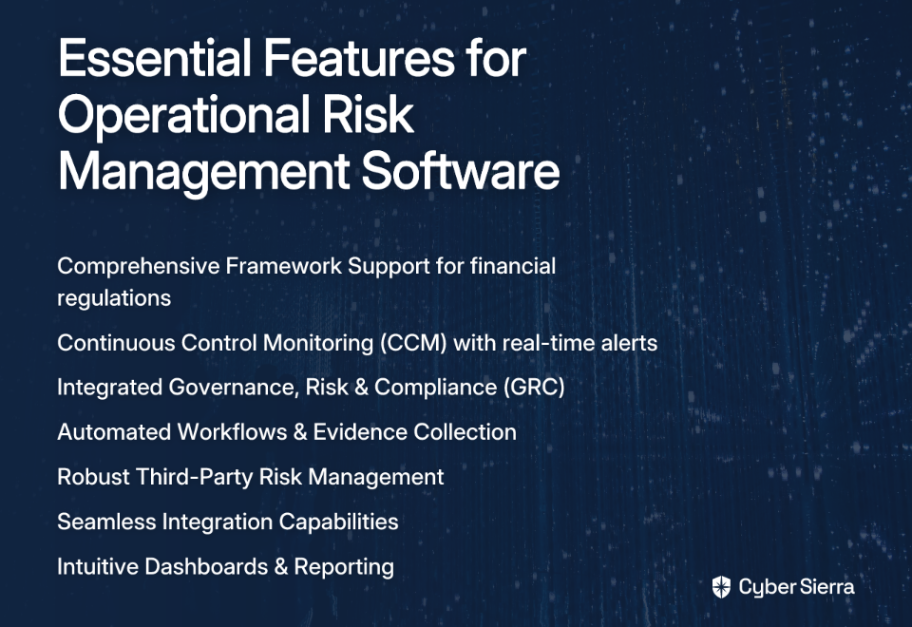
Before diving into specific platforms, let's establish the essential features any operational risk management software should have for financial institutions:

Comprehensive Framework Support

The platform must support multiple frameworks out-of-the-box (SOC 2, ISO 27001, PCI DSS, GDPR) while being flexible enough to adapt to financial-specific regulations like Basel III and Dodd-Frank.

Continuous Control Monitoring (CCM)

Move beyond point-in-time audits. Look for tools that offer real-time visibility into security controls, automate testing, and provide immediate alerts on deviations. As one compliance manager noted, "It needs to catch issues and just work without us having to keep an eye on it the whole time."

Integrated Governance, Risk & Compliance (GRC)

The software should centralize risk data, policies, controls, and audit evidence into a single source of truth, eliminating silos and streamlining audit preparation.

Automated Workflows & Evidence Collection

Prioritize platforms that automate data collection, risk assessments, and reporting. This directly reduces audit fatigue and frees up your team for more strategic tasks.

Robust Third-Party Risk Management (TPRM)

Financial institutions rely heavily on third parties. A strong TPRM module is essential for automating vendor assessments, performing due diligence, and continuously monitoring supply chain risk.

Seamless Integration Capabilities

The solution should feature "plug-and-play frameworks" that can integrate with your existing tech stack (ERP, CRM, SIEM) to avoid "integration complexities and IT dependency."

Intuitive Dashboards & Reporting

Demand real-time, role-based dashboards that provide a live view of Key Risk Indicators (KRIs) and generate customizable, audit-ready reports.

The 9 Best Operational Risk Management Platforms for Financial Institutions

1. Cyber Sierra

Overview: An AI-enabled cybersecurity platform designed to simplify and automate security compliance and risk management. It's built for regulated industries like financial services, focusing on moving organizations from periodic checks to continuous, proactive risk management.

Key Features for Finance:

  • Governance, Risk & Compliance (GRC): Automates data collection, risk assessments, and reporting across multiple frameworks (SOC2, ISO 27001, HIPAA, PCI DSS), making financial institutions audit-ready faster.
  • Continuous Control Monitoring (CCM): Provides ongoing, near real-time visibility into security controls, automates testing, and detects exceptions—critical for maintaining compliance with dynamic regulations.
  • Third-Party Risk Management (TPRM): Streamlines vendor risk assessment with automated questionnaires and continuous monitoring, addressing supply chain vulnerabilities.
  • Threat Intelligence: Offers vulnerability scanning and a security scorecard to proactively manage the organization's attack surface.

Best For: Financial institutions needing an integrated, all-in-one platform to manage multiple compliance frameworks with continuous automation and clear risk visibility.

Pricing: Contact for a tailored quote.

2. MetricStream

Overview: A well-established, enterprise-grade GRC platform known for its "Connected GRC" solutions that provide comprehensive risk visibility.

Key Features for Finance: Centralized risk repository, AI-powered predictive risk insights, extensive loss event management features, and support for ESG compliance.

Best For: Large enterprises in highly regulated sectors like banking and insurance that require a powerful, unified GRC solution.

Pricing: Available upon request.

3. Archer

Overview: A robust, highly customizable Integrated Risk Management (IRM) solution designed to unify risk data across large organizations.

Key Features for Finance: Extensive risk quantification capabilities, customizable workflows for complex risk processes, and intuitive dashboards for real-time analysis.

Best For: Large, mature organizations with complex risk environments that need a highly configurable platform and have the resources to manage it. (Note: some users find it complex and costly).

Pricing: Available upon request.

4. LogicGate (Risk Cloud®)

Overview: A user-friendly and flexible GRC platform that uses a no-code interface to allow businesses to build and automate their own risk and compliance workflows.

Key Features for Finance: Drag-and-drop workflow customization, automated risk assessments, role-based dashboards, and a centralized space to track operational risks.

Best For: Firms that require highly tailored risk management processes and want the flexibility to adapt workflows without relying on IT or developers.

Pricing: Available upon request.

5. Ncontracts

Overview: A risk management platform designed specifically for financial institutions like banks and credit unions.

Key Features for Finance: Offers connected risk visibility across the organization, customizable risk assessments tailored to financial regulations, strong vendor risk management, and integrated compliance training modules.

Best For: Banks, credit unions, and other regulated financial entities looking for an industry-specific solution with expert support.

Pricing: Available upon request.

6. Hyperproof

Overview: An integrated risk and compliance management platform that focuses on making compliance efforts efficient and user-friendly.

Key Features for Finance: Automated evidence collection, a centralized risk register, real-time monitoring dashboards, and flexible risk classification to align with internal methodologies.

Best For: Compliance teams looking for a streamlined, easy-to-use tool to manage controls and prepare for audits.

Pricing: Available upon request.

7. Workiva

Overview: A platform that excels at connecting risk management with financial reporting, audit, and compliance workflows.

Key Features for Finance: Strong integration for SOX compliance and financial reporting, automated control testing, and real-time monitoring of risk levels tied to financial data.

Best For: Publicly traded financial institutions that need to ensure tight alignment between their GRC activities and SEC reporting requirements.

Pricing: Available upon request.

8. ServiceNow GRC

Overview: Leverages the widely-used ServiceNow IT Service Management (ITSM) platform to provide integrated GRC functionalities.

Key Features for Finance: Integrates risk and compliance management directly into daily IT and business workflows, offers no-code playbooks for process automation, and provides real-time compliance monitoring.

Best For: Organizations already heavily invested in the ServiceNow ecosystem that want to consolidate GRC onto a single, familiar platform.

Pricing: Available upon request.

9. IBM OpenPages

Overview: An AI-powered, enterprise-scale GRC platform designed for comprehensive risk management across the organization.

Key Features for Finance: Integrates multiple operational risk domains (IT risk, third-party risk, audit), uses AI for predictive insights, and supports large-scale compliance automation.

Best For: Large enterprises seeking an AI-driven GRC solution for managing a wide array of interconnected risks at scale.

Pricing: Starts around $750/instance.

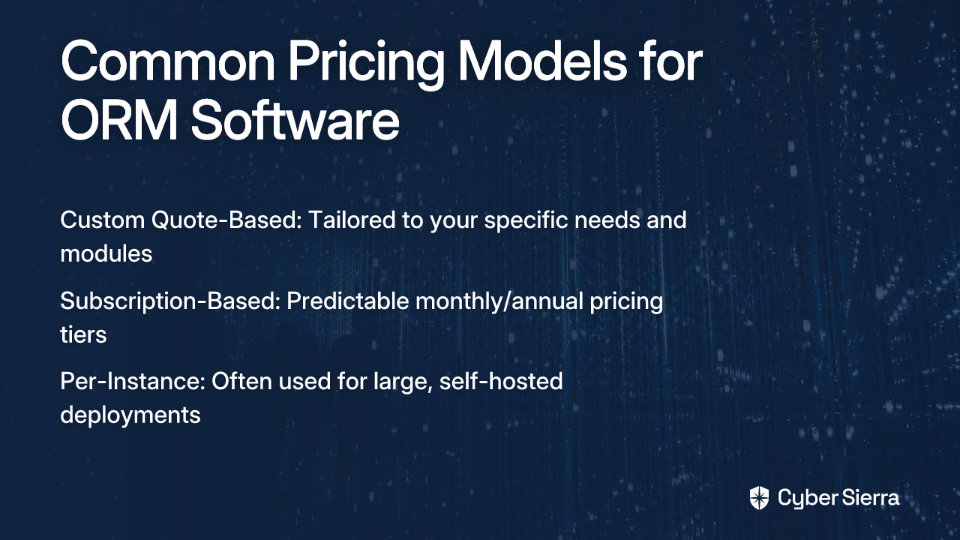
A Quick Look at Pricing Models

Custom Quote-Based (Most Common): Platforms like Cyber Sierra, MetricStream, and Archer provide tailored pricing. This model is based on factors like the number of users, specific modules required (GRC, TPRM, CCM), company size, and integration needs. It ensures you only pay for what you use but requires a consultation.

Subscription-Based: Some platforms offer tiered monthly or annual subscriptions. For example, Pirani starts around $304/month, and Strike Graph is around $750/month. This offers more predictable pricing but may be less flexible for enterprise needs.

Per-Instance: Solutions like IBM OpenPages may charge per software instance, a model often suited for large, self-hosted deployments.

Transform Compliance into a Competitive Advantage

In today's demanding regulatory landscape, the shift from manual spreadsheets and periodic checks to automated, continuous operational risk management is no longer optional—it's essential for survival and growth in the financial sector.

Choosing the right operational risk management software is a strategic decision that enhances resilience, reduces audit fatigue, and builds trust with regulators and customers. The key is to find a platform that not only meets today's compliance needs but also scales to address future risks.

An integrated platform like Cyber Sierra empowers financial institutions by automating evidence collection, providing a real-time view of your control posture across multiple frameworks, and simplifying vendor risk management. Move beyond compliance as a burden and transform it into a competitive advantage.

Frequently Asked Questions

What is operational risk management (ORM) software?

Operational risk management (ORM) software is a specialized tool that helps organizations, particularly in regulated industries like finance, to identify, assess, monitor, and report on risks arising from internal processes, people, and systems. It centralizes risk data, automates compliance tasks, and provides real-time visibility into an organization's risk posture, moving beyond manual tracking in spreadsheets.

What key features should financial institutions look for in ORM software?

Financial institutions should prioritize ORM software with comprehensive framework support (e.g., SOC 2, ISO 27001, Basel III), continuous control monitoring (CCM) for real-time alerts, and integrated Governance, Risk & Compliance (GRC) capabilities. Other essential features include automated workflows for evidence collection, robust third-party risk management (TPRM), and seamless integration with existing tech stacks.

How does ORM software help with compliance for regulations like SOC 2 and ISO 27001?

ORM software streamlines compliance by providing pre-built frameworks and controls mapped directly to regulations like SOC 2 and ISO 27001. It automates the collection of audit evidence, monitors controls continuously to detect gaps, and centralizes all compliance documentation. This significantly reduces manual effort, shortens audit cycles, and ensures you are always audit-ready.

Why is continuous control monitoring (CCM) a critical feature?

Continuous control monitoring (CCM) is critical because it shifts organizations from periodic, point-in-time audits to a proactive, real-time approach to compliance. For financial institutions, CCM automatically tests security controls against policies and regulations, providing immediate alerts on deviations. This allows for rapid remediation of issues before they become significant compliance failures or security breaches.

Why replace spreadsheets with dedicated ORM software?

Replacing spreadsheets with dedicated ORM software is essential for accuracy, efficiency, and scalability. Spreadsheets are prone to human error, lack automation, and cannot provide a real-time, consolidated view of risk. Dedicated software automates data collection, centralizes your risk register, provides intuitive dashboards for reporting, and ensures a single source of truth for all risk and compliance activities.

Ready to see how an AI-enabled platform can streamline your operational risk and compliance programs? Book a demo of Cyber Sierra to get started on your journey to more efficient operational risk management.

blog-hero-background-image
Cyber Security

7 Critical Mistakes Companies Make When Pursuing SOC 2 Type 1 Compliance

backdrop
Table of Contents

Join thousands of professionals and get the latest insight on Compliance & Cybersecurity.


Summary

  • SOC 2 Type 1 audits often fail due to avoidable mistakes like relying on manual evidence collection, poor scoping, and treating compliance as a one-time project.
  • A critical oversight is neglecting vendor security, which is linked to 30% of breaches, making a robust Third-Party Risk Management (TPRM) program essential.
  • The key to success is shifting from manual, point-in-time audits to a continuous compliance model supported by automation and ongoing monitoring.
  • A unified GRC platform automates evidence collection, centralizes policies, and provides continuous monitoring to streamline the entire SOC 2 journey.

You've finally decided to pursue SOC 2 Type 1 compliance—a critical step for building customer trust and opening new business opportunities. But what starts as an ambitious project can quickly turn into a compliance nightmare, with delays stretching into months and costs ballooning far beyond initial estimates.

As one compliance professional put it, "I've seen the same preparation mistakes cost businesses months of delays and thousands in additional fees." Even more frustrating is the realization that the "biggest time sinks weren't even 'security' per se—they were logistics: over-scoped systems, policy theater, brittle manual evidence."

SOC 2 compliance has evolved from a simple checkbox to a critical competitive differentiator in today's market. But the harsh reality is that whether you're a small team of five or a department of fifty, the compliance workload remains immense—and the fear of being "already behind" before the audit even starts is very real.

In this article, we'll walk through the seven most common critical mistakes organizations make during their SOC 2 Type 1 journey, and provide actionable solutions to ensure your path to compliance is smoother, faster, and more successful.

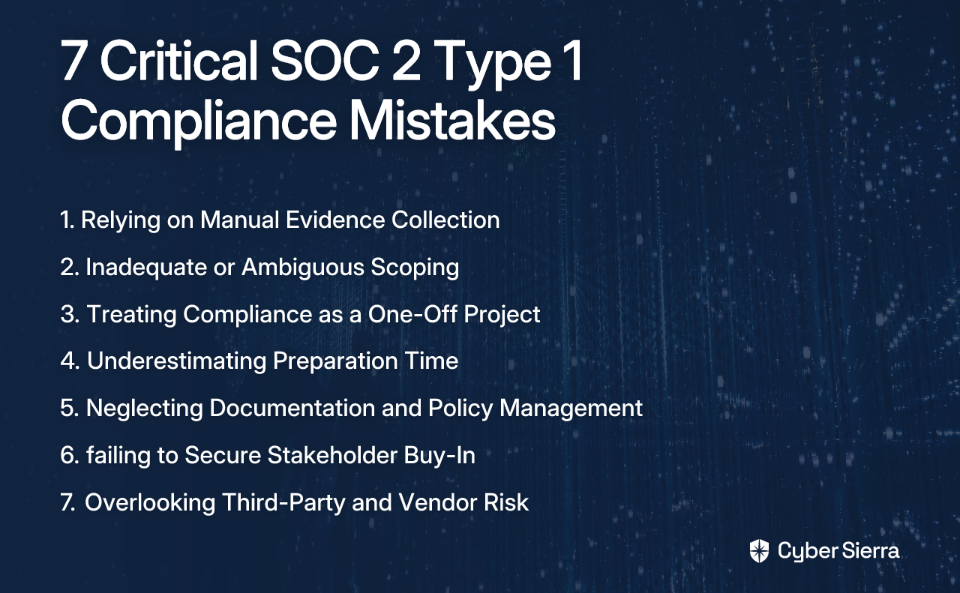
Mistake #1: Relying on Manual Evidence Collection Processes

The Problem:

Many companies still attempt to manage their SOC 2 Type 1 compliance journey using spreadsheets, shared drives, and email chains for evidence collection. This approach is not only "overwhelming and time-consuming" but also extremely prone to human error—creating critical compliance gaps just when you need to demonstrate control effectiveness to your auditor.

When evidence is scattered across multiple systems, tracking becomes nearly impossible. Crucial details like approval signatures and dates go missing, creating what auditors call "evidence gaps." As one IT manager noted, "An auditor will ask you to show them proof of everything," and scrambling to find this proof during an audit creates a negative impression and extends timelines.

Best Practice: Implement Automated Evidence Collection

The most effective solution is to move away from manual work by leveraging a centralized compliance management solution with automation capabilities. Automation tools save time, improve accuracy, and streamline communication across teams.

Cyber Sierra's Governance, Risk & Compliance (GRC) module was designed specifically to address this challenge. It automates data collection, centralizes all evidence in one platform, and maintains detailed audit trails—eliminating the need for spreadsheets entirely.

Taking this a step further, the Continuous Control Monitoring (CCM) capabilities provide ongoing, real-time evidence gathering. Rather than periodic, manual checks, the system builds a central controls repository with near-real-time updates, ensuring you have demonstrable proof of control effectiveness at any moment, not just during audit season.

Mistake #2: Inadequate or Ambiguous Scoping

The Problem:

Failing to properly define the audit scope is a foundational error that creates cascading problems throughout the compliance process. This can mean including too many systems ("over-scoped systems"), which wastes time and resources on irrelevant controls, or too little, which leads to an automatic audit failure.

Many teams struggle with "determining the scope of the audit as it related to production environments," unsure of which systems, data flows, and organizational boundaries should be included. The scope must clearly define which systems, processes, and Trust Services Criteria (TSC) (Security, Availability, Processing Integrity, Confidentiality, Privacy) are relevant to your service commitments.

Best Practice: Conduct a Thorough Scoping and Readiness Assessment

Before engaging an auditor, perform a detailed scoping exercise to identify all relevant systems and applicable TSCs based on your service commitments and system requirements.

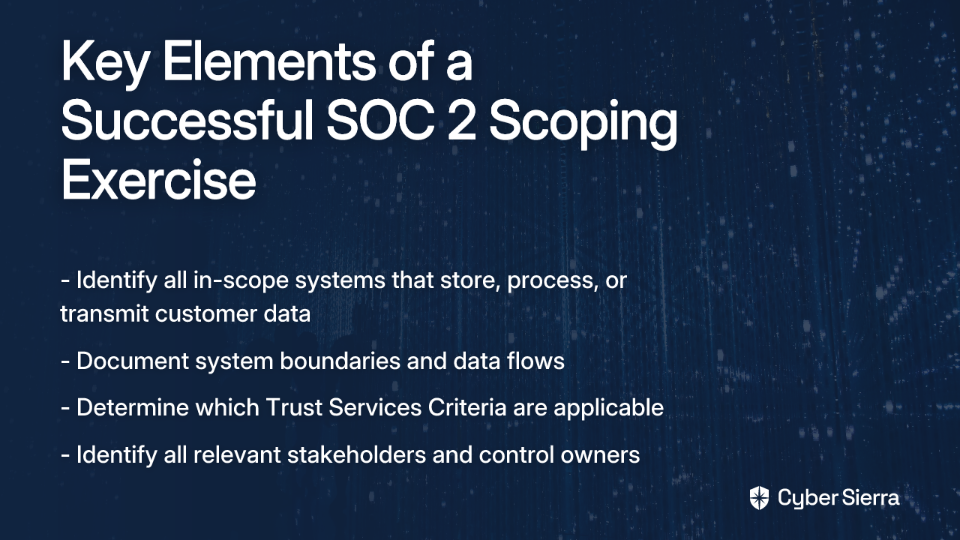
A proper scoping exercise should:

  • Identify all in-scope systems that store, process, or transmit customer data
  • Document system boundaries and data flows
  • Determine which Trust Services Criteria are applicable
  • Identify all relevant stakeholders and control owners

A GRC platform helps manage this process from end to end. With Cyber Sierra's GRC module, you can map controls to multiple compliance frameworks and clearly define the scope for your SOC 2 audit, ensuring all stakeholders have a single source of truth for what's in and what's out.

Mistake #3: Treating Compliance as a One-Off Project

The Problem:

Many organizations treat SOC 2 Type 1 as a point-in-time assessment—a single hurdle to clear before moving on to other priorities. This mindset is dangerous because security controls naturally degrade over time as systems change, team members leave, and new technologies are introduced.

As one security professional accurately observed, "Building systems and processes is easy but maintaining systems and processes is much harder. Especially when you are doing things manually." This approach makes the eventual move to SOC 2 Type 2 (which audits controls over a period) exponentially more difficult and often results in rushed remediation efforts when the next audit cycle begins.

Best Practice: Implement Continuous Monitoring for Ongoing Compliance

Compliance is not a destination; it's an ongoing journey. Implementing Continuous Control Monitoring (CCM) provides real-time visibility into your security posture and ensures controls remain effective long after the auditor leaves.

Cyber Sierra's Continuous Control Monitoring (CCM) transforms security from periodic checkbox exercises into a continuous, automated process. The platform:

  • Provides clear visibility into security posture through an integrated dashboard
  • Detects exceptions and anomalies in real-time before they become audit findings
  • Delivers actionable risk intelligence to prioritize remediation efforts
  • Automates control testing and validation, reducing manual effort

This approach not only makes SOC 2 Type 1 compliance more achievable but also builds the foundation for successful Type 2 audits and other compliance initiatives.

Mistake #4: Underestimating Preparation Time & Skipping a Readiness Assessment

The Problem:

A common pitfall is unrealistic management expectations regarding timelines. Rushing into an audit without adequate preparation almost always leads to delays, increased costs, and a negative impression on the auditor. Many organizations fail to conduct a proper readiness assessment, discovering critical gaps only when the official audit begins—when it's too late to implement meaningful fixes.

Stakeholders often underestimate the time required for remediation activities, creating unnecessary pressure on teams and increasing the likelihood of cutting corners that will later be flagged by auditors.

Best Practice: Prioritize a Gap Analysis and Formal Remediation Plan

Allocate sufficient time for a formal gap analysis or readiness assessment before committing to an audit date. This process systematically compares your current controls against the SOC 2 criteria to identify any deficiencies.

Once gaps are identified, create a structured remediation plan with:

  • Clear ownership for each remediation task
  • Realistic timelines that account for resource constraints
  • Regular progress tracking and status reporting to leadership
  • Documentation of all remediation efforts as evidence for auditors

The Cyber Sierra GRC platform is designed to streamline this entire process. It helps you conduct self-assessments, automatically flags gaps against SOC 2 requirements, and provides a centralized system for tracking remediation efforts, giving management clear visibility into your audit readiness status.

Mistake #5: Neglecting Documentation and Policy Management

The Problem:

Incomplete, outdated, or inaccurate documentation is a major red flag for auditors. The core of an audit is verifying that your practices match your documented policies. If "policies don't reflect actual practices," it will result in an implementation finding that could derail your compliance efforts.

SOC 2 Type 1 requires extensive documentation describing your system and controls—potentially up to 25 pages for enterprises. Many organizations struggle to maintain this documentation, especially when it's stored in disparate locations without version control or clear ownership.

Best Practice: Assign Ownership and Maintain a Living Documentation System

Documentation should be treated as a living, breathing artifact of your security program, not a one-time exercise. Best practices include:

  • Assigning clear responsibility for creating and maintaining documentation to specific team members
  • Using version control and ensuring all policies have clear approval dates
  • Scheduling regular reviews to ensure documentation reflects current operations
  • Creating a centralized repository for all compliance-related documentation

Cyber Sierra's GRC module includes robust policy management capabilities that help you automate documentation workflows, track changes and versions, and maintain easily accessible audit trails, ensuring your policies are always current and ready for auditor review.

Mistake #6: Failing to Secure Stakeholder Buy-In and Train Employees

The Problem:

Pursuing SOC 2 Type 1 compliance in a silo is impossible. It requires collaboration across multiple departments including IT, security, HR, legal, and operations. Without C-level support for resources and cross-team enforcement, the initiative will falter at the first sign of competing priorities.

Furthermore, employees who are unaware of security protocols and their role in compliance can inadvertently cause breaches or control failures. When team members don't understand why certain security measures exist, they're more likely to find workarounds that undermine the controls you've worked hard to implement.

Best Practice: Foster a Culture of Security and Compliance

Success requires both top-down leadership and bottom-up engagement:

  • Appoint an executive sponsor to champion the compliance initiative at the leadership level
  • Designate a project manager to coordinate efforts across departments
  • Engage stakeholders from all relevant teams from the very beginning
  • Implement a continuous security awareness program to educate all employees

Cyber Sierra addresses the human element directly with our Employee Security Training platform. We help you build a stronger "human firewall" through:

  • Interactive training modules on critical topics like phishing and password safety
  • Simulated phishing campaigns to test and reinforce learning
  • A dashboard to track your organization's overall security awareness level
  • Regular updates on emerging threats and best practices

By investing in employee training, you not only satisfy SOC 2 requirements but also reduce the risk of security incidents that could jeopardize your compliance status.

Mistake #7: Overlooking Third-Party and Vendor Risk

The Problem:

Your organization's security posture is only as strong as its weakest link—often a third-party vendor with access to your systems or data. Failing to ensure that service providers meet SOC 2 requirements can create significant vulnerabilities and compliance gaps.

With research showing that "30% of breaches involved a vendor or 3rd party," this is a risk no company can afford to ignore. Many organizations lack a systematic approach to evaluating vendor security, relying instead on outdated questionnaires or incomplete security reviews that fail to identify critical risks.

Best Practice: Implement a Robust Third-Party Risk Management (TPRM) Program

Your compliance program must extend to your supply chain. This involves:

  • Conducting due diligence checks before onboarding new vendors
  • Assessing vendors' security controls and compliance status
  • Including appropriate security and compliance requirements in contracts
  • Continuously monitoring vendor compliance posture, not just at onboarding

Cyber Sierra's Third-Party Risk Management (TPRM) module simplifies and automates this entire lifecycle. It allows you to:

  • Automate vendor assessments and risk management processes
  • Prioritize vendors based on risk levels and critical functions
  • Gain 24/7 visibility into vendor security compliance
  • Move beyond point-in-time questionnaires to continuous monitoring

From Point-in-Time to Always-On Compliance

The path to a successful SOC 2 Type 1 audit isn't about a frantic, last-minute push. The critical mistakes we've discussed—from manual evidence collection to neglecting vendor risk—all stem from treating compliance as a short-term project rather than a continuous business function.

The key to avoiding these pitfalls is a strategic shift towards a proactive, automated, and continuous approach to compliance. This not only makes audits smoother and less stressful but also builds a genuinely resilient security posture that protects your business and earns customer trust.

By addressing these common mistakes with modern solutions like continuous monitoring, automated evidence collection, and comprehensive training, you can transform SOC 2 compliance from a burdensome checkbox exercise into a strategic advantage that differentiates your business.

Ready to move beyond spreadsheets and transform your compliance program from a source of stress into a competitive edge? Explore how Cyber Sierra's unified platform automates GRC, provides continuous control monitoring, and helps you achieve always-on SOC 2 Type 1 compliance.

Schedule a demo today to see how we can help you avoid these critical mistakes and accelerate your compliance journey.

Frequently Asked Questions

What is the difference between a SOC 2 Type 1 and Type 2 report?

A SOC 2 Type 1 report evaluates the design of your security controls at a single point in time, while a Type 2 report assesses their operational effectiveness over a period (typically 3-12 months). The Type 1 audit confirms you have the right controls in place, whereas the Type 2 audit verifies that those controls are consistently working as intended. Most organizations start with a Type 1 report to establish a baseline before moving on to a Type 2.

How long does it take to get SOC 2 Type 1 compliant?

The timeline for SOC 2 Type 1 compliance can vary from a few weeks to several months, depending on your organization's readiness. A typical journey involves 1-3 months for a readiness assessment and remediation, followed by a 2-4 week audit period. The biggest factors influencing the timeline are the complexity of your systems, the maturity of your existing controls, and the resources you dedicate to preparation.

What is the most important first step for SOC 2 preparation?

The most critical first step is to conduct a thorough scoping and readiness assessment. This involves defining which systems and services are in scope for the audit and identifying which of the five Trust Services Criteria (Security, Availability, Confidentiality, Processing Integrity, and Privacy) apply to your service commitments. This foundational step prevents wasted effort on out-of-scope systems and ensures you don't have critical gaps when the audit begins.

Why is automating evidence collection so important for SOC 2?

Automating evidence collection is crucial because it eliminates the human error, delays, and gaps inherent in manual processes like using spreadsheets and emails. Manual collection is time-consuming and makes it difficult to prove consistent control operation to an auditor. Automation tools provide a centralized, auditable trail of evidence, streamline the process, and support continuous monitoring, making audits significantly smoother and more reliable.

Which SOC 2 Trust Services Criteria should my organization choose?

The Security criterion (also known as the Common Criteria) is mandatory for every SOC 2 audit. The choice of the other four—Availability, Confidentiality, Processing Integrity, and Privacy—depends entirely on the services you provide and the commitments you make to your customers. For example, if you promise customers 99.9% uptime, you must include the Availability criterion. A thorough scoping exercise will help you determine which criteria are relevant.

Do you need a GRC platform to achieve SOC 2 compliance?

While it's technically possible to achieve SOC 2 compliance without a GRC platform, it is significantly more difficult, slower, and riskier. A GRC platform like Cyber Sierra automates manual tasks, centralizes documentation and evidence, manages vendor risk, and provides continuous monitoring to ensure you stay compliant. For most organizations, a GRC platform is a strategic investment that reduces the compliance burden and improves overall security posture.

blog-hero-background-image
Cyber Security

7 Ways Computer Security Auditing Fails (And How to Fix Them with Automation)

backdrop
Table of Contents

Join thousands of professionals and get the latest insight on Compliance & Cybersecurity.


Summary

  • Traditional security audits are inefficient, relying on manual, point-in-time evidence that can miss critical threats—like 35,000 failed login attempts in under 24 hours—that occur between checks.
  • Shifting from periodic audits to continuous, automated monitoring is crucial for building a proactive security posture instead of a reactive one.
  • Key actions include automating evidence collection, standardizing control testing, and implementing real-time threat detection to stay ahead of vulnerabilities.
  • Cyber Sierra's GRC platform helps implement these changes, enabling continuous assurance and making your organization audit-ready every day.

It's that time of year again. Your inbox suddenly floods with requests for screenshots, log files, and policy documents. The security team works late nights pulling evidence from dozens of systems. Key engineers are derailed from critical projects to answer auditor questions. And through it all, there's the nagging feeling that this frantic scramble isn't actually making your organization more secure—it's just checking boxes.

If this scenario sounds painfully familiar, you're not alone. Traditional computer security auditing is broken, and security professionals across industries are feeling the strain.

"The most painful part of an audit is typically evidence gathering," laments one security professional on Reddit, highlighting a sentiment echoed throughout the industry. This manual process is not only tedious—it's a significant drain on already lean security teams and provides only a momentary snapshot of your security posture.

The good news? There's a better way. By leveraging automation, organizations can transform security auditing from a dreaded periodic event into a continuous, proactive process of assurance. Let's explore the seven critical ways traditional computer security auditing fails—and how automation can fix them.

1. The Soul-Crushing Grind of Manual Evidence Collection

The Pitfall:
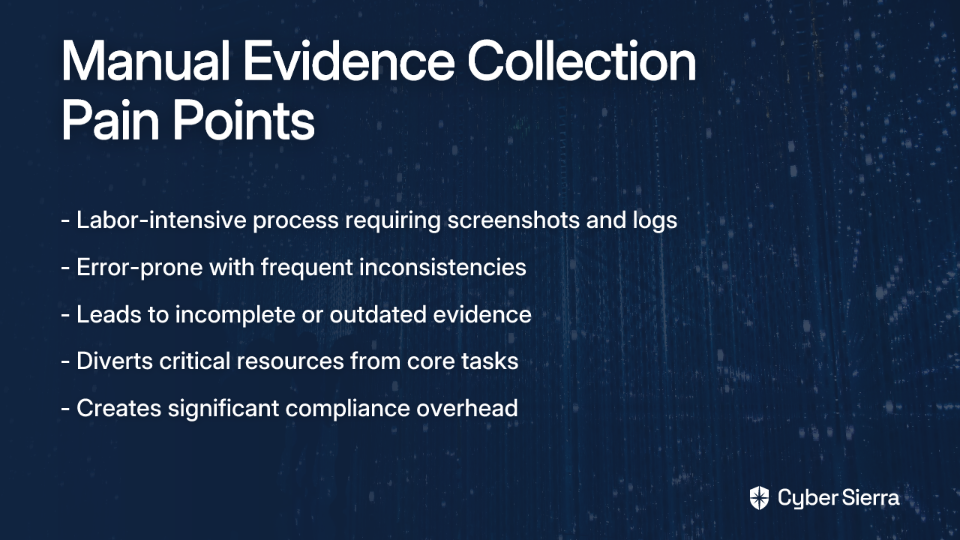
Manual evidence collection is the bane of security teams everywhere. The process involves manually taking screenshots, exporting logs, and chasing down engineers for proof of compliance. This approach is labor-intensive, error-prone, and leads to incomplete or outdated evidence.

One Reddit user described the frustration perfectly: "Compliance platforms can help, but they come with a steep learning curve and can cost up to $10k annually, not including the audit." Yet despite these costs, many teams still spend countless hours manually gathering evidence.

The Fix with Automation:
The solution is to implement tools that connect directly to your technology stack to pull evidence automatically. Cyber Sierra's Continuous Control Monitoring (CCM) platform integrates with your systems to automate evidence collection, creating a centralized repository that's always current and audit-ready.

By automating evidence gathering, you not only save time but also ensure documentation is accurate and comprehensive. As one security professional put it, when asked if automation could "lighten your load" during audits: "100%."

2. The "Snapshot" Illusion of Point-in-Time Audits

The Pitfall:
Traditional audits capture security posture at a single moment, creating a dangerous illusion of security. Consider this real-world scenario shared on Reddit: "A server was exposed to the internet for less than 24 hours and received ~35k events of event ID 4625 (failed login attempts)." An annual audit would completely miss this critical, short-lived security event.

This point-in-time approach fails to capture the dynamic reality of modern IT environments, where configurations change daily and new threats emerge hourly.

The Fix with Automation:
The antidote is continuous verification through automated security control assessment. By implementing continuous monitoring, you gain ongoing visibility into your security posture, detecting misconfigurations or deviations as they happen—not months later during the next audit.

Cyber Sierra's CCM transforms security from periodic checks into an ongoing process, providing a single source of truth for all controls and detecting exceptions and anomalies in real-time. This delivers the "visibility over the VM" that security professionals desperately need to prevent issues before they become incidents.

3. Inconsistent and Unreliable Control Testing

The Pitfall:
When different teams or individuals test controls manually, they often use varying methods and standards. An access review performed by one team may follow completely different procedures than one conducted by another team. This inconsistency leads to an incomplete and unreliable assessment of your true security posture, creating dangerous gaps that auditors (and attackers) can find.

According to security experts at LogicGate, inconsistent control testing is a key failure point that undermines the effectiveness of security programs and creates compliance blind spots.

The Fix with Automation:
Implement a centralized platform that automates control testing according to pre-defined rules mapped to compliance frameworks. This ensures every control is tested the same way, every time, providing consistent and trustworthy results.

Cyber Sierra's CCM module automates control testing and validation across multiple frameworks like NIST, ISO 27001, PCI DSS, and GDPR. It builds a central controls repository, ensuring that whether it's access control or network segmentation, the test is standardized and the evidence is reliable.

4. Flying Blind with No Real-Time Risk Intelligence

The Pitfall:
Manual auditing is inherently backward-looking. By the time you discover a failed control or a vulnerability, the damage may already be done. As seen in the SecurityMetrics audit fails list, failing to monitor event logs or conduct regular vulnerability scans leaves the door wide open for attackers.

One Reddit user described a situation where they "had no visibility" over a compromised virtual machine, highlighting how lack of real-time insights leaves organizations vulnerable to threats that develop between audit cycles.

The Fix with Automation:
Enable traceable logging and automated scanning for all critical systems and set up automated alerts for suspicious activity. Employ AI-driven tools and continuous vulnerability scanning to identify anomalies and threats in real-time, allowing for quicker remediation.

Cyber Sierra's platform provides a two-pronged solution. The CCM module delivers "actionable risk intelligence for data-driven remediation," while the Threat Intelligence module performs network and cloud vulnerability scanning, providing a comprehensive security scorecard to prioritize fixes before they can be exploited.

5. Drowning in "Compliance Debt" and Audit Fatigue

The Pitfall:
Managing multiple compliance frameworks (SOC 2, ISO 27001, HIPAA, PCI DSS) is a monumental task. The constant changes in regulations lead to what industry professionals call "compliance fatigue."

This is compounded by the high cost and maintenance burden of many compliance tools, as noted by users who point out that you "still need someone to configure and maintain these tools" even after making a significant investment in them.

The Fix with Automation:
Adopt a unified Governance, Risk, and Compliance (GRC) platform that can map a single control to multiple frameworks. This "test once, comply many" approach drastically reduces redundant work.

Cyber Sierra's GRC module is specifically designed to combat compliance fatigue. It automates risk assessments and manages multiple frameworks from a single dashboard, simplifying complex requirements and making enterprises audit-ready faster. The platform streamlines reporting and maintains detailed audit trails, making audit preparation an on-demand function rather than a quarterly fire drill.

6. A Purely Reactive Security Posture

The Pitfall:
Many organizations treat security as a checklist for an audit. They fix issues after an auditor finds them. This reactive approach covers common failures like weak patch management, poor network segmentation, and inadequate access controls (SecurityMetrics).

As one Reddit user lamented after discovering their server had been exposed: "I can't fix that mistake at this point, but I'm trying to at least learn from it." This reactive mindset means you're always one step behind the threats.

The Fix with Automation:
Shift from fixing audit findings to preventing them. Use continuous monitoring and advanced analytics to identify potential risks before they escalate. This includes automating patch verification, continuously monitoring network configurations for segmentation violations, and regularly reviewing access rights.

Cyber Sierra drives this proactive shift. The Threat Intelligence module offers an outside-in view of your attack surface, while the CCM module continuously checks internal controls. This combination allows you to find and fix vulnerabilities before they become audit findings or, worse, security incidents.

7. Ignoring the Human Element

The Pitfall:
You can have the best technology in the world, but a single employee clicking on a phishing link can undermine it all. Audits often require proof of security awareness training, but tracking this manually is inefficient and difficult to correlate with actual employee behavior.

This human factor remains one of the most persistent vulnerabilities in security programs, yet it's often reduced to an annual training checkbox during audits.

The Fix with Automation:
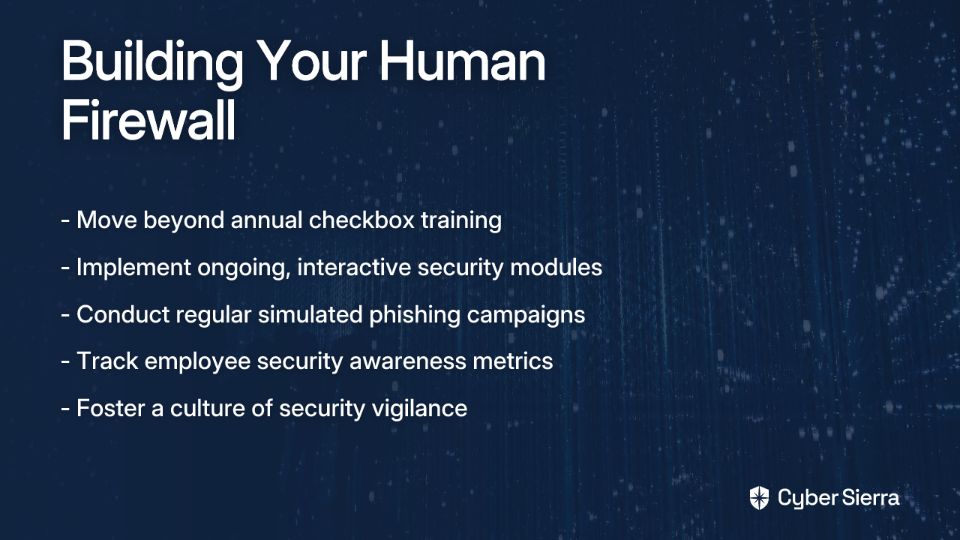
Move away from annual, "check-the-box" training. Use a platform that provides ongoing, interactive training modules and runs simulated phishing campaigns. This builds a resilient, security-conscious culture and provides clear metrics for auditors on the effectiveness of your "human firewall."

The Cyber Sierra Employee Security Training module directly addresses this challenge. It empowers employees through interactive quizzes and simulated phishing campaigns, providing a dashboard overview of the company's security quotient and fostering a culture of vigilance.

Move Beyond the Audit: Achieve Continuous Assurance

The theme is clear: traditional, manual computer security auditing is broken. It's a reactive, resource-draining cycle that provides a false sense of security. The future of effective security and compliance lies in automation and a continuous, proactive mindset.

The objective shouldn't be to just pass an audit. The goal should be to achieve Continuous Assurance—a state where your organization is demonstrably secure and compliant every single day. This is the "audit readiness" users crave, a system that "just works without us having to keep an eye on it the whole time," as one security professional put it.

Frequently Asked Questions

What is continuous control monitoring (CCM) and how does it replace traditional audits?

Continuous Control Monitoring (CCM) is an automated process that continuously tests and validates security controls in real-time. It replaces traditional, point-in-time audits by shifting security from a periodic, manual check to an ongoing, automated process. Instead of gathering evidence once a year, CCM platforms integrate with your systems to provide a constant stream of evidence, ensuring you are always audit-ready and aware of your security posture.

Why is manual evidence collection a security risk?

Manual evidence collection is a significant security risk because it is often incomplete, inconsistent, and outdated. This manual process is prone to human error and provides only a snapshot of your security controls at the moment the evidence was gathered. Attackers exploit these gaps that emerge between audits, making automated, continuous evidence collection essential for maintaining a robust and accurate security posture.

How can automation help manage multiple compliance frameworks like SOC 2 and ISO 27001?

Automation streamlines the management of multiple compliance frameworks through a "test once, comply many" approach. A unified GRC platform can map a single automated security control to the requirements of various frameworks (like SOC 2, ISO 27001, PCI DSS, etc.). This eliminates redundant testing, reduces the workload on your team, and ensures consistent application of controls across all regulatory obligations.

What is the difference between a reactive and proactive security posture?

A reactive security posture involves fixing vulnerabilities and non-compliance issues after they are discovered, typically during an audit. A proactive security posture uses continuous monitoring and real-time intelligence to identify and remediate risks before they can be exploited or become audit findings. Automation is the key driver of a proactive approach, shifting the focus from remediation to prevention.

How do I start automating our security audit process?

The best way to start is by identifying the most time-consuming and manual parts of your current audit process, which for many is evidence collection. From there, you can evaluate integrated platforms that connect directly to your cloud environments, security tools, and HR systems. Look for solutions that offer a unified view of your controls and can scale with your organization's needs, allowing you to begin with one area and expand over time.

What is the "human firewall" and why is it important for compliance?

The "human firewall" refers to the collective security awareness of your employees, turning them into an active line of defense against threats like phishing. It's crucial for compliance because many frameworks require evidence of effective security awareness training. Automated platforms that provide continuous training and simulated phishing attacks offer measurable proof that your human firewall is strong, moving beyond a simple "check-the-box" training exercise to a demonstrably effective security control.

Don't let your next audit be another fire drill. Transform your security program with an integrated platform that automates evidence collection, provides continuous visibility, and reduces the burden on your team. Explore how Cyber Sierra's AI-enabled cybersecurity platform can help you move from reactive auditing to proactive, continuous assurance.

Request a Demo Today and discover how automation can reinvent your approach to computer security auditing.7 Ways Computer Security Auditing Fails (And How to Fix Them with Automation)

blog-hero-background-image
Cyber Security

5 Automated Risk Mitigation Tools That Eliminate Manual Security Audits

backdrop
Table of Contents

Join thousands of professionals and get the latest insight on Compliance & Cybersecurity.


Summary

  • Manual, point-in-time security audits are resource-intensive, prone to costly errors, and create dangerous security gaps between assessments.
  • Shifting to a continuous security assurance model allows for real-time visibility, early threat detection, and eliminates the cyclical stress of "audit season."
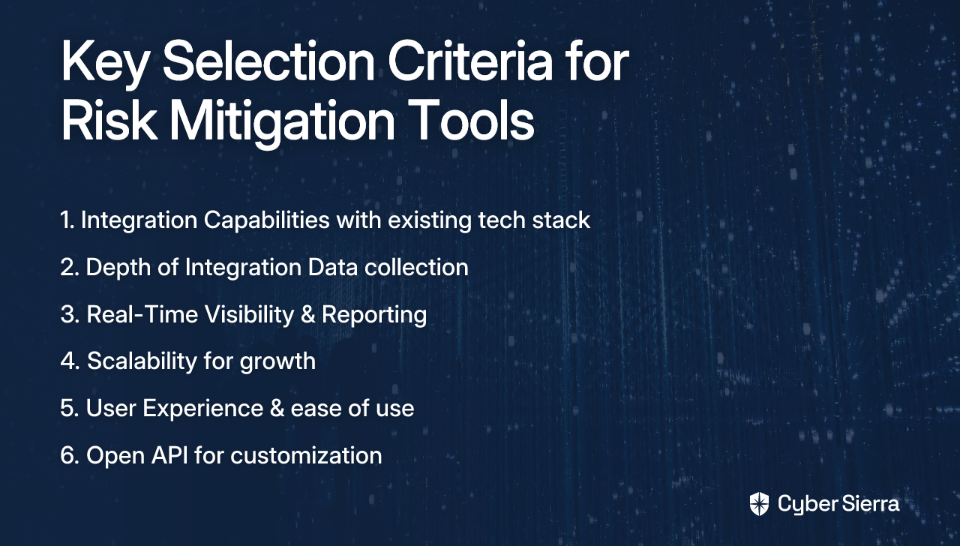
  • When selecting an automation tool, prioritize its integration capabilities, depth of data collection, and scalability to ensure it meets your long-term compliance needs.
  • Cyber Sierra's Continuous Control Monitoring platform automates evidence collection and provides a single source of truth to maintain continuous compliance and eliminate audit fatigue.

Are you drowning in spreadsheets, chasing down evidence, and experiencing that recurring nightmare known as "audit season"? You're not alone. Security professionals everywhere are fed up with what we might call "Spreadsheet Security" - that tedious, error-prone approach to compliance where teams manually collect evidence, document controls, and prepare for audits.

"Gathering evidence for audits is tedious and time-consuming, especially with lean teams," laments one security professional in a Reddit discussion. While some still insist that "All you need is a Microsoft Excel Spreadsheet!" the reality is that manual approaches to security and compliance are failing modern organizations.

The traditional point-in-time security assessment - where you scramble to gather evidence, pass an audit, and then breathe a sigh of relief until the next assessment cycle - is becoming obsolete. This approach not only creates audit fatigue but also leaves your organization vulnerable between assessments.

The solution? Automated risk mitigation tools that transform manual, point-in-time security assessments into continuous, real-time monitoring of your security posture.

Why Manual Audits and Point-in-Time Checks Are Failing You

Before we dive into the solutions, let's understand why manual approaches are increasingly problematic:

They're Time-Consuming & Resource-Draining

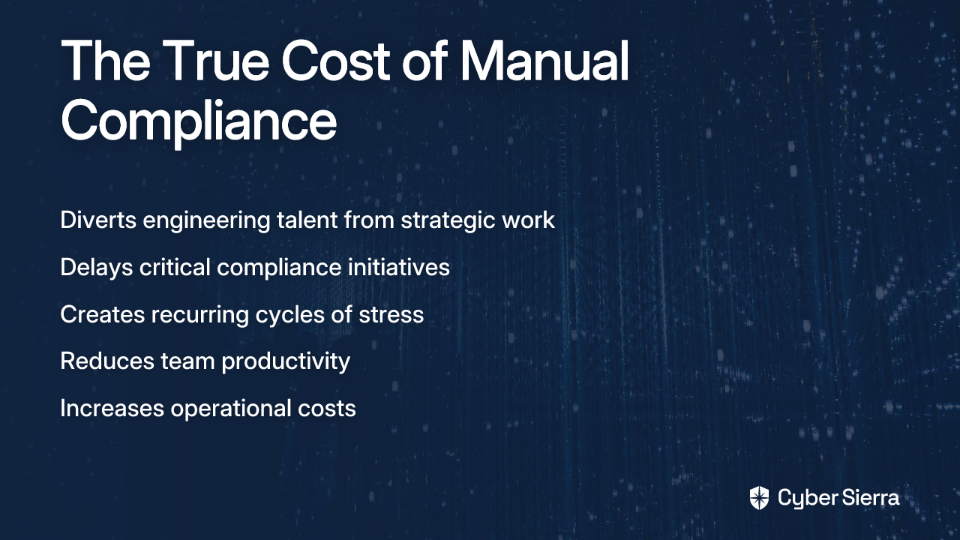
Manual evidence collection isn't just annoying - it's actively harmful to your business. It diverts engineering and security teams from strategic work, delays compliance initiatives, and creates a recurring cycle of stress. Many organizations find themselves simply "tracking things we already do" but struggling to do so efficiently.

They're Prone to Human Error

A single mistake in manual evidence collection can have major consequences. For example, an error during documentation can force organizations to restart lengthy audit periods, such as a 3-month SOC 2 observation period - a costly mistake that automated systems would prevent.

They Lack Real-Time Visibility

Point-in-time checks create dangerous blind spots. According to Vanta, these approaches only provide "a snapshot of security at a single moment," leading to "critical gaps between assessments" where configurations drift and vulnerabilities emerge unnoticed.

They Don't Scale

As your business grows, adds new tools, or enters markets with different regulatory requirements, the complexity of manual compliance management becomes unsustainable. What worked for a small team quickly breaks down at scale.

They Cause Audit Fatigue

The cyclical stress of preparing for audits, chasing down evidence, and managing spreadsheets leads to burnout and a reactive security culture. This fatigue ultimately compromises your security posture and team morale.

Top 5 Automated Tools for Continuous Risk Mitigation & Compliance

Now for the good news: modern risk mitigation tools are transforming how organizations approach security and compliance. Here are five solutions that eliminate the need for manual security audits:

1. Cyber Sierra

Cyber Sierra offers an AI-enabled cybersecurity platform designed to transform security compliance from a manual, periodic chore into an automated, continuous process. It directly addresses the need for "audit readiness" expressed by many security professionals.

Key Features:

  • Continuous Control Monitoring (CCM): Transforms security from periodic checks to continuous, automated monitoring by building a central controls repository with near real-time updates.
  • Automated Evidence Collection: Eliminates the tedious manual gathering of compliance evidence across your technology stack.
  • Multi-Framework Support: Automates control testing and validation across NIST, ISO 27001, PCI DSS, GDPR, HIPAA, and other frameworks from a single platform.
  • Real-Time Anomaly Detection: Identifies exceptions and control failures as they happen, allowing for immediate remediation.

Best For: CISOs, Compliance Managers, and IT teams struggling with manual evidence collection, managing multiple compliance frameworks, and seeking a single source of truth for their security posture.

Learn more about Cyber Sierra's Continuous Control Monitoring

2. Vanta

Vanta is a well-known compliance automation platform that helps companies streamline security reviews and achieve certifications like SOC 2 and ISO 27001.

Key Features:

  • Automates evidence collection through deep integrations with cloud services and SaaS tools
  • Provides a unified platform to manage continuous compliance controls
  • Offers real-time monitoring of compliance status to eliminate assessment schedules

Best For: Tech companies and startups needing to quickly become audit-ready to unblock enterprise sales and build customer trust.

3. Drata

Drata is a security and compliance automation platform with a strong focus on continuous monitoring and building trust.

Key Features:

  • Focuses on continuous, 24/7 monitoring of security controls
  • Provides audit-ready documentation and supports a wide range of compliance frameworks
  • Offers real-time visibility into compliance posture through a centralized dashboard

Best For: Organizations that want to embed security and compliance into their daily operations and provide transparency to customers.

4. Secureframe

Secureframe is an all-in-one platform for security, privacy, and compliance that automates the process of getting and staying compliant.

Key Features:

  • Boasts over 220 integrations for comprehensive, automated evidence gathering
  • Automates continuous scanning and testing of controls to maintain compliance posture
  • Manages multiple frameworks like SOC 2, ISO 27001, PCI DSS, and HIPAA from a single platform

Best For: Companies with a diverse tech stack that need broad integration capabilities to automate evidence collection across all their systems.

5. AuditBoard

AuditBoard is an integrated, cloud-based platform for audit, risk, and compliance management.

Key Features:

  • Centralizes evidence management and streamlines audit workflows
  • Manages multiple compliance frameworks and automates documentation and reporting
  • Connects risks to controls, helping teams prioritize mitigation efforts

Best For: Larger enterprises or internal audit teams looking for a comprehensive platform to manage the full spectrum of GRC activities, not just security compliance.

How to Choose the Right Automation Tool for Your Organization

With several strong risk mitigation tools available, how do you select the right one for your specific needs? Here are the key criteria to consider:

Integration Capabilities

The tool must connect seamlessly with your existing tech stack, including cloud providers, identity providers, HR systems, and developer tools. Limited integration capabilities will force you back into manual processes, undermining the whole purpose of automation.

Depth of Integration Data

Not all integrations are created equal. Ensure the tool can pull detailed, compliance-relevant data, not just surface-level information. This depth prevents false positives and eliminates the need for manual verification.

Real-Time Visibility & Reporting

You need a dashboard that gives you an immediate, accurate view of your compliance status. The ability to easily export audit-ready reports is critical for both internal stakeholders and external auditors.

Scalability

The solution should grow with your organization. Can it handle new frameworks as you enter different markets? Will it support more employees, applications, and an expanding cloud environment without performance issues? According to FlowForma, scalability is a key factor in long-term success with automation tools.

User Experience

Even with automation, "you still need someone to configure and maintain these tools." A user-friendly design and self-explanatory modules reduce the learning curve and the total cost of ownership.

Open API

For future-proofing, an open API allows you to integrate with custom-built tools and adapt the platform to unique business processes that may not be covered by out-of-the-box integrations.

Move Beyond Audits: Achieve Continuous Security Assurance

The goal isn't just to pass an audit—it's to build a resilient, continuously compliant security program. Automated risk mitigation tools make this possible by shifting from a reactive, event-driven approach to a proactive, always-on posture.

By implementing continuous monitoring rather than point-in-time assessments, organizations gain several critical advantages:

Improved Compliance & Early Threat Detection

Continuous monitoring allows you to detect control failures, misconfigurations, and security gaps as they emerge—not weeks or months later during an audit. According to Cyber Sierra, this proactive approach significantly reduces the window of vulnerability and strengthens your overall security posture.

Optimized Resource Allocation

When evidence collection and control testing are automated, your security and engineering teams can focus on high-value work instead of chasing down screenshots and documentation. This shift in focus allows for more strategic security initiatives and innovation.

Increased Transparency

Real-time dashboards provide unprecedented visibility into your security posture for leadership, auditors, and customers. This transparency builds trust and demonstrates your commitment to security as a continuous process, not a periodic checkbox.

Perhaps most importantly, automated risk mitigation tools eliminate the dreaded "audit fatigue" that plagues so many security teams. No more last-minute scrambles, no more marathon evidence collection sessions, and no more anxiety about what the auditor might find. Instead, you maintain a state of continuous audit readiness that makes formal assessments a simple verification of what you already know.

Transform Your Security Audits Into Continuous Assurance

The days of "Spreadsheet Security" are numbered. As organizations face increasing regulatory requirements and security challenges, manual approaches to compliance are becoming unsustainable. Automated risk mitigation tools offer a path forward—transforming point-in-time assessments into continuous monitoring and eliminating the need for manual evidence collection.

Stop chasing evidence and start managing risk. Cyber Sierra's Continuous Control Monitoring platform transforms your security audits into a seamless, automated process, giving you a single source of truth for your entire security and compliance posture.

Ready to eliminate audit fatigue? Explore Cyber Sierra's CCM platform and request a demo today!

Frequently Asked Questions

What is an automated risk mitigation tool?

An automated risk mitigation tool is a software platform that replaces manual security and compliance tasks, such as evidence collection and control testing, with a continuous, automated process. These tools integrate with your existing technology stack (like cloud providers, HR systems, and developer tools) to automatically gather evidence, monitor security controls in real-time, and identify compliance gaps as they happen. This transforms security from a periodic, point-in-time assessment into an always-on, proactive program.

Why are manual security audits ineffective for modern businesses?

Manual security audits are ineffective because they are time-consuming, prone to human error, lack real-time visibility, and do not scale as a business grows. This "spreadsheet security" approach creates dangerous blind spots between assessments where vulnerabilities can emerge unnoticed. It also leads to audit fatigue, diverting valuable engineering and security resources from strategic initiatives to tedious, repetitive evidence collection tasks.

How do automated tools help with compliance frameworks like SOC 2 or ISO 27001?

Automated compliance tools help by mapping your internal security controls to the specific requirements of frameworks like SOC 2 and ISO 27001, and then continuously collecting the evidence needed to prove compliance. They eliminate the manual work of gathering screenshots and documents by integrating directly with your systems. The platform automatically tests controls, flags any failures for immediate remediation, and generates audit-ready reports, significantly simplifying the process of achieving and maintaining certifications.

What is the difference between point-in-time assessments and continuous monitoring?

A point-in-time assessment provides a snapshot of your security posture at a single moment, while continuous monitoring provides a real-time, ongoing view of your security and compliance status. Point-in-time checks, typical of manual audits, leave your organization vulnerable to configuration drifts and new threats that arise between assessments. Continuous monitoring, powered by automation tools, detects and alerts you to these issues as they happen, allowing for immediate action and maintaining a constant state of audit readiness.

What are the key benefits of moving to a continuous security assurance model?

The key benefits of continuous security assurance include improved compliance, early threat detection, optimized resource allocation, and increased transparency for stakeholders. By automating routine tasks, you free up your security team to focus on strategic work. Real-time visibility strengthens your security posture by closing the gaps left by periodic audits. Most importantly, it eliminates the cyclical stress and burnout associated with "audit season," fostering a more proactive and resilient security culture.

How do I choose the right compliance automation tool?

To choose the right compliance automation tool, you should evaluate its integration capabilities with your tech stack, the depth of data it can collect, its real-time reporting features, and its ability to scale with your business. Look for a platform with a user-friendly interface to reduce the learning curve and an open API for future customization. The best tool will not only connect to your existing systems but also pull detailed, relevant data to provide a true and accurate picture of your compliance posture without manual verification.

blog-hero-background-image
Cyber Security

Security Training for Employees: Building a Program That Works for Remote Teams

backdrop
Table of Contents

Join thousands of professionals and get the latest insight on Compliance & Cybersecurity.


Summary

  • The shift to remote work has created new security risks like unsecured home networks and increased social engineering, making traditional annual training ineffective.
  • Effective training for remote teams requires a shift to continuous microlearning, realistic phishing simulations, and just-in-time reinforcement to build a strong security culture.
  • Success should be measured by behavioral changes, such as lower phishing click rates and higher reporting rates, not just course completion.
  • A platform like Cyber Sierra's Employee Security Training can help automate this process with interactive modules and remote-specific simulations.

Your perimeter is no longer the office. The shift to remote work has shattered traditional security models, creating an expanded attack surface that stretches from coffee shops to home offices across the globe. While you've locked down devices with MDM and enforced MFA, you still have "no control over the user's home internet" - as one IT manager recently lamented.

The reality? Annual, classroom-style security training is obsolete because the risks have fundamentally changed. To protect your organization in this new landscape, you need a security training program specifically designed for a distributed workforce.

The New Battlefield: Unique Security Challenges of a Remote Workforce

Remote teams face distinct security challenges that traditional office-based training programs fail to address:

Decentralization and the Exploded Attack Surface

The core challenge is the shift from securing a single, centralized network to protecting hundreds of individual access points. Each employee's home has become a potential entry point for attackers.

Unsecured Home & Public Networks

Remote workers frequently connect via home Wi-Fi networks lacking enterprise-grade protections or, worse, public networks at coffee shops and co-working spaces. These environments are prime targets for man-in-the-middle attacks and credential harvesting.

Personal and Shared Devices (BYOD)

Personal devices often lack enterprise protections like EDR or timely patch management. Even more concerning, family members using work laptops can inadvertently introduce malware or access sensitive data.

Lack of Physical Oversight

In an office, visual cues prevent blatant security missteps. At home, there's no one to notice when an employee leaves their laptop unattended at a café or displays sensitive information during a video call with their screen facing a window.

Heightened Susceptibility to Social Engineering

Remote workers rely almost exclusively on digital communication, making them prime targets for sophisticated phishing and social engineering attacks. As one sysadmin noted, "We've put in Cyber Awareness Training regularly... [it's] Always C-suite" who get caught.

The Blueprint: A Modern Training Program for Your Distributed Team

To address these unique challenges, security training for remote teams must evolve beyond annual compliance exercises to become an integrated part of your security culture.

Principle 1: Replace Annual Marathons with Microlearning Sprints

What it is: Break down complex topics into short, focused, 3-5 minute training modules (e.g., a short video on spotting a phishing email, a quick quiz on password hygiene).

Why it works for remote teams: Microlearning respects your employees' time, fits into flexible schedules, and dramatically improves knowledge retention compared to long, infrequent sessions.

Delivery Method: Use asynchronous delivery, allowing employees to complete training on their own schedule while tracking completion through your learning management system.

Principle 2: Make Learning Contextual with Just-in-Time Reinforcement

What it is: Provide training and resources at the exact moment an employee needs them. For example, if an employee receives a simulated phish and clicks, they immediately get a pop-up explaining the red flags they missed.

Why it works: Just-in-time learning connects theory to real-world action, making the lesson far more memorable and effective. It bridges the gap between knowledge and application.

Cyber Sierra's Employee Security Training platform excels in this area, delivering context-aware training exactly when employees are most receptive to learning. When a user fails a phishing test, the platform immediately provides targeted education on the specific tactics used, reinforcing learning at the most teachable moment.

Principle 3: Run Continuous, Hyper-Realistic Phishing Simulations

Traditional phishing simulations featuring obvious scams like "You've won a free iPhone!" are no longer effective. Modern remote workers need to be tested against the sophisticated threats they actually face:

  • Fake IT support requests for VPN credentials
  • Spoofed calendar invites for popular collaboration tools
  • Package delivery notifications targeting home-based workers
  • Invoice scams targeting accounts payable staff working remotely

To truly test your team's resilience, these simulations should mimic actual attack patterns targeting remote workers. This approach helps employees develop the ability to identify threats in their natural environment.

Principle 4: Customize Training for Different Roles

The security risks for a developer with access to code repositories are different from those for a salesperson handling client data. Tailor training content to be relevant to each department's specific workflow and access levels.

For example:

  • Executives: Focus on whaling attacks and risks during international travel
  • Finance: Emphasize wire transfer fraud and invoice manipulation
  • IT Administrators: Address privileged access management and secure remote support
  • Customer Support: Cover social engineering through customer channels

From Plan to Action: Your 6-Week Implementation Timeline & Checklist

Here's a practical, step-by-step plan to implement an effective remote security training program:

Phase 1: Assessment & Planning (Weeks 1-2)

  • Kickoff Meeting: Identify key stakeholders from IT, HR, and leadership.
  • Identify Top Risks: Use surveys and system data to pinpoint your top 3 remote security risks. The SANS Work-from-Home Deployment Guide provides a great framework for this.
  • Define Success Metrics: What does success look like? Lower phishing click rates? Higher reporting rates? Define these upfront.

Phase 2: Content Development & Pilot (Weeks 3-4)

  • Develop/Curate Content: Create or adopt microlearning modules focused on your identified risks (e.g., securing home Wi-Fi, BYOD policy, phishing).
  • Set Up Phishing Simulation: Design your first remote-specific phishing test.
  • Run a Pilot Program: Roll out the training to a small, select group to gather feedback and refine the content.

Phase 3: Organization-Wide Rollout (Weeks 5-6)

  • Launch Program: Make the training available to all employees.
  • Communicate Effectively: Explain the "why" behind the training to foster buy-in.
  • Provide Support: Ensure employees know who to contact with questions.

Phase 4: Reinforcement & Optimization (Ongoing)

  • Schedule Regular Training: Implement quarterly training and monthly phishing simulations.
  • Review and Update: The threat landscape changes. Update your materials regularly to stay relevant.
  • Analyze & Adjust: Use metrics to see what's working and where you need to improve.

Beyond Completion Rates: How to Measure What Truly Matters

To determine whether your security training is actually working, you need to move beyond simple completion metrics to track behavioral changes:

Key Metrics to Track

  • Phishing Click Rate: The baseline of susceptibility. Your goal is to see this number decrease over time.
  • Report Rate: The most important positive metric. How many employees are actively reporting suspicious emails? An increase here shows high engagement.
  • Time to Report: How quickly are employees reporting threats? Faster times mean higher awareness.
  • Repeat Offender Rate: Identify individuals who consistently fail simulations and provide them with targeted, one-on-one training.

Source for metrics.

Using a Dashboard for Visibility

Manually tracking these metrics is impossible at scale. Platforms like Cyber Sierra provide a dashboard that offers a clear overview of your company's security quotient. You can track individual and team progress, identify weak spots, and generate reports to demonstrate the program's ROI and effectiveness for compliance audits.

The platform's analytics capabilities allow you to:

  • Identify departments with the highest risk profiles
  • Track improvement over time
  • Compare your organization's performance against industry benchmarks
  • Generate compliance reports for regulators or cyber insurance providers

Reinforcing the Human Firewall Across Distributed Teams

For remote workers, isolation can make security feel like a solo responsibility rather than a team effort. Creating a sense of community around security awareness helps combat this challenge:

Create a Security Champion Network

Identify and empower security-minded individuals across departments to serve as peer educators and advocates. These champions help reinforce training concepts and provide a friendly face for security questions.

Gamify the Learning Experience

Introduce friendly competition with leaderboards, badges, and rewards for security-conscious behaviors. This approach transforms security from an obligation into an engaging team activity.

Cyber Sierra's Employee Security Training platform incorporates gamification elements that recognize and reward positive security behaviors, creating a virtuous cycle of competition and improvement.

Establish Clear Incident Reporting Channels

Remote employees need to know exactly how to report security concerns without the ability to walk over to the IT desk. Create simple, accessible reporting mechanisms and ensure everyone knows how to use them.

Build Your Human Firewall, Wherever Your Team Is

Effective security training for remote teams isn't a one-off event; it's a continuous, adaptive program built on microlearning, contextual reinforcement, and realistic simulations. By implementing the blueprint outlined in this article, you can transform your distributed workforce from your greatest vulnerability into your strongest defense.

The challenges of securing a remote workforce are real, but with the right approach to security training, you can build a human firewall that stands strong regardless of where your employees work. Remember that security awareness isn't just about avoiding mistakes – it's about creating a culture where security becomes second nature.

Frequently Asked Questions

Why is traditional security awareness training ineffective for remote teams?

Traditional security awareness training is ineffective for remote teams because it fails to address the unique risks of working from home, such as unsecured Wi-Fi networks, personal device usage (BYOD), and a heightened vulnerability to sophisticated social engineering attacks. Unlike a controlled office environment, annual, generalized training doesn't provide the continuous, context-specific reinforcement needed to protect a decentralized workforce.

What are the key components of an effective remote security training program?

The key components of an effective remote security training program are: microlearning modules that deliver short, focused lessons; continuous, realistic phishing simulations that mimic modern threats; just-in-time reinforcement that provides immediate feedback on mistakes; and role-specific content tailored to the risks different departments face.

How can I measure the real success of my security training program?

You can measure the real success of your security training program by tracking behavioral metrics, not just completion rates. Key performance indicators include a lower phishing simulation click rate, a higher employee report rate for suspicious emails, and a faster time-to-report. These metrics demonstrate genuine changes in employee behavior and security posture.

How often should we conduct security training for remote employees?

For remote employees, security training should be a continuous process. Best practices recommend conducting realistic phishing simulations on a monthly basis and assigning new microlearning training modules quarterly. This regular cadence keeps security top-of-mind and allows you to adapt the training to address the latest threats without causing employee fatigue.

What is the most critical security risk remote workers should be trained on?

The most critical security risk for remote workers is social engineering, delivered primarily through sophisticated phishing attacks. Because remote employees rely heavily on digital communication, they are prime targets for attacks like fake IT support requests, spoofed calendar invites from collaboration tools, and targeted invoice scams. Training must focus on building the critical thinking skills needed to identify and report these modern threats.

Ready to build a security-conscious culture that thrives in a remote-first world? Explore how Cyber Sierra's Employee Security Training platform uses interactive modules, remote-specific phishing simulations, and continuous learning to strengthen your human firewall. Our platform is specifically designed to address the unique challenges of distributed teams, delivering measurable improvements in security awareness and behavior.

Request a Demo to see how we can help your organization build an effective security training program for your remote teams.

blog-hero-background-image
Cyber Security

10 Best Leaked Credentials Monitoring Tools for Enterprise Security Teams

backdrop
Table of Contents

Join thousands of professionals and get the latest insight on Compliance & Cybersecurity.


Summary

  • With over 24 billion stolen credentials circulating on the dark web, credential theft is a primary vector for enterprise breaches, rendering manual security checks obsolete.
  • Effective monitoring tools must provide real-time alerts from comprehensive sources like stealer logs and dark web forums, not just historical breach databases.
  • The key to an effective strategy is automating remediation by integrating monitoring tools with your security ecosystem (SIEM/SOAR) to trigger instant password resets and session terminations.
  • To move from reactive alerts to proactive security, enterprises can use a Continuous Control Monitoring (CCM) platform to automate risk management, ensure compliance, and turn threat intelligence into action.

You've just received an alert—one of your employees' credentials has been found in a dark web forum. But is this information actionable? How recent is the exposure? And most importantly, what automated steps can your security team take to neutralize the threat before attackers exploit it?

With over 24 billion stolen credentials circulating on the dark web and an 84% increase in phishing emails delivering infostealers, credential theft has become the primary vector for enterprise breaches. The sheer scale of this threat has rendered traditional point-in-time checks obsolete.

Today's enterprise security demands continuous monitoring of leaked credentials with automated remediation workflows—because in the race between attackers and defenders, minutes matter.

What to Look For: Key Criteria for Evaluating Credential Monitoring Tools

Before diving into specific solutions, let's establish the essential features that differentiate basic credential checkers from enterprise-grade monitoring platforms. When evaluating leaked credentials monitoring for enterprises, demand these critical capabilities:

1. Comprehensive Coverage

Effective monitoring extends far beyond public breach databases:

  • Stealer Log Monitoring: Real-time access to fresh credentials from prevalent infostealer malware like LummaC2, RedLine, Vidar, and Raccoon—where the most valuable credentials appear first
  • Dark Web & Criminal Marketplaces: Coverage of closed-access forums and marketplaces where credentials are traded
  • Third-Party Breach Data: Access to historical and recent third-party breaches to prevent credential stuffing attacks

2. Real-Time Alert Speed

The value of stolen credentials is highest immediately after theft. Enterprise solutions should deliver actionable alerts within minutes, not days—enabling your team to take swift action before attackers can capitalize on the exposure.

3. API Integration Capabilities

To move beyond simple alerts to automated security hygiene, your monitoring solution should offer:

  • RESTful API: For seamless integration with your existing security ecosystem (SIEM, SOAR, EDR)
  • Webhook Support: To trigger automated workflows like password resets and session revocation

4. Actionable Intelligence & Remediation

Top-tier solutions provide context, not just raw data:

  • Password Validation: Tools that can verify if a user's actual password was exposed, not just the hash
  • Remediation Workflows: Native capabilities or integrations that streamline incident response
  • Risk Scoring: Contextual assessment of exposure severity to prioritize response efforts

With these criteria in mind, let's explore the top leaked credentials monitoring tools that deliver enterprise-grade protection.

Top 10 Leaked Credential Monitoring Tools for 2024

1. Cyber Sierra

Overview: Cyber Sierra transcends basic monitoring to deliver a comprehensive platform for automated credential risk management. While specialized tools detect leaks, Cyber Sierra's AI-enabled platform operationalizes the response, moving security from periodic checks to proactive, near real-time risk management.

Core Strengths:

  • Continuous Control Monitoring (CCM): Provides ongoing, automated visibility into security controls related to user access and credentials with real-time anomaly detection
  • Automated Remediation Workflows: Orchestrates the response to credential exposures through centralized control repositories and actionable intelligence
  • GRC Integration: Directly ties credential risk management to compliance frameworks like NIST, ISO 27001, and GDPR, demonstrating due diligence to auditors and insurers
  • Holistic Security View: Integrates threat intelligence with vendor risk (TPRM) and employee training, addressing credential risk across the enterprise ecosystem

Best For: Enterprises, CISOs, and Compliance Managers who need to move beyond simple detection to an integrated, automated, and audit-ready risk management program.

2. BreachSense

Overview: An API-first platform designed specifically for security teams requiring deep credential coverage and powerful automation capabilities.

Core Strengths:

  • Real-time monitoring of stealer logs from LummaC2, RedLine, Vidar, and Raccoon
  • Access to data from third-party breaches and ransomware leak sites
  • Powerful RESTful API for deep integration with SIEMs and other security tools

Best For: Enterprise security teams, penetration testers, and MSPs that prioritize API-driven automation and deep data access.

3. SpyCloud

Overview: A solution focused on preventing account takeover (ATO) and providing post-infection remediation workflows.

Core Strengths:

  • Specializes in recaptured data from breaches and malware infections
  • Helps identify compromised devices tied to exposed credentials
  • Offers integrated remediation workflows to address ATO incidents

Best For: Large enterprises primarily concerned with preventing customer and employee account takeovers.

4. Flare

Overview: Combines dark web monitoring for compromised credentials with a broader threat intelligence platform.

Core Strengths:

  • Provides real-time alerts alongside wider threat context
  • Monitors technical leakage, including secrets and API keys exposed on public sites like GitHub
  • Offers comprehensive digital risk protection beyond just credential monitoring

Best For: Security teams that need broader visibility into their organization's digital risk beyond just credentials.

5. ZeroFox

Overview: A digital risk protection platform that offers credential monitoring as part of a wider suite of services.

Core Strengths:

  • Combines credential monitoring with brand protection, social media monitoring, and takedown services
  • Provides protection against impersonation attempts that could lead to credential harvesting
  • Offers managed services for organizations with limited security resources

Best For: Organizations with a significant public and social media presence that face brand-impersonation and phishing threats.

6. Recorded Future

Overview: An enterprise-grade, premium threat intelligence platform that includes credential monitoring capabilities.

Core Strengths:

  • Uses machine learning to collect, analyze, and prioritize a massive amount of threat data from technical, open, and dark web sources
  • Provides rich context about threat actors and their tactics
  • Delivers intelligence through a comprehensive portal and robust API

Best For: Large enterprises with mature security programs and dedicated threat intelligence teams.

7. Flashpoint

Overview: Delivers business risk intelligence by combining technology with human analysis of dark web communities.

Core Strengths:

  • Deep insights from human intelligence (HUMINT) and analyst expertise on closed forums and illicit communities
  • Specialized in financial sector threats and criminal activities
  • Offers broader intelligence beyond credential monitoring

Best For: Organizations in finance, government, and other sectors facing highly targeted threats.

8. HackNotice

Overview: A service focused on breach awareness and security training, offering basic credential leak notifications.

Core Strengths:

  • Simple setup and affordable pricing for breach alerts
  • Ties leak notifications to employee security training modules
  • User-friendly interface for non-technical staff

Best For: SMBs that need a foundational level of breach awareness without the complexity of an enterprise platform.

9. Have I Been Pwned (HIBP)

Overview: A free, well-respected service for checking if an email address has been compromised in public data breaches.

Core Strengths:

  • Free for individual use and offers a domain monitoring API for organizations
  • Excellent source for historical, publicly disclosed breach data
  • Trusted resource maintained by respected security researcher Troy Hunt

Best For: Individuals and organizations needing a basic, free layer of breach checking for well-known incidents. It is not a real-time dark web monitor.

10. ID Agent (A Kaseya Company)

Overview: A dark web monitoring solution primarily targeted at Managed Service Providers (MSPs).

Core Strengths:

  • Designed with white-labeling and multi-tenancy features for MSPs to offer monitoring to their clients
  • Includes employee security training components
  • Integrates with Kaseya's broader IT management platform

Best For: MSPs looking to add dark web monitoring as a service for their SMB customers.

How to Implement an Effective Credential Monitoring Strategy

Having the right tools is only half the battle—implementing an effective monitoring strategy is equally important. Here's how to get started:

Step 1: Start with Primary Domain Monitoring

Configure your chosen tool to monitor all credentials associated with your primary corporate email domains (e.g., yourcompany.com). This foundational step ensures you're notified whenever corporate credentials appear in breaches or dark web forums.

Step 2: Prioritize Executive and Privileged Accounts

Identify high-value targets within your organization—executives, system administrators, and finance personnel. These accounts are often specifically targeted and require heightened scrutiny and more aggressive remediation workflows.

Step 3: Integrate and Automate with the API

Connect your monitoring tool's API to your SIEM or SOAR platform to enable automated workflows that reduce response time from hours to seconds:

Example Workflow:

  1. Alert is received for a compromised credential via API
  2. A ticket is automatically created in your ITSM (e.g., Jira, ServiceNow)
  3. A script is triggered to force a password reset for the user in Active Directory/Okta
  4. The user's active sessions are revoked
  5. The security team is notified of the automated action taken

Step 4: Extend Monitoring to Your Supply Chain

Monitor the domains of your critical third-party vendors. A breach at a key supplier can expose your data or provide an entry point into your network. This aligns with a comprehensive Third-Party Risk Management (TPRM) program, which is increasingly essential as supply chain attacks become more common.

According to Verizon's Data Breach Investigation Report, approximately 60% of breaches begin with stolen credentials. By implementing a robust monitoring strategy, you can significantly reduce this attack vector.

Move Beyond Alerts to Automated Security Hygiene

The fundamental challenge with leaked credentials isn't detection—it's the time gap between discovery and remediation. Traditional alert-based approaches create a critical window of vulnerability that attackers can exploit.

Leading security programs are now shifting from reactive alert-and-remediate models to proactive frameworks built on Continuous Control Monitoring (CCM). This approach doesn't just tell you there's a fire; it helps you build a fireproof house and automates the sprinkler system.

This is where platforms like Cyber Sierra excel. By integrating threat intelligence with automated remediation workflows and continuous compliance monitoring, Cyber Sierra transforms credential risk management from a reactive process into a proactive security program.

The most effective enterprise security teams recognize that leaked credentials are symptoms of broader security hygiene issues. By implementing a continuous control monitoring approach, you can:

  • Reduce response time from hours to seconds through automated workflows
  • Demonstrate compliance with frameworks like NIST, ISO 27001, and GDPR
  • Improve security posture by addressing root causes, not just symptoms
  • Decrease analyst fatigue by eliminating manual remediation tasks

As threats evolve and attackers become more sophisticated, the traditional approach of manually responding to credential leaks becomes increasingly untenable. Enterprise security teams must shift from playing whack-a-mole with individual leaks to implementing comprehensive, automated security hygiene programs.

The tools highlighted in this article represent different approaches to credential monitoring, from specialized detection platforms to comprehensive security suites. Cyber Sierra's approach stands out for enterprises seeking not just to detect leaks but to build a resilient, automated security program that transforms threat intelligence into action.

By implementing a robust leaked credentials monitoring program with automated remediation workflows, you can significantly reduce one of the most common attack vectors while freeing your security team to focus on more strategic initiatives.

Ready to build a proactive defense against credential compromise? Explore Cyber Sierra's Continuous Control Monitoring (CCM) platform to see how you can automate risk management, ensure compliance, and turn threat intelligence into action.

Frequently Asked Questions (FAQ)

What is leaked credential monitoring?

Leaked credential monitoring is the continuous process of scanning the dark web, criminal forums, and breach databases for employee or customer credentials that have been stolen or exposed. Unlike one-time checks, this proactive security measure provides real-time alerts when credentials appear in stealer logs or illicit marketplaces, allowing organizations to neutralize threats before they lead to a breach.

Why is continuous monitoring for leaked credentials so important?

Continuous monitoring is crucial because stolen credentials are the primary vector for enterprise data breaches, often leading to account takeover, ransomware, and data exfiltration. With billions of credentials circulating on the dark web, continuous monitoring allows security teams to close the critical time gap between when a credential is exposed and when an attacker can exploit it, making it a foundational part of modern security hygiene.

What is the difference between dark web monitoring and public breach databases?

The primary difference is speed and scope. Dark web monitoring tools actively scan criminal sources like stealer logs and private forums in near real-time, while public breach databases like Have I Been Pwned typically only list data from large, publicly disclosed breaches, often with a significant time lag. Enterprise-grade solutions provide access to the freshest credentials, enabling proactive defense.

How quickly should we act on a leaked credential alert?

You should act immediately, ideally within minutes. The value of a stolen credential is highest right after exposure, and automated attacks can exploit it in seconds. This is why automated remediation is so critical; integrating a monitoring tool with your security systems to trigger automatic password resets and session terminations reduces response time from hours to seconds.

How can our organization automate the response to a credential leak?

You can automate the response by integrating your credential monitoring tool's API with your Identity and Access Management (IAM) and Security Orchestration, Automation, and Response (SOAR) platforms. A typical automated workflow involves the tool sending an API alert that triggers a script to force a password reset, revoke active user sessions, and create a ticket in your ITSM system, ensuring a swift and consistent response without manual intervention.

What are 'stealer logs' and why are they a critical data source?

Stealer logs are collections of data stolen by infostealer malware (like RedLine or LummaC2) from infected computers. They are a critical data source because they contain fresh, often active credentials, session cookies, and other sensitive information that has not yet been widely circulated. Monitoring stealer logs gives security teams the earliest possible warning that a credential has been compromised.


Related Articles:

blog-hero-background-image
Cyber Security

7 Data Breach Notification Phishing Templates Hackers Use to Steal Credentials

backdrop
Table of Contents

Join thousands of professionals and get the latest insight on Compliance & Cybersecurity.


Summary

  • Phishing emails disguised as data breach notifications are a primary threat, accounting for over 90% of successful cyber-attacks by leveraging fear and urgency.
  • Attackers use social engineering tactics like impersonating trusted brands, sending fake purchase receipts, or threatening account deactivation to manipulate users into clicking malicious links.
  • Key defense tactics include hovering over links before clicking, never downloading attachments from suspicious emails, and always verifying alerts directly on the company's official website.
  • Building a resilient "human firewall" through continuous education is crucial for organizational defense, and Cyber Sierra's Employee Security Training helps teams practice identifying these threats in a safe environment.

Ever received an email about a data breach and felt a knot of paranoia? You're not alone. Users on forums often express this exact sentiment: "I might be being paranoid, but curious if anyone can shed some light." This uncertainty, suspicion, and self-doubt are precisely what cybercriminals prey on.

Data breach notifications make perfect phishing vehicles because they inherently create urgency and fear. With the high volume of real data breaches making headlines daily, these fake notifications seem entirely plausible. According to Infosecurity Magazine, phishing attacks account for over 90% of successful cyber-attacks, making them the number one threat vector for organizations.

In this article, we'll pull back the curtain on the enemy's tactics. We will break down 7 real-world data breach notification phishing templates, show you the psychological tricks that make them effective, and arm you with the knowledge to spot them instantly.

The Social Engineering Playbook: Why These Phishing Scams Work

Social engineering, as defined by Imperva, refers to "malicious activities that manipulate individuals into making security mistakes or divulging sensitive information." Unlike technical vulnerabilities, human error is far more unpredictable and often easier to exploit.

The attacker's lifecycle typically follows three stages:

  1. Investigation: The attacker gathers background information on the target.
  2. Trust Establishment: The attacker creates a believable pretext or impersonates a trusted entity.
  3. Breach: The victim is manipulated into breaking security protocols—clicking a link, opening an attachment, or entering credentials.

These attacks leverage powerful psychological triggers:

  • Urgency & Fear: Phrases like "Immediate Action Required" or "Account Compromised" create panic.
  • Authority & Trust: Impersonating well-known brands (Microsoft, Google, banks) or internal departments.
  • Curiosity: Using intriguing subject lines that entice a click.

7 Phishing Templates That Mimic Data Breach Notifications

1. The "Official" Data Breach Notification

Subject: Official Data Breach Notification or Security Alert: Your [Company Name] Account

Body: "Dear user, we recently detected a security incident that may have exposed your account information. To protect your account, please click here to verify your identity and update your password immediately. Failure to do so within 24 hours may result in account suspension."

Psychological Playbook: This template leverages authority and urgency. According to KnowBe4's study, this subject line was the most-clicked in simulated tests, accounting for 14% of clicks (Source: Infosecurity Magazine).

Technical Deception: The "verify here" link leads to a credential harvesting page that looks identical to the real company's login page. The sender's email address may be spoofed (e.g., [email protected] instead of microsoft.com).

How to Spot It:

  • Hover, Don't Click: Hover over the link to see the true destination URL. It will not match the legitimate company's domain.
  • Go Direct: Never use links in an email to verify account details. Open a new browser window and type the company's official URL manually.

2. The Third-Party Vendor Breach ("Breach Bait")

Subject: Action Required: Security Breach at [Vendor Name]

Body: "We've been informed by our partner, [Vendor Name], of a data breach that may have exposed your information. We have developed a security scanner to check if your system is affected. Please download and run the attached tool to secure your data."

Psychological Playbook: This is a form of baiting. It creates a legitimate-sounding scenario (supply chain attacks are common) and offers a "solution" that is actually the payload. The victim believes they are taking a protective measure.

Technical Deception: The "security scanner" is malware (e.g., ransomware, keylogger) disguised as an executable file or a macro-enabled document (Source: KnowBe4).

How to Spot It:

  • Never Download Attachments: Legitimate companies will almost never ask you to download and run an executable from an email.
  • Verify Independently: Check the vendor's and your own company's official websites for any public breach announcements.

3. The Fake Purchase Receipt ("Reverse of Fortunes")

Subject: Your Receipt for order #1A94B72

Body: "Thank you for your purchase of a 75-inch OLED TV for $2,499.99. If you did not make this purchase, please click here immediately to cancel the order and secure your account."

Psychological Playbook: This uses scareware tactics, creating panic about a fraudulent charge to provoke a knee-jerk reaction. The fear of financial loss bypasses rational thinking (Source: Wizer Training).

Technical Deception: The "cancel order" link directs to a phishing site asking for login credentials and often credit card information to "verify your identity."

How to Spot It:

  • Check Your Accounts Directly: Log into your actual account on the retailer's website to check your order history. Do not use the link in the email.
  • Vague Details: The email often lacks specific details, such as the last four digits of the credit card used.

4. The Internal Compliance Request

Subject: Mandatory Security Policy Update - Action Required

Body: "Due to a recent security incident, all employees are required to review and sign the updated Data Protection Policy. Please access the document via the secure portal here and complete the verification step."

Psychological Playbook: This is a pretexting attack. It establishes a believable scenario within a business context, impersonating an authority figure (like HR or a compliance officer) to demand an action.

Technical Deception: The "secure portal" is a fake login page for Office 365 or Google Workspace, designed to steal corporate credentials.

How to Spot It:

  • Verify Internally: Contact the supposed sender through a different channel, like a phone call or internal chat, to confirm the request is legitimate.
  • Check Sender Details: Scrutinize the sender's email address for slight misspellings or a different domain.

5. The "Have I Been Pwned" Impersonation

Subject: Your email was found in a new data breach

Body: "Our systems have detected your email address in the [Fake Breach Name] data breach. To see what data was exposed, please click the link below to verify your account."

Psychological Playbook: This attack leverages the reputation of a trusted security service to lower the victim's guard. This directly speaks to the user confusion seen on Reddit, where users questioned the legitimacy of real (or fake) HIBP emails.

Technical Deception: The link points to a fake HIBP site or a generic phishing page. The real HIBP service does not require you to log in or verify anything via a link in a notification email.

How to Spot It:

  • Know How the Real Service Works: Legitimate HIBP notifications are alerts only; they don't ask you to click a link to verify. To check a breach, you must go to the official website haveibeenpwned.com yourself.
  • Address User Skepticism: As one user noted, "The message doesn't say 'use the website to verify your information'. It doesn't offer a link on the website to verify the information," which is a huge red flag (Source: Reddit Research).

6. The Account Deactivation Threat

Subject: Account Deactivation Notice - [Your Name]

Body: "We have detected suspicious activity on your account, originating from an unknown location. As a precaution, we have temporarily suspended your account. To reactivate it, please confirm your login details here. Your account will be permanently deleted in 48 hours if no action is taken."

Psychological Playbook: Combines fear (losing account access) with extreme urgency (a 48-hour deadline) to force an immediate, panicked click.

Technical Deception: The email uses personalization (your name) to appear more legitimate, a key tactic in spear phishing. The link leads to a credential harvesting page.

How to Spot It:

  • Unprofessional Threats: Legitimate companies rarely threaten to permanently delete your account with such a short, aggressive timeline.
  • Check for Generic Greetings: While it may use your name, look for other signs like a generic "Dear Customer" or grammatical errors.

7. The Quarantined Messages Lure

Subject: You have (3) new messages in your Quarantine Portal

Body: "Your Microsoft 365 spam filter has quarantined 3 messages. One or more of these may be legitimate. Click here to review and release them."

Psychological Playbook: This is a curiosity trap. It plays on the fear of missing out (FOMO) on an important email, tricking the user into engaging.

Technical Deception: The "review" link leads to a fake Microsoft 365 login page. Once the attacker has the credentials, they have access to the victim's entire email account and associated services.

How to Spot It:

  • Access Quarantine Directly: If your organization uses an email quarantine, you should have a legitimate, bookmarked link to access it. Never use a link from an email notification.
  • Question the Sender: Is the notification coming from a known, internal IT address or a suspicious external one?

Building Your Human Firewall: The Ultimate Defense Against Phishing

The inescapable truth is that technology filters can't catch everything. Sophisticated social engineering attacks are designed to bypass technical controls and target the most vulnerable asset: your employees.

The concept of a "human firewall" involves transforming employees from potential victims into an active, intelligent layer of defense. This requires more than a one-time training session; it requires a culture of security awareness.

This is where proactive preparation becomes critical. Instead of just telling employees what not to do, you need to show them.

Cyber Sierra's Employee Security Training is designed to build this human firewall through several key features:

  • Run Counter Phishing Campaigns: Don't wait for a real attack. Cyber Sierra allows you to run simulated phishing campaigns using templates just like the ones we've discussed. This provides employees with hands-on experience in a safe environment, training them to recognize and report suspicious emails.
  • Interactive Quizzes and Assessments: Reinforce learning with engaging content that covers everything from password safety to phishing detection, ensuring employees truly understand the concepts.
  • Continuous Learning: The threat landscape is always evolving. The training modules are continuously updated to keep your team informed about the latest tactics used by cybercriminals.
  • Security Quotient Dashboard: Gain visibility into your organization's security posture with a dashboard that tracks employee performance and identifies areas for improvement.

Transform Your Team from Targets to Defenders

Cybercriminals are master manipulators, using fear and urgency to trick even savvy users. Recognizing their templates is the first step, but true resilience comes from practice and preparation.

Don't let your employees' first encounter with a sophisticated data breach notification phishing attack be a real one. Empower them to become your first and best line of defense.

Frequently Asked Questions (FAQ)

What is a data breach notification phishing scam?

A data breach notification phishing scam is a fraudulent email disguised as a legitimate security alert from a company, designed to trick you into revealing sensitive information like passwords or financial details. Attackers exploit the fear and urgency associated with real data breaches, using familiar company logos and urgent language to manipulate you into clicking malicious links or downloading malware.

How can I spot a fake data breach email?

You can spot a fake data breach email by checking for key red flags: hover over links to see the true destination URL, scrutinize the sender's email address for misspellings, and look for generic greetings or grammatical errors. Legitimate companies will rarely ask you to provide login credentials directly from an email. When in doubt, always go directly to the company's official website through your browser, not through a link in the email.

Why are phishing scams that mimic data breaches so effective?

These scams are effective because they leverage powerful psychological triggers like fear, urgency, and authority. The high volume of real data breaches makes these fake notifications seem plausible, causing victims to react emotionally rather than rationally. By impersonating trusted brands and creating panic (e.g., "Your account has been compromised!"), they pressure you into making a mistake before you have time to think.

What should I do if I receive a suspicious data breach notification?

If you receive a suspicious data breach notification, do not click any links, download any attachments, or reply to the email. The safest action is to delete it immediately. To verify if the alert is real, independently visit the company's official website by typing the address into your browser and log in to your account there to check for notifications.

What is a "human firewall" and why is it important for security?

A "human firewall" is the concept of turning employees into an active line of defense against cyber threats through ongoing security awareness and training. Since phishing attacks are designed to exploit human psychology, technical filters can't catch everything. A well-trained workforce acts as a vigilant security layer, learning to identify and report malicious attempts, which significantly reduces an organization's risk of a breach.

What if I already clicked a link or entered my password on a phishing site?

If you clicked a link or entered your password, act quickly. Immediately change your password on the legitimate service and on any other accounts that use the same password. Enable two-factor authentication (2FA) wherever possible for an extra layer of security. Run a full antivirus scan on your computer and report the incident to your IT department (if applicable).

Ready to test your team's defenses and build a stronger human firewall? Explore Cyber Sierra's Employee Security Training and see how our simulated phishing campaigns can prepare your organization for real-world threats.

blog-hero-background-image
Cyber Security

How to Build a CEO Fraud Response Playbook with Continuous Monitoring

backdrop
Table of Contents

Join thousands of professionals and get the latest insight on Compliance & Cybersecurity.


Summary

  • Business Email Compromise (CEO fraud) has led to over $26 billion in reported losses in just three years, bypassing traditional email security.
  • Point-in-time audits are ineffective against modern attacks that use AI deepfakes and sophisticated social engineering to appear legitimate.
  • The most effective defense is a multi-layered response playbook that includes mandatory out-of-band verification for financial requests and continuous employee training.
  • Gaining real-time visibility through a Continuous Control Monitoring (CCM) platform is crucial for detecting and preventing these attacks before funds are lost.

You've just received an urgent email from your CEO asking for an immediate wire transfer to a new vendor. The message stresses confidentiality and emphasizes the time-sensitive nature of the deal. Everything looks legitimate - the email passes all SPF/DMARC/DKIM tests, the writing style matches your executive's tone, and the sender's display name is correct.

But it's a sophisticated fraud attempt that could cost your organization millions.

Business Email Compromise (BEC) attacks, commonly known as CEO fraud, have resulted in over $26 billion in reported losses globally in just three years, according to the FBI. Even more concerning, these attacks are evolving beyond simple email spoofing to include AI-generated voice deepfakes and highly researched impersonation tactics that bypass traditional security measures.

For security teams, point-in-time audits and manual checks are no longer sufficient defenses. To combat a real-time threat, you need real-time visibility through a comprehensive response playbook powered by continuous monitoring.

The Evolving Anatomy of a CEO Fraud Attack

Modern CEO fraud has evolved far beyond simple spoofing. Today's attackers conduct extensive reconnaissance, studying organizational charts and communication styles to make their impersonations convincing.

Sophisticated Tactics & Psychological Manipulation

Attackers leverage several psychological principles to increase their success rate:

  • Authority Bias: Employees are conditioned to trust and act quickly on requests from leadership.
  • False Urgency & Secrecy: Creating time pressure ("This needs to be done today") and requesting confidentiality ("Don't discuss this with anyone else") to bypass standard verification protocols.
  • Contextual Knowledge: Referencing real company events, initiatives, or acquisitions to add credibility to their requests.

These tactics have led to devastating losses for major corporations, including:

  • Ubiquiti Networks: Lost $46.7 million
  • Toyota Boshoku: Lost $37 million
  • Tecnimont India: Lost $18.5 million

The AI Threat Evolution

The emergence of AI has raised the stakes considerably. Attackers now use:

  • AI-generated voice deepfakes to mimic executive voices on follow-up calls
  • Machine learning analysis of executive communication patterns to craft more convincing messages
  • Automated reconnaissance tools that scrape social media and public records for personal details to make impersonations more believable

As one Reddit user noted, "The emails in question will usually pass all SPF/DMARC/DKIM tests, as they are, otherwise, 'legitimate' in nature." This highlights why traditional email authentication alone is insufficient.

Why Point-in-Time Audits Fail Against CEO Fraud

Many organizations rely on periodic security audits and reviews, but this approach creates dangerous blind spots when combating CEO fraud:

  1. Delayed Detection: Quarterly access reviews or annual security assessments leave months of vulnerability between checks.
  2. Static vs. Dynamic Threats: While your controls remain static between audits, attack techniques evolve continuously.
  3. Human Verification Limitations: Relying solely on busy employees to spot increasingly sophisticated scams is unrealistic.

As one security professional on Reddit observed, "Controls never continuously operate as intended all the time," which is precisely why many clients and partners now demand "ongoing proof that security controls are functioning, not just that they existed at audit time."

This is where Continuous Control Monitoring (CCM) becomes essential.

The Continuous Monitoring Advantage

Continuous Control Monitoring is the process of ongoing surveillance and analysis of security controls to detect threats, vulnerabilities, and compliance gaps in near real-time. For CEO fraud prevention, CCM provides:

  • Immediate Anomaly Detection: Automated systems flag suspicious activities as they occur
  • Visibility Across Systems: Comprehensive monitoring of email systems, financial controls, and user behaviors
  • Automated Verification: Regular validation that security controls remain properly configured
  • Audit-Ready Evidence: Documentation of control effectiveness for compliance requirements

Cyber Sierra's CCM platform helps address this need by automating control testing and validation, transforming security from periodic spot-checks into a continuous, proactive process that can identify and stop CEO fraud attempts before money leaves the organization.

Building Your CEO Fraud Response Playbook: A Step-by-Step Guide

Phase 1: Preparation - Laying the Foundation

1. Identify High-Risk Users & Processes

Start by mapping out your organization's most vulnerable targets and processes:

  • High-Value Targets: Finance department personnel, HR staff handling personal data, executive assistants, and new employees (who may be less familiar with verification protocols)
  • Critical Processes: Wire transfers, vendor payment changes, payroll updates, and data access requests
  • Communication Channels: Document how legitimate financial requests are typically made and approved

2. Implement Strong Technical & Procedural Controls

While no single control can prevent all CEO fraud, layered defenses significantly reduce risk:

  • Email Authentication: Implement DMARC, SPF, and DKIM as baseline defenses.
  • Impersonation Protection: Deploy email security tools that specifically detect display name spoofing and other executive impersonation indicators.
  • Multi-Channel Verification: Establish mandatory out-of-band verification for any high-value or unusual financial request.

As one security practitioner recommends: "For any new vendors or changes to existing vendors, we require at least two points of contact within the finance team and phone verification (never a mobile number from an email)."

3. Foster a Culture of Security with Continuous Training

One-time security awareness training quickly becomes ineffective. Instead:

  • Conduct regular simulated phishing exercises targeting various CEO fraud scenarios
  • Provide immediate feedback when employees report suspicious messages
  • Create clear, simple reporting mechanisms for suspicious communications

Cyber Sierra's Employee Security Training platform offers interactive modules and realistic CEO fraud simulations specifically designed to strengthen your human defenses against these sophisticated attacks.

Phase 2: Detection & Analysis - The Role of Continuous Monitoring

1. Automate Anomaly Detection

This is where CCM becomes your primary defense against CEO fraud:

  • Monitor Financial Controls: Configure alerts for new vendor additions or bank detail changes that bypass verification protocols
  • Monitor Access Controls: Detect unusual login locations or times for executive accounts
  • Monitor Email Configurations: Identify suspicious email forwarding rules that could indicate account compromise

With Cyber Sierra's CCM, these monitoring capabilities are automated and centralized, providing real-time visibility into potential threats.

2. Define Alerting and Triage Procedures

When suspicious activities are detected, a clear response process is essential:

  • Establish a quick, streamlined reporting mechanism for employees who receive potential CEO fraud emails
  • Configure your monitoring tools to generate high-fidelity alerts for your security team
  • Create a clear escalation path with designated responders for potential CEO fraud incidents

Phase 3: Containment, Eradication & Recovery - The Immediate Response Checklist

When a CEO fraud attempt is detected or suspected, every minute counts. Follow this immediate response checklist:

Step 1: Stop the Money Movement

  • Contact your bank immediately to freeze any transactions in process
  • Reach out to the receiving bank to request a recall or hold on funds
  • Document all transaction details including amounts, account numbers, and timestamps

Step 2: Notify Key Stakeholders

  • Inform your CISO, CIO, or security team lead
  • Alert your legal department and executive leadership
  • Notify finance department heads to heighten awareness of additional attempts

Step 3: Preserve Evidence

  • Do not delete the fraudulent email or related communications
  • Capture full email headers and message content
  • Document the timeline of events and response actions

Step 4: Report to Authorities

  • File a complaint with the FBI's Internet Crime Complaint Center (IC3) as quickly as possible
  • Contact local law enforcement if required by your incident response policy
  • Consider notifying relevant industry information sharing groups

Step 5: Secure Affected Systems

  • If account compromise is suspected, reset credentials and revoke active sessions
  • Check for unauthorized email forwarding rules or other system modifications
  • Scan for additional indicators of compromise across your environment

Phase 4: Post-Incident Activity - Learning and Improving

1. Conduct a Root Cause Analysis (RCA)

After containing the incident, a thorough analysis is crucial:

  • Identify exactly how the attack bypassed existing controls
  • Determine whether the incident resulted from a technical failure, process gap, or human error
  • Document lessons learned and control improvement opportunities

2. Refine Your Playbook

Use the RCA findings to strengthen your defenses:

  • Update technical controls based on newly identified gaps
  • Revise verification procedures to address any process weaknesses
  • Develop targeted training based on specific vulnerabilities exploited

3. Standardize Stakeholder Communication

Many security teams struggle with consistent incident reporting to leadership. Create standardized templates for:

  • Initial Alert (Within 1 Hour): What we know, what we're doing, initial impact assessment
  • Status Update (Daily/As Needed): Containment status, investigation progress, revised impact
  • Final Report (Post-RCA): Full incident summary, root cause, business impact, lessons learned, and remediation plan

Cyber Sierra's GRC platform helps streamline this process by providing a centralized system for incident documentation, control management, and generating audit-ready reports for stakeholders.

Proactive Resilience: The Future of CEO Fraud Defense

A resilient defense against CEO fraud requires shifting from reactive to proactive security measures. The most effective approach combines:

  1. Continuous visibility into your control environment through automated monitoring
  2. Clear, practiced response procedures that everyone understands and can execute
  3. Multiple layers of defense spanning technology, processes, and people
  4. Ongoing improvement based on emerging threats and lessons learned

Waiting for an employee to spot a sophisticated CEO fraud email is a strategy destined to fail. Instead, implement a Continuous Control Monitoring program to gain real-time visibility and automate the validation of your most critical security controls.

Cyber Sierra's CCM platform provides the foundation for your CEO fraud response playbook, helping you detect and respond to threats before money leaves your organization. By combining continuous monitoring with streamlined response procedures, you can transform your security posture from periodic point-in-time assessments to a dynamic, resilient defense system.

Frequently Asked Questions

What is CEO fraud and how does it work?

CEO fraud, also known as Business Email Compromise (BEC), is a sophisticated scam where attackers impersonate a high-level executive to trick an employee into making an unauthorized wire transfer or sending sensitive information. Attackers use psychological manipulation, such as creating a false sense of urgency and authority, to bypass standard procedures. They conduct extensive research to make their impersonation believable and often use tactics that pass standard email authentication tests like SPF, DKIM, and DMARC.

Why do standard email security tools fail to stop CEO fraud?

Standard email security tools often fail because modern CEO fraud attacks do not rely on traditional malware or malicious links; instead, they use social engineering and legitimate-looking emails that can pass technical checks like SPF, DKIM, and DMARC. Because the emails often contain no malicious payload, they can bypass filters designed to catch spam or phishing. This is why a layered defense focusing on process, people, and continuous monitoring is essential.

What is the most effective way to prevent CEO fraud?

The most effective way to prevent CEO fraud is by implementing a multi-layered defense strategy that combines strong technical controls, mandatory out-of-band verification procedures, continuous employee training, and Continuous Control Monitoring (CCM). CCM is crucial because it provides real-time visibility into your security controls, detecting anomalies like unusual financial requests or unauthorized access as they happen, helping to stop attacks before funds are transferred.

What are the immediate steps to take if you suspect a CEO fraud attack?

If you suspect a CEO fraud attack, the most critical first step is to immediately stop any potential money movement by contacting your bank to freeze the transaction. After attempting to stop the transfer, you should notify key stakeholders (security, legal, leadership), preserve all evidence, report the incident to authorities like the FBI's IC3, and secure any potentially compromised systems.

How has AI changed CEO fraud attacks?

AI has made CEO fraud attacks significantly more sophisticated by enabling attackers to create highly convincing AI-generated voice deepfakes, craft more persuasive email messages by analyzing communication patterns, and automate reconnaissance. These AI-powered tools allow criminals to mimic an executive's voice in follow-up phone calls or scrape public data to make their impersonations more believable, making human vigilance and automated monitoring even more critical.

Don't wait for a fraudulent transfer to expose gaps in your defenses. Request a demo to see how Cyber Sierra can help you build a proactive CEO fraud defense today.
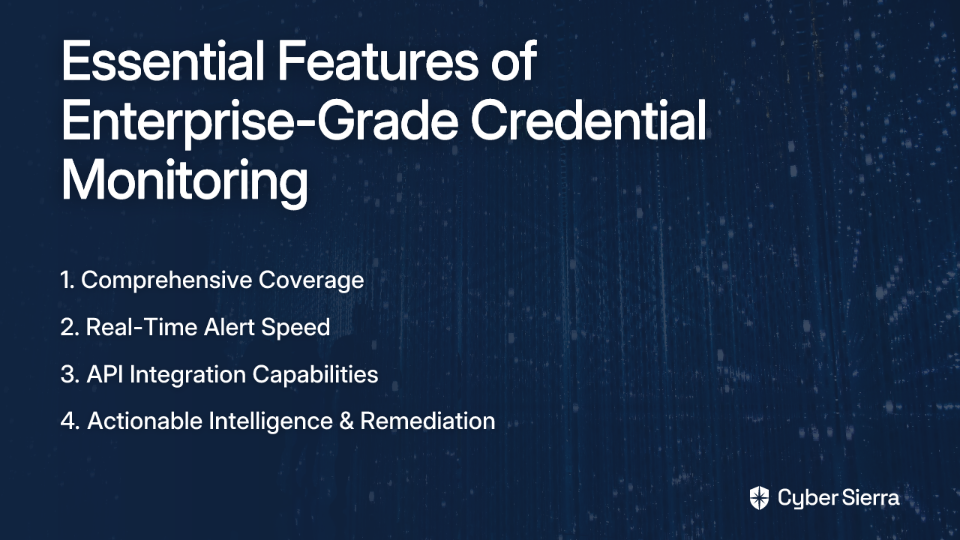
toaster icon

Thank you for reaching out to us!

We will get back to you soon.