blog-hero-background-image
Cyber Security

7 Energy Sector Cybersecurity Solutions for Operational Technology Protection

backdrop
Table of Contents

Join thousands of professionals and get the latest insight on Compliance & Cybersecurity.


Summary

  • Operational downtime in the energy sector can cost thousands per hour, yet many organizations still rely on the outdated and dangerous myth of "air-gapped" security for their operational technology (OT).
  • Protecting critical infrastructure requires a shift from reactive IT-centric security to a proactive OT-focused strategy that prioritizes system availability and safety through solutions like network segmentation and continuous monitoring.
  • Essential actions include implementing comprehensive asset management for legacy systems, developing an OT-specific incident response plan, and securing the supply chain with third-party risk management.
  • Cybersierra's Continuous Control Monitoring (CCM) platform helps bridge the IT/OT gap by providing a unified, real-time view of your security controls to automate monitoring and streamline compliance.

In the energy sector, a single hour of operational downtime can cost organizations thousands of dollars. Yet many still cling to the dangerous notion that their operational technology (OT) systems are secure because they're "not even on the network." This outdated thinking creates significant vulnerabilities in critical infrastructure that powers our modern world.

As the lines between Information Technology (IT) and Operational Technology continue to blur, energy companies face unprecedented cybersecurity challenges. The transition from isolated "air-gapped" systems to interconnected smart grids has created new attack vectors that require specialized protection strategies.

In this high-stakes environment, traditional security approaches fall short. Poor cybersecurity in energy OT can lead to data corruption, financial damage, equipment failure, service disruption, and even potential loss of life. The stakes couldn't be higher.

This article outlines seven essential cybersecurity solutions that energy organizations can implement to build a robust defense for their critical infrastructure, moving from reactive fixes to proactive protection.

7 Essential Cybersecurity Solutions for Energy OT
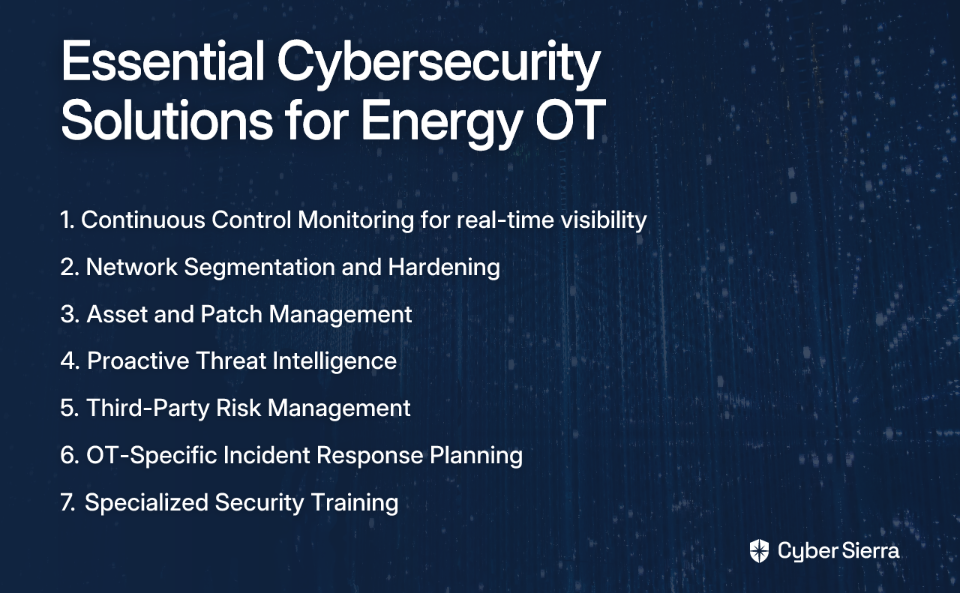
1. Implement Continuous Control Monitoring (CCM) for Real-Time Visibility

In OT environments, system availability is paramount. Unlike IT systems where confidentiality often takes precedence, the CIA triad (Confidentiality, Integrity, Availability) is flipped for operational technology—making continuous visibility into system status critical.

Cyber Sierra's Continuous Control Monitoring (CCM) platform transforms security from periodic, manual checks to proactive, automated monitoring. This approach is particularly valuable for energy OT systems that require 24/7 availability.

Key features include:

  • Central Controls Repository: Creates a single source of truth for all security controls with near real-time updates
  • Proactive Risk Detection: Identifies exceptions and anomalies in real-time before they can be exploited
  • Streamlined Compliance: Automates control testing and evidence gathering for frameworks like NIST, ISO 27001, and NERC CIP

For energy organizations looking to implement CCM, consider these steps:

  1. Define critical OT controls to monitor, focusing on processes related to system access, network traffic, and configurations
  2. Automate data collection from PLCs, SCADA systems, and other ICS components
  3. Establish rules to test control performance against baselines
  4. Develop Key Risk Indicators (KRIs) to gauge control effectiveness

According to the Department of Energy, continuous monitoring is essential for moving from a reactive to proactive security posture in OT environments where availability is non-negotiable.

2. Enforce Robust Network Segmentation and Hardening

The idea that OT systems are secure because they're completely isolated is increasingly false. Modern operational requirements demand connectivity, making true air-gapping rare and often impractical.

Instead, implement robust network segmentation to contain potential breaches:

  • Firewalls: Configure firewalls to strictly control traffic between IT and OT zones
  • Demilitarized Zones (DMZs): Create buffer zones for servers that need access from both IT and OT networks
  • Access Control: Apply the principle of 'least privilege' to ensure users and systems only access resources necessary for their function

According to a Department of Energy report, proper network segmentation is a foundational element of OT security. Without it, threats that penetrate corporate networks can easily move laterally into critical control systems, potentially causing operational disruptions.

Many Reddit users in the cybersecurity community have highlighted how organizations still rely on imaginary air gaps, with one noting: "Organizations do not care about OT. 'It still works and it's not even on the network'" — a dangerous misconception in today's interconnected infrastructure.

3. Establish Comprehensive Asset and Patch Management

You can't protect what you don't know you have. OT environments are plagued by outdated technologies and legacy systems that can't be easily patched or updated, creating significant security challenges.

Key components of effective OT asset and patch management include:

  • Complete Asset Inventory: Maintain a comprehensive inventory of all OT devices, including hardware, software, and firmware versions
  • Risk-Based Patching: Since patching can disrupt operations, prioritize critical vulnerabilities and use compensating controls when immediate patching isn't possible
  • Vulnerability Management: Implement a structured process to identify, assess, and remediate vulnerabilities in your OT environment

Many industrial control systems run on decades-old technology designed without security in mind. These systems may lack even basic password protection, as one cybersecurity professional noted: "Some environments, such as nuclear reactors, won't even have a password on critical control systems."

For these legacy systems, compensating controls like enhanced monitoring, strict access limitations, and network isolation become even more critical when patches cannot be applied.
4. Leverage Proactive Threat Intelligence

Rather than waiting for an attack, use threat intelligence to understand your attack surface and identify weaknesses proactively. This shift from reactive to proactive security is essential for protecting critical infrastructure.

Cyber Sierra's Threat Intelligence platform offers an "outside-in" view of your security posture:

  • Provides a comprehensive security scorecard for visibility into your organization's attack surface
  • Conducts network and cloud vulnerability scanning to identify potential entry points
  • Helps security teams prioritize remediation efforts before vulnerabilities are exploited

The NIST Guidelines for Smart Grid Cybersecurity emphasize that as electric grids transition from closed systems to interconnected networks, security requirements must evolve to address new and emerging threats. Proactive threat intelligence is a key component of this evolution.

5. Secure the Supply Chain with Third-Party Risk Management (TPRM)

Adversaries can sabotage the supply chain to undermine the integrity of OT systems. Vendors and contractors often have privileged access to critical systems for maintenance and support, creating significant risk vectors.

A formal Third-Party Risk Management program helps manage these risks by:

  • Evaluating vendor security practices before granting access to critical systems
  • Establishing cybersecurity requirements in vendor contracts
  • Continuously monitoring vendor compliance with security standards

Cyber Sierra's TPRM solution automates the vendor assessment process, replacing manual questionnaires with real-time monitoring that provides continuous visibility into vendor security posture.

This approach is particularly important for energy organizations that rely heavily on specialized vendors for equipment maintenance and software updates. The Colonial Pipeline attack demonstrated how a single compromised credential can lead to massive operational disruption and financial losses.

6. Develop an OT-Specific Incident Response Plan

Many organizations lack effective incident response protocols to manage OT system failures, leading to prolonged downtimes. When an incident occurs, every minute counts—especially when downtime costs can reach thousands of dollars per hour.

Key elements of an effective OT incident response plan include:
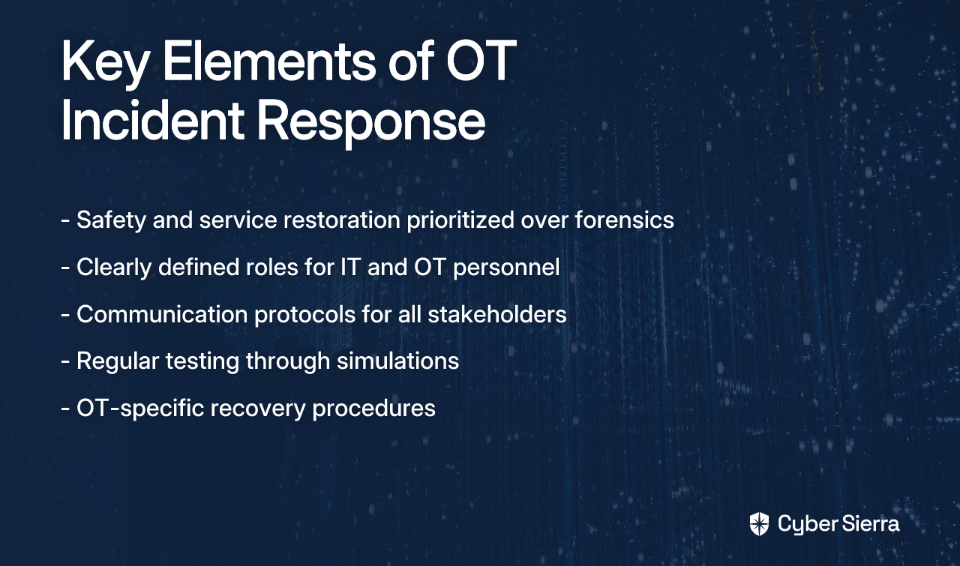
  • Clear procedures that prioritize safety and service restoration over data forensics
  • Defined roles and responsibilities for both IT and OT personnel
  • Communication protocols for internal teams, external experts, and regulatory bodies like CISA
  • Regular testing through tabletop exercises and simulations

The Department of Energy recommends having a "well-documented recovery plan" tailored to the physical consequences of an OT breach. Real-world examples underscore this necessity: a denial-of-service attack on a Finland building automation system caused heating outages, and a 2017 hack of wind turbines demonstrated how cyber attacks can have physical impacts.

When developing your plan, remember that OT incident response differs significantly from IT incident response—the focus must be on maintaining or restoring operational capability rather than preserving evidence.

7. Build a Human Firewall with Specialized Security Training

Technology solutions are only part of the equation. Many security breaches begin with human error, making employee education crucial. Research has highlighted significant knowledge gaps among OT professionals regarding networking for control systems and key industry standards like IEC 62443.

Cyber Sierra's Employee Security Training helps build a human firewall through:

  • Interactive training modules on phishing, password safety, and other threats specific to OT environments
  • Simulated phishing campaigns to test and reinforce learning
  • Specialized content for OT personnel that addresses the unique challenges of industrial control systems

By fostering a security-conscious culture, you turn employees into the first line of defense against cyber threats. This is particularly important in OT environments where specialized knowledge is required and the consequences of security lapses can be severe.

Fortifying the Grid: From Reactive Fixes to Proactive Defense

The convergence of IT and OT demands a departure from outdated security models. Protecting energy sector operational technology requires a holistic strategy that integrates continuous monitoring, robust network controls, proactive threat management, and a strong security culture.

Achieving a unified, real-time view across these disparate environments is perhaps the biggest challenge. Platforms like Cyber Sierra's Continuous Control Monitoring (CCM) are designed to bridge this gap, providing the actionable intelligence needed to manage risk across both IT and OT landscapes effectively.

The stakes couldn't be higher. As one industry professional noted, "One plant down for a day meant several thousands of k$ less for the company." In critical infrastructure, cybersecurity isn't just an IT issue—it's an operational imperative with direct impact on the bottom line and public safety.
Frequently Asked Questions

What is the main difference between IT and OT cybersecurity?

The primary difference lies in their priorities; IT security prioritizes confidentiality, while OT security prioritizes availability and safety to ensure continuous operations. The traditional CIA triad (Confidentiality, Integrity, Availability) is often flipped to AIC (Availability, Integrity, Confidentiality) in OT environments. An IT breach might lead to data loss, but an OT breach could cause equipment failure, service disruptions, or even physical harm.

Why is the concept of an "air-gapped" OT network no longer reliable?

The concept of a completely isolated "air-gapped" OT network is unreliable because modern operational needs often require connectivity between IT and OT systems for data exchange and remote monitoring. True air gaps are increasingly rare. Instead of relying on an assumed air gap, organizations should implement robust network segmentation and access controls to protect critical systems from lateral movement by threats.

How can energy companies secure legacy OT systems that cannot be patched?

Energy companies can secure unpatchable legacy systems by implementing compensating controls, such as network segmentation, strict access limitations, and continuous monitoring. Since patching is often not feasible due to operational risks, a risk-based approach is crucial. This involves isolating the legacy asset, monitoring all traffic to and from the device, and applying the principle of least privilege to limit potential attack vectors.

What is Continuous Control Monitoring (CCM) and why is it crucial for energy OT?

Continuous Control Monitoring (CCM) is an automated approach that provides real-time visibility into the effectiveness of security controls. It is crucial for energy OT where system availability is non-negotiable because it transforms security from a reactive to a proactive process. CCM helps detect anomalies and risks in real-time, ensuring the continuous and safe operation of critical infrastructure.

What should be the top priority in an OT incident response plan?

The top priorities in an OT incident response plan should be ensuring human safety and restoring operational service as quickly and safely as possible. This differs from IT incident response, where data preservation and forensics are often the main focus. In an OT environment, the primary goal is to contain the physical impact and maintain or restore control of industrial processes.

How does third-party risk management (TPRM) apply to OT security?

Third-party risk management (TPRM) is essential for OT security because vendors and contractors often have privileged access to critical control systems for maintenance and support. A robust TPRM program involves vetting the security practices of all third parties, embedding cybersecurity requirements into contracts, and continuously monitoring their access to secure the supply chain and prevent vulnerabilities from being introduced through trusted external partners.

Don't wait for a disruption to reveal your vulnerabilities. To build a resilient and proactive cybersecurity program for your operational technology, contact Cyber Sierra for a customized consultation that addresses your specific energy sector challenges.

blog-hero-background-image
Cyber Security

NIST CSF Scoring Across Industries: 5 Benchmark Standards for 2026

backdrop
Table of Contents

Join thousands of professionals and get the latest insight on Compliance & Cybersecurity.


Summary

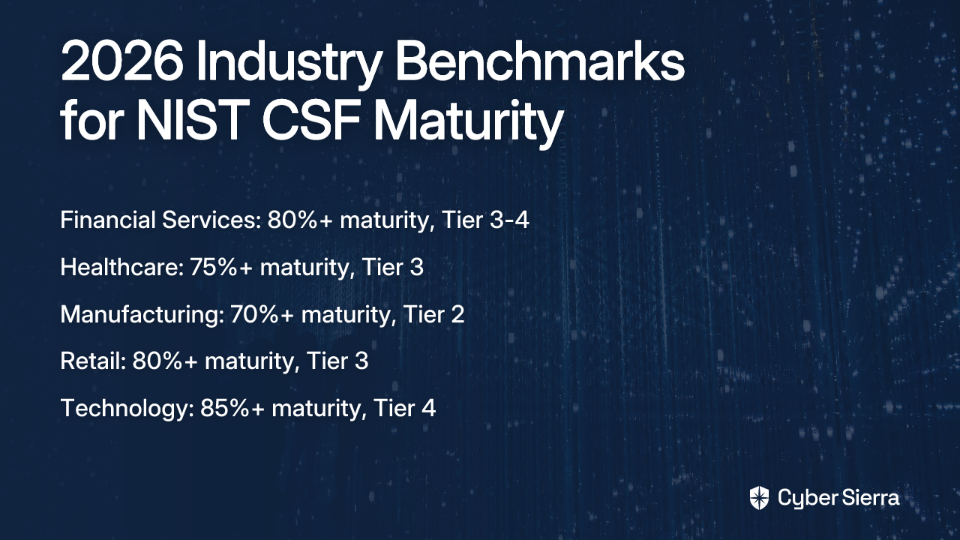
  • Key Stats: By 2026, industries should target specific NIST CSF 2.0 maturity levels, such as Financial Services (80%+, Tier 3-4), Healthcare (75%+, Tier 3), and Technology (85%+, Tier 4).
  • Key Learnings: The new 'Govern' function in NIST CSF 2.0 elevates cybersecurity to a strategic, enterprise-level risk, requiring executive oversight and accountability.
  • Key Action Items: Use the CSF to create a "Current Profile" of your security posture and a "Target Profile" for your goals; this gap analysis will form your strategic improvement plan.
  • Automate Your GRC: Achieving these benchmarks requires moving from periodic checks to a continuous approach. Cybersierra's GRC platform automates evidence collection and provides industry-specific templates to track progress in near real-time.

If you've ever found yourself thinking, "I'm having a rough time finding benchmarking data by industry for Cybersecurity Maturity," you're not alone. This valuable data is often guarded as "intellectual property" by major consulting firms, making it nearly impossible for most organizations to access reliable benchmarks to measure themselves against.

The good news? The NIST Cybersecurity Framework (CSF) provides a common language and structure to solve this problem. With the release of NIST CSF 2.0 in February 2024, organizations of all sizes now have an expanded framework focused on better risk management and security posture improvement.

This article delivers five concrete benchmark standards for 2026 across financial services, healthcare, manufacturing, retail, and technology sectors. These benchmarks will help you "sanity check" your current security posture and plan strategically for the future.

Understanding NIST CSF 2.0: The Foundation for Benchmarking

Before diving into industry-specific benchmarks, let's establish a shared understanding of NIST CSF 2.0's key components:

Core Functions

The framework is organized around six core functions:

  1. Identify: Develop organizational understanding to manage cybersecurity risk
  2. Protect: Develop safeguards to ensure delivery of critical services
  3. Detect: Develop activities to identify cybersecurity events
  4. Respond: Develop activities to take action regarding a detected event
  5. Recover: Develop activities to restore capabilities impaired by a cybersecurity event
  6. Govern (new in 2.0): Elevates cybersecurity to an enterprise-level risk with three categories:
    • Organizational Context (GV.OC): Links cybersecurity to organizational goals
    • Oversight (GV.OV): Ensures executive visibility and accountability
    • Risk Management Strategy (GV.RM): Establishes a formal strategy for managing cyber risk

Implementation Tiers

NIST CSF defines four tiers of cybersecurity maturity, which are crucial for self-assessment and benchmarking:

  • Tier 1 (Partial): Ad hoc, reactive security measures
  • Tier 2 (Risk-Informed): Approved risk practices, but applied inconsistently
  • Tier 3 (Repeatable): Formalized, consistently applied policies and procedures
  • Tier 4 (Adaptive): Proactive, predictive, and continuously improving based on threat intelligence

Profiles

Profiles allow an organization to tailor the CSF to its specific needs, objectives, and industry risks. Creating a Current Profile (where you are) and a Target Profile (where you want to be) enables strategic planning and gap analysis.

For a deeper dive into these components, refer to the official NIST CSF 2.0 document.

5 Industry Benchmark Standards for NIST CSF Scoring

1. Financial Services: The Gold Standard for Governance and Resilience

Benchmark Goal (2026): Aim for over 80% maturity in key areas like Identity Management and Incident Response. Target a Tier 3 (Repeatable) or Tier 4 (Adaptive) maturity level.

Industry Context: Financial institutions face heavy regulatory oversight and must align with industry-specific guidance like the Financial Services Sector Cybersecurity Profile (CRA) and the Cyber Risk Institute's Profile V2.0, which aligns completely with NIST CSF 2.0.

Common Gaps: The financial sector often struggles with inadequate data encryption, underdeveloped incident response plans, and significant risks from third-party vendors. As one security professional noted, "Trying to manage their security questionnaires, compliance certs, and risk assessments is becoming a massive operational bottleneck."

CSF 2.0 Focus: The new Govern function is critical for demonstrating executive oversight. The enhanced focus on Supply Chain Security is non-negotiable for financial institutions, given their complex vendor ecosystems.

How Cyber Sierra Helps: Achieving a Tier 4 posture requires moving beyond periodic checks. Cyber Sierra's AI-enabled platform helps track progress against these benchmarks with industry-specific templates. Our Governance, Risk & Compliance (GRC) module automates data collection for the Govern function, while the Third-Party Risk Management (TPRM) platform provides near real-time visibility into vendor security, streamlining assessments and moving beyond static questionnaires.

2. Healthcare: Protecting Patients and Critical Data

Benchmark Goal (2026): A minimum of 75% maturity in Risk Assessment and Asset Management. The target is a solid Tier 3 (Repeatable) maturity.

Industry Context: Healthcare organizations must focus on protecting Protected Health Information (PHI), ensuring data availability for patient care, and adhering to HIPAA regulations. The HPH Sector CSF Implementation Guide provides specialized guidance for this sector.

Common Gaps: Healthcare frequently suffers from insufficient access controls, reliance on outdated software and legacy systems, and poor visibility into the security of connected medical devices (IoMT).

CSF 2.0 Focus: Prioritize the Identify function (specifically Asset Management) to gain a full inventory of all systems and devices handling PHI. The Protect function (Access Control) is critical for enforcing least-privilege principles in clinical environments.

Achieving the Benchmark: Cyber Sierra's Continuous Control Monitoring (CCM) module provides a near real-time, centralized view of security controls. It automatically detects anomalies and policy exceptions, helping identify outdated systems and weak access controls before auditors do.

3. Manufacturing: Securing the Convergence of IT and OT

Benchmark Goal (2026): Achieve over 70% maturity in Asset Management and Continuous Monitoring. A key goal for many is progressing from Tier 1 (Partial) to a stable Tier 2 (Risk-Informed) level.

Industry Context: Manufacturing faces the unique challenge of protecting both Information Technology (IT) and Operational Technology (OT), including legacy systems, interconnected supply chains, and high-value intellectual property. The specialized NIST CSF 2.0 Profile for Semiconductor Manufacturing provides a valuable model.

Common Gaps: Manufacturers typically struggle with lack of visibility into OT environments, insecure legacy equipment, and an IT/OT skills gap that complicates security implementation.

CSF 2.0 Focus: Implementation should follow practical, OT-specific steps:

  • Identify: Use passive discovery tools for asset mapping
  • Protect: Implement OT-specific endpoint protection and USB whitelisting
  • Detect: Deploy OT network intrusion detection systems and log correlation
  • Respond: Establish OT-inclusive incident response playbooks

(Source)

Achieving the Benchmark: Cyber Sierra's Threat Intelligence platform provides an outside-in view of your attack surface, conducting network and cloud vulnerability scanning to identify risks in converged IT/OT environments before they can be exploited.

4. Retail: Defending the Point-of-Sale and Customer Trust

Benchmark Goal (2026): Reach 80% or higher in Access Control and Awareness & Training. Aim for Tier 3 (Repeatable) practices.

Industry Context: Retail organizations manage high-volume transactions, customer Personally Identifiable Information (PII), and must maintain strict PCI DSS compliance requirements.

Common Gaps: The retail sector often suffers from weak external perimeter defenses on point-of-sale (POS) systems and insufficient employee security training, making staff a primary target for phishing attacks.

CSF 2.0 Focus: The Protect function (specifically Awareness and Training) is a top priority to build a strong "human firewall." The Detect function is also critical for identifying anomalous network behavior that could indicate a POS system compromise.

Achieving the Benchmark: Address the human element head-on with Cyber Sierra's Employee Security Training module, which empowers your workforce with interactive training, quizzes, and simulated counter-phishing campaigns to build a resilient, security-conscious culture.

5. Technology Sector: Protecting Innovation at Speed

Benchmark Goal (2026): Aim for 85% maturity in Threat Detection and Response capabilities. A Tier 4 (Adaptive) posture is the gold standard.

Industry Context: The technology sector is characterized by rapid innovation, agile development cycles (DevOps), and the need to protect both valuable intellectual property and massive volumes of user data.

Common Gaps: Technology companies often struggle with insufficient threat intelligence sharing and difficulty embedding security practices into fast-paced development pipelines (DevSecOps).

CSF 2.0 Focus: Heavy emphasis on the Respond and Recover functions, with a focus on automation and speed. The Govern function is key to ensuring security is a strategic consideration from the start, not an afterthought.

Achieving the Benchmark: A proactive, integrated approach is essential. Cyber Sierra's Threat Intelligence platform delivers proactive insights into your attack surface, while our CCM and GRC modules ensure that continuous monitoring and compliance are woven directly into your workflows, supporting a mature DevSecOps culture.

Moving Beyond Numbers: Building True Cyber Resilience for 2026

NIST CSF scores are more than a compliance checkbox—they're a strategic tool for communicating risk to the board, prioritizing investments, and driving continuous improvement. The benchmarks established here provide a roadmap for where your organization should aim to be by 2026, based on industry best practices and emerging threats.

However, remember that the ultimate goal isn't just achieving a specific score but building a resilient security program tailored to your organization's unique risk landscape. According to a McKinsey survey on organizational cyber maturity, organizations that focus on continuous improvement rather than point-in-time assessments consistently show greater resilience against emerging threats.

To effectively track your progress toward these industry benchmarks, you need:

  1. Continuous visibility into your control effectiveness
  2. Industry-contextualized assessment templates
  3. Automated evidence collection to reduce manual effort
  4. Executive-friendly dashboards to communicate progress

Cyber Sierra provides all these capabilities in a unified platform, helping you move from reactive, point-in-time assessments to a proactive, continuous monitoring approach. Our industry-specific templates align directly with the benchmarks outlined in this article, giving you confidence that you're measuring what matters most for your sector.

Frequently Asked Questions

What is a good NIST CSF maturity score?

A "good" NIST CSF maturity score depends heavily on your industry, risk tolerance, and regulatory requirements. For example, by 2026, a financial services firm should aim for an 80%+ maturity score (Tier 3-4), while a manufacturing company may target 70%+ (Tier 2). The goal is to align your score with your specific risk profile rather than chasing a universal number.

How do I start implementing NIST CSF 2.0?

To start implementing NIST CSF 2.0, begin by creating a "Current Profile" to assess your existing cybersecurity practices against the framework's functions and categories. Next, establish a "Target Profile" that defines your desired maturity level. This gap analysis forms the basis of your strategic roadmap for prioritizing security improvements.

What is the biggest change in NIST CSF 2.0?

The most significant change in NIST CSF 2.0 is the addition of the Govern function. This new core function elevates cybersecurity from a purely technical issue to a strategic, enterprise-level risk management concern. It emphasizes executive oversight, accountability, and the integration of cybersecurity strategy with overall business objectives.

Why are cybersecurity benchmarks different for each industry?

Cybersecurity benchmarks differ by industry because each sector faces unique threat landscapes, regulatory pressures, and operational risks. For instance, healthcare must prioritize protecting patient data (PHI) under HIPAA, while manufacturing needs to secure both IT and Operational Technology (OT) systems. Tailored benchmarks ensure security efforts are relevant and effective for the specific risks an industry confronts.

What are the NIST CSF Implementation Tiers?

The NIST CSF Implementation Tiers describe the maturity of an organization's cybersecurity risk management practices. They range from Tier 1 (Partial), where practices are ad hoc and reactive, to Tier 4 (Adaptive), where an organization is proactive and continuously improving its security posture based on predictive threat intelligence and lessons learned.

How can I measure my organization's NIST CSF score?

You can measure your NIST CSF score by conducting a self-assessment against the framework's core functions and categories, often using spreadsheets or specialized software. For a more robust and continuous approach, platforms like Cyber Sierra use automated evidence collection and Continuous Control Monitoring (CCM) to provide a near real-time, data-driven view of your maturity against industry-specific templates.

Ready to See Where You Stand?

Struggling to measure your NIST CSF maturity against your industry peers? Wondering if your security investments are focused on the right priorities? Cyber Sierra provides the visibility, automation, and industry-specific templates you need to move from guesswork to a data-driven security program.

Contact us today to see how your organization stacks up against these 2026 benchmarks and get a personalized roadmap for achieving cyber resilience in your industry.

blog-hero-background-image
Cyber Security

7 Anti-Phishing Solutions That Integrate With Your Existing Security Stack

backdrop
Table of Contents

Join thousands of professionals and get the latest insight on Compliance & Cybersecurity.


Summary

  • Phishing remains a top threat, initiating 91% of cyber attacks and costing businesses an average of $4.8 million per breach.
  • Effective defense relies on an integrated security ecosystem, not just more siloed tools, to reduce alert fatigue and enable automated responses.
  • When selecting solutions, prioritize API availability and automated remediation capabilities to build a cohesive security stack that shares intelligence.
  • A platform like Cyber Sierra's Continuous Control Monitoring can unify disparate security tools, providing the central visibility and automation needed to move from reactive to proactive defense.

Your security team is drowning in alerts while employees continue opening malicious PDFs and entering credentials on untrusted sites. You've implemented multiple security tools, but they operate in silos, creating more noise than actionable intelligence. Sound familiar?

The harsh reality is that 91% of cyber attacks start with a phishing email, and in 2023 alone, phishing attempts increased by a staggering 58% compared to the previous year. With the average cost of a data breach now reaching $4.8 million, phishing isn't just an IT problem—it's an existential business threat.

The challenge? As one security professional put it, "No single tool can completely prevent human error in security practices," and "striking a balance between false positives and effective coverage is challenging." A multi-layered approach is necessary, but simply adding more disconnected tools creates operational chaos.

The solution isn't just adding more tools—it's integrating them effectively. This article explores seven anti-phishing solutions specifically chosen for their ability to connect with your existing security stack, enabling automated workflows and providing a unified view of your security posture.

Key Considerations for Integrated Anti-Phishing Platforms

Before diving into specific solutions, here are the critical factors we evaluated:

  • API Availability & Data Sharing: The ability to push and pull data between your security tools seamlessly
  • Automated Remediation: Functionality that moves beyond alerts to automatically resolve security issues
  • Implementation Timelines: How quickly the solution can be deployed and integrated
  • Ecosystem Compatibility: How well it works with common tools like SIEMs, SOARs, and ITSM platforms

7 Anti-Phishing Solutions for a Cohesive Security Stack

1. Cyber Sierra: The Unified Command Center for Security Controls

Primary Focus: Cyber Sierra goes beyond being just an anti-phishing tool—it serves as the central integration and visibility platform that makes your entire security stack more effective through Continuous Control Monitoring (CCM).

Integration Capabilities:

  • Provides a unified security view by ingesting data from disparate security tools
  • Acts as a single source of truth, monitoring the effectiveness of all controls in near real-time
  • Automates cross-platform remediation workflows to close security gaps quickly

Key Features:

  • Central controls repository with real-time updates: Eliminates dashboard-hopping to understand your security posture
  • Automated control testing and validation: Reduces manual work required for compliance frameworks like NIST, ISO 27001, and PCI DSS
  • Actionable risk intelligence: Provides context to help prioritize remediation efforts
  • Real-time anomaly detection: Moves security from periodic checks to a proactive, continuous model

Implementation Timeline: 2-4 weeks for initial deployment with pre-built integrations for most common security tools.

Cyber Sierra's CCM directly addresses the pain point voiced by security teams struggling with "a lack of unified security view" and the challenge of manual evidence collection for audits. By providing a central command center for all security controls, it transforms how organizations detect and respond to phishing threats across their entire environment.

Learn more about Cyber Sierra's Continuous Control Monitoring

2. Microsoft Defender for Office 365: Deep Ecosystem Integration

Primary Focus: Native, seamless integration for organizations heavily invested in the Microsoft ecosystem.

Integration Capabilities:

  • Integrates natively with Azure Sentinel for advanced threat hunting and SIEM capabilities
  • Works directly with Azure Active Directory to enforce conditional access policies based on threat signals
  • Shares threat intelligence across the Microsoft 365 Defender suite (Endpoint, Identity, Cloud Apps)

Key Features:

  • Safe Links and Attachments: Real-time scanning of URLs and file attachments in emails
  • Anti-phishing policies: Customizable protection against impersonation and spoofing
  • Attack Simulator: Built-in phishing simulation for training and testing
  • Threat Explorer: Advanced investigation tools for security teams

Implementation Timeline: 1-2 weeks for basic configuration; 4-6 weeks for full optimization and integration with conditional access policies.

As noted by cybersecurity practitioners, while Defender for Office 365 is powerful, "it requires proper configuration to be effective." When properly set up and integrated with your broader Microsoft security ecosystem, it provides robust protection with minimal friction.

3. Proofpoint Email Protection: SIEM-Friendly, People-Centric Intelligence

Primary Focus: Correlating email-based threats with other security events through robust SIEM integration.

Integration Capabilities:

  • Feeds rich threat data directly into leading SIEM platforms (Splunk, IBM QRadar, etc.)
  • Provides APIs for SOAR platform integration to automate responses to specific phishing attacks
  • Connects user behavior analytics with technical threat intelligence

Key Features:

  • Targeted Attack Protection (TAP): Advanced detection of sophisticated phishing attacks
  • Threat Response Auto-Pull (TRAP): Automatically quarantines malicious messages after delivery
  • Smart Search: Advanced threat hunting capabilities within email traffic
  • SIEM integration: Correlates email threats with broader security events

Implementation Timeline: 4-6 weeks for full deployment and SIEM integration.

Proofpoint's greatest strength is its ability to provide context around threats, enabling security teams to see the relationship between email attacks and other security events within their existing SIEM platform.

4. Mimecast Email Security: The Resilient and API-Driven Gateway

Primary Focus: A highly effective email gateway with a strong API framework for custom integrations.

Integration Capabilities:

  • Comprehensive API that allows organizations to integrate Mimecast's threat intelligence into their SIEM, SOAR, and other security tools
  • Enables automated workflows, such as automatically blocking a sender across the enterprise
  • Enriches alerts in security dashboards with Mimecast data

Key Features:

  • Targeted Threat Protection: Multi-layered defense against malicious URLs, attachments, and impersonation attacks
  • DMARC Analyzer: Simplifies email authentication implementation
  • Case Review: Streamlines security team investigation workflows
  • Extensive API support: Enables custom integration with your security stack

Implementation Timeline: 2-3 weeks for initial deployment; additional 2-4 weeks for custom API integrations.

Praised by the security community as "a strong contender when it comes to email security," Mimecast combines effectiveness with extensibility, making it ideal for organizations with complex integration requirements.

5. Veriti: The Automated Remediation Engine

Primary Focus: Automatically resolving security issues with minimal human intervention, a direct answer to alert fatigue.

Integration Capabilities:

  • Integrates with over 70 security tools, including SIEM, SOAR, EDR, and ITSM platforms
  • Its "unified remediation engine" correlates vulnerabilities with compensating controls across the stack
  • Verifies if an endpoint is protected by other controls before recommending a patch, preventing business disruption

Key Features:

  • Contextual analysis: Ensures remediation actions are safe and aligned with business operations
  • Cross-platform automation: Takes action across multiple security tools
  • Risk-based prioritization: Focuses remediation on the most critical issues first
  • Closed-loop verification: Confirms that remediation actions were successful

Implementation Timeline: 3-4 weeks for deployment and initial integration with key security tools.

Veriti's approach to automated remediation directly addresses the pain of alert fatigue and the challenge of coordinating actions across multiple security tools.

6. Barracuda Email Protection: Rapid Deployment and Framework Integration

Primary Focus: Fast, easy integration with existing IT frameworks for organizations that need to deploy protection quickly.

Integration Capabilities:

  • Designed for quick deployment and straightforward integration with Microsoft 365 and Google Workspace
  • Provides reporting and analytics that can be exported or pulled via API into centralized management dashboards
  • Integrates with SIEM solutions for unified threat visibility

Key Features:

  • Impersonation Protection: Defends against business email compromise attacks
  • Account Takeover Protection: Detects and remedies compromised accounts
  • Automated Incident Response: Takes immediate action on threats
  • Data Loss Prevention: Prevents sensitive information from leaving via email

Implementation Timeline: 1-2 weeks for full deployment and basic integration.

Barracuda's strength lies in its balance of effectiveness and implementation speed, making it ideal for organizations that need to quickly bolster their phishing defenses without extensive configuration work.

7. KnowBe4: Integrating the Human Firewall

Primary Focus: Addressing the human element of phishing through integrated security awareness training.

Integration Capabilities:

  • Integrates with email systems (Office 365, G Suite) to launch realistic, simulated phishing campaigns
  • APIs allow for pulling user training and phishing test results into GRC platforms or HR systems
  • Connects with Active Directory and SCIM for user management

Key Features:

  • PhishER: Security orchestration, automation, and response for user-reported phishing
  • Smart Groups: Automatically assigns training based on phishing test performance
  • Security Roles: Delegates phishing management to department leaders
  • Risk Score: Provides measurable metrics on human vulnerability

Implementation Timeline: 1-2 weeks for initial setup; ongoing management for phishing campaigns and training.

KnowBe4 directly addresses the universally acknowledged pain point that "ongoing user training is necessary as employees remain the primary vulnerability in security." It provides a measurable way to improve the human firewall and integrate that improvement data with your broader security program.

Beyond Tools: Building an Integrated Defense Ecosystem

The fight against phishing has evolved beyond simple email filters. Today's most resilient security postures are built not on a collection of individual tools, but on an integrated ecosystem where solutions share intelligence and automate action.

This shift from siloed alerts to a unified defense is essential for moving from a reactive state (drowning in false positives) to a proactive one. The goal is to achieve continuous monitoring and automated remediation that reduces risk while freeing up security teams for more strategic work.

While specialized tools are crucial for tasks like email filtering and training, a platform like Cyber Sierra's Continuous Control Monitoring provides the essential overarching visibility and automation fabric. It serves as your command center, ensuring all security controls work together effectively while providing a single, reliable source of truth for your entire security posture.

Ready to Transform Your Phishing Defense?

The most effective anti-phishing strategy isn't about having the most tools—it's about having the right tools working together seamlessly. By focusing on integration capabilities, you can build a cohesive security ecosystem that's greater than the sum of its parts.

Ready to build a truly integrated and automated security defense against today's sophisticated phishing threats?

Contact us today to see how Cyber Sierra can unify your security stack and provide proactive protection from phishing and beyond.

Frequently Asked Questions

What is the most important feature in an anti-phishing solution?

The most critical feature is not just threat detection but strong integration capabilities, such as APIs and robust data sharing. While advanced email filtering is standard, a solution's ability to connect with your existing SIEM, SOAR, and other security tools allows for automated remediation and a unified view of threats, which is essential for moving from a reactive to a proactive security posture.

Why is an integrated security stack better for fighting phishing?

An integrated security stack is better because it provides comprehensive visibility and enables automated, cross-platform responses to threats. Instead of operating in silos, integrated tools share intelligence, allowing your security team to correlate a phishing email with endpoint behavior or network anomalies, reduce alert fatigue, and automate remediation workflows, which significantly accelerates response times.

How does Continuous Control Monitoring (CCM) help with phishing?

Continuous Control Monitoring (CCM) helps by ensuring all your anti-phishing controls are configured and operating effectively in near real-time. A platform like Cyber Sierra acts as a central command center, ingesting data from all your tools (email gateways, EDR, training platforms) to validate their performance, detect gaps in your defenses, and automate remediation before a phishing attack can succeed.

Can I rely solely on Microsoft Defender for Office 365?

While Microsoft Defender for Office 365 is a powerful tool, relying on it solely may not be sufficient for all organizations. It provides excellent protection within the Microsoft ecosystem, but a multi-layered defense often requires specialized tools for security awareness training (like KnowBe4) or a unifying platform (like Cyber Sierra) to integrate signals from non-Microsoft tools and provide a complete view of your security posture.

What role does security awareness training play alongside automated tools?

Security awareness training is a crucial layer that addresses the human element, which automated tools cannot fully prevent. Platforms like KnowBe4 create a "human firewall" by educating employees to spot and report suspicious emails. Integrating this training data with your security stack allows you to identify high-risk users and measure the effectiveness of your human-centric controls as part of your overall defense strategy.

How can I reduce alert fatigue from my anti-phishing tools?

You can reduce alert fatigue by shifting from siloed tools that generate individual alerts to an integrated system that correlates data and automates responses. Solutions like Veriti focus on automated remediation, while platforms like Cyber Sierra provide a unified view, correlating data from multiple sources to provide high-fidelity, actionable intelligence instead of a high volume of noise. This allows your team to focus only on the most critical threats.

blog-hero-background-image
Cyber Security

ISMS Awareness Training vs Continuous Control Monitoring: What Your Business Needs

backdrop
Table of Contents

Join thousands of professionals and get the latest insight on Compliance & Cybersecurity.


Summary

  • While 95% of breaches involve human error, traditional ISMS training alone is insufficient because it's a point-in-time activity that can't verify if policies are actually followed.
  • Continuous Control Monitoring (CCM) bridges this gap by providing automated, real-time validation of security controls, moving security from a periodic check to a continuous process.
  • An effective security strategy integrates awareness training (the 'why') with CCM (the 'what'), using monitoring data to create a powerful, data-driven feedback loop.
  • Cyber Sierra provides an integrated solution, combining Employee Security Training with Continuous Control Monitoring to ensure security policies are both understood and enforced.

You've just completed another round of mandatory ISMS awareness training. Every employee dutifully clicked through the slides, passed the quiz, and received their compliance certificates. Everyone's checked the box, so your organization must be secure now, right?

Unfortunately, this common scenario reveals a dangerous gap in many security programs. While traditional Information Security Management System (ISMS) awareness training is essential, relying on it alone leaves your organization vulnerable to the evolving threat landscape.

The Human Firewall: The Undeniable Role of ISMS Awareness Training

ISMS awareness training is a formal process designed to ensure employees understand their roles and responsibilities in protecting information assets within your Information Security Management System. This training forms the foundation of your human firewall by educating staff about security policies, threats, and best practices.

Why ISMS Training Matters

Beyond being a good security practice, ISMS awareness training is often a compliance requirement. ISO 27001, the international standard for information security, explicitly mandates it:

  • Clause A.7.2.2: Organizations must determine the necessary competence for roles affecting ISMS performance.
  • Clause A.7.3: Employees must be aware of the information security policy and their contribution to the ISMS's effectiveness.

Similar requirements exist in other frameworks like GDPR, PCI DSS, and HIPAA, making training non-negotiable for regulated industries.

Key Benefits of Effective Training

When done well, ISMS awareness training delivers tangible benefits:

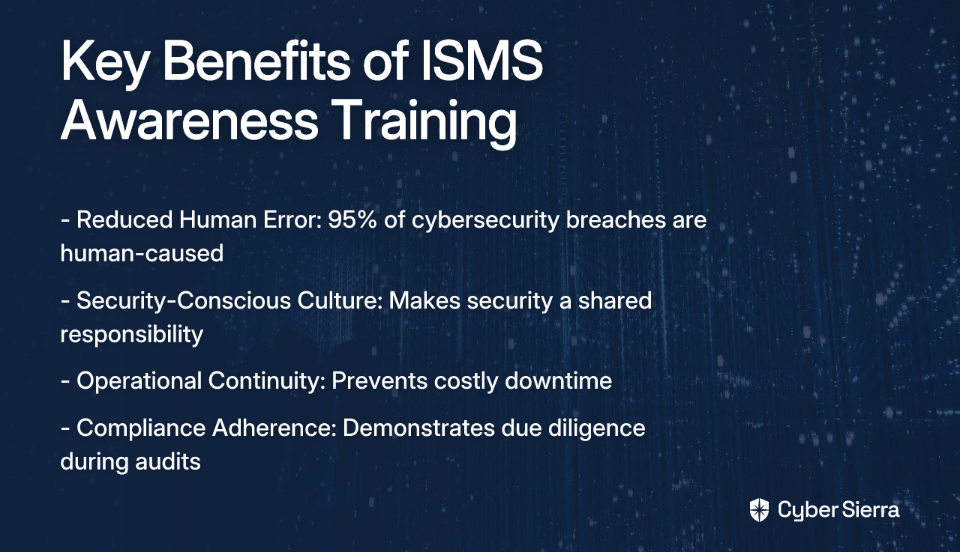
  • Reduced Human Error: With 95% of cybersecurity breaches caused by human error, training employees to recognize threats like phishing and social engineering is crucial.
  • Security-Conscious Culture: Training transforms security from an IT department problem to a shared organizational responsibility.
  • Operational Continuity: Well-trained staff can prevent security incidents that lead to costly downtime and reputational damage.
  • Compliance Adherence: Documented training helps demonstrate due diligence during audits.

Cracks in the Firewall: Why Training Alone Isn't Enough

Despite these benefits, traditional ISMS awareness training suffers from significant limitations that leave organizations vulnerable.

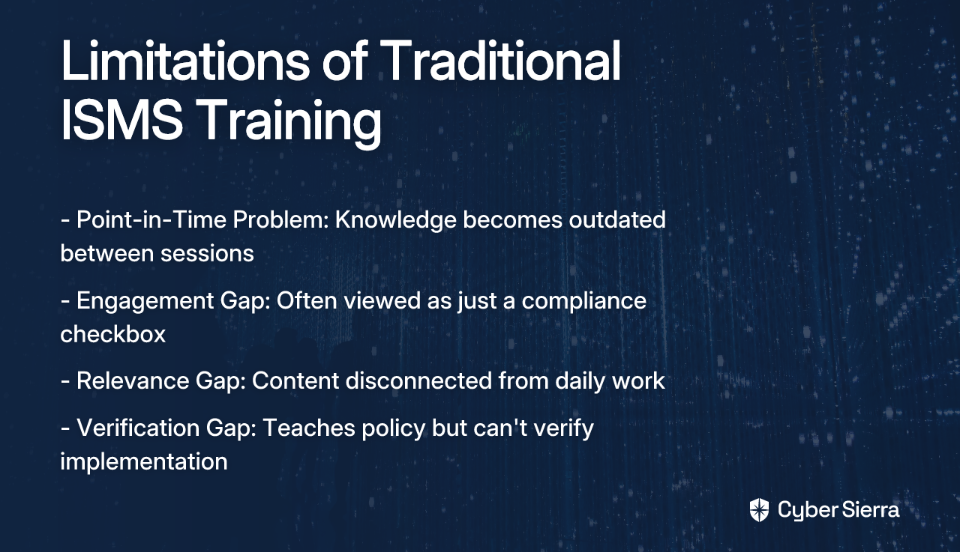
The Point-in-Time Problem

Traditional training is episodic—typically delivered annually or quarterly. This creates a critical "snapshot" problem where knowledge quickly becomes outdated. As one security professional noted on Reddit, "users are tired of seeing the same old stuff (phishing, IRS scams...) over and over again," yet the training fails to keep pace with evolving threats.

Between training sessions, employees experience natural knowledge decay. Without reinforcement, retention drops significantly, creating widening security gaps as time passes.

The Engagement and Relevance Gap

Many employees view security training as a compliance exercise rather than a genuine learning opportunity. As one IT manager shared, "it's also a CYA tool"—a "Cover Your Ass" checkbox rather than meaningful education.

This disengagement is often exacerbated by content that feels disconnected from employees' daily work. When training fails to answer the question, "How is that related to our business?" it creates a relevance gap that undermines retention and application.

The Verification Gap: Believing vs. Knowing

Perhaps most critically, training teaches policy but can't verify implementation. You might teach employees about strong passwords, but you don't know if they're actually using them without a system to check.

This verification gap allows dangerous misconceptions to persist. For example, many employees believe "I have antivirus, I'm 100% protected from ransomware in emails"—a false sense of security that training alone cannot correct.

In essence, training builds awareness but cannot provide assurance. This is where Continuous Control Monitoring becomes essential.

The Automated Guardian: Introducing Continuous Control Monitoring (CCM)

Continuous Control Monitoring (CCM) is a modern, automated approach that provides ongoing, real-time tracking and validation of compliance, risk, and security controls.

While ISMS awareness training is periodic and educational, CCM is continuous and automated—creating a powerful complementary approach to security management.

Key Benefits of Implementing CCM

CCM addresses the critical gaps left by traditional training:

  • Real-Time Visibility: Eliminates blind spots by continuously monitoring for control gaps, misconfigurations, and vulnerabilities.
  • Proactive Security: Identifies issues before they become breaches, allowing for early remediation.
  • Increased Efficiency: Automates manual evidence gathering, making your organization "audit-ready" at all times and reducing the dreaded "audit fatigue."
  • Cost Reduction: Identifies control deficiencies early, significantly reducing the cost of remediation compared to finding them during an audit or after a breach.
  • Data-Driven Decision Making: Provides security leaders with actionable risk intelligence to prioritize investments based on evidence rather than assumptions.

Common Use Cases for CCM

CCM can be applied across multiple security domains:

  • Access Management: Automated testing ensures Role-Based Access Control (RBAC) and least privilege principles are correctly enforced.
  • Change Management: Monitoring system configurations to detect unauthorized or insecure changes.
  • Vulnerability Management: Continuous scanning for vulnerabilities across network and cloud assets.
  • Compliance Adherence: Automatically mapping controls to multiple frameworks like NIST, ISO 27001, SOC2, and GDPR.

Stronger Together: The Integrated Approach to Security Resilience

The most effective security programs don't choose between ISMS awareness training and Continuous Control Monitoring—they integrate both for maximum protection.

The Synergy Explained: Awareness + Verification

Training addresses the why (why we need strong passwords). CCM addresses the what (verifying that strong passwords are in use). One strengthens the human firewall; the other ensures the technical safeguards are working.

A Practical Example: Password Policy

ISMS Training: An employee completes a module on creating strong, unique passwords and the importance of Multi-Factor Authentication (MFA). They understand the policy and why it matters.

Continuous Control Monitoring: Simultaneously, a CCM platform like Cyber Sierra automatically checks the identity and access management system. It flags any user account that:

  1. Does not meet complexity requirements
  2. Has not been rotated according to policy
  3. Does not have MFA enabled

This creates a closed-loop system where education is reinforced by automated enforcement, closing the dangerous gap between policy and practice.

Unifying Your Strategy with an Integrated Platform

Platforms like Cyber Sierra are designed to bridge this exact gap by providing both:

  1. Employee Security Training: Interactive modules and simulated phishing campaigns that build a security-conscious workforce and address the human element directly.
  2. Comprehensive CCM: A central controls repository with near real-time updates that detects exceptions, manages multiple frameworks (NIST, ISO 27001, PCI DSS), and automates control testing.

Building Your Integrated Security Program: A 3-Step Action Plan

Ready to move beyond check-the-box security? Here's how to implement an integrated approach:

Step 1: Revitalize Your ISMS Awareness Training

Go beyond basic compliance requirements. Address the engagement problem by:

  • Creating relevant, role-specific content that answers "How does this relate to our business?"
  • Developing modules on modern risks that blend personal and professional life, such as securing home networks for remote work
  • Using diverse formats like micro-learning, workshops, and simulated phishing campaigns
  • Incorporating real-world examples that resonate with employees' daily experiences

Step 2: Implement Continuous Control Monitoring

Start by identifying your most critical controls based on risk assessments and compliance needs. Then deploy a unified platform like Cyber Sierra's CCM to:

  • Automate evidence collection and control testing
  • Centralize control management across multiple frameworks
  • Gain a unified view of your security posture
  • Set up real-time alerting for control violations

Step 3: Create a Data-Driven Feedback Loop

Connect your two programs by using CCM data to inform and personalize your training:

  • If CCM detects a high rate of cloud misconfigurations in a specific team, deploy targeted micro-training on secure cloud practices to that team
  • Use control violation trends to develop new training content addressing common gaps
  • Share CCM insights with employees to demonstrate the real-world impact of security practices

Conclusion: Beyond Check-Box Security

The debate isn't about choosing ISMS awareness training or CCM. A modern, resilient security program achieves powerful synergy by combining an engaged, educated workforce with persistent, automated control oversight.

This integrated approach transforms security from a periodic, check-the-box activity into a continuous, proactive discipline. It addresses both the human and technical elements of security, creating multiple layers of protection against evolving threats.

As cyber risks continue to evolve, organizations that rely solely on traditional ISMS awareness training will find themselves increasingly vulnerable. By complementing training with Continuous Control Monitoring, you can build a truly comprehensive security program that provides both education and assurance.

Frequently Asked Questions

What is the main difference between ISMS training and Continuous Control Monitoring (CCM)?

The main difference is that ISMS awareness training educates employees on security policies (the why), while Continuous Control Monitoring automatically verifies that those policies are being followed in your systems (the what). Training is a periodic, educational activity focused on the human element, whereas CCM is a continuous, automated process that provides real-time validation of technical security controls.

Why isn't ISMS awareness training enough to secure an organization?

Traditional ISMS awareness training is not enough on its own because it is a point-in-time event and cannot verify if security policies are actually being implemented. Knowledge becomes outdated between annual sessions, employees may disengage, and there's no way to know if an employee who passed a quiz is actually using a strong password. It teaches policy but doesn't provide assurance of practice.

How does Continuous Control Monitoring (CCM) improve security?

Continuous Control Monitoring improves security by providing real-time, automated verification of your security controls. It bridges the gap between what employees are taught and what is actually happening in your IT environment. Instead of just hoping policies are followed, CCM continuously checks for issues like weak passwords or system misconfigurations, allowing you to move from a reactive to a proactive security posture.

What is an example of integrating ISMS training with CCM?

A practical example is using CCM data to create targeted training. If your CCM tool detects that a specific department has a high rate of insecure software configurations, you can assign them a specialized training module on secure development. This creates a powerful feedback loop where technology enforces the lessons learned in training and data from the technology improves the training itself.

Who benefits from an integrated security approach using both training and CCM?

Organizations of all sizes benefit, particularly those in regulated industries. Security and Compliance teams benefit most directly by gaining automated evidence collection for audits and a real-time view of their security posture. This allows them to move from manual checks to strategic risk management, ensuring the organization is always "audit-ready."

How can a business start implementing Continuous Control Monitoring?

A business can start implementing CCM by first identifying its most critical security controls based on risk assessments and compliance needs (like ISO 27001 or SOC 2). The next step is to deploy a unified platform that can automate the testing and evidence collection for these controls, focusing first on high-impact areas like access management and cloud security posture.

Ready to move beyond check-box security and build a truly robust defense? Discover how Cyber Sierra's integrated platform unifies Employee Security Training and Continuous Control Monitoring to create a security program greater than the sum of its parts.

blog-hero-background-image
Cyber Security

NIST CSF Scoring: 7 Automation Tools That Transform Manual Assessments

backdrop
Table of Contents

Join thousands of professionals and get the latest insight on Compliance & Cybersecurity.


Summary

  • Manual NIST CSF assessments are a major resource drain, with automation tools reducing audit preparation time by up to 75%.
  • Shifting from periodic assessments to continuous monitoring provides an accurate, real-time view of your security posture, eliminating outdated snapshots.
  • To begin automating, prioritize critical controls, define clear objectives, and implement automated metrics to track performance effectively.
  • Platforms like Cyber Sierra's Continuous Control Monitoring automate evidence collection to ensure your organization is always audit-ready.

You've spent weeks gathering evidence for your NIST CSF assessment. Spreadsheets are overflowing with control documentation. Your team is burning hours manually validating compliance. And after all that effort, you're still not confident in your scoring accuracy.

Sound familiar?

For cybersecurity professionals, NIST CSF assessments are critical yet notoriously labor-intensive. The evidence gathering alone can drain resources, with many organizations reporting it as "the most painful part of an audit."

But what if there was a better way?

What is NIST CSF Scoring and Why Does it Matter?

The NIST Cybersecurity Framework (CSF) isn't just another compliance checkbox—it's a comprehensive approach to managing cybersecurity risk across your organization. Rather than providing a single numerical score, NIST CSF scoring is a methodology for assessing your security maturity across five core functions:

  1. Identify - Develop understanding of cybersecurity risks to systems, assets, data, and capabilities
  2. Protect - Implement safeguards to ensure delivery of critical infrastructure services
  3. Detect - Implement activities to identify cybersecurity events
  4. Respond - Take action regarding detected cybersecurity incidents
  5. Recover - Maintain plans for resilience and restore capabilities impaired by cybersecurity incidents

Organizations assess their implementation across four tiers of maturity:

  • Tier 1 (Partial) - Processes are ad-hoc with limited awareness
  • Tier 2 (Risk-Informed) - Risk management practices are approved but may not be organization-wide
  • Tier 3 (Repeatable) - Formal policies with consistent implementation
  • Tier 4 (Adaptive) - Continuous improvement with proactive technology and practices

This systematic approach helps you identify gaps, prioritize investments, and demonstrate due diligence to stakeholders. But traditional manual scoring methods fall short in today's dynamic threat environment.

The High Cost of Manual NIST CSF Assessments

Manual assessments come with significant drawbacks that undermine their effectiveness:

  1. Resource Drain: According to user research, "gathering evidence for audits is tedious and time-consuming, especially with lean teams." Security professionals can spend weeks collecting documentation instead of addressing actual risks.
  2. Point-in-Time Limitations: Manual assessments provide only a snapshot—outdated almost as soon as they're completed, failing to capture your actual security posture as it evolves.
  3. Human Error: Inconsistent interpretations, data entry mistakes, and documentation gaps can lead to inaccurate scoring and misallocated resources.
  4. Compliance Fatigue: As one cybersecurity professional noted, "You still need someone to configure and maintain these tools, draft and update the documents, and this will cost your time." Manual processes amplify this burden.
  5. Audit Readiness Gaps: Without continuous monitoring, organizations scramble to prepare for audits, creating a reactive cycle rather than maintaining ongoing compliance.

The solution? Automation tools that transform NIST CSF scoring from a periodic, manual burden into a continuous, accurate process.

7 Automation Tools That Transform NIST CSF Scoring

1. Cyber Sierra's Continuous Control Monitoring (CCM)

Overview: Cyber Sierra offers an AI-enabled cybersecurity platform that transforms NIST CSF scoring from periodic assessments to continuous, automated monitoring. It addresses the fundamental challenge of manual evidence gathering by providing real-time visibility into security controls.

Key Features:

  • Centralized Controls Repository: Creates a single source of truth for all NIST CSF controls with near real-time updates, eliminating siloed documentation.
  • Automated Evidence Collection: Continuously gathers compliance evidence across multiple frameworks (NIST CSF, ISO 27001, PCI DSS, etc.), reducing manual effort by up to 75%.
  • Actionable Risk Intelligence: Provides data-driven insights for prioritizing remediation efforts, moving beyond simple pass/fail checks to maturity-based scoring.
  • Multi-Framework Management: Manages controls across multiple compliance frameworks from a single dashboard, reducing redundant work.

Transformation Impact: By automating the most painful part of NIST CSF assessments—evidence collection—Cyber Sierra's CCM makes organizations audit-ready 24/7 rather than scrambling during audit periods. Financial institutions using this approach have reported a 40% reduction in audit preparation time.

Learn more about Cyber Sierra's Continuous Control Monitoring

2. Vanta

Overview: Vanta provides continuous security monitoring and automated compliance for frameworks including NIST CSF, SOC 2, and ISO 27001.

Key Features:

  • Pre-built Integrations: Connects to 100+ cloud services and business tools to automatically collect evidence.
  • Control Monitoring: Continuously tests controls against framework requirements and alerts on failures.
  • Compliance Dashboard: Provides real-time visibility into NIST CSF scoring across all controls.

Transformation Impact: Vanta replaces manual spreadsheet tracking with automated evidence collection and monitoring, reducing the time to prepare for audits by up to 90% according to customer testimonials.

3. Drata

Overview: Drata offers a security and compliance automation platform that supports NIST CSF scoring through continuous control monitoring and evidence collection.

Key Features:

  • Evidence Auto-Collection: Gathers evidence from integrated systems without manual intervention.
  • Control Mapping: Automatically maps controls across multiple frameworks to reduce duplicate work.
  • Risk Management: Integrates risk assessment with compliance monitoring for a comprehensive view.

Transformation Impact: Drata transforms manual NIST CSF assessments by providing continuous evidence validation, helping organizations maintain compliance between formal audits and reducing manual workload by approximately 80%.

4. OneTrust

Overview: OneTrust GRC provides a comprehensive governance, risk management, and compliance solution with specific capabilities for NIST CSF implementation and assessment.

Key Features:

  • Assessment Automation: Streamlines control assessments through automated questionnaires and workflows.
  • Maturity Scoring: Provides detailed maturity scoring across the NIST CSF framework.
  • Remediation Management: Tracks and manages remediation activities to close identified gaps.

Transformation Impact: OneTrust transforms manual processes by reducing scoping efforts by 38% and driving 61% time savings during implementation, according to their research data.

5. LogicGate Risk Cloud

Overview: LogicGate's Risk Cloud platform offers a flexible solution for automating NIST CSF assessments and ongoing monitoring.

Key Features:

  • Customizable Workflows: Adapts to your organization's specific assessment processes.
  • Visual Reporting: Provides intuitive dashboards to visualize NIST CSF scoring.
  • Integration Capabilities: Connects with existing security tools to automate evidence collection.

Transformation Impact: LogicGate helps organizations move from annual assessments to continuous monitoring, reducing the manual effort required for NIST CSF scoring and providing more accurate, timely insights.

6. Hyperproof

Overview: Hyperproof offers a compliance operations platform that streamlines NIST CSF assessments through automation and continuous monitoring.

Key Features:

  • Evidence Collection Automation: Simplifies gathering and organizing evidence for NIST CSF controls.
  • Cross-Framework Mapping: Aligns NIST CSF controls with other frameworks to reduce redundant work.
  • Compliance Calendar: Manages assessment schedules and deadlines to ensure timely completion.

Transformation Impact: Hyperproof transforms manual processes by reducing the time spent on compliance activities by up to 50%, allowing security teams to focus on actual risk reduction rather than documentation.

7. Secureframe

Overview: Secureframe provides automated compliance monitoring for NIST CSF and other frameworks, with a focus on streamlining the assessment process.

Key Features:

  • Automated Alerts: Notifies teams when control performance deviates from requirements.
  • Expert Guidance: Provides contextual advice on implementing NIST CSF controls.
  • Cloud Service Integrations: Connects with AWS, GCP, GitHub, and other services for automated data collection.

Transformation Impact: Secureframe enhances compliance with NIST CSF by providing real-time insights into control health, reducing manual assessment workload, and freeing security teams to focus on risk mitigation.

How to Implement Automation and Measure Your ROI

Transitioning from manual NIST CSF scoring to automated assessment doesn't happen overnight. Here's a practical implementation approach:

Implementation Steps

  1. Identify Critical Controls: Start by prioritizing the most important NIST CSF controls based on your risk assessment. Focus automation efforts on these high-impact areas first.
  2. Set Clear Objectives: For each control, define specific objectives and thresholds to evaluate performance effectively. What does "good" look like for your organization?
  3. Utilize Automated Metrics: Implement key risk indicators (KRIs) and key performance indicators (KPIs) to assess control effectiveness in real-time rather than periodic reviews.
  4. Establish a Notification System: Configure alerts for control deviations to enable rapid remediation. This transforms assessment from reactive to proactive.
  5. Review and Adapt: Regularly evaluate your automated assessment approach against changes in regulations, threats, and business requirements.

Calculating ROI

When justifying investment in NIST CSF automation tools, consider both quantitative and qualitative benefits:

  • Time Savings: Organizations implementing automation report reducing audit preparation time by up to 75%, cutting timelines from months to weeks.
  • Resource Efficiency: Continuous monitoring can be maintained with 50% less effort compared to periodic manual assessments.
  • Improved Accuracy: Automated evidence collection eliminates human error and provides more consistent NIST CSF scoring.
  • Enhanced Security Posture: Real-time visibility into control effectiveness allows for faster remediation of gaps, reducing overall risk.
  • Audit Readiness: Organizations maintain continuous compliance rather than scrambling to prepare for audits.

One CISO from a financial services firm noted: "We went from spending six weeks preparing for our annual NIST CSF assessment to having real-time visibility. When auditors arrive, we're already prepared with evidence that's continuously collected and validated."

Conclusion: Beyond Spreadsheets to Continuous Compliance

Manual NIST CSF scoring—with its spreadsheets, email chains, and periodic assessments—no longer meets the needs of organizations facing dynamic cyber threats and increasing regulatory scrutiny.

Automation tools transform this process from a point-in-time burden into an ongoing, strategic function. They free security teams from tedious evidence gathering, provide more accurate scoring, and enable a proactive approach to compliance and risk management.

By implementing solutions like Cyber Sierra's Continuous Control Monitoring, organizations can achieve significant time savings while improving the accuracy and utility of their NIST CSF assessments. The result is not just better compliance, but stronger security and more efficient operations.

Frequently Asked Questions

What is NIST CSF scoring?

NIST CSF scoring is a methodology used to assess an organization's cybersecurity maturity against the NIST Cybersecurity Framework. Instead of a single grade, it evaluates practices across five core functions (Identify, Protect, Detect, Respond, Recover) and four maturity tiers, from Tier 1 (Partial) to Tier 4 (Adaptive), to provide a comprehensive view of risk management capabilities.

Why is manual NIST CSF assessment inefficient?

Manual NIST CSF assessment is inefficient primarily because it is a labor-intensive and error-prone process. It requires teams to spend weeks or months gathering documentation, leading to significant resource drain. Furthermore, these assessments provide only a point-in-time snapshot of compliance, which quickly becomes outdated and fails to reflect the organization's real-time security posture.

How do automation tools improve NIST CSF scoring?

Automation tools improve NIST CSF scoring by replacing periodic, manual evidence collection with continuous, real-time monitoring of security controls. This reduces human error, saves significant time (up to 75%), and provides an accurate, up-to-date view of an organization's compliance posture. This allows teams to shift from reactive audit preparation to proactive risk management.

What is Continuous Control Monitoring (CCM)?

Continuous Control Monitoring (CCM) is an automated process that continuously gathers evidence and tests security controls against compliance requirements like the NIST CSF. Instead of waiting for an annual audit, CCM platforms provide real-time visibility into whether controls are operating effectively, enabling organizations to detect and remediate gaps as they occur.

How do I choose the right NIST CSF automation tool?

To choose the right NIST CSF automation tool, evaluate platforms based on their integration capabilities with your existing tech stack, support for multiple frameworks (like ISO 27001 or SOC 2), and the quality of their risk intelligence and reporting features. Consider starting with a tool that addresses your most significant pain point, such as automated evidence collection, and ensure it can scale with your organization's needs.

Can automation completely replace human involvement in NIST CSF assessments?

No, automation cannot completely replace human involvement. While automation tools excel at evidence collection, continuous monitoring, and data analysis, human expertise is still essential for interpreting results, making strategic risk decisions, and managing the overall compliance program. Automation augments human capabilities, freeing professionals from tedious tasks to focus on higher-value strategic work.

Ready to move beyond spreadsheets and embrace continuous compliance? Explore how automation platforms can transform your NIST CSF scoring and strengthen your security posture—without the manual burden.

blog-hero-background-image
Cyber Security

Eramba vs KnowBe4 KCM vs SimpleRisk: Small Business GRC Showdown

backdrop
Table of Contents

Join thousands of professionals and get the latest insight on Compliance & Cybersecurity.


Summary

  • Small businesses can manage complex GRC requirements like PCI or ISO 27001 with affordable tools designed for their scale, avoiding overly complex enterprise solutions.
  • The top contenders are Eramba for its powerful features and free community edition, KnowBe4 KCM for its user-friendly interface, and SimpleRisk for its scalable freemium model.
  • Select the best tool by evaluating your specific compliance needs, budget, and technical resources against each platform's strengths.
  • When manual evidence collection becomes a bottleneck, consider upgrading to an automated platform like Cyber Sierra's GRC solution to achieve continuous compliance.

Introduction: The Small Business GRC Dilemma

"PCI and no policies, standards, and guidelines does not go together. Yikes."

If that comment resonates with you, you're not alone. Small businesses face a unique challenge when it comes to governance, risk, and compliance (GRC). You're likely dealing with pressing compliance requirements like PCI or ISO 27001, but without the luxury of established policies or a dedicated GRC team. Perhaps you've started creating policies from templates but quickly realized you need a better way to manage them long-term.

The good news? You don't need an enterprise-grade solution like Archer that requires "100 people to support it." For organizations under 100 users, there are several powerful yet manageable GRC tools recommended by cybersecurity professionals across online communities.

In this article, we'll compare the top three contenders—Eramba, KnowBe4 KCM, and SimpleRisk—to help you find the perfect fit for your small business GRC needs. We'll examine pricing, features, ease of use, template availability, API access, and real user experiences to guide your decision.

Why Your Small Business Can't Afford to Ignore GRC

In today's regulatory landscape, even small businesses face increasing pressure to demonstrate compliance with various standards. Since the 2008 financial crisis, the GRC framework has evolved from a nice-to-have into an essential business function.

A structured GRC approach delivers several key benefits for small businesses:

  1. Stronger Risk Management: Identify, assess, and mitigate potential threats before they impact your business.
  2. Simplified Regulatory Compliance: Streamline your approach to meeting standards like PCI, ISO 27001, or GDPR.
  3. Sustainable Growth Foundation: Build trust with clients and partners by demonstrating your commitment to security and compliance.

The right GRC tool transforms compliance from a dreaded checkbox exercise into a continuous, manageable process that adds real value to your organization.

The Contenders: A Deep Dive

Eramba: The Community-Driven Powerhouse

Overview: Eramba is an open-source GRC solution known for being "simple, affordable, and community-driven," making it ideal for small to mid-sized enterprises looking for a comprehensive yet accessible tool.

Pricing:

Key Features:

  • Compliance Management: Supports standards like ISO 27001, PCI-DSS, and SOC2
  • Risk Management: Allows creation of a custom risk register and risk framework
  • Policy Management: Centralizes policies for version control and employee acknowledgment
  • Incident Management: Tracks security incidents through their lifecycle
  • Online Questionnaires: Manages questionnaires for internal teams and vendors
  • REST APIs: Available in the Enterprise version for integration

User Experience: One Reddit user shared their journey: "I started with the Eramba community edition for a year or so to learn what I needed, then went paid as the APIs are a premium feature."

Templates: A major advantage of Eramba is access to a free repository of GRC templates at opensourcegrc.org, providing valuable starting points for teams creating policies from scratch.

KnowBe4 KCM: The User-Friendly Champion

Overview: KnowBe4's Compliance Manager (KCM) is consistently praised in cybersecurity communities for its intuitive interface and straightforward approach to GRC.

Pricing: Described by users as "relatively inexpensive" and "fairly cheap compared to most options." Official pricing is available upon request, but users confirm it's accessible for small businesses.

Key Features:

  • Compliance Management: Pre-built templates for common frameworks and regulations
  • Risk Assessment: Tools for identifying, documenting, and managing risks
  • Policy Management: Centralized system for creating, distributing, and tracking policies
  • Audit Management: Streamlined evidence collection and audit preparation
  • Vendor Risk Management: Capabilities for assessing and monitoring third-party vendors

User Experience: KCM receives high marks for usability, with one user noting their client uses it for "ISO 27001 certification and the prep work prior to the audit and... it's pretty intuitive." This addresses a common pain point for small businesses—tools that require extensive training or dedicated personnel to operate.

SimpleRisk: The Scalable Starter

Overview: SimpleRisk offers a GRC platform designed to be scalable, allowing organizations to start small and expand functionality as their compliance needs grow.

Pricing: Features a "Freemium" model with open-source, on-premises, and hosted options. This approach is ideal for businesses skeptical about the value of a dedicated GRC tool over a spreadsheet.

Key Features:

  • Core Risk Management: Robust risk register functionality at its core
  • Compliance Management: Tools for mapping controls to various frameworks
  • Incident Management: Capabilities for documenting and tracking security incidents
  • Governance and Policy Management: Features for creating and maintaining policies
  • Scalable Modules: Additional capabilities available through paid extras

User Experience: The freemium entry point is a key advantage, allowing teams to test drive GRC functionality without financial commitment. This directly addresses the sentiment that "For risk register work, you might do better with a spreadsheet than learning a GRC tool," by providing a no-cost way to evaluate the benefits.

Head-to-Head Comparison: The Decision Matrix

Pricing & Licensing Models

ToolPricing ModelBest For
ErambaFree community tier; €2,500 for EnterpriseBudget-conscious teams needing robust features
KnowBe4 KCMSubscription-based (contact for pricing)Teams prioritizing balanced features and cost
SimpleRiskFreemium with paid add-onsTeams wanting to start free and scale as needed

Core GRC Features

FeatureErambaKnowBe4 KCMSimpleRisk
Risk Register⭐⭐⭐⭐⭐⭐⭐⭐⭐⭐⭐⭐⭐⭐
Policy Management⭐⭐⭐⭐⭐⭐⭐⭐⭐⭐⭐⭐⭐
Compliance Mapping⭐⭐⭐⭐⭐⭐⭐⭐⭐⭐⭐⭐
Vendor Risk⭐⭐⭐⭐⭐⭐⭐⭐⭐⭐⭐ (paid)
Incident Management⭐⭐⭐⭐⭐⭐⭐⭐⭐⭐⭐

Ease of Use & User Interface

ToolLearning CurveUI PolishBest For
ErambaModerateFunctional but less polishedTechnical teams valuing features over aesthetics
KnowBe4 KCMLowModern and intuitiveTeams without dedicated GRC personnel
SimpleRiskLow to moderateStraightforwardTeams wanting basic functionality first

Template & Framework Availability

ToolBuilt-in TemplatesFramework CoverageNotable Strength
ErambaExcellentExtensiveFree library via opensourcegrc.org
KnowBe4 KCMVery GoodComprehensiveReady-to-use policy templates
SimpleRiskBasicGood (expandable)Customizable frameworks

API Access & Integrations

ToolAPI AccessNotable Integrations
ErambaYes (Enterprise only)Jira, Microsoft Teams
KnowBe4 KCMYesKnowBe4 training platform
SimpleRiskYes (paid tiers)Various through extras

Which GRC Tool is Right for You? (Use-Case Scenarios)

Best for PCI Compliance & Audits

Recommendation: Eramba or KnowBe4 KCM

If you're facing the stress of PCI compliance with "no policies, standards, and guidelines," both Eramba and KCM offer excellent solutions. Eramba's detailed compliance mapping and control tracking features make it perfect for rigorous audit preparations. KCM's intuitive interface helps teams quickly organize evidence and track compliance status, addressing the anxiety of approaching audits without proper documentation.

Best for ISO 27001 Certification

Recommendation: Eramba

For organizations building a formal Information Security Management System (ISMS), Eramba shines with its comprehensive support for ISO 27001. The structured approach to risk management, policies, and controls aligns perfectly with ISO requirements. The free policy templates available through opensourcegrc.org provide an invaluable starting point for creating the documentation required for certification.

Best for General Risk Management (First-Timers)

Recommendation: SimpleRisk (Free Version) or Eramba Community Edition

If you're just beginning to formalize your risk management processes, both SimpleRisk's free tier and Eramba's Community Edition allow you to build a risk register without financial commitment. This addresses the skepticism about whether dedicated GRC tools offer value beyond spreadsheets by letting you experience the benefits firsthand before investing.

Growing Pains: When to Level Up from Starter GRC Tools

As your organization grows, you may encounter limitations with entry-level GRC tools:

  • Manual Evidence Collection: Taking screenshots and uploading files for each audit becomes increasingly time-consuming
  • Vendor Risk Overload: Managing dozens of third-party vendor questionnaires in a basic tool becomes inefficient
  • Lack of Continuous Compliance: Point-in-time assessments leave gaps in your security posture between reviews

For organizations facing these challenges, platforms that offer automation and continuous compliance monitoring become essential. Cyber Sierra's GRC Platform addresses these growing pains by automating data collection and risk assessments across multiple frameworks (SOC2, ISO 27001, HIPAA), making enterprises audit-ready faster while reducing manual effort.

Their Continuous Control Monitoring (CCM) capability transforms security from periodic checks to continuous, automated monitoring, providing real-time visibility into your security posture. For organizations drowning in vendor questionnaires, Cyber Sierra's Third-Party Risk Management (TPRM) module streamlines the process with automated assessments and continuous monitoring.

Conclusion: Making Your Final Choice

The right GRC tool for your small business depends on your specific needs, technical resources, and budget:

  • Choose Eramba if: You need deep, customizable GRC features and value a strong community
  • Choose KnowBe4 KCM if: Ease of use and intuitive setup are your top priorities
  • Choose SimpleRisk if: You want to start for free and scale your GRC program incrementally

Remember that the future of GRC is moving toward automation and continuous compliance. While these starter tools provide excellent foundations, consider how your needs will evolve as your organization grows.

By selecting the right GRC tool for your current needs, you'll transform compliance from a stressful scramble into a manageable, continuous process that adds real value to your business. Your risk register will become a living document that guides strategic decisions rather than a checkbox exercise for auditors.

The most important step? Getting started. Even a basic GRC implementation is vastly superior to spreadsheets and ad-hoc policies when facing compliance requirements. Choose the tool that best fits your organization today, with an eye toward where you want to be tomorrow.

Frequently Asked Questions

What is the best GRC tool for a small business?

The best GRC tool for a small business depends on its specific needs, budget, and technical expertise. Eramba is ideal for budget-conscious teams needing powerful features, KnowBe4 KCM excels in user-friendliness for non-dedicated staff, and SimpleRisk is perfect for those wanting to start free and scale incrementally.

Why should a small business use a GRC tool instead of spreadsheets?

A small business should use a GRC tool because it centralizes all governance, risk, and compliance activities into a single source of truth. Unlike spreadsheets, GRC tools provide automated tracking, version control for policies, streamlined evidence collection for audits, and clear mapping between risks and controls, saving significant time and reducing human error.

How do I choose the right GRC tool for my company?

To choose the right GRC tool, start by assessing your key drivers, such as specific compliance requirements (e.g., PCI, ISO 27001) and risk management needs. Next, evaluate your budget and the technical skills of your team. Finally, compare the features of top contenders, focusing on ease of use, template availability, and integration capabilities to find the best fit for your workflow.

What is the difference between free and paid GRC tools?

The primary difference is that paid GRC tools typically include crucial features for growing businesses, such as dedicated customer support, API access for integrations, more pre-built compliance templates, and managed hosting. Free versions, like Eramba's Community Edition or SimpleRisk's core offering, are excellent for establishing basic risk registers but often lack the automation and support needed for complex audits.

When should my business upgrade from a starter GRC tool?

You should consider upgrading from a starter GRC tool when your team spends too much time on manual evidence collection, managing third-party vendor risk becomes overwhelming, or you need to shift from periodic audits to continuous compliance monitoring. As your business scales, automated platforms like Cyber Sierra become essential to maintain an efficient and effective security posture.

What does GRC stand for?

GRC stands for Governance, Risk, and Compliance. It is an integrated strategy for managing a company's overall governance, enterprise risk management, and compliance with regulations. Governance refers to the rules and processes for managing the organization, Risk involves identifying and mitigating potential threats, and Compliance means adhering to laws, regulations, and standards.

blog-hero-background-image
Cyber Security

Policy-as-Code Implementation Guide for DevSecOps Teams

backdrop
Table of Contents

Join thousands of professionals and get the latest insight on Compliance & Cybersecurity.


Summary

  • With the average cost of non-compliance at $14.82 million, manual security reviews are too slow and risky for modern CI/CD pipelines.
  • Policy-as-Code (PaC) automates compliance by defining security rules in code, enabling teams to catch and fix violations early in the development process.
  • Start by codifying one high-priority policy (e.g., from NIST or CIS benchmarks), integrate it as an automated check in your pipeline, and build momentum from there.
  • To manage compliance at scale, platforms like Cybersierra's Governance, Risk & Compliance solution automate control monitoring and streamline audit readiness across multiple frameworks.

You've spent weeks preparing your cloud deployment for a major release, only to have it grind to a halt during the final compliance review. Critical security issues get flagged at the eleventh hour, requiring painful rework and pushing your timeline back by days or even weeks. Sound familiar?

"If we automate, the checks feel shallow. If we go deep, deployments grind to a halt," laments one frustrated DevOps engineer in a recent Reddit discussion. This painful dilemma reflects the reality for many teams trying to balance velocity with security compliance.

With the average cost of non-compliance reaching a staggering $14.82 million and 75% of organizations expected to face fines by 2025 due to insecure software delivery pipelines, the stakes couldn't be higher. Yet manual compliance processes remain error-prone, inconsistent, and increasingly unsustainable in modern CI/CD environments.

There's a better way: Policy-as-Code (PaC).

What is Policy-as-Code?

Policy-as-Code is the practice of defining compliance, security, and governance rules in a machine-readable format that can be versioned, tested, and automatically enforced throughout your development lifecycle. Just as Infrastructure-as-Code (IaC) revolutionized provisioning, PaC transforms compliance from a manual checkbox exercise into an automated, integral part of your development process.

These policies can be written in YAML, JSON, or domain-specific languages like Rego, and they codify the rules that govern your infrastructure and applications. For example:

  • Security policy: "All S3 buckets must have server-side encryption enabled"
  • Compliance policy: "Production EC2 instances must be tagged with 'Department' and 'Owner' to meet SOC 2 requirements"
  • Governance policy: "All IAM users with administrative access must have MFA enabled"

PaC enables two distinct types of policies:

  • Static policies: Enforced at deployment time by IaC tools, remaining unchanged until the next deployment
  • Dynamic policies: Updated during runtime and defined within application code to adapt to changing conditions

As one DevSecOps practitioner puts it: "Compliance that slows shipping won't last—shift it left with policy-as-code."

The Transformative Benefits of Policy-as-Code

Implementing PaC brings several critical advantages to DevSecOps teams:

1. Improved Consistency

Automating policy enforcement eliminates human error and ensures uniform application of rules across all environments, dramatically reducing misconfigurations and compliance gaps.

2. Faster Feedback Loops

Developers receive immediate feedback on policy violations directly within their workflow—during a git push or pull request—rather than weeks later during a manual audit. This drastically reduces the cost and pain of remediation.

3. Increased Automation

PaC reduces the manual toil of compliance checks, freeing security and operations teams to focus on higher-value tasks while increasing overall deployment velocity.

4. Greater Auditability

With policies defined in code, you create an immutable, version-controlled record of compliance rules that simplifies audits and enables automatic report generation for regulators and stakeholders.

A Step-by-Step Guide to Implementing Policy-as-Code

Transitioning to PaC doesn't have to be overwhelming. The following phased approach, based on AWS best practices, will help you implement PaC methodically:

Phase 1: Assess and Prioritize Policies

Start small and build momentum. Begin by:

  1. Identifying high-priority compliance requirements: Focus on controls from frameworks like NIST 800-53 or CIS Benchmarks that address your highest risks.
  2. Documenting selected policies: Include test conditions and references to source regulations.
  3. Setting scope boundaries: Determine which applications, environments, and resources will be covered.

"We had the same struggle until we separated compliance into two tracks: guardrails and audits," notes one security engineer. This approach allows you to differentiate between critical, deployment-blocking issues and those that can be addressed asynchronously.

Phase 2: Determine the Degree of "Shift-Left"

The goal is to catch issues as early as possible in the Software Development Lifecycle (SDLC):

  1. Integrate PaC with IaC templates: Validate infrastructure templates before deployment using tools like AWS CloudFormation Guard.
  2. Add pre-commit hooks: Catch policy violations before code even reaches your repository.
  3. Configure CI/CD pipeline checks: Ensure policies are enforced during automated build and deployment processes.

As one Reddit user observed, "The key insight we learned is that you need to push the preventive stuff left to devs through automated policy enforcement."

Phase 3: Choose a Code-Defined Infrastructure Approach

For AWS users, transition from static templates to a programmatic approach:

  1. Consider the AWS Cloud Development Kit (CDK): This framework allows you to define infrastructure using familiar programming languages.
  2. Leverage different levels of constructs:
    • Level 1: Direct mapping to CloudFormation resources
    • Level 2: Adds abstractions and parameter validation
    • Level 3: Bundles entire architectural patterns (e.g., compliant S3 buckets with logging and encryption)

"We built compliance into our IaC templates," explains one DevOps engineer, showing how this approach can simplify compliance from the ground up.

Phase 4: Align PaC with Your Organizational Structure

Structure your PaC implementation to match your organization:

  1. Map policies to organizational units: Apply different rule sets based on business units, accounts, or compliance boundaries.
  2. Use AWS Organizations: Apply stricter rules for production environments handling sensitive data like PCI or HIPAA.
  3. Define policy inheritance: Create hierarchical policy structures where appropriate.

Phase 5: Codify, Test, and Integrate

Put everything into action:

  1. Author rules using your chosen tool: Whether it's CloudFormation Guard, OPA, or another solution.
  2. Write tests for your policies: Treat policies like application code with proper testing.
  3. Set up a centralized repository: Store PaC rules and constructs where all teams can access them.
  4. Integrate checks into your CI/CD pipeline: For example, using CloudFormation Guard: cfn-guard validate --data my-template.yaml --rules my-rules.guard

Choosing the Right Policy-as-Code Toolkit

Several powerful tools can help implement your PaC strategy:

Open-Source Policy Engines

Open Policy Agent (OPA): A general-purpose policy engine with policies written in Rego. OPA is highly flexible and can be used across your technology stack, from Kubernetes to CI/CD pipelines.

Cloud-Native Services

  • AWS Config: A managed service for monitoring AWS resource configurations against desired compliance rules.
  • AWS CloudFormation Hooks: Proactive controls that run before CloudFormation creates, updates, or deletes resources, blocking non-compliant changes.

IaC-Specific Tools

"If you normalize your controls to the strictest baseline (PCI, HIPAA, SOC 2), you save time by not chasing each one individually," advises one compliance expert on Reddit. Tools like the CSA Cloud Controls Matrix (CCM) can help map various standards to a unified framework.

Overcoming Common PaC Implementation Challenges

Challenge 1: Balancing Speed vs. Thoroughness

"Half of compliance headaches come from overlapping standards," notes one frustrated security engineer.

Solution: Separate compliance into two tracks:

  • Guardrails: Fast, automated, blocking checks integrated into CI/CD for critical issues
  • Audits: Deeper, comprehensive scans that run asynchronously without blocking deployments

Challenge 2: Managing Overlapping Standards

Solution: Use a control framework to normalize requirements:

  • The CSA Cloud Controls Matrix provides 197 control objectives across 17 domains
  • By implementing CCM controls, you can satisfy multiple requirements simultaneously

Challenge 3: Technical Limitations in "Full Shift-Left"

Solution: Use a mix of proactive and detective controls:

  • If pre-deployment validation isn't possible, use detective controls like AWS Config
  • For runtime checks, leverage CloudFormation Hooks

"Not every rule should block," points out one DevOps practitioner, highlighting the need for flexibility in your approach.

Best Practices for Long-Term Success

  1. Treat Policies as Code: Apply standard software practices including version control, code reviews, and automated testing.
  2. Establish Clear Governance: Create processes for proposing, reviewing, and approving policy changes.
  3. Foster Collaboration: Ensure Development, Security, and Compliance teams all have input on policy definition.
  4. Implement Continuous Monitoring: Don't just check at deployment—monitor environments for configuration drift.
  5. Train Your Teams: Regularly educate developers and operators on compliance requirements and enforcement tools.

Building a Culture of Continuous Compliance

Policy-as-Code transforms compliance from a bottleneck into a seamless part of your development workflow. By automating policy enforcement and shifting compliance left, you can enhance security, reduce configuration rework, and maintain deployment velocity.

As one DevSecOps leader put it, "A visualization tool helped us prioritize by linking controls to exposure paths." This highlights how modern approaches to compliance not only enforce rules but help teams understand and prioritize their security posture.

Start small—pick one high-value policy, codify it using a tool like OPA or AWS CloudFormation Guard, integrate it into your pipeline, and build from there. The journey to automated compliance begins with a single policy, but the benefits will transform your entire organization's approach to security and governance.

By embracing Policy-as-Code, you're not just checking compliance boxes—you're building a foundation for secure, efficient, and auditable cloud operations that can scale with your business.

Frequently Asked Questions

What is Policy-as-Code (PaC)?

Policy-as-Code is the practice of defining security, compliance, and governance rules in a machine-readable code format. This allows policies to be versioned, tested, and automatically enforced throughout the software development lifecycle. Instead of manual checklists, rules like "all S3 buckets must be encrypted" are written in code and automatically checked, ensuring consistency and speed.

Why is Policy-as-Code important for DevSecOps?

Policy-as-Code is important because it integrates compliance and security directly into the development workflow, eliminating the bottleneck of manual reviews. This "shift-left" approach provides developers with immediate feedback on policy violations, drastically reducing remediation time and costs. It leads to improved consistency across environments, faster deployments, and greater auditability through version-controlled policies.

How do I get started with Policy-as-Code?

The best way to start with Policy-as-Code is to begin small by identifying and codifying a single, high-priority compliance requirement. Focus on a critical control from a framework like NIST or CIS, define its scope, and use a tool like AWS CloudFormation Guard or Open Policy Agent (OPA) to write the rule. Integrate this single check into your CI/CD pipeline to build momentum before expanding.

What are the most common tools for Policy-as-Code?

Some of the most common tools for Policy-as-Code include Open Policy Agent (OPA), AWS Config, AWS CloudFormation Guard and Hooks, and Terraform Compliance. OPA is a popular open-source, general-purpose engine. Cloud-native services like AWS Config and CloudFormation Hooks offer deep integration with the AWS ecosystem, while tools like Terraform Compliance provide targeted enforcement for specific IaC workflows.

How does Policy-as-Code fit into a CI/CD pipeline?

Policy-as-Code integrates into a CI/CD pipeline as automated checks at various stages, such as pre-commit hooks, pull requests, and deployment steps. By placing these automated checks in the pipeline, policy violations are caught early before non-compliant infrastructure is deployed. This ensures continuous compliance without slowing down development velocity.

What is the difference between static and dynamic policies?

Static policies are rules enforced at deployment time against your infrastructure-as-code templates, while dynamic policies are updated during runtime and are typically defined within application code. A static policy might check if an S3 bucket has encryption enabled before it's created, whereas a dynamic policy could adapt to changing conditions within a running application, such as adjusting access controls based on real-time threat intelligence.

blog-hero-background-image
Cyber Security

AWS Audit Manager for PCI DSS: Complete Implementation Guide

backdrop
Table of Contents

Join thousands of professionals and get the latest insight on Compliance & Cybersecurity.


Summary

  • AWS Audit Manager streamlines PCI DSS 4.0 compliance by automating evidence collection for 40 technical controls, but still requires manual uploads for 240 procedural controls.
  • To start, perform a gap analysis and enable prerequisite AWS services like Config, CloudTrail, and Security Hub.
  • For a unified approach to managing both automated and manual evidence across your entire environment, platforms like Cybersierra's GRC solution provide complete, continuous compliance.

You've set up your AWS environment to handle payment card data, but the PCI DSS 4.0 deadline is looming. You're spending countless hours manually collecting evidence, interpreting the updated requirements, and wondering if there's a better way to manage this overwhelming compliance process.

If you're like many organizations, you're probably asking: Does AWS Audit Manager actually support PCI DSS 4.0? Is the evidence it gathers truly useful for auditors? And is the management overhead worth the effort?

This guide answers these questions and provides a complete implementation roadmap for using AWS Audit Manager to streamline your PCI DSS 4.0 compliance journey.

Understanding the Challenge: PCI DSS v4.0 in the Cloud

The Payment Card Industry Data Security Standard (PCI DSS) is a set of security requirements designed to ensure all companies that process, store, or transmit credit card information maintain a secure environment. With the release of version 4.0, the standard has evolved significantly, introducing:

  • A new emphasis on "customized implementation" that allows organizations more flexibility but requires more documentation
  • Stricter authentication requirements, including multi-factor authentication for all access to the cardholder data environment
  • Mandatory continuous risk assessment processes
  • Enhanced encryption requirements for sensitive data

These changes make manual compliance tracking increasingly difficult, especially in dynamic cloud environments where resources constantly change.

What is AWS Audit Manager? Your Compliance Automation Engine

AWS Audit Manager is a service designed to simplify risk and compliance assessment by automating evidence collection across your AWS accounts and resources. It directly addresses many of the pain points organizations face when preparing for PCI DSS audits:

  • Automated Evidence Collection: Reduces the manual effort of gathering configuration data, user activity, and resource configurations
  • Prebuilt Frameworks: Includes a ready-to-use PCI DSS v4.0 framework that maps AWS resources to specific compliance requirements
  • Continuous Monitoring: Shifts compliance from a point-in-time check to an ongoing process
  • Audit-Ready Reports: Creates assessment reports that simplify collaboration with auditors and stakeholders

And yes, to answer one of the most common questions: AWS Audit Manager does support PCI DSS v4.0 with a dedicated framework template.

Deep Dive: The PCI DSS v4.0 Framework in Audit Manager

The prebuilt PCI DSS v4.0 framework in AWS Audit Manager is comprehensive, containing 40 automated controls and 240 manual controls organized into 15 control sets that align with PCI DSS requirements.

This distinction between automated and manual controls is crucial to understand:

  • Automated controls leverage AWS Config rules, CloudTrail logs, and Security Hub findings to automatically collect evidence about your AWS environment configuration.
  • Manual controls require you to upload documentation, such as policies, procedures, or evidence from systems outside AWS.

The framework serves as a powerful starting point that you can customize to meet your specific internal audit requirements and organizational structure.

Step-by-Step Implementation Guide

Step 0: Prerequisites - The Foundation

Before diving into AWS Audit Manager, you need to establish a solid foundation:

  1. Conduct a PCI DSS Gap Analysis: Understand your current compliance posture against v4.0 requirements to identify gaps that need addressing.
  2. Enable Required AWS Services: Audit Manager relies on several AWS services for evidence collection:

Step 1: Enabling and Configuring AWS Audit Manager

  1. Sign in to the AWS Management Console and navigate to AWS Audit Manager.
  2. Select Get started if this is your first time using the service.
  3. Configure the service settings:
    • Select the IAM role for Audit Manager to assume when collecting evidence.
    • Choose the KMS key for encrypting assessment data.
    • Configure evidence finder settings for easier searching.
  4. For multi-account environments, set up AWS Organizations integration to collect evidence across all accounts in your organization.

Step 2: Creating a PCI DSS v4.0 Assessment

  1. In the AWS Audit Manager console, select Assessments from the navigation pane.
  2. Click Create assessment.
  3. For Framework, select the PCI DSS v4.0 prebuilt framework from the dropdown menu.
  4. Specify a name and description for your assessment.
  5. Define the scope by selecting AWS accounts and services relevant to your cardholder data environment.
  6. Assign audit owners for collaboration and review.
  7. Click Create assessment to launch the assessment and begin evidence collection.

Step 3: Managing and Reviewing Evidence

As AWS Audit Manager begins collecting evidence, you'll need to manage and supplement it:

  1. Navigate to your assessment in the Audit Manager console to view the dashboard showing evidence collection progress.
  2. For each control set, review the automated evidence being collected and identify gaps.
  3. For the 240 manual controls, upload the required documentation:
    • Policy documents
    • Procedural documentation
    • Screenshots of configurations outside AWS
    • Training records
  4. Use the evidence finder feature to search for specific evidence across your assessment and export it in CSV format for offline analysis.

Step 4: Generating and Using Audit Reports

Once you've collected and reviewed your evidence:

  1. Navigate to your assessment in the Audit Manager console.
  2. Select Generate assessment report.
  3. Choose the control sets to include and add any notes for auditors.
  4. Generate the report, which will contain a summary of your assessment and links to the underlying evidence folders.
  5. Share the report with auditors or stakeholders using the appropriate permissions.

Integrating Audit Manager into a Holistic Security Strategy

AWS Audit Manager is most effective when integrated into a broader security strategy. According to the ISACA Journal, several AWS services play critical roles in PCI DSS compliance:

  • AWS Identity and Access Management (IAM): For controlling access to sensitive data
  • AWS Key Management Service (KMS): For managing encryption keys
  • Amazon GuardDuty: For threat detection and continuous monitoring
  • AWS CloudTrail: For comprehensive logging of all API activity
  • AWS Security Hub: For a centralized view of security alerts and compliance status

It's also worth addressing the relationship between AWS Audit Manager and SIEM (Security Information and Event Management) solutions. They serve complementary purposes:

  • Audit Manager proves controls are in place through configuration and activity evidence
  • SIEM solutions aggregate and analyze logs for security monitoring and incident response

Just ensure your SIEM doesn't store cardholder data to keep it out of PCI DSS scope, as noted in community discussions.

Is It Worth It? Addressing the Management Overhead Concern

The question of management overhead is valid, especially for smaller organizations. When evaluating AWS Audit Manager for PCI DSS, consider:

  • Pricing: AWS Audit Manager costs $1.25 per control per day for automated evidence collection, plus storage costs for evidence.
  • Time Savings: Automated evidence collection can save hundreds of hours compared to manual gathering.
  • Risk Reduction: Continuous monitoring reduces the risk of failing an audit or experiencing a breach.
  • Audit Efficiency: Organized, ready-to-review evidence packages streamline the audit process.

For most organizations handling payment card data in AWS, the benefits significantly outweigh the costs, especially when considering the alternative of manual evidence collection and the potential consequences of non-compliance.

Conclusion

AWS Audit Manager transforms PCI DSS 4.0 compliance from an overwhelming manual task into a manageable, automated, and continuous process. By leveraging the prebuilt PCI DSS v4.0 framework, you can:

  • Automate evidence collection for numerous AWS controls
  • Organize and manage manual evidence more effectively
  • Generate audit-ready reports that simplify the compliance verification process
  • Maintain continuous compliance rather than scrambling for periodic audits

Take the first step today by exploring the PCI DSS v4.0 framework in AWS Audit Manager. Your future self (and your auditors) will thank you for implementing this strategic approach to compliance automation.

Start by conducting a gap analysis of your current compliance posture, then follow the implementation steps outlined in this guide to begin your journey toward streamlined PCI DSS compliance in the AWS cloud.

Frequently Asked Questions

What is the main benefit of using AWS Audit Manager for PCI DSS 4.0?

The primary benefit of using AWS Audit Manager is its ability to automate the collection of evidence directly from your AWS environment. This significantly reduces the manual effort required to gather configuration data, activity logs, and resource settings, shifting compliance from a periodic, time-consuming task to a continuous, more manageable process.

Does AWS Audit Manager automate all PCI DSS 4.0 requirements?

No, AWS Audit Manager does not automate all PCI DSS 4.0 requirements. It excels at collecting automated evidence for technical controls within your AWS infrastructure (40 automated controls in the framework). However, it still requires you to manually upload evidence for procedural controls, such as company policies, employee training records, and physical security measures (240 manual controls).

How does AWS Audit Manager handle multi-account AWS environments?

AWS Audit Manager integrates with AWS Organizations, allowing you to run a single assessment across multiple AWS accounts. When creating an assessment, you can define its scope to include all accounts that are part of your cardholder data environment, centralizing evidence collection and providing a unified view of your compliance posture.

Can AWS Audit Manager be used for compliance outside of AWS?

No, the automated evidence collection feature of AWS Audit Manager is limited to resources within the AWS cloud. For on-premise systems, multi-cloud environments, or third-party services, you must gather evidence manually and then upload it to the relevant manual controls within your Audit Manager assessment to create a complete audit package.

What is the difference between AWS Audit Manager and AWS Security Hub for PCI compliance?

AWS Security Hub and AWS Audit Manager serve complementary roles. Security Hub is a security posture management service that aggregates security findings and performs continuous checks against security standards, including PCI DSS. AWS Audit Manager is an audit preparation service that collects these findings from Security Hub (and other sources) as evidence and maps them to specific PCI DSS controls, organizing them into audit-ready reports.

Is using AWS Audit Manager enough to pass a PCI DSS audit?

No, using AWS Audit Manager alone is not enough to pass a PCI DSS audit. It is a powerful tool for automating evidence collection and organizing your audit materials, but it is not a substitute for a comprehensive security and compliance program. You are still responsible for correctly configuring your environment, implementing required policies and procedures, and demonstrating compliance to a Qualified Security Assessor (QSA).

blog-hero-background-image
Cyber Security

Building an Integrated Risk Program That Scales Across Frameworks

backdrop
Table of Contents

Join thousands of professionals and get the latest insight on Compliance & Cybersecurity.


Summary

  • Over 70% of organizations manage multiple compliance frameworks, often leading to redundant work and audit fatigue.
  • An Integrated Risk Management (IRM) approach unifies compliance efforts, treating risk holistically across the organization instead of as a series of disconnected checklists.
  • Key actions include unifying security controls through control mapping and adopting a risk-first mentality to prioritize efforts based on business impact.
  • Leverage a unified platform like Cybersierra's GRC solution to automate control mapping and continuous monitoring, streamlining compliance across multiple frameworks.

You've meticulously implemented SOC 2 controls, only to learn your organization now needs to comply with ISO 27001. Or perhaps you're managing NIST requirements while simultaneously preparing for a HIPAA audit. The spreadsheets multiply, the documentation becomes unwieldy, and your team is drowning in what security professionals aptly call "audit fatigue."

If this sounds familiar, you're not alone. Research shows that 70% of service organizations must comply with multiple frameworks, leading to redundant work and inefficient processes. Meanwhile, security and compliance teams frequently find themselves caught in a reactive cycle—scrambling to gather evidence, addressing the same controls multiple times for different frameworks, and struggling to maintain a coherent view of their overall risk posture.

"A poorly defined process can make any GRC tool ineffective," noted one security professional in a recent Reddit discussion about GRC platforms. This insight captures a fundamental truth about risk management: technology alone isn't the answer.

The "Why": Understanding Integrated Risk Management (IRM)

Traditional Governance, Risk, and Compliance (GRC) approaches often treat security as a series of disconnected checklists. You complete SOC 2 requirements, then move to PCI DSS, then tackle GDPR—with minimal connection between these efforts. This siloed approach creates inefficiencies, blind spots, and ultimately, security vulnerabilities.

Integrated Risk Management (IRM) offers a more strategic solution. Rather than treating compliance as a series of separate exercises, IRM provides a unified approach to identifying, evaluating, and mitigating risks across an organization. It aligns strategic planning with daily operations and connects risk efforts across departments (IT, operations, finance), creating a comprehensive view of organizational risk.

The core benefits of adopting an integrated approach include:

  • Enhanced Decision-Making: Leadership gains access to holistic, up-to-date risk insights, enabling more informed strategic decisions.
  • Simplified Regulatory Compliance: By mapping controls across frameworks, you can satisfy multiple compliance requirements with a single set of evidence.
  • Increased Operational Efficiency: Teams spend less time on redundant documentation and more time on strategic risk reduction.
  • Improved Organizational Resilience: A comprehensive understanding of risks enables faster recovery from disruptions and more effective incident response.

The Foundation: Core Components of a Scalable Program

Before implementing technology solutions, it's crucial to build a solid foundation for your integrated risk program. Many organizations make the mistake of purchasing a GRC platform before establishing the processes it's meant to support, leading to frustration and poor outcomes.

Assemble a Diverse Team of Experts

A successful risk program requires insights and buy-in from across the organization. Form a cross-functional team that includes:

  • Senior leadership to provide strategic direction and resource allocation
  • IT security professionals to manage technical controls
  • Business unit managers who understand operational risks
  • Legal/compliance experts who can interpret regulatory requirements

This diversity ensures your risk program considers all perspectives and addresses the full spectrum of organizational risks.

Establish Clearly Defined Goals and Criteria

Set specific short- and long-term goals for your risk program that align with broader business objectives. These might include:

  • Reducing the time spent on compliance activities by 50% within one year
  • Achieving a mature risk posture that satisfies requirements across all relevant frameworks
  • Implementing continuous monitoring for critical controls by Q3

Your goals should be adaptable as the business evolves, focusing on business outcomes rather than just compliance checkboxes.

Develop Robust Policies and Procedures

Create detailed internal policies for risk reporting, decision-making, and defining acceptable risk levels. Effective policies should be:

  • Role-based: Clearly defining responsibilities for each team member
  • Consistent: Using standardized terminology and approaches across the organization
  • Adaptable: Flexible enough to accommodate new regulations or business changes
  • Documented: Accessible to all stakeholders in a centralized repository

These foundational elements significantly improve process maturity—a critical factor in the success of your risk program regardless of what technology you eventually implement.

The Blueprint: A Step-by-Step Guide to Implementation

With your foundation in place, you're ready to implement an integrated risk program that can scale across frameworks.

Step 1: Unify Controls with Control Mapping

Instead of managing each framework separately, create a master set of controls that can be mapped to multiple frameworks. This approach, known as control mapping, dramatically reduces redundant work.

For example, a single, robust access control policy can satisfy requirements across ISO 27001, SOC 2, and NIST CSF. By implementing and testing this control once, you can provide evidence for multiple compliance frameworks, saving significant time and effort.

The process involves:

  1. Identifying common control objectives across frameworks
  2. Creating a unified control set that addresses these objectives
  3. Mapping each control to specific requirements in each framework
  4. Documenting these relationships in a centralized system

Step 2: Adopt a Risk-First Mentality

Link every control directly to an identified business risk. This ensures your compliance efforts are focused on the highest-priority areas and provides context for why each control matters.

The process includes:

  1. Cataloging IT assets and identifying their associated risks using a comprehensive risk register
  2. Conducting risk assessments to evaluate potential threats and their impacts on your business
  3. Using a risk analysis matrix to determine likelihood and impact ratings for each risk
  4. Prioritizing control implementation based on risk severity rather than compliance deadlines

This risk-first approach ensures your program addresses genuine security concerns rather than merely checking compliance boxes.

Step 3: Implement Continuous Control Monitoring (CCM)

Traditional compliance programs rely on periodic assessments—annual audits or quarterly reviews. This approach leaves significant gaps during which control failures can go undetected.

Continuous Control Monitoring (CCM) represents a paradigm shift. It's an automated process that constantly evaluates controls to minimize business losses and increase operational effectiveness. CCM:

  • Reduces remediation costs by catching issues early
  • Increases confidence in risk management
  • Provides immediate access to evidence for audits
  • Enables proactive rather than reactive security management

Platforms like Cyber Sierra's CCM solution facilitate this by creating a central controls repository with near real-time updates. This provides a single source of truth for all controls and helps automate control testing and validation across multiple frameworks like NIST, ISO 27001, and PCI DSS.

Step 4: Centralize and Automate Evidence Generation

One of the most time-consuming aspects of compliance is evidence collection. Organizations often struggle with "inadequate evidence protection" and "ineffective search functionalities" when preparing for audits.

Address these challenges by:

  1. Implementing a centralized system for all compliance documentation
  2. Automating evidence collection where possible (e.g., automated screenshots of configuration settings)
  3. Establishing a consistent naming convention and folder structure
  4. Implementing proper access controls to maintain data integrity

Companies using automation for evidence collection report a 70% reduction in time spent on routine compliance tasks, freeing resources for more strategic risk management activities.

Scaling and Maturing Your Program

A truly effective risk program isn't static—it evolves with your organization. As your business grows and the threat landscape changes, your integrated risk management approach must scale accordingly.

Embrace an Iterative Process

Risk management is not a "set it and forget it" activity. Establish a regular cadence for:

  • Reviewing and updating your risk register
  • Reassessing control effectiveness
  • Refining policies and procedures based on lessons learned
  • Adapting to new regulatory requirements or business changes

This iterative approach ensures your program remains relevant and effective despite changing circumstances.

Leverage a Unified GRC Platform

As organizations grow, manual processes and spreadsheets become unsustainable. Many security professionals report "juggling multiple GRC platforms, leading to confusion and inefficiency." A unified platform solves this problem by providing a single source of truth for all risk and compliance activities.

A good GRC platform should:

  • Automate data collection and risk assessments
  • Support control mapping across multiple frameworks
  • Provide comprehensive reporting capabilities
  • Offer flexibility and customization as your needs evolve

A unified GRC platform, such as Cyber Sierra's Governance, Risk & Compliance solution, helps organizations manage control mapping, continuous monitoring, and policy management in one place. This not only streamlines compliance but also provides the flexibility and customization needed to scale as the business evolves, a key concern for teams that outgrow simpler automation tools.

Integrate Third-Party Risk Management (TPRM)

A scalable risk program must account for supply chain risks. Modern organizations rely on numerous third-party vendors, each introducing potential vulnerabilities to your security posture.

Integrate automated and continuous monitoring of vendor security into your IRM framework by:

  • Implementing a standardized vendor risk assessment process
  • Prioritizing vendors based on data access and criticality
  • Continuously monitoring vendor security postures
  • Establishing clear protocols for addressing vendor-related incidents

This integrated approach ensures vendor risks are managed with the same rigor as internal risks, providing a more comprehensive view of your organization's overall risk landscape.

Foster a Proactive Security Culture

A mature risk program extends beyond tools and processes to people. Technology alone cannot ensure security—your employees play a crucial role in risk management.

Implement ongoing security awareness training and phishing simulations to strengthen the "human firewall." Ensure that security and compliance are integrated into everyday business operations rather than treated as separate activities.

The Path Forward: From Compliance Chaos to Integrated Risk Management

Building an integrated risk program that scales across frameworks requires a strategic shift—from isolated, periodic compliance activities to a continuous, risk-first methodology. By establishing a solid foundation, unifying controls, implementing continuous monitoring, and leveraging the right technology, you can transform compliance from a burden into a business enabler.

Organizations that make this shift report significant benefits:

  • Reduced time spent on compliance activities
  • Improved visibility into their security posture
  • Enhanced ability to respond to new regulatory requirements
  • More effective allocation of security resources

As risk management continues to evolve, we're seeing trends toward greater integration of AI for proactive threat detection and the incorporation of ESG (Environmental, Social, Governance) factors as critical business risks. Organizations with mature, integrated risk programs will be better positioned to adapt to these emerging challenges.
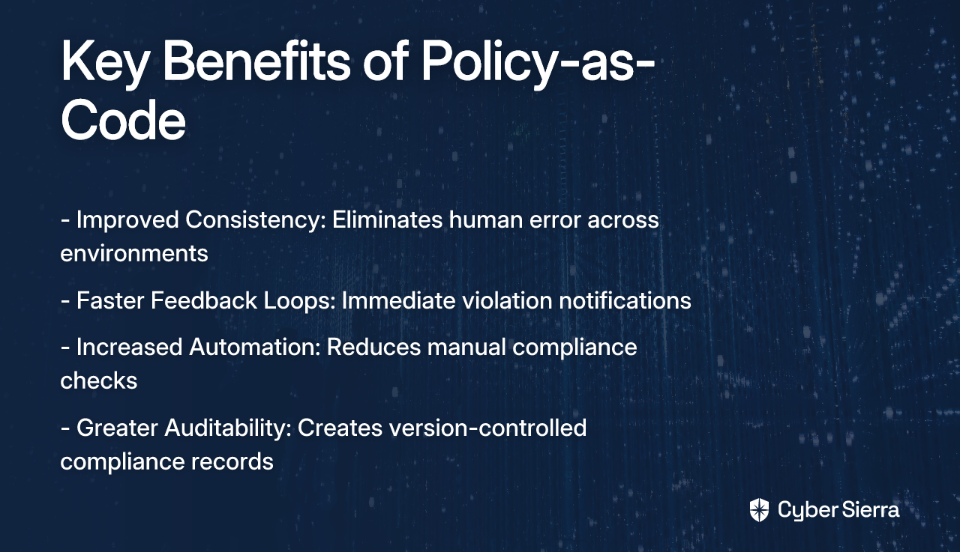
Take time to evaluate your own program's maturity and consider how an integrated approach could reduce friction and improve your overall risk posture. The journey from siloed compliance to integrated risk management isn't always easy, but the operational efficiencies and security improvements make it well worth the effort.

Frequently Asked Questions

What is the difference between traditional GRC and Integrated Risk Management (IRM)?

The primary difference is that Integrated Risk Management (IRM) provides a unified, strategic approach to risk, while traditional GRC often treats compliance frameworks in isolated silos. IRM connects risk management efforts across the entire organization (IT, finance, operations) to provide a holistic view of risk. This contrasts with traditional GRC, which can lead to redundant work and a fragmented understanding of an organization's overall security posture as teams manage each framework like a separate checklist.

Why is control mapping essential for compliance with multiple frameworks?

Control mapping is essential because it allows you to satisfy multiple compliance requirements with a single control, dramatically reducing redundant work. Instead of implementing and testing separate controls for frameworks like ISO 27001, SOC 2, and NIST, you can create a unified set of controls. By mapping this single control to the relevant requirements in each framework, you test it once and use the evidence for multiple audits, saving significant time and resources.
How can a smaller organization begin building an integrated risk program?

A smaller organization can begin by focusing on foundational, low-cost steps before investing in complex tools. Start by assembling a cross-functional team with members from IT, operations, and leadership to get diverse input. Then, unify your controls by identifying overlaps in the frameworks you manage. Finally, adopt a risk-first approach by cataloging your key IT assets and focusing your initial efforts on securing the highest-priority risks to the business.
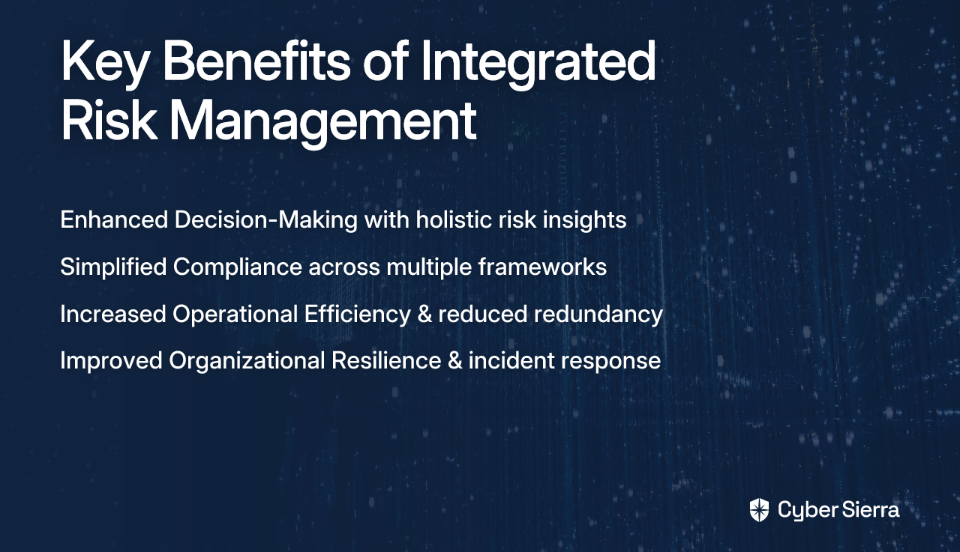
What is Continuous Control Monitoring (CCM) and why is it important?

Continuous Control Monitoring (CCM) is an automated process that constantly evaluates the effectiveness of your security controls in near real-time, rather than waiting for periodic audits. It is important because it provides immediate visibility into control failures, allowing for proactive remediation before a security incident occurs. This shift from periodic, manual checks to automated, ongoing validation reduces risk, lowers remediation costs, and ensures you have up-to-date evidence ready for any audit.

When is the right time to adopt a unified GRC platform?

The right time to adopt a unified GRC platform is after you have established clear processes for risk management and your manual methods, like spreadsheets, become unsustainable. Many organizations fail by buying a tool before defining their risk program's goals, policies, and procedures. Once your foundational processes are in place and your organization begins to scale, a GRC platform can automate control mapping, continuous monitoring, and evidence collection, solving the inefficiencies of manual management.

blog-hero-background-image
Cyber Security

Top 5 Internal Audit Software Alternatives for Enterprises: Cost vs Capabilities

backdrop
Table of Contents

Join thousands of professionals and get the latest insight on Compliance & Cybersecurity.


Summary

  • Choosing the right internal audit software is critical, as manual processes are inefficient and the wrong tool can be complex, clunky, or unusable.
  • Evaluate platforms based on key criteria such as comprehensive features, integration capabilities, scalability, user-friendliness, and vendor support.
  • The future of auditing is shifting from periodic checks toward proactive, continuous monitoring and integrated Governance, Risk, and Compliance (GRC).
  • To modernize your audit program, consider an integrated GRC platform like Cyber Sierra, which uses automation and continuous monitoring to provide real-time risk visibility.

You've set up your enterprise's internal audit department with a clear mandate to strengthen governance and compliance. But when you start looking for the right software to streamline your processes, you're immediately overwhelmed by the number of options, each claiming to be the perfect solution.

"I hear so many mixed reviews, and there's so many, it's hard to navigate," as one audit professional on Reddit aptly put it. Others complain about software being "fairly complex and a bit overkill" or having interfaces so "clunky" they become "awful to the point of being unusable at times."

In today's complex regulatory environment, manual audit processes are no longer sufficient—they're inefficient, prone to error, and can easily miss critical control weaknesses. But choosing the wrong audit software solution can create even bigger headaches, wasting both time and budget while frustrating your team.

This article cuts through the noise to provide a clear comparison of the top five enterprise-grade internal audit software alternatives, with a laser focus on the critical balance between cost and capabilities.

What to Look For: Key Criteria for Selecting Enterprise Internal Audit Software

Before diving into specific solutions, let's establish a framework for evaluation. Consider these essential criteria when selecting your enterprise's internal audit software:

1. Comprehensive Features & Capabilities

The platform must cover core audit management needs:

  • Audit Planning Tools: For creating and managing efficient audit programs
  • Document Management: A centralized system for working papers and evidence
  • Risk Assessment Tools: Structured frameworks aligned with global standards
  • Issue Tracking & Remediation: Continuous tracking of audit issues and their resolution
  • Automation: For repetitive tasks, evidence collection, and reporting
  • Reporting & Dashboards: User-friendly dashboards with real-time metrics and audit plan progress reporting

2. Integration with Existing Systems

The software should integrate seamlessly with your existing tech stack, including ERPs, GRC tools, and other business systems. This prevents creating data silos and facilitates smooth information transfer.

3. Scalability and Flexibility

As your organization grows and compliance requirements evolve, your audit platform should scale accordingly. Look for solutions that allow adding users, features, and custom frameworks without losing previous work.

4. User-Friendliness & Adoption

This is a critical point consistently highlighted in user feedback. An intuitive interface drives quick adoption, while "clunky" tools with steep learning curves hinder productivity and team morale.

5. Compliance Management

Your chosen solution must support relevant regulations and standards like SOX, GDPR, ISO 27001, HIPAA, and PCI DSS, ideally with built-in frameworks and control libraries.

6. Vendor Support and Training

Look for vendors that provide comprehensive training programs and responsive customer support to ensure successful implementation and ongoing use.

Deep Dive: Top 5 Internal Audit Software Alternatives

1. Cyber Sierra

Overview: Cyber Sierra is an AI-enabled GRC automation platform designed to streamline security compliance, risk management, and internal audits through continuous monitoring and automation. It transforms security from periodic checks to proactive, near real-time visibility.

Key Features:

  • Continuous Control Monitoring (CCM): Provides ongoing visibility into security controls, automates control testing, and builds a central controls repository with near real-time updates across frameworks like NIST, ISO 27001, and PCI DSS
  • Automated GRC: Automates data collection, risk assessments, and reporting for SOC2, ISO 27001, GDPR, HIPAA, and other frameworks
  • Third-Party Risk Management (TPRM): Simplifies and automates vendor risk assessment, onboarding, and continuous monitoring
  • Integrated Threat Intelligence: Combines vulnerability scanning and security posture insights for proactive defense

Pros:

  • Extensive automation reduces manual evidence collection and testing
  • Highly customizable to manage multiple compliance frameworks and custom controls
  • Provides a unified, real-time view of security and compliance posture
  • Seamless integration capabilities with existing security and IT tools

Cons:

  • May be more expensive than basic audit tools, particularly for startups or small teams
  • Comprehensive feature set might be excessive for organizations with simple audit needs

Cost vs. Capabilities Verdict: Ideal for enterprises that need a comprehensive, integrated GRC and security platform, not just a tool for managing working papers. The higher cost is justified by its continuous monitoring and automation capabilities, which reduce manual effort and provide proactive risk intelligence, leading to a strong ROI for mature security and audit programs.

2. AuditBoard

Overview: A popular cloud-based platform for audit, risk, and compliance management. It is widely recognized for its user-friendly interface and collaborative features. As one Reddit user noted, "Everyone seems to be implementing AuditBoard these days, it works pretty well."

Key Features:

  • Real-time risk assessments
  • Built-in workflows for efficient collaboration
  • Centralized management of policies and documents
  • Automated evidence management and continuous tracking of audit issues

Pros:

  • Highly user-friendly interface and intuitive dashboard
  • Strong reporting and collaboration capabilities
  • Responsive customer support
  • Straightforward implementation process

Cons:

  • Limited customization options compared to some competitors
  • Some users report limited capabilities for audit scheduling and cross-functionality
  • Can be expensive for smaller organizations

Cost vs. Capabilities Verdict: AuditBoard strikes a strong balance for teams prioritizing usability and collaboration. While it may lack the deep customization of other platforms, its ease of use can lead to faster adoption and higher engagement. The cost is generally considered mid-to-high tier, reflecting its robust feature set for core audit and risk management.

3. Workiva

Overview: A cloud platform known for its excellent collaboration features and integrated reporting, connecting GRC, audit, and financial reporting in one place.

Key Features:

  • Integrated governance and audit planning
  • Real-time dashboards
  • Automation of repetitive tasks
  • Readymade audit templates and workflows
  • Advanced document collaboration

Pros:

  • Excellent collaboration features, allowing multiple users to work on documents simultaneously
  • Easy-to-use interface with strong document controls
  • Centralized platform for enhanced reporting across finance and compliance
  • Strong data linking capabilities

Cons:

  • High cost, especially for new or smaller organizations
  • Potential for performance lag between pages
  • Can have a steep learning curve; spreadsheet functionality can be cumbersome

Cost vs. Capabilities Verdict: Workiva is a premium choice for enterprises where collaborative reporting across finance, audit, and compliance is a primary driver. The high cost reflects its powerful, connected reporting capabilities. It's less of a pure-play audit tool and more of a comprehensive reporting and compliance platform.

4. SAP Audit Management

Overview: A solution designed for organizations heavily invested in the SAP ecosystem, offering deep integration with other SAP solutions for a unified approach to audit and risk.

Key Features:

  • Mobile access for conducting audits on the go
  • Automation of audit activities and workpapers
  • Integrated risk assessment and management
  • Advanced analytics and strong reporting capabilities
  • Seamless data flow from SAP ERP and other modules

Pros:

  • Seamless integration within the SAP ecosystem
  • Built-in security features and a fast setup guide for SAP environments
  • Robust capability for handling large data volumes
  • Strong support for regulatory compliance

Cons:

  • Can be very costly for organizations not already using SAP
  • May have a steep learning curve and challenging configuration for beginners
  • Limited flexibility for non-SAP environments

Cost vs. Capabilities Verdict: For enterprises running on SAP, this tool offers unparalleled integration and data access, making the high cost justifiable. For non-SAP organizations, the cost and complexity make it a non-starter. Its value is almost entirely dependent on the existing technology stack.

5. TeamMate+

Overview: A long-standing and comprehensive audit management solution from Wolters Kluwer. However, user sentiment is highly polarized, especially regarding the newer "Plus" version.

Key Features:

  • End-to-end audit management
  • Focus on document management and risk
  • Flexible deployment options
  • Continuous risk assessments
  • Workflow automation

Pros:

  • Comprehensive document management capabilities
  • Strong collaborative features for audit teams
  • Established presence in the market with large user base
  • Extensive training resources

Cons:

  • Overwhelmingly negative user feedback from recent experiences. Users on Reddit advise to "Avoid TeamMate+ at all costs!!!! ☠️" and describe the new version as "awful to the point of being unusable at times" and "clunky"
  • Limited integration options with other enterprise systems
  • Can be expensive, with users citing maintenance fees around "$1000 per year" even with discounts

Cost vs. Capabilities Verdict: Despite its legacy and comprehensive feature set, the significant usability issues reported by the community make it a high-risk choice. The cost may not be justified if the platform hinders productivity due to its clunky interface. Enterprises should proceed with extreme caution and conduct thorough demos before committing.

The Future of Auditing: Emerging Trends and Modern Capabilities

The landscape of internal audit software is rapidly evolving, with several key trends shaping the future:

The Shift to Proactive, Real-Time Auditing

The industry is moving away from point-in-time audits to continuous monitoring approaches:

  • Real-Time Analytics: Modern platforms empower auditors to make informed decisions based on current data, identifying emerging risks promptly instead of discovering them months later
  • AI Transformation: AI is enhancing efficiency by analyzing vast amounts of data in real-time to identify anomalies and potential risks that human auditors might miss
  • Automation of Evidence Collection: Reducing the manual burden on both auditors and auditees

This shift aligns with user sentiments like: "Good bye to the traditional word/PDF audit report and hello three tab Power BI live and interactive audit report."

Integrated GRC and The Three Line Monitoring Model

Modern platforms are breaking down silos between audit, risk, and compliance functions. An integrated GRC approach provides:

  • A single source of truth for control information
  • Alignment between operational, compliance, and audit teams
  • Reduced duplication of effort across the three lines
  • More dynamic and interactive reporting capabilities

This is where platforms like Cyber Sierra shine, as they're built around integrated GRC and continuous monitoring principles, supporting the evolution to more connected, proactive audit functions.

Conclusion

There is no one-size-fits-all solution when it comes to enterprise internal audit software. The best choice depends on your organization's specific needs—budget constraints, team size, technical expertise, and existing technology infrastructure.

When evaluating options, consider these key trade-offs:

  • AuditBoard: Excellent for usability and adoption, with strong collaboration features
  • Workiva: Shines in reporting and document control, especially when finance integration is critical
  • SAP Audit Management: The clear choice for SAP-centric organizations
  • TeamMate+: A comprehensive but potentially problematic legacy solution
  • Cyber Sierra: Ideal for organizations seeking to modernize with automation, continuous monitoring, and integrated GRC capabilities

Before making a final decision, utilize the criteria outlined in this article to build your own evaluation scorecard. Request demos from multiple vendors to compare how each solution addresses your unique challenges and requirements.

For enterprises looking to build a more proactive and resilient audit and compliance program, consider platforms that offer automation, continuity, and intelligence. A unified GRC platform like Cyber Sierra, with its focus on Continuous Control Monitoring and GRC automation, represents the future direction of internal audit—moving from periodic, manual checks to proactive, near real-time risk management.

Frequently Asked Questions

What is internal audit software?

Internal audit software is a specialized tool designed to help organizations manage and streamline their entire audit lifecycle, from planning and risk assessment to execution, reporting, and issue remediation. It replaces manual, spreadsheet-based processes with a centralized platform for managing workpapers, tracking findings, and collaborating with stakeholders. This automation helps improve efficiency, reduce human error, and provide a clear, auditable trail of all activities.

Why is using dedicated audit software important for enterprises?

Dedicated audit software is important because it enhances the efficiency, accuracy, and effectiveness of an enterprise's governance, risk, and compliance (GRC) functions. Manual processes are often inefficient, prone to errors, and struggle to provide real-time visibility into an organization's risk posture. By automating repetitive tasks, centralizing evidence, and providing powerful analytics, audit software allows teams to focus on higher-value activities and identify critical control weaknesses faster.

What are the key features to look for in an enterprise internal audit tool?

The most critical features include comprehensive audit planning and management, risk assessment frameworks, issue tracking and remediation, robust reporting dashboards, and seamless integration with existing business systems. Beyond these core functions, modern platforms also offer capabilities like continuous control monitoring (CCM) and automation for evidence collection. Usability is another key factor, as an intuitive interface is crucial for team adoption and productivity.

How is modern audit software different from traditional tools?

Modern audit software is shifting from periodic, point-in-time audits to a proactive, continuous monitoring approach, often integrated within a broader Governance, Risk, and Compliance (GRC) platform. While traditional tools focus on managing workpapers for individual audits, modern solutions leverage AI and automation to provide near real-time visibility into control effectiveness. This integrated approach breaks down silos between audit, risk, and compliance teams, enabling a more strategic view of the organization's risk landscape.

How can I choose the right internal audit software for my organization?

To choose the right software, you should evaluate solutions based on your organization's specific needs, including budget, team size, existing technology stack, and key compliance requirements. Start by defining your essential criteria, such as the need for specific frameworks (e.g., SOX, ISO 27001) or integration with your ERP. Request demos from top vendors to compare usability and features directly. For instance, a team prioritizing ease of use might lean toward AuditBoard, while a company seeking deep automation and integrated GRC might find Cyber Sierra a better fit.

toaster icon

Thank you for reaching out to us!

We will get back to you soon.