blog-hero-background-image
Cyber Security

Continuous Monitoring & CCM: How It Supports Regulatory Compliance

backdrop
Table of Contents

Join thousands of professionals and get the latest insight on Compliance & Cybersecurity.


Summary

  • Traditional point-in-time audits are inefficient, create security gaps between checks, and provide a false sense of security.
  • Continuous Controls Monitoring (CCM) offers a solution by automating compliance checks and providing a real-time, continuous view of your security posture.
  • Effective monitoring must extend to vendors, as over 35% of breaches originate from third parties, making third-party risk a critical compliance concern.
  • Automate evidence collection and gain real-time visibility with a platform like Cybersierra's Continuous Control Monitoring to stay audit-ready.

You've set up for your annual audit. The scramble begins—frantically gathering evidence, chasing down different teams for documentation, and discovering security issues that have been accumulating for months. Sound familiar?

"You need to do this about a year to 8 months before major audits to avoid the scramble," notes one security professional on Reddit. Yet despite this preparation, many teams find themselves raising "the exact same issues month after month when company management doesn't actually care about addressing them."

This cycle of periodic compliance checks is no longer sustainable in today's rapidly evolving threat landscape. Your "last audit is the last baseline you have, and any changes from that moment" create an expanding gap between your documented compliance posture and reality.
Enter Continuous Monitoring and Continuous Controls Monitoring (CCM)—approaches that are transforming regulatory compliance from a periodic scramble into an ongoing, proactive process.

The Old Way: Why Point-in-Time Audits Are Failing

Traditional compliance auditing follows a familiar pattern:
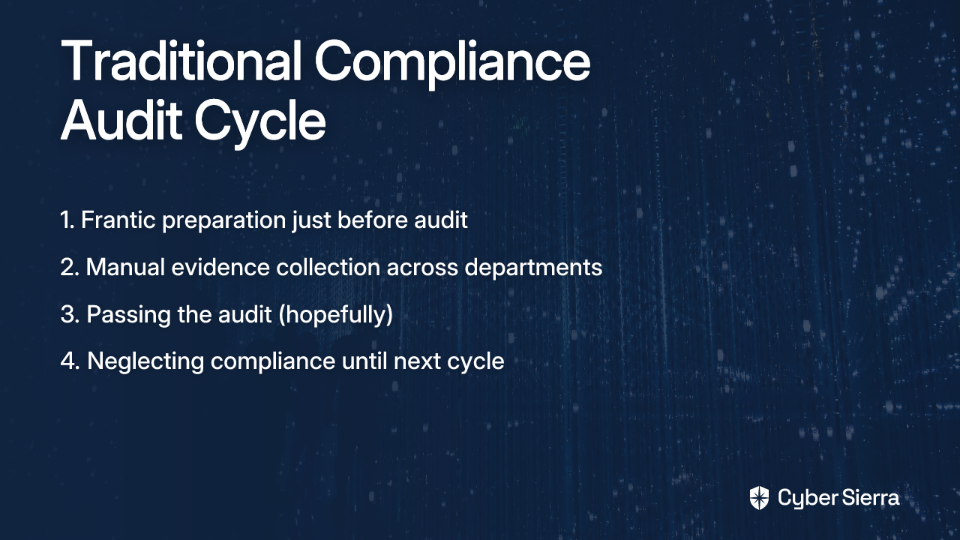
  1. Prepare frantically weeks or months before the audit
  2. Manually collect evidence from across the organization
  3. Pass the audit (hopefully)
  4. Forget about it until the next cycle begins

This approach creates several critical problems:

Inefficiency and Wasted Resources

The manual nature of evidence gathering consumes enormous resources. Security teams report spending months preparing for audits, often relying on "tribal knowledge" because "not everything is documented." This creates a perpetual cycle of inefficiency.

Accumulated "Security Debt"

Between audits, small issues compound into significant vulnerabilities. As one professional laments, "the tech debt keeps climbing as new issues are found." By the time you discover that "VM improperly exposed" or systems "missing required security tools," the damage may already be done.

False Sense of Security

Point-in-time audits provide merely a snapshot of compliance at a specific moment. In reality, your environment changes daily, leaving significant blind spots where attackers can exploit vulnerabilities long before your next scheduled assessment.

A Paradigm Shift: What Are Continuous Monitoring and CCM?

To address these challenges, organizations are shifting toward continuous approaches to compliance:

Continuous Monitoring is the ongoing process of evaluating whether systems adhere to regulatory and internal standards. It provides a real-time view of your compliance posture rather than periodic snapshots.

Continuous Controls Monitoring (CCM) takes this a step further by focusing on automated, ongoing tracking of specific compliance, risk, and security controls. These controls are the safeguards—such as access policies, encryption settings, and security configurations—that protect your systems and data.

The fundamental difference? Traditional monitoring is a snapshot; CCM is a live video feed of your compliance posture. It shifts security from a periodic event to a continuous state.

The Core Benefits: How CCM Revolutionizes Regulatory Compliance
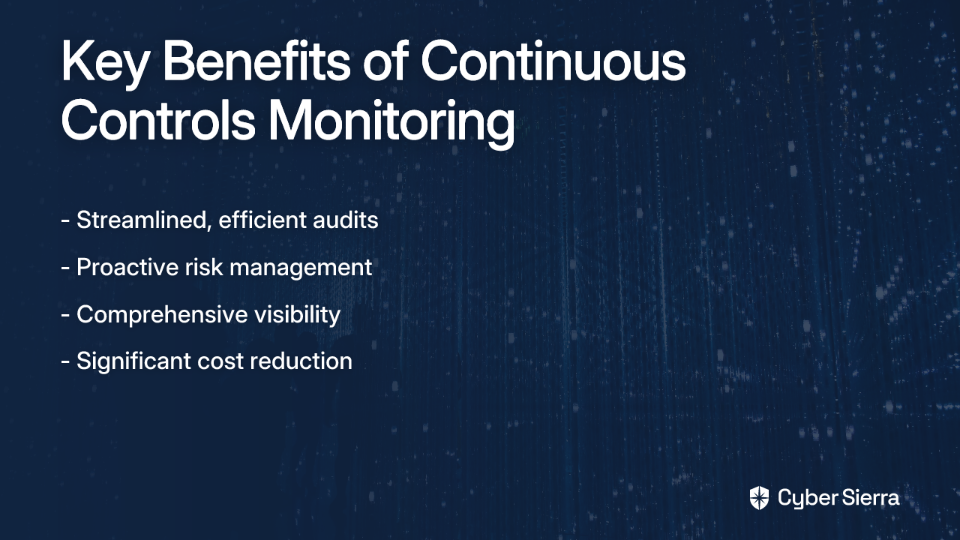
1. Streamlined Audits & Increased Efficiency

CCM creates a centralized, always-updated repository of compliance data and evidence. This directly addresses the pain of manual evidence gathering and the desire to "just kick out the report for your audit."

By automating the collection and validation of evidence, CCM frees up IT and security teams from tedious compliance tracking. One security professional notes the value of tools that "monitor all your controls and provide reports for whatever framework you want to adhere to."

2. Proactive Risk Management & Reduced Breaches

With near real-time monitoring, organizations can identify control deficiencies, misconfigurations, and vulnerabilities immediately—not months later during an audit cycle.

This proactive stance allows teams to remediate issues before they can be exploited, significantly reducing the risk of breaches and compliance violations. Instead of discovering "messed up security debt that's been accumulating for a while," you can address problems as they emerge.

3. Holistic Visibility & Data-Driven Decisions

CCM platforms integrate compliance and risk management, providing leadership with a unified view of the organization's security posture. This comprehensive visibility enables data-driven decision-making about where to invest resources and how to prioritize remediation efforts.

Dashboards with Key Risk Indicators (KRIs) offer clear insights that can help convince management to address issues rather than letting them persist "month after month."

4. Significant Cost Reduction

By identifying and addressing control gaps early, CCM helps organizations avoid costly remediation efforts, operational disruptions, and severe financial penalties from non-compliance.

For instance, GDPR fines can reach up to €20 million or 4% of global turnover. By maintaining continuous compliance, organizations directly invest in avoiding these catastrophic costs.

Putting CCM into Practice: A 4-Step Implementation Guide

Implementing CCM doesn't have to be overwhelming. Here's a practical framework to get started:
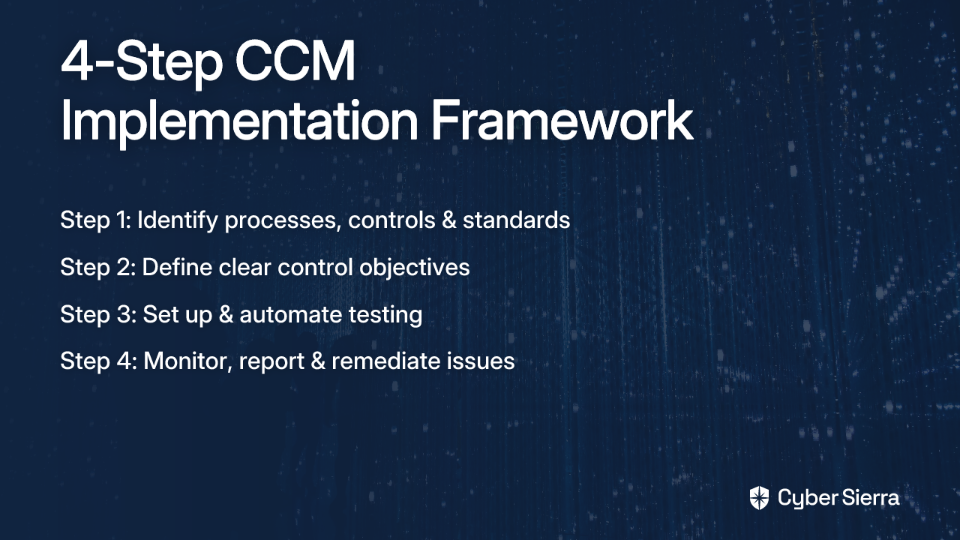
Step 1: Identify Key Processes, Controls, and Standards

Begin by documenting all relevant regulatory requirements (HIPAA, PCI DSS, GDPR, etc.) and internal standards. Focus on critical processes first to maximize the impact of your automation efforts.

Map these requirements to specific controls that need continuous monitoring. This creates a clear roadmap for implementation.

Step 2: Define Control Objectives

Align your control objectives with business goals and your organization's defined risk appetite. This ensures your monitoring efforts directly tie to what matters most to your organization.

For each control, establish clear success criteria. What constitutes compliance? What thresholds trigger alerts? Having precise definitions prevents ambiguity in your monitoring program.

Step 3: Set Up and Automate Tests

Implement automated controls and tests (ideally in a pass/fail format) to continuously track adherence. These tests should run at high frequency—ideally hourly—to provide near-real-time visibility.

Integrate your CCM solution with critical infrastructure including:

  • Cloud environments (AWS, Azure, Google Cloud)
  • Identity providers
  • Code repositories
  • Endpoint management systems
  • Network infrastructure

Step 4: Monitor, Report, and Remediate

Use dashboards and automated reports to track performance, identify non-compliance risks, and escalate issues. The goal is to create a continuous feedback loop for improvement.

Establish clear remediation workflows that assign ownership, set timelines, and track progress on addressing control failures. This accountability is critical for ensuring issues don't languish unresolved.

Beyond Your Four Walls: CCM for Third-Party Risk Management (TPRM)

Your compliance boundary doesn't end at your own systems. Over 35% of breaches originate from third parties, making vendor risk a critical compliance concern.

Continuous monitoring must extend to your entire supply chain. Modern CCM platforms can continuously assess vendor compliance against frameworks, moving beyond static questionnaires to provide real-time visibility into third-party risk.

This approach helps you:

  • Identify high-risk vendors requiring additional oversight
  • Track vendor compliance with contractual security requirements
  • Detect changes in vendor security posture that might impact your risk profile
  • Demonstrate due diligence in managing third-party risk during audits

Choosing the Right Platform: From Manual Checks to Automated Compliance

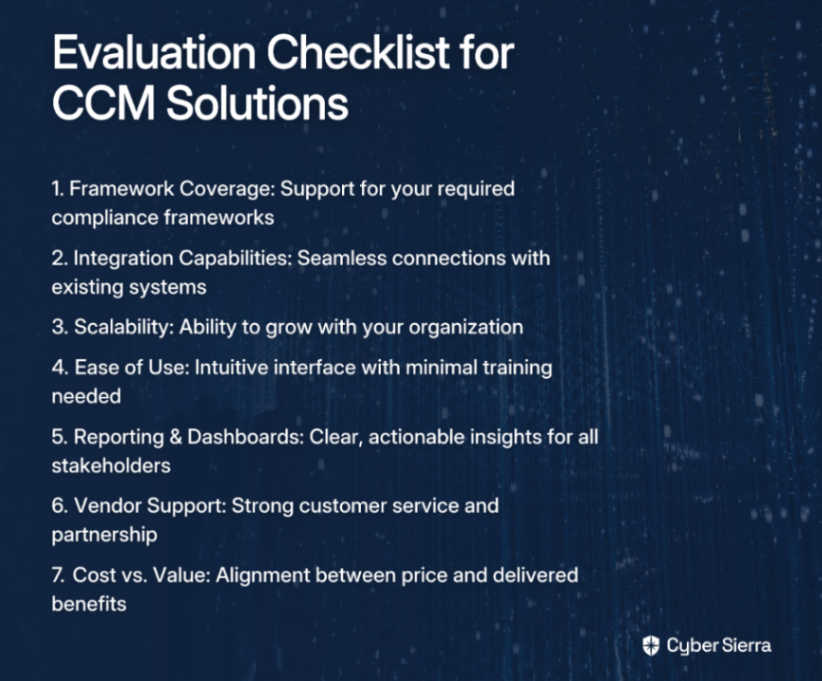
When selecting a CCM solution, look for these essential capabilities:

  • Centralized Control Repository: A single source of truth for managing compliance data, controls, and evidence
  • Automated Testing: Tools supporting high-frequency automated checks across your environment
  • Multiple Framework Support: Coverage for frameworks like SOC 2, ISO 27001, NIST, GDPR, and PCI DSS
  • Seamless Integrations: Connections with your existing tech stack (cloud services, security tools, etc.)
  • Real-Time Alerting: Immediate notifications when controls fail or drift from compliance
  • Comprehensive Reporting: Clear, audit-ready reports that simplify compliance demonstrations

How Cybersierra Supports Continuous Compliance

Cybersierra's Continuous Control Monitoring module addresses these requirements through a comprehensive approach that transforms security from periodic checks to continuous, automated monitoring.

The platform builds a central controls repository with near real-time updates, providing clear visibility into your security posture through continuous monitoring. It delivers actionable risk intelligence for data-driven remediation while managing controls across multiple compliance frameworks including NIST, ISO 27001, and PCI DSS.

What sets Cybersierra apart is its integrated approach. The platform combines CCM with Third-Party Risk Management, Threat Intelligence, and GRC automation—providing the holistic risk visibility that organizations need to move beyond siloed compliance efforts.

This unified approach is particularly valuable for organizations struggling with what one security professional described as "most risk management tools [being] just glorified spreadsheets." By automating control testing and detecting exceptions in real-time, Cybersierra helps organizations escape the manual compliance trap.

Achieve Continuous Compliance, Not Just Periodic Audits

The shift from point-in-time audits to continuous monitoring represents an essential evolution for modern security and compliance programs. By implementing CCM, organizations can:

  • Transform compliance from a source of stress and inefficiency into a strategic advantage
  • Reduce the growing "security debt" that accumulates between traditional audits
  • Free security teams to focus on strategic initiatives rather than manual evidence collection
  • Provide leadership with the visibility needed to make informed security decisions

As one security professional advises, "Regular internal check-ins and keep the team trained up so we're not scrambling before audits." CCM takes this advice to its logical conclusion—automating those check-ins so they happen continuously, not just before audits.
By embracing automation and a CCM mindset, you can finally break free from the reactive audit cycle, reduce your organization's risk profile, and build a culture of continuous compliance and security.

In today's rapidly evolving threat landscape, point-in-time compliance is no longer enough. Continuous monitoring isn't just a better way to do compliance—it's the only sustainable way forward.

Frequently Asked Questions (FAQ)

What is Continuous Controls Monitoring (CCM)?

Continuous Controls Monitoring (CCM) is an automated approach that continuously tracks and validates security and compliance controls in real-time. Unlike traditional point-in-time audits that provide a snapshot, CCM offers a live, ongoing view of your compliance posture. It automates the process of checking safeguards like access policies, encryption settings, and system configurations to ensure they are always operating effectively, rather than just during an audit period.

How does CCM differ from traditional compliance audits?

The primary difference is timing and automation: CCM is a continuous, automated process, while traditional audits are periodic, manual events. Traditional audits are like taking a photo—they capture your compliance status at a single moment, often leading to a last-minute scramble to gather evidence. CCM is like a live video feed, constantly monitoring your controls, providing immediate alerts on failures, and eliminating the pre-audit rush by keeping you audit-ready at all times.

What are the main benefits of implementing CCM?

The main benefits of CCM include increased efficiency, proactive risk management, better visibility into your security posture, and significant cost reduction. By automating evidence collection, CCM streamlines audits and frees up your team. It allows you to identify and fix vulnerabilities as they happen, reducing the risk of breaches. Furthermore, it provides leadership with data-driven insights for better decision-making and helps avoid costly fines associated with non-compliance.

How can my organization get started with Continuous Controls Monitoring?

You can start implementing CCM by identifying key controls, defining clear objectives, automating tests, and establishing a process for monitoring and remediation. Begin by mapping your most critical regulatory and internal requirements to specific controls. Then, define what success looks like for each control. Use a CCM platform to automate the testing of these controls across your tech stack (e.g., cloud, identity providers) and create clear workflows to monitor alerts and ensure any issues are quickly resolved.

Does CCM replace the need for human auditors?

No, CCM does not replace human auditors, but it fundamentally changes and improves the audit process. CCM tools automate the collection and organization of evidence, making the auditor's job significantly more efficient and data-driven. Instead of spending weeks chasing down documentation, auditors can focus on higher-value tasks, such as evaluating the effectiveness of your control environment and providing strategic advice. CCM makes you a better partner to your auditors, leading to smoother, faster, and more accurate audits.

Why is continuous monitoring important for third-party risk management?

Continuous monitoring is crucial for third-party risk because a significant percentage of data breaches originate from vendors and partners in your supply chain. Your organization's security is only as strong as its weakest link. Relying on annual questionnaires provides only a point-in-time snapshot of a vendor's security posture. CCM extends visibility beyond your own systems, allowing you to continuously assess vendor compliance and detect changes in their security posture in real-time, proactively managing supply chain risks.


Ready to transform your compliance approach from periodic scrambles to continuous confidence? Learn more about Cybersierra's Continuous Control Monitoring platform and how it can help your organization achieve automated, real-time compliance.
blog-hero-background-image
Cyber Security

ISO 27001 Gap Analysis & Audit Readiness: A Practical Playbook

backdrop
Table of Contents

Join thousands of professionals and get the latest insight on Compliance & Cybersecurity.


Summary

  • An ISO 27001 gap analysis is the essential first step to successful certification, comparing your current security practices against the standard to create a prioritized remediation plan.
  • Follow a 4-step process: define your ISMS scope, assess controls, develop a risk-based remediation plan, and continuously gather evidence to stay audit-ready.
  • With audits taking up to 6 months, understanding the difference between a major non-conformity (an audit failure) and a minor one is key to effective preparation.
  • To overcome the challenges of manual evidence collection, leverage automation tools like Cyber Sierra's GRC platform for continuous control monitoring and year-round audit readiness.

You've spent months implementing your Information Security Management System (ISMS), only to discover during an audit that critical documentation is missing, controls aren't properly evidenced, and suddenly you're facing major findings that could derail your ISO 27001 certification timeline.

Sound familiar? You're not alone.

"There's a lot of clauses that say 'you don't need to document anything', but I find that it makes life a lot easier if you have something documented," notes one compliance manager in a recent discussion. This ambiguity is just one of many challenges organizations face on their ISO 27001 journey.

This practical playbook will guide you through conducting an effective gap analysis and preparing for a successful ISO 27001 audit, moving you from last-minute scrambling to year-round readiness.

What is an ISO 27001 Gap Analysis (and Why It's Non-Negotiable)?

An ISO 27001 gap analysis is a comprehensive assessment that compares your organization's current information security practices against the specific requirements of the ISO/IEC 27001:2022 standard. Think of it as your compliance roadmap – identifying precisely what policies, controls, and evidence you're missing to achieve certification.

Why It's Crucial for Your Organization:

  1. Identifies Compliance Shortcomings: Moves you from guesswork to a data-driven understanding of your current compliance posture.
  2. Creates a Prioritized Remediation Plan: Prevents wasted effort on low-priority items and helps focus resources where they're needed most.
  3. Saves Time and Resources: A structured analysis prevents costly rework and audit surprises, which can derail certification timelines.
  4. Solves the "Tribal Knowledge" Problem: Forces documentation of processes that often exist only in people's heads. As one practitioner observed, "even in companies with no documentation, they somehow manage to keep the lights on." This reliance on undocumented processes is a major organizational vulnerability.

The entire ISO 27001 audit process can take up to 6 months, making thorough preparation essential to avoiding certification delays.

The 4-Step Playbook for a Successful Gap Analysis

Step 1: Obtain the Standard and Define Your ISMS Scope

Before you begin, ensure you have access to the official ISO/IEC 27001:2022 standard. This is essential for understanding the specific clauses and Annex A controls against which you'll be measuring your organization.

Next, clearly document the boundaries of your ISMS:

  • Which departments are included?
  • What locations fall within scope?
  • Which assets and technologies are covered?

This foundational step is what auditors will verify first. Ambiguity here can cascade into problems throughout your certification journey.

Step 2: Assess Current Security Controls

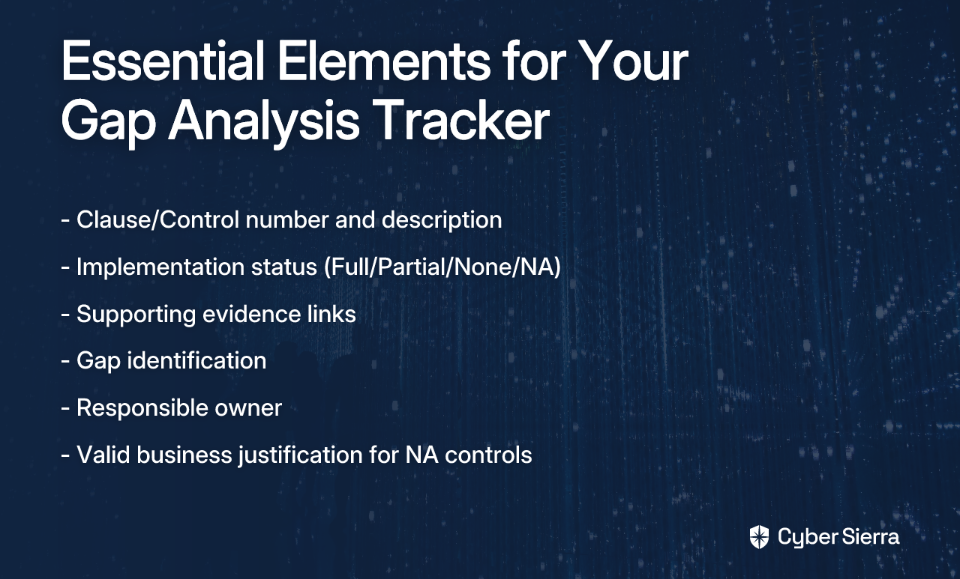
Systematically evaluate your existing practices against each ISO 27001 requirement. Use a structured approach with a spreadsheet or assessment tool that includes:

  • Clause/Control number
  • Requirement description
  • Current implementation status (Implemented, Partially Implemented, Not Implemented, Not Applicable)
  • Supporting evidence (link to policy, screenshot, etc.)
  • Identified gap
  • Responsible owner

Pro Tip: For any Annex A control marked as "Not Applicable," you must provide a valid business justification. Simply writing "NA" is insufficient and will raise red flags during an audit.

Step 3: Develop a Prioritized Remediation Action Plan

Consolidate all identified gaps into a single action plan. Don't treat all gaps equally – prioritize based on risk.

"If you follow ISO 27007, 27005, 19011 - you should assess real business risk," advises one auditor. This means considering risk scores, affected clauses, and potential business impact for each gap.

Your remediation plan should detail:

  • Clear description of the remediation task
  • Assigned owner responsible for completion
  • Realistic deadline
  • Resources required (budget, personnel, tools)

Step 4: Implement Fixes and Gather Evidence Continuously

Execute your action plan methodically. As you close each gap, collect and organize evidence demonstrating compliance. Remember, evidence collection should be an ongoing process, not a last-minute scramble before an audit.

Even when documentation isn't explicitly required by a clause, create it anyway. As one practitioner noted, "it makes life a lot easier if you have something documented." This is especially important for business continuity – what happens if the only person who knows a critical process "wins the lottery" or "gets hit by a bus"?

From Gap Analysis to Audit Readiness: Preparing for Scrutiny

Understanding the audit process demystifies what can otherwise feel like an intimidating evaluation.

Understanding the Audit Process

An ISO 27001 audit evaluates your ISMS to ensure it meets the standard's requirements. There are two main types:

Internal Audit (Clause 9.2): This mandatory self-check requires you to:

  • Conduct audits at planned intervals
  • Establish and maintain an audit program
  • Select impartial auditors
  • Report results to relevant management
  • Retain documented information as evidence

External (Certification) Audit:

  • Stage 1 Audit: A documentation review where the external auditor checks that your ISMS design is sound on paper.
  • Stage 2 Audit: An operational effectiveness review where the auditor conducts interviews and verifies that your controls are actually implemented and working as documented.

Demystifying Audit Findings: Major vs. Minor

One common source of confusion is understanding what constitutes different types of audit findings. "Honestly, I don't understand how you give that as major. I give majors only when something can lead to ISMS collapse — like, real damage, not just 'missing doc,'" one auditor commented.

Here's clarity on the different findings:

Major Non-conformity: A critical failure in the ISMS that puts sensitive information at high risk. Examples include a complete absence of mandatory processes like risk assessment or internal audits. A major finding will likely result in audit failure.

Minor Non-conformity: An isolated lapse or deviation from a requirement that doesn't compromise the entire system. For example, a single server missing a patch or one new hire who hasn't completed security training. These must be fixed but won't typically cause you to fail.

Opportunity for Improvement (OFI): A suggestion from the auditor on how you could strengthen your ISMS. It's not a failure to meet a requirement but a best-practice recommendation.

The Modern Approach: Leveraging Automation for Continuous Compliance

While traditional, manual approaches to ISO 27001 compliance can work, they come with significant challenges:

  • Resource constraints (time, budget, personnel)
  • Complex documentation requirements
  • Difficulty coordinating with vendors
  • Point-in-time compliance snapshots that quickly become outdated

This is where compliance automation platforms like Cyber Sierra can transform your approach from periodic compliance checks to continuous compliance monitoring.

Key Benefits of Automation:

Reduced Manual Overhead: Automate repetitive tasks like evidence collection, freeing your team to focus on strategic security improvements.

Continuous Compliance Monitoring: Gain real-time visibility into your compliance posture through Cyber Sierra's Continuous Control Monitoring (CCM) module, which automatically tests controls against ISO 27001 requirements and alerts you to gaps.

Audit-Ready Documentation: Automatically generate reports and maintain a verifiable audit trail, eliminating the pre-audit documentation scramble.

From Certification to Continuous Security

Achieving ISO 27001 certification isn't just about the certificate. It's about building a culture of security and enhancing your organization's cyber resilience.

By following this practical playbook – conducting a thorough gap analysis, creating a structured remediation plan, understanding the audit process, and leveraging automation – you can transform ISO 27001 compliance from a stressful periodic project to a continuous state of security and readiness.

Frequently Asked Questions

What is the first step in preparing for an ISO 27001 audit?

The first and most crucial step in preparing for an ISO 27001 audit is conducting a thorough gap analysis. This analysis compares your current security practices against the ISO 27001 standard's requirements, identifying specific areas where you fall short. It forms the foundation of your remediation plan and ensures you focus resources effectively, preventing last-minute surprises during the audit.

How long does an ISO 27001 gap analysis typically take?

The duration of an ISO 27001 gap analysis can vary from a few weeks to several months. The timeline depends heavily on the size and complexity of your organization, the defined scope of your Information Security Management System (ISMS), and the maturity of your existing security controls. Smaller organizations with some controls already in place may complete it faster than large enterprises starting from scratch.

What is the difference between a major and a minor non-conformity?

A major non-conformity represents a critical failure in the ISMS that could lead to its collapse, while a minor non-conformity is an isolated lapse that doesn't compromise the entire system. For example, completely lacking a mandatory risk assessment process would be a major finding, likely causing an audit failure. In contrast, a single employee having missed a security training session would be a minor finding, which must be corrected but won't derail certification on its own.

Do I need to document every single process for ISO 27001?

While the ISO 27001 standard does not explicitly require every single process to be documented, it is a highly recommended best practice. Auditors find it much easier to verify compliance when processes are clearly documented. More importantly, documentation prevents reliance on "tribal knowledge" (information held by only a few key individuals), which strengthens business continuity and makes your ISMS more resilient and easier to maintain long-term.

How can automation help with ISO 27001 compliance?

Automation helps by reducing manual effort, providing continuous monitoring of controls, and generating audit-ready documentation on demand. Compliance automation platforms, like Cyber Sierra, can automatically collect evidence from your tech stack, test controls against ISO 27001 requirements in real-time, and alert you to new gaps as they arise. This transforms compliance from a periodic, stressful project into a continuous, manageable state of readiness.

What happens after we get ISO 27001 certified?

ISO 27001 certification is not a one-time achievement; it marks the beginning of a continuous improvement cycle. After your initial certification audit, you will undergo annual surveillance audits to ensure your ISMS remains effective and compliant. You must continue to conduct internal audits, management reviews, and risk assessments to maintain and improve your security posture, demonstrating an ongoing commitment to information security.

Stop treating ISO 27001 as a compliance checkbox. Embrace it as an opportunity to strengthen your security posture while reducing the resource burden through automation. Discover how the Cyber Sierra GRC platform can make you audit-ready, all year round.

blog-hero-background-image
Cyber Security

AI GRC Tools Explained: What CISOs Should Look For in 2026

backdrop
Table of Contents

Join thousands of professionals and get the latest insight on Compliance & Cybersecurity.


Summary

  • Traditional GRC is failing due to manual processes; by early 2024, 72% of companies were already using AI in GRC, reporting up to a 62% improvement in compliance efficiency.
  • AI will not replace GRC professionals but will augment them, automating routine tasks so they can focus on strategic work like stakeholder engagement and risk management.
  • By 2026, essential GRC platforms must provide continuous control monitoring, predictive risk intelligence, and automated evidence collection to enable a proactive security posture.
  • Prepare for 2026 by automating routine tasks and upskilling your team; a unified platform like Cyber Sierra streamlines this transition by integrating essential AI-powered GRC capabilities.

You've spent another weekend preparing for an audit, manually collecting screenshots and chasing stakeholders for evidence. Your inbox is bursting with vendor questionnaires, and the board is asking about AI risks while expecting you to leverage AI for efficiency. Sound familiar?

The reality for many GRC professionals echoes this sentiment from a practitioner: "90% of my job is nudging (shoving) people to do the right thing" while spending too much time on "mundane repetitive admin stuff."

By 2026, AI-powered GRC tools won't just be nice-to-have—they'll be essential. But they won't replace GRC professionals. Instead, they'll augment capabilities, handling data-heavy lifting so you can focus on what AI can't do: strategic risk management and stakeholder engagement.

The Inevitable Shift: Why Traditional GRC is Failing

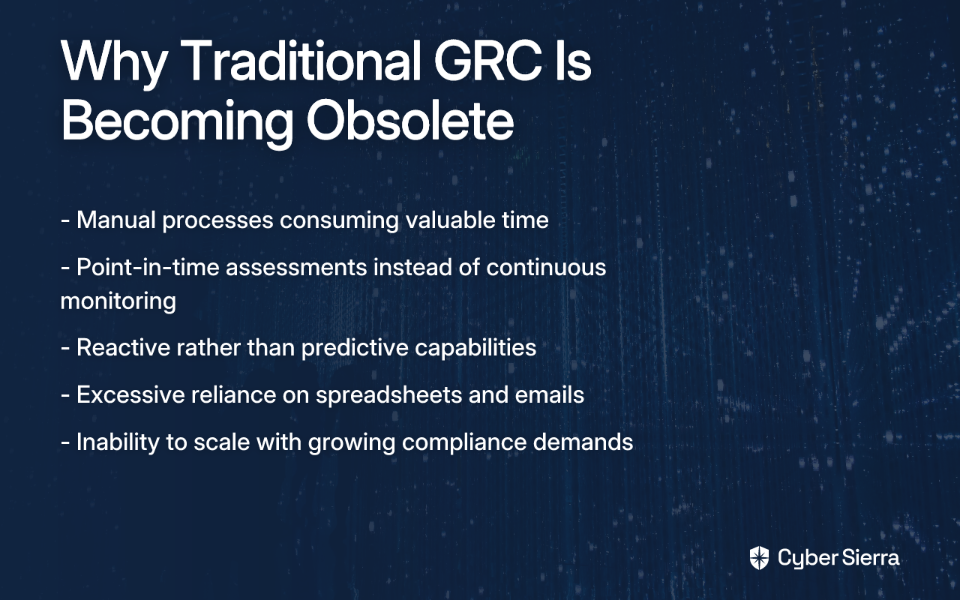
Traditional GRC relies on manual processes, periodic audits, and countless spreadsheets. This approach is slow, error-prone, and provides only a point-in-time snapshot of compliance. As one Reddit user bluntly put it: "GRC is a deeply problematic field built on shaky grounds and slowly failing to be the efficient solution to the problems it declares to be designed to solve."
In contrast, AI-driven GRC offers:

  • Continuous monitoring rather than periodic assessments
  • Predictive capabilities instead of reactive responses
  • Automated workflows replacing manual tasks

The shift is already happening. Organizations leveraging AI in GRC report up to a 62% improvement in compliance efficiency. By early 2024, 72% of companies reported using AI in their GRC functions. The risk is real: 1 out of every 80 prompts (1.25%) from enterprise devices risks sensitive data leakage, highlighting the need for robust AI governance.

The 2026 CISO Checklist: 8 Essential Capabilities of an AI GRC Platform

1. Continuous Control Monitoring (CCM)

The days of point-in-time assessments are ending. By 2026, continuous control monitoring will be the standard, providing near real-time visibility into the effectiveness of security controls across your organization.

This capability is essential because it provides proactive assurance of security and compliance, allowing teams to fix gaps before they become breaches or audit findings. Research shows that CCM can reduce duplicative controls by up to 66%.

Key AI-driven features to look for:

  • Automated control testing and validation against frameworks like NIST, ISO 27001, and PCI DSS
  • Predictive analytics to forecast potential control failures
  • Real-time detection of exceptions and anomalies

Platforms like Cyber Sierra's Continuous Control Monitoring (CCM) provide a central repository for controls, automating data collection across cloud environments and SaaS tools to give CISOs a single source of truth on their security posture.

2. Intelligent Third-Party Risk Management (TPRM)

Supply chain attacks continue to be a massive threat vector. By 2026, static vendor questionnaires will be obsolete, replaced by continuous, dynamic monitoring of third-party risks.

AI-powered TPRM platforms will:

Tools like Cyber Sierra's TPRM platform automate this process, offering continuous visibility into vendor compliance and security, ensuring that third-party risk is managed proactively rather than reactively.

3. Predictive Risk Intelligence

By 2026, leading GRC platforms will use AI/ML models to forecast potential compliance issues, vulnerabilities, and security threats before they materialize. This capability enables a truly proactive security posture, allowing CISOs to prioritize resources on the most probable and high-impact risks.

Look for platforms that:

  • Analyze historical data and current trends to forecast compliance gaps
  • Simulate threat scenarios to test control resilience
  • Prioritize vulnerability remediation based on real-time threat intelligence

This is where a Threat Intelligence module, like the one offered by Cyber Sierra, becomes critical. By combining outside-in vulnerability scanning with security posture insights, it helps teams identify and mitigate risks before they can be exploited.

4. Automated Evidence Collection & Workflow Automation

If there's one pain point that resonates with every GRC professional, it's the tedious task of gathering evidence for audits. By 2026, this process will be largely automated, addressing what one user described as the "mundane repetitive admin stuff."

Essential capabilities include:

  • Integration with cloud services, security tools, and HR systems for automatic evidence collection
  • Mapping a single piece of evidence to multiple controls across different frameworks
  • Automating task assignments and reminders for control owners

This automation will free up significant hours spent on audit preparation and reduce human error, allowing GRC professionals to focus on strategic initiatives instead of administrative tasks.

5. Natural Language Processing (NLP) for Policy Management

By 2026, AI will transform how organizations create and manage GRC documentation. NLP capabilities will:

  • Generate consistent policy drafts based on regulatory requirements
  • Analyze vendor contracts and documents for security and compliance clauses
  • Map policies to specific controls within GRC frameworks

While AI can draft policies, human expertise remains crucial for review. As one GRC professional noted: "The difference between 'should,' and 'shall' cannot be interpreted. AI does not understand business context."

6. Robust Framework Library & Seamless Integrations

In 2026, your GRC platform must come pre-loaded with common industry frameworks (SOC 2, ISO 27001, HIPAA, PCI DSS, GDPR) and offer strong APIs to connect with your existing tech stack.

This capability prevents vendor lock-in and reduces manual data entry. A strong framework library allows for quick adaptation to new compliance obligations without starting from scratch, something especially important as regulatory requirements continue to multiply.

7. AI Governance & Explainability

As regulations like the EU AI Act emerge, AI governance is becoming a compliance issue itself. Only 24% of organizations have comprehensive AI GRC policies in place.

By 2026, your GRC platform should not only use AI but also help you govern AI use across your organization. Look for:

8. Intuitive UI/UX for Stakeholder Adoption

GRC is a team sport. If your tool is clunky, control owners and other stakeholders won't use it, undermining your entire program. This directly relates to the challenge of "nudging people to do the right thing."

By 2026, look for platforms with:

  • Intuitive interfaces that require minimal training
  • Role-based dashboards that show stakeholders only what they need
  • Mobile accessibility for on-the-go approvals and tasks

Beyond the Hype: Practical AI Use Cases in GRC Today

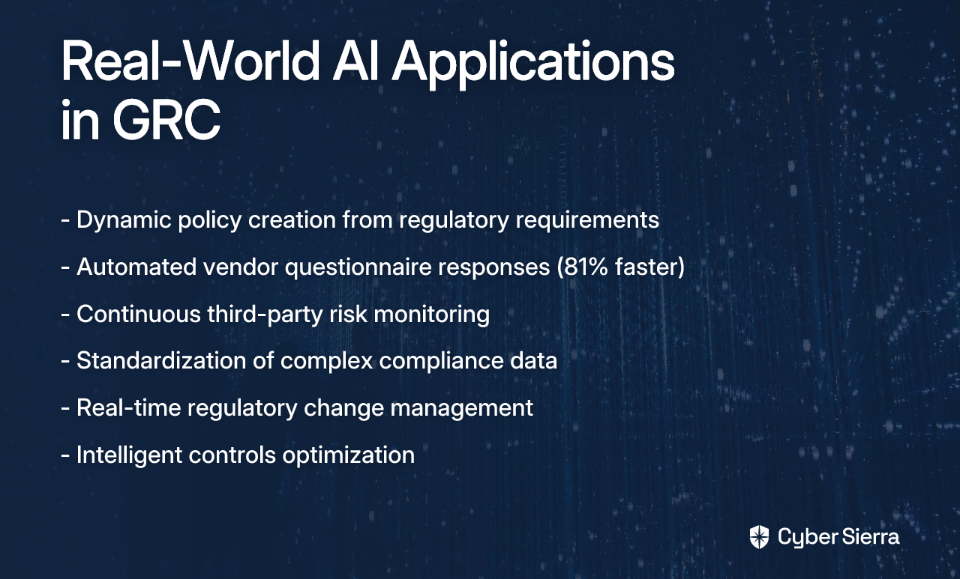
While we've focused on future capabilities, several practical AI applications are already transforming GRC today:

  1. Dynamic Policy Creation: Using LLMs to generate policy drafts based on regulatory requirements, allowing human experts to focus on review and customization.
  2. Automating Vendor Questionnaires: AI tools are accelerating security reviews by up to 81%.
  3. Third-Party App Risk Management: AI platforms continuously analyze vendor risk profiles rather than relying on point-in-time assessments.
  4. Streamlining Compliance Data: AI parses complex scan data into standardized, actionable formats for remediation.
  5. Regulatory Change Management: AI monitors regulatory feeds and maps changes to internal controls, ensuring ongoing compliance.
  6. Internal Controls Optimization: AI performs automated gap analyses to find control weaknesses and redundancies.

The critical caveat: human review is essential to mitigate AI hallucinations and ensure data privacy. AI is a tool, not a replacement for expert judgment.

AI Augments, Not Replaces: The Irreplaceable Human Element

Let's address the elephant in the room: Will AI replace GRC professionals?

The consensus from practitioners is clear: "AI has no people skills. GRC requires it."

By 2026, AI will handle data collection and analysis, freeing up humans to focus on high-value tasks requiring uniquely human skills:

  • Stakeholder Engagement: Negotiating with and convincing business leaders remains the hardest part of GRC and cannot be automated. As one professional put it: "The hardest part of GRC is the stakeholder engagement, primarily the negotiating and convincing business to go along the journey."
  • Contextual Judgment: Understanding business context, risk appetite, and the nuances of a specific environment requires human insight.
  • Strategic Planning: Building relationships, fostering a security culture, and advising the board on risk strategy remain fundamentally human activities.

GRC roles will become more technical and strategic. The focus will shift from being a "box-checker" to a "risk advisor," with AI handling the routine tasks that currently consume too much time.

Conclusion: Preparing Your GRC Strategy for 2026 and Beyond

The future of GRC is a partnership between human experts and intelligent automation. The key for CISOs is to look for tools that offer continuous monitoring, predictive intelligence, and workflow automation while empowering their teams to focus on strategic risk management.

Here are actionable steps to prepare for this future:

  1. Evaluate Your GRC Maturity: Understand where manual processes are causing the most friction. Focus on automating these areas first.
  2. Define Specific Requirements: Don't get caught in AI hype. Focus on practical benefits that solve your biggest problems, such as audit prep time or vendor onboarding.
  3. Embrace Automation for Routine Tasks: Start with low-hanging fruit like evidence collection to build momentum.
  4. Upskill Your Team: Invest in training for both technical skills and strategic risk management.

A comprehensive, AI-enabled platform like Cyber Sierra can provide a unified starting point, integrating modules for GRC, CCM, TPRM, and more to streamline this transition.

As one GRC professional wisely noted: "Some parts of GRC can definitely be automated, like basic policy writing or risk questionnaires, but there's still a lot that needs human judgment." The most successful organizations in 2026 will be those that find the right balance—leveraging AI for efficiency while elevating their GRC teams to strategic risk advisors.

Frequently Asked Questions

What is AI GRC?

AI GRC refers to the use of artificial intelligence and machine learning to automate and enhance governance, risk, and compliance processes. Unlike traditional GRC, which relies on manual, point-in-time assessments, AI-driven GRC provides continuous monitoring, predictive risk intelligence, and automated workflows. This allows organizations to manage risk proactively, improve compliance efficiency, and free up GRC professionals to focus on strategic initiatives.

Will AI replace GRC professionals?

No, AI is not expected to replace GRC professionals; it is designed to augment their capabilities. AI excels at data-heavy, repetitive tasks like evidence collection, control testing, and data analysis. However, it lacks the uniquely human skills essential for GRC, such as stakeholder engagement, strategic negotiation, and contextual business judgment. The future role of a GRC professional will shift from administrative tasks to that of a strategic risk advisor, with AI handling the manual work.

What are the key features of an AI-powered GRC platform?

An effective AI-powered GRC platform should offer continuous monitoring, intelligent third-party risk management, predictive risk intelligence, and workflow automation. Essential features include Continuous Control Monitoring (CCM) for real-time visibility, automated vendor risk scoring, predictive analytics to forecast threats, automated evidence collection to streamline audits, and AI governance tools to manage AI use within the organization.

How does AI improve GRC efficiency?

AI dramatically improves GRC efficiency by automating manual, time-consuming tasks. For example, AI can automate the collection of evidence for audits, reducing preparation time significantly. It can also accelerate vendor security reviews by automatically answering incoming questionnaires and continuously monitoring third-party risk profiles. By handling this "mundane repetitive admin stuff," AI allows GRC teams to operate more strategically and scale their efforts effectively.

Why is traditional GRC no longer effective?

Traditional GRC is no longer effective because its reliance on manual processes and point-in-time assessments cannot keep up with the speed and complexity of modern business and cyber threats. This manual approach is slow, prone to human error, and provides a reactive, outdated snapshot of an organization's compliance posture. In contrast, today's dynamic regulatory and threat landscapes require the continuous, proactive, and scalable capabilities that AI-driven GRC solutions provide.

blog-hero-background-image
Cyber Security

Top 8 Tools for Real-Time Security Control Break Detection

backdrop
Table of Contents

Join thousands of professionals and get the latest insight on Compliance & Cybersecurity.


Summary

  • Periodic security audits create dangerous visibility gaps, leaving your business exposed to undetected vulnerabilities for months between assessments.
  • Real-time security control monitoring is critical for instantly detecting control failures, allowing you to proactively fix security gaps and maintain continuous compliance.
  • This article explores eight essential tools for real-time detection, including SIEM, EDR/XDR, and specialized Continuous Control Monitoring (CCM) platforms.
  • For organizations seeking a unified solution, Cyber Sierra's Continuous Control Monitoring (CCM) platform automates control validation, integrates with GRC, and provides real-time visibility to ensure you're always audit-ready.

You've implemented security controls, passed your audits, and established a robust security program. But there's a nagging worry keeping you up at night: what happens when those controls fail between audits? As one security professional put it, "Not worrying about unnoticed vulnerabilities or compliance risks has been a huge relief." This relief only comes when you have robust monitoring in place.

In today's rapidly evolving threat landscape, the traditional approach of periodic security assessments is dangerously inadequate. Consider this sobering reality shared by a cybersecurity expert: "Just 1 compromise is enough to bring a business to its knees." With threats evolving by the minute, waiting for quarterly audits to identify control failures means potentially devastating vulnerabilities could go undetected for months.

This is where real-time security control break detection becomes critical. By continuously monitoring your security controls, you can identify breakdowns the moment they occur, not weeks or months later during your next assessment.

Let's explore the eight most effective tools for detecting security control breaks in real-time, helping you maintain continuous visibility into your security posture and compliance status.

1. Cyber Sierra: Continuous Control Monitoring (CCM)

Best for: Enterprise organizations seeking a unified, automated CCM program that integrates GRC, third-party risk management, and threat intelligence.

Cyber Sierra's CCM platform transforms security from periodic checks to a continuous, automated monitoring system. It provides ongoing visibility into security controls, tracks digital assets, and assesses risk in near real-time to proactively identify and remediate security gaps.

Key Features:

  • Central Controls Repository: Creates a centralized hub for all security controls with near real-time updates, enhancing visibility across your organization
  • Automated Control Testing: Continuously tests and validates controls to detect exceptions, anomalies, and compliance gaps as they occur
  • Multi-Framework Compliance: Manages controls across multiple frameworks like NIST, ISO 27001, PCI DSS, and GDPR, streamlining audits and reducing manual evidence collection
  • Actionable Risk Intelligence: Delivers data-driven insights for informed remediation prioritization
  • Real-Time Alerts: Provides immediate notification of control failures for faster incident response

Security and compliance leaders appreciate Cyber Sierra's ability to reduce the manual burden of control validation while providing continuous assurance that critical controls remain operational between audit cycles.

2. SIEM (Security Information and Event Management) - e.g., Splunk

Best for: Organizations needing to centralize and analyze security data from across their entire IT infrastructure.

SIEM platforms like Splunk deliver operational intelligence by collecting, aggregating, and analyzing machine-generated data in real time. They correlate events from diverse sources such as firewalls, servers, and applications to identify suspicious activity and potential threats.

Key Features:

  • Real-time log collection, monitoring, and analysis
  • Security event correlation to identify complex threats
  • Customizable dashboards and alerting mechanisms
  • Automated compliance reporting for standards like GDPR, HIPAA, and PCI DSS

While powerful, SIEM solutions require skilled personnel to configure, manage, and respond to the insights they generate, making them better suited for organizations with dedicated security teams.

3. EDR/XDR - e.g., Palo Alto Networks Cortex XDR

Best for: Organizations seeking integrated detection and response across endpoints, networks, and cloud environments.

Extended Detection and Response (XDR) solutions like Palo Alto Networks Cortex XDR enhance security by unifying data analytics across multiple security layers. They use machine learning and behavioral analytics to detect advanced threats that might evade traditional signature-based tools.

Key Features:

  • Continuous monitoring of endpoint and network activity
  • Advanced analytics and behavioral threat detection
  • Automated incident response capabilities
  • Machine learning for anomaly detection
  • Root cause analysis for faster investigation

XDR platforms excel at reducing the time between detection and response, addressing the concern that "when a big incident affects multiple customers, you may not get the kind of response times you'd like."

4. Vulnerability Management - e.g., Qualys

Best for: Enterprises needing continuous assessment of their security posture and proactive vulnerability management.

Qualys provides a cloud-based platform for continuous security and compliance monitoring. It specializes in identifying, prioritizing, and remediating vulnerabilities across on-premises systems, cloud environments, and web applications.

Key Features:

  • Real-time monitoring for vulnerabilities across systems
  • Continuous compliance checks against various standards
  • Comprehensive asset inventory and management
  • Prioritization of vulnerabilities based on threat intelligence
  • Automated scanning and reporting capabilities

Effective vulnerability management tools help prevent complacency in security teams, addressing the concern that "you'll get very comfortable with what you have as you continue to do well and get busy with other aspects of the business."

5. Intrusion Detection and Prevention Systems (IDPS)

Best for: Real-time network traffic monitoring to detect and block suspicious activity.

An IDPS monitors network or system activities for malicious activity or policy violations. It serves as a foundational tool for real-time threat detection, addressing the need for "24/7 monitoring" to catch things "early that we would've totally missed."

Key Types and Features:

  • Network-based IDS (NIDS): Monitors traffic across the entire network
  • Host-based IDS (HIDS): Analyzes logs and activities on individual devices
  • Real-time traffic monitoring and alerts for detected intrusions
  • Automated actions to mitigate threats (in IPS systems)

As noted by security experts at Clearnetwork, IDPS systems excel at immediate threat detection but often lack historical data for trend analysis, making them most powerful when combined with SIEM technology.

6. AI-Powered Threat Detection - e.g., Darktrace

Best for: Automating threat investigations and identifying novel or sophisticated threats.

Darktrace's Cyber AI Analyst utilizes self-learning AI to understand the "normal" behavior of a network. It can then detect subtle anomalies that indicate a threat in real-time, automating threat investigations and reducing the workload on security teams.

Key Features:

  • Machine learning models for threat prioritization
  • Deep analysis of alerts to provide context
  • Automated threat investigation reports
  • Detection of insider threats and novel attack vectors
  • Self-learning capabilities that improve over time

AI-powered platforms address the concern that "MSSPs take a fairly generic look at things, and may not understand the specifics of your business processes" by learning your unique environment over time.

7. Continuous Vulnerability Assessment - e.g., Tenable.io

Best for: Gaining complete visibility into cyber exposure across modern attack surfaces.

Tenable.io provides visibility into the security posture of networks and systems. It helps organizations understand and reduce their cyber risk by identifying vulnerabilities before they can be exploited.

Key Features:

  • Continuous monitoring and assessment of vulnerabilities
  • Comprehensive coverage of IT, cloud, OT, and web applications
  • Predictive prioritization of vulnerabilities
  • Detailed reporting capabilities to support compliance efforts
  • Integration with ticketing and remediation workflows

These tools provide the continuous vigilance necessary when "taking security as one of the most important parts of your systems."

8. Automated Compliance Monitoring - e.g., Hyperproof

Best for: Organizations looking to automate control testing and streamline evidence collection.

Tools like Hyperproof specialize in automating the labor-intensive aspects of compliance. They continuously monitor critical controls, test their effectiveness, and collect evidence automatically, ensuring organizations are always audit-ready.

Key Features:

  • Automated testing of technical controls
  • Streamlined control assessment processes
  • Integration with cloud services to pull evidence
  • Reduction of compliance fatigue
  • Improved audit readiness and reduced manual effort

How to Choose a Real-Time Detection Tool

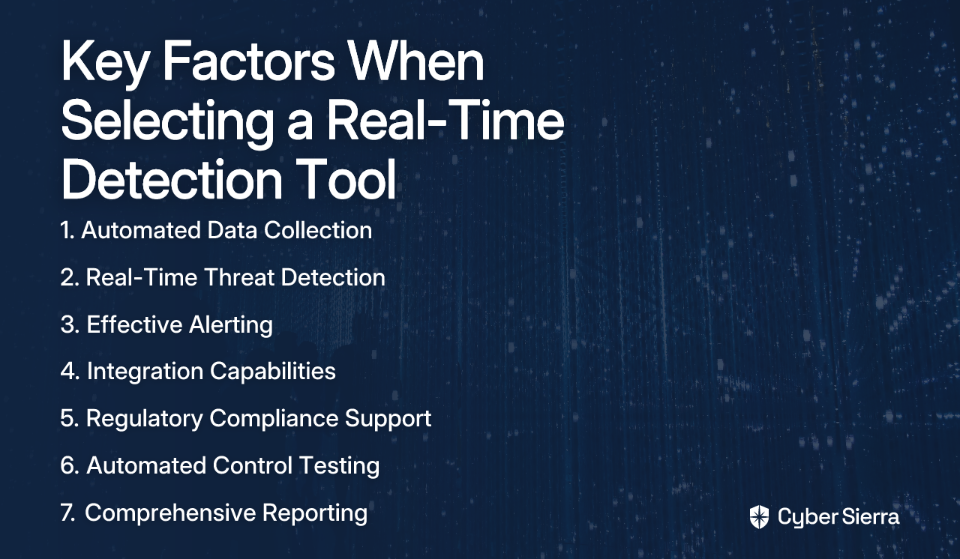
When selecting a solution, remember that "it's not just about a tool to monitor threats" - you need a comprehensive strategy. Consider these key factors:

  1. Automated Data Collection: Does the tool automatically collect data and monitor controls without manual intervention?
  2. Real-Time Threat Detection: Can it identify and alert on threats as they happen?
  3. Effective Alerting: Are the alerts actionable and prioritized, or will they lead to alert fatigue?
  4. Integration Capabilities: Can it integrate with your existing security frameworks and tools?
  5. Regulatory Compliance Support: Does it support your specific compliance frameworks?
  6. Automated Control Testing: Does it automate the validation of control effectiveness?
  7. Comprehensive Reporting: Does it provide detailed reports for stakeholders and auditors?

Conclusion

In today's rapidly evolving threat landscape, static security measures and periodic assessments are dangerously inadequate. Real-time detection tools are no longer a luxury but a necessity for maintaining a strong security posture and meeting compliance requirements.

For organizations seeking to move from periodic security checks to continuous monitoring, platforms like Cyber Sierra offer comprehensive solutions that integrate continuous control monitoring with threat intelligence and compliance automation. This unified approach helps security teams detect control breaks in real-time, respond quickly to threats, and maintain a consistently strong security posture.

As one security professional summarized, "Not worrying about unnoticed vulnerabilities or compliance risks has been a huge relief" - a relief that comes from knowing your security controls are continuously monitored and functioning as intended, even between formal assessments.

Frequently Asked Questions

What is real-time security control monitoring?

Real-time security control monitoring, also known as Continuous Control Monitoring (CCM), is the process of continuously testing and validating your security controls to ensure they are working as intended. Instead of relying on periodic assessments, this approach uses automated tools to provide ongoing visibility into your security posture, allowing you to detect control failures or compliance gaps the moment they occur.

Why are periodic security audits no longer sufficient?

Periodic security audits are no longer sufficient because they only provide a point-in-time snapshot of your security posture, leaving dangerous gaps where vulnerabilities can go undetected for weeks or months. The modern threat landscape evolves rapidly, and a control that was effective during an audit can fail the next day. Continuous monitoring closes these gaps by providing constant vigilance.

How does Continuous Control Monitoring (CCM) improve security posture?

CCM improves security posture by providing immediate, actionable insights into the effectiveness of your security controls. It automates the detection of misconfigurations, vulnerabilities, and compliance deviations, which allows security teams to proactively remediate issues before they can be exploited. This shift from a reactive to a proactive stance significantly reduces overall cyber risk.

What is the difference between a SIEM and a CCM platform?

A SIEM (Security Information and Event Management) platform primarily focuses on collecting, aggregating, and analyzing log data from various sources to detect security threats and suspicious activities. In contrast, a CCM platform is specifically designed to automate the testing and validation of security controls against established policies and frameworks (like NIST or ISO 27001). While a SIEM is great for threat detection, a CCM platform ensures the underlying controls are functioning correctly in the first place.

How do I choose the right real-time security monitoring tool?

To choose the right tool, you should first assess your organization's specific needs, including regulatory requirements, existing infrastructure, and team expertise. Key factors to consider include the tool's ability to automate data collection and control testing, provide effective real-time alerts without causing fatigue, integrate with your existing security stack, and generate comprehensive reports for both technical teams and auditors.

What role does AI play in modern security monitoring?

AI and machine learning play a crucial role by automating the detection of complex and novel threats that traditional signature-based tools might miss. AI-powered platforms can establish a baseline of normal network behavior and then identify subtle anomalies that could indicate a threat. This automates threat investigation, prioritizes alerts, and reduces the manual workload on security analysts, enabling faster and more accurate responses.

By implementing the right real-time detection tools, you can achieve that same peace of mind, knowing that your organization is protected around the clock from evolving cyber threats and compliance lapses.

blog-hero-background-image
Cyber Security

Top 8 Cyber Threat Detection Tools in 2025

backdrop
Table of Contents

Join thousands of professionals and get the latest insight on Compliance & Cybersecurity.


Summary

  • A key challenge for security teams is demonstrating the value of proactive threat detection, as preventing threats leaves no tangible results to show leadership.
  • Modern threat detection has shifted from reactive alerts to proactive hunting using behavioral analysis (TTPs), automation, and deep integration capabilities.
  • When selecting a tool, prioritize solutions that provide actionable, context-rich intelligence to reduce alert fatigue and help teams focus on genuine threats.
  • To connect security efforts to business value, consider platforms that integrate threat intelligence with GRC frameworks to provide clear, ROI-focused reporting.

You've invested in security tools, trained your team, and built processes. Yet leadership keeps asking, "What are we getting for all this money?" Meanwhile, your security analysts are drowning in alerts, struggling to separate the signal from the noise, and feeling their proactive efforts go unnoticed.

If this sounds familiar, you're not alone. As one security professional recently shared on Reddit, there's a "difficulty in demonstrating the value of threat hunting due to lack of immediate, tangible results." The frustration is real - you know your team is preventing disasters, but how do you prove the value of threats that never materialized?

The answer lies in having the right tools. In 2025, the most effective cyber threat detection tools don't just generate alerts - they provide context, automate investigation, and help you clearly communicate risk to leadership. They transform security from a reactive cost center to a proactive business enabler.

This article will guide you through the top 8 cyber threat detection tools for 2025, focusing on solutions that help you identify threats earlier, respond faster, and most importantly, demonstrate clear value to your organization.

What to Look for in a Modern Threat Detection Tool

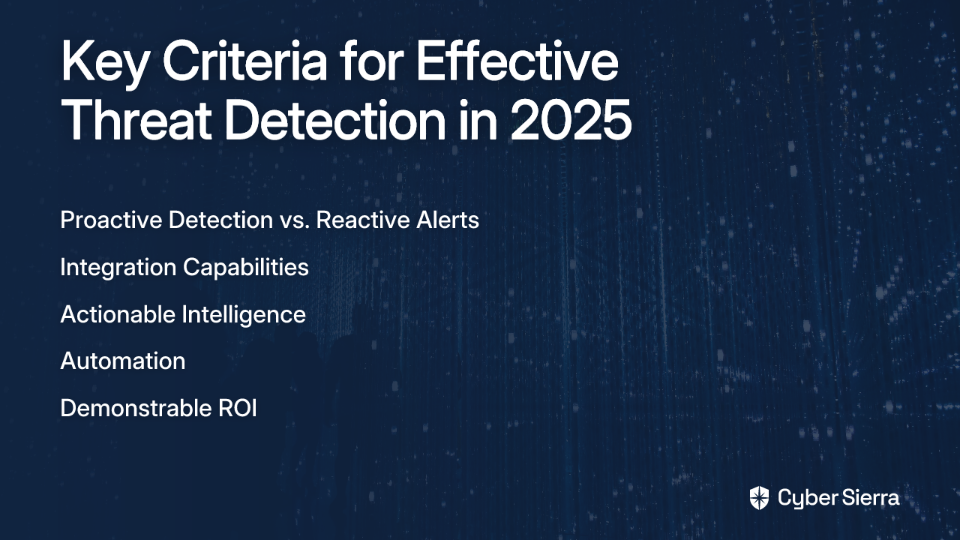
Before diving into specific tools, let's establish what makes a threat detection solution truly effective in 2025:

  • Proactive Detection vs. Reactive Alerts: Look for tools that hunt for threats based on behavior and TTPs (Tactics, Techniques, and Procedures), not just known signatures.
  • Integration Capabilities: The tool should connect seamlessly with your existing security stack to provide unified visibility.
  • Actionable Intelligence: Prioritized alerts with context help teams focus on what matters.
  • Automation: Capabilities that reduce manual investigation time and accelerate response.
  • Demonstrable ROI: Features that help quantify value and justify investment to leadership.

With these criteria in mind, let's explore the top tools that are changing the game in 2025.

The Top 8 Cyber Threat Detection Tools for 2025

1. Cyber Sierra: The Integrated GRC & Threat Intelligence Platform

Overview: Cyber Sierra isn't just a point solution for threat detection; it's an AI-enabled cybersecurity platform that integrates threat intelligence with a comprehensive Governance, Risk, and Compliance (GRC) framework. It helps organizations move from periodic checks to proactive, near real-time risk management.

Key Detection Capabilities:

  • Threat Intelligence Module: Provides proactive risk management by identifying vulnerabilities across the attack surface, including network vulnerability scanning and cloud infrastructure scanning for misconfigurations.
  • Continuous Control Monitoring (CCM): Automates the ongoing oversight of security controls to detect exceptions and anomalies in real-time.
  • Third-Party Risk Management (TPRM): Provides near real-time, 24/7 visibility into vendor security compliance, detecting risks within the supply chain before they become internal threats.

Why It Stands Out in 2025: It directly addresses the user pain of justifying security efforts. By linking threat intelligence and vulnerability data directly to GRC frameworks (SOC2, ISO 27001, etc.), it provides the clear reporting and audit trails needed to demonstrate value and compliance to leadership. It helps answer the "why" behind security activities.

Best For: Organizations looking for a unified platform to manage threats, compliance, and vendor risk holistically, and for CISOs and Compliance Managers who need to make their security programs audit-ready and demonstrate ROI.

2. CrowdStrike Falcon: AI-Powered Endpoint Protection

Overview: A leading endpoint protection platform (EPP) renowned for its ability to prevent advanced cyber threats, from malware to sophisticated nation-state attacks.

Key Detection Capabilities:

  • Uses AI-driven Indicators of Attack (IOAs) and deep telemetry analysis to spot active threats in real-time.
  • Automated protection for endpoints, identities, and cloud environments.
  • Provides real-time risk posture monitoring and contextual threat detection.

Why It Stands Out in 2025: Its powerful AI engine and massive threat graph allow it to detect threats based on behavior (TTPs) rather than just signatures (IOCs), making it highly effective against zero-day exploits. This shift from signature-based to behavior-based detection represents the future of endpoint security.

Best For: Organizations of all sizes that need best-in-class endpoint detection and response (EDR) with strong preventative capabilities.

3. Rapid7 InsightIDR: The Unified SIEM and XDR

Overview: A cloud-native Security Information and Event Management (SIEM) and Extended Detection and Response (XDR) platform that provides unified visibility and analysis across the entire IT environment.

Key Detection Capabilities:

  • Combines User and Entity Behavior Analytics (UEBA), machine learning, and curated threat intelligence for high-fidelity anomaly detection.
  • Collects and analyzes data from endpoints, logs, and cloud services to provide a single pane of glass for incident response.
  • Detects insider threats and compromised credentials.

Why It Stands Out in 2025: InsightIDR excels at simplifying the complexity of a traditional SIEM. Its attacker behavior analytics helps security teams cut through the noise of false positives and focus on genuine threats. The platform is designed to address the common complaint that "there's too many alerts and not enough context."

Best For: Security Operations Centers (SOCs) that need a powerful, yet user-friendly, central platform for log management, threat detection, and incident response.

4. Palo Alto Networks (Cortex XDR & WildFire): Integrated Network and Endpoint Security

Overview: Palo Alto Networks offers a powerful duo: WildFire, a cloud-based malware protection engine, and Cortex XDR, an advanced analytics platform that integrates data across endpoint, network, and cloud.

Key Detection Capabilities:

  • WildFire: Intercepts active threats at the firewall level using static and dynamic analysis and machine learning.
  • Cortex XDR: Establishes behavioral baselines to detect anomalies and sophisticated attacks. It integrates threat intelligence to add context to alerts.
  • Provides deep forensics and root cause analysis for incidents.

Why It Stands Out in 2025: The tight integration between network security (WildFire) and endpoint/cloud data (Cortex XDR) provides unparalleled visibility and allows for automated, coordinated responses across the entire infrastructure. This unified approach helps eliminate the security tooling gaps that attackers often exploit.

Best For: Organizations already invested in the Palo Alto Networks ecosystem or those seeking a comprehensive, integrated security platform spanning network, endpoint, and cloud.

5. Recorded Future: Dedicated Threat Intelligence

Overview: A premier threat intelligence platform that provides real-time insights into risks across cyber, supply chain, and physical security domains.

Key Detection Capabilities:

  • Intelligence Cloud: Gathers and analyzes vast amounts of data from open source, dark web, and technical sources to provide actionable intelligence.
  • Collective Insights: Consolidates data to help security teams build better remediation and threat hunting strategies.
  • Provides detailed vendor risk profiles and context on emerging TTPs.

Why It Stands Out in 2025: Its singular focus on intelligence makes it incredibly powerful. Instead of just generating alerts, it provides the strategic context needed to understand who the attackers are, what their motives are, and how they are likely to attack. This context is invaluable for teams facing the challenge of "justifying the investment in threat intelligence and threat hunting due to perceived lack of effectiveness."

Best For: Mature security teams and enterprises that need high-quality, contextual threat intelligence to fuel their proactive defense and detection engineering efforts.

6. Microsoft Defender: Natively Integrated Security

Overview: A suite of security solutions deeply integrated into the Microsoft ecosystem (Windows, Azure, M365), offering AI-enabled threat detection and response for endpoints, cloud workloads, and identities.

Key Detection Capabilities:

  • Automated investigation of alerts to reduce analyst workload.
  • AI-led antivirus and EDR to block emerging threats.
  • Continuous monitoring of endpoint activities and cloud configurations.

Why It Stands Out in 2025: Its native integration with Microsoft products provides seamless visibility and protection for organizations heavily reliant on the Microsoft stack, reducing friction and eliminating security tooling gaps. For organizations already invested in Microsoft, it offers a compelling cost-to-value ratio.

Best For: Organizations of all sizes, especially SMEs and enterprises deeply invested in the Microsoft Azure and Microsoft 365 ecosystems.

7. Darktrace: Autonomous Cyber AI

Overview: Darktrace uses self-learning AI to understand the "normal" behavior of an organization's network, devices, and users. It then autonomously detects and responds to threats that deviate from that baseline.

Key Detection Capabilities:

  • Cyber AI Analyst: Automates threat investigations, triaging alerts and presenting findings in a simple narrative, drastically speeding up incident response.
  • Uses machine learning models to predict threat severity.
  • Detects subtle, insider threats and novel attacks that other tools might miss.

Why It Stands Out in 2025: Its autonomous response capability is a game-changer, allowing it to surgically neutralize threats in seconds, without disrupting normal business operations. It's a prime example of using AI to augment human security teams, addressing the pain point of "limited understanding of threat hunting as merely reactive searches rather than adopting proactive strategies."

Best For: Organizations with lean security teams that need to automate investigation and response, or any company looking for a defense against fast-moving, sophisticated threats like ransomware.

8. Trustwave: Managed Detection and Response (MDR)

Overview: Trustwave offers a different approach: a service-based solution. Their Managed Detection and Response (MDR) and Managed Security Services (MSS) provide 24/7 monitoring and expertise from their global network of Security Operations Centers.

Key Detection Capabilities:

  • 24/7 security monitoring and proactive threat hunting conducted by expert analysts.
  • Contextualized threat data gathered from multiple sources.
  • Manages and monitors third-party security tools on behalf of the client.

Why It Stands Out in 2025: It addresses the significant cybersecurity skills gap. For organizations that lack the in-house expertise or resources to run a 24/7 SOC, an MDR service provides access to world-class talent and technology. This directly addresses the "lack of appreciation and support for threat hunting efforts" by outsourcing the function to specialists.

Best For: Organizations that want to outsource their security operations to focus on their core business, or those needing to augment their existing security team with 24/7 expert coverage.

How to Choose the Right Cyber Threat Detection Tool

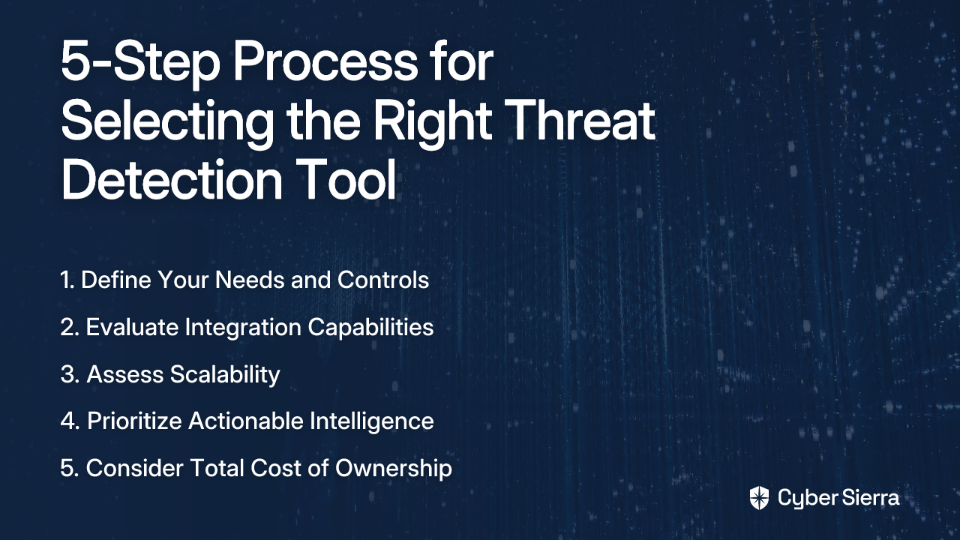
With so many powerful options available, selecting the right tool can be challenging. Here's a structured approach to making an informed decision:

  1. Define Your Needs and Controls: First, prioritize which risks and controls are most critical to your organization. Are you focused on endpoint security, cloud misconfigurations, or compliance? This aligns with the first step of CCM implementation: "Define Controls to Monitor."
  2. Evaluate Integration Capabilities: The best tools don't operate in a silo. Ensure the solution can integrate with your existing systems (e.g., ticketing systems, firewalls, identity providers) to avoid creating more security tooling gaps.
  3. Assess Scalability: Your security needs will grow. Choose a solution that can scale with your organization, whether you're adding more endpoints, expanding to the cloud, or adopting new compliance frameworks.
  4. Prioritize Actionable Intelligence over Noise: A tool that generates thousands of low-context alerts creates more work. Look for platforms that use AI and analytics to reduce false positives, correlate events, and provide clear, prioritized guidance for remediation.
  5. Consider the Total Cost of Ownership (TCO): Look beyond the initial license fee. Factor in costs for implementation, training, and ongoing management. A platform that automates manual tasks (like evidence gathering for audits) can offer a lower TCO and higher ROI in the long run.

Conclusion

Selecting the right cyber threat detection tool in 2025 is about more than just finding "evil." It's about choosing a partner that helps you build a proactive, resilient, and defensible security program. As noted in community discussions, "Threat hunts do not always need to find evil to be successful." They succeed when they find misconfigurations, improve processes, and provide data-driven assurance.

The most effective strategy involves integrating threat detection with your broader GRC and risk management functions. Platforms like Cyber Sierra are leading this charge, providing a single source of truth that connects technical vulnerabilities to business risk and compliance obligations. This unified view empowers security leaders to not only protect the organization but also to confidently communicate the value of their efforts to the board.

Remember, the goal isn't just to detect threats—it's to demonstrate how your security program delivers tangible business value. The right tool will help you do both.

blog-hero-background-image
Cyber Security

Top 10 Tools to Monitor 200+ Security Controls Automatically

backdrop
Table of Contents

Join thousands of professionals and get the latest insight on Compliance & Cybersecurity.


Summary

  • Managing 200+ security controls manually leads to audit fatigue; Continuous Control Monitoring (CCM) automates this process for real-time oversight.
  • Key benefits of CCM include an improved compliance posture, early risk detection, and a significant reduction in manual evidence collection for audits.
  • This article compares 10 top CCM tools to help you select the best fit based on framework support, integration capabilities, and scalability.
  • Cyber Sierra's CCM platform automates control monitoring across frameworks like NIST and ISO 27001 to keep you perpetually audit-ready.

You've just been tasked with ensuring your organization maintains compliance with multiple security frameworks. The spreadsheets are growing unwieldy, your team is drowning in manual checks, and you're constantly worried about missing critical controls. Sound familiar?

"Coordinating compliance checks across different roles and disciplines is a nightmare," admits one security professional on Reddit. "We need a better way to track tasks systematically across multiple teams."

The solution? Continuous Control Monitoring (CCM) - the modern approach that transforms security compliance from periodic, manual "pencil whipping" exercises into automated, real-time oversight. By implementing a robust CCM strategy, organizations can continuously validate hundreds of security controls while significantly reducing manual effort.

This article explores the top 10 tools designed to automate the monitoring of 200+ security controls across various frameworks, helping you maintain a strong security posture and stay perpetually audit-ready.

The Challenge of Manual Control Monitoring: Why Automation is Essential

If you're still tracking compliance using spreadsheets or struggling with basic GRC tools, you're likely experiencing what the industry calls "audit fatigue" - the exhaustion that comes from repeatedly gathering evidence, validating controls, and preparing for audits manually.

Manual compliance management is fundamentally unsustainable when dealing with hundreds of controls across multiple frameworks. Security professionals on Reddit highlight the "complexity in managing review frequency for compliance assessments" and the "need for accountability and visibility of compliance tasks" as major pain points.

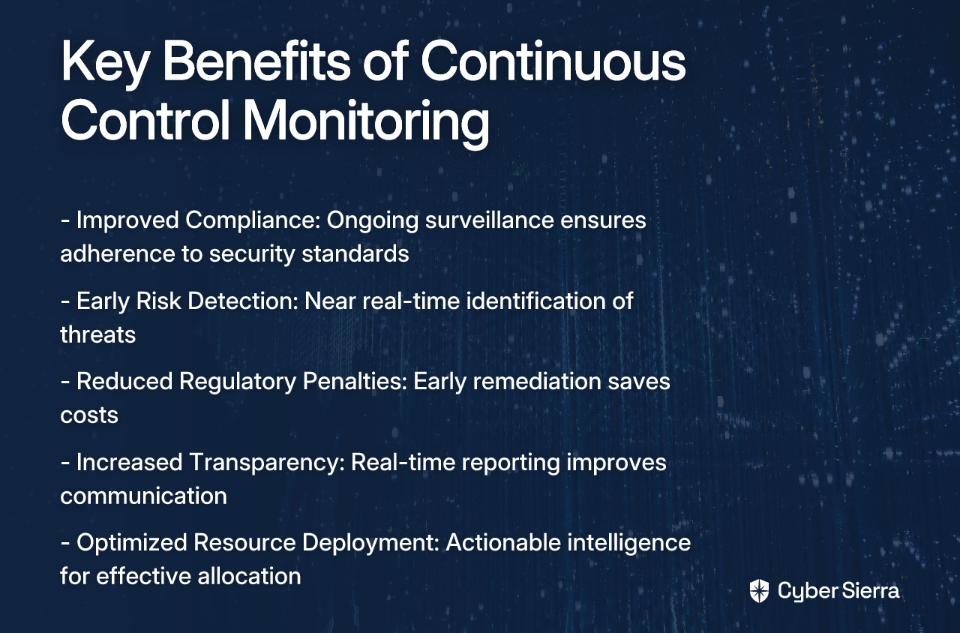
Implementing an automated CCM solution delivers several critical benefits:

  1. Improved Compliance: Ongoing surveillance ensures adherence to standards like NIST 800-53, ISO 27001, PCI DSS, and GDPR.
  2. Early Risk Detection: Near real-time monitoring allows for immediate identification and remediation of threats.
  3. Reduced Regulatory Penalties: A holistic view facilitates early remediation of compliance issues, saving costs.
  4. Increased Transparency: Near real-time reporting fosters improved communication and accountability.
  5. Optimized Resource Deployment: Actionable intelligence helps strategically allocate resources effectively.

Let's explore the top tools that can help you achieve these benefits.

Top 10 Tools for Automated Security Control Monitoring

1. Cyber Sierra

Description: Cyber Sierra provides an AI-enabled cybersecurity platform designed to simplify and automate security compliance for enterprises. It moves organizations away from periodic, manual checks towards proactive, near real-time risk management.

Key Features:

  • Continuous Control Monitoring (CCM): Builds a central controls repository with near real-time updates, automates control testing, and detects exceptions for frameworks like NIST, ISO 27001, and PCI DSS.
  • Governance, Risk & Compliance (GRC): Automates data collection, risk assessments, and reporting for frameworks like SOC2, ISO 27001, and HIPAA.
  • Third-Party Risk Management (TPRM): Simplifies vendor risk assessment, onboarding, and continuous monitoring.
  • Additional Modules: Includes Threat Intelligence, Employee Security Training, and Cyber Insurance management.

Best for: CISOs, Compliance Managers, and IT leaders in regulated industries who need a unified platform to manage multiple compliance frameworks and gain a single source of truth for their security posture.

Learn more about Cyber Sierra CCM

2. CyberStrong

Description: CyberStrong by CyberSaint automates the risk management process by providing real-time compliance monitoring and automating control scoring. It excels at translating technical data into business-level insights.

Key Features:

  • Dynamic Monitoring: Continuously assesses security controls against evolving threats.
  • Executive Dashboards: Provides powerful visualizations that translate technical data into actionable insights for leadership.
  • AI-Powered Crosswalking: Leverages AI to solve compliance mapping challenges across various frameworks.

Best for: Organizations focused on quantifying cyber risk in financial terms and providing clear, executive-level reporting.

Learn more about CyberStrong

3. Secureframe

Description: A compliance automation platform that helps companies get and stay compliant with frameworks like SOC 2, ISO 27001, PCI DSS, HIPAA, and GDPR. It focuses heavily on streamlining the audit process through integrations and automation.

Key Features:

  • Automated Evidence Collection: Integrates with 100+ cloud services (AWS, GCP, Azure, etc.) to automatically collect evidence.
  • Continuous Monitoring: Uses automated tools to check compliance status in real-time.
  • Control Mapping: Consolidates efforts by mapping controls across multiple frameworks to avoid redundant work.

Best for: Startups and tech companies looking to achieve and maintain compliance certifications quickly and efficiently.

Learn more about multi-framework compliance with Secureframe

4. Splunk

Description: A powerful, unified security and observability platform renowned for its ability to ingest, search, and analyze massive volumes of machine-generated data from across the IT infrastructure.

Key Features:

  • Log Management & SIEM: Captures and analyzes log data in real-time for security monitoring and threat detection.
  • Customizable Dashboards: Allows for the creation of detailed dashboards for monitoring specific security controls.
  • Security Alerts Automation: Automates alerting based on predefined correlation rules to identify suspicious activities.

Best for: Organizations with large, complex IT environments that need to manage vast volumes of log data for security and compliance insights.

Learn more about Splunk and other CSM tools

5. Bitsight

Description: A leading Third-Party Risk Management (TPRM) tool that provides data-driven security ratings to help organizations assess and continuously monitor the security posture of their vendors.

Key Features:

  • Security Ratings: Generates daily, objective security ratings (like a credit score) for vendors based on externally observable data.
  • Continuous Monitoring: Provides real-time alerts on changes in a vendor's security posture.
  • Risk Scoring and Benchmarking: Allows companies to benchmark vendor performance against industry standards.

Best for: Enterprises with extensive supply chains that need to automate and scale their vendor risk management programs.

Learn more about Bitsight's TPRM tools

6. Nagios

Description: A widely-used, open-source IT infrastructure monitoring tool. While not a dedicated GRC platform, it is highly effective for monitoring foundational technical controls related to server, network, and application availability.

Key Features:

  • Server and Network Monitoring: Continuously checks the health of servers, switches, and applications.
  • Alerting: Sends notifications via email or SMS when critical infrastructure components fail.
  • Extendable Architecture: Highly customizable with thousands of plugins to monitor virtually any system or control.

Best for: Organizations with strong in-house technical teams looking for a flexible and cost-effective solution for monitoring core IT infrastructure controls.

Explore Nagios and other monitoring tools

7. Syxsense

Description: A security and IT management solution that combines endpoint management, vulnerability scanning, and patch management in a single console, providing deep visibility and control over endpoints.

Key Features:

  • Real-time Monitoring: Provides continuous visibility into the state of all endpoints.
  • Automated Vulnerability Remediation: Scans for vulnerabilities and can automatically deploy patches.
  • Patch Management: Automates the patching of operating systems and third-party applications.

Best for: IT and security teams that need to automate endpoint security, vulnerability scanning, and patch management at scale as part of their vuln management process.

Discover more about Syxsense

8. SecurityScorecard

Description: A security ratings platform that continuously monitors and rates the security posture of any organization globally using non-intrusive methods.

Key Features:

  • Easy-to-understand A-F Scores: Grades companies on ten risk factors, providing a clear snapshot of their security posture.
  • Third-Party Risk Management: Allows for continuous monitoring of vendors and business partners.
  • Integration with Security Software: Connects with other tools for a more comprehensive analysis.

Best for: Organizations looking for an intuitive platform for TPRM and for benchmarking their own security posture against peers.

Learn more about SecurityScorecard and similar tools

9. AuditBoard

Description: A cloud-based platform designed for audit, risk, and compliance management. It helps teams manage GRC activities, including internal audits, risk assessments, and compliance with frameworks like SOX.

Key Features:

  • Centralized GRC Platform: Connects risk, compliance, and audit data in one place.
  • Pre-built Templates: Offers templates for vendor risk assessments and various compliance frameworks.
  • Workflow Automation: Streamlines the process of collecting evidence, tracking issues, and reporting.

Best for: Internal audit, risk, and compliance teams looking to move away from spreadsheets and collaborate more effectively on GRC activities.

Visit AuditBoard

10. Jit

Description: An open DevSecOps orchestration platform that helps developers build security into their CI/CD pipeline from day one. It automates the implementation of security controls across the entire software development lifecycle.

Key Features:

  • Continuous Scanning: Scans code, dependencies, containers, and cloud infrastructure for vulnerabilities.
  • Prioritized Alerts: Helps developers focus on the most critical security issues first.
  • Developer-First Adoption: Designed to be easily adopted by development teams without slowing them down.

Best for: Modern engineering teams that want to implement a "shift-left" security strategy and automate security controls within their development process.

Explore Jit and other CSM tools

How to Choose the Right Tool for Your Organization

Choosing the right tool for your organization isn't a one-size-fits-all decision. Here's a checklist to help you evaluate which solution best fits your specific needs:

  1. Framework Coverage: Does the tool support the specific frameworks you need to comply with (e.g., NIST 800-53, ISO 27001, SOC 2)?
  2. Integration with Existing Systems: Can it connect seamlessly with your existing tech stack (cloud providers, identity providers, ticketing systems)? This addresses the user need for streamlined workflows.
  3. Scalability: Will the platform grow with your organization as you add more assets, employees, and compliance requirements?
  4. Ease of Use: Is the interface intuitive? How much training will be required for your team to adopt it effectively?
  5. Reporting & Dashboards: Does it provide clear, actionable reporting for both technical teams and executive leadership?
  6. Vendor Support: Does the vendor offer strong customer support, training, and act as a true partner in your compliance journey?
  7. Cost vs. Value: Does the price align with the value it provides in terms of time saved, risk reduction, and audit readiness?

Conclusion

The days of manual compliance management through spreadsheets and periodic checks are over. To effectively monitor hundreds of security controls across multiple frameworks, automation through a Continuous Control Monitoring (CCM) platform is no longer optional—it's essential.

The tools highlighted in this article address the key pain points security professionals face: the difficulty in coordinating compliance across teams, the complexity of managing review frequencies, and the need for accountability and visibility in compliance tasks.

By implementing one of these solutions, you can transform your security and compliance posture from a periodic, reactive exercise into a continuous, proactive advantage. Your organization will benefit from improved compliance, early risk detection, reduced regulatory penalties, increased transparency, and optimized resource deployment.

It's time to evaluate your current continuous monitoring program and explore how automation can help you stay ahead of risks while reducing the burden on your security and compliance teams.

Frequently Asked Questions

What is Continuous Control Monitoring (CCM)?

Continuous Control Monitoring (CCM) is an automated approach to security compliance that continuously validates and tests security controls in near real-time. Unlike traditional, periodic audits that provide a point-in-time snapshot, CCM uses technology to constantly gather evidence and detect control failures as they happen, ensuring your organization remains perpetually compliant and secure.

Why is automating security control monitoring important?

Automating security control monitoring is important because it replaces inefficient, error-prone manual processes with a streamlined, reliable system. Automation significantly reduces "audit fatigue," provides real-time visibility into your security posture, enables early detection of risks, and ensures consistent enforcement of controls across multiple frameworks, saving time and reducing the risk of costly compliance penalties.

How do I choose the right CCM tool for my organization?

To choose the right CCM tool, you should evaluate solutions based on several key criteria that match your specific needs. Key factors include the tool's support for your required compliance frameworks (like NIST, ISO 27001, or SOC 2), its ability to integrate with your existing tech stack, its scalability to grow with your business, its ease of use for your team, and the quality of its reporting and dashboards for all stakeholders.

What security frameworks can be monitored with CCM tools?

CCM tools are designed to monitor controls across a wide range of local and international security frameworks. Most leading platforms provide out-of-the-box support for common standards such as SOC 2, ISO 27001, PCI DSS, HIPAA, GDPR, and NIST (including 800-53 and CSF), allowing you to map and test controls for multiple frameworks simultaneously.

What is the difference between GRC and CCM tools?

The main difference is that GRC (Governance, Risk, and Compliance) platforms are broad tools for managing overall risk strategy and policy, while CCM (Continuous Control Monitoring) tools are specifically focused on the automated, technical testing of security controls. Modern GRC platforms often include CCM as a core feature, where CCM provides the automated evidence and data that feeds into the broader GRC framework for risk management and reporting.

Who benefits most from implementing a CCM platform?

Multiple roles and the organization as a whole benefit from a CCM platform. CISOs and security leaders gain a real-time, high-level view of the organization's risk posture. Compliance managers and security analysts save hundreds of hours by automating evidence collection. IT teams can identify and remediate misconfigurations faster, and the entire organization benefits from a stronger, more resilient security posture and a smoother audit process.

Which tool will you choose to automate your security control monitoring?

blog-hero-background-image
Cyber Security

Top 5 Tools for Visualizing Asset Relationships and Dependencies

backdrop
Table of Contents

Join thousands of professionals and get the latest insight on Compliance & Cybersecurity.


Summary

  • Failing to visualize how digital assets connect creates major risks, including security gaps, compliance failures, and prolonged system outages.
  • Tools for mapping asset relationships vary widely, from automated discovery platforms to manual diagramming software for planning and documentation.
  • To choose the right tool, you must match its core function—such as application dependency mapping, security analysis, or ITSM—to your specific business needs.
  • Cyber Sierra’s Continuous Control Monitoring provides a comprehensive view by mapping assets directly to security controls and compliance frameworks, turning complex data into actionable insights.

You've spent months building out your organization's digital infrastructure, carefully documenting each component in spreadsheets. But when something breaks or an auditor asks how a specific database connects to your customer portal, panic sets in. The spreadsheets don't tell the full story, and the relationships between your assets remain hidden in the minds of various team members.

This disconnect isn't just frustrating—it's risky. As one IT professional noted, "finding a good set of standards to consistently document thousands of relationships seems to lead to misses when we deploy changes." Without proper visualization of how your assets connect and depend on each other, you're essentially flying blind through your increasingly complex digital ecosystem.

The good news? There are powerful tools designed specifically to map and visualize these critical relationships. Let's explore five leading solutions that can transform your tangled web of assets into clear, actionable insights.

1. Cyber Sierra: Comprehensive Security and Compliance Visualization

Cyber Sierra Dashboard showing asset relationships and compliance status

Overview: Cyber Sierra stands out as more than just an asset mapper—it's an AI-enabled cybersecurity platform that visualizes the critical relationships between your assets, security controls, and compliance frameworks. It excels at answering not just "What is connected?" but "Is it connected securely and in compliance?"

Key Features:

  • Central Controls Repository: Builds a central repository for control information with near real-time updates for consistency and easy reference
  • Continuous Monitoring: Provides ongoing visibility into security controls, tracks digital assets, and assesses risk in near real-time to proactively fix security gaps
  • Multi-Framework Management: Manages controls across multiple compliance frameworks (NIST, ISO 27001, PCI DSS, GDPR, etc.) simultaneously
  • Relationship Visualization: Maps controls to specific assets and shows how a single asset's status can impact adherence to multiple frameworks

How It Visualizes Relationships: Cyber Sierra's Continuous Control Monitoring (CCM) module creates dynamic dashboards that show the connections between your digital assets, security controls, and compliance requirements. When viewing these visualizations, you can immediately identify which systems support critical business functions and how a security gap in one component might cascade across multiple compliance frameworks.

For example, if a database server is missing encryption, Cyber Sierra visualizes not only the technical impact but also shows which compliance frameworks (SOC 2, HIPAA, etc.) are affected by this gap.

Best For: CISOs, Compliance Managers, and IT Managers in regulated industries who need to move from periodic, manual security checks to continuous, automated monitoring with clear visualization of control effectiveness.

Learn more about Cyber Sierra's Continuous Control Monitoring

2. Faddom: Agentless Application Dependency Mapping

Faddom application dependency map showing server connections

Overview: Faddom directly addresses a common pain point among IT professionals: vendors claiming to map dependencies "with varying degrees of accuracy and intrusiveness." As a dedicated Application Dependency Mapping (ADM) tool, Faddom offers real-time visibility across hybrid IT environments without the operational disruption of agent installations.

Key Features:

  • Agentless Passive Discovery: Deploys in under 60 minutes and operates without requiring agents or credentials
  • Real-time Visualization: Creates interactive, always-updated maps showing application connections, ports, protocols, and traffic paths
  • Change Management Support: Logs infrastructure and application changes over time for root cause analysis and compliance audits
  • Hybrid Environment Mapping: Visualizes dependencies across on-premises, cloud, and containerized environments

How It Visualizes Relationships: Faddom automatically discovers your IT infrastructure and creates visual maps that show how applications, servers, and network components connect and depend on each other. These visualizations reveal hidden dependencies that might otherwise go unnoticed until a critical failure occurs.

When planning changes or migrations, these maps become invaluable for understanding potential impact areas and ensuring nothing gets overlooked.

Best For: IT Operations teams and DevOps engineers who need quick, accurate insights into application dependencies for cloud migration planning, troubleshooting, or change management without deploying agents throughout their environment.

Learn more about Faddom's application dependency mapping

3. Lucidchart / Microsoft Visio: Manual & Collaborative Asset Mapping

Lucidchart network diagram showing IT infrastructure

Overview: When automation isn't possible or you need to document planned future states, diagramming tools like Lucidchart and Microsoft Visio become essential for manually creating and sharing asset relationship maps.

Key Features:

  • Visual Representation: Allows you to visually represent relationships and dependencies between assets with customizable shapes and connectors
  • Collaboration: Enables real-time collaboration where multiple stakeholders can contribute to and maintain diagrams
  • Templates: Provides pre-built templates for network diagrams, system architecture, and process flows
  • Integration: Both tools offer integration with other platforms (Microsoft 365, Google Workspace, etc.) for seamless workflow

How They Visualize Relationships: Unlike automated discovery tools, Lucidchart and Visio put you in complete control of how relationships are represented. You manually drag and drop shapes representing assets (servers, applications, databases) and draw lines with custom properties to show exactly how they connect and depend on each other.

This manual approach, while more labor-intensive, allows you to document conceptual architectures, create standardized representations that follow your organization's conventions, and communicate complex systems to non-technical stakeholders.

Best For: System architects, IT project managers, and technical documentation teams who need flexible visualization tools for planning new systems, documenting existing relationships, or communicating architecture to diverse audiences.

Explore Lucidchart's diagramming capabilities | Learn about Microsoft Visio

4. Gephi: Open-Source Graph Visualization and Analysis

Gephi network analysis showing complex node relationships

Overview: For teams needing to go deeper than pre-built dashboards, Gephi is a powerful open-source platform for complex network analysis and visualization. It embodies the principles of graph databases, allowing users to explore datasets as networks of nodes and relationships.

Key Features:

  • Deep Network Analysis: Enables the creation of dynamic models showing how assets connect and influence each other
  • Pattern Identification: Reveals hidden patterns and identifies central assets and clustering within your ecosystem
  • Data Flexibility: Imports data from various sources (CSV files, databases) to build powerful graph visualizations
  • Advanced Algorithms: Includes built-in tools for statistical analysis, community detection, and centrality measurements

How It Visualizes Relationships: Gephi transforms raw data about your assets and their connections into interactive, explorable graphs. The power lies in applying different layouts, filtering by properties, and analyzing metrics to understand the structure and dynamics of your network.

For example, a security analyst could use Gephi to trace potential attack paths through a network, identifying critical nodes that, if compromised, could impact multiple systems.

Best For: Data scientists, cybersecurity analysts, and researchers who need to perform in-depth, exploratory analysis of large, interconnected datasets. It has a steeper learning curve but offers unparalleled analytical power for those willing to invest the time.

Download Gephi for free

5. ServiceNow: Enterprise-Scale ITSM and CMDB Visualization

ServiceNow CMDB visualization showing service dependencies

Overview: ServiceNow represents enterprise-grade asset relationship visualization integrated into a comprehensive IT Service Management (ITSM) platform. Its Configuration Management Database (CMDB) serves as a single source of truth for all IT assets and their dependencies across the enterprise.

Key Features:

  • Automated Discovery & Service Mapping: Automatically discovers IT assets and shows how changes affect applications, helping to prevent outages
  • Process Integration: The CMDB is deeply integrated with incident, problem, and change management processes
  • Customizable Dashboards: Offers customizable dashboards for tracking IT assets and workflows with real-time updates
  • Impact Simulation: Allows teams to simulate changes and view potential impacts before implementation

How It Visualizes Relationships: ServiceNow provides service maps that visually trace the entire stack supporting a business service. When viewing these maps, you can see how web servers, application servers, databases, storage, and network infrastructure all interconnect to deliver a specific business function.

This end-to-end visibility is invaluable during incidents, as teams can quickly identify affected components and understand the broader impact of an outage.

Best For: Large enterprises that need a holistic, integrated platform to manage their entire IT estate and visualize complex service dependencies. It's ideal for organizations looking to mature their ITSM practices and ensure that their CMDB is an active, living repository.

Explore ServiceNow's CMDB capabilities

How to Choose the Right Asset Relationship Visualization Tool

When selecting a tool to visualize your asset relationships and dependencies, consider these key factors:

  1. Use Case and Focus:
    • Security and compliance focus? Consider Cyber Sierra.
    • Application dependencies and migrations? Look at Faddom.
    • Deep network analysis? Gephi might be your best choice.
  2. Discovery Method:
    • Automated discovery (Faddom, ServiceNow) provides accuracy but may require more setup.
    • Manual mapping (Lucidchart, Visio) offers flexibility but demands ongoing maintenance.
  3. Integration Requirements:
    • Does the tool need to integrate with your existing systems?
    • How easily can it import data from your current asset inventory?
  4. Scalability:
    • Will the visualization remain usable as your environment grows?
    • Can the tool handle the complexity of your current and future infrastructure?
  5. Audience:
    • Technical teams might prefer detailed, data-rich visualizations.
    • Executive stakeholders often need simplified, high-level relationship maps.

Conclusion: From Invisible to Visible

As one Reddit user aptly pointed out, "data complexity can become overwhelming—even for seasoned data analysts." Without proper visualization, the intricate web of relationships between your digital assets remains invisible—until something breaks.

The five tools we've explored—from the comprehensive security and compliance visualization of Cyber Sierra to the open-source analytical power of Gephi—each offer unique approaches to making these invisible relationships visible.

By investing in the right visualization tools, you transform from reactive firefighting to proactive management. You gain the power to see how changes ripple through your environment, identify critical dependencies before they become single points of failure, and demonstrate to auditors and executives that you truly understand your digital ecosystem.

Remember, the best tool depends on your specific needs, but the goal remains the same: turning overwhelming complexity into clear, actionable insights that drive better decisions and more resilient operations.

Frequently Asked Questions

What is asset relationship visualization?

Asset relationship visualization is the practice of creating visual maps and diagrams that show how an organization's digital assets—such as servers, applications, databases, and security controls—are interconnected and depend on each other. This process transforms complex, spreadsheet-based data into clear, actionable insights about your IT ecosystem.

Why is visualizing asset relationships important?

Visualizing asset relationships is crucial for managing risk, ensuring compliance, and improving operational efficiency. Without clear visualization, organizations struggle to assess the impact of changes, identify hidden security vulnerabilities, respond effectively to incidents, and demonstrate compliance to auditors, essentially "flying blind" through their digital infrastructure.

How do I choose the right asset visualization tool?

To choose the right tool, you should evaluate your primary use case (e.g., security, application mapping), preferred discovery method (automated vs. manual), integration needs, scalability requirements, and the intended audience (technical vs. executive). A security-focused team might choose Cyber Sierra, while a team planning a cloud migration might prefer Faddom.

What is the difference between automated and manual asset mapping tools?

Automated tools, like Faddom or ServiceNow, use discovery agents or agentless methods to continuously scan your environment and create real-time maps of your assets and their connections. Manual tools, such as Lucidchart or Visio, require you to create and update diagrams by hand, offering greater control and flexibility for planning and documentation but demanding more maintenance.

How can asset relationship mapping improve cybersecurity?

Asset relationship mapping improves cybersecurity by providing a clear picture of how assets connect, which helps in identifying potential attack paths and critical vulnerabilities. Platforms like Cyber Sierra take this further by mapping assets directly to security controls and compliance frameworks, allowing you to continuously monitor your security posture and see how a single vulnerability could impact multiple compliance requirements.

Can these tools map relationships in a hybrid cloud environment?

Yes, many modern asset relationship visualization tools are designed to handle complex hybrid environments. Tools like Faddom specialize in mapping dependencies across on-premises, cloud (AWS, Azure, GCP), and containerized infrastructures, providing a unified view of your entire IT landscape regardless of where assets are located.

Which visualization tool aligns best with your organization's needs? The answer lies in understanding not just what assets you have, but how they relate to each other and to your business objectives.

blog-hero-background-image
Cyber Security

Top 8 Tools for Automated Evidence Collection and Reconciliation

backdrop
Table of Contents

Join thousands of professionals and get the latest insight on Compliance & Cybersecurity.


Summary

  • Manual evidence collection is a major business risk, with errors often forcing companies to restart lengthy audit periods; automation can eliminate up to 80% of this work.
  • Effective compliance goes beyond simple data gathering to include "reconciliation," a two-way process that ensures data consistency across all systems and prevents critical security gaps.
  • When evaluating automation tools, prioritize deep integration capabilities, real-time visibility, and auditor-friendly export options to ensure comprehensive and future-proof compliance.
  • Cyber Sierra's GRC platform transforms compliance from a manual burden into an automated business accelerator through continuous monitoring and deep integrations.

Is the phrase "compliance is blocking our enterprise deals" a constant source of stress for your sales and leadership teams? Are you anxiously watching the clock on a "3-month observation period," hoping no manual errors force you to restart?

You're not alone. For many organizations, especially startups, manual evidence collection is a major bottleneck that prevents closing deals and wastes valuable resources. The traditional approach of spreadsheets, screenshots, and frantic last-minute documentation isn't just inefficient—it's risky and unsustainable.

Fortunately, a new generation of tools is transforming compliance from a painful scramble into a continuous, automated background process. This article breaks down the top 8 platforms that can help you achieve compliance readiness, streamline audits, and get back to focusing on growth.

The Foundation: What is Automated Evidence Collection & Reconciliation?

Automated evidence collection leverages technology to streamline the gathering, organization, and management of compliance-related documentation, significantly reducing reliance on manual processes. Instead of manually taking screenshots or copying data, these tools automatically collect evidence through direct integrations with your tech stack.

Reconciliation goes deeper than simple data collection. It's a two-way comparison process between a central identity system and connected systems (like Active Directory, AWS, etc.) to ensure identity and access data are consistent across your environment. When reconciliation identifies discrepancies, it can:

  • Update your GRC platform from the target system
  • Update the target system from the GRC platform
  • Flag discrepancies for a human-in-the-loop review
  • Ignore acceptable, pre-defined exceptions

This process is crucial for preventing orphaned accounts and unauthorized entitlements—massive red flags during audits. Without reconciliation, data drift can occur, creating security vulnerabilities and compliance gaps.

Why Manual Evidence Collection is Holding You Back

Before we dive into the tools, let's understand why manual processes are increasingly untenable:

  • Time-Consuming: Manual evidence collection requires immense effort for documentation gathering, screenshots, data entry, and audit preparation, stealing valuable time from your team.
  • Prone to Error: Human mistakes in evidence collection can have catastrophic consequences—including having to restart a 3-month observation period from scratch due to gaps or inconsistencies.
  • Difficult to Scale: As your business grows, adds employees, adopts new tools, and pursues multiple compliance frameworks, manual processes quickly become unsustainable.
  • Lack of Real-Time Visibility: With manual processes, you only know your compliance posture at specific points in time, leaving you blind to emerging risks between audits.

The Top 8 Tools for Automated Evidence Collection and Reconciliation

1. Cyber Sierra

Overview: Cyber Sierra provides an AI-enabled cybersecurity platform designed to simplify and automate security compliance for enterprises. It transforms security operations from periodic, manual checks to proactive, near real-time risk management.

Key Features & Modules:

Unique Selling Point: Integrates multiple cybersecurity functions into a single platform, providing a holistic view of risk and compliance that is continuously monitored and updated.

2. Vanta

Overview: A leading compliance automation platform that helps companies achieve and maintain compliance with various standards.

Key Features:

  • Supports standards like SOC 2, HIPAA, ISO 27001, and PCI DSS
  • Automates evidence collection through deep integrations with cloud services, identity providers, and HR systems
  • Provides real-time monitoring of compliance status and sends alerts for risks
  • Includes vendor compliance verification

Customer Rating: 4.7/5 (G2)

3. Drata

Overview: A security and compliance automation platform known for its focus on continuous monitoring and audit readiness.

Key Features:

  • Continuous monitoring of security controls and vendor compliance
  • Supports a wide range of frameworks: SOC 2, ISO 27001, HIPAA, GDPR, PCI DSS
  • Provides audit-ready documentation and a clear view of compliance status in real-time

Customer Rating: 4.9/5 (G2)

4. Secureframe

Overview: A comprehensive platform that automates evidence collection and streamlines the audit process.

Key Features:

  • Offers over 220 integrations and an open API for comprehensive evidence gathering
  • Continuous scanning and monitoring for compliance status across numerous frameworks
  • Strong focus on providing deep insights into compliance posture

Supporting Stat: A UserEvidence survey found that 79% of Secureframe users noted that automated evidence collection had significantly streamlined their compliance processes.

Customer Rating: 4.2/5 (G2)

5. Sprinto

Overview: A platform designed to automate compliance processes and privacy law adherence, with a strong emphasis on audit preparedness.

Key Features:

  • Automates evidence mapping to controls, reducing manual effort
  • Helps organizations become "audit-ready" quickly and efficiently
  • Focuses on making compliance accessible and manageable for tech companies

Customer Rating: 4.8/5 (G2)

6. AuditBoard

Overview: A unified platform that integrates various GRC functions, including audit, risk, and compliance management.

Key Features:

  • Manages multiple compliance frameworks in a single, integrated system
  • Automates compliance reporting and documentation
  • Provides a centralized platform for evidence management and collaboration with auditors

Customer Rating: 4.8/5 (G2)

7. Hyperproof

Overview: A compliance operations platform that focuses on making compliance efforts efficient and scalable.

Key Features:

  • Supports multiple compliance frameworks and allows for custom control management
  • Offers centralized evidence management to avoid duplicate requests
  • Provides real-time audit preparation and progress tracking

Customer Rating: 4.7/5 (Capterra)

8. OneTrust Compliance Automation

Overview: Part of the larger OneTrust platform, this tool focuses on automating policy management and control monitoring.

Key Features:

  • Automates policy generation and lifecycle management
  • Provides continuous monitoring against pre-built security policies mapped to standard frameworks
  • Integrates with other OneTrust modules for a broader GRC strategy

Customer Rating: 4.6/5 (G2)

Key Features to Look For in an Automation Tool

When evaluating platforms, don't just look at the logo or marketing claims. Dig deeper into the features that truly matter for automation and reconciliation:

1. Integration Capabilities

The tool must connect with your entire tech stack—cloud providers like AWS, identity providers, code repositories, HR systems, and more. Without comprehensive integrations, you'll still be stuck with manual work.

2. Depth of Integration Data

Ensure the tool pulls detailed, compliance-relevant data, not just surface-level information. For example, it should check specific AWS configurations or MFA enforcement, not just list users. This helps avoid "AI hallucinations" where a tool might claim a control is in place when it's not.

3. Visibility and Context

The platform should provide context and insights on the collected data. A simple green checkmark isn't enough; you need to know why a control is passing or failing and what the implications are for your compliance posture.

4. Export Options

The ability to easily export evidence in an auditor-friendly format is critical for streamlining audits and remediation efforts. This will help you avoid the pain of "shitty audit reports" that create more problems than they solve.

5. Open API

An open API is crucial for future-proofing your compliance program, allowing you to integrate with non-standard or custom-built tools that may be critical to your business operations.

Conclusion

The days of spreadsheets and frantic, last-minute evidence gathering are over. Automated evidence collection and reconciliation tools are now essential for any organization that takes security and compliance seriously.

These platforms offer massive gains in efficiency, cost savings, accuracy, and scalability. They empower you to move from a reactive to a proactive security posture, where evidence collection happens automatically while you sleep.

By adopting the right tool, you can stop seeing compliance as a blocker and start using it as a business accelerator, unblocking enterprise deals and building trust with your customers. The goal is to get "SOC 2-ready in days," not months, allowing your team to focus on what matters most—growing your business.

Frequently Asked Questions

What is automated evidence collection for compliance?

Automated evidence collection is the use of technology to automatically gather, organize, and manage documentation required for security and compliance audits like SOC 2 or ISO 27001. It replaces manual processes like taking screenshots and filling out spreadsheets by integrating directly with your company's tech stack (e.g., AWS, Google Workspace, GitHub) to pull proof that security controls are in place and operating effectively. This ensures evidence is collected continuously and accurately, reducing human error and saving significant time.

Why is manual evidence collection a risk for businesses?

Manual evidence collection poses significant risks because it is highly prone to human error, time-consuming, and difficult to scale as a company grows. A single mistake, such as a missed screenshot or an incorrect data entry, can lead to failed audits and force a restart of lengthy observation periods (e.g., a 3-month period for SOC 2). This not only delays compliance but can also block or stall crucial enterprise sales deals, directly impacting revenue and customer trust.

How do compliance automation tools help with audits?

Compliance automation tools streamline audits by providing auditors with a centralized, organized, and continuously updated repository of evidence. These platforms automatically map collected evidence to specific controls within frameworks like SOC 2, ISO 27001, or HIPAA. They generate audit-ready reports and often provide a dedicated portal for auditors to review evidence directly, which drastically reduces back-and-forth communication and eliminates last-minute scrambles for documentation.

What should I look for in an automated evidence collection tool?

The most important features to look for are broad and deep integration capabilities, real-time visibility into your compliance posture, and auditor-friendly export options. Ensure the tool connects with your entire tech stack and pulls detailed, relevant data—not just surface-level information. The platform must also provide context for why a control is passing or failing. Finally, an open API is crucial for connecting with custom or future tools.

Can a single tool manage multiple compliance frameworks?

Yes, most modern compliance automation platforms are designed to manage multiple frameworks simultaneously from a single dashboard. Leading tools allow you to map a single piece of evidence to multiple controls across different frameworks (e.g., a control for data encryption can apply to SOC 2, ISO 27001, and GDPR). This "test once, apply many" approach is highly efficient and ensures consistency across your compliance programs.

How much time can a company save by automating compliance?

Companies can save hundreds of hours per audit cycle by automating compliance, with many platforms automating up to 80% of manual evidence collection tasks. The time saved comes from eliminating manual data gathering, screenshotting, and spreadsheet management. This frees up valuable engineering and security team resources to focus on strategic initiatives rather than administrative compliance work, accelerating the entire audit process from months to weeks.

blog-hero-background-image
Cyber Security

Top 5 Tools to Replace Manual Control Testing with Automation

backdrop
Table of Contents

Join thousands of professionals and get the latest insight on Compliance & Cybersecurity.


Summary

  • Manual control testing is a major source of audit fatigue, but automation can reduce the workload by up to 40% for small to midsize businesses.
  • Shifting from periodic, manual checks to Continuous Control Monitoring (CCM) provides real-time visibility into your security posture and keeps you perpetually audit-ready.
  • This article evaluates five leading automation tools to help you replace manual evidence gathering. For an integrated solution that combines CCM with GRC, explore Cyber Sierra's Continuous Control Monitoring.

You've just finished another grueling audit cycle. After weeks of back-to-back calls with engineers who don't speak "compliance language," endless email chains requesting screenshots, and late nights compiling evidence, you're exhausted. The most painful part? All of this will repeat in a few months for the next audit.

Sound familiar?

As one compliance professional put it: "The most painful part of an audit is typically evidence gathering. You end up on long calls with engineers who may or may not speak GRC and hope they remember where to find a config and take a screenshot with a time stamp. It's painful and sucks up a lot of time, especially when you're running lean teams who still need to patch and otherwise keep lights on."

This manual control testing approach—periodic, point-in-time, and highly prone to human error—has become a significant bottleneck for modern security and compliance teams. It creates "audit fatigue" while draining resources that could be used for proactive security measures.

The solution? Automation and Continuous Control Monitoring (CCM).

Automating control testing isn't about eliminating jobs—it's about augmenting your team's capabilities. While it may not shorten the official audit period, it can "lighten your load by 100%" and reduce workload "by a factor of 30-40%" for small to midsize businesses, according to professionals who've made the transition.

Let's explore five powerful tools that can help your organization move from tedious manual checks to efficient, automated control testing.

1. Cyber Sierra

Overview: Cyber Sierra provides an AI-enabled cybersecurity platform designed to simplify and automate the entire security compliance lifecycle, moving organizations away from periodic manual checks toward proactive, near real-time risk management.

Key Features for Automation:

  • Continuous Control Monitoring (CCM): The core module for replacing manual testing
    • Automated Control Testing & Validation: Directly automates the process of checking if security controls are implemented and operating effectively, eliminating manual screenshot collection
    • Central Controls Repository: Creates a single source of truth for all controls, mapping them across multiple compliance frameworks (NIST, ISO 27001, PCI DSS, GDPR, HIPAA)
    • Near Real-Time Updates & Anomaly Detection: Provides ongoing visibility into your security posture and detects exceptions as they happen, not just during audit windows
  • Governance, Risk & Compliance (GRC): Automates data collection, risk assessments, and generates comprehensive reports and audit trails, making your organization audit-ready at any time

Who It Helps:

  • Compliance Managers: Drastically reduces the manual evidence collection burden
  • CISOs: Provides a unified, near real-time view of control effectiveness
  • IT Managers: Automates compliance checks, freeing up time for core IT functions

Why It's a Top Replacement: Cyber Sierra directly tackles the primary pain point of manual evidence gathering. Its integrated platform not only automates testing via CCM but also streamlines the entire GRC process, transforming security from a reactive, periodic task into a continuous, automated program.

Learn More about Cyber Sierra's Continuous Control Monitoring

2. MetricStream

Overview: A comprehensive and established GRC platform that facilitates the systematic evaluation and testing of internal controls to ensure both design and operational effectiveness.

Key Features for Automation:

Who It Helps:

  • Large enterprises with complex GRC requirements looking for a robust, all-in-one solution
  • Internal audit teams aiming to improve efficiency and fraud detection capabilities

Why It's a Top Replacement: MetricStream offers a powerful, dedicated solution for automating the mechanics of control testing. Its proven time-saving statistics and support for advanced CAATs make it a strong contender for organizations looking to mature their GRC programs.

Learn More about MetricStream Control Testing

3. AuditBoard

Overview: A modern, cloud-based platform specifically designed to streamline audit, risk, and compliance management for internal audit and compliance teams.

Key Features for Automation:

  • Centralized Controls Library: Maintains a single, comprehensive library of controls, simplifying management and reducing redundancy
  • Streamlined Testing Workflows: Automates repetitive audit tasks, evidence requests, and issue management, integrating them directly with risk management processes
  • Real-time Collaboration: Provides features that allow teams to collaborate on audits and control testing in real-time, eliminating version control issues with spreadsheets

Who It Helps:

  • Internal Auditors seeking to move away from spreadsheets and manual documentation
  • Compliance Managers who need to streamline processes for frameworks like SOX, ISO 27001, etc.

Why It's a Top Replacement: AuditBoard excels at improving the workflow and collaboration around control testing. While other tools focus on technical data integration, AuditBoard's strength lies in organizing the human element of audits, reducing administrative overhead and enhancing team efficiency.

Visit AuditBoard

4. Panaseer

Overview: A Continuous Controls Monitoring platform that focuses on measuring the effectiveness of cybersecurity controls by aggregating, correlating, and visualizing data from disparate security and IT tools.

Key Features for Automation:

  • Automated Data Collection & Normalization: Uses "agentless intelligent data connectors" to gather data from security, IT, and business tools, creating a unified asset inventory
  • Automated Measurement and Dashboards: Measures security control metrics against policies and regulations (NIST, CIS) automatically, providing over 50 dashboards and 200 best practice metrics for visualization
  • Risk-Based Prioritization: Enriches asset data with business context (location, business unit) to prioritize remediation based on business impact
  • Business-Friendly Translation: Converts complex cybersecurity metrics into understandable scorecards for non-technical stakeholders, improving communication between security and the business

Who It Helps:

  • Security teams struggling to prove control effectiveness to leadership
  • Organizations with a complex stack of security tools that need a single pane of glass for control posture

Why It's a Top Replacement: Panaseer automates the difficult task of data aggregation and translation. Instead of manually pulling reports from 20 different tools to test a control, Panaseer does it continuously, providing a clear, quantifiable, and business-relevant view of control health.

Explore Panaseer Continuous Controls Monitoring

5. Diligent (formerly HighBond/Galvanize)

Overview: An integrated GRC platform that leverages data analytics and AI to automate controls testing and provide predictive insights into risk and compliance.
Key Features for Automation:

  • AI-Powered Controls Testing: Uses AI and data analytics for real-time assessment of control performance, moving beyond simple pass/fail checks
  • Predictive Insights: Employs advanced analytics to "detect control weaknesses before failures occur", enabling a more proactive risk management approach
  • Integrated Risk Management: Links audit and control testing outcomes directly to the broader enterprise risk management strategy, ensuring alignment
  • Robotics and Automation: Offers automation tools for risk assessments, compliance tracking, and integrating with other enterprise systems

Who It Helps:

  • GRC professionals and audit teams in data-driven organizations
  • Leaders who want to leverage predictive analytics for strategic risk management

Why It's a Top Replacement: Diligent goes a step beyond simple automation by introducing predictive capabilities. This helps teams shift from a reactive stance (fixing failed controls) to a proactive one (identifying and mitigating weaknesses before they lead to failure), representing a higher level of maturity in a GRC program.

Visit Diligent

Making the Shift to Continuous, Automated Compliance

The transition from manual, point-in-time control testing to automated, continuous monitoring is essential for modern cybersecurity and compliance. The tools listed provide a pathway to escape the cycle of manual evidence gathering and audit fatigue.
However, it's important to acknowledge that these tools are not magic bullets. As one user noted, they "can come with a steep learning curve and can cost up to $10k annually." You'll "still need someone to configure and maintain these tools, draft and update the documents," which will cost time and resources.

Despite these considerations, the value proposition is clear: automated control testing tools significantly lighten your workload and reduce the risk of non-compliance and security gaps. They empower lean teams to do more with less, enhance accuracy, and provide the real-time visibility needed to make informed, data-driven security decisions.

Perhaps most importantly, automation makes your organization perpetually "audit-ready," transforming compliance from a periodic scramble into a continuous state of preparedness.

Frequently Asked Questions

What is automated control testing?

Automated control testing is the use of technology to continuously verify that security and compliance controls are implemented correctly and operating effectively. Unlike manual testing, which relies on periodic, point-in-time evidence collection like screenshots, automation tools connect directly to your systems to gather evidence in near real-time, eliminating repetitive human tasks and reducing the risk of errors.

Why is Continuous Control Monitoring (CCM) important?

Continuous Control Monitoring (CCM) is important because it transforms compliance from a periodic, stressful event into an ongoing, manageable process. It provides real-time visibility into your security posture, allowing you to detect and remediate control failures as they happen, not months later during an audit. This proactive approach reduces audit fatigue, ensures you are always prepared for an audit, and strengthens your overall security.

How does a compliance automation tool work?

A compliance automation tool works by integrating with your organization's various IT and security systems (e.g., cloud providers like AWS, identity providers like Okta, and HR systems). It automatically collects data from these sources, maps the evidence to specific controls across different compliance frameworks (like ISO 27001 or SOC 2), and continuously checks for deviations. When a control fails, the tool alerts the relevant team to address the issue promptly.

What is the difference between GRC and CCM?

GRC (Governance, Risk, and Compliance) is a broad strategic framework for managing an organization's overall governance, risk management, and compliance with regulations. CCM (Continuous Control Monitoring) is a specific technological process that supports the "Compliance" and "Risk" pillars of GRC. In short, GRC is the overall strategy, while CCM is a powerful tool used to automate a critical part of that strategy.

Can automation completely replace our compliance team?

No, automation does not replace a compliance team; it augments it. Compliance automation tools are designed to handle the repetitive, time-consuming tasks of evidence collection and monitoring, freeing up your human experts to focus on higher-value activities. Your team is still essential for strategic planning, interpreting control effectiveness, managing exceptions, and overseeing the GRC program as a whole.

How can we get started with compliance automation?

Getting started with compliance automation can be broken down into a few key steps. First, identify your most time-consuming manual compliance tasks and the frameworks you need to adhere to (e.g., SOC 2, HIPAA). Next, evaluate automation platforms that integrate with your existing technology stack. Finally, start with a pilot project, automating controls for one specific area to demonstrate value before expanding across the organization.

To see how an integrated platform can automate control testing and simplify your entire GRC program, explore how Cyber Sierra's Continuous Control Monitoring provides a single source of truth for your security posture. By implementing the right automation tool, you can finally break free from the manual testing cycle and focus on what matters most: strengthening your security posture and driving business value.

blog-hero-background-image
Cyber Security

Top 10 Cybersecurity Platforms That Use GenAI Agents

backdrop
Table of Contents

Join thousands of professionals and get the latest insight on Compliance & Cybersecurity.


Beyond the Hype: How GenAI Agents are Finally Delivering on AI's Promise

Summary

  • Cybersecurity teams face a workforce shortage and skepticism towards traditional AI, which struggles to handle novel threats effectively.
  • Generative AI (GenAI) agents overcome these limitations by autonomously executing complex, multi-step tasks like threat hunting, compliance management, and incident response.
  • Leading platforms are now using GenAI agents to supercharge security operations, from AI-assisted analysis (Microsoft) to autonomous threat hunting (SentinelOne) and real-time response (Darktrace).
  • For organizations looking to automate GRC and vendor risk, Cyber Sierra uses AI agents to provide continuous compliance monitoring and simplify third-party risk management.

Whenever AI enters the cybersecurity conversation, skepticism abounds. As one security professional bluntly put it, "when it comes to technical advice, AI is terrible" and often just delivers "the Joe average solution" to complex security challenges. This skepticism isn't without merit – early AI systems struggled with novel threats that "deviate from established patterns," leaving security teams vulnerable precisely when they needed protection most.

Meanwhile, the industry faces mounting pressure as "people are going out but they aren't being backfilled," making automation a necessity, not a luxury. This workforce squeeze has created the perfect conditions for a new wave of AI to prove its worth – not through hollow promises, but through tangible results.

Enter Generative AI agents – autonomous systems that go beyond traditional AI's pattern-matching limitations. Unlike their predecessors, these agents can perform complex, multi-step tasks without constant human intervention, tackling core security functions from incident response to compliance management and vendor risk assessment.

But what exactly are GenAI agents in cybersecurity, and how are they transforming the industry? Let's explore the top platforms leading this revolution.

The Top 10 Platforms Supercharging Security with GenAI Agents

1. Cyber Sierra

Overview: Cyber Sierra provides an AI-enabled cybersecurity platform designed to simplify and automate security compliance and risk management for enterprises. Moving beyond periodic, manual security checks, the platform enables proactive, near real-time risk management through intelligent automation.

How it Uses GenAI Agents: Cyber Sierra employs AI agents to act as a persistent, autonomous layer across the entire security program:

  • For GRC & Compliance: Its AI agent continuously monitors controls against frameworks like NIST, ISO 27001, and GDPR, automatically gathering evidence and flagging deviations. This directly addresses the pain of manual evidence collection and audit fatigue.
  • For Vendor Risk (TPRM): The platform automates vendor assessments with 24/7 visibility into vendor security posture. Unlike other tools that "do not do a good job at repeat findings that have been remediated," Cyber Sierra excels at tracking remediated issues.

Key GenAI-Powered Features:

  • Continuous Control Monitoring (CCM): Provides ongoing, automated visibility into security controls, centralizes control repositories, and delivers actionable risk intelligence across multiple compliance frameworks.
  • Third-Party Risk Management (TPRM): Simplifies vendor risk assessment and monitoring, addressing supply chain risks proactively rather than through point-in-time questionnaires.
  • Governance, Risk & Compliance (GRC): Automates data collection, risk assessments, and reporting, making enterprises audit-ready faster.
  • Cyber Insurance Readiness: Its agent helps organizations understand coverage needs and meet insurer requirements by demonstrating robust, continuous cyber hygiene.

Target Audience: CISOs, Compliance Managers, IT Managers, and Risk professionals in regulated industries like BFSI, HealthTech, and Technology.

2. Microsoft Security Copilot

Overview: A GenAI-powered security analysis tool that leverages Microsoft's massive threat intelligence ecosystem and integrates across its security portfolio.

How it Uses GenAI Agents: Acts as an AI assistant for security analysts, using Natural Language Processing (NLP) to allow analysts to ask questions, summarize incidents, reverse-engineer malware, and get recommended actions in plain English.

Key GenAI-Powered Features:

  • Natural language interface for intuitive security investigations
  • Real-time threat analysis and automated incident report generation
  • Leverages insights from Microsoft's 65 trillion daily security signals

Target Audience: Security Operations Centers (SOCs), incident responders, and security analysts.

More Info: Microsoft Security Copilot

3. SentinelOne (Purple AI)

Overview: An AI-driven security platform that provides threat hunting, observability, and data analytics capabilities.

How it Uses GenAI Agents: Purple AI functions as an AI security analyst, translating natural language questions into structured queries to hunt for threats. It automates the process of investigating alerts and validating threats, accelerating response times.

Key GenAI-Powered Features:

  • Behavioral pattern analysis for real-time anomaly detection
  • User-friendly interface utilizing NLP for threat hunting
  • Automated threat detection and response across endpoints, cloud, and identity

Target Audience: SOC analysts, threat hunters, and IT security teams.

More Info: SentinelOne Purple AI

4. Google SecOps

Overview: A unified security operations platform that combines threat intelligence from Mandiant, VirusTotal, and Google's ecosystem into a single, AI-powered solution.

How it Uses GenAI Agents: Its AI engine analyzes vast datasets to identify subtle threat patterns and provides contextual insights to analysts. It can summarize complex attack sequences, attribute threats to known actors, and suggest remediation steps.

Key GenAI-Powered Features:

  • AI-powered detection engine for rapid threat identification
  • Integration of frontline threat intelligence from Mandiant
  • Automated analysis of security telemetry (logs, network data, etc.)

Target Audience: Enterprise SOCs, incident response teams, and threat intelligence analysts.

More Info: Google SecOps

5. Darktrace

Overview: A platform that uses "Self-Learning AI" to understand the normal behavior of an organization's digital environment and identify anomalies that signal a threat.

How it Uses GenAI Agents: Darktrace's autonomous response agent, Antigena, can take surgical action to contain threats in real-time without human intervention. Its GenAI integrations also allow for conversational threat investigation, where analysts can ask questions about security incidents.

Key GenAI-Powered Features:

  • Self-Learning AI builds unique behavioral models for networks, users, and devices
  • Autonomous response capabilities (Antigena) to neutralize threats at machine speed
  • Covers various domains, including email, cloud, and OT environments

Target Audience: Organizations looking for autonomous threat detection and response capabilities.

More Info: Darktrace

6. SOCRadar

Overview: An AI-enabled threat intelligence platform that provides external attack surface management, cyber threat intelligence, and digital risk protection.

How it Uses GenAI Agents: SOCRadar's AI agents continuously monitor the open, deep, and dark web for threats specific to an organization. They automatically analyze and correlate data to provide tailored threat intelligence and actionable alerts.

Key GenAI-Powered Features:

  • Continuous monitoring of the external threat landscape, including dark web insights
  • Customizable threat intelligence feeds tailored to specific assets and brands
  • Automated incident response playbooks

Target Audience: CISOs, SOC teams, and threat intelligence professionals.

More Info: SOCRadar Platform

7. Radiant Security

Overview: A platform that offers an AI-powered SOC Copilot to automate alert triage and incident investigation.

How it Uses GenAI Agents: Radiant's AI agent acts as a virtual SOC analyst. It autonomously investigates every alert, determines if it's a true or false positive, and provides a full incident report with findings and remediation recommendations, drastically reducing analyst workload.

Key GenAI-Powered Features:

  • Automated alert triage and root cause analysis
  • Generates detailed incident summaries and response plans
  • Remediates threats by integrating with other security tools (e.g., EDR, firewalls)

Target Audience: Overwhelmed SOC teams looking to automate Tier 1 and Tier 2 analysis.

More Info: Radiant Security

8. Dropzone AI

Overview: A platform focused on providing an autonomous AI SOC analyst that replicates the decision-making processes of a human analyst.

How it Uses GenAI Agents: The AI agent handles the entire SOC Level1 alert triage process without human intervention. It analyzes alerts, gathers context from various tools, makes a decision, and closes the ticket or escalates with a full report.

Key GenAI-Powered Features:

Target Audience: Managed Service Providers (MSPs) and enterprises struggling with high alert volumes.

More Info: Dropzone AI

9. Command Zero

Overview: A platform designed to streamline and automate cyber investigations using a combination of user-led and automated workflows.

How it Uses GenAI Agents: Command Zero allows analysts to use natural language to query data and investigate incidents. Its AI agents can automate repetitive investigation tasks, build timelines of events, and synthesize findings from disparate data sources.

Key GenAI-Powered Features:

  • Natural language questioning for complex investigations
  • Automated workflows for common investigation scenarios (e.g., phishing analysis)
  • Centralizes evidence and findings for easier reporting

Target Audience: Incident responders and forensic investigators.

More Info: Command Zero

10. Norm AI

Overview: A specialized platform that uses GenAI agents to automate regulatory compliance.
How it Uses GenAI Agents: Norm AI's agents act as "AI compliance officers." They can read regulations in plain English, convert them into machine-readable rules, and then monitor an organization's communications and activities to ensure adherence.
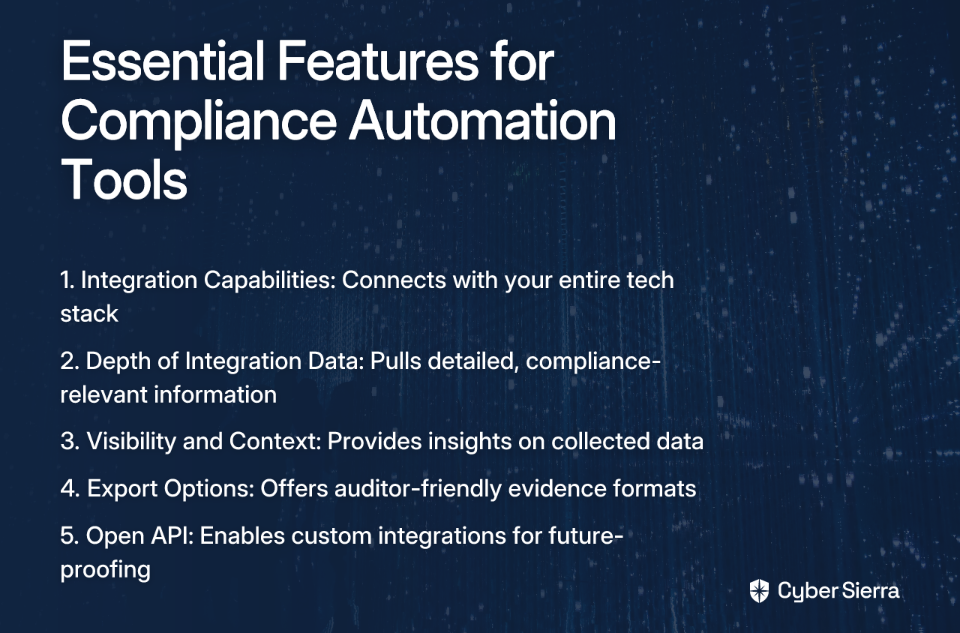
Key GenAI-Powered Features:

  • Intelligent agents that interpret complex regulatory text
  • Proactive risk mitigation by flagging non-compliant actions in real-time
  • Generates detailed reporting and audit trails for regulators

Target Audience: Compliance officers, legal teams, and risk managers in highly regulated industries.

More Info: Norm AI

The Future is Autonomous

The shift towards GenAI agents marks a pivotal moment in cybersecurity. These platforms are moving beyond simple detection to autonomous action, investigation, and compliance management. They represent a fundamental evolution from tools that require constant human guidance to systems that can independently execute complex tasks and workflows.

Yet this transformation comes with a caveat – as noted by security researchers, attackers are already weaponizing the same GenAI technologies to create more sophisticated attacks. This creates an AI arms race where advanced defensive capabilities aren't just nice to have; they're essential for staying ahead of adversaries.

The future of cybersecurity isn't about replacing humans but augmenting them. By leveraging GenAI agents to handle the overwhelming volume of data, alerts, and compliance tasks, security teams can focus on strategic initiatives that truly require human creativity and judgment. Platforms like Cyber Sierra are leading this charge by embedding intelligent automation across the entire security program, enabling organizations to build a more resilient and proactive defense in an increasingly complex threat landscape.
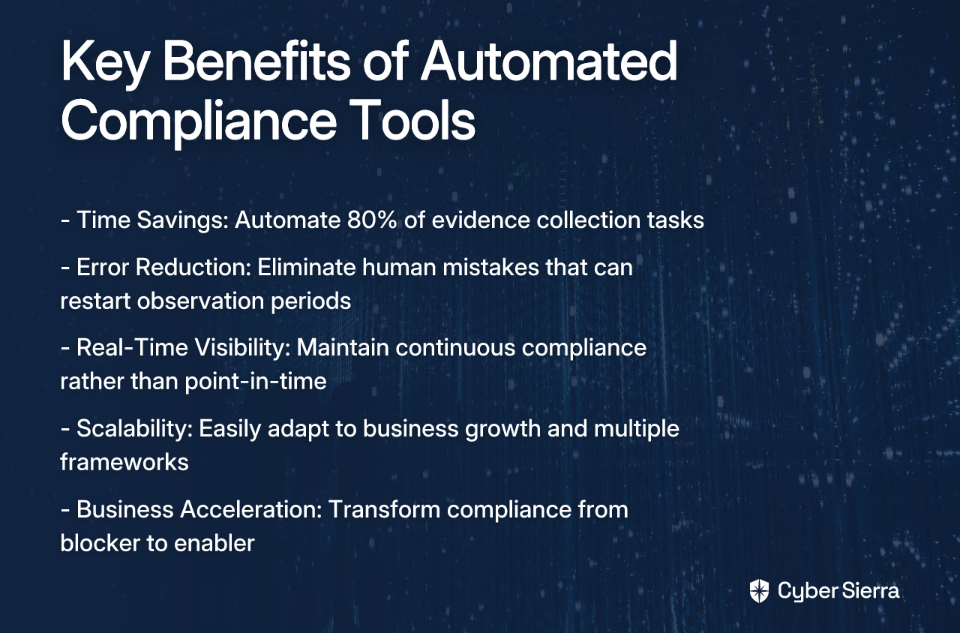
As these technologies continue to mature, we can expect even more seamless integration between human analysts and AI agents, creating hybrid security operations that combine the best of both worlds – the intuition and adaptability of human experts with the speed, consistency, and tirelessness of autonomous AI systems.
Frequently Asked Questions

What are GenAI agents in cybersecurity?

GenAI agents in cybersecurity are autonomous AI systems that can independently perform complex, multi-step tasks like incident response, compliance monitoring, and threat hunting without constant human supervision. Unlike traditional AI that primarily focuses on pattern matching and detection, GenAI agents can understand context, reason through problems, and take action. They leverage generative models to analyze data, generate reports, and even interact with other security tools, acting as a force multiplier for security teams.

How do GenAI agents improve security operations?

GenAI agents improve security operations by automating repetitive and time-consuming tasks, operating 24/7 without fatigue, and enabling faster, more consistent decision-making across functions like alert triage, compliance, and vendor risk management. This automation frees up human analysts from low-level, high-volume work, such as investigating every single alert or manually collecting compliance evidence. This allows them to focus on more strategic initiatives, like threat hunting for novel attacks and refining security strategy, ultimately making the entire security program more efficient and effective.

Will GenAI agents replace cybersecurity professionals?

No, GenAI agents are not expected to replace cybersecurity professionals but rather to augment their capabilities and handle tasks that are overwhelming in scale. The goal is to create hybrid security operations where AI handles the repetitive, data-intensive work, while humans focus on strategic thinking, complex problem-solving, and creative threat hunting that require intuition and judgment. This allows security teams to become more effective and less prone to burnout.

What is the difference between a GenAI agent and a security copilot?

The primary difference lies in the level of autonomy. A security copilot, like Microsoft Security Copilot, primarily acts as an AI assistant to a human analyst, requiring user prompts to perform tasks. A GenAI agent, particularly in platforms like Cyber Sierra or Darktrace, can operate autonomously to perform tasks like continuous monitoring or threat containment without direct human intervention. Think of a copilot as a powerful tool that enhances an analyst's capabilities, helping them investigate faster. An agent is a system that can be delegated a full workflow, which it executes independently from start to finish, escalating to a human only when necessary.

How do I choose the right GenAI security platform?

Choosing the right GenAI security platform depends on your specific needs. For organizations focused on automating governance, risk, and compliance (GRC) and vendor risk, a platform like Cyber Sierra is ideal. If your primary challenge is alert fatigue in a Security Operations Center (SOC), tools like Radiant Security or Dropzone AI are strong contenders. For advanced threat hunting and analysis, platforms like SentinelOne (Purple AI) or Google SecOps provide powerful capabilities. The key is to identify your biggest pain points and select a tool that directly addresses them.

toaster icon

Thank you for reaching out to us!

We will get back to you soon.