blog-hero-background-image
Cyber Security

Top 7 Ways Visual Risk Dashboards Improve Board-Level Communication

backdrop
Table of Contents

Join thousands of professionals and get the latest insight on Compliance & Cybersecurity.


Summary

  • CISOs often struggle to translate technical security data into business terms, leading to misaligned priorities and strategic vulnerabilities when boards cannot make informed decisions.
  • Visual risk dashboards bridge this communication gap by converting complex metrics into intuitive, business-relevant visuals like heat maps and color-coded statuses.
  • By providing a real-time, holistic view of organizational risk, dashboards enable proactive management, align security with business goals, and streamline compliance reporting.
  • Implementing an integrated Governance, Risk & Compliance (GRC) platform automates data consolidation, providing the actionable intelligence needed to elevate board-level conversations.

You've prepared your cybersecurity briefing for the board meeting. After weeks of gathering data, analyzing vulnerabilities, and documenting compliance statuses, you're ready to present. Ten minutes in, you notice the glazed eyes. The board members are nodding politely, but the technical details are clearly not resonating. When the Q&A begins, their questions reveal they've missed your core message entirely.

Sound familiar? You're not alone.

CISOs and security leaders face a fundamental challenge: translating complex technical information into business insights that resonate with executives who speak a different language. As one security professional noted, "keeping it at the high-level is so important to maintain that engagement from board members who don't have specific backgrounds in cyber security."

The problem isn't just a communication gap—it's a strategic vulnerability. When boards don't fully grasp security risks, they can't make informed decisions about resource allocation, risk tolerance, or strategic initiatives. This disconnect leads to misaligned priorities and inadequate support for critical security measures.

Visual risk dashboards offer a powerful solution. Rather than drowning board members in technical jargon or overwhelming them with raw data, these dashboards translate complex security information into clear, intuitive visuals that tell a compelling story about organizational risk.

Let's explore the seven key ways visual risk dashboards transform board-level communication, turning technical complexity into strategic clarity.
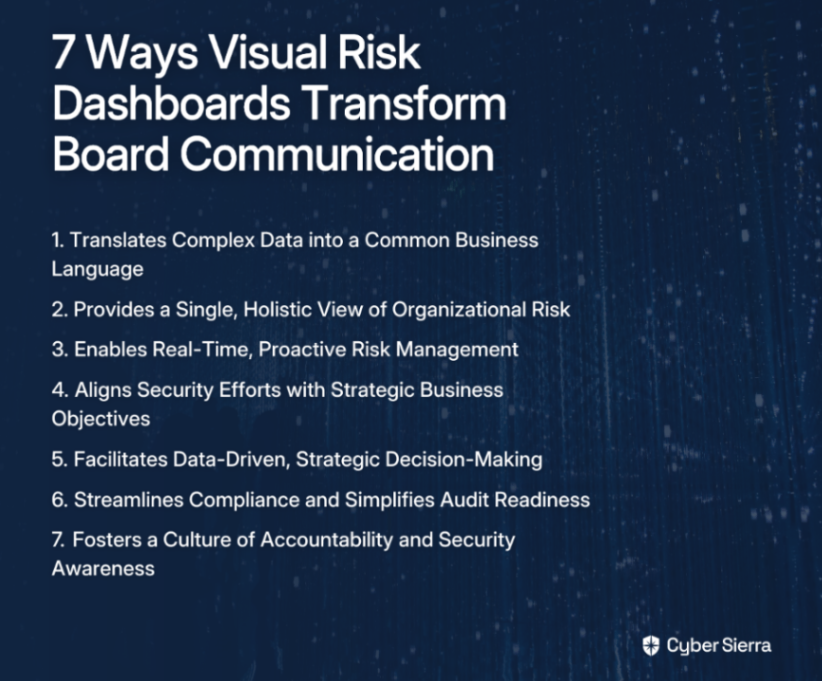
1. Translates Complex Data into a Common Business Language

Security teams speak in vulnerabilities, patches, and controls. Board members speak in financial impact, strategic goals, and business risk. Visual dashboards bridge this divide by converting technical metrics into business-relevant visuals.

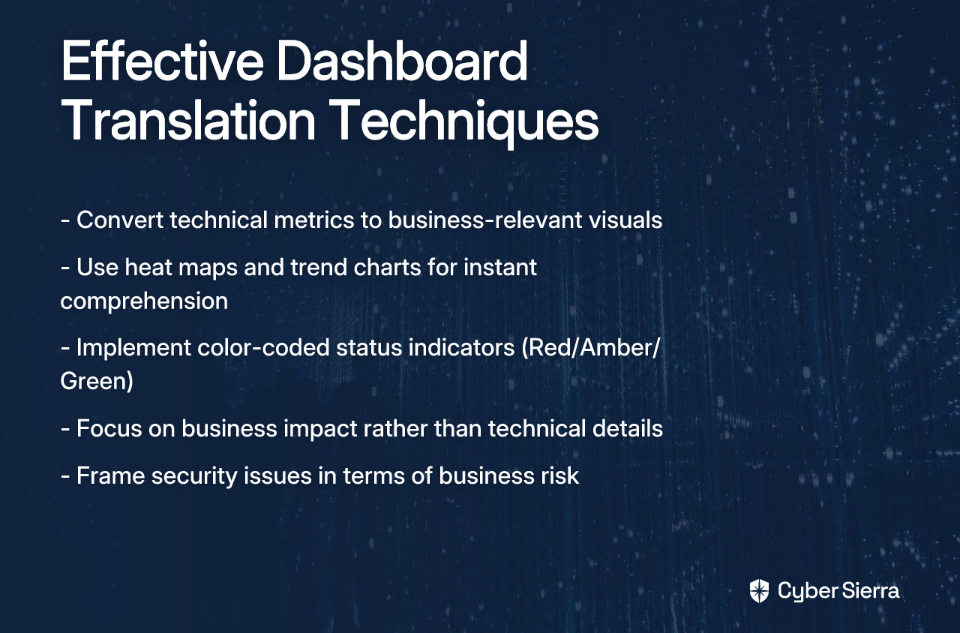
Instead of presenting spreadsheets of vulnerability data, effective dashboards use heat maps, trend charts, and simple color-coded statuses (Red/Amber/Green) to instantly convey risk levels. This visual approach strips away technical complexity without sacrificing meaningful insights.

As noted in research by NC State University, "Visual risk dashboards transform complex data into easily digestible formats, enhancing the ability of board members to make informed decisions quickly." This visual translation keeps discussions focused on business relevance rather than technical implementation.

For example, rather than reporting "27 critical vulnerabilities detected in the CRM system," a dashboard might display a red indicator for "Customer Data Risk" with a trend line showing increasing exposure—a message that resonates instantly with business leaders.
2. Provides a Single, Holistic View of Organizational Risk

Organizational risk spans multiple domains—from financial and operational to compliance and reputational. Yet these risks are often managed in silos, creating dangerous blind spots at the executive level.

A comprehensive visual dashboard consolidates data from disparate sources—vulnerability scans, compliance trackers, asset inventories, and vendor assessments—into a unified view. This eliminates fragmentation and provides executives with the complete risk picture needed for strategic oversight.

This holistic view is particularly vital for Third Party Risk Management (TPRM). With 35% of directors concerned about third-party data breaches, visualizing supply chain risk exposure in context with other security domains provides crucial perspective.

Integrated platforms like Cybersierra combine data from multiple security functions, including Continuous Control Monitoring (CCM) and Third-Party Risk Management, to deliver this comprehensive risk landscape to decision-makers.

3. Enables Real-Time, Proactive Risk Management

Static quarterly reports are increasingly inadequate in today's dynamic threat landscape. By the time a traditional report reaches the board, the information is already outdated. Visual dashboards provide near real-time insights, allowing executives to understand the current risk posture, not the posture from three months ago.

This real-time visibility shifts the organization from reactive to proactive. Boards can observe emerging threats, track remediation progress, and identify concerning patterns as they develop. For example, if a dashboard shows a sudden spike in failed Multi-Factor Authentication (MFA) attempts across executive accounts, leadership can immediately discuss potential targeted attacks rather than waiting for the next quarterly security review.

As one security practitioner mentioned in an online discussion, having "alerts on for when things flag a control that's not up to standard" is valuable for maintaining continuous awareness of compliance status. This is the essence of Continuous Compliance Monitoring (CCM)—moving from periodic assessment to ongoing vigilance.

Modern platforms automate data collection and dynamically update risk scores, ensuring that decision-makers are always working with current information. This transforms cybersecurity from a point-in-time activity to a continuous business process aligned with the pace of modern threats.

4. Aligns Security Efforts with Strategic Business Objectives

One of the most common board frustrations is the disconnect between security initiatives and business strategy. Visual dashboards address this by explicitly mapping security metrics to strategic objectives.

This means moving beyond "vanity metrics" like total vulnerabilities patched to meaningful Key Performance Indicators (KPIs) that demonstrate business impact. For example, rather than reporting on technical details of a security implementation, dashboards can visualize:

  • Risk reduction in new product launches
  • Security readiness for market expansion
  • Compliance status for entering regulated industries
  • Vendor risk exposure in strategic partnerships

When security is presented in the context of business goals, it transforms from a technical function to a strategic enabler. This contextual approach resonates with board members who need to see how security investments support overall organizational objectives.

As noted in a comprehensive guide on risk dashboards, "Risk metrics can be aligned with organizational objectives, ensuring that risk monitoring supports strategic plans." This alignment is essential for securing board-level engagement and support.
5. Facilitates Data-Driven, Strategic Decision-Making

A well-designed dashboard doesn't just present data—it facilitates conversation and decision-making. Interactive dashboards allow users to drill down from high-level summaries to investigate specific areas of concern, enabling dynamic exploration during board discussions.

For example, if a dashboard shows elevated risk in the company's European operations, board members can immediately drill into the specifics—perhaps discovering that new GDPR compliance requirements are driving the increased risk score. This interactive capability transforms static presentations into collaborative problem-solving sessions.

By visualizing risk exposure against risk appetite, dashboards provide the clarity needed for informed decisions about:

  • Security budget allocations
  • Risk acceptance vs. mitigation choices
  • Technology investment priorities
  • Resource deployment across the organization

This data-driven approach elevates security discussions from subjective opinions to evidence-based decision-making. As one study notes, dashboards "encourage collaborative decision-making by providing all board members with access to the same information," creating a shared foundation for strategic security governance.

6. Streamlines Compliance and Simplifies Audit Readiness

Managing compliance across multiple frameworks (SOC 2, ISO 27001, GDPR, HIPAA) is a massive undertaking that often consumes significant security resources. Visual dashboards can dramatically simplify this complexity by providing clear visibility into compliance status across all relevant frameworks.

Effective dashboards map controls to various regulatory requirements, automate evidence collection, and highlight areas of non-compliance. This visualization transforms compliance from a stressful, manual, point-in-time event to a continuous, manageable process—a key aspect of audit readiness.

For board members concerned about regulatory risk, these visualizations provide immediate answers to critical questions:

  • Are we compliant with industry regulations?
  • Where are our compliance gaps?
  • How quickly can we remediate issues?
  • What's our audit readiness status?

This capability is particularly valuable given the increasing board-level focus on compliance risk. As one survey respondent noted, maintaining "audit readiness" is a primary concern for security teams implementing continuous monitoring solutions.

Platforms with Governance, Risk & Compliance (GRC) capabilities can automate data collection, provide continuous control monitoring, and maintain detailed audit trails. This dramatically reduces the administrative burden while keeping the organization perpetually prepared for regulatory scrutiny.

7. Fosters a Culture of Accountability and Security Awareness

When risk is visualized and clearly communicated at the board level, it ceases to be "an IT problem" and becomes a shared organizational responsibility. Visual dashboards provide transparency into risk ownership, highlighting which business units or executives are accountable for specific risk areas.

This transparency drives accountability throughout the organization. When the board can clearly see which departments have outstanding high-risk vulnerabilities or compliance gaps, it naturally creates pressure to address these issues promptly. Conversely, when strong security performance is visible, it can be recognized and rewarded.

Beyond accountability, this visibility fosters broader security awareness. Board members who regularly review security dashboards develop a deeper understanding of the organization's security posture, making them more effective advocates for security initiatives and investments.

This top-level engagement is crucial for cultivating a proactive, risk-aware culture throughout the company. It reinforces the message that security is everyone's job—from the boardroom to the breakroom.

Conclusion: From Information to Insight

Visual risk dashboards are far more than pretty pictures—they're strategic communication tools that transform complex security data into business insights. By bridging the language gap between technical teams and the board, these dashboards enable more informed governance, better resource allocation, and stronger security outcomes.

The seven benefits we've explored—translating technical complexity, providing holistic visibility, enabling proactive management, aligning with business strategy, facilitating data-driven decisions, streamlining compliance, and fostering accountability—collectively transform how organizations understand and manage cybersecurity risk at the highest levels.

In an era of increasing cyber threats and regulatory pressure, clear board-level communication isn't just helpful—it's essential for organizational resilience. The right visual dashboard doesn't merely inform; it empowers leadership to make strategic security decisions with confidence.

Achieving this level of visibility requires a powerful, integrated platform that can collect, analyze, and visualize security data from across the organization. Solutions like Cybersierra bring together Continuous Control Monitoring, Third-Party Risk Management, Governance, Risk & Compliance, and more to provide the actionable intelligence needed to elevate your board-level conversations.

By implementing effective visual risk dashboards, security leaders can transform technical complexity into strategic clarity—ensuring that the board not only sees the pretty pictures but understands the profound story they tell about organizational risk.

Frequently Asked Questions

What is a visual risk dashboard and why is it important for board communication?

A visual risk dashboard is a strategic tool that translates complex security and compliance data into easily understandable graphical representations. It is critically important for board communication because it bridges the language gap between technical security teams and non-technical executives, allowing leaders to grasp the organization's risk posture quickly and make informed, data-driven decisions.

How do visual risk dashboards translate complex security data for a non-technical audience?

Visual risk dashboards translate complex data by using intuitive visual elements like color-coded statuses (Red/Amber/Green), heat maps, trend lines, and summary charts. Instead of showing raw numbers like "1,500 low-level vulnerabilities," a dashboard presents this information as a "Low" risk rating for a specific business unit, focusing on business impact rather than technical minutiae.

What key metrics should a cybersecurity dashboard for the board include?

A board-level cybersecurity dashboard should focus on high-level, business-relevant metrics rather than granular technical data. Key metrics often include an overall organizational risk score, compliance status against key regulations (like SOC 2 or GDPR), third-party and supply chain risk levels, progress on major security initiatives, and alignment of security posture with the company's stated risk appetite.

Why are real-time dashboards better than traditional static security reports?

Real-time dashboards are superior to static reports because they provide a current, dynamic view of the organization's risk posture, whereas traditional reports are outdated the moment they are printed. This allows for proactive risk management, enabling the board to see emerging threats and track remediation progress as it happens, rather than reacting to historical data from weeks or months ago.

How can a risk dashboard help with compliance and audit readiness?

A risk dashboard streamlines compliance and audit readiness by providing a centralized, continuous view of your compliance status across multiple frameworks. It automates the collection of evidence, maps controls to different regulatory requirements, and visually highlights any gaps or areas of non-compliance, ensuring the organization is perpetually prepared for audits and regulatory scrutiny.

What are the first steps to implementing a visual risk dashboard for my board?

The first steps to implementing a visual risk dashboard involve understanding your audience and objectives. Start by identifying key business goals and risks that matter to your board, then define the Key Performance Indicators (KPIs) that best represent them. Finally, choose an integrated GRC platform, like Cybersierra, that can consolidate data from various sources and present it in a clear, actionable format tailored for executive leadership.
Ready to transform your board-level security communications? Book a demo to see how an integrated risk management platform can elevate your security governance.
blog-hero-background-image
Cyber Security

How to Reduce Security Operations Costs by 60% with Automation

backdrop
Table of Contents

Join thousands of professionals and get the latest insight on Compliance & Cybersecurity.


Summary

  • Security operations costs are spiraling due to a global talent shortage and excessive manual labor, but strategic automation can slash these costs by up to 60%.
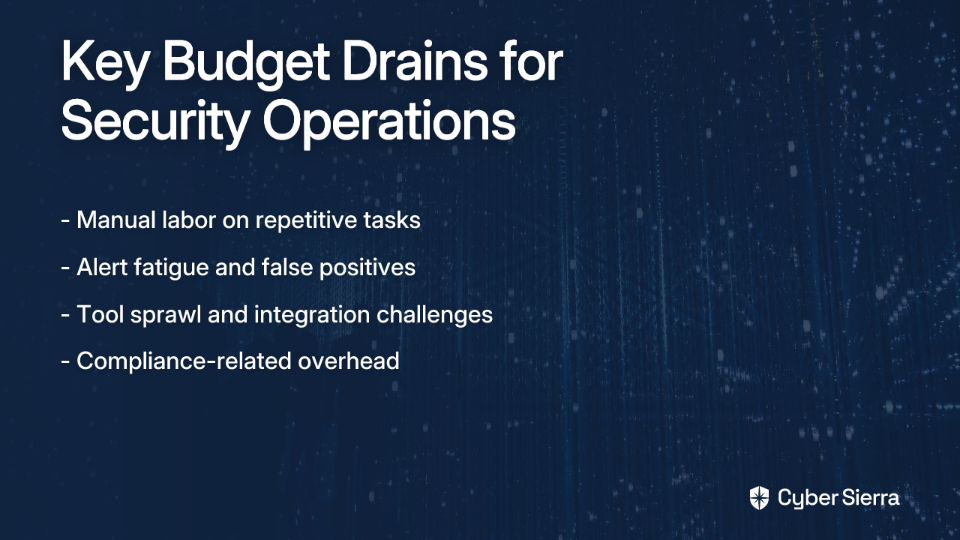
  • The biggest budget drains are manual compliance tasks, inefficient vendor risk management, and alert fatigue, which slow down teams and increase risk.
  • Focus automation efforts on high-impact areas like Governance, Risk, and Compliance (GRC), Third-Party Risk Management (TPRM), and Continuous Control Monitoring (CCM) to see the greatest returns.
  • Integrated platforms like Cyber Sierra automate these critical functions, transforming security from a cost center into a proactive, strategic advantage.

You've set up a robust security operations center. You've invested in top-tier talent, implemented cutting-edge tools, and diligently followed best practices. Yet your security budget continues to balloon while your team drowns in alerts, manual tasks, and compliance paperwork.

In an era where cyber threats are multiplying exponentially but security budgets are under intense scrutiny, security leaders face what feels like an impossible dilemma: how do you strengthen your security posture while simultaneously reducing operational costs?

The Unwinnable Battle: Balancing Rising Threats and Shrinking Budgets

If you're struggling to justify your security operations costs, you're not alone. According to discussions across professional forums, organizations are increasingly "facing challenges in finding cost reduction options within their cybersecurity budgets" while simultaneously harboring "doubts regarding the value added by SOC services."

This tension is exacerbated by a critical reality: there's a global shortage of 3.9 million cybersecurity professionals, creating a perfect storm of higher salary demands, increased recruitment costs, and constant retention challenges. This shortage isn't just a hiring inconvenience—it's directly inflating your operational expenses.

But what if there was a way to break this cycle? What if automation could be the key to not just marginal savings, but a transformative 60% reduction in security operations costs?

Why Your Security Operations Budget is Spiraling

Before diving into solutions, it's crucial to understand exactly what's draining your security budget:

The Manual Labor Tax

The most expensive component of security operations isn't your technology—it's the human hours spent on repetitive, low-value tasks. Security teams report "time management concerns driving the need for automation" as they struggle with:

  • Manual log analysis and correlation
  • Repetitive compliance documentation
  • Time-consuming vulnerability management
  • Labor-intensive vendor risk assessments

The High Cost of Alert Fatigue

Without automation, security analysts become overwhelmed by the sheer volume of alerts—many of which are false positives. This leads to:

  • Decreased analyst effectiveness and morale
  • Higher turnover rates among skilled professionals
  • Critical alerts potentially being missed
  • Slower response times to genuine threats

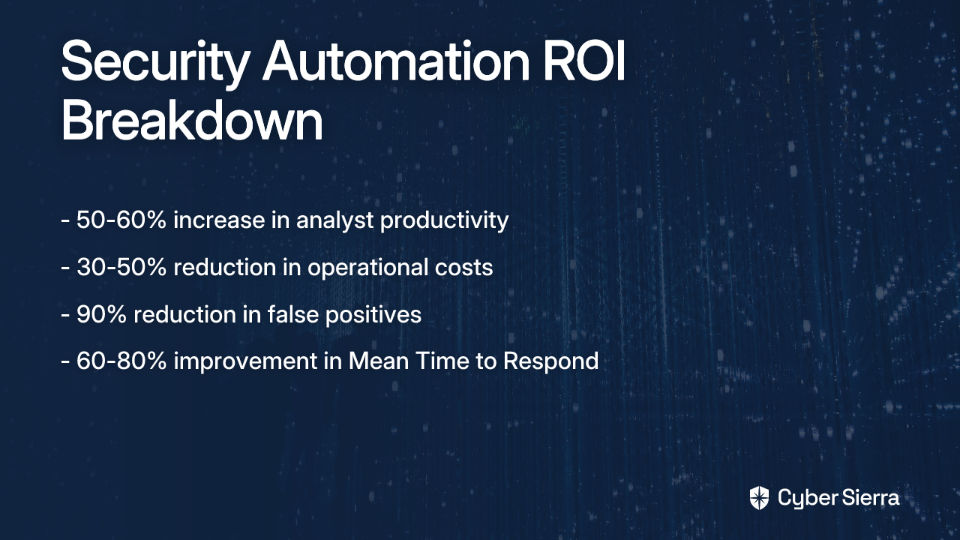
Research shows that automation can achieve a 90% reduction in false positives, freeing up analysts to focus on what matters. This isn't just about efficiency—it directly impacts retention and job satisfaction, with studies showing a 25-35% increase in job satisfaction for analysts in highly automated environments.

Tool Sprawl & Integration Nightmares

Many security operations centers suffer from a proliferation of disconnected tools:

  • SIEM systems that don't integrate with case management
  • Endpoint protection platforms isolated from network monitoring
  • GRC tools disconnected from vulnerability scanners
  • Third-party risk management systems operating in silos

This lack of integration creates massive operational overhead as teams manually correlate data across systems.

The Automation Blueprint: 4 High-Impact Areas to Slash Costs

Let's move beyond theory to practical implementation. Here are the four most impactful areas where automation can dramatically reduce your security operations costs:

1. Governance, Risk, and Compliance (GRC) Automation

The Pain: Manual evidence gathering for audits is incredibly labor-intensive. Many organizations struggle with managing multiple compliance frameworks simultaneously, leading to what industry professionals call "compliance fatigue." The scope of this challenge is massive—the global GRC market was valued at USD 32.2 billion in 2021 and is growing at a 14.5% CAGR through 2030.

The Solution: Automating GRC processes can transform compliance from a periodic scramble into a continuous, efficient process:

  1. Establish Clear Objectives: Define your goals and involve stakeholders from legal, IT, and compliance departments.
  2. Assess Current Processes: Identify bottlenecks and map existing workflows to understand where automation will have the greatest impact.
  3. Select the Right Tools: Choose technology that fits your current and future compliance needs across multiple frameworks.
  4. Implement with Change Management: Provide training and establish data quality controls to ensure successful adoption.

Platforms like Cyber Sierra's GRC module are designed to execute this blueprint, automating data collection, risk assessments, and control monitoring to make enterprises audit-ready in a fraction of the time.

2. Third-Party Risk Management (TPRM) Automation

The Pain: Security professionals frequently report "slow vendor onboarding times" and "complexity of TPRM tools leading to inefficiency." Traditional vendor assessment relies on point-in-time questionnaires that quickly become outdated and require enormous manual effort to maintain.

The Solution: Automating vendor risk assessments can reduce onboarding time from weeks to hours:

  • Automated vendor questionnaire distribution and tracking
  • Continuous monitoring of vendor security postures
  • Automated risk scoring and prioritization
  • Real-time alerts for changes in vendor security status

For example, Cyber Sierra's TPRM platform automates the entire vendor lifecycle, from initial assessment through continuous monitoring, ensuring your supply chain doesn't become your biggest vulnerability.

3. Incident Response & Threat Hunting (SOAR)

The Pain: Security teams waste precious time on manual triage, investigation, and response processes. Each minute spent manually investigating an alert increases both operational costs and potential breach impacts.

The Solution: Security Orchestration, Automation and Response (SOAR) technologies integrate security tools and automate incident response playbooks:

  • Automated alert triage and enrichment
  • Playbook-based response to common incident types
  • Automated evidence gathering and documentation
  • Streamlined escalation processes

The impact is substantial:

4. Continuous Control Monitoring (CCM)

The Pain: Traditional security control validation happens through periodic, manual checks that leave organizations vulnerable between assessments and drain valuable security resources.

The Solution: Shift from periodic audits to continuous, automated control validation:

  • Automated testing and validation of security controls
  • Real-time detection of control failures or misconfigurations
  • Centralized visibility into control effectiveness
  • Automated evidence collection for compliance purposes

Continuous Control Monitoring transforms compliance from a point-in-time exercise into a continuous, automated process, dramatically reducing the manual effort required while improving your security posture.

The ROI of Automation: Deconstructing the 60% Savings

Let's break down exactly how automation translates into that promised 60% cost reduction:

Fewer Hands, More Brains

Automation doesn't mean replacing your security team—it means elevating them from mundane tasks to high-value work:

  • With a 50-60% increase in analyst productivity, your existing team can handle a higher volume of work
  • Analysts can pivot from alert triage to proactive threat hunting
  • Junior analysts can take on more responsibilities with automated guidance
  • Senior resources can focus on strategic initiatives rather than routine operations

Slashing Incident Costs

Faster response directly equals lower costs:

  • Reduced dwell time for attackers in your environment
  • Fewer incidents escalating to major breaches
  • Lower remediation costs through earlier containment
  • Reduced risk of regulatory penalties and legal fees

Direct Operational Savings

The numbers speak for themselves:

  • 30-50% reduction in operational costs through basic automation
  • Up to 60% savings with comprehensive automation strategies
  • 90% reduction in false positives, dramatically reducing wasted effort

Optimizing Your Security Stack

An integrated automation approach can also help rationalize your security tool investments:

  • Consolidate overlapping tools and functions
  • Reduce licensing costs through platform approaches
  • Decrease integration and maintenance overhead
  • Improve return on existing security investments

Navigating the Pitfalls: Common Challenges in Security Automation

Automation isn't a magic bullet, and security professionals rightfully express a "desire for personal oversight and concerns about fully automated systems". To implement automation successfully, you'll need to navigate these common challenges:

Integration Complexity

Many organizations struggle with "difficulty automating processes, particularly with Microsoft security products" and other legacy systems. The solution:

  • Start with platforms designed for integration
  • Prioritize open APIs and pre-built connectors
  • Consider unified platforms that reduce integration points

Misconfiguration Risks

Poorly implemented automation can create new security risks:

  • Begin with "human-in-the-loop" automation where critical actions require approval
  • Implement thorough testing of automated workflows
  • Start with low-risk use cases before automating critical functions

Change Management Challenges

Automation requires shifts in processes and team responsibilities:

  • Involve security analysts in automation design from the start
  • Provide clear training on new workflows and technologies
  • Communicate the value automation brings to individual roles

Transforming Security from a Cost Center to a Strategic Enabler

Automation isn't just about cost-cutting—it's about fundamentally transforming how security functions within your organization:

  • From reactive firefighting to proactive risk management
  • From compliance burden to continuous assurance
  • From constant resource requests to demonstrable efficiency
  • From technical overhead to business enablement

The first step is to assess your own operations. Where is your team spending the most time on manual, repetitive work? Which tasks cause the most frustration and burnout? Answering these questions is the start of your automation journey.

Integrated platforms like Cyber Sierra provide the tools to automate GRC, vendor risk, and control monitoring, helping you transform security operations from a reactive cost center into a proactive, strategic advantage.

By embracing automation strategically, you can achieve that elusive goal: strengthening your security posture while simultaneously reducing costs by up to 60%.

Frequently Asked Questions

How can I reduce my security operations costs?

You can significantly reduce security operations costs by implementing automation in key areas. Automation tackles the biggest budget drains, such as manual labor on repetitive tasks, managing high volumes of false positive alerts, and the overhead from a lack of tool integration. By automating processes, you can achieve up to a 60% reduction in operational expenses.

What are the best areas to start with for security automation?

For the highest impact, start by automating Governance, Risk, and Compliance (GRC), Third-Party Risk Management (TPRM), and incident response (SOAR). These areas are typically labor-intensive and ripe for efficiency gains. Automating GRC reduces audit preparation time, TPRM automation speeds up vendor onboarding, and SOAR dramatically cuts down incident response times.

Will security automation make my security analysts redundant?

No, security automation is designed to augment, not replace, your security team. It elevates analysts by freeing them from mundane, repetitive tasks like manual log analysis and false positive triage. This allows them to focus on higher-value activities such as proactive threat hunting, strategic analysis, and managing complex incidents, leading to a 50-60% increase in productivity and higher job satisfaction.

What is the real ROI of security automation?

The return on investment (ROI) for security automation is substantial and multifaceted. Financially, it can reduce operational costs by 30-60%. Operationally, it leads to a 90% reduction in false positives and improves Mean Time to Respond (MTTR) by 60-80%. Strategically, it increases analyst productivity and retention, transforming your security team from a reactive cost center into a strategic business enabler.

Why is tool integration so important for successful automation?

Tool integration is crucial because disconnected security tools (a problem known as "tool sprawl") create massive operational overhead and data silos. Successful automation, especially through SOAR platforms, relies on seamless communication between your SIEM, endpoint protection, GRC tools, and other systems. An integrated approach ensures that automated workflows can execute end-to-end without manual intervention, maximizing efficiency and effectiveness.

How does automating GRC and compliance save money?

Automating Governance, Risk, and Compliance (GRC) saves money by drastically reducing the manual labor required for audits and continuous monitoring. Instead of periodic, time-consuming evidence gathering, automation provides continuous control validation and real-time data collection. This minimizes the human hours spent on compliance tasks, reduces "compliance fatigue," and ensures the organization is perpetually audit-ready, cutting down on both direct labor costs and the indirect costs of non-compliance.


Ready to explore how automation can transform your security operations? Contact Cyber Sierra for a personalized assessment of your automation opportunities.

blog-hero-background-image
Cyber Security

How to Optimize Security Team Productivity with AI-Assisted Workflows

backdrop
Table of Contents

Join thousands of professionals and get the latest insight on Compliance & Cybersecurity.


Summary

  • Automated security operations can reduce threat detection and response times by up to 75%, helping teams overcome overwhelming alert fatigue.
  • To effectively leverage AI, shift from using standalone tools to integrating AI into workflows for threat detection, compliance, and vulnerability management.
  • Adopt a "human-in-the-loop" model where AI assists with the bulk of the work, but human experts provide final validation and strategic oversight.
  • Integrated platforms like Cybersierra provide purpose-built AI workflows to automate GRC, TPRM, and threat intelligence, boosting your team's productivity.

You've set up ChatGPT to help your security team draft documentation. But when you review the output, it's littered with technical inaccuracies that would take longer to fix than writing from scratch. You're starting to wonder if AI in cybersecurity is just another overhyped technology that creates more problems than it solves.

Sound familiar? You're not alone. Security professionals across forums describe AI tools as producing "complete horseshit" or being "underwhelming, but not useless." Many complain that "anything complex and it shits the bed."

The problem isn't AI itself—it's how we're applying it. When integrated thoughtfully into security workflows rather than used as a standalone solution, AI becomes a powerful force multiplier that can dramatically increase your team's productivity.

This article cuts through the hype to provide a practical guide on leveraging AI-assisted workflows to automate tedious tasks, accelerate response times, and free up your security professionals for high-value strategic work.

The Modern Security Team's Dilemma: Drowning in Data, Starved for Time

Today's security operations are becoming increasingly complex. Teams face:

The urgency of addressing these challenges can't be overstated. According to the Cloud Security Alliance, the global AI market is projected to grow with a CAGR of 36.6% by 2030, signaling a massive technological shift. A Deloitte study reveals that 69% of enterprises now consider AI essential for cybersecurity due to the rising tide of threats.

Let's explore how AI-assisted workflows can address these bottlenecks and transform your security operations.

Core AI-Assisted Workflows to Boost Productivity

Workflow 1: Automating Threat Detection and Incident Response

Security teams are often overwhelmed by alerts. Manually correlating data across different tools is slow and error-prone, delaying critical response times.

AI technologies like Extended Detection and Response (XDR) and Security Orchestration, Automation, and Response (SOAR) can analyze vast volumes of data from various sources (endpoints, networks, cloud) in real-time to identify patterns and anomalies that might indicate a threat.

More importantly, these systems can automatically initiate countermeasures such as isolating an infected system or deploying a patch, significantly reducing the manual workload on analysts.

The productivity impact is substantial: automated Security Operations Centers can reduce the average time to detect and respond to threats by up to 75%, according to BitLyft. This frees up SOC analysts from chasing low-level alerts to focus on complex threat hunting and investigation.

Workflow 2: Streamlining Governance, Risk, and Compliance (GRC)

GRC is notoriously manual and repetitive. Security teams often spend weeks gathering screenshots, chasing evidence, and managing spreadsheets for multiple compliance frameworks (NIST, ISO 27001, PCI DSS, GDPR).

AI-driven platforms can automate the entire compliance lifecycle:

Cybersierra's GRC platform provides a central controls repository, automates data collection and risk assessments, and manages multiple frameworks from a single dashboard, drastically reducing audit fatigue and preparation time. Their system uses AI-enabled Natural Language Processing (NLP) to help decipher complex regulatory language, simplifying compliance tasks for the team.

Workflow 3: Proactive Vulnerability and Attack Surface Management

Security teams struggle to prioritize which of the thousands of vulnerabilities (CVEs) to fix first. Traditional scanning is periodic, leaving windows of exposure.

AI uses predictive analytics to forecast potential incidents and prioritizes vulnerabilities based on true risk—considering factors like exploitability, asset criticality, and existing security controls.

As noted by Palo Alto Networks, AI enhances vulnerability management by identifying and prioritizing weaknesses for swift mitigation, moving teams from reactive patching to proactive defense.

The result? Teams focus their limited resources on the vulnerabilities that pose the greatest actual threat, rather than just those with high CVSS scores. Cybersierra's Threat Intelligence module provides a comprehensive security scorecard, performs continuous network and cloud vulnerability scanning, and helps teams manage remediation efforts from an outside-in perspective.

Workflow 4: Optimizing Third-Party Risk Management (TPRM)

Manually assessing hundreds of vendors with static questionnaires is inefficient and provides only a point-in-time snapshot of their security posture.

AI-assisted TPRM platforms automate vendor assessments and provide continuous monitoring of their security posture. These platforms automatically scan the external attack surface of vendors, monitor for compliance changes, and send alerts when corrective action is needed.

Cybersierra's TPRM platform automates the vendor risk lifecycle by prioritizing vendors based on risk, providing near real-time visibility into their security compliance, and streamlining onboarding and due diligence. This shifts the team's focus from administrative work (chasing questionnaires) to strategic risk management of high-risk vendors.

Workflow 5: Building a Smarter "Human Firewall"

Generic, one-size-fits-all security training is often ignored by employees and fails to address specific role-based risks. AI can personalize security training and phishing simulations based on an employee's role, behavior, and performance in previous tests.

Cybersierra's Employee Security Training module uses interactive training, quizzes, and simulated phishing campaigns to build a security-conscious culture, providing a dashboard overview of the organization's security quotient. Automating the campaign and training delivery frees up the security team to focus on analyzing results and addressing high-risk employee groups.

Making AI Work for You: Overcoming the Pitfalls

While the potential of AI in security is enormous, it comes with challenges that must be addressed head-on.

The "Garbage In, Garbage Out" Principle

Many security professionals complain that "outdated training data limits the effectiveness of AI tools." The quality of AI outputs is directly tied to the quality of inputs it receives.

Recommendation: Emphasize prompt engineering. As one security professional noted on Reddit, "Your results will be much much better if you give it better/clearer prompts." Consider using advanced techniques like persona prompts ("Act as a senior SOC analyst...") to guide the AI toward more accurate and relevant outputs.

Trust but Verify: The Human-in-the-Loop Model

AI makes mistakes and requires oversight. One security professional mentioned using AI to "spruce up and write up new SOPs" but always reviews for accuracy due to "accuracy and relevance issues with the content generated."

Recommendation: Frame AI as an expert assistant, not a replacement. It can generate the first 80% of a report, script (Python, Bash), or policy, but a human expert must provide the final 20% of critical validation and refinement. This approach maximizes productivity while maintaining quality.

Navigating Data Privacy and Security Concerns

There's valid concern that "the danger is relying on someone else's computers" and the risk of exposing critical business information through AI tools.

Recommendation: Use enterprise-grade, purpose-built AI platforms (like Cybersierra) that have robust data security and privacy controls, rather than feeding sensitive internal data into public-facing LLMs. Establish clear internal policies on AI usage and data handling.

A Practical Roadmap for Implementation

Ready to enhance your security team's productivity with AI? Follow this actionable roadmap:

Conclusion: Human + AI, Not Human vs. AI

AI-assisted workflows are transforming security team productivity by automating the mundane, accelerating response, and providing predictive insights. But the goal isn't to replace human intuition and expertise—it's to augment it.

By embracing AI, security teams can shift their focus from firefighting to strategic risk management, becoming more effective and resilient in the face of evolving threats. Integrated platforms like Cybersierra are designed to facilitate this journey by embedding AI and automation across the entire security program, from GRC and TPRM to threat intelligence.

The future of cybersecurity isn't about choosing between human expertise or AI—it's about creating a powerful partnership that leverages the strengths of both. When implemented thoughtfully, AI-assisted workflows don't replace your security team; they make them superhuman.

Frequently Asked Questions

What are AI-assisted workflows in cybersecurity?

AI-assisted workflows are processes where artificial intelligence is integrated into security operations to automate repetitive tasks, analyze vast datasets, and accelerate decision-making. Rather than acting as a standalone tool, AI augments the capabilities of security professionals by handling tasks like alert triage, compliance evidence collection, and vulnerability prioritization, freeing up human experts for more strategic work.

How can AI improve security team productivity?

AI improves security team productivity by drastically reducing the time spent on manual, repetitive tasks. For example, it can automate the correlation of security alerts to identify real threats faster, streamline the collection of evidence for compliance audits, and prioritize thousands of vulnerabilities based on actual risk. This automation allows analysts to shift their focus from low-level data processing to high-impact activities like threat hunting, incident investigation, and strategic defense planning.

Why use a specialized AI security platform over a general LLM like ChatGPT?

Specialized AI security platforms are recommended over general large language models (LLMs) because they are purpose-built with security, accuracy, and data privacy in mind. These platforms are trained on domain-specific cybersecurity data, leading to more accurate and relevant outputs. Unlike public LLMs where you risk exposing sensitive data, enterprise-grade platforms like Cybersierra provide robust security controls and integrate directly with your existing security stack, ensuring your data remains protected.

Will AI replace cybersecurity professionals?

No, AI is not expected to replace cybersecurity professionals but rather to augment their abilities. The "human-in-the-loop" model is crucial, as AI handles the data-heavy, repetitive work while humans provide critical thinking, strategic oversight, and final validation. AI is a tool that acts as a force multiplier, making security teams more efficient and effective, not obsolete.

What is the first step to implementing AI in my security program?

The first step is to assess your current security program and identify the most significant bottlenecks or time-consuming manual processes. Common starting points include areas with high alert volume (SOC operations), repetitive audit preparation (GRC), or manual vendor assessments (TPRM). By starting with a high-impact workflow, you can demonstrate value quickly, measure the ROI, and build momentum for broader adoption.

blog-hero-background-image
Cyber Security

Top 10 Continuous Controls Monitoring Tools CISOs Should Evaluate

backdrop
Table of Contents

Join thousands of professionals and get the latest insight on Compliance & Cybersecurity.


Summary

  • Traditional point-in-time security audits are no longer sufficient, as they create dangerous visibility gaps where controls can fail silently between assessments.
  • Continuous Controls Monitoring (CCM) offers a proactive solution by using technology to automatically and continuously verify that security controls are effective in near real-time.
  • When selecting a CCM tool, prioritize features like automated evidence collection, real-time alerts, broad integrations with your tech stack, and support for multiple compliance frameworks.
  • Unified platforms like Cyber Sierra’s Continuous Control Monitoring (CCM) integrate CCM with GRC and threat intelligence to automate evidence collection and ensure you're always audit-ready.

You've set up your security controls, implemented the latest frameworks, and your team is working tirelessly to maintain compliance. But when audit time comes, you're still scrambling to gather evidence, wondering if those controls have been effective all along. Or worse—you discover controls have failed silently for months, leaving your organization vulnerable.

"We had our eye on a continuous compliance/monitoring tool that works in the background without much fuss," shares a frustrated GRC professional on Reddit. "One that does checks in real time, catches issues, and just works without us having to keep an eye on it the whole time."

If this sounds familiar, you're not alone. Today's CISOs face a daunting challenge: maintaining continuous compliance across increasingly complex environments while dealing with limited resources and growing regulatory demands.

The CISO's Dilemma: Why Point-in-Time Audits Are No Longer Enough

Traditional point-in-time assessments leave dangerous gaps in your security posture. The days between audits represent an unknown risk landscape where controls can fail silently, exposures can grow undetected, and your organization remains vulnerable.

Continuous Controls Monitoring (CCM) offers a strategic shift from this reactive approach to a proactive, automated, and continuous one. CCM utilizes technology for ongoing, automated oversight of an organization's controls to ensure they're effective in mitigating risks and maintaining compliance with regulations in near real-time.

This approach has become critical because:

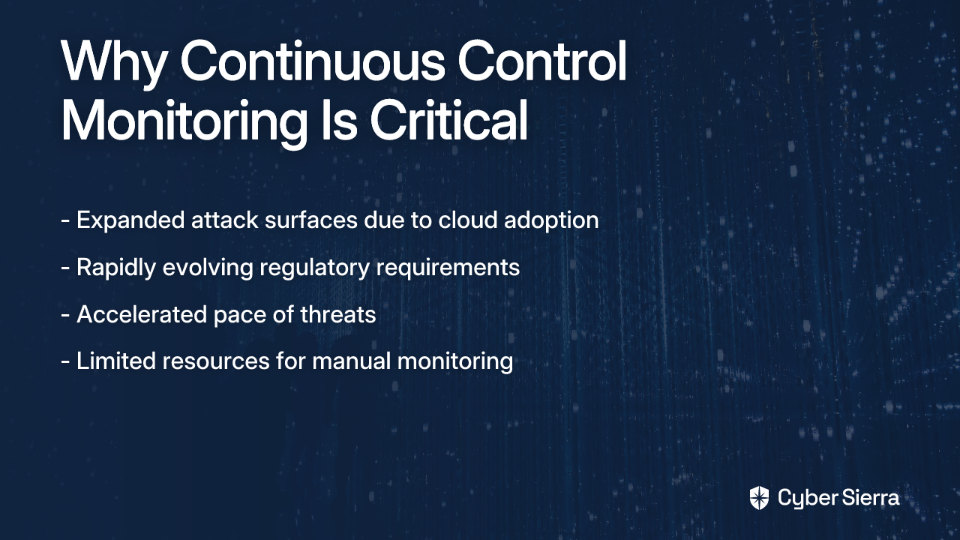
  • Cloud adoption and distributed workforces have expanded attack surfaces dramatically
  • Regulatory requirements continue to multiply and evolve rapidly
  • The pace of threats has accelerated, requiring constant vigilance
  • Resource constraints make manual monitoring impractical for most security teams

As one Reddit user with a small security team but "big infrastructure, big compliance requirements, big AWS footprint, Snowflake, etc." notes, finding the right CCM solution can be game-changing for audit readiness and overall security posture.

Top 10 Continuous Controls Monitoring (CCM) Tools for 2024

Let's examine the leading CCM solutions that should be on every CISO's evaluation shortlist:

1. Cyber Sierra

Best for: Organizations of all sizes seeking a unified, AI-enabled platform to automate and simplify their entire cybersecurity and compliance program.

Cyber Sierra stands out by offering a comprehensive cybersecurity platform that moves beyond basic CCM to integrate governance, risk, compliance, third-party risk management, and threat intelligence into a cohesive solution.

Key Features:

  • Continuous Control Monitoring (CCM): Builds a central controls repository with near real-time updates from your technology stack. Provides clear visibility into security posture through continuous monitoring and delivers actionable risk intelligence across multiple compliance frameworks (NIST, ISO 27001, PCI DSS, GDPR, etc.).
  • AI-Enabled Automation: Automates control testing, validation, and evidence collection, minimizing manual effort. As one user noted about similar precision in automation, "Their AI features are not flashy and they're precise, a pleasant addition."
  • Integrated GRC & TPRM: Seamlessly integrates Governance, Risk & Compliance and Third-Party Risk Management to streamline audits and reduce compliance fatigue.
  • Threat Intelligence & Attack Surface Management: Offers network and cloud infrastructure vulnerability scanning to proactively identify risks.

Cyber Sierra directly addresses the need for a "hands-off" solution that provides unified visibility and control while automating the tedious aspects of compliance management.

2. MetricStream

Best for: Enterprises looking to improve cloud usage and compliance through autonomous monitoring, especially with AWS.

Key Features:

  • Comprehensive GRC platform focused on automated testing and monitoring
  • Seamless integration with cloud environments like AWS
  • Advanced reporting and risk remediation capabilities

3. Pathlock

Best for: Organizations needing to monitor financial and business process controls within transactional applications like SAP and Oracle.

Key Features:

  • Specializes in risk quantification and transaction monitoring
  • Manages business process controls to detect violations and prevent fraud in real-time
  • Provides comprehensive coverage for ERP systems and financial applications

4. ServiceNow GRC

Best for: Organizations already invested in the ServiceNow ecosystem seeking to integrate GRC and risk processes seamlessly.

Key Features:

  • Leverages the robust ServiceNow platform for automation of risk assessments
  • Provides policy and compliance management integrated with IT workflows
  • Offers incident response tracking within the familiar ServiceNow interface

5. Hyperproof

Best for: Teams looking for a user-friendly way to monitor critical controls across various departments and streamline the assessment process.

Key Features:

  • Provides continuous monitoring capabilities with configurable frequency
  • Streamlines evidence collection and assessment processes
  • Offers intuitive dashboards for compliance status visibility

6. Qualys

Best for: Organizations prioritizing cloud-based security and vulnerability management alongside compliance monitoring.

Key Features:

  • Well-known cloud platform providing continuous vulnerability monitoring
  • Offers threat detection and automated compliance reporting
  • Supports a wide range of regulations and frameworks

7. Panaseer

Best for: Security teams focused on active security posture management and gaining a data-driven view of their cyber assets.

Key Features:

  • Automates security posture management by correlating data from various security tools
  • Provides comprehensive cyber asset management
  • Offers evidenced remediation tracking for compliance purposes

8. XM Cyber

Best for: Organizations seeking comprehensive cyber risk management with a focus on attack path analysis.

Key Features:

  • Offers real-time threat detection by simulating attacks
  • Provides automated remediation guidance
  • Prioritizes risks based on their potential impact on critical assets

9. LogicGate

Best for: GRC teams wanting to build and automate custom compliance and risk workflows without coding.

Key Features:

  • Flexible, no-code platform that allows users to create customizable workflows
  • Provides real-time dashboards for risk and compliance visibility
  • Offers adaptable solutions for various compliance frameworks

10. RSA Archer

Best for: Large enterprises needing a highly comprehensive and established GRC suite for end-to-end risk management.

Key Features:

  • Extensive GRC platform with modules for audit management and compliance
  • Includes business resiliency capabilities and vendor risk management
  • Offers powerful integration capabilities and customizable dashboards

How to Choose the Right CCM Tool for Your Organization

Selecting the right CCM solution requires careful consideration of your specific needs. As one Reddit user lamented about their experience with a popular tool: "Wiz compliance is very generic... how do you fine-tune it?" To avoid this common frustration, use this checklist for evaluation:

  1. Automated Data Collection and Monitoring: Does the tool automatically collect evidence from your tech stack (e.g., AWS, cloud apps, security tools)? Automation is key to achieving true continuous monitoring without overwhelming your team.
  2. Real-Time Threat Detection & Alerting: The tool should provide immediate alerts on control failures and anomalies. One user described their ideal tool as one that "does checks in real time, catches issues and just works."
  3. Integration Capabilities: Ensure the solution integrates with your existing security ecosystem (SIEM, vulnerability scanners, etc.). For organizations with "big AWS footprint, Snowflake, etc.," native integrations are particularly important.
  4. Customization and Scalability: Can the tool be fine-tuned to your specific controls, or is it a "generic" solution? Will it scale as your organization and compliance requirements grow?
  5. Compliance Framework Management: Does it support the multiple frameworks you need to adhere to (SOC 2, ISO 27001, HIPAA, etc.) and simplify reporting for "audit readiness"?
  6. Ease of Use and Vendor Support: Is the interface intuitive? Is there strong customer support and training available to ensure a smooth implementation? As one Reddit user shared about their preferred solution: "It ended up being the most hands-off once it was set up."
  7. Total Cost of Ownership (TCO): Assess initial and recurring costs against the expected benefits in risk reduction and operational efficiency. This addresses common concerns about cost versus value that many security professionals express when evaluating new tools.

Beyond Monitoring: Building a Culture of Continuous Compliance

While implementing a CCM tool is crucial, truly effective security programs also require:

  • Executive buy-in: Ensure leadership understands the value of continuous monitoring versus point-in-time assessments.
  • Cross-functional collaboration: Break down silos between security, IT, compliance, and business units to create a unified approach to risk management.
  • Ongoing training: Invest in security awareness and specialized training to build a culture where compliance is everyone's responsibility.
  • Regular review and adaptation: Continuously evaluate the effectiveness of your controls and monitoring approach as threats and regulations evolve.

Conclusion

Moving from periodic audits to continuous control monitoring is no longer optional for organizations serious about cybersecurity and compliance. The right CCM tool can transform your security program from reactive to proactive, providing real-time visibility, automating tedious tasks, and helping you stay ahead of threats and regulatory requirements.

While many tools offer point solutions, a unified platform like Cyber Sierra provides a holistic view, integrating CCM with GRC, TPRM, and threat intelligence to deliver unparalleled visibility and control. This comprehensive approach addresses the fundamental challenge expressed by many security professionals: finding a solution that "works in the background without much fuss" while providing the depth and breadth of coverage required in today's complex environments.

Ready to move beyond manual checklists and achieve continuous compliance? Schedule a free demo of Cyber Sierra's Continuous Controls Monitoring platform to see how it can transform your approach to security and compliance.

Frequently Asked Questions

What is Continuous Controls Monitoring (CCM)?

Continuous Controls Monitoring (CCM) is an automated approach to cybersecurity and compliance that uses technology to continuously assess and validate the effectiveness of an organization's security controls in near real-time. Instead of relying on periodic, point-in-time audits, CCM provides ongoing visibility into your security posture, ensuring that controls are working as intended to mitigate risks and maintain compliance with regulations like SOC 2, ISO 27001, and GDPR.

Why is Continuous Controls Monitoring important for modern businesses?

Continuous Controls Monitoring is important because it closes the dangerous visibility gaps left by traditional point-in-time audits. In today's complex IT environments with widespread cloud adoption and evolving cyber threats, controls can fail silently between audits. CCM provides a proactive security model by offering real-time alerts on control failures, automating evidence collection for audits, and enabling organizations to maintain a consistent state of compliance and security readiness.

How does a CCM tool automate compliance?

A CCM tool automates compliance by integrating with your organization's technology stack (e.g., cloud providers like AWS, security tools, SaaS applications) to automatically gather evidence that security controls are in place and operating effectively. It automates tasks such as control testing, validation, and evidence collection, significantly reducing the manual effort required from security and GRC teams. This frees up resources and ensures you are always prepared for an audit.

What is the difference between CCM and SIEM?

CCM and SIEM (Security Information and Event Management) serve different but complementary purposes. A SIEM tool primarily focuses on collecting, aggregating, and analyzing log data from various sources to detect security threats and incidents in real-time. In contrast, a CCM tool focuses on validating that your security controls are correctly configured and continuously effective in meeting compliance requirements. While a SIEM is reactive to threats, a CCM is proactive in ensuring your defenses are working.

How do I choose the right CCM solution for my organization?

To choose the right CCM solution, you should evaluate several key factors based on your specific needs. Look for a tool that offers broad integration capabilities with your existing tech stack, supports the compliance frameworks you adhere to (e.g., NIST, PCI DSS), provides real-time alerting on control failures, and can scale with your organization's growth. It's also critical to consider ease of use, customization options, and the total cost of ownership to ensure the solution provides long-term value.

Can CCM tools help with specific frameworks like SOC 2 or ISO 27001?

Yes, a key benefit of modern CCM tools is their ability to help with specific compliance frameworks. Leading platforms map their automated control tests to the requirements of multiple frameworks like SOC 2, ISO 27001, PCI DSS, HIPAA, and GDPR. This simplifies audit preparation by automatically collecting the necessary evidence for each control, streamlining the reporting process, and providing auditors with a clear, consolidated view of your compliance posture.


Note: The tools mentioned in this article have been selected based on market research, user feedback, and industry analysis. Organizations should conduct their own evaluations to determine which solution best fits their specific needs and requirements.

blog-hero-background-image
Cyber Security

Top 5 Alternatives to ServiceNow for Automated Compliance Management

backdrop
Table of Contents

Join thousands of professionals and get the latest insight on Compliance & Cybersecurity.


Summary

  • Many organizations find ServiceNow's GRC module complex, costly, and overly reliant on specialized developers, leading to significant inefficiency.
  • Modern alternatives focus on automation, continuous control monitoring, and intuitive interfaces to transform compliance from a reactive burden to a strategic asset.
  • When evaluating new tools, prioritize features like multi-framework support, integrated risk management, and automated, audit-ready reporting.
  • Unified platforms like Cyber Sierra combine GRC, continuous monitoring, and third-party risk management to reduce manual effort and ensure you're always audit-ready.

You've set up ServiceNow for your organization's IT Service Management needs, and your team suggested leveraging its GRC module for compliance management. But after months of struggling with its complex interface, dependency on specialized developers for basic changes, and exorbitant costs, you're ready to explore alternatives.

"ServiceNow is such a colossal piece of shit and I cannot wrap my head around why it is so heavily used," one frustrated security professional vented on Reddit. Another added, "The UI was developed by a blind person, the search functionality was developed by a guy in his garage, and nothing in the tool is simple."

If these sentiments resonate with you, you're not alone. While ServiceNow dominates enterprise IT for strategic business operations reasons, its GRC module often falls short when it comes to user experience, cost-effectiveness, and the agility needed for modern compliance management.

The good news? The market has responded with specialized compliance solutions that offer superior automation, intuitive interfaces, and more transparent pricing models. This article explores five powerful alternatives that can transform your compliance program from a reactive burden into a proactive, strategic asset.

Why Teams Are Moving Beyond ServiceNow for GRC

Before diving into alternatives, let's understand why organizations are increasingly dissatisfied with ServiceNow's GRC module:

Overly Complex and Unintuitive User Experience

ServiceNow's GRC interface is notoriously difficult to navigate. Users consistently report that even basic tasks require extensive training, and the overall experience feels disconnected from modern software design principles. As one user put it, "We found the GRC module to be cumbersome." This complexity leads to poor adoption and undermines the effectiveness of your compliance program.

High Dependency on Specialized Developers

"You need ServiceNow developers to make basic changes in the tool," is a common complaint among users. This dependency creates bottlenecks, slows down adaptability, and removes control from compliance teams who need to respond quickly to evolving regulatory requirements.

Prohibitive Costs and Vendor Lock-In

ServiceNow's pricing model often comes as a shock to organizations. "ServiceNow seems to have a firm grip so they can charge what they want," one IT manager noted. Many companies adopt the GRC module simply because it's bundled with other ServiceNow products, not because it's the best tool for compliance management. This creates an uncomfortable vendor lock-in situation where organizations feel trapped despite their dissatisfaction.

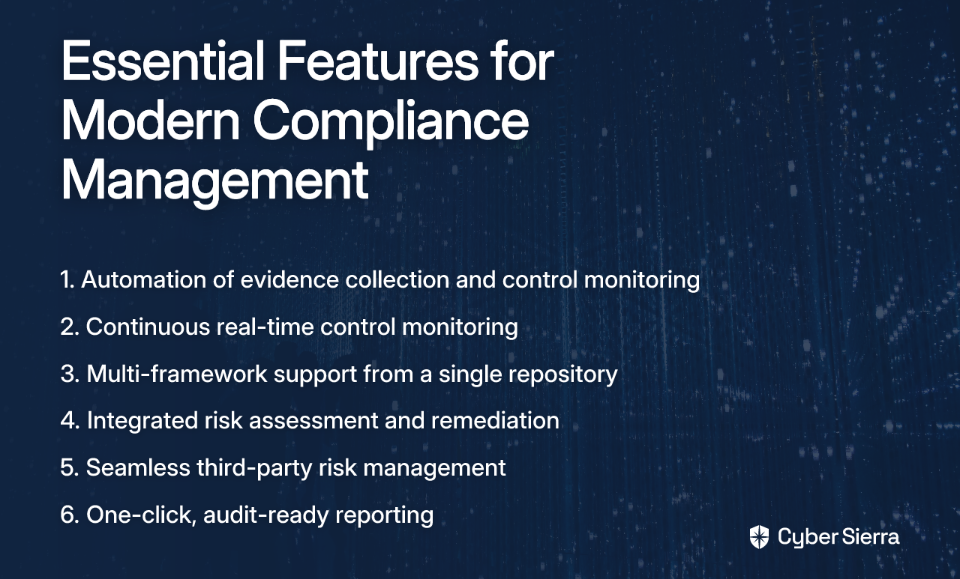
Key Features to Look for in a Modern Compliance Management System

As you evaluate alternatives to ServiceNow's GRC module, here are the essential capabilities that should be on your checklist:

  1. Automation Capabilities: Look for platforms that automate evidence collection, control mapping, and monitoring to eliminate manual toil.
  2. Continuous Control Monitoring: Move beyond point-in-time assessments with systems that provide real-time visibility into your security posture.
  3. Multi-Framework Support: Ensure the tool efficiently manages controls across multiple frameworks (SOC 2, ISO 27001, GDPR, PCI DSS) from a single repository.
  4. Integrated Risk Management: Seek platforms with built-in functionalities for risk assessment, tracking, and remediation.
  5. Third-Party Risk Management: Vendor risk management capabilities should be seamlessly integrated.
  6. Audit-Ready Reporting: Pre-configured dashboards and one-click reports should provide stakeholders and auditors with clear compliance visibility.

Top 5 Alternatives for Automated Compliance Management

1. Cyber Sierra: The AI-Enabled, Unified Compliance Platform

Overview: Cyber Sierra offers an AI-enabled cybersecurity platform specifically designed to simplify and automate security compliance. It transforms compliance from periodic, manual checks into a proactive, near real-time risk management system.

Key Features:

  • Continuous Control Monitoring (CCM): Builds a central controls repository with automated testing across frameworks like NIST, ISO 27001, and PCI DSS, providing a single source of truth for your security posture.
  • Governance, Risk & Compliance (GRC): Automates data collection, risk assessments, and reporting to make enterprises audit-ready faster while reducing compliance fatigue.
  • Third-Party Risk Management (TPRM): Streamlines vendor risk assessment with continuous monitoring that moves beyond static questionnaires.
  • Comprehensive Security Suite: Includes additional modules for Threat Intelligence, Employee Security Training, and Cyber Insurance to provide a 360-degree security view.

Why It's a Good ServiceNow Alternative: Cyber Sierra directly addresses ServiceNow's pain points with an affordable, scalable, and intuitive solution purpose-built for security and compliance teams. Its automation capabilities significantly reduce the need for specialized developers, while its unified approach eliminates the siloed activities that plague many compliance programs.

Ideal For: CISOs and Compliance Managers in regulated industries seeking a unified, modern platform to automate compliance, manage vendor risk, and reduce audit-related stress.

2. Drata: The Trust Platform for Continuous Compliance

Overview: Drata provides an AI-native platform that automates compliance processes, manages risk, and helps businesses prove their security posture to stakeholders and customers.

Key Features:

  • Continuous Compliance: Automates control monitoring and evidence collection for frameworks like SOC 2, ISO 27001, HIPAA, and GDPR.
  • Proven Efficiency: Drata states that it fully automates 71% of manual compliance tasks and provides a 9x reduction in time spent on security questionnaires.
  • Integrated Risk Management: Centralizes vendor, internal, and external risks with AI-driven workflows.

Why It's a Good ServiceNow Alternative: Drata offers a hyper-focused, automation-first approach that integrates seamlessly with the modern cloud stack. Its intuitive UI and proven efficiency metrics directly counter the cumbersome nature of ServiceNow's GRC module.

Ideal For: Fast-growing technology companies and enterprises that need to build and maintain trust through continuous, provable compliance.

3. Vanta: Automated Security and Compliance for Fast-Growing Companies

Overview: Vanta is a compliance automation platform known for helping companies, especially startups, achieve and maintain compliance certifications like SOC 2 and ISO 27001 quickly and efficiently.

Key Features:

  • Continuous Monitoring: Connects to over 75 cloud services and infrastructure tools to continuously monitor for compliance gaps.
  • Automated Evidence Collection: Drastically simplifies the audit preparation process by automatically gathering the necessary evidence.
  • Vendor Management: Includes features to ensure the entire supply chain and third-party risk is managed effectively.

Why It's a Good ServiceNow Alternative: Vanta prioritizes speed and efficiency for achieving certifications, which contrasts sharply with the lengthy implementation and customization cycles typical of ServiceNow. Its focus on rapid time-to-value is particularly appealing for organizations facing tight compliance deadlines.

Ideal For: Startups and SMBs looking to get audit-ready for their first compliance framework quickly and efficiently.

4. Hyperproof: Streamlined Compliance Operations for Lean Teams

Overview: Hyperproof is a compliance operations platform designed to help organizations manage multiple frameworks efficiently, even with limited compliance staffing.

Key Features:

  • Pre-built Templates: Offers over 100 pre-built templates for various compliance frameworks.
  • Automated Evidence Collection: Integrates with over 70 third-party apps to pull in evidence automatically.
  • Custom Frameworks: Provides the flexibility to manage custom internal compliance frameworks beyond standard regulations.

Why It's a Good ServiceNow Alternative: Hyperproof's template-driven approach and user-friendly dashboards provide a structured, easy-to-navigate experience, reducing the steep learning curve and dependency on experts associated with ServiceNow.

Ideal For: Organizations with lean compliance teams that need to manage multiple frameworks without getting bogged down in complex configurations.

5. AuditBoard: The Integrated Risk Platform for Auditors

Overview: AuditBoard is a comprehensive, cloud-based platform that unifies audit, risk, and compliance management in a single system.

Key Features:

  • Dedicated Modules: Offers specific modules for SOX compliance, operational audits, IT risk, and third-party risk management.
  • Strong Audit Trail: Provides robust document control and audit trail capabilities, which are critical for regulated enterprises.
  • Integrated Platform: Connects risks to controls and audits, providing a holistic view for the CISO and internal audit teams.

Why It's a Good ServiceNow Alternative: While still an enterprise-grade platform, AuditBoard is purpose-built for audit and risk professionals. Its workflows and features are tailored to their specific needs, offering a more intuitive experience than ServiceNow's GRC module, which often feels like an afterthought to its core ITSM functions.

Ideal For: Larger enterprises with dedicated internal audit and GRC teams, especially those with stringent SOX compliance requirements.

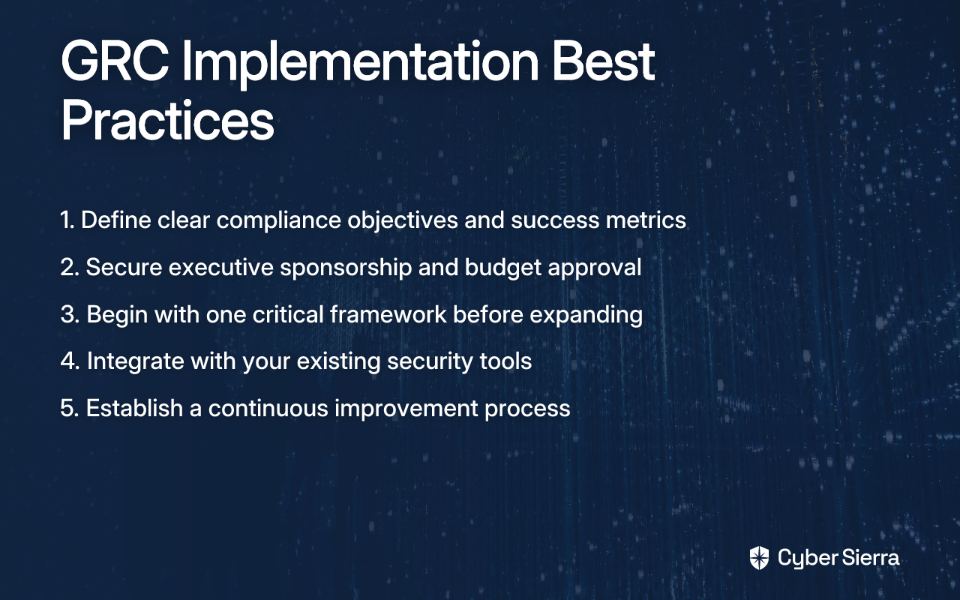
Making the Switch: Implementation Best Practices

Moving from ServiceNow to a specialized compliance platform requires careful planning. Here are five best practices to ensure a successful transition:

  1. Define Clear Objectives: Identify your primary compliance requirements and define what success looks like before selecting a new tool.
  2. Secure Executive Sponsorship: Ensure you have the necessary budget and buy-in from leadership (CISO, CIO) by demonstrating the ROI of making the switch.
  3. Start with a Focused Scope: Begin by implementing the tool for one critical framework (e.g., SOC 2) before expanding to others.
  4. Integrate with Existing Security Tools: Maximize value by connecting your new platform to your existing security stack (e.g., vulnerability scanners, cloud providers).
  5. Develop a Continuous Improvement Process: Use the insights from the tool to regularly review and strengthen your compliance controls.

Conclusion: Choosing the Right GRC Tool for a More Secure Future

Moving away from ServiceNow's GRC module doesn't mean compromising on power. In fact, modern, specialized platforms offer superior automation, better user experiences, and more transparent pricing – addressing the very pain points that make ServiceNow users so frustrated.

The best alternative for your organization depends on your specific needs – whether it's the speed-to-compliance offered by Vanta, the audit-centric approach of AuditBoard, or the unified security vision of Cyber Sierra.

For organizations looking for a single, AI-driven platform that holistically integrates Continuous Control Monitoring, GRC, and Third-Party Risk Management, Cyber Sierra offers a compelling solution to reduce manual effort and build a proactive, audit-ready security program.

The days of being held hostage by cumbersome, overpriced GRC tools are over. With these modern alternatives, compliance can finally become the strategic enabler it was always meant to be – not the burden it often becomes with ill-suited tools like ServiceNow's GRC module.

blog-hero-background-image
Cyber Security

Top 10 Third-Party Risk Management Tools with AI Detection

backdrop
Table of Contents

Join thousands of professionals and get the latest insight on Compliance & Cybersecurity.


Summary

  • Traditional vendor risk management is failing, with only 34% of security professionals confident that vendors will report a breach, creating a significant trust gap.
  • AI-powered TPRM shifts security from outdated annual questionnaires to continuous, 24/7 monitoring of a vendor's attack surface, validating their security posture in real-time.
  • When choosing a tool, prioritize features like continuous attack surface monitoring, automated assessments, and actionable risk intelligence over simple risk scores.
  • Platforms like Cyber Sierra’s TPRM solution integrate these AI-driven capabilities to provide a unified, automated solution for managing supply chain risk effectively.

Did you know that only 34% of IT security professionals are confident that third-party vendors would notify them of a data breach? This alarming statistic highlights the critical trust gap in vendor security that organizations face today.

Traditional third-party risk management (TPRM) approaches—relying on annual questionnaires and point-in-time assessments—are failing to protect businesses in today's complex digital supply chain. Security teams are increasingly frustrated with tools that offer superficial risk scores but "don't tell you whether your third parties are doing code review or have an employee offboarding policy," as one security professional noted on Reddit.

The solution? AI-powered TPRM tools that transform vendor risk management from a reactive checklist exercise into a proactive, continuous monitoring system. These advanced platforms leverage Machine Learning (ML) and Deep Learning (DL) to identify complex patterns and risks that traditional methods simply can't detect.

The Shift from Manual Checklists to AI-Powered Continuous Monitoring

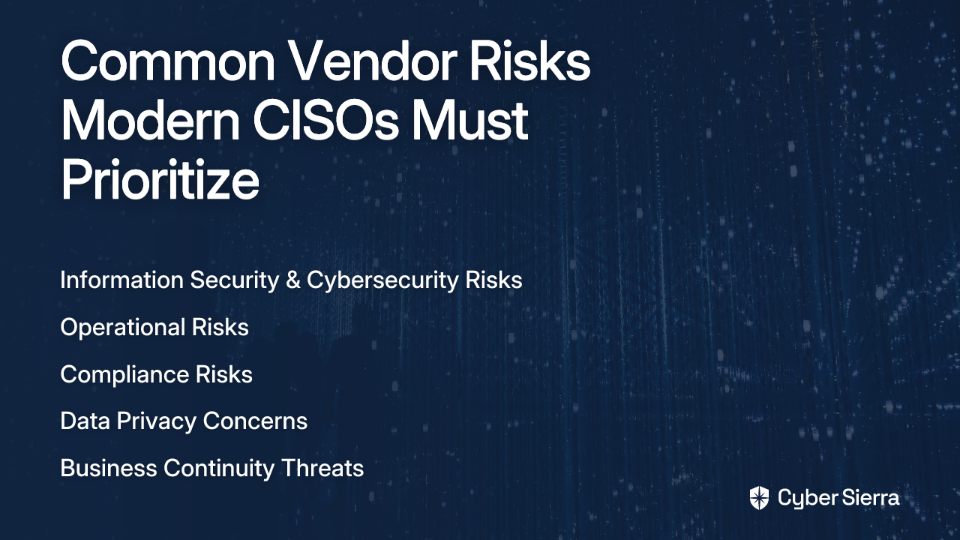
Before diving into specific tools, it's important to understand the common vendor risks that modern CISOs must prioritize:

Information Security and Cybersecurity Risks

Unauthorized access accounts for over 40% of third-party breaches. A vendor's weak security can become a backdoor into your own systems, making continuous assessment of their external defenses critical.

Operational and Compliance Risks

Vendor operational failures can disrupt your business, while non-compliance with regulations like GDPR, HIPAA, or PCI DSS can result in hefty fines. AI helps automate evidence collection to verify compliance across multiple frameworks simultaneously.

How AI Fills the Critical Gaps

From Point-in-Time to Continuous: Instead of relying on annual questionnaires, AI provides 24/7 monitoring of a vendor's attack surface, alerting you to new vulnerabilities or configuration issues in real-time.

From Subjective to Objective: AI validates vendor claims against real-world data. This addresses a key frustration expressed by security professionals: the ability to "check if a vendor says they’ve patched X, you can see if that’s reflected in their external exposure."

From Manual Labor to Intelligent Automation: AI automates data collection and risk assessments, significantly reducing the manual effort required to manage vendor security. This includes tracking previously remediated findings that reappear—a common annoyance in TPRM programs.

What to Look For: Essential Features of an AI-Powered TPRM Tool

When evaluating AI-powered TPRM solutions, these key features separate the true innovators from simple digitized questionnaires:

1. Continuous Monitoring and Attack Surface Visibility

The tool must provide real-time dashboards and alerts on a vendor's security posture. This includes vulnerability scanning (network and cloud), misconfiguration detection, and data leak monitoring on the dark web. These capabilities are highlighted by Gartner as essential for modern TPRM solutions.

2. Intelligent & Automated Assessments

Look for tools that use AI to streamline the questionnaire process—not just digitize it. Features should include pre-filled questionnaires based on existing data, risk-based question branching, and automated evidence verification to reduce questionnaire fatigue.

3. Actionable Risk Intelligence & Scoring

Move beyond simple letter grades. The tool should provide deep, contextual insights and a clear breakdown of risk factors. It should help prioritize risks based on potential business impact, not just technical severity.

4. Automated Remediation & Workflow Management

The platform should not just identify problems but help solve them. Look for features that automate remediation workflows, track progress, and maintain a clear audit trail for compliance.

5. Scalability and Ease of Use

The tool must be intuitive and not overwhelm users with findings. It should scale efficiently whether you're managing two critical suppliers or "five to six digit suppliers," as one Reddit user pointed out.

Top 10 Third-Party Risk Management Tools with AI Detection

1. Cyber Sierra

Overview: Cyber Sierra offers an AI-enabled, unified cybersecurity platform that integrates TPRM with GRC, Continuous Control Monitoring (CCM), and Threat Intelligence. It's designed to provide a single source of truth for risk and compliance.

Key AI-Powered Features:

  • Continuous Vendor Monitoring: Provides "near real-time, 24/7 visibility into vendor security compliance" to proactively identify and mitigate risks.
  • Automated Risk Assessments: Utilizes AI to prioritize vendor inventory based on risk levels, streamlining due diligence and reducing manual effort on questionnaires.
  • Integrated Threat Intelligence: Combines TPRM with vulnerability scanning and attack surface management to validate a vendor's security posture with objective, external data.

Best For: CISOs and Compliance Managers in regulated industries (BFSI, HealthTech, Technology) seeking a comprehensive, automated platform to manage GRC and supply chain risk holistically.

Learn More: Cyber Sierra Third-Party Risk Management

2. UpGuard

Overview: A platform focused on identifying third-party risks through security ratings and automated questionnaires.

Key AI-Powered Features: Leverages AI to enhance and automate vendor security questionnaire responses, speeding up the onboarding process. Provides security scores from 0-950.

Best For: Teams looking for a strong security ratings system combined with questionnaire automation.

Learn More: UpGuard Vendor Risk

3. SecurityScorecard

Overview: A continuous monitoring platform that provides letter grades to represent the likelihood of a vendor breach.

Key AI-Powered Features: Uses machine learning to collect and analyze data points across 10 risk factors, providing weekly updates on third-party risk exposure.

Best For: Organizations that need simple, easy-to-understand risk scores for board-level reporting.

Learn More: SecurityScorecard

4. BitSight

Overview: Provides security ratings and performance dashboards to give a snapshot of an organization's and its vendors' cybersecurity performance.

Key AI-Powered Features: Analyzes large volumes of data to generate daily security ratings, helping to identify compliance and security risks.

Best For: Enterprises focused on data-driven risk analysis and benchmarking vendor performance.

Learn More: BitSight

5. Prevalent

Overview: Combines point-in-time assessments with continuous monitoring to detect emerging third-party risks.

Key AI-Powered Features: Uses AI to monitor the dark web for data leaks and credential exposures related to third parties.

Best For: Companies wanting to blend traditional assessments with continuous external threat monitoring.

Learn More: Prevalent

6. OneTrust

Overview: A platform with a strong focus on vendor lifecycle management, privacy, and governance risks.

Key AI-Powered Features: Gathers predictive insights about privacy and governance risks, and leverages pre-completed questionnaires to speed up onboarding.

Best For: Organizations where privacy and data governance are the primary drivers of their TPRM program.

Learn More: OneTrust

7. Panorays

Overview: Offers robust risk detection with integrated questionnaires and is highly rated for its user experience.

Key AI-Powered Features: Combines external attack surface assessments with automated security questionnaires to provide a 360-degree view of vendor risk.

Best For: Teams that prioritize ease of use and a combination of internal and external risk assessment methods.

Learn More: Panorays

8. Vanta

Overview: An AI-powered trust management platform that excels at automating compliance for frameworks like SOC 2 and ISO 27001.

Key AI-Powered Features: Automates evidence collection and continuous monitoring against compliance controls, reducing audit preparation time.

Best For: Startups and tech companies focused on achieving and maintaining compliance certifications.

Learn More: Vanta

9. ProcessUnity

Overview: A cloud-based solution that integrates point-in-time assessments into continuous monitoring strategies through workflow automation.

Key AI-Powered Features: Automates risk and compliance program workflows to ensure assessments are triggered and reviewed systematically.

Best For: Organizations looking to automate and streamline their existing risk and compliance processes.

Learn More: ProcessUnity

10. RiskProfiler

Overview: A centralized platform noted by Gartner for managing external risks using AI and machine learning.

Key AI-Powered Features: Conducts continuous scans for vulnerabilities and incorporates Dark Web Intelligence to provide a comprehensive risk profile.

Best For: Security teams needing deep threat intelligence, including dark web monitoring, integrated into their TPRM.

Learn More: Mentioned in Gartner Reviews

A 3-Step Guide to Automating Your Vendor Risk Management

Step 1: Streamline Vendor Risk Assessments

Stop relying on manual spreadsheets. Use a TPRM platform to automate assessments based on industry standards like SOC 2 or NIST. Platforms like Cyber Sierra provide pre-built policies and automated workflows to simplify this process into a few clicks.

Step 2: Automate Due Diligence & Verifications

Don't just take your vendor's word for it. Choose a tool that can auto-verify controls by integrating with their systems or performing external scans. This allows you to validate their claims and provides an auditable trail of evidence.

Step 3: Monitor Controls Continuously

A vendor who is secure today may not be tomorrow. Implement continuous control monitoring to get real-time alerts on new risks. The 2022 Uber breach, executed via a third-party vendor, is a stark reminder that point-in-time assessments are not enough.

Conclusion

Adopting an AI-powered TPRM tool is no longer a luxury—it's a strategic necessity. These platforms transform vendor risk management from a reactive, compliance-focused chore into a proactive, intelligence-driven security function.

The best tool is one that not only leverages powerful AI but also solves the real-world challenges your team faces, from simplifying complex questionnaires to providing objective, verifiable data on your vendors' security posture.

Platforms like Cyber Sierra are built to address these challenges head-on, integrating AI-driven TPRM, GRC, and continuous monitoring into a single, automated platform. To see how you can build a more resilient and secure vendor ecosystem, explore Cyber Sierra's TPRM solution today.

Frequently Asked Questions

What is AI-powered Third-Party Risk Management (TPRM)?

AI-powered TPRM is an advanced approach that uses artificial intelligence and machine learning to continuously monitor, analyze, and manage risks associated with third-party vendors. Unlike traditional methods, it moves beyond static, annual questionnaires by providing real-time visibility into a vendor's security posture, automating evidence collection, and identifying complex threats that manual methods often miss.

Why are traditional TPRM methods no longer effective?

Traditional TPRM methods, such as annual questionnaires and point-in-time assessments, are no longer effective because they fail to keep pace with the dynamic and continuous nature of modern cyber threats. These manual approaches are slow, subjective, and create dangerous security gaps between assessments. They do not provide the real-time visibility needed to protect against breaches originating from the digital supply chain.

How does AI improve vendor risk assessments?

AI improves vendor risk assessments by automating data collection, providing continuous monitoring, and validating vendor claims with objective, real-world evidence. Instead of simply digitizing a checklist, AI-powered tools can automatically verify if a vendor has applied a critical security patch, monitor their attack surface 24/7 for new vulnerabilities, and even pre-fill questionnaires based on existing data, which significantly reduces manual effort and improves the accuracy of the assessment.

What are the key features to look for in an AI TPRM tool?

The most important features to look for in an AI TPRM tool include continuous attack surface monitoring, intelligent and automated assessments, actionable risk intelligence, automated remediation workflows, and scalability. A strong platform should offer more than just a simple risk score; it must provide contextual insights, help prioritize vulnerabilities based on business impact, and integrate with your workflows to track remediation efforts from identification to resolution.

How can I start automating our vendor risk management process?

You can start automating your vendor risk management in three steps: first, use an AI-powered platform to streamline risk assessments with standardized templates. Second, automate due diligence and control verifications through external scanning and integrations. Finally, implement continuous control monitoring to receive real-time alerts on emerging risks. This phased approach allows you to move away from manual spreadsheets toward a more proactive and resilient TPRM program.

blog-hero-background-image
Cyber Security

Top 8 CCM Platforms That Integrate with SIEM Tools

backdrop
Table of Contents

Join thousands of professionals and get the latest insight on Compliance & Cybersecurity.


Summary

  • Integrating Continuous Control Monitoring (CCM) with SIEM platforms is essential for shifting from reactive, periodic checks to proactive, real-time compliance.
  • This integration can reduce incident response times by up to 80% and automates evidence gathering, making your organization continuously audit-ready.
  • When choosing a CCM platform, prioritize seamless SIEM integration, industry-specific controls, and scalability to match your environment.
  • Cyber Sierra's Continuous Control Monitoring (CCM) module provides an AI-enabled platform to automate these processes, creating a single source of truth for security and compliance.

Are you finding your current compliance tools to be too generic? Part of a small GRC team managing big compliance requirements with a large AWS or Snowflake footprint? Maybe you've been searching for a solution that "does checks in real time, catches issues, and just works without us having to keep an eye on it the whole time."

If any of these pain points sound familiar, you're not alone. Many organizations are discovering that traditional, siloed approaches to compliance no longer suffice in today's complex threat landscape. The key to moving from reactive, periodic checks to proactive, continuous assurance lies in integrating Continuous Control Monitoring (CCM) with Security Information and Event Management (SIEM) platforms.

This article explores why this integration is a game-changer for modern security and compliance programs and introduces the top 8 CCM platforms that excel at seamlessly working with SIEM tools.

Why Integrating CCM with SIEM is a Non-Negotiable Strategy

Traditional compliance approaches suffer from a fundamental flaw: they're often siloed and point-in-time, creating dangerous visibility gaps. SIEMs excel at detecting threats, but without GRC context, security teams struggle to map these threats to specific compliance controls. Similarly, CCM platforms automate control checks but need real-time event data from SIEMs to be truly effective.

The solution? A unified approach that bridges the gap between security operations and compliance requirements.

Key benefits of integrating CCM with SIEM include:

  • Automated Incident Response: SIEM alerts can automatically trigger workflows in the CCM/GRC tool to flag non-compliant controls. This integration can reduce the time from detection to containment by up to 80%, dramatically improving your security posture.
  • Real-Time Risk Assessment & Continuous Compliance: Move beyond periodic audits. This integration provides continuous visibility into control effectiveness, allowing organizations to maintain a compliant status at all times and achieve true "audit readiness."
  • Unified Dashboards for a Single Source of Truth: Break down silos between security and compliance teams. A unified view helps both teams understand the full context of risks and events, improving collaboration and response times.
  • Streamlined Audits: Automate the painful process of evidence gathering. The integration allows teams to pull real-time data from the SIEM as evidence for control effectiveness, transforming audit preparation "from weeks into minutes."

Let's explore the top 8 CCM platforms that offer powerful SIEM integration capabilities to help you achieve these benefits.

The Top 8 CCM Platforms with Powerful SIEM Integration

1. Cyber Sierra

Overview: Cyber Sierra stands out as an AI-enabled platform designed to transform security from periodic checks into a continuous, automated assurance model. It's purpose-built to address the pain points of manual evidence collection and lack of real-time posture visibility.

Key CCM & SIEM Integration Features:

  • The Continuous Control Monitoring (CCM) module builds a central controls repository with near real-time updates by ingesting data from various sources, including SIEMs.
  • Automates control testing and validation, detecting exceptions and anomalies as they happen. This provides the "hands-off" experience many GRC teams desire.
  • Integrates with its own Threat Intelligence module for vulnerability scanning and attack surface insights, enriching compliance data with security context.
  • Manages multiple compliance frameworks out-of-the-box (NIST, ISO 27001, PCI DSS, GDPR, SOC 2, HIPAA), avoiding the "generic" feel by offering industry-specific customizations.

Best For: CISOs and Compliance Managers who need a unified, single source of truth for controls; organizations in regulated industries (Financial Services, Healthcare) needing tailored compliance monitoring; teams looking to automate manual evidence gathering for multiple frameworks.

Unique Selling Point: Cyber Sierra excels at bridging the gap between security operations and compliance by providing a holistic platform that combines CCM, GRC, TPRM, and threat intelligence, enabling truly proactive risk management.

2. MetricStream

Overview: A mature GRC platform known for its configurable workflows and ability to integrate GRC operations with real-time SIEM data.

Key Features: Provides a unified view of security and compliance by correlating SIEM events with GRC controls.

Strengths: Strong, established GRC capabilities with extensive compliance framework support.

Limitations: Its CCM can be periodic rather than truly continuous and may require significant customization to achieve real-time assurance.

Best For: Organizations with established GRC programs looking to incrementally enhance their monitoring capabilities.

3. Splunk

Overview: While primarily a SIEM, Splunk offers extensive GRC and compliance capabilities through its apps and add-ons, like the user-mentioned "Q-compliance."

Key Features: Offers extensive integration capabilities and customizable reporting tools. Users can build their own CCM workflows and set alerts on control failures.

Strengths: Highly flexible and powerful for organizations already invested in the Splunk ecosystem. It can ingest data from virtually any source.

Limitations: Requires significant expertise and resources to configure and maintain for CCM purposes. It's not a purpose-built, out-of-the-box CCM solution.

Best For: Tech-savvy security teams with deep Splunk expertise who want to build a custom CCM solution on top of their existing SIEM.

4. IBM Security QRadar

Overview: A leading SIEM platform that incorporates compliance monitoring features tailored for highly regulated industries.

Key Features: Provides real-time threat detection correlated with compliance mandates. Features behavioral profiling and extensive integration options.

Strengths: Excellent for threat intelligence and real-time event correlation.

Limitations: Like Splunk, its CCM capabilities are an extension of its core SIEM function rather than a standalone, dedicated CCM module.

Best For: Enterprises, especially in finance and healthcare, that need a powerful SIEM with integrated compliance reporting features.

5. LogRhythm

Overview: A SIEM platform that facilitates automated compliance reporting and offers integrated Security Operations Center (SOC) features.

Key Features: AI-based threat detection, customizable dashboards, and automated workflows for compliance management.

Strengths: Strong focus on automating compliance tasks directly within the SIEM environment.

Limitations: The focus is more on security-first use cases, with compliance being a key feature rather than the core product.

Best For: Organizations looking for a SIEM that can heavily automate compliance reporting for frameworks like PCI DSS and HIPAA.

6. Rapid7 (InsightIDR)

Overview: A cloud-native SIEM (InsightIDR) that provides unified visibility across security and compliance data.

Key Features: Centralized log management, network security scanning, and user behavior analytics to provide context around security events.

Strengths: User-friendly interface and strong detection and response capabilities.

Limitations: Less focused on the GRC workflow and control management aspects compared to dedicated CCM platforms.

Best For: Teams that want a modern, cloud-native SIEM with built-in compliance dashboards and easy-to-use reporting.

7. Sumo Logic

Overview: A cloud-native platform for continuous intelligence, offering a Cloud SIEM solution with strong compliance monitoring capabilities.

Key Features: Provides continuous monitoring and analytics to help organizations understand their real-time compliance status. Includes User and Entity Behavior Analytics (UEBA).

Strengths: Excellent for cloud-heavy environments (addressing the "big AWS footprint" pain point). Strong in data analytics and visualization.

Limitations: May require configuration to map security events to specific GRC controls comprehensively.

Best For: Cloud-native companies that need deep visibility into their infrastructure and want to leverage a data analytics platform for security and compliance.

8. Exabeam

Overview: A security management platform known for its advanced analytics and machine learning to enhance threat detection.

Key Features: Uses AI and ML to minimize false positives and provide context-rich timelines of security incidents, which can be mapped to compliance controls.

Strengths: Powerful behavioral analytics that can detect insider threats and compromised credentials, which are critical for many compliance frameworks.

Limitations: Primarily a security tool; integrating it deeply into a GRC/CCM workflow may require custom work or third-party connectors.

Best For: Security-mature organizations that want to leverage advanced AI/ML for threat detection as a source of evidence for their CCM program.

How to Choose the Right CCM Platform for Your Needs

With so many options available, finding the right fit can be daunting—especially when you've been "trying Wiz and a few others" without success. Here are some actionable criteria, based on industry best practices, to help you make the right choice:

  • Focus on Your Specific Needs: Are you in a regulated industry? Do you have a "big AWS footprint" or use Snowflake? Don't settle for a generic tool if you need specialized controls. As one user put it, "Wiz compliance is very generic," so consider solutions with customization options for your unique environment.
  • Ease of Integration: Ensure the platform has pre-built connectors (plugins) for your existing systems (SIEM, cloud providers, vulnerability scanners) to avoid heavy customization. Look for platforms that mention "the most plugins" for your tech stack.
  • Scalability: Choose a solution that can grow with your business and handle increasing data volumes and compliance frameworks. This is especially important for organizations with "big infrastructure, big compliance requirements."
  • Ease of Use: Look for an intuitive interface and automation features that deliver a "hands-off" experience, reducing the burden on your team. As one user noted about their chosen solution, "It does checks in real time, catches issues and just works without us having to keep an eye on it the whole time."
  • Budget and ROI: Consider both initial and recurring costs. Evaluate the platform's value in terms of time saved on audits, reduced manual effort, and proactive risk mitigation.

Conclusion

The era of manual, periodic compliance checks is over. The future requires an integrated, automated approach where CCM and SIEM work in tandem to provide real-time assurance and continuous compliance monitoring.

When evaluating platforms, look beyond flashy features to find solutions that truly understand the need to bridge the gap between compliance requirements and security operations. Consider tools like Cyber Sierra, which are purpose-built to deliver this unified vision, ensuring resilience against evolving threats and complex regulatory challenges.

By selecting the right CCM platform with robust SIEM integration, you can transform your compliance program from a periodic, resource-intensive burden into a continuous, automated advantage that enhances your overall security posture and readiness for whatever audit comes your way.

Frequently Asked Questions

What is Continuous Control Monitoring (CCM)?

Continuous Control Monitoring (CCM) is an automated process that continuously tests and validates the effectiveness of your organization's security and compliance controls in near real-time. Instead of relying on periodic, manual checks (like quarterly or annual audits), CCM uses technology to constantly monitor your systems, applications, and infrastructure to ensure they remain compliant with internal policies and external regulations.

Why is integrating a CCM platform with a SIEM so important?

Integrating a CCM platform with a SIEM is crucial because it bridges the gap between security operations and compliance management, creating a single source of truth for your organization's risk posture. This integration allows you to correlate real-time security events (from the SIEM) with specific compliance controls (in the CCM), enabling automated incident response, continuous risk assessment, and dramatically streamlined audit preparation.

What's the difference between a SIEM with compliance features and a dedicated CCM tool?

The primary difference lies in their core focus. A SIEM (Security Information and Event Management) is fundamentally a security tool designed for real-time threat detection, log aggregation, and incident analysis. While many SIEMs have compliance reporting features, these are often an extension of their security function. A dedicated CCM platform, on the other hand, is purpose-built for compliance management, focusing on automating control testing, evidence collection, and managing multiple compliance frameworks. A CCM provides the GRC context that a SIEM often lacks.

How does a CCM-SIEM integration help with audit readiness?

A CCM-SIEM integration significantly improves audit readiness by automating the evidence collection process, which is often the most time-consuming part of an audit. Instead of manually gathering screenshots and reports, the integrated system can pull real-time data and logs from the SIEM as direct evidence that a control is operating effectively. This transforms audit preparation from a process that takes weeks into one that can be done in minutes, ensuring you are always "audit-ready."

Can these platforms monitor compliance in cloud environments like AWS or Snowflake?

Yes, modern CCM platforms are specifically designed to monitor complex cloud environments. Leading solutions offer pre-built integrations with major cloud providers like AWS, Azure, and Google Cloud, as well as data platforms like Snowflake. They can ingest data from cloud-native security tools and logs to continuously assess controls related to configuration, access management, data protection, and more, addressing the challenges of managing compliance in a large cloud footprint.

What key criteria should I use to select the right CCM platform?

When selecting a CCM platform, you should focus on several key criteria to ensure it fits your organization's needs. Look for a platform that:

  1. Addresses your specific industry and environment, offering customization beyond generic templates.
  2. Integrates easily with your existing security stack, especially your SIEM and cloud services.
  3. Is scalable to handle growing data volumes and additional compliance frameworks.
  4. Offers an intuitive user interface and high levels of automation to reduce the manual workload on your team.
blog-hero-background-image
Cyber Security

Top 5 No-Code Cybersecurity Platforms for Non-Technical Teams

backdrop
Table of Contents

Join thousands of professionals and get the latest insight on Compliance & Cybersecurity.


Summary

  • No-code cybersecurity platforms allow teams without dedicated engineers to automate security operations and manage compliance using visual, code-free interfaces.
  • These tools are essential for automating critical tasks like audit evidence collection, managing third-party vendor risk, and streamlining security workflows.
  • To choose the right platform, first identify your primary pain point—such as audit readiness, SaaS management, or repetitive tasks—to find the best fit for your needs.
  • For teams struggling with compliance, an all-in-one platform like Cyber Sierra's GRC solution automates evidence gathering and simplifies the entire audit process.

You've set up your company's cloud infrastructure, connected multiple business-critical SaaS applications, and now you're being asked about ISO27001 compliance or SOC2 readiness. Your team is small, you have no dedicated security engineer, and the thought of manually gathering evidence for an audit has you breaking into a cold sweat.

"The most painful part of an audit is typically evidence gathering. You end up on long calls with engineers who may or may not speak GRC and hope they remember where to find a config and take a screenshot with a timestamp. It's painful and sucks up a lot of time, especially when you're running lean teams," shares one cybersecurity manager on Reddit.

If this sounds familiar, you're not alone. The good news? A new generation of no-code cybersecurity platforms is revolutionizing how non-technical teams manage security operations, compliance, and risk—without writing a single line of code.

What is No-Code Cybersecurity and Why is it Essential?

No-code cybersecurity platforms use visual interfaces, drag-and-drop functionality, and pre-built templates to enable security management without programming knowledge. These tools facilitate security risk management, automate critical workflows to prevent unauthorized access, and integrate security stacks to manage vulnerabilities in one platform.

For businesses without large, dedicated tech teams, these platforms offer several critical advantages:

  • Accessibility: Empowers non-technical staff to implement robust security measures
  • Cost-Effectiveness: Reduces the need for specialized security engineers
  • Speed: Allows for quick deployment of security measures and faster audit readiness
  • Automation: Eliminates repetitive tasks and reduces human error

With cyber threats constantly evolving and AI-powered attacks becoming more sophisticated, traditional code-heavy security tools can't keep up or are too complex for smaller teams. No-code platforms democratize cybersecurity, making enterprise-grade protection accessible to organizations of all sizes.

Let's explore the top five platforms that are changing the game for non-technical teams.

The Top 5 No-Code Cybersecurity Platforms

1. Cyber Sierra: The All-in-One Compliance and Risk Automation Hub

Overview: Cyber Sierra provides an AI-enabled cybersecurity platform designed to simplify and automate security compliance, vendor risk assessment, and continuous control monitoring for enterprises. It transforms security from periodic, manual checks to proactive, near real-time risk management.

Key No-Code Features:

  • Governance, Risk & Compliance (GRC): Automates data collection, risk assessments, and reporting across multiple frameworks (SOC2, ISO 27001, HIPAA, etc.)
  • Continuous Control Monitoring (CCM): Maintains a central repository of security controls with automated testing and near real-time updates
  • Third-Party Risk Management (TPRM): Streamlines vendor assessments with 24/7 visibility into vendor security compliance
  • Employee Security Training: Delivers interactive training and simulated phishing campaigns through an intuitive dashboard

How It Empowers Non-Technical Teams: Cyber Sierra directly addresses the pain of evidence gathering by automating the collection and organization of audit artifacts. For compliance managers struggling with "the steep learning curve and up to $10k annual cost" of traditional compliance platforms, it offers a more intuitive interface and comprehensive automation.

The platform also solves the frustration of "trying to validate actual controls and processes inside vendors" by providing continuous monitoring capabilities that go beyond static questionnaires, giving deeper insights into vendor security practices.

Unique Selling Point: A unified platform that simplifies complex GRC requirements through automation and continuous monitoring, making enterprises audit-ready faster and with significantly less manual effort.

2. Tines: For Automating Security Operations Workflows

Overview: Tines is a no-code automation platform that enables security teams to automate repetitive manual tasks without any coding knowledge, using a simple drag-and-drop interface. It's particularly effective for security operations teams dealing with alert fatigue and manual response processes.

Key No-Code Features:

  • Visual, drag-and-drop workflow builder for creating security automations
  • Hundreds of pre-built templates for common security tasks
  • Ability to connect to virtually any tool with an API
  • Automated processes for phishing response, employee onboarding/offboarding, and suspicious login alerts

How It Empowers Non-Technical Teams: Tines allows security analysts with no development background to build and maintain their own automations. In a case study with OpenTable, the platform saved the security team 40 hours of work per week by automating routine tasks—a game-changer for lean teams already stretched thin.

Unique Selling Point: Empowers frontline security analysts to become automators, reducing Mean Time to Respond (MTTR) to security incidents and eliminating the bottleneck of relying on engineering resources.

3. Nokod Security: For Securing Your No-Code Applications

Overview: Nokod Security is a platform designed specifically to govern and secure the no-code/low-code apps, robotic process automation (RPA), and AI agents being built by citizen developers within an organization.

Key No-Code Features:

  • Automatically discovers and maps all no-code/low-code applications in your environment
  • Detects security vulnerabilities, compliance issues, and suspicious activities
  • Provides straightforward, actionable guidance for risk mitigation
  • Integrates with popular no-code development platforms

How It Empowers Non-Technical Teams: Nokod Security directly addresses a common concern voiced by one Reddit user: "I'd imagine like every other platform you're going to run into security lapses when it comes to integrating third-party plugins." It provides guardrails for citizen developers to build securely from the start.

The platform also prevents situations where insecure practices are unwittingly followed, such as when "SAP AppGyver tutorials show how to connect to an API via an HTTP request where the token is fully exposed."

Unique Selling Point: Integrates security directly into the no-code application lifecycle, making security an enabler for citizen development rather than a blocker.

4. Zylo: For Managing SaaS and Third-Party Risk

Overview: Zylo is a no-code SaaS management platform that provides complete visibility and governance over an organization's software applications, with a focus on risk assessment and compliance.

Key No-Code Features:

  • Automates the discovery and inventory management of all SaaS applications, including "shadow IT"
  • Offers risk scoring and assessments for applications based on a comprehensive data library
  • Streamlines license management and cost optimization
  • Provides insights into user adoption and usage patterns

How It Empowers Non-Technical Teams: Non-technical teams (like IT, Finance, and Procurement) can easily identify redundant, unused, or risky applications without deep security expertise. It helps manage the "technical debt" that security managers cite as a major frustration, with one former security manager sharing that they "quit my last sec mgr job out of frustration with this very issue."

Unique Selling Point: Provides a single source of truth for an organization's entire SaaS stack, allowing non-technical teams to proactively manage cost, risk, and compliance associated with third-party software.

5. Zapier: For Universal Workflow Automation

Overview: While not a dedicated cybersecurity platform, Zapier is the quintessential no-code tool for connecting thousands of web apps to automate workflows. Its power lies in its versatility for security-adjacent tasks and its ability to connect virtually any security tool with an API.

Key No-Code Features:

  • Intuitive "trigger-and-action" workflow builder ("Zaps")
  • Connects to over 5,000 applications
  • Allows for multi-step, conditional logic without code
  • Extensive template library for common automation scenarios

How It Empowers Non-Technical Teams: Teams can create simple security automations, such as:

  • Receiving a Slack notification when a high-priority security alert is triggered
  • Automatically creating a Jira ticket when a suspicious email is reported
  • Adding a user to a "remedial training" list in an LMS after they fail a simulated phishing test
  • Archiving compliance documentation in a centralized repository

Unique Selling Point: Its massive library of integrations makes it the "glue" of the internet, allowing non-technical teams to create custom, lightweight security automations connecting the specific tools they already use.

How to Choose the Right No-Code Cybersecurity Platform

When selecting a no-code cybersecurity platform for your team, consider these critical factors:

1. Identify Your Core Pain Point

Different platforms excel at solving different problems:

  • Audit & Compliance Hell? You need a GRC-focused platform like Cyber Sierra.
  • Repetitive Security Tasks? Look at automation engines like Tines.
  • Worried About What Citizen Developers Are Building? You need an application security tool like Nokod Security.
  • Uncontrolled SaaS Sprawl? A SaaS management platform like Zylo is your answer.

2. Consider the Learning Curve

User research highlights that some tools have a "steep learning curve." Look for platforms with intuitive UIs, good documentation, and strong customer support. Request demos and free trials to evaluate ease of use before committing.

3. Check for Key Integrations

The platform must connect to your core systems (cloud provider, identity provider, HRIS, etc.) to enable true automation and provide a single source of truth. Review the integration catalog carefully and confirm compatibility with your existing tech stack.

4. Evaluate Scalability and Cost

Think about your future needs. Will the platform grow with you? Be clear on pricing to avoid unexpected costs as you scale. Some platforms start affordable but become expensive as you add users or features.

Conclusion

No-code cybersecurity platforms are revolutionizing how non-technical teams build, manage, and secure their operations. They transform complex, code-heavy processes into simple, automated workflows that anyone can manage—without sacrificing security.

By adopting these tools, organizations can enhance their security posture, achieve audit readiness faster, and free up their teams to focus on strategic initiatives instead of manual, repetitive work. The democratization of cybersecurity means that robust security is no longer the exclusive domain of large enterprises with dedicated security engineering teams.

Frequently Asked Questions

What is a no-code cybersecurity platform?

A no-code cybersecurity platform is a tool that allows non-technical users to manage security tasks using visual interfaces, drag-and-drop builders, and pre-built templates instead of programming. These platforms simplify complex processes like compliance audits, risk assessments, and security workflow automation, making robust security accessible to teams without specialized engineering skills.

Can no-code security tools handle complex compliance like SOC 2 or ISO 27001?

Yes, many no-code security platforms are specifically designed to handle complex compliance frameworks like SOC 2 and ISO 27001. Platforms such as Cyber Sierra automate evidence collection, continuously monitor security controls, and provide pre-built templates for these frameworks, significantly reducing the manual effort and time required to become audit-ready.

How do I choose the right no-code cybersecurity tool for my business?

To choose the right no-code cybersecurity tool, first identify your primary pain point, such as audit preparation, repetitive security tasks, or managing SaaS vendor risk. Then, evaluate platforms based on their ease of use, integration capabilities with your existing tech stack, and ability to scale with your business. For example, if compliance is your biggest challenge, a GRC-focused platform like Cyber Sierra would be the best fit.

Are no-code cybersecurity platforms secure?

Yes, reputable no-code cybersecurity platforms are built with security as a top priority. These platforms undergo rigorous security testing, maintain their own compliance certifications (like SOC 2), and employ robust security measures to protect customer data. They provide a secure environment for you to build and automate your own security processes, often enhancing your security posture compared to manual or ad-hoc methods.

Do no-code platforms replace the need for a security expert?

No-code platforms do not entirely replace the need for a security expert, but they significantly augment their capabilities and empower non-technical teams to handle many day-to-day security operations. They act as a "force multiplier," automating routine tasks so that security professionals can focus on strategic initiatives and complex threat analysis. For small businesses, they can bridge the gap until a dedicated expert is hired.

Ready to streamline compliance and automate your security program without writing a single line of code? Explore how Cyber Sierra's unified platform centralizes GRC, vendor risk, and control monitoring to make your security program proactive, not reactive. With its no-code approach, even teams without technical expertise can implement enterprise-grade security measures that scale with their business.

The future of cybersecurity is accessible, automated, and code-free—and it's available today.

blog-hero-background-image
Cyber Security

Top 5 Competitors to Archer for Modern Cyber Risk Management

backdrop
Table of Contents

Join thousands of professionals and get the latest insight on Compliance & Cybersecurity.


Summary

  • Legacy GRC platforms like Archer are often too complex and resource-intensive, requiring dedicated staff and extensive customization for effective use.
  • Modern alternatives prioritize automation, continuous monitoring, and user-friendliness to provide actionable risk intelligence rather than just static compliance dashboards.
  • When choosing a new platform, it's crucial to define your internal processes first, prioritize usability, and calculate the total cost of ownership beyond the initial price.
  • Cyber Sierra offers a unified, automated platform that simplifies compliance and risk management without the complexity of traditional tools.

In today's rapidly evolving threat landscape, cybersecurity teams are increasingly frustrated with legacy GRC (Governance, Risk, and Compliance) platforms that feel more like beasts than allies. If you're using Archer—or considering it—you've likely experienced the pain of a tool that, while powerful, can be overwhelmingly complex and resource-intensive.

As one cybersecurity professional put it on Reddit, "I love Archer, but it's a beast of a tool that is only realistic for a more mature GRC org with dedicated staff to work on it." Another lamented that "Most GRC tools are obsessed with compliance and audit automation (and/or painting pretty dashboards for the management presentations)" rather than providing actionable intelligence.

The good news? The market has evolved. Modern cyber risk management platforms now offer more agile, integrated approaches that emphasize automation, continuous monitoring, and user-friendliness—without sacrificing depth. Whether you're looking to move beyond spreadsheets or replace a complex legacy system, these five alternatives to Archer deserve your attention.

The Top 5 Archer Competitors for Modern Cyber Risk Management

1. Cyber Sierra

Overview: Cyber Sierra offers a comprehensive, AI-enabled cybersecurity platform designed to simplify and automate security compliance and risk management. It transforms security from periodic, manual checks into a continuous, proactive program through an integrated suite of tools.

Key Features:

  • Continuous Control Monitoring (CCM): Provides ongoing, near real-time visibility into security controls and automates evidence collection across frameworks like NIST, ISO 27001, and PCI DSS—directly addressing the pain of manual evidence gathering.
  • Third-Party Risk Management (TPRM): Simplifies and automates the entire vendor risk lifecycle from onboarding and assessment to continuous monitoring, moving beyond static questionnaires.
  • Governance, Risk & Compliance (GRC): Automates data collection, risk assessments, and reporting for frameworks like SOC2 and HIPAA, making enterprises audit-ready faster.
  • Threat Intelligence: Offers vulnerability scanning (network and cloud) and attack surface insights to enable proactive defense.
  • Employee Security Training and Cyber Insurance: Unique differentiators that build the "human firewall" and streamline the insurance application process.

Best For: CISOs, Compliance Managers, and IT leaders in industries like financial services, healthcare technology, and retail who want to move beyond manual processes and spreadsheets without the complexity of Archer.

Considerations: As a comprehensive platform, organizations should plan to leverage its integrated nature to get the most value, rather than using it for a single, siloed function.

2. ServiceNow GRC

Overview: ServiceNow is a powerful IT Service Management (ITSM) platform that extends into Governance, Risk, and Compliance. Its key strength lies in integrating risk management directly into an organization's existing IT and business workflows.

Key Features:

  • AI-powered platform that connects processes and data across the enterprise
  • Automates risk assessment and compliance workflows
  • Extensive reporting and dashboarding for risk visibility
  • Deep integration with IT service management and business operations

Best For: Large enterprises that are already heavily invested in the ServiceNow ecosystem and want to consolidate GRC into their existing platform.

Considerations: ServiceNow GRC "requires extensive configuration and setup," according to industry analyses. This can make it feel like another "beast" for organizations without dedicated ServiceNow expertise.

3. LogicGate Risk Cloud

Overview: LogicGate provides a highly flexible, no-code GRC platform known as Risk Cloud. It allows organizations to build custom applications and workflows to manage their risk and compliance processes without needing developers.

Key Features:

  • No-code, drag-and-drop workflow builder
  • Highly customizable applications for risk, compliance, and audit
  • User-friendly interface with strong visualization capabilities
  • Flexible risk assessment methodologies

Best For: Mid-market to enterprise companies with unique or evolving risk processes who need a flexible, adaptable solution.

Considerations: While flexible, it puts the onus on the user to define and build their processes. This can be challenging for low-maturity teams who are still trying to "build baby's first risk register," as one Reddit user described their situation.

4. OneTrust

Overview: OneTrust has built a strong reputation as a leader in privacy, security, and data governance. Its platform helps organizations simplify compliance with regulations like GDPR and CCPA while managing broader security risks.
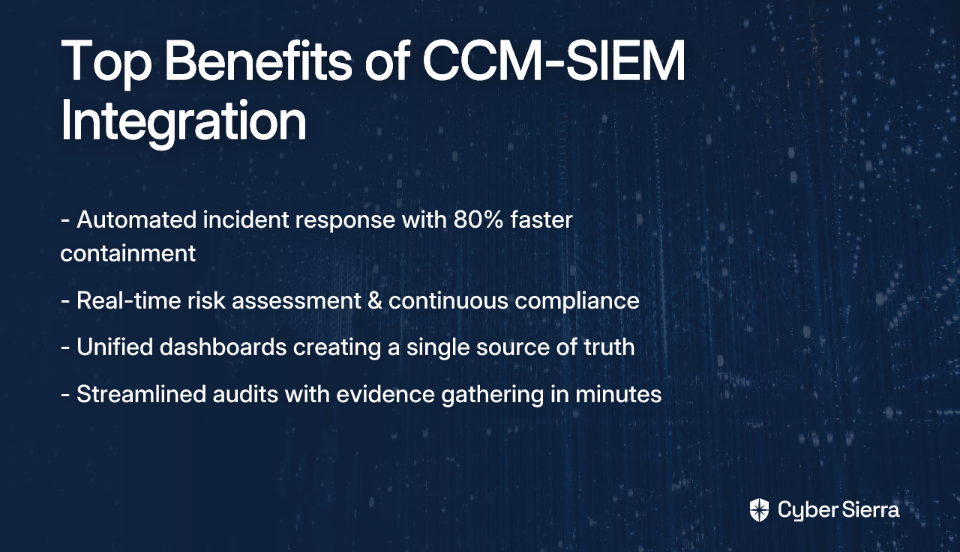
Key Features:

  • Deep capabilities for privacy management and data governance
  • Modules for IT & Security Risk, Third-Party Risk, and Ethics & Compliance
  • Automates data discovery and compliance workflows
  • Strong regulatory intelligence and updates

Best For: Organizations where data privacy is a primary business driver and a central part of their risk posture.

Considerations: Its deep focus on privacy means it "may not fully address broader ERM needs," particularly in operational or strategic risk management functionalities outside of the tech and data spheres.

5. MetricStream

Overview: MetricStream is an established player in the GRC space, offering what it calls "Connected GRC." The platform is known for its advanced analytical capabilities and ability to handle complex regulatory environments.

Key Features:

  • Advanced analytics and AI for risk intelligence
  • Strong support for regulatory compliance management in highly regulated industries
  • Comprehensive modules for risk, audit, compliance, and vendor management
  • Mature reporting capabilities for executives and boards

Best For: Large, highly regulated enterprises that require deep and specialized compliance functionality and have the resources to manage a complex implementation.

Considerations: The platform's power comes with complexity. It can "require significant customization to fit specific needs," potentially leading to high implementation and maintenance costs.

Feature Comparison Table

PlatformCore FocusIdeal CustomerKey Differentiator
Cyber SierraUnified, Automated Cyber Risk & ComplianceSMBs to Enterprises seeking simplicity and automationAll-in-one platform with Continuous Control Monitoring (CCM) and integrated modules
ServiceNow GRCIntegrated IT & Risk ManagementLarge enterprises already on the ServiceNow platformDeep integration with ITSM and business workflows
LogicGateFlexible, No-Code GRCOrganizations with unique processes needing customizationHighly configurable, user-built workflows
OneTrustPrivacy, Security & Data GovernanceCompanies with a primary focus on data privacy complianceMarket-leading privacy management capabilities
MetricStreamAdvanced, Connected GRCHighly regulated large enterprisesStrong analytics and deep regulatory compliance features

How to Choose the Right Archer Alternative for Your Organization

Given the variety of options, how do you select the right platform for your organization? Here are four key considerations:

1. Define Your Process Before the Product

As one risk management professional aptly noted, "If you don't know what your process looks like...what types of reporting are needed, how can you tell which tool best fits your process?"

Before evaluating any platform, map out your risk management, compliance, and vendor assessment workflows. Understand your current maturity level and where you want to be. A tool should support your process, not dictate it.

2. Look for Actionable Intelligence, Not Just Dashboards

Move beyond "pretty dashboards for management presentations." A modern tool should provide actionable risk intelligence that drives decision-making. Ask vendors: Does this platform offer continuous monitoring to detect control failures in real-time? Does it help prioritize vulnerabilities based on business impact?

3. Prioritize Usability and Fast Time-to-Value

A complex tool that nobody uses is worse than a simple spreadsheet. Look for platforms with intuitive interfaces that don't require a dedicated team to manage. This is critical for adoption and ROI, especially for organizations without mature GRC programs.

4. Scrutinize the Total Cost of Ownership (TCO)

Many organizations have been burned by "offensively expensive" tools. Calculate the TCO beyond the sticker price, including implementation fees, customization costs, required training, and ongoing maintenance.
Conclusion: The Future is Integrated and Automated

The era of clunky, siloed, and manually-intensive GRC is ending. The market has shifted towards integrated platforms that automate manual work and provide a holistic view of cyber risk.

While Archer remains a powerful tool for specific use cases, modern alternatives like Cyber Sierra offer a more agile, comprehensive, and user-friendly path to cyber resilience. By integrating Continuous Control Monitoring, TPRM, GRC, and more into one platform, organizations can finally move from being reactive to proactive in their cyber risk management.

Ready to leave behind compliance fatigue and spreadsheet chaos? See how Cyber Sierra's AI-enabled platform can unify and automate your cyber risk management program.

Frequently Asked Questions

Why do companies look for alternatives to Archer?

Companies often seek Archer alternatives due to its complexity, high resource requirements, and steep learning curve. While powerful, Archer is often described as a "beast" that requires a dedicated team to manage and customize, making it less suitable for organizations seeking agility, faster time-to-value, or those with less mature GRC programs.

What is the main difference between legacy GRC tools and modern platforms?

The main difference lies in automation and integration. Modern platforms emphasize continuous monitoring, real-time data collection, and user-friendliness to provide actionable intelligence. In contrast, legacy GRC tools are often built around manual, periodic compliance tasks and audits, which can be resource-intensive and provide only a point-in-time view of risk.

How should I choose the right GRC platform for my business?

To choose the right GRC platform, you should first define your internal risk and compliance processes. Then, prioritize platforms that offer actionable intelligence over simple dashboards, evaluate usability for quick adoption by your team, and calculate the total cost of ownership (TCO), including implementation, training, and maintenance costs.

What makes Cyber Sierra a strong Archer alternative?

Cyber Sierra is a strong Archer alternative because it offers a unified, AI-enabled platform that simplifies risk and compliance management without the complexity of legacy systems. It integrates key functions like Continuous Control Monitoring (CCM), Third-Party Risk Management (TPRM), and employee training into a single, user-friendly interface, designed for quick implementation and continuous, automated security.

What is Continuous Control Monitoring (CCM) and why is it important for GRC?

Continuous Control Monitoring (CCM) is an automated process that provides near real-time visibility into the effectiveness of your security controls. It is important because it replaces manual, point-in-time audits with ongoing, automated evidence collection. This allows organizations to proactively identify and remediate control failures, maintain an audit-ready posture, and make more informed risk decisions.

blog-hero-background-image
Cyber Security

How to Use GenAI for Automated Policy Documentation Updates

backdrop
Table of Contents

Join thousands of professionals and get the latest insight on Compliance & Cybersecurity.


Summary

  • Manual policy documentation is unsustainable, with over 11,900 regulatory updates in a single week creating significant compliance risks for businesses.
  • Generative AI can automate the creation and updating of compliance documents, handling up to 80% of the workload from drafting policies to summarizing regulatory changes.
  • To effectively use GenAI, organizations should train models on trusted internal data, use specific prompts for accuracy, and always include a human expert for final review.
  • For full effectiveness, GenAI should be integrated into a compliance ecosystem; Cybersierra's GRC platform connects AI-generated policies to live controls and audit trails.

You've set up yet another meeting to update the company's security policies. The agenda? Manually sifting through new PCI DSS requirements, then painstakingly updating dozens of documents scattered across shared drives. It's a tedious process that pulls you away from strategic work—and you can't help thinking: "There must be a better way to document as I go."

Sound familiar? Many IT and compliance professionals dream of a system that can automatically create and update the documentation needed to keep pace with evolving regulations. With over 11,906 new regulatory documents added in just 7 days and 50 final rules becoming effective in the next week according to Compliance.ai, manual tracking has become nearly impossible.

The good news? Generative AI (GenAI) is transforming how organizations handle policy documentation—moving from reactive, manual processes to proactive, automated systems that can draft, update, and maintain critical compliance documents.

In this article, you'll learn how to implement GenAI for policy documentation, understand its benefits and limitations, and discover how integrated platforms can enhance its effectiveness for compliance management.

The Breaking Point: Why Manual Policy Management Fails in the Modern Enterprise

Traditional policy management approaches are collapsing under the weight of modern compliance demands. Here's why:

Regulatory Velocity: Regulations evolve faster than ever. The SEC issued penalties totaling $37,812,859 in the last 30 days, highlighting the cost of non-compliance.
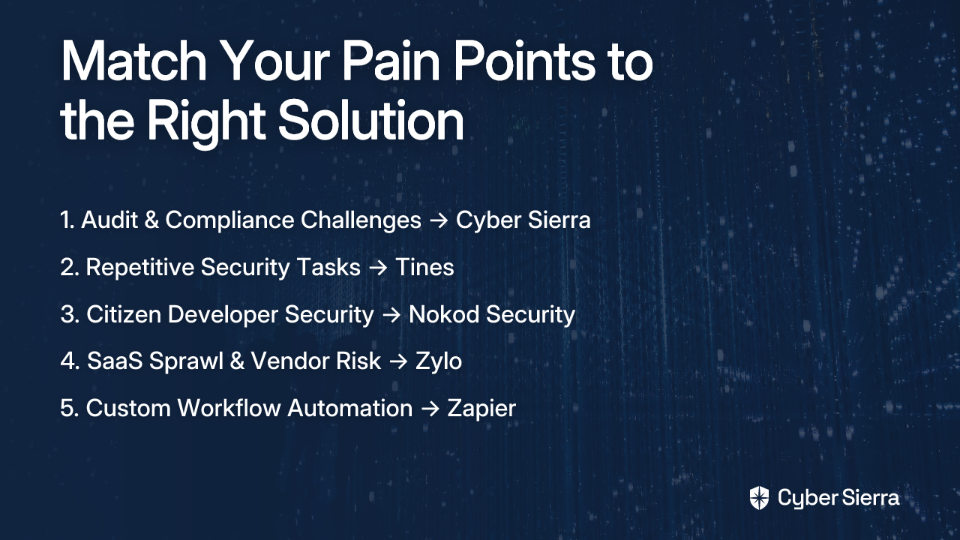
Distributed Teams: Remote and global workforces create inconsistent policy implementation across departments, making centralized documentation challenging.

Tool Sprawl: The average enterprise uses 130+ cybersecurity tools, creating siloed policy management without a unified view.

Resource Constraints: According to a Reddit discussion on documentation tools, many organizations struggle with "little to no documentation" due to limited resources.

The consequences are severe. In September 2024 alone, organizations were fined over €4 billion for non-compliance with data processing principles. Manual policy management isn't just inefficient—it's becoming an existential risk.

What is Generative AI and How Can It Revolutionize Documentation?

Generative AI refers to artificial intelligence systems that can create original content—text, images, code—based on the patterns they've learned from vast datasets. As IBM explains, these systems "interpret and generate human-understandable content based on their training."

For policy documentation, GenAI isn't about replacing human judgment but amplifying it. Here's how it transforms the documentation process:

Automated Template Creation: GenAI can scan existing policies and automatically identify variables (like "Company Name") and conditional logic, turning static documents into dynamic templates.

First Draft Generation: Instead of starting with a blank page, provide a simple prompt outlining your objective and relevant framework, and GenAI will generate a comprehensive first draft.

Regulatory Intelligence: GenAI can ingest and summarize complex regulatory updates, highlighting specific impacts on your existing policies.

Clause Redrafting: When regulations change, GenAI can suggest alternative clauses that maintain compliance while preserving your organization's tone and approach.

Policy-to-Code Generation: For technical policies, tools like OpsMx's Rules Genie can take plain language policy definitions and automatically generate enforcement scripts in languages like Rego for the Open Policy Agent.

A Practical Guide: Implementing GenAI for Automated Policy Updates

Let's break down how to implement GenAI for policy documentation in five actionable steps:

Step 1: Set Up and Train Your Model

While you can use general-purpose AI tools like ChatGPT, for policy documentation you'll want to create guardrails to prevent "hallucinations" (inaccurate outputs).

Actionable Tip: Feed your AI system a trusted knowledge base including:

  • Your existing policy library
  • Relevant frameworks (NIST, ISO 27001, PCI DSS)
  • Historical audit findings
  • Industry-specific regulations

This ensures outputs are grounded in your organization's reality and compliance requirements.

Step 2: Automate Regulatory Intelligence

Set up an automated monitoring system to track regulatory sources like the U.S. Code of Federal Regulations. An AI tool can then:

  1. Ingest regulatory updates
  2. Summarize key changes
  3. Flag which internal policies are potentially impacted
  4. Prioritize updates based on implementation deadlines

This transforms regulatory tracking from a manual chore to an automated, proactive process.

Step 3: Generate Draft Updates with Specific Prompts

The quality of your GenAI outputs depends heavily on your prompts. As one IT professional noted in a discussion about documentation tools, "Try throwing some stuff into ChatGPT with some very specific prompts - you might be surprised on the output..."

Example Prompt:

Based on the summarized changes to PCI DSS v4.0 regarding multi-factor authentication, review our current 'Access Control Policy' (document ID: POL-SEC-004) and draft updated sections 3.1 and 3.2 to meet the new requirements. Ensure the language is clear for a non-technical audience.
The specificity of this prompt—referencing exact document IDs and sections—dramatically improves the relevance and accuracy of the AI's response.

Step 4: The Human-in-the-Loop Review

This critical step addresses a fundamental truth from documentation professionals: "you can't escape the need for someone to pull it together and make it comprehensible."

The Subject Matter Expert (SME)'s role is not to write from scratch but to:

  • Validate the AI's output for accuracy
  • Add organizational context and nuance
  • Ensure the policy meets specific business needs
  • Apply professional judgment to edge cases

GenAI accelerates the first 80% of the work, allowing human experts to focus on the high-value validation and refinement that machines can't replicate.

Step 5: Integrate and Distribute

Once approved, the policy needs to be integrated into your GRC system and distributed to stakeholders. GenAI can help here too:

  • Generate a 3-bullet summary of policy changes for an all-company email
  • Create five quiz questions for the annual employee compliance training
  • Produce department-specific guidance based on the master policy
  • Update related documentation that references the changed policy

This ensures your updated policies aren't just stored but actually implemented and understood across the organization.

The Payoff and the Pitfalls: Benefits and Challenges of GenAI

Benefits

Greater Efficiency: According to IBM's research on GenAI, organizations can automate and accelerate content generation, freeing up employees for higher-value strategic tasks.

Enhanced Accuracy: AI-generated scripts and text minimize ambiguity and misinterpretation common in manual writing, ensuring policies are precise and implementable.

Improved Consistency: Ensure uniform policy enforcement and language across all documentation, eliminating the "policy drift" that occurs when different departments create their own variations.

Audit Readiness: When auditors arrive, you can demonstrate not just current policies but the systematic process used to maintain them, including regulatory change tracking and update history.

Challenges & Mitigation (Based on insights from IBM)

Challenge: Inaccurate Outputs (Hallucinations) Mitigation: Implement strong "guardrails" by ensuring the model draws only from trusted, verified sources you provide. Always have a human SME review critical outputs.

Challenge: Bias Mitigation: Ensure your training data (your existing policies and documents) is reviewed for inherent biases. Continuously evaluate outputs with a diverse team of reviewers.

Challenge: Inconsistency Mitigation: Master prompt engineering. Develop a library of standardized, detailed prompts for common tasks to ensure reliable and consistent outputs.

From Standalone AI to a Full Compliance Ecosystem

While tools like ChatGPT are a great starting point, true automation requires integration. A standalone AI tool can't connect a regulatory change to a specific internal control, track its implementation, or provide evidence for auditors.

This is where specialized platforms come in. An AI-enabled GRC platform provides the necessary ecosystem for GenAI to thrive by connecting the dots between policies, controls, assets, and evidence.
For example, Cybersierra's integrated platform enhances the effectiveness of GenAI for policy documentation in several ways:

Continuous Control Monitoring (CCM): Instead of waiting for an audit, Cybersierra's CCM provides near real-time data on control effectiveness. GenAI can analyze this data stream and proactively suggest policy updates. For example, if the CCM tool detects persistent cloud misconfigurations, GenAI could draft a more stringent policy for cloud deployments.

Governance, Risk & Compliance (GRC): Cybersierra's GRC module serves as the single source of truth for your policies. When GenAI drafts a new policy, the platform can automatically map it to multiple frameworks (like SOC 2, ISO 27001, HIPAA), link it to relevant controls, and maintain a detailed audit trail for when auditors come knocking.

Automating the Full Lifecycle: The integration provides the end-to-end workflow: monitoring for changes, using GenAI to draft updates, routing them for human approval, and then tracking their implementation and effectiveness via CCM.

This approach addresses a key pain point identified in user research: "I need to up my documentation game and it'd be easier for me to do if it would just map out the process I do as I do it." An integrated platform doesn't just help you write policies—it maps them to your actual operations, creating a living system rather than static documents.

Conclusion: From Documentation Burden to Compliance Advantage

GenAI is transforming policy documentation from a static, manual chore into a dynamic, automated process. The key insights to take away:

  1. Manual policy management is unsustainable in today's regulatory environment, creating significant compliance and business risks.
  2. GenAI can automate 60-80% of policy documentation work, from monitoring regulatory changes to drafting updates to creating training materials.
  3. Human expertise remains essential for validation, context, and judgment—GenAI is a powerful assistant, not a replacement for SMEs.
  4. Integration is critical for moving beyond standalone AI experiments to a systematic, auditable compliance program.

Stop chasing documentation and start automating it. The competitive advantage belongs to organizations that can maintain compliance without diverting resources from innovation and growth.

Frequently Asked Questions

What is GenAI for policy documentation?

Generative AI for policy documentation is the use of artificial intelligence to automatically create, update, and manage compliance documents like security policies and procedures. It transforms the process by generating first drafts from simple prompts, summarizing complex regulatory changes, redrafting specific clauses to meet new requirements, and even translating policies into executable code. Instead of replacing human experts, it acts as a powerful assistant to accelerate their work.
How does GenAI automate policy updates?

GenAI automates policy updates by continuously monitoring regulatory sources for changes, identifying impacted internal policies, and automatically generating draft updates for human review. The process involves setting up an AI model with your trusted knowledge base (existing policies, frameworks like NIST or ISO 27001), which then ingests and summarizes new regulations. Using specific prompts, you can instruct the AI to redraft specific sections of a policy, which are then validated by a Subject Matter Expert before being distributed.

Why is human review still necessary for AI-generated policies?

Human review is essential to validate the accuracy of AI-generated content, add critical organizational context, and apply professional judgment to nuances and edge cases that an AI cannot understand. While GenAI can handle about 80% of the drafting work, it lacks true comprehension of your business's specific needs, risk appetite, and operational realities. A human-in-the-loop process ensures that policies are not only compliant but also practical, comprehensible, and aligned with your company's strategic goals.

What are the main risks of using GenAI for compliance documents?

The main risks of using GenAI for compliance are generating inaccurate information (hallucinations), perpetuating hidden biases from training data, and producing inconsistent outputs. These risks can be mitigated effectively. Hallucinations are minimized by training the AI on a curated, trusted knowledge base and implementing strong "guardrails." Bias is addressed by carefully reviewing training data and having diverse teams review outputs. Inconsistency is solved by developing and using a library of standardized, detailed prompts for common documentation tasks.

What is the difference between using ChatGPT and an integrated GRC platform for policy management?

A standalone tool like ChatGPT can draft text, but an integrated Governance, Risk, and Compliance (GRC) platform connects that text to your entire compliance ecosystem. An AI-enabled GRC platform provides the end-to-end workflow. It not only helps draft a policy but also maps it to multiple compliance frameworks (e.g., SOC 2, HIPAA), links it to specific internal controls, tracks its implementation through continuous monitoring, and maintains a complete audit trail. This creates a living, auditable system rather than just a collection of static documents.

While GenAI tools are democratizing access to automation capabilities, specialized platforms like Cybersierra provide the framework and guardrails needed for enterprise-grade policy management. See how an integrated GRC platform can provide the foundation for your GenAI-powered compliance strategy and make you audit-ready, faster.

The future of policy documentation isn't just automated—it's intelligent, integrated, and proactive. And it starts with GenAI.

toaster icon

Thank you for reaching out to us!

We will get back to you soon.