10 Signs a Data Breach Notification Is Actually a Phishing Scam


Join thousands of professionals and get the latest insight on Compliance & Cybersecurity.
Summary
- Modern phishing scams expertly mimic data breach notifications by using urgent language and cloned websites to provoke an emotional response.
- Key red flags include "off" sender email addresses, generic greetings, deceptive links, and requests for sensitive information like passwords.
- Always verify a breach independently by visiting the company's official website; never click links or download attachments from a suspicious email.
- Organizations can build a resilient defense by implementing continuous Employee Security Training to create a strong "human firewall."
You've just received an urgent email: "CRITICAL: Your account has been compromised in a data breach. Immediate action required to secure your information." Your heart races as you read that your personal data may be at risk. But before you click that link, pause for a moment.
In today's threat landscape, cybercriminals have become extraordinarily sophisticated. Gone are the days of poorly written emails with obvious grammatical errors. Modern phishing scams masterfully mimic legitimate data breach notifications, creating perfect replicas of corporate websites, using clean language, and exploiting your natural fear response.
As security professionals report, "fake login pages are still crazy effective," and scammers can perfectly "mirror our HR/Benefits website and email format." Even more concerning is the "rise in phishing emails from compromised third-party vendors using legitimate domains," making it impossible to rely solely on the sender's name for verification.
This guide will cut through the confusion, providing you with 10 concrete signs to determine if that "urgent" data breach notification is legitimate or a sophisticated attempt to steal your credentials. We'll also provide a downloadable checklist to keep on hand and discuss how organizations can build a resilient human firewall against these evolving threats.
1. Your Team Lacks Proactive Security Training
The most significant vulnerability in any organization isn't software—it's an unprepared employee. If your organization doesn't conduct regular, engaging security training, your team is essentially flying blind against sophisticated threats. Scammers count on this knowledge gap.
Cyber Sierra's Employee Security Training addresses this foundational flaw by transforming your workforce from a potential vulnerability into your first line of defense. The platform offers:
- Interactive Training Modules: Educating employees on email safety best practices, password hygiene, and recognizing the latest phishing tactics
- Simulated Phishing Campaigns: Moving beyond theory by testing employees with real-world scenarios, providing clear metrics on your organization's security awareness
- Continuous Learning: Keeping staff updated on evolving threats like AI-generated content and QR code phishing ("quishing")
A security-conscious culture is your strongest defense against sophisticated phishing attempts disguised as data breach notifications.
2. The Message Creates a Sense of Urgency or Fear
Legitimate companies understand the sensitivity of data breach notifications and craft their communications carefully. Scammers, however, rely on social engineering to bypass rational thinking by creating panic that forces quick, emotional reactions.
Watch for language like:
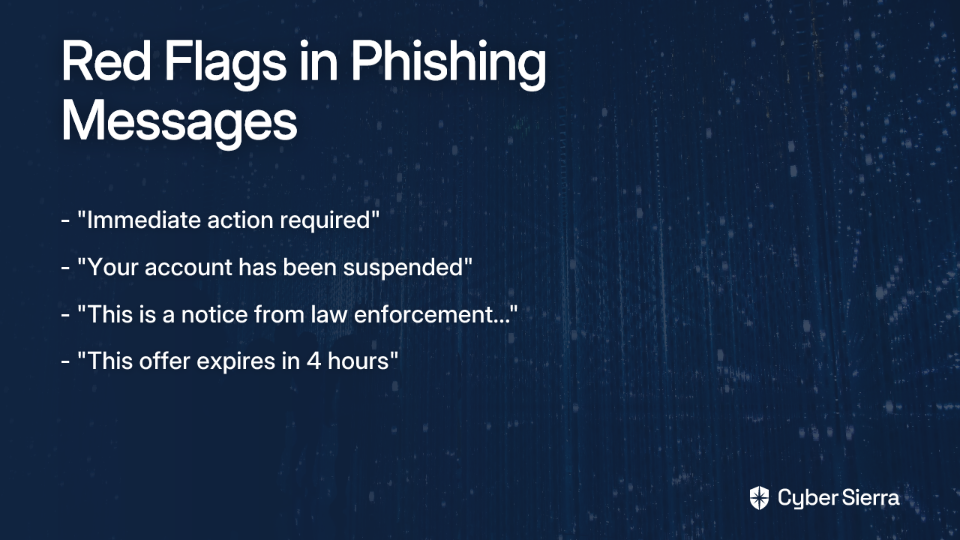
- "Immediate action required"
- "Your account has been suspended"
- "This is a notice from law enforcement... Your immediate response is necessary"
- "This offer expires in 4 hours"
According to the Federal Trade Commission, claims that your account is on hold or requires immediate action are key indicators of a scam. While genuine data breach notifications are serious, they typically use measured, formal language that explains the situation without creating panic.
3. The Sender's Email Address is "Off"
One of the most reliable ways to spot a phishing attempt is to examine the sender's email address carefully—not just the display name. Cybersecurity professionals report "a huge rise in Gmail for VIP spoofing," where scammers impersonate executives or trusted entities.
How to check:

- Don't trust the display name. Click or tap on the sender's name to reveal the full email address.
- Look for lookalike domains: Scrutinize the domain for subtle misspellings (e.g.,
[email protected]instead of@microsoft.com). - Watch for subdomains: A legitimate company like Chase won't email you from
chase.secure-login.com. The real domain comes last before the.com.
Legitimate organizations will always send data breach notifications from their primary domain (e.g., @cybersierra.co, @google.com), not from free email providers or suspicious variations.
4. The Greeting is Generic or Impersonal
Phishing emails frequently use generic salutations like "Dear Customer," "Valued Member," or "Hi, it's Alex in sales." This impersonal approach allows scammers to send the same message to thousands of potential victims.
A company that has your data (and has just experienced a breach affecting you) knows your name. Legitimate data breach notifications almost always address you personally (e.g., "Dear John Smith"). While sophisticated spear phishing attacks may use your name, the absence of personalization in a supposed security alert remains a significant red flag.
5. It Asks You to Provide Sensitive Information
This is perhaps the most important rule: a legitimate data breach notification will NEVER ask you to provide your password, Social Security number, credit card details, or other sensitive information via an email link or form to "verify your account."
What real data breach notifications do:

- Inform you what data was compromised
- Advise you on steps you should take, like changing your password directly on their official website (which you should navigate to yourself)
- Provide contact information for their security team if you have questions
The HIPAA Breach Notification Rule and GDPR guidelines detail what information must be in a notification—and asking for more user data isn't part of it. If you're being asked to enter credentials or personal information, it's almost certainly a credential harvesting attempt.
6. The Links are Deceptive or Lead to an Unsecured Site
Before clicking any link in a data breach notification email, hover your mouse over it to see the actual destination URL in the bottom corner of your browser. On mobile, press and hold the link to see a preview.
What to look for:

- Mismatched URLs: The text might say
https://yourbank.com/security, but the hover-link shows a strange URL likehttp://bit.ly/xyz123orhttp://secure-yourbank.info. - HTTP instead of HTTPS: Legitimate login or data entry pages will always use
https://. The 'S' stands for secure. The absence of it is a non-negotiable red flag.
This is how scammers execute their highly effective "fake login pages." The link appears legitimate, but it takes you to a cloned site designed to steal your credentials. According to cybersecurity professionals, these fake pages remain "crazy effective" because they can perfectly mirror legitimate websites.
7. The Email Contains Obvious Spelling and Grammar Errors
While this was once a reliable indicator, today's phishing landscape has evolved. As noted by security experts, "the structure of emails has become cleaner with minimal grammar issues," often utilizing AI-generated content that can be indistinguishable from professional writing.
However, if you do spot multiple spelling mistakes or awkward phrasing in an official security notification, it remains a strong indicator of a scam. Large organizations have communications teams that review important notifications before sending them. Consider this one clue among many, rather than a definitive indicator.
8. There's an Unexpected Attachment
Data breach notifications inform; they don't send you files. Attachments like PDFs, ZIP files, or documents are common vectors for malware. Security professionals have noted "an uptick of password-protected files that email filters cannot scan." The scammer will put the password in the email body to trick you into opening the malicious file, bypassing security software.
The rule is simple: never open an unsolicited attachment in a security-related email. A legitimate data breach notification will direct you to a secure website or provide information directly in the email body.
9. The Design and Logos Look Clumsy or Low-Quality
While sophisticated phishing attempts may perfectly replicate a company's branding, many still contain visual inconsistencies. Look for:
- Blurry or pixelated logos
- Strange formatting or alignment issues
- Colors that are slightly off from the company's usual palette
- Inconsistent fonts or design elements
If the email footer looks different from other communications you've received from that company, or if design elements appear hastily assembled, these small details can reveal a forgery.
10. There's No Independent Confirmation of the Breach
If a major company experiences a significant data breach, it will be reported in multiple channels. Before taking action on any breach notification:
- Do not click the link in the email
- Open a new browser tab and go to a search engine
- Search for "[Company Name] data breach"
- Check the company's official website (by typing the URL yourself) and their official social media channels for an announcement
For breaches affecting over 500 people, regulations like HIPAA require notifying the media and regulatory bodies. If you can't find any official mention of the breach, the email is almost certainly fraudulent.
Your Verification Checklist: How to Spot a Phish
Use this handy checklist whenever you receive a data breach notification:

What to Do If You Spot a Phishing Scam
If you identify a phishing attempt masquerading as a data breach notification:
- Don't Reply, Click, or Download: Do not engage with the message in any way.
- Report It: Forward the phishing email to the Anti-Phishing Working Group at
[email protected]. You can also report it to the FTC at ReportFraud.ftc.gov. If it's a work email, follow your company's protocol for reporting to IT or security. - Delete It: Once reported, remove the message from your inbox.
- If You Already Clicked: If you entered credentials, immediately go to the real website and change your password. Enable Multi-Factor Authentication (MFA) if you haven't already. Monitor your accounts for any suspicious activity.
Your Human Firewall is Your Strongest Defense
Phishing tactics will continue to evolve. Scammers will leverage AI, deepfakes, and sophisticated social engineering to bypass technical controls. The only defense that adapts in real-time is a well-educated and vigilant workforce.
While these 10 signs provide a powerful framework for identifying phishing scams masquerading as data breach notifications, the ultimate goal is to build a culture of security where every employee feels empowered to question, verify, and report suspicious activity.
For organizations ready to move from a reactive to a proactive security posture, Cyber Sierra's Employee Security Training provides the tools to build that essential human firewall. Through continuous training and real-world simulations, you can drastically reduce the risk of human error and protect your organization from costly data breaches.
Frequently Asked Questions
What is the most common sign of a fake data breach email?
The most common sign is a request for sensitive information. Legitimate notifications never ask for your password or financial details via email. Other red flags include a sense of urgency, mismatched links, and generic greetings.
Why do scammers create a sense of urgency in phishing emails?
Scammers create urgency to trigger a fear response. This bypasses rational thinking, pressuring you to click links or provide information without proper verification. Legitimate companies communicate serious matters calmly.
What should I do if I receive a suspicious data breach notification?
Do not click any links, download attachments, or reply. Instead, report the email to your IT department and relevant authorities like the FTC. After reporting, delete the message to avoid accidental interaction.
How can I verify if a data breach is real?
Verify a breach independently by visiting the company's official website directly (do not use links from the email). You can also search for news reports from reputable media outlets about the company and a potential data breach.
Will a legitimate company ask for my password in a data breach email?
No, a legitimate company will never ask you to provide your password, Social Security number, or other sensitive data in an email. Such requests are a definitive sign of a credential harvesting scam.
How does security training help prevent phishing attacks?
Security training transforms employees from targets into a strong defense. It educates them on recognizing phishing tactics, safe email practices, and proper reporting procedures, creating a resilient human firewall.
Remember: when it comes to data breach notifications, verify first, act second. Your vigilance is the most powerful defense against increasingly sophisticated phishing attempts.