blog-hero-background-image
Governance & Compliance

How to Build Guardrails vs Audits for Cloud Compliance at Scale

backdrop
Table of Contents

Join thousands of professionals and get the latest insight on Compliance & Cybersecurity.


"If we automate, the checks feel shallow. If we go deep, deployments grind to a halt."

This sentiment, shared by a frustrated security professional on Reddit, captures the core dilemma facing cloud-native organizations today. As development teams push for velocity, security and compliance teams are caught in an impossible situation: enforce thorough compliance checks and be labeled as blockers, or implement lightweight automation that might miss critical issues.

The tension between proactive prevention (guardrails) and detective verification (audits) isn't just a technical challenge—it's the central conflict in modern cloud operations. But here's the reality: scalable cloud compliance isn't about choosing one approach over the other. True scale is achieved by integrating fast, automated guardrails into the development pipeline while using intelligent, continuous audits to provide deep, ongoing assurance.

In this article, we'll explore how to build an effective two-track compliance approach that delivers both speed and security at scale.

The Modern Compliance Dilemma: Speed vs. Security

Today's cloud environments face a fundamental velocity vs. visibility trade-off. As one cloud architect put it: "If speed is critical, I'd rather see teams over-invest in monitoring instead of blocking." This perspective highlights the growing recognition that traditional compliance approaches are becoming untenable in cloud-native operations.

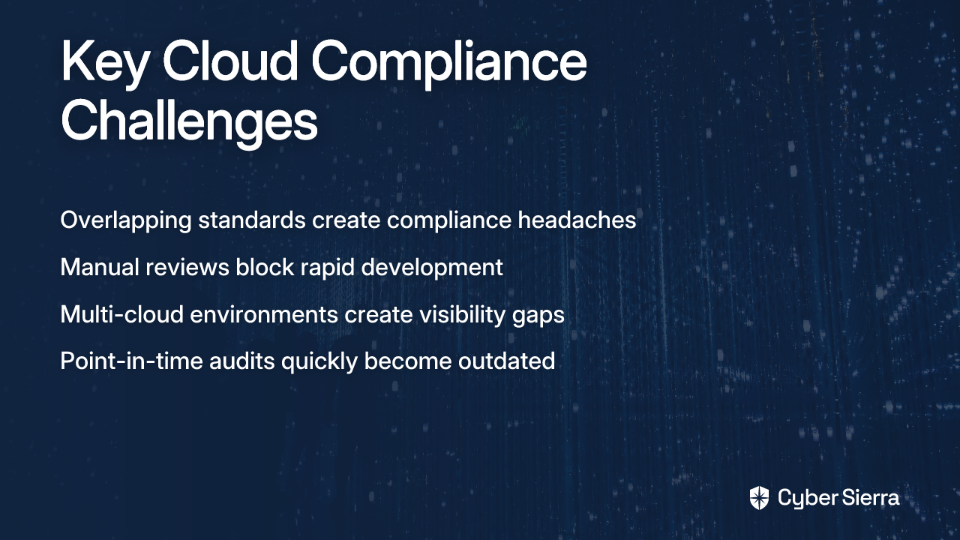
The challenges are multifaceted:
The Burden of Overlapping Standards

"Honestly, half of compliance headaches come from overlapping standards," noted one security professional. Organizations must simultaneously navigate a complex web of frameworks including GDPR, DORA, FISMA, HIPAA, SOX, PCI DSS, NIST SP 800-53, FedRAMP, and SOC 2—each with their own requirements and controls.

Developer Friction and Bottlenecks

Traditional, manual compliance reviews are increasingly seen as roadblocks to rapid development. In fact, research indicates that only 27% of developers believe security checks enhance productivity—a stark indicator of compliance's image problem.

Fragmented Visibility

Multi-cloud environments create significant blind spots, making it difficult to maintain a unified compliance posture. Without comprehensive visibility, teams struggle to identify and remediate issues efficiently.

Time-Consuming Audits

Manual checks not only delay deployments but also create a point-in-time snapshot that quickly becomes outdated in dynamic cloud environments.

These challenges demand a more sophisticated approach to cloud compliance—one that balances speed with security.

Deconstructing the Two Pillars: Proactive Guardrails vs. Detective Audits

Before diving into how these approaches work together, let's clarify what each one brings to the table.

Guardrails: The Proactive, Preventive Approach

Guardrails are "automated policies and controls integrated into cloud platforms that guide developers while ensuring compliance without manual intervention." They function as "preventive security controls...that allow developers the flexibility to innovate within the boundaries of defined security policies."

Core Function: To prevent security and compliance issues before they reach production.

Key Benefits:

  • Enables Speed & Innovation: Reduces delays and developer frustration
  • Operational Efficiency: Facilitates developer self-service within safe boundaries
  • Scalability: Automates enforcement across complex environments

Practical Examples:

  • Policy-as-Code: A rule denying public access to Cloud Storage buckets
  • Infrastructure-as-Code (IaC): Pre-configured, secure templates for deploying resources
  • Cloud-Native Services: Using IAM policies to enforce the principle of least privilege

Audits: The Detective, Assurance-Based Approach

Audits are "detective measures to verify compliance, often conducted periodically." The modern evolution is Continuous Controls Monitoring (CCM), which provides "automated, ongoing tracking of compliance, risk management, and security controls."

Core Function: To identify non-compliance and control gaps in deployed environments.

Key Benefits:

  • Deep Visibility: Catches complex misconfigurations that simple guardrails might miss
  • Formal Attestation: Provides the evidence needed for certifications like SOC 2 or FedRAMP
  • Risk Management: Proactively identifies and remediates vulnerabilities to prevent breaches

While traditional audits are time-consuming and provide only point-in-time assurance, modern continuous monitoring approaches address these limitations by providing ongoing visibility.

The "You Need Both" Strategy: A Two-Track Approach to Compliance

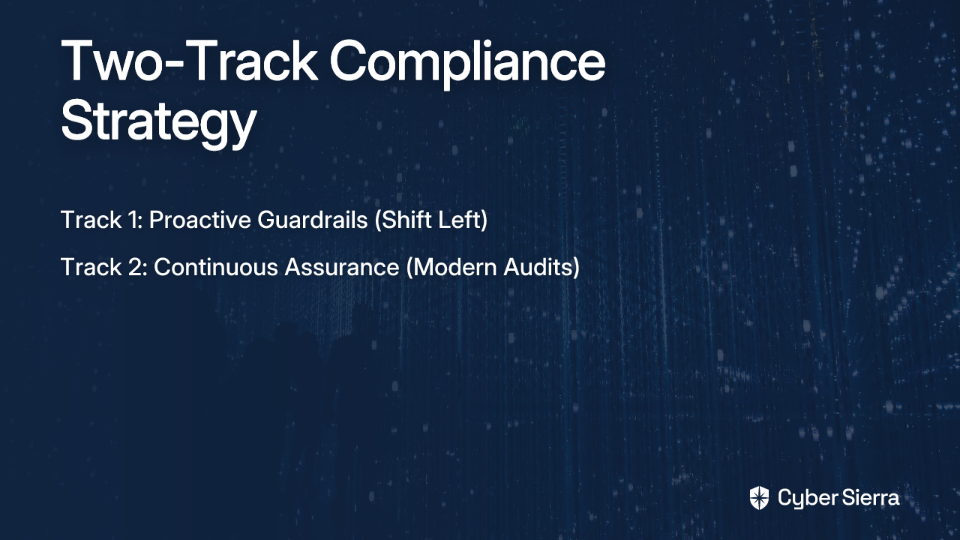
"The key insight we learned is that you need both - push the preventive stuff left to devs through automated policy enforcement," shared one cloud security architect. This observation crystallizes the central thesis of modern cloud compliance: guardrails and audits aren't competing approaches—they're complementary components of a comprehensive strategy.

Let's examine how this two-track approach works in practice:
Track 1: "Shift Left" with Proactive Guardrails

The first track focuses on embedding compliance early in the software development lifecycle (SDLC) through four key mechanisms:

1. Embrace Policy-as-Code (PaC)

Use tools like Terraform Validator to automatically check your Infrastructure as Code (IaC) against organization policies before deployment. This approach ensures that non-compliant resources never reach your cloud environment in the first place.

2. Use "Golden Path" IaC Templates

As one DevOps engineer noted: "We have pre-created terraform templates that are compliant out of the box." These templates provide developers with pre-approved, compliant infrastructure patterns (e.g., using Google Cloud Project Factory) that reduce the compliance burden on individual teams.

3. Leverage Cloud-Native Controls

Modern cloud platforms offer built-in compliance mechanisms:

  • Use Google Cloud Organization Policy with constraints like constraints/storage.publicAccessPrevention to prevent public Cloud Storage buckets by default
  • Implement VPC Service Controls to create service perimeters that mitigate data exfiltration risks
  • Enforce granular access with Cloud IAM to ensure the principle of least privilege

4. Integrate Checks into CI/CD Pipelines

Embed automated compliance and security checks at every stage of your pipeline to provide immediate feedback to developers, allowing them to fix issues before they impact production.

Track 2: "Continuously Assure" with Modern Audits (CCM)

The second track transforms traditional, painful audits into a system of real-time, automated monitoring:

1. Identify Key Processes and Controls

Leverage established frameworks like ISO 27001 or NIST to determine what to monitor. Focus on controls that address your most significant compliance requirements.

2. Define Control Objectives

Align monitoring with specific compliance goals (e.g., HIPAA data protection, SOX financial controls) to ensure your CCM efforts support your regulatory requirements.

3. Set Up Automated Tests

Use Cloud Native Application Protection Platform (CNAPP) or similar GRC tools to run continuous pass/fail tests against your cloud environment, identifying drift from your compliance baseline.

4. Monitor and Report

Track Key Risk Indicators (KRIs) to ensure timely detection and remediation of control failures, maintaining a continuous state of compliance readiness.

A Practical Framework for Implementing Scalable Compliance

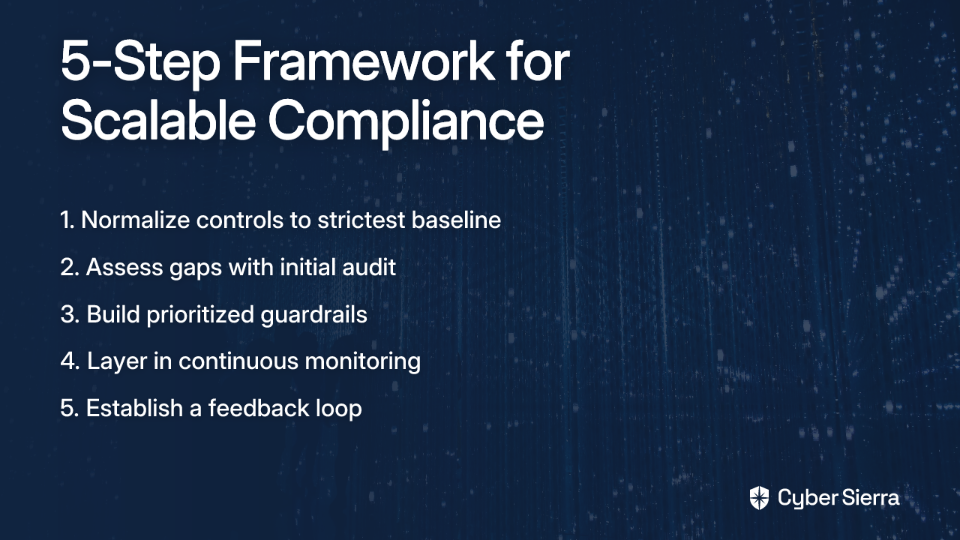
Translating this two-track strategy into practice requires a structured approach. Here's a five-step framework to get you started:

Step 1: Normalize Your Controls to the Strictest Baseline

Address the pain of "overlapping standards" head-on by consolidating your control requirements. As one compliance manager advised: "If you normalize your controls to the strictest baseline (PCI, HIPAA, SOC 2), you save time by not chasing each one individually." This approach creates a unified compliance framework that satisfies multiple regulatory requirements simultaneously.

Step 2: Assess Gaps with an Initial Audit

Use a comprehensive audit (manual or tool-assisted) as a starting point to identify your most significant compliance gaps. This baseline assessment will inform where to build your first guardrails and what to monitor continuously. This is a critical first step in transitioning from traditional audits to automated guardrails.

Step 3: Build Prioritized Guardrails

Based on your audit findings, build automated, preventive guardrails for your highest-risk and most frequent misconfigurations. Focus first on creating IaC templates and policy-as-code rules that address critical security controls like encryption, access management, and network security.

Step 4: Layer in Continuous Monitoring

Implement a CCM or CNAPP solution to get real-time visibility into resources that were deployed before guardrails existed or that slip through the cracks. As one security architect noted, tools like Orca "helped map compliance gaps across workloads without deploying agents," providing the visibility needed to prioritize remediation efforts.

Step 5: Establish a Feedback Loop

Use the findings from your continuous monitoring (audits) to inform the creation of new, more effective guardrails. This creates a virtuous cycle of continuous improvement, where your detective controls feed into your preventive measures.
Achieving Flexibility

Importantly, this framework accommodates the widely shared sentiment that "not every rule should block." High-severity issues can be implemented as hard-blocking guardrails in the CI/CD pipeline, while medium/low-severity issues can be configured as non-blocking alerts generated by the CCM system for review. This flexibility maintains development velocity while still ensuring visibility into potential compliance issues.

Conclusion

Scalable cloud compliance isn't about choosing guardrails or audits—it's about creating a symbiotic relationship where preventive guardrails enable speed, and continuous audits provide assurance and intelligence to improve those guardrails.

This balanced, two-track approach delivers something that neither approach can achieve alone: security at scale without sacrificing agility. By embedding compliance into development processes through guardrails while maintaining continuous visibility through modern auditing approaches, organizations can navigate the complex regulatory landscape without becoming a bottleneck to innovation.
As cloud environments grow more complex and threats continue to evolve, this proactive, continuously monitored compliance posture will be essential for maintaining both security and velocity. The organizations that master this balanced approach will be well-positioned to thrive in an increasingly regulated digital landscape.

Frequently Asked Questions

What is the main challenge with modern cloud compliance?

The main challenge is balancing the need for development speed with the requirement for thorough security and compliance checks. Development teams prioritize velocity, but traditional, manual compliance reviews create bottlenecks and friction. This forces a difficult trade-off: implement fast, shallow checks that might miss risks, or enforce deep, slow reviews that grind deployments to a halt. A modern approach must address this speed vs. security dilemma to be effective at scale.

What are cloud compliance guardrails?

Cloud guardrails are automated policies and preventive controls integrated into the development pipeline and cloud platforms to ensure compliance without manual intervention. They act as a "golden path" for developers, allowing them to innovate within safe, pre-defined boundaries. Examples include Policy-as-Code (PaC) rules that block non-compliant infrastructure before deployment, pre-configured IaC templates, and cloud-native controls like IAM policies that enforce the principle of least privilege.

Why are both guardrails and audits necessary for cloud compliance?

You need both because they serve complementary functions: guardrails prevent issues proactively ("shift left"), while audits detect issues that may already exist in your environment. Guardrails are excellent for preventing common misconfigurations and enforcing standards early in the development lifecycle, which enables speed. However, they can't catch everything. Continuous audits provide deep visibility, identify complex misconfigurations, and offer the assurance needed for formal attestations like SOC 2. The findings from audits also provide crucial feedback to create better, more effective guardrails.

How can you manage multiple compliance standards like SOC 2, HIPAA, and PCI DSS at once?

The most effective strategy is to normalize your controls to the strictest applicable baseline across all required standards. Instead of chasing each framework's requirements individually, you identify the overlapping and unique controls and create a unified framework that satisfies the most rigorous requirements (e.g., from PCI DSS or FedRAMP). This consolidated approach saves significant time and effort by allowing you to build one set of guardrails and monitoring tests that address multiple regulations simultaneously.

What is the first step to building a scalable cloud compliance program?

The first step is to conduct a comprehensive initial audit to assess your current compliance posture and identify your most significant gaps. This baseline assessment provides the critical data needed to prioritize your efforts. By understanding your biggest risks and most common misconfigurations, you can strategically build the most impactful preventive guardrails first and determine which controls require immediate continuous monitoring. This audit forms the foundation for the entire two-track strategy.
blog-hero-background-image
Governance & Compliance

Top Tools for ISO 27001 and SOC 2 Compliance Automation in 2025

backdrop
Table of Contents

Join thousands of professionals and get the latest insight on Compliance & Cybersecurity.


You've set up your security program and now you're facing the dreaded compliance audit. The spreadsheets are multiplying, your engineers are dodging your calls for screenshots, and the audit deadline looms ever closer. Sound familiar?

"The most painful part of an audit is typically evidence gathering," admits one security professional on Reddit. "You end up on long calls with engineers who may or may not speak GRC and hope they remember where to find a config and take a screenshot with a timestamp. It's painful and sucks up a lot of time."

In 2025, manual compliance is no longer just inefficient—it's a competitive disadvantage. Organizations that still rely on spreadsheets, email chains, and manual screenshots are falling behind those leveraging automated tools to achieve and maintain ISO 27001 and SOC 2 compliance.

This guide cuts through the noise to highlight the top compliance automation tools of 2025, what features truly matter, and how to choose the right solution for your specific needs.

Why Manual Compliance Is a Losing Battle

Before diving into the tools, let's understand what compliance automation actually means. Compliance automation is the process of streamlining ISO 27001 and SOC 2 certification by automating tasks like evidence collection, control monitoring, and policy management within an Information Security Management System (ISMS), according to compliance experts.

The Real Cost of "Doing It By Hand"

The traditional approach to compliance comes with significant challenges:

  1. Excessive Manual Effort: The cycle of manually amending policies, gathering evidence, and preparing for audits consumes valuable engineering and security resources.
  2. Scalability Issues: What works for a small team becomes unmanageable as your organization grows. More systems, more controls, more evidence to collect.
  3. Human Error Risk: Manual tracking increases the likelihood of missed controls and gaps in evidence, potentially leading to audit failures or security vulnerabilities.
  4. Audit Fatigue: The stress and disruption of preparing for audits creates a negative perception of compliance across the organization.

The Automation Advantage

Modern compliance automation delivers several key benefits:

  1. Reduced Manual Effort: Automates evidence collection and workflows, freeing your team from tedious tasks.
  2. Controlled Costs: Provides a more predictable cost structure for compliance, though as noted by users: "Compliance platforms can help, but they come with a steep learning curve and can cost up to $10k annually."
  3. Improved Scalability: Easily implement and monitor policies across a growing organization and technology stack.
  4. Proactive Risk Mitigation: Continuous monitoring helps you identify and address compliance gaps before they become audit findings.

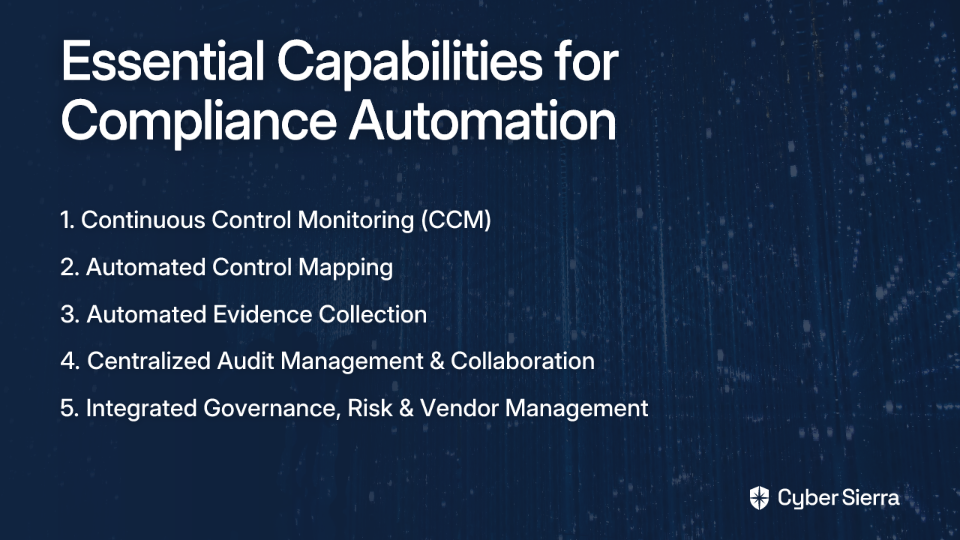
The Anatomy of a Great Compliance Platform: 5 Must-Have Features

Based on research from Zluri, here are the five essential capabilities that define the best compliance platforms in 2025:

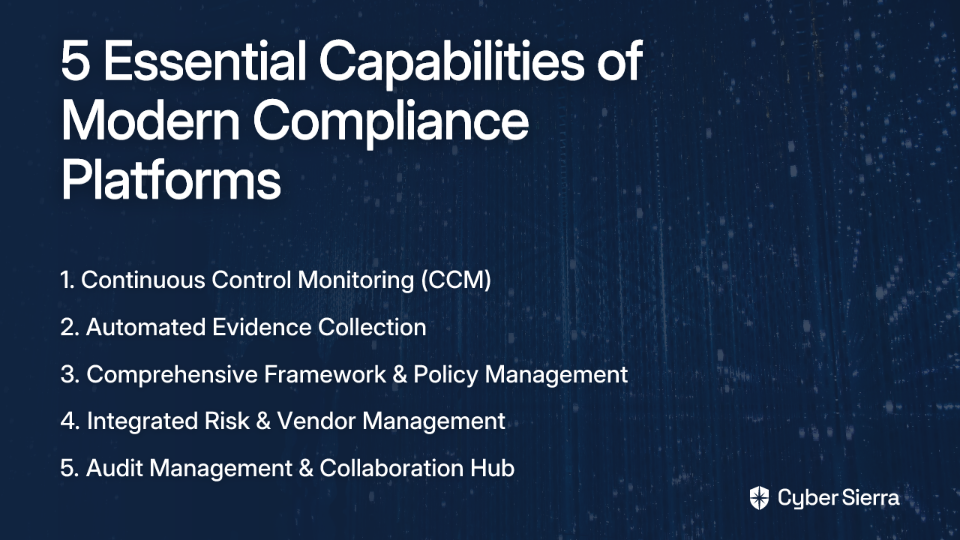
1. Continuous Control Monitoring (CCM)

This is the core of modern compliance—moving from point-in-time snapshots to ongoing, real-time visibility into your security controls. A robust CCM module should:

  • Build a central controls repository with near real-time updates
  • Detect exceptions and anomalies automatically
  • Provide actionable risk intelligence to prioritize remediation

"When evaluating compliance tools, prioritize those with strong continuous monitoring capabilities," recommends Zluri's research on compliance automation tools.

2. Automated Evidence Collection

This directly addresses the number one pain point from user research. The best tools integrate with your tech stack (AWS, Azure, Google Cloud, GitHub, Jira, etc.) to automatically pull evidence for controls.

As one Reddit user succinctly put it: "Plug into Azure and any Azure evidence instantly pulls." This eliminates the need to chase engineers for screenshots and configuration details.

3. Comprehensive Framework & Policy Management

The platform should support multiple frameworks (ISO 27001, SOC 2, GDPR, HIPAA, PCI DSS) and allow you to map controls across them to avoid duplicating work. Look for:

  • Pre-built, auditor-approved policy templates
  • The ability to customize policies to your organization
  • Version control and approval workflows for policy updates

4. Integrated Risk & Vendor Management

Compliance and risk are two sides of the same coin. Leading platforms in 2025 include:

  • A built-in risk register to conduct assessments, assign owners, and track mitigation
  • Third-Party Risk Management (TPRM) capabilities for vendor assessments
  • Continuous monitoring of your vendor ecosystem for security changes

This integration is crucial because, as security professionals have noted, many organizations struggle with "inadequate depth of assessments for cybersecurity practices" when it comes to vendors.

5. Audit Management & Collaboration Hub

The platform should act as a single source of truth for you and your auditor. Look for features that:

  • Allow you to grant auditors read-only access
  • Track evidence requests and their status
  • Facilitate direct communication within the platform

This addresses the pain point that "communication with auditors can be a bottleneck" in the audit process, according to user research.

The 2025 Contenders: Top Compliance Automation Tools

For Startups & Scale-ups (Speed to Certification)

  1. Drata
    • Highlights: Market leader known for its user-friendly interface and extensive integration library
    • Key Strengths: Automated evidence collection, real-time monitoring, policy templates
    • Target Audience: Fast-growing startups seeking rapid certification
    • Rating: 4.9/5 on G2
  2. Vanta
    • Highlights: Strong competitor to Drata with comprehensive coverage for SOC 2, ISO 27001, and more
    • Key Strengths: Real-time monitoring, pre-built policies, guided remediation
    • Target Audience: Tech companies with cloud-based infrastructure
    • Rating: 4.7/5 on G2
  3. Secureframe
    • Highlights: Integrates with over 100 services for automated compliance
    • Key Strengths: Quick implementation, strong customer support, continuous monitoring
    • Target Audience: Organizations seeking rapid compliance with multiple frameworks
    • Rating: 4.2/5 on G2
  4. Sprinto
    • Highlights: Focus on making enterprises audit-ready quickly
    • Key Strengths: Automated monitoring of controls, evidence collection
    • Target Audience: SMBs looking for a straightforward path to compliance
    • Rating: 4.8/5 on G2

For Enterprise & Mature Programs (Holistic GRC)

  1. AuditBoard
    • Highlights: Comprehensive platform for audit, risk, and compliance management
    • Key Strengths: Robust workflow capabilities, designed for complex organizations
    • Target Audience: Large enterprises with established compliance programs
    • Rating: 4.8/5 on G2
  2. OneTrust Compliance Automation
    • Highlights: Part of a larger trust intelligence platform
    • Key Strengths: InfoSec policy generation, continuous monitoring of controls
    • Target Audience: Organizations with broader privacy and security requirements
    • Rating: 4.6/5 on G2

For an Integrated Security Program (Beyond Compliance)

Cyber Sierra

The Cloud-Native Alternative: DIY Compliance with AWS Tools

For organizations deeply embedded in AWS, native tools can offer a powerful and cost-effective path to continuous compliance. According to Cyber Sierra's research on automated AWS compliance, this approach can be significantly more economical, with estimates around $500-$1000/month for medium environments, compared to potentially higher SaaS fees.

Core AWS Toolset for Compliance Automation

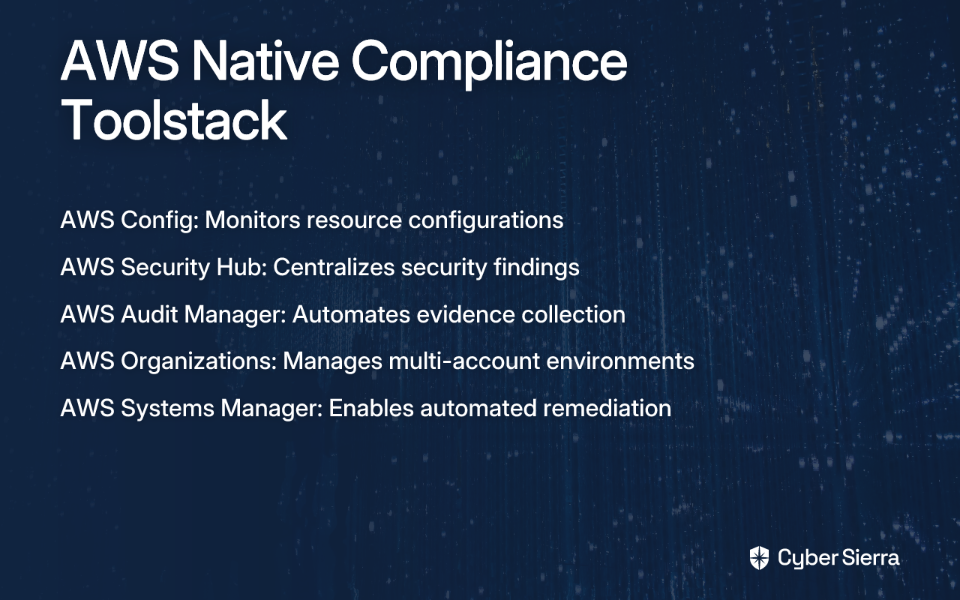
  1. AWS Config: The foundation for compliance in AWS. It monitors and evaluates resource configurations against compliance rules. Use Conformance Packs for ISO 27001 and SOC 2.
  2. AWS Security Hub: A centralized dashboard that aggregates findings from Config and other security services, providing a security score and mapping findings to compliance standards.
  3. AWS Audit Manager: Automates evidence collection with pre-built frameworks for ISO 27001 and SOC 2, collecting evidence and generating audit-ready reports.

Implementation Steps

  1. Foundational Setup: Use AWS Organizations and enable AWS Config across all accounts
  2. Deploy Compliance Rules: Deploy AWS Config Conformance Packs tailored for your required framework
  3. Centralize Visibility: Enable AWS Security Hub and integrate it with AWS Config
  4. Automate Evidence Collection: Configure AWS Audit Manager to run assessments against your frameworks
  5. Implement Automated Remediation: Use AWS Systems Manager Automation documents or Lambda functions to automatically fix non-compliant resources

This DIY approach requires more technical expertise but can deliver significant cost savings while providing powerful automation capabilities.

How to Choose Your Compliance Partner

There is no single "best" tool for everyone. The right choice depends on your organization's maturity, tech stack, and goals. Ask these questions:

  1. What is our primary goal?
    • Quick certification for a funding round or customer requirement?
    • Building a mature, long-term GRC program?
  2. What does our tech stack look like?
    • Ensure the tool has deep integrations with the services you use most
    • Cloud-native organizations might benefit from AWS-native tools
  3. What is our budget?
    • Consider both the tool cost and the internal resources needed
    • Factor in implementation, training, and maintenance
  4. Do we need a point solution or an integrated platform?
    • Just compliance automation, or also vendor risk, threat intelligence, and training?
    • Platforms like Cyber Sierra provide an integrated approach, while Drata and Vanta excel as focused compliance solutions

Conclusion: From Audit-Ready to Always-Ready

The goal of compliance automation isn't just to make your annual audit less painful—though that's certainly a benefit. It's to shift your organization's mindset from a reactive, checklist-based approach to a proactive, continuous security posture.

As compliance requirements continue to evolve and multiply, the organizations that thrive will be those that view compliance not as a burden but as an opportunity to strengthen their security program and build trust with customers and partners.

Whether you choose a market-leading SaaS platform like Drata, an integrated security platform like Cyber Sierra, or a cloud-native approach with AWS tools, the objective is the same: to build a resilient, trustworthy, and always-ready security program.

Frequently Asked Questions

What is compliance automation?

Compliance automation is the use of technology to streamline and simplify the process of meeting regulatory and security standards like ISO 27001 and SOC 2. It works by automating traditionally manual tasks such as evidence collection, control monitoring, policy management, and audit preparation, helping organizations maintain continuous compliance with less effort and fewer errors.

Why is compliance automation important for ISO 27001 and SOC 2?

Compliance automation is crucial for ISO 27001 and SOC 2 because it transforms compliance from a periodic, high-effort event into a continuous, integrated process. By automating evidence gathering and monitoring security controls in real-time, it significantly reduces the risk of human error, saves countless hours for engineering teams, and helps organizations maintain a strong security posture year-round, not just during audit season.

What are the most important features of a compliance automation tool?

The most effective compliance automation tools include five key features: Continuous Control Monitoring (CCM) for real-time visibility, Automated Evidence Collection to eliminate manual work, comprehensive Framework and Policy Management with pre-built templates, integrated Risk and Vendor Management to see the bigger picture, and a collaborative Audit Management Hub to streamline communication with auditors.

How much do compliance automation platforms cost?

The cost of compliance automation platforms varies widely based on your company's size, the complexity of your tech stack, and the number of frameworks you need. SaaS solutions like Drata or Vanta can cost upwards of $10,000 annually. In contrast, a Do-It-Yourself (DIY) approach using native cloud tools like AWS Config can be more economical, estimated at around $500-$1000 per month for a medium-sized environment, but requires more in-house technical expertise.

What is the difference between a compliance point solution and an integrated GRC platform?

A compliance point solution, such as Drata or Vanta, is primarily focused on achieving specific certifications (like SOC 2 or ISO 27001) as quickly as possible by automating evidence collection for that framework. An integrated GRC platform, like Cyber Sierra, treats compliance as one component of a broader security program, unifying Governance, Risk, and Compliance (GRC), vendor risk (TPRM), and continuous monitoring into a single system for a more holistic and mature security posture.

When should a company use a DIY compliance approach with AWS tools?

A DIY compliance approach using AWS tools is best suited for highly technical, cloud-native organizations that are deeply embedded in the AWS ecosystem. This path is ideal if you have significant in-house cloud security and engineering expertise to configure, manage, and maintain services like AWS Config, Security Hub, and Audit Manager. While it can offer significant cost savings, it requires a greater investment of internal resources compared to a commercial SaaS platform.

Ready to transform your compliance from a periodic scramble to a continuous, automated process? See how Cyber Sierra's GRC platform can unify your security controls and get you audit-ready faster.

blog-hero-background-image
Governance & Compliance

Top Compliance Automation Solutions for Healthcare and Pharma in 2025

backdrop
Table of Contents

Join thousands of professionals and get the latest insight on Compliance & Cybersecurity.


In today's healthcare and pharmaceutical landscape, compliance managers are drowning in regulatory documentation while IT teams groan at the mention of yet another audit. "Compliance work used to be the worst part of being a DevOps engineer," confesses one professional on Reddit, echoing a sentiment felt across the industry. The days of marathon calls with engineers who "may or may not speak GRC" just to capture timestamped screenshots are numbered.

As we move deeper into 2025, the regulatory environment continues to intensify. HIPAA violations can result in penalties up to $1.5 million per year, while GDPR infractions can cost up to 4% of global revenue. Meanwhile, the digital health ecosystem has exploded in complexity, with cloud infrastructures, IoT medical devices, and an ever-expanding network of third-party vendors handling sensitive protected health information (PHI).

The solution? Compliance automation—the use of digital tools to meet legal and regulatory requirements without manual oversight. This approach is rapidly transitioning from a competitive advantage to a baseline necessity for healthcare and pharmaceutical organizations aiming to protect patient data while innovating at the speed of digital transformation.

Why Manual Compliance is No Longer Viable for Healthcare and Pharma

The Regulatory Labyrinth

Healthcare and pharmaceutical organizations navigate a complex web of regulations:

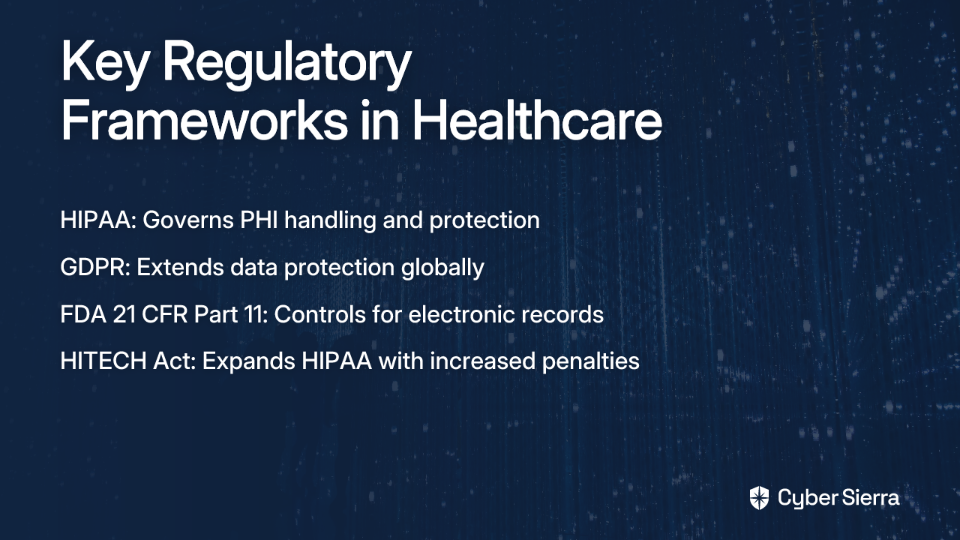
  • HIPAA requirements govern every aspect of PHI and ePHI handling, from data collection to storage and transmission
  • GDPR extends these protections globally, with specific provisions for sensitive medical data
  • FDA 21 CFR Part 11 mandates stringent controls for electronic records and signatures
  • HITECH Act expands HIPAA requirements and increases penalties for non-compliance

The challenge isn't just understanding these regulations but implementing them across increasingly complex digital environments—a task that's virtually impossible to manage manually in 2025.

The Hidden Costs of "Doing It By Hand"

The financial impact of manual compliance extends far beyond the visible costs:

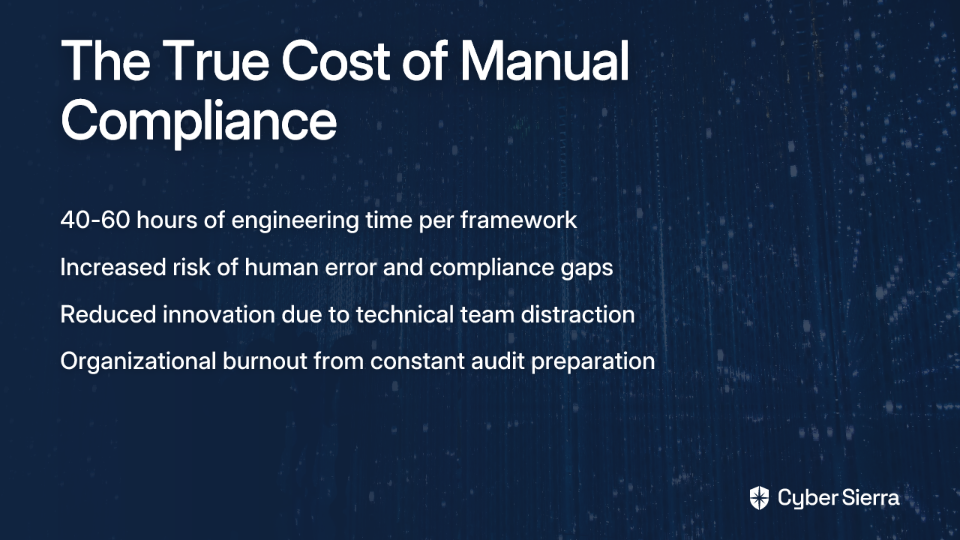
  • Time drain: "Manual compliance work for a typical startup takes 40-60 hours of engineering time per framework," notes one DevOps engineer. "With proper automation, I managed to drop to 10-15 hours."
  • Human error: Manual processes introduce inconsistencies that can lead to compliance gaps and security vulnerabilities
  • Opportunity cost: Technical teams forced to focus on compliance tasks have less bandwidth for innovation and core business initiatives
  • Audit fatigue: The constant pressure to prepare for audits creates organizational stress and burnout

The Third-Party Risk Explosion

The healthcare and pharmaceutical supply chain has never been more interconnected:

For pharmaceutical companies, these risks are amplified through clinical trial partners, contract research organizations, and healthcare providers. Each relationship introduces potential compliance gaps related to data privacy, promotion of unapproved medicines, kickbacks, and cybersecurity vulnerabilities.

Core Features of a Future-Ready Compliance Automation Platform

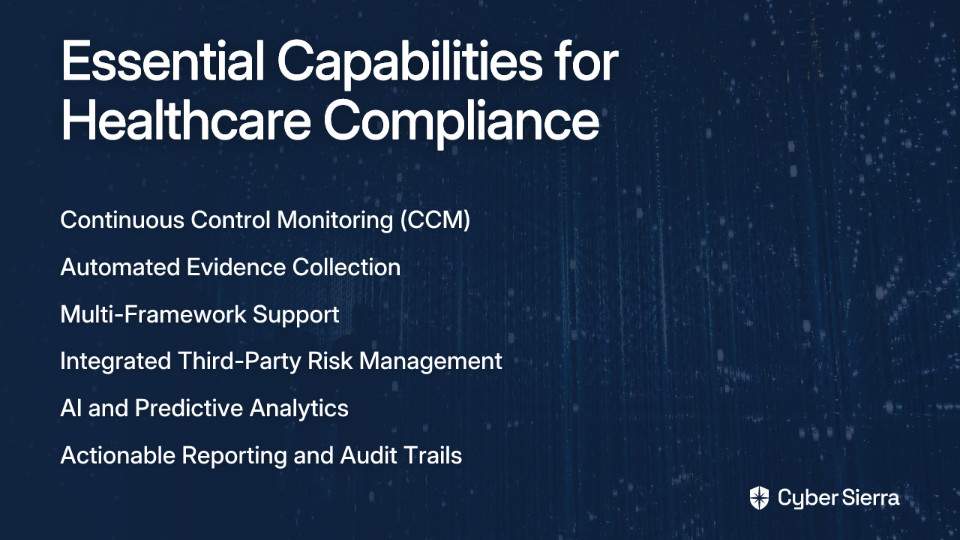
As compliance increasingly becomes "a code problem rather than a process problem," healthcare and pharmaceutical organizations need platforms with specific capabilities. Here are the essential features to look for:

Continuous Control Monitoring (CCM)

Modern compliance isn't a point-in-time exercise but a continuous state. Your platform should provide:

  • Real-time visibility into security control effectiveness
  • Automated testing and validation of controls
  • Immediate alerts when controls drift from expected configurations
  • Integration with cloud services, identity systems, and security tools

Automated Evidence Collection

"The most painful part of an audit is typically evidence gathering," according to one compliance professional. Look for solutions that:

  • Connect directly to your tech stack via APIs
  • Automatically collect, timestamp, and organize evidence
  • Maintain a continuous repository of compliance documentation
  • Eliminate the need for manual screenshots and configuration exports

Multi-Framework Support

Healthcare organizations typically must comply with multiple frameworks simultaneously. Ensure your platform:

  • Supports all relevant frameworks (HIPAA, GDPR, SOC 2, ISO 27001)
  • Maps controls efficiently across frameworks to reduce duplicate effort
  • Allows for custom controls specific to your organization
  • Adapts to evolving regulatory requirements

Integrated Third-Party Risk Management (TPRM)

With the explosion of third-party relationships, your solution should:

  • Automate vendor security assessments and questionnaires
  • Provide continuous monitoring of vendor security posture
  • Streamline due diligence processes for new vendors
  • Generate comprehensive risk reports for each third party

AI and Predictive Analytics

Advanced platforms now leverage AI to:

  • Identify potential compliance risks before they become incidents
  • Analyze patterns from electronic health records and connected devices
  • Prioritize remediation efforts based on risk impact
  • Reduce false positives that waste valuable resources

Actionable Reporting and Audit Trails

The solution should "shorten the audit time by communicating with auditors on your behalf" through:

  • Comprehensive, audit-ready reports
  • Clear documentation of all compliance activities
  • Detailed audit trails showing control testing history
  • Dashboards that translate compliance data into business insights

A Review of Top Compliance Automation Tools in 2025

Several standalone solutions have emerged as leaders in healthcare and pharmaceutical compliance automation:

Vanta

Focus: SOC 2, HIPAA, ISO 27001, GDPR Key Features:

  • Continuous monitoring with automated evidence collection from 350+ integrations
  • Built-in security questionnaires for vendor management
  • Detailed compliance dashboard with real-time status G2 Rating: 4.7/5

Drata

Focus: SOC 2, HIPAA, ISO 27001, PCI DSS Key Features:

  • Automated evidence collection from cloud providers and SaaS applications
  • Risk management with built-in vendor assessment capabilities
  • Real-time compliance status monitoring G2 Rating: 4.9/5

Scrut

Focus: ISO 27001, SOC 2, GDPR, HIPAA Key Features:

  • Real-time monitoring with unified compliance dashboard
  • Automated evidence collection with smart mapping across frameworks
  • Custom policy management and training modules G2 Rating: 4.9/5

Hyperproof

Focus: SOC 2, HIPAA, GDPR, NIST Key Features:

  • Centralized evidence management with automated collection
  • Risk assessment and mitigation workflows
  • Audit preparation and management tools Capterra Rating: 4.7/5

HIPAA One

Focus: HIPAA compliance Key Features:

  • Specialized HIPAA risk analysis and compliance automation
  • Comprehensive compliance tracking for healthcare organizations
  • Breach risk analysis and remediation planning Capterra Rating: 4.8/5

The Power of a Unified Approach: Integrating GRC, TPRM, and Continuous Monitoring

While the standalone tools above offer powerful capabilities, managing multiple point solutions can create new silos of information and effort. For organizations "without developers to develop in-house," an integrated platform often provides greater efficiency and visibility.

Cyber Sierra represents this new generation of unified compliance platforms, offering an AI-enabled cybersecurity solution that addresses the multifaceted nature of healthcare and pharmaceutical compliance:

Governance, Risk & Compliance (GRC)

Cyber Sierra's GRC module automates data collection, risk assessments, and reporting for frameworks like HIPAA and ISO 27001. This directly addresses the need to "streamline audits and reduce compliance fatigue" that many healthcare organizations experience when managing multiple requirements manually.

The platform maintains policies, procedures, and evidence in a centralized repository, creating a single source of truth for all compliance activities. This approach is particularly valuable for healthcare organizations that must demonstrate compliance across multiple frameworks simultaneously.

Continuous Control Monitoring (CCM)

Rather than periodic snapshots of compliance status, Cyber Sierra provides "ongoing visibility into security controls" through its CCM module. The platform builds "a central controls repository with near real-time updates," transforming security from periodic checks to continuous, automated monitoring.

This capability is crucial for healthcare organizations handling sensitive patient data, as it enables them to detect and remediate control failures before they lead to compliance violations or data breaches.

Third-Party Risk Management (TPRM)

The pharmaceutical supply chain involves numerous third parties, from clinical trial partners to marketing agencies. Cyber Sierra's TPRM module simplifies vendor risk management by automating assessments and providing "near real-time, 24/7 visibility into vendor security compliance."

For pharmaceutical companies managing complex clinical trial relationships or healthcare providers with numerous technology vendors, this capability ensures that third-party risks are identified and mitigated before they impact regulatory compliance or patient data security.

The Next Frontier: AI-Powered GRC and Predictive Compliance

Looking beyond 2025, the integration of advanced AI capabilities is set to transform compliance automation further:

Predictive Analytics

AI-driven predictive analytics now enable the early identification of compliance risks from diverse health technologies like EHRs and wearable devices. These systems analyze patterns of data access, system configurations, and user behaviors to flag potential issues before they become compliance violations.

Interpretable AI Models

As AI plays a larger role in clinical decision-making, transparent and interpretable AI models are essential. These systems create clear "auditable trails" that foster patient trust and meet GRC guidelines while supporting healthcare professionals.

Cross-Disciplinary Collaboration

The most effective compliance automation platforms are now developed through collaboration between experts in IT, medicine, and psychology. This multidisciplinary approach helps combat biases in AI systems and balances innovation with security and compliance requirements.

Conclusion: Making Your Compliance Program a Strategic Asset

In 2025, compliance automation is no longer optional for healthcare and pharmaceutical organizations. The complexity of regulations like HIPAA and GDPR, combined with the severe risks associated with third-party relationships, demand a move away from manual processes toward automated, continuous compliance monitoring.

The benefits are clear: dramatic time savings (reducing engineering time by over 70%), enhanced security posture, continuous audit readiness, and significantly reduced risk of costly penalties and reputational damage.

To transform your compliance program from a cost center into a strategic asset:

  1. Assess your existing compliance processes to identify areas for automation
  2. Evaluate whether a collection of point solutions or a unified platform like Cyber Sierra best fits your organizational needs
  3. Ensure that your chosen solution provides continuous monitoring rather than point-in-time assessments
  4. Look for platforms that integrate compliance with broader security and risk management capabilities

By taking these steps, healthcare and pharmaceutical organizations can protect sensitive patient data, demonstrate regulatory compliance, and focus their resources on their core mission: improving patient outcomes and advancing medical innovation.

Frequently Asked Questions

What is compliance automation in healthcare?

Compliance automation in healthcare is the use of specialized software to continuously monitor, document, and manage adherence to regulations like HIPAA and GDPR without manual oversight. It replaces manual tasks like collecting screenshots with automated processes that connect directly to your technology stack, gather evidence, test security controls in real-time, and generate audit-ready reports.

Why is manual compliance so challenging in the pharmaceutical and healthcare sectors?

Manual compliance is challenging due to the complex web of regulations (HIPAA, GDPR, FDA 21 CFR Part 11), the high risk of human error, and the explosion of third-party vendors handling sensitive patient data. The process is extremely time-consuming for technical teams, and manual checks are prone to inconsistencies, creating security gaps that expose the organization to significant financial penalties.

What are the key features to look for in a compliance automation platform?

The most critical features include continuous control monitoring (CCM), automated evidence collection, support for multiple regulatory frameworks, and integrated third-party risk management (TPRM). CCM provides real-time visibility into your security posture, while automated evidence collection eliminates the painful manual preparation for an audit. Because organizations must often comply with HIPAA, GDPR, and SOC 2 simultaneously, multi-framework support is essential.

How does compliance automation specifically help with HIPAA?

Compliance automation helps with HIPAA by continuously monitoring the security controls required to protect electronic protected health information (ePHI), automating evidence collection, and simplifying risk analysis. Instead of periodic manual checks, an automation platform can provide real-time alerts if a control like data encryption fails, maintaining a detailed audit trail that makes it easy to demonstrate due diligence to auditors.

How can compliance automation reduce the time and cost of audits?

Compliance automation significantly reduces audit time and cost by maintaining a state of continuous audit readiness and eliminating last-minute manual evidence gathering. Automation can reduce the engineering time required for compliance work by over 70%. By acting as a centralized repository for all policies and evidence, the platform ensures that audit reports are always prepared, dramatically shortening the audit cycle.

What is the advantage of a unified compliance platform over standalone tools?

A unified platform offers a single source of truth for all compliance activities, reducing information silos and the effort of managing multiple point solutions for GRC, third-party risk, and continuous monitoring. This integrated approach streamlines workflows, simplifies reporting across different frameworks, and ensures that data from vendor assessments and internal control monitoring are analyzed together for greater efficiency and visibility.

blog-hero-background-image
Governance & Compliance

How to Move from Point-in-Time Audits to Continuous Compliance Maturity

backdrop
Table of Contents

Join thousands of professionals and get the latest insight on Compliance & Cybersecurity.


You've been there before. It's audit season, and the familiar sense of dread washes over your team. The frantic scramble begins—gathering evidence, documenting controls, tracking down missing information, and hoping nothing critical slips through the cracks. For many organizations, this reactive "fire drill" approach to compliance has become an accepted, if painful, part of business operations.

"Compliance work used to be the worst part of being a DevOps engineer," one professional laments on Reddit. The sentiment resonates with countless security and compliance professionals drowning in spreadsheets, screenshots, and documentation during audit season.

But what if there was a better way? What if your organization could shift from these stressful, point-in-time scrambles to a state of continuous compliance readiness?

This article provides a practical roadmap for transitioning from reactive, point-in-time audits to a proactive, continuous compliance model that strengthens security, improves efficiency, and makes your organization "audit-ready, always."

The Problem with the "Fire Drill": Why Point-in-Time Audits Aren't Enough

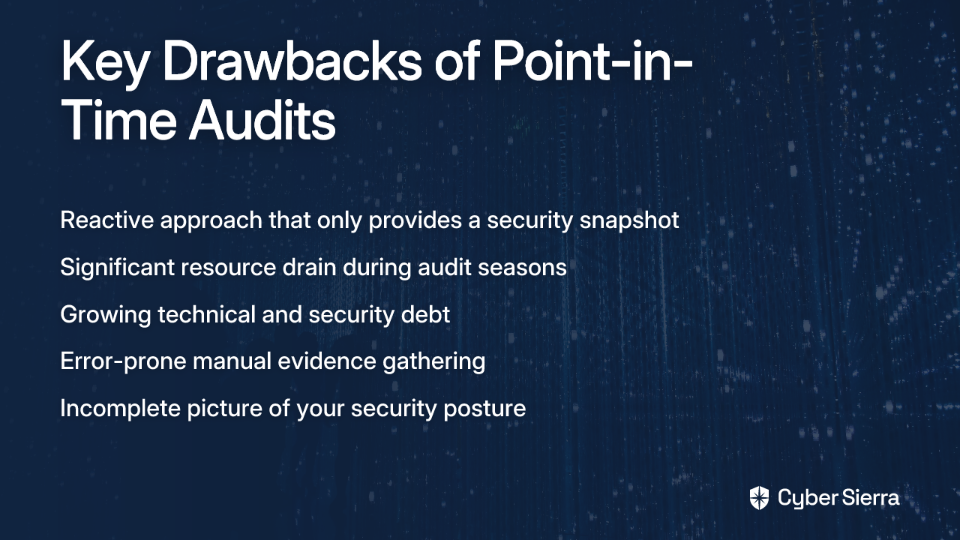
Traditional point-in-time audits create a cycle of intense preparation followed by neglect. This approach comes with significant drawbacks:

Reactive, Not Proactive: Audits provide only a snapshot of your security posture at a specific moment. They catch issues after they've occurred, not before they become problems.

Resource Drain: The last-minute scramble for evidence is inefficient and stressful. A February 2023 AuditBoard poll identified that 22% of compliance professionals cite "talent management/strained resources" as a top challenge, while 15% struggle with "rapidly changing requirements."

Mounting Technical and Security Debt: Issues identified in one audit may not be addressed properly, leading to recurring findings and growing risk. As one cybersecurity professional notes, "It's all too common for security teams with oversight-only roles to keep raising the exact same issues month after month... And the technical debt keeps climbing as new issues are found."

Incomplete Picture: Manual evidence gathering is error-prone and often misses critical gaps, especially in complex cloud environments.

Framing Your Journey: Understanding the 5 Levels of Compliance Maturity

To move beyond the limitations of point-in-time audits, it helps to understand where you are and where you're going. A Compliance Maturity Model provides this framework.

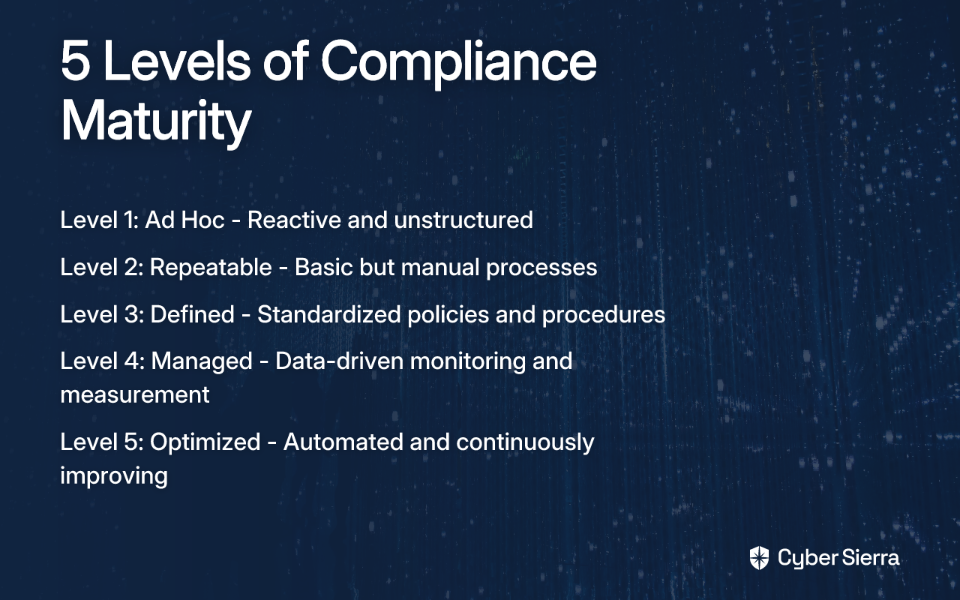
A Compliance Maturity Model is a structured framework that helps organizations assess and improve their compliance processes over time, allowing them to identify gaps, reduce risks, and strategically advance. According to SafetyCulture, there are five levels of compliance maturity:

Level 1: Ad Hoc - Compliance is reactive and unstructured. There are no formal policies or processes. It's organized chaos.

Level 2: Repeatable - Basic processes are in place, but they are often manual, inconsistent, and dependent on individuals.

Level 3: Defined - Standardized policies and procedures are documented and formally approved. Processes are more consistent across the organization.

Level 4: Managed - The organization uses data and KPIs to actively monitor and measure the performance of its compliance programs. Decisions are data-driven.

Level 5: Optimized - Compliance is fully integrated into the organization's operations. Processes are automated, and a culture of continuous improvement is embedded.

Most organizations using point-in-time audits operate at Levels 1-3. Moving to Levels 4-5 requires embracing a continuous compliance approach.

The Solution: Embracing a Continuous Compliance Approach

Continuous Control Monitoring (CCM) is the backbone of a mature compliance program. According to Cybersierra's blog, CCM is a proactive approach that uses technology for ongoing, automated oversight of an organization's security controls. Its goal is to ensure controls are effective in mitigating risks and maintaining compliance in near real-time.

Key benefits of adopting a continuous compliance approach include:

Proactive Risk Management & Early Threat Detection: Shift from finding problems during an audit to identifying threats and misconfigurations as they happen. According to SecureFrame, continuous monitoring allows for early detection of vulnerabilities before they can be exploited.

Improved Operational Efficiency: Automating manual evidence collection and testing eliminates redundancy and frees up valuable resources. According to AuditBoard, 67% of compliance professionals believe continuous monitoring enhances efficiency. One Reddit user shared, "What took days now takes minutes," after implementing automation tools for compliance tasks.

Enhanced Regulatory Readiness: Stay continuously aligned with frameworks like SOC 2, ISO 27001, HIPAA, and PCI DSS, drastically reducing the risk of non-compliance penalties. This addresses the pain point many professionals experience with "simultaneous compliance requirements creating overwhelming workloads."

Informed Decision-Making: Gain near real-time visibility into your security posture, allowing for data-driven decisions and strategic resource allocation.

Your Roadmap to Continuous Compliance Maturity: A Step-by-Step Guide

Here's how to start your journey toward continuous compliance maturity:

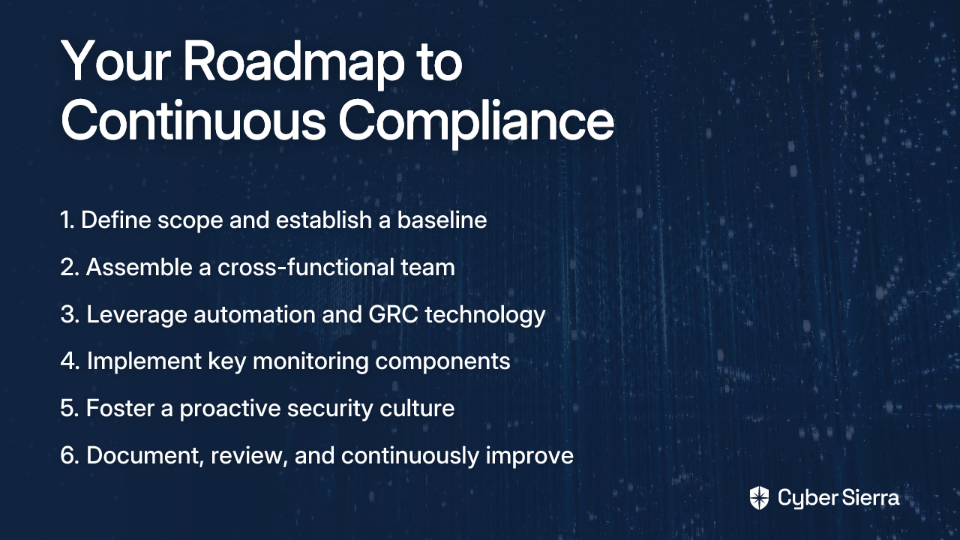
Step 1: Define Scope and Establish a Baseline

Begin by clearly defining the objectives and the specific regulations or standards you need to comply with (SOC 2, ISO 27001, etc.). Then establish a baseline of your current infrastructure and security posture. This helps you understand "normal" behavior to detect anomalies and surface existing "security debt."

One Reddit user recommends "baselining infrastructure or surfacing all the messed up security debt that's been accumulating for a while" as a crucial first step. This addresses the common challenge of "difficulty in identifying existing security debt that affects compliance."

Step 2: Assemble a Cross-Functional Team

Involve stakeholders from IT, Security, Legal, HR, and Operations. This addresses the challenge of "coordinating compliance checks across different roles and disciplines" mentioned by many professionals.

Collaboration is key to breaking down silos and ensuring that compliance is viewed as an organization-wide responsibility, not just an IT or security function.

Step 3: Leverage Automation and Technology

This is the critical step to move from "Defined" to "Managed" and "Optimized" maturity. Manual processes with spreadsheets don't scale and are error-prone.

Implement a GRC Platform: Modern GRC (Governance, Risk Management, Compliance) platforms automate data collection, risk assessments, control monitoring, and reporting. This directly solves the user desire for "simplification and ease in audit reporting."

Platforms like Cyber Sierra's GRC module simplify managing multiple frameworks (SOC2, ISO 27001, etc.) and make enterprises audit-ready faster by automating data collection and maintaining continuous alignment with compliance requirements.

Adopt Continuous Control Monitoring (CCM): Use CCM tools to get near real-time updates on your control effectiveness. Cyber Sierra's CCM platform, for example, provides a central controls repository and actionable risk intelligence, transforming security from periodic checks to continuous, automated monitoring.

Monitor Third-Party Risk: Don't forget your supply chain. Continuously monitor vendor compliance, which addresses user pains about "finding reliable vendors" and "maintaining visibility over vendor compliance."

Step 4: Implement Key Monitoring Components

Integrate multiple data sources for a comprehensive view of your security posture. Key components include:

  • Vulnerability Scans: Automated tools to identify system weaknesses
  • SIEM Solutions: Aggregate and analyze log data for threat identification
  • Network Traffic Analysis: Monitor network activity for anomalies
  • Threat Intelligence: Use data on attacker tactics to proactively defend

Tools like Cyber Sierra's Threat Intelligence platform offer vulnerability scanning and a comprehensive security scorecard to help teams prioritize remediation efforts, addressing the pain point of "the overwhelming nature of monitoring and mapping security risks."

Step 5: Foster a Proactive Culture

Continuous Training: Regularly train employees on security best practices to build a strong "human firewall." This directly addresses "the struggle to maintain team readiness and training for compliance."

Employee security training tools can help create a security-conscious culture through interactive modules and phishing simulations. When employees understand the "why" behind compliance requirements, they're more likely to follow them consistently.

Develop an Incident Response Plan: Have a clear, documented plan for what to do when an incident is detected. This ensures your organization can respond quickly and effectively to security events.

Step 6: Document, Review, and Improve

Create a robust change management process to document all changes. As one security professional advises on Reddit, "Possibly the best tool you can implement is a robust change management policy and procedure."

Schedule regular assessments to measure performance against KPIs and adapt to new regulatory changes. Remember, continuous compliance is an iterative, ongoing process—not a destination.

The Future is Now: How AI is Revolutionizing Compliance

AI and machine learning are no longer futuristic concepts; they are actively transforming compliance. According to the Cloud Security Alliance, the Global AI Market is projected to grow with a 36.6% CAGR by 2030.

AI's role in modern compliance includes:

Automation in Risk Assessment: AI algorithms can analyze vast datasets to identify anomalies and assess risk far more efficiently than humans. A Deloitte report notes 69% of enterprises view AI as essential for cybersecurity.

Predictive Compliance: AI can analyze data patterns to predict potential compliance breaches before they occur, enabling proactive remediation.

Navigating Regulatory Complexity: Natural Language Processing (NLP) can help teams interpret and stay up-to-date with complex and evolving legal language, like the EU AI Act.

Forward-thinking solutions, like Cyber Sierra's AI-enabled platform, are designed to bring this level of intelligence and automation to an organization's entire GRC program, helping compliance teams stay ahead of evolving threats and regulations.

Conclusion: Beyond the Audit Cycle

Moving from point-in-time audits to continuous compliance is a journey of maturity. It's about shifting from a reactive, stressful cycle to a proactive, confident, and efficient state of operations.

A mature compliance program is not just about passing audits; it's a competitive advantage that builds trust with customers, reduces risk, and enhances operational resilience. According to SafetyCulture, organizations with mature compliance programs experience fewer incidents, reduced costs, and improved stakeholder confidence.

The first step is to assess your organization's current maturity level and identify gaps. Then, explore how modern, automated platforms can help you advance to the next stage. With the right tools and approach, you can transform compliance from a burden into a business advantage—and finally break free from the audit fire drill cycle.

Remember, continuous compliance isn't just a technology upgrade; it's a mindset shift that can fundamentally transform how your organization approaches security and risk management. The time to start that transformation is now.

Frequently Asked Questions (FAQ)

What is continuous compliance?

Continuous compliance is a proactive approach where an organization continuously monitors its security controls and adherence to regulatory standards in near real-time. Unlike traditional point-in-time audits that provide a snapshot, continuous compliance integrates automated monitoring and evidence collection directly into daily operations to ensure the organization is always audit-ready.

Why is continuous compliance better than traditional audits?

Continuous compliance is better because it shifts an organization from a reactive to a proactive security posture, catching issues as they happen rather than months later during an audit. This approach enhances security, improves operational efficiency by automating manual tasks, reduces the stress of audit seasons, and provides a constant, accurate view of the organization's compliance status.

How can my organization start implementing continuous compliance?

You can start implementing continuous compliance by first defining your scope, which includes identifying the specific regulations you need to meet (like SOC 2 or ISO 27001) and establishing a baseline of your current security posture. The next critical steps involve assembling a cross-functional team, leveraging automation with tools like GRC and CCM platforms, and fostering a culture of proactive security.

What are the key tools for achieving continuous compliance?

The key tools for continuous compliance are technologies that automate monitoring and reporting. These typically include Governance, Risk, and Compliance (GRC) platforms for managing policies and controls, Continuous Control Monitoring (CCM) tools for real-time effectiveness checks, SIEM solutions for log analysis, and vulnerability scanners to identify system weaknesses.

How do I know my organization's compliance maturity level?

You can determine your organization's compliance maturity level by evaluating your current processes against a standard framework, such as the five levels mentioned in this article: Ad Hoc, Repeatable, Defined, Managed, and Optimized. If your processes are largely reactive and manual (Levels 1-3), there is significant room to grow toward a more managed and optimized continuous compliance model (Levels 4-5).

How does AI improve continuous compliance?

AI significantly improves continuous compliance by automating complex tasks and enabling predictive analysis. AI-powered platforms can analyze vast amounts of data to identify risks and anomalies far faster than humans, predict potential compliance breaches before they occur, and help teams interpret and adapt to evolving regulatory requirements, making compliance more efficient and effective.

blog-hero-background-image
Governance & Compliance

How to Build a Unified Compliance Dashboard for Your Organization

backdrop
Table of Contents

Join thousands of professionals and get the latest insight on Compliance & Cybersecurity.


You've set up multiple compliance frameworks. You run scripts manually once a month to check if your systems comply with ISO 27001 and SOC 2. But when you check your infrastructure, you're shocked to discover an unencrypted RDS instance that's been exposing sensitive data for weeks—something your periodic checks completely missed.

This reactive approach to compliance isn't just inefficient—it's dangerous. In today's complex digital landscape, managing compliance through siloed tools and spreadsheets creates visibility gaps, contributes to audit fatigue, and leaves your organization vulnerable to security breaches and regulatory penalties.

There's a better way. A unified compliance dashboard transforms compliance from a periodic, stressful event into a continuous, automated process that gives you real-time visibility into your security posture.

What is a Unified Compliance Dashboard (And Why You Urgently Need One)

A unified compliance dashboard is a centralized, digital interface that consolidates, tracks, and visualizes your organization's compliance status against multiple regulatory frameworks and internal policies in real-time. It serves as a single source of truth for compliance data, enabling proactive risk management and informed decision-making.

Why is this approach so critical in today's environment?

Eliminate Manual Toil & Boost Productivity

Manual evidence collection and compliance checks are time-consuming and error-prone. Automated compliance solutions can result in 82% less time spent on framework audits and make compliance teams 129% more productive. Instead of scrambling to collect evidence during audit season, your team can focus on strategic security initiatives.

Achieve Proactive Risk Management

A unified dashboard shifts your compliance posture from point-in-time assessments to continuous visibility. Real-time alerts for non-compliance allow you to identify and remediate risks before they become major incidents or compliance violations. This transforms your security approach from reactive to proactive.

Streamline Audit Preparedness

With a centralized repository of evidence, control status, and documentation, your organization maintains a constant state of audit-readiness. When auditors request evidence, you can generate reports with a few clicks rather than launching a company-wide evidence gathering exercise.

Enable Data-Driven Decision-Making

Clear, visual, and quantifiable data on your organization's compliance posture enables stakeholders from the CISO to the board to make informed decisions about security investments and risk acceptance.

The Anatomy of an Effective Dashboard: Key Metrics & Features

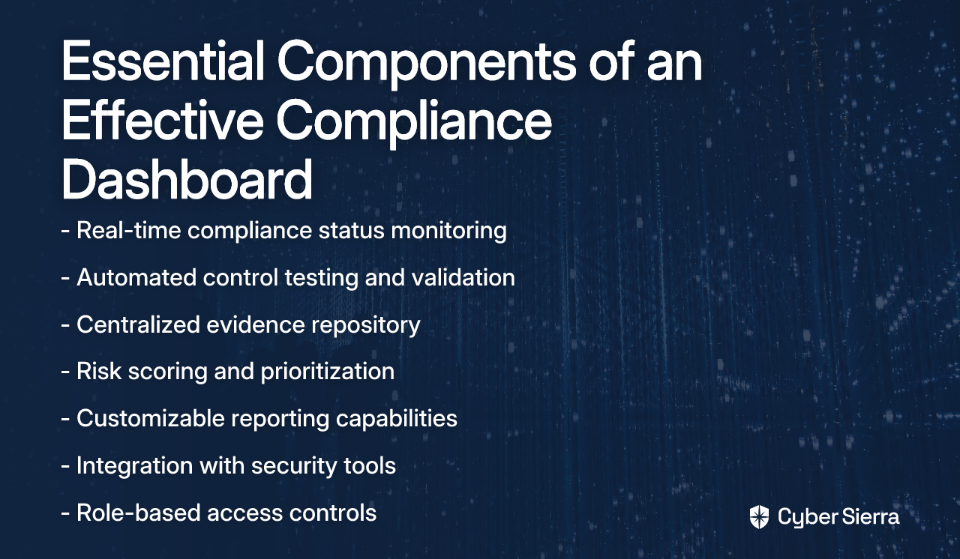
An effective compliance dashboard is only as good as the data it presents and how it presents that data. Here are the essential components:

Key Metrics to Track

Focus on metrics that are actionable and aligned with business objectives:

Compliance Status Metrics

  • Percentage of controls implemented and tested per framework (SOC 2, ISO 27001, PCI DSS)
  • Policy adherence rates and exception tracking
  • Time to remediation for compliance gaps

Risk Management Metrics

  • Number of open risks categorized by severity (High, Medium, Low)
  • Risk remediation progress and aging of open risks
  • Risk trends over time to identify patterns

Control Effectiveness & Monitoring

  • Status of automated vs. manual controls
  • Real-time alerts for control failures or configuration drifts
  • Control testing frequency and results

Vendor Compliance Metrics

  • Third-party risk scores and compliance status of critical vendors
  • Vendor assessment completion rates
  • Outstanding vendor remediation items

Training & Awareness Metrics

  • Employee security training completion rates
  • Policy acknowledgment status
  • Security awareness program effectiveness

Essential Dashboard Features

Centralized Data Integration

Your dashboard must be able to aggregate data from disparate sources—cloud providers like AWS, vulnerability scanners, HR systems, and more—into a single, coherent view. This addresses the common challenge of information siloing that plagues many compliance programs.

Real-Time Monitoring & Automated Alerts

"I want to see alerts on my dashboard if any resource is non-compliant (for example, if encryption is not enabled on some RDS instance)," notes one AWS user on Reddit. The dashboard must provide continuous updates, not static weekly reports. Automated alerts for high-risk issues are non-negotiable for effective risk management.

Customizable Views & Role-Based Access Control (RBAC)

Different stakeholders need different views of the data. An executive needs a high-level summary, while a security analyst needs granular, drill-down capabilities. RBAC ensures users only see relevant data based on their role and responsibilities.

Automated Reporting & Audit Trails

The ability to generate downloadable reports for stakeholders and auditors on demand addresses one of the most common pain points in compliance management. As another Reddit user asked, "How can I generate a report or parse all resources against a policy?" Your dashboard should make this process seamless.

A Step-by-Step Guide to Building Your Compliance Dashboard

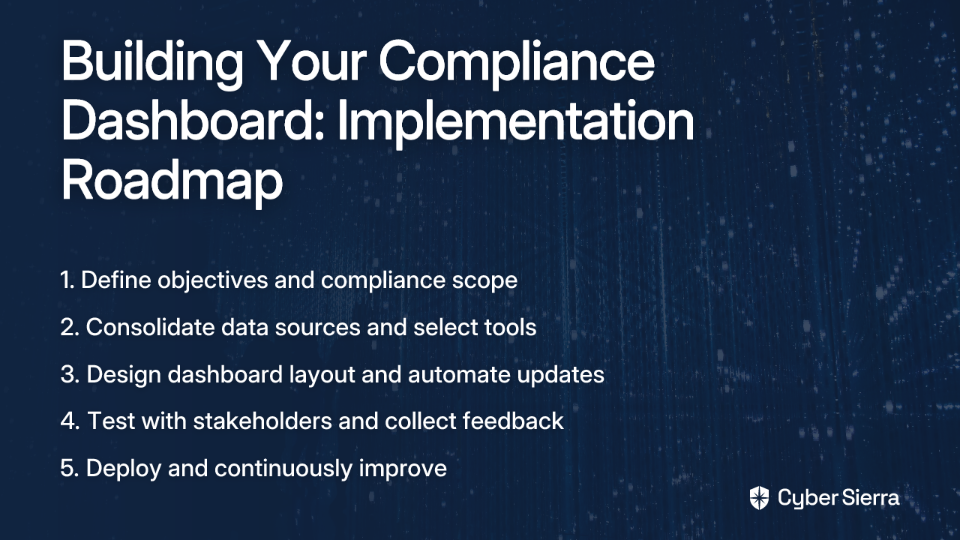
Ready to build your unified compliance dashboard? Here's a practical roadmap for implementation:

Step 1: Define Objectives & Scope

Start by clearly identifying what you want to achieve with your dashboard:

  • Which compliance frameworks do you need to monitor? (ISO 27001, SOC 2, HIPAA, GDPR, etc.)
  • Who are the primary users of the dashboard?
  • What specific pain points are you trying to address?
  • What level of detail is required for different stakeholders?

Documenting these requirements will guide your technology selection and implementation approach.

Step 2: Consolidate Data Sources & Choose Your Tooling Strategy

This is where you decide on your approach to building the dashboard. You have several options:

Option A: DIY with Native Cloud Tools

For AWS-centric environments, you can leverage tools like AWS Config and Security Hub for cloud resource monitoring. AWS Audit Manager can help with report generation.

Pros: Cost-effective (though be mindful of AWS Config costs), deep integration with the cloud environment.

Cons: Complex to configure, may not provide a unified view across multi-cloud or on-premise systems, and often requires significant engineering effort to build a true "dashboard."

Option B: Open-Source Solutions

Tools like ScoutSuite can perform security posture assessments across cloud environments.

Pros: No licensing cost, community support.

Cons: Requires manual setup and ongoing maintenance, lacks dedicated support, may not have robust reporting or integration capabilities needed for enterprise GRC.

Option C: Invest in a Unified GRC Platform

This is the most direct path to a unified dashboard. Platforms designed specifically for compliance management offer pre-built integrations, automated evidence collection, and purpose-built dashboards.

For a truly holistic view, platforms like Cybersierra integrate these capabilities into a single pane of glass. Its Continuous Control Monitoring (CCM) module automates evidence collection and provides real-time posture visibility, while the GRC module centralizes management of multiple frameworks like SOC 2 and ISO 27001.

Step 3: Design the Layout & Automate Updates

Organize metrics logically and use visual cues like color-coding (red, yellow, green) for quick status identification. Consider these design principles:

  • Simplicity: Focus on the most critical metrics to avoid information overload
  • Visual hierarchy: Place the most important information prominently
  • Consistency: Use consistent visualization methods for similar types of data
  • Interactivity: Enable drill-downs for deeper investigation

Most importantly, ensure data feeds are automated via API integrations for a truly live dashboard. Manual data entry defeats the purpose of real-time visibility.

Step 4: Test, Roll Out, and Iterate

Before full deployment:

  • Validate the accuracy of the metrics against known compliance statuses
  • Test the dashboard with representatives from different user groups
  • Train users on how to use and interpret the dashboard
  • Establish feedback mechanisms to capture user suggestions

Regularly solicit feedback and refine the dashboard to meet evolving business needs and regulatory requirements.

Common Pitfalls to Avoid

Information Overload

Avoid cluttering the dashboard with vanity metrics that don't drive action. Focus on KPIs that inform strategy and risk management decisions. As one compliance professional notes, "The goal isn't to show everything—it's to show what matters."

Forgetting the "Why"

A dashboard isn't just for reporting; it's for managing risk and improving security posture. Ensure every metric is tied to a specific compliance objective or risk scenario to maintain focus on business outcomes.

Neglecting the Human Element

A dashboard is a tool, not a silver bullet. It must be supported by strong governance processes and a culture of security awareness. The most sophisticated dashboard won't help if your team doesn't understand how to interpret and act on the data it provides.

Technical solutions work best when paired with a comprehensive security awareness program. Cybersierra's Employee Security Training can help build a security-conscious workforce that understands the importance of compliance.

Conclusion

A unified compliance dashboard is no longer a luxury but a necessity for modern governance, risk, and compliance management. It transforms compliance from a fragmented, manual burden into a streamlined, strategic, and automated function.

By providing a single source of truth, real-time visibility, and actionable intelligence, you can enhance your security posture, ace your audits, and build trust with customers and stakeholders.

Ready to move beyond spreadsheets and manual checks? Explore how a dedicated platform can accelerate your journey. Cyber Sierra's AI-enabled platform provides the automation, continuous monitoring, and intelligence needed to build a world-class unified compliance dashboard, turning GRC into a competitive advantage rather than a necessary evil.

Whether you choose to build your dashboard in-house or leverage a specialized platform, the key is to start now. Every day spent with fragmented compliance visibility is another day of unnecessary risk exposure.

Frequently Asked Questions

What is a unified compliance dashboard?

A unified compliance dashboard is a centralized platform that provides real-time visibility into an organization's compliance status across multiple regulatory frameworks like SOC 2, ISO 27001, and HIPAA. It consolidates data from various systems (cloud providers, HR systems, vulnerability scanners) to serve as a single source of truth for all compliance-related activities.

Why is continuous compliance monitoring important?

Continuous compliance monitoring is important because it shifts security from a reactive, point-in-time approach to a proactive one. Instead of discovering issues during periodic checks, continuous monitoring provides real-time alerts for non-compliance, allowing you to identify and fix security gaps like unencrypted databases before they become major incidents. This drastically reduces risk and ensures ongoing audit-readiness.

How do you build a compliance dashboard?

Building a compliance dashboard involves four key steps: 1) Define your objectives and the frameworks you need to monitor. 2) Consolidate data sources and choose a tooling strategy (DIY, open-source, or a dedicated GRC platform). 3) Design the dashboard layout with key metrics and automate data feeds. 4) Test, roll out to users, and iterate based on feedback.

What key metrics should a compliance dashboard track?

An effective compliance dashboard should track actionable metrics related to compliance status, risk management, and control effectiveness. Key metrics include the percentage of controls implemented per framework, the number of open risks by severity, real-time alerts for control failures, and vendor compliance status.

How does a unified dashboard help with audits?

A unified dashboard significantly streamlines audit preparedness by maintaining a constant state of readiness. It centralizes all necessary evidence, control statuses, and documentation, allowing you to generate comprehensive reports for auditors with just a few clicks. This eliminates the last-minute scramble for evidence and reduces the time and effort spent on audit cycles.

Can I use native cloud tools like AWS to build a dashboard?

Yes, you can use native cloud tools like AWS Config and Security Hub to build a compliance dashboard, especially for an AWS-centric environment. While this can be cost-effective, it often requires significant engineering effort to configure and may not provide a truly unified view if you operate in a multi-cloud or hybrid environment. For a more holistic view, a dedicated GRC platform is often more efficient.

blog-hero-background-image
Governance & Compliance

How to Justify Your GRC Automation Budget with Measurable ROI

backdrop
Table of Contents

Join thousands of professionals and get the latest insight on Compliance & Cybersecurity.


You've been tasked with upgrading your organization's Governance, Risk, and Compliance (GRC) processes. You know automation is the answer, but every time you mention the budget needed, you're met with skepticism: "Can't we just keep doing things manually?" "Is this really worth the investment?" "How do we know this won't fail like other IT projects?"

If this sounds familiar, you're not alone. GRC professionals across industries face the challenge of justifying automation investments to budget-conscious executives who view compliance as a cost center rather than a value driver.

"Most GRC automation improvement stops when the cost benefit no longer makes sense," notes one cybersecurity professional in an online discussion. Others express frustration with "incomplete automation leading to reliance on manual processes" and the "high cost and requirements for clean data" needed for effective implementation.

But here's the reality: GRC automation isn't just another expense—it's a strategic investment with measurable, substantial returns. With the global GRC market valued at $32.2 billion in 2021 and projected to grow at a CAGR of 14.5% through 2030, forward-thinking organizations are already reaping the benefits of modernized compliance programs.

This article provides a practical, data-driven framework to help you build a compelling business case for GRC automation by demonstrating clear ROI, operational efficiencies, and strategic value.

Quantifying the Pain: The Hidden Costs of Manual GRC

Before you can demonstrate the return on investment, you must first establish what your current manual processes are actually costing your organization—both in direct expenses and hidden opportunity costs.

The Time Sink of Manual GRC

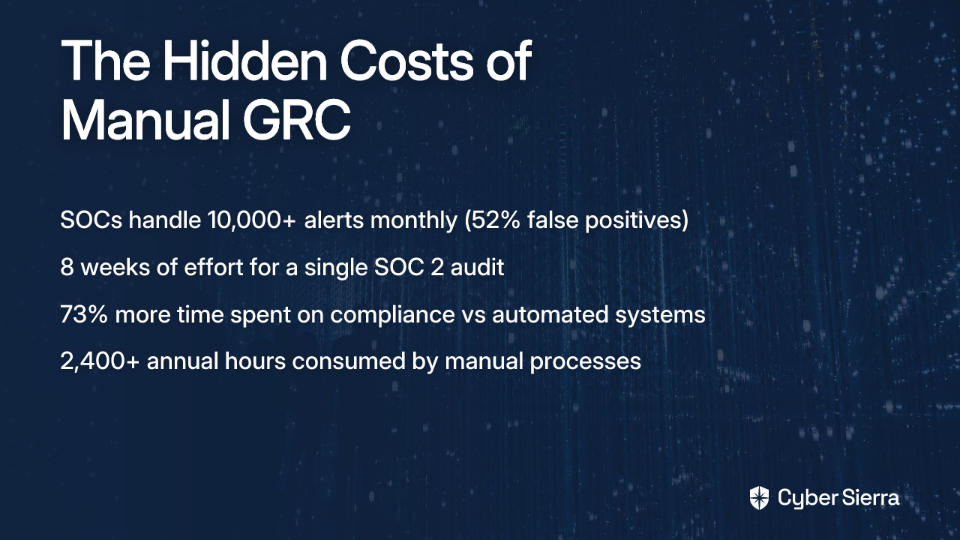
Traditional GRC processes consume an astounding 2,400+ hours annually for a typical mid-sized organization. That's more than one full-time employee dedicated solely to administrative compliance tasks.

Consider these eye-opening statistics:

  • Security Operations Centers (SOCs) handle approximately 10,000 alerts monthly, with a staggering 52% being false positives that waste valuable analyst time
  • Manual evidence collection for a single SOC 2 audit takes an average of 8 weeks of dedicated effort
  • Organizations with manual processes spend 73% more time on compliance activities than those with automated systems

Conducting Your Own Process Audit

To build a compelling business case, start by quantifying your current baseline costs:

  1. Identify Manual Tasks: List all recurring GRC activities (evidence collection, policy updates, vendor questionnaires, access reviews, etc.)
  2. Measure Time & Personnel: Document hours spent per task and the roles/salaries of those involved
  3. Calculate Labor Costs: Multiply hours by blended hourly rates
  4. Factor in Error Rates & Risk: Quantify the cost of non-compliance, including past fines or remediation costs

For example, if your organization spends 20 hours weekly on manual evidence gathering across three team members with an average hourly rate of $50, that's $52,000 annually on just one GRC activity—before accounting for the opportunity cost of what those team members could be doing instead.

The Core of Your Business Case: Calculating the Hard ROI

With your baseline established, it's time to build the financial case for automation. According to research by Axis Intelligence, GRC automation platforms deliver an average 340% ROI within the first year of implementation. Let's break down where these returns come from:

Pillar 1: Direct Cost Savings (Average: $1.8M/year)

GRC automation dramatically reduces labor costs by eliminating repetitive, manual tasks:

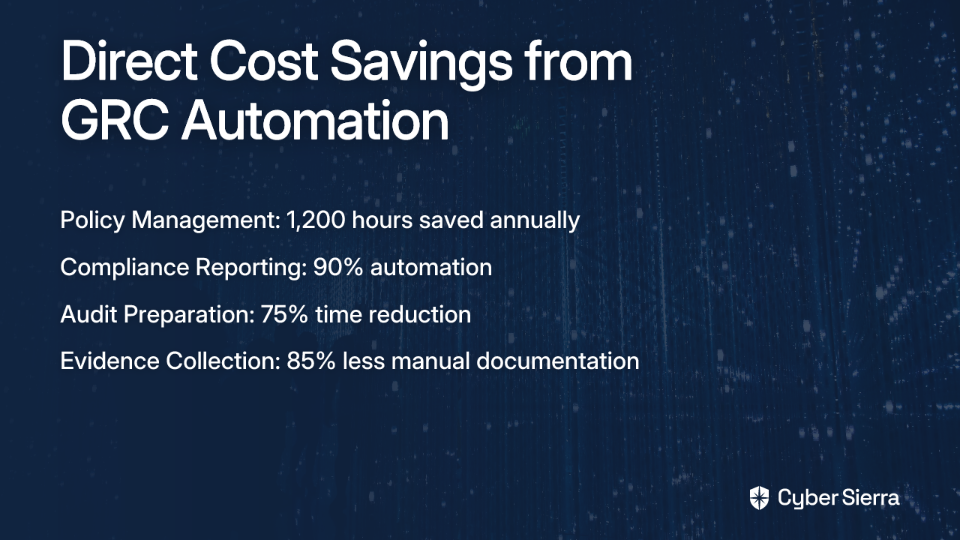
  • Automated Policy Management: Saves an estimated 1,200 hours annually
  • Compliance Reporting: Can be automated by up to 90%
  • Audit Preparation: Cut from an average of 8 weeks down to just 2 weeks
  • Evidence Collection: Automation eliminates 85% of manual documentation tasks

For a mid-sized company with 5-10 compliance frameworks to manage, these efficiency gains translate to approximately $1.8 million in annual labor cost savings.

Pillar 2: Operational Efficiency Gains (Average: $850K/year)

Beyond direct cost savings, GRC automation creates operational efficiencies that multiply throughout the organization:

  • Real-time Risk Monitoring: Proactively prevents up to 95% of compliance violations before they occur
  • Automated Workflows: Reduce approval cycles for policies, risk assessments, and vendor onboarding by 60%
  • Decision-Making Velocity: Data-driven dashboards enable faster, more informed risk decisions

When compliance becomes streamlined, the entire organization benefits from reduced friction and faster processes.

Pillar 3: Compliance Cost Avoidance (Average: $2.1M/year)

Perhaps the most significant financial benefit comes from avoiding the costs associated with compliance failures:

  • Reduced Audit Scope: Continuous compliance monitoring can reduce external audit costs by up to 40%
  • Penalty Avoidance: Automated controls dramatically reduce the risk of non-compliance fines
  • Remediation Reduction: Proactive monitoring means fewer findings requiring costly fixes

According to the Cybersierra GRC Benefits Blog, organizations with mature GRC automation experience 65% fewer compliance incidents than those relying on manual processes.

Beyond the Balance Sheet: Strategic and Revenue-Generating Benefits

While cost savings provide a compelling financial case, the strategic benefits of GRC automation often deliver even greater long-term value.

Accelerating Business Velocity

In today's fast-moving markets, speed is a competitive advantage. GRC automation can:

  • Accelerate Time-to-Market: Automated compliance clearance leads to 35% faster product launches
  • Improve Innovation Cycles: When compliance becomes an enabler rather than a roadblock, innovation thrives
  • Reduce Time-to-Decision: Real-time risk data allows for faster, more confident decision-making

Strengthening Trust and Brand Reputation

Trust is a valuable currency in business relationships:

  • Enhanced Customer Confidence: Transparent reporting and strong compliance posture can lead to a 67% improvement in customer trust
  • Stakeholder Relationships: Robust GRC frameworks reassure investors, partners, and customers
  • Competitive Differentiation: Demonstrable compliance excellence creates market advantage, particularly in regulated industries

Enabling New Revenue Opportunities

Perhaps most compelling for executive stakeholders, GRC automation can directly impact top-line growth:

  • Market Expansion: Achieving certifications like ISO 27001 or SOC 2 can unlock new enterprise markets, potentially creating $3.2M in new annual revenue
  • Reduced Sales Friction: Automated evidence sharing and compliance reporting can accelerate enterprise sales cycles by up to 40%

Your Step-by-Step Guide to Building the Budget Proposal

Now that you understand the value proposition, here's how to build a compelling budget proposal that addresses both financial and strategic considerations:

1. Establish Clear Objectives

Define what you want to achieve with GRC automation. Is it streamlining SOC 2 compliance, improving risk visibility, or reducing audit costs? Cybersierra's GRC Automation Blog recommends starting with specific, measurable objectives tied to business outcomes.

2. Assess Current Processes & Costs

Use the process audit framework outlined earlier to establish your baseline. Identify the biggest bottlenecks and inefficiencies in your current GRC processes.

3. Select Appropriate Tools

Choose a platform that aligns with your objectives and integrates key functionalities. A unified solution like Cyber Sierra integrates Governance, Risk & Compliance (GRC), Continuous Control Monitoring (CCM), and Third-Party Risk Management (TPRM) into a single platform, reducing technology debt and providing a single source of truth.

4. Conduct a Detailed Cost-Benefit Analysis

  • Costs: Factor in the total cost of ownership (TCO), including software license fees, implementation costs, and training
  • Benefits: Use the hard numbers and strategic benefits from our earlier sections to build your ROI calculation
  • Calculate Break-Even Point: When will the investment begin generating positive returns?

5. Develop a Phased Implementation Plan

Propose a 90-day phased deployment to mitigate integration risks and demonstrate early wins. Start with a high-impact area like automated evidence collection for an upcoming audit.

6. Align with Stakeholders

Secure buy-in from key executives (CFO, CEO) and department heads (IT, Legal) by aligning the GRC proposal with their business goals and addressing their specific pain points.

Addressing the Skeptics: Overcoming Common Objections

Be prepared to address these common concerns when presenting your proposal:

"Automation is unreliable. We still need humans in the loop."

Response: Automation isn't about removing humans—it's about empowering them. GRC automation handles repetitive, low-value tasks, freeing experts to focus on high-level analysis and strategic risk management. Modern platforms provide real-time dashboards and comprehensive audit trails, actually increasing visibility compared to manual spreadsheet-based processes.

"These implementations are too complex and risky."

Response: This is a valid concern. In fact, 60% of failed implementations stem from integration complexity. That's why we propose a phased deployment, starting with specific, high-impact modules to demonstrate value quickly before expanding.

"The cost is too high. We can't afford it right now."

Response: Consider the cost of inaction. Without automation, we face escalating compliance costs, increased risk of fines, and slower business operations. The annual cost savings ($2.4M for mid-market) and ROI (340%) demonstrate that the investment pays for itself quickly. Modern platforms use a SaaS subscription model, which means lower upfront costs and predictable operational expenses.

Secure Your Budget and Transform Your GRC Program

Justifying your GRC automation budget isn't about "automation for automation's sake"—it's about presenting a clear, data-driven case that links the investment to significant cost savings, operational efficiencies, and strategic business growth.

The numbers speak for themselves: a potential 340% ROI, a 73% reduction in compliance costs, and an average annual savings of $2.4 million for mid-market companies.

By using the frameworks and data in this article, you can move from a reactive, manual GRC posture to a proactive, automated, and value-driven program. In today's complex regulatory landscape, GRC automation isn't just a nice-to-have—it's a competitive necessity that pays for itself many times over.

FAQ

What is GRC automation?

GRC automation is the use of technology to streamline and integrate an organization's governance, risk management, and compliance processes. It replaces manual, repetitive tasks like evidence collection, policy updates, and compliance reporting with automated workflows. This not only improves efficiency but also provides real-time visibility into an organization's risk and compliance posture, enabling more strategic decision-making.

Why is investing in GRC automation important?

Investing in GRC automation is important because it transforms compliance from a costly manual effort into a strategic, value-driving function. It significantly reduces the risk of costly fines and data breaches, accelerates business operations like product launches and sales cycles, and strengthens trust with customers and partners. In a complex regulatory environment, manual processes are no longer sufficient to keep pace, making automation a competitive necessity.

How does GRC automation deliver a positive ROI?

GRC automation delivers a positive ROI, often within the first year, by cutting direct labor costs, improving operational efficiency, and avoiding the high costs of non-compliance. Studies show it can deliver an average ROI of 340% by reducing thousands of hours of manual work (direct savings), speeding up internal processes like audits and approvals (efficiency gains), and preventing penalties and remediation costs through continuous monitoring (cost avoidance).

What are the main challenges of implementing GRC automation?

The main challenges of implementing GRC automation are often related to integration complexity with existing systems, securing budget approval, and managing organizational change. Many projects falter due to poor integration or a lack of clean data. To overcome this, it's crucial to choose a unified platform that reduces technology debt and to propose a phased implementation plan. This approach demonstrates value quickly with early wins, making it easier to secure stakeholder buy-in.

How can we ensure a successful GRC automation implementation?

To ensure a successful implementation, start with clear objectives, conduct a thorough cost-benefit analysis, and adopt a phased deployment strategy. Begin by identifying a specific, high-impact area to automate, such as evidence collection for a SOC 2 audit. This allows you to demonstrate tangible results quickly. It's also vital to select a tool that aligns with your goals and to secure buy-in from key stakeholders by aligning the project with their business objectives.
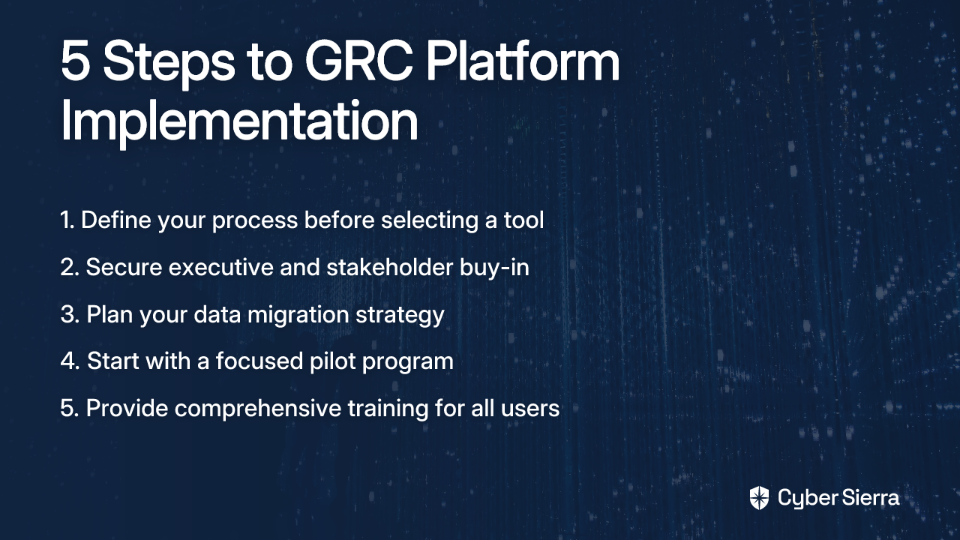
What is the first step to building a business case for GRC automation?

The first step is to quantify the hidden costs of your current manual GRC processes. Before you can show the value of automation, you must establish a baseline. Document all manual compliance tasks, measure the hours and personnel involved, and calculate the associated labor costs. This data-driven approach provides a clear financial justification for the investment by highlighting the true cost of inaction.

blog-hero-background-image
Governance & Compliance

How to Map Controls Across Multiple Compliance Frameworks (ISO 27001, PCI DSS, GDPR)

backdrop
Table of Contents

Join thousands of professionals and get the latest insight on Compliance & Cybersecurity.


You're drowning in compliance requirements. Your team is spending countless hours manually mapping controls across ISO 27001, PCI DSS, GDPR, and other frameworks. Engineers are pulled into lengthy evidence-gathering calls when they should be focusing on critical security tasks. Outdated spreadsheets with former company logos still float around your organization. Sound familiar?

If you're working in healthcare, finance, or any regulated industry that operates across multiple regions, you know this pain all too well: "Due to working in the healthcare sector at a public company that does business in the USA AND Europe, I am finding it difficult to put all of these together and manage them more efficiently."

The good news? There's a better way. This guide will provide you with a strategic blueprint for mapping controls across multiple frameworks, transforming your approach from manual chaos to streamlined efficiency.

Why a Unified Control Framework is Essential

Managing compliance frameworks in isolation creates several critical problems:

Redundant Effort and Resource Drain

When each framework is handled separately, teams end up documenting and testing the same controls multiple times. For example, access management controls might be tested separately for ISO 27001, PCI DSS, and GDPR compliance, tripling your workload.

As one compliance professional put it: "The most painful part of an audit is typically evidence gathering. You end up on long calls with engineers who may or may not speak GRC and hope they remember where to find a config and take a screenshot with a timestamp. It's painful and sucks up a lot of time, especially when you're running lean teams."

Inconsistent Implementation and Compliance Gaps

Without a unified approach, controls may be implemented differently across business units. This inconsistency not only creates confusion but also potentially leaves gaps in your compliance posture.

Audit Fatigue

The constant scramble for evidence during multiple, disconnected audits diverts critical resources from proactive security tasks. Teams become exhausted by the never-ending cycle of audit preparation.

The Business Case for Integration

Beyond addressing these pain points, a unified control framework delivers tangible business benefits:

  • Cost Savings: Consolidating assessments and audits reduces overall compliance costs and operational disruption.
  • Stronger Cyber Resilience: A consistent, holistic security baseline helps mitigate risks more effectively.
  • Competitive Advantage: Demonstrating compliance with multiple standards builds stakeholder trust and can speed up contract negotiations.

Understanding the Frameworks: Overlaps and Differences

Before mapping controls, it's essential to understand the nature of each framework:

ISO 27001: The Foundation

ISO 27001 is a globally recognized standard for implementing a comprehensive Information Security Management System (ISMS). Its key characteristics make it an ideal foundation for your unified framework:

  • Holistic and Flexible: Covers the entire organization with a risk-based approach
  • Comprehensive: The latest 2022 version includes 93 controls across 4 domains
  • Risk-Based: Focuses on identifying and managing information security risks

As noted in ISO 27001 Mapping with Security Standards, ISO 27001 provides an excellent governance structure to build upon.

PCI DSS: The Specialist

The Payment Card Industry Data Security Standard (PCI DSS) is more prescriptive and focused specifically on protecting cardholder data:

  • Narrow Scope: Focused only on the Cardholder Data Environment (CDE)
  • Highly Prescriptive: Contains 12 core requirements with detailed testing procedures
  • Mandatory: Required for any organization that processes payment card data

While narrower in scope, PCI DSS is often more detailed in its requirements for specific controls.

GDPR: The Regulation

The General Data Protection Regulation is a data privacy regulation, not a security framework. However:

  • Articles like Art. 32 ("Security of processing") mandate technical and organizational security measures
  • These requirements directly overlap with many ISO 27001 controls
  • GDPR introduces unique requirements around data subject rights that extend beyond traditional security controls

Mapping Potential

The good news is that significant overlap exists between these frameworks. For example:

  • ISO 27001's access control requirements align with PCI DSS Requirement 7 and GDPR's principle of integrity and confidentiality
  • Incident management processes required by ISO 27001 can satisfy both PCI DSS Requirement 12.10 and GDPR's breach notification requirements
  • Risk assessment methodologies can often be standardized across all frameworks

Step-by-Step Guide to Mapping GRC Controls

Now, let's break down the process of creating a unified control framework into manageable phases:

Phase 1: Preparation (The Foundation)

1. Assemble Your Compliance Team

Start by forming a cross-functional team with representatives from:

  • IT security
  • Legal
  • Compliance
  • Key business units

Define roles using a RACI matrix (Responsible, Accountable, Consulted, Informed) to clarify who owns which parts of the process.

2. Define Your Regulatory Universe

Formally document all frameworks and regulations your organization must adhere to. This might include:

  • ISO 27001
  • PCI DSS
  • GDPR
  • HIPAA
  • NIST CSF
  • SOC 2
  • Industry-specific regulations

3. Inventory Existing Controls

Catalog all current policies, procedures, technical controls, and evidence from past audits. This creates your baseline and helps identify what you already have in place.

Phase 2: Execution (The Mapping)

Step 1: Create Your Central Control Library

This addresses the common question: "Do you have one massive infosec document or one for each framework?" The answer is to create a central, structured library.

Start with a foundational framework like ISO 27001 or NIST CSF. For each control, document:

  • Unique Control ID
  • Control Name
  • Objective
  • Control Owner
  • Implementation Status
  • Link to Policy/Procedure

Step 2: Perform the Cross-Mapping

Create a mapping matrix that connects your central controls to the specific requirements of each framework. Here's an example:

Central Control (ISO 27001)PCI DSS MappingGDPR Mapping
A.5.15 - Access ControlRequirement 7 - Restrict access to cardholder data by business need to knowArticle 32 - Implement measures to ensure confidentiality, integrity, availability
A.5.29 - Information Security During DisruptionsRequirement 12.10 - Incident Response PlanArticle 32 - Resilience of processing systems

This process will highlight any gaps where requirements from one framework aren't covered by your central controls.

Step 3: Implement a GRC Technology Solution

While spreadsheets can work for smaller organizations, they're prone to errors and quickly become unwieldy. As one compliance professional noted, they often see outdated corporate logos that "still haven't been scrubbed from their excel sheets."

Modern GRC platforms are designed specifically for this challenge. Tools like Cyber Sierra's Governance, Risk & Compliance (GRC) platform allow you to centralize your control library, automate the mapping process across multiple frameworks, and maintain a single source of truth, making your organization audit-ready.

These platforms can:

  • Automatically map controls across frameworks
  • Provide pre-built control libraries
  • Generate framework-specific reports from the same evidence
  • Maintain version control
  • Streamline the audit process

Beyond Mapping: Achieving Continuous Compliance

While mapping is crucial, it's important to recognize that it creates a point-in-time snapshot. Security posture can drift between assessments, and manual evidence gathering for each audit cycle remains a painful, recurring task.

The Problem with Static Compliance

Traditional approaches to compliance are reactive and periodic:

  1. Prepare for audit
  2. Gather evidence manually
  3. Pass audit
  4. Relax until next audit
  5. Repeat

This cycle creates security blind spots between audits and doesn't solve the fundamental pain of manual evidence collection.

The Solution: Continuous Control Monitoring (CCM)

Continuous Control Monitoring (CCM) is an automated process that continuously observes IT systems and networks to verify the effectiveness of security controls in near real-time, according to research on continuous monitoring tools.

Key benefits of implementing CCM include:

  • Automated Evidence Collection: Solves the primary pain of manual evidence gathering
  • Proactive Risk Management: Detects control failures and compliance gaps as they happen, not months later during an audit
  • Real-time Visibility: Provides a live dashboard of your compliance posture
  • Reduced Audit Fatigue: Minimizes the disruption of audit preparation

This is where the paradigm shifts from periodic checks to continuous assurance. Cyber Sierra's Continuous Control Monitoring (CCM) module automates control testing and validation, providing near real-time alerts on deviations. Instead of chasing engineers for screenshots, you get a live, evidence-backed view of your control effectiveness, transforming your ability to manage multiple frameworks simultaneously.

Best Practices for Successful Control Mapping

To maximize your success with control mapping across frameworks, consider these best practices:

Focus on Common Controls First

Begin with controls that appear in most frameworks, such as:

  • Access management
  • Change control
  • Incident response
  • Risk assessment
  • Asset management

These core controls typically have the highest overlap across frameworks and provide the greatest return on your mapping investment.

Document Implementation Details

For each control, record:

  • How it is implemented
  • The specific procedures involved
  • Where to find evidence
  • Who is responsible for maintaining it

This detailed documentation becomes invaluable during audits and when onboarding new compliance team members.

Engage Auditors Early

Share your mapping approach with auditors before assessment time to:

  • Get their feedback on your methodology
  • Ensure alignment with their expectations
  • Prevent surprises during formal audits

Aim Beyond Compliance

Use your unified framework as a tool to genuinely improve your security posture, not just to pass audits. Focus on:

  • Addressing real risks
  • Implementing meaningful controls
  • Continuously improving your security program

Conclusion

Moving from siloed compliance frameworks to a unified, automated approach delivers tangible benefits: saved time, reduced risk, and strengthened security. Control mapping is the foundational first step toward achieving compliance efficiency, while continuous monitoring represents the ultimate goal for maintaining ongoing compliance resilience.

By implementing the steps outlined in this guide, you can transform your compliance program from a reactive, resource-intensive burden into a proactive, streamlined function that adds genuine value to your organization.

Ready to leave spreadsheets behind and automate your compliance journey? Explore how Cyber Sierra's unified platform can help you manage multiple frameworks with ease and stay audit-ready, always.

Frequently Asked Questions

What is compliance control mapping?

Compliance control mapping is the process of identifying and documenting the relationships between security controls in a central library and the specific requirements of multiple compliance frameworks like ISO 27001, PCI DSS, and GDPR. This practice eliminates redundant work by allowing you to test a single control and use the evidence to satisfy requirements across several standards, streamlining audit preparation and resource management.

Why is a unified control framework important?

A unified control framework is important because it centralizes your compliance efforts, significantly reducing redundant work and saving resources. Instead of managing each framework in a separate silo, a unified approach ensures consistent implementation of controls, closes potential compliance gaps, and reduces audit fatigue for your team. This leads to cost savings, stronger security, and a more resilient compliance posture.

How do I start mapping compliance controls across multiple frameworks?

To start mapping controls, begin by assembling a cross-functional compliance team and documenting all the frameworks your organization must adhere to. The next step is to create a central control library, often using a foundational framework like ISO 27001. You can then map each of your central controls to the specific requirements of other frameworks, identifying overlaps and any gaps in your coverage.

What is the best framework to use as a baseline for mapping?

ISO 27001 is often considered the best framework to use as a baseline for control mapping due to its holistic and flexible nature. It provides a comprehensive Information Security Management System (ISMS) that covers the entire organization with a risk-based approach. Its structure provides an excellent foundation upon which you can map more specific or prescriptive standards like PCI DSS or regulations like GDPR.

What is the difference between control mapping and continuous control monitoring?

Control mapping is the foundational process of creating a unified framework that links one control to multiple compliance requirements, which is often a point-in-time activity. Continuous Control Monitoring (CCM) is the next evolution, using automation to continuously test and validate that those mapped controls are working effectively in near real-time. While mapping provides the structure, CCM provides ongoing assurance and automates evidence collection.

How does a unified framework help with audits?

A unified framework streamlines the audit process by creating a single source of truth for all compliance activities. When an auditor requests evidence for a specific requirement, you can pull it from your central library without having to perform new, duplicative tests. This drastically reduces the time and effort spent on evidence gathering, minimizes disruption to engineering teams, and helps you stay audit-ready at all times.


This article was originally published on Cyber Sierra's blog. For more information on simplifying compliance across multiple frameworks, visit cybersierra.co.

blog-hero-background-image
Governance & Compliance

Top Platforms to Replace Spreadsheets for Risk and Compliance Management in 2025

backdrop
Table of Contents

Join thousands of professionals and get the latest insight on Compliance & Cybersecurity.


You've set up a risk register in Excel, meticulously creating formulas and conditional formatting to track your organization's compliance requirements. But as you stare at version "Risk_Register_Final_v5_FINAL_APPROVED_2.xlsx" with 20+ tabs of controls, you can't shake the feeling that something's wrong. Your data is scattered, collaborators are working on different versions, and preparing for audits feels like assembling a jigsaw puzzle blindfolded.

If this sounds familiar, you're not alone. Many risk and compliance professionals are trapped in spreadsheet chaos while trying to manage increasingly complex regulatory requirements.

The Breaking Point of Spreadsheet-Based GRC

While spreadsheets are familiar tools, they've become significant liabilities for modern risk and compliance management. The reliance on manual processes often means compliance professionals spend the majority of their time gathering and organizing data rather than analyzing it for strategic insights.

As one frustrated risk manager shared on Reddit: "I have to slowly work my way to somehow building baby's first risk register," highlighting the challenge of starting from scratch without established processes.

The reality is that spreadsheets were never designed to handle the complexity of today's governance, risk, and compliance (GRC) requirements. As regulations evolve and businesses scale, manual methods become significant bottlenecks to effective risk management.

Why Your Excel Risk Register Is a Liability

Before exploring alternatives, let's examine why relying on spreadsheets for risk and compliance management creates more problems than it solves:

1. Scalability Issues

As organizations grow, managing hundreds of controls and third-party relationships in spreadsheets becomes "increasingly problematic," according to EQS Compliance research. What starts as a simple tracking mechanism quickly balloons into an unwieldy monster that's difficult to maintain.

2. Data Integrity Risks

Every manual entry creates an opportunity for error. Mistyped cell references, deleted formulas, and copy-paste mistakes lead to significant data integrity issues that can result in compliance failures or unidentified risks.

3. Version Control Chaos

The infamous "which version is current?" problem becomes exponentially worse when multiple stakeholders need to contribute to risk assessments. As one Reddit user lamented about "flat risk registers" that are difficult to manage, trying to consolidate inputs from across departments often creates confusion rather than clarity.

4. Limited Collaboration

Spreadsheets create information silos, making it difficult for team members to work together effectively on risk management. This directly contradicts the cross-functional nature of modern GRC programs.

5. Security Concerns

Compliance data stored in spreadsheets can be "easily duplicated and accessed without proper authorization, becoming a risk vector rather than a solution," according to EQS Compliance. The irony of creating security risks while trying to manage them shouldn't be lost on any organization.

Key Capabilities of a Modern GRC Platform (Beyond Just Ticking Boxes)

Many GRC tools focus too heavily on "compliance and audit automation (and/or painting pretty dashboards for management presentations)," as one professional observed. But effective risk management requires more than aesthetically pleasing reports.

When evaluating replacements for your spreadsheets, look for these essential capabilities:

1. Automation

The platform should automate evidence collection and continuous control monitoring to reduce manual work and ensure ongoing compliance. This shifts your team from data gathering to analysis and action.

2. Seamless Integration

Your GRC solution should connect with your existing tech stack (IT, security, HR, cloud environments) to provide a unified and accurate view of your risk posture. These integrations eliminate manual data transfers and reduce the risk of errors.

3. Real-time, Continuous Monitoring

Modern GRC platforms enable a shift from periodic, point-in-time checks to continuous compliance tracking and risk management. This lets you identify and address issues proactively rather than scrambling to fix problems after they're discovered.

4. Actionable Risk Intelligence

Beyond simple reporting, advanced platforms provide AI-driven insights and risk quantification that support decision-making during the risk estimation step—addressing a key unmet need expressed by users who struggle with the "likelihood is 50/50, impact is supercritical" oversimplification.

5. Cross-Framework Capabilities

A robust tool should manage multiple compliance frameworks simultaneously (e.g., SOC 2, ISO 27001, GDPR, HIPAA, PCI DSS) from a unified control set, eliminating redundant work.

Top GRC & Risk Management Platforms for 2025

Based on industry research and user feedback, these platforms offer compelling alternatives to spreadsheets for risk and compliance management:

MetricStream

Best for: Large enterprises seeking powerful, AI-driven risk intelligence and regulatory change management.

MetricStream provides a comprehensive platform that centralizes risk, compliance, audit, and cyber risk management. Recognized as a leader in the IDC MarketScape for 2025, its strengths include advanced risk quantification, regulatory change management automation, and deep configurability.

Drata

Best for: Growth-focused tech companies aiming for continuous compliance across multiple frameworks.

Drata is an AI-native platform focused on automating security compliance for over 20 frameworks including SOC 2, ISO 27001, and GDPR. According to Drata's own assessment, its standout features include AI questionnaire assistance and a customer-facing Trust Center for transparency.

Archer

Best for: Large, complex organizations with intricate governance structures across multiple business units.

Archer is an enterprise GRC platform known for its deep configurability and modular deployment options. It offers extensive customization capabilities that can adapt to complex organizational structures, though it may require significant implementation time.

Hyperproof

Best for: Cross-functional teams seeking to become "year-round audit ready" with a lower barrier to entry.

Hyperproof is a cloud-based platform focused on continuous compliance and streamlined evidence collection. Its user-friendly interface makes it accessible for organizations with less GRC expertise while still providing robust functionality.

StandardFusion

Best for: SMBs needing a cost-effective, quick-to-implement solution.

StandardFusion offers a simplified GRC platform designed to help teams manage multiple compliance frameworks with a unified control set. Its intuitive interface and straightforward implementation make it ideal for organizations with limited resources.

Cyber Sierra: An Integrated Approach

Best for: Organizations seeking to break down silos between compliance and security operations.

Cyber Sierra offers an AI-enabled platform that integrates GRC with critical cybersecurity functions, addressing the full risk lifecycle. Recognized in the Gartner® Hype Cycle™ for Cyber-Risk Management, 2024, it stands out for its comprehensive approach:

  • Governance, Risk & Compliance (GRC): Automates data collection, risk assessments, and reporting for frameworks like SOC2, ISO 27001, and HIPAA, streamlining audits and reducing compliance fatigue. This helps organizations "building baby's first risk register" establish a mature process quickly.
  • Continuous Control Monitoring (CCM): Provides near real-time visibility into security controls, moving beyond static checks to proactive posture management. It centralizes control repositories and delivers actionable intelligence, solving the "flat risk register" problem.
  • Third-Party Risk Management (TPRM): Simplifies and automates the entire vendor risk lifecycle, from onboarding and assessment to continuous monitoring—a critical area where spreadsheets fail at scale.
  • Threat Intelligence: Offers an outside-in view of the attack surface and vulnerability scanning, providing the data needed for informed risk estimation, directly addressing the user desire for "support for decision-making on the risk estimation step."

How to Successfully Transition from Spreadsheets to a GRC Platform

Making the switch from spreadsheets to a dedicated GRC platform requires careful planning. Follow these steps for a successful transition:

Step 1: Define Your Process Before the Tool

As one expert advised on Reddit: "If you don't know what your process looks like...what types of reporting are needed, how can you tell which tool best fits your process?" Map your desired workflows first, including:

  • How risks are identified and assessed
  • Who needs to be involved in the approval process
  • What types of reports different stakeholders need

Step 2: Get Executive and Stakeholder Buy-in

Involve stakeholders from different departments in the selection process to ensure the solution fits the entire organization's needs. This is crucial for adoption and overcoming resistance to change, as noted in EQS Compliance research.

Step 3: Plan Your Data Migration

Use the transition as an opportunity to clean, standardize, and enrich your existing risk and compliance data. This isn't just a technical exercise but a chance to reassess how you categorize and prioritize risks.

Step 4: Start with a Pilot Program

Launch the tool with a specific team or compliance framework to test workflows, refine processes, and gather feedback before a full-scale rollout. This approach, recommended by MetricStream, helps identify potential issues early and builds confidence in the platform.

Step 5: Focus on Comprehensive Training

Ensure all users understand not just how to use the tool, but why the organization is making the change. This helps foster a stronger risk culture and increases adoption rates.

From Reactive Compliance to Proactive Resilience

Moving beyond spreadsheets is no longer optional for effective risk management. Modern GRC platforms offer the automation, integration, and real-time intelligence needed to navigate today's complex threat and regulatory landscapes.

The ultimate goal is to transform GRC from a cost center focused on periodic audits into a strategic enabler that builds organizational resilience. By implementing a purpose-built platform, you can:

  • Reduce the time spent on manual data collection
  • Gain continuous visibility into your compliance posture
  • Make data-driven decisions about risk mitigation
  • Create a collaborative risk culture across departments

Frequently Asked Questions

Why is Excel not suitable for risk management?

Excel is not suitable for modern risk management because it lacks the scalability, data integrity controls, and collaboration features required to manage complex regulatory environments. Spreadsheets are prone to manual errors, create version control chaos with multiple collaborators, and lack the security and automation needed for continuous compliance monitoring.

What are the key features of a GRC platform?

The key features of a modern GRC platform include automation for evidence collection, seamless integration with your existing tech stack, continuous control monitoring for real-time visibility, and actionable risk intelligence. These capabilities work together to reduce manual effort, provide a unified view of your risk posture, and support strategic decision-making.

When should an organization switch from spreadsheets to a GRC tool?

An organization should consider switching from spreadsheets to a GRC tool when managing compliance becomes overly complex and time-consuming. Key triggers include struggling with version control, managing multiple regulatory frameworks, spending excessive time preparing for audits, and facing challenges with data accuracy and integrity.

How do you transition from a spreadsheet risk register to a GRC platform?

A successful transition involves several key steps: first, define and map your existing risk management processes. Next, secure buy-in from key stakeholders and plan your data migration carefully. Finally, start with a pilot program to test the platform with a specific team or framework before a full organizational rollout and provide comprehensive training.

What is the main benefit of using a GRC platform over spreadsheets?

The main benefit of using a GRC platform is its ability to transform risk management from a reactive, periodic chore into a proactive, strategic function. By automating manual tasks and providing continuous, real-time insights, a GRC platform helps build organizational resilience and allows your team to focus on mitigating risks rather than just tracking them.

Are GRC platforms only for large enterprises?

No, GRC platforms are not just for large enterprises. Many modern, cloud-based GRC solutions are designed specifically for small and medium-sized businesses (SMBs). These platforms offer scalable pricing, user-friendly interfaces, and quick implementation, making effective risk and compliance management accessible to organizations of all sizes.

For teams ready to build a proactive and unified security program, exploring an AI-enabled platform that integrates GRC with continuous monitoring and threat intelligence is the next logical step. See how Cyber Sierra can help you replace spreadsheet chaos with automated clarity.

blog-hero-background-image
Governance & Compliance

Top Compliance Automation Tools for CISOs Managing Multi-Framework Audits in 2025

backdrop
Table of Contents

Join thousands of professionals and get the latest insight on Compliance & Cybersecurity.


You've been there—the dreaded "audit season" approaches, and suddenly your team is scrambling to gather evidence across multiple compliance frameworks. Spreadsheets multiply like rabbits. Your inbox overflows with frantic requests. That security engineer you can't afford to lose is muttering about updating their resume.

"With lean teams, gathering evidence is tedious and time-consuming," reports one security leader on Reddit. Another laments, "Preparation for audits is labor-intensive, and the communication with auditors can be a bottleneck."

Welcome to the multi-framework compliance challenge of 2025, where organizations no longer operate under a single standard. You need SOC 2 for US clients, ISO 27001 for global markets, PCI DSS for payments, HIPAA for healthcare data—and the list keeps growing. Managing these frameworks in silos is no longer sustainable.

This article explores how modern compliance automation tools are transforming this landscape, helping CISOs move from reactive, point-in-time audit preparation to a state of continuous compliance readiness.

The Multi-Framework Challenge: Why Compliance is Now a 365-Day Job

The business imperatives driving multi-framework compliance are clear:

Market Expansion: Different regions and clients demand different certifications. Having multiple frameworks like SOC 2 and ISO 27001 removes regulatory barriers to entry and opens new market opportunities.

Comprehensive Security: No single framework covers all security aspects. By implementing controls across multiple standards, you build a more robust and resilient security program.

Competitive Differentiation: Compliance is a powerful trust signal to customers. According to research, 71% of consumers would stop doing business with a company that mishandled their data.

The traditional approach to managing these frameworks—manual evidence collection, spreadsheet tracking, and siloed processes—comes with significant costs:

Redundant Efforts: Manually collecting evidence for SOC 2, then repeating similar processes for ISO 27001, wastes precious resources.

Resource Drain: This approach consumes valuable time from security, engineering, and IT teams who could be focused on proactive security initiatives.

Point-in-Time Weakness: Manual audits provide a snapshot that is outdated the moment it's completed, offering no real-time assurance.

The good news? Integrated compliance platforms can cut down evidence requests by 60% and reduce audit time by 67% by eliminating this redundancy.

The CISO's Checklist: 5 Must-Have Capabilities in a Modern Compliance Automation Platform

Before diving into specific tools, let's outline the essential capabilities that should be on every CISO's checklist when evaluating compliance automation solutions.

1. Continuous Control Monitoring (CCM)

What it is: The automation of testing and monitoring security controls to validate their effectiveness in near real-time.

Why it matters: CCM provides proactive risk management, moving security from periodic checks to continuous assurance. This is the core engine that powers modern compliance.

As one security leader put it, "We went from spending 2-3 days every month gathering evidence to maybe 30 minutes" after implementing continuous monitoring.

2. Automated Control Mapping

What it is: The ability to map a single control or piece of evidence to multiple requirements across different frameworks. For example, one MFA policy can satisfy controls in NIST CSF, ISO 27001, and PCI DSS simultaneously.

Why it matters: This directly combats the "redundant efforts" pain point and is the key to efficiently managing multiple frameworks. Look for tools with pre-built templates for common pairings like SOC 2 + ISO 27001.

3. Automated Evidence Collection

What it is: Direct integrations with your tech stack (AWS, Azure, GCP, GitHub, Jira, HRIS systems) to automatically pull evidence of control implementation.

Why it matters: This is the #1 time-saver. Manual evidence gathering has consistently been cited as the most tedious aspect of compliance. Automation transforms this painful process from days of work into a background task.

4. Centralized Audit Management & Collaboration

What it is: A single portal to manage audit planning, evidence, documentation, and communication.

Why it matters: It addresses the user pain that "communication with auditors can be a bottleneck." Providing auditors with read-only access to a pre-organized evidence library dramatically streamlines the audit process.

5. Integrated Governance, Risk & Vendor Management

What it is: A platform that extends beyond compliance checklists to include comprehensive GRC, Third-Party Risk Management (TPRM), and policy management.

Why it matters: A CISO's job is to manage risk, not just pass audits. A tool that integrates these functions provides a holistic view of the organization's risk posture and helps avoid the "complexity of some TPRM tools leading to inefficiency" by unifying the process.

A Curated List: Top Compliance Automation Tools for 2025

Based on the capabilities above, here's our analysis of the leading compliance automation platforms for CISOs managing multi-framework audits in 2025:

Vanta

Key Features: Broad framework coverage (SOC 2, HIPAA, ISO 27001, PCI DSS), automated evidence collection, real-time monitoring.

Best for: Startups and tech companies looking for a fast, streamlined path to their first compliance certification, particularly SOC 2.

Why it stands out: Vanta excels at simplifying the initial compliance journey with an intuitive UI and extensive integration library that can quickly connect to most modern tech stacks.

Drata

Key Features: Strong focus on continuous monitoring, vendor compliance management, audit-ready documentation.

Best for: Organizations that want to embed compliance into their daily operations with a security-first, continuous monitoring approach.

Why it stands out: Drata has built a reputation for its robust continuous monitoring capabilities that give security teams real-time visibility into their compliance posture.

Secureframe

Key Features: AI-powered automation, personnel and vendor management, automated compliance for numerous frameworks.

Best for: Companies seeking an AI-driven approach to automate evidence collection and streamline audit readiness across a wide variety of standards.

Why it stands out: Secureframe's AI capabilities help predict compliance gaps and automate remediation workflows, reducing the manual intervention needed.

Hyperproof

Key Features: Comprehensive compliance operations, centralized evidence management, real-time audit preparation, strong on continuous control monitoring.

Best for: Mature organizations that need a robust platform to manage complex compliance operations and integrate them tightly with their risk management program.

Why it stands out: Hyperproof offers deeper customization for organizations with complex compliance needs and mature security programs.

Thoropass

Key Features: Focus on unified controls and multi-framework action items to reduce redundant work. Claims to automate up to 90% of compliance tasks.

Best for: Companies operating on AWS who want to deeply integrate their compliance management with their cloud infrastructure.

Why it stands out: Thoropass optimizes the "one audit, multiple frameworks" approach, enabling organizations to significantly reduce audit fatigue.

Cyber Sierra

Key Features: An AI-enabled integrated cybersecurity platform combining Continuous Control Monitoring (CCM), Governance, Risk & Compliance (GRC), Third-Party Risk Management (TPRM), Threat Intelligence, and Employee Training in one solution.

Best for: CISOs and security leaders who want to move beyond standalone compliance tools to a unified platform that provides a single source of truth for their entire security program.

Why it stands out: Cyber Sierra's platform strength lies in its deep integration. Findings from its Threat Intelligence module automatically inform risk assessments in the GRC module, while vendor security posture is continuously tracked in the TPRM module, providing live evidence for compliance. This integrated approach helps organizations manage controls across multiple frameworks like SOC 2, ISO 27001, GDPR, and HIPAA from a single dashboard.

Beyond the Purchase: Best Practices for Maximizing Your Compliance Automation Investment

Selecting the right tool is only half the battle. Here's how to ensure success with your compliance automation initiative:

Embrace Control Mapping First: Before automating, consolidate your controls. A great tool won't fix a chaotic process. Map your controls across frameworks to identify commonalities and reduce redundant work.

Set Realistic Expectations: Tools are not a silver bullet. As one Reddit user noted, they "can be expensive and require time for configuration and ongoing maintenance." The value is in the long-term efficiency gain, not instant, effort-free compliance.

Integrate Compliance with Risk Management: Use the data from your tool to have strategic conversations about risk, not just to check boxes. This elevates compliance from a cost center to a business enabler.

Secure Management Buy-In: Use efficiency metrics (e.g., "automating up to 90% of tasks") to get leadership engaged. This directly counters the challenge that a "lack of engagement and understanding from management can greatly hinder compliance efforts."

Conclusion: From Audit-Ready to Always-Ready

The evolution of compliance automation is shifting the conversation from "passing the audit" to building a resilient, continuously monitored, and verifiable security program.

By selecting a platform with the five key capabilities outlined in this article, CISOs can reduce manual toil, accelerate audit cycles, strengthen security posture, and unlock business growth through streamlined compliance.

For those seeking to unify their GRC, risk, and security operations, an integrated platform like Cyber Sierra provides a path to move beyond siloed tools and achieve a comprehensive, real-time view of their security posture.

The future belongs to organizations that are not just audit-ready, but always-ready—where compliance becomes a continuous, automated background process rather than a periodic fire drill.

Frequently Asked Questions

What is multi-framework compliance?

Multi-framework compliance is the process of adhering to the requirements of multiple security and privacy standards (like SOC 2, ISO 27001, and PCI DSS) simultaneously. This approach is necessary for organizations that operate in different regions, serve diverse industries, or want to build a comprehensive security program. Instead of managing each framework in a separate silo, modern compliance strategies focus on mapping overlapping controls to streamline evidence collection and auditing.

How do compliance automation tools save time and reduce costs?

Compliance automation tools save time and reduce costs primarily by eliminating redundant work and manual evidence collection. They achieve this through features like automated control mapping, where one piece of evidence can satisfy multiple framework requirements, and direct integrations with your tech stack (e.g., AWS, GitHub) to automatically gather proof of compliance. This can reduce audit preparation time from weeks to hours and free up valuable engineering resources.

What is the difference between continuous compliance and traditional audits?

The key difference is that continuous compliance provides real-time, ongoing assurance of your security posture, whereas traditional audits offer a static, point-in-time snapshot. Traditional audits verify compliance at a specific moment, which can become outdated quickly. Continuous compliance, powered by Continuous Control Monitoring (CCM), constantly checks that your security controls are working as intended. This shifts the process from a periodic, stressful "fire drill" to an "always-ready" state of audit preparedness.

What are the most critical features to look for in a compliance automation platform?

The most critical features are Continuous Control Monitoring (CCM), automated control mapping across frameworks, automated evidence collection through integrations, and a centralized portal for audit management. CCM ensures your controls are always working. Control mapping eliminates redundant effort for multiple audits. Automated evidence collection is the biggest time-saver. A centralized portal streamlines collaboration with auditors. Look for these core capabilities to ensure the tool addresses the primary pain points of manual compliance.

When should a startup invest in a compliance automation tool?

A startup should invest in a compliance automation tool as soon as it begins pursuing its first major compliance certification, such as SOC 2 or ISO 27001. Starting early allows you to build security and compliance into your processes from the ground up, rather than retrofitting them later, which is far more costly and difficult. These tools are especially valuable for lean teams, as they automate the manual work that would otherwise consume significant engineering and operational resources needed for growth.

Can a compliance tool replace my security team?

No, a compliance automation tool cannot replace a security team; it acts as a force multiplier that empowers them. The tool automates the repetitive, manual tasks of evidence gathering and monitoring, freeing your security experts to focus on higher-value strategic work like risk management, threat hunting, and security architecture. It handles the "what" (are we compliant?), so your team can focus on the "why" (are we secure?) and the "how" (how can we improve?).

blog-hero-background-image
Governance & Compliance

The 30-Day GRC Implementation Plan for Small Organizations

backdrop
Table of Contents

Join thousands of professionals and get the latest insight on Compliance & Cybersecurity.


You've just learned your organization needs to comply with PCI standards. Or perhaps you're preparing for an ISO 27001 certification. Either way, you're staring at a blank document titled "Information Security Policy" with growing anxiety because your organization has no formal governance, risk, or compliance documentation in place.

Sound familiar? You're not alone.

Many small organizations find themselves in this position—needing to establish Governance, Risk, and Compliance (GRC) practices quickly, but without the resources of larger enterprises. The good news? You don't need months or a massive team to build a functional GRC program.

This 30-day implementation plan provides a practical roadmap for small organizations to establish a foundational GRC program that can scale with your growth. We'll break this down into weekly milestones, with specific tasks and deliverables that will help you transition from compliance chaos to continuous compliance.

Week 1: Assessment and Planning

Objective: Understand your current state, define goals, and secure stakeholder buy-in.

Day 1-2: Conduct a GRC Maturity Assessment

Before building anything new, you need to know where you stand. A maturity assessment helps identify existing processes, policies (or lack thereof), and technology to find critical gaps.

  1. Document current policies and procedures (even informal ones)
  2. Identify existing compliance requirements (PCI compliance, industry regulations)
  3. List current tools used for security, risk, or compliance functions

Pro Tip: Use a simple spreadsheet to track your assessment findings. At this stage, you're just creating an inventory of what exists and what's missing.

Day 3-5: Define Program Objectives

Align your GRC efforts with business goals. Are you aiming for:

  • ISO 27001 certification?
  • Meeting PCI compliance requirements?
  • Improving overall security posture?
  • Reducing third-party risk?

Document these objectives clearly, as they'll guide your implementation priorities.

Day 6-7: Engage Key Stakeholders

GRC is not an IT-only initiative. Identify and engage stakeholders from across your organization:

  • Executive sponsor
  • IT/Security lead
  • HR representative
  • Department managers

Define roles and responsibilities early: Who will be the risk manager? Who approves policies? Who handles compliance verification?

Week 1 Deliverables:

  • GRC Maturity Assessment Report
  • Program Objectives Document
  • Stakeholder Roles and Responsibilities Matrix

Week 2: Tool Selection and Policy Framework

Objective: Choose appropriate GRC tools and establish your policy foundation.

Day 8-10: Evaluate GRC Tools for Small Organizations

Avoid the trap of overly complex and expensive software. As one cybersecurity professional notes, "unless you are managing risk for a very large organization, you probably don't need most of the advanced features anyways."

Create a simple Tool Evaluation Matrix with these criteria:

  • Policy management capabilities
  • Risk assessment functionality
  • Compliance management/audit modules
  • User interface and ease of use
  • Cost-effectiveness (freemium options available?)
  • Scalability as your organization grows
  • API access for integration with other systems

Consider these tools recommended by peer organizations:

  • KnowBe4 KCM: "Fairly cheap compared to most options" and easy to use
  • Eramba: Offers a community edition to "learn what you need before committing"
  • SimpleRisk: Provides a freemium model (on-prem, hosted, or open-source)
  • tinyGRC: A lighter solution for smaller organizations

Day 11-14: Establish a Foundational Policy Framework

You don't need to start from scratch. Use high-quality templates as a starting point to avoid the pain of creating "boilerplate policies" that don't reflect your organization's reality.

Begin with these essential policies:

  1. Information Security Policy: The cornerstone document that outlines your organization's approach to protecting information assets
  2. Acceptable Use Policy: Guidelines for appropriate use of company systems and data
  3. Risk Management Policy: Defines how your organization identifies, assesses, and mitigates risks

For templates, look to resources like:

  • NIST Special Publications (particularly the Cybersecurity Framework)
  • Industry associations in your field
  • Open-source policy repositories

Pro Tip: Don't just copy and paste templates. Customize them to reflect your organization's specific needs, capabilities, and culture.

Week 2 Deliverables:

  • Completed Tool Evaluation Matrix
  • Selected GRC tool with implementation timeline
  • Draft foundational policies (Information Security, Acceptable Use, and Risk Management)

Week 3: Policy Development and Risk Assessment Setup

Objective: Finalize key policies and establish your risk assessment process.

Day 15-18: Develop and Customize Key Policies

Move beyond generic templates to create policies that truly fit your organization:

  1. Review and revise your draft policies from Week 2
  2. Add specific controls relevant to your organization's environment
  3. Align policies with compliance requirements (like PCI compliance or ISO 27001)
  4. Create a policy review and approval workflow

Remember: Effective policies are clear, concise, and actionable. Avoid jargon and focus on behaviors you want to encourage or prohibit.

Day 19-21: Set Up Your Risk Assessment Process

This is the core of the 'R' in GRC. Establish a workflow for identifying, analyzing, and prioritizing risks:

  1. Create your risk register structure (use your GRC tool or a spreadsheet to start)
  2. Define your risk scoring methodology (likelihood × impact = risk level)
  3. Establish risk tolerance thresholds (what constitutes high, medium, and low risks)
  4. Document your risk assessment procedure

Your risk register should include:

  • Risk description
  • Asset/process affected
  • Likelihood and impact ratings
  • Overall risk score
  • Risk owner
  • Mitigation plan and status
  • Residual risk after controls

Week 3 Deliverables:

  • Finalized core policies ready for approval
  • Documented risk assessment methodology
  • Initial risk register template

Week 4: Implementation and Continuous Compliance

Objective: Conduct your first risk assessment, prepare compliance documentation, and establish ongoing processes.

Day 22-24: Conduct Initial Risk Assessment

Using your established process and risk register:

  1. Identify risks related to your most critical assets
  2. Evaluate the likelihood and impact of each risk
  3. Prioritize risks based on your scoring methodology
  4. Assign risk owners and develop initial mitigation plans

Day 25-27: Prepare Compliance Documentation

Link your policies and controls to specific compliance requirements:

  1. Map your controls to frameworks like PCI DSS, ISO 27001, or NIST
  2. Create compliance checklists for ongoing verification
  3. Establish a system for evidence collection and storage
  4. Document your compliance calendar (when assessments, reviews, and audits should occur)

Day 28-30: Establish Continuous Compliance Processes

The key to effective GRC is making it a continuous process, not a one-time project:

  1. Set up a regular policy review schedule (quarterly or annually)
  2. Establish ongoing risk monitoring and assessment procedures
  3. Create a compliance calendar with key deadlines and responsibilities
  4. Plan training for all employees on key policies and procedures
  5. Configure your GRC tool to support continuous compliance through automated workflows and notifications

Week 4 Deliverables:

  • Completed initial risk assessment
  • Compliance documentation mapped to relevant frameworks
  • Continuous compliance program plan

Beyond the 30 Days: Making GRC Stick

Your 30-day sprint has established the foundation, but GRC is an ongoing journey. To maintain momentum:

  • Regular Reviews: Schedule quarterly reviews of your risk register and annual reviews of policies.
  • Continuous Training: Ensure new employees are trained on policies and existing staff receive regular refreshers.
  • Tool Optimization: Continuously refine your use of GRC tools, leveraging more advanced features as your program matures.
  • Metrics and Reporting: Develop meaningful metrics to track the effectiveness of your GRC program and report regularly to stakeholders.

By following this 30-day plan, you've transformed from having "no proper policies, standards and guidelines" to establishing a functional GRC program that can scale with your organization. The key is starting with the essentials, using appropriate tools for your size, and establishing sustainable processes that enable continuous compliance rather than reactive firefighting.

Remember: GRC isn't just about avoiding penalties—it's about creating a more resilient, trustworthy organization that can confidently pursue new opportunities while managing risks effectively.

Frequently Asked Questions (FAQ)

What is the first step to building a GRC program from scratch?

The first step is to conduct a GRC maturity assessment to understand your current state. This involves identifying existing policies (even informal ones), understanding your compliance requirements, and listing the tools you already use. This assessment creates a baseline and highlights the most critical gaps, allowing you to prioritize your efforts effectively as outlined in Week 1 of the plan.

Why is stakeholder buy-in important for a GRC program?

Stakeholder buy-in is crucial because GRC is a business-wide initiative, not just an IT or security function. Engaging leaders from executive, IT, HR, and other departments ensures that the GRC program aligns with business objectives and gets the necessary resources. It also helps in defining clear roles and responsibilities, which is essential for the program's long-term success and adoption across the organization.

How can a small organization choose the right GRC tool?

A small organization can choose the right GRC tool by focusing on core functionalities like policy management, risk assessment, and compliance tracking, while prioritizing ease of use and cost-effectiveness. Avoid overly complex enterprise solutions. Create a simple evaluation matrix to compare options based on your specific needs, scalability, and budget. Consider tools with freemium or community editions, such as Eramba or SimpleRisk, to start without a significant financial commitment.

What are the most essential policies to create first?

The three most essential policies to create first are the Information Security Policy, the Acceptable Use Policy, and the Risk Management Policy. The Information Security Policy serves as the foundation for your entire security program. The Acceptable Use Policy provides clear guidelines for employees, and the Risk Management Policy defines the process for identifying and mitigating risks. Starting with these core documents provides a solid framework to build upon.

How do you move from a one-time GRC project to continuous compliance?

You move to continuous compliance by establishing ongoing processes for review, monitoring, and training after the initial setup. This involves scheduling regular policy and risk register reviews (e.g., quarterly or annually), providing continuous training for all employees, and using your GRC tool to automate workflows and track key deadlines. The goal is to embed GRC activities into your regular business operations rather than treating them as a one-off project.

What if my organization has a zero-dollar budget for GRC?

It is possible to start a GRC program with a zero-dollar budget by leveraging open-source tools, free templates, and manual processes. You can use spreadsheets for your risk register and policy management. For templates, resources like the NIST Cybersecurity Framework provide an excellent starting point. Open-source GRC tools like Eramba's community edition or SimpleRisk's free version offer core functionalities without cost. While a budget helps with efficiency, the principles of GRC can be implemented with an investment of time and effort.

toaster icon

Thank you for reaching out to us!

We will get back to you soon.