blog-hero-background-image
Cyber Security

Top 10 Documentation Mistakes That Cause Audit Failures

backdrop
Table of Contents

Join thousands of professionals and get the latest insight on Compliance & Cybersecurity.


Summary

  • Nearly 40% of audits contain errors, often stemming from poor documentation, which can lead to significant stress and increased costs.
  • The most common audit failures result from easily avoidable documentation mistakes, such as inadequate internal control records, poor version control, and relying on point-in-time evidence.
  • To avoid these pitfalls, organizations must shift to a continuous compliance mindset by centralizing documentation, automating evidence collection, and ensuring clear ownership of policies.
  • Automating these processes with a GRC platform can transform your audit preparation from a stressful, manual scramble into a streamlined, year-round activity.

You've spent months preparing for your audit. Your team is exhausted, deadlines are looming, and suddenly your auditor informs you that they've found "significant deficiencies" in your documentation. What went wrong?

The reality is stark: according to industry discussions, nearly forty percent of audits contain errors, undermining trust and creating unnecessary stress for both sides. This isn't surprising when you consider the environment many audits take place in - characterized by "overworked and sleep deprived recent college graduates learning the ropes of auditing" with minimal partner oversight.

But while staffing challenges in the audit industry are real, the responsibility for proper documentation falls squarely on your organization. Documentation failures aren't just minor oversights—they're critical errors that can lead to material misstatements, increased costs, regulatory scrutiny, and significant stress for compliance and IT teams.

This article breaks down the 10 most common documentation mistakes that cause audit failures and provides a clear path toward building a more resilient, audit-ready compliance program.

1. Inadequate Documentation of Internal Controls

The Problem: If a control isn't properly documented, to an auditor, it doesn't exist. Many organizations can verbally describe their controls but fail to document their design, implementation, and operation in sufficient detail.

Why It Matters: Auditors require tangible evidence, such as internal policies, procedures, and artifacts that demonstrate control effectiveness. For public companies, Section 404 of the Sarbanes-Oxley Act explicitly requires management to assess and report on internal control effectiveness, which is impossible without robust documentation.

Real-World Impact: Without proper documentation, auditors may determine that controls are not operating effectively, leading to potential findings or even material weaknesses that can delay filings or trigger additional regulatory scrutiny.

2. Poor Version Control and Lack of Ownership

The Problem: Many organizations store multiple, conflicting versions of policies in different locations with no clear owner. When an auditor asks for the "current" access control policy, providing the wrong version can immediately raise red flags.

Why It Matters: According to Secureframe, unclear ownership means documents are rarely updated, leading to outdated or incorrect information being presented during an audit.

Real-World Impact: When multiple versions of a document exist, it creates confusion, wastes time during the audit, and suggests that the organization doesn't take its controls seriously—potentially leading auditors to dig deeper into other areas.

3. Relying on Point-in-Time Evidence

The Problem: Treating compliance as a once-a-year event rather than an ongoing process. Many organizations scramble to gather screenshots and evidence right before an audit, rather than continuously monitoring and documenting control effectiveness.

Why It Matters: Auditors increasingly look for proof that controls operate continuously. A screenshot from last week is less valuable than logs showing a control has been active throughout the entire audit period.

Real-World Impact: Pathlock notes that manual, point-in-time controls are not only costly and complex but also lead to inconsistencies and errors. Without continuous monitoring, organizations miss critical control failures until it's too late.

4. Weak IT General Controls (ITGC) Documentation

The Problem: ITGCs—covering user access, change management, and IT operations—are the foundation of data integrity. Many organizations fail to properly document these processes, particularly around employee onboarding/offboarding, access reviews, and system change approvals.

Why It Matters: Well-designed ITGCs ensure that systems processing financial and sensitive data are secure and reliable. Without them, all other controls become suspect.

Real-World Impact: MGO CPA highlights that deficiencies in documenting user access management and cybersecurity can compromise financial reporting integrity, potentially leading to material weaknesses in public company audits.

5. Insufficient Third-Party Risk Management (TPRM) Documentation

The Problem: Your compliance boundary extends to your vendors, but many organizations fail to document their vendor risk assessment, due diligence, and ongoing monitoring processes.

Why It Matters: Regulators expect you to have a documented process for vetting, contracting, monitoring, and offboarding third parties that handle your data.

Real-World Impact: According to federal guidance, all stages of the risk management lifecycle must be documented: planning, due diligence, contract negotiations, ongoing monitoring, and termination. Missing documentation in any of these areas can lead to significant audit findings.

6. Incomplete Incident Response and Remediation Trails

The Problem: Organizations often have incident response plans but fail to document their execution. When security incidents or control failures occur, the response and remediation aren't properly tracked.

Why It Matters: Auditors need to see not just that you detected an issue, but that you followed your documented process to contain, remediate, and learn from it.

Real-World Impact: Incomplete incident documentation fails to demonstrate proactive risk management. An auditor wants to see the full lifecycle: detection, reporting, containment, remediation, and post-mortem analysis.

7. Neglecting to Update Documentation for Regulatory Changes

The Problem: Compliance is not static, yet many organizations fail to update their policies and procedures to reflect new standards or regulations.

Why It Matters: Failing to update documentation for new accounting standards (like ASC 606 for revenue or ASC 842 for leases) or regulations (like GDPR updates) is a common and easily avoidable failure.

Real-World Impact: MGO CPA notes that misapplication of new accounting standards can lead to material misstatements and significant audit adjustments. This signals to an auditor that the organization lacks a mature process for monitoring the regulatory landscape.

8. Missing or Incomplete Employee Training Records

The Problem: Having policies is step one; proving your employees have read, understood, and been trained on them is step two. Many organizations can't produce records showing who completed required security awareness or policy training.

Why It Matters: Employee awareness and adherence to policies is a critical control that auditors evaluate across frameworks like SOC 2 and ISO 27001.

Real-World Impact: Secureframe emphasizes that not documenting employee training on compliance policies is a critical weakness during audits. Records should include dates, attendees, and assessment results.

9. Inconsistent Documentation Across Departments

The Problem: When different departments maintain documentation in different formats and locations, it creates confusion and signals a lack of a unified control environment.

Why It Matters: Inconsistencies between what's stated in company-wide policies and what's actually practiced in individual departments alerts auditors to potential control weaknesses.

Real-World Impact: Variability in documentation processes creates risk and shows a lack of centralized oversight. This is often rooted in poor communication between departments and the absence of a single source of truth for compliance documentation.

10. Late or Incomplete "Provided by Client" (PBC) Submissions

The Problem: This is the painful culmination of all the other mistakes. The frantic, last-minute scramble to fulfill the auditor's PBC list is a direct result of poor year-round documentation hygiene.

Why It Matters: Delays in submitting requested documents stall the audit process and are a clear indicator of systemic issues within the compliance program.

Real-World Impact: According to MGO CPA, PBC delays can significantly extend fieldwork, increase audit fees, and strain the relationship with your auditors.

Building an Audit-Proof Documentation Strategy

Now that we've identified the common pitfalls, how can you build a documentation strategy that will withstand scrutiny?

1. Adopt a Continuous Compliance Mindset

Shift from a "once-a-year" scramble to an "always-on" approach. Hyperproof recommends regularly testing and reviewing internal controls to maintain a constant state of audit readiness.

2. Centralize, Standardize, and Automate

The only scalable solution to these documentation challenges is to move away from spreadsheets and shared drives. Leverage technology to create a single source of truth for all compliance activities.

This is where platforms like Cyber Sierra can make a significant difference:

  • Their Governance, Risk & Compliance (GRC) module automates data collection, centralizes policy management, and maintains detailed audit trails, making PBC requests simple.
  • The Continuous Control Monitoring (CCM) module directly addresses the point-in-time evidence problem by providing near real-time visibility into security controls. It automatically gathers evidence from your tech stack, replacing manual screenshots with a continuous evidence stream.

3. Integrate and Streamline Risk Management

Extend your documentation strategy to include vendors and employees, ensuring these critical areas aren't overlooked.

For vendor management, Cyber Sierra's Third-Party Risk Management (TPRM) module streamlines due diligence, assessment, and ongoing monitoring, creating a complete, auditable record of vendor relationships.

For employee training tracking, their Employee Security Training module provides dashboards to track completion and performance, generating the records needed for audits.

Conclusion

Audit failures are rarely a surprise. They're the predictable outcome of systemic documentation weaknesses—inconsistent practices, a lack of ownership, and over-reliance on manual, last-minute efforts.

With the complexity of modern compliance frameworks and the intense pressure on audit teams, manual GRC is no longer sustainable. Adopting a platform that automates evidence collection, provides continuous visibility, and centralizes all compliance artifacts is the most effective way to ensure your next audit is your smoothest yet.

Stop letting documentation mistakes derail your audits. Explore how an integrated GRC platform can transform your compliance program from a source of stress into a strategic advantage, keeping you perpetually audit-ready.

Frequently Asked Questions

What is the most common cause of audit failures?

The most common cause of audit failures is inadequate or inconsistent documentation. Auditors rely on written evidence to verify that controls are designed, implemented, and operating effectively. If a control isn't documented, an auditor will assume it doesn't exist. This includes everything from internal control procedures and IT policies to employee training records and incident response trails.

Why is documenting internal controls crucial for passing an audit?

Documenting internal controls is crucial because it provides auditors with the tangible evidence needed to confirm that your company's policies and procedures are effective in mitigating risks. For public companies, regulations like the Sarbanes-Oxley Act (SOX) explicitly require this documentation. Without it, auditors cannot validate control effectiveness, which can lead to findings, material weaknesses, and increased regulatory scrutiny.

How can you prove controls are continuously effective, not just at one point in time?

You can prove continuous control effectiveness by shifting from manual, point-in-time evidence collection (like screenshots) to automated, continuous control monitoring (CCM). CCM systems automatically gather evidence from your tech stack throughout the audit period, creating a comprehensive and ongoing record. This provides auditors with stronger assurance that controls are consistently active, rather than just being checked right before the audit.

What are IT General Controls (ITGCs) and why are they important?

IT General Controls (ITGCs) are foundational controls that ensure the reliability and security of your IT systems, covering areas like user access, change management, and IT operations. They are critical for audits because they support the integrity of all data processed by your systems. Weak or poorly documented ITGCs can undermine the trustworthiness of financial and sensitive data, leading auditors to question all other application-level controls.

How does poor documentation impact the audit process itself?

Poor documentation directly impacts the audit process by causing significant delays, increasing audit fees, and straining the relationship with your auditors. When auditors cannot find the evidence they need, they issue more "Provided by Client" (PBC) requests, extending fieldwork and creating a frantic scramble for your team. This signals systemic issues and often leads to deeper scrutiny.

What is the best way to prepare for an audit and avoid documentation mistakes?

The best way to prepare for an audit is to adopt a continuous compliance mindset and use a centralized platform to automate documentation and evidence collection. Moving away from spreadsheets and manual processes is key. A Governance, Risk, and Compliance (GRC) platform creates a single source of truth, standardizes documentation, automates control monitoring, and streamlines the process of fulfilling auditor requests, keeping you audit-ready all year round.
blog-hero-background-image
Cyber Security

Top 5 Strategies to Align Security with Business Risk Objectives

backdrop
Table of Contents

Join thousands of professionals and get the latest insight on Compliance & Cybersecurity.


Summary

  • To become a business enabler, security teams must translate technical risks into financial impacts and align initiatives with core business objectives.
  • Adopting a unified GRC framework and a robust Third-Party Risk Management (TPRM) program is crucial for managing risk continuously across your entire ecosystem.
  • Building a strong 'human firewall' through continuous, data-driven training is essential, as the human element contributes to over 60% of cyber risk.
  • Leveraging an AI-enabled platform like Cyber Sierra automates compliance and control monitoring, transforming security from a reactive cost center into a proactive value driver.

Security teams talk about vulnerabilities and threats. The C-suite talks about revenue and risk appetite. This fundamental disconnect often relegates security to a compliance-driven cost center rather than a strategic business enabler.

Many organizations operate with a false sense of security, believing that meeting compliance standards like PCI DSS or HIPAA is enough. However, as numerous breaches in compliant organizations show, compliance does not equal security.

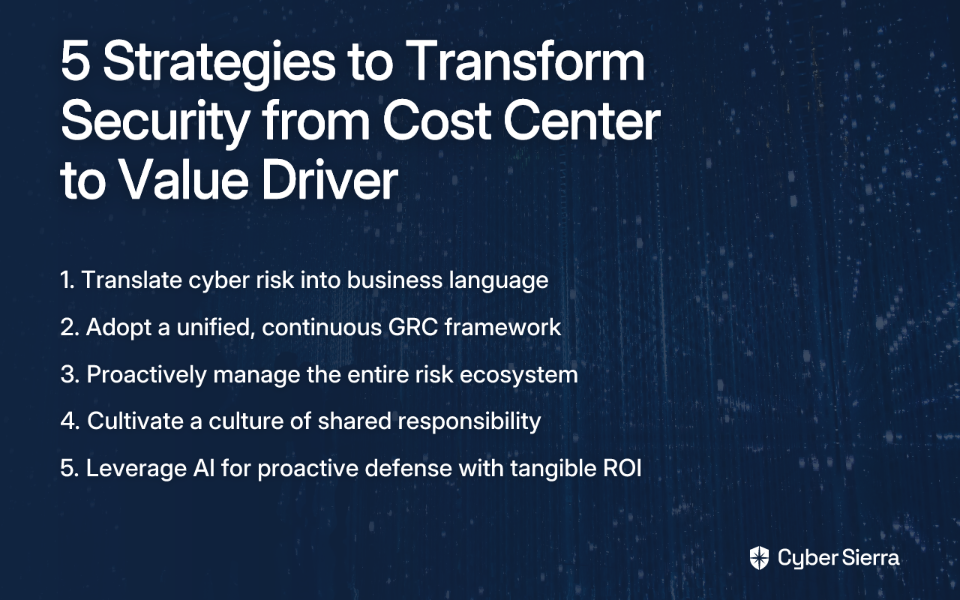
To truly protect your organization and enable growth, cybersecurity must be deeply woven into the fabric of business strategy. This article outlines five practical strategies to bridge this gap, transforming your security program from a cost center into a value driver.

Strategy 1: Translate Cyber Risk into the Language of Business

The most significant barrier to alignment is communication. Security leaders must learn to translate technical risks into tangible business impacts that resonate with executives.

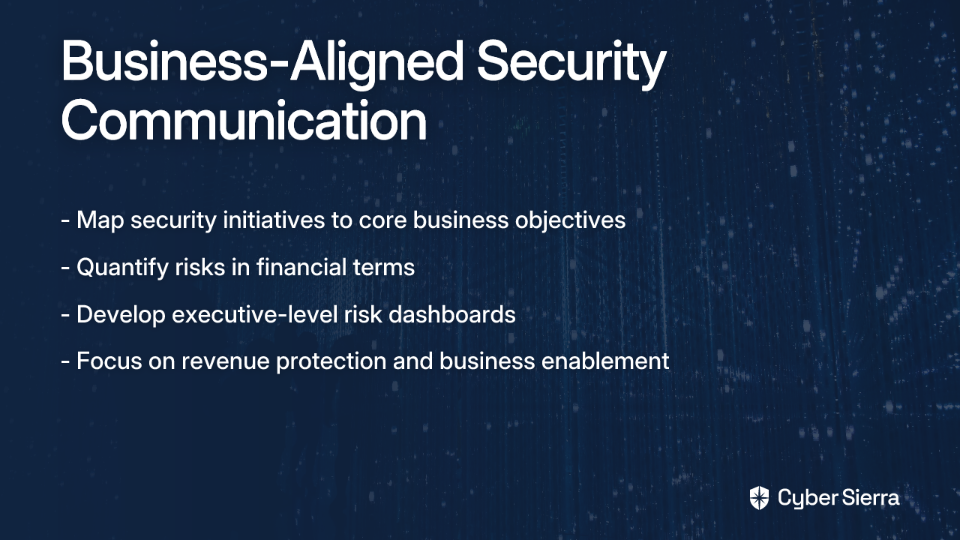
Map Security Initiatives to Core Business Objectives

Collaborate with department heads to understand their strategic goals: growth initiatives, new product launches, market expansions, etc. Then frame security projects in the context of how they support these goals.

For example, instead of saying, "We need to implement multi-factor authentication," say, "Implementing this control enables our expansion into Europe by meeting GDPR requirements and preventing credential theft that could delay our market entry."

Quantify Risks in Financial Terms

Move beyond technical severity scores. Use business-friendly metrics to illustrate the "so what" of a risk:

  • Potential financial loss from a data breach: Use industry averages or internal calculations.
  • Estimated revenue lost per hour of downtime for critical systems.
  • Potential fines for non-compliance with regulations like GDPR or HIPAA.

Develop Executive-Level Risk Dashboards

As Gartner advises, create dashboards that present security metrics in a business context, focusing on financial impact, operational efficiency, and risk reduction over time. The goal is to create a compelling narrative for executives that clearly communicates the value and status of security operations.

Strategy 2: Adopt a Unified, Continuous GRC Framework

Managing risk and compliance in silos with manual tools like spreadsheets is inefficient and ineffective. As one security professional put it:

"Excel + SNOW or Sheets + JIRA, sprinkle in copies of emails with the word 'APPROVED' in the body and no other content... So many spreadsheets. And needing to add updates but Joe has it open. Teams-Joe, I need the Tech Review sheet when you're done. Multiple times per day."

A structured Governance, Risk, and Compliance (GRC) framework provides a unified, data-driven approach.

Establish a Structured Risk Management Process

A mature process is key. Leverage established frameworks like NIST SP 800-30 or ISO 27001 to guide your activities. A comprehensive process includes:

  1. Scope & Objectives: Define what risks to monitor.
  2. Risk Identification: Identify threats, vulnerabilities, and potential impacts.
  3. Risk Assessment: Analyze likelihood and consequences.
  4. Risk Evaluation: Compare risks against the organization's risk appetite.
  5. Risk Treatment: Mitigate, transfer, accept, or avoid the risk.
  6. Continuous Monitoring: Regularly review and adjust.

Automate to Eliminate Compliance Fatigue

The goal of GRC is to align IT with business goals while managing risk and meeting regulations. An AI-enabled GRC platform like Cyber Sierra can centralize this process. It automates data collection for frameworks like SOC2, ISO 27001, and HIPAA, provides continuous control monitoring, and generates audit-ready reports. This shifts the organization from stressful, periodic audits to a state of being perpetually audit-ready.

Strategy 3: Proactively Manage the Entire Risk Ecosystem (Including Third Parties)

Your organization's risk surface extends far beyond its own walls. The supply chain and third-party vendors represent a significant and often overlooked area of vulnerability.

According to the Ponemon Institute, the average company shares sensitive information with 583 third parties, making robust vendor risk management non-negotiable.

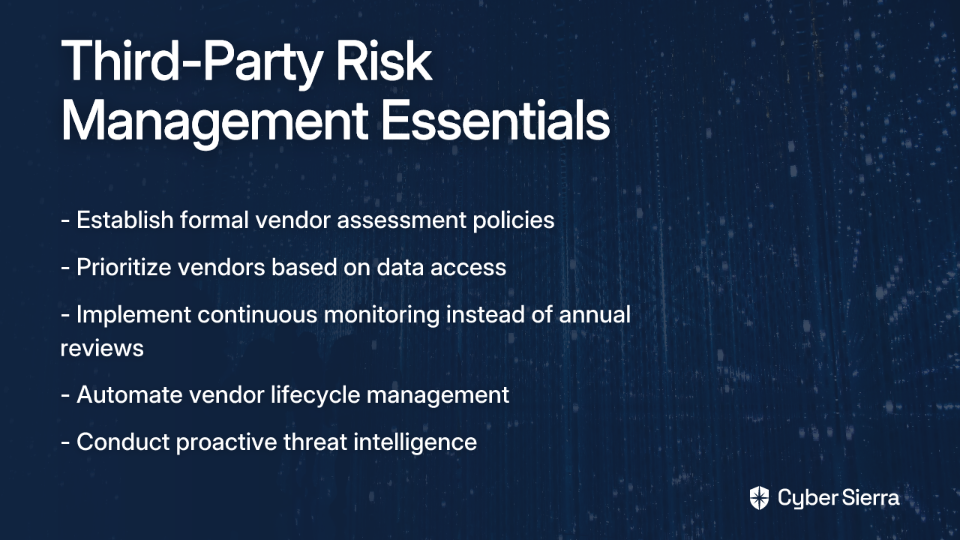
Implement a Robust Third-Party Risk Management (TPRM) Program

Establish formal policies for vendor assessment, onboarding, and continuous monitoring. Prioritize vendors based on their access to critical data and systems.

Move from Point-in-Time to Continuous Vendor Monitoring

Annual questionnaires are no longer sufficient. You need real-time visibility into your vendors' security posture. A dedicated TPRM solution, like the one offered by Cyber Sierra, automates the entire vendor lifecycle, providing 24/7 visibility into vendor security compliance and streamlining due diligence.

Embrace Proactive Threat Intelligence

Continuously scan your own network and cloud infrastructure for vulnerabilities and misconfigurations. An "outside-in" scanning approach helps you see your organization as an attacker would, identifying and remediating risks before they can be exploited.

Strategy 4: Cultivate a Culture of Shared Responsibility, Starting with the "Human Firewall"

Technology alone cannot solve the security problem. According to security professionals, the human element is a factor in over 60% of cyber risk. Organizations must evolve from basic "security awareness" to comprehensive human risk management.

Implement Data-Driven Employee Training

Use data to identify which employees or departments are exhibiting risky behaviors and provide targeted training. Go beyond annual compliance-focused training with continuous education and reinforcement that addresses actual behavioral patterns.

Conduct Realistic Simulations

Regularly run simulated phishing campaigns to test and train employees on identifying malicious emails. As one security expert noted, "The issue with TTXs is they are too easy to just make up best case responses." Instead, conduct realistic tabletop exercises and red team assessments that test your incident response plans against likely, not just ideal, scenarios.

Secure Executive Buy-In Through Targeted Training

There's often a knowledge gap in cybersecurity between C-suite leadership and operational managers. Provide targeted training for leadership to bridge this gap and ensure security is understood as a business imperative at all levels.

Building a security-conscious culture is a key defense layer. Interactive training modules, quizzes, and simulated counter-phishing campaigns help empower employees and measurably improve the organization's "security quotient."

Strategy 5: Leverage AI for Proactive Defense and Demonstrate Tangible ROI

The threat landscape is evolving, with cybercriminals using AI to launch faster, more sophisticated attacks. McKinsey reports that the rise of generative AI was followed by a 1200% surge in phishing attacks, highlighting the speed at which attackers are weaponizing new technology.

Integrate AI into Your Security Stack

AI is critical for analyzing vast amounts of data in real-time to detect anomalies, automate threat responses, and allow security teams to focus on high-priority incidents. Modern security platforms use AI to provide near real-time updates on control effectiveness and deliver actionable risk intelligence, transforming security from periodic checks into a proactive, continuous process.

Connect Security Posture to Financial Benefits

A strong, demonstrable security posture is no longer just about defense; it's a financial asset. Use your security metrics and GRC data to streamline the cyber insurance application process. A well-documented, continuously monitored security program can lead to better coverage terms and lower premiums.

This is where an integrated platform shows its full value. Tools that help organizations right-size their coverage and automate the collection of cybersecurity documentation required by insurers directly link robust cyber hygiene to tangible financial outcomes.

Conclusion

The path to aligning security with business objectives requires a multi-faceted approach:

  1. Speaking the language of business
  2. Building a unified GRC foundation
  3. Managing your entire vendor and threat ecosystem
  4. Empowering your people as a line of defense
  5. Leveraging advanced technology to prove your value

By implementing these strategies, you can shift the perception of cybersecurity within your organization. It will no longer be seen as a reactive cost center or a compliance hurdle, but as a critical strategic enabler that protects revenue, builds customer trust, and drives business resilience in an increasingly complex digital world.

For organizations looking to accelerate this transformation, platforms like Cyber Sierra offer integrated solutions that address each of these strategic areas, from continuous control monitoring to automated compliance, vendor risk management, and beyond.

Remember: In today's digital economy, effective security isn't just about preventing breaches—it's about enabling the business to move faster, with confidence.

Frequently Asked Questions

What is the difference between compliance-based and risk-based security?

The main difference is that compliance-based security focuses on meeting a specific set of external rules (like PCI DSS or HIPAA), while risk-based security tailors controls to an organization's unique threats and business objectives. Compliance is a necessary baseline, but it doesn’t guarantee security against all threats. A risk-based approach is proactive; it identifies, assesses, and treats risks specific to your business, ensuring security investments are directed where they will have the most impact.

How can security leaders effectively communicate cyber risk to the C-suite?

Security leaders can effectively communicate cyber risk by translating technical jargon into the language of business: financial impact, revenue protection, and strategic enablement. Instead of discussing vulnerabilities, quantify risks in financial terms, such as potential revenue lost per hour of downtime or fines for non-compliance. Map security initiatives directly to business goals and use executive-level dashboards that visualize risk in a business context.

Why are spreadsheets inadequate for managing Governance, Risk, and Compliance (GRC)?

Spreadsheets are inadequate for GRC because they are manual, siloed, error-prone, and lack the real-time visibility needed for effective risk management. Relying on manual tools leads to inefficiency and "compliance fatigue." A dedicated GRC platform automates data collection, provides continuous monitoring of controls, centralizes information, and aligns IT activities with business goals, moving an organization from periodic audit stress to being perpetually audit-ready.

What is Third-Party Risk Management (TPRM) and why is it critical?

Third-Party Risk Management (TPRM) is the process of identifying and mitigating risks associated with external vendors and partners who access your systems or data. It's critical because your organization's security is only as strong as its weakest link. A single compromised vendor can lead to a major breach. A robust TPRM program moves beyond annual questionnaires to continuous monitoring of vendors' security postures, ensuring your entire business ecosystem is secure.

How can an organization build a strong "human firewall"?

An organization builds a strong "human firewall" by moving beyond basic awareness training to a comprehensive human risk management program that fosters a culture of shared responsibility. This involves using data to provide targeted, continuous training to employees exhibiting risky behaviors. It also includes running realistic phishing simulations and tabletop exercises to test and reinforce incident response capabilities, with executive buy-in to champion security from the top down.

How does using AI in cybersecurity provide a tangible Return on Investment (ROI)?

AI provides a tangible ROI by automating threat detection to reduce manual effort and by strengthening security posture, which can lead to lower cyber insurance premiums. AI-driven platforms analyze vast amounts of data to identify threats human teams might miss, minimizing the financial impact of breaches. Furthermore, by providing continuous monitoring and audit-ready documentation, these platforms help organizations demonstrate strong cyber hygiene to insurers, resulting in better coverage and direct cost savings.

blog-hero-background-image
Cyber Security

Top 7 KPIs Every CISO Should Track for Effective Risk Management

backdrop
Table of Contents

Join thousands of professionals and get the latest insight on Compliance & Cybersecurity.


Summary

  • CISOs often fail to communicate value because they report technical metrics instead of business-aligned KPIs that resonate with leadership.
  • Focus on key KPIs like Mean Time to Respond (MTTR), Control Effectiveness, and Financial Impact of Incidents to translate security efforts into clear risk reduction and cost savings.
  • Improving incident response can save over $1 million per breach, demonstrating the direct financial benefit of a mature security program.
  • Simplify reporting by using a unified platform like Cybersierra to automate data collection and create cohesive, board-ready dashboards.

You've implemented robust security controls, invested in cutting-edge tools, and assembled a skilled team. Yet, when presenting to the board, you're met with blank stares or the dreaded question: "So what does this mean for the business?"

If this scenario sounds painfully familiar, you're experiencing what I call the CISO's dilemma — translating technical security efforts into business value that resonates with leadership.

The CISO's Dilemma: From Technical Metrics to Business Value

Many cybersecurity teams face a common frustration: "Recognition and visibility of the cybersecurity team's accomplishments are lacking, leading to undervaluation of their contributions," despite having allocated budgets and working tirelessly to secure the organization.

The issue often isn't a lack of metrics — it's that we're tracking the wrong ones. As one security leader bluntly put it, "Senior leadership doesn't understand jack about most security metrics." What executives actually want is "a clear understanding of risks and financial impacts rather than technical metrics."

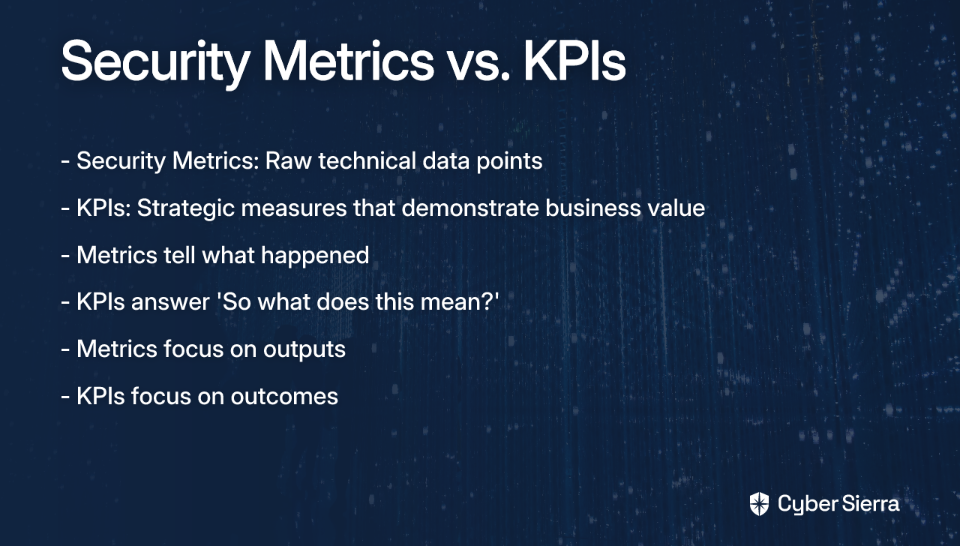
This requires distinguishing between:

The following seven KPIs will help you bridge this gap, demonstrating security's business value while effectively managing your organization's risk posture.

The 7 Essential Risk Management KPIs

KPI #1: Mean Time to Detect (MTTD) & Mean Time to Respond (MTTR) - The Efficiency Indicators

What it is:

  • MTTD: The average time between a security incident occurring and your team discovering it
  • MTTR: The average time between incident detection and complete remediation

Why it matters: These foundational metrics directly correlate to business impact. Every minute a threat remains undetected or active in your environment increases potential damage, costs, and recovery time. According to IBM's Cost of a Data Breach Report, breaches identified and contained within 200 days cost an average of $3.74 million, while those taking longer cost $4.86 million — a difference of over $1 million.

How to measure:

  • Track time from first malicious activity to formal detection (MTTD)
  • Measure time from detection to complete remediation (MTTR)
  • Set progressive improvement targets (e.g., reduce MTTR by 15% quarterly)

Business translation: "Our incident response capability has improved by 30% this year, reducing our average containment time from 96 to 67 hours, which minimizes potential financial and reputational damage by an estimated $X per incident."

KPI #2: Vulnerability & Patch Management Compliance - The Proactive Defense Indicator

What it is: The percentage of systems, devices, and applications that are fully patched against known vulnerabilities within established timeframes.

Why it matters: This proactive measure demonstrates how effectively you're reducing your attack surface before incidents occur. It's the difference between reporting "We have 1,723 vulnerabilities" (unhelpful) and "98% of our critical systems are patched within SLA timeframes" (business-relevant).

How to measure:

  • (Number of assets patched within SLA / Total number of assets requiring patches) × 100
  • Track trends in high-risk vulnerability remediation times
  • Monitor patch compliance by system criticality

Business translation: "Our vulnerability management program maintains a 95% patch compliance rate for critical systems, significantly reducing our exposure to the types of exploits that led to recent high-profile breaches at competitors X and Y."

KPI #3: Control Effectiveness & Compliance Status - The Audit Readiness Indicator

What it is: A measurement of how well your security controls are functioning to mitigate risks and ensure compliance with relevant frameworks (ISO 27001, SOC2, NIST, etc.).

Why it matters: This KPI directly addresses what many security professionals identify as "the most painful part of an audit: evidence gathering." Instead of scrambling before audits, continuous control monitoring provides real-time assurance of compliance posture and control effectiveness.

How to measure:

  • Compliance status by framework (e.g., 95% of ISO 27001 controls are effective)
  • Percentage of automated vs. manual controls
  • Number of control failures or exceptions detected per period

With a Continuous Control Monitoring (CCM) platform like Cyber Sierra, organizations can transform from periodic, stressful compliance checks to ongoing, automated monitoring that provides a single source of truth for control effectiveness.

Business translation: "Our security program maintains 97% control effectiveness across all required compliance frameworks, ensuring we remain audit-ready year-round and reducing audit preparation costs by approximately $X annually."

KPI #4: Third-Party Risk Posture - The Supply Chain Security Indicator

What it is: Metrics evaluating the security risks posed by vendors, suppliers, and partners in your supply chain.

Why it matters: Your security is only as strong as your weakest link. The SolarWinds and Okta breaches demonstrated how third-party vulnerabilities can impact thousands of customers. Tracking Third-Party Risk Management (TPRM) KPIs demonstrates diligent oversight of this critical risk vector.

How to measure:

  • Time to detect and mitigate vendor risks: The average time taken to identify and address risks associated with third parties
  • Percentage of vendors without current security reviews: Indicates gaps in your TPRM program
  • Number and severity of identified vendor risks over time: Shows if supply chain risk is increasing or decreasing

Business translation: "We've reduced our average vendor risk detection time by 40% through our enhanced third-party risk management program, allowing us to address potential supply chain vulnerabilities before they impact operations."

KPI #5: Security Awareness & Training Effectiveness - The Human Firewall Indicator

What it is: Measurements of how effectively your security awareness programs change employee behavior and reduce human-centric risk.

Why it matters: Human error remains a leading cause of security breaches. Phishing and social engineering attacks target your people, not just your technology. This KPI demonstrates ROI on training initiatives by showing tangible risk reduction.

How to measure:

  • Phishing simulation click rates: The percentage of employees who fall for simulated phishing attacks (a decreasing trend is positive)
  • Security incident reports from employees: An increasing trend shows vigilance
  • Percentage of employees completing security training: Tracks program adoption

Business translation: "Our security awareness program has reduced employee susceptibility to phishing by 62% year-over-year, significantly strengthening our human firewall against the attack vector responsible for 85% of successful breaches."

KPI #6: Number & Financial Impact of Security Incidents - The Bottom-Line Indicator

What it is: A measurement of security incidents over time and, crucially, their calculated financial impact on the business.

Why it matters: This KPI speaks the language of the C-suite and board by translating security events into dollars and cents. By calculating the costs of investigation, remediation, lost productivity, regulatory fines, and brand damage, you provide powerful justification for security investments.

How to measure:

  • Track the Number of Security Incidents (NSI) month-over-month or quarter-over-quarter
  • Develop a formula to calculate total incident costs, including direct costs (forensics, legal fees) and indirect costs (reputation damage, customer churn)
  • Compare incident frequency and cost before and after security initiatives

Business translation: "Our enhanced endpoint security program has reduced financially impactful incidents by 35% this year, avoiding approximately $X million in incident response costs and business disruption."

KPI #7: Key Risk Indicator (KRI) Trends - The Predictive Indicator

What it is: Forward-looking metrics that serve as early warning signals, indicating the likelihood of exceeding the organization's defined risk appetite.

Why it matters: While other KPIs report on past performance, KRIs help predict future problems. They enable proactive risk management conversations with leadership before incidents materialize.

How to measure: Track trends in specific KRIs relevant to your organization, such as:

  • Number of malicious firewall blocks month-to-month
  • Percentage of users with excessive access to sensitive systems
  • Number of systems with security tool coverage gaps
  • Rate of policy exceptions granted

Business translation: "Our leading risk indicators show a 22% increase in attempted network intrusions targeting our customer data environment, prompting us to accelerate planned security controls for this critical asset."

From Data to Decisions: Communicating KPIs to the Board

Collecting these KPIs is only half the battle. The real challenge is presenting them effectively to leadership. Many security leaders struggle with "the complexity of collating various security metrics into one cohesive dashboard" that tells a compelling story.

For maximum impact:

This is where unified cybersecurity platforms like Cyber Sierra add tremendous value by centralizing GRC, TPRM, vulnerabilities, and control monitoring into cohesive dashboards that simplify reporting and provide actionable risk intelligence.

Driving a Mature, Risk-Informed Security Program

By tracking these seven business-aligned KPIs, you can successfully transform the security conversation from technical compliance to strategic risk management. The goal is to move beyond simply checking boxes to becoming a truly risk-informed organization that makes security decisions based on business impact.

These KPIs help demonstrate that your security program isn't just about preventing bad things, but about enabling the business to move faster, with confidence, in an increasingly complex threat landscape.

Remember: What gets measured gets managed. By choosing the right KPIs, you not only improve your security posture but also elevate the perceived value of your security function from a cost center to a strategic business enabler.

Frequently Asked Questions

What is the difference between a security metric and a security KPI?

A security metric is a raw, technical data point (e.g., number of blocked attacks), while a Key Performance Indicator (KPI) is a strategic measure that connects that data to a business outcome (e.g., reduction in financial risk). Metrics tell you what happened, focusing on outputs like vulnerabilities patched. KPIs answer, "So what does this mean for the business?" by focusing on outcomes, such as the percentage of critical systems patched within SLA, which demonstrates a direct reduction in the company's attack surface.

Why are traditional security metrics ineffective for board reporting?

Traditional security metrics are often too technical and operational for a board-level audience, failing to communicate business risk or the value of security investments. Senior leadership is primarily concerned with risk, financial impact, and strategic alignment. Reporting on thousands of vulnerabilities doesn't provide a clear picture of the organization's risk posture. Business-aligned KPIs translate these technical activities into understandable terms like cost avoidance, compliance readiness, and operational resilience.

How can I translate technical security data into business impact?

You can translate technical data into business impact by focusing on outcomes rather than outputs and framing them in the context of risk, cost, and efficiency. For example, instead of stating "We reduced our incident response time," use a business translation like, "Our incident response capability improved by 30%, which minimizes potential financial and reputational damage by an estimated $X per incident." This approach connects security actions directly to tangible business value.

What are the most important risk management KPIs for a CISO to track?

The most important risk management KPIs demonstrate security's value in protecting and enabling the business. Key KPIs to track include Mean Time to Detect & Respond (MTTD/MTTR), Vulnerability & Patch Management Compliance, Control Effectiveness, Third-Party Risk Posture, Security Awareness Training Effectiveness, the Financial Impact of Security Incidents, and Key Risk Indicator (KRI) Trends.

How do you measure the financial impact of a security incident?

The financial impact of a security incident is measured by calculating both the direct and indirect costs associated with the event. Direct costs are tangible expenses like forensic investigators, legal fees, and regulatory fines. Indirect costs are harder to quantify but are equally critical, including lost productivity, customer churn, and damage to brand reputation. Developing a formula to estimate these total costs provides a powerful bottom-line metric for the board.

How often should security KPIs be reported to the board?

Security KPIs should typically be reported to the board on a quarterly basis, aligning with most board meeting schedules. This cadence is sufficient for tracking strategic trends and demonstrating progress over time. However, your team should monitor these KPIs continuously using a real-time dashboard to manage risk effectively and prepare for any immediate reporting needs that may arise between formal meetings.

Ready to transform your risk management program with automated, continuous, and intelligent insights? Book a demo of Cyber Sierra to see how our unified platform can help you track these KPIs and demonstrate your security value.

blog-hero-background-image
Cyber Security

Top 8 Risk Management Mistakes That Expose Your Organization

backdrop
Table of Contents

Join thousands of professionals and get the latest insight on Compliance & Cybersecurity.


Summary

  • Major risk management failures, like Citibank’s $400 million fine for a mistaken wire transfer, often stem from common, overlooked mistakes.
  • The most critical error is treating risk management as a static, periodic exercise, which leaves organizations vulnerable to emerging threats between audits.
  • Building a resilient security posture requires shifting to a proactive approach with continuous monitoring, robust third-party risk management, and a strong security culture.
  • Unifying these functions on an integrated platform provides a holistic view of risk; Cyber Sierra automates GRC and continuous monitoring to help organizations achieve this.

When Citibank accidentally wired $900 million to creditors of cosmetics company Revlon in 2020 due to outdated software and inadequate controls, it didn't just make headlines—it resulted in a $400 million regulatory fine. This catastrophic error exemplifies how even sophisticated organizations can fall victim to fundamental risk management failures.

Many organizations believe their risk management programs are robust, but common, often-overlooked mistakes create significant vulnerabilities. TechTarget notes that overconfidence in risk management capabilities is a key failure point that leads to catastrophic failures during crises.

This article will dissect the eight most critical risk management mistakes that expose organizations to unnecessary threats. More importantly, we'll move beyond theory to provide actionable insights on building a resilient, proactive, and continuous security posture, shifting from outdated periodic checks to a modern, automated approach.

Mistake 1: Treating Risk Management as a Static, Checkbox Exercise

In today's rapidly evolving threat landscape, relying on periodic, point-in-time assessments is a critical failure. Traditional monitoring provides snapshots, not continuous oversight—leaving dangerous blind spots between assessment periods.

Why It's Dangerous:

  • Periodic assessments miss emerging risks between audit cycles
  • Creates complacency and a false sense of security
  • Many regulations, like FedRAMP, explicitly require continuous monitoring.

According to SecureFrame, "Point-in-time compliance certifications provide only a moment-in-time snapshot of an organization's security posture and are quickly outdated in our rapidly evolving digital environment."

Solution: Adopt Continuous Control Monitoring (CCM), a technology-driven approach that continuously validates the effectiveness of controls within your organization. MetricStream notes that CCM provides real-time insights into control health and helps identify and mitigate risks proactively.

Cyber Sierra's Continuous Control Monitoring platform automates this process, building a central controls repository with near real-time updates that allow organizations to fix security gaps proactively rather than reactively.

Mistake 2: Lacking Strong Governance and a Unified Risk Culture

Without top-down endorsement and a culture where every employee feels responsible for risk management, even the best tools and processes will fail to protect your organization.

Why It's Dangerous:

  • Leads to poor governance and weak risk controls
  • Allows unethical practices to fester, as seen with Wells Fargo, which failed to address warning signs and incurred significant penalties.
  • Results in siloed risk data and a lack of transparency across the business

The collapse of Silicon Valley Bank in 2023 stands as another stark example of what happens when senior management fails to prioritize and actively manage Enterprise Risk Management programs, according to TechTarget.

Solution:

  • Invest in a detailed Enterprise Risk Management (ERM) plan endorsed by senior management
  • Develop a training program to integrate risk management into all business operations
  • Establish clear roles and responsibilities, and maintain a centralized risk register to track and assess risk profiles company-wide

Mistake 3: Neglecting Third-Party and Supply Chain Risks

Your organization's security is only as strong as its weakest link, which is often a third-party vendor. Insufficient monitoring of supply chains is a common failure with potentially devastating consequences.

Why It's Dangerous: As seen during the pandemic, supply chain disruptions can cripple operations when efficiency is prioritized over resilience. Venminder identifies several "scary scenarios" that commonly occur:

  • Unidentified Vendor Risks: Failure to perform comprehensive inherent risk assessments
  • Insufficient Due Diligence: Not engaging subject matter experts for risk-based reviews
  • Unknown Fourth- and Nth-Party Risk: Vendors rely on their own third parties, creating a hidden chain of risk
  • Poor Business Continuity/Disaster Recovery Planning: Critical vendors without robust BC/DR plans can cause operational failures

Solution:

  • Implement a robust Third-Party Risk Management (TPRM) program
  • Conduct standardized and comprehensive inherent risk assessments for all vendors
  • Require vendors to disclose their material fourth parties
  • Utilize dedicated platforms for automated control over vendor risks instead of relying on manual spreadsheets and questionnaires

Cyber Sierra's TPRM module simplifies and automates this entire lifecycle, from vendor onboarding and due diligence to continuous 24/7 monitoring of their security compliance.

Mistake 4: Underinvesting in the "Human Firewall"

Technology can only do so much. Human error remains a primary vector for cyberattacks, yet employee training is often treated as a one-off compliance task rather than an ongoing priority.

Why It's Dangerous:

  • Untrained employees are susceptible to phishing, social engineering, and other attacks that exploit human psychology
  • Lack of awareness leads to poor security hygiene (weak passwords, mishandling of sensitive data)
  • According to DataGuard, inadequate employee training is a direct pitfall highlighted in common cybersecurity governance mistakes

Solution:

  • Implement a continuous security training program, not just an annual checkbox exercise
  • Education should cover best practices for passwords, email safety, and phishing detection
  • Use interactive quizzes and simulated counter-phishing campaigns to reinforce learning and measure effectiveness

Mistake 5: Failing to Plan and Test for Incidents

A risk management program is incomplete without a well-defined and regularly tested Incident Response (IR) plan. The question is not if an incident will occur, but when.

Why It's Dangerous:

  • Not having a plan can "exacerbate damage and extend downtime" according to DataGuard.
  • In the chaos of an attack, an untested plan falls apart, leading to poor decision-making, delayed containment, and increased financial and reputational harm
  • Organizations often discover critical gaps in their response capabilities only when it's too late

Solution:

  • Develop a formal IR plan that outlines roles, responsibilities, communication protocols, and containment/eradication/recovery procedures
  • Conduct regular tabletop exercises and simulations to test the plan's effectiveness and identify gaps
  • Ensure the plan is updated to reflect changes in infrastructure, personnel, and the threat landscape

Mistake 6: Weak or Non-Existent Access Controls

Failing to enforce the principle of least privilege exposes sensitive data to unnecessary risk from both external attackers and insider threats.

Why It's Dangerous:

  • Over-privileged accounts are a prime target for attackers. Once compromised, they provide broad access to critical systems and data
  • Without strong access controls like multi-factor authentication (MFA) and role-based access control (RBAC), an organization is at a much higher risk of data breaches
  • DataGuard notes this as one of the most common governance mistakes that leaves organizations vulnerable

Solution: Essential Access Control Best Practices: Implement multi-factor authentication (MFA) across critical systems, Enforce role-based access control (RBAC), Regular access rights reviews and audits, Prompt revocation for role changes/departures, Continuous monitoring of access configurations

  • Implement MFA across all critical systems and applications
  • Strictly enforce RBAC to ensure employees only have access to the data and systems necessary to perform their jobs
  • Regularly review and audit user access rights, promptly revoking permissions for employees who change roles or leave the company

Cyber Sierra's Continuous Control Monitoring capabilities can monitor configurations in cloud environments to detect overly permissive access roles or lack of MFA, providing alerts for remediation.

Mistake 7: Failing to Measure the Effectiveness of Governance

You cannot manage what you do not measure. Without metrics, it's impossible to know if your risk management program is actually working or just creating a facade of security.

Why It's Dangerous:

  • Without measurement, "it becomes impossible to identify areas for improvement," according to DataGuard.
  • Leads to misallocation of resources on ineffective controls while critical gaps remain unaddressed
  • Inability to demonstrate due diligence to auditors, regulators, and cyber insurance providers

Solution:

  • Establish Key Performance Indicators (KPIs) and Key Risk Indicators (KRIs) for your security program
  • Conduct regular audits and assessments to evaluate the effectiveness of governance practices and controls
  • Use dashboards to provide leadership with a clear, data-driven view of the organization's risk posture

Cyber Sierra's platform makes measurement and reporting seamless. Its Threat Intelligence module provides a comprehensive security scorecard, while the GRC dashboard offers a unified view for reporting on compliance and risk posture.

Mistake 8: Ignoring Emerging Technology Risks like AI

As organizations rapidly adopt new technologies like AI, they often fail to consider and manage the novel risks associated with them.

Why It's Dangerous:

  • Failing to manage AI-related risks can lead to serious issues like "biases in algorithms, legal liabilities, and reputational risks," according to TechTarget.
  • Data privacy concerns, model integrity, and the potential for misuse of AI tools by malicious actors are significant threats
  • Regulatory frameworks around emerging technologies are still developing, creating compliance uncertainty

Solution:

  • Integrate emerging technology risk assessment into your ERM framework
  • Establish ethical standards and governance policies for the development and deployment of AI
  • Implement continual monitoring of AI systems to detect bias, performance degradation, and security vulnerabilities

Shifting from Reactive to Proactive with Integrated Risk Management

The common thread among these eight mistakes is a reactive, siloed approach to risk management. Organizations need to shift toward an integrated, proactive model that provides continuous visibility and automated responses.

Modern risk management requires breaking down the traditional silos between GRC, security operations, vendor management, and IT. This integration is necessary to provide a holistic view of organizational risk and enable coordinated responses to threats.

Platforms like Cyber Sierra provide this integrated approach by unifying GRC, CCM, TPRM, and threat intelligence in a single platform. This integration allows organizations to:

  • Automate data collection and control validation across multiple compliance frameworks
  • Monitor both internal controls and vendor security continuously
  • Prioritize remediation efforts based on real-time risk intelligence
  • Streamline evidence collection and reporting for audits and assessments

By addressing the technological, procedural, and cultural aspects of risk management, organizations can build true cyber resilience in today's dynamic threat landscape.

Conclusion

In today's complex risk landscape, avoiding these eight critical mistakes can mean the difference between resilience and catastrophic failure. Effective risk management must be continuous, integrated, and woven into your organizational culture.

Moving beyond periodic assessments to continuous monitoring, implementing robust governance structures, managing third-party risks, training employees, planning for incidents, enforcing strong access controls, measuring effectiveness, and addressing emerging technology risks are all essential components of a mature risk management program.

Remember, in today's threat landscape, a proactive and automated approach isn't a luxury—it's a necessity for survival and resilience.

Frequently Asked Questions

What is the most common mistake in enterprise risk management?

The most common mistake is treating risk management as a static, periodic exercise. This approach, often called "checkbox security," fails to keep pace with the dynamic threat landscape, leaving significant gaps between assessments where new risks can emerge undetected. A modern, effective strategy requires a shift to continuous monitoring and proactive management to maintain real-time visibility into your security posture.

Why is a strong governance and risk culture important?

A strong governance and risk culture is important because it ensures that risk management is a shared responsibility across the entire organization, from senior leadership down. Without this top-down endorsement and company-wide buy-in, even the most advanced security tools will be ineffective. It establishes clear accountability, prevents siloed risk data, and fosters an environment where employees proactively identify and report potential threats.

How can an organization improve its third-party risk management (TPRM)?

An organization can improve its TPRM by implementing a robust, automated program that goes beyond manual spreadsheets. Key steps include conducting comprehensive inherent risk assessments for all vendors, performing thorough due diligence, gaining visibility into fourth-party risks, and continuously monitoring vendors' security postures. Using a dedicated platform automates this lifecycle, providing real-time alerts and ensuring no vendor-related risk goes unnoticed.

What is Continuous Control Monitoring (CCM)?

Continuous Control Monitoring (CCM) is a technology-driven approach that automates the process of validating security controls in near real-time. Unlike traditional point-in-time audits that provide a temporary snapshot of compliance, CCM constantly gathers data from your systems to verify that controls are implemented correctly and operating effectively. This allows organizations to identify and remediate security gaps proactively, rather than waiting for an annual audit to discover them.

Why is an Incident Response (IR) plan crucial for risk management?

An Incident Response (IR) plan is crucial because it provides a clear, actionable roadmap for how to respond when a security incident occurs. In the midst of an attack, a well-tested IR plan minimizes chaos, ensures swift and effective decision-making, and reduces the overall impact, including financial loss, operational downtime, and reputational damage. Failing to have a plan means reacting blindly, which almost always exacerbates the problem.

How does an integrated risk management platform help?

An integrated risk management platform helps by breaking down traditional silos between governance, risk, compliance (GRC), security operations, and vendor management. It provides a single source of truth, offering a holistic view of the organization's entire risk landscape. This unification automates data collection, streamlines reporting, prioritizes remediation based on real-time intelligence, and enables a coordinated, proactive security strategy instead of a fragmented, reactive one.

Ready to move beyond checkbox compliance and build a truly resilient security posture? Explore how Cyber Sierra's AI-enabled cybersecurity platform automates and simplifies GRC, providing continuous visibility into your organization's security posture and transforming your approach to risk management.

blog-hero-background-image
Cyber Security

Top 10 Tools to Monitor 200+ Security Controls Automatically

backdrop
Table of Contents

Join thousands of professionals and get the latest insight on Compliance & Cybersecurity.


Summary

  • Managing 200+ security controls manually leads to audit fatigue; Continuous Control Monitoring (CCM) automates this process for real-time oversight.
  • Key benefits of CCM include an improved compliance posture, early risk detection, and a significant reduction in manual evidence collection for audits.
  • This article compares 10 top CCM tools to help you select the best fit based on framework support, integration capabilities, and scalability.
  • Cyber Sierra's CCM platform automates control monitoring across frameworks like NIST and ISO 27001 to keep you perpetually audit-ready.

You've just been tasked with ensuring your organization maintains compliance with multiple security frameworks. The spreadsheets are growing unwieldy, your team is drowning in manual checks, and you're constantly worried about missing critical controls. Sound familiar?

"Coordinating compliance checks across different roles and disciplines is a nightmare," admits one security professional on Reddit. "We need a better way to track tasks systematically across multiple teams."

The solution? Continuous Control Monitoring (CCM) - the modern approach that transforms security compliance from periodic, manual "pencil whipping" exercises into automated, real-time oversight. By implementing a robust CCM strategy, organizations can continuously validate hundreds of security controls while significantly reducing manual effort.

This article explores the top 10 tools designed to automate the monitoring of 200+ security controls across various frameworks, helping you maintain a strong security posture and stay perpetually audit-ready.

The Challenge of Manual Control Monitoring: Why Automation is Essential

If you're still tracking compliance using spreadsheets or struggling with basic GRC tools, you're likely experiencing what the industry calls "audit fatigue" - the exhaustion that comes from repeatedly gathering evidence, validating controls, and preparing for audits manually.

Manual compliance management is fundamentally unsustainable when dealing with hundreds of controls across multiple frameworks. Security professionals on Reddit highlight the "complexity in managing review frequency for compliance assessments" and the "need for accountability and visibility of compliance tasks" as major pain points.

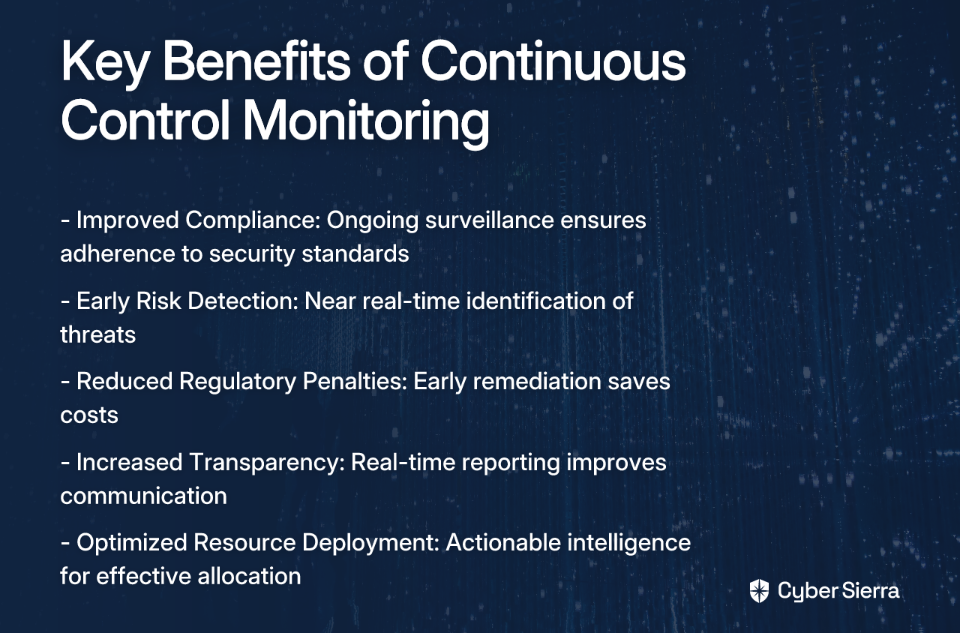
Implementing an automated CCM solution delivers several critical benefits:

  1. Improved Compliance: Ongoing surveillance ensures adherence to standards like NIST 800-53, ISO 27001, PCI DSS, and GDPR.
  2. Early Risk Detection: Near real-time monitoring allows for immediate identification and remediation of threats.
  3. Reduced Regulatory Penalties: A holistic view facilitates early remediation of compliance issues, saving costs.
  4. Increased Transparency: Near real-time reporting fosters improved communication and accountability.
  5. Optimized Resource Deployment: Actionable intelligence helps strategically allocate resources effectively.

Let's explore the top tools that can help you achieve these benefits.

Top 10 Tools for Automated Security Control Monitoring

1. Cyber Sierra

Description: Cyber Sierra provides an AI-enabled cybersecurity platform designed to simplify and automate security compliance for enterprises. It moves organizations away from periodic, manual checks towards proactive, near real-time risk management.

Key Features:

  • Continuous Control Monitoring (CCM): Builds a central controls repository with near real-time updates, automates control testing, and detects exceptions for frameworks like NIST, ISO 27001, and PCI DSS.
  • Governance, Risk & Compliance (GRC): Automates data collection, risk assessments, and reporting for frameworks like SOC2, ISO 27001, and HIPAA.
  • Third-Party Risk Management (TPRM): Simplifies vendor risk assessment, onboarding, and continuous monitoring.
  • Additional Modules: Includes Threat Intelligence, Employee Security Training, and Cyber Insurance management.

Best for: CISOs, Compliance Managers, and IT leaders in regulated industries who need a unified platform to manage multiple compliance frameworks and gain a single source of truth for their security posture.

Learn more about Cyber Sierra CCM

2. CyberStrong

Description: CyberStrong by CyberSaint automates the risk management process by providing real-time compliance monitoring and automating control scoring. It excels at translating technical data into business-level insights.

Key Features:

  • Dynamic Monitoring: Continuously assesses security controls against evolving threats.
  • Executive Dashboards: Provides powerful visualizations that translate technical data into actionable insights for leadership.
  • AI-Powered Crosswalking: Leverages AI to solve compliance mapping challenges across various frameworks.

Best for: Organizations focused on quantifying cyber risk in financial terms and providing clear, executive-level reporting.

Learn more about CyberStrong

3. Secureframe

Description: A compliance automation platform that helps companies get and stay compliant with frameworks like SOC 2, ISO 27001, PCI DSS, HIPAA, and GDPR. It focuses heavily on streamlining the audit process through integrations and automation.

Key Features:

  • Automated Evidence Collection: Integrates with 100+ cloud services (AWS, GCP, Azure, etc.) to automatically collect evidence.
  • Continuous Monitoring: Uses automated tools to check compliance status in real-time.
  • Control Mapping: Consolidates efforts by mapping controls across multiple frameworks to avoid redundant work.

Best for: Startups and tech companies looking to achieve and maintain compliance certifications quickly and efficiently.

Learn more about multi-framework compliance with Secureframe

4. Splunk

Description: A powerful, unified security and observability platform renowned for its ability to ingest, search, and analyze massive volumes of machine-generated data from across the IT infrastructure.

Key Features:

  • Log Management & SIEM: Captures and analyzes log data in real-time for security monitoring and threat detection.
  • Customizable Dashboards: Allows for the creation of detailed dashboards for monitoring specific security controls.
  • Security Alerts Automation: Automates alerting based on predefined correlation rules to identify suspicious activities.

Best for: Organizations with large, complex IT environments that need to manage vast volumes of log data for security and compliance insights.

Learn more about Splunk and other CSM tools

5. Bitsight

Description: A leading Third-Party Risk Management (TPRM) tool that provides data-driven security ratings to help organizations assess and continuously monitor the security posture of their vendors.

Key Features:

  • Security Ratings: Generates daily, objective security ratings (like a credit score) for vendors based on externally observable data.
  • Continuous Monitoring: Provides real-time alerts on changes in a vendor's security posture.
  • Risk Scoring and Benchmarking: Allows companies to benchmark vendor performance against industry standards.

Best for: Enterprises with extensive supply chains that need to automate and scale their vendor risk management programs.

Learn more about Bitsight's TPRM tools

6. Nagios

Description: A widely-used, open-source IT infrastructure monitoring tool. While not a dedicated GRC platform, it is highly effective for monitoring foundational technical controls related to server, network, and application availability.

Key Features:

  • Server and Network Monitoring: Continuously checks the health of servers, switches, and applications.
  • Alerting: Sends notifications via email or SMS when critical infrastructure components fail.
  • Extendable Architecture: Highly customizable with thousands of plugins to monitor virtually any system or control.

Best for: Organizations with strong in-house technical teams looking for a flexible and cost-effective solution for monitoring core IT infrastructure controls.

Explore Nagios and other monitoring tools

7. Syxsense

Description: A security and IT management solution that combines endpoint management, vulnerability scanning, and patch management in a single console, providing deep visibility and control over endpoints.

Key Features:

  • Real-time Monitoring: Provides continuous visibility into the state of all endpoints.
  • Automated Vulnerability Remediation: Scans for vulnerabilities and can automatically deploy patches.
  • Patch Management: Automates the patching of operating systems and third-party applications.

Best for: IT and security teams that need to automate endpoint security, vulnerability scanning, and patch management at scale as part of their vuln management process.

Discover more about Syxsense

8. SecurityScorecard

Description: A security ratings platform that continuously monitors and rates the security posture of any organization globally using non-intrusive methods.

Key Features:

  • Easy-to-understand A-F Scores: Grades companies on ten risk factors, providing a clear snapshot of their security posture.
  • Third-Party Risk Management: Allows for continuous monitoring of vendors and business partners.
  • Integration with Security Software: Connects with other tools for a more comprehensive analysis.

Best for: Organizations looking for an intuitive platform for TPRM and for benchmarking their own security posture against peers.

Learn more about SecurityScorecard and similar tools

9. AuditBoard

Description: A cloud-based platform designed for audit, risk, and compliance management. It helps teams manage GRC activities, including internal audits, risk assessments, and compliance with frameworks like SOX.

Key Features:

  • Centralized GRC Platform: Connects risk, compliance, and audit data in one place.
  • Pre-built Templates: Offers templates for vendor risk assessments and various compliance frameworks.
  • Workflow Automation: Streamlines the process of collecting evidence, tracking issues, and reporting.

Best for: Internal audit, risk, and compliance teams looking to move away from spreadsheets and collaborate more effectively on GRC activities.

Visit AuditBoard

10. Jit

Description: An open DevSecOps orchestration platform that helps developers build security into their CI/CD pipeline from day one. It automates the implementation of security controls across the entire software development lifecycle.

Key Features:

  • Continuous Scanning: Scans code, dependencies, containers, and cloud infrastructure for vulnerabilities.
  • Prioritized Alerts: Helps developers focus on the most critical security issues first.
  • Developer-First Adoption: Designed to be easily adopted by development teams without slowing them down.

Best for: Modern engineering teams that want to implement a "shift-left" security strategy and automate security controls within their development process.

Explore Jit and other CSM tools

How to Choose the Right Tool for Your Organization

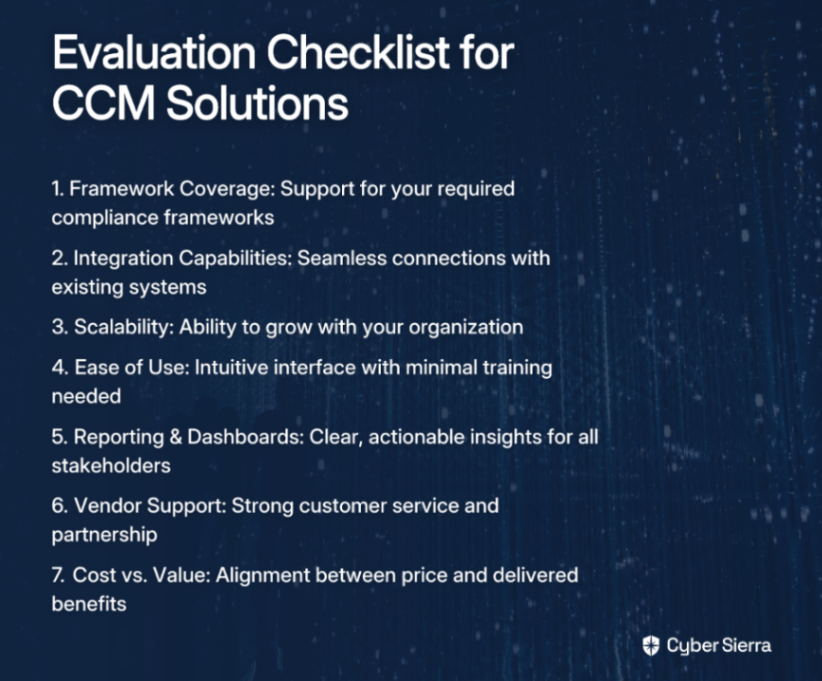
Choosing the right tool for your organization isn't a one-size-fits-all decision. Here's a checklist to help you evaluate which solution best fits your specific needs:

  1. Framework Coverage: Does the tool support the specific frameworks you need to comply with (e.g., NIST 800-53, ISO 27001, SOC 2)?
  2. Integration with Existing Systems: Can it connect seamlessly with your existing tech stack (cloud providers, identity providers, ticketing systems)? This addresses the user need for streamlined workflows.
  3. Scalability: Will the platform grow with your organization as you add more assets, employees, and compliance requirements?
  4. Ease of Use: Is the interface intuitive? How much training will be required for your team to adopt it effectively?
  5. Reporting & Dashboards: Does it provide clear, actionable reporting for both technical teams and executive leadership?
  6. Vendor Support: Does the vendor offer strong customer support, training, and act as a true partner in your compliance journey?
  7. Cost vs. Value: Does the price align with the value it provides in terms of time saved, risk reduction, and audit readiness?

Conclusion

The days of manual compliance management through spreadsheets and periodic checks are over. To effectively monitor hundreds of security controls across multiple frameworks, automation through a Continuous Control Monitoring (CCM) platform is no longer optional—it's essential.

The tools highlighted in this article address the key pain points security professionals face: the difficulty in coordinating compliance across teams, the complexity of managing review frequencies, and the need for accountability and visibility in compliance tasks.

By implementing one of these solutions, you can transform your security and compliance posture from a periodic, reactive exercise into a continuous, proactive advantage. Your organization will benefit from improved compliance, early risk detection, reduced regulatory penalties, increased transparency, and optimized resource deployment.

It's time to evaluate your current continuous monitoring program and explore how automation can help you stay ahead of risks while reducing the burden on your security and compliance teams.

Frequently Asked Questions

What is Continuous Control Monitoring (CCM)?

Continuous Control Monitoring (CCM) is an automated approach to security compliance that continuously validates and tests security controls in near real-time. Unlike traditional, periodic audits that provide a point-in-time snapshot, CCM uses technology to constantly gather evidence and detect control failures as they happen, ensuring your organization remains perpetually compliant and secure.

Why is automating security control monitoring important?

Automating security control monitoring is important because it replaces inefficient, error-prone manual processes with a streamlined, reliable system. Automation significantly reduces "audit fatigue," provides real-time visibility into your security posture, enables early detection of risks, and ensures consistent enforcement of controls across multiple frameworks, saving time and reducing the risk of costly compliance penalties.

How do I choose the right CCM tool for my organization?

To choose the right CCM tool, you should evaluate solutions based on several key criteria that match your specific needs. Key factors include the tool's support for your required compliance frameworks (like NIST, ISO 27001, or SOC 2), its ability to integrate with your existing tech stack, its scalability to grow with your business, its ease of use for your team, and the quality of its reporting and dashboards for all stakeholders.

What security frameworks can be monitored with CCM tools?

CCM tools are designed to monitor controls across a wide range of local and international security frameworks. Most leading platforms provide out-of-the-box support for common standards such as SOC 2, ISO 27001, PCI DSS, HIPAA, GDPR, and NIST (including 800-53 and CSF), allowing you to map and test controls for multiple frameworks simultaneously.

What is the difference between GRC and CCM tools?

The main difference is that GRC (Governance, Risk, and Compliance) platforms are broad tools for managing overall risk strategy and policy, while CCM (Continuous Control Monitoring) tools are specifically focused on the automated, technical testing of security controls. Modern GRC platforms often include CCM as a core feature, where CCM provides the automated evidence and data that feeds into the broader GRC framework for risk management and reporting.

Who benefits most from implementing a CCM platform?

Multiple roles and the organization as a whole benefit from a CCM platform. CISOs and security leaders gain a real-time, high-level view of the organization's risk posture. Compliance managers and security analysts save hundreds of hours by automating evidence collection. IT teams can identify and remediate misconfigurations faster, and the entire organization benefits from a stronger, more resilient security posture and a smoother audit process.

Which tool will you choose to automate your security control monitoring?

blog-hero-background-image
Cyber Security

Top 5 Cloud-Native GRC Platforms vs Legacy Solutions

backdrop
Table of Contents

Join thousands of professionals and get the latest insight on Compliance & Cybersecurity.


Summary

  • Legacy GRC platforms are often 2-3 times more expensive than modern cloud-native solutions due to high total cost of ownership, manual processes, and lack of scalability.
  • Cloud-native GRC shifts compliance from periodic audits to continuous, automated monitoring, which can improve efficiency by up to 62%.
  • To successfully transition to a modern GRC platform, organizations must first evaluate and refine their internal compliance processes before selecting a new tool.
  • Cybersierra's AI-enabled platform helps automate this transition with Continuous Control Monitoring (CCM) and streamlined GRC management to simplify audits and reduce compliance fatigue.

You've likely experienced it—spending countless hours manually collecting evidence for an audit, struggling with spreadsheets that grow more unwieldy by the day, or battling with a clunky legacy GRC platform that seems determined to make compliance as painful as possible. As one compliance manager aptly put it, "Tools can't fix poorly defined processes," but the right tools can certainly make good processes work more efficiently.

In today's rapidly evolving regulatory landscape, legacy Governance, Risk, and Compliance (GRC) solutions are becoming increasingly obsolete. The modern enterprise needs something more agile, automated, and intelligent to keep pace with expanding regulations and sophisticated cyber threats.

This is where cloud-native GRC platforms enter the picture, offering a fundamental shift from periodic, manual checks to continuous, automated monitoring. But what exactly separates these modern solutions from their legacy counterparts, and which platforms are leading the charge?

In this article, we'll explore the key differences between legacy and cloud-native GRC platforms, showcase five leading solutions that are transforming how businesses approach risk and compliance, and provide practical guidance for making the transition.

The Great Divide: Why Legacy GRC Can't Keep Up

Before diving into specific platforms, it's important to understand what makes cloud-native GRC solutions so different from their legacy predecessors.

Common Challenges with Legacy GRC Solutions:

  • Outdated & Clunky User Interfaces: Legacy GRC platforms often feature interfaces that feel like they're from another era. This poor UX hinders productivity and discourages user adoption across the organization. According to Hyperproof, many legacy systems require specialized knowledge just to navigate basic functions.
  • Inability to Crosswalk Controls: When you're managing multiple compliance frameworks (SOC 2, ISO 27001, GDPR, etc.), legacy systems typically require manual mapping of controls across frameworks. This creates duplicate work and increases the risk of inconsistencies.
  • Limited Flexibility and Customization: As Reddit users have noted, rigid templates from legacy GRC tools often fail to accommodate unique organizational needs, forcing businesses to adapt their processes to the tool rather than the other way around.
  • Lack of Scalability: Legacy GRC systems struggle to grow with the business, making it difficult to add new users, incorporate additional frameworks, or expand into new markets or business units.
  • Higher Total Cost of Ownership (TCO): On-premise legacy systems typically come with hefty upfront licensing fees plus ongoing costs for maintenance, upgrades, and specialized IT support. According to G2, these hidden costs can make legacy systems 2-3 times more expensive than their cloud-native counterparts over a five-year period.
  • Lack of Integrations: Legacy platforms often create data silos by failing to connect with other essential business tools, such as cloud environments, security technologies, and business applications.
  • Reliance on Internal "Tribal" Knowledge: Many legacy systems become dependent on the knowledge of a few key individuals, creating significant risk if those employees leave the organization. Hyperproof notes that this "tribal knowledge" problem makes it difficult to maintain continuity in compliance programs.

The Cloud-Native Advantage: Addressing Legacy Limitations

In contrast to these challenges, cloud-native GRC platforms offer several distinct advantages:

  • Automation: Modern platforms automate administrative and repetitive tasks like evidence collection, control testing, and reporting. Organizations using AI in GRC report up to a 62% improvement in compliance efficiency.
  • Intuitive Interfaces: Cloud-native solutions are designed with usability in mind, enhancing productivity and reducing the training burden for new users.
  • Seamless Integrations: They connect easily with cloud environments (AWS, Azure, GCP), security tools, and business applications, creating a single source of truth for compliance data.
  • Scalability & Flexibility: Cloud-native platforms scale on demand and offer customization to fit specific business workflows, allowing them to grow with your organization.
  • Cost-Effectiveness: Typically offered via a subscription model (SaaS), these platforms provide more predictable costs and lower initial investment, making them more accessible for startups and SMBs.
  • Continuous Monitoring: Perhaps the most significant differentiator is the shift from point-in-time assessments to continuous, near real-time monitoring of controls and risks.

Top 5 Cloud-Native GRC Platforms for the Modern Enterprise

Now that we understand the advantages of cloud-native GRC, let's look at five leading platforms that exemplify these benefits:

1. Cybersierra

Overview: Cybersierra provides an AI-enabled cybersecurity platform designed to simplify and automate security compliance for enterprises. Recently recognized as a Sample Vendor in the 2024 Gartner® Hype Cycle™ for Cyber Risk Management for both Cyber GRC and Continuous Controls Monitoring (CCM).

Key Features & Modules:

Who it's for: CISOs, Compliance Managers, and IT Managers looking to move from periodic checks to proactive, continuous risk management and reduce audit fatigue.

2. AuditBoard

Overview: A user-friendly platform focused on centralizing risk-related information for auditors and compliance teams.

Strengths:

  • Praised for its intuitive interface and AI-powered dashboard for insights
  • Strong integration capabilities with existing business systems like CRMs and ERPs

Potential Drawbacks:

  • Users report that dashboard setup can be time-consuming
  • Frequent automatic updates can sometimes be confusing for users

According to G2's research on GRC software, AuditBoard is particularly well-regarded for its collaborative features that facilitate communication between audit teams and business units.

3. Vanta

Overview: A leading compliance automation platform, particularly popular with startups and tech companies.

Strengths:

  • Automates over 1,200 compliance checks and monitors 35+ frameworks
  • Highly regarded for its user-friendly interface and powerful automation for achieving certifications like SOC 2 and ISO 27001

Potential Drawbacks:

  • Can be priced high for very early-stage startups
  • Some users report that certain integrations lack depth

4. LogicGate (now part of Riskonnect)

Overview: A flexible GRC platform known for its customizable workflows.

Strengths:

  • Highly adaptable to unique business needs and regulatory requirements
  • Streamlines workflows for risk and compliance management with no-code automation

User Feedback: Praised for its flexibility, as noted in user forums: "We've recently transitioned from Archer to LogicGate risk cloud... it's very flexible and the dashboards are nice."

5. ServiceNow GRC

Overview: Integrates GRC functions directly into its widely used IT Service Management (ITSM) platform.

Strengths:

  • Excellent for enterprises already invested in the ServiceNow ecosystem
  • Provides real-time reporting and unifies risk data across IT and business functions
  • Enhances decision-making by correlating risk data with business processes (Source)

Who it's for: Larger enterprises looking for a single platform to manage IT operations and GRC, particularly those who already use ServiceNow for other functions.

Making the Switch: A Practical Guide to Transitioning

As one Reddit user aptly noted, "Transitioning to a new GRC platform can be challenging without good processes defined." This sentiment echoes a common challenge: even the best GRC tool can't fix a broken process.

Here's a step-by-step plan for a successful transition from legacy to cloud-native GRC, based on best practices from Hyperproof:

  1. Evaluate Current Processes: Before choosing a tool, map your existing workflows. Identify bottlenecks, manual touchpoints, and areas of inefficiency. Remember that a tool is only as good as the process it supports.
  2. Define Objectives and Success Criteria: Use the SMART goals framework to set clear targets. Example: "Reduce audit evidence collection time by 40% within six months."
  3. Plan for Data Migration: Ensure a clean and complete transfer of data. This involves cleaning and organizing data before uploading to eliminate duplicates and standardize formats.
  4. Customize and Train: Configure the new platform to meet your specific needs. Provide comprehensive, tailored training to all users to ensure adoption and effective use.
  5. Continuously Monitor and Optimize: Post-implementation, regularly track performance metrics and gather user feedback to fine-tune the platform and processes.

Conclusion

The era of manual, spreadsheet-based GRC and clunky legacy systems is drawing to a close. Modern cloud-native platforms offer the automation, integration, and continuous monitoring capabilities needed to manage today's complex risk and compliance landscape effectively.

By transitioning to a cloud-native GRC solution, organizations can transform compliance from a periodic, resource-intensive burden into a continuous, strategic function that provides real-time visibility into risk posture.

Whether you choose Cybersierra for its AI-enabled continuous monitoring, AuditBoard for its user-friendly interface, Vanta for its compliance automation, LogicGate for its flexibility, or ServiceNow for its integrated approach, the key is to select a platform that aligns with your specific business needs and processes.

Remember that even the best platform is only as effective as the processes it supports. Take the time to evaluate and optimize your GRC processes before implementation, and you'll be well on your way to a more efficient, effective compliance program.

As regulatory requirements continue to evolve and cyber threats grow more sophisticated, the organizations that thrive will be those that leverage modern GRC platforms to stay ahead of risks and turn compliance into a competitive advantage.

Frequently Asked Questions

What is a cloud-native GRC platform?

A cloud-native GRC platform is a software-as-a-service (SaaS) solution designed specifically for modern cloud environments. Unlike legacy on-premise systems, it leverages the cloud to provide continuous monitoring, automation, and scalability for managing governance, risk, and compliance. These platforms integrate directly with your cloud infrastructure (like AWS, Azure, GCP) and business applications to automate evidence collection and provide real-time visibility into your compliance posture.

Why should my organization switch from a legacy GRC system?

Your organization should switch from a legacy GRC system to improve efficiency, gain real-time risk visibility, and lower the total cost of ownership. Legacy systems are often characterized by manual processes, clunky interfaces, and data silos, leading to audit fatigue and a reactive security posture. Cloud-native platforms solve these issues by automating repetitive tasks, providing seamless integrations, and enabling continuous control monitoring, which turns compliance into a strategic, proactive function.

How does a cloud-native GRC tool automate compliance?

A cloud-native GRC tool automates compliance by connecting directly to your tech stack via APIs. It continuously pulls data from your cloud providers, security tools, and HR systems to automatically gather evidence for controls. For example, instead of manually taking screenshots of firewall configurations, the tool can automatically verify the settings against your compliance requirements (like SOC 2 or ISO 27001) and flag any deviations, saving hundreds of hours of manual work.

What is Continuous Control Monitoring (CCM) and why is it important?

Continuous Control Monitoring (CCM) is an automated process that continuously tests and validates the effectiveness of your security controls in near real-time. It is important because it replaces periodic, point-in-time audits with an ongoing assessment of your compliance and security posture. This proactive approach allows you to identify and remediate control gaps as they occur, rather than discovering them months later during an audit, significantly reducing your risk exposure.

How do I choose the right cloud-native GRC platform for my business?

To choose the right cloud-native GRC platform, you should start by evaluating your organization's specific needs, existing processes, and required compliance frameworks (e.g., SOC 2, HIPAA, GDPR). Key factors to consider include the platform's integration capabilities with your current tech stack, its ease of use, its scalability to support future growth, and its ability to automate evidence collection for your key controls. Always request a personalized demo to see how the platform would work in your environment.

What is the typical implementation time for a cloud-native GRC solution?

The typical implementation time for a cloud-native GRC solution can range from a few weeks to a few months. The timeline depends on several factors, including the size and complexity of your organization, the number of compliance frameworks you need to manage, the quality of your existing data for migration, and the number of required integrations. Platforms designed for rapid deployment can often get you started with key frameworks like SOC 2 in under a month.

blog-hero-background-image
Cyber Security

Top 10 Tools to Automate PCI DSS and SOC 2 Compliance Together

backdrop
Table of Contents

Join thousands of professionals and get the latest insight on Compliance & Cybersecurity.


Summary

  • Managing PCI DSS and SOC 2 compliance is easier than you think, as approximately 60% of their controls overlap, potentially reducing compliance costs by 20-30%.
  • The key to success is focusing on process maturity first; automation tools can streamline workflows but cannot fix broken ones.
  • To maximize efficiency, design systems for continuous evidence collection and integrate compliance checks directly into your CI/CD pipeline.
  • An integrated platform like Cybersierra's GRC module can help automate evidence collection across multiple frameworks, turning periodic audits into continuous compliance.

You've just finished another exhausting compliance cycle—countless hours spent capturing screenshots, compiling evidence, and answering repetitive questionnaires for both PCI DSS and SOC 2. Now, you're facing the prospect of doing it all over again in a few months, with your team already dreading the next round of audit preparation.

Sound familiar? Many compliance and security professionals find themselves trapped in this perpetual cycle, where managing multiple frameworks becomes an overwhelming burden that drains resources and morale.

As one cybersecurity professional put it in a recent discussion, "No matter what tool you pick, none of them can fix a screwed up process. Even with the supposed Cadillac tool, our control assessment process is a nightmare that's 100% self-induced."

The good news? With the right automation tools and properly defined processes, you can transform compliance from a periodic scramble into a continuous, streamlined function—and leverage the significant overlap between PCI DSS and SOC 2 to maximize efficiency.

Why Automate PCI DSS and SOC 2 Together? The Power of Overlap

Before diving into specific tools, it's important to understand why tackling these frameworks together makes strategic sense.

According to research from StrikeGraph, approximately 60% of controls between PCI DSS and SOC 2 overlap. This significant redundancy means that by automating both frameworks together, organizations can reduce compliance costs and time by an estimated 20-30%.

Key areas of overlap include:

  • Access Control: Both frameworks require policies for logical and physical access management
  • Encryption: Requirements for protecting data at rest and in transit
  • Incident Response: Shared policies and procedures for managing security incidents
  • Risk Assessment: Regular evaluation of security risks and vulnerabilities
  • Change Management: Controlled processes for system changes

By leveraging automation tools designed to handle multiple frameworks, you can eliminate duplicate efforts and maintain continuous compliance rather than scrambling before each audit cycle.

Top 10 Tools for Unified PCI DSS & SOC 2 Automation

1. Cybersierra

Overview: Cybersierra provides an AI-enabled cybersecurity platform designed to simplify and automate security compliance, moving away from periodic, manual checks towards proactive, near real-time risk management.

Key Features for PCI & SOC 2:

  • Governance, Risk & Compliance (GRC): Automates data collection, risk assessments, and reporting across multiple frameworks including PCI DSS and SOC 2, maintaining detailed audit trails that make enterprises audit-ready.
  • Continuous Control Monitoring (CCM): Offers a central repository for controls with near real-time updates, providing ongoing visibility into security posture and automating control testing.
  • Third-Party Risk Management (TPRM): Essential for both frameworks, this module simplifies vendor risk assessment and provides continuous visibility into vendor security compliance.
  • Threat Intelligence: Performs vulnerability scanning to identify risks before they're exploited, supporting proactive defense requirements in both frameworks.

What Makes It Stand Out: Cybersierra integrates multiple security functions into a single AI-enabled platform, providing a unified view and transforming security from a reactive to a proactive discipline.

2. Secureframe

Overview: A compliance automation platform that streamlines certifications for frameworks like PCI DSS and SOC 2.

Key Features:

  • Automation of evidence collection to reduce manual compliance tasks
  • Continuous monitoring with alerts for issues affecting compliance status
  • Policy management with customizable templates

What Makes It Stand Out: According to user surveys, 97% of Secureframe users reported reduced time on compliance tasks, and 95% reported saved time and resources during audits.

3. Drata

Overview: An AI-native GRC platform that automates compliance across multiple frameworks, including SOC 2 and PCI DSS.

Key Features:

  • Automates policy creation and maintenance to ensure consistency
  • Provides real-time evidence generation from numerous integrations
  • Uses AI to assist with completing security questionnaires
  • Offers continuous monitoring and alerts for compliance drift

What Makes It Stand Out: Particularly effective for fast-growing companies aiming to alleviate compliance bottlenecks and reduce engineering workload.

4. Vanta

Overview: A security and compliance automation platform focused on maintaining continuous audit readiness.

Key Features:

  • Automatically collects evidence from your tech stack via 100+ integrations
  • Monitors compliance status in real-time to prevent compliance drift
  • Automates risk assessments and assigns remediation tasks
  • Provides a unified dashboard for tracking progress across frameworks

What Makes It Stand Out: Vanta is known for its user-friendly interface and streamlined onboarding process, making it accessible for organizations new to compliance automation.

5. Strike Graph

Overview: A compliance management platform specifically designed to align standards like PCI DSS and SOC 2 efficiently.

Key Features:

  • Specializes in control mapping to leverage overlapping requirements
  • Offers downloadable compliance controls mapping to visualize the 60% overlap
  • Provides guided workflows for evidence collection and management
  • Simplifies the audit process through automated evidence organization

What Makes It Stand Out: Strike Graph specifically focuses on helping businesses save 20-30% on compliance costs by maximizing the efficiency of managing multiple frameworks together.

6. Qualys

Overview: A cloud-based platform for security and compliance monitoring with a strong focus on vulnerability management.

Key Features:

  • Continuous monitoring and vulnerability management
  • Policy compliance monitoring to ensure systems are properly configured
  • Automated scanning and reporting for PCI DSS requirements
  • Asset discovery and management capabilities

What Makes It Stand Out: Qualys particularly excels at meeting specific PCI DSS requirements related to vulnerability scanning (Req 11.2), making it valuable for organizations where this is a primary concern.

7. Archer

Overview: An enterprise-grade GRC platform for configurable risk and compliance management.

Key Features:

  • Modular deployment allows organizations to manage specific compliance needs
  • Centralized risk data analytics for comprehensive visibility
  • Workflow automation for compliance tasks
  • Advanced reporting capabilities for executive stakeholders

What Makes It Stand Out: Archer offers extensive customization options but can have a complex setup, making it better suited for larger organizations with dedicated GRC teams.

8. ZenGRC (by LogicGate)

Overview: A governance, risk, and compliance platform supporting multiple frameworks, noted for its flexibility.

Key Features:

  • Compliance mapping across multiple standards to eliminate redundancy
  • Integrated risk assessments with customizable scoring
  • Highly customizable dashboards and workflows
  • Simplified evidence collection and management

What Makes It Stand Out: ZenGRC is known for addressing the user need for customization, allowing organizations to adapt the platform to their specific processes rather than forcing process changes to fit the tool.

9. Hyperproof

Overview: A cloud-based platform designed for continuous compliance with an emphasis on user experience.

Key Features:

  • Task automation and real-time visibility into compliance status
  • Cross-framework control mapping to reduce duplicate work
  • Automated evidence collection through integrations
  • Collaborative workflows for compliance teams

What Makes It Stand Out: Hyperproof focuses on providing a user-friendly experience without requiring complex setup, making it accessible for organizations without dedicated compliance experts.

10. OneTrust

Overview: A widely used privacy and security management platform that includes comprehensive compliance automation features.

Key Features:

  • Risk and incident management modules
  • Automated reporting and documentation
  • Extensive third-party risk management capabilities
  • Policy management with version control

What Makes It Stand Out: OneTrust is considered a mature platform that can grow with an organization, making it suitable for businesses expecting to expand their compliance programs over time. Many users in online discussions cite its maturity as a key advantage.

Beyond the Tools: Key Principles for Successful Compliance Automation

While selecting the right tool is important, even the most sophisticated platform cannot fix fundamentally flawed processes. As aptly noted in a Reddit discussion on GRC platforms, "No matter what tool you pick, none of them can fix a screwed up process."

To maximize the effectiveness of your automation investment, consider these key principles:

1. Design Systems for Continuous Evidence

Instead of manually collecting screenshots and documentation during audit crunch time:

  • Build systems that inherently document their own evidence
  • Ensure logs and reports are automatically produced as controls operate
  • Create a seamless audit trail that exists by default

As Basis Theory notes in their guide to PCI automation, the most effective approach is designing evidence collection directly into your systems.

2. Leverage CI/CD for Evidence Collection

Modern DevOps practices can dramatically simplify compliance:

  • Integrate compliance checks directly into your CI/CD workflow
  • Use the outputs of CI/CD runs (logs, test results) as direct evidence
  • Automate inventory tracking for PCI Requirement 6.3.2 through build logs

For example, create a CI job that logs every library used in a build, automatically flagging unaccounted-for or outdated libraries to aid in vulnerability monitoring.

3. Focus on Process Maturity

Before investing in any tool:

  • Map out your current compliance workflow
  • Identify bottlenecks and areas ripe for automation
  • Standardize processes across departments

This addresses a common pain point where organizations purchase tools without fully understanding their needs, leading to poor implementation and adoption.

Conclusion: Moving from Periodic Audits to Continuous Compliance

The goal of modern compliance isn't just to pass an annual audit but to achieve continuous security and compliance. Automation tools are the enablers of this shift, but their effectiveness depends heavily on your organization's process maturity and implementation approach.

The significant overlap between PCI DSS and SOC 2 presents a strategic opportunity to streamline compliance efforts through unified automation. By selecting a tool that can handle both frameworks and following the principles outlined above, you can transform compliance from a resource-draining burden into a continuous, value-adding function.

Before selecting any tool from this list, take the time to evaluate and refine your internal compliance processes. A tool is a powerful accelerator, but a well-defined process is the engine that drives successful compliance automation.

Remember that usability and customization options that fit your organization's unique needs are crucial factors in tool selection. As noted in user discussions, even the most sophisticated platform cannot compensate for poorly defined processes and workflows.

Frequently Asked Questions

What is the primary benefit of automating PCI DSS and SOC 2 compliance together?

The primary benefit is a significant reduction in time and cost. By automating both frameworks simultaneously, you can leverage the approximately 60% overlap in their controls, which can reduce compliance costs and effort by an estimated 20-30%. This eliminates redundant work, such as collecting the same evidence for different audits, and transforms compliance from a series of stressful, periodic events into a continuous, streamlined process.

How much do PCI DSS and SOC 2 controls actually overlap?

Research shows that approximately 60% of the controls between PCI DSS and SOC 2 overlap. This significant redundancy exists in key security domains such as Access Control, Encryption, Incident Response, Risk Assessment, and Change Management. By using a unified automation platform, you can map a single piece of evidence to multiple requirements across both frameworks, saving considerable effort.

How do compliance automation tools work to simplify audits?

Compliance automation tools simplify audits by continuously collecting evidence from your tech stack in near real-time. They integrate with your systems (like cloud providers, code repositories, and HR systems) to automatically gather logs, screenshots, and configuration data. This evidence is then mapped to specific PCI DSS and SOC 2 controls, creating an audit-ready trail that eliminates the last-minute scramble to prove compliance.

Why is a mature process more important than the tool itself for compliance?

A mature process is crucial because an automation tool can only accelerate and streamline existing workflows; it cannot fix broken or inefficient ones. Without well-defined processes for tasks like risk assessment, change management, and incident response, the tool will lack the structure needed to operate effectively. Focusing on process maturity first ensures you are automating a strong, reliable system rather than amplifying existing chaos.

What key features should I look for in a PCI DSS and SOC 2 automation tool?

When evaluating tools, look for key features like continuous control monitoring (CCM), a central repository for controls that updates in near real-time, and robust third-party risk management (TPRM). Also, ensure the platform offers control mapping across multiple frameworks to leverage the overlap between PCI DSS and SOC 2. Finally, consider features like automated evidence collection, risk assessment workflows, and integrations with your existing tech stack.

blog-hero-background-image
Cyber Security

Top Multi-Framework Compliance Workflows that Combine ISO 27001, NIST, and HIPAA in 2025

backdrop
Table of Contents

Join thousands of professionals and get the latest insight on Compliance & Cybersecurity.


Summary

  • Managing compliance frameworks like ISO 27001 and NIST in separate silos wastes thousands of hours and creates significant audit stress.
  • Harmonize controls by mapping overlapping requirements to create a unified framework where you can "test once, comply many."
  • Shift from periodic checks to real-time visibility by implementing Continuous Controls Monitoring (CCM) and automated evidence collection.
  • Streamline your entire multi-framework compliance process with Cyber Sierra's automated GRC platform.

You've set up your GRC program to track ISO 27001 controls. Then a new client requires NIST CSF compliance. Now your healthcare division needs HIPAA certification. Suddenly, your team is drowning in spreadsheets, manually mapping controls across frameworks, and scrambling before each audit to gather evidence from disparate systems.

Sound familiar?

For CISOs like Sarah and compliance managers like David, this multi-framework nightmare is all too real. As one security professional noted on Reddit, "Gathering evidence for audits is tedious and time-consuming, especially with lean teams." Another lamented that "the audit process is often hindered by the difficulty of evidence gathering."

The good news? In 2025, leading organizations are abandoning this fragmented approach in favor of harmonized, automated compliance workflows that unite ISO 27001, NIST CSF, and HIPAA requirements. Let's explore how they're doing it.

The Strategic Shift: From Cost Center to Competitive Edge

Before diving into specific workflows, it's important to understand why this shift matters strategically.

Treating compliance frameworks as separate silos doesn't just waste resources—it fundamentally weakens your security posture. According to ZenGRC, "managing multiple compliance frameworks separately can consume thousands of hours annually, equivalent to several full-time employees."

Forward-thinking organizations are reframing compliance as a strategic business enabler:

  • Cost Efficiency: A unified approach leads to fewer, more streamlined audits
  • Competitive Advantage: A robust, harmonized compliance posture builds trust with stakeholders
  • Enhanced Decision-Making: Executives gain a comprehensive, real-time view of risk
  • Stronger Cyber Resilience: A holistic security approach tackles evolving threats more effectively

As AmpcusCyber notes, "Companies increasingly recognize that compliance isn't just about checking boxes—it's about building a resilient security foundation that protects the business while enabling growth."

Workflow #1: The Control Harmonization Engine

The foundation of any effective multi-framework approach is recognizing that ISO 27001, NIST CSF, and HIPAA share significant overlap in their core controls.

The Step-by-Step Harmonization Workflow:

ZenGRC outlines a five-step process for this:

  1. Inventory Compliance Obligations: Create a comprehensive catalog of all requirements across ISO 27001, NIST CSF, and HIPAA.
  2. Map Controls: Identify the commonalities between frameworks. For example, map HIPAA's Access Control standard (§ 164.312(a)(1)) to ISO 27001's A.9.2 User Access Management controls and NIST CSF's PR.AC category.
  3. Create a Unified Control Framework: Develop a master set of controls that satisfies all obligations, with special attention to framework-specific requirements (like HIPAA's Business Associate Agreements).
  4. Centralize Evidence Collection: Establish a single process and repository for evidence, ensuring one piece of evidence can satisfy multiple controls across different frameworks.
  5. Implement Ongoing Monitoring: Regularly review and update your unified framework as regulations evolve.

This approach directly addresses what security professionals on Reddit describe as "the complexity and time-consuming nature of evidence gathering for audits," by ensuring that evidence collected once can be repurposed across multiple frameworks.

Workflow #2: Continuous Controls Monitoring (CCM)

The days of point-in-time compliance checks are over. In 2025, leading organizations are implementing Continuous Controls Monitoring (CCM) to maintain real-time compliance visibility.

As Vanta defines it, "CCM is an automated approach for ongoing tracking of compliance, risk management, and security controls to help organizations maintain a real-time understanding of their security posture."

This directly addresses the challenge faced by SOC analysts like Priya, who spends hours manually running checks and pulling logs from different systems to prove controls are continuously effective.

The CCM Implementation Workflow:

Vanta provides a practical workflow for implementing CCM:

  1. Identify Key Controls: Focus on critical areas by prioritizing based on your risk assessment and historical audit findings.
  2. Define Control Objectives: Align control objectives with business goals and compliance requirements across all three frameworks.
  3. Set Up Automated Tests: Implement automated pass/fail tests that run frequently (ideally hourly) to evaluate control performance. For example:
    • Continuously verify that MFA is enabled on all critical accounts (satisfying ISO 27001 A.9.4.2, NIST PR.AC-7, and HIPAA access controls)
    • Automatically check that all systems are patched within policy timelines (meeting requirements across all three frameworks)
    • Verify encryption settings for data at rest and in transit (addressing multiple controls in each framework)
  4. Monitor and Report: Use key risk indicators (KRIs) to track performance, with automated alerts for control failures that route directly to ticketing systems like Jira or ServiceNow for immediate remediation.

Workflow #3: Automated Evidence Collection

The universal pain point in compliance is manual evidence gathering. As Sprinto points out, manual collection leads to "stress and fatigue," "high potential for errors," and "inefficient collaboration."

For IT managers like Michael and compliance managers like David, the evidence collection nightmare is all too real—especially when documentation must satisfy multiple frameworks simultaneously.

The Automated Evidence Workflow:

The process for automating evidence collection follows a clear path, as outlined by Sprinto:

  1. Map and Maintain Asset Inventory: Integrate with your cloud infrastructure (AWS, Azure, GCP) and on-premises systems to create a comprehensive asset inventory that serves as the foundation for control implementation.
  2. Implement Controls Through a Central Platform: Use a compliance platform's control library to map policies across frameworks without relying on spreadsheets.
  3. Automate Evidence Collection: Connect your GRC platform to your tech stack through APIs and integrations:
    • Pull logs from SIEMs like Splunk or Sentinel
    • Extract configuration data from cloud providers
    • Gather vulnerability scan results from tools like Qualys or Tenable
    • Collect access review information from identity providers
  4. Create Real-time Dashboards: Monitor control health across frameworks on unified dashboards, with the ability to drill down into specific requirements for ISO 27001, NIST, or HIPAA.
  5. Generate Time-stamped Evidence: The system should continuously collect audit-grade, time-stamped evidence, eliminating the last-minute scramble before audits that internal auditors like Ken dread.

Choosing Your Toolkit: The Role of GRC Platforms

It's worth acknowledging the skepticism many professionals have about compliance tools. As one Reddit user noted, "automated compliance tools do not significantly reduce the workload associated with ISO27001 compliance" and can be "expensive and require time for configuration and ongoing maintenance."

These are valid concerns. However, modern GRC platforms should be viewed not as magic buttons but as essential enablers for the harmonized workflows described above. Without them, managing complex multi-framework compliance remains a spreadsheet nightmare.

When evaluating platforms to support your unified compliance program, look for these critical capabilities, based on insights from ZenGRC:

  • Automated Mapping Between Frameworks: The ability to map a single control to requirements in ISO 27001, NIST CSF, and HIPAA
  • Centralized Evidence Repository: A single source of truth for all policies, procedures, and evidence
  • Robust Integration Capabilities: Pre-built connections to your existing tech stack
  • Real-time Compliance Dashboards: Visualizations that give CISOs and managers an at-a-glance view of their compliance posture across frameworks

Building Your Future-Proof Compliance Program

As we move through 2025, the organizations winning the compliance game are those that have abandoned siloed approaches in favor of unified, automated workflows that harmonize ISO 27001, NIST CSF, and HIPAA requirements.

By implementing the three core workflows—control harmonization, continuous monitoring, and automated evidence collection—security and compliance leaders are transforming what was once a reactive burden into a proactive, strategic asset.

The result isn't just easier audits (though that's certainly a welcome benefit). It's a fundamentally stronger security posture, more efficient resource allocation, and the ability to demonstrate compliance to stakeholders on demand—no scrambling required.

As one CISO put it: "We used to dread audit season. Now we welcome it as an opportunity to showcase our mature security program. The auditors are impressed, the board is confident, and my team can focus on what matters most: actually securing the business."

Frequently Asked Questions

What is control harmonization in cybersecurity compliance?

Control harmonization is the process of identifying overlapping requirements across multiple security frameworks (like ISO 27001, NIST CSF, and HIPAA) and creating a single, unified set of controls to satisfy them all. This eliminates redundant work by allowing your team to "test once, comply many." For example, a single control for multi-factor authentication (MFA) can provide evidence for access control requirements in ISO 27001, NIST, and HIPAA simultaneously, streamlining audits and reducing administrative overhead.

How does automated evidence collection work for multiple frameworks?

Automated evidence collection uses a central GRC platform to connect directly to your tech stack (like cloud providers, SIEMs, and vulnerability scanners) via APIs to continuously gather audit-ready evidence. Instead of manually taking screenshots or pulling logs, the system automatically collects time-stamped proof that controls are operating effectively. This evidence is then mapped to the relevant requirements across all your compliance frameworks in a central repository, ensuring it's always ready for an audit.

Why is a unified compliance approach better than managing frameworks separately?

A unified compliance approach is better because it saves significant time and resources, reduces audit fatigue, and provides a more holistic and accurate view of your organization's security posture. Managing frameworks in silos leads to duplicated efforts, conflicting priorities, and gaps in security. By harmonizing controls and centralizing evidence, you create a strategic program that turns compliance from a cost center into a competitive advantage, building trust with stakeholders and enhancing cyber resilience.

What is Continuous Controls Monitoring (CCM)?

Continuous Controls Monitoring (CCM) is an automated process that constantly tracks and validates the effectiveness of your security controls in real-time, moving away from periodic, point-in-time checks. CCM systems implement automated tests that run frequently (e.g., hourly) to verify controls like MFA enablement, system patching, and data encryption. If a control fails, it triggers an immediate alert, allowing for rapid remediation long before an auditor discovers the issue.

How do you map controls between ISO 27001, NIST CSF, and HIPAA?

You map controls by first inventorying all requirements from each framework and then identifying the common security domains, such as Access Control, Risk Assessment, and Incident Response. For example, HIPAA's Access Control standard (§ 164.312(a)(1)) can be mapped to ISO 27001's A.9.2 User Access Management controls and the NIST CSF's PR.AC (Identity Management and Access Control) category. Modern GRC platforms often have this mapping built-in, automating the process and creating a master control set that satisfies all three frameworks.

blog-hero-background-image
Cyber Security

Top Ways AI-Driven Anomaly Detection is Changing Third-Party Risk Monitoring

backdrop
Table of Contents

Join thousands of professionals and get the latest insight on Compliance & Cybersecurity.


Summary

  • With 80% of organizations experiencing a third-party data breach, traditional vendor risk management based on static questionnaires is dangerously inadequate.
  • AI-driven anomaly detection revolutionizes TPRM by shifting from periodic checks to continuous, real-time monitoring of a vendor's security posture.
  • Key benefits include automating the entire vendor risk lifecycle, gaining predictive insights to prevent threats, and scaling risk management across your entire vendor ecosystem.
  • Implement a modern platform, like Cyber Sierra's Third-Party Risk Management (TPRM) solution, to automate assessments and gain continuous visibility into vendor risk.

You've set up a third-party risk management program. Your team diligently emails questionnaires to vendors, collects their responses, and then... what happens next? For many organizations, the answer is disturbingly little. As one security professional recently lamented, "We email a massive spreadsheet to a new vendor, they fill it out badly, email it back, and then it just... sits in a folder. There's no real follow-up, no way to track remediation for the issues we find, and no easy way to see our overall risk level from vendors."

This scenario is all too common. In an era where 80% of organizations have experienced a data breach caused by a third party, and nearly 31% of vendors could cause significant damage if breached, this traditional approach to vendor risk assessment has become dangerously inadequate.

The good news? Artificial intelligence—specifically, AI-driven anomaly detection—is transforming third-party risk monitoring from a static, point-in-time exercise into a dynamic, continuous process that can detect emerging threats before they become breaches.

The Cracks in Traditional TPRM: Why the Old Ways No Longer Work

Traditional third-party risk management typically revolves around annual questionnaires administered through basic tools like Excel, Microsoft Forms, or Google Forms. This approach is fundamentally flawed for several reasons:

The Manual Treadmill

The conventional process is labor-intensive and reactive. Security teams spend countless hours sending questionnaires, following up with vendors, and manually reviewing responses. This creates data silos and makes it impossible to gain a holistic view of your vendor ecosystem's risk posture.

A Spectrum of Unmonitored Risks

Beyond basic cybersecurity, third parties introduce various risks that often go unmonitored between assessments:

The Dangerous Consequences

This outdated approach creates significant blind spots:

  • Lack of Real-Time Visibility: Static assessments provide only a snapshot that's outdated almost immediately
  • Inability to Scale: Manual processes become unsustainable as your vendor ecosystem grows
  • Delayed Threat Detection: Without continuous oversight, new vulnerabilities or security incidents in a vendor's environment can go unnoticed for months

The AI Engine: How Anomaly Detection Redefines Risk Monitoring

Anomaly detection is the process of identifying unusual patterns or outliers that don't conform to expected behavior within a dataset. In cybersecurity and third-party risk management, this capability is revolutionary.

The Technology Behind the Curtain

AI and machine learning models analyze vast streams of data to establish a baseline of "normal" behavior for each vendor. When deviations occur, these systems can flag potential risks in real-time. Key technologies powering this transformation include:

  • Recurrent Neural Networks (RNNs): These are effective at processing sequential data (like logs or network traffic over time) because they have a "memory" of previous inputs, making them ideal for detecting temporal anomalies.
  • Long Short-Term Memory (LSTM) Networks: An advanced type of RNN that excels at complex risk assessment tasks. They can learn long-term dependencies in data, even in noisy environments, to detect subtle changes that might indicate a compromise.

Unlike traditional rule-based systems that can only detect known threats, AI-powered anomaly detection can identify novel or zero-day threats without prior knowledge of specific attack signatures.

The Top 5 Ways AI is Revolutionizing TPRM

1. From Static Questionnaires to Continuous, Real-Time Monitoring

AI enables a fundamental shift from periodic checks to constant evaluation, providing real-time visibility into a vendor's security posture. This is achieved by continuously analyzing data from multiple sources:

Cybersierra's TPRM Platform exemplifies this approach, providing "near real-time, 24/7 visibility into vendors' security compliance with alerts for corrective actions," transforming TPRM into a proactive, ongoing process.

2. Automating the Full Vendor Risk Lifecycle

AI-powered platforms automate tedious, manual tasks, directly solving the pain of assessments that just "sit in a folder."

  • Automated Assessment & Onboarding: AI can automatically send, collect, and analyze vendor questionnaires, flagging responses that require attention
  • Risk Prioritization: Algorithms can automatically categorize vendors into high, medium, or low risk level tiers based on their access to sensitive data and the results of continuous monitoring
  • Remediation Tracking: Instead of a dead-end process, findings are automatically tracked, and reminders are sent until remediation is confirmed, creating a closed-loop system

3. Gaining Predictive Insights to Proactively Mitigate Threats

AI moves beyond simple detection. By analyzing historical data and trends, it can perform predictive analytics to forecast potential risks before they materialize.

For example, an AI model might flag a vendor showing a gradual degradation in security hygiene (e.g., more open ports, slower patching cadence) as being at high risk for a future breach, allowing your organization to intervene before an incident occurs. This shift from reactive to proactive risk management represents one of the most significant advantages of AI in TPRM.

4. Enhancing Detection Accuracy and Slashing False Positives

A major challenge in security monitoring is "alarm fatigue" from excessive false positives. AI models help solve this by continuously learning and refining their understanding of what constitutes a genuine anomaly versus benign noise.

Machine learning models improve over time as they process more data, leading to increasingly accurate alerts. This directly addresses concerns about the "accuracy of AI models" by emphasizing the self-improving nature of these systems.

5. Scaling TPRM Programs for the Modern Enterprise

Manually managing risk for hundreds or thousands of third parties is impossible. AI provides the scalability needed to monitor a vast vendor ecosystem simultaneously without a proportional increase in headcount or resources.

This allows organizations to apply a consistent and high standard of risk management across their entire supply chain, not just their top-tier vendors.

Putting AI to Work: Best Practices for Implementation

Before implementing AI-driven anomaly detection in your TPRM program, consider these best practices:

Start with Clear Objectives: Before looking at any grc tool, answer the question: "What exactly do you want to accomplish with the TPRM program?" Are you focused on compliance, operational resilience, or data breach prevention? Your goals will determine the right solution.

Prioritize Integration: Choose platforms that can integrate with your existing security and IT infrastructure. This ensures a seamless flow of data and avoids creating another information silo.

Centralize and Automate with a Modern TPRM Platform: Leverage technology solutions for automated assessments, continuous monitoring, and threat intelligence integration. A centralized platform helps build a cross-functional TPRM team by giving Security, Legal, Procurement, and Compliance a single source of truth.

This is where a solution like Cyber Sierra shines, by providing an AI-enabled platform that unifies Governance, Risk & Compliance (GRC), Continuous Control Monitoring (CCM), and Third-Party Risk Management (TPRM).

Don't Forget the Human Element: Ensure your team is trained to use the tools effectively and interpret the AI-generated insights to make strategic decisions.

Conclusion

AI-driven anomaly detection is no longer a futuristic concept; it is a fundamental requirement for effective third-party risk management. It transforms TPRM from a static, compliance-focused chore into a dynamic, intelligent, and proactive security function.

By embracing AI, organizations can achieve enhanced resilience, reduce the risk of costly third-party breaches, streamline compliance, and build a more secure vendor ecosystem.

Frequently Asked Questions

What is AI-driven anomaly detection in third-party risk management?

AI-driven anomaly detection is the use of artificial intelligence to continuously monitor vendor data, identify unusual patterns that deviate from normal behavior, and flag potential security risks in real-time. This technology moves beyond static questionnaires by analyzing vast streams of data—such as network traffic, public breach data, and dark web activity—to establish a baseline for each vendor. When a vendor's activity deviates from this baseline, the AI flags it as a potential threat, enabling proactive intervention.

How does AI improve upon traditional vendor risk assessments?

AI improves traditional vendor risk assessments by replacing periodic, manual questionnaires with continuous, automated, and real-time monitoring of your entire vendor ecosystem. While traditional methods provide a static snapshot that quickly becomes outdated, AI provides dynamic visibility. It automates data collection, prioritizes risks based on real-time data, offers predictive insights to prevent future breaches, and scales to cover thousands of vendors without a proportional increase in manual effort.

What are the main benefits of using AI for TPRM?

The main benefits of using AI for TPRM include real-time threat detection, automation of the entire risk lifecycle, predictive risk mitigation, improved accuracy with fewer false positives, and the ability to scale your program effectively. By continuously monitoring vendors, AI helps you spot emerging threats instantly. It automates tedious tasks like sending questionnaires and tracking remediation and can predict which vendors are at high risk for a future breach, allowing you to act proactively.

Can AI-powered TPRM help with compliance requirements?

Yes, AI-powered TPRM significantly helps with compliance by providing continuous evidence of a vendor's security posture and automating the documentation needed for audits. Many regulations require organizations to demonstrate ongoing due diligence for their third parties. AI provides a constant stream of monitoring data and generates alerts for non-compliant activities, creating a detailed, auditable trail that proves you are proactively managing vendor risk.

What is the first step to implementing an AI-driven TPRM program?

The first step to implementing an AI-driven TPRM program is to define your objectives clearly by identifying what specific risks you want to mitigate, such as data breach prevention, operational resilience, or regulatory compliance. Once your goals are set, you can evaluate modern TPRM platforms that offer AI-powered continuous monitoring and automation. Starting with a clear strategy ensures you choose the right technology to solve your most pressing vendor risk challenges.

Does AI replace the need for human oversight in TPRM?

No, AI does not replace the need for human oversight in TPRM; it enhances it by automating repetitive tasks and providing actionable intelligence. AI acts as a powerful assistant for your security team, handling the heavy lifting of data collection and analysis. This frees up human experts to focus on strategic decision-making, investigating complex alerts, and collaborating with vendors on remediation.

Stop letting vendor assessments languish in forgotten folders. It's time to move beyond the spreadsheet. To see how an AI-enabled platform can automate and elevate your vendor risk management, explore Cyber Sierra's Third-Party Risk Management (TPRM) solution or book a demo to witness continuous monitoring in action.

blog-hero-background-image
Cyber Security

How to Use Risk Heatmaps & Scoring to Drive Executive Decision-Making

backdrop
Table of Contents

Join thousands of professionals and get the latest insight on Compliance & Cybersecurity.


Summary

  • Traditional risk heatmaps often fail to drive decisions because they rely on subjective, qualitative labels like "High" or "Low" and quickly become outdated static snapshots.
  • Create a defensible heatmap by replacing vague terms with quantifiable metrics, such as specific financial loss thresholds for impact and probability percentages for likelihood.
  • Transform your heatmap into a dynamic decision-making tool by automating data collection for real-time accuracy and linking each identified risk to an actionable mitigation plan.
  • Leverage a platform with Continuous Control Monitoring (CCM) to automate data feeds and provide the real-time risk intelligence needed to keep your heatmap relevant and actionable.

You've created a detailed risk heatmap, meticulously plotting every conceivable threat to your organization. You've color-coded it perfectly, added all the right labels, and presented it to your executive team with confidence. And then... nothing happens. The heatmap is acknowledged, perhaps even praised for its thoroughness, but when key decisions are made, it's as if your carefully crafted visualization doesn't exist.

If this scenario sounds painfully familiar, you're not alone. Risk professionals across industries struggle with the same frustration: creating risk heatmaps that are ultimately overlooked when executives fall back on intuition for critical decisions.

The Broken Compass: Why Most Risk Heatmaps Fail

Traditional risk heatmaps suffer from four fatal flaws that render them ineffective for decision-making:

  1. The Subjectivity Trap: Using vague, qualitative labels like "High," "Medium," and "Low" leads to inconsistent and indefensible assessments. Without concrete definitions, these terms mean different things to different people.
  2. The "Red Box" Problem: When too many risks cluster in the "high likelihood, high impact" red zone, executives can't determine which threats truly deserve immediate attention.
  3. Lack of Defensibility: Without quantifiable metrics behind your assessments, executives can easily dismiss your analysis as merely an opinion.
  4. Static Snapshots: Traditional heatmaps fail to capture the dynamic nature of risk, presenting an outdated picture that quickly loses relevance.

But there's good news: a well-designed risk heatmap can become a powerful strategic compass that guides executive decision-making. This article provides a framework to transform your risk visualization from an ignored compliance artifact into a dynamic, data-driven decision-making tool.

The Anatomy of a Decision-Driving Risk Heatmap

At its core, a risk heat map is a visual representation that plots potential risks according to two primary dimensions:

  • Horizontal Axis (X-axis): Likelihood or probability of a risk occurring
  • Vertical Axis (Y-axis): Potential impact if the risk materializes
  • Color Coding: Typically using "stoplight colors" - green for low risk, yellow/orange for moderate risk that requires attention, and red for high, critical risk needing urgent action

The fundamental formula remains: Risk = Likelihood × Impact

While this basic structure forms the foundation, a truly effective heatmap requires much more sophistication to drive executive decisions.

From Subjective Guesses to Quantifiable Insights: A 5-Step Framework

To build a heatmap that executives will trust and use for strategic decisions, follow this five-step framework:

Step 1: Identify & Catalog Risks Systematically

Move beyond simple brainstorming to create a comprehensive risk register:

  • Conduct structured workshops across departments to identify risks from multiple perspectives
  • Analyze historical data from past incidents and near-misses
  • Incorporate external factors like industry trends and threat intelligence
  • Create a living, regularly updated risk register as the foundational database for your heatmap

Step 2: Define Concrete Axes with Quantifiable Metrics

Replace subjective labels with concrete, defensible definitions:

  • For Impact, define specific financial loss thresholds (e.g., Level 1: <$10k, Level 5: >$1M)
  • For Likelihood, use probability percentages or frequency (e.g., "Occurs once every 1-2 years")
  • Consider adopting a standardized model like FAIR™ (Factor Analysis of Information Risk) to provide structure and defensibility to your risk quantification process

This approach directly addresses the "lack of defensibility" failure by giving executives concrete numbers they can trust.

Step 3: Automate Data Collection & Scoring for Real-Time Accuracy

Manual data gathering is slow and error-prone, leading to outdated assessments. Automation is key to creating a dynamic heatmap:

  • Integrate with existing security and monitoring tools to feed real-time data into your risk scoring
  • Implement platforms that automate data collection and risk assessments
  • Leverage continuous control monitoring for real-time visibility into the effectiveness of your security controls

For example, Cyber Sierra's Continuous Control Monitoring (CCM) provides near real-time updates on control posture, transforming your heatmap from a periodic report into a live dashboard with actionable risk intelligence.

Step 4: Visualize Risks for Clarity & Prioritization

Effective visualization is crucial for executive comprehension:

  • Use a 5×5 grid matrix to plot the quantified risks, allowing for finer gradation than a simple 3×3
  • Consider using risk dot sizes to represent a third dimension (like risk velocity or confidence level)
  • Build interactive dashboards that allow executives to drill down into specific risks for details
  • Address common visualization challenges like overlapping indicators by implementing interactive filtering

Step 5: Develop & Track Actionable Mitigation Strategies

A heatmap must lead to action. For each risk, especially those in the red and orange zones:

  • Assign clear ownership to accountable individuals or teams
  • Define a response strategy (Mitigate, Transfer, Accept, or Avoid)
  • Set concrete timelines and milestones for remediation efforts
  • Use the heatmap to visually track progress as mitigation efforts move risks from red to green over time

This final step transforms your heatmap from a passive visualization into an active management tool that drives measurable risk reduction.

Communicating Risk: How to Present Your Heatmap to the C-Suite

Even the most technically sound risk heatmap will fail if it's not communicated effectively to executives. Here's how to bridge the gap between technical teams and the C-suite:

Frame Risks in Business Terms

Executives don't speak in CVE numbers or technical jargon. Translate technical risks into business impacts:

Instead of: "CVE-2023-XXXX in our database software"

Say: "A critical vulnerability in our customer database that could lead to a data breach and potential regulatory fines exceeding $500,000"

Tailor Your Message to Different Executive Conversations

Adapt your heatmap presentation based on the specific decision at hand:

For Resource Allocation Discussions: "The heatmap clearly shows our greatest exposure is in supply chain risk. I recommend we allocate budget towards a robust Third-Party Risk Management program to mitigate these high-impact threats."

Platforms like Cyber Sierra's TPRM can provide the continuous vendor monitoring needed to justify this investment and demonstrate risk reduction over time.

For Compliance Audits: "The risks highlighted here represent our primary gaps for the upcoming SOC 2 audit. Our mitigation plan directly addresses these items to ensure we are audit-ready."

For Incident Response Planning: "The risks in the top-right quadrant represent our most severe potential incidents. We must prioritize developing and testing our incident response playbooks for these specific scenarios."

Keeping Your Heatmap Alive: The Power of Continuous Monitoring

A one-time risk assessment quickly becomes outdated and irrelevant. To maintain executive trust and drive ongoing decisions:

  • Schedule periodic reviews: Integrate the risk heatmap into regular executive and board meetings
  • Update on significant changes: When new threats emerge or business conditions change, immediately update the heatmap
  • Embrace a unified, automated approach: Avoid data silos that lead to an incomplete picture

To create a truly living heatmap, you need a single source of truth. An integrated platform that combines data from continuous control monitoring, third-party risk management, and real-time threat intelligence ensures your heatmap always reflects the current risk landscape, not an outdated assessment from last quarter.

Your Strategic Compass for Navigating Cyber Risk

A modern risk heatmap is not a passive, check-the-box report but an active, strategic compass for your organization. By moving from subjective, static, and manual processes to a quantified, dynamic, and automated approach, you transform risk visualization from a compliance exercise into a powerful decision-making tool.

When executives can clearly see which risks truly matter, backed by defensible data and real-time monitoring, they can confidently allocate resources, prioritize initiatives, and make strategic decisions that protect the organization while enabling business growth.

The journey from ignored heatmaps to strategic decision-driving tools requires investment in proper risk quantification, automation, and communication. But the payoff—executives who make data-driven security decisions instead of relying on gut feel—makes it well worth the effort.

Start by evaluating your current risk visualization approach against the framework outlined in this article. Where are the gaps? Which steps can you implement immediately? With each improvement, you'll move closer to the ultimate goal: security that informs and enables the business rather than being seen as a necessary cost center.

Frequently Asked Questions (FAQ)

What is a risk heatmap?

A risk heatmap is a visual tool used to represent risk data. It plots individual risks on a two-dimensional matrix, with the horizontal axis typically representing the likelihood of a risk occurring and the vertical axis representing its potential impact on the organization. This visualization uses a color-coding system (usually red, yellow, and green) to help stakeholders quickly identify and prioritize the most critical threats.

Why are traditional risk heatmaps often ineffective for decision-making?

Traditional risk heatmaps often fail because they are too subjective, relying on vague qualitative labels like "High," "Medium," and "Low" without quantifiable definitions. This leads to inconsistent assessments, an inability to prioritize when too many risks fall into the "red zone," and a lack of defensible data, causing executives to dismiss the findings and rely on intuition instead.

How can you make a risk heatmap more objective and defensible?

To make a risk heatmap more objective, you must replace subjective labels with concrete, quantifiable metrics. For the impact axis, define specific financial thresholds (e.g., >$1M) or operational downtime. For the likelihood axis, use probability percentages or defined frequencies (e.g., "occurs once every 1-2 years"). Adopting a structured framework like FAIR™ (Factor Analysis of Information Risk) provides a standardized model that adds rigor and defensibility to your analysis.

How often should a risk heatmap be updated?

A risk heatmap should be a dynamic, living document, not a static report. For maximum effectiveness, it should be updated continuously through automated data collection from security and monitoring tools. At a minimum, it should be formally reviewed and updated on a regular schedule (such as quarterly) and immediately following any significant change in the business or threat landscape, such as a new system deployment or the emergence of a major vulnerability.

What is the difference between a risk register and a risk heatmap?

A risk register is a detailed log or database that catalogs all identified risks, while a risk heatmap is the visual representation of that data. The risk register serves as the foundational database, containing comprehensive information like risk descriptions, owners, and mitigation plans. The heatmap extracts key data points—specifically likelihood and impact—from the register to create a high-level, graphical overview that helps executives quickly grasp the most critical threats.

How do you present a risk heatmap to executives effectively?

To present a risk heatmap effectively to the C-suite, you must frame risks in clear business terms. Instead of technical jargon, translate risks into potential business impacts like financial loss, regulatory fines, or reputational damage. Tailor your message to the specific decision at hand—whether it's about budget allocation, audit readiness, or strategic planning—to ensure the data is relevant and drives action.

toaster icon

Thank you for reaching out to us!

We will get back to you soon.