blog-hero-background-image
Governance & Compliance

7 Enterprise GRC Solutions Built for Continuous Monitoring (Not Just Audits)

backdrop
Table of Contents

Join thousands of professionals and get the latest insight on Compliance & Cybersecurity.


Summary

  • Traditional GRC tools focus on periodic audits, leading to last-minute scrambles and leaving significant security gaps between assessments.
  • The shift to Continuous Control Monitoring (CCM) is essential for dynamic cloud environments, as it automates control testing and provides near real-time security visibility.
  • Many GRC solutions claim "continuous monitoring" but are just audit-prep tools; this guide evaluates 7 platforms to distinguish true CCM from enhanced periodic checks.
  • Cyber Sierra's Continuous Control Monitoring (CCM) platform automates evidence collection and provides near real-time anomaly detection to keep you audit-ready every day.

Picture this: it's three weeks before your SOC 2 audit. Your team is in a fire drill, chasing engineers for screenshots, hunting down access logs, and updating a spreadsheet that was outdated the moment it was created.

This pre-audit chaos isn't a people problem — it's a tooling problem. Most enterprise GRC solutions are built for point-in-time assessments, not for maintaining a verifiable security posture 365 days a year. The moment an audit ends, compliance starts to erode as misconfigurations creep in and access controls drift, often unnoticed until the next audit cycle begins.

In today's dynamic cloud environments, a quarterly or annual check is no longer sufficient. A single misconfigured S3 bucket can expose PII for months before anyone flags it. The solution is a fundamental shift from periodic GRC to Continuous Control Monitoring (CCM).

As Audithink defines it, CCM is "an automated process for collecting and analyzing data on internal controls, security, and compliance to ensure they function effectively in near real-time." But not all tools that claim "continuous monitoring" actually deliver. Many are just audit-prep platforms with live dashboards.

This guide cuts through the noise, evaluating 7 enterprise GRC solutions to see if they offer genuine, automated CCM — or just a cleaner-looking audit scramble.

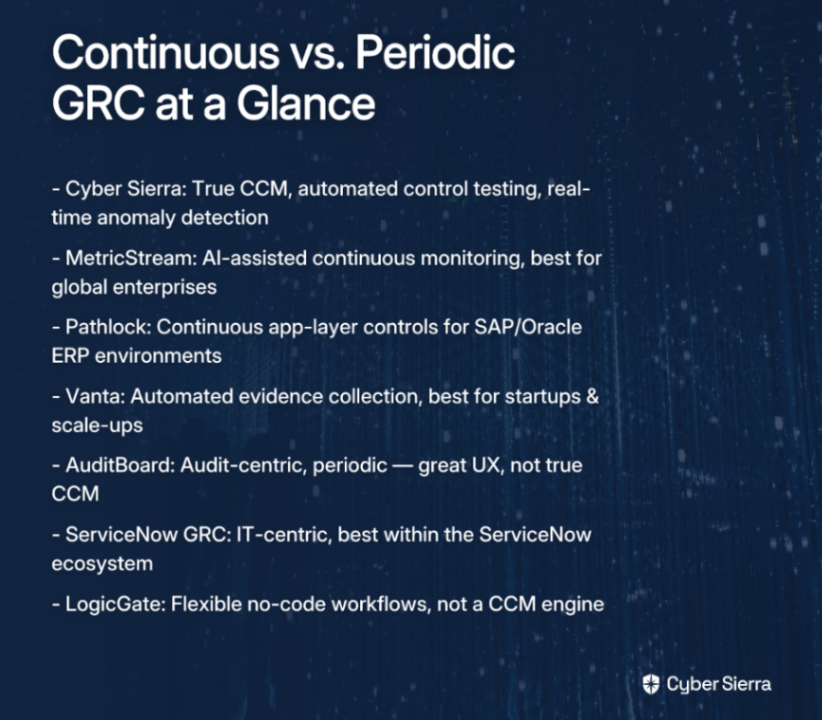
Continuous vs. Periodic: The Feature Table

Before diving into the list, here's a quick-reference comparison to anchor the conversation:

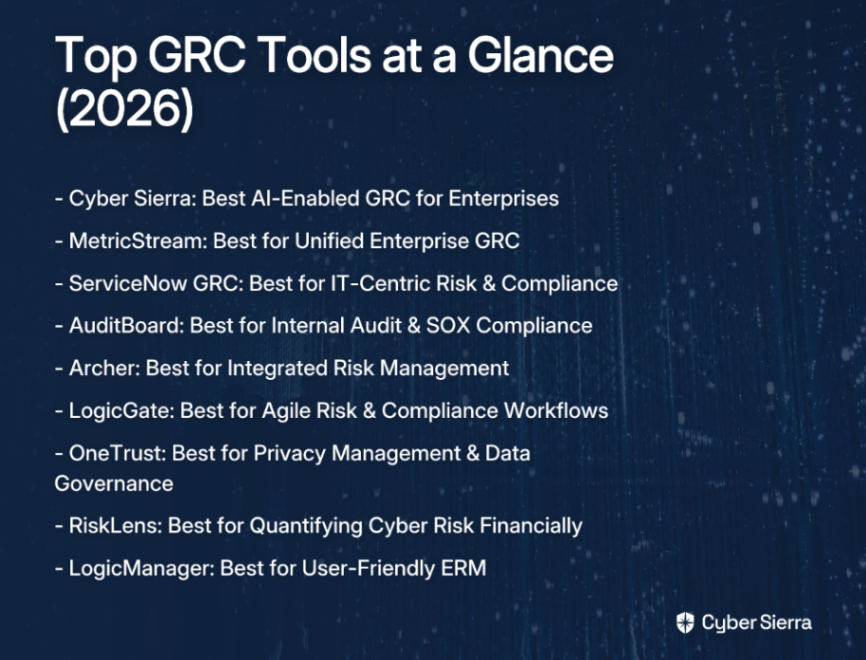
ToolMonitoring TypeAutomated Control TestingReal-Time Anomaly DetectionBest For
Cyber Sierra✅ Continuous✅ Yes✅ YesMid-to-large enterprises needing true CCM
MetricStream✅ Continuous (AI-assisted)✅ Yes⚠️ PartialLarge global enterprises
Pathlock✅ Continuous (app-layer)✅ Yes (ERP-focused)⚠️ PartialFinancial controls in SAP/Oracle
Vanta⚠️ Periodic + Alerts✅ Yes (framework-based)⚠️ PartialStartups achieving SOC 2 / ISO 27001
AuditBoard⚠️ Periodic❌ Limited❌ LimitedInternal audit and SOX teams
ServiceNow GRC⚠️ Periodic + IT-centric⚠️ Partial❌ LimitedServiceNow-embedded enterprises
LogicGate⚠️ Periodic + Workflow❌ Limited❌ LimitedAgile teams building custom GRC workflows

The 7 Enterprise GRC Solutions

Here’s how seven of the leading enterprise GRC solutions stack up when evaluated for true continuous control monitoring capabilities.

1. Cyber Sierra — The Benchmark for Continuous Control Monitoring

If you're serious about moving beyond audit prep, Cyber Sierra's CCM module is the clearest example of what a purpose-built continuous monitoring platform actually looks like in practice.

Unlike tools that bolt "continuous" onto a fundamentally periodic architecture, Cyber Sierra is built from the ground up for operational continuity. It connects directly to your cloud provider (AWS, Azure, GCP), identity systems, and endpoint security stack to automatically test and validate controls — not on a schedule, but continuously.

Key capabilities that set it apart:

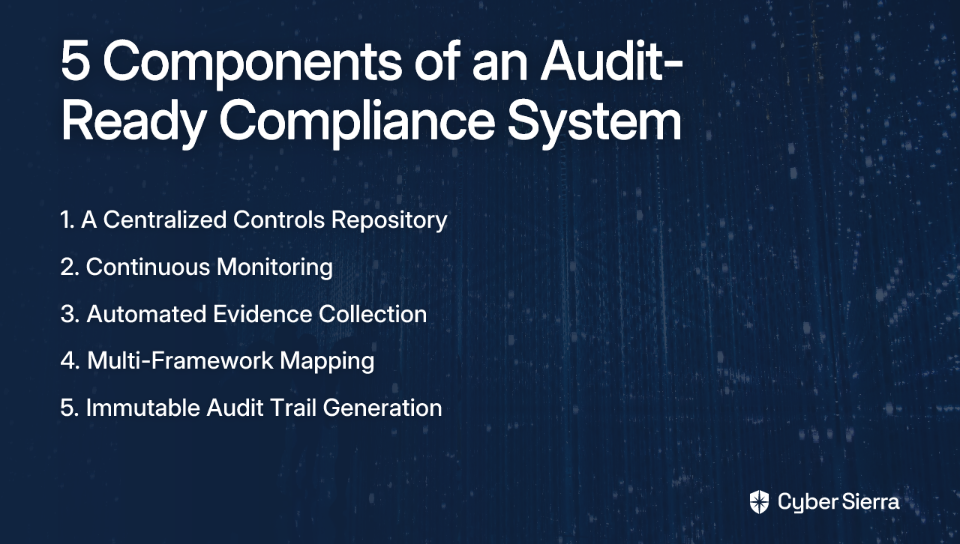
  • Central Controls Repository with Near Real-Time Updates: A single source of truth for all your controls, eliminating the spreadsheet chaos that plagues most compliance teams.
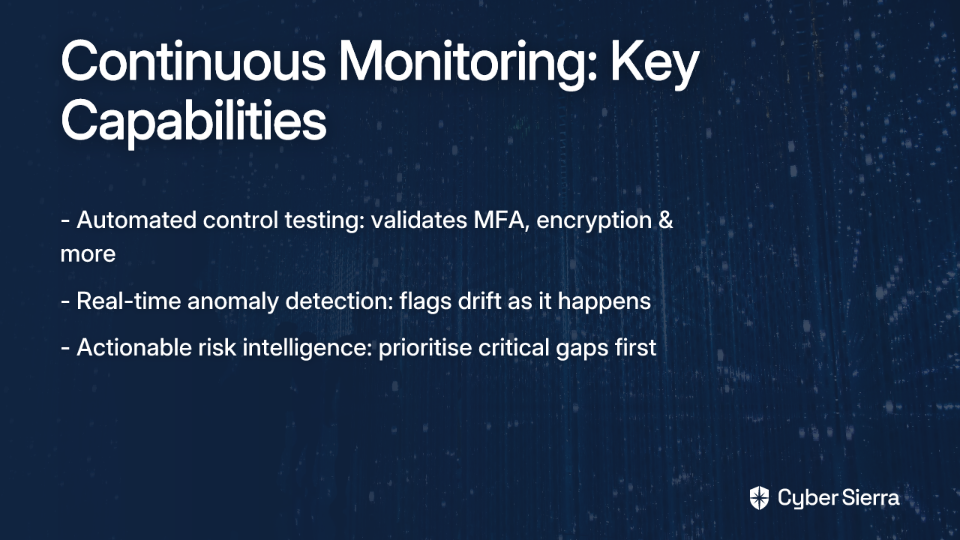
  • Automated Control Testing & Validation: Controls are tested by pulling data directly from your tech stack, not by asking someone to fill out a form.
  • Near Real-Time Anomaly Detection: AI-driven detection of misconfigurations and exceptions as they happen — before they become incidents or audit findings.
  • Actionable Risk Intelligence: Goes beyond a simple pass/fail status to prioritize what actually needs your attention and why.
  • Efficient Multi-Framework Mapping. Test a control once and map that evidence to multiple frameworks simultaneously — drastically cutting redundant work. Supports:
    • SOC 2
    • ISO 27001
    • PCI DSS
    • GDPR
    • HIPAA

Cyber Sierra also directly addresses the user pain of managing exceptions. Instead of getting the same failing control flagged every week for a legacy system, you can document it as a known issue, attach a risk assessment, and link a remediation plan — removing noise while maintaining accountability.

The bottom line: Cyber Sierra transforms GRC from a periodic, manual chore into a continuous, automated security function. It's purpose-built for compliance teams who want a reliable tool that works in the background without constant oversight.
2. MetricStream — Unified Enterprise GRC at Scale

MetricStream is a heavyweight in the enterprise GRC space, particularly for large, global organizations that need a highly configurable, all-in-one platform.

Its AiSPIRE module applies AI-driven insights across risk, compliance, and audit functions, providing a degree of continuous control monitoring. It also does well with automating regulatory change management — useful for enterprises operating across multiple jurisdictions with shifting compliance requirements.

Strengths

  • Integrates risk, compliance, audit, and cyber risk into a single platform.
  • AI-assisted insights for control monitoring and risk quantification.
  • Strong regulatory change management for global enterprises.
  • Low-code configurability for customizing workflows without heavy IT involvement.

Limitations

MetricStream's continuous monitoring is AI-assisted but can feel more reactive than proactive compared to CCM-native platforms. For organizations that need a deeply embedded, real-time control engine, it may require significant configuration to get there.

Best for: Large, global enterprises that need a comprehensive, configurable GRC platform and can invest in the setup required to activate its more advanced monitoring capabilities.

3. Pathlock — Continuous Controls Monitoring for Business Processes

Pathlock takes a different and highly specialized approach: it focuses on automating financial and application-level controls within critical business systems like SAP and Oracle.

For organizations where the biggest compliance risk lives inside ERP systems — think SOX controls over financial reporting, segregation of duties, and access governance — Pathlock provides genuine continuous visibility that most generic GRC platforms simply can't match at that layer.

Strengths

  • Continuous monitoring of controls within SAP, Oracle, and other ERP environments.
  • Centralized oversight of business process controls with real-time violation detection.
  • Risk quantification for control exceptions and violations.
  • Automates financial controls testing that would otherwise require significant manual effort.

Limitations

Pathlock's strength is also its constraint. It's excellent at the application control layer, but it's not a full-spectrum GRC platform. You'd likely need to pair it with a broader GRC solution for policy management, risk registers, and multi-framework compliance.

Best for: Enterprises with complex ERP environments (particularly SAP or Oracle) where financial and business process controls require continuous, automated oversight.

4. Vanta — Automated Compliance for Frameworks

Vanta has become a go-to platform for tech companies and startups that need to achieve and maintain compliance across a wide variety of frameworks, including:

  • SOC 2
  • ISO 27001
  • HIPAA
  • GDPR
  • PCI DSS
  • And over 35 others

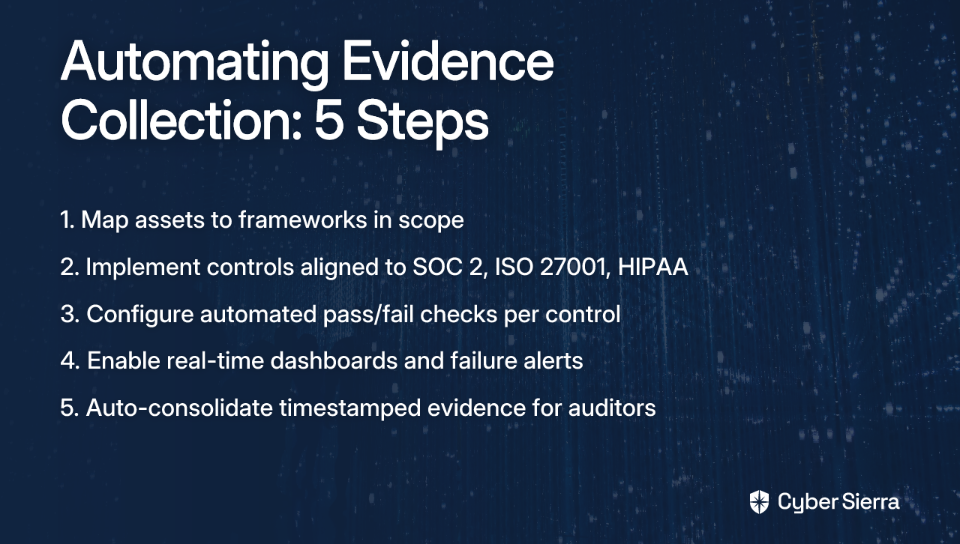
It earns a spot on this list because it genuinely automates evidence collection by connecting to your tech stack and pulling data continuously, rather than relying on manual uploads. Real-time alerts notify your team when a control falls out of compliance.

Strengths

  • Automates evidence collection across 35+ frameworks.
  • Real-time alerts for control failures and policy violations.
  • Vendor risk management features built in.
  • Intuitive UX that makes it accessible for teams without dedicated GRC headcount.

Limitations

Where Vanta leans more "periodic" is in the depth of its control testing. It excels at checking whether the right configurations and policies exist, but its anomaly detection and automated remediation workflows are less sophisticated than CCM-native platforms. It's also better suited for SMBs and fast-growing startups than for complex enterprise environments with bespoke compliance requirements.

Best for: Startups and scale-ups that need to get SOC 2 or ISO 27001 certified quickly and maintain ongoing compliance without a large GRC team.

5. AuditBoard — Audit-Centric Automation

AuditBoard is a well-regarded platform for internal audit teams, and it does an excellent job of modernizing the audit process itself — streamlining workflows, managing evidence, and handling SOX compliance efficiently.

However, it's important to be honest about where it sits on the continuous vs. periodic spectrum: AuditBoard is primarily an audit management platform. Its workflows are fundamentally organized around audit cycles, not continuous control operation.

Strengths

  • Strong audit management UX, widely praised by internal auditors.
  • Streamlined evidence collection and auditor collaboration.
  • SOX compliance management and PCAOB audit support.
  • Unified control environment for cross-functional audit teams.

Limitations

AuditBoard doesn't offer genuine, automated continuous control testing in the CCM sense. It makes the periodic audit process more efficient, which is valuable — but it doesn't eliminate the compliance gap that opens up between audit cycles. For enterprises that want true operational continuity, AuditBoard is a partial solution.

Best for: Internal audit and SOX compliance teams in mid-to-large enterprises who need to run more efficient, better-organized audit programs.

6. ServiceNow GRC — IT Risk in the ServiceNow Ecosystem

ServiceNow GRC makes the most sense for enterprises that are already deeply embedded in the ServiceNow ITSM ecosystem and want to unify their IT risk and compliance data within that same environment.

The integration with ServiceNow's incident management, change management, and asset management modules creates a genuinely useful loop: a GRC finding can automatically generate an ITSM ticket, and a resolved incident can feed back into the compliance record.

Strengths

  • Native integration with ServiceNow ITSM, CMDB, and security operations.
  • Single pane of glass for IT risk, policy compliance, and incidents.
  • Connects GRC findings directly to change and incident workflows.
  • Strong for large enterprises with mature ServiceNow deployments.

Limitations

ServiceNow GRC is powerful within its ecosystem but can feel limited outside of it. Its continuous monitoring capabilities are IT-infrastructure-centric and lack the broad multi-framework CCM coverage that security-focused GRC teams often need. Implementation is also typically complex and resource-intensive.

Best for: Large enterprises with significant ServiceNow investments that want GRC integrated into their existing ITSM and security operations workflows.

7. LogicGate — Agile, No-Code Risk Workflows

LogicGate takes a distinctly different approach from the rest of this list: it's a flexible, no-code risk and compliance workflow builder rather than a purpose-built CCM platform.

For mid-market organizations that have unique GRC processes or need to build workflows that don't fit neatly into pre-packaged frameworks, LogicGate provides a level of customization that more rigid platforms can't match. You can centralize your enterprise risk register, build custom assessment workflows, and reduce manual effort through automation.

Strengths

  • Highly customizable, no-code workflow builder.
  • Centralizes enterprise risk register and risk assessment processes.
  • Flexible enough to support custom compliance frameworks and controls.
  • Reduces manual effort through configurable automation.

Limitations

LogicGate's flexibility is its greatest strength and its biggest limitation for continuous monitoring use cases. It's a workflow tool, not a continuous control monitoring engine. It doesn't natively connect to your cloud infrastructure to test controls — it automates the human workflows around compliance, not the technical validation of controls themselves. For many teams, this level of flexibility can be a drawback, as they often prefer fewer decisions and clearer guardrails.

Best for: Mid-market organizations that need to build custom, agile GRC workflows and have unique compliance processes that don't fit standard frameworks.

What Continuous GRC Actually Looks Like in Practice
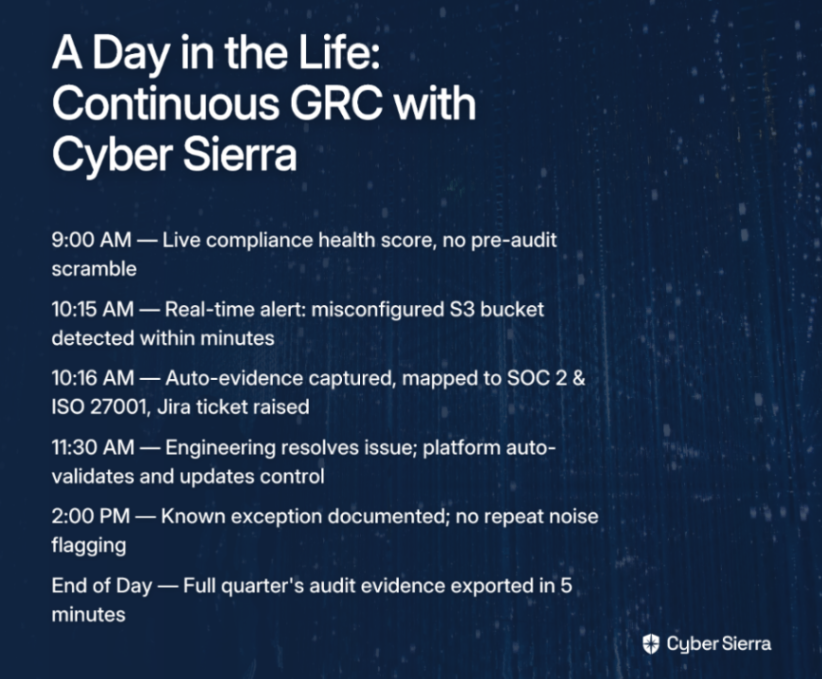
The concept of CCM can sound abstract. So let's make it concrete with a day-in-the-life scenario for Alex, a Compliance Manager at a mid-sized enterprise running on AWS with SOC 2 and ISO 27001 obligations.

  • 9:00 AM — Morning Check-in. Alex opens the Cyber Sierra dashboard to a live compliance health score, not a static list from the last audit. Evidence for 94% of controls is collected automatically, making every day audit-ready.
  • 10:15 AM — Real-Time Alert. A notification appears. The CCM module has detected a critical S3 bucket was set to public within minutes of the misconfiguration, not hours or days later during a scheduled scan.
  • 10:16 AM — Automated Evidence & Ticketing. The platform captures the non-compliant configuration as timestamped evidence, maps it to the relevant SOC 2 and ISO 27001 controls, and creates a high-priority Jira ticket for engineering.
  • 11:30 AM — Closed Loop Remediation. After engineering resolves the issue, the CCM module automatically re-scans the asset, validates the fix, and updates the control status to "Compliant" with a full audit trail.
  • 2:00 PM — Exception Management. Alex reviews a failing control for a legacy system. She documents it as a known exception with a risk acceptance form and remediation timeline. The platform stops flagging the issue, reducing noise while maintaining accountability for the documented plan.
  • End of Day — Audit Evidence in 5 Minutes. An auditor requests user access reviews for the quarter. Alex generates a complete report from Cyber Sierra in five minutes, not five days.

This is what genuine enterprise GRC built for continuous monitoring looks like: not a dashboard you check before an audit, but an operational layer that runs continuously in the background — catching gaps, closing loops, and maintaining a provably secure posture every day of the year.

From Audit-Ready to Always-Ready

The most critical question for any GRC platform isn't "Can it help us pass our next audit?" but rather, "What is our security posture on the 200+ days between audits?" The shift from periodic checks to true resilience hinges on two key takeaways.

First, genuine Continuous Control Monitoring (CCM) isn't a dashboard; it's an engine. It automates control testing by pulling data directly from your tech stack. Second, many platforms claiming "continuous" are simply audit-prep tools in disguise. They don't provide the near real-time anomaly detection needed to catch misconfigurations before they become incidents.

Your next step is simple. When evaluating any GRC tool, ask vendors this one question: "Does your platform test controls automatically via API, or does it just help manage manual evidence?" The answer will reveal whether you're buying a continuous solution or a better-looking spreadsheet.

If you're ready to move from periodic fire drills to an always-ready posture, see how Cyber Sierra's purpose-built CCM platform can help.

Explore the CCM platform to learn how to transform your GRC program from a reactive chore into a continuous security function.

Frequently Asked Questions

What is the main difference between traditional GRC and Continuous Control Monitoring (CCM)?

The main difference is timing and automation. Traditional GRC is periodic, focusing on point-in-time audits. CCM is a real-time, automated process that continuously tests and validates security controls, providing an ongoing view of your compliance posture between audits.

Why is continuous monitoring important for modern cloud environments?

Modern cloud environments are dynamic and complex. Continuous monitoring is crucial because it detects misconfigurations and security gaps in near real-time, preventing prolonged data exposure that periodic checks can easily miss in environments like AWS, Azure, or GCP.

How does a CCM platform automate evidence collection?

A CCM platform automates evidence collection by directly integrating with your tech stack (e.g., cloud providers, identity systems). It programmatically pulls data, screenshots, and logs to validate controls automatically, eliminating the need for manual, last-minute evidence chasing.

Who benefits most from implementing a Continuous Control Monitoring tool?

Compliance, security, and internal audit teams benefit most. CCM tools reduce their manual workload, eliminate audit fire drills, and provide engineers with actionable, real-time feedback. This shifts GRC from a periodic chore to a continuous, collaborative security function.

What should I look for when choosing an enterprise GRC solution?

Look for genuine continuous monitoring capabilities. Key features include direct API integrations for automated control testing, near real-time anomaly detection, and multi-framework mapping. Ask vendors if their tool validates controls continuously or just runs scheduled scans.

How can our organization transition from periodic GRC to a continuous model?

Start by identifying your most critical controls and systems. Implement a CCM tool to automate monitoring for a single high-risk area, like your primary cloud environment. This phased approach demonstrates value quickly and builds momentum for a broader rollout across the organization.
blog-hero-background-image
Governance & Compliance

GRC Solutions Compared: Standalone Tools vs Unified Platforms

backdrop
Table of Contents

Join thousands of professionals and get the latest insight on Compliance & Cybersecurity.


If you've ever dreaded audit season because you knew what was coming—weeks of manually hunting for evidence scattered across a risk tool, a compliance tracker, a shared drive full of policy docs, and a vendor assessment spreadsheet—you're not alone. Many organizations inadvertently create this complexity themselves by stitching together different tools that were never designed to talk to each other, leaving practitioners to deal with the headaches of searching for evidence during an audit.

This article is for the compliance leaders facing a strategic inflection point: should you continue investing in a collection of specialized, best-of-breed GRC tools, or consolidate onto a unified GRC platform? It's not just a software decision—it's an operational one that shapes your team's capacity, your risk visibility, and your long-term cost structure. Let's break it down.

The Two Philosophies of GRC Technology

Standalone "Best-of-Breed" Tools

The best-of-breed approach means selecting the top-performing tool for each specific function—a dedicated risk assessment platform, a separate compliance tracker, a standalone vendor questionnaire tool, and so on. The appeal is real: each tool can go deep on its function, offering highly specialized features that a generalist platform might not match.

But the operational reality often tells a different story. These tools create dangerous information silos, leaving teams with an incomplete—and often dangerously fragmented—picture of their risk posture. Stitching data together for a board report or an audit means excessive manual effort, error-prone exports, and a compliance team perpetually playing catch-up.

Unified GRC Platforms

A unified GRC platform brings risk management, compliance tracking, audit management, and vendor oversight into a single, integrated system. The evolution here is significant: from simple point compliance tools to integrated platforms, and now to AI-powered GRC solutions that enable proactive, near real-time risk management rather than periodic snapshot reviews.

The payoff is a simplified tech stack, seamless data flow between functions, and a correlated risk view that actually supports executive decision-making. The trade-off is that a unified platform may not go as deep on a single niche function as a purpose-built standalone tool—but for most scaling organizations, the operational benefits far outweigh that gap.

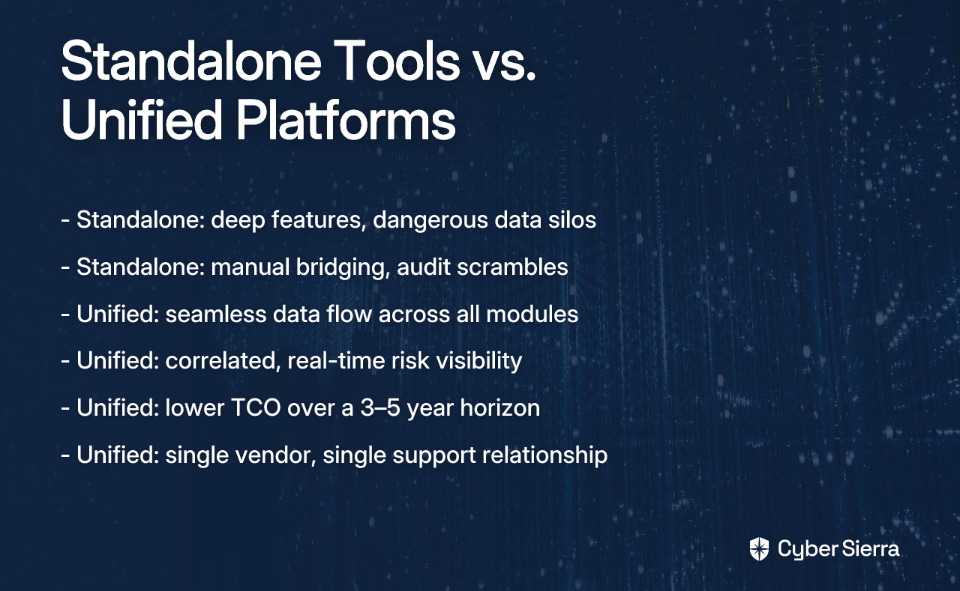
Head-to-Head Comparison: Standalone Tools vs. Unified Platforms

1. Total Cost of Ownership (TCO)

Standalone tools can look attractive on a per-tool basis. But the real costs compound quickly: multiple license agreements, separate support contracts, custom integration development fees, and the hidden cost of human hours spent bridging data gaps manually. For smaller or mid-market organizations, high licensing costs alone can become a barrier to accessing effective GRC capabilities.

Unified platforms typically require a higher upfront investment, but they eliminate the redundant costs that pile up across a fragmented stack. Automated workflows reduce the labor burden, and having a single vendor relationship simplifies procurement, renewal, and negotiation. Over a three-to-five year horizon, unified platforms often deliver lower TCO.

2. Integration Overhead & Complexity

This is where the standalone approach takes its biggest hit. A line often shared among compliance professionals cuts right to the heart of the problem: "No software can fix an overly complex process." Each tool integration requires API configuration, data mapping, and dedicated developer resources to maintain. When one vendor pushes an update that breaks an integration, your compliance team is stuck waiting on a fix, creating real bottlenecks in day-to-day usability.

Unified platforms eliminate this entirely. Natively integrated modules are built to share data from day one—no custom development, no API fragility, no broken pipelines after a version update. As Baker Tilly's analysis highlights, this seamlessness is fundamental to reducing audit fatigue and streamlining control management.

3. Speed to Audit Readiness

With standalone tools, audit season triggers a familiar scramble: evidence is spread across systems, formats differ, and the compliance team manually collates everything under pressure. The result is burned-out teams and, often, evidence gaps that create risk during the audit itself.

Unified platforms enable continuous audit readiness. Centralized control libraries with automated evidence collection mean your documentation is always organized, always current, and accessible in seconds rather than weeks. This can compress review timelines—a significant advantage when enterprise deals depend on passing a security review quickly.

4. Cross-Module Data Sharing & Risk Visibility

In a standalone stack, data lives in silos. A critical finding from your TPRM tool—say, a key vendor failing a security check—has no automatic pathway into your internal risk register or compliance dashboard. Risk teams end up operating with a partial picture, making it harder to prioritize remediation or report accurately to leadership.

Unified platforms correlate data across all functions in a single dashboard. When threat intelligence surfaces a vulnerability, it's immediately contextualized against relevant controls and vendor dependencies. This connected risk view helps teams reduce threat response times by eliminating the cognitive overhead of manually joining the dots across disparate systems.

5. Ongoing Maintenance Burden

Standalone tools multiply your maintenance surface. Each vendor has its own release cycle, its own support queue, and its own way of handling updates. When an integration breaks—and it will—the burden of diagnosing and fixing it falls on your team, often at the worst possible time.

Unified platforms consolidate this down to a single vendor, a single support relationship, and a single update cycle. Modules remain compatible by design, and platform improvements benefit all functions simultaneously. This operational simplicity is one of the most underrated advantages of a unified approach, especially for lean compliance teams.

Bringing the Comparison to Life: Two Real-World Scenarios

Scenario 1: A Mid-Market Fintech Under Multi-Framework Pressure

A 200-person fintech company needs to comply with both SOC 2 and PCI DSS to win enterprise banking clients. They've cobbled together a spreadsheet for compliance tracking, a separate SaaS tool for vendor questionnaires, and a standalone risk register. Sound familiar?

With this standalone approach, the compliance manager spends three to four weeks before every audit manually pulling evidence from three systems, reconciling conflicting data formats, and chasing down control owners. More dangerously, when a critical vendor experiences a breach, the information sits in the TPRM tool with no automatic flag in the risk register—creating an exposure window that goes unnoticed.

After switching to a unified GRC platform, controls are mapped across SOC 2 and PCI DSS simultaneously, eliminating duplicate work. Cloud infrastructure evidence is collected automatically. The vendor breach triggers an immediate alert in the central risk dashboard, enabling the team to act within hours rather than weeks. The compliance manager now spends audit preparation time on strategy, not evidence wrangling. Many companies with early-stage platforms like Vanta or Drata find themselves outgrowing them quickly precisely because they lack this kind of cross-framework depth and native integration.

Scenario 2: A Manufacturing Enterprise Pursuing ISO 27001

A mid-size manufacturer with a global supply chain is pursuing ISO 27001 certification to unlock new markets in Europe. Their current state: risk data in one system, policy documents on a shared drive, and vendor assessments conducted via email and spreadsheets. Three different departments own three different pieces of the compliance puzzle, and none of them are talking to each other.

With standalone tools, the ISO 27001 audit becomes an exercise in controlled chaos. The auditor requests evidence for a specific control. The security team scrambles to find the latest policy version, proof of employee security awareness training, and the related third-party vendor assessment—across three different systems and two email threads. The process is slow, the evidence is fragmented, and it fails to demonstrate the kind of mature, integrated security program that an ISO 27001 certification requires.

With a unified platform, the ISO 27001 control framework is centralized. When the auditor selects a control, the platform instantly surfaces the linked policy document, automated evidence from the IT environment, status of relevant vendor assessments from the TPRM module, and employee training completion records. As Baker Tilly notes, this kind of seamless data sharing is especially critical for complex, evidence-intensive frameworks like ISO 27001, where control interdependencies demand a holistic view.

The Power of a Natively Unified Platform: How Cyber Sierra Eliminates the Silos

The scenarios above illustrate the structural advantage of unified GRC solutions. But the quality of "unification" matters enormously—bolting modules together under one login is not the same as building them to natively share data and intelligence.

Cyber Sierra is an AI-enabled cybersecurity platform designed from the ground up to solve exactly the problems described above: data silos, manual evidence gathering, reactive risk management, and fragmented vendor oversight. Here's how its modules work together as a genuine system—not just a bundled product suite.

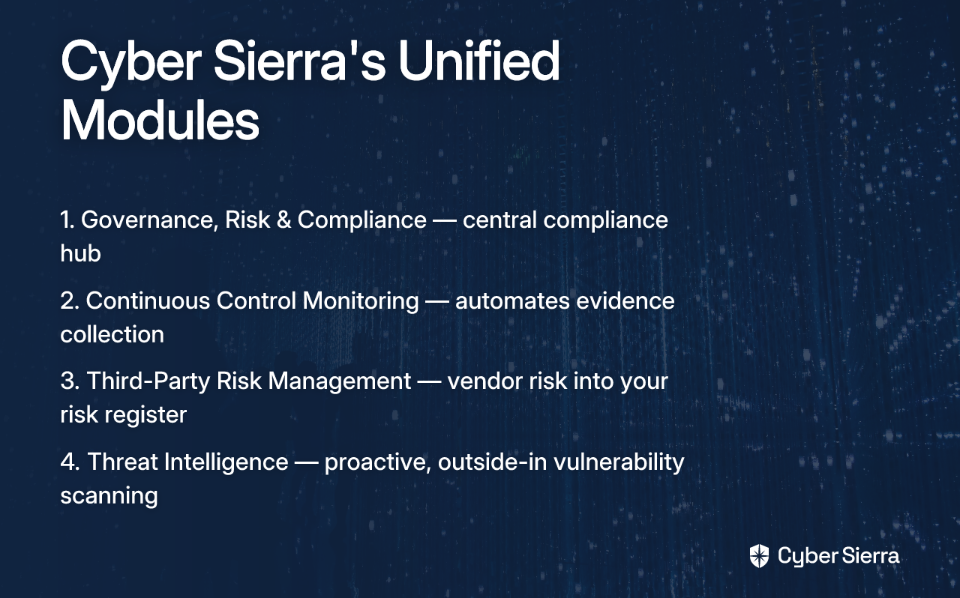
Governance, Risk & Compliance (GRC) serves as the central hub. It automates data collection and risk assessments across frameworks like SOC 2, ISO 27001, HIPAA, PCI DSS, and GDPR—managing custom controls alongside standardized ones. Policy management, audit trails, and incident response documentation all live here, giving compliance managers a single place to demonstrate program maturity to auditors and leadership.

Continuous Control Monitoring (CCM) feeds that hub with automated, near real-time evidence, and is designed to automate a significant portion of audit evidence collection. Rather than running periodic manual checks, CCM continuously validates control effectiveness, detects exceptions and anomalies, and updates the central controls repository automatically. This transforms the compliance posture from a point-in-time snapshot to a living, always-current record—eliminating the audit scramble entirely and providing a genuine single source of truth for controls.

Third-Party Risk Management (TPRM) doesn't operate in isolation. When a vendor fails a security assessment or a new risk is surfaced through continuous monitoring, that finding is automatically propagated into the central GRC risk register. This closes the dangerous gap that standalone TPRM tools leave open—where vendor risk lives in a separate system and never makes it into the organization's holistic risk picture. Vendor onboarding, assessments, and ongoing monitoring are automated, replacing the email-and-spreadsheet workflows that slow down procurement and compliance teams alike.

Threat Intelligence adds the proactive security layer. By performing network and cloud infrastructure scanning from an outside-in perspective, it surfaces vulnerabilities before they're exploited and feeds that real-world threat data directly into the risk management workflow. Instead of reacting to breaches, compliance and security teams can prioritize remediation based on actual exposure—informed by the same platform managing their controls and vendor risk.

The combined effect is what separates a truly unified GRC platform from a collection of integrations dressed up as one: data from CCM, TPRM, and Threat Intelligence all flows natively into the central GRC hub, giving leaders a single, correlated, and continuously updated view of their entire risk and compliance posture. No API fragility. No manual data bridging. No evidence gaps on audit day.

From Tool Sprawl to Strategic Clarity

If your GRC strategy relies on stitching together disparate tools, you're not just dealing with multiple licenses—you're managing the hidden costs of manual work, integration fragility, and fragmented risk visibility. The core takeaway is simple: a collection of best-of-breed tools often creates more complexity and operational drag than it solves. A natively unified platform flips the script, transforming compliance from a reactive, audit-driven scramble into a continuous, automated function.

As a first step today, map out your current GRC stack and the hours your team spends bridging the gaps between each tool. When you see the true cost, you’ll know it’s time for a new approach.

When you're ready to trade that complexity for a single source of truth, book a personalized demo and see how a connected platform can streamline your entire program.

Frequently Asked Questions

What is a unified GRC platform?

A unified GRC platform integrates governance, risk management, and compliance functions into a single system. This contrasts with using separate, "best-of-breed" tools for each task, eliminating data silos and providing a holistic view of your organization's risk and compliance posture.

Why are unified GRC platforms often better than standalone tools?

Unified platforms are often better because they eliminate data silos and reduce manual integration work. By providing a single source of truth for risk, compliance, and vendor data, they lower total cost of ownership (TCO), improve risk visibility, and streamline audit preparation significantly.

How does a unified GRC platform lower the total cost of ownership (TCO)?

A unified GRC platform lowers TCO by consolidating multiple vendor licenses into one and eliminating hidden costs. It reduces the need for expensive custom integrations, minimizes manual labor spent bridging data gaps, and simplifies procurement and support into a single vendor relationship.

When might a standalone GRC tool be a better choice?

A standalone tool might be better for highly specialized, niche functions that require deep features a unified platform may not offer. This approach is most viable for large organizations with dedicated engineering resources to build and maintain the necessary custom integrations between tools.

What makes a GRC platform "natively unified"?

A "natively unified" platform is built from the ground up with modules designed to share data seamlessly, like Cyber Sierra. This differs from platforms that simply bundle acquired tools under one brand, which may still require fragile, bolted-on integrations and not share data effectively.

How does a unified platform improve audit readiness?

A unified platform enables continuous audit readiness by centralizing controls and automating evidence collection. Instead of a last-minute scramble to find documents, your evidence is always organized, up-to-date, and accessible, dramatically reducing preparation time from weeks to days.

blog-hero-background-image
Governance & Compliance

7 GRC Solutions Built for BFSI and HealthTech Compliance Teams

backdrop
Table of Contents

Join thousands of professionals and get the latest insight on Compliance & Cybersecurity.


Key Takeaways

  • BFSI and HealthTech firms face intense regulatory pressure, but generic GRC tools often lack pre-mapped controls for frameworks like HIPAA and PCI DSS, leading to manual overload and compliance gaps.
  • The most critical feature for these industries is Continuous Control Monitoring (CCM), which provides real-time visibility into security posture and ensures year-round audit readiness.
  • AI-powered GRC platforms can improve compliance efficiency by up to 62% by automating manual evidence collection, control testing, and reporting.
  • To move from periodic checks to continuous confidence, select an integrated platform with native CCM and pre-built frameworks like Cyber Sierra's GRC solution.

If you work in compliance at a bank, insurer, fintech, or healthtech company, you already know the feeling: buried under alerts, emails, PDFs, and checks that never seem to end. One analyst on Reddit described it perfectly — they're spending so much time on manual audits and log collection that there's nothing left for actual high-value work.

And yet, the regulatory pressure keeps mounting.

BFSI teams in India must satisfy the RBI's cybersecurity framework, which mandates prompt incident reporting and robust data governance. SEBI demands real-time risk detection and quarterly Vulnerability Assessment and Penetration Testing (VAPT). PCI DSS layers on strict cardholder data security standards that require continuous control validation.

HealthTech teams face a different but equally demanding gauntlet. HIPAA requires stringent technical safeguards — encryption, audit logs, access controls — to protect Protected Health Information (PHI). GDPR imposes global data privacy obligations. And ISO 27001 demands a mature, fully documented Information Security Management System (ISMS). As one healthcare compliance professional noted on Reddit, "Healthcare is the second most regulated industry in the U.S. — the stakes for data privacy and security are extraordinarily high."

The real problem? Most generic GRC platforms aren't built for this level of regulatory specificity. They ship without pre-mapped controls for RBI, SEBI, HIPAA, or PCI DSS — forcing your team to spend months building custom frameworks from scratch. That creates compliance fatigue, audit-cycle panic, and a false sense of security between assessments.

The GRC solutions below are different. Each is evaluated on two critical dimensions: which compliance frameworks it supports out of the box, and whether it offers continuous control monitoring (CCM) or point-in-time assessments. For BFSI and HealthTech, that distinction isn't academic — it's the difference between being audit-ready year-round and scrambling every quarter.

Top 7 GRC Platforms for BFSI and HealthTech

1. Cyber Sierra — Best for BFSI & HealthTech Audit Readiness

Frameworks supported: PCI DSS, HIPAA, GDPR, ISO 27001, SOC 2, NIST

Monitoring type: ✅ Continuous Control Monitoring (CCM)

Cyber Sierra is an AI-enabled cybersecurity platform built specifically for regulated industries. Rather than forcing compliance teams to configure controls from scratch, it ships with pre-mapped controls for the frameworks that BFSI and HealthTech teams actually need — PCI DSS, HIPAA, GDPR, ISO 27001, SOC 2, and NIST — eliminating months of setup work.

What sets Cyber Sierra apart is its native Continuous Control Monitoring (CCM) engine. Instead of periodic, point-in-time snapshots that leave gaps between audits, CCM provides near real-time visibility into your control posture. It centralizes your control repository, automates evidence collection and testing, and flags exceptions as they happen — not days before your auditor arrives.

For BFSI and HealthTech firms juggling multiple frameworks simultaneously, this matters enormously. AI-powered GRC platforms like Cyber Sierra can improve compliance efficiency by up to 62%, freeing your analysts from the manual treadmill.

Beyond GRC, the platform integrates Third-Party Risk Management (TPRM) for continuous vendor monitoring, Threat Intelligence for attack surface visibility, and Employee Security Training — a unified suite that directly addresses a common industry pain point.

Best for: BFSI and HealthTech compliance teams that need out-of-the-box framework coverage, continuous audit readiness, and a consolidated platform that replaces multiple point solutions.

2. MetricStream — Best for Large Enterprise GRC Programs

Frameworks supported: Broad framework library with customizable workflows

Monitoring type: ✅ Continuous Monitoring

MetricStream is a well-established, enterprise-grade GRC platform that integrates risk, compliance, audit, and regulatory management into a unified system. It's a strong fit for large BFSI organizations — global banks, insurance conglomerates, and asset managers — that need a highly configurable platform capable of handling complex, multi-entity risk programs.

Its continuous monitoring capabilities help maintain compliance between formal audits, and its deep audit trail features align well with the documentation requirements of RBI and SEBI. That said, MetricStream is built for organizations with mature GRC programs and dedicated implementation teams; smaller or mid-size firms may find the setup investment significant.

Best for: Large BFSI enterprises with complex, cross-jurisdictional GRC requirements and the resources to support an enterprise implementation.

3. Drata — Best for HealthTech & FinTech Startups

Frameworks supported: SOC 2, ISO 27001, HIPAA, PCI DSS

Monitoring type: ✅ Continuous Monitoring

Drata has built a strong reputation among technology-driven startups that need to achieve compliance certifications quickly — often to satisfy enterprise customers or investor due diligence. It automates control monitoring and evidence collection by integrating directly with cloud providers (AWS, GCP, Azure), source control, HR systems, and hundreds of other SaaS tools.

For a HealthTech startup facing a common compliance dilemma, Drata offers a relatively fast path to HIPAA and SOC 2 readiness. Its continuous monitoring model means you're not just passing an audit — you're maintaining evidence automatically in the background.

One important note: Drata's strength is in cloud-native tech environments. Organizations with hybrid infrastructure or highly customized security architectures may find the integrations require more setup than advertised — a common frustration highlighted by compliance practitioners who warn that "platforms claiming 'no integration' usually still need significant setup for compliance workflows."

Best for: HealthTech and FinTech startups and scale-ups that primarily operate in cloud-native environments and need rapid SOC 2 or HIPAA certification.

4. RegScale — Best for Compliance-as-Code Environments

Frameworks supported: NIST 800-53, FedRAMP, SOC 2, PCI DSS, CMMC

Monitoring type: ✅ Continuous Controls Monitoring

RegScale takes a distinctive approach: it treats compliance as code, embedding controls and evidence directly into digital workflows and CI/CD pipelines. This makes it particularly compelling for regulated organizations with mature DevOps practices — a growing cohort in both BFSI (think: digital-first banks and payment processors) and HealthTech.

Its continuous controls monitoring capability delivers real-time compliance tracking, and its framework library covers NIST 800-53 and PCI DSS comprehensively. If your team is already asking about DevOps compliance practices, RegScale's model — where audit logs and change approvals are built into the deployment pipeline — is a natural extension of how your engineers already work.

Best for: BFSI and HealthTech teams with strong DevOps practices that want compliance integrated directly into their development and infrastructure workflows.

5. OneTrust — Best for Data Privacy-Led Compliance

Frameworks supported: GDPR, CCPA, HIPAA, ISO 27001

Monitoring type: ✅ Continuous Monitoring

OneTrust is the market leader in privacy and data governance management. It's built from the ground up for organizations where data privacy is the primary compliance driver — which describes virtually every HealthTech company handling PHI and every BFSI firm operating under GDPR in European markets.

OneTrust's continuous monitoring capabilities focus on data practices: consent management, privacy impact assessments (PIAs), data subject request workflows, and cross-border data transfer compliance. For HealthTech teams navigating the overlap between HIPAA and GDPR — a complex compliance challenge — having a platform that handles both natively is a meaningful advantage.

Where OneTrust is weaker is in broader security control monitoring (e.g., PCI DSS or NIST). It's best paired with a platform like Cyber Sierra when full-spectrum GRC coverage is needed.

Best for: HealthTech and global BFSI firms where GDPR and HIPAA data privacy obligations are the central compliance challenge.

6. LogicGate (Risk Cloud®) — Best for Custom Compliance Workflows

Frameworks supported: Highly customizable; supports various frameworks and custom internal controls

Monitoring type: ⚠️ Primarily point-in-time assessments with some continuous features

LogicGate's Risk Cloud® is a no-code GRC platform that lets organizations build compliance and risk applications tailored to their exact processes. Its flexibility is genuine — if your compliance program has unique processes, regulatory carve-outs, or internal controls that don't map neatly to standard frameworks, LogicGate can accommodate them without forcing a compromise.

That flexibility comes with a caveat: LogicGate is more oriented toward structured risk assessment cycles and policy management workflows than toward automated continuous evidence collection. Teams that need real-time control monitoring will find themselves doing more manual work compared to automation-first platforms. It's a solid choice if your primary pain is workflow management and reporting, but less ideal if audit readiness between assessment cycles is the priority.

Best for: Organizations with highly specific or non-standard compliance requirements that need configurable workflows over automated continuous monitoring.

7. ZenGRC (by Reciprocity) — Best for Audit Cycle Management

Frameworks supported: SOC 2, ISO 27001, PCI DSS, HIPAA

Monitoring type: ⚠️ Primarily point-in-time assessments with some continuous monitoring integrations

ZenGRC is a user-friendly GRC platform designed to make compliance management accessible to teams without deep compliance engineering backgrounds. It simplifies audit management, risk visualization, and control documentation — making it a reasonable starting point for mid-sized organizations that are formalizing their GRC program for the first time.

It connects to existing tools to pull evidence, but its model is more audit-cycle-oriented than continuously automated. For BFSI teams that need quarterly VAPT reporting or HealthTech firms managing annual HIPAA attestations, ZenGRC provides a structured environment to manage those cycles without the complexity of an enterprise platform.

Best for: Mid-sized BFSI and HealthTech organizations that need an intuitive, accessible tool to manage structured audit cycles rather than continuous, automated monitoring.

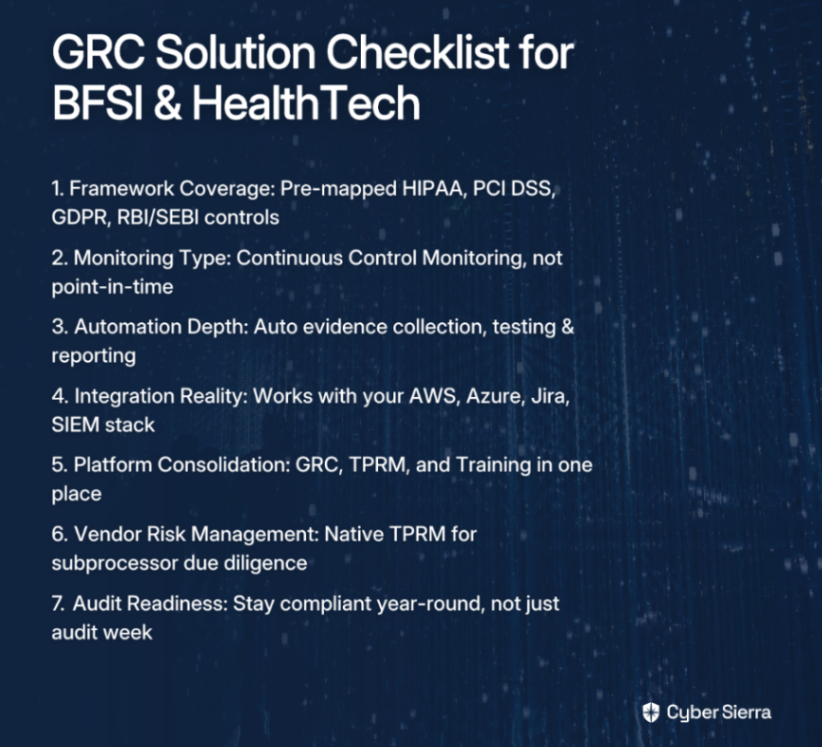
Decision Checklist: How to Shortlist the Right GRC Solution for Your Regulated Industry

Not every GRC platform is built for the realities of BFSI or HealthTech compliance. Before requesting a demo or starting a trial, run through this checklist:

  • ✅ Framework Coverage — Out of the Box. Does the platform ship with pre-mapped controls for your specific mandates — HIPAA, PCI DSS, GDPR, ISO 27001, or RBI/SEBI frameworks? Or will your team spend months building custom control sets from scratch? Avoid platforms that charge you separately for each framework version — that cost model penalizes you for growing your compliance program.
  • ✅ Continuous vs. Point-in-Time Monitoring. Does the platform offer genuine Continuous Control Monitoring (CCM), or is it built around audit cycles and periodic assessments? For BFSI and HealthTech, where regulators expect ongoing evidence of control effectiveness, point-in-time tools leave dangerous gaps between audits.
  • ✅ Automation Depth. To what extent does the platform automate evidence collection, control testing, and reporting? The goal is to free your analysts from the manual treadmill — not just digitize it. Look for automated audit trails, real-time exception detection, and auto-generated reports.
  • ✅ Integration Reality. Does it integrate with your actual environment — AWS, Azure, GCP, your ticketing system (Jira), your SIEM, your HR platform? Be skeptical of "no-code" or "no integration required" claims. As compliance practitioners have noted, these platforms usually still require significant setup for real-world compliance workflows.
  • ✅ Platform Consolidation. Does it solve more than one problem? If you're currently paying for four separate tools for GRC, TPRM, threat intelligence, and training, a unified platform reduces overhead, eliminates context-switching, and gives you a single source of truth across your compliance and risk program.
  • ✅ Vendor Risk Management. Does it include native Third-Party Risk Management (TPRM)? Both BFSI and HealthTech compliance programs require proof of vendor due diligence — especially for subprocessors handling PHI or cardholder data. TPRM shouldn't be an afterthought bolted on via a separate tool.
  • ✅ Audit Readiness, Not Just Audit Prep. The best grc solutions don't just help you survive an audit — they keep you audit-ready every day of the year. Ask vendors: how does your platform ensure I'm compliant on a Tuesday in March, not just the week before my assessor arrives?

From Audit Panic to Permanent Readiness

For compliance teams in BFSI and HealthTech, the goal isn't just to pass an audit—it's to eliminate the quarterly scramble entirely. Relying on generic GRC tools and point-in-time assessments creates a cycle of manual evidence collection and last-minute panic.

The shift to continuous confidence comes down to two key principles:

  • Insist on Pre-Mapped Frameworks: Don’t waste months building controls for HIPAA, PCI DSS, or RBI from scratch. Your GRC platform must support them out of the box.
  • Prioritize Continuous Monitoring: Real-time visibility into your controls is the only way to stay audit-ready every day, not just during audit week.

As a next step today, use the checklist in this article to score your current GRC solution. Does it automate evidence collection or just digitize your manual workflows?

When you’re ready to see how a platform built for regulated industries can end the audit cycle for good, request a personalized demo. See how you can maintain compliance year-round, without the panic.

Frequently Asked Questions

What is the most important feature in a GRC tool for regulated industries like BFSI and HealthTech?

The most critical feature is Continuous Control Monitoring (CCM). Unlike point-in-time assessments that create audit gaps, CCM provides real-time visibility into your security controls, ensuring you remain compliant and audit-ready year-round, which is essential for BFSI and HealthTech.

Why are generic GRC platforms a poor fit for BFSI and HealthTech companies?

Generic GRC platforms often lack pre-mapped controls for specific regulations like HIPAA, PCI DSS, or RBI frameworks. This forces your team to spend months on manual configuration, increasing setup time, creating compliance fatigue, and risking gaps in regulatory adherence.

How can a GRC platform help manage compliance with multiple frameworks simultaneously?

Modern GRC platforms help by mapping controls across multiple frameworks in a centralized repository. This "test once, comply many" approach allows you to automate evidence collection for a single control and apply it to satisfy requirements for HIPAA, PCI DSS, and ISO 27001 simultaneously.

What is the difference between continuous monitoring and point-in-time assessments?

Continuous monitoring provides real-time, automated checks on your security controls, offering a constant view of your compliance posture. Point-in-time assessments are periodic snapshots, like annual audits, which can miss control failures that occur between assessments.

How do modern GRC tools automate evidence collection for audits?

GRC tools automate evidence collection by integrating directly with your tech stack (e.g., AWS, Azure, Jira). They automatically pull logs, screenshots, and configuration data to validate security controls, eliminating manual work and keeping your evidence repository audit-ready.

Can a GRC platform also help with vendor risk management?

Yes, many advanced GRC solutions include a native Third-Party Risk Management (TPRM) module. This consolidates vendor assessments, due diligence, and continuous monitoring into the same platform, which is critical for meeting BFSI and HealthTech requirements for subprocessor oversight.

blog-hero-background-image
Governance & Compliance

Governance Risk Compliance Tools Compared: Features That Actually Matter

backdrop
Table of Contents

Join thousands of professionals and get the latest insight on Compliance & Cybersecurity.


Summary

  • Many GRC tools fail to deliver true automation, leaving teams stuck with manual audit prep and outdated snapshot assessments that can't keep up with modern threats.
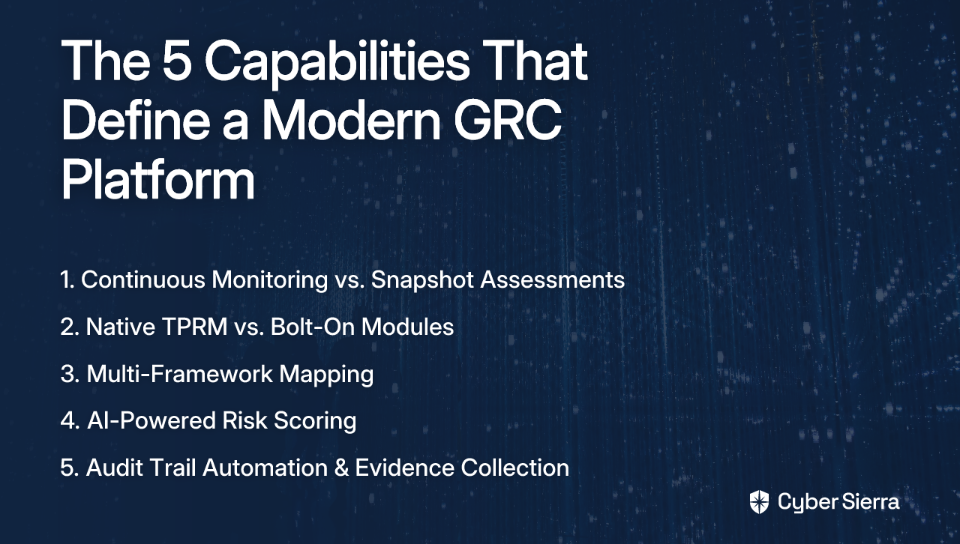
  • A modern GRC platform is defined by five core capabilities: continuous monitoring, native third-party risk management (TPRM), multi-framework mapping, AI-powered risk scoring, and automated, audit-ready evidence collection.
  • When evaluating vendors, move beyond feature checklists and demand these capabilities to ensure the tool reduces manual work instead of creating more.
  • Cyber Sierra's GRC platform integrates these principles, using continuous monitoring and AI to automate compliance and keep your organization audit-ready.

You finally convinced leadership to invest in a GRC platform. The demo looked polished. The salesperson used all the right words — "automation," "continuous monitoring," "AI-powered." You signed the contract, and six months later? Your team is still manually gathering screenshots before audits, your vendor assessments are a spreadsheet nightmare, and your auditor just rejected a CSV export again.

Sound familiar?

Here's the uncomfortable truth: no governance risk compliance tool is a magic fix. As savvy practitioners note, "you have to make sure your house is in order" before any platform can help you. But assuming your processes are reasonably defined, the tool you choose should dramatically amplify your team's ability to manage risk — not create more work.

This frustration is common in GRC communities. As one practitioner noted on Reddit: "OneTrust sucks. It's a Privacy tool with half-baked IT GRC modules." Others note the difficulty of finding evidence during an audit, and a general feeling that GRC platforms haven't kept pace with technical innovation elsewhere in cybersecurity.

The problem is, most GRC tool evaluations devolve into logo comparisons and feature checkbox wars. This guide takes a different approach. We'll dissect the five core capabilities that separate genuinely modern GRC platforms from glorified spreadsheets with a UI. For each capability, we'll assess how the market broadly performs and what "done right" actually looks like.

The Evolution of GRC Tools (In 60 Seconds)

Before diving in, it helps to understand where the market has come from, a progression that can be broken down into three main stages:

  1. Point Compliance Tools: Purpose-built for a single regulation (think early SOC 2-only platforms). Effective in isolation, but created data silos the moment you needed a second framework.
  2. Integrated GRC Platforms: Brought risk, compliance, and governance into a single pane of glass — a major leap forward.
  3. AI-Powered, Continuous Platforms: The current frontier. These platforms don't just store compliance data; they actively monitor, score, and surface risk in near real-time.

Most vendors claim to be in category three. Very few actually are. Here's how to tell the difference.

1. Continuous Monitoring vs. Snapshot Assessments

Why This Capability Matters

A snapshot assessment is a photograph. Continuous monitoring is a live video feed. The difference is significant when your threat landscape changes by the hour.

According to HivePro, the average time to exploit a newly discovered vulnerability has dropped to under 24 hours. If your GRC tool checks your controls weekly — or worse, only when you manually trigger an assessment — you're flying blind for 99% of the time. Continuous monitoring transforms GRC from a reactive, check-the-box exercise into a dynamic, resilient security function.

Market Performance: C+

Many legacy GRC tools are still architecturally built around periodic assessments and manual evidence uploads. Newer "compliance automation" tools do offer monitoring, but it's often shallow — covering specific cloud environments only, or limited to a handful of integrations. Comprehensive, asset-level continuous monitoring across your entire digital estate remains rare.

What "Done Right" Looks Like

Cyber Sierra's Continuous Control Monitoring (CCM) module is purpose-built around this principle. Rather than waiting for your next audit cycle to discover a control failure, CCM builds a central controls repository with near real-time updates, automates control testing and validation, and detects exceptions and configuration drift as they happen. The result is actionable risk intelligence that enables data-driven remediation — not a post-audit scramble.

2. Native TPRM vs. Bolt-On Modules

Why This Capability Matters

Your attack surface doesn't stop at your firewall. Third-party vendors — cloud providers, SaaS tools, contractors, payment processors — represent a significant and often underestimated layer of risk. Research consistently highlights that native TPRM integration offers a fundamentally different (and better) experience than bolt-on modules that create workflow fragmentation.

When TPRM is bolted on, you get data silos. Your vendor risk register lives in one place, your internal controls in another, and correlating the two requires manual effort. The whole point of an integrated platform is defeated.

Market Performance: B-

Large GRC vendors often offer TPRM, but as a separate — and typically expensive — add-on module. Dedicated TPRM point solutions exist but fail to connect vendor risk back to your broader compliance posture. The result is a fragmented view that makes it impossible to understand how a vendor's security gaps impact your SOC 2 or ISO 27001 status in real time.

What "Done Right" Looks Like

Cyber Sierra's TPRM module is a native, core component — not a module you have to purchase separately and integrate yourself. It automates vendor assessments end-to-end, from onboarding and due diligence through continuous lifecycle monitoring. Vendors are prioritized by risk level and business criticality, and the platform provides near real-time, 24/7 visibility into vendor compliance. This creates a unified risk register that genuinely reflects both internal and third-party exposure in one place.

3. Multi-Framework Mapping

Why This Capability Matters

If your organization needs to comply with SOC 2, ISO 27001, HIPAA, and GDPR simultaneously, you already know the pain. As one compliance professional described it on Reddit: "the duplicated effort exists between these frameworks." You test MFA for SOC 2. Then you test it again for ISO 27001. Then again for PCI DSS. It's the same control — but the manual overhead compounds fast.

Multi-framework mapping solves this by enabling a "test once, comply many" model. A single control can be mapped to requirements across multiple standards simultaneously. As highlighted in this SOC 2 mapping guide, the key benefits include reduced duplication, more predictable audit cycles, and better overall control coverage by aligning frameworks against each other.

Market Performance: C

This is arguably the biggest weakness across the GRC tool landscape. A significant number of platforms were born as SOC 2 tools and have struggled to natively support other frameworks. Their solution tends to be separate modules — which creates more silos rather than solving the duplication problem. True unified control mapping, where evidence collected once flows to every applicable framework automatically, remains uncommon.

What "Done Right" Looks Like

Cyber Sierra's GRC module is designed for multi-framework management from the ground up. It manages SOC 2, ISO 27001, GDPR, HIPAA, PCI DSS, and custom internal controls within a single platform — not as separate modules. Evidence collected against one control automatically maps to all relevant frameworks, eliminating the duplicated effort that burns out compliance teams. For organizations managing multiple simultaneous audit cycles, this alone can save hundreds of hours annually.

4. AI-Powered Risk Scoring

Why This Capability Matters

Traditional risk management relies on static High-Medium-Low matrices, often populated by committee consensus. The problem? These matrices go stale immediately. They don't account for new threat intelligence, changes in asset criticality, or evolving vulnerability data. The result is decision fatigue — every risk looks equally urgent, so teams struggle to prioritize effectively.

Genuinely AI-powered risk scoring changes this by dynamically ingesting multiple data streams: threat intelligence feeds, asset criticality, vulnerability scan results, control effectiveness scores, and exploitability data. A critical vulnerability on a production payment database scores very differently from the same vulnerability on a test environment — as it should.

Market Performance: D+

"AI" has become the most overloaded term in GRC marketing. Most tools that claim AI are offering rules-based workflow automation or basic trend analytics dressed up in machine learning language. Predictive, dynamic risk scoring that incorporates live external threat intelligence and adjusts automatically based on your environment? Genuinely rare in practice.

What "Done Right" Looks Like

Cyber Sierra is architected as an AI-enabled cybersecurity platform, and that intelligence isn't isolated to one module — it flows throughout the platform. The Threat Intelligence module conducts network and cloud infrastructure vulnerability scanning, generates a comprehensive security scorecard, and applies an "outside-in" approach to risk management. This data feeds directly into the GRC module, giving risk scores real-world context. A control failure tied to an actively exploited vulnerability gets an entirely different priority weighting than a theoretical gap. For CISOs who need to make defensible resource allocation decisions, this kind of contextual intelligence is invaluable.

5. Audit Trail Automation & Evidence Collection

Why This Capability Matters

This one trips up more teams than almost anything else. Audit trails are the backbone of defensible compliance — but they're only useful if they're clear, immutable, and navigable. And critically, they need to work for auditors, not just your internal team.

One practitioner captured the problem perfectly: "Most auditors I've talked to will not accept .csv files, they want screenshots." Another noted that they were looking for a product that "protects my evidence and keeps it in the platform... so it is only visible in a browser." If your tool can't deliver evidence in auditor-trusted formats and keep it secure within the platform, you're still doing manual work at audit time — just with a more expensive tool.

Market Performance: B

Most GRC platforms have some audit trail functionality. But quality varies considerably. Many provide log dumps that are difficult to parse. The ability to automatically capture evidence in structured, auditor-friendly formats — and link it to specific controls at specific points in time — is a genuine differentiator, not a standard feature.

What "Done Right" Looks Like

Cyber Sierra's GRC automation is specifically designed to keep organizations in a state of continuous audit-readiness. The platform automates data collection from integrated systems, reducing the burden on control owners and ensuring consistency across evidence captures. Comprehensive reports and immutable audit trails are generated automatically, organized by control and framework. The goal is to eliminate the last-minute evidence scramble entirely — so that when an auditor asks for proof, it's already there, properly formatted, and ready to share.

Stop Documenting Risk and Start Managing It

The GRC tool market is noisy, but the signal is clear: most platforms are stuck in the past. They promise automation but deliver manual data entry, snapshot assessments that are instantly outdated, and bolt-on modules that create more silos. This isn't just inefficient; it leaves you vulnerable.

To move from reactive, check-the-box compliance to proactive risk management, focus on two non-negotiable capabilities:

  • Continuous Monitoring: Demand a live feed of your security posture, not a static photograph. Your tool should detect control drift in real-time.
  • Native Integrations: Insist on core functions like Third-Party Risk Management (TPRM) being built-in, not bolted-on, to get a truly unified view of risk.

As a next step, take one question from the checklist below and ask your team: "How many hours did we spend manually proving this control in our last audit?" The answer will tell you everything you need to know about the value your current tool provides.

When you're ready to see how a platform built for continuous resilience can give those hours back, Request a personalized demo.

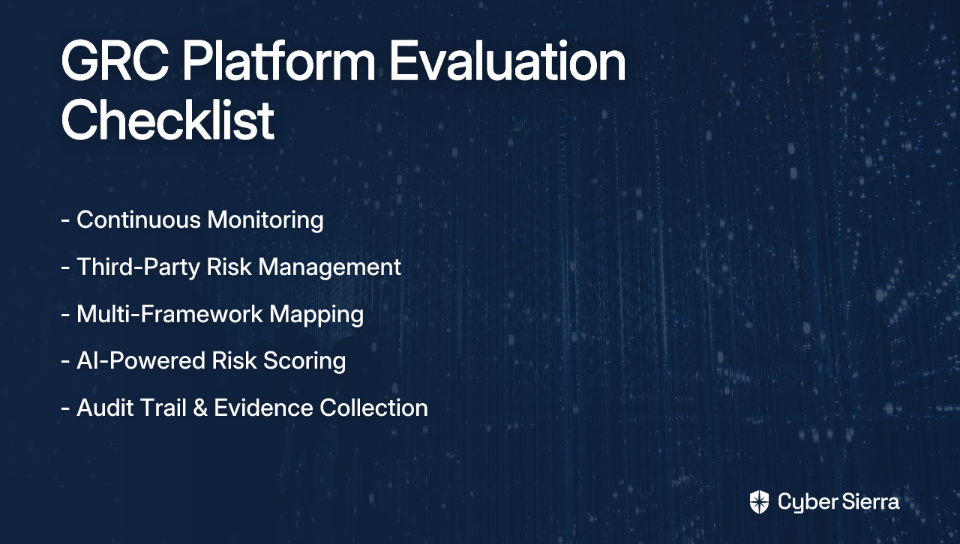
Your GRC Platform Evaluation Checklist

Use the questions below when evaluating any governance risk compliance tool. A platform that can't answer "yes" to most of these deserves scrutiny.

Continuous Monitoring

  • Does the platform monitor controls continuously, or only on a scheduled or triggered basis?
  • Does it detect configuration drift and anomalies in real time?
  • Is there a centralized controls repository with live status updates?
  • Does it cover your full digital asset inventory, not just specific cloud environments?

Third-Party Risk Management

  • Is TPRM a native module or a separate bolt-on purchase?
  • Does vendor risk data flow into your central risk register automatically?
  • Does the platform provide continuous vendor monitoring, beyond point-in-time questionnaires?
  • Can vendors be prioritized by risk level and business criticality?

Multi-Framework Mapping

  • Does the platform support all the frameworks you need (SOC 2, ISO 27001, HIPAA, GDPR, PCI DSS) from day one?
  • Does evidence collected for one control automatically map to other applicable frameworks?
  • Can you manage custom internal controls alongside standard frameworks?
  • Does the platform reduce — not replicate — your compliance workload across frameworks?

AI-Powered Risk Scoring

  • Does the platform use dynamic risk scoring, or static High/Medium/Low matrices?
  • Does it ingest live threat intelligence to adjust risk prioritization?
  • Is vulnerability data correlated with asset criticality when scoring risk?
  • Can it differentiate between theoretical exposure and actively exploited risk?

Audit Trail & Evidence Collection

  • Does the platform automatically collect evidence from integrated systems?
  • Is evidence stored in auditor-trusted formats (not just CSV exports)?
  • Are audit trails immutable and organized by control and framework?
  • Can your auditors access or review evidence directly within the platform?

General Platform Questions

  • Is pricing transparent and predictable at renewal? (Surprise increases are common — ask upfront.)
  • How much customization is possible beyond out-of-the-box templates?
  • How does the platform handle evidence that auditors need to view in a browser vs. download?
  • What does onboarding and configuration support look like, and how much time will your team need to invest?

Frequently Asked Questions

What is a GRC platform and what does it do?

A GRC (Governance, Risk, and Compliance) platform is a centralized software solution that helps organizations manage governance, enterprise risk, and compliance with regulations. It automates tasks, monitors controls, and provides a unified view of risk to move teams beyond manual spreadsheets.

How do modern GRC platforms differ from older tools?

Modern GRC platforms offer continuous monitoring and AI-powered risk scoring, rather than relying on periodic, manual assessments. They integrate with your tech stack for real-time data, support multiple compliance frameworks seamlessly, and provide a dynamic, live view of your risk posture.

Why is continuous monitoring important for compliance?

Continuous monitoring provides a real-time view of your control effectiveness, allowing you to detect and remediate security gaps as they happen, not just during an audit. This transforms compliance from a reactive, check-the-box activity into a proactive security function.

How does a GRC tool help manage multiple frameworks like SOC 2 and ISO 27001?

A modern GRC tool uses a "test once, comply many" model. It maps a single control and its evidence to requirements across multiple frameworks like SOC 2 and ISO 27001. This eliminates redundant work, saving hundreds of hours and reducing the burden on compliance teams during audits.

What should I look for in a GRC platform's third-party risk management (TPRM) feature?

Look for a GRC platform with native TPRM, not a bolt-on module. This ensures vendor risk data is integrated directly into your central risk register. A native module provides a unified view of internal and third-party risks and allows for continuous monitoring of your supply chain.

What does "AI-powered risk scoring" actually mean in a GRC context?

AI-powered risk scoring means the GRC tool dynamically calculates risk by ingesting multiple live data streams, such as threat intelligence, vulnerability scans, and asset criticality. It moves beyond static High/Medium/Low ratings to provide contextual, prioritized risk scores.

blog-hero-background-image
Governance & Compliance

9 Best Governance Risk Compliance Tools for Enterprises in 2026

backdrop
Table of Contents

Join thousands of professionals and get the latest insight on Compliance & Cybersecurity.


Summary

  • Fragmented GRC processes that rely on spreadsheets and disconnected tools create significant security blind spots and operational inefficiencies.
  • Modern GRC platforms are moving from periodic checks toward continuous, automated monitoring to provide a real-time view of an organization's risk posture.
  • When evaluating tools, prioritize deep automation, multi-framework support (SOC 2, ISO 27001), and integrated Third-Party Risk Management (TPRM).
  • For a truly unified approach, platforms like Cyber Sierra integrate GRC, Continuous Control Monitoring, and TPRM to eliminate gaps and streamline compliance.

Right now, somewhere in your organization, a compliance manager is copying control evidence into a spreadsheet. A vendor risk analyst is chasing down a questionnaire that's been sitting unanswered for three weeks. And a CISO is trying to reconcile risk data from four different tools — none of which talk to each other.

This is the reality of enterprise GRC in 2026: a patchwork of standalone audit platforms, disconnected vendor portals, and stubbornly persistent spreadsheets that creates dangerous blind spots. It's not just inefficient — it's a liability. When your control monitoring is point-in-time, your vendor assessments are static, and your risk data lives in siloed systems, you will miss things that matter.

That's a fair warning: no tool can fix a broken process. But once you have a solid strategy, you need a platform that can actually execute it — continuously, automatically, and without requiring your team to babysit it around the clock.

The GRC landscape has matured. Today's best platforms don't just track compliance checkboxes — they unify risk and controls into a single continuous view, using AI to surface what needs attention before auditors, attackers, or regulators do.

This article cuts through the noise and evaluates 9 of the best governance risk compliance tools for enterprises in 2026, using a consistent rubric so the comparison is editorial, not promotional.

How We Evaluated the Top GRC Tools

Every tool on this list was evaluated against the same five criteria. This ensures you can compare apples to apples:

  • Framework Coverage: Does it support SOC 2, ISO 27001, PCI DSS, NIST, GDPR, HIPAA, and custom controls out of the box?
  • Automation Depth: Does it automate evidence collection, control testing, risk assessments, and reporting — or just assist?
  • Continuous Monitoring vs. Point-in-Time: Does it offer real-time visibility and alerting, or does it capture a snapshot during audit season? As one practitioner noted on Reddit, the ideal tool "catches issues and just works without us having to keep an eye on it the whole time."
  • Third-Party Risk Support (TPRM): Does it go beyond static questionnaires to continuously monitor vendor security posture?
  • AI Capabilities: Does it use AI for predictive intelligence, policy mapping, or intelligent prioritization — or is "AI" just a marketing label?

The 9 Best GRC Tools for a Unified Strategy in 2026

1. Cyber Sierra

Overview: Cyber Sierra is an AI-enabled cybersecurity platform built for security-first enterprises that need GRC, Continuous Control Monitoring (CCM), and Third-Party Risk Management (TPRM) unified in a single platform. Rather than bolting together separate tools, Cyber Sierra is purpose-built to move organizations from periodic, manual compliance checks toward proactive, near real-time risk management.

  • Framework Coverage: Manages SOC 2, ISO 27001, GDPR, HIPAA, PCI DSS, NIST, and custom controls — all from one dashboard. No need to maintain separate tooling per framework.
  • Automation Depth: Automates data collection, control testing and validation, risk assessments, policy management, and generates detailed audit trails with comprehensive reports — significantly reducing the manual effort that leads to audit fatigue.
  • Continuous Monitoring: The dedicated CCM module provides ongoing, near real-time visibility into security controls, detects anomalies and exceptions as they occur, and delivers actionable risk intelligence. This is a genuine shift from compliance as a periodic event to compliance as a continuous discipline.
  • Third-Party Risk Support: The TPRM module automates vendor assessments and onboarding, prioritizes vendors by risk level, and provides 24/7 visibility into vendor security compliance — moving well beyond point-in-time questionnaires.
  • AI Capabilities: Leverages AI for predictive risk intelligence and NLP-assisted policy mapping, enabling proactive gap management rather than reactive fire-fighting. Users describe the AI features as "precise" — not flashy, but genuinely useful.
  • Ideal For: CISOs and Compliance Managers in regulated industries (BFSI, HealthTech, Manufacturing, Retail, Technology) who are managing multiple frameworks, a vendor ecosystem, and internal controls — and need it all visible from one place. Particularly strong for smaller GRC teams managing large infrastructure footprints.

2. MetricStream

Overview: MetricStream is one of the most recognized names in enterprise GRC, offering a deeply connected suite that integrates risk, compliance, audit, and cybersecurity management.

  • Framework Coverage: Supports an extensive range of regulatory frameworks and internal risk models, making it suitable for complex, multi-geography enterprises.
  • Automation Depth: AI-powered continuous control monitoring, risk quantification, and low-code/no-code customization options for tailored workflows.
  • Continuous Monitoring: Available as part of its broader enterprise suite, with strong analytics and dashboarding capabilities.
  • Third-Party Risk Support: Robust vendor and third-party risk modules with deep integration across the platform.
  • AI Capabilities: Uses AI and analytics to improve risk response times and automate risk prioritization.
  • Ideal For: Large enterprises with significant budgets, complex organizational structures, and mature GRC programs that need a highly extensive, connected solution.

3. OneTrust

Overview: OneTrust began as a privacy management platform and has since expanded into a comprehensive GRC and compliance automation tool with strong regulatory coverage.

  • Framework Coverage: Deep support for privacy-centric frameworks like GDPR and CCPA, alongside standard security frameworks including ISO 27001 and SOC 2.
  • Automation Depth: Automated data discovery, classification, regulatory change management, and extensive partner data feeds.
  • Third-Party Risk Support: Comprehensive vendor management and reporting capabilities, particularly strong for privacy-related due diligence.
  • AI Capabilities: AI-powered regulatory change tracking and data mapping.
  • Ideal For: Enterprises where privacy and data governance are primary GRC drivers — especially those navigating GDPR, CCPA, or cross-border data compliance.

4. RSA Archer

Overview: RSA Archer is a veteran in the governance risk compliance tools market, known for its power and flexibility. As one Reddit commenter noted, "Archer is expensive, so if you have a large company with a large budget and complex infosec requirements, this might be the tool for you."

  • Framework Coverage: Highly customizable to support virtually any compliance framework or internal risk model.
  • Automation Depth: Intelligent control testing and risk prioritization, though implementation can be resource-intensive.
  • Third-Party Risk Support: Comprehensive third-party governance capabilities baked into the platform.
  • AI Capabilities: Analytics and reporting features, though AI capabilities are less prominent compared to newer entrants.
  • Ideal For: Large enterprises with a significant budget and bespoke GRC requirements who need a battle-tested, highly configurable solution.

5. LogicGate (by Riskonnect)

Overview: LogicGate is a flexible, no-code GRC platform that lets teams build tailored risk and compliance workflows through a drag-and-drop interface — a welcome alternative to rigid, template-driven tools.

  • Framework Coverage: Highly adaptable to support various frameworks and unique organizational processes.
  • Automation Depth: Users can automate their specific workflows without engineering support, making it practical for teams with unique compliance processes.
  • AI Capabilities: Robust analytics engine for actionable risk insights and reporting.
  • Ideal For: Organizations frustrated by rigid GRC templates that don't fit their structure, and who need the flexibility to build compliance workflows that mirror how their teams actually work.

6. Vanta

Overview: Vanta is a compliance automation platform that has earned strong traction among tech-forward companies, particularly those pursuing SOC 2 or ISO 27001 for the first time.

  • Framework Coverage: SOC 2, ISO 27001, HIPAA, GDPR, and other frameworks commonly prioritized by SaaS and technology companies.
  • Automation Depth: Excellent automation for evidence collection through native integrations with cloud services like AWS, GCP, and popular SaaS tools — significantly reducing audit prep time.
  • Continuous Monitoring: Ongoing compliance checks with automated alerts when controls go out of sync.
  • Third-Party Risk Support: Expanding TPRM capabilities for vendor tracking, though not its core strength.
  • Ideal For: Startups and SMBs focused on achieving and maintaining compliance certifications efficiently, especially those with significant cloud infrastructure.

7. Panorays

Overview: Panorays is a specialized TPRM platform that combines automated security questionnaires with continuous external attack surface monitoring of vendors.

  • Third-Party Risk Support: Its core strength. Panorays lets you validate whether a vendor has actually patched a vulnerability by cross-referencing their external exposure — directly addressing what practitioners say they need: "Check if a vendor says they've patched X, you can see if that's reflected in their external exposure."
  • Continuous Monitoring: Real-time vendor risk insights with continuous external monitoring.
  • AI Capabilities: Uses AI to contextualize risk scores and prioritize which vendors need immediate attention.
  • Ideal For: Organizations managing a large, complex vendor ecosystem where supply chain risk is a primary concern and point-in-time questionnaires are clearly insufficient.

8. SecurityScorecard

Overview: SecurityScorecard is best known for its security ratings platform, providing intuitive A-F grades across ten risk factor categories for any organization.

  • Third-Party Risk Support: Simple, standardized risk ratings that make vendor security posture easy to communicate to non-technical stakeholders.
  • Continuous Monitoring: Continuously monitors the external attack surface of an organization and its vendors.
  • Ideal For: Organizations that need clear benchmarks for communicating cyber risk across business lines, and want an accessible way to initiate and scale third-party risk oversight.

9. AuditBoard

Overview: AuditBoard is a collaborative, user-friendly platform designed to streamline internal audit, risk management, and compliance operations.

  • Framework Coverage: Supports a broad range of audit and compliance frameworks including SOX, ISO 27001, and general enterprise risk.
  • Automation Depth: Automated audit workflows and task management that improve team productivity and reduce manual coordination overhead.
  • Usability: Known for its intuitive interface that simplifies adoption across compliance and internal audit teams.
  • Ideal For: Internal audit and compliance teams looking for a collaborative platform to manage audits, SOX compliance, and risk documentation with minimal friction.

Making the Right Choice: A GRC Tool Decision Matrix

The best governance risk compliance tool depends entirely on your organization's maturity, priorities, and the specific gaps you're trying to close. Use this matrix to map your situation to the right solution:

Buyer Profile & Core ChallengeKey Features to PrioritizeRecommended Tools
CISO managing SOC 2, ISO 27001, and vendor risk simultaneously. Needs a single source of truth across frameworks, vendors, and internal controls.Unified GRC + CCM + TPRM; Multi-framework support; Continuous monitoring; Strong automation; AI-powered risk intelligence.Cyber Sierra
Compliance Manager drowning in manual evidence collection. Needs to get audit-ready faster without hiring more people.Deep automation for evidence collection; Continuous control monitoring; Detailed audit trails; Pre-built framework templates.Cyber Sierra, Vanta, AuditBoard
TPRM Manager overwhelmed by vendor questionnaires and point-in-time assessments. Needs proactive, ongoing vendor oversight.Continuous vendor monitoring; External attack surface scanning; Automated questionnaire workflows; Transparent risk scoring.Panorays, SecurityScorecard, Cyber Sierra
Large enterprise with complex, bespoke processes and a mature GRC program. Needs deep configurability and enterprise-grade integrations.Low-code/no-code customization; Extensive integration ecosystem; Advanced risk quantification; Audit history depth.MetricStream, RSA Archer, LogicGate
Privacy-first enterprise navigating GDPR, CCPA, or cross-border compliance. Needs regulatory change management and data governance.Automated regulatory tracking; Data discovery and mapping; Partner data feeds; Privacy framework depth.OneTrust

From Scattered Spreadsheets to Strategic Security

The reality of modern GRC isn't a lack of effort; it's a lack of a unified view. When your risk data lives in spreadsheets, vendor assessments are static, and control monitoring is a once-a-year event, you're constantly reacting to yesterday's problems.

The shift to a strategic GRC program hinges on two core principles:

  • Continuous visibility over point-in-time snapshots. You need to see and address control gaps as they happen, not just during audit season.
  • Deep automation over manual evidence chasing. Your team’s time is better spent on managing risk, not copy-pasting data for auditors.

As a practical first step, identify the single biggest time-sink in your current audit process. Is it chasing down evidence from engineers? Or manually reconciling vendor security questionnaires? Pinpointing this bottleneck is the start of building your business case for a better system.

When you’re ready to see how a unified platform eliminates these bottlenecks for good, book a Cyber Sierra demo. See how to automate your biggest compliance headaches and get back to focusing on security.

Frequently Asked Questions

What is a GRC tool and why do I need one?

A GRC tool centralizes governance, risk, and compliance activities. You need one to replace manual spreadsheets, automate evidence collection, and gain a unified, real-time view of your risk posture, which reduces blind spots and audit fatigue.

How do I choose the right GRC tool for my company?

Choose a GRC tool by evaluating your company's specific needs, such as the compliance frameworks you manage, your reliance on third-party vendors, and your GRC program's maturity. The right tool should align with your core challenges, whether it's automation, vendor risk, or custom workflows.

What is the difference between continuous monitoring and point-in-time compliance?

Continuous monitoring provides real-time visibility into your controls, alerting you to issues as they happen. In contrast, point-in-time compliance only captures a snapshot during an audit period, which can leave dangerous gaps where risks can go undetected.

Can a GRC tool manage third-party risk (TPRM)?

Yes, many modern GRC platforms include robust Third-Party Risk Management (TPRM) modules. These go beyond static questionnaires to offer continuous vendor monitoring, automated assessments, and risk scoring, giving you a proactive view of your supply chain security.

How does AI help in GRC platforms?

AI in GRC platforms automates tasks like evidence collection, maps controls across different frameworks, and provides predictive risk intelligence. This helps prioritize critical threats and reduces manual effort, allowing your team to focus on strategic risk management.

What are the most important frameworks a GRC tool should support?

An effective GRC tool should support key frameworks like SOC 2, ISO 27001, PCI DSS, NIST, GDPR, and HIPAA out of the box. The best platforms also allow you to manage custom internal control frameworks, ensuring all your compliance needs are met in one place.

blog-hero-background-image
Governance & Compliance

What a Regulatory Compliance System Must Include to Pass Any Audit

backdrop
Table of Contents

Join thousands of professionals and get the latest insight on Compliance & Cybersecurity.


Summary

  • Manual compliance checks are a significant liability, causing audit stress for 65% of CISOs and leaving dangerous gaps between assessments.
  • A truly audit-ready system is built on five pillars: a centralized controls repository, continuous monitoring, automated evidence collection, multi-framework mapping, and immutable audit trails.
  • Shifting to automation is key, as it can help reduce audit preparation time by up to 90% by eliminating the manual collection of screenshots and logs.
  • Cyber Sierra’s GRC platform automates these components, transforming compliance from a periodic scramble into a continuous, verifiable process.

The most stressful way to find a gap in your compliance system is when an auditor finds it first.

It's more common than most organizations want to admit. You've been running periodic checks, maintaining spreadsheets, and collecting screenshots from half a dozen different teams — only to sit across from an auditor who surfaces a control failure that's been sitting undetected for months. The scramble that follows is expensive, disruptive, and entirely avoidable.

That manual grind isn't just inefficient; it's a liability. And with significant compliance stress reported by 65% of CISOs, the operational cost of getting this wrong is very real.

The goal isn't to pass an audit. It's to build a regulatory compliance system that ensures you're always audit-ready — one that replaces periodic, manual checks with continuous, automated processes. That means building on five non-negotiable components:

Let's break down what each one does, what failure looks like without it, and how to implement it in practice.

The 5 Pillars of an Audit-Ready System

1. A Centralized Controls Repository

What it is

A centralized controls repository is your organization's single source of truth for compliance. It's a unified, secure system where every control, policy, and regulatory document lives — consistently versioned, clearly owned, and accessible to the people who need it.

Without one, different teams end up working from different playbooks. Controls get applied inconsistently. Policies go stale. And when an auditor asks for documentation, you're suddenly coordinating a four-team email chain trying to figure out which version of a policy is actually current.

What failure looks like

  • Inconsistent controls. Teams interpret and apply requirements differently, creating exploitable gaps.
  • Duplicate effort. The same control gets recreated for every new framework, wasting hours of work.
  • Audit chaos. Auditors spend their time hunting across disparate systems instead of verifying compliance, which extends timelines and raises costs.
  • Outdated documents in circulation. Stale policies create both compliance and operational risk.

How to get it right

Cyber Sierra's Continuous Control Monitoring module is built around this as a foundational capability. It establishes a central controls library with near real-time updates, mapping controls directly to assets and giving leadership a unified view of effectiveness across the organization.
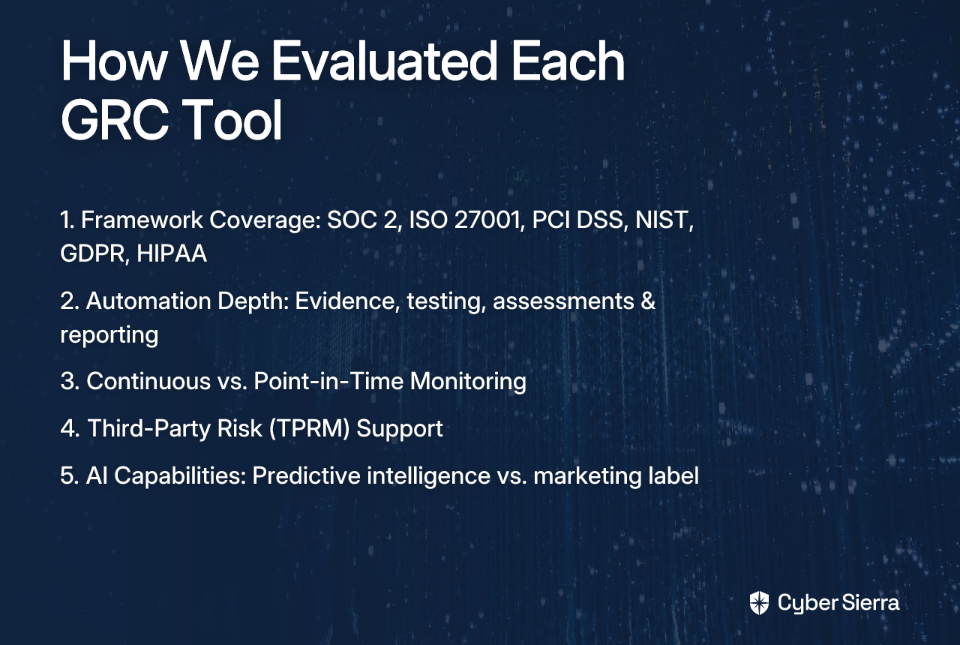
A well-built centralized repository also improves data integrity, ensures consistent documentation standards, and gives decision-makers quick access to accurate information when it matters — not just during audits. These benefits extend to cost savings, better risk mitigation, and faster regulatory response.

2. Continuous Monitoring

What it is

Continuous monitoring is the shift from compliance snapshots to a live, ongoing view of your security and compliance posture. Rather than checking controls once a quarter, your system is automatically validating that controls are operating as intended — every day, not just at audit time.

This matters because compliance drift is real. A control that passed in January can fail by March through a misconfiguration, a personnel change, or a system update. Without continuous monitoring, you don't find out until the next audit cycle — or worse, until something breaks.

What failure looks like

  • Flying blind between audits. Months can pass between a control failure and its detection.
  • Delayed, expensive remediation. Issues found late are costlier and more disruptive to fix.
  • No prioritization capability. Without real-time data, you can't distinguish between a minor gap and a critical exposure.

How to get it right

Cyber Sierra's CCM platform provides this ongoing visibility by integrating directly with your technology stack. Key capabilities include:

3. Automated Evidence Collection

What it is

Evidence collection is where most audit preparation falls apart. The process of manually pulling logs, taking screenshots, and chasing down sign-off records is time-consuming, error-prone, and deeply demoralizing for the teams doing it. As one compliance professional shared on Reddit, the goal is to "cut[] on the messy and mundane part — like chasing down random spreadsheets and hundreds of screenshots from 5 different teams."

Automated evidence collection replaces that process. The system automatically pulls time-stamped proof from source systems — AWS, Azure, Google Workspace, your HR platform — and links it directly to the relevant controls in your repository. No manual uploads. No missing files. No last-minute scrambles.

The scale of the difference is significant: manual audit preparation can take up to nine months, while automation can help reduce that time by up to 90%. That's not a marginal efficiency gain — it's a structural shift in how your compliance team operates.

What failure looks like

  • Human error. Manual data entry and collection lead to mistakes that surface at the worst possible moment — during auditor review.
  • Massive time sink. Teams spend hundreds of hours on low-value administrative work instead of on strategic security initiatives.
  • Audit delays. Auditors get stuck in lengthy back-and-forth to track down missing or incorrect evidence, slowing the entire process.

How to get it right

Cyber Sierra's GRC module is designed to automate this workflow end to end. The implementation process follows a clear sequence:

As one practitioner noted, the shift means instead of "chasing spreadsheets and screenshots, they can access timestamped policy acknowledgments, system configurations, and control testing results in one centralized location." That's a fundamentally different audit experience.

4. Multi-Framework Mapping

What it is

Most organizations don't operate under a single compliance requirement. They're balancing SOC 2, ISO 27001, PCI DSS, GDPR, HIPAA — often simultaneously, often with overlapping requirements that are expressed in slightly different language across each framework.

Multi-framework mapping solves this by allowing a single control or piece of evidence to satisfy requirements across multiple frameworks at once. You test once, and the platform maps that test to every relevant clause across every relevant standard. The "comply once, report many" model is what separates teams that are drowning in compliance work from those that have it under control.

For teams managing multiple frameworks, these mapping features are a significant time-saver—a crucial capability for organizations navigating five or more standards.

What failure looks like

  • Massive duplication of effort. The same tests, same evidence, and same documentation get recreated for every separate audit.
  • Increased error risk. Managing overlapping and sometimes conflicting requirements across spreadsheets is a recipe for gaps.
  • Compliance fatigue. The sheer volume of redundant work burns out the teams responsible for maintaining compliance.

How to get it right

Cyber Sierra's GRC module is purpose-built for multi-framework management. When you implement a control aligned to ISO 27001, the platform automatically maps it to corresponding requirements in SOC 2, HIPAA, PCI DSS, and any other active framework — from a single dashboard.

This doesn't just save time. It also dramatically reduces the risk of a requirement slipping through the cracks because it was buried in a framework your team was treating independently.

5. Immutable Audit Trail Generation

What it is

An audit trail is the verifiable, time-stamped, and unchangeable record of everything your compliance program does. Every policy change, every control test result, every access review, every evidence submission — all logged with a user ID, a timestamp, and enough context to tell the full story.

Auditors don't just want to see that controls exist. They want to verify that they were implemented correctly, tested consistently, and maintained over time. They need to understand the context and nuance behind the data, and a detailed audit trail is what provides that verifiable proof.

What failure looks like

  • Lack of accountability. Without a clear record, you can't prove that compliance activities happened correctly or on schedule.
  • Failed audits. An auditor's inability to verify the history of a control is a major red flag. It doesn't just slow things down — it can end in a failed audit.
  • Hindered incident response. In the event of a breach, the absence of detailed logs makes forensic investigation nearly impossible.

How to get it right

Cyber Sierra's GRC module automatically generates detailed audit trails for every compliance activity across the platform. Every action — automated control check, policy update, evidence submission — is logged with a user ID and timestamp, creating a complete and defensible record.

This gives auditors a single, organized place to find what they need, eliminating the days of back-and-forth that would otherwise consume both the audit team and your internal staff. Built-in audit trails that show who did what and when are what transform an auditor's skepticism into confidence.

How Does Your Compliance System Stack Up? A Self-Assessment Checklist

Use this checklist to score your current regulatory compliance system. For every "No," you've identified a gap that represents real audit risk.

ComponentQuestionYes / No
Centralized ControlsDo you have a single, centralized repository for all compliance controls and policies, accessible across teams?
Continuous MonitoringIs your compliance posture monitored automatically and continuously — not just during audit prep season?
Automated EvidenceIs evidence collection for audits automated, or does it still require a manual effort across multiple teams?
Framework MappingCan you map a single control to multiple compliance frameworks (e.g., ISO 27001 and SOC 2) without duplicating work?
Audit TrailsDoes your system automatically generate immutable, time-stamped audit trails for all compliance activities?

If you answered "No" to even one of these, your organization is carrying unnecessary audit risk — and the gap is likely larger than it appears.

From Audit Scramble to Always Compliant

Passing an audit shouldn't be a last-minute scramble. If your team is still chasing spreadsheets and screenshots, you're operating with blind spots. The real goal isn't just to pass; it's to build a compliance system so robust that audits become a simple validation of what you already know.

This requires a foundational shift away from periodic, manual checks. It boils down to two key actions:

  • Automate evidence collection. This eliminates the stressful, error-prone manual work and can help cut audit preparation time by up to 90%.
  • Monitor controls continuously. This closes the dangerous gaps that open up between audits, catching compliance drift the moment it happens.

Look back at the self-assessment checklist you just completed. Every "No" represents an unnecessary risk and a source of future audit friction. Your next step is to get a clear picture of what closing those gaps looks like in practice. See how an automated GRC platform transforms compliance from a stressful event into a continuous, predictable process. Book a personalized demo and get a clear plan to make your next audit your easiest one yet.

Frequently Asked Questions

What is an audit-ready compliance system?

An audit-ready compliance system is a set of integrated processes and tools that ensure your organization is continuously compliant, not just during audit periods. It automates control monitoring and evidence collection, replacing manual checks with a real-time, verifiable system for smoother audits.

Why is continuous monitoring crucial for compliance?

Continuous monitoring is crucial because it provides a live view of your compliance posture, detecting control failures or drifts as they happen. This enables immediate remediation, significantly reducing the risk of audit failures and security breaches that can occur between periodic checks.

How can automation reduce audit preparation time?

Automation can help reduce audit preparation time by up to 90% by eliminating manual tasks like collecting screenshots and logs. An automated system pulls time-stamped proof directly from source systems and links it to controls, freeing up your team to focus on more strategic initiatives.

What does "comply once, report many" mean?

"Comply once, report many" is an approach where a single control is tested and its evidence is used to satisfy requirements across multiple frameworks (like SOC 2, ISO 27001, and HIPAA). This is achieved through multi-framework mapping, which eliminates redundant work and ensures consistency.

What is the purpose of an immutable audit trail?

The purpose of an immutable audit trail is to provide a verifiable, unchangeable record of all compliance-related activities. This time-stamped log proves to auditors that controls have been consistently implemented and maintained, building trust and accelerating the entire audit process.

blog-hero-background-image
Governance & Compliance

GRC Tool vs Spreadsheets: Why Manual Compliance Fails at Scale

backdrop
Table of Contents

Join thousands of professionals and get the latest insight on Compliance & Cybersecurity.


Summary

  • Manual compliance workarounds, like using spreadsheets for risk registers, are highly error-prone, with studies showing a vast majority contain errors that create compliance blind spots.
  • Relying on annual vendor questionnaires and static evidence collection creates a false sense of security, failing to capture real-time risks and control failures between audits.
  • The hidden costs of manual GRC include hundreds of wasted hours, common audit findings, and poor risk visibility that can lead to breaches.
  • Automating compliance with a tool like Cyber Sierra's GRC platform transforms the process from a reactive scramble into a continuous discipline, ensuring you are always audit-ready.

It's two weeks before your SOC 2 audit. Meet Sarah, a compliance manager at a fast-growing SaaS company. Her desktop is a graveyard of good intentions: Risk_Register_v4_FINAL_updated.xlsx with 14 color-coded tabs, an inbox drowning in "RE: FWD: RE: Policy Sign-off Required" chains, and a shared drive folder of vendor security questionnaires in PDF format — some dating back 14 months.

She knows something is wrong. But she's not sure if the problem is her, or the process.

It's the process.

Here's the truth: spreadsheets and manual processes aren't just inefficient — they're a compounding liability. They introduce hidden risks, eat hours your team doesn't have, and create the kind of audit findings that could have easily been avoided. Below, we break down the five most common manual compliance workarounds, the real cost of each, and the structural fix that purpose-built GRC tools provide.

This tension is perfectly captured by a candid admission from one user on Reddit's GRC community: "the spreadsheet route totally works but ngl it can get messy real quick if you don't have someone who knows what they're doing. Like you'll spend forever just trying to figure out what evidence you actually need to collect and how to organize it all."

When someone floated the idea of a GRC tool, the predictable counterargument surfaced: "Getting a tool at this stage is overkill."

The 5 Most Costly Manual GRC Workarounds

1. The Spreadsheet Risk Register: A Fragile Foundation

The Workaround

A complex Excel or Google Sheet tracking risks, owners, mitigation plans, and impact scores across multiple tabs.

Why It Breaks at Scale

Spreadsheets are not databases. They have no referential integrity — meaning there's no reliable way to link a specific risk to the control that mitigates it, or tie that control to the framework clause it satisfies. According to Continuum GRC, nearly 90% of business spreadsheets contain errors, and those errors directly translate into miscategorized risks and compliance blind spots.

Worse, managing multiple spreadsheets means manually updating data across every file whenever something changes. The result? Logistical nightmares, contradictory versions, and collaboration bottlenecks — only one person can effectively own the master sheet at a time.

The Quantifiable Cost

Teams lose dozens of hours quarterly just correcting data entry errors and manually reconciling risk data. Poor or stale risk data leads to poor resource allocation — money and effort spent on low-priority risks while high-severity gaps go unaddressed.

The Structural Fix

Cyber Sierra's GRC platform replaces static spreadsheets with a dynamic, centralized risk register. Risks are automatically linked to controls, assets, and policies. Multi-framework support (SOC 2, ISO 27001, HIPAA, GDPR, PCI DSS) means your risk data is always contextualized within the right regulatory lens — and real-time reporting eliminates the need to manually compile data for leadership or auditors.

2. Email-Based Policy Sign-offs: The Black Hole of Attestation

The Workaround

Sending policy documents over email and tracking acknowledgments in a spreadsheet, hoping employees actually open and read them.

Why It Breaks at Scale

Emails get buried. Documents get ignored. And when an auditor asks for proof that your entire engineering team acknowledged the Acceptable Use Policy before accessing production systems, you're suddenly trawling through three months of inbox threads looking for a reply that may not exist.

As Mosey notes, "important documents may get lost in inboxes… tracking is inefficient and error-prone." There's no reliable version control, no timestamp that would hold up to scrutiny, and no centralized view of who has — or hasn't — attested to anything.

The Quantifiable Cost

Missing or unprovable policy sign-offs are one of the most common and entirely avoidable audit findings. Beyond the findings, compliance and HR teams waste hours every cycle chasing employees for acknowledgments and searching through email threads to reconstruct an attestation trail.

The Structural Fix

Cyber Sierra's GRC platform includes centralized policy management that automates this entire workflow. Policies live in a single library, assigned to specific employee groups. Distribution, reminders, and digital sign-offs are automated — and every attestation is time-stamped, reportable, and immediately accessible when an auditor comes knocking.

3. Annual-Only Vendor Assessments: A Point-in-Time Illusion

The Workaround

Sending a security questionnaire PDF to vendors at onboarding or renewal, filing the response, and revisiting it next year.

Why It Breaks at Scale

Your vendor's security posture is not a static fact — it's a living condition that changes constantly. A vendor that passed your annual questionnaire in January could have suffered a breach in March, onboarded a high-risk sub-processor in June, and misconfigured their cloud environment in September. You won't know any of this until next January, if you're lucky — or until it becomes your breach.

Managing even a modest vendor portfolio through manual questionnaires, follow-up emails, and remediation tracking spreadsheets simply doesn't scale. The operational overhead becomes a full-time job that still produces an incomplete picture.

The Quantifiable Cost

Cyber insurance underwriters are increasingly demanding evidence of continuous third-party due diligence — not an annual PDF from a vendor. Companies that can't demonstrate ongoing vendor oversight face higher premiums, coverage exclusions, or outright rejection. And that's before you account for the reputational and financial cost of a supply chain breach that could have been caught earlier.

The Structural Fix

Cyber Sierra's TPRM module shifts vendor risk management from a periodic checkbox to a continuous, automated discipline. It provides 24/7 visibility into vendor security compliance with alerts for any compliance drift, automates the assessment workflow from sending to analysis, and uses risk-based prioritization to help you focus attention on your most critical third parties — not just the loudest ones.

4. Static Control Libraries: Fighting Today's Threats with Yesterday's Rules

The Workaround

Documenting SOC 2 or ISO 27001 controls in a Word document, then scrambling to collect point-in-time screenshots before each audit as evidence.

Why It Breaks at Scale

Controls are only useful if they're actually working right now — not as of the last time someone took a screenshot of an AWS configuration screen. Static documentation tells you what your controls looked like at a moment in the past. It tells you nothing about whether they're effective today.

The pre-audit evidence scramble is a near-universal compliance experience. That scramble is a symptom of a process problem, not a knowledge problem. Presenting outdated or insufficient evidence is a direct path to an audit finding — or worse, an audit failure.

The Quantifiable Cost

Beyond audit findings, teams routinely spend hundreds of hours manually gathering evidence — screenshots of cloud configurations, access control lists, incident logs — that automated integrations could collect continuously. That's hundreds of hours spent on low-value manual toil instead of actual security improvement.

The Structural Fix

Cyber Sierra's CCM platform makes your control library a living, breathing system. It builds a centralized controls repository with near real-time updates, integrates with your existing tech stack (AWS, Azure, Okta, and more) to automate control testing and evidence collection 24/7, and detects exceptions and anomalies in real time so your team can remediate issues before an auditor finds them. The result: you walk into every audit already prepared.

5. PDF Audit Trails: Disorganized and Unreliable

The Workaround

Compiling audit evidence into PDFs and Word documents, organized in shared drive folders with names like /Audit_Evidence_2024/SOC2/Access_Control/Final/.

Why It Breaks at Scale

This is compliance by archaeology. When an auditor requests evidence for a specific control, your team doesn't retrieve it — they excavate it. Missing documents, inconsistent formats, and version conflicts mean teams "waste time searching for information rather than focusing on compliance," as Mosey describes. Auditors who have to manually sift through disorganized evidence folders take longer — and charge accordingly.

There's also a subtler problem: PDFs are a dead end. They can't be cross-referenced, linked to controls, queried, or updated in place. They're snapshots of a moment in a process that should be continuous.

The Quantifiable Cost

Every extra hour an auditor spends making sense of your disorganized evidence package costs you money. Beyond direct costs, the chaos of manual audit prep creates serious compliance fatigue — burning out the exact team members you need most during high-stakes audit periods.

The Structural Fix

Because Cyber Sierra's GRC platform continuously collects evidence via CCM and centralizes all policies, risks, and vendor data in one place, generating a comprehensive audit report becomes a single action — not a week-long project. Auditors can be given read-only access to self-serve the exact evidence they need, linked directly to the control it supports. Clean, organized, defensible — every time.

A GRC Tool Isn't a Luxury — It's a Structural Requirement

The common objection to adopting a GRC tool is that it's "overkill" — that the overhead of maintaining a platform outweighs the time saved. That calculation might be true at five employees with one framework and one annual audit. It stops being true the moment you add a second framework, double your vendor count, grow your team, or face a customer security review.

Manual compliance processes, don't just slow teams down — they introduce compounding risk at every layer: missed regulatory updates, undetected control failures, unmonitored vendor drift, and incomplete audit trails that leave you exposed precisely when you're under the most scrutiny. The question isn't whether you can afford a GRC tool. It's whether you can afford what happens when the manual approach fails publicly.

✅ Signs You've Outgrown Manual GRC

Run through this checklist honestly. If you check more than two boxes, you've already crossed the threshold.

  • Your risk register filename includes 'FINAL' and a number greater than three.
  • An audit request triggers a week-long scramble for screenshots.
  • You can't confirm a control is effective without scheduling a meeting.
  • Onboarding a new hire to compliance processes takes a two-hour call.
  • Your team spends more time chasing policy sign-offs than improving security.
  • You are pursuing SOC 2, ISO 27001, HIPAA, or entering new markets.
  • You learned about a critical vendor's data breach from the news.

From Manual Chaos to Continuous Compliance

If your compliance program lives in a spreadsheet named Risk_Register_v5_FINAL.xlsx, you're not just being inefficient—you're managing risk on a fragile foundation. Manual workarounds don't just waste hundreds of hours; they create the exact compliance blind spots and audit findings you're working so hard to prevent.

The only structural fix is to shift from periodic, point-in-time scrambles to a state of continuous compliance. Here are the two key takeaways:

  • Controls are only effective if they’re working now. Static evidence and annual vendor checks create a false sense of security. Real-time monitoring is the only way to see your actual risk posture.
  • A defensible audit trail is built automatically, not excavated. Auditors need clear, organized proof. An automated system provides it on demand, while manual folders hide it for hours.

Here's your next step: Pick one critical control and find the current evidence for it. If it takes you longer than 60 seconds, your process is creating unnecessary risk.

When you're ready to trade spreadsheet chaos for automated clarity, schedule your custom demo and see how an integrated GRC platform can put you back in control.

Frequently Asked Questions

What is a GRC tool and what does it replace?

A GRC (Governance, Risk, and Compliance) tool is a platform that centralizes and automates compliance tasks. It replaces manual workarounds like spreadsheet risk registers, email-based policy sign-offs, and disorganized evidence folders, providing a single source of truth for your program.

When should a company switch from spreadsheets to a GRC tool?

A company should switch to a GRC tool when manual processes become a bottleneck. Signs include managing multiple frameworks (SOC 2, ISO 27001), audit prep taking weeks, or spending more time chasing paperwork than improving security. If you're outgrowing manual methods, it's time to upgrade.

How does a GRC platform streamline audit preparation?

A GRC platform streamlines audits by automating evidence collection 24/7. It links evidence directly to controls, policies, and risks, creating a clean, organized, and defensible audit trail. This transforms audit prep from a week-long scramble into a simple, on-demand report generation.

What are the main risks of managing compliance with spreadsheets?

The main risks of using spreadsheets are data errors, lack of version control, and compliance blind spots. Nearly 90% of spreadsheets contain errors, leading to mismanaged risks, failed audits, and an inability to link risks to the controls that mitigate them in a reliable way.

Why is continuous monitoring better than annual vendor assessments?

Continuous monitoring is superior because a vendor's security posture can change daily. Annual assessments provide only a point-in-time snapshot, leaving you blind to new risks like breaches or misconfigurations that occur between checks. Continuous monitoring offers real-time visibility.

How does a GRC tool help with policy management?

A GRC tool automates the entire policy lifecycle. It centralizes all documents, manages distribution to specific employee groups, sends automated reminders, and tracks digital sign-offs with timestamps. This creates a provable attestation trail that eliminates email chaos and audit findings.

blog-hero-background-image
Governance & Compliance

9 Best GRC Tools for Enterprise Security Teams in 2026

backdrop
Table of Contents

Join thousands of professionals and get the latest insight on Compliance & Cybersecurity.


There's a meaningful difference between a purpose-built GRC tool and a compliance spreadsheet dressed up with color-coded tabs. A spreadsheet tracks. A GRC tool manages — it centralizes policies, automates control testing, maps your posture across multiple frameworks, and gives you a living, breathing view of your risk at any moment. The moment your organization is juggling ISO 27001, SOC 2, NIST CSF, and a vendor questionnaire backlog, the spreadsheet isn't just inconvenient — it's a liability.

For many enterprise security teams, the pain of manual GRC is real. It shows up as audit fatigue from endless evidence collection, fragmented controls when multiple teams with different requirements create chaos, and a persistent lack of real-time posture visibility that leaves CISOs flying blind between quarterly reviews.

Meanwhile, the GRC tooling market itself can be frustrating to navigate. Some platforms feel designed to simply get a check mark, while popular enterprise solutions carry a reputation for high costs and complexity that borders on folklore.

The good news? The era of AI-enabled GRC has arrived. Modern platforms now offer Continuous Control Monitoring, automated risk quantification, and cross-framework compliance management that transforms GRC from a reactive audit scramble into a proactive, strategic advantage. According to the ACFE's 2024 Report to the Nations, organizations that use continuous monitoring instead of periodic reviews can reduce fraud losses by 40–60% — a number that makes the ROI case for modern GRC tools practically self-evident.

Here are the 9 best GRC tools for enterprise security teams in 2026, structured by use-case strength so you can find the right fit — not just the most popular badge.

The 9 Best GRC Tools for Enterprise Teams in 2026

1. Cyber Sierra — Best AI-Enabled GRC Tool for Enterprises

Ideal Company Size: Medium to large enterprises in regulated industries (BFSI, HealthTech, Tech, Manufacturing, Retail)

Cyber Sierra is an integrated, AI-driven GRC platform built to replace the periodic, manual model of compliance with something closer to a continuous security nervous system. Rather than bolting together separate tools for risk, compliance, and vendor management, Cyber Sierra unifies them under a single platform — eliminating the fragmentation that plagues most enterprise security programs.

Key Features:

  • Continuous Control Monitoring (CCM). Provides near real-time visibility into control effectiveness across frameworks including NIST, ISO 27001, PCI DSS, and GDPR. Automates control testing, centralizes the controls repository, and flags exceptions the moment they emerge — not at your next audit cycle.
  • Third-Party Risk Management (TPRM). Automates vendor assessments, prioritizes vendor inventory by risk level, and provides 24/7 visibility into third-party security posture. If your team is drowning in SIG questionnaires, this module replaces the manual chase with automated workflows.
  • Governance, Risk & Compliance (GRC). Handles multi-framework compliance (SOC 2, ISO 27001, HIPAA, GDPR, PCI DSS) with automated data collection, risk assessments, and audit-ready reporting. Detailed audit trails mean you're not scrambling when auditors knock.
  • Threat Intelligence. Outside-in vulnerability scanning across network and cloud infrastructure, with a security scorecard to help prioritize remediation before threats are exploited.
  • Employee Security Training. Simulated phishing campaigns and interactive modules to close the human-vector gap.
  • Cyber Insurance. Helps organizations right-size coverage, demonstrate cyber hygiene to underwriters, and streamline the application process.

Watch Out For: Cyber Sierra is a comprehensive platform — organizations will get the most value when internal processes are mature enough to act on the AI-generated insights, rather than treating it as a box-checking exercise.

2. MetricStream — Best for Unified Enterprise GRC

Ideal Company Size: Large, global enterprises with mature GRC programs

MetricStream is one of the most established names in the GRC space, offering a deeply integrated platform that connects risk, compliance, audit, and cyber risk functions into a single holistic view. Its AI-driven analytics support risk quantification and regulatory change management at scale.

Key Features:

  • Integrated risk, compliance, audit, and IT risk management modules
  • AI-powered analytics for real-time risk intelligence and continuous control monitoring
  • Deep regulatory coverage across global frameworks
  • Customizable dashboards and reporting

Watch Out For: The platform's depth is also its challenge — implementations tend to be resource-intensive, with a steep learning curve that may require dedicated internal resources or external consultants.

3. ServiceNow GRC — Best for IT-Centric Risk & Compliance

Ideal Company Size: Mid-to-large enterprises already invested in the ServiceNow ecosystem

ServiceNow GRC earns its place by doing what no standalone GRC tool can: natively connecting compliance and risk processes to your IT operations, service desk, and security incident response workflows. As one practitioner noted, "If you have ServiceNow as a ticketing tool, ServiceNow GRC Module is a good option."

Key Features:

  • Native integration with ITSM, SIR, and vendor risk management
  • No-code playbooks to automate GRC workflows
  • Real-time visibility tied directly to underlying IT assets

Watch Out For: If you're not already a ServiceNow shop, the cost and setup complexity can push this into "laughably expensive" territory quickly — a sentiment echoed frequently in practitioner communities.

4. AuditBoard — Best for Internal Audit & SOX Compliance

Ideal Company Size: Mid-to-large enterprises with mature internal audit functions

AuditBoard is the go-to GRC tool for organizations where internal audit and SOX compliance are the primary drivers. Its clean, intuitive interface stands out in a market full of clunky enterprise software, making it a favorite among audit teams that need collaboration without the chaos.

Key Features:

  • Streamlined workflows for evidence collection, testing, and issue resolution
  • Centralized audit trail and documentation management
  • Strong team collaboration features across audit, risk, and compliance stakeholders

Watch Out For: AuditBoard excels in the audit lane, but if you need robust TPRM, enterprise risk quantification, or multi-framework compliance automation, you may find yourself stitching it together with other tools.

5. Archer (formerly RSA Archer) — Best for Integrated Risk Management

Ideal Company Size: Large enterprises with dedicated GRC teams and implementation resources

Archer is a veteran of the enterprise GRC space, offering powerful risk taxonomy, highly configurable use cases, and strong reporting capabilities across IT, third-party, and operational risk domains.

Key Features:

  • Flexible risk taxonomy and configurable assessment workflows
  • Customizable dashboards and incident management
  • Broad coverage of enterprise and operational risk scenarios

Watch Out For: Its reputation precedes it — "I have heard nothing but horrific things about Archer," one practitioner noted bluntly in a community thread. Archer is genuinely powerful, but implementation is notoriously complex and resource-heavy. Budget accordingly.

6. LogicGate — Best for Agile Risk & Compliance Workflows

Ideal Company Size: Mid-market organizations needing a flexible, customizable GRC solution

LogicGate takes a different approach than heavyweight enterprise platforms. Its no-code, drag-and-drop interface lets teams build and automate their own GRC workflows without needing a developer, making it a strong choice for organizations that need flexibility without the overhead.

Key Features:

  • No-code configuration for custom risk and compliance applications
  • Advanced analytics and reporting dashboards
  • Adaptable workflows for policy management, risk assessments, and compliance tracking

Watch Out For: The flexibility that makes LogicGate appealing for mid-market teams can become a limitation at enterprise scale, where deeply embedded GRC requirements may outgrow its customization ceiling.

7. OneTrust — Best for Privacy Management & Data Governance

Ideal Company Size: Organizations where GDPR, CCPA, and data governance are primary GRC concerns

OneTrust is the market leader in privacy and trust intelligence, with a commanding feature set for data discovery, regulatory change management, and consent management. It covers GRC, ethics, and ESG under one roof.

Key Features:

  • Automated data discovery and mapping for privacy frameworks
  • Smart assessments and regulatory change tracking
  • Modules spanning GRC, ethics management, and ESG compliance

Watch Out For: Pricing is a persistent complaint — OneTrust is "starting to creep into ServiceNow cost territory, i.e., laughably expensive," as buyers have noted. Its core GRC automation also lags behind more specialized, AI-first platforms.

8. RiskLens — Best for Quantifying Cyber Risk in Financial Terms

Ideal Company Size: Large enterprises with mature risk programs adopting quantitative analysis

RiskLens occupies a unique niche: it translates cybersecurity risk into financial impact using the FAIR™ (Factor Analysis of Information Risk) methodology. If your CISO needs to make the board care about a misconfiguration, RiskLens gives you the dollar figure to make them listen.

Key Features:

  • FAIR model-based cyber risk quantification
  • Financial impact modeling for risk scenarios
  • Prioritization of security investments by potential loss reduction

Watch Out For: RiskLens is a specialist, not a generalist. It requires meaningful investment in scenario tailoring and staff training on FAIR methodology, and it works best as a complement to a broader GRC platform rather than a standalone solution.

9. LogicManager — Best for User-Friendly Enterprise Risk Management

Ideal Company Size: Mid-sized organizations needing a practical ERM solution with strong support

LogicManager focuses on making risk management genuinely usable. Pre-built templates, a taxonomy-based approach to standardizing risk assessments, and a reputation for hands-on customer advisory services make it a strong entry point for organizations building their GRC programs without a large internal team.

Key Features:

  • Pre-built risk templates and taxonomy-based assessment standardization
  • Automated report generation and risk visualization dashboards
  • Strong vendor support and advisory services baked into the offering

Watch Out For: LogicManager's ease of use is its defining strength, but that simplicity comes at the cost of the advanced AI-driven automation and deep customization available in larger platforms.

GRC Tools Decision Matrix: At a Glance

ToolBest ForAI CapabilitiesIdeal Org SizeWatch Out For
Cyber SierraAI-Enabled GRC for EnterprisesContinuous monitoring, automated evidence collection, predictive risk intelligenceMedium to LargeRequires internal process maturity to act on AI insights
MetricStreamUnified Enterprise GRCAdvanced risk analytics, continuous monitoringLarge & GlobalResource-intensive implementation and steep learning curve
ServiceNow GRCIT-Centric Risk & ComplianceWorkflow automation and process intelligenceMid-to-LargeHigh cost and complexity outside the ServiceNow ecosystem
AuditBoardInternal Audit & SOX ComplianceAudit workflow and evidence automationMid-to-LargeLimited scope beyond audit and SOX use cases
ArcherIntegrated Risk ManagementRules-based automation, basic analyticsLargeNotoriously complex implementation; not for the faint of heart
LogicGateAgile Risk & Compliance WorkflowsBasic analytics and task automationMid-MarketMay not scale for the most complex enterprise requirements
OneTrustPrivacy Management & Data GovernanceSmart privacy assessments and regulatory trackingAll SizesExpensive; GRC features may lag behind AI-first competitors
RiskLensQuantifying Cyber Risk FinanciallyFAIR-based quantitative risk modelingLargeHighly specialized; needs pairing with a broader GRC tool
LogicManagerUser-Friendly ERMBasic report and task automationMid-SizedLacks advanced AI and deep customization of larger platforms

From Compliance Chaos to Strategic Clarity

Navigating the GRC market is complex, but the path forward is clear. Ditching spreadsheets isn’t just about convenience; it’s about trading audit fatigue and fragmented controls for real-time risk visibility. The right tool transforms compliance from a reactive, manual scramble into a strategic, automated function.

Remember these key takeaways:

  • Match the tool to your pain. The best platform is the one built for your primary use case, whether that's internal audit (AuditBoard), IT-centric risk (ServiceNow), or unified, AI-driven compliance (Cyber Sierra).
  • Embrace continuous monitoring. The single biggest shift you can make is moving from periodic reviews to automated, continuous control monitoring. It's the difference between seeing a snapshot of risk and having a live video feed.

Your next step? Before you book a single demo, take 30 minutes to identify the top five controls across your frameworks that generate the most manual evidence collection. This simple audit of your audit process will immediately highlight where automation can deliver the biggest wins.

When you’re ready to see how a modern GRC platform can eliminate that manual work and provide a single source of truth for your entire risk posture, book a personalized demo.

Frequently Asked Questions

What is a GRC tool and why is it better than a spreadsheet?

A GRC tool is software that centralizes governance, risk, and compliance management. Unlike spreadsheets, it automates control testing, maps your posture across multiple frameworks, and provides a real-time view of risk, turning compliance from a manual task into a strategic function.

Why is AI important in modern GRC platforms?

AI is crucial for modern GRC because it enables continuous control monitoring (CCM) and automates evidence collection. This replaces periodic, manual audits with real-time risk visibility, reduces audit fatigue, and helps teams proactively identify and remediate compliance gaps.

How does a GRC tool help with multi-framework compliance?

A GRC tool simplifies multi-framework compliance by mapping controls to multiple standards (e.g., ISO 27001, SOC 2, NIST) from a single repository. This "test once, apply many" approach eliminates redundant work, ensures consistency, and streamlines audits across different regulations.

What is Continuous Control Monitoring (CCM)?

Continuous Control Monitoring (CCM) is an automated process that continuously tests and validates the effectiveness of your security controls. It provides near real-time alerts on control failures, allowing you to fix issues as they happen instead of discovering them during an audit.

How do I choose the right GRC tool for my enterprise?

To choose the right GRC tool, assess your organization's maturity, primary use case (e.g., audit, IT risk, privacy), and required frameworks. Prioritize platforms that offer AI-driven automation, continuous monitoring, and can scale with your needs. Always evaluate the total cost of ownership.

What is the typical cost of an enterprise GRC tool?

The cost of enterprise GRC tools varies widely based on modules, company size, and complexity. Solutions can range from tens of thousands to hundreds of thousands of dollars annually. Legacy platforms like ServiceNow and OneTrust are often cited as being on the higher end of the spectrum.

blog-hero-background-image
Governance & Compliance

7 Governance Risk and Compliance Software Built for Regulated Industries

backdrop
Table of Contents

Join thousands of professionals and get the latest insight on Compliance & Cybersecurity.


Summary

  • Generic GRC platforms often require months of manual configuration for regulated industries, creating a time-consuming and frustrating compliance process.
  • The most effective GRC tools for BFSI, HealthTech, and Manufacturing provide pre-built templates for frameworks like PCI DSS and HIPAA, deep audit trails, and continuous control validation.
  • Prioritize platforms that offer real-time, automated monitoring over periodic manual checks to proactively identify and fix compliance gaps before an audit.
  • Cyber Sierra's GRC platform is built for regulated industries, offering pre-mapped controls and continuous monitoring to streamline audit readiness.

If you've ever tried to shoehorn a generic GRC platform into a heavily regulated environment, you already know the pain. You're handed a flexible, "configurable" tool — and then spend the next six months configuring it. Or worse, you bring in a consultant to map your PCI DSS controls by hand, only to recreate the same exercise when an ISO 27001 audit rolls around.

The truth is, most GRC tools are built for generic enterprise use, leaving verticals like Banking, Financial Services & Insurance (BFSI), HealthTech, and Manufacturing to fill the gaps themselves. This frustration is common, with compliance professionals often describing the process as a "mess" due to conflicting requirements from too many teams. Starting a GRC program from scratch — without pre-built frameworks, pre-mapped controls, or automated evidence collection — is one of the most frustrating and time-consuming challenges in the industry today.

This article cuts through the noise. We've evaluated 7 governance risk and compliance software platforms that go beyond generic checklists, with a specific focus on their performance across three criteria:

  • Pre-built framework templates — Does the tool come with ready-to-use controls, or do you map everything yourself?
  • Audit trail depth — Can you generate auditor-ready evidence without a last-minute scramble?
  • Continuous control validation — Does the platform monitor controls in real-time, or does it rely on periodic, manual checks?

Let's get into it.

GRC Software for Financial Services (BFSI)

Key frameworks: PCI DSS, GDPR

Financial institutions operate under some of the most demanding compliance requirements in the world. Between PCI DSS mandates for cardholder data security and GDPR obligations around data privacy, the margin for error is essentially zero — and the cost of a breach or failed audit is enormous.

1. Cyber Sierra

Best for: BFSI, HealthTech, and Manufacturing teams that need one platform to cover all major frameworks

Cyber Sierra is an AI-enabled cybersecurity and governance and compliance platform designed specifically for regulated industries. Rather than handing you a blank canvas, it arrives with pre-mapped controls across PCI DSS, GDPR, HIPAA, SOC 2, ISO 27001, and NIST — so your compliance team isn't starting from zero.

What makes Cyber Sierra stand out is its native integration of compliance and continuous monitoring into a single platform. The Continuous Control Monitoring (CCM) module provides near real-time visibility into how your controls are performing — detecting exceptions and anomalies as they happen, not during your next quarterly review. This directly addresses one of the most persistent complaints compliance managers have: discovering control failures only when an auditor points them out.

For financial institutions dealing with an extended vendor ecosystem, the Third-Party Risk Management (TPRM) module adds another layer of value, automating vendor assessments and providing ongoing visibility into third-party security posture — a critical capability when a single vendor failure can trigger regulatory scrutiny.

Cyber Sierra has also been recognized by Gartner® in the Hype Cycle™ for Cyber-Risk Management, 2024, underscoring its growing position as a credible player in the compliance automation space.

Evaluation Scorecard:

CriteriaRating
Pre-built Framework Templates⭐⭐⭐⭐⭐ Excellent
Audit Trail Depth⭐⭐⭐⭐⭐ Detailed & auditor-ready
Continuous Control Validation✅ Yes — native CCM module

2. MetricStream

Best for: Large, mature financial institutions with complex, multi-jurisdictional compliance needs

MetricStream is one of the more established names in enterprise GRC. Its Connected GRC approach unifies risk, compliance, audit, and cyber risk functions in a single platform — a genuine advantage for organizations managing multiple business units or operating across several regulatory jurisdictions.

MetricStream's AI capabilities are worth noting: the platform offers automated regulatory change management, which helps compliance teams track shifting requirements under GDPR and other frameworks without manual effort. For large banks and insurers, the depth of its audit functionality is enterprise-grade and built to withstand intense regulatory scrutiny.

The trade-off is that MetricStream's breadth often comes with complexity. Initial configuration is more involved than a purpose-built compliance automation tool, and the platform is typically better suited to organizations with dedicated GRC personnel.

Evaluation Scorecard:

CriteriaRating
Pre-built Framework Templates⭐⭐⭐⭐ Good
Audit Trail Depth⭐⭐⭐⭐⭐ Extensive
Continuous Control Validation✅ Yes — AI-driven risk intelligence

GRC Software for Healthcare (HealthTech)

Key frameworks: HIPAA, SOC 2

Healthcare organizations face a unique compliance burden. HIPAA violations carry steep financial penalties and reputational damage, while SOC 2 has become a gating requirement for HealthTech vendors selling into enterprise health systems. The challenge is managing both — often with lean compliance teams and limited tooling budgets.

3. AuditBoard

Best for: Healthcare organizations with a strong internal audit function

AuditBoard has earned a strong reputation for making the audit process less painful. Its intuitive interface and collaborative workflow tools are built around how audit teams actually work — gathering evidence, assigning tasks, tracking remediation — rather than how software architects imagine they work.

For HIPAA and SOC 2 compliance, AuditBoard's audit planning and execution capabilities are genuinely strong. It centralizes communication between compliance and operational teams, which matters when you're trying to collect evidence from clinical staff who aren't thinking about your audit timeline.

Where AuditBoard is more limited is in continuous, technical control validation. The platform excels at workflow automation and evidence management, but it isn't designed to continuously poll your infrastructure for control failures the way a dedicated CCM solution would. That's a real gap for HealthTech companies that need real-time visibility rather than periodic check-ins.

Evaluation Scorecard:

CriteriaRating
Pre-built Framework Templates⭐⭐⭐⭐ Strong
Audit Trail Depth⭐⭐⭐⭐⭐ Excellent — audit-native design
Continuous Control Validation⚠️ Partial — workflow-focused

4. Quantivate GRC Suite

Best for: Mid-sized healthcare and financial services organizations managing fragmented compliance data

Quantivate positions itself as a scalable GRC suite that tackles one of compliance management's most persistent problems: data fragmentation. When your risk data lives in spreadsheets, your policy documents sit in SharePoint, and your audit evidence is scattered across email threads, pulling together a coherent compliance picture is nearly impossible. Quantivate's integrated modules — covering enterprise risk, compliance, and vendor management — are designed to consolidate this.

For healthcare organizations, Quantivate's compliance solution supports HIPAA and GDPR, with policy and document management capabilities that help organizations maintain traceable, auditor-ready records. Its IT risk management module adds automated risk assessments and integrates with operational resilience management — useful for providers managing complex IT environments.

The caveat: Quantivate is more configurable than prescriptive. You'll get a solid foundation, but mapping it precisely to HIPAA's specific technical safeguard requirements will still require some setup work.

Evaluation Scorecard:

CriteriaRating
Pre-built Framework Templates⭐⭐⭐ Configurable
Audit Trail Depth⭐⭐⭐⭐ Good
Continuous Control Validation⚠️ Partial — automated workflows, not real-time technical monitoring

GRC Software for Manufacturing

Key frameworks: ISO 27001, NIST

Manufacturing is increasingly a cybersecurity target. As operational technology (OT) converges with IT, and as supply chains become more digitally connected, the attack surface expands rapidly. ISO 27001 and NIST frameworks provide essential structure, but many GRC tools weren't designed with manufacturing's OT environment or supply chain complexity in mind.

5. ServiceNow GRC

Best for: Manufacturing organizations already running the ServiceNow ecosystem

If your organization is already using ServiceNow for IT service management, ServiceNow GRC is a natural extension. Its strength lies in how deeply it integrates risk and compliance management into daily IT workflows — connecting GRC to incident management, change management, and IT operations in ways that most standalone GRC tools simply can't replicate.

For ISO 27001 and NIST compliance in manufacturing, ServiceNow GRC's no-code workflow automation allows organizations to build compliance processes that mirror their actual operations. And because it sits on the Now Platform, audit trails are rich and comprehensive — every workflow action, approval, and exception is logged automatically.

The limitation is platform dependency. For organizations not already in the ServiceNow ecosystem, onboarding is significant, and the cost reflects its enterprise positioning.

Evaluation Scorecard:

CriteriaRating
Pre-built Framework Templates⭐⭐⭐⭐ Strong
Audit Trail Depth⭐⭐⭐⭐⭐ Very strong — native platform logging
Continuous Control Validation✅ Yes — via ITOM and SecOps integration

6. Archer

Best for: Large manufacturing enterprises with mature, formal risk management programs

Archer is one of the longest-standing names in Integrated Risk Management (IRM), and its content library is unmatched in breadth. For manufacturers navigating ISO standards, NIST frameworks, and operational risk requirements simultaneously, Archer's pre-built content packs and customizable reporting tools provide a comprehensive starting point.

Archer is particularly strong at the enterprise level — managing risk across complex organizational structures, reporting up to board level, and supporting the kind of formal risk governance that regulators expect from large manufacturers. Its customizable dashboards make it easier to translate compliance data into language that resonates with non-technical stakeholders.

The trade-off is that Archer's continuous control validation relies more on rules-based automation and data integrations than on native, agent-based monitoring — something to weigh if real-time technical control visibility is a priority.

Evaluation Scorecard:

CriteriaRating
Pre-built Framework Templates⭐⭐⭐⭐⭐ Extensive
Audit Trail Depth⭐⭐⭐⭐⭐ Enterprise-grade
Continuous Control Validation⚠️ Partial — rules-based, not native agent monitoring

7. Delve

Best for: Modern, tech-forward manufacturers pursuing ISO 27001 or SOC 2 for the first time

Delve takes an AI-first approach to compliance automation. Its agents automate evidence collection, continuous monitoring, and compliance workflows — with the company claiming up to a 75% reduction in time spent on compliance tasks. For lean teams without a dedicated compliance department, that's a meaningful efficiency gain.

Delve's ISO 27001 offering is particularly well-suited for manufacturers entering formal certification for the first time: it strips out irrelevant controls, focuses effort where it matters, and pairs automation with 1:1 expert support via Slack. It also supports SOC 2, GDPR, and PCI DSS, making it a versatile choice for growing organizations.

Evaluation Scorecard:

CriteriaRating
Pre-built Framework Templates⭐⭐⭐⭐ Good — tailored per framework
Audit Trail Depth⭐⭐⭐⭐ Good — auto-collected evidence
Continuous Control Validation✅ Yes — AI-driven

Framework Coverage Comparison Table

Here's a summary of how each platform stacks up against our evaluation criteria.

ToolPrimary IndustriesKey FrameworksPre-built TemplatesAudit Trail DepthContinuous Control Validation
Cyber SierraBFSI, HealthTech, ManufacturingPCI DSS, GDPR, HIPAA, SOC 2, ISO 27001, NIST⭐⭐⭐⭐⭐ Excellent⭐⭐⭐⭐⭐ Detailed✅ Yes
MetricStreamBFSI, EnterpriseSOX, GDPR, ISO 27001⭐⭐⭐⭐ Good⭐⭐⭐⭐⭐ Extensive✅ Yes
AuditBoardHealthcare, EnterpriseHIPAA, SOC 2, SOX⭐⭐⭐⭐ Strong⭐⭐⭐⭐⭐ Excellent⚠️ Partial
QuantivateBFSI, HealthcareHIPAA, GDPR, Custom⭐⭐⭐ Configurable⭐⭐⭐⭐ Good⚠️ Partial
ServiceNow GRCManufacturing, ITISO 27001, NIST⭐⭐⭐⭐ Strong⭐⭐⭐⭐⭐ Very Strong✅ Yes
ArcherManufacturing, EnterpriseISO standards, NIST⭐⭐⭐⭐⭐ Extensive⭐⭐⭐⭐⭐ Extensive⚠️ Partial
DelveTech, Mid-MarketISO 27001, SOC 2, GDPR, PCI DSS⭐⭐⭐⭐ Good⭐⭐⭐⭐ Good✅ Yes

Shift From Annual Audits to Continuous Compliance

Choosing the right GRC platform boils down to a single principle: stop preparing for audits and start maintaining continuous compliance. Generic tools that require months of manual configuration for your specific industry are a time sink.

The most effective platforms for BFSI, HealthTech, and Manufacturing deliver three core advantages out of the box:

  • Pre-mapped controls for frameworks like PCI DSS and HIPAA, eliminating guesswork.
  • Automated evidence collection that saves your team from last-minute scrambles.
  • Continuous control validation to catch compliance gaps as they happen, not when an auditor finds them.

Here’s a practical next step: calculate the hours your team spent manually gathering evidence for your last audit. That number represents the real cost of a GRC tool that isn't built for your reality.

When you’re ready to reclaim that time and move from periodic checks to a state of constant audit-readiness, book a tailored demo and see how Cyber Sierra streamlines compliance for regulated industries.

Frequently Asked Questions

What is GRC software and why is it important for regulated industries?

GRC (Governance, Risk, and Compliance) software helps organizations manage policies, assess risks, and comply with regulations. For regulated industries, it is crucial for centralizing compliance, automating evidence collection, and providing a clear audit trail to reduce manual work and penalties.

What are the most important features in GRC software for BFSI or HealthTech?

The most important features are pre-built framework templates, deep audit trail capabilities, and continuous control validation. These ensure you are always audit-ready, save months of setup on frameworks like PCI DSS or HIPAA, and spot issues in real-time rather than during annual reviews.

How does continuous control validation improve compliance?

Continuous control validation automatically monitors your security controls in real-time, unlike traditional periodic checks. This proactive approach allows you to detect and remediate compliance gaps as they happen, preventing minor issues from becoming major failures discovered during an audit.

Why are pre-built framework templates so critical?

Pre-built framework templates provide ready-to-use controls mapped to specific regulations like ISO 27001 or SOC 2. Instead of building your program from scratch, your team can start immediately with established best practices, reducing errors and accelerating your path to being audit-ready.

Can one GRC tool manage multiple frameworks like GDPR and SOC 2 simultaneously?

Yes, modern GRC platforms are designed to manage multiple compliance frameworks from a single dashboard. Tools with pre-mapped controls that overlap between frameworks allow you to "test once, comply with many," saving your team from duplicating evidence collection and management efforts.

What is the difference between GRC and Integrated Risk Management (IRM)?

GRC focuses on managing governance, risk, and compliance within specific operational silos, while Integrated Risk Management (IRM) takes a more holistic, enterprise-wide view. IRM connects risk management to broader business strategy, creating a more comprehensive risk-aware culture.

blog-hero-background-image
Governance & Compliance

10 Best Continuous Compliance Monitoring Software for Enterprises

backdrop
Table of Contents

Join thousands of professionals and get the latest insight on Compliance & Cybersecurity.


Summary

  • Annual audits leave an "11-month blind spot" of unmonitored risk, forcing teams into a last-minute scramble for evidence.
  • Continuous Compliance Monitoring (CCM) software closes this gap by automating control testing and providing real-time visibility into your security posture.
  • When choosing a CCM tool, evaluate its ability to automate evidence collection, cover multiple frameworks (like NIST, ISO, and SOC 2), and integrate with your existing tech stack.
  • For enterprises managing complex environments, AI-powered platforms like Cyber Sierra use Continuous Control Monitoring to proactively detect compliance drift before it becomes an audit finding.

Your annual audit just wrapped up. The auditors have left, the evidence folders are archived, and your team finally exhales after months of scrambling. But here's the uncomfortable truth that every CISO and Compliance Manager knows: you now have roughly 11 months of unmonitored security exposure ahead of you.

This is the compliance blind spot. And continuous compliance monitoring (CCM) software exists to close it.

This pain is common. As one GRC professional shared on Reddit, "The most painful part of an audit is typically evidence gathering. You end up on long calls with engineers who may or may not speak GRC and hope they remember where to find a config and take a screenshot with a timestamp."

The cycle repeats because the process is broken. Teams know they need to prepare well in advance to avoid the scramble, yet technical debt climbs as unresolved findings pile up between reviews.

Rather than treating compliance as an annual fire drill, CCM tools automate the continuous testing and validation of your security controls — turning a periodic snapshot into a real-time video feed of your security posture. With consumer trust on the line for companies that mishandle data, the stakes for staying continuously audit-ready have never been higher.

Below, we've curated the 10 best continuous compliance monitoring software platforms for enterprises, each evaluated across four key criteria: real-time control testing, framework coverage, deployment model, and integrations — and matched to the specific use case where they shine most.

The 10 Best Continuous Compliance Monitoring Software for Enterprises

Here’s our breakdown of the top platforms, evaluated for enterprise use cases.

1. Cyber Sierra — Best for AI-Powered Multi-Framework GRC

Overview: Cyber Sierra is an AI-enabled cybersecurity platform purpose-built to transform compliance from a periodic scramble into a continuous, automated discipline. Its Continuous Control Monitoring (CCM) module sits at the core of the platform, providing a single source of truth for all security controls — with near real-time visibility into whether those controls are actually working.

For enterprises juggling multiple frameworks simultaneously (think NIST and ISO 27001 and PCI DSS), Cyber Sierra eliminates the redundancy of managing each framework in isolation. Its AI engine automates control testing, detects exceptions as they emerge, and delivers actionable risk intelligence so teams can remediate proactively rather than reactively.

Key Features:

  • AI-enabled continuous control testing. Automates the validation of security controls across your entire tech stack.
  • Multi-framework cross-mapping. Natively supports NIST, ISO 27001, PCI DSS, GDPR, SOC 2, and HIPAA.
  • Near real-time exception detection. Flags compliance drift and anomalies as they happen, not at the next audit.
  • Centralized controls repository. Eliminates siloed evidence management with a unified, always-updated control library.
  • Actionable risk intelligence. Prioritizes remediation based on actual risk exposure, not just checklist status.

Evaluation Scorecard:

CriteriaRating
Real-Time Control Testing⭐⭐⭐⭐⭐ Excellent
Framework Coverage⭐⭐⭐⭐⭐ Excellent
Deployment ModelCloud (SaaS)
Integrations⭐⭐⭐⭐ Strong

Why it made the list: Cyber Sierra directly tackles the two most painful enterprise compliance challenges — manual evidence collection and multi-framework complexity — with an AI-driven engine that keeps you audit-ready year-round, not just in the weeks before an assessment.

2. Vanta — Best for Cloud-Native Teams

Overview: Vanta is one of the most recognized names in compliance automation, particularly loved by cloud-native teams pursuing SOC 2 and ISO 27001 certifications. Its massive integration library (400+) is its headline feature, pulling automated evidence from virtually every SaaS tool in your stack.

Key Features:

  • Automated tests. Offers over 1,200 automated tests for continuous controls monitoring.
  • Evidence collection. Automates evidence collection across more than 35 frameworks.
  • Trust Center. Provides a public-facing portal to share security posture with customers and prospects.

Evaluation Scorecard:

CriteriaRating
Real-Time Control Testing⭐⭐⭐⭐ Very Good
Framework Coverage⭐⭐⭐⭐ Very Good
Deployment ModelCloud (SaaS)
Integrations⭐⭐⭐⭐⭐ Excellent

Why it made the list: As GRC practitioners note, "we rely on tools like Drata and Vanta for real-time compliance monitoring" — a testament to Vanta's standing as a go-to solution for teams living and breathing in cloud environments.

3. Drata — Best for Continuous Compliance Automation

Overview: Drata is a close competitor to Vanta and earns high marks for its intuitive platform and strong customer support. It focuses on automating evidence collection and running daily automated control tests, making it easier for teams to maintain a state of continuous compliance between audits.

Key Features:

  • Daily automated tests. Runs automated tests and captures evidence daily.
  • Integrated risk management. Includes a module for tracking and managing risks.
  • Trust portal. Features a trust portal for external compliance transparency.

Evaluation Scorecard:

CriteriaRating
Real-Time Control Testing⭐⭐⭐⭐ Very Good
Framework Coverage⭐⭐⭐⭐ Very Good
Deployment ModelCloud (SaaS)
Integrations⭐⭐⭐ Good

Why it made the list: Drata is consistently praised for making audit readiness feel achievable, with an approachable interface that doesn't require deep GRC expertise to operate effectively.

4. MetricStream — Best for Large Enterprises with Integrated Risk Programs

Overview: MetricStream delivers a comprehensive, AI-driven GRC platform built for organizations managing risk at an enterprise scale — well beyond IT compliance. It covers operational risk, business continuity, and audit management in a single, unified environment.

Key Features:

  • Automated testing. Supports testing and monitoring across both cloud and on-premise assets.
  • Integrated tooling. Provides integrated tools for auditing, policy, and compliance management.
  • Predictive intelligence. Delivers predictive risk intelligence and adaptive risk scoring.

Evaluation Scorecard:

CriteriaRating
Real-Time Control Testing⭐⭐⭐ Good
Framework Coverage⭐⭐⭐⭐⭐ Excellent
Deployment ModelCloud & On-Premise
Integrations⭐⭐⭐⭐ Very Good

Why it made the list: MetricStream is a powerhouse for mature enterprises that need one platform to govern GRC, operational risk, and regulatory compliance across the entire organization.
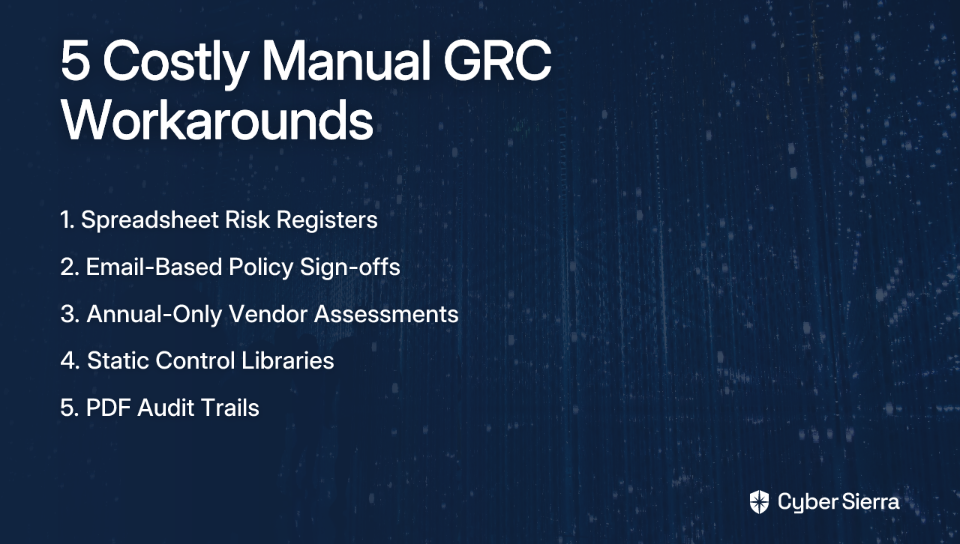
5. Hyperproof — Best for Streamlining Compliance Operations

Overview: Hyperproof is purpose-built for compliance teams that need to manage a growing patchwork of regulatory requirements without burning out. It automates evidence collection, provides configurable monitoring frequencies, and gives managers real-time visibility into exactly which controls need attention.

Key Features:

  • Automated evidence collection. Gathers evidence from cloud services and other integrated tools.
  • Configurable monitoring. Allows teams to set their own control monitoring schedules.
  • Visual dashboards. Provides dashboards showing real-time compliance status by framework.

Evaluation Scorecard:

CriteriaRating
Real-Time Control Testing⭐⭐⭐⭐ Very Good
Framework Coverage⭐⭐⭐⭐ Very Good
Deployment ModelCloud (SaaS)
Integrations⭐⭐⭐ Good

Why it made the list: Hyperproof is ideal for compliance managers who are drowning in spreadsheets and need a structured, scalable way to operationalize their compliance workflows.

6. Pathlock — Best for Financial Transaction and ERP Control Monitoring

Overview: Pathlock takes a specialized approach to continuous compliance monitoring software, focusing on application-level controls within critical ERP systems like SAP and Oracle. If SOX compliance or Segregation of Duties (SoD) is your primary concern, Pathlock is in a class of its own.

Key Features:

  • Transaction monitoring. Provides real-time monitoring of financial transactions and access rights.
  • SoD conflict detection. Detects and helps remediate Segregation of Duties (SoD) conflicts.
  • Change monitoring. Monitors configuration changes and quantifies associated risks.

Evaluation Scorecard:

CriteriaRating
Real-Time Control Testing⭐⭐⭐⭐⭐ Excellent (in its domain)
Framework Coverage⭐⭐⭐ Specialized (SOX, GxP)
Deployment ModelCloud & On-Premise
Integrations⭐⭐⭐⭐ Excellent (ERP-focused)

Why it made the list: For enterprises where compliance is fundamentally tied to financial reporting controls, Pathlock delivers unmatched depth and auditability inside the applications that run the business.

7. OneTrust — Best for Privacy-Centric GRC and Data Governance

Overview: OneTrust started as a privacy management platform and has since evolved into a full-fledged GRC suite. Its greatest strength lies in bridging data protection laws like GDPR and CCPA with broader security compliance programs — making it the natural choice for privacy-first organizations.

Key Features:

  • Data discovery. Offers comprehensive data discovery and governance capabilities.
  • Integrated modules. Includes modules for policy and third-party risk management.
  • Audit management. Provides strong audit management for regulatory submissions.

Evaluation Scorecard:

CriteriaRating
Real-Time Control Testing⭐⭐⭐ Good
Framework Coverage⭐⭐⭐⭐⭐ Excellent (privacy-focused)
Deployment ModelCloud (SaaS)
Integrations⭐⭐⭐ Good

Why it made the list: When data privacy is the lead compliance driver — whether because of regulatory pressure or customer trust — OneTrust connects the dots between privacy programs and enterprise risk management in a single ecosystem.

8. Secureframe — Best for Building an Internal Compliance Structure

Overview: Secureframe is a well-rounded compliance automation platform with a particular strength in helping organizations build internal compliance programs from the ground up. It balances continuous monitoring with vendor risk management and auditor collaboration tools.

Key Features:

  • Continuous monitoring. Provides automated alerting for control failures.
  • Auditor collaboration. Features a portal for streamlined evidence sharing with auditors.

  • Vendor risk management. Includes built-in features for managing third-party risk.

Evaluation Scorecard:

CriteriaRating
Real-Time Control Testing⭐⭐⭐⭐ Very Good
Framework Coverage⭐⭐⭐⭐ Very Good
Deployment ModelCloud (SaaS)
Integrations⭐⭐⭐ Good

Why it made the list: Secureframe is a strong all-around choice for teams that want a single platform to manage internal controls and third-party risk — without the complexity of enterprise-grade GRC suites.

9. AuditBoard — Best for Audit and Internal Controls Teams

Overview: AuditBoard was built by auditors, for auditors. It is arguably the most audit-workflow-centric platform on this list, excelling at managing the full audit lifecycle — from planning and fieldwork through to reporting and issue remediation.
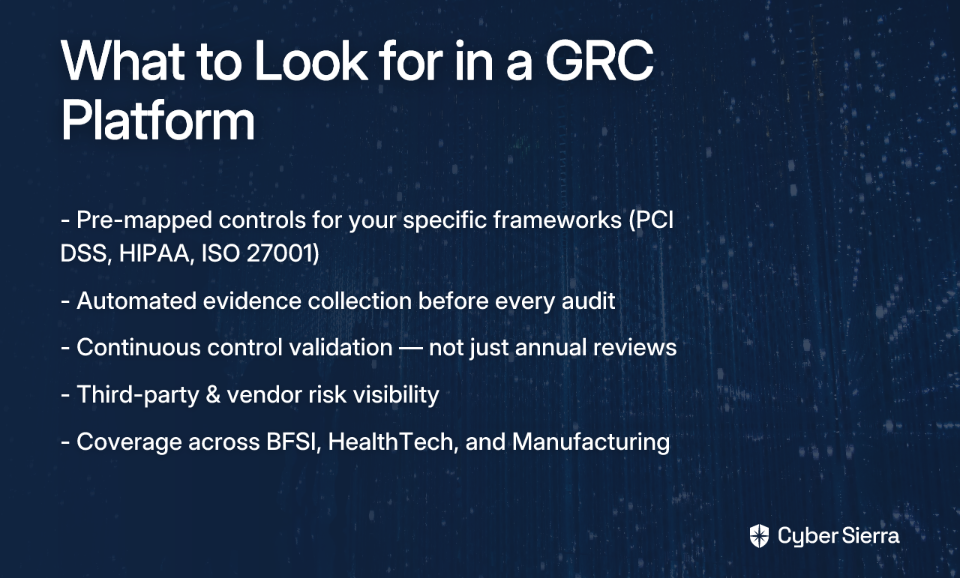
Key Features:

  • Collaboration tools. Built for both internal and external audit teams.
  • Workflow management. Includes specific workflows for SOX and internal controls.
  • Flexible reporting. Offers configurable risk and compliance reporting.

Evaluation Scorecard:

CriteriaRating
Real-Time Control Testing⭐⭐⭐ Good (audit workflow-focused)
Framework Coverage⭐⭐⭐⭐ Very Good
Deployment ModelCloud (SaaS)
Integrations⭐⭐⭐ Good

Why it made the list: For organizations where the internal audit function is a primary stakeholder, AuditBoard streamlines every touchpoint — bringing compliance managers, auditors, and business owners into a single, collaborative space.

10. LogicGate (Risk Cloud) — Best for Highly Customizable GRC Workflows

Overview: LogicGate's Risk Cloud is a no-code GRC platform that lets organizations build exactly the risk and compliance workflows they need — without being constrained by a rigid, out-of-the-box structure. It's uniquely suited for enterprises with unconventional processes or those migrating off legacy tools.

Key Features:

  • No-code workflow builder. Allows for the creation of custom compliance processes.
  • Automated assessments. Supports automated risk assessments and centralized evidence.
  • Flexible reporting. Provides adaptable reporting and audit trail management.

Evaluation Scorecard:

CriteriaRating
Real-Time Control Testing⭐⭐⭐ Good
Framework Coverage⭐⭐⭐⭐⭐ Excellent (highly customizable)
Deployment ModelCloud (SaaS)
Integrations⭐⭐⭐ Good

Why it made the list: For enterprises with unique compliance requirements or those wanting to digitize existing manual processes without vendor lock-in, LogicGate offers unmatched flexibility and adaptability.

How to Choose the Right Continuous Compliance Monitoring Software: A Decision Matrix

As one practitioner honestly noted on Reddit, compliance platforms can help, but they often come with a steep learning curve and can be a significant investment. Choosing the wrong tool compounds that cost. Use this decision matrix to cut through the noise and identify the right fit for your enterprise.

If your primary challenge is…Prioritize platforms that offer…Consider…
Managing multiple, complex frameworks (NIST, ISO 27001, PCI DSS, GDPR) without duplicating control workMulti-framework cross-mapping, centralized control repository, and AI-driven exception detection as the tiebreaker for proactive risk managementCyber Sierra, MetricStream, Hyperproof
Automating evidence collection in a cloud-native environment (AWS, Azure, GCP)An extensive pre-built integration library covering cloud services and SaaS toolsVanta, Drata, Secureframe
Streamlining the internal audit lifecycle and improving cross-team collaborationRobust workflow management, issue tracking, and auditor-specific reporting featuresAuditBoard, LogicGate
Monitoring controls inside critical business applications (SAP, Oracle) for SOX or financial regulationsDeep ERP integrations and specialized rulesets for SoD and financial process controlsPathlock
Building a compliance program around data privacy regulations (GDPR, CCPA)Strong data discovery, governance features, and privacy framework coverageOneTrust
Creating a fully custom GRC workflow adapted to your unique business processesNo-code/low-code platform flexibility and a configurable evidence management systemLogicGate (Risk Cloud)

The enterprise tiebreaker: When complexity is high — multiple frameworks, a large control library, growing vendor ecosystem, and a lean GRC team — the differentiating factor isn't the number of integrations or the prettiness of the dashboard. It's whether the platform can autonomously detect what's breaking before it becomes a finding. That's where AI-driven continuous control testing, like what Cyber Sierra offers, becomes the deciding criterion.
Make This Your Last Audit Fire Drill

Moving from a yearly audit scramble to a state of continuous compliance is less about buying new software and more about shifting your operational mindset. It’s about closing the 11-month blind spot for good and gaining a real-time, defensible view of your security posture.

The path forward boils down to two practical shifts:

  • Automate the evidence grind: A CCM platform's greatest immediate value is freeing your engineers from manual evidence collection. By integrating directly with your tech stack, it pulls the proof you need automatically.
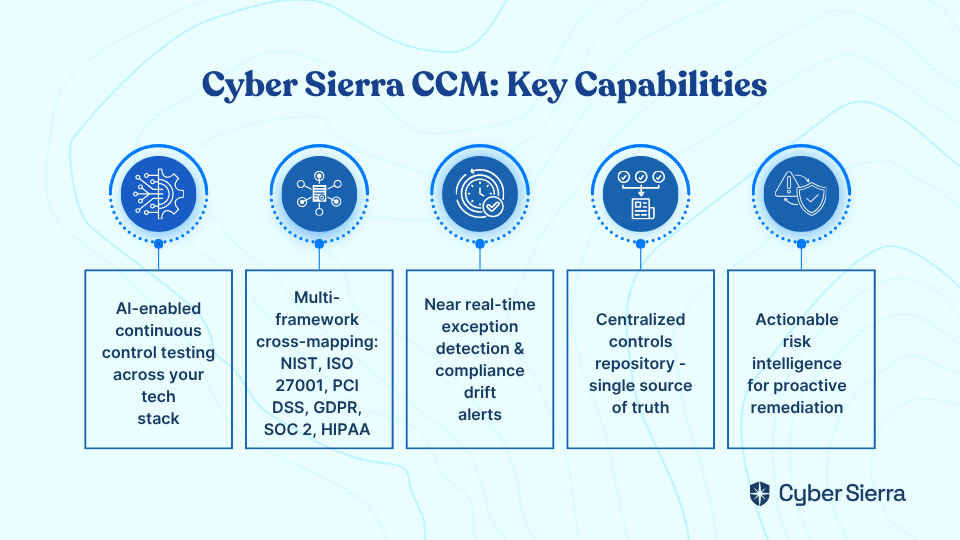
  • Turn snapshots into a video feed: Real-time, automated control testing allows you to spot compliance drift and misconfigurations as they happen—not during a high-stakes audit six months from now.

Here’s a clear next step you can take today: map out the key controls that required the most manual effort during your last audit. This exercise will pinpoint exactly where automation will deliver the biggest impact.

If you’re managing multiple frameworks and need to see how AI can proactively detect risks before they become findings, book a custom demo. We can show you how to make audit readiness your new baseline.

Frequently Asked Questions

What is continuous compliance monitoring (CCM) software?

Continuous compliance monitoring (CCM) software automates the process of testing and validating your security controls in near real-time. Instead of a yearly scramble for an audit, it provides a constant feed of your compliance posture, flagging issues and control drifts as they happen.
Why is continuous compliance more effective than annual audits?

Continuous compliance is more effective because it eliminates the "11-month blind spot" left by traditional annual audits. It shifts compliance from a reactive, point-in-time event to a proactive, ongoing process, reducing risk and preventing last-minute fire drills before an assessment.
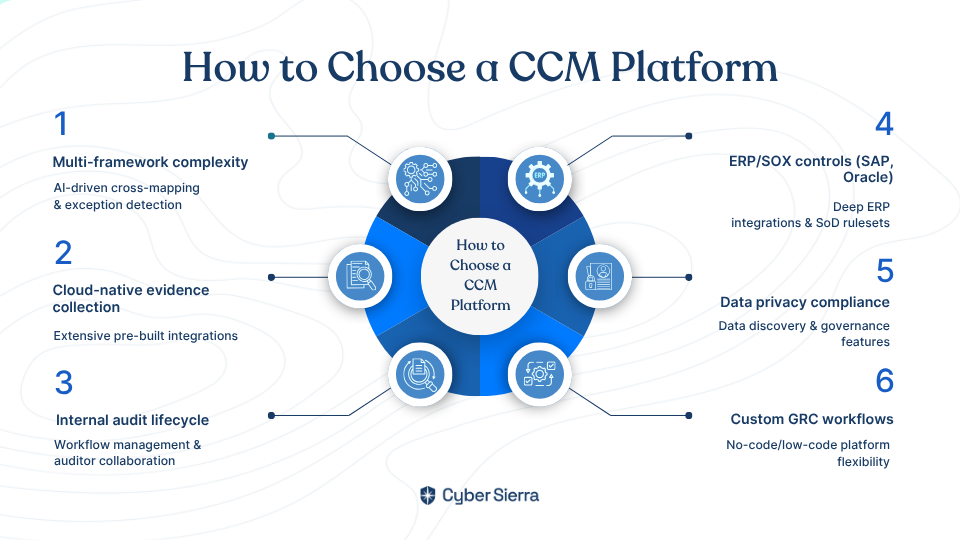
How does CCM software automate evidence collection?

CCM software automates evidence collection by integrating directly with your tech stack (like AWS, Azure, and other SaaS tools). It programmatically pulls logs, configurations, and user access data, providing auditors with time-stamped proof that controls are operating as intended.

What should I look for when choosing a continuous compliance monitoring tool?

When choosing a CCM tool, prioritize features that solve your primary challenge, such as multi-framework support, extensive cloud integrations, or auditor collaboration workflows. Evaluate its real-time testing capabilities, framework coverage, and integration library against your specific needs.

How can AI improve continuous compliance monitoring?

AI improves continuous compliance by automatically detecting anomalies and prioritizing risks without manual intervention. AI-driven platforms can cross-map controls between multiple frameworks and identify compliance drift proactively, helping your team focus on the most critical issues first.

Can a single CCM tool handle multiple frameworks like NIST and ISO 27001?

Yes, many leading CCM tools are designed to handle multiple frameworks simultaneously. Platforms like Cyber Sierra can cross-map controls, allowing you to test a control once and apply the evidence across NIST, ISO 27001, SOC 2, and others, which eliminates redundant work.

toaster icon

Thank you for reaching out to us!

We will get back to you soon.