blog-hero-background-image
Governance & Compliance

9 Best Governance Risk and Compliance Software for Enterprises

backdrop
Table of Contents

Join thousands of professionals and get the latest insight on Compliance & Cybersecurity.


Summary

  • Managing GRC with disconnected spreadsheets and point solutions creates dangerous visibility gaps and makes compliance programs reactive by design.
  • To avoid another failed implementation, evaluate GRC platforms on critical capabilities like continuous monitoring, AI-driven automation, and predictable pricing—not just framework coverage.
  • GRC platforms are not one-size-fits-all; tools that work for startups may not scale, while enterprise solutions can be too complex and costly for mid-market companies.
  • Cyber Sierra's GRC platform unifies GRC, TPRM, and continuous monitoring to eliminate tool fragmentation and provide a single source of truth for risk.

You bought the GRC tool. You went through the vendor demos, the procurement process, the implementation. And then — it didn't deliver as promised. So now your team is getting by with Excel, SharePoint, Planner, and a prayer before every audit.

You're not alone. This is one of the most common frustrations echoed by risk and compliance professionals online: disconnected spreadsheets and point tools stitched together to manage what should be a unified risk posture. The result? Dangerous visibility gaps, audit scrambles, and a compliance program that's reactive by design.

The deeper problem isn't just tooling — it's that generic GRC lists rarely address what enterprise buyers actually need to evaluate. Framework coverage, monitoring continuity, AI capabilities, and pricing predictability are what separate a transformative platform from another expensive disappointment.

Today's compliance landscape demands more. Evolving regulations like GDPR, HIPAA, and PCI DSS aren't static — and neither is your third-party risk exposure. As an AWS GRC overview notes, effective GRC aligns IT with business goals while managing risk and adhering to regulations — but that's impossible when your data lives in five different tools that don't talk to each other.

The practitioners who feel this most acutely put it plainly. In a GRC platform discussion, one CISO noted: "Tools are just a means to an end. No software can fix an overly complex process." The goal, then, isn't to automate chaos — it's to find governance risk and compliance software that simplifies the process, provides continuous visibility, and scales as your organization grows.

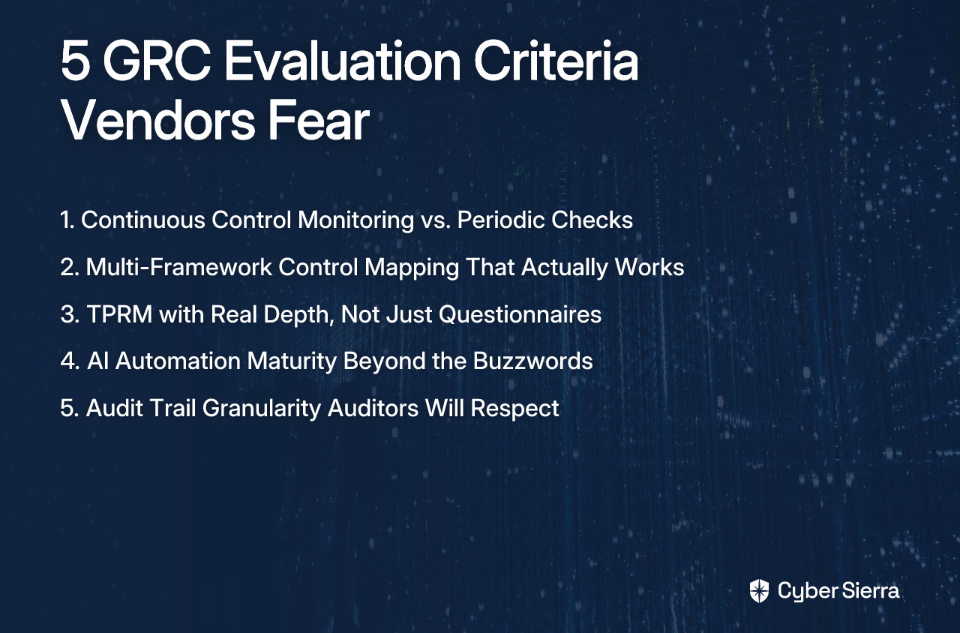
To help enterprise buyers cut through the noise, we've evaluated nine leading GRC platforms against a rubric that actually matters:

  • Framework Coverage: SOC 2, ISO 27001, HIPAA, PCI DSS, and custom controls
  • Monitoring Approach: Continuous, near real-time monitoring vs. periodic assessments
  • AI & Automation Capabilities: Predictive insights, automated evidence collection, and risk prioritization
  • Pricing Model: Flat-fee predictability vs. per-user scaling costs

Let's get into it.
1. Cyber Sierra — Best for AI-Enabled Unified Security & Compliance Automation

Cyber Sierra is the only platform on this list that natively unifies GRC, Third-Party Risk Management (TPRM), Continuous Control Monitoring (CCM), Threat Intelligence, Employee Security Training, and Cyber Insurance readiness in one AI-enabled suite.

For enterprises tired of managing four to six point solutions — each with its own dashboard, contract, and data silo — Cyber Sierra eliminates the fragmentation entirely. Instead of context-switching between tools, your CISO, compliance manager, and IT team share a single source of truth for risk posture.

Framework Coverage: Cyber Sierra manages SOC 2, ISO 27001, GDPR, HIPAA, PCI DSS, NIST, and supports custom controls with unified control mapping. One framework change doesn't cascade into manual updates across three tools.

Monitoring Approach: The CCM module transforms security from periodic check-ins into continuous, automated monitoring. It automates control testing and validation, detects exceptions in near real-time, and builds a living controls repository — so your team is always audit-ready, not just pre-audit-ready.

AI & Automation: Cyber Sierra's AI engine automates data collection, risk assessments, and reporting. It delivers actionable risk intelligence, helping teams prioritize remediation based on actual risk signals rather than gut feel. The TPRM module extends this to vendor risk, providing 24/7 visibility into third-party security compliance — going well beyond the annual questionnaire.

Pricing: Flat-fee model, offering predictable budgeting that doesn't penalize you for growing headcount.

The unique advantage: No other platform on this list combines internal GRC, supply chain risk (TPRM), real-time control monitoring (CCM), and external attack surface management (Threat Intelligence) in a single product — backed by a pricing model that scales for enterprises without surprises.

2. MetricStream — Best for Flexibility in Large, Mature Enterprises

MetricStream is a well-established leader in the GRC space, offering a deeply configurable platform that integrates risk, compliance, audit, ESG, and cyber functions. It's purpose-built for organizations with complex, multi-layered risk programs that require extensive workflow customization.

Framework Coverage: Broad, including ESG frameworks for integrated reporting alongside traditional compliance standards.

Monitoring Approach: Capable of continuous compliance monitoring and risk quantification across business units.

AI & Automation: Uses AI for regulatory change management. Features low-code/no-code customization, allowing teams to adapt workflows without heavy IT involvement.

The catch: High cost and complicated reporting features make it a significant investment that requires dedicated resources to manage. Best suited for large enterprises with mature GRC programs and budget to match.

3. ServiceNow GRC — Best for Teams Already in the ServiceNow Ecosystem

ServiceNow GRC integrates risk and compliance management directly into the ServiceNow ITSM platform. If your organization already runs IT operations on ServiceNow, adding GRC is a logical extension that reduces integration overhead significantly.

Framework Coverage: Covers standard GRC frameworks with strong ties to IT governance and incident response workflows.

Monitoring Approach: Continuous monitoring tied tightly to IT operations — ideal for organizations where risk and IT operations are closely aligned.

AI & Automation: Powerful workflow automation and no-code playbooks are core strengths. Policy and control workflows can be triggered automatically based on operational events.

The catch: Its implementation costs and learning curve make it impractical for organizations not already embedded in the ServiceNow ecosystem. You're paying for deep integration — not standalone GRC best-in-class capability.
4. AuditBoard — Best for Internal Audit Teams and SOX Compliance

AuditBoard was built with auditors in mind, and it shows. The platform excels at audit management, SOX compliance, and creating collaborative workflows that bring audit, risk, and compliance teams together in a structured environment.

Key Strengths: Intuitive user interface that reduces the onboarding curve, automated workflows for audit planning and execution, and strong reporting that makes presenting findings to leadership straightforward.

Framework Coverage: Strong on SOX and internal audit standards, with growing coverage across other compliance frameworks.

The catch: AuditBoard is excellent for audit-centric use cases but may fall short as a holistic GRC platform for enterprises that also need integrated TPRM or threat intelligence. If your compliance scope extends well beyond audit, you may find yourself bolting on additional tools.

5. LogicGate (Risk Cloud®) — Best for User-Driven Customization

LogicGate takes a distinctly flexible approach to risk management. Its drag-and-drop builder empowers teams to design custom applications and workflows without writing code — making it a popular choice for organizations with unique processes that don't fit neatly into out-of-the-box GRC templates.

Framework Coverage: Covers IT security risk and compliance frameworks, with flexibility to configure custom frameworks and workflows.

AI & Automation: Focused on automating compliance tasks and risk workflows as defined by your team. The customization is powerful, but requires your processes to be well-defined first.

Real-world signal: Teams actively transitioning from older platforms like Archer have cited LogicGate's flexibility as a primary reason for switching — a trend visible in practitioner discussions across the security community.

The catch: The "build-it-yourself" nature means your outcomes are only as good as your process design. As one practitioner put it: "No matter what tool you pick, none of them can fix a screwed up process." LogicGate gives you the canvas — you still need to know what you want to paint.

6. Archer — Best for Traditional Integrated Risk Management

Archer is one of the most established names in enterprise IRM, offering comprehensive modules for operational risk, IT and security risk, third-party governance, and critical infrastructure protection.

Key Strengths: Deep capabilities for organizations with mature risk programs, flexible assessment modules, and a track record in regulated industries including financial services and healthcare.

The catch: Some users find Archer less agile than modern platforms, leading teams to transition to more flexible alternatives. The platform can carry significant implementation and maintenance overhead. For organizations that need speed and simplicity, more modern alternatives may serve better.

7. Drata — Best for Startups and SMBs Targeting Compliance Automation

Drata has earned strong recognition among startups and tech-first companies for its deep integrations with cloud services and SaaS tools. It excels at automating evidence collection and streamlining audits for frameworks like SOC 2 and ISO 27001, making early-stage compliance achievable without a dedicated compliance team.

Framework Coverage: Strong on SOC 2, ISO 27001, HIPAA, and PCI DSS, with automated evidence linking to controls.

Monitoring Approach: Continuous monitoring for specific compliance frameworks, with automated checks across connected cloud environments.

The catch: User feedback consistently surfaces a scalability concern. As some users have noted online, many companies grow out of Drata within 1-2 years as their compliance complexity outpaces the platform's enterprise-grade capabilities. For enterprises already past the startup stage, it's worth evaluating whether the platform can support where you're heading, not just where you are today.

8. Hyperproof — Best for Real-Time Compliance Tracking

Hyperproof is designed to make compliance operations more manageable day-to-day. It emphasizes real-time tracking, simplified evidence management, and an approachable interface that reduces the friction of linking evidence to controls.

Key Strengths: Strong document and evidence management, user-friendly dashboards for compliance posture visibility, and an interface that non-technical compliance staff can navigate with minimal training.

Framework Coverage: Covers major frameworks with real-time dashboarding that makes status reporting to leadership straightforward.

The catch: Hyperproof offers limited customization options compared to more flexible platforms. For enterprises with complex, multi-framework programs or unique workflow requirements, this may become a constraint over time.

9. IBM OpenPages — Best for AI-Driven Insights in Data-Heavy Enterprises

IBM OpenPages brings the full weight of IBM's analytics and AI capabilities to enterprise risk management. Powered by IBM Watson, it provides sophisticated risk modeling, advanced analytics, and deep coverage across operational risk, financial controls, and IT governance.

Framework Coverage: Comprehensive, spanning financial, operational, and IT governance frameworks — suited for enterprises managing risk at the intersection of multiple domains.

AI & Automation: IBM Watson-powered insights deliver some of the most sophisticated analytical capabilities available in the GRC market, ideal for mature programs that run on large data volumes.

The catch: Its costs and complexity make IBM OpenPages best suited for large enterprises with dedicated risk teams and the IT resources to support a demanding implementation. Mid-market organizations may find the investment difficult to justify.

How to Choose the Right GRC Platform: A Decision-Making Checklist

The governance risk and compliance software market is crowded — and the wrong choice is expensive in ways that go beyond the invoice. As practitioners who've navigated bad GRC implementations consistently note, "Make sure you really know what you want before buying any of them."

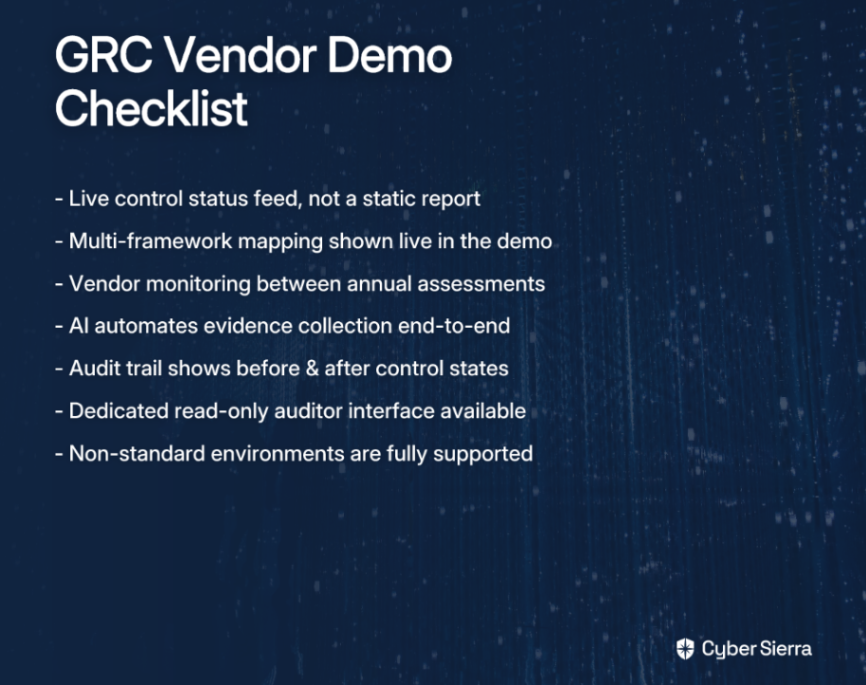
Before you shortlist vendors or sit through another demo, use these questions internally to clarify what you actually need:
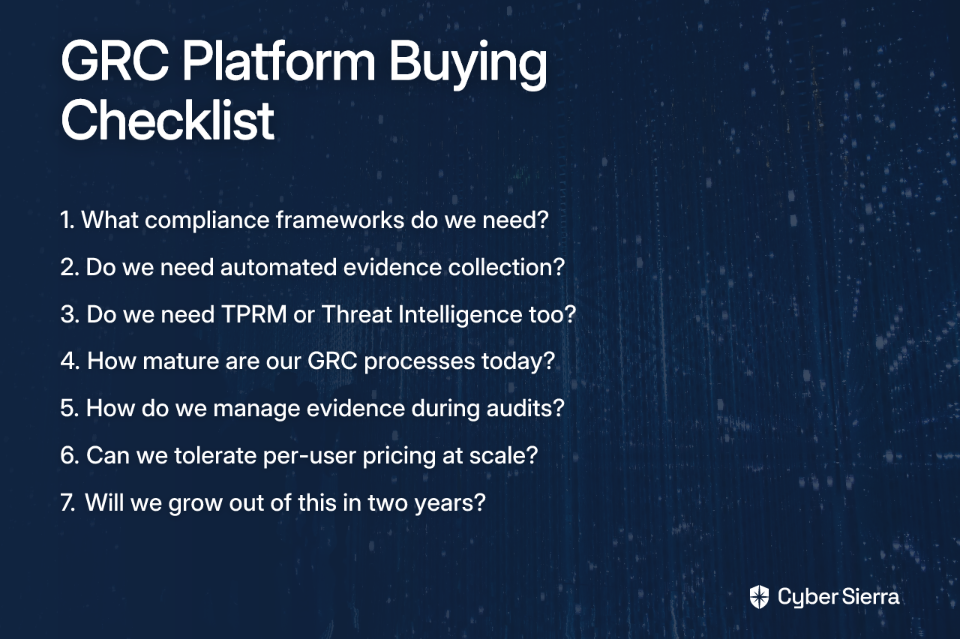
1. What are our mandatory compliance frameworks? List every framework you're currently required to comply with — SOC 2, ISO 27001, HIPAA, PCI DSS, GDPR — and any you anticipate needing within 12–24 months. Confirm that any platform you evaluate natively supports these, including custom control mapping.

2. How critical is automated evidence collection? If your team is still manually gathering screenshots and spreadsheet exports before every audit, continuous monitoring with automated control testing should be non-negotiable. Confirm the platform integrates directly with your cloud providers, HR systems, and security tools.

3. Do we need more than GRC? If your risk posture includes third-party vendor risk, you need a platform with a dedicated TPRM module — not a bolt-on questionnaire tool. If your team also needs external attack surface visibility, look for integrated threat intelligence. Buying separate point solutions for each function recreates exactly the fragmentation you're trying to escape.

4. How mature are our GRC processes today? Highly flexible platforms like LogicGate require well-defined processes to deliver value. If your workflows are still evolving, look for a platform that provides structured guidance and out-of-the-box frameworks — not a blank canvas.

5. What does "finding things during an audit" look like today? If locating evidence gives your team a headache, prioritize platforms with robust search functionality and centralized evidence management with proper access controls. The need for secure evidence sharing is a feature gap cited by many practitioners — ask vendors specifically how they handle it.

6. What's our pricing model tolerance? Per-user pricing sounds small early on, but scales uncomfortably as headcount grows. If budget predictability matters to your organization, flat-fee platforms offer better long-term financial control.

7. Will we grow out of this in two years? Scalability isn't just about features — it's about whether the platform can grow with your compliance scope, team size, and risk program maturity. Prioritize platforms that have a clear enterprise-grade track record, not just strong startup reviews.
From Siloed Spreadsheets to Strategic GRC

Choosing the right GRC platform is less about ticking framework boxes and more about fundamentally changing how you manage risk. The takeaways are clear: disconnected spreadsheets and point solutions create dangerous visibility gaps, keeping your team in a constant state of reaction. To break the cycle, focus on what truly matters:

  • Continuous control monitoring that makes you audit-ready every day.
  • AI-driven automation that frees up your team for strategic work.
  • A predictable pricing model that won't punish you for growth.

Your best next step isn't another demo. It's to use the checklist above to crystallize your team's specific needs. Knowing your non-negotiables is the single best way to avoid another failed implementation.

When you're ready to see how a unified platform eliminates tool fragmentation for good, we're here to help. If your list points to a need for GRC, TPRM, and continuous monitoring in one place, request your Cyber Sierra demo and see how it all comes together.

Frequently Asked Questions

What is a GRC platform and why is it important?

A GRC platform centralizes governance, risk, and compliance management. It's important because it replaces manual spreadsheets, automates compliance tasks, and provides a unified view of your organization's risk posture, making you continuously audit-ready.

What are the key features of a modern GRC tool?

Key features include broad framework coverage (e.g., SOC 2, ISO), continuous control monitoring (CCM), AI-driven automation for tasks like evidence collection, and integrated modules for third-party risk management (TPRM). A predictable, flat-fee pricing model is also crucial.

How does a unified GRC platform save time and money?

A unified platform saves time and money by eliminating the need for multiple disconnected tools and their separate contracts. It reduces manual work through automation, streamlines audits, and provides a single source of truth, improving operational efficiency and decision-making.

What is continuous compliance in GRC?

Continuous compliance is an automated approach that monitors controls and detects compliance exceptions in near real-time. It moves your security posture from being "audit-ready" once a year to being continuously compliant, reducing the risk of gaps and last-minute audit scrambles.

How do I choose the right GRC platform for my business?

Choose the right GRC platform by first defining your mandatory frameworks, process maturity, and scalability needs. Prioritize platforms that offer automated evidence collection, integrated TPRM, and a pricing model that won't penalize growth. Avoid tools that can't scale with you.
blog-hero-background-image
Governance & Compliance

7 Continuous Compliance Monitoring Tools for BFSI and HealthTech Teams

backdrop
Table of Contents

Join thousands of professionals and get the latest insight on Compliance & Cybersecurity.

Summary

  • Non-compliance with regulations like HIPAA, PCI DSS, and GDPR can result in severe financial penalties, with fines reaching up to 4% of annual global revenue.
  • Traditional, point-in-time audits are failing regulated industries, as manual evidence collection consumes valuable resources and creates a false sense of security between audit cycles.
  • To stay perpetually audit-ready, organizations should adopt Continuous Compliance Monitoring (CCM) software that automates evidence collection, provides deep audit trails, and validates controls in real-time.
  • A unified platform like Cyber Sierra's Continuous Control Monitoring (CCM) helps BFSI and HealthTech teams manage GRC, CCM, and third-party risk without stitching together multiple tools.

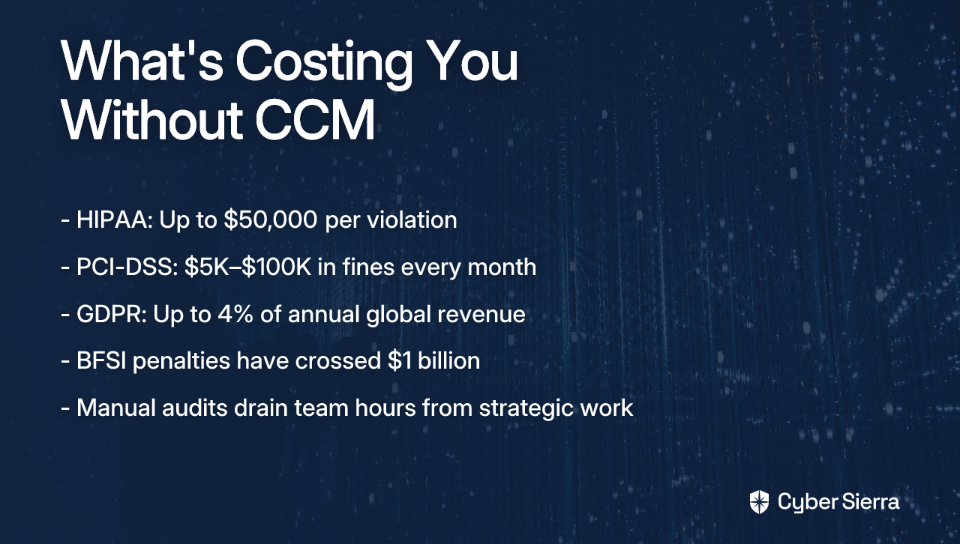
Let's start with a number that should stop any compliance manager cold: a single HIPAA violation can cost your organization up to $50,000 per incident. PCI DSS non-compliance? That runs between $5,000 and $100,000 every single month. And if your organization operates across borders, GDPR fines can hit 4% of annual global revenue. In BFSI, the stakes are even higher, with penalties that can be extraordinarily high.

These aren't edge cases. They're the real cost of letting compliance slip into the background.

If you've spent any time in compliance ops, the situation probably feels familiar: you're stuck in the land of spreadsheets and scripts, manually chasing evidence, and burning your team's best hours on audit prep instead of strategic work. Many teams find they spend too much time on manual audits and log collection that could have been spent on strategic projects.

The traditional audit isn't working. It's a periodic fire drill that creates false confidence between cycles. What regulated industries need — and what the GRC software market's projected growth to $60.5 billion by 2025 confirms the demand for — is continuous compliance monitoring software: tools that don't just help you pass your next audit, but keep you perpetually audit-ready.

This article cuts through the noise. We've evaluated 7 CCM tools not on glossy feature lists, but on three things that actually matter for BFSI and HealthTech teams:

Let's get into it.

7 Continuous Compliance Monitoring Tools for BFSI and HealthTech Teams

1. Cyber Sierra

Best for: BFSI and HealthTech teams that need a unified platform combining CCM, GRC, and TPRM without stitching together multiple tools.

Supported frameworks: PCI DSS, SOC 2, HIPAA, ISO 27001, NIST, and more.

Key differentiator: Manages controls across multiple frameworks from a single repository to avoid duplicate work.

Most compliance platforms solve one piece of the puzzle. Cyber Sierra solves the whole thing. For regulated teams who can't afford gaps between audit cycles, that distinction matters enormously.

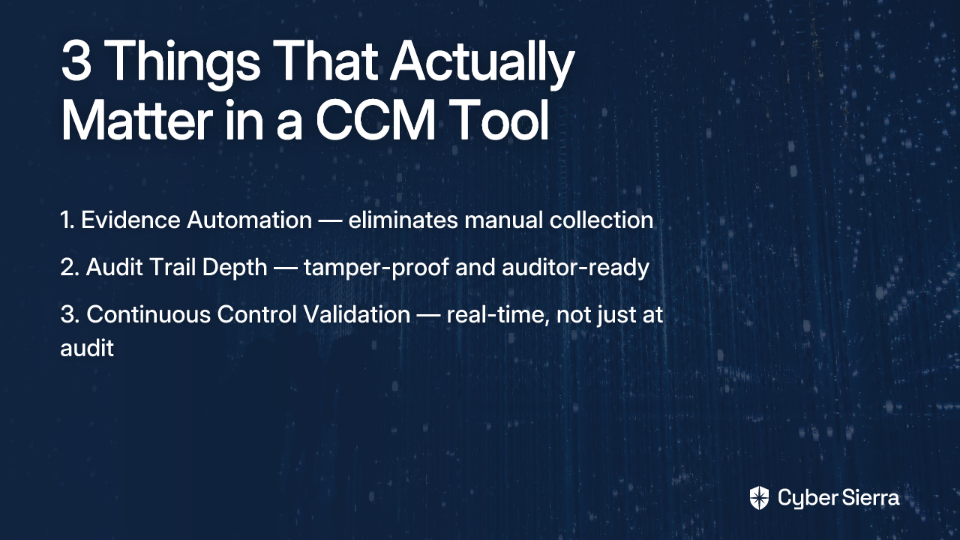
  • Evidence Automation. The GRC module automates data collection by integrating directly with cloud infrastructure (AWS, Azure), identity providers, and developer toolchains. What used to require a team of people manually gathering screenshots and export files now happens automatically, continuously, and without intervention.
  • Audit Trail Depth. Every compliance activity is logged in a centralized, comprehensive audit trail. Reports are generated on demand, providing auditors with the tamper-proof, time-stamped documentation they require. No scrambling, no reconstruction after the fact.
  • Continuous Control Validation. This is where Cyber Sierra's CCM module truly shines. It provides near real-time visibility into control effectiveness — continuously monitoring configurations, detecting exceptions, and alerting your team to anomalies before they become audit findings. It transforms security from a quarterly checkbox into a proactive, ongoing discipline.
  • Integrated TPRM. For teams managing overlapping frameworks and vendor relationships simultaneously, Cyber Sierra's TPRM module also extends continuous monitoring to third-party vendors—a critical layer for BFSI organizations with complex supply chains.

2. Drata

Best for: Tech-forward companies and high-growth startups that need to achieve compliance certifications quickly with strong automation.

Supported frameworks: SOC 2, ISO 27001, HIPAA.

  • Evidence Automation. Drata integrates with a broad ecosystem of cloud services and SaaS tools, pulling evidence automatically and organizing it by control. Setup is relatively fast, which is why it's popular with teams that need to move quickly toward a first audit.
  • Audit Trail Depth. Drata features a dedicated "auditor hub" that gives external auditors direct, scoped access to relevant controls and evidence. This reduces back-and-forth significantly and creates a clean, professional audit experience.
  • Continuous Control Validation. Drata continuously monitors your connected tech stack to flag control drift in real time. Its dashboard surfaces compliance health at a glance, so your team always knows where they stand — not just where they stood six months ago.

3. Vanta

Best for: Startups and SMBs that need a user-friendly platform to automate compliance work without a large dedicated security team.

Supported frameworks: Vanta is well known for its coverage of SOC 2, ISO 27001, HIPAA, and GDPR.

  • Evidence Automation. Vanta is frequently cited for automating up to 90% of evidence collection needed for compliance audits. It connects to your existing toolstack — HR systems, cloud providers, MDMs — and maps evidence to controls automatically.
  • Audit Trail Depth. Compliance gaps trigger real-time alerts with clear remediation guidance. Every action taken to resolve a gap is tracked, creating a traceable history that auditors can follow from issue identification to resolution.
  • Continuous Control Validation. Beyond technical controls, Vanta also monitors employee-level compliance factors—security training completion, background check status, and access reviews—keeping a holistic view of your compliance posture continuously updated.

4. Scrut Automation

Best for: Organizations pursuing multiple certifications simultaneously who need deep integrations to cut audit preparation time.

Supported frameworks: SOC 2, ISO 27001, PCI DSS, GDPR, and HIPAA.

  • Evidence Automation. Scrut's standout claim is reducing audit prep time by 70% through integrations with over 100 business and cloud systems. For teams drowning in manual evidence gathering, that's not a marginal improvement; it's a structural change.
  • Audit Trail Depth. All evidence and control testing activities are centralized in a single platform, giving auditors a unified source of truth rather than a patchwork of exported files and email threads.
  • Continuous Control Validation. Scrut runs automated checks against controls continuously and immediately flags failures for remediation. This keeps the compliance team in a proactive response mode rather than a reactive scramble.

5. AuditBoard

Best for: Larger enterprises and internal audit teams that need a collaborative platform for managing audits, risks, and compliance.

Supported frameworks: Framework-agnostic, with strong support for SOX, SOC 2, and ISO standards alongside internal audit programs.

  • Evidence Automation. AuditBoard focuses less on direct technical integrations and more on centralizing evidence submitted by control owners through structured workflows.
  • Audit Trail Depth. AuditBoard's audit management capabilities are robust: documenting internal controls, tracking audit work, managing findings, and maintaining a defensible record of everything that happened and when.
  • Continuous Control Validation. The platform supports continuous monitoring by enabling recurring control test scheduling and tracking, giving teams visibility into test status and failures.

6. Qualys Compliance Solutions

Best for: Security-focused teams that need compliance monitoring tightly integrated with vulnerability management.

Supported frameworks: Strong capabilities for technical frameworks like PCI DSS and HIPAA, with checks mapped to CIS Controls and DISA STIGs.

  • Evidence Automation. Qualys automates the scanning of assets (servers, endpoints, cloud instances) for misconfigurations and vulnerabilities. Evidence is generated through scan results rather than manual artifact collection.
  • Audit Trail Depth. Reports include detailed compliance posture documentation, including scan histories, specific findings, and remediation statuses for auditors.
  • Continuous Control Validation. Qualys's core function is continuous scanning and policy adherence checking, providing near real-time insight into technical security posture.

7. MetricStream

Best for: Large, global BFSI organizations that need a scalable, enterprise-grade GRC platform for complex, multi-jurisdictional requirements.

Supported frameworks: ISO 27001, PCI DSS, and complex financial regulations across multiple geographies.

  • Evidence Automation. MetricStream provides modules for automated data collection and control testing, though implementations tend to be complex and often require significant configuration.
  • Audit Trail Depth. Policy management, risk assessment logs, control testing records, and audit management are unified, creating a comprehensive and navigable audit trail.
  • Continuous Control Validation. Through its "Connected GRC" approach, MetricStream links risks to controls to policies in real time, enabling live compliance tracking and reporting.

From Audit Panic to Perpetual Readiness

The traditional audit cycle is broken. It forces skilled teams into a reactive loop of manual evidence collection and last-minute fire drills, all while leaving your organization exposed to risk between checks. Shifting to a continuous compliance model isn't just an upgrade—it's a fundamental change in how you manage risk.

The core takeaways are simple but powerful:

  • Point-in-time audits create a false sense of security. True compliance is a 24/7 state, not a quarterly report.
  • Automation is non-negotiable. Manually chasing evidence drains resources that should be focused on strategic security work.
  • A unified platform is key. Stitching together separate tools for GRC, CCM, and vendor risk management just creates new gaps.

Your next step is simple: Identify the single biggest time-sink in your last audit prep. Was it chasing screenshots? Validating configurations? Onboarding a new vendor?

That one bottleneck is where the cost of manual compliance becomes real. If you're ready to automate it away and get a single, real-time view of your entire compliance posture, request your custom demo. See how a unified platform can transform your audit process from a periodic scramble into a state of perpetual readiness.

Frequently Asked Questions

What is continuous compliance monitoring (CCM) software?

Continuous compliance monitoring software automates tracking and validating adherence to regulatory frameworks in real time. Instead of periodic checks, it constantly gathers evidence and alerts teams to non-compliant activities, ensuring your organization is always audit-ready.

Why is continuous monitoring better than traditional audits?

Continuous monitoring is superior because it provides real-time visibility into your compliance posture, preventing gaps between audits. Traditional point-in-time audits create a false sense of security and often lead to last-minute fire drills to fix issues before an auditor arrives.

What are the most important features in a CCM tool for regulated industries?

The most critical features are evidence automation to eliminate manual collection, deep and tamper-proof audit trails for auditors, and continuous control validation for real-time alerts. A unified platform for managing multiple frameworks is also essential for efficiency.

How do CCM tools handle multiple compliance frameworks like SOC 2 and HIPAA?

Effective CCM tools manage multiple frameworks by mapping controls to a central repository. This "map once, comply many" approach lets you satisfy overlapping requirements from standards like SOC 2, HIPAA, and PCI DSS simultaneously, avoiding duplicate work and ensuring consistency.

Can CCM software help with third-party vendor risk?

Yes, advanced CCM platforms often include Third-Party Risk Management (TPRM) modules. These extend continuous monitoring to your vendors, providing critical visibility into their security posture—a crucial function for BFSI and HealthTech firms with complex supply chains.

How does a CCM tool simplify the audit process itself?

A CCM tool simplifies audits by providing a centralized, auditor-ready hub with all necessary evidence and documentation. With automated collection and immutable audit trails, you can grant auditors direct access, eliminating the need to manually gather screenshots and reports.

blog-hero-background-image
Governance & Compliance

How to Choose a Security Compliance Platform (A CISO Buyer Guide)

backdrop
Table of Contents

Join thousands of professionals and get the latest insight on Compliance & Cybersecurity.


Summary

  • Manual evidence gathering for compliance audits is a major pain point, consuming hundreds of engineering hours and creating a "compliance treadmill."
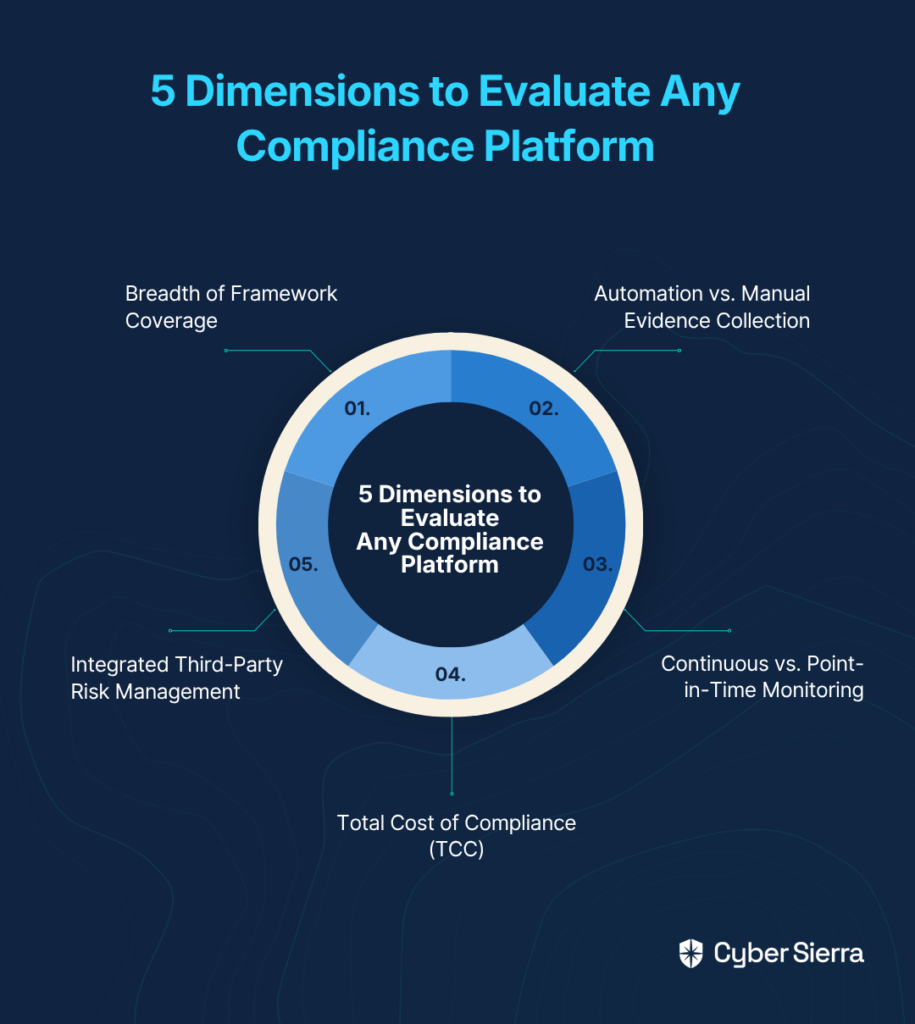
  • To choose the right platform, evaluate it across five key dimensions: framework breadth, automation depth, continuous monitoring, integrated TPRM, and Total Cost of Compliance (TCC).
  • Look for automated evidence collection (which can reduce workloads by 30-40%), continuous control monitoring to prevent compliance drift, and integrated vendor risk management.
  • A unified platform like Cyber Sierra automates these processes, transforming compliance from a periodic scramble into a continuous, strategic function.

You've sat through the audit kick-off call. You've sent the "hey, can you grab a screenshot of that config with a timestamp?" Slack message — for the hundredth time. You've watched your engineers, who should be patching production systems, spend their afternoon on calls with your GRC team trying to explain what an S3 bucket policy is.

Sound familiar? You're not alone.

That's the compliance treadmill. And the market is flooded with vendors claiming they can get you off it.

Some can. Many can't. And choosing wrong doesn't just waste your budget — it creates a new category of technical debt, a tool that your team has to configure, maintain, and babysit while still doing compliance work manually.

This guide gives you a structured, five-dimensional framework to evaluate any security compliance platform like a CISO — not a feature-checker. By the end, you'll know exactly what to ask vendors, what trade-offs to watch for, and how to build the business case for a platform that acts as a genuine force multiplier.

The 5 Dimensions That Separate Great Compliance Platforms from Expensive Spreadsheets

Dimension 1: Breadth of Framework Coverage

Your business doesn't operate under a single regulation. A typical compliance portfolio might include:

  • SOC 2 for US enterprise customers
  • ISO 27001 for European contracts
  • HIPAA for health data
  • PCI DSS for payment processing
  • NIST for the federal space

And that's before any customer-specific security questionnaires land in your inbox.

A platform that only handles one framework is a silo waiting to happen. You'll end up paying for one tool to manage SOC 2, another for ISO 27001, and still going back to spreadsheets for everything else.

What to look for:

  • Pre-built control libraries for SOC 2, ISO 27001, NIST CSF, PCI DSS, HIPAA, and GDPR out of the box
  • Cross-framework control mapping — the "collect once, apply many" principle. One piece of evidence should satisfy controls in multiple frameworks simultaneously, not require re-collection
  • Custom framework support to accommodate internal policies and unique risk requirements

Questions to ask vendors:

  • "If I get a new PCI DSS requirement next quarter, how long does it take to add it to the platform?"
  • "Show me how a single piece of evidence maps to overlapping controls across SOC 2 and ISO 27001."

Cyber Sierra's GRC platform is built around this multi-framework reality — managing SOC 2, ISO 27001, GDPR, HIPAA, PCI DSS, and custom controls from a single, centralized policy repository so your team isn't rebuilding the wheel for every new audit.

Dimension 2: Automation vs. Manual Evidence Collection

This is where most platforms either earn their seat at the table or reveal themselves as glorified GRC spreadsheets.

Manual evidence collection is the single biggest cost center in audit prep. It's not just the time it takes — it's the coordination cost. Think about what it takes to get a timestamped screenshot of an AWS IAM configuration from an engineer who is simultaneously managing a P1 incident. Now multiply that across 200 controls.

The right platform eliminates this entirely through deep, API-driven integrations.

What to look for:

  • Native integrations with your cloud providers (AWS, Azure, GCP), identity providers (Okta, Azure AD), code repositories (GitHub, GitLab), and endpoint management tools
  • Automated evidence pulling that continuously syncs control data without human intervention
  • Audit-ready evidence packages that can be shared directly with auditors, reducing the back-and-forth communication bottleneck

The practitioners who've made the switch are clear on the ROI: "Does it shorten the audit period? Maybe not. Does it lighten your load? 100%. I would estimate for a small to midsize business, it probably reduces the load by a factor of 30-40%."

A 30-40% reduction in compliance workload is not a marginal improvement — it's the difference between your team being reactive and strategic.

Questions to ask vendors:

  • "Which specific integrations do you support, and how deep does the evidence collection go?"
  • "What happens when a new tool is added to our stack — how long until it's pulling evidence?"

Dimension 3: Continuous vs. Point-in-Time Monitoring

Here's the uncomfortable truth about most compliance programs: they're built around a snapshot. Your team scrambles for six weeks before the audit, everything looks good on audit day, and then the environment quietly drifts out of compliance for the next ten months until the cycle repeats.

That drift is where breaches live.

CISA has long emphasized ongoing assessments as foundational to security programs — not because regulators demand it, but because the threat landscape doesn't pause between your audits.

Continuous Controls Monitoring (CCM) is the capability that closes this gap. Instead of periodic checks, CCM provides near real-time visibility into your security controls, automatically detecting when something drifts out of its compliant state — a public S3 bucket, a disabled MFA requirement, an expired certificate — and alerting your team before it becomes an auditor's finding or an attacker's entry point.

The key benefits of CCM, as highlighted by industry research, include:

  • Efficiency: Reduces manual processes, freeing time for strategic security initiatives
  • Cost Reduction: Lowers costs associated with compliance failures and reactive remediation
  • Improved Decision-Making: Provides data-backed insights for leadership reporting
  • Proactive Risk Management: Identifies vulnerabilities before they are exploited

Cyber Sierra's CCM module is built specifically around this principle — providing near real-time updates to a central controls repository, automating control testing and validation, and detecting anomalies the moment they occur.

Questions to ask vendors:

  • "What is your monitoring frequency — real-time, daily, or weekly?"
  • "Show me what an alert looks like when a control drifts out of compliance."
  • "How does your platform distinguish between a configuration change that's approved versus one that's a risk?"

Dimension 4: Integrated Third-Party Risk Management (TPRM)

Your attack surface doesn't end at your perimeter. It ends at your vendors' perimeters — and their vendors' perimeters.

According to a Gartner survey, 45% of organizations experienced a third-party-related business interruption in the last two years. A compliance program is incomplete if it doesn't account for the risk sitting in the vendor ecosystem.

The problem with most TPRM programs? The process itself is broken. Many platforms rely on the SIG questionnaire — a comprehensive but notoriously exhaustive framework where, as one compliance practitioner noted, "many questions means that your Third Parties have many questions to answer and you have many answers to evaluate." The result is analysis paralysis, months-long backlogs, and questionnaire responses that are outdated by the time they're reviewed.

What to look for:

  • Built-in TPRM, not a bolt-on: A unified module that shares data with your GRC and CCM capabilities eliminates the context-switching and data silos that plague separate point solutions
  • Automated vendor assessments: The platform should auto-generate and track assessments, not just store PDFs
  • Continuous vendor monitoring: Real-time visibility into vendor security posture, not a questionnaire you send once a year and forget
  • AI-enabled risk scoring: Modern platforms leverage AI to analyze vendor data for anomalies and generate dynamic risk assessments — moving the needle from reactive evaluation to proactive intelligence.

Cyber Sierra's TPRM module addresses this directly — automating vendor assessments, prioritizing vendor inventory by risk level, and providing 24/7 visibility into vendor security compliance rather than relying on point-in-time questionnaires that age out immediately.

Dimension 5: Total Cost of Compliance (TCC) — Not Just TCO

The sticker price conversation is a trap. A platform with a higher annual fee that eliminates hundreds of hours of manual audit prep is dramatically cheaper than a low-cost tool that still requires significant manual work.

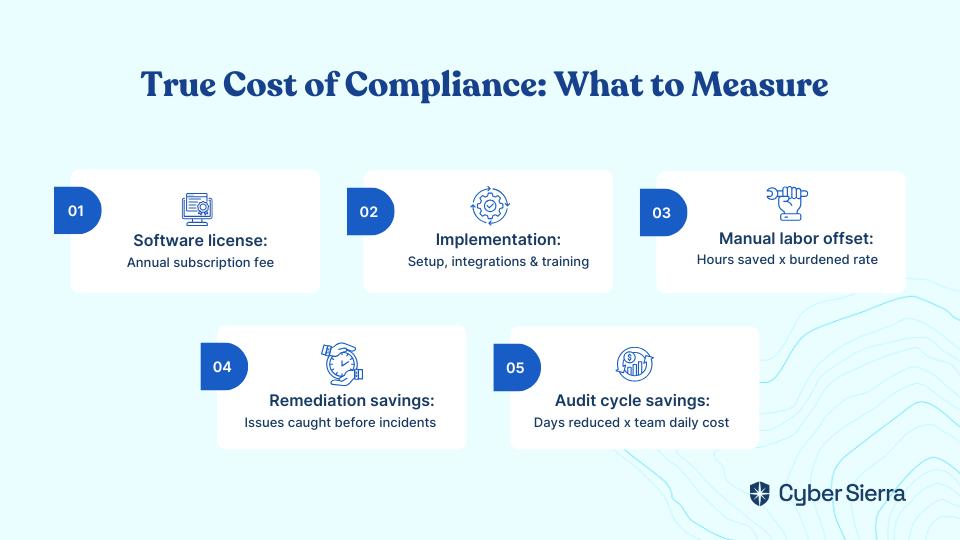
True cost modeling should include:

Cost CategoryWhat to Measure
Software licenseAnnual subscription fee
ImplementationSetup time, integrations, training
Manual labor offsetHours saved × burdened hourly rate
Remediation cost reductionIssues caught by CCM before becoming incidents
Audit cycle time savingsDays reduced × team daily cost

Consider: 200 hours of engineering and compliance time saved at a burdened rate of $100/hour equals a $20,000 value — often exceeding the annual license cost entirely. Companies using automated tools consistently report saving hundreds of hours on audit prep, translating into cost reductions that dwarf the subscription fee.

The hidden cost of cheap or manual tools also includes the risk of compliance failures, fines, and the reputational damage of a breach that CCM could have caught. Build that into your model.

Comparison Matrix: Unified Platform vs. Siloed / Manual Approach

Buying DimensionUnified Platform (e.g., Cyber Sierra)Siloed Tools & Spreadsheets
Framework CoverageMulti-framework out of the box (SOC 2, ISO 27001, NIST, HIPAA, PCI DSS, GDPR) with cross-mappingSingle-framework or manual mapping; evidence re-collected per audit
Evidence CollectionFully automated via API integrations; collect once, apply to many controlsManual screenshots, spreadsheets, long engineering calls, high error rate
Control MonitoringContinuous (CCM): 24/7 real-time alerts for configuration driftPoint-in-time: periodic checks before audits; gaps missed year-round
TPRMIntegrated module with automated assessments and continuous vendor monitoringSeparate tool or spreadsheets; point-in-time questionnaires that go stale
AI-Enabled IntelligenceRisk scoring, anomaly detection, and prioritized remediation across GRC and TPRMMinimal or none; manual analysis required to identify and triage risks
Total Cost of ComplianceHigher upfront, lower TCC due to audit prep savings and proactive risk managementLower sticker price, significantly higher TCC from hidden labor and remediation costs

The pattern is clear: siloed tools fail on multiple dimensions simultaneously, not just one. And the compounding effect — manual evidence + point-in-time monitoring + separate TPRM tool + no AI — is the compliance treadmill in its worst form.

How Cyber Sierra Delivers on All Five Dimensions

Cyber Sierra is built as a unified, AI-enabled security compliance platform designed specifically to address each of these dimensions — not as separate products stitched together, but as an integrated suite sharing a single data layer.

  • Continuous Control Monitoring (CCM) automates evidence gathering and provides near real-time visibility into control effectiveness — turning audit readiness from a frantic project into a continuous state.
  • GRC manages multiple compliance frameworks from a single pane of glass, with automated data collection, policy management, and audit trail generation across SOC 2, ISO 27001, HIPAA, PCI DSS, GDPR, and more.
  • TPRM moves vendor risk from a static annual questionnaire exercise to a dynamically monitored program with automated assessments, risk-based prioritization, and 24/7 vendor posture visibility.
  • AI-enabled intelligence runs across all modules, surfacing anomalies, prioritizing remediation, and reducing the manual analytical burden on your team.

The result is a direct attack on the Total Cost of Compliance — fewer manual hours, faster audit cycles, fewer surprises, and a security posture that's defensible every day of the year, not just in the two weeks before an auditor shows up.

Make Your Next Audit Your Last Hard One

The compliance treadmill isn't just a metaphor; it's hundreds of engineering hours lost to manual evidence collection and last-minute fire drills. The right platform gets you off it by automating evidence gathering across your entire tech stack and using continuous monitoring to keep you compliant year-round—not just for a point-in-time audit.

This shifts the conversation from sticker price to Total Cost of Compliance (TCC), where the value of reclaimed engineering time far outweighs the software license.

Your next step today? Calculate the hours your team spent on the last audit cycle. That number is the foundation of your business case for a better way.

When you’re ready to see how automation can reclaim those hours, book a personalized demo. We’ll show you how a unified platform turns compliance from a cost center into a force multiplier that actually improves your security posture.

Frequently Asked Questions

What is a security compliance platform?

A security compliance platform is software that centralizes and automates tasks required to meet regulatory standards like SOC 2 or ISO 27001. It automates evidence collection, continuously monitors security controls, and manages policies to make audits faster and reduce manual work for your team.

Why is automated evidence collection so important?

Automated evidence collection is important because it eliminates the single biggest time-sink in audit preparation. By using API integrations to pull data directly from cloud services and tools, it frees engineers from manual screenshot gathering, reduces human error, and ensures evidence is always current.

How does continuous controls monitoring (CCM) improve security?

Continuous Controls Monitoring (CCM) improves security by providing 24/7 real-time visibility into your controls. It automatically detects and alerts you to any configuration drift, such as a disabled MFA setting, allowing you to fix issues before they become audit findings or security breaches.

What should I look for in a compliance platform's framework coverage?

Look for a platform that offers broad, pre-built support for key frameworks like SOC 2, ISO 27001, PCI DSS, and HIPAA. It must also feature cross-framework mapping, so one piece of evidence can satisfy multiple controls, and allow for custom frameworks to fit your internal policies.

How is the Total Cost of Compliance (TCC) different from the software price?

The Total Cost of Compliance (TCC) measures the full investment, not just the license fee. It includes the cost of the software plus the value of manual labor it saves. A platform that automates heavily can have a lower TCC than a cheaper tool that still requires hundreds of staff hours.

Why should third-party risk management (TPRM) be integrated?

Integrating TPRM is critical because your security posture depends on your vendors. A unified platform connects vendor risk data with your internal controls, providing a complete risk picture and replacing outdated, point-in-time questionnaires with continuous, automated vendor monitoring.

blog-hero-background-image
Governance & Compliance

9 Best Security Compliance Platforms for Enterprises in 2026

backdrop
Table of Contents

Join thousands of professionals and get the latest insight on Compliance & Cybersecurity.


Summary

  • The right security compliance platform can reduce audit preparation workload by an estimated 30–40% by automating manual evidence collection and control monitoring.
  • The industry standard has shifted from periodic audits to continuous compliance, providing real-time visibility into your security posture to keep pace with evolving threats and cloud infrastructure.
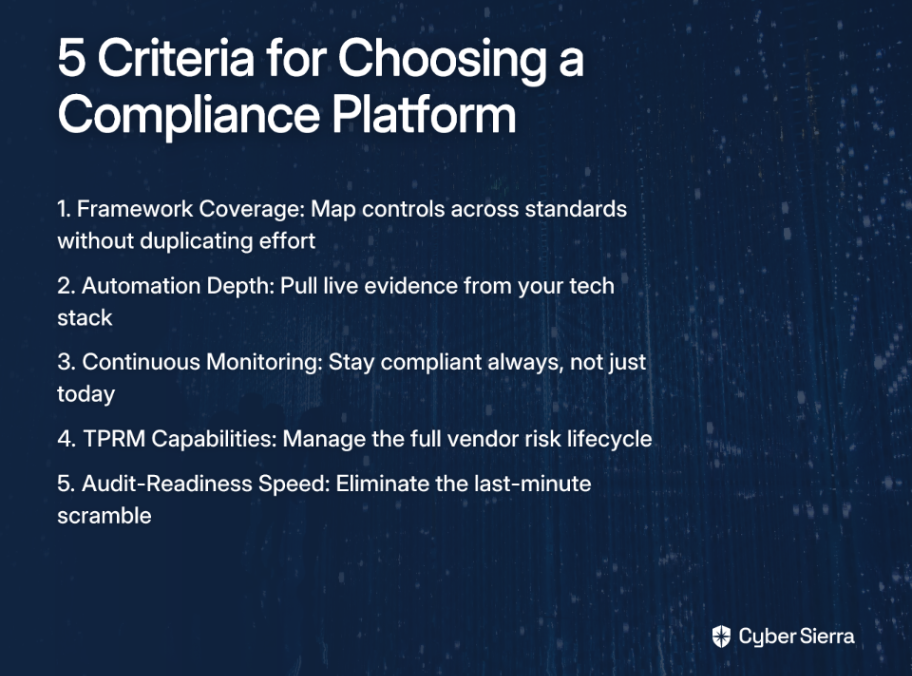
  • When evaluating platforms, focus on five key criteria: multi-framework coverage, automation depth, continuous monitoring, third-party risk management (TPRM), and audit-readiness speed.
  • For enterprises needing to manage multiple frameworks without stitching together separate tools, Cyber Sierra provides an integrated platform that unifies GRC, continuous monitoring, and TPRM.

You just opened your inbox to find a 400-question security questionnaire from your biggest enterprise prospect. Or maybe your board just handed you a mandate: "We need SOC 2 by Q3." Either way, you're staring down a mountain of evidence requests, framework mappings, and vendor assessments — and your team is already stretched thin just keeping the lights on.

The modern compliance landscape doesn't make this easier. Enterprises today are expected to maintain simultaneous adherence to NIST CSF, SOC 2, ISO 27001, PCI DSS, GDPR, and HIPAA — often with overlapping controls and non-overlapping toolsets. And as Qualys notes, the rapid pace of change in cloud infrastructure means the old model of periodic, point-in-time audits is no longer sufficient. Continuous compliance is the new bar.

The right security compliance platform can reduce audit prep workload by an estimated 30–40% for small to midsize businesses — and significantly more for enterprises with mature programs. But "right" depends on your context: your industry, your team size, your stack, and how many frameworks you're juggling.

This list was built around five criteria that actually matter for enterprise compliance in 2026:

  1. Framework Coverage — Can it map controls across multiple standards without duplicating effort?
  2. Automation Depth — Does it pull live evidence from your tech stack, or just create prettier checklists?
  3. Continuous Monitoring — Does it answer "are we compliant always?" not just "are we compliant today?" As FireMon explains, real-time adherence enables faster violation detection and proactive risk management.
  4. TPRM Capabilities — Can it manage your entire vendor risk lifecycle, not just send questionnaires?
  5. Audit-Readiness Speed — Does it eliminate the scramble, or just move the scramble earlier?

Let's get into it.

If that sounds familiar, you're not alone. As one CISO put it on Reddit: "The most painful part of an audit is typically evidence gathering. You end up on long calls with engineers who may or may not speak GRC and hope they remember where to find a config and take a screenshot with a timestamp. It's painful and sucks up a lot of time."

The Top 9 Security Compliance Platforms for Enterprises

1. Cyber Sierra

Overview: For enterprises tired of stitching together point solutions, Cyber Sierra delivers an AI-enabled, integrated platform that covers GRC, Continuous Control Monitoring, TPRM, and Threat Intelligence under one roof. Rather than bolting on separate tools for each compliance requirement, Cyber Sierra instills automation, continuity, and intelligence across the entire security program — shifting teams from reactive, periodic checks to proactive, near real-time risk management.

Key Features:

  • Governance, Risk & Compliance: Automates data collection, risk assessments, control monitoring, and reporting across frameworks including SOC 2, ISO 27001, HIPAA, GDPR, and PCI DSS. Maintains detailed audit trails and supports policy management, so you're never scrambling for documentation when auditors arrive.
  • Continuous Control Monitoring (CCM): Builds a centralized controls repository with near real-time updates, automates control testing and validation, and detects exceptions as they happen — directly eliminating the painful, manual evidence-gathering process.
  • Third-Party Risk Management (TPRM): Automates vendor assessments and onboarding, prioritizes your vendor inventory by risk level, and provides 24/7 visibility into third-party security posture — far beyond what a point-in-time questionnaire can offer.
  • Threat Intelligence: Combines a comprehensive security scorecard with network and cloud vulnerability scanning for an outside-in view of your attack surface, enabling proactive remediation before threats are exploited.
  • Employee Security Training: Interactive modules and simulated phishing campaigns to strengthen your human firewall — critical given that human error remains a leading cause of breaches.
  • Cyber Insurance: Helps you demonstrate robust cyber hygiene to insurers, automates required documentation, and streamlines the coverage application process.

Best for: Mid-to-large enterprises in regulated industries — particularly BFSI, HealthTech, and Manufacturing — that need a unified, automated, and intelligent security compliance platform instead of managing five separate tools with five separate dashboards.

2. MetricStream

MetricStream is a heavyweight in the enterprise GRC space, built for large organizations with complex, multi-layered compliance requirements. It integrates risk, compliance, and audit management on a centralized platform with a strong emphasis on regulatory change management.

Key features:

  • An AI-first approach with pre-built regulatory content libraries, AI-powered analytics, and real-time risk dashboards.
  • Excels at navigating regulatory complexity across sectors like banking, healthcare, and energy.
  • Offers strong audit management workflows and policy lifecycle management.

Best for: Large enterprises in highly regulated sectors with mature, often siloed GRC programs and significant implementation budgets. Best suited for organizations that have dedicated GRC teams to configure and manage the platform.

3. Drata

Drata is an AI-native compliance automation platform purpose-built for fast-growing technology companies. Its core promise is hyper-automating the evidence collection and control monitoring processes that traditionally eat up weeks of engineering time.

Key features:

  • Deep integrations with cloud services (AWS, GCP, Azure) and SaaS tools to automatically pull compliance evidence.
  • Continuous control monitoring with real-time alerts.
  • Pre-built policy templates and a streamlined auditor collaboration portal.

Best for: Cloud-native tech startups and scale-ups that need to achieve SOC 2 or ISO 27001 certification quickly to unblock enterprise sales deals. Less optimized for organizations with complex multi-framework or TPRM requirements.

4. Qualys TotalCloud

Qualys TotalCloud is a cloud-native security compliance platform focused on providing continuous visibility, assessment, and remediation across multi-cloud environments. It's designed for organizations where the compliance risk lives primarily in cloud infrastructure configurations.

Key features:

  • Unified asset visibility across hybrid and multi-cloud environments.
  • Supports over 100 frameworks, automated evidence generation, and risk-based prioritization.
  • Automated monitoring and risk-prioritized remediation workflows.

Best for: Organizations with complex, multi-cloud environments that need deep, granular visibility into cloud configurations and want a security-first lens on their compliance posture.

5. Wiz

Wiz is a leading Cloud Native Application Protection Platform (CNAPP) that has become a go-to for security teams managing sprawling cloud estates. It correlates misconfigurations, vulnerabilities, identities, and malware into a contextual risk graph that helps teams understand what's actually exploitable.

Key features:

  • Agentless scanning for rapid visibility across IaaS and PaaS environments.
  • A unique "toxic combinations" risk graph that highlights chained risks.
  • Strong integrations with developer workflows for shift-left security.

Best for: Security-first organizations that prioritize deep cloud risk context and want to understand the compounded impact of interconnected vulnerabilities — particularly engineering-led teams in cloud-native environments.

6. RSA Archer

RSA Archer is a long-standing pillar of the enterprise GRC market, offering a comprehensive and highly configurable risk management solution. It's built for organizations that have outgrown simpler tools and need a platform that can model complex risk relationships and regulatory requirements.

Key features:

  • Centralized risk tracking across business units and advanced workflow management.
  • Robust audit-ready control testing capabilities and extensive framework coverage.
  • Highly configurable platform to model complex risk relationships.

Best for: Large, established enterprises with mature GRC programs, dedicated risk management teams, and the internal resources to configure and maintain a highly customizable platform over time.

7. Vanta

Vanta is one of the most recognized names in compliance automation, particularly among tech companies pursuing their first formal certification. It focuses on making the SOC 2 and ISO 27001 journey accessible and fast for teams without a large GRC function.

Key features:

  • Automated evidence collection via integrations with AWS, GitHub, GCP, Okta, etc.
  • Pre-built policy templates.
  • A vendor risk management module and a dedicated auditor-facing portal.

Best for: Tech startups and SMBs targeting their first SOC 2 or ISO 27001 certification to build customer trust and unblock enterprise deals. Scales less gracefully for organizations managing five or more overlapping compliance frameworks simultaneously.

8. LogicGate Risk Cloud

LogicGate takes a different approach from most GRC platforms: rather than offering a fixed solution, it provides a no-code platform that allows organizations to build their own risk and compliance workflows from the ground up.

Key features:

  • A drag-and-drop workflow builder (Risk Cloud®) for custom applications.
  • Centralized policy management and cross-functional risk visibility.
  • Strong integration capabilities to adapt to unique organizational structures.

Best for: Organizations that need high levels of GRC customization and want to empower business-side risk owners to build and manage their own workflows. Works well for mid-market companies with non-standard compliance program structures.

9. ServiceNow GRC

ServiceNow GRC integrates governance, risk, and compliance functions directly into the broader ServiceNow platform — making it a natural fit for large organizations that already run IT operations, HR, and service management on ServiceNow.

Key features:

  • Real-time compliance monitoring through native ITSM integrations.
  • Unified dashboards across business and IT risk.
  • Strong workflow orchestration and centralized policy governance.
  • Relies on other platforms for evidence generation, acting as a strong orchestration layer.

Best for: Large organizations that are deeply invested in the ServiceNow ecosystem and want to consolidate GRC within their existing operational platform rather than introducing a standalone tool.

Decision Guide: Which Platform Is Right for Your Organization?

Not every platform suits every enterprise. Here's a practical map to help you match your situation to the right tool:

Company ProfileBest Fit
Tech startup, first SOC 2 or ISO 27001Vanta, Drata
Cloud-native, multi-cloud security risk focusWiz, Qualys TotalCloud
Large enterprise, siloed/mature GRC programMetricStream, RSA Archer
ServiceNow-first organizationServiceNow GRC
Flexible GRC with custom workflowsLogicGate Risk Cloud
Mid-to-large enterprise in BFSI, HealthTech, or Manufacturing needing integrated GRC + CCM + TPRM + Threat IntelligenceCyber Sierra

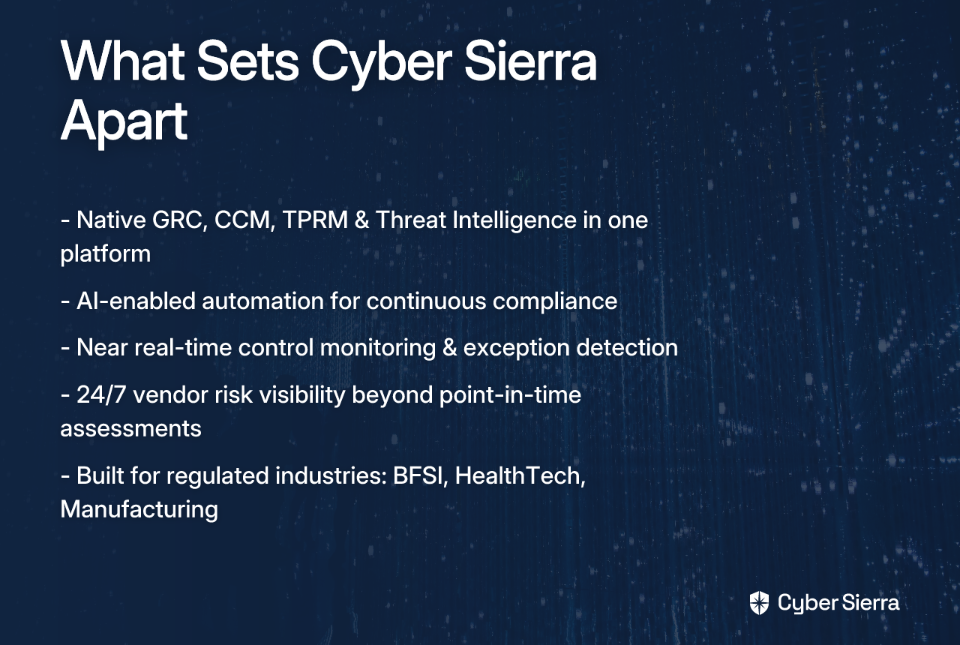
If you're a regulated enterprise managing overlapping frameworks, a growing vendor ecosystem, and a board demanding real-time compliance visibility — and you're exhausted by the patchwork of point solutions that still leaves gaps — Cyber Sierra is built for exactly that scenario. It's the only platform on this list that natively integrates GRC, Continuous Control Monitoring, TPRM, and Threat Intelligence in a single AI-enabled environment, so your compliance program becomes a continuous, connected system rather than a series of disconnected audits.

Go From Reactive Audits to Real-Time Readiness

Choosing the right compliance platform boils down to a few core truths. First, manual evidence gathering is no longer sustainable; true automation frees up your team to focus on security, not screenshots. Second, the goal has shifted from passing periodic audits to maintaining continuous, real-time compliance. For enterprises juggling multiple frameworks, this means an integrated platform will always outperform a patchwork of disconnected tools that create data silos and operational drag.

Ready for a practical next step? This week, identify the single most time-consuming evidence collection task from your last audit cycle. Pinpointing that bottleneck is the first move toward eliminating it for good.

When you’re ready to see how a unified platform solves that problem and transforms your entire compliance program, we can show you how Cyber Sierra replaces manual work with automated, audit-ready workflows. Book a personalized demo and see how you can trade the audit scramble for always-on readiness.

Frequently Asked Questions

What is a security compliance platform?

A security compliance platform is a software solution that automates the tasks required to meet regulatory standards like SOC 2, ISO 27001, and HIPAA. It centralizes evidence collection, control monitoring, and reporting to reduce manual effort and ensure your organization remains audit-ready.

Why is continuous compliance better than periodic audits?

Continuous compliance provides real-time visibility into your security posture, whereas periodic audits only offer a point-in-time snapshot. This proactive approach helps you detect and remediate compliance gaps as they occur, reducing risk and preventing last-minute audit scrambles.

How does automation help with SOC 2 or ISO 27001 audits?

Automation drastically reduces audit preparation time by automatically collecting evidence from your cloud and SaaS tools. Instead of manually taking screenshots, platforms connect to your tech stack to continuously monitor controls, track evidence, and generate audit-ready reports.

What are the key features to look for in an enterprise compliance tool?

Look for broad framework coverage, deep automation for evidence collection, continuous control monitoring, third-party risk management (TPRM), and features that speed up audit-readiness. These capabilities ensure the platform can scale with your organization's complex compliance needs.

What is the difference between an integrated platform and point solutions?

An integrated platform combines Governance, Risk, and Compliance (GRC), Continuous Control Monitoring (CCM), and TPRM into a single system. Point solutions address each function separately, which can create data silos, increase overhead, and leave security gaps between tools.

Who is Cyber Sierra best for?

Cyber Sierra is designed for mid-to-large enterprises in regulated industries like BFSI, HealthTech, and Manufacturing. It's ideal for teams needing to manage multiple overlapping frameworks with a unified platform that integrates GRC, CCM, TPRM, and Threat Intelligence.

blog-hero-background-image
Governance & Compliance

Best GRC Software That Handles MAS TRM, PDPA, and ISO 27001 Together

backdrop
Table of Contents

Join thousands of professionals and get the latest insight on Compliance & Cybersecurity.


Summary

  • Organizations in Singapore face significant challenges managing three overlapping compliance frameworks—MAS TRM, PDPA, and ISO 27001—often leading to manual, error-prone processes.
  • A unified GRC platform is essential for streamlining compliance by mapping a single control to requirements across all three frameworks, eliminating duplicate work and blind spots.
  • When evaluating GRC software, prioritize key features like third-party risk management (TPRM) for MAS TRM, automated evidence collection for ISO 27001, and data intermediary assessments for PDPA.
  • Platforms like Cybersierra's GRC solution can automate evidence collection and unify MAS TRM, PDPA, and ISO 27001 compliance into a single source of truth.

For organizations operating in Singapore — especially in the financial sector — the compliance pressure is uniquely intense. You're not just managing one framework. You're juggling three simultaneously:

  • MAS TRM: The Monetary Authority of Singapore's stringent, mandatory guidelines covering technology risk governance, third-party oversight, and cybersecurity controls.
  • PDPA: Singapore's Personal Data Protection Act, requiring rigorous controls around how personal data is collected, processed, and stored.
  • ISO 27001: The global gold standard for an Information Security Management System (ISMS), and increasingly a baseline requirement for doing business.

Many compliance teams are still stuck managing asset inventories, risk registers, and audit prep in spreadsheets while trying to keep pace with evolving regulatory expectations. The real problem isn't just finding any GRC software; it's finding GRC software Singapore-based organizations can actually rely on to unify these three demanding frameworks without ballooning costs or requiring a full-time team just to configure it.

This guide cuts through the marketing noise to help you figure out what to look for — and who actually delivers.

Why a Unified GRC Platform Is Non-Negotiable

Managing MAS TRM in one spreadsheet, PDPA in a shared folder, and ISO 27001 with a third-party audit firm is a recipe for blind spots, duplicated work, and failed audits. But beyond efficiency, there's a deeper reason to integrate: these three frameworks are more complementary than they appear.

ISO 27001 is your foundation. Its Plan-Do-Check-Act methodology, risk assessment processes, and comprehensive Annex A controls provide a structured ISMS that underpins nearly everything else.

MAS TRM builds on that foundation with prescriptive, financial-sector-specific requirements — particularly around governance, TPRM, and resilience. Think of it as ISO 27001 with a sharper regulatory edge.

PDPA adds the personal data layer — ensuring your ISMS accounts for how data is collected, stored, shared, and protected, especially across vendors and borders.

A unified GRC platform lets you map a single control (say, your access management policy) to requirements across all three frameworks at once. Your risk register becomes a single source of truth. And when auditors come knocking, you're not scrambling across systems — a critical fix, given that "most legit auditors don't trust the data from the platforms outright since they don't source their evidence well enough," as one CISO-level practitioner pointed out on Reddit.

Core Capabilities Checklist: What to Demand from Your GRC Software

Before you evaluate any vendor, know what you actually need. Here's a framework-by-framework breakdown.

MAS TRM Must-Haves

  • Governance & oversight dashboards. Board-level approval workflows and real-time senior management reporting on technology risk posture.
  • Third-party risk management (TPRM). Structured vendor due diligence workflows and continuous monitoring for outsourced services, a core MAS TRM mandate.
  • Audit and testing management. Scheduling, tracking, and closing findings from vulnerability assessments, penetration tests, and independent audits.
  • Automated control monitoring. Continuous monitoring that flags control deviations before they become compliance failures.

PDPA Must-Haves

  • Automated data intermediary assessments. Workflows to evaluate the data handling controls of third-party vendors.
  • Geographic data tracking. Monitor where data intermediaries and sub-processors are physically located to manage cross-border transfer rules.
  • Contract compliance tracking. Validate that vendor contracts actually reflect your PDPA obligations.
  • Real-time incident alerts. Live KPIs for data security incidents to support timely breach reporting.

ISO 27001 Must-Haves

  • End-to-end ISMS management. Full risk lifecycle support: identify, assess, treat, monitor, and review via a dynamic risk register.
  • Statement of Applicability (SoA) generation. A tool to build and maintain your SoA, linking each control to the risks and policies it addresses.
  • Centralized policy library. A repository covering password policies, acceptable use, email security training evidence, incident response plans, and more.
  • Integration for automated evidence collection. Native integrations with tools like AWS, Azure, Jira, and vulnerability scanners to reduce manual evidence gathering.

Top GRC Software Contenders for Integrated Compliance

The GRC software market is growing fast, with organizations worldwide increasing spend as regulatory complexity intensifies. The Verdantix Green Quadrant Report analyzed 15 leading providers across governance, risk, and compliance capabilities using a 100-point questionnaire, live product demos, and customer interviews. Here's how the landscape breaks down.

The Enterprise Leaders

MetricStream is recognized by top analysts as a top-tier GRC platform. It covers risk, compliance, audit, and cybersecurity in a single integrated suite, with AI-driven insights that help enterprises manage complex, multi-framework regulatory environments like MAS TRM. For large financial institutions needing deep configurability and enterprise-grade governance, it's a serious contender.

Archer has been in the ITGRC space long enough to be a household name among CISOs — but it comes with caveats. It's powerful at pulling compliance data together, but as users bluntly note, "none of them work out of the box — Archer kinda works at pulling compliance data together. Still, that ends up in giving people a CSV to work off of." Factor in the price tag before committing.

ServiceNow GRC is an excellent fit if your organization is already invested in the ServiceNow ecosystem. Its strength is workflow automation and tight integration with IT service management and incident response — making it well-suited for organizations where GRC and IT operations are deeply intertwined.

The Modern & User-Centric Platforms

Optro (formerly AuditBoard), identified as a market leader by Verdantix, stands out for its intuitive interface and collaborative features. It's built with the audit and compliance team in mind, making cross-functional work on evidence collection and control testing significantly less painful.

LogicGate takes a more flexible approach, offering a drag-and-drop workflow builder that lets non-technical users design and automate their own GRC processes. For teams that want agility without constant reliance on IT or vendor professional services, this is worth a serious look.

ComplyScore by Atlas Systems is particularly relevant for organizations operating in Singapore. It's purpose-built with explicit support for PDPA and MAS TRM and is designed to accelerate ISO 27001 readiness and reduce audit preparation time. For mid-market firms managing all three frameworks locally, it's a specialized option worth evaluating closely.

The Challengers: Addressing Affordability and Usability

One of the most consistent frustrations in the GRC software market is finding a platform that is both powerful and affordable. As one compliance professional put it, many solutions feel expensive compared to other SaaS tools. Another common sentiment is that many platforms are "riddled with bugs, lack basic features... or are built around nickel and dime-ing their customers," as one user shared.

  • Drata / Vanta / SecureFrame. These compliance automation platforms have built strong followings among startups and tech companies pursuing SOC 2 and ISO 27001. They're excellent at automated evidence collection and audit readiness, though buyers should evaluate how deep their Governance and Risk modules go before assuming full GRC coverage.
  • Hyperproof / SimpleRisk. Often recommended by practitioners as more accessible, affordable options. If you're a smaller organization where budget is a primary constraint, these platforms offer genuine value without the enterprise price tag.

Implementation Best Practices: Avoiding Common GRC Pitfalls

Even the best platform fails without the right implementation approach. Here's what separates successful GRC rollouts from expensive shelfware.

Map your processes before you buy. The worst trap is building your entire GRC program around a tool's limitations. Document your risk assessment workflow, control monitoring cadence, and incident response process before you evaluate vendors. The tool should fit your process — not the other way around.

Establish a clear RACI model. One of the most cited causes of GRC implementation failure, as noted by one user, is a "poor RACI model for initial configuration" — no clear ownership, no accountability. Before go-live, define who is Responsible, Accountable, Consulted, and Informed for every GRC process in the platform.

Resist over-customization in the early stages. Start with the platform's standard workflows. Over-customization early on creates technical debt and maintenance overhead that slows you down. Per Onspring's best practices, adapt workflows only when genuinely necessary.

Scrutinize evidence collection claims. Don't take a vendor's word for "automated compliance." Ask for a live demo showing exactly how the platform integrates with your existing tools and what evidence gets pulled in. Since auditors frequently distrust platform-generated data that isn't properly sourced, this step directly protects your audit outcomes.

From Compliance Chaos to Strategic Control

Juggling MAS TRM, PDPA, and ISO 27001 doesn't have to be a manual, high-stakes struggle. The path forward isn't about working harder; it's about working smarter with the right foundation.

Remember these core principles: a unified GRC platform is non-negotiable for mapping controls across all three frameworks, and your vendor evaluation must prioritize essentials like automated evidence collection and robust third-party risk management (TPRM). This approach transforms compliance from a scattered, reactive exercise into a centralized, strategic advantage.

Your immediate next step? Don't start with vendor demos. Instead, map out one critical compliance process, like your vendor due diligence workflow, from start to finish.

Once you have that clarity, see how a platform designed for this complexity can automate the entire lifecycle. If you're tired of spreadsheets and want to see what unified GRC looks like in practice, book a Cybersierra demo to see how the platform helps Singapore-based teams turn compliance chaos into control.

Frequently Asked Questions

What is GRC software and why is it essential for Singaporean businesses?

GRC software helps organizations manage governance, risk, and compliance activities in a single platform. It is essential for Singaporean businesses to centralize control over multiple frameworks like MAS TRM, PDPA, and ISO 27001, replacing inefficient spreadsheets and manual processes.

Can one GRC platform manage MAS TRM, PDPA, and ISO 27001 simultaneously?

Yes, a unified GRC platform is specifically designed to manage multiple frameworks simultaneously. It allows you to map a single control to requirements across MAS TRM, PDPA, and ISO 27001, which streamlines compliance efforts and eliminates duplicated work and potential blind spots.

What are the most important features to look for in GRC software for MAS TRM compliance?

For MAS TRM compliance, the most critical features are robust Third-Party Risk Management (TPRM) workflows, governance dashboards for senior management oversight, and tools for managing audits. These features directly address core mandates around vendor and technology risk management.

How is a GRC platform different from a compliance automation tool?

Compliance automation tools (e.g., Drata, Vanta) excel at automatically collecting evidence for specific frameworks like ISO 27001. GRC platforms offer a broader scope, including enterprise-wide risk management, governance workflows, and policy lifecycle management beyond just evidence collection.

What is the biggest mistake to avoid when implementing GRC software?

The biggest mistake is buying a tool before mapping your internal processes. Organizations should first document their risk and compliance workflows, then select a platform that can adapt to those processes, rather than forcing their processes to fit the tool's limitations.

Are there affordable GRC software options for small and medium-sized businesses?

Yes, while enterprise platforms can be expensive, many affordable options exist. Tools like Hyperproof and SimpleRisk, as well as compliance automation platforms, offer accessible entry points for SMBs, providing core GRC functionalities without the enterprise price tag.

blog-hero-background-image
Governance & Compliance

5 Best Compliance Tools for MAS Technology Risk Management Guidelines

backdrop
Table of Contents

Join thousands of professionals and get the latest insight on Compliance & Cybersecurity.


Summary

  • The 2021 MAS TRM guidelines require continuous compliance and place direct responsibility on boards for technology risk management.
  • Manual processes like spreadsheets are no longer sufficient for managing the complexity of MAS TRM, especially for third-party risk.
  • To stay audit-ready, financial institutions should adopt Continuous Control Monitoring (CCM) to automate evidence collection and gain real-time visibility into their security posture.
  • For organizations managing multiple frameworks, a unified platform like Cyber Sierra can streamline MAS TRM compliance by integrating GRC, TPRM, and continuous monitoring.

Managing compliance with the Monetary Authority of Singapore (MAS) Technology Risk Management (TRM) guidelines is no small feat. You're chasing vendors for updated assessments, manually collecting evidence before every audit cycle, and trying to give your board a coherent picture of your risk posture — all at once. It's the kind of compliance fatigue that turns strategic security work into administrative overhead.

The 2021 update to the MAS TRM guidelines raised the stakes further. Boards and Senior Management are now expected to take active ownership of technology risk, and the requirements around Third-Party Risk Management (TPRM) have grown more demanding. Demonstrating that your vendor oversight program has real depth — not just a stack of questionnaires — is increasingly what auditors want to see.

That's where MAS TRM compliance software comes in. The right platform automates evidence collection, maps controls continuously, and gives you the audit-ready documentation you need without the last-minute scramble. This article covers five tools worth evaluating.

Why You Need a Dedicated Tool for MAS TRM Compliance

Spreadsheets and shared drives were never built for the complexity of modern financial sector compliance. The MAS TRM guidelines span 12 sections — covering everything from Board responsibilities to system resilience to third-party management — and the expectations are continuous, not periodic.

Board and Senior Management accountability. Directors are now expected to have a working understanding of cyber risks and to approve the organization's risk tolerance. That requires real-time dashboards and clear reporting, not quarterly snapshots assembled manually.

Third-party risk at scale. MAS TRM places significant scrutiny on how financial institutions manage their ICT service providers and Material Service Providers (MSPs). Point-in-time questionnaires don't cut it. As some security practitioners have noted on Reddit, vendor assessments often lack depth and fail to surface essential cybersecurity practices. Managing a large supplier base manually compounds the problem — it's not just time-consuming, it's a blind spot.

Continuous compliance, not periodic fire drills. The guidelines demand ongoing operational resilience. Continuous Control Monitoring (CCM) — the practice of automating control testing and evidence collection in near real-time — is how mature compliance programs meet this expectation without burning out their teams.

The 5 Best Compliance Tools for MAS TRM

The tools below were selected for their ability to address the specific demands of MAS TRM: governance, vendor risk, continuous monitoring, and audit readiness. Each has distinct strengths depending on your organizational context.

Here's a look at the top options.

1. Cyber Sierra

Best for: CISOs and compliance managers in regulated industries managing multi-framework environments.

Supported frameworks: MAS TRM, ISO 27001, SOC 2, PCI DSS, GDPR, NIST.

Deployment: Cloud-based SaaS.

Cyber Sierra is an AI-enabled cybersecurity platform that brings Governance, Risk, and Compliance (GRC), TPRM, CCM, and threat intelligence into a single unified platform. For organizations managing MAS TRM alongside other frameworks, the cross-mapping capability alone removes significant duplication of effort.

Its TPRM module directly addresses one of the most common frustrations in vendor risk programs: assessments that feel like compliance checkboxes rather than real security insights. Cyber Sierra automates vendor assessments, streamlines onboarding and offboarding, and provides 24/7 visibility into vendor security posture — moving well beyond point-in-time questionnaires. Cyber Sierra is recognized as a Sample Vendor in the Gartner® Hype Cycle™ for Cyber-Risk Management, 2024, and holds accreditation from the Cyber Security Agency of Singapore (CSA).

Key features:

  • Continuous Control Monitoring. Provides near real-time visibility into control effectiveness, automating evidence collection so compliance is an ongoing state rather than a pre-audit sprint.
  • Third-Party Risk Management. Automates vendor risk assessments, prioritizes your vendor inventory by risk level, and provides continuous monitoring of third-party security posture. Explore TPRM platform features.
  • GRC automation. Streamlines data collection, risk assessments, and reporting across multiple frameworks simultaneously, reducing audit preparation time significantly.
  • Threat Intelligence. Provides attack surface monitoring and vulnerability scanning to proactively identify risks. See the Threat Intelligence module.

2. Scrut

Best for: Financial institutions needing streamlined multi-framework compliance with strong automation.

Supported frameworks: MAS TRM, SOC 2, ISO 27001, HIPAA, PCI DSS, GDPR.

Deployment: Cloud-based SaaS.

Scrut is an AI-enabled GRC platform that reduces compliance overhead through pre-mapped controls and integrations with over 100 tools. For teams managing MAS TRM compliance software alongside other regulatory obligations, Scrut's cross-framework control mapping helps avoid duplicate evidence collection.

Key features:

  • Pre-mapped controls. Includes built-in controls aligned directly to MAS TRM requirements, reducing setup time.
  • Risk register. Provides a centralized tool for documenting, tracking, and prioritizing technology risks across the organization.
  • Continuous monitoring. Integrates with cloud and security tools to deliver real-time visibility into control status.
  • Audit readiness. Automates the collection and organization of compliance evidence, reducing the chaos of pre-audit scrambles.

3. ComplyScore

Best for: Financial institutions focused specifically on automating ICT vendor risk programs under MAS TRM.

Supported frameworks: MAS TRM Guidelines.

Deployment: Cloud-based SaaS.

ComplyScore, by Atlas Systems, is built with MAS TRM's third-party management requirements at its core. It is purpose-built for financial institutions that need to structure and document their ICT service provider assessments in a format that holds up under regulatory inspection. According to Atlas Systems, the platform can help organizations achieve 4–6x faster compliance readiness and up to a 40% reduction in audit preparation time.

Key features:

  • Automated ICT service provider assessments. Aligns vendor risk assessments directly with MAS TRM categories and control expectations.
  • Material Service Provider management. Tracks and manages MSP designations, a specific requirement under MAS TRM for critical vendor oversight.
  • Audit-ready documentation. Generates complete audit trails designed to support MAS inspections.
  • Continuous vendor monitoring. Proactively tracks vendor performance and flags changes in compliance status.

4. SecurityScorecard

Best for: Organizations requiring objective, data-driven third-party cybersecurity risk ratings.

Supported frameworks: MAS TRM, NIST, ISO 27001.

Deployment: SaaS.

SecurityScorecard provides continuous, outside-in security ratings for vendors — giving organizations an objective view of third-party risk without relying solely on self-reported questionnaire responses. This approach is particularly relevant to MAS TRM's expectations for ongoing vendor oversight, where the depth of assessment matters as much as the frequency.

Key features:

  • Security ratings. Delivers real-time, data-driven visibility into vendor security posture across ten risk categories.
  • Continuous monitoring. Alerts security teams to emerging risks or significant changes in a vendor's security status.
  • Risk quantification. Helps prioritize vendor remediation efforts based on objective risk scores rather than self-declared compliance.

5. OneTrust

Best for: Organizations requiring integrated privacy, GRC, and third-party risk capabilities in a single platform.

Supported frameworks: GDPR, CCPA/CPRA, HIPAA, SOC 2, ISO 27001.

Deployment: Cloud-based SaaS.

OneTrust is a well-established platform with broad capabilities across privacy management, GRC, and vendor risk. While its primary strength is privacy and data governance, its TPRM and IT risk modules provide coverage for aspects of MAS TRM compliance — particularly for organizations that also carry significant GDPR or PDPA obligations.

Key features:

  • Third-party risk management. Continuously assesses vendor and supplier compliance against internal policies and external regulations.
  • IT and security risk management. Centralizes risk registers and control frameworks for a unified governance view.
  • Privacy impact assessments. Helps evaluate privacy risks associated with technology systems, relevant to MAS TRM's data management requirements.

How To Choose the Right MAS TRM Compliance Tool

The right tool depends on where your program currently struggles most. That said, a few criteria apply regardless of organizational size or complexity.

Shift From Compliance Checks to Continuous Control

Staying ahead of MAS TRM guidelines means moving beyond the pre-audit scramble. The key is to treat compliance as a continuous, automated program, not a series of manual fire drills. For most financial institutions, this comes down to two practical shifts.

First, automate your evidence collection. Continuous Control Monitoring (CCM) gives you a real-time view of your security posture, ensuring you’re always audit-ready. Second, deepen your vendor oversight. Replace point-in-time questionnaires with a TPRM system that provides 24/7 visibility into third-party risk.

As a practical first step, review your top five Material Service Providers (MSPs). Can you prove their controls are effective right now, not just when their last assessment was completed?

If that question gives you pause, it might be time to see how a unified platform can close the gap. By integrating GRC, TPRM, and continuous monitoring, you can turn compliance from administrative overhead into a strategic advantage. When you're ready to stop chasing compliance and start commanding it, book your personalized demo.

Frequently Asked Questions

What is MAS TRM compliance?

MAS TRM compliance means following the Monetary Authority of Singapore's Technology Risk Management guidelines. It is essential for financial institutions to manage technology risks, protect customer data, ensure operational resilience, and maintain the stability of the financial system.

What are the key areas covered by the MAS TRM guidelines?

The MAS TRM guidelines cover key areas such as board and senior management responsibility, third-party risk management (TPRM), software development security, and IT resilience. The focus is on creating a continuous, proactive approach to managing technology and cyber risks.

How can a software tool help with MAS TRM compliance?

A dedicated tool helps by automating evidence collection, providing continuous monitoring of security controls, and streamlining vendor risk assessments. This reduces manual workload, ensures audit readiness, and gives leadership a real-time view of the organization's risk posture.

Why is third-party risk management important for MAS TRM?

Third-party risk management is crucial as MAS TRM requires financial institutions to have rigorous oversight of their ICT service providers and Material Service Providers (MSPs). The guidelines demand more than just questionnaires, focusing on continuous monitoring of vendor security.

What is Continuous Control Monitoring (CCM) in the context of MAS TRM?

Continuous Control Monitoring (CCM) is the practice of automating control testing and evidence collection in near real-time. For MAS TRM, it helps organizations meet the demand for ongoing operational resilience and prove that their security controls are consistently effective.

How do I choose the best MAS TRM compliance tool?

Choose a tool based on its ability to provide in-depth TPRM, continuous control monitoring, and automated, audit-ready reporting. Also, consider its scalability to manage all your vendors and its usability for your team. A unified platform that handles multiple frameworks is often best.

blog-hero-background-image
Governance & Compliance

TPRM for GDPR Compliance: A Step-by-Step Practitioner's Guide

backdrop
Table of Contents

Join thousands of professionals and get the latest insight on Compliance & Cybersecurity.


Summary

  • A vendor data breach can lead to significant GDPR fines for your organization, as key articles directly mandate robust third-party risk management.
  • Structure your program around a four-stage lifecycle: Identify & Tier, Assess & Remediate, Contract & Onboard, and Monitor & Offboard.
  • Relying on manual processes for vendor assessments creates operational bottlenecks and compliance gaps that are difficult to defend during an audit.
  • Automating questionnaire dispatch, evidence collection, and continuous monitoring with a platform like Cyber Sierra's TPRM module helps scale your program and maintain a regulator-ready audit trail.

Here's the uncomfortable truth: your GDPR compliance posture is only as strong as your weakest vendor. A data breach at a third-party processor isn't just their problem — it's yours, and potentially a significant regulatory fine too.

This guide is built for practitioners who need to move from legal text to operational action. We'll map the six most relevant GDPR articles directly to concrete TPRM program actions, walk you through a four-stage lifecycle, and show you how to automate the most time-consuming parts of the process.

From Regulation to Reality: Mapping Key GDPR Articles to Your TPRM Program

Before you build workflows, you need to understand why specific TPRM actions are legally mandated — not just best practice. Here's your regulatory-to-operational translation guide.

Art. 24 — Responsibility of the Controller → Implement Risk-Based Vendor Tiering

Article 24 requires data controllers to implement "appropriate technical and organisational measures" and demonstrate compliance. You cannot treat all vendors equally and satisfy this obligation.

TPRM Action:

  1. Build a complete inventory of all third parties that access or process personal data.
  2. Tier them by risk — Critical, High, Medium, Low — based on data volume, sensitivity (e.g., special category data), and system access.
  3. Focus your due diligence resources proportionally. A vendor handling health records warrants far more scrutiny than one processing anonymized analytics.

Art. 25 — Data Protection by Design and by Default → Embed Privacy into Vendor Selection

Article 25 mandates that data protection principles be integrated from the outset — before processing begins. This has direct implications for how you evaluate vendors.

TPRM Action:

  1. Assess a vendor's data minimization practices before onboarding — make it a non-negotiable procurement gate.
  2. Evaluate whether their systems collect more data than strictly necessary for the service provided.
  3. Favor vendors who can demonstrate privacy-by-design architecture, not just a privacy policy pdf.

Art. 28 — Processor → Mandate and Scrutinize Data Processing Agreements (DPAs)

Article 28 is the contractual backbone of third-party GDPR compliance. Controllers must only use processors providing "sufficient guarantees," and the entire relationship must be governed by a legally binding DPA.

TPRM Action:

  1. Draft a DPA template that covers: nature and purpose of processing, documented instructions, confidentiality obligations, and sub-processor approval requirements.
  2. Ensure the DPA obligates vendors to assist with DSARs and to notify you of breaches without undue delay.
  3. No DPA = no data shared. Treat this as a hard stop in your onboarding workflow.

Art. 32 — Security of Processing → Conduct Rigorous Due Diligence

Article 32 requires controllers and processors to implement security measures appropriate to the risk — including encryption, resilience, and the ability to restore data availability after an incident.

TPRM Action:

  1. Deploy security questionnaires calibrated to the vendor's risk tier. Avoid the "analysis paralysis" that comes from sending the full SIG to every vendor, as one practitioner described, regardless of their risk profile.
  2. Request and review supporting evidence: SOC 2 Type II reports, ISO/IEC 27001 certifications, penetration test summaries, and incident response plans.
  3. Document your review. Art. 32 compliance is demonstrated, not assumed.

Art. 44 & 45 — International Data Transfers → Validate Transfer Safeguards

Article 44 establishes the general principle: personal data can only leave the EU/EEA if adequate protection is guaranteed. Article 45 covers transfers to countries with an EU adequacy decision.

TPRM Action:

  1. Map where each vendor physically processes or stores personal data.
  2. If data flows outside the EU/EEA, verify the legal basis — adequacy decision, Standard Contractual Clauses (SCCs), or Binding Corporate Rules (BCRs).
  3. Incorporate the relevant transfer mechanism into your DPA before any data is shared.

Art. 83 — Administrative Fines → Establish Monitoring & Incident Response Workflows

Article 83 defines how supervisory authorities calculate fines — and crucially, they consider the "actions taken to mitigate the damage." Your documented due diligence can directly influence penalty outcomes.

TPRM Action:

  1. Maintain a clear, timestamped audit trail of all vendor assessments, DPA executions, and compliance communications.
  2. Implement ongoing monitoring — not just annual reviews.
  3. Establish a joint incident response protocol with critical vendors so breach coordination isn't improvised.

Your Operational Roadmap: The 4-Stage GDPR-Aligned TPRM Lifecycle

With the regulatory obligations mapped, here's how they translate into a repeatable, four-stage operational process.

[ IDENTIFY ] → [ ASSESS ] → [ CONTRACT ] → [ MONITOR ]
      ↑_______________________________________________|

Stage 1: Identify & Tier

Goal: Full visibility into your vendor ecosystem before you assess a single questionnaire.

  • Vendor Inventory. Work cross-functionally with Procurement, IT, Legal, and business unit leads to build a central repository of all third parties that touch personal data. Shadow IT is a real risk here — don't skip the discovery phase.
  • Data Mapping. For each vendor, document what personal data they access, how they process it, where it's stored, and for how long.
  • Risk Tiering. Assign a tier based on your data mapping output. A vendor with access to health records or financial data is Critical. One receiving only business email addresses may be Low. Your tiering logic determines how intensively you assess in Stage 2.

Stage 2: Assess & Remediate

Goal: Validate that vendor controls actually meet your GDPR obligations — not just on paper.

  • Tier-Based Questionnaires. Dispatch questionnaires calibrated to each vendor's risk tier. Critical vendors get comprehensive security and privacy assessments; Low-risk vendors get a streamlined version. This prevents the bottleneck of sending hundreds of questions to a vendor who processes a handful of records. Usercentrics recommends aligning questionnaire scope to the sensitivity of data processed — a principle that's both practical and defensible.
  • Evidence Collection. Don't accept self-attestation at face value. Request third-party validation: SOC 2 Type II reports, ISO/IEC 27001 certificates, DPIA results, and pen test summaries. The goal, as practitioners have noted, is to validate actual controls and processes inside vendors — not just checkbox responses.
  • Remediation Tracking. Where gaps are identified, issue a time-bound remediation plan. Track findings to closure — and document that process for your Art. 83 audit trail.

Stage 3: Contract & Onboard

Goal: Formalize obligations before any personal data is exchanged.

  • DPA Execution. As required by Art. 28, a signed DPA must be in place before data sharing begins. Ensure your template includes sub-processor approval clauses, breach notification timelines (72 hours to you, to align with Art. 33), DSAR assistance obligations, and audit rights.
  • Transfer Mechanism Verification. If the vendor is outside the EU/EEA, confirm the applicable transfer mechanism (SCCs, adequacy, BCRs) and attach it to the DPA.
  • Formal Approval. Once due diligence is complete and contracts are executed, formally onboard the vendor with appropriate access controls and documented approval from the relevant data protection stakeholder.

Stage 4: Monitor & Offboard

Goal: Continuous compliance — not a point-in-time snapshot.

  • Ongoing Monitoring. Annual reviews aren't enough for high-risk vendors. Implement continuous or near-real-time monitoring of your vendors' security posture. Certifications expire. Incidents happen. Your monitoring cadence should reflect the vendor's risk tier.
  • Periodic Reassessment. Schedule formal reassessments — annually for Critical/High-risk vendors, every two to three years for Medium/Low-risk vendors.
  • Secure Offboarding. When a contract ends, follow a documented offboarding process: confirm all personal data is returned or securely deleted (per Art. 28(3)(g)), revoke all access credentials, and obtain written confirmation from the vendor.

The Manual Bottleneck: Why Spreadsheets Fail at Scale

The four-stage lifecycle is the right framework, but executing it manually with spreadsheets and email is where programs break down. There's a sentiment that circulates quietly among compliance professionals working with GDPR: "The regulation reads clean, implementation doesn't. I think we're still mentally treating it like something we'll eventually finish, which is part of why it feels like it keeps moving," one Redditor noted.

That feeling intensifies when you factor in your vendor ecosystem. As one practitioner put it, trying to manage vendor security questionnaires and risk assessments becomes a "massive operational bottleneck." This manual approach creates risks that are difficult to defend. Another compliance manager summarized the feeling: "[The] DIY solution just sent me over the ledge." The consensus from teams that have scaled is equally clear: the key is to centralize and automate as much as possible.

Automating Your GDPR TPRM Program with Cyber Sierra

The four-stage lifecycle above is the right framework. But executing it manually — across dozens or hundreds of vendors, using spreadsheets, email threads, and shared drives — is where programs break down.

Cyber Sierra's TPRM module is built to serve as the operational backbone of a GDPR-aligned TPRM program, automating the most time-consuming stages of the lifecycle:

  • Automated Questionnaire Dispatch & Evidence Collection (Stage 2): Cyber Sierra handles questionnaire dispatch, vendor response tracking, and evidence centralization — eliminating email chains and giving your team back the hours lost to manual follow-up.
  • Near Real-Time Continuous Monitoring (Stage 4): Instead of relying on annual snapshots, Cyber Sierra provides near real-time visibility into vendor security compliance. Emerging risks surface proactively — long before they become findings on an assessor's report.
  • Centralized Vendor Inventory & Risk Prioritization (All Stages): The platform maintains your vendor registry, assigns risk tiers, and maintains a complete, regulator-ready audit trail — all in one place.

For compliance teams managing GDPR obligations across a large and growing vendor base, this kind of automation isn't a luxury. It's what makes the difference between a TPRM program that exists on paper and one that actually functions under scrutiny. You can also explore Cyber Sierra's enterprise TPRM buyer's guide for a deeper look at selecting the right framework for your organization's scale.

Build a TPRM Program You Can Defend

Translating GDPR's legal text into a functional, audit-ready TPRM program is a significant operational challenge. But it boils down to a few core principles that shift compliance from a paper exercise to a defensible process.

Remember these key takeaways:

  • Your vendor risk is your GDPR risk. The regulation explicitly requires you to conduct risk-based due diligence and secure binding contracts (DPAs) with every processor.
  • A structured lifecycle is non-negotiable. The four-stage process—Identify, Assess, Contract, Monitor—provides a repeatable framework that ensures no vendor slips through the cracks.

Your first step today is to build a complete inventory of every vendor that touches personal data. You can't manage risk you can't see.

The biggest hurdle is turning that framework into a living program. Manual spreadsheets and email chains create gaps regulators can easily find. If you're ready to automate the questionnaires, evidence collection, and continuous monitoring that form a truly defensible TPRM process, book a personalized demo.

Frequently Asked Questions

What is the first step in building a GDPR-compliant TPRM program?

The first step is creating a complete inventory of all vendors that process personal data. You must then map the data they access and assign a risk tier (e.g., Critical, High, Low) to each, which allows you to focus your due diligence efforts proportionally and effectively.

Why is a Data Processing Agreement (DPA) necessary for GDPR?

A DPA is a legally binding contract required by GDPR Article 28. It governs how a third-party processor handles personal data on your behalf, ensuring they provide sufficient guarantees to protect the data and outlining key obligations like breach notification and audit rights.

How should I assess vendors for GDPR compliance?

Assess vendors using a risk-based approach. Deploy security questionnaires tailored to their risk tier and collect evidence like SOC 2 reports or ISO 27001 certifications. This validates their controls and demonstrates your due diligence, which is critical for compliance.

What are the rules for using vendors outside the EU?

Transferring EU personal data requires a valid legal mechanism under GDPR. This is typically an adequacy decision for the vendor's country, or implementing safeguards like Standard Contractual Clauses (SCCs) or Binding Corporate Rules (BCRs) within your DPA.

How often should I review my vendors for GDPR?

Review frequency should match risk. High-risk vendors require at least annual reassessments and continuous monitoring. Lower-risk vendors can be reviewed every two to three years. This risk-based cadence ensures your oversight is both efficient and compliant.

What happens if one of my vendors has a data breach?

As the data controller, you remain responsible. Your DPA must obligate the vendor to notify you of a breach without undue delay. You must then assess the risk and report it to your supervisory authority, typically within 72 hours, and notify affected individuals if required.

blog-hero-background-image
Governance & Compliance

How to Automate Security Audits Without Hiring a Bigger Compliance Team

backdrop
Table of Contents

Join thousands of professionals and get the latest insight on Compliance & Cybersecurity.


Summary

  • Automating security compliance can slash costs by up to 40% and reduce the time spent on manual evidence collection by over 75%.
  • The key to escaping the endless audit cycle is shifting from periodic, manual checks to a continuous, "always-audit-ready" posture.
  • Achieve this by centralizing controls, automating evidence collection, implementing continuous monitoring, and generating on-demand reports.
  • Platforms like Cyber Sierra's GRC module provide the automation needed to streamline the entire audit workflow, from evidence collection to reporting.

Is your compliance team stuck in an endless cycle of chasing evidence, wrestling with spreadsheets, and bracing for the next audit? You're not alone. Many security and IT professionals feel they are constantly prepping for audits instead of doing the strategic work that moves the business forward.

The numbers back this up. The average internal audit cycle can stretch across several weeks, dominated by manual evidence requests, documentation formatting, and back-and-forth with auditors. According to Paubox, organizations leveraging GRC automation reduce compliance costs by up to 40% and decrease audit findings by 70%. Even more striking: automated compliance platforms have been shown to cut the time spent on manual evidence collection by over 75%.

The good news? You don't need to hire more people to get there. You need a smarter system. Here's a 4-step automation framework that transforms your team from reactive audit-preppers into a proactive, always-audit-ready operation — all without expanding your headcount.

Step 1: Centralize Your Controls to Create a Single Source of Truth

If your compliance management is spread across a patchwork of spreadsheets, scripts, and siloed tools — one for SOC 2, another for PCI DSS, yet another for SOX — you're doing the same work multiple times. This fragmentation is a common source of inefficiency, especially when trying to manage overlapping controls for frameworks like PCI and SOX.

The fix starts with consolidation. A centralized control repository lets you map a single security control to multiple compliance frameworks simultaneously. Instead of maintaining separate trackers for NIST, ISO 27001, HIPAA, and GDPR, you manage one unified control library that satisfies all of them. This is the foundational shift that makes everything else in this framework possible.

How to do it: Implement a dedicated audit and risk management software platform that supports cross-framework control mapping. Look for a solution that offers a single dashboard view across all your active frameworks, and that can auto-map overlapping controls so you're not duplicating effort.

Cyber Sierra's CCM module is purpose-built for exactly this. It builds a central controls repository with near real-time updates and supports management across multiple frameworks — NIST, ISO 27001, PCI DSS, GDPR, HIPAA — from a single interface. Control testing and validation are automated, replacing the slow, error-prone process of manual checks.

Step 2: Automate Evidence Collection to Eliminate Manual Toil

Manual evidence collection is the single biggest time sink in audit preparation. Hunting down screenshots, pulling logs, exporting configurations — it's slow, inconsistent, and produces only a point-in-time snapshot that's outdated almost immediately after you capture it.

The scalability problem is real. At enterprise scale, this kind of manual collection becomes impossible; success depends entirely on automation.

The solution is to connect your compliance platform directly to the systems that generate evidence. That means API integrations with your cloud providers (AWS, Azure, GCP), your HRIS, your version control systems like GitHub, and your SIEM tools. When these integrations are in place, evidence is pulled automatically, timestamped, and stored — no human intervention required.

This approach aligns with what CyberProof describes as Automated Security Control Assessment (ASCA): a continuous evaluation model where controls are assessed in real-time, integrated with existing security tooling, and automatically generate audit-ready logs. The result is evidence that's always current, always organized, and always accessible.

Cyber Sierra's GRC module automates this entire evidence pipeline. It pulls data continuously from your tech stack and organizes it against the relevant controls and frameworks. Teams using this kind of automation report a 40% reduction in manual compliance effort — time that gets redirected toward actual risk management work rather than administrative busywork.

Step 3: Implement Continuous Monitoring for Real-Time Visibility

Here's the uncomfortable truth about periodic compliance checks: a misconfiguration or control failure can sit undetected for weeks between review cycles. By the time your next scheduled audit rolls around, you've accumulated what practitioners call "compliance debt" — a backlog of unresolved findings that triggers a scramble to remediate before the auditor arrives.

Continuous monitoring flips this dynamic entirely. Instead of quarterly snapshots, your controls are evaluated 24/7. When something drifts out of compliance — a user access policy changes, a cloud storage bucket becomes publicly accessible, a security patch falls behind — you get an alert in real time, not weeks later during audit prep.

Deloitte's research reinforces this: continuous monitoring ensures risks and anomalies are visible in real-time, significantly enhancing an organization's security posture while reducing reliance on manual testing. The shift from periodic to perpetual oversight is what separates organizations that are always audit-ready from those that are perpetually scrambling.

The impact on remediation speed is substantial. Paubox reports that organizations using GRC automation decrease their average issue remediation time from 30 days down to 5 days — a 6x improvement that dramatically reduces the window of exposure.

Cyber Sierra's CCM platform delivers this always-on visibility. It provides a real-time dashboard of your security posture across all monitored frameworks, detects exceptions and anomalies as they occur, and surfaces actionable risk intelligence so your team can remediate proactively rather than reactively. The platform transforms security compliance from a periodic fire drill into a living, breathing process.

Step 4: Generate Audit-Ready Reports on Demand

Even when your evidence collection is automated and your controls are continuously monitored, there's one final hurdle: packaging everything into a format that auditors can work with. For many compliance teams, this is still a painful, manual process — copying data into report templates, formatting outputs, and triple-checking that every control has the right supporting documentation attached.

Modern audit and risk management software eliminates this step entirely. A well-integrated GRC platform should let you generate comprehensive, framework-specific audit reports with a single click — pulling from your continuously updated evidence repository to produce a document that's organized, timestamped, and ready to hand to an auditor.

There's an added trust-building benefit here: you can give auditors read-only access to your platform directly, letting them pull evidence themselves rather than waiting on your team to compile it. It may take multiple walkthroughs to win over auditors accustomed to traditional methods, but once they see the immutable and organized audit trail, the relationship becomes far more efficient for both sides.

Cyber Sierra's GRC platform makes this a reality. It maintains detailed, immutable audit trails of all control activities and evidence, and generates on-demand reports for frameworks including SOC 2, ISO 27001, GDPR, HIPAA, and PCI DSS. When an auditor asks for evidence, your answer is no longer "give us a few days" — it's "here it is."

Before vs. After: The Automation Difference

The transformation this framework delivers is easier to grasp as a direct contrast:

Before AutomationAfter Automation
Evidence CollectionManual screenshots and log exports, done periodicallyContinuous, automated pulls from integrated systems
Control TrackingSpreadsheets across multiple frameworks, prone to gapsCentralized repository with real-time updates
VisibilityPoint-in-time snapshots, quickly outdatedNear real-time dashboard across all frameworks
Audit PrepWeeks of frantic evidence compilationOn-demand reports generated in minutes
Team FocusReactive fire-fighting before each auditProactive risk management and strategic improvements
Remediation SpeedAverage of 30 days to resolve findingsDown to 5 days with continuous monitoring
Compliance CostsHigh, driven by manual laborReduced by up to 40%

The shift isn't just operational — it's cultural. Your compliance team stops being the department that's always behind and starts being the team that's always ahead.

From Audit Panic to Permanent Readiness

Breaking the cycle of reactive audit prep doesn't require more headcount—it requires a smarter system. The fundamental shift is from periodic, manual checks to a continuous, "always-audit-ready" posture. This is built on two key pillars:

  • Automated Evidence Collection: Stop chasing screenshots and logs. Pull compliance data directly from your tech stack, continuously and without manual effort.
  • Continuous Control Monitoring: Gain real-time visibility into your compliance status. Get alerted to misconfigurations the moment they happen, not weeks later during audit prep.

Your first step today? Identify the single most time-consuming piece of evidence your team manually gathers for audits. That's your prime target for automation.

When you’re ready to trade audit fire drills for a streamlined, proactive workflow, see how Cyber Sierra’s automated evidence collection and continuous monitoring can help. Book a demo to learn how to build a compliance program that's always on and always ready.

Frequently Asked Questions

What is security compliance automation?

Security compliance automation uses software to replace manual tasks like evidence collection, control monitoring, and reporting. It connects to your tech stack to continuously pull data, helping you stay audit-ready 24/7 and reducing administrative work for your team.

How does automating compliance reduce costs?

Automation cuts costs by reducing the manual hours your team spends on repetitive audit prep tasks. Studies show it can lower compliance costs by up to 40% by eliminating manual evidence collection, streamlining reporting, and enabling faster remediation of issues.

What is the first step to automating our audit process?

The first step is to centralize your controls into a single source of truth using a GRC platform. This involves mapping your existing security controls to multiple frameworks (like SOC 2, ISO 27001) in one place, which creates the foundation for all other automation.

Will compliance automation replace our existing security team?

No, automation is designed to augment your team, not replace it. It handles the repetitive, low-value administrative tasks, freeing up your compliance professionals to focus on strategic work like risk management, process improvement, and strengthening your security posture.

How does continuous control monitoring work?

Continuous control monitoring automatically and constantly checks your systems against security controls. Instead of periodic manual checks, it provides real-time alerts when a control fails or a system drifts from its compliant state, enabling immediate remediation.

Can a single tool manage compliance for multiple frameworks like SOC 2 and GDPR?

Yes, modern GRC platforms are built for cross-framework management. They allow you to map a single control to multiple frameworks (e.g., SOC 2, ISO 27001, GDPR, HIPAA) so you don't duplicate work, and you can generate framework-specific reports from a unified dashboard.

blog-hero-background-image
Governance & Compliance

How to Choose a Governance Risk Compliance Tool Without Getting Burned

backdrop
Table of Contents

Join thousands of professionals and get the latest insight on Compliance & Cybersecurity.


Let me be blunt: I've been burned before.

We spent six figures on what was marketed as a leading governance, risk, and compliance (GRC) tool. Six months in, my team was drowning in manual spreadsheets, the "automations" only worked if our environment was perfectly cookie-cutter, and the GRC module felt like a privacy platform with half-baked IT features awkwardly bolted on.

Sound familiar? You're not alone. Practitioners across Reddit forums echo this frustration, with one user flatly stating: "OneTrust sucks. It's a Privacy tool with half-baked IT GRC modules."

The GRC vendor landscape is full of glossy demos, buzzword-heavy slide decks, and promises that dissolve the moment you go live. It's easy to overbuy, as one practitioner put it, if you're a small team, some tools are like "trying to throw away money." The challenge isn't just finding a capable platform; it's finding the right-fit tool by asking the questions vendors dread.

This guide is the cheat sheet I wish I had. It focuses on five critical, often-overlooked evaluation criteria that separate genuinely mature GRC platforms from expensive shelf-ware. For each, I'll explain why it matters and what red flags to watch for during vendor demos.

Criterion #1: Continuous Control Monitoring vs. Periodic Checks

Traditional GRC relies on periodic, point-in-time checks. Here’s why a continuous approach is now table stakes.

Why It Matters

The annual audit mindset is a relic. Point-in-time assessments create dangerous blind spots — your environment changes daily, and a control that was green last quarter could be critically misconfigured today. Continuous compliance monitoring transforms GRC from a reactive, calendar-driven event into an ongoing, living program with near real-time visibility into your actual security posture.

The practical benefit? You catch gaps before auditors do — and before threat actors do.

Red Flags to Watch For

  • The vendor's core workflow revolves around manual checklists and quarterly review cycles.
  • Their integrations are shallow — they pull data from your cloud or identity provider, but updates are batched nightly or weekly, not in near real-time.
  • The dashboard looks like a static PowerPoint slide, not a live control health feed. Ask them directly: "How quickly does your platform reflect a new S3 bucket misconfiguration in AWS?" Watch how they answer.

What Good Looks Like

Cyber Sierra's CCM module is purpose-built for this, building a central controls repository with near real-time updates, automating control testing and validation, and detecting exceptions and anomalies the moment they occur. Instead of reactive fire-fighting, you get proactive, data-driven remediation. That's the baseline your governance risk compliance tool should meet — not a bonus feature.

Criterion #2: Multi-Framework Control Mapping That Actually Works

Most organizations manage multiple compliance frameworks. Without smart mapping, this leads to duplicated work and burnout.

Why It Matters

Your organization doesn't live in a single-framework world. You're simultaneously managing SOC 2, ISO 27001, PCI DSS, HIPAA, and possibly GDPR. Without intelligent cross-framework control mapping, your team ends up testing the same control five times for five different audits — a colossal waste of effort that accelerates compliance fatigue and team burnout.

The good news: there's enormous overlap between frameworks. SOC 2 and ISO 27001 share roughly 80% of their requirements, while HIPAA and HITRUST overlap by approximately 85%. A mature governance risk compliance tool lets you "test once, satisfy many" — mapping a single piece of evidence across multiple frameworks automatically.

Red Flags to Watch For

  • The vendor claims "multi-framework support," but each framework is configured in a separate silo with no shared control library.
  • They can't demonstrate, live in the demo, how a single MFA enforcement policy simultaneously satisfies SOC 2 CC6.1, ISO 27001 A.9.4.2, and PCI DSS Requirement 8. If they fumble this, walk away.
  • Multi-framework setup requires expensive professional services or weeks of manual configuration.

What Good Looks Like

Look for a platform that treats frameworks as different views of a single, unified control set. Cyber Sierra's GRC platform manages controls across NIST, ISO 27001, SOC 2, PCI DSS, GDPR, HIPAA, and custom frameworks from one source of truth — automatically reducing the redundant evidence collection work that burns out compliance teams.

Criterion #3: TPRM with Real Depth, Not Just Questionnaires

Your supply chain is part of your attack surface. A GRC platform’s TPRM module can’t just be a survey tool.

Why It Matters

Your vendors are an extension of your attack surface — arguably one of the most under-managed risks in any enterprise security program. A Third-Party Risk Management (TPRM) process built primarily around annual self-attested questionnaires is, frankly, a compliance theater exercise. Vendors can claim anything on a form.

As one practitioner on Reddit put it: "You need to have a closer look and there is no way around asking questions and asking for evidence." But real TPRM goes further — it continuously validates whether a vendor's claimed security posture holds up against their actual external exposure. The same thread noted how valuable it is to "check if a vendor says they've patched X, [and] see if that's reflected in their external exposure." That's the standard now.

Red Flags to Watch For

  • The TPRM module is essentially a survey distribution tool — it sends questionnaires and tracks responses, full stop.
  • No capability to continuously monitor a vendor's external security posture between assessments.
  • The platform can't help you prioritize vendors by criticality and risk level, leaving you treating a low-stakes SaaS tool the same as a mission-critical infrastructure partner.
  • Vendor onboarding and offboarding are manual, poorly documented processes.

What Good Looks Like

An effective TPRM solution layered within your governance risk compliance tool should combine automated assessments with ongoing external monitoring. Cyber Sierra's TPRM module provides near real-time, 24/7 visibility into vendor security compliance, automates risk assessments, and allows you to prioritize your vendor inventory based on actual risk levels — giving you substantive, continuous insights rather than a static annual snapshot.

Criterion #4: AI Automation Maturity Beyond the Buzzwords

Every vendor claims to use AI, but few can prove it does more than send email reminders. Here's how to spot the difference.

Why It Matters

Ask any GRC vendor if they have AI, and the answer will be yes. Ask them what the AI actually does, and the conversation gets uncomfortable fast. Mature AI in GRC isn't about replacing human judgment — it's about eliminating the high-friction, low-value grunt work: evidence collection, control testing, risk scoring, status updates. When automation is genuinely working, as one practitioner described, "what took days now takes minutes."

But as users on Reddit note, "Too many limitations in the current AI implementations hinder its effectiveness in automation." The frustration is real. Many vendors use AI as a marketing label for simple rules-based logic that breaks down the moment your environment isn't perfectly standard. Truly effective AI in GRC provides faster analysis, centralized intelligence, and decision support based on historical patterns — not just automated form-filling.

Red Flags to Watch For

  • "AI" in the demo amounts to auto-populating a text field or sending a scheduled email reminder.
  • The automation workflows are rigid — they break or require manual overrides for non-standard configurations. Remember: "Their automations won't work if yours is anything other than cookie cutter."
  • The vendor can't show a specific, documented example of their AI reducing evidence collection time or surfacing a risk that manual processes would have missed. Ask them for a case study or a live proof of concept.

What Good Looks Like

Demand specifics. An AI-enabled governance risk compliance tool should be able to demonstrate automated data collection, anomaly detection, and predictive risk insights in the demo itself. Cyber Sierra's platform is built with AI at its core to automate manual compliance tasks, correlate events across your environment, and surface actionable intelligence — moving your program from reactive manual effort to proactive, data-driven risk management without requiring your environment to be perfectly standardised.

Criterion #5: Audit Trail Granularity Auditors Will Respect

When the audit is on the line, your platform’s logs must be irrefutable. Many are not.

Why It Matters

When an auditor asks, "Who changed this control, when was it changed, and what was the business justification?" — you need a definitive, documented answer. Not a vague log entry. Not a spreadsheet with a timestamp. A granular, immutable audit trail is your ultimate proof of due diligence and accountability.

This is where many tools quietly fail. Practitioners have flagged that evidence outputs matter enormously — "Most auditors I've talked to will not accept .csv files, they want screenshots." If your governance risk compliance tool can't produce evidence in the formats auditors actually accept, or if its audit logs are high-level and context-free, you'll be scrambling to fill gaps manually under audit pressure.

Red Flags to Watch For

  • Audit logs only show high-level events with no ability to drill into before/after states of a specific control change.
  • Exporting audit evidence is a multi-step, cumbersome process — or worse, it only exports in formats auditors regularly reject.
  • There is no dedicated, read-only auditor interface where external reviewers can access relevant controls and evidence without navigating the full platform.

What Good Looks Like

Your GRC tool should be your system of record — always audit-ready, never scrambling. Cyber Sierra's GRC platform generates comprehensive, structured reports and maintains detailed audit trails where every action is logged, time-stamped, and attributed to a specific user. The result is an irrefutable evidence chain that satisfies even the most rigorous external auditors — produced automatically, not assembled manually the night before an audit.

Your GRC Tool Decision-Making Checklist

If a vendor stumbles on more than two of these questions, that's your answer.

Your GRC Platform Should Work For You

Choosing a GRC platform is a high-stakes decision. The right tool transforms compliance from a manual, reactive burden into a strategic, automated asset that gives you time back. The wrong one becomes expensive shelf-ware that burns out your team.

Before your next demo, cut through the noise and focus on what truly matters:

  • Periodic to Continuous. Does the platform provide a live, real-time view of your security posture, or just static, periodic reports?
  • Duplication to Efficiency. Can you test a control once and map it across multiple frameworks (like SOC 2 and ISO 27001) automatically?

Your next step is simple: take the checklist from this guide into your next vendor call. Don't settle for slide decks and promises—ask them to prove these critical capabilities live on screen.

If you're tired of tools that create more manual work, see how Cyber Sierra helps teams achieve continuous compliance without the complexity. Book a personalized demo to see the platform in action.

Frequently Asked Questions

What is the most important feature to look for in a GRC tool?

The most important feature is continuous control monitoring (CCM), which provides real-time visibility into your security posture. This shifts GRC from a periodic, reactive task to a proactive, ongoing program, helping you find and fix gaps before auditors or attackers do.

Why is multi-framework mapping critical for a GRC platform?

Multi-framework mapping is critical because it saves significant time and effort by eliminating redundant work. It lets you "test once, satisfy many," mapping a single control and its evidence across multiple frameworks like SOC 2, ISO 27001, and PCI DSS that have overlapping requirements.

How can you identify mature AI in a GRC tool versus marketing buzzwords?

You can identify mature AI by asking for specific demonstrations of how it automates high-effort tasks. A genuine AI-enabled tool automates evidence collection, detects anomalies, and provides predictive insights, not just send email reminders or auto-populate text fields.

What makes a Third-Party Risk Management (TPRM) module effective?

An effective TPRM module goes beyond questionnaires by providing continuous external monitoring of your vendors' security posture. This combines self-attested data with real-time validation, offering a more accurate and dynamic view of third-party risk between annual assessments.

How does a good GRC tool simplify the audit process?

A good GRC tool simplifies audits by maintaining a granular, immutable audit trail for every action. It should generate comprehensive, auditor-respected reports and provide a dedicated, read-only interface for auditors, making evidence collection automatic and irrefutable.

What is the difference between continuous monitoring and periodic checks?

Continuous monitoring provides near real-time visibility into your control status, detecting misconfigurations as they happen. In contrast, periodic checks are point-in-time assessments (e.g., quarterly) that create dangerous blind spots and leave you vulnerable between reviews.

blog-hero-background-image
Governance & Compliance

8 Best Governance Risk Compliance Tools for Enterprise Security Teams

backdrop
Table of Contents

Join thousands of professionals and get the latest insight on Compliance & Cybersecurity.


Summary

  • Traditional GRC practices, reliant on manual spreadsheets and point-in-time audits, are inefficient and create a false sense of security.
  • An effective modern GRC strategy requires a shift towards continuous, automated risk management for real-time visibility across frameworks like SOC 2, ISO 27001, and PCI DSS.
  • When selecting a GRC tool, prioritize essential features like Continuous Control Monitoring (CCM), integrated Third-Party Risk Management (TPRM), and AI-driven automation.
  • Cyber Sierra's unified platform automates these processes, transforming security from a periodic burden into a proactive, strategic function that keeps you audit-ready.

If you're a CISO, compliance manager, or security analyst, this scenario might sound familiar: it's audit season. Your team is frantically stitching together evidence from a dozen different systems, exporting .csv files that auditors reject, and cross-referencing controls across three separate spreadsheets for SOC 2, ISO 27001, and PCI DSS simultaneously.

This reliance on manual processes and point-in-time snapshots creates compliance fatigue, introduces human error, and leaves dangerous security gaps between audits.

The answer isn't a better spreadsheet. It's a modern governance risk compliance tool built on automation, continuity, and intelligence.

This guide evaluates eight of the best GRC platforms available today, using criteria that actually matter for enterprise security teams in 2025:

  • Continuous Control Monitoring (CCM). Real-time visibility instead of periodic snapshots.
  • Multi-Framework Support. Manage SOC 2, ISO 27001, HIPAA, PCI DSS, and NIST from a single pane of glass.
  • AI-Driven Automation. Eliminate repetitive manual tasks across data collection, control testing, and reporting.
  • Integrated Third-Party Risk Management (TPRM). Because your security is only as strong as your weakest vendor.

Each tool below includes a Best For label and an honest one-line limitation — so you can make a real buying decision, not just read another vendor comparison.

What is GRC and Why Does It Matter?

Governance, Risk, and Compliance (GRC) refers to the integrated approach organizations use to align their IT and security strategies with business goals, manage risks proactively, and meet regulatory obligations.

  • Governance (G): The policies, procedures, and accountability structures that guide decision-making.
  • Risk Management (R): The processes and tools for identifying, assessing, and mitigating threats — from operational risk to cyber vulnerabilities.
  • Compliance (C): Adherence to external regulations and internal standards, supported by technology that automates and documents controls.

The traditional GRC model is broken, a problem highlighted by security practitioners themselves. As one bluntly put it on Reddit: "Security teams are drowning in spreadsheets, siloed frameworks, and point-in-time audits that leave real gaps."

This frustration points to fundamental flaws:

  • Point-in-time audits give you a snapshot of compliance, not a true picture of your risk posture.
  • Manual evidence gathering creates compliance fatigue and leaves room for human error. As one community thread noted, "most auditors will not accept .csv files — they want screenshots," turning evidence generation into a painful, manual bottleneck.
  • Siloed frameworks mean your team duplicates work across every new regulation.

The critical shift happening right now is from periodic GRC checks to continuous, integrated programs. With emerging threats — including unregulated AI usage like employees feeding sensitive data into LLMs — the old quarterly-audit model simply can't keep pace.

The 8 Best Governance Risk Compliance Tools

1. Cyber Sierra — Best For: Enterprises Seeking a Unified, AI-Driven GRC Platform

Cyber Sierra is purpose-built for the modern compliance challenge: continuous, automated, and intelligent. Rather than bolting on compliance as an afterthought, it integrates GRC, CCM, and TPRM into a single platform. This transforms security from a reactive, periodic burden into a proactive, strategic function.

Governance, Risk & Compliance (GRC) Automation

Cyber Sierra's GRC module automates data collection, risk assessments, control monitoring, and audit reporting — all from one dashboard. It supports multiple compliance frameworks including SOC 2, ISO 27001, HIPAA, PCI DSS, GDPR, and custom controls, so your team isn't rebuilding evidence packages for every new audit. Audit trails are maintained automatically, and policy management is built in, making enterprises genuinely audit-ready rather than just audit-aspiring.

Continuous Control Monitoring (CCM)

The CCM module builds a central controls repository with near real-time updates, giving CISOs and compliance managers a single source of truth for control effectiveness. Instead of waiting for an annual pen test or quarterly review to discover a gap, Cyber Sierra detects exceptions and anomalies continuously. This enables proactive remediation before they become audit findings. Natively, this process dramatically increases efficiency, reduces remediation costs through early detection, and enhances overall security posture.

Third-Party Risk Management (TPRM)

The TPRM module moves beyond point-in-time vendor questionnaires to provide 24/7 visibility into vendor security compliance. It automates vendor assessments, prioritizes your vendor inventory by risk level, and streamlines onboarding and offboarding — directly addressing the challenge that TPRM managers face when drowning in manual questionnaire processes.

⚠️ Limitation: Cyber Sierra's AI-first approach and continuous monitoring capabilities are a leap forward — but teams firmly rooted in traditional, checkbox-based compliance workflows may face a short adjustment period when adopting its automation-heavy model.

2. MetricStream — Best For: Large Enterprises Needing Comprehensive, Integrated Risk Management

MetricStream is one of the most established names in enterprise GRC. It integrates risk, compliance, audit, and cyber risk functions into a single platform, using AI to send alerts on regulatory changes and automate continuous control monitoring. It also offers risk quantification capabilities, helping organizations translate risk into financial terms for executive reporting.

⚠️ Limitation: Its extensive feature set makes MetricStream powerful, but the initial configuration and setup can be complex and time-consuming for teams without dedicated GRC program management resources.

3. ServiceNow GRC — Best For: IT-Centric Organizations Already in the ServiceNow Ecosystem

ServiceNow GRC is the natural choice for organizations that have built their IT operations around the ServiceNow platform. It integrates GRC directly with IT Service Management (ITSM), embeds workflow automation into compliance processes, and ties incident response into the broader risk management lifecycle — making it a highly coherent experience for teams already living in that ecosystem.

⚠️ Limitation: ServiceNow GRC carries a premium price tag that often makes it inaccessible for mid-market organizations, and its value diminishes significantly if you're not already a ServiceNow shop.

4. Archer — Best For: Mature Organizations With Complex, Multi-Domain Risk Programs

Archer has long been the enterprise standard for organizations with sophisticated, multi-domain risk management needs — particularly those managing critical infrastructure. It offers deep customization for risk assessment workflows, strong policy management capabilities, and a broad library of use cases spanning IT risk, operational risk, and regulatory compliance.

⚠️ Limitation: Archer's power comes at the cost of usability — non-technical users often find it cumbersome, and the platform carries a steep learning curve that demands dedicated resources to configure and maintain effectively.

5. AuditBoard — Best For: Internal Audit and SOX Compliance Teams

AuditBoard is specifically designed for internal audit teams and excels at SOX compliance workflows. Its intuitive interface, automated audit workflows, and cross-functional collaboration tools make it a favorite among audit professionals who need to coordinate evidence collection across multiple business units quickly and efficiently.

⚠️ Limitation: AuditBoard is primarily an audit management tool — if your team needs broader operational risk management, cybersecurity control monitoring, or TPRM capabilities, you'll likely need to supplement it with additional platforms.

6. LogicGate (Risk Cloud) — Best For: Teams That Need Highly Customizable, No-Code Workflows

LogicGate's Risk Cloud stands out for its no-code workflow builder, which lets risk and compliance teams design, modify, and automate their GRC processes without requiring IT support. It also features robust analytics and reporting dashboards that provide clear visibility into risk trends over time — making it a strong fit for teams who need flexibility without engineering overhead.

⚠️ Limitation: While Risk Cloud's customization is a strength, it lacks some of the deeper, dedicated audit management features found in more specialized platforms like AuditBoard, which can be a gap for teams with heavy audit workloads.

7. OneTrust — Best For: Organizations Prioritizing Privacy, Ethics, and Data Governance

OneTrust has evolved from a privacy management tool into a broader governance, risk, and ethics platform — incorporating whistleblower management and compliance culture tools through its Convercent acquisition. Its automated data discovery, classification capabilities, and strong privacy workflow automation make it an industry leader for organizations navigating GDPR, CCPA, and similar data protection regulations.

⚠️ Limitation: OneTrust's automation is best suited to privacy and ethics use cases. For teams whose primary need is technical security control monitoring and cybersecurity-focused GRC, its capabilities are less robust compared to security-first platforms.

8. Workiva — Best For: Finance, Audit, and Risk Teams Focused on Regulatory and ESG Reporting

Workiva excels at connecting data from disparate enterprise systems — ERP, CRM, financial systems — into a single, auditable source for regulatory and ESG reporting. It streamlines the workflow for finance-focused compliance requirements, including SEC reporting, internal controls over financial reporting (ICFR), and sustainability disclosures.

⚠️ Limitation: Workiva is not a pure-play cybersecurity GRC tool. Organizations seeking technical security control monitoring, TPRM, or CCM capabilities will find it underpowered for those use cases — and its pricing can be prohibitive for smaller teams.

How to Choose the Right GRC Tool for Your Team

With so many governance risk compliance tools on the market, the right choice ultimately comes down to your organization's specific maturity, needs, and workflows. As community members note, "Make sure you really know what you want before buying any of them." A poorly defined process will make even the best platform ineffective.

Here's a quick decision framework:

If you need…Consider…
End-to-end AI-driven GRC with CCM + TPRMCyber Sierra
Enterprise-wide integrated risk managementMetricStream
GRC inside an existing ServiceNow environmentServiceNow GRC
Complex, multi-domain risk workflowsArcher
Internal audit and SOX automationAuditBoard
No-code, customizable risk workflowsLogicGate Risk Cloud
Privacy, data governance, and ethics managementOneTrust
Finance and ESG regulatory reportingWorkiva

Before signing any contract, prioritize platforms that offer continuous control monitoring over point-in-time snapshots, multi-framework support to eliminate redundant work across SOC 2, ISO 27001, HIPAA, and PCI DSS, and integrated TPRM — because your vendor ecosystem is part of your attack surface whether you monitor it or not.

From Compliance Burden to Strategic Advantage

Choosing the right GRC platform means moving beyond the compliance-as-a-checklist mindset. The most critical shift is from point-in-time audits to continuous control monitoring for a real-time view of your security posture. A modern tool should also centralize evidence across frameworks like SOC 2 and ISO 27001, eliminating the redundant, manual work that burns out your team.

Your first step today? Identify the single biggest bottleneck in your current audit prep process. Is it chasing down screenshots or cross-referencing controls in spreadsheets? Once you've pinpointed the pain, you can see how automation solves it directly. If you're ready to trade compliance fatigue for confidence, book your personalized demo and see how our unified platform makes you audit-ready, year-round.

Frequently Asked Questions

What is a GRC tool and why do I need one?

A GRC tool is software that centralizes and automates governance, risk management, and compliance activities. You need one to replace inefficient spreadsheets, gain real-time visibility into your risk posture, streamline audits, and reduce manual compliance fatigue.

How do modern GRC platforms improve on traditional spreadsheets?

GRC platforms replace manual, error-prone spreadsheets with automated, continuous monitoring. They provide a single source of truth, automate evidence collection, and manage multiple compliance frameworks without duplicating work, making you audit-ready year-round.

What is Continuous Control Monitoring (CCM)?

Continuous Control Monitoring (CCM) is the automated process of gathering evidence to verify that security controls are effective in near real-time. Unlike point-in-time audits, CCM provides ongoing visibility, allowing for proactive remediation of gaps before they become critical findings.

How does a GRC tool help with multiple compliance frameworks?

A GRC tool maps controls to multiple frameworks, allowing you to test a single control and use the evidence for various audits like SOC 2, ISO 27001, and PCI DSS. This "test-once, apply-many" approach eliminates redundant work and saves significant time.

What is the role of AI in GRC automation?

AI in GRC tools automates repetitive tasks like evidence collection, control testing, risk assessment, and reporting. It helps identify potential risks, prioritizes alerts, and reduces the manual burden on security teams, allowing them to focus on strategic initiatives.

How do I choose the best GRC tool?

Choose the best GRC tool by assessing your organization's specific needs, maturity, and primary use case. Prioritize platforms with continuous monitoring, multi-framework support, and integrated TPRM to ensure you get a solution that solves your core challenges.

toaster icon

Thank you for reaching out to us!

We will get back to you soon.