blog-hero-background-image
Governance & Compliance

How to Switch From Manual Compliance Tracking to Automated Compliance Software
backdrop
Table of Contents

Join thousands of professionals and get the latest insight on Compliance & Cybersecurity.


Summary

  • Manual compliance tracking with spreadsheets is inefficient and error-prone, failing to provide the real-time visibility needed for a strong security posture.
  • A successful transition to automation begins by auditing your current workflows to identify high-pain tasks like evidence collection and periodic access reviews.
  • When selecting a tool, prioritize key features like a central controls repository, continuous monitoring, and broad integrations with your existing tech stack.
  • Cybersierra's GRC platform simplifies this transition by automating evidence collection and control monitoring across multiple frameworks from a single interface.

If you've ever found yourself scrambling before an audit because your pen test is 13 months old or someone forgot to screenshot the quarterly access review, you already know the feeling. Manual compliance tracking works — until it doesn't.

The good news? Switching to automated compliance software doesn't have to be chaotic. Done methodically, it transforms compliance from a stressful, reactive scramble into a proactive, continuous program that actually strengthens your security posture.

This guide walks you through five practical steps to make that transition successfully.

The Problem With Manual Compliance Tracking

As one sysadmin put it on Reddit: "Manual tracking has already become a huge time suck, and we know it's not going to scale as we grow." And they're right. Manual compliance methods might get you through your first SOC 2 audit, but they're a fragile foundation. According to a review of common compliance challenges, traditional periodic checks provide only a static snapshot of your compliance posture — they're prone to human error and miss real-time violations entirely.

Step 1: Audit Your Current Manual Processes and Identify Automation Candidates

Before you can automate anything, you need to understand exactly what you're doing today — and where it's breaking down.

Start by mapping every compliance-related workflow your team touches. Think evidence collection, access reviews, policy attestations, vendor questionnaires, control testing, framework reporting. Write them all down. For each one, note: Who owns it? How long does it take? How often does it happen? What could go wrong if it's missed?

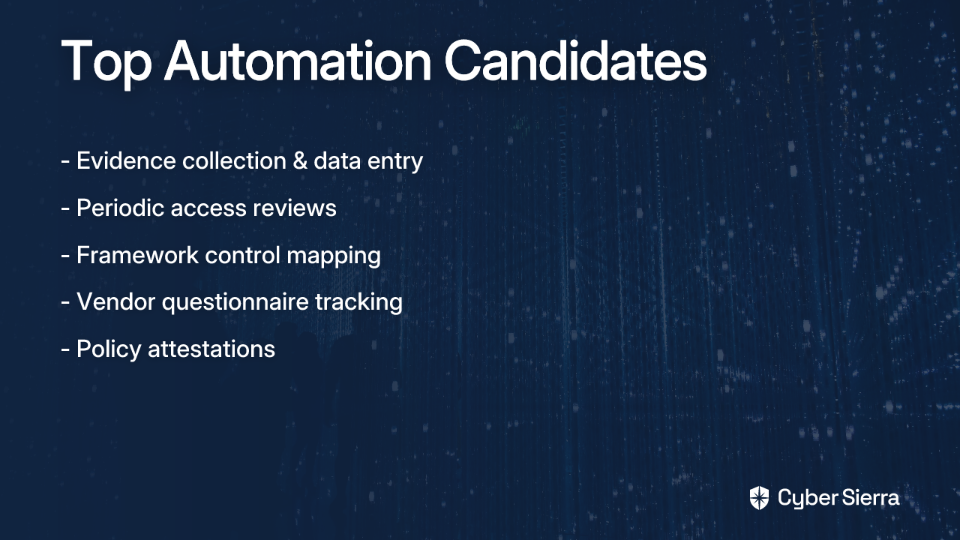
Then, identify your highest-pain, highest-frequency tasks. These are your best automation candidates:

  • Evidence collection and data entry — manually pulling logs, screenshots, and configs every quarter is a classic bottleneck
  • Periodic access reviews — often delayed or forgotten until the week before an audit
  • Framework mapping — maintaining separate spreadsheets for SOC 2, ISO 27001, and NIST controls is unsustainable

Finally, clarify which compliance frameworks are in scope for your organization (e.g., SOC 2, ISO 27001, NIST, HIPAA, PCI DSS). This directly informs which platform capabilities you'll need. A structured audit approach helps you avoid buying a platform with features you don't need — or missing ones you do.
Platform note: If your audit reveals overlapping obligations across multiple frameworks, a tool like Cyber Sierra's GRC module is built precisely for this — automating data collection and control monitoring across SOC 2, ISO 27001, HIPAA, GDPR, and PCI DSS from a single interface.

Step 2: Build Internal Stakeholder Buy-In with a Data-Driven ROI Framework

Even if you know automation is the right move, you still need budget approval — and that means making the business case in language leadership understands.

Build your ROI framework around three pillars:

1. Hours Saved Quantify the time your team currently spends on manual compliance tasks. The numbers are often eye-opening. As one practitioner shared: "We went from spending like 2-3 days every month just gathering evidence and updating spreadsheets to maybe 30 minutes" (shared on Reddit). Multiply that across your team and your annual audit cycle, and you have a compelling labor cost savings figure.

2. Reduced Audit Costs Manual processes mean more hours billed by external auditors and more internal prep time. Automated compliance tools provide audit-ready records, dramatically cutting audit prep time and the back-and-forth of evidence sharing with auditors.

3. Mitigated Risk Exposure This is the big one for the C-suite. Non-compliance fines, failed audits, and data breaches carry significant financial and reputational costs. Resolver notes that automated systems reduce the likelihood of missed controls, providing a defensible compliance posture that reduces organizational risk.

Platform note: Cyber Sierra's centralized dashboards and automated reporting capabilities make it easy to give leadership real-time visibility into your compliance and risk posture — turning your ROI argument into something you can actually show in a demo.

Step 3: Select the Right Platform Against a Readiness Checklist

The compliance automation market is crowded. And choosing the wrong tool is painful, as one practitioner learned the hard way: "We almost went with a different vendor but they had zero support for some of our monitoring systems."

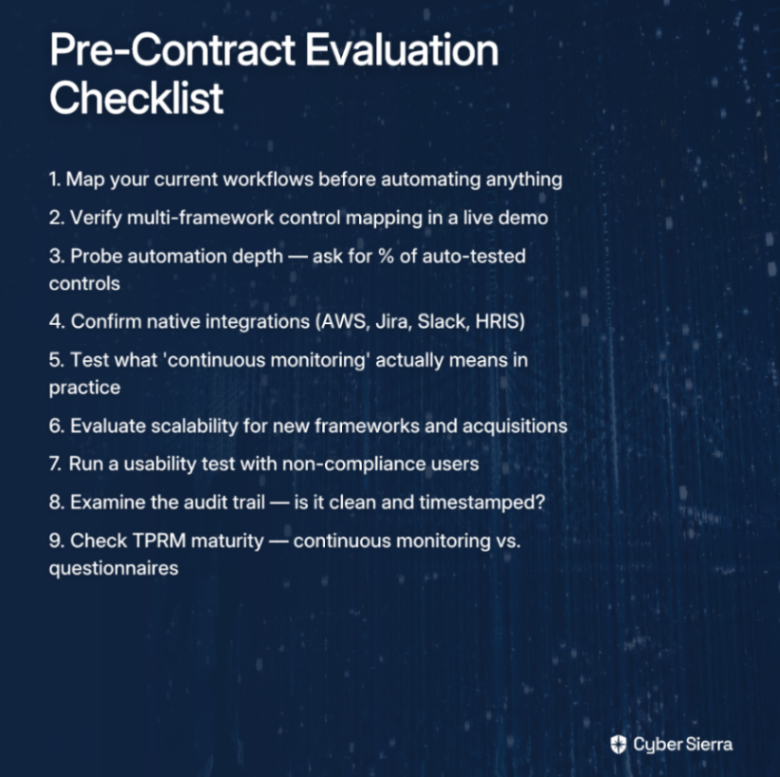
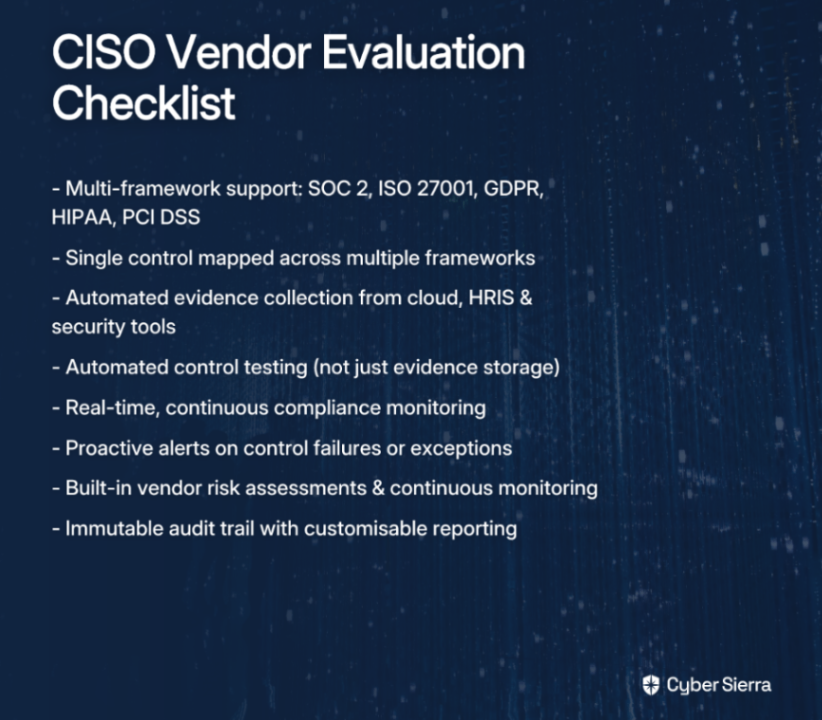
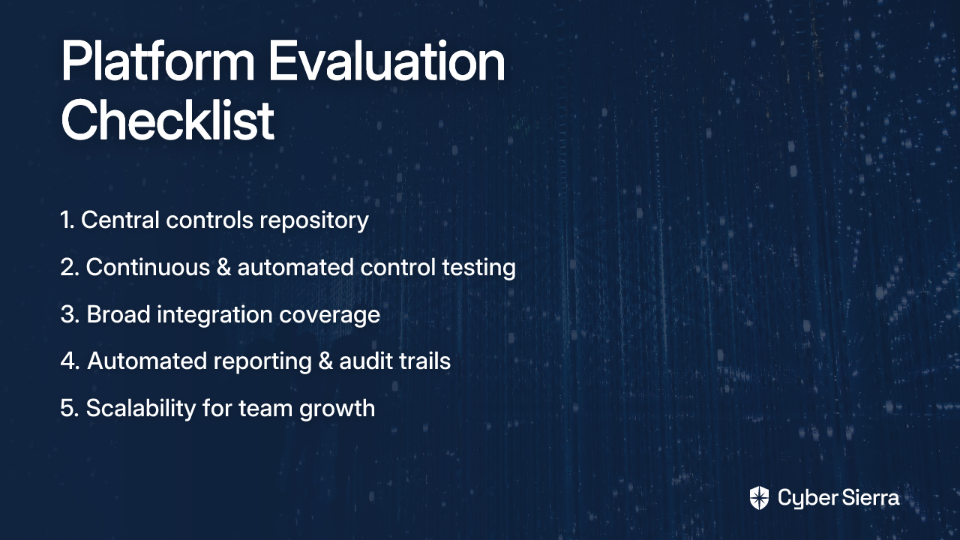
Use this checklist when evaluating platforms:

  • Central controls repository. Can it manage controls across multiple frameworks (SOC 2, ISO 27001, NIST, PCI DSS) from one place, without rebuilding your evidence library from scratch for each framework?
  • Continuous monitoring and automated control testing. Does it go beyond point-in-time checks to give you near real-time visibility into your security posture?
  • Broad integration coverage. Does it plug into your existing stack? (AWS, GitHub, HRIS, endpoint management, etc.) Community consensus is clear: prioritize integration coverage before anything else.
  • Automated reporting and audit trails. Can it generate the reports your auditors need without a week of manual prep?
  • Scalability. Will it grow with your team and your compliance scope?
Platform note: Cyber Sierra's CCM module checks each of these boxes. Its central controls repository eliminates the need to rebuild evidence libraries from scratch when you add a new framework. Its continuous monitoring engine provides near real-time updates on control status — no more waiting for a quarterly review to discover a gap. And for teams serious about security (not just compliance checkbox theater), Cyber Sierra's Threat Intelligence module adds vulnerability scanning across your network and cloud infrastructure, helping you verify that your controls are actually working.

Step 4: Onboard and Map Existing Controls to the New System

Here's where many teams underestimate the effort involved. As one sysadmin candidly noted: "You'll save days of evidence collection every quarter, but you'll spend weeks up front wiring everything into your stack." That's not a reason to avoid automation — it's a reason to plan the onboarding carefully.

Three things to get right:

  1. Phase your transition. Don't try to migrate every framework and every integration at once. Start with the highest-pain process identified in your Step 1 audit — typically evidence collection for your primary framework — and expand from there. Clear timelines and owners prevent the rollout from stalling.
  2. Map your existing controls systematically. Transfer your current controls into the new system methodically, verifying coverage as you go. The goal is continuity — no gaps created during the transition. Resolver recommends treating this mapping exercise as an opportunity to clean up outdated or redundant controls, not just a copy-paste exercise.
  3. Train your team and get them involved early. Automation is only as effective as the team using it. As one practitioner put it: "It's only as useful as your team can make it." Involve relevant stakeholders — IT, legal, HR, engineering — in the onboarding process. Assign clear ownership for each control area in the new system.

Platform note: Cyber Sierra's central controls repository significantly eases Step 4's burden. Because controls can be applied across multiple frameworks without redundant re-entry, the initial mapping effort pays dividends immediately — you're not duplicating work for every framework you manage.

Step 5: Achieve Continuous Monitoring Maturity

Getting the platform live is just the beginning. The real payoff is moving from a periodic, audit-driven mindset to a continuous compliance posture — where gaps are caught in days, not discovered during an annual audit.

Here's how to get there:

  • Shift from scheduled reviews to continuous control monitoring. Rather than quarterly snapshots, configure your platform to continuously test controls and flag deviations as they happen. Continuous compliance monitoring is increasingly recognized as essential for effective risk management in today's rapidly changing threat landscape.
  • Tune your alerts deliberately. Notification fatigue is real — if every minor drift triggers an alert, your team will start ignoring them. Invest time in configuring meaningful thresholds and routing alerts to the right owners. The goal is actionable signal, not noise.
  • Distribute compliance ownership across the organization. Use the platform to assign control responsibilities to specific teams and individuals. Automation clarifies accountability in ways that a shared spreadsheet never can — and helps build a compliance culture, not just the security team's problem.
  • Keep the human element front and center. Automation handles the evidence gathering, the control testing, the reporting cadence. But it can't replace judgment. As one security professional put it directly: "The hard part about SOC 2 isn't the automation of collecting evidence. The hard part about SOC 2 is actually being secure." Use the time your platform saves to do the deeper work — refining your risk program, strengthening vendor oversight, and building genuine security resilience.

Platform note: Cyber Sierra's Continuous Control Monitoring module is purpose-built for this maturity stage. It delivers clear, ongoing visibility into your security posture, actionable risk intelligence for prioritized remediation, and real-time detection of exceptions and anomalies — so your team can fix gaps before they become incidents, not after an auditor finds them.
From Audit Scramble to Automated Confidence

Leaving spreadsheets behind doesn't have to be chaotic. A successful transition to automation boils down to a few key principles: start by auditing your highest-pain manual tasks, choose a platform built for continuous monitoring, and prioritize features like a central controls repository that scales as you grow. This turns compliance from a reactive, audit-driven scramble into a proactive program that strengthens your security posture year-round.

Your next step today is simple: pick one manual task that consistently causes friction—like quarterly access reviews—and calculate the hours it consumes. That number is the first data point in your business case for a smarter workflow.

When you're ready to see how a GRC platform can reclaim those hours and give you a real-time, audit-ready view of your controls, book a personalized demo. We can show you exactly how it works for your specific frameworks.

Frequently Asked Questions

What is compliance automation software?

Compliance automation software replaces manual tasks like spreadsheets and email reminders with a centralized platform. It automates evidence collection, control monitoring, and reporting to streamline audits for frameworks like SOC 2 and ISO 27001, ensuring continuous, audit-ready compliance.

Why should we switch from manual compliance tracking to automation?

You should switch to save time, reduce human error, and lower audit costs. Automated systems provide continuous monitoring and audit-ready evidence, strengthening your security posture and freeing up your team for more strategic work instead of chasing down screenshots and logs.

How long does it take to implement compliance automation software?

Implementation time varies, but plan for several weeks of initial setup. While you save days each quarter on evidence collection, the upfront work involves integrating the platform with your tech stack and methodically mapping existing controls to the new system. A phased rollout is recommended.

What are the most important features to look for in a compliance automation tool?

Key features include a central controls repository for multiple frameworks, continuous monitoring capabilities, broad integration with your existing tools (AWS, GitHub), and automated, audit-ready reporting. Scalability to grow with your compliance needs is also crucial.

Can one tool manage multiple frameworks like SOC 2 and ISO 27001?

Yes, a key benefit of leading platforms is managing multiple frameworks from a single interface. A central controls repository allows you to map controls to SOC 2, ISO 27001, HIPAA, and others without duplicating evidence collection efforts for each audit.

Does automation replace the need for a compliance team?

No, automation empowers your compliance team, it doesn't replace it. It handles repetitive evidence gathering, freeing up your experts to focus on strategic risk management, control refinement, and improving the overall security program instead of administrative tasks.
blog-hero-background-image
Governance & Compliance

Vanta vs Drata vs Cyber Sierra: Which Automated Compliance Software Wins for Enterprises

backdrop
Table of Contents

Join thousands of professionals and get the latest insight on Compliance & Cybersecurity.


Summary

  • With 85% of companies facing increasingly complex compliance requirements, tools designed only for audit readiness are proving insufficient for enterprise needs.
  • Vanta and Drata are effective for startups and SMBs seeking single certifications, but enterprises require deeper capabilities like multi-framework support and integrated vendor risk management.
  • For genuine security, enterprises should prioritize platforms offering near real-time monitoring and proactive threat intelligence over those with only hourly or daily checks.
  • Cyber Sierra's Governance, Risk & Compliance (GRC) platform is designed for this complexity, integrating continuous monitoring and TPRM to move beyond compliance checklists to real risk management.

So where does that leave enterprise security leaders evaluating Vanta, Drata, or Cyber Sierra? It depends entirely on what you're trying to accomplish.

As compliance requirements grow more complex, the "just get the cert" approach is no longer sufficient. Enterprises today are juggling multiple regulatory frameworks, sprawling vendor ecosystems, and board-level pressure to demonstrate continuous security — not just an annual audit-clean bill of health.

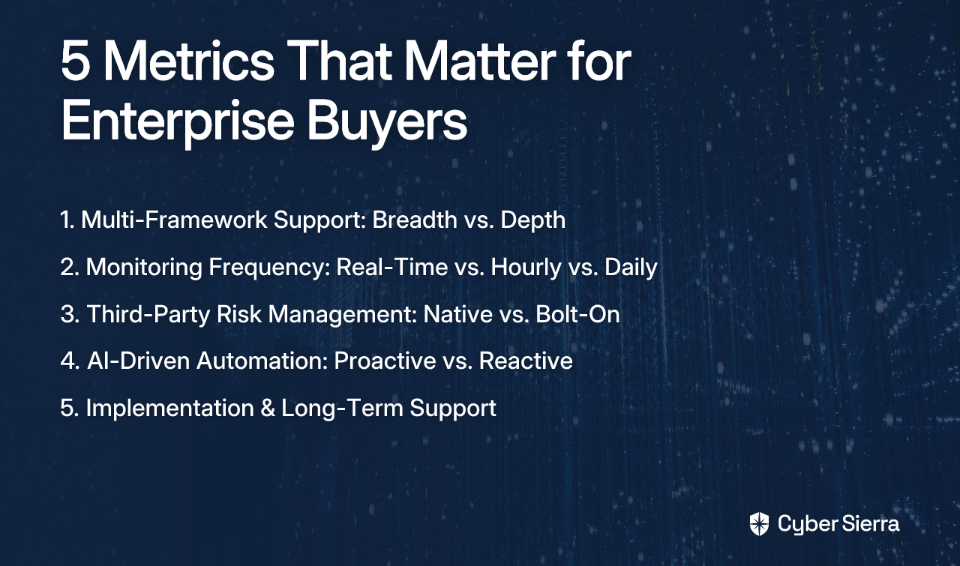
This article breaks down how Vanta, Drata, and Cyber Sierra stack up across the metrics that matter most to enterprise buyers: multi-framework depth, monitoring frequency, third-party risk management, AI-driven automation, and implementation complexity. No fluff — just a structured, honest comparison.

The Enterprise Challenge: Why Point Solutions Fall Short

If you've spent any time in security and compliance circles, you've likely heard some version of this sentiment: "Compliance != security for sure." Or perhaps the more pointed observation: "The hard part about SOC 2 isn't the automation of collecting evidence. The hard part is actually being secure." (Source)

These aren't fringe opinions. They represent a growing frustration among security professionals who've invested in automated compliance software, only to find the tools optimized for passing audits — not for building resilient security programs.

A startup's compliance journey typically looks like this: identify a lead that requires SOC 2, spin up a tool, collect evidence, pass the audit. Done.

Enterprise compliance is a fundamentally different problem. You're not chasing one certificate — you're managing a maze of overlapping frameworks: SOC 2, ISO 27001, NIST CSF, PCI DSS, GDPR, HIPAA, and sometimes custom regulatory obligations depending on your industry and markets. Each has its own control requirements, evidence standards, and audit cadences.

Then there's the vendor ecosystem. Security professionals consistently flag the challenge of trying to "validate actual controls and processes inside vendors" as one of the most frustrating and underserved problems in the GRC space. A tool that handles your internal controls but ignores your 200-vendor supply chain isn't solving the enterprise problem — it's addressing half of it.

Finally, there's the temporal dimension. Genuine risk management requires continuous visibility, not a snapshot every 24 hours. A misconfigured cloud resource or a newly exposed credential doesn't wait for your next scheduled scan.

Feature Matrix: Vanta vs. Drata vs. Cyber Sierra at a Glance

This matrix provides a high-level overview of how each platform positions itself for different market segments.

FeatureCyber SierraVantaDrata
Ideal ForEnterprises (Complex Needs)Startups (First Certification)SMBs (Straightforward Needs)
Core FocusIntegrated Risk & ComplianceAudit Readiness AutomationContinuous Compliance
Multi-Framework SupportComprehensive (NIST, ISO, PCI, GDPR, HIPAA + Custom)Broad (35+ frameworks, SOC 2/ISO focus)Moderate (30+ frameworks, SOC 2/HIPAA focus)
Monitoring FrequencyNear Real-Time (Continuous)HourlyDaily
Integrated TPRMYes (Native, Comprehensive)LimitedModerate
AI-Driven AutomationYes (Proactive Risk Intelligence)Moderate (Evidence Collection)Moderate (Questionnaire Gen.)
Implementation ComplexityLow (Designed for Scale)ModerateHigher (More Configuration)

Source: Analysis based on data from third-party analysis and internal research.

Deep Dive: Five Metrics That Matter for Enterprise Buyers

While a feature matrix gives a quick overview, the real differentiators for enterprises lie in the details. Here’s a closer look at the five key areas where these platforms diverge.

1. Multi-Framework Support: Breadth vs. Depth

Vanta supports 35+ security and privacy frameworks, with particular strength in SOC 2 and ISO 27001. For a startup's first certification, this is more than enough. However, enterprises operating across multiple jurisdictions and industries often find Vanta's framework depth insufficient for nuanced requirements like NIST CSF or custom control libraries.

Drata covers over 30 pre-mapped frameworks, including GDPR, HIPAA, and PCI DSS, making it a solid option for SMBs with a clear handful of standards to manage. Its documentation capabilities and Trust Center are genuine strengths, but multi-framework complexity at enterprise scale stretches the platform.

Cyber Sierra is purpose-built for this complexity. Its GRC module provides deep, native support for NIST, ISO 27001, PCI DSS, GDPR, HIPAA, and custom controls — all within a unified platform. Cross-framework control mapping eliminates the duplication of effort that plagues enterprises managing overlapping obligations, and its automated reporting is designed to help significantly reduce audit preparation time.

2. Monitoring: Are Hourly Checks Enough?

This is where the philosophical divide between audit-prep tools and risk management platforms becomes most visible.

Vanta runs over 1,400 automated tests powered by 400+ integrations and checks controls on an hourly basis. That's genuinely impressive for evidence collection. Drata offers real-time dashboards and daily automated tests across its control library. Both platforms represent a significant upgrade over purely manual compliance.

But here's the problem: hourly and daily polling still creates windows. A misconfigured S3 bucket, an over-permissioned API key, or a lapsed security policy can exist — undetected — for up to 24 hours in a daily-check model. For enterprises where a single control failure can cascade into a regulatory event, that gap matters.

Cyber Sierra's Continuous Control Monitoring (CCM) module is built around a different architecture entirely. Rather than scheduled polling, it provides near real-time visibility into security controls — detecting exceptions and anomalies as they emerge, not after the fact. The result is a living, breathing controls repository that reflects your actual security posture at any given moment, enabling proactive risk mitigation rather than reactive remediation after the next scan cycle.

3. Third-Party Risk Management: An Integrated Necessity

TPRM is where many compliance tools reveal their startup DNA most clearly.

Vanta and Drata both include vendor management features, but they function more as checklists than true risk management programs. When security practitioners discuss TPRM frustrations, the common thread is the inadequacy of the SIG (Shared Assessments Questionnaire) approach — mountains of questions sent to vendors, slow responses, and no continuous insight into whether a vendor's controls have degraded since they filled out the form. Neither Vanta nor Drata meaningfully solves this.

Cyber Sierra's Third-Party Risk Management (TPRM) module is a native, core component of the platform — not an afterthought bolt-on. It automates vendor assessments, prioritizes your vendor inventory by risk tier, and provides 24/7 continuous visibility into vendor compliance posture. For enterprises with complex supply chains, this transforms TPRM from a periodic questionnaire exercise into an ongoing risk signal. Onboarding, due diligence, and offboarding are all streamlined within the same platform your GRC team is already using.

4. AI-Driven Automation: Beyond Evidence Collection

All three platforms lean on AI, but the applications differ meaningfully.

Vanta uses AI to generate code snippets for faster remediation and automates the bulk of evidence collection. Vanta cites IDC research that its platform helps users reduce compliance-related work by up to 85%. That's a real operational win for teams drowning in spreadsheets.

Drata has invested in Drata AI, which helps generate consistent, defensible responses for security questionnaires and enhances GRC workflows with intelligent suggestions. Useful for documentation-heavy compliance programs.

Cyber Sierra deploys AI as a forward-looking risk engine rather than a backward-looking evidence collector. Its Threat Intelligence module uses an outside-in scanning approach — assessing your network and cloud infrastructure for vulnerabilities and misconfigurations before attackers find them. Combined with the actionable risk intelligence surfaced through CCM, the AI layer is oriented toward helping identify potential security failures rather than simply documenting that your controls existed at a point in time. For enterprises that view compliance as a byproduct of strong security (rather than the goal itself), this is a critical distinction.

5. Implementation & Support: Avoiding the "Year Two" Slump

Anyone who's read honest reviews of compliance tools has encountered the year-two problem. One practitioner put it bluntly: "Year one was great. Low price, great service. In year two it went downhill immediately. Price went up 40% and service all but disappeared." (Source)

Vanta is known for its relatively smooth onboarding experience, particularly for smaller organizations. Drata is powerful but requires more configuration investment upfront — which translates to more internal time and expertise required to get the platform delivering value.

Both tools face the same structural challenge: they were designed for the startup use case first and have scaled upward from there. Enterprise rollouts with complex control environments, multiple business units, and diverse tech stacks often expose limitations in both support depth and platform flexibility.

Cyber Sierra is designed from the ground up for enterprise integration complexity, with a typical implementation timeline of three to six months and a product architecture — spanning GRC, CCM, TPRM, Threat Intelligence, Employee Security Training, and Cyber Insurance readiness — that's built to consolidate your tech stack rather than add to it. Fewer tools to integrate, fewer contracts to manage, and a single vendor relationship to hold accountable.

Who Should Choose What?

Choose Vanta if you're an early-stage startup pursuing your first SOC 2 or ISO 27001 certification and need to move fast. Vanta's 400+ integrations, streamlined onboarding, and strong audit-readiness features make it the most accessible entry point for a company with a straightforward vendor ecosystem and a single certification target.

Choose Drata if you're a growing SMB that needs robust documentation capabilities, a customer-facing Trust Center, and support for a defined set of frameworks like SOC 2 or HIPAA. Drata's emphasis on compliance depth and continuous documentation is a good fit for teams that prioritize audit trail quality and need to demonstrate compliance posture to customers.

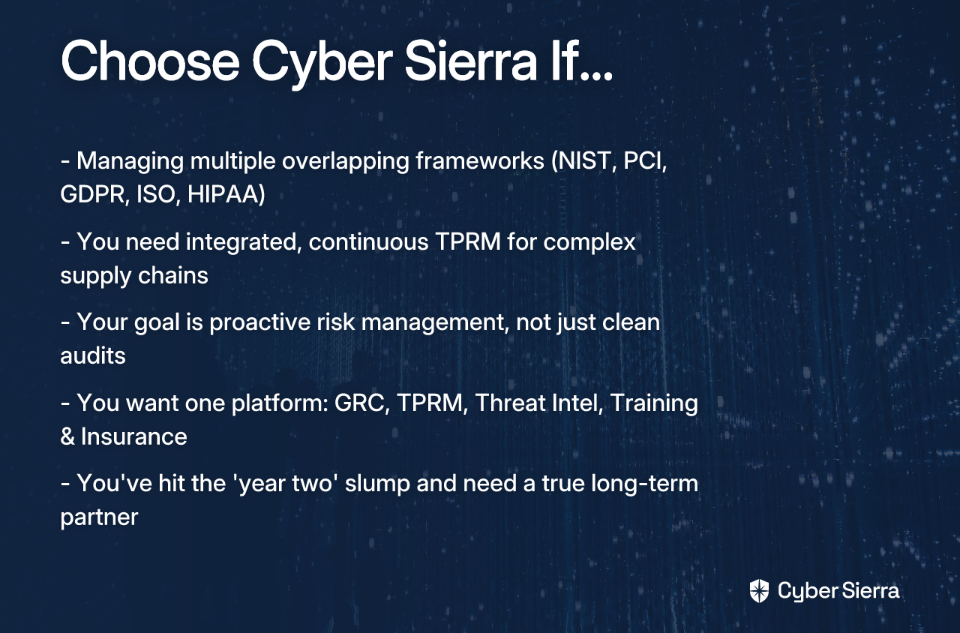
Choose Cyber Sierra if:

From Audit-Ready to Always Secure

Choosing the right GRC platform isn't just about features; it's a decision about your security philosophy. Are you preparing for an annual audit, or building a resilient, always-on security program?

The key takeaway is simple: while Vanta and Drata are effective for getting startups and SMBs certified, enterprises face a different reality. True enterprise-grade GRC requires more than periodic checks and siloed vendor questionnaires. It demands:

  • Continuous, near real-time monitoring to catch risks as they happen.
  • Integrated TPRM that provides a live, unified view of supply chain risk.
  • A unified platform that consolidates GRC, vendor risk, and threat intelligence.

Your next step today? Ask your team if your current tools are closing security gaps or just documenting them for the next audit.

If your goal is to move beyond the checklist to a platform that unifies GRC, TPRM, and continuous monitoring, explore how Cyber Sierra helps.

Frequently Asked Questions

What is the main difference between Vanta, Drata, and Cyber Sierra for enterprise use?

The main difference lies in their core focus. Vanta and Drata are optimized for audit readiness for startups and SMBs, while Cyber Sierra is an integrated risk and compliance platform built for the multi-framework complexity, continuous monitoring, and TPRM needs of large enterprises.

When is it better to choose Vanta or Drata?

Vanta is ideal for startups needing their first SOC 2 or ISO 27001 certification quickly. Drata is a strong choice for SMBs that require robust documentation and a customer-facing Trust Center for a defined set of compliance frameworks. Both are excellent for simpler compliance needs.

What should I look for in an enterprise-grade compliance platform?

Look for deep multi-framework support (NIST, ISO, PCI), near real-time continuous control monitoring, a native Third-Party Risk Management (TPRM) module, and AI that provides proactive risk intelligence—not just evidence collection—to effectively manage complex environments.

Why is near real-time monitoring critical for enterprise security?

Near real-time monitoring is critical because it closes security gaps. Hourly or daily scans leave windows where misconfigurations can be exploited. Continuous monitoring detects and alerts on exceptions as they happen, enabling proactive risk mitigation before they become major incidents.

How does an integrated TPRM module benefit large organizations?

An integrated TPRM module provides continuous visibility into vendor risk, not just a point-in-time questionnaire. It automates assessments and monitors your entire supply chain within the same platform as your internal GRC, streamlining workflows and providing a holistic view of your risk posture.

How does Cyber Sierra go beyond just audit preparation?

Cyber Sierra goes beyond audit prep by integrating GRC with proactive security functions. Its platform combines continuous monitoring, third-party risk management, and threat intelligence to help you build a resilient security program, making compliance a natural byproduct of being secure.

blog-hero-background-image
Governance & Compliance

How to Choose Compliance Monitoring Software Without Getting It Wrong

backdrop
Table of Contents

Join thousands of professionals and get the latest insight on Compliance & Cybersecurity.


Summary

  • The financial stakes of non-compliance are enormous, highlighted by Meta's $1.3 billion fine for GDPR violations.
  • Many organizations select compliance software based on superficial demos instead of crucial factors like specific framework support and integration capabilities.
  • Adopt a four-stage evaluation process: define your obligations, assess control gaps, score vendors on automation depth, and stress-test their audit-readiness.
  • Cyber Sierra's GRC platform automates evidence collection and centralizes controls to help you move from periodic checks to a state of continuous compliance.

If you've ever watched your team flag the same security issue for the third month in a row—with nothing resolved—you know the frustration of compliance work done without the right tools. Or maybe you've lived through the frantic pre-audit scramble, trying to prepare in weeks for something that should have been managed all year.

The stress is real, the stakes are high, and the wrong software only makes things worse.

Here's the uncomfortable truth: most organizations choose compliance monitoring software the wrong way. They evaluate vendors based on feature lists and pricing tiers, get dazzled by slick demos, and sign contracts before asking the questions that actually matter — like does this platform even support my regulatory frameworks? or will my team be able to use this without rebuilding our entire stack?

The consequences of getting this wrong aren't abstract. Meta was fined USD 1.3 billion for GDPR violations — a stark reminder that non-compliance isn't a bad quarter, it's an existential risk. Whether you're managing SOX, HIPAA, PCI DSS, or GDPR obligations, the pressure to "avoid legal troubles and financial losses" through compliance is a constant reality for security teams.

This article gives you a structured, four-stage evaluation process so you can choose a compliance platform that fits your actual regulatory obligations and operational reality — not just one that looked good in a demo.

Stage 1: Define Your Framework Obligations (The "Why")

Before you open a single vendor brochure, you need a precise inventory of your compliance obligations. As one practitioner put it bluntly on a Reddit thread: "Depends what you need to be compliant with." It sounds obvious, but many buying decisions skip this foundational step entirely.

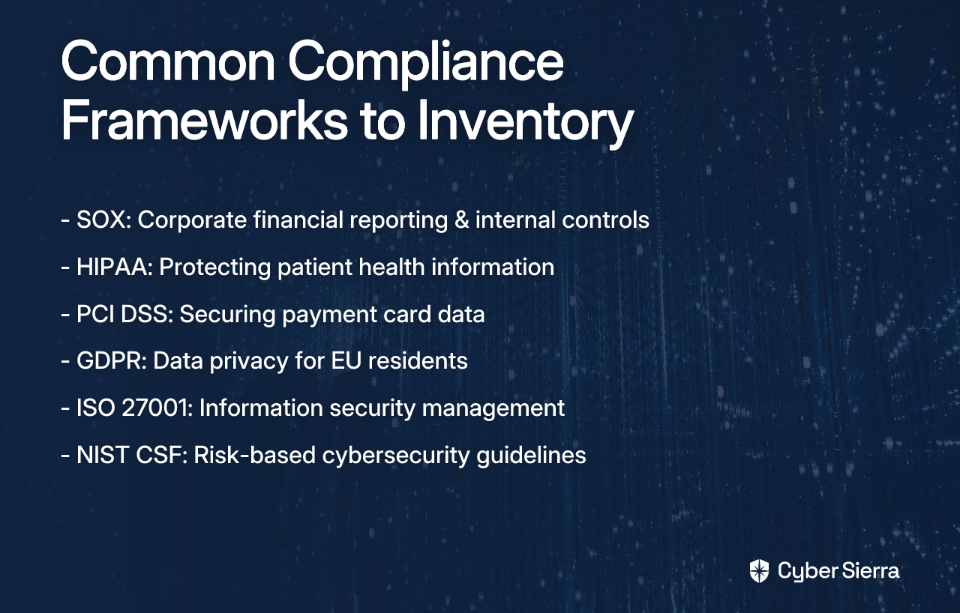
Start by listing every regulation and standard your organization must adhere to. Common frameworks include:

  • SOX (Sarbanes-Oxley Act): Corporate financial reporting and internal controls
  • HIPAA: Protecting sensitive patient health information in healthcare
  • PCI DSS: Securing payment card transactions and cardholder data
  • GDPR: Data privacy and protection for EU residents
  • ISO 27001: International standard for information security management
  • NIST Cybersecurity Framework: Risk-based guidelines for managing cybersecurity programs

Once you've inventoried your frameworks, go deeper. For each one, identify the specific controls, evidence requirements, and reporting cadences you're obligated to meet. This documentation becomes your non-negotiable requirement list — your benchmark against which every vendor gets measured. If a vendor can't map their capabilities directly to your obligations on paper, they won't be able to do it in production either.

Stage 2: Assess Your Current Control Gaps (The "What")

You can't fix what you can't see, and you can't buy a solution for a problem you haven't defined. Stage 2 is about turning the lens inward before you start evaluating external tools.

Conduct a structured gap analysis by mapping your existing security controls against the framework obligations you documented in Stage 1. This will surface two critical categories:

  1. Gaps — Controls that are missing or insufficiently implemented
  2. Overlaps — Areas where a single control satisfies requirements across multiple frameworks (a significant efficiency opportunity)

Pay attention to where your current workflows break down. Is evidence collection still manual? Are your audit trails stored in spreadsheets? Are control statuses only visible during periodic reviews? These aren't just operational annoyances — they're the exact gaps your new compliance monitoring software needs to close.

Look for platforms that offer regulator-oriented dashboards to visualize control status against each framework requirement. When gaps are instantly visible rather than buried in reports, your team can prioritize remediation before an auditor finds the problem first.

Stage 3: Score Vendors on Automation Depth and Integration (The "How")

This is where the rubber meets the road. Armed with your framework obligations and a clear picture of your control gaps, you can now evaluate vendors on the criteria that actually matter.

Automation Depth

Forget feature checklists — focus on how deeply a platform automates the manual work your team currently does by hand. Anyone who's been asked to provide evidence via screen share knows exactly how soul-crushing this process is.

True automation means the platform connects directly to your cloud environments (AWS, Azure, GCP), code repositories, HR systems, and SaaS tools to pull evidence automatically — no screenshots required.

Integration Capability

A compliance platform that creates data silos is a liability. It must integrate with your existing security stack — your SIEM, ITSM, vulnerability scanners, and identity providers — to serve as a genuine single source of truth. Integration complexity is one of the most common failure points in compliance software implementations, leading to data discrepancies and broken workflows.

Multi-Framework Support

Managing multiple frameworks simultaneously is, as one security professional noted, "a huge challenge, even worse if you have a big scope." The most effective approach — and the one savvy practitioners already use — is to "map multiple frameworks to a single control" using something like the NIST framework as a common backbone. Look for platforms with a centralized controls repository that lets you map a control once and satisfy requirements across SOC 2, ISO 27001, GDPR, and PCI DSS simultaneously.

Questions to Ask Every Vendor

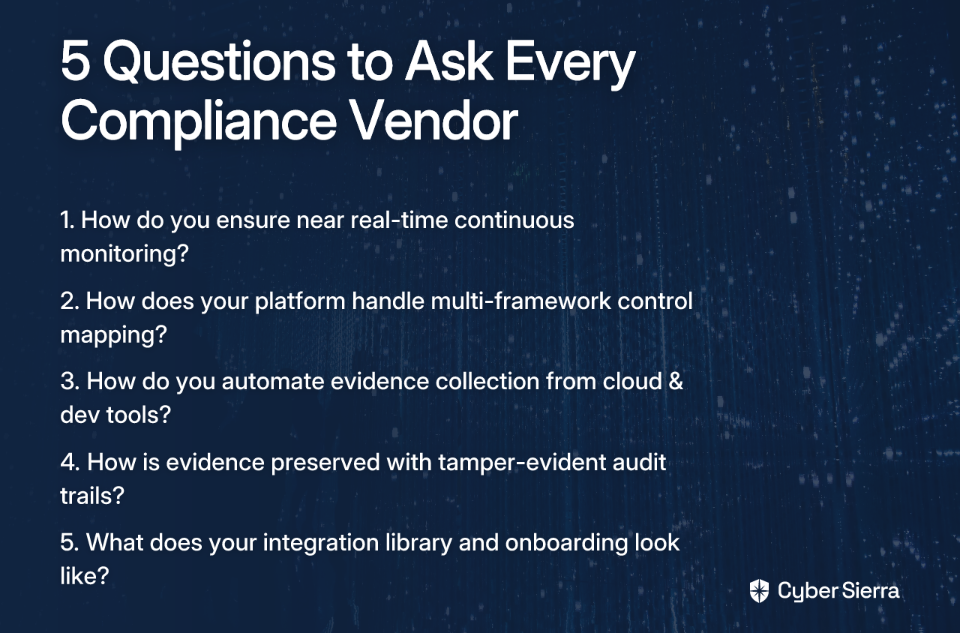
Before you request a demo or shortlist a vendor, arm yourself with these questions. They're designed to cut through marketing language and reveal whether a platform can actually deliver on what matters most:

  1. On Continuous Monitoring: "How does your platform ensure continuous control monitoring in near real-time? Can you show us specifically how it moves us beyond periodic, point-in-time checks to ongoing visibility?"
  2. On Multi-Framework Management: "Walk us through your control mapping feature. If we need to comply with SOC 2, ISO 27001, and GDPR simultaneously, how does your platform prevent us from duplicating effort?"
  3. On Evidence Collection Automation: "Our team currently spends hours on manual evidence collection — including screenshots for auditors. How does your platform automate this, particularly from cloud environments and developer tools?"
  4. On Audit-Readiness: "Describe your evidence vault. How is evidence collected, preserved with tamper-evident trails, and made accessible to both internal stakeholders and external auditors?"
  5. On Integration and Implementation: "What does your integration library look like? How do you support implementation alongside our existing security stack, and what does the onboarding timeline typically look like for an organization of our size?"

Notice what these questions are probing: continuous monitoring, multi-framework efficiency, deep automation, and audit-readiness. These aren't nice-to-have features — they're the core capabilities that separate platforms built for real-world GRC operations from those built for sales demos.

Stage 4: Stress-Test for Audit-Readiness (The "Proof")

A polished demo is not proof of anything. Stage 4 is about validating capabilities in a context that mirrors your actual environment before you commit.

Here's how to pressure-test a shortlisted vendor:

  1. Request a Proof of Concept or Sandbox Environment: Any credible vendor should offer a way to assess the platform against your own workflows and data structures.
  2. Simulate a Real Audit Scenario: Pick a specific, complex control from one of your required frameworks — say, a PCI DSS access control requirement or a HIPAA audit log obligation — and ask the vendor to walk you through, step by step, how their platform collects evidence and generates an auditor-ready report.
  3. Evaluate Partnership Quality: The transition to automated compliance isn't always seamless. Winning over auditors to new automation approaches "takes multiple walkthroughs and tieouts." You need a vendor who understands this dynamic and proactively supports you through it — not one who hands you a login and disappears.

If a vendor can't pass this stage with flying colors, no amount of attractive pricing will save you when the auditor shows up.

Passing All Four Stages: Where Cyber Sierra Fits In

If you apply the four-stage framework above rigorously, you'll quickly narrow the field. Most platforms excel at one or two of the evaluation dimensions. Few handle all four without compromise.

Cyber Sierra was built specifically around the capabilities this evaluation process surfaces as critical — which is why it holds up well under genuine scrutiny rather than just polished sales conditions.

  • Stage 1 & 2 — Framework Mapping and Gap Visibility: Cyber Sierra's GRC platform manages multiple frameworks — SOC 2, ISO 27001, HIPAA, GDPR, PCI DSS — from a single centralized control repository. You map a control once; the platform applies it across every applicable framework, eliminating the duplication that overwhelms teams managing multi-framework compliance at scale.
  • Stage 3 — Automation Depth and Integration: Cyber Sierra's CCM module replaces periodic manual checks with near real-time visibility into control effectiveness. It automates evidence collection from your cloud environments and tech stack, providing a single source of truth for your compliance posture — and ending the screenshot-for-auditors era.
  • Stage 4 — Audit-Readiness by Design: The platform generates comprehensive reports and maintains detailed, tamper-evident audit trails, so you're always prepared for scrutiny. You don't scramble before audits — you're already ready.

Beyond the core compliance infrastructure, Cyber Sierra's TPRM module extends continuous monitoring to your third-party vendors as well, ensuring your supply chain risk is manageable alongside your internal control posture.

Make Your Next Audit a Formality

Choosing the right compliance software isn't just a technical decision—it's how you reclaim your team's time from the endless cycle of audit prep. Instead of chasing features, focus on outcomes.

Here’s how to get it right:

  • Start with your reality: Before looking at any platform, document your specific framework obligations and control gaps. This becomes your non-negotiable checklist.
  • Prioritize true automation: Score vendors on how well they automate evidence collection from your actual tech stack, not just how slick their dashboards look.
  • Stress-test before you sign: Demand a trial and simulate a real audit scenario. Make vendors prove they can handle your most complex compliance requirements.

Your next step today? Pick one critical control and list every manual step your team takes to prove its effectiveness. That list is your business case for a better platform. When you're ready to automate that entire workflow, book your platform demo and see how we turn audit-readiness into your default state.

Frequently Asked Questions

What is compliance monitoring software?

Compliance monitoring software automates the tracking, managing, and reporting of an organization's adherence to regulatory standards like SOX, HIPAA, or GDPR. It replaces manual checks with continuous visibility into your control environment to simplify audits and reduce risk.

Why is continuous compliance monitoring better than periodic audits?

Continuous monitoring provides real-time visibility into your compliance posture, unlike periodic audits which are just a snapshot in time. This proactive approach allows you to identify and fix control gaps as they happen, preventing last-minute audit scrambles and reducing overall risk.

How does compliance software help manage multiple frameworks like SOC 2 and GDPR?

Effective compliance software uses a "map once, comply many" approach. It allows you to link a single security control to requirements across multiple frameworks (e.g., SOC 2, ISO 27001, GDPR). This eliminates duplicate work and ensures consistency across all your compliance obligations.

What are the key features of effective compliance monitoring software?

Look for three core features: deep automation for evidence collection, a centralized control repository for multi-framework mapping, and seamless integrations with your existing tech stack (cloud, SIEM, etc.). These capabilities move you from manual work to a state of continuous, audit-ready compliance.

How can I evaluate a compliance vendor before buying?

Use a structured, four-stage process: 1) Define your specific framework obligations, 2) Assess your current control gaps, 3) Score vendors on automation and integration depth, and 4) Stress-test the platform with a real audit scenario before you commit to a purchase.

Can compliance software really automate evidence collection for audits?

Yes, modern compliance platforms can automate evidence collection. They integrate directly with your cloud providers (AWS, Azure), code repositories, and SaaS tools to pull required evidence automatically. This eliminates the need for manual tasks like taking screenshots for auditors.

blog-hero-background-image
Governance & Compliance

9 Best Compliance Monitoring Software for Enterprises in 2026

backdrop
Table of Contents

Join thousands of professionals and get the latest insight on Compliance & Cybersecurity.


Summary

  • Manual compliance is failing enterprises managing multiple frameworks like SOC 2 and ISO 27001, leading to pre-audit scrambles and security gaps.
  • Modern compliance software automates evidence collection and provides continuous monitoring, shifting teams from reactive fire drills to a proactive, always audit-ready posture.
  • When choosing a tool, evaluate its framework coverage, automation depth, and real-time monitoring capabilities to match your company's size and compliance maturity.
  • For enterprises needing true continuous assurance, platforms like Cyber Sierra integrate GRC with a Continuous Control Monitoring (CCM) engine to detect compliance issues in near real-time.

If you've ever stared down an audit deadline while your team scrambles to pull evidence from five different tools, you already know the pain. Enterprise compliance teams are drowning — not because they lack effort, but because the systems they rely on were never built for the scale and speed modern regulations demand.

The reality? Manual compliance wasn't designed for today's environment. Managing frameworks like SOC 2, ISO 27001, PCI DSS, GDPR, and HIPAA simultaneously — across cloud environments, third-party vendors, and distributed teams — is simply not sustainable via spreadsheets and periodic reviews.

The pain of this manual approach is palpable. As one security manager shared on Reddit, "Baselining infrastructure or surfacing all the messed up security debt that's been accumulating for a while" is one of the hardest parts of the job. Another professional admitted they quit their last security manager role out of sheer frustration watching technical debt pile up while issues went unaddressed month after month.

As IBM notes, resource limitations, regulatory complexity, and error-prone manual processes are the defining challenges of modern compliance programs.

Modern compliance monitoring software changes the equation. Instead of bracing yourself a year in advance ("You need to do this about a year to 8 months before major audits to avoid the scramble"), these platforms provide always-on, audit-ready compliance — shifting your posture from reactive chaos to proactive assurance.

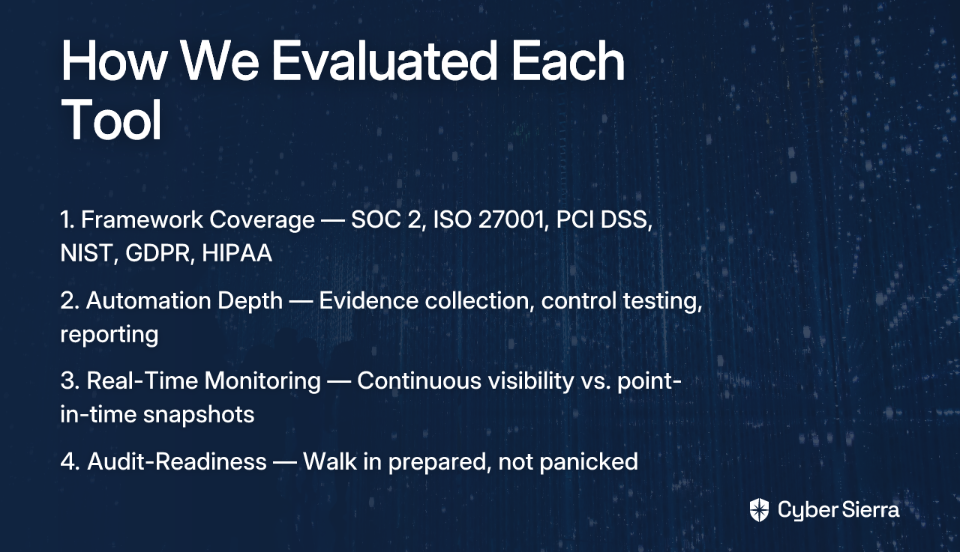
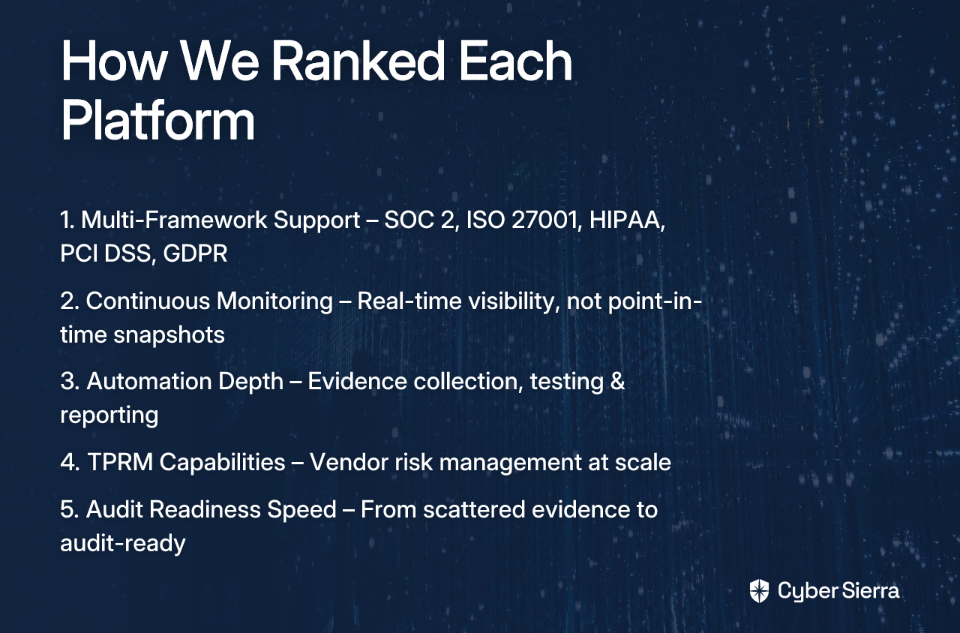
To make this list rigorous rather than arbitrary, every tool below is evaluated against four consistent criteria:

  • Framework Coverage — Support for multiple regulatory standards (SOC 2, ISO 27001, PCI DSS, NIST, GDPR, HIPAA)
  • Automation Depth — How much of the evidence collection, control testing, and reporting is automated
  • Real-Time Monitoring Capability — Whether the tool provides continuous, near real-time visibility or just point-in-time snapshots
  • Audit-Readiness Features — Tools that help you walk into an audit prepared, not panicked

9 Best Compliance Monitoring Software for Enterprises in 2024

1. Cyber Sierra — Best for Automated Continuous Monitoring

Cyber Sierra is an AI-enabled cybersecurity platform built specifically for enterprises that need to move compliance from a periodic chore to a continuously automated program. It's the only tool on this list that combines a dedicated Continuous Control Monitoring (CCM) engine with a full GRC module in a single integrated platform — making it the strongest pick for organizations that can't afford compliance blind spots between audits.

  • Framework Coverage: Cyber Sierra's GRC module supports SOC 2, ISO 27001, PCI DSS, GDPR, HIPAA, and NIST, with multi-framework control mapping that eliminates the redundant work of managing each framework in isolation.
  • Automation Depth: The platform automates data collection, risk assessments, control testing, and reporting end-to-end. Its CCM module builds a central controls repository with near real-time updates, meaning your evidence doesn't go stale between audit cycles.
  • Real-Time Monitoring Capability: This is Cyber Sierra's standout differentiator. The CCM engine provides ongoing visibility into security controls and detects exceptions and anomalies as they happen — not weeks later when an auditor asks about them. No point-in-time tool can replicate this level of continuous assurance.
  • Audit-Readiness Features: Cyber Sierra generates comprehensive, audit-ready reports and maintains detailed audit trails automatically. The dream that practitioners describe — "just kick out the report for your audit and your audits will be much easier" — is exactly what this platform delivers.
  • Ideal for: CISOs and compliance managers at regulated enterprises (BFSI, HealthTech, Manufacturing, Technology) who need a unified view across multiple frameworks and can't afford gaps in control coverage.

2. Drata — Best for High-Growth, Cloud-First Organizations

Drata has become a go-to compliance automation platform for cloud-native companies scaling quickly. It focuses on delivering continuous compliance assurance and building auditor trust through automation.

  • Framework Coverage: SOC 2, ISO 27001, HIPAA, GDPR, and more.
  • Automation Depth: Extensive integrations with cloud infrastructure, identity providers, and developer tools enable automated evidence collection from across the tech stack.
  • Real-Time Monitoring: Real-time control monitoring with smart gap detection helps teams catch drift before it becomes a finding.
  • Audit-Readiness: A clean compliance dashboard and streamlined auditor access make audit season significantly less painful.
  • Ideal for: Fast-scaling SaaS companies and cloud-first teams that need to maintain trust with enterprise buyers.

3. AuditBoard — Best for Large Enterprises Focused on SOX and Internal Controls

AuditBoard is a mature GRC platform designed for large enterprises with complex internal audit and SOX requirements. It centralizes risk, audit, and compliance workflows into a single system of record.

  • Framework Coverage: Strong focus on SOX, internal controls, and financial compliance frameworks.
  • Automation Depth: Automated evidence collection and tracking reduce the manual lift for internal audit teams significantly.
  • Real-Time Monitoring: More oriented toward workflow management than continuous technical control monitoring.
  • Audit-Readiness: Robust reporting and audit management workflows are a core strength, giving audit committees clear visibility into control status.
  • Ideal for: Large enterprises with dedicated internal audit functions and significant SOX obligations.

4. Hyperproof — Best for Enterprises with Complex, Diverse Internal Controls

Hyperproof is a comprehensive GRC platform with a powerful Continuous Controls Monitoring (CCM) engine built for organizations managing layered, multi-system compliance programs.

  • Framework Coverage: Supports a wide range of frameworks, with configurable control mapping to accommodate custom requirements.
  • Automation Depth: Automates evidence collection into a centralized repository and provides advanced orchestration for complex compliance programs. It's particularly strong at reducing manual compliance overhead and accelerating framework onboarding.
  • Real-Time Monitoring: Configurable monitoring and alerting lets teams tune how aggressively controls are tested, offering flexibility for different risk tolerances.
  • Audit-Readiness: Centralized evidence management means auditors can access what they need without chasing down team members.
  • Ideal for: Mid-to-large enterprises with complex, multi-system environments and a mature compliance function looking for deep customization.

5. Vanta — Best for Startups Needing Rapid Compliance

Vanta is arguably the most well-known name for startups pursuing their first SOC 2 or ISO 27001 certification. It's designed to accelerate the path to audit-readiness for companies that are compliance newcomers.

  • Framework Coverage: SOC 2, ISO 27001, HIPAA, GDPR, and several others.
  • Automation Depth: Continuous security monitoring with automated evidence collection and extensive integrations with cloud services and developer tools. Practitioners frequently recommend Vanta alongside Drata as a go-to for real-time compliance monitoring.
  • Real-Time Monitoring: Continuous monitoring keeps controls in check between audit windows.
  • Audit-Readiness: A streamlined interface walks first-time compliance teams through what's needed, reducing the learning curve significantly.
  • Ideal for: Startups and early-stage companies achieving their first certification, especially those selling to enterprise customers who require it.

6. MetricStream — Best for Cloud-Centric GRC and Risk Management

MetricStream offers an enterprise GRC suite with strong cloud compliance capabilities, including direct integration with AWS Security Hub for organizations with significant cloud infrastructure.

  • Framework Coverage: Broad enterprise GRC coverage across risk, compliance, and audit management.
  • Automation Depth: Automated control testing and cloud-native integrations reduce the complexity of maintaining compliance in dynamic cloud environments — a common pain point for security teams managing sprawling cloud footprints.
  • Real-Time Monitoring: Integration with cloud-native security services enables ongoing visibility into cloud control states.
  • Audit-Readiness: Comprehensive reporting and risk dashboards give executives and audit committees the visibility they need.
  • Ideal for: Large enterprises heavily invested in AWS or other cloud platforms that need compliance tightly integrated with cloud operations.

7. Pathlock — Best for Financial and Application Controls Monitoring

Pathlock takes a different approach from most tools on this list — rather than focusing on security frameworks, it specializes in monitoring critical financial transactions and business processes within enterprise applications like SAP and Oracle.

  • Framework Coverage: Focused on financial compliance, segregation of duties (SoD), and access controls within ERP systems.
  • Automation Depth: Automates risk quantification, SoD conflict detection, and transaction monitoring, closing audit gaps in mission-critical business systems.
  • Real-Time Monitoring: Continuous transaction monitoring helps catch financial control violations as they occur, not during quarterly reviews.
  • Audit-Readiness: Purpose-built for financial auditors, with the reporting depth required for SOX and financial regulatory compliance.
  • Ideal for: Finance-heavy enterprises or those with significant ERP footprints that need granular control monitoring at the application layer.

8. RSA Archer — Best for Integrated Risk Management (IRM)

RSA Archer is one of the most established names in enterprise GRC, offering a mature integrated risk management suite used by global enterprises for decades.

  • Framework Coverage: Broad support across risk, compliance, and business continuity frameworks, with extensive customization options.
  • Automation Depth: Centralizes risk and control frameworks across the enterprise, consolidating data from multiple business units for a unified risk picture.
  • Real-Time Monitoring: More oriented toward risk aggregation and reporting than continuous technical monitoring, making it better suited as a GRC backbone than a real-time detection tool.
  • Audit-Readiness: Mature reporting capabilities across risk and compliance make it a reliable tool for board-level and regulatory reporting.
  • Ideal for: Large, complex enterprises with global operations that need a deeply customizable, enterprise-grade risk management framework.

9. Sprinto — Best for Fast Deployment Across Multiple Frameworks

Sprinto is designed for cloud-hosted businesses that need to automate compliance across multiple frameworks efficiently and without a heavy implementation lift.

  • Framework Coverage: SOC 2, ISO 27001, HIPAA, GDPR, and more — with automated control mapping between frameworks to avoid duplication.
  • Automation Depth: Extensive integrations with a focus on deep automation across the full compliance lifecycle. The user-friendly interface is frequently cited as a strength for teams without dedicated compliance engineers.
  • Real-Time Monitoring: Continuous monitoring with automated alerts keeps teams aware of control drift between audit cycles.
  • Audit-Readiness: A built-in risk register and automated audit trails make producing evidence packages significantly faster — turning what used to take days into a task that takes minutes.
  • Ideal for: Growing SaaS companies and cloud-hosted businesses that need rapid multi-framework compliance without a large internal GRC team.

Decision Guide: How to Choose the Right Compliance Monitoring Software

Not every tool is right for every organization. Here's a practical framework to help you self-select based on your specific context.

Factor 1: Company Size and Maturity

  • Startups. Pursuing their first certification should prioritize speed and simplicity. Vanta and Sprinto are purpose-built for this stage.
  • Mid-market companies. Balancing growth with increasing regulatory demand need automation depth and multi-framework support. Drata and Hyperproof fit this profile well.
  • Large enterprises. Managing complex internal controls, board-level risk reporting, and multi-framework obligations need platforms that can scale and customize. Cyber Sierra, AuditBoard, and RSA Archer are built for this environment.

Factor 2: Regulatory Environment and Framework Complexity

  • If your primary obligation is a single framework (SOC 2 for a SaaS company, or SOX for a public company), a focused tool like AuditBoard or Vanta may be sufficient.
  • If your team is juggling three or more frameworks simultaneously — SOC 2, ISO 27001, PCI DSS, and HIPAA, for instance — you need a platform with robust multi-framework control mapping to avoid duplicating work. Cyber Sierra's GRC module is specifically designed for this, mapping shared controls across frameworks so your team isn't re-collecting the same evidence four times.

Factor 3: Primary Goal — Audit-Readiness vs. Proactive Security Posture

  • Goal: Pass audits efficiently. Most tools on this list handle this well. The key differentiator becomes integration depth and ease of evidence packaging.
  • Goal: Build a mature, always-on compliance program. This is where the category splits. A tool that only aggregates evidence for annual audits is fundamentally different from a platform that catches compliance issues. If your organization has moved beyond "survive the audit" toward genuine continuous assurance, you need a true Continuous Control Monitoring (CCM) engine. Only Cyber Sierra and Hyperproof offer this at depth.

Quick Reference Table

Here's a quick comparison of the tools discussed based on our evaluation criteria.

ToolBest ForReal-Time MonitoringMulti-Framework
Cyber SierraAutomated Continuous Monitoring✅ Near real-time CCM✅ SOC 2, ISO 27001, PCI DSS, HIPAA, GDPR, NIST
DrataCloud-first, high-growth companies✅ Continuous
AuditBoardSOX & internal controls⚠️ Workflow-focused
HyperproofComplex internal controls✅ Configurable
VantaStartup first certifications✅ Continuous
MetricStreamCloud-centric GRC✅ Cloud-integrated
PathlockFinancial & ERP controls✅ Transaction-level⚠️ Finance-focused
RSA ArcherIntegrated risk management⚠️ Aggregation-focused
SprintoFast multi-framework deployment✅ Continuous

Go From Audit-Ready to Always-Ready

The era of spreadsheet-driven compliance and pre-audit panic is over. For modern enterprises, the shift from periodic checks to continuous assurance isn't just about passing audits—it's about building a resilient security posture that earns customer trust year-round.

The path forward is clear:

  • Automate evidence collection: Free your team from the manual scramble of tracking down screenshots and reports across dozens of systems.
  • Embrace continuous monitoring: Get a real-time view of your control status so you can fix gaps as they happen, not when an auditor finds them.

Here’s your next step: Before your next audit cycle kicks off, map out every manual touchpoint required to prove a single control. The hours quickly add up.

If you're ready to trade pre-audit fire drills for genuine, always-on assurance, a platform with a true Continuous Control Monitoring (CCM) engine is the only way forward. See how our platform can help; book a personalized demo to learn how Cyber Sierra makes your team audit-ready, 24/7.

Frequently Asked Questions

What is compliance monitoring software?

Compliance monitoring software automates the collection, testing, and reporting of evidence needed to meet regulatory standards like SOC 2 and ISO 27001. It replaces manual spreadsheets with a centralized platform, providing real-time visibility into your security posture and control status.

Why is continuous compliance monitoring important?

Continuous compliance monitoring is important because it provides real-time visibility into your security controls, catching issues as they happen, not just during annual audits. This proactive approach prevents compliance drift and ensures you are always audit-ready, reducing last-minute scrambles.

How does this software make audits easier?

This software makes audits easier by automatically gathering and organizing evidence into a central, audit-ready repository. Auditors get streamlined access to up-to-date documentation and control testing results, significantly reducing the time and manual effort required from your team.

What is the main difference between continuous control monitoring (CCM) and traditional GRC tools?

The main difference is that CCM provides near real-time, automated testing of technical controls, while traditional GRC tools often focus on risk management workflows and manual evidence aggregation. CCM offers proactive, ongoing assurance, whereas GRC provides a point-in-time snapshot.

Which compliance tool is best for a startup?

The best compliance tool for a startup is typically one designed for speed and simplicity, such as Vanta or Sprinto. These platforms help startups achieve their first SOC 2 or ISO 27001 certification quickly by automating evidence collection and providing a guided, user-friendly experience.

What are the most common compliance frameworks supported by these tools?

The most common compliance frameworks supported are SOC 2, ISO 27001, PCI DSS, GDPR, and HIPAA. Many platforms also offer support for NIST standards and provide control mapping to help you manage multiple frameworks simultaneously without duplicating work.

blog-hero-background-image
Governance & Compliance

How to Choose a GRC Solution That Fits Your Security Stack

backdrop
Table of Contents

Join thousands of professionals and get the latest insight on Compliance & Cybersecurity.


Summary

  • Evaluating GRC platforms on features alone often leads to buyer's remorse due to post-purchase integration gaps with existing security tools.
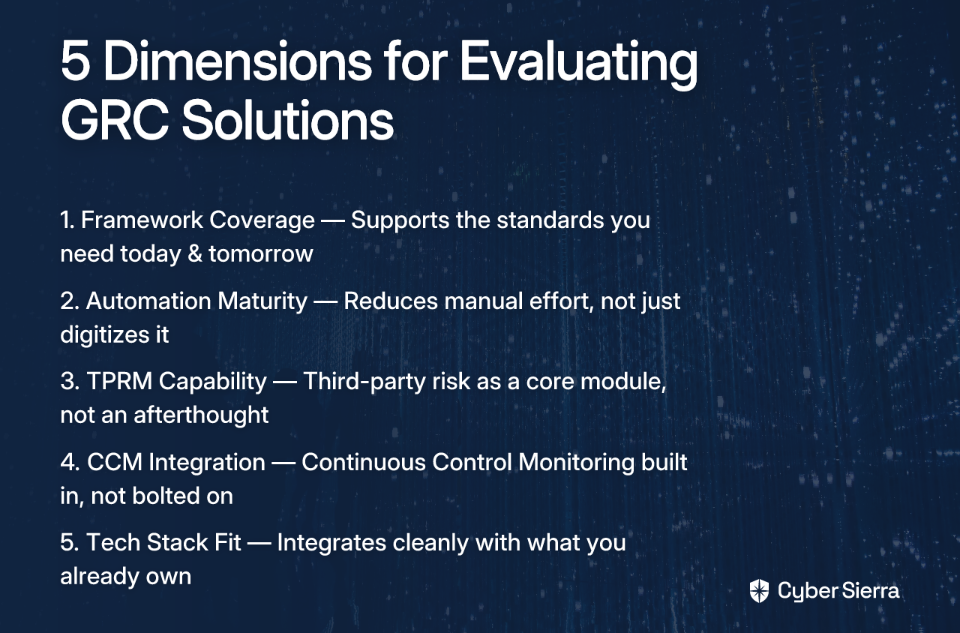
  • Use a five-point checklist to assess any solution: framework coverage, automation maturity, TPRM capabilities, CCM integration, and tech stack fit.
  • A GRC platform's true value lies in native integrations for Continuous Control Monitoring (CCM) and Third-Party Risk Management (TPRM), which provide a real-time view of your security posture.
  • Cyber Sierra's unified platform eliminates these integration challenges by design, combining GRC, CCM, and TPRM into a single, cohesive system.

You've done the demos, sat through the sales calls, and finally committed to a GRC platform. Then, three months post-implementation, the cracks start to show. Your new GRC tool doesn't talk to your vulnerability scanner. Evidence collection still requires manual exports. Your vendor risk data lives in a completely separate system. Sound familiar?

This is the buyer's trap that most GRC evaluation guides never warn you about: evaluating GRC platforms in isolation, then discovering painful integration gaps post-purchase. As many practitioners have noted, a poorly defined evaluation process can make any GRC tool ineffective — and that process starts with the buying decision itself.

The frustration is real. Users routinely describe juggling multiple GRC platforms, drowning in context-switching, and facing the dreaded audit season where, as one user noted, "finding things and searching for things will give you a headache." Even the best-reviewed tools disappoint when they're disconnected from the rest of your security ecosystem.

This guide gives you a five-dimension checklist to evaluate any GRC solution — not just on features, but on how it fits into your entire security stack. Use it before you sign the contract, not after.

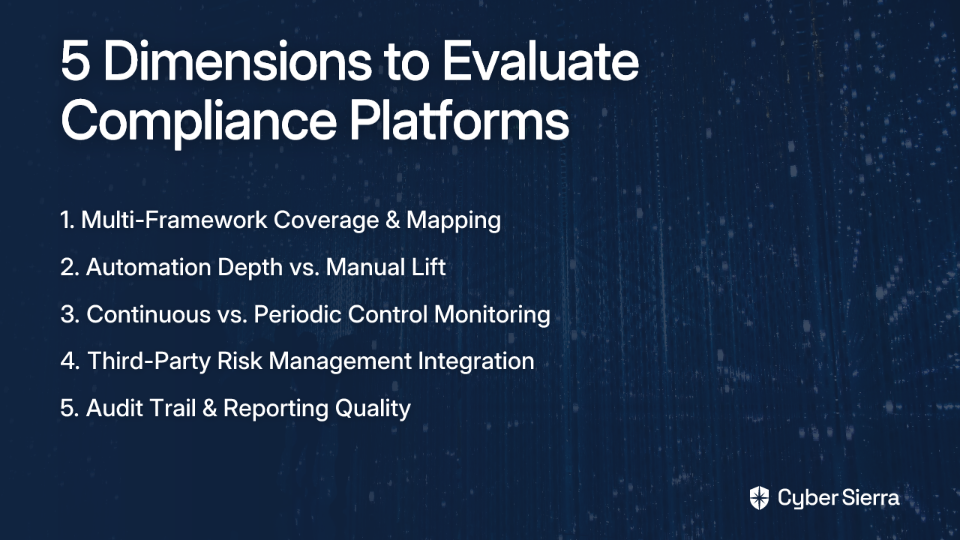
A 5-Point Checklist for Evaluating GRC Solutions

Here are the five decision dimensions every buyer should evaluate:

  1. Framework Coverage — Does it support the standards you need today and tomorrow?
  2. Automation Maturity — Does it reduce manual effort, or just digitize it?
  3. TPRM Capability — Is third-party risk a core module or an afterthought?
  4. CCM Integration — Is Continuous Control Monitoring built in or bolted on?
  5. Existing Tech Stack Fit — Will it integrate with what you already own?

Let's break each one down.

Dimension 1: Comprehensive Framework Coverage

Your organization likely operates under more than one compliance framework — and that number tends to grow as you scale into new markets or sign enterprise contracts. A robust GRC solution should support key frameworks out-of-the-box: SOC 2, ISO 27001, NIST, GDPR, HIPAA, and PCI DSS are table stakes.

But framework support alone isn't enough. The real efficiency gain comes from a unified control library — the ability to map a single control to multiple frameworks simultaneously. Without this, your team ends up duplicating evidence collection efforts for every framework, which is exactly the kind of compliance fatigue that burns teams out before audit season even begins.

When evaluating vendors, ask: Can I add a new framework without rebuilding from scratch? Do controls automatically map across standards?

Platforms like Cyber Sierra are built for this complexity. Their GRC module manages multiple frameworks — including custom controls — from a centralized platform, automating data collection, risk assessments, and reporting to keep you audit-ready continuously rather than scrambling quarterly.

Dimension 2: High Automation Maturity

Here's the uncomfortable truth about many GRC tools: they automate the look of compliance without actually automating the work of compliance. You still end up manually collecting screenshots, chasing down control owners, and assembling evidence packages — just in a slightly shinier interface.

True automation maturity means the platform handles evidence collection, control testing, and validation on your behalf — continuously, not just at audit time. According to Cyber Sierra's research, 62% of organizations report measurable improvements with AI-enhanced GRC processes, underscoring how much headroom exists when automation is actually applied well.

Watch out for a common pitfall here: platforms that users initially love for their automation but, as one security leader shared, grow out of within one to two years as organizational complexity increases. Evaluate automation depth, not just breadth.

Key questions to ask in demos:

  • Does control testing happen automatically, or does someone need to trigger it?
  • Can the platform detect anomalies and exceptions in real-time?
  • How does it handle evidence collection across cloud infrastructure, SaaS tools, and on-prem systems?

A key component of automation maturity is Continuous Control Monitoring (CCM). Cyber Sierra's CCM module automates control testing and validation, offers ongoing visibility into your security posture, and transforms compliance from a periodic scramble into a continuous, automated process — with a centralized controls repository that updates in near real-time.

Dimension 3: Robust Third-Party Risk Management (TPRM) Capability

Your security posture is only as strong as your weakest vendor. Yet in most GRC evaluation processes, TPRM is treated as a checkbox rather than a core capability. The result? You buy a solid internal GRC tool and then manage vendor risk through a separate platform — or worse, a spreadsheet.

A mature GRC solution should include native TPRM capabilities that go beyond static questionnaires. Look for:

  • Automated vendor risk assessments that reduce manual back-and-forth
  • Risk-based prioritization of your vendor inventory (not all vendors carry equal risk)
  • Near real-time, 24/7 monitoring of vendor security compliance, not just point-in-time snapshots

Managing vendor risk manually is no longer viable at scale. Cyber Sierra's TPRM module automates vendor assessments, streamlines onboarding and offboarding, and provides continuous monitoring — giving you proactive insights into third-party risks rather than discovering issues during an audit.

Dimension 4: Seamless Continuous Control Monitoring (CCM) Integration

GRC and CCM are two sides of the same coin. A GRC program that isn't fed by real-time control data is, at best, a compliance paper trail — not an accurate picture of your actual security posture.

When CCM is siloed from GRC, your team is making risk decisions based on stale data. Evidence gathered three months ago says your access controls are functioning. But do they right now?

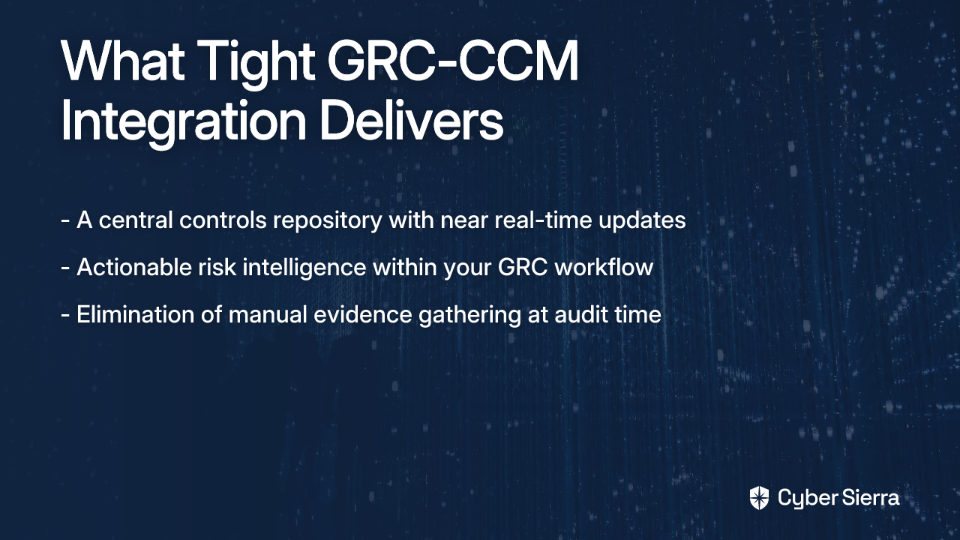
Tight GRC-CCM integration delivers:

Ask vendors pointedly: Is CCM a native module or a third-party integration? The answer matters because native integrations maintain data consistency, while bolt-on integrations introduce sync delays, mapping errors, and additional failure points.

Cyber Sierra's platform provides this tight integration by design, offering a single source of truth for all security controls and ensuring your GRC program reflects a real-time, accurate view of your environment — not last quarter's snapshot.

Dimension 5: Deep Integration with Your Existing Tech Stack

This is the dimension that makes or breaks post-purchase satisfaction. You can score a GRC solution perfectly on all four dimensions above, but if it doesn't integrate cleanly with your existing tools, you'll end up with yet another data silo.

According to research from Diligent, 60% of organizations report their GRC and finance systems are siloed, preventing effective data sharing. The same fragmentation problem applies across security tools.

Evaluate integration depth across:

  • Threat intelligence platforms and vulnerability scanners — can findings automatically surface as risks in your GRC?
  • Cloud infrastructure — does the platform support AWS, Azure, GCP natively?
  • HR and identity systems — for automated onboarding/offboarding controls
  • API availability — for custom integrations with tools specific to your stack

A truly integrated GRC solution extends beyond compliance. Cyber Sierra demonstrates this by unifying GRC with Threat Intelligence (network and cloud vulnerability scanning), Employee Security Training, and even Cyber Insurance management — ensuring data flows across all security functions rather than pooling in isolated modules.

Your GRC Comparison Matrix [Actionable Template]

Before your next vendor call, copy this matrix and score each solution on your shortlist. It will cut through the sales noise and force an apples-to-apples comparison across what actually matters.

Decision DimensionEvaluation CriteriaSolution ASolution BSolution C
1. Framework CoverageSupports key frameworks (SOC 2, ISO 27001, NIST, HIPAA, PCI DSS)? Has a unified control library?Yes / NoYes / NoYes / No
2. Automation MaturityAutomates evidence collection and control testing? Provides continuous monitoring? Scales with org complexity?High / Med / LowHigh / Med / LowHigh / Med / Low
3. TPRM CapabilityAutomates vendor assessments? Offers continuous vendor monitoring beyond questionnaires? Risk-based vendor prioritization?Yes / NoYes / NoYes / No
4. CCM IntegrationIs CCM natively integrated or a bolt-on? Provides a real-time security posture view within GRC context?Native / Bolt-on / NoneNative / Bolt-on / NoneNative / Bolt-on / None
5. Tech Stack FitOffers robust APIs? Integrates natively with cloud, threat intel, SIEM, and HR systems?High / Med / LowHigh / Med / LowHigh / Med / Low

Score each dimension honestly based on demos and technical documentation — not vendor claims. Any "Low" or "None" in dimension four or five should be treated as a red flag, because those gaps are the ones most likely to cause buyer's remorse six months in.

From GRC Checklist to Confidence

Choosing the right GRC platform isn't about finding the longest feature list. It's about finding the tool that becomes the central nervous system of your security stack, not another isolated data island.

To avoid post-purchase regret, focus on what truly matters:

  • Integration is non-negotiable. A GRC tool that doesn’t connect natively with your CCM and TPRM tools will create more manual work, not less.
  • Real-time data is your goal. Your security posture isn't static. Your GRC platform should reflect what's happening now, not what was true last quarter.

Here’s your next step: Take one vendor from your shortlist and run it through the 5-point checklist from this guide. Be honest about where it falls short, especially on CCM and tech stack integration.

If you find gaps, it might be time to look at a platform built for unity from the start. See how a truly integrated approach works and book a personalized demo with Cyber Sierra.


Frequently Asked Questions

What is a GRC platform and why is it important?

A GRC (Governance, Risk, and Compliance) platform is a centralized system for managing an organization's security strategy. It's crucial because it aligns security activities with business goals, manages threats, and ensures compliance with regulations, preventing a fragmented security posture.

What are the most important features to look for in a GRC solution?

The most critical features are comprehensive framework coverage, high automation maturity, robust Third-Party Risk Management (TPRM), seamless Continuous Control Monitoring (CCM) integration, and a deep fit with your existing tech stack. Evaluating these dimensions prevents post-purchase integration gaps.

Why do many GRC implementations fail?

Many GRC implementations fail due to poor integration with other security tools. When a GRC platform is evaluated in isolation, it often creates data silos, requires manual evidence collection, and fails to provide a real-time view of the organization's actual security posture, leading to buyer's remorse.

How does continuous control monitoring (CCM) improve a GRC program?

CCM improves a GRC program by automating control testing and providing real-time data on your security posture. A tight GRC-CCM integration ensures your risk decisions are based on current, accurate information, transforming compliance from a periodic task into a continuous, automated process.

What is TPRM and why should it be part of a GRC platform?

TPRM (Third-Party Risk Management) is the process of identifying and mitigating risks associated with external vendors. Integrating TPRM into your GRC platform provides a unified view of both internal and external risks, preventing security gaps caused by disconnected vendor management processes.

What is the benefit of a unified GRC platform?

A unified GRC platform combines GRC, CCM, TPRM, and other security functions into a single, cohesive system. This eliminates integration gaps, provides a single source of truth for your security posture, and automates workflows across tools, reducing manual effort and improving overall efficiency.

blog-hero-background-image
Governance & Compliance

GRC Automation Tools That Integrate With Splunk, CrowdStrike, and AWS

backdrop
Table of Contents

Join thousands of professionals and get the latest insight on Compliance & Cybersecurity.


Summary

  • Most GRC tools fail due to a lack of integration with core security platforms like AWS and Splunk, forcing teams into manual compliance tasks.
  • Deep integration is the most crucial feature in a GRC solution, as it automates evidence collection and provides real-time visibility into your security posture.
  • Select GRC tools based on their native connections to your existing tech stack, such as MetricStream for AWS or Qmulos for Splunk.
  • An integrated platform like Cyber Sierra's GRC solution can automate control monitoring and streamline audit readiness across multiple frameworks.

For many security teams, GRC tools have become a source of frustration. They promise to transform compliance and risk management but often deliver little more than a glorified spreadsheet—expensive, inflexible, and disconnected from the rest of the security stack.

The core problem isn't a lack of features but a single, critical doubt: will this tool actually integrate with what we need? This is the nagging question that undermines trust before a tool is even implemented.

Here's the truth: the problem isn't that GRC tools are inherently bad. The problem is that most organizations evaluate them as standalone solutions, divorced from the security stack they're supposed to work with. If your GRC platform can't talk to your SIEM, your endpoint detection tool, or your cloud infrastructure, you're still doing the heavy lifting manually — just inside a more expensive interface.

The real game-changer is integration. When your GRC automation tools connect natively with platforms like Splunk, CrowdStrike, and AWS, compliance transforms from a periodic, painful audit scramble into a continuous, data-driven process. This guide breaks down exactly which tools deliver on that promise — and how to implement them.

Why Integration Is the Missing Piece in GRC

Most GRC programs fail not because of a lack of policies, but because of a lack of real-time data. Controls exist on paper, but verifying them requires manually pulling logs, chasing down system owners, and compiling evidence spreadsheets — every single audit cycle.

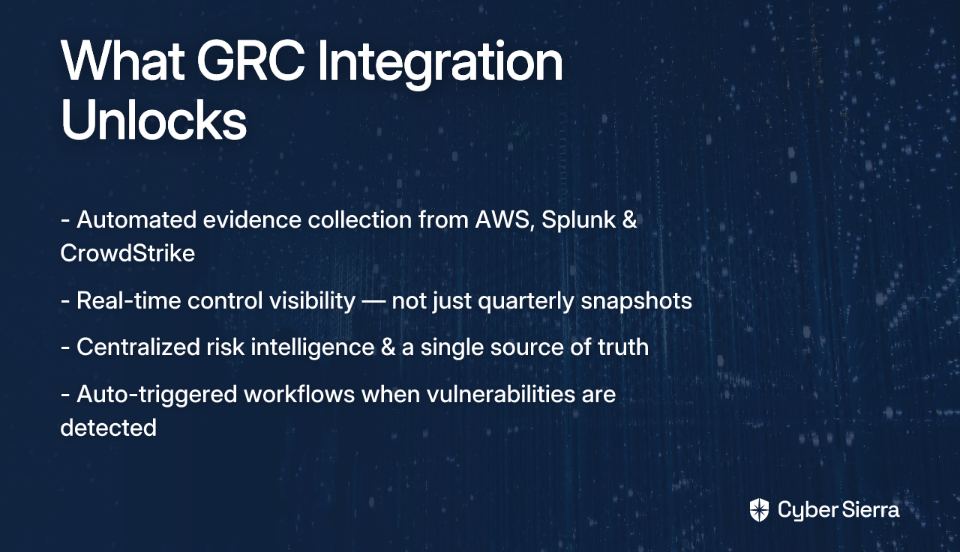
Integrating GRC automation tools with your core security platforms solves this at the root:

With that foundation in place, here are the GRC automation tools that actually deliver on deep integration with Splunk, CrowdStrike, and AWS.

Top GRC Tools With Real Integration Capabilities

Here are the leading GRC platforms that excel at integrating with core security tools.

MetricStream: AI-Powered GRC With Native AWS Integration

MetricStream is one of the most established names in enterprise GRC, known for its AI-infused capabilities spanning predictive risk analytics, regulatory change management, and audit automation.

What sets it apart for AWS-heavy organizations is a landmark integration announced in November 2023: MetricStream became the first third-party GRC provider to integrate directly with AWS Audit Manager.

Here's how the integration workflow actually operates:

  1. Onboarding: Users are authenticated into MetricStream CyberGRC via Amazon Cognito User Pools, connecting identity management directly between the platforms.
  2. Control Mapping: Compliance teams define relationships between their enterprise controls inside MetricStream and the corresponding native AWS controls.
  3. Assessment Trigger: When an assessment is initiated in MetricStream, it automatically triggers AWS Audit Manager to begin collecting evidence across all in-scope AWS accounts.
  4. Evidence Transfer: Audit Manager uses GetControl and EvidenceFinder APIs to map controls and transfer bulk evidence packages back into MetricStream for review and reporting.

The result is a dramatic reduction in manual evidence gathering for frameworks like SOC 2, NIST 800-53, and ISO 27001. Real-world customers like Guidewire and Zurich Insurance have used MetricStream's AI-first platform to improve IT GRC processes and optimize risk management at scale. Request a MetricStream demo.

LogicGate Risk Cloud: Centralizing Vulnerability Management With CrowdStrike

LogicGate's Risk Cloud takes a different but equally powerful approach to integration: connecting directly with CrowdStrike Falcon Spotlight to centralize vulnerability management inside your GRC workflow.

For security teams juggling endpoint vulnerability data alongside compliance obligations, this integration bridges a critical gap. Here's what it delivers:

  • Automated Data Sync: Vulnerability data — including CVE ID, base score, description, remediation guidance, and host information — is automatically synchronized from Falcon Spotlight into Risk Cloud on a defined schedule. No manual exports, no stale spreadsheets.
  • Actionable Remediation Plans: Vulnerabilities are grouped by CVE, and Risk Cloud surfaces actionable remediation recommendations directly from CrowdStrike data, allowing teams to prioritize and track remediation progress within their GRC workflow.
  • Holistic Risk View for AWS Environments: For organizations running workloads on AWS, layering CrowdStrike's endpoint vulnerability data on top of cloud infrastructure controls creates a genuinely comprehensive GRC picture — something neither tool achieves alone.

One practical note for buyers evaluating this option: implementing the CrowdStrike Risk Cloud Connector typically requires approximately 10 integration service hours, which is worth factoring into your project planning. Request a LogicGate demo to see the integration in action.

Qmulos Q-Compliance: A Native Splunk Solution for Real-Time Monitoring

If your organization has already invested heavily in Splunk, Qmulos Q-Compliance may be the most natural GRC addition you can make. Unlike tools that bolt on a Splunk connector as an afterthought, Q-Compliance is built as a native GRC solution running directly within your existing Splunk Enterprise instance.

This distinction matters enormously. A common pain point in GRC and Splunk communities alike is uncertainty about how to run scripts and surface compliance-relevant data within Splunk Cloud for dashboards and reporting. Q-Compliance solves this out of the box, leveraging the data already flowing through your Splunk environment.

Key capabilities include:

  • Real-Time Control Visibility: Provides continuous compliance monitoring against frameworks including NIST 800-53, SOC 2, and the NIST Cybersecurity Framework (CSF) — all surfaced within the Splunk interface your team already uses.
  • Cross-Framework Evidence Collection: Technical evidence collected through Splunk can be mapped and reused across multiple compliance frameworks simultaneously, eliminating redundant data gathering.
  • Cost Efficiency: Qmulos claims Q-Compliance delivers the functionality of traditional GRC platforms at roughly half the typical cost — a compelling proposition given how frequently practitioners complain about GRC tool pricing.

You can watch a Q-Compliance with Splunk demo to see the integration in practice.

Other Notable Players: ServiceNow, AuditBoard, and Archer

A few other platforms come up consistently in GRC conversations, each with distinct strengths and honest caveats:

  • ServiceNow GRC: Particularly strong for organizations that want to unify GRC with IT Service Management (ITSM). Its single-data-model architecture means incidents, risks, and controls all share a common data source, enabling powerful cross-functional workflows.
  • AuditBoard: Well-regarded for its usability, especially among dedicated audit and compliance teams. However, it is often described as a tool better suited for a dedicated internal audit function rather than a security-operations-facing GRC platform.
  • Archer: A long-standing name in integrated risk management, though it is often criticized by practitioners for its complexity and usability issues. It's worth investigating these concerns before committing.

Practical Guide: Integrating a GRC Tool With AWS Audit Manager

Understanding the theory is one thing. Here's a concrete, step-by-step walkthrough for connecting your GRC platform with AWS Audit Manager, drawn directly from AWS documentation.

Prerequisites: An active AWS environment, a GRC system (third-party or in-house), and AWS Audit Manager enabled on your account.

On pricing: There are no additional AWS charges for the integration itself. You're billed based on the evidence collected by Audit Manager, with a free tier available for first-time users.

From Manual GRC to Automated Resilience

The difference between a GRC tool you tolerate and one you rely on comes down to one thing: deep integration. Without it, you're stuck in a cycle of manual evidence gathering for every audit. The key is to prioritize tools that connect directly to your core security platforms like AWS, Splunk, and CrowdStrike, turning compliance into an automated, real-time function.

Your next step is simple. Before you sit through another demo, map your existing security stack. List your essential tools and use that as a non-negotiable checklist to vet potential GRC solutions. This integration-first approach ensures you're buying an automated system, not just a more expensive spreadsheet.

If you're tired of piecing together compliance data from siloed tools, a unified platform can bridge the gaps. Cybersierra connects your stack to deliver continuous control monitoring and audit readiness, automating the manual work for good. Book a personalized demo to see how it works.

Frequently Asked Questions

What is the most important feature to look for in a GRC tool?

The most critical feature is deep integration with your existing security stack. While features like AI analytics are useful, a GRC tool's ability to connect with platforms like AWS, Splunk, and CrowdStrike is what transforms compliance from a manual task into an automated, data-driven process.

Why is integrating GRC tools with security platforms so important?

Integration is crucial because it enables automated evidence collection and real-time control visibility. Instead of manually pulling logs for audits, an integrated tool continuously gathers data, providing an accurate, up-to-date view of your compliance and risk posture.

How do I choose the right GRC tool for my tech stack?

Select a GRC tool based on its native integration capabilities with your core technologies. If you're heavily invested in Splunk, consider Qmulos. For AWS-centric environments, MetricStream is key. For endpoint security, LogicGate's connection to CrowdStrike is valuable.

Can GRC automation completely replace manual compliance efforts?

No, GRC automation tools significantly reduce manual work but don't eliminate it. They handle data collection and monitoring, but success still requires human oversight, strategic planning, team training, and a solid understanding of GRC principles to manage the overall process.

What is the first step to integrating a GRC tool with AWS?

The first step is to enable AWS Audit Manager in your account. This service is designed to work with third-party GRC tools. After enabling it, you'll configure IAM permissions for your GRC vendor and then map your internal controls to the corresponding native AWS controls.

Which GRC tool is best for organizations that use Splunk?

Qmulos Q-Compliance is often the best choice for organizations that rely on Splunk. As a native solution running within Splunk, it directly leverages the data and dashboards your team already uses for continuous compliance monitoring, often at a lower cost than standalone tools.

blog-hero-background-image
Governance & Compliance

How to Run a Cyber Compliance Risk Assessment Without Spreadsheets

backdrop
Table of Contents

Join thousands of professionals and get the latest insight on Compliance & Cybersecurity.


Summary

  • Traditional risk assessments using spreadsheets are static and quickly become outdated, leaving your organization blind to new risks for most of the year.
  • A comprehensive risk assessment involves five key steps: defining scope, inventorying controls, scoring risks, assigning remediation, and implementing continuous monitoring.
  • Shifting from periodic, point-in-time audits to a continuous, automated approach is essential for maintaining real-time visibility into your security posture.
  • Cyber Sierra's GRC platform automates these steps, transforming compliance from a manual chore into an efficient, continuous process.

You open the shared drive and there it is — "Risk_Assessment_FINAL_v3_REVISED_USE_THIS_ONE.xlsx." Sound familiar?

If your compliance risk assessment process still lives in spreadsheets, email chains, and a flurry of calendar invites for the annual audit, you're not alone. But you're also operating with a dangerously incomplete picture of your risk.

Poorly managed risk assessments don't just cause compliance headaches. They lead to misprioritized remediation, misalignment with business objectives, overlooked critical assets, and ultimately, costly compliance failures and even legal penalties.

This guide walks you through the five essential steps of a cyber compliance risk assessment — showing you both the manual "hard way" and how modern compliance risk assessment software transforms each step from a time-consuming chore into a continuous, automated process.

Step 1 — Define Scope and Applicable Frameworks

The Right Way to Start

Before you assess a single risk, you need to know what you're protecting and under which rules you're operating. This means defining the boundaries of your assessment — which business units, systems, and data types are in scope — and identifying all applicable regulatory frameworks, whether that's SOC 2, ISO 27001, HIPAA, PCI DSS, or a combination.

Where Spreadsheets Break Down

As your organization scales, manually tracking which frameworks apply to which business units across a spreadsheet becomes a game of broken telephone. Teams misinterpret scope boundaries, frameworks get applied inconsistently, and coverage gaps emerge — often discovered only when an auditor points them out. As community members flag in user research discussions, undefined scopes lead to ineffective evaluations and make it nearly impossible to adapt frameworks to your specific organizational context.

How Cyber Sierra Handles It

Cyber Sierra's GRC module provides a centralized home for managing multiple compliance frameworks — SOC 2, ISO 27001, GDPR, HIPAA, PCI DSS — alongside custom controls, all within a single platform. Instead of maintaining separate spreadsheets per framework, you define scope once and map it across every applicable standard. It creates a reliable, unified source of truth that keeps the entire team aligned from day one, eliminating the version-control chaos before it starts.

Step 2 — Build a Control Inventory and Map to Risks

The Right Way to Do It

Once your scope is defined, it's time to inventory your IT assets — hardware, software, data, networks, and third-party integrations — and classify them by business importance and sensitivity. This is the foundation of your risk register. From there, you map each identified risk to the controls your chosen frameworks require, whether you're working from the NIST Cybersecurity Framework, ISO 27001 Annex A, or the PCI DSS control set.

Critically, this step is where many organizations fall short: identifying critical assets is a task that, if done poorly, directly undermines the integrity of everything that follows. As security practitioners recommend, start with a formal risk assessment methodology like NIST SP 800-30 to categorize your critical systems and data flows before you ever touch a control framework.

Where Spreadsheets Break Down

A control inventory in a spreadsheet is static the moment you hit save. Manually mapping hundreds of controls across multiple frameworks is tedious, error-prone, and creates enormous duplication of effort — the same control might satisfy SOC 2, ISO 27001, and PCI DSS simultaneously, but in a spreadsheet, you're tracking it three separate times. Version control becomes a nightmare, and different team members inevitably work from different versions.

How Cyber Sierra Handles It

Cyber Sierra's GRC module automates the creation of a central controls repository with pre-built templates for common frameworks. A single control can be mapped to its requirements across multiple frameworks automatically — so your access management policy satisfies SOC 2 CC6.1, ISO 27001 A.9, and PCI DSS Requirement 7 in one place, not three. This alone saves hundreds of hours and dramatically reduces the risk of human error in your control mapping.

Step 3 — Score and Prioritize Risks by Likelihood and Impact

The Right Way to Do It

Not all risks deserve equal attention. A well-structured risk scoring model evaluates each identified risk across two dimensions: Likelihood (how probable is it that this threat materializes?) and Impact (what's the business damage if it does?). A standard scale might look like this:

  • Likelihood: Rare (1) → Unlikely (2) → Possible (3) → Likely (4) → Certain (5)
  • Impact: Very Low (1) → Low (2) → Moderate (3) → High (4) → Very High (5)

Impact should be assessed across the CIA Triad — Confidentiality, Integrity, and Availability — to ensure you're not narrowly focused on data breaches while ignoring availability risks that could cripple operations.

Where Spreadsheets Break Down

Manual risk scoring is deeply subjective. Different team members apply the same scale differently, and scores drift between assessment cycles without any standardization mechanism. Worse, that score is frozen in time. When a new vulnerability is discovered in a critical system or a cloud configuration drifts from its secure baseline, the spreadsheet doesn't know about it. You're making prioritization decisions based on stale data — which directly causes the problem that security practitioners identify as one of the most common failures: unclear and inefficient risk prioritization.

How Cyber Sierra Handles It

Cyber Sierra's GRC platform moves beyond static, subjective scoring by integrating with your actual technology stack to pull in real-time data. If a vulnerability is detected in a critical server or a cloud configuration drifts from a secure baseline, the associated risk score updates automatically. This means your prioritization list reflects the current state of your environment — not the state it was in when someone last opened the spreadsheet.

Step 4 — Assign Remediation Ownership and Track Progress

The Right Way to Do It

Identifying risk without fixing it is just expensive documentation. For every high-priority risk, you need a defined treatment strategy and clear accountability:

  • Accept: Acknowledge and monitor the risk within agreed tolerance levels.
  • Avoid: Eliminate the activity or system driving the risk.
  • Transfer: Shift the risk to a third party — such as through cyber insurance.
  • Mitigate: Implement or strengthen controls to reduce the risk to an acceptable level.

Each treatment decision should be assigned to a named owner with a realistic deadline — not a team or a department, but a person.

Where Spreadsheets Break Down

Email-based remediation tracking is a black hole. Tasks get buried in inboxes, deadlines slip without anyone noticing, and leadership has zero visibility into whether the organization's risk posture is improving or deteriorating. There's no audit trail, no escalation mechanism, and no way to report remediation progress to a board or auditor without manually collating status updates from across the organization. This manual follow-up loop is one of the biggest bottlenecks in enterprise compliance programs.

How Cyber Sierra Handles It

Cyber Sierra's GRC module automates the entire remediation lifecycle. When a risk is flagged, a remediation task is created, assigned to a specific owner, and given a deadline — directly within the platform. Automated reminders keep task owners accountable without requiring manual follow-up. Stakeholders and leadership can view real-time progress dashboards that show exactly where things stand across the entire risk register, with a complete and auditable trail of every action taken. No more "Can you send me an update?" emails.

Step 5 — Move from Point-in-Time to Continuous Monitoring

The Hard Reality of Annual Audits

Here's the uncomfortable truth about the traditional approach: a risk assessment completed in January is already outdated by February. New vulnerabilities emerge, configurations drift, third-party vendors change their security posture, and staff make mistakes — none of which your annual spreadsheet exercise will catch.

As practitioners consistently flag, over-reliance on periodic audits creates an incomplete picture of risk. Repeating a manual assessment every 12 months is an enormous effort that still leaves you blind for the other 11.5 months of the year.

Where the Entire Manual Process Breaks Down

The point-in-time model is fundamentally incompatible with today's threat landscape. Configuration drift, new CVEs, failed controls, and cloud misconfigurations don't wait for your audit cycle. By the time your next annual assessment surfaces a problem, it may have already been exploited. The financial and reputational damage from a data breach (detailed in IBM's annual Cost of a Data Breach Report) that could have been detected continuously is the real cost of the spreadsheet-based approach.

How Cyber Sierra Changes the Game

This is where Cyber Sierra's CCM module transforms the entire paradigm. Rather than treating compliance as an annual event, CCM integrates with your cloud environments, security tools, and IT systems to continuously and automatically test your controls — 24/7, 365 days a year.

The platform provides near real-time visibility into your security posture, automatically collects audit evidence as controls are tested, and immediately surfaces exceptions and anomalies the moment they occur. You're no longer scrambling to gather evidence when an auditor arrives — it's already been collected, organized, and timestamped. For CISOs and compliance managers in regulated industries, this shift from periodic snapshots to continuous assurance isn't just convenient; it's a fundamental improvement in how risk is understood and managed.

Your Path From Manual Audits to Continuous Assurance

Relying on spreadsheets for your compliance risk assessment is like navigating with last year's map. That Risk_Assessment_FINAL_v3.xlsx file gives you a single, static snapshot of your security posture, leaving you blind to configuration drifts and new vulnerabilities the moment you hit save.

The core takeaway is simple: effective risk management isn't a once-a-year event. It's a continuous process. To truly understand your security posture, you need to shift from periodic manual checks to automated, real-time monitoring that pulls data directly from your tech stack.

Here's a quick reality check you can do today: Pick one high-priority risk from your current register. Can you confirm its status and see the full audit trail in under a minute without sending an email? If the answer is no, your process has a critical visibility gap.

When you're ready to close that gap and replace manual chaos with automated clarity, book a Cyber Sierra demo. See how a continuous approach transforms compliance from a painful chore into a strategic advantage.

Frequently Asked Questions

What is a cyber compliance risk assessment?

A cyber compliance risk assessment is the process of identifying, analyzing, and evaluating risks to your IT assets to ensure you meet regulatory requirements like SOC 2 or ISO 27001. This involves defining scope, mapping controls, scoring risks, and planning remediation to protect data.

Why are spreadsheets bad for risk assessments?

Spreadsheets are bad for risk assessments because they create a static, outdated view of risk and are highly prone to human error. They lack version control, cannot provide real-time updates, and make it difficult to manage complex control frameworks, leaving you blind to emerging threats.

What are the key steps in a risk assessment?

The five key steps are: 1) defining scope and applicable frameworks, 2) building a control inventory, 3) scoring risks by likelihood and impact, 4) assigning remediation owners and tracking progress, and 5) moving from periodic audits to continuous monitoring for real-time visibility.

How does automation make risk scoring more accurate?

Automation makes risk scoring more accurate by connecting directly to your technology stack to pull in real-time data. Unlike subjective manual scores, automated systems instantly update a risk's score when a new vulnerability is found, ensuring prioritization is always based on current data.

What is continuous control monitoring?

Continuous Control Monitoring (CCM) uses technology to automatically and continuously test security and compliance controls. Instead of relying on annual point-in-time audits, CCM provides 24/7 visibility, catching misconfigurations or vulnerabilities the moment they occur.

How often should a cyber risk assessment be performed?

A cyber risk assessment should be a continuous, ongoing process rather than a periodic event. While annual assessments were common, today's dynamic threat landscape requires continuous monitoring to detect and respond to risks in near real-time and maintain a strong security posture.

blog-hero-background-image
Governance & Compliance

Why a Standalone GRC Solution Is No Longer Enough for Modern Risk Teams

backdrop
Table of Contents

Join thousands of professionals and get the latest insight on Compliance & Cybersecurity.


Summary

  • Traditional GRC tools create "compliance theater" by focusing on checklists over actual risk, a dangerous approach given the volume of data breaches continues to climb.
  • Standalone GRC platforms leave critical gaps by failing to continuously monitor security controls, track third-party vendor risks, or provide real-time attack surface visibility.
  • To manage modern threats, security teams must shift from periodic, point-in-time audits to a proactive strategy built on continuous, real-time risk intelligence.
  • An integrated platform like Cyber Sierra's unifies GRC, continuous monitoring, threat intelligence, and employee training to close these gaps and build true resilience.

If you've ever sat in a room wondering whether your GRC solution is actually making your organization more secure — or just helping you pass the next audit — you're not alone.

They were built to manage framework checklists. Not to manage risk.

This is the definition of compliance theater: a performance of security that satisfies auditors on a given day without actually reducing your organization's exposure. And the stakes of staying in this mode are rising fast. With the frequency and cost of data breaches climbing year over year, this trend exposes just how inadequate point-in-time, manual-assessment-based GRC tools are against modern threats.

Across security forums and CISO roundtables, the frustration is palpable. As one practitioner put it on Reddit, "Most of them also focus on compliance and forget about the R and especially the G." Others describe expensive, inflexible platforms that demand months of customization only to leave auditors asking for additional evidence anyway. The verdict from the field? Traditional GRC tools are falling short — not because of minor UX issues, but because of a fundamental design flaw.

The modern threat landscape doesn't operate on annual audit cycles. Attackers don't wait for your next evidence collection sprint. Your vendors don't freeze their security posture after onboarding. And your employees don't stop receiving phishing emails between training sessions.

Modern risk teams need to move beyond static, siloed GRC platforms. What's required now is an integrated approach — one that delivers real-time risk intelligence, continuous monitoring, and proactive visibility across the entire organization. Below, we break down the four critical operational gaps that a standalone GRC solution leaves open, and what it takes to close them.

Gap 1: The Visibility Gap — No Continuous Control Monitoring

Traditional GRC platforms treat compliance as a series of snapshots. Controls are assessed periodically, evidence is collected in batches, and the resulting report reflects a single moment in time — not the ongoing reality of your environment.

The problem? Your environment doesn't stand still. A firewall rule misconfigured in February. An MFA policy that silently stopped enforcing in April. A cloud storage bucket left open after a developer sprint in June. Between audits, these issues accumulate undetected. This is what's known as control drift — and it's nearly invisible inside a traditional GRC tool.

The downstream consequences are significant. Auditors are becoming increasingly skeptical of GRC-generated evidence that isn't tied to continuous, automated testing. Teams end up chasing evidence, scrambling to verify that controls described in the platform actually reflect live system states. Worse, a control failure that goes undetected for months can become the entry point for a breach — one that occurred long after your last audit said everything was fine.

The answer is Continuous Controls Monitoring (CCM) — an always-on approach that automates control testing and validation rather than relying on periodic manual checks.

Cyber Sierra's CCM module is built precisely for this. It provides a central controls repository with near real-time updates, automated testing across frameworks like NIST, ISO 27001, and PCI DSS, and real-time anomaly detection that flags exceptions before they become incidents. Instead of preparing for audits, you're simply already ready — with a continuous, defensible evidence trail that auditors can trust.

Gap 2: The Supply Chain Gap — Neglected Third-Party Risk Management

Your GRC platform might have a vendor risk section. It probably involves a questionnaire, a risk tier, and a field for "last reviewed date." But ask yourself: when did you last receive an unprompted alert that one of your critical vendors had a security posture change?

For most organizations using a standalone GRC solution, the answer is never.

The modern enterprise operates within a sprawling ecosystem of vendors, SaaS platforms, and API-connected partners. Each one is a potential attack vector. Supply chain attacks are rising sharply, and threat actors have become experts at exploiting the gaps that exist between your security perimeter and your vendors'.

A point-in-time vendor questionnaire completed during onboarding tells you nothing about a vendor's current security hygiene. A vendor who passed your assessment in Q1 could have experienced a significant configuration change, a personnel departure, or even a breach by Q3 — and you'd have no idea until it was your problem too. Without continuous monitoring, third-party risk is essentially unmanaged risk dressed up as a completed checklist.

Effective Third-Party Risk Management requires more than a static assessment process. It requires automated onboarding workflows, risk-tiered vendor prioritization, and — critically — continuous visibility into how vendor security postures evolve over time.

Cyber Sierra's TPRM module transforms vendor risk from a reactive, point-in-time task into a proactive, ongoing program. It automates vendor assessments using standardized templates, prioritizes your vendor inventory based on data-driven risk scoring, and provides near real-time, 24/7 visibility into vendor compliance — giving your team the early-warning capability that static questionnaires simply can't deliver.

Gap 3: The Threat Intelligence Gap — No Attack Surface Visibility

Here's a question traditional GRC tools were never designed to answer: Where are you actually exposed right now?

GRC platforms are built around frameworks. They tell you whether controls mapped to NIST or ISO 27001 are documented and tested. What they don't do is scan your network for open ports, identify misconfigured cloud resources, or correlate your control status with real-world vulnerability data. Compliance and security are treated as the same thing — and they're not.

You can be 100% compliant with a framework and still be running unpatched systems, misconfigured S3 buckets, or exposed admin interfaces that an attacker can find in minutes with a basic reconnaissance tool. This is precisely how breaches happen to organizations that thought their GRC platform had them covered. Compliance theater at its most dangerous.

A modern risk platform needs to connect framework compliance to actual security posture. That means integrating proactive threat intelligence — including continuous network scanning, cloud infrastructure analysis, and vulnerability prioritization — directly into the risk management workflow.

Cyber Sierra's Threat Intelligence closes this gap by giving CISOs an outside-in view of their attack surface. It conducts automated network and cloud infrastructure vulnerability scans, surface a comprehensive security scorecard for at-a-glance posture insights, and provides actionable remediation prioritization based on real-world threat context. Rather than learning about vulnerabilities from breach notifications, your team identifies and resolves them before they're exploited.

Gap 4: The Human Gap — Overlooked Employee Risk

Technology controls are essential. But no firewall, SIEM, or GRC solution can fully protect an organization from a single employee clicking the wrong link in a convincingly crafted phishing email.

Traditional GRC platforms address the human element as a compliance checkbox: annual security awareness training, marked complete, evidence filed. But the vast majority of phishing attacks via email are sophisticated enough to bypass technical filters regularly. One-and-done annual training isn't building a resilient human firewall — it's satisfying an audit requirement.

The result? Employees remain one of the most reliably exploited attack vectors in modern breaches, yet their risk contribution is often invisible inside a standalone GRC solution. There's no mechanism to measure knowledge gaps, track behavioral improvement, or simulate real-world attack scenarios. Auditors and regulators, meanwhile, are raising the bar on what constitutes effective security awareness — proof of ongoing, measurable training programs is increasingly expected, not just a training completion log.

Addressing the human gap requires integrating continuous employee security training into your broader risk program — complete with phishing simulations, interactive assessments, and measurable progress dashboards that turn awareness into behavior change.

The Employee Security Training module from Cyber Sierra brings this capability into the same platform as your controls, vendor risk, and threat intelligence data. It delivers interactive training on phishing, password hygiene, and email safety, runs simulated counter-phishing campaigns to test real-world resilience, and provides a dashboard overview of each employee's security quotient — giving you both the training program and the audit evidence in one place.

Trade Compliance Theater for Real Resilience

Moving from compliance theater to genuine security isn't about finding a better GRC tool—it's about adopting a new strategy. Here are the key takeaways:

  • Checklists Don't Equal Security: Traditional GRC is built for audits, not for reality. It leaves you blind to active threats, real-time control failures, and sudden changes in vendor risk.
  • Integration Drives Resilience: A modern security program requires a unified view. True resilience comes from a single platform where continuous monitoring, vendor management, and threat intelligence work together.

Here’s your next step: Ask your team, "Can we prove our key security controls are working right now?" If the answer involves spreadsheets or waiting for the next audit, you have a critical visibility gap.

When you're ready to close that gap for good, see how an integrated platform changes the game. Book a Cyber Sierra demo and get a clear picture of your actual risk posture.

Frequently Asked Questions

What is the main problem with traditional GRC tools?

Traditional GRC tools are designed to manage compliance checklists, not actual security risk. This focus leads to "compliance theater"—a performance of security that satisfies auditors but fails to reduce your organization's real-world exposure to modern threats.

Why is continuous monitoring better than periodic audits?

Continuous monitoring provides real-time visibility into your security controls, unlike periodic audits which are just a snapshot in time. This prevents "control drift" where misconfigurations or vulnerabilities go undetected for months between assessments, leaving you exposed.

How does an integrated risk platform handle third-party risk?

An integrated platform goes beyond static, point-in-time vendor questionnaires. It offers continuous monitoring of your vendors' security postures, providing alerts on significant changes and giving you a proactive, real-time view of your entire supply chain's risk profile.

What is "compliance theater"?

"Compliance theater" is the act of performing security activities solely to satisfy audit and compliance requirements, without actually improving the organization's security posture. It creates a false sense of security while leaving critical vulnerabilities unaddressed.

Can a company be compliant and still be insecure?

Yes. Compliance frameworks confirm that required controls are documented, but they don't guarantee the controls are working effectively in real-time. An attacker can exploit vulnerabilities like unpatched systems or misconfigurations that a compliance-focused GRC tool would miss.

What are the key components of a modern risk management platform?

A modern platform integrates several key functions into a single system. It unifies traditional GRC with Continuous Controls Monitoring (CCM), Third-Party Risk Management (TPRM), attack surface visibility (Threat Intelligence), and Employee Security Training.

blog-hero-background-image
Governance & Compliance

8 Best Enterprise Compliance Management Software Platforms Ranked

backdrop
Table of Contents

Join thousands of professionals and get the latest insight on Compliance & Cybersecurity.


Summary

  • Managing multiple compliance frameworks like SOC 2 and ISO 27001 with manual processes leads to significant "compliance fatigue" for enterprise teams.
  • Modern compliance management requires a shift from periodic audits to continuous monitoring, focusing on multi-framework support, deep automation, and integrated third-party risk management (TPRM).
  • Before committing to a platform, verify its control mapping capabilities in a live demo and test the practical depth of its "continuous monitoring" features.
  • A unified platform can solve these challenges. Cyber Sierra integrates GRC, continuous monitoring, and TPRM to help enterprises stay audit-ready and proactively manage risk.

If you're a compliance leader at a large enterprise, you already know the feeling: a growing stack of frameworks to maintain — SOC 2, ISO 27001, HIPAA, PCI DSS, GDPR — each with its own evidence requirements, control sets, and audit timelines. Add in siloed tools, manual evidence collection, and a vendor risk program that still runs on spreadsheets and email threads, and you've got a recipe for serious compliance fatigue.

Many compliance practitioners find that software alone isn't enough — the real challenge is finding a tool that adapts to how their team works, not the other way around. The most effective platforms are those that can be configured to fit existing workflows. That's the bar we're holding every platform in this list to.

To cut through the noise — and the wave of "AI features" every GRC vendor is bolting onto their dashboards — we ranked eight platforms on what actually matters at enterprise scale:

  • Multi-Framework Support – Can it manage SOC 2, ISO 27001, HIPAA, PCI DSS, and GDPR simultaneously? Can it map controls across frameworks to eliminate duplicate work?
  • Continuous Monitoring – Does it provide real-time control visibility, or is it just a series of infrequent point-in-time snapshots?
  • Automation Depth – How far does automation actually go for evidence collection, control testing, and reporting?
  • TPRM Capabilities – Can it manage and continuously monitor third-party vendor risk at scale?
  • Audit Readiness Speed – How fast can the platform get you from scattered evidence to audit-ready?

Let's get into it.

1. Cyber Sierra

Best for: Enterprises needing AI-enabled continuous compliance across multiple frameworks in a single unified platform

Cyber Sierra's AI-enabled cybersecurity platform is purpose-built to move enterprises away from periodic, manual compliance checks toward proactive, near real-time risk management. It's designed for CISOs, Compliance Managers, and IT leaders operating in regulated industries like BFSI, HealthTech, Manufacturing, and Technology.

What puts Cyber Sierra at the top of this list is its depth across every evaluation criterion — not just one or two.

  • Multi-Framework Support. Cyber Sierra's GRC module manages SOC 2, ISO 27001, HIPAA, PCI DSS, GDPR, NIST, and custom controls in a single unified platform. Control mapping across frameworks means you're not duplicating evidence collection for overlapping requirements.
  • Continuous Monitoring. The platform's standout feature is its Continuous Control Monitoring (CCM) module. It builds a centralized controls repository with near real-time updates, automates control testing and validation, and detects exceptions and anomalies as they happen.
  • Automation Depth. AI-driven automation handles data collection, risk assessments, and reporting with minimal manual input and is designed to help teams reduce audit preparation time. For compliance teams drowning in spreadsheets, this is a meaningful shift.
  • TPRM Capabilities. The integrated Third-Party Risk Management module goes beyond one-time vendor questionnaires. It automates vendor assessments, prioritizes your vendor inventory by risk level, and provides continuous monitoring of third-party security compliance.
  • Audit Readiness Speed. Comprehensive reports and detailed audit trails are generated automatically, so when an auditor comes knocking, you're not scrambling.

Beyond core GRC, the platform's integrated modules — Threat Intelligence, Employee Security Training, and Cyber Insurance — give enterprises a genuinely holistic view of their security posture rather than stitching together five different vendor dashboards.

2. Drata

Best for: Cloud-native companies investing heavily in compliance automation

Drata is an AI-native compliance automation platform with strong brand recognition, particularly among SaaS companies and cloud-native enterprises. It supports over 20 frameworks and offers extensive integrations with cloud services and SaaS tools, making it easy to pull evidence automatically from your existing stack. Its Trust Center feature — a shareable compliance posture page — is a useful differentiator for sales-led compliance use cases.

Where it falls short at enterprise scale: Drata lacks robust asset discovery features, which can create blind spots in larger, more complex environments.

3. Archer (RSA Archer)

Best for: Large enterprises with complex, highly customized GRC requirements

RSA Archer has been a fixture in enterprise GRC for years, and for good reason. It's highly configurable, capable of handling deeply customized risk data models, and scales well across large organizations with intricate compliance programs. Its audit management and third-party risk capabilities are mature and battle-tested.

The tradeoff is implementation complexity and cost. Archer is a platform you configure extensively — which means it fits your processes well once deployed, but getting there requires significant investment in time and internal resources.

4. MetricStream

Best for: Enterprises needing predictive risk intelligence and regulatory change management

MetricStream is a unified GRC platform that leans heavily into AI for predictive risk insights — making it a good fit for enterprises that need to stay ahead of shifting regulatory landscapes. Its regulatory intelligence module tracks changes in compliance requirements and flags what needs to be updated in your control environment.

Low-code customization lets compliance teams adapt workflows without waiting on IT, and its audit automation capabilities are comprehensive. MetricStream is a strong choice for global enterprises managing complex, cross-jurisdictional compliance programs.

5. AuditBoard

Best for: Teams that prioritize usability and cross-functional audit collaboration

AuditBoard started as an audit management platform and has grown into a broader risk and compliance suite. The differentiator here is user experience — it's consistently recognized for having one of the most intuitive interfaces of any enterprise compliance management software on this list.

If getting control owners outside the compliance team to actually use the tool is a recurring headache (and it is for most enterprises), AuditBoard's UI reduces that friction. Evidence management, issue tracking, and workflow collaboration are all well-executed. It's less dominant on the continuous monitoring front, but strong as a core audit and risk management hub.

6. LogicGate Risk Cloud

Best for: Compliance teams that need maximum workflow flexibility without engineering support

LogicGate's no-code, drag-and-drop workflow builder is its headline feature. Teams can build and deploy custom risk and compliance applications tailored to their exact processes — without writing a line of code. This directly addresses the frustration practitioners often voice about tools that force them to adapt their workflows to the software rather than the other way around.

LogicGate also brings solid capabilities in cyber risk quantification and vendor management. It's particularly well-suited for enterprises where compliance requirements vary significantly across business units and a rigid out-of-the-box structure doesn't cut it.

7. Hyperproof

Best for: Continuous compliance tracking and multi-stakeholder evidence collaboration

Hyperproof is built specifically for teams running continuous compliance programs. Its real-time compliance tracking and flexible continuous controls monitoring capabilities allow teams to set up automated tests around specific control scenarios — for example, monitoring whether access is revoked for terminated employees within policy timelines, or verifying that critical vulnerabilities are patched according to SLA.

Task automation for evidence collection and stakeholder reminders reduces the manual legwork that burns out compliance teams. Hyperproof sits in a sweet spot for mid-to-large enterprises that want structured, continuous compliance without the complexity of a full-scale GRC platform.

8. IBM OpenPages

Best for: Global enterprises requiring deep analytics and advanced risk modeling

IBM OpenPages is the heavyweight option for organizations with mature risk management programs and the need for advanced analytics. It leverages IBM's AI capabilities for cognitive risk intelligence and supports automated workflows for regulatory and compliance management at global scale.

It's not the most agile platform for fast-moving compliance teams, and the implementation scope reflects its enterprise positioning. But for organizations running complex, data-heavy GRC programs across multiple geographies, OpenPages delivers a depth of risk modeling and reporting that few platforms can match.

Decision Guide: What to Verify Before You Sign a Contract

If you're actively evaluating enterprise compliance management software, use this checklist before committing:

Your Next Move in Enterprise Compliance

Choosing the right compliance platform isn't about more features; it's about finding the right workflow to eliminate compliance fatigue for good. The key takeaway is clear: enterprise compliance has moved beyond point-in-time audits. Staying ahead of risk requires a unified approach built on two pillars:

  • Continuous Monitoring: Shift from reactive audit prep to proactive, real-time visibility into your security controls.
  • Integrated GRC and TPRM: Eliminate duplicate work by mapping controls across frameworks and managing vendor risk in the same system you manage your own.

Your immediate next step? Before you look at another demo, identify the single biggest bottleneck in your current audit process. Is it manual evidence collection? Chasing down control owners? Knowing your exact pain point is crucial.

When you're ready to see how a truly unified platform automates that specific workflow, book your personalized demo and see how Cyber Sierra transforms compliance from a cost center into a strategic advantage.

Frequently Asked Questions

What is enterprise compliance management software?

Enterprise compliance management software is a centralized platform that helps large organizations manage multiple regulatory frameworks like SOC 2 and GDPR. It automates evidence collection, control testing, and reporting to simplify audits and reduce manual effort across the entire compliance program.

Why is continuous monitoring crucial for compliance?

Continuous monitoring is crucial because it provides real-time visibility into your security controls, shifting from periodic checks to proactive risk management. Instead of discovering issues during an audit, it helps you detect and fix compliance gaps and anomalies as they happen, ensuring you stay audit-ready.

How do platforms manage multiple compliance frameworks?

Platforms manage multiple frameworks by mapping shared controls across standards like SOC 2, ISO 27001, and PCI DSS. This "map once, comply many" approach eliminates redundant work, as evidence for one control can be automatically applied to similar requirements in other frameworks, saving time and effort.

What role does AI play in modern compliance automation?

AI plays a significant role by automating complex tasks that typically require manual effort. This includes automated evidence collection, AI-driven risk assessments, and predictive insights into emerging threats. This helps teams reduce audit preparation time and focus on strategic risk management.

What is the difference between GRC and TPRM?

GRC (Governance, Risk, and Compliance) is a broad strategy for managing an organization's overall risk and compliance posture. TPRM (Third-Party Risk Management) is a specific component of GRC focused solely on identifying and mitigating risks associated with external vendors and suppliers.

How do I choose the right compliance platform for my enterprise?

Choose the right platform by evaluating its multi-framework support, depth of automation, and continuous monitoring capabilities. Verify its native integrations with your tech stack and test its usability with non-compliance users. A live demo is essential to confirm it fits your team's specific workflows.

blog-hero-background-image
Governance & Compliance

How to Evaluate Enterprise Compliance Management Software (A CISO Checklist)

backdrop
Table of Contents

Join thousands of professionals and get the latest insight on Compliance & Cybersecurity.


Summary

  • Evaluating compliance software requires a framework that looks beyond surface features to assess deep automation, multi-framework support, and continuous monitoring capabilities.
  • With many organizations managing multiple frameworks, unified control mapping across standards like SOC 2, ISO 27001, and GDPR is essential to eliminate redundant work.
  • Use the five-point framework to evaluate platforms on their ability to automate evidence collection, provide real-time monitoring, integrate third-party risk, and generate audit-ready reports.
  • A unified platform like Cyber Sierra's GRC suite is built to meet these criteria by integrating continuous monitoring and third-party risk management to streamline compliance.

You've spent weeks shortlisting vendors. You've sat through demos. You've read the feature pages. And yet, somehow, every platform looks the same — each one promising to "simplify compliance" and "reduce audit burden."

The problem? Most of the content out there is written by vendors, for vendors. What's missing is a buyer's guide — a practical framework that helps a CISO or Compliance Manager cut through the noise, ask the right questions, and build a genuine business case for the right tool.

The stakes of choosing the wrong enterprise compliance management software are high: wasted budget, frustrated teams, and a compliance posture that's worse off than before. This guide gives you a five-dimension evaluation framework to assess any platform with confidence. It's structured around criteria that actually matter when you're building a shortlist and preparing a business case for stakeholder approval.

The 5-Point CISO Evaluation Framework

Use these five dimensions as your scoring criteria when evaluating any enterprise compliance management software. For each, we outline what good looks like, what questions to ask vendors, and what red flags to watch for.

Dimension 1: Multi-Framework Coverage and Mapping

Modern enterprises don't operate under a single compliance framework. If you're in financial services, you might be juggling SOC 2, PCI DSS, and ISO 27001 simultaneously. Add GDPR if you serve EU customers, or HIPAA if you're in HealthTech. Many service organizations find themselves demonstrating compliance with multiple frameworks at once.

That reality makes the case for unified control mapping. Without it, your team is duplicating evidence collection and control testing across every framework — a recipe for burnout and inconsistency.

What to look for:

  • Unified control sets: Can the platform map a single internal control to requirements across SOC 2, ISO 27001, GDPR, HIPAA, and PCI DSS? The goal is to centralize framework requirements to manage multiple compliance programs without duplicating efforts.
  • Pre-built framework libraries: Look for a broad library of supported frameworks out of the box. Fewer pre-built mappings means more manual setup time.
  • Custom framework support: Regulatory landscapes change. The platform should allow you to add proprietary or emerging frameworks as your business evolves.

Red flag: A vendor that only supports a handful of frameworks or requires professional services to add new ones.

Cyber Sierra in practice: Cyber Sierra's GRC platform is built for this challenge. It supports SOC 2, ISO 27001, GDPR, HIPAA, PCI DSS, and custom controls from a single dashboard — automating data collection and risk assessments across all of them simultaneously, so your team isn't re-doing work every time a new audit cycle begins.

Dimension 2: Automation Depth vs. Manual Lift

This is where most enterprise compliance platforms separate themselves — or expose their limitations.

Surface-level automation looks impressive in a demo: automated reminders, a nice dashboard, some integrations. But when audit season hits and your team is still manually exporting spreadsheets and chasing control owners for screenshots, you'll wish you'd probed deeper. As one practitioner bluntly put it on Reddit, "You still need someone to configure and maintain these tools, draft and update the documents, and this will cost your time."

The question isn't "does it automate?" — it's "how deep does the automation actually go?"

What to look for:

  • Automated evidence collection: Does the platform directly integrate with your cloud stack (AWS, Azure, GCP), HRIS, code repositories, and security tooling to pull evidence — not just store it? This kind of automation can save hundreds of hours per audit cycle.
  • Automated control testing: The platform should test controls against mapped requirements, not just collect documents and wait for a human to check them.
  • Workflow automation: Automated task assignments, review cycle triggers, and escalation reminders reduce the coordination overhead that bogs down lean compliance teams.

Red flag: A platform that advertises automation but requires manual uploads for most evidence types, or doesn't integrate natively with your existing tech stack.

Cyber Sierra in practice: Cyber Sierra's platform is designed to automate a wide range of compliance assessment tasks. Its GRC module automates data collection and risk assessments, while the CCM module performs automated control testing and validation — significantly cutting the manual lift your team carries into every audit cycle.
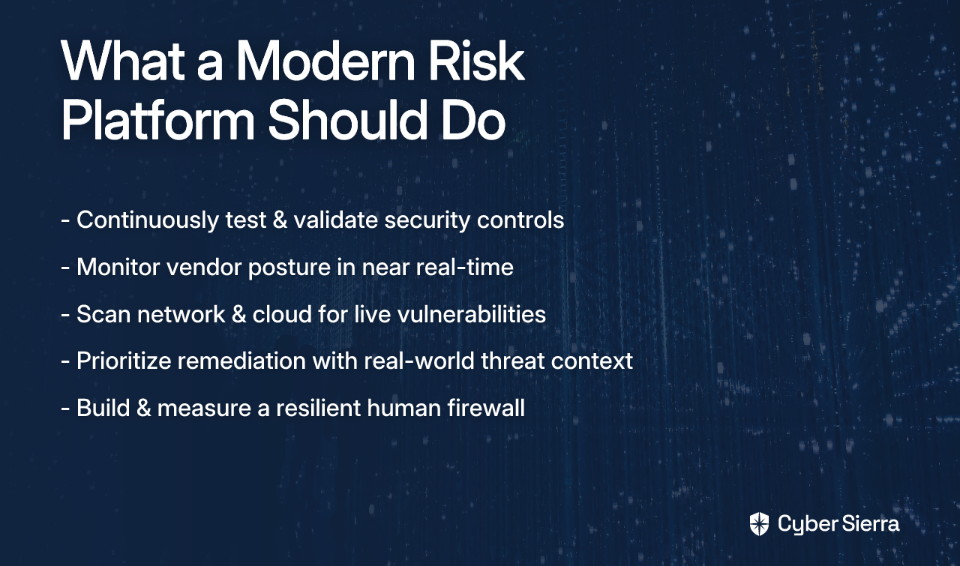
Dimension 3: Continuous vs. Periodic Control Monitoring

The traditional compliance model — scramble before audits, pass, go quiet for another year — is no longer sufficient. Threats don't wait for your annual review cycle, and neither do regulators.
Even a structured quarterly review is better than nothing, but if you're building a mature security program, continuous monitoring is the standard to hold vendors to.

What to look for:

  • Real-time compliance dashboards: You should be able to see your current compliance posture at any moment — not just a snapshot from last week's report run.
  • Dynamic risk and control linking: The ability to dynamically link risks, controls, and obligations so that when a control fails, you can immediately see its downstream impact on your overall compliance posture and risk register. This is critical for prioritizing remediation.
  • Proactive anomaly detection: The platform shouldn't just log failures — it should alert you when an exception occurs, before it becomes an audit finding or a breach.

Red flag: A vendor that talks about "monitoring" but only updates compliance status when you manually trigger a scan or re-run an assessment.

Cyber Sierra in practice: Continuous monitoring is a core design principle behind Cyber Sierra's CCM module. It builds a central controls repository with near real-time updates, detects exceptions and anomalies as they happen, and delivers actionable risk intelligence to help teams remediate before issues escalate. This transforms security compliance from a periodic checkbox exercise into a living, breathing program.

Dimension 4: Third-Party Risk Management (TPRM) Integration

Your compliance posture is only as strong as your weakest vendor. Yet, as noted in real-world TPRM discussions, many organizations still struggle with "issues with managing vendor inventory and governance" — and that's before even factoring in continuous monitoring.

Siloed TPRM tools that live outside your compliance platform create blind spots. When a vendor's security posture degrades or a new supplier is onboarded without proper due diligence, you need to catch it within your existing compliance workflow — not in a separate system that no one is checking.

What to look for:

  • Integrated vendor assessments: Can you send, track, and score security questionnaires without leaving the platform?
  • Continuous vendor monitoring: Point-in-time questionnaires have a short shelf life. Look for platforms that provide continuous visibility into your vendors' actual security posture.
  • Risk-based prioritization: Not all vendors carry the same risk. The platform should help you tier your vendor inventory and focus attention on high-criticality suppliers first.
  • Onboarding and offboarding workflows: Due diligence shouldn't only happen at contract time. Proper offboarding — ensuring access is revoked and data is handled correctly — should be built into the workflow.

Red flag: A compliance platform that treats TPRM as an add-on module with no native integration into your control framework or risk register.

Cyber Sierra in practice: Cyber Sierra's TPRM module is fully integrated into the broader compliance ecosystem. It automates vendor assessments, prioritizes vendors based on risk level, and provides continuous visibility into vendor security compliance — covering the entire vendor lifecycle from onboarding through offboarding. This eliminates the need for a separate tool and keeps third-party risk visible within the same dashboard your team uses for everything else.

Dimension 5: Audit Trail and Reporting Quality

When your auditor walks in — or logs into your shared evidence portal — what they see in the first five minutes will shape the entire audit experience. A well-organized, immutable audit trail signals a mature compliance program. A disorganized evidence dump signals a long, painful engagement.

The goal is a single source of truth for all policies, controls, and evidence — one that your team can navigate easily and that auditors can consume without extensive hand-holding.

What to look for:

  • Comprehensive, time-stamped audit logs: Every action taken within the platform — evidence uploads, control status changes, policy approvals — should be logged with timestamps and user attribution.
  • Customizable dashboards: C-suite stakeholders need a different view than auditors. The platform should support audience-specific reporting so you're not generating ten different exports manually.
  • Auditor-friendly evidence exports: Can you generate a clean, organized evidence package for a specific framework with a few clicks? This one feature alone can save days of prep time.
  • Centralized policy and document management: Policies that live in SharePoint, controls that live in a spreadsheet, and evidence scattered across email threads is a recipe for compliance drift. Everything should live in one place.

Red flag: A vendor that can't demonstrate a live audit trail or whose reporting is limited to pre-built, non-customizable templates.

Cyber Sierra in practice: Cyber Sierra's GRC module generates comprehensive reports and maintains detailed audit trails — keeping the organization audit-ready at all times. When an auditor requests evidence, it's organized, accessible, and defensible, with no last-minute scrambling required.

Your CISO Evaluation Checklist

Use this checklist when scoring vendors during your shortlisting process. Print it, paste it into your RFP template, or share it with your evaluation committee.

From Reactive Audits To Proactive Security

Choosing the right compliance platform isn’t about comparing feature lists—it’s about fundamentally shifting from periodic, audit-driven scrambles to a state of continuous, proactive security. The framework in this guide is designed to help you cut through the noise by focusing on what actually reduces manual work and strengthens your security posture.

Key takeaways to remember:

  • Probe for deep automation: Does the tool pull evidence directly from your tech stack, or just store manual uploads?
  • Demand unified controls: Can you map a single control to multiple frameworks (like SOC 2 and ISO 27001) to eliminate redundant work?
  • Insist on continuous monitoring: Does it provide a real-time view of your compliance posture, or just a point-in-time snapshot?

Your next step today: Take one dimension from the framework—like Automation Depth—and use it to re-evaluate your top vendor. Their answer will tell you everything you need to know.

When you’re ready to see a platform that was built to answer those tough questions, book a Cyber Sierra demo.

Frequently Asked Questions

What is enterprise compliance management software?

Enterprise compliance management software is a centralized platform that helps organizations automate and monitor their adherence to regulatory frameworks like SOC 2, ISO 27001, and GDPR. It streamlines evidence collection, control testing, and reporting to simplify and accelerate audits.

Why is multi-framework mapping a critical feature?

Multi-framework mapping is critical because it allows you to test a single control and apply the evidence to multiple frameworks simultaneously. This prevents teams from duplicating efforts for each audit, saving hundreds of hours and ensuring consistency across all compliance programs.

How does compliance automation reduce manual work?

Compliance automation saves time by directly integrating with your cloud providers, HR systems, and security tools to automatically collect evidence. It replaces manual tasks like taking screenshots, chasing control owners for documents, and filling out spreadsheets during audit preparation.

What is the difference between continuous and periodic monitoring?

Periodic monitoring checks your compliance posture at scheduled intervals (e.g., quarterly), creating blind spots. Continuous monitoring provides a near real-time view, proactively alerting you to control failures as they happen so you can remediate issues long before an audit.

How should a compliance platform handle third-party risk?

A strong compliance platform should fully integrate third-party risk management (TPRM). This means it can automate vendor security assessments, continuously monitor vendor postures, and link vendor risks directly to your internal control framework, all from a single dashboard.

What makes an audit trail "auditor-friendly"?

An auditor-friendly audit trail is immutable, time-stamped, and easy to navigate. It allows an auditor to quickly find all policies, controls, and evidence for a specific framework without needing extensive guidance, making the entire audit process faster and more collaborative.

toaster icon

Thank you for reaching out to us!

We will get back to you soon.