10 Critical IRM Data Governance Controls for Protecting AI Systems



Join thousands of professionals and get the latest insight on Compliance & Cybersecurity.
Summary
- Traditional GRC processes are inadequate for new AI-specific threats like data poisoning, model evasion, and prompt injection.
- Shifting from periodic audits to Continuous Control Monitoring (CCM) is the most critical first step for gaining real-time visibility into your AI security posture.
- A comprehensive defense requires adopting a formal framework like the NIST AI RMF, implementing robust data validation, and managing third-party risks.
- An AI-enabled GRC platform can automate these controls, transforming governance from a manual burden into a continuous, proactive strength.
You've invested heavily in AI to drive innovation and efficiency. But beneath the promise of transformative results lurks an uncomfortable reality: without robust Information Risk Management (IRM) data governance controls, your AI systems are vulnerable to manipulation, bias, and potentially catastrophic security breaches.
For GRC professionals, AI introduces a new layer of complexity to an already overwhelming workload. You're likely already drowning in manual evidence collection, endless meetings with technical teams who "see you in their nightmares," and the constant pressure of upcoming audits. Now, you must also contend with novel threats like data poisoning, prompt injection, and training data reconstruction that many organizations are woefully unprepared to address.
The solution isn't more manual checklists or policy documents that nobody reads. It's about building a proactive, automated defense layer through structured IRM data governance that protects the entire AI lifecycle. Let's explore the 10 critical controls that will secure your AI systems and ensure your initiatives are built on a foundation of trust and compliance.

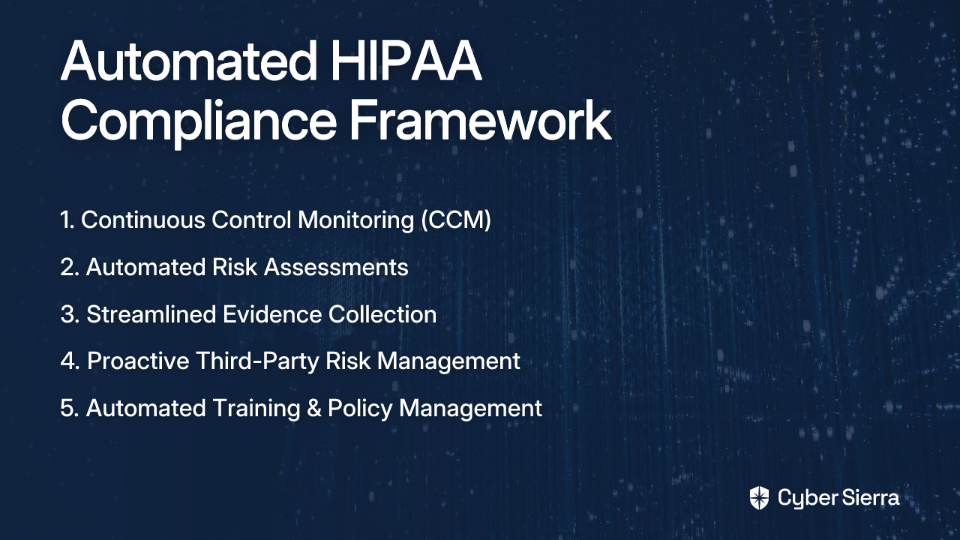
1. Implement Continuous Control Monitoring (CCM)
Why it's critical: AI systems are dynamic entities with constantly evolving data pipelines, models, and dependencies. Traditional point-in-time audits simply can't keep pace with configuration drifts and emerging vulnerabilities that can compromise your training data or the model itself.
Implementation guidance:
- Deploy automated tools that continuously gather evidence of control effectiveness across your cloud infrastructure, data repositories, and MLOps pipelines
- Configure real-time alerts for control failures or anomalies, such as unexpected changes in data access permissions
- Connect your CCM tool with project management systems to automatically create tickets for identified issues, ensuring accountability
Cyber Sierra's Continuous Control Monitoring (CCM) platform provides the foundation for modern AI governance with a single source of truth for all your controls. It offers ongoing visibility into your security posture, automates control testing, and delivers actionable risk intelligence to proactively fix gaps before they can be exploited.
2. Establish Robust Data Validation and Provenance Tracking
Why it's critical: This is your primary defense against data poisoning attacks. Without validating incoming data and tracking its origin, malicious actors can subtly corrupt your training set, leading to compromised model behavior.
Implementation guidance:
- Implement automated validation pipelines that perform schema checks and statistical tests to flag unusual patterns or outliers that may indicate tampering
- Prioritize curated, version-controlled datasets and use cryptographic hashes to create immutable snapshots that detect any subsequent manipulation
- Maintain a complete audit trail of data from its source through all transformations to its use in the model for forensic analysis if a compromise is detected
According to Google's Secure AI Framework, data poisoning represents one of the most significant threats to AI systems, requiring robust provenance tracking as a critical mitigation strategy.
3. Enforce Strict Identity and Access Management (IAM)
Why it's critical: Over-privileged access to training data, model artifacts, or the MLOps pipeline is a primary vector for both insider threats and external attacks. As one security professional noted, finding systems with "way too much permission" is a common and dangerous occurrence with AI implementations.
Implementation guidance:
- Apply the principle of least privilege by granting engineers, data scientists, and systems only the minimum level of access required
- Move beyond simple network controls to methods that verify identity for every access request
- Integrate access policy reviews directly into your CI/CD processes to prevent unauthorized or overly permissive configurations from ever reaching production
4. Institute Rigorous Third-Party Risk Management (TPRM)
Why it's critical: Modern AI systems rarely exist in isolation. They depend on third-party data providers, pre-trained models from repositories like Hugging Face, and various MLOps tools. Each vendor in your supply chain represents a potential entry point for risk.
Implementation guidance:
- Evaluate the security and data protection standards of every third-party vendor before integration
- Use a centralized platform to send, track, and manage vendor security questionnaires and risk assessments
- Continuously monitor the security posture of your critical vendors instead of relying on point-in-time assessments
Cyber Sierra's Third-Party Risk Management (TPRM) module simplifies this entire lifecycle, helping you centralize vendor risk assessments, prioritize vendors based on risk levels, and provides near real-time visibility into their security compliance.
5. Align with a Formal AI Governance Framework
Why it's critical: An ad-hoc approach to AI governance inevitably leaves dangerous gaps. Formal frameworks like the NIST AI Risk Management Framework (AI RMF) provide a structured, defensible methodology for managing AI-specific risks.
Implementation guidance:
- Structure your AI governance program around the four core functions of the NIST AI RMF: Govern, Map, Measure, and Manage
- Leverage the official AI RMF Playbook for practical, actionable steps to implement the framework
- Map controls to specific AI risks and ensure coverage across the entire AI lifecycle
A comprehensive GRC platform is essential to operationalize such a framework. Cyber Sierra's Governance, Risk & Compliance (GRC) module helps map NIST AI RMF controls to your internal processes, automates data collection, and maintains a detailed audit trail.
6. Conduct Proactive Red-Teaming and Threat Simulation
Why it's critical: To defend against novel AI attacks, you must think like an attacker. Red-teaming helps uncover vulnerabilities before they're exploited, addressing concerns about "prompt injections that nobody saw coming."
Implementation guidance:
- Run data poisoning simulations to test your data validation pipelines against various attack types
- For LLM and GenAI applications, actively try to bypass safeguards through prompt injection testing
- Test your models' resilience to adversarial inputs designed to cause misclassification or attempts to extract the model itself
As research from Knostic.ai emphasizes, proactive testing is crucial because many AI vulnerabilities remain undiscovered until actively exploited.
7. Embed Privacy by Design with Impact Assessments
Why it's critical: AI models can sometimes "memorize" sensitive information from their training data and inadvertently expose it. This risk of data leakage makes privacy a core security concern, especially under regulations like GDPR.
Implementation guidance:
- Conduct formal Privacy Impact Assessments before deploying any new AI system that handles personal data
- According to IRM Consulting, this should include a preliminary analysis, business process mapping, privacy impact analysis, and a documented mitigation strategy
- Employ techniques like data anonymization, pseudonymization, or differential privacy to reduce the risk of re-identification from model outputs
8. Develop an AI-Specific Incident Response Plan
Why it's critical: Your standard incident response plan likely doesn't cover the nuances of an AI security incident. What's your protocol if you discover your production model has been poisoned for weeks? How do you safely roll back a model?
Implementation guidance:
- Develop specific response playbooks for scenarios including data poisoning discovery, model evasion/misuse, and sensitive data leakage
- Establish multi-tiered alerts based on incident severity to ensure the right people are notified without causing alert fatigue
- Practice your response through tabletop exercises that simulate AI-specific incidents
According to MIT Sloan Management Review, having AI-specific incident response processes is essential for minimizing damage when a security event inevitably occurs.
9. Mandate Human-in-the-Loop (HITL) and Explainability
Why it's critical: This control directly combats the risk of "blind trust in outputs = automation bias." For high-stakes decisions, complete automation is reckless. Human oversight, supported by transparent AI, is essential for accountability and trust.
Implementation guidance:
- For AI systems involved in critical areas like medical diagnosis, financial lending, or infrastructure control, ensure qualified human experts review and approve the AI's recommendations before action is taken
- Implement explainable AI (XAI) techniques that can articulate how a model arrived at a specific conclusion
- Connect data lineage to the model's decision logic to create a complete audit trail for debugging and regulatory inquiries
As PwC's Global Compliance Study notes, explainability is increasingly becoming a regulatory requirement, not just a best practice.
10. Foster a Security-Conscious Culture with AI-Focused Training
Why it's critical: The "human firewall" is as important for AI as it is for traditional systems. A data scientist could unknowingly use a tainted open-source dataset, or a developer could be phished for credentials to the MLOps pipeline.
Implementation guidance:
- Educate employees—especially technical teams—on specific AI risks like data poisoning and the dangers of using untrusted pre-trained models
- Teach security teams that prompt injection is essentially "social engineering for LLMs"
- Conduct simulated phishing campaigns and other social engineering tests to reinforce learning and measure employee readiness
Cyber Sierra's Employee Security Training platform helps build this human firewall with interactive modules on evolving threats and simulated counter-phishing campaigns that create a truly security-conscious workforce.
Fortify Your AI Future: Automate Governance, Don't Just Audit It
The 10 controls outlined above aren't isolated checkboxes but an interconnected ecosystem for comprehensive AI security. In the dynamic world of AI, point-in-time compliance is obsolete. The speed and complexity of AI development demand a shift from manual, reactive GRC processes to automated, continuous governance.
As one GRC professional lamented on Reddit, "I spent countless hours setting meetings with technical people who hate me...because for each system that I drive a complete risk assessment for, you should count about 8 meetings of 2-3 hours each." This approach is unsustainable in the AI era, where threats evolve at machine speed.
Proactive risk management through tools that provide real-time visibility is no longer a luxury but a necessity for both security and innovation. Organizations that automate their IRM data governance will not only protect their AI systems but also accelerate their development by building on a foundation of trust.
Frequently Asked Questions
What is the most critical first step to securing AI systems?
The most critical first step is implementing Continuous Control Monitoring (CCM). This provides the foundational visibility needed to manage dynamic AI environments, moving you from periodic, manual audits to real-time, automated oversight of your security controls across data pipelines, models, and infrastructure.
How does AI security differ from traditional cybersecurity?
AI security addresses novel threats unique to machine learning systems, such as data poisoning, prompt injection, and model evasion, in addition to traditional risks. It requires a focus on the entire AI lifecycle, including data integrity, model robustness, and the security of MLOps pipelines, not just network and application security.
What is data poisoning and how can it be prevented?
Data poisoning is a targeted attack where malicious actors corrupt the training data to manipulate an AI model's behavior, introduce biases, or create backdoors. Prevention relies on robust data validation to check for anomalies, strict data provenance tracking to verify origins, and using version-controlled, curated datasets.
Why is a formal governance framework like NIST AI RMF important for AI?
A formal framework like the NIST AI Risk Management Framework (AI RMF) provides a structured, comprehensive, and defensible approach to managing AI-specific risks. It helps organizations move beyond ad-hoc checklists to systematically govern, map, measure, and manage risks throughout the AI lifecycle, ensuring a consistent and robust security posture.
How can automation improve AI data governance for GRC teams?
Automation is essential for managing the speed and complexity of AI. It transforms AI governance by replacing manual evidence collection and point-in-time audits with continuous control monitoring, real-time alerts for configuration drifts, and automated workflows. This allows GRC teams to proactively identify and remediate risks without slowing down innovation.
What is the role of human oversight in secure AI systems?
Human oversight, or a "Human-in-the-Loop" (HITL) approach, is a crucial control for high-stakes AI applications. It acts as a final safeguard against automation bias and model errors by ensuring that a qualified expert reviews and approves AI-driven recommendations before critical decisions are made, enhancing accountability and safety.
Stop the endless cycle of manual evidence collection and audit anxiety. See how Cyber Sierra's AI-enabled GRC platform transforms your data governance from a periodic chore into a continuous, automated strength. Protect your AI systems and stay audit-ready 24/7. Explore Cyber Sierra's Continuous Control Monitoring Platform today.