blog-hero-background-image
Cyber Security

How to Reduce Audit Fatigue with Automated Control Testing

backdrop
Table of Contents

Join thousands of professionals and get the latest insight on Compliance & Cybersecurity.


You've just finished one audit, and another one is already on the horizon. Your team is drowning in screenshots, spreadsheets, and back-and-forth email chains requesting the same evidence they provided just months ago. Late nights become the norm as deadlines approach, and the cycle of reactive scrambling continues with no end in sight.

Sound familiar? You're experiencing audit fatigue—and you're not alone.

According to recent studies, over 80% of organizations report feeling overwhelmed by compliance requirements, making this a near-universal challenge in today's regulatory landscape. Audit fatigue is the state of resource drain, inefficiency, and frustration that arises when organizations face numerous and repetitive security and compliance audits.

But what if there was a way to break this cycle? What if your organization could shift from reactive, "point-in-time" audit preparation to a state of continuous readiness?

This article explores how automated control testing can transform your approach to compliance, reducing audit fatigue while strengthening your security posture.
The Anatomy of Audit Fatigue: Why Are We So Exhausted?

Before addressing the solution, it's important to understand what causes audit fatigue in the first place.

The Tyranny of Manual Processes

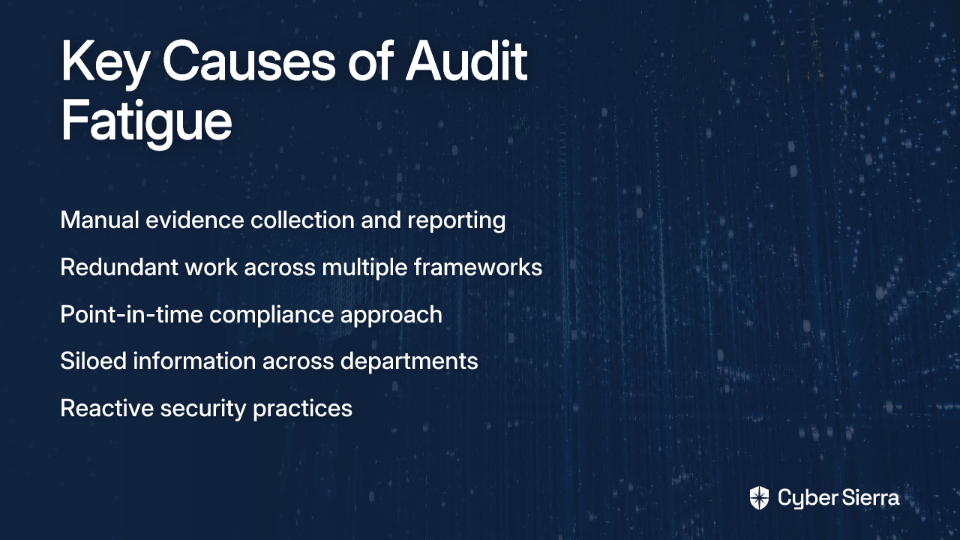
The most significant contributor to audit fatigue is the reliance on manual processes. Teams spend countless hours collecting evidence, consolidating data from disparate sources, and generating reports—all by hand.

"Errors in manual data consolidation processes leading to inaccuracies" is a common pain point expressed in industry forums. When security analysts are taking screenshots of configurations, manually compiling them in spreadsheets, and creating one-off reports for each audit, the process becomes not only time-consuming but also error-prone.

Redundancy and Information Silos

Many organizations manage multiple compliance frameworks simultaneously—SOC 2, ISO 27001, HIPAA, PCI DSS, and more. Without a unified approach, teams find themselves submitting the same evidence multiple times for different audits.

This redundancy stems from information silos, where different departments maintain their own documentation and control evidence, leading to inconsistent implementation and duplicated effort.

The "Point-in-Time" Trap

Traditional audits represent a snapshot of your compliance at a specific moment. This creates a "fire drill" mentality where teams scramble to prove compliance just before an audit, rather than maintaining compliance continuously.

The result? A control could be failing for months without anyone knowing, only to be hastily fixed before the auditors arrive—leaving your organization vulnerable in between audits.

Security and Compliance as an Afterthought

When security is treated as a pre-audit checklist rather than integrated into daily operations, it creates immense overtime burdens as audit deadlines approach. This reactive approach not only contributes to audit fatigue but also undermines the very purpose of compliance: maintaining strong security practices at all times.

The Paradigm Shift: Automated Control Testing & Continuous Monitoring

The solution to audit fatigue lies in transforming how we approach compliance through automation and continuous monitoring.

What is Automated Control Testing?

Automated control testing replaces manual evidence-gathering and analysis with technology-driven processes. Based on the ISACA model, it works in four key steps:

  1. Automated Evidence Gathering: Instead of taking screenshots, technology pulls configuration data, logs, and user permissions directly from source systems (e.g., AWS, Azure, Jira).
  2. Automated Analysis: The system analyzes the evidence against pre-defined control criteria (e.g., "Are MFA enabled for all privileged users?").
  3. Automated Effectiveness Assessment: The tool provides an immediate pass/fail status for the control.
  4. Automated Substantiation: Results and evidence are stored in a central repository, ready for auditors.

This automation eliminates the need for manual screenshots, spreadsheets, and repetitive tasks that contribute to audit fatigue.
Introducing Continuous Control Monitoring (CCM)

Continuous Control Monitoring (CCM) takes automated testing a step further by implementing it on an ongoing basis. According to Cybersierra, "CCM technologies automatically assess and monitor security controls and risk management processes to validate their effectiveness in real-time."

Rather than checking controls only during audit periods, CCM provides:

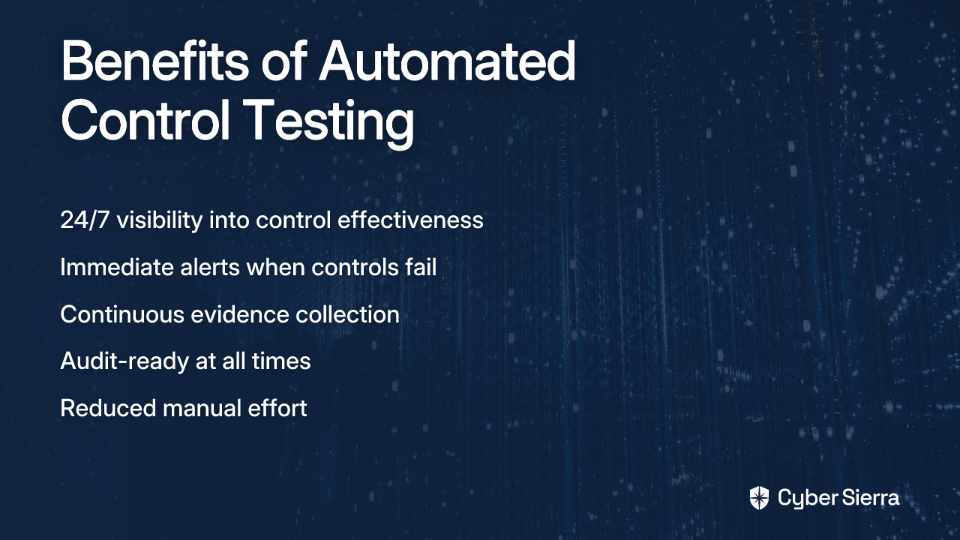
  • Real-time validation of control effectiveness
  • Immediate alerts when controls fail
  • Ongoing evidence collection for audit readiness
  • A comprehensive view of your security posture

Some industry professionals express concerns that continuous monitoring might blur the lines between different defense functions. However, modern CCM solutions are designed to provide a single source of truth that enhances collaboration between the first, second, and third lines of defense—not to replace or confuse these distinct roles.

The Tangible Returns: Why Automation is a Game-Changer

The benefits of automated control testing go far beyond simply reducing audit fatigue.

Massive Efficiency Gains and Time Savings

Organizations that implement integrated GRC platforms report up to a 70% reduction in audit preparation time. This translates to thousands of hours saved annually that can be redirected toward strategic risk management rather than administrative tasks.

One compliance manager noted, "What used to take our team three weeks of preparation now takes just three days, and the evidence is more complete and consistent."

From Sampling to 100% Coverage

Manual testing often relies on sampling due to resource constraints. For example, an organization might manually test 25 applications out of 300 due to time limitations.

A case study published in the ISACA Journal highlighted how a regional bank that automated its change management controls achieved:

  • 100% coverage across 300 applications (compared to 25 before)
  • Elimination of sampling risk
  • Complete assurance of control effectiveness
  • Implementation requiring only ~80 hours, demonstrating strong ROI

Proactive Risk Management and Real-Time Visibility

Perhaps the most significant benefit is the shift from reactive to proactive risk management. With automated control testing and CCM:

  • Controls failures are identified immediately, not months later during an audit
  • Remediation can begin promptly, reducing vulnerability windows
  • The security posture improves continuously rather than cyclically
  • Organizations move from "preparing for audits" to being "always audit-ready"

A Practical Roadmap to Implementation

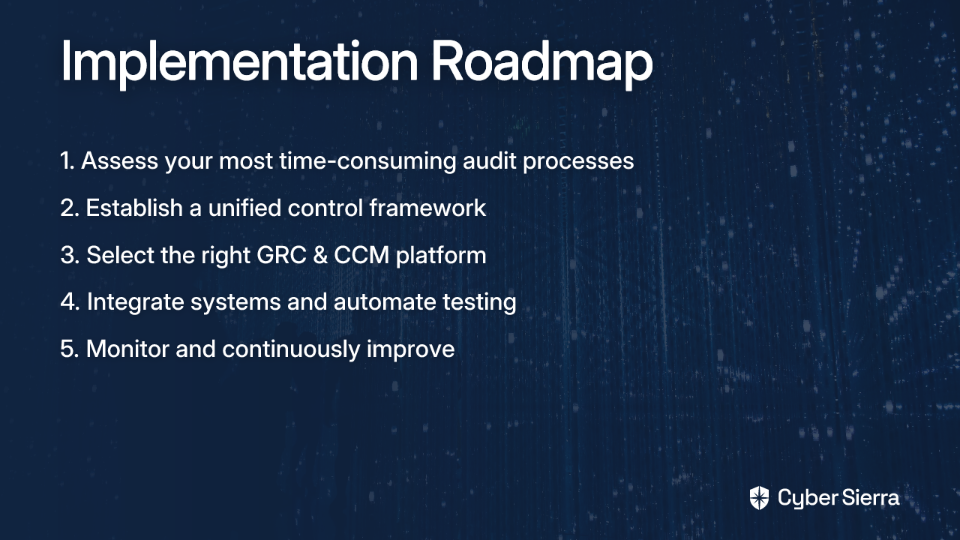
Ready to reduce audit fatigue in your organization? Here's a step-by-step guide to implementing automated control testing:

Step 1: Assess and Streamline Your Processes

Before investing in any tool, identify your most repetitive, time-consuming manual audit tasks. Ask yourself:

  • Which controls require the most evidence collection effort?
  • Where do we spend the most time during audit preparation?
  • Which manual processes are most error-prone?

This "process first" approach ensures you target the right areas for automation and understand your requirements before selecting a solution.

Step 2: Establish a Unified Control Framework

Adopt a baseline standard like NIST 800-53 that allows you to map controls once and apply them across multiple regulations. This approach:

  • Reduces redundant efforts
  • Creates a common language for compliance
  • Simplifies the automation process
  • Enables cross-framework reporting

A unified framework serves as the foundation for effective automated testing by ensuring consistency across your compliance program.

Step 3: Select the Right GRC & CCM Platform

Look for a platform with these critical features:

  • Automated data collection and control testing capabilities
  • Real-time monitoring and alert mechanisms
  • Broad integration with your existing security and IT systems
  • Support for multiple regulatory frameworks (SOC 2, ISO 27001, etc.)
  • Centralized evidence repository and comprehensive reporting

This is where modern GRC (Governance, Risk, and Compliance) platforms come in. For example, Cyber Sierra's Continuous Control Monitoring (CCM) module is built to automate this entire lifecycle. It integrates directly with your tech stack to automatically collect evidence, test controls against 25+ compliance frameworks in near real-time, and provides a centralized dashboard for a unified view of your security posture. This replaces manual screenshotting and spreadsheet management with continuous, automated assurance.
Step 4: Integrate, Automate, and Monitor

Once you've selected a platform:

  1. Connect it to your key systems (cloud providers, identity services, ticketing systems, etc.)
  2. Configure automated tests for critical controls (e.g., checking for public S3 buckets, ensuring MFA is enforced)
  3. Continuously monitor the dashboard and adapt your automated tests as your environment or regulatory requirements change

Start with high-value controls that are frequently tested across multiple frameworks to maximize your initial ROI.

Make Your Next Audit Your Easiest One Yet

Audit fatigue isn't inevitable—it's a symptom of outdated, manual processes that can be overcome with the right approach. By embracing automated control testing and continuous monitoring, your organization can:

  • Dramatically reduce the time and resources spent on audit preparation
  • Improve the accuracy and completeness of your compliance evidence
  • Shift from reactive to proactive risk management
  • Maintain a state of continuous audit readiness
  • Free up valuable resources for strategic security initiatives

The transition doesn't have to happen all at once. Start small by identifying one highly manual control in your next audit cycle and exploring how it could be automated. As you experience the benefits, you can expand your automation program gradually.

Ready to move beyond the audit treadmill? See how Cyber Sierra's GRC platform provides a unified solution for continuous monitoring, automated evidence collection, and streamlined compliance, helping you reduce audit fatigue and build a stronger security program.
By taking these steps, you'll not only reduce audit fatigue but also strengthen your overall security posture—turning compliance from a burden into a strategic advantage.

blog-hero-background-image
Cyber Security

How to Operationalize CCM Alerts into Your SOC Workflow

backdrop
Table of Contents

Join thousands of professionals and get the latest insight on Compliance & Cybersecurity.


You've set up a robust Security Operations Center (SOC) and invested in Continuous Control Monitoring (CCM), but your teams are still working in silos. SOC analysts are drowning in SIEM alerts while compliance managers chase evidence for audits. Meanwhile, control failures that could signal serious security risks go unaddressed, adding to your growing technical debt.

Sound familiar? You're not alone.

"Every time an audit comes around, we're scrambling to gather evidence and fix issues that should have been addressed months ago," shared one security professional in a recent discussion. "It's exhausting, inefficient, and leaves us vulnerable between audits."

The disconnect between compliance monitoring and security operations creates dangerous gaps in your defense. But what if your CCM alerts could seamlessly integrate with your SOC workflow, transforming compliance from a periodic checkbox into a continuous security function?

The Modern SOC's Dilemma: Drowning in Data, Starving for Context

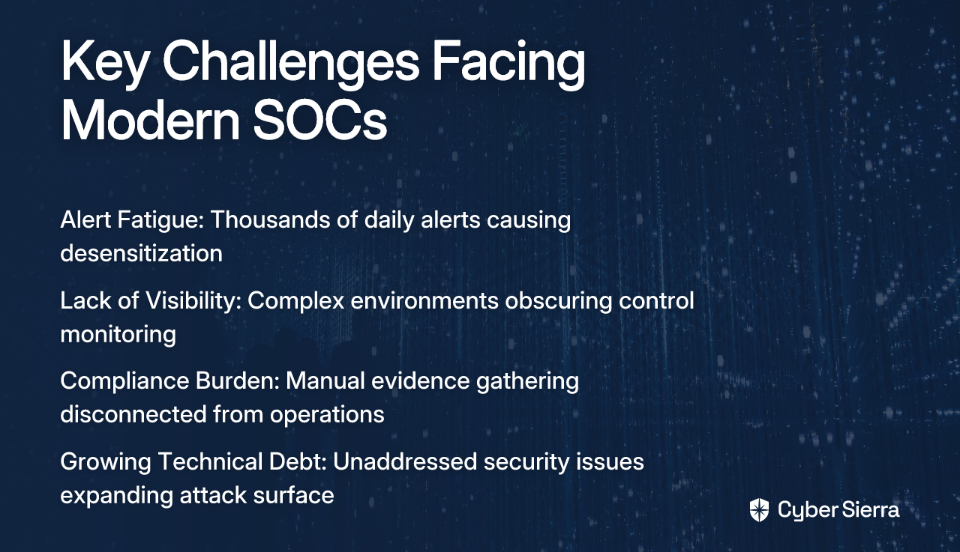
Today's SOC teams face unprecedented challenges that make integrating CCM not just beneficial but essential:

  • Alert Fatigue: The average enterprise SOC receives thousands of alerts daily, making it impossible to investigate each one thoroughly. Analysts become desensitized, increasing the risk of missing critical threats.
  • Lack of Visibility: As environments grow more complex and cloud-centric, maintaining comprehensive visibility becomes increasingly difficult. Security teams struggle to monitor controls effectively across expanding digital footprints.
  • The Compliance Burden: Manual, point-in-time evidence gathering for frameworks like ISO 27001, SOC 2, and PCI DSS is inefficient and disconnected from real-time security operations, leading to the dreaded audit scramble.
  • Growing Technical Debt: Unaddressed security issues accumulate over time, creating an expanding attack surface that becomes increasingly difficult to manage.

The cost implications are significant. According to IBM's 2022 Cost of a Data Breach Report, the average data breach now costs organizations $4.35 million. However, those leveraging security AI and automation reduce breach costs by up to $3 million compared to those without—highlighting the immense value of automating control verification.

What is Continuous Control Monitoring (CCM)? A Signal Amplifier for Your SOC

Continuous Control Monitoring uses technology for ongoing, automated oversight of an organization's security controls to ensure they're effectively mitigating risks and maintaining compliance. Unlike traditional compliance approaches that rely on periodic assessments, CCM provides near real-time visibility into control effectiveness.

The key distinction between CCM alerts and typical security alerts is their certainty and context. While a SIEM alert indicates a potential threat that requires investigation, a CCM alert is a definitive statement about a weakened defense—for example, "MFA is disabled for a privileged user" or "Critical database backups have failed for 72 hours."

When properly integrated into your SOC workflow, CCM delivers several critical benefits:

  • Real-time Risk Identification: Moves from periodic checks to near real-time identification of control failures and vulnerabilities
  • Faster, More Contextual Incident Response: Adds crucial context to threat alerts, dramatically changing how incidents are prioritized and handled
  • Increased Operational Efficiency: Automates the mundane task of control validation, freeing up SOC analysts for high-value threat hunting
  • Improved Security Posture: Provides a comprehensive, continuous view of your true security state, enabling proactive remediation

Let's explore how to make this integration happen in practice.

A Practical Framework: Integrating CCM Alerts into Your SOC Workflow

Step 1: Define Control Objectives and Alerting Thresholds

Before you can monitor controls, you need to clearly define what you're monitoring and when an alert should be triggered. This involves:

  • Analyzing Control Objectives: Conduct risk assessments, map IT assets, and outline existing security controls based on your risk tolerance.
  • Leveraging Frameworks: Use established frameworks as a guide. The Cloud Controls Matrix (CCM) from the Cloud Security Alliance provides a structured approach with domains like Security Incident Management that outline key controls to monitor.
  • Setting Clear Thresholds: Define exactly when a control is considered "failed" and warrants an alert. For example, if your policy states that critical vulnerabilities must be patched within 14 days, set an alert to trigger when that threshold is exceeded.

Practical Examples of Controls to Monitor:

  • Identity & Access: Are all privileged accounts protected with MFA? Are leavers' accounts deactivated within 24 hours?
  • Endpoint Security: Is the EDR agent deployed and running on 100% of corporate endpoints?
  • Data Security: Is encryption enabled on all critical data stores (e.g., S3 buckets, databases)?
  • Vulnerability Management: Are critical patches deployed within the policy window?

Step 2: Ingest and Normalize CCM Data into Your SIEM/SOAR

CCM alerts cannot live in isolation—they must be integrated with your existing security stack to be truly operational:

  • Integration is Key: Your CCM platform should connect to your SIEM, SOAR, and ticketing systems via APIs.
  • Data Flow: Configure your CCM tool to push alerts into your SIEM, where they can be correlated with other security events. For example, a CCM alert about a disabled firewall rule can be correlated with suspicious network traffic logs from the affected server.
  • Normalized Format: Ensure CCM data follows a consistent format that your SIEM can parse and analyze alongside other security data.

Solutions like Cybersierra's CCM platform facilitate this integration by providing a central controls repository and enabling automated data ingestion, ensuring that the data flowing into your SIEM is always up-to-date and actionable.

Step 3: Develop Playbooks for CCM Alert Triage and Response

This is the core of operationalization—creating specific, automated response plans (playbooks) in your SOAR for different CCM alerts:

Example Playbook 1: "EDR Agent Not Reporting"

  1. Trigger: CCM alert for an EDR agent being offline for >24 hours
  2. Enrichment: SOAR queries asset inventory to confirm device status and checks for critical vulnerabilities
  3. Response:
    • If Low-Risk User: Automatically open a ticket for IT support
    • If High-Risk User (C-level, developer): Escalate to a Tier 1 SOC analyst

Example Playbook 2: "Public S3 Bucket Detected"

  1. Trigger: CCM alert for an S3 bucket policy change making it public
  2. Enrichment: SOAR queries data classification tool to check for sensitive data
  3. Response:
    • If Non-Sensitive: Alert cloud engineering team via Slack/Teams
    • If Sensitive Data: Automatically apply restrictive policy and escalate to incident response

By automating these responses, you reduce manual effort and ensure consistent handling of control failures.

Step 4: Use CCM Data for Contextual Enrichment

Don't just respond to CCM alerts—use CCM data to add critical context to all other security alerts:

Workflow Example:

  1. A standard SIEM alert fires: "Suspicious PowerShell activity on workstation-123"
  2. The SIEM/SOAR automatically queries the CCM platform for the control status of that workstation
  3. The CCM platform responds:
    • EDR Agent: Healthy
    • Patches: Up-to-date
    • User: Standard privilege
    • Result: The alert priority remains Medium

Alternative Scenario: The CCM platform responds:

  • EDR Agent: Not Reporting
  • Patches: Missing critical vulnerability (CVE-XXXX-XXXX)
  • User: Domain Admin
  • Result: The alert priority is automatically escalated to Critical

This contextual enrichment directly combats alert fatigue by helping analysts focus on the highest-risk events, particularly when limited security resources are available.

Step 5: Create Dashboards and Reporting for Continuous Visibility

Use CCM data to build dashboards that provide a real-time view of your security posture:

Key Dashboard Components:

  • Overall Control Effectiveness Score (percentage)
  • Compliance status against key frameworks (NIST, ISO 27001, HIPAA)
  • Top 5 Failing Controls across the organization
  • Control Drift Over Time (to track and manage technical debt)

These dashboards not only help SOC teams prioritize their work but also streamline reporting to leadership, making it easier to demonstrate the value of security investments and justify additional resources when needed.

Choosing the Right CCM Platform to Power Your SOC

When selecting a CCM platform to integrate into your SOC, prioritize these key features:

  1. Ease of Integration: Look for robust API support to connect seamlessly with your SIEM, SOAR, and ticketing systems.
  2. Framework and Asset-Based Monitoring: The platform should support mapping controls to common frameworks (like NIST CSF or ISO 27001) and directly to your IT assets for granular visibility.
  3. Actionable Risk Intelligence: Go beyond simple pass/fail alerts—choose a solution that provides data-driven analytics to help prioritize remediation efforts based on risk.
  4. Automation Capabilities: Seek a platform that automates control testing and validation to reduce manual effort and ensure consistency.
  5. Scalability: As your organization grows, your CCM solution should scale accordingly to handle an expanding control landscape.

Cybersierra's CCM platform addresses these requirements with its central controls repository, near real-time updates, and actionable risk intelligence. By automating control testing and validation, it enables SOC teams to focus on addressing the most critical issues rather than manually verifying control effectiveness.

From Audit-Ready to Always-Secure

Integrating CCM alerts into your SOC workflow transforms compliance from a periodic, manual chore into a continuous, automated, and proactive security function. This integration breaks down the silos between GRC and Security Operations, creating a unified approach to security that is both more efficient and more effective.

By operationalizing CCM, you will:

  • Reduce alert fatigue by adding critical context to security events
  • Accelerate incident response with richer contextual information
  • Proactively shrink your attack surface by addressing control failures before they're exploited
  • Replace last-minute audit panic with a state of continuous, verifiable security

Start by identifying your top 3-5 critical controls that are currently monitored manually. Investigate how a unified CCM platform can automate their validation and feed that intelligence directly into your SOC. To see how a platform with a central controls repository and actionable risk intelligence can streamline this process, consider exploring solutions like Cybersierra that are designed specifically for this purpose.

The future of security operations lies in this convergence of compliance and operations—where every control failure is an actionable security alert, and every security alert is enriched with compliance context. By embracing this approach, you'll not only strengthen your security posture but also reclaim countless hours previously spent on manual compliance activities, allowing your team to focus on what matters most: defending your organization against real threats.

Frequently Asked Questions

What is the main difference between a CCM alert and a regular SIEM alert?

A Continuous Control Monitoring (CCM) alert is a definitive statement about a failed or weakened security control, while a standard SIEM alert indicates a potential threat that requires further investigation. For example, a CCM alert might state "MFA is disabled for a privileged user," which is a confirmed fact about a security gap. A SIEM alert, on the other hand, might report "suspicious login attempt," which could be a false positive or a real threat that needs analysis.

How does integrating CCM with a SOC reduce alert fatigue?

CCM reduces alert fatigue by adding critical context to security alerts, enabling automated prioritization. When a SIEM alert is generated, the SOC platform can automatically query the CCM system for the control status of the involved asset. If the asset has multiple failed controls (e.g., missing patches, disabled EDR), the alert's priority can be automatically escalated. Conversely, if all controls are healthy, the alert can be de-prioritized, allowing analysts to focus on the highest-risk events.

What are the first steps to integrating CCM into an existing SOC workflow?

The first step is to define your control objectives and set clear alerting thresholds. This involves conducting risk assessments to identify your most critical assets and controls, mapping them to relevant compliance frameworks like NIST or ISO 27001, and defining the specific conditions that constitute a "failed" control. For example, you might set a threshold to trigger an alert if a critical vulnerability is not patched within 14 days.

Why is a CCM platform better than manual control checks for audits?

A CCM platform is superior because it provides continuous, automated, and near real-time oversight, whereas manual checks are periodic, point-in-time snapshots. Manual audits create dangerous visibility gaps between assessments and lead to a last-minute scramble to gather evidence. CCM transforms this process into a state of continuous compliance, where evidence is always available and control failures are addressed as they happen, not just before an audit.

Can CCM help prioritize vulnerability remediation?

Yes, CCM is highly effective for prioritizing vulnerability remediation. By integrating data from vulnerability scanners, a CCM platform can monitor whether critical patches are being deployed within the policy-defined window (e.g., 14 days for critical CVEs). It can generate alerts for any breaches of this policy, allowing security teams to focus remediation efforts on the most critical, out-of-compliance assets before they can be exploited.

How does CCM turn compliance from a cost center into a security function?

CCM transforms compliance into an active security function by operationalizing control data. Instead of being a periodic checklist for auditors, control failures become real-time intelligence for the SOC. This intelligence provides crucial context for incident response, helps proactively identify and shrink the attack surface, and automates evidence gathering. By doing so, it shifts compliance from a reactive, cost-intensive activity into a proactive value-driver for the security organization.

blog-hero-background-image
Cyber Security

3.5B Whatsapp Phone Number Leaked - What does it mean for CISOs?

backdrop
Table of Contents

Join thousands of professionals and get the latest insight on Compliance & Cybersecurity.


Summary

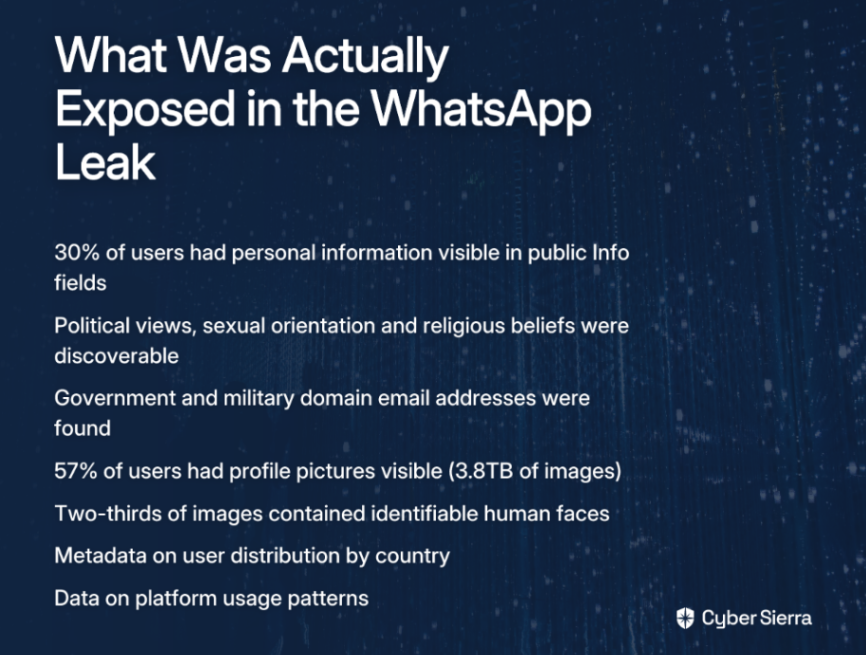
  • The leak of 3.5 billion WhatsApp accounts exposed not just phone numbers but 3.8TB of profile pictures and sensitive personal data from 30% of users, including government and military emails.
  • This data provides the perfect fuel for hyper-targeted phishing and social engineering attacks, turning a consumer app breach into a direct threat to corporate security.
  • CISOs must shift from a prevention-only mindset to a proactive containment strategy by implementing Zero Trust architecture and updating employee security training to reflect this new threat landscape.
  • Strengthen your organization's resilience with a unified Governance, Risk, and Compliance (GRC) platform that automates monitoring and helps you adapt to emerging threats.

You've probably seen the headlines or heard the discussions: "3.5 billion WhatsApp phone numbers leaked." Perhaps your initial reaction was similar to what many are saying across Reddit and other forums: "So what? It's just a phone book being leaked," or "Does this leak contain any information other than 'yes this number exists and uses WhatsApp'?"

This dismissive reaction dangerously underestimates what may be the most extensive data leak in history. According to researchers from the University of Vienna, this isn't merely a list of phone numbers but the successful enumeration and download of WhatsApp's complete user directory—creating a massive, publicly accessible directory of global communication patterns and personal data that presents an entirely new category of threat vector for corporations.

As a CISO, understanding the full implications of this breach is critical to developing an appropriate security response. This article will deconstruct the true scope of the exposed data, analyze the immediate threat vectors for your enterprise, and provide a strategic framework for shifting from a reactive to a proactive, containment-focused security posture.

Deconstructing the Data: More Than Just Numbers

When examining what actually happened, it's important to note this wasn't a traditional database breach. According to Heise.de's detailed report, researchers successfully enumerated and downloaded WhatsApp's entire user directory, retrieving all phone numbers and associated public profile data without encountering any meaningful obstacles or rate limiting.

The exposed information goes far beyond a simple list of numbers:

Sensitive Personal Information (PII) in Plain Sight

  • Approximately 30% of users had personal information visible in their public "Info" field
  • Researchers discovered explicit mentions of political views, sexual orientation, religious beliefs, and even confessions of drug use
  • Most alarming for enterprise security: hyperlinks to social media and email addresses from highly sensitive domains were found, including bund.de (German federal government), state.gov (U.S. State Department), and mil (U.S. military domains)

This transforms what might appear to be a consumer app leak into a potential national security and corporate espionage issue—especially for organizations whose employees use WhatsApp for work-related communications.

The Profile Picture Goldmine

  • 57% of users had uploaded profile pictures visible to everyone, resulting in a staggering 3.8 terabytes of retrieved images
  • Two-thirds of these images contained identifiable human faces
  • This creates an unprecedented dataset for facial recognition, doxxing, and the creation of sophisticated deepfakes that could be used in targeted social engineering attacks against your organization

Strategic Intelligence for Threat Actors

The leak also exposed valuable metadata including:

  • User distribution by country (including 2.3 million active accounts in China and 60 million in Iran, where the service is officially banned)
  • Platform usage patterns (Android vs. iOS)
  • Business account data

This information allows threat actors to build geographically and technologically targeted campaigns, potentially focusing on regions or device types where your organization has the strongest presence.

The Fallout: How a Consumer App Leak Becomes a Corporate Threat Vector

While users across social media platforms like Reddit express concerns about receiving "WhatSpam" or "WhatSmishing" messages, the implications for your organization extend far beyond nuisance communications.

The Fuel for Hyper-Targeted Phishing and SMShing

With the leaked data, threat actors can now move beyond generic phishing attempts to create highly convincing targeted attacks:

  • Consider this scenario: An attacker now has your employee's phone number, their face from their profile picture, and potentially their political views or other personal details from their "Info" field
  • Armed with this information, they can craft personalized SMShing attacks designed specifically to harvest corporate credentials
  • This capability becomes even more concerning in light of recent findings that hundreds of U.S. Department of Defense credentials were found for sale on the dark web, some with active session cookies that could bypass multi-factor authentication, as reported by CSHub.com

The WhatsApp data essentially provides the perfect entry point for such sophisticated social engineering attacks against your organization.

The Phone Number as a Failing Security Anchor

This leak highlights a critical vulnerability in modern security architecture:

  • Phone numbers are frequently used as identity anchors for password resets and two-factor authentication
  • The comprehensive nature of this leak makes large-scale attacks on these systems significantly more feasible
  • The situation grows even more complex with the rise of eSIM technology. According to USENIX research on eSIM security, GSMA projects that 50% of smartphones will be eSIM-enabled by 2028
  • These digital provisioning methods introduce new risks like phishing and spoofing that CISOs must factor into their mobile security strategy

The Blurring Lines of BYOD (Bring Your Own Device)

With the boundaries between personal and professional device usage becoming increasingly blurred:

  • An attack on an employee's personal WhatsApp is effectively an attack on your corporate perimeter
  • The security of employee-owned devices that access corporate resources must now be treated as a top priority in your security strategy
  • Despite end-to-end encryption of messages, the exposed metadata and profile information create numerous attack vectors

As one Reddit user accurately noted, "Whoever gets your data will harness information from your contacts and send them phishing and SMShing messages, trying to steal their payment information." In a corporate context, these attacks are likely to target business credentials and access to sensitive systems.

The CISO's Strategic Imperative: A Shift to Proactive Containment

In light of this unprecedented data leak, CISOs must adapt their security approach. The traditional focus on prevention—while still important—is insufficient. As highlighted in CSOOnline's analysis, modern CISOs must pivot from total prevention to effective containment and rapid response.

Embrace the "Breach is Inevitable" Mindset

The WhatsApp leak is an external event that you couldn't have prevented, but its internal impact can and must be managed:

  • Accept that your corporate security posture must account for the fact that employees' personal information is now accessible to threat actors
  • Shift resources from pure prevention to detection, containment, and response capabilities
  • Develop specific playbooks for addressing social engineering attacks that leverage personal WhatsApp data

Implement a Zero Trust Architecture

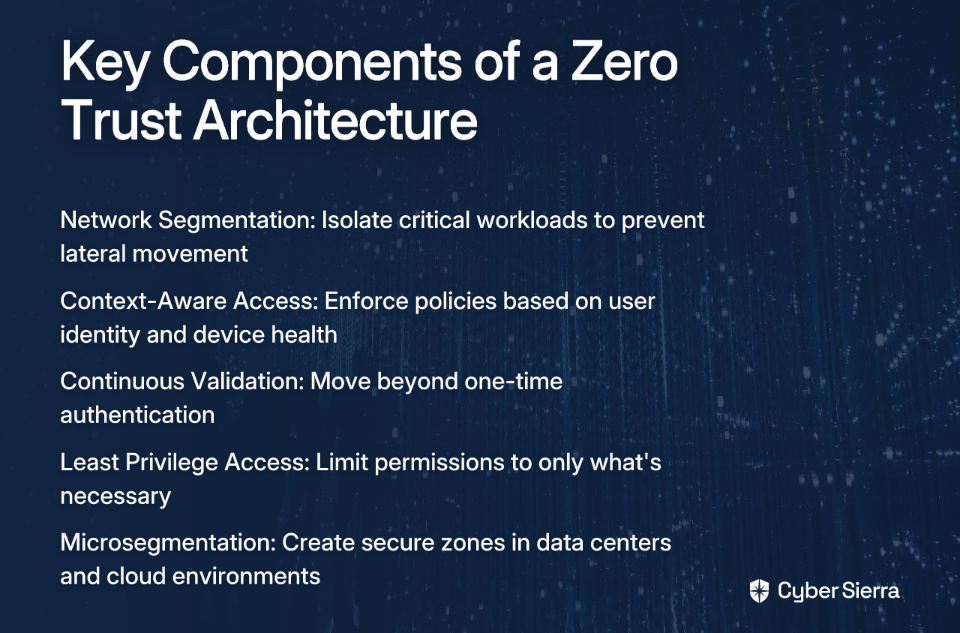
Zero Trust validates trust at every layer of access, not just the perimeter. This approach assumes an employee's device or credentials will be compromised via a phishing attack stemming from this leak:

  • Network Segmentation: Isolate critical workloads to prevent lateral movement if initial defenses are breached. Over 70% of successful breaches involve lateral movement techniques—the goal is to ensure a breach in one "compartment" doesn't sink the entire ship
  • Context-Aware Access: Enforce policies based on user identity, device health, location, and other signals to continuously validate access requests. This is particularly important when phone numbers (now widely exposed) are used as authentication factors
  • Continuous Validation: Move beyond one-time authentication to systems that continuously verify legitimacy throughout a session

For a deeper understanding of Zero Trust implementation, see CSO Online's comprehensive guide.

Revamp Security Awareness Training

One of the CISO's core responsibilities is education, as highlighted by Elastic's guide on the CISO role. The WhatsApp leak creates a perfect opportunity to make security training more relevant and impactful:

  • Move beyond generic phishing warnings
  • Use the WhatsApp leak as a specific, relatable case study in training materials
  • Show employees exactly how their public WhatsApp profile could be weaponized to create a convincing fake email or text message from HR or IT
  • Develop and share clear guidelines on what information employees should remove from their WhatsApp profiles

Pre-Emptive Collaboration with Legal Counsel

As emphasized in the Spencer Fane cybersecurity roundtable, the relationship between the CISO and general counsel must be established before an incident occurs:

  • Schedule discussions with your legal team to address questions like:
    • What are the company's disclosure obligations if a breach is traced back to an employee compromised via this leak?
    • What are the GDPR implications if employees used their work numbers on WhatsApp?
    • How should the company respond to attacks leveraging this leaked data?

Conclusion: From Threat Intelligence to Corporate Resilience

The 3.5 billion WhatsApp account leak is a landmark event that fundamentally changes the threat landscape. It's not a distant problem for a social media giant—it's an immediate source of actionable intelligence for threat actors targeting your organization.

As a CISO, your role is to translate this intelligence into a robust, forward-looking security strategy. This means championing a shift towards containment, operationalizing Zero Trust principles, and fostering a culture of hyper-awareness among employees.

Use this event as a catalyst to review and stress-test your incident response plans, re-evaluate your mobile device security policies, and strengthen the critical partnership between security, IT, and legal teams. While many users may dismiss this as "just a phone book being leaked," the reality is far more complex and dangerous. Understanding and preparing for the true implications of this data leak is now an essential component of corporate security resilience.

Frequently Asked Questions

What information was exposed in the 3.5 billion WhatsApp account leak?

The leak exposed the entire WhatsApp user directory, not just phone numbers. This includes public profile information from "Info" fields (found in 30% of users), 3.8 terabytes of profile pictures (57% of users), and valuable metadata on user distribution by country and platform usage (Android vs. iOS). This rich dataset provides a comprehensive toolkit for attackers.

How does a consumer app leak like WhatsApp threaten corporate security?

This leak directly threatens corporate security by arming attackers with personal data to create hyper-targeted phishing and SMShing attacks against your employees. By leveraging an employee's phone number, face, and personal details, attackers can craft highly convincing messages designed to steal corporate credentials, bypass multi-factor authentication, and gain access to your network.

Why is this WhatsApp leak more dangerous than a simple phone number list?

This leak is significantly more dangerous because it combines phone numbers with a trove of contextual personal data. Unlike a simple list, it includes profile pictures (enabling facial recognition and deepfakes), self-disclosed PII in "Info" fields (political views, religious beliefs, even work emails), and usage patterns. This combination allows threat actors to move from generic spam to sophisticated, personalized social engineering campaigns.

What are the most important immediate steps a CISO should take?

A CISO should immediately prioritize three actions: First, revamp security awareness training to use this leak as a real-world example of how personal data can be weaponized against the company. Second, accelerate the implementation of a Zero Trust architecture to contain breaches when they occur. Third, conduct a thorough review of all authentication processes that rely on phone numbers, as they are now a compromised security anchor.

How does a Zero Trust architecture help mitigate risks from this leak?

A Zero Trust architecture mitigates these risks by operating on a "never trust, always verify" principle. It assumes an attacker will successfully compromise an employee's device or credentials via a phishing attack stemming from this leak. By enforcing strict network segmentation, context-aware access, and continuous validation, Zero Trust contains the breach, preventing an attacker from moving laterally across your network to access critical assets.

Are we still at risk if our company policy prohibits using WhatsApp for business?

Yes, your organization remains at significant risk even if WhatsApp is not used for work. The threat vector is not official communication but the weaponization of employees' personal data. Attackers will use the leaked information from an employee's personal WhatsApp account to craft attacks targeting their corporate identity, such as sending a convincing fake message from "IT" to their phone to harvest their work login credentials.

blog-hero-background-image
Cyber Security

How to Measure CCM ROI for CISOs and Compliance Leaders in 2025

backdrop
Table of Contents

Join thousands of professionals and get the latest insight on Compliance & Cybersecurity.


The CISO's $1 Million Question

"What's the ROI on our cybersecurity spend?"

It's the boardroom question that makes every CISO's stomach drop. Traditional ROI calculations work well for revenue-generating departments, but security is different—you're not creating revenue, you're preventing losses.

For compliance leaders, the challenge is even more acute. You're battling "compliance fatigue" while trying to demonstrate that your work isn't just a checkbox exercise but a critical risk management function. As one security professional lamented on r/NISTControls, there's a desperate need for a "structured program for continuous monitoring" that can coordinate compliance checks across different teams.

The good news? In 2025, measuring the ROI of Continuous Control Monitoring (CCM) isn't just possible—it's essential. This article provides a practical framework for quantifying CCM's value and building a compelling business case that speaks the language of your C-suite.

Why Classic ROI Fails (And How to Redefine It for Security)

Traditional ROI calculations focus on profit. Cybersecurity ROI is about something entirely different: cost avoidance and risk reduction.

Security leaders need to embrace a modern definition of ROI, as cited by Balbix:

ROI = Reduction in risk (in monetary terms) due to a security investment.

This leads us to the fundamental formula we'll use throughout this article, adapted from iVision's guide on measuring security value:

ROI = (Risk without mitigation – Risk with mitigation) / Cost of mitigation

This equation reframes the conversation from "How much money did we make?" to "How much money did we save?"—a much more appropriate lens for security investments.

The Foundation of Measurable ROI: Continuous Control Monitoring

Before diving into ROI calculations, let's clarify what makes CCM different from traditional security approaches.

Continuous Control Monitoring is a proactive approach that uses technology for ongoing, automated oversight of security controls. It transforms security from periodic snapshots to a real-time video feed of your security posture.

According to Cybersierra, CCM has three key objectives:

  1. Confirm the efficacy of controls in mitigating risks
  2. Maintain a proactive cyber defense posture
  3. Ensure business continuity and regulatory compliance

Many Reddit users express frustration with tools that claim to be "continuous" but are really just scheduled scans. True CCM provides near real-time insights and alerts, enabling prompt detection and mitigation of risks. This continuous nature is precisely what makes its ROI so impactful and measurable.

The CISO's Playbook: A Step-by-Step Guide to Calculating CCM ROI

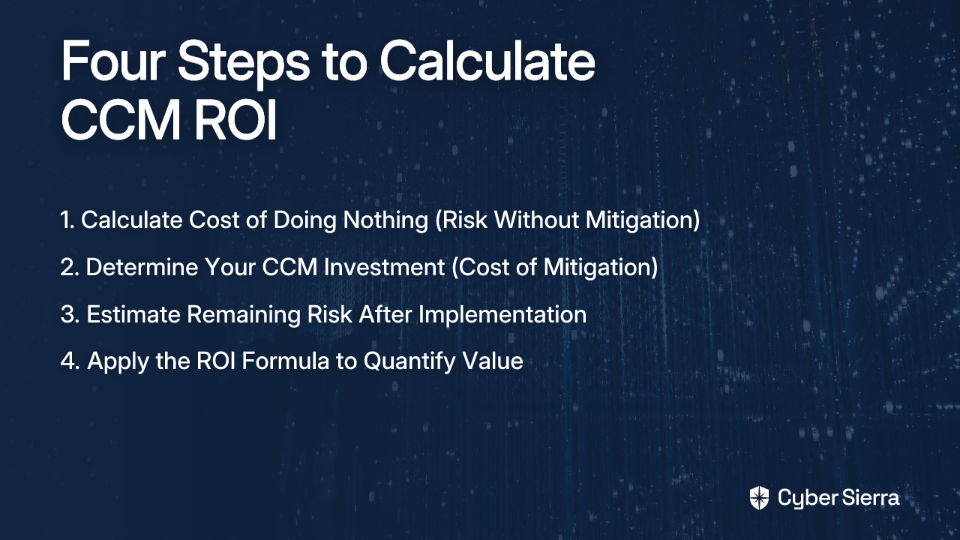
Now let's break down the ROI calculation into four manageable steps:

Step 1: Calculate Annualized 'Risk Without Mitigation' (The Cost of Doing Nothing)

This represents your potential financial loss if no CCM solution is implemented. Use this formula, provided by Balbix:

Breach Risk = Breach Likelihood (%) × Breach Impact ($)

To estimate the Breach Impact, include these cost factors, as outlined by iVision:

  • Reactive response costs (staff time, resources to contain a breach)
  • Analysis costs (forensics, root cause analysis, data loss assessment)
  • Preventive measure costs (post-breach training, unplanned security upgrades)
  • Legal/regulatory penalties (GDPR, HIPAA fines)
  • Reputation damage and customer churn

Example:

  • Average cost per major incident (ransomware, data theft): $100,000
  • Likelihood: 3 incidents per year
  • Annualized Risk Without Mitigation = $300,000

Step 2: Calculate the 'Cost of Mitigation' (Your CCM Investment)

This is the Total Cost of Ownership (TCO) for your CCM solution. Based on Cybersierra's guide, components include:

  • Software licensing and subscription fees
  • Initial setup and implementation costs
  • Employee training costs
  • Ongoing operational and maintenance costs

Continuing our example:

  • Licensing: $100,000
  • Implementation: $100,000
  • Training: $50,000
  • Operations: $50,000
  • Total Year 1 Cost of Mitigation = $300,000
  • Ongoing Annual Cost (Years 2+) = $150,000 (licensing + operations)

Step 3: Estimate Annualized 'Risk With Mitigation' (Your Residual Risk)

No solution eliminates 100% of risk. This calculation represents the remaining risk after your CCM solution is deployed:

Continuing our example:

  • Assume CCM reduces ransomware and data theft risk by 99%
  • Remaining risk: 1% of $200,000 = $2,000
  • Assume it reduces service disruption risk by 90%
  • Remaining risk: 10% of $100,000 = $10,000
  • Add risks not fully mitigated by CCM (e.g., social engineering): $70,000
  • Annualized Risk With Mitigation = $82,000

Step 4: Put It All Together - The Final ROI Calculation

Now we can apply our formula with real numbers:

Year 1 ROI:

  • ROI = ($300,000 – $82,000) / $300,000
  • ROI = 73%

Year 2+ ROI:

  • ROI = ($300,000 – $82,000) / $150,000
  • ROI = 145%

The key insight: ROI dramatically increases after the first year as implementation costs are sunk, making CCM a highly valuable long-term investment.

Beyond the Formula: Quantifying the "Soft" ROI of CCM

While the financial calculation is powerful, some of CCM's most significant benefits address the operational pains that security teams face daily:

Drastically Reduced Audit Preparation Time & Cost

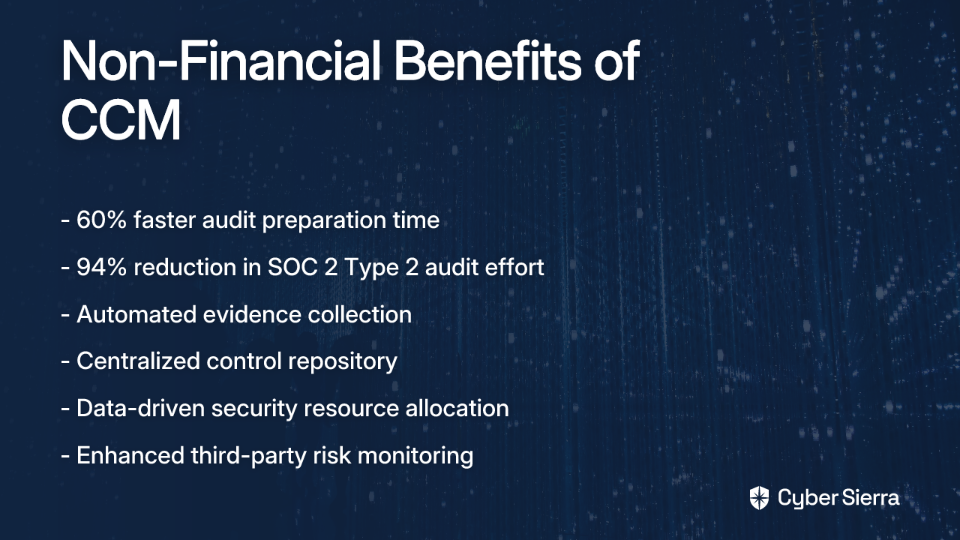
According to research from RegScale, organizations implementing CCM see up to a 60% faster audit preparation and response time and an impressive 94% reduction in effort for SOC 2 Type 2 audits.

This directly translates to thousands of saved man-hours and significantly reduced "audit fatigue"—a pain point frequently mentioned in compliance forums.

Massive Gains in Operational Efficiency

CCM automates manual evidence collection, which is consistently cited as a major pain point in Reddit discussions. This automation frees up skilled security personnel for more strategic tasks rather than spending hours gathering screenshots and documentation.

Moreover, CCM centralizes the control repository, creating a single source of truth. This directly addresses the challenge of "coordinating compliance checks across different roles" mentioned in multiple threads on r/NISTControls.

Enhanced, Data-Driven Decision Making

CCM provides actionable intelligence for strategic resource allocation, helping CISOs answer the board's tough questions identified by Balbix:

  • What are our biggest risks?
  • Which assets are most at risk?
  • Which business units are most exposed?

With this data, security leaders can make evidence-based decisions about where to allocate resources for maximum risk reduction.

Improved Third-Party Risk Management (TPRM)

Many security professionals express skepticism about the honesty of third parties during assessments. CCM can be extended to continuously monitor vendor security posture, moving beyond point-in-time questionnaires to ongoing verification of control effectiveness.

Operationalizing ROI: How an Integrated Platform Makes It a Reality

Now that we've established the "how" and "why" of measuring CCM ROI, let's briefly touch on the "what"—the technology that makes this possible.

A platform like Cybersierra's CCM module provides the real-time visibility and automated control testing needed to collect the data for all the ROI calculations above. It builds the central controls repository and provides dashboards to track key performance indicators.

This integrates with Governance, Risk & Compliance (GRC) capabilities that automate data collection and reporting for frameworks like SOC 2, ISO 27001, HIPAA, and PCI DSS. This integration is what drives the 94% reduction in audit effort mentioned earlier.

When CCM is further connected to Third-Party Risk Management (TPRM), it provides continuous visibility into your supply chain, addressing the concerns about vendor risk that appear frequently in security forums.

From Cost Center to Strategic Business Enabler

Measuring the ROI of Continuous Control Monitoring transforms the conversation about cybersecurity from an abstract cost to a quantifiable business benefit. The framework provided here gives CISOs and compliance leaders the tools to:

  1. Calculate the financial impact of their security investments
  2. Demonstrate the efficiency gains from automation
  3. Quantify the reduction in compliance burden
  4. Show how security enables broader business objectives

By leveraging CCM, security leaders can not only strengthen their organization's security posture but also clearly articulate its value to the board, securing the budget and buy-in needed to protect the organization in 2025 and beyond.

The days of security as a mysterious cost center are over. With the right approach to measuring CCM ROI, you can demonstrate that your security program is a strategic business enabler that delivers measurable, meaningful value to the organization.

Frequently Asked Questions

What is Continuous Control Monitoring (CCM)?

Continuous Control Monitoring (CCM) is a proactive, technology-driven approach that provides ongoing, automated oversight of a company's security controls. Unlike traditional, periodic audits which are like snapshots in time, CCM acts as a real-time video feed of your security posture. It continuously verifies that security controls are implemented correctly and operating effectively, enabling prompt detection and mitigation of risks.

How do you calculate the ROI of a cybersecurity investment like CCM?

The ROI for a cybersecurity investment is calculated by focusing on cost avoidance and risk reduction, using the formula: ROI = (Risk without mitigation – Risk with mitigation) / Cost of mitigation. This reframes the typical ROI conversation from "How much money did we make?" to "How much money did we save?". It involves quantifying your potential financial loss without the investment (Breach Likelihood × Breach Impact), subtracting the remaining risk after the investment, and dividing that by the total cost of the solution.

Why is CCM so important for compliance and audits?

CCM is crucial for compliance because it automates the manual evidence collection required for audits, drastically reducing preparation time and costs. By providing a centralized, always-up-to-date repository of control evidence, CCM eliminates "audit fatigue." Studies show it can lead to up to a 60% faster audit response time and a 94% reduction in the effort required for demanding audits like SOC 2 Type 2.

What are the main benefits of CCM beyond financial ROI?

Beyond direct financial ROI, the main benefits of CCM include massive gains in operational efficiency, enhanced data-driven decision-making, and improved third-party risk management. It automates tedious tasks, freeing up skilled security professionals for strategic work. It provides CISOs with real-time data to identify the biggest risks and allocate resources effectively. It also allows for continuous verification of vendors' security postures, moving beyond unreliable point-in-time assessments.

How is true CCM different from basic security scanning tools?

True CCM provides near real-time insights and automated alerts about control effectiveness, whereas many basic security tools are simply scheduled scans that offer periodic snapshots. The "continuous" aspect of CCM is key. It's an always-on system that monitors the state and efficacy of controls across your environment. This allows for immediate detection of misconfigurations or failures, unlike a weekly or monthly scan that leaves significant gaps where your organization could be vulnerable.

When can you expect to see a positive ROI from a CCM investment?

While a positive ROI is often achievable in the first year, the financial benefits of a CCM investment typically increase dramatically in the second year and beyond. The first year includes one-time implementation and training costs. After this initial investment, the ongoing costs are significantly lower (often just licensing and maintenance). Since the risk reduction value remains high, the ROI percentage grows substantially, making CCM a powerful long-term strategic investment.


Ready to learn more about implementing Continuous Control Monitoring in your organization? Explore Cybersierra's CCM solution to see how it can help you demonstrate ROI while strengthening your security posture.

blog-hero-background-image
Cyber Security

Top Multi-Cloud Compliance Strategies for 2026

backdrop
Table of Contents

Join thousands of professionals and get the latest insight on Compliance & Cybersecurity.


You've set up your multi-cloud infrastructure spanning AWS, Azure, and GCP, each with its unique configurations and security controls. But when your annual audit approaches, panic sets in. Your compliance team is scrambling to gather evidence from three different platforms, each with its own dashboard and reporting system. "Keeping everything audit-ready feels messy," you think as you export yet another CSV file to add to your growing collection of compliance artifacts.

Sound familiar? You're not alone. With 87% of organizations now using two or more cloud providers, multi-cloud compliance has become a universal challenge—one that's only growing more complex as regulatory requirements multiply.

This isn't just about managing more infrastructure; it's about adhering to an ever-expanding list of regulations (SOC 2, ISO 27001, GDPR, DORA) across environments with fundamentally different architectures and security paradigms. The result? Critical issues like "compliance drift," tedious manual evidence gathering, and reporting pipelines that are "clunky but manageable" at best.

As we look toward 2026, organizations need strategies that move beyond reactive check-ins to build a proactive, automated, and continuously audit-ready compliance posture. Here are five forward-looking strategies to help you get there.

1. Centralize Everything: Your Single Source of Truth

When managing compliance across multiple clouds, native tools provide depth but lack scalability. As one cloud architect noted on Reddit, these tools are "good for depth, bad for scale." They trap you in siloed dashboards with separate evidence trails for each platform.

The solution? Centralization.

Establish a Baseline Framework

The most effective approach is to "pick one baseline like SOC2 or ISO27001 and map everything to that," according to cloud compliance experts. This creates a universal compliance language that transcends the differences between AWS, Azure, and GCP.

Implement a Unified Platform

Instead of toggling between three dashboards, invest in tools that aggregate compliance data from all your cloud environments. This approach provides what IT professionals crave: "consistent visibility instead of three separate dashboards."

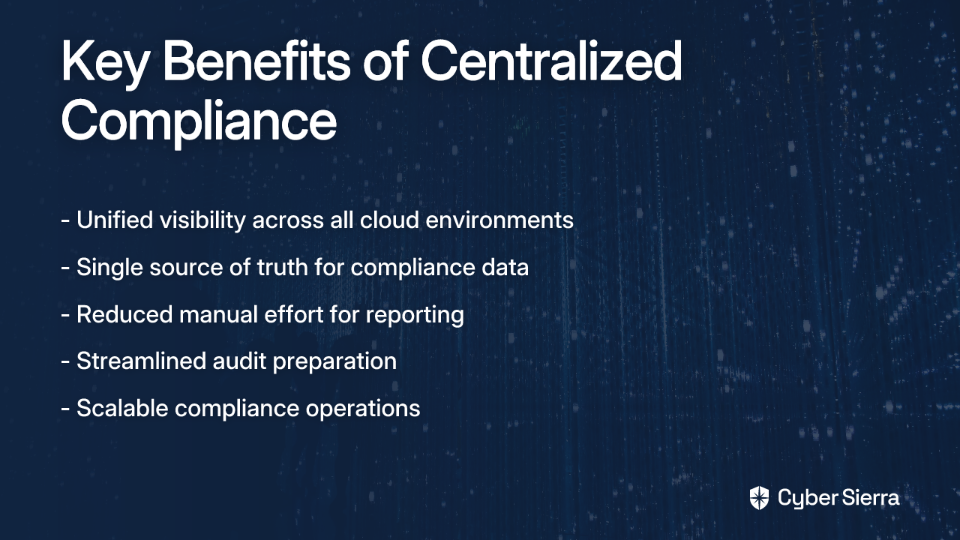
Centralization delivers three key benefits:

  • Holistic operational visibility across your entire cloud estate
  • Dramatic reduction in manual effort for reporting
  • Simplified audit preparation with a single source of truth

By 2026, organizations without this centralized approach will find themselves at a significant disadvantage, unable to scale their compliance operations to match their growing cloud footprints.

2. Shift to Continuous Control Monitoring (CCM)

Traditional point-in-time audits are becoming obsolete in the fast-moving cloud world. The future belongs to continuous compliance—detecting and remediating issues in near real-time rather than discovering them during annual audits.

Continuous Control Monitoring (CCM) is an automated method of continually assessing security controls to ensure they remain effective and compliant. It directly addresses the challenge of "compliance drift"—when environments gradually fall out of compliance between audit cycles.

Core Components of Effective CCM:

  1. Full Coverage: Use agentless technology for rapid deployment and comprehensive visibility across all cloud assets, including "shadow IT" resources that might otherwise escape notice.
  2. Comprehensive Risk Detection: Automatically identify misconfigurations, vulnerabilities, IAM issues, and data security gaps across your multi-cloud environment.
  3. Automated Tracking and Reporting: Leverage technology to streamline monitoring and documentation, making audits less painful and more predictable.

Platforms like Cyber Sierra's Continuous Control Monitoring (CCM) module provide a central controls repository with near real-time updates, automate control testing, and detect exceptions as they happen, transforming compliance from a periodic chore into a continuous process.

By implementing CCM, you'll not only reduce the risk of falling out of compliance but also gain operational efficiencies that free your security team to focus on strategic initiatives rather than reactive firefighting.

3. Embed Compliance into the CI/CD Pipeline (Compliance-as-Code)

The days of treating compliance as a post-deployment audit task are over. By 2026, leading organizations will have fully embedded compliance into their CI/CD pipelines, treating it as a development prerequisite rather than an afterthought.

This shift-left approach to compliance addresses a common frustration among cloud architects: "Wait till each business unit starts using its own IaC templates. Standardization becomes a full-time job."

The IaC Solution

Leverage Infrastructure as Code (IaC) tools like Terraform and Ansible to standardize and automate infrastructure provisioning with compliance built in. By codifying your infrastructure, you can ensure that every deployment adheres to your compliance requirements from the start.

Policy-as-Code

Implement tools like Open Policy Agent (OPA) to scan Terraform plans for non-compliant configurations before they're applied. This approach lets you "run policies in CI before deploys so we catch drift early," as one DevOps engineer recommended.

As cloud practitioners advise, you should "make compliance part of your IaC pipeline, not a separate audit task." This integration ensures that non-compliant configurations never make it to production, eliminating the need for retroactive fixes and reducing your compliance risk exposure.

By 2026, organizations that haven't adopted compliance-as-code will struggle with increasingly complex multi-cloud environments and mounting regulatory pressure.

4. Integrate GRC with Third-Party Risk Management (TPRM)

Compliance extends beyond your own infrastructure to your entire supply chain. A truly effective multi-cloud compliance strategy must account for the risk introduced by third-party vendors and partners.

Unified GRC

Establish an integrated Governance, Risk, and Compliance (GRC) framework to manage policies, risks, and compliance in one place. This approach reduces "compliance fatigue" by streamlining processes and eliminating redundant work.

The Criticality of TPRM

As attack surfaces expand, risk from third-party vendors has become a critical blind spot. According to Coalfire, TPRM must be treated as a "mission-critical security practice," especially in multi-cloud environments where the supply chain is increasingly complex.

Essential TPRM Steps:

  1. Vendor Due Diligence: Conduct thorough security assessments before granting access to data or systems.
  2. Continuous Risk Assessment: Don't rely on point-in-time questionnaires. Continuously monitor your vendors' security posture to identify emerging risks.
  3. Understand the Shared Responsibility Model: Clearly define and document security responsibilities for IaaS, PaaS, and SaaS services to ensure there are no gaps in your security coverage.

A fragmented toolset makes this difficult. An integrated platform can streamline this process. Cyber Sierra, for example, combines a Governance, Risk & Compliance (GRC) module for automating internal audits with a Third-Party Risk Management (TPRM) module to automate vendor assessments and continuous monitoring, providing a holistic view of risk.

By 2026, the line between internal and external compliance will have blurred significantly, making this integrated approach essential for comprehensive security governance.

5. Fortify the Human Firewall

While technology and automation are essential components of any multi-cloud compliance strategy, human error remains a primary risk vector. A robust compliance approach must include ongoing employee training and awareness.

Beyond Check-the-Box Training

Annual, passive compliance training modules are insufficient. Instead, implement ongoing, interactive security training that engages employees and reinforces key compliance concepts throughout the year.

Combat Shadow IT

A strong security culture helps mitigate the risks of Shadow IT—unsanctioned applications and services that bypass security controls. This is a top concern for 69% of IT professionals, according to a study by Business Wire.

Actionable Training Methods:

  • Regular education on security best practices, including phishing awareness, password hygiene, and data handling procedures
  • Simulated phishing campaigns to test and reinforce learning in real-world scenarios
  • Role-specific training that addresses the unique compliance responsibilities of different teams

Building a security-conscious culture is key to strengthening your "human firewall." Tools that provide Employee Security Training with interactive modules and real-world phishing simulations can help verify and improve your organization's security posture from the inside out.

By 2026, as multi-cloud environments become increasingly complex, the human element of compliance will be more important than ever. Organizations that invest in their people will be better positioned to navigate the evolving regulatory landscape.

From Audit-Ready to Always-Compliant: The Path Forward

The future of multi-cloud compliance isn't about passing audits; it's about building a resilient, secure, and continuously compliant organization. The shift is from reactive to proactive, from periodic to continuous, and from siloed to integrated.

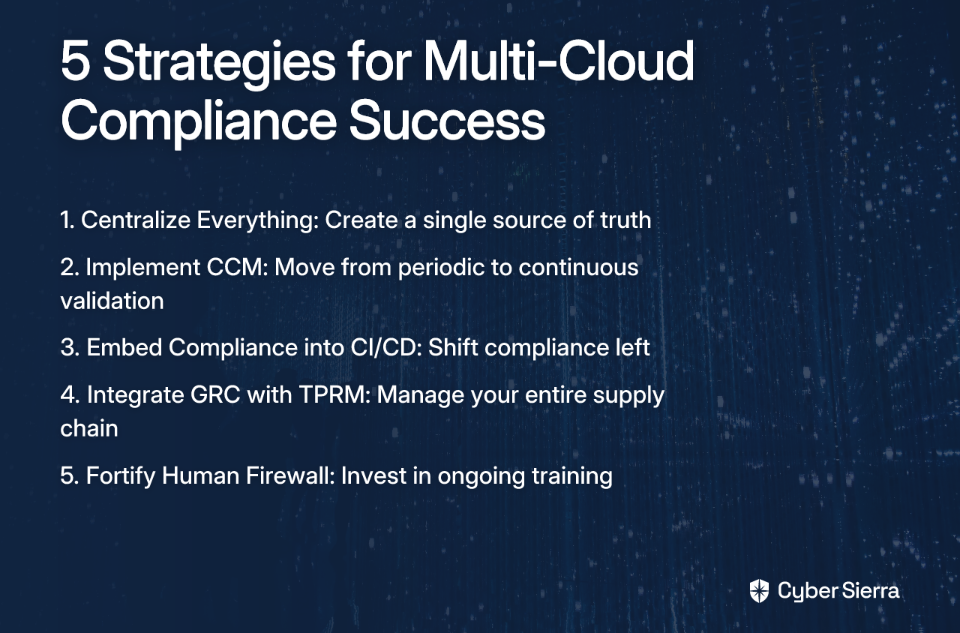
Let's recap the five strategies that will define successful multi-cloud compliance in 2026:

  1. Centralize Everything: Establish a single source of truth for compliance across all cloud environments.
  2. Implement Continuous Control Monitoring: Move beyond point-in-time audits to continuous compliance validation.
  3. Embed Compliance into CI/CD: Shift compliance left by making it part of your development and deployment processes.
  4. Integrate GRC with TPRM: Extend your compliance program to encompass your entire supply chain.
  5. Fortify the Human Firewall: Invest in ongoing training to minimize the risk of human error.

By adopting these strategies, organizations can transform compliance from a source of friction and "clunky" processes into a strategic advantage. Instead of scrambling to prepare for audits, you'll maintain continuous compliance that supports your business objectives while meeting regulatory requirements.

As regulations like GDPR, DORA, NIS2 Directive, and evolving frameworks like FedRAMP continue to expand in scope and complexity, the organizations that thrive will be those that have built compliance into the fabric of their multi-cloud operations.

The future of compliance isn't about checking boxes—it's about building a secure, resilient foundation that supports innovation while protecting your organization, your customers, and your data. With these strategies in place, you'll be well-prepared for the regulatory landscape of 2026 and beyond.

Frequently Asked Questions

What is multi-cloud compliance and why is it so complex?

Multi-cloud compliance is the process of ensuring that an organization's use of multiple cloud platforms (like AWS, Azure, and GCP) adheres to relevant industry regulations and security standards. Its complexity arises because each cloud provider has unique security controls, configurations, and reporting systems. This creates siloed data, increases the risk of "compliance drift," and makes manual evidence gathering for audits tedious and error-prone.

How can you simplify compliance management across different cloud platforms?

The most effective way to simplify multi-cloud compliance is to centralize your approach by using a unified platform. Instead of relying on separate native tools for each cloud, a centralized system aggregates compliance data into a single source of truth. This involves establishing a universal baseline framework (like SOC 2 or ISO 27001) to provide consistent visibility, reduce manual reporting effort, and streamline audit preparation.

What is Continuous Control Monitoring (CCM)?

Continuous Control Monitoring (CCM) is an automated process that assesses your security controls across all cloud environments in near real-time. Unlike traditional point-in-time audits, CCM helps prevent "compliance drift" by immediately detecting misconfigurations, vulnerabilities, and other security gaps as they occur. This proactive approach ensures your infrastructure remains consistently compliant.

How does "compliance-as-code" improve multi-cloud security?

"Compliance-as-code" improves security by embedding compliance requirements directly into the CI/CD pipeline. By using Infrastructure as Code (IaC) and policy-as-code tools, organizations can automate and standardize compliant infrastructure from the start. This "shift-left" approach ensures non-compliant configurations are caught and fixed before deployment, significantly reducing risk and retroactive fixes.

Why is third-party risk management (TPRM) critical for cloud compliance?

Third-party risk management is critical because your compliance posture extends beyond your own infrastructure to include the security risks introduced by vendors and partners. In a multi-cloud environment, a vulnerability in a third-party service can impact your system. Integrating Governance, Risk, and Compliance (GRC) with TPRM ensures you can continuously assess vendor security and manage risk across your entire digital supply chain.

What is compliance drift and how can it be prevented?

Compliance drift is the gradual process where a system falls out of alignment with security and compliance standards over time, typically between audits. It is caused by configuration changes, new deployments, or evolving security threats. It can be prevented by implementing Continuous Control Monitoring (CCM) and compliance-as-code, which ensure controls are constantly validated and new infrastructure is compliant by design.


This article is part of Cyber Sierra's thought leadership series on the future of cybersecurity and compliance. Cyber Sierra provides an AI-enabled cybersecurity platform designed to simplify and automate security compliance for enterprises across multiple cloud environments. To learn more about how Cyber Sierra can help your organization implement these strategies, visit cybersierra.co.

blog-hero-background-image
Cyber Security

How to Integrate CCM with Cloud Security Posture Management (CSPM) Platforms

backdrop
Table of Contents

Join thousands of professionals and get the latest insight on Compliance & Cybersecurity.


You've set up a robust Cloud Security Posture Management (CSPM) solution to monitor your sprawling cloud infrastructure, but you're still scrambling before audits. Your security team is drowning in technical alerts while your compliance team manually connects these findings to regulatory frameworks. Despite investing in multiple tools, you're left with "very generic" compliance outputs that don't align with your specific business context.

Sound familiar?

In today's cloud-first world, organizations face a critical disconnect: CSPM tools excel at finding technical misconfigurations, while Continuous Control Monitoring (CCM) platforms provide the business and compliance context. When operating in isolation, they create significant gaps in your security and compliance program.

This guide will show you how to bridge that gap by integrating CCM with CSPM platforms, transforming your approach from reactive firefighting to proactive, continuous compliance that "just works without us having to keep an eye on it the whole time."

The Foundations: Demystifying CCM and CSPM

Before diving into integration strategies, let's clarify what each technology does and why they're more powerful together.

What is Continuous Control Monitoring (CCM)?

Continuous Control Monitoring is a proactive strategy that uses technology to continuously validate that your security controls are working as intended. Rather than point-in-time assessments, CCM provides ongoing visibility into your security posture.

The core purpose of CCM is to answer the question: "Are our security controls working as intended, right now?"

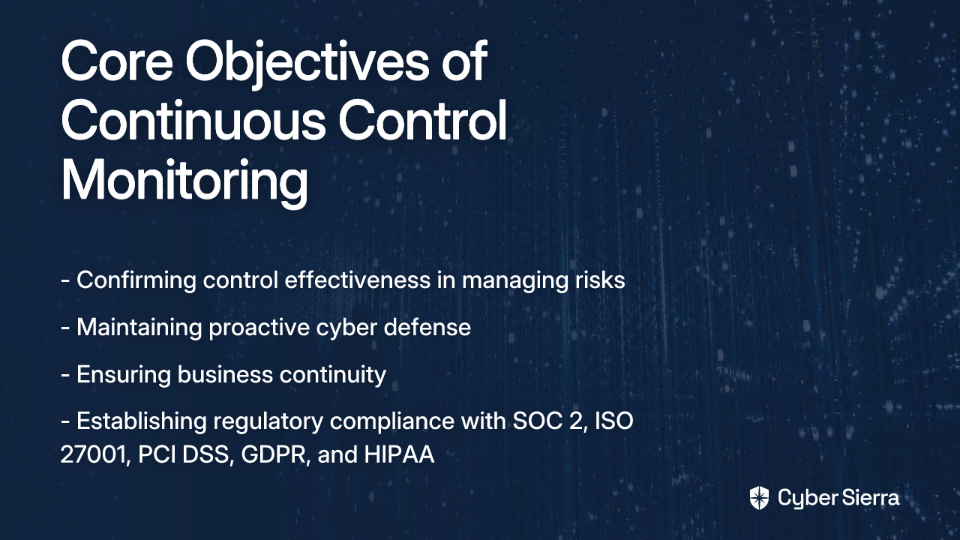
Key objectives include:

  • Confirming the effectiveness of controls in managing risks
  • Maintaining a proactive cyber defense
  • Ensuring business continuity
  • Establishing regulatory compliance with frameworks like SOC 2, ISO 27001, PCI DSS, GDPR, and HIPAA

What is Cloud Security Posture Management (CSPM)?

Cloud Security Posture Management is a category of security tools designed to identify and remediate misconfiguration issues and compliance risks across cloud environments (IaaS, PaaS, SaaS).

The core purpose of CSPM is finding technical flaws – like an exposed S3 bucket, an overly permissive IAM role, or a missing encryption setting.

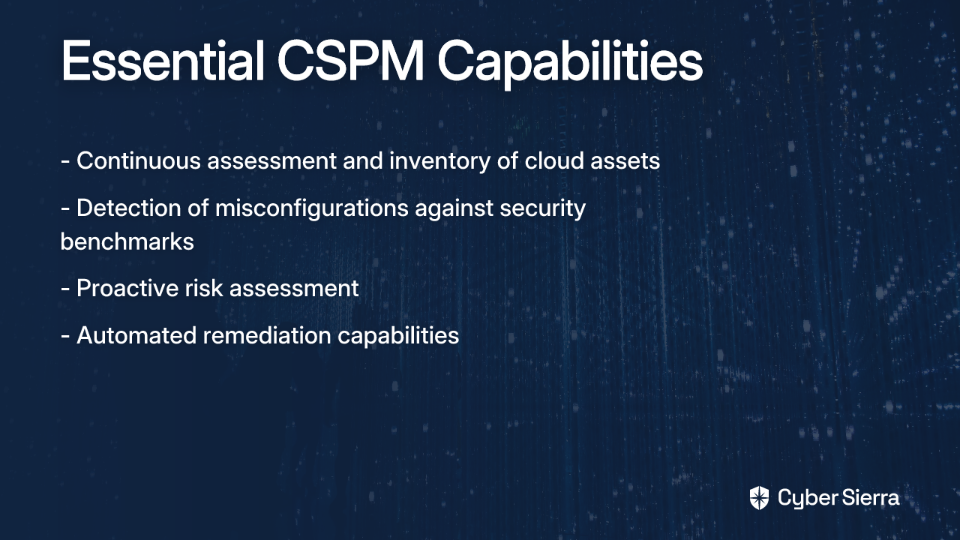
Key capabilities include:

  • Continuous assessment and inventory of cloud assets across multi-cloud environments
  • Detection of misconfigurations against security best practices and compliance benchmarks
  • Proactive risk assessment and often, automated remediation capabilities

The Gap: Why They Aren't Enough on Their Own

CSPM's Limitation: A CSPM can tell you that a storage bucket is public, but it can't tell you why that matters in the context of your ISO 27001 certification or which specific business process is at risk. It lacks business context.

CCM's Limitation: Without automated data feeds from technical tools like CSPM, CCM relies on manual evidence collection, which is slow, error-prone, and only provides a point-in-time snapshot of compliance.

The gap between these technologies creates the very pain points security and compliance teams experience daily – from audit scrambles to alert fatigue.

The Synergy: Why Integrating CCM and CSPM is a Game-Changer

Integrating CCM and CSPM platforms creates a powerful synergy that addresses the limitations of each technology while amplifying their strengths.

Achieve True, Automated Continuous Compliance

One of the biggest pain points for GRC teams is the manual effort required to collect and organize evidence for audits. Integration automates this process:

  • CSPM tools continuously scan your cloud environments for misconfigurations
  • The integration automatically maps these findings to relevant controls in your CCM platform
  • Evidence is collected and validated in real-time, not just before audits

This transforms compliance from a periodic, manual exercise into a continuous, automated process – delivering the "audit readiness" that organizations desperately need.

Context-Aware Risk Prioritization

Security teams are overwhelmed by alerts, many lacking business context to prioritize effectively. Integration solves this problem:

  • Technical findings from your CSPM are automatically connected to high-level business risks in your CCM's risk register
  • This allows you to prioritize fixing an issue on a critical production server handling PII over a similar issue in a development environment
  • Security efforts align with business priorities rather than technical severity alone

Enhanced Operational Efficiency and Reduced Alert Fatigue

By grouping related CSPM alerts under a single control in the CCM platform, you reduce noise and focus on fixing root causes:

  • Instead of addressing 20 separate "encryption not enabled" alerts across different services, you can address the underlying control gap
  • Teams spend less time on redundant work and more time on strategic security improvements
  • The system becomes more "hands-off" once properly configured, as many remediation tasks can be automated

A Unified View for All Stakeholders

Different stakeholders need different views of your security posture:

  • Security engineers can access technical details in the CSPM
  • Compliance managers can view framework-specific dashboards in the CCM
  • Executives can see high-level risk and compliance trends

Integration creates a single source of truth that serves all these needs simultaneously, fostering cross-functional collaboration and alignment.

The Blueprint: A Step-by-Step Guide to Integration

Now that we understand the benefits, let's walk through the process of integrating CCM with CSPM platforms.

Step 1: Assess Security Requirements and Your Cloud Environment

Before integration, take inventory of:

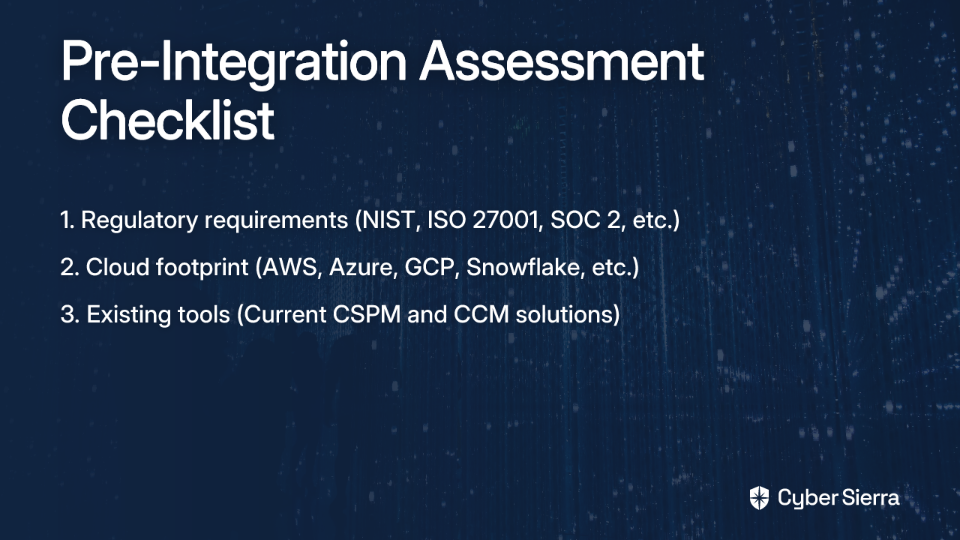
  • Your regulatory requirements: Which frameworks apply to your business? (NIST, ISO 27001, SOC 2, PCI DSS, GDPR, HIPAA, etc.)
  • Your cloud footprint: Which cloud providers and services do you use? (AWS, Azure, GCP, Snowflake, etc.)
  • Your existing tools: Which CSPM and CCM tools are you currently using, if any?

This assessment is crucial for organizations managing "big infrastructure, big compliance requirements, big AWS footprint," as it ensures your integration strategy addresses your specific needs.

Step 2: Choose the Right Integrated Solution

When selecting your tools, look for:

CSPM Selection:

  • Robust, well-documented APIs for easier integration
  • Agentless architecture that reduces deployment complexity
  • Comprehensive coverage of your cloud environments
  • Customizable policies to avoid the "very generic" compliance problem

CCM Platform Selection:

  • Pre-built connectors to common CSPM tools
  • Flexible API to ingest data from your security stack
  • Support for your required compliance frameworks
  • Customizable control mappings

Platforms like Cyber Sierra are designed with integration in mind, providing a centralized CCM module that can consolidate data from various security tools to provide a holistic view of your controls.

Step 3: Configure the Integration and Map Controls

This is where the technical implementation happens, following a process adapted from industry best practices:

A. Establish the API Connection:

  • In your CCM platform, navigate to the 'Integrations' page
  • Select your CSPM tool (e.g., Microsoft Defender for Cloud, Wiz)
  • Provide the necessary API credentials to establish a connection

B. Create Automated Control Tests:

  • Navigate to your Policies & Controls library within the CCM platform
  • Select a specific control set (e.g., ISO 27001 A.12.1.2 - Protection against malware)
  • Create a new automated test for a control, selecting your connected CSPM as the data source
  • Define the test logic. For example, map the control to a specific policy in your CSPM that checks if endpoint protection is installed on all virtual machines

C. Schedule and Automate:

  • Set the test to run on a recurring schedule, such as every 24 hours
  • Once published, the CCM platform will automatically poll the CSPM for the latest results

Step 4: Operationalize Monitoring, Remediation, and Reporting

With the integration configured, it's time to operationalize your new continuous compliance capability:

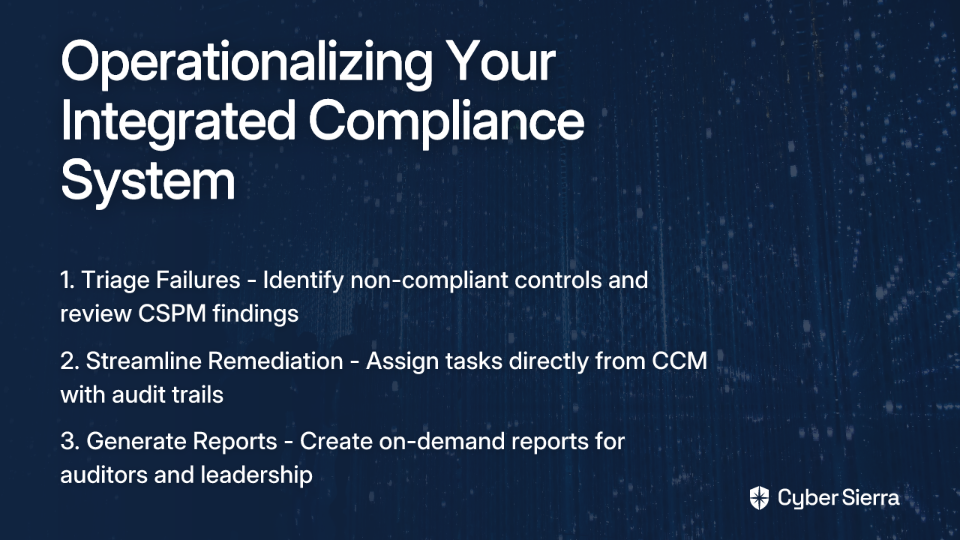
Triage Failures: When a test fails, the CCM dashboard will flag the non-compliant control. Drill down to see the specific findings from the CSPM, including actionable recommendations for remediation.

Streamline Remediation: Assign remediation tasks to the appropriate team members directly from the CCM platform, creating a documented audit trail. Tools like Cyber Sierra's platform facilitate this with a built-in Risk Register, allowing for seamless detection and remediation of threats identified through continuous monitoring.

Generate Reports: Use the CCM platform to generate on-demand reports for auditors and leadership, demonstrating continuous control effectiveness and an active risk management program.

Common Pitfalls and Best Practices

Pitfalls to Avoid:

"Garbage In, Garbage Out": Integrating without first cleaning up and standardizing your CSPM policies will lead to noisy, unreliable CCM results.

Ignoring the Mapping Process: Simply piping data in without carefully mapping CSPM findings to specific organizational controls is how you end up with a "very generic" compliance tool. Customization is key.

Lack of Team Training: DevOps and security teams need to understand how their actions in the cloud (as detected by CSPM) impact the organization's compliance posture (as reported by CCM).

Best Practices for Success:

Start with a Pilot: Begin with a single critical application or compliance framework to prove the value and refine your process before a full-scale rollout.

Establish KPIs: Define and monitor key performance indicators like Mean Time to Remediate (MTTR) for control failures, percentage of automated vs. manual controls, and time spent on audit preparation.

Foster a Proactive Culture: Use the integrated system to shift the organizational mindset from "passing the audit" to maintaining a constant state of security and compliance.

Conclusion

Integrating CCM with CSPM is essential for any organization serious about cloud security and compliance. It breaks down silos, automates manual work, provides critical context to technical findings, and turns compliance from a periodic event into a continuous, data-driven process.

By following the blueprint outlined in this guide, you can move from reactive firefighting to proactive risk management and true "audit readiness" – creating a security and compliance program that "just works" without constant oversight.

Achieving this level of integration and automation can feel complex, but it doesn't have to be. Platforms like Cyber Sierra are purpose-built to unify your security stack. By providing an AI-enabled platform that combines Continuous Control Monitoring, GRC automation, and Threat Intelligence, Cyber Sierra simplifies the entire process, giving you a single source of truth for your security posture.

Explore how Cyber Sierra can help you build a more resilient and audit-ready organization today.

blog-hero-background-image
Cyber Security

How to Detect AWS S3 and Azure Blob Misconfigurations Automatically

backdrop
Table of Contents

Join thousands of professionals and get the latest insight on Compliance & Cybersecurity.


You've set up your cloud storage for your application or website. Everything seems to be working perfectly until one day, you receive that dreaded email: "Your company data has been found publicly exposed online." Your stomach drops as you realize a misconfigured S3 bucket or Azure Blob container is the culprit. You're not alone in this anxiety—it's a nightmare scenario that keeps many developers and IT managers up at night.

"S3 bucket policies are so complex, I often feel overwhelmed trying to get them right," admits one AWS user in a Reddit discussion. This sentiment echoes across organizations of all sizes, and the consequences can be severe.

Consider Microsoft's recent data exposure incident, where a misconfigured Azure Blob storage endpoint potentially compromised data from over 65,000 companies across 11 countries. A simple human error with catastrophic results.

In this guide, we'll move beyond manual checks and show you how to implement automated detection for both AWS S3 and Azure Blob storage misconfigurations. By the end, you'll have practical steps to protect your data and finally sleep peacefully knowing your cloud storage is secure.

The Alarming Reality of Cloud Storage Misconfigurations

The statistics tell a sobering story about cloud storage security:

Why does this happen with such alarming frequency? Three main factors are at play:

  1. Complexity: The overwhelming number of settings, IAM policies, and public access configurations create a maze of potential missteps.
  2. Excessive Privileges: Users often grant overly permissive access while trying to share data, violating the principle of least privilege.
  3. Configuration Drift: Initially secure settings become insecure over time as environments change and evolve.

"It's embarrassing to expose company data due to S3 misconfigurations, and I often fear this will happen again," shares another developer. This fear is justified—but automation can help eliminate it.

Common Misconfigurations You Need to Find (And Fix)

AWS S3 Misconfigurations to Watch For

  1. Public S3 Buckets: The most common and dangerous issue. When bucket policies allow unrestricted public access, your data is essentially available to anyone on the internet.
  2. Over-privileged IAM Policies: Granting s3:* or overly broad permissions violates the least privilege principle, creating unnecessary security risks.
  3. Unsecured Root Accounts: Failure to enable MFA on the root user creates a critical vulnerability in your security posture.
  4. Lack of Encryption: Not enforcing encryption at rest for sensitive data leaves your information vulnerable if unauthorized access occurs.
  5. Insufficient Logging: Disabling CloudTrail or S3 access logging creates security blind spots, making it impossible to detect suspicious activities.

Azure Blob Misconfigurations to Watch For

  1. Anonymous Public Access: Allowing public read access to blob containers with sensitive data is equivalent to posting your data on a public website.
  2. Disabled "Secure Transfer Required": Allowing unencrypted HTTP connections exposes data in transit to potential interception.
  3. Overly Permissive Network Rules: Using "Allow ANY" rules in network security groups or storage firewalls opens your storage to unnecessary access vectors.
  4. Disabled Monitoring and Protections: Not enabling Microsoft Defender for Storage or activity log monitoring means you won't know when something goes wrong.
  5. Weak Identity Management: Not enforcing MFA or using long-lived Shared Access Signature (SAS) tokens creates authentication vulnerabilities.

"I want to ensure I'm following compliance standards with S3, but I don't know where to start," mentions one user in forum discussions. Automated tools provide that starting point—and much more.

Automating Detection with Native Cloud Tools

Both AWS and Azure offer built-in services that can help you detect and alert on misconfigurations:

AWS Config

AWS Config is a service that tracks and evaluates the configurations of your AWS resources. It continuously monitors for changes and can flag deviations from desired settings.

To get started:

  1. Enable AWS Config in your account
  2. Use managed rules specifically for S3, such as:
    • s3-bucket-public-read-prohibited
    • s3-bucket-public-write-prohibited
    • s3-bucket-ssl-requests-only
    • s3-bucket-server-side-encryption-enabled

Example AWS CLI command to check for public buckets:

aws s3api list-buckets --query 'Buckets[].Name' --output text | xargs -I {} aws s3api get-bucket-acl --bucket {} --query 'Grants[?Grantee.URI==`http://acs.amazonaws.com/groups/global/AllUsers`]'

Azure Policy

Azure Policy allows you to create, assign, and manage policies that enforce rules over your resources, ensuring they stay compliant with your corporate standards.

Key built-in policies for Azure Blob Storage include:

  • "Secure transfer to storage accounts should be enabled"
  • "Storage accounts should restrict network access"
  • "Storage accounts should use customer-managed key for encryption"

You can assign these policies at the subscription or resource group level for continuous evaluation of your storage configurations.

Leveraging Open-Source Tools for Proactive Scanning

While native cloud tools provide essential monitoring, incorporating open-source solutions into your CI/CD pipeline can help you catch misconfigurations before they even reach production—a concept known as "shift-left security."

Checkov

Checkov is an open-source static analysis tool for scanning Infrastructure-as-Code (IaC) templates (Terraform, CloudFormation, etc.) for misconfigurations.

# Example: Scan Terraform files for misconfigurations
pip install checkov
checkov -d /path/to/terraform/files

This approach helps you identify issues like a public S3 bucket definition in your Terraform code before deployment, preventing the misconfiguration from ever making it to your cloud environment.

Cloud Custodian

Cloud Custodian is a rules engine for managing public cloud accounts and resources. It allows you to define policies to detect and automatically remediate non-compliant resources in real-time.

For example, you could create a policy that automatically removes public access from any S3 bucket detected with a misconfigured policy:

policies:
  - name: s3-remove-public-access
    resource: s3
    filters:
      - type: check-public-access
        value: true
    actions:
      - type: set-public-access-block
        PublicAccessBlockConfiguration:
          BlockPublicAcls: true
          IgnorePublicAcls: true
          BlockPublicPolicy: true
          RestrictPublicBuckets: true

The Power of Continuous Monitoring: CSPM and Beyond

The native and open-source tools mentioned above often provide point-in-time visibility. They tell you about a problem after it's been created, leaving a window of vulnerability. This is where Cloud Security Posture Management (CSPM) solutions come in.

CSPM tools automatically detect and can remediate misconfigurations across cloud environments in real-time, enabling teams to shift from reactive to proactive security. As Adam Lichtenstein of Pfizer notes: "Real-time CSPM allows us to achieve unparalleled visibility into misconfigurations, shifting from reactive to proactive removal of misconfigured resources."

For organizations seeking a comprehensive approach, platforms like Cybersierra offer integrated solutions that go beyond basic configuration checks:

  • Continuous Control Monitoring (CCM): Transforms security from periodic checks into continuous, automated monitoring. This builds a central repository of controls and provides a single source of truth, detecting exceptions in near real-time.
  • Cloud Infrastructure Scanning: Evaluates security posture and identifies misconfigurations across your cloud environment, providing an outside-in view of your attack surface.

This approach helps security teams overcome the challenges of manual evidence gathering and lack of real-time visibility, ensuring ongoing compliance with frameworks like SOC2, ISO 27001, and PCI DSS.

A Blueprint for Prevention: Best Practices and Remediation

Along with automated detection, implement these security best practices to minimize the risk of misconfigurations:

Identity and Access Management (The "Who")

  • Use Microsoft Entra ID (Azure) / IAM (AWS): Prefer strong identity providers over Shared Keys or account keys.
  • Apply Least Privilege: Grant only the permissions necessary for a specific task.
  • Secure Account Keys: Store access keys securely in Azure Key Vault or AWS Secrets Manager.
  • Rotate Keys Periodically: Reduce the window of exposure for compromised credentials.
  • Disable Anonymous Access: Unless absolutely required for a public website, never allow anonymous read access.

Data Protection (The "What")

  • Enable Soft Delete: Protect against accidental deletion of blobs and containers.
  • Use Resource Locks: Prevent accidental or malicious deletion of the entire storage account.
  • Encrypt Data at Rest: Enabled by default, but consider customer-managed keys for more control.

Networking (The "How")

  • Require Secure Transfer (HTTPS): Enforce encryption for all data in transit with this Azure CLI command: az storage account update --name <storage-account> --resource-group <resource-group> --https-only true
  • Configure Firewall Rules: Limit access to specific IP address ranges or virtual networks.
  • Use Private Endpoints: Provide secure access to storage from your virtual network via a private IP address.

Logging and Monitoring (The "When")

  • Enable Logging: Track all authorization requests to monitor who is accessing what, and when.
  • Set Up Alerts: Use Azure Monitor or AWS CloudWatch to create alerts for suspicious activities or critical misconfigurations.

Conclusion

The complexity of cloud environments makes manual checks unsustainable. Automation is not a luxury; it's a necessity for modern cloud security. By implementing these automated detection and remediation strategies, you can move from a state of anxiety to one of confidence in your security posture.

Start by enabling the native tools available in your environment today. Consider integrating open-source scanning into your development pipeline, and explore how continuous monitoring platforms like Cybersierra can transform your security program with real-time detection and remediation capabilities.

Remember, as one AWS user succinctly put it: "S3 bucket policies are complex." But with the right automated tools and practices, you can confidently navigate that complexity and keep your data secure.

Frequently Asked Questions

What is the most common cloud storage misconfiguration?

The most common and dangerous cloud storage misconfiguration is allowing unrestricted public access to storage containers like AWS S3 buckets or Azure Blobs. This error essentially makes your data available to anyone on the internet and is a leading cause of major data breaches. It typically happens when bucket policies or access control lists (ACLs) are improperly configured.

Why do cloud storage misconfigurations happen so often?

Cloud storage misconfigurations frequently occur due to three main factors: the inherent complexity of security settings, the common practice of granting excessive user privileges, and configuration drift over time. The vast number of options in services like AWS IAM can be overwhelming, leading to errors. Additionally, an initially secure setup can become insecure as the cloud environment changes and evolves.

How can I automatically detect public S3 bucket misconfigurations?

You can automatically detect public S3 bucket misconfigurations using native tools like AWS Config with rules such as s3-bucket-public-read-prohibited. For more proactive security, you can leverage open-source tools like Cloud Custodian to create policies that not only detect a public bucket but also automatically apply blocking rules to remediate the issue in real-time.

What is "shift-left security" for cloud storage?

"Shift-left security" for cloud storage involves identifying and fixing misconfigurations during the development process, before the infrastructure is ever deployed to a live environment. This is achieved by integrating static analysis tools, like Checkov, into your CI/CD pipeline to scan Infrastructure-as-Code (IaC) files (e.g., Terraform) for security flaws, allowing developers to fix them early.

What is the difference between native tools like AWS Config and a CSPM solution?

Native tools like AWS Config are excellent for tracking configuration changes and evaluating compliance against specific rules within a single cloud provider. In contrast, Cloud Security Posture Management (CSPM) solutions offer real-time, multi-cloud visibility and automated remediation across your entire cloud estate, providing a more comprehensive and proactive security model.

Is enabling encryption enough to secure my cloud storage?

No, enabling encryption is a critical data protection measure but it is not sufficient on its own. Encryption protects your data at rest, but it does not prevent unauthorized access resulting from misconfigured access policies. A holistic security strategy must also include strong identity and access management, network controls, and continuous monitoring to be effective.

blog-hero-background-image
Cyber Security

How to Automate Vendor Questionnaires and Evidence Reviews

backdrop
Table of Contents

Join thousands of professionals and get the latest insight on Compliance & Cybersecurity.


The universal groan that accompanies vendor security questionnaires is almost audible. If you've ever muttered "not another one" while opening yet another spreadsheet with 200+ questions, you're not alone.

"Questionnaires are always such a pain in the neck! Sadly, there's no standardized form and no end in sight for any standardization!" laments one security professional on Reddit. Another puts it more bluntly: "Literally anything is better than doing it manually with excel and email."

But these questionnaires aren't just annoying—they represent a significant business risk when managed manually. Point-in-time assessments provide only a static snapshot of vendor security, leaving you vulnerable in today's dynamic threat landscape. Meanwhile, your team drowns in spreadsheets, email chains, and screenshot evidence that quickly becomes outdated.

The good news? Automation is transforming vendor risk management from a dreaded chore into a strategic advantage. This article will show you exactly how to implement it.

The Hidden Costs of Manual Third-Party Risk Management

Before diving into solutions, let's examine why the manual approach to vendor assessments is increasingly untenable:

Time and Resource Drain

Security teams report spending hours—sometimes days—on administrative tasks related to vendor assessments. One security professional noted, "Being able to answer something like 'how long have we used vendor X, what data do they have, and have we documented any concerns...' is a common question that used to take us hours of manual labor across several teams to fully answer."

This inefficiency diverts valuable security talent away from strategic work toward tedious data collection and formatting tasks.

Increased Risk Through Limited Visibility

Manual processes are inherently prone to human error, missed follow-ups, and inconsistent assessments. Additionally, they force you to trust vendor self-attestations without verification. As one skeptical security professional puts it, "you can't trust the third party didn't just lie."

This creates dangerous blind spots in your security posture. When vendors change their systems, introduce new features, or experience security incidents, you may not know until your next annual review—if then.

Failure to Scale

Manual processes might work when you have a handful of vendors, but they quickly become unmanageable as your vendor ecosystem grows. One Reddit user observed, "Any more than like a dozen vendors gets unwieldy and impossible to track otherwise, and you're leaving potential risk identifications... on the table."

As your organization scales, the resulting "compliance debt" can lead to rushed, last-minute remediation before audits and increasing security exposure.

The Solution: Continuous and Automated Vendor Assessment

The new paradigm of Third-Party Risk Management (TPRM) replaces manual point-in-time assessments with ongoing automated monitoring and intelligence.

What is TPRM Automation?

TPRM automation uses technology to streamline everything from vendor onboarding and assessment to continuous monitoring and risk remediation. At its core is Automated Security Control Assessment (ASCA), which "utilizes software to continuously evaluate the effectiveness of cybersecurity controls," replacing periodic manual checks with constant vigilance.

Modern platforms leverage AI to dramatically accelerate the process. For instance, Whistic's AI Copilot can reduce assessment times from "weeks or days to mere minutes" by automating data collection and analysis.

The Role of Centralization

Effective automation requires a central system of record that serves as a single source of truth for all vendor data, questionnaires, evidence, and risk metrics. This centralized approach ensures consistency, provides visibility across your vendor ecosystem, and makes reporting and audits significantly easier.

A Step-by-Step Guide to Automating Your Vendor Review Process

Let's break down the process of automating your vendor questionnaires and evidence reviews into actionable steps:

Step 1: Build a Centralized and Dynamic Vendor Inventory

The foundation of effective TPRM automation is a comprehensive inventory of all third parties with whom you share data or who provide critical services.

Action Items:

  • Create a structured database with detailed vendor profiles including services provided, data accessed, contract terms, and risk levels
  • Categorize vendors by risk levels (high, medium, low) based on data sensitivity and criticality to focus resources efficiently
  • Implement a system that allows you to easily search, filter, and report on your vendor ecosystem

A good platform enables you to build "customized third-party inventory" with individual, editable profiles that track all relevant information in one place. Cyber Sierra's TPRM module, for example, provides tools to prioritize vendors based on risk levels, allowing security teams to focus resources where they matter most.

Step 2: Standardize and Automate Assessments

Next, move away from custom questionnaires for every vendor toward standardized assessments that can be largely automated.

Action Items:

  • Leverage pre-built questionnaire templates aligned with common frameworks like SOC 2, ISO 27001, NIST, etc.
  • Implement smart questionnaires with conditional logic that adapts based on vendor responses, making assessments more relevant and less burdensome
  • Use AI to pre-populate responses based on previous assessments, public information, and security ratings

Many platforms now offer "conditional questions based on previous responses" that tailor the assessment to the specific vendor type. This reduces questionnaire fatigue while still collecting all necessary information.

Step 3: Automate Evidence Collection and Validation

Perhaps the most time-consuming aspect of vendor assessments is collecting and validating evidence that supports questionnaire responses. Automation can transform this process.

Action Items:

  • Integrate directly with vendor cloud environments (AWS, Azure, GCP) to automatically collect configuration data as evidence
  • Implement API connections to security tools and compliance platforms to gather real-time evidence
  • Use automated testing to validate controls rather than relying solely on attestation

According to Sprinto, advanced automation can "automate up to 99% of checks," gathering "time-stamped, audit-grade evidence" continuously rather than periodically. This means your evidence is always fresh and ready for auditors.

Step 4: Implement Continuous Monitoring

Move beyond point-in-time assessments to establish ongoing visibility into vendor security postures.

Action Items:

  • Set up systems for "near real-time, 24/7 visibility into vendor security compliance"
  • Configure alerts for control failures, policy violations, or security incidents at vendors
  • Establish a cadence for automated reassessments based on risk level or significant changes

Cyber Sierra's Continuous Control Monitoring (CCM) provides ongoing visibility into security controls and generates "real-time alerts" for control failures, enabling prompt remediation before small issues become major problems.

Step 5: Streamline Risk Mitigation and Reporting

Finally, automate the workflows associated with identifying, tracking, and remediating risks discovered through your assessments.

Action Items:

  • Implement automated risk scoring based on assessment responses and continuous monitoring data
  • Create dashboards that provide at-a-glance visibility into vendor risk postures
  • Automate the creation of remediation plans and track progress through completion

The best platforms offer "automated workflows with built-in control frameworks" to manage identified risks and generate reports that demonstrate due diligence to stakeholders and regulators.

The Transformative Benefits of Automation

Organizations that successfully implement automated vendor questionnaires and evidence reviews report significant benefits:

Massive Productivity Gains

According to Sprinto, "65% of security compliance experts believe automating evidence collection can reduce compliance costs and complexities." The time savings are substantial:

  • Assessments that "previously took up to a month now take around 5 days" with automation tools like Whistic
  • Teams can save "up to 90% of the effort coordinating evidence" through automated collection
  • Security professionals can focus on analyzing results rather than gathering data

One security leader reported that questions about vendor relationships that once took "hours of manual labor across several teams" could now be answered in minutes through their centralized platform.

Proactive Risk Management

Continuous monitoring helps "identify third-party vulnerabilities early," allowing you to mitigate risks before they lead to security incidents. Advanced systems can even map control checks to frameworks like MITRE ATT&CK to identify coverage gaps against known adversary techniques.

This shift from reactive to proactive vendor management can dramatically reduce your third-party risk exposure. When a vendor experiences a security incident or makes significant changes to their infrastructure, you'll know immediately—not months later during your next scheduled review.

Stress-Free Audits and Simplified Compliance

Perhaps the most welcome benefit is the transformation of audit preparation from a frantic scramble to a routine process. With continuous evidence collection and centralized documentation, you can:

  • Enter audits with confidence, knowing evidence is complete and readily available
  • Demonstrate due diligence through comprehensive, time-stamped records
  • Easily manage multiple compliance frameworks (SOC 2, ISO 27001, GDPR, HIPAA, PCI DSS) from a single platform

Choosing the Right Platform for Automation

When evaluating platforms to automate your vendor questionnaires and evidence reviews, look for these key features:

  1. Centralized Inventory Management: The ability to create and maintain a comprehensive database of vendors, services, and associated risks
  2. Questionnaire Library: Pre-built templates aligned with common frameworks and the flexibility to customize as needed
  3. AI-Powered Assessment: Intelligent automation that can extract information from documentation and pre-populate responses
  4. Continuous Monitoring Capabilities: Real-time visibility into vendor security postures through integrations and external scanning
  5. Workflow Automation: Tools to streamline the entire process from assessment to remediation and reporting

How Cyber Sierra Delivers

Cyber Sierra offers a comprehensive platform that embodies these principles through its integrated suite of tools:

  • The Third-Party Risk Management (TPRM) module provides a structured framework to "evaluate, mitigate, and continuously monitor" vendor risks
  • This is powered by the Continuous Control Monitoring (CCM) engine, which offers "ongoing visibility into security controls" and automates evidence gathering
  • It all ties into a comprehensive Governance, Risk & Compliance (GRC) suite that automates data collection and streamlines audits for multiple frameworks

By combining these capabilities in a unified platform, Cyber Sierra helps organizations transform vendor risk management from a periodic, manual process into an ongoing, automated program.

Conclusion: From Manual Burden to Strategic Advantage

The days of managing vendor questionnaires and evidence reviews with spreadsheets and email are over. Manual processes are not just inefficient—they're increasingly risky in a world where vendor ecosystems are growing more complex and threat landscapes are constantly evolving.

By implementing automation, you can transform TPRM from a reactive burden into a strategic advantage. Your team will spend less time on administrative tasks and more time on meaningful risk analysis. Your organization will have continuous visibility into vendor security postures rather than point-in-time snapshots. And when auditors come knocking, you'll be ready with comprehensive, up-to-date evidence.
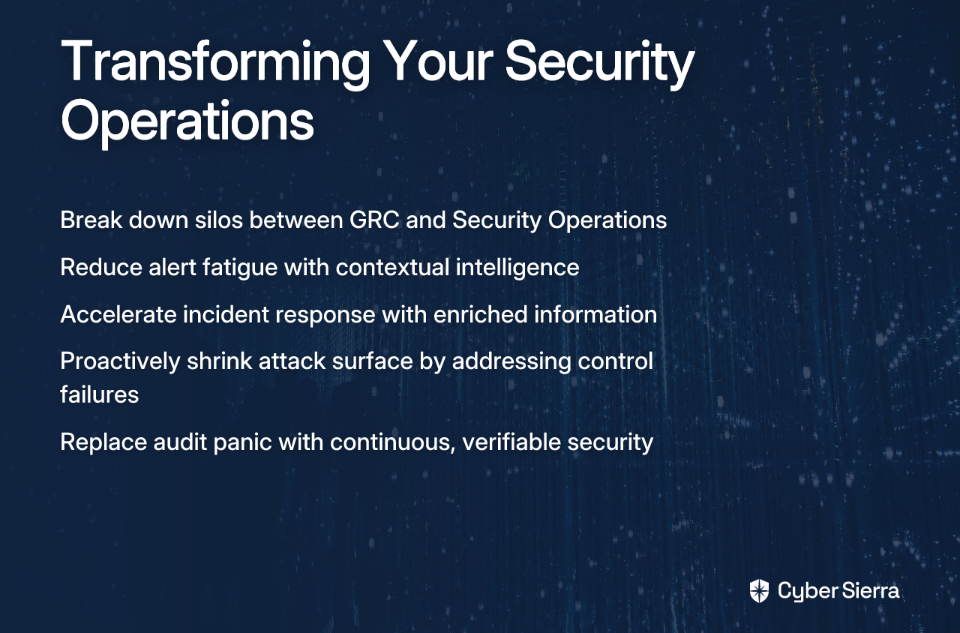
The technology to achieve this transformation is readily available. Platforms like Cyber Sierra provide the tools you need to automate vendor questionnaires, evidence collection, and continuous monitoring in a unified solution. The only question is: how much longer can your organization afford to do things the manual way?

Frequently Asked Questions

What is TPRM automation?

Third-Party Risk Management (TPRM) automation is the use of technology to streamline and continuously monitor the entire vendor risk lifecycle, from onboarding and assessment to risk remediation. It replaces manual, point-in-time questionnaires with ongoing, automated data collection and analysis, providing constant vigilance over a vendor's security posture and significantly improving risk visibility.

Why is manual vendor risk management no longer effective?

Manual vendor risk management is no longer effective because it is time-consuming, prone to human error, and fails to provide the continuous visibility needed to manage risks in today's dynamic threat landscape. Manual processes drain security resources on administrative tasks, create security blind spots with outdated assessments, and cannot scale as an organization's vendor ecosystem grows.

How can I start automating our vendor security reviews?

You can start automating vendor security reviews by following a five-step process: build a centralized vendor inventory, standardize assessments, automate evidence collection, implement continuous monitoring, and streamline risk mitigation workflows. Begin by creating a database of your vendors, then use standardized templates and platforms that can automate evidence collection directly from vendor environments.

What are the main benefits of automating vendor questionnaires?

The main benefits of automating vendor questionnaires are massive productivity gains, proactive risk management, and simplified compliance and audits. Automation frees up security teams from tedious manual data collection, allowing them to focus on strategic risk analysis. Continuous monitoring enables the early identification of vulnerabilities, and centralized evidence makes audit preparation a routine process.

How does continuous monitoring improve vendor security?

Continuous monitoring improves vendor security by providing near real-time, 24/7 visibility into a vendor's security controls, replacing infrequent manual checks with constant automated vigilance. This allows your team to receive real-time alerts for control failures or policy violations and remediate issues promptly, shifting from a reactive to a proactive security posture.

What features should I look for in a TPRM automation platform?

When choosing a TPRM automation platform, look for key features such as centralized inventory management, a library of questionnaire templates, AI-powered assessment capabilities, continuous monitoring, and automated workflows. A strong platform should serve as a single source of truth for all vendor data and streamline the entire risk management lifecycle, from initial assessment to ongoing monitoring and reporting.

blog-hero-background-image
Cyber Security

How to Manage Fourth-Party Risk Across Your Supply Chain

backdrop
Table of Contents

Join thousands of professionals and get the latest insight on Compliance & Cybersecurity.


You just finished your third-party risk assessment for a critical new vendor. Your team has reviewed their SOC 2 report, they've completed your security questionnaire, and legal has approved the contract with all the right clauses. You're feeling confident.

Then someone asks: "What about their vendors? Who are they using as subprocessors?"

Your blood pressure rises as you realize you're facing the cybersecurity equivalent of a blind spot – fourth-party risk.

Why Fourth-Party Risk is Your Next Big Security Blind Spot

Fourth-party risk refers to the security vulnerabilities introduced by your vendors' vendors – entities with whom you have no direct contractual relationship but whose security practices directly impact your organization.

As one frustrated security professional noted in a recent Reddit discussion: "It's a tense dance right now and only like to become more so as more countries pass banking industry modernization rules."

This "tense dance" becomes exponentially more complex when we consider that:

  • Your attack surface expands dramatically: Each vendor in your supply chain introduces its own ecosystem of partners and providers, creating multiple potential entry points for threat actors.
  • Visibility is severely limited: Most organizations struggle to identify who their fourth parties even are, much less assess their security posture.
  • Regulatory accountability remains with you: If a fourth party experiences a breach affecting your data, regulators and customers will still hold your organization accountable.
  • Concentration risk increases: As one user pointed out, "Multiple banks may depend on the same provider, leading to potential systemic risks." This creates a dangerous scenario where a single fourth-party failure can trigger cascading disruptions across entire industries.

The traditional approach to vendor risk management – periodic assessments, static questionnaires, and point-in-time audits – falls woefully short when extended to fourth parties. As another security professional noted, "Traditional TPRM still relies on periodic assessments, which might miss real-time threats."

A Strategic Framework for Managing Fourth-Party Risk

Addressing fourth-party risk requires a strategic shift from reactive, manual processes to a proactive, continuous, and technology-driven approach. Here's a comprehensive framework to help you manage this critical blind spot:

Pillar 1: Map Your Supply Chain for Full Visibility

You can't manage what you can't see. Start by building a comprehensive map of your extended supply chain:

  1. Ask direct questions in your vendor assessments: Include specific questions about critical subprocessors, especially for services like hosting, data processing, and support.
  2. Use technical discovery tools: Employ Software Bills of Materials (SBOMs), domain analysis, and network telemetry to uncover hidden dependencies in your vendors' infrastructure.
  3. Implement a vendor disclosure policy: Require your critical vendors to maintain and share an up-to-date list of their own vendors who may access or process your data.

Real-world example: Lenovo's Trusted Supplier Program contractually requires its Tier 1 vendors to ensure the security of their own critical suppliers, creating a cascade of security accountability throughout their supply chain.

Pillar 2: Codify Security with Contracts and Legal Clauses

Your legal agreements form the foundation of your fourth-party risk management program:

  1. Implement "flow-down clauses": These contractual provisions require your third-party vendors to enforce the same cybersecurity standards on their subcontractors. As one security professional recommended, "TPRM admin controls AND your MSA should include pushing responsibility down to the fourth party to maintain the same level of security controls in their own TPRM program."
  2. Mandate disclosure in RFPs: Clearly state in your Request for Proposals that potential suppliers must disclose their critical vendors and have formal contracts with them.
  3. Include audit rights and approval clauses: Your contracts should give you the right to audit your vendor's TPRM program and require your approval before they engage new critical subcontractors that will access your data.

Pillar 3: Standardize Assessments and Ditch "DIY" Controls

One of the most common frustrations voiced by security professionals is the proliferation of "DIY" control frameworks that create unnecessary friction. As one exasperated vendor noted, "What standard are these controls you are expecting written against? And they were like 'oh, we wrote our own.' The DIY solution just sent me over the ledge."

Instead:

  1. Adopt industry standards: Base your requirements on established security frameworks like NIST SP 800-161 (Supply Chain Risk Management Practices) and ISO/IEC 27036 (Information security for supplier relationships). This provides a credible, defensible baseline that vendors are more likely to respect.
  2. Request and scrutinize SOC reports: Service Organization Controls (SOC) reports, especially those following the SSAE 18 standard, can provide valuable insight into your vendor's internal controls, including their own vendor management practices.
  3. Focus on externally-facing security controls: Concentrate your requirements on controls that directly impact your data and services, rather than imposing your internal standards on vendors. As one security professional complained, "Banks demanding invasive and contradictory controls for suppliers that don't even handle bank data... they're going to start losing suppliers."

Managing compliance against multiple frameworks can be overwhelming. An automated GRC platform like Cyber Sierra centralizes control repositories and maps them across standards like SOC 2, ISO 27001, and NIST, ensuring your requirements are based on industry best practices rather than confusing "DIY" standards.

Pillar 4: Implement Continuous Monitoring for Real-Time Intelligence

The static, point-in-time nature of traditional risk assessments creates dangerous blind spots. As one practitioner noted, "Traditional TPRM still relies on periodic assessments, which might miss real-time threats."

To address this limitation:

  1. Embrace a proactive approach: Continuous monitoring provides systematic, real-time assessment of supply chain performance and compliance, allowing you to anticipate and address potential issues before they escalate.
  2. Automate posture assessment: Utilize tools for attack surface monitoring and security ratings to get an objective, ongoing view of a vendor's (and by extension, their vendors') security posture.
  3. Monitor for material changes: Implement automated alerts for events that could signal increased fourth-party risk, such as ownership changes, breaches, or compliance violations.

According to research from Bitsight, advanced TPRM solutions that incorporate continuous monitoring can lead to a 75% reduction in the probability of a breach originating from a third party.

This is where the paradigm shift happens. Platforms like Cyber Sierra offer Continuous Control Monitoring (CCM) and a Third-Party Risk Management (TPRM) module that provide near real-time, 24/7 visibility into vendor security. By automating control validation and monitoring for security gaps, you move beyond questionnaires and gain actionable risk intelligence.

Pillar 5: Foster a Culture of Shared Responsibility

Effective fourth-party risk management isn't just a security function – it requires cross-organizational collaboration:

  1. Facilitate cross-functional collaboration: Involve legal, procurement, finance, and business unit leaders in the FPRM process. Their input is crucial for understanding the criticality and context of vendor relationships.
  2. Build a chain of trust: Select reputable vendors who can demonstrate their own mature security and vendor risk management programs. Their diligence becomes an extension of your own.
  3. Rank vendors on a criticality scale: Not all vendors pose the same level of risk. Develop a methodology to classify vendors based on the sensitivity of data they handle and their operational importance.

Leveraging Technology to Automate and Scale Your FPRM Program

The complexity of fourth-party risk management makes manual processes untenable. Spreadsheets, emails, and Word documents are inefficient, prone to error, don't scale, and make it impossible to get a real-time, holistic view of risk.

Modern technology solutions can transform your approach:

  • Automated vendor assessments: Advanced TPRM tools can achieve a 70% reduction in vendor onboarding time according to industry research.
  • AI-driven risk prioritization: Machine learning algorithms can help identify which fourth-party relationships deserve the most scrutiny based on data sensitivity, access levels, and business criticality.
  • Integrated risk dashboards: Unified platforms provide a single source of truth for your entire supply chain risk posture.

To truly get ahead, organizations need a single source of truth. An integrated platform like Cyber Sierra combines GRC, TPRM, Continuous Monitoring, and Threat Intelligence into one unified view. This approach automates data collection, streamlines audits, and provides the comprehensive risk intelligence needed to manage not just third-party, but fourth-party risk effectively across your entire supply chain.

Building a Resilient and Transparent Supply Chain

Managing fourth-party risk isn't just about compliance – it's about building trust and resilience throughout your digital ecosystem. By implementing the five pillars outlined above, you can:

  • Gain unprecedented visibility into your complex supply chain
  • Establish clear, standardized security expectations
  • Shift from periodic assessment to continuous monitoring
  • Create a shared responsibility model with your vendors
  • Leverage technology to scale and automate your program

The challenges of fourth-party risk management are real, but they're not insurmountable. With the right strategy, tools, and mindset, you can transform your supply chain from a potential vulnerability into a competitive advantage.
Remember: in today's interconnected business landscape, your security is only as strong as the weakest link in your extended supply chain. By taking proactive steps to manage fourth-party risk, you're not just protecting your organization – you're helping to elevate security standards across your entire industry.

Frequently Asked Questions

What is fourth-party risk in cybersecurity?

Fourth-party risk refers to the security vulnerabilities and threats introduced by your vendors' vendors, also known as subprocessors. Although you have no direct contract with these entities, their security failures can directly impact your organization's data and operational resilience, making it a critical blind spot in traditional risk management.

How do you identify your organization's fourth-party vendors?

You can identify your fourth-party vendors by actively mapping your supply chain. Key methods include: including specific questions about subprocessors in your vendor assessments, using technical tools like Software Bills of Materials (SBOMs) to find hidden dependencies, and enforcing a vendor disclosure policy that requires your vendors to share a list of their critical suppliers.

Why are traditional risk assessments insufficient for fourth-party risk?

Traditional risk assessments are insufficient because they are typically periodic, manual, and focused only on your direct vendors (third parties). They fail to provide the necessary visibility into the next layer of the supply chain and miss real-time threats, creating dangerous security gaps as your attack surface expands through these fourth-party connections.

What is the best way to enforce security standards on fourth parties?

The best way to enforce security standards on fourth parties is through legal contracts with your direct vendors. By implementing "flow-down clauses," you legally require your vendors to hold their own suppliers to the same cybersecurity standards you expect from them, creating a contractual chain of security accountability.

How does technology help manage fourth-party risk at scale?

Technology helps manage fourth-party risk by automating and centralizing the process. Modern platforms can provide continuous monitoring of vendor security postures, automate questionnaires, map dependencies to identify fourth parties, and offer a unified dashboard for a real-time, holistic view of risk across your entire supply chain, which is impossible to achieve with manual spreadsheets.

blog-hero-background-image
Cyber Security

How to Build a Secure Vendor Offboarding Workflow

backdrop
Table of Contents

Join thousands of professionals and get the latest insight on Compliance & Cybersecurity.


The Unspoken Challenge of Vendor Breakups

Ending a vendor relationship is often like a messy breakup. According to IT professionals in the trenches, "50% of the time it ends in a threat or shouting match directed at us." This isn't just uncomfortable—it's a business risk that few organizations properly address.

While the interpersonal friction gets the attention, the real danger lies beneath: lingering system access, sensitive data in the wrong hands, and security vulnerabilities that can persist long after the contract ends.

When a vendor relationship concludes, whether due to contract expiration, performance issues, or changing business needs, the offboarding process is just as critical as the initial onboarding—yet it's frequently neglected.

The consequences of a poorly managed vendor offboarding can be severe, as numerous organizations have discovered the hard way. This article provides a secure, repeatable workflow to protect your organization when it's time to part ways with a vendor.

Why a Formal Vendor Offboarding Process is Non-Negotiable

When it comes to vendor management, offboarding is not merely an administrative task—it's a crucial security function. Failing to properly offboard vendors exposes your organization to several categories of risk:

Cyber Risk: The Ghost of Access Past

Perhaps the most significant danger is lingering access. When vendor personnel retain access to your systems, data, or facilities after the relationship ends, they create a dangerous security gap.

Consider the 2023 UScellular data breach, which affected 5 million customers. The cause? A former vendor who maintained access to sensitive systems. Similar incidents have affected organizations from AT&T to Lexington Medical Center, demonstrating that this risk is both common and severe.
Financial Risk: The Hidden Costs

Poor vendor offboarding can lead to unexpected financial losses through:

  • Unresolved termination fees or payment disputes
  • Outstanding invoices that surface months later
  • Business disruption during the transition to a new vendor
  • Potential legal expenses if disputes escalate

Legal & Compliance Risk: Regulatory Repercussions

Data protection regulations like GDPR and CCPA impose strict requirements on how customer data is handled—including during vendor transitions. Improper data handling during offboarding can lead to:
  • Regulatory fines and penalties
  • Breach notification requirements
  • Litigation from affected parties
  • Compliance violations during audits

Reputational & Operational Risk: The Ripple Effect

A chaotic vendor offboarding process can:

  • Delay critical service transitions
  • Create operational gaps that impact customer experience
  • Damage your company's reputation with both vendors and customers
  • Affect future partnerships and vendor relationships

The Ultimate Vendor Offboarding Checklist: A Step-by-Step Workflow

Implementing a structured workflow for vendor offboarding is essential to mitigate these risks. Below is a comprehensive checklist divided into three distinct phases:

Phase 1: Pre-Termination & Planning

1. Review the Contract

Before initiating the offboarding process, thoroughly review all contractual obligations:

  • Identify termination clauses and notice periods
  • Note final payment terms and conditions
  • Document any post-termination responsibilities (like confidentiality)
  • Understand data handling requirements upon contract conclusion

2. Develop a Communication Plan

Creating a clear communication strategy is essential, especially given the potential for hostility:

  • Determine which stakeholders need to be informed (both internally and externally)
  • Create templated communications that maintain professionalism
  • Establish a timeline for notifications

Pro-Tip: Make the change client-driven to reduce confrontation. As one IT professional advises, "Have the client contact the incumbent and ask for a list of passwords, sent to them. Then they forward it on to you." This approach minimizes direct friction between vendors.

3. Issue a Formal Termination Notice

Send a clear, written termination notice that:

  • Adheres strictly to contractual requirements
  • Specifies the termination date and reason
  • Outlines next steps and expectations
  • Maintains a professional, non-confrontational tone

Phase 2: Execution – Access, Data, and Assets

4. Revoke All Access (Digital & Physical)

This is the most critical security step in the entire process. Systematically terminate every point of access the vendor has to your organization:

  • Disable VPN connections and network access
  • Revoke access to all software applications and cloud platforms
  • Deactivate user accounts and credentials
  • Collect physical access cards, keys, and badges
  • Update shared passwords and authentication systems
  • Remove vendor personnel from communication channels (Slack, Teams, email groups)
  • Conduct access audits to confirm all points are closed

5. Secure Data & Intellectual Property

Managing the complete lifecycle of data shared with the vendor is essential:

  • Data Inventory: Create a comprehensive list of all company and customer data the vendor had access to
  • Data Classification: Identify sensitive information requiring special handling
  • Data Disposition: Execute procedures for the secure return or certified destruction of all data
  • Formal Acknowledgment: Obtain written confirmation that all data has been deleted from vendor systems
  • Address Backups: Request assurance that data will also be removed from the vendor's backup systems

6. Manage Asset Return

Reclaim all company-owned physical and digital assets:

  • Create an inventory of all assets provided to the vendor (hardware, software licenses, documentation)
  • Establish clear return procedures with firm deadlines
  • Inspect returned items for damage or tampering
  • Update asset management systems accordingly
  • Conduct a final reconciliation to verify complete return

Phase 3: Post-Termination & Finalization

7. Ensure Knowledge Transfer & Business Continuity

Prevent operational gaps by capturing critical knowledge:

  • Schedule knowledge transfer sessions with the outgoing vendor
  • Document all processes managed by the vendor
  • Secure access to all relevant documentation and reports
  • Ensure internal teams or replacement vendors are properly prepared
  • Test critical functions to confirm service continuity

8. Settle Final Financials

Close out all financial obligations to prevent future disputes:

  • Process final payments according to contractual terms
  • Resolve any outstanding invoices or financial disputes
  • Update vendor records in financial systems
  • Obtain formal acknowledgment of financial closure from both parties

9. Conduct a Final Review & Update Records

Document the entire process for future reference:

  • Performance Review: Assess the vendor's performance throughout the relationship
  • Update Vendor Database: Record the termination reason and offboarding details
  • Exit Survey: Consider gathering feedback from the vendor to improve future relationships
  • Lessons Learned: Document any challenges encountered during the offboarding process to improve future workflows

From Manual Chaos to Automated Security: Scaling Your Workflow

While the checklist above provides a solid foundation, many organizations struggle with execution. The common approach of tracking these tasks via spreadsheets leads to significant problems:

  • Critical steps being overlooked or inconsistently applied
  • Lack of visibility across departments
  • No automated notifications or reminders
  • Difficulty demonstrating compliance during audits
  • Incomplete offboarding creating security vulnerabilities

These challenges become exponentially more complex as your organization's vendor ecosystem grows.

The Solution: Third-Party Risk Management (TPRM) Platforms

Modern TPRM platforms provide the automation and structure needed to scale vendor offboarding securely. These platforms:

  • Centralize vendor information and documentation
  • Automate workflow steps and approvals
  • Provide audit trails of all actions taken
  • Ensure consistent application of security controls
  • Enable real-time visibility into offboarding status

How Cybersierra Streamlines Vendor Offboarding

Cybersierra's TPRM module directly addresses the challenges of secure vendor offboarding through automation and continuous monitoring. The platform is specifically designed to "streamline vendor onboarding and offboarding processes" while providing "near real-time, 24/7 visibility into vendor security compliance."

Key capabilities that enhance vendor offboarding security include:

  • Automated Workflows: Pre-configured offboarding sequences ensure no critical security step is missed
  • Access Monitoring: Integration with identity management systems to verify access revocation
  • Vendor Risk Scoring: Continuous assessment of vendor risk even during the offboarding phase
  • Documentation Management: Centralized repository for all vendor agreements and termination documents
  • Audit-Ready Reporting: Detailed evidence of compliance with offboarding procedures

What makes Cybersierra particularly effective is the connection between its TPRM module and its Continuous Control Monitoring (CCM) capabilities. While traditional offboarding is a point-in-time activity, Cybersierra's CCM provides ongoing verification that access has been truly revoked and that no security gaps were created during the transition.

This moves security from a manual checklist to a continuous, automated process—essential for organizations managing complex vendor ecosystems where manual oversight is no longer feasible.

Securing Your Business, One Vendor at a Time

A robust vendor offboarding workflow is not just good practice—it's a fundamental pillar of modern cybersecurity and risk management. As vendor relationships become more complex and data access more distributed, the security risks of improper offboarding grow exponentially.

The essential components of secure vendor offboarding include:

  1. Meticulous planning that begins with contract review and clear communication
  2. Flawless execution on access revocation and data security
  3. Diligent finalization that ensures knowledge transfer and proper documentation

Organizations that excel at vendor offboarding recognize that it's not just an administrative process—it's a critical security function that requires the same level of rigor as other cybersecurity controls.

As your vendor ecosystem grows, the limitations of manual, spreadsheet-driven processes become increasingly dangerous. Platforms like Cybersierra provide the automated tools needed to build and maintain this critical security function, protecting your organization from the significant risks of a messy vendor breakup.

By implementing a secure, repeatable offboarding workflow, you transform what could be a security vulnerability into an opportunity to demonstrate your organization's commitment to proper security governance—and avoid becoming another cautionary tale of vendor access gone wrong.

Frequently Asked Questions

What is vendor offboarding and why is it important?

Vendor offboarding is the formal process of terminating a relationship with a third-party supplier. It is critically important because it mitigates significant security, financial, and legal risks by ensuring all access is revoked, data is secured, and contractual obligations are met. Without a structured offboarding process, organizations are exposed to data breaches from lingering access, unexpected financial costs, and regulatory penalties.

What are the biggest security risks of improper vendor offboarding?

The biggest security risk is lingering system access, where former vendor personnel retain credentials or entry points into your network and applications. This can lead directly to data breaches, as seen in incidents affecting major companies. Beyond direct access, other major risks include sensitive data not being securely returned or destroyed and security gaps being created during the transition to a new vendor.

What is the first step in offboarding a vendor?

The first step in offboarding a vendor is to thoroughly review the existing contract. This initial review informs the entire process, including termination clauses, notice periods, and data handling requirements. Understanding your contractual obligations is key to creating a compliant communication plan and preventing legal or financial disputes later on.

How do you ensure a vendor has deleted all your data?

To ensure a vendor has deleted all your data, you must execute formal data disposition procedures and obtain written confirmation or a certificate of destruction from the vendor. This confirmation should state that all company and customer data has been securely and permanently removed from their systems, including backups. Getting this acknowledgment in writing is a critical step for compliance and audit purposes.

Why are manual, spreadsheet-based offboarding processes risky?

Manual, spreadsheet-based processes are risky because they are prone to human error, lack visibility across departments, and cannot be easily audited. This often leads to critical security steps, like revoking access, being overlooked or inconsistently applied, which significantly increases the chances of creating security vulnerabilities.

How can a TPRM platform improve vendor offboarding?

A Third-Party Risk Management (TPRM) platform improves vendor offboarding by automating and standardizing the entire workflow. It ensures every step is completed, tracked, and documented, which drastically reduces security risks. Platforms like Cybersierra provide pre-configured checklists, automated access monitoring, and audit-ready reporting, transforming offboarding from a manual task into a secure, repeatable security function.


Looking to enhance your vendor offboarding security? Learn more about Cybersierra's TPRM platform and how it can automate your vendor lifecycle management.

toaster icon

Thank you for reaching out to us!

We will get back to you soon.