blog-hero-background-image
Continuous Control Monitoring

Top 7 Continuous Control Monitoring Tools in 2024

backdrop
Table of Contents

Join thousands of professionals and get the latest insight on Compliance & Cybersecurity.


From internal and financial controls to technological controls and process controls, monitoring critical controls can be challenging without the right tools.

It becomes even more challenging as the IT environment grows more complex, operations and applications move to the cloud, and organizations adopt a remote working culture.

This is also true for large organizations looking to implement more and more controls to stay ahead of complex regulations and keep up with third-party vendors.

This is where continuous control monitoring tools become helpful.

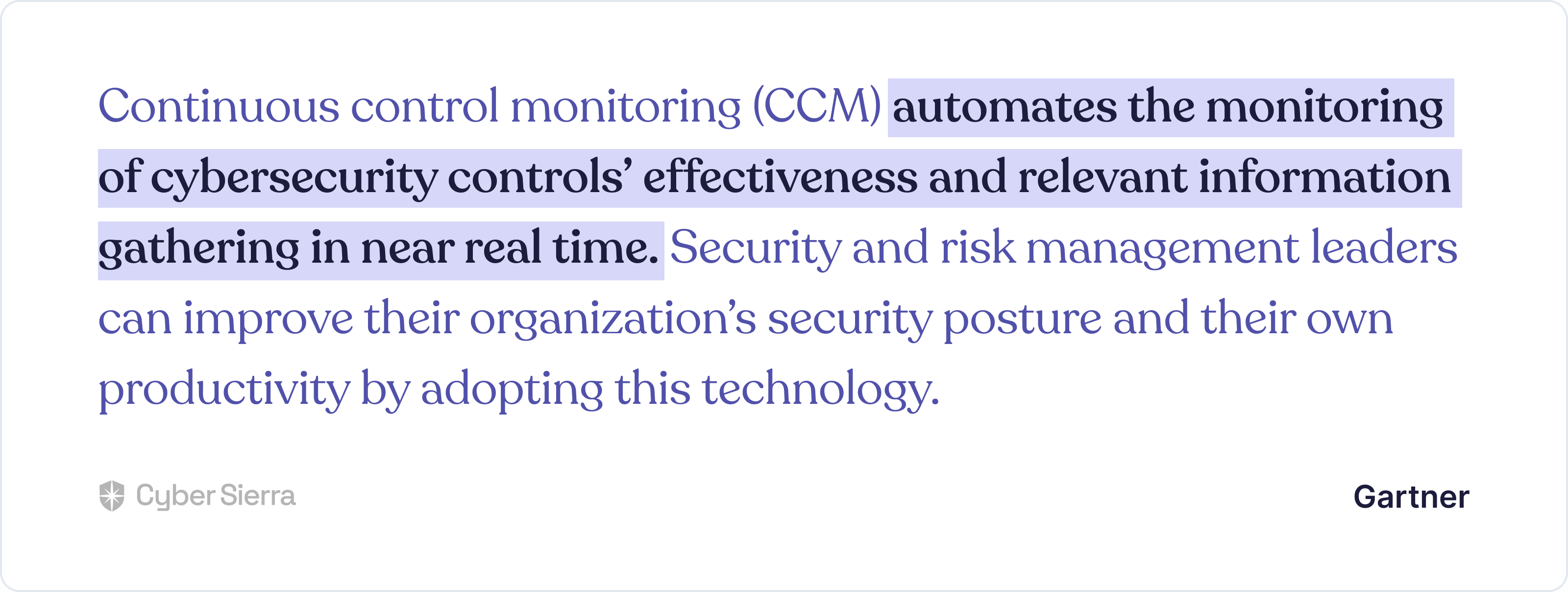
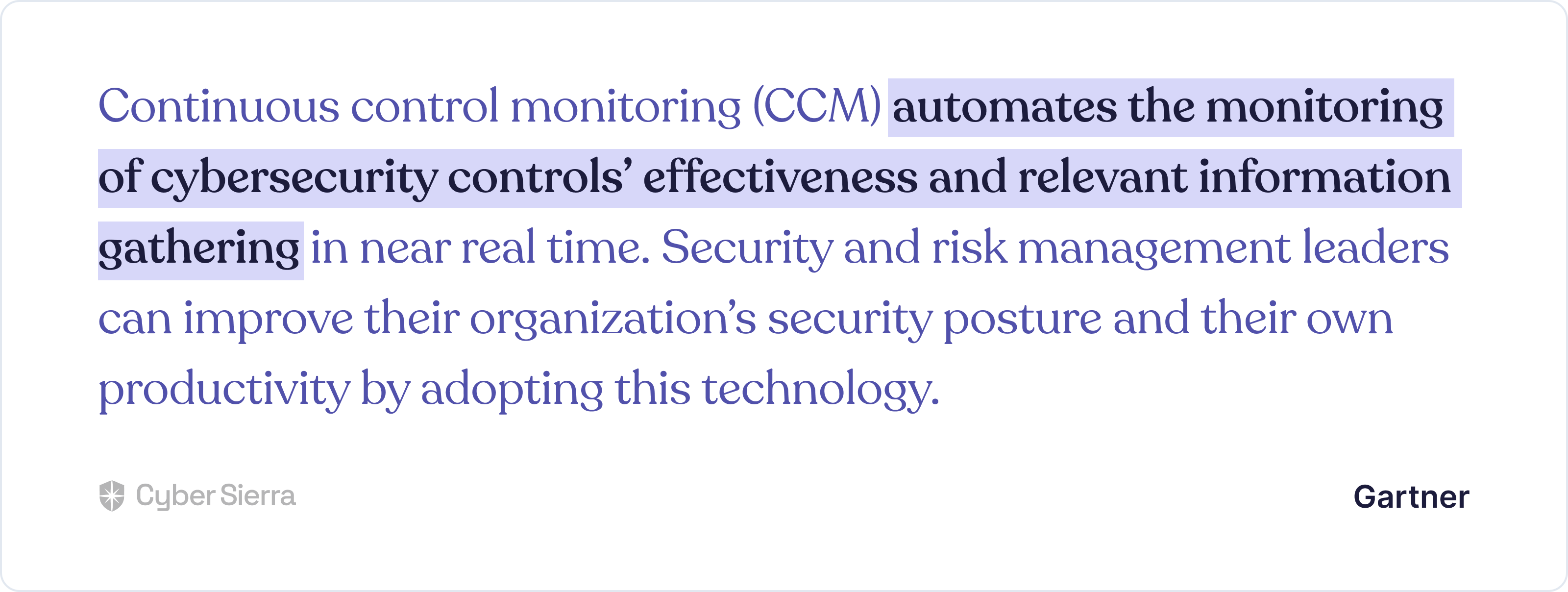
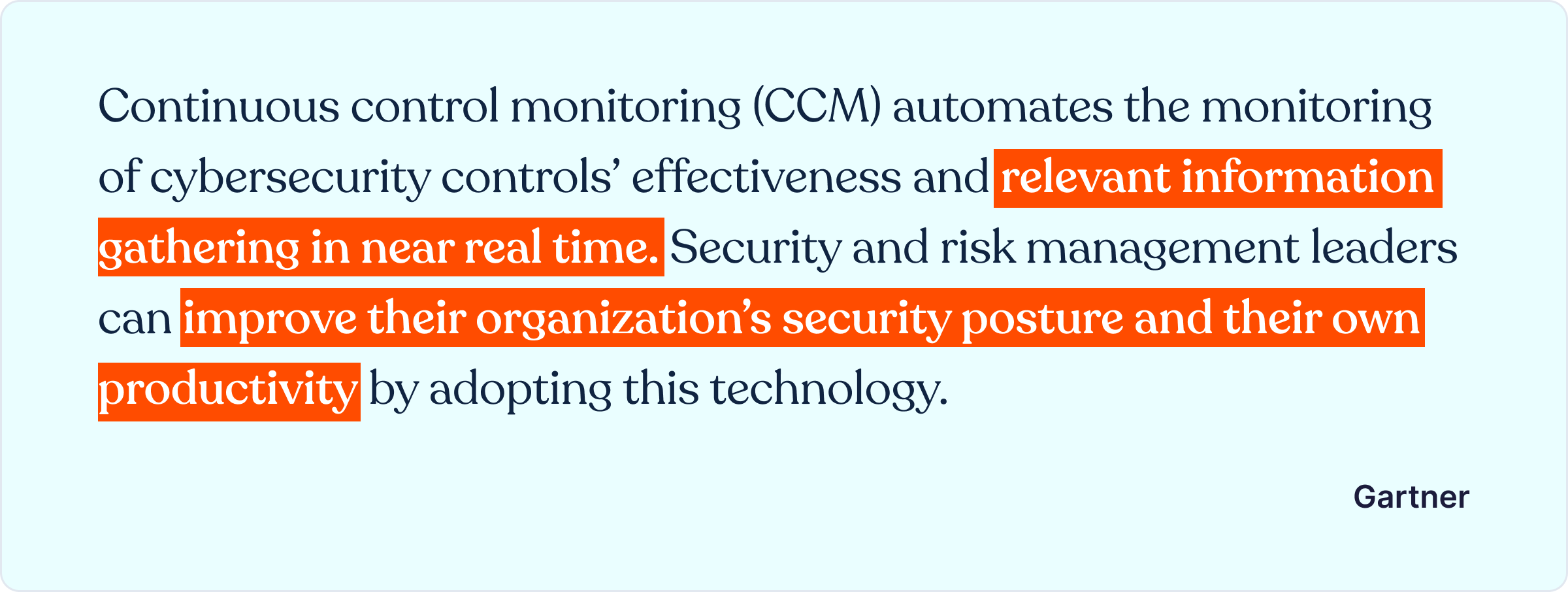
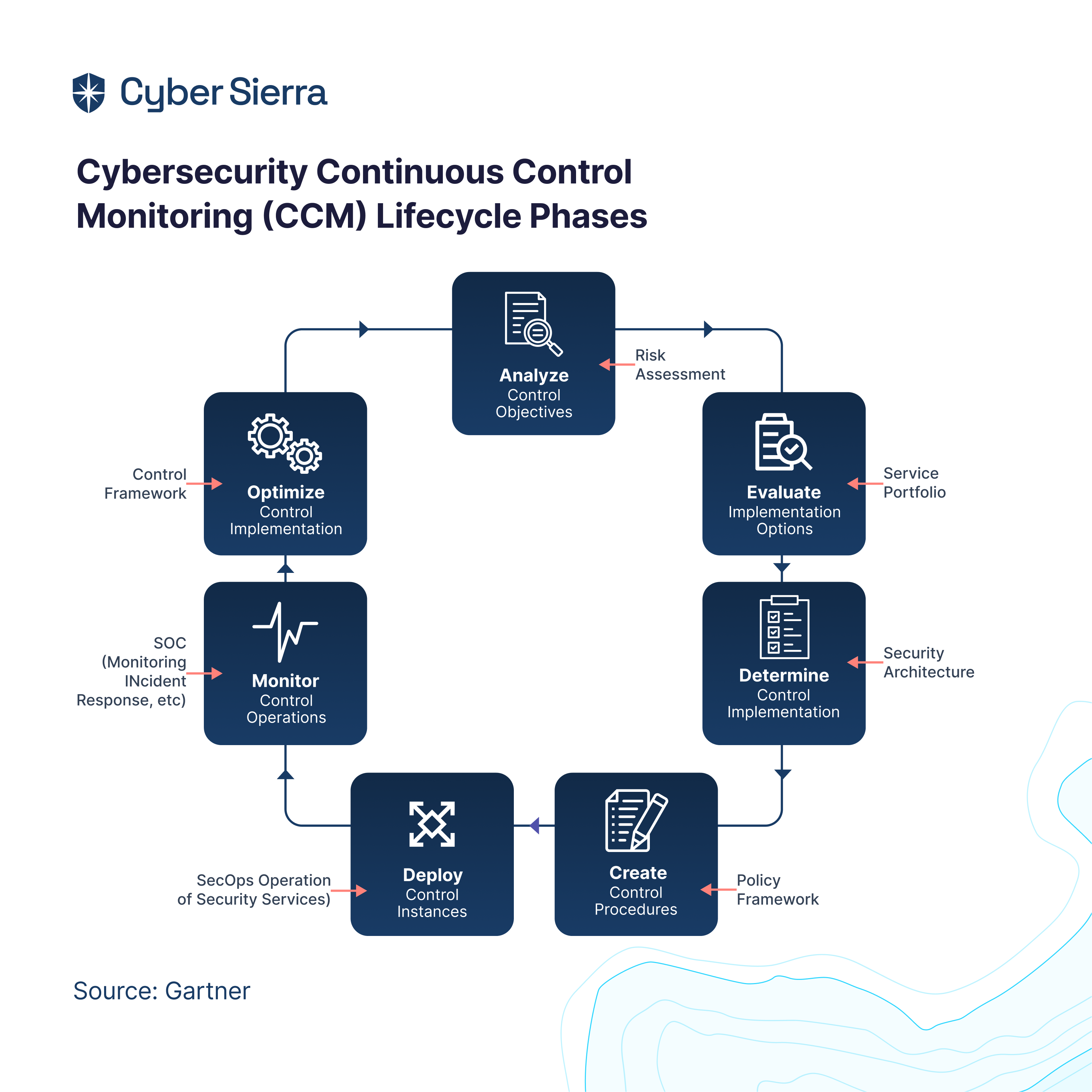
Continuous control monitoring (CCM) technologies automatically test and monitor security controls and risk management processes implemented within an organization to validate their effectiveness at any given time.

They help organizations to proactively manage their risks, maintain a continuous regulatory compliance posture, and minimize business losses.


Through continuous monitoring of internal controls, CCM solutions help organizations improve their standing in the eyes of their customers, auditors, and government regulators.

But with the host of options out there, how do you choose the right continuous controls monitoring solution for your organization?

This guide unveils the top the top seven CCM tools that have emerged as frontrunners in the market, offering innovative features and capabilities that make them essential for organizations striving to maintain a robust continuous control monitoring framework.

Let’s get started.

What is a Continuous Monitoring System?

A continuous monitoring system is an automated process that constantly observes an organization's IT systems and networks to detect security threats, performance issues, or compliance problems in real time. It collects data from various sources, analyzes it for anomalies, generates reports, and responds to identified issues quickly. This approach helps organizations by providing ongoing visibility into performance, security, and compliance, enabling proactive identification of issues and immediate response.

What are Continuous Control Monitoring Tools?

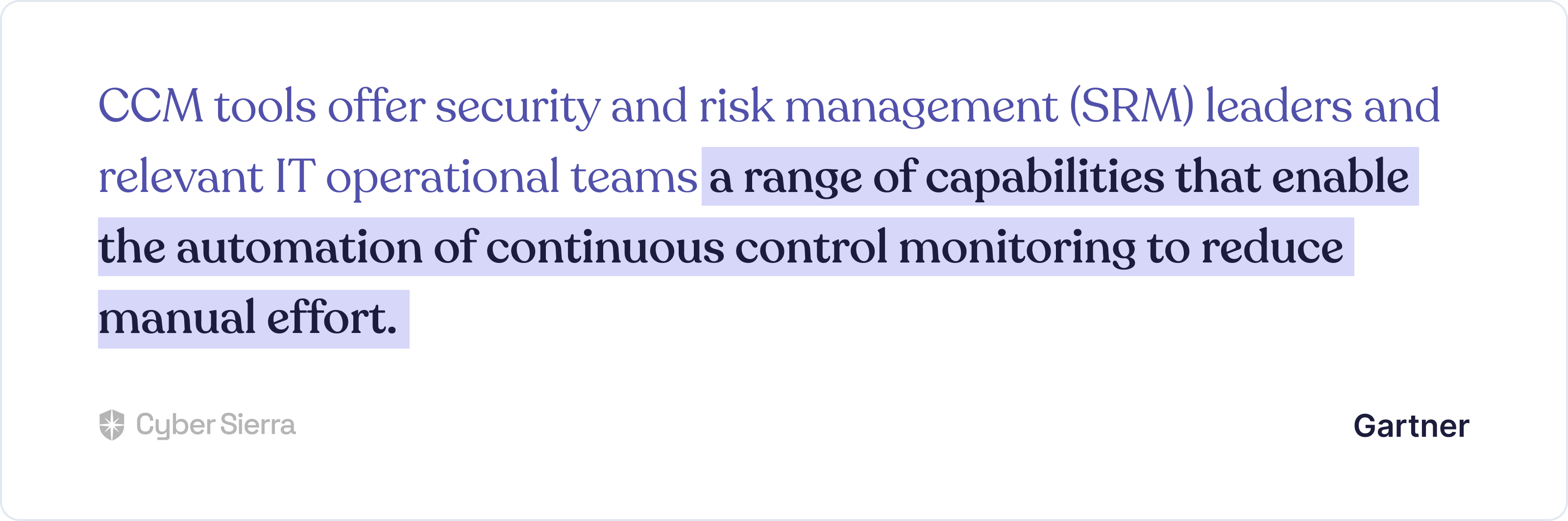
Continuous controls monitoring tools are software applications that are used to monitor and evaluate the effectiveness of financial, technological, and internal controls within an organization.

With these tools, organizations can continuously track and analyze key control metrics, assess risks, and identify any deviations or anomalies that may indicate a breakdown in controls and proactively act accordingly.


Continuous control monitoring solutions are primarily used in financial services to automatically scan financial transactions, identify patterns, and flag any potential errors or fraudulent activities.

Besides, these tools can also monitor internal controls by tracking the implementation and effectiveness of internal policies and procedures. In addition, CCM tools can evaluate technological controls by continuously testing security measures and identifying vulnerabilities or unauthorized access attempts.

One of the major benefits of using CCM tools is the ability to automatically test security controls. These tools can simulate various attack scenarios, such as phishing attempts or network breaches, to identify any weaknesses in the organization's security infrastructure.

By proactively testing these controls, organizations can ensure that their sensitive data and systems are protected from potential threats.

Furthermore, CCM tools can detect anomalous activity within the organization's controls. By continuously monitoring key control metrics and comparing them against predefined thresholds, these tools can identify any deviations from normal behavior. This can be particularly useful in detecting any fraudulent activities or non-compliance with internal policies.

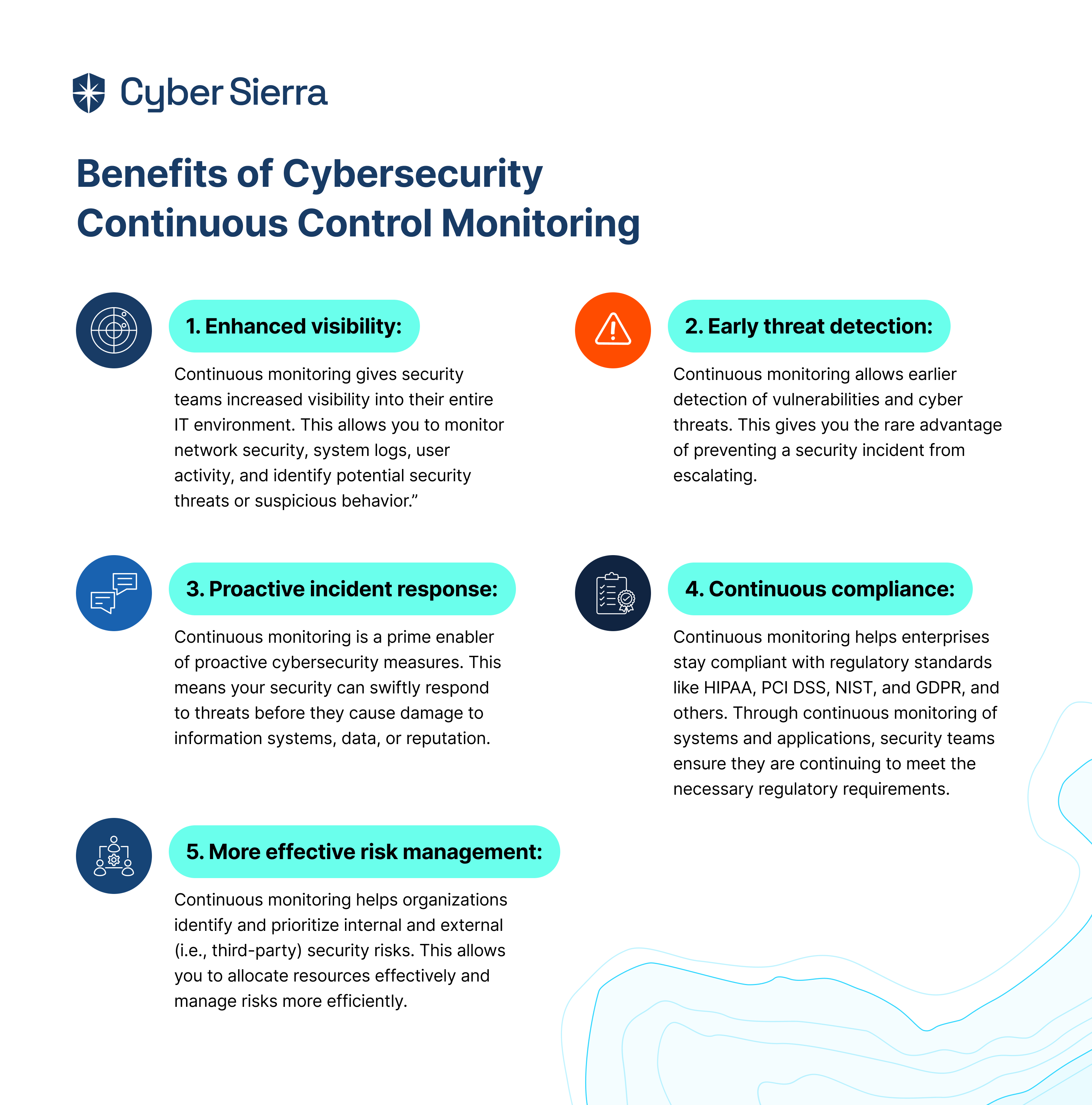
Overall, continuous controls monitoring applications can benefit organizations in many ways including:

  • Proactive risk management
  • Increased operational efficiency
  • Enhanced regulatory compliance and risk management
  • Facilitate data-driven decision-making
  • Improved security posture
  • Faster incident response
  • Reduced costs associated with data breaches and compliance failures
  • Increased company value to investors and stakeholders, and increased value through improved privacy controls

7 Best Continuous Control Monitoring Solutions
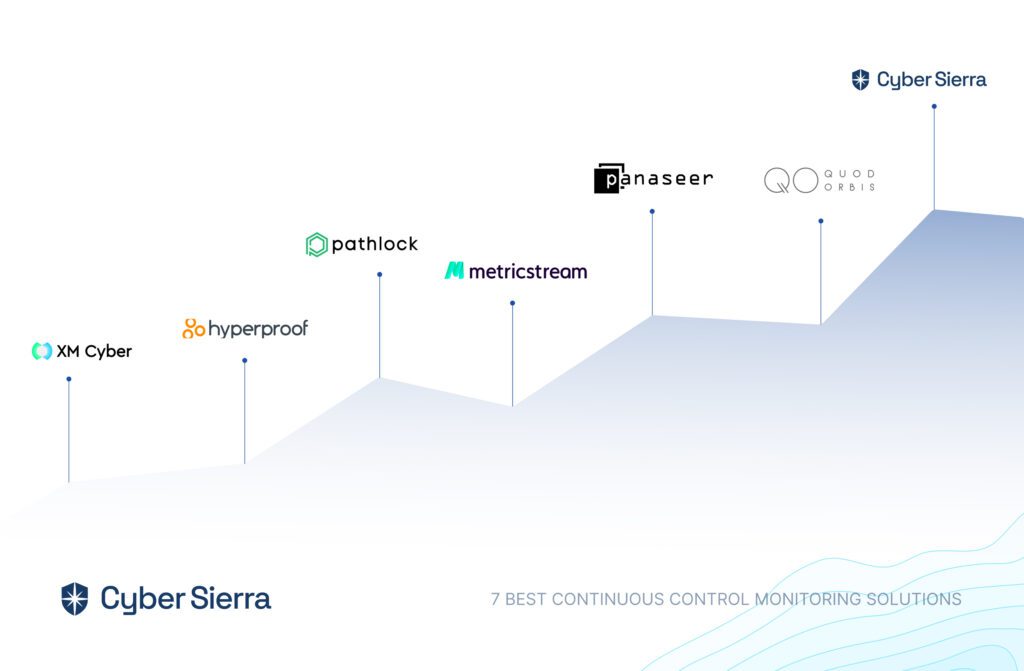
Here are the top CCM tools that have emerged as frontrunners in the market in 2024. We have evaluated them based on user reviews, innovative features, and their key capabilities.

1. Cyber Sierra
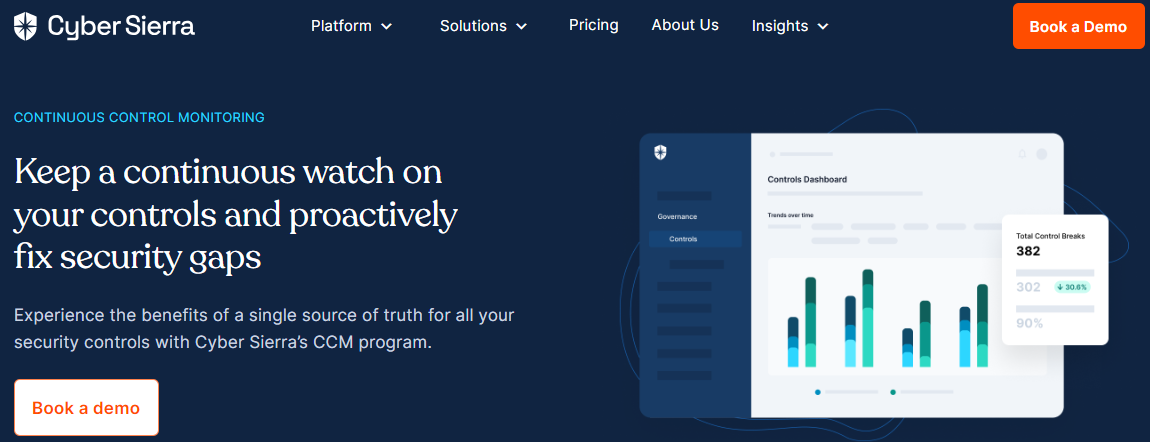
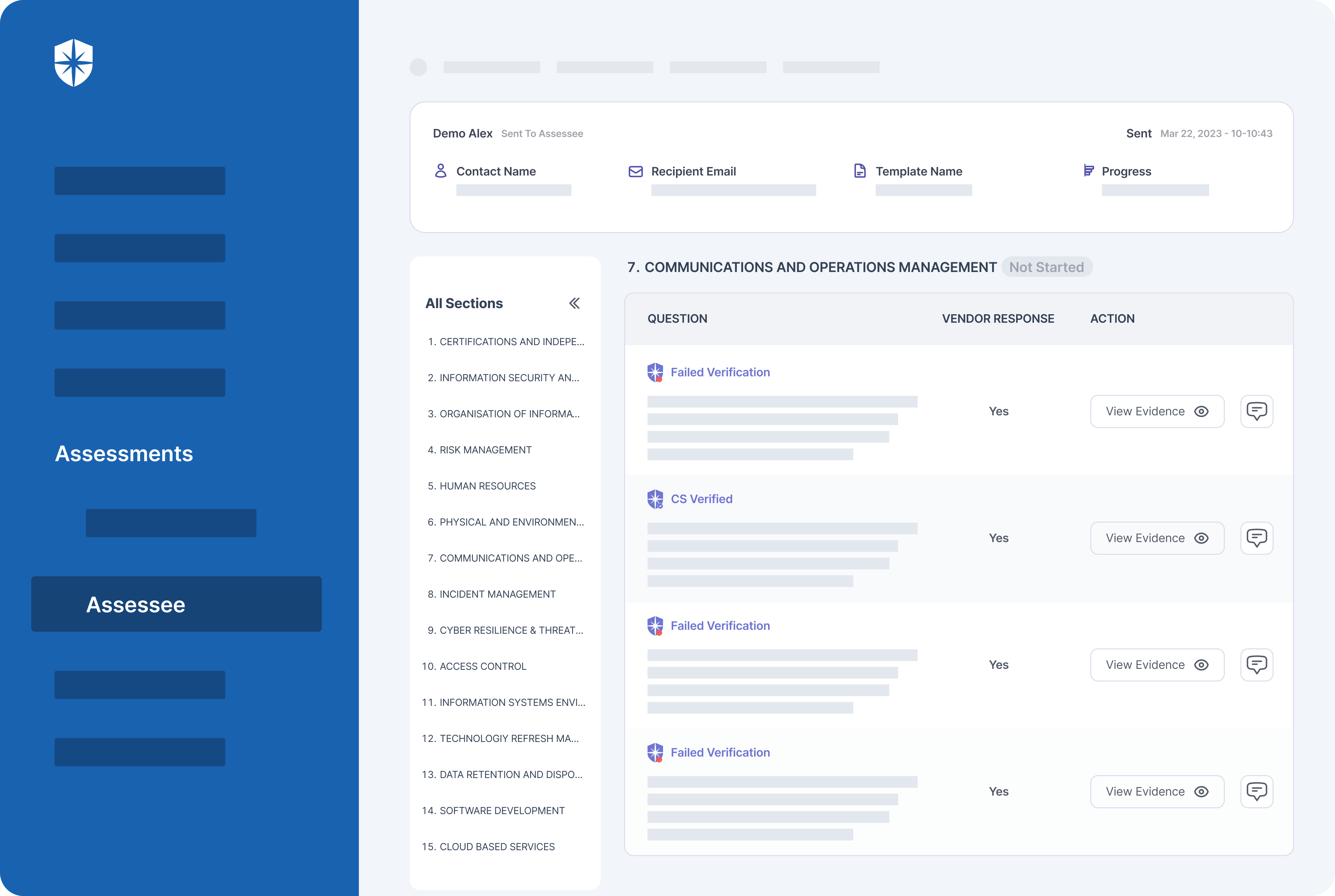
Best for: Enterprise organizations looking to implement a customized CCM program to match industry needs and strengthen their cybersecurity defenses.

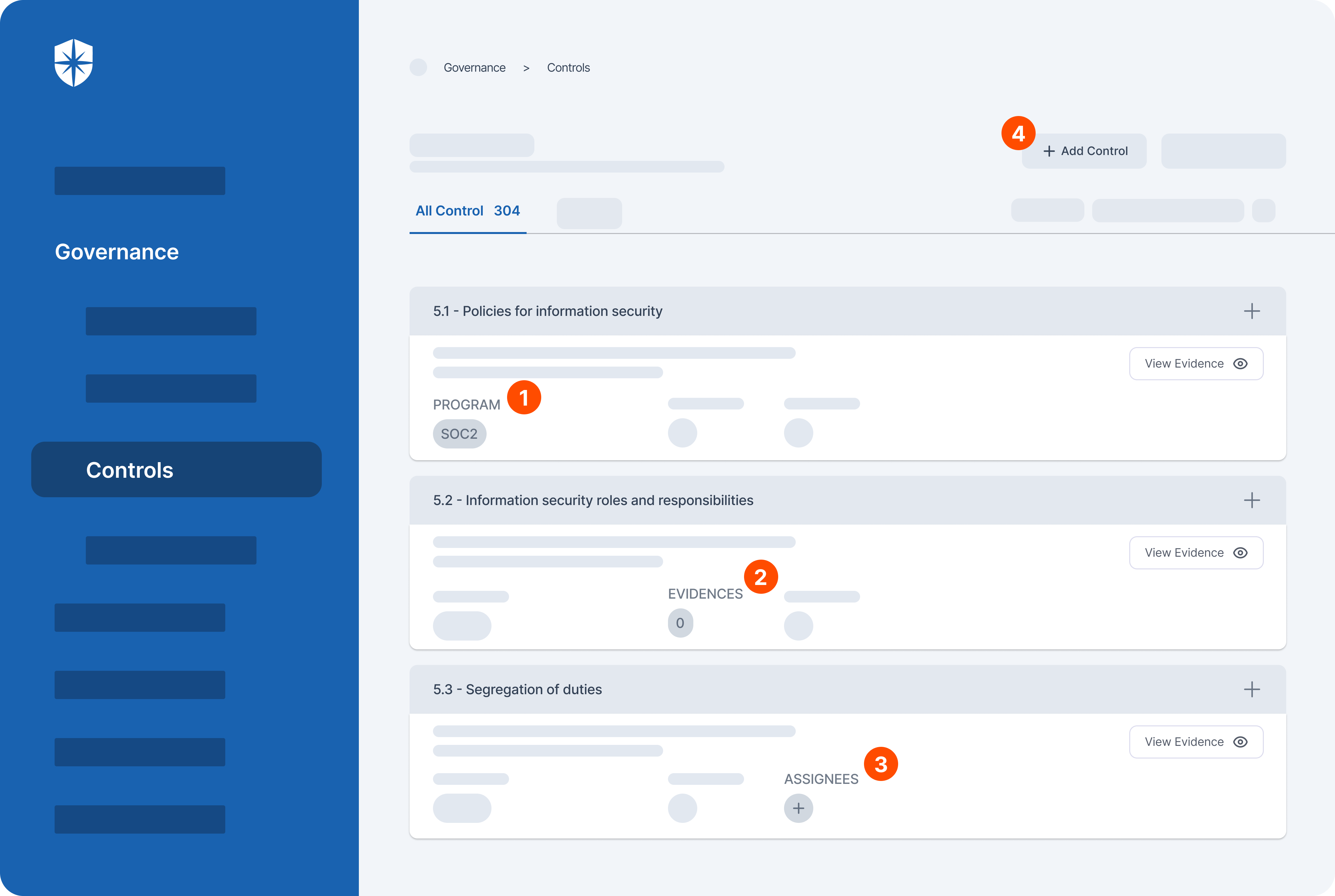
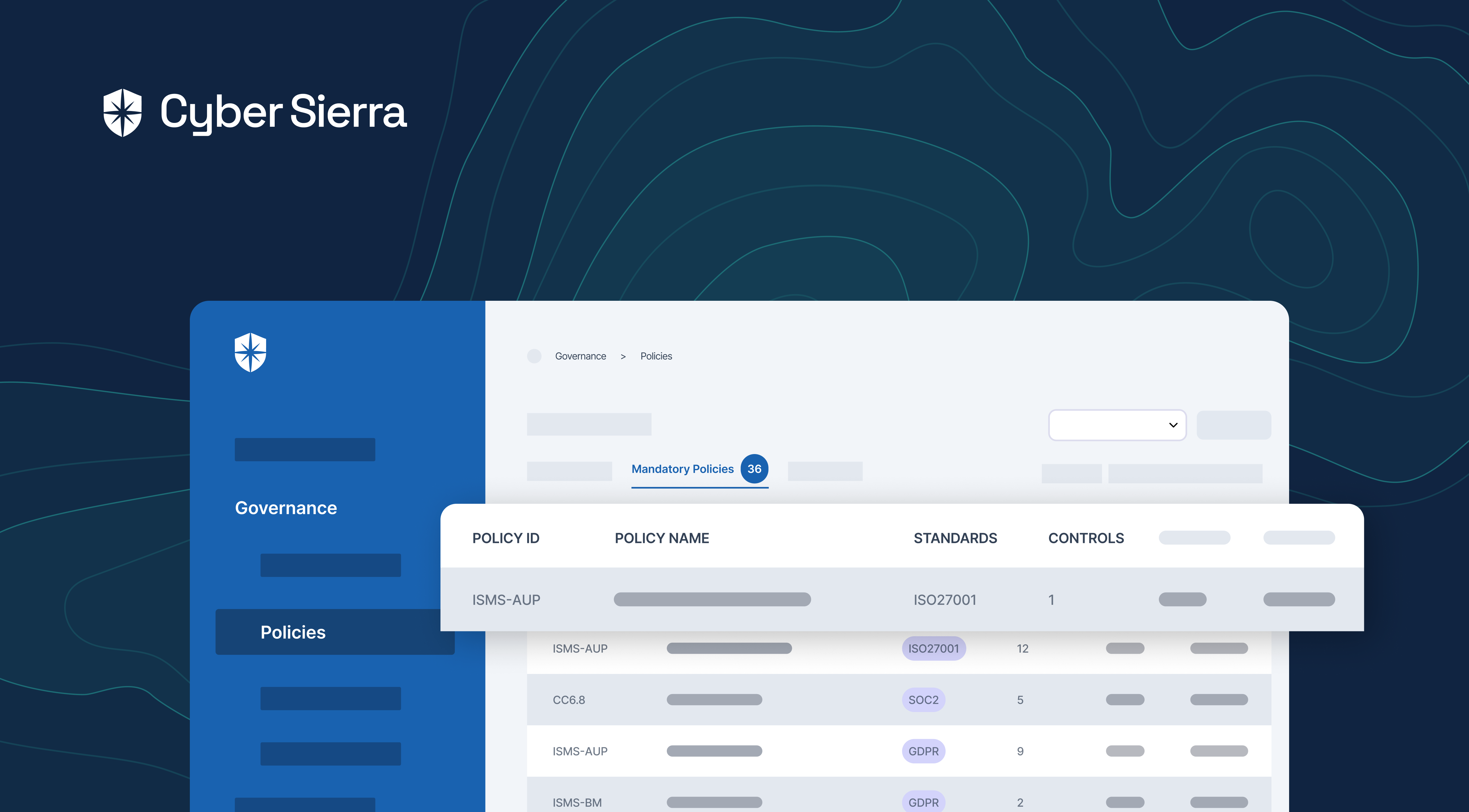
Cyber Sierra offers robust continuous controls monitoring software to help organizations enhance cyber security and maintain a continuous compliance status. This tool provides a comprehensive set of features, capabilities, and benefits to effectively monitor and manage security controls.

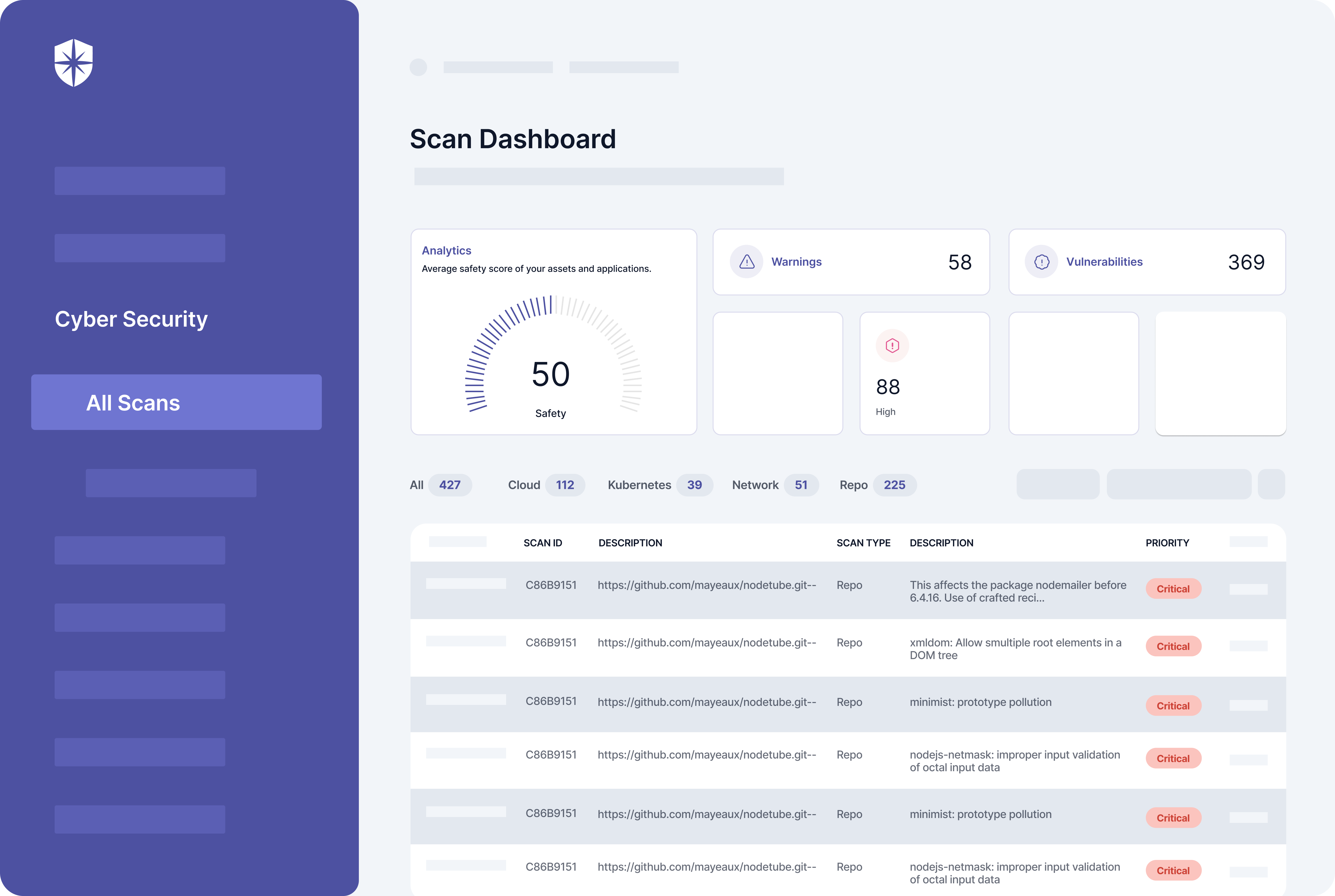
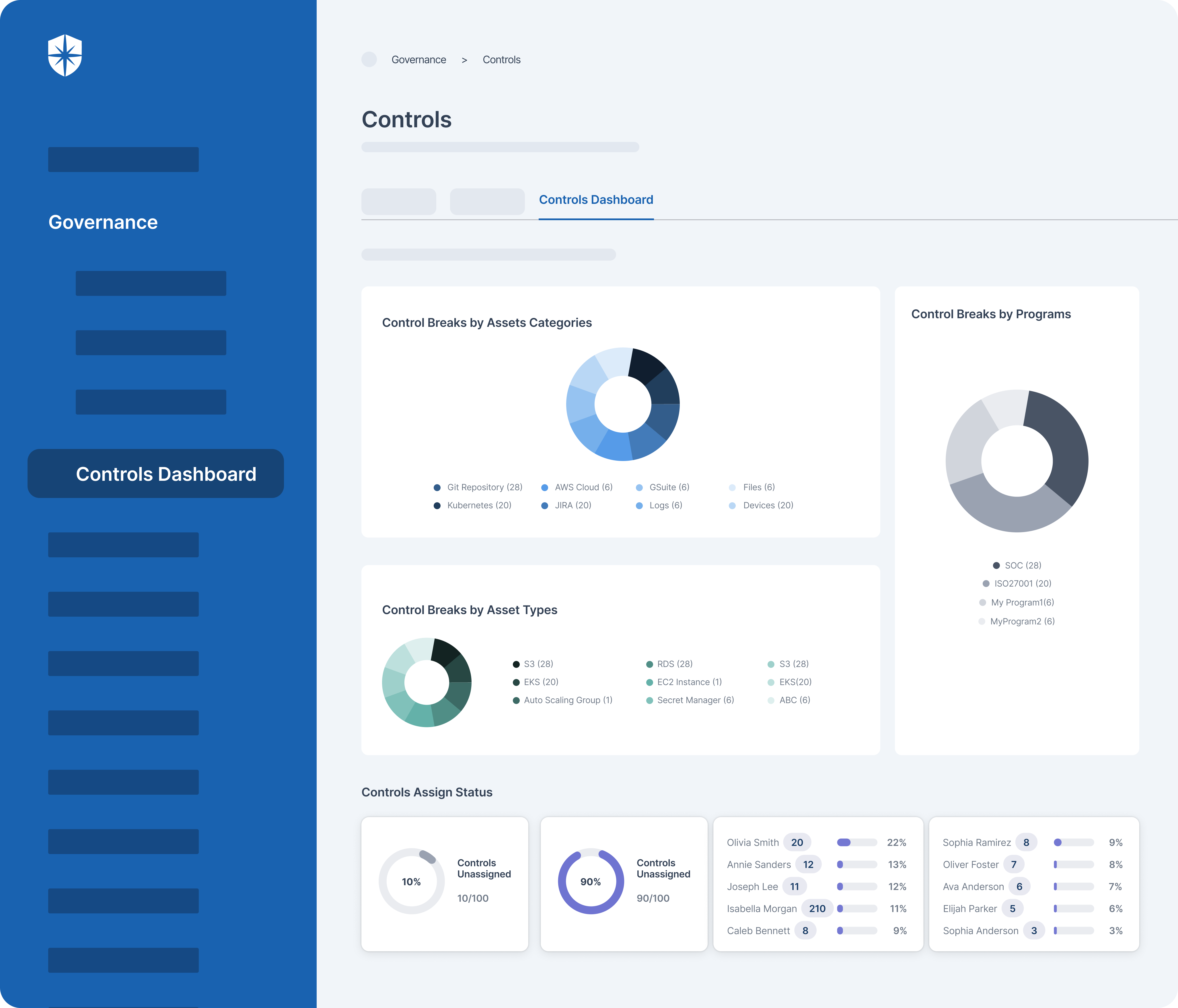
One of the prominent features of the software is its ability to automate the monitoring of security controls. It constantly scans the entire IT infrastructure to detect any vulnerabilities, risks, or anomalies. This proactive approach helps organizations stay ahead of potential security risks and take immediate action to mitigate them.

The AI-powered cyber security platform also offers near real-time monitoring and alerts, allowing security teams to respond quickly to any suspicious activities or breaches. Besides, it provides detailed reports and analytics, enabling organizations to gain insights into their security posture and make informed decisions.

The tool also facilitates compliance with regulatory standards by ensuring that security controls are in place and continuously monitored. It helps organizations achieve and maintain regulatory compliance, reducing the risk of penalties or legal consequences.

The benefits of implementing this tool for your organization are numerous. It enhances the overall security of your organization, enabling early detection and prevention of cyber threats. It saves time and resources by automating monitoring processes and providing comprehensive reports. It also improves your organization's reputation by demonstrating a commitment to cybersecurity and compliance.

Here is why enterprise organizations love Cyber Sierra:

  • Real-time monitoring of critical controls: Never miss a beat. Cyber Sierra continuously monitors your critical controls, providing real-time visibility into their effectiveness.
  • Automated control testing and validation: Say goodbye to manual testing. The software automatically tests and validates a range of controls, streamlining process control monitoring for security and compliance teams.
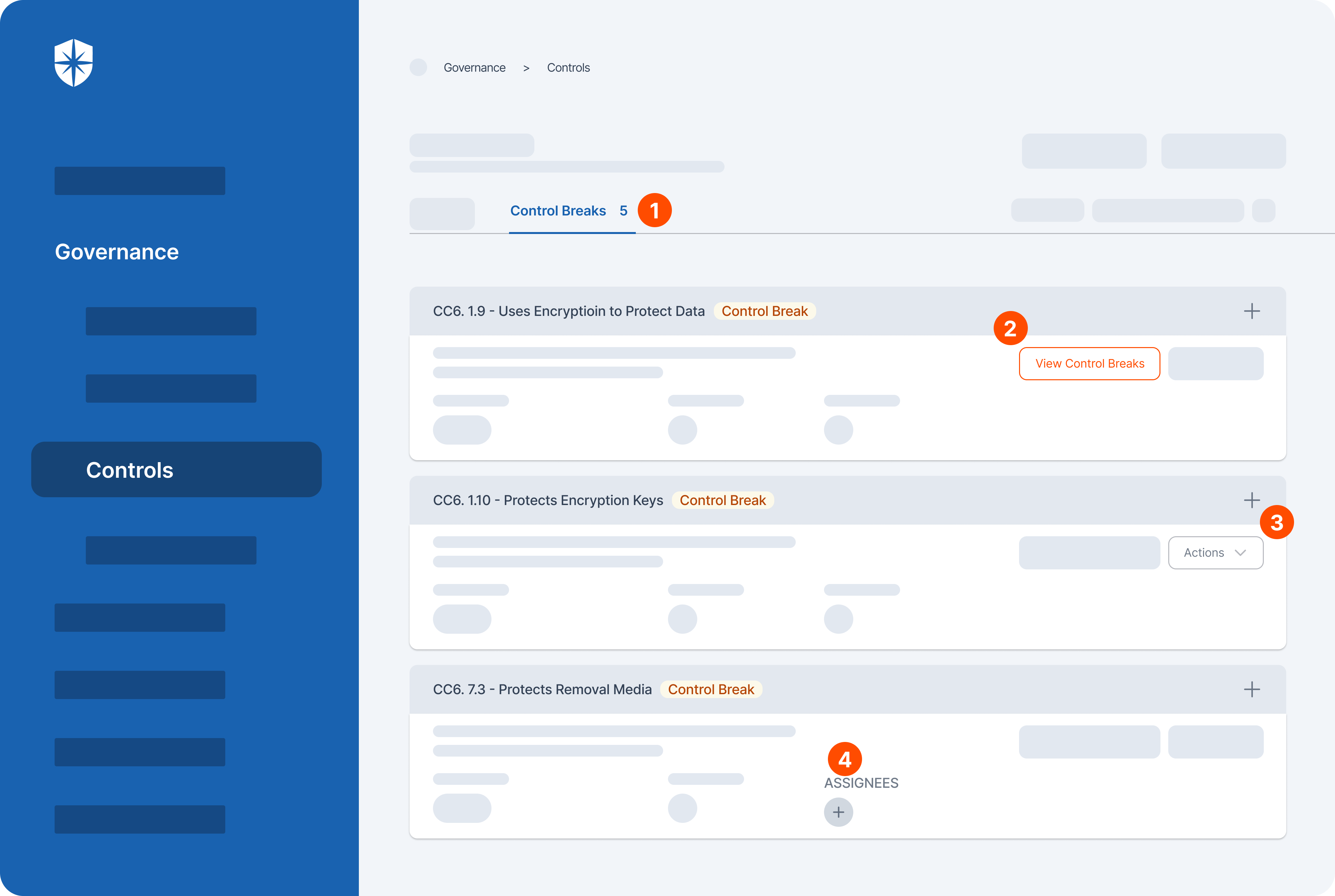
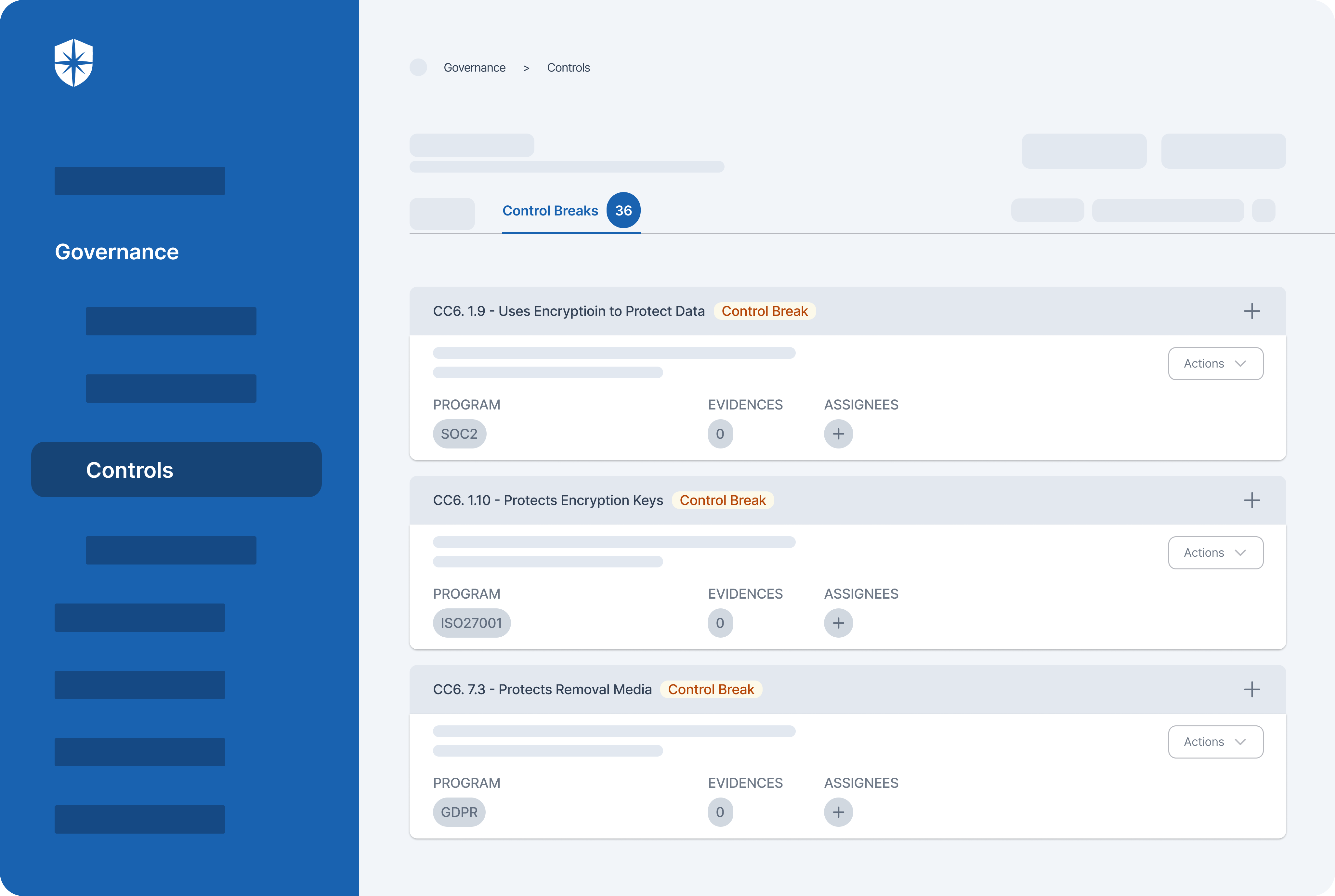
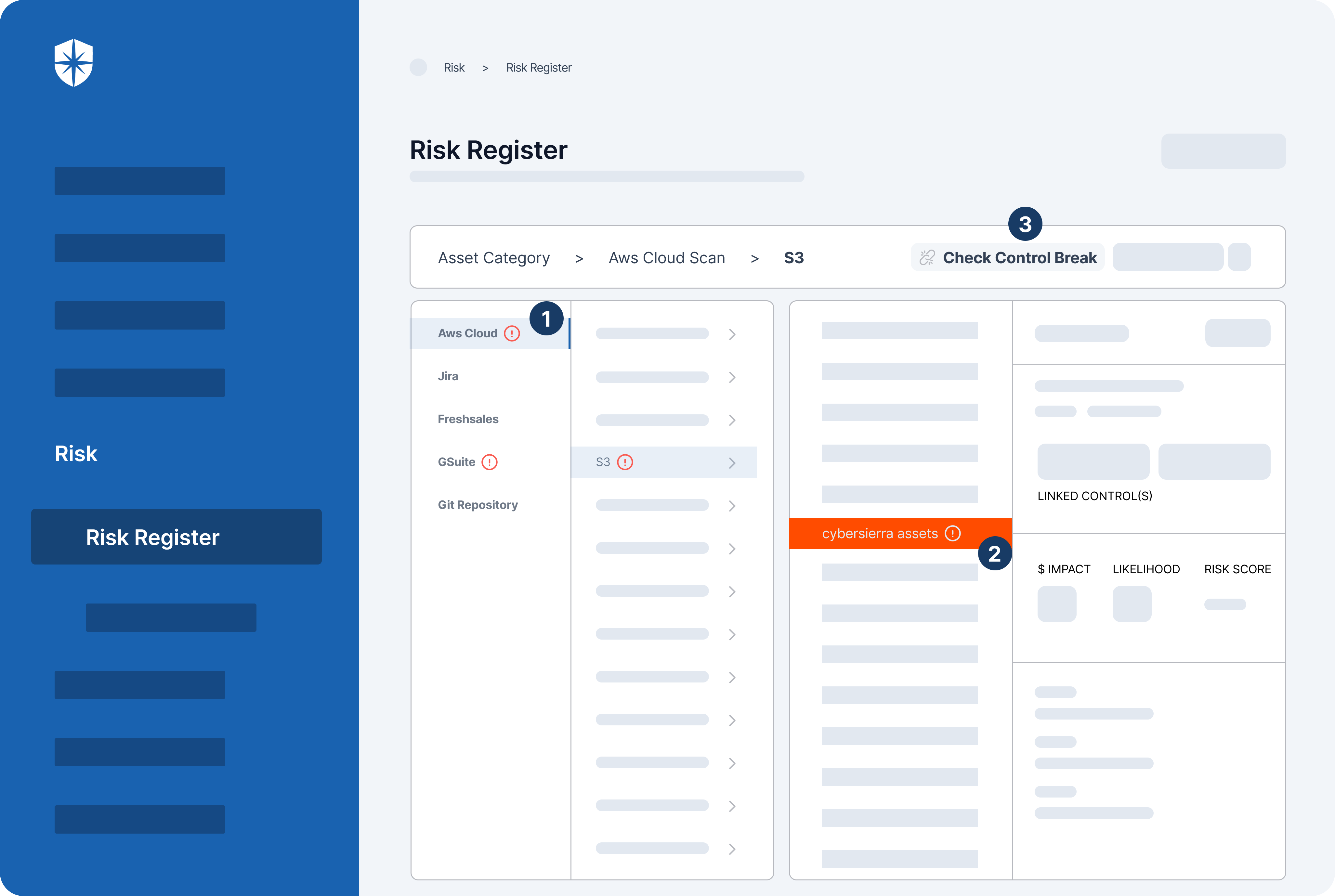
  • Identification of control weaknesses and compliance gaps: Leave no control gaps behind. Cyber Sierra helps organizations identify weaknesses and gaps in controls across business domains, enabling proactive mitigation of potential risks.
  • Mitigation of regulatory and compliance risks: Reduce compliance headaches. It also helps enterprise organizations mitigate regulatory and compliance risks by implementing controls at scale and ensuring adherence to standards.
  • Proactive risk management: Get ahead of threats. It helps you to proactively identify potential risks in your control processes through continuous monitoring, enabling preventative vulnerability management.
  • Data-driven insights for decision making: Make informed decisions. Leverage data-driven insights from a single repository of control information to guide security and internal audit teams. This source of truth empowers data-driven decision-making for business continuity.

Pricing

Cyber Sierra offers customizable pricing in three different plans. Price is available upon request. 

2. Quod Orbis
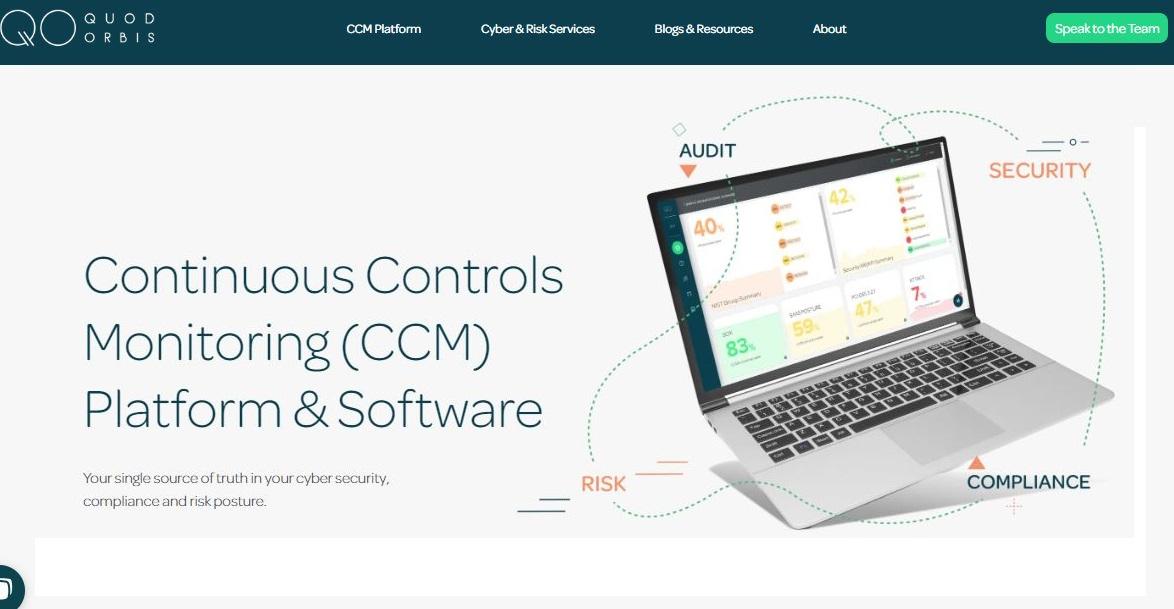
Suitable for: Organizations looking to streamline their internal audit software processes and maintain a continuous compliance posture.

Quod Orbis Continuous Controls Monitoring platform is designed to address the challenges faced by organizations in maintaining a continuous and effective internal audit process. 

It provides a way to continuously monitor critical controls and identify any deviations from compliance standards or risk management practices. This can help organizations achieve a more proactive approach to cybersecurity and compliance.

The target users of Quod Orbis CCM platform include internal audit teams, compliance teams, and security professionals. It automates parts of the audit process such as evidence collection and analysis, which can help to reduce audit costs and improve efficiency. This can also free up internal audit teams to focus on more strategic tasks, such as risk assessment and continuous improvement of risk management practices.

The platform can be especially useful for organizations that are looking to improve their compliance posture or manage disruptive risks. By providing continuous monitoring of controls, the CCM tool can help organizations to identify and address potential issues before they escalate into major problems. This can help to improve overall security posture and reduce the likelihood of security incidents.

Overall, Quod Orbis CCM platform is a tool that can be used by organizations of all sizes to improve their continuous auditing practices, manage compliance costs, and achieve a more proactive approach to cybersecurity and risk management.

Key features

  • Cyber asset attacks management (CAASM) & asset management: Quod Orbis enables organizations to manage their cyber assets by providing asset management capabilities. This includes tracking and monitoring of assets, identifying vulnerabilities, and implementing measures to mitigate cyber asset attacks. 
  • Risk management: The platform helps organizations to proactively identify, assess, and mitigate risks through its comprehensive risk management features. 
  • Automated auditing of controls: Quod Orbis automates the assessment of controls across the organization, reducing the need for manual intervention and improving audit efficiency. 

Pricing

Quod Orbis pricing is available upon request.

3. Panaseer
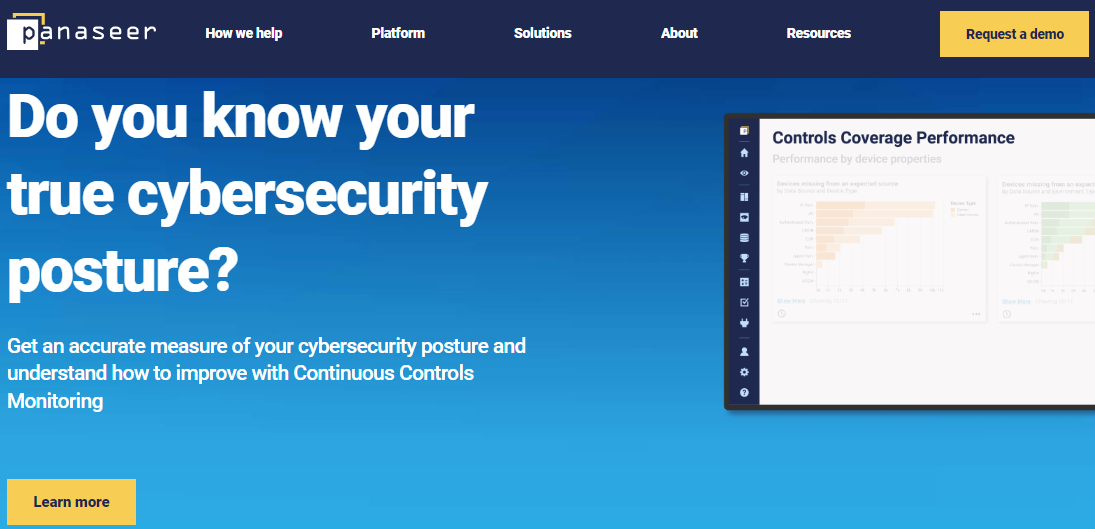
Ideal for: Active security posture management

The Panaseer platform uses continuous controls monitoring to enhance the prioritization and acceleration of remediation efforts in the realm of cybersecurity. It provides real-time visibility into the security posture of an organization, which helps users to take proactive measures in addressing vulnerabilities and managing security controls.

The platform can also automate the process of vulnerability analysis, enabling security teams to identify and prioritize risks more efficiently. This is particularly useful for organizations with extensive cloud security requirements, as the platform can provide a comprehensive view of an organization's cloud infrastructure and the associated security risks.

Its automated cyber asset inventory allows for the continuous tracking of an organization's assets and their respective security controls. This feature can be helpful for organizations looking to optimize their remediation efforts and reduce remediation costs, as it enables security teams to quickly identify and address vulnerabilities before they can be exploited.

Panaseer platform also offers automated reporting capabilities, which can help security teams to better manage their remediation activities. 

It provides real-time insights into the status of remediation efforts, which can help security teams to better prioritize their work and ensure that remediation efforts are aligned with the organization's security objectives.

Key features

  • Automated security posture management: The platform offers automated security posture management capabilities, allowing organizations to gain real-time visibility into their security posture. 
  • Cyber asset management: Panaseer facilitates effective cyber asset management by providing automated cyber asset inventory capabilities. 
  • Security controls management: The platform centralizes security control management, providing a unified view of all security controls deployed across the IT infrastructure.
  • Evidenced remediation: Panaseer supports evidenced remediation by providing organizations with actionable insights and evidence-based recommendations for remediation. 

Pricing

Panaseer pricing is available upon request.

4. MetricStream
Best for: Organizations looking to improve their cloud usage through autonomous, continuous control monitoring.

MetricStream offers continuous controls monitoring solutions within its compliance operations platform. IIt offers a suite of tools for monitoring controls, ensuring regulatory adherence, and reinforcing security management. 

With a focus on cloud usage, it actively checks for cloud entities, emphasizing the importance of cloud systems throughout its functionality. 

The software's capabilities extend to continuous auditing, vulnerability management, and device management applications, supporting a unified approach to cybersecurity management.

Within the compliance environment, MetricStream provides specialized support for compliance specialists, enabling them to navigate through complex regulatory landscapes efficiently. 

TThe software also also addresses critical vulnerabilities while safeguarding cloud systems and enhancing overall security posture. Its proactive approach to identifying and mitigating risks aligns with modern compliance requirements, making it a valuable asset for organizations seeking comprehensive compliance and security solutions.

Note that MetricStream's continuous control monitoring emphasizes more on cloud usage throughout its features. So you may want to consider Cyber Sierra if you want a more comprehensive approach to cloud usage, security and compliance. 

According to G2 and Capterra reviews, the software is also less intuitive when it comes to compliance management. Cyber Sierra is designed with a user-friendly interface, which makes it easy to navigate for both beginners and experts alike.

Key features

Here are the key features of the software:

  • Automated testing and monitoring: The software performs automated testing and monitoring to enhance cloud usage.
  • Seamless Integration with AWS: It also integrates with the AWS security hub to help you keep a close eye on your cloud compliance in real time.
  • Efficient evidence gathering: The tool leverages autonomous evidence collection making it fast to identify compliance issues.

Pricing

MetricStream pricing is available upon request.

5. Pathlock
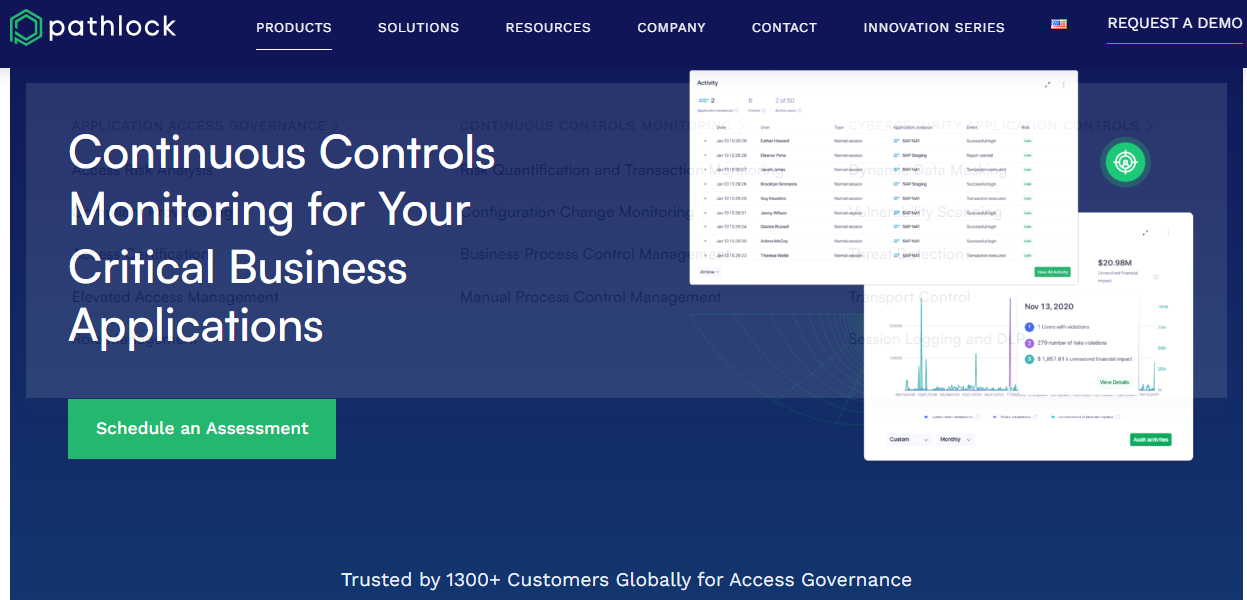
Best for: Organizations looking for software to monitor critical business processes and financial transactions within financial services and transactional applications.

Pathlock’s continuous control monitoring software is designed to monitor critical business processes and financial transactions within financial services and transactional applications. 

It operates within the broader business context, addressing various business risks associated with financial operations.

By focusing on continuous compliance, Pathlock ensures that organizations can maintain adherence to regulatory requirements and internal policies seamlessly. The software's capabilities extend to comprehensive financial transaction monitoring, allowing for real-time oversight of transactional activities.

Pathlock's approach is particularly valuable in identifying anomalies and potential issues within financial processes, enabling timely intervention to mitigate risks. Its integration with transactional applications provides a granular view of financial activities, facilitating efficient monitoring and control.

The downside of Pathlock's continuous control monitoring is that it majorly focuses on proactively addressing compliance and risk management challenges within the financial services environments. If you’re looking for robust continuous controls monitoring software that can be customized for diverse industries, Cyber Sierra would be a great option for you.

Key features

Here are powerful features of the software:

  • Risk quantification & transaction monitoring: Pathlock analyzes transaction data to quantify the financial risk of Segregation of Duties (SoD) conflicts within your organization's applications. It identifies the monetary impact and provides a detailed analysis by conflict, user, or application.
  • Configuration change monitoring: The software tracks changes to transaction and master data, including the source, user, and before/after values. It can also identify deleted items.
  • Business process control management: It automates control procedures across various frameworks. It integrates and streamlines control mechanisms into one system, improving efficiency, reducing manual effort, and enhancing risk visibility.
  • Manual process control management: The platform integrates and streamlines manual controls into a centralized, automated system, improving efficiency, reducing manual effort, and enhancing risk visibility.

Pricing

Pathlock pricing is available upon request.

6. Hyperproof

Best for: Continuous monitoring of a wide range of critical controls including internal, security, access, and behavioral controls. 

Hyperproof is a prominent compliance operations platform that offers a software solution for continuous control monitoring. It is designed to help organizations automatically and frequently monitor a wide range of their internal controls, including security controls like access controls and behavioral controls.

The software focuses on critical risks by enabling users to identify and continuously monitor the effectiveness of controls designed to mitigate those risks. This can include key controls across various departments, such as IT, development, and HR.

Hyperproof streamlines the process of control assessment by automating the monitoring of controls. The software reduces the need for manual testing, potentially freeing up resources for compliance teams. 

Hyperproof primarily focuses on continuous monitoring of critical controls such as internal, security, access, and behavioral controls. So if you want software that offers real-time monitoring capabilities with advanced alerting systems to ensure timely detection of control deviations, you may consider Cyber Sierra.

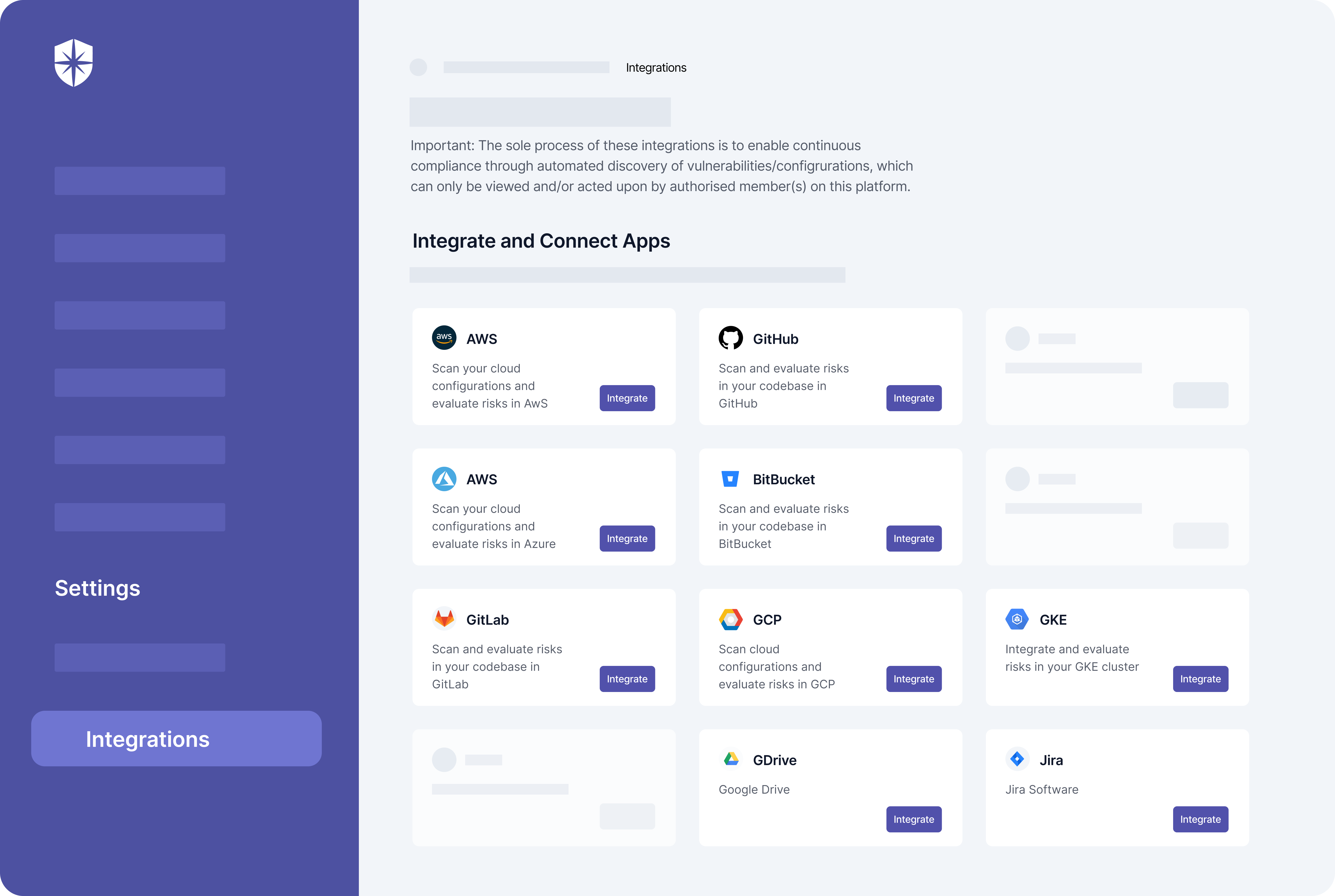
Besides, Cyber Sierra provides advanced analytics and integration capabilities, enabling deep insights into control performance.

Key features

Here are a few features of Hyperproof:

  • Wide range of control coverage: The software can monitor a variety of controls, including access controls, behavioral controls, and departmental controls across IT, development, and HR.
  • Streamlined assessment process: By automating control testing and offering real-time results, Hyperproof helps streamline the overall process of control assessment for compliance purposes.
  • Continuous monitoring capabilities: Hyperproof enables continuous monitoring of critical controls, allowing organizations to detect and respond to risks in real time.
  • Configurable monitoring frequency: The software allows you to set up monitoring schedules based on the criticality of the control. High-risk controls can be monitored continuously, while less critical ones can be checked daily or weekly.

Pricing

Hyperproof pricing is available upon request.

7. XM Cyber 
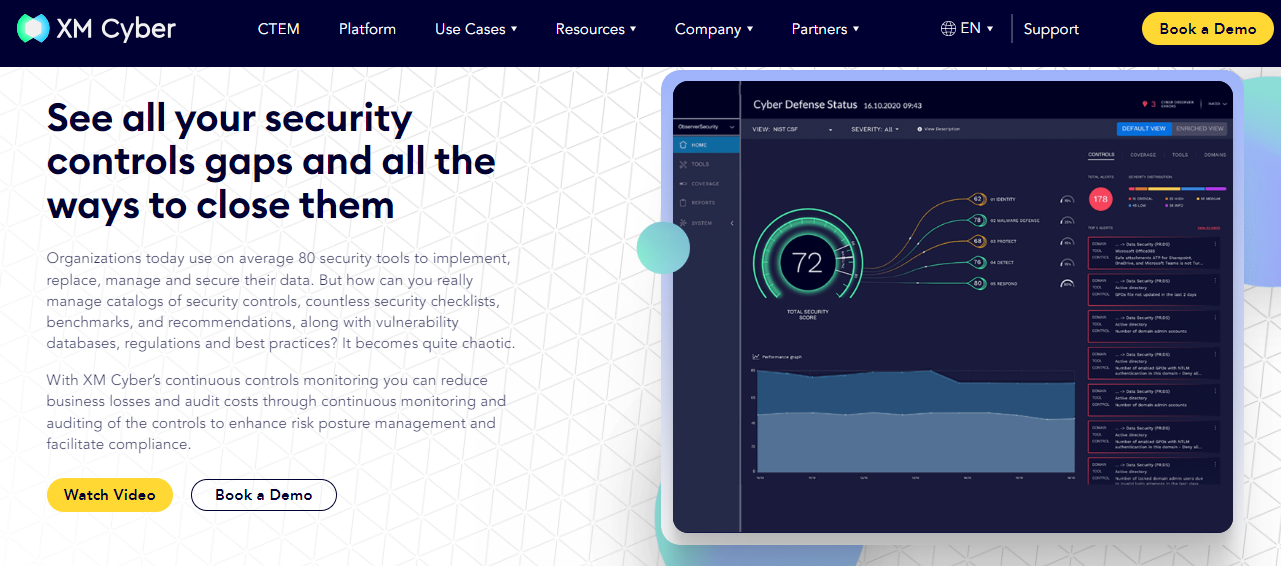
Best for: Organizations looking for a comprehensive solution to address cyber risk and bolster their cyber security posture.

XM Cyber offers a continuous controls monitoring (CCM) tool designed to address the challenges of managing a complex cyber security landscape. Organizations today use numerous security tools, leading to a scattered view of their overall cyber defense posture.

With XM Cyber's CCM tool organizations get a unified cybersecurity management platform. The software continuously retrieves and analyzes data from various security controls, aiming to give a comprehensive picture of an organization's cyber risk posture.

This can be helpful for security professionals tasked with managing cyber risk and ensuring the effectiveness of implemented controls.

By offering a centralized view, the CCM tool can potentially aid in identifying weaknesses in an organization's cyber defenses. 

This information can then be used to prioritize and address security gaps, potentially improving an organization's overall cyber risk management strategy.

While both XM Cyber and Cyber Sierra share the common goal of strengthening cyber defense, they may differ in specific functionalities, user interfaces, and integration capabilities. 

For instance, Cyber Sierra integrates seamlessly into your existing infrastructure whereas XM Cyber may not offer sufficient integration capabilities.

Key features

  • Real-time threat detection: The tool employs advanced algorithms to continuously monitor control mechanisms and identify potential cyber threats in real-time.
  • Automated remediation: Upon detecting a cyber threat, the tool provides automated remediation capabilities, allowing organizations to quickly address vulnerabilities and mitigate risks.
  • Risk prioritization: Leveraging sophisticated risk analysis techniques, the tool prioritizes identified threats based on their severity and potential impact on the organization.
  • Thousands of predefined critical security controls (CSCs): The tool comes pre-loaded with over 5,000 critical security controls, helping organizations ensure they are monitoring the right areas.

Pricing

XM Cyber pricing is available on request.

How to Choose the Best CCM Tool
Continuous control monitoring CCM solutions are essential in maintaining and enhancing the cybersecurity of organizations by constantly assessing and monitoring critical data and systems for any deviations or abnormalities. 

These tools play a crucial role in detecting and preventing data breaches and ensuring the overall integrity and security of an organization's operations.

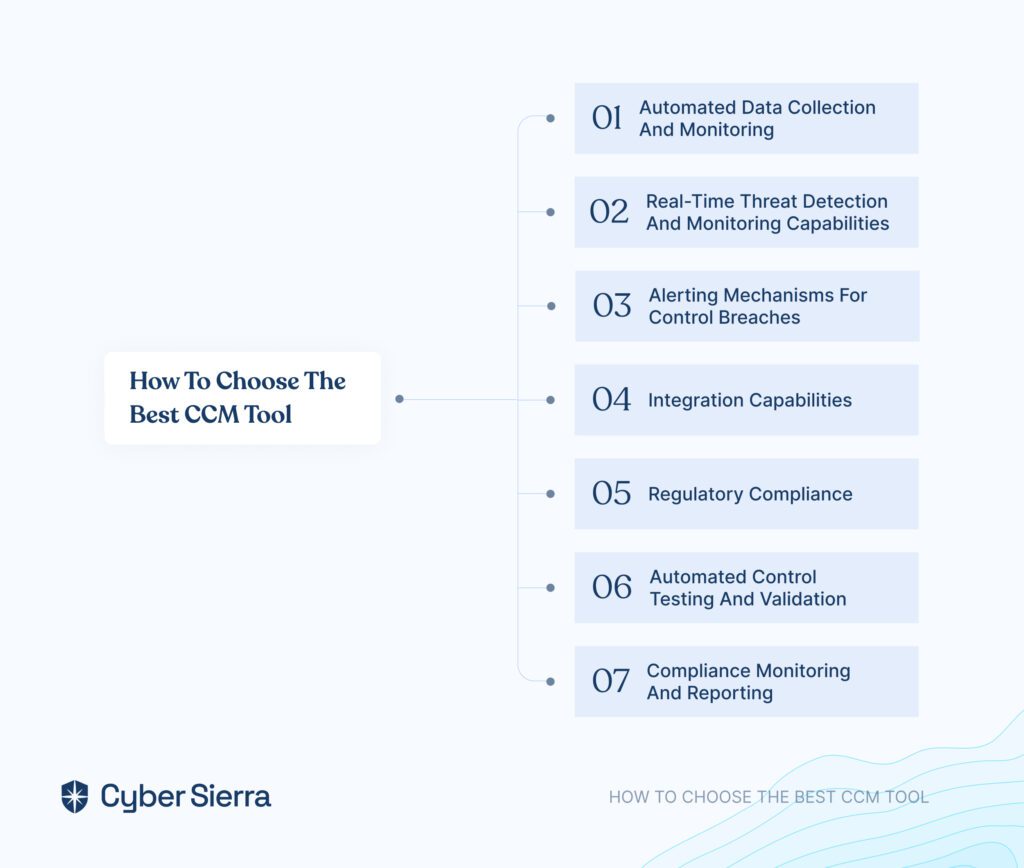
Choosing the best continuous controls monitoring (CCM) tool requires careful consideration of several factors to ensure it aligns with your business needs and objectives. Here's a quick guide to help you select the most suitable tool for your business:

1. Automated data collection and monitoring

Look for tools that can automatically gather data from various sources like applications, network devices, and security systems. This eliminates manual data collection, saving time and resources.

2. Real-time threat detection and monitoring capabilities

Prioritize tools with real-time monitoring features that identify and alert you to potential security threats as they occur. This allows for a faster response and minimizes damage.

3. Alerting mechanisms for control breaches

Choose a tool with configurable alerts to notify you of control breaches or deviations from expected behavior. This enables your team to investigate issues promptly.

4. Integration capabilities

Ensure the CCM tool integrates seamlessly with your existing security ecosystem (firewalls, SIEM systems, etc.) for streamlined data flow and centralized security management.

5. Regulatory compliance

If your organization adheres to specific regulations (PCI DSS, HIPAA, etc.), select a tool that offers pre-configured controls mapped to those regulations, simplifying compliance efforts.

6. Automated control testing and validation

Consider tools that automate control testing, reducing manual workload and ensuring consistent control verification. Look for features that validate the effectiveness of implemented controls.

7. Compliance monitoring and reporting

Choose a tool that offers comprehensive compliance monitoring and reporting capabilities. This helps demonstrate adherence to regulations and facilitates communication with auditors.

Additional considerations:

Here are additional considerations when choosing a CCM tool for your business.

  • Scalability: Consider your organization's size and potential future growth. Choose a tool that can scale to meet evolving needs.
  • Ease of use: Evaluate the user interface and functionalities to ensure your team can comfortably navigate and utilize the tool.
  • Vendor support: Assess the vendor's support offerings, including training, technical assistance, and ongoing updates.

Keep in mind that when it comes to continuous control monitoring tools, there's no "one-size-fits-all" solution. Carefully evaluate your business requirements and security posture when selecting the best CCM tool to optimize your internal control monitoring and strengthen your overall security framework.

Use Cyber Sierra for Effective Continuous Controls Monitoring

Cyber Sierra's Continuous Controls Monitoring tool is a versatile solution that can be effectively adopted in the cybersecurity sector to enhance monitoring and control processes. 

For instance, the CCM tool is indispensable for cyber security and network security monitoring. With the increasing complexity of cyber threats and network vulnerabilities, organizations rely on Cyber Sierra to continuously monitor their IT infrastructure, detect potential security breaches, and respond swiftly to mitigate risks. 

By leveraging Cyber Sierra’s advanced threat detection algorithms and real-time monitoring capabilities, technology companies can safeguard sensitive data, protect against cyber attacks, and maintain the integrity of their networks.
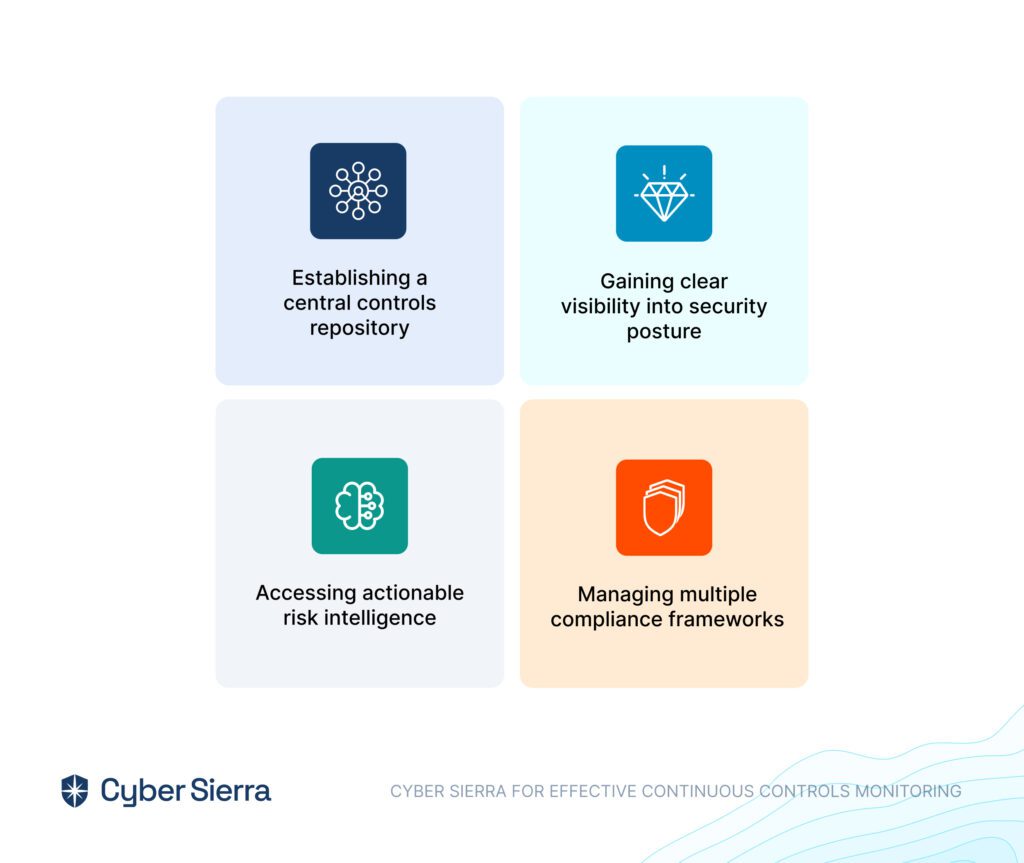
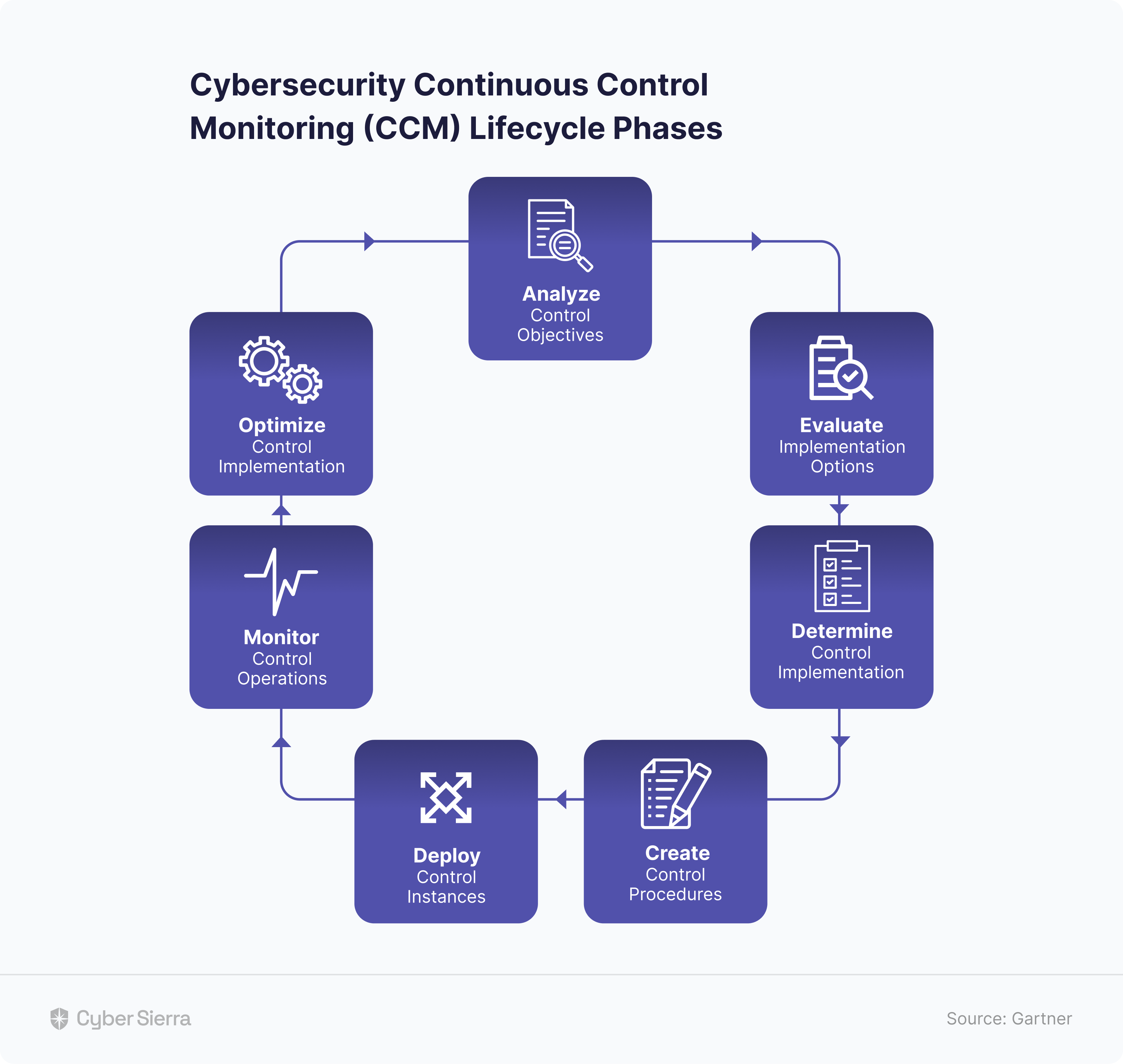
Here is how CCM with Cyber Sierra works:

  • Establishing a central controls repository: Cyber Sierra begins by establishing a centralized repository for all control-related information. This repository serves as a comprehensive database housing various control frameworks, policies, and procedures relevant to the organization. By consolidating this information in one location, the tool enables easy access and management of controls across the enterprise.

  • Gaining clear visibility into security posture: Once the central controls repository is established, the software provides organizations with clear visibility into their security posture. Through continuous monitoring and analysis of control data, it identifies strengths, weaknesses, and potential vulnerabilities within the organization's security framework. This visibility enables stakeholders to assess risks effectively and prioritize mitigation efforts accordingly.

  • Accessing actionable risk intelligence: Cyber Sierra leverages advanced analytics and machine learning algorithms to transform control data into actionable risk intelligence. By analyzing patterns, trends, and anomalies in control metrics, the tool identifies emerging risks and potential security threats in real time. This intelligence empowers organizations to make informed decisions and take proactive measures to mitigate risks before they escalate.

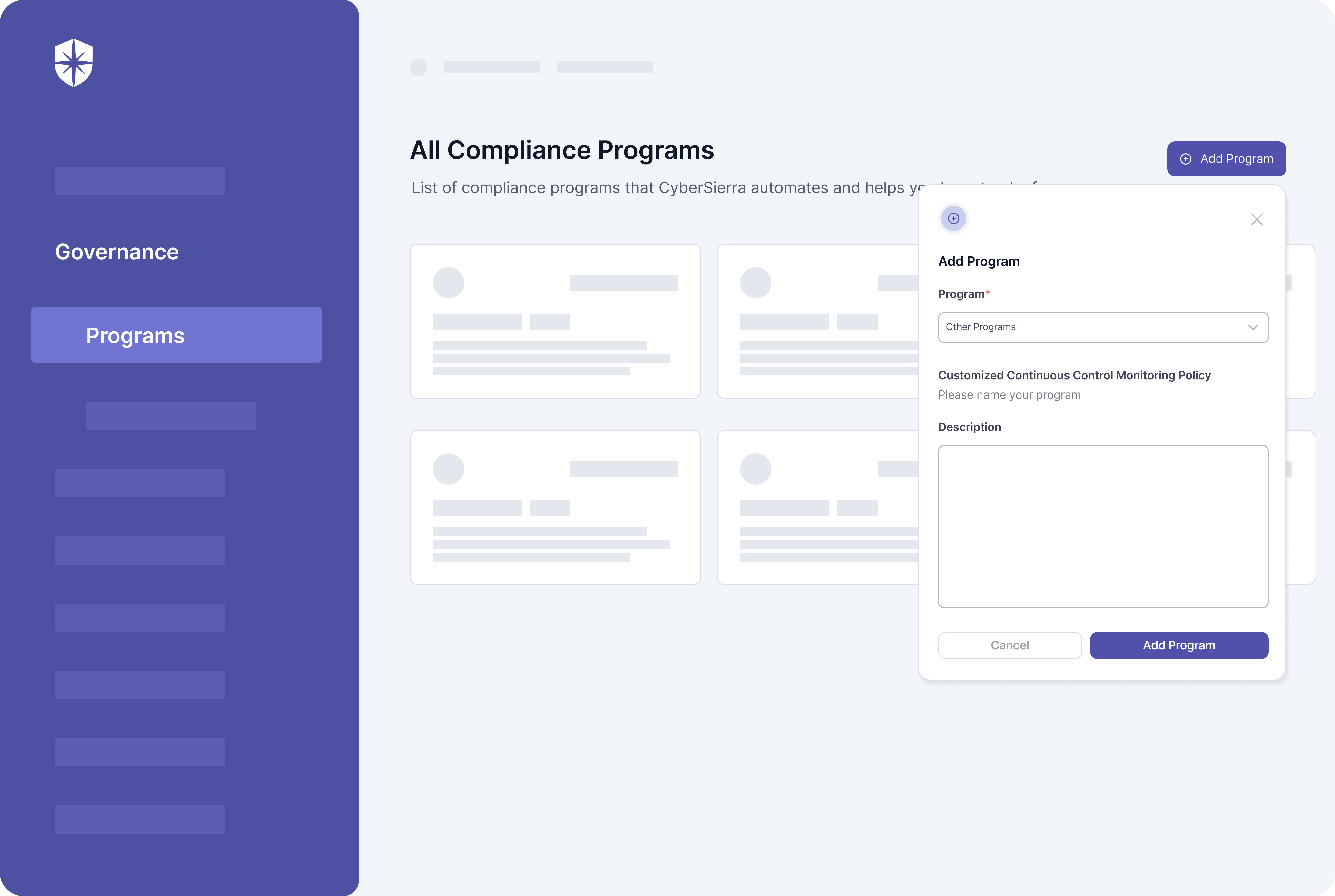
  • Managing multiple compliance frameworks: The software supports organizations in managing multiple compliance frameworks simultaneously including HIPAA, SOC2, ISO 27001, MAS TRM, PDPA, HKMA, CIRMP, GDPR and more . Whether adhering to industry-specific regulations or international standards, Cyber Sierra provides the flexibility to customize controls and assessments to meet diverse compliance requirements. It centralizes compliance efforts and automates control testing and validation, which helps organizations streamline compliance processes and ensure adherence to regulatory mandates.

Ready to explore how Cyber Sierra’s continuous controls monitoring can help you take control of your cyber landscape?

Schedule a free demo call today to speak with our product expert.

FAQ

Here are brief answers to the most frequently asked questions on the topic of continuous control monitoring:

1. What are the types of controls monitored with CCM tools?

The three main controls monitored with CCM tools include:

  • Financial controls: Continuous control monitoring solutions monitor financial controls to ensure the accuracy, reliability, and integrity of financial reporting processes. This includes monitoring transactions, reconciliations, approvals, and financial statement preparation to prevent fraud and errors.
  • Security controls: The tools monitor security controls to safeguard sensitive data and protect against unauthorized access, breaches, and cyber threats. This involves monitoring access controls, authentication mechanisms, encryption protocols, and intrusion detection systems to maintain the confidentiality, integrity, and availability of information assets.
  • Process controls: CCM tools monitor process controls to optimize operational efficiency, prevent errors, and ensure compliance with organizational policies and procedures. This includes monitoring workflow processes, segregation of duties, approvals, and exception handling to identify inefficiencies, deviations, and compliance gaps in business processes.

2.What are the benefits of using continuous control monitoring tools?

By continuously monitoring controls, CCM tools can help organizations with a host of benefits including:

  • Improved internal controls
  • Real-time identification of control weaknesses
  • Enhanced compliance posture
  • Continuous Control Monitoring
  • CISOs
  • CTOs
  • Cybersecurity Enthusiasts
  • Enterprise Leaders
  • Startup Founders
Srividhya Karthik

Srividhya Karthik is a seasoned content marketer and the Head of Marketing at Cyber Sierra. With a firm belief in the power of storytelling, she brings years of experience to create engaging narratives that captivate audiences. She also brings valuable insights from her work in the field of cybersecurity and compliance, possessing a deep understanding of the challenges and pain points faced by customers in these domains.

A weekly newsletter sharing actionable tips for CTOs & CISOs to secure their software.


Thank you for subscribing!

Please check your email to confirm your email address.

Find out how we can assist you in
completing your compliance journey.

blog-hero-background-image
Continuous Control Monitoring

Continuous Control Monitoring (CCM): What It Is and Why It Is Important?

backdrop
Table of Contents

Join thousands of professionals and get the latest insight on Compliance & Cybersecurity.


Ever wondered why some businesses manage to stay ahead of regulatory changes and potential risks while others drown in the complexities of compliance standards and data security?

The answer is simple: they have a robust compliance program in place. 

Any enterprise that handles sensitive data must monitor and control its information end-to-end.

That's where the role of continuous control monitoring (CCM) comes in.  

In a fast-paced business world, CCM is essential for proactively handling sensitive information and maintaining a robust approach to risk management and operational efficiency.

But what does CCM entail, exactly? And how can you go about implementing it in your enterprise?

Let's examine what CCM means and why it's so important for your business.

What is Continuous Control Monitoring?

Continuous controls monitoring (CCM) is a proactive approach that utilizes technology for ongoing, automated oversight of an organization's controls to ensure their effectiveness in mitigating risks and maintaining compliance with regulations and security policies.


CCM provides real-time insights and alerts which help organizations to detect and mitigate risks promptly, reduce fraud, and improve operational efficiency.


This process allows organizations to monitor controls continuously, rather than relying on periodic assessments, which can miss real-time vulnerabilities.

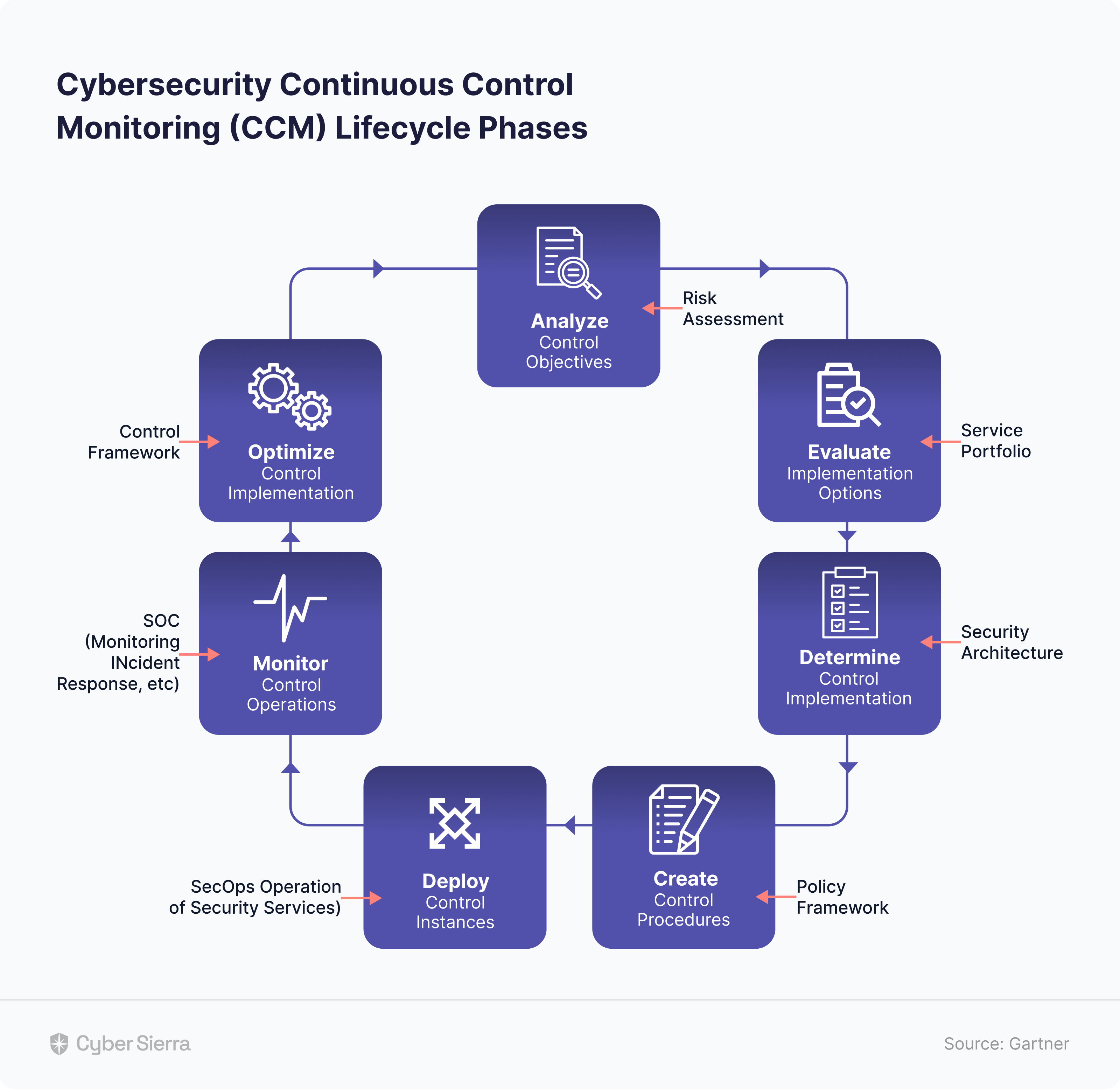
Here are the continuous control monitoring objective:

  • Confirm the efficacy of these controls in mitigating risks,
  • Maintain a proactive cyber defense position, and
  • Ensure business continuity and regulatory compliance.

However, the goal of CCM is not simply to confirm that the controls are in place but rather to provide an ongoing and near real-time assessment of their efficacy. 

In other words, CCM provides insights into how well a control measure is performing and highlights any opportunities for improvement or optimization.

continuous control monitoring CCM

Enhancing Efficiency Through CCM

While CCM provides great tools and solutions, the fulcrum of its success heavily depends on your willingness to embrace change and improve your operations. Here's how you can enhance your operational efficiency with a CCM:

Enhancing Efficiency Through continuous control monitoring

1. Implements data analytics and advanced technologies

Integrate CCM with advanced data analytics, machine learning, and artificial intelligence to augment its capabilities. Leverage these advanced technologies to identify patterns, trends, and anomalies quickly.

This combination assists in predicting risks, making data-driven decisions, and mitigating issues before they cause significant damage. Consequently, integrating data-driven techniques and CCM can take your risk management and operational efficiency to new heights.

2. Performs regular control and process assessments

Perform frequent evaluations of your organization's controls and processes to optimize and adapt to evolving requirements continuously. 

These assessments foster enhanced efficiency by 

  • Identifying gaps, 
  • Redundancies, and 
  • Opportunities for improvement.

CCM facilitates timely adaptations, ensuring your organization is ready to address regulatory changes, market shifts, and emerging threats.

3. Encourages collaboration and cross-functional integration

Promote cross-functional integration and collaboration between departments to streamline communication, decision-making, and actions when operating with CCM.

Unify risk, control, and compliance teams with IT and security departments to synchronize objectives, reduce operational complexities, and enhance overall efficiency.

This approach fosters a holistic understanding of the organization’s control environment and empowers coordinated responses to emerging risks.

4. Monitors and measures the success of CCM 

Establish key performance indicators (KPIs) and metrics to gauge the success of your CCM initiatives. Track improvements in compliance, incident resolution times, and control effectiveness. Use these insights to refine your approach, optimize resource deployment, and validate the impact of CCM on your organization's efficiency.

5. Establishes a proactive risk management culture

Finally, foster a forward-thinking risk management culture within the organization to fully harness the benefits of CCM. Encourage employees to participate in decision-making and recognize the importance of controls and fraud prevention.

Cultivate proactive security habits, such as regularly tweaking and reviewing controls, to enhance your organization's adaptability. 

When employees understand the link between continuous control monitoring and improved efficiency, they are more likely to commit to the necessary changes.

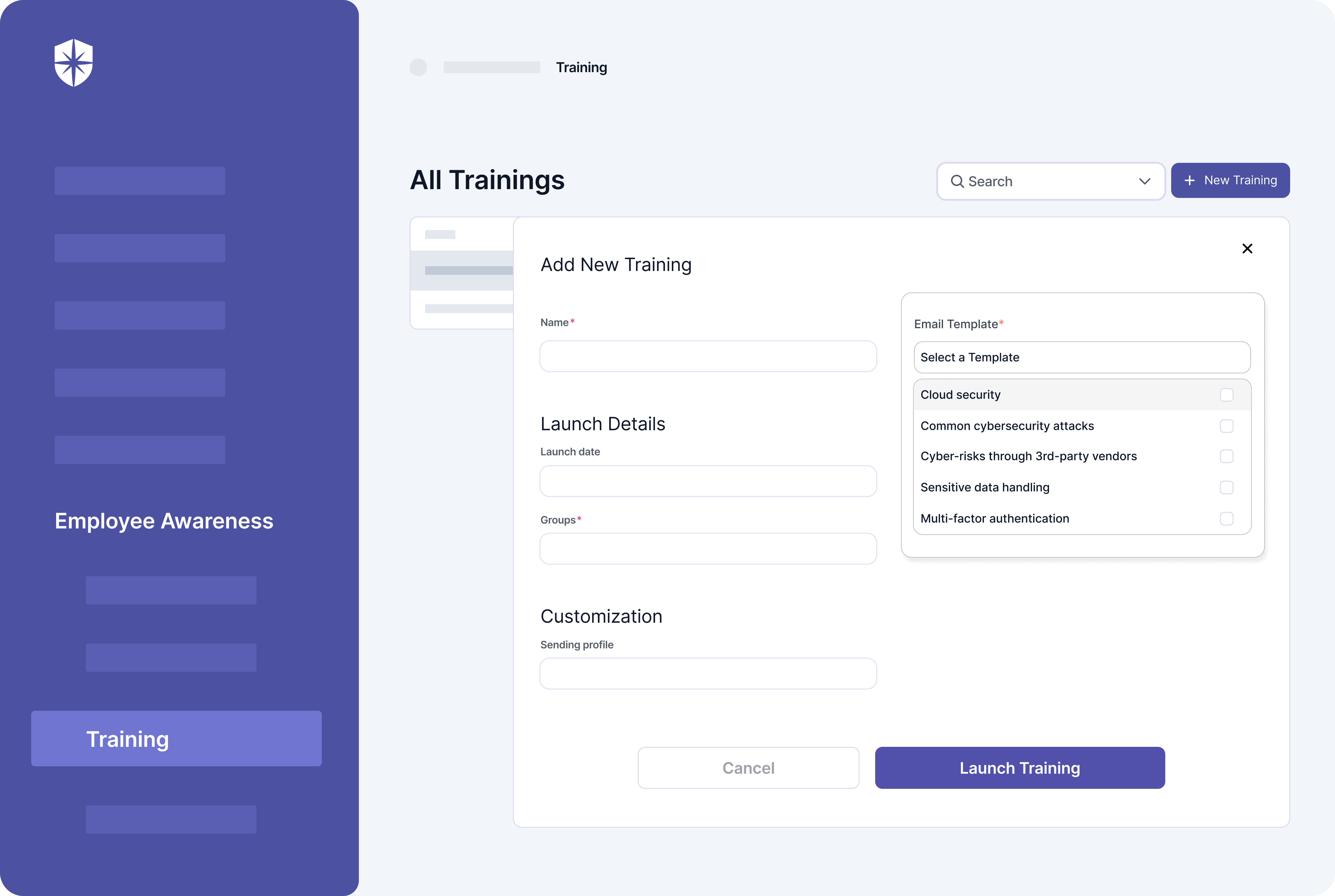
With Cyber Sierra's unified cybersecurity platform, you can maintain a central repository of your company policies, and make it accessible to all employees. Cyber Sierra’s platform also offers a comprehensive employee security training program to address today's most pressing cyber risks.

Book a demo with us to know how you can use Cyber Sierra to kickstart your CCM program.

Benefits of Implementing Continuous Control Monitoring

What are the benefits of  continuous control monitoring

The benefits of implementing continuous control monitoring include the following:

  • Improved compliance
  • Early detection of potential threats
  • Reduced risk of regulatory penalties
  • Enhanced transparency and communication
  • Optimized resource deployment

Let's look at them in more detail.

1. Improved compliance

CCM provides an ongoing review of your enterprise's cybersecurity, financial and operational processes to ensure they adhere to internal and external regulatory standards. 

This is especially true for enterprises, as they operate at large scales and typically face diverse and extensive regulatory requirements.

This continued surveillance means potential compliance issues can be identified and rectified rapidly, leading to fewer incidents while maintaining your organization's reputation with regulators and stakeholders.

2. Early identification and mitigation of risks

CCM operates in near real-time, allowing for immediate identification of potential threats or irregular activities. This effectively turns risk management into proactive rather than reactive practice for enterprises.

3. Lowered risk of regulatory penalties

CCM offers a holistic view of the enterprise, clearly showing current and future risks. This allows for early detection and mitigation of regulatory penalties resulting from non-compliance with regulations such as PCI DSS HIPAA, or GDPR.

In the long term, this can result in substantial cost savings and protect your enterprise's reputation and business relationships.

4. Increased transparency and improved communication

CCM promotes transparency through its capability for near real-time reporting on the state of an enterprise's essential controls. 

It facilitates better communication between different enterprise departments, stakeholders, auditing bodies, and regulators.

Improved transparency also builds trust and cooperation across the enterprise, leading to more efficient decision-making processes.

5. Optimized resource allocation

CCM provides near real-time, actionable intelligence that assists in strategically deploying resources. With continuous monitoring, enterprises gain insights into crucial controls and underperforming areas.

This facilitates the precise allocation of resources—whether in the form of personnel, tools, or funding—towards areas where they will have the maximum impact in boosting efficiency and effectiveness.

Choosing the Right CCM Software

Choosing the right CCM solution for your enterprise requires careful consideration of your exact control needs, budget, the scale of your operations, and the specific compliance regulations you need to adhere to.

This task, while complex, is crucial for CISOs and security professionals to enhance the effectiveness of their security controls. Here's how you should go about it:

1. Focus on features tailored to your needs

CCM software solutions have many features, but the right solution depends on features that align with your distinct needs.

If most of your controls are financial, select a tool that provides in-depth financial risk analysis capabilities. On the other hand, if your primary concern is fraud detection, choose a solution robust in anomaly detection and complicated event correlation.

Cyber Sierra’s platform, for instance, can help enterprises get and maintain compliance with regulations such as Australia’s CIRMP, India’s SEBI laws on cybersecurity for AMCs, or even help monitor custom control frameworks.

2. Prioritize ease of integration

The right CCM software should easily integrate with your existing systems and processes. If, for instance, a significant portion of your workflow is cloud-based, you would want a cloud-compatible software solution that allows for seamless data flow between systems.

Interoperability between software systems reduces redundancies, facilitates straightforward implementation, and simplifies operations.

3. Value vendor support

Choose a CCM solution backed by a vendor offering robust customer support, training, and documentation.

Remember, the goal of choosing a CCM software solution isn't just to purchase a product; it's to cultivate a partnership with a provider who will support you as your organization evolves, and your monitoring needs grow or change with time.

For instance, Cyber Sierra offers comprehensive customer support from trained cyber security professionals.

4. Assess scalability

Given that business growth is the goal of every enterprise, choose a CCM software solution that can scale in tandem with your organization's growth.

Whether you plan to increase the number of employees, expand to new geographical locations, or diversify your product offerings, your CCM software should be able to cope with these changes without compromising its effectiveness.

Cyber Sierra’s enterprise grade platform is built to grow with your organization. The platform allows you to upgrade and buy additional security features, such as third-party risk management, employee security training, threat intelligence and cyber insurance and access them all from the comfort of a single dashboard. 

5. Determine the solution’s ease of use

It will be much easier to use your CCM solution if designed with simplicity in mind. Consider investing in a software solution that features a user-friendly interface, intuitive navigation and workflow, and self-explanatory training modules.

This will allow you to train your employees on the software without requiring them to rely on outside resources.

6. Budget

Before choosing a CCM solution, it's important to consider the value it will bring to the organization versus its cost.

  • Initial costs: These include the purchase of the solution and the cost of deployment, which may involve installation, system integration, and customization.
  • Recurring costs: Consider the costs that recur over the lifetime of the solution. These could be license renewal, maintenance, upgrading, etc.
  • Training costs: Factor in the time and monetary cost required to train your staff to use the new solution.

Remember, it's not always about finding the cheapest solution but rather one that offers the best functionality for your organization's needs at a reasonable price. 

This balance is key to finding a solution that will be sustainable and beneficial in the long term. In any case, your budget should be realistically aligned with the size and requirements of your organization.

Wrapping Up

In conclusion, implementing  a CCM system can significantly enhance your operational efficiency and risk management, contributing to the success of your organization.

This is why it's imperative that you select a solution that is capable of meeting your needs and supporting your business objectives. Consider the above factors when evaluating software solutions, and be sure to evaluate each vendor on an individual basis before making your final decision.

Remember, implementing a CCM is an investment for your business. So, choose wisely!

  • Continuous Control Monitoring
  • CISOs
  • CTOs
  • Cybersecurity Enthusiasts
  • Enterprise Leaders
  • Startup Founders
Srividhya Karthik

Srividhya Karthik is a seasoned content marketer and the Head of Marketing at Cyber Sierra. With a firm belief in the power of storytelling, she brings years of experience to create engaging narratives that captivate audiences. She also brings valuable insights from her work in the field of cybersecurity and compliance, possessing a deep understanding of the challenges and pain points faced by customers in these domains.

A weekly newsletter sharing actionable tips for CTOs & CISOs to secure their software.


Thank you for subscribing!

Please check your email to confirm your email address.

Find out how we can assist you in
completing your compliance journey.

blog-hero-background-image
Continuous Control Monitoring

What Is Continuous Security Monitoring? A Complete Guide

backdrop
Table of Contents

Join thousands of professionals and get the latest insight on Compliance & Cybersecurity.


There has been a remarkable increase in the incorporation of technology iIn most organizations’ day-to-day operations. Thus, the need for stringent security measures and robust monitoring software has risen dramatically. In these times, Chief Information Security Officers (CISOs) mMust implement strategies that enable the real- time monitoring of cyber security threats in order to prevent data breaches.

Continuous security monitoring is a highly effective and emerging strategy that allows organizations to monitor their entire IT infrastructure for compliance and risk management purposes, providing a valuable bird’s eye view that can aid in identifying potential issues before they manifest as security threats. It is vital to understand continuous security monitoring as a framework because it not only allows organizations to track changes in the IT environment but also helps to uncover potential configuration errors or unauthorized changes, thus enabling the implementation of necessary remediating actions.

This article helps you define what continuous security monitoring exactly is and understand whether your organization requires it. The article also discusses the different types of continuous security monitoring that are implemented across the industry, and how to effectively implement continuous security monitoring in a way that is best suited to your organization’s requirements. Read on to know more!

What is Continuous Security Monitoring?

Continuous security monitoring (CSM) is an automated approach that provides ongoing surveillance of an organization's IT infrastructure to identify vulnerabilities and threats in real-time. This proactive strategy is crucial for maintaining compliance with security standards and protecting sensitive data from breaches. By continuously monitoring security controls and assessing the risk landscape, organizations can respond promptly to emerging threats, ensuring the confidentiality, integrity, and availability of their systems and data.

An effective continuous security monitoring system provides robust support to organizational risk management decisions by providing real time visibility of indicators of compromise, vulnerabilities in organizational infrastructure and networks, and misconfigurations of security controls.

A continuous security monitoring solution is the answer to your problem if you need help to monitor the following prevalent security risks:

  • Unnecessary ports, which can be dangerous when the service listening in on the port is misconfigured, or has poor network and security rules, or is vulnerable to exploitation. Wormable ports in particular are a security risk because they are open by default on some operating systems.
  • A lack of Sender Policy Framework (SPF), DomainKeys Identified Mail  (DKIM), and Domain-based Message Authentication, Reporting, and Conformance (DMARC), which can make your system vulnerable to email security breaches.
  • Domain hijacking, where the registration of a domain name can be changed without the permission of its original owner. This is especially concerning. If you don't subscribe to Internet Engineering Task Force (IETF) specifications like the Domain Name System Security Extensions (DNSSEC or DNS security extensions), which are imperative to securing DNS information on IP networks.
  • Typosquatted domains, where similar domain names are bought out by the attacker to target users who incorrectly type in the website address of the company or brand they want to look up. 
  • Data leaks and other vulnerabilities, including vulnerability to XSS (cross-site scripting) attacks.
  • Man-in-the-middle attacks (MITM), which can obscure business communication.

How Does Continuous Security Monitoring Work?

How Does Continuous Security Monitoring Work?

Typically, CSM works as an ongoing monitoring system that consistently surveys for security vulnerabilities and monitors security controls to ensure that an organization's systems and data are protected. It is a tool or process that you can set up to identify vulnerabilities before they result in a serious security breach.

The automated nature of continuous security monitoring ensures that you are alerted of potential threats in a timely manner so that your organization's risk management policies stay relevant and functional.

In line with NIST guidelines, continuous security marketing works by:

  • Maintaining complete awareness of all systems across the organization and its vendor ecosystem,
  • Having a detailed understanding of security threats and ongoing threat activities,
  • Having access to, and assessing all security controls,
  • Collecting, correlating, and analyzing security related information,
  • Providing actionable feedback regarding the organization’s security status across all cross-functional teams and tiers,
  • Evolving and active management of security risk by personal, and
  • Integrating IT security with risk management framework.

In order to fulfill all of the above roles, a good continuous monitoring program must collect information in line with industry standard metrics, and utilize data available through your organization’s security controls paired with automated scanning.

Read on to further understand the responsibilities of a continuous security monitoring approach!

What Does Continuous Security Monitoring Do?

What Does Continuous Security Monitoring Do?

Sense vulnerabilities can emerge at any time, CSM of your organization’s entire network aids in their quick detection and remediation. In a nutshell, continuous security monitoring is a crucial process for all stakeholders involved in an organization's IT security infrastructure, including suppliers and vendors.

Continuous security monitoring has various important roles in an organization. Its main responsibilities include:

  1. Real time visibility

Continuous security monitoring is responsible for providing ongoing insight into the organization's IT environment, including an up-to-date report of all assets, their current status, and possible vulnerabilities. This feature of real time visibility is key to the swift detection of any discrepancies or security breaches.

  1. Automated scans and assessments

Continuous security monitoring automatically scans and evaluates security systems on a regular basis. This eases the usually cumbersome process of manual system assessment which is not possible to be implemented regularly.

  1. Threat intelligence integration

A holistic continuous security monitoring solution often works alongside global threat intelligence fields. This enables CSM to compare an organization’s internal security environment with the latest global threat data and make sure that your business is shielded from the newest cyber threats.

  1. Proactive approach

The ‘continuous’ in continuous security monitoring is responsible for the organization's potential transition from practicing a reactive security stance to a more proactive approach. Effective CSM allows you to foresee potential cyber threats and address them even before breaches occur, so your security team does not have to wait around until your organization is compromised.

  1. Streamlined compliance

CSM assists organizations in maintaining continuous compliance with industry standards. This is especially useful as regulations and audits concerning data protection and security become more stringent as technology progresses. Continuous security monitoring can automatically register deviations from acceptable compliance benchmarks and notify your organization about the same so that you remain within regulatory boundaries.

  1. Integrated incident response

Continuous security monitoring is also responsible for triggering immediate automated or semi automated responses in the event of a security incident. In the event of a breach, CSM can perform actions such as

  • Isolating affected systems,
  • Notify appropriate personnel, or even
  • Initiating pre-set mitigation and remediation strategies.

The integrated nature of CSM response to security threats ensures that every organizational tier is Informed and up-to-date about the company’s security status. This can greatly diminish response time on a macro level.

  1. Enhanced decision making

Since CSM provides key decision makers with continuous and updated data about the organization's security posture, it is crucial to the quick and timely implementation of strategies that key decision makers arrive at in response to this information. By enabling informed and relevant decision making and precise action, CSM allows you to form a highly effective and holistic security framework.

Now that you are aware of the detailed functionality of a working CSM approach, let us examine the different types of continuous security monitoring approaches that organizations implement across the industry.

What are the Main Types of Continuous Security Monitoring?

What are the Main Types of Continuous Security Monitoring?

There are three main types of continuous security monitoring. They are:

  1. Infrastructure Monitoring

Infrastructure monitoring monitors the physical components of a security system, including servers, storage, and networking equipment. It can be used to identify tangible problems regarding hardware, malfunction, or the working of other physical components in your organizational security system. When your security team flags a hardware or motherboard issue due to physical symptoms like overheating, it is a result of infrastructure monitoring.

  1. Application Monitoring

In contrast to infrastructure marketing, application monitoring is responsible for the software components of your security system, including everything to do with your application codes, online server, and digital database. With the help of application monitoring, your security team can pinpoint issues such as slow performance, memory leaks or even a suspicious modification in your application code that can prove to be malicious.

  1. Network Monitoring

Network monitoring, keep tabs on your network traffic, including your organization’s router, switches, and other networking equipment. It is useful in identifying network issues such as packet loss or high latency.

Depending on your organization's needs, you can use one, all, or even a combination of the above types of security monitoring for the best results. If you still need convincing about the need for a continuous security monitoring framework, read on for a reminder of the benefits it can offer!

Benefits of Continuous Security Monitoring 

Benefits of Continuous Security Monitoring 

Continuous security monitoring represents a major shift in the world of corporate security. Due to its key feature of providing real time visibility into IT security data, continuous security monitoring provides a range of benefits such as:

  • A holistic understanding of your organization's risk tolerance, which allows you to set the right priorities and manage both internal and external risk consistently across all tiers of the organization.
  • A detailed understanding of your organization’s security status, substantiated by relevant cyber security metrics that are in line with industry standards and regulations.
  • Increased effectiveness of security controls as a result of having in depth information at your fingertips.
  • Visibility of all your organization’s IT assets simultaneously, which can help streamline your security endeavors.
  • Affirmation of your organization, compliance with information security policies in a systematic way that is legally verifiable. CSM allows you to ensure that your organization adheres to not only federal legislation, directives, regulations, standards, guidelines, policies, and best practices, but also to organizational missions and business functions.
  • Unobstructed access to changes, updates, knowledge of, and control over security systems and environments.
  • Reduced cyber security risk, reduced impact of successful cyber attacks, and reduced cost of data breaches across all organizational tiers.
  • Protection of all your digital assets and sensitive data such as PII, PHI, and trade secrets against external attacks, insider attacks, and even supply chain or third party ecosystem attacks. In fact, a robust CSM also extends this protection to digital assets owned and operated by third party vendors, like cloud providers, SaaS and IaaS, business partners, suppliers, or external contractors.

How Can Organizations Effectively Implement CSM?

To understand how organizations effectively implement CSM, it is important to remember that continuous security monitoring provides security professionals with real time visibility into an organization's attack surface. The attack surface refers to the total number of attack vectors that can be utilized at any moment to launch a successful cyber attack against an organization's security defenses. This event can cause data loss or grant the attacker access to sensitive data.

In order to minimize their attack surface, organizations rely on timely, accurate, and relevant data to limit the resources under threat and prioritize security efforts effectively. This is also why organizations give security ratings to their vendors to simplify the process of CSM and improve organizational security. Let's take a brief detour and explore what security ratings are, and why they enhance your CSM strategy.

Security Ratings: Why Are They Essential? 

Security ratings are key to effectively adopting CSM as a strategy. With validated security readings, security professionals can continue their ongoing assessment and updating of their business processes, core mission, security needs, and internal governance structure. Security ratings are data driven, objective, and dynamic measurements of an organization’s security posture and have proven to be valuable as an objective indicator of any organization’s security performance and infrastructure.

Security ratings greatly minimize an organization's tax surface and are the most popular method of continuous security monitoring and vendor risk management. Security ratings can help your organization:

  • Continually access important IT security data and thugs assess threats to internal security with the help of a simple and easy to implement rating, which can be useful for explaining security protocols to important but non technical decision makers and stakeholders within the organization, such as C-suite members, board members, and regulators.
  • Provide informed assurance to customers, regulators, insurers, and any involved stakeholders that keeping their data secure is your highest priority. Security ratings are a clear indicator that an organization prioritizes the prevention of privacy issues like malware, ransomware, and data breaches.
  • Get a clear idea of industry benchmarks and be able to compare industry competitors, peers, and vendors objectively. This in turn speeds up the process of decision making and helps you identify mitigation and remediation strategies that the organization needs to invest in.
  • Gain an in depth understanding of third party risk, fourth party risk, and even N-th party risk posed by multiple sources, such as third party vendors, business partner relationships, and even the supply chain.

Now that you're aware of the importance of security ratings, let's examine what the successful adoption of CSM tools looks like. 

Good security monitoring tools such as Cyber Sierra account for all software, SaaS, cloud, and hardware assets that an organization has and assign them categories based on how critical they are to your organization's business. Not only can these tools, alert you of possible cyber security threats, but they also help to list the following:

  • Known and Unknown assets

Known assets are inventoried And managed assets including But not limited to your organizations, corporate website, servers, and any other applications or services that depend on the servers for their functionality. 

Meanwhile, unknown assets refer to orphaned IT or shadow IT infrastructures, which are constructed outside of the established domain of your internal security team. This could refer to development or marketing websites that are no longer on your radar but can still be linked to your organization.

  • Rogue assets

Rogue assets refer to malware, typo squatted domains, domain impersonating websites or mobile applications, and other malicious infrastructure put in place by attackers and security threat actors.

  • Vendors

Vendors are the source of a major proportion of third party risk and fourth party risk. They are an important part of your attack surface and must be accounted for. A good CSM helps you list vendors, regardless of their size or importance. Furthermore, an effective CSM can categorize vendors by their risk and criticality, which is essential in a technological landscape where even the smallest of vendors can introduce a large risk into your security framework.

Below is a brief checklist that you can refer to before committing to a CSM tool:

  • Ensure that all your digital assets are covered.
  • Ensure that whichever continuous monitoring tool you pick integrates with your organization's interface and infrastructure and can adapt to new security frameworks as you introduce or modify them. Ideally, a good CSM should classify security infrastructure as it processes information regarding internal ownership, vendor data, and operating systems.
  • Make sure that you have an internal action protocol in place in case of vulnerability detection.
  • Keep your organization's data ready to sync with automated software. 

Why Cyber Sierra?

Why Cyber Sierra?

Cyber Sierra is an AI-powered cybersecurity platform offering automated continuous security monitoring, third party risk management, and GRC solutions. It is designed to identify and address potential vulnerabilities in digital environments. 

Cyber Sierra's capabilities in vulnerability assessment and continuous control monitoring make it a critical component for organizations aiming to secure their attack surface, meet ISO certification requirements, and maintain robust security practices.

Here are several reasons why cybersecurity professionals, security teams, and compliance management personnel in both private sector organizations and government agencies swear by Cyber Sierra’s vulnerability scanning capabilities:

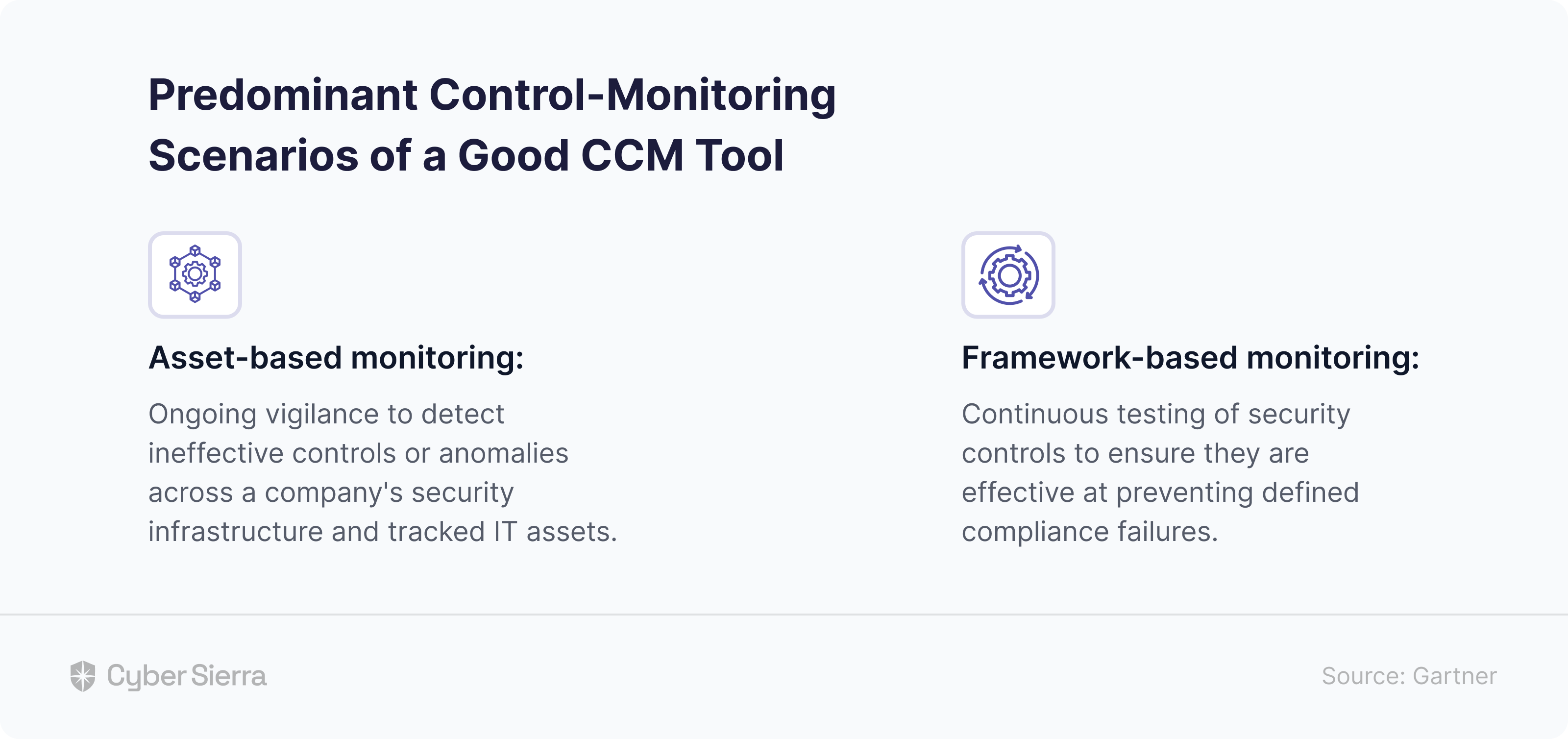
  • Asset based approach: Cyber Sierra Offers a near real time view of access control, giving a bird’s eye view of the organization’s digital assets.
  • Framework based approach: Cyber Sierra empowers auditors and cyber security teams by facilitating a framework based approach that displays all controlled dependencies and ensures data driven decision making regarding security control, implementation, and efficiency.
  • Comprehensive scanning: Cyber Sierra performs in depth scans of an organization's entire attack surface, including networks, servers, endpoint devices, and third party applications.
  • Automated vulnerability detection: The software automates the vulnerability scanning process, reducing the burden on IT teams and minimizing the risk of human error. This automation is crucial for the timely identification of potential security risks.
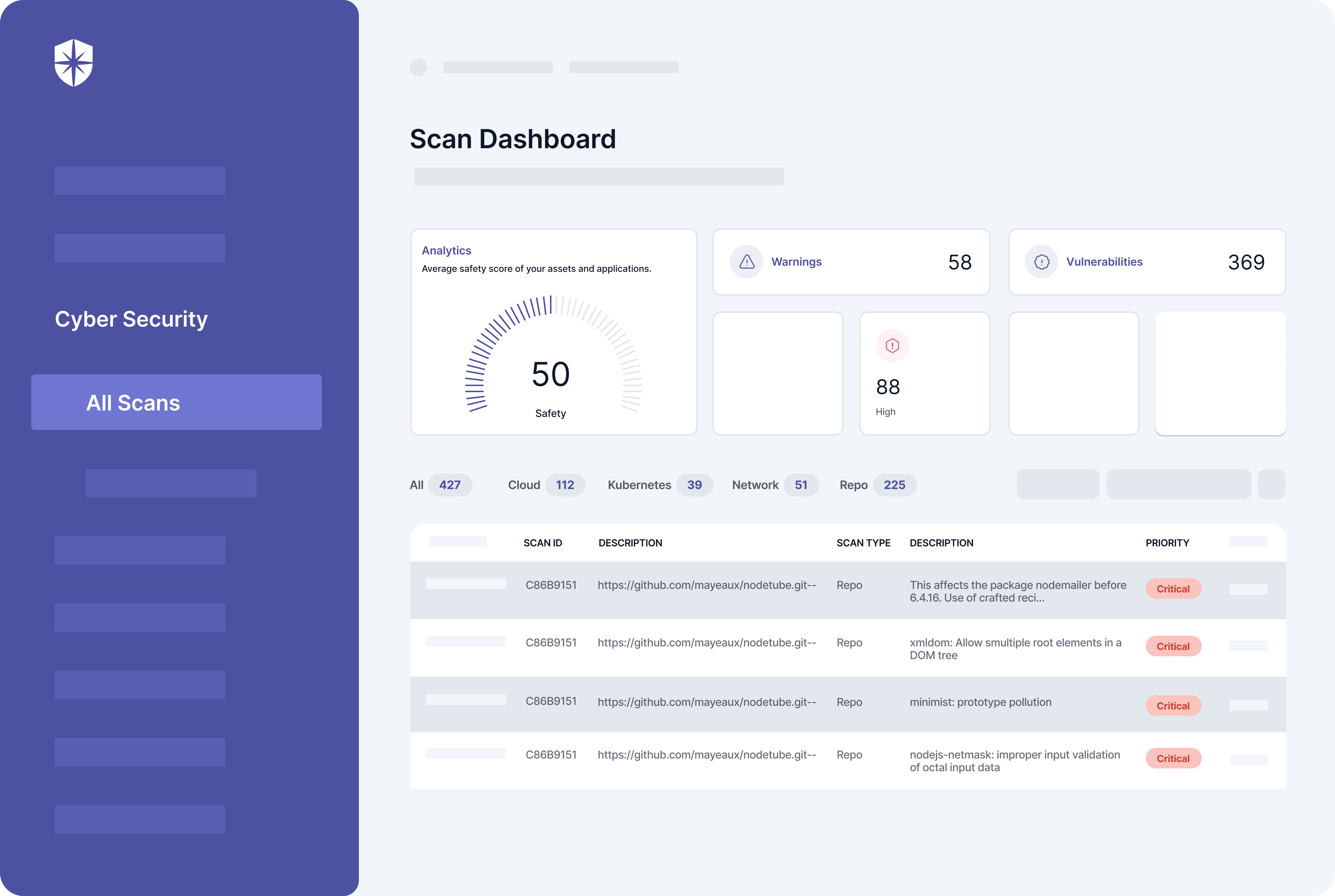
  • Detailed reporting: Cyber Sierra generates detailed reports that highlight discovered vulnerabilities along with their severity levels and potential impact. 
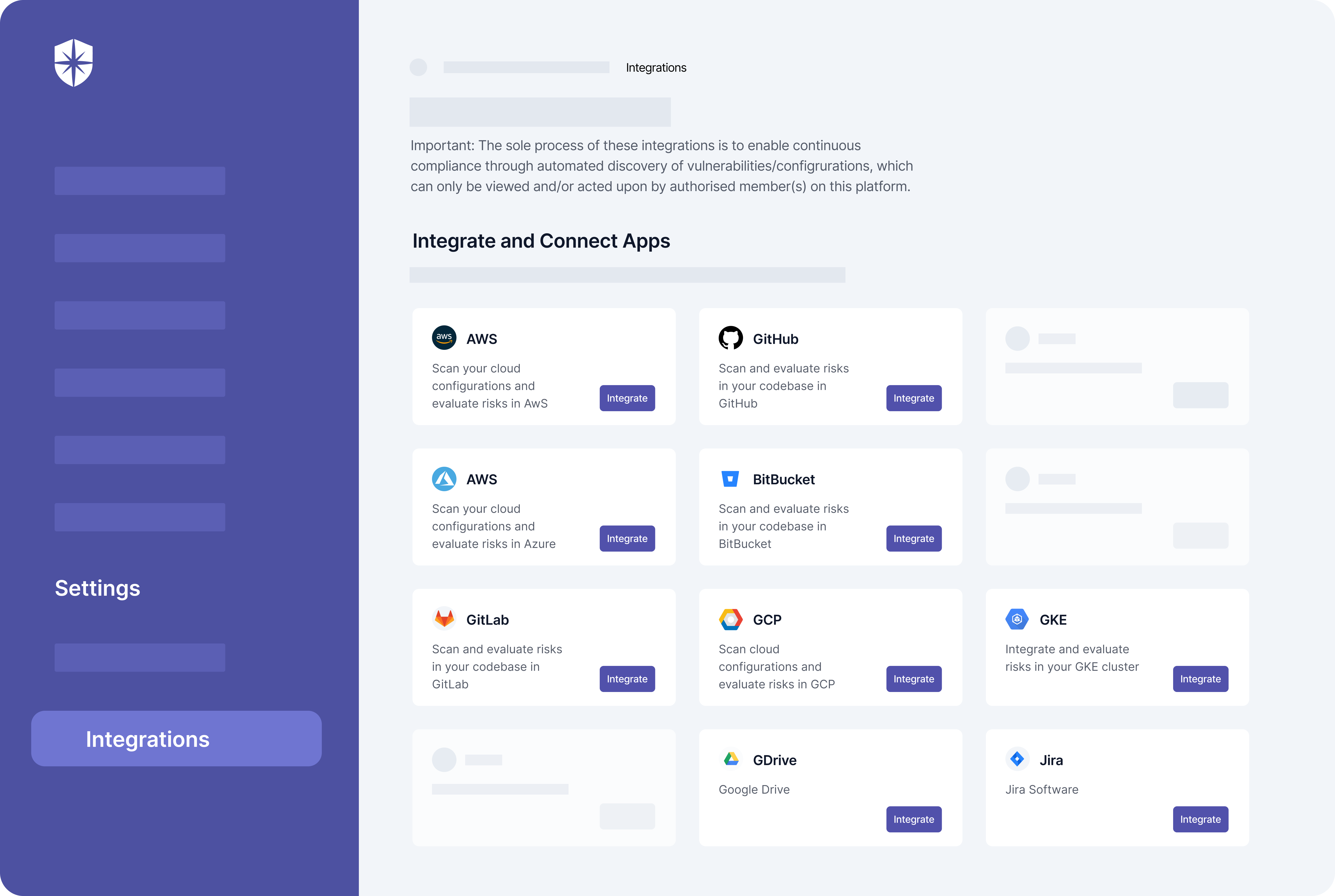
  • Integration and compatibility: It integrates seamlessly with various development and security tools, supporting DevOps teams in embedding security into their workflows. 
  • Customizable templates for compliance: Cyber Sierra offers a set of pre-built and customizable templates based on well recognized compliance standards such as GDPR, HIPAA, PCI-DSS, and ISO 27001. Each template includes a set of checks and controls tailored to the specific requirements of the compliance standard.
  • User-friendly interface: Its user-friendly interface and intuitive design make it accessible to users of all skill levels, from cybersecurity consultants to IT administrators. The software’s ease of use accelerates the vulnerability detection and management process, enabling quick response to emerging threats.

FAQs

1. What is continuous security monitoring in cyber security?

Continuous security monitoring (CSM) is a threat intelligence approach that allows organizations to monitor their IT infrastructure in order to identify potential threats before they result in security breaches with the help of automated continuous monitoring tools.

CSM is a technique that automates the process of regularly examining and assessing an organization’s security measures. It is a fourfold strategy that involves the processes of risk, assessment, risk analysis, risk, mitigation, and risk, monitoring and review.

2. Why is continuous security monitoring important?

Continuous security monitoring is important because in today's technological landscape, many, if not all, organizations rely on technology to carry out critical functions. Enjoying the confidentiality, integrity, validity, and availability of this technology also becomes indispensable. 

The increasing digitization of sensitive data, growing stringency of general data protection laws, fast changing data breach notification laws, and the rise of outsourcing, on-sourcing as well as subcontracting, all contribute to the increasing relevance of setting up a continuous security monitoring framework.

3. What is the purpose of continuous security monitoring?

Continuous security monitoring helps organizations to understand their risk and security posture by providing real time information on all systems across all tears of the organization and its vendor ecosystem. 

A robust CSM infrastructure maintains your understanding of security threats and keeps tabs on threat activities, including the assessment of all security controls, and the analysis of security related information, including potential risks. Continuous security monitoring can provide actionable communication based on an updated and relevant comprehension of the entire organization’s security status and IT infrastructure.

Srividhya Karthik

Srividhya Karthik is a seasoned content marketer and the Head of Marketing at Cyber Sierra. With a firm belief in the power of storytelling, she brings years of experience to create engaging narratives that captivate audiences. She also brings valuable insights from her work in the field of cybersecurity and compliance, possessing a deep understanding of the challenges and pain points faced by customers in these domains.

A weekly newsletter sharing actionable tips for CTOs & CISOs to secure their software.


Thank you for subscribing!

Please check your email to confirm your email address.

Find out how we can assist you in
completing your compliance journey.

blog-hero-background-image
Continuous Control Monitoring

10 Best Vulnerability Scanning Tools You Need in 2024

backdrop
Table of Contents

Join thousands of professionals and get the latest insight on Compliance & Cybersecurity.


10 Best Vulnerability Scanning Tools You Need in 2024

There are plenty of vulnerability scanning tools out there, but not all are created equal.

For instance, some are designed to identify security vulnerabilities across the entire attack surface of the organization’s IT ecosystem. This means that they can scan IT systems, and identify software vulnerabilities as well as network vulnerabilities to help protect against malicious attacks.

On the other hand, some are designed to scan and identify potential vulnerabilities in specific verticals of the organization’s IT infrastructure—for example, network vulnerabilities only.

You need to find a vulnerability scanner that helps you identify potential weak points across your organization’s IT infrastructure.

But with the plethora of options out there, where do you begin?

In this in-depth guide, we’ll review the ten best vulnerability scanning tools that can help you identify security issues across all your IT systems, software, and networks.

Let’s get started.

What are Vulnerability Scanning Tools?

Vulnerability scanning tools are specialized software solutions used to identify and assess security weaknesses in computer systems and networks. They operate by scanning various elements like servers, third-party applications, and endpoint devices to detect software vulnerabilities and security risks.

These tools automate vulnerability detection, which saves time and reduces the chance of human error. They perform vulnerability scans to examine an organization’s entire attack surface, which includes the external attack surface, server vulnerabilities, and network vulnerabilities. By doing so, they help in spotting potential entry points for malicious actors.

Vulnerability scanning tools offer actionable insights by providing detailed reports on detected issues, along with recommendations for remediation. These insights are crucial for cybersecurity professionals, who use them for vulnerability assessment and patch management to mitigate identified risks. This helps ensure that systems are up-to-date with the latest security patches and configurations.

Various entities benefit from these tools. Cybersecurity consultants leverage them to assess client systems, while DevOps teams use them to integrate security into the development lifecycle. 

Government agencies and private sector organizations rely on them to meet regulatory standards and improve their secure posture while protecting sensitive data from malicious actors. They also help organizations fortify their cyber defenses against potential cyber threats, providing a proactive approach to cybersecurity.

Overall, vulnerability scanning tools are indispensable for identifying security gaps, managing patches, and safeguarding against potential exploits. They empower organizations to stay ahead of threats by continuously monitoring and securing their entire digital landscape.

10 Best Vulnerability Scanning Tools in 2024

Here is an overview of the top ten vulnerability scanners including their features, pros, cons, and pricing.

Business Risk Covered By ERM

1. Cyber Sierra

AI-powered vulnerability scanner for comprehensive security vulnerability detection and assessment.

Cyber Sierra

Source

Cyber Sierra is an AI-powered vulnerability scanner designed to identify and address potential vulnerabilities in digital environments. It performs comprehensive vulnerability scanning across various systems, including applications and networks, to detect security vulnerabilities effectively. 

Cyber Sierra's capabilities in vulnerability assessment and continuous control monitoring make it a critical component for organizations aiming to secure their attack surface, meet ISO certification requirements, and maintain robust security practices.

Here are several reasons why cybersecurity professionals, security teams, and compliance management personnel in both private sector organizations and government agencies swear by Cyber Sierra’s vulnerability scanning capabilities:

  • Comprehensive scanning: Cyber Sierra performs in-depth scans of an organization's entire attack surface, including networks, servers, endpoint devices, and third-party applications.
  • Automated vulnerability detection: The software automates the vulnerability scanning process, reducing the burden on IT teams and minimizing the risk of human error. This automation is crucial for the timely identification of potential security risks.
  • Detailed reporting: Cyber Sierra generates detailed reports that highlight discovered vulnerabilities along with their severity levels and potential impact. 
  • Integration and compatibility: It integrates seamlessly with various development and security tools, supporting DevOps teams in embedding security into their workflows. 
  • Customizable templates for compliance: Cyber Sierra offers a set of pre-built and customizable templates based on well-recognized compliance standards such as GDPR, HIPAA, PCI-DSS, and ISO 27001. Each template includes a set of checks and controls tailored to the specific requirements of the compliance standard.
  • User-friendly interface: Its user-friendly interface and intuitive design make it accessible to users of all skill levels, from cybersecurity consultants to IT administrators. The software’s ease of use accelerates the vulnerability detection and management process, enabling quick response to emerging threats.

Pros:

  • AI integration: Enhances the accuracy of vulnerability scanning capabilities.
  • Comprehensive coverage: Provides extensive scans across various systems.
  • Real-time monitoring: Enables prompt detection of potential vulnerabilities.
  • User-friendly reports: Offers actionable insights through detailed reports.
  • Compliance assistance: Supports compliance with industry security requirements.

Cons:

  • Like most vulnerability scanners, it may generate false positives. 
  • It may be expensive for start-ups.

Pricing

Cyber Sierra pricing is available upon request.

2. Tenable Nessus

Ideal for network and web vulnerability assessment to secure modern attack surfaces.

Tenable Vulnerability Management

Source

Tenable Nessus is a renowned vulnerability assessment solution that helps organizations identify security weaknesses across their modern attack surfaces. It enables various users to identify and address security vulnerabilities across their IT infrastructure, web applications, cloud environments, and more.

It provides actionable insights into potential impacts and helps comply with regulatory standards.

Key features:

  • The tool helps users to conduct frequent scans for server and application vulnerabilities.
  • It offers a vast array of plugins for diverse security checks.
  • It generates detailed reports tailored to organizational needs.
  • Integration with other security tools for unified vulnerability management.

Pros: 

  • The platform can scan various attack surfaces thoroughly.
  • It offers detailed and customizable reports to cater to specific vulnerability management needs.
  • It integrates well with other security tools for holistic management.

Cons:

  • The software can be expensive, especially for smaller organizations.
  • Like many scanners, it may generate false positives requiring manual verification.

Pricing

Tenable Nessus license starts from $ 5,038 per year.

3. Greenbone OpenVAS

Open vulnerability assessment scanner for security teams.

Greenbone OpenVAS

Source

Greenbone OpenVAS is an open-source tool and vulnerability assessment scanner designed to detect security vulnerabilities in servers, networks, and other digital assets.

It helps organizations identify and mitigate security risks by conducting external and internal vulnerability scans. OpenVAS is widely used by security professionals and system administrators to proactively monitor and secure their IT infrastructures.

Key features:

  • The tool supports a wide range of platforms and applications.
  • The platform’s vulnerability database is updated regularly to ensure accurate results.
  • It also provides customizable scan configurations and detailed reports to aid in remediation efforts.

Pros:

  • OpenVAS can detect a wide range of vulnerabilities, including critical vulnerabilities in servers.
  • The tool provides configurable reports that provide actionable insights into identified vulnerabilities.

Cons:

  • The scanner may sometimes generate false positives, requiring careful analysis to avoid unnecessary remediation actions.
  • As a free and open-source tool, it lacks a lot of advanced features and capabilities offered by other vulnerability scanning tools like Cyber Sierra. 

Pricing

OpenVas is open-source and free of charge.

4. Intruder

Cloud-based continuous monitoring and vulnerability scanning platform for organization’s network.

Intruder

Source

Intruder is a cloud-based continuous vulnerability scanning tool designed to proactively detect and manage software vulnerabilities within web infrastructure and APIs. It continuously monitors the entire attack surface, offering robust security insights to prevent external attacks. This cloud-based solution integrates seamlessly with cloud accounts (AWS, Azure, and Google Cloud Platform) to continuously scan newly deployed services.

Key features:

  • Intruder checks for vulnerabilities in web apps and APIs, including authenticated and unauthenticated services.
  • The tool continuously monitors the network, providing real-time visibility into the entire attack surface and alerting on newly discovered vulnerabilities.
  • Intruder initiates scans when network changes are detected or new external IP addresses or hostnames are spun up in cloud accounts, minimizing the window of opportunity for hackers.

Pros:

  • The tool has a user-friendly interface for straightforward vulnerability management.
  • It ensures up-to-date protection against evolving threats.

Cons:

  • Intruder can be expensive, especially for large-scale deployments.
  • The tool requires some technical expertise to set up and manage effectively.

Pricing

Intruder pricing is available on request.

5. Manage Engine

End-to-end vulnerability management tool and software with built-in remediation.

Vulnerability Management Tools and Software

Source

ManageEngine is a comprehensive vulnerability management solution designed to empower enterprises with robust cybersecurity measures. The offers a unified vulnerability management solution that integrates vulnerability assessment, automated patching, and compliance management to ensure the security of endpoint devices and networks. 

It also automates vulnerability scanning and patch management processes to enhance overall security posture.

Key features:

  • Through comprehensive scanning, the tool can identify vulnerabilities across endpoint devices and networks.
  • It automates updates and tracks patch history to secure against unpatched software.
  • ManageEngine also prioritizes vulnerabilities based on severity to focus on remediation efforts.
  • The platform ensures adherence to security standards and regulatory requirements.

Pros:

  • The tool offers vulnerability detection and prioritization.
  • It also facilitates a streamlined patch management workflow for efficient remediation.
  • ManageEngine offers zero-day vulnerability management.

Cons

  • The platform has a steeper learning curve for complex setups.
  • It also has limited customizations in some areas.

Pricing

ManageEngine pricing is available upon request.

6. Acunetix

Best for automating web application security testing.

acx-hero-ab

Source

Acunetix is a comprehensive web application security testing solution designed to identify and remediate vulnerabilities in web applications. It offers robust scanning capabilities to detect a wide range of application vulnerabilities, ensuring proactive security measures against potential threats.

The tool also offers a robust solution for automating web application security tasks, including finding vulnerabilities, researching zero days, confirming vulnerabilities, triaging vulnerabilities, creating tickets for developers, and more.

Key features:

  • Combines black box scanning with feedback from sensors placed inside the source code to achieve higher accuracy in identifying vulnerabilities.
  • The tool’s multi-threaded scanning feature can scan hundreds of thousands of pages quickly and efficiently.
  • Acunetix includes integration with OpenVAS for network security scanning and vulnerability assessment.

Pros:

  • Acunetix Scans complex web applications and detects various types of vulnerabilities.
  • The software also integrates with various tools and platforms for seamless vulnerability management.
  • The tool’s advanced features like AcuSensor and HTTP Editor offer detailed vulnerability analysis.

Cons:

  • It can be expensive for small businesses or organizations with limited budgets.
  • Acunetix requires significant training and expertise to fully utilize its advanced features.

Pricing

Acunetix pricing is available on request.

7. Be SECURE 

Vulnerability assessment and management tool that supports PCI compliance regulations and standards.

https://www.beyondsecurity.com/app/uploads/2024/04/beSECURE-dashboard-1024x508.png

Source

Be SECURE is a popular vulnerability assessment and management tool designed by Beyond Security to identify and prioritize vulnerabilities in networks and web applications. 

The tool leverages patented technology and threat intelligence to ensure accurate and efficient scanning, making it an essential component of a layered cybersecurity strategy. 

Key features:

  • Be SECURE utilizes patented technology to detect and assess the latest vulnerability threats.
  • It also prioritizes vulnerabilities based on risk level, aiding in strategic mitigation.
  • The tool can scan networks, supporting compliance standards such as PCI, CIS benchmarks, HIPAA, and SOX. It can scan local and global network ranges, making it suitable for large-scale networks.

Pros:

  • The tool’s behavior-based tests ensure accurate vulnerability detection, reducing false positives and the time spent on remediation.
  • It integrates well with existing cybersecurity infrastructures as well.
  • Be SECURE also streamlines compliance management processes.

Cons:

  • It has a high initial setup and learning curve.
  • Be SECURE’s pricing structure may not be suitable for smaller organizations.

Pricing

Be SECURE’s pricing is available upon request.

8. Nexpose Vulnerability Scanner

On-premise vulnerability scanning software for all-size companies.

Nexpose Vulnerability Scanner

Source

Nexpose, developed by Rapid7, is a network vulnerability scanner designed to assess and manage vulnerabilities across entire networks, including internal and wireless networks. 

It identifies weaknesses that malicious actors could exploit, helping organizations preemptively secure their IT infrastructure.

Key features:

  • Nexpose conducts thorough scans of networks to detect vulnerabilities across various assets.
  • It prioritizes vulnerabilities based on severity, aiding in efficient risk management.
  • The tool provides actionable insights and recommendation guidance for mitigating identified vulnerabilities.
  • It also integrates with other security tools for streamlined vulnerability management.

Pros:

  • Nexpose supports comprehensive network coverage.
  • The tool also prioritizes and categorizes risks effectively.
  • It automates network scanning processes as well

Cons:

  • The tool can be complex to set up and configure.
  • It also requires expertise to interpret results accurately.

Pricing

Nexpose pricing is available upon request.

9. Astra Security

Industry-leading vulnerability management solution with DAST scanner.

Industry-leading vulnerability management solution with DAST scanner.

Source

Astra is another vulnerability scanner for continuous vulnerability assessment, designed to detect security flaws in web applications, APIs, and cloud services. 

Leveraging automated scanning and manual penetration testing, it provides a comprehensive approach to identifying and mitigating risks, ensuring a robust security posture for digital assets.

Key features:

  • Astra offers real-time vulnerability assessments with automated and scheduled scans.
  • The tool combines automated tools and manual expertise for in-depth security testing.
  • It also provides detailed, easy-to-understand reports with prioritized vulnerabilities and remediation steps.
  • Integrates with CI/CD pipelines and popular development tools for streamlined security management as well.

Pros:

  • The tool offers clear, prioritized cyber threat remediation guidance.
  • It also performs continuous vulnerability scanning while sending instant alerts.
  • Astra is also compatible with various development environments.

Cons:

  • It also requires manual intervention for complex issues.

Pricing

Astra pricing is available on request.

10. Tripwire

Continuous vulnerability & risk management for both on-premise and cloud environments.

Continuous vulnerability & risk management

Source

Tripwire is Fortra’s continuous vulnerability & risk management software designed to enhance enterprise security by identifying and prioritizing vulnerabilities across on-premises and cloud environments. 

This vulnerability scanning tool provides continuous monitoring, ensuring compliance and mitigating risks through detailed reports and actionable insights. Besides, it automates risk assessments, reducing the likelihood of security breaches and maintaining a secure IT infrastructure.

Key features:

  • Tripwire performs continuous scans for vulnerabilities and changes in configuration for real-time threat detection.
  • The tool analyzes risks to prioritize vulnerabilities based on their potential impact and exploitability.
  • It also offers automated workflows for vulnerability mitigation and compliance enforcement.
  • After scanning, the tool generates detailed, customizable reports for compliance audits and risk management strategies.

Pros:

  • The tool’s continuous monitoring and real-time alerts enable proactive security management.
  • Its automated remediation capabilities reduce manual intervention, streamlining risk mitigation.

Cons:

  • High license costs may be prohibitive for small businesses.
  • The tool can produce a high volume of alerts, potentially leading to alert fatigue.

How to Choose the Right Vulnerability Scanning Tools: Features to Consider

How to Choose the Right Vulnerability Scanning Tools

The best vulnerability scanning tools have a couple of important features including:

Automated scans and real-time analysis: This feature enables continuous monitoring of systems and networks for vulnerabilities without manual intervention. This allows for faster response times and reduces the window of exposure to potential exploits.

Threat intelligence feeds: Threat intelligence feeds provide up-to-date information on the latest vulnerabilities, attack vectors, and emerging threats. 

Patch management: This feature allows for the automatic identification and application of software patches and updates. 

Integration with remediation tools: Integration with remediation tools facilitates the seamless transition from vulnerability detection to resolution, ensuring vulnerabilities are addressed promptly.

False positive management: This feature enables the identification, tracking, and filtering of false positives from scan results. This allows security teams to focus on genuine threats and improve their overall efficiency in addressing security issues.

Customizability and templates: Customizability and templates allow organizations to tailor vulnerability scans to their specific needs and environments. This feature includes the ability to create custom scan policies, report formats, and templates for various types of assets.

User-friendly interface: Vulnerability scanners with user-friendly interfaces facilitate quick setup and vulnerability scanning. It also makes the tool easy to use for beginners and experts alike.

What are the Benefits of Vulnerability Scanning Software?

Here are five benefits of vulnerability scanning tools:

Benefits of Vulnerability Scanning Software
  • Early threat detection: Identifies vulnerabilities before they can be exploited, reducing the risk of security breaches.
  • Compliance assurance: Helps meet regulatory requirements by regularly assessing security posture and providing detailed compliance reports.
  • Risk prioritization: Evaluate the severity of detected vulnerabilities, enabling focused remediation efforts on critical issues.
  • Improved security posture: Regular vulnerability scans identify and remediate security weaknesses, strengthening defenses against potential attacks and enhancing overall cybersecurity.
  • Asset visibility and management: Scanning tools provide a comprehensive inventory of networked assets, revealing details about systems, software, and potential vulnerabilities for better control and protection.
  • Proactive security: These tools enable early detection and mitigation of vulnerabilities, allowing organizations to address security issues before they are exploited by attackers.

These are just a few of the reasons why you should leverage vulnerability scanning solutions.

Why Cyber Sierra is the Ultimate Vulnerability Scanner for Organization

Cyber Sierra stands out as the ultimate vulnerability scanner for organizations due to its comprehensive suite of tools that streamline cybersecurity. 

The AI-powered cybersecurity platform integrates continuous monitoring, threat intelligence, and risk management into a single platform, offering real-time insights and automated vulnerability assessments. 

This holistic approach ensures robust protection against evolving threats, with capabilities to detect, analyze, and mitigate risks promptly. 

Additionally, Cyber Sierra's intuitive interface and customizable features enhance usability, while its scalability accommodates organizations of all sizes. 

Book a 100% free demo today to see how Cyber Sierra can help streamline vulnerability management for your organization.

FAQs

How do vulnerability scanning tools work?

Vulnerability scanning tools systematically probe networks, systems, or applications for security weaknesses. They use databases of known vulnerabilities to compare against the target environment, identifying potential risks such as outdated software, misconfigurations, or open ports. 

Results are analyzed and reported while highlighting critical issues and recommending remediation steps to enhance security.

What are the three types of vulnerability scanners?

The three main types of vulnerability scanners are:

  • Network-base—for scanning network devices for vulnerabilities.
  • Host-based—for examining individual systems or servers for security flaws.
  • Application-based—focuses on web applications to identify vulnerabilities like SQL injection or cross-site scripting. 

Each type targets specific aspects of an organization's security infrastructure to ensure comprehensive protection.

How much do vulnerability scanning tools typically cost?

The cost of vulnerability scanning tools varies widely, typically ranging from $1,000 to $30,000 annually, depending on factors like features, scale, and vendor. 

Enterprise-grade tools with advanced functionalities may cost more, while smaller-scale solutions or cloud-based services might be more affordable. 

Pricing can also be influenced by the number of assets scanned and the level of support provided.

Are there any free vulnerability scanning tools available?

Yes, there are several free vulnerability scanning tools available on the market today. However, these tools only offer basic scanning capabilities and are ideal for small organizations or preliminary assessments. 

While they provide valuable insights, they might lack advanced features and support found in paid versions, making them more suitable for less complex environments.

Srividhya Karthik

Srividhya Karthik is a seasoned content marketer and the Head of Marketing at Cyber Sierra. With a firm belief in the power of storytelling, she brings years of experience to create engaging narratives that captivate audiences. She also brings valuable insights from her work in the field of cybersecurity and compliance, possessing a deep understanding of the challenges and pain points faced by customers in these domains.

A weekly newsletter sharing actionable tips for CTOs & CISOs to secure their software.


Thank you for subscribing!

Please check your email to confirm your email address.

Find out how we can assist you in
completing your compliance journey.

blog-hero-background-image
Continuous Control Monitoring

A Guide for CISOs to Streamline Cybersecurity Continuous Control Monitoring (CCM)

backdrop
Table of Contents

Join thousands of professionals and get the latest insight on Compliance & Cybersecurity.


A Guide for CISOs to Streamline Cybersecurity Continuous Control Monitoring (CCM)

‘A stitch in time saves nine.’ 

You’ve probably heard that famous saying before. But relative to cybersecurity and averting data breach losses, how much of it holds?

IBM’s 2022 Cost of a Data Breach Report gave hints. Per their research, data breaches cost organizations a whopping US$4.35 million on average. Interestingly, the study revealed insight into how ‘a stitch in time saves nine’ in today’s endless battle against cybercriminals.

It found that companies using automated cybersecurity tools cut those data breach losses by up to US$3 million. More importantly, they were able to detect and respond to cyber threats much faster:


It found that companies using automated cybersecurity tools cut those data breach losses by up to US$3 million. More importantly, they were able to detect and respond to cyber threats much faster


These findings beg a question: 

What automated tools and processes can CISOs deploy to continuously monitor and detect data breaches before they cause harm?  


The Case For Continuous Cybersecurity Monitoring 


Andrew Burt, Luminos’ Managing Partner, in his article for the Harvard Business Review, wrote


Andrew Burt - Quote


Here’s why I agree with Andrew. 

Trying to avert cybercrime, companies spent a staggering US$150 billion on cybersecurity in 2021. But this humongous amount wasn’t enough to stop cybercriminals. The next year, in 2022, 4,100 disclosed data breaches that exposed 22 billion records still happened.

It didn’t end there. 

What was more worrying is how long it took organizations using traditional cybersecurity programs to detect those disclosed breaches. Per the IBM study cited above, on average, organizations needed 297 days – about 9 months – to identify and contain a breach. 

This, despite the humongous amounts spent on cybercrime, calls for more proactive measures. And that’s because monitoring, detecting, and responding more quickly to cyber threats is now a necessity. Gartner’s Security and Risk Analysts call this necessity cybersecurity continuous control monitoring (CCM).

Their report noted:


By adopting CCM, enterprise security executives can proactively improve their company’s cybersecurity posture while being more productive. But achieving these desirable outcomes is no mean feat.


By adopting CCM, enterprise security executives can proactively improve their company’s cybersecurity posture while being more productive. But achieving these desirable outcomes is no mean feat. 

For starters, one must know: 

  1. The phases of implementing CCM, and 
  2. What to look for in a CCM-enabling platform. 

The rest of this article explores both hurdles. As we proceed, you’ll see how Cyber Sierra, an emerging CCM platform, fits the bill for enterprise CISOs and security executives. 

illustration background

Join SMSW

CISOs, security executives, and others subscribe to  Secure My Software Weekly (SMSW) for actionable insights on tackling cybersecurity, compliance, and cyber risks. Get our Data Security Checklist, for free, when you join.

card image

The Phases of Implementing Cybersecurity Continuous Control Monitoring (CCM)


Effective implementation of enterprise cybersecurity continuous control monitoring follows seven lifecycle phases:


The Phases of Implementing Cybersecurity Continuous Control Monitoring (CCM)


As shown, CCM is a never-ending, clockwise endeavor with a lot of to-dos at each phase. Take the first, ‘Analyze Control Objectives.’ Its end result would be a succinct, ongoing analysis of your organization’s cybersecurity controls’ objectives. 

To do it effectively, your security team must perform risk assessments, a gruesome process with steps such as: 

  • Mapping all the IT assets in your cloud and network environments, as well as those of third-party vendors. 
  • Outlining and categorizing all technical and non-technical security controls across mapped assets and environments.  
  • Identifying vulnerabilities and gaps in existing security controls relative to mapped assets across cloud environments. 
  • Determining what security controls need to be in place. 

Again, all four steps above belong to just the first phase of implementing continuous control monitoring. Some other phases of the CCM lifecycle have more steps. And for ongoing control monitoring to be effective, teams must implement all steps across all phases. 

As you can imagine, that’ll take a lot of processes, procedures, and DevSecOps professionals to pull this off, if done manually. But with a CCM tool, security executives can automate their way to the benefits of CCM more efficiently.

 As observed by Gartner: 


As you can imagine, that’ll take a lot of processes, procedures, and DevSecOps professionals to pull this off, if done manually. But with a CCM tool, security executives can automate their way to the benefits of CCM more efficiently.


And that brings us to our 2nd hurdle: What should you look for in an enterprise cybersecurity continuous monitoring (CCM) tool? 


What to Look for in a Cybersecurity CCM Tool 


A CCM tool should support implementation activities throughout all phases of the continuous control monitoring lifecycle. But as we’ve seen, that includes seven phases and a long list of steps. Trying to ascertain if a tool ticks off all steps will be a stretch. 

To this end, it’s best to peek into the suitability of an enterprise CCM tool by ensuring it focuses on two predominant control-monitoring scenarios: 

  1. Asset-based monitoring, and
  2. Framework-based monitoring. 


A CCM tool should support implementation activities throughout all phases of the continuous control monitoring lifecycle


Let’s briefly explore each of these. 


Asset-Based Monitoring 


Effective asset-based monitoring can take care of phases 1–4 of the continuous control monitoring lifecycle. This is because by mapping all IT assets across your organization and third-party vendor ecosystem, your security team can: 

  1. Perform risk assessments on connected apps
  2. Evaluate possible monitoring implementation options based on your company’s service portfolio 
  3. Determine the most effective security controls to implement 
  4. Create relevant control policies, frameworks, and procedures. 

Achieving all this takes a few clicks with our interoperable cybersecurity and compliance automation platform, Cyber Sierra. For instance, you can map all IT assets used across your company and 3rd party vendor ecosystem by integrating them with Cyber Sierra: 


Asset-Based Monitoring


After integrating all apps and systems used across your organization, the Cybersecurity Module in Cyber Sierra lets you scan one or all of them for vulnerabilities. 

This involves a two-step process: 


Cybersecurity Module in Cyber Sierra lets you scan one or all of them for vulnerabilities


Each performed scan doubles as a risk assessment of the IT assets integrated with Cyber Sierra. This is because your team can see all vulnerabilities and risks on those assets in one dashboard. 

Here’s a peek: 


Each performed scan doubles as a risk assessment of the IT assets integrated with Cyber Sierra


This insight empowers security teams to:

  • Determine the most effective security controls to implement based on identified risks and vulnerabilities. 
  • Create, upload, and enforce relevant control policies, frameworks, and procedures. 

The latter is also possible with Cyber Sierra’s extensive Governance, Risk, and Compliance (GRC) module: 

illustration background

Implement Continuous Control Monitoring, In One Place.

Create, upload, and enforce continuous control monitoring policies, frameworks, and procedures with Cyber Sierra’s interoperable cybersecurity and compliance automation platform.

card image

Framework-Based Monitoring


The 2nd predominant capability a good cybersecurity CCM tool should enable is framework-based monitoring. This means it must be able to:

  1. Continuously monitor and test implemented security policies, procedures, and frameworks, and
  2. Ensure they are effectively preventing compliance failures and alerting security teams on emerging risks in real-time.

Essentially, it should take care of the final phases of the cybersecurity continuous control monitoring lifecycle. And this is only possible if the CCM tool can automatically ingest data from IT assets and calculate risks against defined security controls. Also, it should be able to refresh this ingested data, say, hourly or daily. 

The Risk Register on Cyber Sierra ticks these boxes. 

It ingests data from your IT assets against security policies you can upload and define in the Compliance Automation (GRC) module. It refreshes in real-time automatically, ensuring continuous monitoring of security controls and alerts you of risks that could lead to a breach. 

Take the product shot below: 


our Risk Register detected threats in a GSuite asset category down to individual users


As shown, our Risk Register detected threats in a GSuite asset category down to individual users. It automatically generates an alert and risk score when a user links an unauthorized external app to their GSuite account using SSO. It also auto-identifies potential data threats. 


The Right Continuous Control Monitoring Vendor


According to M. M. Rahman, CISA


Dustin Bailey - Quote


This is saying that the right CCM vendor or tool should double as an operable Security Operations Center (SOC) within your organization. Essentially, beyond integrating all apps and IT assets used, your entire security team should be able to leverage it for detecting and mitigating threats before they cause harm. 

Again, Cyber Sierra’s interoperable cybersecurity modules tick this crucial box: 

illustration background

Implement Continuous Control Monitoring with Cyber Sierra’s interoperable cybersecurity and compliance automation platform.

Create, upload, and enforce continuous control monitoring policies, frameworks, and procedures with Cyber Sierra’s interoperable cybersecurity and compliance automation platform.

card image
  • Continuous Control Monitoring
  • CISOs
  • CTOs
  • Cybersecurity Enthusiasts
  • Enterprise Leaders
  • Startup Founders
Pramodh Rai

Meet Pramodh Rai, a technology aficionado and Cyber Sierra's co-founder, whose zest for innovation is fuelled by a cupboard stacked with zero-sugar Redbull. With a nimble footwork through the tech tulips across Asia Pacific, he's donned hats at Hmlet (the proptech kind) and Funding Societies | Modalku, building high-performing teams and technologies. A Barclays prodigy with dual degrees from Nanyang Technological University, Pramodh is a treasure trove of wisdom, dad jokes, and everything product/tech. He's the Sherpa in sneakers you need.

A weekly newsletter sharing actionable tips for CTOs & CISOs to secure their software.


Thank you for subscribing!

Please check your email to confirm your email address.

Find out how we can assist you in
completing your compliance journey.

blog-hero-background-image
Continuous Control Monitoring

Different Cybersecurity Controls and How to Implement Them

backdrop
Table of Contents

Join thousands of professionals and get the latest insight on Compliance & Cybersecurity.


What are Enterprise Security Controls?

Enterprise security controls refer to the comprehensive measures and protocols implemented by organizations to protect sensitive data and IT infrastructure from threats. These controls include policies, procedures, and technical solutions designed to safeguard data, manage risk, and ensure compliance. They are designed to safeguard information assets, ensure compliance with regulations, and mitigate risks associated with cyber threats.

The frequency at which cybercriminals are launching new —and more sophisticated— attacks will only increase. To buttress, imagine it takes you 5–7 mins to skim this article. In that short time, hackers would’ve targeted the cybersecurity infrastructures of over 33 enterprises. 


And that’s by 2021 estimates:


hackers would’ve targeted the cybersecurity infrastructures of over 33 enterprises


As the predictions reveal, by 2031, enterprise organizations would be cyberattacked every two seconds. Given this alarming frequency, how can enterprise security teams identify, investigate, and counter-attacks at the pace of cyber thieves?


Joseph MacMillan; CISSP, CCSP, CISA, gave a clue


Joseph MacMillan - Quote


I wrote this article to help proactive CISOs and Enterprise Security Leaders like you heed this crucial advice. We’d evaluate cybersecurity control types and go through how your security team can implement the right ones with Cyber Sierra. 


But first: 


What are Cybersecurity Controls? 


Cybersecurity controls are measures used by security teams to detect, prevent, and remediate cyber threats. Creating, implementing, and enforcing them ensures the cybersecurity CIA triad —confidentiality, integrity, and availability)— of your company’s IT assets:


the cybersecurity CIA triad —confidentiality, integrity, and availability)— of your company’s IT assets


As illustrated, without the proper controls, achieving the cybersecurity CIA triad is difficult, if not impossible. The rise of cybersecurity continuous control monitoring (CCM) is as a result of this. Today, enterprises mustn’t just strive to have the right cybersecurity controls, but you must monitor them continuously to always ensure proper implementation. 


So for the rest of this article, we’d: 

  1. Evaluate types of cybersecurity controls
  2. Go through how to implement and monitor them. 


Before that: 

illustration background

The Secure My Software Weekly Newsletter

Join thousands of CISOs, CTOs, and enterprise security leaders subscribed to the SMS. Get actionable compliance & cybersecurity insights for security your software weekly.

card image

Types of Cybersecurity Controls for Enterprises


All cybersecurity controls revolve around four essentials: People, technology, processes, and strategy. This means you must: 


  1. Have the right people on your security team 
  2. Empower them with the right technology 
  3. Institute the right security processes, and 
  4. Have a strategy that tracks the right security metrics. 


Across the four essentials outlined above, all control types can be categorized under the core pillars of cybersecurity: 


  • Governance and compliance
  • Cyber threat remediation
  • Vendor risk management 


Governance and compliance controls 


Continuously meeting all industry and government regulations is now a prerequisite for gaining customers’ and investors’ trust. To this end, having the required governance and compliance controls does two crucial things for your enterprise organization: 


  • They help you achieve compliance for highly-sought standards like  SOC 2 control , ISO 27001, GDPR, PCI DSS, and others. 
  • They also help your company continuously improve those controls to remain compliant as new changes emerge. 


But the challenge: How do you know the specific controls required for each compliance standard your company must attain? 


Each compliance program has dozens of policies, requiring multiple dozens of security controls to be in place. SOC 2, for instance, has 23 mandatory policies and over 96 cybersecurity controls. Creating, tracking, and implementing each can be a stretch, especially when you add those from other programs like ISO 27001, GDPR, and so on. 


But with Cyber Sierra, your security team gets a centralized view of all compliance program policies and their corresponding controls: 


But with Cyber Sierra, your security team gets a centralized view of all compliance program policies and their corresponding controls


From the view shown above, you can evaluate: 


  1. All the mandatory policies for all the compliance programs your company must become compliant with, and
  2. Each control required under every policy. 


Your security team can also implement these controls on the same pane with Cyber Sierra. This is why executives at enterprise companies trust the capabilities of our platform. 


Take Hemant Kumar of Aktivolabs


Hemant Kumar of Aktivolabs


More on Aktivolabs’ success story here. 


Cyber threats’ remediation controls


One of the ways cybercriminals exploit companies is through loopholes and vulnerabilities in their network and IT assets. To stay one step ahead, enterprise security teams must: 


  • Continuously scan their network and cloud assets for threats.
  • Implement controls for detecting and remediating them. 


With Cyber Sierra, your team can accomplish both. 


Our platform lets you integrate and connect all your network, Kubernetes, and cloud assets for continuous scanning. Through our Risk Register, you also get cybersecurity controls from vulnerabilities related to all scanned assets automatically implemented. This means your team can focus on identifying and remediating control breaks: 


Risk Register


As shown, Cyber Sierra’s Risk Register automatically detected a vulnerable control break (3) by a user (2) of the GSuite cloud asset (1). 


Vendor Risk Management Controls


Third-party vendors, while crucial to all enterprises’ operations, introduce lots of cybersecurity risks. According to Joseph Kelly, EY’s Third Party Risk Leader, enterprise security teams have no option than to find a way to deal with the risks they introduce: 


Joseph Kelly - Quote


To answer the question Joseph raised…


Have vendor risk management controls for identifying, managing, and mitigating vendor risks. Specifically, you must analyze, assess, and monitor 3rd parties’ security postures in real-time. Your team can achieve this with a platform that automatically assesses evidence of security controls defined by your company. Such a platform should also be intelligent enough to flag vendors who fail verification for immediate remediation. 


Cyber Sierra does both out of the box


Cyber Sierra does both out of the box


How to Ease Cybersecurity Controls’ Implementation


Using a centralized platform eases the implementation of all cybersecurity controls. The reason is that cybersecurity controls aren’t mutually exclusive. For instance, those required by compliance programs affect cyber threats’ remediation from cloud assets and third-party risk management. 


Research by EY confirmed this. 


Their study found that companies using a centralized platform performed vendor risk control assessments much faster


2023 EY Global Third-Party Risk Management Survey - In-content highlight design


Done with an automated, centralized platform like Cyber Sierra, enterprise companies can even do more. For instance, a global bank leveraging our platform was able to streamline their entire workflow. 


A snippet of their success story reads


a global bank in singapore


It doesn’t end there. 


Other cybersecurity controls are better implemented with a centralized, automated platform. Take the ongoing implementation of governance and compliance program controls. With a platform like Cyber Sierra, enterprise security teams get two benefits. 


First, all controls of compliance programs you need to become compliant with are auto-consolidated into a single dashboard:


all controls of compliance programs you need to become compliant with are auto-consolidated into a single dashboard


As shown, from this pane, you can: 

  1. See what programs a control is attached to
  2. View and update evidence of having that control
  3. Assign control implementation to team members
  4. Add new compliance program controls as they emerge. 


Second, after initial implementation, our platform automatically monitors and flags all control breaks for immediate remediation. 


Here’s a peek:  


after initial implementation, our platform automatically monitors and flags all control breaks for immediate remediation.


From here you can easily: 


  1. Monitor control breaks across all compliance programs
  2. View details of each control break
  3. Get action tips for remediating each control break, or
  4. Assign their remediation to anyone on your security team. 


Implement Cybersecurity Controls with Ease


A point worth re-stressing is that cybersecurity controls aren’t mutually exclusive. The controls you need for becoming and staying compliant to governance and compliance programs relate to your internal risk management controls. To this end, it makes sense to constantly implement and monitor all controls from a single platform. 


Aditya Anand shared how the security team at Hybr1d achieves both with Cyber Sierra’s intelligent, interoperable cybersecurity platform. 


In his words


Aditya Anand


Hybr1d shows that to easily implement and monitor cybersecurity controls, enterprise companies should consider using an automated, interoperable platform like Cyber Sierra.


And you can start with a free demo:

illustration background

Implement & Monitor All Cybersecurity Controls with Ease

Get a 100% free demo to see how Cyber Sierra eases the entire process of implementing and monitoring cybersecurity controls.

  • Continuous Control Monitoring
  • CISOs
  • CTOs
  • Cybersecurity Enthusiasts
  • Enterprise Leaders
  • Startup Founders
Pramodh Rai

Meet Pramodh Rai, a technology aficionado and Cyber Sierra's co-founder, whose zest for innovation is fuelled by a cupboard stacked with zero-sugar Redbull. With a nimble footwork through the tech tulips across Asia Pacific, he's donned hats at Hmlet (the proptech kind) and Funding Societies | Modalku, building high-performing teams and technologies. A Barclays prodigy with dual degrees from Nanyang Technological University, Pramodh is a treasure trove of wisdom, dad jokes, and everything product/tech. He's the Sherpa in sneakers you need.

A weekly newsletter sharing actionable tips for CTOs & CISOs to secure their software.


Thank you for subscribing!

Please check your email to confirm your email address.

Find out how we can assist you in
completing your compliance journey.

blog-hero-background-image
Continuous Control Monitoring

Cybersecurity CCM Tools Recommended for Enterprise Companies

backdrop
Table of Contents

Join thousands of professionals and get the latest insight on Compliance & Cybersecurity.


What are CCM Tools?

Continuous controls monitoring (CCM) tools automate the process of tracking and validating the effectiveness of controls designed to mitigate risks, such as maintaining cybersecurity, ensuring business continuity, and regulatory compliance. These tools continuously monitor controls by pulling relevant data from various business applications into a centralized platform. CCM tools help organizations improve their overall risk management by providing real-time visibility into control performance and enabling proactive risk mitigation.

According to Gartner:


Gartner quotes


This is a not-so-good situation for two reasons:  

  • On the one hand, GRC vendors may not offer the full scale of capabilities required to effectively achieve CCM. 
  • On the other hand, CCM tools that can’t address a broad array of threats often end up working in isolation. 

In other words, a half-baked or point continuous control monitoring tool working in isolation isn’t worth it, per IBM’s Charles Henderson:


Charles Henderson - Quote


A solution to this?


An Interoperable CCM Platform


Most CCM platforms have full scale continuous control monitoring capabilities. But as Henderson stressed, implementing another point solution isn’t worth it. They often end up posing a threat to efficient cybersecurity. EY’s Asia-Pacific Cybersecurity Consulting Leader, Richard J. Watson corroborates


Richard J. Watson - Quote


So to help enterprises achieve continuous control monitoring without cluttering their tech stacks, we built Cyber Sierra. You get a pure-play CCM platform with built-in capabilities for remediating other cybersecurity challenges interoperably. 

For instance, with our Controls Dashboard, enterprise teams can continuously monitor security controls by:

  • Asset categories or asset types
  • Compliance programs or frameworks:


 As shown, you can assign risks associated with control breaks to teammates and monitor remediation status in real-time


 As shown, you can assign risks associated with control breaks to teammates and monitor remediation status in real-time. And with other built-in functionalities, achieving continuous control monitoring while addressing core cybersecurity challenges interoperably is possible. 

illustration background

The Interoperable CCM Platform

Achieve continuous control monitoring while addressing core cybersecurity challenges interoperably.

According to Gartner:


Gartner quotes


This is a not-so-good situation for two reasons:  

  • On the one hand, GRC vendors may not offer the full scale of capabilities required to effectively achieve CCM. 
  • On the other hand, CCM tools that can’t address a broad array of threats often end up working in isolation. 

In other words, a half-baked or point continuous control monitoring tool working in isolation isn’t worth it, per IBM’s Charles Henderson:


Charles Henderson - Quote


A solution to this?


An Interoperable CCM Platform


Most CCM platforms have full scale continuous control monitoring capabilities. But as Henderson stressed, implementing another point solution isn’t worth it. They often end up posing a threat to efficient cybersecurity. EY’s Asia-Pacific Cybersecurity Consulting Leader, Richard J. Watson corroborates


Richard J. Watson - Quote


So to help enterprises achieve continuous control monitoring without cluttering their tech stacks, we built Cyber Sierra. You get a pure-play CCM platform with built-in capabilities for remediating other cybersecurity challenges interoperably. 

For instance, with our Controls Dashboard, enterprise teams can continuously monitor security controls by:

  • Asset categories or asset types
  • Compliance programs or frameworks:


 As shown, you can assign risks associated with control breaks to teammates and monitor remediation status in real-time


 As shown, you can assign risks associated with control breaks to teammates and monitor remediation status in real-time. And with other built-in functionalities, achieving continuous control monitoring while addressing core cybersecurity challenges interoperably is possible. 

  • Continuous Control Monitoring
  • CISOs
  • CTOs
  • Cybersecurity Enthusiasts
  • Enterprise Leaders
  • Startup Founders
Pramodh Rai

Meet Pramodh Rai, a technology aficionado and Cyber Sierra's co-founder, whose zest for innovation is fuelled by a cupboard stacked with zero-sugar Redbull. With a nimble footwork through the tech tulips across Asia Pacific, he's donned hats at Hmlet (the proptech kind) and Funding Societies | Modalku, building high-performing teams and technologies. A Barclays prodigy with dual degrees from Nanyang Technological University, Pramodh is a treasure trove of wisdom, dad jokes, and everything product/tech. He's the Sherpa in sneakers you need.

A weekly newsletter sharing actionable tips for CTOs & CISOs to secure their software.


Thank you for subscribing!

Please check your email to confirm your email address.

Find out how we can assist you in
completing your compliance journey.

blog-hero-background-image
Continuous Control Monitoring

Cybersecurity Continuous Control Monitoring: A Checklist for CISOs

backdrop
Table of Contents

Join thousands of professionals and get the latest insight on Compliance & Cybersecurity.


Cybercriminals are becoming more sophisticated. And their growing sophistication is expanding the cyberattack landscape every quarter


Cybercriminals are becoming more sophisticated. And their growing sophistication is expanding the cyberattack landscape every quarter:


To outsmart them and secure enterprise organizations, security teams must adopt measures that proactively identify and mitigate vulnerabilities and attacks beforehand. Narendra Sahoo, CISA, reiterated how enterprise security teams can do this. 

He wrote


Narendra Sahoo - Quote


Gartner calls this recommended proactive measure cybersecurity continuous control monitoring (CCM). Being a relatively new approach, it’s best for CISOs and enterprise security executives to begin by knowing what to include as they plan its implementation. 

We’ll cover that in this guide and explore an actionable checklist to help your security team get it right. But let’s start with the often-asked question…


What Should a Continuous Cybersecurity Monitoring Plan Include?

As defined by Gartner


Gartner Quote


Based on this definition, an effective continuous cybersecurity monitoring plan should, through technology and automation: 

  • Map and maintain awareness of all systems and IT assets across your company and third-party vendor ecosystem. 
  • Understand all emerging external threats and internal threat-related activities relative to established security controls. 
  • Collect, analyze, and provide actionable security-related info across all mapped IT assets, security frameworks, and compliance regulations. 
  • Integrate risk management and information security frameworks, and enable your security team to proactively manage risks. 

Automating the areas outlined above in your CCM plan ensures coverage for all steps of the typical CCM lifecycle phases:


control life cycle phases


But each phase of the CCM lifecycle above has many steps and, in some cases, substeps. This, in turn, makes their implementation something security teams need to meticulously follow, step-by-step. 

In the cybersecurity continuous control monitoring (CCM)  below, we explore the steps in each phase. You’ll also see how Cyber Sierra, our interoperable cybersecurity and compliance automation platform, streamlines their implementation

Download the checklist to follow along: 


illustration background

The Enterprise Cybersecurity Continuous Control Monitoring (CCM) Checklist

Implement Cybersecurity Continuous Control Monitoring in your enterprise organization with this step-by-step checklist.

card image

Why should we implement the CCM process?


By implementing a CCM process, enterprises can proactively manage risks, maintain regulatory compliance, improve operational efficiency, and foster a culture of continuous improvement, ultimately contributing to long-term success and sustainability.


Regulatory compliance:


CCM facilitates regulatory conformity and adherence to industry benchmarks pertaining to internal control oversight, such as the Sarbanes-Oxley Act (SOX), COSO framework, and other governance, risk, and compliance (GRC) directives.


Risk mitigation:


It offers near real-time visibility into control vulnerabilities, empowering organizations to promptly identify and mitigate risks, thereby reducing the potential for fraud, errors, or operational disruptions.


Operational efficiency:


CCM automates the monitoring of controls, diminishing the need for periodic manual testing and audits, which can be time-consuming and resource-intensive endeavors.


Continuous enhancement:


By continuously monitoring controls, organizations can pinpoint areas for improvement and implement necessary adjustments to bolster the efficacy of their control environment.


Cost optimization:


An effective CCM can aid organizations in avoiding the costs associated with control failures, such as fines, legal fees, and reputational damage.


Informed decision-making:


CCM furnishes management with up-to-date information on the state of internal controls, enabling them to make more informed decisions regarding risk management and resource allocation.


Competitive Advantage:


Implementing a robust CCM process demonstrates an enterprise’s commitment to strong internal controls, risk management, and good governance practices, which can enhance its reputation and provide a competitive advantage in the market.


Enterprise Cybersecurity Continuous Control Monitoring (CCM) Checklist 


Renowned Security Architect, Matthew Pascucci, advised


Matthew Pascucci


Matthew’s advice is spot on.

In short, it is the expected outcome of the first step of our CCM checklist. So let’s dive in. 


1. Analyze Continuous Control Objectives


Enterprises with any form of existing compliance and risk management process already have some form of security controls in place. If that’s your case, as it is with most enterprise organizations, achieving continuous monitoring of those security controls starts with analyzing your controls’ objectives.


You achieve this by initiating an extensive assessment of your organization’s compliance and cybersecurity controls. In other words, assess existing risks, cyber threats and vulnerabilities with a CCM platform.


The platform you choose should be able to:

  • Connect and map all the IT assets in your cloud and network environments, and those of third-party vendors. 
  • Outline and categorize all technical and non-technical security controls across mapped assets and environments.  
  • Integrate existing risk management, compliance, and information security frameworks to match outlined controls.
  • Identify vulnerabilities and gaps in existing security controls relative to mapped assets across cloud environments. 


You can automate these tasks with Cyber Sierra. First, connect and map IT assets used across your company and third-party vendor ecosystem by integrating them with Cyber Sierra: 


Analyze Continuous Control Objectives


After integrating, scan one, some, or all apps and systems used across your organization in a few clicks. Each time your team initiates a scan with Cyber Sierra, it not only performs a scan, but also performs a comprehensive risk assessment of the integrated IT assets. 


This is because our interoperable cybersecurity platform analyzes all integrated assets against standardized risk management, compliance, and information security frameworks in the background. This helps to detect and push vulnerabilities, cyber threats, and risks into your dashboard. 


Here’s a peek: 


 our interoperable cybersecurity platform analyzes all integrated assets against standardized risk management, compliance, and information security frameworks in the background

illustration background

Analyze Control Objectives and Implement Continuous Control Monitoring in One Place.

card image

2. Evaluate Controls’ Implementation Options 


What implementation options are feasible after analyzing the objectives of your controls through a comprehensive risk assessment? That’s the question your team must answer here. 


To do this: 

  • Review your company’s service portfolio to identify and determine what security controls are mission-critical.
  • Identify areas where additional resources (i.e., expertise, capital, training, etc.) are required for implementing continuous monitoring of mission-critical security controls, based on gaps found during the analysis and risk assessment phase.
  • Examine existing risk management, compliance, and information security procedures and processes to uncover what needs an upgrade to achieve continuous control monitoring. 


3. Determine Continuous Control Implementation


According to Steve Durbin, CEO of the Information Security Forum: 


Steve Dublin


Continuous control monitoring is a fast-paced process, where your security team must stay one step ahead of cybercriminals. So as observed by Steve, having a cohesive security architecture is essential for effective, consistent, and safe implementation. 


You can do this by: 


  • Developing a common language by creating standard terms and principles for implementing continuous control monitoring in your organization. This makes it clear for your security team and new members to understand what they should and should not do.
  • Establishing the objective and priority of each implemented or should-be implemented security control relative to your business goal(s). This helps everyone in your security team working on specific security controls to give it necessary priority. 
  • Determining and documenting acceptable approaches for implementing CCM. This helps your team know where to start, how to proceed, and the possible, acceptable outcome of each implemented or should-be implemented security control. 
  • Outlining the conditions and steps for adapting all mission-critical security controls being monitored.


4. Create Continuous Control Procedures


This step involves creating continuous security control procedures based on stardardard or customized cybersecurity policy frameworks. Examples of standard cybersecurity policy frameworks to create continuous control procedures from are NIST, ISO, SOC, etc. 


So for this step: 

  • Examine standard cybersecurity policy frameworks to identify security controls critical to your business. 
  • Create procedures for implementing controls identified from standard policy frameworks. 
  • Identify necessary security controls not available in the standard cybersecurity policy frameworks examined; then, create custom policies and procedures for implementing them. 

For the third sub-step, you’ll need a platform like Cyber Sierra that allows the upload of custom cybersecurity policies. Our compliance automation suite allows the creation of customized risk governance programs and uploading of custom control policies for them: 


Create Continuous Control Procedures


5. Deploy Continuous Control Instances


Implementing control instances operationalizes the cybersecurity controls established within the policy frameworks developed in the previous phase. 


This involves: 

  • Collaborating with your security operations team to implement continuous cybersecurity controls instances.
  • Implementing the security services needed to enforce and make defined control instances work. 
  • Providing evidence for evaluating adherence to established security controls, policies, and procedures. 


You may need to hire external expertise or launch employee security awareness training on deploying continuous control instances. Cyber Sierra can help with the latter:


all training


As shown, you can launch and track the completion of cybersecurity training programs relevant to implementing CCM with our employee Security Awareness module. 


6. Automate Security Controls’ Monitoring


This step is where the main functions of a cybersecurity continuous control monitoring (CCM) platform come to bare. So choose one that enables your security team to automatically: 

  • Monitor and test security controls based on defined procedures and implemented risk management and compliance policies.
  • Identify and score emerging threats according to their likely impact on your organization’s security program. 
  • Provides actionable information for your DevSecOps team to remediate threats and vulnerabilities in near-real-time. 

For a CCM platform to tick the boxes above, it must ingest data from your mapped IT assets against established security policies. It must also refresh this ingested data in real-time automatically, ensuring continuous monitoring of security controls. Finally, it must alert security teams of risks that could lead to a breach. 

The Risk Register on Cyber Sierra meets those requirements.


risk register


As shown, it detected threats in a GSuite asset category down to individual users. In this case, it refreshes ingested data in real-time, creating a threat alert and risk score whenever a user connects an unapproved external app with SSO to their GSuite. 


7. Optimize Continuous Control Implementation


Continuous control monitoring is a never-ending process. 


As the threat landscape, risk management trends, and compliance regulation requirements evolve, so should your continuous control implementation. Also, as your organization grows or collaborates with new third-party vendors, your continuous security control requirements will must adjust, too.


So choose an interval that makes sense for your organization, say weekly or monthly; and optimize CCM implementation by: 

  • Enhancing ongoing data ingestion by uncovering new or disconnected apps and systems in your IT asset inventory.
  • Detecting control gaps and threats not accounted for as your DevSecOps team remediates identified risks. 
  • Informing overall threat intelligence management across your organization based on risks and vulnerabilities detected throughout the CCM process.


What Tool is Used in Continuous Control Monitoring? 


Due to its growing popularity, pure-play continuous control monitoring (CCM) platforms are emerging. At the same time, some niche governance, risk, and compliance (GRC) vendors are incorporating CCM capabilities into their solutions. 


While the latter can do some of the job, it’s best to use a CCM tool built to support implementation across all phases of the CCM lifecycle. As the checklist explored above showed, that includes a long list of steps all related to each other in one way or another. 


Based on this, Gartner recommends the use of a CCM tool that automates four core things:


What Tool is Used in Continuous Control Monitoring?


Cyber Sierra has these capabilities built into its platform. 

In short, ours is an interoperable cybersecurity and compliance automation software. This means the capabilities outlined above work well together, making the automation of CCM procedures and processes seamless. 


Automate Continuous Cybersecurity Control Monitoring


As shown throughout various steps of the CCM lifecycle phases, automation is at the core of implementing CCM. And it is more feasible with an interoperable cybersecurity and compliance automation platform. 


This is where Cyber Sierra comes in. 


Why not book a free demo of Cyber Sierra to get a sneak peek into how our platform automates the ongoing implementation of CCM?  

illustration background

Automate Enterprise Cybersecurity Continuous Control Monitoring Implementation from One Place.

card image
  • Continuous Control Monitoring
  • CISOs
  • CTOs
  • Cybersecurity Enthusiasts
  • Enterprise Leaders
  • Startup Founders
Pramodh Rai

Meet Pramodh Rai, a technology aficionado and Cyber Sierra's co-founder, whose zest for innovation is fuelled by a cupboard stacked with zero-sugar Redbull. With a nimble footwork through the tech tulips across Asia Pacific, he's donned hats at Hmlet (the proptech kind) and Funding Societies | Modalku, building high-performing teams and technologies. A Barclays prodigy with dual degrees from Nanyang Technological University, Pramodh is a treasure trove of wisdom, dad jokes, and everything product/tech. He's the Sherpa in sneakers you need.

A weekly newsletter sharing actionable tips for CTOs & CISOs to secure their software.


Thank you for subscribing!

Please check your email to confirm your email address.

Find out how we can assist you in
completing your compliance journey.

blog-hero-background-image
Continuous Control Monitoring

Cybersecurity Continuous Control Monitoring Process Steps Simplified for Enterprise CISOs

backdrop
Table of Contents

Join thousands of professionals and get the latest insight on Compliance & Cybersecurity.


Work-related stress has long been the bane of enterprise security execs, mainly chief information security officers (CISOs). For instance, in Nominet’s 2020 research, 90% of CISOs said work-related stress affected their wellbeing and personal lives. 


Years after, the situation isn’t getting better.


Threat actors are becoming more advanced by the day. As a result, securing a company’s IT assets, employees, IP, and so on, will only get harder. This has led to higher stress levels, as this recent study found: 


Cynet's 2023 CISO Stress Study


Realistically, you can’t wave a magic wand and remove all work-related stress. It is built into the fabric of leading an enterprise security team. However, you can drastically reduce it by simplifying the cybersecurity continuous control monitoring (CCM) process steps. 


That’s what we’re delving into today. But first, let’s establish…


What Enterprise Continuous Control Monitoring Process Is


A cybersecurity continuous control monitoring (CCM) process is a collective of the action steps taken to stay one level above cybercriminals. The whole idea is to achieve the golden rule: Prevention is better than cure. 


Says SANS Institute Director, John Davis:


John Davis - Quote


John couldn’t say it better. 


And that’s because with an effective CCM process: 

  • You can keep an ongoing watch on security controls across company assets with less stress. 
  • Your enterprise security team can remediate vulnerabilities before threat actors exploit them. 


To achieve these benefits, follow the steps discussed below. But if you’re new to this, I recommend you also get this cybersecurity continuous control monitoring checklist:


illustration background

The Enterprise Cybersecurity CCM Checklist

Enterprise security execs use this checklist to implement cybersecurity continuous monitoring (CCM).

Continuous Security Monitoring Process Steps


Four steps enable the cybersecurity CCM process: 


Four steps enable the cybersecurity CCM process:


1. Consolidate and Integrate Data from Tools


The first step towards achieving CCM is to integrate data from all tools prone to misconfigurations and vulnerabilities into a single platform. This includes critical cloud assets and business tools used across your organization:


Consolidate and Integrate Data from Tools


Integrating and connecting apps will enable your team to maintain an undated cloud asset inventory. Done with an intelligent, interoperable cybersecurity platform like Cyber Sierra, you get: 

  • Granular data segmentation of integrated assets.
  • Continuous monitoring of misconfigurations.


More on Cyber Sierra as we proceed. 


2. Establish Governance of Security Controls


All risk management compliance programs have security controls that must be in place for an organization to attain and remain compliant. This is true for SOC2, ISO27001, GDPR, and others. 


So establishing governance enables your team to know what security controls to prioritize and continuously monitor across programs. 


And doing this is easy with Cyber Sierra: 


Establish Governance of Security Controls


As shown, our intelligent cybersecurity platform automatically aggregates security controls from all implemented compliance programs into one view. From this holistic view, you can: 

  1. See programs a security control is attached to. 
  2. View evidences of having that control in place. 
  3. Assign critical controls to key members of your security team.
  4. Easily create and add new controls to your cybersecurity governance.  


3. Automate Vendor Risks’ Assessments


Third-party vendors can introduce risks that undermine your cybersecurity continuous control monitoring efforts. To buttress, research by Verizon revealed that


Worse, it can take up to 277 days for organizations to detect risks from 3rd-parties, according to IBM.


Worse, it can take up to 277 days for organizations to detect risks from 3rd-parties, according to IBM. One way to mitigate this as part of the cybersecurity continuous control monitoring process is to automate vendor risks’ assessments


Cyber Sierra enables your team to do this. For instance, our platform auto-assess evidence of security controls uploaded by 3rd-parties. It also consolidates everything into a single view, where your team can track evidence that failed verifications. 


Here’s a sneak peek:  


 our platform auto-assess evidence of security controls uploaded by 3rd-parties


4. Streamline Security Awareness Training


Employees across an entire organization form an important, if not the most important, component of all cybersecurity processes. And continuous control monitoring is no exception.


Ongoing security awareness training is therefore essential for educating employees on the steps outlined above. It is also crucial for equipping them on implementing the ever-changing CCM process. 


Kevin Turner corroborates


Kevin Turner - Quote


Cyber Sierra streamlines this in a way that makes sense for enterprise security execs. On the same platform, you can: 

  1. Launch new regular cybersecurity training 
  2. Monitor ongoing training to ensure employees complete them and stay informed on their responsibilities in achieving continuous control monitoring: 


Security Awareness Training


All through the four cybersecurity continuous control monitoring process steps, I showed how our platform helps. Consolidating multiple security tools on a single platform like Cyber Sierra reduces stress for CISOs and enterprise security execs. 


Cynet’s CISO Study confirmed this: 


Cynet’s CISO Study confirmed this: using multiple tools on a single platform can reduces the work stress


Using an enterprise cybersecurity CCM system such as Cyber Sierra has other benefits, apart from just reducing stress for CISOs. 


Before we get to those advantages:

illustration background

Ease the Cybersecurity CCM Steps

Access the core tools for achieving continuous control monitoring in one enterprise cybersecurity platform.

The Advantages of Enterprise Cybersecurity Continuous Control Monitoring System


According to Narendra Sahoo


Narendra Sahoo - Quote


Sahoo’s take highlights the first advantage of using a cybersecurity continuous control monitoring system like Cyber Sierra. 


1. Near Real-Time Risk Monitoring


Being a pure-play cybersecurity CCM platform, Cyber Sierra has built-in, enterprise-grade capabilities. For instance, the holistic ‘Controls Dashboard’ enable your enterprise security team to continuously monitor controls in near real-time by: 

  • Integrated cloud asset categories or asset types
  • Custom or standard compliance programs implemented:


Custom or standard compliance programs implemented


As shown, consolidating all security controls into this dashboard enables near real-time risk monitoring. You can also track controls assigned to teammates from the same pane, making it way easier to fix control breaks.


2. Seamless Risk Remediation 


An effective cybersecurity continuous control monitoring process should detect threats, control breaks, and promptly remediate them. Achieving this is seamless with Cyber Sierra. 


From all controls in your security governance, our platform automatically detects and pulls control breaks into a separate view: 


Seamless Risk Remediation


From this view, you can easily assign control breaks for prompt remediation and tracking. Another way Cyber Sierra enables seamless risk management and remediation is through its Risk Register. 


Enterprise security teams use it to continuously:

  1. Detect IT assets with misconfigurations and vulnerabilities.
  2. Examine all security controls linked to such assets.
  3. Check the control breaks and assign remediation: 


Risk Register


Enterprise tech executives trust Cyber Sierra for simplifying their cybersecurity processes due to the advantages mentioned above. One, out of many examples, is Aditya Anand, the CTO of Hybr1d. 


In his testimony, Aditya raved:


Enterprise tech executives trust Cyber Sierra for simplifying their cybersecurity processes due to the advantages mentioned above. One, out of many examples, is Aditya Anand, the CTO of Hybr1d.


Read Hybr1d’s case study


Simplify Cybersecurity CCM Process Steps


To recap, our recommended cybersecurity CCM process steps are: 

  1. Consolidate and integrate data from tools.
  2. Establish governance of security controls.
  3. Automate vendor risks’ assessments, and
  4. Streamline security awareness training. 


Typically, each of these steps required a different software product. But most tools often don’t work well together, making the process more complex and stressful for enterprise security leaders. 


To solve this, our platform consolidates the core capabilities required into an intelligent, interoperable cybersecurity platform. This way, you can simplify the entire cybersecurity continuous control monitoring process steps from one place:

illustration background

Simplify the Cybersecurity CCM Process

Access the core tools for simplifying the continuous control monitoring process in one enterprise cybersecurity platform.

  • Continuous Control Monitoring
  • CISOs
  • CTOs
  • Cybersecurity Enthusiasts
  • Enterprise Leaders
  • Startup Founders
Pramodh Rai

Meet Pramodh Rai, a technology aficionado and Cyber Sierra's co-founder, whose zest for innovation is fuelled by a cupboard stacked with zero-sugar Redbull. With a nimble footwork through the tech tulips across Asia Pacific, he's donned hats at Hmlet (the proptech kind) and Funding Societies | Modalku, building high-performing teams and technologies. A Barclays prodigy with dual degrees from Nanyang Technological University, Pramodh is a treasure trove of wisdom, dad jokes, and everything product/tech. He's the Sherpa in sneakers you need.

A weekly newsletter sharing actionable tips for CTOs & CISOs to secure their software.


Thank you for subscribing!

Please check your email to confirm your email address.

Find out how we can assist you in
completing your compliance journey.

blog-hero-background-image
Continuous Control Monitoring

Enterprise Cybersecurity Continuous Control Monitoring Examples

backdrop
Table of Contents

Join thousands of professionals and get the latest insight on Compliance & Cybersecurity.


Examples of using cybersecurity continuous control monitoring (CCM) for enterprises revolve around three core areas: 

  1. Compliance automation
  2. Cyber threats’ remediation
  3. Vendor risk management. 


Across these core areas, lots of activities go into implementing an effective cybersecurity CCM program. This piece will discuss examples in these areas. You’ll also see how enterprise security teams simplify implementation processes with a cybersecurity CCM tool.


Before we get to those…


Why Is Cybersecurity Continuous Monitoring Important?


Two main reasons: 

  1. You get real-time visibility into your company’s internal controls and cybersecurity infrastructure for taking timely security actions. 
  2. It increases your security team’s productivity.


Gartner’s research corroborates: 


Gartner’s research corroborates


Beyond its importance, if implemented properly, the benefits of CCM are enormous. Chief Information Security Officers (CISOs) and enterprise tech execs leverage it to unlock benefits such as:

  • Enhanced visibility  
  • Early threat detection
  • Proactive incident response
  • Continuous compliance, and
  • More effective risk management:


Benefits of CCM


But there’s a caveat. 


It’s difficult, if not impossible, to attain these benefits without properly implementing cybersecurity CCM. And that’s because continuous control monitoring has a whopping seven (7) lifecycle implementation phases: 


seven (7) lifecycle implementation phases:


If you’re just getting started, knowing this is crucial before trying to replicate examples. To help you, we created this cybersecurity CCM checklist relied on by enterprise CISOs and tech execs.


Grab a free copy below. It’d help your security team implement CCM properly, as you aim to replicate the examples that follow: 

illustration background

The Enterprise Cybersecurity CCM Checklist

Enterprise security execs use this checklist to effectively implement cybersecurity continuous monitoring (CCM).

card image

Enterprise Examples of Continuous Control Monitoring


Gartner notes that:


The highlight above brings us to the first example (and prominent use case) of continuous control monitoring in cybersecurity: 


1. Compliance Automation 


There are numerous privacy laws and regulatory frameworks enterprise orgs must be compliant with today. From global programs such as SOC 2 Control , GDPR, ISO 27001, to local ones like CCPA in California or Singapore’s Cyber Essentials Mark, the list goes on. 


Here’s the most challenging part. 


Each of these frameworks, whether global or local, has dozens of mandatory security controls. Ensuring each control is working as required by policy, as Gartner notes, is the only way a company remains compliant. And to achieve this, automating the entire compliance processes across all programs is necessary. 


That’s a perfect example (and use case) of continuous, automated monitoring of compliance controls. With a pure-play cybersecurity CCM platform, enterprise security teams are able to manage multiple security controls and compliance audits smoothly. 


Take the team at Speedoc: 


James Yeo - quote


Read the example (and use case) of Speedoc here


2. Cyber Threats’ Remediation


Cyber threats could be external, from hackers looking for misconfiguration to exploit in your IT systems. It could also be internal, from your employees leaving vulnerabilities through which cyber thieves can exploit and steal critical data. 


As a result, there’s a need to have a comprehensive overview of your IT, network, and cloud assets. Specifically, you want to continuously find and fix misconfigurations or user behaviors that could lead to data breaches. Doing both simultaneously is how your security team can better secure company and users’ information. This is another example (and critical use case) of a cybersecurity CCM platform. 


Speedoc leans on Cyber Sierra for this, too:


James Yeo - case study


3. Vendor Risk Management


Vendors will go the extra mile, checking off all security requirements to win a company’s business. But don’t trust them to consistently secure company data once they become part of your company’s 3rd party ecosystem. 


This makes ongoing vendor assessments a vital example (and use case) of cybersecurity continuous control monitoring. Using a CCM platform with vendor risk management capabilities, enterprises monitor vendors’ security posture in real-time. 


Consider this global bank using Cyber Sierra: 


global singapore bank quote


More on this example (and use case) here


Automating Cybersecurity Continuous Monitoring Activities In One Platform


Done separately, each example of using cybersecurity continuous control monitoring comes with loads of activities. But with an interoperable cybersecurity CCM platform, activities related to monitoring of controls can be automated from one place. This saves your security team more time to focus on more strategic endeavors of securing the company. 


Say you wanted to instill automation in your enterprise compliance management and continuously monitor controls. With Cyber Sierra, you get access to all the popular compliance programs, along with each one’s mandatory policies (1) and security controls (2): 


Governance - Policies


It doesn’t end there.


Our platform even automates the process of continuously monitoring security controls of all implemented compliance programs. This enables your compliance team to get notified whenever there are control breaks.


Here’s a peek:


enterprise compliance management


As shown, activities this streamlines in one view include: 

  1. Monitoring control breaks of all compliance programs
  2. Viewing details of each control break
  3. Getting tips for remediating each control break, or
  4. Assigning remediation members of your security team. 


CCM activities related to cyber threats’ remediation and vendor risk management also need to be automated. And with Cyber Sierra, your security team can monitor a range of controls from the same place. 


Take cyber threats’ remediation. 


Our platform lets you integrate and connect all IT, network, and cloud assets used across your organization. Once integrated, it continuously monitor and pulls data into a Risk Register, where misconfigurations and user behaviors that could cause breaches are flagged in real-time:


Our platform lets you integrate and connect all IT, network, and cloud assets used across your organization. Once integrated, it continuously monitor and pulls data into a Risk Register, where misconfigurations and user behaviors that could cause breaches are flagged in real-time:


Once integrated, it continuously monitor and pulls data into a Risk Register, where misconfigurations and user behaviors that could cause breaches are flagged in real-time


In this view, our Risk Register detected a vulnerable control break (3) by a user (2) of the GSuite cloud asset (1) automatically. 


Last but not least are continuous control monitoring activities for third-party risk management. Identifying and mitigating vendor risks can be a handful, as your team must analyze, assess, and monitor 3rd parties’ security postures in real-time. This is why we built Cyber Sierra to enable enterprise security teams to do it all in one place. 


Our platform’s TPRM capability automatically and continuously assesses evidence of security controls uploaded by vendors. It is also intelligent enough to flag vendors whose evidence fail verification: 


Our platform’s TPRM capability automatically and continuously assesses evidence of security controls uploaded by vendors


Automate Continuous Monitoring Activities


The activities involved in cybersecurity continuous control monitoring can be daunting, especially if tackled manually or from different tools. But by automating them from a single platform, enterprises can constantly monitor and get full visibility needed for the proper implementation of security controls. 


That’s a reason executives at enterprise tech companies rely on a pure-play cybersecurity CCM platform like Cyber Sierra. One example is Aditya Anand, the CTO of Hybr1d. Their security team monitors and gets full visibility of security controls with our platform. 


In Anand’s own words:


Anand Quote - Hybrid


Hybr1d demonstrates that the many activities of cybersecurity CCM can be automated with an interoperable platform like Cyber Sierra. 


Your team can achieve the same:

illustration background

Automate Cybersecurity Continuous Control Monitoring Activities

Ready to see how Cyber Sierra continuously monitors and automates compliance automation, cyber threats’ remediation, and vendor risk management activities?

card image
  • Continuous Control Monitoring
  • CISOs
  • CTOs
  • Cybersecurity Enthusiasts
  • Enterprise Leaders
  • Startup Founders
Pramodh Rai

Meet Pramodh Rai, a technology aficionado and Cyber Sierra's co-founder, whose zest for innovation is fuelled by a cupboard stacked with zero-sugar Redbull. With a nimble footwork through the tech tulips across Asia Pacific, he's donned hats at Hmlet (the proptech kind) and Funding Societies | Modalku, building high-performing teams and technologies. A Barclays prodigy with dual degrees from Nanyang Technological University, Pramodh is a treasure trove of wisdom, dad jokes, and everything product/tech. He's the Sherpa in sneakers you need.

A weekly newsletter sharing actionable tips for CTOs & CISOs to secure their software.


Thank you for subscribing!

Please check your email to confirm your email address.

Find out how we can assist you in
completing your compliance journey.

toaster icon

Thank you for reaching out to us!

We will get back to you soon.